User Manual
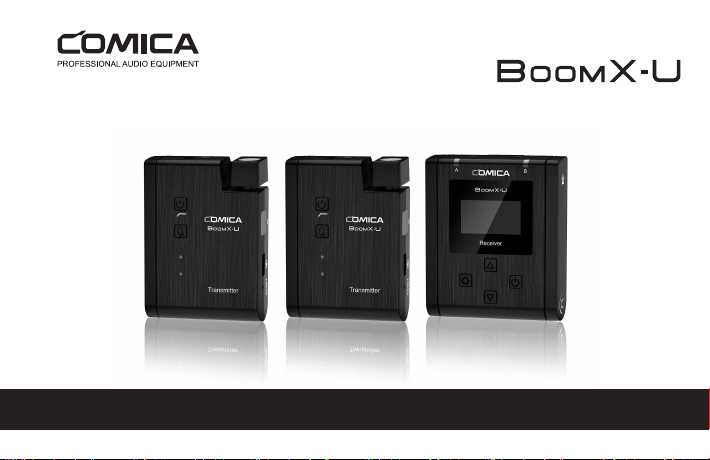
Broadcasting-Level Multi-functional Mini UHF Wireless Microphone
Technology Parameters
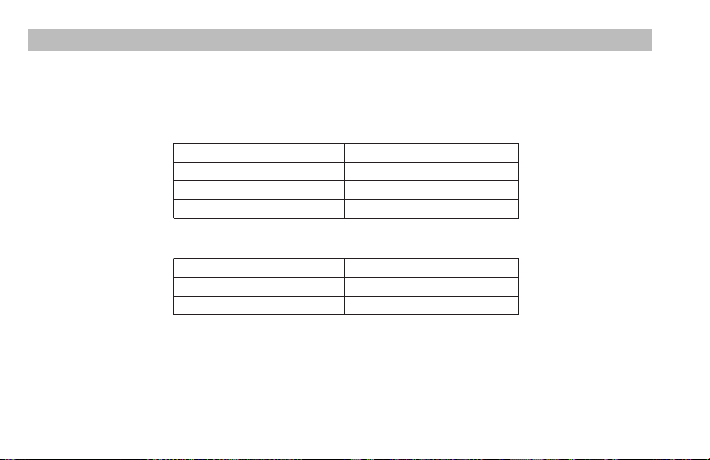
Transmitter (TX)
Channels
Group A Wireless Frequency
Group B Wireless Frequency
Transmitting Power
48
568.125MHz ~ 579.875MHz
580.125MHz ~ 591.875MHz
15dBm
Receiver (RX)
Channels
Group A Wireless Frequency
Group B Wireless Frequency
48
568.125MHz ~ 579.875MHz
580.125MHz ~ 591.875MHz
Foreword
Main Features
Thanks for purchasing COMICA BoomX-U Broadcasting-Level Multi-functional Mini UHF Wireless Microphone.
To ensure bring you a good using experience, please read this manual book carefully before using and correctly install and
operate.
. Mini and Portable, Broadcast Level
. Dual-Channel UHF Wireless Microphone
. Internal and External Mic Two Input Modes
. Working Distance is Up to 120m
. Multiple Channels Used for Several Devices
Working Together
. Auto-scanning and Quick IR Pair
. LCF, M/S Switch, 16-Levels Adjusted Gain Control, Muting
Functions
. Real-time Visual Power and Audio Dynamic Monitor
. Special Anti-loose Design for External Lavalier Mic
. Colorful TFT Display, High Resolution
. Support Screen Flip
. Designed with Multi-functional Belt Clip and Compact
Notice
Please make sure the IR sensor are closely aligned when pairing
Don't block the antenna position to avoid any poor signal generated
Please attention that it can not realize STEREO function when in single channel mode
It is recommended to adjust the antenna of transmitter and receiver to appropriate angle for stable transmission and long
working distance
It is recommended to keep a distance more than one meter between the two transmitters when using IR sync function, or it
is easy to cause mismatching
This product belongs to high-precision instruments, please avoid falling, collision or pounding
Do not use this equipment in the vicinity of heat source or interference source, such as radiator, oven, WIFI AP, intercom or
next to the other wireless devices
If the pick-up distance is close or when used outdoors, please put on the wind muff to prevent sound burst or reduce wind
noise
Do not use the equipment in rain or in a damp environment to avoid short-circuit danger
Please keep the product in a dry environment
1
Packing List
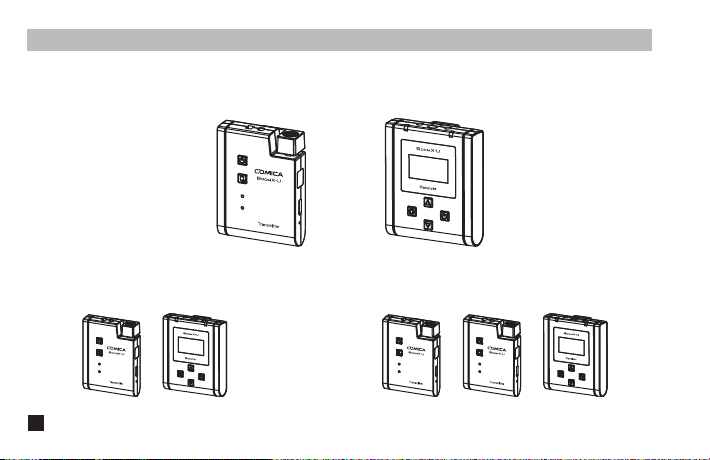
U1 = TX + RX U2 = TX + TX + RX
Receiver (RX)Transmitter(TX)
Purchase Options:
Main Parts:
2
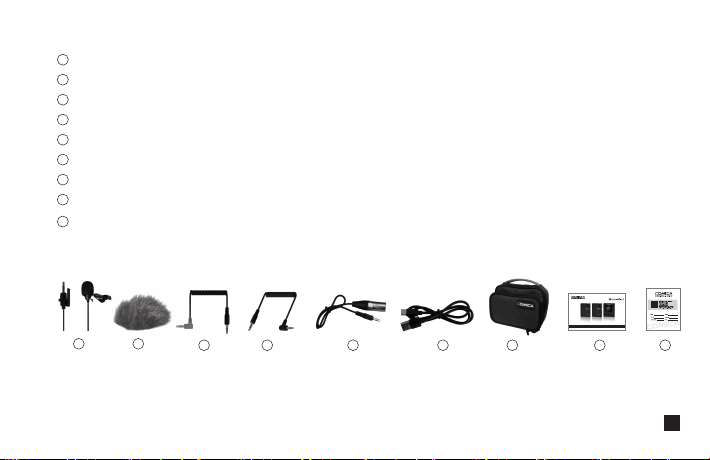
3.5mm Lavalier Mic
Wind Muff
3.5mm TRS-TRRS Audio Cable
3.5mm TRS-TRS Audio Cable
3.5mm-XLR Audio Output Cable
USB A-USB C Charging Cable
Carry Case
User Manual
Warranty Card
Accessories:
The accessories of each combination include :
①+②+③+④+⑤+⑥+⑦+⑧+⑨
U1=
①x2+②x2+③+④+⑤+⑥+⑦+⑧+⑨
U2=
1
2
3
4
5
6
7
8
9
7 8 96543
21
UHF
3
Components and Instruction
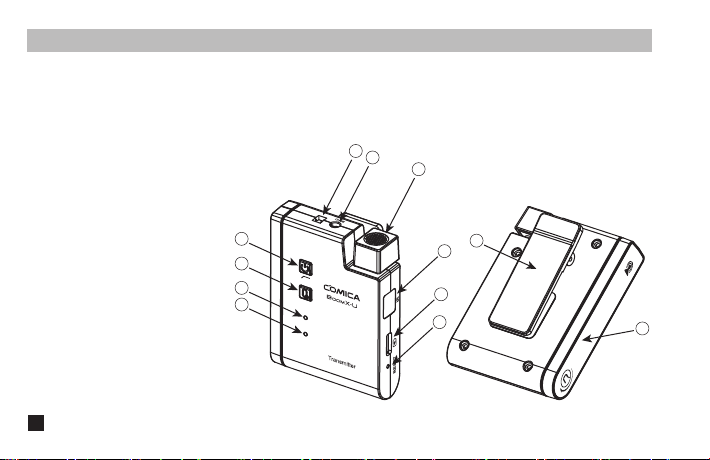
Transmitter (TX):
1. Power / Low Cut Filter Button
2. Muting Button
3. Power / Low Cut Filter Indicator Light
4. Audio Status Indicator Light
5. External Mic Locking Buckle
6. 3.5mm TRS Port of External Mic
7. Internal Mic
8. IR Sensor
9. USB-C Charging Port
10. Reset Hole
11. Belt Clip
12. Antenna
5
1
11
2
3
4
6
7
8
9
12
10
4
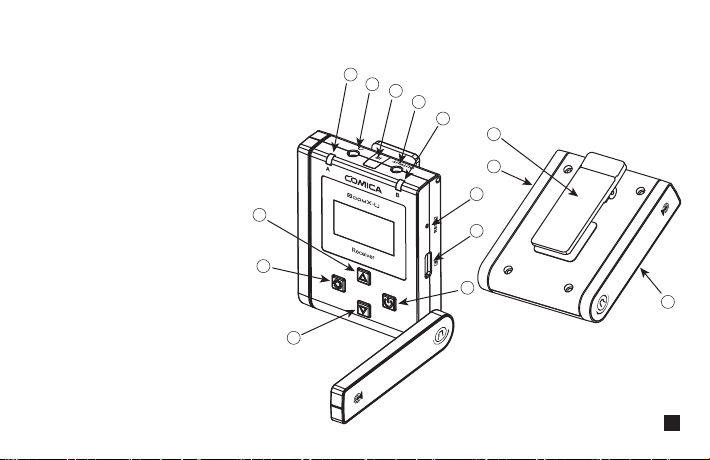
Receiver (RX)
3
13
12
14
5
4
1
2
6
7
8
9
10
11
1. Menu Function Button +
2. Function Setting Button
3. Menu Function Button -
4. Group A Working Status Indicator
5. 3.5mm TRS/TRRS Monitoring Port
6. IR Sensor
7. 3.5mm TRS Audio Output Port
8. Group B Working Status Indicator
9. Reset Hole
10. USB-C Charging Port
11. Power Button
12. Belt Clip
13. Group A Antenna
14. Group B Antenna
5
Installation
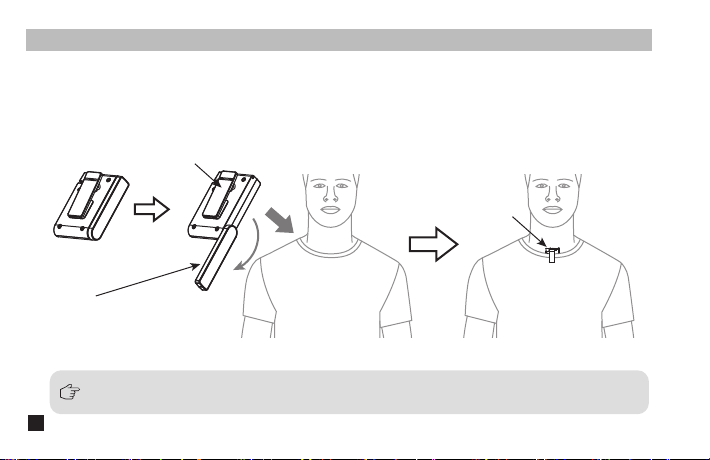
Transmitter (TX)
1.Use internal microphone :
Adjust the antenna angle; Install the transmitter on the collar through the belt clip so that the internal microphone
points in the direction of the sound source
Internal Mic
Belt Clip
Rotate 180 degrees for the best signal
For better concealment during use, it is recommended that the belt clip be fixed and used outwards
6
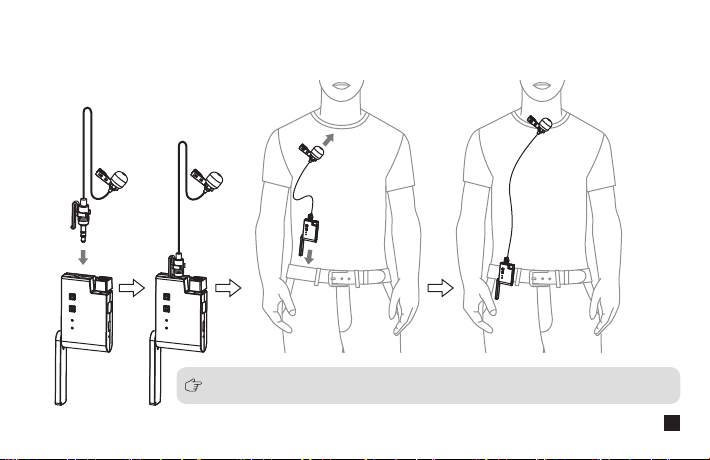
2.Use external microphone:
Insert the 3.5mm TRS microphone input cable into the transmitter's 3.5mm TRS external microphone port and
tighten it, then clip the transmitter to the belt through the belt clip and clip the lavalier microphone to your collar
When using an external microphone, the internal microphone is automatically turned off
7
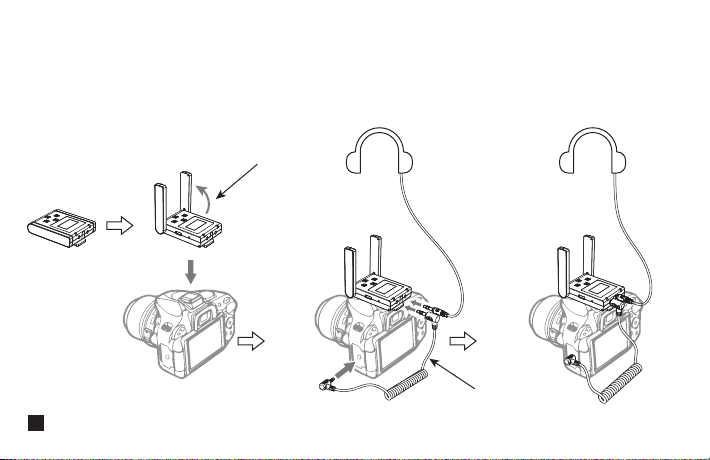
1. Work with Camera:
Adjust the antenna angle; Fix the receiver through the belt clip to the camera's hot shoe mount, then connect the
receiver with camera through the 3.5mm TRS-TRS audio cable; Insert the headphone into the monitoring port for
monitoring
Receiver (RX)
3.5mm TRS-TRS Audio Cable
Rotate 90 degrees for the best signal
8
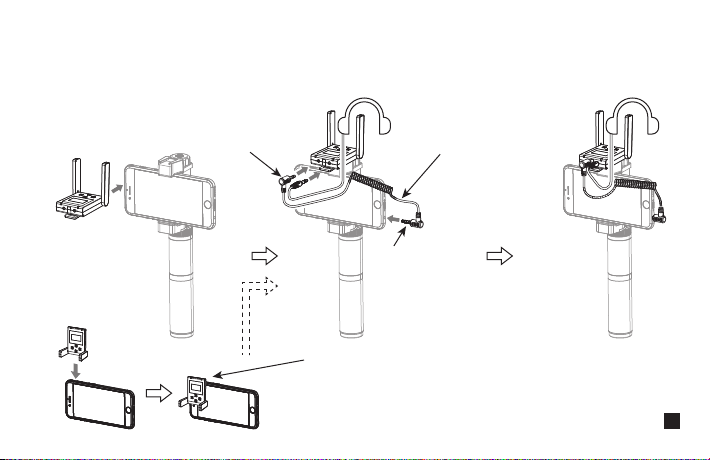
2. Work with Smartphone:
Clip the receiver to the cold shoe mount through the belt clip; Connect the receiver with the mobile phone
through the 3.5mm TRS-TRRS audio cable and pay attention to the access to the audio output jack of the receiver
is the 3.5mm TRS plug, and the access to the mobile phone is the 3.5mm TRRS plug; Insert the headphone to the
3.5 mm TRS/TRRS monitoring port for monitoring
In the absence of a mobile phone holder, the receiver can be
clamped to the mobile phone through the belt clip, and the
installation methods of other accessories are the same as above
TRRS Plug
TRS Plug
3.5mm TRS-TRRS Audio Cable
9
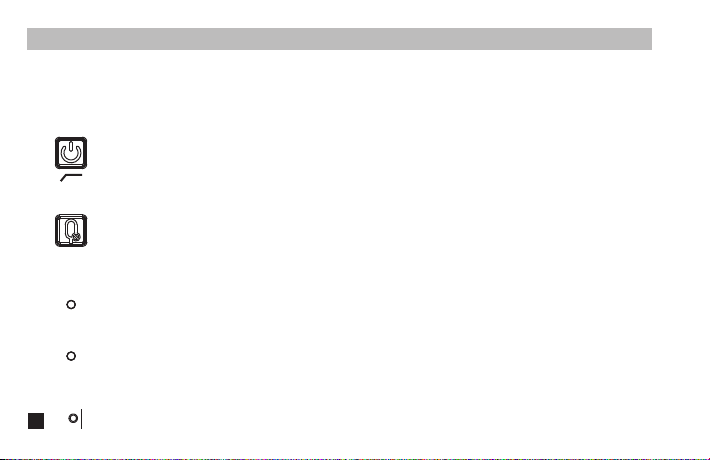
Long press for On/Off; Short press for Low Cut Filter
1. Power /Low Cut Filter Button
Long press to switch between normal recording and mute
2. Muting Button
Blue light keeps on after turn on the Transmitter; Purple light keeps on after turn on Low Cut Filter mode; Red light
flicker when pairing transmitter and receiver or low power; Red light keeps on when charging
3. Power /Low Cut Filter Indicator Light
Blue light flicker when sound is input; Red light keeps on when sound is crackled or mute status
4. Audio Status Indicator Light
If there is an abnormal phenomenon such as the device is crash or unable to turn on it, then insert the reset pin
into the reset hole to reset it
5. Reset Hole
Function and Usage
Transmitter (TX)
Function Introduction:
10
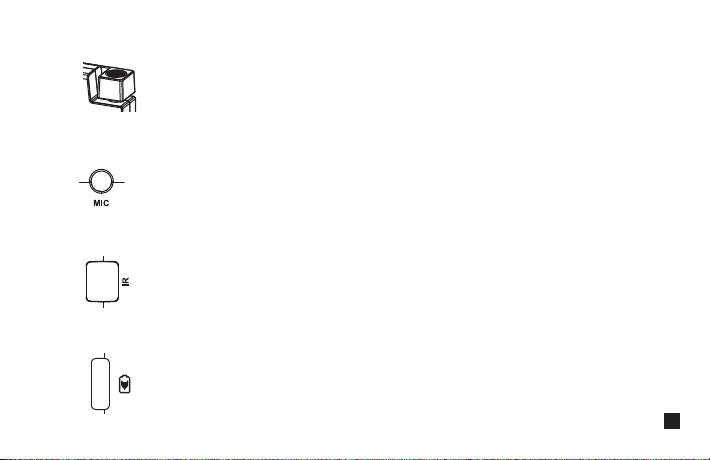
Turn the Mic to the sound source
6. Internal Mic
Insert the 3.5mm TRS microphone input cable, and you can use the external lavalier microphone for recording.
At this time, the internal microphone of this device is automatically turned off
7. 3.5mm TRS External Microphone Port
It's paired successfully only when the receiver and transmitter's IR sensor are closely aligned
8. IR Sensor
Connect the transmitter with the 5V power through the USB A-USB C charging cable to charge
9. USB-C Charging Port
11

Short Press can enter the setting display page, then adjust the related function
2. SET Function Button
Short Press for function adjustment (+)
3. Function Selection Button +
Short Press for function adjustment (-)
4. Function Selection Button -
Long press for On/Off; Short press on the function menu interface to exit the current interface
1. Power Button
Receiver (RX)
Receiver (RX) Function Introduction:
12
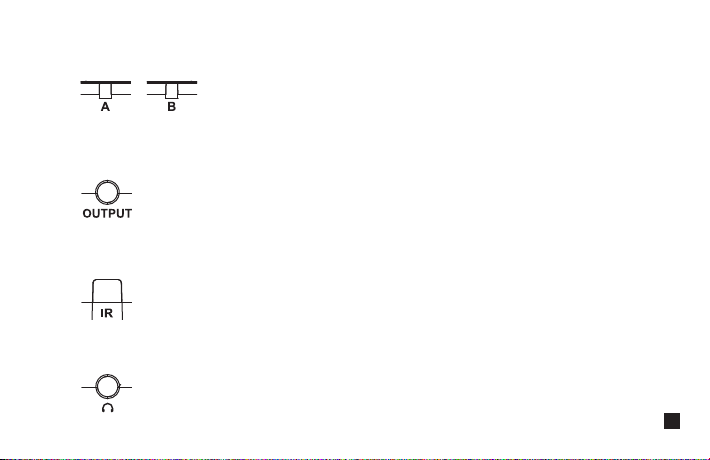
Indicator light is off when unpaired; Blue light keeps on after paired successfully;
Red light flicker when low power; Red light keeps on when charging
5. Group A /B Working Status Indicator
Connect with mobile phone through the 3.5mm TRS-TRRS audio cable; Connect with camera through the 3.5mm
TRS-TRS audio cable
6. 3.5mm TRS Audio Output Port
It's paired successfully only when the receiver and transmitter's IR sensor are closely aligned
7. IR Sensor
Insert headphone to monitor
8. 3.5mm TRS/TRRS Monitoring Port
13
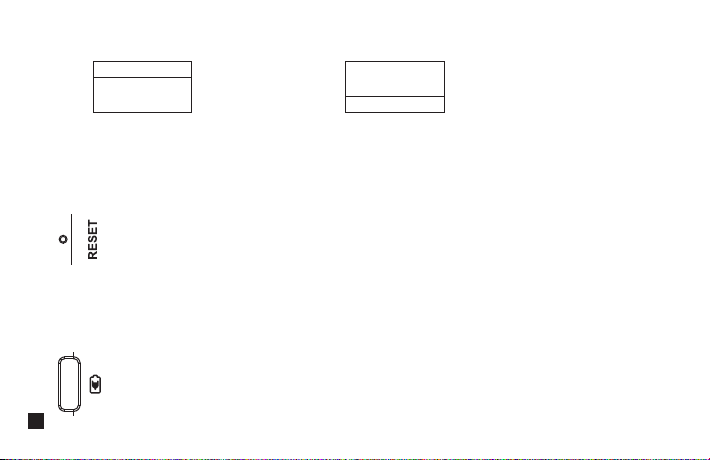
If there is an abnormal phenomenon such as the device is crash or unable to turn on it, then insert the reset pin
into the reset hole to reset it
10. Reset Hole
Connect the receiver with the 5V power through the USB A-USB C charging cable to charge
11. USB-C Charging Port
You can flip the screen 180 degrees to use according to different scenes
9. Screen Flip Function
(Normal Display) (After Screen Flips 180 Degrees)
Menu
Screen Flip
Off
Menu
Screen Flip
On
14
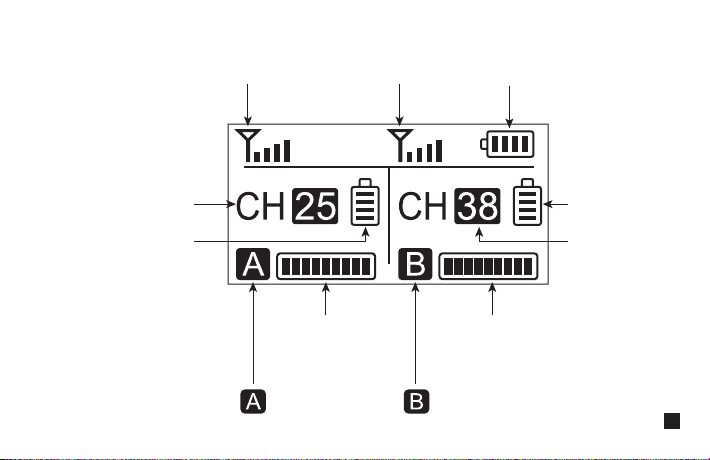
Receiver (RX) Screen Display Instruction:
Receiver’s Power Indication
Group B
Transmitting Power
Channel of Group A
Channel of Group B
Group A
Transmitting Power
Group B Signal Strength
Group A Audio
Dynamic Display Bar
Group B Audio Dynamic Display Bar
Group A Signal Strength
Group A Group B
15
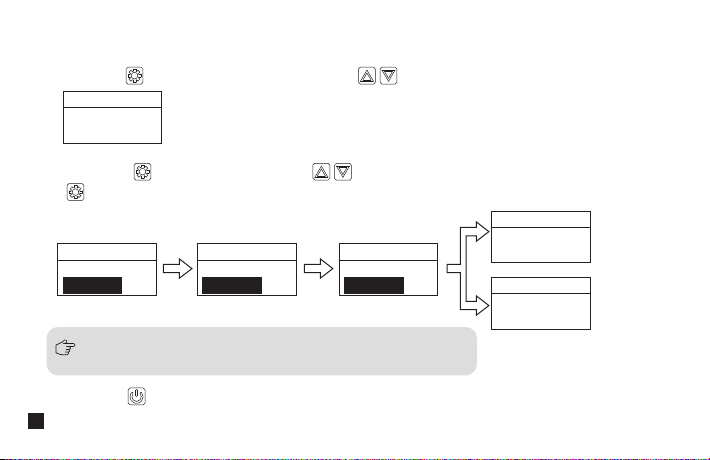
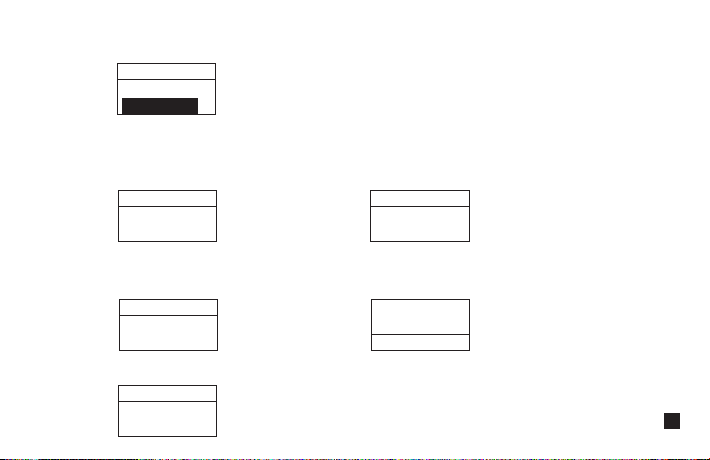
1.1 Short press button to “setting” display page; press button to Pair mode of Group A or Group B
1.2 Short press button for adjustment, press button to select whether or not pairing, then short press
to confirm. It will show “Paired CHXX” to prompt the channel of Paired after successful pairing; it will show
“Fail” after unsuccessful pairing
1.3 Short press button to back to home screen ( The operation methods for other interfaces are the same as above )
Please turn on the transmitter and make sure the IR sensor are closely
aligned when pairing or it may cause failed pairing!
1.Pairing of Group A/B
Menu
Group A
Pair Yes
Menu
Group Setting
Pair No
Menu
Group Setting
Pair Yes
Menu
Group Setting
Pairing...
Menu
Group Setting
Paired CHXX
Menu
Group Setting
Fail!
Successful
Pairing
Failed Pairing
Receiver (RX) Operation Instruction:
16
A channel is the left channel and B channel is the right channel in Stereo Mode. Please attention that it can not
realize STEREO function when in single channel mode
3. ‘Stereo/Mono’ Mode Adjustment
(Stereo) (Mono)
5. Version
Group A/B Volume Adjustment
2. Volume Adjustment
Menu
Group A
Volume 12
Menu
Output Mode
Stereo
Menu
Output Mode
Mono
Menu
Version
X.X.X
You can flip the screen 180 degrees to use according to different scenes
4. Screen Flip Function
( Normal Display ) ( After Screen Flips 180 Degrees )
Menu
Screen Flip
Off
Menu
Screen Flip
On
17
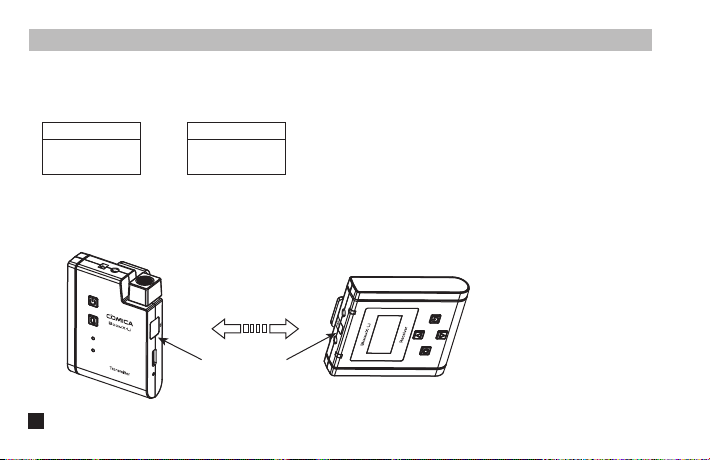
1. Set the display page to A/B Group Pairing
2. Keep the receiver and transmitter's IR sensor are closely aligned before pairing
(Transmitter)
IR Sensor IR Sensor
(Receiver)
Pairing Method
Dual-Channel Mode:
or
Menu
Group A
Pair Yes
Menu
Group B
Pair Yes
18
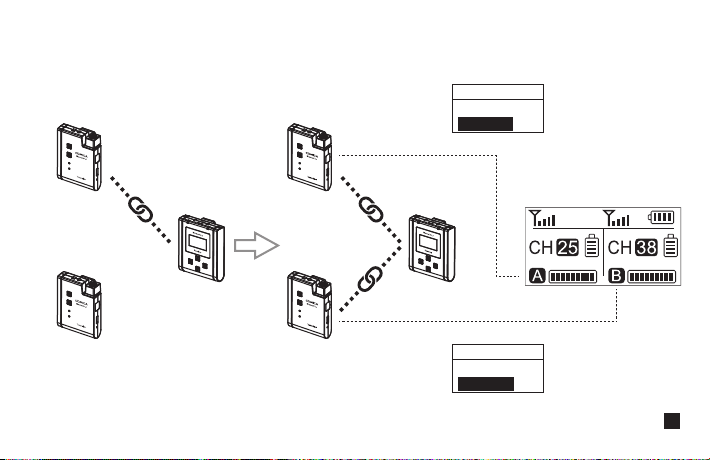
3. Use the pairing function to pair the two transmitters respectively for the A/B Group
Menu
Group A
Pair Yes
Menu
Group B
Pair Yes
(A channel )(Left channel)
(B channel )(Right channel)
19
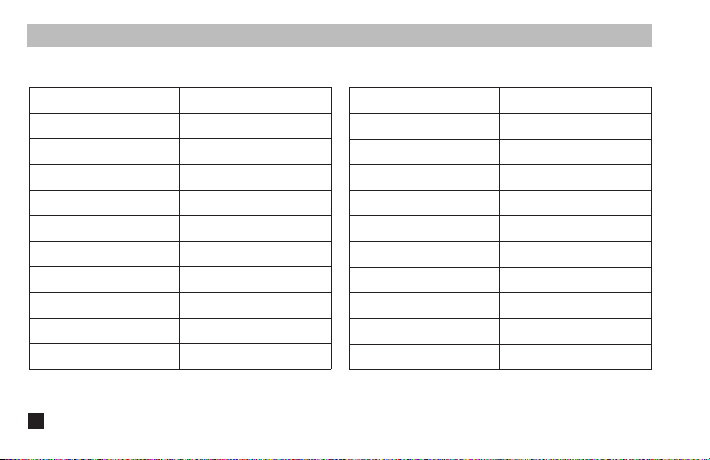
Specification
Transmitter (TX)
Antenna
Polar Pattern
Frequency Response
Sound Delay
External Mic Input Interface
Battery
Battery Life
Net Weight
Dimension
Operating Temperature
Storage Temperature
PCB Antenna
Omnidirectional
80Hz ~ 20kHz
<20ms
3.5mm TRS
Li-ion Battery 600mAh 3.7V
6 Hours
47g
49 x 22 x 66mm
0
℃
~ 50
℃
-20
℃
~ 60
℃
Receiver (RX)
Antenna
Receiving Sensitivity
Sound Delay
External Mic Input Interface
Monitor Interface
Battery
Battery Life
Net Weight
Dimension
Operating Temperature
Storage Temperature
PCB Antenna
-90dBm
<20ms
3.5mm TRS
3.5mm TRS/TRRS
Li-ion Battery 600mAh 3.7V
6 Hours
55g
49 x 22 x 66mm
0
℃
~ 50
℃
-20
℃
~ 60
℃
20