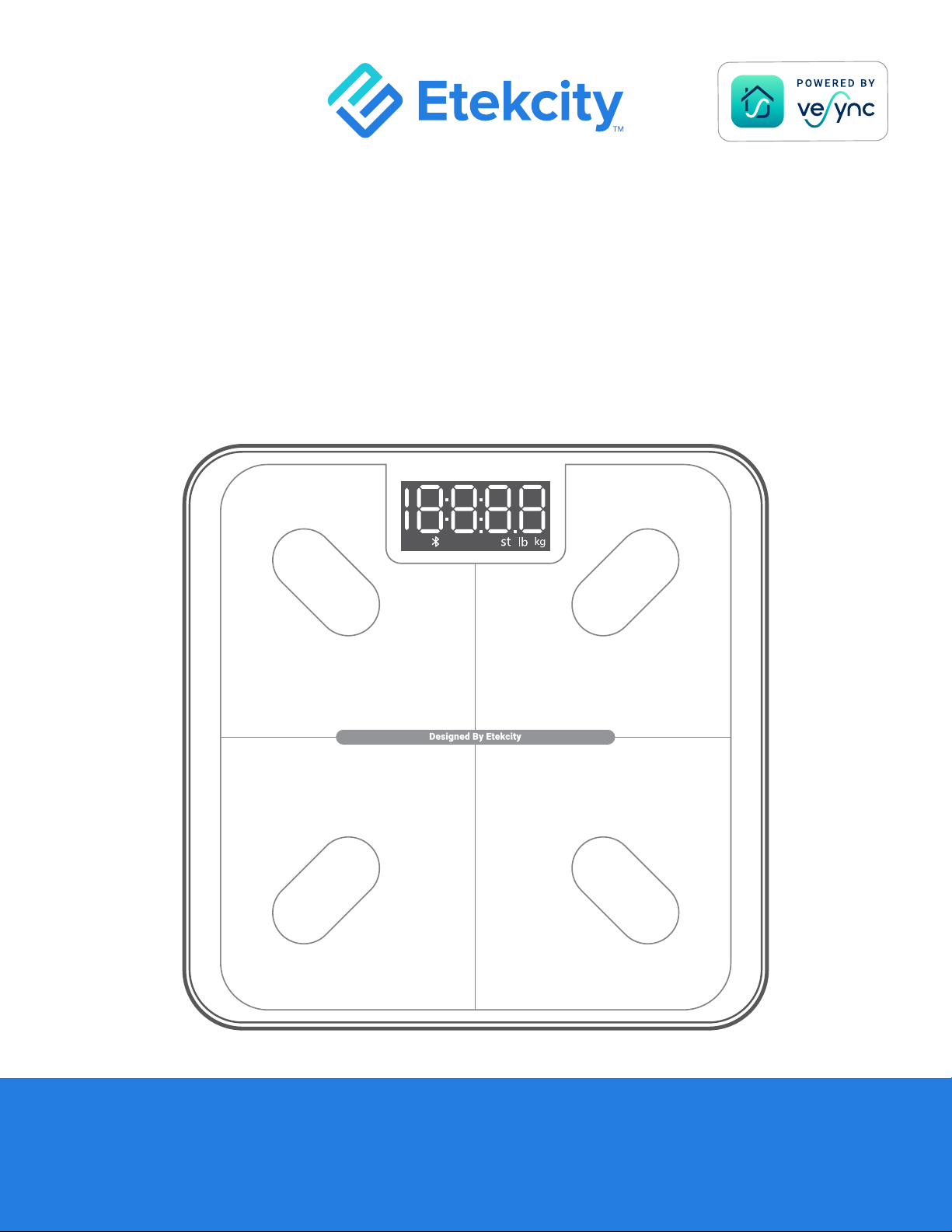

2
Thank you for purchasing the
Smart Fitness Scale by Etekcity.
If you have any questions or concerns, please reach out to our
helpful Customer Support Team at support@etekcity.com.
We hope you enjoy your new scale!


4
Specications
Package Contents
Weight Capacity 400 lb / 180 kg / 28 st
Increments
≤ 10 kg 0.05 lb / 0.02 kg
≤ 180 kg 0.1 lb / 0.05 kg
Weight Units lb / kg / st
Platform Tempered Glass
Battery 3 x 1.5V AAA Batteries (Pre-Installed)
Auto-Off 5 / 10 / 30 seconds
Dimensions 11 x 11 x 1.1 in / 28 x 28 x 2.9 cm
Operating Systerm iOS
®
10.0+ or Android™ 5.0+
1 x Smart Fitness Scale
3 x 1.5V AAA Batteries (Pre-Installed)
1 x Quick Start Guide

5
Safety Information
Please read and follow all instructions and safety guidelines in
this manual.
READ AND SAVE THESE INSTRUCTIONS
• Check the scale before using. Do not use the scale if it is damaged
in any way.
• Do not strike or bang on the scale and do not use the scale if
there is a crack on the glass. While tempered glass is stronger
General Use
• This scale should not be used to diagnose or treat any medical
condition.
• Scale data should not be used as a substitute for medical advice
from a healthcare professional.
• This scale uses a harmless electrical current to measure body fat.
Consult a healthcare professional before using the smart scale if
you use medical electronic equipment such as a pacemaker.
Medical

6
and fractures more safely than ordinary glass, it may shatter
unexpectedly after developing a slight crack. If you see a crack,
contact Customer Support (see page 24). The glass platform is
slippery when wet. Always make sure the platform and your feet are
dry before stepping on for measurement.
• Place the scale on a hard, at surface to avoid tipping.
• To weigh safely and accurately, stand with your feet shoulder-width
apart while on the scale. Do not stand on the edge of the scale or
jump on the scale.
• Avoid standing on the scale for a long period of time, or when not
measuring yourself.
• Do not overload the scale. Maximum weight capacity is
400 lb / 180 kg / 28 st.
• Keep the scale in a cool area with low humidity. Keep the scale
away from heat sources, such as ovens or heaters. Avoid
temperature uctuations. Store the scale in a horizontal position, not
a vertical position.
• Handle with care. Not for commercial use. Household use only.
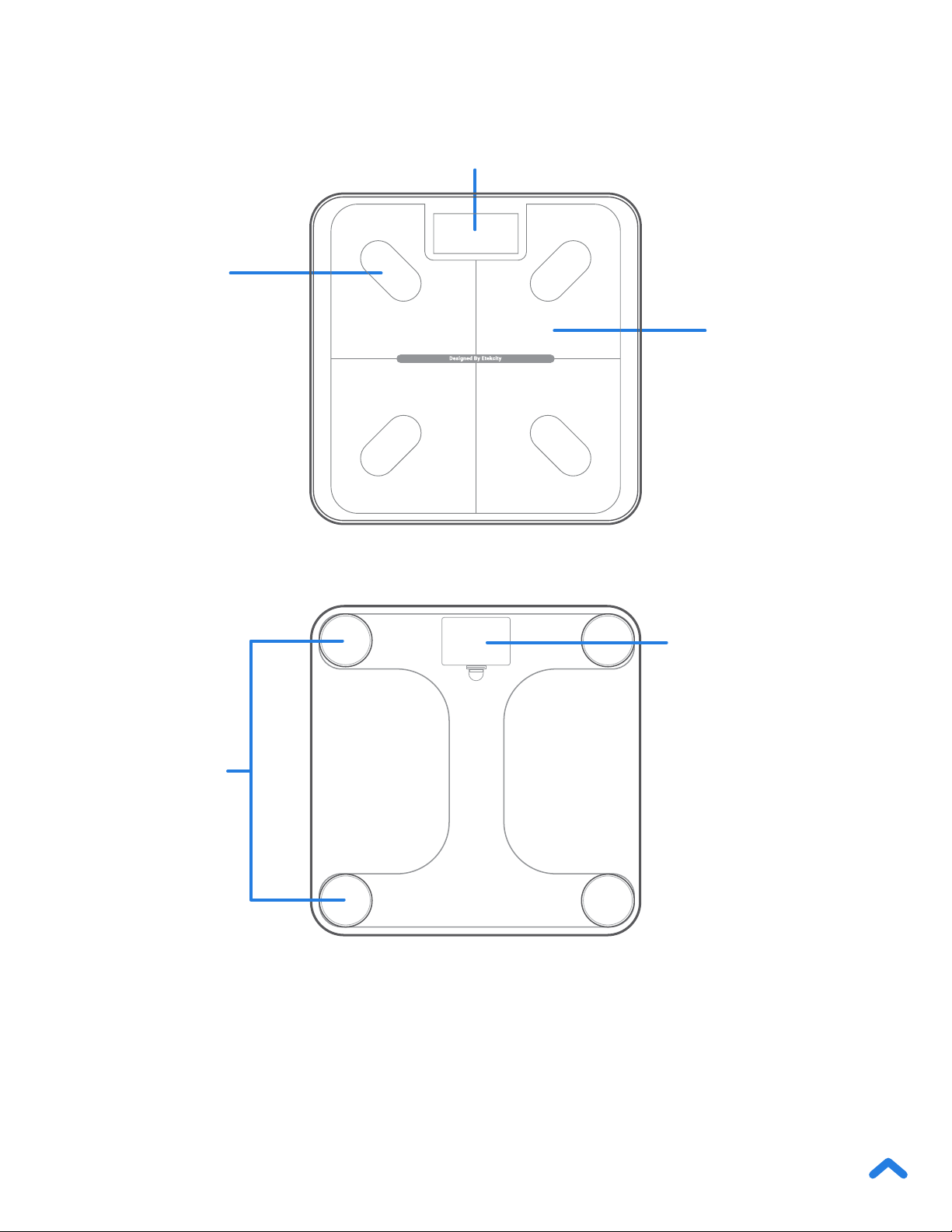
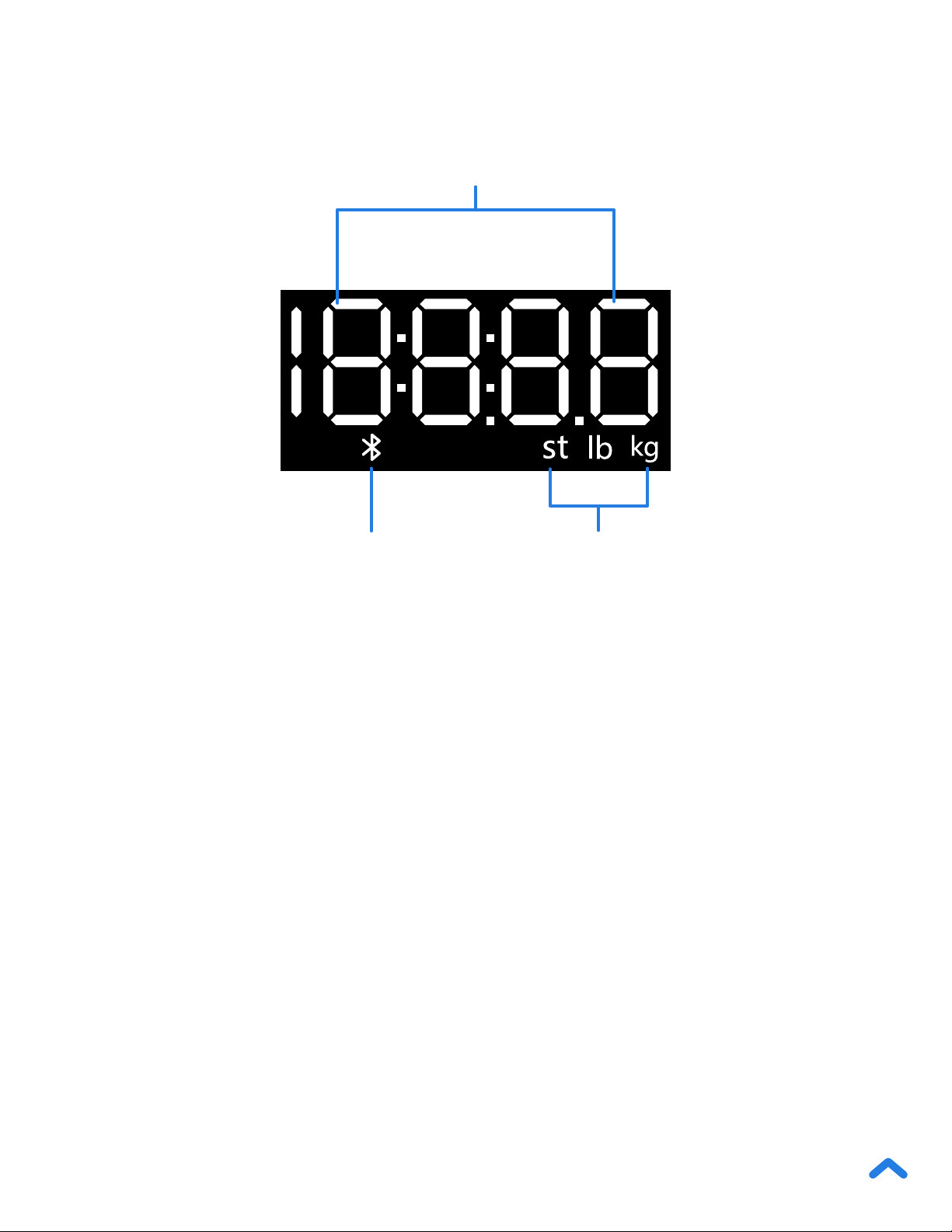

11
VeSync App Setup
1. To download the VeSync app, scan the QR code or search
“VeSync” in the Apple App Store
®
or Google Play Store.
Note: Due to app updates and improvements, the VeSync app may be slightly
different than shown in the manual. In case of any differences, follow the in-app
instructions.
Note:
• For Android™ users, you may need to select Allow to use VeSync.
Note: You must create your own VeSync account to use third-party
services and products. With a VeSync account, you can also allow your
family and friends to use your smart tness scale.
2. Open the VeSync app. If you already have an account, tap
Log In. To create a new account, tap Sign Up.

12
Note: You can change the name and icon at any time in the smart
tness scale settings.
3. Make sure your phone has Bluetooth
®
turned on.
4. Tap + in the VeSync app and select your smart tness scale.
5. Follow the in-app instructions to connect to your smart tness
scale.
If you are a new user, you will need to enter physical information
before weighing yourself for the rst time so the scale can calculate
your body metrics. Follow the in-app instructions to create a user
prole.
Note:
• Entering inaccurate information will make the scale’s measurements less
accurate.
• If you don’t identify with the available gender options, or are unsure, pick
the option that you think best physically matches you. This choice is
used for physical measurements, such as body fat percentages.
• Children under 3 years of age cannot measure body metrics other than
weight.
• Minors will need a guardian’s consent to create a VeSync account.
Creating a User

13
Using the Smart Scale
1. Place the scale on a hard, at surface.
Note:
• Placing on soft surfaces such as a shaggy carpet may cause inaccurate
measurements or tipping. If necessary, the scale can be used on low-pile
carpet with a ber length of 0.4 inches / 10 mm or less.
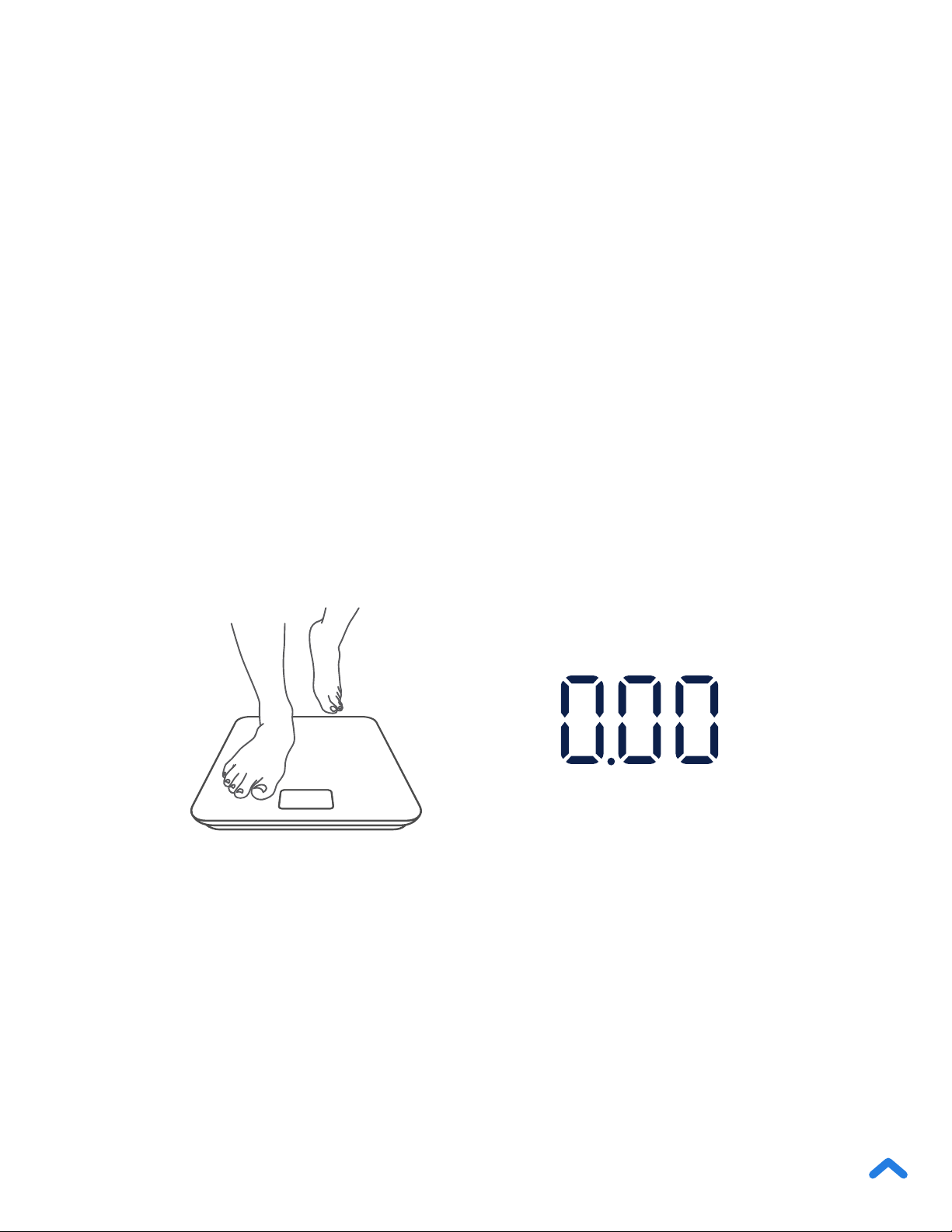
2. Step on the scale, then step off. Wait for the LED screen to
display “0.00” before using.
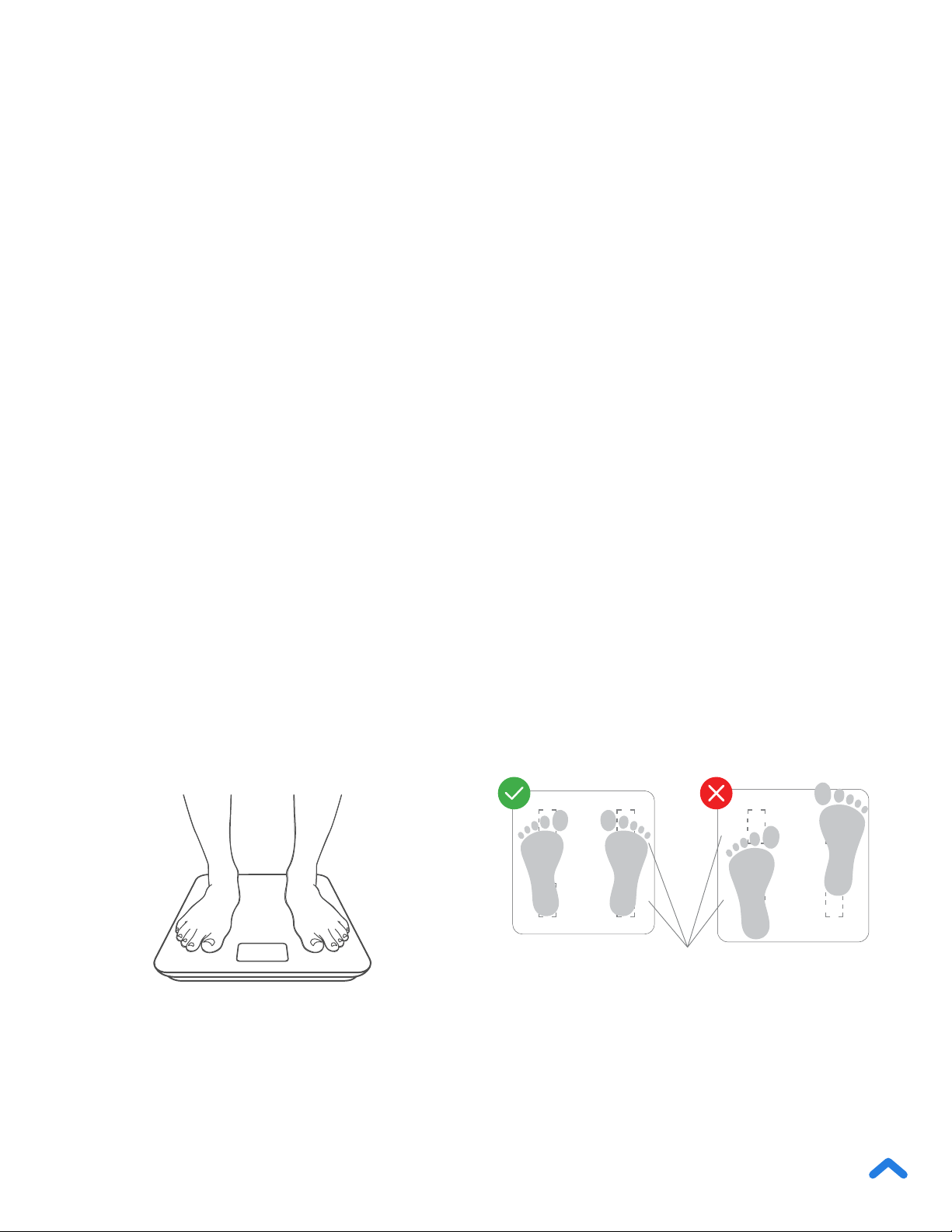
3. Place dry, bare feet on the scale’s conductive areas. Stand on
the scale until the display ashes several times, showing your
nal measurement. If your smart scale is connected to the
VeSync app, additional results (such as BMI, body fat, etc.) will
show in the app.
Note:
• To switch between pounds (lb), kilograms (kg), and stone (st), open the
VeSync app and select the weight unit in the Device Settings menu. To
see measurements besides weight, you must connect the scale to the
VeSync app (see page 11).
• Turning on Zero-Current Mode in the VeSync app will turn off the scale’s
electrical current and will only provide measurements for weight and
BMI. This mode can be helpful for users who are pregnant or who have
implanted medical devices, such as pacemakers.
• To measure your baby or pet, turn on Baby Mode and follow the in-
app instructions for weighing. Baby Mode will not measure other body
metrics and will only measure weight and BMI.
14
Maintenance
If the scale has been moved or ipped upside down, it must be
cleared to ensure accurate results.
Clearing the Smart Scale
1. Place the scale on a hard, at surface.
2. Step on the scale until digits appear on the display, then step
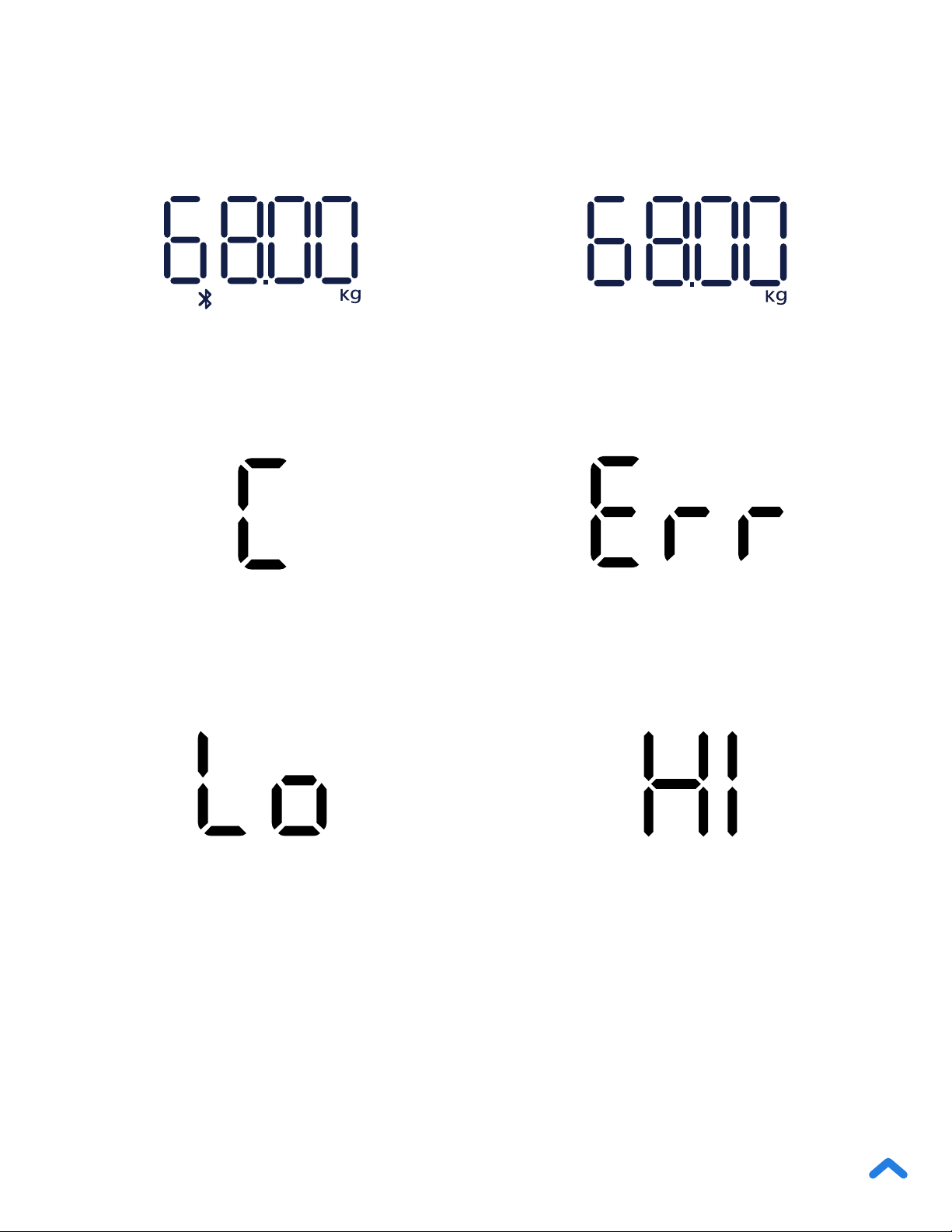
off. [Figure 1.1]
3. The scale will show “0.00” when cleared. [Figure 1.2]
[Figure 1.1] [Figure 1.2]

15
Cleaning the Smart Scale
• Use a slightly damp cloth to clean the surface of the scale,
followed by a soft, dry cloth to wipe away any remaining
moisture.
• Do not use chemical or abrasive cleaning agents to clean the
scale.
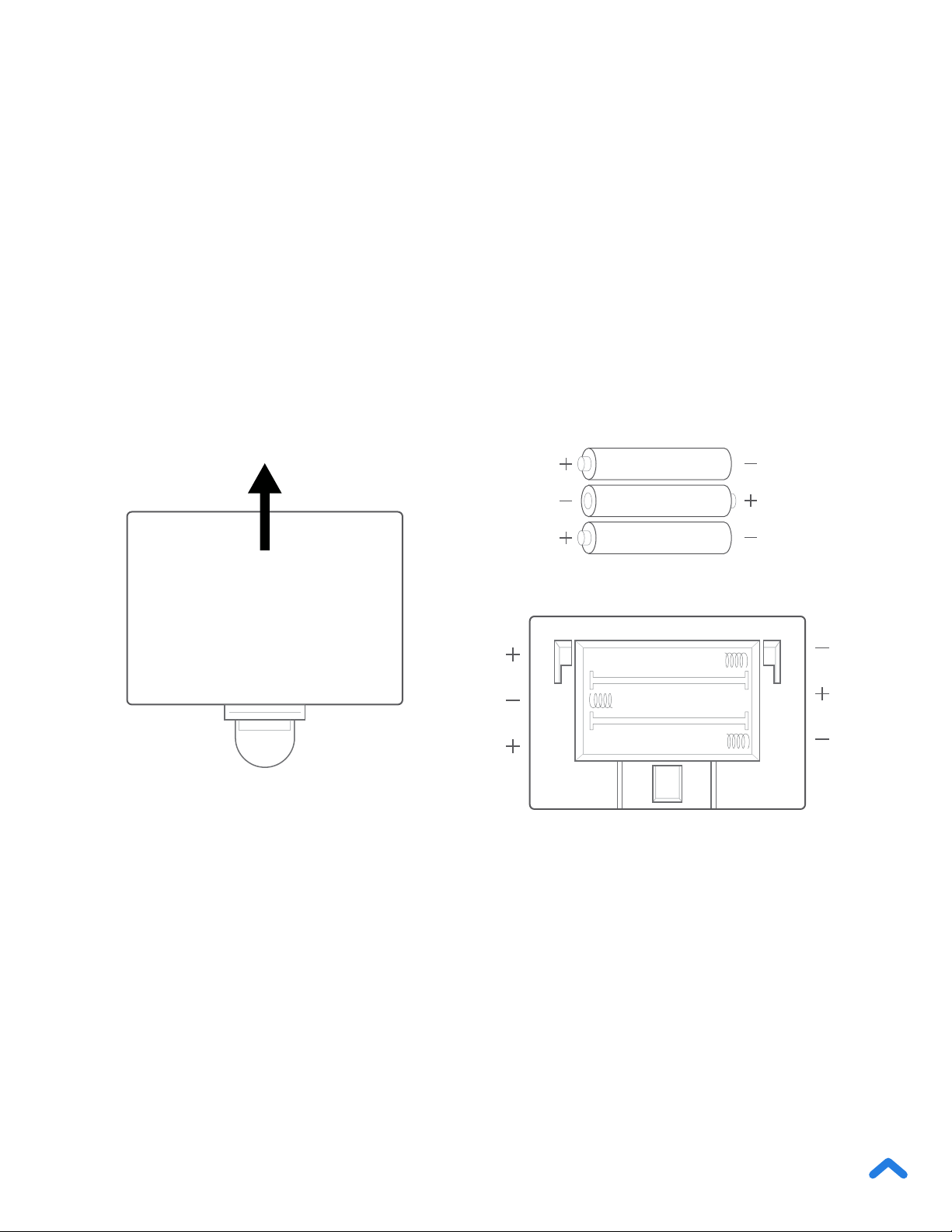
Replacing the Batteries
1. Open the battery compartment on the underside of the scale.
2. Remove the old batteries and dispose of them properly.
3. Install 3 new 1.5V AAA batteries, making sure they are placed
under the correct polarity.
4. Replace the battery compartment cover.
Note: The scale may need to be cleared after replacing the batteries.
The display will show “Lo” when the batteries need to be replaced.

17
Troubleshooting
The scale doesn’t turn on.
• Check if the batteries are properly installed. If using the scale for
the rst time, remove the plastic insulator strip from the battery
compartment.
Information ashes on the display and then disappears.
• The batteries are low and may need to be replaced.
The smart scale doesn’t connect with the VeSync app.
• Make sure your phone’s operating system is running on iOS
®
10.0+ or
Android 5.0+.
• Close and relaunch the VeSync app. Make sure you’re using the latest
version.
• Make sure your phone has Bluetooth turned on. For Android users,
make sure your Location is turned on as well.
• Make sure your scale and phone are within 30 ft / 10 m of each other.
• Make sure the scale is not currently connected to any other phone or
app.
• Try turning off any VPN apps.
The scale readings seem unstable or inaccurate.
• Make sure the scale is on a hard, at surface.
• Reset the scale to zero (see page 14).
18
My scale will only measure my weight, not my other metrics.
• Set up your smart scale in the VeSync app. Your weight will show on
the scale display, and your weight, and more results will show on the
app.
• If you’re wearing shoes or socks, the scale cannot measure health
metrics such as body fat. Step on the scale with bare feet. [Figure 2.1]
• Make sure to place your feet on the scale’s conductive areas.
[Figure 2.2]
• Make sure Bluetooth is turned on.
• Check if Zero-Current Mode is on. If it is, the smart tness scale will
provide measurements for only weight and BMI, not other metrics.
Note: If the scale has errors on the display, will not turn off automatically, or
has a problem not listed here, try removing the batteries for 3 seconds, then
replacing them. If the problem is not resolved, replace the batteries with new
ones.
If you still need help, please contact Customer Support (see page 24).
Figure 2.1 Figure 2.2
Conductive Areas

19
Attributions
iOS is a registered trademark of Cisco Systems, Inc. and/or its
aliates in the United States and certain other countries.
Apple App Store is a trademark of Apple Inc.
Android and Google Play are trademarks of Google LLC.
The Bluetooth
®
word mark and logos are registered trademarks
owned by Bluetooth SIG, Inc. and any use of such marks by Etekcity
Corporation is under license. Other trademarks and trade names are
those of their respective owners.

20
This device complies with Part 15 of the FCC Rules. Operation is subject to the following two
conditions:
1. This device may not cause harmful interference, and
2. This device must accept any interference received, including interference that may
cause undesired operation.
NOTE: This equipment has been tested and found to comply with the limits for a Class B digital
device, pursuant to Part 15 of the FCC Rules. These limits are designed to provide reasonable
protection against harmful interference in a residential installation. This equipment generates,
uses and can radiate radio frequency energy and, if not installed and used in accordance with
the instructions, may cause harmful interference to radio communications. However, there is
no guarantee that interference will not occur in a particular installation. If this equipment does
cause harmful interference to radio or television reception, which can be determined by turning
the equipment off and on, the user is encouraged to try to correct the interference by one or
more of the following measures:
• Reorient or relocate the receiving antenna.
• Increase the separation between the equipment and receiver.
• Connect the equipment into an outlet on a circuit different from that to which the
receiver is connected.
• Consult the dealer or an experienced radio/TV technician for help.
FCC Caution: Any changes or modications not expressly approved by the party responsible
for compliance could void the user’s authority to operate this equipment.
Federal Communication Commission
Interference Statement

21
This equipment complies with FCC radiation exposure limits set forth for an uncontrolled envi-
ronment. End users must follow the specic operating instructions for satisfying RF exposure
compliance. To maintain compliance with FCC RF exposure compliance requirements, please
follow operation instructions as documented in this manual. This transmitter must not be
co-located or operating in conjunction with any other antenna or transmitter. The availability
of some specic channels and/or operational frequency bands are country dependent and are
rmware programmed at the factory to match the intended destination. The rmware setting is
not accessible by the end user.
FCC Radiation Exposure Statement
Etekcity Corporation hereby declares that this equipment is in compliance with the FCC Part
15 Subpart B. The declaration of conformity may be consulted in the support section of our
website, accessible from www.etekcity.com.
FCC SDOC SUPPLIER’S DECLARATION OF
CONFORMITY
22
Warranty Information
Product Smart Fitness Scale
Model ESF-551
For your own reference, we strongly recommend that you record your order ID and
date of purchase.
Order ID
Date of Purchase
TERMS & POLICY
Etekcity Corporation (“Etekcity”) warrants this product to the original purchaser
to be free from defects in material and workmanship, under normal use and
conditions, for a period of 2 years from the date of original purchase.
Etekcity agrees, at our option during the warranty period, to repair any defect in
material or workmanship or furnish an equal product in exchange without charge,
subject to verication of the defect or malfunction and proof of the date of
purchase.
There is no other express warranty. This warranty does not apply:
• If the product has been modied from its original condition;
• If the product has not been used in accordance with directions and
instructions in the user manual;
• To damages or defects caused by accident, abuse, misuse or improper or
inadequate maintenance;
• To damages or defects caused by service or repair of the product performed
by an unauthorized service provider or by anyone other than Etekcity;
• To damages or defects occurring during commercial use, rental use, or any
use for which the product is not intended;
• To damages or defects exceeding the cost of the product.

23
Etekcity will not be liable for indirect, incidental, or consequential damages in
connection with the use of the product covered by this warranty.
This warranty extends only to the original consumer purchaser of the product
and is not transferable to any subsequent owner of the product regardless of
whether the product is transferred during the specied term of the warranty.
This warranty does not extend to products purchased from unauthorized sellers.
Etekcity’s warranty extends only to products purchased from authorized sellers
that are subject to Etekcity’s quality controls and have agreed to follow its quality
controls.
All implied warranties are limited to the period of this limited warranty.
This warranty gives you specic legal rights and you may also have other
rights which vary from state to state. Some states do not allow the exclusion
or limitation of incidental or consequential damages, so the above limitation or
exclusion may not apply to you.
If you discover that your product is defective within the specied warranty period,
please contact Customer Support via support@etekcity.com. DO NOT dispose
of your product before contacting us. Once our Customer Support Team has
approved your request, please return the product with a copy of the invoice and
order ID.
Every Etekcity product automatically includes a 2-year warranty. To make the
customer support process quick and easy, register your product online at
www.etekcity.com/warranty.
This warranty is made by:
Etekcity Corporation
1202 N. Miller St., Suite A
Anaheim, CA 92806

24
Customer Support
If you have any questions or concerns about your new product,
please contact our helpful Customer Support Team.
Etekcity Corporation
1202 N. Miller St., Suite A
Anaheim, CA 92806
Toll-Free: (855) 686-3835
Email: support@etekcity.com
Support Hours
Mon–Fri, 9:00 am–5:00 pm PST/PDT
*Please have your invoice and order ID ready before contacting
Customer Support.