Questions, problems, missing parts?
Before returning to your retailer, call our customer service at 1-800-887-6326
Monday – Friday 9:00 a.m. – 5:00 p.m. CST
SKU Number: 356-1176
356-1177
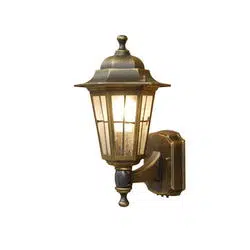
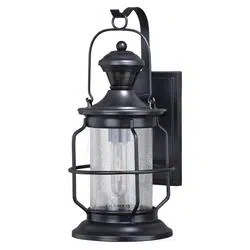
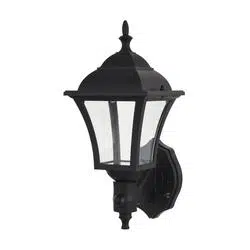
LED OUTDOOR MOTION SENSOR
WALL LIGHT
Model Number: DJ2011
DJ2012
201029
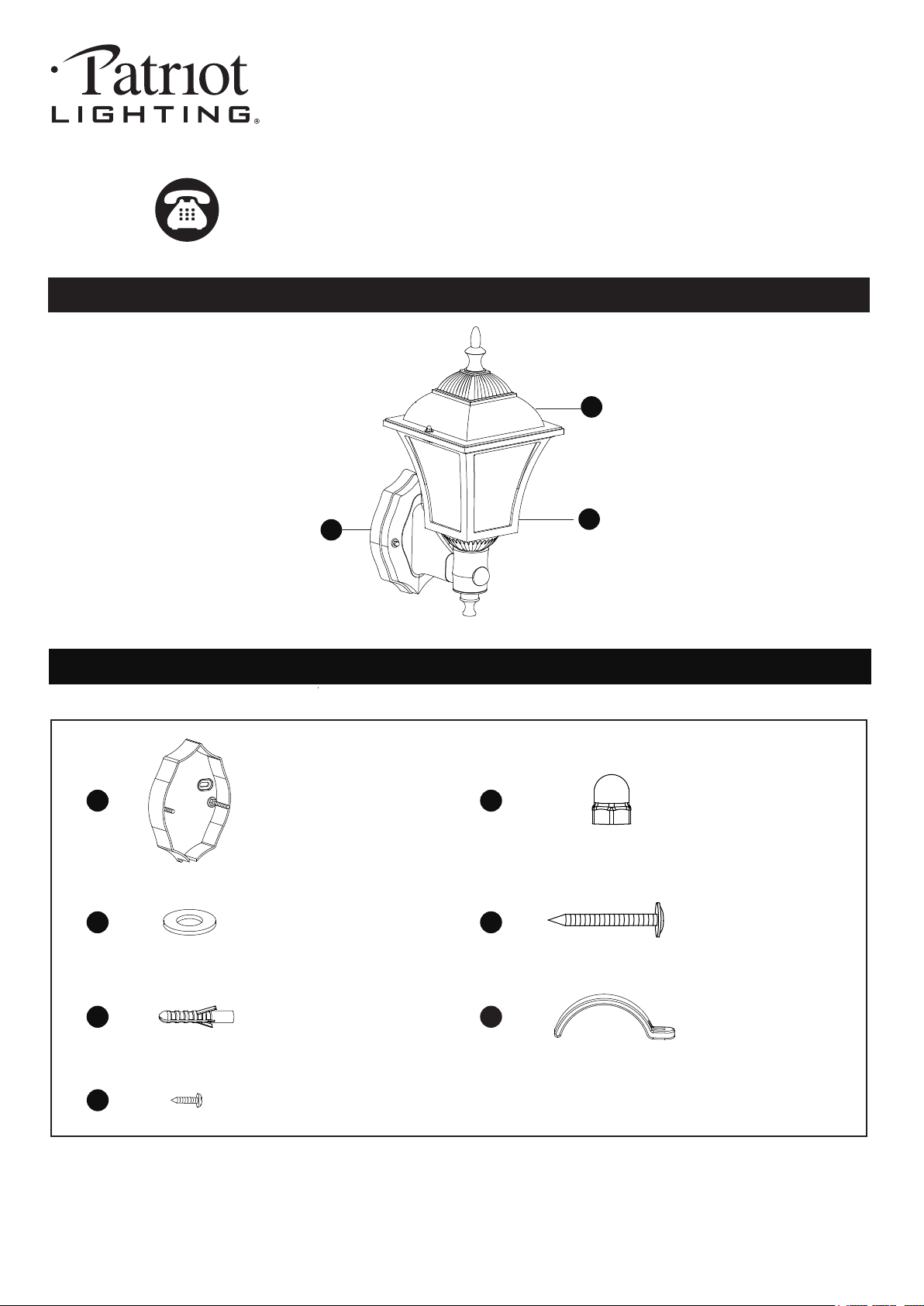
HARDWARE CONTENTS Note: Hardware not shown actual size.
PACKAGE CONTENTS
A
B
C
Mounting Bracket Unit
X1
Bolt Nut
X2
Drywall Screw
X2
Rubber Pad
X2
Anchor
X2
AA
BB
CC
DD
EE FF
Battery Fixing Clip
X4
Battery Fixing Screw
X4
GG
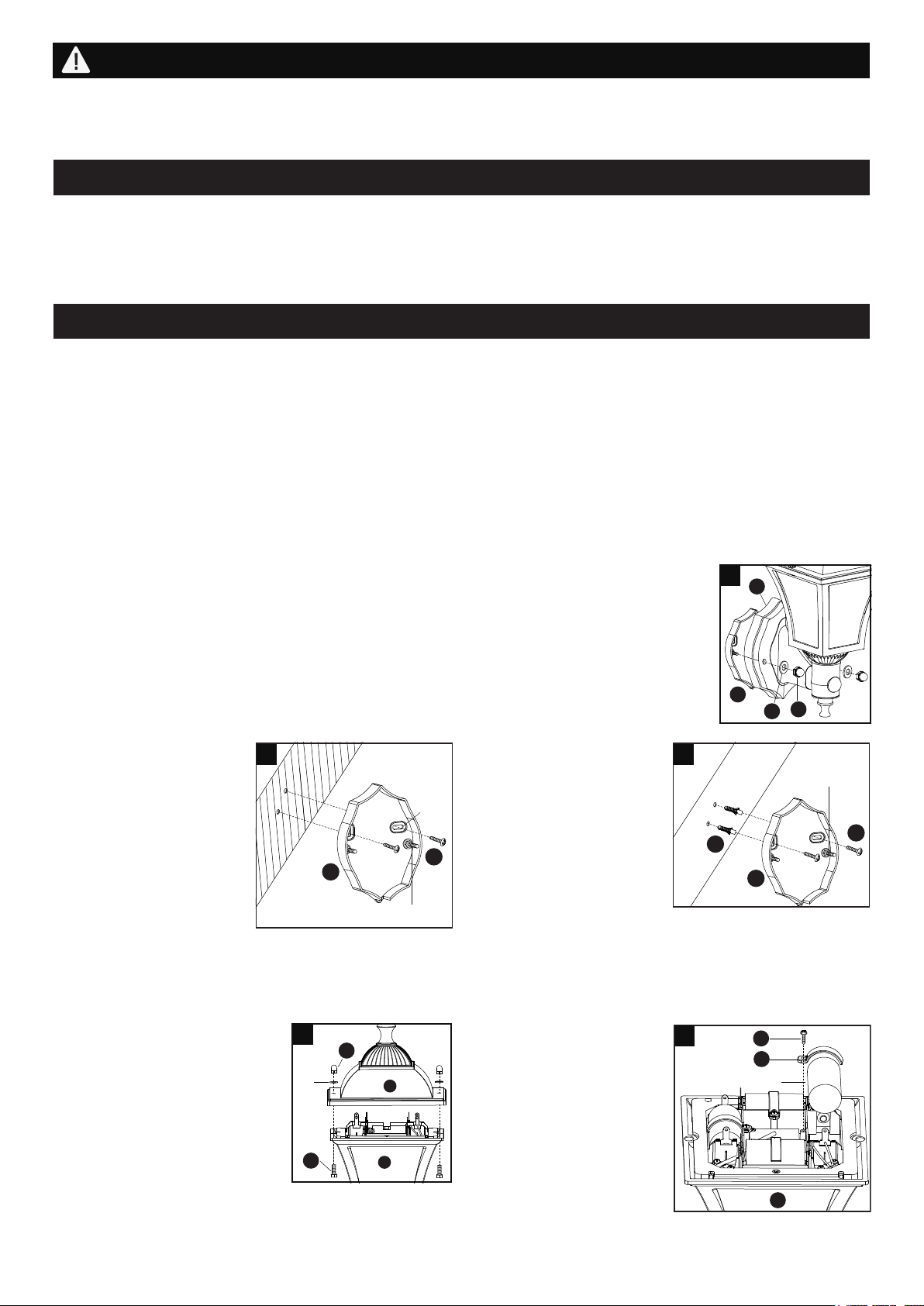
3. Unscrew the two bolt nuts (BB).
Remove the two rubber pads,
the two stainless steel screws
(HH) and the dome (B) from the
frame (C).
Installation Steps
Page 2 of 4
201029
1. Unscrew the two bolt nuts (BB). Remove the two rubber pads (CC) and the mounting
bracket unit (AA) from the backplate (A).
b). For cement and drywall
surfaces:
Attach the mounting bracket
unit (AA) to the wall and
mark the set holes on the
wall surface for drilling.
Remove the mounting
bracket unit (AA) and drill
two set holes. Insert the
anchors (EE) into the set holes.
Then, attach the mounting bracket unit (AA) to the wall,
secure the drywall screws (DD) through the holes on the
mounting bracket unit (AA) into the anchors (EE).
4. Install the four C type
batteries (not included)
into the battery
compartment of the
frame (C) and secure them
with the battery fixing
clips (FF) and the battery
fixing screws (GG).
Note: Make sure the
polarity of the batteries
is correct.
AA
A
BB
CC
1
Before beginning assembly, installation or operation of product, make sure all parts are present. Compare parts with
package contents list and diagram on previous page. If any part is missing or damaged, do not attempt to assemble,
install or operate the product. Contact customer service for replacement parts.
Tools Required for Assembly (not included): Slotted Screwdriver, Phillips Screwdriver, Pliers, Safety Glasses, Ladder,
Electric Drill.
PREPARATION
ASSEMBLY INSTRUCTIONS
Important to know
1. No wiring required
2. Use four 1.5V C type batteries (not included)
Recommend to use Menards SKU number:
(5755757 / 2104988 / 2107299) in Menards
store or more than 7300mAH 1.5V C type
battery.
3. Easy to install
4. 100 lumens LED output
5. Wall mount only
6. Power switch setting:
a.) Set the switch to OFF position: the power is turned off.
b.) Set the switch to ON position: Light turns to sensor
mode. Turn light on automatically when motion is
detected and turn it off automatically when motion stops.
Photocell keeps the light OFF during daylight.
SAFETY INFORMATION
1. Please read and understand this entire manual before attempting to assemble, operate or install the product.
2. Integrated LED
Working Temperature Range of Sensor: -4ºF ~ 104ºF
3
B
C
BB
HH
Rubber
Pad
GG
FF
C
Battery
-
+
4
a). For wooden outdoor
surfaces:
Attach the mounting
bracket unit (AA) to the
wall by using the drywall
screws (DD) through the
set holes on the mounting
bracket unit (AA) into the
wall.
2. Fix the mounting bracket unit (AA) to the wall:
DD
EE
AA
Wall
2b
Fixture Mounting
Screw
Note: Make sure that the fixture mounting screws are lined up horizontally to make the fixture level.
DD
AA
Wall
2a
Fixture Mounting
Screw
Set Hole
ASSEMBLY INSTRUCTIONS (continued)
Page 3 of 4
201029
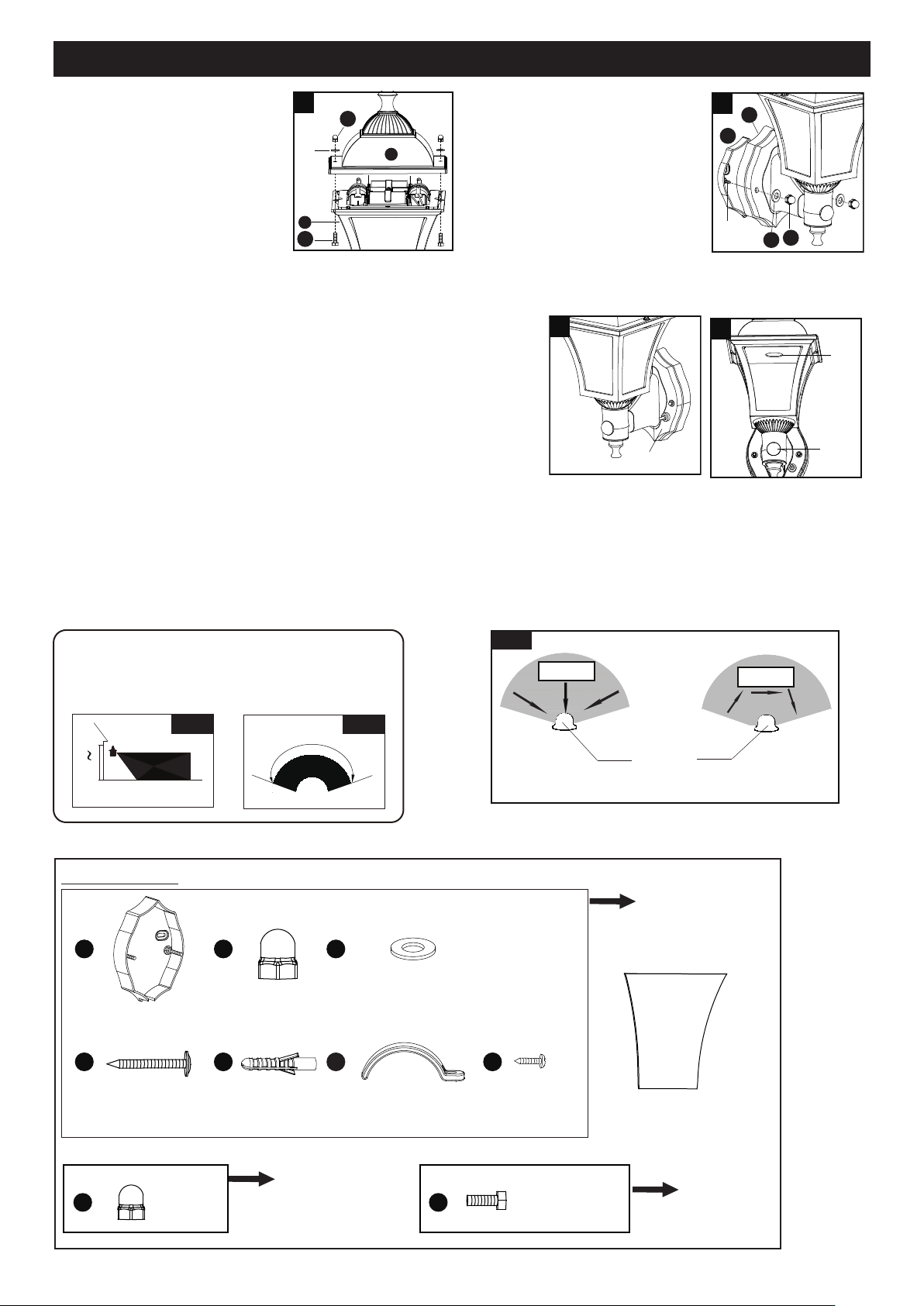
6. Attach the backplate (A) of the
fixture to the mounting bracket
unit (AA) by aligning and inserting
the two fixture mounting screws
from the mounting bracket unit
(AA) into the open holes on the
backplate (A), then place the two
rubber pads (CC) over the
exposed fixture mounting screws
before screwing the two bolt nuts (BB) on the screws.
AA
A
BB
CC
6
Fixture
Mounting
Screws
Notes:
1. The sensitivity of the motion sensor will increase as the environmental temperature gets cooler. For best
performance, gently clean the lens with a soft cloth every 1 or 2 months to assure maximum sensitivity.
2. The fixture will provide a detection distance of up to 25 feet. (See Fig.1)
3. The sensor detects movement across a detection range of 120 degrees. (See Fig.2)
4. The sensor will be more sensitive to motion across its detection path than motion directly towards it. (See Fig.3)
5. To reduce possible nuisances, do not mount the fixture near a heat source like an air conditioner, vent or furnace
exhaust, or in a direction facing any reflecting object or other light source.
5`
6`
10`
25`
Fig. 1 Fig. 2
Where you install your fixture is important:
Be sure the light is mounted straight on the wall
otherwise, the detection distance may be limited.
˚
120
7. Press the power switch to the ON position to activate the motion
sensor.
Note: When power is first applied, the light will turn on
immediately. Wait for about 30 seconds to allow the sensor
to warm up.
When motion is detected, the light will turn on. The light will stay on
for a period of 20 seconds after all motion has stopped.
7a
ON / OFF
(Power Switch)
ON
OFF
Sensor
Light
7b
Motion
Least sensitive
Motion
Most sensitive
Sensor
Fig.3
The following parts are available for reorder if damaged or missing. Call our toll free at 1-800-887-6326.
Spare Parts List:
Glass Panel
X4
10207CS
Mounting Bracket Unit
X1
Bolt Nut
X2
Anchor
X2
Rubber Pad
X2
Drywall Screw
X2
AA
BB CC
DD EE FF
Battery Fixing Clip
X4
Battery Fixing Screw
X4
GG
Assembly Kit
6311MM (1 SET) for 356-1176
6315MM (1 SET) for 356-1177
Assembly Kit
6312MM (1 SET)
Assembly Kit
6313MM (1 SET) for 356-1176
6314MM (1 SET) for 356-1177
Bolt Nut
X2
Stainless Steel Screw
X2
HH
5
B
C
BB
HH
Rubber
Pad
5. Attach the dome (B) to the
frame (C) by aligning and
inserting the two stainless steel
screw (HH) from the frame (C)
into the open holes on the
dome (B), then place the two
rubber pads over the exposed
stainless steel screws (HH)
before screwing the two bolt
nuts (BB) on the stainless steel
screws (HH).
BB
Page 4 of 4
201029
● To clean, turn off and wipe with a damp, non-abrasive cloth.
CARE AND MAINTENANCE
TROUBLESHOOTING
Refer to following information to solve your problems.
If the light will not turn
on when there is
movement in the detecton
area.
If the light stays on.
Light is not as bright as
normalthe light flashes
or blinks.
Light turn on during
daylight hours.
A roof, wall, tree, or other object is casting a
shadow on the sensor.
1. Turn power switch to the ON
position.
1. Reposition light away from the
area of movement.
1. Power switch is in OFF position.
1. Light control may be sensing small animals or
automobile traffic.
Symptom Possible Cause Solution
2. Weak battery.
Weak battery.
2. Replace the batteries.
3. It is possible to install where there is
bright light.
3. Confirm that light is on after
cover the sensor by hand,
move another dark position
and aviod direct sunlight.
Replace the batteries.
Install the LED outdoor wall lantern
in a non-shaded location or facing
a direction away from sources of
shadows.
2.
False triggering caused by a heat source, such
as a heater or dryer vent, or heated swimming
pool.
2.
Eliminate heat source or relocate
fixture.
ONE-YEAR LIMITED WARRANTY: If, during normal use, this PATRIOT LIGHTING lighting fixture breaks or fails
due to a defect in material workmanship within one (1) years from the date of original purchase, simply bring this
lighting fixture with the original sales receipt back to your nearest MENARDS retail store. At its discretion, PATRIOT
LIGHTING agrees to have the product or any defective part(s) repaired or replaced with the same or similar PATRIOT
LIGHTING product or part free of charge, within the stated warranty period, when returned by the original purchaser
with original sales receipt. This warranty; (1) excludes expendable parts including but not limited to light bulbs; (2) does
not cover damage that has resulted from abuse or misuse; and (3) does not cover any losses, labor, injuries to
persons/property or costs. This warranty does give you specific legal rights and you may have other rights, which vary
from state to state.
R
R
R
R
Questions, problems, missing parts?
Before returning to your retailer, call our customer service at 1-800-887-6326
Monday – Friday 9:00 a.m. – 5:00 p.m. CST
If unable to fix any of the above issues, please consult a certified electrician.