Use & Care Guide
Manual de uso y cuidado
English / Español
Table of Contents......2 / Índice......26
Kenmore®
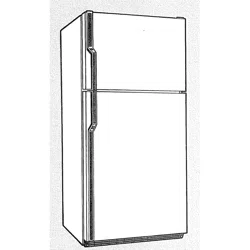
Side by Side Refrigerator
Refrigerador de dos puertas
Models/Modelos: 106.5133*
P/N W11366708A
Sears Brands Management Corporation
Hoffman Estates, IL 60179 U.S.A.
www.kenmore.com
* = color number, número de color
2
TABLE OF CONTENTS
TABLE OF CONTENTS ...............................................................2
WARRANTY ...............................................................................2
REFRIGERATOR SAFETY ............................................................3
Proper Disposal of Your Old Refrigerator ..................................4
INSTALLATION INSTRUCTIONS ............................................... 4
Unpack the Refrigerator ............................................................... 4
Door Removal, Leveling, and Alignment .................................... 5
Handle Installation and Removal ................................................ 7
Location Requirements .................................................................. 8
Electrical Requirements................................................................. 8
Water Supply Requirements ........................................................ 8
Connect Water Supply ................................................................. 9
Prepare the Water System ...........................................................11
REFRIGERATOR USE .................................................................11
Ensuring Proper Air Circulation....................................................11
Using the Controls..........................................................................11
Water and Ice Dispensers ........................................................... 12
Water Filtration System ...............................................................14
Ice Maker and Storage Bin .........................................................15
REFRIGERATOR FEATURES ...................................................... 16
Refrigerator Shelves .....................................................................16
Deli Drawer ...................................................................................16
Convertible Vegetable/Meat Drawer,
Crisper and Covers ....................................................................... 16
Crisper Humidity Control .............................................................16
FREEZER FEATURES ................................................................. 17
Freezer Shelf .................................................................................17
Freezer Bin .....................................................................................17
DOOR FEATURES .................................................................... 17
Door Bins ........................................................................................17
Door Rails or Bins ..........................................................................17
REFRIGERATOR CARE ............................................................. 18
Cleaning .........................................................................................18
Lights ..............................................................................................19
Power Interruptions .......................................................................19
Vacation and Moving Care .........................................................19
TROUBLESHOOTING ...............................................................20
ACCESSORIES .........................................................................24
PERFORMANCE DATA SHEETS ................................................25
NOTES/NOTAS .........................................................................51
SERVICE NUMBERS...................................................BACK PAGE
WARRANTY
KENMORE LIMITED WARRANTY
WITH PROOF OF SALE the following warranty coverage
applies when this appliance is correctly installed, operated and
maintained according to all supplied instructions.
One Year on Appliance
FOR ONE YEAR from the date of sale this appliance is warranted
against defects in material or workmanship. A defective appliance
will receive free repair. If the appliance cannot be repaired it will
be replaced free of charge. This warranty coverage applies for
only 90 days from the sale date if the appliance is ever used for
other than private household purposes.
Lifetime on Storage Bins
FOR AS LONG AS IT IS USED from the date of sale, a free
replacement will be supplied for a defective refrigerator or
freezer compartment storage bin*. If the defect appears within
but not installed at no charge. This Lifetime warranty covers only
storage bins, and does not apply to any other related component
or mechanism. You are responsible for the labor cost of bin
coverage applies for only 90 days from the date of sale if the
appliance is ever used for other than private household purposes.
*Warranty coverage applies to door bins and drawer bins.
representative.
For warranty coverage details to obtain free repair or
replacement, visit the web page: www.kenmore.com/warranty
This warranty covers ONLY defects in material and
workmanship, and will NOT pay for:
1. Expendable items that can wear out from normal use, including
bulbs.
2. A service technician to clean or maintain this appliance, or to
instruct the user in correct appliance installation, operation and
maintenance.
3. Service calls to correct appliance installation not performed
by Sears authorized service agents, or to repair problems with
house fuses, circuit breakers, house wiring, and plumbing or
gas supply systems resulting from such installation.
4. Damage to or failure of this appliance resulting from
installation not performed by Sears authorized service agents,
including installation that was not in accord with electrical, gas
or plumbing codes.
5. Damage to or failure of this appliance, including discoloration
or surface rust, if it is not correctly operated and maintained
according to all supplied instructions.
6. Damage to or failure of this appliance, including discoloration
or surface rust, resulting from accident, alteration, abuse,
misuse or use for other than its intended purpose.
7. Damage to or failure of this appliance, including discoloration
or surface rust, caused by the use of detergents, cleaners,
chemicals or utensils other than those recommended in all
instructions supplied with the product.
8. Damage to or failure of parts or systems resulting from
9. Service to an appliance if the model and serial plate is
missing, altered, or cannot easily be determined to have the
Disclaimer of implied warranties; limitation of remedies
Customer’s sole and exclusive remedy under this limited warranty
shall be product repair or replacement as provided herein. Implied
a particular purpose, are limited to one year on the appliance
and for as long as used on the storage bins, or the shortest
period allowed by law. Seller shall not be liable for incidental
or consequential damages. Some states and provinces do not
allow the exclusion or limitation of incidental or consequential
damages, or limitation on the duration of implied warranties of
not apply to you.
This warranty applies only while this appliance is used in the
United States.
have other rights which vary from state to state.
Sears Brands Management Corporation,
Hoffman Estates, IL 60179
06/18
3
You can be killed or seriously injured if you don't
immediately follow instructions.
You can be killed or seriously injured if you don't
follow instructions.
All safety messages will tell you what the potential hazard is, tell you how to reduce the chance of injury, and tell you
what can
happen if the instructions are not followed.
Your safety and the safety of others are very important.
We have provided many important safety messages in this manual and on your appliance. Always read and obey all
safety messages.
This is the safety alert symbol.
This symbol alerts you to potential hazards that can kill or hurt you and others.
All safety messages will follow the safety alert symbol and either the word “DANGER” or
“WARNING.” These words mean:
WARNING:
IMPORTANT SAFETY INSTRUCTIONS
PLEASE KEEP THESE INSTRUCTIONS
Plug into a grounded 3-prong outlet.
Do not remove the ground prong.
Do not use an adapter.
Do not use an extension cord.
Disconnect power before servicing.
Replace all parts and panels before operating.
Remove doors from your old refrigerator.
Connect only to the potable water supply.
Use non-flammable cleaner.
Keep flammable materials and vapors, such as gasoline, well
away from the refrigerator.
Use two or more people to move and install the refrigerator.
Disconnect the power before installing the ice maker (on ice
maker kit-ready models only).
Use a sturdy glass when dispensing ice (on some models).
Do not hit the refrigerator glass doors (on some models).
This appliance is not intended for use by persons
(including children) with reduced physical, sensory or
mental capabilities, or lack of experience and knowledge,
unless they have been given supervision or instruction
concerning use of the appliance by a person responsible
for their safety.
Children should be supervised to ensure that they do not
play with the appliance.
If the supply cord is damaged, it must be replaced by the
manufacturer, its service agent or similarly qualified
person in order to avoid a hazard.
Do not store explosive substances such as aerosol cans
with a flammable propellant in this appliance.
This appliance is intended to be used in household and
similar applications such as:
- Staff kitchen areas in shops, offices and other working
environments;
- Farm houses and by clients in hotels, motels and other
residential type environments;
- Bed and breakfast type environments;
- Catering and similar non-retail applications.
To reduce the risk of fire, electric shock or injury to persons when using the refrigerator,
follow basic precautions, including the following:
REFRIGERATOR SAFETY
4
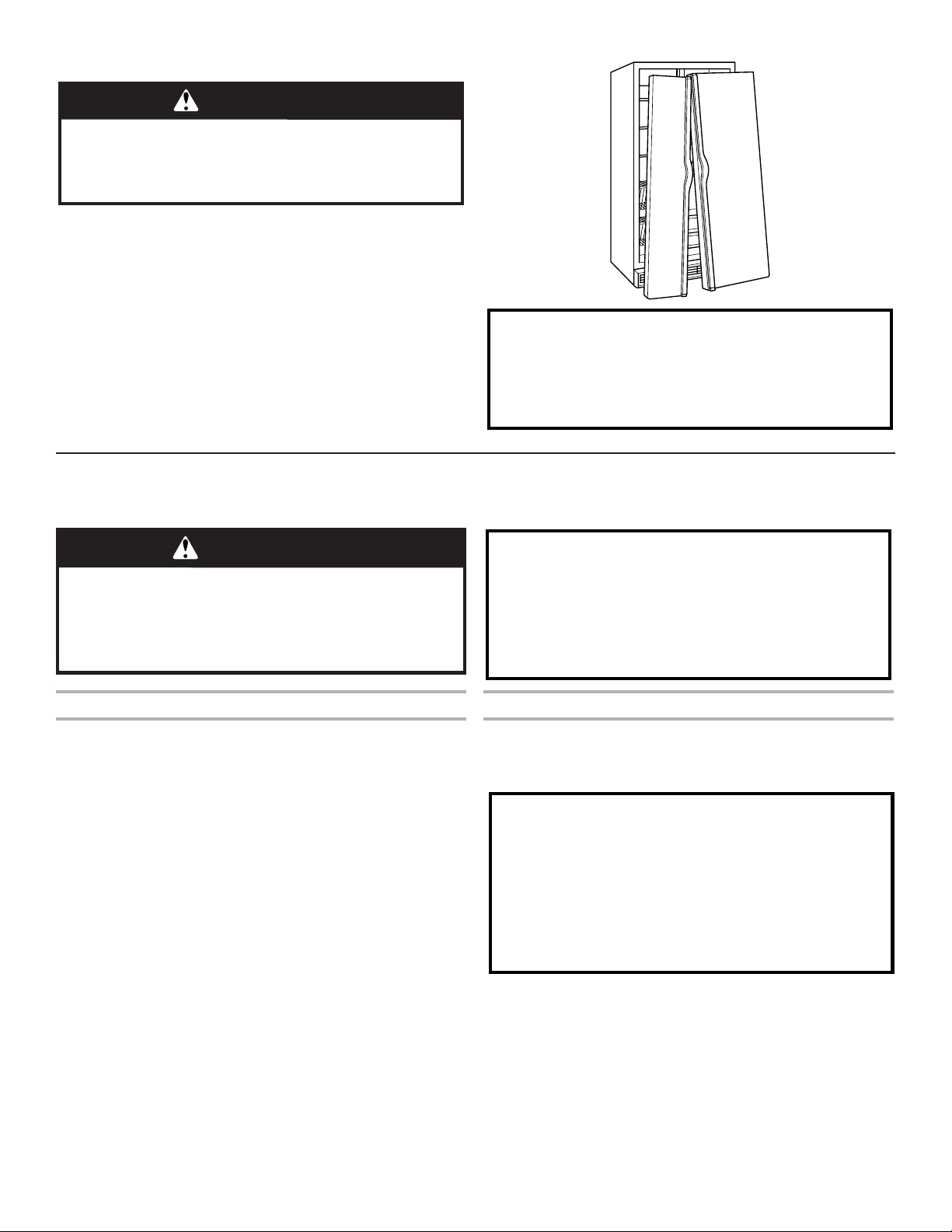
PROPER DISPOSAL OF YOUR OLD REFRIGERATOR
WARNING
Suffocation Hazard
Remove doors from your old refrigerator.
Failure to do so can result in death or brain damage.
IMPORTANT:
problems of the past. Junked or abandoned refrigerators are
still dangerous, even if they will sit for “just a few days.” If you
are getting rid of your old refrigerator, please follow these
instructions to help prevent accidents.
Before You Throw Away Your Old Refrigerator or Freezer:
■
■ Leave the shelves in place so that children may not easily
climb inside.
Important information to know about disposal of
refrigerants:
Dispose of refrigerator in accordance with Federal and Local
regulations. Refrigerants must be evacuated by a licensed,
EPA certified refrigerant technician in accordance with
established procedures.
INSTALLATION INSTRUCTIONS
UNPACK THE REFRIGERATOR
WARNING
Excessive Weight Hazard
Use two or more people to move and install
refrigerator.
Failure to do so can result in back or other injury.
Remove the Packaging
■ Remove tape and glue residue from surfaces before turning on
the refrigerator. Rub a small amount of liquid dish soap over
■
products can damage the surface of your refrigerator. For more
information see the “Refrigerator Safety” section.
Clean Before Using
■ After you remove all of the packaging materials, clean the
inside of your refrigerator before using it. See the cleaning
instructions in the “Refrigerator Care” section.
Important information to know about glass shelves
and covers:
Do not clean glass shelves or covers with warm water when
they are cold. Shelves and covers may break if exposed to
sudden temperature changes or impact, such as bumping.
Tempered glass is designed to shatter into many small,
pebble-size pieces. This is normal. Glass shelves and covers
are heavy. Use both hands when removing them to avoid
dropping.
When Moving Your Refrigerator:
Your refrigerator is heavy. When moving the refrigerator for
cleaning or service, be sure to cover the floor with
cardboard or hardboard to avoid floor damage. Always pull
the refrigerator straight out when moving it. Do not wiggle or
“walk” the refrigerator when trying to move it, as floor
damage could occur.
5
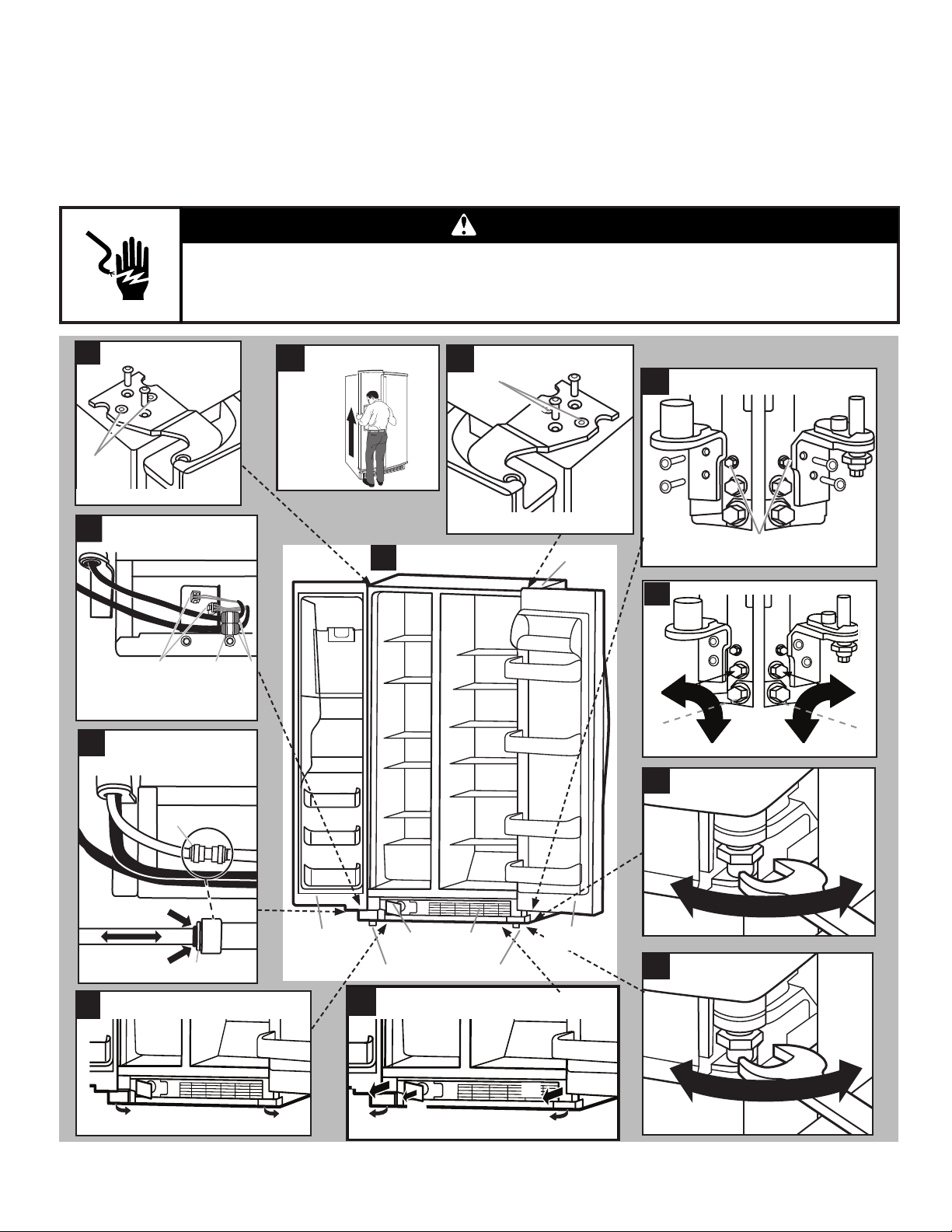
DOOR REMOVAL, LEVELING, AND ALIGNMENT
Gather the required tools and parts and read all instructions before starting installation. Save these instructions for future reference.
NOTE: Before moving your product into your home, measure the doorway of your home to see whether you need to remove the
refrigerator and freezer doors. If door removal is necessary, see the instructions below.
IMPORTANT: Before you begin, unplug refrigerator or disconnect power. Remove food, the ice storage bin (on some models), and
any adjustable door or utility bins from doors.
TOOLS NEEDED:
WARNING
Electrical Shock Hazard
Disconnect power before removing doors.
Failure to do so can result in death or electrical shock.
9
11
(C)
(B)
(C)
(B)
(A)
2
12
7
6
Do not remove A screws.
5
A CB
4
A
A
A. Wiring plugs
B. Wiring clip
C. Grommets
A. Face of fitting.
Raise
Lower
wrench
Tighten
Loosen
wrench
Raise
Lower
Lower
Raise
Do not remove B screws.
A
†TORX and T30 are trademarks of Acument Intellectual Properties, LLC.
1
Full Refrigerator
Left and Right Bottom Hinges
Door Removal
Top Left Hinge
Wiring
Water Dispenser
Tubing
Base Grille
Water Filter Door and
Base Grille
Alignment Screw
Locking Nut
Leveling screws
8
Do not remove A screws.
A
B
Top Right Hinge
Cabinet
Freezer
door
Water
filter door
Base
grille
Adjustable front wheels
Refrigerator
door
3
10
6
Remove the Doors
If your new refrigerator passes through the doorway, refer to the
“Cabinet Leveling & Door closing” section in this manual.
getting rid of your old refrigerator, follow the steps below for door
removal.
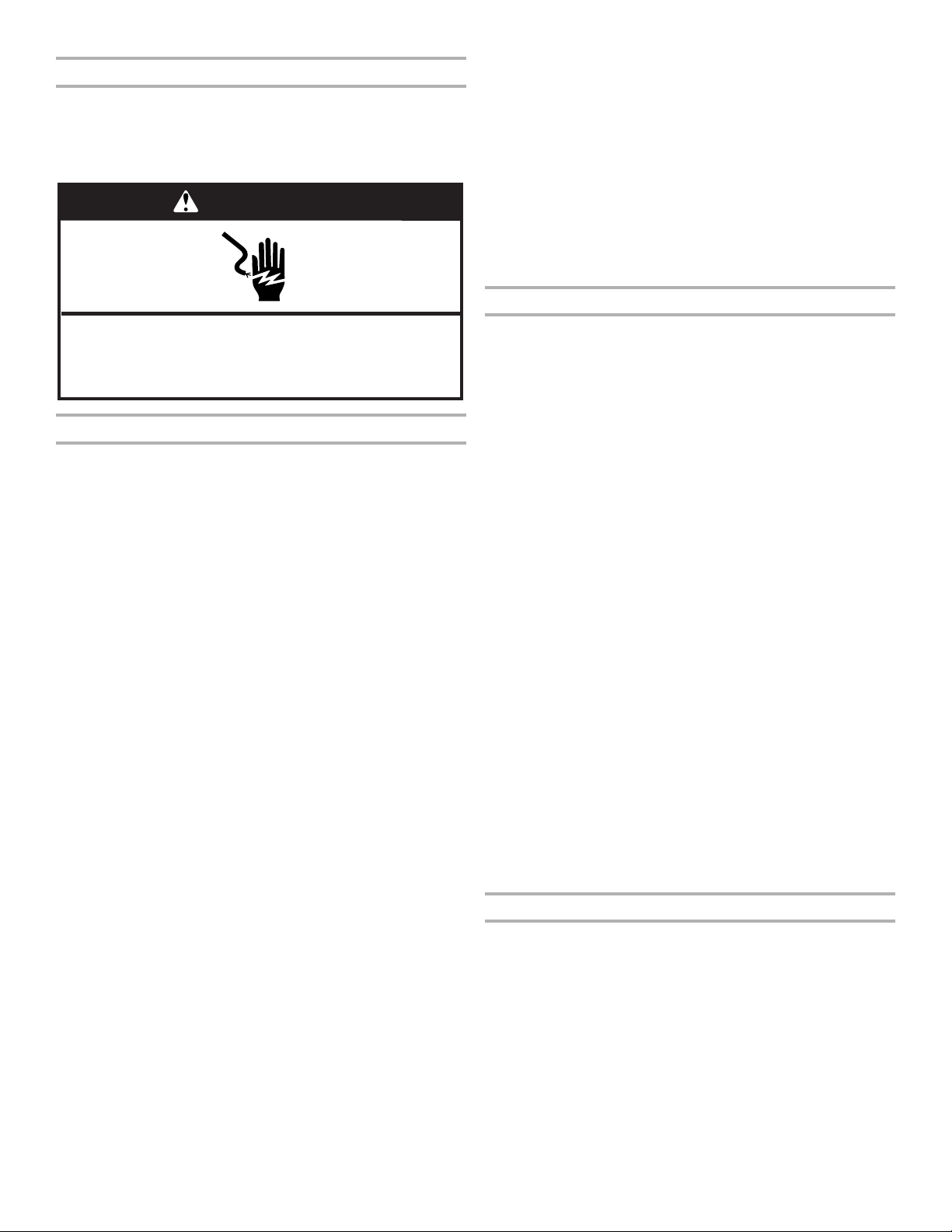
WARNING
Electrical Shock Hazard
Disconnect power before removing doors.
Failure to do so can result in death or electrical shock.
Doors & Hinges Removal
1. Unplug your refrigerator or disconnect power.
2. Fully open both doors. See graphic 1.
3.
door by pulling it toward you (A). See graphic 2.
4. Use a Phillips screwdriver tip #2 to remove the screws of the
base grille (B). See graphic 2.
5. To dislodge the base grille pull it up strongly toward you from
one side then from other side (C). See graphic 2.
6. To remove the base grille completely, pass it underneath the
7. If your model has water dispensing in the door, disconnect the
water dispenser tubing located below the freezer door.
■
the dispenser tubing free. See graphic 4.
NOTE: Keep the water tubing connector attached to the tube
that runs underneath the freezer. The door cannot be removed
if the connector is still attached to the tube that runs through
the door hinge.
8. If your model has water dispensing in the door, disconnect the
wiring located below the freezer door. See graphic 5.
■
hexagonal head socket wrench.
■ Disconnect the wiring plugs from the bracket wire.
9.
to remove the top hinge completely. See graphic 6.
IMPORTANT: Do not remove either screw A. Hold the
door while hinge is being removed.
10.
graphic 7. The water dispenser tubing and wiring will remain
attached to the freezer door.
NOTE: This may require two people, one to lift the door and
another to feed the water tubing and wiring into the bottom
hinge pin.
IMPORTANT: Rest the door on its side on a soft, clean surface,
such as a towel, blanket, or piece of cardboard. This will help
to avoid scratching or damaging the door, water tubing, and
wiring.
11.
remove completely the top hinge. See graphic 8.
IMPORTANT: Do not remove either screw A. Hold the door
while the hinge is being removed.
12.
hinge. See graphic 7.
IMPORTANT: Rest the door on its side on a soft, clean surface,
such as a towel, blanket, or piece of cardboard. This will help
to avoid scratching or damaging the door.
If your refrigerator passes through the doorway now, then go
directly to the “Reinstalling Doors & Hinges” section located in this
manual.
If your refrigerator without doors does not pass through the
doorway, follow the instruction below:
13.
graphic 9.
IMPORTANT: Do not remove either screw B.
Reinstalling Door and Hinges
1.
screws. See graphic 9.
2. If your model has water dispensing in the door:
■ Lift the freezer door enough to feed the water dispenser
tubing and wiring through the bottom hinge pin. See
graphic 7.
NOTE: This may require two people, one to lift the door and
the other to feed the water tubing and wiring into the bottom
hinge pin.
■ Insert the freezer door into the bottom hinge pin.
IMPORTANT: Hold the door while hinge is being installed.
3. Close the freezer door to align and reinstall the top hinge. Use
IMPORTANT: Provide additional support for the door while
top hinge is being re installed. Do not depend on the door
magnets to secure the door to the cabinet.
4. If your model has water dispensing in the door, connect the
water dispenser tubing. For the connection, push the tubing
into the dispenser tubing until black mark touches the face of
5. Reinstall the wiring clip & bracket wire to the cabinet using a
6. Connect the wiring plugs from the bracket wire. See graphic 5.
7. Lift the refrigerator door enough to insert the door into the
bottom hinge pin. See graphic 7.
IMPORTANT: Hold the door while hinge is being installed.
8. Close the refrigerator door to align and reinstall the top hinge.
See graphic 6.
IMPORTANT: Provide additional support for the door while
top hinge is being reinstalled. Do not depend on the door
magnets to secure the door to the cabinet.
Leveling and Door Closing
Your refrigerator has two front adjustable wheels. See graphic 1.
conditions or allow the doors to close more easily. Please follow
the instructions below:
1.
rear side of the refrigerator will rest. If the refrigerator is not
refrigerator cabinet from forming a twist.
2.
open both doors.
3. Fully open both doors. See graphic 1.
4. If your model has water dispensing in the door, please open the
7
5. Using a Phillips screwdriver tip #2, remove the screws of the
base grille(B). See graphic 2.
6. To dislodge the base grille pull it up strongly toward you from
one side then from other side (C). See graphic 2.
7. To remove the base grille completely, pass it underneath the
8.
in both sides of the refrigerator. See graphic 10.
9. Raise the wheels while one person pushes on the refrigerator
to lift from front side. Use the bubble level on top of the
refrigerator or on its side to level the refrigerator. Check bubble
level and at the same time observe the gaps and squareness to
the adjacent cabinets, furniture or trim. If adjacent furnishings
are not level, it may not be possible to achieve even gaps when
refrigerator is level.
NOTE:
one or both screws to the right or left several times to raise or
lower the refrigerator. Continue adjusting until all four corners
are steady without rock.
10. Close both doors and check that they close as easily as you
like. If not, turn both screws to the right to raise the refrigerator
by tilting it more to the back until the doors close as easily as
you like.
11. Check and make sure that the technician sheet is placed in the
base grille cavity before assembling the base grille into the
cabinet.
12.
and wiring into base grille cavity below the left bottom hinge.
13. Attach the base grille by pushing it into the cabinet clips. See
graphic 2.
14.
grill.
Door Alignment
The refrigerator doors are designed to be slightly misaligned
vertically when the refrigerator is empty. Please follow the next
steps to align the refrigerator doors.
1. Close both doors.
2.
nut located below the refrigerator door. See graphic 11.
3.
screw. See graphic 12. Depending on how the refrigerator door
is misaligned in relation to the freezer door, you must turn the
screw to the right to raise or to the left to lower the refrigerator
door until both doors have been aligned vertically.
NOTE: Several turns may be required.
4.
5. Reattach the base grille if it was dislodged.
HANDLE INSTALLATION AND REMOVAL
PARTS INCLUDED:
setscrew(s).
To Install the Handles:
NOTE: The handle mounting setscrews are preinstalled in the
handle.
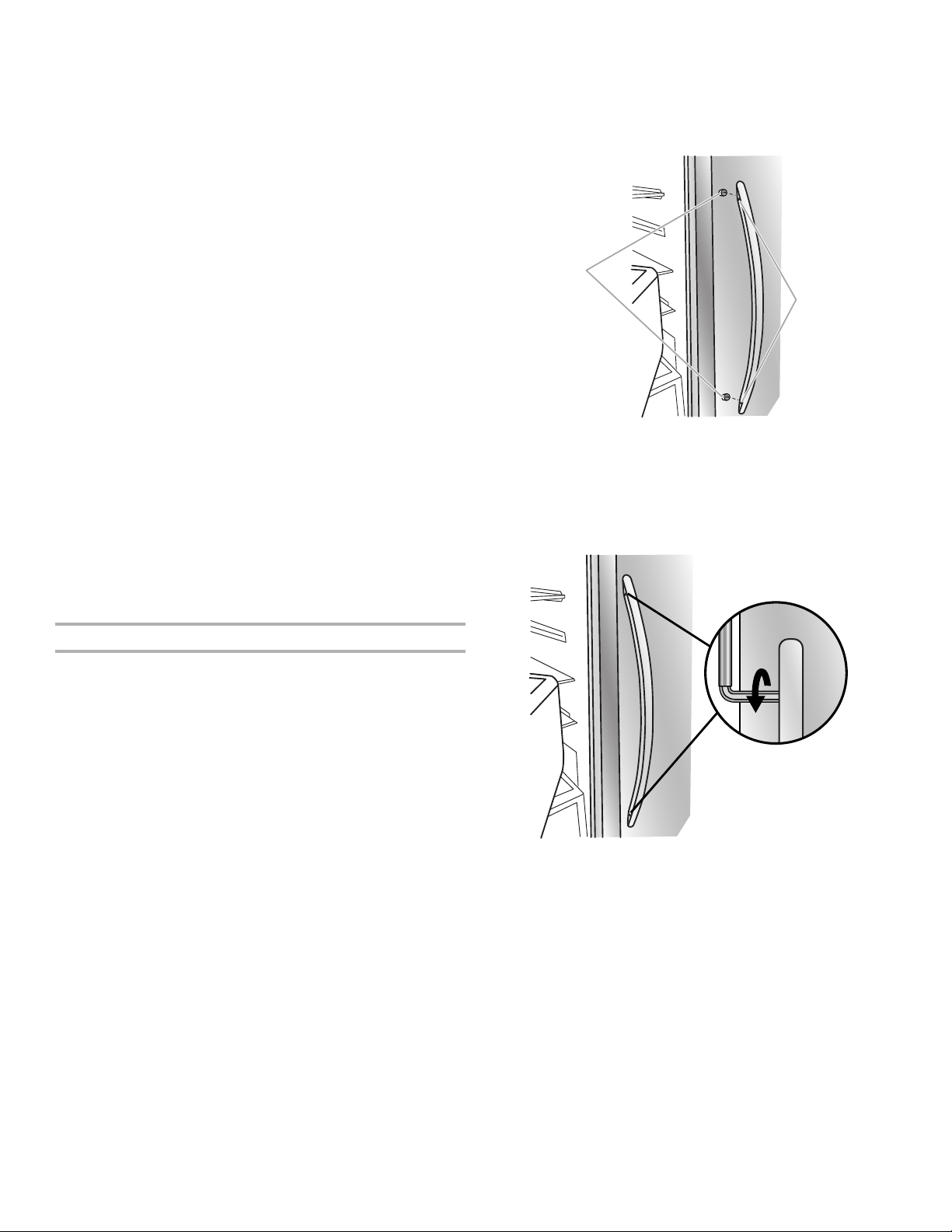
1. Remove the handles, which are packed inside the refrigerator.
NOTE:
towel or other soft surface.
2. Open the freezer door. On the refrigerator door, place the
handle on the shoulder screws with the setscrews facing the
freezer.
B
A
3. Firmly push the handle toward the door until the handle base is
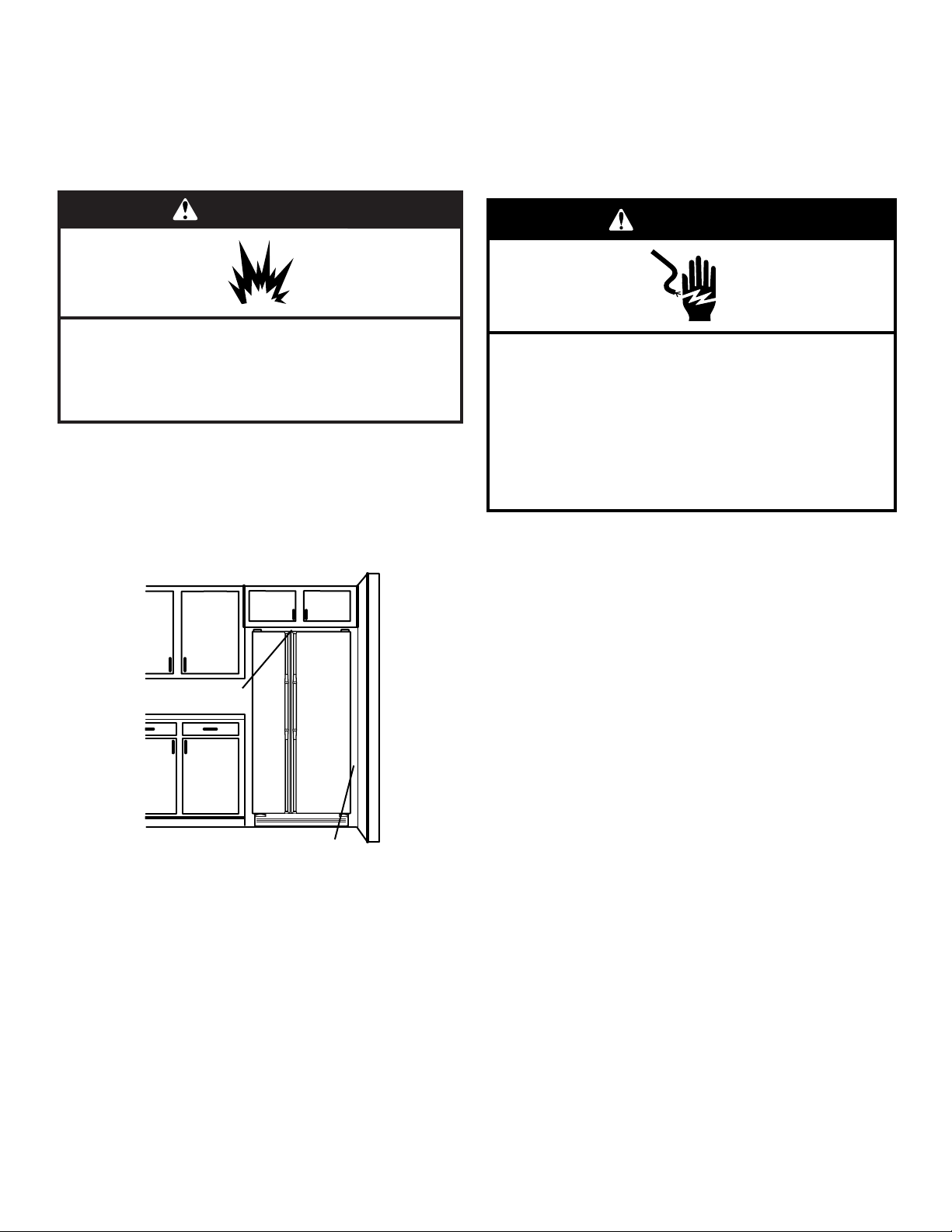
4. While holding the handle, insert the short end of the hex key
into the upper hole and slightly rotate the hex key until it is
engaged in the setscrew.
5. Using a clockwise motion, tighten the setscrew until it begins to
contact the shoulder screw.
6. Repeat steps 4 and 5 to begin fastening the lower setscrew.
7. Once both setscrews have been partially tightened as outlined
in the previous steps, fully tighten both the upper and lower
setscrews.
IMPORTANT: When the screws feel tight, tighten them an
without this extra tightening.
8. Open the refrigerator door and close the freezer door. Repeat
steps 2 through 7 to install the other handle onto the freezer
door with the setscrews facing the refrigerator.
9. Save the hex key and all instructions.
To Remove the Handles:
1. While holding the handle, insert the short end of the hex key
into the lower setscrew hole and slightly rotate the hex key until
it is engaged in the setscrew.
A. Shoulder screws
B. Setscrews inside the handle
8
2. Using a counterclockwise motion, loosen the setscrew a
quarterturn at a time.
3. Repeat steps 1 and 2 for the upper setscrew. Gently pull the
handle away from the door.
4. If necessary, use a Phillips screwdriver to remove the shoulder
screws from the door.
LOCATION REQUIREMENTS
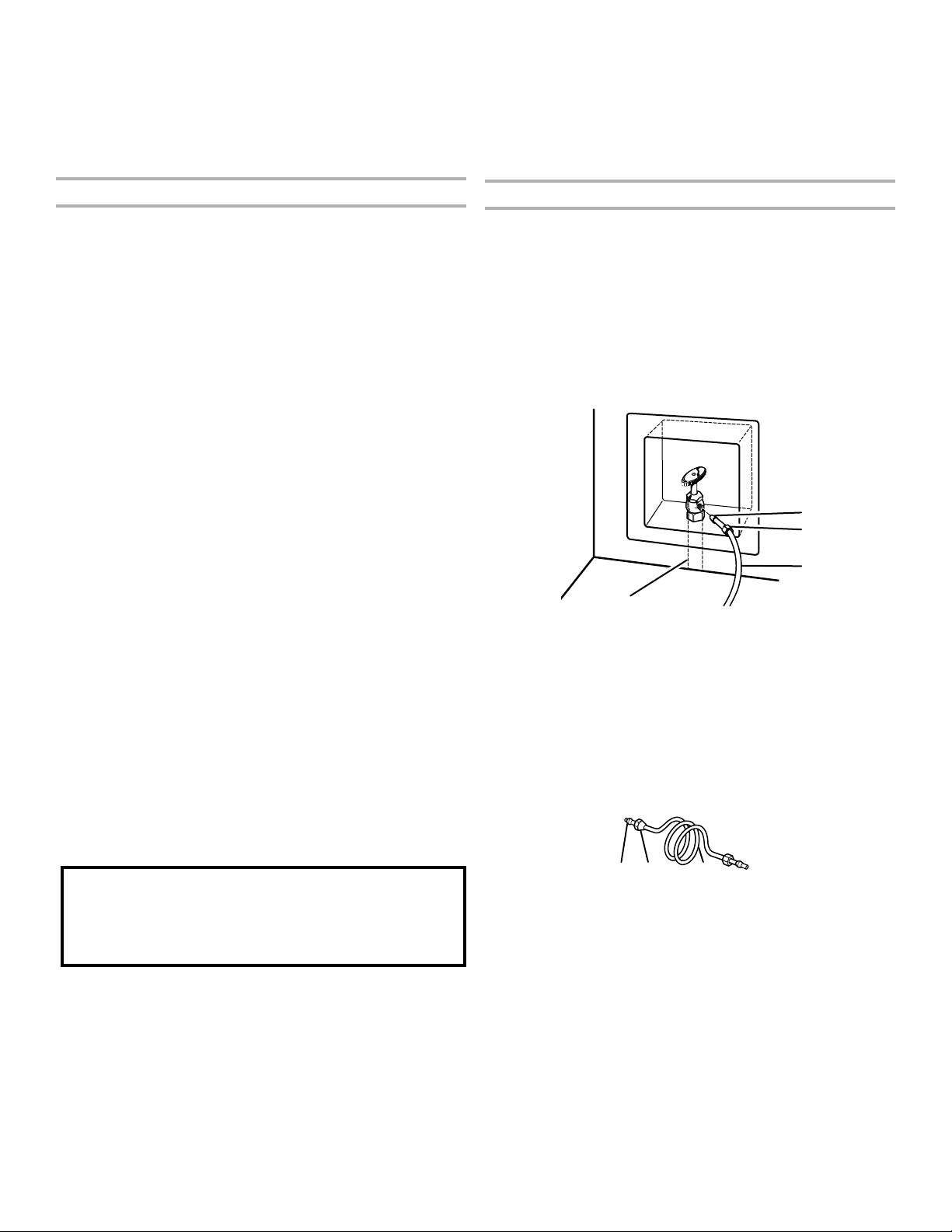
WARNING
Explosion Hazard
Keep flammable materials and vapors, such as
gasoline, away from refrigerator.
Failure to do so can result in death, explosion, or fire.
IMPORTANT: This refrigerator is designed for indoor household
use only.
To ensure proper ventilation for your refrigerator, allow for
has an ice maker, allow extra space at the back for the water line
your model) to allow the doors to swing open.
NOTES:
■ This refrigerator is intended for use in a location where the
range for optimum performance, which reduces electricity
usage and provides superior cooling, is between 60°F (15°C)
refrigerator near a heat source, such as an oven or radiator.
■
against an extended wall and the ability to remove the crisper
is recommended.
ELECTRICAL REQUIREMENTS
Electrical Shock Hazard
Plug into a grounded 3 prong outlet.
Do not remove ground prong.
Do not use an adapter.
Do not use an extension cord.
Failure to follow these instructions can result in death,
fire, or electrical shock.
WARNING
important to make sure you have the proper electrical connection.
Recommended Grounding Method
A 115 V, 60 Hz, AC only, 15 or 20 A fused, grounded electrical
supply is required. It is recommended that a separate circuit serving
only your refrigerator be provided. Use an outlet that cannot be
NOTE: Before performing any type of installation or cleaning,
or removing a light bulb, disconnect the refrigerator from the
to the electrical source and reset the control (Thermostat,
Refrigerator, or Freezer Control depending on the model) to the
desired setting. See the “Using the Controls” section.
WATER SUPPLY REQUIREMENTS
Gather the required tools and parts before starting installation.
Read and follow the instructions provided with any tools listed here.
TOOLS NEEDED:
■ ■
■
two adjustable wrenches
■
■ Cordless drill
NOTE: Your refrigerator dealer has a kit available with a
9
more easily.
IMPORTANT:
■ All installations must meet local plumbing code requirements.
■ Use copper tubing and check for leaks. Install copper tubing
only in areas where the household temperatures will remain
above freezing.
Water Pressure
120 psi (207 and 827 kPa) is required to operate the water
dispenser and ice maker. If you have questions about your water
■ If your refrigerator has a water dispenser: After installation is
complete, use the water dispenser to check the water pressure.
■
water. If 1 cup of water is dispensed in 8 seconds or less,
the water pressure to the refrigerator meets the minimum
requirement.
■ If it takes longer than 8 seconds to dispense 1 cup of
water, the water pressure to the refrigerator is lower than
recommended. See the “Troubleshooting” section for
suggestions.
Reverse Osmosis Water Supply
IMPORTANT: The pressure of the water supply coming out of
a reverse osmosis system going to the water inlet valve of the
827 kPa).
cold water supply, the water pressure to the reverse osmosis system
needs to be a minimum of 40 to 60 psi (276 to 414 kPa).
If the water pressure to the reverse osmosis system is less than
40 to 60 psi (276 to 414 kPa):
■
■
after heavy usage.
■
water pressure when used in conjunction with a reverse osmosis
System” section.
If you have questions about your water pressure, call a licensed,
CONNECT WATER SUPPLY
Read all directions before you begin.
IMPORTANT:
■ Connect to potable water supply only.
■ Plumbing shall be installed in accordance with the International
Plumbing Code and any local codes and ordinances.
■ The gray water tubing on the back of the refrigerator (which
is used to connect to the household water line) is a Plastic
(crosslinked polyethylene) tube. Copper and Plastic tubing
connections from the household water line to the refrigerator
ice or water. Check for leaks.
■ Install tubing only in areas where temperatures will remain
above freezing.
Do not use with water that is microbiologically unsafe or
of unknown quality without adequate disinfection before
or after the system. Systems certified for cyst reduction
may be used on disinfected waters that may contain
filterable cysts.
TOOLS NEEDED:
Gather the required tools and parts before starting installation.
■
■
wrenches
■
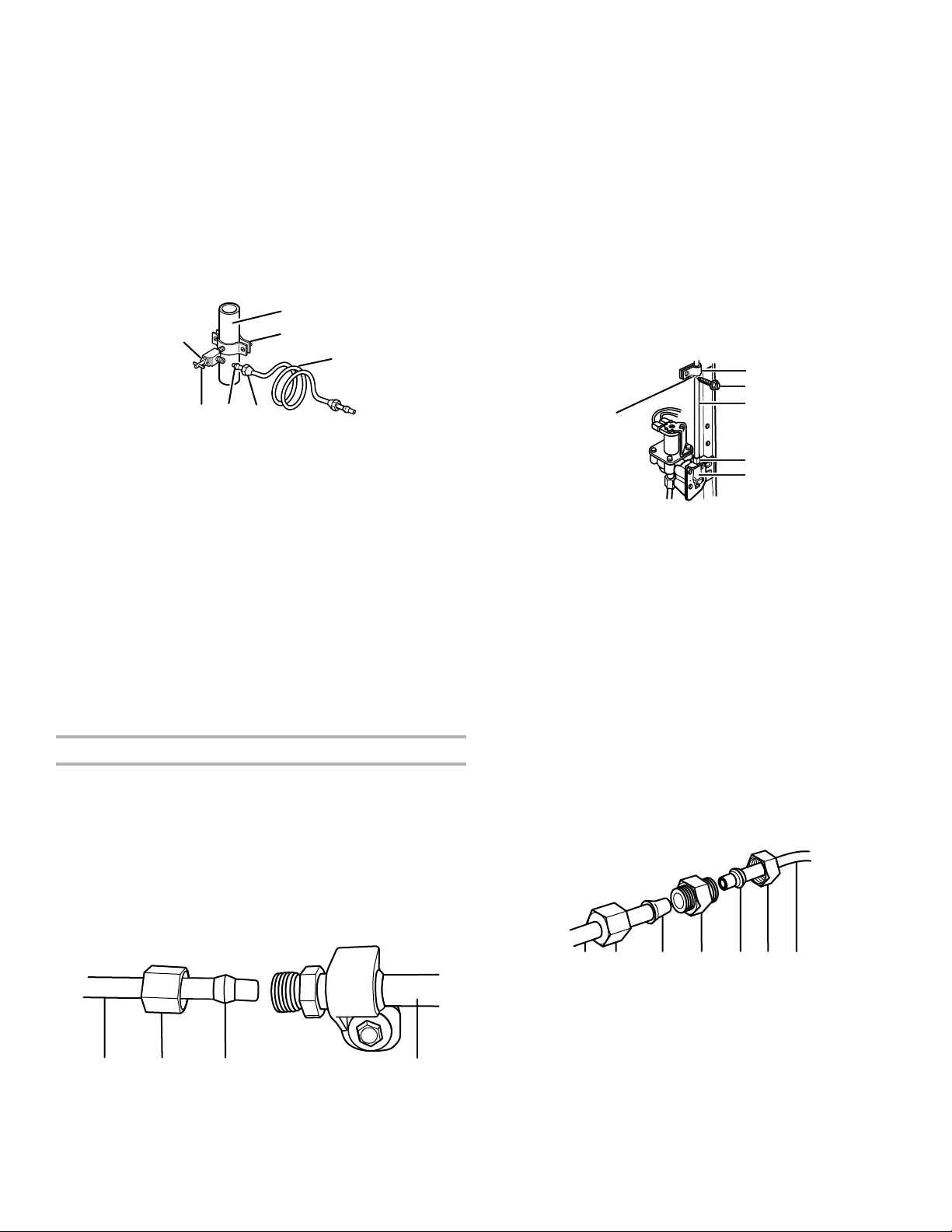
Connect to Water Line
IMPORTANT: If you turn the refrigerator on before the water line
Style 1 (Recommended)
1. Unplug refrigerator or disconnect power.
2.
to clear line of water.
3.
NOTE:
recommended.
A
B
D
C
4.
soft copper
■ Ensure that you have the proper length needed for the job.
Be sure both ends of the copper tubing are cut square.
■ Slip compression sleeve and compression nut onto copper
tubing as shown. Insert end of tubing into outlet end
squarely as far as it will go. Screw compression nut onto
outlet end with adjustable wrench. Do not overtighten.
B CA
5. Place the free end of the tubing into a container or sink, and
NOTE:
connection to the inlet of the water valve to avoid possible
water valve malfunction.
6. Bend the copper tubing to meet the water line inlet, which is
located on the back of the refrigerator cabinet as shown. Leave
a coil of copper tubing to allow the refrigerator to be pulled
out of the cabinet or away from the wall for service.
Style 2
1. Unplug refrigerator or disconnect power.
2.
to clear line of water.
A. Bulb
B. Nut
C. Copper tubing (to refrigerator)
A. Compression sleeve
B. Compression nut
C. Copper tubing
10
3.
1
/
pipe near the refrigerator.
IMPORTANT:
■ Make sure it is a cold water pipe.
■ Horizontal pipe will work, but drill on the topside of the
pipe, not the bottom. This will help keep water away from
the drill and normal sediment from collecting in the valve.
4. Determine the length of copper tubing you need. Measure from
the connection on the lower rear corner of refrigerator to the
water pipe. Add 7 ft (2.1 m) to allow for cleaning. Use
both ends of copper tubing are cut square.
5.
water pipe you have selected.
A
B
C
DEF
G
6.
drilled hole in the water pipe and that the washer is under the
pipe clamp. Tighten the packing nut. Tighten the pipe clamp
screws slowly and evenly so the washer makes a watertight
seal. Do not overtighten, or you may crush the copper tubing.
7. Slip the compression sleeve and compression nut on the copper
tubing as shown. Insert the end of the tubing into the outlet end
squarely as far as it will go. Screw the compression nut onto
outlet end with adjustable wrench. Do not overtighten.
8. Place the free end of the tubing in a container or sink, and turn
on the main water supply. Flush the tubing until water is clear.
tubing.
Connect to Refrigerator
Style 1
1. Unplug refrigerator or disconnect power.
2. Remove and discard the short, black plastic part from the end
of the water line inlet.
3. Thread the nut onto the end of the tubing. Tighten the nut by
hand. Then tighten it with a wrench two more turns. Do not
overtighten.
NOTE: To avoid rattling, be sure the copper tubing does not
touch the cabinet’s side wall or other parts inside the cabinet.
A B C
D
A. Household water line
B. Nut (purchased)
C. Ferrule (purchased)
D. Refrigerator water tubing
4. Install the water supply tube clamp around the water supply
line to reduce strain on the coupling.
5.
6. Check for leaks. Tighten any connections (including connections
at the valve) or nuts that leak.
Style 2
1. Unplug refrigerator or disconnect power.
2. Remove and discard the plastic part that is attached to the
inlet of the water valve.
3. Attach the copper tube to the valve inlet using a compression
nut and sleeve as shown. Tighten the compression nut. Do not
overtighten.
4. Use the tube clamp on the back of the refrigerator to secure
the tubing to the refrigerator as shown. This will help avoid
damage to the tubing when the refrigerator is pushed back
against the wall.
5.
6. Check for leaks. Tighten any connections (including connections
at the valve) or nuts that leak.
A
C
B
D
E
A. Tube clamp
B. Tube clamp screw
C. Copper tubing
D. Compression nut
E. Valve nut
7.
water strainer. If your water conditions require a second water
tube connection. Obtain a water strainer from your nearest
appliance dealer.
Style 3
1. Unplug refrigerator or disconnect power.
2. Remove and discard the black nylon plug from the gray water
tube on the rear of the refrigerator.
3. If the gray water tube supplied with the refrigerator is not long
in order to connect the water tubing to an existing household
water line. Thread the provided nut onto the coupling on the
end of the copper tubing.
NOTE: Tighten the nut by hand. Then tighten it with a wrench
two more turns. Do not overtighten.
A B C D E F G
A. Refrigerator water tubing
B. Nut (provided)
C. Bulb
D. Coupling (purchased)
E. Ferrule (purchased)
F. Nut (purchased)
G. Household water line
4.
5. Check for leaks. Tighten any nuts or connections (including
connections at the valve) that leak.
A. Cold water pipe
B. Pipe clamp
C. Copper tubing
D. Compression nut
E. Compression sleeve
F. Shutoff valve
G. Packing nut
11
Complete the Installation
1.
Electrical Shock Hazard
Plug into a grounded 3 prong outlet.
Do not remove ground prong.
Do not use an adapter.
Do not use an extension cord.
Failure to follow these instructions can result in death,
fire, or electrical shock.
WARNING
2. Flush the water system. See the “Prepare the Water System” or
“Water and Ice Dispensers” sections in the User Instructions or
User Guide.
NOTE:
PREPARE THE WATER SYSTEM
Please read before using the water system.
Immediately after installation, follow the steps below to make sure
that the water system is properly cleaned.
1.
Maker and Storage Bin” section.
NOTE:
properly installed. See the “Water Filtration System” section.
Do not use with water that is microbiologically unsafe or
of unknown quality without adequate disinfection before
or after the system. Systems certified for cyst reduction
may be used on disinfected waters that may contain
filterable cysts.
2. Flush the water system. Use a sturdy container to depress and
hold the water dispenser lever for 5 seconds, and then release
be required in some households.
As air is cleared from the system, water may spurt out of the
dispenser.
3. Open the freezer door and turn on the ice maker. See the
“Ice Maker and Storage Bin” section.
■
■
REFRIGERATOR USE
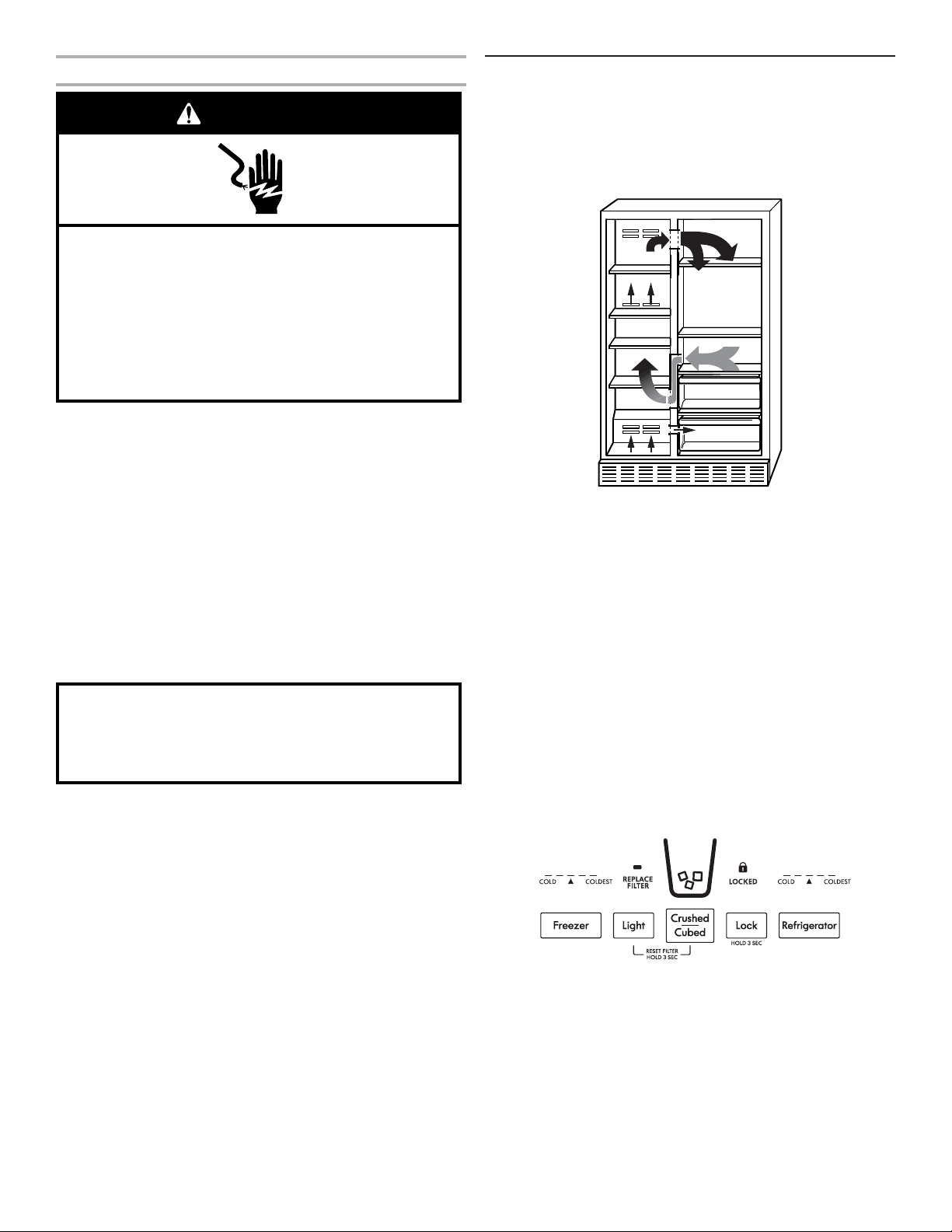
ENSURING PROPER AIR CIRCULATION
In order to ensure proper temperatures, you need to permit air to
freezer section and moves up. It then enters the refrigerator section
through the top vent. Air then returns to the freezer as shown.
will be obstructed and temperature and moisture problems may
occur.
IMPORTANT: Because air circulates between both sections, any
odors formed in one section will transfer to the other. You must
thoroughly clean both sections to eliminate odors. To avoid odor
transfer and drying out of food, wrap or cover foods tightly.
USING THE CONTROLS
The refrigerator and freezer controls are located on the dispenser
panel.
IMPORTANT: The display screen on the dispenser control panel
control buttons and dispenser pad have not been used for
control button will only reactivate the display screen, without
changing any settings.
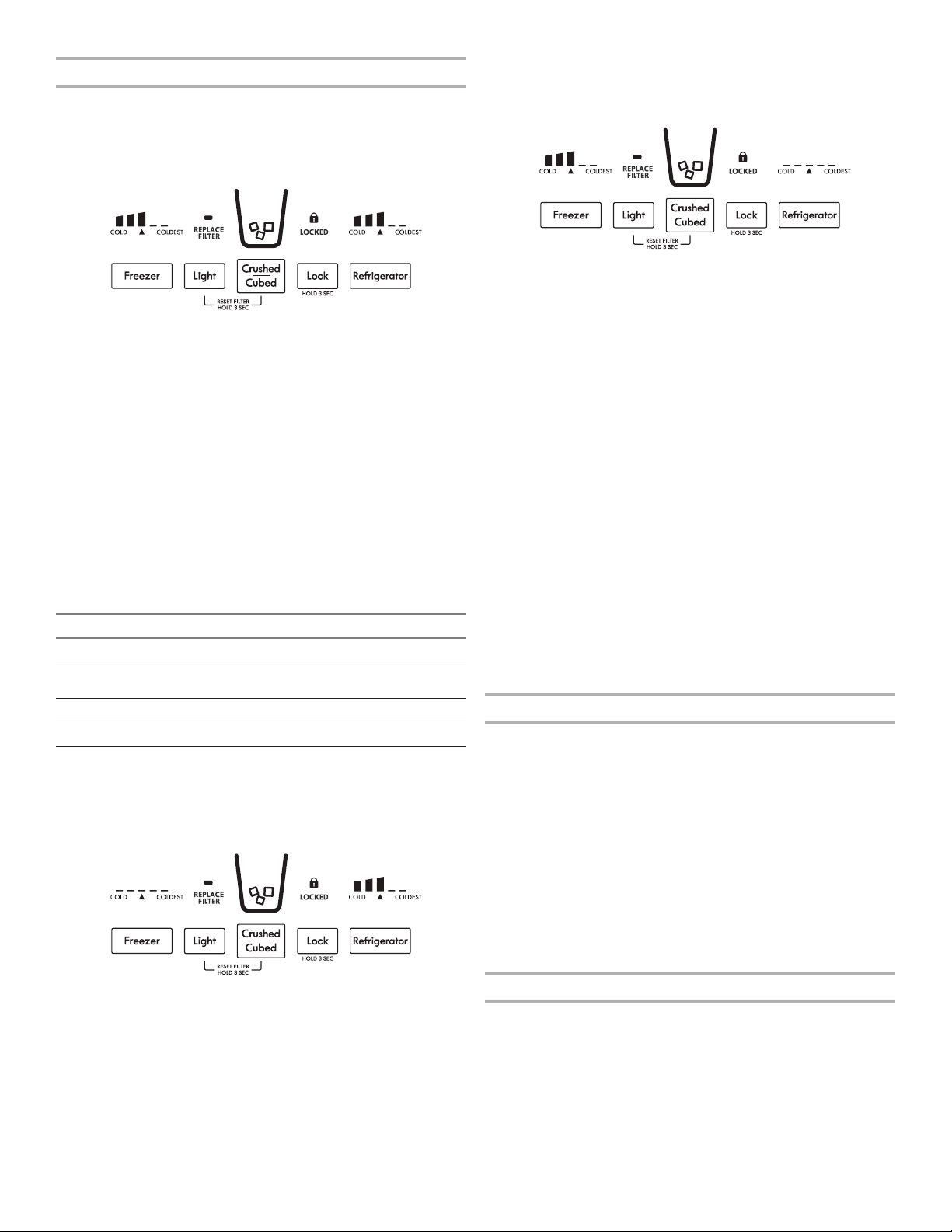
■ Touch any control button on the dispenser panel to activate the
display screen. The home screen will appear as shown.
12
Adjusting the Controls
For your convenience, your refrigerator and freezer controls are
sure that both controls, the refrigerator and freezer, are still set
sequence of bars with three illuminated bars.
IMPORTANT:
Wait 24 hours before you put food into the refrigerator. If you add
food before the refrigerator has cooled completely, your food
may spoil.
NOTE: Adjusting the set points to a colder than recommended
settings will not cool the compartments any faster.
■ If the temperature is too warm or too cold in the refrigerator or
before adjusting the controls.
■ The preset settings should be correct for normal household
usage. The controls are set correctly when milk or juice is as
■ Wait at least 24 hours between adjustments. Recheck the
temperatures before other adjustments are made.
If you need to adjust temperature in the refrigerator or freezer,
use the settings listed in the chart below as a guide. Wait at
least 24 hours between adjustments.
Condition/Reason: Adjustment:
Refrigerator too warm Refrigerator control one setting higher
Freezer too warm/ too
little ice
Freezer control one setting higher
Refrigerator too cold Refrigerator control one setting lower
Freezer too cold Freezer control one setting lower
Refrigerator Control:
■ Press REFRIGERATOR to view the current set point for the
refrigerator.
■ Press REFRIGERATOR again to adjust the set point. The setting
will increase by one bar with each press of the button, returning
After 2 minutes of inactivity, any changes will be saved and the
display will return to the home screen.
Freezer Control:
■ Press FREEZER to view the current set point for the freezer.
■ Press FREEZER again to adjust the set point. The setting will
increase by one bar with each press of the button, returning to
After 2 minutes of inactivity, any changes will be saved and the
display will return to the home screen.
WATER AND ICE DISPENSERS
Depending on your model, you may have one or more of the
following options: the ability to select either crushed or cubed ice,
a special light that turns on when you use the dispenser, or a lock
option to avoid unintentional dispensing.
NOTES:
■ The dispensing system will not operate when either door
(refrigerator or freezer) is open.
■ Allow 24 hours for the refrigerator to cool down and chill water.
■
production. Also, take large amounts of ice from the ice bin
rather than through the dispenser.
■ T
he display screen on the dispenser control panel will turn
buttons and dispenser lever have not been used for 2 minutes or
will only reactivate the display screen, without changing any
settings.
Flush the Water System
Air in the water dispensing system can cause the water dispenser
to drip. After connecting the refrigerator to a water source or
NOTE: As air is cleared from the system, water may spurt out of
the dispenser.
1. Using a sturdy container, depress and hold the water dispenser
lever for 5 seconds, and then release it for 5 seconds.
2.
3.
The Water Dispenser
IMPORTANT:
■ Dispense at least 1 qt (1 L) of water every week to maintain a
fresh supply.
■
caused by low water pressure.
13
■
water. If 1 cup of water is dispensed in 8 seconds or less,
the water pressure to the refrigerator meets the minimum
requirement.
■ If it takes longer than 8 seconds to dispense 1 cup of
water, the water pressure to the refrigerator is lower than
recommended. See the “Water Supply Requirements” or
“Troubleshooting” sections for suggestions.
To Dispense Water:
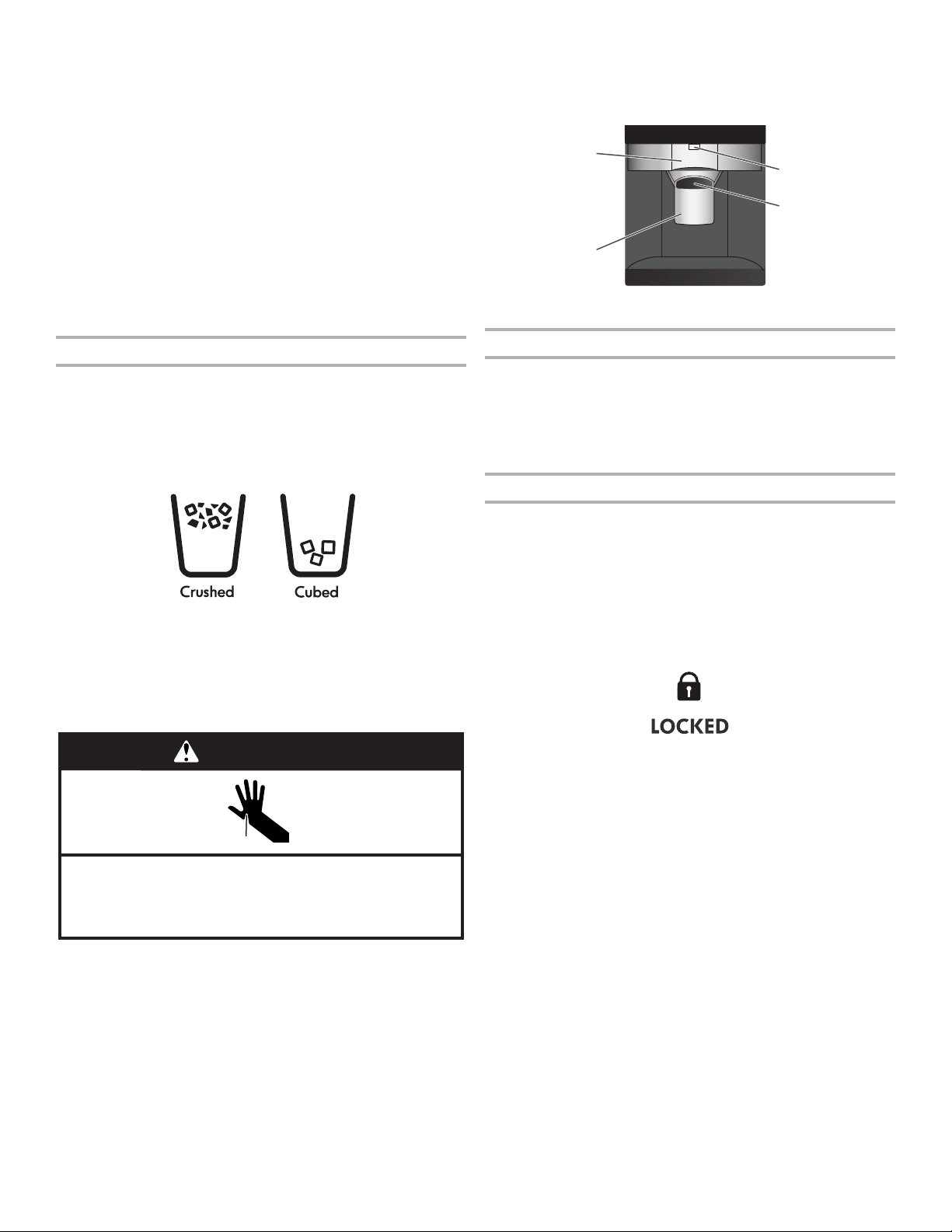
1. Press a sturdy glass against the water dispenser lever. Hold
the glass close to the water dispenser spout to ensure that the
water dispenses into the glass.
2. Remove the glass to stop dispensing.
IMPORTANT: The small tray at the bottom of the dispenser is
designed to catch small spills and allow for easy cleaning. There is
no drain in the tray.
The Ice Dispenser
Ice dispenses from the ice maker storage bin in the freezer when
“Ice Maker and Storage Bin” section.
Your ice maker can produce both crushed and cubed ice. Before
dispensing ice, select which type of ice you prefer by pressing the
Crushed/Cubed button.
The display screen indicates which type of ice is selected.
For crushed ice, cubes are crushed before they are dispensed. This
may cause a slight delay when dispensing crushed ice. Noise from
the ice crusher is normal, and pieces of ice may vary in size. When
changing from crushed to cubed, a few ounces of crushed ice will
To Dispense Ice:
1. Press CRUSHED/CUBED for the desired type of ice.
Cut Hazard
Use a sturdy glass when dispensing ice.
Failure to do so can result in cuts.
WARNING
2. Press a sturdy glass against the dispenser lever. Hold the
glass close to the ice guide to ensure that the ice dispenses
into the glass.
IMPORTANT: You do not need to apply a lot of pressure to the
lever in order to activate the ice dispenser. Pressing hard will
not make the ice dispense faster or in greater quantities.
3. Remove the glass to stop dispensing.
NOTE: Ice may continue to dispense for several seconds after
removing the glass. The dispenser may continue to make noise
for a few seconds after dispensing.
A
C
B
D
The Dispenser Light
When you use the dispenser, the light will automatically turn on.
■ If you want the light to be on continuously, press LIGHT.
■
lights are LEDs that cannot be changed. If it appears that your
dispenser lights are not working, see the “Troubleshooting”
section for more information.
The Dispenser Lock
unintentional dispensing by small children and pets.
NOTE:
to the ice maker, or to the dispenser light. It simply deactivates the
Storage Bin” section.
■
■ Press and hold LOCK button a second time to unlock the
dispenser.
■ The display screen indicates when the dispenser is locked.
A. Water dispenser lever
B. Water dispenser spout
C. Ice dispenser lever
D. Ice guide
14
WATER FILTRATION SYSTEM
Do not use with water that is microbiologically unsafe or
of unknown quality without adequate disinfection before
or after the system. Systems certified for cyst reduction
may be used on disinfected waters that may contain
filterable cysts.
Water Filter Status Light (on some models)
■
display changes to turn on.
NOTE:
be replaced at least every 6 months, depending on your water
quality and usage.
Resetting the Filter Status
■
Changing the Water Filter
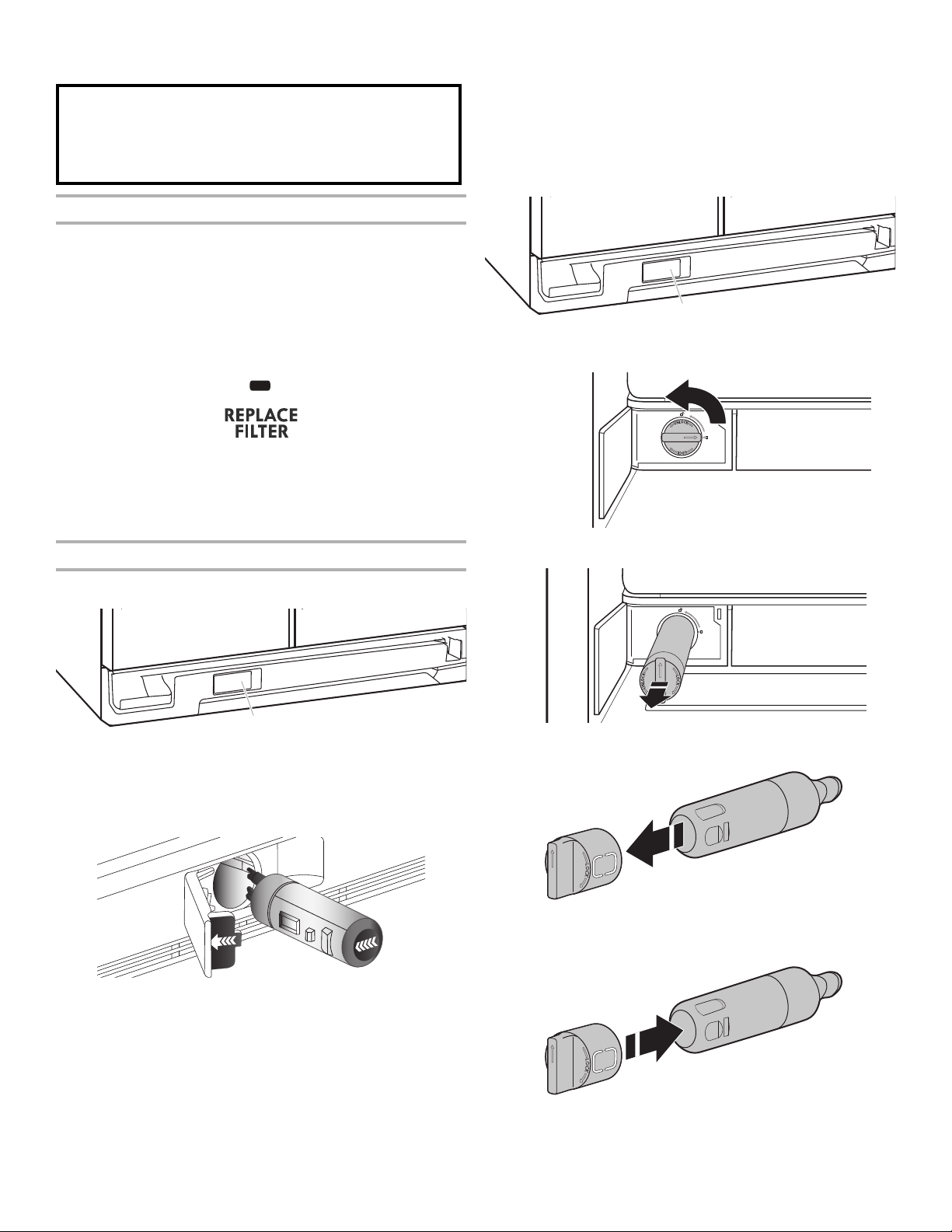
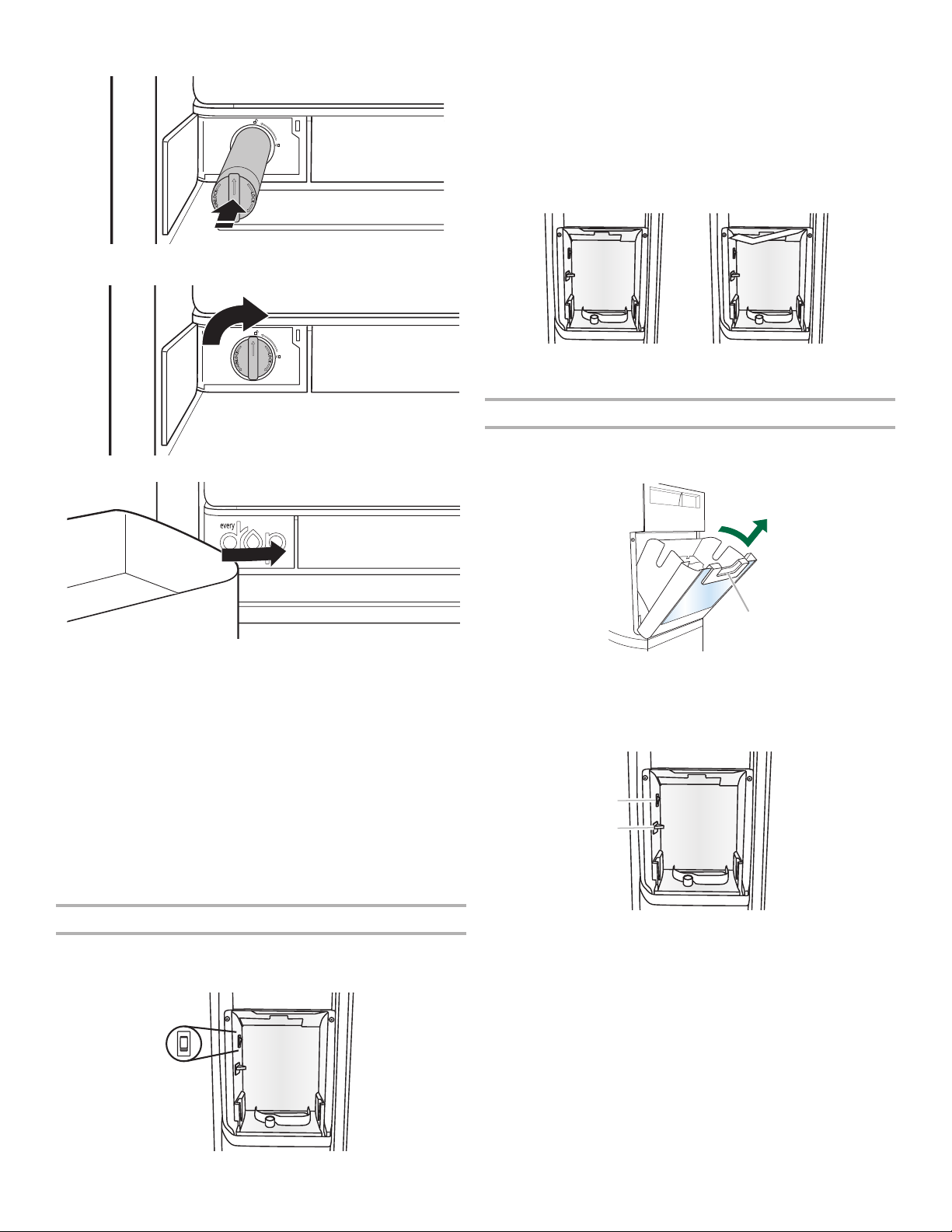
Style 1
A
1.
ejected as the door is opened.
2.
NOTE:
may occur. Use a towel to wipe up any spills.
3.
covers are removed.
4.
5.
into place. You may need to press hard.
6. Flush the system. See the “Water and Ice Dispensers” section in
the User Instructions or User Guide.
Style 2
1.
A
2. ° counterclockwise to unlock.
3.
4.
5.
A. Water filter cover door.
A. Water filter cover door.
15
6.
7. ° clockwise until it locks into
place and the arrows are aligned.
8.
ICE MAKER AND STORAGE BIN
■
■ The quality of your ice will be only as good as the quality of
the water supplied to your ice maker. Avoid connecting the ice
maker to a softened water supply. Water softener chemicals
(such as salt) can damage parts of the ice maker and lead to
poor quality ice. If a softened water supply cannot be avoided,
make sure the water softener is operating properly and is well
maintained.
■ Do not use anything sharp to break up the ice in the storage
bin. This can cause damage to the ice container and the
dispenser mechanism.
■ Do not store anything on top of or in the ice maker or
storage bin.
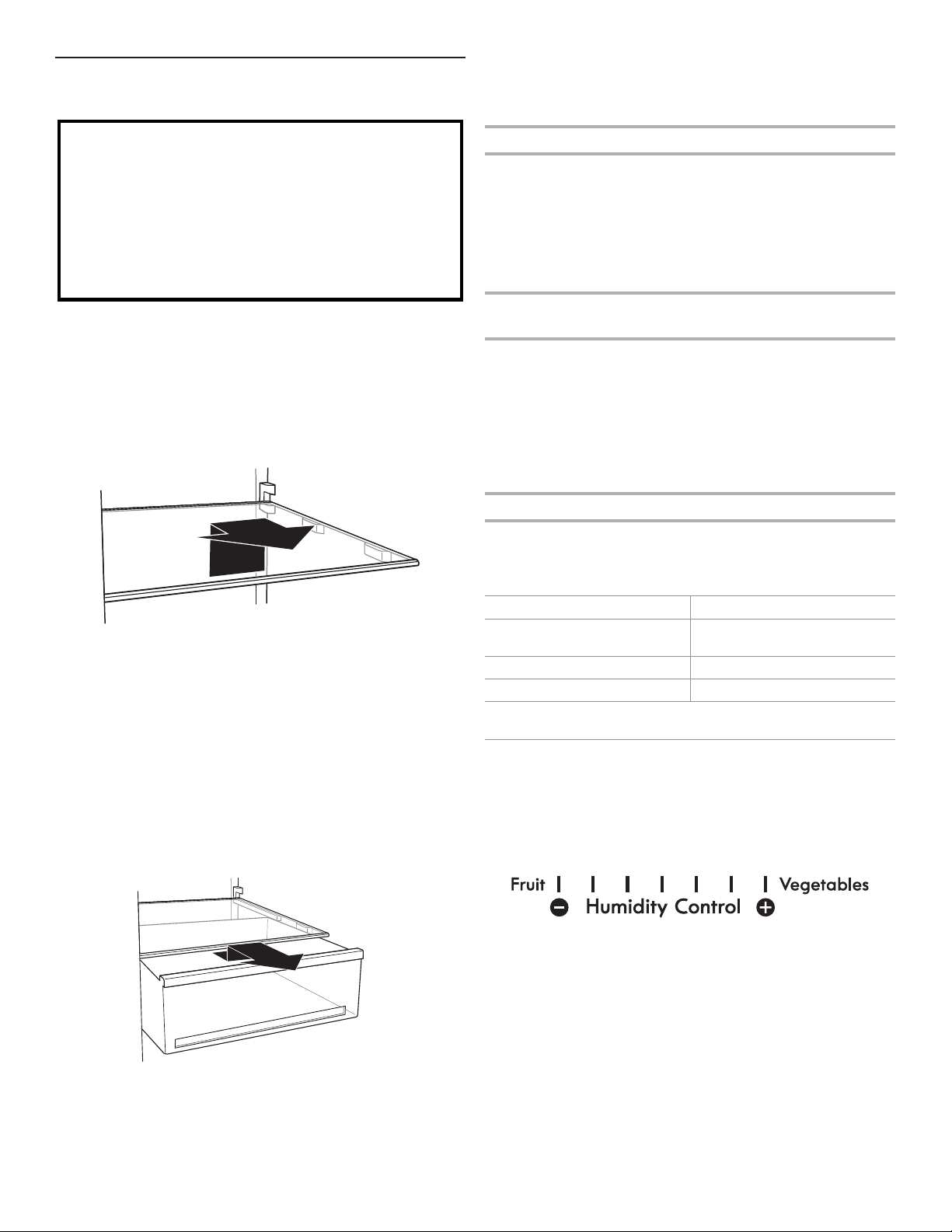
Turning the Ice Maker On/O
■
door, can only be accessed when the ice storage bin has been
removed. See the following section for bin removal instructions.
ON
OFF
■
■
(down) position.
NOTE:
storage bin is at full capacity, the ice maker will automatically
in the On (up) position.
Removing and Replacing the Ice Storage Bin
1. Press down the release lever and tilt the bucket outward. Use
both hands to hold the base of the storage bin, then lift it up
and out.
A
NOTE: It is not necessary to turn the ice maker control to the
cover (“”) on the left wall of the freezer stops the ice
maker from producing ice if the door is open or the storage bin is
removed.
A
B
2. Replace the bin by sliding it onto the door, then tilting it back
into an upright position. The release lever will click when the
bin is securely in place.
Ice production off
(shut off arm up)
Ice production on
(shut off arm down)
A. On/Off switch
B. Storage bin sensor
A. Release lever.
16
REFRIGERATOR FEATURES
Your model may have some or all of these features.
Important information to know about glass shelves
and covers:
Do not clean glass shelves or covers with warm water when
they are cold. Shelves and covers may break if exposed to
sudden temperature changes or impact, such as bumping.
Tempered glass is designed to shatter into many small,
pebble-size pieces. This is normal. Glass shelves and covers
are heavy. Use both hands when removing them to avoid
dropping.
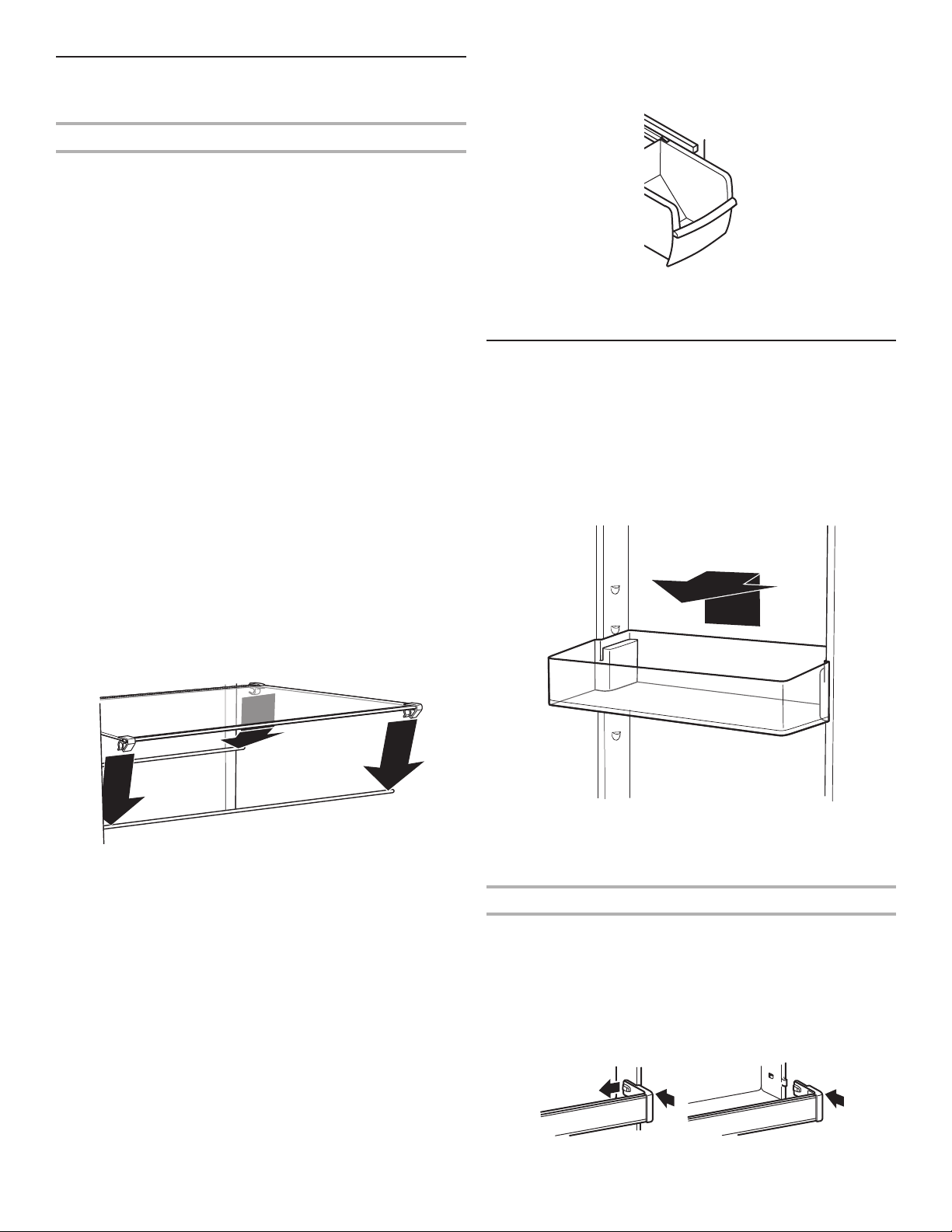
REFRIGERATOR SHELVES
(number of shelves varies by model)
heights. This reduces the time the refrigerator door is open and
saves energy.
To Remove and Replace a Shelf:
1. Lift the back of the shelf to remove from the ribs. Pull the shelf
forward until it is released.
2. Replace the shelf by aligning the shelf with the ribs. Slide the
shelf onto the shelf supports. Be sure that the shelf is securely
in position.
DELI DRAWER
(on some models)
The deli drawer stores raisins, nuts, spreads, and other small items
at normal refrigerator temperatures.
To Remove and Replace the Deli Drawer:
1. Remove the deli drawer by sliding it straight out to the stop. Lift
the front and out of the ribs. Tilt the drawer sideways to remove
it from the refrigerator compartment.
2. Replace the deli drawer by sliding it back past the stop and
pushing it into place.
CONVERTIBLE VEGETABLE/MEAT DRAWER,
CRISPER AND COVERS
(on some models)
Crisper and Convertible Vegetable/Meat Drawers
To Remove and Replace Drawers:
1. Slide crisper or meat drawer straight out to the stop. Lift the
front of drawer with one hand while supporting the bottom of
drawer with the other hand and slide the drawer out the rest of
the way.
2. Replace the crisper or meat drawer by sliding it back in fully
past the drawer stop.
Crisper and Convertible Vegetable/Meat Drawer
Covers
To Remove and Replace Covers:
1. Remove the crisper and meat drawer. Tilt the front of the shelf
up and pull to release the stoppers from the ribs. Pull the cover
forward until it is released. Repeat steps to remove the meat
drawer cover.
2. Replace the meat drawer cover into supports or slides on
sidewalls of the refrigerator and slide the front of the cover
frame into place. Repeat steps to replace the crisper cover.
Meat Storage Guide
Store most meat in original wrapping as long as it is airtight and
storage times. When storing meat longer than the times given,
freeze the meat.
Use same day as purchased
Chicken, ground beef, variety
meat (liver, etc.)
Cold cuts, steaks/roasts
Cured meats
Leftovers: Cover leftovers with plastic wrap, aluminum foil, or
plastic containers with tight lids.
CRISPER HUMIDITY CONTROL
(on some models)
crisper. Adjust the control to any setting between Fruit (left side)
and Vegetables (right side).
Fruit (left side, open) lets moist air out of the crisper for best
storage of fruits and vegetables with skins.
■ Fruit: Wash, let dry and store in refrigerator in plastic bag
or crisper. Do not wash or hull berries until they are ready
to use. Sort and keep berries in original container in crisper,
or store in a loosely closed paper bag on a refrigerator
shelf.
■ Vegetables with skins: Place in plastic bag or plastic
container and store in crisper.
Vegetables (right side, closed) keeps moist air in the crisper for
best storage of fresh, leafy vegetables.
■ Leafy vegetables: Wash in cold water, drain and trim or
or plastic container and store in crisper.
17
FREEZER FEATURES
Your model may have some or all of these features.
Frozen Food Storage Guide
Storage times will vary according to the quality and type of
food, the type of packaging or wrap used (should be airtight and
sealed package are normal. This simply means that moisture in the
food and air inside the package have condensed, creating
ice crystals.
Put no more unfrozen food into the freezer than will freeze within
freezer for air to circulate around packages. Be certain to leave
enough room for the door to close tightly.
For more information on preparing food for freezing, check a
freezer guide or reliable cookbook.
FREEZER SHELF
(number of shelves varies by model)
To Remove and Replace the Bottom Shelf
1. Lift up the front and back of the shelf, and remove from the
cabinet. Be sure not to remove the retaining rods.
2. Replace the shelf aligning the rods with the cabinet ribs.
Apply a little pressure on the shelf to attach the rods to the
ribs of the cabinet.
To Remove and Replace the Mid and Top Shelf
1. With your hand, push the shelf from bottom to top until it is
released from the holding rod. Pull the shelf until it is released
from the rear rod. Remove from the cabinet.
2. To replace the shelf:
■ Replace rods into the support holes. Push the rods down so
it clicks into the hole.
■ Identify the front and rear trim of the shelf.
■ Place the rear trim on the rear rod and push the shelf so
it clicks the rod into the trim rear. (Keep the front raised
while pushing.)
■ Lower the front of the shelf until the front trim is on the rod
and push the shelf down so it clicks the rod into the trim rear.
NOTE: Be sure that both sides of the shelf are positioned
evenly in the shelf support holes and the shelf is secure.
FREEZER BIN
(on some models)
The freezer bin can be used to store bags of frozen fruits and
To Remove and Replace the Freezer Bin:
1. Remove the bin by sliding it out to the stop. Lift the front to
slide the bin out the rest of the way.
2. Replace the bin by positioning it on the rails. Lift the bin front
slightly while pushing it in fully past the stops.
DOOR FEATURES
Your model may have some or all of these features.
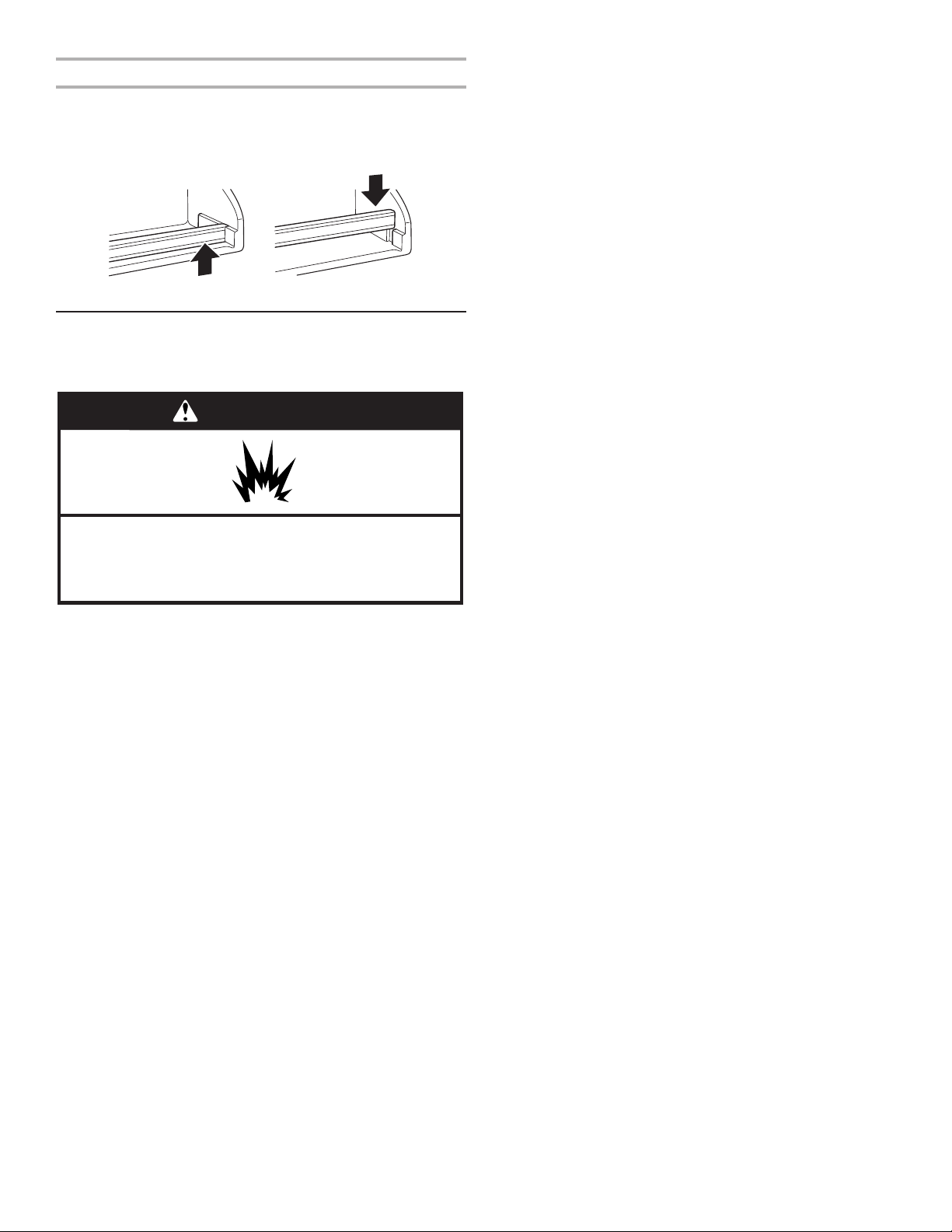
DOOR BINS
(on some models)
To Remove and Replace the Bins:
1. Remove the bin by lifting it and pulling it straight out.
2. Replace the bin by sliding it in above the desired supports
and then pushing it down until it stops.
DOOR RAILS OR BINS
(on some models)
The door rails or bins may be removed for easier cleaning.
Snap-On Door Rails or Bins
To Remove and Replace the Rails or Bins:
1. Remove the rails or bins by pushing in slightly on the front of
the bracket while pulling out on the inside tab. Repeat these
steps for the other end of the rail or bin.
2. Replace the rails or bins by aligning the ends of the brackets
with the buttons on the sides of the door liner. Firmly snap
bracket onto the tabs above the shelf as shown.
18
Drop-In Door Rails
To Remove and Replace the Rails:
1. Remove the rails by pulling straight up on each end of the rail.
2. Replace the rails by sliding the shelf rail into the slots on the
door and pushing the rail straight down until it stops.
REFRIGERATOR CARE
CLEANING
WARNING
Explosion Hazard
Use nonflammable cleaner.
Failure to do so can result in death, explosion, or fire.
Both the refrigerator and freezer sections defrost automatically.
However, clean both compartments about once a month to avoid
buildup of odors. Wipe up spills immediately.
To Clean Your Refrigerator:
1. Unplug refrigerator or disconnect power.
2. Remove all removable parts from inside, such as shelves,
crispers, etc.
3. Hand wash, rinse, and dry removable parts and interior
surfaces thoroughly. Use a clean sponge or soft cloth and a
mild detergent in warm water.
■ Do not use abrasive or harsh cleaners such as window
waxes, concentrated detergents, bleaches or cleansers
containing petroleum products on plastic parts, interior
and door liners or gaskets. Do not use paper towels,
scouring pads, or other harsh cleaning tools. These can
scratch or damage materials.
■ To help remove odors, you can wash interior walls
with a mixture of warm water and baking soda
4. Determine whether your refrigerator exterior is painted metal,
stainless steel, and choose the appropriate cleaning method.
NOTE:
Stainless steel has a distinct grainy texture with variation in
color that is natural to steel.
Painted metal: Wash exteriors with a clean sponge or soft
cloth and a mild detergent in warm water. Do not use abrasive
or harsh cleaners, or cleaners designed for stainless steel. Dry
thoroughly with a soft cloth. Additionally, to avoid damage to
painted metal exteriors, apply appliance wax (or auto paste
wax) with a clean, soft cloth. Do not wax plastic parts.
Brushed aluminum: Wash with a clean sponge or soft cloth
and a mild detergent in warm water. Do not use abrasive or
harsh cleaners, or cleaners designed for stainless steel. Dry
thoroughly with a soft cloth.
Ultra Satin™ (stainless look) nish: Wash with a clean sponge
or soft cloth and a mild detergent in warm water. Do not use
abrasive or harsh cleaners, or cleaners designed for stainless
steel. Dry thoroughly with a soft cloth.
Stainless steel nish: Wash with a clean sponge or soft cloth
and a mild detergent in warm water. Do not use abrasive or
harsh cleaners. Dry thoroughly with a soft cloth.
■ To keep your stainless steel refrigerator looking like new
that you use the manufacturer’s approved Stainless
Steel Cleaner and Polish. To order the cleaner, see the
“Accessories” section.
IMPORTANT: This cleaner is for stainless steel parts only.
■ Do not allow the Stainless Steel Cleaner and Polish to come
into contact with any plastic parts such as the trim pieces,
dispenser covers or door gaskets. If unintentional contact
does occur, clean plastic part with a sponge and mild
detergent in warm water. Dry thoroughly with a soft cloth.
5. If your model has a touch screen display on the dispenser
detergent with water, then use the mixture to dampen the cloth
and gently wipe the screen.
■ To avoid unintentionally changing settings, make sure the
refrigerator is unplugged or the power is disconnected
before wiping the screen.
■
liquids directly onto the screen. Do not use abrasive or
harsh cleaners such as window sprays, scouring cleansers,
nail polish remover, bleaches or cleansers containing
petroleum products. Do not use paper towels, scouring
pads, or other harsh cleaning tools. These can scratch or
damage materials.
6. There is no need for routine condenser cleaning in normal
home operating environments. If the environment is particularly
If you need to clean the condenser:
■ Remove the base grille. See the “Base Grille” graphic or
“Base Grille” section.
■ Use a vacuum cleaner with a soft brush to clean the grille,
the open areas behind the grille and the front surface area
of the condenser.
■
7. Plug in refrigerator or reconnect power.
19
LIGHTS
IMPORTANT: The lighting system in this appliance may consist of:
■ Sealed LED modules
■ LED Bulbs
■ Incandescent Bulbs
■ Or a combination of the above.
If a Sealed LED Module(s) do not illuminate when the refrigerator
and/or freezer door is opened, call whirlpool service for technical
support. (See User Guide).
IF a LED Bulb or incandescent bulb does not turn ON when the
refrigerator and/or freezer door is opened, replace with a bulb
recommended by Whirlpool and following the next procedure:
1. Unplug refrigerator or disconnect power.
2. Remove light cover (in some models).
NOTE: To clean the light cover, follow the instructions in
REFRIGERATOR CARE section.
3. Remove light bulb and replace with one of the same size, shape
and wattage, recommended by Whirlpool.
4. Reinstall light cover (in some models).
5. Plug in refrigerator or reconnect power.
NOTE:
replace the bulb with one of the same size and shape. On some
models, the interior lights require a 40 W bulb max.
POWER INTERRUPTIONS
If the power will be out for 24 hours or less, keep the door or
doors closed (depending on your model) to help food stay cold
and frozen.
If the power will be out for more than 24 hours, do one of the
following:
■ Remove all frozen food and store it in a frozen food locker.
■ Place 2 lbs (907 g) of dry ice in the freezer for every cubic
foot (28 L) of freezer space. This will keep the food frozen for
2 to 4 days.
■ If neither a food locker nor dry ice is available, consume or can
perishable food at once.
REMEMBER:
one. A freezer full of meat stays cold longer than a freezer full of
baked goods. If you see that food contains ice crystals, it may be
condition of the food is poor, dispose of it.
VACATION AND MOVING CARE
Vacations
If You Choose to Leave Refrigerator On While You Are
Away:
1. Use up any perishables and freeze other items.
2. If your refrigerator has an automatic ice maker and is
supply to the refrigerator. Property damage can occur if the
3.
NOTE:
4. Empty the ice bin.
If You Choose to Turn Refrigerator Off Before You Leave:
1. Remove all food from the refrigerator.
2. If your refrigerator has an automatic ice maker:
■
ahead of time.
■
(left) setting.
3. Unplug refrigerator.
4. Clean, wipe, and dry thoroughly.
5. Tape rubber or wood blocks to the tops of both doors to prop
them open far enough for air to get in. This stops odor and
mold from building up.
Moving
When you are moving your refrigerator to a new home, follow
these steps to prepare it for the move.
1. If your refrigerator has an automatic ice maker:
■
ahead of time.
■ Disconnect the water line from the back of the refrigerator.
■
2. Remove all food from the refrigerator and pack all frozen food
in dry ice.
3. Empty the ice bin.
4. Unplug refrigerator.
5. Clean, wipe, and dry thoroughly.
6. Take out all removable parts, wrap them well, and tape them
together so they don’t shift and rattle during the move.
7. Depending on the model, raise the front of the refrigerator so
it rolls more easily or screw in the leveling legs so they don't
Removal, Leveling, and Alignment” sections.
8. Tape the doors closed and tape the power cord to the back of
the refrigerator.
When you get to your new home, put everything back and refer to
the Installation Instructions for preparation instructions. Also, if your
refrigerator has an automatic ice maker, remember to reconnect
the water supply to the refrigerator.
20
TROUBLESHOOTING
First try the solutions suggested here or visit our website to possibly avoid the cost of a service call.
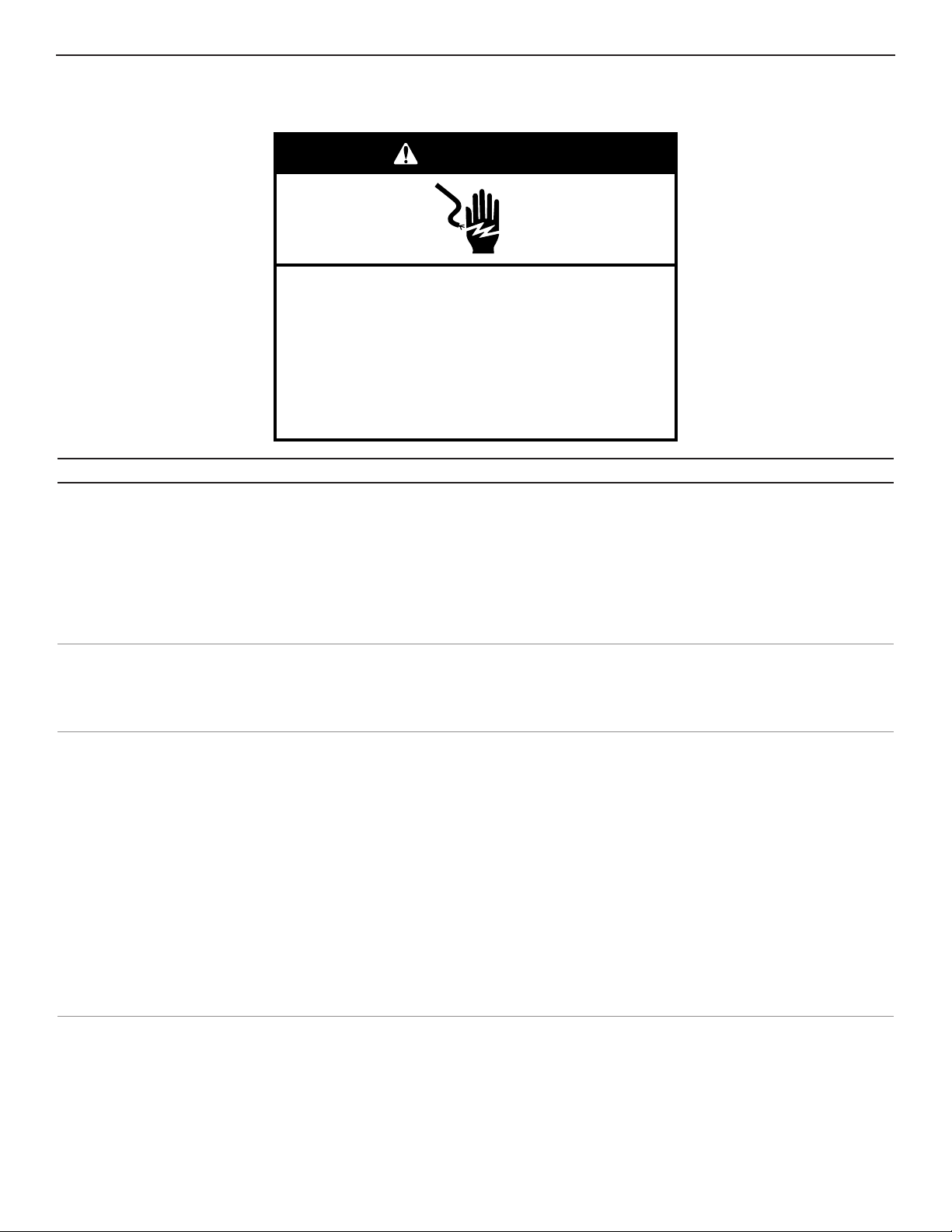
Electrical Shock Hazard
Plug into a grounded 3 prong outlet.
Do not remove ground prong.
Do not use an adapter.
Do not use an extension cord.
Failure to follow these instructions can result in death,
fire, or electrical shock.
WARNING
GENERAL OPERATION Possible Causes and/or Recommended Solutions
Refrigerator will not operate
■ Not connected to an electrical supply:
Do not use an extension cord.
■ No power to the electrical outlet: Plug in a lamp to see if the outlet is working.
■ Household fuse has blown or circuit breaker has tripped: Replace the fuse or reset the circuit
breaker. If the problem continues, contact a licensed electrician.
■ New installation: Following installation, allow 24 hours for the refrigerator and freezer to
cool completely.
NOTE: Adjusting the temperature control(s) to the coldest setting will not cool either compartment
(refrigerator or freezer) more quickly.
Motor seems to run too much
■ Your new refrigerator has an energy-ecient motor: The refrigerator may run longer than
you’re used to, because the compressor and fans operate at lower speeds that are more
NOTE: Your refrigerator may run even longer if the room is warm, a large load of food is
added, the doors are opened often, or if a door has been left open.
Refrigerator seems noisy
than older models. During various stages of operation, you may hear normal operating sounds that
are unfamiliar.
The following noises are normal:
■ Buzzing/Clicking:
ice maker. If the refrigerator is connected to a water line, this is normal. If the refrigerator is not
■ Cracking/Crashing: Heard when ice is ejected from the ice maker mold.
■ Popping: Heard when the inside walls contract/expand, especially during initial cooldown.
■ Pulsating/Whirring: Heard when the fans/compressor adjust to optimize performance during
normal operation.
■ Rattling:
Rattling may also come from items placed on top of the refrigerator.
■ Water running or gurgling: Heard when ice melts during the defrost cycle and water runs into
the drain pan.
■ Sizzling: Heard when water drips onto the heater during the defrost cycle.
21
GENERAL OPERATION Possible Causes and/or Recommended Solutions
Temperature is too warm
■ New installation: Following installation, allow 24 hours for the refrigerator and freezer to
cool completely.
NOTE: Adjusting the temperature control(s) to the coldest setting will not cool either
compartment (refrigerator or freezer) more quickly.
■ Doors are opened often or not closed completely: This allows warm air to enter the refrigerator.
Minimize door openings, keep the doors fully closed, and make sure both doors are properly
sealed.
■ Air vents are blocked: Remove items that are immediately in front of the vents.
■ Large amount of warm food recently added: Allow several hours for the refrigerator to return
to its normal temperature.
■ Controls are not set correctly for the surrounding conditions: Adjust the controls to a colder
setting. Check the temperature again in 24 hours.
Temperature is too cold
■ Controls are not set correctly for the surrounding conditions: Adjust the controls to a warmer
setting. Check the temperature again in 24 hours.
■ Top refrigerator shelf is colder than lower shelves: On some models, air from the freezer enters
the refrigerator compartment through vents near the top refrigerator shelf. As a result,
the top shelf can be slightly colder than lower shelves.
■ Air vents are blocked: Remove items that are immediately in front of the vents.
Interior moisture buildup
NOTE: Some moisture buildup is normal. Clean with a soft dry cloth.
■ Room is humid: A humid environment contributes to moisture buildup. Use the refrigerator only
in an indoor location, with as little humidity as possible.
■ Doors are opened often or not closed completely: This allows humid air to enter the
refrigerator. Minimize door openings, keep the doors fully closed, and make sure both doors are
properly sealed.
Interior lights do not work
■ Doors have been open for an extended period of time: Close the doors to reset the lights.
■ Light bulb is loose in the socket or has burned out: On models with incandescent interior light
bulbs, tighten or replace the bulb. See the “Lights” section.
NOTE: On models with LED lights, call for assistance or service if the interior lights do not
illuminate when either door is opened. See the Warranty for contact information.
Dispenser lights do not work
(on some models)
■ Dispenser light is turned o:
turn on only when a dispenser pad/lever is pressed. If you want the dispenser light to stay on
■ Dispenser light is set to Auto or Night Light: On some models, if the dispenser light is set to
Auto or Night Light, make sure the dispenser light sensor is not blocked. See the “Water and Ice
Dispensers” section.
NOTE: On models with LED lights, call for assistance or service if the dispenser lights do not
operate correctly. See the Warranty for contact information.
22
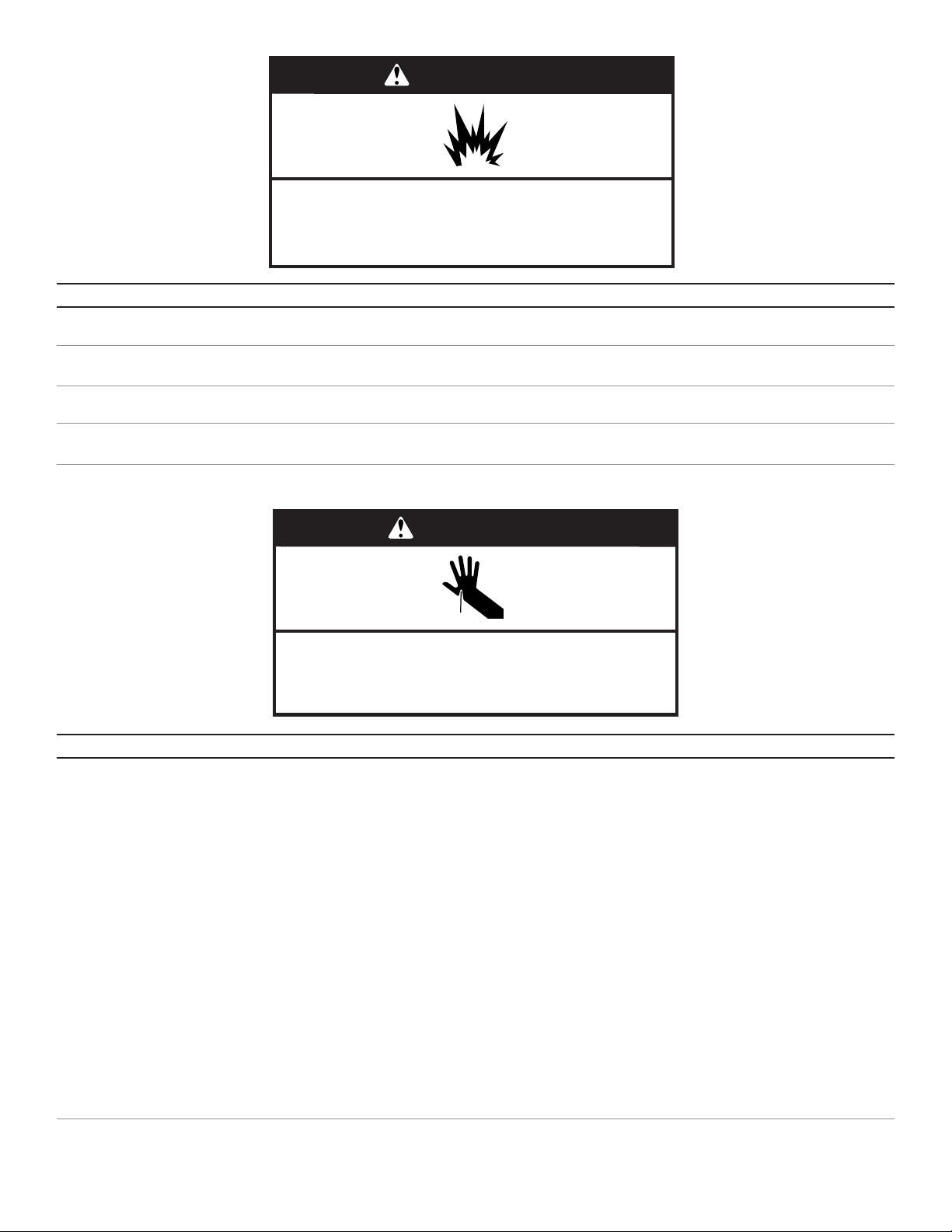
Cut Hazard
Use a sturdy glass when dispensing ice.
Failure to do so can result in cuts.
WARNING
WARNING
Explosion Hazard
Use nonflammable cleaner.
Failure to do so can result in death, explosion, or fire.
DOORS AND LEVELING Possible Causes and/or Recommended Solutions
Doors are difficult to open
■ Gaskets are dirty or sticky: Clean the gaskets and contact surfaces with mild soap and warm
water. Rinse and dry with a soft cloth.
Doors will not close
completely
■ Door is blocked open: Move food packages away from the door. Make sure all bins and shelves
are in their correct positions. Make sure all packaging materials have been removed.
Doors appear to be uneven
■ Doors need to be aligned, or refrigerator needs to be leveled: See the leveling and door
alignment instructions.
Refrigerator rocks and
is not stable
■ Refrigerator is not level: To stabilize the refrigerator, remove the base grille and lower the
ICE AND WATER Possible Causes and/or Recommended Solutions
Ice maker is not producing
ice, not producing enough
ice, or producing small/
hollow ice
■ Refrigerator is not connected to a water supply, or the water supply shuto valve is not fully
turned on:
is fully open.
■ Kink in the water source line:
the water line.
■ Ice maker is not turned on: Turn on the ice maker. See the “Ice Maker and Storage Bin” section.
■ New installation:
(See the “Water and Ice Dispensers” section). Wait 24 hours for ice production to begin. Wait
■ Large amount of ice was recently removed:
more ice.
■ Ice is jammed in the ice maker ejector arm: Remove ice from the ejector arm using a
plastic utensil.
■ Inadequate water pressure: Verify that the household has adequate water pressure. See the
“Water Supply Requirements” section.
■ Water lter is installed incorrectly:
Filtration System” section.
■ A reverse osmosis water ltration system is connected to your cold water supply: This can
decrease water pressure. See the “Water Supply Requirements” section.
NOTE:

23
ICE AND WATER Possible Causes and/or Recommended Solutions
Ice dispenser will not
operate properly
■ Doors not closed completely -
the freezer door must be closed in order to operate the dispenser.)
■ New installation -
(See the “Water and Ice Dispensers” section). Wait 24 hours for ice production to begin. Wait
■ Ice maker is not turned on, or ice bin is not installed correctly - Turn on the ice maker and
■ Ice is clogged or frozen together in the ice storage bin, or ice is blocking the ice delivery chute -
Remove or separate the clogged ice, using a plastic utensil if necessary. Clean the ice delivery
chute and the bottom of the ice storage bin using a warm damp cloth, then dry both thoroughly.
To avoid clogging and to maintain a fresh supply of ice, empty the storage bin and clean both
the storage bin and the delivery chute every 2 weeks.
■ Wrong ice has been added to the storage bin - Use only ice cubes produced by the current
ice maker.
■ Dispenser is locked - Unlock the dispenser. See the “Water and Ice Dispensers” section.
■ Ice dispenser jams while dispensing crushed ice - For models with the ice storage bin on the
door, temporarily switch from crushed ice to cubed ice to clear the jam.
■ Dispenser pad/lever has been pressed too long - Ice will automatically stop dispensing. Wait
a few minutes for the dispenser to reset, then resume dispensing. Take large amounts of ice
directly from the ice bin, not through the dispenser.
■ Water pressure to the home is not at or above 30 psi (207 kPa) - The water pressure to the
■ Water lter is clogged or incorrectly installed -
“Water Filtration System” section.
Ice or water has an off-taste,
odor, or gray color
■ New plumbing connections -
ice or water. This problem should go away over time.
■ Ice has been stored too long - Discard the ice and wash the ice bin. Allow 24 hours for the ice
maker to produce new ice.
■ Odor has transferred from food -
■ Use of non-recommended water supply line - Odors and tastes can transfer from certain
line. See the “Water Supply Requirements”. section
■ There are minerals (such as sulfur) in the water -
order to remove the minerals.
■ Water lter was recently installed or replaced - Gray or dark discoloration in ice or water
Dispensers” section.
Water dispenser will not
operate properly
■ Doors not closed completely -
the freezer door must be closed in order to operate the dispenser.)
■ Refrigerator is not connected to a water supply, or the water supply shuto valve is not
turned on -
fully open.
■ Kink in the water source line -
Straighten the water line.
■ Water pressure to the home is not at or above 30 psi (207 kPa) - The water pressure to the
■ New installation -
See the “Water and Ice Dispensers” section.
■ Dispenser is locked - Unlock the dispenser. See the “Water and Ice Dispensers” section.
■ Water lter is clogged or incorrectly installed -
“Water Filtration System” section.
■ A reverse osmosis water ltration system is connected to your cold water supply - This can
decrease water pressure. See the “Water Supply Requirements” section.
NOTE:
Water is leaking or dripping
from the dispenser
NOTE: After dispensing, a few additional drops of water are normal.
■ Glass was not held under the dispenser long enough - Hold the glass under the dispenser for
■ New installation, or water lter was recently installed or replaced - Air in the water lines
causes the water dispenser to drip. Flush the water system to remove the air in the water lines.
See the “Water and Ice Dispensers” section.
■ Residual ice in the dispenser chute is melting - Make sure the ice chute is free of ice shavings
or pieces.
24
ICE AND WATER Possible Causes and/or Recommended Solutions
Water is leaking from the
back of the refrigerator
■ Water line connections are not fully tightened -
See the “Connect Water Supply” section.
Water from the dispenser is
not cool enough (on some
models)
NOTE: Water from the dispenser is chilled to 50°F (10°C).
■ New installation - Allow 24 hours after installation for the water supply to cool completely.
■ Recently dispensed a large amount of water - Allow 24 hours for the new water supply to
cool completely.
■ Water has not been recently dispensed -
■ Refrigerator is not connected to a cold water pipe - Make sure the refrigerator is connected to
a cold water pipe. See the “Water Supply Requirements” section.
User interface not responding
■ Pressing user interface too fast - Wait 10 seconds before pressing any key.
■ User interface in Lock Mode -
ACCESSORIES
All Accessories can be purchased by calling 1-844-553-6667.
Stainless Steel Cleaner and Polish:
Order Part #31462A
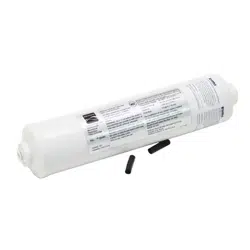
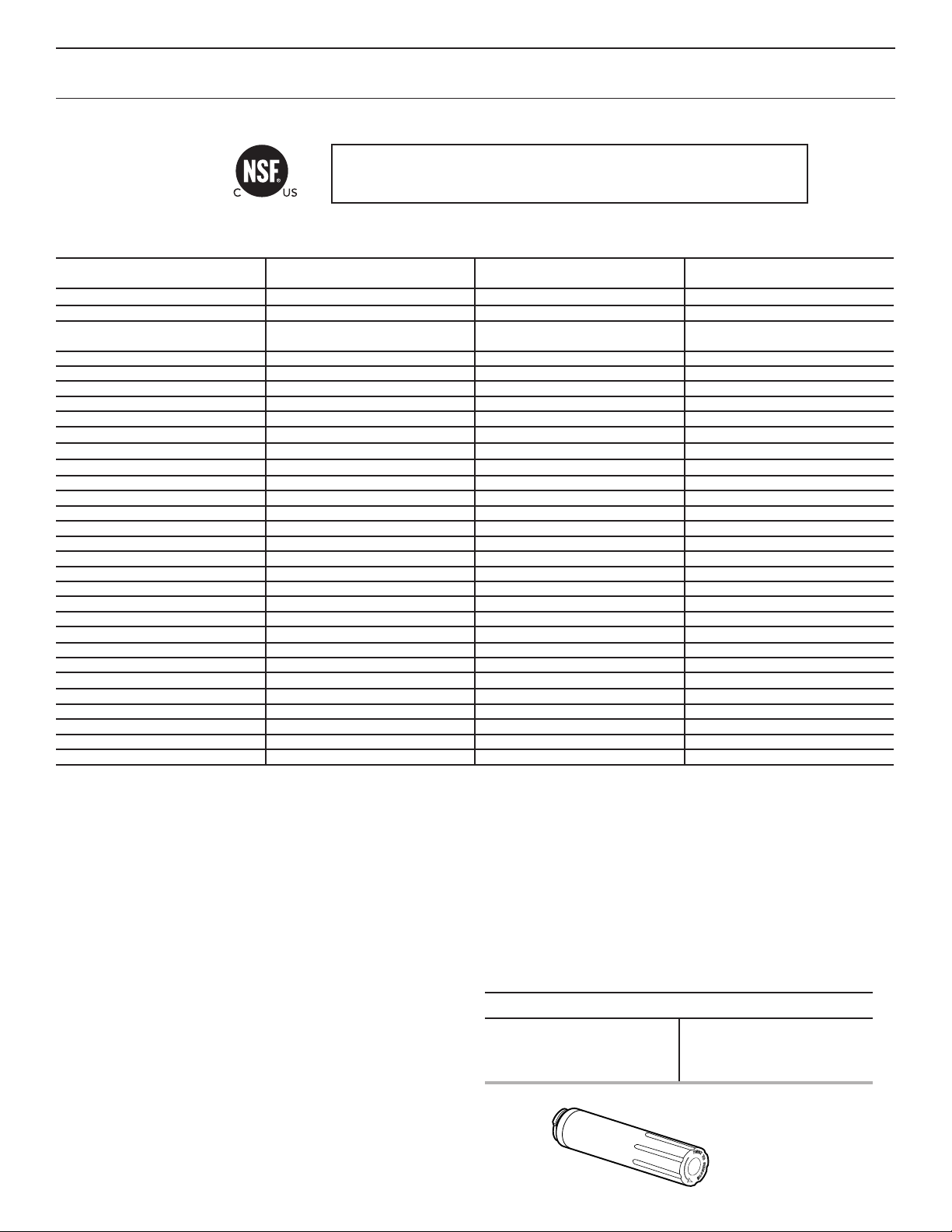
Water Filter:
Order Part #9081
25
PERFORMANCE DATA SHEETS
Water Filtration System
Model P9WB2L/P9RFWB2L Capacity 200 Gallons (757 Liters)
This system has been tested according to NSF/ANSI Standards 42, 53 and 401 for the reduction of the substances listed below. The
concentration of the indicated substances in water entering the system was reduced to a concentration less than or equal to the
permissible limit for water leaving the system, as specied in NSF/ANSI Standards 42, 53 and 401.
Substance Reduction Aesthetic
Effects
Influent Challenge Concentration Maximum Permissable Product
Water Concentration
Average % Reduction
Chlorine Taste/Odor 2.0 mg/L ± 10% 50% reduction 97.0%
Particulate Class I* At least 10,000 particles/mL 85% reduction >99.9%
Contaminant Reduction Influent Challenge Concentration Maximum Permissable Product
Water Concentration
Average % Reduction
Lead*: @ pH 6.5 / @ pH 8.5 0.15 mg/L± 10% 0.010 mg/L >99.3% / 98.6%
Benzene 0.015 mg/L ± 10% 0.005 mg/L 93.8%
p-Dichlorobenzene 0.225 mg/L ± 10% 0.075 mg/L 99.8%
Carbofuran 0.08 mg/L ± 10% 0.040 mg/L 81.9%
Toxaphene 0.015 ± 10% 0.003 mg/L >95%
Atrazine 0.009 mg/L ± 10% 0.003 mg/L 87.0%
Asbestos
10
7
to 10
8
bers/L
††
99% >99%
Live Cysts
†
50,000/L min. 99.95% >99.99%
Turbidity 11 NTU ± 10% 0.5 NTU 96.9%
Lindane 0.002 ± 10% 0.0002 mg/L >99.2%
Tetrachloroethylene 0.015 mg/L ± 10% 0.005 mg/L 96.6%
O-Dichlorobenzene 1.8 mg/L ± 10% 0.60 mg/L 92.3%
Ethylbenzene 2.1 mg/L ± 10% 0.70 mg/L 86.9%
1,2,4-Trichlorobenzene 0.210 mg/L ± 10% 0.07 mg/L >99.8%
2,4 - D 0.210 mg/L ± 10% 0.07 mg/L 88.5%
Styrene 2.0 mg/L ± 10% 0.1 mg/L 99.6%
Toluene 3.0 mg/L ± 10% 1.0 mg/L 93.5%
Endrin 0.006 mg/L ± 10% 0.002 mg/L 81.7%
Atenolol 200 ± 20% 30 ng/L 95.7%
Trimethoprim 140 ± 20% 20 ng/L 96.1%
Linuron 140 ± 20% 20 ng/L 96.3%
Estrone 140 ± 20% 20 ng/L 95.3%
Nonylphenol 1400 ± 20% 200 ng/L 95.5%
Carbamazepine 1400 ± 20% 200 ng/L 97.94%
Phenytoin 200 ± 20% 30 ng/L 93.58%
Naproxen 140 ± 20% 20 ng/L 96.04%
Bisphenol A 2000 ± 20% 300 ng/L 99.20%
Test Parameters: pH = 7.5 ± 0.5 unless otherwise noted. Flow = 0.6 gpm (2.27 lpm). Pressure = 60 psig (413.7 kPa). Temp. = 68°F to 71.6°F (20°C to
22°C). Rated service capacity = 200 gallons (757 liters).
The compounds certied under NSF 401 have been deemed as “emerging compounds/incidental contaminants.” Emerging compounds/incidental
contaminants are those compounds that have been detected in drinking water supplies at trace levels. While occurring at only trace levels, these
compounds can affect the public acceptance/perception of drinking water quality.
■ It is important that operational, maintenance, and lter replacement
requirements be carried out for the product to perform as advertised.
Property damage can occur if all instructions are not followed.
■ The disposable cartridge must be changed at least every 6 months.
■ Use replacement lter P9RFWB2L, part #EDR2RXD1/EDR2RXD1B.
2015 suggested retail price of $49.99 U.S.A./$49.99 Canada. Prices
are subject to change without notice.
■ The lter monitor system measures the amount of water that passes
through the lter and alerts you when it is time to replace the lter.
Refer to the “Using the Controls” or “Water Filtration System”
sections in the User Instructions or User Guide to learn how to check
the water lter status.
■ After changing the water lter, ush the water system. See the “Water
and Ice Dispensers” or “Water Dispenser” sections in the User
Instructions or User Guide
■ These contaminants are not necessarily in your water supply. While
testing was performed under standard laboratory conditions, actual
performance may vary.
*Class I particle size: >0.5 to <1 um
†
Based on the use of Cryptosporidium parvum oocysts
††
Fibers greater than 10 um in length
®
NSF is a registered trademark of NSF International.
■ The product is for cold water use only.
■ The water system must be installed in compliance with state and
local laws and regulations.
■ Do not use with water that is microbiologically unsafe or of unknown
quality without adequate disinfection before or after the system.
Systems certied for cyst reduction may be used on disinfected
waters that may contain lterable cysts.
EPA Est. No. 082047-TWN-001
■ Refer to the “Warranty” section in the User Instructions or User Guide
for the Manufacturer’s limited warranty, name, and telephone number.
Application Guidelines/Water Supply Parameters
Water Supply
Water Pressure
Water Temperature
Service Flow Rate
Potable City or Well
30 - 120 psi (207 - 827 kPa)
33° - 100°F (0.6° - 37.8° C)
0.6 gpm (2.27 lpm.) @ 60 psi.
System tested and certied by NSF International against NSF/ANSI
Standard 42, Standard 53 and Standard 401 for the reduction of
contaminants specied on the Performance Data Sheet.
07/17
W11366708A
07/19
Printed in U.S.A.
Impreso en EE.UU. ©2019 Sears Brands, LLC
Kenmore ®
Customer Care Hotline
To schedule in-home repair service
or order replacement parts
Para pedir servicio de reparación
a domicilio, y ordenar piezas
1-844-553-6667
www. kenmore. com
®