Register your product and get support at:
www.philips.com/support
User manual
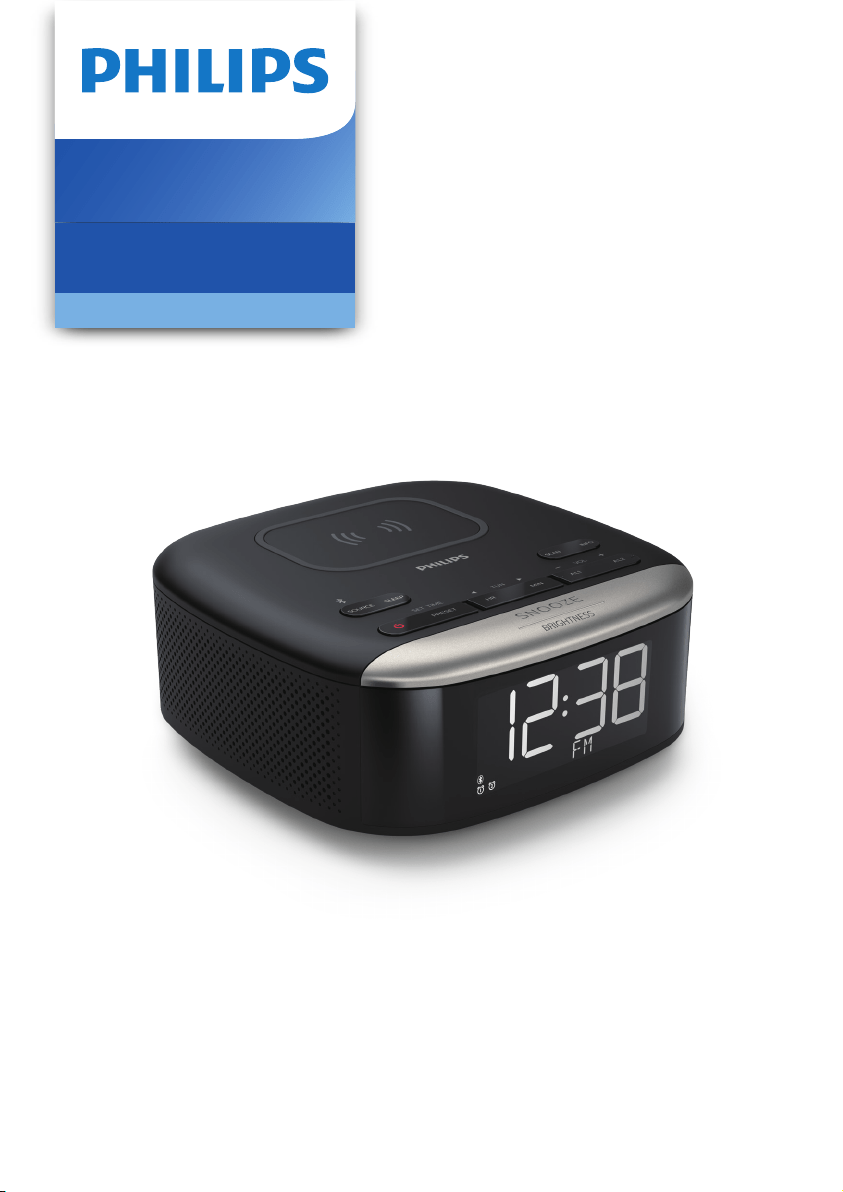
Clock Radio
7000 Series
R7606

Connect power
1
EN
Contents
1 Important 2
Safety
Notice
2
2
2 Your clock radio
3
Introduction 3
What's in the box 3
Overview of the clock radio 3
3 Get started 4
Install batteries 4
4
Set time
4
Turn on
4
4 Listen to FM radio 5
Tune to FM radio stations
Select a preset radio station
5
Store FM radio stations automatically
5
5
Store FM radio stations manually
5
Show RDS information
5
6 Other features
6
7 Product information
8
8 Troubleshooting
9
Set alarm time 6
Set sleep timer 7
Adjust volume 7
Adjust display brightness 7
Charge through USB port 7
Wirelessly charge your
smartphone
7
5 Bluetooth
6
Play from Bluetooth
enabled devices
6
2 EN
1 Important
Safety
•
Read these instructions.
•
Heed all warnings.
•
Follow all instructions.
•
Do not block any ventilation openings. Install
in accordance with the manufacturer’s
instructions.
•
Do not install near any heat sources such as
radiators, heat registers, stoves, or other
apparatus (including ampliers) that produce
heat.
•
Protect the power cord from being walked on
or pinched, particularly at plugs, convenience
receptacles, and the point where they exit
from the clock radio.
Only use attachments/accessories specied
by the manufacturer.
•
•
Unplug this apparatus during lightning storms
or when unused for long periods of time.
Refer all servicing to qualied service
personnel. Servicing is required when the
apparatus has been damaged in any way,
such as power-supply cord or plug is
damaged, liquid has been spilled or objects
have fallen into the apparatus, the apparatus
has been exposed to rain or moisture, does
not operate normally, or has been dropped.
•
•
Battery usage CAUTION - To prevent battery
leakage which may result in bodily injury,
property damage, or damage to the clock
radio:
•
Install all batteries correctly, + and - as
marked on the unit.
•
Remove batteries when the unit is not used
for a long time.
•
The battery shall not be exposed to
excessive heat such as sunshine, re or the
like.
•
•
This clock radio shall not be exposed to
dripping or splashing.
•
Do not place any sources of danger on the
clock radio (e.g. liquid lled objects, lighted
candles).
Notice
Any changes or modications made to this
device that are not expressly approved by
MMD Hong Kong Holding Limited may void
the user’s authority to operate the product.
Hereby, TP Vision Europe B.V. declares that
this product is in compliance with the
essential requirements and other relevant
provisions of Directive 2014/53/EU. You can
nd the Declaration of Conformity on
www.philips.com/support.
This product complies with the radio
interference requirements of the
European Community.
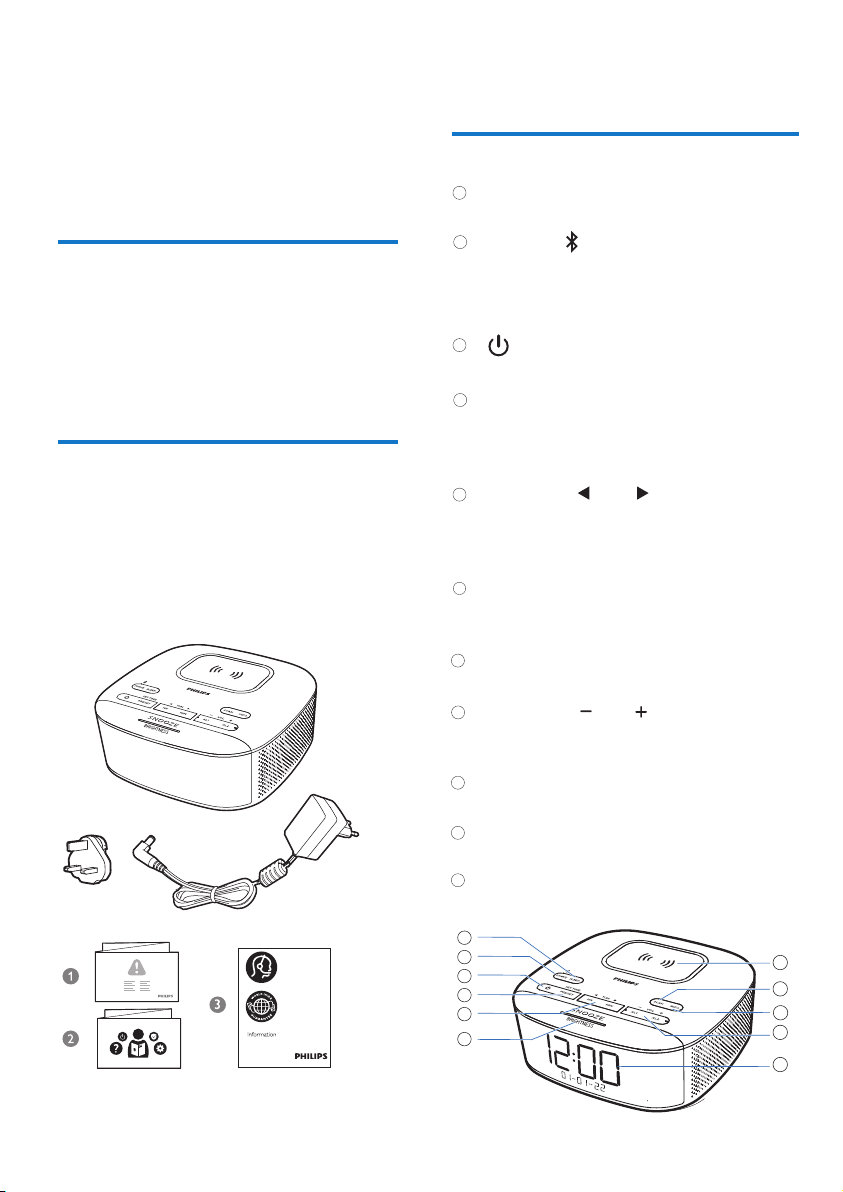
This product is designed and
manufactured with high-quality
materials and components,
which can be recycled and reused.
This symbol means the product must
not be discarded as household waste
and should be delivered to an
appropriate collection facility for
recycling. Follow local rules and never
dispose of the product and rechargeable
batteries with normal household waste.
Correct disposal of old products and
rechargeable batteries helps prevent
negative consequences for the
environment and human health.
This symbol means that the product
contains batteries covered by European
Directive 2013/56/EU which cannot
be disposed of with normal household
waste. Inform yourself about the the
local separate collection system for
electrical and electronic collection
system for electrical and electronic
products and batteries. Follow local
rules and never dispose of the product
and batteries with normal household
waste. Correct disposal of old products
and batteries helps prevent negative
consequences for the environment and
human health.
Where the plug of the Direct Plug-in Adapter
is used as the disconnect device, the
disconnect device shall remain readily
operable.
The Bluetooth® word mark and logos are
registered trademarks owned by Bluetooth
SIG,Inc. and any use of such marks by
MMD Hong Kong Holding Limited is under
license. Other trademarks and trade names
are those of their respective owners.
3
EN
2
Your clock radio
Congratulations on your purchase, and welcome
to Philips! To fully benet from the support that
Philips oers, register your product at
www.philips.com/support.
Introduction
With this clock radio, you can
•
•
listen to FM radio;
What's in the box
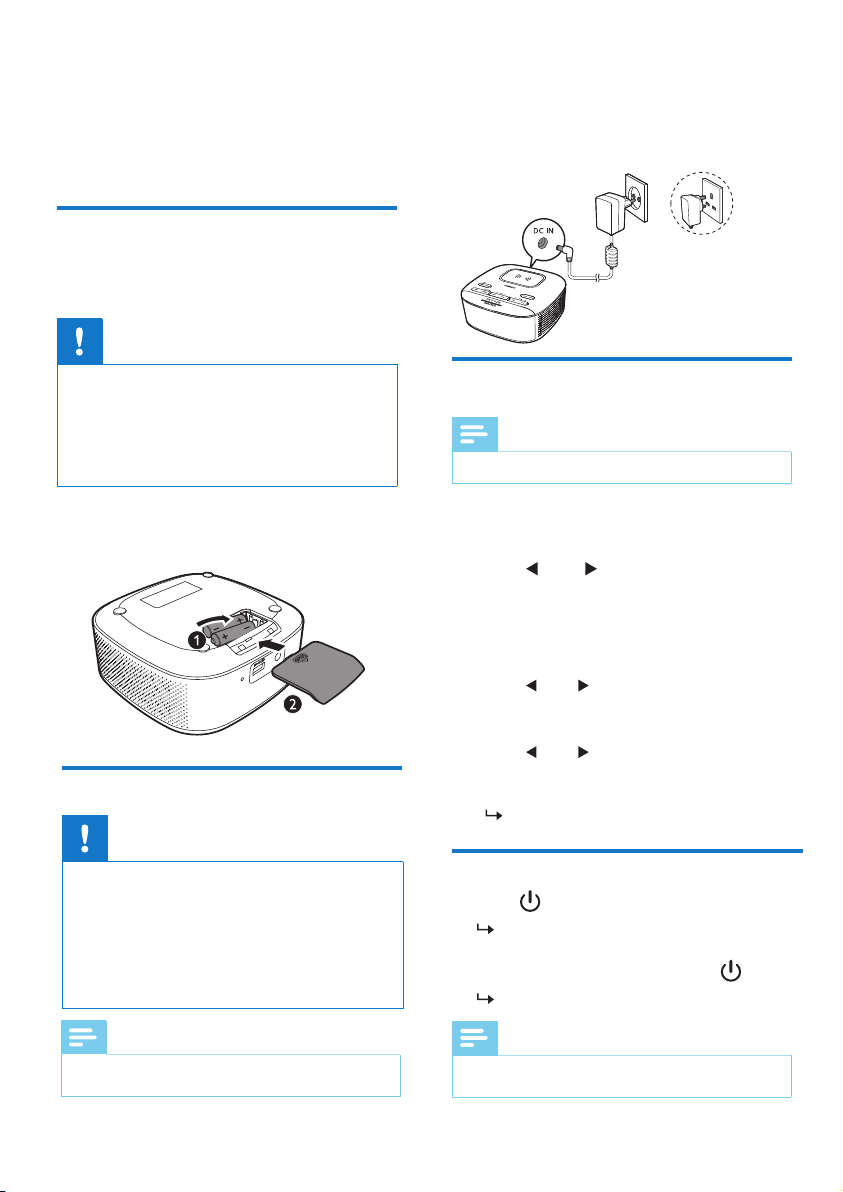
Check and identify the contents of your package:
• Main unit
• Power adaptor
• Quick start guide
• Safey sheet
Warranty
•
Overview of the clock radio
1
6
2
3
4
7
play audio from Bluetooth-enabled devices;
•
set two alarms to ring at dierent times;
•
charge your mobile device with the wireless
phone charger or USB.
• Set the sleep timer.
SOURCE
SLEEP
• Press to select FM, or Bluetooth mode.
• In Bluetooth mode, press and hold for
more than 2 seconds to enter pairing
mode.
•
Turn on or switch to standby.
PRESET / SET TIME
• Store radio stations in memory.
• Select a preset FM station.
• Set time.
SNOOZE / BRIGHTNESS
•
Adjust display brightness.
•
Snooze alarm.
5
Display panel
• Display current status.
9
INFO
• Display RDS station information.
10
SCAN
• Scan/store radio stations automatcially.
11
Wireless charging pad
8
HR / MIN / TUN
•
Tune to FM radio stations.•
Skip to the previous/next track.•
Set hour and minute.
AL1 / AL2 / VOL
•
Set alarm.
• Adjust volume.
3
4
2
1
5
6
8
9
10
11
7
4 EN
Caution
•
Risk of product damage! Make sure that the power
voltage corresponds to the voltage printed on the
back or underside of the clock radio.
• Risk of electrical shock! When you unplug the power
cord, always pull the plug from the socket. Never pull
the cord.
• Use only the AC power adapter specied in the
manufacturer or sold with this unit.
Note
•
3
Get started
Always follow the instructions in this chapter in
The batteries can only back up clock and alarm
settings.
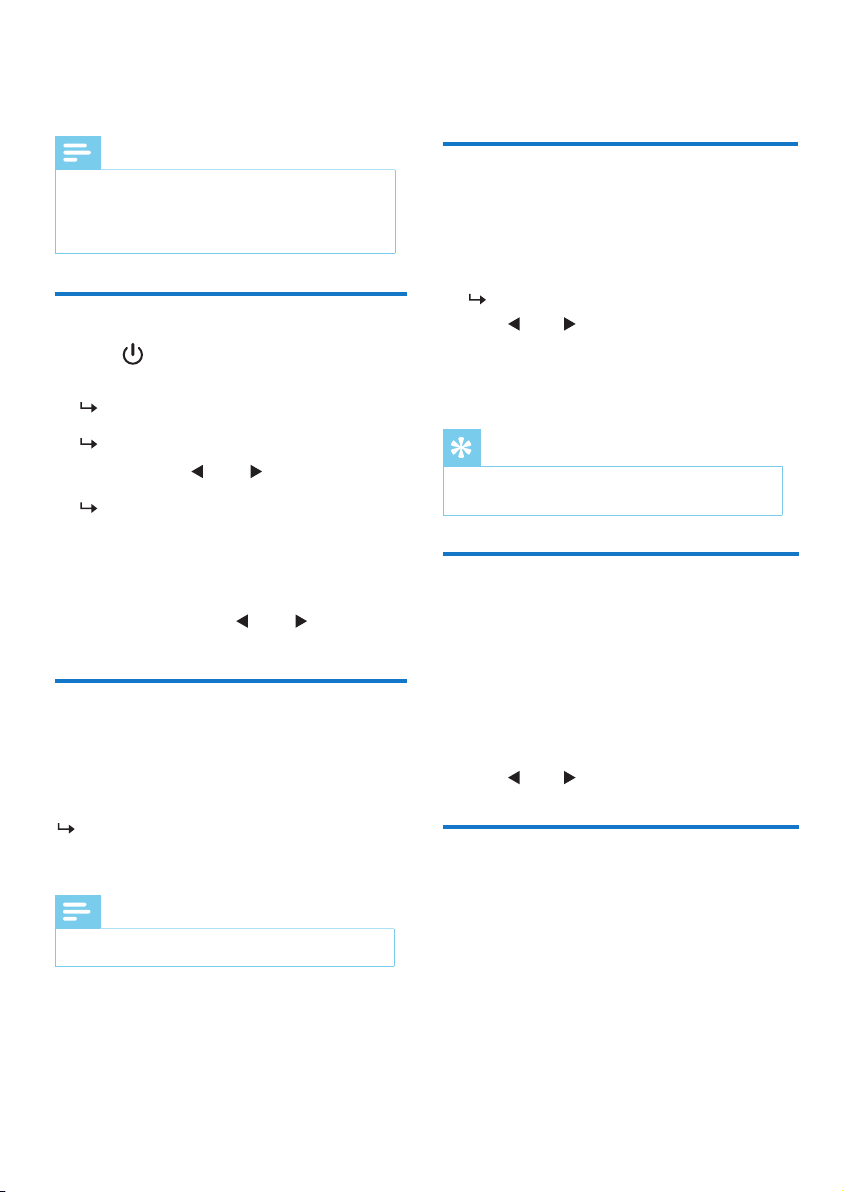
Connect the power adaptor to the wall outlet.
sequence.
Install batteries
Connect power
Caution
• Risk of explosion! Keep the batteries away from heat,
sunshine or re. Never discard batteries in re.
• Batteries contain chemical substances, so they should
be disposed of properly.
• Do not mix battery types: e.g. alkaline with carbon
zinc. Only use batteries of the same type for the set.
The type plate is located at the bottom of the clock
radio.
Note
•
This product will switch to standby mode after 15
minutes of inactivity.
Insert 2 AAA batteries (not provided) with
correct polarity (+/-) as illustrated.
Set time
Turn on
Note
• You can only set time in standby mode.
1
In standby mode, press and hold
3
Press HR to set hour and MIN to set
minute, then press SET TIME to conrm.
4
Press to set date, month and
year [DD-MM-YY], then press SET TIME
to conrm.
SET TIME
for more than 2 seconds.
2
Press to select <24 HR> or
<12 HR> hour format, then press SET
TIME to conrm.
[SAVED] is displayed and the time is set.
TUN
1
Press to turn on the clock radio.
The unit switches to the last selected
source.
2
To switch to standby mode, press again.
The real-time clock is displayed.
TUN
5
Press to select <UPDATE
FROM RADIO> or <NO UPDATE>, then
press SET TIME to conrm.
TUN
• Station frequency
• Station name
• Program name
5
EN
4
Listen to FM radio
Note
• Keep the clock radio away from other electronic
devices to avoid radio interference.
• For better reception, fully extend and adjust the
position of the FM antenna.
Tune to FM radio stations
1 Press to turn on the clock radio.
2
Press SOURCE repeatedly to select FM radio.
[FM] will be displayed for 2 seconds and
an FM icon will be turned on.
The unit will tune to the last tuned station.
3 Press and hold for more than 2
seconds.
The clock radio tunes to a station with
strong reception automatically.
4 Repeat Step 3 to tune to more radio stations.
To tune to a station manually:
TUN
TUN
Tip
• To remove a pre-stored station, store another station
in its place.
Select a preset radio
station
In FM tuner mode, press
select a preset number.
PRESET
repeatedly to
Show RDS information
RDS (Radio Data System) is a service that
allows FM radio stations to show additional
information.
While listening, press
INFO repeatedly
to scroll through the following information (if
available):
Store FM radio stations
automatically
Store FM radio stations
manually
In FM tuner mode, press and hold
more than 2 seconds.
In FM tuner mode, press repeatedly to
select a frequency.
SCAN for
The unit stores all the available FM radio
stations automatically and broadcasts the
rst station.
Note
• You can store a maximum of 20 FM radio stations.
1 In FM tuner mode,tune to an FM radio station.
2 Press and hold
seconds to activate programming mode.
PRESET for more than 2
The preset number begins to blink.
3 Press
TUN
TUN
repeatedly to select a number.
4 Press again to conrm.PRESET
5 Repeat steps 1 to 4 to store more FM radio
stations.
Option A:
1 In FM tuner mode, press PRESET.
2 Press to select a preset radio station.
Option B:
Play from Bluetooth
enabled devices
6 EN
5
Bluetooth
Note
• The eective operation range between this unit and
your Bluetooth enabled device is approximately 10
meters (33 feet).
• Any obstacle between this unit and your Bluetooth
enabled device can reduce the operational range.
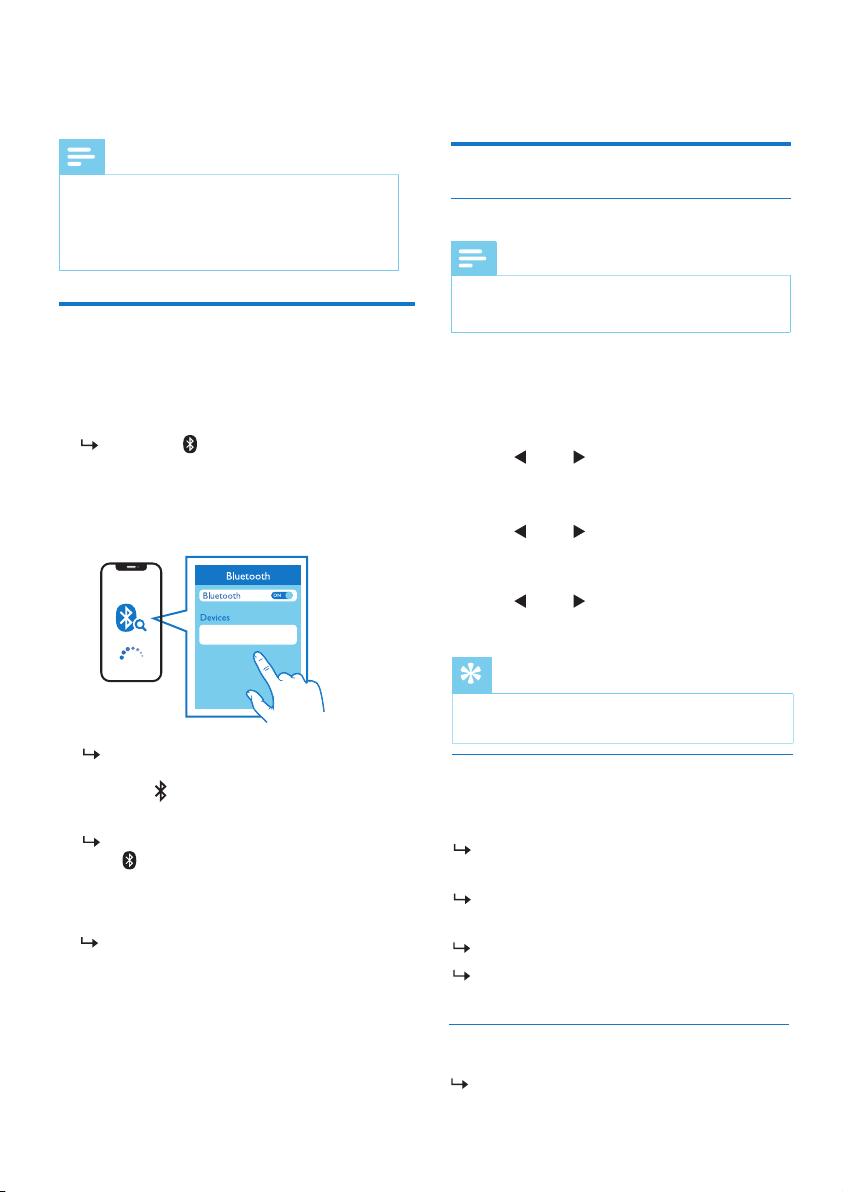
1
Press SOURCE repeatedly to select
Bluetooth mode.
2
When [Philips R7606] is displayed on
your device, select it to start pairing and
connection. If necessary, enter default
password “0000”.
If you fail to search for “
Philips R7606”
or cannot pair with this unit, press and
hold for more than 2 seconds to enter
pairing mode.
When successfully connected,
[BT] and
will turn steady and you will hear a
pairing sound.
[BT] and will ash.
Philips R7606
3
Play audio on the connected device.
To disconnect the Bluetooth enabled device,
turn o Bluetooth on your device.
Audio streams from your Bluetooth
enabled device to this unit.
TUN
6
Other features
Set alarm time
Set alarm
Note
• You can only set the alarm in standby mode.
•
Make sure that you have set the clock correctly.
1
In standby mode, press and hold
for more than 2 seconds to set alarm time.
AL1 or AL2
2
Press HR to set hour and MIN to set
to conrm.minute, then press AL1
or AL2
Tip
• The unit exits alarm setting mode when being idle for
15 seconds.
Activate/deactivate alarm timer
Press AL1 or AL2 repeatedly to activate or
deactivate the alarm timer.
If the alarm timer is activated, the alarm
indicator turns on.
If the alarm timer is deactivated, the alarm
indicator turns o.
The alarm repeats ringing for the next day.
To stop the alarm, press the corresponding
AL1 or AL2.
Snooze the alarm
When the alarm sounds, press SNOOZE.
The alarm snoozes and repeats ringing 9
minutes later.
3 Press to select alarm type (daily,
once, weekdays, or weekends ), then press
AL1 or AL2 to conrm.
TUN
4 Press to set an alarm source (BT,
FM, or buzzer), then press AL1 or AL2
to conrm.
TUN
5 Press to set the volume level,
then press AL1 or AL2 to conrm.
7
EN
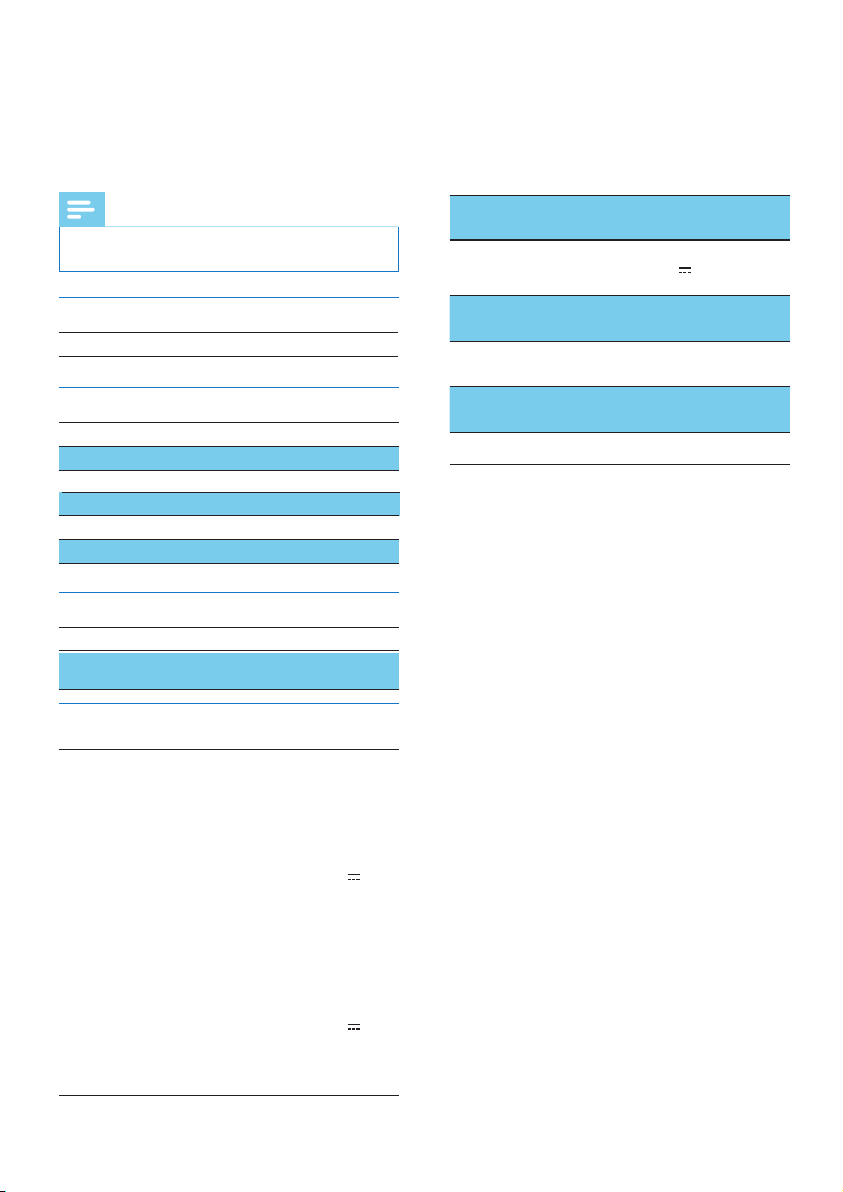
will be displayed.
If any foreign object is detected, will be
ashing.
Set sleep timer
This clock radio can switch to standby mode
automatically after a preset period.
• Press
(in minutes).
SLEEP repeatedly to select a period
The clock radio switches to standby mode
automatically after the preset period.
To deactivate the sleep timer:
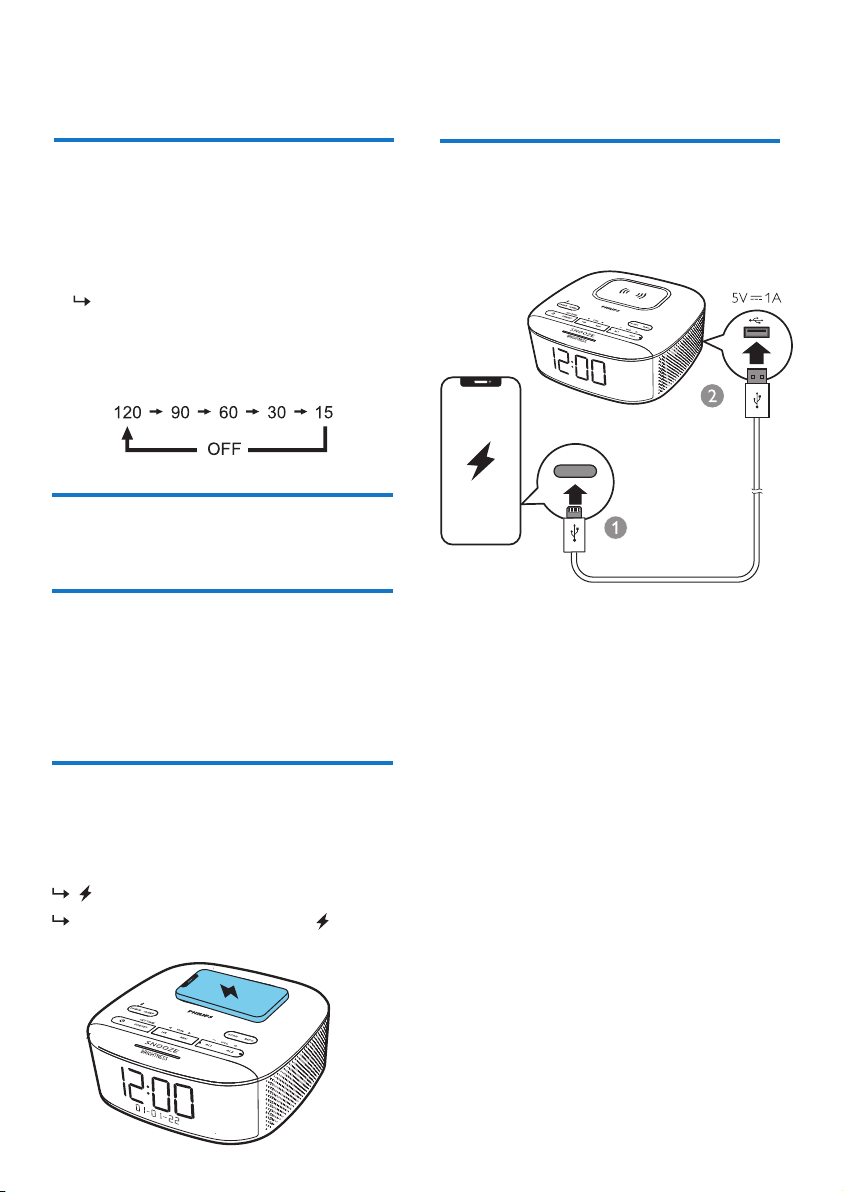
Charge an external USB device through the
USB port on the back of this unit.
• Press SLEEP repeatedly until [
OFF
] (o)
appears.
Adjust volume
Charge through USB port
While listening, press -VOL+ to adjust volume.
Adjust display brightness
Press
BRIGHTNESS
repeatedly to select
dierent brightness levels:
Wirelessly charge your
smartphone
Put your smartphone on the wireless charging
pad, the wireless charging will be activated.
•
High
•
Medium
•
Low
8 EN
7
Product
information
Note
• Product information is subject to change without prior
notice.
Rated output power 2W x 2 RMS
Tuner (FM)
Amplier
Tuning range 87.50-108.00Mhz
Tuning grid 50 KHz
Bluetooth
Bluetooth version V5.0
Wireless charging
Support Samsung
fast charge 9W
Sensitivity
- Mono, 26 dB S/N ratio
<22 dBf
Total harmonic distortion <3%
Signal to noise ratio >50 dBA
General information
AC Power (power
adaptor)
Adaptor 1
Brand: Philips
Model: SEW090
2800P
Input: 100-240V~
50/60 Hz; 1.2A
Output: 9V
2.8A
Operation power
consumption
<17.1 W
Standby power
consumption
<1 W
Dimensions
(W x H x D)
153 x 68 x 153 mm
Weight (main unit)
621 g
25.2W
Adaptor 2
Brand: Philips
Model: AS340-090
-AD280
Input: 100-240V~
50/60 Hz; 1.2A
Output: 9V
2.8A
25.2W
*interchangable 3 pins BS 1363-1 and 2 pin
en 50075
USB charging
output
5V 1.0A
Bluetooth frequency
2.402GHz-2.480
GHz

9
EN
8
Troubleshooting
Warning
•
Never remove the casing of the product.
To keep the warranty valid, never try to repair
the device yourself. If you encounter problems
when using this device, check the following
points before requesting service. If the problem
remains unsolved, go to the Philips webpage
www.philips.com/support. When you contact
Philips, make sure that the device is nearby
and the model number and serial number are
available.
No power
• Make sure that the AC power plug of the unit
is connected properly.
• Make sure that there is power at the AC outlet.
No sound
• Adjust the volume.
No response from the unit
• Disconnect and reconnect the AC power plug,
then turn on the unit again.
Poor radio reception
• Keep the clock radio away from other
electronic devices to avoid radio interference.
• Fully extend and adjust the position of the
antenna.
Alarm does not work
• Set the clock/alarm correctly.
Clock/alarm setting erased
• Power has been interrupted or the power
plug has been disconnected.
• Reset the clock/alarm.
• Replace the backup batteries.
Poor audio quality through
Bluetooth connection
• The Bluetooth reception is poor. Move
the Bluetooth enabled device closer to
this unit or remove any obstacle between
them.
• The Bluetooth function is not enabled on
your device. Refer to the user manual of
your device to nd out how to enable
Bluetooth.
• This unit is connected with another
Bluetooth enabled device. Disconnect and
try again.

TAR7606_10_UM_V1.0
Philips and the Philips Shield Emblem are registered trademarks of Koninklijke Philips N.V. and are
used under license. This product has been manufactured by and is sold under the responsibility of
MMD Hong Kong Holding Limited or one of its aliates, and MMD Hong Kong Holding Limited is
the warrantor in relation to this product.
2021 © MMD Hong Kong Holding Limited. All rights reserved. Specications are subject to change
without notice.