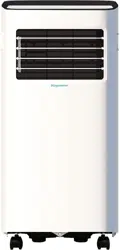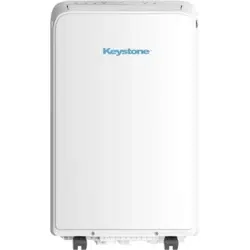
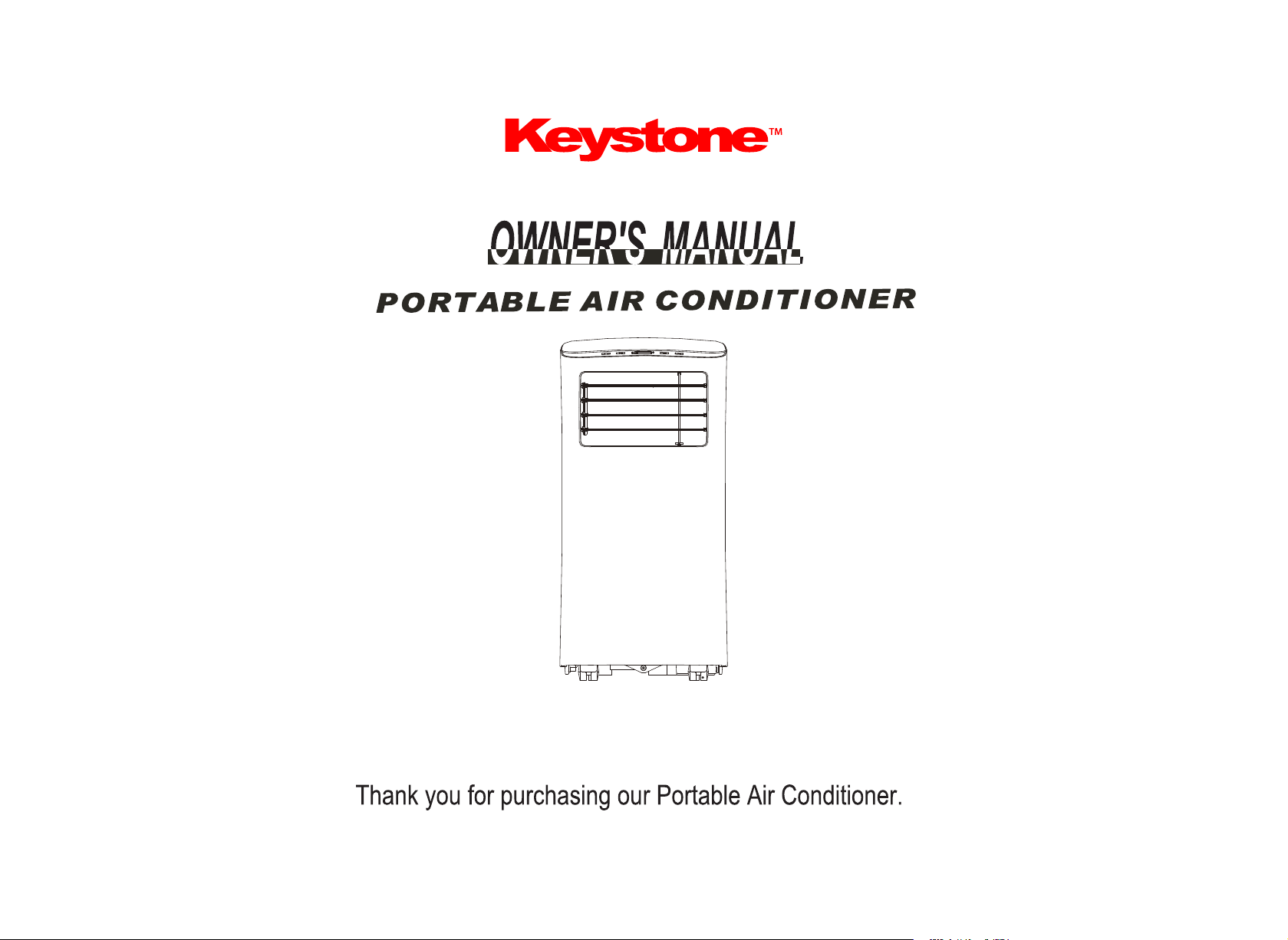
Read this owner’s manual thoroughly before operating the appliance and keep it handy for reference at all times.
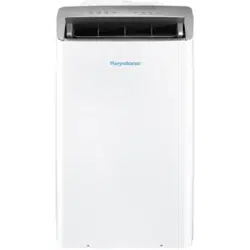
KSTAP05PHA
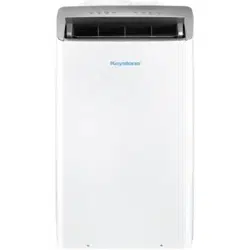
KSTAP07PHA
Producto
Troubleshooting Tips
Read This Manual
Inside you’ll find many helpful hints on how to use and maintain your air conditioner
properly. Just a little preventive care on your part can save you a great deal of time
and money over the life of your air conditioner. You’ll find many answers to common
problems in the troubleshooting tips - you should be able to fix most of them quickly
before calling service. These instructions may not cover every possible condition of
use, so common sense and attention to safety is required when installing, operating,
and maintaining this product.
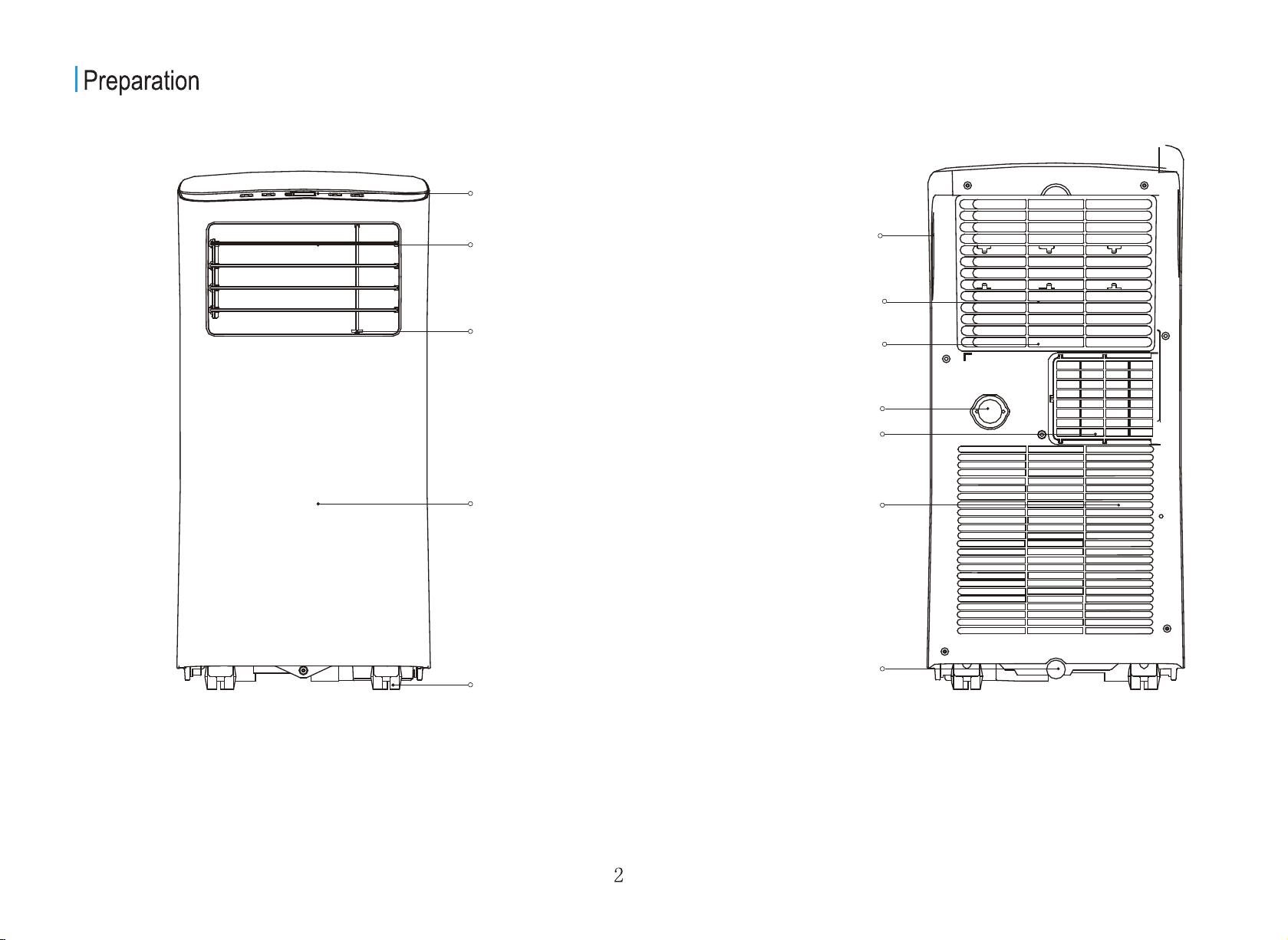
FRONT REAR
Control panel
Handle
(both sides)
Horizontal louver
control lever(adjust
manually)
Vertical louver
control lever
(adjust manually)
Panel
Caster
Bottom tray
drain outlet
Air filter
Upper air intake
air outlet
Lower air intake
Drain outlet
Design Notice: In order to ensure the optimal performance of our products, the design specifications of the unit and remote
control are subject to change without prior notice.
Please read through these instructions before you start the
installation process. Improper installation can cause
damage to the unit, your personal property, and also poses
a personal safety hazard.
- DO NOT share a single outlet with other electrical appliances.
Improper power supply can cause fire or electrical shock.
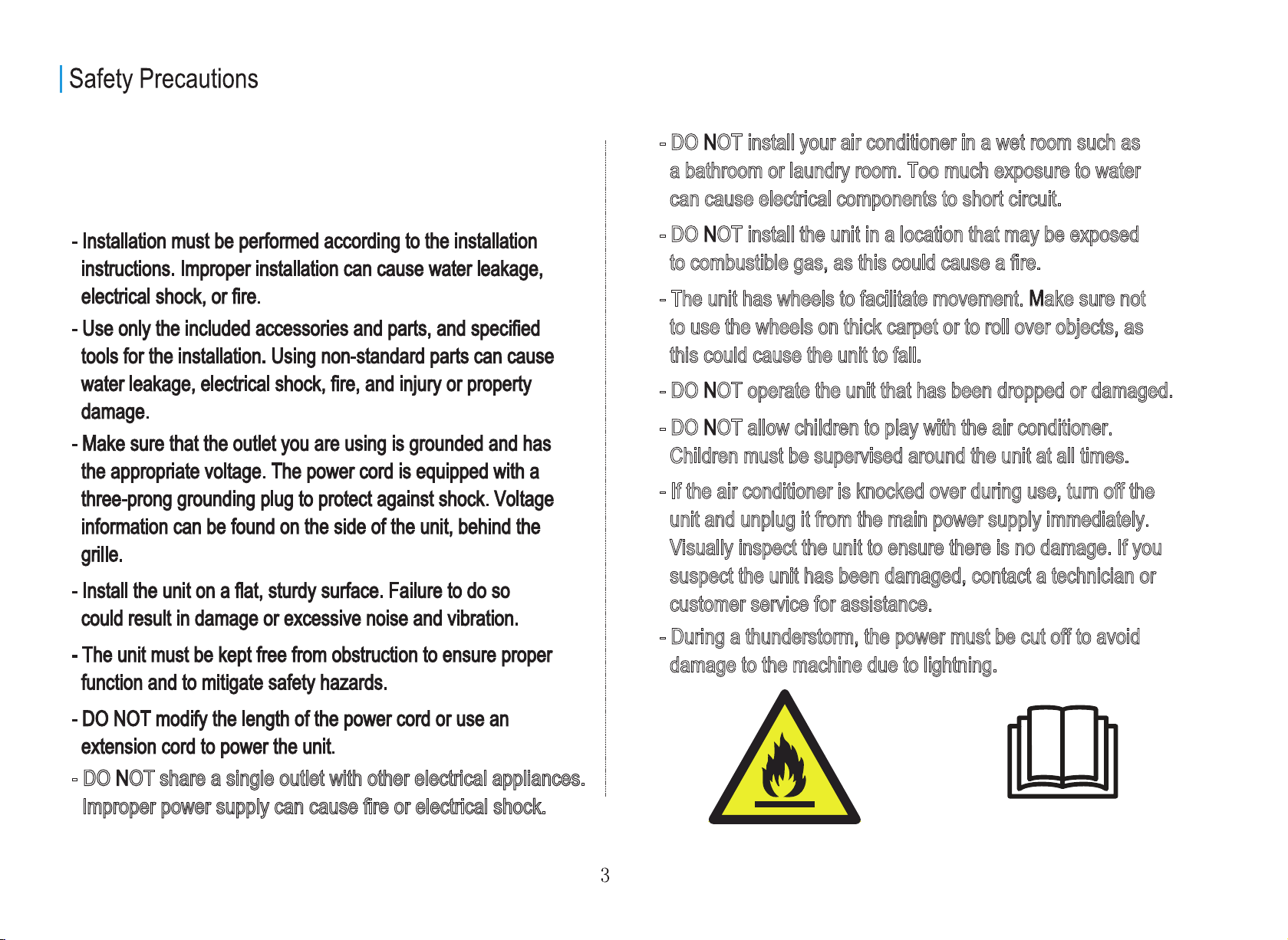
Caution: Risk of fire/flammable materials
(Required for R32/R290 units only)
Caution: This symbol shows
that the operation manual should
be read carefully.
- DO NOT install your air conditioner in a wet room such as
a bathroom or laundry room. Too much exposure to water
can cause electrical components to short circuit.
- DO NOT install the unit in a location that may be exposed
to combustible gas, as this could cause a fire.
- The unit has wheels to facilitate movement. Make sure not
to use the wheels on thick carpet or to roll over objects, as
this could cause the unit to fall.
- DO NOT operate the unit that has been dropped or damaged.
- DO NOT allow children to play with the air conditioner.
Children must be supervised around the unit at all times.
- During a thunderstorm, the power must be cut off to avoid
damage to the machine due to lightning.
- If the air conditioner is knocked over during use, turn off the
unit and unplug it from the main power supply immediately.
Visually inspect the unit to ensure there is no damage. If you
suspect the unit has been damaged, contact a technician or
customer service for assistance.
- This appliance is not intended for use by persons (including children) with reduced physical, sensory or
men
tal capabilities or lack of experience and knowledge, unless they have been given supervision or
ins
truction concerning the use of the appliance by a person responsible for their safety.
- Children should be supervised to ensure that they do not play with the appliance.
- If the power cord is damaged, it must be replaced by the manufacturer, its service agent, or similarly
quali
fied persons in order to avoid a hazard.
- Prior to cleaning or other maintenance, the appliance must be disconnected.
- Do not run cord under carpeting. Do not cover cord with throw rugs, runners, or similar coverings. Do
no
t route cord under furniture or appliances. Arrange the cord away from the traffic area and where it
will
not be tripped over.
- Never attempt to operate this appliance if it is damaged, malfunctioning, partially disassembled, or has
mis
sing or broken parts, including a damaged cord or plug.
- To reduce the risk of fire or electric shock, do not use this unit with any solid-state speed control device.
- The appliance shall be installed in accordance with national wiring regulations.
- Contact the authorized service technician for repair or maintenance of this unit.
- Contact the authorized installer for the installation of this unit.
- When there are significant differences between features or operation implied by the remote control
illus
tration and the actual functions described in the USER MANUAL, the descriptions in the USER
M
ANUAL shall prevail.
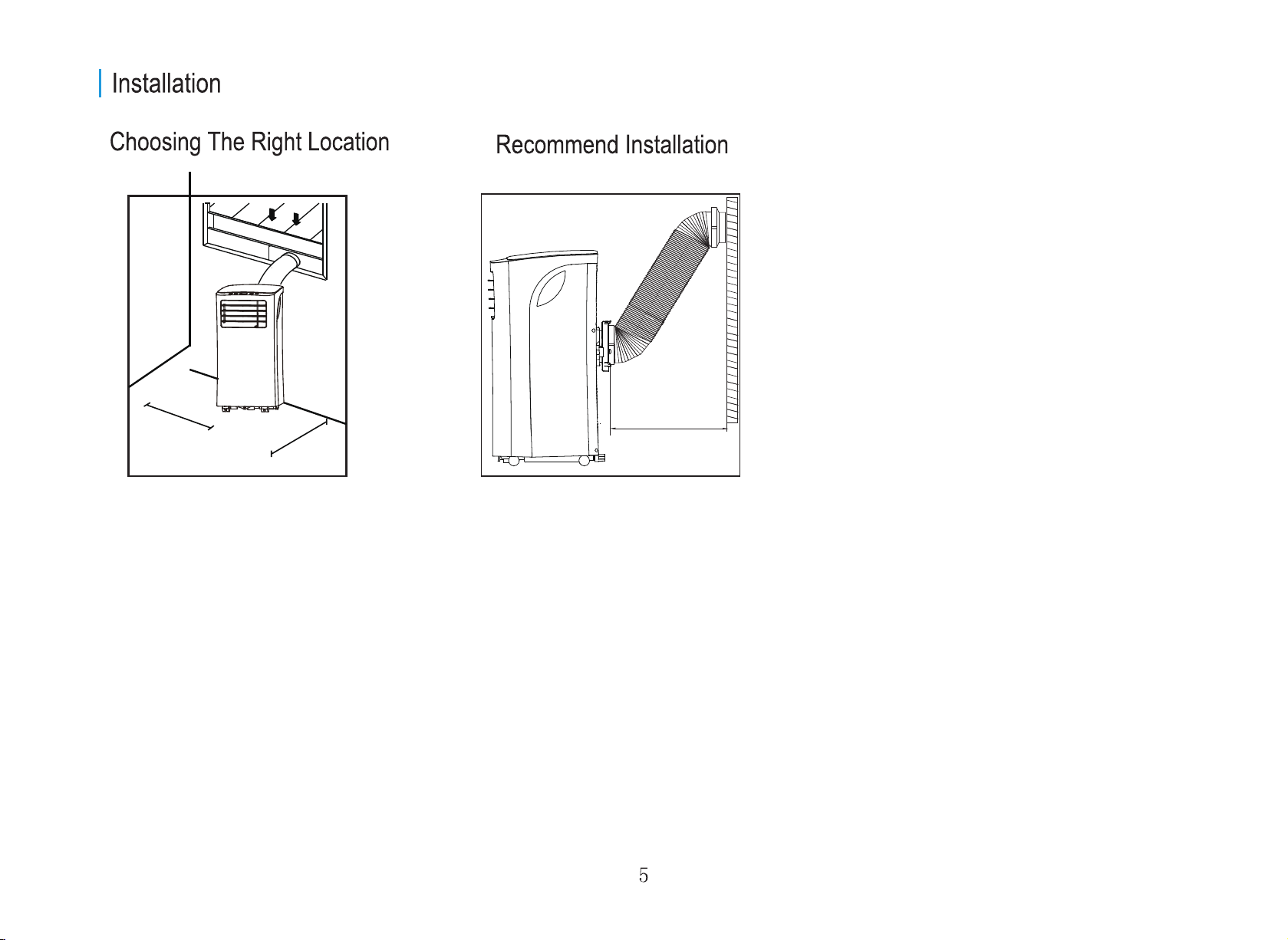
Your installation location should meet the following requirements:
- Make sure that you install your unit on an even surface to minimize noise and vibration.
- The unit must be installed near a grounded outlet, and the Collection Tray Drain (found on the back of the unit) must be accessible.
- The unit should be located at least 19.7 inches from the nearest wall to ensure proper air conditioning.
- DO NOT cover the Intakes, Outlets, or Remote Signal Receptor of the unit, as this could cause damage to the unit.
Note About Fluorinated Gasses
- This air-conditioning unit is a hermetically sealed unit that contains fluorinated gasses. For specific information on the type of gas and the amount,
please refer to the relevant label on the unit itself.
- Service, maintenance, or repair of this unit must be performed by a certified technician.
- Product uninstallation and recycling must be performed by a certified technician according to local regulations.
NOTE:
All the illustrations in the manual are for explanation purposes only. Your air conditioner may be slightly different. The actual shape
shall prevail.
19.7inch
19.7inch
19.7 inch
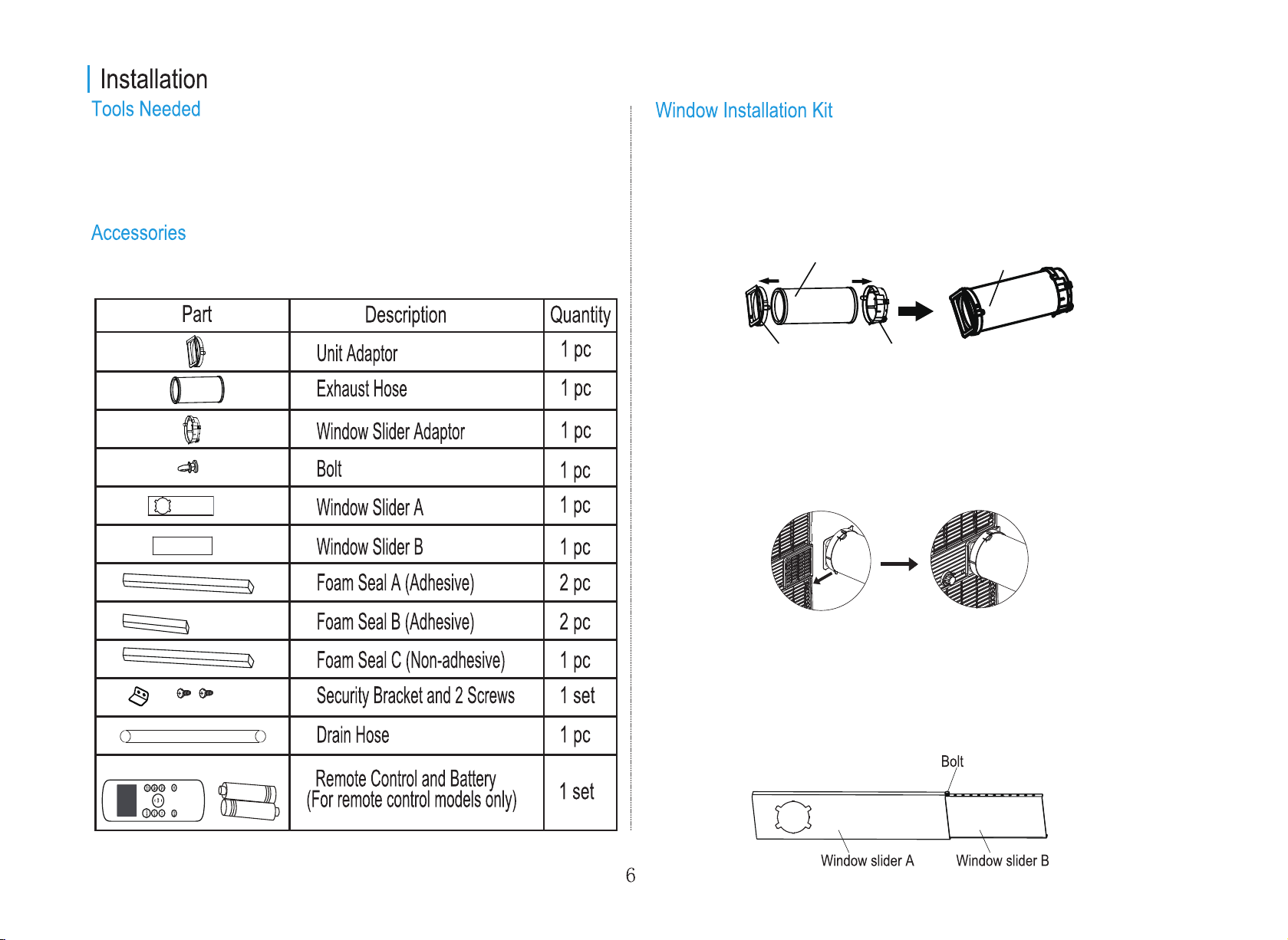
Step Two: Install the exhaust hose assembly to the unit
Step Three: Preparing the adjustable window slider
Align the unit adaptor of the exhaust hose assembly to the groove of the
air outlet opening on the back of the unit. Slide the exhaust hose
assembly along the direction indicated by the arrow for installation.
1. Depending on the size of your window, adjust the size of the window
slider.
2. If the length of the window requires two window sliders, use the bolt to
fasten the window sliders once they are adjusted to the proper length.
Press the exhaust hose into the window slider adaptor and the unit
adaptor. Each adaptor will snap into the exhaust hose automatically with
plastic clips.
Step One: Preparing the exhaust hose assembly.
- Medium Phillips screwdriver;
- Tape measure or ruler;
- Knife or scissors;
- Saw (optional, to shorten window adaptor for narrow windows)
Your Window Installation Kit fits windows 26.5 – 48
"
and can be shortened
for smaller windows.
Unit adaptor Window slider
adaptor
Exhaust hose Exhaust hose assembly
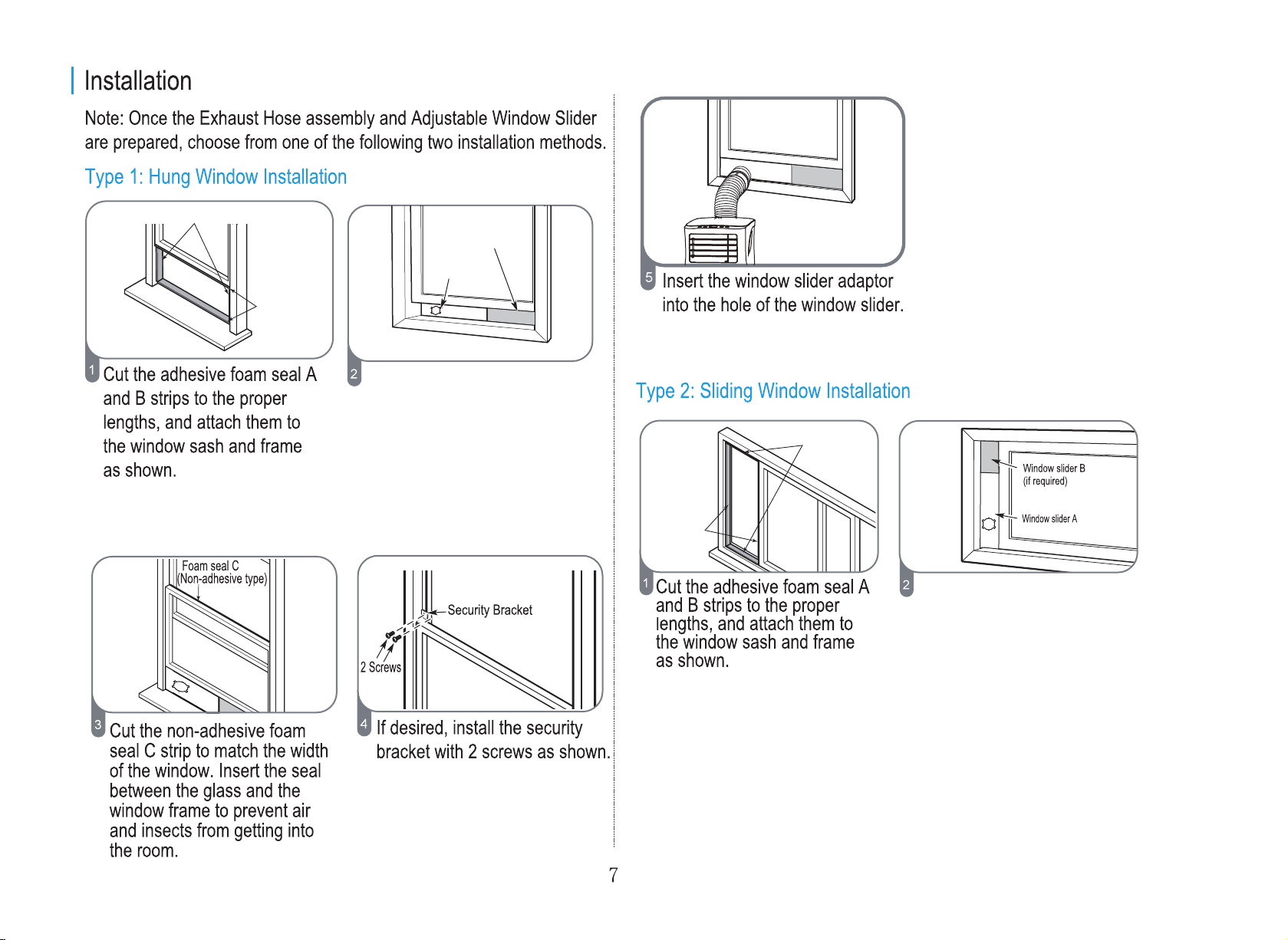
Foam seal B (Short adhesive
foam seal for right and left sides)
Insert the window slider assembly
on the bottom sash channel. Use
care when installing the window
slider assembly, which will now
fit very tightly in the opening.
Close the sash tightly against the
top of the window slider assembly.
Insert the window slider assembly on the
left or right sides of the sash channel. Use
care when installing the window slider
assembly, which will now fit very tightly in
the opening. Close the sash tightly against
the other side of the window slider assembly.
Foam seal A
(Long adhesive
foam seal for top
and bottom sides)
Foam seal A
(Long adhesive
foam seal for
right and left
sides)
Foam seal B (Short adhesive
foam seal for top and bottom sides)
Window slider A
Window slider B
(if required)
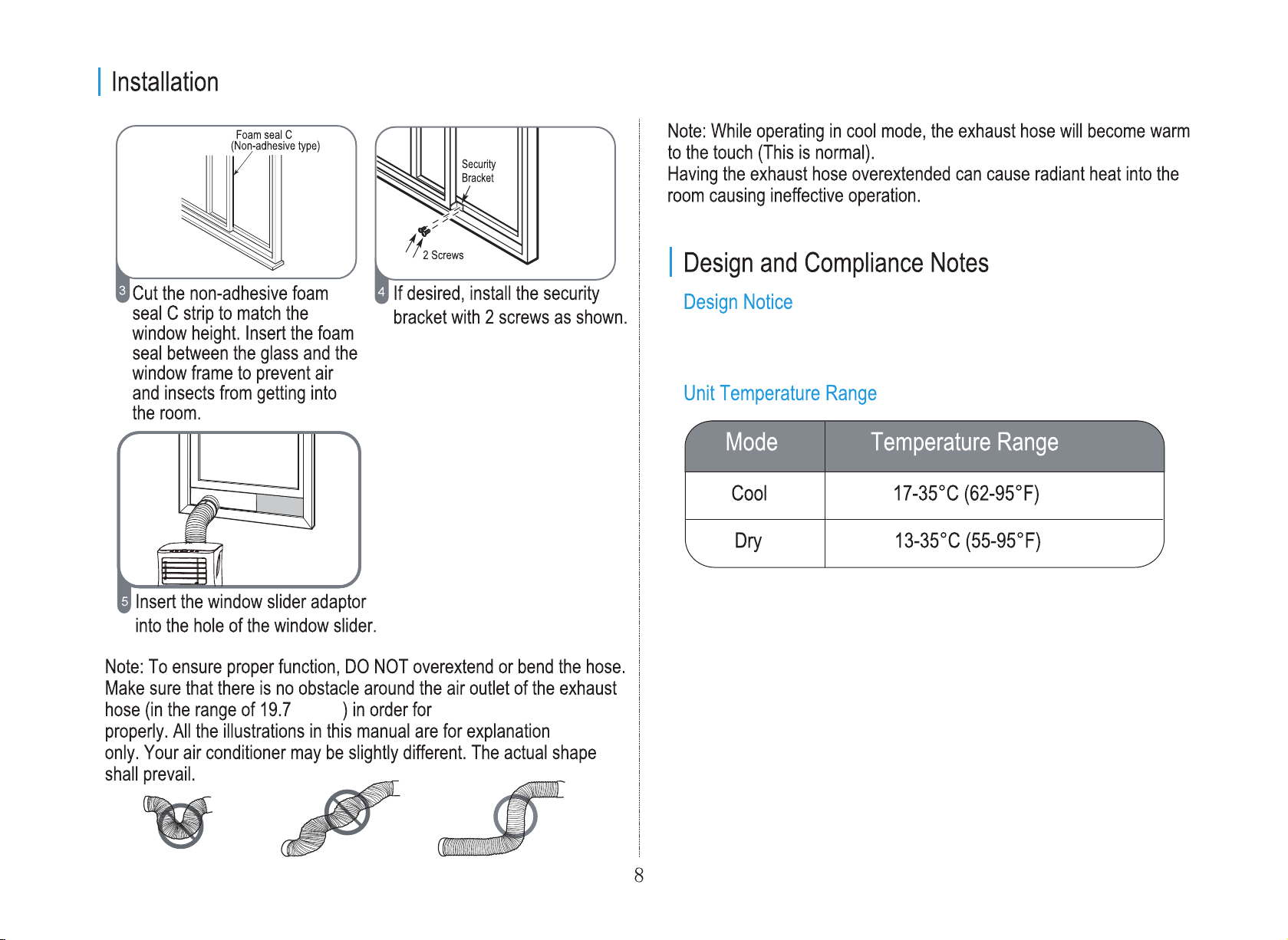
inches the exhaust system to work
purposes
In order to ensure the optimal performance of our products, the design
specifications of the unit and remote control are subject to change without
prior notice.
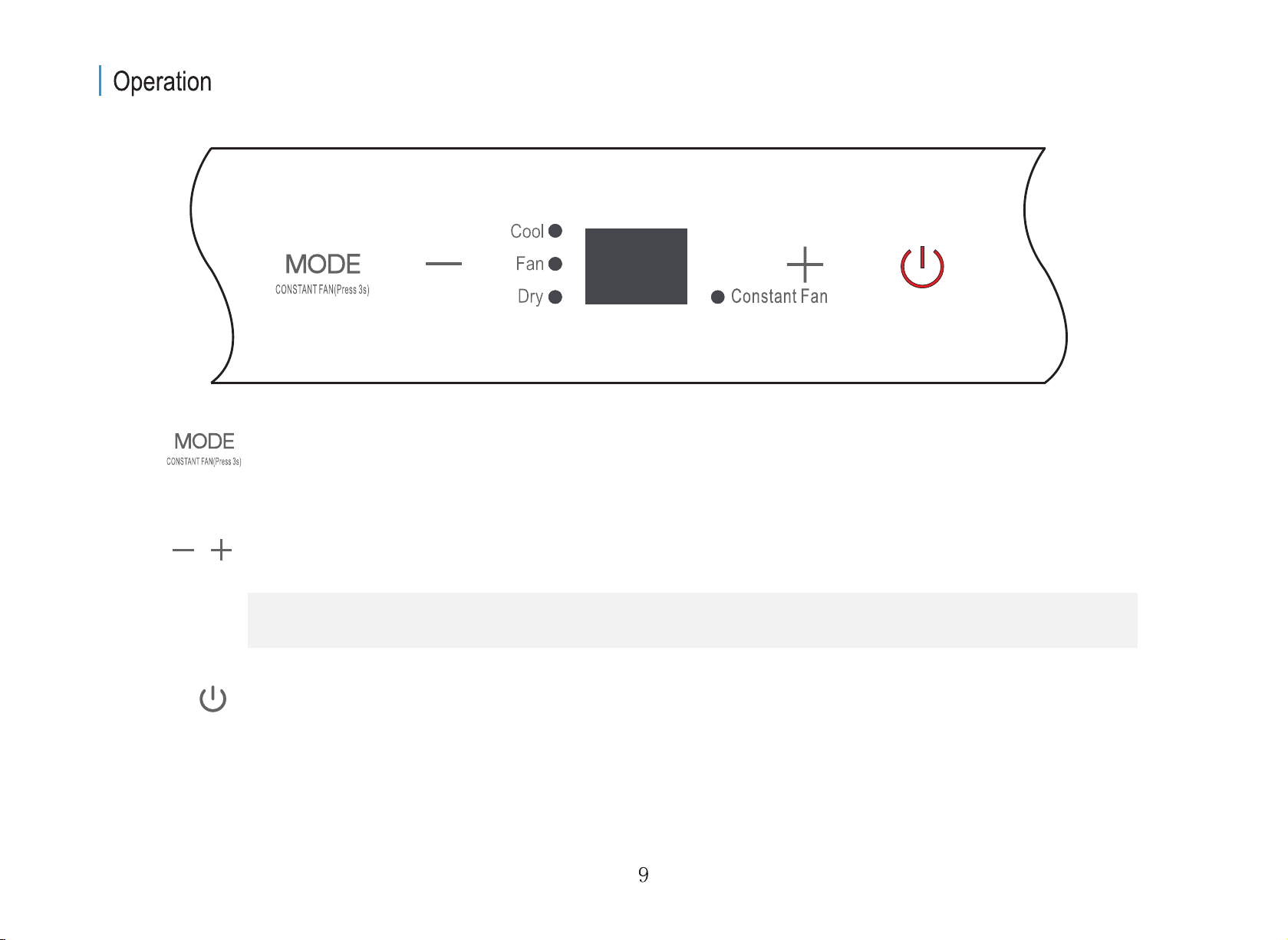
MODE button
Selects the desired operating mode. Each time you press the button, a mode is selected in a sequence that goes from
COOL, FAN, and DRY. The mode light illuminates and indicates the selected mode.
Used to adjust (increasing/decreasing) temperature settings in 1°C/1°F increments in a range of 17°C/62°F to 30°C/86°F.
Up (+) and Down (-) buttons
Power button
Power switch on/off.
NOTE: The control is capable of displaying temperature in degrees Fahrenheit or degrees Celsius. To convert from one to
the other, press and hold the Up and Down buttons at the same time for 3 seconds.
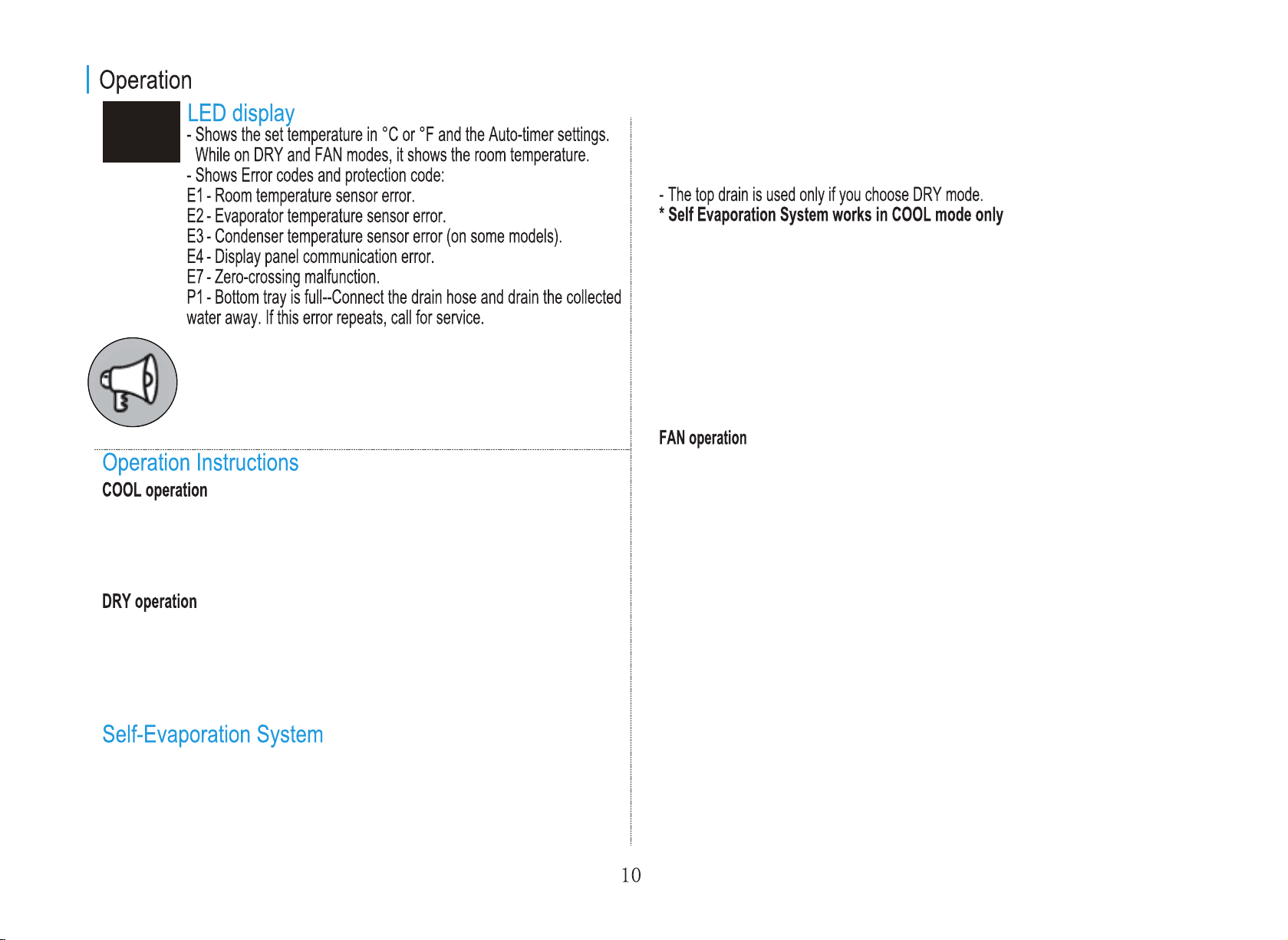
Note: When one of the above malfunctions occurs, turn off the unit
and check for any obstructions. Restart the Unit. If the malfunction
persists, turn off the unit and unplug the power cord. Contact the
manufacturer or its service agents or a similarly qualified person for
service.
and read P1 on the LED display (it will stay like this until the unit is drained). If
this happens, you should drain the water from the lower drain (located at the
bottom of the unit).
- Press the "MODE" button until the "COOL" indicator light comes on.
- Press the Up (+) and Down (-) buttons to select your desired room temperature.
The temperature can be set within a range of 17°C~30°C/62°F~86°F.
- Press the "FAN" button to choose the fan speed.
- Press the "MODE" button until the "DRY" indicator light comes on.
- Under this mode, you cannot select a fan speed or adjust the temperature. The fan
motor operates at LOW speed.
- Keep windows and doors closed for the best dehumidifying effect.
- Do not connect the exhaust hose to a window.
- In cool mode, this unit is made to self-evaporate. This means if you keep the rubber
stoppers closed on the back of the unit, the water will evaporate and you will not
have to drain.
- In cases of extreme humidity, you may have some water accumulation that the unit
is unable to evaporate. In this case, the unit will beep 8 times, switch to fan mode,
- This feature can be activated from the remote control ONLY.
- When you set the air conditioner in AUTO mode, it will automatically select cooling or
fan only operation depending on what temperature you have selected and the current
room temperature.
- The air conditioner will control room temperature automatically according to the
temperature point set by you.
- Under AUTO mode, you cannot select the fan speed.
- Press the "MODE" button until the "FAN" indicator light comes on.
- Press the "FAN" button to choose the fan speed. The temperature cannot be adjusted.
-
Do not connect the exhaust hose to a window.
- In COOL or DRY mode, press the "MODE" button for 3 seconds to turn on or off the
constant fan function. When the function is turned on, the constant fan light will illuminate,
identifying that the fan will continuously run for cooling.
AUTO operation
Constant Fan operation
- This feature can be activated from the remote control ONLY. Activating SLEEP
feature will increase the selected temperature by 1°C/1°F after 30 minutes. The
temperature will again increase (cooling) by another 1°C/1°F after an additional 30
minutes. This new temperature will be maintained for 7 hours before returning to the
originally selected temperature. This ends the Sleep/Eco mode and the unit will
continue to operate as originally programmed.
NOTE: This feature is unavailable in FAN or DRY mode.
shuts power outage
After the unit has stopped, it cannot be restarted until 3 minutes time has elapsed.
- During dehumidifying modes, remove the drain plug
from the back of the unit, install the drain connector
(5/8" universal female mender) with a 3/4" hose (locally
purchased). For the models without a drain connector,
just attach the drain hose to the hole. Place the open
end of the hose directly over the drain area in your
basement floor.
This is to protect the unit. Operation will automatically start after 3 minutes.
AIR FLOW DIRECTION ADJUSTMENT
- The louver can be set to the desired position manually.
- Do not place any heavy objects or other loads on the louver, doing so will cause
damage to the unit.
- Keep the louver fully opened during operation.
Remove the
drain plug
Continuous
drain hose
WATER DRAINAGE
Bottom
drain plug
- When the water level of the bottom tray reaches a
predetermined level, the unit beeps 8 times, the
digital display area shows "P1". At this time the air
conditioning/dehumidification process will
immediately stop. However, the fan motor will
continue to operate (this is normal). Carefully move
the unit to a drain location, remove the bottom drain
plug and let the water drain away. Reinstall the
bottom drain plug and restart the machine until the
"P1" symbol disappears. If the error repeats, call for
service.
NOTE: Make sure the hose is secure so there are
no leaks. Direct the hose toward the drain, making
sure that there are no kinks that will stop the water
flowing. Place the end of the hose into the drain and
make sure the end of the hose is down to let the
water flow smoothly. When the continuous drain
hose is not used, ensure that the drain plug and knob
are installed firmly to prevent leakage.
NOTE: Be sure to reinstall the bottom drain plug
firmly to prevent leakage before using the unit.
SLEEP/ECO operation
Be sure to store the unit in a cool, dark place. Exposure to
direct sunlight or extreme heat can shorten the lifespan of
the unit.
Air filter
(take out)
down the grille
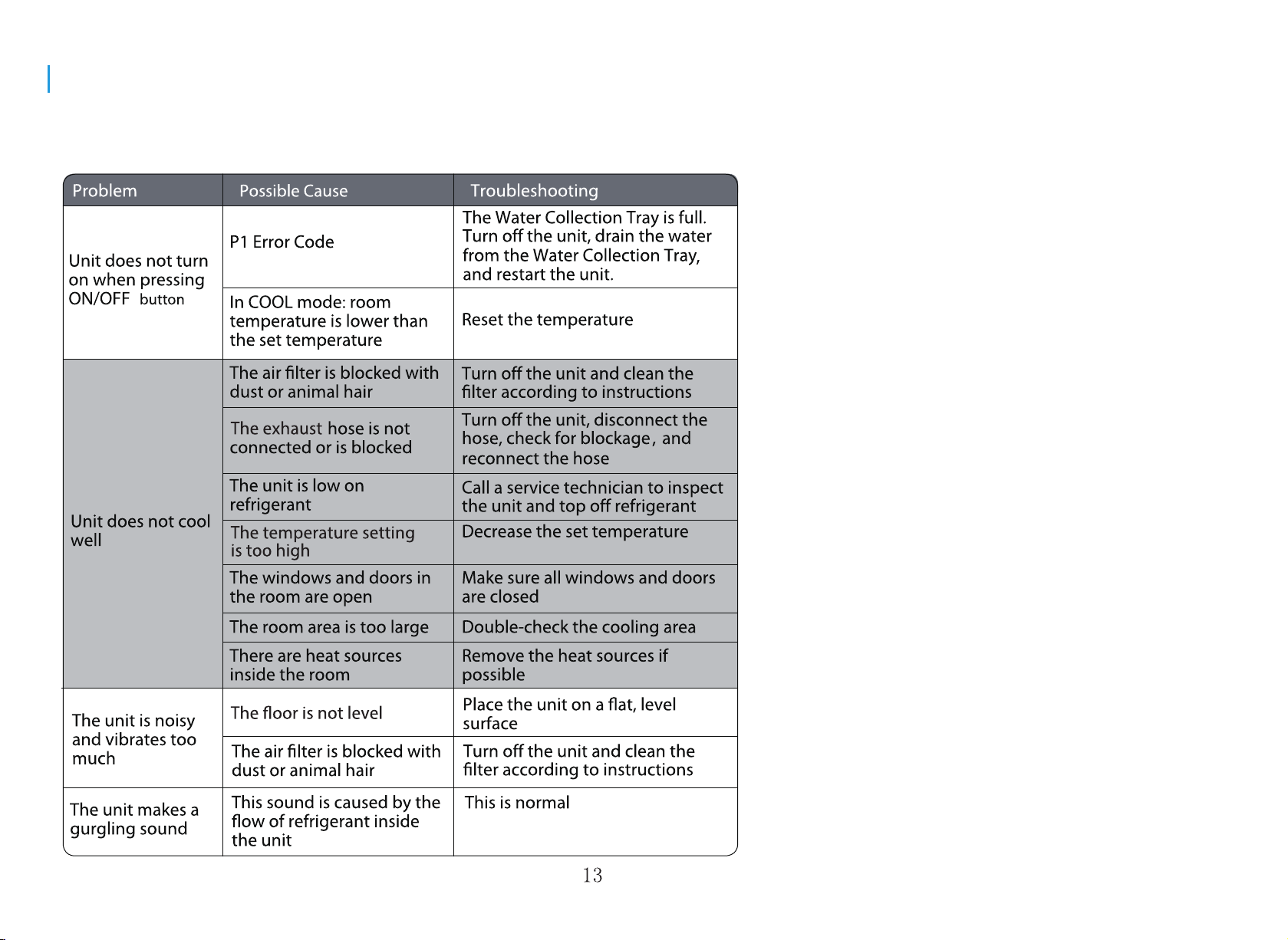
Troubleshooting Tips
Before calling for service, review this list. It may save you time and expense.
This list includes common problems that may not be the result of defective
workmanship or materials in this appliance.