USERMANUAL
WhiteLEDLightMeter
ModelLT40
AdditionalUserManualTranslationsavailableatwww.extech.com

LT40-en-GB_V3.0 10/17
2
Introduction
CongratulationsonyourpurchaseoftheExtechLT40LEDLightMeterthatmeasureslightintensity
fromwhiteLEDlightsources.TheLT40canalsomeasurelightfromfluorescent,metalhalide,high‐
pressure sodium, and incandescent sources, for reference only (unspecified accuracy). The LT40
can measure light up to 40,000 Fc (400,000
Lux). This instrument is shipped fully tested and
calibrated and, with proper use, will provide years of reliable service. Please visit our website
(www.extech.com) to check for the latest version of this User Guide, Product Updates, and
CustomerSupport.
Features
OverloadIndication:TheLCDwillshowOL.
LowbatteryIndication.
DisplayUpdateRate:2.5timespersecond.
CosineAnglecorrected.
MeasureswhiteLEDlight.
MeasurestheintensityofilluminationinLuxorfoot‐candles.
Dataholdfreezesdisplayedreading.
Maximum/Average/MinimumreadingHold.
ZeroCalibrationadjustment.
Autopoweroffwithdisablefunction.
Autorange.
Safety
Donotoperatethemeterinenvironmentswherethefollowingarepresent:explosivegases
(ormaterials),combustiblegases(ormaterials),steam,ordust.
PleasereplacethebatteryimmediatelywhenthelowbatterysymbolappearsontheLCD.
Donottouchthemeter’scircuitboardforanyreason;static
electricityorcontamination
coulddamagethesensitivecomponents.
ForIndooruseonly.Thisinstrumentwasdesignedforpollutiondegree2.
OperationAltitude:Upto2000m(7000’).
LT40-en-GB_V3.0 10/17
3
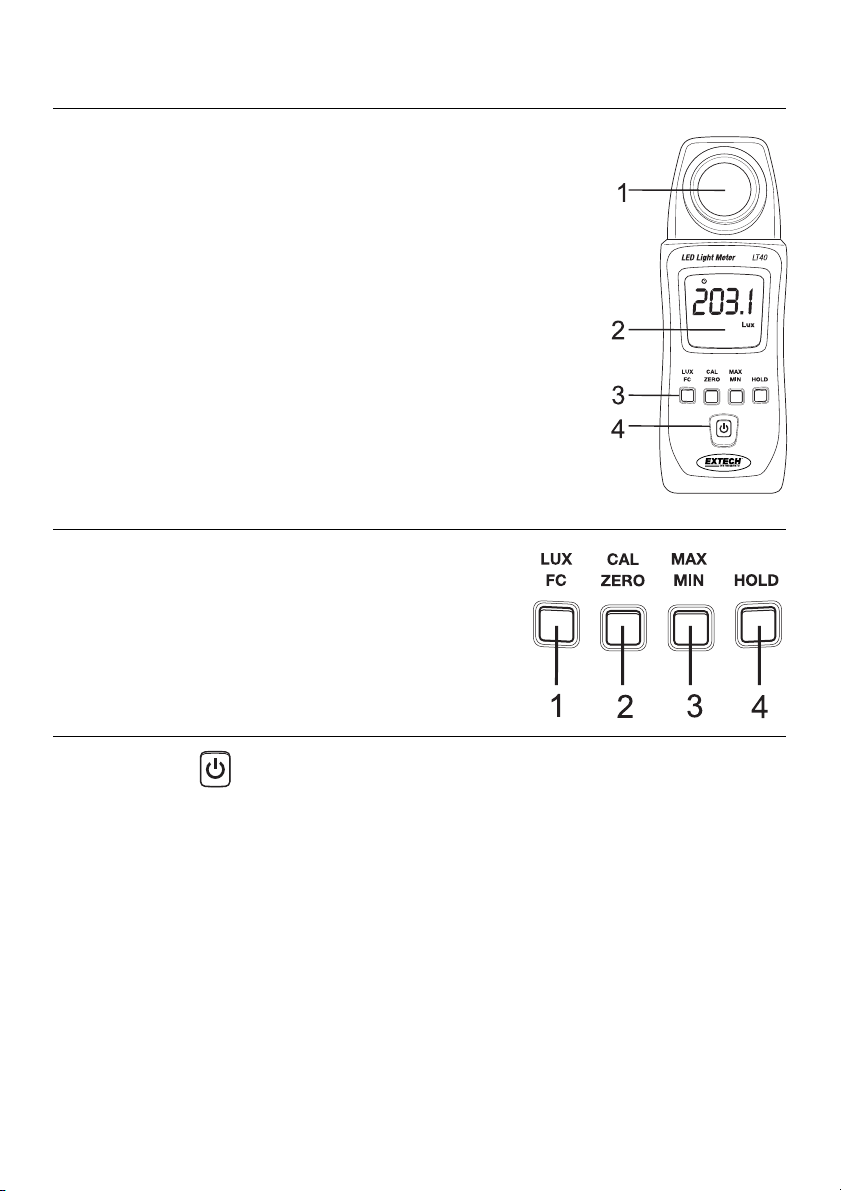
MeterDescription
1. Photodetector(removeprotectivecovertoexposesensor)
2. Display(LCD)
3. Controlpush‐buttons
4. PowerButton:ON/OFF
Batterycompartmentandtripodmountarelocatedon
rearofinstrument
Push‐ButtonDescription
1. Lux/Fcunitsselector
2. ZeroCalibrationbutton
3. Maximum/Average/Minimummemorybutton
4. Dataholdbutton
Operation
PowerON/OFF
LongpressthePowerbuttontopowerthemeter.TopowerthemeterOFF,shortpressthe
Powerbutton.
TakingMeasurements
1. SwitchthemeterONandremovethesensor’sprotectivecovertoexposethelightsensor
dome.ThedisplayshouldswitchON;ifnot,checkthatbatteriesareinstalledandfresh.
2. Themetermeasurestheintensityofthelight(illuminance)thatstrikesthesensordomein
foot‐candlesandLuxunits(1fc=10.76lux),displayingthismeasuredvalueonitsLCD.
3. Positionthemeterandlightsourcesothatthelightstrikesthesensordomestraighton
(perpendicular)withaslittleanangleaspossible.
4. Themeter’sdisplaycanshowavalueupto9999.However,
forreadingsthatrepresent
measurementshigherthanthis,themeterusesx10orx100feature.Forexample,to
representameasurementof11,000fcthemeterwilldisplay1100withthex10indicator.

LT40-en-GB_V3.0 10/17
4
AutoPowerOFF
Tosavebatterylife,themeterpowersdownautomaticallyafterapproximately12minutesof
inactivity.
Enable/DisableAutoPowerOff
WhilethemeterisON,longpressthePowerbuttontodisabletheAutoPowerOFFutility(the
Clocksymbol
willswitchOFF).ToenabletheAutoPowerOFFutility,repeatthisprocess.
LUX/FCButton
PresstheLUX/FCbuttontotogglebetweenLuxandFC(foot‐candles)measurementunits.
MAX/MINButton
Themetercanrecordthemaximum,minimum,andaveragereadingsasdescribedbelow:
1. Shortpressthe“MAX/MIN”buttonandthemeterwillbegintotrackthe
maximum/average/minimummeasurements;the“MAX”iconwilldisplayatthetopofthe
LCDwindowindicatingthatthemeterisnowshowingthemaximumreading.Thereading
willnotchangeuntilahigherreadingisregistered.
2. Pressthe“MAX/MIN”buttonagaintoswitchfrom“MAX”to“AVG”,wherethemeterwill
showtheaveragemeasurementvalue.The“AVG”iconwillbedisplayedabovethedisplayed
value.
3. Pressthe“MAX/MIN”buttonagaintochange
themodefrom“AVG”to“MIN”,wherethe
meterwillshowtheminimumvaluemeasured.The“MIN”iconwillbedisplayed.
4. Pressthe“MAX/MIN”buttonagaintoswitchfrom“MIN”backto“MAX”.
5. Toexitthismode,holdthe“MAX/MIN”buttonforatleast2seconds.TheMAX/AVG/MIN
icons
shouldallbeswitchedOFFwhentheunitreturnstothenormaloperatingmode.
HOLDButton
PresstheHOLDbuttontofreezethecurrentreadingontheLCD.PresstheHOLDbuttonagainto
releasethereading.IntheDataHoldmode,HOLDisdisplayedontheLCD.
ZeroCalibrationProcedure
1. Ensurethattheprotectivecapisattachedtothelightsensor.
2. PowerthemeterandtheLCDshoulddisplay‘0’.
3. Shortpressthe“CALZERO”buttontoperformthezeroadjustment(CALwillappearonthe
display).
4. TheCALdisplaywillswitchoffwhenthecalibration
hasbeencompleted.
5. IftheprotectivecapisnotcoveringthesensorwhentheZerocalibrationisstartedtheLCD
displaywillreadCAP.Inthiscase,pleasecoverthesensorwiththecapandrestartthis
procedure.
LT40-en-GB_V3.0 10/17
5
MeasurementConsiderationsandUserTips
For maximum accuracy allow the light being measured to fall directly on the sensor as
perpendicularaspossiblewithaminimalangleofincidence.
Whenthemeterisnotinuse,pleasekeeptheprotectivecapinplaceoverthelightsensor.This
willprolongthelifeofthesensor.
Whenthemeteristobestored for long periods,pleaseremovethebatteriesandstorethem
separately.Batteriescanleakand
causedamagetothemeter’scomponents.
Avoidareasofhightemperatureandhumiditywhenusingthisinstrument.
BatteryReplacementandMaintenance
Cleaningandstorage
1. Thewhiteplasticsensordomeshouldbecleanedwithadampclothwhennecessary.Use
onlyamildsoapifneeded.Donotusesolvents,abrasives,orharshdetergentstocleanthe
dome.
2. Storethemeterinanareawithmoderatetemperatureandrelativehumidity.
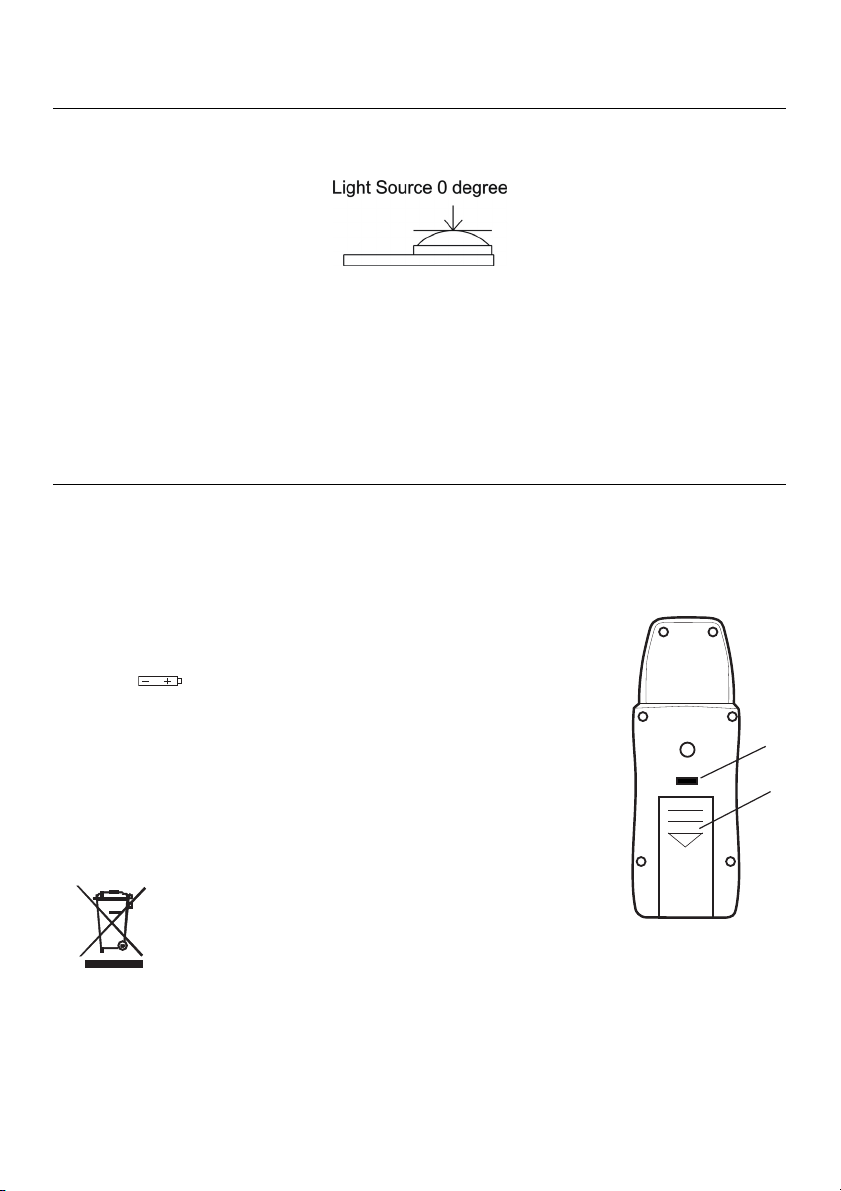
BatteryReplacement
Whenthebatterypowerdecreasestoacriticallevel,thelowbattery
symbol“
”willappearontheLCD.Replacethe2x1.5VAAA
batterieslocatedintherearbatterycompartment.
1. Pressandholdthebatterycompartmentlockbutton(seediagram).
2. Slidethebatterycompartmentcoveroffinthedirectionofthe
arrow.
Installtwo(2)1.5V‘AAA’batteriesobservingcorrectpolarity
andclose
thebatterycompartment.Ensurethatthecompartmentcoverissecurely
fastenedbeforeusingthemeter.
Neverdisposeofusedbatteriesorrechargeablebatteriesin
householdwaste.
Asconsumers,usersarelegallyrequiredtotakeusedbatteriestoappropriate
collectionsites,theretailstorewhere thebatterieswerepurchased,
orwherever
batteriesaresold.
Disposal:Donotdisposeofthisinstrumentinhouseholdwaste.Theuserisobligatedtotake
end‐of‐lifedevicestoadesignatedcollectionpointforthedisposalofelectricalandelectronic
equipment.
1
2
LT40-en-GB_V3.0 10/17
6
Specifications
Units Range Resolution Accuracy
Lux
999.9 0.1
WhiteLED:
±(3%reading+3Lux)upto500Lux
±(3%reading)>500Lux
Otherlightsources:Unspecified
9,999 1
99,990* 10
400,000* 100
Foot
candles
99.99 0.01
WhiteLED:
±(3%reading+0.3Fc)upto46Fc
±(3%reading)>46Fc
Otherlightsources:Unspecified
999.9 0.1
9,999 1
40,000* 10
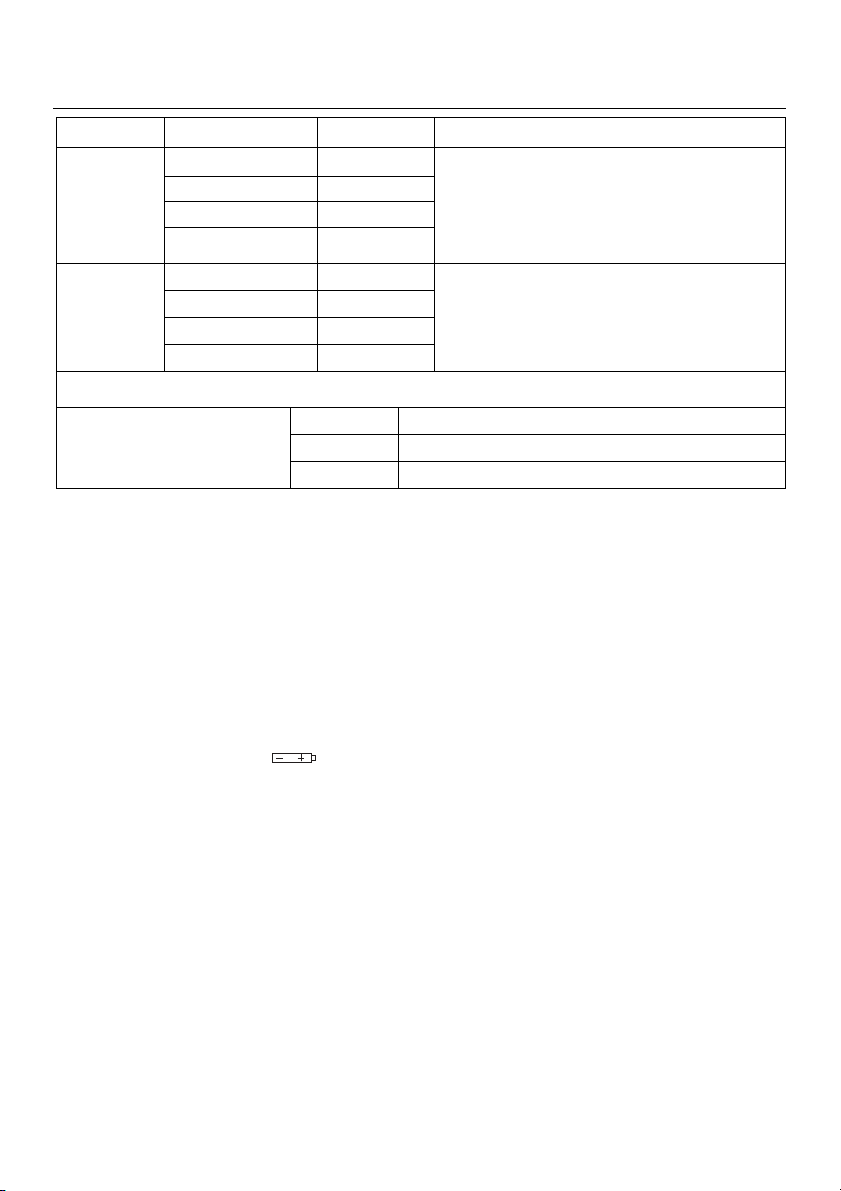
*Readingsabove9999useax10orx100multiplier(1Fc=10.76Lux)
Angledeviationfromcosine
characteristics
30° ±2%
60° ±6%
80° ±25%
GeneralSpecifications
Samplingrate 2.5timespersecond(digitaldisplay)
Photodetector Siliconphoto‐diodewithcosinecorrection
Display4‐digitLCD(maximumdisplay:9999)withlowbatteryicon,
measurementoverload,andotherfunctionindicators
AutoRangeMeterautomaticallyrangesthedisplay
Operatingconditions Temperature:5to40
o
C(41to104
o
F);Humidity:<80%RH
Storageconditions Temperature:‐10to60
o
C(14to140
o
F);Humidity:<70%RH
Lowbatteryindication
appearsontheLCDwhenbatteryvoltagefallscriticallylow
LEDType WhiteLEDlight
Powersupply 2x1.5V‘AAA’batteries
Batterylife Approximately200hours
AutoPowerOFF MeterswitchesOFFafter12minutesofinactivity
Dimensions 133x48x23mm(5.2x1.9x0.9”)
Weight 250g.(8.8oz.)includingbatteries

LT40-en-GB_V3.0 10/17
7
Appendices
TypicalLightLevels(1Fc=10.76Lux)
Lux Foot
Candles
Lux Foot
Candles
Factories Home
20‐75 2‐7 EmergencyStairs,Warehouse 100‐150 10‐15 Washing
75‐150 7‐15 Exit/EntrancePassages 150‐200 15‐20 Recreational
Activities
150‐300 15‐30 PackingWork 200‐300 20‐30 DrawingRoom,
Table
300‐750 30‐75 VisualWork:ProductionLine 300‐500 30‐50 Makeup
750‐1,500 75‐150 Typesetting:InspectionWork 500‐1,500 50‐150 Reading,Study
1,500‐3,000 150‐300 ElectronicAssembly,Drafting 1,000‐2,000 100‐200 Sewing
Office Restaurant
75‐100 7‐10 IndoorEmergencyStairs 75‐150 7‐15 CorridorStairs
100‐200 10‐20 CorridorStairs 150‐300 15‐30 Entrance,
WashRoom
200‐750 20‐75 Conference,
ReceptionRoom
300‐750 30‐75 CookingRoom,
DiningTable
750‐1,500 75‐150 ClericalWork 750‐1,500 75‐150 ShowWindow
1,500‐2,000 150‐2000 Typing,Drafting
Store Hospital
75‐150 7‐15 Indoors 30‐75 3‐7 EmergencyStairs
150‐200 15‐20 Corridor/Stairs 75‐100 7‐10 Stairs
200‐300 20‐30 Reception 100‐150 10‐15 SickRoom,
Warehouse
300‐500 30‐50 DisplayStand 150‐200 15‐20 WaitingRoom
500‐750 50‐75 Elevator 200‐750 20‐75 MedicalExamRoom
750‐1,500 75‐150 ShowWindow,
PackingTable
750‐1,500 75‐150 OperatingRoom
1,500‐3,000 150‐300 Storefront,ShowWindow 5,000‐10,000 500‐1000 EyeInspection
Copyright©2013‐2017FLIRSystems,Inc.
Allrightsreservedincludingtherightofreproductioninwholeorinpartinanyform
ISO‐9001Certified
www.extech.com