User’s Guide
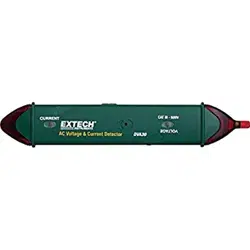
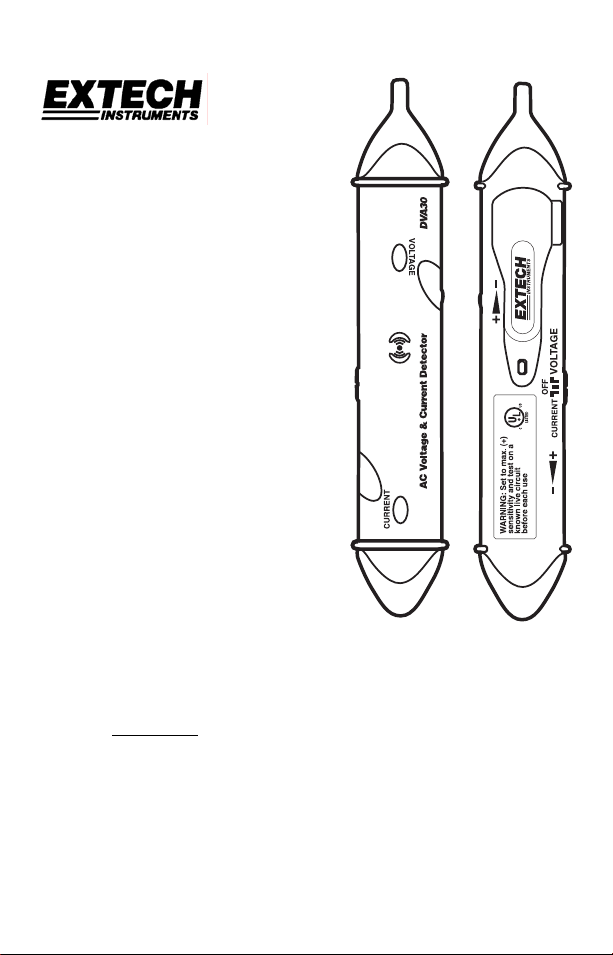
Model DVA30
AC Voltage and Current Detector
Non-Contact Voltage Detection
Non-Contact Current Detection
Identify “hot” conductors and terminals
Trace current carrying conductors behind
walls and in conduit
Sensitivity adjust to “home” in on conductors
Locate hidden wires
WARRANTY
EXTECH INSTRUMENTS CORPORATION warrants this instrument to be free of defects in parts and
workmanship for one year from date of shipment (a six month limited warranty applies on sensors and
cables). If it should become necessary to return the instrument for service during or beyond the warranty
period, contact the Customer Service Department at (781) 890-7440 ext. 210 for authorization or visit
our website at www.extech.com (click on ‘Contact Extech’ and go to ‘Service Department’ to request an
RA number). A Return Authorization (RA) number must be issued before any product is returned to
Extech. The sender is responsible for shipping charges, freight, insurance and proper packaging to
prevent damage in transit. This warranty does not apply to defects resulting from action of the user such
as misuse, improper wiring, operation outside of specification, improper maintenance or repair, or
unauthorized modification. Extech specifically disclaims any implied warranties or merchantability or
fitness for a specific purpose and will not be liable for any direct, indirect, incidental or consequential
damages. Extech's total liability is limited to repair or replacement of the product. The warranty set forth
above is inclusive and no other warranty, whether written or oral, is expressed or implied.
Copyright © 2002 Extech Instruments Corporation.
All rights reserved including the right of reproduction in whole or in part in any form.
V1.2 02/032
Support Hotline (781) 890-7440
Tech support: Ext. 200; Email: [email protected] Repair/Returns: Ext. 210;
Email: [email protected] Website: www.extech.com
International Safety Symbols
This symbol, adjacent to another symbol or terminal, indicates that
the user must refer to the manual for further information.
This symbol, adjacent to a terminal, indicates that, under normal
use, hazardous voltages may be present
Safety Precautions
1. Improper use of this meter can cause damage, shock, injury or death.
Read and understand this manual before use.
2. Secure any covers or battery doors before use.
3. Inspect the condition of the meter for any damage before use.
4. Remove the batteries from the meter if the meter is to be stored for long
periods.
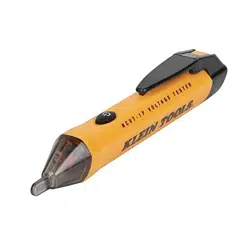
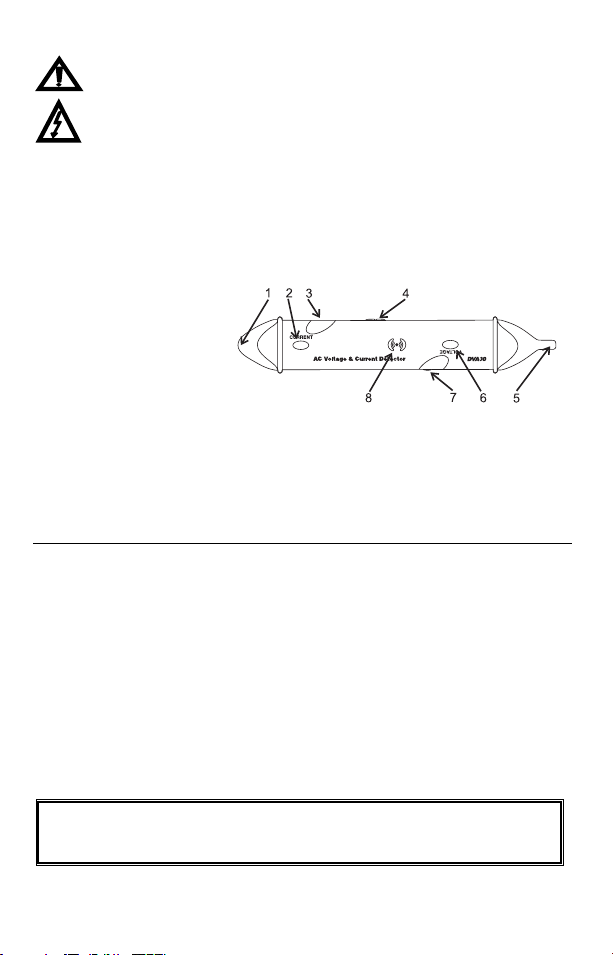
Tester Description
1. Current Sensor and LED
2. Current Detector “ON”
LED
3. Current Detector
Sensitivity adjustment
4. Current/Voltage/OFF function selector switch
5. Voltage Sensor and LED
6. Voltage Detector “ON” LED
7. Voltage Detector Sensitivity adjustment
8. Audible beeper
Specifications
Voltage detection 12V to 600VAC
Current sensitivity 200mA (0.2A) AC at 0.2”
Audible indication Beeper (Voltage & Current)
Visible indication Flashing LED (Voltage & Current)
Frequency range 50 to 500Hz
Operating Temperature 14 to 122°F (-10°C to 50°C)
Operating Humidity < 80% RH
Altitude < 2000m
Power supply (4) LR44 batteries or equivalent
Weight 2.1 oz. (60g)
Dimensions 7.6 x 1.2 x 0.9” (192x31x24mm)
IEC 1010 Category III 600V
Indoor use
V1.2 02/033
Operation
WARNING: Risk of Electrocution. Before use, always test the
Detector on a known live circuit to verify proper operation
VOLTAGE DETECTION
1. Slide the Function switch to the Voltage position.
2. The “VOLTAGE” LED will light. If the LED is dim or does not light,
replace the batteries.
3. Set the Sensitivity adjustment to the max
position.
4. If the detector begins to beep/flash, slowly
turn the sensitivity down until the beep/flash
stops.
5. Touch the detector voltage sensor to the hot conductor or insert into the
hot side of the electrical outlet.
6. If AC voltage is present, the detector light will flash and the audible
beeper will sound.
7. Adjust the sensitivity as needed to zero-in and identify the live
conductor.
CURRENT DETECTION
NOTE: There must be a load on the circuit (current flow) for the current
detection function to work.
1. Slide the Function switch to the Current position.
2. The “CURRENT” LED will light. If the LED is dim or does not light,
replace the batteries.
3. Set the Sensitivity adjustment to the max
position
4. If the detector begins to beep/flash, slowly
turn the sensitivity down until the beep/flash
stops.
5. Move the detector current sensor near the current carrying conductor
until the current tip flashes and beeper sounds.
6. Slowly reduce the sensitivity and reduce the distance between the
sensor and conductor to zero-in and identify the conductor.
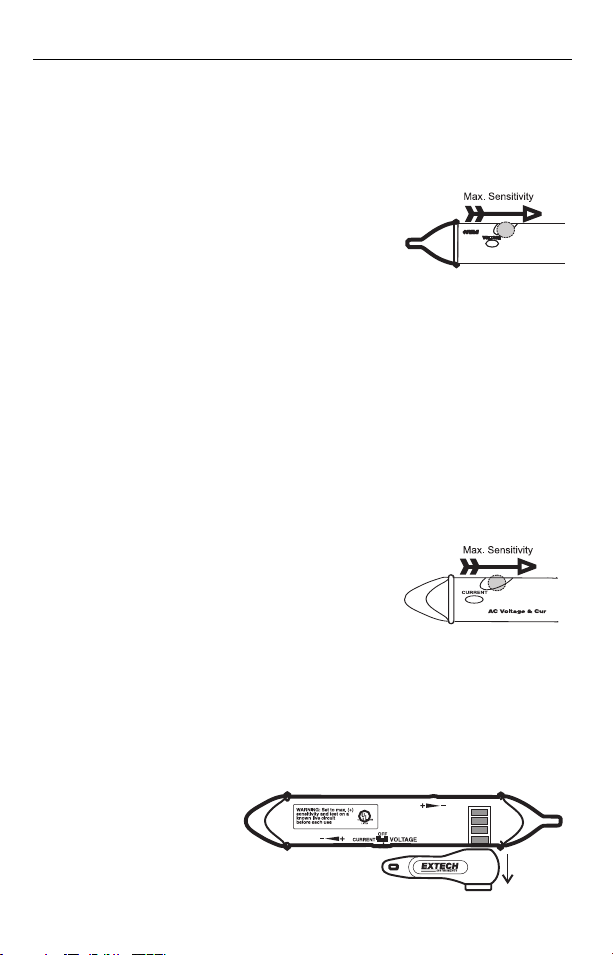
BATTERY REPLACEMENT
1. Turn power OFF
2. Slide the pocket clip
down to expose the
battery compartment.
3. Replace the four LR44
batteries and replace
the pocket clip.
V1.2 02/034
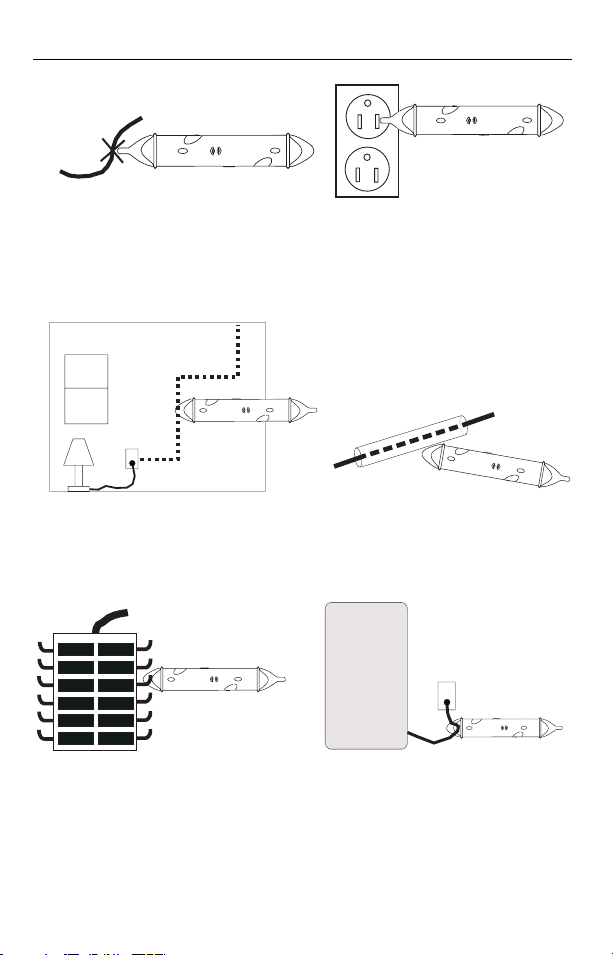
Typical Applications
VOLTAGE:
CURRENT:
Locate breaks in wires
Identify hot terminal and polarity
Trace current flow behind walls
Detect current flow through
conduit or shielding
Check/Monitor current flow to appliances
Compare current flow on
branch circuits