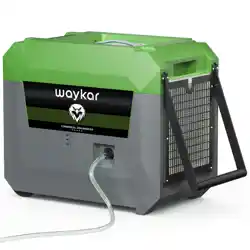
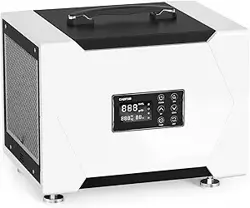
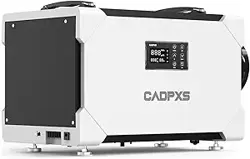
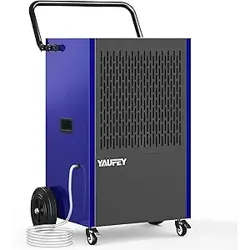
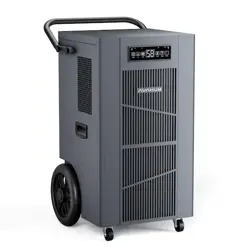
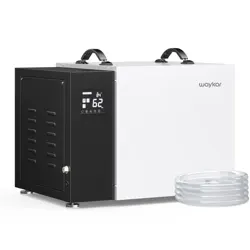
1. Beautiful appearance, high range, compact and reasonable structure, firm.
2. Computer-based control, easy to understand operation, unique timing function.
3. Generally apply to low temperature, high efficiency automatic frost system.
4. Adopt high-efficiency two-speed centrifugal fan, strong wind, uniform airflow, low noise and long life.
5. Large capacity reservoir design.
6. Special environment temperature display, temperature display and automatic fault diagnosis function.
7. Adopt eco-friendly R410A refrigerant, energy saving and environmental protection. 8. Adopt international brand-name compressors, internationally renowned brand humidity Sensors.
Position
1. This unit may have been tilted or placed upside down during shipping. To ensure this device works properly, please ensure this unit is upright for at least 24 hours before initial use.
2. If excessive moisture is diffused in the space, the dehumidifier should be placed in the center of the space, so as to dehumidify the space evenly and effectively.
3. If the moisture in a certain area of the space is particularly high, you can place the dehumidifier directly in this area and then move it to the center position.
4. In order to achieve the best dehumidification effect, the external doors and windows should be closed when the dehumidifier is in operation. Do not place this product directly next to a heater or other heat source. The dehumidifier and any electric heater and flammable materials maintain a safety distance of at least 1 meter.
5. When placing the dehumidifier, be sure to place it on a level surface, there should be no objects obstructing the air flow in the air inlet and outlet.
6. Before moving the product, turn off the power and drain out the water; when moving, the machine body tilt should not exceed 45°.
Storing the dehumidifier
When not using the dehumidifier for long time periods, please note the following steps:
1. After turning off the dehumidifier, wait one day before emptying the water tank.
2. Clean the main dehumidifier, water tank and air filter.
3. Wrap the cord and bundle it with the band.
4. Cover the dehumidifier with a plastic bag.
5. Store the dehumidifier upright in a dry, well-ventilated place.
Parts Description
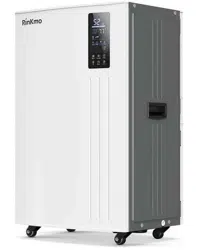
Note: This picture shows the dehumidifier Outline Drawing. Other models shape and size are a little different, please prevail in kind.
Operation
Key Description
Power : used for power on/off operation.
Up : The humidity setting value or timer value increasing upward.
Down : The humidity setting value or timer value descending down.
Function : Short press to confirm the parameter settings.
Timing: Used to enter the timer setting state and the timer confirm.
Speed: For high and low speed switching.
Humidity Settings
In the power on state, press the "Up" or "Down" button to enter the humidity setting sate: Setting and Humidity display 03 the unit RH% is on, and the large number flashes to show the humidity value. In the humidity setting state, press the "Up" or "Down" button to set the desired humidity.
Setting range 10-98RH%. Press the "Function" button once or no button operation for a few seconds, it will automatically exit the humidity setting state.
When the humidity value is set to 10RH%, the continuous dehumidification operation is forced.
Timing Settings
In the power on or standby state, press the "Timing" button once to enter the timing setting state: Indicator Timing light, the unit of time is bright, small number flashes to show the time. In the timing setting state, press the "Up" or "Down" button to set the desired time, setting range 01~24h, can be cycled. Pressing the "Function" button once or no button operation for a few seconds, the timing setting state is automatically exited.
If the time is set to 00, the timing setting is invalid.
Speed Settings
This machine has high speed and low speed to choose. Press the “Speed” button to switch the wind speed and can be set cyclically.
Parameter query
In the power-on state, press the "Function" button once to enter the parameter query status: Parameter indicator Temperature Setting lingts up, small number 77 display temperature setting value, and the temperature unit °F is lit. Press the "Function" button again to query the ambient temperature and timing time.
Status description
When the fan is delayed, the running symbol will flash, and if the fan is running, the running symbol will be on, otherwise it will be off;
When the compressor is delayed, the dehumidification symbolwill flash, and if the compressor is running, the dehumidification symbol will be on, otherwise it will be off;
If the ambient humidity is lower than the set humidity and the compressor is stopped,the humidity control symbolwill flash, otherwise it will be off;
When the fan speed is set to high level, the symbol is long bright; when the fan speed is set to low level, the symbol is long bright.
When the reservoir is full, the full symbol flashes, and when the full alarm is released, the light goes out; mn
When the machine needs to be cleaned, the cleaning symbol flashes, otherwise itis off;
When the machine is defrosting, the defrost symbol flashes, defrosting end the light goes out;
Power off Memory Function
After the device is powered on, it will automatically resume the working status before power off.
Defrost Function
When frost builds up on the evaporator coils, the compressor will cycle off and the fan will continue to run until the frost disappears.
Reservoir Full Protection Function
When the water tank is full, the device stops and the water reservoir full symbol flashes;
When the full alarm is released , the full symbol is extinguished and the machine restarts.
Temperature Protection Function
When the ambient temperature is higher than the default temperature 113, the system enters high temperature protection, the small number indicates "HH", and the compressor stops; When the ambient temperature is lower than the default temperature 39 ), the system enters the low temperature protection, the small number indicates"LL", and the whole machine stops.
Cleaning Remind Function
If the accumulative running time of the fan is 2 30 days, the machine can continue to run, but it will prompt “cleaning” and it will not be able to be removed even re-powered.In the power off state, long press the “speed” button for a few seconds, then the display will show one time, the “cleaning” prompt will be released, and the fan running time will be cleared.
Special Note:
To avoid any damage to the dehumidifier, the dehumidifier will not start operation following a complete cycle until after 3 minutes. The compressor will automatically start after 3 minutes.
Error Code
Number
Error code
Error code meaning
1
E1
Humidity sensor error
2
E2
Defrost Temperature sensor error
3
E4
Ambient temperature sensor error
4
ES
System high voltage failure
5
E6
System low voltage failure
6
E7
Water reservoir full alarm
7
Ec
Display board is abnormal
Note:
When E1, E2 or E4 is faulty, the compressor and fan will not stop.
After trouble shooting E5, E6 , the power must be disconnected andre-powered to release the fault.
When E7 fails, the machine stops, and the machine resumes operation after the fault is recovered.
When the Ec fails, the machine is not controlled by the control panel.
During the fault alarm, press any key to cancel the alarm sound.
Product Specifications
Care & Cleaning
Disconnect the power cord before maintaining and cleaning the product.
Clean the dehumidifier body with a soft damp cloth.
Do not use cleaners, scrubbing wires, chemically treated dusting cloth, benzine, benzene, thinner or other solvents to clean and wipe the machine.
Clean the filter and water reservoir
This dehumidifier has a washable filter that blocks most of the airborne dirt such as dust, smoke, animal dander, mold spores and pollen.
Itis recommended to check the filter regularly and clean it at least once a month.
Itis recommended to clean the water reservoir regularly and clean it at least once every two months.
Take out the filter
Use a vacuum cleaner to gently remove dirt from the filter.
Ifthe washable filter is particularly dirty, rinse it with warm water and a mild detergent and air dry thoroughly. Do not let the sun shine directly or dry the filter with other exothermic products, which will deform the filter and its frame.
Put the filter back into the product.
Take out the water reservoir
If the water reservoir is particularly dirty, rinse it with warm water and a mild detergent to drain the dirt.
*Note: When installing the water reservoir, put the water reservoir in place to avoid poor contact between the water reservoir and the machine, affect the operation of the machine.
The dehumidifier is continuously drained. Please follow the instructions to set up continuous drainage:
The machine is shipped with a drain pipe, see the schematic drain.
Ensure that the drain pipe is not bent or knotted during use and can drains smoothly. If the fault occurs, please follow the “Common Troubleshooting” in the manual before notifying the after-sales service.
Do not repair or disassemble the dehumidifier yourself. Improper maintenance may endanger the safety of the user.
Common Troubleshooting
FAULT
CAUSE
SOLUTION
Dehumidifier does not operate
1. Power failure
2. The power switch is not connected
3. The power plug is not plugged into the socket
4. Fuse blown
5.Machine failure prompt
1. Restore power
2. Turn on the switch
3. Plug in the socket
4. Replace the fuse
5.Check the error code, ask seller for help
Dehumidifier operating, but room not dry
1. There is too much dust in the filter
2. The air inlet and outlet are obstructed
3. All doors, windows and other openings are open.
4. Refrigerant leak
1. Clean the filter
2. Remove obstacles
3. Close the door and windows 4. Ask seller for help
Water reservoir leaking
1. Machine placed tilt 2. Clogging of the outlet tube
1. Adjust the machine to a horizontal position
2.Remove the panel to clean the dirt inside the tube
The dehumidifier makes a loud noise when operating
1. The dehumidifier is tilted instead of upright as it should be 2.The air filter is clogged.
1. Place the machine smoothly 2.Clean the filter
When the above fault cannot be ruled out and confirm that repair is needed, please contact the seller [email protected] , please do not disassemble the machine for repair without permission.
When the dehumidifier is running or stopped, the refrigerant circulation sound is heard, which is normal.
Itis normal for hot air to be discharged from air outlets.


 flashes to show the humidity value. In the humidity setting state, press the "Up" or "Down" button to set the desired humidity.
 flashes to show the time. In the timing setting state, press the "Up" or "Down" button to set the desired time, setting range 01~24h, can be cycled. Pressing the "Function" button once or no button operation for a few seconds, the timing setting state is automatically exited.
 will flash, and if the fan is running, the running symbol
  will flash, and if the compressor is running, the dehumidification symbol
  will flash, otherwise it will be off;
 is long bright; when the fan speed is set to low level, the symbol
  is long bright.
 flashes, and when the full alarm is released, the light goes out; mn
 flashes, otherwise itis off;
 flashes, defrosting end the light goes out;