TWO-YEAR LIMITED WARRANTY
This Polsen product is warranted to the original purchaser to be free from defects
in materials and workmanship under normal consumer use for a period of two (2)
years from the original purchase date or thirty (30) days after replacement,
whichever occurs later. The warranty provider’s responsibility with respect to this
limited warranty shall be limited solely to repair or replacement, at the provider’s
discretion, of any product that fails during normal use of this product in its
intended manner and in its intended environment. Inoperability of the product or
part(s) shall be determined by the warranty provider. If the product has been
discontinued, the warranty provider reserves the right to replace it with a model
of equivalent quality and function.
This warranty does not cover damage or defect caused by misuse, neglect,
accident, alteration, abuse, improper installation or maintenance. EXCEPT AS
PROVIDED HEREIN, THE WARRANTY PROVIDER MAKES NEITHER ANY EXPRESS
WARRANTIES NOR ANY IMPLIED WARRANTIES, INCLUDING BUT NOT LIMITED TO
ANY IMPLIED WARRANTY OF MERCHANTABILITY OR FITNESS FOR A PARTICULAR
PURPOSE. This warranty provides you with specific legal rights, and you may also
have additional rights that vary from state to state.
To obtain warranty coverage, contact the Polsen Customer Service Department to
obtain a return merchandise authorization (“RMA”) number, and return the
defective product to Polsen along with the RMA number and proof of purchase.
Shipment of the defective product is at the purchaser’s own risk and expense.
For more information or to arrange service, visit www.polsenaudio.com or call
Customer Service at 212-594-2353.
Product warranty provided by the Gradus Group.
www.gradusgroup.com
Polsen is a registered trademark of the Gradus Group.
© 2021 Gradus Group LLC. All Rights Reserved. GG1
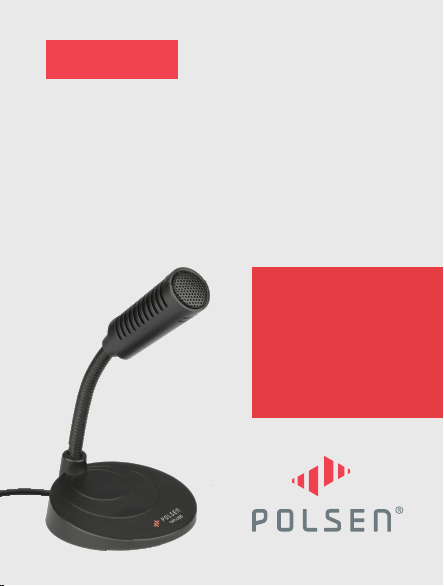
PRODUCT
MANUAL
OMNIDIRECTIONAL
USB GOOSENECK
MICROPHONE
GM3-USB

THANK YOU FOR CHOOSING
POLSEN.
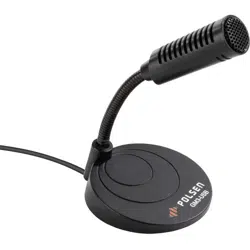
The Polsen GM3-USB microphone is an ideal tabletop
mic for gaming and video conferences. Its compact
form factor takes up a small footprint on your
desktop, and the flexible gooseneck precisely aims
the mic at the sound source. You can speak naturally
during gaming sessions, video conferences, and
Zoom chats without bending toward the microphone.
The GM3-USB plugs directly into an available USB
port on your computer and is instantly ready for use
on Windows and Mac computers. The microphone
runs off the power from the USB port so batteries
and charging cables aren’t needed. The omnidirec-
tional polar pattern picks up sound from 360° around
the microphone so it will accurately capture a group
of presenters without moving or re-aiming the
microphone.

PRECAUTIONS
• Please read and follow these instructions, and keep
this manual in a safe place.
• Do not turn the microphone towards loudspeakers.
This can result in acoustic feedback, which can
damage both the loudspeakers and microphone.
• Clean this product with only a soft, dry cloth.
• Make sure that this product is intact and that there
are no missing parts.
• All images are for illustrative purposes only.
OPERATING INSTRUCTIONS
(CONT.)
4. Once the microphone is connected to the computer,
increase the output volume to a comfortable
listening level.
Note: If you’re not being heard clearly, you may
need to adjust the mic gain (input level) in your
computer’s audio settings. Initially set the mic gain
at 50%, and adjust as needed.
5. Use the gooseneck to aim the microphone at the
sound source. If multiple people are using the
microphone, aim the mic toward the center of the
group.
OPERATING INSTRUCTIONS
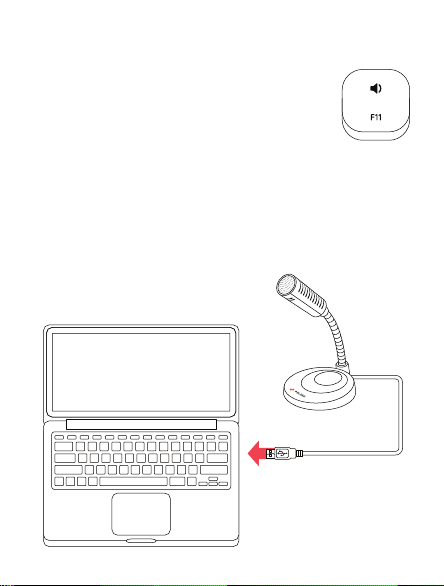
1. Place the microphone on a flat surface.
2. Turn down the computer’s output
volume and remove your headphones.
3. Connect the microphone to an available USB port
on your computer. If necessary, select the
GM3-USB microphone as the input audio device in
your computer’s sound settings.
GM3-USB

OPERATING INSTRUCTIONS
(CONT.)
4. Once the microphone is connected to the computer,
increase the output volume to a comfortable
listening level.
Note: If you’re not being heard clearly, you may
need to adjust the mic gain (input level) in your
computer’s audio settings. Initially set the mic gain
at 50%, and adjust as needed.
5. Use the gooseneck to aim the microphone at the
sound source. If multiple people are using the
microphone, aim the mic toward the center of the
group.
OPERATING INSTRUCTIONS
1. Place the microphone on a flat surface.
2. Turn down the computer’s output
volume and remove your headphones.
3. Connect the microphone to an available USB port
on your computer. If necessary, select the
GM3-USB microphone as the input audio device in
your computer’s sound settings.

SPECIFICATIONS
Transducer Condenser
Polar Pattern Omnidirectional
Frequency Response 50 Hz to 20 kHz
Sample Rate 24 bit, 44.1 kHz
Sensitivity -40 dB
Operating Voltage 5 V DC
Power Consumption 30 mA
Output Connector USB Standard-A (USB 2.0)
Mute Switch No
System Requirements Windows, macOS
Housing Material Base: ABS Plastic
Grille: Metal
Length 4.25 in. (10.8 cm)
Weight 3 oz. (85 g)
Cable Length 5.5 ft. (1.7 m)
Cable Connectors USB Standard-A male
Operating Temperature 10°F to 131°F (-10°C to 55°C)
Operating Humidity 0% to 65%
Storage Temperature -4°F to 158°F (-20°C to 70°C)
Storage Humidity 0% to 95%

SPECIFICATIONS
Transducer Condenser
Polar Pattern Omnidirectional
Frequency Response 50 Hz to 20 kHz
Sample Rate 24 bit, 44.1 kHz
Sensitivity -40 dB
Operating Voltage 5 V DC
Power Consumption 30 mA
Output Connector USB Standard-A (USB 2.0)
Mute Switch No
System Requirements Windows, macOS
Housing Material Base: ABS Plastic
Grille: Metal
Length 4.25 in. (10.8 cm)
Weight 3 oz. (85 g)
Cable Length 5.5 ft. (1.7 m)
Cable Connectors USB Standard-A male
Operating Temperature 10°F to 131°F (-10°C to 55°C)
Operating Humidity 0% to 65%
Storage Temperature -4°F to 158°F (-20°C to 70°C)
Storage Humidity 0% to 95%

TWO-YEAR LIMITED WARRANTY
This Polsen product is warranted to the original purchaser to be free from defects
in materials and workmanship under normal consumer use for a period of two (2)
years from the original purchase date or thirty (30) days after replacement,
whichever occurs later. The warranty provider’s responsibility with respect to this
limited warranty shall be limited solely to repair or replacement, at the provider’s
discretion, of any product that fails during normal use of this product in its
intended manner and in its intended environment. Inoperability of the product or
part(s) shall be determined by the warranty provider. If the product has been
discontinued, the warranty provider reserves the right to replace it with a model
of equivalent quality and function.
This warranty does not cover damage or defect caused by misuse, neglect,
accident, alteration, abuse, improper installation or maintenance. EXCEPT AS
PROVIDED HEREIN, THE WARRANTY PROVIDER MAKES NEITHER ANY EXPRESS
WARRANTIES NOR ANY IMPLIED WARRANTIES, INCLUDING BUT NOT LIMITED TO
ANY IMPLIED WARRANTY OF MERCHANTABILITY OR FITNESS FOR A PARTICULAR
PURPOSE. This warranty provides you with specific legal rights, and you may also
have additional rights that vary from state to state.
To obtain warranty coverage, contact the Polsen Customer Service Department to
obtain a return merchandise authorization (“RMA”) number, and return the
defective product to Polsen along with the RMA number and proof of purchase.
Shipment of the defective product is at the purchaser’s own risk and expense.
For more information or to arrange service, visit www.polsenaudio.com or call
Customer Service at 212-594-2353.
Product warranty provided by the Gradus Group.
www.gradusgroup.com
Polsen is a registered trademark of the Gradus Group.
© 2021 Gradus Group LLC. All Rights Reserved. GG1