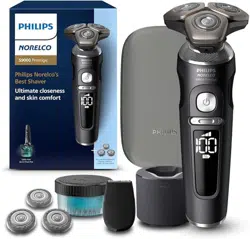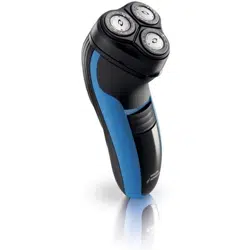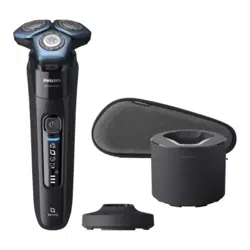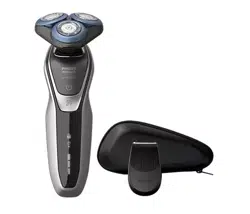
Tripleheader shaver
S6540
Tripleheader shaver

1
2
4
5
6
8
10
7
9
3
15
11
13
12
14

empty page before TOC

English 6

English
IMPORTANT SAFETY
INSTRUCTIONS
When using an electric product, basic precautions should
always be followed, including the following:
Read all instructions before using this product.
DANGER
To reduce the risk of electric shock:
-
Do not reach for a corded product that has fallen into water.
Unplug immediately from the power outlet.
-
Keep the power cord dry.
-
Do not place or store the product where it can fall or be
pulled into a tub or sink. Do not place or drop the product
into water or other liquid.
-
Except when charging, always unplug this product from the
power outlet immediately after use.
-
Remove power cord from power outlet and product before
cleaning.
WARNING
To reduce the risk of burns, fire, electric shock, or injury to
persons:
-
Close supervision is required when this product is used by,
on, or near children, or persons with limited physical, sensory,
or mental capabilities or invalids.
-
Use this product only for its intended household use as
described in this manual. Do not use attachments not
recommended by Philips North America LLC.
6
English

-
Never operate this product if it has a damaged power cord, if
it is not working properly, after it has been dropped or
damaged, or after the product or power cord has been
dropped into water. For assistance call 1-800-243-3050.
-
Keep the power cord away from heated surfaces.
-
Never drop or insert any object into any opening.
-
Do not use the power cord in or near a power outlet that
contains an electric air freshener to prevent damage to the
power cord.
-
Do not use product outdoors or operate where aerosol
(spray) products are being used or where oxygen is being
administered.
-
Always check cutters, cutting unit and guards before using
the product. Do not use the product if cutters, cutting unit or
guards are damaged, as injury may occur.
-
Always attach power cord to product first, then to power
outlet. To disconnect, set all controls to 'off' position. Then
remove power cord from power outlet.
-
Plug power cord directly into power outlet. Do not use an
extension cord.
-
Unplug power cord before plugging in or unplugging the
product.
-
Only use the power cord and other accessories supplied with
the product.
-
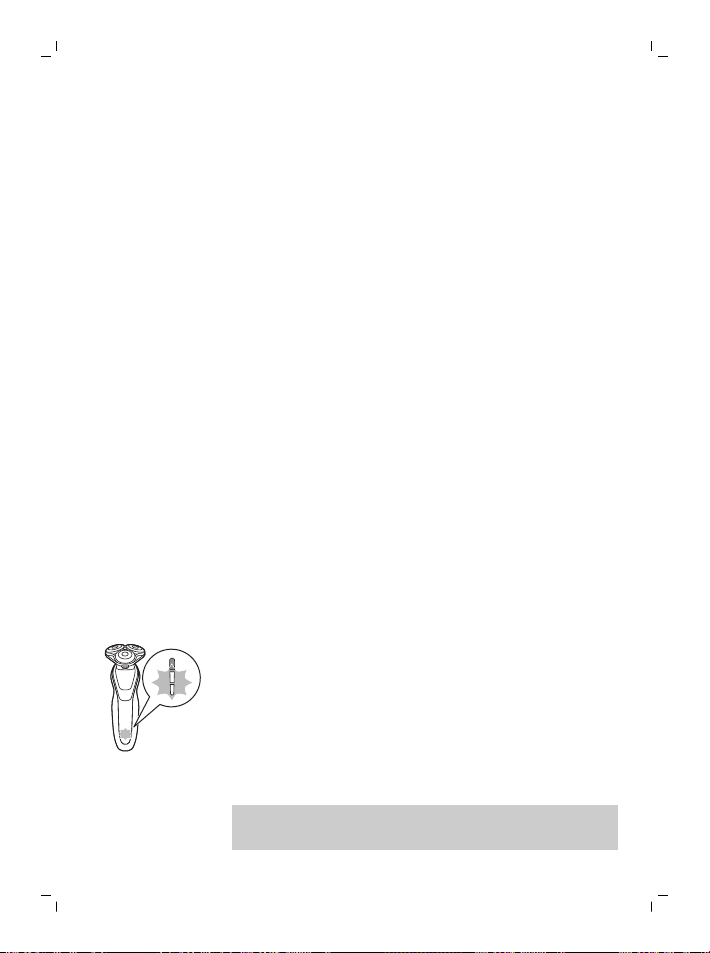
Do not attempt to open the product to remove or replace the
built-in rechargeable battery.
-
The batteries used in this product may present a fire or
chemical burn hazard if mistreated. Do not disassemble, heat
above 100°C (212°F) or incinerate.
IMPORTANT: The power plug contains a transformer. Do not
cut off the power plug to replace it with another plug as this will
cause a hazardous condition.
7
English

SAVE THESE
INSTRUCTIONS
Contents
IMPORTANT SAFETY INSTRUCTIONS______________________ 6
General description_________________________________________ 8
Introduction_________________________________________________ 9
The display__________________________________________________ 9
Charging_____________________________________________________ 12
Using the shaver_____________________________________________ 13
Using click-on attachments_________________________________ 17
Travel lock___________________________________________________ 18
Cleaning and maintenance_________________________________ 19
Replacement________________________________________________ 23
Storage______________________________________________________ 24
Accessories__________________________________________________ 24
Assistance___________________________________________________ 25
Disposal_____________________________________________________ 25
Full Two-Year Warranty_____________________________________ 25
45-DAY MONEY-BACK GUARANTEE_______________________ 27
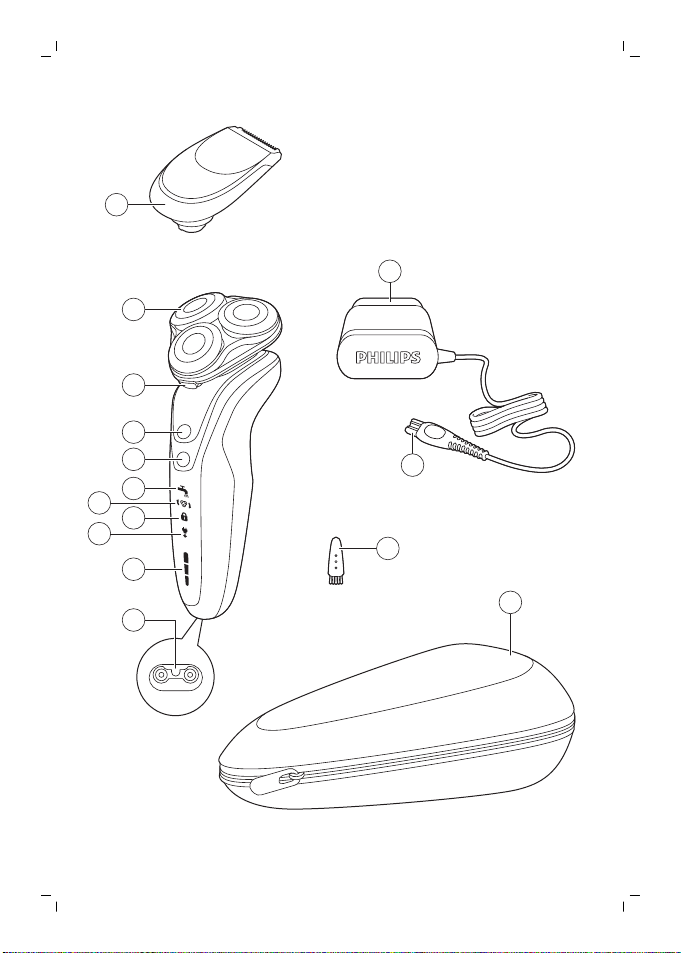
General description
1 Click-on precision trimmer attachment
2 Shaving unit with hair chamber
3 Shaving head holder release button
4 On/off button
5 Turbo+ button
6 Cleaning reminder
7 Replacement reminder
8 Travel lock symbol
9 'Unplug for use' reminder
8
English
10 Battery charge indicator
11 Socket for small plug
12 Power plug
13 Cleaning brush
14 Travel case
Introduction
Congratulations on your purchase and
welcome to Philips Norelco!
To fully benefit from the support that Philips
Norelco offers, register your product at
www.philips.com/register.
The display
Battery charge indicator
Quick charge: When the battery is empty and
you connect the shaver to a power outlet, the
lights of the battery charge indicator light up
white one after the other repeatedly. When the
battery contains enough energy for one shave,
the bottom light of the battery charge
indicator flashes white slowly.
As charging continues, each light blinks and
then lights continuously indicating to what
level the battery has been charged.
Battery fully charged
Note: This shaver can only be used without
cord.
9
English
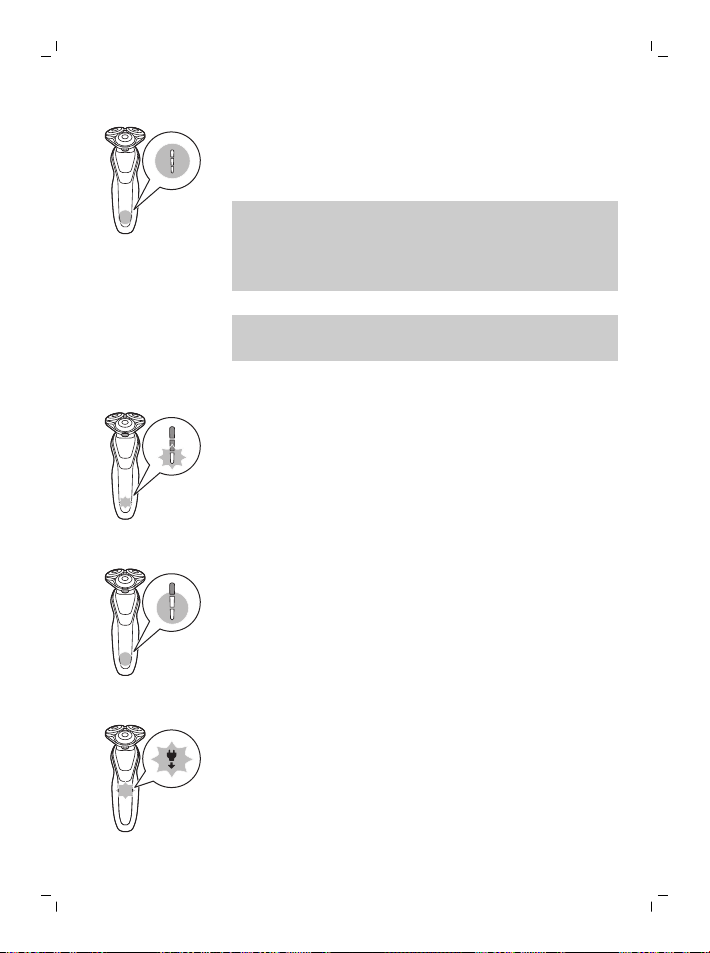
When the battery is fully charged, all lights of
the battery charge indicator light up white
continuously.
Note: When you press the on/off button
during or after charging, the 'unplug for use'
symbol lights up to indicate that the shaver is
still connected to the power outlet.
Note: When the battery is full, the display
switches off automatically after 30 minutes.
Battery low
When the battery is almost empty, the bottom
light of the battery charge indicator flashes
orange.
Remaining battery charge
The remaining battery capacity is indicated by
the lights of the battery charge indicator that
light up continuously.
’Unplug for use’ reminder
The ‘unplug for use’ reminder flashes to
remind you to disconnect the shaver from the
power outlet before you can switch it on.
10
English
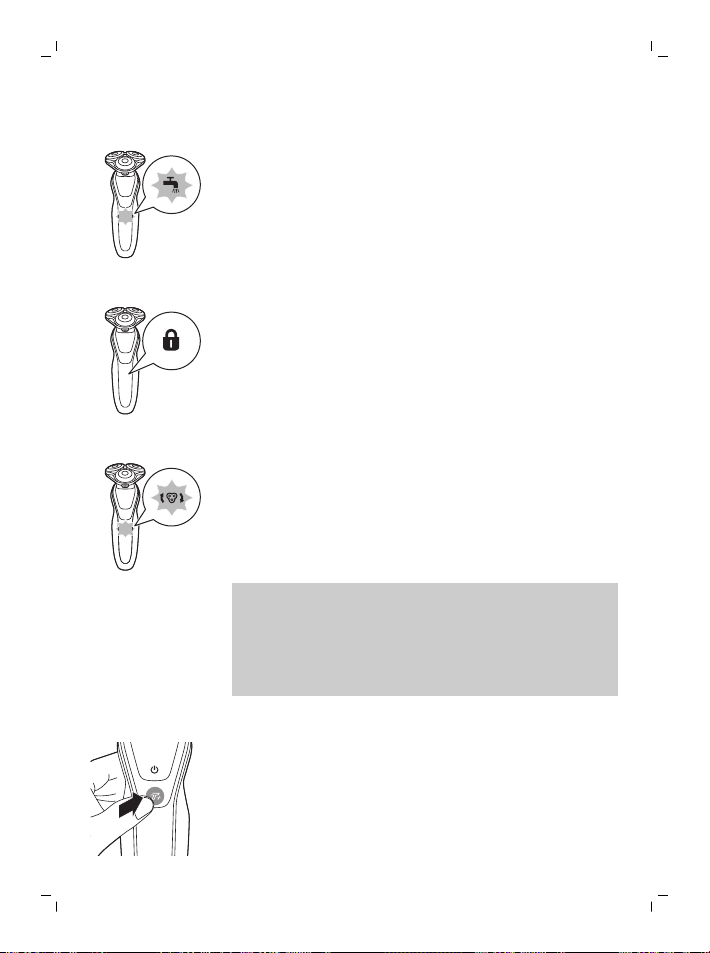
Cleaning reminder
Clean the shaver after every use for optimal
performance (see 'Cleaning and maintenance').
When you switch off the shaver, the cleaning
reminder flashes to remind you to clean the
shaver. .
Travel lock
When you are going to travel, you can lock the
shaver to prevent it from accidentally
switching on.
Replacing shaving heads
For maximum shaving performance, replace
the shaving heads every year. The shaver is
equipped with a replacement reminder, which
flashes to indicate you have to replace the
shaving heads.
Note: After replacing the shaving heads, you
can reset the replacement reminder by
pressing the on/off button for 7 seconds. If you
do not reset the replacement reminder, the
shaver resets automatically after 9 shaves.
Turbo+ setting
This setting allows you to shave through dense
parts of the beard. The Turbo+ button lights
up continuously to indicate that the setting is
activated.
11
English
Charging
-
Charging or using the product at
temperatures below 40°F (4.5°C) or higher
than 95°F (35°C) adversely affects the
lifespan of the battery.
-
Do not charge the shaver in a pouch or
travel case.
-
The power plug transforms 100-240V AC to
less than 24V DC.
Charge the shaver before you use it for the first
time and when the display indicates that the
battery is almost empty.
Charging takes approx. 1 hour. A fully charged
shaver has a shaving timeof up to 60 minutes.
Note: You cannot use the shaver while it is
charging.
Quick charge
After approx. 5 minutes of charging, the
battery contains enough energy for one shave.
The bottom light of the battery charge
indicator flashes white slowly when the quick
charge is finished.
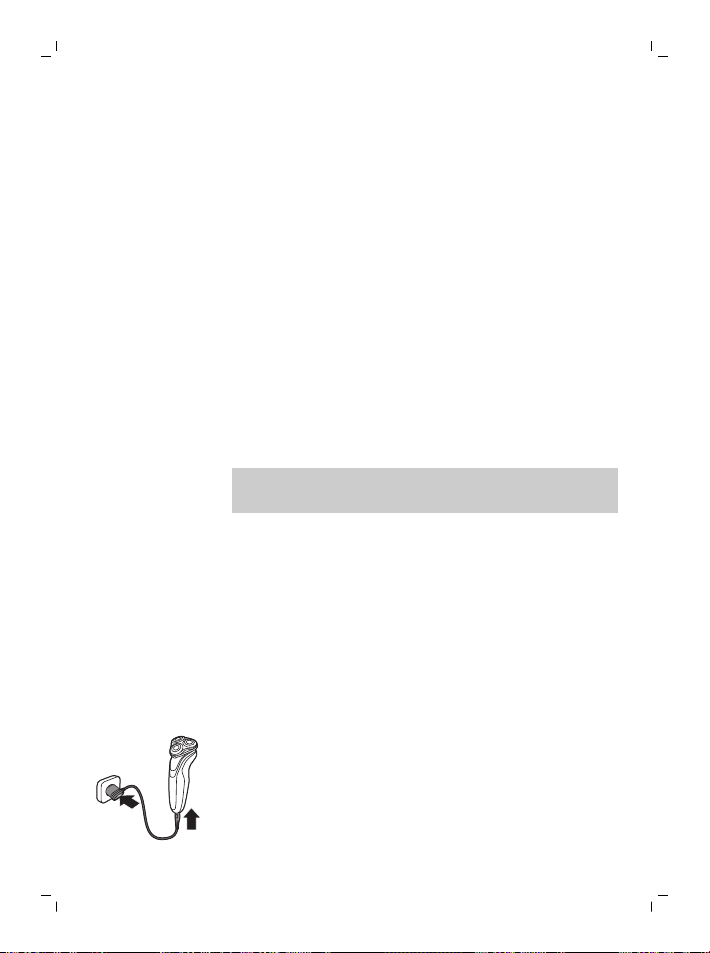
Charging with the power cord
1 Make sure that the shaver is switched off.
2 Put the small plug in the shaver and
connect the power plug to any 100V to
240V AC outlet. Use only the power cord
provided.
The display of the shaver indicates that the
shaver is charging.
12
English
3 After charging, remove the power plug from
the wall outlet and pull the small plug out of
the shaver.
Note: An adapter plug may be necessary for
cord usage in some foreign countries. Use an
attachment plug adapter of the proper
configuration for the power outlet.
Using the shaver
Always check the shaver and all accessories
before use. Do not use the shaver or any
accessory if it is damaged, as this may cause
injury. Always replace a damaged part with
one of the original type.
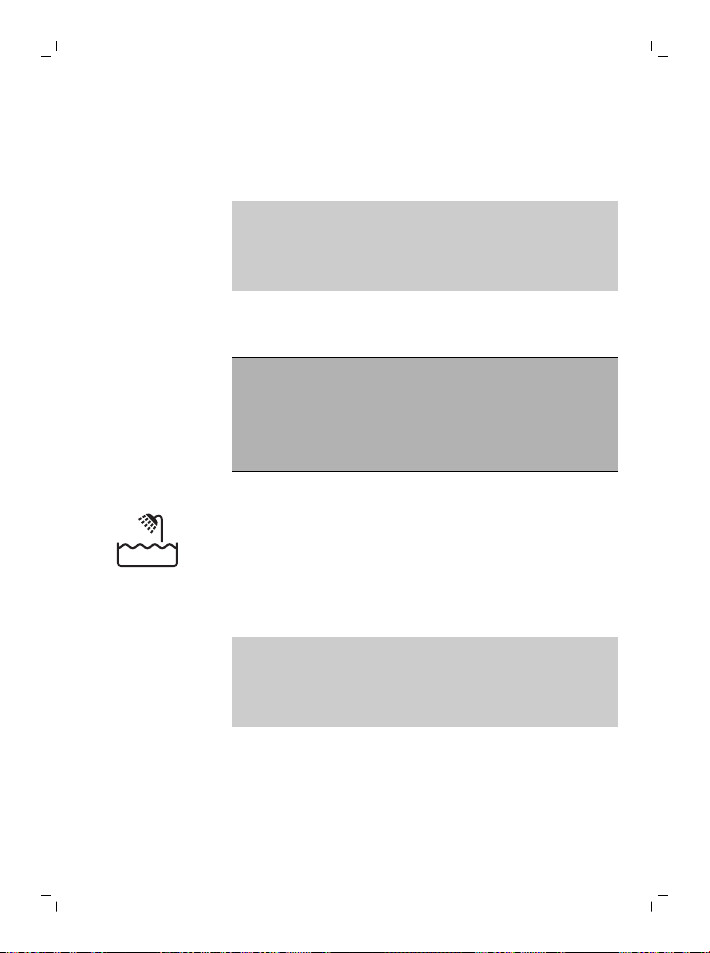
This symbol indicates that the shaver can be
used in the bath or shower.
-
Use this shaver for its intended household
use as described in this manual.
-
For hygienic reasons, the shaver should
only be used by one person.
Note: This shaver is waterproof. It is suitable
for use in the bath or shower and for cleaning
under the tap. For safety reasons, the shaver
can only be used without cord.
21-Day adaptation process
-
21 Day Trial and Conversion Process. It is a
fact that your skin and beard need time to
adjust to a new grooming system.
13
English
-
Use your new shaver exclusively for 3 weeks
to fully enjoy the closeness of a Philips
Norelco shave.
-
At first you may not get as close a shave as
you expect, or your face may even become
slightly irritated. This is normal since your
beard and skin will need time to adjust.
Invest 3 weeks and you'll soon experience
the full joy of your new shaver.
-
Stick with it! If you alternate shaving
methods during the adjustment period, it
may make it more difficult to adapt to the
Philips Norelco shaving system.
-
If you are still not convinced after 21 days,
Philips Norelco will refund you the full
purchase price as long as the request is
received within 45 days of purchase.
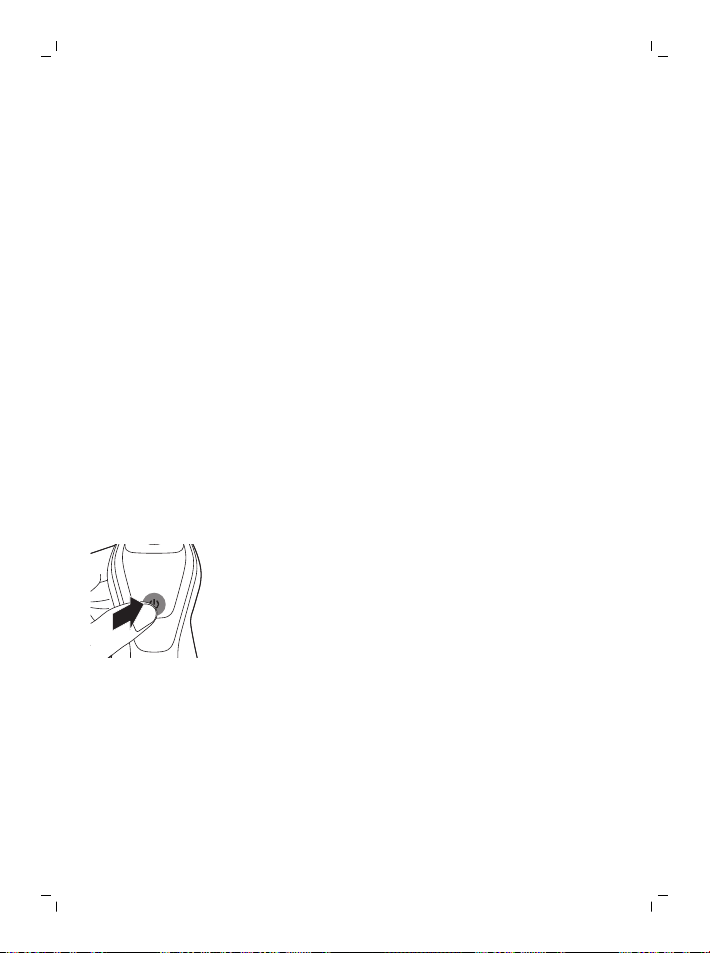
Switching the shaver on and off
1 To switch the shaver on or off, press the
on/off button once.
The display lights up for a few seconds to
show the remaining battery charge.
Shaving
-
For the best results on skin comfort, pre-
trim your beard if you have not shaved for 3
days or longer.
Dry shaving
1 Switch on the shaver.
14
English
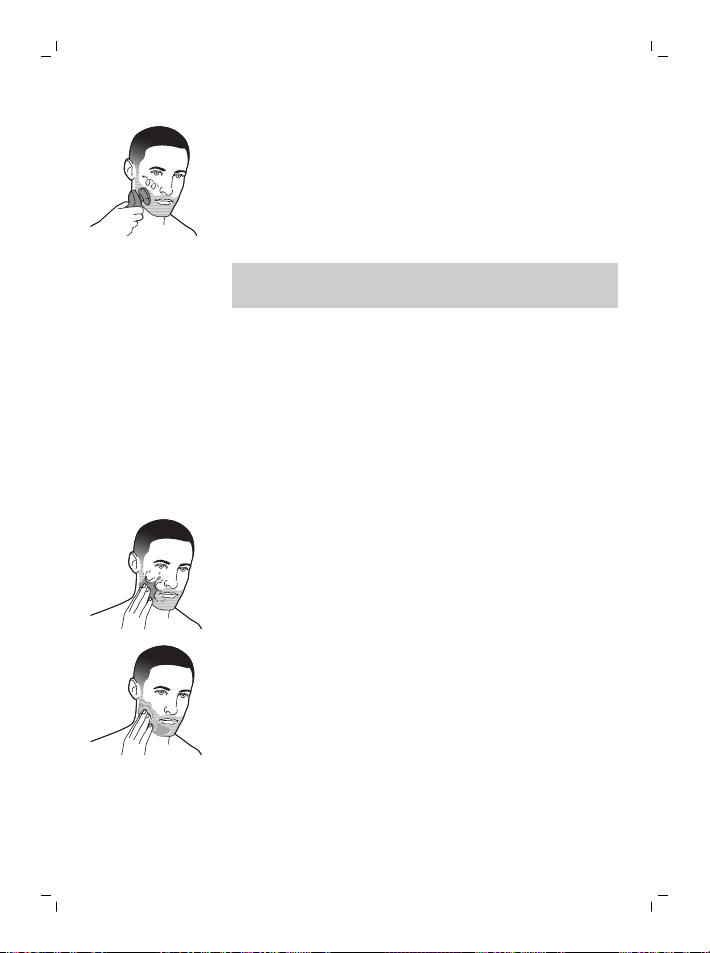
2 Move the shaving heads over your skin in
circular movements to catch all hairs
growing in different directions. Make sure
each shaving head is fully in contact with
the skin. Exert gentle pressure for a close,
comfortable shave.
Note: Do not press too hard, as this can
cause skin irritation.
3 Switch off and clean the shaver after each
use.
The display lights up for a few seconds to
show the battery charge.
Wet shaving
For a more refreshing shave, you can also use
this shaver on a wet face with shaving foam or
shaving gel.
1 Apply some water to your skin.
2 Apply shaving foam or shaving gel to your
skin.
15
English
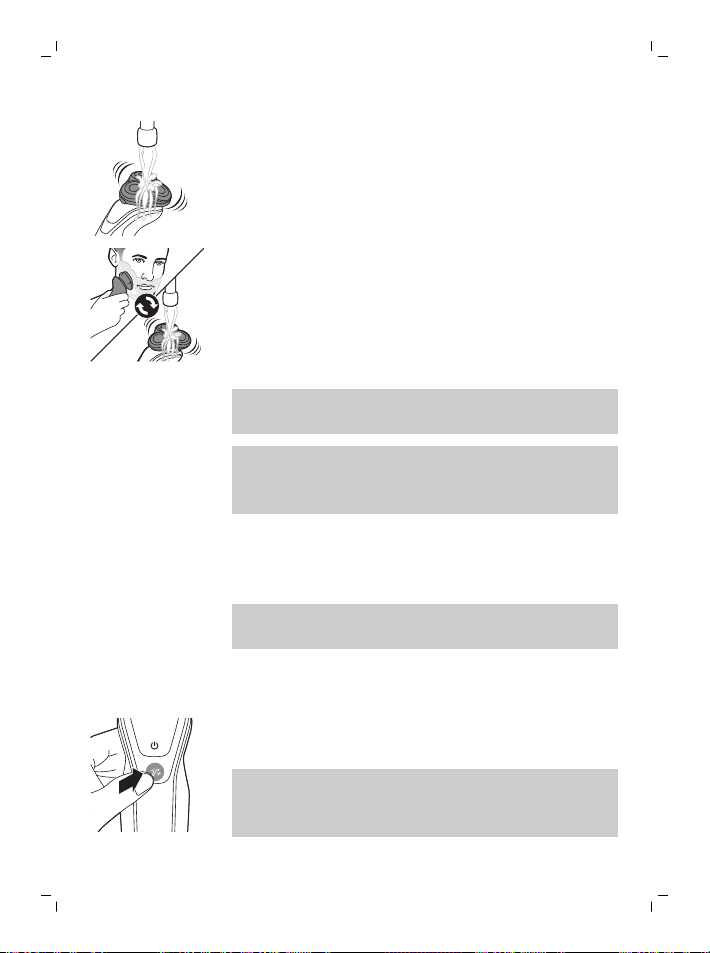
3 Rinse the shaving unit under the tap to
ensure that the shaving unit glides smoothly
over your skin.
4 Switch on the shaver.
5 Move the shaving heads over your skin in
circular movements to catch all hairs
growing in different directions. Make sure
each shaving head is fully in contact with
the skin. Exert gentle pressure for a close,
comfortable shave.
Note: Do not press too hard, this can cause
skin irritation.
Note: Rinse the shaving unit regularly to
ensure that it continues to glide smoothly
over your skin.
6 Dry your face.
7 Switch off the shaver and clean it after each
use.
Note: Make sure that you rinse all foam or
shaving gel off the shaver.
Turbo+ setting
1 Switch on the shaver.
2 Press the Turbo+ button once if you want
to shave areas with dense hair.
Note: The Turbo+ button lights up
continuously to indicate that the setting is
activated.
16
English
3 Stretch your skin with your free hand so
blades can lift and cut hairs. Gently press
shaver to skin so the floating heads can
follow the contours of your face.
Do not press too hard as too much pressure
can cause shaving heads to pinch the skin.
4 Switch off the Turbo+ setting by pressing
the Turbo+ button once.
Using click-on attachments
Removing or attaching the click-on attachment
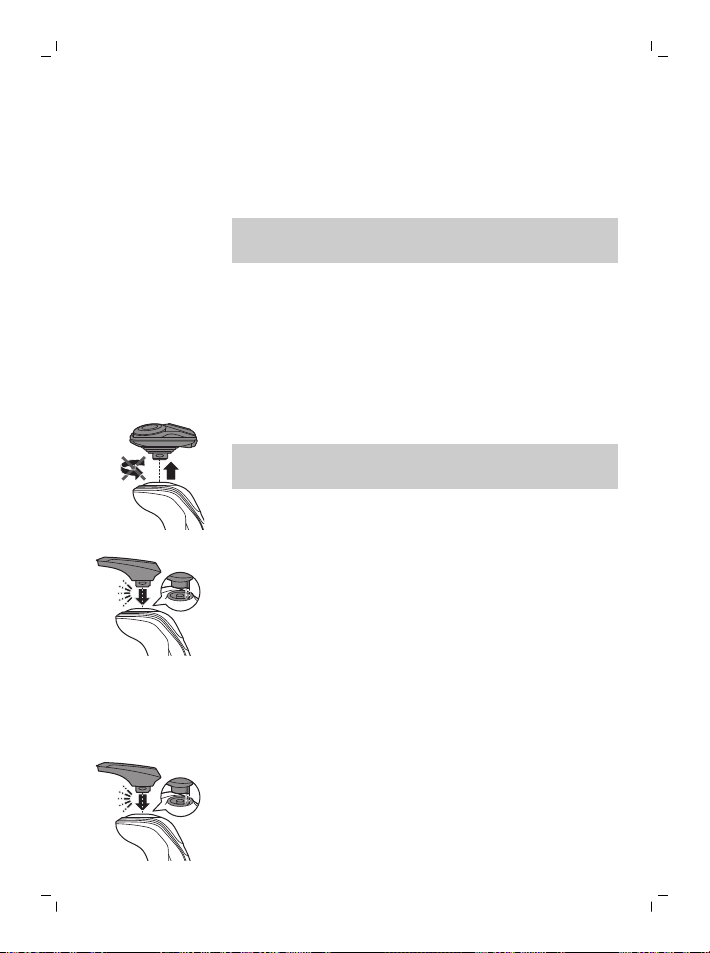
1 Make sure the shaver is switched off.
2 Pull the attachment straight off the shaver.
Note: Do not twist the attachment while you
pull it off the shaver.
3 Insert the lug of the attachment into the slot
in the top of the shaver. Then press down
the attachment to attach it to the shaver
(‘click’).
Using the precision trimmer attachment
You can use the precision trimmer to touch up
your beard, sideburns and moustache.
1 Attach the trimmer to the shaver ('click').
2 Switch on the shaver.
17
English
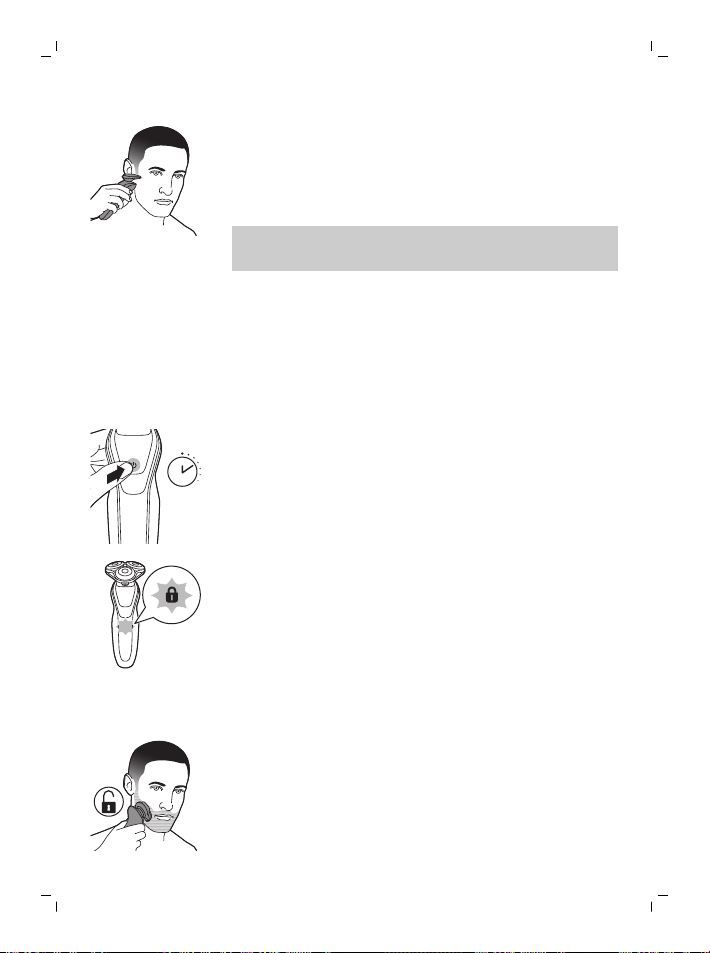
3 Hold the trimmer perpendicular to the skin
and move it downwards while exerting
gentle pressure.
4 Switch off and clean the trimmer after use.
Note: Trimming is easier when the skin and
hair are dry.
Travel lock
You can lock the shaver when you are going to
travel to prevent it from switching on
accidentally.
Activating the travel lock
3 sec.
1 Press the on/off button for 3 seconds to
use the travel lock mode.
While you activate the travel lock, the
indicator on the display lights up briefly.
When the travel lock is activated, the travel
lock symbol flashes.
Deactivating the travel lock
1 Press the on/off button for 3 seconds.
While you deactivate the travel lock, the
indicator on the display lights up briefly.
When the travel lock is deactivated, the
travel lock symbol flashes and goes out. The
shaver switches on and is now ready for use
again.
18
English
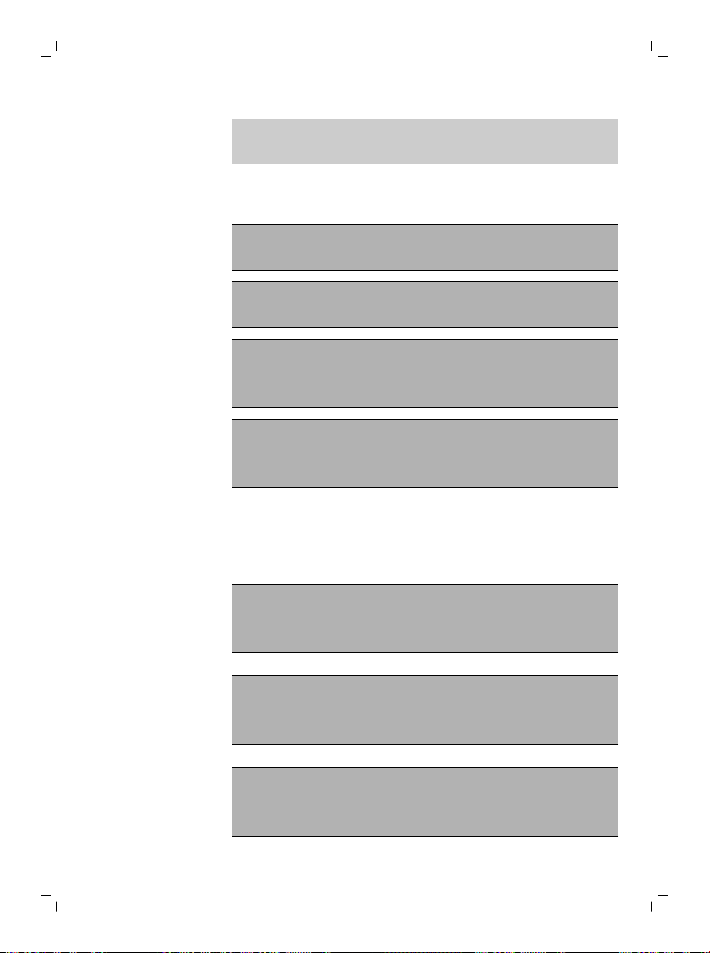
Note: The shaver unlocks automatically when
it is connected to a power outlet.
Cleaning and maintenance
Regular cleaning guarantees better
shaving results.
Never clean, remove or replace the shaving
unit while the shaver is switched on.
Do not touch shaving heads with hard
objects as this may dent or damage the
precision-made slotted combs.
Do not use abrasives, scourers or
aggressive liquids such as gasoline or
acetone to clean the shaver.
Cleaning the shaver under the tap
Clean the shaver after every use for optimal
performance (see 'Cleaning and maintenance').
Be careful with hot water. Always check if the
water is not too hot, to prevent burning your
hands.
Never dry the shaving unit with a towel or
tissue, as this may damage the shaving
heads.
While rinsing the shaving unit, water may drip
out of the base of the shaver. This is a normal
occurrence.
1 Switch on the appliance.
19
English
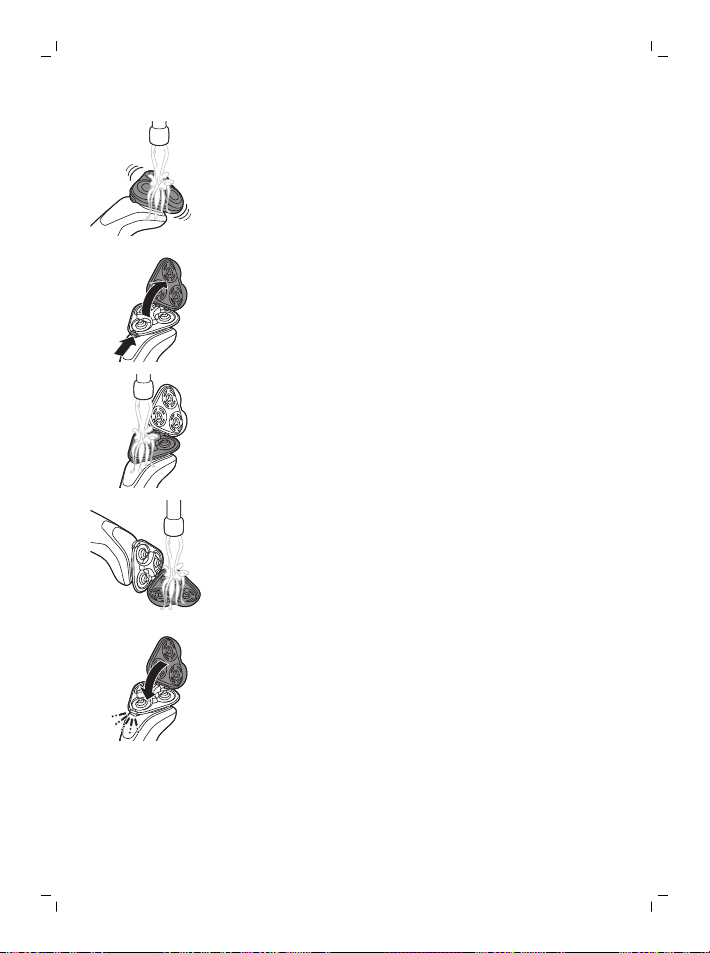
2 Rinse the shaving unit under a warm tap.
3 Switch off the appliance. Press the release
button to open the shaving unit.
4 Rinse the hair chamber under the tap.
5 Rinse the shaving head holder under a
warm tap.
6 Carefully shake off excess water and let the
shaving head holder air-dry completely.
7 Close the shaving head holder ('click').
Thorough cleaning
We advise you to clean the shaving heads
thoroughly once a month or when the shaver
does not shave as well as it used to.
20
English

1 Switch off the shaver.
2 Pull the shaving head holder off the bottom
part of the shaving unit.
3 Rinse the hair chamber and shaving head
holder under the tap.
4 Turn the retaining ring counterclockwise
and lift it off the shaving head.
1
2
Repeat this process for the other retaining
rings. Place them aside in a safe place.
5 Remove the shaving heads from the
shaving head holder. Each shaving head
consists of a cutter and guard.
Note: Do not clean more than one cutter
and guard at a time, since they are all
matching sets. If you accidentally put a
cutter in the wrong shaving guard, it may
take several weeks before optimal shaving
performance is restored.
21
English
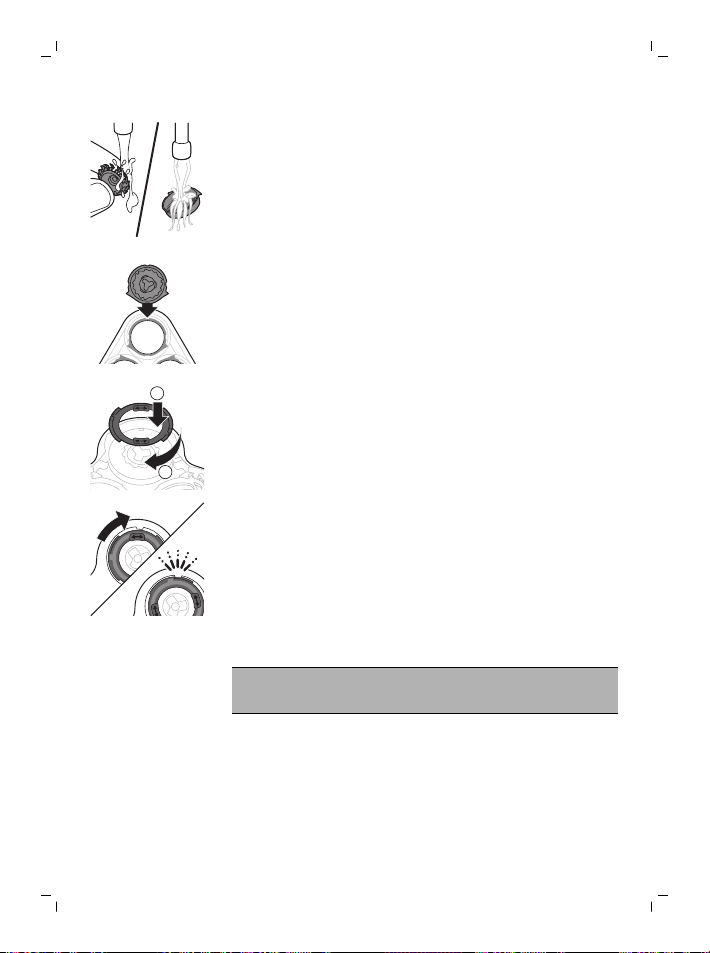
6 Clean the cutter and guard under the tap.
7 Shake off excess water.
8 Put the cutter back into the guard.
9 Place the shaving heads in the shaving
head holder.
1
2
10 Place the retaining ring on the shaving
head.
11 Turn the ring clockwise until it clicks to
indicate that the ring is fixed.
12 Attach the shaving head holder to the
bottom part of the shaving unit (‘click’).
Cleaning the precision trimmer attachment
Never dry the trimmer with a towel or tissue,
as this may damage the trimming teeth.
Clean the trimmer after each use.
1 Switch on the shaver.
22
English
2 Rinse the trimmer under a warm tap.
3 After cleaning, switch off the shaver.
4 Carefully shake off excess water and let the
trimmer air dry completely.
5 For optimal performance, lubricate the
teeth of the trimmer with a drop of mineral
oil every six months.
Replacement
Replacing the shaving heads
For maximum shaving performance, replace
the shaving heads once a year. Replace
damaged shaving heads immediately.
Always replace the shaving heads with original
Philips Norelco shaving heads (see
'Accessories').
Replacement reminder
The replacement reminder indicates that the
shaving heads need to be replaced.The
replacement reminder lights up when you
switch off the shaver.
1 To replace the shaving heads, remove the
shaving heads from the shaving head
holder one by one. See 'Thorough cleaning'
for the instructions on how to remove the
retaining rings and shaving heads.
7 sec.
2 To reset the replacement reminder, press
and hold the on/off button for approx. 7
seconds.
23
English
This product has no other user-serviceable
parts. For assistance call 1-800-243-3050.
Storage
Store the shaver in the travel case.
Note: Always let the shaver dry completely
before you store it in the travel case.
-
Be sure the product is switched off. Remove
the power cord from power outlet and the
product before storing it in a safe, dry
location where it will not be crushed,
banged, or subject to damage.
-
Do not wrap cord around the product when
storing.
-
Store cord and other accessories in a safe
location where these will not be cut or
damaged.
-
Do not place or store the product where it
can fall or be pulled into a tub or sink, water
or other liquid while plugged in.
Accessories
Replacement parts and accessories may be
purchased at a store near you or on our
website www.philips.com/store.
The following accessories are available:
-
SH50 Philips Norelco shaving heads
-
RQ111 Philips Norelco SmartClick beard
styler
24
English

Assistance
For assistance, visit our website:
www.philips.com/support or call toll free
1-800-243-3050.
Online information is available 24 hours a day,
7 days a week.
Disposal
-
This product contains a rechargeable
lithium-ion battery which must be disposed
of properly.
-
Contact your local town or city officials for
battery disposal information. You can also
call 1-800-822-8837 or visit
www.call2recycle.org for battery drop-off
locations.
-
For assistance, visit our website
www.philips.com/support or call
1-800-243-3050 toll free.
-
Your product is designed and manufactured
with high quality materials and
components, which can be recycled and
reused. For recycling information, please
contact your local waste management
facilities or visit www.recycle.philips.com.
Full Two-Year Warranty
Philips North America LLC warrants this new
product (except cutters and combs) against
defects in materials or workmanship for a
period of two years from the date of purchase,
25
English

and agrees to repair or replace any defective
product without charge.
IMPORTANT: This warranty does not cover
damage resulting from accident, misuse or
abuse, lack of reasonable care, the affixing of
any attachment not provided with the product
or loss of parts or subjecting the product to
any but the specified voltage or batteries.*
NO RESPONSIBILITY IS ASSUMED FOR ANY
SPECIAL, INCIDENTAL OR CONSEQUENTIAL
DAMAGES.
In order to obtain warranty service, simply go
to www.philips.com/support for assistance. It
is suggested that for your protection you
return shipments of product by insured mail,
insurance prepaid. Damage occurring during
shipment is not covered by this warranty.
NOTE: No other warranty, written or oral, is
authorized by Philips Personal Health, a
division of Philips North America LLC.
This warranty gives you specific legal rights,
and you may also have other rights which vary
from state to state. Some states do not allow
the exclusion or limitation of incidental or
consequential damages, so the above
exclusion and limitations may not apply to
you.
*Read enclosed instructions carefully.
26
English

45-DAY MONEY-BACK GUARANTEE
To enjoy the closest and most comfortable
shave from your new Philips Norelco Men’s
Shaver, the shaver should be used exclusively
for 3 weeks. This allows your hair and skin
enough time to adapt to the Philips Norelco
Shaving System. If, after that period of time,
you are not fully satisfied with your Philips
Norelco Men’s Shaver, send the product back
along with dated sales receipt and we’ll refund
you the full purchase price.
The product must be shipped prepaid by
insured mail, insurance prepaid, have the
original sales receipt, indicating purchase
price and date of purchase, and the money-
back guarantee return authorization form
enclosed.
We cannot be responsible for lost mail.
The product must be postmarked no later than
45 days after the date of purchase. Philips
reserves the right to verify the purchase price
of the product and limit refunds not to exceed
suggested retail price.
To obtain money-back guarantee service,
please go to www.PhilipsMoneyBack.com.
Delivery of refund check will occur 6–8 weeks
after receipt of returned product.
27
English




Empty page before back cover

Manufactured for:
Philips Personal Health
a division of Philips North America LLC
P.O. Box 10313, Stamford, CT 06904
This symbol on the product’s nameplate means it is listed
by Underwriters’ Laboratories, Inc.
Norelco and Tripleheader are registered trademarks of Philips
North America LLC.
PHILIPS and Philips shield are registered trademarks of
Koninklijke Philips N.V.
©2020 Philips North America LLC. All rights reserved.
3000.053.1653.1 (5/13/2020)
>75 % recycled paper
>75 % papier recyclé