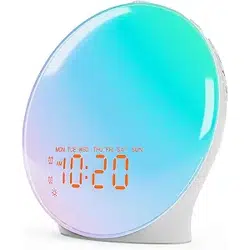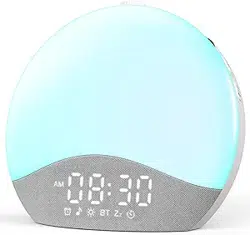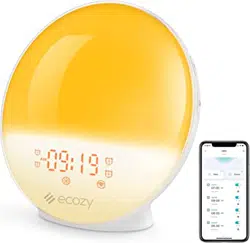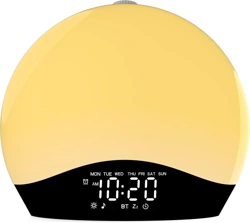
Sunrise Alarm Clock User Manual
K2
ThreeDucksDirect@outlook.com
(EN)
ThreeDucksDirect@outlook.com

ThreeDucksDirect@outlook.com
We've helped 1,000,000+ families get a good
night's rest. And now, with great enthusiasm, we
aim to make sleeping easier and waking up
more comfortable with our innovative, all-in-one
products for everyone from children to seniors.


ThreeDucksDirect@outlook.com
1. Product Overview ---------------------------------------- 1-4
2. First Use -------------------------------------------------- 5
3. Time Setting ---------------------------------------------- 6-7
4. Alarm Setting ---------------------------------------------- 8-11
(1) Alarm Setting
(2) Alarm Mode Setting (Weekend Alarms)
5. Snooze & Stop Alarms 5. Snooze & Stop Alarms --------------------------------- 12-13
6. FM Radio Setting ---------------------------------------- 14-15
(1) Manual Frequency Tuning
(2) Automatic Frequency Tuning
7. Mood Light Setting -------------------------------------- 16-17
(1) 8 Solid Color Lights
(2) 9 RGB Mood Lights
8. BT Mode 8. BT Mode ------------------------------------------------ 18-19
9. Music Mode ---------------------------------------------- 20
10. Fall Asleep Setting -------------------------------------- 21
11. Some Tips About The Clock ---------------------------- 22-23
12. FAQ ---------------------------------------------------- 24-25
13. Warranty ------------------------------------------------ 26
Contents
ThreeDucksDirect@outlook.com
1
ThreeDucksDirect@outlook.com
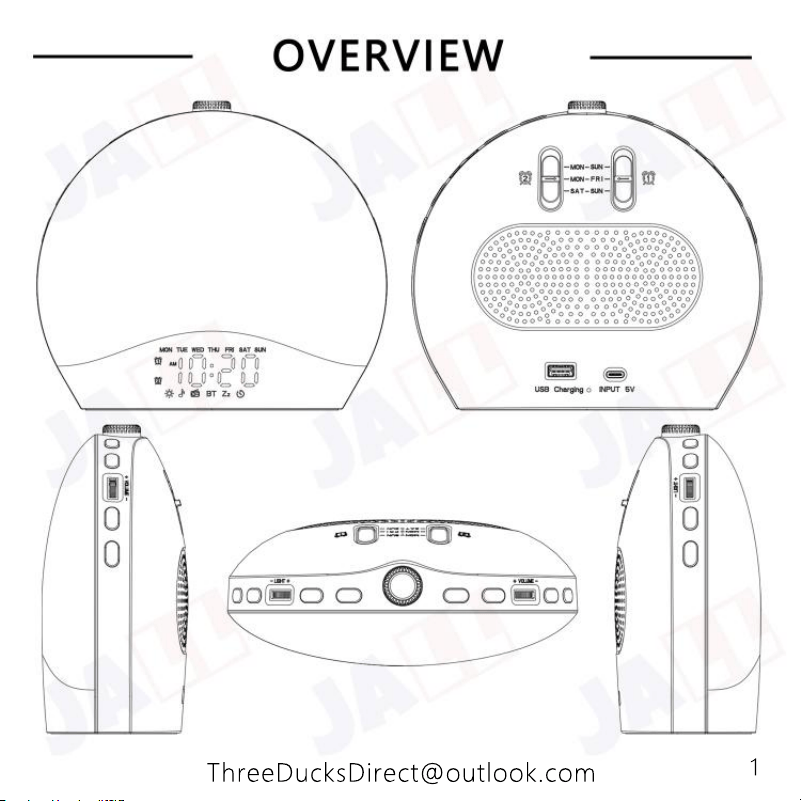
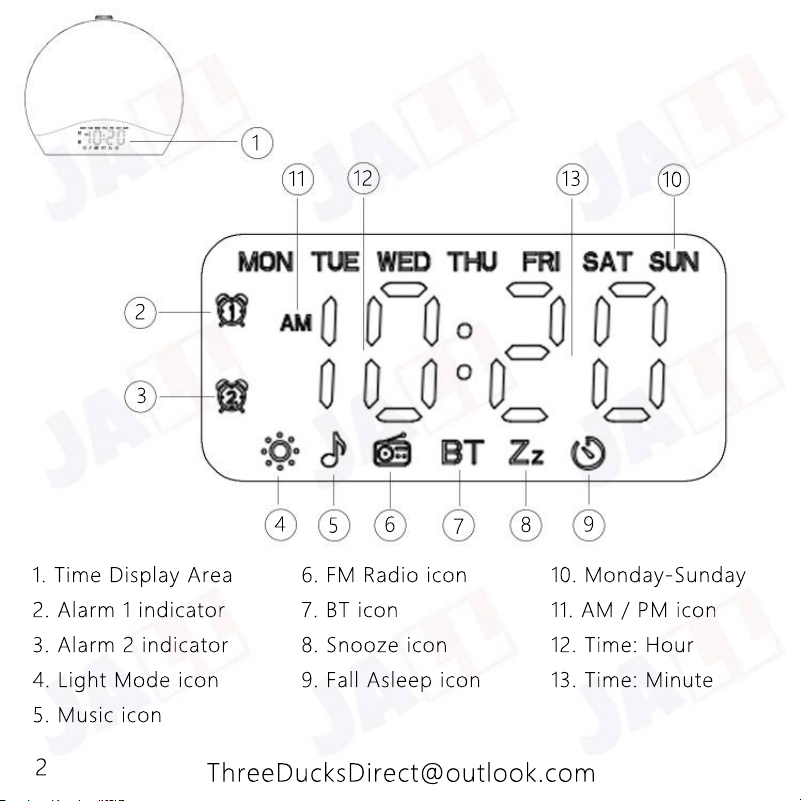
1. Time Display Area 6. FM Radio icon 10. Monday-Sunday
2. Alarm 1 indicator 7. BT icon 11. AM / PM icon
3. Alarm 2 indicator 8. Snooze icon 12. Time: Hour
4. Light Mode icon 9. Fall Asleep icon 13. Time: Minute
5. Music icon
1
2
3
4
5
6
7
8
9
10
13
12
11
2
ThreeDucksDirect@outlook.com
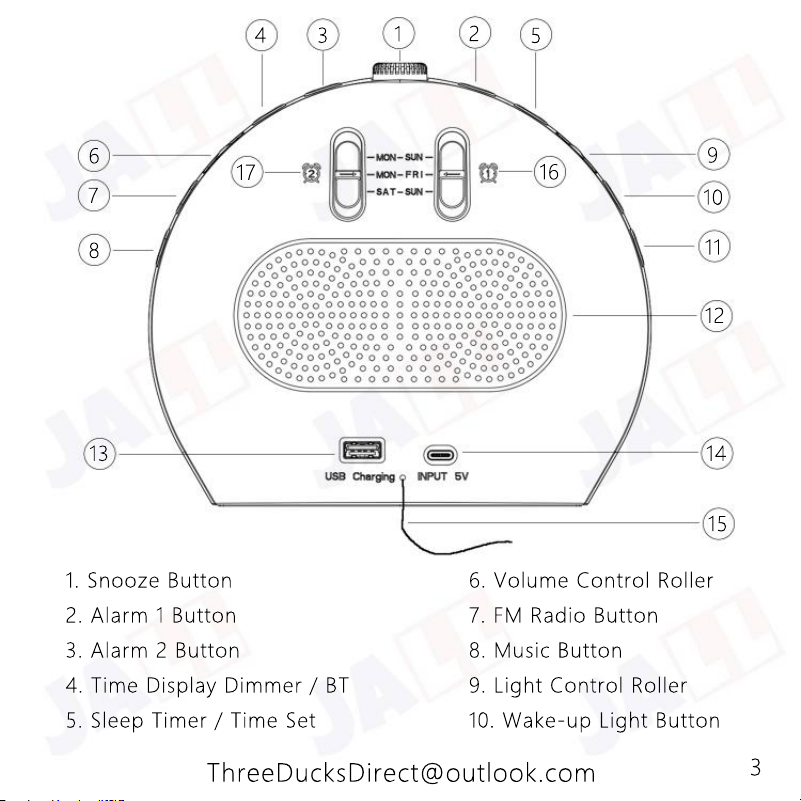
1. Snooze Button 6. Volume Control Roller
2. Alarm 1 Button 7. FM Radio Button
3. Alarm 2 Button 8. Music Button
4. Time Display Dimmer / BT 9. Light Control Roller
5. Sleep Timer / Time Set 10. Wake-up Light Button
1
2
3
4
6
7
8
5
9
10
11
16
17
12
13
14
15
3
ThreeDucksDirect@outlook.com
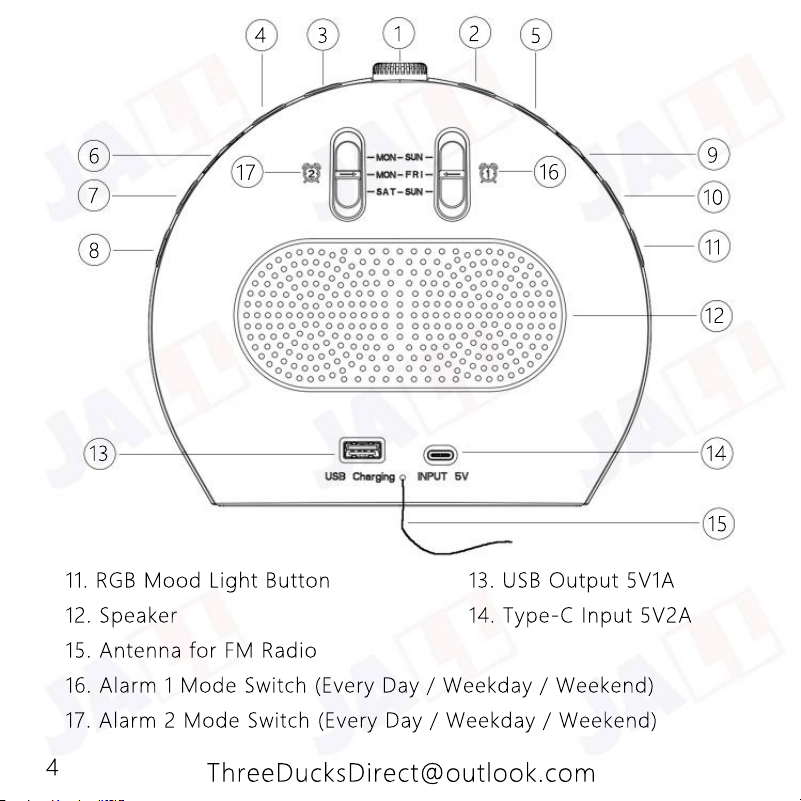
11. RGB Mood Light Button 13. USB Output 5V1A
12. Speaker 14. Type-C Input 5V2A
15. Antenna for FM Radio
16. Alarm 1 Mode Switch (Every Day / Weekday / Weekend)
17. Alarm 2 Mode Switch (Every Day / Weekday / Weekend)
1
2
3
4
6
7
8
5
9
10
11
16
17
12
13
14
15
4
ThreeDucksDirect@outlook.com
5
ThreeDucksDirect@outlook.com
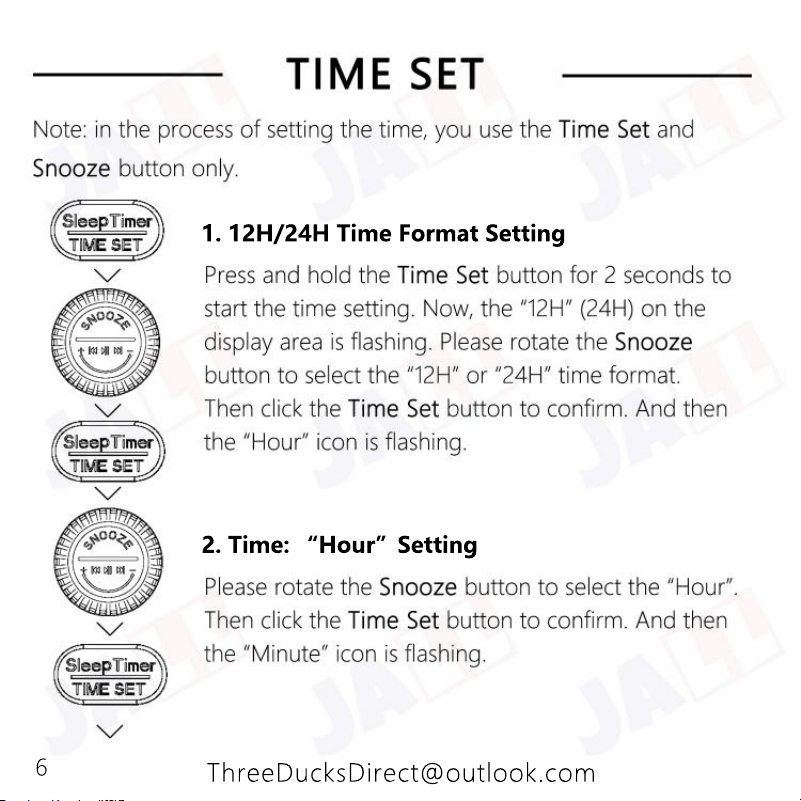
2. Time: “Hour”Setting
1. 12H/24H Time Format Setting
6
ThreeDucksDirect@outlook.com
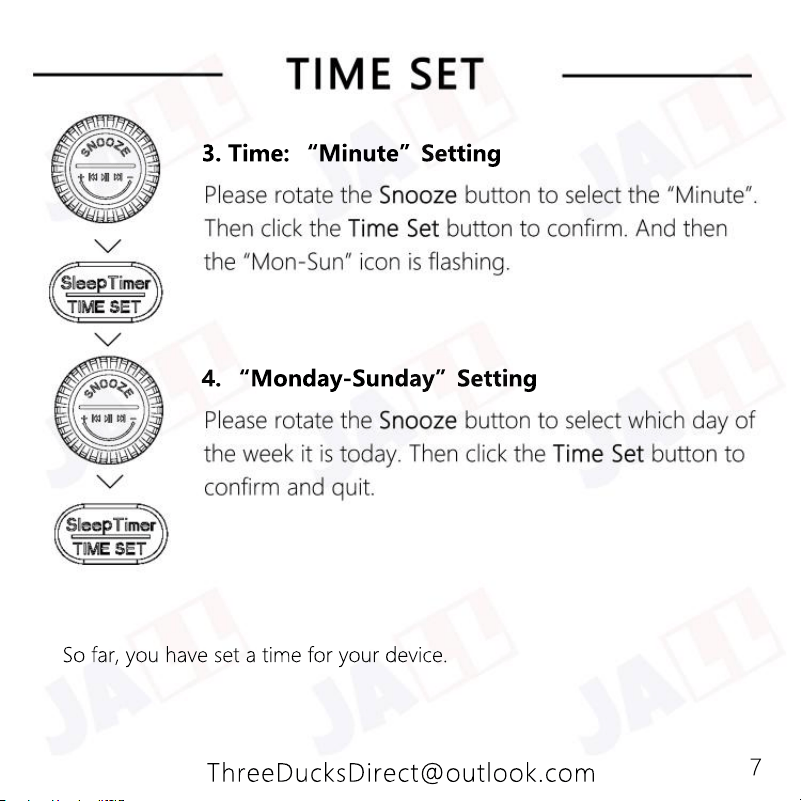
So far, you have set a time for your device.
4. “Monday-Sunday”Setting
3. Time: “Minute”Setting
7
ThreeDucksDirect@outlook.com
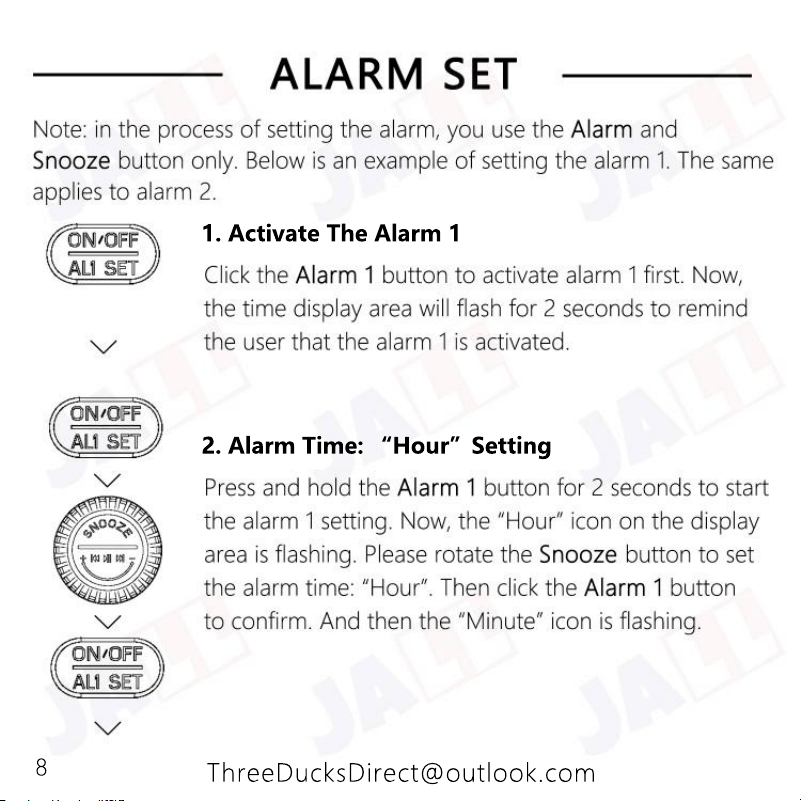
2. Alarm Time: “Hour”Setting
1. Activate The Alarm 1
8
ThreeDucksDirect@outlook.com
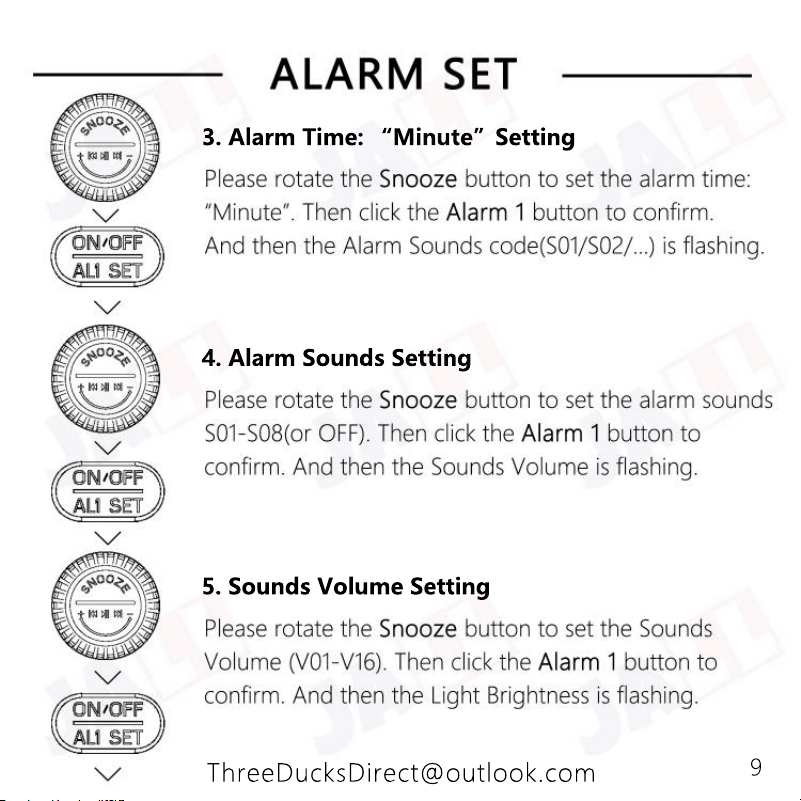
5. Sounds Volume Setting
4. Alarm Sounds Setting
3. Alarm Time: “Minute”Setting
9
ThreeDucksDirect@outlook.com
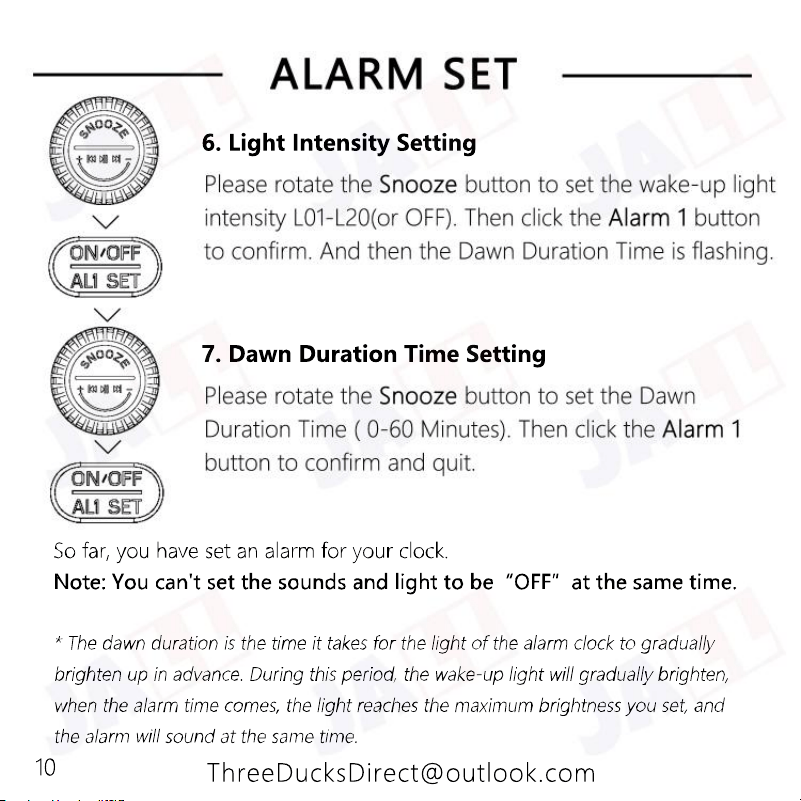
7. Dawn Duration Time Setting
6. Light Intensity Setting
10
ThreeDucksDirect@outlook.com
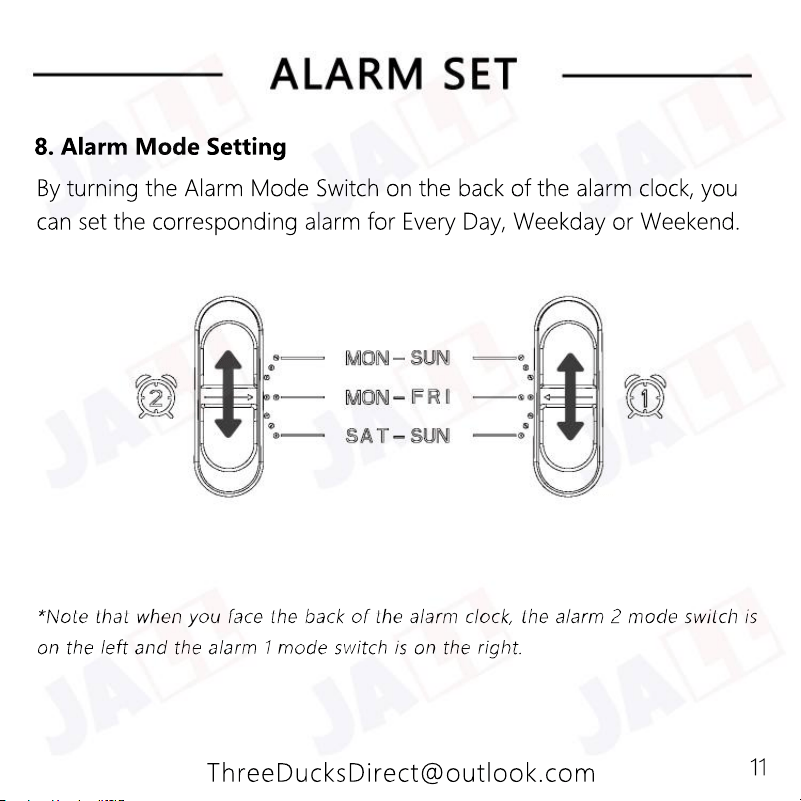
By turning the Alarm Mode Switch on the back of the alarm clock, you
can set the corresponding alarm for Every Day, Weekday or Weekend.
8. Alarm Mode Setting
11
ThreeDucksDirect@outlook.com
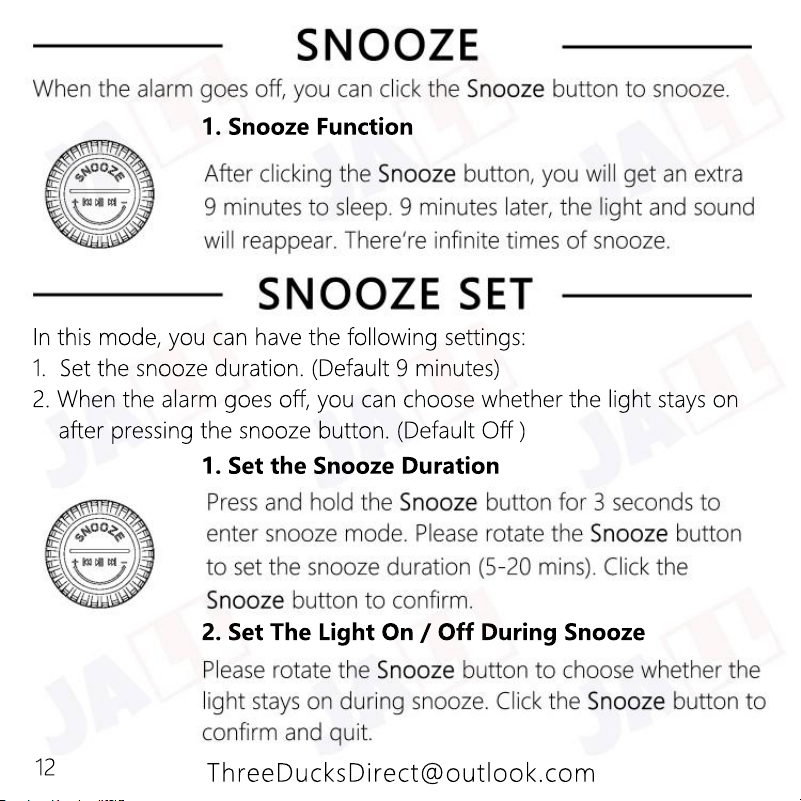
2. Set The Light On / Off During Snooze
1. Set the Snooze Duration
In this mode, you can have the following settings:
1. Set the snooze duration. (Default 9 minutes)
2. When the alarm goes off, you can choose whether the light stays on
after pressing the snooze button. (Default Off )
1. Snooze Function
12
ThreeDucksDirect@outlook.com
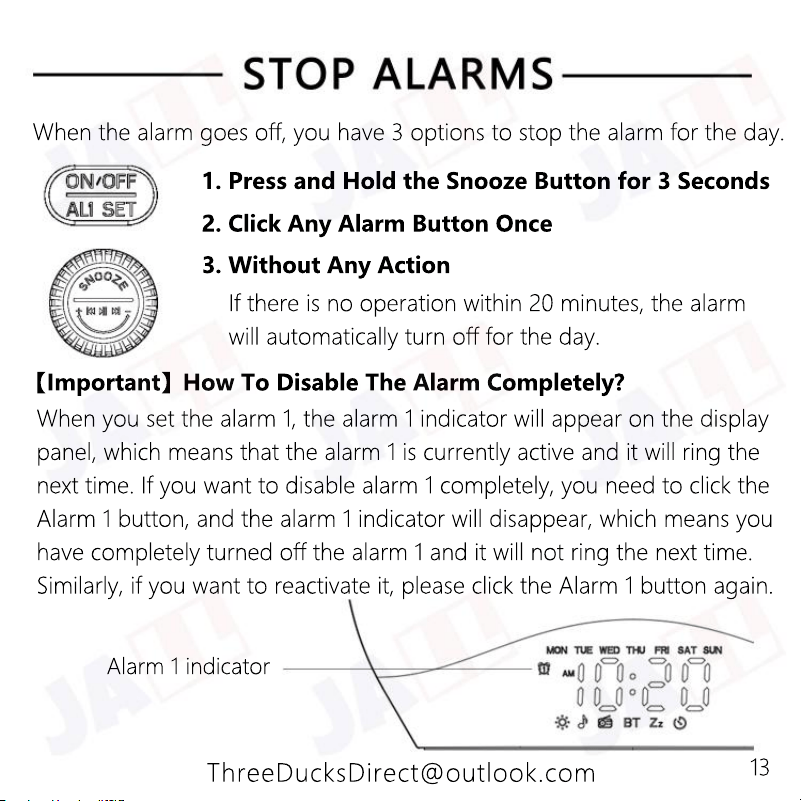
Alarm 1 indicator
When you set the alarm 1, the alarm 1 indicator will appear on the display
panel, which means that the alarm 1 is currently active and it will ring the
next time. If you want to disable alarm 1 completely, you need to click the
Alarm 1 button, and the alarm 1 indicator will disappear, which means you
have completely turned off the alarm 1 and it will not ring the next time.
Similarly, if you want to reactivate it, please click the Alarm 1 button again.
【Important】How To Disable The Alarm Completely?
If there is no operation within 20 minutes, the alarm
will automatically turn off for the day.
3. Without Any Action
2. Click Any Alarm Button Once
1. Press and Hold the Snooze Button for 3 Seconds
When the alarm goes off, you have 3 options to stop the alarm for the day.
13
ThreeDucksDirect@outlook.com
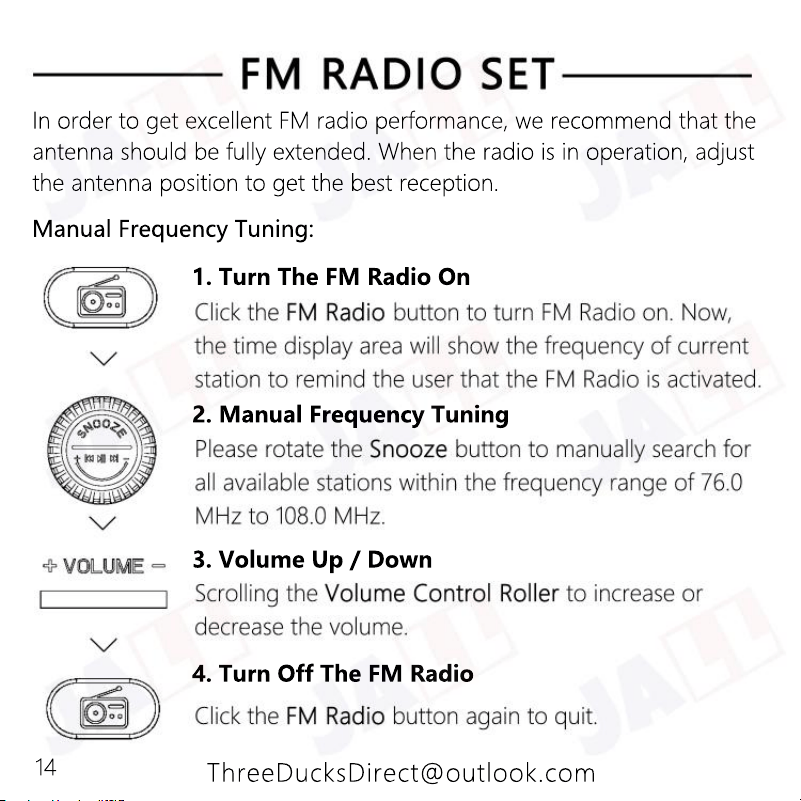
4. Turn Off The FM Radio
3. Volume Up / Down
2. Manual Frequency Tuning
1. Turn The FM Radio On
Manual Frequency Tuning:
In order to get excellent FM radio performance, we recommend that the
antenna should be fully extended. When the radio is in operation, adjust
the antenna position to get the best reception.
14
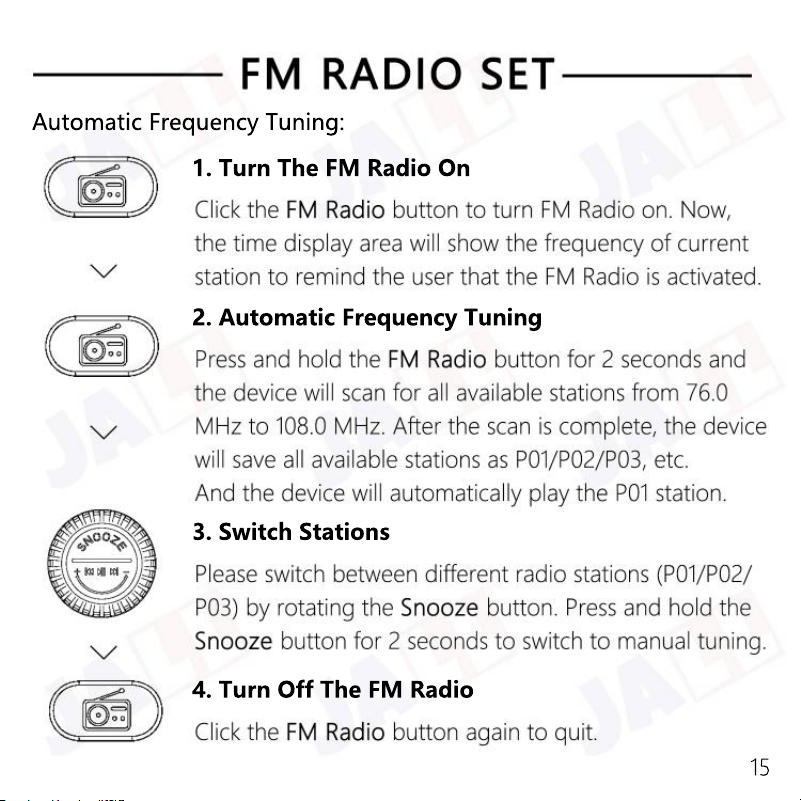
4. Turn Off The FM Radio
3. Switch Stations
2. Automatic Frequency Tuning
1. Turn The FM Radio On
Automatic Frequency Tuning:
15
ThreeDucksDirect@outlook.com
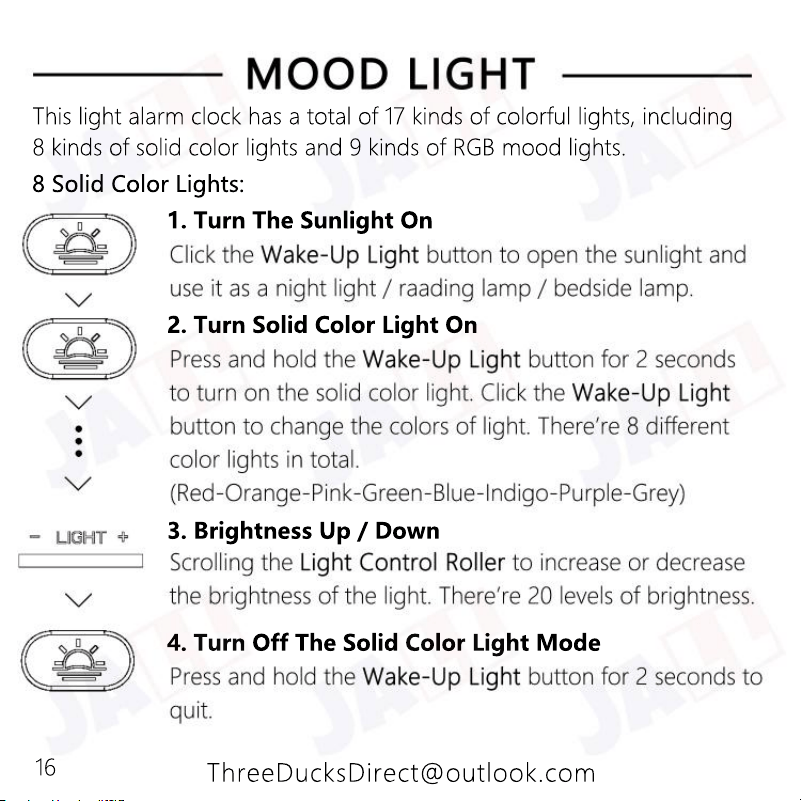
4. Turn Off The Solid Color Light Mode
3. Brightness Up / Down
2. Turn Solid Color Light On
1. Turn The Sunlight On
8 Solid Color Lights:
This light alarm clock has a total of 17 kinds of colorful lights, including
8 kinds of solid color lights and 9 kinds of RGB mood lights.
16
ThreeDucksDirect@outlook.com
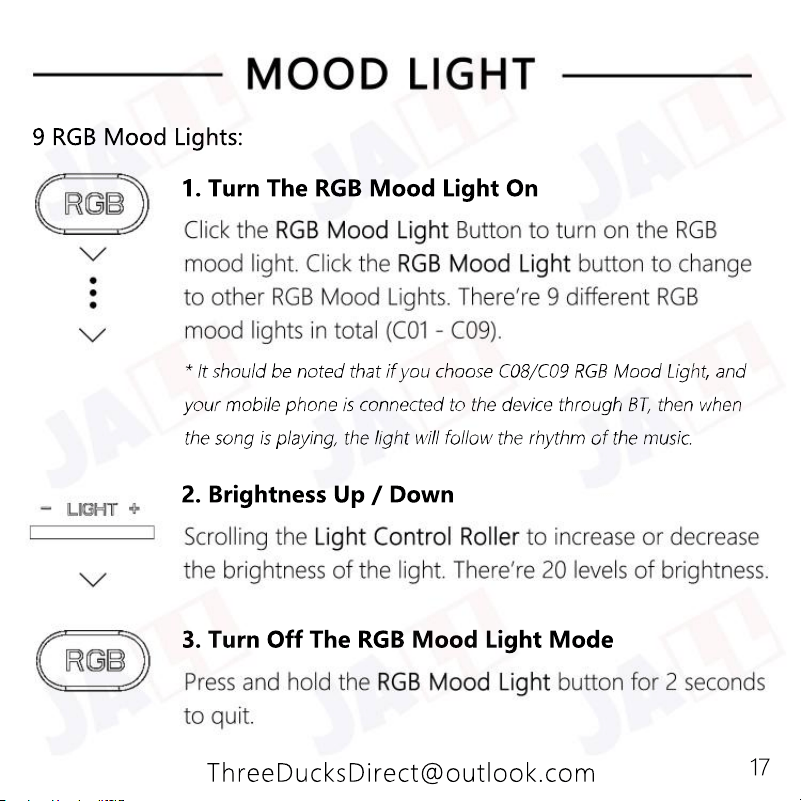
3. Turn Off The RGB Mood Light Mode
2. Brightness Up / Down
1. Turn The RGB Mood Light On
9 RGB Mood Lights:
17
ThreeDucksDirect@outlook.com
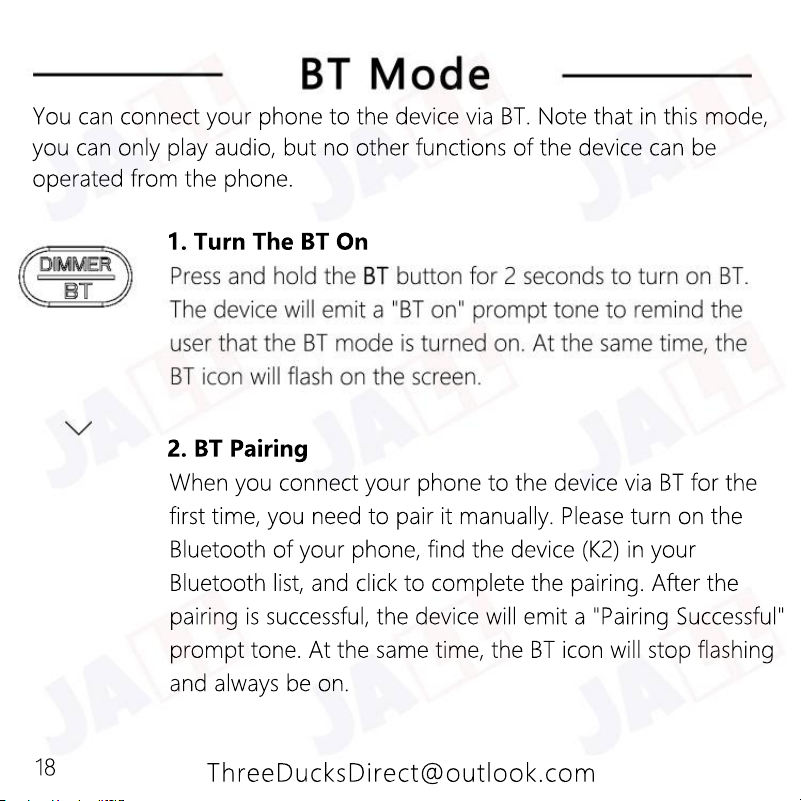
When you connect your phone to the device via BT for the
first time, you need to pair it manually. Please turn on the
Bluetooth of your phone, find the device (K2) in your
Bluetooth list, and click to complete the pairing. After the
pairing is successful, the device will emit a "Pairing Successful"
prompt tone. At the same time, the BT icon will stop flashing
and always be on.
and always be on.
2. BT Pairing
1. Turn The BT On
You can connect your phone to the device via BT. Note that in this mode,
you can only play audio, but no other functions of the device can be
operated from the phone.
18
ThreeDucksDirect@outlook.com
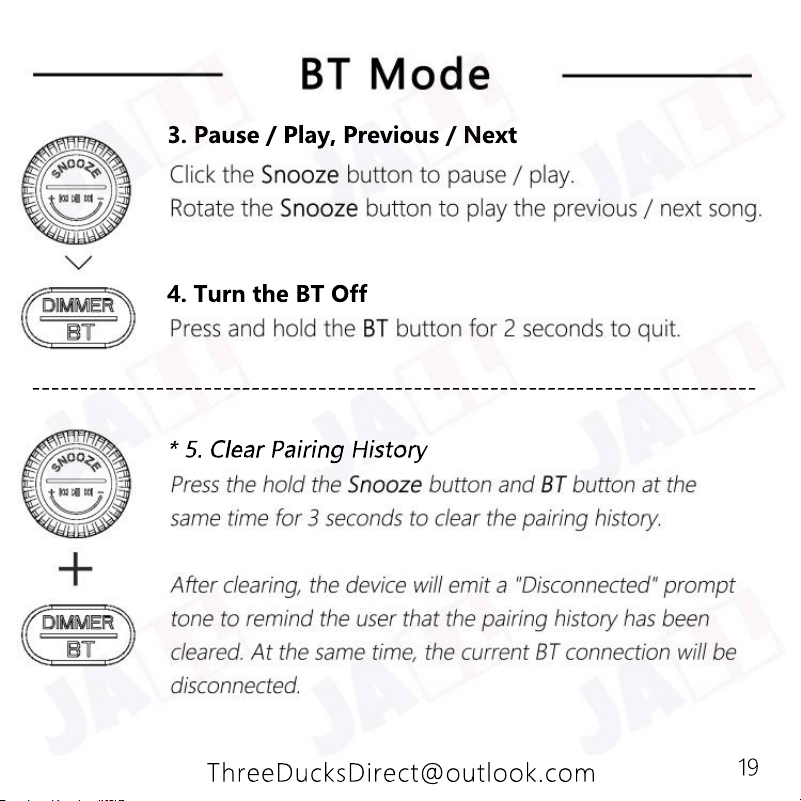
4. Turn the BT Off
3. Pause / Play, Previous / Next
19
ThreeDucksDirect@outlook.com
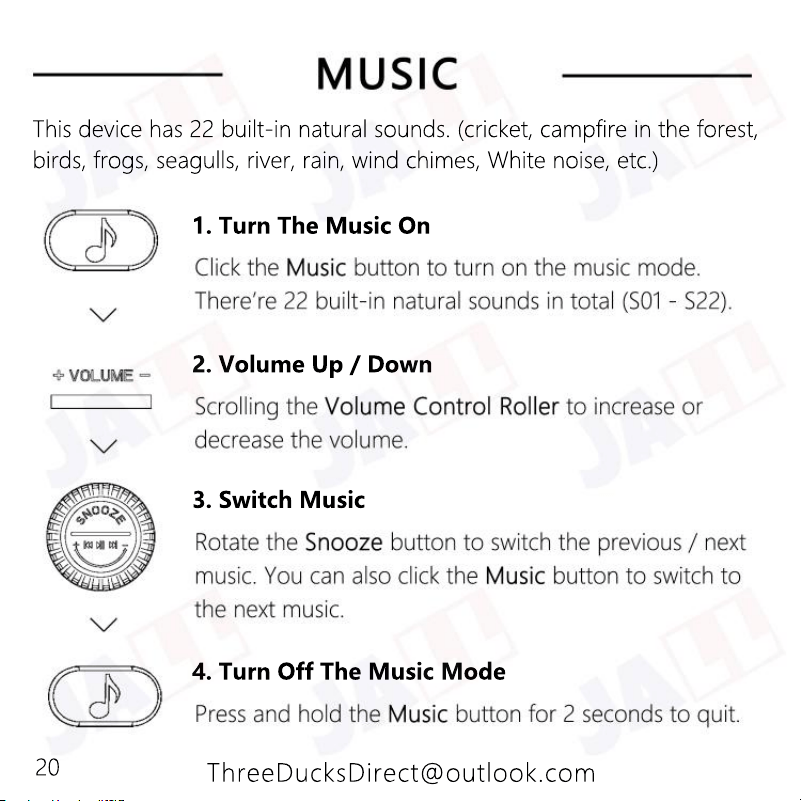
4. Turn Off The Music Mode
3. Switch Music
2. Volume Up / Down
1. Turn The Music On
This device has 22 built-in natural sounds. (cricket, campfire in the forest,
birds, frogs, seagulls, river, rain, wind chimes, White noise, etc.)
20
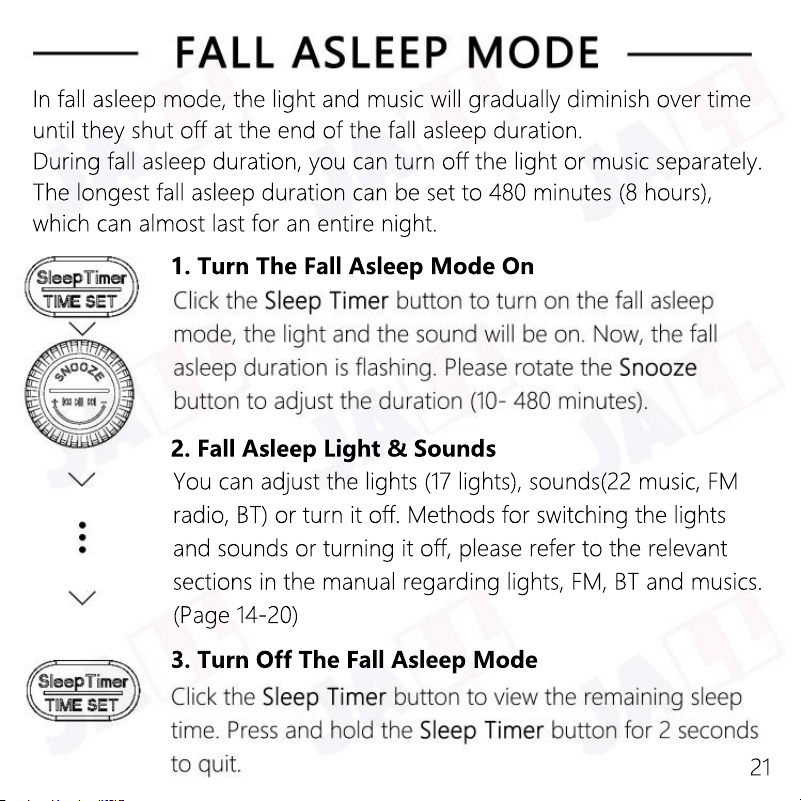
3. Turn Off The Fall Asleep Mode
You can adjust the lights (17 lights), sounds(22 music, FM
radio, BT) or turn it off. Methods for switching the lights
and sounds or turning it off, please refer to the relevant
sections in the manual regarding lights, FM, BT and musics.
(Page 14-20)
2. Fall Asleep Light & Sounds
1. Turn The Fall Asleep Mode On
In fall asleep mode, the light and music will gradually diminish over time
until they shut off at the end of the fall asleep duration.
During fall asleep duration, you can turn off the light or music separately.
The longest fall asleep duration can be set to 480 minutes (8 hours),
which can almost last for an entire night.
21
ThreeDucksDirect@outlook.com
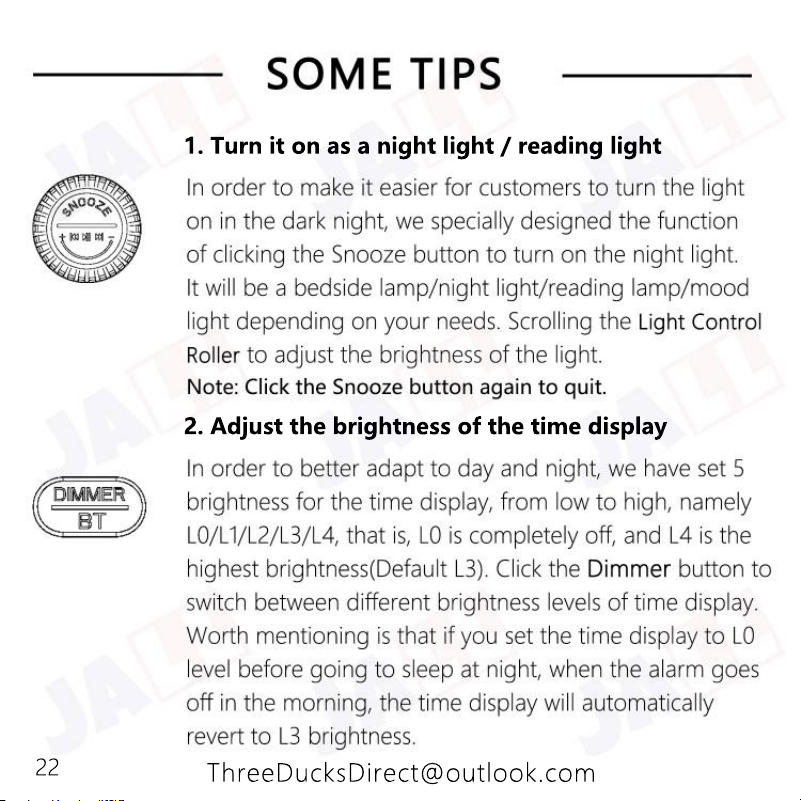
2. Adjust the brightness of the time display
1. Turn it on as a night light / reading light
22
ThreeDucksDirect@outlook.com
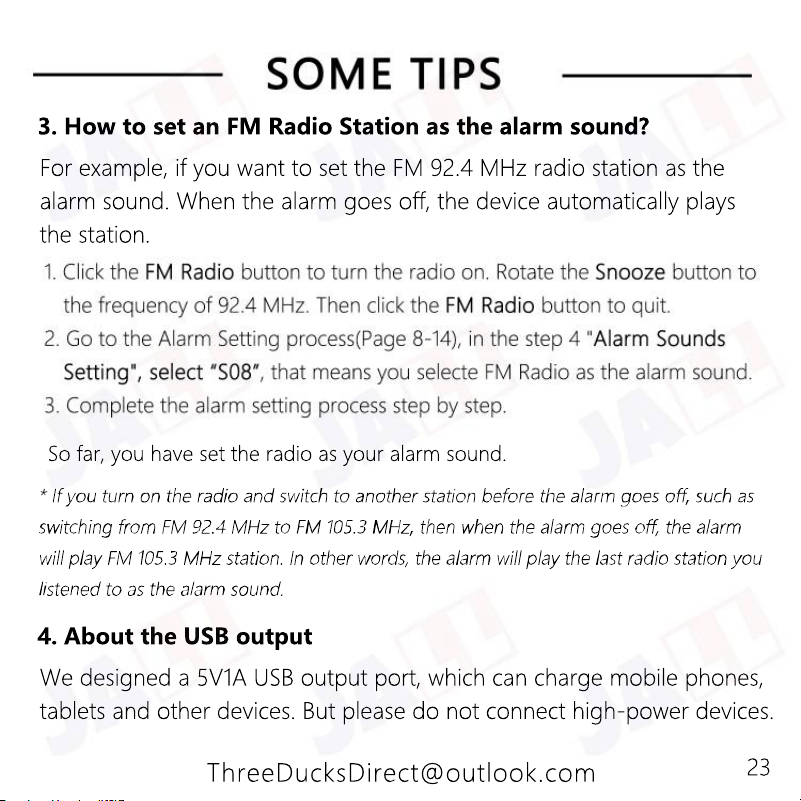
We designed a 5V1A USB output port, which can charge mobile phones,
tablets and other devices. But please do not connect high-power devices.
4. About the USB output
For example, if you want to set the FM 92.4 MHz radio station as the
alarm sound. When the alarm goes off, the device automatically plays
the station.
So far, you have set the radio as your alarm sound.
3. How to set an FM Radio Station as the alarm sound?
23
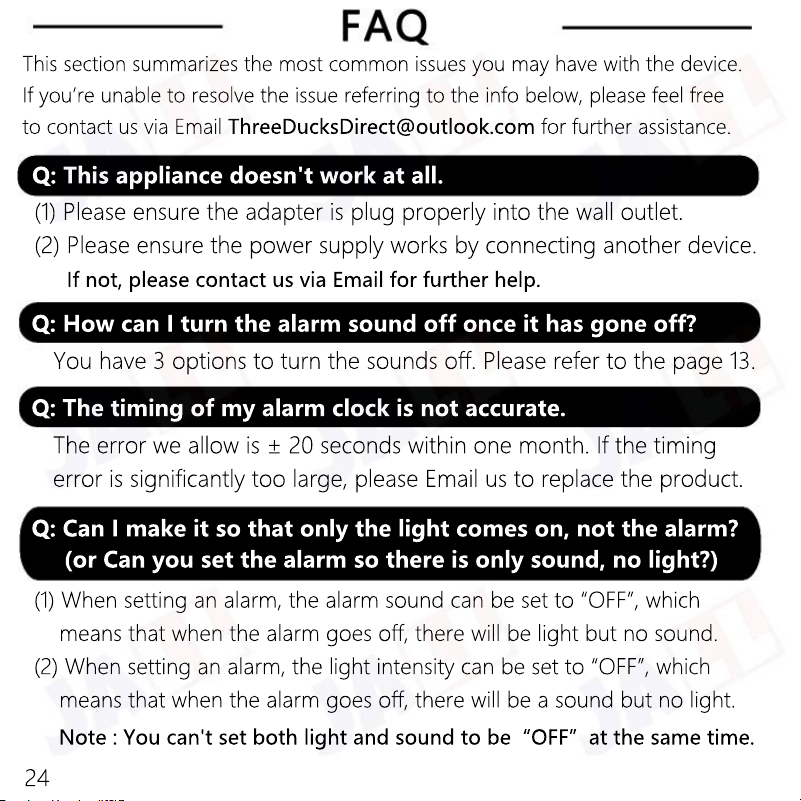
Note : You can't set both light and sound to be“OFF”at the same time.
(1) When setting an alarm, the alarm sound can be set to “OFF”, which
means that when the alarm goes off, there will be light but no sound.
(2) When setting an alarm, the light intensity can be set to “OFF”, which
means that when the alarm goes off, there will be a sound but no light.
Q: Can I make it so that only the light comes on, not the alarm?
(or Can you set the alarm so there is only sound, no light?)
The error we allow is ± 20 seconds within one month. If the timing
error is significantly too large, please Email us to replace the product.
Q: The timing of my alarm clock is not accurate.
You have 3 options to turn the sounds off. Please refer to the page 13.
Q: How can I turn the alarm sound off once it has gone off?
(1) Please ensure the adapter is plug properly into the wall outlet.
(2) Please ensure the power supply works by connecting another device.
If not, please contact us via Email for further help.
Q: This appliance doesn't work at all.
This section summarizes the most common issues you may have with the device.
If you’re unable to resolve the issue referring to the info below, please feel free
to contact us via Email ThreeDucksDirect@outlook.com for further assistance.
24
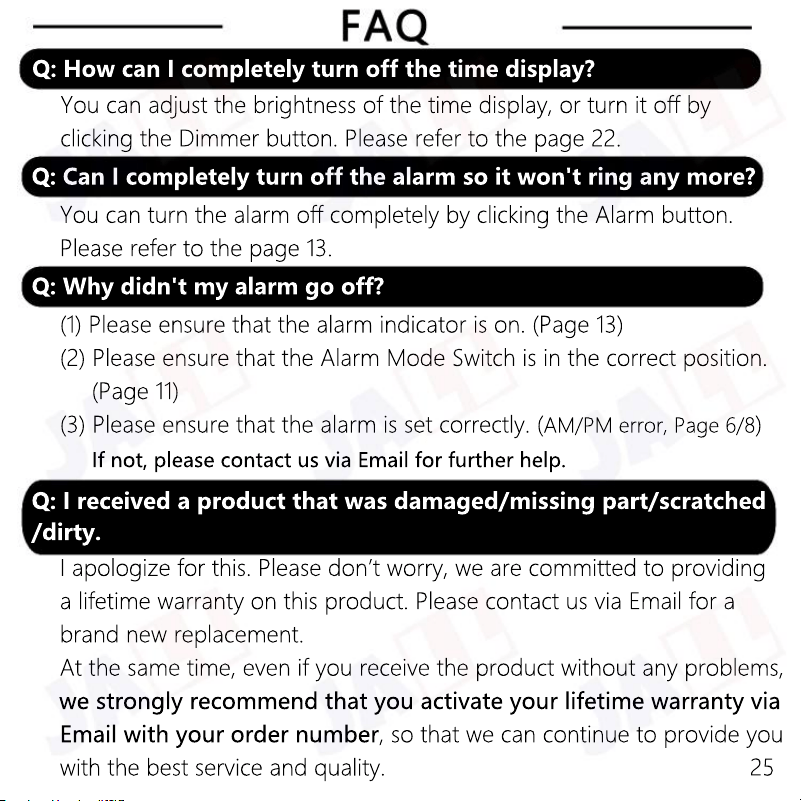
I apologize for this. Please don’t worry, we are committed to providing
a lifetime warranty on this product. Please contact us via Email for a
brand new replacement.
At the same time, even if you receive the product without any problems,
we strongly recommend that you activate your lifetime warranty via
Email with your order number
, so that we can continue to provide you
with the best service and quality.
Q: I received a product that was damaged/missing part/scratched
/dirty.
If not, please contact us via Email for further help.
(1) Please ensure that the alarm indicator is on. (Page 13)
(2) Please ensure that the Alarm Mode Switch is in the correct position.
(Page 11)
(3) Please ensure that the alarm is set correctly. (
AM/PM error, Page 6/8
)
Q: Why didn't my alarm go off?
You can turn the alarm off completely by clicking the Alarm button.
Please refer to the page 13.
Q: Can I completely turn off the alarm so it won't ring any more?
You can adjust the brightness of the time display, or turn it off by
clicking the Dimmer button. Please refer to the page 22.
Q: How can I completely turn off the time display?
25
ThreeDucksDirect@outlook.com
Visit
Email
ThreeDucksDirect@outlook.com
Contact Us To Activate Your Lifetime Warranty Now!
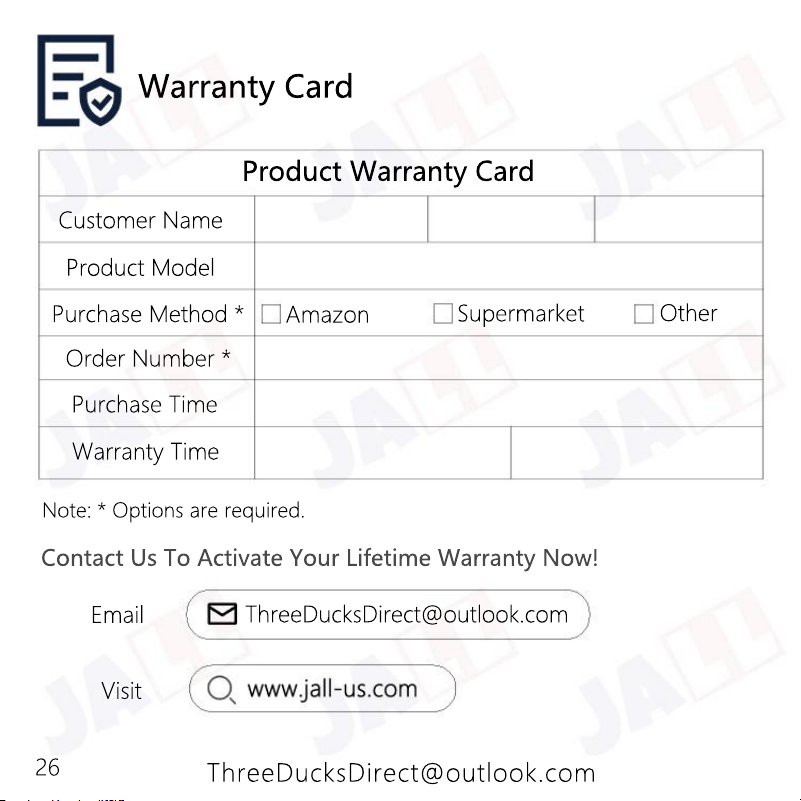
Product Warranty Card
Customer Name
Purchase Method *
Order Number *
Purchase Time
Warranty Time
Product Model
Amazon
Other
Note: * Options are required.
Supermarket
Warranty Card
26

ThreeDucksDirect@outlook.com
Get a copy of the user manual for future reference.
Get your thoughts shared. Every voice matters.
Get limited-time discounts (if any).
Get products authenticity verified.
Get your lifetime warranty.
Visit
for
Lifetime Warranty