manual
gs3
Imagine if the sky’s the limit, what would the ultimate light duty/home
machine be? That was the question La Marzocco set out to answer.
Years of research and development yielded the creation of a yet another
standard setting espresso machine: the GS/3. With La Marzocco performance
and technology, the GS/3 is designed for light commercial applications,
including restaurants, ofces, catering, or the ultimate home coffee bar. All
the features and performance of a larger La Marzocco in a compact footprint.
gs3
Operating Manual V2.0 - 11/2019
MAN.2.1.02
EN
certications available:
La Marzocco S.r.l.
Via La Torre 14/H
Località La Torre
50038 Scarperia e San Piero
(Florence) - ITALY
www.lamarzocco.com
T: +39 055 849 191
F: +39 055 849 1990
Original instructions veried by the
manufacturer.
Scan QR Code to view the complete
Software Programming Guide available on
the techcenter website.
Printed on recycled paper.
Chapters
1. General Warnings and Safety Specications
2. Accessories
3. Machina Description
4. Installation
5. Operation
6. Key Features
7. Preventative Maintenance and Cleaning
8. Mandatory Maintenance and Check-up Operations
9. Installation Guide
page 3
page 7
page 8
page 9
page 16
page 18
page 20
page 23
page 24
10. Software Programming Guide page 35
EN
3
1. General Warnings and Safety Specications
1) Important safeguards
• The weighted sound
pressure level of the
machine is lower than
70dBA.
• Use, cleaning and
maintenance of this coffee
machine are realized
by people (including
children more than 8
years of age) with reduced
physical, sensory or mental
capabilities, or lack of
experience and knowledge,
as long as they have
been given supervision or
instructions concerning
the use of the appliance
by a person responsible
for their safety and if they
understand dangers.
• Children should be
supervised to ensure that
they do not play with the
appliance.
• Keep the appliance and
its cord out of the reach of
children less than 8 years
of age.
2) This operating manual
is an integral and essential
part of the product and
must be supplied to users.
WARNING
This machine is for professional
use only and should be installed
in locations where its use and
maintenance is restriced to
trained personnel. Children are
forbidden to operate or play with
the machine.
WARNING
The Coffee machine must be
placed in a horizontal position on
a counter higher than 80 cm from
the ground.
CAUTION
As already mentioned in
the preceding notes, the
manufacturer shall not be held
responsible for damage to
objects, animals and/or people
whenever the machine has not
been installed according to the
instructions contained in this
manual, and is not used to do
what it was designed for (i.e.
preparing coffee and hot drinks).
WARNING
This machine is not suitable
for outdoor use. Jets of water
should not be used to clean the
machine, nor should it be placed
where water jets are used.
EN
4
Users are asked to read
the enclosed warnings and
cautions carefully, as they
provide valuable information
concerning safety during
installation, operation and
maintenance. This manual
must be kept in a safe
place and be available for
consultation to new and
experienced users alike.
3) Ensure product’s integrity
by inspecting the packaging,
making sure it presents no
signs of damage which might
have affected the enclosed
machine.
4) Check the machine’s
integrity after having carefully
removed the packaging.
Note: In case of doubt, do not go
on any further and contact your
dealer or retailer immediately. They
will send out specialized personnel
authorized to perform service on
the espresso machine.
5) Packaging (boxes, plastic
bags, foam parts and whatever
else) must not be left around
within easy reach of children,
due to the potential danger it
represents, nor be discarded
in the environment.
6) Check to see that data on
the rating plate corresponds
to those of the main electrical
supply which the machine will
be hooked up to.
7) The equipment must be
installed to comply with the
applicable federal, state or
local electrical and plumbing
codes. The installation
also must comply to the
manufacturer’s instructions,
and must be performed by
qualied and authorized
personnel.
8) Incorrect installation may
cause for injury/damages to
people, animals or objects, for
which the manufacturer shall
not be held responsible.
9) Safe electrical operation of
this device will be achieved
only when the connection to
the power outlet has been
completed correctly and
in observance of all local,
national, and international
electrical codes and safety
regulations, and particularly
by grounding the unit.
Make sure grounding has
been done properly as it
represents a fundamental
safety requirement. Ensure
qualied personnel check
such connection.
EN
5
10) Furthermore, you must
ensure that the capacity of
the available electrical system
is suitable for the maximum
power consumption indicated
on the espresso machine.
11) We do not recommend
using adapters, multiple
plugs and/or extension cords.
If you cannot avoid using
them, make sure that they are
exclusively of the kind which
conforms to local, national,
and international electrical
codes and safety regulations,
being careful not to exceed
the power and current ratings
indicated on such adapters
and extension cords.
12) This device must be used
exclusively for the functions it
has been designed and built
for. Any other application is
inappropriate and dangerous.
The manufacturer shall not be held
responsible for any damages caused
by improper and/or irrational use.
This machine should not be
installed in kitchens.
13) Using any electrical
device requires that certain
fundamental rules be
observed. In particular:
• do not touch the device
with wet or humid hands
and feet;
• do not use the device while
having no shoes on your
feet;
• do not use extension cords
in bath or shower rooms;
• do not unplug the device
from the power outlet by
pulling on the power supply
cable;
• do not expose the device to
atmospheric agents (rain,
sun, etc.);
• do not allow children or
untrained people to use
this device;
• do not clean the control
panel with a wet cloth since
it is not watertight.
14) Before carrying out any
maintenance and/or cleaning
operations, turn the main
switch, which is located on
the front left of the machine,
to the “0” or “OFF” position,
and disconnect the machine
from the electrical networkby
unplugging the cord or by
switching off the relative
circuit breaker. For any
cleaning operation, follow
exclusively the instructions
contained in this manual.
15) In case the machine is
EN
6
operating in a faulty manner
or breaks down, disconnect
it from the electrical network
(as described in the preceding
point) and close the water
supply valve. Do not attempt
to repair it. Contact a qualied
and authorized professional to
perform any repair. Any repairs
must be performed exclusively
by the manufacturer or by
an authorized centre using
only original parts. Non
compliance with the above
could compromise the safe
operation of the machine.
16) You should plan to
make use of an omnipolar
connector during installation,
as required by local, national,
and international electrical
codes and regulations.
17) In order to avoid dangerous
overheating problems, it is
recommended that the power
supply cable be fully unfurled.
18) Do not obstruct air intake
and exhaust grilles and, in
particular, do not cover the
cup warmer tray with cloths or
other items.
19) The machine’s power
supply cable must not be
replaced by users. In case the
power supply cable becomes
damaged, shut off the
machine and disconnect the
machine from the electctrical
network by switching off the
relative circuit breaker and
close off the water supply;
to replace the power supply
cord, contact qualied
professionals exclusively.
20) These instructions are also
available in an alternative
format on a website
http://techcenter.lamarzocco.com.
21) Minimum requirements for
WiFi connection:
• device running Android
version 6+ or iOS version
10+;
• wireless network 2.4 GHz;
• La Marzocco app available
at the ofcial stores Play
Store and App Store.
GS3 AV
A [mm]
B [mm]
C [mm]
PESO [kg]
410
33
530
355
22) Dimensions and weights common to GS3
machines
MP
410
33
530
441
A
C
B
EN
7
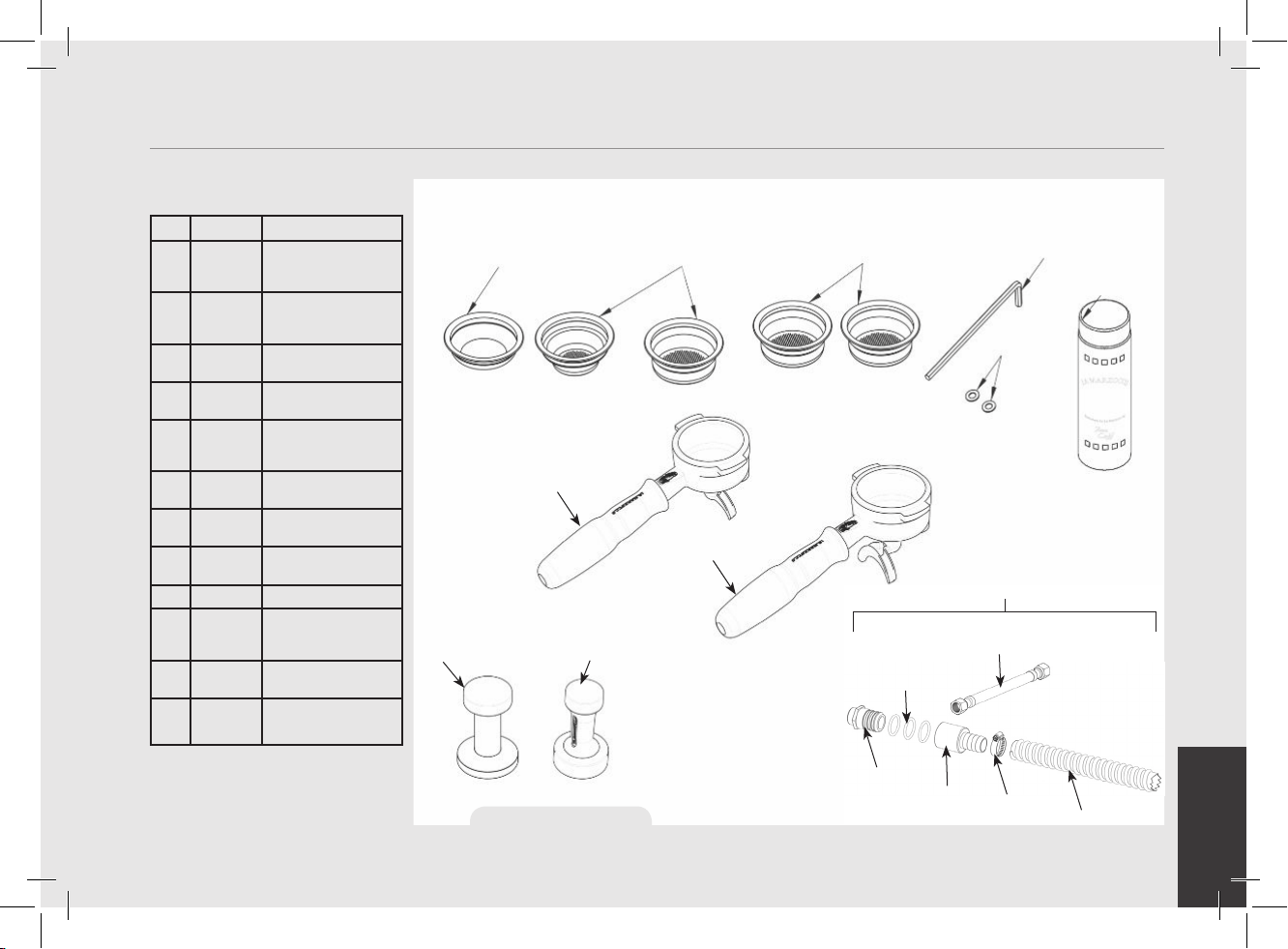
F.3.029 F.3.028.01 F.3.027.01 F.3.026.01
F.3.031.01(U.S.A.) F.3.030.01
UT003
V067
L111/2NAC
L111/1AC
L120/2A
L115/C
L325 (CE)
L326 (ETL-USA)
F.8.002
H.1.010.01
F.8.003
L312
L308
913 (CE) / 914 (ETL-USA)
2. Accessories
Check the package to make sure that the following accessories are included in the packaging:
QTY. PART NO. DESCRIPTION
1
L111/2NAC
PORTAFILTER
ASSEMBLY, DOUBLE
SPOUT, S/STEEL
1 L111/1AC PORTAFILTER
ASSEMBLY, SINGLE
SPOUT, S/STEEL
1 L115/C PORTAFILTER BASKET,
BLIND
1 F.3.029 PRECISION FILTER
BASKET 7gr (SINGLE)
1 F.3.028 PRECISION FILTER
BASKET 14gr
(DOUBLE)
1 F.3.027 PRECISION FILTER
BASKET 17gr
1 F.3.026 PRECISION FILTER
BASKET 21gr
1 F.3.030/
F.3.031
TAMPER (ACCORDING
TO MARKET)
1 UT003 HEX KEY, 5mm
2 L120/2A WASHER, FLAT,
SEALING TYPE, M6
(12X6.25X0.75)
1 V067 ESPRESSO MACHINE
CLEANER
1 913 (CE)
914 (ETL)
WATER SUPPLY AND
DRAIN CONNECTION
KIT
Figure 1 - Accessories
EN
8
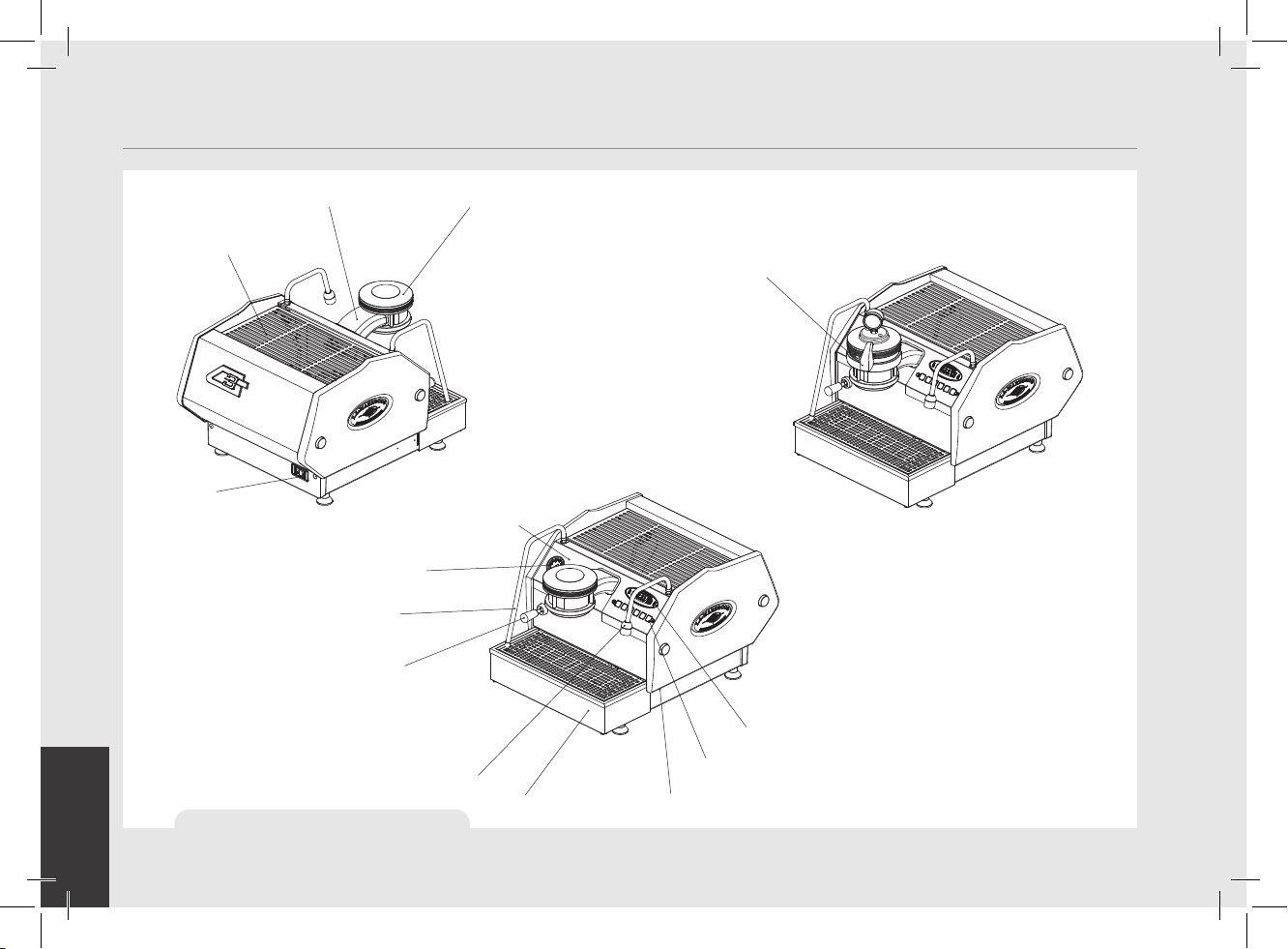
3. Machine Description
paddle group and handle
(MP model)
group cover
group head
(AV model)
cup tray
main power switch
pressure gauge
(steam boiler)
pressure gauge
(coffee boiler)
steam wand
steam activation
lever
hot water dispensing
spout
drain box
temperature adjustment
knob for hot water
keypad
display
Figure 2 - Machine Description
EN
9
4. Installation
WARNING
At each installation, the
machine should be equipped
with a new set of tubes for
plumbing and related gaskets.
WARNING
Water pressure supply must
be between 0,2 and 0,6 MPa if
sufcient pressure is not available
we suggest that an additional water
supply system is used.
WARNING
Before making any electrical
connections make sure that the
two strain relief connectors are
rmly secured to the body of
the machine in order to prevent
inadvertent stress on the power
cables.
WARNING
The motor pump must be
situated close to the machine
in an accessible place for
maintenance but not for
accidental interference and
where there is an optimal air
circulation.
WARNING
The manufacturer declines any
responsibility for any event
leading to liability suits whenever
grounding has not been
completed according to current
local, national, and international
regulations and electrical codes,
or other electrical parts have
been connected improperly.
WARNING
This appliance is not intended
for use by persons (including
children) with reduced physical,
sensory or mental capabilities,
or with lack of experience and
knowledge, unless they have
been given supervision or
instruction concerning the use
of the appliance by a person
responsible for their safety.
WARNING
This machine is not suitable for
outdoor use. Jets of water should
not be used to clean the machine,
nor should it be placed where
water jets are used.
EN
10
WARNING
This machine should not be
installed in kitchens.
WARNING
Hazardous voltage disconnect
from power supply before
servicing.
WARNING
- U.S.A. and CANDA only - Do not
connect to a circuit operating
at more than 150V to ground on
each leg.
WARNING
The machine is intended to be
permanently connected to xed
wiring, and it is mandatory that
a residual current device (RCD)
with a rated residual operating
current not exceeding 30mA is
installed.
WARNING
The Coffee Boiler and Steam
Boiler contain water at
elevated temperature. Water
temperature over 125°F /
52°C can cause severe burns
instantly or death from scalding
(Coffee Boiler 207°F/97°C -
Steam Boiler 256°F / 124°C)
WARNING
Replace fuses with the same
size, type and rating F1 = 2A,
250V
WARNING
In order to prevent cracks
or leakage: do not store or
install the Coffee machine
in places where in boiler or
hydraulicsystem to freeze.
Note:
• The drinking water mains valve and
the circuit breakers for the electrical
system need to be located in the most
convenient position for the operator to
access them easily and quickly.
• The machine should be placed on a at
counter and must be placed in settings
with the following temperatures:
Minimum room temperature: 5°C/41°F;
Maximum room temperature:
32°C/89°F.
• If the machine has been temporarily
housed in settings with a room
temperature of less 0°C/32°F, the
machine must be placed in a warmer
environment in order to gradually
defrost the hydraulic system prior to
use.
• Water pressure supply must be between
0,2 and 0,6 MPa.
• This machine complies with the
standard 61000-3-11, the impedance
at the supply interface must be Zmax=
0.15 Ω.
EN
11
Espresso Machine Installation, GS/3
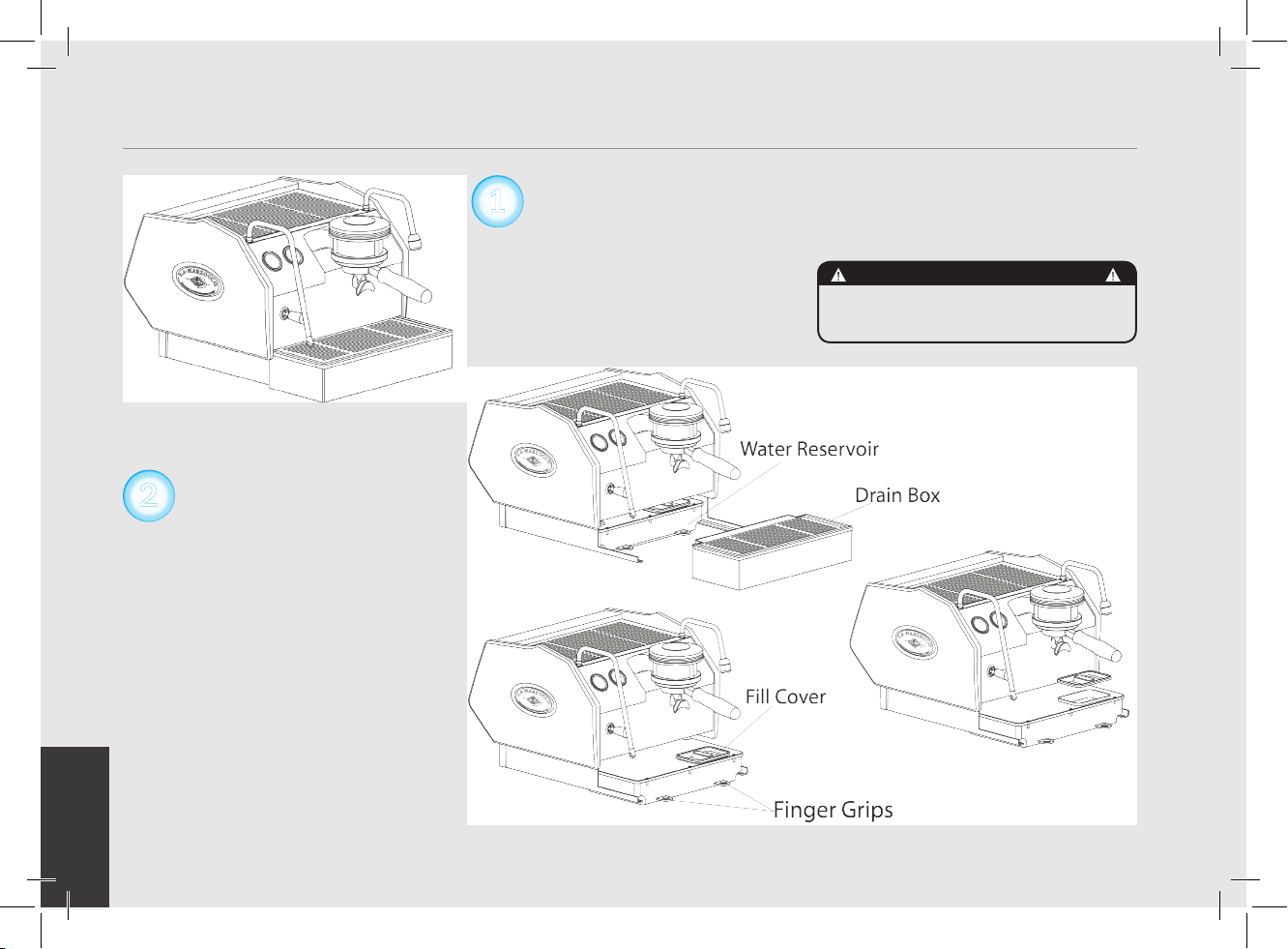
1) Fill Water reservoir with potable water.
Remove the drain tray and slide the
water reservoir until the water reservoir
ll cover is accessible. Remove the cover
and ll water reservoir with potable water.
Replace the ll cover and slide the water
reservoir to the operating position and
replace the drain tray. (See GS/3 Software
and Installation Guide for additional
instructions). In order to connect the
machine up to the water mains proceed
according to the indications given in the
Installation Guide and in compliance with
any local/national safety standards of the
location in which the machine is being
installed.
The equipment is to be installed with
adequate backow protection to comply
with applicable federal, state, and local
codes.
To guarantee a correct and safe functioning
of the machine and to maintain an
adequate performance level and a high
quality of the beverages being brewed it
is important that the incoming water be
of a hardness greater than 7°f (70ppm,
4°d) and less than 10°f (100ppm, 6°d),
pH should be between 6.5 and 8.5 and
the quantity of chlorides be less than
30mg/l . Respecting these values allows
the machine to operate at maximum
efciency. If these parameters are not
present, a specic ltration device should
be installed, while always adhering to the
local national standards in place regarding
potable water.
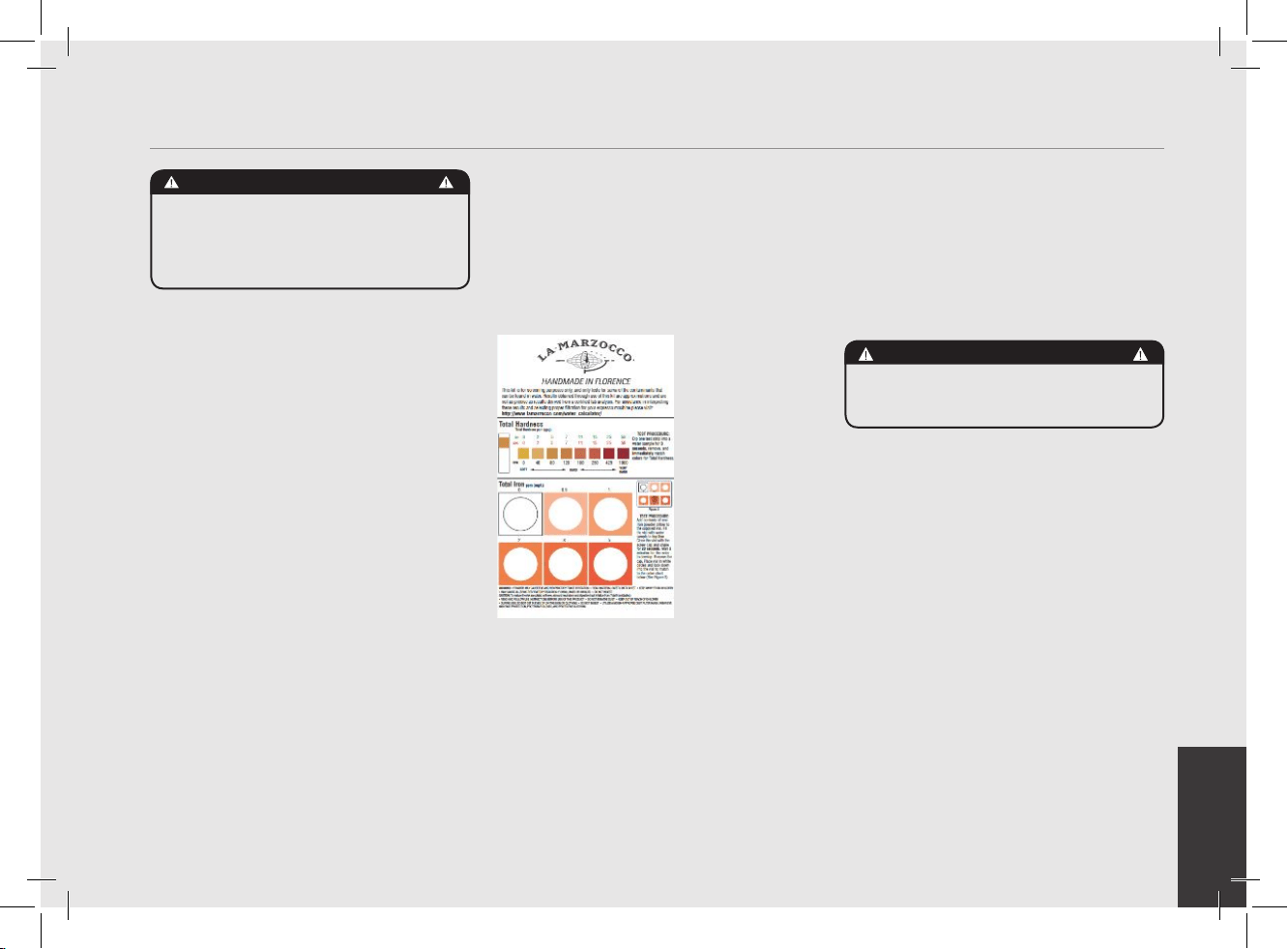
In order to enable
you to check
if your water
supply is within
the suggested
ranges, La
Marzocco
machines will be
equipped with a
quick water test
kit (see image
below) including
6 test-strips and
instruction cards.
The parameters
that you can measure are Total Hardness,
Total Iron, Free Chlorine, Total Chlorine,
pH & Total Alkalinity, Chlorides.
Ideally, you should perform a test on the
water BEFORE the water treatment system
and again AFTER the water system in
order to verify if this is actually matching
our suggested ranges.
Once the test has been performed,
learn which treatment system is most
appropriate for your particular water supply
by lling out the online water calculator
on our website: LA MARZOCCO WATER
CALCULATOR (http://www.lamarzocco.
com/water_calculator/).
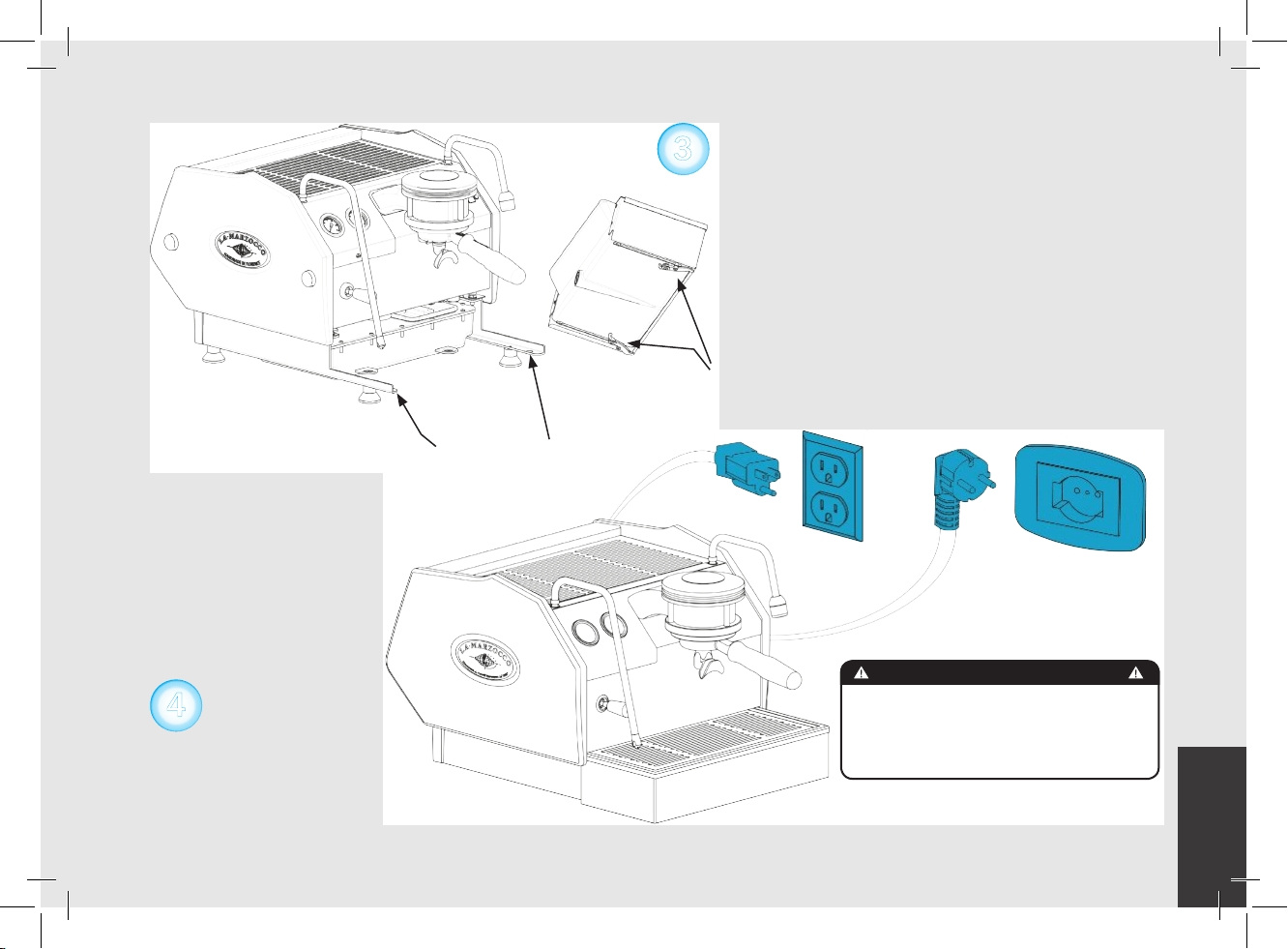
2) Connect Espresso Machine to Power Supply.
Connect the espresso machine to a power
supply that is rated in accordance with the
serial plate on the espresso machine.
3) Filling the Boilers with Water.
Once the espresso machine has been
unpackaged, placed on a hard surface,
and with the water reservoir full, it will
be necessary to ll the boilers with water.
Complete the following steps to properly
ll the boiler tanks:
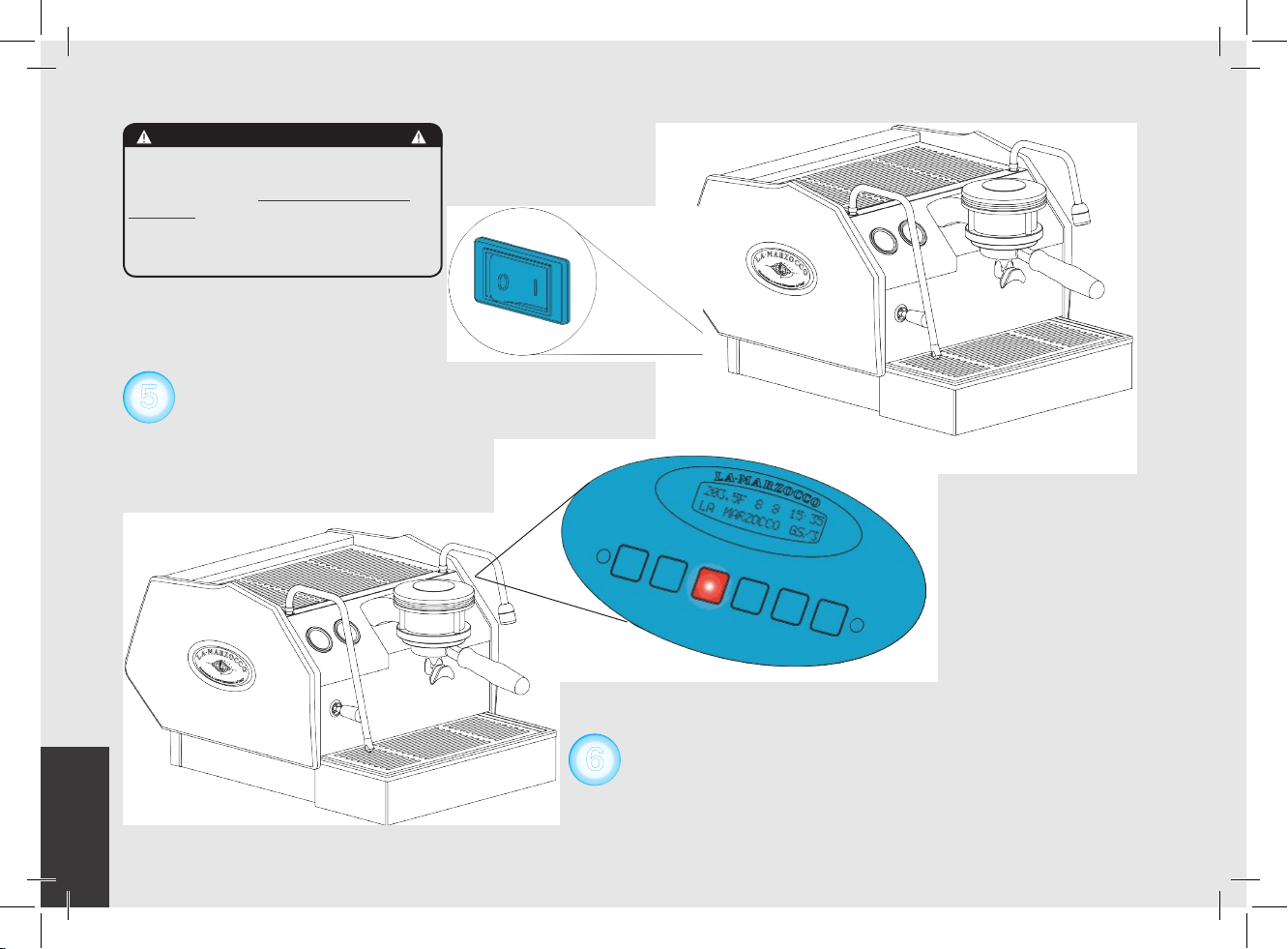
Steam Boiler: Turn the main switch to
position “1” or ON, the automatic steam
boiler level system will be switched on,
activating the auto-ll solenoid valve and
the water pump. This will ll the steam
boiler to a predetermined level and will
shut off when full.
NOTE: It may be necessary to re-ll the water
reservoir during this process. Check to see if the
“Water Tank Empty” error message is present on
the display before continuing.
EN
12
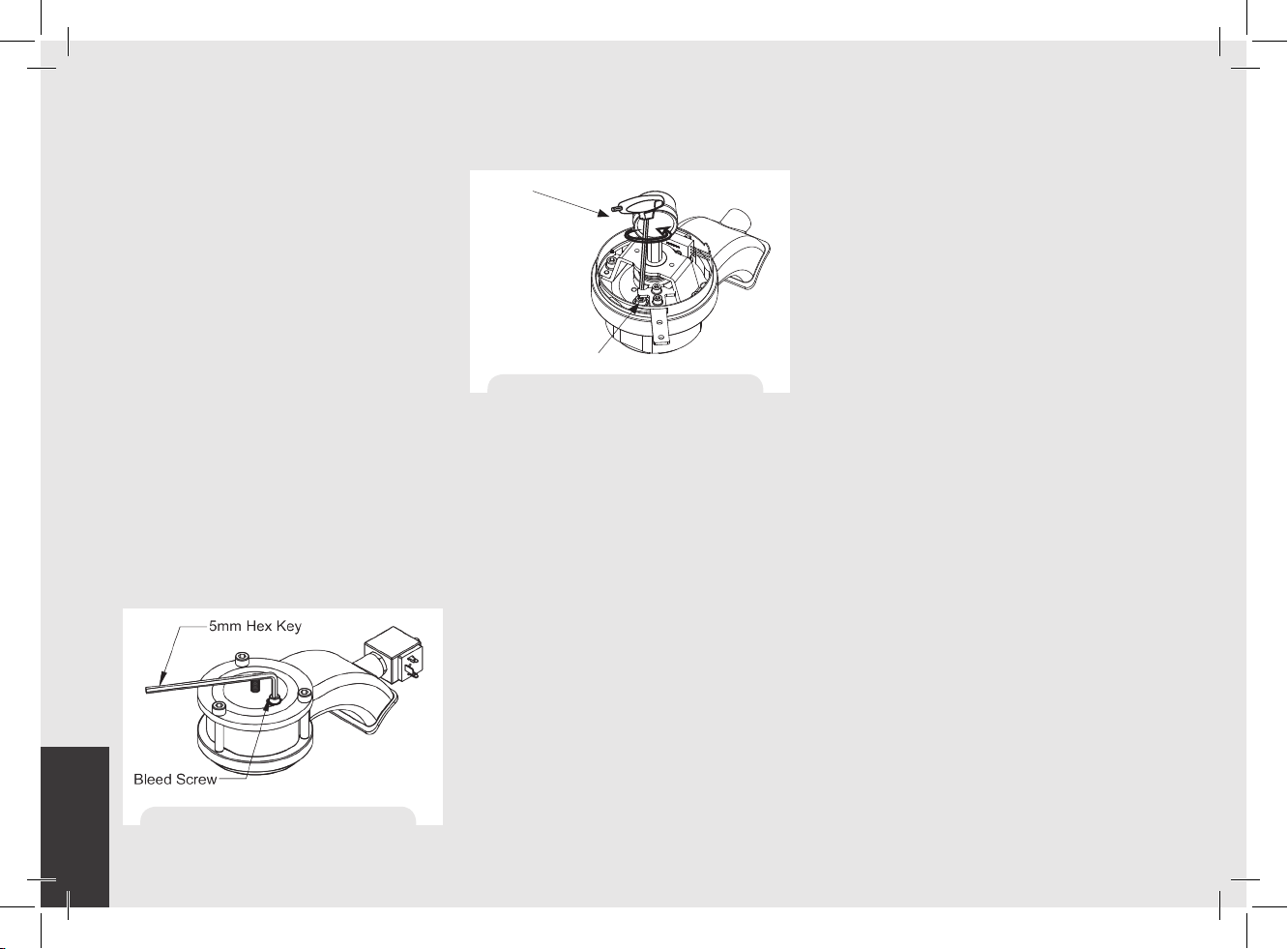
Coffee Boiler: The water ows inside the
coffee boiler directly when the water pump
is activated. When the GS/3 is turned on
the electronics will activate the water
pump to ll both boilers. Since the inow
of water will compress the air in the boiler it
will be necessary to remove or “bleed” the
air from the coffee boiler. All air must be
removed in order to completely “saturate”
the coffee boiler/group assembly. To
remove the air from the boiler (“bleed the
groups”) remove the group cover from the
top of the group head. Then loosen the
bleed screw (see picture) to allow air to
escape until water ows from below the
screw head. It may be necessary to activate
the brew process by pressing button #5
(the continuous button) to force the air out
of the group.
Tighten the screw to stop the water from
owing. Over-tightening can cause damage
to the sealing washer and
the group cap. If this sealing washer is
damaged replace washer with one included
in accessory kit. Once all air is removed
from the coffee boiler, reinstall the group
cover. For more detailed instruction please
refer the GS/3 Installation Guide.
NOTE: It may be necessary to re-ll the water
reservoir during this process. Check to see if the
“Water Tank Empty” error message is present on
the display before continuing.
4) Verify lling of Boilers.
The installation is now complete and the
espresso machine should be heating to the
operating temperatures.
Brewing after rst installation
Once the rst installation procedures are
nished, before proceeding with brewing
coffee, hot water and steam, please follow
these steps:
• Engage the portalter by inserting it into
the group head and rotate the handle from
left to right. Once the portalter is inserted
properly, you can press one of the brewing
buttons on the keypad to start the ow of
water through the portalter (AV models)
or rotate the handle from left to right (MP
models). Brew water through the group for
at least two minutes.
• Being careful to avoid burns, turn
on steam wand for at least
one minute.
• Turn on the hot water valve for the time
necessary to allow at least 1 liter of water
to be brewed.
5) Waiting for the Espresso Machine to Heat to
Operating Temperature. During this time, the
pointer of the coffee boiler pressure gauge
may reach as high as 12 bar. This may
happen anytime that the heating element
is in the “on” condition. If the pressure
exceeds 12 bar then it will
be necessary to adjust the expansion valve
in such a manner that the pressure never
exceed 12 bar.
Figure 3a - “Bleed the Group AV”
Figure 3b - “Bleed the Group MP”
Bleed Screw
5 mm Hex Key
EN
13
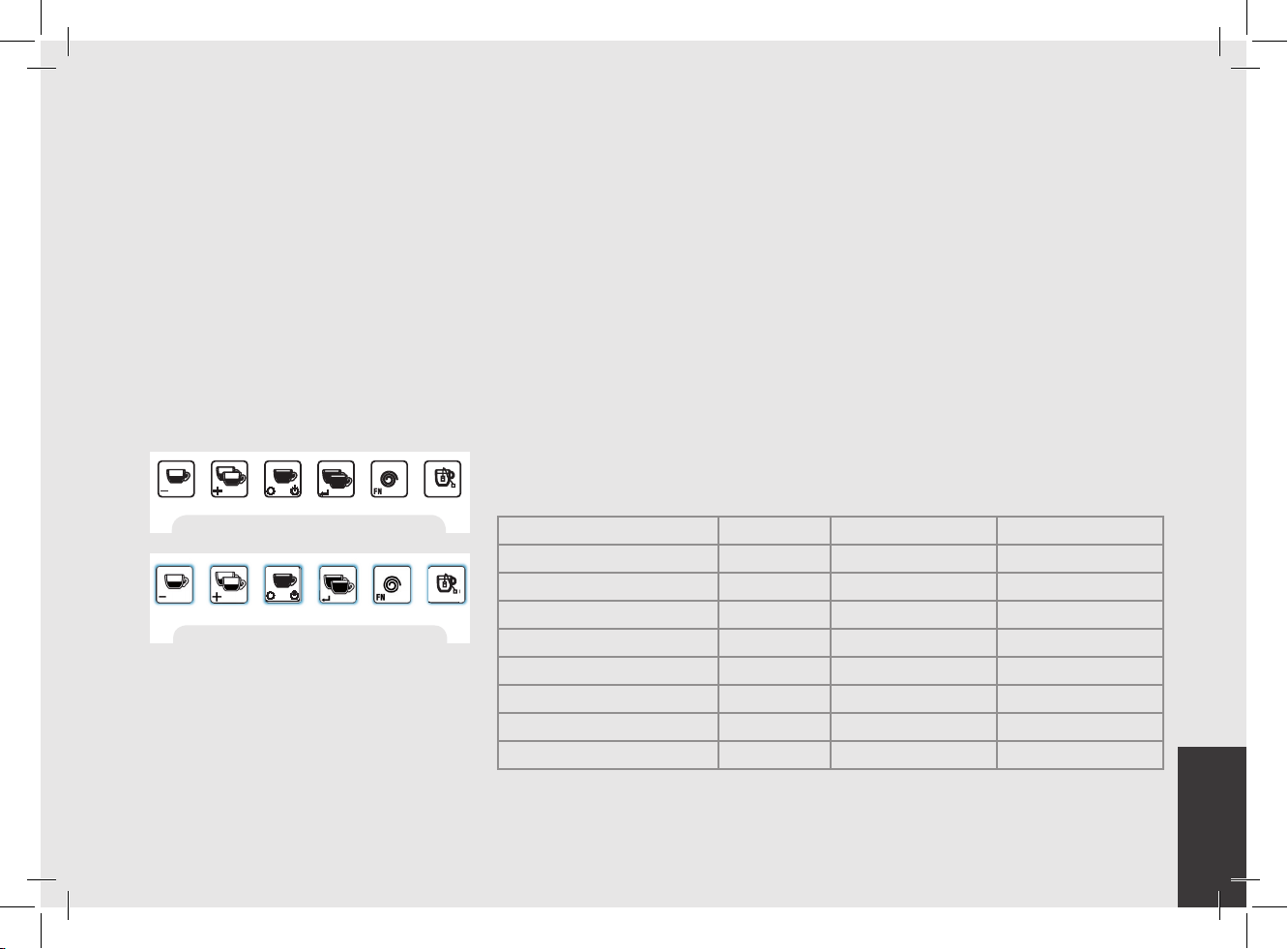
Figure 5 - Key Pad buttons with lights on
Figure 4 - Key Pad buttons
In normal operating conditions, the coffee
boiler pressure gauge can read anywhere
from 0-12 bar. When brewing,
the pressure should be set to
approximately 9 bar. When the espresso
machine is ready to operate all lights on
the keypads will light up.
NOTE: As the steam boiler reaches operating
temperature you may hear air and steam escaping
from the boiler. This is a normal sound. As the water
boils, air in the boiler is replaced by steam and
exits through the vacuum breaker. As the boiler
get closer to operating temperature the vacuum
breaker closes and the steam is no longer able to
escape. This process allows the air in the steam
boiler to escape and to be replaced by water vapor.
Water specications table
Min. Max.
T.D.S. ppm 90 150
Total Hardness ppm 70 100
Total Iron (Fe
+2
/Fe
+3
) ppm 0 0,02
Free Chlorine (Cl
2
) ppm 0 0,05
Total Chlorine (Cl
2
) ppm 0 0,1
pH value 6,5 8,5
Alkalinity ppm 40 80
Chloride (Cl
–
) ppm not more 30
N.B.: Test water quality (the warranty is void if water parameters are not within the range
specied in the section “installation”)
EN
14
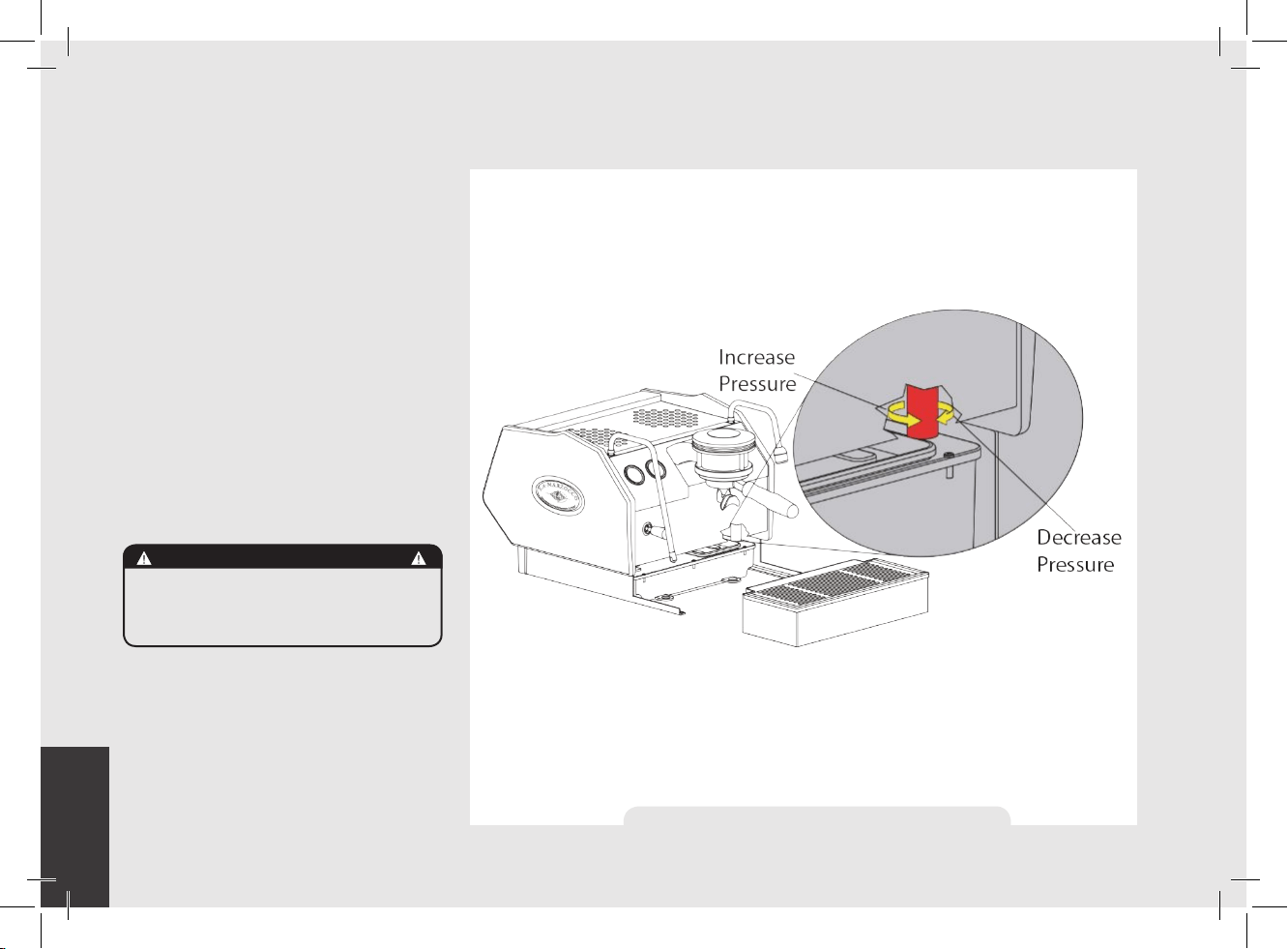
6) Adjusting the Expansion Valve.
The expansion valve is a component
that limits the maximum pressure in the
coffee boiler. Heating the coffee boiler
causes the water within to expand. Since
the coffee boiler is completely saturated,
the expanding water causes an increase
in pressure within the boiler. Without a
safety device the increase in pressure
could cause a rupture in the boiler.
The pressure in the coffee boiler should
never exceed 12 bar. The valve is hot,
so, using adequate protection, rotate the
expansion valve clockwise to increase
pressure. To decrease pressure rotate the
expansion valve counter clockwise (See
the following diagram).
Figure 6 - Expansion Valve Adjustment
WARNING
The expansion valve can
discharge water as hot as 200°F
/ 93°C. adequate protection
for handling this component is
needed before attempting to
adjust.
EN
15
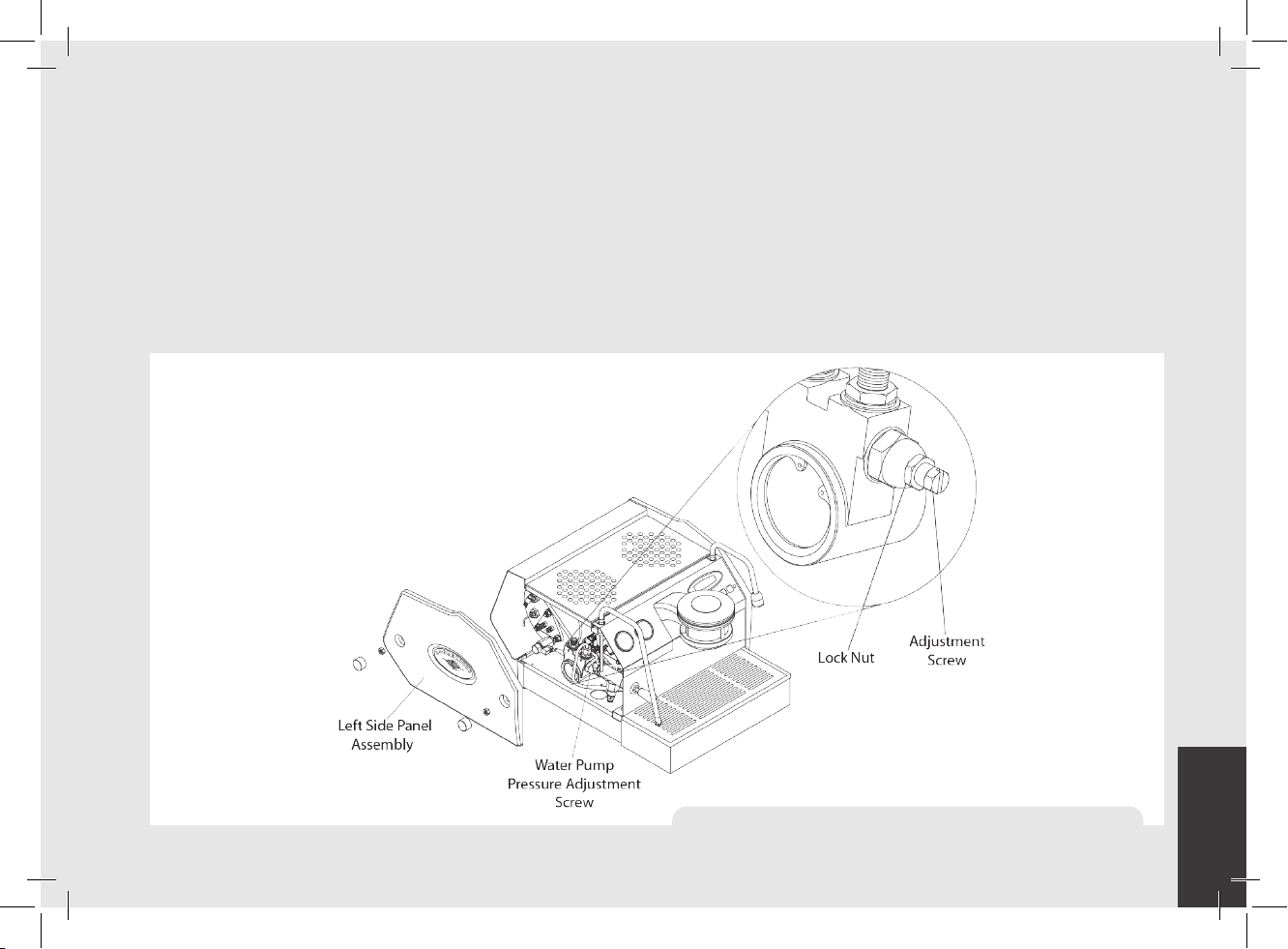
7) Adjusting Water Pump Pressure.
The water pump is factory set at 9 bar
pressure. If it becomes necessary to
change the pressure please use the
following procedure:
1. Remove the left side cover assembly.
2. Locate the water pump adjustment
screw and loosen the lock nut.
3. Adjust the water pump pressure to the
desired measurement.
4. Rotate Clockwise to increase pressure
and counter clockwise to reduce
pressure.
NOTE: The water pump pressure should be
adjusted when the machine is operating
and coffee is present in the portalter.
Figure 7 - Water Pump Pressure Adjustment
EN
16
1. Installing the Portalters.
Install the portalter by inserting it into
the group head and rotate the handle
from left to right. Once the portalter is
inserted properly, you can press one of the
brewing buttons on the keypad (AV model)
or move the paddle handle from right to
left (MP Model) to start the ow of water
through the portalter. Please refer to
the Software Programming Manual for a
description of the functions of the keypad.
It is important that the portalter is at
operating temperature prior to lling with
coffee. Allow hot water to pass through
the empty portalter for a few seconds
before the brewing process to pre-heat the
portalter.
Note: It is important to leave the portalter
installed in the espresso machine when
not in use. The portalter must remain
heated for the brewing process to function
correctly.
2. Brewing Coffee. It is now possible to remove
the portalter to make a coffee beverage.
Place some ground coffee in the portalter
basket using the single or double basket.
Press down on the ground coffee with the
supplied tamper and install the portalter
on the GS/3. On AV model press a brew
button to begin the brewing process, or
move the paddle handle from right to left
to begin brewing on MP model (see Fig.2).
NOTE: Some users believe it is important to
allow water to pass through the the group
head prior to installing the portalter
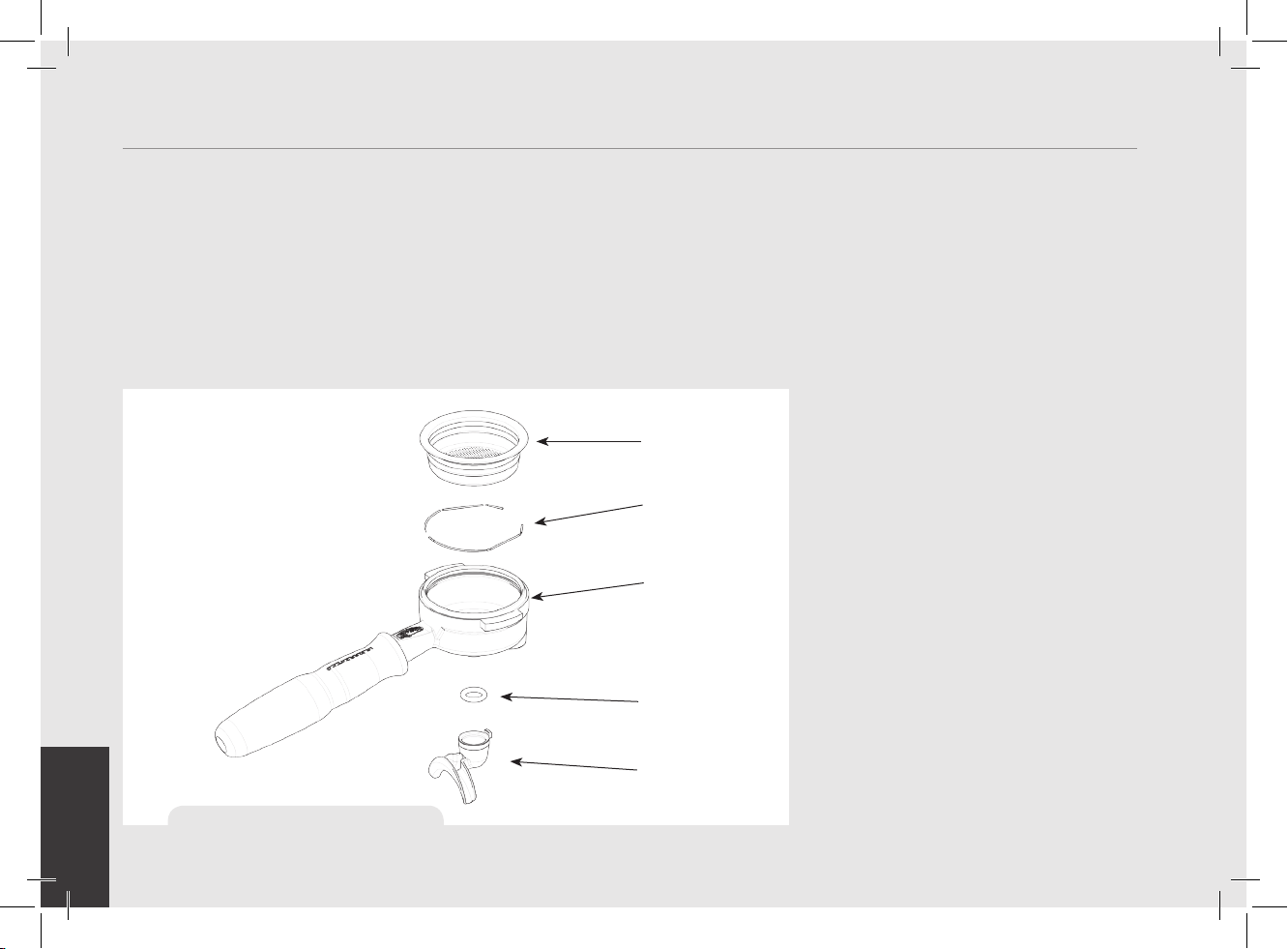
5. Operation
FILTER
BASKET
PORTAFILTER
DOUBLE
SNAP-ON
SPOUT
SPRING
O-RING
GASKET
Figure 8 – Portalter
CAUTION
Never remove the lter holder
when water is being delivered.
This operation can be extremely
dangerous since the high pressure
built-up inside the blind lter would
spray out hot and slightly caustic
water, which may cause severe
burns. The Coffee Boiler contains
water at elevated temperature.
Water temperature over 125°F
/ 52°C can cause severe burns
instantly or death from scalding.
WARNING
The machine must not be dipped in,
nor splashed with, water in order to
clean it. For cleaning operations,
please follow the instructions listed
below very carefully.
WARNING
This machine is designed only for
preparing coffee and hot drinks.
WARNING
To avoid the risk of injury, do not
open the brew chamber during
the brew process.
EN
17
to ush any remaining coffee oils and
particles from the group head. Some
also ush just after brewing for the same
reason. Please experiment to make the
best possible procedure for your coffee.
There are many techniques for brewing
espresso. You can nd instructions for
many techniques on websites, blogs and
forums. Some are even monitored by
professional baristas around the world.
3. Dispensing Steam.
In order to allow for any condensed water
in the wand to be released ALWAYS allow
some steam to be discharged by turning on
the valve before inserting the steam wand
into the pitcher of liquid to be heated.
Dip the steam wand into the liquid to be
heated. Depress the steam valve lever to
activate the steaming process.
The steam valve has a variable ow control.
The steam valve will lock in the fully on
position only.
The steam will transfer heat to the liquid
raising its temperature. Be careful not to
allow liquid to overow in order to avoid
severe burns.
In order to prepare milk for making
cappuccino with the right amount of foam,
go through the following steps:
• After purging the steam wand place the
container half-full of milk underneath,
carefully open the steam valve and raise
the container so as to bring the wand end
to a point just below the surface of the
milk; at this point, move the container
up and down just enough to dip the
nozzle end in and out of the milk until
you get the right amount of foam, bring
the temperature of the milk almost up
to 149/158°F or 65/70°C. You can then
pour this milk into a cup containing warm
espresso and you will end up with a fresh
cup of cappuccino.
NOTE: It is important to have a sufcient
volume of liquid in the steaming pitcher.
Therefore if you intend to steam small
amounts of milk it is necessary to use a
small pitcher. If you intend to steam larger
quantities of milk then it is necessary to
use a larger steaming pitcher.
Using too little milk in a steaming pitcher
can allow the milk to be “blown out” of the
pitcher. A good rule to follow is to ll the
steaming pitcher only half full of liquid.
NOTE: In order to prevent the heated liquid
from being sucked back into the steam
boiler it is recommended that you purge
the steam system after heating any liquid.
Purge the system by opening the steam
valve for a few seconds to allow steam to
escape to the atmosphere from the end
of the steam wand. Failure to do so can
cause the heated liquid to transfer from
the steaming pitcher to the steam boiler
(via vacuum created from cooling parts).
This condition is undesireable and can
cause contamination in the steam boiler.
4. Dispensing Hot Water.
You may dispense hot water by using the
hot water nozzle. To dispense hot water
press the hot water button.
This button commands the hot water
delivery. The volume of water delivered
may be adjusted via the display (see the
Software Programming Manual for further
instructions). The temperature of the water
dispensed may be adjusted by adjusting
the mixing valve under the right side cover
of the espresso machine (see machine
description diagram, Figure 2, and the
instructions on the next page).
Figure 9 - Hot Water Button
EN
18
1. Controlling the Brew Process Using Volumetric
Programming.
This espresso machine allows the
volumetric programming of each of the
rst 4 buttons on each group (numbered
left to right). Please consult the Software
Programming Manual for further
instructions.
2. Hot Water Dispensing.
Hot water may be dispensed from the
Hot Water Wand on the right side of the
machine. This is accomplished by pressing
the hot water button (Fig.9). The amount
of water dispensed can be programmed via
the digital display. Please consult Software
Programming Manual for programming
instructions. The temperature of the hot
water may be adjusted slightly via the
Hot Water Adjusting Knob. This adjusting
knob is hidden under the right side panel
assembly. The knob protrudes slightly
form the bottom of the side panel. To nd
this knob, look at the bottom edge of the
right side panel.
The knob may be turned by sliding a nger
under the side panel from front to rear (to
decrease temperature) or from rear to front
(to increase temperature).
3. Quick Keys.
The GS/3 has 4 Quick Keys to allow the
user to gain quick and easy access to
important parameters that may be changed
frequently. Please see the Software
Programming Manual.
4. Water and Drain Connection Kit.
The GS/3 comes with a main water supply
and waste drain connection kit. This kit
allows the GS/3 to be connected to the
main water supply and the main waste
drain system. Instructions for installing
this kit are contained in the GS/3
Installation Manual. The conversion kit
contains the following items:
5. General Notes for Coffee Preparation. The
portalters must remain heated since
they are at the lowest position of the
group itself, and they are partially isolated
from the same due to the rubber gasket
between them. This can be accomplished
by leaving the portalters installed in the
machine when not in use. The portalters
may also be actively heated by activating
one of the brew buttons to ush hot water
through the portalter then turning off the
water ow.
6. Coffee Grind.
The size of the coffee granules is extremely
important in preparing a good cup of
coffee, along with the type of coffee blend
used. The ideal grind can be determined by
6. Key Features
L325 (CE)
L326 (ETL/USA)
F.8.002
H.1.010.01
F.8.003
L312
L308
913 (CE) / 914 (ETL-USA)
WARNING
If the above-mentioned
instructions are not adhered
to the manufacturer cannot be
held responsible for damage to
persons or things.

EN
19
making various coffees using the amount
of ground coffee that you would normally
use for each cup (we recommend at least
6g). The best grind is that which allows
coffee to ow out from the portalter
spouts neither too slowly, drop by drop, nor
too quickly. A general rule is that a double
dose should dispense approximately 60mL
/ 2 uid oz. of espresso in approximately
25 seconds. This time may be adjusted by
varing the coarseness of the grind.
7. IMPORTANT To improve the avor prole
of the espresso, the temperature of the
water in the coffee boiler, and therefore
of the groups, may eventually be raised
or lowered via the digital display (please
consult Software Programming Manual for
detailed instructions).
N.B.
If the machine has not been used for more
than 8 hours or, in any case, after long
periods of being idle, in order to use the
machine to its full potential it is necessary
to perform some cleaning cycles before
brewing beverages as follows:
• Group: with the portalter engaged in
the group brew water through it for at least
two minutes
• Being careful to avoid burns, turn on
each steam wand for at least one minute.
• Turn on the hot water valve for the time
necessary to allow 1 liter of water to be
brewed.
• If using machine with water reservoir,
change the water in the reservoir daily.
If the machine is not going to be used for
long periods of time, it is advisable to
follow these safety indications:
• Disconnect the machine from the water
mains or interrupt the water connection
via a mains tap.
• Disconnect the machine from the
electrical mains.
EN
20
Cleaning (Daily)
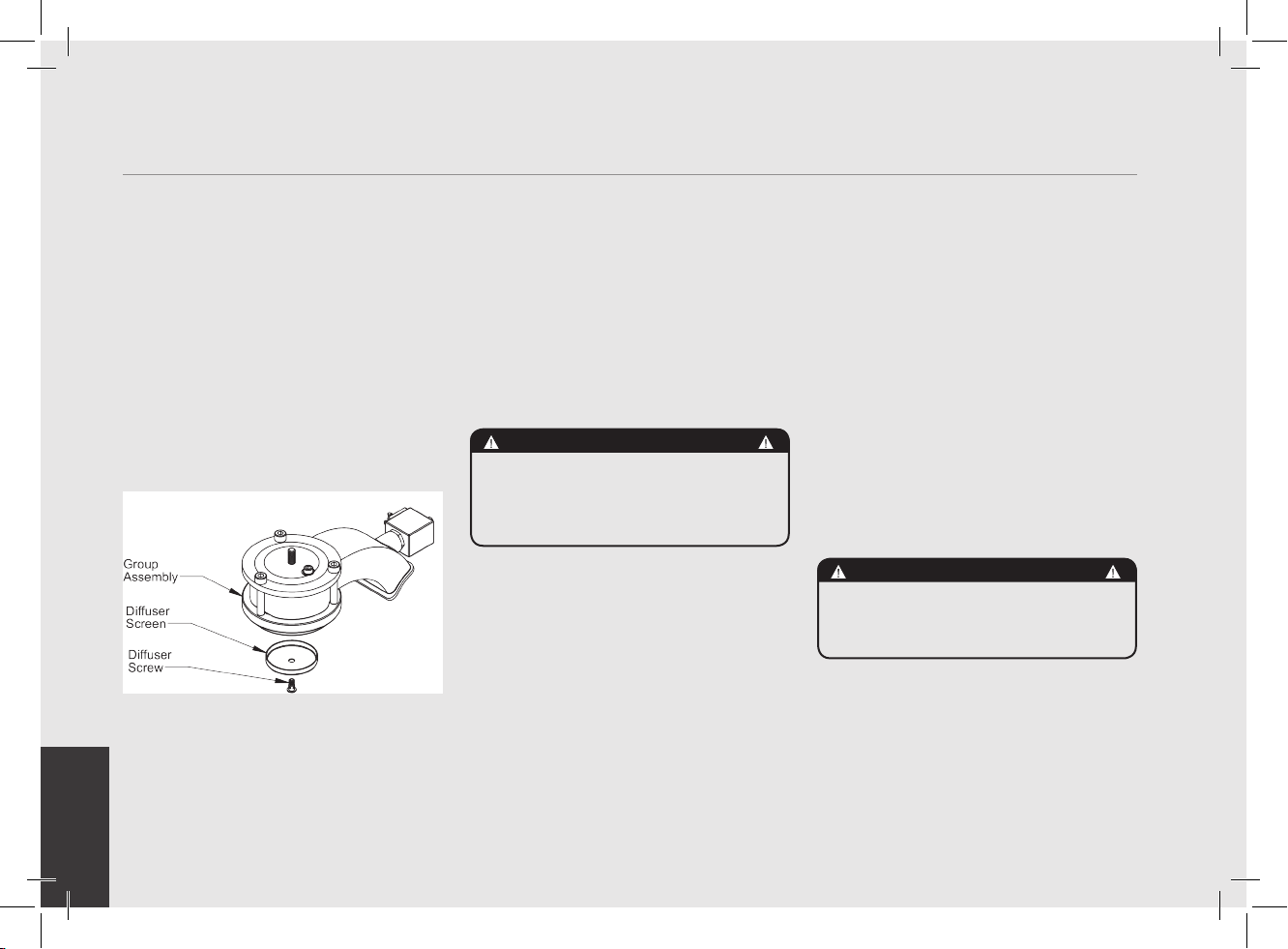
1. Cleaning the Diffuser Screen.
During the discharge operation
(subsequent to coffee brewing), small
amounts of coffee grounds may slowly
build-up on and obstruct, even partially,
the diffuser screen. Turn off the machine
and remove the diffuser screen by
unscrewing the diffuser screw. Soak in
detergent powder liquid following the
instructions of detergent manufacturer.
Rinse thoroughly with clean water. Install
and run hot water through the group head
several times with the screen installed.
7. Preventative Maintenance and Cleaning
WARNING
The machine must be installed so
that qualied technical presonnel
can easily access it for eventual
maintenance.
WARNING
Jets of water should not be used
to clean the machine, nor should
it be placed where water jets are
used.
WARNING
This machine is for professional
use only and should be installed
in locations where its use and
maintenance is restriced to
trained personnel.
WARNING
The machine is intended to be
permanently connected to xed
wiring, and it is advisable that
a residual current device (RCD)
with a rated residual operating
current not exceeding 30mA is
installed.
WARNING
The machine must not be dipped
in, nor splashed with, water in
order to clean it. For cleaning
operations, please follow the
instructions listed below very
carefully.
WARNING
In order to prevent cracks or
leakage: do not store or install
the coffee machine in places
where temperature may cause
water in boiler or hydraulic
system to freeze.
WARNING
Do not remove the lter holder
while relative group is brewing
hot liquids.
The Coffee Boiler contains
water at elevated temperature.
Water temperature over 125°F
/ 52°C can cause severe
burns instantly or death from
scalding.
WARNING
If the above-mentioned
instructions are not adhered
to the manufacturer cannot be
held responsible for damage to
persons or things.
EN
21
2. Cleaning the Brewing System.
Insert the blind lter into portalter
and put the correct amount of espresso
cleaning product (following the product’s
instructions) into the lter, engage the
portalter into the group you want to clean.
• Press the brewing button for said group,
as if you were making a regular cup of
coffee. Stop the water after about 15-20
seconds.
• Start and stop the group several times
until you notice clear water being released
instead of soapy water when you remove
the portalter.
Do not remove the portalter when group
is actually brewing water.
• Rinse the group using a normal lter
in the portalter, by running hot water
through it several times.
3. Cleaning Filter Baskets and Portalters.
With daily cleaning of the stainless steel
lters and portalters it is sufcient
to clean them with water and a cloth or
appropriate brush. Otherwise, using an
espresso cleaning product, following the
product’s instructions put the correct dose
in about 1/2 a litre of water inside a
heat-resistant container and heat.
• If using stainless steel portalters with
snap-on spouts remove the spout.Immerge
lters and metallic parts of portalters
(not handles) in the hot solution and leave
them submerged for about 30 minutes.
• Rinse thoroughly with clean water and
run hot water through the group several
times with the lter and portalter
engaged.
4. Cleaning the Drain Box.
Remove the drain box assembly and wash
each of the components with hot soapy
water. Rinse thoroughly and reinstall the
drain box assembly. Hand wash each part
with water containing mild soap.
5. Cleaning the Body.
Wipe the stainless steel surfaces with a
soft, non abrasive cloth in the direction of
the glazing marks, if any. Do not use any
alcohol or solvents whatsoever on painted,
imprinted, or plastic parts in order not to
damage them. Clean the side panels using
a soft cloth. Do not spray the keypad or
display with any liquid. Clean only with a
damp soft cloth.
6. Cleaning the Hot Water and Steam Nozzles.
Steam nozzles must be cleaned
immediately after use with a damp cloth
and by producing a short burst of steam
so as to prevent the formation of deposits
inside the nozzles themselves, which
may alter the avor of other drinks to
be heated. Hot water nozzles must be
cleaned periodically with a damp cloth. If
milk residue is present on the steam wand,
soak the tip in a container of hot water,
then it will be possible to wipe the tip
clean. Repeat process if residue remains.
NOTE: This cleaning schedule is based
upon a moderate to average use (20-
300) cups per day. If machine use is less
than moderate then this schedule may be
adjusted accordingly.
Cleaning (Periodic)
1. Draining Boilers. Both the coffee boiler
and the steam boiler may be drained and
relled to reduce the chance of mineral
deposits build up on the inside walls of the
inside surfaces. Additionally this draining
process can be used to remove water that
EN
22
has a bad odor or taste.
Drain the Steam Boiler: Turn OFF the machine.
Remove the left side panel assembly.
Locate the ball valve on the bottom left
side of the machine. Hold the ball valve
with one tool and remove the brass cap on
the end of the valve. Move the espresso
machine close to a waste drain and tip
machine at an angle to point the valve into
the waste drain.
Drain the Coffee Boiler: Turn OFF the
machine. Using adequate protection or
an appropriate tool, loosen the expansion
valve until water begins to ow freely. Then
remove the group cap cover and loosen
the bleed screw. When nished draining
empty the drain box assembly.
Steam boiler draining: to activate this function
you need to access the programming menu
(see p. 50). Yearly, we recommend to fully
drain the steam boiler by means of the
specic drain cock located on the side of
the boiler or under the boiler.
2. Clean the Water Reservoir.
The water reservoir needs to be cleaned
periodically to ensure that no algae forms
on the inside surfaces. To clean rst remove
the water reservoir form the machine.
Disconnect the clear plastic water intake
hose. Unscrew all screws from the cover
to separate the parts. Wash all parts with
warm soapy water. Hand wash each part
with water containing mild soap.
Cleaning frequency
Daily
• Portalter
• Filter
• Diffuser screen
• Diffuser screw
• Steam wand (just after use)
• Drain grille
Weekly
• Water Reservoir
• Drain Box
Monthly
• Cleaning the hot water nozzle
EN
23
8. Mandatory Maintenance and Check-up Operations
These operations are in addition to the Maintenance and Periodic Cleaning Operations as specied in Chapter 7.
The following maintenance and check-up operations sould be carried out by a qualied technician.
The time required for the periodic maintenance is determinated by the quantity of daily work and/or coffee consumption.
N.B. These periodic maintenance operations are not covered by warranty.
EVERY THREE/FOUR MONTHS
EVERY SIX/EIGHT MONTHS (in addition to the above)
EVERY YEAR (in addition to the above)
▪ Replace group gaskets
▪ Replace diffuser screens
▪ Clean auto-fill probe
▪ Check vacuum breaker for
proper operation
▪ Inspect water inlet valve
▪ Inspect drain system for leaks
or clogs
▪ Check flow rate for each group
▪ Check brew temperature
▪ Check that brew pressure is
at 9bar
▪ Check all switches for proper
operation
▪ Check/note water hardness
▪ (Water quality must be within
the range of parameters
specified in the chapter
on Installation, otherwise
warranty is voided)
▪ Check filter basket condition
If AV Model:
▪ Check shot volumes
▪ Test flowmeter’s ohm value
(ohm value is acceptable if
greater than 1.8 K ohm, and
less than 2.2 K ohm
▪ Rebuild steam assemblies
▪ Check the condition of the inside of boilers and if necessary rinse out with a proper cleaning product allowed for food and beverage
appliances.
EVERY 3 YEARS (in addition to the above)
▪ Replace portafilter baskets
▪ Inspect group valve plungers
▪ Inspect vacuum breaker
▪ Inspect steam boiler
pressurestat
▪ Inspect expansion valve
▪ Inspect electrical wiring
condition
▪ Inspect boilers safety switches
▪ Replace over-pressure valve
(safety valve)
▪ Accurate control of the
tightness at 2,4Nm of
each cable on the terminal
block.
If MP Model:
▪ Disassembly and lubrication
of the components of the MP
valve
EN
24
Chapters
1. Unpackage GS/3 Espresso Machine
2. Fill with water
(Initial Fill)
3. Drain box alignment
4. Connect to power supply
5. Turn on main power
6. Turn on espresso machine
7. Remove group cover
8. Remove air from group head
(bleeding the group)
9. Monitor coffee boiler pressure
10. Adjust the expansion valve
11. Monitor steam boiler pressure
12 . Brew espresso
13. Verify working boiler pressures
14. Connect to main water supply
pag 25
pag 25
pag 26
pag 26
pag 27
pag 27
pag 28
pag 28
pag 29
pag 30
pag 31
pag 32
pag 32
pag 33
gs3
Installation Guide
EN
25
Installation Guide
Unpackage espresso machine
and set on a level surface. Ensure
all accessories are included with
shipment. See accessories list on
page 4 of Owner’s Manual. Check
for any visable damage to espresso
machine.
Remove/Open the ll cover and ll
the reservoir with ltered water.
Slide the reservoir back into
1
2
position and replace the drain box. Make
sure the drain box is inserted fully. The
water reservoir must make contact with the
level indicators on the rear side. Failure
to make contact will result in the display
message “Rell Tank”. The message
“Rell Tank” will be displayed anytime the
reservoir does not have contact with the
level indicators.
NOTE: The GS/3 is congured to work with
the water reservoir. To connect the GS/3
to the mains water supply and the waste
drain system, please refer to number 14
on page 24.
WARNING
The Coffee machine must be
placed in a horizontal position on
a counter higher than 80 cm from
the ground.
EN
26
4
230 VAC and 10 amps (for
the 230 V version) or 120VAC
and 15 Amps (for the 110 V
version).
IMPORTANT NOTE:
The drain box must be installed correctly for the machine
to function properly. The drain box has two alignment
pins that mate with two alignment holes on the base of
the GS/3. When installing the drain box, ensure that the
alignment pins are inserted into the alignment holes.
It may be necessary to push slightly on the front of the
drain box to achieve proper alignment. Open the two clips
outwards to lock drain box into place.
Connect the power
cord to power supply
capable of supplying:
3
Alignment pins and
locking clips
Alignment holes
WARNING
The machine is intended to be
permanently connected to xed
wiring, and it is advisable that
a residual current device (RCD)
with a rated residual operating
current not exceeding 30mA is
installed.
EN
27
Turn on power by pressing the main power
switch. The main power switch may be
found on the left rear of the machine.
5
Turn on power by pressing the power switch, the 3th button on the
keypad.
6
WARNING
The manufacturer declines any
responsibility for any event
leading to liability suits
whenever grounding has not
been completed according to
current local, national, and
international regulations and
electrical codes, or if other
electrical parts have been
connected improperly.
EN
28
Press the “continuous” button to allow water to enter
into the coffee boiler and wait for the brewing phase to end.
Repeat twice. Now it is necessary to remove all of the air in the
coffee boiler to saturate the group. This is commonly referred
to as bleeding the group. To do this, remove the group cover
by rotating the cover counter clockwise (AV models) or remove
the pressure gauge, remove the paddle knob, remove the cover,
replace the pressure gauge and rotate the lever to the left (MP
models).
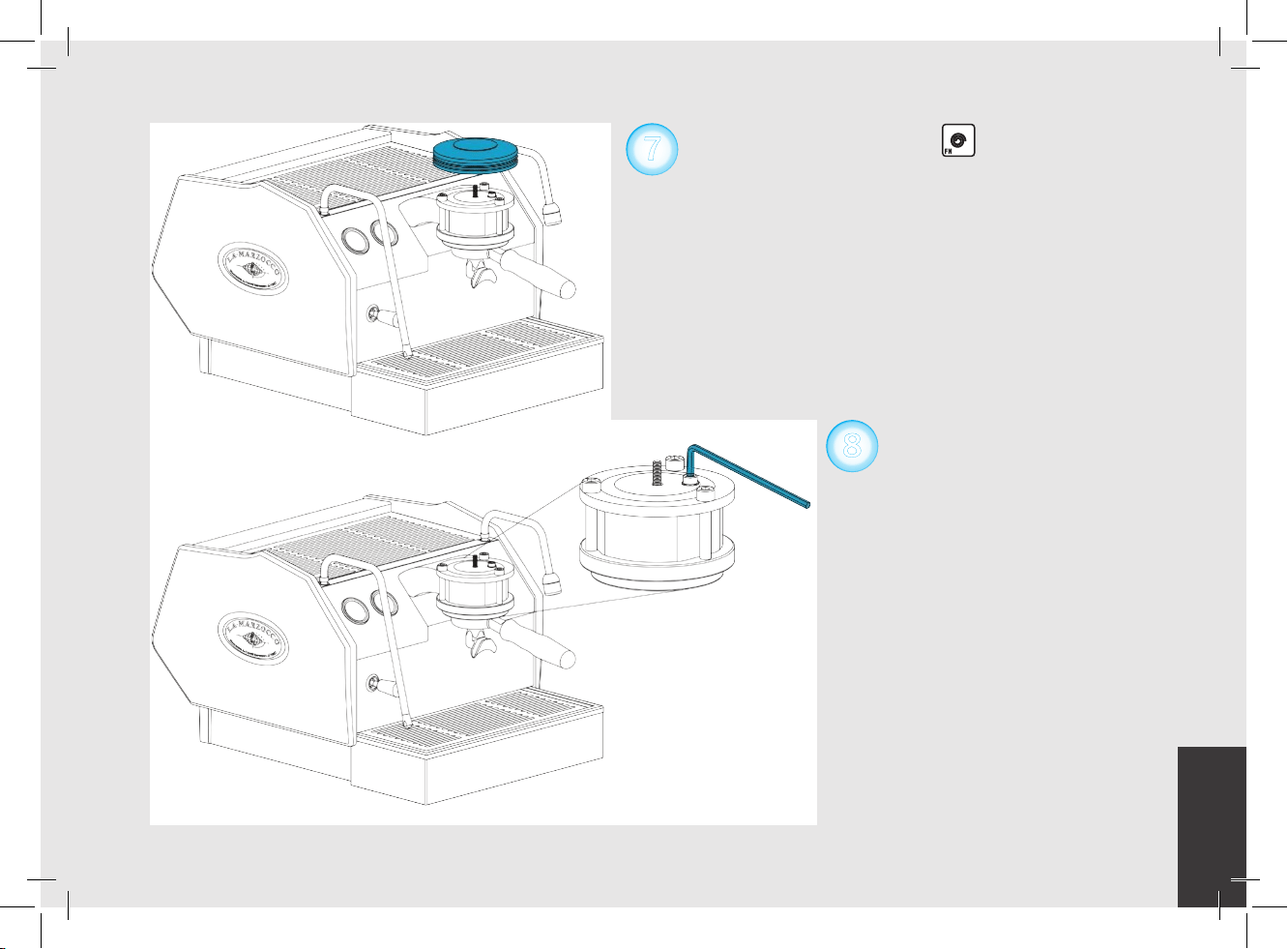
7
Unscrew the bleed screw
(approximately 1/2 turn) to release all
air from the coffee boiler (using the
8
included 5mm hex key wrench). When water
leaks from under the screw head, tighten the
screw. Note: It might be necessary to activate
the brewing process to force water into the
boiler. To do this, press the continuous
key until water leaks from under the screw
head. Then tighten screw. Replace group
cover removed in previous step. The steam
boiler will begin to ll automatically and
the reservoir will need to be relled. Once
boiler is full, heating phase will begin and
the expansion valve will need to be adjusted
immediately (see next step).

EN
29
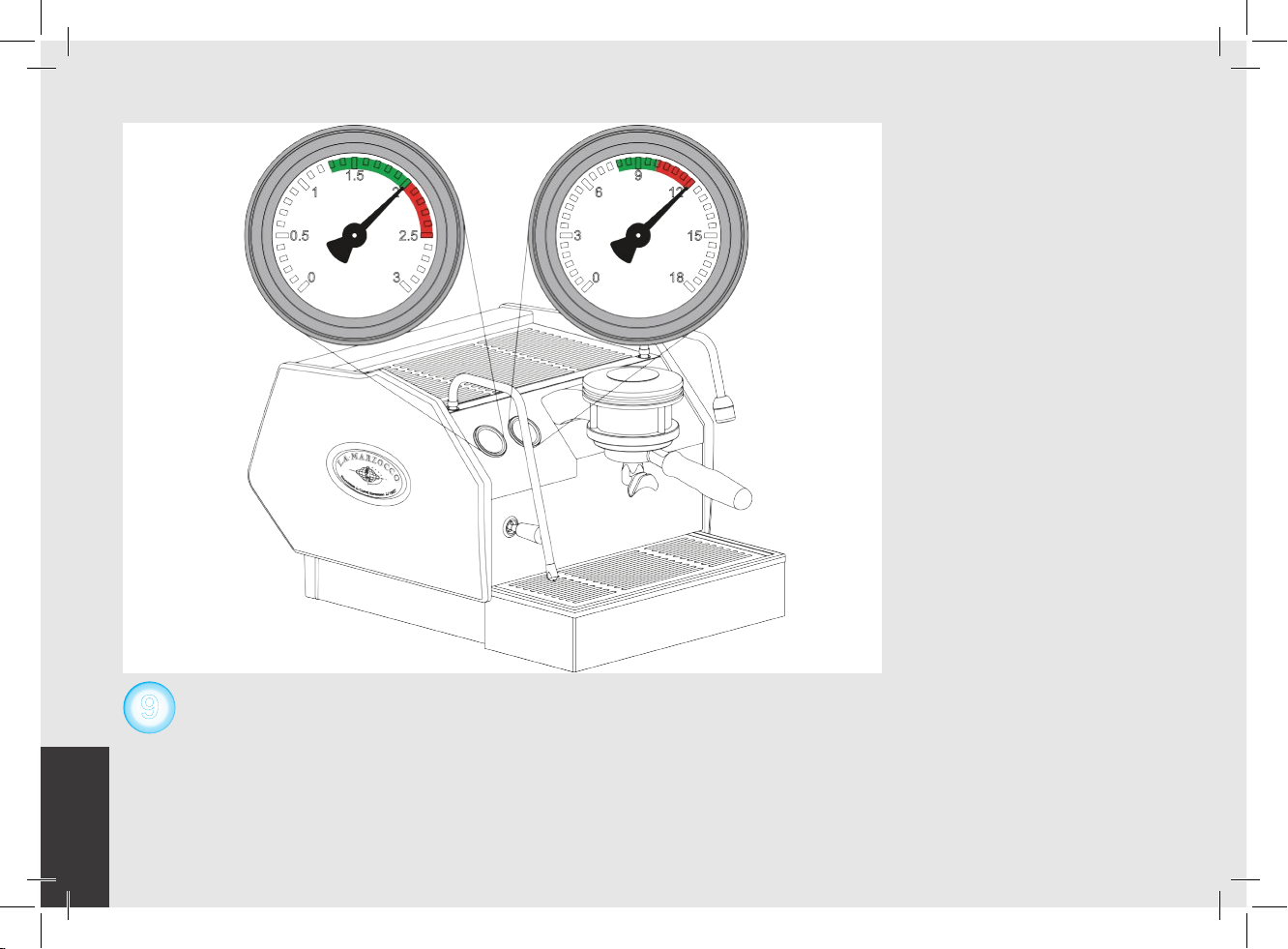
Next it will be necessary to check the expansion valve. As the coffee boiler heats to operating temperature the pressure in the
coffee boiler will rise. There is an expansion valve behind the drain tray that allows some water to escape during this process
to limit the maximum pressure in the coffee boiler to 12 bar. Please monitor the coffee boiler pressure gauge during the initial
heating process. You should notice the gauge approach 12 bar and stop. If the pressure gauge does not reach 12 bar or if
the pressure gauge rises above 12 bar, then it will be necessary to adjust the expansion valve. Please follow the next step to
properly adjust the expansion valve.
9
Steam Boiler
Pressure Gauge
Coffee Boiler
Pressure Gauge
EN
30
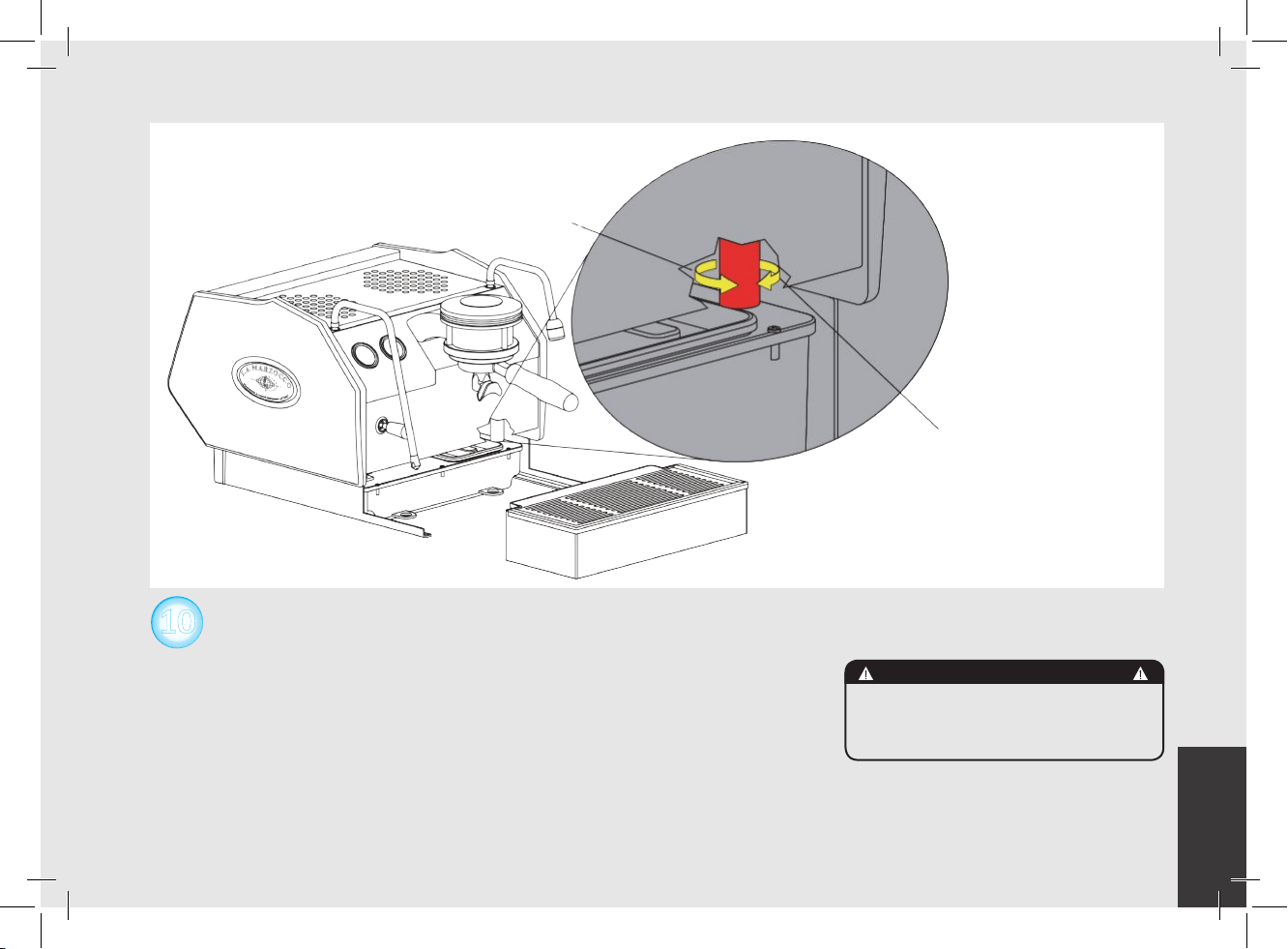
Please follow this procedure if it is necessary to adust the expansion valve.
First remove the drain box to access the expansion valve. The expansion valve
protrudes through the sheet metal, has the shape of a cylinder, is brass in color
and approximately 25mm in diameter. The valve will be hot, so, using adequate
protection, in order to adjust the expansion valve rotate the valve clockwise
to raise the pressure and counter clockwise to reduce the pressure. It may be
necessary to use a tool such as a pair of pliers to rotate the expansion valve in
1/4 turn or less increments until the desired pressure is achieved. Replace the
drain box after each adjustment to ensure the machine is operating correctly.
10
Increase pressure
Decrease pressure
WARNING
The expansion valve can
discharge water as hot as 200°F
/ 93°C. adequate protection
for handling this component is
needed before attempting to
adjust.
EN
31
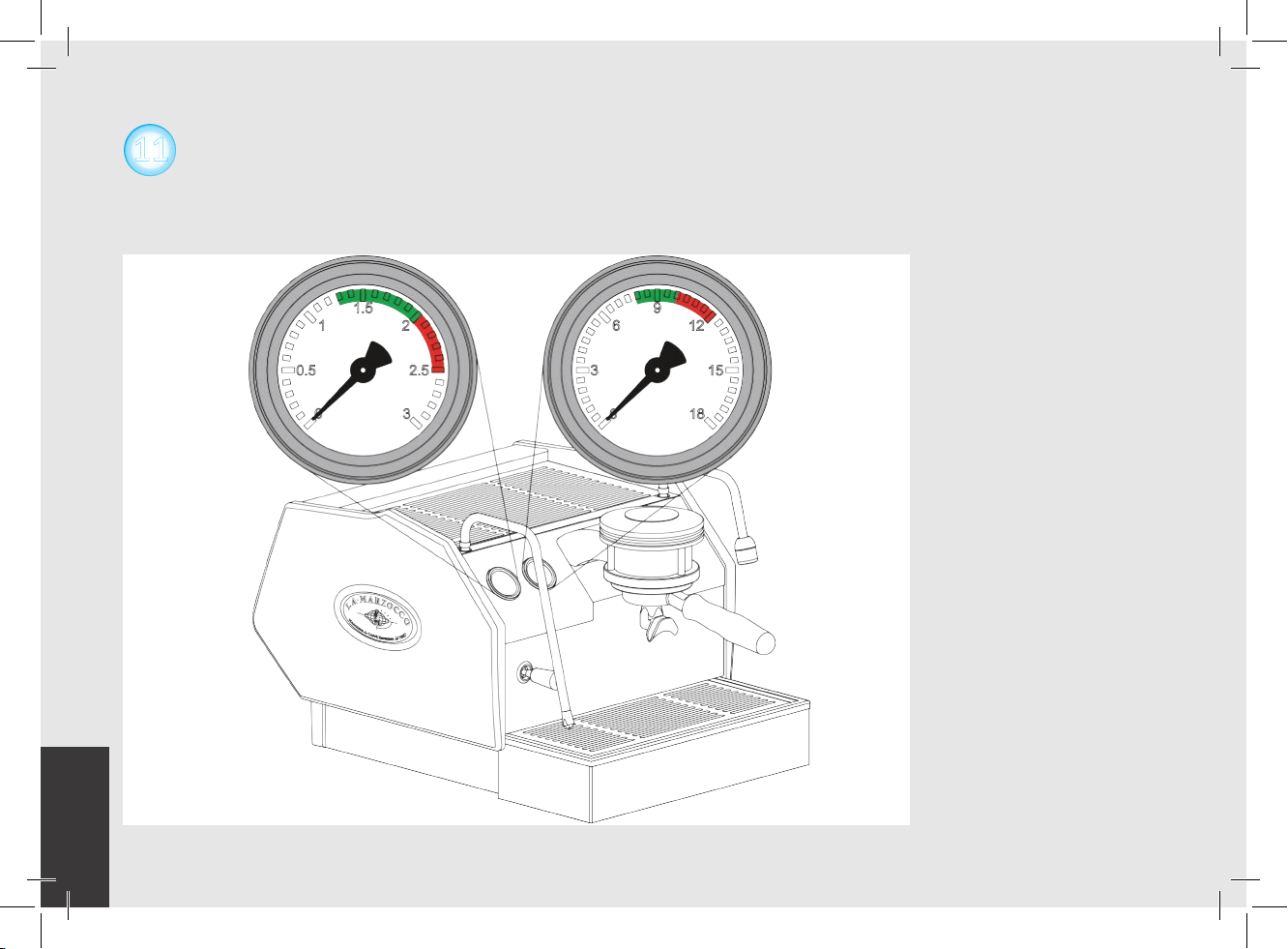
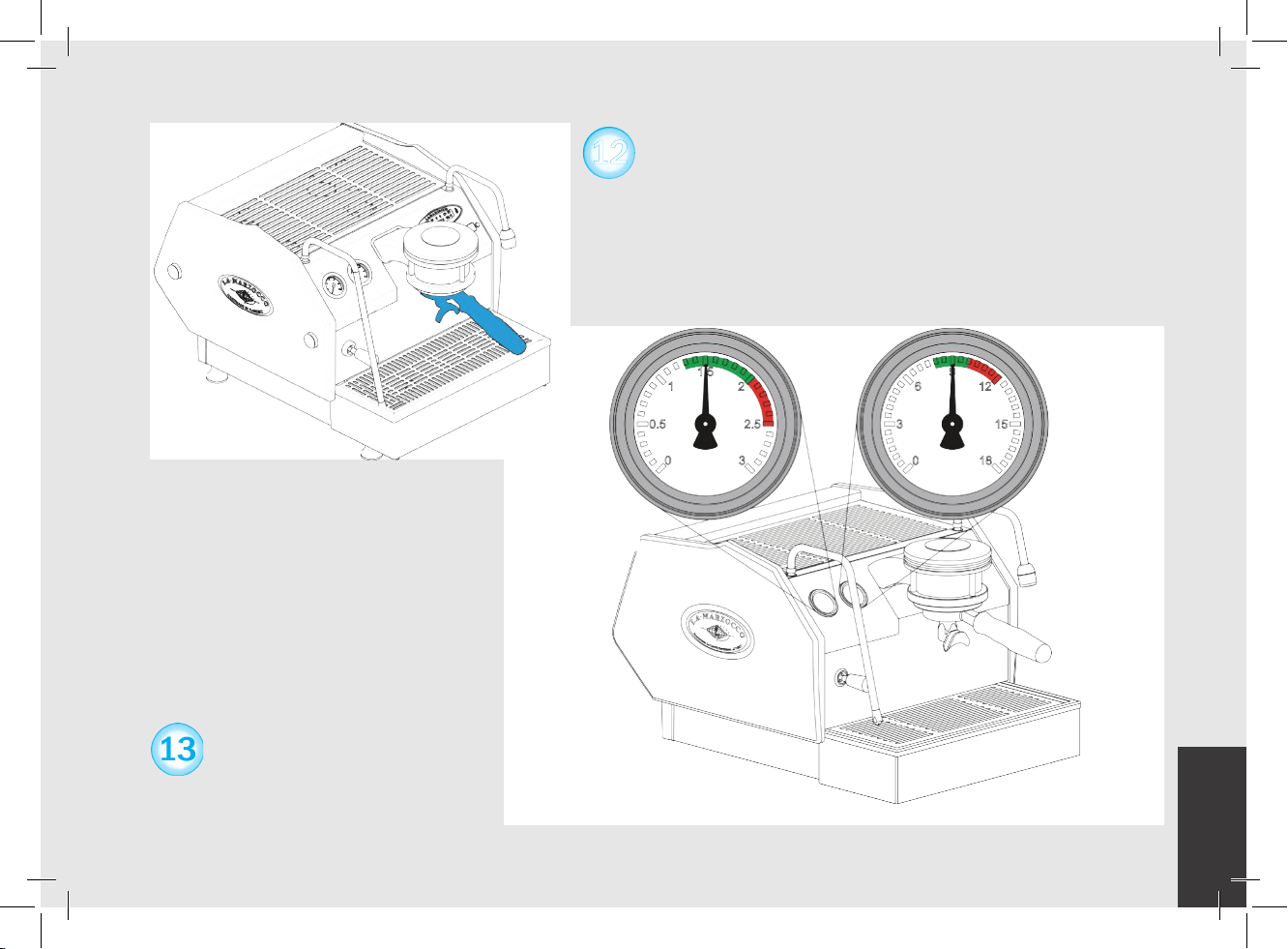
You may also monitor the steam boiler heating progress by watching the Steam Boiler Pressure Gauge. The steam boiler is set
at approximately 2.0 Bar of pressure at the factory.
Once the pressure gage reaches this point the heating will stop. When the coffee boiler reaches operating temperature all lights
on the keypad will light. Should you wish to adjust the pressure of the steam boiler please refer to the Software Programming
Guide under the section “Steam Boiler temperature”.
11
Steam Boiler
Pressure Gauge
Coffee Boiler
Pressure Gauge
EN
32
When the espresso machine is ready, place ground coffee into the
portalter and activate the brewing process. For additional information
to operate this espresso machine please refer the the Owner’s Manual
or the Software Programming Guide.
When brewing, the coffee boiler
pressure should be between 8-10 bar.
The steam boiler pressure should be
set at 2 bar but can operate at any
setting between 1.3 bar and 2 bar.
12
Steam Boiler
Pressure Gauge
Coffee Boiler
Pressure Gauge
EN
33
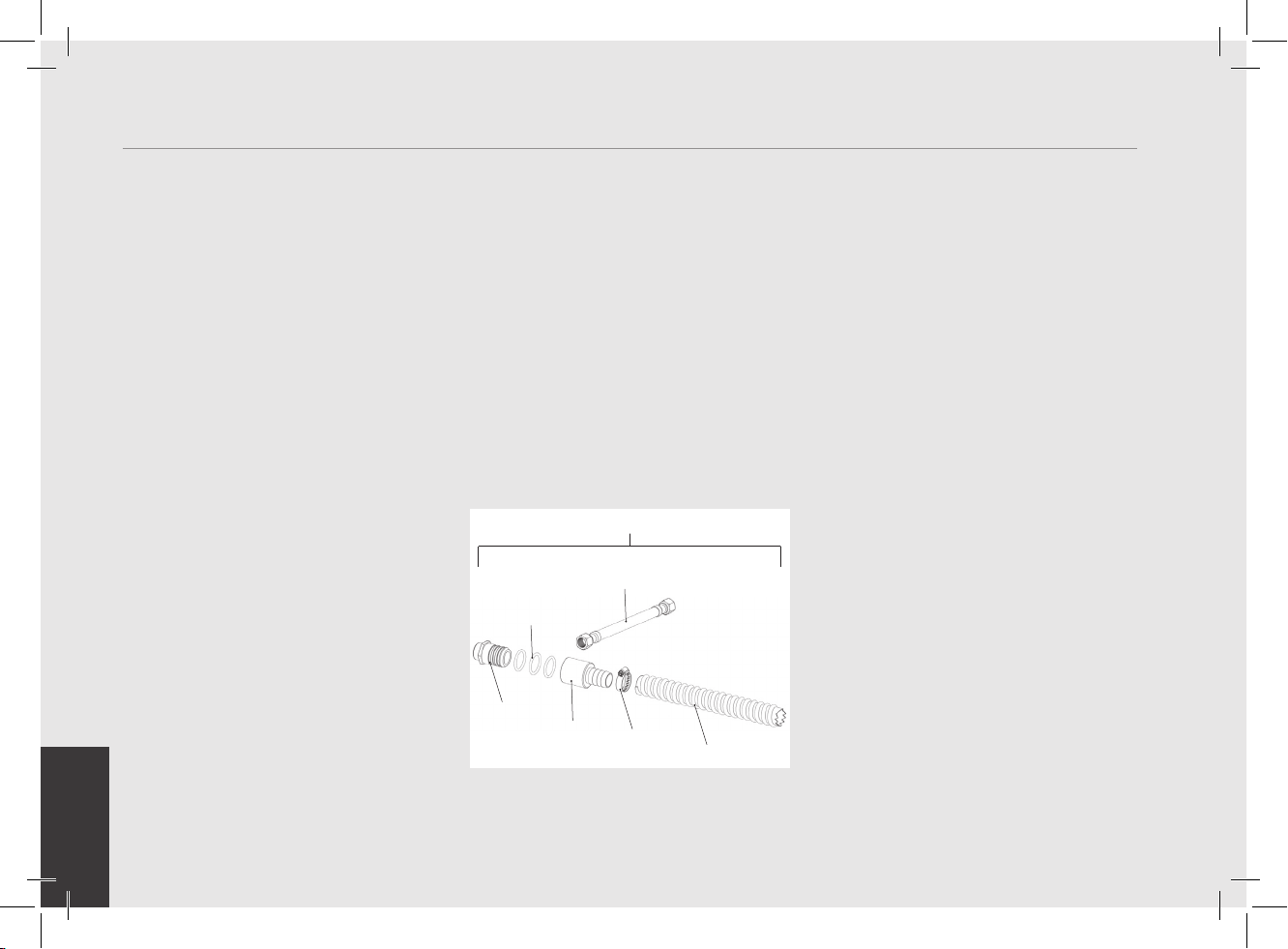
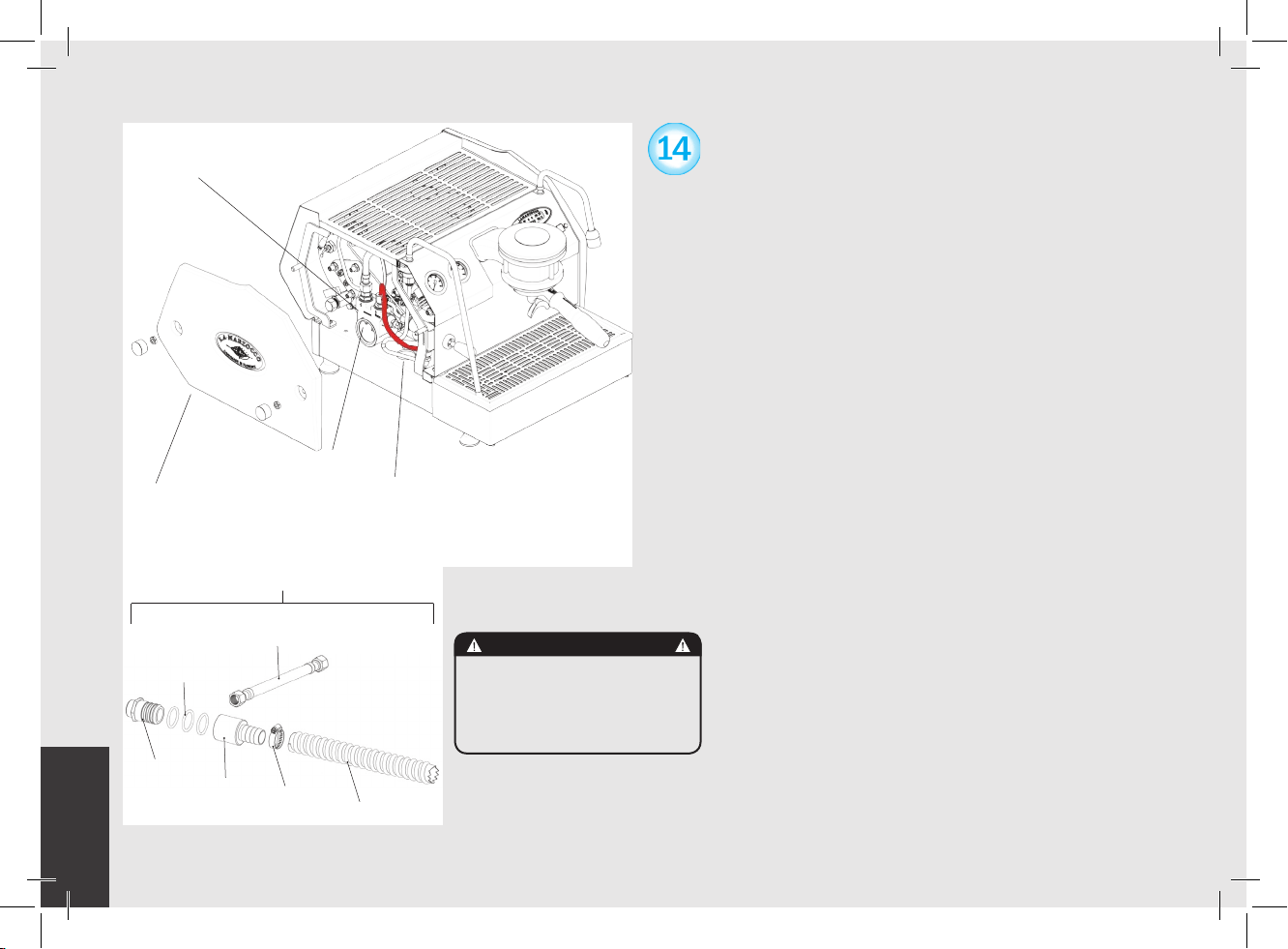
1. Please follow this procedure to connect the GS/3 to
the mains water supply and the waste water drain
system:
2. Turn off the machine and remove the plug from the
socket.
3. Remove the drain box, slide out the water reservoir
from the machine base.
4. Remove the left side panel assembly. Disconnect the
hose from the top of the reservoir and remove the
water reservoir.
5. Remove the drain box cap.
6. Remove the drain box cap and insert the drain box
hose barb tting (F.8.002) Do not over-tighten this
part. Over-tightening will damage the drain box.
7. Connect the clear armoured drain hose to the hose
barb tting and to the waste drain using the supplied
hose clamp.
8. Tighten the supplied hose clamp.
9. Connect the stainless steel braided hose (L325
or L326) to the water pump and pass through the
access hole on the base under the pump. This hose
will connect the pump to the mains water supply.
10. Replace the drain box on the machine base.
11. Reconnect the power plug to the power outlet.
Turn on the water supply and the main power
switch, check for leaks.
12. Congure the “Water Tank” parameter in the software
to “not present” (see the Software Programming
Guide for directions).
13. Turn on the machine.
(These instructions are also available on the website.
http://techcenter.lamarzocco.com.)
Left side panel
assembly
Access Hole
Pump Inlet Tube
Water Pump
L325 (CE)
L326 (ETL/USA)
F.8.002
H.1.010.01
F.8.003
L312
L308
913 (CE) / 914 (ETL-USA)
WARNING
When the machine is
plumbed-in to water
mains, ensure at each
installation a new set of
tubes for plumbing and
related gaskets is used.
EN
34
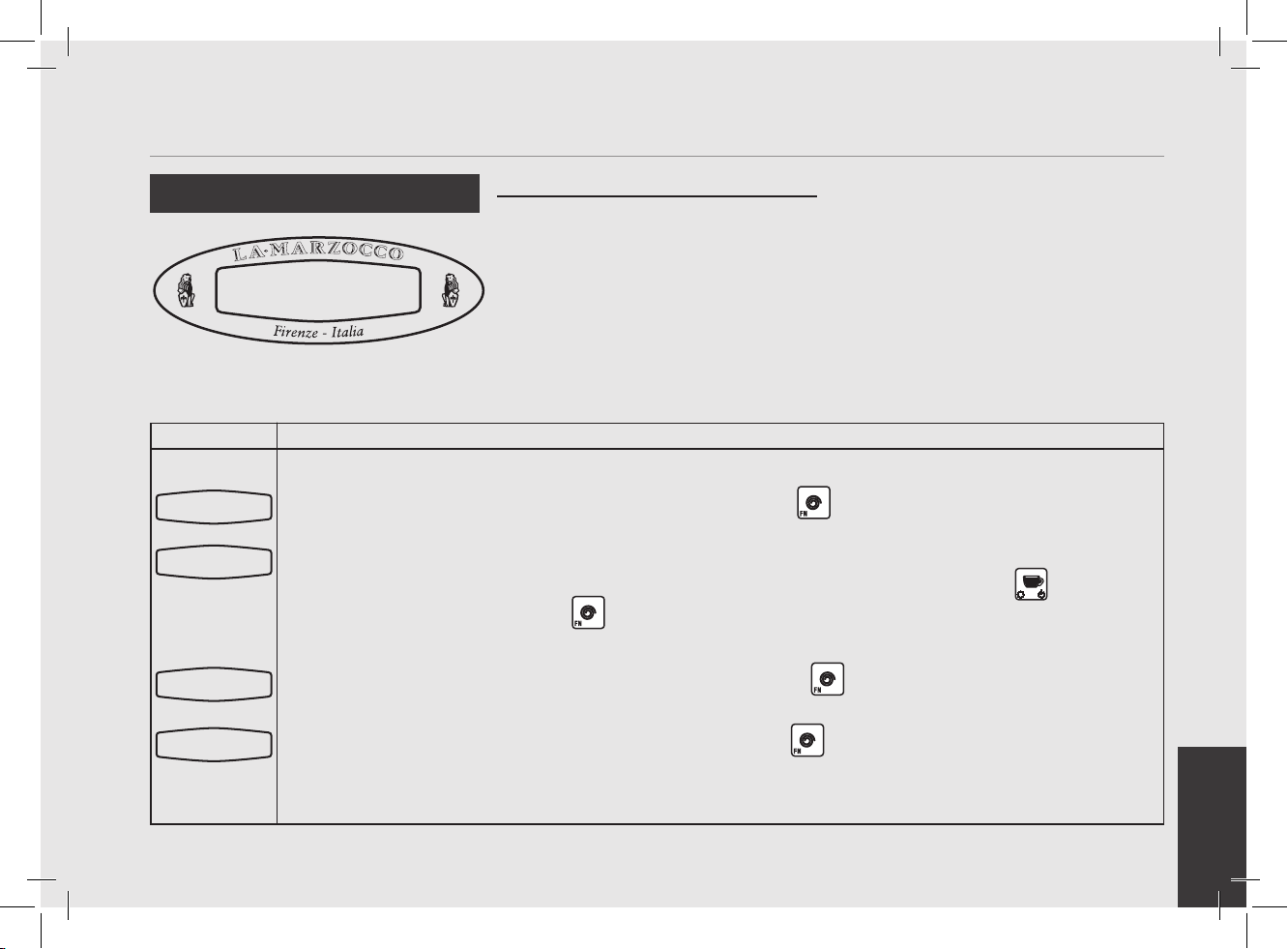
Description Message SolutionMessage
This message is displayed when the CPU does not
understand an instruction.
This message is displayed when the CPU does not
detect a full signal from the steam boiler within a
set time interval.
This message is displayed when the CPU does not
receive any signal from the Temperature Probe in
the steam boiler.
This message is displayed when the CPU does not
receive the appropriate signal from the owmeter.
This message is not active in MP machines.
Most likely the machine power was disconnected without rst turning off the machine through the
keypad and display. Turn off machine using main switch. This should clear the error.
When this message is displayed the CPU also shuts down and turns the machine off. Water is not
entering the boiler. Call an authorized service technician to repair this fault.
When this message is displayed the CPU turns off power to the steam boiler heating element. The
only way to reset this error is to repair the Safety Probe to restore the signal to the CPU.
When owmeter alarm is displayed, the light on the button that initiated the brew cycle will begin
to ash. This problem is a result of water not owing through the ow meter. This can be caused
by coffee ground too ne or packed too tightly (try a coarser grind or lighter tamping) or a blockage
in the tubes, a malfunctioning water pump, a faulty valve, or a damaged owmeter. Call a service
technician to x this problem.
Troubleshooting
• This espresso machine is equipped with several feedback mechanisms that alert the operator when an unusual condition occurs.
Additionally the espresso machine will warn the operator when certain parameters fall below or above the programmed point. These
errors and warnings will appear as a message in the display.
• The following section will describe errors and warnings that may appear in the display.
Corrupted
Data
Filling-up T-out
Alarm
T.Probe Unconnect
Boiler temp.
Flowmeter
Alarm
EN
35
pag 36
pag 37
pag 39
pag 40
pag 41
pag 42
pag 43
pag 44
pag 45
pag 46
pag 47
pag 48
pag 49
pag 50
pag 51
pag 52
pag 53
pag 54
pag 55
pag 56
pag 57
pag 58
pag 59
pag 60
pag 61
pag 62
pag 63
pag 64
pag 65
pag 66
Programming Introduction
Digital Display
Programming Keypads
Accessing Programming Mode
Start Up Procedures
Shut Down Procedures
Quick Access Programming (Quick Keys)
“Machine OFF” Programming
Language
Name
Heating (Power Mode)
Water Reservoir (Tank)
Hot Water
Steam Boiler Probe Sensitivity
Service Cycles
Temperature Measurement Units
Proportional, Integral, Derivitive Settings
PID Setting
Coffee Boiler Temperature Offset
Water Filter Alarm
Open Valve (modello AV)
Drain Steam Boiler
Safety Valve
First Installation
“Machine ON” Programming
Water Volume Programming (AV models)
Clock Adjust
Auto ON/OFF
Coffee Boiler Temperature
Steam Boiler Temperature
Pre-Infusion or Pre-Brewing (AV models)
Service Phone
Crono Function
gs3
Software Programming Guide
EN
36
Programming Introduction
Description
• This espresso machine has a CPU and many congurable settings.
• Additionally, there are many feedback controls employed in this espresso machine to troubleshoot problems should they occur.
• The following is a brief introduction to the controls and display and how they interact with the operator.
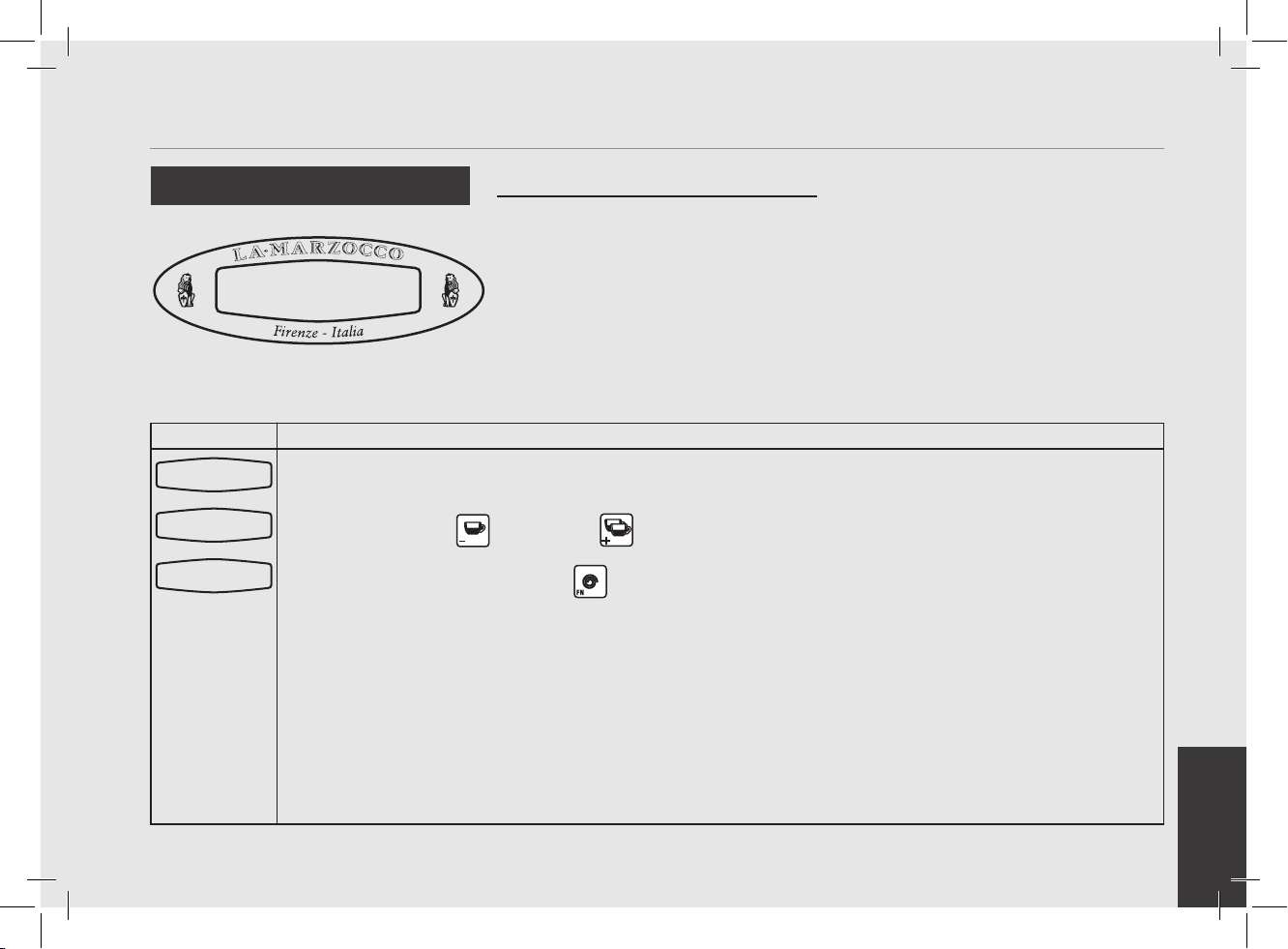
The digital display is a backlit display capable of displaying 2 lines of 16 characters. The display enables the operator to interact with
the espresso machine to visibly change parameter values. The display also provides valuable information to the operator.
There are several warnings that the can be displayed to alert the operator of an unusual condition or a fault. Additionally, simple
messages are displayed alerting the operator that an action has been started or that a process needs to begin.
Digital Display
LaMarzocco 09:30
Firenze Italia
EN
37
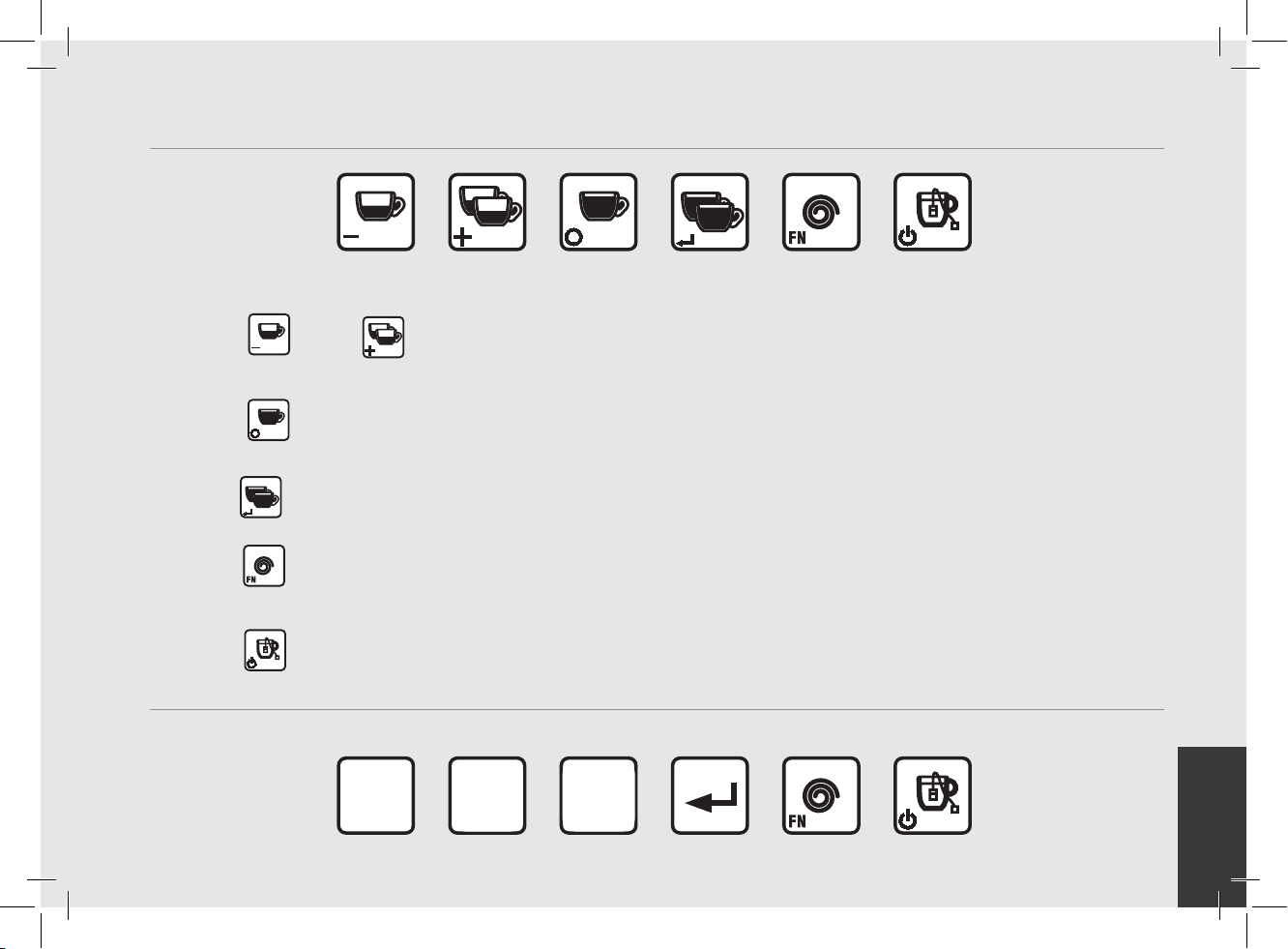
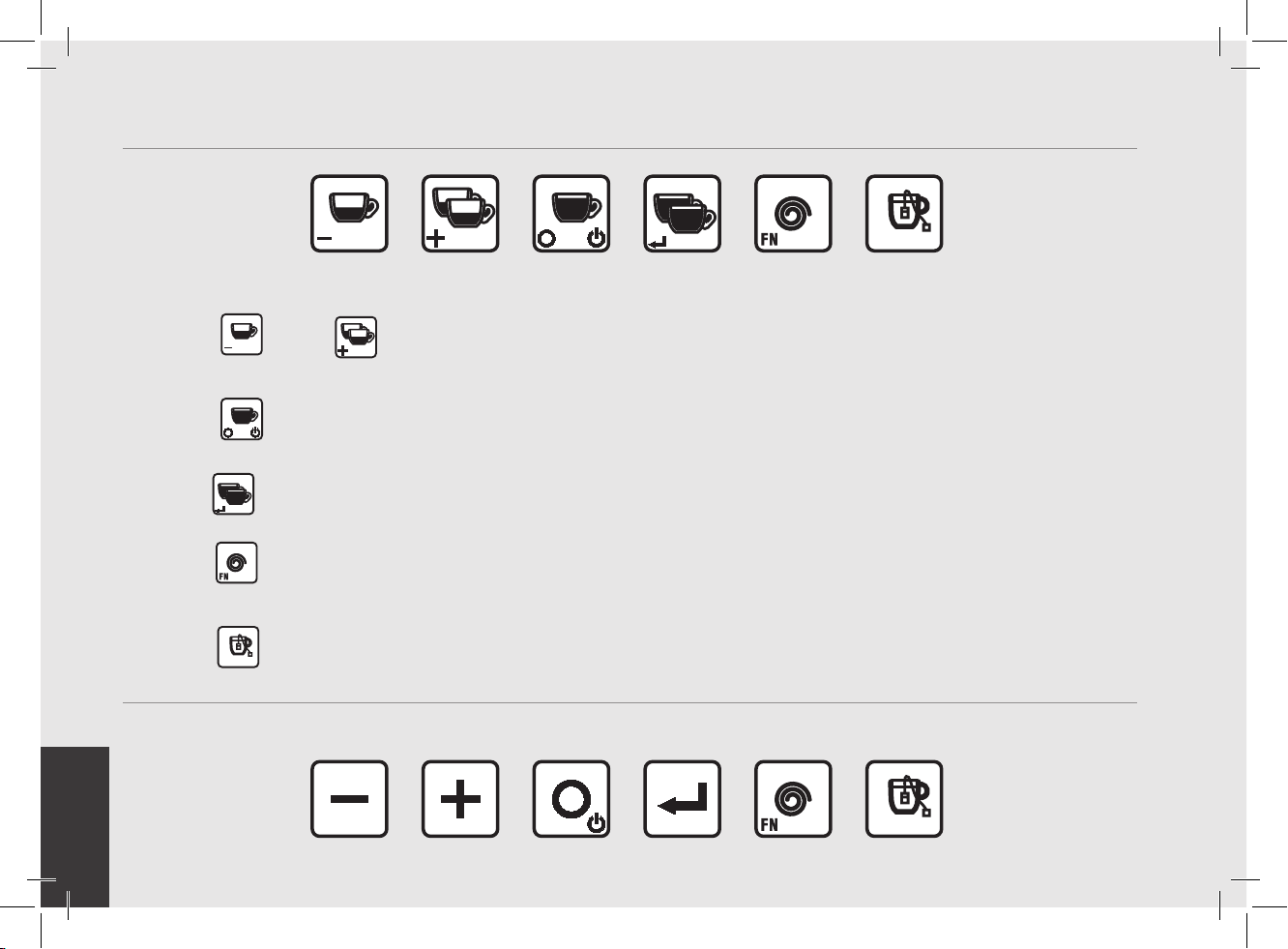
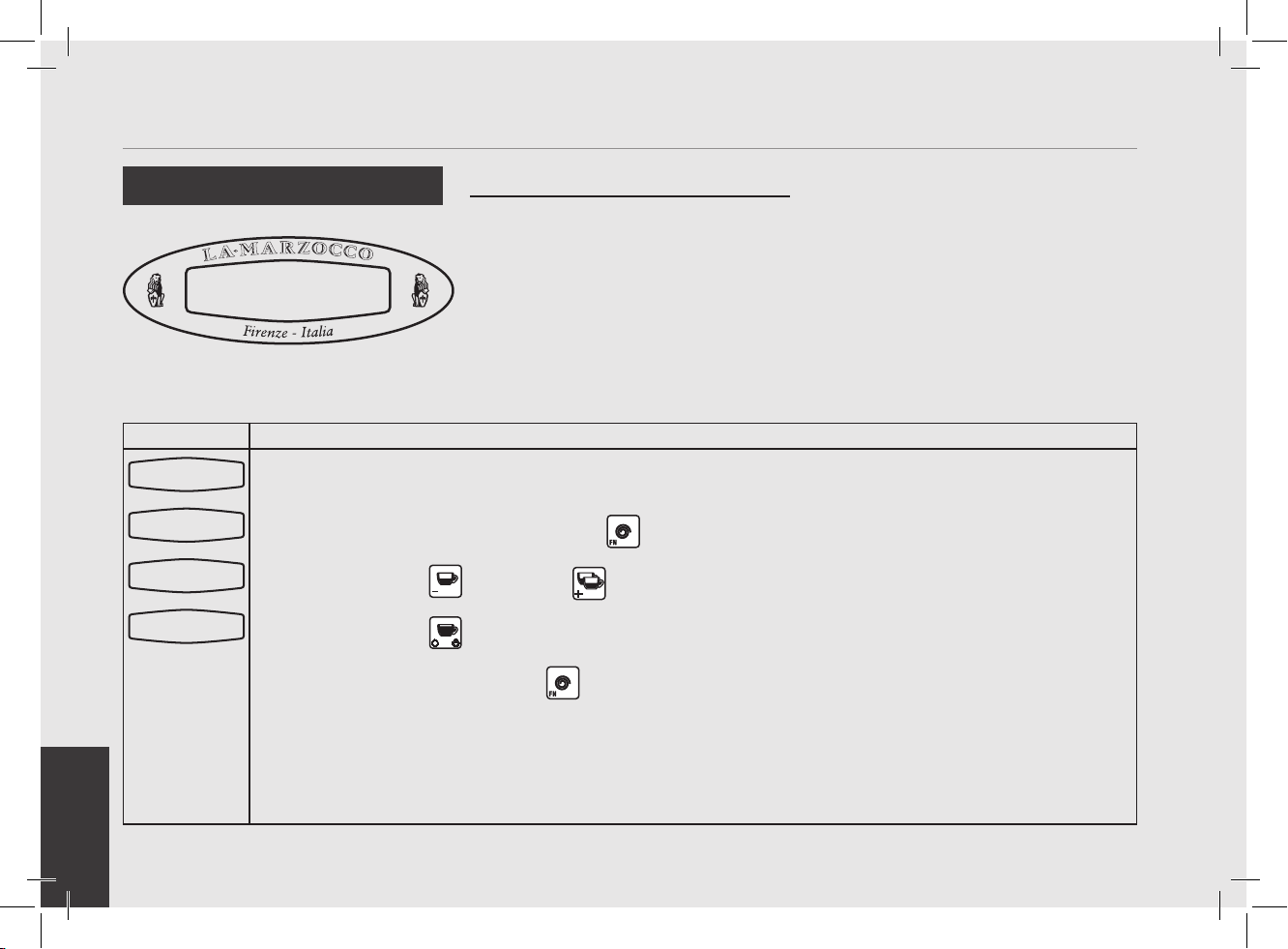
The keypad has two functions. The rst is for control of the espresso. The second is for programming individual software parameters.
The button
and the
button are used to change the values of the individual parameters. The label for these buttons are
“Espresso” and “2 Espressos” respectively.
The
button is used to access certain parameters and for advancing the cursor within a parameter. The label for this button is
“Coffee”.
The button is currently not used in programming mode. The label for this button is “2 Coffees”.
The
button is used to access the programming mode. This button is also used as a function key and to scroll through parameters.
The label for this button is “Continuous”.
The
button is used to turn on and turn off the espresso machine and to activate the dispensing of the Hot Water.
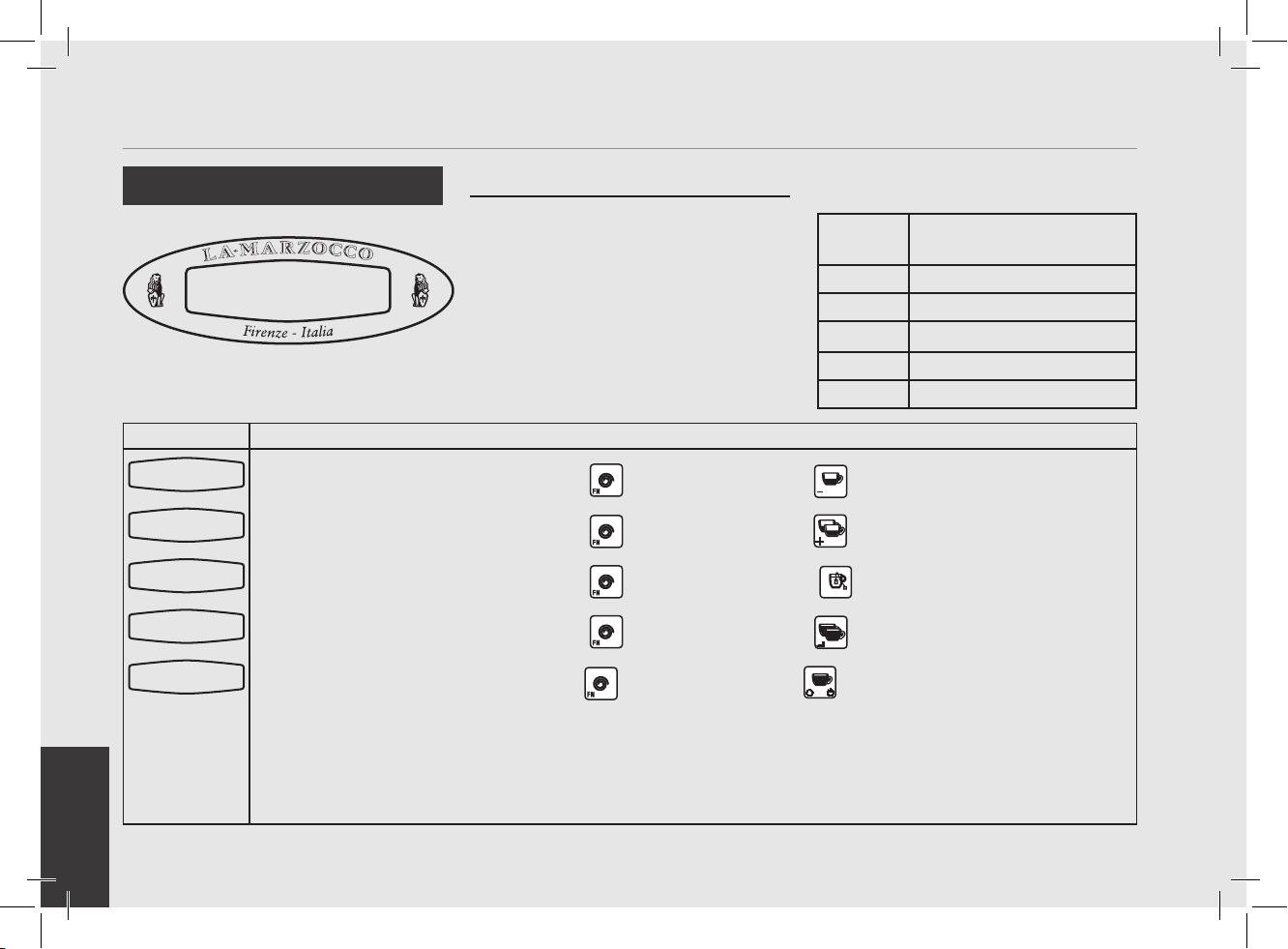
MP (PADDLE) Programming Keypad (from s/n 0001 to 5418)
This keypad has the same functions as the above keys according to the identical symbols in bottom left corner.
Programming Keypad (from s/n 0001 to 5378)
_
+ o
EN
38
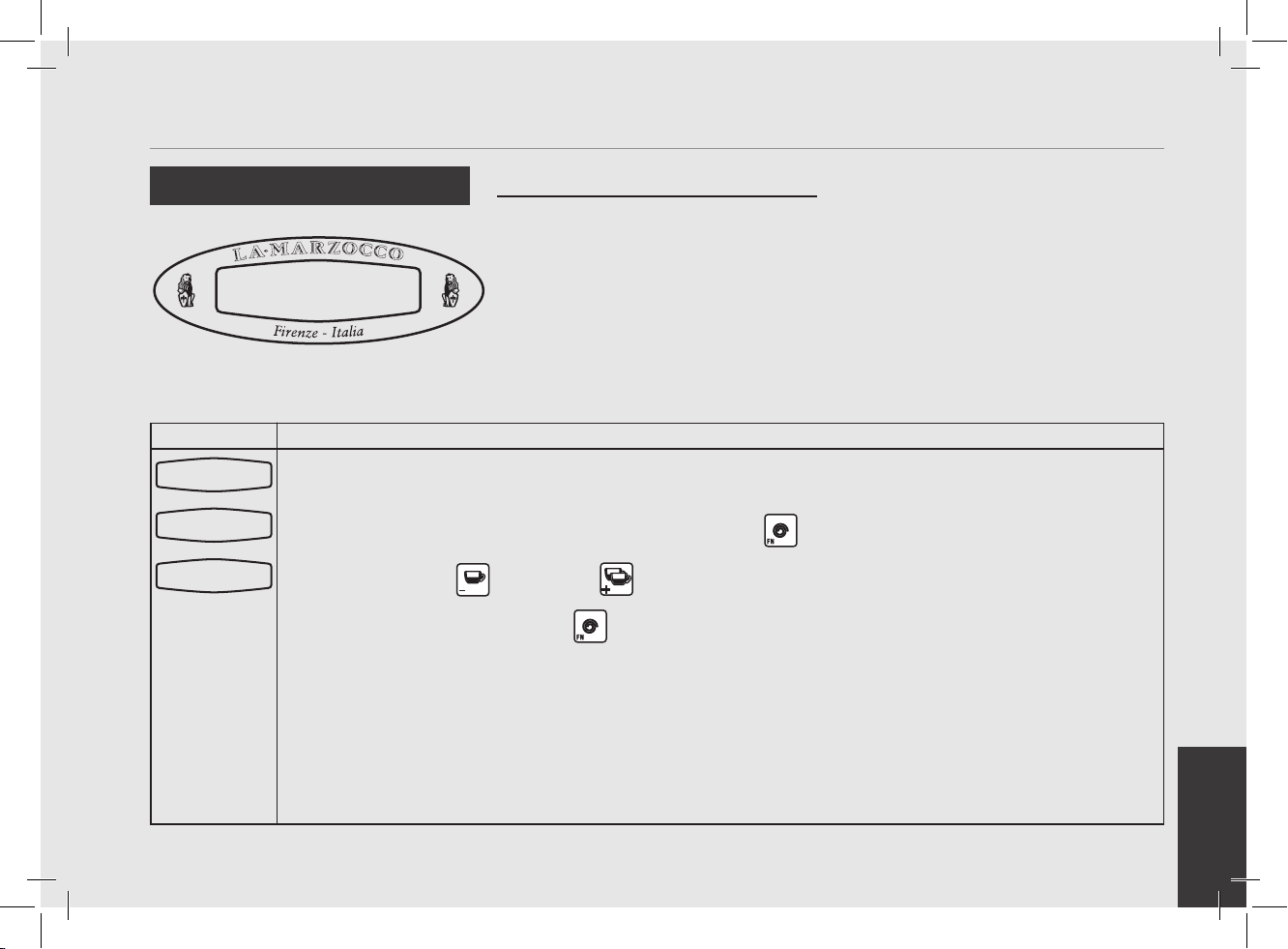
The keypad has two functions. The rst is for control of the espresso. The second is for programming individual software parameters.
The button
and the
button are used to change the values of the individual parameters. The label for these buttons are
“Espresso” and “2 Espressos” respectively.
The
button is used to access certain parameters and for advancing the cursor within a parameter. The label for this button is
“Coffee”.
The button is currently not used in programming mode. The label for this button is “2 Coffees”.
The
button is used to access the programming mode. This button is also used as a function key and to scroll through parameters.
The label for this button is “Continuous”.
The
button is used to turn on and turn off the espresso machine and to activate the dispensing of the Hot Water.
MP (PADDLE) Programming Keypad (only from s/n 5419)
This keypad has the same functions as the above keys according to the identical symbols in bottom left corner.
Programming Keypad (only from s/n 5379)
EN
39
Display Operating Procedure
Description
Accessing Programming Mode
• To change the values of any parameter
the operator must rst enter into the
programming mode.
• There are two levels within the
programming mode that allow the
programming of specic parameters.
• The two programming levels are as
follows
• Machine “On” - The parameters
contained within this level are ones
the operator can change to affect the
quality of the espresso.
• Machine “Off” - The parameters
contained within this level are ones
the operator can change to affect the
performance of the espresso machine.
These parameters are set at the factory
and there is no need for adjustment. La
Marzocco reccomends that no changes
are made at this level.
Programming Mode
LaMarzocco 9:30
Machine On Programming Level
1
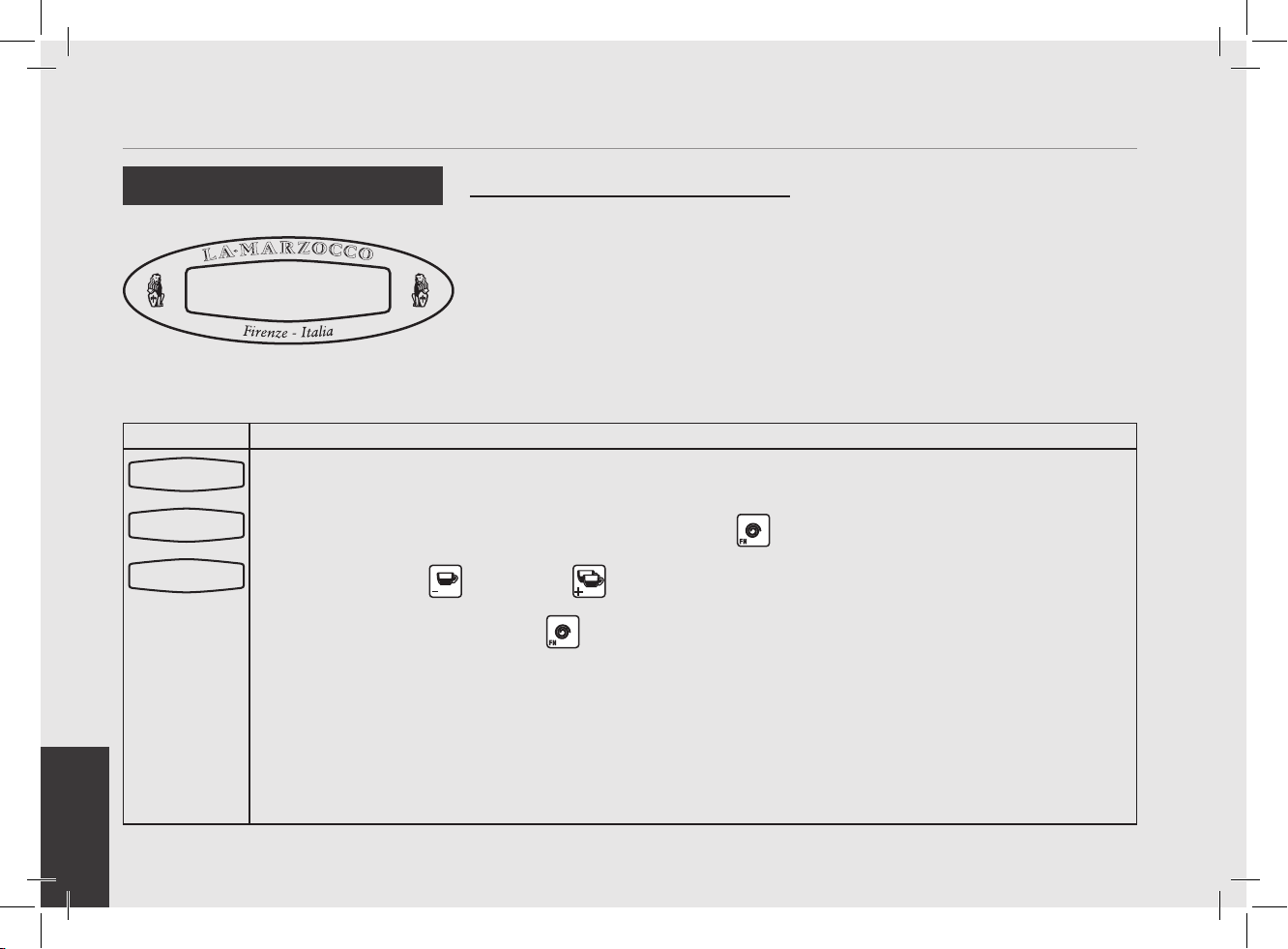
While the espresso machine is on, press and hold the button . After approximately 5 seconds the fol-
lowing display appears.
2
This is the “Machine On” programming level. To program the dispense volume for each button see “Water
Volume Programming”. To access the “Machine On” programming mode press the button
.
Note: You must scroll, using the button, to the end to exit programming mode.
Machine Off Programming Level
1
While the espresso machine is off, press and hold the button . After approximately 10 seconds the
following display appears.
2
This is the “Machine Off” programming level.
Press the button to scroll through the available parameters.
Note: You must scroll to the end to exit programming mode.
200.5
o
F 09:30
La Marzocco T:00
Doses Setting
Select within50s
STAND-BY 09:30
Language
ENGLISH
EN
40
Display Operating Procedure
Description
The following is the procedure for turning
on the power to the espresso machine.
• Please follow the procedures carefully
to avoid any damage to the espresso
machine.
• Continue with the water reservoir full or
a mains water connection.
Start Up Procedures
Turning the Espresso
Machine On
HAZARDOUS VOLTAGE DISCONNECT FROM POWER SUPPLY BEFORE SERVICING
WARNING
1
Turn the Main Switch to the On position.
2
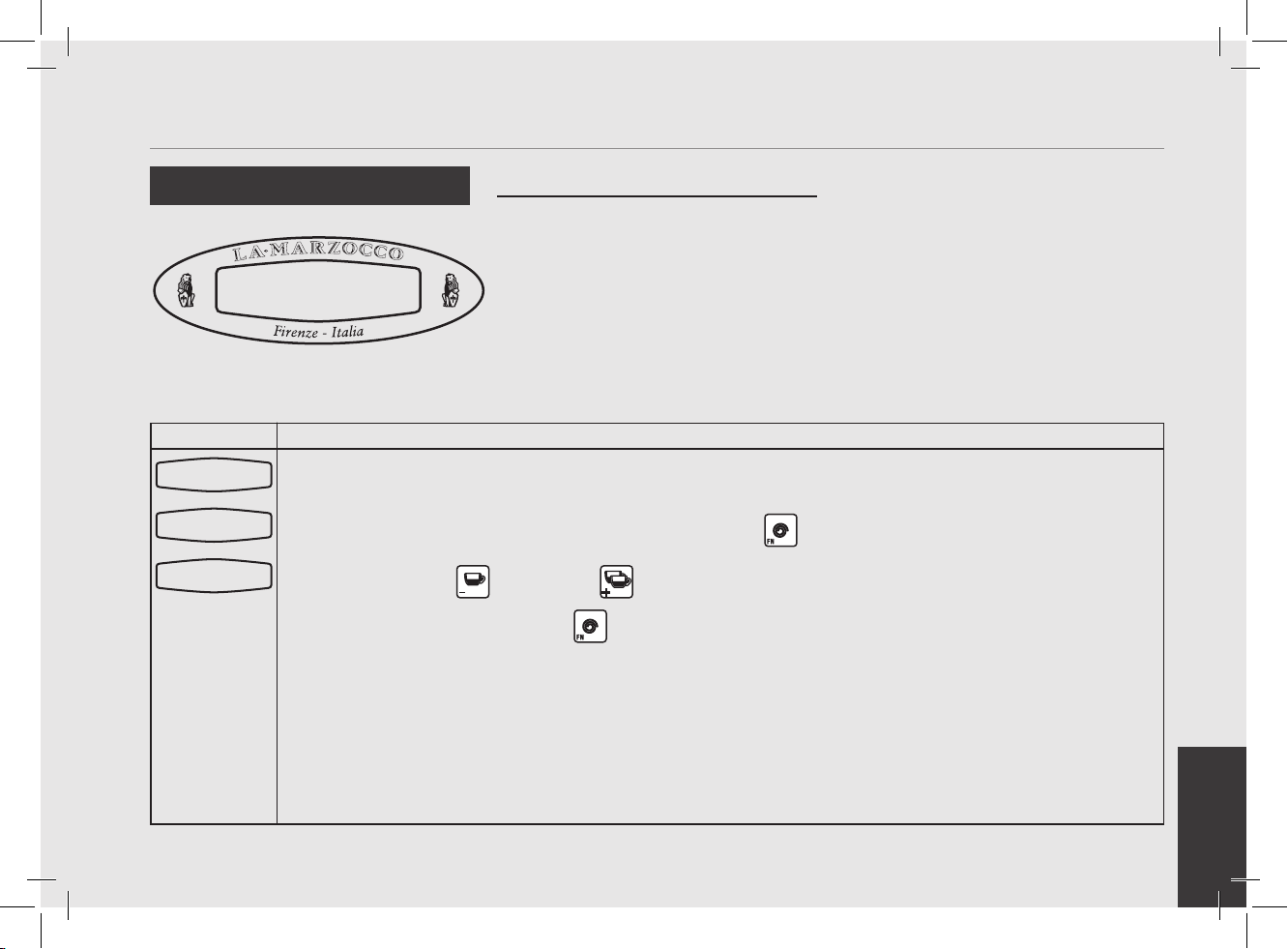
The message at left will be displayed briey. This message indicates the revision level of the software
installed in this espresso machine. Then the following message is displayed.
3
To complete the turn on process, press the button and the display at left is shown. The machine begins
to automatically ll the steam boiler until full. When the espresso machine reaches operating temperature,
all keypad lights will light indicating that the espresso machine is ready to use.
NOTE: Ensure all air is removed from the group prior to staring the espresso
machine. This only needs to be completed once during the initial setup or when
water is drained from the coffee boiler.
Instructions for bleeding the groups of air can be found in the Installation Guide.
3D5 DE LUXE MAR
STAND-BY 09:30
170.5oF 06:30
La Marzocco T:00
EN
41
Display Operating Procedure
Description
200.5°F 09:30a
La Marzocco T:00
The following is the procedure for turning
off power to the espresso machine.
• Please follow the procedures carefully
to avoid any damage to the espresso
machine.
• This machine has two off settings. One
setting turns off all of the components
in the espresso machine and the other
turns off power to the complete espresso
machine.
Shut Down Procedures
Turning the Espresso
Machine Off
HAZARDOUS VOLTAGE DISCONNECT FROM POWER SUPPLY BEFORE SERVICING
WARNING
1
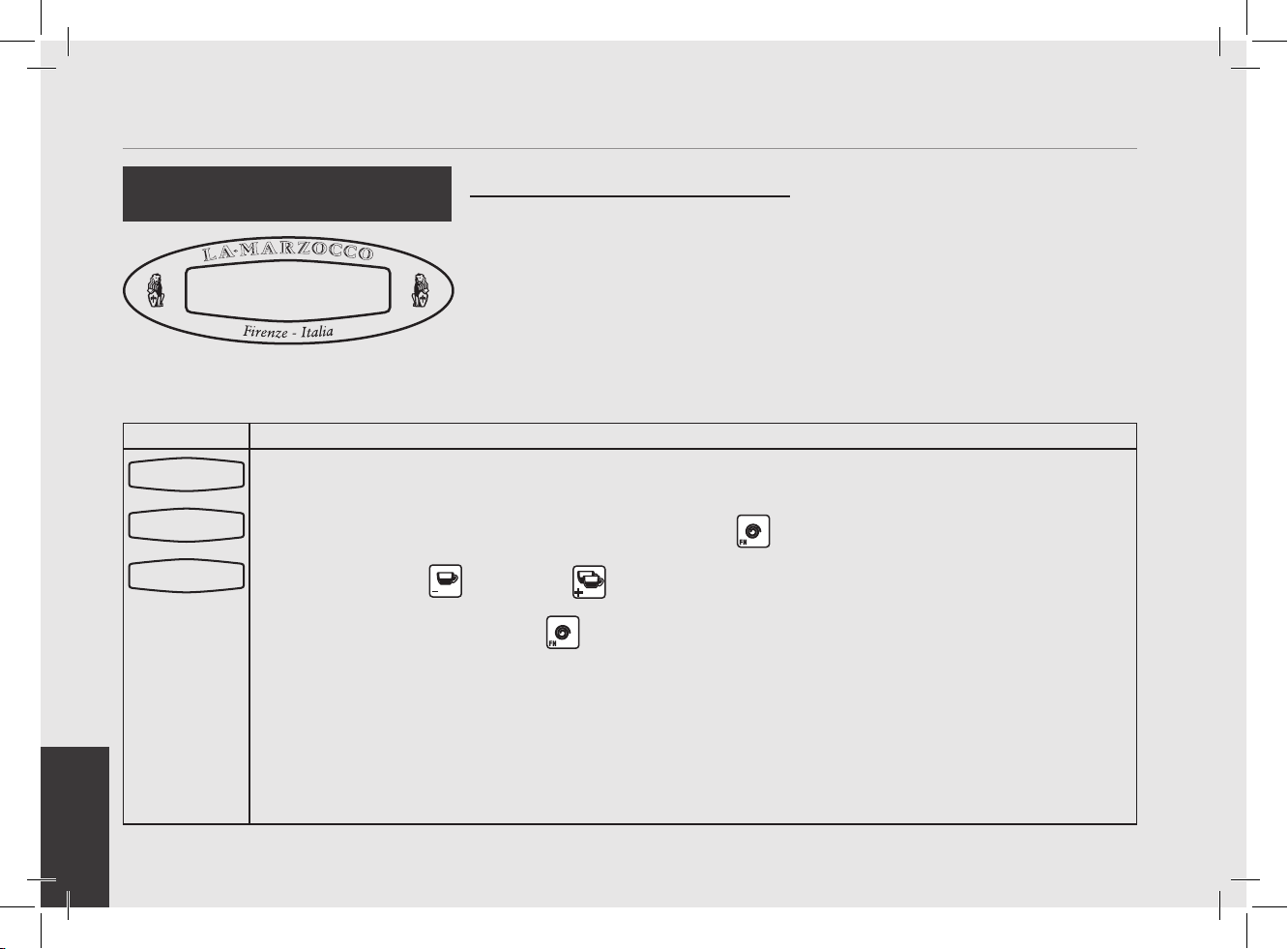
The following is the procedure for safely turning off the espresso machine.
2
Press and hold
the button
then press the button
. The display changes to the following:
3
This is the OFF setting used in the normal operating conditions.
4
During servicing or other conditions that warrant it, the main switch should be turned to the OFF position.
The espresso machine is off and display should be blank. It is important to follow this procedure when
turning off the machine. Failure to do so can damage the electronics.
170.5
o
F 06:30
La Marzocco T:00
STAND-BY 09:30
EN
42
Display Operating Procedure
Description
• For convenience, there is access to ve
parameters of the software without
entering program mode.
• These parameters are accessed through
the use of “Quick Keys”.
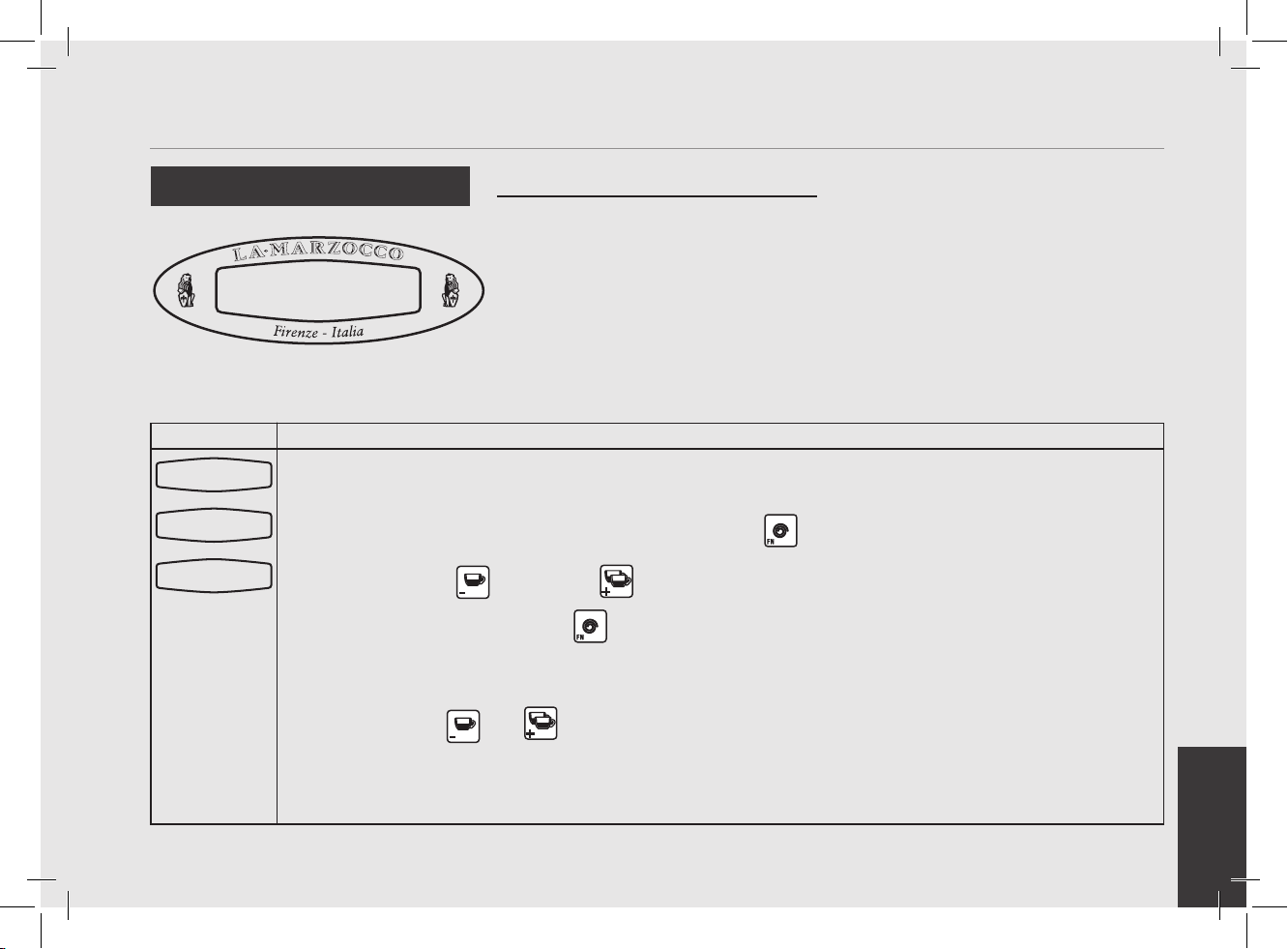
• To use the Quick Keys, press and hold
the function button and then the quick
key is accessed.
• In the current version of the software
(ver 1.15) the following quick keys are
available:
Quick Access Programming (Quick Keys)
Quick Keys
Quick Key
Number
Function
1 Group rinse cycle
2 Coffee Boiler Temperature
3 Steam Boiler Temperature
4 Pre-Brewing enable/disable
6 Machine Off function
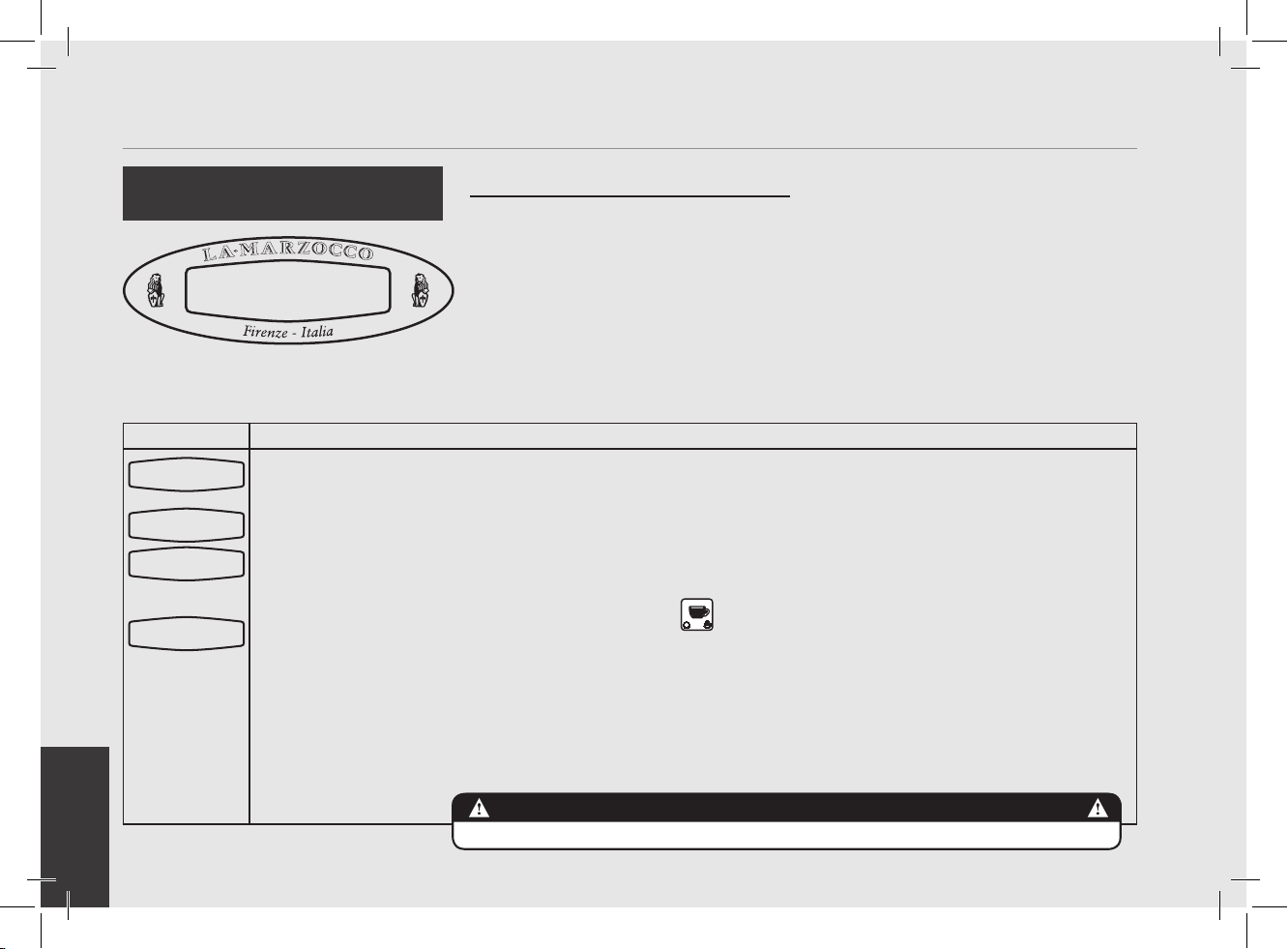
1
Quick Key 1 Press and hold
the button , then
press the button .
2
Quick Key 2 Press and hold
the button , then
press the button .
3
Quick Key 3 Press and hold
the button , then
press the button .
4
Quick Key 4 Press and hold
the button , then
press the button .
5
Quick Key 6 Press and hold the button , then press the button .
NOTE: Quick Keys only function when the espresso machine is on and not brewing coffee/hot water.
N.B. MP (PADDLE) MODEL Quick Key no. 1 and no. 4 do not function because the control of the group is manual.
T. Coffee Boiler
200.5 oF
T. Steam Boiler
260.0 oF
Pre Brewing
Enabled
Rinsing in
progress
STAND-BY 09:30
EN
43
Display Operating Procedure
Description
• This parameter allows the operator to
change the language of the display.
Language
English
“Machine OFF” Programming
Language
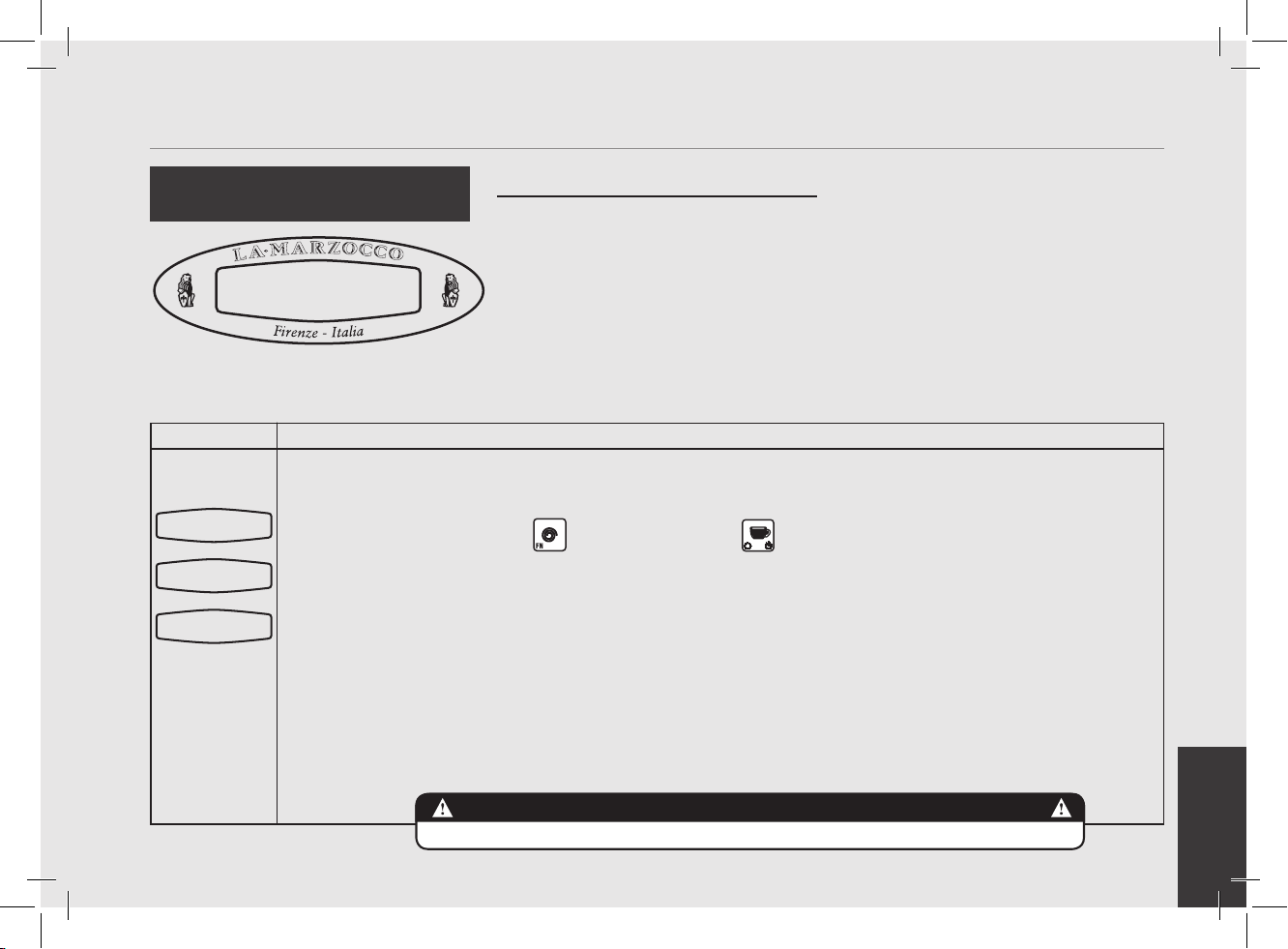
1
Enter into “Machine Off” programming mode.
2
Press the button or the button to change the language.
3
When nished, press the button to continue to the next parameter.
Language
ENGLISH
Name
LA MARZOCCO GS/3
STAND-BY 09:30
EN
44
Display Operating Procedure
Description
Name
--------------
• This parameter allows the technician to
program a 16 character user name.
• The user name is displayed continuously
on the display on the second line.
• The user name is not displayed when
the Crono Function is ENABLED.
Name
“Machine OFF” Programming
1
Enter into “Machine Off” programming mode.
2
Scroll through the displayed parameters using the button until the following display appears:
3
Press the button or the button to change the value of the ashing parameter.
4
Press the button to advance to the next character. Repeat step 3-4 to program remaining characters
5
When nished, press the button to continue to the next parameter.
Language
ENGLISH
Name
Name
XXXXXXXXXX
STAND-BY 09:30
EN
45
Display Operating Procedure
Description
Heating
HALF
“Machine OFF” Programming
• This espresso is equipped with a power
saving feature that allows the espresso
machine to operate at lower power if
needed.
• While in power saving mode you
may experience slightly longer steam
recovery time. The steam boiler
pressure/temperature may be adjusted
to compensate for this if needed.
• There are two options in Power saving
mode:
• Full - This mode gives full power to both
the coffee boiler and the steam boiler.
On 120V model, in full power mode, a
20 Amp circuit is required.
• Half - In this mode the power is
alternated between the coffee boiler and
the steam boiler (with priority given to
the coffee boiler).
Heating (Power Mode)
1
Enter into “Machine Off” programming mode.
2
Scroll through the displayed parameters using the button until the following display appears:
3
Press the button or the button to change the value between HALF and FULL.
4
When nished, press the button to continue to the next parameter.
Language
ENGLISH
Heating
HALF
STAND-BY 09:30
EN
46
Display Operating Procedure
Description
Tank
PRESENT
“Machine OFF” Programming
• This parameter allows the user to choose
the use of a water reservoir. If the
espresso machine is connected directly
to the water supply, then this value
should be set to “not present”.This must
be done before the machine is plumbed.
Water Reservoir (Tank)
1
Enter into “Machine Off” programming mode.
2
Scroll through the displayed parameters using the button until the following display appears:
3
Press the button or the button to change the value between PRESENT and NOT PRESENT.
4
When nished, press the button to continue to the next parameter.
Language
ENGLISH
Tank
PRESENT
STAND-BY 09:30
EN
47
Display Operating Procedure
Description
Water
with pump
• This parameter allows the technician to
select the activation of the water pump
during hot water dispensing.
• When hot water is drawn from only the
steam boiler this parameter should be
set to “without pump”.
• If you wish to adjust temperature of water
using the Hot Water Adjusting Knob, set
this parameter to “with pump”, see page
11 for more details.
Hot Water
“Machine OFF” Programming
1
Enter into “Machine Off” programming mode.
2
Scroll through the displayed parameters using the button until the following display appears:
3
Press the button or the button to change to either WITH PUMP or WITHOUT PUMP.
4
When nished, press the button to continue to the next parameter.
Language
ENGLISH
Water
with pump
STAND-BY 09:30
EN
48
Display Operating Procedure
Description
• This parameter allow the user to set
the probe sensitivity depending of the
hardness of the water. The harder the
water, the lower the sensibility of the
probe.
ProbeSensitivity
LOW
Steam Boiler Probe
Sensitivity
“Machine OFF” Programming
1
Enter into “Machine Off” programming mode.
2
Scroll through the displayed parameters using the button until the following display appears:
3
Press the button or the button to change the value between LOW, MID and HIGH.
4
When nished, press the button to continue to the next parameter.
Language
ENGLISH
ProbeSensitivity
Low
STAND-BY 09:30
EN
49
Display Operating Procedure
Description
Service Cycles
0
“Machine OFF” Programming
• This parameter allows the user to
program a threshold number of cycles (in
multiples of 1000) when the machine
prompts for service.
• When Prompted for Service, the “Service
Phone” number will be displayed.
Service Cycles
1
Enter into “Machine Off” programming mode.
2
Scroll through the displayed parameters using the button until the following display appears:
3
Press the button or the button to change the value (range =99000).
4
When nished, press the button to continue to the next parameter.
N.B. : To reset this parameter once “Service Phone” number is displayed. Turn off machine with on/off
switch behind machine.
Press and hold and buttons. Turn on machine holding the two buttons until “Service Reset”
appears on display.
Language
ENGLISH
Service Cycles
0
STAND-BY 09:30
EN
50
Display Operating Procedure
Description
Temperature
°F
“Machine OFF” Programming
• This parameter is set at the factory at the
request of the local distributor.
• This parameter has two options Celsius
(°C) or Fahrenheit (°F).
Temperature Measurement Units
1
Enter into “Machine Off” programming mode.
2
Scroll through the displayed parameters using the button until the following display appears:
3
Press the button or the button to change the value to either Celsius (°C) or Fahrenheit (°F).
4
When nished, press the button to continue to the next parameter.
Language
ENGLISH
Temperature
°F
STAND-BY 09:30
EN
51
Display Operating Procedure
Description
C kP kI kD
8.0 0.15 10.0
• This parameter is preset at the factory
based upon theoretical calculations and
physical experiments.
• It is not recommended that these
numbers are changed.
• Changes to these parameters can cause
unexpected results.
• Qualied technicians may wish to
experiment with different values.
• If you do wish to change the values
and nd that unexpected results occur,
return to the factory default values:
kP kI kD
8.0 0.15 10.0
Proportional, Integral,
Derivitive (PID) Settings (Coffee
Boiler)
“Machine OFF” Programming
1
Enter into “Machine Off” programming mode.
2
Scroll through the displayed parameters using the button until the following display appears:
3
Press the button or the button to change the value of the asing parameter.
4
When nished, press the button to continue to the next parameter.
Language
ENGLISH
C kP kI kD
8.0 0.15 10.0
STAND-BY 09:30
EN
52
Display Operating Procedure
Description
PID setting
20.1 °F
“Machine OFF” Programming
• This parameter sets a range in which the
PID algorithm is active.
• This parameter is preset at the factory
based upon theoretical calculations and
physical experiments.
• It is not recommended that this number
is changed. Changes to this parameter
can cause unexpected results.
• It is important to write down the number
before any changes are made to make
sure you can return to the factory
programming if unexpected results
occur.
• Experienced technicians may wish to
experiment with different values.
• The lowest value for this parameter is
3.6°F / 2.0°C
PID Setting
1
Enter into “Machine Off” programming mode.
2
Scroll through the displayed parameters using the button until the following display appears:
3
Press the button or the button to change the value of the parameter.
4
When nished, press the button to continue to the next parameter.
Language
ENGLISH
PID setting
20.1 °F
STAND-BY 09:30
EN
53
Display Operating Procedure
Description
Coffee T. Offset
1.5 °F
• This parameter isused to calibrate
the coffee boiler temperature system
to ensure the display temperature
accurately represents the temperature of
the water exiting the group head.
• This parameter is preset at the factory
based upon initial tests of this espresso
machine.
• It is not recommended that this number
is changed. Changes to this parameter
can cause unexpected results.
• It is important to write down this value
before making changes to be sure you
can return to the factory programming if
unexpected results occur. Each machine
may have a different value as it is set
individually.
“Machine OFF” Programming
Coffee Boiler Temperature
Offset
1
Enter into “Machine Off” programming mode.
2
Scroll through the displayed parameters using the button until the following display appears:
3
Press the button or the button to change the value of the asing parameter.
4
When nished, press the button to continue to the next parameter.
Language
ENGLISH
Coffee T. Offset
1.5 °F
STAND-BY 09:30
EN
54
Display Operating Procedure
Description
Water filter
0
• This parameter allows the technician
to preprogram an alarm that noties
the user when the water lter requires
service or replacement.
• When the programmed volume of
water has passed through the espresso
machine the error message “Change
Filter” is displayed.
• A value of 0 (zero) disables the lter
alarm parameter.
“Machine OFF” Programming
Water Filter Alarm
1
Enter into “Machine Off” programming mode.
2
Scroll through the displayed parameters using the button until the following display appears:
3
Press the button or the button to change the value of the asing parameter.
4
When nished, press the button to continue to the next parameter.
5
When the espresso machine has dispensed the value of this parameter the message FILTER ALARM will
appear.
NOTE: To reset this message turn off the espresso machine using the main power switch.
Then, press and hold the button and the button and turn on the machine using the main power
switch.
Hold both buttons until the following message appears. Release both buttons and continue to use the
espresso machine as normal.
Language
ENGLISH
Water filter
0
STAND-BY 09:30
Filter
Alarm
Filter
Reset
EN
55
Display Operating Procedure
Description
OPEN VALVE
DISABLED/ENABLED
• This parameter allows the service staff
to enable/disable the opening of the hot
water valve.
• This parameter allows steam boiler
depressurization.
• This parameter is not available on MP
paddle version.
“Machine OFF” Programming
1
Enter into “Machine Off” programming mode.
2
Scroll through the displayed parameters using the button until the following display appears:
3
Press the button or the button to change the value between DISABLED or ENABLED.
4
When nished, press the button to continue to the next parameter.
Language
ENGLISH
OPEN VALVE
DISABLED/ENABLED
STAND-BY 09:30
Open Valve
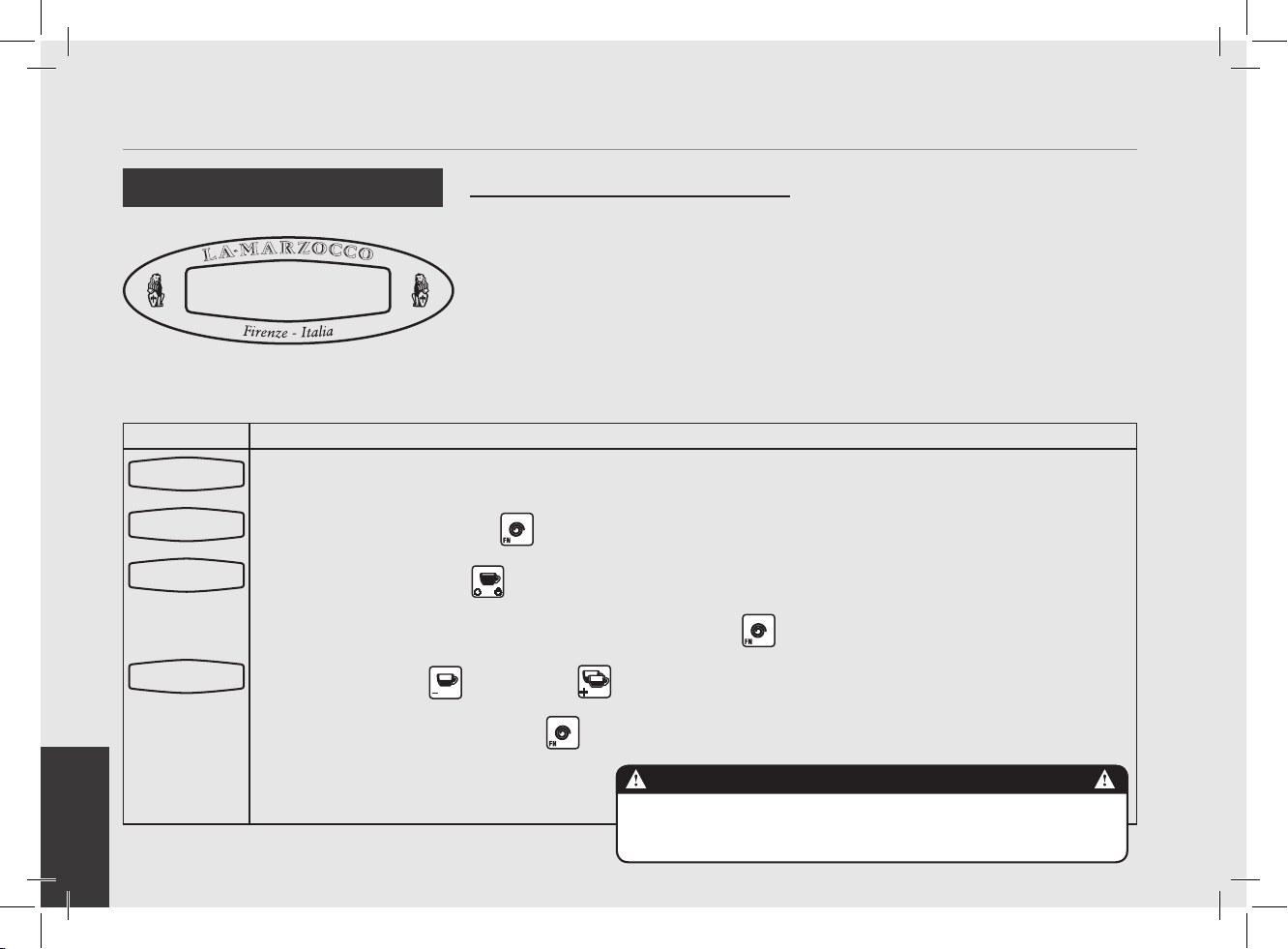
EN
56
Display Operating Procedure
Description
Drains SteamBoil
DISABLED/ENABLED
• This parameter enables the technician
to enable/disable the steam boiler
draining.
• This parameter allows the service staff
to renew or “regenerate” the water
contained inside the steam boiler,
discharging about one half of the water
contained in the boiler.
• This procedure is recommended in case
the machine should remain inactive for
more than 8 hours and in any case at
least on a weekly basis.
“Machine OFF” Programming
1
Enter into “Machine Off” programming mode.
2
Scroll through the displayed parameters using the button until the following display appears:
3
Press the button or the button to change the value between DISABLED or ENABLED.
4
When nished, press the button to continue to the next parameter.
Language
ENGLISH
Drains SteamBoil
DISABLED/ENABLED
STAND-BY 09:30
Drain Steam Boiler
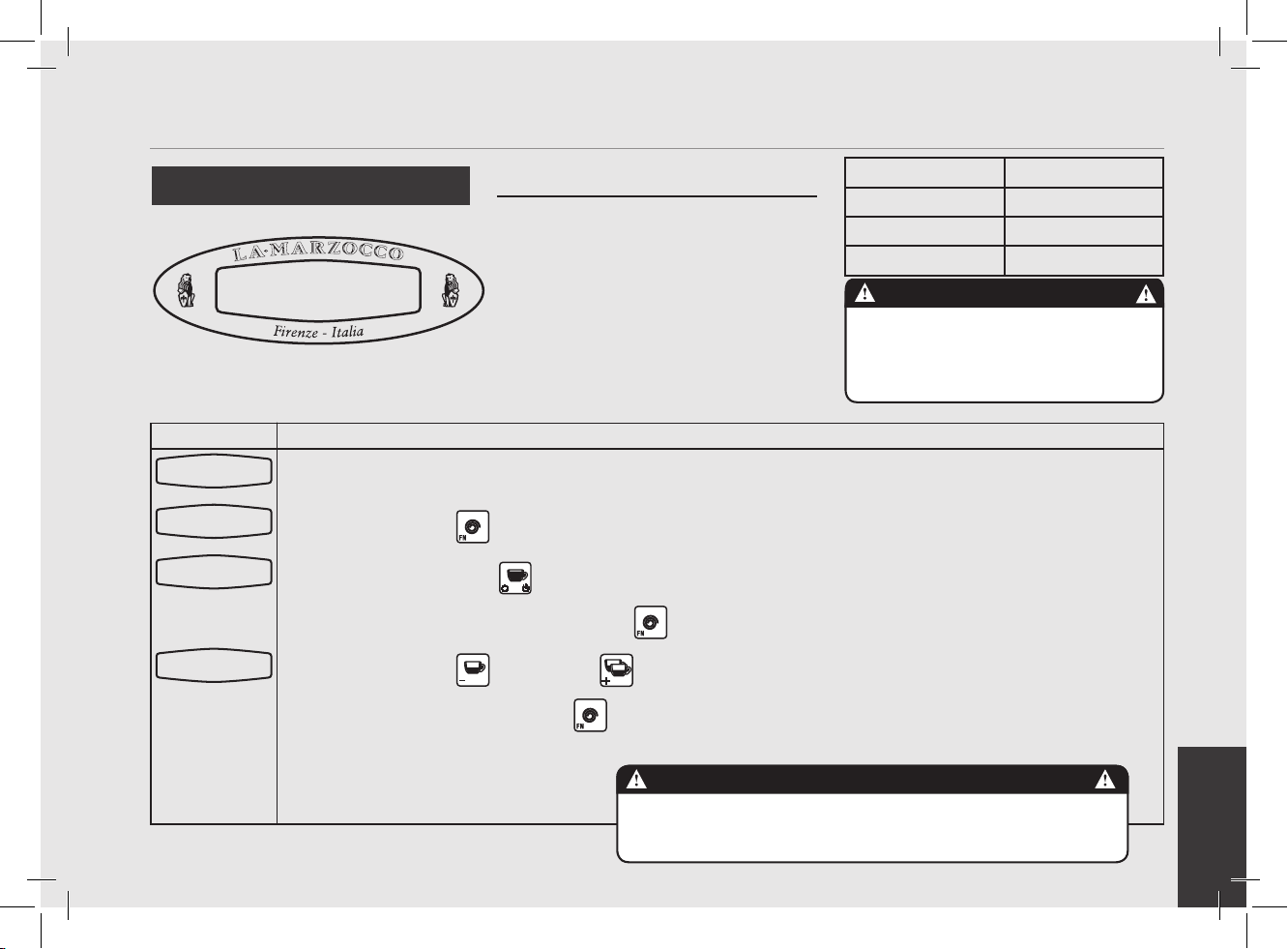
EN
57
Display Operating Procedure
Description
TEST SAFETY VALV
DISABLED/ENABLED
• This parameter allows the service staff
to enable/disable the safety valve test.
• This parameter allows to bring the
steam boiler temperature to 140°C, thus
triggering the safety valve. Once the
valve has triggered disable the function.
• Should the safety valve fail to trigger
within approximately one minute of the
temperature reaching 140°C, disable
the function and replace the valve.
• Only qualied technicians can perform
this operation.
“Machine OFF” Programming
1
Enter into “Machine Off” programming mode.
2
Scroll through the displayed parameters using the button until the following display appears:
3
Press the button or the button to change the value between DISABLED or ENABLED.
4
When nished, press the button to continue to the next parameter.
Language
ENGLISH
TEST SAFETY VALV
DISABLED/ENABLED
STAND-BY 09:30
Safety Valve
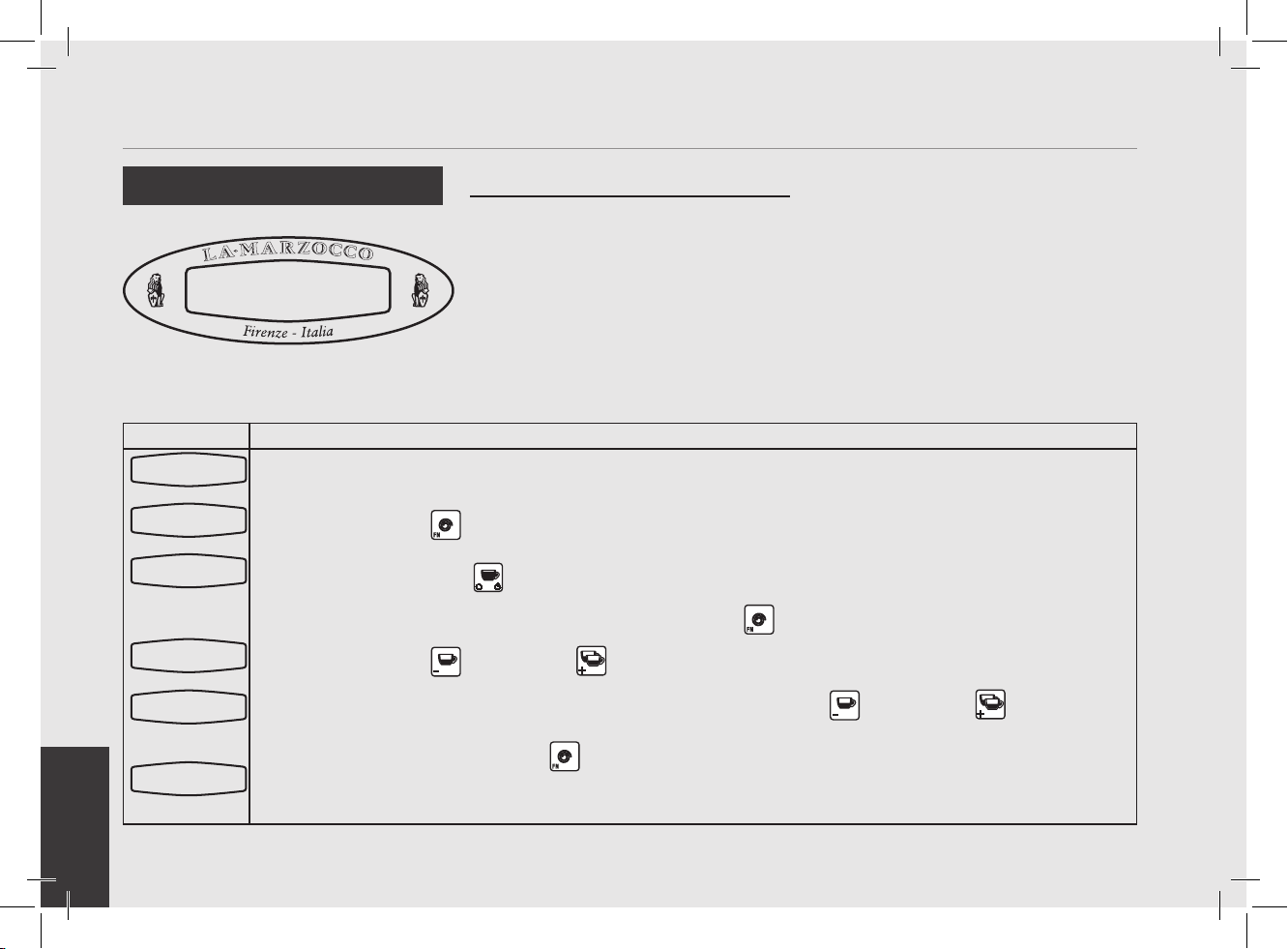
EN
58
Display Operating Procedure
Description
First installat.
DISABLED/ENABLED
• This parameter allows the operator to
reactivate the rst installation message
to the next power of the machine.
NOTE: Ensure all air is removed from the
group prior to staring the espresso
machine.
“Machine OFF” Programming
1
Enter into “Machine Off” programming mode.
2
Scroll through the displayed parameters using the button until the following display appears:
3
Press the button or the button to change the value between DISABLED or ENABLED.
4
When nished, press the button to continue to the next parameter.
Language
ENGLISH
First installat.
DISABLED/ENABLED
STAND-BY 09:30
First Installation
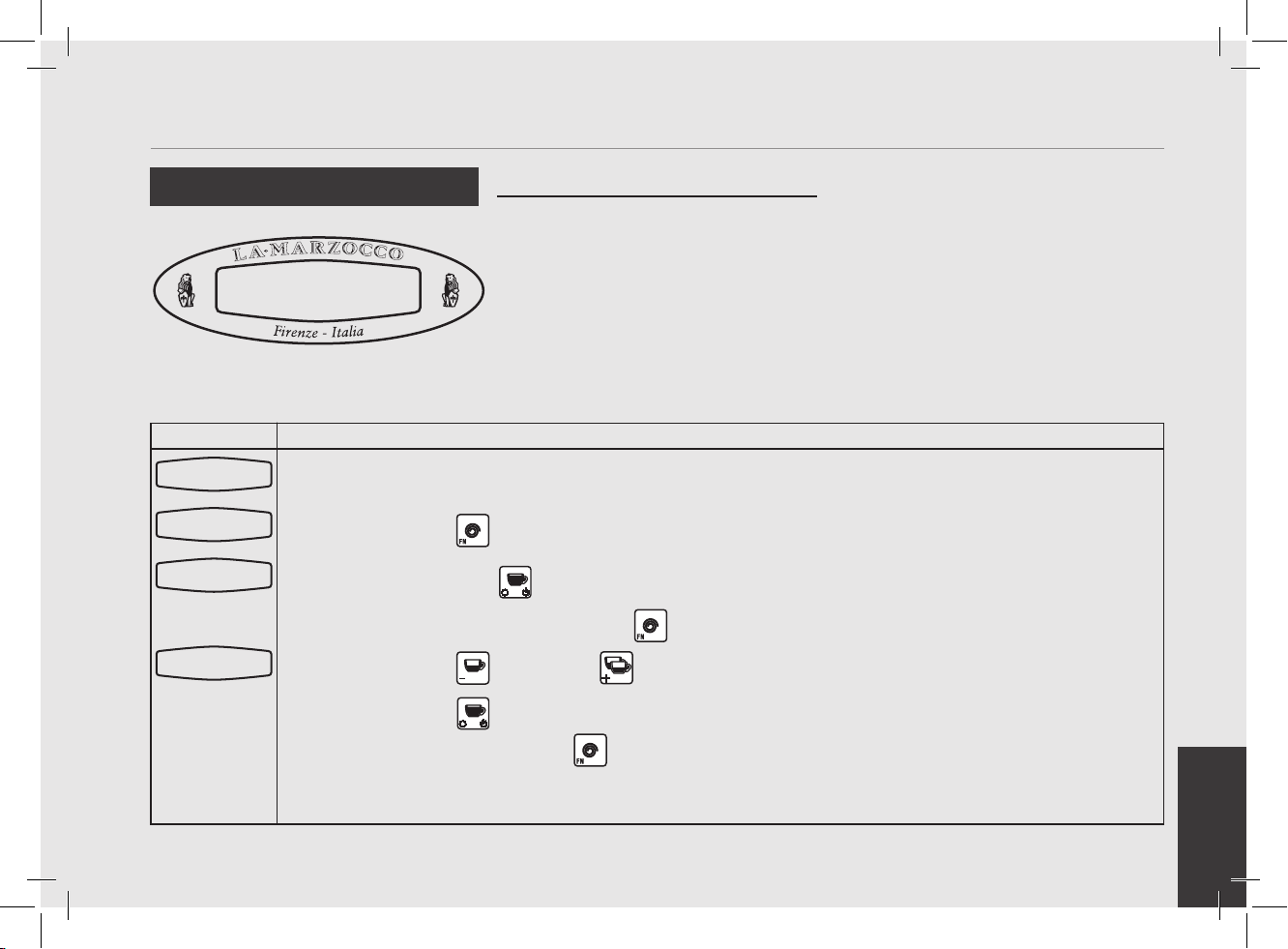
EN
59
Display Operating Procedure
Description
Doses setting
Select within 30s
• This parameter allows the operator to
program the water volume (shot volume)
for the individual buttons on the keypad.
• The saved program is a number. This
number relates to the number of pulses
the owmeter delivers to the CPU. Once
the programmed number of pulses is
received by the CPU, the ow of water
is stopped.
• This parameter is not available on MP
Paddle model as volume is manually
controlled by use of paddle, except for
the last button that controls the dose of
hot water brewed.
“Machine ON” Programming
Water Volume Programming
1
Enter into “Machine On” programming mode.
2
Press one of the following buttons:
3
Water will begin to ow. When the desired amount of water has been dispensed, press the same button
again to Stop the ow of water. The button is now programmed. Repeat this process for subsequent
buttons.
Doses setting
Select within30s
200.5°F 06:30
La Marzocco T:00
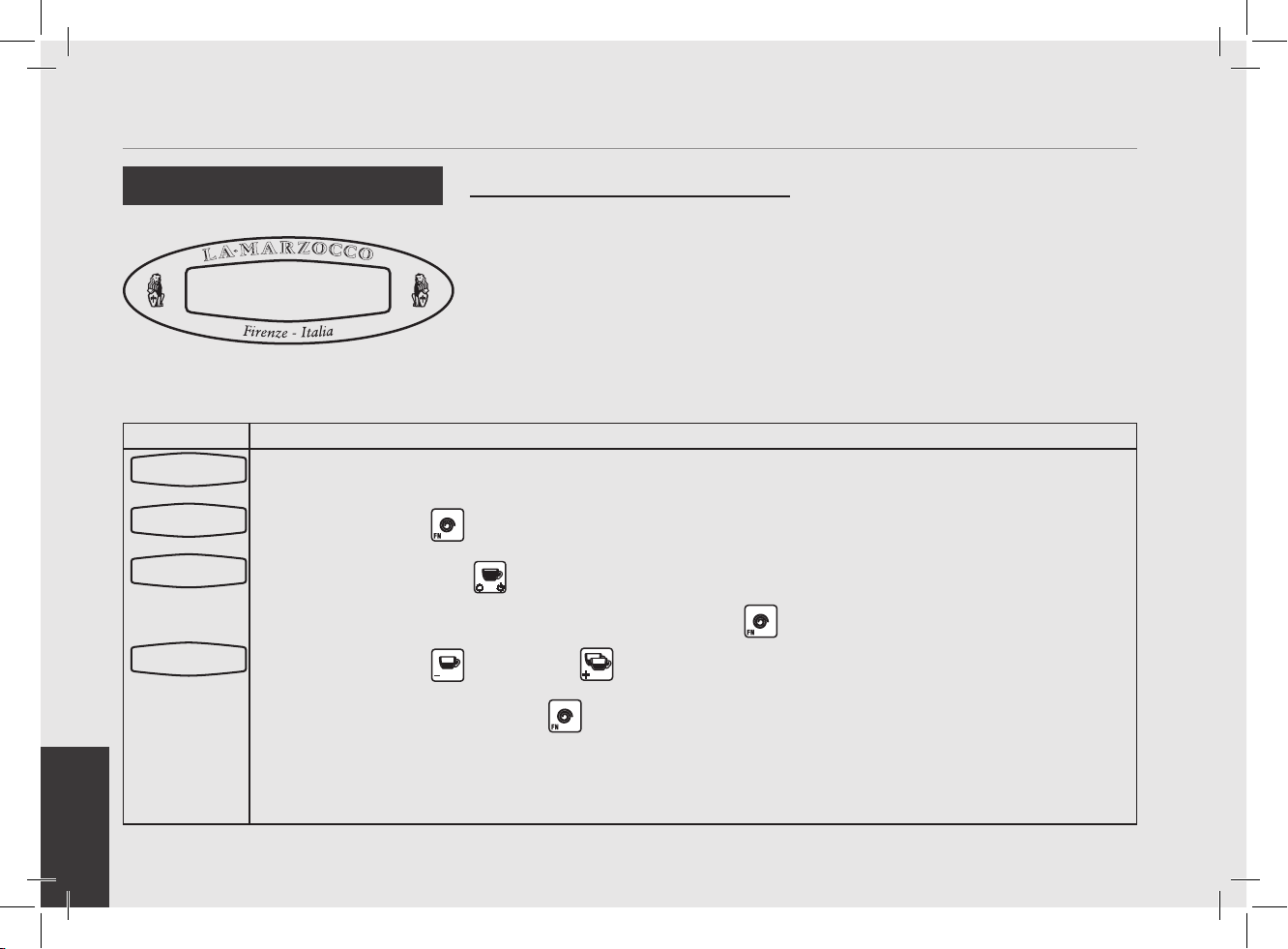
EN
60
Display Operating Procedure
Description
Clock Adjust.
09:30 Wed 12h
• This parameter allows the user to set the
time of day and the day of the week.
• This parameter is used to display time
and is also used by the “Auto On/Off”
parameter
• There are 4 changeable values within
this parameter:
• Hour
• Minute
• Day of week
• Hour Format 12h or 24h
“Machine ON” Programming
Clock Adjust
1
Enter into “Machine On” programming mode.
2
Press and hold the button to enter into programming mode.
3
Then press the button to access the adjustable parameters.
4
Press the button or the button to change the value of the ashing parameter.
5
Press the button to advance to the next value.
6
When nished, press the button to continue to the next parameter.
Doses Setting
Select within30s
Clock Adjust.
200.5
o
F 06:30
La Marzocco T:00
Clock Adjust.
09:30 thurs 12h
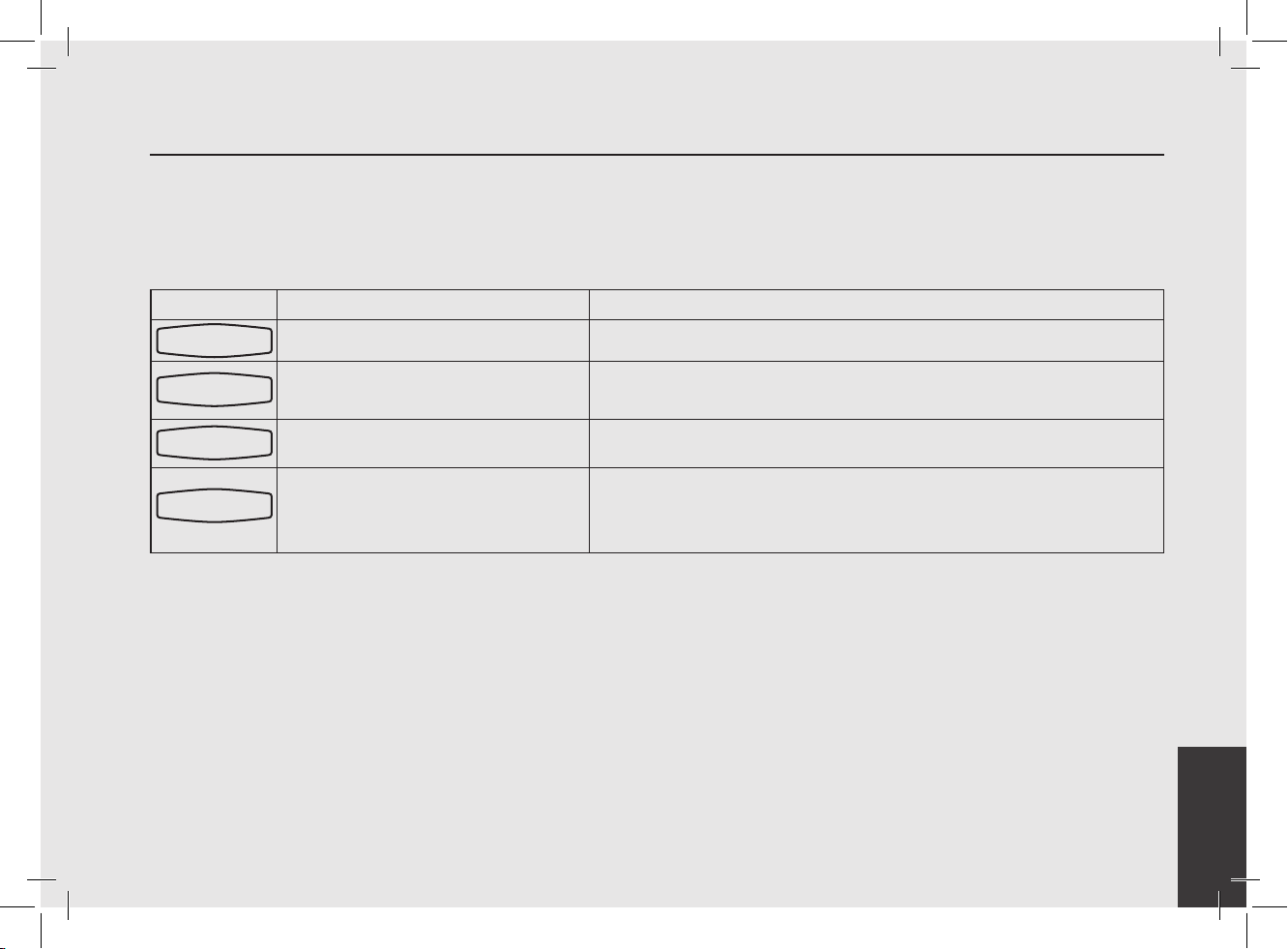
EN
61
Display Operating Procedure
Description
Week Auto On/Off
ENABLED
• This parameter enables the user to
enable/disable the Auto ON/OFF.
“Machine ON” Programming
Auto ON/OFF
1
Enter into “Machine On” programming mode.
2
Press and hold the button to enter into programming mode
3
Then press the button to access the adjustable parameters.
4
Press the button or the button to change the value of the ashing parameter.
5
Press the button or the button to change the value between DISABLED or ENABLED.
Doses Setting
Select within30s
200.5°F 06:30
La Marzocco T:00
Clock Adjust
Clock Adjust
09:30 thurs 12h
Week Auto On/Off
ENABLED
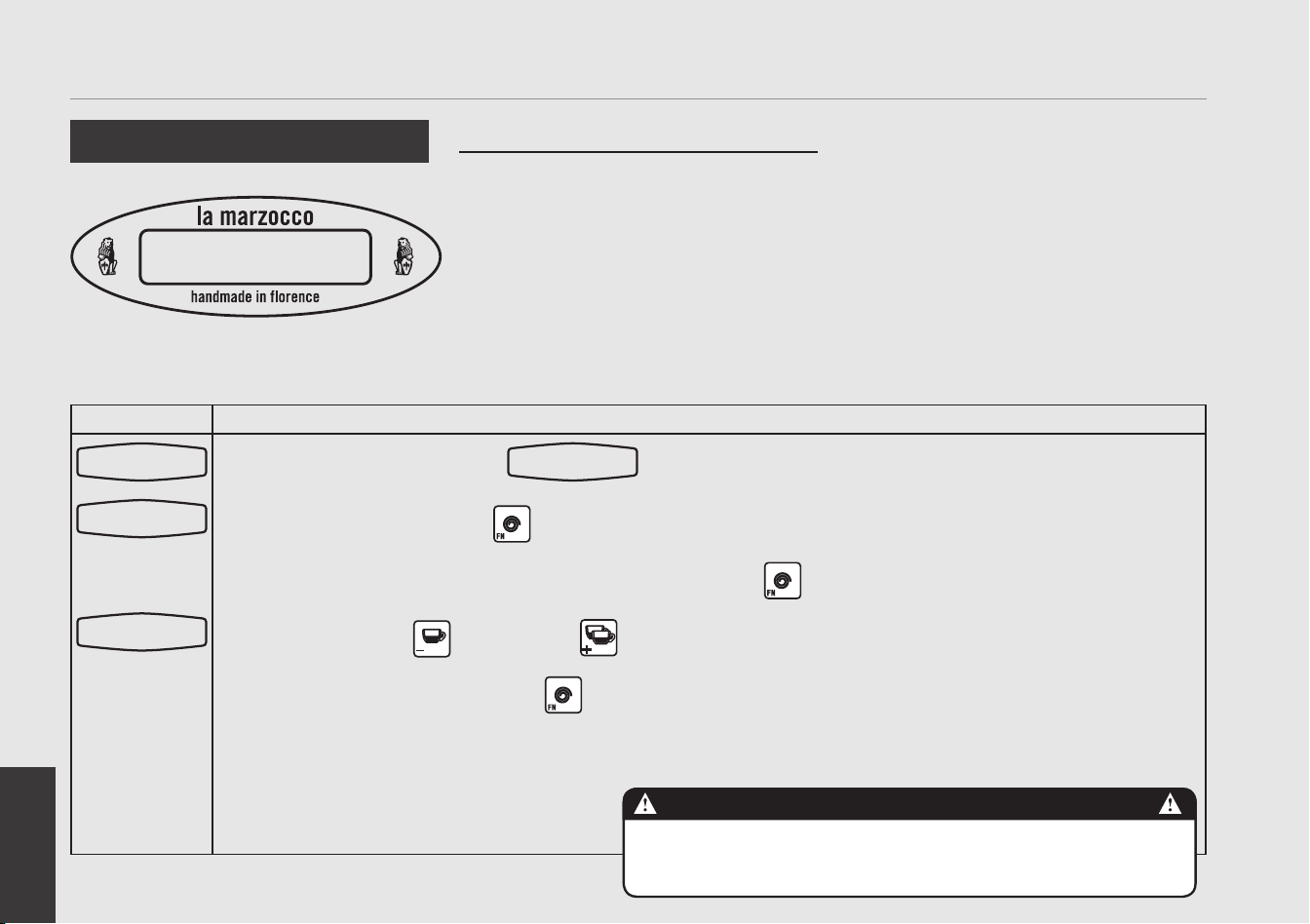
EN
62
Display Operating Procedure
Description
Temp Cof. Boiler
94.6 °C
• This parameter is set at the factory at a
preset nominal temperature.
• The temperature of the boiler is
measured at the most critical point in
the boiler where temperature uctuation
is the greatest.
• The temperature of the water exiting the
group head is held constant by means
of the mass of the group casting. Even
though the temperature of the boiler
may vary slightly, the temperature of the
water exiting the group is constant.
• To properly calibrate the temperature
of any espresso machine it is import to
measure the temperature of the water
exiting the group by means of an external
temperature measuring device. The
difference of the display temperature
and the measured temperature may be
compansated by use of the “Coffee T.
Offset” parameter.
“Machine ON” Programming
Coffee Boiler Temperature
THE STEAM BOILER CONTAINS WATER AT ELEVATED TEMPERATURES. WATER TEMPERATURE
OVER 125 °F CAN CAUSE SEVERE BURNS INSTANTLY OR DEATH FROM SCALDING.
DANGER
1
Enter into “Machine On” programming mode.
2
Press and hold the button to enter into programming mode.
3
Scroll through the displayed parameters using the button until the following display appears:
4
Press the button or the button to change the value of the parameter.
5
When nished, press the button to continue to the next parameter.
Doses Setting
Select within30s
200.5
o
F 06:30
La Marzocco T:00
Temp Cof. Boiler
94.6
o
C
NOTE: It is also possible to change the tempera-
ture of the coffee boiler using the “Quick Keys”.
Please see the section entitled “Quick Keys”
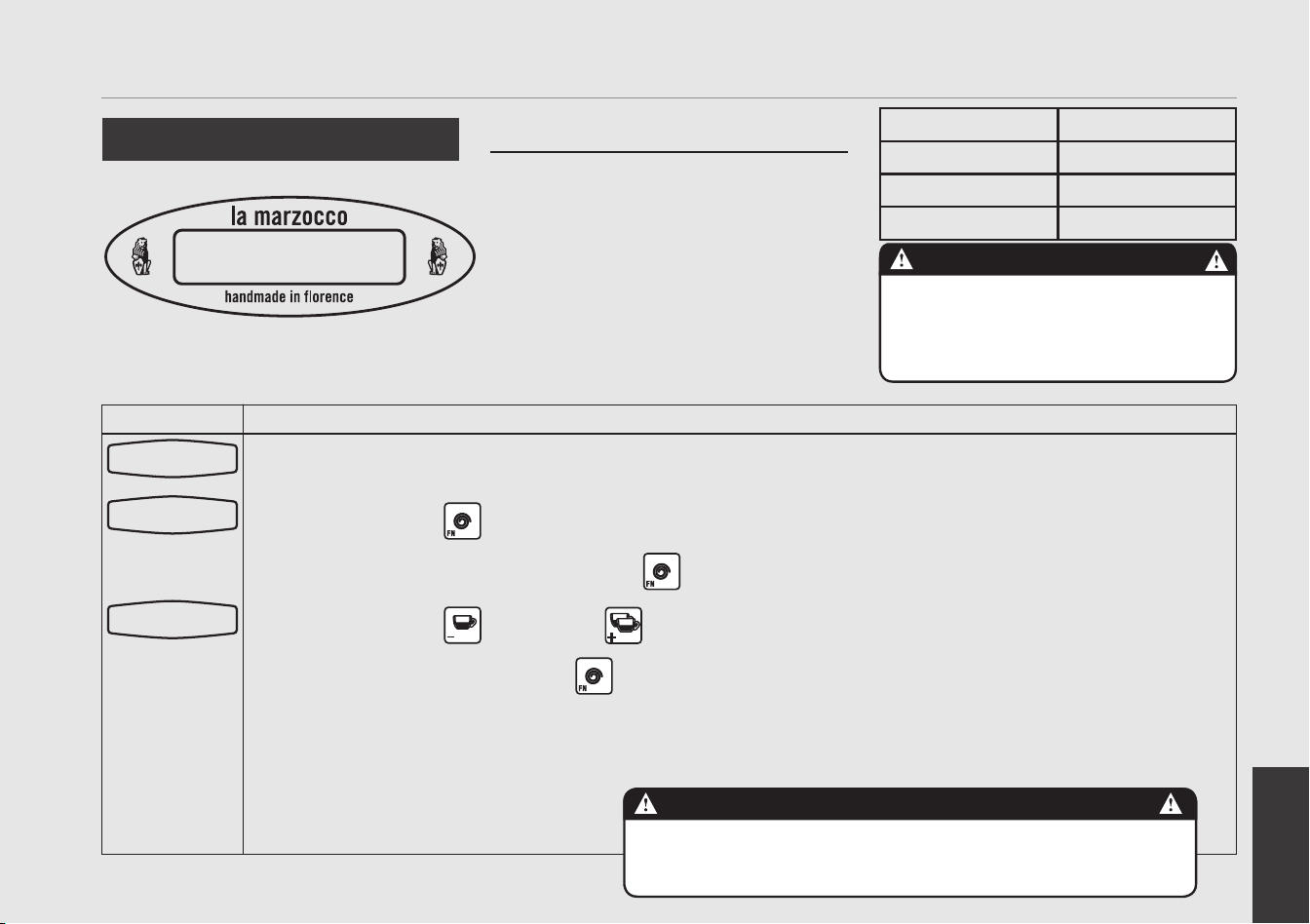
EN
63
Display Operating Procedure
Description
Steam Boiler
Temp 134.0 °C
“Machine ON” Programming
• This parameter is set at the factory at a
preset nominal temperature.
• The temperature of saturated water is
proportional to the pressure inside the
Steam Boiler. Therefore it is possible to
regulate the pressure of the steam boiler
by means of electronic temperature
control. Please use the following tables
as reference when setting the steam
boiler temperature.
• The maximum permitted value for the
temperature setting is 134°C.
Steam Boiler Temperature
Temperature Pressure
247°F/119°C 1.0 bar
260°F/127°C 1.5 bar
272°F/133°C 2.0 bar
The saturation temperature of water will vary
with ambient atmospheric pressure.
Tables in this manual are created for atmospheric
pressure at sea level. Slight adjustment in temperature
will be required for elevations other than sea level.
CAUTION
THE STEAM BOILER CONTAINS WATER AT ELEVATED TEMPERATURES. WATER TEMPERATURE
OVER 125 °F CAN CAUSE SEVERE BURNS INSTANTLY OR DEATH FROM SCALDING.
DANGER
1
Enter into “Machine On” programming mode.
2
Press the button to enter into programming mode
3
Scroll through the displayed parameters using the button until the following display appears:
4
Press the button or the button to change tthe value of the ashing parameter.
5
When nished, press the button to continue to the next parameter.
NOTE: It is also possible to change the temperature of the steam boiler using the “Quick Keys”. Please see
the section entitled “Quick Keys”
Doses Setting
Select within30s
200.5°F 06:30
La Marzocco T:00
Steam Boiler
Temp 134.0
o
C
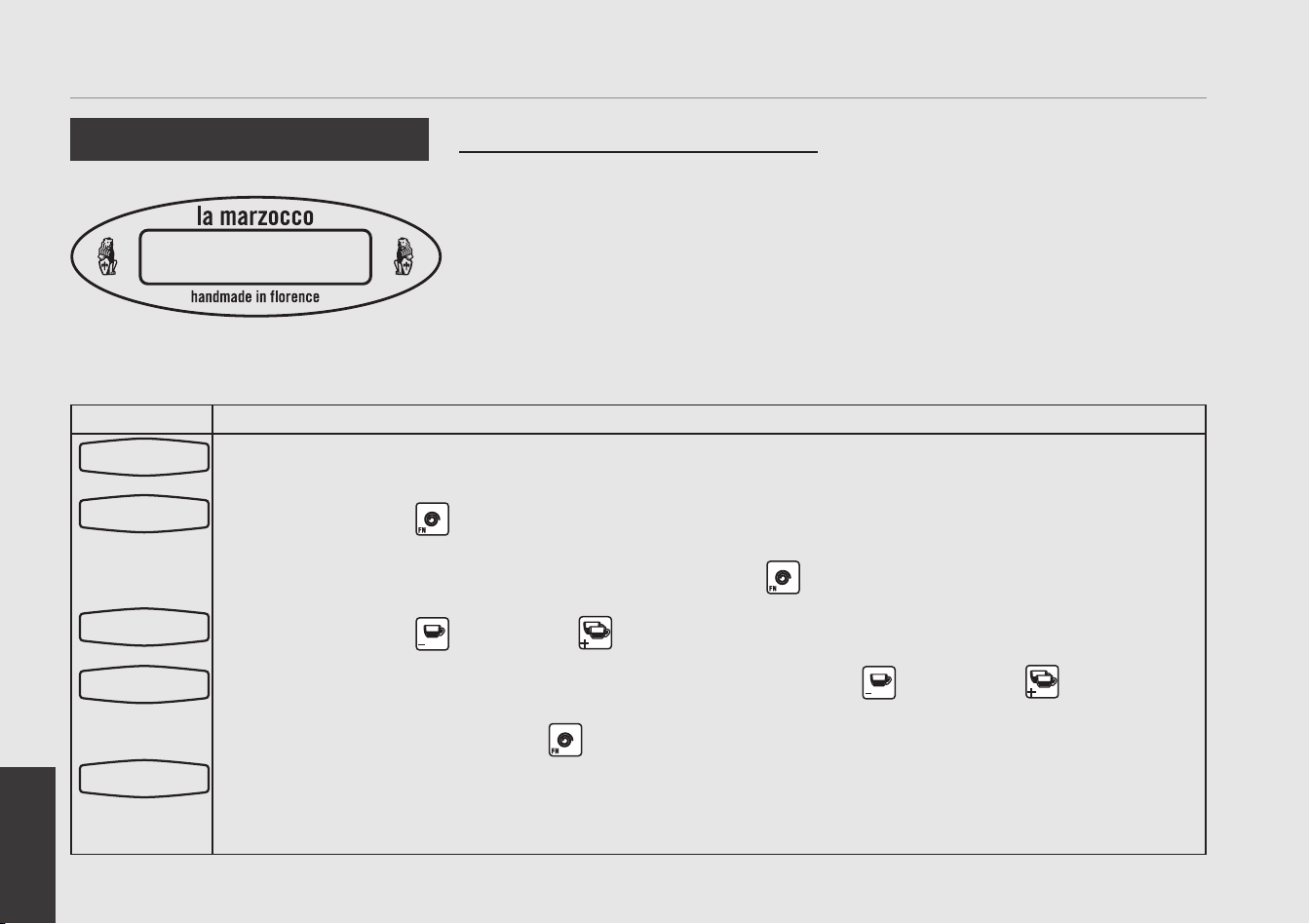
EN
64
Display Operating Procedure
Description
PreBrewing
DISABLED
“Machine ON” Programming
• This parameter allows the user to enable
or disable the pre-brewing (also called
pre-infusion) function.
• When enabled the user is able to
program buttons 1-4. Each button may
have different programming.
• Pre-brewing has two values to adjust for
each button. “ON” time is the amount
of time (in seconds) that the brew valve
is open during during the prebrewing
cycle. “OFF” is the amount of time
(in seconds) that the brew valve is off
during the prebrewing cycle. After
the pre-brewing cycle has completed,
the normal brew cycle continues until
complete.
• This parameter is not available on MP
paddle versione where pre-infusion is
controlled manually by the paddle.
Pre-Infusion or Pre-Brewing
1
Enter into “Machine On” programming mode.
2
Press the button to enter into programming mode.
3
Scroll through the displayed parameters using the button until the following display appears:
4
Press the button or the button to change the value of the parameter.
5
When enabled, additional parameters are displayed, press the button or the button to change the
value.
6
When nished press the button to continue to the next parameter. Repeat steps 6-7 for all 4 buttons.
A value of zero disables this feature on the corresponding button.
NOTE: It is also possible to enable and disable this parameter using the “Quick Keys”. Please see the section
titled “Quick Keys”
Doses Setting
Select within30s
200.5
o
F 06:30
La Marzocco T:00
PreBrewing
ENABLED
PreBrew ON sec
Espresso 0.6
PreBrew OFF sec
Espresso 0.1
EN
65
Display Operating Procedure
Description
Service Phone
(555)123-4567
“Machine ON” Programming
• This parameter is a feature that can be
used to store the telephone number for a
service company.
• This telephone number will be displayed
when service is required.
Service Phone
1
Enter into “Machine On” programming mode.
2
Press the button to enter into programming mode
3
Scroll through the displayed parameters using the button until the following display appears:
4
Press the button or the button to change tthe value of the ashing parameter.
5
Press the button to advance to the next character. Repeat step 5-6 to program remaining characters
6
When nished, press the button to continue to the next parameter.
Doses Setting
Select within30s
200.5°F 06:30
La Marzocco T:00
Service Phone
X
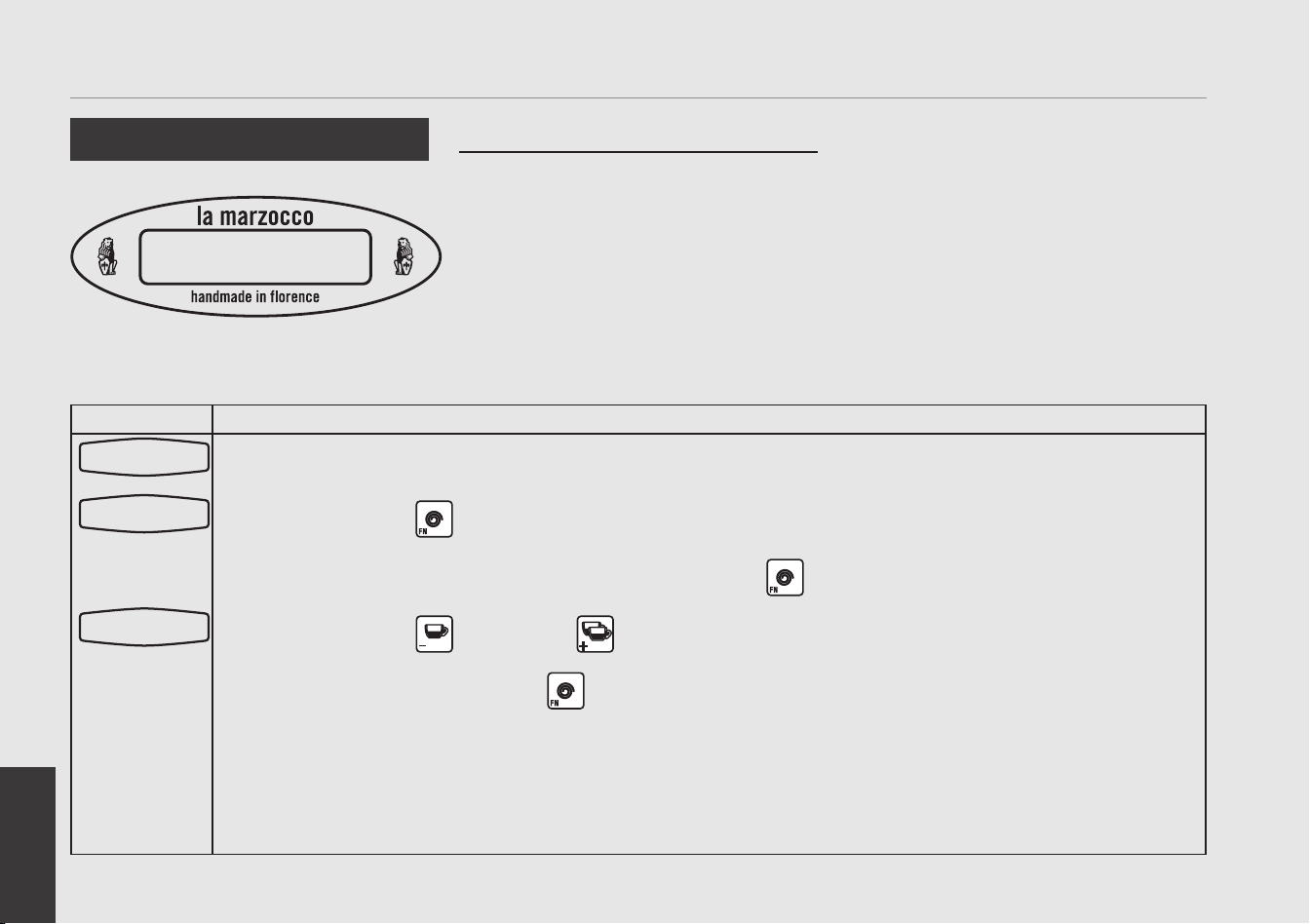
EN
66
Display Operating Procedure
Description
Crono Function
DISABLED
“Machine ON” Programming
• When enabled, this parameter displays a
timer that times each shot.
• The timer is reset each time a button on
the keypad is pressed.
• When enabled, the Crono Function is
continuously displayed.
The programmable name will not
be displayed when this parameter is
enabled.
Crono Function
1
Enter into “Machine On” programming mode.
2
Press the button to enter into programming mode.
3
Scroll through the displayed parameters using the button until the following display appears:
4
Press the button or the button to change the value between DISABLED or ENABLED.
5
When nished press the button to continue to the next parameter.
Doses Setting
Select within30s
200.5
o
F 06:30
La Marzocco T:00
Crono Function
DISABLED

EN
67