
ENGLISH
VISTA 2
USER MANUAL

WELCOME
In The Box .....................................................2
Product Overview .........................................3
Fit .................................................................. 4
Charging ....................................................... 5
Earbuds .................................................... 5
Case ..........................................................6
Wireless Charging .................................... 7
Pairing ..........................................................8
DETAILED INSTRUCTIONS
Controls ........................................................9
On/O ....................................................... 9
Music & Calls ..........................................10
Auto Pause ...............................................11
Case ........................................................ 12
The Jaybird App .......................................... 13
Overview ................................................. 13
Dashboard .............................................. 14
EQ Customization .................................. 15
Smartwatches .............................................16
Connection Tips ......................................... 17
Troubleshooting .........................................18
Specications .............................................19
Warranty, Warnings & Safety .................. 20
Care & Maintenance .................................. 21
CONTENTS

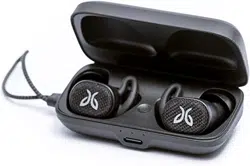
JAYBIRD VISTA 2
For detailed video instructions please visit jaybirdsport.com/support/vista2
Please refer to the safety warnings for important product safety information prior to installation or use of the product.
SURROUNDSENSE WITH ANC
Amplify ambient sounds for safety or stay focused
with Active Noise Cancellation
PREMIUM SOUND
6mm milled driver with fully adjustable equalizer
using the Jaybird app
24 HOUR BATTERY
Up to 8 hours in earbuds, 5 min = 1 hr fast charge,
wireless charging case
EARTHPROOF DURABILITY
IP68 waterproof earbuds with military-grade
construction, IP54 weatherproof case
SPORT FIT
3 sizes of interchangeable eargels to nd the most
secure and comfortable t
CLEAR CALL
4 mics with WindDefense fabric for high quality
calls, voice assistant enabled
2
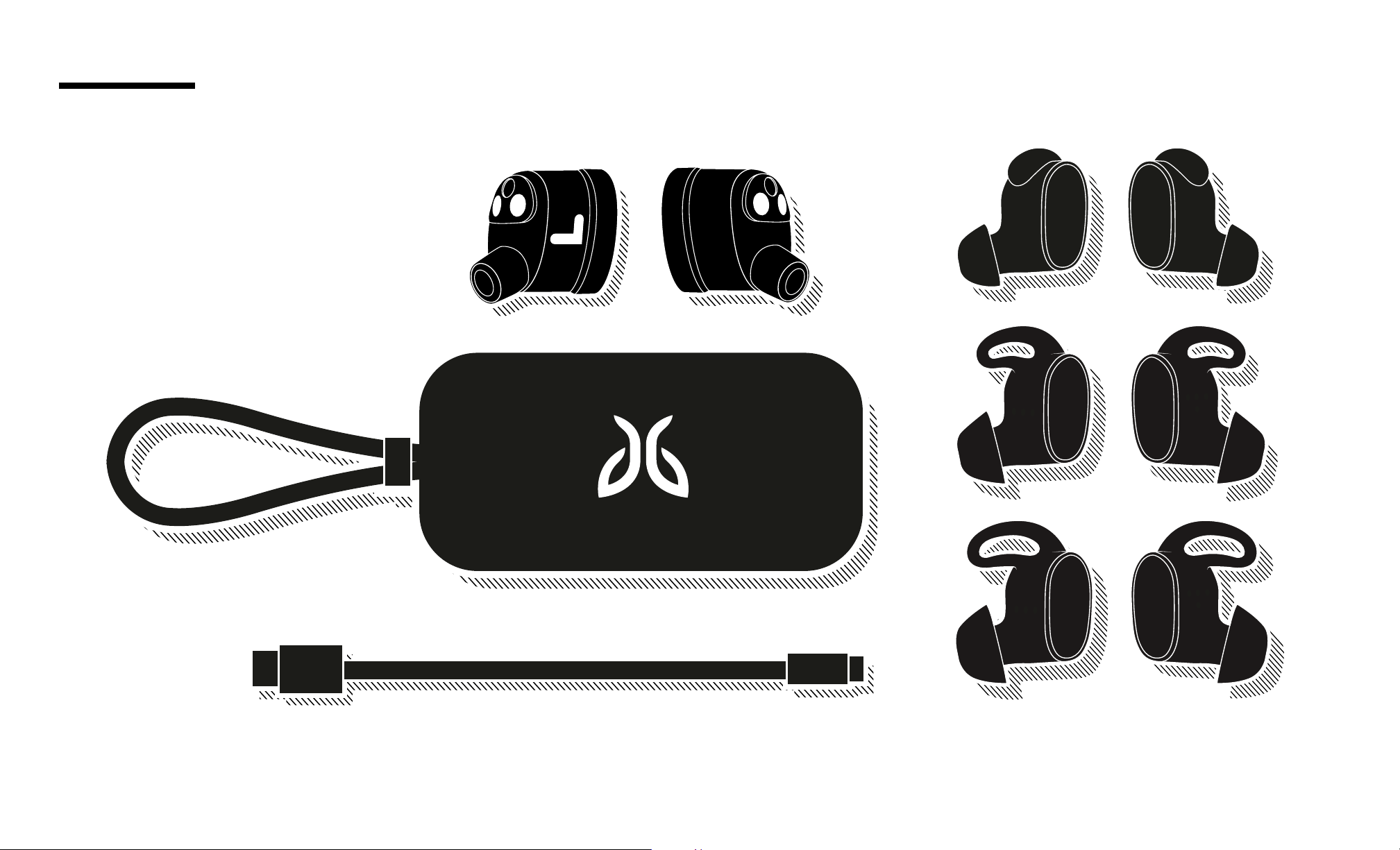
USB Charging Cable
Silicone Eargels (Size 1 / 2 / 3)
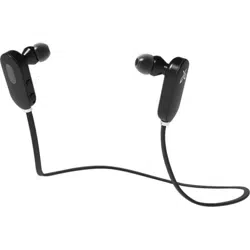
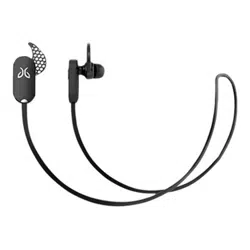
True Wireless Earbuds
Charging Case
RR
LL
RR
LL
LL
RR
RR
IN THE BOX
3
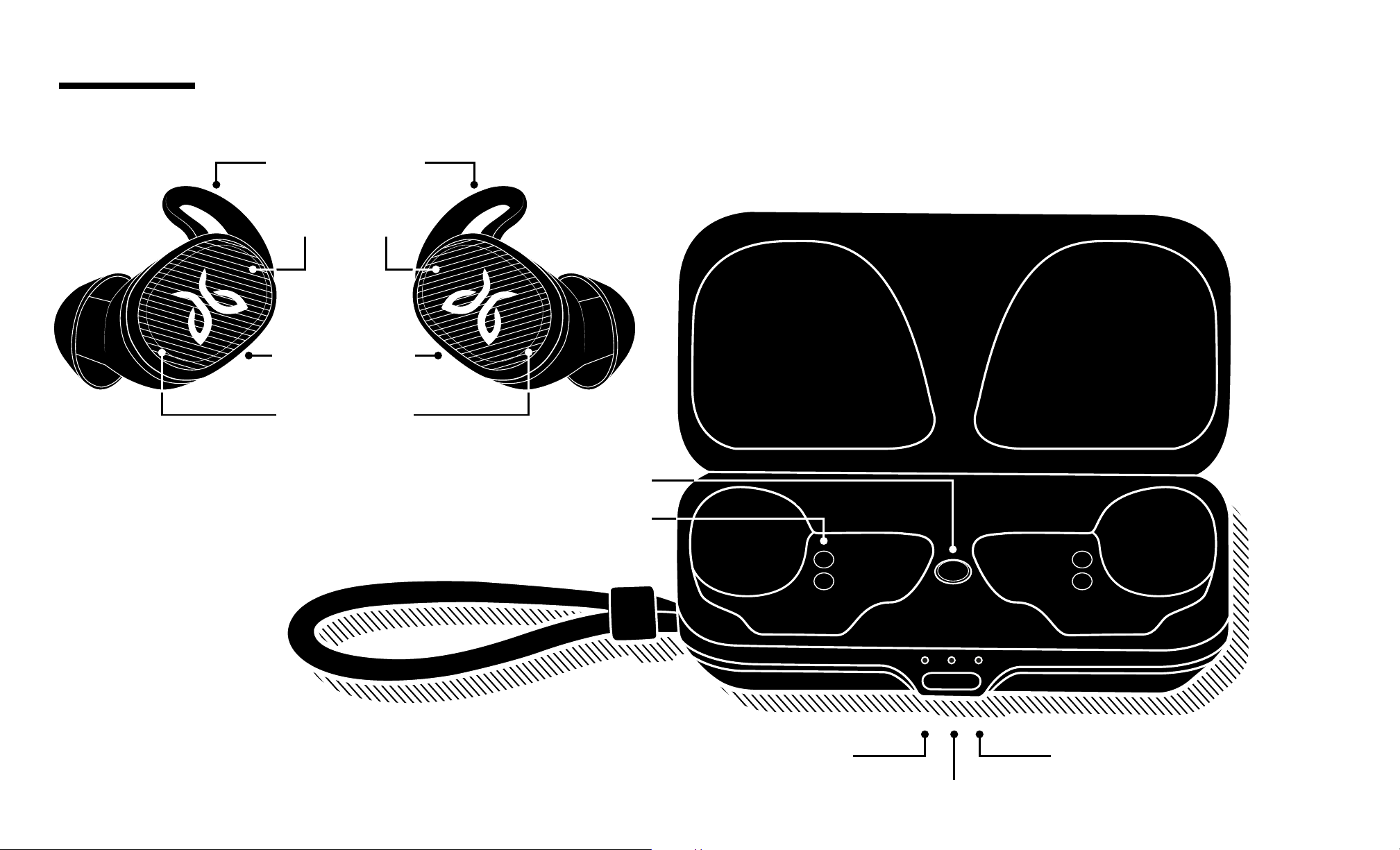
Right Bud StatusLeft Bud Status
Case Status
Magnetic Connectors
Case Button
PRODUCT OVERVIEW
Sport Fit Eargel
Multi-function
Button
Microphones
Microphones
4
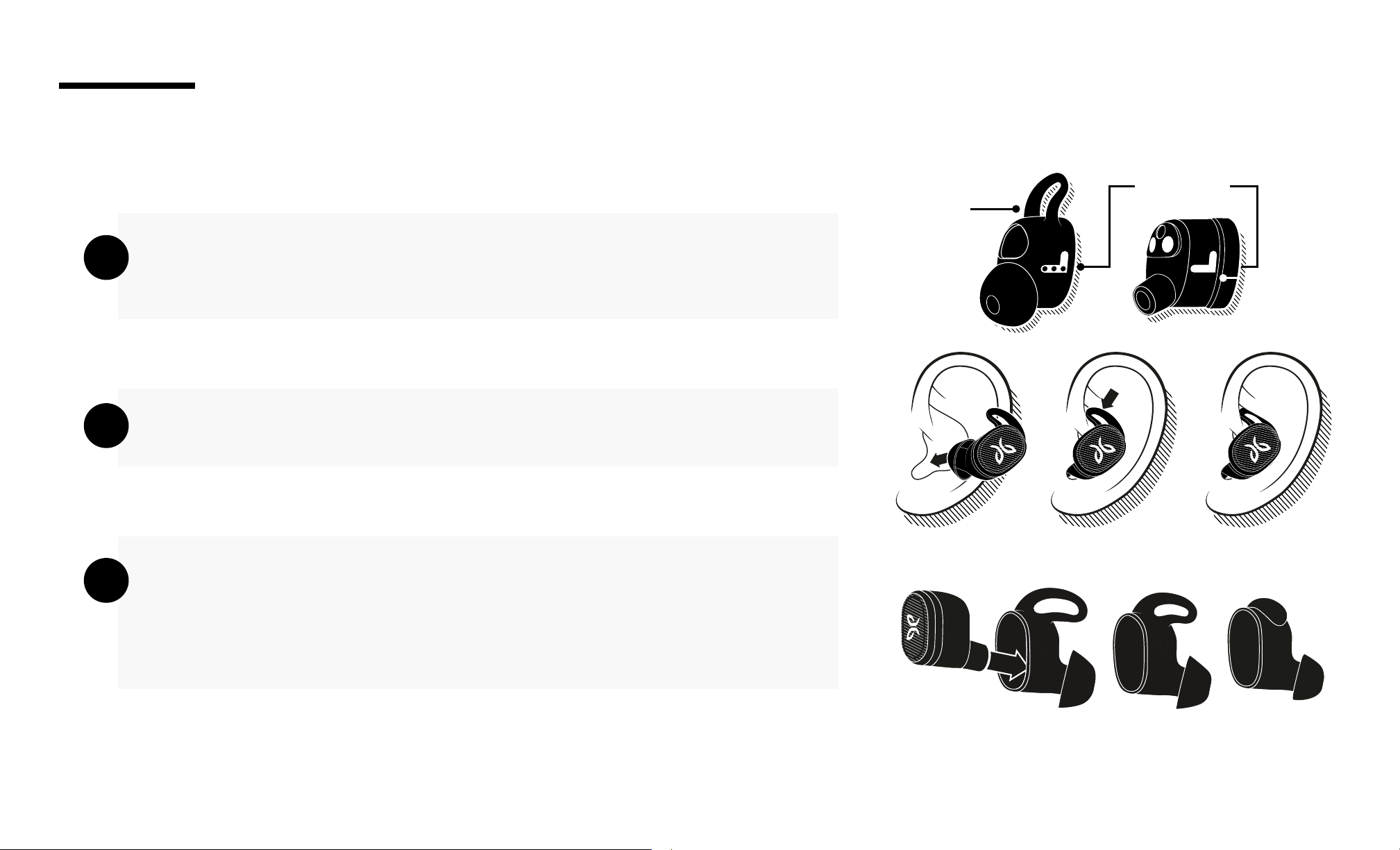
Your Vista 2 earbuds are tted with size 2 (medium) eargels out of the box.
They are marked ‘L’ and ‘R’ for the left and right ear.
Place the earbuds rmly within your ears as shown in the illustration.
If your earbuds are not comfortable, feel loose, or too tight try alternative
sized eargels (size 1 or size 3).
Be patient, it may take some time to get the perfect t.
A
B
C
For an assisted t set up, please download the Jaybird App or visit
www.jaybirdsport.com/support/vista2
It is quite common to use dierent sized eargels in each ear.
Left/Right
Size
FIT
2
RR
RR
RR
RR
5
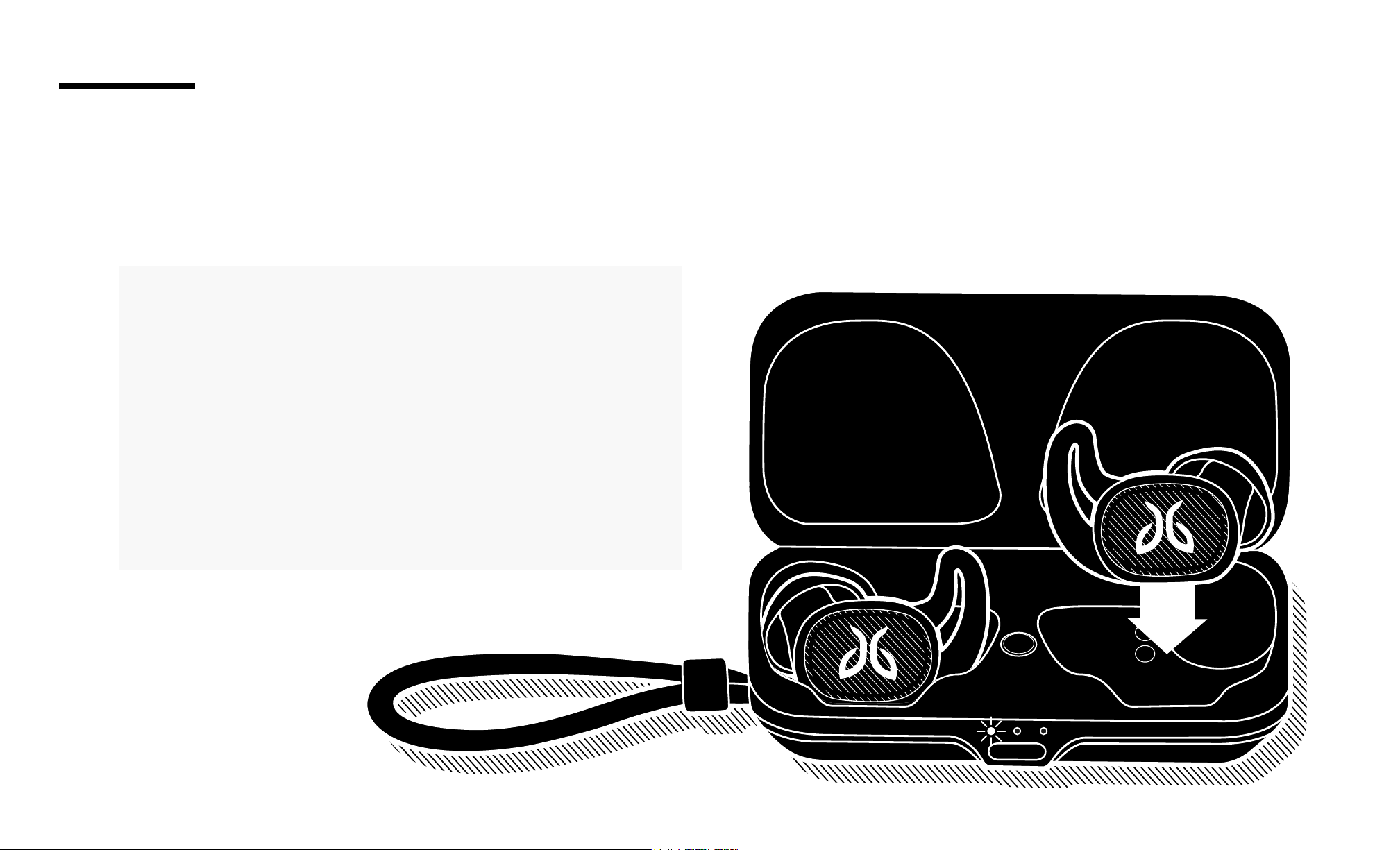
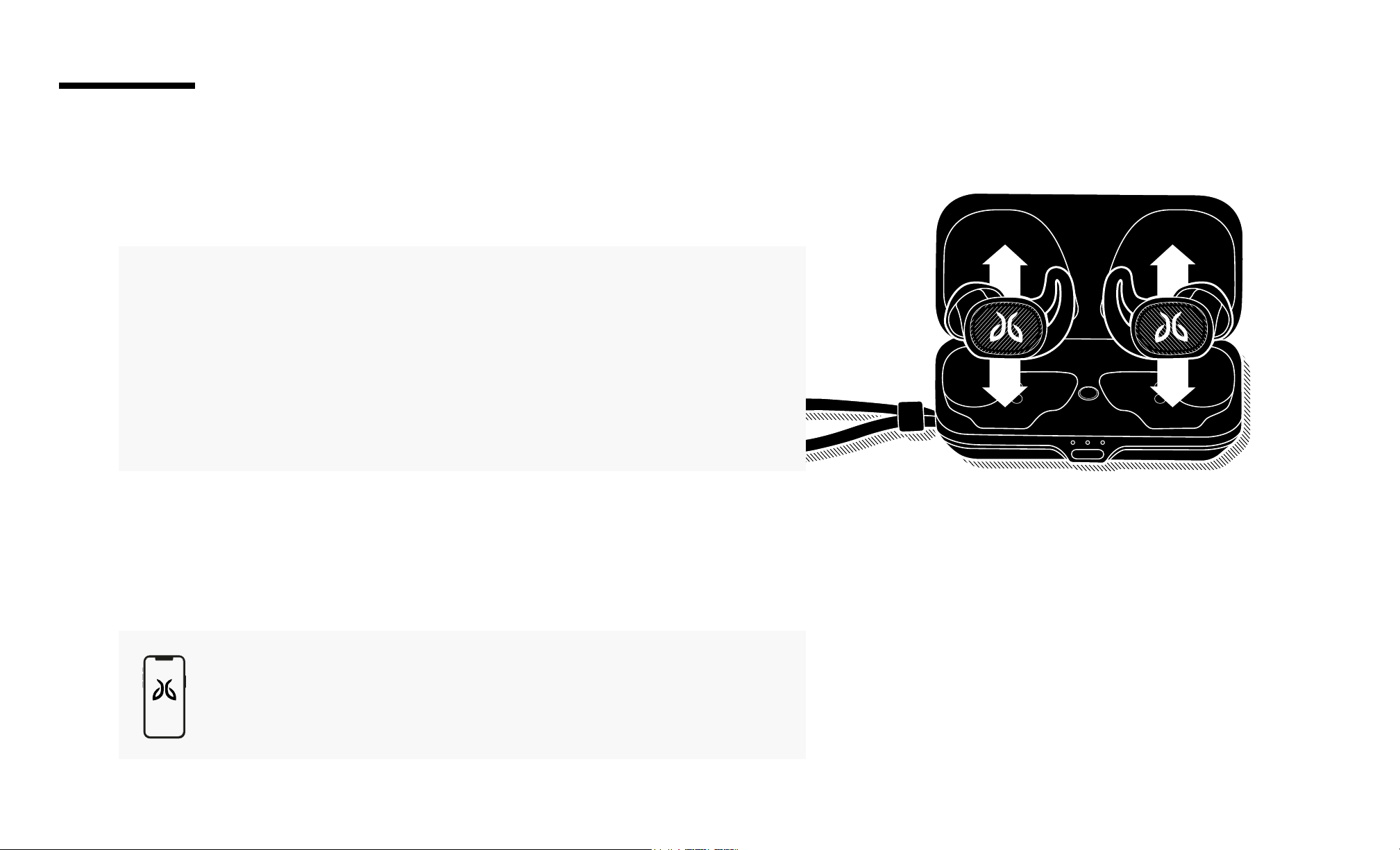
Jaybird Vista 2 oers you up to 8 hours of playback when fully charged. The charging case gives you two additional
recharge cycles or 16 hours additional playback.
Your earbuds will start charging as soon as you place
them into the charging case and close the lid. The
charging case LEDs will indicate the charging status:
Left / Right LED is pulsing white = Earbud is charging
Left / Right LED is solid white = Earbud is fully charged
A 5 minute charge gives you up to 1 hour of playback.
A full charge of the earbuds can take up to 2 hours if
charging them from a discharged state.
EARBUDS
CHARGING
6
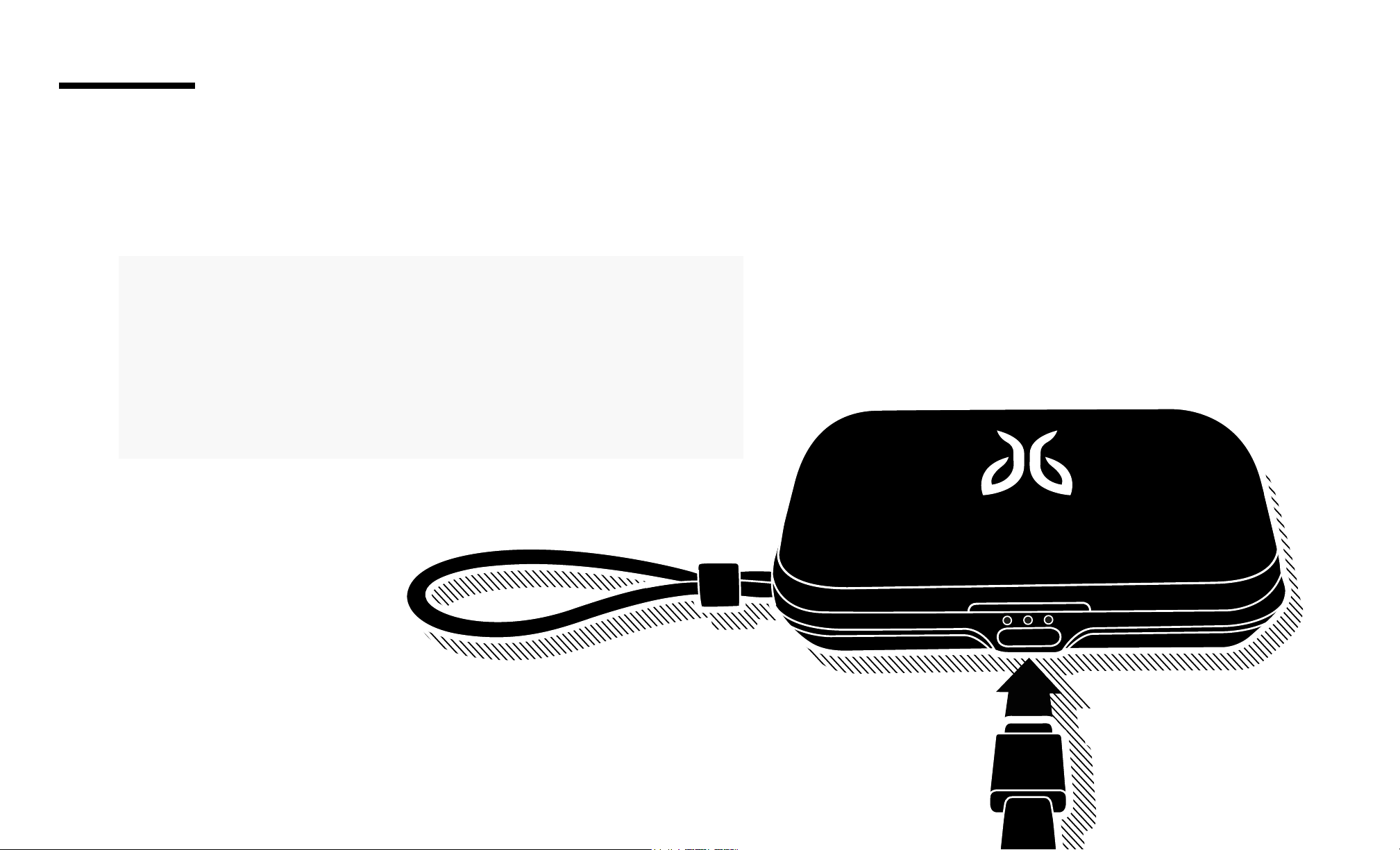
It takes about 3 hours from a fully discharged state to charge your case.
CHARGING
With the case closed, connect the USB-C charging cable to
the front of the charging case. The case LED will indicate the
charging status:
Central LED is pulsing white = The case is charging
Central LED is solid white = The case is fully charged
CASE
7
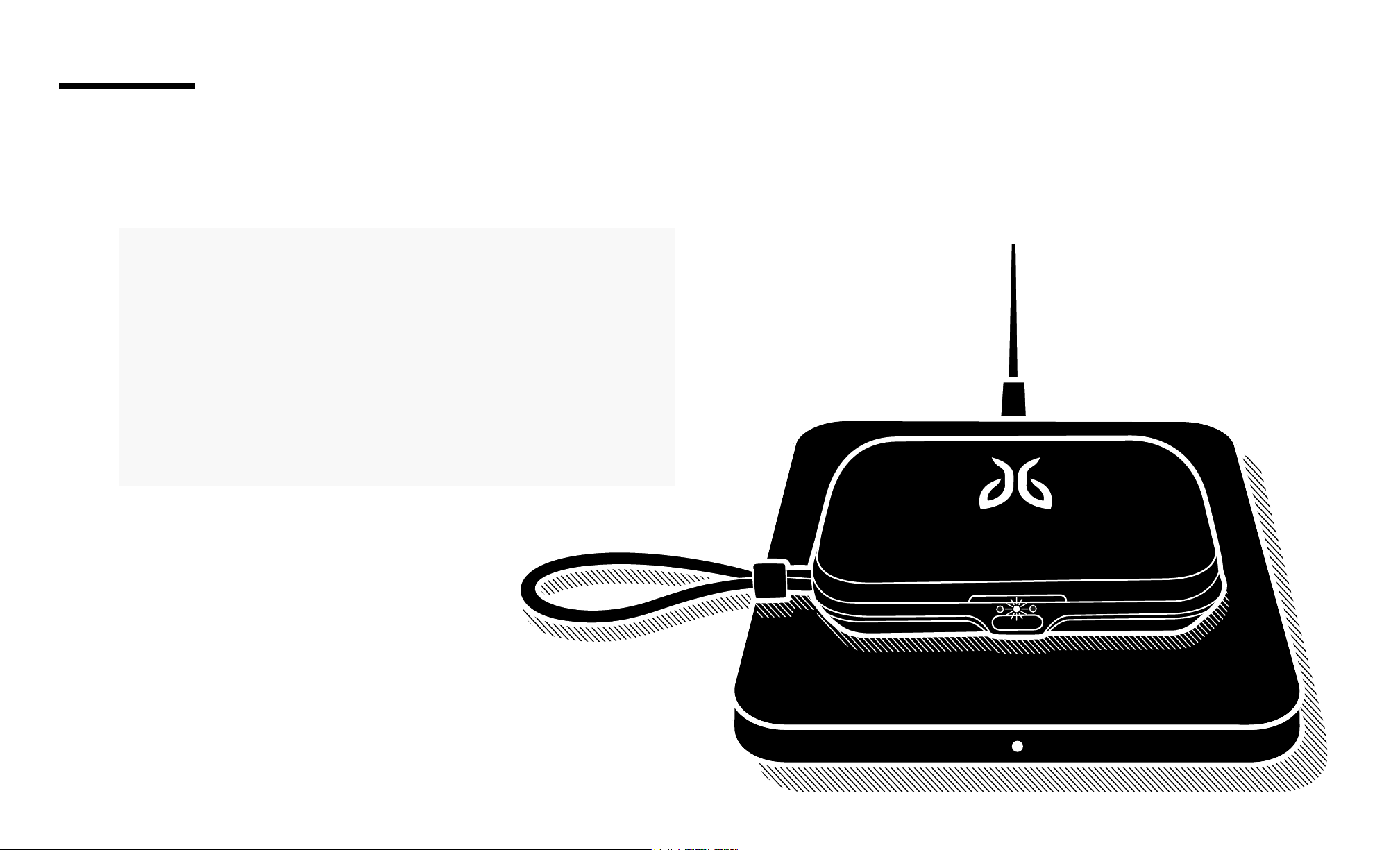
It takes about 4 hours from a fully discharged state to charge your case.
* Wireless charging pad is not included in the box. Use any wireless
charger that functions as a Qi wireless charger.
WIRELESS CHARGING
With the case closed, place the case on the wireless
charger mat with the LED light on the front of the case
pointing towards you.
The case LED will indicate the charging status:
Central LED is pulsing white = The case is charging
Central LED is solid white = The case is fully charged
CASE
8
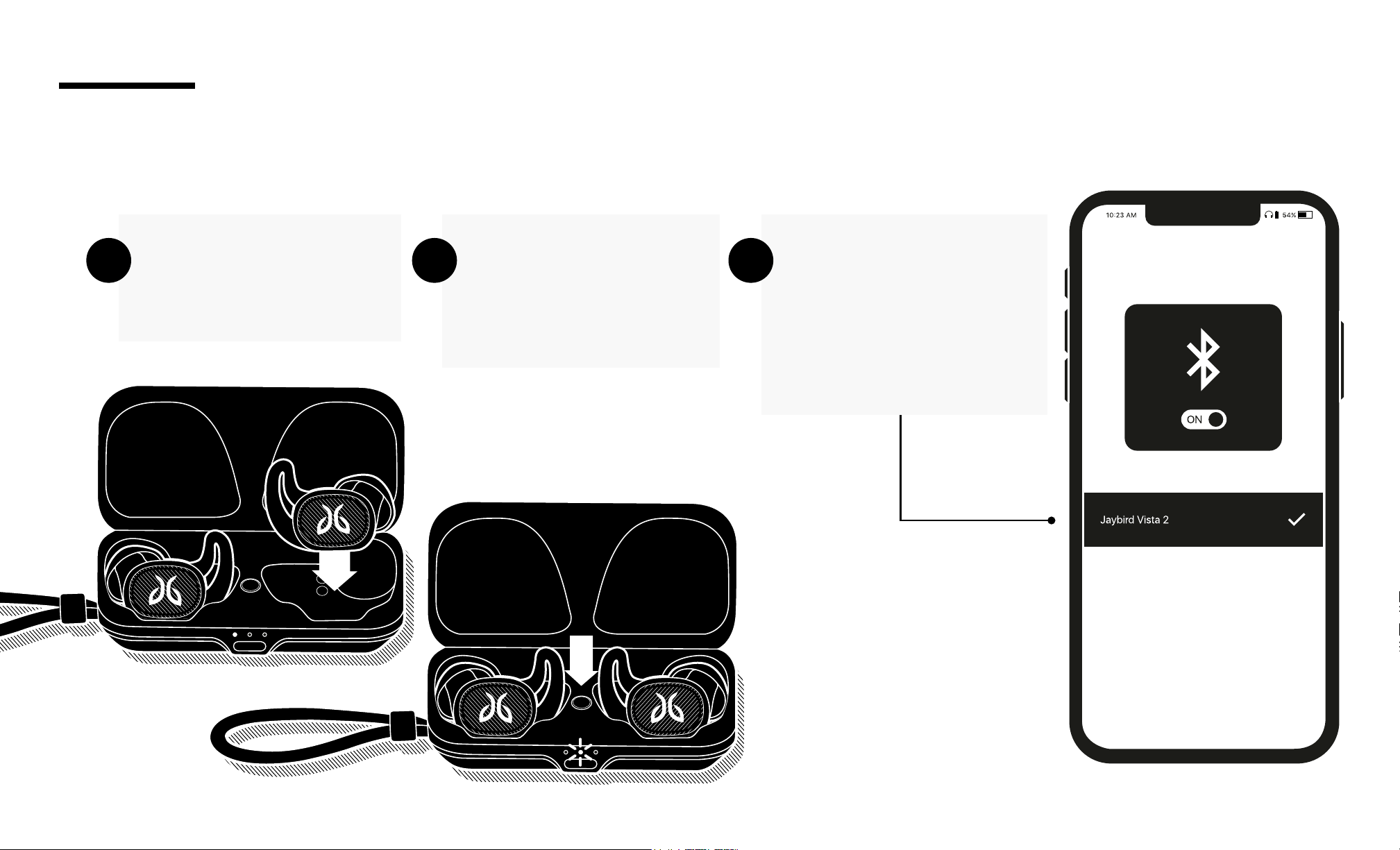
Place both earbuds into
the charging case and
close the lid.
Open the charging case
and press and hold the
case button until the case
LED starts blinking white.
On your Bluetooth audio
device, go to Bluetooth
settings and select ‘Jaybird
Vista 2’. Once connected,
the charging case LED will
turn o.
A B C
To pair to a Bluetooth audio device follow the steps below
PAIRING
9
ON
OFF
ON
OFF
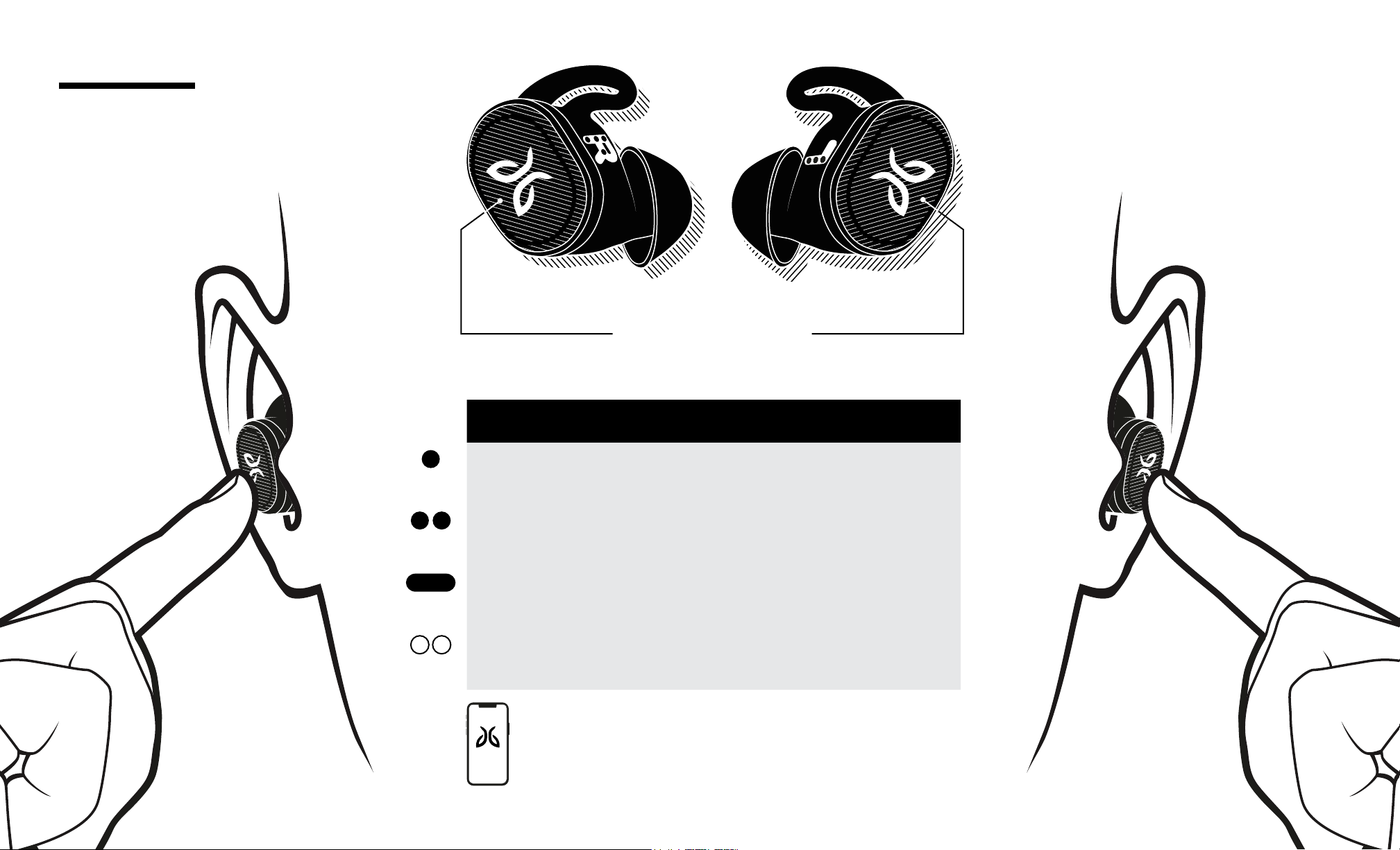
USING CONTROLS
In the Jaybird app, you can customize the functionality of the multi-
function buttons to power your earbuds ON and OFF.
ON/OFF
CONTROLS
AUTO POWER OFF
Placing your earbuds into the charging case will automatically turn
them o.
AUTO POWER ON
Removing your earbuds from the charging case will automatically turn
them on.
10
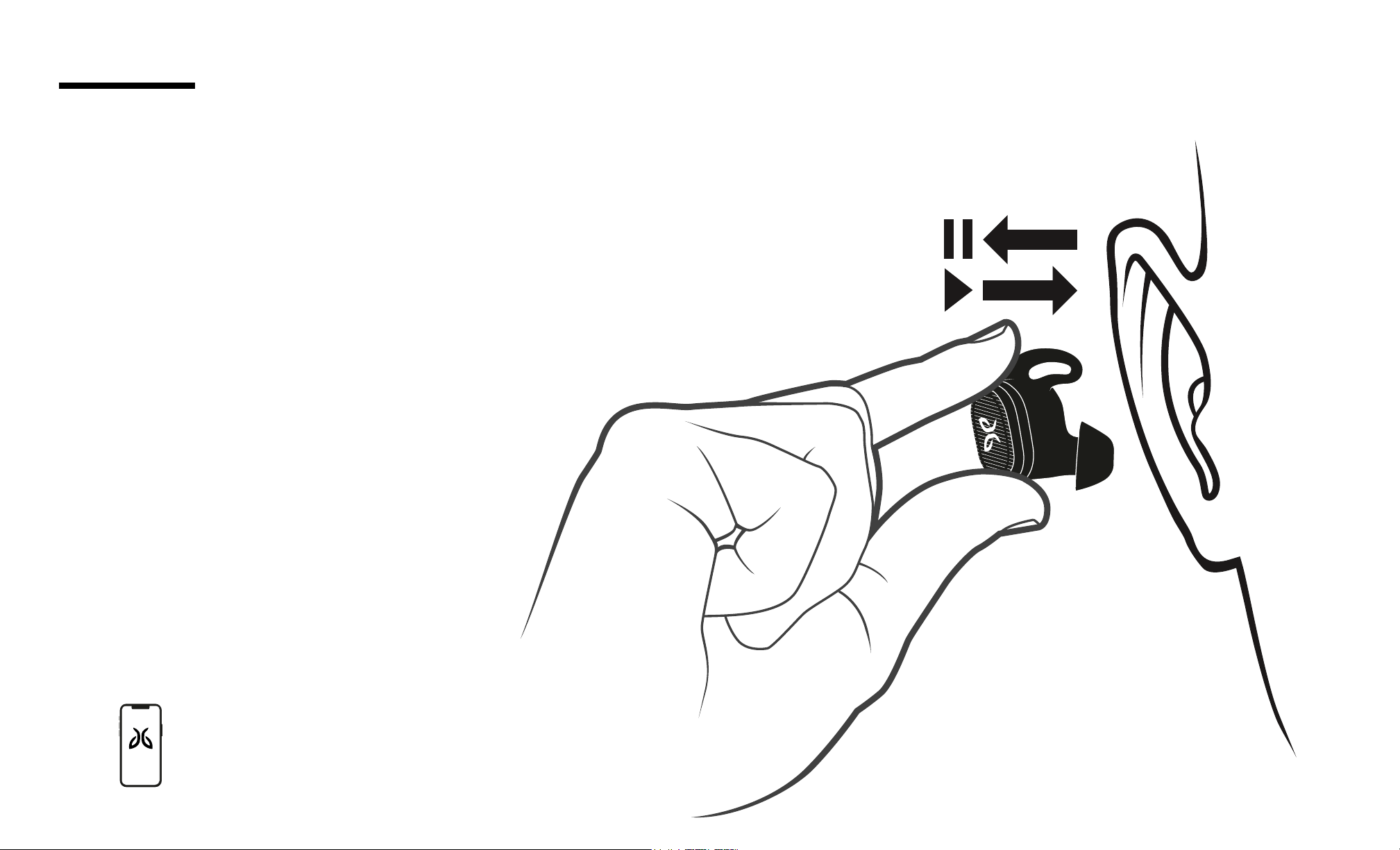
MUSIC/CALLS
CONTROLS
* You can customize each of
the multi-function button functions
within the Jaybird App.
Each earbud has:
One mechanical button
One accelerometer based interaction (double tap)
PLAYING MUSIC CALLS
SINGLE
PRESS
Play / Pause
Customizable
Accept / Hang Up Call
DOUBLE
PRESS
Next Song (R)
Previous Song (L)
Customizable
Reject Call
PRESS &
HOLD
Volume + (R)
Volume – (L)
Customizable
Volume + (R)
Volume – (L)
DOUBLE
TAP
SurroundSense Switch
Customizable
L
L
11
AUTO PAUSE MUSIC
RR
To pause the music, remove one of the earbuds from your ear.
To resume listening to music, place the earbud back into your ear.
Auto pause music settings can
be disabled using Jaybird app
CONTROLS
12
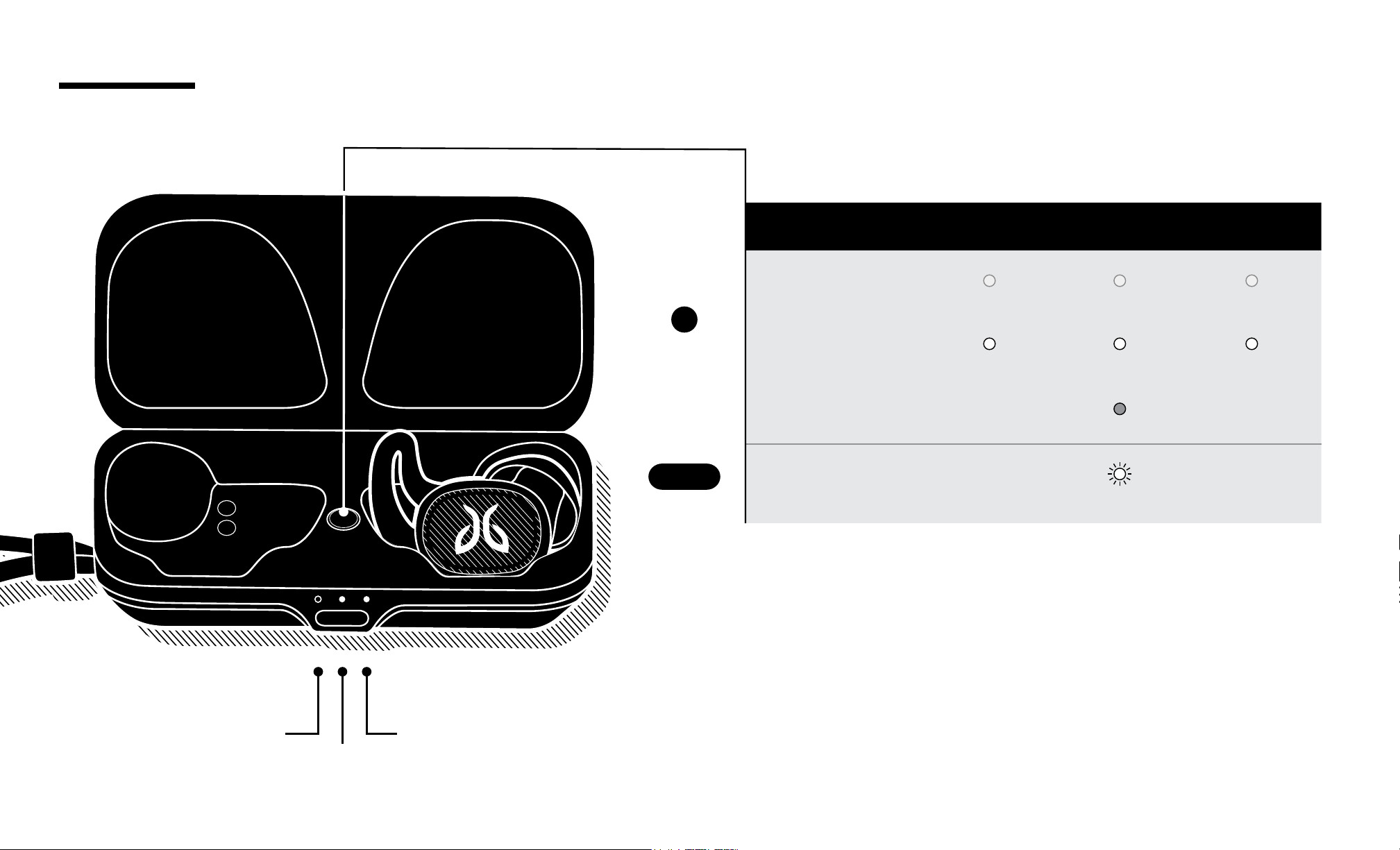
CASE
LEFT BUD CASE RIGHT BUD
SINGLE PRESS
OR
OPEN CASE
Charging
Pulsing White Pulsing White Pulsing White
Charged
Solid White Solid White Solid White
Battery Low
Solid Red
PRESS & HOLD
Pairing Mode
Blinking White
Left Bud
LED
Right Bud
LED
Case
LED
CONTROLS
13
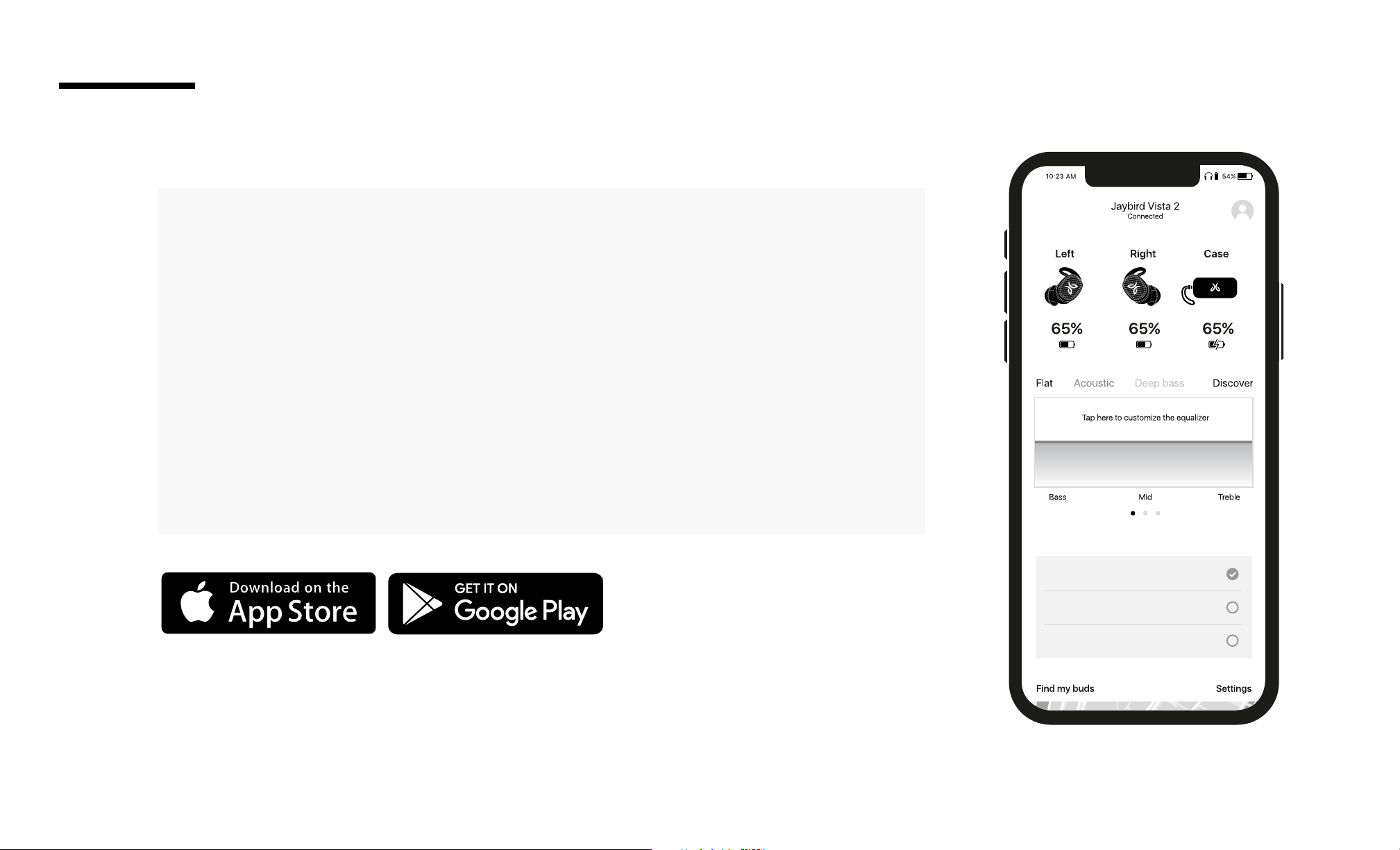
The Jaybird App lets you do the following:
• Customize the sound prole of your Vista 2 earbuds.
• Change the language for your earbuds’ voice prompts.
• Customize the buttons functionality of your Vista 2 earbuds.
• Select SurroundSense and ANC.
• Set up the ‘Find Your Buds’ feature to track the location of your earbuds.
• Use the ‘Find Your Fit’ feature to nd the right t for your earbuds and
charging case.
• Update your earbuds and charging case when new features and
improvements are available.
Your new sound settings are saved on your earbuds, so you can take your custom
sound with you no matter where you go with any device you use.
THE JAYBIRD APP
OVERVIEW
Sound Management
ANC
Active noise canceling
SurroundSense
Let ambient noise in
Off
Saves battery life
Settings
14
DASHBOARD
THE JAYBIRD APP
Sound Management
ANC
Active noise canceling
SurroundSense
Let ambient noise in
Off
Saves battery life
Settings
54%
Find my buds
General
Voice assistant
Set up voice assistant
Button Controls
Adjust single press and more
More settings
Set language, auto off and much more
Support
Get support and detailed info
Shop Jaybird
Find accessories for your Vista 2
Jaybird stories
Keep up with the latest from Jaybird
Settings
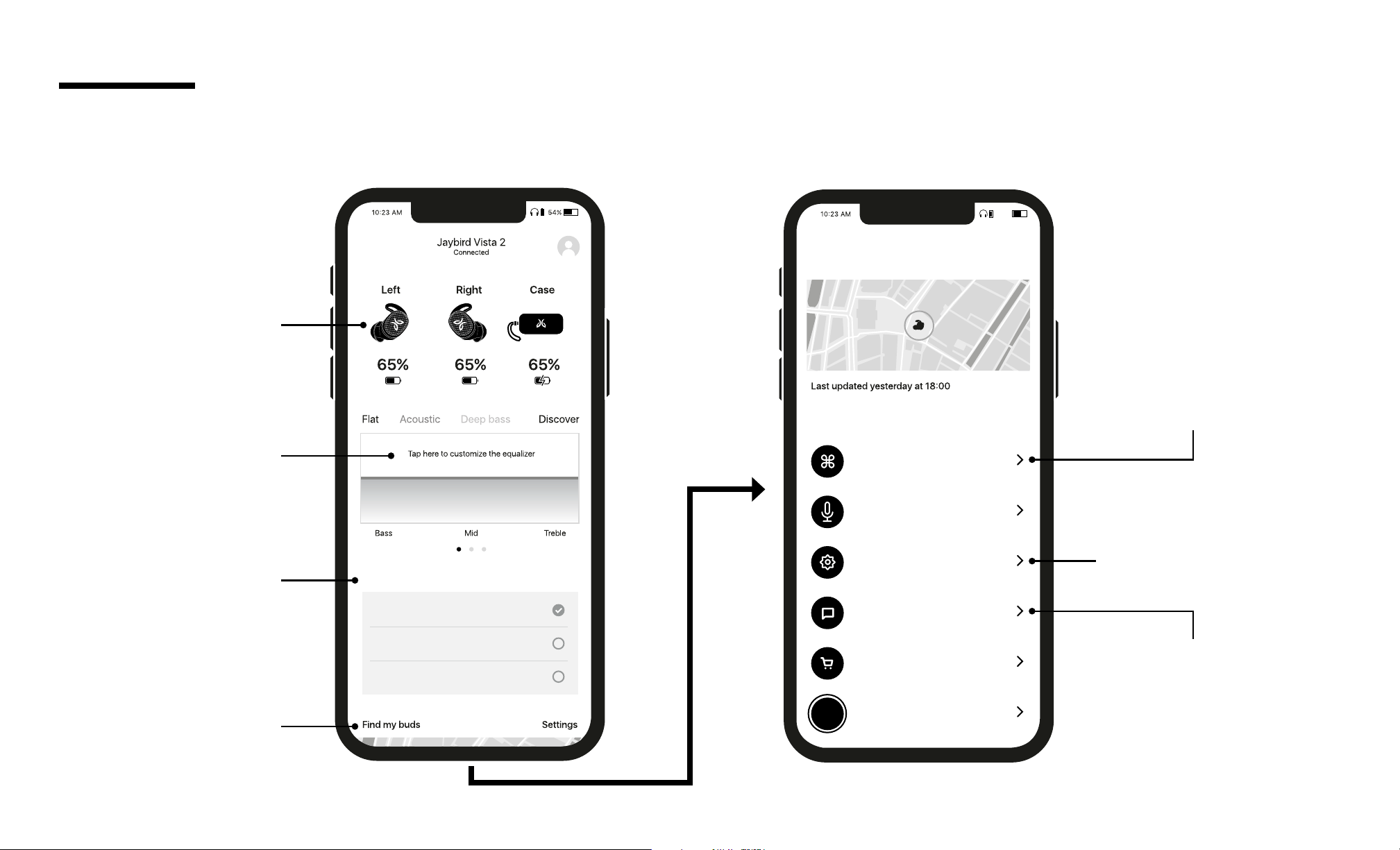
DEVICE
See your connected
device and battery status.
BUTTON CONTROLS
Customize your earbuds’
controls.
SETTINGS
Adjust your settings
on your earbuds.
TUTORIALS
Find tips on how to optimize
the use of your earbuds.
SOUND
Customize your sound
settings. Changes are saved
to your Vista Pro earbuds.
SURROUNDSENSE
& ANC
Adjust the settings
of each mode.
FIND MY BUDS
Lost one of your earbuds?
Find out where you left it in
real time.
15
EQ CUSTOMIZATION
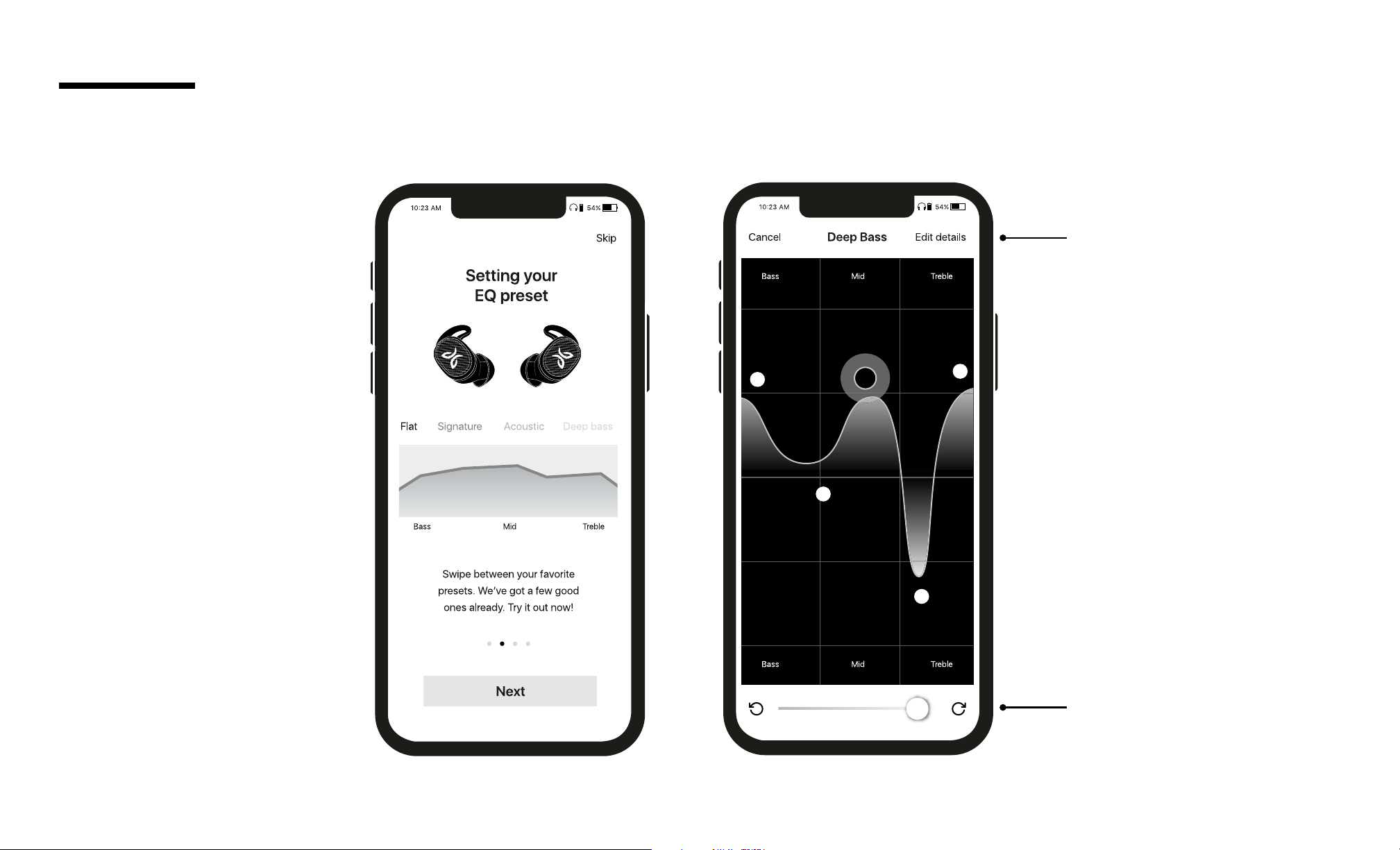
SAVE
Save your new preset
to your dashboard for
easy access to all your
favorite sound settings.
HISTORY
Track through a history
of your changes.
THE JAYBIRD APP
16
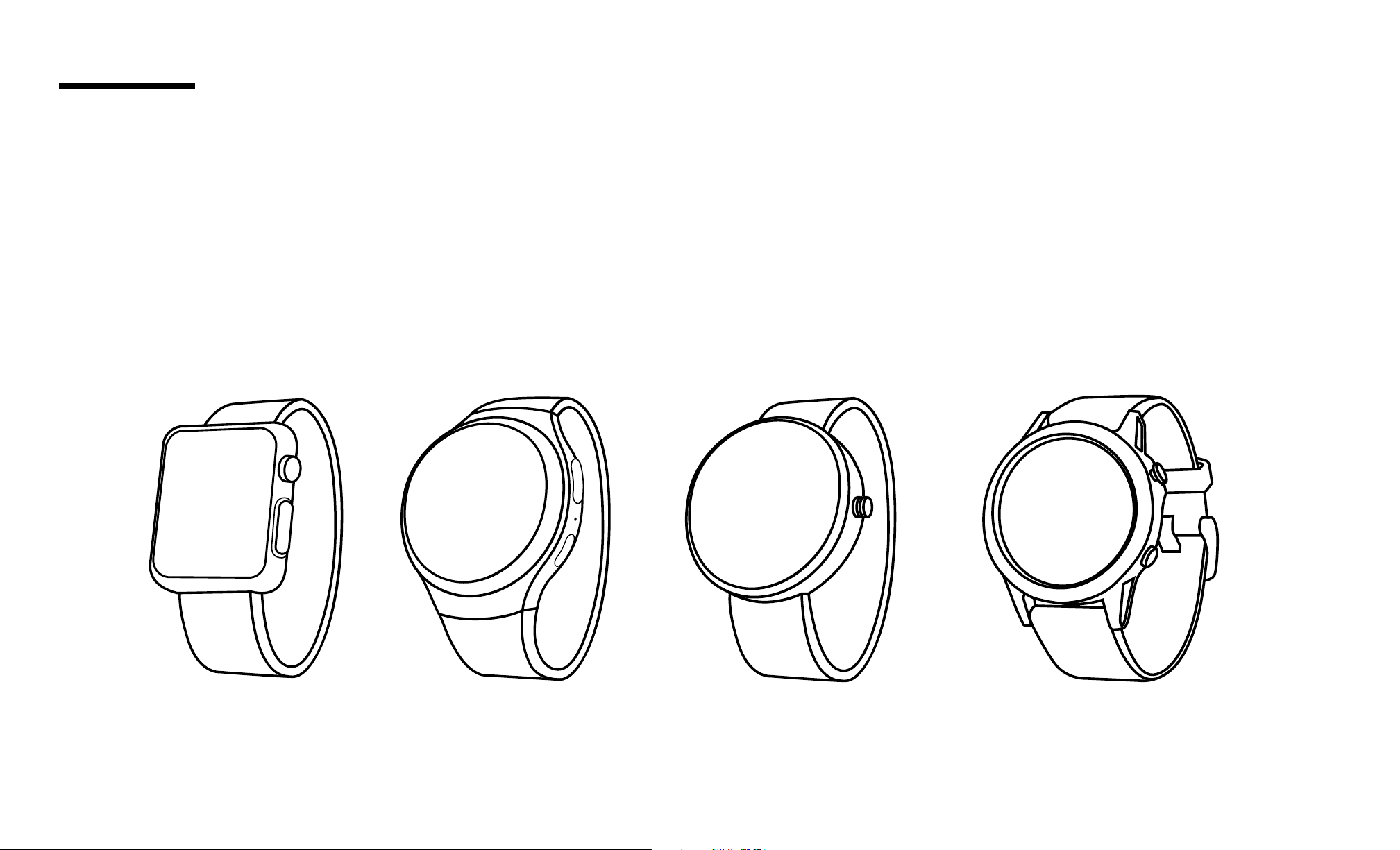
Apple WatchOS Android Wear GarminSamsung
With the right smartwatch you can leave your phone at home. Just sync music to your smartwatch and pair Vista 2 to your
smartwatch. Use your smartwatch user manual for instructions on how to pair a Bluetooth device.
SMARTWATCHES
17
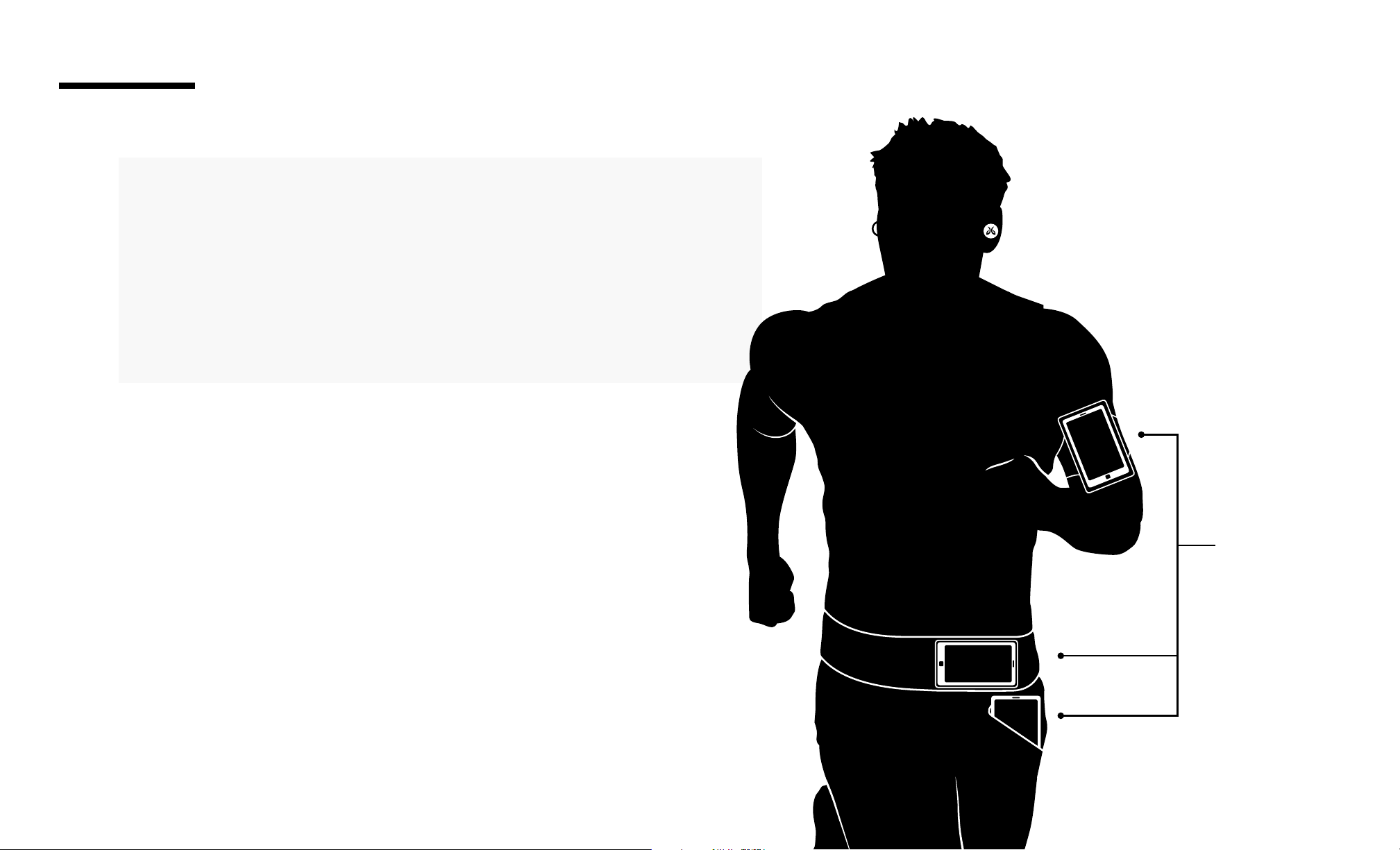
Both right & left earbuds can connect to your audio device. The
earbuds will automatically switch to get the best connection to the
audio device.
For best Bluetooth performance, try to reduce the distance
between your earbuds and your audio device. Try to have your
audio device in an arm band, or in a belt pocket.
CONNECTION TIPS
Ideal Device
Location
18
TROUBLESHOOTING
Soft reset: If your earbuds are not responding, place your Vista 2 in the charging case, close the lid and plug the case into charge.
This will turn your earbuds o and perform a soft reset.
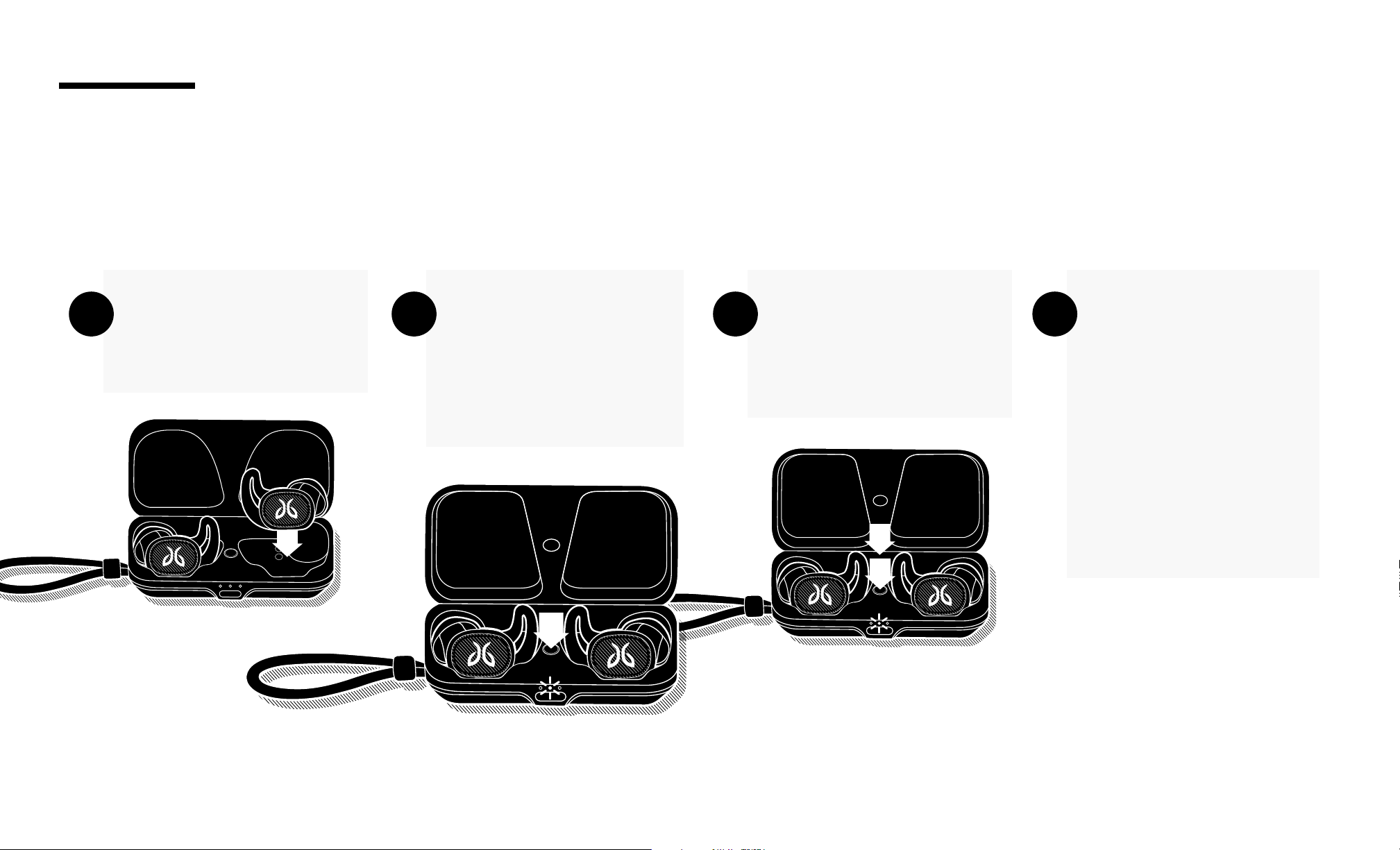
Factory reset: If that does not resolve your problem we recommend resetting your earbuds to their original factory settings.
Before starting this process please FORGET or REMOVE your Vista 2 device from the Bluetooth menu on all your connected audio devices.
Hard reset: If the battery has enough charge but the device does not turn on and you don’t hear any tones, press and hold the earbud
button for 20 seconds and then release. Put the earbud back in the case, wait for 5 seconds, then take the earbud out of the case.
Place both earbuds into
the charging case and
close the lid.
Open the charging
case and press & hold
the case button until
the case LED starts
blinking white.
While the charging case
LED is blinking white,
press the button on
the case twice.
The LED will blink
pink. Once it stops
close the case.
Your earbuds are reset
and ready to pair. Go
to your audio device
Bluetooth menu and
select “Jaybird Vista 2”
to pair again.
A B C D

19
Bluetooth Version 5.0
Codec SBC, AAC
Prole Handsfree, A2DP, AVCRP, SPP
Eective Range 10 meters (30 feet)
Play Time 8 Hrs*
Power Bluetooth headset: 5.0V
, 1A
Charging Time 2 Hrs
Quick Charge 5 Min = 1 Hr play time
Dimensions 20.3 (W) x 15.3 (D) x 17.9(H) mm earbud size / 74 (W) x 36.4 (D) x 24.5(H) mm case size
Weight Earbuds: Approx 4.8 g (without eargels). Case: approx. 32g (without earbuds)
* Playtime and standby time may vary due to usage conditions. Adding additional bass to your sound prole through the Jaybird app or using SurroundSense or ANC will reduce play time.
SPECIFICATIONS

20
Full warranty, care & maintenance details at:
jaybirdsport.com/warranty
WARNING: Due to the isolating characteristics of these earbuds do not use while driving, riding a bike or where vehicular trac is present,
or in any other activity where failure to hear surrounding sounds could be dangerous. Use of these earbuds at excessive volumes may cause
permanent hearing damage. Always turn the volume down before use. Take caution in regards to inserting objects into ear canal, use at own
risk. Do not wear the device while it is connected to a power source driven from main 110V or 220V lines.
WATERPROOF
Your Jaybird Vista 2 earbuds feature an IP68 dust and waterproof rating. Vista 2 earbuds are designed to handle rain, mud and outdoor
adventures.
Jaybird earbuds are not designed for swimming, showering or exposure to pool or ocean water. In case of exposure to salted or chlorinated
water, rinse the earbuds gently with fresh water and air dry before use. The Vista 2 charging case features an IP54 rating, it is designed to handle
rain and splashing but not submersion into water. Please ensure your earbuds are completely dry before charging.
EARGEL CLEANING
Keeping your Jaybird earbuds eargels clean is essential for safe, hygienic use.
IMPORTANT: DO NOT attempt to clean the eartips without rst removing them from the earbuds.
1. Firmly grip the eargel with one hand and the earbud with the other. Carefully remove the eargel from the earbud.
2. Use warm water and mild soap on a damp cloth to remove dirt and earwax from the eargel. Do NOT use harsh cleaning agents.
3. Rinse and completely dry your eargel before placing them back on your earbuds.
4. Carefully push the eargel back onto the earbuds.
WARRANTY, WARNINGS & SAFETY

21
Avoid excessive volume levels and prolonged periods of listening. Prolonged listening at excessive volume levels may cause permanent
hearing disability.
Do not use around road trac.
Clean eargels regularly of dirt and wax buildup. To clean, remove eargels from earbuds, then gently wipe away dust and oil with a dry cloth,
and/or use warm water and mild soap to remove buildup. Rinse and completely dry before reattaching.
Before charging, ensure earbuds and charge case contact are completely dry of sweat and water.
Video instructions at jaybirdsport.com/support/vista2
Copyright 2021 Logitech. Logitech, Jaybird and the Jaybird logo are trademarks or registered trademarks of Logitech Europe S.A. and/or its
aliates in the US and other countries. Apple, the Apple logo, iPhone, and iPad are trademarks of Apple, Inc., registered in the U.S. and other
countries and regions. Amazon, Alexa, and all related logos are trademarks of amazon.com, inc., or its aliates. Other trademarks and trade
names are those of their respective owners. Any use of such marks by Logitech is under license or with permission.
WEB-621-001585.003
LISTEN RESPONSIBLY
CARE AND MAINTENANCE