

Pairing several devices
Pairing with several Bluetooth devices
The headphones can connect with two devices at most. A mobile phone with
HFP prole; and a device with A2DP proles. If you want to pair two Bluetooth
devices, please refer to the following steps.
1. Firstly, pair the headphones with the Bluetooth adapter
2. Disconnect the Bluetooth adapter from the iPhone or iPod
3. Pair and connect the headphones with the mobile phone
4. Reconnect the Bluetooth adapter, will connect with headphones automatically.
Note
Mobile phones that support HSP and A2DP proles simultaneously may block the
Bluetooth adapter from reconnecting to the headphones.
5

Making a call
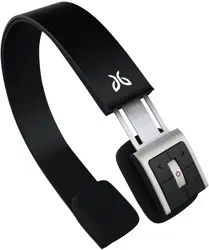
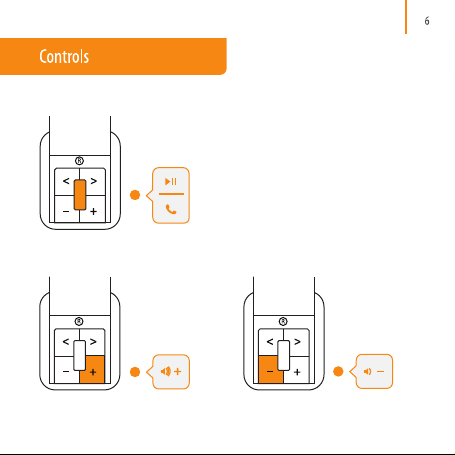
Making a call with SB2 headphones (detailed operation)
8
Not all the mobile phones support all the functions listed. Please refer to the instruction of your
mobile phone. When the volume is adjusted to max or min, you will hear a indication sound.
For some mobile phones, when you accept a call on the phone, the call will be sent to the
mobile phone. You can switch the call to headphones by using the accept call button on the
headphones or through the phone. Please refer to the instruction of your mobile phone for
further information.
Function Status Indication Operation
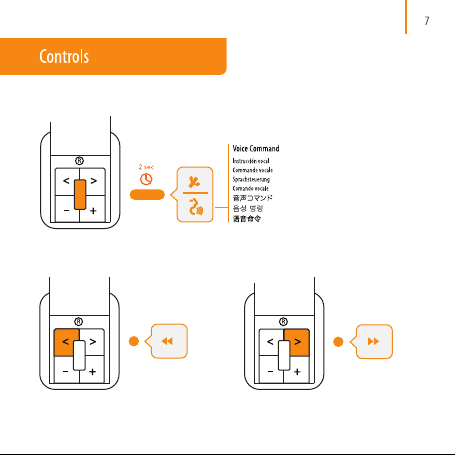
Voice dial Standby mode Short tone Press and hold center button for 2 seconds
Redial Standby mode Short tone Double click center button
Volume up Music/Call mode NA Short / long press of Vol+ button
Volume Down Music/Call mode NA Short / long press of Vol - button
Answer Call Incoming Call Short tone Press center button
Reject Call Incoming Call Short tone Press and hold center button for 2 seconds
End Call During Call Short tone Press center button
During Call Short tone Press and hold center button for 2 seconds
Mute During Call Dbl tone every 5 sec Double click center button
Unmute During Call NA Double click center button
Switch b/w phone
& headset mode