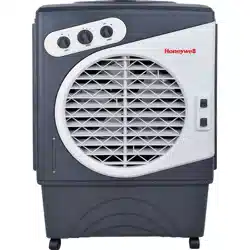
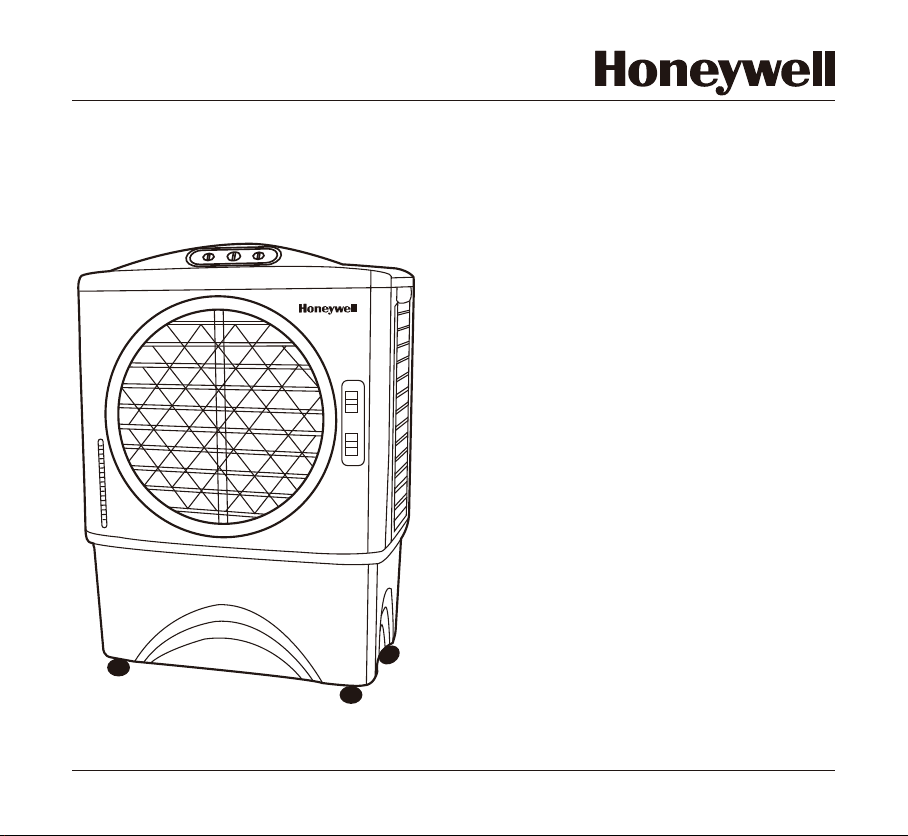
Portable Evaporative Air Cooler
for Outdoor, Indoor & Commercial Use
OWNER’S MANUAL
Read and save these instructions before use
Model: CO48PM
Power rating: 140 Watts
Voltage rating: 120 Volt AC, 60Hz
For product inquiries or support, visit www.honeywellaircoolers.com
Made in P.R.C.Customer Support : 1-800-474-2147
OFF
COOL
ON
OFF
ON
0
3
2
1
SPEED
SWING
MAX
MIN
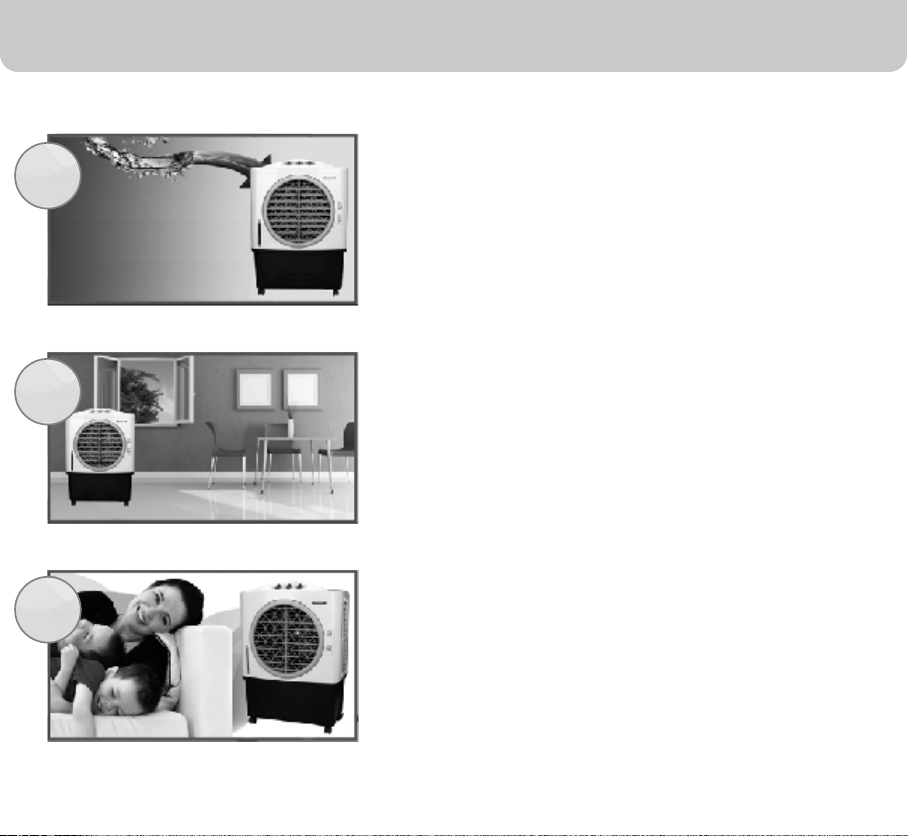
QUICK START GUIDE
Fill with water and plug into a standard
power outlet.
Place near an open door or window.
Note : Evaporative air cooler requires cross ventilation.
Turn ON and enjoy the cooling breeze.
Note: Start with LOW speed and gradually increase
to higher speed for optimum cooling performance.
Note: Please make sure the household power voltage
matches the product specifications.
1
2
3

SECTION
PAGE
1. THANK YOU .........................................................................................................
2. USER TIPS ...........................................................................................................
3. SAFETY ................................................................................................................
4. PARTS DESCRIPTION .........................................................................................
5. USE & OPERATION .............................................................................................
Control Panel ....................................................................................................
Control Knobs ...................................................................................................
6. CLEANING & MAINTENANCE .............................................................................
7. TROUBLESHOOTING GUIDE .............................................................................
8. TECHNICAL SPECIFICATIONS ...........................................................................
9. ELECTRICAL WIRING DIAGRAM ........................................................................
2
3
5
8
9
9
10
Fill Water ..........................................................................................................
11
13
15
16
17
10. SERVICE AND WARRANTY .................................................................................
18
1
INDEX
Read all instructions carefully before setting up and operating the cooler, and
please keep this instruction manual for future reference. This manual is designed to
provide you with important information needed to setup, operate, maintain, and
troubleshoot your cooler. Failure to follow these instructions may damage and/or
impair its operation and void the warranty.

2
THANK YOU
Congratulations on your purchase of this versatile Honeywell Evaporative Air Cooler.
For optimum cooling from your cooler, fill the water tank to maximum level and load
ice inside the ice compartment before you turn on your air cooler.
Cooler Location (Important - Please Read!)
Place the cooler in front of an open door or window. Ensure that there is adequate
cross - ventilation in the room by leaving a door or window open opposite the cooler.
Following these guideline will ensure your cooler will work as effectively as possible.
Not an Air Conditioner (Important - Please Read!)
The evaporative air cooler is not an air conditioner as it does not use a compressor
or refrigerant gas. It should not be expected to cool as efficiently as a refrigerated air
conditioner.
3
USER TIPS
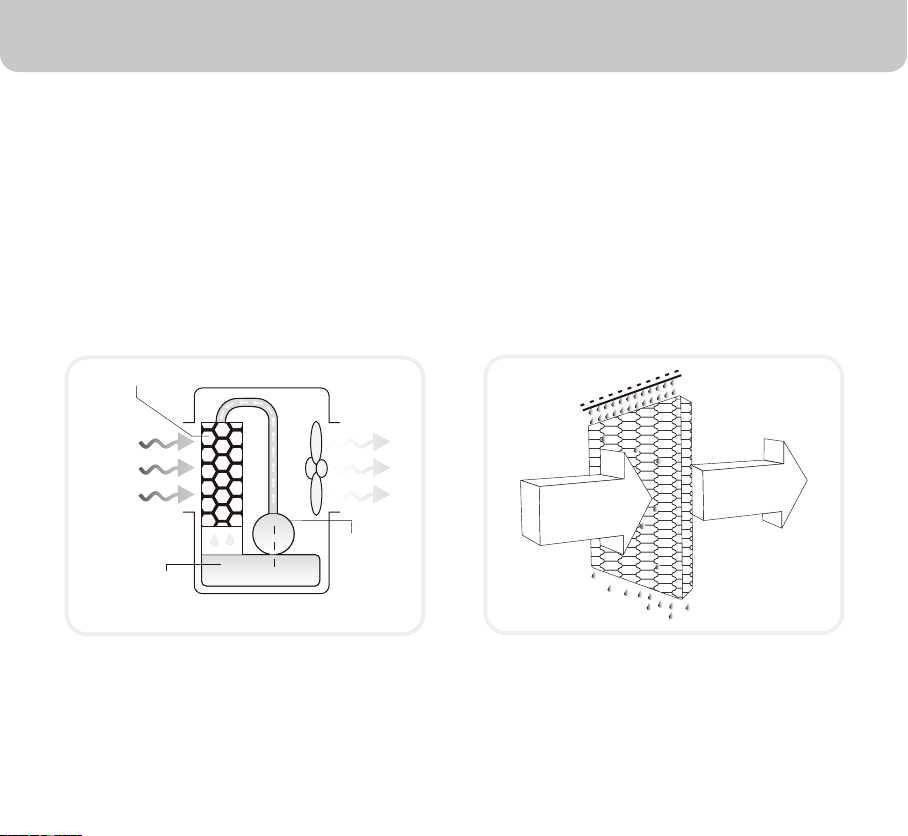
Energy Efficient, No Compressor
Honeywell Evaporative Air Coolers are built to maximize energy efficiency and keep
costs low. Warm air is drawn into the cooler and enters the Honeycomb Cooling Media.
Water pumped from the tank pours over the honeycomb media. As the warm air passes
through the media, the water absorbs the heat, naturally cooling and humidifying the air.
A fan propels the cooled air out into the room. This no-compressor system cools natu-
rally, efficiently and inexpensively.
Pump
Water
Honeycomb Cooling Media
Evaporative Air Cooling Mechanism
Warm and
dry air
Cool and
humid air
4
USER TIPS
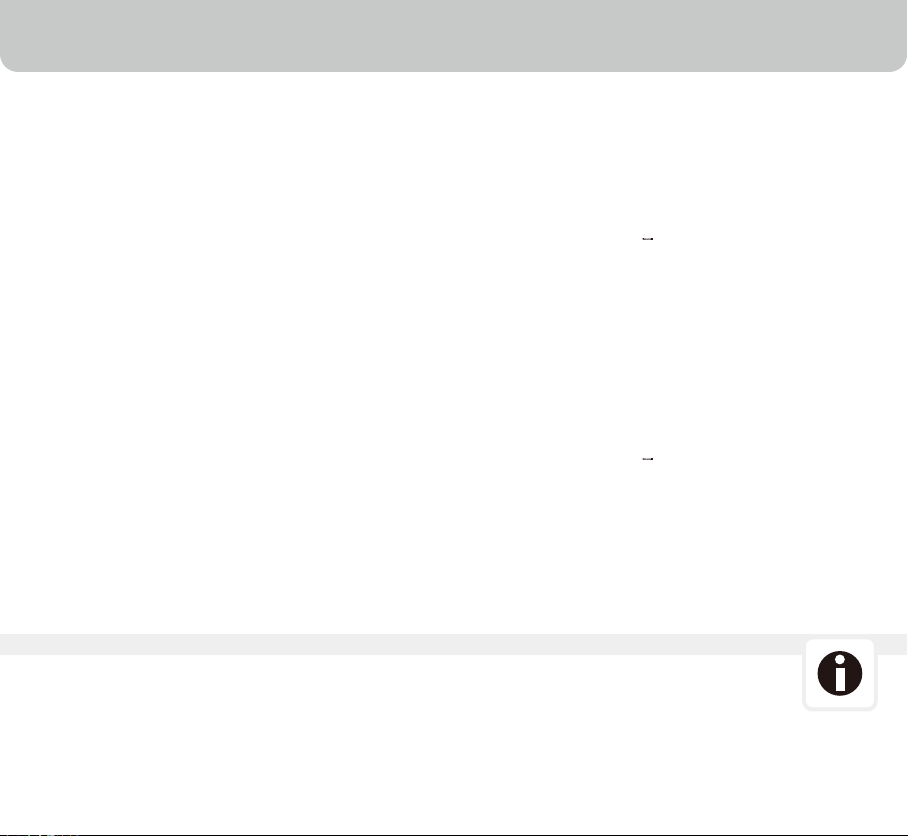
Indoor Use
The recommended maximum relative humidity level is 60% or
less, which allows a noticeable temperature decrease. The
temperature decrease will be greater in drier climates
because higher evaporation occurs when the humidity is low.
The evaporative air cooler should not be used in enclosed
spaces. It must be kept level and there must be water in the
water tank. The room should have doors and windows
opened to allow free air flow. The evaporative air cooler works
best when placed near an open window, so that outside air is
drawn into the evaporative air cooler, the air circulates in the
room, then exits via the door. The maximum cooling effect is
felt when a person is in the flow of air coming out of the
evaporative air cooler.
The evaporative air cooler can also be used to humidify dry
air during cool weather. To be used for humidification the
windows and doors should be closed to allow the humidified
air to accumulate.
When the product is used for the first time the Honeycomb Cooling Media will have an
odor which will dissipate in a few hours or so of initial use.
Room with open windows & door
(RECOMMENDED)
Room with closed windows & door
(NOT-RECOMMENDED)
NOTE (Important - Please Read!)
5
SAFETY
Read And Save These Instructions:
When using electrical appliances, basic safety precautions should always be followed:
OFF
C
OOL
ON
OFF
ON
0
3
2
1
SPEED
S
WING
MAX
MIN
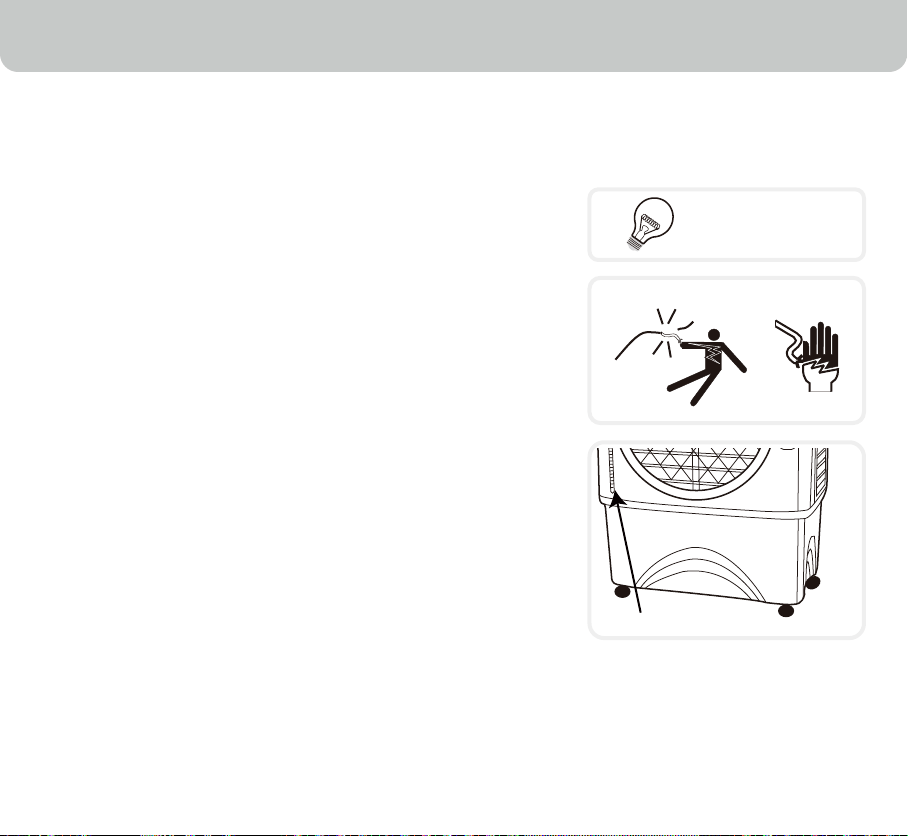
120V - 60 Hz
Shock Hazard
Water Level Indicator
Your cooler runs on 120 Volt AC, 60 Hz current. Check the
household voltage to ensure it matches the appliance's rate
specification.
Before operating the product remove it from its packaging
and check that it is in good condition.
DO NOT operate any product with a damaged cord or plug.
DO NOT run power cord under carpeting, or cover it with
rugs or runners. Keep the cord away from areas where it
may be tripped over.
Always unplug the product before refilling the water tank.
Always unplug the appliance from the power source before
cleaning, servicing or relocating the unit.
Remove the power cord from the electrical receptacle by
grasping and pulling on the power cord plug-end only, never
pull the cord.
DO NOT use the product in areas where gasoline, paint or
other flammable goods and objects are stored.
When using the ''COOL'' setting, check the water tank to
ensure that it is full. Operation of this cooler on the ''COOL''
setting with an empty tank may result in damage to the
water pump.
•
•
•
•
•
•
•
•
•
6
SAFETY
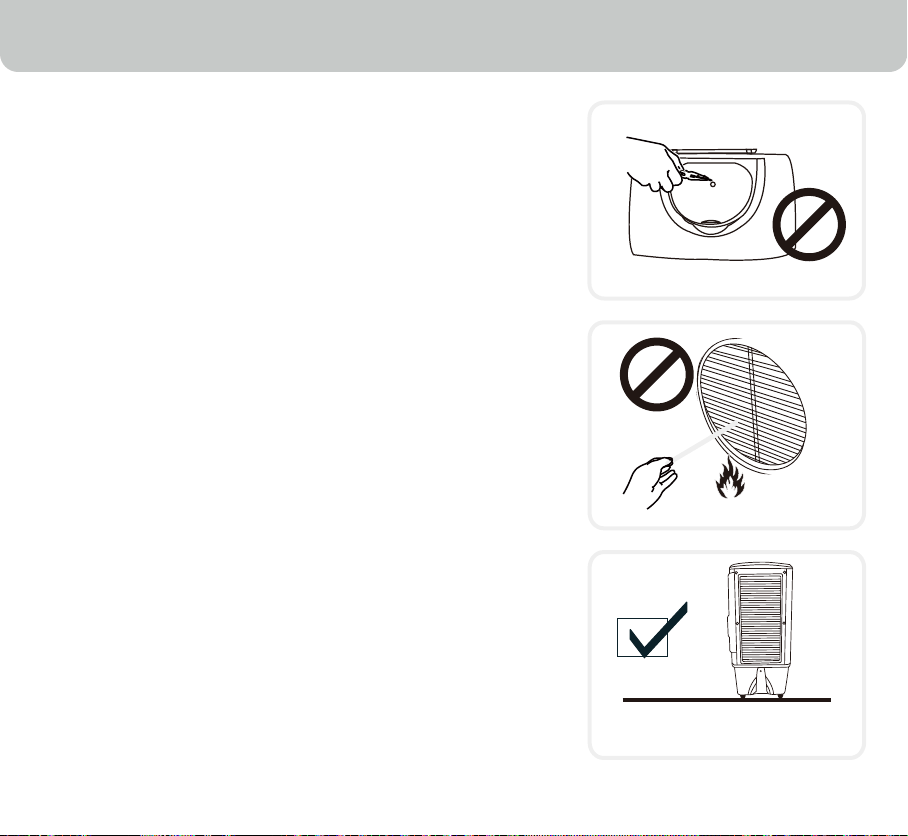
DO NOT attempt to repair or adjust any electrical or
mechanical functions of the cooler, as this may void the
warranty.
DO NOT cover the air inlet or outlet on the appliance as this
may cause motor damage.
DO NOT insert or allow objects to enter any ventilation or
exhaust opening as this may damage the product and could
cause an electrical shock or fire.
DO NOT operate with the Honeycomb media removed as
this will overload and damage the motor.
DO NOT leave the operating appliance unattended for any
extended period of time.
DO NOT let children play with this appliance, packaging or
plastic bags.
If the unit is damaged or if it malfunctions, do not continue to
use it. Refer to the Troubleshooting Guide (page 15) and
contact the service center.
Place the unit on a level floor.
This product is not intended for use in wet or damp
locations.
DO NOT use in bathrooms. Never locate the product where
it may fall into a bathtub or other water container.
Store in a dry area when not in use.
This appliance is not intended for use by persons (including
children or elderly) with reduced physical, sensory or mental
capabilities, or lack of experience and knowledge, unless
they have been given supervision or instruction concerning
use of the appliance by a person responsible for their safety.
Always grip the side handles to move the cooler.
•
•
•
•
•
•
•
•
•
•
•
•
•
Water / Ice Compartment
Floor Level

7
SAFETY
Don't use indoor extension cords outside. Look for extension cords specifically marked for
outdoor use. Look for extension cords that have a GFCI (Ground Fault Circuit Interrupter) built
in.
Make sure the amperage rating for the extension cord is higher than the amperage rating for
the appliance. Check labels and owner's manuals on the appliance and the extension cord for
amperage ratings.
Power cords have to be contained. If they must run along the ground, make sure every inch of
them is secured so they will not be tripped over.
The wiring and connections must be waterproof. Be sure the connections (to the air cooler)
never get wet. Your unit is waterproof, but everything attached to it must be waterproof, too.
Set up your unit so it cannot be tripped over or wobble loose. It must rest on a solid support.
•
•
•
•
•
8
PARTS DESCRIPTION
OFF
COOL
ON
OF
F
ON
0
3
2
1
SPEED
SWING
MAX
MIN
10
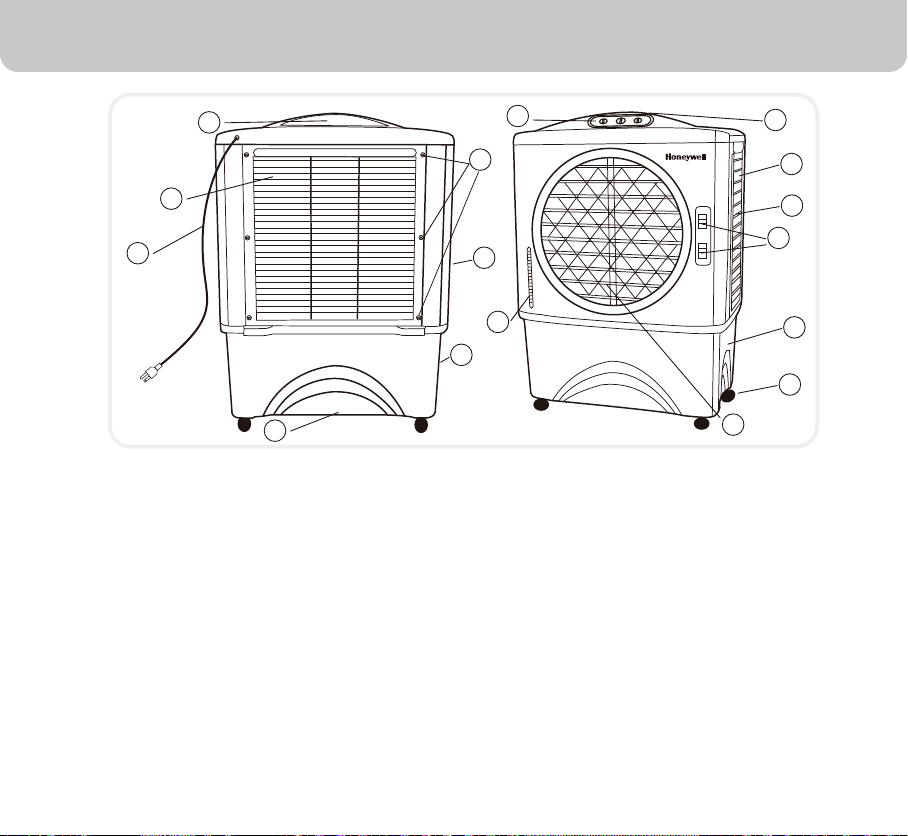
1 Water Inlet and Ice
Loading Compartment
2 Handle
3 Left Honeycomb Panel
4 Lever for Horizontal Louvers
5 Water Tank
6 Casters
7 Horizontal Louvers
8 Water Level Indicator
9 Control Panel
10 Right Honeycomb Panel
11 Continuous Water Supply Connection
12 Drain Plug
13 Backside Honeycomb Panel
14 Power Cord & Plug
15 Rear Grill Removal Screws
16 Water Fill Door
1
2
9
8
3
4
5
6
7
11
16
15
12
13
14
9
USE & OPERATION
Control Panel
COOL
SPEED
SWING
OFF ON
OFF ON
0
3
2
1
NOTE:
Speed control may be marked as High / Med / Low in certain units.

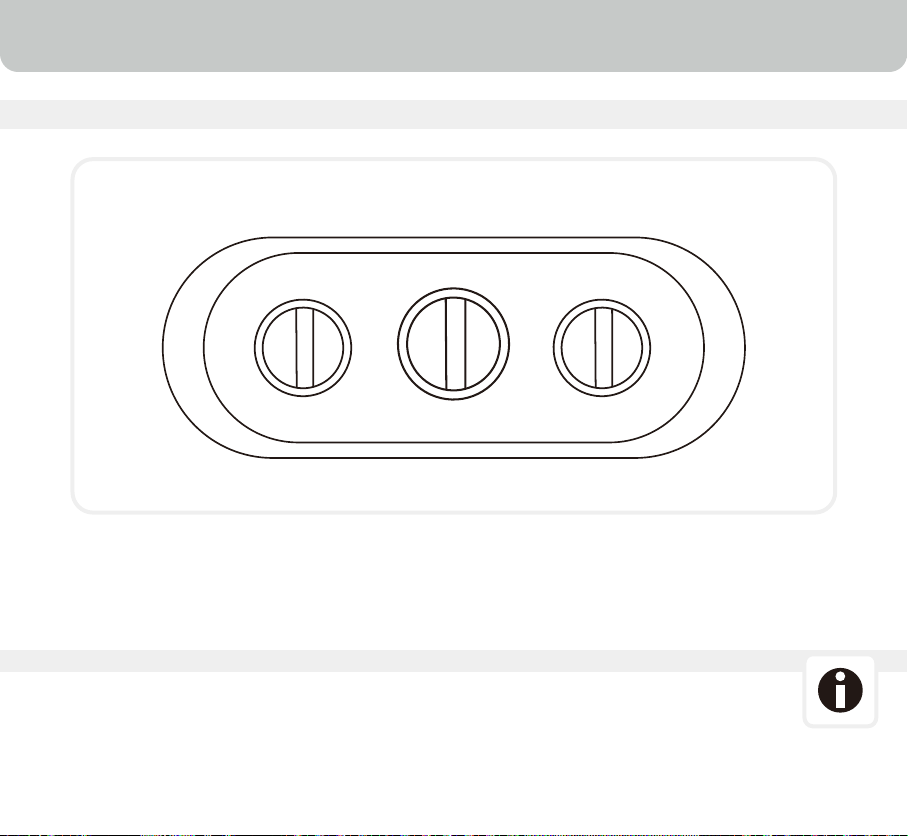
Speed / On - Off
Connect to the power supply and turn the Speed knob. The
fan will start. Change the speed from 1 for Low to 2 for
Medium to 3 High. To switch OFF the unit turn the Speed
know to "0".
Cool
To begin cooling the desired area turn the "COOL" switch ON.
The water pump will operate. You can feel the cooler air after
the Honeycomb cooling media is completely wet.
Swing
Turn the "SWING" switch ON. The louvers will begin to move
from right to left automatically. Manually adjust the horizontal
louvers to change vertical airflow.
Horizontal Louvers
Manually adjust the horizontal louvers to change vertical
airflow.
10
USE & OPERATION
Control Knobs
COOL
OFF ON
SWING
OFF ON
SPEED
0
3
2
1
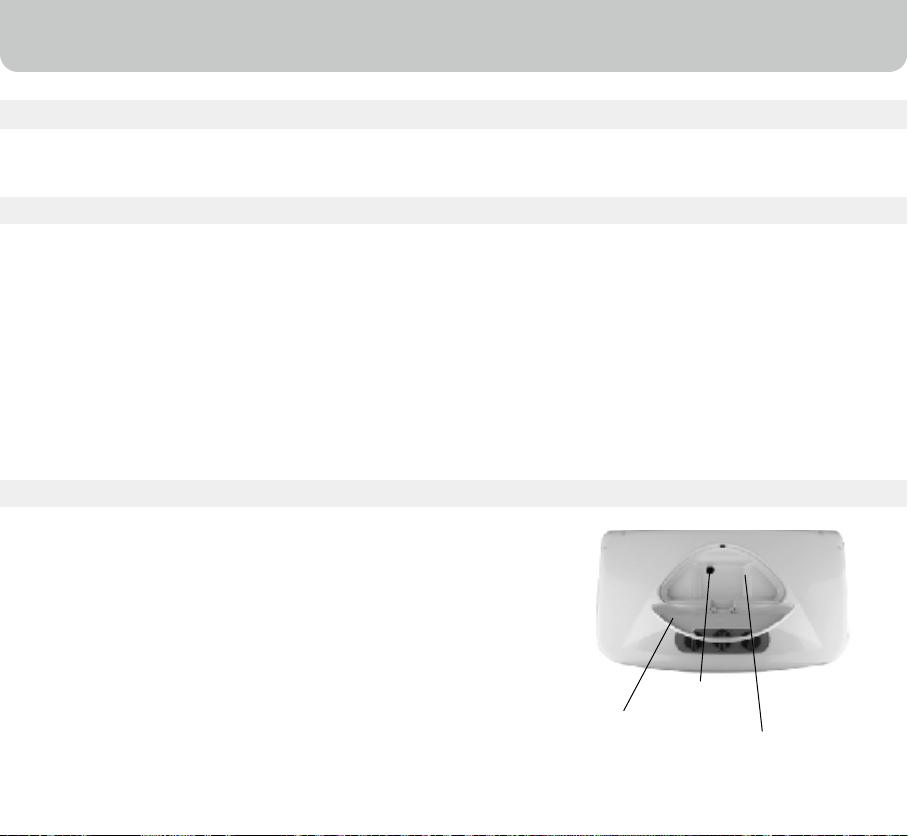
To refill the water tank, pull out the Water Fill Door located
on the top of the unit (#16 on Page 8) and fill water to the
Max, as indicated on the Water Level Indicator (#8 on Page 8).
Do not fill water above the Max water level mark.
For maximum cooling performance, put ice cubes inside the
Ice Loading Compartment located on the top of the Air Cooler
(#1 on Page 8).
•
•
•
Water can be filled into the air cooler by:
Water Inlet (Manually)
Water / Ice can be put into the tank through the top opening.
There is a hole for water to flow into the tank.
Continuous water supply (Auto Refill)
Connect a garden hose to the continuous water supply inlet.
11
USE & OPERATION
Filling With Water
Water Inlet (Manually)
Unplug from power when refilling.
CAUTION
Water Inlet
Water Fill Door
Ice Loading
Compartment
•
•
•
•
•
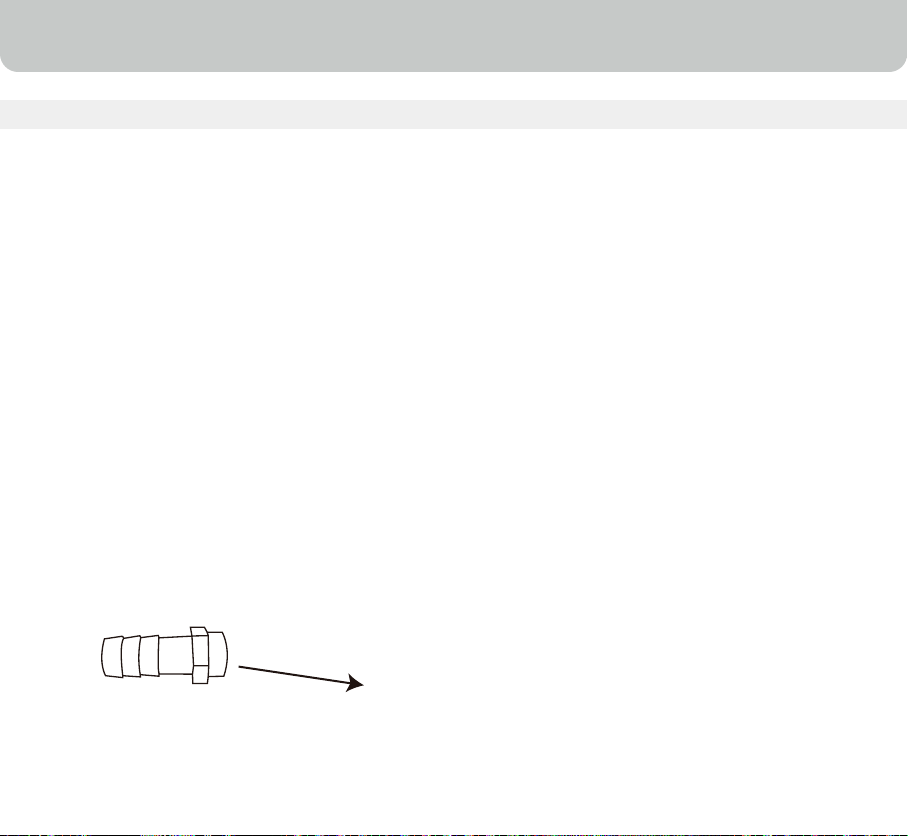
Securely connect the continuous water supply connector (located on the
lower left side panel #11 on Page 8) to the water supply.
Turn on the water.
The water tank will refill automatically.
The water float valve will detect the water level and will automatically start
or stop the water flow.
Plug the unit into the power supply and turn the unit on.
12
USE & OPERATION
CAUTION
Unplug from power source before filling
This automated process eliminates the need to manually refill the water tank.
•
•
Connect the garden hose to the water supply connector (# 11 on Page 8)
Verify that connections are secure and turn on the water.
Installing Hose Adapter And Float Valve
Filling With Water (Continuous Water Supply Connection)
Hose Connectora

•
•
•
•
The cooler is supplied with Honeycomb Cooling Media.
The cleaning frequency for the Honeycomb media depends on local air and water
conditions. In areas where the mineral content of water is high, mineral deposits may build up
on the Honeycomb Cooling Media and restrict air flow. Draining the water reservoir and
refilling with fresh water at least once a week will help reduce mineral deposits. If mineral
deposits remain on the Honeycomb media, the media should be removed and washed under
fresh water. The media should be cleaned every two months or sooner, depending on your
needs.
Do not run the unit in COOL mode with stale water in the tank. Empty the tank and refill it with
fresh water if the water has been standing in the tank for an extended period of time.
For best results, allow the Honeycomb Cooling Media to dry after each use by turning off the
cool function 15 minutes before turning the unit off.
•
•
•
•
Before cleaning, turn the unit off and disconnect from the power source.
Use a damp cloth to remove dirt and dust from the outside of the unit.
Never use abrasive cleaners.
When the unit is not in use, store it in a dry place, out of direct sunlight.
13
CLEANING & MAINTENANCE
Important - Please Read!
WARNING
•
•
•
•
•
•
•
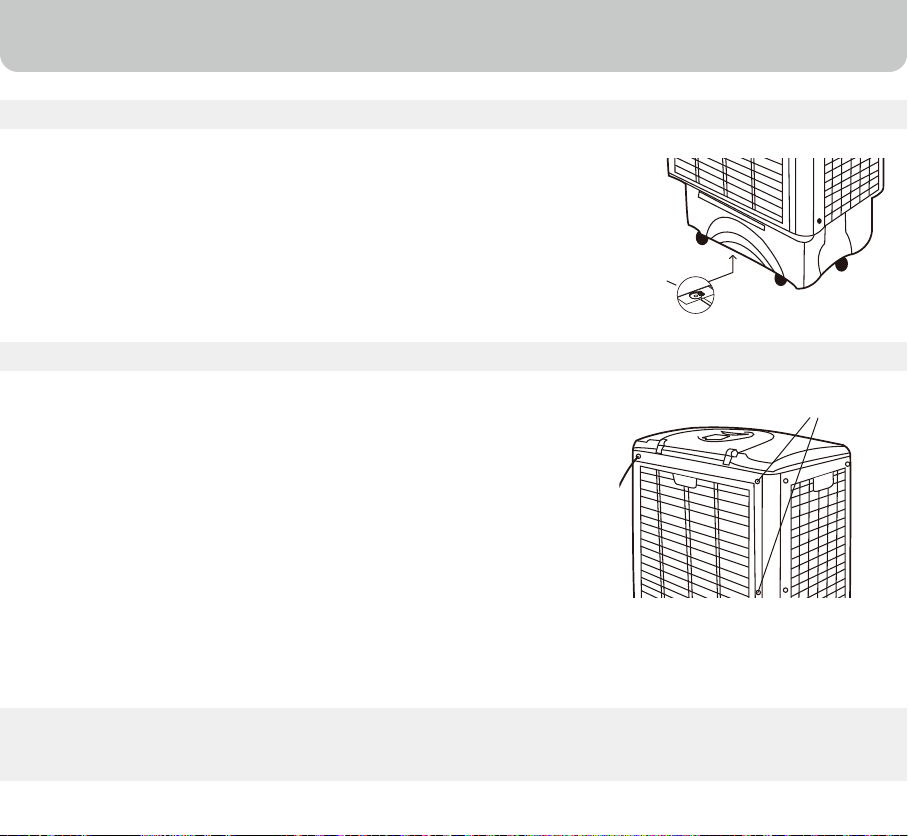
Turn the power “off” and disconnect the air cooler from the power supply.
Move the unit to a location where it can be drained.
Remove the drain plug and allow the tank to empty(#12 on Page 8).
Refill the water tank up to the maximum level with clean water and drain
it completely.
Fill water tank and rinse at least 2-3 times before use.
After cleaning ensure that the drain plug is back in place.
Plug into the power supply and turn on unit.
14
CLEANING & MAINTENANCE
Draning and Cleaning The Water Tank
•
•
•
•
•
•
•
•
Turn off the unit, and unplug the power cord from wall
outlet.
Rotate the unit facing the back panel, and locate the Rear
Grill Removal Screws (#15 on Page 8). Remove the 4
screws with a screw driver.
Pull the rear grill panel, until it is completely removed.
This cooler has Honeycomb cooling media on the right and
left panels. The cleaning and removal procedure is the same
as rear panel.
The Honeycomb cooling media can now be seen. Clean
honeycomb with clean cloth to remove all the dust &
dirt particles.
Once cleaning is finished, reassemble the unit.
Plug into the power supply and turn on unit.
Cleaning The Honeycomb Cooling Media
Water Drain
Plug
Open Screws
The air cooler is now ready to be used. This cleaning process should be repeated monthly to
maintain the integrity of the unit and to remove particles filtered from the air.

15
TROUBLESHOOTING GUIDE
Customer Support: 1-800-474-2147
No discharge of air Cord is not plugged in.
Power is not on.
Not Cooling / Unit is
making noise
Pump is not turned ON.
Refill water tank.
Odors When the Cooler is new.
If the Cooler has been used.
Contact service center.
PROBLEM POSSIBLE CAUSE SOLUTION
Make sure power cord is
plugged in and the supply
switch is on.
Turn the unit ON by pressing
button on the control panel.
On Control Panel, turn COOL
FUNCTION to “ON”.
When the unit is used for the
first time, the Honeycomb
Cooling Media will have an
odor, which will dissipate
within a few hours of initial use.
There may be an algae issue.
Replace the Honeycomb
Cooling Media.
Low or no water in tank, when
COOL is selected.
Damaged Pump or Calcium
deposits on blower.
16
TECHNICAL SPECIFICATIONS
MODEL NO. CO48PM
120 V
60 Hz
140 Watts
12.6 Gallon
Honeycomb
24.40(L) X 14.76(W) X 34.17(H)
29.3 lbs
Voltage
Frequency
Wattage
Water Tank Capacity
1.83A
Ampere
Cooling Media
Product Dimension (inches)
Net Weight
17
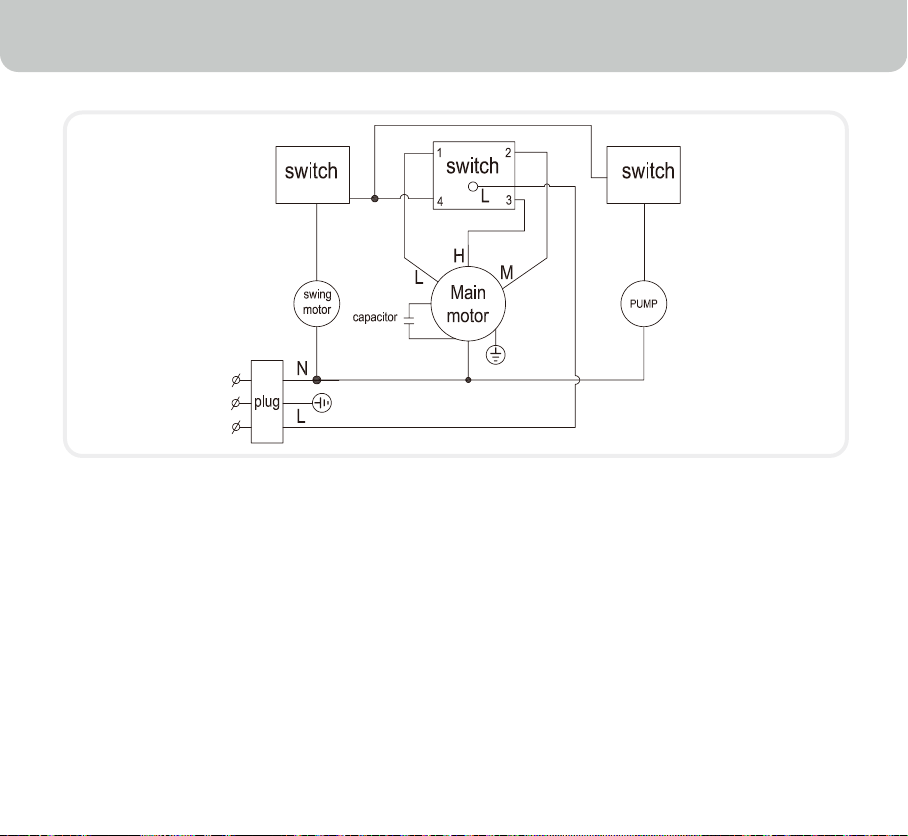
ELECTRICAL WIRING DIAGRAM

1-YEAR LIMITED WARRANTY
Read all the instructions before attempting to use this product.
This 1 year limited warranty applies to repair or replacement product found to be defective in
material or workmanship
This warranty does not apply to any damage resulting from commercial, abusive, unreasonable
use or supplemental damage. Defects that are the result of normal wear and tear will not be
considered manufacturing defects under this warranty.
JMA NORTH AMERICA LLC IS NOT LIABLE FOR INCIDENTAL OR CONSEQUENTIAL
DAMAGES OF ANY NATURE. ANY IMPLIED WARRANTY OF MERCHANTABILITY OR
FITNESS FOR A PARTICULAR PURPOSE ON THIS PRODUCT IS LIMITED IN DURATION
TO THE DURATION OF THIS WARRANTY.
Some jurisdictions do not allow the exclusion or limitation of incidental or consequential
damages or limitations on how long an applied warranty lasts, so the above limitations or
exclusions may not apply to you. This warranty gives you specific legal rights, and you
also may have other rights which vary from jurisdiction to jurisdiction. This warranty
applies only to the original purchaser of this product from the original date of purchase.
At its option, JMA NORTH AMERICA LLC will repair or replace this product if it is found to be
detective in material or workmanship.
This warranty does not cover damage resulting from any unauthorized attempts to repair or
from any use not in accordance with the instruction manual.
18
SERVICE AND WARRANTY
A.
B.
C.

19
SERVICE AND WARRANTY
Please read the Instruction Manual carefully before setting up or using this product. If you
believe this product to be suffering from a manufacturing fault, or if you have inquiries about
this product, please contact our Customer Support:
CUSTOMER SUPPORT
JMA North America LLC
Ramsey, New Jersey, 07446.
Phone : 800-474-2147
Email : [email protected]
When contacting our Customer Support, please have the information below along with the
proof of purchase. All warranty requests must be accompanied by a proof of purchase, which
is a copy of the original receipt.
Model : .......................................................................................................................
Date of purchase : .......................................................................................................................
Purchased from : .......................................................................................................................
D.

© 2012 AirTek International Corporation Limited
The Honeywell Trademark is used under license from
Honeywell International Inc.
Honeywell International Inc. makes no representation or
warranties with respect to this product.
Manufactured by AirTek International Corporation Limited.
CO48PM_IM_Eng_Spa_USA(lowes)_7
November 2012
Distributor:
JMA North America LLC
Ramsey New Jersey 07446
Customer Support: 1-800-474-2147
E-mail: [email protected]
www.honeywellaircoolers.com