USER MANUAL
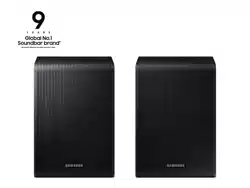
SWA-9500S
English - 3English - 2
SAFETY INFORMATION
Thank you for purchasing this product (SWA-9500S).
TO REDUCE THE RISK OF ELECTRIC SHOCK, DO NOT REMOVE THE
COVER (OR BACK).
NO USER-SERVICEABLE PARTS ARE INSIDE. REFER SERVICING TO
QUALIFIED SERVICE PERSONNEL.
Refer to the table below for an explanation of symbols which may
be on your Samsung product.
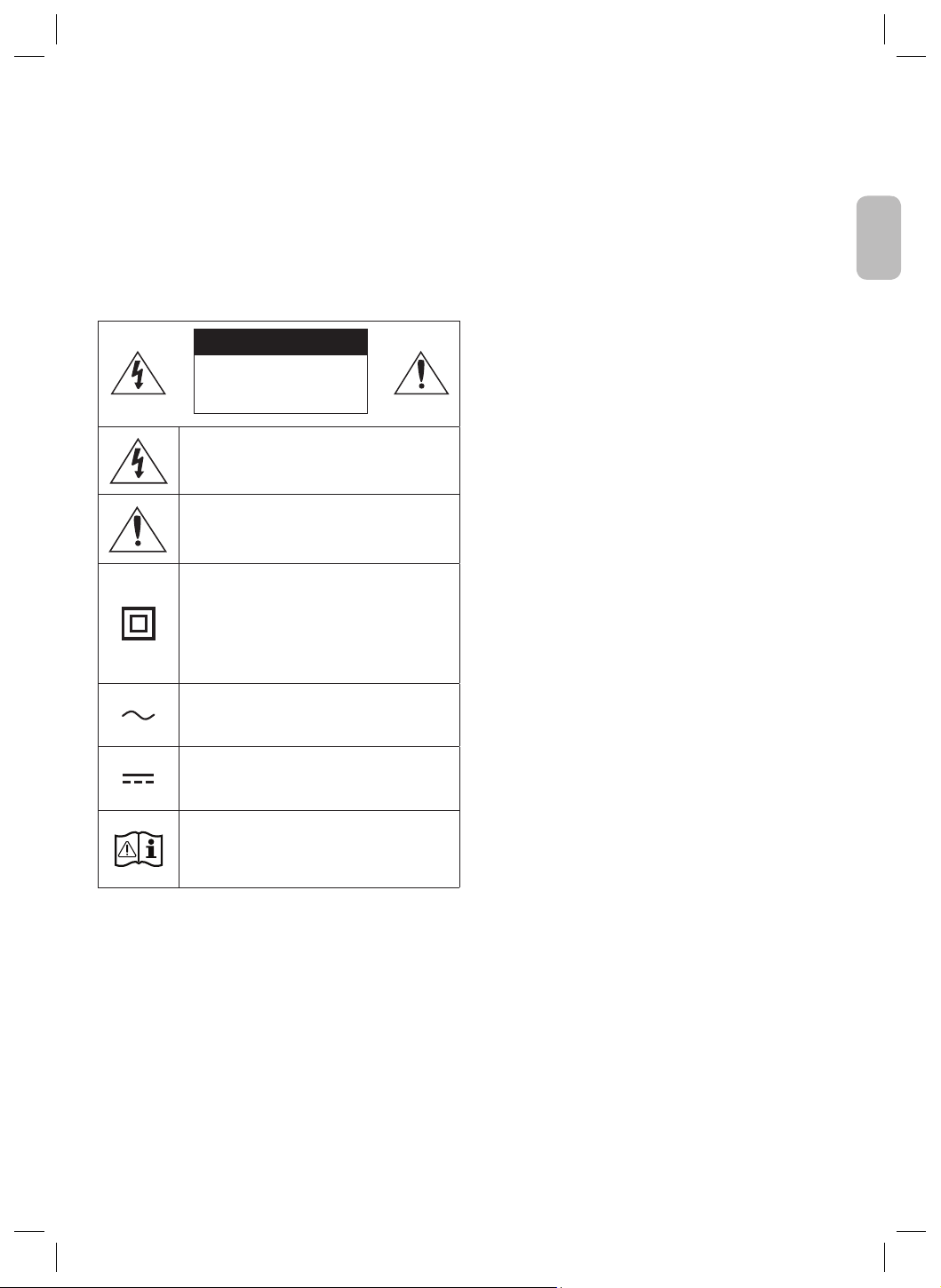
CAUTION
RISK OF ELECTRIC SHOCK.
DO NOT OPEN.
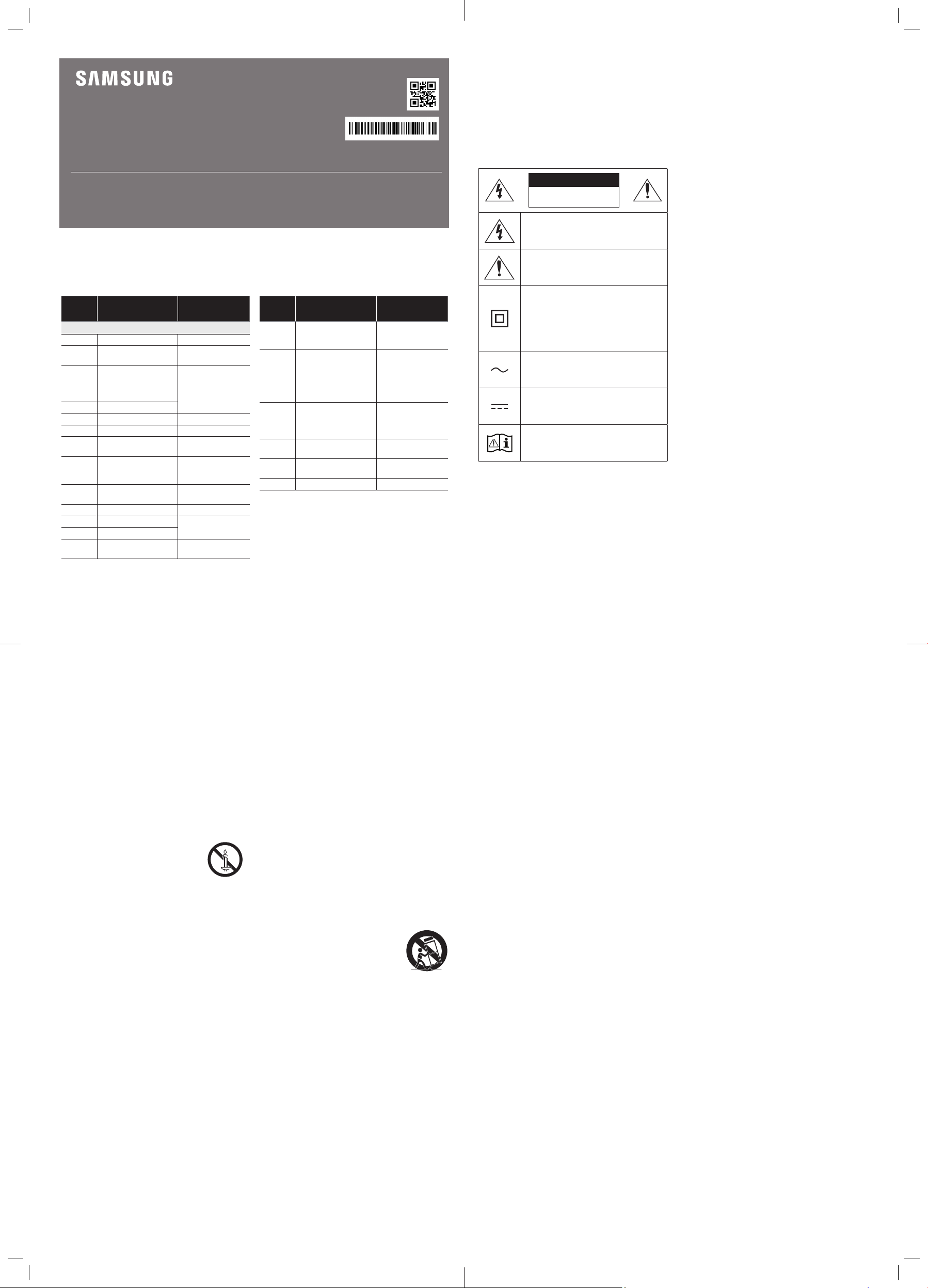
This symbol indicates that high voltage is
present inside. It is dangerous to make any kind
of contact with any internal part of this product.
This symbol indicates that this product has
included important literature concerning
operation and maintenance.
Class II product : This symbol indicates that
it does not require a safety connection to
electrical earth (ground).
If this symbol is not present on a product with
a power cord, the product MUST have a reliable
connection to protective earth (ground).
AC voltage : This symbol indicates that the
rated voltage marked with the symbol is AC
voltage.
DC voltage : This symbol indicates that the
rated voltage marked with the symbol is DC
voltage.
Caution, Consult instructions for use : This
symbol instructs the user to consult the user
manual for further safety related information.
• The slots and openings in the cabinet and in the back or bottom
are provided for necessary ventilation. To ensure reliable
operation of this apparatus, and to protect it from overheating,
these slots and openings must never be blocked or covered.
– Do not place this apparatus in a conned space, such as a
bookcase, or built-in cabinet, unless proper ventilation is
provided.
– Do not place this apparatus near or over a radiator or heat
register, or where it is exposed to direct sunlight.
– Do not place vessels (vases etc.) containing water on this
apparatus. A water spill can cause a re or electric shock.
• Do not expose this apparatus to rain or place it near water
(near a bathtub, washbowl, kitchen sink, or laundry tub, in a
wet basement, or near a swimming pool, etc.). If this apparatus
accidentally gets wet, unplug it and contact an authorized dealer
immediately.
• Do not overload wall outlets, extension cords or adaptors beyond
their capacity, since this can result in re or electric shock.
• Route power-supply cords so that they are not likely to be walked
on or pinched by items placed on or against them. Pay particular
attention to cords at the plug end, at wall outlets, and the point
where they exit from the apparatus.
• To protect this apparatus from a lightning storm, or when it is left
unattended and unused for long periods of time, unplug it from
the wall outlet and disconnect the antenna or cable system. This
will prevent damage to the set due to lightning and power line
surges.
• Before connecting the AC power cord to the DC adaptor
outlet, make sure the voltage designation of the DC adaptor
corresponds to the local electrical supply.
• Never insert anything metallic into the open parts of this
apparatus. Doing so may create a danger of electric shock.
• To avoid electric shock, never touch the inside of this apparatus.
Only a qualied technician should open this apparatus.
• Make sure to plug the power cord in until it is rmly seated.
When unplugging the power cord from a wall outlet, always pull
on the power cord’s plug. Never unplug by pulling on the power
cord. Do not touch the power cord with wet hands.
• If this apparatus does not operate normally - in particular, if
there are any unusual sounds or smells coming from it - unplug it
immediately and contact an authorized dealer or service centre.
• Maintenance of Cabinet.
– Before connecting other components to this product, be sure
to turn them off.
• Be sure to pull the power plug out of the outlet if the product is
to remain unused or if you are leaving the house for an extended
period of time (especially when children, elderly, or disabled
people will be left alone in the house).
– Accumulated dust can cause an electric shock, an electric
leakage, or a re by causing the power cord to generate sparks
and heat or the insulation to deteriorate.
• Contact an authorized service centre for information if you
intend to install your product in a location with heavy dust, high
or low temperatures, high humidity, chemical substances, or
where it will operate 24 hours a day such as in an airport, a train
station, etc. Failing to do so may cause serious damage to your
product.
• Use only a properly grounded plug and wall outlet.
– An improper ground may cause electric shock or equipment
damage. (Class l Equipment only.)
• To turn this apparatus off completely, you must disconnect it
from the wall outlet. Consequently, the wall outlet and power
plug must be readily accessible at all times.
• Do not allow children to hang on the product.
• Store the accessories (battery, etc.) in a location safely out of the
reach of children.
• Do not install the product in an unstable location such as a shaky
self, a slanted oor, or a location exposed to vibration.
• Do not drop or strike the product. If the product is damaged,
disconnect the power cord and contact a service centre.
• To clean this apparatus, unplug the power cord from the wall
outlet, and then wipe the product using a soft, dry cloth. Do
not use any chemicals such as wax, benzene, alcohol, thinners,
insecticide, air fresheners, lubricants, or detergent. These
chemicals can damage the appearance of the product or erase
the printing on the product.
• Do not expose this apparatus to dripping or splashing. Do not put
objects lled with liquids, such as vases, on the apparatus.
• Do not plug multiple electric devices into the same wall socket.
Overloading a socket can cause it to overheat, resulting in a re.
WARNING :
• TO PREVENT THE SPREAD OF FIRE, KEEP
CANDLES AND OTHER ITEMS WITH OPEN
FLAMES AWAY FROM THIS PRODUCT AT ALL
TIMES.
• To reduce the risk of re or electric shock, do not
expose this appliance to rain or moisture.
Important Safety Instructions
Read these operating instructions carefully before using the
unit. Follow all the safety instructions listed below. Keep these
operating instructions handy for future reference.
1. Read these instructions.
2. Keep these Instructions.
3. Heed all warnings.
4. Follow all instructions.
5. Do not use this apparatus near water.
6. Clean only with dry cloth.
7. Do not block any ventilation openings.
Install in accordance with the manufacturer’s instructions.
8. Do not install near any heat sources such as radiators, heat
registers, stoves, or other apparatus (including ampliers) that
produce heat.
9. Do not defeat the safety purpose of the polarized or grounding-
type plug. A polarized plug has two blades with one wider
than the other. A grounding type plug has two blades and
a third grounding prong. The wide blade or the third prong
are provided for your safety. If the provided plug does not t
into your outlet, consult an electrician for replacement of the
obsolete outlet.
10. Protect the power cord from being walked on or pinched
particularly at plugs, convenience receptacles, and the point
where they exit from the apparatus.
11. Only use attachments/accessories specied by the
manufacturer.
English - 3English - 2
English
• Do not expose this apparatus to rain or place it near water
(near a bathtub, washbowl, kitchen sink, or laundry tub, in a
wet basement, or near a swimming pool, etc.). If this apparatus
accidentally gets wet, unplug it and contact an authorized dealer
immediately.
• Do not overload wall outlets, extension cords or adaptors beyond
their capacity, since this can result in re or electric shock.
• Route power-supply cords so that they are not likely to be walked
on or pinched by items placed on or against them. Pay particular
attention to cords at the plug end, at wall outlets, and the point
where they exit from the apparatus.
• To protect this apparatus from a lightning storm, or when it is left
unattended and unused for long periods of time, unplug it from
the wall outlet and disconnect the antenna or cable system. This
will prevent damage to the set due to lightning and power line
surges.
• Before connecting the AC power cord to the DC adaptor
outlet, make sure the voltage designation of the DC adaptor
corresponds to the local electrical supply.
• Never insert anything metallic into the open parts of this
apparatus. Doing so may create a danger of electric shock.
• To avoid electric shock, never touch the inside of this apparatus.
Only a qualied technician should open this apparatus.
• Make sure to plug the power cord in until it is rmly seated.
When unplugging the power cord from a wall outlet, always pull
on the power cord’s plug. Never unplug by pulling on the power
cord. Do not touch the power cord with wet hands.
• If this apparatus does not operate normally - in particular, if
there are any unusual sounds or smells coming from it - unplug it
immediately and contact an authorized dealer or service centre.
• Maintenance of Cabinet.
– Before connecting other components to this product, be sure
to turn them off.
• Be sure to pull the power plug out of the outlet if the product is
to remain unused or if you are leaving the house for an extended
period of time (especially when children, elderly, or disabled
people will be left alone in the house).
– Accumulated dust can cause an electric shock, an electric
leakage, or a re by causing the power cord to generate sparks
and heat or the insulation to deteriorate.
• Contact an authorized service centre for information if you
intend to install your product in a location with heavy dust, high
or low temperatures, high humidity, chemical substances, or
where it will operate 24 hours a day such as in an airport, a train
station, etc. Failing to do so may cause serious damage to your
product.
• Use only a properly grounded plug and wall outlet.
– An improper ground may cause electric shock or equipment
damage. (Class l Equipment only.)
• To turn this apparatus off completely, you must disconnect it
from the wall outlet. Consequently, the wall outlet and power
plug must be readily accessible at all times.
• Do not allow children to hang on the product.
• Store the accessories (battery, etc.) in a location safely out of the
reach of children.
• Do not install the product in an unstable location such as a shaky
self, a slanted oor, or a location exposed to vibration.
• Do not drop or strike the product. If the product is damaged,
disconnect the power cord and contact a service centre.
• To clean this apparatus, unplug the power cord from the wall
outlet, and then wipe the product using a soft, dry cloth. Do
not use any chemicals such as wax, benzene, alcohol, thinners,
insecticide, air fresheners, lubricants, or detergent. These
chemicals can damage the appearance of the product or erase
the printing on the product.
• Do not expose this apparatus to dripping or splashing. Do not put
objects lled with liquids, such as vases, on the apparatus.
• Do not plug multiple electric devices into the same wall socket.
Overloading a socket can cause it to overheat, resulting in a re.
WARNING :
• TO PREVENT THE SPREAD OF FIRE, KEEP
CANDLES AND OTHER ITEMS WITH OPEN
FLAMES AWAY FROM THIS PRODUCT AT ALL
TIMES.
• To reduce the risk of re or electric shock, do not
expose this appliance to rain or moisture.
Important Safety Instructions
Read these operating instructions carefully before using the
unit. Follow all the safety instructions listed below. Keep these
operating instructions handy for future reference.
1. Read these instructions.
2. Keep these Instructions.
3. Heed all warnings.
4. Follow all instructions.
5. Do not use this apparatus near water.
6. Clean only with dry cloth.
7. Do not block any ventilation openings.
Install in accordance with the manufacturer’s instructions.
8. Do not install near any heat sources such as radiators, heat
registers, stoves, or other apparatus (including ampliers) that
produce heat.
9. Do not defeat the safety purpose of the polarized or grounding-
type plug. A polarized plug has two blades with one wider
than the other. A grounding type plug has two blades and
a third grounding prong. The wide blade or the third prong
are provided for your safety. If the provided plug does not t
into your outlet, consult an electrician for replacement of the
obsolete outlet.
10. Protect the power cord from being walked on or pinched
particularly at plugs, convenience receptacles, and the point
where they exit from the apparatus.
11. Only use attachments/accessories specied by the
manufacturer.
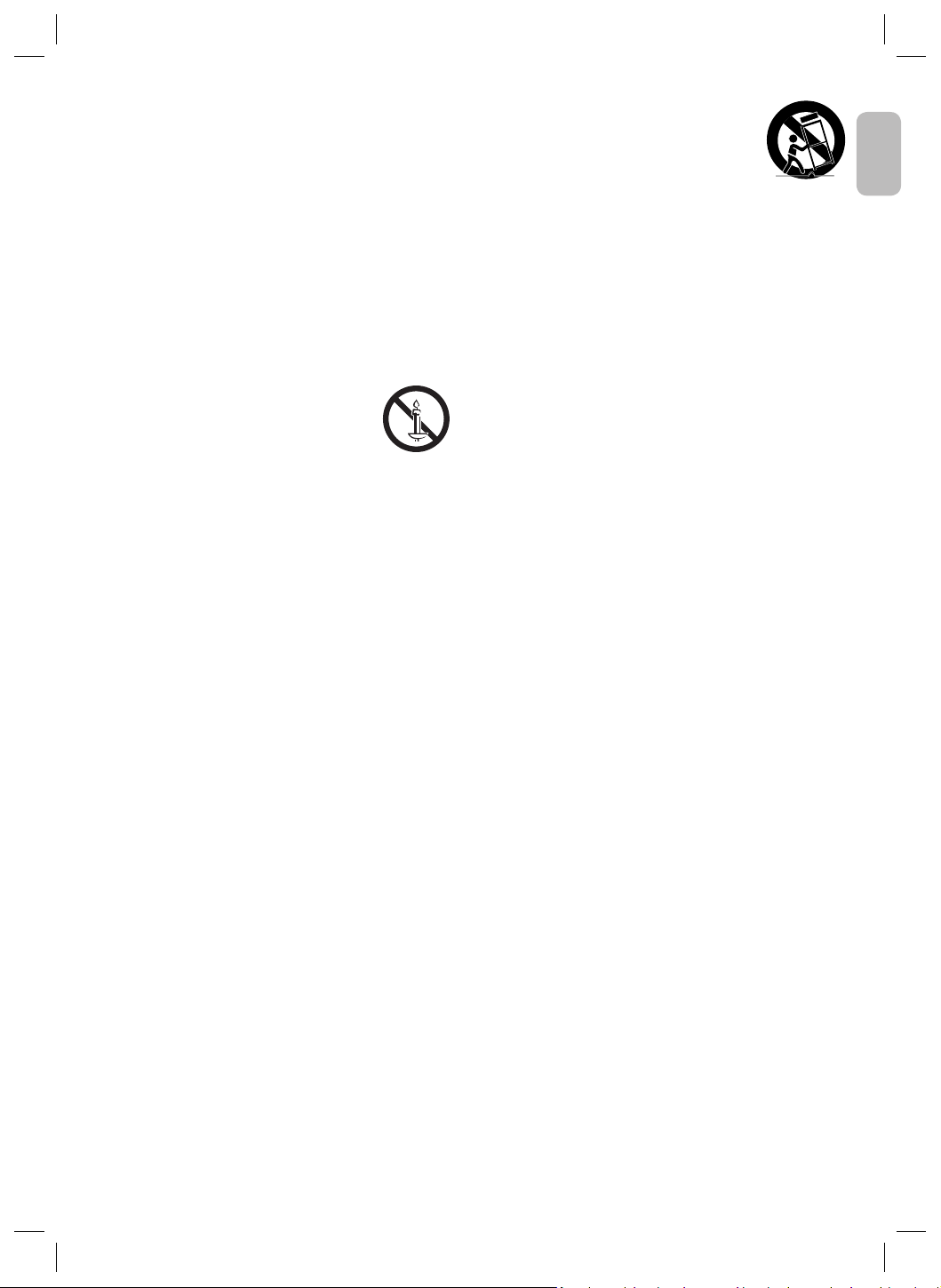
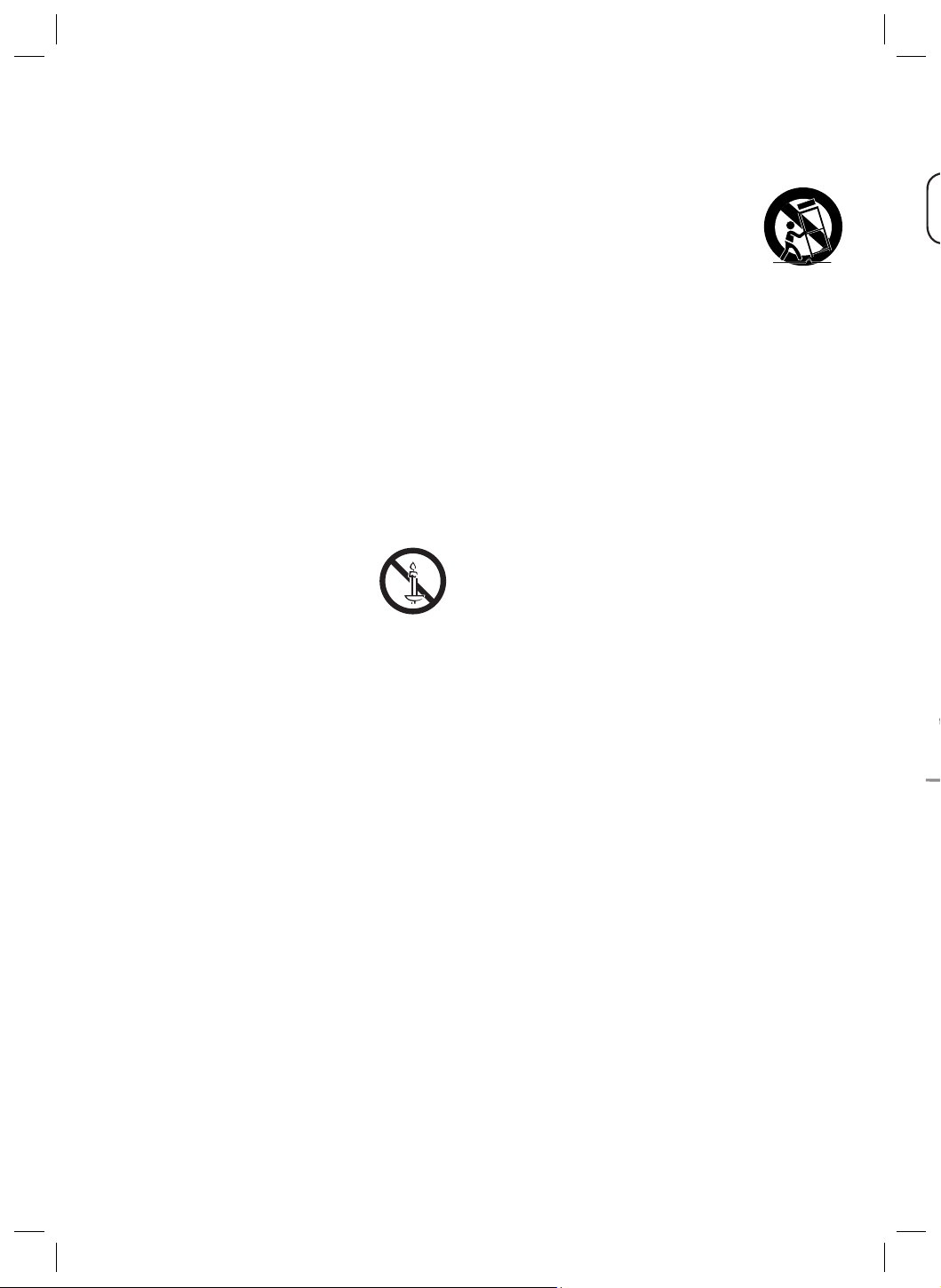
12. Use only with the cart, stand, tripod, bracket,
or table specied by the manufacturer, or
sold with the apparatus. When a cart is used,
use caution when moving the cart/apparatus
combination to avoid injury from tip-over.
13. Unplug this apparatus during lightning storms
or when unused for long periods of time.
14. Refer all servicing to qualied service personnel. Servicing is
required when the apparatus has been damaged in any way,
such as power-supply cord or plug is damaged, liquid has been
spilled or objects have fallen into the apparatus, the apparatus
has been exposed to rain or moisture, does not operate
normally, or has been dropped.
PRECAUTIONS
1. Ensure that the AC or DC power supply in your house complies
with the power requirements listed on the identication sticker
located on the back of your product. Install your product
horizontally, on a suitable base (furniture), with enough space
around it for ventilation (7~10 cm).
Make sure the ventilation slots are not covered. Do not place the
unit on ampliers or other equipment which may become hot.
This unit is designed for continuous use.
To fully turn off the unit, disconnect the AC plug from the wall
outlet.
2. Do not expose the unit to direct sunlight or other heat
sources. This could lead to overheating and cause the unit to
malfunction.
3. Unplug the Power cord from the AC wall socket if the unit
malfunctions. Your product is not intended for industrial use. It
is for personal use only. Condensation may occur if your product
has been stored in cold temperatures. If transporting the unit
during the winter, wait approximately 2 hours until the unit has
reached room temperature before using it.
4. If the electricity supplied to your home is rated at 240V AC, use
a suitable plug adapter to connect this unit to your electrical
outlets.
English - 5English - 4
01 CHECKING THE
COMPONENTS
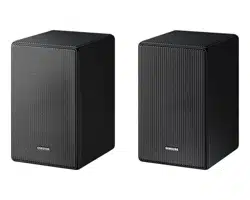
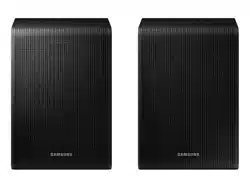
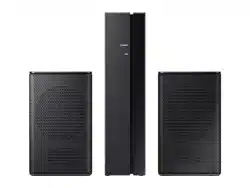
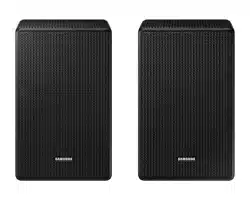
Surround Speaker X 2 (Left / Right) / Power Cord X 2
NOTES
• For more information about the power supply and power
consumption, refer to the label attached to the product.
(Label: Rear of the Main Unit)
• Design and specications are subject to change without prior
notice.
02 CONNECTING THE
SWA-9500S TO A
SOUNDBAR
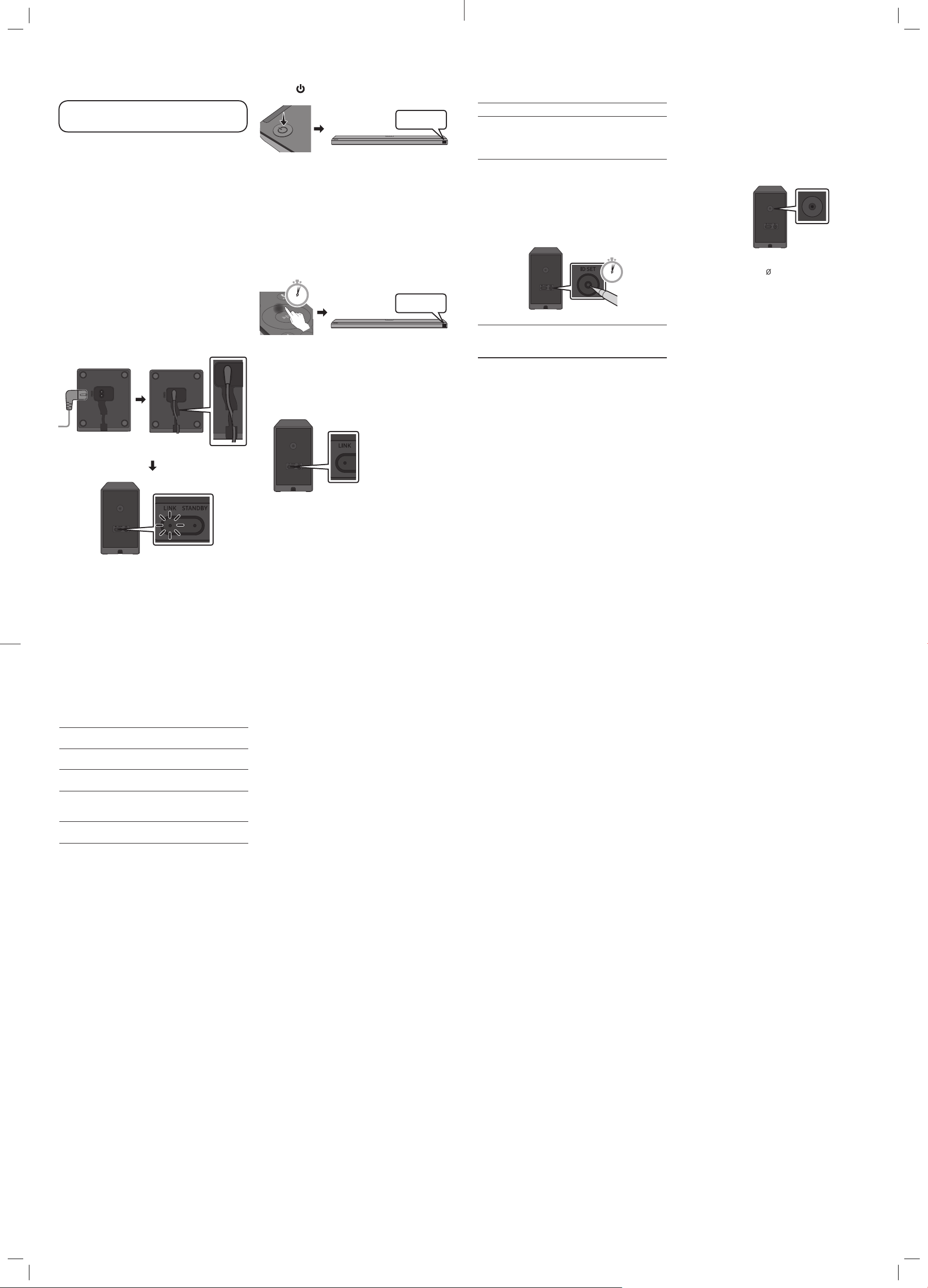
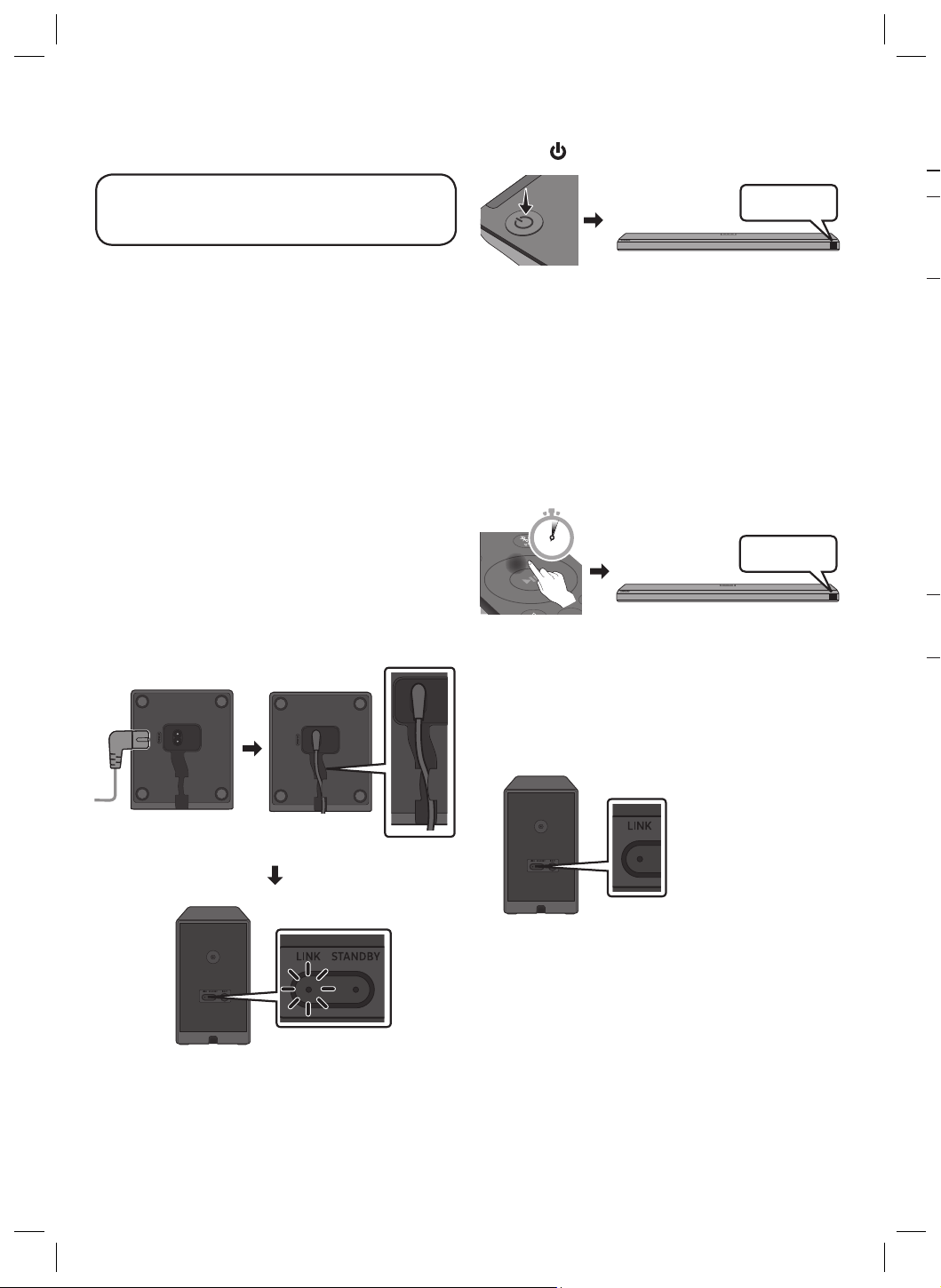
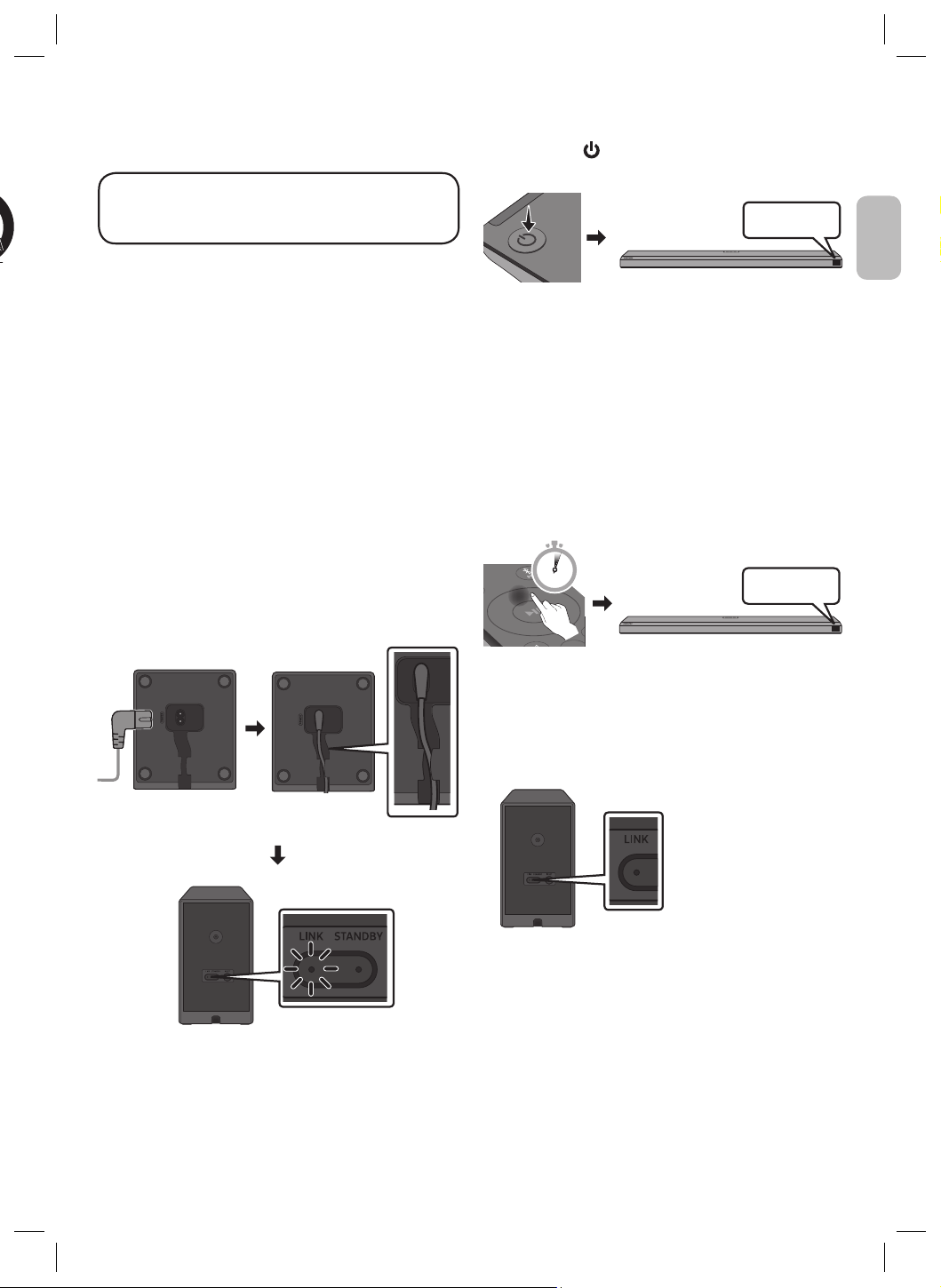
1. Check the standby status after plugging into
an electrical outlet
Plug the Surround Speakers power cord into an electrical outlet
and into the Surround Speakers to turn on the Surround Speakers.
The LINK LED indicator (blue LED) on the Surround Speakers blinks.
If the LED does not blink, refer to step 5.
Bottoms of the Left and Right Surround
Speakers
Blinking blue fast
Rear of the Left and Right
Surround Speakers
2. Turn off the Soundbar
Turn off the Soundbar using the Soundbar’s remote control or by
pressing the (Power) button on the main Soundbar unit.
BYE
• The image of the Soundbar may differ from your Soundbar,
depending on the model.
3. Congure “ID SET” using the Soundbar’s
remote control
Press the Up button on the Soundbar remote control for 5 seconds.
• The ID SET message appears on the Soundbar main unit’s display
for a short time and then disappears.
• After the ID SET process, the Soundbar power is automatically
turned on.
SOUND
MODE
PAIR
5 Sec
ID SET
• The image of the Soundbar may differ from your Soundbar,
depending on the model.
4. Check if the LINK LED is solid blue
(connection complete)
Stops blinking.
Glows blue.
Rear of the Left
and Right Surround
Speakers
The LINK LED indicator
stops blinking and glows
a solid blue when a
connection is established
between the Soundbar
and the Surround
Speakers.
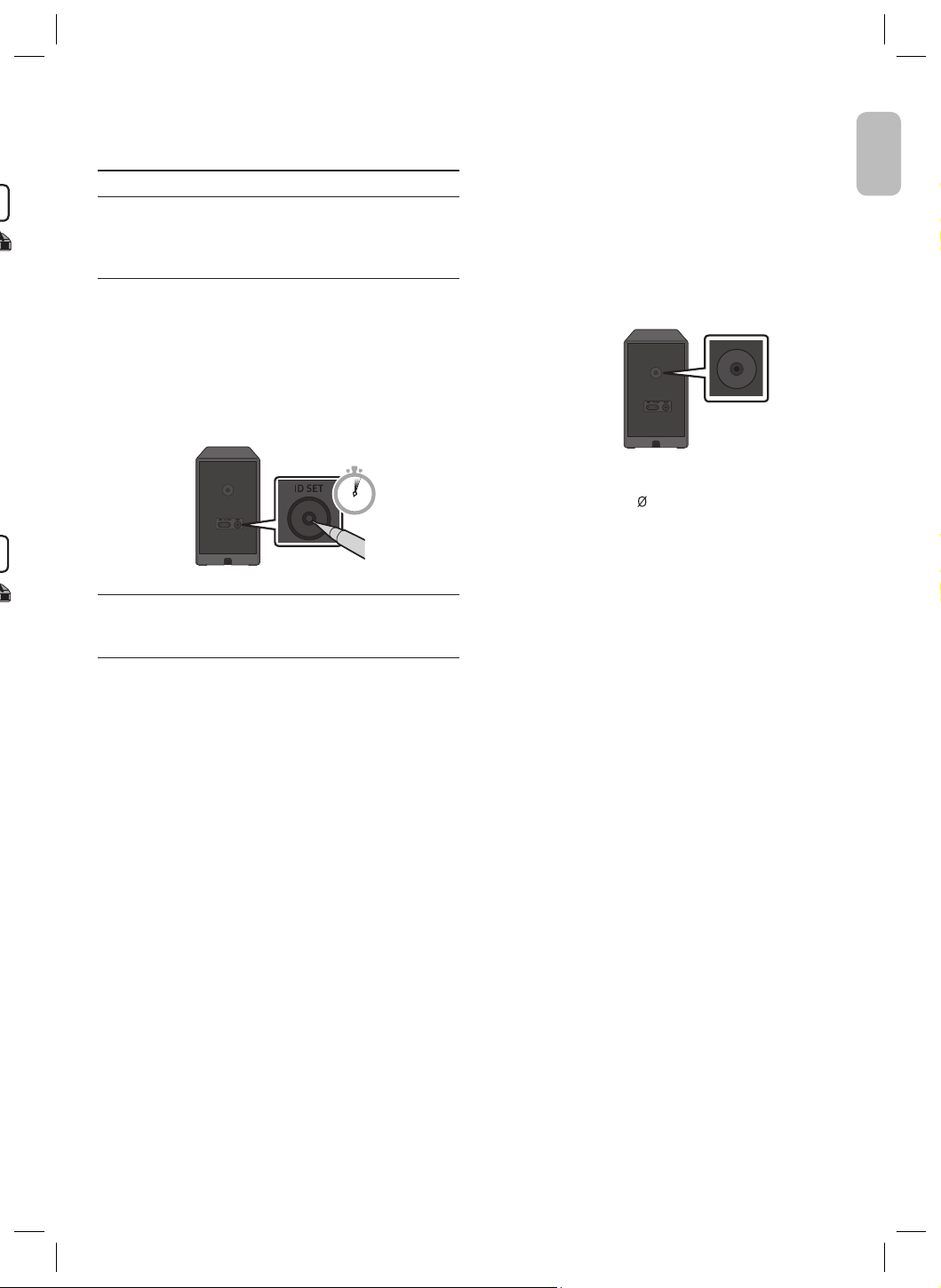
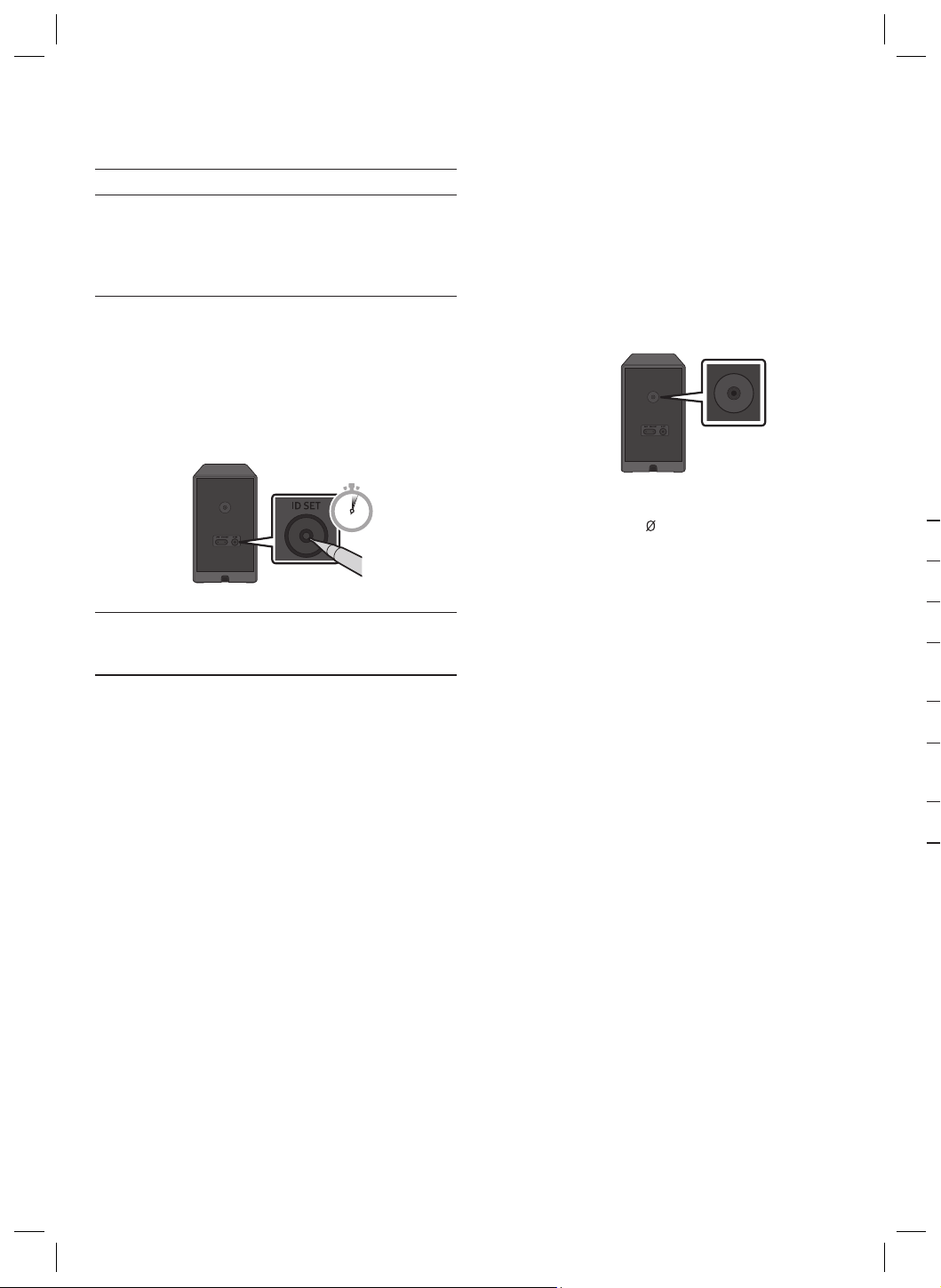
5. If the SWA-9500S does not connect, take
the necessary steps according to the LED
Indicator’s status
LINK (Blue) On : Successfully connected (normal operation).
LINK (Blue) Blinking : Recovering the connection.
• Check if the power cable attached to the main Soundbar unit
is connected properly or wait about 5 minutes.
• Repeat steps 2 through 4.
STANDBY (Red) On :
Standby (with the Soundbar main unit turned off).
• Check if the power cable attached to the main Soundbar unit
is connected properly.
Connection failed.
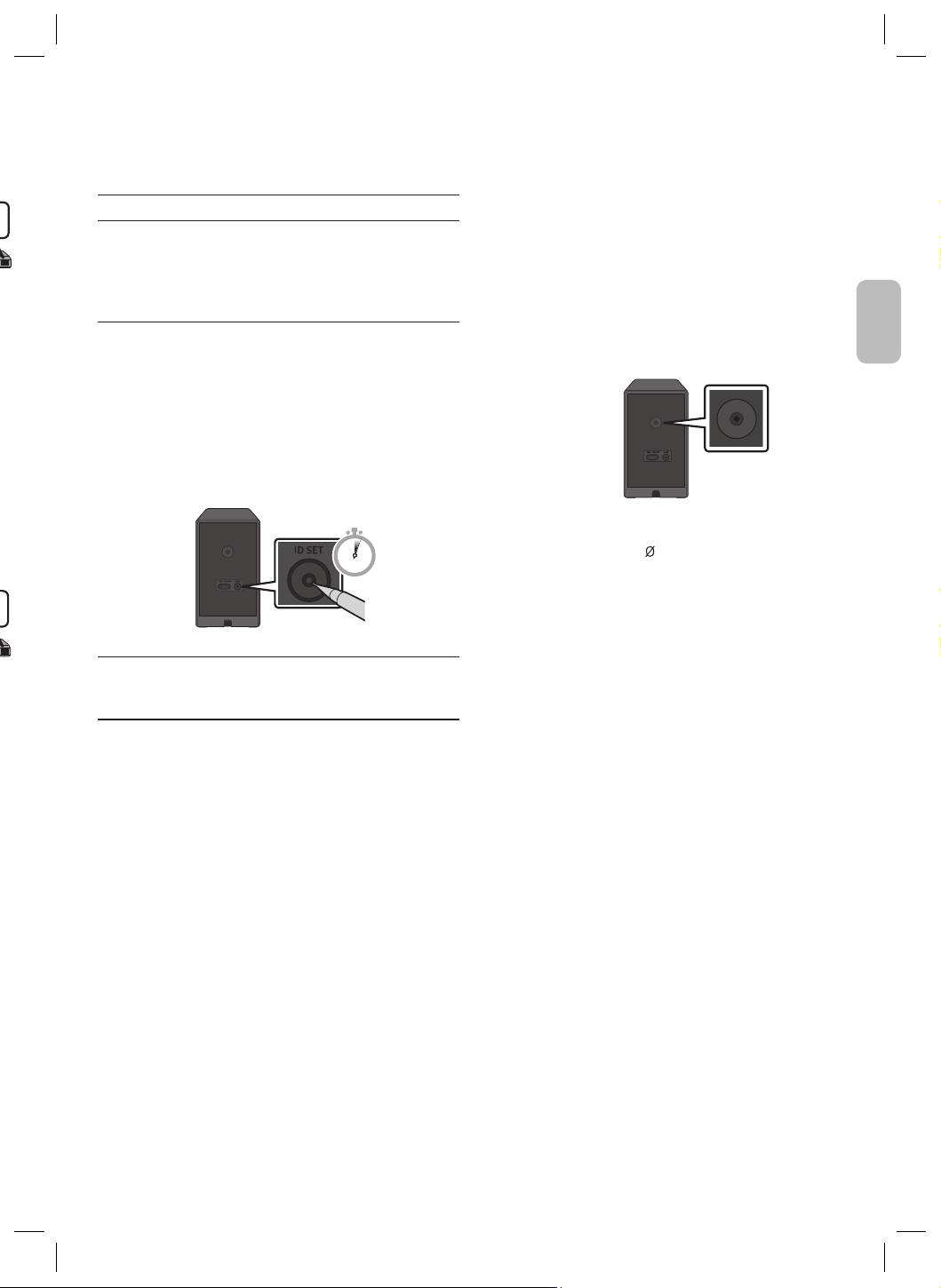
• 1. Press the ID SET button on the back of the Surround
Speakers with a pen tip for 5~6 seconds until the LINK LED
indicator blinks (in Blue).
5 Sec
2. Repeat steps 2 through 4.
Red and blue Blinking : Malfunction
• See the contact information for the Samsung Service Centre
in this manual.
English - 5English - 4
English
2. Turn off the Soundbar
Turn off the Soundbar using the Soundbar’s remote control or by
pressing the (Power) button on the main Soundbar unit.
BYE
• The image of the Soundbar may differ from your Soundbar,
depending on the model.
3. Congure “ID SET” using the Soundbar’s
remote control
Press the Up button on the Soundbar remote control for 5 seconds.
• The ID SET message appears on the Soundbar main unit’s display
for a short time and then disappears.
• After the ID SET process, the Soundbar power is automatically
turned on.
SOUND
MODE
PAIR
5 Sec
ID SET
• The image of the Soundbar may differ from your Soundbar,
depending on the model.
4. Check if the LINK LED is solid blue
(connection complete)
Stops blinking.
Glows blue.
Rear of the Left
and Right Surround
Speakers
The LINK LED indicator
stops blinking and glows
a solid blue when a
connection is established
between the Soundbar
and the Surround
Speakers.
5. If the SWA-9500S does not connect, take
the necessary steps according to the LED
Indicator’s status
LINK (Blue) On : Successfully connected (normal operation).
LINK (Blue) Blinking : Recovering the connection.
• Check if the power cable attached to the main Soundbar unit
is connected properly or wait about 5 minutes.
• Repeat steps 2 through 4.
STANDBY (Red) On :
Standby (with the Soundbar main unit turned off).
• Check if the power cable attached to the main Soundbar unit
is connected properly.
Connection failed.
• 1. Press the ID SET button on the back of the Surround
Speakers with a pen tip for 5~6 seconds until the LINK LED
indicator blinks (in Blue).
5 Sec
2. Repeat steps 2 through 4.
Red and blue Blinking : Malfunction
• See the contact information for the Samsung Service Centre
in this manual.
Installing the Surround Speakers on a
Wall (Optional)
You can purchase wall mounts separately to install the surround
speakers on a wall.
Wall mounts aren’t sold by Samsung.
Notes for Wall Mounting the Surround Speakers
• Surround Speaker wall mounts must be able to support more
than 8.0 kg.
• Hole size : 1/4 - 20 UNC threaded insert
Rear of the Left and Right Surround Speakers
– Standard Screw : 6.3 mm , 1.3 mm Pitch
– Length : 18.0 mm long
– Quantity : Left 1 EA / Right 1 EA
• Check the strength of the wall before you install the Wall Mount
Brackets. If the strength is insufcient, make sure to reinforce
the wall before installing the Wall Mount Brackets and the
speakers on the wall.
• Samsung is not liable for any damage to the product due to the
product being installed inappropriately.
• Take care not to install the speakers sideways or upside down.
03 COMPATIBLE MODELS
• Compatible with select Samsung Soundbar. Please visit the
Soundbar product page at www.samsung.com/support for more
information.
• Compatible model list is subject to change without further notice.
04 OPEN SOURCE LICENCE
NOTICE
To send inquiries and requests for questions regarding open
sources, contact Samsung Open Source (http://opensource.
samsung.com)
Deutsch - 2English - 6
05 IMPORTANT NOTE ABOUT
SERVICE
• An administration fee may be charged if either
(a) an engineer is called out at your request and there is no defect
with the product (i.e. where the user manual has not been
read)
(b) you bring the unit to a repair centre and there is no defect
with the product (i.e. where the user manual has not been
read).
• You will be informed of the administration fee amount before a
technician visits.
06 SPECIFICATIONS AND
GUIDE
Specications
Model Name
SWA-9500S
Weight
1.7 kg
Dimensions (W x H x D)
125.0 X 203.0 X 141.0 mm
Operating Temperature Range
+5°C to +35°C
Operating Humidity Range
10 % ~ 75 %
AMPLIFIER
Rated Output power
35W x 4
Frequency range
20Hz~20kHz
WIRELESS DEVICE OUTPUT POWER
SRD max transmitter power
25mW at 5.725GHz – 5.85GHz
Overall Standby Power Consumption (W)
1.0W
NOTES
• Samsung Electronics Co., Ltd reserves the right to change the
specications without notice.
• Weight and dimensions are approximate.
Hereby, Samsung declares that this radio equipment is in
compliance with Directive 2014/53/EU and the relevant UK
statutory requirements.
The full text of the declaration of conformity is available at the
following internet address: http://www.samsung.com go to
Support and enter the model name.
This equipment may be operated in all EU countries and in the UK.
Correct Disposal of This Product
(Waste Electrical & Electronic Equipment)
(Applicable in countries with separate collection systems)
This marking on the product, accessories or literature indicates
that the product and its electronic accessories (e.g. charger,
headset, USB cable) should not be disposed of with other
household waste at the end of their working life. To prevent
possible harm to the environment or human health from
uncontrolled waste disposal, please separate these items from
other types of waste and recycle them responsibly to promote
the sustainable reuse of material resources.
Household users should contact either the retailer where
they purchased this product, or their local government ofce,
for details of where and how they can take these items for
environmentally safe recycling.
Business users should contact their supplier and check the
terms and conditions of the purchase contract. This product
and its electronic accessories should not be mixed with other
commercial wastes for disposal.
For information on Samsung’s environmental commitments
and product specic regulatory obligations e.g. REACH, WEEE,
Batteries, visit: www.samsung.com/uk/aboutsamsung/
sustainability/environment/our-commitment/data/
SICHERHEITSINFORMATIONEN
Vielen Dank, dass Sie sich für dieses Produkt
(SWA-9500S) entschieden haben.
ZUR VERMEIDUNG VON STROMSCHLÄGEN DARF DIESES GERÄT
NICHT GEÖFFNET WERDEN.
ES ENTHÄLT KEINE BAUTEILE, DIE VOM BENUTZER GEWARTET ODER
REPARIERT WERDEN KÖNNEN. WARTUNGS- UND REPARATURARBEITEN
DÜRFEN NUR VON FACHPERSONAL AUSGEFÜHRT WERDEN.
In der nachstehenden Tabelle nden Sie eine Erklärung zu Symbolen,
die sich möglicherweise auf Ihrem Samsung-Produkt benden.
ACHTUNG
GEFAHR ELEKTRISCHER
SCHLÄGE! GERÄT NICHT
ÖFFNEN!
Dieses Symbol zeigt an, dass im Inneren
Hochspannung vorhanden ist. Es ist gefährlich,
Teile im Inneren dieses Bildschirms zu berühren.
Dieses Symbol weist darauf hin, dass diesem
Gerät wichtige Anweisungen zum Betrieb und
zur Wartung beigefügt sind.
Produkt der Klasse-II: Dieses Symbol zeigt
an, dass das Gerät keinen elektrischen
Erdungsanschluss (Masse) benötigt. Wenn dieses
Symbol bei einem Produkt mit Netzkabel nicht
vorhanden ist, MUSS das Produkt zuverlässig mit
einem Schutzleiter (Erde) verbunden sein.
Wechselspannung: Dieses Symbol zeigt an, dass es
sich bei der mit diesem Symbol gekennzeichneten
Nennspannung um eine Wechselspannung handelt.
Gleichspannung: Dieses Symbol zeigt an, dass es
sich bei der mit diesem Symbol gekennzeichneten
Nennspannung um eine Gleichspannung handelt.
Achtung! Gebrauchsanweisung beachten:
Dieses Symbol weist den Benutzer an, weitere
sicherheitsrelevante Informationen der
Gebrauchsanweisung zu entnehmen.
•
Die Schlitze und Öffnungen im Gehäuse und in der Rückwand
oder im Boden sind für die Belüftung erforderlich. Um den
zuverlässigen Betrieb des Geräts zu gewährleisten und es vor
Überhitzung zu schützen, dürfen diese Öffnungen keinesfalls
blockiert oder bedeckt werden.
– Stellen Sie das Gerät nicht in abgeschlossene Räume wie z.B. in
ein Bücherregal oder einen Einbauschrank. Dieser Einbau ist nur
dann zulässig, wenn für ausreichende Belüftung gesorgt wird.
–
Außerdem darf das Gerät keinesfalls in der Nähe oder über
einem Radiator oder Heizkörper aufgestellt werden, oder an
Orten, an denen es direkter Sonneneinstrahlung ausgesetzt ist.
– Stellen Sie keine Behälter (wie z. B. Vasen) mit Wasser auf
dieses Gerät. Ausgegossenes Wasser kann zu Brand und
Stromschlag führen.
Deutsch - 2
Deutsch
English - 6
Hereby, Samsung declares that this radio equipment is in
compliance with Directive 2014/53/EU and the relevant UK
statutory requirements.
The full text of the declaration of conformity is available at the
following internet address: http://www.samsung.com go to
Support and enter the model name.
This equipment may be operated in all EU countries and in the UK.
Correct Disposal of This Product
(Waste Electrical & Electronic Equipment)
(Applicable in countries with separate collection systems)
This marking on the product, accessories or literature indicates
that the product and its electronic accessories (e.g. charger,
headset, USB cable) should not be disposed of with other
household waste at the end of their working life. To prevent
possible harm to the environment or human health from
uncontrolled waste disposal, please separate these items from
other types of waste and recycle them responsibly to promote
the sustainable reuse of material resources.
Household users should contact either the retailer where
they purchased this product, or their local government ofce,
for details of where and how they can take these items for
environmentally safe recycling.
Business users should contact their supplier and check the
terms and conditions of the purchase contract. This product
and its electronic accessories should not be mixed with other
commercial wastes for disposal.
For information on Samsung’s environmental commitments
and product specic regulatory obligations e.g. REACH, WEEE,
Batteries, visit: www.samsung.com/uk/aboutsamsung/
sustainability/environment/our-commitment/data/
SICHERHEITSINFORMATIONEN
Vielen Dank, dass Sie sich für dieses Produkt
(SWA-9500S) entschieden haben.
ZUR VERMEIDUNG VON STROMSCHLÄGEN DARF DIESES GERÄT
NICHT GEÖFFNET WERDEN.
ES ENTHÄLT KEINE BAUTEILE, DIE VOM BENUTZER GEWARTET ODER
REPARIERT WERDEN KÖNNEN. WARTUNGS- UND REPARATURARBEITEN
DÜRFEN NUR VON FACHPERSONAL AUSGEFÜHRT WERDEN.
In der nachstehenden Tabelle nden Sie eine Erklärung zu Symbolen,
die sich möglicherweise auf Ihrem Samsung-Produkt benden.
ACHTUNG
GEFAHR ELEKTRISCHER
SCHLÄGE! GERÄT NICHT
ÖFFNEN!
Dieses Symbol zeigt an, dass im Inneren
Hochspannung vorhanden ist. Es ist gefährlich,
Teile im Inneren dieses Bildschirms zu berühren.
Dieses Symbol weist darauf hin, dass diesem
Gerät wichtige Anweisungen zum Betrieb und
zur Wartung beigefügt sind.
Produkt der Klasse-II: Dieses Symbol zeigt
an, dass das Gerät keinen elektrischen
Erdungsanschluss (Masse) benötigt. Wenn dieses
Symbol bei einem Produkt mit Netzkabel nicht
vorhanden ist, MUSS das Produkt zuverlässig mit
einem Schutzleiter (Erde) verbunden sein.
Wechselspannung: Dieses Symbol zeigt an, dass es
sich bei der mit diesem Symbol gekennzeichneten
Nennspannung um eine Wechselspannung handelt.
Gleichspannung: Dieses Symbol zeigt an, dass es
sich bei der mit diesem Symbol gekennzeichneten
Nennspannung um eine Gleichspannung handelt.
Achtung! Gebrauchsanweisung beachten:
Dieses Symbol weist den Benutzer an, weitere
sicherheitsrelevante Informationen der
Gebrauchsanweisung zu entnehmen.
•
Die Schlitze und Öffnungen im Gehäuse und in der Rückwand
oder im Boden sind für die Belüftung erforderlich. Um den
zuverlässigen Betrieb des Geräts zu gewährleisten und es vor
Überhitzung zu schützen, dürfen diese Öffnungen keinesfalls
blockiert oder bedeckt werden.
– Stellen Sie das Gerät nicht in abgeschlossene Räume wie z.B. in
ein Bücherregal oder einen Einbauschrank. Dieser Einbau ist nur
dann zulässig, wenn für ausreichende Belüftung gesorgt wird.
–
Außerdem darf das Gerät keinesfalls in der Nähe oder über
einem Radiator oder Heizkörper aufgestellt werden, oder an
Orten, an denen es direkter Sonneneinstrahlung ausgesetzt ist.
– Stellen Sie keine Behälter (wie z. B. Vasen) mit Wasser auf
dieses Gerät. Ausgegossenes Wasser kann zu Brand und
Stromschlag führen.
• Setzen Sie das Gerät keinesfalls Regen aus und stellen Sie es
nicht in der Nähe von Wasser auf (Badewanne, Küchenspüle,
feuchter Keller, Schwimmbecken usw.). Falls das Gerät
dennoch Nässe ausgesetzt wurde, trennen Sie es von der
Stromversorgung und wenden Sie sich umgehend an Ihren
örtlichen Vertreter.
• Überlasten Sie Steckdosen, Verlängerungskabel und Steckerleisten
keinesfalls, da dies zu einem Brand oder Stromschlag führen kann.
• Verlegen Sie die Netzkabel so, dass nicht auf sie getreten werden
kann oder das keine Gegenstände auf ihnen stehen. Achten Sie
besonders auf Kabel im Bereich der Stecker, Steckdosen und den
Kabelausgängen am Gerät.
• Zum Schutz des Geräts bei einem Gewitter oder längerem
Nichtbetrieb trennen Sie das Gerät vom Netz. Trennen Sie
darüber hinaus das Antennenkabel vom Gerät. Auf diese Weise
werden Schäden durch Blitzschlag oder Spannungsstöße
vermieden.
• Stellen Sie sicher, dass die Nennspannung des Netzteils für die
örtliche Stromversorgung geeignet ist, bevor Sie das Netzkabel
an die Stromversorgung anschließen.
• Stecken Sie keine Metallgegenstände in die Öffnungen des
Geräts. Dies kann zu Stromschlägen führen.
• Berühren Sie keinesfalls Bauteile im Geräteinneren, um
Stromschläge zu vermeiden. Das Gerät darf nur von einem
qualizierten Techniker geöffnet werden.
• Stellen Sie sicher, dass der Netzstecker fest in der Steckdose
sitzt. Ziehen Sie das Netzkabel nur am Stecker aus der Steckdose.
Ziehen Sie niemals am Netzkabel, um es aus der Steckdose zu
ziehen. Berühren Sie das Netzkabel nicht mit nassen Händen.
• Wenn das Gerät nicht einwandfrei funktioniert, insbesondere
beim Auftreten ungewöhnlicher Geräusche oder Gerüche
aus dem Inneren, trennen Sie es unverzüglich von der
Stromversorgung und wenden Sie sich umgehend an Ihren
autorisierten Händler oder den Kundendienst.
• Wartung des Gehäuses.
– Wenn Sie andere Komponenten an dieses Gerät anschließen,
müssen diese vorher abgeschaltet werden.
• Ziehen Sie den Netzstecker aus der Steckdose, wenn Sie
das Gerät für längere Zeit nicht benutzen oder wenn Sie das
Haus verlassen (insbesondere wenn sich Kinder, ältere oder
behinderte Personen allein im Haus benden).
– Staubansammlungen können zu Stromschlag, Kriechströmen
oder einem Brand führen, da es am Netzkabel zu Funkenbildung,
Überhitzung oder einer Verschlechterung der Isolierung kommen
kann.
• Wenden Sie sich an einen autorisierten Kundendienst, um
entsprechende Hinweise zu erhalten, wenn Sie das Gerät an
einen Ort mit extremer Staubbelastung, hohen oder niedrigen
Temperaturen, hoher Luftfeuchtigkeit oder an dem chemische
Substanzen auftreten aufstellen wollen oder wenn es 24
Stunden am Tag betrieben werden soll, wie z. B. an Flughäfen,
Bahnhöfen, usw. Falls Sie dies unterlassen, kann es zu einer
ernsthaften Beschädigung des Produkts kommen.
• Verwenden Sie ausschließlich richtig geerdete Stecker und
Steckdosen.
– Eine falsche Erdung kann zu Stromschlag oder Beschädigung
des Geräts führen. (Nur Geräte der Klasse I.)
Deutsch - 4Deutsch - 3
• Um das Gerät vollständig abzuschalten, muss der Netzstecker
aus der Steckdose gezogen werden. Aus diesem Grund müssen
die Steckdose und der Netzstecker jederzeit frei zugänglich sein.
• Halten Sie Kinder vom Gerät fern.
• Bewahren Sie das Zubehör (Batterien usw.) an einem für Kinder
nicht zugänglichen Ort auf.
• Stellen Sie das Gerät nicht an einem instabilen Ort, wie einem
instabilen Regal, auf einer schrägen Fläche oder an einem
Vibrationen ausgesetzten Ort auf.
• Das Gerät nicht fallen lassen oder Stößen aussetzen. Wenn das
Gerät beschädigt ist, das Netzkabel aus der Steckdose ziehen
und den Kundendienst benachrichtigen.
• Um das Gerät zu reinigen, das Netzkabel aus der Steckdose ziehen
und das Gerät mit einem weichen, trockenen Tuch abwischen.
Verwenden Sie keine Chemikalien, wie Wachs, Benzin, Alkohol,
Verdünner, Insektizide, Lufterfrischer, Schmiermittel oder
Detergentien. Diese Chemikalien können die Oberäche des Geräts
beschädigen oder die Beschriftung auf dem Gerät entfernen.
• Das Gerät keinem Spritz- oder Tropfwasser aussetzen. Keine mit
Flüssigkeiten gefüllten Behälter, wie Vasen, auf das Gerät stellen.
• Schließen Sie nicht mehrere elektrische Geräte an dieselbe
Steckdose an. Eine Überlastung der Steckdose kann zu
Überhitzung führen und einen Brand verursachen.
WARNUNG :
• UM DAS AUSBRECHEN EINES BRANDES ZU
VERHINDERN, DÜRFEN SICH KEINE KERZEN
UND ANDERE GEGENSTÄNDE MIT OFFENEM
FEUER IN DER NÄHE DES GERÄTS BEFINDEN.
• Schützen Sie das Gerät vor Regen und
Feuchtigkeit, um die Gefahr von Bränden oder Stromschlägen
zu verringern.
Wichtige Sicherheitshinweise
Lesen Sie diese Bedienungsanleitung sorgfältig durch, bevor
Sie das Gerät in Betrieb nehmen. Befolgen Sie alle folgenden
Sicherheitshinweise. Halten Sie sie diese Bedienungsanleitung zur
späteren Einsichtnahme griffbereit.
1. Lesen Sie diese Anweisungen.
2. Bewahren Sie diese Anweisungen auf.
3. Beachten Sie alle Warnhinweise.
4. Befolgen Sie alle Anweisungen.
5. Betreiben Sie das Gerät nicht in der Nähe von Wasser.
6. Nur mit einem trockenen Tuch reinigen.
7. Blockieren Sie nicht die Belüftungsöffnungen. Halten Sie sich
bei der Montage an die Anweisungen des Herstellers.
8. Nicht in der Nähe von Wärmequellen wie Heizkörpern,
Warmluftgittern, Öfen oder anderen Wärme erzeugenden
Apparaten (einschließlich AV-Receiver) aufstellen.
9. Nehmen Sie unter keinen Umständen Änderungen am gepolten
oder geerdeten Schutzkontaktstecker vor. Ein gepolter Stecker
verfügt über zwei Kontaktstifte, von denen einer breiter ist als
der andere. Ein geerdeter Stecker verfügt über zwei Stiften
sowie einen Erdungskontakt. Der breite Kontaktstift bzw. der
Erdungsstift wird aus Sicherheitsgründen verwendet. Falls der
vorhandene Stecker nicht in Ihre Steckdose passt, lassen Sie die
Steckdose durch einen qualizierten Elektriker austauschen.
10. Nicht auf das Netzkabel treten und insbesondere an den
Steckern, Steckerbuchsen und an der Stelle aus dem es aus dem
Gerät austritt nicht knicken.
11. Zubehör und/oder Zusatzgeräte dürfen nur mit Genehmigung
des Herstellers hinzugefügt werden.
12. Verwenden Sie für das Gerät nur Gestelle,
Ständer, Stative, Konsolen und Tische, die vom
Hersteller empfohlen oder in Verbindung mit
dem Gerät verkauft werden. Bei Verwendung
eines Transportwagens bewegen Sie das Gerät
nur mit äußerster Vorsicht, um Verletzungen
durch Umkippen zu vermeiden.
13. Trennen Sie das Gerät bei Gewitter oder längerer Abwesenheit
vom Stromnetz.
14. Überlassen Sie Reparaturarbeiten stets Fachleuten. Eine
Wartung ist immer dann erforderlich, wenn das Gerät auf
irgendeine Weise beschädigt wurde, beispielsweise bei
beschädigtem Netzkabel oder Stecker, bei in das Gerät
gelangter Flüssigkeit oder Objekten, wenn das Gerät Regen
oder Feuchtigkeit ausgesetzt war, nicht ordnungsgemäß
arbeitet oder fallen gelassen wurde.
HINWEISE
1. Stellen Sie sicher, dass die Stromversorgung in Ihrem Haushalt
den auf dem Etikett auf der Rückseite des Geräts angegebenen
Anforderungen entspricht. Platzieren Sie das Gerät in
waagerechter Position auf einem geeigneten Untergrund
(Möbelstück). Achten Sie dabei auf genügend Platz rund um
das Gerät (ca. 7 bis 10 cm), um eine ausreichende Belüftung zu
gewährleisten. Achten Sie darauf, dass die Belüftungsschlitze
frei bleiben. Platzieren Sie das Gerät nicht auf Verstärkern
oder sonstiger Ausrüstung, die heiß werden kann. Dieses Gerät
ist für den Dauerbetrieb bestimmt. Um das Gerät vollständig
auszuschalten, ziehen Sie den Netzstecker aus der Steckdose.
2. Setzen Sie das Gerät keiner direkten Sonneneinstrahlung
oder sonstigen Wärmequellen aus. Anderenfalls kann es zu
Überhitzung und Fehlfunktionen des Geräts kommen.
3. Trennen Sie das Stromkabel von der Netzsteckdose, wenn
Fehlfunktionen des Geräts auftreten. Das Gerät ist nicht für die
gewerbliche Nutzung bestimmt. Es darf ausschließlich privat
genutzt werden. Wenn Sie das Gerät kalten Temperaturen
ausgesetzt haben, kann sich Kondenswasser bilden. Wenn Sie
das Gerät im Winter transportieren, warten Sie etwa 2 Stunden,
bis das Gerät Zimmertemperatur erreicht hat, bevor Sie es
verwenden.
4. Wenn diese Stromversorgung bei 240 V AC verwendet wird, ist
ein geeigneter Zwischenstecker erforderlich.
01 ÜBERPRÜFEN DER
KOMPONENTEN
Surround-Lautsprecher X 2 (Links / Rechts) / Stromkabel X 2
HINWEISE
• Weitere Informationen zur benötigten Stromversorgung und
zum Stromverbrauch nden Sie auf dem Etikett am Gerät.0
(Aufkleber: Rückseite der Haupteinheit)
• Design und technische Daten können sich ohne vorherige
Ankündigung ändern.
02 SWA-9500S MIT
SOUNDBAR VERBINDEN
1. Nach Anschluss an eine Steckdose den
Standby-Status überprüfen
Schließen Sie das Netzkabel der Surround-Lautsprecher an
eine Steckdose und an den Surround-Lautsprechern an, um
diese einzuschalten. Die LINK-LED-Anzeige (blaue LED) am
Surround-Lautsprecher blinkt. Falls die LED nicht blinkt, nden Sie
Informationen dazu bei Schritt 5.
Unterseite der linken und rechten
Surround-Lautsprecher
Blinkt schnell in blau
Rückseite der linken und
rechten Surround-Lautsprecher
Deutsch - 4Deutsch - 3
Deutsch
10. Nicht auf das Netzkabel treten und insbesondere an den
Steckern, Steckerbuchsen und an der Stelle aus dem es aus dem
Gerät austritt nicht knicken.
11. Zubehör und/oder Zusatzgeräte dürfen nur mit Genehmigung
des Herstellers hinzugefügt werden.
12. Verwenden Sie für das Gerät nur Gestelle,
Ständer, Stative, Konsolen und Tische, die vom
Hersteller empfohlen oder in Verbindung mit
dem Gerät verkauft werden. Bei Verwendung
eines Transportwagens bewegen Sie das Gerät
nur mit äußerster Vorsicht, um Verletzungen
durch Umkippen zu vermeiden.
13. Trennen Sie das Gerät bei Gewitter oder längerer Abwesenheit
vom Stromnetz.
14. Überlassen Sie Reparaturarbeiten stets Fachleuten. Eine
Wartung ist immer dann erforderlich, wenn das Gerät auf
irgendeine Weise beschädigt wurde, beispielsweise bei
beschädigtem Netzkabel oder Stecker, bei in das Gerät
gelangter Flüssigkeit oder Objekten, wenn das Gerät Regen
oder Feuchtigkeit ausgesetzt war, nicht ordnungsgemäß
arbeitet oder fallen gelassen wurde.
HINWEISE
1. Stellen Sie sicher, dass die Stromversorgung in Ihrem Haushalt
den auf dem Etikett auf der Rückseite des Geräts angegebenen
Anforderungen entspricht. Platzieren Sie das Gerät in
waagerechter Position auf einem geeigneten Untergrund
(Möbelstück). Achten Sie dabei auf genügend Platz rund um
das Gerät (ca. 7 bis 10 cm), um eine ausreichende Belüftung zu
gewährleisten. Achten Sie darauf, dass die Belüftungsschlitze
frei bleiben. Platzieren Sie das Gerät nicht auf Verstärkern
oder sonstiger Ausrüstung, die heiß werden kann. Dieses Gerät
ist für den Dauerbetrieb bestimmt. Um das Gerät vollständig
auszuschalten, ziehen Sie den Netzstecker aus der Steckdose.
2. Setzen Sie das Gerät keiner direkten Sonneneinstrahlung
oder sonstigen Wärmequellen aus. Anderenfalls kann es zu
Überhitzung und Fehlfunktionen des Geräts kommen.
3. Trennen Sie das Stromkabel von der Netzsteckdose, wenn
Fehlfunktionen des Geräts auftreten. Das Gerät ist nicht für die
gewerbliche Nutzung bestimmt. Es darf ausschließlich privat
genutzt werden. Wenn Sie das Gerät kalten Temperaturen
ausgesetzt haben, kann sich Kondenswasser bilden. Wenn Sie
das Gerät im Winter transportieren, warten Sie etwa 2 Stunden,
bis das Gerät Zimmertemperatur erreicht hat, bevor Sie es
verwenden.
4. Wenn diese Stromversorgung bei 240 V AC verwendet wird, ist
ein geeigneter Zwischenstecker erforderlich.
01 ÜBERPRÜFEN DER
KOMPONENTEN
Surround-Lautsprecher X 2 (Links / Rechts) / Stromkabel X 2
HINWEISE
• Weitere Informationen zur benötigten Stromversorgung und
zum Stromverbrauch nden Sie auf dem Etikett am Gerät.0
(Aufkleber: Rückseite der Haupteinheit)
• Design und technische Daten können sich ohne vorherige
Ankündigung ändern.
02 SWA-9500S MIT
SOUNDBAR VERBINDEN
1. Nach Anschluss an eine Steckdose den
Standby-Status überprüfen
Schließen Sie das Netzkabel der Surround-Lautsprecher an
eine Steckdose und an den Surround-Lautsprechern an, um
diese einzuschalten. Die LINK-LED-Anzeige (blaue LED) am
Surround-Lautsprecher blinkt. Falls die LED nicht blinkt, nden Sie
Informationen dazu bei Schritt 5.
Unterseite der linken und rechten
Surround-Lautsprecher
Blinkt schnell in blau
Rückseite der linken und
rechten Surround-Lautsprecher
2. Schalten Sie die Soundbar aus
Schalten Sie die Soundbar mithilfe der Fernbedienung oder durch
Drücken der Taste (Strom) auf dem Hauptgerät der Soundbar
aus.
BYE
• Das auf der Soundbar bendliche Bild variiert je nach Modell.
3. Kongurieren Sie “ID SET” mithilfe der
Fernbedienung der Soundbar
Drücken Sie 5 Sekunden lang die Oben-Taste auf der Soundbar-
Fernbedienung.
• Für eine kurze Zeit wird die Meldung ID SET auf der Anzeige der
Soundbar-Haupteinheit angezeigt und dann wieder gelöscht.
• Nach dem ID SET -Vorgang wird die Soundbar automatisch
eingeschaltet.
SOUND
MODE
PAIR
5 Sec
ID SET
• Das auf der Soundbar bendliche Bild variiert je nach Modell.
4. Prüfen Sie, ob die LINK LED durchgängig blau
leuchtet (Verbindung hergestellt)
Hört zu blinken auf.
Leuchtet blau.
Rückseite der
linken und
rechten Surround-
Lautsprecher
Die LINK-LED-Anzeige hört
zu blinken auf und leuchtet
konstant blau, wenn eine
Verbindung zwischen
der Soundbar und den
Surround-Lautsprechern
hergestellt wurde.
Deutsch - 6Deutsch - 5
5. Wenn SWA-9500S sich nicht verbindet,
leiten Sie die je nach LED-Anzeigenstatus
notwendigen Schritte ein
LINK (Blau) An : Erfolgreich verbunden (normaler Betrieb).
LINK (Blau) Blinkt : Wiederherstellen der Verbindung.
• Überprüfen Sie, ob das an der Soundbar-Haupteinheit
angeschlossene Stromkabel richtig angeschlossen ist oder
warten Sie etwa 5 Minuten.
• Wiederholen Sie die Schritte 2 bis 4.
STANDBY (Rot) An :
Standby (bei ausgeschaltetem Hauptgerät der Soundbar).
• Überprüfen Sie, ob das an der Soundbar-Haupteinheit
angeschlossene Stromkabel richtig angeschlossen ist.
Verbindung fehlgeschlagen.
• 1. Drücken Sie die ID SET-Taste auf der Rückseite der
Surround-Lautsprecher mit einem Stift 5 bis 6 Sekunden
lang, bis die LINK-LED-Anzeige (blau) blinkt.
5 Sec
2. Wiederholen Sie die Schritte 2 bis 4.
Rot und blau blinken : Fehler
• Beachten Sie die Kontaktinformationen in diesem Handbuch
für das Samsung Servicezentrum.
Wandmontage der Surround-
Lautsprecher (Optional)
Wandhalterungen für die Montage der Surround-Lautsprecher an
einer Wand sind separat erhältlich. Wandhalterungen werden nicht
von Samsung verkauft.
Hinweise zur Wandmontage der Surround-
Lautsprecher
• Die Wandhalterungen für Surround-Lautsprecher müssen mehr
als 8,0 kg tragen.
• Lochgröße: 1/4 – 20 UNC mit Gewindeeinsatz
Rückseite der linken und rechten Surround-Lautsprecher
– Standardschraube: 6,3 mm , 1,3 mm Gewindesteigung
– Länge: 18,0 mm lang
– Menge: Links 1 EA/Rechts 1 EA
• Prüfen Sie die Wandstärke, bevor Sie die Wandhalterung
montieren. Wenn die Stärke nicht ausreicht, stellen Sie sicher,
die Wand vor der Installation der Wandhalterung und der
Lautsprecher an der Wand zu verstärken.
• Samsung ist für keinerlei Schäden am Gerät aufgrund
fehlerhafter Geräteinstallation haftbar.
• Achten Sie darauf, die Lautsprecher seitlich oder auf dem Kopf
stehend zu montieren.
03 KOMPATIBLE MODELLE
• Kompatibel mit ausgewählten Samsung Soundbars. Weitere
Informationen nden Sie auf der Soundbar-Produktseite unter
www.samsung.com/support.
• Die Liste der kompatiblen Modelle kann ohne weitere
Benachrichtigung geändert werden.
04 BEKANNTMACHUNG ZU
OPEN SOURCE LIZENZEN
Zum Senden von Anfragen und Anliegen betreffend Open Source
kontaktieren Sie Samsung Open Source
(http://opensource.samsung.com)
05 WICHTIGE HINWEISE ZUM
KUNDENDIENST
• Es kann eine Gebühr erhoben werden, wenn:
(a) Ein Techniker auf Ihre Anfrage bestellt wird und am Gerät kein
Defekt vorliegt (z. B. weil Sie diese Bedienungsanleitung nicht
gelesen haben).
(b) Sie das Gerät in einer Reparaturwerkstatt abgegeben
haben und am Gerät kein Defekt vorliegt (z. B. weil Sie diese
Bedienungsanleitung nicht gelesen haben).
• Die Höhe dieser Gebühr wird Ihnen mitgeteilt, bevor
irgendwelche Arbeiten durchgeführt werden oder der
Hausbesuch erfolgt.
06 SPEZIFIKATIONEN UND
LEITFADEN
Technische daten
Modellname
SWA-9500S
Gewicht
1,7 kg
Abmessungen (B × H × T)
125,0 X 203,0 X 141, 0 mm
Betriebstemperatur
+5°C bis +35°C
Zulässige Luftfeuchtigkeit
10 % bis 75 %
VERSTÄRKER
Nennausgangsleistung
35W x 4
Frequenzbereich
20 Hz bis 20 kHz
AUSGANGSLEISTUNG DES DRAHTLOSGERÄTS
SRD max. Transmitterleistung
25mW bei 5,725GHz – 5,85GHz
Gesamtstromverbrauch im Bereitschaftszustand (W)
1,0W
HINWEISE
• Samsung Electronics Co., Ltd behält sich das Recht auf
unangekündigte Änderungen vor.
• Gewicht und Abmessungen können von den Angaben
abweichen.
Deutsch - 6Deutsch - 5
Deutsch
Wandmontage der Surround-
Lautsprecher (Optional)
Wandhalterungen für die Montage der Surround-Lautsprecher an
einer Wand sind separat erhältlich. Wandhalterungen werden nicht
von Samsung verkauft.
Hinweise zur Wandmontage der Surround-
Lautsprecher
• Die Wandhalterungen für Surround-Lautsprecher müssen mehr
als 8,0 kg tragen.
• Lochgröße: 1/4 – 20 UNC mit Gewindeeinsatz
Rückseite der linken und rechten Surround-Lautsprecher
– Standardschraube: 6,3 mm , 1,3 mm Gewindesteigung
– Länge: 18,0 mm lang
– Menge: Links 1 EA/Rechts 1 EA
• Prüfen Sie die Wandstärke, bevor Sie die Wandhalterung
montieren. Wenn die Stärke nicht ausreicht, stellen Sie sicher,
die Wand vor der Installation der Wandhalterung und der
Lautsprecher an der Wand zu verstärken.
• Samsung ist für keinerlei Schäden am Gerät aufgrund
fehlerhafter Geräteinstallation haftbar.
• Achten Sie darauf, die Lautsprecher seitlich oder auf dem Kopf
stehend zu montieren.
03 KOMPATIBLE MODELLE
• Kompatibel mit ausgewählten Samsung Soundbars. Weitere
Informationen nden Sie auf der Soundbar-Produktseite unter
www.samsung.com/support.
• Die Liste der kompatiblen Modelle kann ohne weitere
Benachrichtigung geändert werden.
04 BEKANNTMACHUNG ZU
OPEN SOURCE LIZENZEN
Zum Senden von Anfragen und Anliegen betreffend Open Source
kontaktieren Sie Samsung Open Source
(http://opensource.samsung.com)
05 WICHTIGE HINWEISE ZUM
KUNDENDIENST
• Es kann eine Gebühr erhoben werden, wenn:
(a) Ein Techniker auf Ihre Anfrage bestellt wird und am Gerät kein
Defekt vorliegt (z. B. weil Sie diese Bedienungsanleitung nicht
gelesen haben).
(b) Sie das Gerät in einer Reparaturwerkstatt abgegeben
haben und am Gerät kein Defekt vorliegt (z. B. weil Sie diese
Bedienungsanleitung nicht gelesen haben).
• Die Höhe dieser Gebühr wird Ihnen mitgeteilt, bevor
irgendwelche Arbeiten durchgeführt werden oder der
Hausbesuch erfolgt.
06 SPEZIFIKATIONEN UND
LEITFADEN
Technische daten
Modellname
SWA-9500S
Gewicht
1,7 kg
Abmessungen (B × H × T)
125,0 X 203,0 X 141, 0 mm
Betriebstemperatur
+5°C bis +35°C
Zulässige Luftfeuchtigkeit
10 % bis 75 %
VERSTÄRKER
Nennausgangsleistung
35W x 4
Frequenzbereich
20 Hz bis 20 kHz
AUSGANGSLEISTUNG DES DRAHTLOSGERÄTS
SRD max. Transmitterleistung
25mW bei 5,725GHz – 5,85GHz
Gesamtstromverbrauch im Bereitschaftszustand (W)
1,0W
HINWEISE
• Samsung Electronics Co., Ltd behält sich das Recht auf
unangekündigte Änderungen vor.
• Gewicht und Abmessungen können von den Angaben
abweichen.
Hiermit erklärt Samsung, dass diese Radioausstattung der Direktive
2014/53/EU und den relevanten gesetzlichen Anforderungen von
Großbritannien konform ist.
Der vollständige Text der Konformitätserklärung ist unter folgender
Internetadresse verfügbar: http://www.samsung.com navigieren
Sie dort zu „Support“ und geben Sie den Modellnamen ein.
Dieses Gerät kann in allen Ländern in der EU und in Großbritannien
verwendet werden.
Korrekte Entsorgung von Altgeräten
(Elektroschrott)
(Gilt für Länder mit Abfalltrennsystemen)
Die Kennzeichnung auf dem Produkt, Zubehörteilen bzw. auf
der dazugehörigen Dokumentation gibt an, dass das Produkt
und Zubehörteile (z. B. Ladegerät,Kopfhörer, USB-Kabel)
nach ihrer Lebensdauer nicht zusammen mit dem normalen
Haushaltsmüll entsorgt werden dürfen. Entsorgen Sie dieses
Gerät und Zubehörteile bitte getrennt von anderen Abfällen,
um der Umwelt bzw. der menschlichen Gesundheit nicht durch
unkontrollierte Müllbeseitigung zu schaden. Helfen Sie mit, das
Altgerät und Zubehörteile fachgerecht zu entsorgen, um die
nachhaltige Wiederverwertung von stofichen Ressourcen zu
fördern.
Private Nutzer wenden sich an den Händler, bei dem das
Produkt gekauft wurde, oder kontaktieren die zuständigen
Behörden, um in Erfahrung zu bringen, wo Sie das Altgerät bzw.
Zubehörteile für eine umweltfreundliche Entsorgung abgeben
können.
Gewerbliche Nutzer wenden sich an ihren Lieferanten und
gehen nach den Bedingungen des Verkaufsvertrags vor.
Dieses Produkt und elektronische Zubehörteile dürfen nicht
zusammen mit anderem Gewerbemüll entsorgt werden.
Für Informationen über die Umweltverpichtungen und
produktspezischen regulatorischen Verpichtungen von
Samsung wie z. B. REACH, WEEE, Batterien, besuchen Sie:
www.samsung.com/uk/aboutsamsung/sustainability/
environment/our-commitment/data/
Nederlands - 3Nederlands - 2
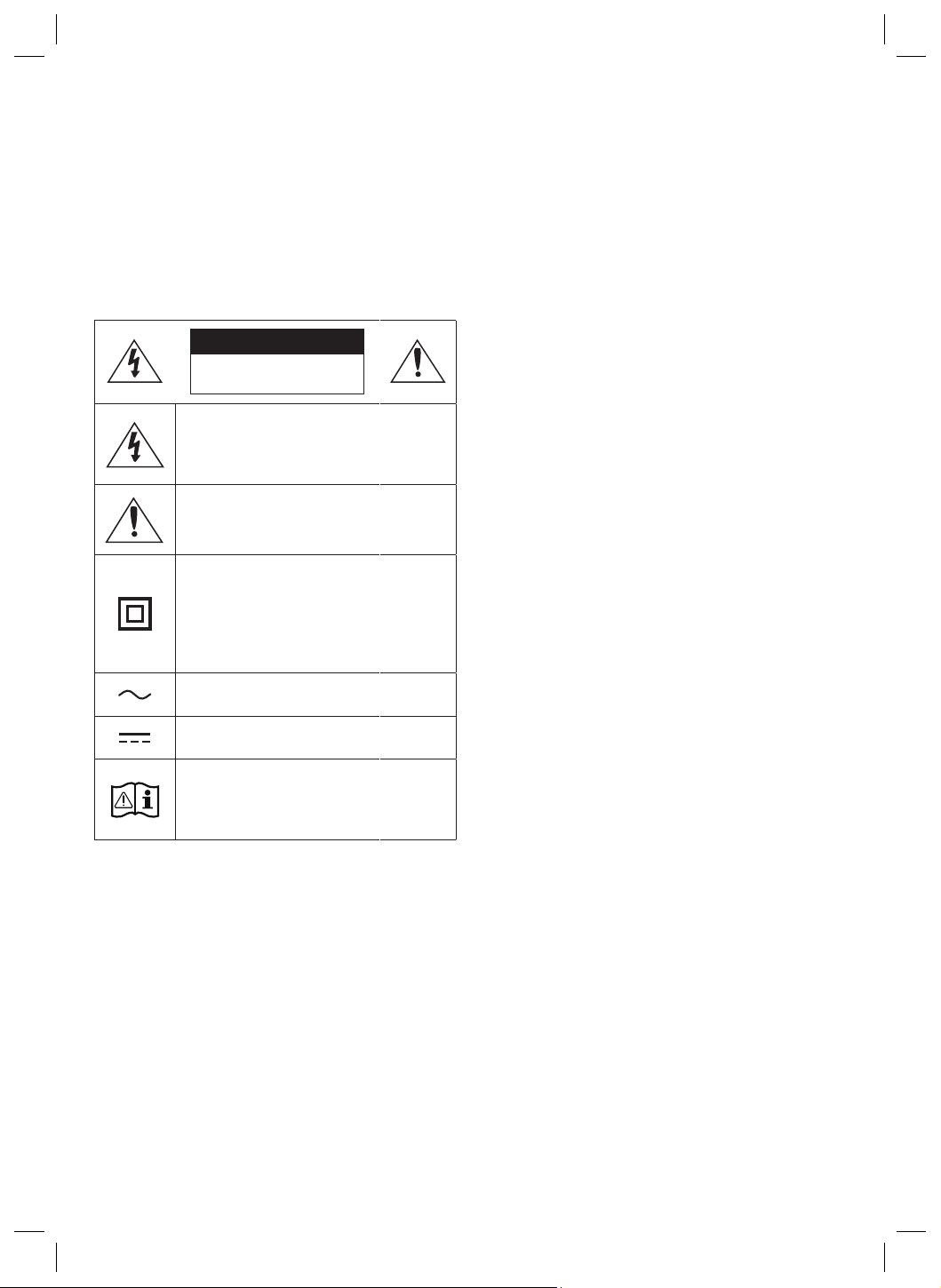
VEILIGHEIDSINFORMATIE
Hartelijk bedankt voor het aanschaffen van dit
product (SWA-9500S).
OPEN NOOIT DE BEHUIZING VAN DIT APPARAAT, WANT DAN
LOOPT U HET GEVAAR EEN ELEKTRISCHE SCHOK TE KRIJGEN.
DE BEHUIZING BEVAT GEEN ONDERDELEN DIE U ZELF KUNT
REPAREREN. LAAT ONDERHOUD OVER AAN DE VAKHANDEL.
Zie onderstaande tabel voor een verklaring van symbolen die zich
op uw Samsung-product kunnen bevinden.
LET OP
GEVAAR OP ELEKTRISCHE
SCHOKKEN. NIET OPENEN.
Dit symbool geeft aan dat de spanning binnen
in het apparaat hoog is.
Elk contact met onderdelen binnen in het
product is gevaarlijk.
Dit symbool geeft aan dat er belangrijke
informatie over het gebruik en onderhoud is
meegeleverd met dit product.
Klasse II-product: Dit symbool geeft aan dat
voor dit toestel geen veiligheidsaansluiting op
aarde (massa) is vereist. Als dit symbool niet
aanwezig is op een product met een netsnoer,
dan MOET het product een betrouwbare
aardingsaansluiting hebben.
Wisselspanning: Dit symbool geeft aan dat de
nominale spanning wisselspanning is.
Gelijkspanning: Dit symbool geeft aan dat de
nominale spanning gelijkspanning is.
Voorzichtig, raadpleeg de instructies voor
gebruik: Dit symbool geeft aan dat de gebruiker
de handleiding moet raadplegen voor meer
informatie over de veiligheid.
• De sleuven en openingen in de kast en aan de achterkant
of onderkant zijn bedoeld om de benodigde ventilatie te
bieden. Deze sleuven en opening mogen nooit geblokkeerd
of afgedekt worden, om een betrouwbare werking van het
apparaat te waarborgen en het apparaat te beschermen tegen
oververhitting.
– Plaats het apparaat niet in een krappe ruimte, zoals een
boekenkast of inbouwkast, tenzij voor toereikende ventilatie
wordt gezorgd.
– Plaats het apparaat niet bij of boven een radiator of
verwarmingsrooster, of op een plaats waar het wordt
blootgesteld aan direct zonlicht.
– Plaats geen potten, vazen, enzovoort met water op het
apparaat. Gemorst water kan brand of elektrische schokken
veroorzaken.
• Stel het apparaat niet bloot aan regen en plaats het niet in
de buurt van water (een badkuip, wasfontein, gootsteen
of wastobbe, in een vochtige kelder, of in de buurt van een
zwembad, enzovoort). Als het apparaat onverhoopt nat wordt,
moet u onmiddellijk de stekker uit het stopcontact halen en
contact opnemen met een geautoriseerde dealer.
• Stopcontacten, verlengkabels of adapters niet overbelasten,
aangezien dit kan resulteren in brand of elektrische schokken.
• Voedingskabels zodanig aanleggen dat de kans klein is dat
iemand erop stapt of dat ze worden afgeklemd door voorwerpen
die erop of ertegenaan worden geplaatst. Let vooral op het
uiteinde van de kabel aan het uiteinde bij de stekker, bij het
stopcontact, en op het punt waar deze uit het apparaat komt.
• Haal de stekker van het apparaat uit het stopcontact en haal de
antenne- of kabelaansluiting los om het apparaat te beschermen
tijdens een onweersbui of wanneer het langere tijd niet wordt
gebruikt en onbeheerd wordt achtergelaten.
Hiermee voorkomt u beschadiging van de set door blikseminslag
en stroompieken.
• Controleer voordat u het netsnoer aansluit op de gelijkstroomadapter
of de spanningsaanduiding op de gelijkstroomadapter overeenkomt
met de plaatselijke stroomvoorziening.
• Steek nooit metalen voorwerpen in de openingen van dit
apparaat. Dit kan gevaar van elektrische schokken opleveren.
• Raak de onderdelen in het apparaat nooit aan, om elektrische
schokken te vermijden. Het apparaat mag alleen worden
opengemaakt door een gekwaliceerde monteur.
• Zorg ervoor dat u de stekker stevig in het stopcontact steekt.
Trek wanneer u de stekker uit het stopcontact wilt halen altijd
aan de stekker. Probeer nooit de stekker uit het stopcontact te
halen door aan het snoer te trekken. Raak het netsnoer niet aan
met natte handen.
• Als het apparaat niet normaal functioneert, met name wanneer
het apparaat ongewone geluiden of een ongewone geur
verspreidt, moet u onmiddellijk de stekker uit het stopcontact
halen en contact opnemen met een geautoriseerde dealer of een
geautoriseerd servicecenter.
• Onderhoud van de behuizing.
– Schakel andere installatiecomponenten eerst uit voordat u
deze op het product aansluit.
• Haal de stekker uit het stopcontact als u het product langere tijd
niet gebruikt of als u het luis voor langere tijd verlaat (met name
als kinderen, ouderen of invaliden zonder toezicht in het huis
achterblijven).
– Een opeenhoping van stof kan leiden tot elektrische schokken,
elektrische lekkage of brand doordat het netsnoer vonken en
warmte af gaat geven of de isolatie verslechtert.
• Neem contact op met een geautoriseerd servicecentrum voor
meer informatie als u van plan bent het product te instelleren
op een plaats met veel stof, hoge of lage temperaturen, hoge
luchtvochtigheid, chemische stoffen, of waar het 24 uur per dag zal
worden gebruikt, zoals in een luchthaven, treinstation, enzovoort.
Als u dat niet doet, kan dit leiden tot ernstige schade aan uw product.
• Gebruik uitsluitend een naar behoren geaarde stekker en geaard
stopcontact.
– Een onjuiste aarding kan leiden tot elektrische schokken of
beschadiging van de apparatuur. (Alleen apparatuur van Klasse l.)
• Als u het apparaat volledig wilt uitschakelen, moet u de stekker
uit het stopcontact halen. Zorg er daarom voor dat de stekker en
het stopcontact altijd gemakkelijk bereikbaar zijn.
• Sta niet toe dat kinderen aan het product gaan hangen.
• Bewaar de toebehoren (batterijen, enzovoort) op een veilige
plaats, buiten het bereik van kinderen.
• Zet het product niet op een instabiele plaats, zoals een wiebelige plank,
een aopende vloer of een plaats die is blootgesteld aan trillingen.
• Het product niet laten vallen of aanstoten. Als het product is
beschadigd, moet u de stekker uit het stopcontact halen en
contact opnemen met een servicecenter.
• Als u het apparaat wilt schoonmaken, haalt u de stekker uit het
stopcontact en wrijft u het product af met een zachte, schone
doek. Gebruik geen chemische producten, zoals was, wasbenzine,
alcohol, verdunner, insecticide, luchtverfrisser, smeermiddel of
schoonmaakmiddel. Deze chemische stoffen kunnen het uiterlijk
van het product schaden en de aanduidingen op het product wissen.
• Stel dit apparaat niet bloot aan druppelend of spattend water. Plaats
geen met water gevulde objecten, zoals vazen, op het apparaat.
• Stop nooit meerdere elektrische apparaten in hetzelfde
stopcontact. Een overbelast stopcontact kan te heet worden,
waardoor brand kan ontstaan.
WAARSCHUWING :
• HOUD KAARSEN EN ANDERE VOORWERPEN
MET OPEN VUUR TE ALLEN TIJDE UIT
DE BUURT VAN HET PRODUCT OM HET
VERSPREIDEN VAN VUUR TE VOORKOMEN.
• Om het risico op brand of elektrische schokken
te beperken, dient u het apparaat niet aan regen of vocht bloot
te stellen.
Belangrijke veiligheidsinstructies
Lees deze bedieningsinstructies zorgvuldig door voordat u het
apparaat gebruikt. Volg elk van onderstaande veiligheidsinstructies.
Houd deze instructies bij de hand voor toekomstig gebruik.
1. Lees de volgende instructies door.
2. Bewaar deze instructies goed.
3. Let op alle waarschuwingen.
4. Volg alle instructies op.
5. Gebruik dit apparaat niet in de buurt van water.
6. Reinig het apparaat uitsluitend met een droge doek.
7. Houd de ventilatie-openingen vrij. Volg bij de installatie de
instructies van de fabrikant op.
8. Plaats het apparaat niet in de buurt van warmtebronnen zoals
radiatoren, verwarmingsroosters of andere apparaten die
warmte afgeven (met inbegrip van
AV-ontvangers).
9. Doe het veiligheidsdoel van de gepolariseerde stekker of
geaarde stekker niet teniet. Een gepolariseerde stekker heeft
twee pootjes, een dunne en een dikkere. Een geaarde stekker
heeft behalve twee pootjes nog een aardingspin. De brede
pen van de gepolariseerde stekker en de aardklem van de
geaarde stekker zijn bedoeld voor uw veiligheid. Als een stekker
niet in het stopcontact past, kunt u het beste een elektricien
raadplegen voor vervanging van het verouderde stopcontact.
Nederlands - 3Nederlands - 2
Nederlands
• Stel het apparaat niet bloot aan regen en plaats het niet in
de buurt van water (een badkuip, wasfontein, gootsteen
of wastobbe, in een vochtige kelder, of in de buurt van een
zwembad, enzovoort). Als het apparaat onverhoopt nat wordt,
moet u onmiddellijk de stekker uit het stopcontact halen en
contact opnemen met een geautoriseerde dealer.
• Stopcontacten, verlengkabels of adapters niet overbelasten,
aangezien dit kan resulteren in brand of elektrische schokken.
• Voedingskabels zodanig aanleggen dat de kans klein is dat
iemand erop stapt of dat ze worden afgeklemd door voorwerpen
die erop of ertegenaan worden geplaatst. Let vooral op het
uiteinde van de kabel aan het uiteinde bij de stekker, bij het
stopcontact, en op het punt waar deze uit het apparaat komt.
• Haal de stekker van het apparaat uit het stopcontact en haal de
antenne- of kabelaansluiting los om het apparaat te beschermen
tijdens een onweersbui of wanneer het langere tijd niet wordt
gebruikt en onbeheerd wordt achtergelaten.
Hiermee voorkomt u beschadiging van de set door blikseminslag
en stroompieken.
• Controleer voordat u het netsnoer aansluit op de gelijkstroomadapter
of de spanningsaanduiding op de gelijkstroomadapter overeenkomt
met de plaatselijke stroomvoorziening.
• Steek nooit metalen voorwerpen in de openingen van dit
apparaat. Dit kan gevaar van elektrische schokken opleveren.
• Raak de onderdelen in het apparaat nooit aan, om elektrische
schokken te vermijden. Het apparaat mag alleen worden
opengemaakt door een gekwaliceerde monteur.
• Zorg ervoor dat u de stekker stevig in het stopcontact steekt.
Trek wanneer u de stekker uit het stopcontact wilt halen altijd
aan de stekker. Probeer nooit de stekker uit het stopcontact te
halen door aan het snoer te trekken. Raak het netsnoer niet aan
met natte handen.
• Als het apparaat niet normaal functioneert, met name wanneer
het apparaat ongewone geluiden of een ongewone geur
verspreidt, moet u onmiddellijk de stekker uit het stopcontact
halen en contact opnemen met een geautoriseerde dealer of een
geautoriseerd servicecenter.
• Onderhoud van de behuizing.
– Schakel andere installatiecomponenten eerst uit voordat u
deze op het product aansluit.
• Haal de stekker uit het stopcontact als u het product langere tijd
niet gebruikt of als u het luis voor langere tijd verlaat (met name
als kinderen, ouderen of invaliden zonder toezicht in het huis
achterblijven).
– Een opeenhoping van stof kan leiden tot elektrische schokken,
elektrische lekkage of brand doordat het netsnoer vonken en
warmte af gaat geven of de isolatie verslechtert.
• Neem contact op met een geautoriseerd servicecentrum voor
meer informatie als u van plan bent het product te instelleren
op een plaats met veel stof, hoge of lage temperaturen, hoge
luchtvochtigheid, chemische stoffen, of waar het 24 uur per dag zal
worden gebruikt, zoals in een luchthaven, treinstation, enzovoort.
Als u dat niet doet, kan dit leiden tot ernstige schade aan uw product.
• Gebruik uitsluitend een naar behoren geaarde stekker en geaard
stopcontact.
– Een onjuiste aarding kan leiden tot elektrische schokken of
beschadiging van de apparatuur. (Alleen apparatuur van Klasse l.)
• Als u het apparaat volledig wilt uitschakelen, moet u de stekker
uit het stopcontact halen. Zorg er daarom voor dat de stekker en
het stopcontact altijd gemakkelijk bereikbaar zijn.
• Sta niet toe dat kinderen aan het product gaan hangen.
• Bewaar de toebehoren (batterijen, enzovoort) op een veilige
plaats, buiten het bereik van kinderen.
• Zet het product niet op een instabiele plaats, zoals een wiebelige plank,
een aopende vloer of een plaats die is blootgesteld aan trillingen.
• Het product niet laten vallen of aanstoten. Als het product is
beschadigd, moet u de stekker uit het stopcontact halen en
contact opnemen met een servicecenter.
• Als u het apparaat wilt schoonmaken, haalt u de stekker uit het
stopcontact en wrijft u het product af met een zachte, schone
doek. Gebruik geen chemische producten, zoals was, wasbenzine,
alcohol, verdunner, insecticide, luchtverfrisser, smeermiddel of
schoonmaakmiddel. Deze chemische stoffen kunnen het uiterlijk
van het product schaden en de aanduidingen op het product wissen.
• Stel dit apparaat niet bloot aan druppelend of spattend water. Plaats
geen met water gevulde objecten, zoals vazen, op het apparaat.
• Stop nooit meerdere elektrische apparaten in hetzelfde
stopcontact. Een overbelast stopcontact kan te heet worden,
waardoor brand kan ontstaan.
WAARSCHUWING :
• HOUD KAARSEN EN ANDERE VOORWERPEN
MET OPEN VUUR TE ALLEN TIJDE UIT
DE BUURT VAN HET PRODUCT OM HET
VERSPREIDEN VAN VUUR TE VOORKOMEN.
• Om het risico op brand of elektrische schokken
te beperken, dient u het apparaat niet aan regen of vocht bloot
te stellen.
Belangrijke veiligheidsinstructies
Lees deze bedieningsinstructies zorgvuldig door voordat u het
apparaat gebruikt. Volg elk van onderstaande veiligheidsinstructies.
Houd deze instructies bij de hand voor toekomstig gebruik.
1. Lees de volgende instructies door.
2. Bewaar deze instructies goed.
3. Let op alle waarschuwingen.
4. Volg alle instructies op.
5. Gebruik dit apparaat niet in de buurt van water.
6. Reinig het apparaat uitsluitend met een droge doek.
7. Houd de ventilatie-openingen vrij. Volg bij de installatie de
instructies van de fabrikant op.
8. Plaats het apparaat niet in de buurt van warmtebronnen zoals
radiatoren, verwarmingsroosters of andere apparaten die
warmte afgeven (met inbegrip van
AV-ontvangers).
9. Doe het veiligheidsdoel van de gepolariseerde stekker of
geaarde stekker niet teniet. Een gepolariseerde stekker heeft
twee pootjes, een dunne en een dikkere. Een geaarde stekker
heeft behalve twee pootjes nog een aardingspin. De brede
pen van de gepolariseerde stekker en de aardklem van de
geaarde stekker zijn bedoeld voor uw veiligheid. Als een stekker
niet in het stopcontact past, kunt u het beste een elektricien
raadplegen voor vervanging van het verouderde stopcontact.
10. Zorg ervoor dat de kabel niet wordt beschadigd; let vooral
op stekkers, stopcontacten en de plek waar de kabel aan het
apparaat vastzit.
11. Maak uitsluitend gebruik van aansluitingen/accessoires die
door de fabrikant worden aanbevolen.
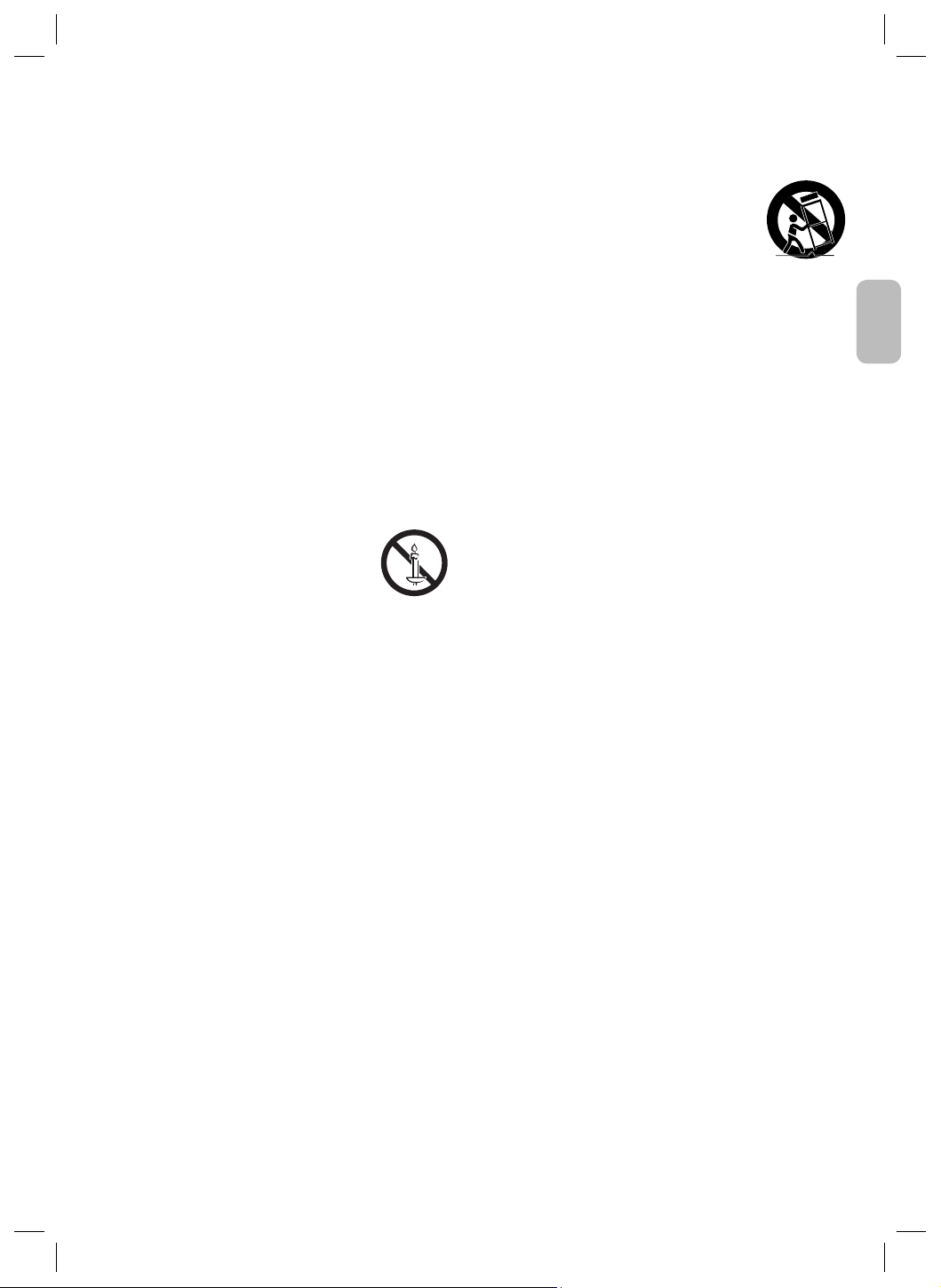
12. Gebruik het apparaat alleen op een karretje,
standaard, driepoot, steun of tafel die door
de fabrikant is opgegeven of die bij het
apparaat wordt verkocht. Wees voorzichtig
om het apparaat te verplaatsen wanneer u
een karretje gebruikt, om te voorkomen dat het toestel of het
karretje kantelt en eventueel tot verwondingen leidt.
13. Haal de stekker van het apparaat uit het stopcontact tijdens
onweer met bliksem of wanneer het apparaat langere tijd niet
worden gebruikt.
14. Laat onderhoud en reparaties over aan een gekwaliceerde
monteur. Reparaties zijn nodig als het apparaat is beschadigd,
bijvoorbeeld als het stroomsnoer of de stekker is beschadigd,
vloeistof op het apparaat is gemorst of voorwerpen in het
apparaat zijn gevallen, het apparaat is blootgesteld aan regen
of vocht, het apparaat niet normaal werkt of het apparaat is
gevallen.
VOORZORGSMAATREGELEN
1. Zorg ervoor dat de wisselstroom- of gelijkstroomvoorziening
in uw huis voldoet aan de stroomvereisten die zijn vermeld op
het identicatie-etiket op de achterkant van het product. Plaats
het product horizontaal op een geschikt oppervlak (meubel) en
laat voldoende ruimte rondom het product voor ventilatie (7-10
cm). Zorg ervoor dat de ventilatieopeningen niet zijn afgedekt.
Plaats het apparaat niet op versterkers of andere apparaten
die heel warm kunnen worden. Dit apparaat is ontworpen voor
continu gebruik. Haal de stekker uit het stopcontact om het
apparaat volledig uit te schakelen.
2. Stel het apparaat niet bloot aan direct zonlicht of andere
warmtebronnen. Hierdoor kan het immers oververhit raken
waardoor het niet meer naar behoren werkt.
3. Haal de stekker van het netsnoer uit het stopcontact als
het apparaat niet naar behoren werkt. Het product is niet
bedoeld voor industrieel gebruik. Het is alleen voor persoonlijk
gebruik bedoeld. Er kan condens ontstaan als het product
in een koude omgeving is bewaard. Als u het apparaat in de
winter vervoert, wacht u ongeveer 2 uren tot het apparaat de
kamertemperatuur heeft bereikt alvorens u het gebruikt.
4. Als deze voeding wordt gebruikt met 240V AC, moet een
geschikte adapter worden gebruikt.
Nederlands - 5Nederlands - 4
01 DE COMPONENTEN
CONTROLEREN
Surround-luidspreker X 2 (links / Rechts) / Stroomkabel X 2
OPMERKINGEN
• Meer informatie over de vereiste elektriciteit en het
stroomverbruik vindt u op het etiket op het product.
(Etiket: Achterkant van de hoofdeenheid)
• Ontwerp en specicaties kunnen zonder voorafgaande
kennisgeving worden gewijzigd.
02 SWA-9500S VERBINDEN
MET SOUNDBAR
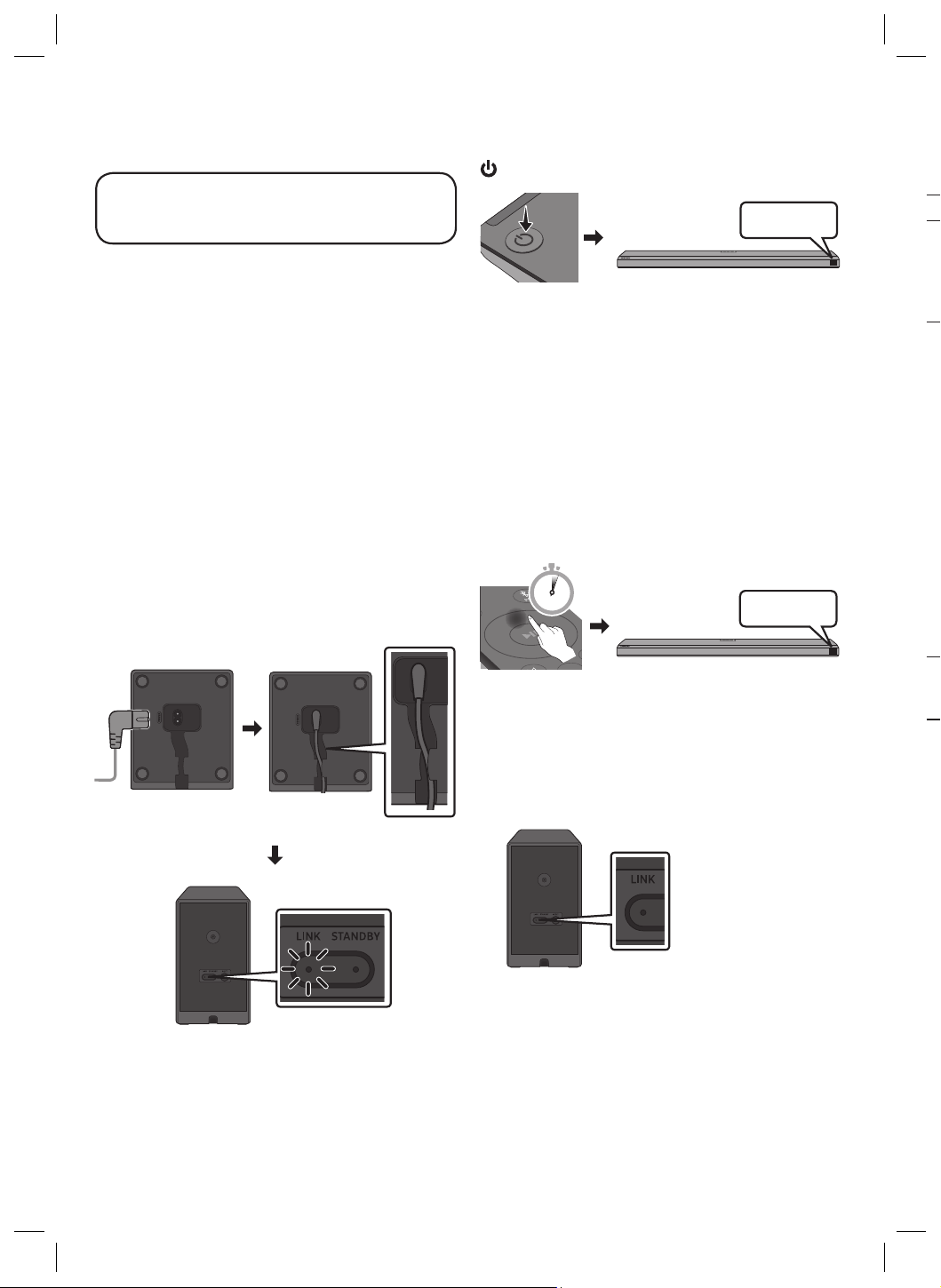
1. Controleer de stand-bystatus nadat de
stekker in het stopcontact is gestoken
Steek de stroomkabel van de surround-luidsprekers in een
stopcontact en in de surround-luidsprekers om de surround-
luidsprekers in te schakelen. Het indicatielampje LINK LED (blauwe
LED) op de surround-luidsprekers knippert. Als de LED niet
knippert, raadpleeg stap 5.
Onderkant van de linker en rechter
surround-luidspreker
Snel blauw knipperend
Achterkant van de linker en
rechter surround-luidspreker
2. De Soundbar uitzetten
Schakel de Soundbar uit met de afstandsbediening van de
Soundbar door op de hoofdunit van de Soundbar op de knop
(Aan/uit) te drukken.
BYE
• De afbeelding van de Soundbar kan van uw Soundbar
verschillen, afhankelijk van het model.
3. “ID SET” congureren met de
afstandsbediening van de Soundbar
Druk 5 seconden op de Omhoog-knop op de afstandsbediening
van de Soundbar.
• De melding ID SET verschijnt korte tijd op het display van de
hoofdunit van de Soundbar en gaat dan weer weg.
• Na het ID SET -proces wordt de Soundbar automatisch
ingeschakeld.
SOUND
MODE
PAIR
5 Sec
ID SET
• De afbeelding van de Soundbar kan van uw Soundbar
verschillen, afhankelijk van het model.
4. Controleer of LINK LED stabiel blauw schijnt
(verbinding voltooid)
Stopt met knipperen.
Blijft blauw.
Achterkant van de
linker en rechter
surround-luidspreker
Het LINK LED-lampje
stopt met knipperen
en is continu blauw als
de verbinding tussen
de Soundbar en de
surround-luidsprekers
tot stand is gekomen.
5. Indien de SWA-9500S geen verbinding
maakt, neemt u aan de hand van de status
van de LED-verbindingsindicator de nodige
stappen
LINK (blauw) aan : Met succes aangesloten (normale werking).
LINK (blauw) knippert : De verbinding herstellen.
• Controleer of het netsnoer dat is aangesloten op de
hoofdeenheid van de Soundbar goed is aangesloten of wacht
ongeveer 5 minuten.
• Herhaal stap 2 tot 4.
STANDBY (rood) aan :
Stand-by (met de hoofdeenheid van de Soundbar
uitgeschakeld).
• Controleer of de stroomkabel aan de hoofdeenheid van de
Soundbar goed is aangesloten.
Verbinding mislukt.
• 1. Houd de knop ID SET op de achterkant van de surround-
luidsprekers 5 - 6 seconden ingedrukt met de punt van een
pen totdat het indicatielampje LINK knippert (blauw).
5 Sec
2. Herhaal stap 2 tot 4.
Rood en blauw knipperen : Storing
• Raadpleeg de contactgegevens van het Samsung
Servicecenter in deze handleiding.
Nederlands - 5Nederlands - 4
Nederlands
2. De Soundbar uitzetten
Schakel de Soundbar uit met de afstandsbediening van de
Soundbar door op de hoofdunit van de Soundbar op de knop
(Aan/uit) te drukken.
BYE
• De afbeelding van de Soundbar kan van uw Soundbar
verschillen, afhankelijk van het model.
3. “ID SET” congureren met de
afstandsbediening van de Soundbar
Druk 5 seconden op de Omhoog-knop op de afstandsbediening
van de Soundbar.
• De melding ID SET verschijnt korte tijd op het display van de
hoofdunit van de Soundbar en gaat dan weer weg.
• Na het ID SET -proces wordt de Soundbar automatisch
ingeschakeld.
SOUND
MODE
PAIR
5 Sec
ID SET
• De afbeelding van de Soundbar kan van uw Soundbar
verschillen, afhankelijk van het model.
4. Controleer of LINK LED stabiel blauw schijnt
(verbinding voltooid)
Stopt met knipperen.
Blijft blauw.
Achterkant van de
linker en rechter
surround-luidspreker
Het LINK LED-lampje
stopt met knipperen
en is continu blauw als
de verbinding tussen
de Soundbar en de
surround-luidsprekers
tot stand is gekomen.
5. Indien de SWA-9500S geen verbinding
maakt, neemt u aan de hand van de status
van de LED-verbindingsindicator de nodige
stappen
LINK (blauw) aan : Met succes aangesloten (normale werking).
LINK (blauw) knippert : De verbinding herstellen.
• Controleer of het netsnoer dat is aangesloten op de
hoofdeenheid van de Soundbar goed is aangesloten of wacht
ongeveer 5 minuten.
• Herhaal stap 2 tot 4.
STANDBY (rood) aan :
Stand-by (met de hoofdeenheid van de Soundbar
uitgeschakeld).
• Controleer of de stroomkabel aan de hoofdeenheid van de
Soundbar goed is aangesloten.
Verbinding mislukt.
• 1. Houd de knop ID SET op de achterkant van de surround-
luidsprekers 5 - 6 seconden ingedrukt met de punt van een
pen totdat het indicatielampje LINK knippert (blauw).
5 Sec
2. Herhaal stap 2 tot 4.
Rood en blauw knipperen : Storing
• Raadpleeg de contactgegevens van het Samsung
Servicecenter in deze handleiding.
De surround-luidsprekers aan de muur
bevestigen (optioneel)
U kunt apart muurbevestiging aanschaffen als u de surround-
luidsprekers aan de muur wilt bevestigen. Samsung verkoopt geen
muurbevestiging.
Houd rekening met het volgende bij het
bevestigen van de surround-luidsprekers aan
de muur
• De muurbevestigingen voor de surround-luidsprekers moeten
minimaal 8,0 kg kunnen dragen.
• Afmeting van opening: 1/4 - 20 UNC schroefdraadbevestiging
Achterkant van de linker en rechter surround-luidspreker
– Standaardschroef: 6,3 mm , 1,3 mm hoogte
– Lengte: 18,0 mm lang
– Aantal: Links 1 st/Rechts 1 st
• Controleer de draagkracht van de muur voordat u de
muurbevestigingsbeugels bevestigt. Als er niet voldoende
draagkracht is, versterk dan de muur voordat u de
muurbevestigingsbeugels en de luidsprekers aan de muur
bevestigt.
• Samsung is niet aansprakelijk voor enige schade aan het product
als het product niet op de juiste wijze wordt bevestigd.
• Let erop dat u het product niet zijwaarts of ondersteboven
bevestigt.
03 COMPATIBELE MODELLEN
• Compatibel met bepaalde Samsung Soundbars. Ga naar de
Soundbar productpagina op www.samsung.com/support voor
meer informatie.
• De lijst met compatibele modellen kan zonder verdere
kennisgeving worden gewijzigd.
04 KENNISGEVING OPEN
SOURCE-LICENTIE
Neem contact op met Samsung Open Source
(http://opensource.samsung.com) voor vragen en verzoeken over
open source
Français - 2Nederlands - 6
05 BELANGRIJKE OPMERKING
OVER SERVICE
• In de volgende gevallen kunnen administratiekosten in rekening
worden gebracht:
(a) een technicus komt bij u langs maar de speler vertoont geen
gebreken (u hebt blijkbaar deze gebruiksaanwijzing niet
gelezen).
(b) u brengt het product naar een reparatiecentrum maar het
product vertoont geen gebreken (u hebt blijkbaar deze
gebruiksaanwijzing niet gelezen).
• U wordt op de hoogte gesteld van deze administratiekosten
voordat een dergelijke reparatie of bezoek wordt uitgevoerd.
06 SPECIFICATIES EN
HANDLEIDING
Specicaties
Modelnaam
SWA-9500S
Gewicht
1,7 kg
Afmetingen (B X H X D)
125,0 X 203,0 X 141,0 mm
Temperatuurbereik voor
gebruik
+5 °C - +35 °C
Vochtigheidspercentage
voor gebruik
10 % - 75 %
VERSTERKER
Uitvoervermogen
35W x 4
Frequentiebereik
20Hz ~ 20kHz
UITGANGSVERMOGEN DRAADLOOS APPARAAT
SRD max. zendvermogen
25 mW op 5,725 GHz – 5,85 GHz
Algemeen elektriciteitsverbruik in de stand-by-stand (W)
1,0W
OPMERKINGEN
• Samsung Electronics Co., Ltd behoudt zich het recht voor de
specicaties zonder voorafgaande waarschuwing te wijzigen.
• Gewicht en afmetingen zijn bij benadering.
Hierbij verklaart Samsung dat deze radioapparatuur voldoet aan
Richtlijn 2014/53/EC en de relevante wettelijke voorschriften van
het VK.
De volledige tekst van de conformiteitsverklaring is beschikbaar
op het volgende internetadres: http://www.samsung.com.
Ga naar Ondersteuning en voer de naam van het model in.
Deze apparatuur mag in alle EU-landen en in het VK worden
gebruikt.
Correcte verwijdering van dit product
(elektrische & elektronische afvalapparatuur)
(Van toepassing in landen waar afval gescheiden wordt
ingezameld)
Dit merkteken op het product, de accessoires of het
informatiemateriaal duidt erop dat het product en zijn
elektronische accessoires (bv. lader, headset, USB-kabel) niet
met ander huishoudelijk afval verwijderd mogen worden aan
het einde van hun gebruiksduur. Om mogelijke schade aan het
milieu of de menselijke gezondheid door ongecontroleerde
afvalverwijdering te voorkomen, moet u deze artikelen van
andere soorten afval scheiden en op een verantwoorde manier
recyclen, zodat het duurzame hergebruik van materiaalbronnen
wordt bevorderd. Huishoudelijke gebruikers moeten contact
opnemen met de winkel waar ze dit product hebben gekocht of
met de gemeente waar ze wonen om te vernemen waar en hoe
ze deze artikelen milieuvriendelijk kunnen laten recyclen.
Zakelijke gebruikers moeten contact opnemen met
hun leverancier en de algemene voorwaarden van de
koopovereenkomst nalezen. Dit product en zijn elektronische
accessoires mogen niet met ander bedrijfsafval voor
verwijdering worden gemengd.
Meer informatie over de milieuverplichtingen van Samsung en
productspecieke regelgevende verplichtingen zoals REACH,
WEEE, batterijen, vindt u op:
www.samsung.com/uk/aboutsamsung/sustainability/
environment/our-commitment/data/
INFORMATIONS RELATIVES À
LA SÉCURITÉ
Merci d’avoir acheté ce produit (SWA-9500S).
POUR ÉVITER LES RISQUES DE CHOC ÉLECTRIQUE, NE DÉMONTEZ
PAS LE CAPOT. L’APPAREIL NE CONTIENT PAS DE PIÈCES
RÉPARABLES PAR L’UTILISATEUR ; S’ADRESSER À UN SERVICE
APRÈS-VENTE QUALIFIÉ.
Reportez-vous au tableau ci-dessous pour une explication des
symboles pouvant gurer sur votre produit Samsung.
ATTENTION
RISQUE DE CHOC
ÉLECTRIQUE. NE PAS
OUVRIR
Ce symbole indique que ce produit est alimenté
par haute tension. Il est dangereux de toucher
la moindre pièce située à l'intérieur de ce
produit.
Ce symbole indique qu'une documentation
importante relative au fonctionnement et à
l'entretien est fournie avec le produit.
Produit de classe II : ce symbole indique
qu'aucun branchement de sécurité à la terre
(prise de terre) n'est requis.
Si ce symbole n'est pas présent sur un produit
avec un cordon d'alimentation, le produit DOIT
avoir une connexion de protection able à la
terre.
Tension CA : ce symbole indique que la tension
nominale indiquée par le symbole est une
tension CA.
Tension CC : ce symbole indique que la tension
nominale indiquée par le symbole est une
tension CC.
Mise en garde, Consulter le mode d'emploi : ce
symbole avertit l'utilisateur qu'il doit consulter
le manuel d'utilisation pour en savoir plus sur
les informations relatives à la sécurité.
•
Les fentes et les ouvertures situées à l’arrière et en dessous de l’appareil
permettent d’assurer une ventilation correcte. An d’assurer le bon
fonctionnement de l’appareil et d’empêcher toute surchauffe, veillez à
ne jamais obstruer ces ouvertures de quelque façon que ce soit.
– Ne placez pas l’appareil dans un endroit conné comme une
bibliothèque ou un meuble intégré sauf si une ventilation
sufsante y est assurée.
– Ne placez pas l’appareil à proximité ou sur un radiateur ou une
bouche de chaleur et ne l’exposez jamais à la lumière directe
du soleil.
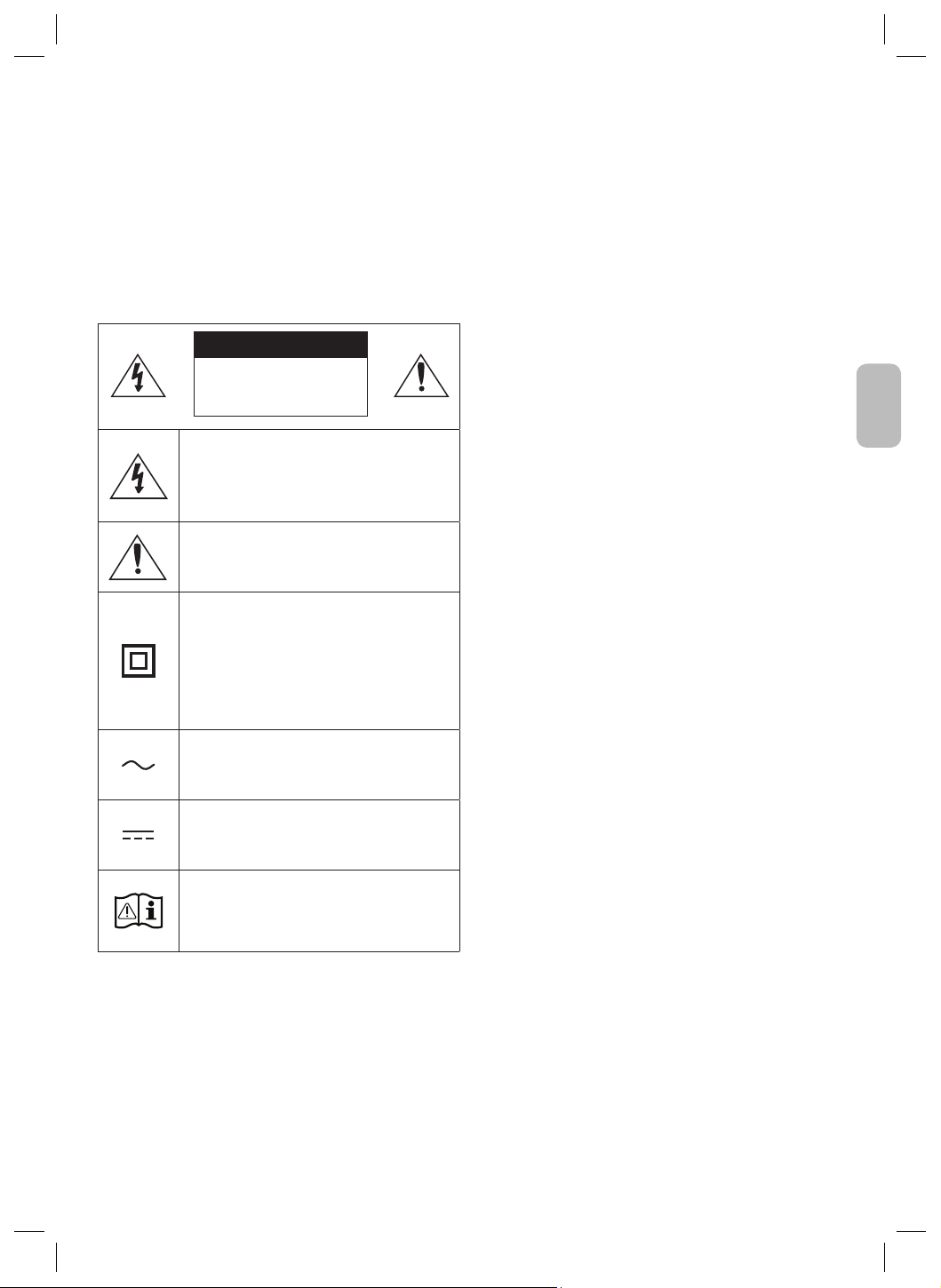
Français - 2
Français
Nederlands - 6
Hierbij verklaart Samsung dat deze radioapparatuur voldoet aan
Richtlijn 2014/53/EC en de relevante wettelijke voorschriften van
het VK.
De volledige tekst van de conformiteitsverklaring is beschikbaar
op het volgende internetadres: http://www.samsung.com.
Ga naar Ondersteuning en voer de naam van het model in.
Deze apparatuur mag in alle EU-landen en in het VK worden
gebruikt.
Correcte verwijdering van dit product
(elektrische & elektronische afvalapparatuur)
(Van toepassing in landen waar afval gescheiden wordt
ingezameld)
Dit merkteken op het product, de accessoires of het
informatiemateriaal duidt erop dat het product en zijn
elektronische accessoires (bv. lader, headset, USB-kabel) niet
met ander huishoudelijk afval verwijderd mogen worden aan
het einde van hun gebruiksduur. Om mogelijke schade aan het
milieu of de menselijke gezondheid door ongecontroleerde
afvalverwijdering te voorkomen, moet u deze artikelen van
andere soorten afval scheiden en op een verantwoorde manier
recyclen, zodat het duurzame hergebruik van materiaalbronnen
wordt bevorderd. Huishoudelijke gebruikers moeten contact
opnemen met de winkel waar ze dit product hebben gekocht of
met de gemeente waar ze wonen om te vernemen waar en hoe
ze deze artikelen milieuvriendelijk kunnen laten recyclen.
Zakelijke gebruikers moeten contact opnemen met
hun leverancier en de algemene voorwaarden van de
koopovereenkomst nalezen. Dit product en zijn elektronische
accessoires mogen niet met ander bedrijfsafval voor
verwijdering worden gemengd.
Meer informatie over de milieuverplichtingen van Samsung en
productspecieke regelgevende verplichtingen zoals REACH,
WEEE, batterijen, vindt u op:
www.samsung.com/uk/aboutsamsung/sustainability/
environment/our-commitment/data/
INFORMATIONS RELATIVES À
LA SÉCURITÉ
Merci d’avoir acheté ce produit (SWA-9500S).
POUR ÉVITER LES RISQUES DE CHOC ÉLECTRIQUE, NE DÉMONTEZ
PAS LE CAPOT. L’APPAREIL NE CONTIENT PAS DE PIÈCES
RÉPARABLES PAR L’UTILISATEUR ; S’ADRESSER À UN SERVICE
APRÈS-VENTE QUALIFIÉ.
Reportez-vous au tableau ci-dessous pour une explication des
symboles pouvant gurer sur votre produit Samsung.
ATTENTION
RISQUE DE CHOC
ÉLECTRIQUE. NE PAS
OUVRIR
Ce symbole indique que ce produit est alimenté
par haute tension. Il est dangereux de toucher
la moindre pièce située à l'intérieur de ce
produit.
Ce symbole indique qu'une documentation
importante relative au fonctionnement et à
l'entretien est fournie avec le produit.
Produit de classe II : ce symbole indique
qu'aucun branchement de sécurité à la terre
(prise de terre) n'est requis.
Si ce symbole n'est pas présent sur un produit
avec un cordon d'alimentation, le produit DOIT
avoir une connexion de protection able à la
terre.
Tension CA : ce symbole indique que la tension
nominale indiquée par le symbole est une
tension CA.
Tension CC : ce symbole indique que la tension
nominale indiquée par le symbole est une
tension CC.
Mise en garde, Consulter le mode d'emploi : ce
symbole avertit l'utilisateur qu'il doit consulter
le manuel d'utilisation pour en savoir plus sur
les informations relatives à la sécurité.
•
Les fentes et les ouvertures situées à l’arrière et en dessous de l’appareil
permettent d’assurer une ventilation correcte. An d’assurer le bon
fonctionnement de l’appareil et d’empêcher toute surchauffe, veillez à
ne jamais obstruer ces ouvertures de quelque façon que ce soit.
– Ne placez pas l’appareil dans un endroit conné comme une
bibliothèque ou un meuble intégré sauf si une ventilation
sufsante y est assurée.
– Ne placez pas l’appareil à proximité ou sur un radiateur ou une
bouche de chaleur et ne l’exposez jamais à la lumière directe
du soleil.
– Ne posez pas de récipients contenant du liquide (ex. : vase,
etc.) sur l’appareil an d’éviter tout risque d’incendie ou
d’électrocution en cas de projections.
• N’exposez pas l’appareil à la pluie et ne le placez pas à côté d’une
source d’eau (baignoire, lavabo, évier, cuve, sous-sol humide,
piscine, etc.). Si l’appareil est exposé à de l’eau ou à de l’humidité
par accident, débranchez-le et contactez immédiatement un
représentant agréé.
• Ne surchargez pas les prises murales, les rallonges et
les adaptateurs an d’éviter tout risque d’incendie ou
d’électrocution.
• Organisez les câbles de sorte qu’ils ne gênent pas la circulation
dans la pièce ou qu’ils ne soient pas écrasés par le mobilier
attenant. Assurez-vous toujours que les parties côté che, prise
murale et sortie de l’appareil sont en bon état.
• An de protéger l’appareil de la foudre, ou si vous prévoyez de
ne pas l’utiliser pendant une période prolongée, débranchez-le.
Faites de même avec l’antenne ou le système de câblage. Vous
éviterez ainsi qu’ils ne soient endommagés par la foudre ou une
surtension.
• Avant de brancher le cordon d’alimentation CA sur la prise de
l’adaptateur CC, assurez-vous que les caractéristiques électriques
de l’adaptateur CC correspondent à l’alimentation électrique locale.
• N’insérez jamais d’objets métalliques dans les ouvertures de
l’appareil. Vous risqueriez de vous électrocuter.
• Pour éviter tout risque d’électrocution, ne touchez jamais les
composants internes de l’appareil. Seul un technicien qualié est
autorisé à ouvrir l’appareil.
• Enfoncez correctement la prise dans le mur. Pour débrancher
l’appareil du mur, tirez toujours sur la che du câble. Ne tentez jamais
de le débrancher en tirant directement sur le câble. Ne touchez
jamais le cordon d’alimentation si vous avez les mains mouillées.
• Si vous constatez que l’appareil ne fonctionne pas normalement
(bruits ou odeurs inhabituels), débranchez-le immédiatement et
contactez un revendeur ou un centre de services agréé.
• Entretien du meuble.
– Avant de brancher un composant sur cet appareil, assurez-
vous que celui-ci est hors tension.
• Débranchez toujours l’appareil si vous prévoyez de ne pas
l’utiliser pendant une période prolongée (en particulier si des
enfants ou des personnes aux capacités réduites sont laissées
sans surveillance).
– L’accumulation de poussière sur l’appareil risque de provoquer
des étincelles, une surchauffe ou un problème d’isolation et de
provoquer un choc électrique, une fuite électrique ou un incendie.
• Contactez un centre de services agréé pour obtenir plus
d’informations si vous souhaitez installer votre produit dans une
pièce exposée à la poussière, à des températures extrêmes, à
l’humidité ou à des substances chimiques ou dans un endroit où il
fonctionnera en permanence, comme dans un hall d’aéroport ou
de gare. Le non-respect de ces consignes risque d’endommager
gravement l’appareil.
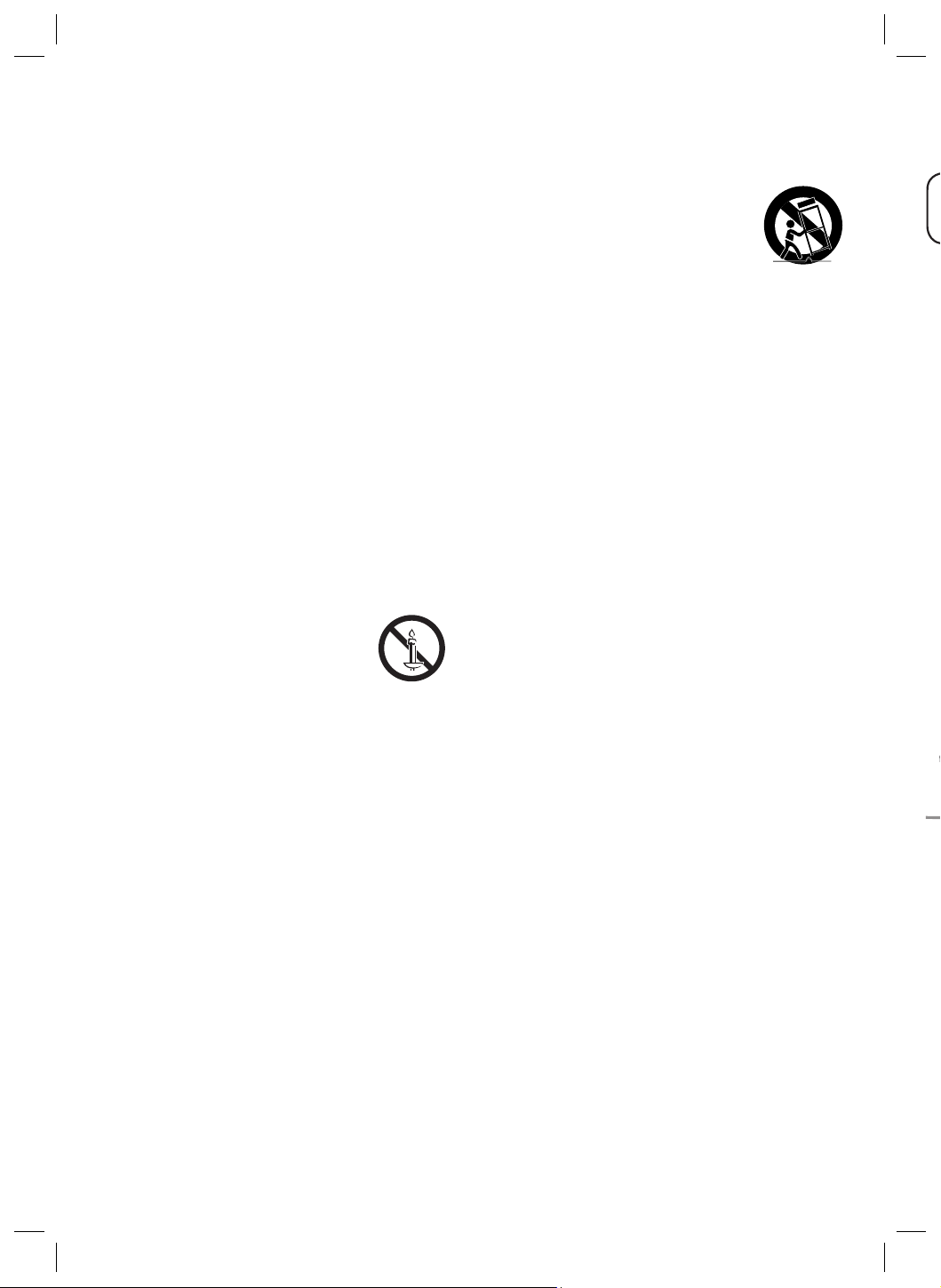
Français - 4Français - 3
• Utilisez uniquement une che et une prise murale correctement
mises à la terre.
– Une mise à la terre incorrecte peut provoquer un choc électrique ou
endommager l’équipement. (équipement de classe 1 uniquement.)
• Pour éteindre complètement l’appareil, vous devez débrancher le
cordon d’alimentation de la prise murale. C’est pourquoi le cordon
d’alimentation doit être facilement accessible à tout moment.
• Ne laissez jamais les enfants jouer avec l’appareil.
• Conservez les accessoires (piles, etc.) dans un endroit sûr, hors
de leur portée.
• N’installez pas le produit dans un endroit instable, comme sur
une étagère branlante, un sol incliné ou dans un local exposé à
des vibrations.
• Ne faites pas tomber l’appareil et ne l’exposez pas à des chocs.
S’il est endommagé débranchez le câble d’alimentation et
contactez le centre de services.
• Pour nettoyer l’appareil, débranchez d’abord le câble d’alimentation
de la prise murale, puis essuyez-le avec un chiffon doux et sec.
N’utilisez pas de produits chimiques, tels que de la cire, du benzène,
de l’alcool, des diluants, des insecticides, des puricateurs d’air,
des lubriants ou des détergents. Ils risquent d’endommager le
revêtement du produit ou d’en effacer les inscriptions.
• Évitez toute projection d’eau sur l’appareil. Ne posez jamais
d’objets contenant un liquide (ex : un vase) sur l’appareil.
• Ne branchez pas plusieurs appareils électriques sur une même
prise murale. Surcharger une prise murale peut provoquer une
surchauffe et donc un incendie.
AVERTISSEMENT :
• AFIN D’ÉVITER TOUT RISQUE DE PROPAGATION
D’INCENDIE, ÉLOIGNEZ LES BOUGIES OU LES
AUTRES DISPOSITIFS À FEU NU DE L’APPAREIL.
• Pour réduire les risques d’incendie ou de décharge
électrique, veuillez ne pas exposer cet appareil à la pluie ou à l’humidité.
Consignes de sécurité importantes
Lisez attentivement ces consignes avant d’utiliser l’appareil. Veillez à
respecter toutes les consignes répertoriées ci-après. Conservez ces
instructions à portée de main pour vous y référer ultérieurement.
1. Lisez attentivement ces consignes.
2. Conservez-les précieusement.
3. Tenez compte de tous les avertissements mentionnés.
4. Respectez toutes les instructions sans exception.
5. N’utilisez pas cet appareil à proximité de l’eau.
6. Nettoyez-le à l’aide d’un tissu sec.
7. Ne bloquez pas les ouvertures de ventilation. Installez l’appareil
conformément aux instructions du fabricant.
8. N’installez pas l’appareil à proximité d’une source de chaleur
de type radiateur, registre de chaleur, cuisinière ou tout autre
appareil (y compris les récepteurs AV) générateur de chaleur.
9. Ne désactivez pas le dispositif de sécurité de la che de mise à la
terre ou de la che polarisée. Une che polarisée comporte deux
lames dont l’une est plus large que l’autre. Une che de mise à la
terre comporte deux lames et une troisième broche de mise à la
terre. La lame la plus large et la troisième broche sont destinées à
assurer votre sécurité. Si la che fournie ne s’insère pas dans la prise
utilisée, faites appel à un électricien pour faire remplacer celle-ci.
10. Placez le cordon d’alimentation de sorte qu’il ne puisse être ni
piétiné ni pincé, particulièrement au niveau de la che, de la
prise de courant et du point de sortie du cordon de l’appareil.
11. Utilisez exclusivement les xations/accessoires spéciés par
le fabricant.
12. Utilisez exclusivement le meuble à roulettes,
le socle, le trépied, le support ou la table
recommandés par le fabricant ou vendus avec
l’appareil. Si l’appareil est posé sur un meuble à
roulettes, déplacez l’ensemble avec précaution
pour éviter de faire tomber l’appareil et de vous blesser.
13. Débranchez l’appareil en cas d’orage ou lorsqu’il est inutilisé
pendant une période prolongée.
14. Conez toutes les réparations à un technicien qualié. Votre
appareil doit impérativement être réparé lorsqu’il a été
endommagé de quelque manière que ce soit: détérioration du
cordon ou de la che d’alimentation, projection de liquide sur
l’appareil, chute d’objets à l’intérieur de l’appareil, exposition à la
pluie ou à l’humidité, dysfonctionnement, chute.
PRÉCAUTIONS
1. Vériez que l’alimentation électrique CA ou CC de votre
logement respecte les conditions en matière d’alimentation
répertoriées sur l’étiquette d’identication située au dos de
votre produit. Installez le produit horizontalement, sur une base
adaptée (meuble), en laissant sufsamment d’espace autour du
produit pour une bonne ventilation (entre 7 et 10 cm). Vériez
que les fentes de ventilation ne sont pas couvertes. Ne placez
pas l’unité sur des haut-parleurs ou sur tout autre équipement
susceptible de devenir chaud. Cette unité a été conçue pour une
utilisation continue. Pour l’éteindre complètement, débranchez
la prise CA de la prise murale.
2. N’exposez pas l’unité à la lumière directe du soleil ou à d’autres
sources de chaleur. Cela pourrait entraîner une surchauffe et
des dysfonctionnements.
3. Débranchez le câble d’alimentation de la prise murale CA si
l’unité présente un dysfonctionnement. Le produit n’a pas été
conçu pour une utilisation industrielle, mais pour une utilisation
personnelle uniquement. De la condensation peut se former si
le produit a été stocké à basse température. Si vous transportez
l’unité en hiver, attendez environ 2 heures, le temps qu’elle
atteigne la température ambiante, avant de l’utiliser.
4. Si l’alimentation électrique est utilisée à
240 V CA, un adaptateur de prise adapté doit être utilisé.
01 CONTRÔLE DES
COMPOSANTS
Enceintes surround X 2 (Gauche / Droite) / Cordon
d’alimentation X 2
REMARQUES
• Pour plus d’informations sur l’alimentation et la consommation
électriques, reportez-vous à l’étiquette collée sur le produit.
(Étiquette : dos de l’unité principale)
• La présentation et les spécications peuvent faire l’objet de
modications sans préavis.
02 CONNEXION DU
SWA-9500S À UNE
SOUNDBAR
1. Vérier l’état de veille après le branchement
sur la prise de courant
Branchez le cordon d’alimentation des enceintes surround à
une prise électrique et aux enceintes surround pour allumer
les enceintes surround. Le voyant LED LINK (LED bleue) sur les
enceintes surround clignote. Si le voyant LED ne clignote pas,
reportez-vous à l’étape 5.
Face inférieure des enceintes surround
gauche et droite
Clignotement
rapide en bleu
Face arrière des enceintes
surround gauche et droite
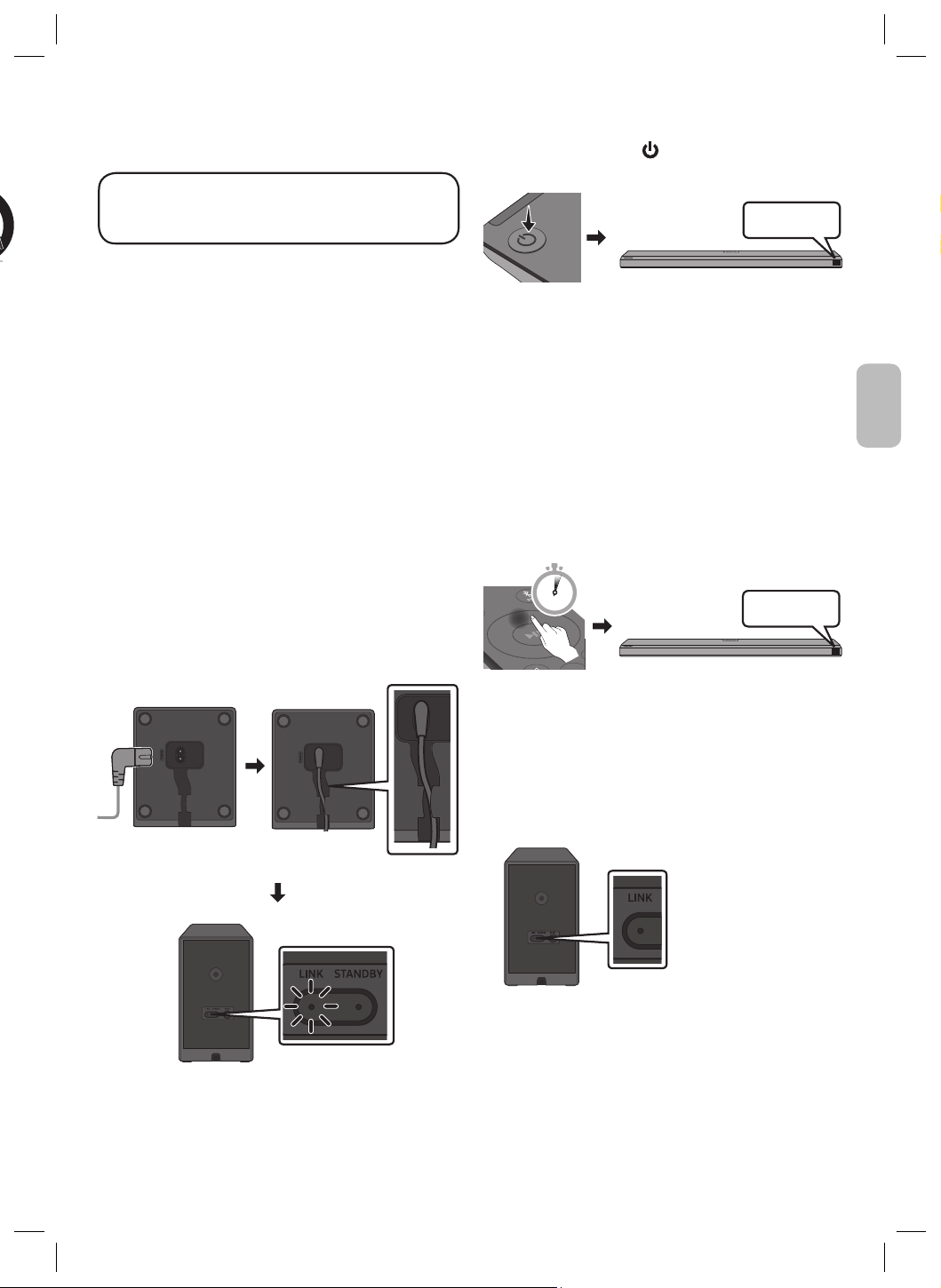
Français - 4Français - 3
Français
10. Placez le cordon d’alimentation de sorte qu’il ne puisse être ni
piétiné ni pincé, particulièrement au niveau de la che, de la
prise de courant et du point de sortie du cordon de l’appareil.
11. Utilisez exclusivement les xations/accessoires spéciés par
le fabricant.
12. Utilisez exclusivement le meuble à roulettes,
le socle, le trépied, le support ou la table
recommandés par le fabricant ou vendus avec
l’appareil. Si l’appareil est posé sur un meuble à
roulettes, déplacez l’ensemble avec précaution
pour éviter de faire tomber l’appareil et de vous blesser.
13. Débranchez l’appareil en cas d’orage ou lorsqu’il est inutilisé
pendant une période prolongée.
14. Conez toutes les réparations à un technicien qualié. Votre
appareil doit impérativement être réparé lorsqu’il a été
endommagé de quelque manière que ce soit: détérioration du
cordon ou de la che d’alimentation, projection de liquide sur
l’appareil, chute d’objets à l’intérieur de l’appareil, exposition à la
pluie ou à l’humidité, dysfonctionnement, chute.
PRÉCAUTIONS
1. Vériez que l’alimentation électrique CA ou CC de votre
logement respecte les conditions en matière d’alimentation
répertoriées sur l’étiquette d’identication située au dos de
votre produit. Installez le produit horizontalement, sur une base
adaptée (meuble), en laissant sufsamment d’espace autour du
produit pour une bonne ventilation (entre 7 et 10 cm). Vériez
que les fentes de ventilation ne sont pas couvertes. Ne placez
pas l’unité sur des haut-parleurs ou sur tout autre équipement
susceptible de devenir chaud. Cette unité a été conçue pour une
utilisation continue. Pour l’éteindre complètement, débranchez
la prise CA de la prise murale.
2. N’exposez pas l’unité à la lumière directe du soleil ou à d’autres
sources de chaleur. Cela pourrait entraîner une surchauffe et
des dysfonctionnements.
3. Débranchez le câble d’alimentation de la prise murale CA si
l’unité présente un dysfonctionnement. Le produit n’a pas été
conçu pour une utilisation industrielle, mais pour une utilisation
personnelle uniquement. De la condensation peut se former si
le produit a été stocké à basse température. Si vous transportez
l’unité en hiver, attendez environ 2 heures, le temps qu’elle
atteigne la température ambiante, avant de l’utiliser.
4. Si l’alimentation électrique est utilisée à
240 V CA, un adaptateur de prise adapté doit être utilisé.
01 CONTRÔLE DES
COMPOSANTS
Enceintes surround X 2 (Gauche / Droite) / Cordon
d’alimentation X 2
REMARQUES
• Pour plus d’informations sur l’alimentation et la consommation
électriques, reportez-vous à l’étiquette collée sur le produit.
(Étiquette : dos de l’unité principale)
• La présentation et les spécications peuvent faire l’objet de
modications sans préavis.
02 CONNEXION DU
SWA-9500S À UNE
SOUNDBAR
1. Vérier l’état de veille après le branchement
sur la prise de courant
Branchez le cordon d’alimentation des enceintes surround à
une prise électrique et aux enceintes surround pour allumer
les enceintes surround. Le voyant LED LINK (LED bleue) sur les
enceintes surround clignote. Si le voyant LED ne clignote pas,
reportez-vous à l’étape 5.
Face inférieure des enceintes surround
gauche et droite
Clignotement
rapide en bleu
Face arrière des enceintes
surround gauche et droite
2. Éteindre la Soundbar
Éteignez la Soundbar à l’aide de la télécommande de la Soundbar
ou en appuyant sur le bouton (Alimentation) situé sur l’unité
principale de la Soundbar.
BYE
• L’image de la Soundbar peut être différente de votre Soundbar,
selon le modèle.
3. Congurer « ID SET » à l’aide de la
télécommande de la Soundbar
Appuyez sur le bouton Haut de la télécommande de la Soundbar
pendant 5 secondes.
• Le message ID SET s’afche brièvement à l’écran de l’unité
principale de la Soundbar, puis disparaît.
• Une fois le processus ID SET terminé, l’alimentation de la
Soundbar est automatiquement allumée.
SOUND
MODE
PAIR
5 Sec
ID SET
• L’image de la Soundbar peut être différente de votre Soundbar,
selon le modèle.
4. Vériez que le voyant LED LINK s’éclaire en
bleu en continu (connexion établie)
Cesse de clignoter.
Reste allumé en
bleu.
Face arrière des
enceintes surround
gauche et droite
Le voyant LED LINK arrête
de clignoter et s’allume en
bleu lorsque la Soundbar
est connectée aux
enceintes surround.
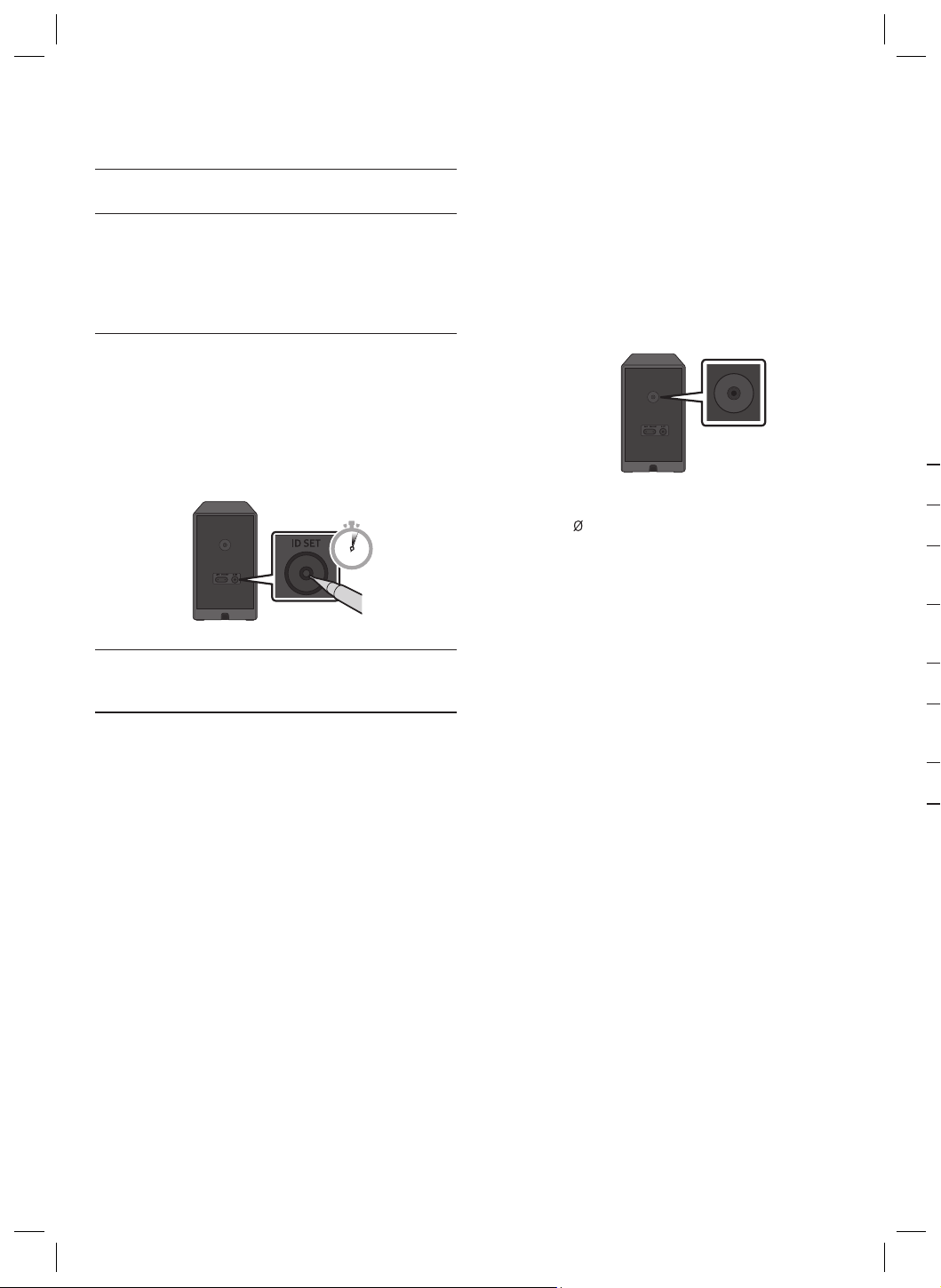
Français - 6Français - 5
5. Si le SWA-9500S ne se connecte pas, suivez
les étapes nécessaires selon l’état du voyant
LED
Voyant LINK (bleu) activé : Connexion réussie (fonctionnement
à l'état normal).
Voyant LINK (bleu) clignotant : Récupération de la connexion
en cours.
• Vériez que le câble d’alimentation xé à l’unité principale
Soundbar est connecté correctement ou attendez environ
5 minutes.
• Répétez les étapes 2 à 4.
Voyant STANDBY (Rouge) activé :
Veille (lorsque l’unité principale Soundbar est éteinte).
• Vériez que le câble d’alimentation xé à l’unité principale
Soundbar est connecté correctement.
Échec de la connexion.
• 1. Appuyez sur le bouton ID SET à l’arrière des enceintes
surround avec la pointe d’un stylo pendant 5 à 6 secondes
jusqu’à ce que le voyant LINK clignote (en bleu).
5 Sec
2. Répétez les étapes 2 à 4.
Voyants rouge et bleu clignotant : Dysfonctionnement
• Consultez les coordonnées du Centre de service Samsung
présentes dans ce manuel.
Fixation murale des enceintes surround
(facultatif)
Vous pouvez acheter des supports séparément an de xer les
enceintes au mur. Ces supports muraux ne sont pas vendus par
Samsung.
Remarques concernant la xation murale des
enceintes surround
• Les supports muraux des enceintes surround doivent supporter
un poids supérieur à 8,0 kg.
• Taille des trous : vis letées 1/4-20 UNC
Face arrière des enceintes surround gauche et droite
– Vis standard : , 6,3 mm, pas 1,3 mm
– Longueur : 18,0 mm
– Quantité : Gauche 1 unité / Droite 1 unité
• Vériez la solidité du mur avant d’installer les supports de
xation murale. S’il n’est pas sufsamment solide, veillez à le
renforcer avant d’installer les supports de xation murale et les
enceintes.
• Samsung n’est pas responsable des dommages causés au
produit en raison d’une installation inappropriée.
• Veillez à ne pas installer les enceintes à l’horizontal ni à l’envers.
03 MODÈLES COMPATIBLES
• Compatible avec la Soundbar Samsung sélectionnée. Veuillez
vous rendre sur la page produit de la Soundbar sur
www.samsung.com/support pour plus d’informations.
• La liste des modèles compatibles est sujette à modications
sans avis préalable.
04 AVIS DE LICENCE LIBRE
Pour envoyer des questions et des demandes concernant des
logiciels libres, contactez Samsung Open Source
(http://opensource.samsung.com)
05 REMARQUE IMPORTANTE
À PROPOS DU SERVICE
• Des frais supplémentaires pourront vous être facturés dans les
cas suivants :
(a) Vous demandez l’intervention d’un ingénieur, mais il s’avère
que l’appareil ne présente aucune anomalie (par ex. vous
n’avez pas lu ce Manuel d’utilisation).
(b) Vous portez l’unité à un centre de réparation, mais il s’avère
que celle-ci ne présente aucune défaillance (par ex. vous
n’avez pas lu ce Manuel d’utilisation).
• Le montant de ces frais administratifs vous sera notié avant que
tout travail ou toute visite à votre domicile ne soit effectuée).
06 SPÉCIFICATIONS ET GUIDE
Spécications
Nom du modèle
SWA-9500S
Poids
1,7 kg
Dimensions (L x H x P)
125,0 X 203,0 X 141,0 mm
Plage de températures en
fonctionnement
+5 °C à +35 °C
Plage d’humidité en
fonctionnement
10 % ~ 75 %
AMPLIFICATEUR
Puissance de sortie nominale
35W x 4
Plage de fréquences
20Hz~20kHz
PUISSANCE DE SORTIE DE L’APPAREIL SANS FIL
Puissance de transmission SRD max.
25 mW à 5,725 GHz – 5,85 GHz
Consommation électrique totale en veille (W)
1,0W
REMARQUES
• Samsung Electronics Co., Ltd se réserve le droit de modier les
caractéristiques sans préavis.
• Le poids et les dimensions sont approximatifs.
Français - 6Français - 5
Français
Fixation murale des enceintes surround
(facultatif)
Vous pouvez acheter des supports séparément an de xer les
enceintes au mur. Ces supports muraux ne sont pas vendus par
Samsung.
Remarques concernant la xation murale des
enceintes surround
• Les supports muraux des enceintes surround doivent supporter
un poids supérieur à 8,0 kg.
• Taille des trous : vis letées 1/4-20 UNC
Face arrière des enceintes surround gauche et droite
– Vis standard : , 6,3 mm, pas 1,3 mm
– Longueur : 18,0 mm
– Quantité : Gauche 1 unité / Droite 1 unité
• Vériez la solidité du mur avant d’installer les supports de
xation murale. S’il n’est pas sufsamment solide, veillez à le
renforcer avant d’installer les supports de xation murale et les
enceintes.
• Samsung n’est pas responsable des dommages causés au
produit en raison d’une installation inappropriée.
• Veillez à ne pas installer les enceintes à l’horizontal ni à l’envers.
03 MODÈLES COMPATIBLES
• Compatible avec la Soundbar Samsung sélectionnée. Veuillez
vous rendre sur la page produit de la Soundbar sur
www.samsung.com/support pour plus d’informations.
• La liste des modèles compatibles est sujette à modications
sans avis préalable.
04 AVIS DE LICENCE LIBRE
Pour envoyer des questions et des demandes concernant des
logiciels libres, contactez Samsung Open Source
(http://opensource.samsung.com)
05 REMARQUE IMPORTANTE
À PROPOS DU SERVICE
• Des frais supplémentaires pourront vous être facturés dans les
cas suivants :
(a) Vous demandez l’intervention d’un ingénieur, mais il s’avère
que l’appareil ne présente aucune anomalie (par ex. vous
n’avez pas lu ce Manuel d’utilisation).
(b) Vous portez l’unité à un centre de réparation, mais il s’avère
que celle-ci ne présente aucune défaillance (par ex. vous
n’avez pas lu ce Manuel d’utilisation).
• Le montant de ces frais administratifs vous sera notié avant que
tout travail ou toute visite à votre domicile ne soit effectuée).
06 SPÉCIFICATIONS ET GUIDE
Spécications
Nom du modèle
SWA-9500S
Poids
1,7 kg
Dimensions (L x H x P)
125,0 X 203,0 X 141,0 mm
Plage de températures en
fonctionnement
+5 °C à +35 °C
Plage d’humidité en
fonctionnement
10 % ~ 75 %
AMPLIFICATEUR
Puissance de sortie nominale
35W x 4
Plage de fréquences
20Hz~20kHz
PUISSANCE DE SORTIE DE L’APPAREIL SANS FIL
Puissance de transmission SRD max.
25 mW à 5,725 GHz – 5,85 GHz
Consommation électrique totale en veille (W)
1,0W
REMARQUES
• Samsung Electronics Co., Ltd se réserve le droit de modier les
caractéristiques sans préavis.
• Le poids et les dimensions sont approximatifs.
Par la présente, Samsung déclare que cet équipement radio
est conforme à la directive 2014/53/UE et répond à toutes les
exigences réglementaires du Royaume-Uni.
Le texte complet de la déclaration de conformité est accessible à
l’adresse http://www.samsung.com : accédez à Assistance, puis
saisissez le nom du modèle.
Cet équipement peut fonctionner dans tous les pays de l’UE et au
Royaume-Uni.
Les bons gestes de mise au rebut de ce produit
(Déchets d’équipements électriques &
électroniques)
(Applicable aux pays disposant de systèmes de collecte séparés)
Ce symbole sur le produit, ses accessoires ou sa documentation
indique que ni le produit, ni ses accessoires électroniques
usagés (chargeur, casque audio, câble USB, etc.) ne peuvent
être jetés avec les autres déchets ménagers. La mise au
rebut incontrôlée des déchets présentant des risques
environnementaux et de santé publique, veuillez séparer
vos produits et accessoires usagés des autres déchets. Vous
favoriserez ainsi le recyclage de la matière qui les compose dans
le cadre d’un développement durable.
Les particuliers sont invités à contacter le magasin leur ayant
vendu le produit ou à se renseigner auprès des autorités locales
pour connaître les procédures et les points de collecte de ces
produits en vue de leur recyclage. Les entreprises et particuliers
sont invités à contacter leurs fournisseurs et à consulter
les conditions de leur contrat de vente. Ce produit et ses
accessoires ne peuvent être jetés avec les autres déchets.
Pour obtenir des informations sur les engagements
environnementaux de Samsung et sur les obligations
réglementaires spéciques à l’appareil, par ex. la
réglementation REACH WEEE, rendez-vous sur :
www.samsung.com/uk/aboutsamsung/sustainability/
environment/our-commitment/data/

Cette page est laissée
intentionnellement vierge.

Cette page est laissée
intentionnellement vierge.
© 2021 Samsung Electronics Co., Ltd. All rights reserved.
Contact SAMSUNG WORLD WIDE
If you have any questions or comments relating to Samsung products, please contact the SAMSUNG customer
care Centre.
Country
Samsung Service Centre
Web Site
`
Europe
UK 0333 000 0333
www.samsung.com/uk/
support
IRELAND (EIRE) 0818 717100
www.samsung.com/ie/
support
GERMANY 06196 77 555 77
www.samsung.com/de/
support
FRANCE 01 48 63 00 00
www.samsung.com/fr/
support
ITALIA 800-SAMSUNG (800.7267864)
www.samsung.com/it/
support
SPAIN 91 175 00 15
www.samsung.com/es/
support
PORTUGAL 808 207 267
www.samsung.com/pt/
support
LUXEMBURG 261 03 710
www.samsung.com/be_
fr/support
NETHERLANDS 088 90 90 100
www.samsung.com/nl/
support
BELGIUM 02-201-24-18
www.samsung.com/be/
support (Dutch)
www.samsung.com/
be_fr/support (French)
NORWAY 21629099
www.samsung.com/no/
support
DENMARK 707 019 70
www.samsung.com/dk/
support
FINLAND 030-6227 515
www.samsung.com/fi /
support
SWEDEN 0771 726 786
www.samsung.com/se/
support
POLAND
801-172-678* lub +48 22 607-93-33*
Specjalistyczna infolinia do obsługi
zapytań dotyczących telefonów
komórkowych: 801-672-678*
* (opłata według taryfy operatora)
http://www.samsung.com/
pl/support/
HUNGARY 0680SAMSUNG (0680-726-7864)
www.samsung.com/hu/
support
AUSTRIA 0800 72 67 864 (0800-SAMSUNG)
www.samsung.com/at/
support
SWITZERLAND 0800 726 786
www.samsung.com/ch/
support (German)
www.samsung.com/
ch_fr/support (French)
Country
Samsung Service Centre
Web Site
CZECH 800 - SAMSUNG (800-726786)
www.samsung.com/cz/
support
SLOVAKIA 0800 - SAMSUNG (0800-726 786)
www.samsung.com/sk/
support
CROATIA 072 726 786
www.samsung.com/hr/
support
BOSNIA 055 233 999
www.samsung.com/
support
NORTH
MACEDONIA
023 207 777
www.samsung.com/mk/
support
MONTENEGRO 020 405 888
www.samsung.com/
support
SLOVENIA 080 697 267 (brezplačna številka)
www.samsung.com/si/
support
SERBIA 011 321 6899
www.samsung.com/rs/
support
KOSOVO 0800 10 10 1
www.samsung.com/
support
ALBANIA 045 620 202
www.samsung.com/al/
support
BULGARIA
0800 111 31 - Безплатен за всички
оператори
*3000 - Цена на един градски
разговор или според тарифата на
мобилният оператор
09:00 до 18:00 - Понеделник до Петък
www.samsung.com/bg/
support
ROMANIA
0800872678 - Apel gratuit
*8000 - Apel tarifat în reţea
www.samsung.com/ro/
support
CYPRUS
8009 4000 only from landline, toll
free
www.samsung.com/gr/
support
GREECE
80111-SAMSUNG (80111 726 7864) only
from land line
(+30) 210 6897691 from mobile and
land line
LITHUANIA 8-800-77777
www.samsung.com/lt/
support
LATVIA 8000-7267
www.samsung.com/lv/
support
ESTONIA 800-7267
www.samsung.com/ee/
support
VA81-01113G-01
NSPBI00864A-01
VA81-01113G-01
NSPBI00864A-01