禁止扩散
仅限莱茵使用
华为信息资产
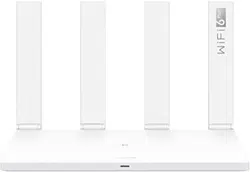
Quick Start Guide
禁止扩散
仅限莱茵使用
华为信息资产
Before using the device, review and download the latest Quick Start
Guide at https://consumer.huawei.com/en/support/.
Getting Started
1. Connect the power adapter to the router, then connect the WAN port
of the router to the LAN port of the optical/broadband modem or a wall-
mounted network port using a network cable.
2. Connect your mobile phone or computer to the router’s Wi-Fi
network (no password required). Check for the Wi-Fi name on the
bottom of the router.
3. Open the browser, then enter 192.168.3.1 in the address bar. Follow
the instructions to set up your router.
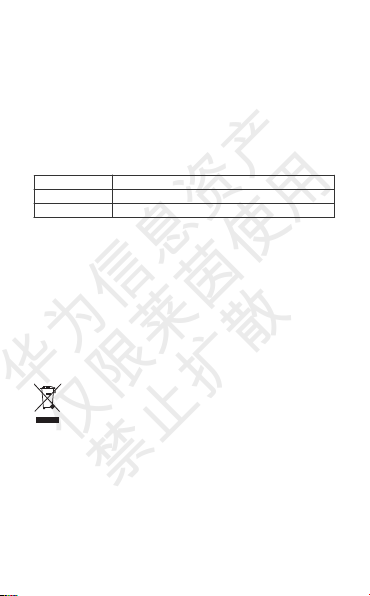
Indicator
Steady green Connected to the network
Steady red Not connected to the network
Flashing The router has detected a pairable device
Safety Information
• Please consult your doctor and the device manufacturer to
determine if using your device may interfere with the operation of
your medical device.
• Avoid using the device in a dusty, damp, or dirty place, or near a
magnetic field.
• Ideal temperatures: 0°C to 40°C for operating, -40°C to +70°C for
storage.
• When charging, an adapter should be plugged into a socket nearby
and easily accessible. Use approved power adapters and chargers.
• Do not touch the device or the charger with wet hands. Doing so
may lead to short circuits, malfunctions, or electric shocks.
Disposal and recycling information
The symbol on the product, battery, literature, or packaging
means that the products and batteries should be taken to separate
waste collection points designated by local authorities at the end of the
lifespan. This will ensure that EEE waste is recycled and treated in a
manner that conserves valuable materials and protects human health
and the environment. For more information, please contact your local
authorities, retailer, or household waste disposal service or visit the
website https://consumer.huawei.com/en/.
RF Exposure Information
This device is not a portable radio equipment, it is designed to be used
at a distance larger than 20 cm between the user and/or bystander and
the antenna and/or radiating element of the device.
1

禁止扩散
仅限莱茵使用
华为信息资产
Version Update
In order to improve the security of the product and provide you with a
better user experience, we will push version update information to you
on a regular basis when an important update is released.
End User License Agreement
Please read and agree to the End User License Agreement (HUAWEI
EULA) on the product’s management page before using the product.
FCC Regulatory Compliance
FCC statement
This equipment has been tested and found to comply with the limits for
a Class B digital device, pursuant to Part 15 of the FCC Rules. These
limits are designed to provide reasonable protection against harmful
interference in a residential installation. This equipment generates,
uses and can radiate radio frequency energy and, if not installed and
used in accordance with the instructions, may cause harmful
interference to radio communications. However, there is no guarantee
that interference will not occur in a particular installation. If this
equipment does cause harmful interference to radio or television
reception, which can be determined by turning the equipment off and
on, the user is encouraged to try to correct the interference by one or
more of the following measures:
--Reorient or relocate the receiving antenna.
--Increase the separation between the equipment and receiver.
--Connect the equipment into an outlet on a circuit different from that to
which the receiver is connected.
--Consult the dealer or an experienced radio/TV technician for help.
This device complies with Part 15 of the FCC Rules. Operation is
subject to the following two conditions: (1) this device may not cause
harmful interference, and (2) this device must accept any interference
received, including interference that may cause undesired operation.
Caution: Any changes or modifications to this device not expressly
approved by Huawei Device Co., Ltd. for compliance could void the
user's authority to operate the equipment.
Restrictions in the 5 GHz band:
Within the 5.15 to 5.25 GHz band, UNII devices will be restricted to
indoor operations to reduce any potential for harmful interference to co-
channel Mobile Satellite System (MSS) operations.
2