Use and Care Manual
Induction Ranges
HII8055U, HII8055C

() = cm

3
Table of Contents
Use and care manual
Safety Definitions .......................................................... 4
IMPORTANT SAFETY INSTRUCTIONS ........................ 5
Proper Installation and Maintenance ................................ 5
Fire Safety .............................................................................. 6
Burn Prevention .................................................................... 6
Electromagnetic Interference ............................................. 7
Child Safety ........................................................................... 7
Cleaning Safety ..................................................................... 7
Cookware Safety .................................................................. 7
State of California Proposition 65 Warnings ................... 8
Food Safety ........................................................................... 8
Causes of Damage ........................................................ 9
Protecting the Environment ........................................ 10
Saving Energy .................................................................... 10
Getting Started ............................................................. 11
Parts ..................................................................................... 11
Accessories ........................................................................ 12
Getting familiar with the appliance ............................ 14
Control panel ...................................................................... 14
The elements ...................................................................... 15
Residual heat indicator .................................................... 15
Operation ...................................................................... 15
Main power switch ............................................................ 15
Setting the cooktop ........................................................... 15
Cook time ........................................................................... 17
Kitchen timer ...................................................................... 18
SpeedBoost
®
function ...................................................... 18
AutoChef
®
........................................................................... 18
Panel lock ........................................................................... 21
Wipe Protection ................................................................. 21
Automatic time limitation .................................................. 21
Basic settings ..................................................................... 21
Cooking with Induction ............................................... 23
Advantages of induction cooking ................................... 23
Cookware ............................................................................ 23
Cleaning and Maintenance-Cooktop ......................... 24
Daily Cleaning .................................................................... 24
Cleaning guidelines .......................................................... 25
Cleaning charts .................................................................. 25
Maintenance ....................................................................... 26
Operation-Oven ........................................................... 26
Oven Control Panel ........................................................... 26
About the Oven .................................................................. 27
Basic Features ................................................................... 28
Special Features ................................................................ 30
Settings Menu Options ..................................................... 33
Getting the Most Out of Your Appliance ................... 34
General Tips ....................................................................... 34
Bake
% ............................................................................... 35
Auto Convection Conversion .......................................... 35
Convection Bake
2 ......................................................... 36
Convection Multi-Rack: ................................................. 36
Pizza
2 ............................................................................... 36
Roast % .............................................................................. 37
Convection Roast
2 ........................................................ 37
Broil
( ................................................................................ 37
Convection Broil 4 .......................................................... 38
Proof
$ .............................................................................. 38
Warm
% ............................................................................. 38
Cleaning and Maintenance-Oven ............................... 39
Cleaning the Oven ............................................................ 39
Maintenance ....................................................................... 41
Operation-Warming Drawer ........................................ 44
About the Warming Drawer ............................................. 44
Warming Drawer Specifications ..................................... 44
Operation ............................................................................ 44
Getting the Most Out of Your Warming Drawer ........ 45
About the Appliance ......................................................... 45
General Tips ....................................................................... 45
Use of Your Appliance ..................................................... 45
Preheating .......................................................................... 45
Warming Empty Serving Bowls and Plates .................. 45
Crisping Stale Items ......................................................... 45
Temperature Recommendations .................................... 46
Cleaning and Maintenance-Warming Drawer ........... 46
Cleaning the Warming Drawer ....................................... 46
Removing Drawer from Housing .................................... 47
Installing Drawer to Housing ........................................... 47
Service ......................................................................... 50
Frequently-asked questions and answers (FAQ) ........ 50
Fixing Malfunctions ........................................................... 51
Oven Troubleshooting ...................................................... 53
How to Obtain Service or Parts ...................................... 54
STATEMENT OF LIMITED PRODUCT WARRANTY ... 54
What this Warranty Covers & Who it Applies to ......... 54
How Long the Warranty Lasts ........................................ 54
Repair/Replace as Your Exclusive Remedy ................ 55
Out of Warranty Product .................................................. 55
Warranty Exclusions ......................................................... 55
Cooking Charts ........................................................... 56
Baked Goods/Entrees ..................................................... 56
Meats ................................................................................... 57

4
Safety Definitions
9 WARNING
This indicates that death or serious injuries may
occur as a result of non-observance of this warning.
9 CAUTION
This indicates that minor or moderate injuries may
occur as a result of non-observance of this warning.
NOTICE: This indicates that damage to the appliance or
property may occur as a result of non-compliance with
this advisory.
Note: This alerts you to important information and/or
tips.
4XHVWLRQV"
ZZZERVFKKRPHFRPXV
:HORRNIRUZDUGWRKHDULQJIURP\RX
7KLV%RVFK$SSOLDQFHLVPDGHE\
%6++RPH$SSOLDQFHV&RUSRUDWLRQ
0DLQ6WUHHW6XLWH
,UYLQH&$

5
9 IMPORTANT SAFETY INSTRUCTIONS
READ AND SAVE THESE INSTRUCTIONS
IMPORTANT SAFETY INS READ AND SAVE THESE INSTRUCTIONS
WARNING
When properly cared for, your new appliance has been
designed to be safe and reliable. Read all instructions
carefully before use. These precautions will reduce the
risk of burns, electric shock, fire, and injury to persons.
When using kitchen appliances, basic safety precautions
must be followed, including those in the following pages.
This appliance is intended for use at an elevation of no
more than 2000 meters above sea level.
Proper Installation and Maintenance
WARNING
TIP OVER HAZARD
Have the installer show you the location of the circuit
breaker or fuse. Mark it for easy reference.
This appliance must be properly installed and grounded
by a qualified technician. Connect only to properly
grounded outlet. Refer to Installation Instructions for
details.
This appliance is intended for normal family household
use only. It is not approved for outdoor use. See the
Statement of Limited Product Warranty. If you have any
questions, contact the manufacturer.
Do not store or use corrosive chemicals, vapors,
flammables or nonfood products in or near this
appliance. It is specifically designed for use when
heating or cooking food. The use of corrosive chemicals
in heating or cleaning will damage the appliance and
could result in injury.
Do not operate this appliance if it is not working properly,
or if it has been damaged. Contact an authorized
servicer.
Do not obstruct oven vents.
Do not repair or replace any part of the appliance unless
specifically recommended in this manual. Refer all
servicing to an authorized servicer.
In the event of an error the display flashes and beeps
continuously. Disconnect appliance from the power
supply and call an authorized servicer.
WARNING
When removing the door make sure oven is cool and
power to the oven has been turned off before removing
the door. Failure to do so could result in burns.
The oven door is heavy and fragile. Use both hands to
remove the oven door. The door front is glass. Handle
carefully to avoid breaking.
Grasp only the sides of the oven door. Do not grasp the
handle as it may swing in your hand and cause injury or
damage.
Failure to grasp the oven door firmly and properly could
result in personal injury or product damage.
Lay the door on a flat smooth surface so that the door
cannot fall over. Failure to do so may result in personal
injury or damage to the appliance.
WARNING
To avoid injury from hinge bracket snapping closed, be
sure that both levers are securely in place before
removing door. Also, do not force door open or closed -
the hinge could be damaged and injury could result.
WARNING
Make sure the appliance and lights are cool and power
to the appliance has been turned off before replacing the
light bulb(s). Failure to do so could result in electrical
shock or burns. The lenses (if equipped) must be in
place when using the appliance. The lenses (if equipped)
serve to protect the light bulb from breaking. The lenses
(if equipped) are made of glass. Handle carefully to
avoid breaking. Broken glass can cause an injury.
WARNING
Light socket is live when door is open if main power
supply is not turned off.
A child or adult can tip the
range over and be killed.
Verify that the anti-tip
bracket is engaged when-
ever the range is moved
to a new location.
Do not operate the range without the anti-tip bracket
in place. Failure to follow the instructions in this man-
ual can result in death or serious burns to children
and adults.
Check for proper installation and use of the anti-tip
bracket. Carefully tip the range forward pulling from
the back to ensure that the anti-tip bracket engages
the range leg and prevents tip-over. The range
should not move more than 1” (2.5cm).

9 IMPORTANT SAFETY INSTRUCTIONS
READ AND SAVE THESE INSTRUCTIONS
6
Fire Safety
WARNING
NEVER cover any slots, holes or passages in the oven
bottom or cover an entire rack with materials such as
aluminum foil. Doing so blocks air flow through the oven.
Aluminum foil linings may also trap heat, causing a fire
hazard.
If materials inside an oven or warming drawer should
ignite, keep door closed. Turn off the appliance and
disconnect the circuit at the circuit breaker box.
WARNING
Use this appliance only for its intended use as described
in this manual. NEVER use this appliance as a space
heater to heat or warm the room. Doing so may result in
overheating the appliance. Never use the appliance for
storage.
Always have a working smoke detector near the kitchen.
In the event that personal clothing or hair catches fire,
drop and roll immediately to extinguish flames.
Have an appropriate fire extinguisher available, nearby,
highly visible and easily accessible near the appliance.
Smother flames from food fires other than grease fires
with baking soda. Never use water on cooking fires.
WARNING
TO REDUCE THE RISK OF INJURY TO PERSONS IN
THE EVENT OF A GREASE FIRE, OBSERVE THE
FOLLOWING:
a.
SMOTHER FLAMES with a close-fitting lid, cookie
sheet, or metal tray, then turn off the burner. BE
CAREFUL TO PREVENT BURNS. If the flames do not
go out immediately, EVACUATE AND CALL THE FIRE
DEPARTMENT.
b.
NEVER PICK UP A FLAMING PAN – You may be
burned.
c.
DO NOT USE WATER, including wet dishcloths or
towels – a violent steam explosion will result.
d.
Use an extinguisher ONLY if:
- You know you have a Class ABC extinguisher, and
you already know how to operate it.
- The fire is small and contained in the area where it
started.
- The fire department is being called.
- You can fight the fire with your back to an exit.
Burn Prevention
DO NOT TOUCH HEATING ELEMENTS OR INTERIOR
SURFACES OF OVEN - Heating elements may be hot
even though they are dark in color. Interior surfaces of an
oven become hot enough to cause burns. During and
after use, do not touch, or let clothing, potholders, or
other flammable materials contact heating elements or
interior surfaces of oven until they have had sufficient
time to cool. Other surfaces of the appliance may
become hot enough to cause burns. Among these
surfaces are oven vent openings, surfaces near these
openings and oven doors.
Do not touch interior surface of the drawer while it is in
use. The interior drawer could become hot enough to
cause burns. Allow drawer and rack (if equipped) to cool
before handling.
Exercise caution when opening the appliance. Standing
to the side, open the door (or drawer) slowly and slightly
to let hot air and/or steam escape. Keep your face clear
of the opening and make sure there are no children or
pets near the unit. After the release of hot air and/or
steam, proceed with your cooking. Keep doors shut
unless necessary for cooking or cleaning purposes. Do
not leave open doors unattended.
Do not heat or warm unopened food containers. Build-up
of pressure may cause the container to burst and cause
injury.
Use high heat settings on the cooktop only when
necessary. To avoid bubbling and splattering, heat oil
slowly on no more than a low-medium setting. Hot oil is
capable of causing extreme burns and injury.
Use caution when cooking foods with high alcohol
content (e.g. rum, brandy, bourbon) in the oven. Alcohol
evaporates at high temperatures. There is a risk of
burning as the alcohol vapors may catch fire in the oven.
Use only small quantities of alcohol in foods, and open
the oven door carefully.
Always place oven racks in desired location while oven is
cool. Always use oven mitts, when the oven is warm. If a
rack must be moved while oven is hot, do not let
potholder contact the heating elements.
Never move a pan of hot oil, especially a deep fat fryer.
Wait until it is cool.
CAUTION
To avoid possible injury or damage to the appliance,
ensure rack is installed exactly per installation
instructions and not backwards or upside down.
Always use dry potholders. Moist or damp potholders on
hot surfaces may result in burns from steam. Do not let
potholder touch hot heating elements. Do not use a towel
or other bulky cloth.
Secure all loose garments, etc. before beginning. Tie
long hair so that it does not hang loose, and do not wear
loose fitting clothing or hanging garments, such as ties,
scarves, jewelry, or dangling sleeves.

7
9 IMPORTANT SAFETY INSTRUCTIONS
READ AND SAVE THESE INSTRUCTIONS
Avoid reaching or leaning over the appliance. Be aware
that certain clothing and hair sprays may contain
flammable chemicals that could be ignited if brought in
to contact with hot surface units or heating elements and
may cause severe burns.
Electromagnetic Interference
WARNING
This induction cooktop generates and uses ISM
frequency energy that heats cookware by using an
electromagnetic field. It has been tested and complies
with Part 18 of the FCC Rules for ISM equipment. This
induction cooktop meets the FCC requirements to
minimize interference with other devices in residential
installation. Induction cooktops may cause interference
with television or radio reception. If interference occurs,
the user should try to correct the interference by:
▯ Relocating the receiving antenna of the radio or
television.
▯ Increasing the distance between the cooktop and the
receiver.
▯ Connecting the receiver into an outlet different than the
receiver.
It is the user’s responsibility to correct any interference.
CAUTION
Persons with a pacemaker or similar medical device
should exercise caution when standing near an induction
cooktop while it is in use. Consult your doctor or the
manufacturer of the pacemaker or similar medical device
for additional information about its effects with
electromagnetic fields from an induction cooktop.
WARNING
HAZARD DUE TO MAGNETISM
The probe is magnetic. The magnetic elements can
damage electronic implants such as pacemakers or
insulin pumps. People with electronic implants should
therefore not put the temperature sensor in the pockets
of their clothes and should maintain a minimum distance
of 4 inches (10 cm) with respect to their pacemaker or
similar medical device.
Child Safety
When children become old enough to use the appliance,
it is the responsibility of the parents or legal guardians to
ensure that they are instructed in safe practices by
qualified persons.
Do not allow anyone to climb, stand, lean, sit, or hang on
any part of an appliance, especially a door, warming
drawer, or storage drawer. This can damage the
appliance, and the unit may tip over, potentially causing
severe injury.
Do not allow children to use this appliance unless closely
supervised by an adult. Children and pets should not be
left alone or unattended in the area where the appliance
is in use. They should never be allowed to play in its
vicinity, whether or not the appliance is in use.
CAUTION
Items of interest to children should not be stored in an
appliance, in cabinets above an appliance or on the
backsplash. Children climbing on an appliance to reach
items could be seriously injured.
Cleaning Safety
WARNING
RISK OF BURNS
; The appliance will become very hot on the outside
during the cleaning function. Never touch the appliance
door. Allow the appliance to cool down. Keep children
away from the appliance.
Notes
▯ Do not clean the appliance while it is still hot. Some
cleaners produce noxious fumes when applied to a
hot surface. Wet cloths or sponges can cause burns
from steam.
▯ When self-cleaning, confirm that the door locks and
will not open. If the door does not lock, do not run Self
Clean. Contact service.
▯ Birds have very sensitive respiratory systems. Keep
pet birds out of the kitchen or other rooms where
kitchen fumes could reach them. During Self Clean,
fumes are released that may be harmful to birds.
Other kitchen fumes such as overheating margarines
and cooking oils may also be harmful.
▯ Keep oven free from grease build up.
Cookware Safety
Notes
▯ Do not place food directly on oven bottom.
▯ Follow the manufacturer’s directions when using
cooking or roasting bags.
▯ Hold the handle of the pan when stirring or turning
food. This helps prevent spills and movement of the
pan.
▯ Use proper pan size.
The use of undersized cookware will expose a portion
of the heating element or burner to direct contact and
may result in ignition of clothing. Select cookware
having flat bottoms large enough to cover the surface
heating unit. This appliance is equipped with one or
more surface units of different size. Proper relationship
of cookware to heating element or burner will also
improve efficiency.

9 IMPORTANT SAFETY INSTRUCTIONS
READ AND SAVE THESE INSTRUCTIONS
8
▯ Cookware not approved for use with ceramic
cooktops may break with sudden temperature
changes. Use only pans that are appropriate for
ceramic cooktops. See Cookware Selection Guide.
▯ Always position handles of utensils inward so they do
not extend over adjacent work areas, burners or the
edge of the cooktop. This reduces the risk of fires,
spills and burns.
CAUTION
Plastic containers or plastic wrap can melt if in direct
contact with the drawer or hot utensil. If it melts on to the
drawer, it may not be removable.
WARNING
RISK OF INJURY
When cooking with a bain-marie, the cooktop and
cooking vessel may crack due to overheating. The
cooking vessel in the bain-marie must not come in direct
contact with the bottom of the pot filled with water. Use
only heat-resistant cookware.
WARNING
DANGER OF INJURY
Cookware may spring or bounce upward due to fluid
trapped between the cookware bottom and cooking
zone. Always keep cooking zone and cookware bottom
dry.
State of California Proposition 65
Warnings
WARNING
This product contains chemicals known to the State of
California to cause cancer, birth defects or other
reproductive harm.
Note: IMPORTANT SAFETY NOTICE: The California Safe
Drinking and Toxic Enforcement Act requires the
Governor of California to publish a list of substance
known to the state to cause cancer, birth defect or other
reproductive harm, and requires businesses to warn
customers of potential exposure to such substances. The
burning of gas cooking fuel and the elimination of soil
during self-cleaning can generate small amounts of
carbon monoxide. The fiberglass insulation in Self Clean
ovens gives off very small amounts of formaldehyde
during the first several cleaning cycles. California lists
formaldehyde as a potential cause of cancer. Carbon
monoxide is a potential cause of reproductive toxicity.
Exposure to these substances can be minimized by:
1.
Providing good ventilation when cooking with gas.
2.
Providing good ventilation during and immediately
after self-cleaning the oven.
3.
Operating the unit according to the instructions in this
manual.
Food Safety
CAUTION
To maintain food safety, follow these guidelines:
a. DO NOT use a warming drawer to heat cold food. It is
safe to use the drawer to crisp crackers, chips or dry
cereal and to warm plates.
b.
Be sure to maintain proper food temperature. The
USDA recommends holding hot food at 140°F or
warmer.
c.
DO NOT warm food for longer than one hour.

9
Causes of Damage
9 WARNING
RISK OF INJURY
NOTICES
▯ DO NOT place accessories or items such as foil,
greaseproof paper, oven liners or bakeware on the
oven cavity floor. This will cause heat to accumulate.
The baking and roasting times will no longer be
correct and the enamel will be damaged.
▯ Aluminum foil in the cooking compartment must not
come into contact with the door glass. This could
cause permanent discoloration of the door glass.
▯ Aluminum foil and plastic will melt in hot cooking
areas. Stove protective film is not suitable for your
cooktop.
▯ Do not cook on a broken cooktop. Cleaning solutions
and spillovers may create risk of electric shock.
▯ Cookware with rough bottoms will scratch the glass
ceramic surface.
▯ Salt, sugar and grains of sand will scratch the glass
ceramic surface. Never use the cooktop as a working
surface or for setting things down.
▯ Avoid heating pots or pans that are empty.
▯ Hard or sharp objects falling off the cooktop may
damage it.
▯ Sugar and products containing sugar may damage the
cooktop. Immediately eliminate spills of these
products with a glass scraper once the cooktop has
had sufficient time to cool.
▯ Never set down hot pans and pots on the control
panel or frame. This may cause damage.
▯ Always turn hood ON when cooking at high heat or
when flambéing food (i.e. Crepe Suzette, Cherries
Jubilee, Peppercorn Beef Flambé).
▯ When baking particularly juicy fruit pies, do not pack
the baking tray too generously. Fruit juice dripping
from the baking tray leaves stains that cannot be
removed. If possible, use the deeper universal pan.
▯ If the seal is very dirty, the appliance door will no
longer close properly during operation. The fronts of
adjacent units could be damaged. Always keep the
seal clean.
▯ Shimmering metallic discolorations on the glass
ceramic surface result from the use of inappropriate
cleaning agents and abrasion from cookware.
▯ Do not use the appliance door as a seat, shelf or
worktop. Do not place any cookware or accessories
on the appliance door.
▯ Depending on the appliance type, accessories can
scratch the door glass when closing the door. Always
slide accessories into the cooking compartment as far
as they will go.
▯ Do not carry or hold the appliance by the door handle.
The door handle cannot support the weight of the
appliance and could break.
Exercise caution when opening the appliance.
Standing to the side, open the door (or drawer)
slowly and slightly to let hot air and/or steam
escape. Keep your face clear of the opening and
make sure there are no children or pets near the
unit. After the release of hot air and/or steam, pro-
ceed with your cooking. Keep doors shut unless
necessary for cooking or cleaning purposes. Do not
leave open doors unattended.

10
Protecting the Environment
Your new appliance is energy-efficient. Here you can find
tips on how to save even more energy when using the
appliance, and how to dispose of your appliance
properly.
Unpack the appliance and dispose of the packaging in
an environmentally friendly manner.
Saving Energy
▯ Only preheat the appliance if this is specified in the
recipe or in the tables in the operating instructions.
▯ Use baking tins that are dark-colored, painted black or
have an enamel coating. They absorb the heat
particularly well.
▯ Open the appliance door as infrequently as possible
when the appliance is in use.
▯ It is best to bake several cakes one after the other.
The cooking compartment is still warm. This reduces
the baking time for the second cake. You can place
two cake tins next to each other in the cooking
compartment.
▯ For longer cooking times, you can switch the
appliance off 10 minutes before the end of the
cooking time and use the residual heat to finish
cooking.
▯ Always place a fitting lid on cookware. Cooking with
an uncovered pan will result in a four-fold increase in
energy use. Use a glass lid to provide visibility and
avoid having to lift the lid.
▯ Use cookware equipped with a solid, flat bottom.
Curved pan bases increase energy consumption.
▯ The diameter of the pan base must match the size of
the element. If not, energy may be wasted.
Note: The manufacturer normally indicates the pan’s
upper diameter. This is normally greater than the
diameter of the pan’s base.
▯ Choose cookware of a size suited to the amount of
food you are going to cook. A large pan that is only
half full will use more energy.
▯ Use a small amount of water when cooking. This
saves energy and vegetables retain a larger
percentage of their vitamins and minerals.
▯ Select a lower power level.
▯ When cooking, ensure that there is sufficient supply air
so that the extractor hood works efficiently and quietly.
▯ Fan level adjust to the intensity of the cooking fumes.
Only use the high mode if necessary. A lower fan level
means lower energy consumption.
▯ With intensive cooking fumes, select a higher fan level
early on. Cooking fumes that are already distributed in
the kitchen mean that the extractor hood will have to
be operated longer.
▯ Switch off the extractor hood when it is no longer
required.
▯ Switch off the lighting when it is no longer required.
▯ Clean and change the filter at the specified intervals in
order to increase the effectiveness of the ventilation
and prevent a risk of fire.
11
Getting Started
Parts
Your appliance may vary slightly.
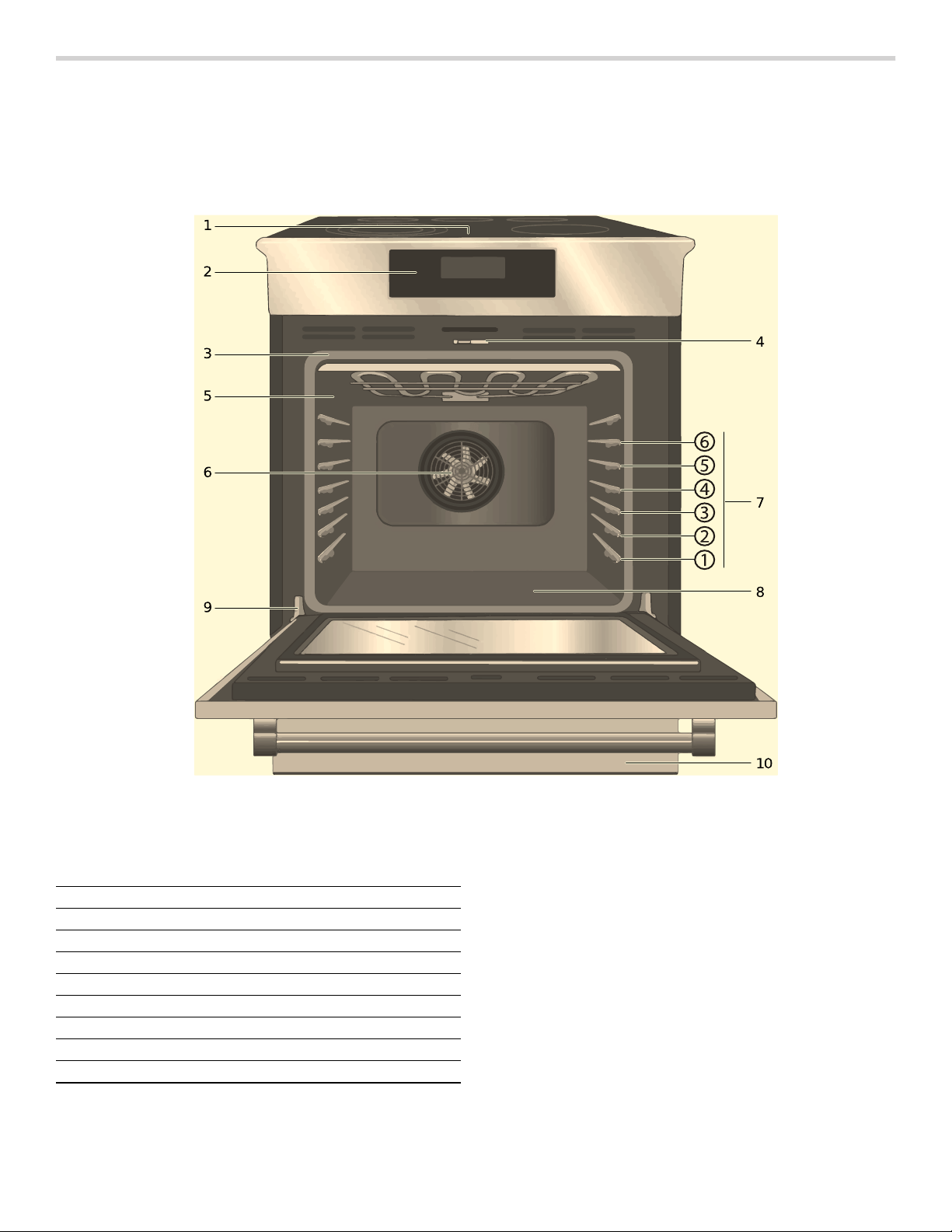
Range Features
Retained Heat
The glass cooking surface retains heat and stays hot
after the element(s) have been turned off. The retained
heat may be used to hold foods at serving temperatures
for a short time. If a hot surface light is on, use caution
when working or cleaning around the cooktop as the
cooktop is still hot.
Hot Surface Indicator
The cooktop displays a hot indicator light to show when
the cooking surface is too hot to touch. If a hot surface
light is on, use caution when working or cleaning around
the cooktop as the cooktop is still hot.
1 Cooktop Control Panel
2 Oven Control Panel
3 Door Gasket
4 Door Latch
5 Probe Jack
6 Convection Fan
7 Rack Position Guides with 6 rack positions
8 Oven Bottom
9 Door Hinge
10 Warming Drawer
12
Oven Features
Cooling Fan
The cooling fan runs during all cooking modes. The fan
can be heard when it is running, and warm air may be
felt as it is released from the oven vent. The fan may also
run after the oven is off.
Convection Fan
The convection fan operates during all convection
modes. When the oven is operating in a convection
mode, the fan turns off automatically when the door is
opened. The convection fan may also run during Fast
Preheat and Self-Clean.
Oven Bottom
The oven bottom conceals the lower heating element. As
a result the element is protected from damage and spills.
Tip: Do not place food directly on the oven bottom.
9 WARNING
Do not use aluminum foil or protective liners to line
any part of the appliance, especially the oven
bottom. Installation of these liners may result in a
risk of electric shock or fire.
Oven Vent
The oven vent is located at the bottom of the unit. Warm
air may be released from the vent before, during and
after cooking. It is normal to see steam escaping from
the vent, and condensation may collect in this area. This
area may be warm when the oven is in use. Do not block
the vent, since it is important for air circulation.
Automatic Shutoff
The oven will automatically shut off after 24 hours.
Self-cleaning
The oven features a self-cleaning function that eliminates
the manual labor involved with cleaning your oven.
Indicators and Other Features
Default Settings-The cooking modes automatically
select the default temperature. These can be changed
when a different one is needed.
E Number Codes-These codes display when there is a
problem with the range.
Standby Mode-Standby mode means that the oven has
power but no cooking mode or timer is running.
Accessories
Inserting Racks
9 CAUTION
▯ To avoid burns, place oven racks in desired
positions before turning oven on. Always use
oven mitts when the oven is warm. If a rack must
be moved while the oven is hot, do not let oven
mitts contact hot heating elements.
▯ Use caution when removing oven racks from the
lowest rack position to avoid contact with the hot
oven door.
▯ To avoid possible injury or damage to the
appliance, ensure racks are installed exactly per
installation instructions and not backwards or
upside down.
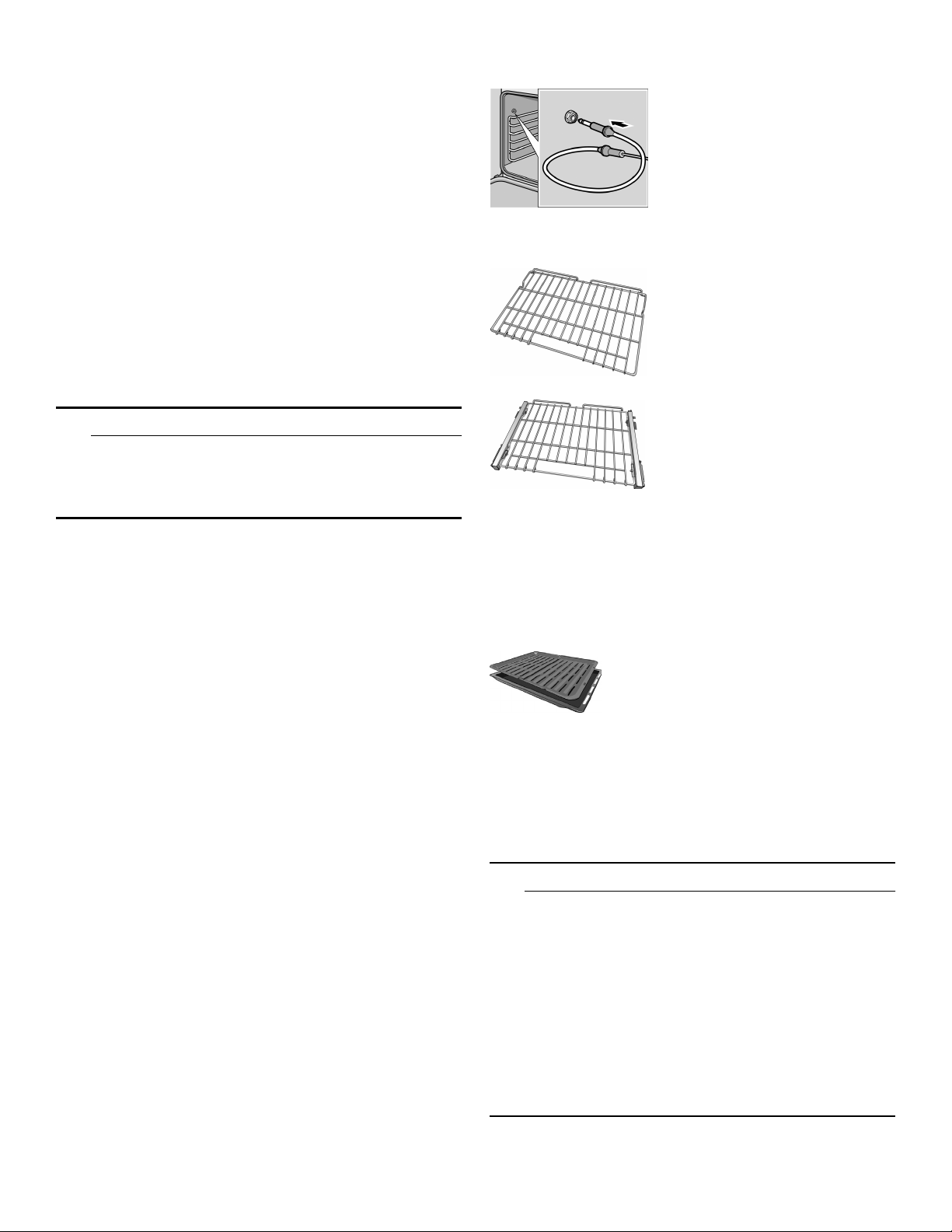
Probe
The probe can be used to
determine the internal doneness
or the end temperature of many
foods, especially meats and
poultry.
Do not clean in the Self Clean
oven or dishwasher.
Flat Rack
Use for most cooking. Can use
multiple racks in some modes.
Do not clean in the self-clean
oven.
Telescopic Rack (some models)
Additional 30-inch racks
available from e-Shop:
#HEZTR301
Use with heavier dishes to make
easier to place dishes into the
oven. Check on food while
cooking and remove dishes from
oven when done.
Do not clean in the self-clean
oven.
Broiling Pan
(available from e-Shop)
Pan: #00449757
Grill top: #00449756
Use for broiling and roasting.
Do not clean in the self-clean
oven.
13
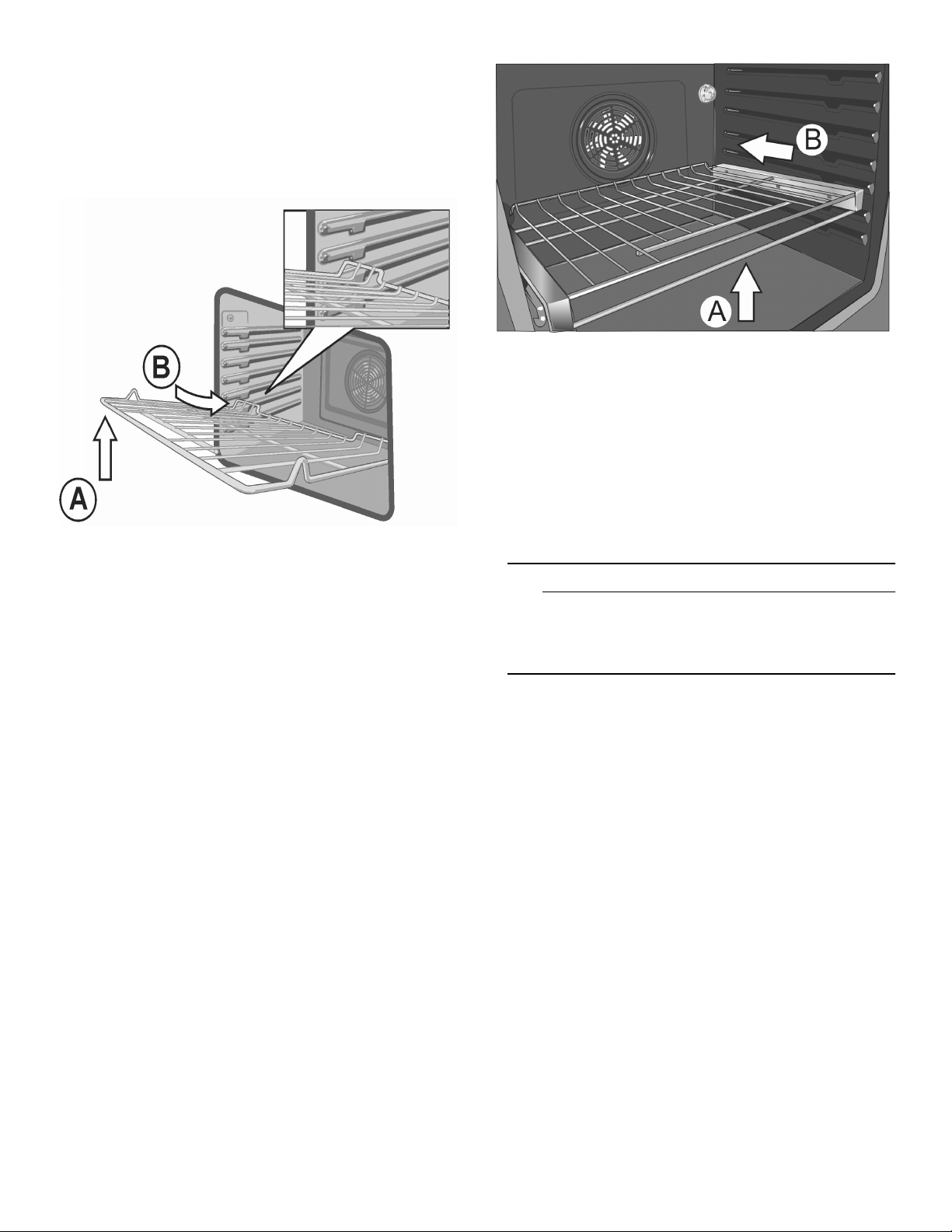
Flat Rack
The rack is designed with a stop so it will stop before
coming completely out of the oven and not tilt.
To insert Flat Rack into Oven:
1.
Grasp rack firmly on both sides.
2.
Insert rack (see picture).
3.
Tilt rack up to allow stop into rack guide.
4.
Bring rack to a horizontal position and push the rest of
the way in.
Rack should be straight and flat, not crooked.
To remove Flat Rack from Oven:
1.
Grasp rack firmly on both sides and pull rack toward
you.
2.
When the stop is reached, tilt rack up and pull the rest
of the way out.
Telescopic Rack
To insert Telescopic Rack into Oven:
1.
Slide the rack in evenly until the rear of the rack is
about two (2) inches from the back of the oven.
2.
Tilt the front of the rack up about 3/4” (A) and finish
pushing the rack all the way back (B).
Note: Avoid striking the oven light cover glass when
pushing the rack into position.
3.
The back of the telescopic rack drops in to place.
4.
Pull the rack forward to engage the bottom of the rack
onto the rear of the rack position guide.
5.
Lower the front of the rack to finish seating it on the
rack guide. The rack should feel stable when properly
seated.
6.
Slide the movable part of the telescopic rack in and
out a few times to make sure it is able to move freely
and that the non-moving part of the telescopic rack is
securely anchored.
9 CAUTION
To avoid possible injury or damage to the
appliance, ensure the telescopic rack is installed
exactly per installation instructions and not
backwards or upside down.
To Remove Telescopic Rack from the Oven:
1.
Lift the front of the telescopic rack assembly about
1/2” and push the rack to the rear about 3/4”. This
allows the rack to disengage from the rack position
guide.
2.
Lift the rear of the telescopic rack assembly so it
clears the rack position guide and gently pull the rack
from the oven.
Note: Take care to avoid pulling the rack unevenly
which will cause it to bind during removal, catching on
the oven walls.
14
Before Using the Appliance for the First Time
▯ Remove all packaging materials and labels from the
range.
▯ Range must be properly installed by a qualified
technician before use.
▯ Remove packing materials from inside the oven and
inside the drawer.
▯ While cool, wipe with clean, damp sponge and dry.
▯ Apply the glass ceramic cooktop cleaner to the glass
ceramic cooktop. Buff with a clean cloth. See Care
and Cleaning Section.
▯ There may be a slight odor during first uses. This is
normal and will disappear.
▯ Optimum cooking results depend on proper cookware
and bakeware being used.
▯ The cooking surface will hold the heat and remain hot
after the elements have been turned off.
▯ Read and understand all safety precautions and Use
and Care Manual information prior to operating.
Getting familiar with the appliance
In this section we describe the control panel, elements and displays.
These instructions apply to more than one cooktop, your appliance might vary slightly.
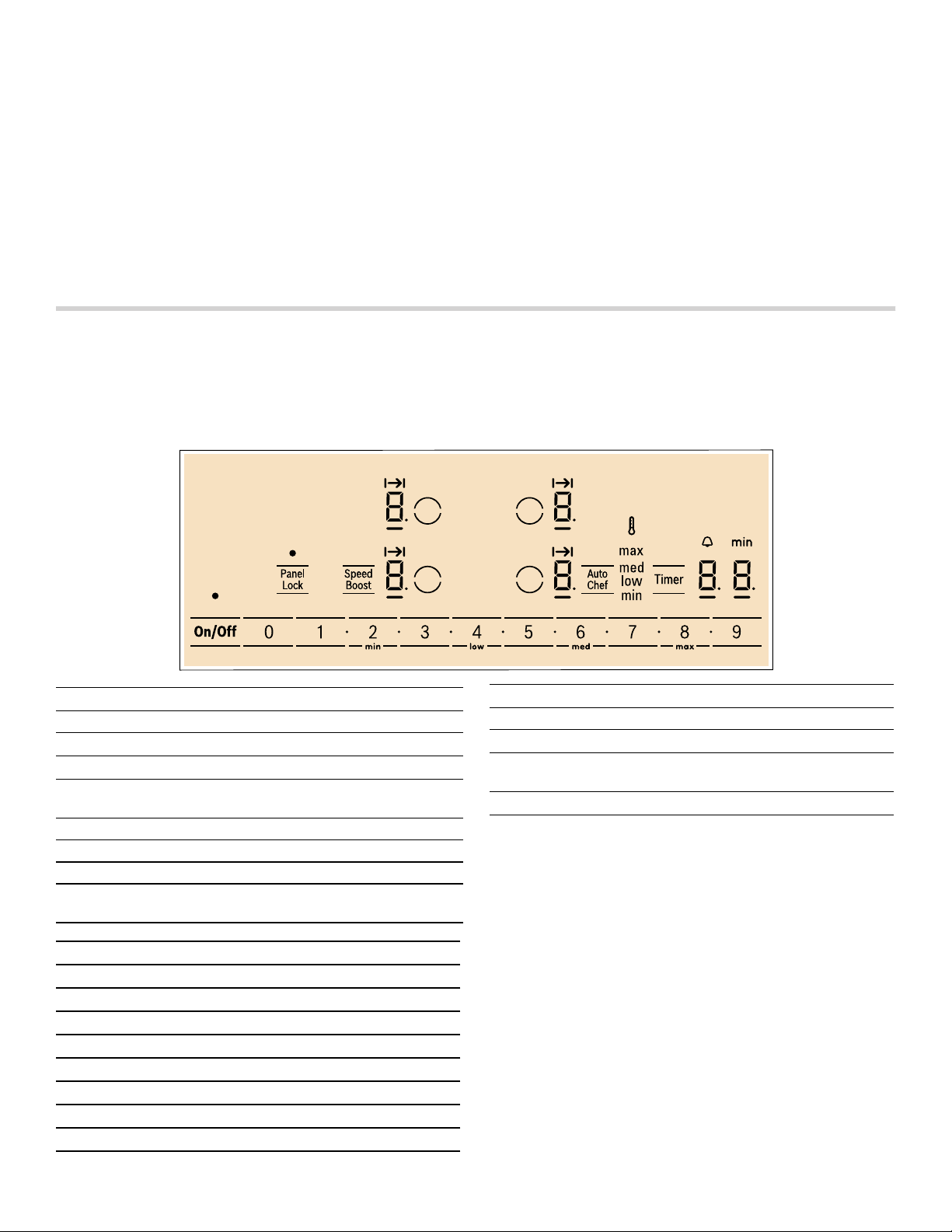
Control panel
Touch control zone
When you touch a symbol, the corresponding function
will be activated.
Notes
▯ When you touch several symbols at once the settings
will not change. This enables you to clean the touch
control zone when food has spilled over.
▯ Always keep the touch control zone clean and dry.
Moisture and dirt can affect proper functioning.
Touch keys
On/Off Main switch
$
Select cooking element
0 1 û 2 û ... 8 û 9
Settings area
Panel Lock Child safety panel lock / Wipe protec-
tion
Speed Boost
SpeedBoost
®
function
Auto Chef
AutoChef
®
frying function
Timer Timer functions
min / low / med
/ max
Select power level for AutoChef
®
Display icons
‹
Cooktop ready
Ú
Indicated function active
x
Cook time set
A
Indicates selected element
‹‹
Timer value
‚-Š
Power level
•/œ
Residual heat
›
SpeedBoost
®
function
‘
AutoChef
®
function
min Time display
s
AutoChef
®
temperature
max, med,
low, min
Temperature settings
V min
Timer function
Display icons
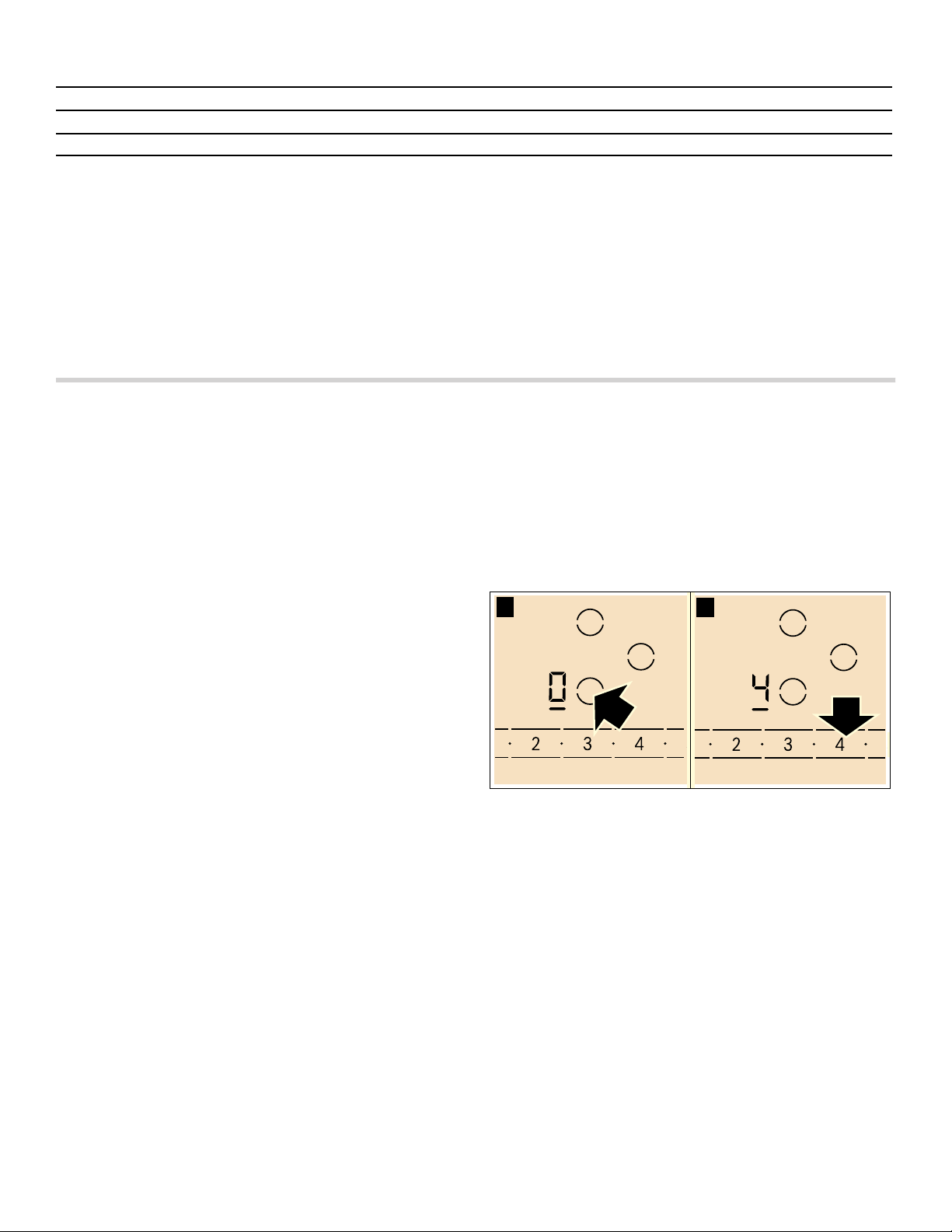
15
The elements
Residual heat indicator
The cooktop has a residual heat indicator for each
element. This indicates that the cooktop surface is still
hot. Do not touch the cooktop surface while the residual
heat indicator is illuminated.
The following are shown depending on the amount of
residual heat:
▯ Display •: High temperature
▯ Display œ: Low temperature
If you remove the cookware from the element during
cooking, the residual heat indicator and the selected
heat setting will flash alternately.
When the element is switched off, the residual heat
indicator will light up. Even after the cooktop has been
switched off, the residual heat indicator will remain
illuminated for as long as the element is still warm.
Operation
Main power switch
Use the main switch to turn on the electronic circuitry for
the control panel. The cooktop is now ready to use.
Turning the cooktop on
Touch the On/Off touch key until the indicator above the
main switch and the temperature level indicators ‹ next
to the heating elements turn on.
Turning the cooktop off
Touch the On/Off touch key. The __ indicator goes out.
The cooktop is switched off. The residual heat indicators
will remain on until the elements have cooled off
sufficiently.
Note: The cooktop switches off automatically when all
the elements have been switched off for more than 20
seconds.
The residual heat indicator remains lit until the elements
have cooled down sufficiently. •/œ is displayed next to
the corresponding element symbol.
Setting the cooktop
This section will show you how to set the elements. The
table contains details on the heat settings for a variety of
dishes.
Setting the element
Select the desired heat level using the number keys
1 to 9.
Heat level 1 = minimum power
Heat level 9 = maximum power
Each heat setting has an intermediate level. This level is
indicated by û in the element display and is set by
touching the û symbols between the number keys.
Selecting the heat level
The cooktop must be turned on.
1.
Select the desired element with by touching the $
symbol on the control panel. In the element display ‹
and the __ indicator light up.
2.
Within the following 10 seconds, set the desired power
level using the number keys.
3.
To change the power level, select the element and set
the desired power level using the number keys. To set
an intermediate level touch the û symbols between the
number keys.
Turning off the element
Select the element and set the heat level to 0. The
element is turned off and the residual heat indicator is
displayed.
Notes
▯ If there is no cookware on the induction cooking zone,
the heat setting display blinks. After a while, the
cooking zone will switch itself off.
▯ If cookware has been placed on the cooking zone
before you turn on the cooktop, it will be detected
within 20 seconds after you have touched the main
switch and the cooking zone will be selected
automatically. Once detected, set the power level
Element
$
Single element Always use cookware of a suitable size.
Use only cookware suitable for induction cooking; see the section “Cooking with Induction”

16
within the next 20 seconds, otherwise the cooking
zone will turn off.
Even if there are several pots and pans on the cooktop
when it is switched on, only one piece of cookware is
automatically selected.
Recommendations
▯ When heating up puree, cream soups and thick
sauces, stir occasionally.
▯ Set heat setting 8 to 9 for preheating.
▯ When cooking with the lid on, turn the heat setting
down as soon as steam escapes between the lid and
the cookware.
▯ After cooking, keep the lid on the cookware until you
serve the food.
▯ To cook with the pressure cooker, observe the
manufacturer's instructions.
▯ Do not cook food for too long, otherwise the nutrients
will be lost. The kitchen timer can be used to set the
optimum cooking time.
▯ For healthier cooking results, oil or grease should not
be heated until it smokes.
▯ To brown food, fry small portions in succession.
▯ Cookware may reach high temperatures while the food
is cooking. We recommend that you use pot holders.
▯ You can find recommendations for energy-efficient
cooking in section “Protecting the Environment”.
Settings table
The following table provides some examples. Cooking times may vary depending on the type of food, its weight and
quality. Deviations are therefore possible.
9 CAUTION
During cooking, stews or liquid meals such as
soups, sauces or drinks can heat up too quickly
unnoticed and overflow or spatter. For this reason
we recommend that you stir continuously, gradually
heating the food at a suitable power level.
Power levels
Melting
chocolate 1.
butter 1 - 2
Heating
frozen vegetables (e.g. spinach) 2. - 3.
broth 7 - 8
thick soup 1. - 2.
milk** 1 - 2
Simmering
delicate sauce e.g. Béchamel sauce 4 - 5
spaghetti sauce 2 - 3
pot roast 4 - 5
fish** 4 - 5
Cooking
rice (with double amount of water) 2 - 3
potatoes boiled in their skins with 1-2 cups of water 4 - 5
boiled potatoes with 1-2 cups of water 4 - 5
fresh vegetables with 1-2 cups of water 2 - 3.
frozen vegetables with 1-2 cups of water 3. - 4.
pasta (2-4 qt. water)* 6 - 7
pudding** 1 - 2
cereals 2 - 3
17
Cook time
You can use the timer function to set a cook time for any
element. The element will turn off automatically once the
set time has elapsed.
9 CAUTION
▯ When using the timer, always keep an eye on the
cooktop and do not allow anything to boil over or
burn. Boilovers can cause smoke and foods and
oils may catch on fire if left on high temperature
settings.
▯ This function should not be used for long periods
of time, especially at high heat settings.
▯ Make sure the cooktop is turned off with the main
power switch after each use.
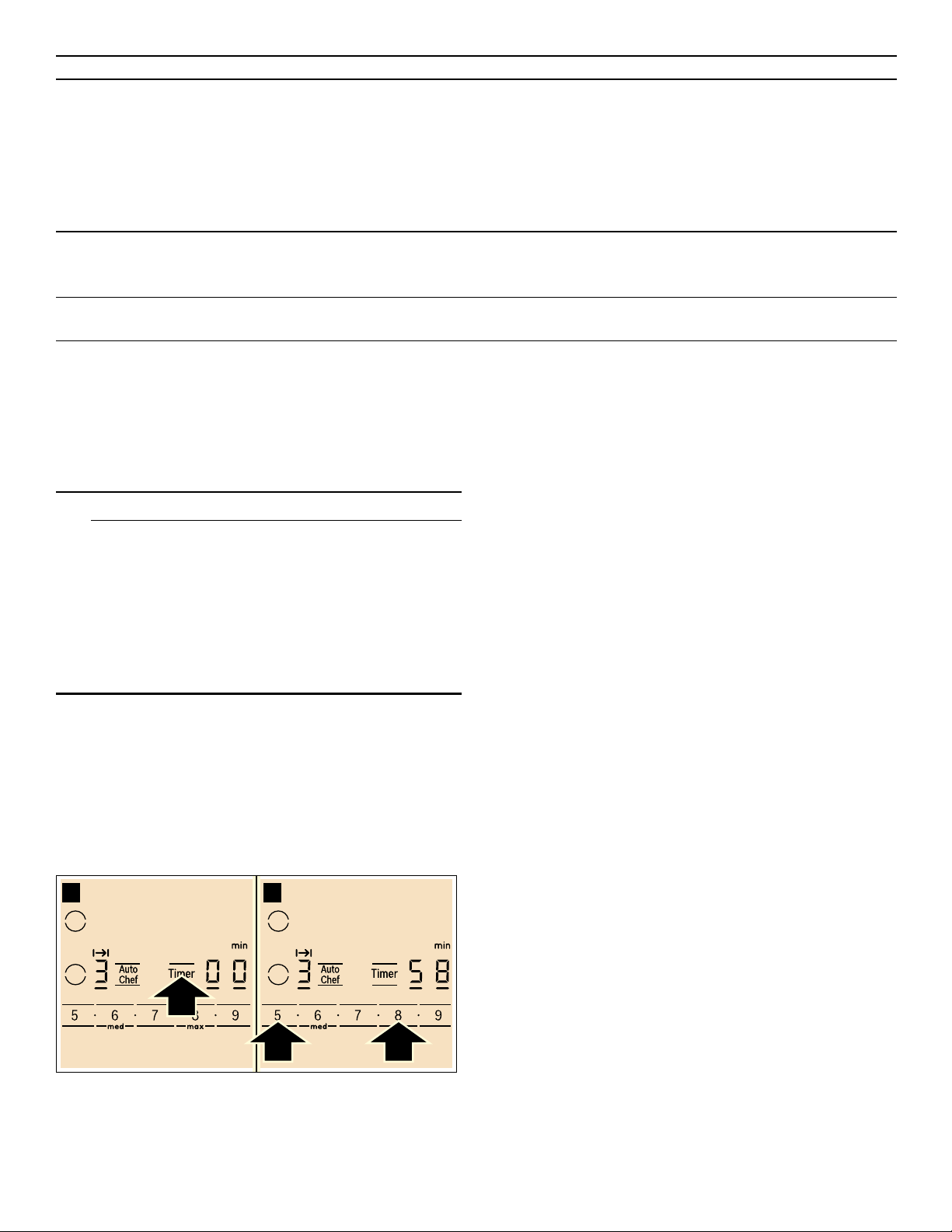
Setting a cook time
The cooktop must be turned on.
1.
Select the desired element and power level.
2.
Touch the Timer key. The x indicator lights up in the
element display and ‹‹ is shown in the timer display.
3.
Whithin 10 seconds enter the desired cook time using
the number keys.
After a few seconds the timer will start to count down.
AutoChef
®
If a cooking time has been programmed for an element
and AutoChef
®
has been activated, the cooking time will
not begin to count down until the selected temperature
setting has been reached.
Changing or canceling cook time
1.
Select the desired element and touch the Timer key.
2.
Adjust the cook time using the number keys. To
cancel cook time set the timer to ‹‹.
Once the cook time has elapsed
The element turns off once the set cook time has
elapsed. You will hear a beep. The indicator ‹ appears in
the element display and the timer display shows ‹‹ for
10 seconds. The x indicator in the element display
stays on.
Touch the Timer key, to turn the indicators and the beep
off.
Notes
▯ To set a cooking time of under 10 minutes, always
touch 0 before you select the required value.
▯ If a cooking time was set for several elements, the time
information for the selected element is shown in the
timer display.
▯ Select the relevant element to call up the remaining
cooking time.
▯ You can set a cooking time of up to ŠŠ minutes.
Frying
pork chop 5. - 6.
chicken breast 5 - 6
bacon 6 - 7
eggs 5 - 6
fish 5 - 6
pancakes 6 - 7
Deep fat frying** (in 1-2 qt. oil)
deep frozen foods, e.g. chicken nuggets (0.5 lb per serving) 8 - 9
other e.g. doughnuts (0.5 lb per serving) 4. - 5.
Keep warm
tomato sauce 1.
* ongoing cooking without lid
** without lid
Power levels
18
Automatic timer
With this function you may select a cook time for all
elements. Once an element is turned on, the selected
time will begin to count down. The element will
automatically turn off when the cook time has elapsed.
Instructions on activating the automatic timer are found in
the section on ~ "Basic settings"
Note: The cook time can be changed or canceled for
any element:
Select the desired element and touch the Timer key
twice. The remaining cook time for the element is
displayed. Adjust the cook time using the number keys,
or deactivate it by setting the the timer value to ‹‹.
Kitchen timer
The timer can be set for periods of up to 99 minutes. It is
independent of the other settings. You can also use the
kitchen timer when the cooktop is turned off or locked.
This function does not automatically switch off an
element.
Setting the kitchen timer
1.
Touch the Timer key until the V indicator lights up.
‹‹ and min appear on the timer display.
2.
Set the desired time using the number keys.
The timer start to count down after a few seconds.
Changing or deleting the time
Touch the Timer key repeatedly until the V indicator
lights up.
Change the time using number keys, or set ‹‹ in order
to delete the programmed time.
When the time has elapsed
A beep sounds. ‹‹ appears on the timer display and the
V indicator lights up. The displays go out after
10 seconds.
When the Timer key is touched, the displays go out and
the beep stops.
SpeedBoost
®
function
The SpeedBoost
®
function can be used to heat large
amounts of water faster than by using heat level Š.
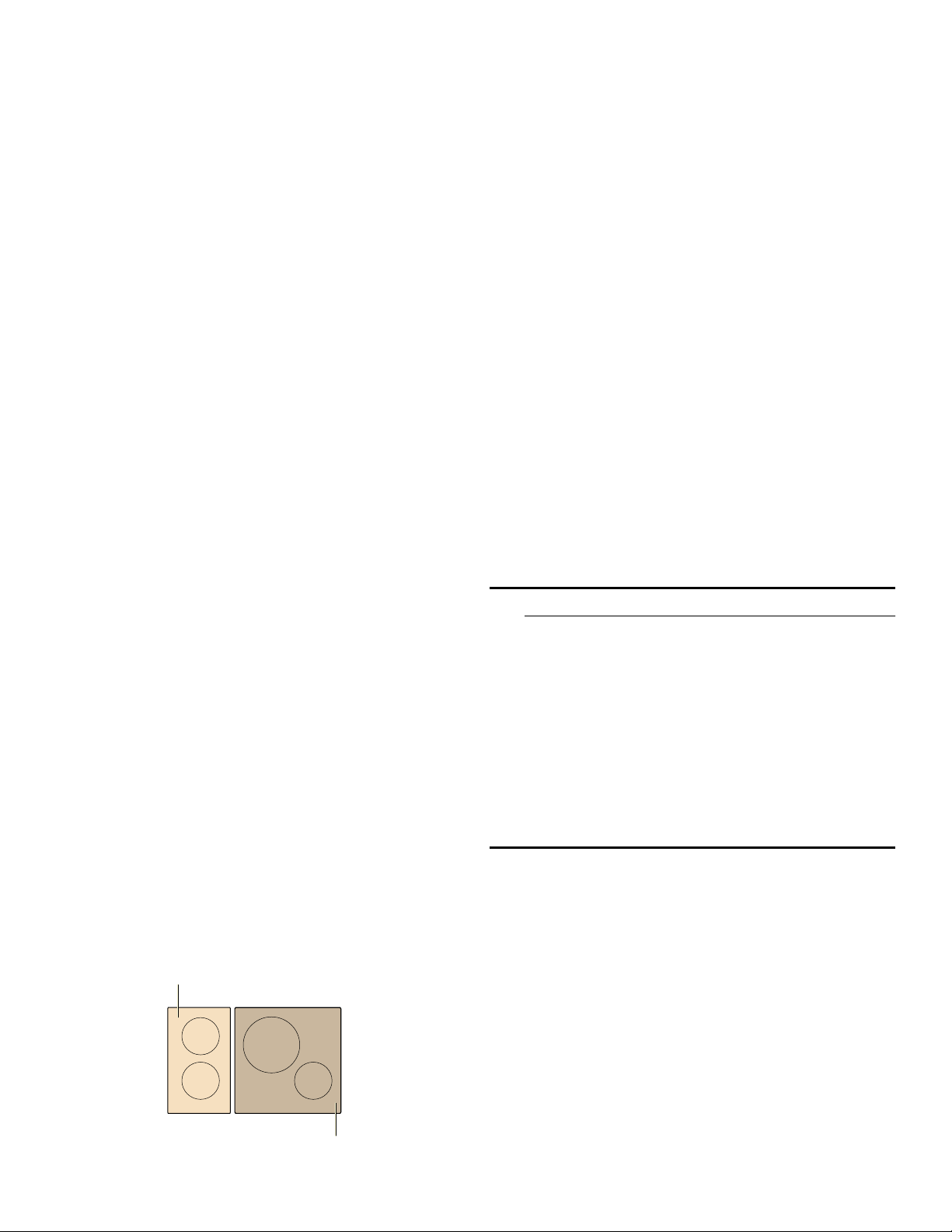
Limitation on use
This function can always be activated for an element,
provided the other element in the same group is not in
use (see illustration). Otherwise, › and Š will flash in the
display for the selected element; heat setting Š will then
be set automatically without activating the function.
Activation
1.
Select an element.
2.
Touch the Speed Boost key.
› lights up on the display.
The function is activated.
Deactivation
1.
Select the element on which SpeedBoost
®
is set.
2.
Touch the Speed Boost key.
› goes out on the display and the element switched
back to heat setting
Š.
The function is deactivated.
Note: In certain circumstances, the function may be
deactivated automatically to protect the internal
electronic components of the cooktop.
AutoChef
®
When you are using AutoChef
®
to operate the heating
element, a sensor controls the temperature of the pan.
Advantages when frying
▯ The element only heats up if this is required to
maintain the temperature. This saves energy and
prevents the oil or fat from overheating.
▯ The AutoChef
®
function beeps when the empty frying
pan has reached the optimum temperature for adding
oil and then for adding the food.
9 CAUTION
▯ Never leave oil or fat cooking unattended.
▯ Place the pan in the center of the element. Make
sure that the base of the pan has the proper
diameter.
▯ Do not cover the pan with a lid. The automatic
regulation will not work. A mash splatter guard
can be used without affecting the automatic
regulation.
▯ Only use fat or oil that is suitable for frying. When
you are using butter, margarine, olive oil or pork
lard, select the min temperature setting.
▯ AutoChef
®
is not suitable for boiling.
Suitable pans for AutoChef
®
Suitable frying pans for use with AutoChef
®
are available
as optional accessories. Only use pans that are suitable
for use with AutoChef
®
. You can buy our system pans in
specialized stores, or through our Customer Support.
Always indicate the related reference code.
▯ HEZ390210 (Small)
▯ HEZ390220 (Medium)
▯ HEZ390230 (Large)
The frying pans have a non-stick coating, which means
that very little oil is needed for frying.

19
9 CAUTION
▯ The AutoChef
®
function was set especially for this
type of frying pan.
▯ Other frying pans may overheat. The temperature
can be set higher or lower. Try the lowest heat
setting first and then change it according to your
requirements.
▯ Make sure that the diameter of the base of the
frying pan corresponds to the size of the element.
Place the pan in the center of the element.
▯ If a different type of pan is used, try it first at the
lowest frying level, adjusting it as required. The
pans may overheat.
Frying levels
Frying chart
The chart lists which heat setting is suitable for each type of food. The frying time may vary depending on the type,
weight, size and quality of the food.
The set heat setting varies depending on the frying pan that is used.
Preheat the empty pan; add oil and food after the acoustic signal has sounded.
Power level Temperature Suitable for
max high potato pancakes, sautéed potatoes and rare beef steak
med medium-high thin fried foods like frozen pies, cutlets (pork or chicken), vegetables
low medium-low thick fried food such as hamburgers and sausages, fish
min low omelettes, using butter, olive oil or margarine
Temperature
setting
Total frying time from signal
(mins.)
Meat
Cutlet, pork or chicken, plain or breaded med 6 - 10
Fillet med 6 - 10
Chops* low 10 - 15
Cordon bleu med 10 - 15
Steak, medium rare; 1" (2.5 cm) thick max 6 - 8
Steak, medium or well-done; 1" (2.5 cm) thick med 8 - 12
Poultry breast; ¾" (2 cm) thick* low 10 - 20
Sausages, pre-boiled or raw* low 8 - 20
Hamburger, meatballs low 6 - 30
Meatloaf min 6 - 9
Gyros med 7 - 12
Ground meat med 6 - 10
Bacon min 5 - 8
Fish
Fish, fried, whole, e.g. trout low 10 - 20
Fish fillet, with or without breadcrumbs low - med 10 - 20
Shrimp med 4 - 8
* Turn several times.
** Total cooking time per portion. Fry in succession.
20
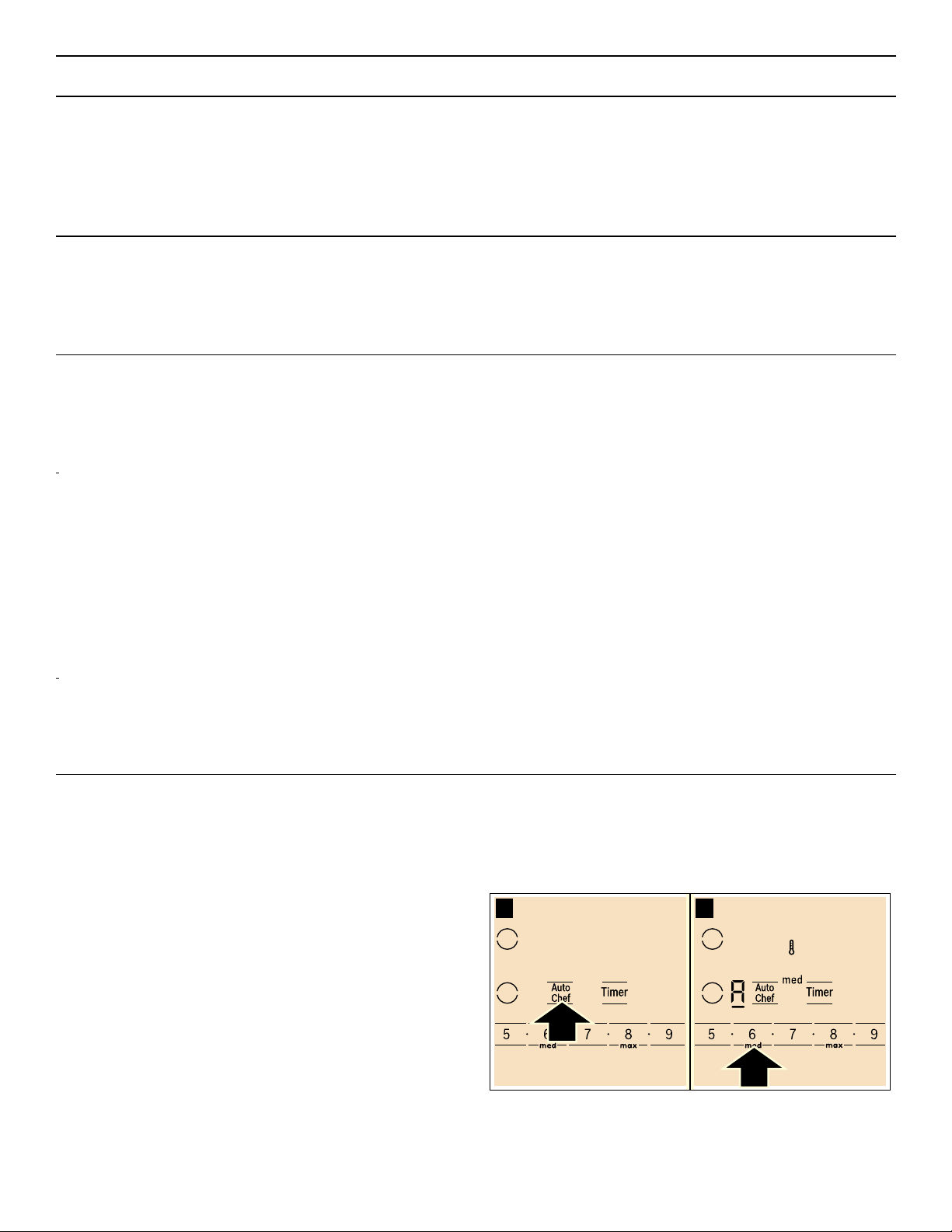
Setting the AutoChef
®
feature
Select the appropriate frying level from the chart. Place
the system pan in the center of the element. The cooktop
must be on.
1.
Select the element.
2.
Touch the AutoChef key. The ‘ lights up on the
element display.
3.
Select the desired frying level using the number keys.
The s symbol lights up on the display. The selected
frying level is displayed.
The temperature symbol s stays lit until the
temperature is reached. Then a beep sounds, s
disappears.
Egg dishes
Pancakes** max -
Omelette** min 3 - 6
Fried eggs min - med 2 - 6
Scrambled eggs min 4 - 9
French toast** low 4 - 8
Potatoes
Fried potatoes; boiled in their skin max 6 - 12
French fries; made from raw potatoes med 15 - 25
Potato fritter** max 2,5 - 3,5
Glazed potatoes low 15 - 20
Vegetables
Garlic, onions min 2 - 10
Squash, egg plant low 4 - 12
Peppers, green asparagus low 4 - 15
Mushrooms med 10 - 15
Frozen products
Cutlet, pork or chicken med 15 - 20
Poultry breast* med 10 - 30
Chicken nuggets med 10 - 15
Fish fillet, with or without breadcrumbs low 10 - 20
Fish sticks med 8 - 12
French fries max 4 - 6
Stir-fried meals, e.g. fried vegetables with chicken low 6 - 10
Spring rolls med 10 - 30
Miscellaneous
Dry ready meals that require water to be added, e.g. pasta min 5 - 10
Croutons low 6 - 10
Almonds/walnuts/pine nuts med 3 - 15
Temperature
setting
Total frying time from signal
(mins.)
* Turn several times.
** Total cooking time per portion. Fry in succession.

21
4.
Add the frying oil to the pan, then add the ingredients.
Turn the food over as usual to avoid burning.
Turning off AutoChef
®
Select the heating element and touch AutoChef.
Panel lock
You can use the child safety panel lock to prevent
children from accidentally turning the cooktop on.
Turning the panel lock on
The cooktop must be turned off.
Touch Panel Lock for 4 seconds. The Ú indicator over
Panel Lock lights up for 10 seconds. The cooktop is now
locked.
Turning the panel lock off
Touch Panel Lock for 4 seconds. The child lock is now
deactivated.
9 CAUTION
The child lock may be accidentally turned on and off
due to:
▯ water spilled during cleaning
▯ food that has overflowed
▯ objects being placed on the Panel Lock key.
Automatic panel lock
With this function, the panel lock is automatically
activated whenever you turn off the cooktop.
Switching on and off: You can find out how to switch the
automatic panel lock on in the section ~ "Basic
settings"
Wipe Protection
Cleaning the control panel while the cooktop is on may
change the settings. In order to avoid this the cooktop
has a wipe protection function.
To activate: Touch the Panel Lock key. The
Ú indicator
above the key lights up. The control panel is locked for
35 seconds.
You can now clean the surface of the control panel
without risk of changing the settings.
To deactivate: To deactivate the function before the time
has elapsed, touch the Panel Lock key. The
Ú indicator
above the key turns off, the function is deactivated.
Notes
▯ An acoustic signal sounds 30 seconds after activation.
This indicates that the function is about to finish.
▯ The wipe protection function does not lock the main
switch. The cooktop can be switched off at any time.
Automatic time limitation
If the element is used for prolonged periods of time
without changes in the settings being made, the
automatic time limitation function is triggered.
The element stops heating. ”‰ and the residual heat
indicator •/œ flash alternately in the display.
The indicator goes out when any symbol is pressed. The
element can now be reset.
When the automatic time limitation is activated depends
on the selected heat level (from 1 to 10 hours).
Basic settings
The appliance has various basic settings. You can adjust these settings to the way you usually cook.
Display Function
™‚
Automatic child lock/panel lock
‹ Off*
‚ On
™ƒ
Audible signals
‹ Confirmation signal and error signals deactivated
‚ Only error signals activated
ƒ Only confirmation signals activated
„ All signals activated*
™†
Automatic timer
‹ Off*
‚-ŠŠ Automatic shut-off time
™‡
Length of timer end signal
‚ 10 seconds*
ƒ 30 seconds
„ 1 minute
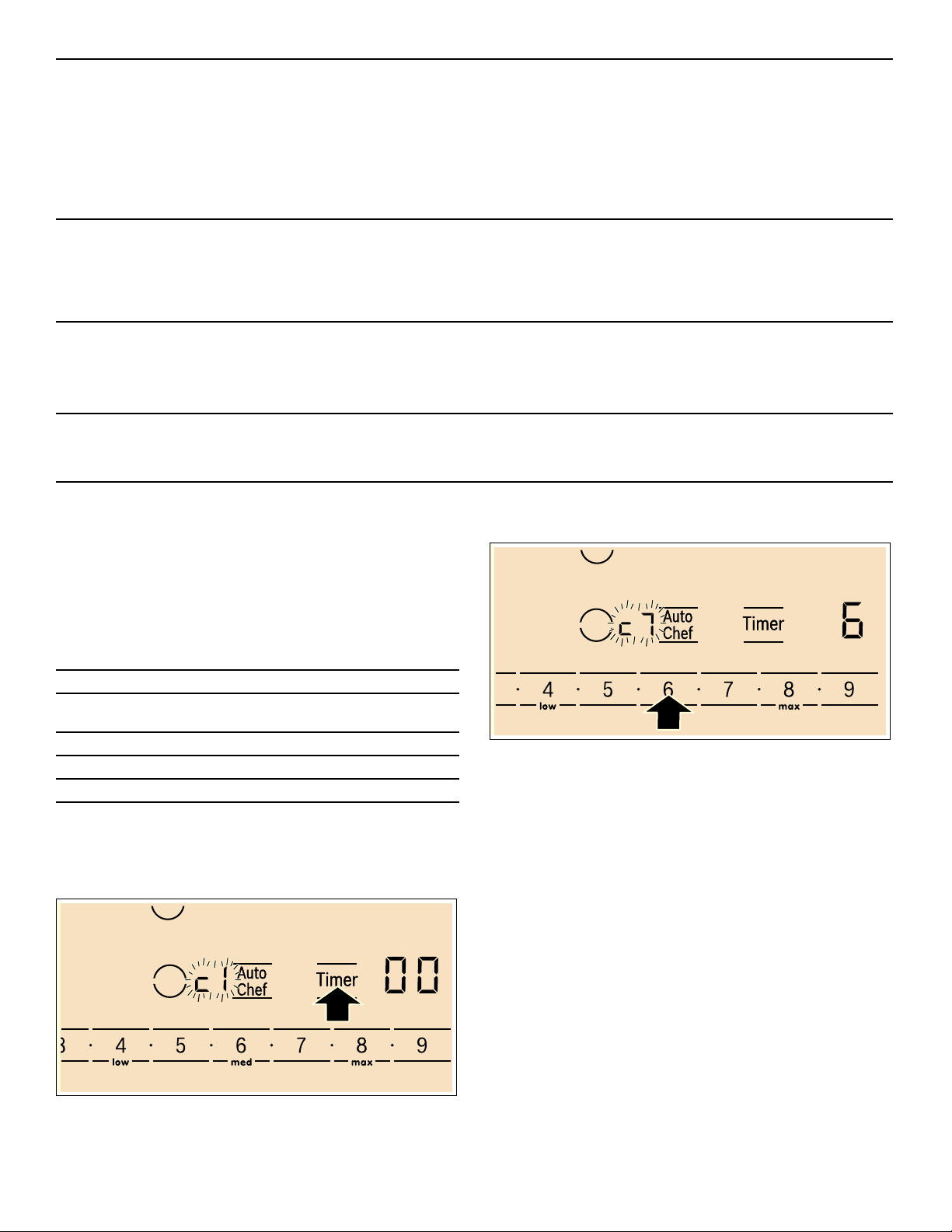
22
Changing the basic settings
The cooktop must be turned off.
1.
Turn on the cooktop with the main switch.
2.
Within10 seconds, touch the Timer key for about
4 seconds.
The first four displays provide product information.
Touch the settings area to view the individual displays.
3.
Touching the Timer key again takes you to the basic
settings.
In the display ™ and ‚ light up alternately and in the
timer display ‹ lights up as a default setting.
4.
Touch Timer repeatedly until the indicator for the
desired function appears in the element display.
5.
Select the desired setting using the number keys.
6.
Touch Timer again for 4 seconds. The setting is
stored.
Quit basic settings
Turn the cooktop off with the main switch.
™ˆ
Power Management function
‹ = Off*
‚ = 1.000 W. minimum power
‚.= 1.500 W
ƒ = 2.000 W
etc.
Š or Š. = maximum power of the element
™Š
Selection time for heating element
‹Unlimited*: You can adjust the settings of the last heating element used at any time without hav-
ing to select it again.
‚Restricted: You can adjust the settings for the last heating element used within 10 seconds after
selecting it. After that you will have to reselect the heating element before setting it.
™‚ƒ
Cookware, Checking result of cooking process
‹Not suitable
‚Not perfect
ƒSuitable
™‹
Reset to basic settings
‹ Off*
‚ Reset the appliance to basic settings
*factory settings
Product information Display
Directory for the Customer Service Index
(K1)
‹‚
FD number
”š
FD number 1
Š†.
FD number 2
‹.†
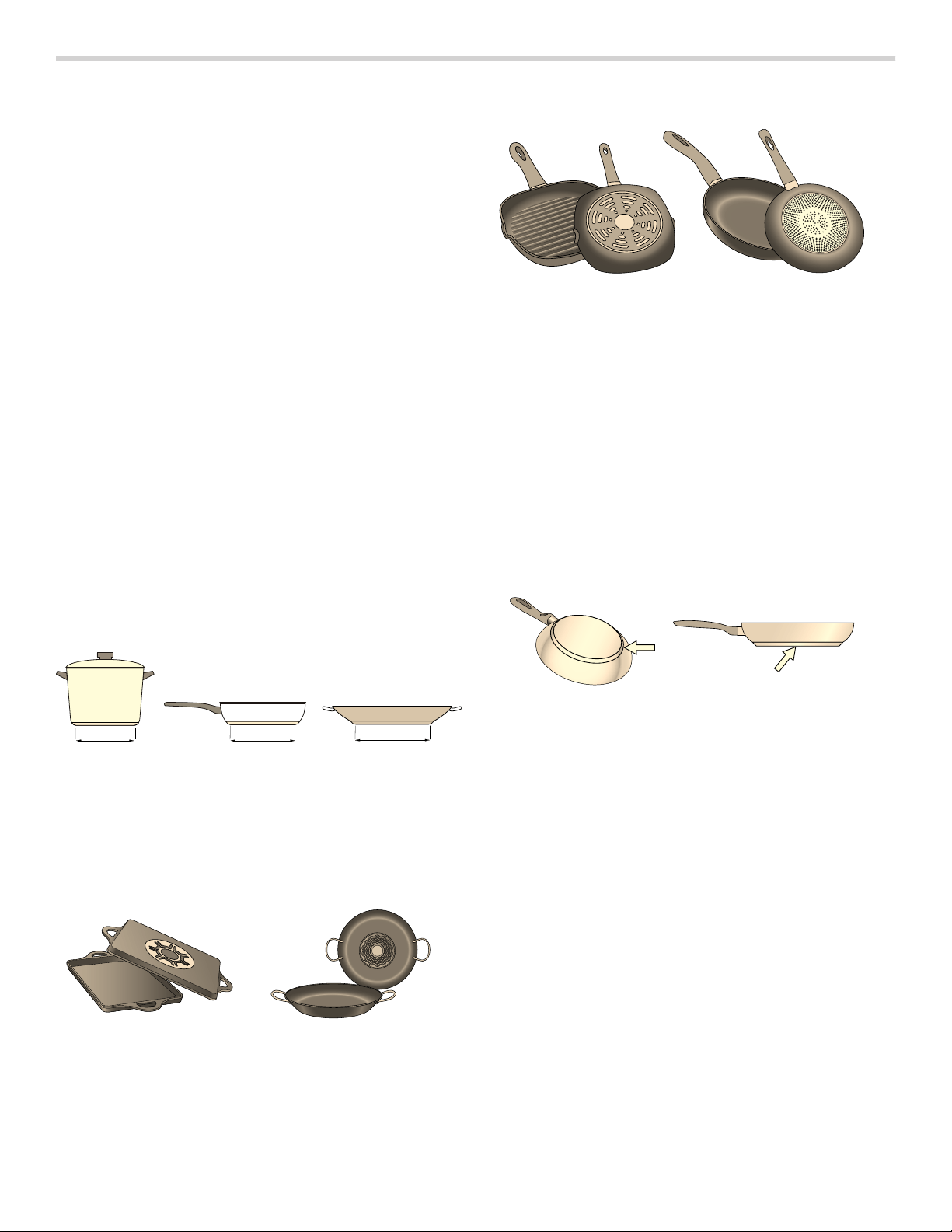
23
Cooking with Induction
Advantages of induction cooking
Induction cooking is very different from traditional
cooking methods, as heat builds up directly in the item of
cookware. This offers numerous advantages:
▯ Saves time and energy when boiling and frying.
▯ Easier to care for and clean. Spilled food does not
burn on as quickly.
▯ Heat control and safety – the cooktop increases or
decreases the heat supply as soon as the user
changes the setting. The induction element stops the
heat supply as soon as the cookware is removed from
the element, without having to switch it off first.
Cookware
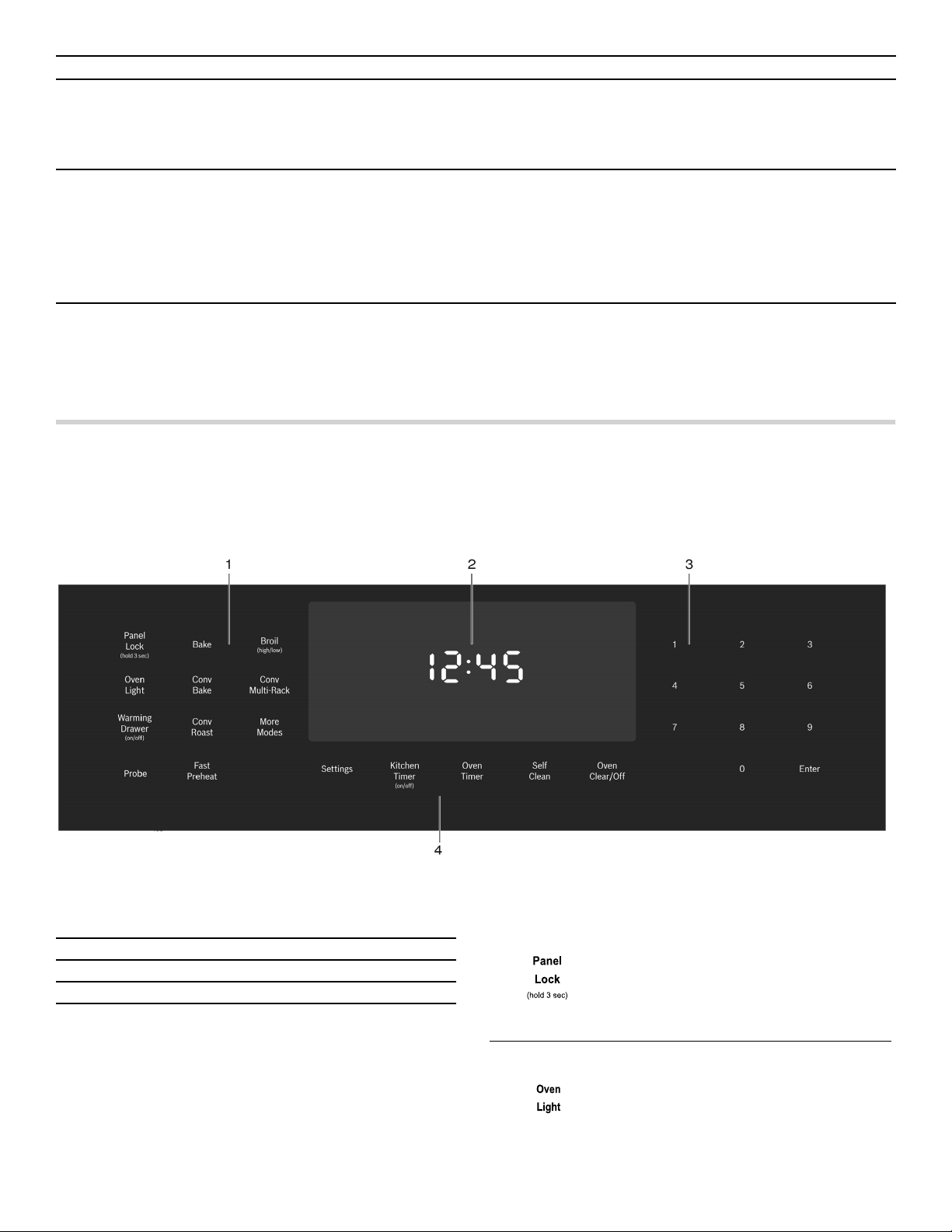
Only use ferromagnetic cookware for induction cooking,
such as:
▯ Cookware made from enameled steel or cast iron
▯ Special induction-compatible cookware made from
stainless steel.
To check whether your cookware is suitable for induction
cooking, refer to the section on ~ "Suitability test of
cookware".
To achieve a good cooking result, the ferromagnetic area
on the base of the pan should match the size of the
element. If a element does not detect an item of
cookware, try placing it on another element with a
smaller diameter.
Some induction cookware does not have a fully
ferromagnetic base:
▯ If the base of the cookware is only partially
ferromagnetic, only the area that is ferromagnetic will
heat up. This may mean that heat will not be
distributed evenly. The non-ferromagnetic area may
not heat up to a sufficient temperature for cooking.
▯ The ferromagnetic area will also be reduced if the
material of which the base of the cookware is made
contains aluminum, for example. This may mean the
cookware will not become sufficiently hot or detected.
Unsuitable cookware
Do not ever use adapter plates for induction or cookware
made of:
▯ Traditional Stainless Steel, Copper, Aluminum
▯ Glass
▯ Clay
Properties of the base of the cookware
The material(s) of which the base of the cookware is
made can affect the cooking result. Using pots and pans
made from materials that distribute heat evenly through
them, such as stainless-steel pans with a three-layer
base, saves time and energy.
Use cookware with a flat base; if the base of the
cookware is uneven, this may impair the heat supply.
No pan or improper size
If no pan is placed on the selected element, or if it is
made of unsuitable material or is not the correct size, the
power level displayed on the element indicator will flash.
Place a suitable pan on the element to stop the flashing.
If you take longer than 90 seconds to place a suitable
pan on the element, it will automatically turn off.
Empty pans or pans with a thin base
Do not heat up empty pans, or use pans with a thin base.
The cooktop is equipped with an internal safety system.
However, an empty pan may heat up so quickly that the
"automatic switch off" function may not have time to react
and the pan may reach very high temperatures. The pan
base could melt and damage the cooktop glass. In this
case, do not touch the pan and switch the cooktop off. If
the cooktop fails to work after it has cooled down, please
contact the technical service.
Pan detection
Each element has a lower limit for pan detection. This
depends on the diameter of the ferromagnetic area of the
cookware and the material of which its base is made. For
this reason, you should always use the element that best
matches the diameter of the base of the pan.
FP
FP
FP
LQ LQ LQ

24
Cleaning and Maintenance-Cooktop
Daily Cleaning
Notes
▯ Clean only parts listed in manual.
▯ Bosch cleaners have been tested and approved for
use on Bosch appliances. Other recommended
cleaners do not constitute an endorsement of a
specific brand.
Cleaning the Cooktop
9 WARNING
DO NOT TOUCH SURFACE UNITS OR AREAS
NEAR UNITS
Surface units may be hot even though they are dark
in color. Areas near surface units may become hot
enough to cause burns. During and after use, do not
touch, or let clothing or other flammable materials
contact surface units or areas near units until they
have had sufficient time to cool. Among those areas
are the cooktop and surfaces facing the cooktop.
9 CAUTION
Do not use any kind of cleaner on the glass while
the surface is hot. The resulting fumes can be
hazardous to your health. Heating the cleaner can
chemically attack and damage the surface.
Precautions for Long Life and Good Appearance of the
Surface
▯ Regular, daily care using the glass ceramic cooktop
cleaner will protect the surface and make it easier to
remove food soil and water spots.
▯ The glass ceramic cooking surface is a durable
material resistant to impact but not unbreakable if a
pan or other object is dropped on it.
▯ Never cook food directly on the glass.
▯ Avoid placing a wok support ring, trivet or other metal
stand on glass surface.
▯ Do not use the glass surface as a cutting board.
▯ Do not slide cookware across the cooking surface as
it may scratch the surface.
▯ Do not place wet pans on the glass surface.
Care Before Use
Care is easy when preventative steps are taken. For
example, apply a small amount of glass ceramic cooktop
cleaner (packaged with range) on a daily basis. This
provides a protective film that makes it easy to remove
water spots or food spatters. The temperature of the
cooking surface reduces the protective qualities of this
cleaner. It must be reapplied before each use. Use a
clean cloth and apply glass ceramic cooktop cleaner
before each use to remove dust or metal marks that can
occur on the counter level surface between uses.
Daily Cleaning Techniques
9 WARNING
RISK OF BURNS
Be extremely careful as the cooking surface is hot. If
using damp sponge or cloth, wait until the cooktop
has cooled sufficiently to prevent steam burns. Also,
some cleaners give off noxious fumes when applied
to hot surfaces.
1.
Clean the surface when it is completely cool with glass
ceramic cooktop cleaner.
Exception: Remove dry sugar, sugar syrup, tomato
products and milk with the razor blade scraper once
the cooktop has sufficiently cooled. See Cooktop Care
Chart on the next page.
2.
Wipe off spatters with a clean, damp sponge or a
paper towel. Rinse and dry. Use white vinegar if
smudge remains; rinse.
3.
Apply a small amount of the glass ceramic cooktop
cleaner. When dry, buff surface with a clean paper
towel or cloth.
Using the Razor Blade Scraper
Use the scraper to remove dried or baked on foods. Wait
until the cooktop has cooled sufficiently. Hold the scraper
at a 30° angle. Move it over the soil to lift it off of the
cooktop. Finish with a clean, damp sponge or paper
towel. Apply white vinegar if smudge remains and rinse.
9 WARNING
RISK OF INJURY
The blade is extremely sharp. Risk of cuts. Protect
the blade when not in use. Replace the blade
immediately when any imperfections are found.
Follow manufacturer’s instructions.

25
Cleaning guidelines
When using a cleaner, use only a small amount; apply to
a clean paper towel or cloth. Wipe on the surface and
buff with a clean dry towel.
For best results, use a glass cooktop cleaner such as the
Bosch Glass Cooktop Cleaner (part number 12010030),
which can be ordered online at www.bosch-home.com/
us/store (for U.S. customers only). Other cleaners
include Bon Ami®, Soft Scrub® (without bleach), and
white vinegar.
Avoid these cleaners
▯ Glass cleaners which contain ammonia or chlorine
bleach. These ingredients may damage or
permanently stain the cooktop.
▯ Caustic cleaners such as Easy Off® may stain the
cooktop surface.
▯ Abrasive cleaners.
▯ Metal scouring pads and scrub sponges such as
Scotch Brite® can scratch and/or leave metal marks.
▯ Soap-filled scouring pads such as SOS® can scratch
the surface.
▯ Powdery cleaners containing chlorine bleach can
permanently stain the cooktop.
▯ Flammable cleaners such as lighter fluid or WD-40.
Cleaning charts
Type of Soil Possible Solution
Dry sugar, sugar syrup, milk or tomato spills. Melted
plastic film or foil. All these items require removal after
the cooktop has sufficiently cooled. Be extremely
careful as the cooking surface is hot. Failure to remove
these can permanently damage the surface.
Remove these types of spills after the surface has suffi-
ciently cooled using the razor blade scraper. Use a new,
sharp razor in the scraper. Remove pan and turn off the
element. Wearing an oven mitt, hold scraper at 30°
angle, using care not to gouge or scratch the glass. Push
soil off the heated area. After the surface has cooled,
remove the residue and apply the glass ceramic cooktop
cleaner.
9 WARNING
RISK OF INJURY
The blade is extremely sharp. Risk of cuts. Protect
the blade when not in use. Replace the blade imme-
diately when any imperfections are found. Follow
manufacturer’s instructions.
Burned-on food soil, dark streaks, and specks Soften by laying a damp paper towel or sponge on top of
soil for 30 minutes. Use a plastic scrubber and glass
ceramic cooktop cleaner or use the razor blade scraper.
Rinse and dry.
Greasy spatters Use a soapy sponge or cloth to remove grease; rinse
thoroughly and dry. Apply glass ceramic cooktop
cleaner.
Metal marks: Iridescent stain Pans with aluminum, copper or stainless steel bases may
leave marks. Treat immediately after surface has cooled
with glass ceramic cooktop cleaner. If this does not
remove the marks, try a mild abrasive (Bon Ami®, Soft
Scrub® without bleach) with a damp paper towel. Rinse
and reapply glass ceramic cooktop cleaner. Failure to
remove metal marks before the next heating makes
removal very difficult.
26
Maintenance
This appliance requires no maintenance other than daily cleaning. For best results, apply cooktop cleaning cream
daily.
Operation-Oven
Oven Control Panel
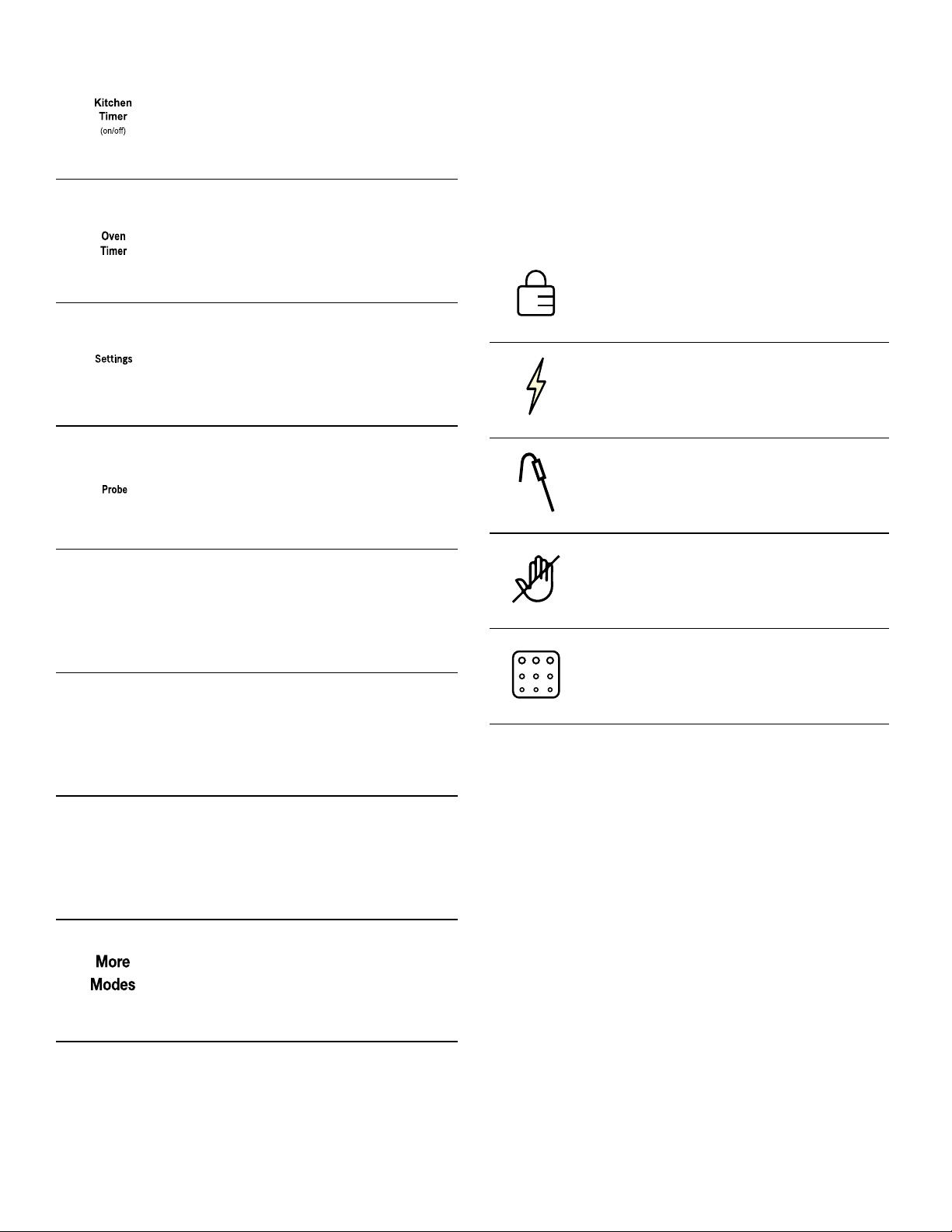
800 Series Oven Control Panel
Note: You only need to press lightly on the buttons to
operate them.
Button Descriptions
Hard water spots:
Hot cooking liquids dripped on surface
Minerals in some water can be transferred onto the sur-
face and cause stains. Use undiluted white vinegar, rinse
and dry. Recondition with glass ceramic cooktop cleaner.
Remove boilovers and stains before using the cooktop
again.
Surface scratches:
Small scratches are common and do not affect cooking.
They become smoother and less noticeable with daily use
of the glass ceramic cooktop cleaner.
Apply glass ceramic cooktop cleaner before using to
remove sand-like grains and grit such as salt and sea-
soning. Scratches can be reduced by using pans with
bases that are smooth, clean, and dry before use. Use
recommended glass ceramic cooktop cleaner daily.
NOTE: Diamond rings may scratch the surface.
Type of Soil Possible Solution
1 Mode Selection Buttons
2 Display
3 Numeric Keypad Buttons
4 Special Function Buttons
Turns Panel Lock mode on and off.
Turns the oven lights on or off.
27
More Modes
Additional modes are available by pressing the More
Modes button. These modes include Convection Broil,
Warm, Pizza, Proof and Roast. These are discussed in
the Getting the Most Out of Your Appliance section later
in this manual.
Display Symbols
About the Oven
Your new oven combines premium cooking results and
simple operation.
The oven design has been optimized to improve heat
distribution in the oven cavity. The result is even
browning, shorter cooking times and lower energy
consumption.
Thanks to the Self Clean mode, hours of scrubbing into
the darkest corners of the oven is a thing of the past. The
oven burns off soil simply and easily. All that is left to do
is to remove a few ashes from the oven when Self Clean
is done.
Clear labeling of the touch pads makes operating the
oven very easy. This manual includes all instructions for
operating the oven.
Please call us if you ever have any questions. Our
telephone number is located at the beginning of this
manual. We welcome your comments and suggestions.
Starts and stops the kitchen timer(s).
Press to edit a timer.
Press to edit the oven timer for the
selected oven. Turns off the oven at
the end of the specified time.
Provides access to user settings to
allow customization of basic display,
language and other features. Use also
to set clock.
Sets probe target temperature. Probe
allows monitoring of internal meat tem-
perature during cooking.
Enables Fast Preheat option.
Activates Self Clean mode.
Turns the warming drawer on or off.
Allows access to cooking/heating
modes that do not have a direct
access button.
'BTU
1SFIFBU
6HOI
&OHDQ
8BSNJOH
%SBXFS
POPGG
Door Lock- Is displayed when the oven
door is locked.
Fast Preheat Symbol- Is displayed when
Fast Preheat is active.
Probe Symbol- Appears when a probe is
detected.
Panel Lock- Is displayed when the con-
trol panel is locked.
Self Clean- Is displayed when Self Clean
is active.
28
Basic Features
Setting the Clock
The oven includes time functions that require the current
time to be set. It is therefore important to set the clock
before beginning to use the oven. The oven cannot be in
a cooking mode to access the clock set mode.
To set the clock:
1.
The oven must be in Standby mode (oven is powered
on, but no cooking mode or timer in operation).
2.
To access the clock set mode:
Press the Settings button. The display shows “SET
CLOCK”. Press Enter to edit the clock.
3.
Use the numeric keypad to enter the desired time.
Each number pressed is entered at the right and
moving previously entered digits to the left. To set
“12:45 pm”, press 1,2,4,5.
4.
When the desired time is entered, set the time by
pressing Enter.
The clock is now set and running.
Setting the Cooking Mode and Temperature
There are two alternate methods to set cooking mode
and temperature.
To set the Cooking Mode first, then the temperature:
1.
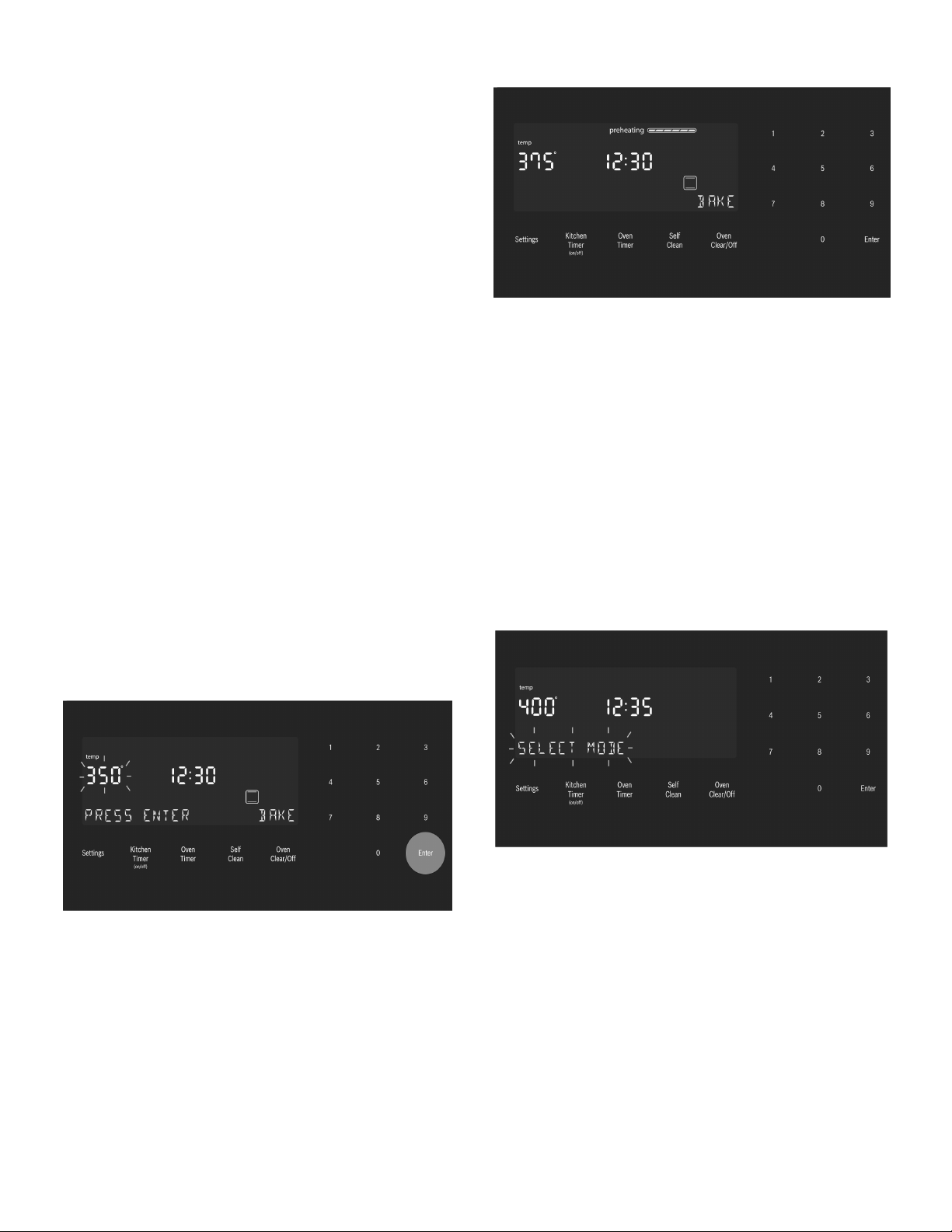
Press the desired Cooking Mode button. The cooking
mode and default temperature are displayed. The
temperature flashes to show it can be edited.
2.
Press Enter to start the mode using the default
temperature.
3.
To change the temperature, enter the new temperature
using the numeric buttons. For example, changing
temperature to 375°. Press Enter to set the updated
temperature.
Note: The new temperature is automatically set after
10 seconds if Enter is not pressed.
4.
Preheating starts.
Note: If a temperature is entered that is not within the
allowed range for the mode, an error tone will sound
and the lower part of the screen will display “TEMP
NOT ALLOWED”.
To set the Temperature first and then the Cooking
Mode (not for Broil or Convection Broil):
1.
Press the numeric keys to enter the desired
temperature setting. The temperature entered is
displayed beside the current time.
2.
Select a cooking mode that is compatible with the
temperature entered. If no cooking mode is selected
within 5 seconds of setting the temperature, an error
tone sounds and a “SELECT MODE” message is
displayed and blinks.
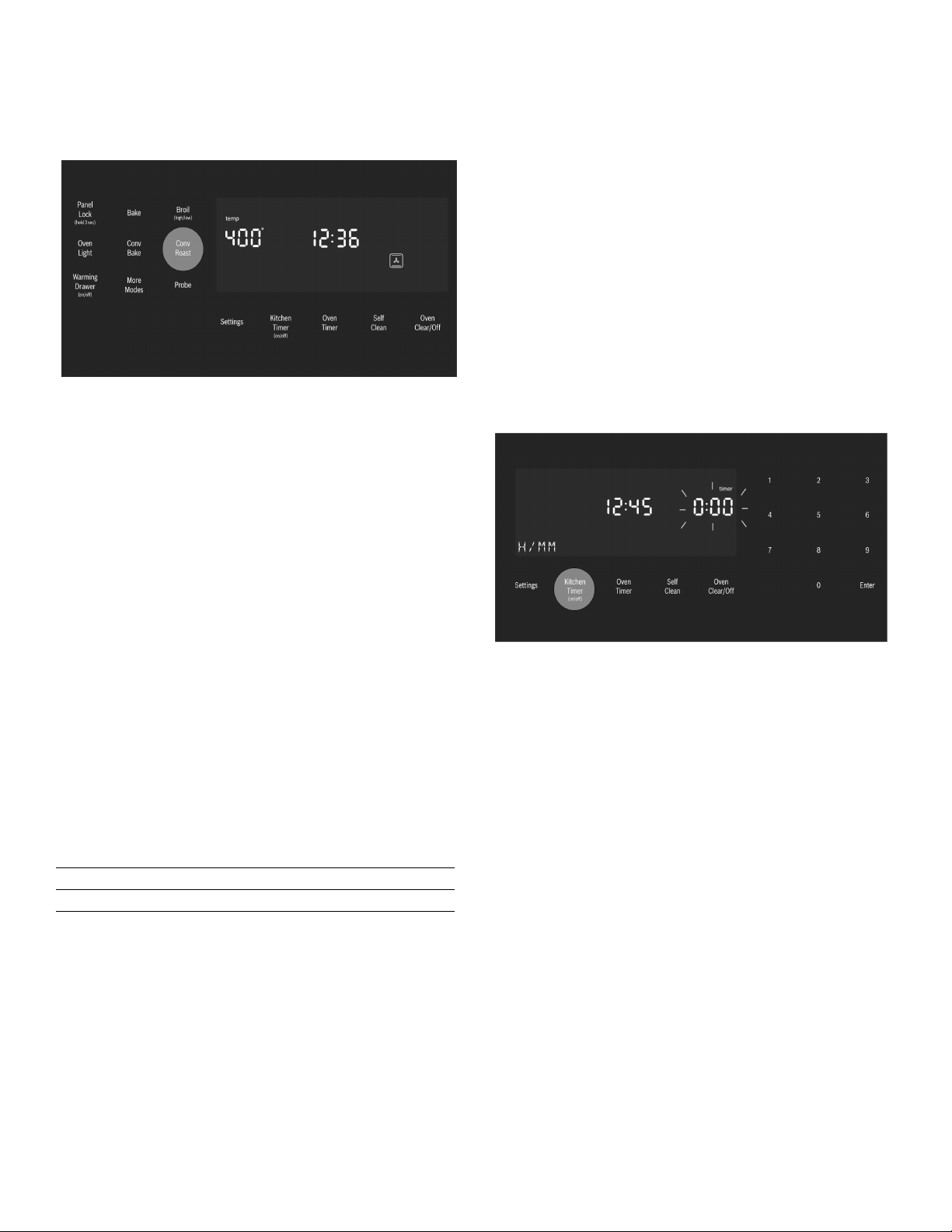
29
3.
Press a Mode Selection button to select a cooking
mode.
The new mode and temperature set automatically after
10 seconds if Enter is not pressed.
Note: If a temperature is entered that is not within the
allowed range for the mode selected, an error tone will
sound and the lower part of the screen will display
“TEMP NOT ALLOWED”.
To change the Oven Temperature:
1.
Press the Cooking Mode button.
2.
The current temperature flashes. Use the numeric
buttons to enter a new temperature. Press Enter.
Heating Time Limitation
The maximum heating time is limited. If you forget to turn
off the oven, it turns off automatically after a set period of
time.
The maximum time for Sabbath Mode is 74 hours. For all
other cooking modes the maximum allowed time is 24
hours.
Timer
Your new oven is equipped with two types of timers.
Kitchen Timer- is a countdown timer that has no affect
on oven heating. The kitchen timer is used for general
kitchen timing needs.
Oven Timer- is a countdown timer which upon reaching
00:00 turns the oven off, stopping the current mode. The
oven timer is used to set how long a mode will run. Not
available for Broil, Convection Broil or Proof.
To set a kitchen timer (for general kitchen timer needs):
1.
Press the Kitchen Timer On/Off button.
0:00 is displayed and blinks in the display. Enter the
desired timer value in H/MM format using the numeric
keypad.
2.
Press Enter.
The kitchen timer starts.
3.
When the kitchen timer has counted down to zero an
alarm tone sounds every 10 seconds for 2 minutes
and the message “TIMER END” is displayed.
Cancel the kitchen timer- press the Kitchen Timer On/
Off button.
Note: The timer does not change when other settings
are changed.
To edit a kitchen timer (for setting a timer to turn the
oven off):
1.
Press the Kitchen Timer On/Off button.
2.
The current time value blinks and can be edited.
Temperature
in °F
Temperature
in °C
Max. Time Allowed
without Activity
100-200 30-120 24 hours
201-550 121-300 12 hours
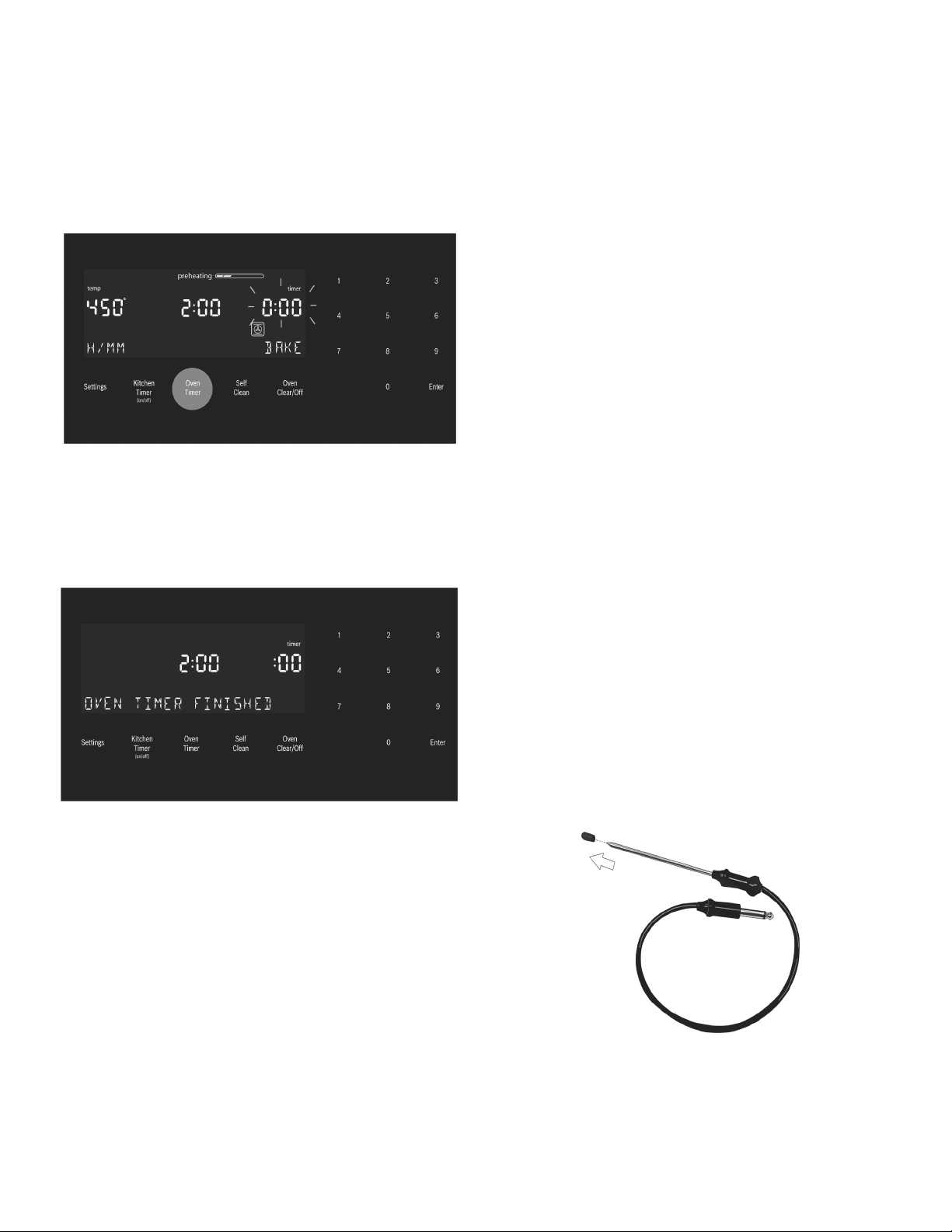
30
To set an oven timer:
Note: An oven timer cannot be run during Self Clean.
1.
Press Oven Timer button.
2.
Select mode, press Enter.
0:00 is displayed and blinks in the display. Enter the
desired timer value in H/MM format using the numeric
keypad.
Press the Enter button. The oven timer counts down to
0:00.
3.
When the timer reaches :00 the cooking mode ends
and the message “OVEN TIMER FINISHED” is
displayed. The oven alarm tone sounds every 10
seconds for 2 minutes.
Editing the oven timer:
1.
If the oven timer is running and the time remaining
needs to be changed, enter the oven timer mode by
pressing the Oven Timer button
2.
The temperature blinks, indicating it can be edited.
Input a new temperature or press Enter for no change.
3.
The timer value blinks, indicating it can be edited.
Input the new time and restart the timer by pressing
the Enter button.
The oven timer may be cleared by entering 0:00.
Fast Preheat
Fast Preheat heats the oven quicker than standard
preheat. It is available for Bake, Convection Multi Rack,
Convection Bake, Convection Roast, Roast and Pizza.
Roast is found in the “More Modes” menu. If Fast
Preheat is not allowed for the selected cooking mode an
error tone sounds. Fast Preheat is not available for Broil,
Convection Broil, Proof or Warm.
To set Fast Preheat:
1.
Press Fast Preheat.
The fast preheat icon appears in the display just above
the mode name.
2.
Press Start.
Fast Preheat can be turned off by pressing Fast Preheat
again.
Special Features
The special features provide you with additional
conveniences when cooking.
Learn more about these special features in the following
sections:
▯ Probe (some models)
▯ Sabbath Mode
▯ Panel Lock
Probe
The probe measures the internal temperature of the food.
The probe is available for Bake, Roast and all convection
cooking modes except Convection Broil.
Some models include a temperature probe used to
sense internal temperature of meats during cooking.
The probe ships with a black plastic safety cap over the
pointed metal end of the probe. The cap must be
removed prior to use.
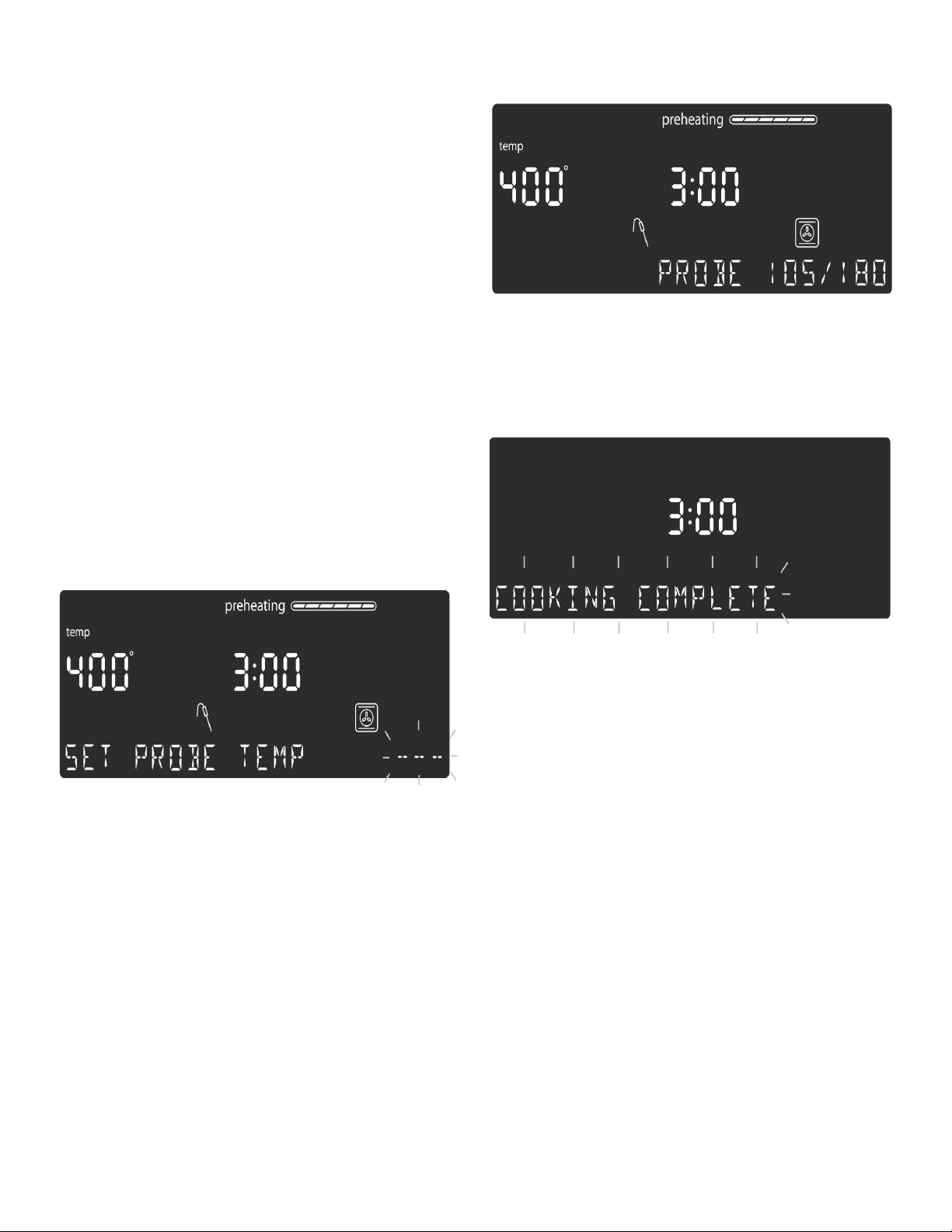
31
Inserting the probe:
Insert the tip of the probe in the middle and thickest part
of the meat or the breast for poultry. Make sure the probe
is not touching fat, bone or parts of the oven or the pan.
Note: Food must be completely thawed before inserting
the probe into the meat.
To use the probe:
1.
Insert the probe into the meat as described above. The
probe symbol is displayed.
2.
Connect the probe to the oven. If the probe is not
connected to the oven prior to starting Probe mode, an
error tone sounds and the message “INSERT PROBE”
is displayed.
3.
Set the cooking mode and temperature.
4.
The Set Probe Temp screen is displayed. A three digit
input prompt “- - -” blinks in the lower right corner. Use
the numeric keypad to enter the desire probe
temperature and press Enter.
Note: The minimum probe temperature that can be
set is 100°F (40°C) and the maximum is 200°F
(100°C). If the probe temperature entered is outside
this range, an error is displayed.
5.
The probe current temperature and target temperature
are both displayed in the format “105/180” at the
lower right corner of the display. The actual
temperature will display <80 until the food temperature
reaches 80°F.
The displayed probe temperature is updated in
increments of 5° during the cooking process.
6.
When the probe temperature reaches the set
temperature, the cooking mode turns off. The current
time is displayed and the message “COOKING
COMPLETE” blinks at the bottom left of the display. An
alarm tone sounds every 10 seconds for 2 minutes.
This screen remains in the display until it is cleared by
pressing the Oven Clear/Off button or until the probe
is removed. The display then goes back to Standby
mode.
Notes
▯ Probe is not available when an Oven Timer has
been set.
▯ To change the probe temperature, press the Probe
button. The display enters probe temperature
editing mode and displays the message “SET
PROBE TEMP”. Enter the new probe temperature
and press Enter to accept the new value.
▯ Do not store the probe in the oven.
▯ Always use the handle of the probe for inserting and
removing.
▯ Always use a potholder to remove the probe since it
becomes hot.
▯ Since meat continues to cook after being removed
from the oven, set the internal (probe) temperature
5°-10° below the desired final internal temperature
except with poultry.
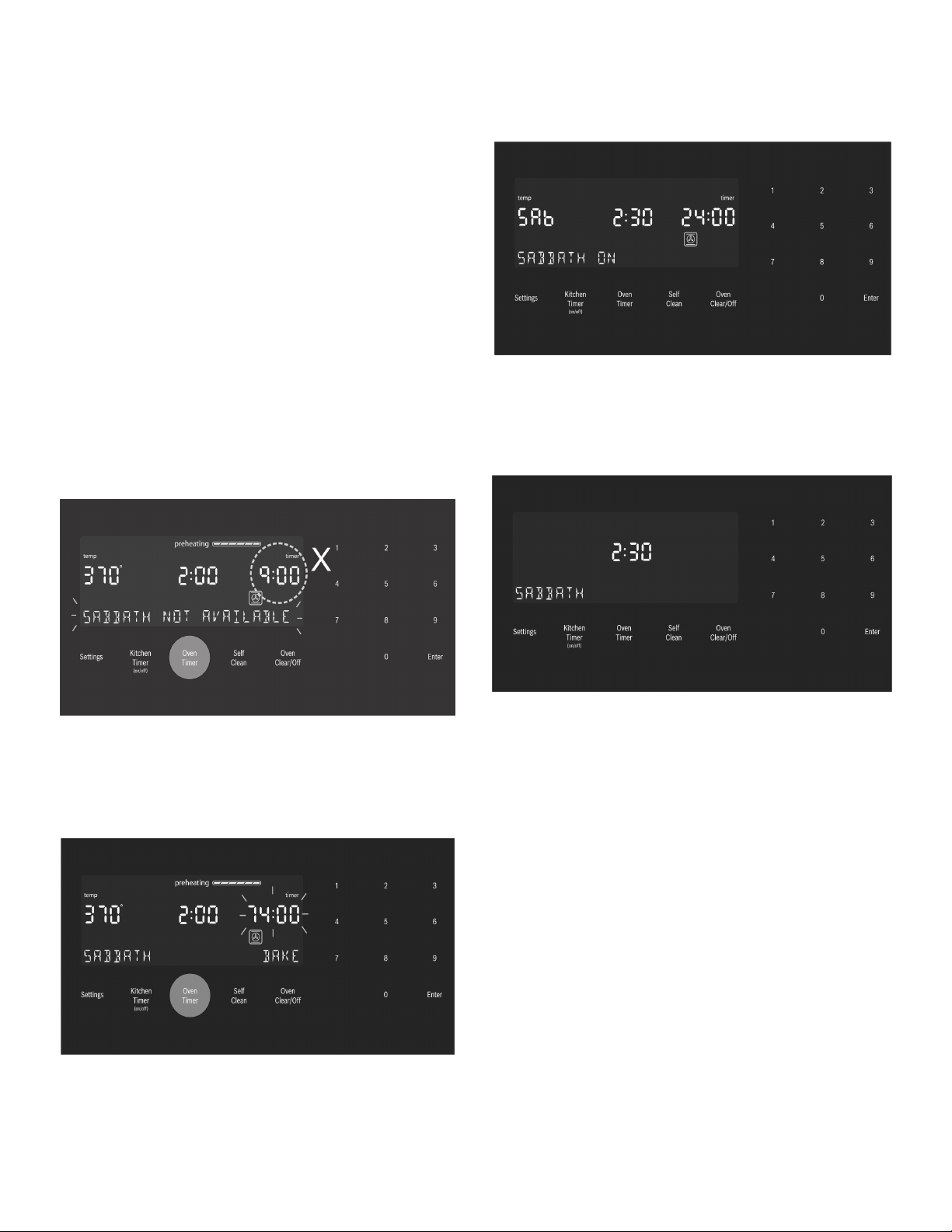
32
Sabbath Mode
The Sabbath Mode enables those of particular faiths to
use their ovens on the Sabbath.
The Sabbath Mode can be entered in a Bake mode only.
The bake temperature must be within the Sabbath Mode
temperature range of 100° to 450°F.
If the oven light is on at the start of Sabbath Mode, it
remains on throughout the Sabbath Mode operation. If
the oven light is off at the start of Sabbath Mode, it
remains off throughout the Sabbath Mode operation.
To set the Sabbath Mode:
No kitchen timers or oven timers may be running when
Sabbath Mode is entered.
1.
Begin a Bake operation. While Bake is running, press
and hold the Oven Timer button for 5 seconds.
The message:”SABBATH NOT AVAILABLE” is
displayed if a timer is running or the set temperature is
outside the allowable range.
If no timers are running, the Sabbath Mode settings
appear in the display. The Sabbath Mode timer blinks
showing the value can be edited. The default value is
74:00 (the maximum number of hours for which
Sabbath Mode can be set).
2.
Press Enter to accept the default 74:00 hours and
start Sabbath Mode or use the numeric keypad to
enter the desired Sabbath Mode timer value. Timer
values between 0:01 and 74:00 can be entered.
Note: If no changes are made within 10 seconds,
Sabbath Mode auto starts.
3.
Once Sabbath Mode has begun, the display changes
to show the message “SABBATH ON”.
4.
After the Sabbath Mode countdown reaches zero, the
oven displays the current time and the message
“SABBATH”. No changes can be made at this point.
To end the Sabbath Mode and return to normal
function, press the Oven Clear/Off button.
Notes
▯ The temperature range in Sabbath Mode is 100°F
to 450°F.
▯ The Sabbath Mode timer can be set between 0:01
and 74:00 hours.
To edit the Sabbath Temperature:
While editing the temperature in Sabbath Mode there is
no feedback from the control. If an invalid temperature is
set, the oven will default back to the previous running
temperature.
1.
Press the Bake button.
2.
Enter the new desired set temperature.
3.
Press Enter.
The oven will adjust its set temperature after randomized
delay.

33
Panel Lock
Allows the user to disable all buttons on the control
panel. Panel Lock can only be enabled in Standby mode.
1.
To enable Panel Lock, press and hold the Panel Lock
button for 3 seconds (in Standby mode).
2.
To disable Panel Lock, press and hold the Panel Lock
button for 3 seconds. The display returns to Standby
mode.
Settings
The oven setup menu is used to customize certain oven
settings.
The oven must be in Standby mode (no cooking mode or
timer running) in order to access the setup menu.
To make changes to Settings menu items:
1.
Press the Settings button.
2.
The fist setup item is displayed. The display shoes
“SET CLOCK”. Press Settings again to access the
settings menu.
3.
To display a different setup item, press the number
corresponding to that setting (see table following or
press the Settings button to cycle through available
options).
4.
To change the value for the displayed setting, press
the Enter button to enter the edit mode. Use the
numeric keypad to change the setting value. The
corresponding setting value is shown in the table
following.
For the temperature offset, with the item in edit mode,
press “-” or “+” first, then the numeric offset value.
The new value is automatically accepted as the display
reverts from edit mode back to display mode.
To exit the Settings menu:
Press the Oven Clear/Off button.
Oven Temperature Offset
The oven is calibrated to provide accurate results. This
feature is useful if you prefer your foods lighter or darker.
When an offset temperature is selected, the actual oven
temperature is raised or lowered by this value.
Do not use residential oven thermometers to evaluate
oven temperatures as they will fluctuate throughout
cooking.
The oven must be turned off in order to set an offset
value. Refer to Temperature Offset in Settings Menu
Options for setting.
Note: This process can be repeated until a satisfactory
result is achieved. Each time these steps are repeated,
the oven temperature sets to zero. In other words, if the
offset was changed by 5° the first time, the second time
it will need to be offset by 10°. The oven will not add to
the original offset.
Settings Menu Options
Menu Item Description Default
1 Temperature
Mode
Fahrenheit (°F) or
Celsius (°C)
°F
2 Brightness High, Medium, Low High
3 Volume High, Medium, Low High
4 Clock Mode 12-hour or 24-hour display
mode. 12HR, 24HR
12HR
5 Auto
Convection
Conversion
Decreases oven tempera-
ture by 25°F for Convec-
tion Bake and Convection
Multi-Rack cooking modes.
On, Off
OFF
6 Button Beep Tone when button is
pressed. ON, OFF
ON
7 Standby
Clock
Display
Clock displays when no
cooking mode or timer is
in use. ON, OFF
ON
8 Language Language setting: English
(EN), French (FR)
EN
9 Temperature
Offset
Sets the temperature offset
value for Bake, Convec-
tion Bake, Roast, Convec-
tion Roast and Convection
Multi-Rack.
Note: Temperature offsets
must always be entered as
2 digits.
Example: 5°is entered as
05.
When an offset value is
entered, the actual oven
temperature is increased
or decreased by this value.
This feature is useful if
food is either too brown or
too light.
The range for changing the
offset is between +/- 35°F
(+/- 19°C) in 1° incre-
ments.
The default value is 0.
0
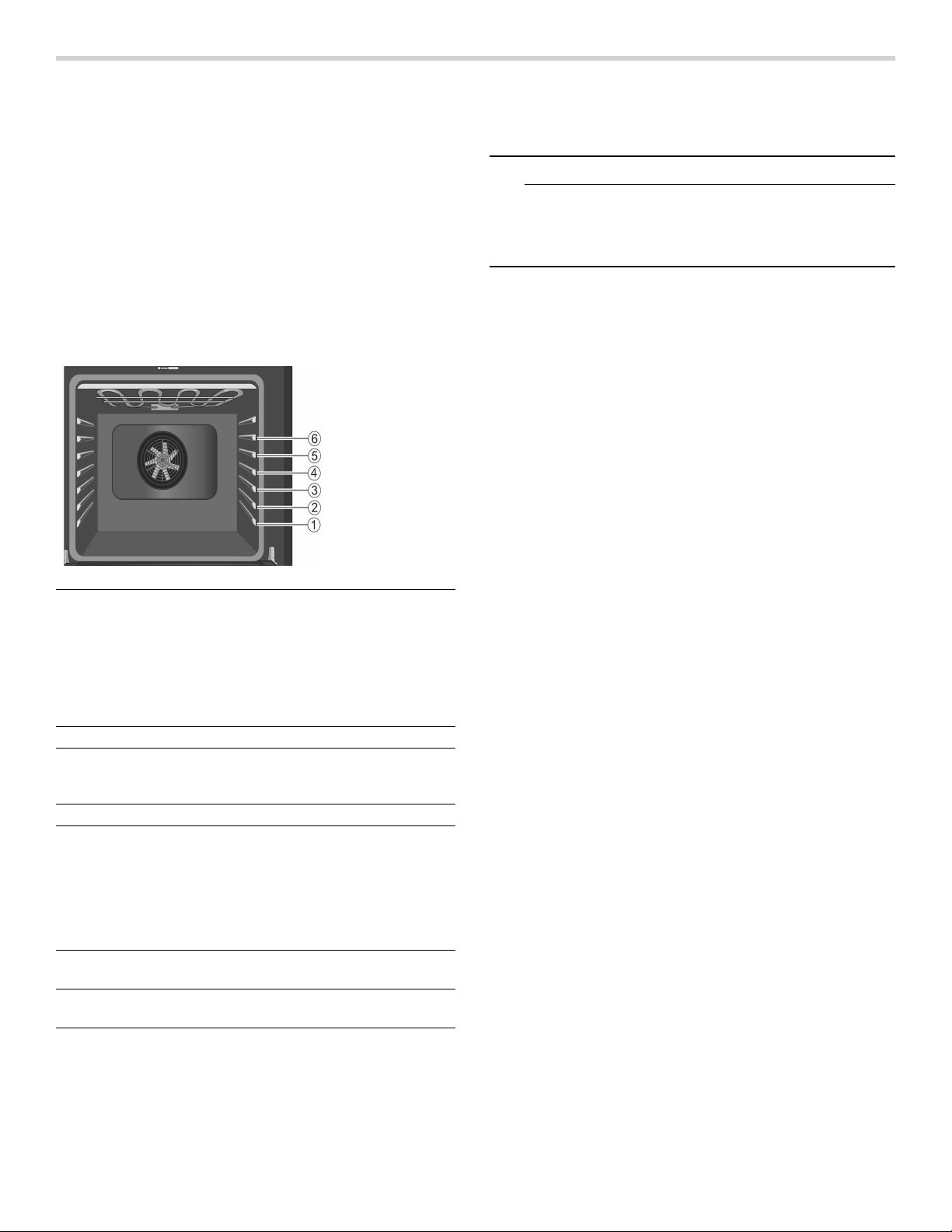
34
Getting the Most Out of Your Appliance
General Tips
Pan Placement
Baking results are better if pans are placed in the center
of the oven. If baking more than one pan on a rack, allow
at least 1’’ to 1 1/2’’ of air space around the pan. When
baking four cake layers at the same time, stagger pans
on two racks so that one pan is not directly above the
other.
Rack Position
The rail at the top of the oven is used as the guide for the
top rack (position 6). Use rack postions 1 through 6 only.
DO NOT attempt to use the top guide to support an oven
rack.
Aluminum Foil
9 WARNING
Do not use aluminum foil or protective liners to line
any part of the appliance, especially the oven
bottom. Installing these liners may result in risk of
electric shock or fire.
Preheating the Oven
▯ Place oven racks in desired position before heating
the oven.
▯ Preheat the oven when using the Bake, Convection
Bake, Convection Multi Rack, Pizza, Broil, Convection
Broil and Warm modes.
▯ Preheat is not used for Roast, Convection Roast and
Proof modes.
▯ Allow oven to preheat while preparing recipe
ingredients or food items.
▯ Setting a higher temperature does not shorten preheat
time.
▯ Once oven is preheated, place food in the oven as
quickly as possible to minimize the loss of heat and
reduction of oven temperature.
▯ Use Fast Preheat to speed up preheating.
Preheat Reminders
Your oven has one of the fastest preheat times in the
market using a concealed bake element. The lower
element is hidden under the oven bottom. It is normal
that the preheat time is different than your previous oven
that had an exposed element on the bottom.
▯ The hidden lower element is protected from food soils
and spills. Wiping up excess spills is easy.
▯ Preheating is not necessary for meats, poultry,
casseroles and some frozen foods.
▯ Preheat time will be longer when the electrical supply
to your house is less than 240 volts.
▯ Increasing the oven temperature will require a longer
preheat time. For example, the preheat time for 425° F
is longer than the preheat time for 350° F.
When broiling, preheat the oven 3-4 minutes. Do not
preheat for more than 5 minutes.
For Best Results
▯ Use the cooking recommendation charts as a guide.
See charts at the end of the book.
▯ Open the door as briefly as possible to avoid
temperature reduction.
▯ Use the interior oven light to view the food through the
oven window rather than opening the door frequently.
▯ Use the Timer to keep track of cooking times.
Rack positions
are numbered
from 1 to 6,
from bottom to
top.
Consult the food
cooking charts
at the back of
this manual for
recommended
rack positions.
Rack Position Best For
6 (highest usable position) hamburgers, steaks
5 toasting bread, broiling
most meats, melting
cheese
4 thicker meats
3 broiling poultry, most
baked goods on a cookie
sheet or baking pan using
a single rack, includes fro-
zen convenience foods,
cakes, casseroles, frozen
pizza
2 small roasts or poultry,
bundt cakes, pies, breads
1(lowest usable position) large roasts, turkey, angel
food cake

35
Baking Pans and Dishes
▯ Glass baking dishes absorb heat. Some cookware
manufacturers recommend reducing the temperature
25°F when using this type of dish. Follow
manufacturers’ recommendations.
▯ Preheat the oven before adding glass baking dishes.
▯ Use pans that provide the desired browning. For
tender, light, golden brown crusts, use light, anodized
or shiny metal bakeware.
▯ Dark, rough or dull pans (nonstick or anodized) will
absorb heat and result in a browner, crisper crust.
Some manufacturers recommend reducing the
temperature 25°F when using this type of pan. Follow
manufacturers’ recommendations.
▯ Insulated cookie sheets or bakeware may increase the
length of cooking time.
▯ Do not set broil pans or any other heavy object on the
open oven door.
▯ Do not keep empty pans or pizza stones in the oven
during cooking as this changes cooking performance.
Store pans outside the oven.
Opening the Oven Door
Open and close the appliance door only by holding the
door handle. To avoid risk of burns, do not touch any
other parts of the door.
High Altitude Baking
When cooking at high altitudes, recipes and cooking
times will vary.
For accurate information, write the Extension Service,
Colorado State University, Fort Collins, Colorado 80521.
There may be a cost for the guides. Specify which high
altitude food preparation guide you prefer: general
information, cakes, cookies, breads, etc.
Condensation
It is normal for certain amount of moisture to evaporate
from the food during any cooking process. The amount
depends on the moisture content of the food. The
moisture may condense on any surface cooler than the
inside of the oven, such as the control panel.
Temperature Range by Cooking Mode
Temperatures shown are in Fahrenheit.
Bake %
Bake is cooking with dry, heated air. Both the upper and
lower elements cycle to maintain the oven temperature.
The Bake mode can be used to prepare a variety of food
items, from pastries to casseroles. Refer to recipe or
package directions for oven temperature and baking
time.
Tips
▯ Preheat the oven if the recipe recommends it.
▯ Baking time will vary with the size, shape and finish of
the bakeware. Dark metal pans or nonstick coatings
will cook faster with darker results. Insulated bakeware
will lengthen the cook time for most foods.
▯ For best results, bake food on a single rack with at
least 1-1^” space between pans or dishes and oven
walls.
▯ Eliminate heat loss from the oven by using the window
to periodically check food for doneness instead of
opening the door.
Auto Convection Conversion
Convection Bake and Convection Multi-Rack modes
require a 25°F reduction in temperature. Auto
Convection Conversion reduces the temperature you
enter automatically. Simply enter the package or recipe
temperature when setting the mode. The control
calculates the correct temperature and it is shown in the
display.
The Auto Convection Conversion feature can be turned
on to allow for automatic temperature adjustments. See
“Auto Convection Conversion” in the Settings section for
details.
Mode Lowest Highest
Bake 100 550
Roast 100 550
Broil (Low, High) 450 550
Warm 150 225
Proof 85 125
Convection Bake 100 550
Convection Multi-Rack 100 550
Convection Roast 100 550
Pizza 100 550
Convection Broil (Low, High) 450 550
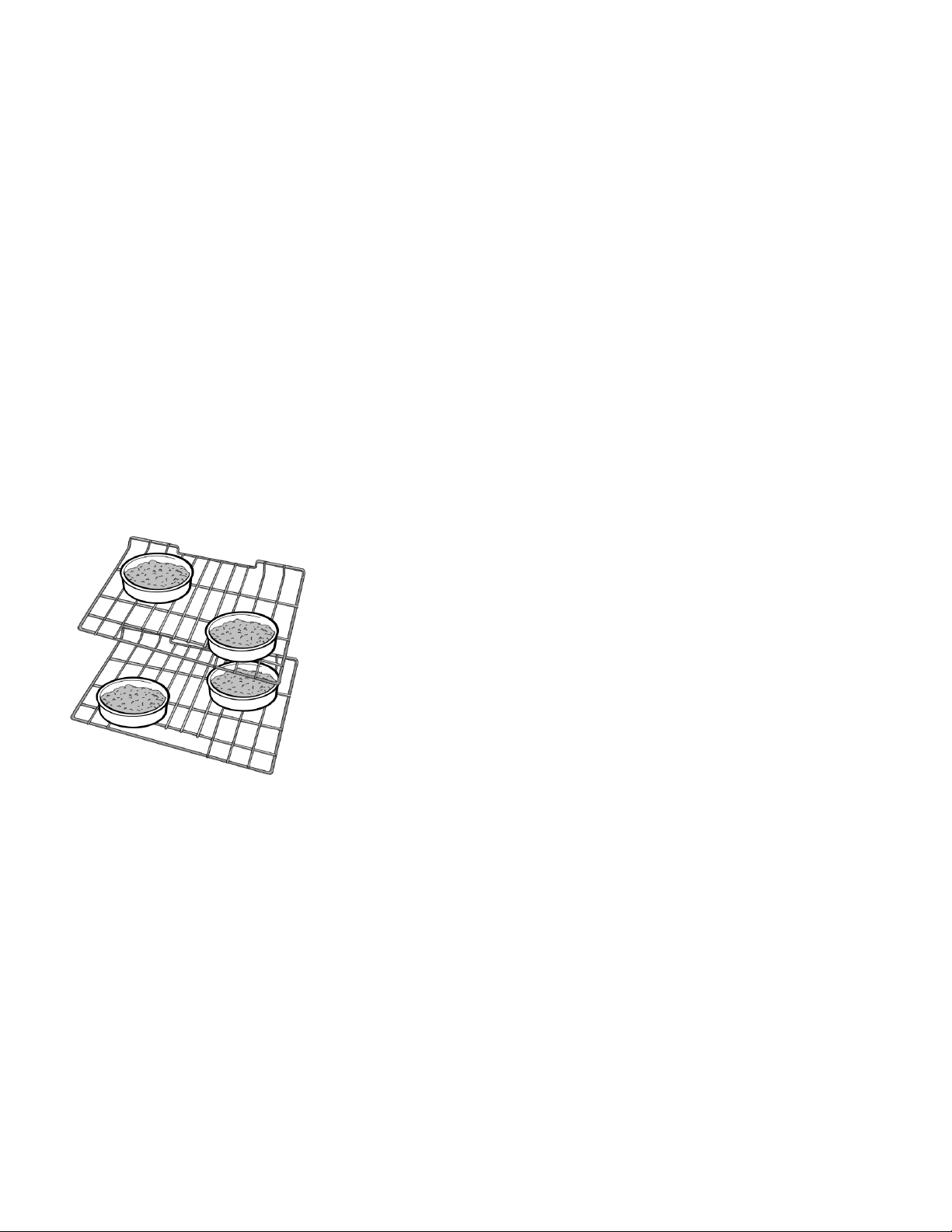
36
Convection Bake 2
Convection Bake is similar to Bake. Heat comes from the
upper and lower heating elements. The main difference
in convection baking is that the heat is circulated
throughout the appliance by the convection fan.
The Convection Bake mode is well suited for cakes, bar
cookies and breads to take advantage of the bottom
heat, yielding a better crust on baked items.
The benefits of Convection Bake include:
▯ Slight decrease in cook time.
▯ Higher volume (yeast items rise higher).
Tips
▯ Reduce recipe temperature by 25°F. Refer to the
cooking chart at end of this manual.
▯ Place food in shallow, uncovered pans, such as
cookie sheets without sides.
▯ If baking more than one pan on a rack, allow at least
1-1^“ of air space around the pan.
▯ For cakes use rack positions 2 and 5. Stagger pans
so that one is not directly above the other (see
following graphic).
Convection Multi-Rack:
Convection Multi-Rack cooks with heat from a third
element behind the back wall of the oven. The heat is
circulated throughout the oven by the convection fan.
The Convection Multi-Rack is well suited for cooking
individual serving-sized foods such as cookies and
biscuits. It is also good for cooking on multiple racks (2
or 3) at the same time. Baking cookies is possible on 6
racks simultaneously. In this case, the baking time
increases slightly.
The benefits of Convection Multi-Rack include:
▯ Even browning.
▯ Time savings as a result of using multiple racks at one
time.
Tips
▯ Reduce recipe temperature by 25°F if Auto
Convection Conversion is not activated.
▯ Place food in low-sided, uncovered pans such as
cookie sheets without sides.
▯ If baking more than one pan on a rack, allow at least
1“ to 1
^“ of air space around the pan. Stagger pans
so that one is not directly above the other.
Pizza 2
In the Pizza mode, heat from the upper and lower
elements is circulated throughout the oven by the
convection fan.
Use the Pizza mode for fresh or frozen pizza.
Tips
▯ There might be a slight decrease in baking time.
Check before minimum package time.
▯ When baking a frozen pizza:
For a crispy crust, place directly on the rack.
For a softer crust, use a pizza pan.
▯ When proofing pizza dough, coat dough with olive oil
and cover it in a bowl tightly with plastic wrap to
prevent crust formation.
▯ Sprinkle cornmeal on the pizza pan to prevent sticking.
▯ If using a pizza paddle, sprinkle the paddle liberally
with cornmeal for ease in transferring the dough to the
pan.
▯ If par baking handmade pizza dough, prick the dough
with a fork before baking.
▯ If using a pizza pan, choose a dark, perforated pan for
a more crisp crust and a non-perforated pan for a
softer crust.
▯ Preheat baking stones following manufacturer’s
recommendations while the oven is preheating.
▯ Bake homemade pizzas on rack position 2 in the
center of the rack.
▯ Follow manufacturer’s directions for frozen pizza.
▯ The convection fan cycles on and off when using pizza
mode.

37
Roast %
Roast uses both the upper and lower elements to
maintain the oven temperature. Roasting uses more
intense heat from the upper element than the lower
element. This results in more browning of the exterior
while the inside remains especially moist.
Roast is best suited for large cuts of meat and poultry.
Tips
▯ Preheating the oven is not necessary.
▯ Use a high-sided broil pan or roasting pan. Cover dish
with a lid or foil for less tender cuts of meat.
▯ For less tender cuts of meat, add liquids, such as
water, juice, wine, bouillon or stock for flavor and
moisture.
▯ Roasting bags and using a liquid are suitable for use
in this mode.
▯ When roasting whole chicken or turkey, tuck wings
behind back and loosely tie legs with kitchen string.
Convection Roast 2
Convection Roast uses heat from the top and bottom
elements as well as heat circulated by the convection
fan.
The Convection Roast mode is well suited for preparing
tender cuts of meat and poultry. It is also suitable for
roasting vegetables.
The benefits of Convection Roast mode include:
▯ As much as 25% faster cooking than non-convection
modes.
▯ Rich, golden browning.
Tips
▯ Preheating the oven is not necessary.
▯ Use the same temperature as indicated in the recipe.
▯ Check doneness early, since roasting time may
decrease.
▯ Do not cover meat or use cooking bags.
▯ Use a broil pan with a rack and grid or a shallow,
uncovered pan with a rack for roasting.
▯ Use a meat thermometer to determine the internal
temperature of the meat.
▯ If the meat is browned to your liking, but is not yet
done, foil can be placed over the meat to prevent over-
browning.
▯ Let meat stand covered with foil 10-15 minutes after
removing it from the oven.
▯ See charts for recommended rack positions.
Broil (
Broil uses intense heat radiated from the upper element.
The Broil mode is best suited for cooking thin, tender
cuts of meat (1“or less), poultry and fish. It can also be
used to brown breads and casseroles. Always broil with
the door closed.
The benefits of broiling include:
▯ Fast and efficient cooking.
▯ Cooking without the addition of fats or liquids.
Tips
▯ Preheat oven 3-4 minutes. Do not preheat for more
than 5 minutes.
▯ Steaks and chops should be at least 3/4” thick.
▯ Brush fish and poultry with butter or oil to prevent
sticking.
▯ Use the broil pan and grid or a deep pan with a metal
rack, for broiling.
▯ Do not cover the broil grid with foil. It is designed to
drain fats and oils away from the cooking surface to
prevent smoking and spattering.
▯ Turn meats (other than fish) once during the
recommended cook time. Fish does not need to be
turned.
▯ When top browning casseroles, use only metal or
glass ceramic dishes such as Corningware®.
▯ Never use heat-proof glass (Pyrex®); it cannot tolerate
the high temperature.
▯ For broil times, refer to the Meat/Poultry Cooking
Chart.

38
Convection Broil 4
Convection Broil is similar to Broil. It combines intense
heat from the upper element with heat circulated by a
convection fan.
Convection Broil mode is well suited for cooking thick,
tender cuts of meat, poultry and fish. Convection Broil is
not recommended for browning breads, casseroles and
other foods. Always use Convection Broil with the door
closed.
In addition to the benefits of standard broiling,
convection broiling is faster.
Temperature must be set within 450°-550°F to enable
Broil and Convection Broil.
Tips
▯ Preheat oven 3-4 minutes. Do not preheat for more
than 5 minutes.
▯ Steaks and chops should be at least 1^“ thick.
▯ Use the broil pan and grid or a deep pan with a metal
rack, for broiling.
▯ Do not cover the broil grid with foil. It is designed to
drain fats and oils away from the cooking surface to
prevent smoking and spattering.
▯ Turn meats (other than fish) once during the
recommended cook time. Fish does not need to be
turned.
▯ Never use heat-proof glass (Pyrex®); it cannot tolerate
the high temperature.
▯ For Convection Broil times, refer to the Meat/Poultry
Cooking Chart.
Proof $
In Proof, the appliance uses the upper and lower
elements to maintain a low temperature to proof bread or
other yeast doughs.
▯ No preheat is necessary.
▯ Proofing is the rising of yeast dough.
▯ The Proof mode temperature is 85°F to 125°F.
▯ The default temperature in Proof mode is 100°F.
▯ Loosely cover the bowl or pan and use any rack that
accommodates the size of the container.
▯ Keep the door closed and use the oven light to check
the rising of the dough.
Warm %
In Warm, the upper and lower elements maintain a low
temperature in the oven cavity in order to keep food at
serving temperature.
▯ Use the Warm mode to keep cooked foods hot for up
to one hour until ready to serve.
▯ Warm mode temperatures are 150°F to 225°F.
▯ The default temperature in the Warm mode is 170°F.
▯ Foods that must be kept moist should be covered with
a lid or aluminum foil.
9 CAUTION
WHEN USING WARM MODE, FOLLOW THESE
GUIDELINES:
▯ Do not use the Warm mode to heat cold food.
▯ Be sure to maintain proper food temperature. The
USDA recommends holding hot food at 140°F
(60°C) or warmer.
▯ DO NOT warm food longer than one hour.
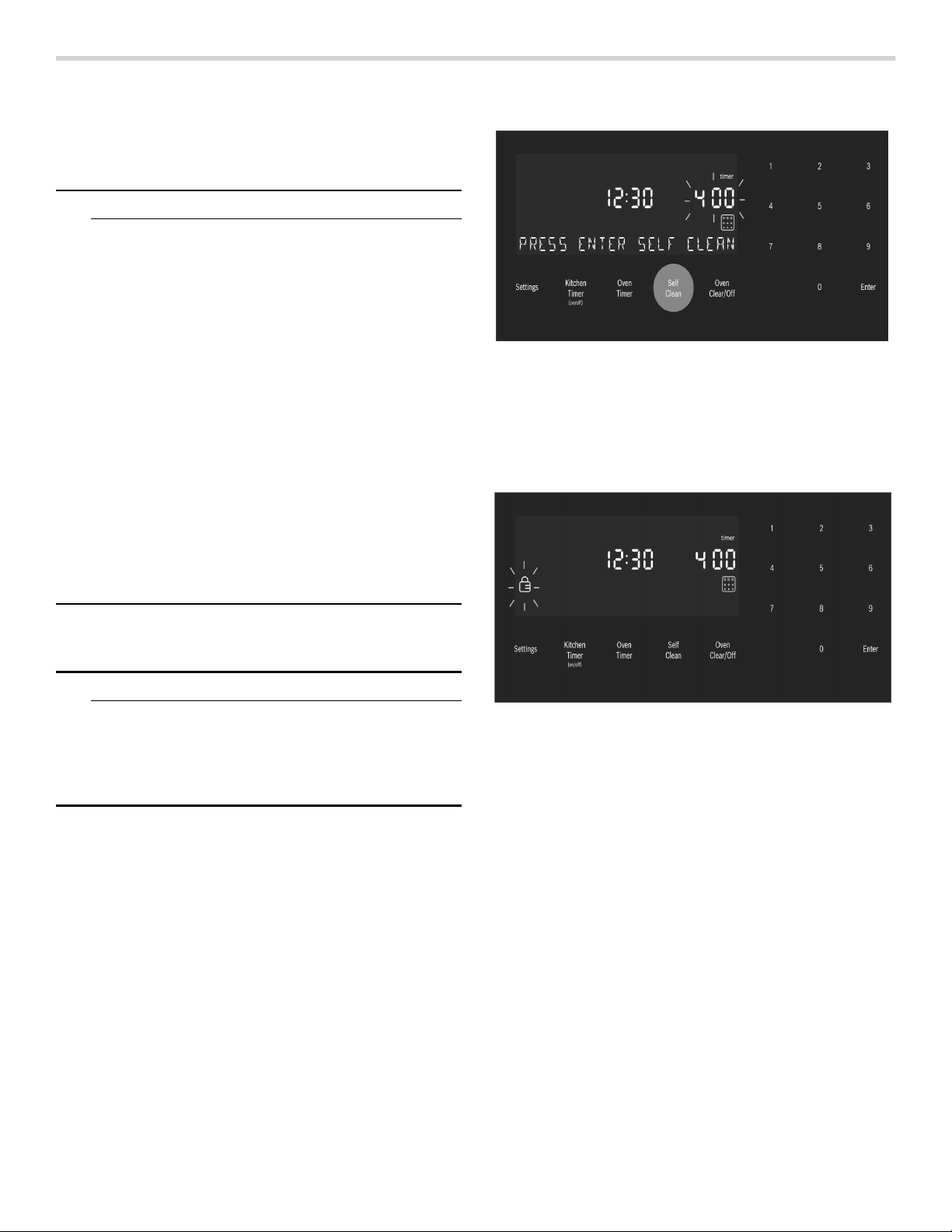
39
Cleaning and Maintenance-Oven
Cleaning the Oven
Self-Clean
9 WARNING
WHEN USING THE SELF-CLEAN SETTING
▯ During the elimination of soil during self-cleaning,
small amounts of Carbon Monoxide can be
created and the fiberglass insulation could give
off very small amounts of formaldehyde during
the first several cleaning cycles. To minimize
exposure to these substances, provide good
ventilation with an open window, or use a
ventilation fan or hood.
▯ Children should not be left alone or unattended in
an area where appliances are in use. During the
Self Clean cycle, parts of the appliance may
become potentially harmful to persons who lack
adult knowledge of appliances and adult
reactions to potentially harmful conditions.
▯ Do not block the oven vent(s) during the self-
cleaning cycle. Always operate the unit according
to the instructions in this manual.
▯ When self-cleaning, confirm that the door locks
and will not open. If the door does not lock, do
not run Self-Clean. Contact service.
During Self-Clean, the oven is heated to a very high
temperature. Soil is burned off at this temperature.
9 CAUTION
AVOID RISK OF DAMAGE
▯ Wipe out excessive spillage before self-cleaning
the oven.
▯ Do not clean parts or accessories in the self-
clean oven.
Self Clean
1.
Remove all accessories and racks from the oven.
2.
If there is a cooking mode on, press Oven Clear/Off to
end the running mode.
3.
Press the Self Clean button below the display.
The Self Clean icon q appears in the display. The Self
Clean timer default (4:00 hours) blinks to indicate it
can be accepted or changed.
To accept the 4:00 hour default Self Clean time, press
Enter on the numeric keypad.
To enter a different number of hours, use the numeric
keypad. The value entered must be within the range of
2:00 to 4:00 hours. Entering a value less than 2:00 or
greater than 4:00 results in an error tone and
message.
Use a longer setting for a heavily soiled oven.
4.
When the desired Self Clean time is displayed, press
Enter on the numeric keypad.
The oven door locks prior to starting Self Clean.
The door lock symbol L is displayed and blinks while
the door is being locked. Once locked, the door lock
symbol is continuously illuminated but not blinking.
The door lock symbol remains illuminated as long as
the Self Clean mode is running.
Note: The door remains locked until the oven has
cooled down after self-cleaning. The door can be
opened again only after “Self Clean” disappears from
the display.
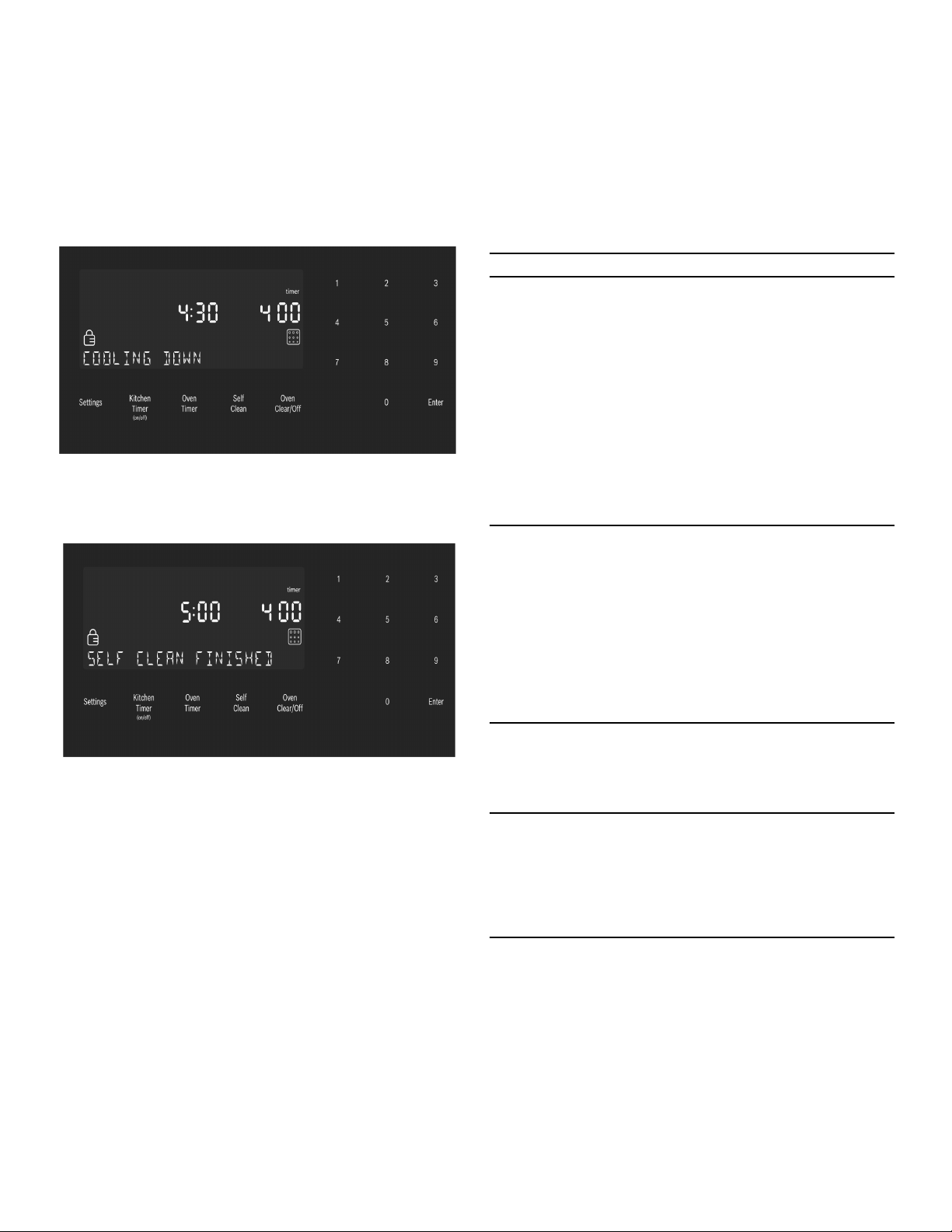
40
5.
Self Clean starts and the oven Self Clean timer begins
its countdown.
To Cancel Self Clean
Press the Oven Clear/Off button to cancel Self Clean.
For Safety, when the Self Clean timer ends, the unit
must cool down before the door can unlock. During
this period the message “COOLING DOWN” is
displayed.
6.
When the cool down is complete, the message “SELF
CLEAN FINISHED” is displayed. Continue to use
caution when opening the oven door.
7.
Press Oven Clear/Off to clear the display when Self
Clean is finished.
8.
After the oven has cooled down and the door is
unlocked, wipe remaining ash from the oven using a
moist cloth.
Notes
▯ The oven light cannot be turned on during self-
cleaning.
▯ The special heat-resistant enamel and the polished
components in the oven can become discolored over
time. This is normal and does not affect operation. Do
not use scouring pads or abrasive cleaners to treat
discolorations.
Avoid These Cleaners
Do not use commercial oven cleaners such as Easy
Off®. They may damage the oven finish or parts.
Chlorine or chlorine compounds in some cleansers are
corrosive to stainless steel. Check ingredients on label.
Never use scouring pads or abrasive cleaners.
Oven Cleaning Guide
Part Recommendations
Flat Rack Wash with soapy water. Rinse
thoroughly and dry, or gently rub
with cleansing powder or soap-
filled pads as directed. DO NOT
clean the rack in the self-cleaning
oven.
If the flat racks are cleaned in the
oven during the self-clean mode,
they will loose their shiny finish
and may not glide smoothly. If
this happens, wipe the rack
edges with a small amount of
vegetable oil. Then wipe off
excess.
Telescopic Rack Wash with soapy water. Rinse
thoroughly and dry, or gently rub
with cleansing powder or soap-
filled pads as directed. Avoid get-
ting cleansing powder in the tele-
scopic slides. Re-lubrication may
become necessary. Use only
high-temperature food-grade
lubricants to re-lubricate slides.
DO NOT clean the rack in the
self-cleaning oven.
Fiberglass Gasket Do Not Clean Door Gasket-The
door gasket is essential for a
good seal. Care should be taken
not to rub, damage or move the
gasket.
Glass Wash with soap and water or
glass cleaner. Use Fantastik® or
Formula 409® to a clean sponge
or paper towel and wipe clean.
Avoid using powder cleaning
agents, steel wool pads and
oven cleaners.
Painted Surfaces Clean with hot soapy water or
apply Fantastik® or Formula
409® to a clean sponge or
paper towel and wipe clean.
Avoid using powder cleaning
agents, steel wool pads and
oven cleaners.
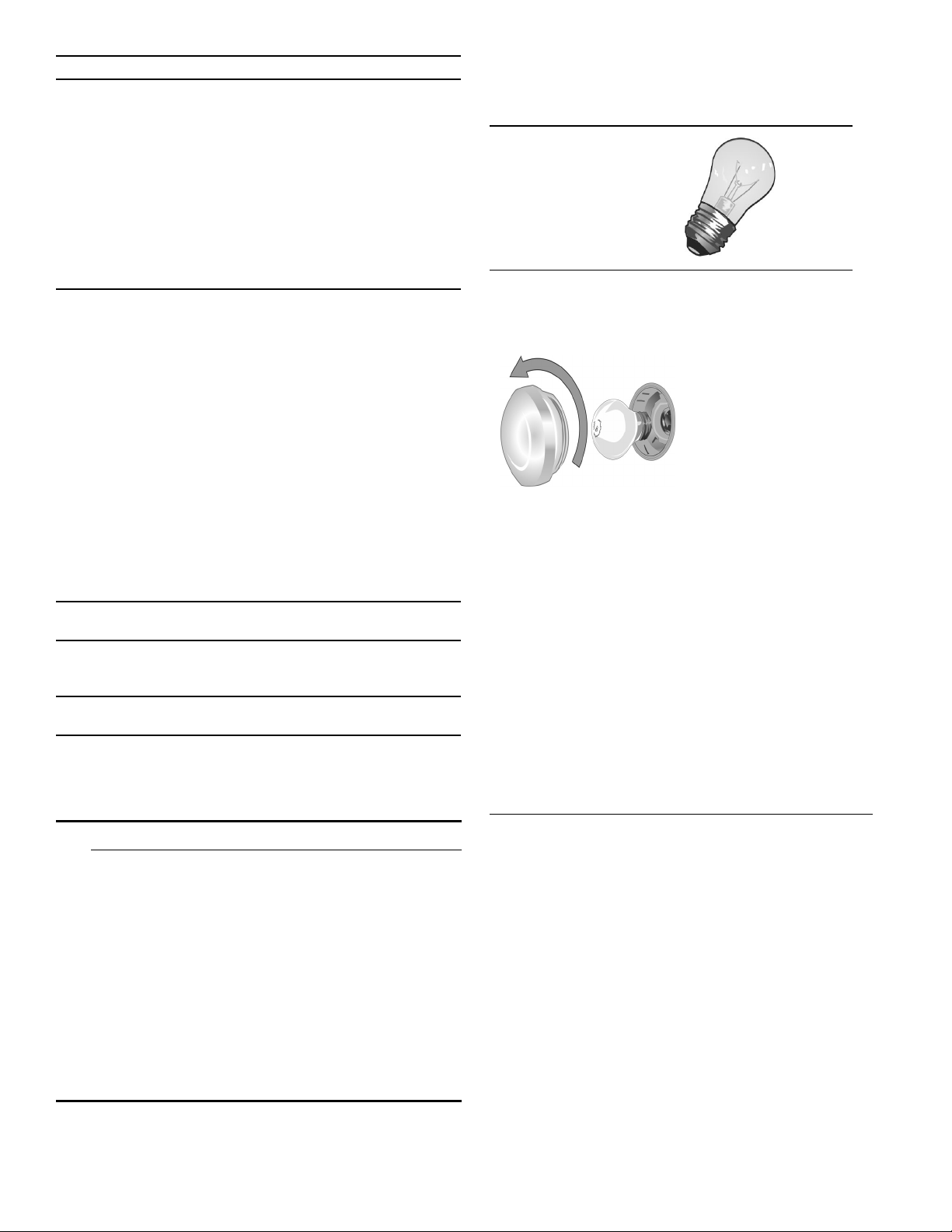
41
Maintenance
Replacing an Oven Light
9 CAUTION
WHEN REPLACING AN OVEN LIGHT:
▯ Make sure the appliance and lights are cool and
power to the appliance has been turned off
before replacing the light bulb(s). Failure to do so
could result in electrical shock or burns.
▯ The lenses must be in place when using the
appliance.
▯ The lenses serve to protect the light bulb from
breaking.
▯ The lenses are made of glass. Handle carefully to
avoid breaking. Broken glass could cause an
injury.
▯ Light socket is live when door is open.
Bulb Specifications:
To Change the Bulb:
Porcelain Surfaces Immediately wipe up acid spills
like fruit juice, milk and tomatoes
with a dry cloth. Do not use a
moistened sponge/cloth on hot
porcelain. When cool, clean with
hot soapy water or apply Bon-
Ami® or Soft Scrub® to a damp
sponge. Rinse and dry. For stub-
born stains, use soap-filled pads.
It is normal for porcelain to show
fine lines with age due to expo-
sure to heat and food soil.
Stainless Steel Sur-
faces
Never allow food stains or salt to
remain on stainless steel for any
length of time. Always wipe or
rub in the direction of the grain.
Clean with a soapy sponge, then
rinse and dry, or wipe with
Fantastik® or Formula 409®
sprayed on a paper towel. Pro-
tect and polish with Stainless
Steel Magic® and a soft cloth.
Remove water spots with a cloth
dampened with white vinegar.
Use Bar Keeper´s Friend® to
remove heat discoloration. Chlo-
rine or chlorine compounds in
some cleansers are corrosive to
stainless steel. Check ingredients
on label.
Plastic & Controls When cool, clean with soapy
water, rinse and dry.
Probe Wipe with soapy water. Do not
submerge. Do not wash in the
dishwasher.
Printed Areas
(Words & Numbers)
Do not use abrasive cleaners or
petroleum based solvents.
Part Recommendations
Bulb Description Bulb Image
40 watt, appliance
bulb, standard Edison
base.
▯ Turn off the power to
the oven at the main
power supply (fuse or
breaker box).
▯ Remove the glass
cover by unscrewing
it. Turn the glass coun-
terclockwise to
remove it.
▯ Remove the bulb. The
bulb unscrews coun-
terclockwise.
▯ Grasp the new bulb
with a clean, dry cloth
to prevent depositing
skin oils on the glass
which could lead to
premature bulb failure.
Replace the bulb by
screwing it in turning
the bulb clockwise.
▯ Screw the glass cover
back on.
▯ Turn power back on at
the main power supply
(fuse or breaker box).
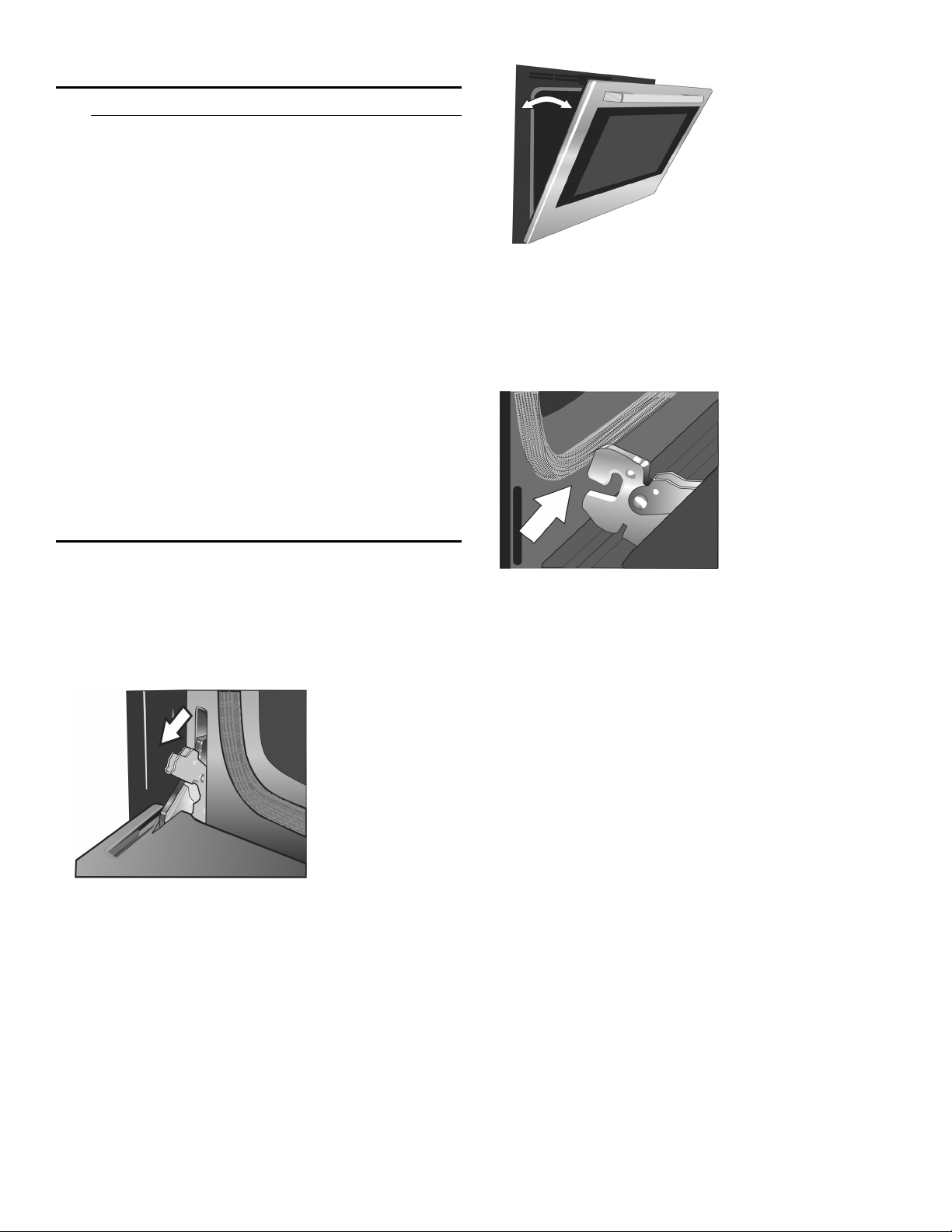
42
How to Remove the Oven Door
9 WARNING
▯ Make sure oven is cool and power to the oven
has been turned off before removing the door.
Failure to do so could result in electrical shock or
burns.
▯ The oven door is heavy and parts of it are fragile.
Use both hands to remove the oven door. The
door front is glass. Handle carefully to avoid
breakage.
▯ Grasp only the side of the oven door. Do not
grasp the handle as it may swing in your hand
and cause damage or injury.
▯ Failure to grasp the oven door firmly and properly
could result in personal injury or product damage.
▯ To avoid injury from hinge bracket snapping
closed, be sure both levers are securely in place
before removing the door. Also, do not force door
open or closed-the hinge could be damaged and
injury could result.
▯ Do not lay removed door on sharp or pointed
objects as this could break the glass. Lay on a
flat, smooth surface, positioned so that the door
cannot fall over.
To help avoid injury or damage, be sure to read the
above WARNING before attempting to remove the oven
door.
1.
Open the oven door to its fully open position.
2.
Flip levers on hinges toward you.
Note: It may be necessary to use a tool, such as a
screwdriver, to gently pry the upper part of the lever
away from the housing. Take care to avoid scratching
the housing.
3.
Bring both door hinge levers to their fullest down
position as shown in the illustration. The left and right
door hinges differ slightly but operate in the same
manner.
4.
Close the oven door until it catches on the hinge stop
levers, locking the hinges at the proper angle for door
removal. The door will be open about 7 inches at the
top. This takes the spring tension off the hinges so the
door can be easily lifted out.
5.
The door is heavy. Use both hands to firmly grip it by
the sides. Do not grip the door by the handle.
Maintaining the door angle, lift the door straight up
approximately 3/4” to unhook the hinges from the
slots and then pull it out towards you until the hinges
are clear of the oven housing.
6.
Place the door in a convenient and stable location for
cleaning.
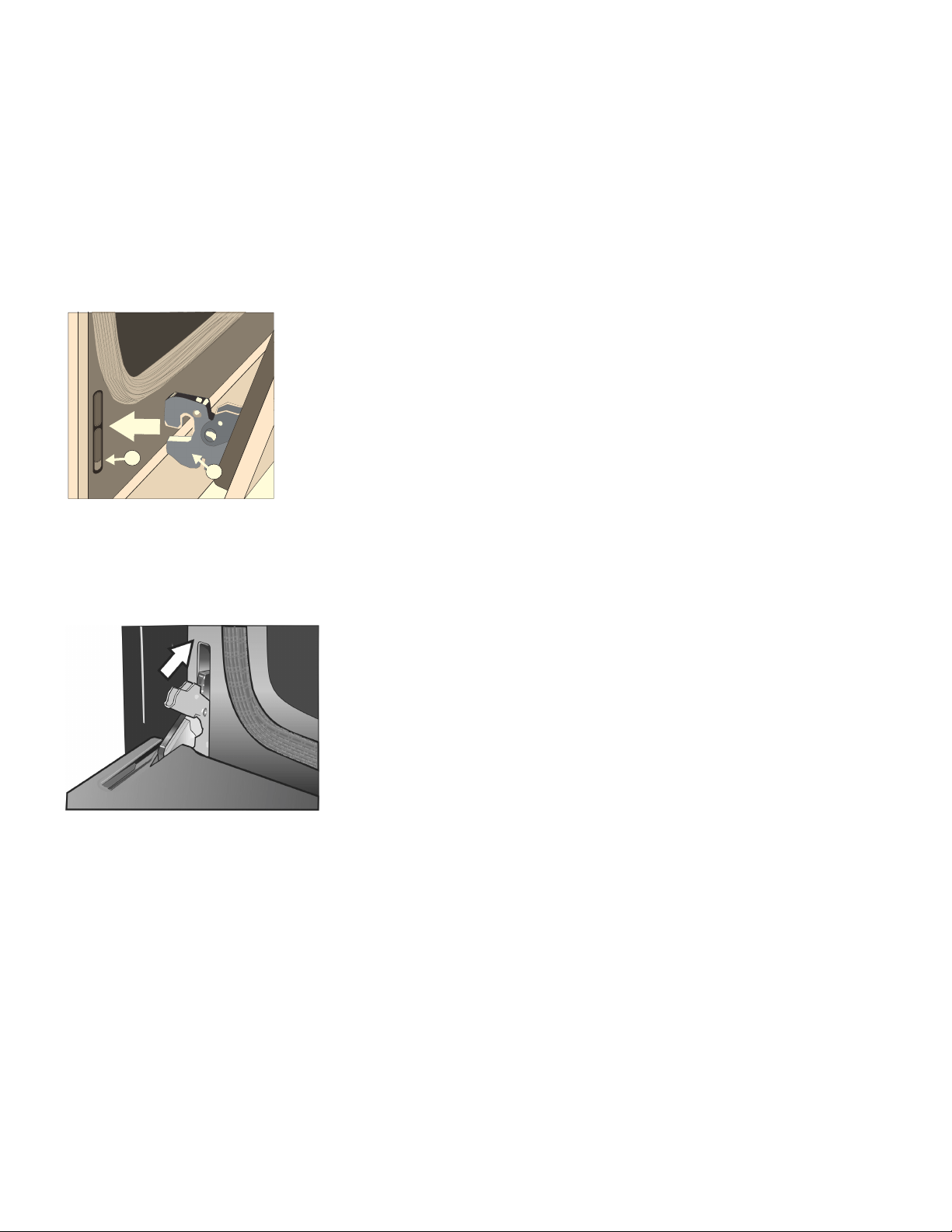
43
How to Replace the Oven Door
1.
Holding the door firmly in both hands, grip it on either
side, not by the handle.
2.
Tilt the door back slightly towards you until it opens
about 7 inches at the top.
3.
Slide the hinges into the slots as far as they will go and
then lower the door straight down. The angle of the
door may need to be adjusted slightly to allow the
hinges to engage properly and the door to lower into
place. The door should lower about 3/4” and stop. If
not, the hinges have not engaged properly and the
door could fall if it is released.
4.
Once both hinges are fully engaged as described in
Step 3, gently open the door until it is fully open.
5.
Push the levers on both the hinges up and forward
until they are locked into the slot and flush with the
front of the oven body.
6.
Close and open the door slowly to be sure it is
correctly and securely in place.
"
#

44
Operation-Warming Drawer
This section explains how to operate the warming
drawer. See “Getting the Most Out of Your Warming
Drawer” for guidelines to improve warming drawer
results.
About the Warming Drawer
The warming drawer will keep hot, cooked foods at
serving temperature. Warming drawer settings are Low,
Medium and High.
Warming Drawer Specifications
Drawer Interior: 25”W x 17”D x 3”H
Dish Sizes:
▯ 2- 9” x 13” Pyrex 3-quart dishes, side by side
▯ 2- 9 1/2” x 15” Pyrex 4 quart dishes, side by side
▯ 4- 10 1/2” plates, single or stacked
▯ 3- 11” plates, single or stacked
Operation
9 CAUTION
To maintain food safety, follow these guidelines:
▯ DO NOT use the warming drawer to heat cold
food (exception: it is safe to use the drawer to
crisp crackers, chips or dry cereal and to warm
plates).
▯ Be sure to maintain proper food temperature. The
USDA recommends holding hot food at 140°F or
warmer.
▯ DO NOT warm food for longer than one hour.
▯ Plastic containers, plastic wrap or aluminum foil
can melt if in direct contact with the drawer or a
hot cooking container. If it melts onto the drawer,
it may not be removable.
Preheating
For best results, preheat the warming drawer when
warming food.
Preheat Times:
▯ Low: 10 minutes
▯ Medium: 15 minutes
▯ High: 20 minutes
Turning the Warming Drawer On and Off
1.
Press the Warming Drawer button.
2.
WARMING DRAWER will be displayed with the default
setting “MED”. The warming drawer amber icon is
displayed below the clock.
3.
To accept the “MED” setting, press the Enter button.
The setting is accepted and the warming drawer icon
remains illuminated. If enter is not pressed, the
warming drawer setting is not accepted and the
warming drawer turns off.
4.
To change the setting, when “MED” is displayed, press
the Warming Drawer button again. The setting
changes to “HIGH”. Press the Warming Drawer button
again to change the setting to “LOW”.
To accept a setting press Enter.
The displayed setting will be accepted and the
warming drawer icon is illuminated below the clock,
indicating that the warming drawer is active.
5.
To turn the warming drawer off, press the Warming
Drawer button and the warming drawer will turn off.
The warming drawer icon will no longer appear under
the clock.
Sabbath Mode
The warming drawer may also operate in Sabbath Mode
but ONLY while the oven is in Sabbath Mode. It is not
possible to run Sabbath Mode in the warming drawer
only. Simply start the desired warming drawer operation
and then start Sabbath Mode in the oven cavity. The
warming drawer and oven will operate in Sabbath Mode
until the timer reaches zero. It is not possible to change
the warming drawer temperature while in Sabbath Mode.
Warming Empty Serving Bowls and Plates
▯ Use only heat-safe dishes.
▯ Warm on low setting for cooking containers.
▯ Check dish temperature during warming period.
▯ Place empty plates or dishes in a cold warming
drawer. Do not preheat drawer prior to placing dishes.

45
Getting the Most Out of Your Warming Drawer
About the Appliance
The warming drawer will keep hot, cooked foods at
serving temperature. Always start with hot food. DO NOT
use to heat cold food. It is safe to use the drawer to crisp
crackers, chips or dry cereal and to warm plates.
The warming drawer has a push-to-open feature. Push in
the front of the drawer to activate opening.
General Tips
Refer to the Warming Drawer Chart for recommended
settings.
▯ To keep several different foods hot, set the
temperature for the food needing the highest setting.
▯ Place items needing the highest setting toward the
side of the drawer and items needing less heat in the
center of the drawer.
▯ Food should be at serving temperature (above 140°F)
before being placed in the warming drawer. DO NOT
use to heat cold food other than crisping crackers,
chips and dry cereal or warming dishes or plates.
▯ Preheat empty serving dish while preheating drawer if
desired.
▯ Place cooked, hot food in warming drawer in its
original cooking container or in a heat-safe serving
dish.
▯ Aluminum foil may be used to cover food. DO NOT
line the warming drawer with aluminum foil.
▯ Do not use the warming drawer for storage.
Use of Your Appliance
9 CAUTION
To maintain food safety, do not leave food in the
drawer for more than one hour before or after
cooking.
IMPORTANT:
Plastic containers or plastic wrap can melt if in direct
contact with the drawer or a hot utensil. If it melts onto
the drawer, it may not be removable.
Note: Use only heat-safe dishes.
Preheating
For best results, preheat the warming drawer when
warming food.
Preheat Times:
▯ Low: 10 minutes
▯ Medium: 15 minutes
▯ High: 20 minutes
Warming Empty Serving Bowls and Plates
▯ Use only heat-safe dishes.
▯ Warm on low setting for cooking containers.
▯ Check dish temperature during warming period.
▯ Place empty plates or dishes in a cold warming
drawer. Do not preheat drawer prior to placing dishes.
Crisping Stale Items
Place food in low-sided dishes or pans.
1.
Press LOW.
2.
Preheat for 10 minutes, then place dish in drawer.
3.
Set the warming timer.
4.
Check crispness after 45 minutes. Add time as
needed.

46
Temperature Recommendations
Cleaning and Maintenance-Warming Drawer
9 CAUTION
To prevent burns, do not remove drawer while hot.
Be sure drawer is empty before removing.
Note: The warming drawer is opened with a Push-To-
Open mechanism. It is referred to in this chapter as a
PTO mechanism.
Cleaning the Warming Drawer
Food/Cookware Setting Cover Dish
Bacon HIGH No
Beef, medium and well done MED No
Beef, medium rare LOW No
Bread, hard rolls MED No
Bread, soft rolls, coffee cakes MED Yes
Biscuits MED Yes
Casseroles MED Yes
Eggs MED Yes
Fish, seafood MED Yes
Fried foods HIGH No
Gravy, cream sauces MED Yes
Ham MED Yes
Pancakes HIGH Yes
Pies, one crust MED Yes
Pies, two crusts MED No
Pizza HIGH No
Pork MED Yes
Potatoes, baked HIGH Yes
Potatoes, mashed MED Yes
Poultry, roasted MED Yes
Vegetables MED Yes
Plates LOW No
Plate of food MED Yes
Part Recommendations
Drawer Interior (polished
stainless steel)
Use dish detergent. Wash,
rinse well and dry. For hard
water spots or scale, use
white vinegar. Apply with a
sponge or cloth, rinse and
dry. Chlorine or chlorine
compounds in some
cleansers are corrosive to
stainless steel and can
cause injury. Check ingredi-
ents on label.
Painted Surfaces Use hot, soapy water or
mild cleaners such as
Fantastik® or Formula
409®. Wash, rinse well and
dry. Avoid using abrasive
cleaning agents, stell wool
pads and oven cleaners.
Drawer Exterior Frame
(brushed stainless steel)
Always wipe or rub in the
direction of the grain. Clean
with a soapy sponge, then
rinse and dry or wipe with
Fantastik® or Formula
409® sprayed on a paper
towel. Protect and polish
with Stainless Steel Magic®
and a soft cloth. Remove
water spots with a cloth
dampened with white vine-
gar. Use Bar Keeper’s
Friend® to remove heat
discoloration. Chlorine or
chlorine compounds in
some cleansers are corro-
sive to stainless steel.
Check ingredients on label.
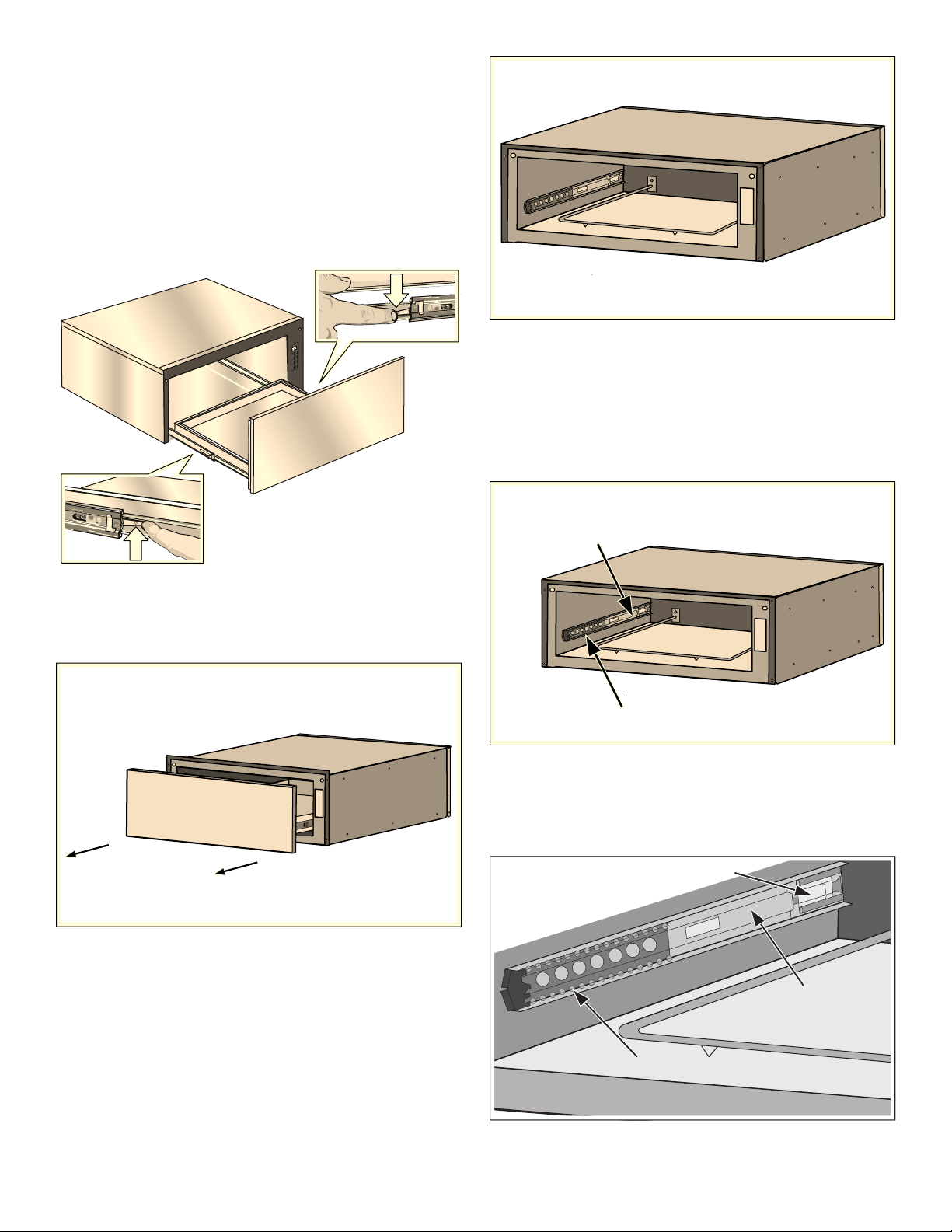
47
Removing Drawer from Housing
NOTICE: The following is the manufacturer’s
recommendations for removing and installing the drawer
to minimize the risk of damage to the PTO mechanism.
1.
Remove the drawer from the drawer housing.
▯ Pull drawer to fully open position.
▯ Press down right drawer release lever.
▯ Lift up left drawer release lever.
▯ Firmly pull the drawer straight out.
▯ Retract cabinet rails while drawer is removed.
2.
Grasp both sides of the drawer and pulling straight
and level, carefully remove the drawer housing. This
step may require light to moderate force to completely
remove drawer.
3.
Install or service (clean) housing with drawer removed.
Installing Drawer to Housing
The slides mounted to each side of the housing wall
have two moving components, an inner rail and a ball
bearing carrier which need to be in the proper orientation
for accurate installation and alignment.
There is also a visible locking mechanism located at the
rear of each slide.
Note: The housing of your warming drawer should
match the image below identically before starting your
installation. The ball bearing carrier should be locked in
to the inner rail’s black plastic rail tip at the front of the
inner rail.
-
0
8
)
*
(
)
@
.
&
%
1
3
0
0
'
0
/
0
''
6OLGH,QQHU5DLO
%DOO%HDULQJ&DUULHU
/RFNLQJ0HFKDQLVP
%DOO%HDULQJ&DUULHU
6OLGH,QQHU5DLO
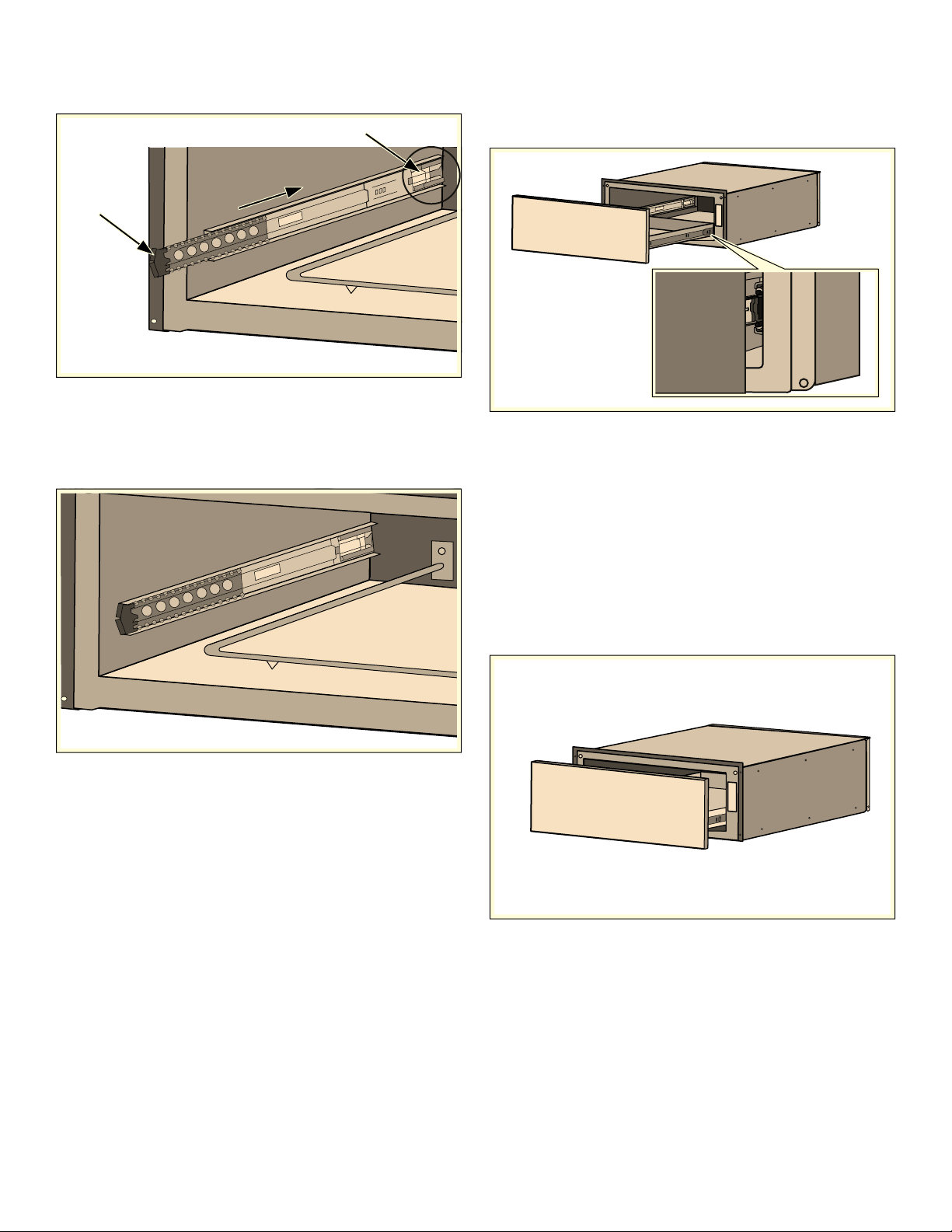
48
1.
With the drawer removed, set the slide inner rail to the
drawer locked position by pushing the slide inner rail
toward the rear of the housing until it locks in place.
Note: A moderate force pushing on the black plastic
ball carrier locking mechanism is required to set the
slide to the drawer locked position. The drawer is
locked when it remains in place and does not spring
back to the open position.
2.
Position the drawer assembly in front of the housing
assembly and align the rail (plastic rail tip) to the slide
ball carrier assembly. Keeping the drawer assembly
level and square to the housing, gently insert the
drawer to the housing assembly.
Notes
▯ A slight side-to-side wiggle motion may be required
to properly get the ball bearings to accurately align.
▯ Remember: You are attempting to align two sets of
ball bearings at this point. If more than a moderate
force is required to insert the drawer at this time,
remove the drawer and repeat the installation
procedure to this point.
3.
Continue to insert the drawer keeping the drawer level
and square to the housing until a slight increase in
resistance is felt at the approximate position shown
below.
4MJEF*OOFS3BJM
-PDLJOH.FDIBOJTN
4MJEF*OOFS3BJMJTJOMPDLFEQPTJUJPO
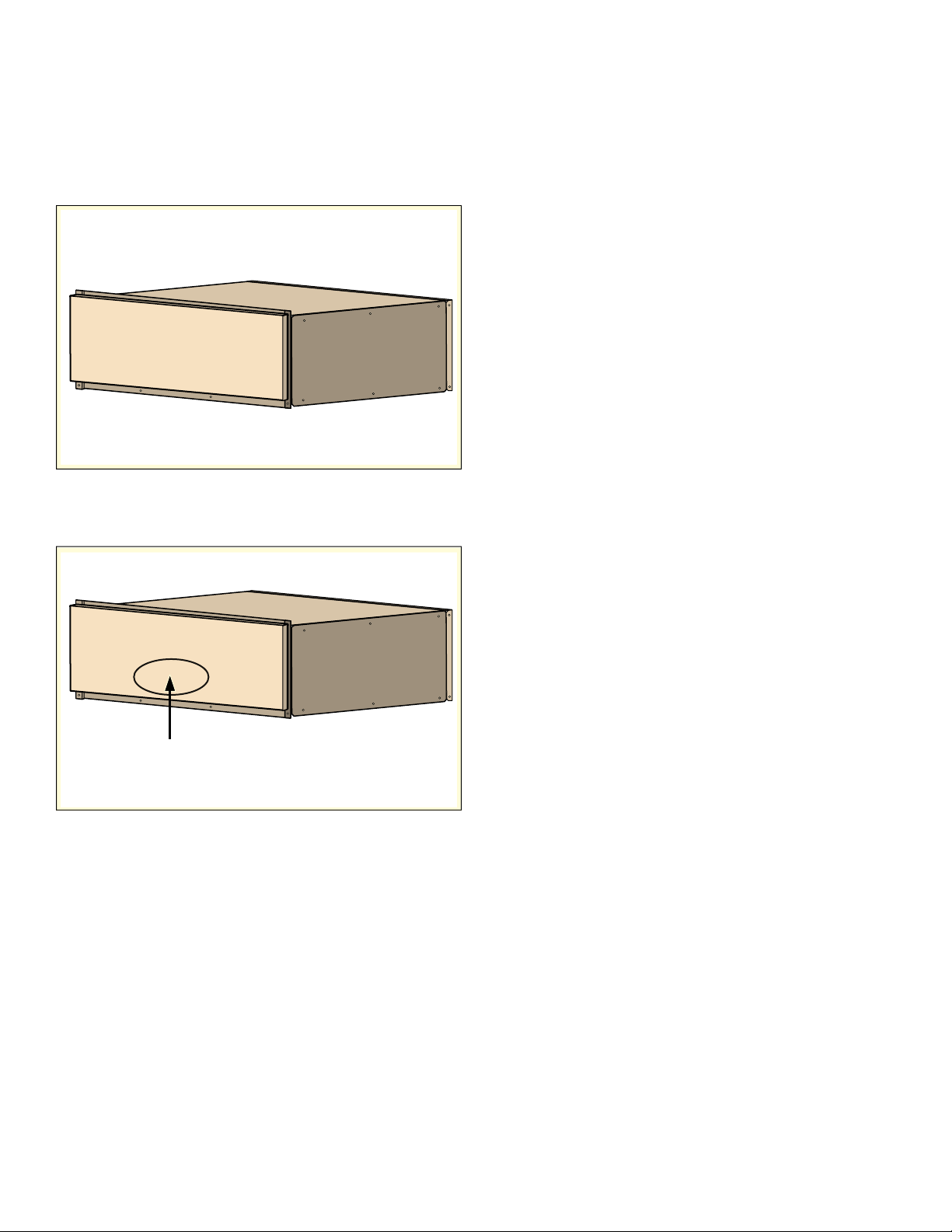
49
NOTICES
▯ At this position, a slight increase in closure force is
required with several small increments of force
applied to the drawer to accurately align and set the
drawer for proper operation.
▯ An audible “click” should be heard when the drawer
is properly closed causing the drawer to lock in the
closed position.
4.
Test the operation of the PTO drawer by pushing on
the center lower portion of the drawer front (optimum
location for function).
Note: It should be noted the recommended and
optimum location for opening the drawer is the lower
center front. The drawer will operate with an opening
force applied to any location on the drawer front,
however a slight increase in opening force may be
required.
2SWLPXPORFDWLRQIRU372IXQFWLRQ

50
Service
Frequently-asked questions and answers
(FAQ)
Using the appliance
Why can't I switch on the cooktop and why is the child lock symbol lit?
The child lock is activated.
You can find information about this function in section ~ "Panel lock"
Why are the displays flashing and why can I hear an acoustic signal?
Remove any liquid or food remains from the control panel. Remove any objects from the control panel.
You can find instructions on how to deactivate the audible signal in the section on ~ "Basic settings"
Noises
Why I can hear noises while I'm cooking?
Noises may be generated while using the cooktop depending on the base material of the cookware. These
noises are a normal part of induction technology. They do not indicate a defect.
Possible noises:
A low humming noise like the one a transformer makes:
Occurs when cooking at a high heat setting. The noise disappears or becomes quieter when the heat
setting is reduced.
Low whistling noise:
Occurs when the cookware is empty. This noise disappears when water or food is added to the cookware.
Crackling:
Occurs when using cookware made from different layers of material or when using cookware of different
sizes and different materials at the same time. The volume of the noise can vary depending on the quantity
of food being cooked or the cooking method.
High-pitched whistling noises:
Can occur when two elements are used on the highest heat setting at the same time. The whistling noises
disappear or become quieter when the heat setting is reduced.
Fan noise:
The cooktop is equipped with a fan that switches on automatically at high temperatures. The fan may con-
tinue to run even after you have switched off the cooktop if the temperature detected is still too high.
Cookware
Which types of cookware can be used with an induction cooktop?
You can find information on which types of cookware can be used with an induction cooktop in the section
on ~ "Cooking with Induction".
Why is the element not heating up and why is the heat setting flashing?
The element on which the cookware is standing is not turned on.
Check that you have turned on the correct element.
The cookware is too small for the element that is turned on or it is not suitable for induction cooking.
Check that the cookware is suitable for induction cooking and that it is placed on the element that best
corresponds to its size. You can find information on the type, size and positioning of cookware in the sec-
tions on ~ "Cooking with Induction".

51
Fixing Malfunctions
Malfunctions are usually due to small details. Before calling the Customer Support, you should consider the following
advice and warnings.
9 CAUTION
Repairs should only be done by an authorized
servicer.
Improper repair of your appliance may result in risk
of severe physical injury or death.
Why is it taking so long for the cookware to heat up or why is it not heating up sufficiently despite being on a high
heat setting?
The cookware is too small for the element that is turned on or it is not suitable for induction cooking.
Check that the cookware is suitable for induction cooking and that it is placed on the element that best
corresponds to its size. You can find information on the type, size and positioning of cookware in the
sections on ~ "Cooking with Induction".
Cookware
Cleaning
How do I clean the cooktop?
Using a special glass-ceramic cleaning agent produces the best results. We advise against using harsh or
abrasive cleaning agents, dishwater detergent (concentrated) or scouring pads.
You can find more information about cleaning and caring for your cooktop in the section on
“Cleaning and Maintenance-Cooktop.”
Display Possible cause Solution
None The power supply has been discon-
nected.
Use other electrical devices to check whether a
short-circuit has occurred in the power supply.
The device has not been connected in
accordance with the connection dia-
gram.
Ensure that the device has been connected in
accordance with the connection diagram.
Electronics error. If the error cannot be eliminated, inform the
technical after-sales service.
The displays flash The control panel is damp or an
object is covering it.
Dry the control panel or remove the object.
The Ù indicator flashes
in the element displays
An error has occurred in the electron-
ics.
To confirm the error, cover the control panel with
your hand.
”ƒ
The electronics have overheated and
have switched off the corresponding
element.
Wait until the electronics have cooled down
sufficiently. Then touch any symbol on the cooktop.
”…
The electronics have overheated and
have switched off all elements.
Ӡ + heat setting and
acoustic signal
There is a hot pan in the area of the
control panel. There is a risk that the
electronics will overheat.
Remove the pan. The error display goes out shortly
afterwards. You can continue to cook.
Ӡ and acoustic signal
There is a hot pan in the area of the
control panel. To protect the electron-
ics, the element has been switched
off.
Remove the pan. Wait for a few seconds. Touch
any control. If the error display goes out, you can
continue to cook.
”‚/”‡
The element has overheated and
switched itself off to protect the work
surface.
Wait until the electronics have cooled down
sufficiently and switch the element on again.
”‰
The element was operating for an
extended period without interruption.
The automatic safety switch-off function has been
activated. See section “Automatic time limitation”
Do not place hot pans on the control panel.
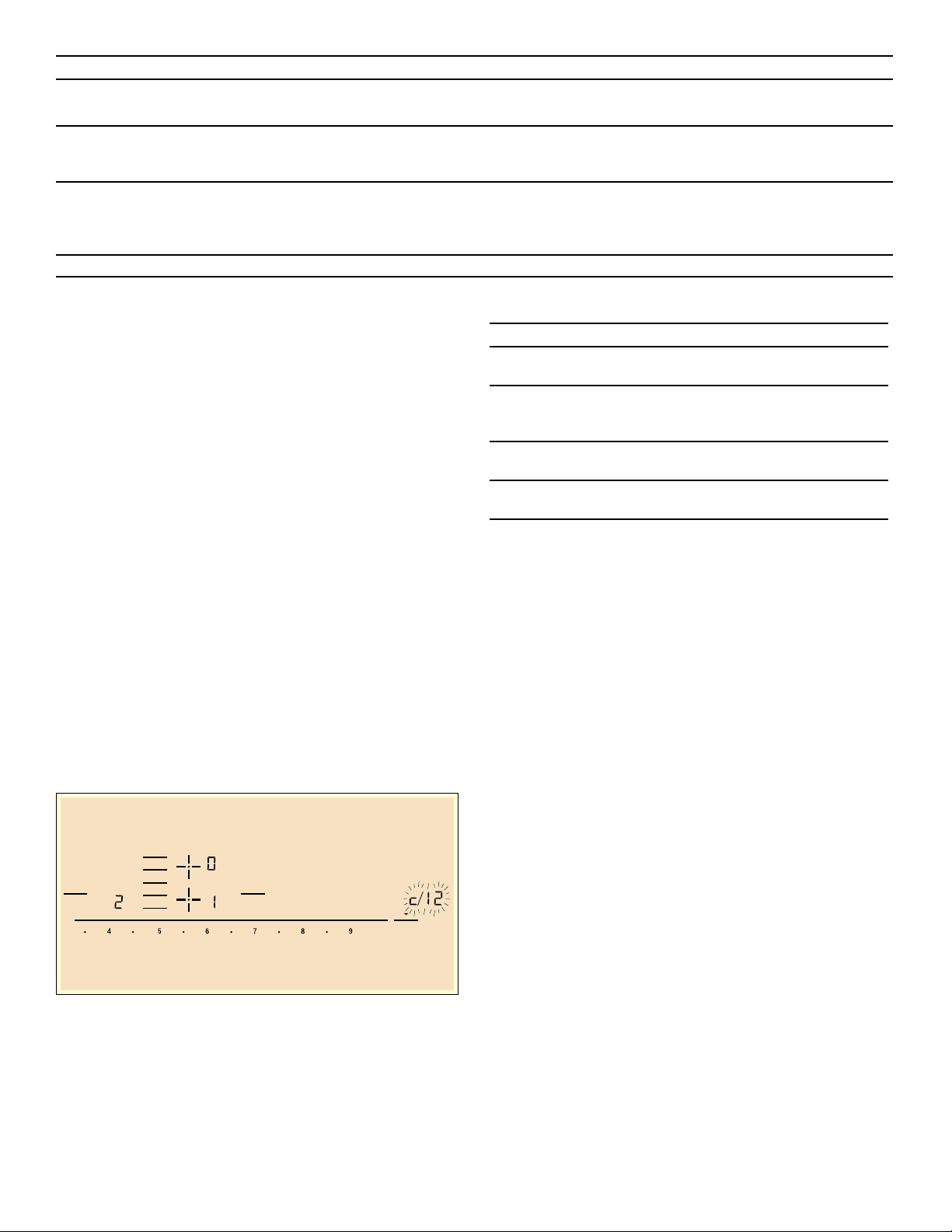
52
Notes
▯ If “ appears on the display, the sensor for the element
in question must be held down in order to be able to
read off the fault code.
▯ If the fault code is not listed in the table, disconnect
the cooktop from the power supply, wait 30 seconds,
and then reconnect it again. If the display appears
again, contact Technical Assistance Service and tell
them the precise fault code.
Suitability test of cookware
This function can be used to check the speed and quality
of the cooking process depending on the cookware.
The result is a reference value and depends on the
properties of the cookware and the element being used.
1.
With the cookware still cold, fill it with approx. 8 oz.
(200 ml) of water and place it on the center of the
cooking zone with the diameter that most closely
matches that of the base of the cookware.
2.
Go to the basic settings and select the ™‚ƒ setting.
3.
Touch the settings range. A will flash on the cooking
zone display.
The function has now been activated.
After 10 seconds, the result for the quality and speed of
the cooking process will appear on the cooking zone
display.
Check the result using the table below:
To reactivate this function, touch the settings range.
Notes
▯ The flexible cooking zone only counts as a single
element; place no more than one item of cookware on
it.
▯ If the diameter of the used cooking zone is much
smaller than the diameter of the cookware, only the
middle of the cookware can be expected to heat up.
This may result in the cooking results not being as
good as expected or being less than satisfactory.
▯ You can find information on this function in the section
~ "Basic settings"
▯ You can find information on the type, size and
positioning of the cookware in the section
“Cookware”.
“Š‹‹‹
“Š‹‚‹
The supply voltage is incorrect; out-
side of the normal operating range.
Contact your electrical utility provider.
“Š‹‚‚
The cooktop is not connected prop-
erly.
Disconnect the cooktop from the power supply.
Ensure that it has been connected in accordance
with the connection diagram.
š“
The demo mode is activated Disconnect the cooktop from the power supply.
Wait 30 seconds and reconnect it. Touch any
touch control in the next three minutes. The demo
mode is deactivated.
Display Possible cause Solution
Do not place hot pans on the control panel.
)OH[
-RLQ6SOLW
.HHS
:DUP
6SHHG
%RRVW
.LWFKHQ
7LPHU
&RRN
7LPHU
Result
‹
The cookware is not suitable for the element and
will therefore not heat up.*
‚
The cookware is taking longer to heat up than
expected and the cooking process is not going as
well as it ought to.*
ƒ
The cookware is heating up correctly and cooking
is progressing well.
* If there is a smaller element available, try the cook-
ware again on the smaller element.
53
Oven Troubleshooting
Use these suggestions before calling for service to avoid
service charges.
Oven Problem Possible Causes and Suggest Solutions
The oven mode or temperature selected or
the numbers selected do not appear in the
display
Review manual instructions when setting clock, timer, or Self Clean.
Oven door is locked and will not release,
even after cooling
Turn the oven off at the circuit breaker and wait 5 minutes. Turn breaker
back on. The oven should reset itself and will be operable.
Oven is not heating Check circuit breaker or fuse box to your house. Make sure there is
proper electrical power to the oven. Be sure oven temperature has been
selected.
Oven is not cooking evenly Adjust oven calibration if necessary (see “Change the Oven
Temperature Offset” in this manual). Refer to cooking charts for recom-
mended rack position.
Baking results are not as expected Refer to cooking charts for recommended rack position. Check “Getting
the Most out of Your Oven” for tips and suggestions. Adjust oven
calibration if necessary (see “Change the Oven Temperature Offset” in
this manual).
Food takes longer to cook than expected The oven is carefully calibrated to provide accurate results. However,
the temperature can be offset if food is consistently too brown or too
light. See “Change the Oven Temperature” Offset”.
Food is overcooked The oven is carefully calibrated to provide accurate results. However,
the temperature can be offset if food is consistently too brown or too
light. See “Change the Oven Temperature” Offset”.
Convection Bake or Convection Multi-Rack
Results are not as Expected
If the Automatic Convection Conversion Feature is turned off, the tem-
perature must be manually reduced by 25°F. If the feature is active, the
temperature is automatically adjusted. See “Turn Automatic Convection
Conversion ON or OFF” for more information. Refer to cooking charts
and tips for rack positions, cooking times and pan selection. Adjust
oven calibration if necessary. See “Change the Oven Temperature” Off-
set”.
Oven temperature is too hot or too cold The oven thermostat needs adjustment. See Oven Temperature Offset.
See “Change the Oven Temperature” Offset”.
Oven light is not working properly Replace or reinsert the light bulb if loose or defective. Touching the bulb
with fingers may cause the bulb to burn out.
Oven light will not turn off Check for obstruction in oven door. Check to see if hinge is bent. When
the Sabbath feature is activated, the oven light will stay on or off (as
selected during set-up) during the entire Sabbath Mode.
Cannot remove lens cover on light There may be soil build-up around the lens cover. Wipe lens cover area
with a clean dry towel prior to attempting to remove the lens cover.
Oven will not Self Clean properly Allow the oven to cool before running Self Clean. Always wipe out loose
soils or heavy spillovers before running Self Clean. If oven is badly
soiled, set oven for a four-hour Self Clean. See Preparing the Oven to
Self Clean.
Clock and timer are not working properly Make sure there is electrical power to oven. See Clock and Timer
sections.
Porcelain chips When oven racks are removed and replaced, always tilt racks upward
and do not force them to avoid chipping the porcelain.
“F” and a number appears in display and
control beeps
This is a fault code. Press Off to clear the display and stop beeping.
Reset oven if necessary. If fault code remains and beep continues,
record fault code, cancel oven and call authorized service technician.
With a new range there is a strong odor
when oven is turned on
This is normal with a new range and will disappear after a few uses.
Operating the Self Clean cycle will also “burn-off” the smell more
quickly.
Control does not react when the pad is
touched
Be sure that pad is clean. Touch the center of the button. Use the flat
part of your finger.
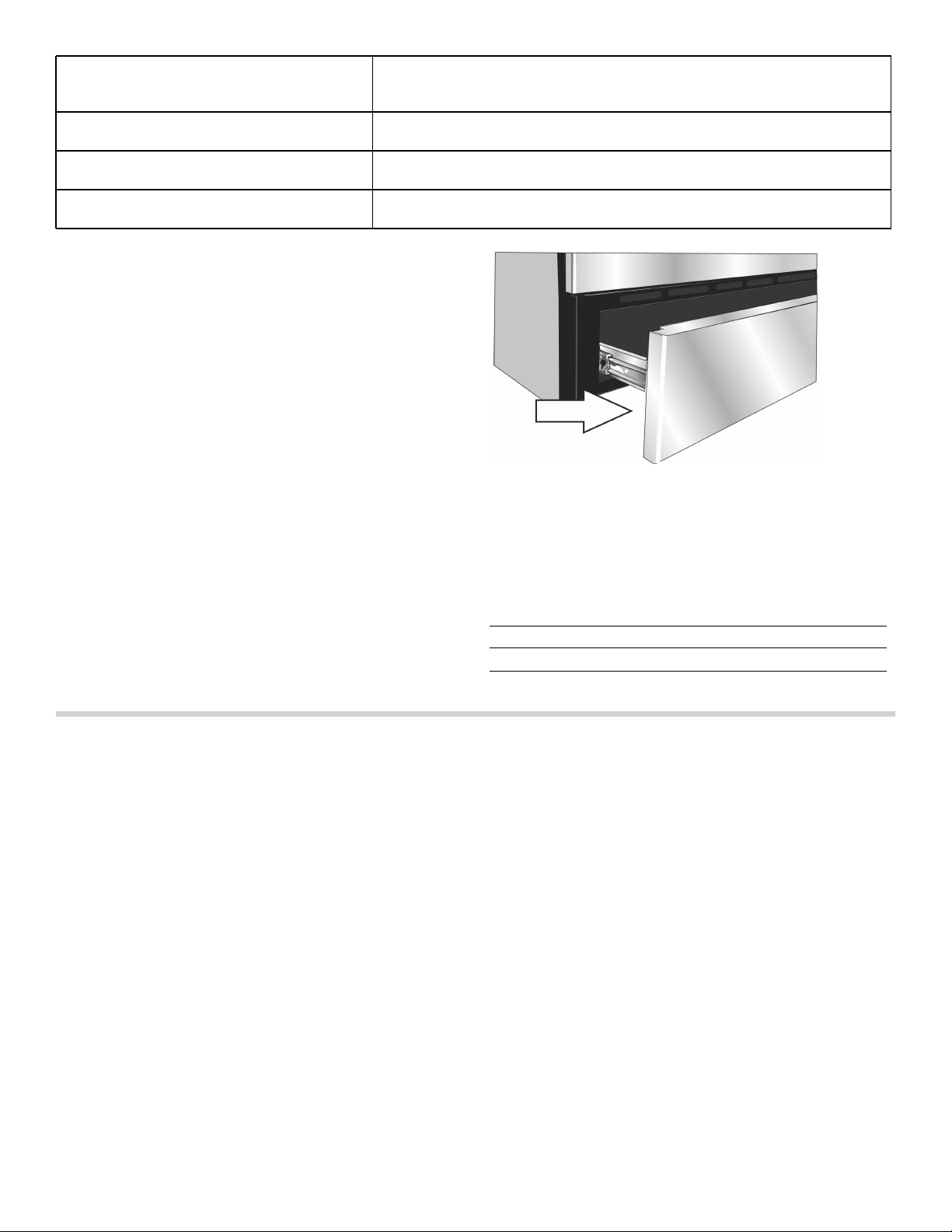
54
How to Obtain Service or Parts
To reach a service representative, see the contact
information at the front of the manual. Please be
prepared with the information printed on your data plate
when calling.
Data Plate
The data plate shows the model and FD number. Refer
to the rating label on the appliance when requesting
service. The rating label is located on the back side of
the drawer front. Open the drawer to view it.
STATEMENT OF LIMITED PRODUCT WARRANTY
What this Warranty Covers & Who it
Applies to
The limited warranty provided by BSH Home Appliances
Corporation (“BSH“) in this Statement of Limited Product
Warranty applies only to the Bosch appliance (“Product“)
sold to you, the first using purchaser, provided that the
Product was purchased:
▯ For your normal, household (non-commercial) use,
and has in fact at all times only been used for normal
household purposes.
▯ New at retail (not a display, "as is", or previously
returned model), and not for resale, or commercial
use.
▯ Within the United States or Canada, and has at all
times remained within the country of original purchase.
The warranties stated herein apply only to the first
purchaser of the Product and are not transferable.
Please make sure to return your registration card; while
not necessary to effectuate warranty coverage, it is the
best way for BSH to notify you in the unlikely event of a
safety notice or product recall.
How Long the Warranty Lasts
BSH warrants that the Product is free from defects in
materials and workmanship for a period of three hundred
sixty-five (365) days from the date of purchase. The
foregoing timeline begins to run upon the date of
purchase, and shall not be stalled, tolled, extended, or
suspended, for any reason whatsoever.
This Product is also warranted to be free from cosmetic
defects in material and workmanship (such as scratches
of stainless steel, paint/porcelain blemishes, chip, dents,
or other damage to the finish of the Product), for a period
of thirty (30) days from the date of purchase or closing
date for new construction. This cosmetic warranty
excludes slight color variations due to inherent
differences in painted and porcelain parts, as well as
differences caused by kitchen lighting, product location,
or other similar factors. This cosmetic warranty
specifically excludes any display, floor, “As Is”, or “B”
stock appliances.
Fan is running during modes that don’t use
convection
On some models, the convection fan will run while the oven is
preheating for the bake mode. This is normal.Slide-in models also have
a cooling fan that runs during every cooking mode.
Warm air or steam escapes from oven vent It is normal to see or feel steam or warm air escaping from the oven
vent. Do not block the vent.
Cooling fan runs after oven is turned off
(Slide-in ranges only)
This is normal. When the oven has cooled to a pre-determined
temperature, the cooling fan turns off
The cooktop does not operate during Self
Clean
This is normal for some models. Operation will return once Self Clean is
complete.
Model number
and FD number
The model number and the FD
number of your appliance are found
on the data plate. Make a note of
these numbers in the space below to
save time in the event your appliance
requires service.
Model # FD #
Bosch Customer Support O
800-944-2904

55
Repair/Replace as Your Exclusive Remedy
During this warranty period, BSH or one of its authorized
service providers will repair your Product without charge
to you (subject to certain limitations stated herein) if your
Product proves to have been manufactured with a defect
in materials or workmanship. If reasonable attempts to
repair the Product have been made without success,
then BSH will replace your Product (upgraded models
may be available to you, in BSH’s sole discretion, for an
additional charge). All removed parts and components
shall become the property of BSH at its sole option. All
replaced and/or repaired parts shall assume the identity
of the original part for purposes of this warranty and this
warranty shall not be extended with respect to such
parts. BSH's sole liability and responsibility hereunder is
to repair manufacturer-defective Product only, using a
BSH-authorized service provider during normal business
hours. For safety and property damage concerns, BSH
highly recommends that you do not attempt to repair the
Product yourself, or use an un-authorized servicer; BSH
will have no responsibility or liability for repairs or work
performed by a non-authorized servicer. If you choose to
have someone other than an authorized service provider
work on your Product, THIS WARRANTY WILL
AUTOMATICALLY BECOME NULL AND VOID. Authorized
service providers are those persons or companies that
have been specially trained on BSH products, and who
possess, in BSH's opinion, a superior reputation for
customer service and technical ability (note that they are
independent entities and are not agents, partners,
affiliates or representatives of BSH). Notwithstanding the
foregoing, BSH will not incur any liability, or have
responsibility, for the Product if it is located in a remote
area (more than 100 miles from an authorized service
provider) or is reasonably inaccessible, hazardous,
threatening, or treacherous locale, surroundings, or
environment; in any such event, if you request, BSH
would still pay for labor and parts and ship the parts to
the nearest authorized service provider, but you would
still be fully liable and responsible for any travel time or
other special charges by the service company, assuming
they agree to make the service call.
Out of Warranty Product
BSH is under no obligation, at law or otherwise, to
provide you with any concessions, including repairs, pro-
rates, or Product replacement, once this warranty has
expired.
Warranty Exclusions
The warranty coverage described herein excludes all
defects or damage that are not the direct fault of BSH,
including without limitation, one or more of the following:
▯ Use of the Product in anything other than its normal,
customary and intended manner (including without
limitation, any form of commercial use, use or storage
of an indoor product outdoors, use of the Product in
conjunction with air or water-going vessels).
▯ Any party's willful misconduct, negligence, misuse,
abuse, accidents, neglect, improper operation, failure
to maintain, improper or negligent installation,
tampering, failure to follow operating instructions,
mishandling, unauthorized service (including self-
performed "fixing" or exploration of the appliance's
internal workings).
▯ Adjustment, alteration or modification of any kind.
▯ A failure to comply with any applicable state, local,
city, or county electrical, plumbing and/or building
codes, regulations, or laws, including failure to install
the product in strict conformity with local fire and
building codes and regulations.
▯ Ordinary wear and tear, spills of food, liquid, grease
accumulations, or other substances that accumulate
on, in, or around the Product.
▯ Any external, elemental and/or environmental forces
and factors, including without limitation, rain, wind,
sand, floods, fires, mud slides, freezing temperatures,
excessive moisture or extended exposure to humidity,
lightning, power surges, structural failures surrounding
the appliance, and acts of God.
In no event shall BSH have any liability or responsibility
whatsoever for damage to surrounding property,
including cabinetry, floors, ceilings, and other structures
or objects around the Product. Also excluded from this
warranty are Products on which the serial numbers have
been altered, defaced, or removed; service visits to teach
you how to use the Product, or visits where there is
nothing wrong with the Product; correction of installation
problems (you are solely responsible for any structure
and setting for the Product, including all electrical,
plumbing or other connecting facilities, for proper
foundation/flooring, and for any alterations including
without limitation cabinetry, walls, floors, shelving, etc.);
and resetting of breakers or fuses.
TO THE EXTENT ALLOWED BY LAW, THIS WARRANTY
SETS OUT YOUR EXCLUSIVE REMEDIES WITH
RESPECT TO PRODUCT, WHETHER THE CLAIM ARISES
IN CONTRACT OR TORT (INCLUDING STRICT LIABILITY,
OR NEGLIGENCE) OR OTHERWISE. THIS WARRANTY
IS IN LIEU OF ALL OTHER WARRANTIES, WHETHER
EXPRESS OR IMPLIED. ANY WARRANTY IMPLIED BY
LAW, WHETHER FOR MERCHANTABILITY OR FITNESS
FOR A PARTICULAR PURPOSE, OR OTHERWISE,
SHALL BE EFFECTIVE ONLY FOR THE PERIOD THAT
THIS EXPRESS LIMITED WARRANTY IS EFFECTIVE. IN
NO EVENT WILL THE MANUFACTURER BE LIABLE FOR
CONSEQUENTIAL, SPECIAL, INCIDENTAL, INDIRECT,
"BUSINESS LOSS", AND/OR PUNITIVE DAMAGES,
LOSSES, OR EXPENSES, INCLUDING WITHOUT
LIMITATION TIME AWAY FROM WORK, HOTELS AND/
OR RESTAURANT MEALS, REMODELLING EXPENSES
IN EXCESS OF DIRECT DAMAGES WHICH ARE
DEFINITIVELY CAUSED EXCLUSIVELY BY BSH, OR
OTHERWISE. SOME STATES DO NOT ALLOW THE
EXCLUSION OR LIMITATION OF INCIDENTAL OR
CONSEQUENTIAL DAMAGES, AND SOME STATES DO
NOT ALLOW LIMITATIONS ON HOW LONG AN IMPLIED
WARRANTY LASTS, SO THE ABOVE LIMITATIONS MAY
NOT APPLY TO YOU. THIS WARRANTY GIVES YOU
SPECIFIC LEGAL RIGHTS, AND YOU MAY ALSO HAVE
OTHER RIGHTS WHICH VARY FROM STATE TO STATE.
No attempt to alter, modify or amend this warranty shall
be effective unless authorized in writing by an officer of
BSH.

56
Cooking Charts
The charts can be used as a guide. Follow package or recipe directions.
Baked Goods/Entrees
Food Recommended
Cooking Mode
Oven Tem-
perature
Pre-
heat
Oven
Number
of Racks
Rack
Position
Time
(min.)
Pan Size & Type
Cakes
Angel Food Convect. Bake 325° F Yes Single 1 35-50 10" tube
Bundt Convect. Bake 325° F Yes Single 2 45-65 12-cup bundt
Cupcakes Conv. Multi-Rack 325° F Yes Single 4 17-27 12-cup muffin pan
Conv. Multi-Rack 325° F Yes Multiple 2 & 5 17-27 12-cup muffin pan
Conv. Multi-Rack 325° F Yes Multiple 1, 3, & 5 17-27 12-cup muffin pan
Round Layers Convect. Bake 325° F Yes Single 3 28-40 8" or 9" round
Convect. Bake 325° F Yes Multiple 2 & 5 28-40 8" or 9" round
Sheet Cake Convect. Bake 325° F Yes Single 3 45-60 13"X9X2"
Cookies
Brownies Convect. Bake 325° F Yes Single 3 33-40 8" or 9" square
Chocolate Chips Conv. Multi-Rack 325° F Yes Single 3 8-17 cookie sheet
Conv. Multi-Rack 325° F Yes Multiple 2 & 5 8-17 cookie sheet
Conv. Multi-Rack 325° F Yes Multiple 1,3, & 5 8-17 cookie sheet
Cookie Bars Convect. Bake 325° F Yes Single 3 23-33 8" or 9" square
Sugar Conv. Multi-Rack 325° F Yes Single 3 8-10 cookie sheet
Conv. Multi-Rack 325° F Yes Multiple 2 & 5 8-10 cookie sheet
Conv. Multi-Rack 325° F Yes Multiple 1,3, & 5 8-10 cookie sheet
Entrees/Vegetables
Casseroles Bake recipe temp. Yes Single 3 recipe
time
casserole dish
Quiche Bake 375° F Yes Single 2 30-40 quiche dish
Soufflé Bake 325° F Yes Single 3 45-55 soufflé dish
Vegetables Conv. Roast recipe No Single 3 recipe cookie sheet
The charts can be used as a guide. Follow package or recipe directions.
The convection temperatures have been reduced by 25°F from the recipe or package directions.
Pastries
Cream Puffs Conv. Multi-Rack 400° F Yes Single 3 23-33 cookie sheet
Conv. Multi-Rack 400° F Yes Multiple 2 & 5 23-33 cookie sheet
Conv. Multi-Rack 400° F Yes Multiple 1,3, & 5 23-33 cookie sheet
Puff Pastry Conv. Multi-Rack 375° F Yes Single 3 10-12 cookie sheet
Pies
1 Crust Shell Convect. Bake 475° F Yes Single 2 8-12 9" pie pan
2 Crust, Fruit Convect. Bake 375° F Yes Single 2 45-60 9" pie pan
Frozen Convect. Bake 375° F Yes Single 3 70-85 9" pie pan
Meringue Bake 350° F Yes Single 2 10-15 9" pie pan
Pecan Bake 350° F Yes Single 2 45-60 9" pie pan

57
Meats
The charts can be used as a guide. Follow package or recipe directions.
Pumpkin Bake 425° F/
350° F
Yes Single 2 15
35-45
9" pie pan
Pizza
Baking Stone Pizza 425° F Yes Single 2 recipe
time
baking stone
Fresh Pizza 425° F Yes Single 2 recipe
time
pizza pan
Thick Crust, Frozen Pizza on package Yes Single on
package
pkg time package directions
Thin Crust, Frozen Pizza on package Yes Single on
package
pkg time package directions
Quick Breads
Biscuits Conv. Multi-Rack 325° F Yes Single 3 10-20 cookie sheet
Conv. Multi-Rack 325° F Yes Multiple 2 & 5 10-20 cookie sheet
Loaf Convect. Bake 350° F Yes Single 2 48-60 8" x 4" loaf pan
Muffins Conv. Multi-Rack 400° F Yes Single 3 14-25 12-cup muffin pan
Conv. Multi-Rack 400° F Yes Multiple 2 & 5 14-25 12-cup muffin pan
Yeast Breads
Dinner Rolls Conv. Multi-Rack 375° F Yes Single 3 10-20 cookie sheet
Conv. Multi-Rack 375° F Yes Multiple 2 & 5 10-20 cookie sheet
Conv. Multi-Rack 375° F Yes Multiple 1, 3, & 5 10-20 cookie sheet
Loaf Convect. Bake 400° F Yes Single 2 22-35 9" x 5" loaf pan
Sweet Rolls Conv. Multi-Rack 325° F Yes Single 3 20-25 cookie sheet
The charts can be used as a guide. Follow package or recipe directions.
The convection temperatures have been reduced 25°F from the recipe or package directions.
Food Recommended
Cooking Mode
Oven Tem-
perature
Pre-
heat
Oven
Number
of Racks
Rack
Position
Time
(min.)
Pan Size & Type
Food Recommended
Cooking Mode
Oven Tem-
perature
Rack
Position
Internal
Tempera-
ture Done-
ness
Cooking Time Food
Covered
Stand Time
Beef
Chuck Roast,
2-3 lbs
Roast 350° F 2 Well, 170° F
1 1/2-2 hours
Yes none
Hamburgers,
3/4-1inch thick
Broil High 6 Medium,
160° F
Side 1: 5-8
Side 2: 4-6
No none
Rib Eye, Boneless,
3-3.5 lbs.
Convection
Roast
325° F 2 Medium-rare,
145° F
27-31 min./lb. No 10-15 min.
Rib Eye, Boneless,
3-3.5 lbs.
Convection
Roast
325° F 2 Medium,
160° F
30-38 min./lb. No 10-15 min.
The charts can be used as a guide. Follow package or recipe directions.
Roasting times are approximate and may vary depending on the shape of the meat.
Stuffed turkey requires additional roasting time. The minimum safe temperature for stuffing in poultry is 165°F.
Note: Internal food temperatures are USDA recommended as measured by a digital cooking thermometer.

58
Rump, Eye, Sirloin,
Boneless,
3-5.5 lbs.
Convection
Roast
325° F 2 Medium-rare,
145° F
18-33 min./lb. No 10-15 min.
Rump, Eye, Sirloin,
Boneless,
3-5.5 lbs.
Convection
Roast
325° F 2 Medium,
160° F
30-35 min/lb. No 10-15 min.
Steaks,
1-inch thick
Broil High 6 Medium-rare,
145° F
Side 1: 5-8
Side 2: 4-6
No none
Steaks,
1-inch thick
Broil High 6 Medium,
160° F
Side 1: 8-9
Side 2: 5-7
No none
Steaks
1 1/2-inch thick
Convection
Broil
High 3 Medium-rare,
145° F
Side 1: 11-13
Side 2: 9-11
No none
Steaks
1 1/2-inch thick
Convection
Broil
High 3 Medium,
160° F
Side 1: 13-15
Side 2: 11-13
No none
Tenderloin,
2-3 lbs.
Convection
Roast
425° F 2 Medium-rare,
145° F
15-24 min./lb. No 5 min.
Lamb
Leg, Boneless,
2-3 lbs.
Convection
Roast
325° F 2 Medium,
160° F
25-30 min./lb. No 10-15 min.
Leg, Boneless,
4-6 lbs.
Convection
Roast
325° F 2 Medium,
160° F
30-35 min./lb. No 10-15 min.
Chops,
1-inch thick
Broil High 4 Medium-rare,
145° F
Side 1: 4-6
Side 2: 4-5
No none
Chops,
1-inch thick
Broil High 4 Medium,
160° F
Side 1: 5-7
Side 2: 5-6
No none
Pork
Ham Slice
1/2-inch thick
Broil High 5 160° F Side 1: 4-5
Side 2: 3-4
No none
Loin Roast,
1 1/2-3 lbs.
Convection
Roast
350° F 2 Medium,
160° F
19-36 min./lb. No 10-15 min.
Loin Roast,
3-6 lbs.
Convection
Roast
350° F 2 Medium,
160° F
14-23 min./lb. No 10-15 min.
Chops,
1-inch thick
Broil Medium 4 Medium,
160° F
Side 1: 8-10
Side 2: 8-9
No none
Chops,
1 1/2-inch thick
Convection
Broil
High 4 Medium,
160° F
Side 1: 9-11
Side 2: 8-10
No none
Sausage, Fresh Broil High 4 170° F Side 1: 3-5
Side 2: 2-4
No none
Tenderloin,
2-3 lbs.
Convection
Roast
425° F 3 Medium,
160° F
18-28 min./lb. No 5-10 min.
Poultry
Chicken
Bone-in Breasts Convection
Broil
450°F 3 170°F Side 1: 18-22
Side 2: 17-20
No none
Bone-in Thighs Broil Low 3 180°F in
thigh
Side 1: 14-15
Side 2: 12-13
No none
Food Recommended
Cooking Mode
Oven Tem-
perature
Rack
Position
Internal
Tempera-
ture Done-
ness
Cooking Time Food
Covered
Stand Time
The charts can be used as a guide. Follow package or recipe directions.
Roasting times are approximate and may vary depending on the shape of the meat.
Stuffed turkey requires additional roasting time. The minimum safe temperature for stuffing in poultry is 165°F.
Note: Internal food temperatures are USDA recommended as measured by a digital cooking thermometer.

59
Whole.
3.5-8 lbs.
Convection
Roast
375°F 2 180°F in
thigh
13-20 min./lb. No none
Cornish Game
Hens,
1-1 1/2 lbs.
Convection
Roast
350°F 2 180°F in
thigh
45-75 min. total
time
No none
Turkey
Breast,
4-8 lbs.
Convection
Roast
325°F 2 170°F 19-23 min. /lb. No 15-20 min.
for easy
carving
Unstuffed,
12-19 lbs.
Convection
Roast
325°F 1 180°F in
thigh
9-14 min./lb. Foil to
prevent
over-
brown-
ing
15-20 min.
for easy
carving
Unstuffed,
20-25 lbs.
Convection
Roast
325°F 1 180°F in
thigh
6-12 min./lb. Foil to
prevent
over-
brown-
ing
15-20 min.
for easy
carving
Seafood
Fish Filets,
3/4-1-inch thick
Broil Low 3 145°F 11-15 min. No none
Food Recommended
Cooking Mode
Oven Tem-
perature
Rack
Position
Internal
Tempera-
ture Done-
ness
Cooking Time Food
Covered
Stand Time
The charts can be used as a guide. Follow package or recipe directions.
Roasting times are approximate and may vary depending on the shape of the meat.
Stuffed turkey requires additional roasting time. The minimum safe temperature for stuffing in poultry is 165°F.
Note: Internal food temperatures are USDA recommended as measured by a digital cooking thermometer.

1901 Main Street, Suite 600 • Irvine, CA 92614 • 800-944-2904
www.bosch-home.com • © 2016 BSH Home Appliances
961020
*9001240241*
9001240241