
Supported Control
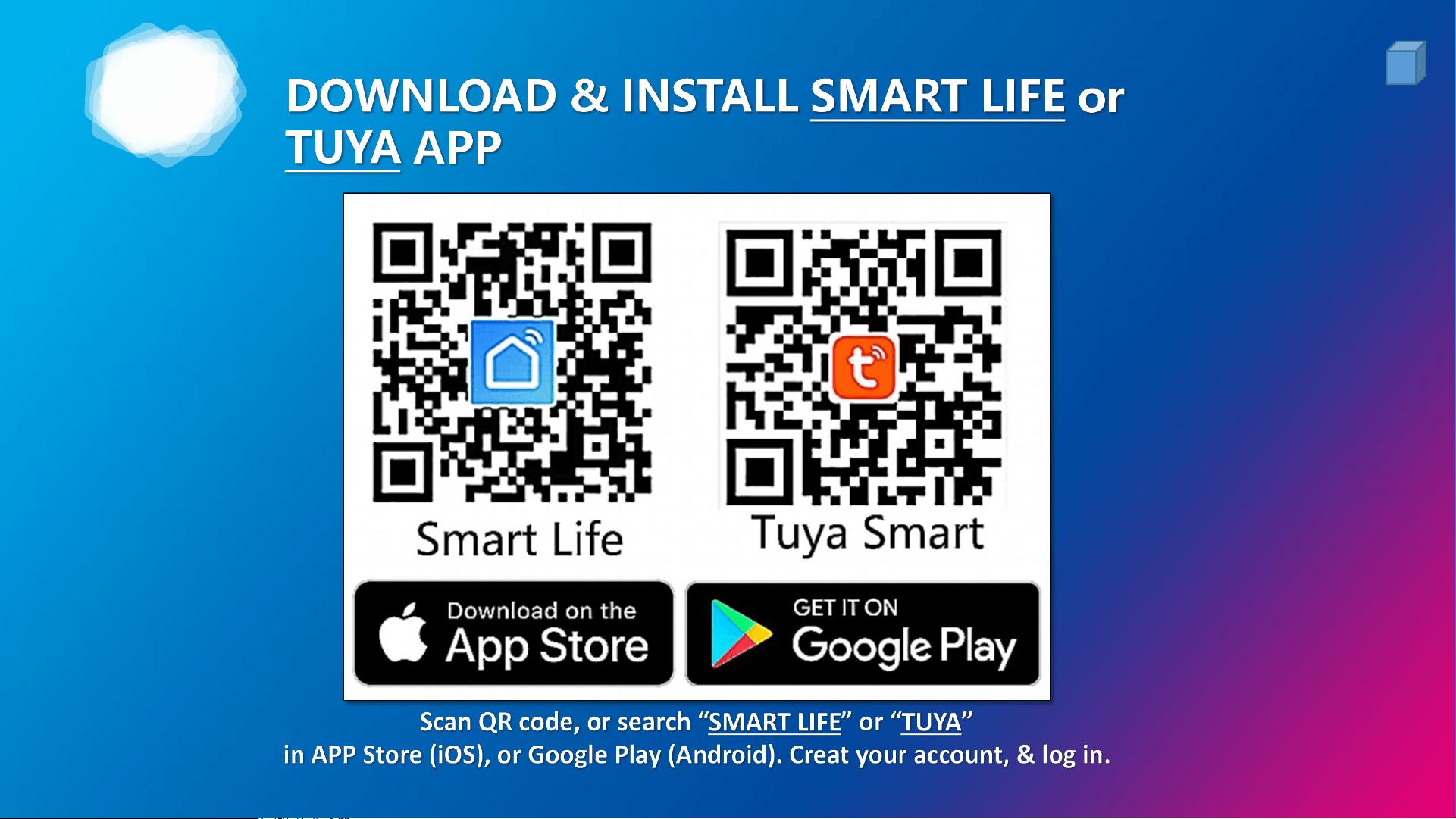
+ Smart-Life / TUYA APP
+ Amazon Alexa / Echo
+ Google Home
+ Google Assistant
+ Apple SIRI / Shortcut
+ Samsung SmartThings
Durablow
®
Smart Home Series -
SH3001 / SH3001-RH *BLUEtooth + Wi-Fi 2.4GHz
Fireplace Remote Control
®
V202209 - SH3001
1
2

1
3
1
4
2
5
2
6
2
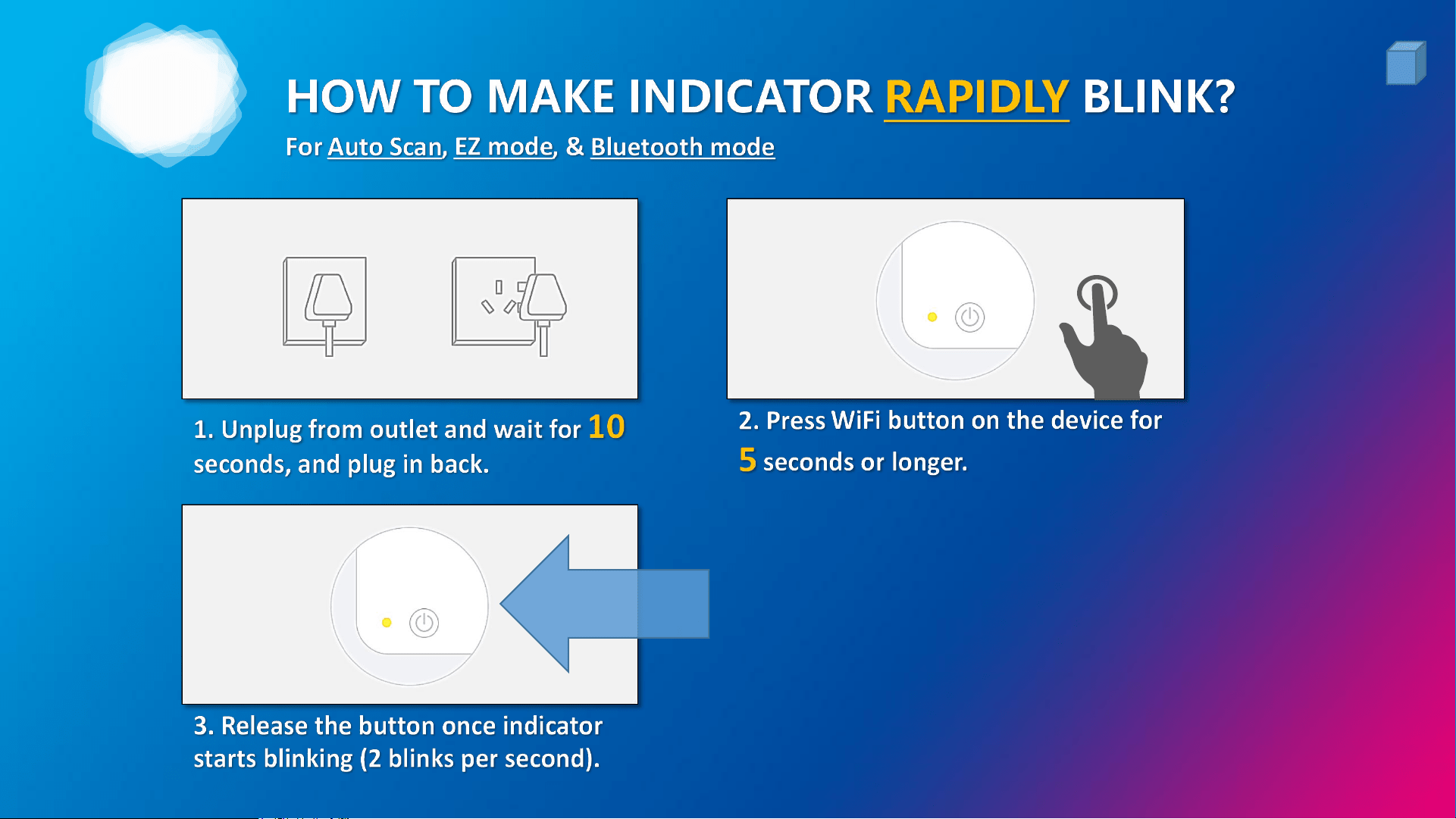
2 Blinks / Sec
7
2
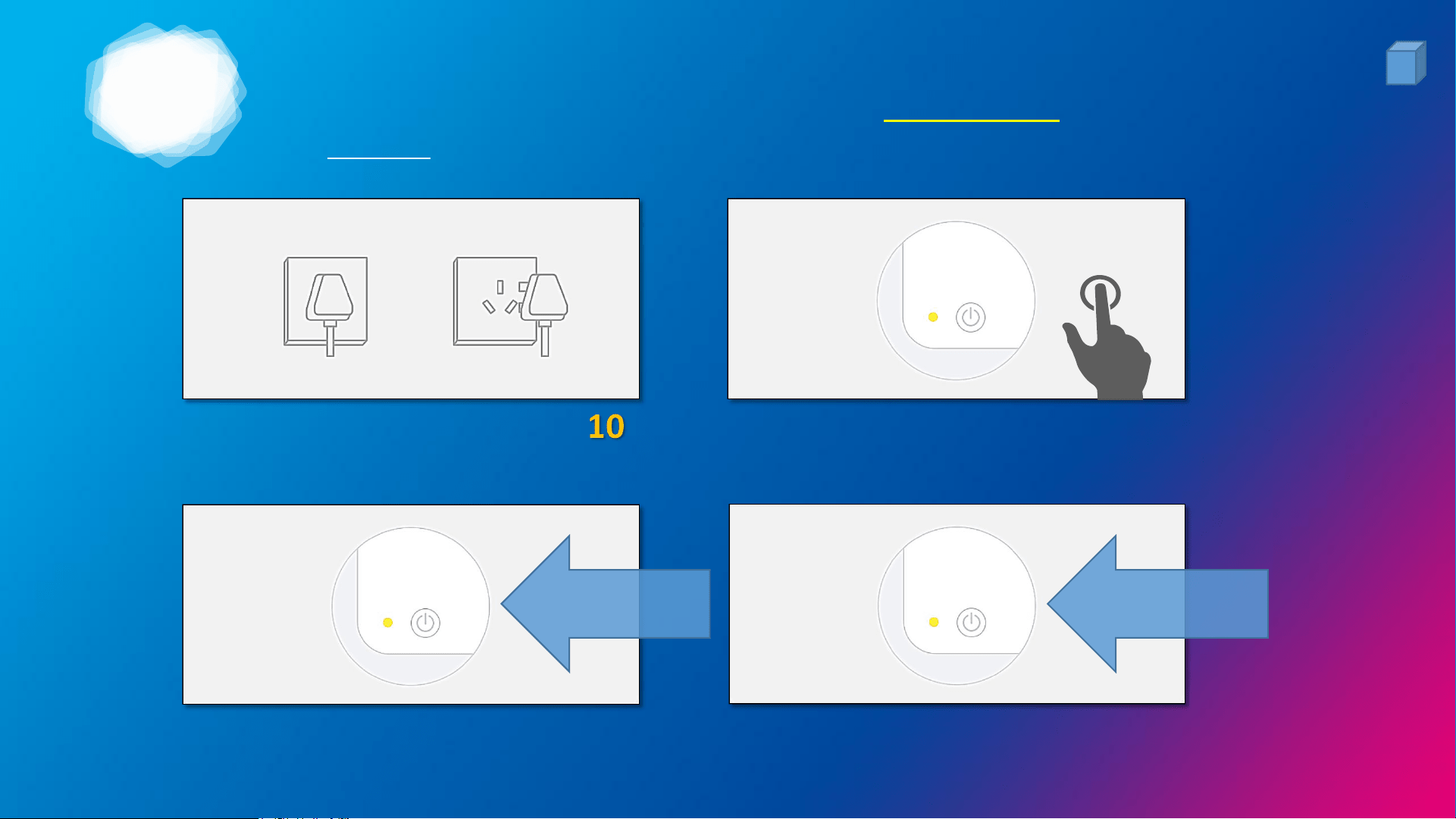
HOW TO MAKE INDICATOR SLOWLY BLINK?
For AP mode
2 Blinks / Sec
1. Unplug from outlet and wait for
seconds, and plug in back.
2. Press WiFi button on the device for
5 seconds or longer.
3. Release the button once indicator
starts blinking (2 blinks per second).
1 Blink / 3-Sec
4. Press the WiFi button again for 5 seconds or longer until
indicator starts blinking slowly (1 blink every 3-second).
8
2
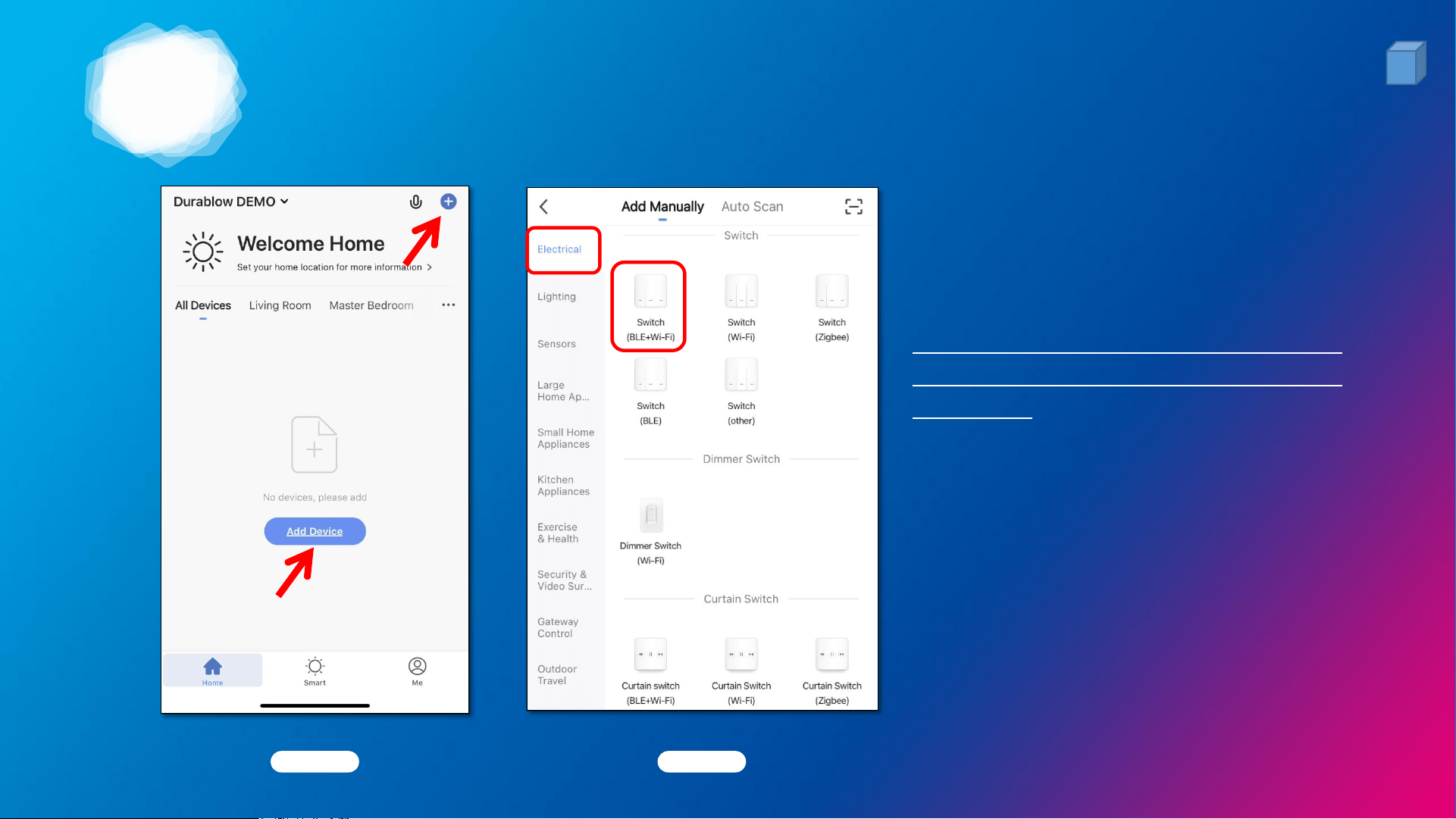
ADD DEVICE & PRESS BUTTON
Pic. 1 Pic. 2
1. Tap the “+” or “Add Device” Icon
(Pic. 1) to add device in Smart Life
App, select the right device (Pic. 2).
For SH3001, SH3001-RH models, the
d evice “Sw i tc h ( B L E + W i - F i ) ” i s
preferred. (Pic. 2)
2. Make sure your smart phone has
been connected with the best 2.4GHz
WiFi signal in your house.
9
2
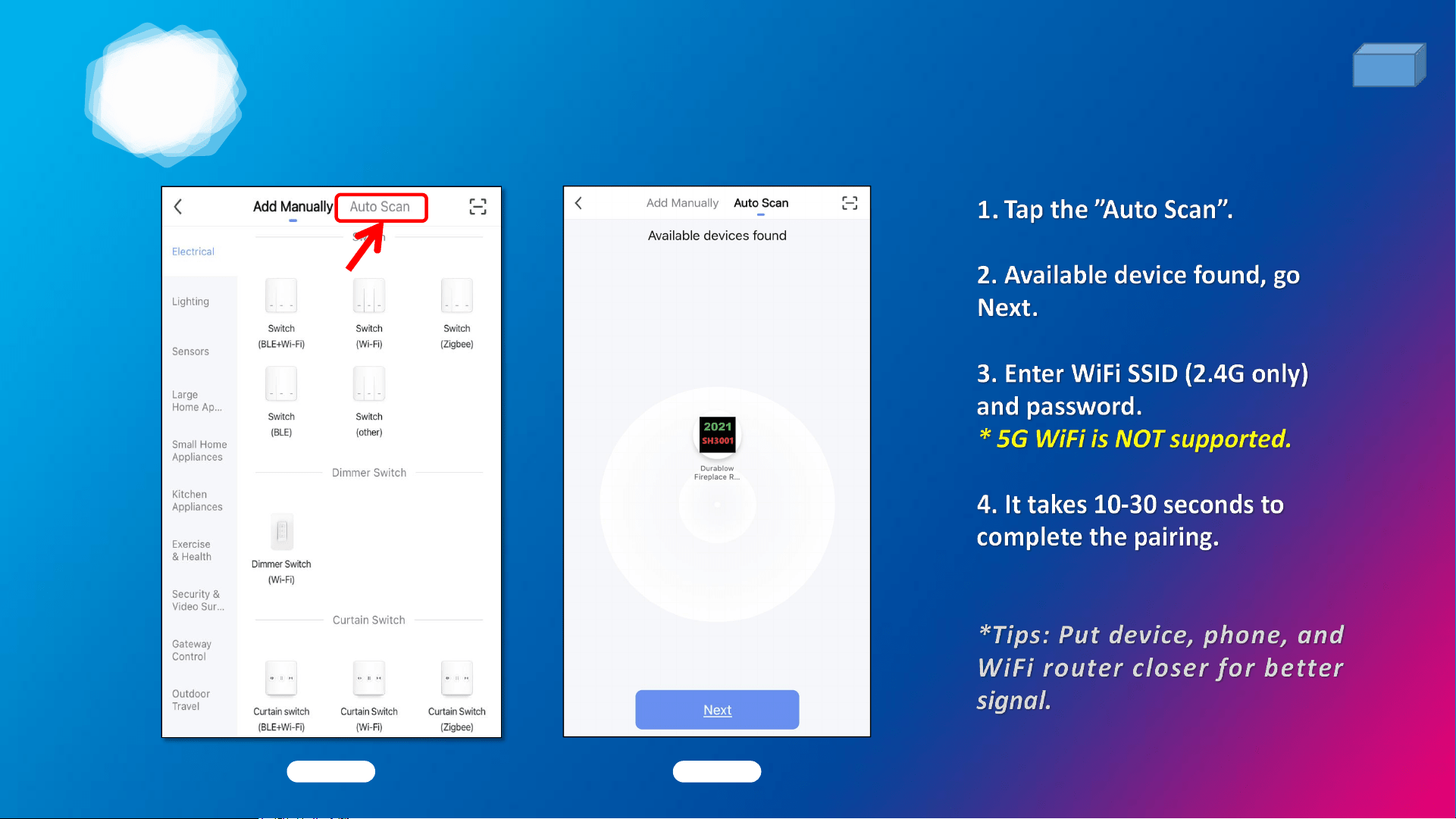
PAIRING METHOD 1: Auto Scan (preferred)
Pic. 1 Pic. 2
(Pic. 1)
(Pic. 2)
10
2
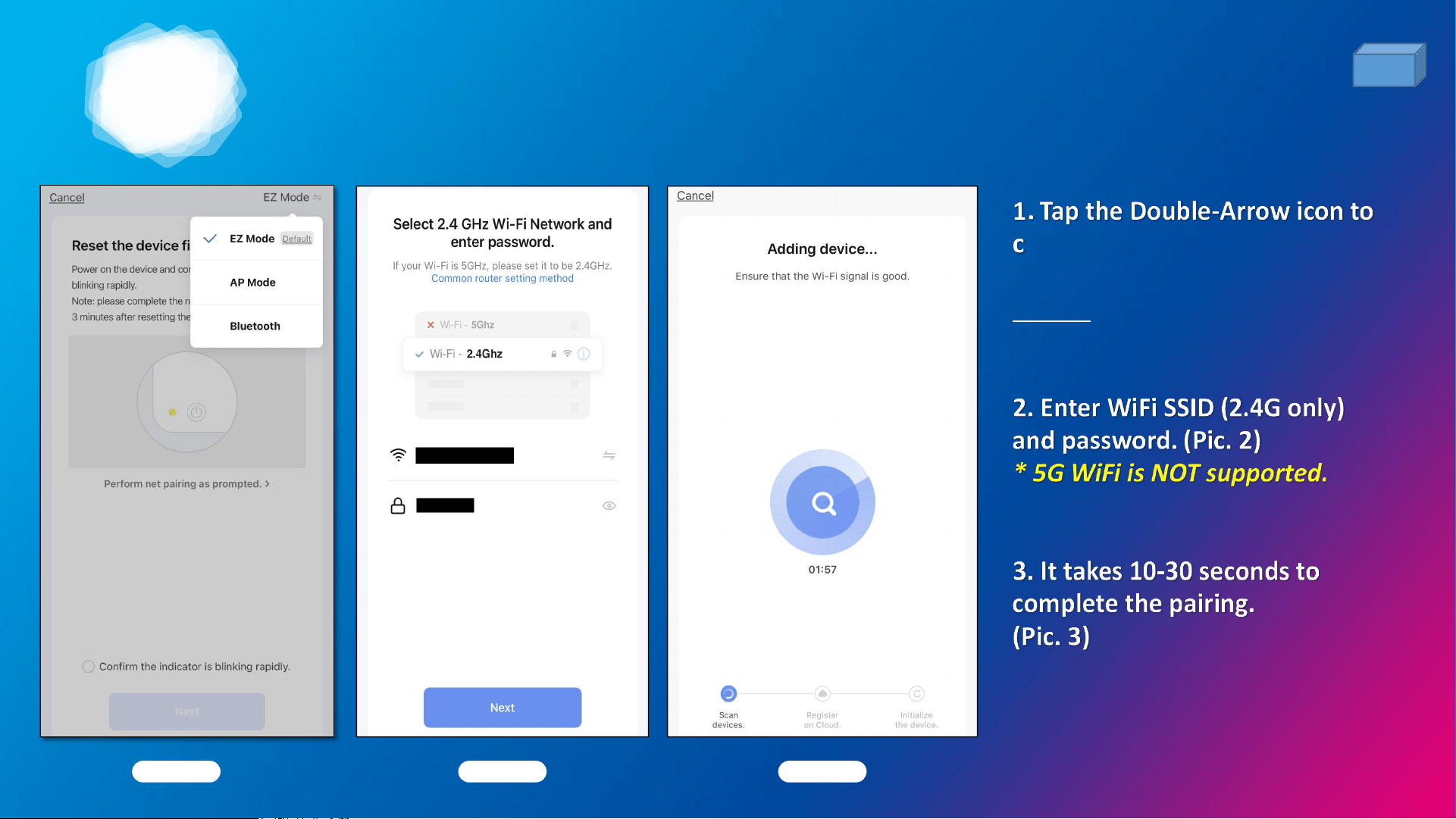
PAIRING METHOD 2: EZ mode
Pic. 1 Pic. 2
hoose “EZ Mode”, please make
sure the device’s indicator light
rapidly flashes. (Pic. 1)
Pic. 3
11
2
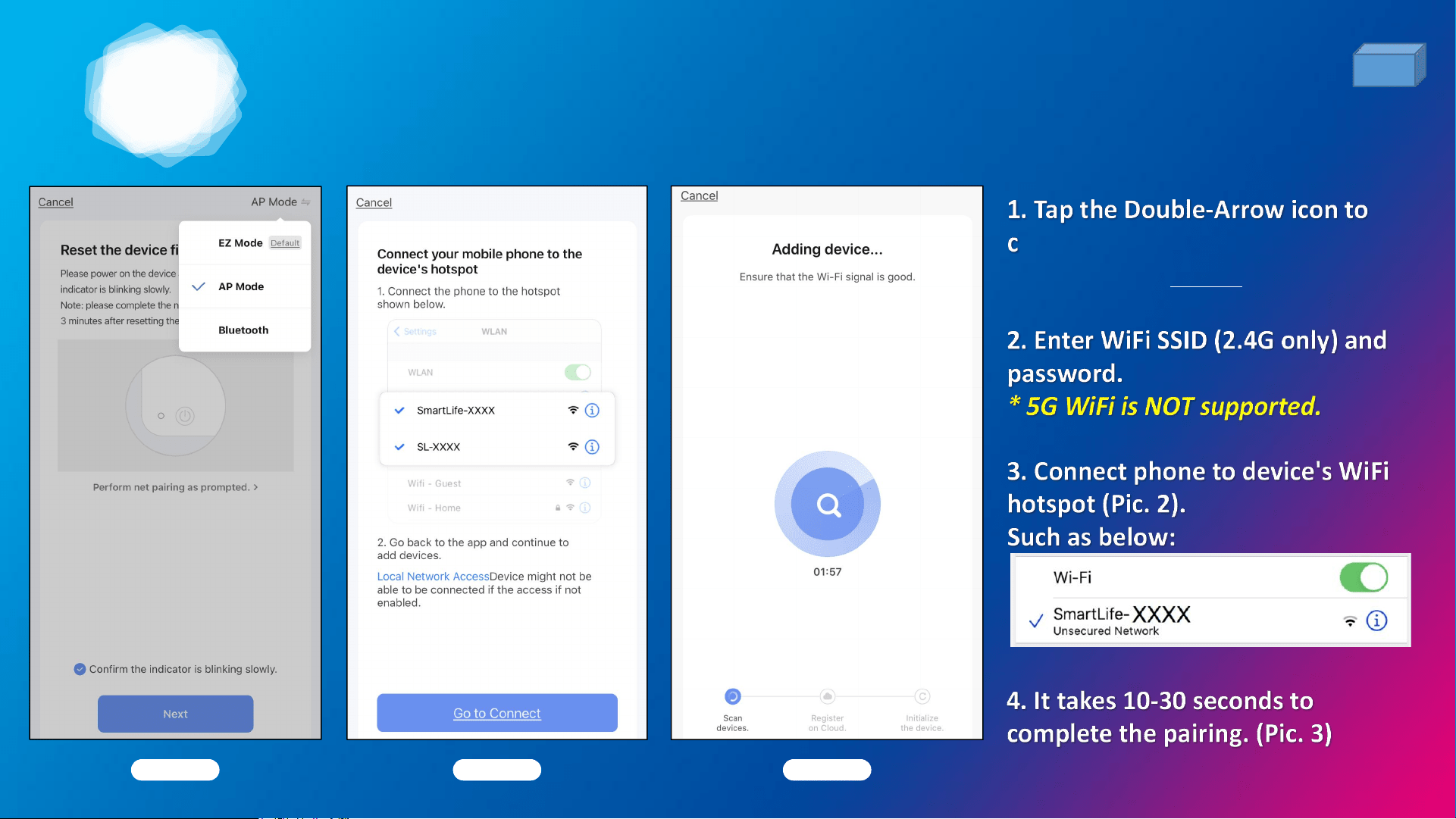
PAIRING METHOD 3: AP mode
Pic. 1 Pic. 2
hoose “AP Mode”, the device’s
indicator light slowly flashes. (Pic. 1)
Pic. 3
12
2
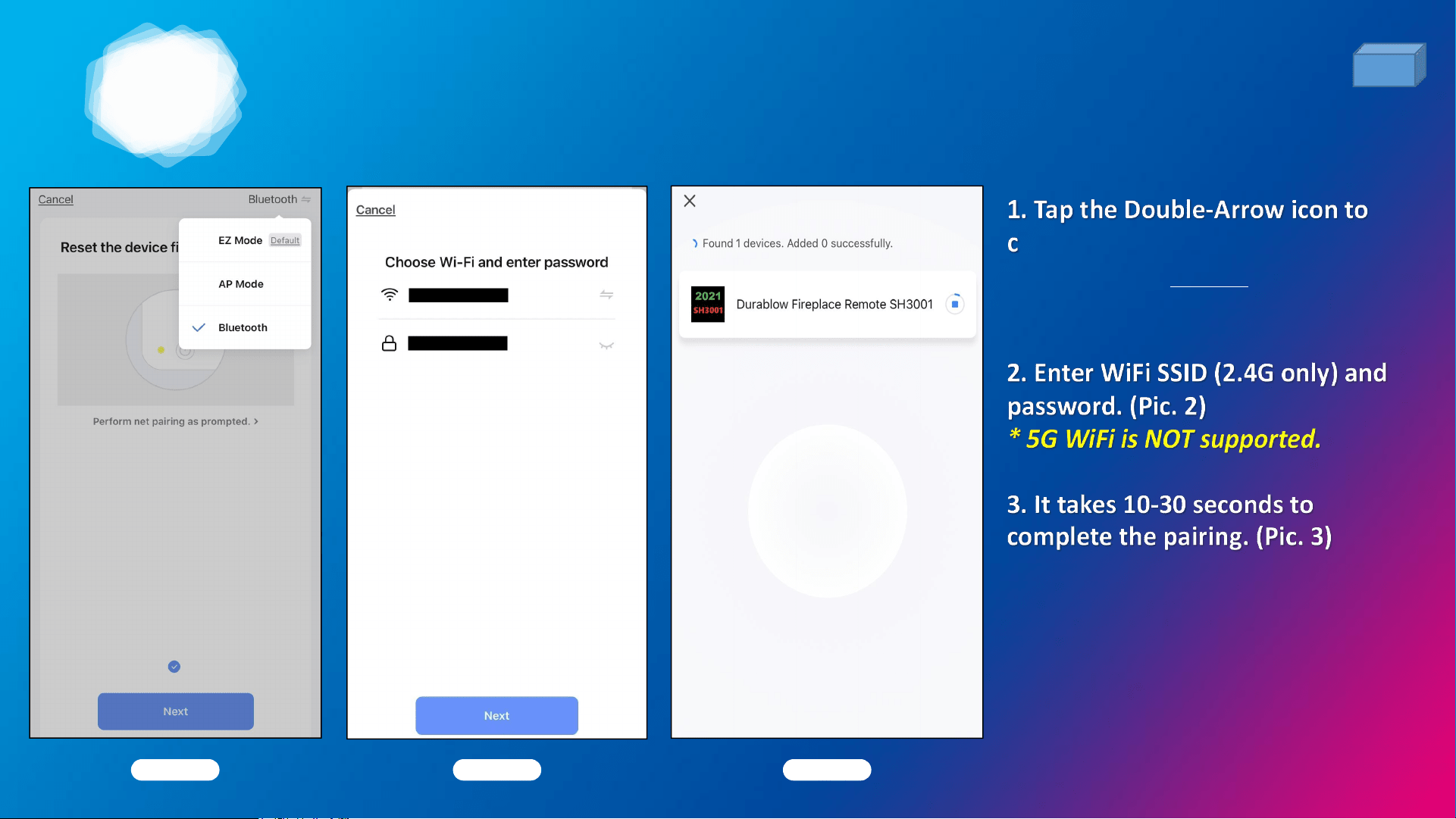
PAIRING METHOD 4: Bluetooth mode
(preferred)
Pic. 1 Pic. 2
hoose “Bluetooth”, the device’s
indicator light rapidly flashes. (Pic.
1)
Pic. 3
13
2
14
2
15

3
WIRING & FUNCTIONS
16

3
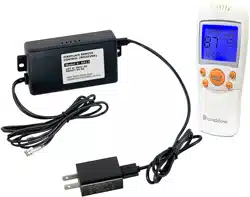
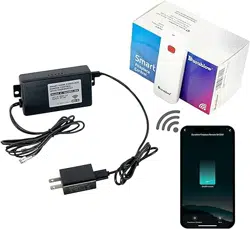
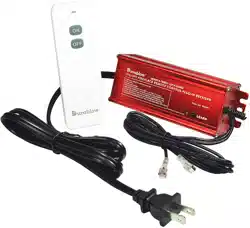
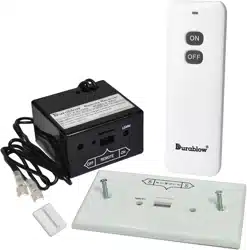
PACKING LIST
17
Pic. 1
Pic. 2 Pic. 3
(Pic. 1)
(Pic. 2)
(Pic. 3)
(Pic. 4)
*Pic. 4
3
18
3
19
3
20
3
21
3
22
3
REMOTE CONTROL (1)
WITH SMART LIFE APP or TUYA APP
23
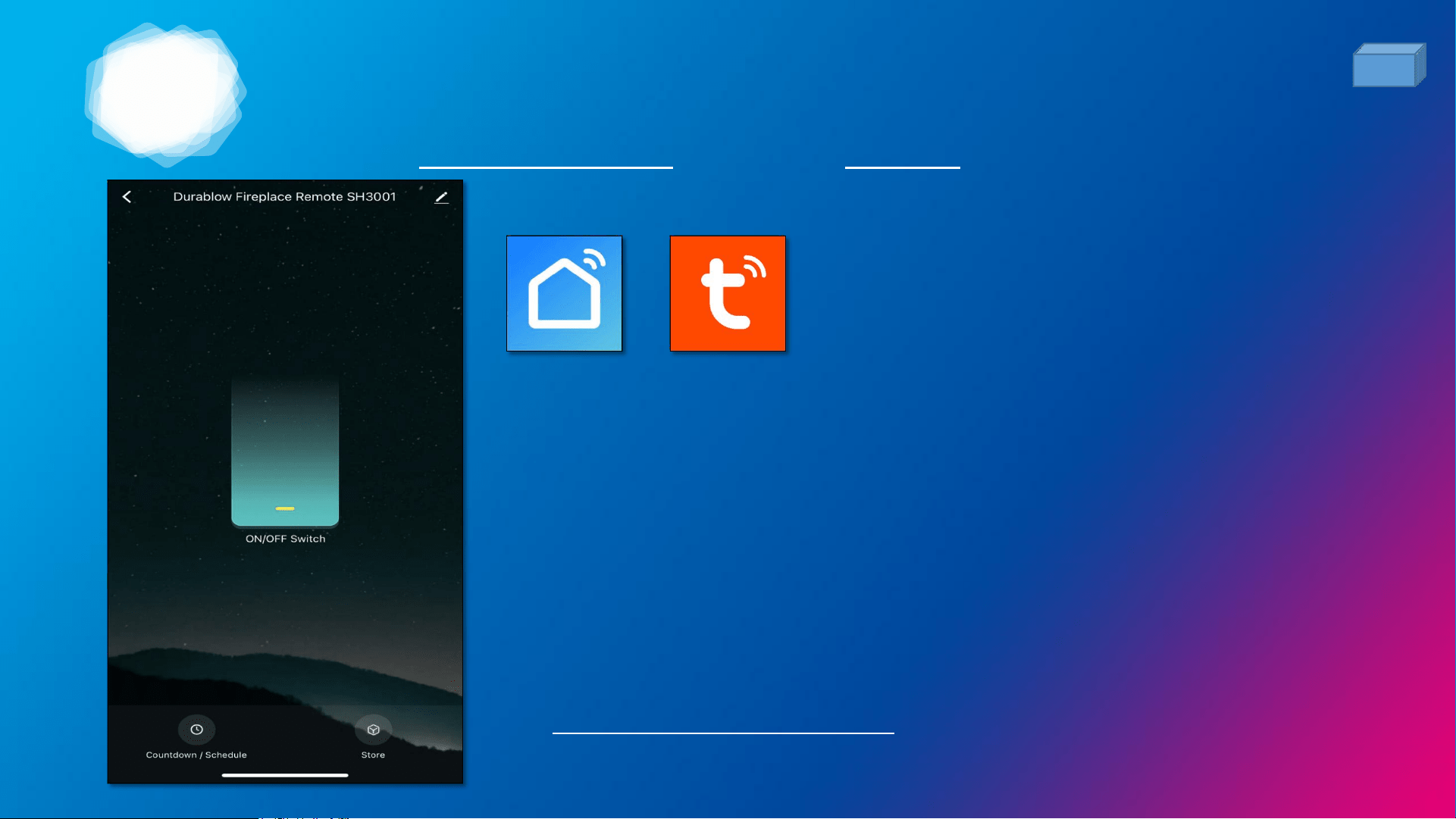
Functions: (see buttons on bottom)
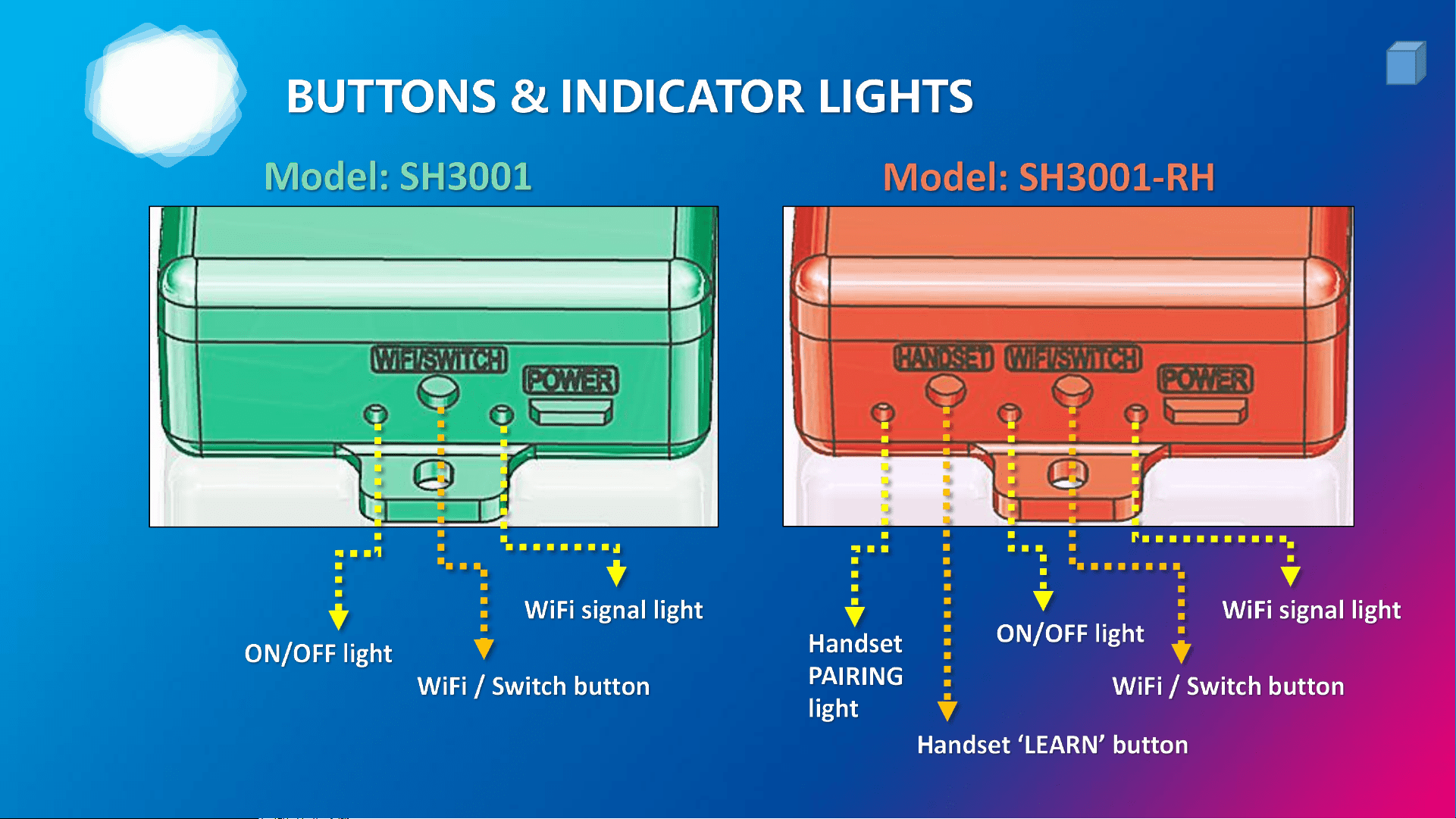
• Turn ON/OFF Switch manually.
• Set Countdown or Schedule (week-programmable)
timers to turn ON/OFF the device automatically.
• Go shopping or get support on
www.PayandPack.com Store.
3
REMOTE CONTROL (2)
SUPPORTED THIRD-PARTY CONTROL / APP
24
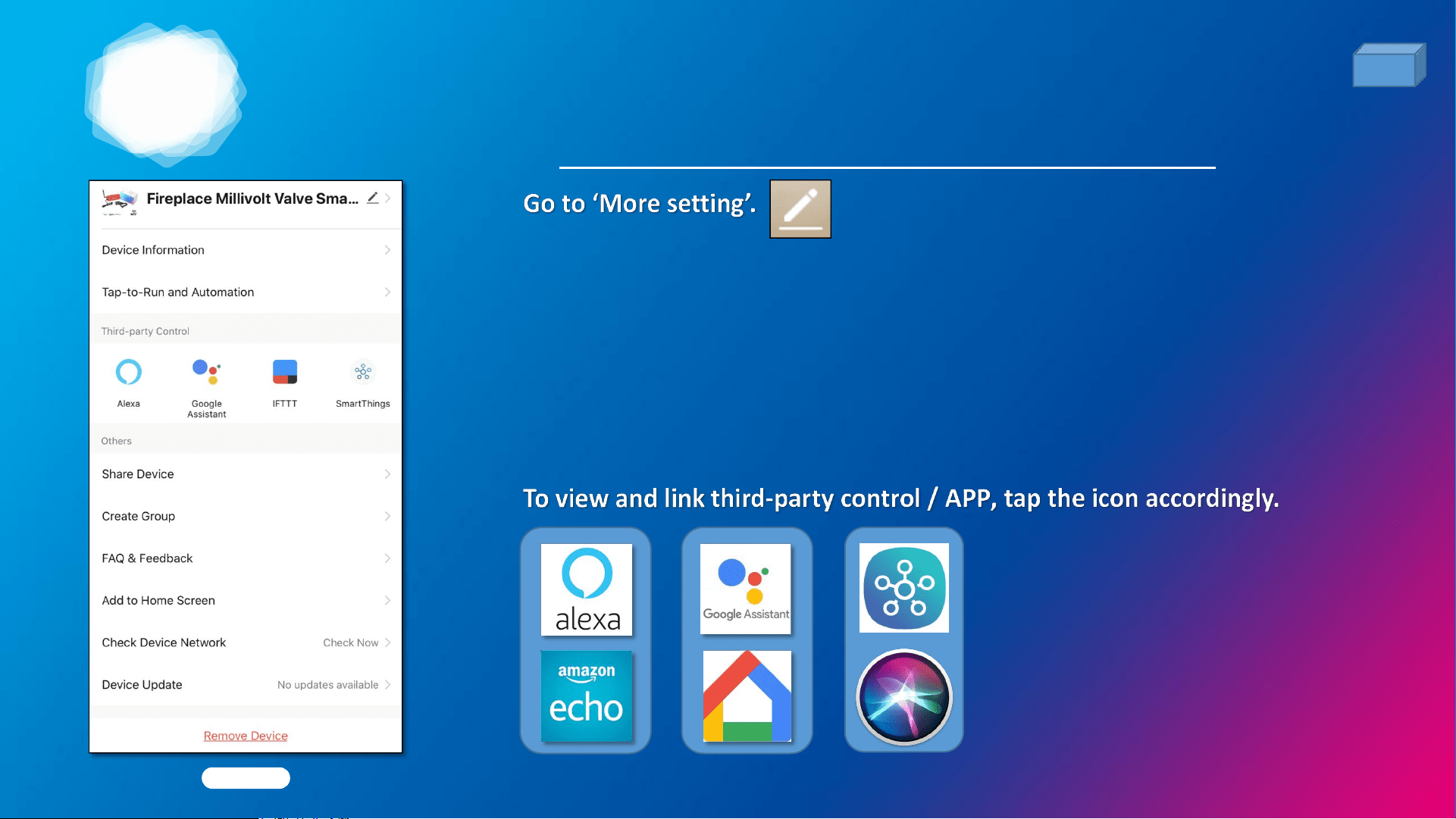
This device works with Third-Party Control listed below:
1. Amazon Alexa: Echo, Echo Dot, Echo Show, Echo Spot...etc.
2. Google Assistant: Google Home & Mini.
3. Samsung SmartThings Hub Gateway
4. *Apple SIRI (by creating Shortcuts)
Pic. 1
3
25
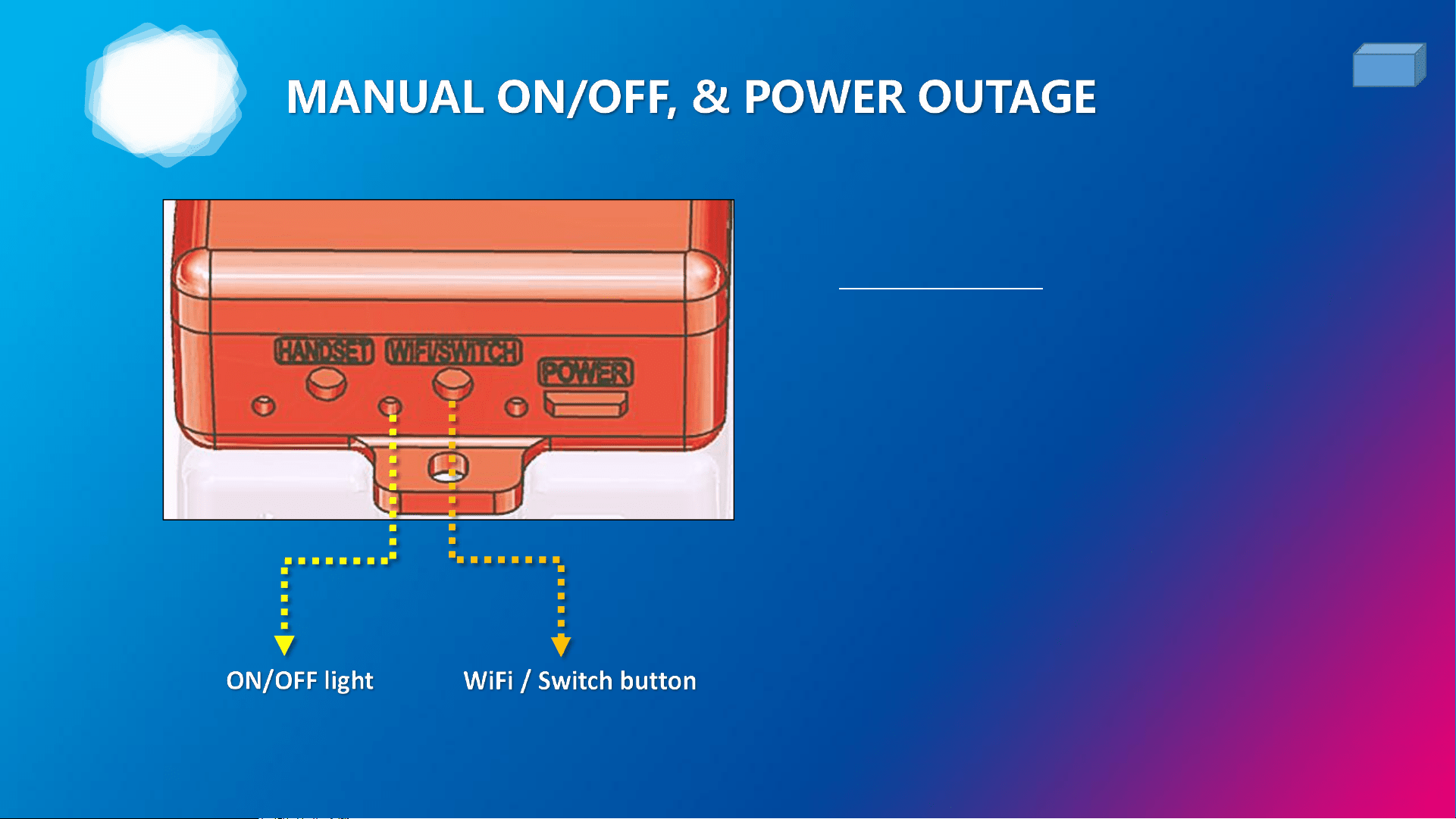
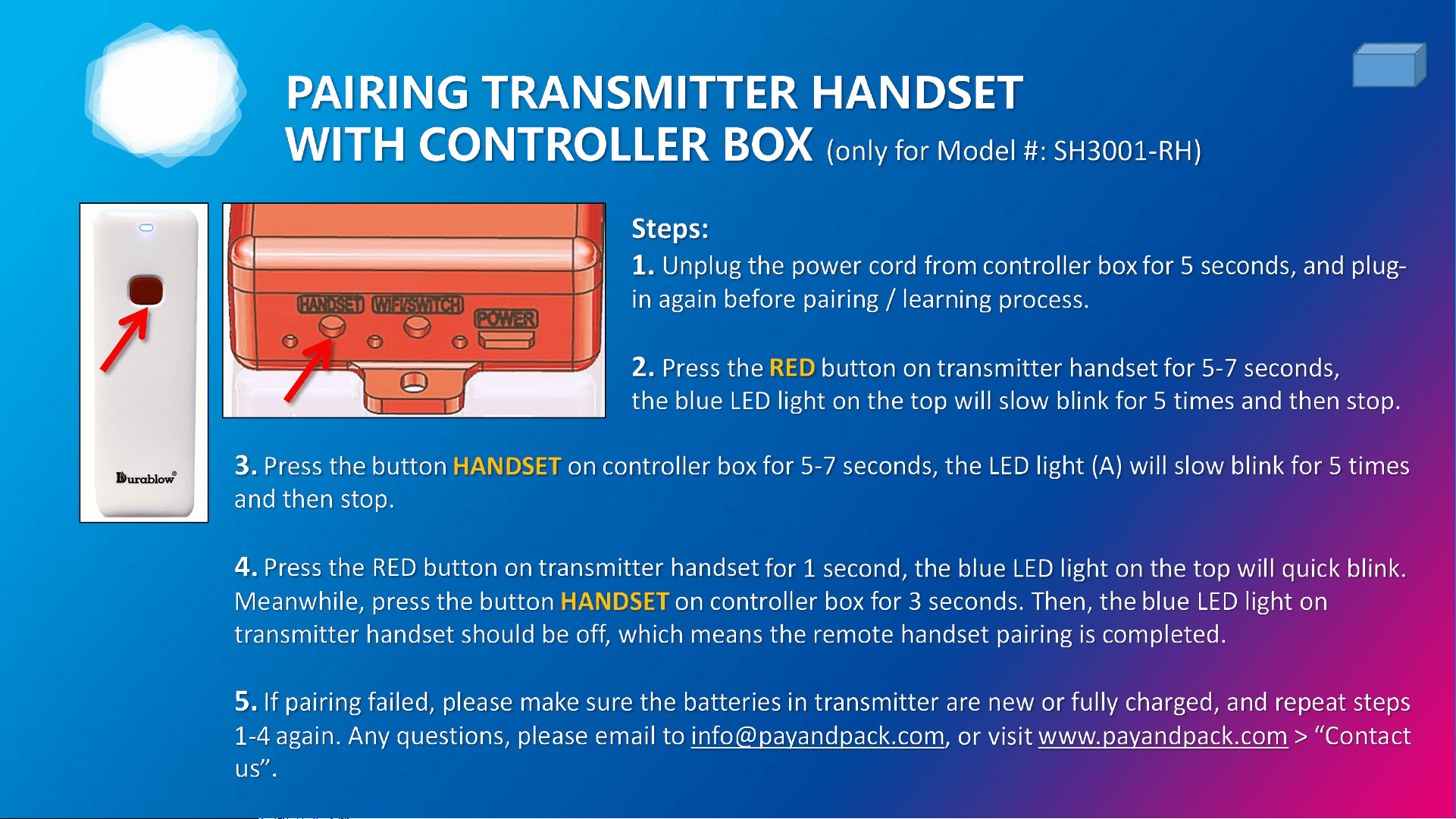
• If no interent: Press the button
WIFI/SWITCH manually to turn
ON/OFF the device.
• If during a power outage: For
emergency use, this device can
be powered by a power bank
with standard USB port (use
included power cord).
3
26

4
FAQ & WARRANTY
27

4
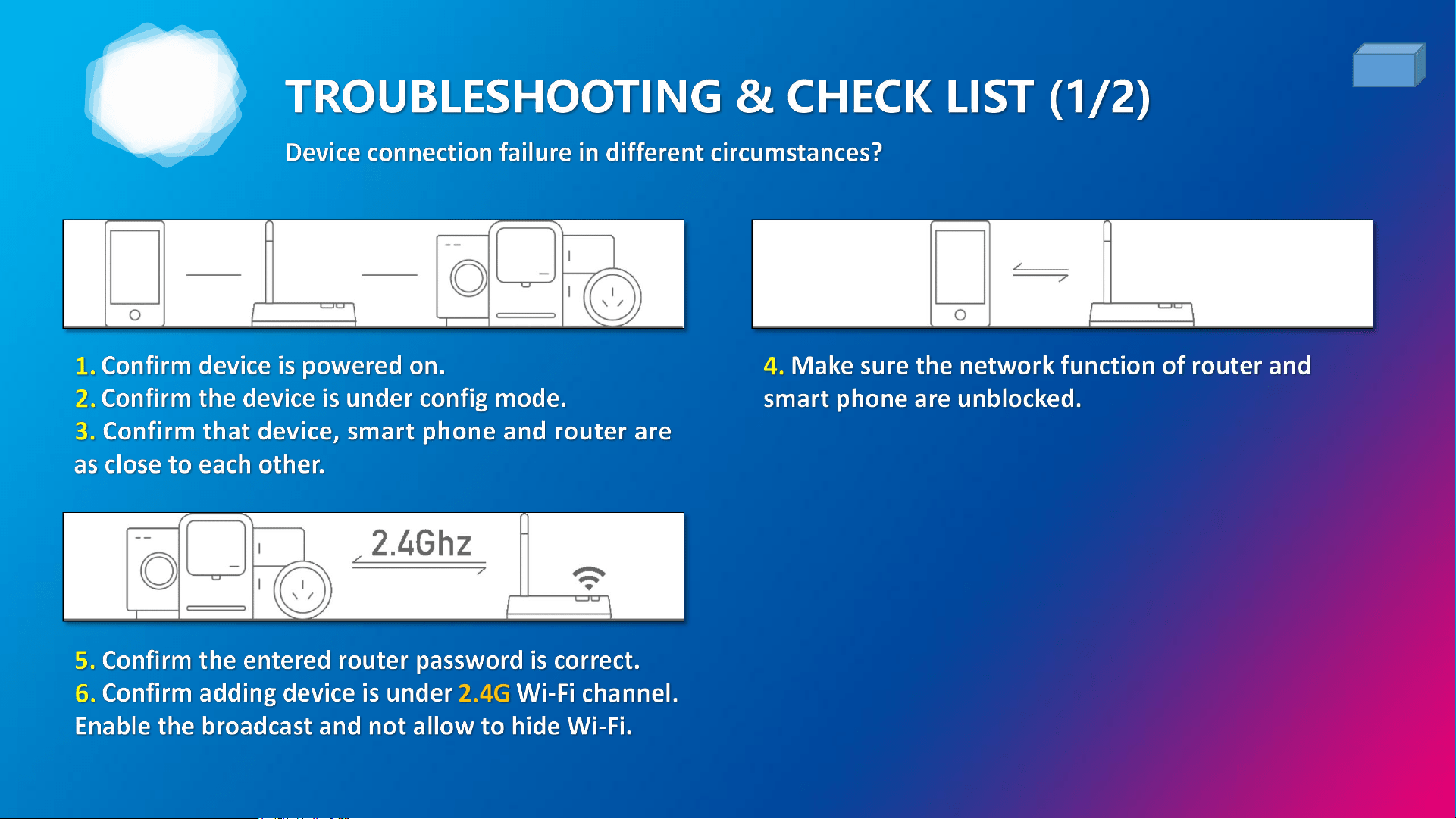
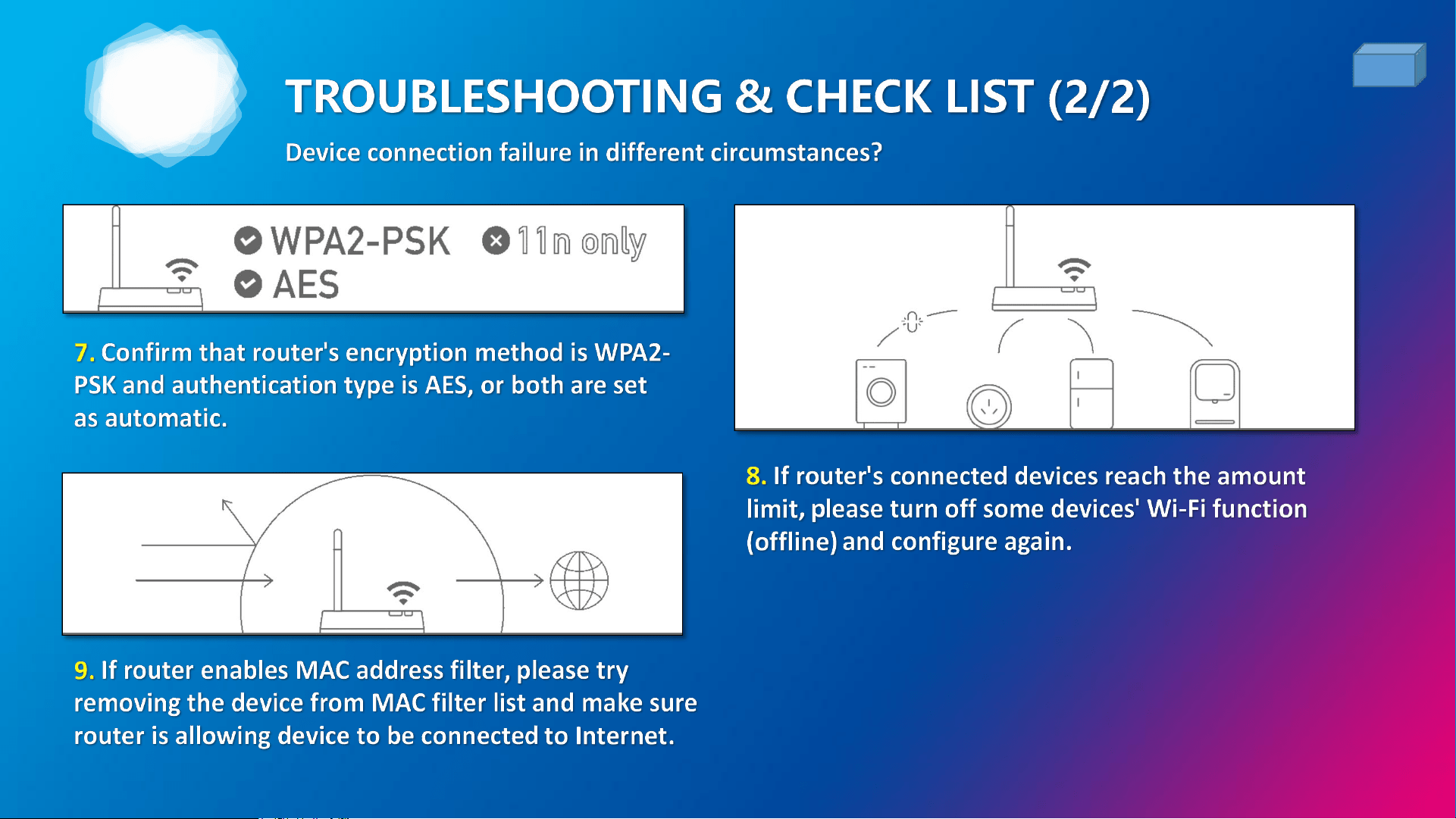
1. WiFi pairing failed, why?
28
A: There are TOP 4 causes leading the WiFi pairing failure:
(1) Entered wrong WiFi SSID & password, or the 5GHz signal (NOT supported) in setting - Double check, and
enter correct 2.4GHz WiFi SSID & password.
(2) WiFi router was congested by too many connected unused devices - Restart the power, or reset the WiFi
with a new SSID for 2.4GHz signal.
(3) Weak signal - Put the device, WiFi router, & Phone as closer as possible. Remove any metal blockings.
(4) The device was NOT in “LEARN” status - See ‘Section 2’ pages for more details.
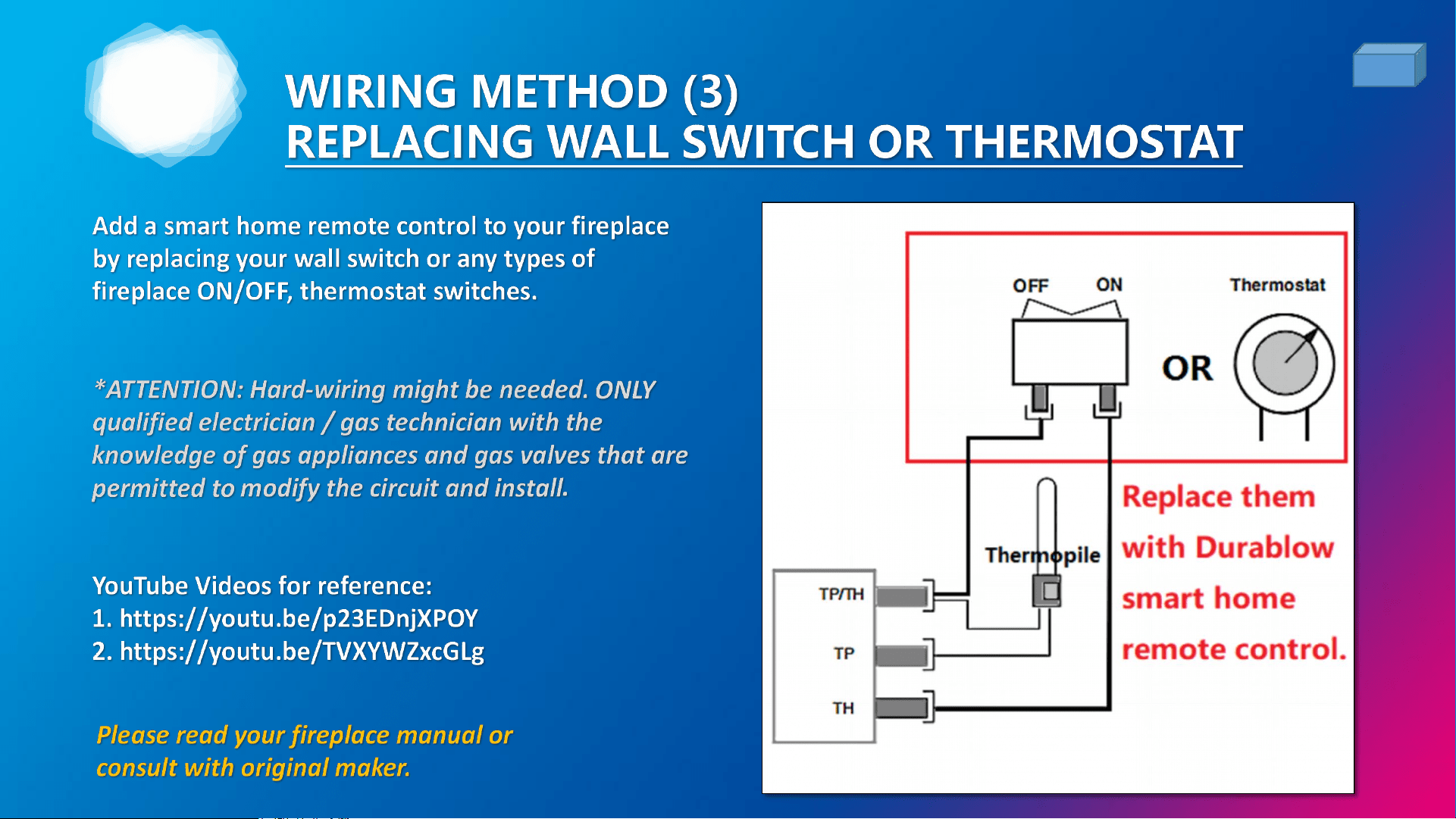
2. Can this controller be used to replace traditional wall
switch / remote control kit?
A: Yes! Upgrades with additional functions of Timer, Schedule, working with your Amazon Echo / Google
Home speakers. No more battery replacement, and malfunction / downtime when low battery.
FAQ (1/3)

4
3. Can not turn on fireplace?
29
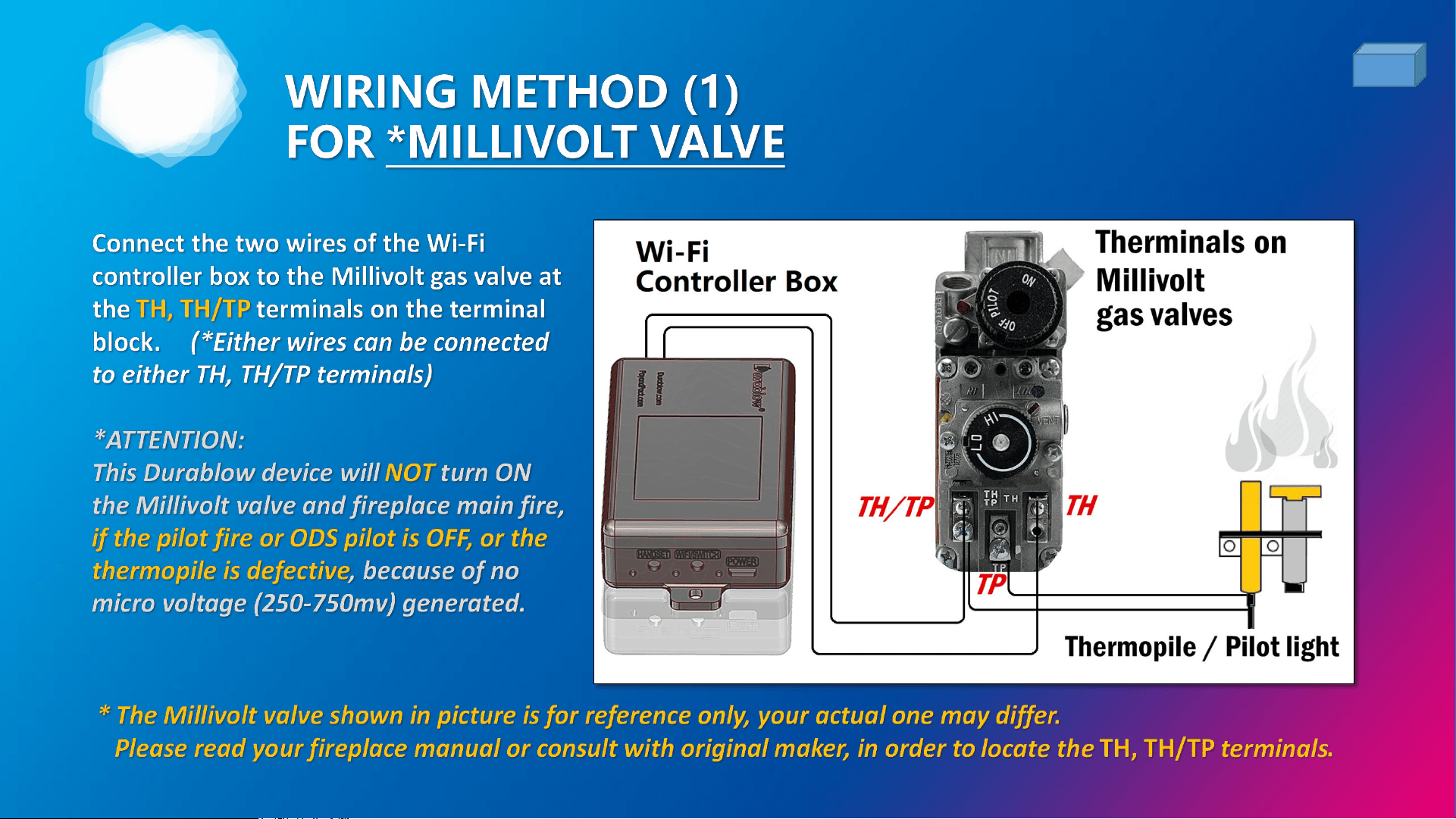
A: Check your ODS pilot (low Oxygen in room), pilot fire, gas supply, wall switch and thermopile first!
All remote models are NOT power supply. They do NOT output voltage or current to gas valve. They only
process the millivolt voltage generating from thermopile if the pilot fire is on.
Therefore, you can NOT turn on the fireplace fire / gas if the pilot fire is OFF or the thermopile is out of
operation (no millivolt voltage generated when heated). This is a safety protection from gas leakage. Please
check before return.
4. What AA, AAA battery brand to use?
A: Choose Leak-Proof AA, AAA batteries.
We strongly recommend the Energizer AA & AAA Ultimate Lithium Batteries or quality equivalents which
are Leak-Proof.
ATTENTION: Any corrosion caused by batteries leak will damage remote control devices. This issue will be
regarded as improper use by user.
FAQ (2/3)

4
5. Can this controller be paired with Z-wave hub?
30
A: No, this is for Wi-Fi use only. For other samrt home systems, like Bluetooth, Z-wave, ZigBee...etc. are
NOT supported yet, but might be available on new models.
6. Can I share this device with others?
A: Yes, go to the device control panel and tap “...” and find Device Sharing.
7. Can I set smart automation or SIRI shortcut?
A: Yes. Go to Smart Life APP, tap the ‘Smart’ at bottom nevigation, and tap ‘Create Scene’ to creat your own
automation combinations.
FAQ (3/3)

4
31
WARRANTY
• Durablow® warrants this product for an 1-YEAR LIMITED WARRANTY of the original purchaser /
owner of this product. This warranty is not transferable to another person. It is for the original
purchaser of the product. Durablow warrants any parts failed because of defective workmanship in
production or materials from the original date of purchase. Durablow will repair or replace the
defective parts at Durablow’s decision.
• Replacement parts will be available at NO charges and free-shipping to users. If Durablow does not
have the parts for a certain model, then a replacement product will be provided.
• The Owner must provide a bill of sale, order ID or payment record which should be kept to verify
purchase date and establish warranty period.
• This warranty does not cover claims. Damage to the product caused by accident, misuse, abuse, or
installation error, no matter implemented by a contractor, third party Service Company, or owner, is
not covered by this warranty. Any modifications of this product will void this warranty.
• Photos and simple questions may be required for further product investigation & improvement.
Durablow will reserve the right to physically inspect the product for defects, by authorized
representatives.

32
FIREPLACE REMOTE CONTROLS
®
Smart Home WiFi (2.4GHz) Models:
• SH3001 : ON/OFF + Timer + Smart Functions
• SH3001-RH : ON/OFF + Timer + Smart Functions + Remote Handset
• SH3002 : ON/OFF + Timer + Thermostat + Programmable + Smart Functions
• SH3002-RH : ON/OFF + Timer + Thermostat + Programmable + Smart Functions + Remote Handset
Tranditional RF (Radio Frequency) Models:
• TR1001 : Battery powered - ON/OFF
• TR1003 : Battery powered - ON/OFF + Timer + Thermostat
• TR1004 : Battery powered - ON/OFF + Timer + Thermostat + Backlit LCD
• TR2001 : 100-240VAC powered - ON/OFF
• TR2002 : 100-240VAC powered - ON/OFF + Battery-Free Wall-Mount Switch
• TR2003 : 100-240VAC powered - ON/OFF + Timer + Thermostat
• TR2004 : 100-240VAC powered - ON/OFF + Timer + Thermostat + Backlit LCD

33
OTHER PARTS FOR IPI FIREPLACE
®
Parts for Fireplaces with DEXEN GM-6KA Module:
• IPI-6000 : IPI pilot ignition control module replacement
• AC593 : 3VAC power supply wall adapter transformer
• DC594 : 3VDC battery pack (D size)
Parts for Fireplaces with DEXEN GM8K-1 Module:
• IPI-8000 : IPI pilot ignition control module replacement
• AC131 : 6VDC power supply wall adapter transformer
• DC352 : 6VDC battery pack (AA size)
34

This device complies with Part 15 of the FCC rules. Operation is
subject to the following two conditions: 1) this device may not
cause harmful interference, and 2) this device must accept any
interference received, including interference that may cause
undesired operation.
®
Website: Durablow.com / PayandPack.com
V202205 - SH3001