
1
2
3
4 5
6 7
8 9
10 11
12 13
14 15
16 17
18 19
20 21
22 23
24 25
26

en
7
Table of contents
Safety...............................................8
General information..........................8
Intended use.....................................8
Restriction on user group.................9
Safety instructions ............................9
Avoiding material damage............12
Environmental protection and
saving energy................................12
Disposing of packaging .................12
Unpacking and checking ..............12
Unpacking the appliance and
parts ...............................................12
Contents of package......................12
Setting up appliance ......................13
Familiarising yourself with
your appliance...............................13
Appliance .......................................13
Rotary switch ..................................13
Illuminated ring
1
..............................13
Control panel..................................14
Function buttons.............................14
Display............................................14
Swivel arm ......................................14
Drives .............................................15
Tools...............................................15
Symbols..........................................16
Parked position ..............................16
Safety systems ...............................16
Before using for the first time ......17
Preparing the appliance .................17
Basic operation .............................17
Cable length ...................................17
Moving the swivel arm ...................17
Inserting bowl .................................17
Removing bowl...............................17
Inserting tools.................................17
Removing tools ..............................18
Attaching bowl lid...........................18
Removing bowl lid..........................18
Processing......................................18
Drive cover .....................................19
Scales ............................................20
Display values of scales.................20
Weighing ingredients......................20
Changing the display units of
the scales .......................................20
Timer..............................................21
Display values of timer ...................21
Reading off and resetting the
processing time..............................21
Cleaning and servicing.................21
Cleaning products ..........................21
Overview of cleaning......................21
Special accessories ......................21
Recipes ..........................................22
Overview of recipes........................22
Troubleshooting............................25
Malfunctions ...................................25
Information on display panel..........26
Disposal.........................................28
Disposing of old appliance ............28
Customer Service..........................28
Product number (E-Nr.) and pro-
duction number (FD) ......................28
Warranty conditions........................28
1
Depending on the appliance specifications

en Safety
8
Safety
Observe the following safety instructions.
General information
¡ Read this instruction manual carefully.
¡ Please note the additional instructions when using supplied or
optionally available accessories.
¡ Keep the instruction manual and the product information safe
for future reference or for the next owner.
¡ Do not connect the appliance if it has been damaged in transit.
Intended use
Only use this appliance:
¡ With genuine parts and accessories.
¡ For additional applications described in the instructions for ac-
cessories that are optional or come with the appliance.
¡ For mixing, kneading and beating food.
¡ Under supervision.
¡ In private households and in enclosed spaces in a domestic en-
vironment at room temperature.
¡ for normal processing quantities and for normal processing
times for domestic use.
¡ Up to an altitude of max. 2000m above sea level.
Disconnect the appliance from the power supply when:
¡ are not using the appliance.
¡ the appliance is unattended.
¡ assembling the appliance.
¡ taking the appliance apart.
¡ cleaning the appliance.
¡ approaching rotating parts.
¡ Change tools.
¡ confronted with a fault.

Safety en
9
Restriction on user group
This appliance can be used by persons with reduced physical,
sensory or mental capabilities or a lack of experience and/or
knowledge if they have been given supervision or instruction con-
cerning use of the appliance in a safe way and if they understand
the hazards involved.
Children must not play with the appliance.
Cleaning and user maintenance must not be performed by chil-
dren.
The appliance must not be used by children. Keep children away
from the appliance and power cable.
Safety instructions
Observe the safety instructions.
WARNING‒Risk of electric shock!
¡ If the appliance or the power cord is damaged, this is danger-
ous.
Never operate a damaged appliance.
Never operate an appliance with a cracked or fractured sur-
face.
Never pull on the power cord to unplug the appliance. Al-
ways unplug the appliance at the mains.
If the appliance or the power cord is damaged, immediately
unplug the power cord or switch off the fuse in the fuse box.
"Call customer services." →Page28
¡ Improper installation is dangerous.
Connect and operate the appliance only in accordance with
the specifications on the rating plate.
¡ Incorrect repairs are dangerous.
Repairs to the appliance should only be carried out by
trained specialist staff.
Only use genuine spare parts when repairing the appliance.

en Safety
10
If the power cord of this appliance is damaged, it must be
replaced by the manufacturer, the manufacturer's Customer
Service or a similarly qualified person in order to prevent
any risk.
¡ An ingress of moisture can cause an electric shock.
Never immerse the appliance or the power cord in water or
clean in the dishwasher.
Only use the appliance in enclosed spaces.
Never expose the appliance to intense heat or humidity.
Do not use steam- or high-pressure cleaners to clean the
appliance.
¡ If the insulation of the power cord is damaged, this is danger-
ous.
Never let the power cord come into contact with hot appli-
ance parts or heat sources.
Never let the power cord come into contact with sharp
points or edges.
Never kink, crush or modify the power cord.
WARNING‒Risk of fire!
Intense heat may cause the appliance and other parts to
catch fire.
Never place the appliance on or near hot surfaces.
WARNING‒Risk of injury!
¡ Rotating drives, tools or accessory parts may cause injury.
Keep hands, hair, clothing and utensils away from rotating
parts.
Only attach and remove tools and accessories once the
drive has stopped and you have unplugged the appliance.
Before changing tools or cleaning the appliance, switch off
and disconnect it from the mains.
Only use the tools when the bowl is inserted, the lid is fitted
and the drive covers are in place.
Never open the swivel arm during processing.

Safety en
11
¡ Operating the appliance with damaged parts may result in in-
jury.
Parts which show cracks or other damage or do not fit cor-
rectly must be replaced with genuine spare parts.
WARNING‒Risk of crushing!
Your hands and fingers could get caught.
Do not reach into the bowl when lowering the swivel arm.
WARNING‒Risk of suffocation!
¡ Children may put packaging material over their heads or wrap
themselves up in it and suffocate.
Keep packaging material away from children.
Do not let children play with packaging material.
¡ Children may breathe in or swallow small parts, causing them
to suffocate.
Keep small parts away from children.
Do not let children play with small parts.
WARNING‒Risk of harm to health!
Soiling on surfaces may be harmful to health.
Follow the cleaning instructions.
Clean surfaces which come in contact with food before
each use.
en Avoiding material damage
12
Avoiding material damage
Avoiding material dam-
age
Avoiding material damage
ATTENTION!
¡ Improper use may cause material
damage.
Never use different drives at the
same time.
Never operate the appliance
longer than necessary.
Do not operate the appliance at
no-load.
Never use genuine parts and ac-
cessories for other appliances.
Observe the maximum pro-
cessing quantities.
Do not use the bowl to store ob-
jects which do not belong to it.
¡ During operation warm exhaust air
escapes from the vent grille at the
rear. If this is blocked, it may
cause the appliance to overheat.
Set up the appliance at a suffi-
cient distance from walls, easily
damaged surfaces and other
appliances.
¡ Vibrations may impair functioning
of the appliance.
Do not place the appliance on
moving or vibrating surfaces.
Environmental protection and saving energy
Environmental protection
and saving energy
Environmental protection and saving energy
Disposing of packaging
The packaging materials are environ-
mentally compatible and can be re-
cycled.
Sort the individual components by
type and dispose of them separ-
ately.
Unpacking and checking
Unpacking and checking
Unpacking and checking
Find out here what you need to note
when unpacking the appliance.
Unpacking the appliance and
parts
1. Take the appliance out of the
packaging.
2. Take all other parts and the ac-
companying documents out of the
packaging and place them to
hand.
3. Remove any packaging material.
4. Remove any stickers or film.
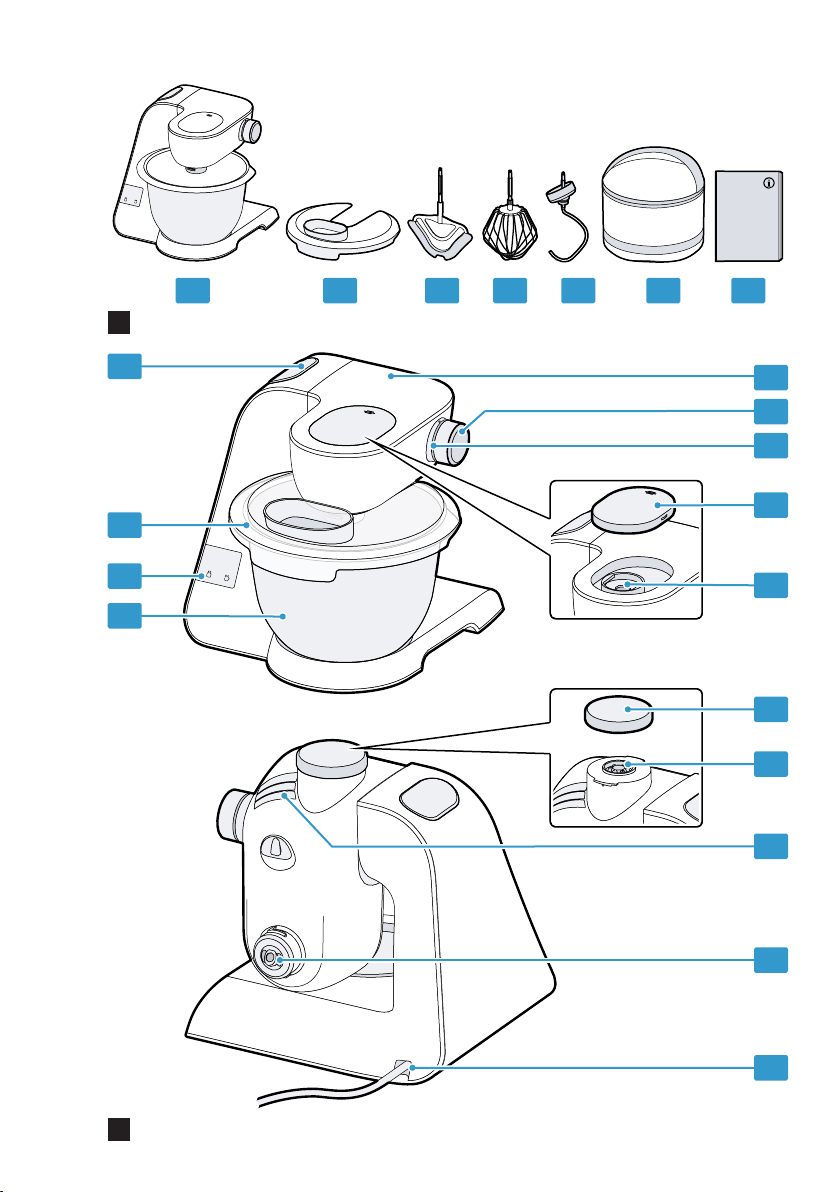
Contents of package
After unpacking all parts, check for
any damage in transit and complete-
ness of the delivery.
Note:The appliance comes with ad-
ditional accessories depending on its
features. See the instructions for the
accessories to discover the further
contents of the package.
→Fig.
1
Base unit with mixing bowl
Lid with integrated filling shaft
Professional flexible stirrer
Professional beating whisk
Kneading hook
Storage pouch
Accompanying documents
Familiarising yourself with your appliance en
13
Setting up appliance
WARNING
Risk of fire!
Intense heat may cause the appli-
ance and other parts to catch fire.
Never place the appliance on or
near hot surfaces.
ATTENTION!
¡ During operation warm exhaust air
escapes from the vent grille at the
rear. If this is blocked, it may
cause the appliance to overheat.
Set up the appliance at a suffi-
cient distance from walls, easily
damaged surfaces and other
appliances.
¡ Vibrations may impair functioning
of the appliance.
Do not place the appliance on
moving or vibrating surfaces.
1. Place the appliance on a stable,
level, clean and flat work surface.
2. Pull the power cable out to the re-
quired length.
→"Cable length", Page17
Do not insert the mains plug.
Familiarising yourself with your appliance
Familiarising yourself
with your appliance
Familiarising yourself with your appliance
Appliance
You can find an overview of the parts
of your appliance here.
→Fig.
2
Stainless steel mixing bowl
Control panel
Lid with integrated filling shaft
Release button for swivel arm
Swivel arm
Rotary switch
Illuminated ring
Protective cover for drive 2
Drive 2
Protective cover for drive 3
Drive 3
Vent grille
Main drive
Cord store
Rotary switch
The rotary switch is used to start and
stop processing and select the
speed.
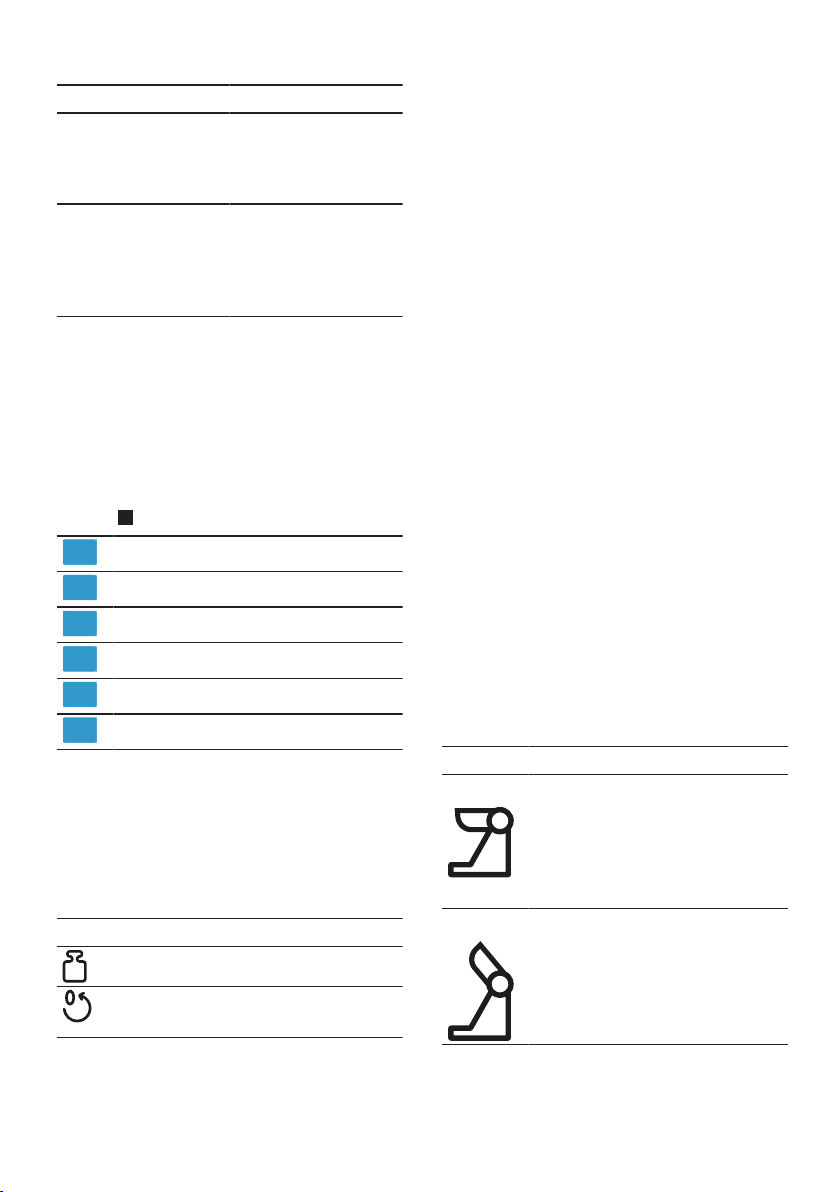
Symbol Function
Stop processing.
Process ingredients at low speed.
Process ingredients at maximum
speed.
Process ingredients briefly at max-
imum speed.
→"Using instantaneous switch-
ing", Page19
Illuminated ring
1
The illuminated ring on the rotary
switch informs you about the operat-
ing status of your appliance.
Display Status
The illuminated ring
lights up and pro-
cessing is underway.
The appliance is func-
tioning perfectly.
1
Depending on the appliance specifications
en Familiarising yourself with your appliance
14
Display Status
The illuminated ring
does not light up and
processing cannot
start.
¡ The appliance has
no power supply.
¡ There is a fault
with the appliance.
The illuminated ring
flashes and pro-
cessing cannot start
or continue.
¡ A safety system
has been activ-
ated.
¡ There is a fault
with the appliance.
Tip:You can find further information
here:
→"Safety systems", Page16
→"Troubleshooting", Page25
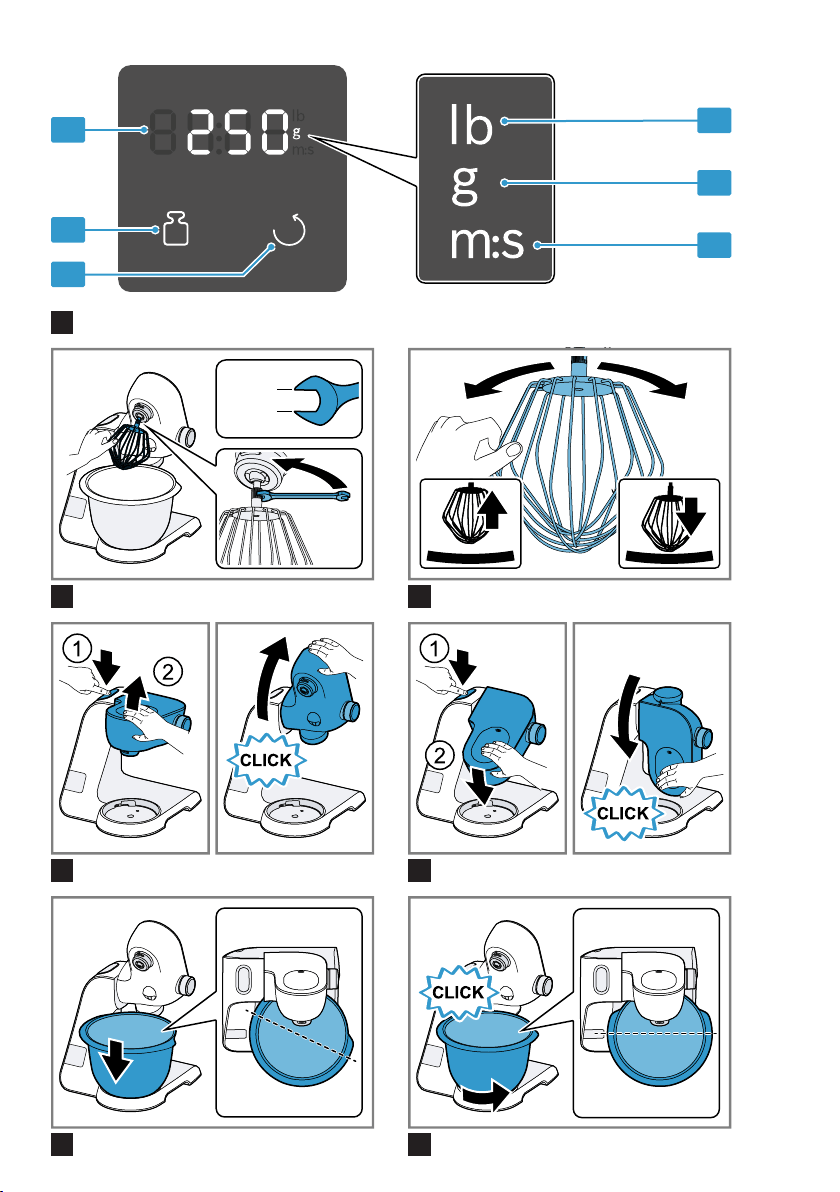
Control panel
You can find an overview of the con-
trol panel here.
→Fig.
3
Reset button
Scales button
Display
Symbol Weight in pounds
Symbol Weight in grammes
Symbol Time in minutes and seconds
Function buttons
You can use the function buttons to
select additional functions or config-
ure settings. To make a selection,
touch the relevant symbols with your
finger.
Symbol Function
Switch scales on and off.
¡ Reset scales.
¡ Reset timer.
Note:Press the buttons with your fin-
gers without wearing rubber/oven
gloves. Do not operate buttons with
objects, e.g. a wooden spoon.
Display
The display shows values and mes-
sages about the operating status.
Note:The display will switch off auto-
matically if the appliance is not oper-
ated for a given period of time. To re-
activate the display, press a button or
start processing.
Swivel arm
The swivel arm can be adjusted and
fixed in different positions.
If the release button is pressed, the
swivel arm can be moved to the re-
quired position.
→"Moving the swivel arm", Page17
Note:The swivel arm features the
EasyArm Lift function. This function
supports upwards movement of the
swivel arm.
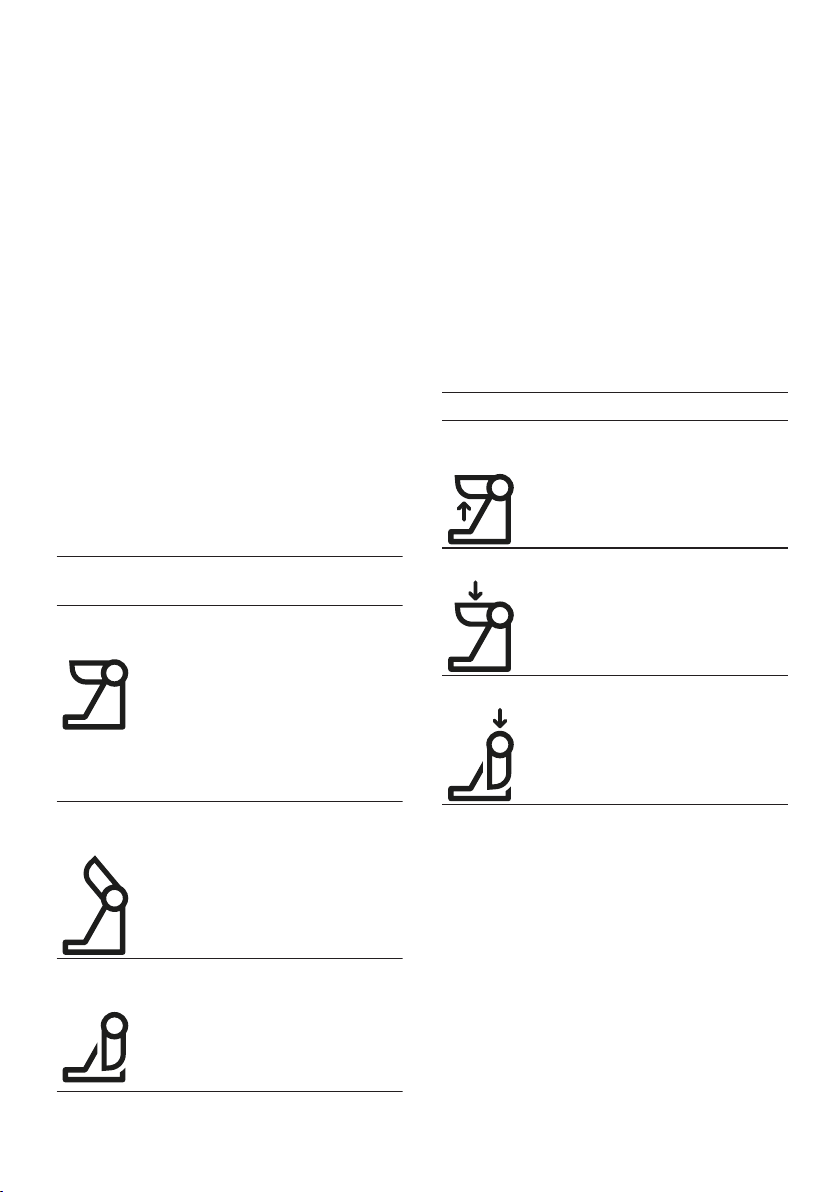
Swivel arm positions
You can find an overview of the posi-
tions of the swivel arm here.
Position Use
Position1 Swivel arm is closed.
¡ Process ingredients with tools.
¡ Use accessory on main drive,
e.g. Ice maker.
¡ Use accessory on drive 2, e.g.
Continuous feed shredder
Position2 Swivel arm is open.
¡ Insert or remove bowl.
¡ Insert or remove tool.
¡ Add the ingredients to the
bowl.
Position3 ¡ Use accessory on main drive,
e.g. Meat mincer.
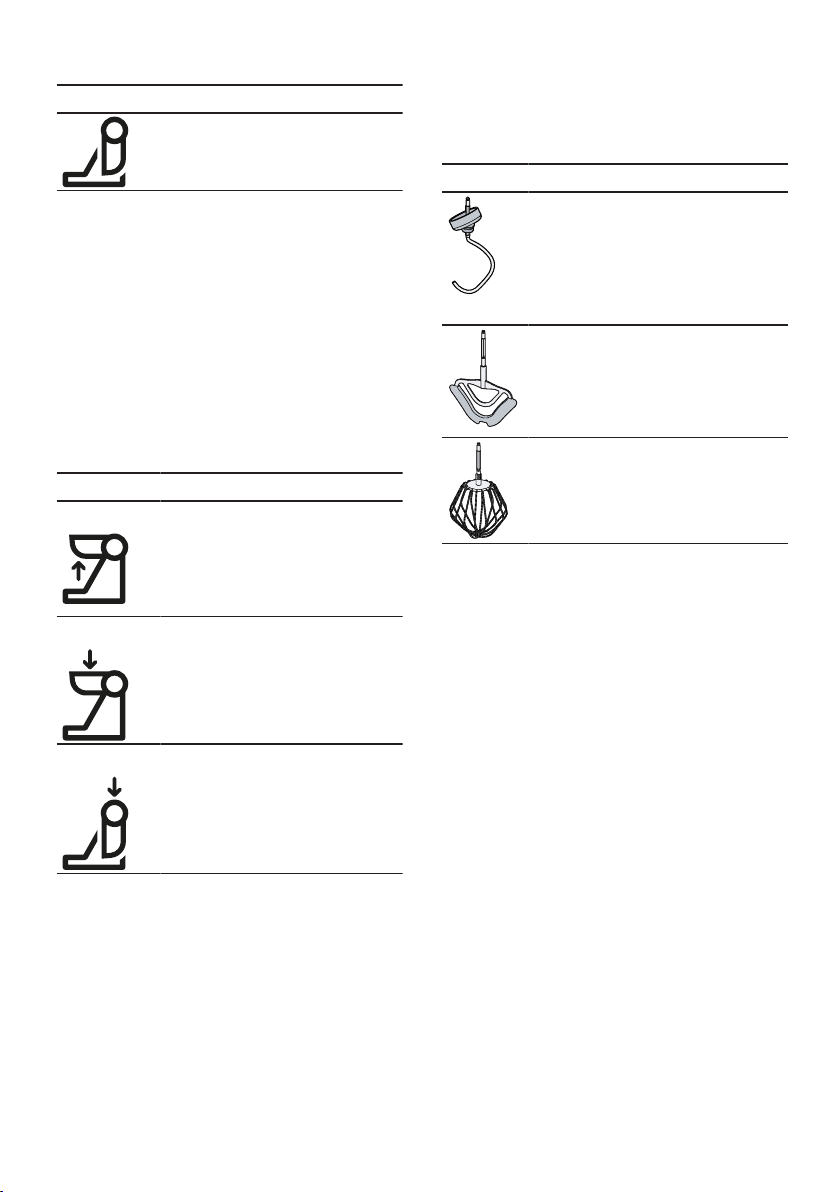
Familiarising yourself with your appliance en
15
Position Use
¡ Use accessory on drive 3, e.g.
Blender attachment.
Drives
Your appliance is equipped with dif-
ferent drives, which are specially de-
signed for its tools and accessories.
Note:Drives 2 and 3 come with pro-
tective covers.
→"Drive cover", Page19
Overview of drives
You can find an overview of the
drives and their purposes here.
Drive Use
Main drive For the tools and accessories,
e.g.
¡ Meat mincer
¡ Pasta press
¡ Ice maker
Drive2 For accessories, e.g.
¡ Continuous feed shredder
¡ Citrus press
Drive3 For accessories, e.g.
¡ Glass blender attachment
¡ Plastic blender attachment
¡ Multi-chopper set
Tools
You can find out everything you need
to know about the different tools
here.
The kneading hook is equipped with
a removable protective cap to protect
the drive from soiling.
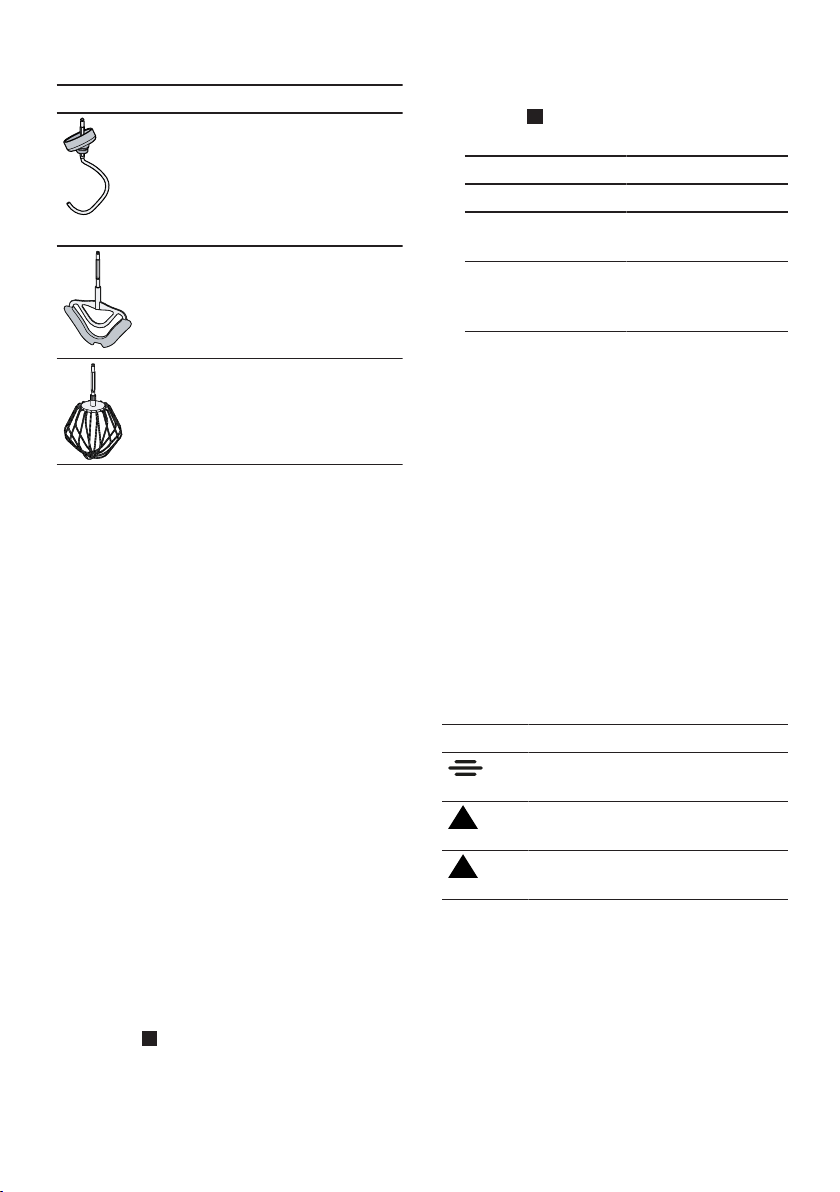
Overview of tools
Use the appropriate tool depending
on use.
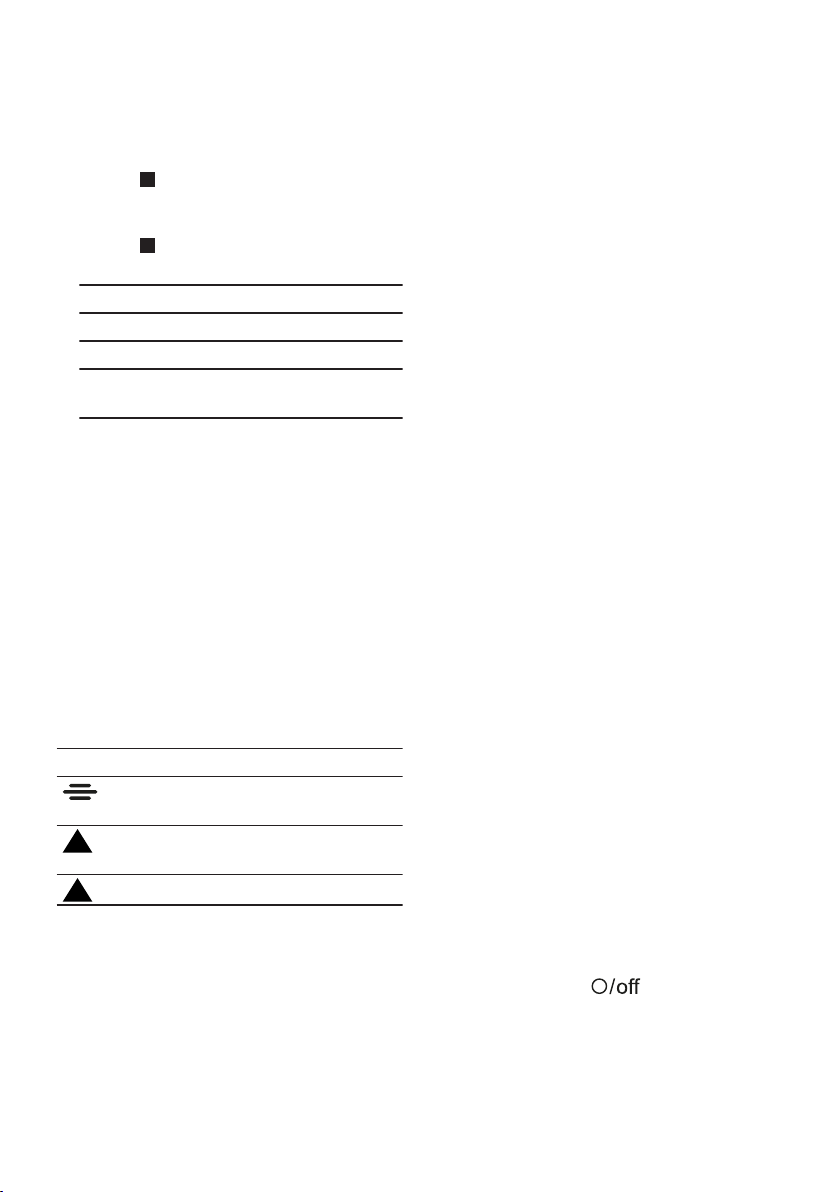
Tool Use
Kneading hook
¡ Knead heavy dough, e.g. yeast
dough.
¡ Fold in food that is not to be
cut, e.g. raisins or chocolate
chips.
Professional flexible stirrer
¡ Stir food, e.g. cake mixture or
mousse.
¡ Fold in food, e.g. egg whites,
cream or raisins.
Professional beating whisk
¡ Beat egg whites and cream.
¡ Make light dough, e.g. sponge
mixture.
Fine adjustment of the professional
whisk
Use the fine adjustment system to
correct the distance between the
bowl and the professional beating
whisk.
Note:The professional beating whisk
is factory-set so that ingredients are
mixed together perfectly.
Correcting tool adjustment
ATTENTION!
The appliance and tools can be dam-
aged if a wrong tool setting is used.
Never operate a tool that touches
the bowl.
Requirements
¡ The mains plug is not inserted.
¡ The swivel arm is open.
¡ The professional beating whisk is
inserted.
¡ The bowl has been inserted.
en Familiarising yourself with your appliance
16
1. Hold the beating whisk at the bot-
tom with one hand and release the
lock nut clockwise using a spanner
wrench.
→Fig.
4
2. To change the distance, turn the
tool.
→Fig.
5
Observe the values in the table:
Setting Distance
Optimum setting 3mm
One turn clockwise 1mm more
One turn anticlock-
wise
1mm less
3. Press the release button and push
the swivel arm down until it en-
gages.
4. Check the setting.
5. Press the release button and raise
the swivel arm until it engages.
6. Hold the beating whisk at the bot-
tom with one hand and tighten the
lock nut anticlockwise using a
spanner wrench.
Symbols
You can find an overview of the sym-
bols used on your appliance here.
Symbol Description
Marking on the protective cover
for drive2.
Attachment marking on the pro-
tective cover for drive3.
Position marking on drive3.
Parked position
Your appliance is equipped with an
automatic parked position.
After the appliance has switched off,
the drives will continue moving for a
few seconds until the correct parked
position is reached.
Note:The swivel arm will only open
or close with the inserted tool when
the drive is located in the correct
parked position.
The following causes result in an
incorrect parked position:
¡ The power supply was interrupted
during processing.
¡ A safety system terminated pro-
cessing.
¡ During processing the swivel arm
disengaged or the release button
for the swivel arm was pressed.
Tip:You can easily adjust an incor-
rect parking position yourself.
→"Troubleshooting", Page25
Safety systems
You can find an overview of your ap-
pliance's safety systems here.
Start lock-out
Start lock-out prevents your appli-
ance from being switched on acci-
dentally.
The appliance can only be switched on
and operated if
¡ the swivel arm is engaged in posi-
tion1 and the bowl or an access-
ory is inserted, e.g. Ice maker.
¡ the swivel arm is engaged in posi-
tion3 and the protective cover or
an accessory is fitted on drive3.
Restart lock-out
Restart lock-out prevents your appli-
ance from automatically restarting
processing after a power failure.
The appliance is switched on again
after a power failure. Processing can-
not start again until the rotary switch
has been set to
.

Before using for the first time en
17
Overload protection
The overload protection system pre-
vents the motor and other compon-
ents from being damaged through
being overloaded.
The motor will switch off if
¡ too large a quantity is processed.
¡ a tool or accessory is blocked.
Before using for the first time
Before using for the
first time
Before using for the first time
Prepare the appliance for use.
Preparing the appliance
1. Press the release button and raise
the swivel arm until it engages.
→"Moving the swivel arm",
Page17
2. Turn the bowl clockwise and re-
move.
→"Removing bowl", Page17
3. Clean all parts that come into con-
tact with food before using for the
first time.
→"Cleaning and servicing",
Page21
4. Put the cleaned and dried parts
out ready for use.
Basic operation
Basic operation
Basic operation
Cable length
Adjust the length of the power cable
to your needs.
Adjusting cable length via cable
rewinder
1. Pull the power cable out to the re-
quired length and slowly let go.
2. To shorten the cable,
‒ pull the cable,
‒ allow the cable to wind up,
‒ pull the cable out again.
Note:Do not push the cable in by
hand. If the cable jams, pull right out
and let it wind up again.
Moving the swivel arm
1. Press the release button and raise
the swivel arm until it engages.
→Fig.
6
a The swivel arm is fixed in posi-
tion2.
2. Press the release button and move
the swivel arm down until it en-
gages in the vertical position.
→Fig.
7
a The swivel arm is fixed in posi-
tion3.
Inserting bowl
1. Place the bowl in the base unit.
→Fig.
8
Use the recesses on the base unit.
2. Turn the bowl anticlockwise until it
engages.
→Fig.
9
Removing bowl
Turn the bowl clockwise and re-
move.
→Fig.
10
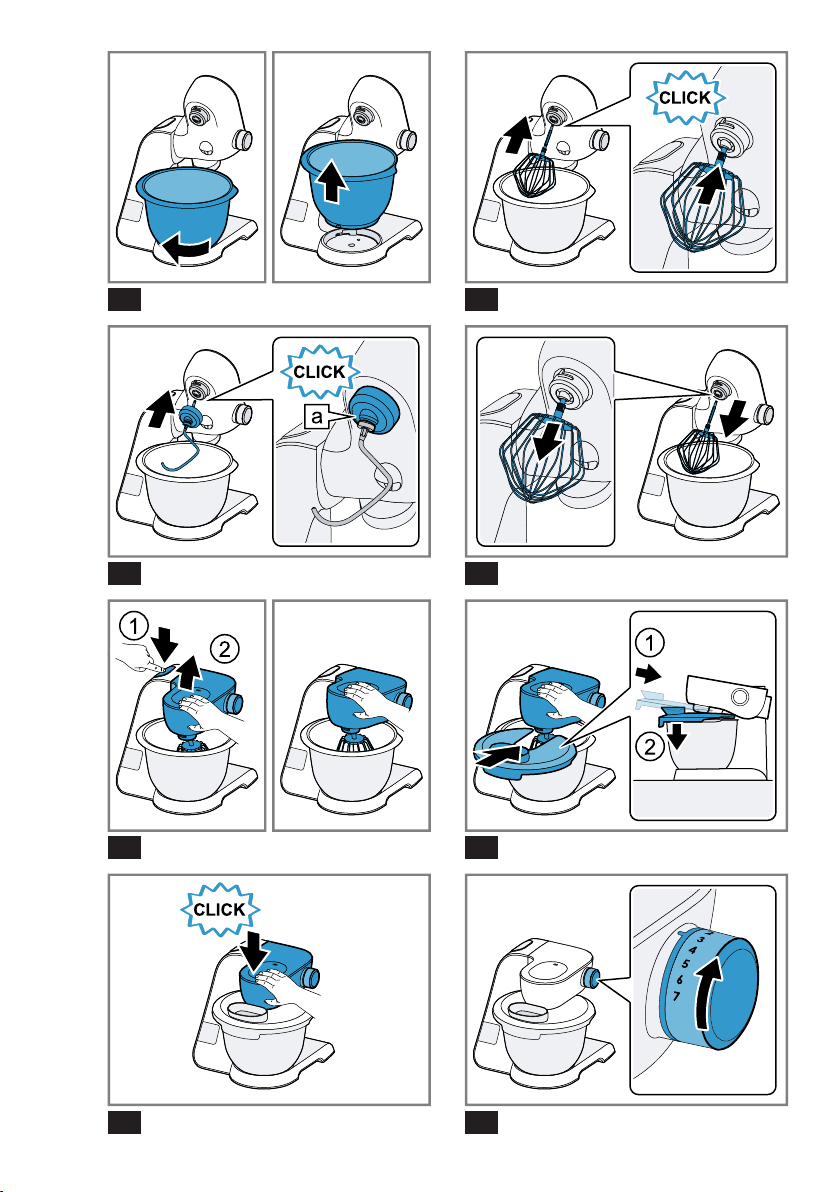
Inserting tools
1. Select the tool required.
→"Overview of tools", Page15
2. Press the tool into the main drive
until it engages.
→Fig.
11
en Basic operation
18
3. To insert the kneading hook:
‒ Insert the kneading hook with
the protective cap fitted in the
main drive.
‒ Turn the protective cap until the
kneading hook engages fully.
→Fig.
12
The protective cap must cover
the main drive completely.
Removing tools
Pull the tool completely out of the
drive.
→Fig.
13
Attaching bowl lid
Requirements
¡ The required tool is used here.
¡ The bowl has been inserted.
¡ The swivel arm is closed.
1. Press the release button, raise the
swivel arm slightly and hold in
place.
→Fig.
14
2. Lift the lid slightly at the front, slide
fully onto the bowl and set down.
→Fig.
15
The filling shaft must face towards
the front.
3. Push the swivel arm down until it
engages.
→Fig.
16
Removing bowl lid
1. Press the release button, raise the
swivel arm slightly and hold in
place.
2. Lift the lid slightly at the front and
pull it out towards the front.
3. Push the swivel arm up until it en-
gages.
Processing
You can find out everything you need
to know about processing food here.
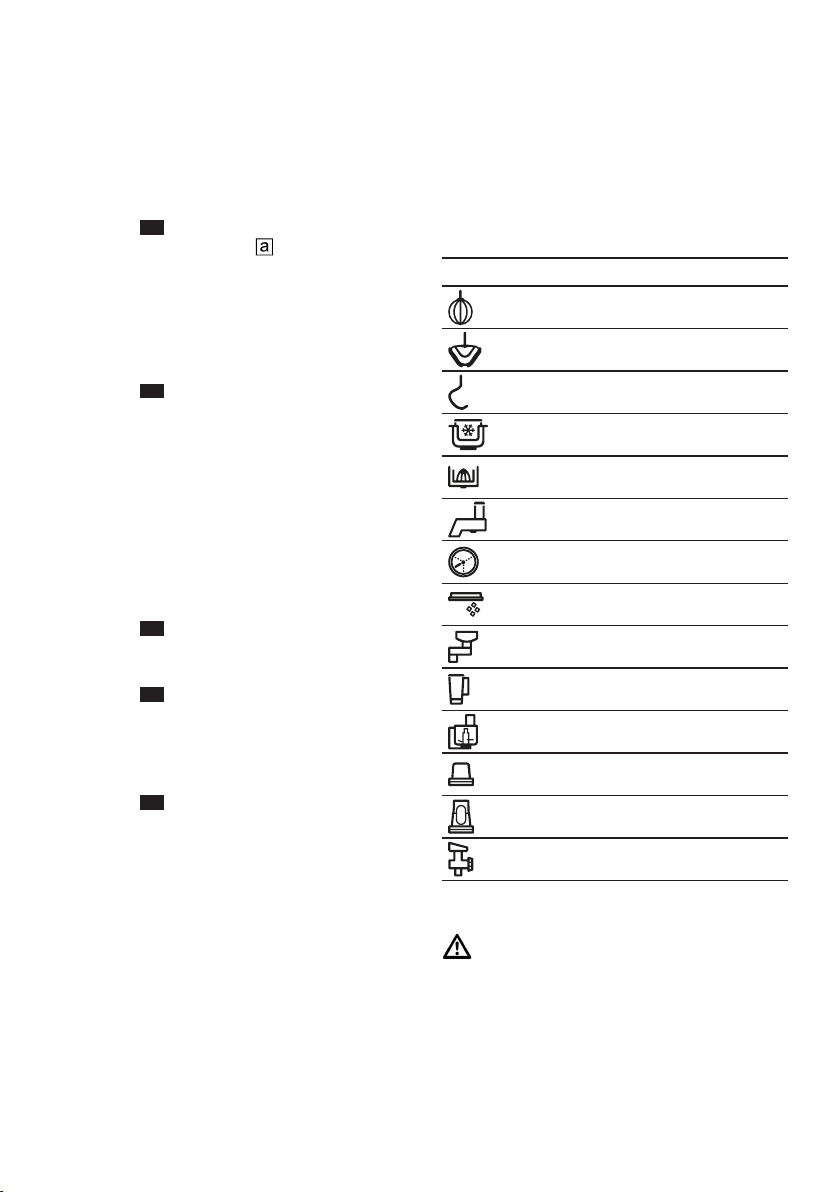
Recommended speeds
Observe the recommended speeds
for optimum results.
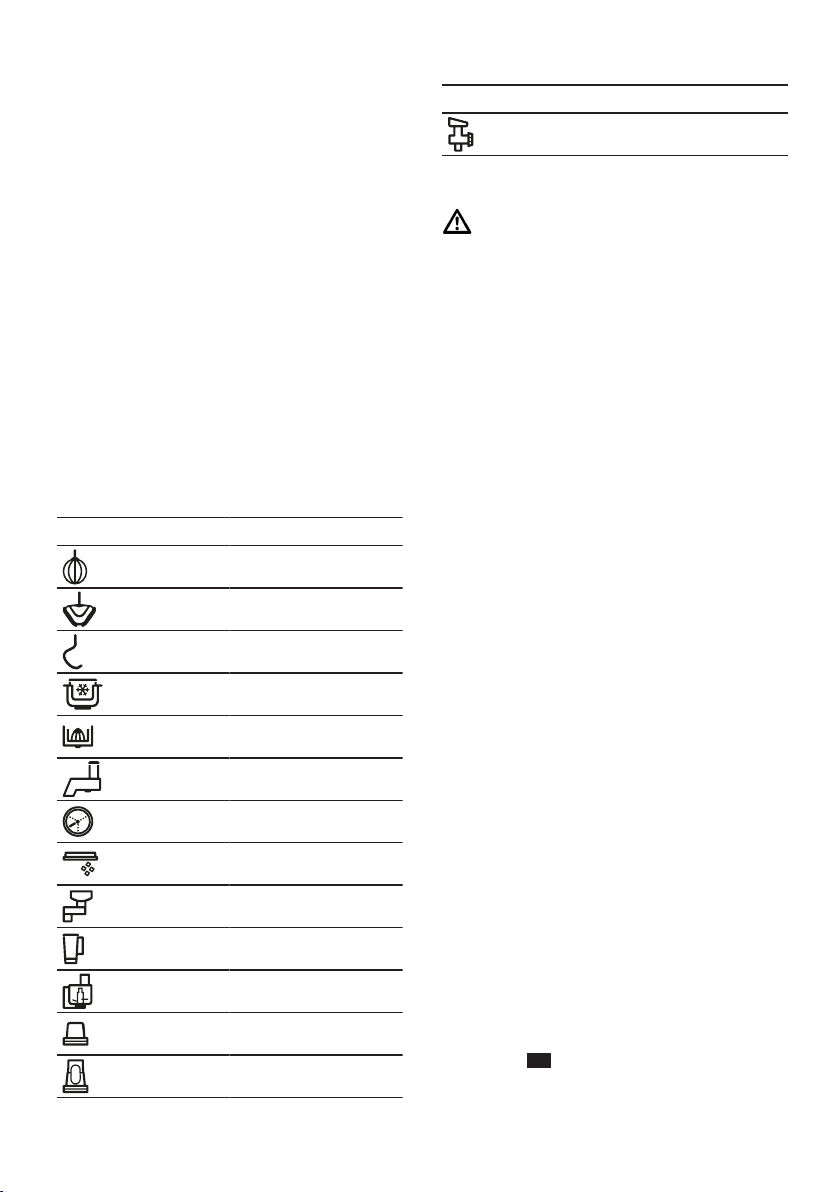
Tool or accessory Setting
1-7
1-5
1-3
1
3-5
3-7
3-7
3-5
7
5-7
3-7
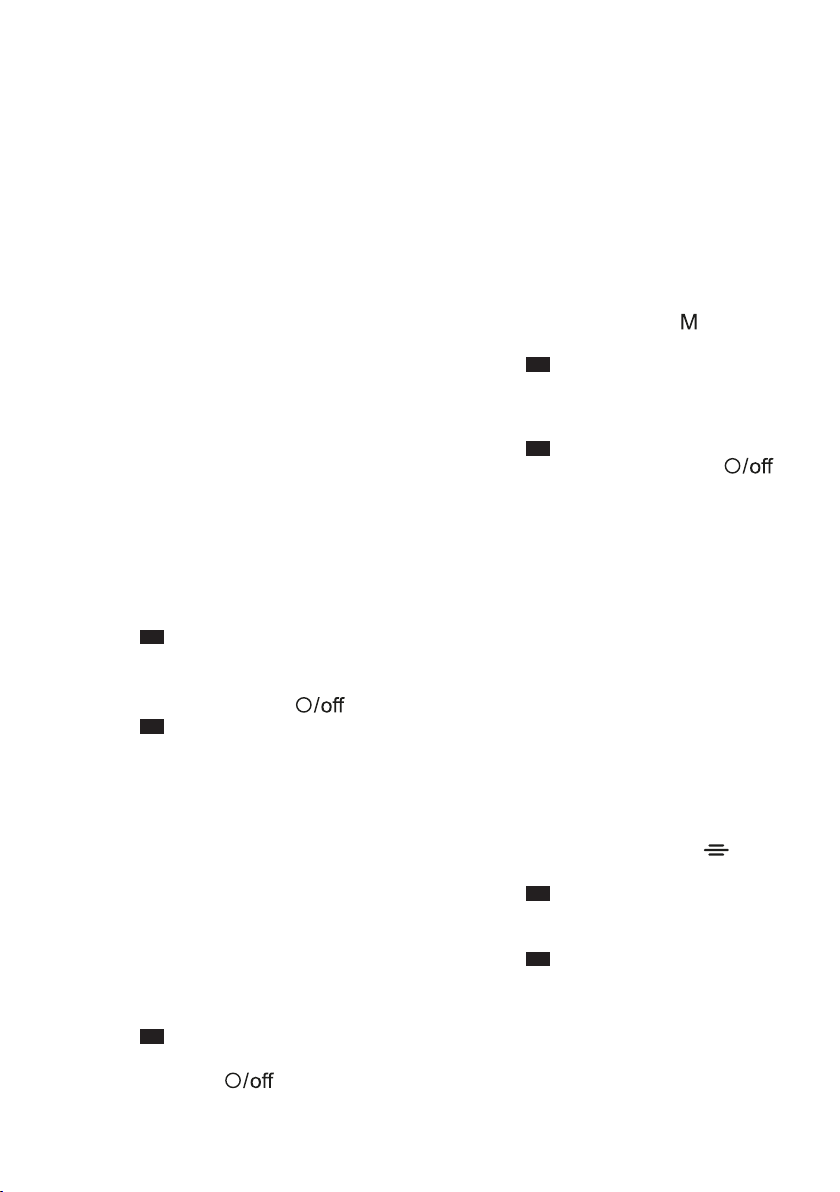
M
M
5-7
Processing ingredients with tools
WARNING
Risk of injury!
Rotating drives, tools or accessory
parts may cause injury.
Keep hands, hair, clothing and
utensils away from rotating parts.
Basic operation en
19
Only attach and remove tools and
accessories once the drive has
stopped and you have unplugged
the appliance.
Before changing tools or cleaning
the appliance, switch off and dis-
connect it from the mains.
Only use the tools when the bowl
is inserted, the lid is fitted and the
drive covers are in place.
Never open the swivel arm during
processing.
Requirements
¡ The bowl has been inserted.
¡ The required tool is inserted.
1. Add the ingredients to the bowl.
2. Press the release button and push
the swivel arm down until it en-
gages.
3. Attach the bowl lid.
→"Attaching bowl lid", Page18
4. Insert the mains plug.
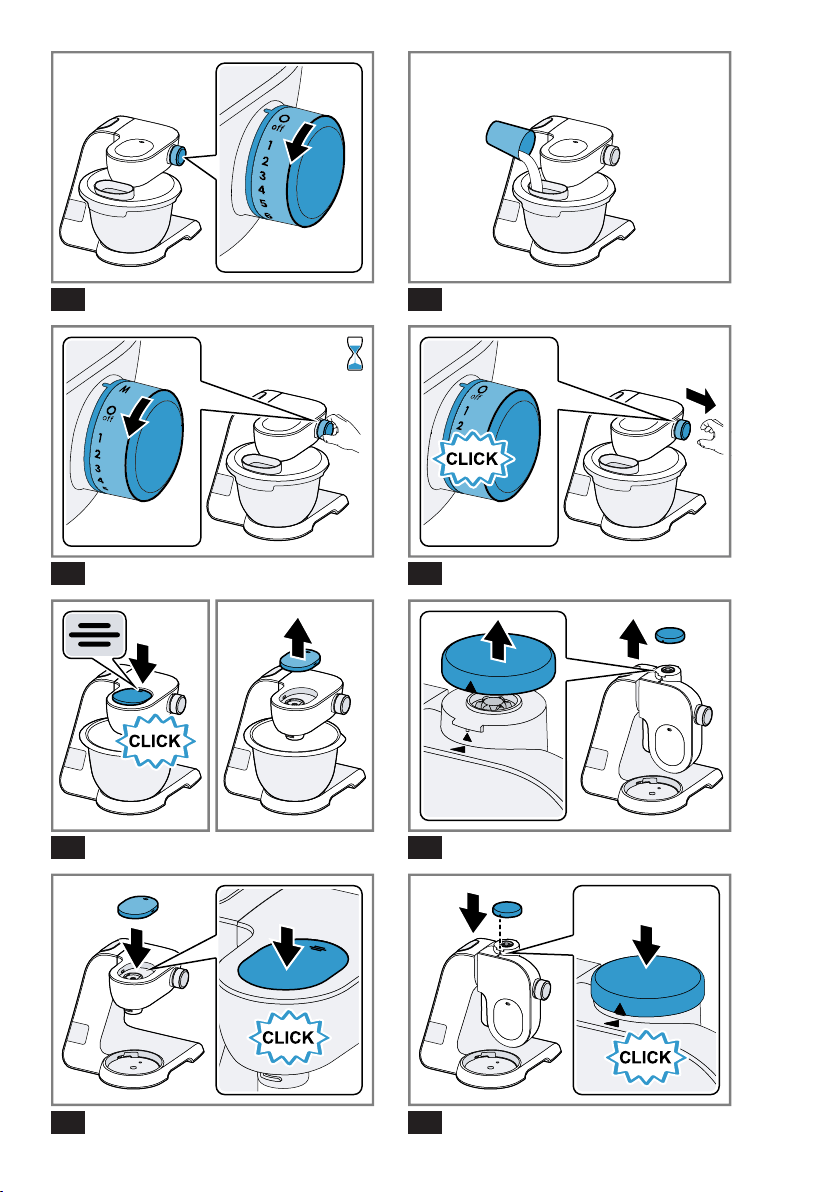
5. Set the rotary switch to the re-
quired speed.
→Fig.
17
6. Process the ingredients until you
achieve the required result.
7. Set the rotary switch to
.
→Fig.
18
Wait until the appliance stops.
8. Unplug the mains plug.
Tips
¡ You can change the speed at any
time during processing or interrupt
processing.
¡ Clean all parts immediately after
use so that residues do not dry on.
Adding more ingredients
1. To add ingredients during pro-
cessing, use the filling shaft in the
lid.
→Fig.
19
2. To add large quantities, set the
rotary switch to .
Wait until the appliance stops.
3. Remove the bowl lid.
→"Removing bowl lid", Page18
4. Add the ingredients to the bowl.
5. Attach the bowl lid.
→"Attaching bowl lid", Page18
6. Process the ingredients until you
achieve the required result.
Using instantaneous switching
1. Set the rotary switch to
and
hold.
→Fig.
20
a The ingredients are processed at
maximum speed.
2. Release the rotary switch.
→Fig.
21
a The rotary switch springs to .
a Processing stops and the drives
move to the parked position.
Tip
Instantaneous switching is especially
suitable when using the following
accessories:
¡ Glass blender attachment
¡ Multi-chopper set
¡ Multi-blender attachment
Drive cover
Remove the protective cover to use
accessories on drive 2 or 3.
Removing drive cover
1. Press down the protective cover
for drive2 at the marking
and
remove.
→Fig.
22
2. Pull up the protective cover for
drive3 and remove.
→Fig.
23
en Scales
20
Fitting drive cover
1. Align the protective cover for the
drive2 with the marking
to-
wards the back, position and press
in place firmly.
→Fig.
24
2. Position the protective cover for
the drive3 and press in place
firmly.
→Fig.
25
Markings and must match
up.
Note:Always close unused drives
with the protective covers.
Scales
Scales
Scales
Your appliance is equipped with a set
of scales. You can weigh ingredients
individually.
The base unit has 4 weight sensors
in its feet.
The following factors can falsify the
measuring result:
¡ Feet not standing on the work sur-
face properly
¡ Work surface vibrating
¡ Objects underneath the base unit
¡ Ingredient quantities less than 5g
or 0.01lb
¡ Base unit slipped
¡ Base unit touched
¡ Objects on the base unit
Display values of scales
Observe the following values when
using the scales.
Display unit in grams
Display range -990g to 5000g
Display steps 5g
Display unit in pounds
Display range -2.20lb to 11.00lb
Display steps 0.01lb
Tip:You can change the display
units of the scales at any time.
→"Changing the display units of the
scales", Page20
Weighing ingredients
Requirements
¡ The bowl is inserted or an access-
ory is fitted.
¡ The rotary switch is set to
.
¡ The mains plug is inserted.
1. Press and do not touch the ap-
pliance again.
a The scales will be calibrated.
a The display shows "----".
2. Wait for calibration to finish.
a The display shows "0g" or
"0.00lb".
3. Add the required ingredient.
a The display shows the weight.
4. To weigh further ingredients, select
one of the following options:
‒ Add further ingredients and read
off the total weight.
‒ Press
and wait until the dis-
play shows "0g" or "0.00lb".
5. To switch off the scales, press
or
start processing.
Tip:Also use the scales together
with the accessory. Weigh the in-
gredients directly when adding them,
e.g. to the blender attachment or the
ice maker.
Note:The scales switch off automat-
ically after approx. 3minutes of in-
activity.
Changing the display units of
the scales
Requirements
¡ The rotary switch is set to
.
¡ The scales are switched on.
Timer en
21
1. Press and hold and .
The display unit for the scales
changes.
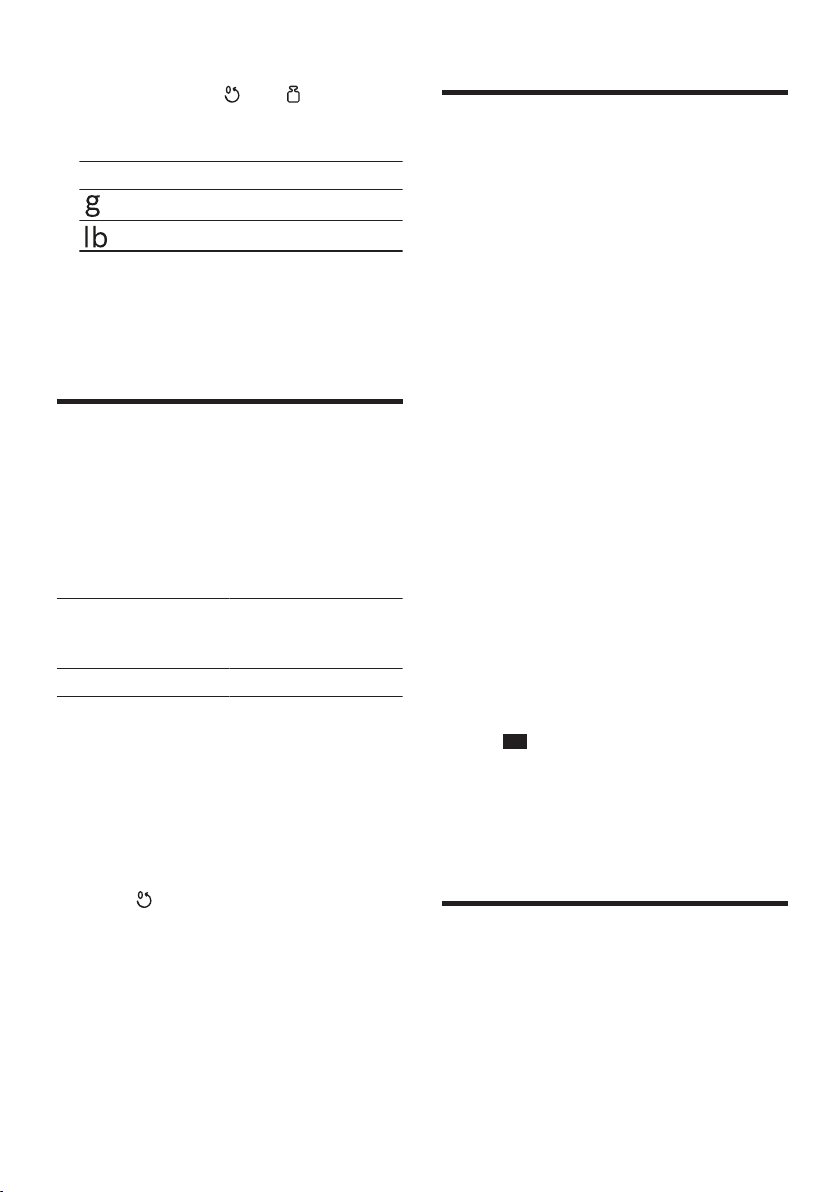
Symbol Unit
Display in grammes
Display in pounds
2. Release both buttons.
a The scales will calibrate them-
selves and restart with the
changed setting.
a The setting is saved.
Timer
Timer
Timer
You can read off the processing time
that has elapsed or reset it.
Display values of timer
Observe the following values when
using the timer.
Display range 0 seconds to
59minutes and
59seconds
Display steps 1second
Reading off and resetting the
processing time
1. Set the rotary switch to the re-
quired speed.
a The display shows the processing
time.
2. To reset the display to "00:00"
press
.
Notes
¡ If you interrupt processing for less
than 30seconds, the last values
displayed are saved and will re-
sume if processing starts again.
¡ If you interrupt processing for
more than 30seconds, the appli-
ance will switch on the scales and
perform calibration.
Cleaning and servicing
Cleaning and servicing
Cleaning and servicing
To keep your appliance working effi-
ciently for a long time, it is important
to clean and maintain it carefully.
Cleaning products
Find out here which cleaning
products are suitable for your appli-
ance.
ATTENTION!
Using unsuitable cleaning agents or
incorrect cleaning may damage the
appliance.
Do not use cleaning agents con-
taining alcohol or spirits.
Do not use sharp, pointed or metal
objects.
Do not use abrasive cloths or
cleaning agents.
Only clean the control panel and
the display using a damp mi-
crofibre cloth.
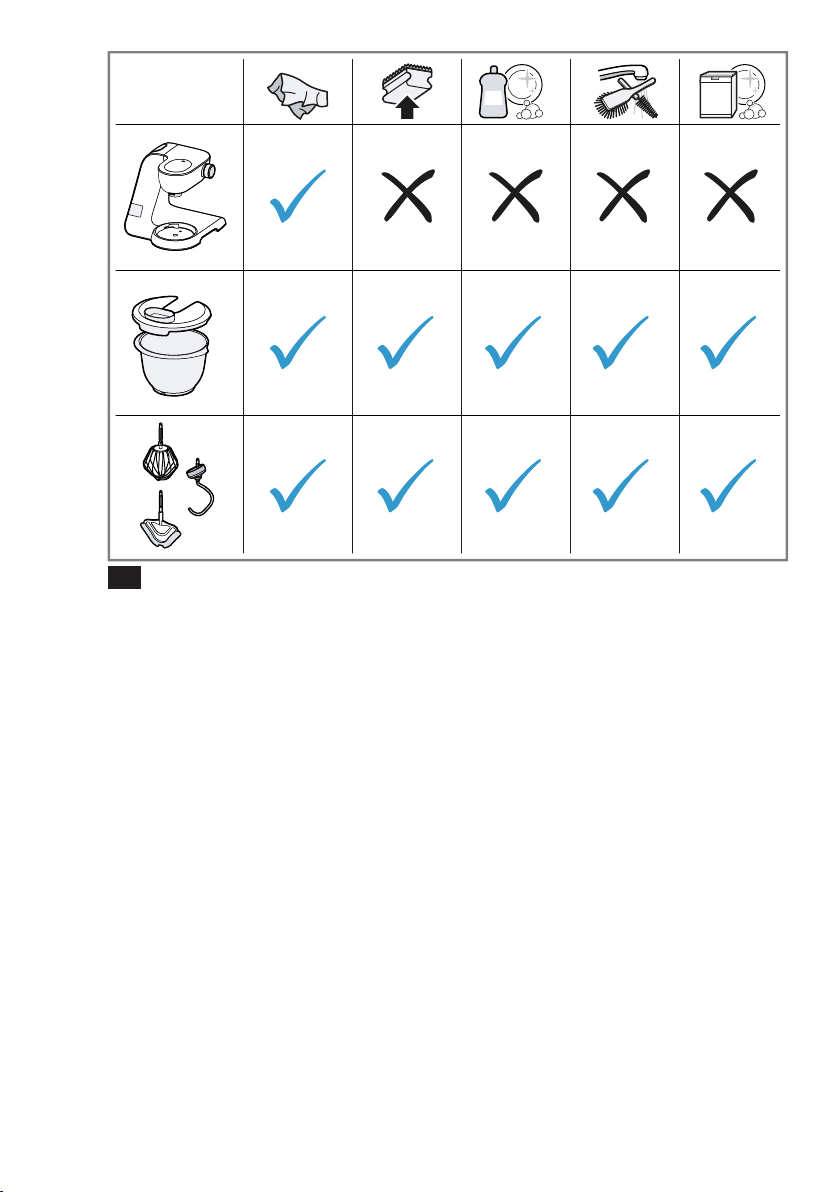
Overview of cleaning
You can find an overview of how to
best clean the appliance and the
other parts here.
→Fig.
26
Tip:When processing food such as
carrots, plastic parts may become
discoloured. Remove discolouration
with a soft cloth and a few drops of
cooking oil.
Special accessories
Special accessories
Special accessories
You can buy accessories from the
after-sales service, from specialist re-
tailers or online. Only use genuine
accessories as these have been spe-
cifically designed for your appliance.

en Recipes
22
"Accessories vary from one appli-
ance to another. When purchasing
accessories, always quote the exact
product number (E no.) of your appli-
ance." →Page28
You can find out which accessories
are available for your appliance in
our catalogue, in the online shop or
from our after-sales service.
www.bosch-home.com
Recipes
Recipes
Recipes
You can find a selection of recipes
specially developed for your appli-
ance here.
Tips
¡ For optimum results observe the
maximum processing quantities
specified here.
¡ You can use the integrated scales
to weigh the ingredients when
adding them.
→"Scales", Page20
¡ You can use the timer to monitor
processing times.
→"Timer", Page21
Overview of recipes
This overview lists the ingredients and processing steps for various recipes.
Recipe Ingredients Processing
Whipped cream 100-600g cream ¡ Insert beating whisk.
¡ Add cream.
¡ Process for 1½-4minutes at set-
ting7.
Egg whites 1-8 Egg whites (room temperature) ¡ Insert beating whisk.
¡ Add egg whites.
¡ Process for 4-6minutes at set-
ting7.
Sponge mixture ¡ 2 eggs
¡ 2-3tbsp hot water
¡ 100g sugar
¡ 1tbsp vanilla extract
¡ 70g flour (sifted)
¡ 70g cornflour
¡ Baking powder (as wished)
Note:Process max. 2 times the quant-
ity at the same time.
¡ Insert beating whisk.
¡ Add all ingredients except the flour
and cornflour.
¡ Process for 4-6minutes at set-
ting7.
¡ Select setting1.
¡ Add the flour and cornflour by the
spoonful within 30-60seconds.

Recipes en
23
Recipe Ingredients Processing
Cake mixture ¡ 6 eggs
¡ 500g sugar
¡ 1pinch salt
¡ 2tbsp vanilla sugar or zest of half a
lemon
¡ 500g butter or margarine (room
temperature)
¡ 1000g flour
¡ 15g baking powder
¡ 250ml milk
Note:Process max. 1 times the quant-
ity at the same time.
¡ Insert stirring whisk.
¡ Add eggs, salt, sugar and vanilla
sugar or lemon zest.
¡ Process for 10seconds at set-
ting1.
¡ Then process for 2minutes at set-
ting5.
¡ Add butter and process for
60seconds at setting3.
¡ Add flour and baking powder and
process for 2minutes at setting1.
¡ Select setting3.
¡ Add the milk within 2minutes.
Shortcrust pastry ¡ 125g butter
¡ 100-125g sugar
¡ 1 egg
¡ 1 pinch salt
¡ A little vanilla sugar or lemon zest
¡ 250g flour
¡ Baking powder (as wished)
Note:Process max. 2 times the quant-
ity at the same time.
¡ Insert stirring whisk.
¡ Add all ingredients.
¡ Process for 30seconds at set-
ting1.
¡ Process for 2-3minutes at set-
ting6.
From 500g flour:
¡ Insert kneading hook.
¡ Add all ingredients.
¡ Process for 30seconds at set-
ting1.
¡ Process for 3-4minutes at set-
ting3.
Yeast dough ¡ 500g flour
¡ 1 egg
¡ 80g fat (room temperature)
¡ 80g sugar
¡ 200-250ml lukewarm milk
¡ 25g fresh yeast or 1tbsp dried
yeast
¡ Zest of half a lemon
¡ 1 pinch salt
Note:Process max. 2 times the quant-
ity at the same time.
¡ Insert kneading hook.
¡ Add all ingredients.
¡ Process for 30seconds at set-
ting1.
¡ Process for 3-6minutes at set-
ting3.
Pasta dough ¡ 300g flour
¡ 150g eggs (approx 3)
¡ 15-30ml cold water (as wished)
Note:Process max. 1½ times the
quantity at the same time.
¡ Insert kneading hook.
¡ Add all ingredients.
¡ Process for 3-5minutes at set-
ting3.
Bread dough ¡ 1000g flour ¡ Insert kneading hook.

en Recipes
24
Recipe Ingredients Processing
¡ 2tbsp dried yeast
¡ 2tsp salt
¡ 660ml lukewarm water
Note:Process max. 1 times the quant-
ity at the same time.
¡ Add all ingredients.
¡ Process for 30seconds at set-
ting1.
¡ Process for 4-5minutes at set-
ting3.
Troubleshooting en
25
Troubleshooting
Troubleshooting
Troubleshooting
You can rectify minor faults on your appliance yourself. Read the troubleshoot-
ing information before contacting after-sales service. This will avoid unneces-
sary costs.
WARNING
Risk of electric shock!
Incorrect repairs are dangerous.
Repairs to the appliance should only be carried out by trained specialist
staff.
Only use genuine spare parts when repairing the appliance.
If the power cord of this appliance is damaged, it must be replaced by the
manufacturer, the manufacturer's Customer Service or a similarly qualified
person in order to prevent any risk.
Malfunctions
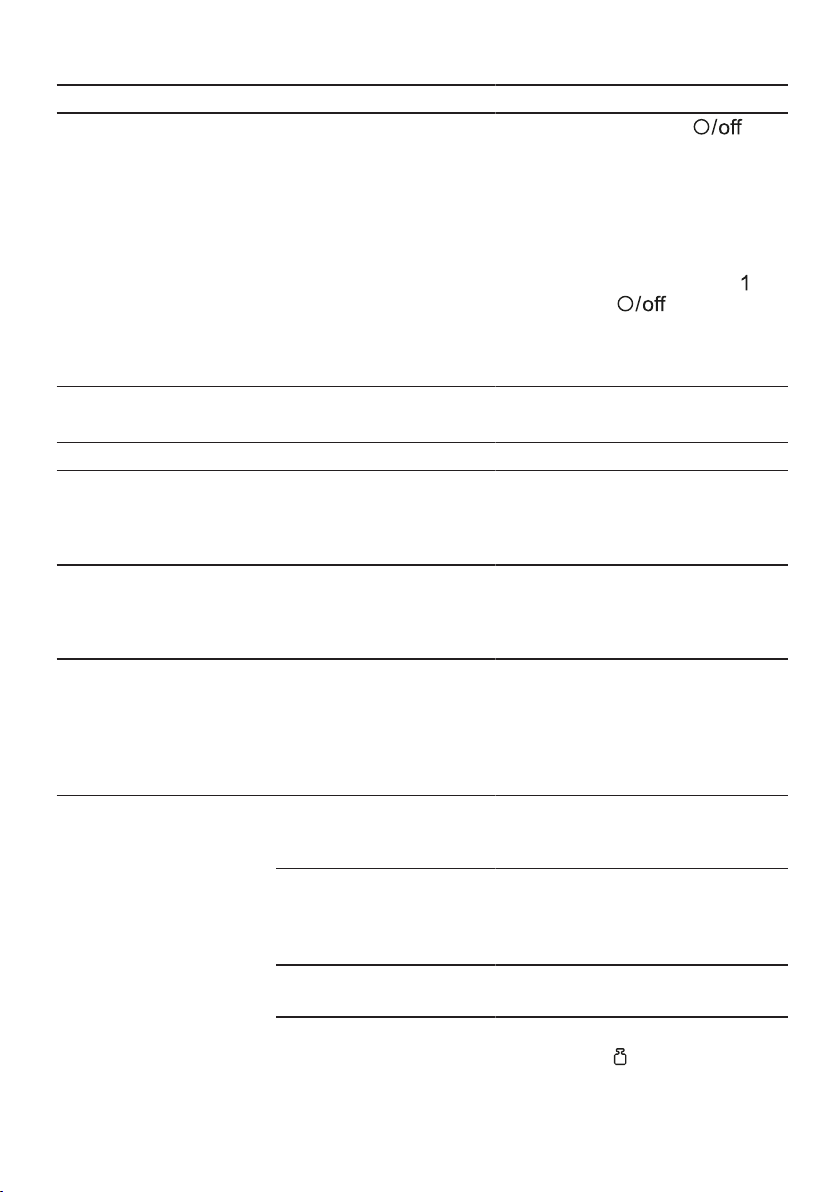
Fault Cause Troubleshooting
The appliance is not work-
ing.
The mains plug of the power
cord is not plugged in.
Connect the appliance to the power
supply.
The circuit breaker is faulty.
Check the circuit breaker in the
fuse box.
There has been a power cut.
Check whether the lighting in your
kitchen or other appliances are
working.
Appliance does not start pro-
cessing.
Rotary switch is set incor-
rectly.
Set the rotary switch to
be-
fore processing.
Appliance does not start pro-
cessing or switches off dur-
ing processing.
Processing quantity is too
great or processing time
was too long.
Set the rotary switch to
.
Reduce the quantity of ingredients.
Allow the appliance to cool down to
room temperature.
Appliance or accessory is
blocked.
Set the rotary switch to
.
Remove the blockage.
Scales show no change in
weight despite ingredients
being added.
Quantity of ingredients out-
side measuring range of
scales.
Add at least 5g or 0.01lb so the
scales show correct values.
en Troubleshooting
26
Fault Cause Troubleshooting
The swivel arm cannot be
opened or closed because
the tool is jammed in the
bowl.
Drive is not in the parked po-
sition after a safety system
has stopped processing or
the power supply has been
interrupted.
1. Set the rotary switch to .
2. Eliminate the problem that caused
the appliance to stop.
→"Safety systems", Page16
3. When the swivel arm is open, re-
move the tool and close the swivel
arm.
4. Set the rotary switch briefly to
and
then back to .
a The drive remains on for a short
time until the parked position is
reached.
Information on display panel
Fault Cause Troubleshooting
"5000g" or "11.00lb" is
flashing on the display.
Display values of the scales
have been exceeded.
Observe the display values of the
scales.
→"Display values of scales",
Page20
"-990g" or "-2.20lb" is flash-
ing on the display.
Display values of scales
have not been attained.
Observe the display values of the
scales.
→"Display values of scales",
Page20
"59:59m:s" is flashing on
the display.
Display range of the timer
has been exceeded.
Process food for not longer than
59minutes and 59seconds or re-
set the processing time within this
time.
→"Reading off and resetting the
processing time", Page21
The display shows "ERROR" Scales are exposed to ex-
cessive vibrations.
Do not use the appliance on work-
tops exposed to vibrations, e.g. with
a dishwasher running underneath.
Base is uneven. 1. Set up the appliance on a stable,
level, clean and flat work surface.
2. Check whether all 4 feet are in con-
tact with the work surface.
The feet are soiled.
Wipe the feet down with a damp
cloth.
The scales have to be restar-
ted.
1. To restart the scales:
‒ Press .
‒ Wait 30-60seconds.

Troubleshooting en
27
Fault Cause Troubleshooting
The display shows "ERROR" ‒ Press again and wait for
calibration.
2. If the fault is still displayed, discon-
nect the appliance from the power
supply for a while and then try to
switch the scales back on.
Note:Please perform the
troubleshooting procedure several
times before contacting customer ser-
vice.
en Disposal
28
Disposal
Disposal
Disposal
Find out here how to dispose of old
appliances correctly.
Disposing of old appliance
Valuable raw materials can be re-
used by recycling.
1. Unplug the appliance from the
mains.
2. Cut through the power cord.
3. Dispose of the appliance in an en-
vironmentally friendly manner.
Information about current disposal
methods are available from your
specialist dealer or local authority.
This appliance is labelled in ac-
cordance with European Direct-
ive 2012/19/EU concerning
used electrical and electronic
appliances (waste electrical and
electronic equipment - WEEE).
The guideline determines the
framework for the return and re-
cycling of used appliances as
applicable throughout the EU.
Customer Service
Customer Service
Customer Service
If you have any queries, are unable to
rectify faults on the appliance your-
self or if your appliance needs to be
repaired, contact Customer Service.
Function-relevant genuine spare parts
according to the corresponding Eco-
design Order can be obtained from
Customer Service for a period of at
least 7 years from the date on which
your appliance was placed on the
market within the European Eco-
nomic Area.
Note:Under the terms of the manu-
facturer's warranty the use of Cus-
tomer Service is free of charge.
Detailed information on the warranty
period and terms of warranty in your
country is available from our after-
sales service, your retailer or on our
website.
If you contact Customer Service, you
will require the product number (E-
Nr.) and the production number (FD)
of your appliance.
The contact details for Customer Ser-
vice can be found in the Customer
Service directory at the end of the
manual or on our website.
Product number (E-Nr.) and
production number (FD)
You can find the product number (E-
Nr.) and the production number (FD)
on the appliance's rating plate.
Make a note of your appliance's de-
tails and the Customer Service tele-
phone number to find them again
quickly.
Warranty conditions
You can make warranty claims for
your appliance under the following
conditions.
The guarantee conditions for this ap-
pliance are as defined by our repres-
entative in the country in which it is
sold. Details regarding these condi-
tions can be obtained from the dealer
from whom the appliance was pur-
chased. The bill of sale or receipt
must be produced when making any
claim under the terms of this guaran-
tee.

ms
29
Kandungan
Keselamatan..................................30
Maklumat umum.............................30
Penggunaan mengikut peraturan...30
Pembatasan kumpulan
pengguna .......................................31
Arahan keselamatan ......................31
Elakkan kerosakan harta benda...34
Perlindungan dan
pemeliharaan alam sekitar ...........34
Lupuskan pembungkusan..............34
Buka pembungkusan dan
periksa ...........................................34
Buka pembungkusan peranti
dan komponen ...............................34
Penghantaran .................................34
Pasangkan peranti .........................35
Pengenalan....................................35
Peranti ............................................35
Suis putar .......................................36
Gelang berlampu
1
..........................36
Panel kawalan ................................36
Butang fungsi .................................36
Paparan ..........................................36
Pemutar lengan ..............................37
Pemacu ..........................................37
Alatan .............................................37
Simbol ............................................38
Kedudukan tempat letak ................38
Sistem keselamatan .......................39
Sebelum penggunaan kali
pertama..........................................39
Sediakan peranti ............................39
Operasi asas..................................39
Panjang kabel.................................39
Gerak pemutar lengan ...................40
Masukkan mangkuk. ......................40
Tanggalkan mangkuk.....................40
Masukkan alat ................................40
Keluarkan alat. ...............................40
Masukkan penutup mangkuk.........40
Tanggalkan penutup mangkuk ......41
Pemprosesan .................................41
Penutup pemacu ............................42
Skala ..............................................42
Menunjukkan nilai
keseimbangan................................43
Timbang bahan ..............................43
Tukar unit paparan skala ...............43
Masa...............................................43
Menunjukkan nilai masa ................43
Baca masa pemprosesan dan
tetapkan semula.............................43
Pembersihan dan penjagaan........44
Agen pembersih.............................44
Gambaran keseluruhan
pembersihan ..................................44
Aksesori pilihan ............................44
Resipi.............................................44
Gambaran keseluruhan resipi........44
Selesaikan gangguan ...................47
Gangguan fungsi............................47
Maklumat pada bekas
peragaan. .......................................48
Pelupusan......................................50
Lupuskan peranti lama...................50
Khidmat pelanggan.......................50
Nombor produk (No. E) dan
nombor pengeluaran (FD) .............50
Syarat jaminan................................50
1
Mengikut kelengkapan peranti

ms Keselamatan
30
Keselamatan
Perhatikan panduan keselamatan berikut.
Maklumat umum
¡ Baca panduan ini dengan teliti.
¡ Perhatikan panduan tambahan untuk penggunaan aksesori
yang dibekalkan atau aksesori pilihan.
¡ Simpan panduan dan juga maklumat produk untuk penggunaan
atau pengguna seterusnya.
¡ Jangan sambungkan peranti jika terdapat kerosakan semasa
penghantaran.
Penggunaan mengikut peraturan
Gunakan peranti hanya:
¡ dengan alat ganti dan aksesori tulen.
¡ untuk penggunaan tambahan seperti yang diterangkan dalam
panduan aksesori yang dibekalkan atau pilihan.
¡ untuk mengadun, menguli dan memukul makanan.
¡ di bawah pengawasan.
¡ dalam rumah persendirian dan dalam kawasan persekitaran
rumah yang tertutup dengan suhu bilik.
¡ untuk kuantiti dan masa pemprosesan di rumah yang biasa.
¡ sehingga ketinggian 2000m dari paras laut.
Nyahsambungkan peranti daripada bekalan elektrik, jika anda:
¡ tidak menggunakan peranti.
¡ tidak mengawasi peranti.
¡ memasang peranti.
¡ menyahpasang peranti.
¡ membersih peranti.
¡ mendekati komponen yang berputar.
¡ menukar alat.
¡ menghadapi masalah.

Keselamatan ms
31
Pembatasan kumpulan pengguna
Peranti ini boleh digunakan oleh orang yang mempunyai
kekurangan keupayaan fizikal, deria atau mental atau kurangnya
pengalaman dan/atau pengetahuan jika mereka telah diselia atau
dilatih mengikut keselamatan peranti ini dan memahami kesan
bahayanya.
Kanak-kanak tidak dibenarkan bermain dengan peranti ini.
Pembersihan dan penyelenggaraan pengguna tidak boleh
dilakukan oleh kanak-kanak.
Kanak-kanak tidak dibenarkan untuk menggunakan peranti ini.
Jauhkan kanak-kanak daripada peranti dan kabel penyambungan.
Arahan keselamatan
Perhatikan arahan keselamatan.
AMARAN‒Risiko kejutan elektrik!
¡ Peranti atau kabel kuasa yang rosak boleh mendatangkan
bahaya.
Jangan sesekali kendalikan peranti yang rosak.
Jangan sesekali mengendalikan peranti dengan permukaan
yang retak atau pecah.
Jangan sesekali menarik kabel kuasa untuk memisahkan
peranti dengan bekalan elektrik. Sentiasa tanggalkan palam
kabel kuasa.
Tanggalkan palam kabel kuasa dengan segera atau
matikan fius di kotak fius jika peranti atau kabel kuasa
rosak.
"Hubungi khidmat pelanggan." →Halaman50
¡ Pemasangan yang tidak mengikut peraturan adalah
berbahaya.
Sambungkan dan kendalikan peranti hanya mengikut
spesifikasi pada label.
¡ Pembaikan yang tidak betul adalah berbahaya.
Hanya pengendali yang berkelayakan boleh melakukan
pembaikan pada peranti.
Hanya alat ganti tulen dibenarkan untuk pembaikan peranti.

ms Keselamatan
32
Untuk mengelakkan kecederaan, kabel kuasa peranti rosak
mestilah digantikan oleh pengeluar atau khidmat
pelanggannya atau orang yang sama kelayakannya.
¡ Kelembapan yang masuk boleh menyebabkan renjatan
elektrik.
Jangan sesekali mencelup peranti atau kabel kuasa ke
dalam air atau memasukkannya ke dalam mesin pencuci
pinggan.
Gunakan peranti hanya dalam ruang tertutup.
Jangan sesekali dedahkan peranti pada panas dan
kelembapan melampau.
Jangan gunakan pembersih wap atau pencuci bertekanan
tinggi untuk membersihkan peranti.
¡ Penebat pada kabel kuasa yang rosak boleh mendatangkan
bahaya.
Jangan sesekali dekatkan kabel kuasa dengan komponen
peranti yang panas atau dengan sumber panas.
Jangan sesekali dekatkan kabel kuasa dengan bucu atau
pada sudut yang tajam.
Jangan sesekali melipat, menekan atau mengubah kabel
kuasa.
AMARAN‒Risiko kebakaran!
Panas yang melampau boleh membakar peranti dan
komponen lain.
Jangan sesekali meletakkan peranti di atas atau
berhampiran permukaan panas.
AMARAN‒Risiko kecederaan!
¡ Pemacu, alat atau bahagian aksesori yang berputar boleh
menyebabkan kecederaan.
Jauhkan tangan, rambut, pakaian dan perkakas lain
daripada kompoenn yang berputar.
Hanya pasang dan tanggalkan alat dan aksesori semasa
pemacu berhenti dan peranti tidak terpasang.
Sebelum menukar atau membersihkan alat, matikan peranti
dan putuskan daripada bekalan kuasa.

Keselamatan ms
33
Kendalikan alat hanya dengan mangkuk yang dimasukkan,
penutup yang dipasang dan penutup pelindung pemacu
yang dipasang.
Jangan sesekali membuka lengan putar semasa proses.
¡ Kendalikan peranti dengan komponen yang rosak boleh
menyebabkan kecederaan.
Komponen yang retak atau rosak atau tidak dipasang
dengan betul diganti dengan alat ganti yang tulen.
AMARAN‒Risiko penghancuran!
Tangan dan jari boleh terkepit.
Semasa menurunkan lengan putar, jangan pegang di dalam
mangkuk.
AMARAN‒Risiko kelemasan!
¡ Kanak-kanak boleh menarik bahan pembungkusan ke atas
kepala atau membungkus diri di dalamnya dan lemas.
Jauhkan bahan pembungkusan daripada kanak-kanak.
Jangan biarkan kanak-kanak bermain dengan bahan
pembungkusan.
¡ Kanak-kanak boleh menghidu atau menelan komponen kecil
dan menyebabkan lemas.
Jauhkan komponen kecil daripada kanak-kanak.
Jangan biarkan kanak-kanak bermain dengan komponen
kecil.
AMARAN‒Risiko bahaya kepada kesihatan!
Kotoran pada permukaan boleh membahayakan kesihatan.
Patuhi arahan pembersihan.
Bersihkan permukaan yang bersentuhan dengan makanan
sebelum setiap penggunaan.

ms Elakkan kerosakan harta benda
34
Elakkan kerosakan harta benda
Elakkan kerosakan harta
benda
Elakkan kerosakan harta benda
PERHATIAN!
¡ Penggunaan yang tidak betul
boleh menyebabkan kerosakan
harta benda.
Jangan sesekali menggunakan
pemacu yang berbeza pada
masa yang sama.
Jangan sesekali mengendalikan
peranti lebih lama daripada
yang diperlukan.
Jangan mengendalikan peranti
dalam keadaan tanpa beban.
Jangan sekali-kali menggunakan
alat ganti dan aksesori tulen
untuk peranti lain.
Perhatikan kuantiti pemprosesan
maksimum.
Jangan simpan benda asing di
dalam mangkuk.
¡ Semasa operasi, udara buangan
hangat keluar dari bahagian
belakang gril udara buangan.
Udara buangan yang tersekat
boleh menyebabkan peranti terlalu
panas.
Pasangkan peranti pada jarak
yang mencukupi dari dinding,
permukaan dan peranti sensitif.
¡ Getaran boleh menjejaskan fungsi
peranti.
Jangan letakkan peranti pada
permukaan yang bergerak atau
bergetar.
Perlindungan dan pemeliharaan alam sekitar
Perlindungan dan
pemeliharaan alam
sekitar
Perlindungan dan pemeliharaan alam sekitar
Lupuskan pembungkusan
Bahan pembungkusan adalah mesra
alam dan boleh digunakan semula.
Lupuskan setiap komponen secara
berasingan mengikut
kepelbagaian.
Buka pembungkusan dan periksa
Buka pembungkusan dan
periksa
Buka pembungkusan dan periksa
Anda ketahui di sini perkara yang
perlu diperhatikan semasa membuka
pembungkusan.
Buka pembungkusan peranti
dan komponen
1. Keluarkan peranti daripada
bungkusan.
2. Keluarkan semua komponen lain
dan dokumen yang disertakan dari
bungkusan dan sediakan.
3. Tanggalkan bahan pembungkusan
yang sedia ada.
4. Tanggalkan pelekat dan kerajang
yang sedia ada.
Penghantaran
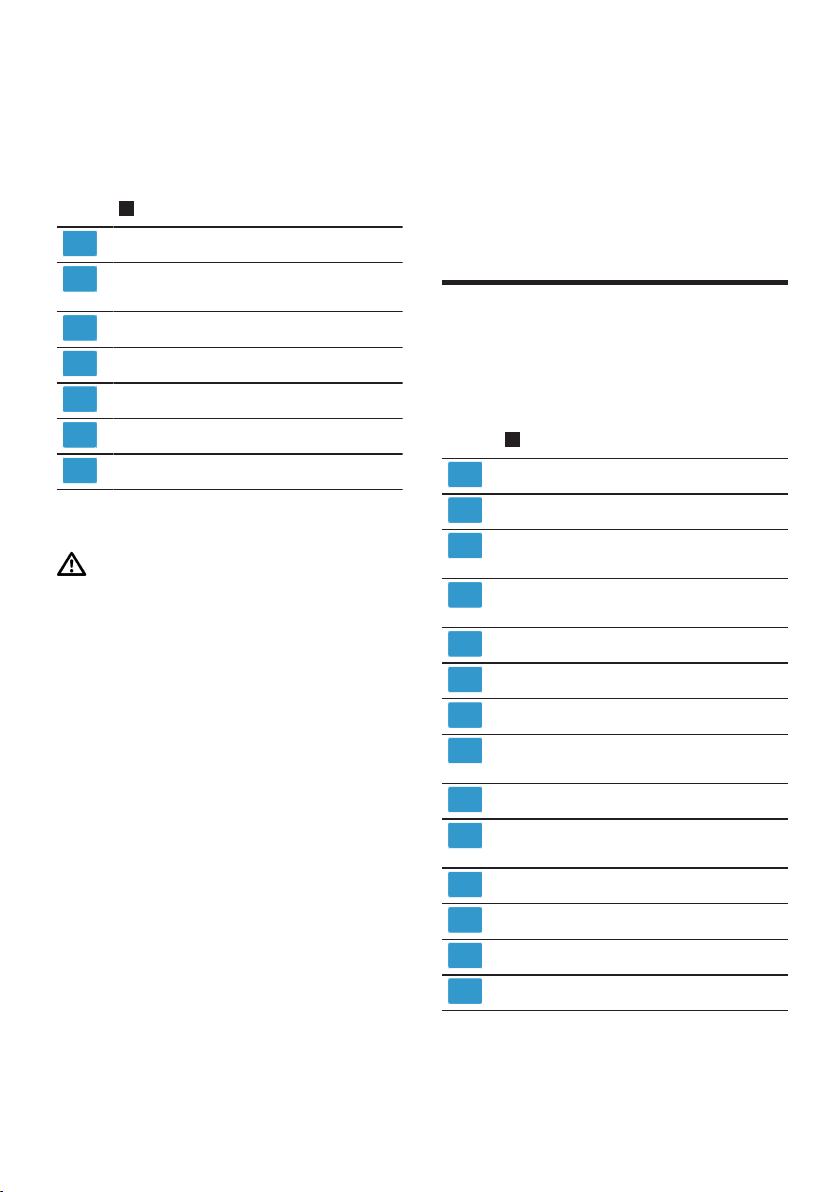
Periksa kerosakan semasa
penghantaran pada semua
komponen dan kelengkapan
penghantaran selepas membuka
pembungkusan.
Pengenalan ms
35
Nota:Bergantung pada peralatan,
peranti ini dibekalkan dengan
aksesori tambahan. Punggah skop
penghantaran tambahan bag
aksesori pilihan.
→Raj.
1
Peranti asas dengan mangkuk adun
Penutup dengan aci pengisian
bersepadu
Pemukul Profi-Flexi
Profi - Pemukul
Cangkuk penguli
Beg simpanan
Dokumen yang disertakan
Pasangkan peranti
AMARAN
Risiko kebakaran!
Panas yang melampau boleh
membakar peranti dan komponen
lain.
Jangan sesekali meletakkan
peranti di atas atau berhampiran
permukaan panas.
PERHATIAN!
¡ Semasa operasi, udara buangan
hangat keluar dari bahagian
belakang gril udara buangan.
Udara buangan yang tersekat
boleh menyebabkan peranti terlalu
panas.
Pasangkan peranti pada jarak
yang mencukupi dari dinding,
permukaan dan peranti sensitif.
¡ Getaran boleh menjejaskan fungsi
peranti.
Jangan letakkan peranti pada
permukaan yang bergerak atau
bergetar.
1. Letakkan peranti di atas
permukaan kerja yang stabil, rata,
bersih dan licin.
2. Tarik keluar kabel kuasa mengikut
panjang yang diperlukan.
→"Panjang kabel", Halaman39
Jangan pasangkan palam kuasa.
Pengenalan
Pengenalan
Pengenalan
Peranti
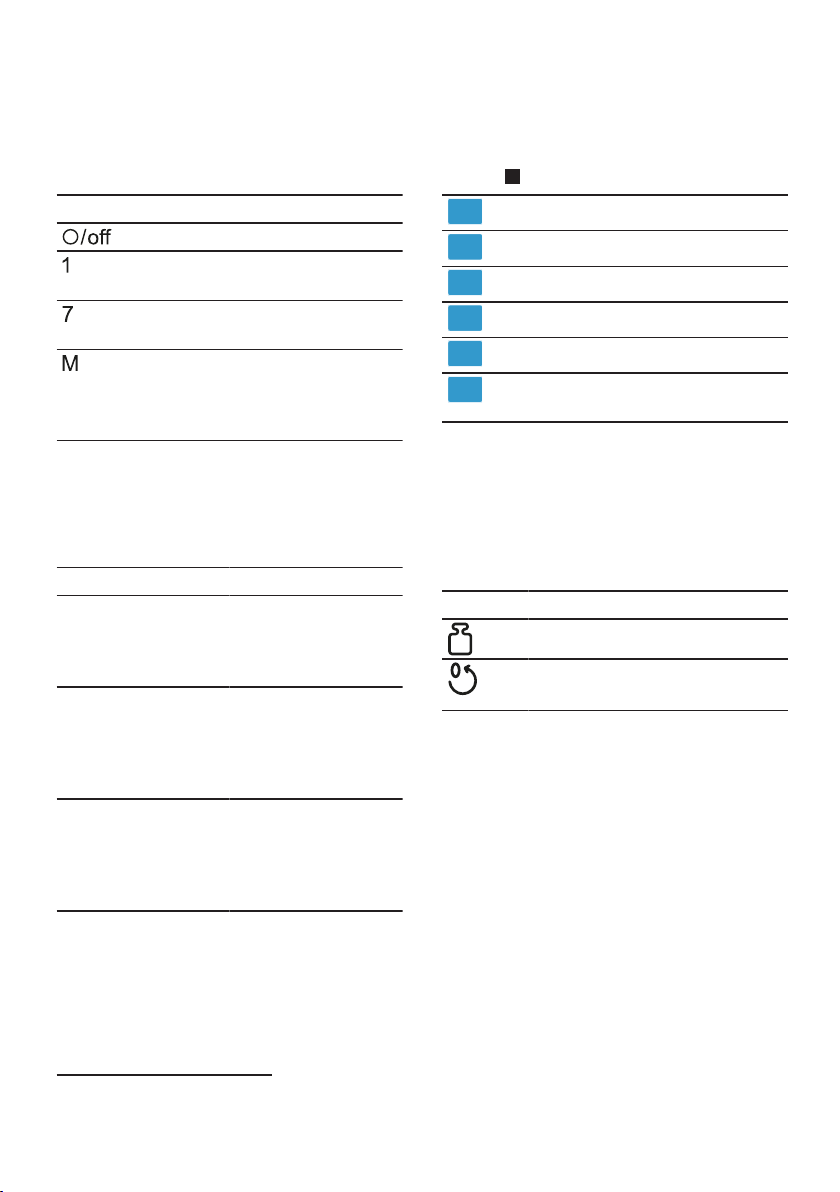
Di sini, terdapat gambaran
keseluruhan komponen peranti anda.
→Raj.
2
Mangkuk adun keluli tahan karat
Panel kawalan
Penutup dengan aci pengisian
bersepadu
Butang pembuka kunci untuk lengan
berayun
Pemutar lengan
Suis putar
Gelang berlampu
Penutup pelindung untuk pemanduan
2
Pemacu 2
Penutup pelindung untuk pemanduan
3
Pemacu 3
Gril ekzos
Pemacu utama
Penyimpanan kabel
ms Pengenalan
36
Suis putar
Gunakan suis putar untuk
memulakan dan menghentikan
proses dan pilih kelajuan.
Simbol Fungsi
Hentikan proses.
Proses bahan pada kelajuan
rendah.
Proses bahan pada kelajuan
paling tinggi.
Proses bahan sebentar dengan
kelajuan paling tinggi.
→"Gunakan suis sesaat",
Halaman42
Gelang berlampu
1
Gelungan cahaya pada suis putar
memaklumkan anda mengenai status
operasi peranti anda.
Paparan Status
Gelungan cahaya
menyala dan
pemprosesan sedang
dijalankan.
Peranti berfungsi
dengan baik.
Gelungan cahaya
tidak menyala dan
pemprosesan tidak
dapat dimulakan.
¡ Peranti tidak
mempunyai
bekalan kuasa.
¡ Terdapat ralat
peranti.
Gelungan diterangi
berkelip dan
pemprosesan tidak
boleh dimulakan atau
diteruskan.
¡ Sistem
keselamatan
diaktifkan.
¡ Terdapat ralat
peranti.
Petua:Lebih banyak maklumat boleh
didapati di sini:
→"Sistem keselamatan",
Halaman39
→"Selesaikan gangguan",
Halaman47
Panel kawalan
Berikut adalah gambaran
keseluruhan panel kawalan.
→Raj.
3
Butang set semula
Skala Butang
Paparan
Berat simbol dalam paun
Berat simbol dalam gram
Simbol masa dalam beberapa minit
dan saat
Butang fungsi
Gunakan kekunci fungsi untuk
memilih fungsi tambahan atau
membuat tetapan. Untuk membuat
pilihan, sentuh simbol yang sesuai
dengan jari anda.
Simbol Fungsi
Hidupkan dan matikan skala.
¡ Tetapkan semula skala.
¡ Tetapkan semula pemasa.
Nota:Kendalikan butang dengan jari
anda dan tanpa sarung tangan
dapur. Anda tidak boleh
mengoperasikan butang dengan
objek, contohnya Sudu kayu.
Paparan
Paparan menunjukkan tetapan,
maklumat dan nilai serta mesej
mengenai status operasi.
Nota:Sekiranya tidak ada operasi
yang dilakukan dalam waktu tertentu,
tampilan akan mati secara automatik.
1
Mengikut kelengkapan peranti
Pengenalan ms
37
Untuk mengaktifkan semula paparan,
tekan kekunci atau mulailah
memproses.
Pemutar lengan
Pemutar lengan boleh disesuaikan
dan dipasang dalam pelbagai
kedudukan.
Apabila butang pelepas ditekan,
pemutar lengan dapat ditukarkan ke
posisi yang diinginkan.
→"Gerak pemutar lengan",
Halaman40
Nota:Pemutar lengan dipasang
adalah dengan fungsi EasyArm Lift.
Fungsi ini menyokong pergerakan
lengan putar ke atas.
Kedudukan pemutar lengan
Berikut adalah gambaran
keseluruhan pemutar lengan.
Keduduk
an
Penggunaan
Keduduka
n 1
Pemutar lengan telah ditutup.
¡ Memproses bahan dengan
alat.
¡ Gunakan aksesori pada
pemacu utama, contoh.
Pembuat aiskrim.
¡ Gunakan aksesori 2 pada
pemacu, contoh. Pecincang
berterusan
Keduduka
n 2
Pemutar lengan telah dibuka.
¡ Letak atau tanggal mangkuk.
¡ Masukkan atau keluarkan alat.
¡ Tuangkan bahan ke dalam
mangkuk.
Keduduka
n 3
¡ Gunakan aksesori pada
pemacu utama, contoh.
Pengisar.
¡ Gunakan aksesori 3 pada
pemacu, contoh. Lekapan
pengadun
Pemacu
Peranti anda dilengkapi dengan
pemacu yang berbeza yang
disesuaikan dengan alat dan
aksesori.
Nota:Pemacu dan ditutup dengan
penutup pelindung 23
→"Penutup pemacu", Halaman42
Gambaran keseluruhan pemacu
Di sini anda akan mendapat
gambaran keseluruhan pemacu dan
tujuannya.
Pemacu Penggunaan
Pemacu
utama
Untuk alat dan aksesori,
contohnya
¡ Pengisar
¡ Pemasangan pasta
¡ Pembuat aiskrim
Pemacu 2 Untuk alat, contoh
¡ Pecincang berterusan
¡ Penekan sitrus
Pemacu 3 Untuk alat, contoh
¡ Lekapan pengadun-Kaca
¡ Lekapan pengadun-plastik
¡ Set cincang pelbagai
Alatan
Di sini anda dapat mengetahui
perkara penting mengenai pelbagai
alat.
Cangkuk doh dilengkapi dengan
penutup pelindung yang boleh
ditanggalkan untuk melindungi
pemacu daripada pencemaran.
Gambaran alat
Gunakan alat yang sesuai
bergantung pada aplikasinya.
ms Pengenalan
38
Perlatan Penggunaan
Cangkuk penguli
¡ Menguli doh berat, contoh
adunan yis.
¡ Lipat makanan yang tidak
boleh dicincang, contoh kismis
atau kerepek coklat.
Pemukul Profi-Flexi
¡ Kacau makanan, contoh
adunan atau mousse.
¡ Bahagikan makanan, contoh
putih telur, krim atau kismis.
Profi - Pemukul
¡ Pukul putih telur dan krim.
¡ Kacau adunan ringan, contoh
Doh span.
Pelarasan pemukul profesional
Gunakan penyesuaian halus untuk
membetulkan jarak antara mangkuk
dan pemukul profesional.
Nota:Pukul profesional dipasang di
alat supaya ramuan dicampurkan
secara optimum.
Tetapan alat yang betul
PERHATIAN!
Peranti dan alat boleh rosak oleh
tetapan alat yang salah.
Jangan sekali-kali mengendalikan
alat yang menyentuh mangkuk.
Keperluan
¡ Palam kuasa tidak dipasang.
¡ Lengan putar telah dibuka.
¡ Pemukul profesional digunakan.
¡ Mangkuk dibuka.
1. Pegang pemukul dengan satu
tangan di bahagian bawah dan
longgarkan kunci pengunci
mengikut arah jam dengan sepana
terbuka.
→Raj.
4
2. Untuk menukar jarak, putar alat.
→Raj.
5
Perhatikan nilai dalam jadual:
Pelaras Jarak
Pelaras optimum 3mm
Satu pusingan
mengikut arah jam
1mm banyak lagi
Satu putaran
berlawanan arah
jam
1mm kurang
3. Tekan butang pelepas dan tekan
lengan putar ke bawah hingga
terkunci pada tempatnya.
4. Periksa pelaras.
5. Tekan butang pelepas dan tekan
lengan pemutar hingga terkunci
pada tempatnya.
6. Pegang pemukul dengan sebelah
tangan di bahagian bawah dan
ketatkan mur kunci berlawanan
arah jarum jam dengan sepana
terbuka.
Simbol
Di sini, anda akan mendapat
gambaran keseluruhan simbol pada
peranti anda.
Simbol Huraian
Menandakan pada penutup
pelindung untuk pemacu2.
Tanda lampiran pada penutup
pelindung untuk pemacu3.
Penandaan kedudukan pada
pemacu3.
Kedudukan tempat letak
Peranti anda dilengkapi dengan
tempat letak kenderaan automatik.
Setelah dimatikan, pemacu terus
bergerak selama beberapa saat
sehingga kedudukan tempat letak
kereta yang betul tercapai.

Sebelum penggunaan kali pertama ms
39
Nota:Dengan alat yang disisipkan,
lengan putar hanya dapat dibuka
atau ditutup jika pemacu berada di
posisi parkir yang betul.
Sebab berikut menyebabkan
kedudukan tempat letak yang tidak
betul:
¡ Bekalan elektrik terganggu
semasa pemprosesan.
¡ Sistem keselamatan telah selesai
diproses.
¡ Lengan putar terlepas semasa
memproses atau butang pelepas
untuk lengan putar ditekan.
Petua:Anda boleh memperbaiki
kedudukan tempat letak yang salah
dengan mudah.
→"Selesaikan gangguan",
Halaman47
Sistem keselamatan
Di sini, anda akan mendapat
gambaran keseluruhan sistem
keselamatan peranti anda.
Pelindung penghidupan
Pelindung penghidupan menghalang
peranti anda dihidupkan secara tidak
sengaja.
Peranti hanya boleh dihidupkan dan
dikendalikan jika
¡ lengan putar terkunci pada
kedudukannya1 mangkuk atau
aksesori dimasukkan contoh
Pembuat aiskrim.
¡ lengan putar dilekatkan pada
pemacu, penutup pelindung atau
aksesori.33
Pelindung penghidupan semula
Perlindungan mmula semula akan
menghalang peranti anda
memulakan pemprosesan secara
automatik setelah gangguan kuasa.
Peranti dihidupkan semula setelah
gangguan kuasa. Pemprosesan
hanya boleh dimulakan semula
setelah suis putar diatur ke
.
Pelindung beban berlebihan
Pelindung beban lebih menghalang
motor dan komponen lain daripada
rosak akibat beban berlebihan.
Enjin mati apabila
¡ terlalu banyak yang sedang
diproses.
¡ alat atau aksesori disekat.
Sebelum penggunaan kali pertama
Sebelum penggunaan kali
pertama
Sebelum penggunaan kali pertama
Sediakan peranti untuk penggunaan.
Sediakan peranti
1. Tekan butang pelepas dan tekan
lengan pemutar hingga terkunci
pada tempatnya.
→"Gerak pemutar lengan",
Halaman40
2. Putar mangkuk mengikut arah jam
dan angkat.
→"Tanggalkan mangkuk.",
Halaman40
3. Bersihkan semua komponen yang
bersentuhan dengan makanan
sebelum penggunaan pertama.
→"Pembersihan dan penjagaan",
Halaman44
4. Sediakan komponen yang
dibersihkan dan dikeringkan untuk
digunakan.
Operasi asas
Operasi asas
Operasi asas
Panjang kabel
Tetapkan panjang kabel kuasa
mengikut keperluan anda.

ms Operasi asas
40
Tetapkan panjang kabel dengan
kekili kabel
1. Tarik keluar kabel kuasa ke
panjang yang diperlukan dan
lepaskan perlahan-lahan.
2. Untuk memendekkan panjang
kabel,
‒ tarik kabel,
‒ biarkan kabel bergulung,
‒ tarik semula kabel.
Nota:Jangan tolak masuk kabel
dengan tangan. Jika kabel tersekat,
tarik keluar kabel sepenuhnya dan
biarkan ia bergulung masuk semula.
Gerak pemutar lengan
1. Tekan butang pelepas dan tekan
lengan pemutar hingga terkunci
pada tempatnya.
→Raj.
6
a Lengan putar dipasang pada
kedudukannya 2.
2. Tekan butang pelepas dan
gerakkan pemutar lengan ke
bawah sehingga terkunci pada
kedudukan menegak.
→Raj.
7
a Lengan putar dipasang pada
kedudukannya 3.
Masukkan mangkuk.
1. Letakkan mangkuk di peranti asas.
→Raj.
8
Sila ambil perhatian pada alur
pada unit asas.
2. Putar mangkuk mengikut arah
lawan jarum jam sehingga terletak
pada tempatnya.
→Raj.
9
Tanggalkan mangkuk.
Putar mangkuk mengikut arah jam
dan angkat.
→Raj.
10
Masukkan alat
1. Pilih alat yang anda perlukan.
→"Gambaran alat", Halaman37
2. Tolak alat ke pemacu utama
sehingga terpasang pada
tempatnya.
→Raj.
11
3. Untuk memasukkan cangkuk doh:
‒ Masukkan cangkuk doh dengan
penutup pelindung yang
terpasang ke pemacu utama.
‒ Putar penutup pelindung
sehingga cangkuk doh dapat
dilekatkan sepenuhnya.
→Raj.
12
Penutup pelindung mesti
menutupi pemacu utama
sepenuhnya.
Keluarkan alat.
Tarik alat sepenuhnya keluar dari
pemacu.
→Raj.
13
Masukkan penutup mangkuk
Keperluan
¡ Alat yang dikehendaki
dimasukkan.
¡ Mangkuk dibuka.
¡ Lengan putar telah ditutup.
1. Tekan butang pelepas, angkat
lengan putar sedikit dan tahan.
→Raj.
14
2. Angkat penutup dengan perlahan
di bahagian depan, luncurkan
sepenuhnya ke mangkuk dan
letakkan ke bawah.
→Raj.
15
Salur pengisian mesti menghala ke
depan.
3. Tekan pemutar lengan ke bawah
sehingga terkunci pada tempatnya.
→Raj.
16
Operasi asas ms
41
Tanggalkan penutup
mangkuk
1. Tekan butang pelepas, angkat
lengan putar sedikit dan tahan.
2. Angkat penutup sedikit di
bahagian depan dan tarik ke arah
depan.
3. Tekan pemutar lengan ke atas
sehingga terkunci pada tempatnya.
Pemprosesan
Di sini anda dapat mengetahui
keperluan penting untuk memproses
makanan.
Cadangan kelajuan
Ikuti cadangan kelajuan untuk hasil
terbaik.
alat atau aksesori Langkah
1-7
1-5
1-3
1
3-5
3-7
3-7
3-5
7
5-7
3-7
M
M
alat atau aksesori Langkah
5-7
Memproses bahan dengan alat.
AMARAN
Risiko kecederaan!
Pemacu, alat atau bahagian aksesori
yang berputar boleh menyebabkan
kecederaan.
Jauhkan tangan, rambut, pakaian
dan perkakas lain daripada
kompoenn yang berputar.
Hanya pasang dan tanggalkan alat
dan aksesori semasa pemacu
berhenti dan peranti tidak
terpasang.
Sebelum menukar atau
membersihkan alat, matikan
peranti dan putuskan daripada
bekalan kuasa.
Kendalikan alat hanya dengan
mangkuk yang dimasukkan,
penutup yang dipasang dan
penutup pelindung pemacu yang
dipasang.
Jangan sesekali membuka lengan
putar semasa proses.
Keperluan
¡ Mangkuk dibuka.
¡ Alat yang diperlukan akan
dimasukkan.
1. Tuangkan bahan ke dalam
mangkuk.
2. Tekan butang pelepas dan tekan
lengan putar ke bawah hingga
terkunci pada tempatnya.
3. Masukkan penutup mangkuk.
→"Masukkan penutup mangkuk",
Halaman40
4. Pasangkan palam kuasa.
5. Tetapkan suis putar ke kelajuan
yang dikehendaki.
→Raj.
17
ms Skala
42
6. Proses bahan sehingga hasil yang
diinginkan tercapai.
7. Tetapkan suis putar ke
.
→Raj.
18
Tunggu perkakas berhenti.
8. Tanggalkan plag.
Petua
¡ Anda boleh mengubah kelajuan
atau menghentikan sementara
proses semasa memproses.
¡ Bersihkan semua bahagian sebaik
sahaja digunakan sehingga sisa
tidak kering.
Isi semula bahan
1. Semasa pemprosesan, isi bahan
melalui corong tiub pada penutup.
→Raj.
19
2. Untuk mengisi semula dengan
jumlah yang lebih besar, tetapkan
suis putar ke .
Tunggu perkakas berhenti.
3. Tanggalkan penutup mangkuk.
→"Tanggalkan penutup mangkuk",
Halaman41
4. Tuangkan bahan ke dalam
mangkuk.
5. Masukkan penutup mangkuk.
→"Masukkan penutup mangkuk",
Halaman40
6. Proses bahan sehingga hasil yang
diinginkan tercapai.
Gunakan suis sesaat
1. Setkan suis putar ke
dan
kekalkan.
→Raj.
20
a Bahan diproses dengan kelajuan
tertinggi.
2. Lepaskan suis putar.
→Raj.
21
a Suis putar melompat ke .
a Pemprosesan dihentikan dan
pemacu bergerak ke kedudukan
taman.
Petua
Peralihan sesaat sangat sesuai untuk
penggunaan aksesori berikut:
¡ Lekapan pengadun-Kaca
¡ Set cincang pelbagai
¡ Lekapan berbilang pengadun
Penutup pemacu
Tanggalkan penutup pelindung untuk
meletakkan aksesori pada pemacu2
atau 3 untuk gunaan.
Tanggalkan penutup pelindung
pemacu
1. Tekan penutup pelindung pemacu
ke bawah sehingga tanda dan
lepaskan. 2
→Raj.
22
2. Tarik penutup pelindung untuk
pemacu dan lepaskan.3
→Raj.
23
Pasang penutup pelindung pemacu
1. Sejajarkan penutup pelindung
untuk pemacu ke belakang,
pasangkan dan tekan ke
tempatnya.2
→Raj.
24
2. Pasang penutup pelindung
pemacu atau dan tekan ke
tempatnya.3
→Raj.
25
Penandaan dan mesti
diselaraskan.
Nota:Sentiasa tutup pemacu yang
tidak digunakan dengan penutup
pelindung.
Skala
Skala
Skala
Peranti anda dilengkapi dengan
skala. Anda boleh menimbang bahan
secara tunggal.
Peranti asas mempunyai 4 sensor
berat pada tapak kaki.
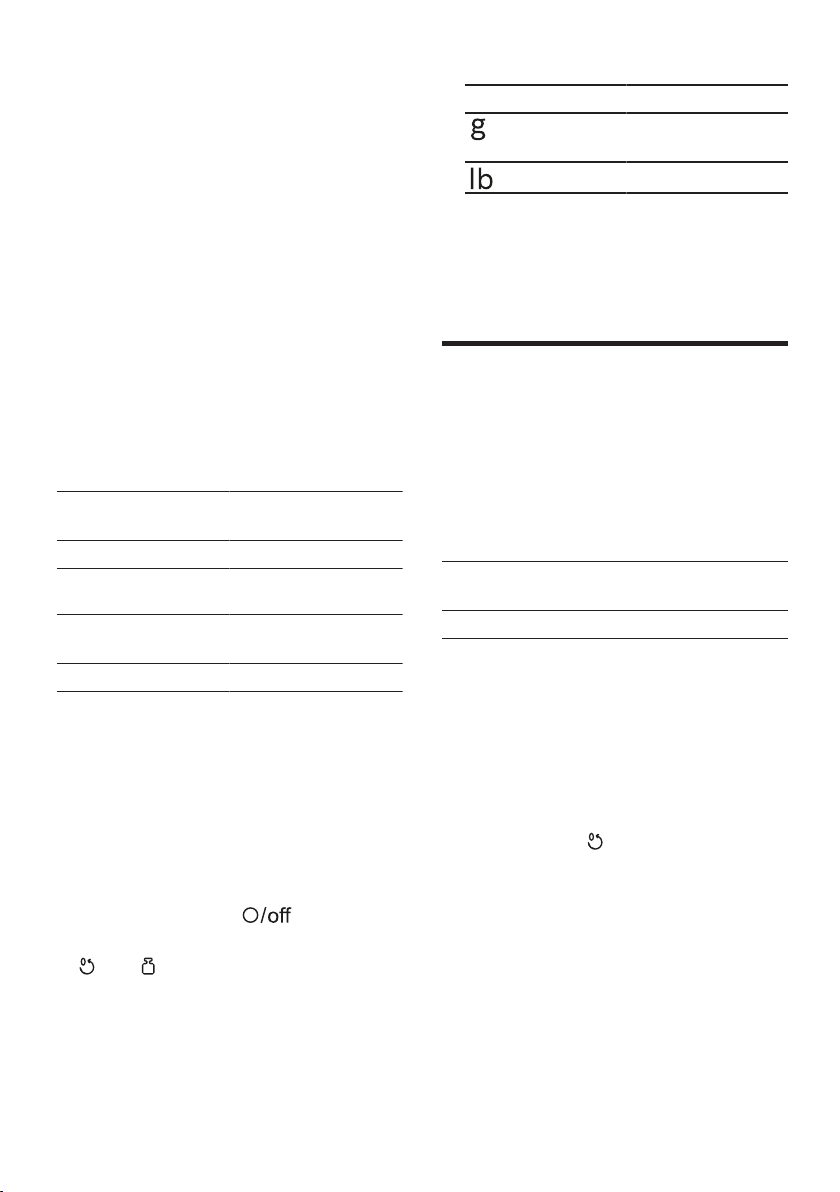
Masa ms
43
Faktor berikut boleh memalsukan hasil
pengukuran:
¡ Tapak kaki tidak duduk dengan
betul di permukaan kerja.
¡ Getaran permukaan kerja
¡ Objek di bawah unit asas
¡ jumlah bahan di bawah 5g atau
0,01lb
¡ Menggerakkan peranti asas
¡ Menyentuh unit asas
¡ Objek pada unit asas
Menunjukkan nilai
keseimbangan
Perhatikan nilai berikut semasa
menggunakan baki.
Paparan unit dalam gram
Kawasan paparan -990g sehingga
5000g
Langkah paparan 5g
Paparan unit dalam paun
Kawasan paparan -2,20lb sehingga
11,00lb
Langkah paparan 0,01lb
Petua:Anda boleh menukar unit
paparan baki pada bila-bila masa.
→"Tukar unit paparan skala",
Halaman43
Timbang bahan
Tukar unit paparan skala
Keperluan
¡ Suis putar berdiri
.
¡ Skala telah dihidupkan.
1. dan tekan dan tahan.
Unit paparan keseimbangan
berubah.
Simbol Unit
Paparan dalam
Gram
Paparan dalam Paun
2. Lepaskan kedua butang.
a Skala mengkalibrasi dirinya dan
dimulakan semula dengan tetapan
yang berubah.
a Tetapan disimpan.
Masa
Masa
Masa
Anda boleh membaca atau
menetapkan semula masa
pemprosesan sebelumnya.
Menunjukkan nilai masa
Perhatikan nilai berikut semasa
menggunakan masa.
Kawasan paparan 0 Saat sehingga
59Minit dan 59Saat
Langkah paparan 1Saat
Baca masa pemprosesan dan
tetapkan semula
1. Tetapkan suis putar ke kelajuan
yang dikehendaki.
a Paparan menunjukkan masa
pemprosesan.
2. Untuk tetapkan semula paparan,
tekan."00:00"
Nota
¡ Sekiranya anda mengganggu
pemprosesan selama kurang dari
30 saat, nilai yang dipaparkan
terakhir disimpan dan dilanjutkan
ketika pemprosesan diulang.
¡ Sekiranya anda mengganggu
pemprosesan selama lebih dari 30
saat, peranti akan menghidupkan
skala dan menentukurnya sendiri.

ms Pembersihan dan penjagaan
44
Pembersihan dan penjagaan
Pembersihan dan
penjagaan
Pembersihan dan penjagaan
Bersih dan jaga dengan teliti supaya
peranti anda kekal berfungsi untuk
jangka masa yang lama.
Agen pembersih
Ketahui agen pembersih yang sesuai
untuk peranti anda.
PERHATIAN!
Agen pembersih yang tidak sesuai
atau pembersihan yang tidak betul
boleh merosakkan peranti.
Jangan gunakan agen pembersih
yang mengandungi alkohol.
Jangan gunakan objek tajam,
berbucu atau logam.
Jangan gunakan kain atau agen
pembersih yang melelas.
Bersihkan panel kawalan dan
paparan hanya dengan kain
mikrofiber yang lembap.
Gambaran keseluruhan
pembersihan
Di sini anda akan mendapat
gambaran keseluruhan cara terbaik
untuk membersihkan peranti dan
bahagian lain.
→Raj.
26
Petua:Perubahan warna boleh
berlaku pada bahagian plastik,
contoh semasa memproses lobak
merah. Keluarkan perubahan warna
dengan kain lembut dan beberapa
titisan minyak masak.
Aksesori pilihan
Aksesori pilihan
Aksesori pilihan
Aksesori pilihan boleh dibeli melalui
khidmat pelanggan, di kedai pakar
atau di laman web. Gunakan
aksesori tulen sahaja kerana
aksesori ini telah dipadankan dengan
peralatan anda sebetul-
betulnya.Verwenden Sie nur
Originalzubehör, da dieses genau auf
Ihr Gerät abgestimmt ist.
"Aksesori adalah khusus mengikut
peralatan. Sentiasa nyatakan label
peralatan (E-Nr.) anda yang betul
semasa pembelian." →Halaman50
Aksesori manakah yang tersedia
untuk peralatan anda boleh didapati
dalam katalog kami, di kedai dalam
talian atau melalui khidmat
pelanggan.
www.bosch-home.com
Resipi
Resipi
Resipi
Di sini, anda akan menemui pilihan
resipi yang telah dicipta khas untuk
peranti anda.
Petua
¡ Perhatikan kuantiti pemprosesan
maksimum yang ditentukan untuk
mencapai hasil yang optimum.
¡ Anda boleh menggunakan
timbangan bersepadu untuk
menimbang bahan semasa
mengisinya.
→"Skala", Halaman42
¡ Anda boleh memantau masa
pemprosesan dengan pemasa.
→"Masa", Halaman43
Gambaran keseluruhan resipi
Dalam gambaran keseluruhan ini, anda akan menemui bahan dan langkah
pemprosesan untuk pelbagai resipi.

Resipi ms
45
Resipi Bahan Pemprosesan
Krim putar 100-600g Krim ¡ Tetapkan pemukul.
¡ Masukkan krim.
¡ 1½-4Minit Memproses7 ke atas
tahap.
Putih telur 1-8 Putih telur (Suhu bilik) ¡ Tetapkan pemukul.
¡ Masukkan putih telur.
¡ 4-6Minit Memproses7 ke atas
tahap.
Campuran span ¡ 2Telur
¡ 2-3Sudu besar air panas
¡ 100g Gula
¡ 1EL Gula vanila
¡ 70g Tepung (diayak)
¡ 70g Tepung jagung
¡ Serbuk penaik (sesuka hati)
Nota:Proses 2-jumlah lipatan
maksimum pada masa yang sama.
¡ Tetapkan pemukul.
¡ Tambah kesemua bahan kecuali
tepung dan tepung jagung.
¡ 4-6Minit Memproses7 ke atas
tahap.
¡ Tetapkan 1 tahap.
¡ Di dalam tepung dan kanji
masukkan sudu demi sudu.
30-60Saat
Adunan kek ¡ 6Telur
¡ 500g Gula
¡ 1Secubit garam
¡ 2Sudu besar gula vanila atau parut
setengah lemon
¡ 500g Mentega atau marjerin (suhu
bilik)
¡ 1000g Tepung
¡ 15g Serbuk penaik
¡ 250ml Susu
Nota:Proses 1-jumlah lipatan
maksimum pada masa yang sama.
¡ Tetapkan pengacau.
¡ Tambahkan telur, garam, gula dan
gula vanila atau kulit lemon.
¡ 10Saat Memproses1 ke atas
tahap.
¡ Kemudian 2Minit memproses5 ke
atas tahap.
¡ Masukkan mentega dan 60Saat
memproses3 ke atas tahap.
¡ Masukkan tepung dan serbuk
penaik dan 2Minit memproses1 ke
atas tahap.
¡ Tetapkan 3 tahap.
¡ Masukkan susu 2Minit ke dalam.
Pastri rapuh ¡ 125g Mentega
¡ 100-125g Gula
¡ 1 Telur
¡ 1 Secubit garam
¡ sedikit gula vanila atau kulit limau
parut
¡ 250g Tepung
¡ Serbuk penaik (sesuka hati)
Nota:Proses 2-jumlah lipatan
maksimum pada masa yang sama.
¡ Tetapkan pengacau.
¡ Tambah kesemua bahan.
¡ 30Saat Memproses1 ke atas
tahap.
¡ 2-3Minit Memproses6 ke atas
tahap.
Dari 500g Tepung:
¡ Masukkan cangkuk doh.
¡ Tambah kesemua bahan.
¡ 30Saat Memproses1 ke atas
tahap.
¡ 3-4Minit Memproses3 ke atas
tahap.

ms Resipi
46
Resipi Bahan Pemprosesan
Doh yis ¡ 500g Tepung
¡ 1 Telur
¡ 80g Lemak (Suhu bilik)
¡ 80g Gula
¡ 200-250ml Susu suam
¡ 25g yis segar atau 1Sudu besar
yis kering.
¡ parut setengah lemon
¡ 1 Secubit garam
Nota:Proses 2-jumlah lipatan
maksimum pada masa yang sama.
¡ Masukkan cangkuk doh.
¡ Tambah kesemua bahan.
¡ 30Saat Memproses1 ke atas
tahap.
¡ 3-6Minit Memproses3 ke atas
tahap.
Doh mi ¡ 300g Tepung
¡ 150g Telur (ca. 3sekeping)
¡ 15-30ml air sejuk (sesuka hati)
Nota:Proses 1½-jumlah lipatan
maksimum pada masa yang sama.
¡ Masukkan cangkuk doh.
¡ Tambah kesemua bahan.
¡ 3-5Minit Memproses3 ke atas
tahap.
Doh roti ¡ 1000g Tepung
¡ 2Sudu besar Yis kering
¡ 2TL garam
¡ 660ml Air suam
Nota:Proses 1-jumlah lipatan
maksimum pada masa yang sama.
¡ Masukkan cangkuk doh.
¡ Tambah kesemua bahan.
¡ 30Saat Memproses1 ke atas
tahap.
¡ 4-5Minit Memproses3 ke atas
tahap.
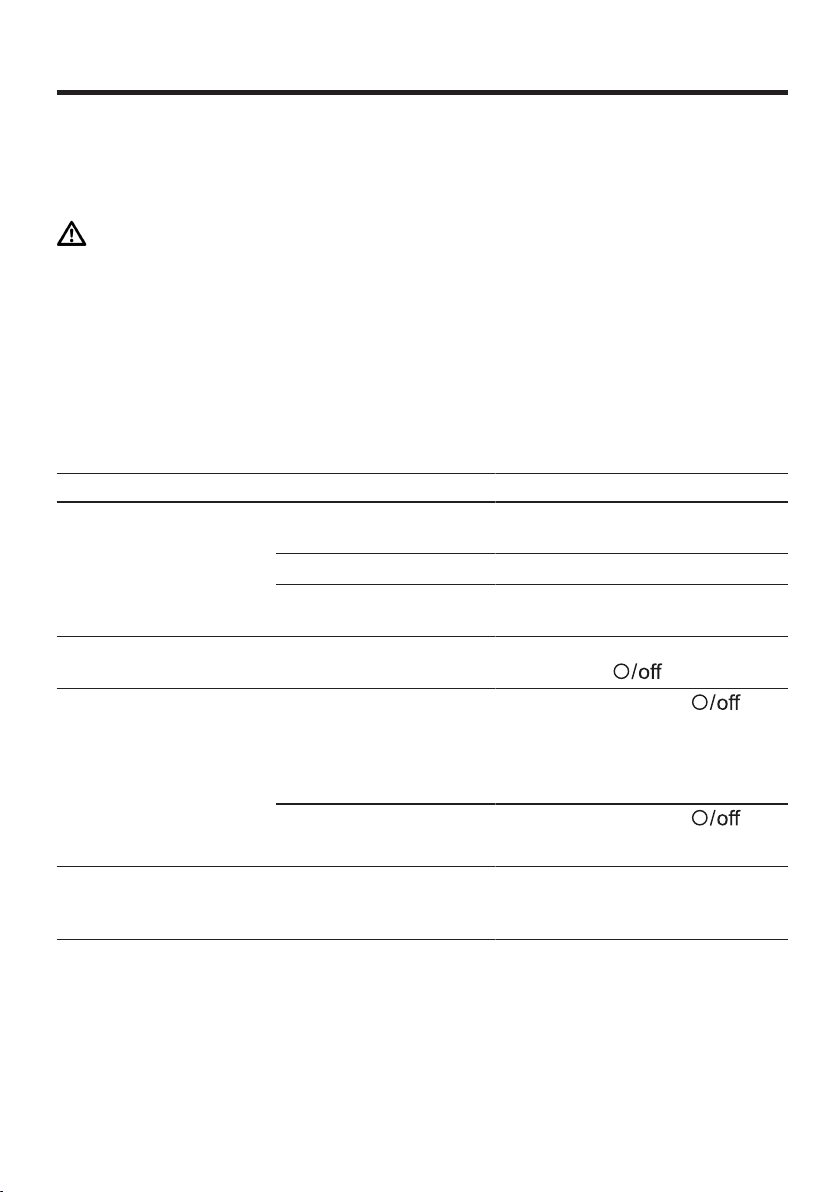
Selesaikan gangguan ms
47
Selesaikan gangguan
Selesaikan gangguan
Selesaikan gangguan
Gangguan kecil pada peranti anda boleh diselesaikan oleh anda sendiri.
Gunakan maklumat untuk penyelesaian gangguan sebelum anda menghubungi
khidmat pelanggan. Dengan ini, anda dapat mengelakkan kos yang tidak perlu.
AMARAN
Risiko kejutan elektrik!
Pembaikan yang tidak betul adalah berbahaya.
Hanya pengendali yang berkelayakan boleh melakukan pembaikan pada
peranti.
Hanya alat ganti tulen dibenarkan untuk pembaikan peranti.
Untuk mengelakkan kecederaan, kabel kuasa peranti rosak mestilah
digantikan oleh pengeluar atau khidmat pelanggannya atau orang yang
sama kelayakannya.
Gangguan fungsi
Kerosakan Sebab Pencarisilapan
Peranti tidak berfungsi. Palam pada kabel kuasa
tidak dipasang.
Sambungkan peranti pada bekalan
elektrik.
Fius rosak.
Periksa fius di dalam kotak fius.
Bekalan elektrik terganggu.
Periksa sama ada lampu bilik atau
peranti lain di dalam bilik berfungsi.
Peranti tidak mula diproses. Suis putar tidak betul.
Tetapkan suis putar ke sebelum
memproses
.
Peranti tidak mula diproses
atau dimatikan semasa
diproses.
Kuantiti pemprosesan terlalu
tinggi atau masa
pemprosesan terlalu lama.
Tetapkan suis putar ke
.
Kurangkan jumlah ramuan.
Biarkan peranti sejuk pada suhu
bilik.
Perkakas atau aksesori
tersekat.
Tetapkan suis putar ke
.
Keluarkan sekatan.
Skala menunjukkan tiada
perubahan berat, walaupun
bahan diisi.
Jumlah ramuan berada di
bawah julat pengukur skala.
Isikan sekurangnya 5g atau
0,01lb supaya keseimbangan
menunjukkan nilai yang betul.
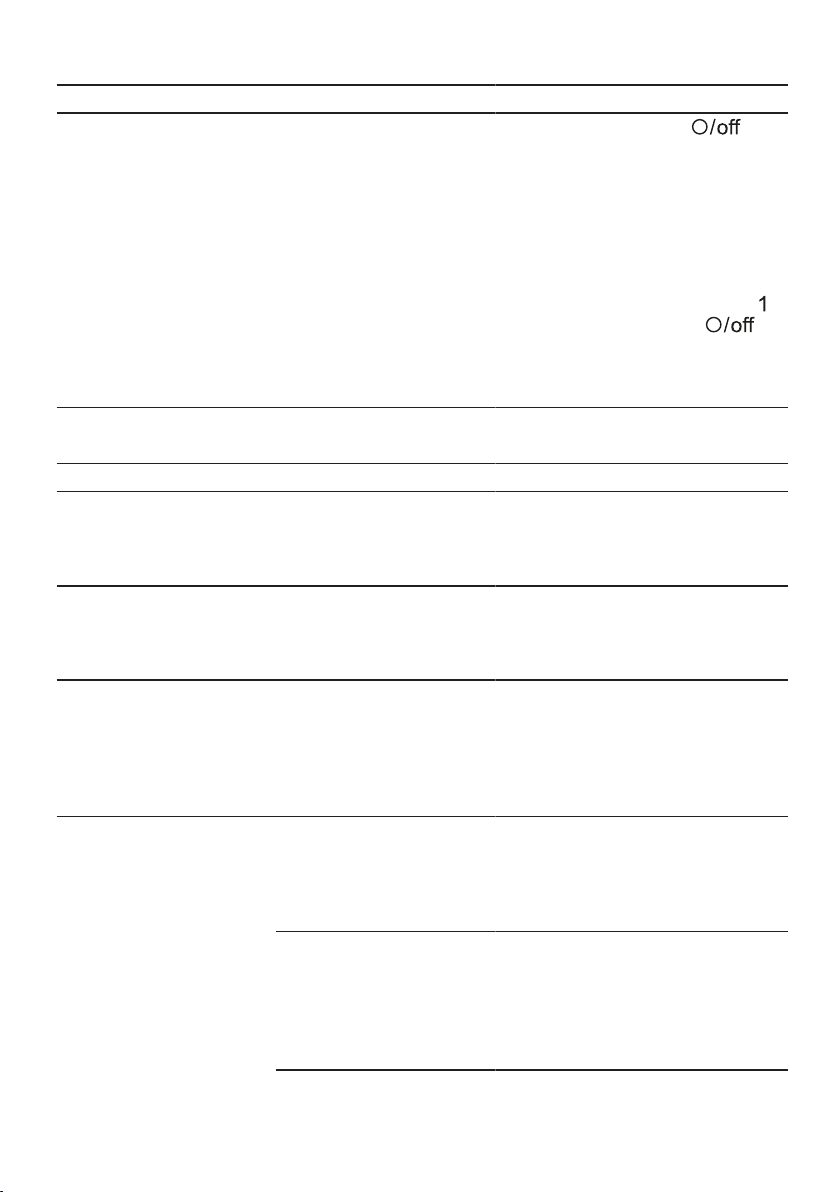
ms Selesaikan gangguan
48
Kerosakan Sebab Pencarisilapan
Lengan pemutar tidak dapat
dibuka atau ditutup kerana
alat itu tersangkut di
mangkuk.
Pemacu tidak berada di
kedudukan taman setelah
sistem keselamatan berhenti
diproses atau bekalan kuasa
terganggu.
1. Tetapkan suis putar ke .
2. Sila betulkan punca yang
menyebabkan peranti berhenti
→"Sistem keselamatan",
Halaman39
3. Apabila lengan pemutar terbuka,
lepaskan alat dan tutup lengan
putar.
4. Tetapkan sebentar suis putar ke
dan kemudian sekali lagi .
a Pemacu terus bergerak untuk
waktu yang singkat sehingga
kedudukan taman tercapai.
Maklumat pada bekas peragaan.
Kerosakan Sebab Pencarisilapan
Paparan berkelip "5000g"
atau "11.00lb".
Nilai paparan skala melebihi.
Sila perhatikan nilai paparan
keseimbangan.
→"Menunjukkan nilai
keseimbangan", Halaman43
Paparan berkelip "-990g"
atau "-2.20lb".
Nilai paparan skala telah
melebihi.
Sila perhatikan nilai paparan
keseimbangan.
→"Menunjukkan nilai
keseimbangan", Halaman43
Dalam paparan, "59:59m:s"
berkelip.
Julat paparan pemasa telah
melebihi.
Jangan memproses makanan lebih
lama daripada 59 minit dan 59 saat
atau tetapkan semula masa
pemprosesan dalam masa ini.
→"Baca masa pemprosesan dan
tetapkan semula", Halaman43
Paparan menunjukkan
''ERROR''
Skala diganggu oleh getaran
yang kuat.
Jangan gunakan peranti di meja
kerja yang mengalami getaran,
contoh di mana mesin basuh
pinggan mangkuk sedang
beroperasi.
Tanah tidak rata. 1. Letakkan peranti di atas
permukaan kerja yang stabil, rata,
bersih dan licin.
2. Sila periksa sama ada semua 4
kaki bersentuhan dengan
permukaan kerja.

Selesaikan gangguan ms
49
Kerosakan Sebab Pencarisilapan
Paparan menunjukkan
''ERROR''
Tapak kaki kotor.
Lap tapak kaki dengan kain
lembap.
Skala perlu dimulakan
semula.
1. Untuk memulakan semula skala:
‒ Sila tekan
.
‒ Tunggu selama 30-60 saat.
‒ Tekan sekali lagi
dan
tunggu penentukuran.
2. Sekiranya ralat masih dipaparkan,
putuskan sambungan peranti dari
bekalan kuasa sebentar dan
kemudian cuba hidupkan semula
skala.
Nota:Lakukan langkah penyelesaian
masalah beberapa kali sebelum
menghubungi perkhidmatan
pelanggan.
ms Pelupusan
50
Pelupusan
Pelupusan
Pelupusan
Ketahui di sini cara anda melupuskan
peranti lama dengan betul.
Lupuskan peranti lama
Melalui pelupusan mesra alam,
bahan mentah yang bernilai boleh
digunakan semula.
1. Tanggalkan palam kabel kuasa.
2. Pisahkan kabel kuasa.
3. Lupuskan peranti secara mesra
alam.
Maklumat mengenai kaedah
pelupusan terkini boleh didapati
daripada pengedar anda dan juga
pentadbir perbandaran atau
bandar anda.
Alat ini bersesuaian dengan
garis panduan Eropa 2012/19/
EU tentang alat-alat tua elektrik
dan elektronik (waste electrical
and electronic equipment -
WEEE).
Garis panduan tersebut
memberi rangka rujukan yang
berlaku di seluruh Eropa untuk
penerimaan balik dan
penggunaan alat-alat tua.
Khidmat pelanggan
Khidmat pelanggan
Khidmat pelanggan
Hubungi khidmat pelanggan kami
jika anda mempunyai soalan,
gangguan pada peranti tidak boleh
diselesaikan sendiri atau hendak
membaiki peranti.
Alat ganti tulen sama fungsi mengikut
Peraturan Reka Bentuk Eko yang
berkaitan boleh didapati daripada
khidmat pelanggan kami untuk
tempoh sekurang-kurangnya 7 tahun
selepas peranti anda berada di
pasaran dalam kawasan ekonomi
Eropah.
Nota:Penggunaan khidmat
pelanggan adalah percuma mengikut
syarat jaminan pengilang.
Maklumat terperinci mengenai masa
jaminan dan syarat jaminan di negara
anda boleh didapati melalui khidmat
pelanggan kami, pengedar anda atau
di laman web kami.
Jika anda berhubung dengan
khidmat pelanggan, anda
memerlukan nombor produk (No. E)
dan nombor pengeluaran (FD)
peranti anda.
Maklumat hubungan khidmat
pelanggan boleh didapati dalam
mana-mana panduan khidmat
pelanggan pada hujung panduan
atau pada laman sesawang kami.
Nombor produk (No. E) dan
nombor pengeluaran (FD)
Nombor produk (No. E) dan nombor
pengeluaran (FD) boleh didapati
pada label peranti.
Anda boleh mencatat maklumat
untuk mencari semula maklumat
peranti anda dan nombor telefon
khidmat pelanggan dengan cepat.
Syarat jaminan
Anda berhak mendapat jaminan
untuk peranti anda sesuai dengan
syarat berikut.
Syarat-syarat jaminan untuk perkakas
ini adalah seperti yang ditakrifkan
oleh wakil kami di negara tempat ia
dijual. Butir-butir tentang syarat-syarat
ini boleh didapati daripada wakil
penjual tempat perkakas dibeli. Bil
jualan atau resit mestilah ditunjukkan
apabila anda hendak membuat apa-
apa tuntutan di bawah terma-terma
jaminan ini.

zh-tw
51
.............................................52
..................................52
.........................................52
.........................................52
..................................53
..................................55
........................55
..................................55
......................................55
...............................55
.........................................55
.........................................55
.........................................56
................................................56
.........................................56
1
............................................56
.........................................56
.........................................56
.........................................57
.............................................57
.............................................57
................................................57
................................................58
.........................................58
.........................................59
.................................59
.........................................59
.........................................59
.........................................59
......................................59
......................................59
......................................59
.........................................59
.........................................60
..................................60
..................................60
.........................................60
..................................61
.............................................61
..................................61
.........................................62
....................62
.............................................62
..................................62
........................62
......................................62
.............................................62
.........................................62
.........................................62
................................................63
.........................................63
.........................................65
.........................................65
....................66
.........................................67
......................................67
.........................................67
E-Nr.
FD............................................67
.........................................67
1

zh-tw
52
¡
¡
¡
¡
¡
¡
¡
¡
¡
¡
¡ 2000
¡
¡
¡
¡
¡
¡
¡
¡

zh-tw
53
‒
!
¡
→
67
¡
¡
¡
¡
‒
!

zh-tw
54
‒
!
¡
¡
‒
!
‒
!
¡
¡
‒
!
zh-tw
55
¡
¡
¡
1.
2.
3.
4.
→
1
!
¡
¡
1.
2.
→
,
59
zh-tw
56
→
2
2
2
3
3
→
,
61
1
¡
¡
¡
¡
→
,
59
→
,
65
→
3
1
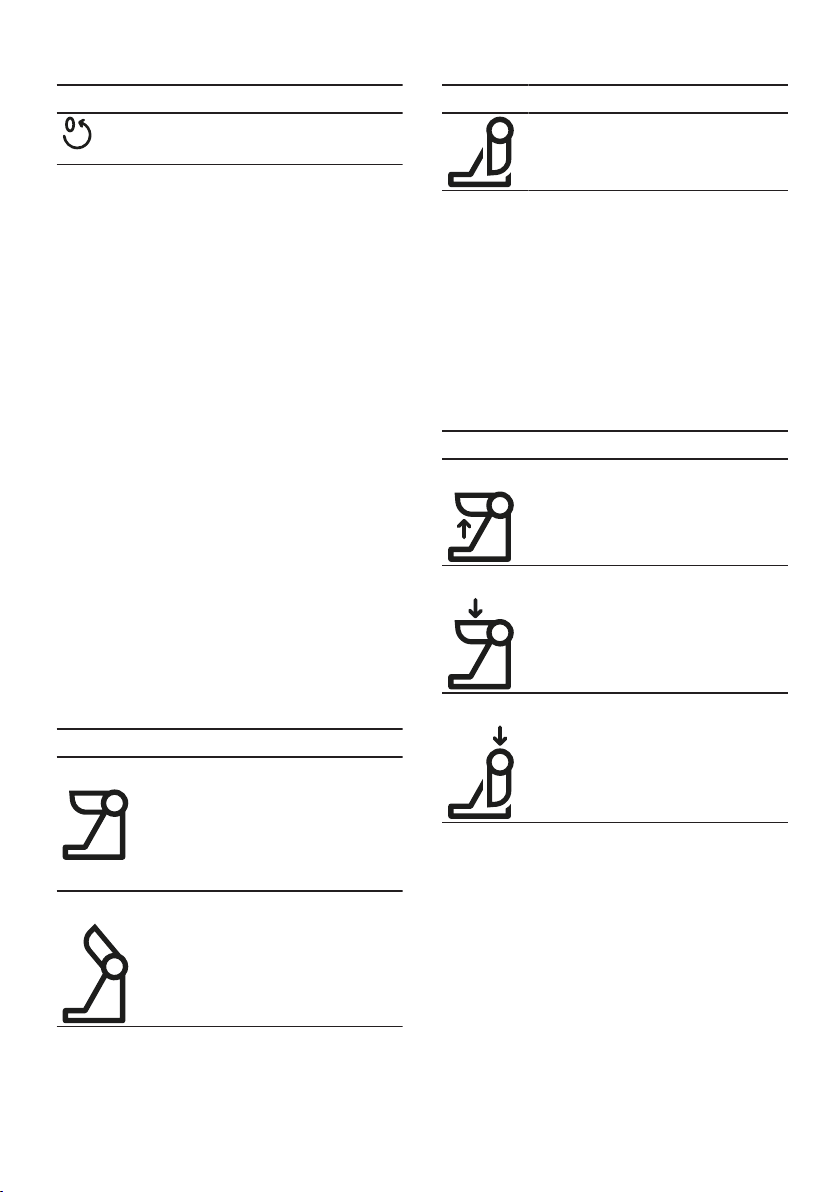
zh-tw
57
¡
¡
→
,
59
EasyArm Lift
1
¡
¡
¡ 2
2
¡
¡
¡
3 ¡
¡ 3
2
3
→
,
61
¡
¡
¡
2
¡
¡
3
¡
¡
¡
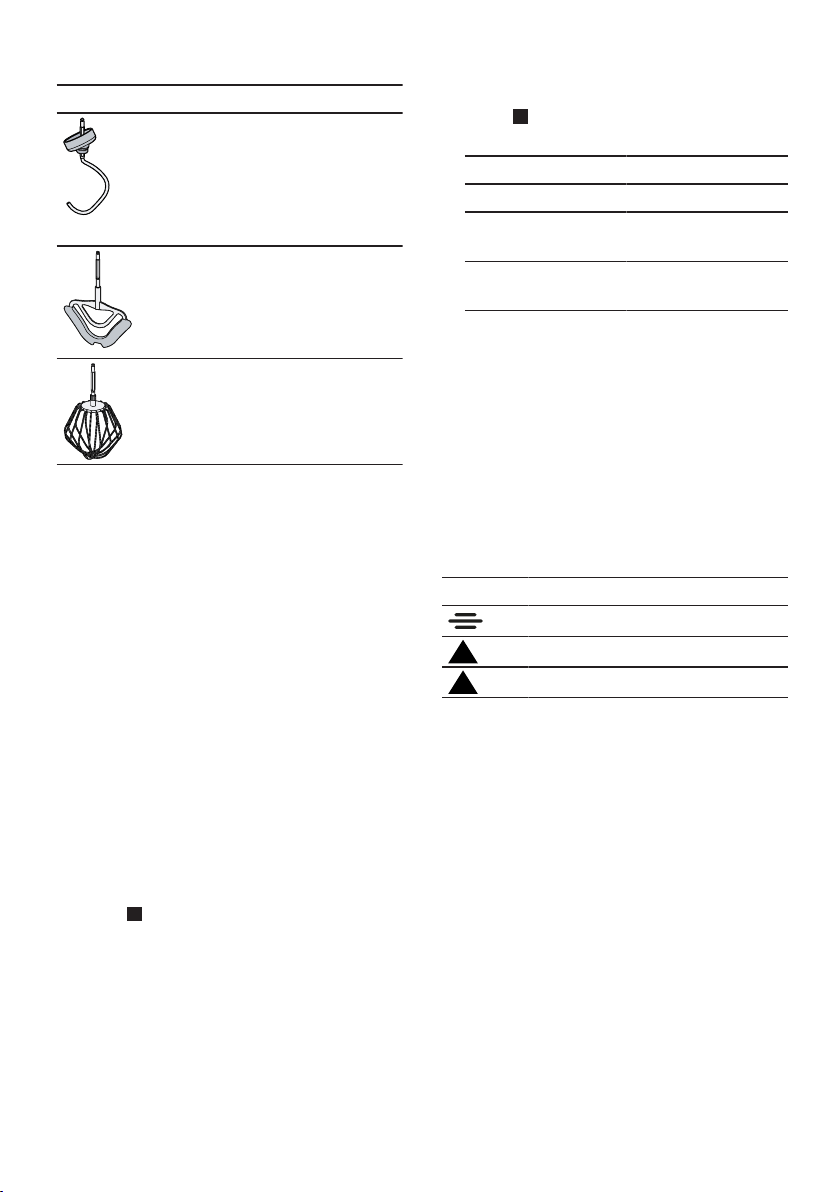
zh-tw
58
¡
¡
¡
¡
¡
¡
¡
¡
¡
¡
1.
→
4
2.
→
5
3mm
1mm
1mm
3.
4.
5.
6.
2
3
3
¡
¡
¡
→
,
65
zh-tw
59
¡ 1
¡ 3
3
¡
¡
1.
→
,
59
2.
→
,
59
3.
→
,
62
4.
1.
2.
‒
‒
‒
1.
→
6
a 2
2.
→
7
a 3
1.
→
8
2.
→
9
→
10
1.
→
,
57
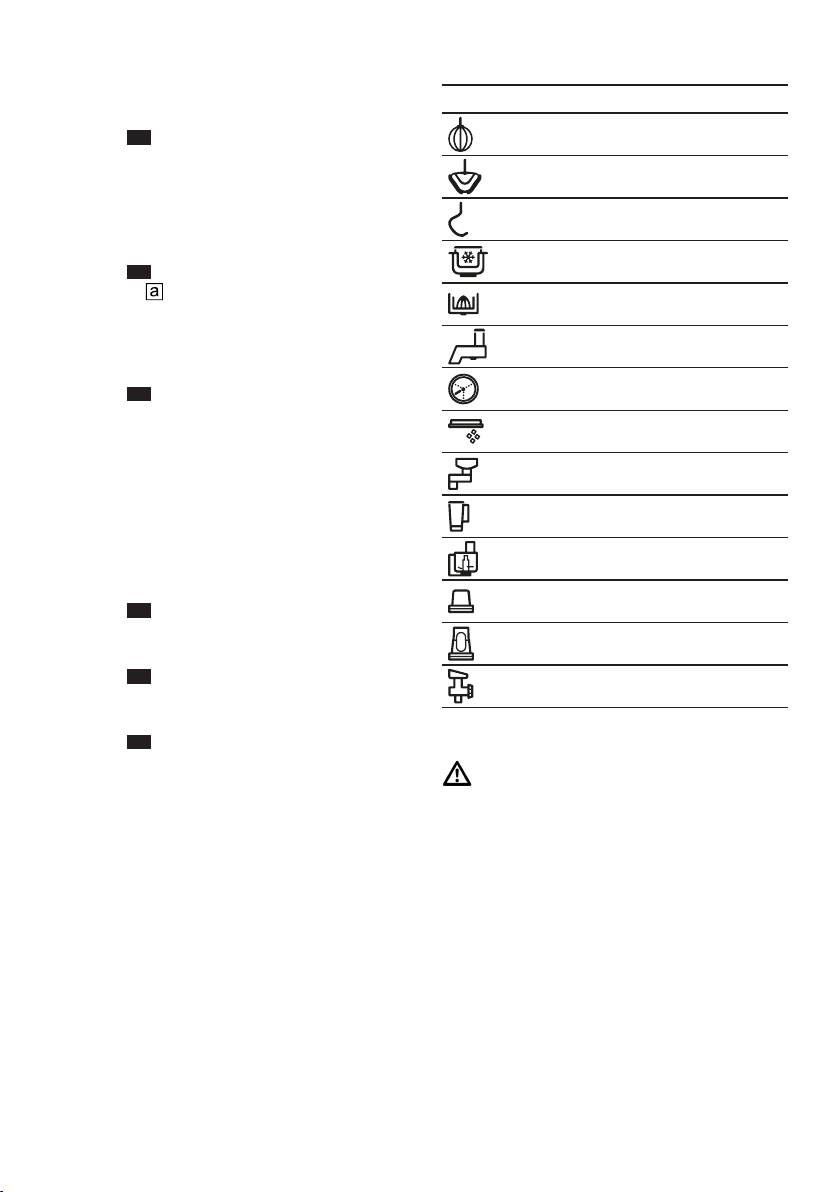
zh-tw
60
2.
→
11
3.
‒
‒
→
12
→
13
¡
¡
¡
1.
→
14
2.
→
15
3.
→
16
1.
2.
3.
1-7
1-5
1-3
1
3-5
3-7
3-7
3-5
7
5-7
3-7
M
M
5-7
!
zh-tw
61
¡
¡
1.
2.
3.
→
,
60
4.
5.
→
17
6.
7.
→
18
8.
¡
¡
1.
→
19
2.
3.
→
,
60
4.
5.
→
,
60
6.
1.
→
20
a
2.
→
21
a
a
¡
¡
¡
2 3
1.
2
→
22
2. 3
→
23
1. 2
→
24
2. 3
→
25
4
¡
¡
¡
¡ 5g 0.01lb
¡
¡
¡
zh-tw
62
-990g 5000g
5g
-2.20lb 11.00lb
0.01lb
→
,
62
¡
¡
1.
2.
a
a
0 59
59
1
1.
a
2. 00:00
¡ 30
¡ 30
→
26

zh-tw
63
E-Nr.
→
67
www.bosch-home.com
¡
¡
→
,
61
¡
→
,
62
100-600g ¡
¡
¡ 7 1½-4
1-8 ¡
¡
¡ 7 4-6
¡ 2
¡ 2-3
¡ 100g
¡ 1
¡ 70g
¡ 70g
¡
2
¡
¡
¡ 7 4-6
¡ 1
¡ 30-60
¡ 6
¡ 500g
¡ 1
¡ 2
¡ 500g
¡ 1000g
¡ 15g
¡ 250ml
1
¡
¡
¡ 1 10
¡ 5 2
¡ 3
60
¡ 1
2
¡ 3
¡ 2

zh-tw
64
¡ 125g
¡ 100-125g
¡ 1
¡ 1
¡
¡ 250g
¡
2
¡
¡
¡ 1 30
¡ 6 2-3
500g
¡
¡
¡ 1 30
¡ 3 3-4
¡ 500g
¡ 1
¡ 80g
¡ 80g
¡ 200-250ml
¡ 25g 1EL
¡
¡ 1
2
¡
¡
¡ 1 30
¡ 3 3-6
¡ 300g
¡ 150g 3
¡ 15-30ml
1½
¡
¡
¡ 3 3-5
¡ 1000g
¡ 2EL
¡ 2
¡ 660ml
1
¡
¡
¡ 1 30
¡ 3 4-5
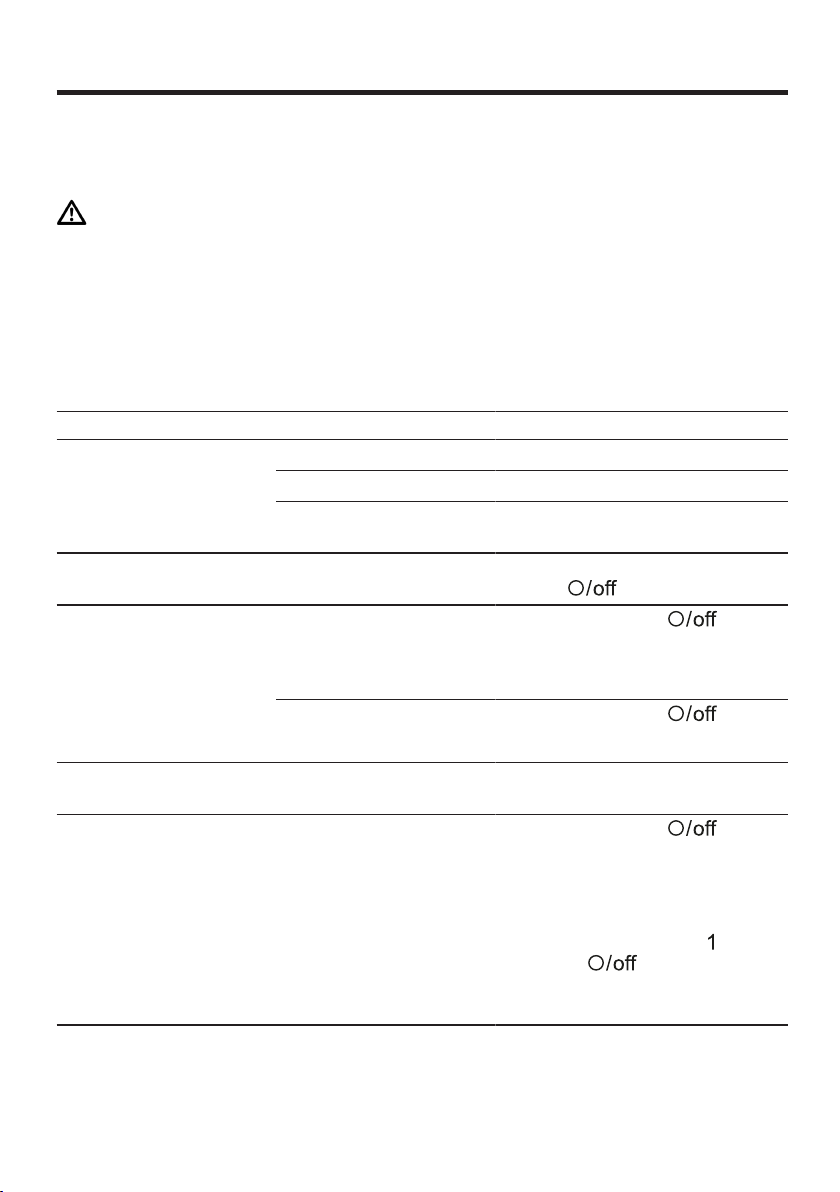
zh-tw
65
!
5g 0.01lb
1.
2.
→
,
59
3.
4.
a
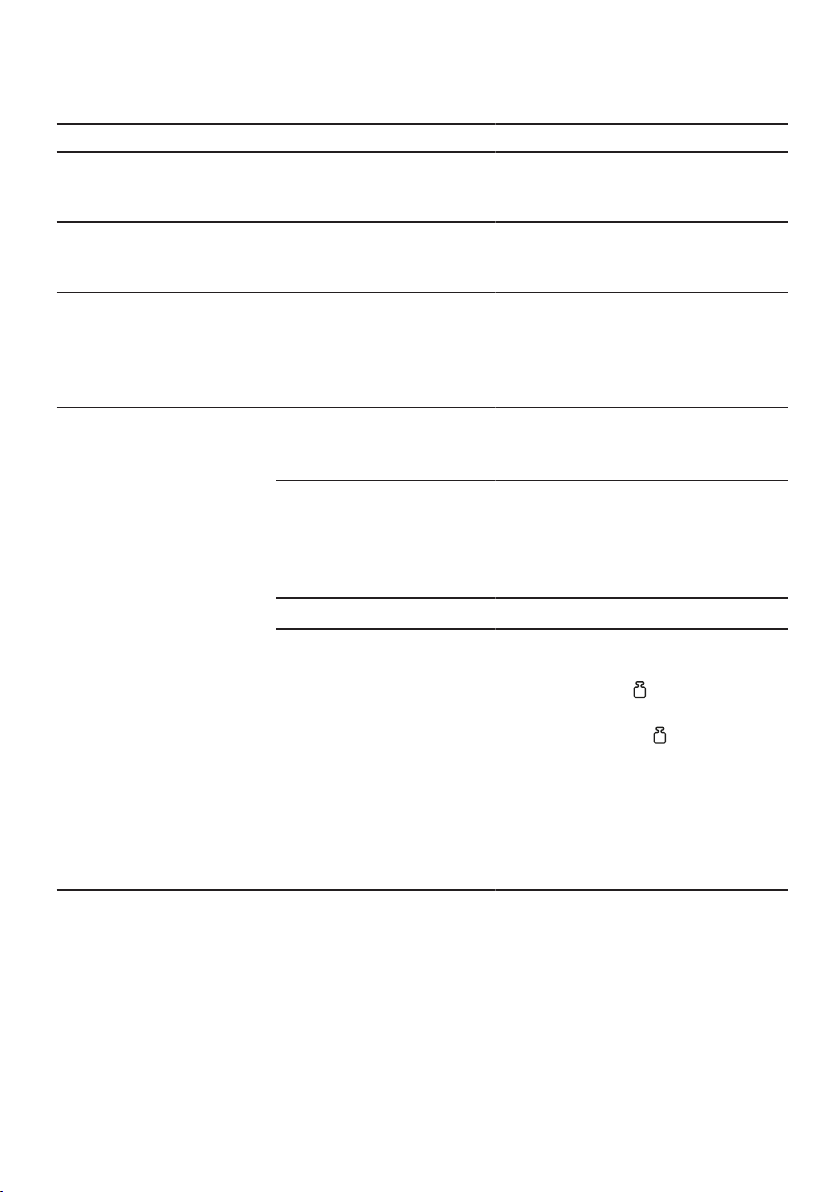
zh-tw
66
5000g
11.00lb
→
,
61
-990g
-2.20lb
→
,
61
59:59m:s
59
59
→
,
62
“”
1.
2. 4
1.
‒
‒ 30-60
‒
2.
zh-tw
67
1.
2.
3.
2012/19/EU
WEEE
7
E-Nr.FD
E-Nr.
FD
E-Nr.FD
2
www.bosch-home.com.tw/mybosch

1

¡
¡
¡
¡
¡
¡
¡
¡
¡
¡
¡ 2000m
¡
¡
¡
¡
¡
¡
¡
¡

¡
→
¡
¡
¡
¡

¡
¡
¡
¡
¡
¡
¡
1.
2.
3.
4.
→
1
¡
¡
1.
2.
→
→
2
→
¡
¡
¡
¡
→
→
→
3
1
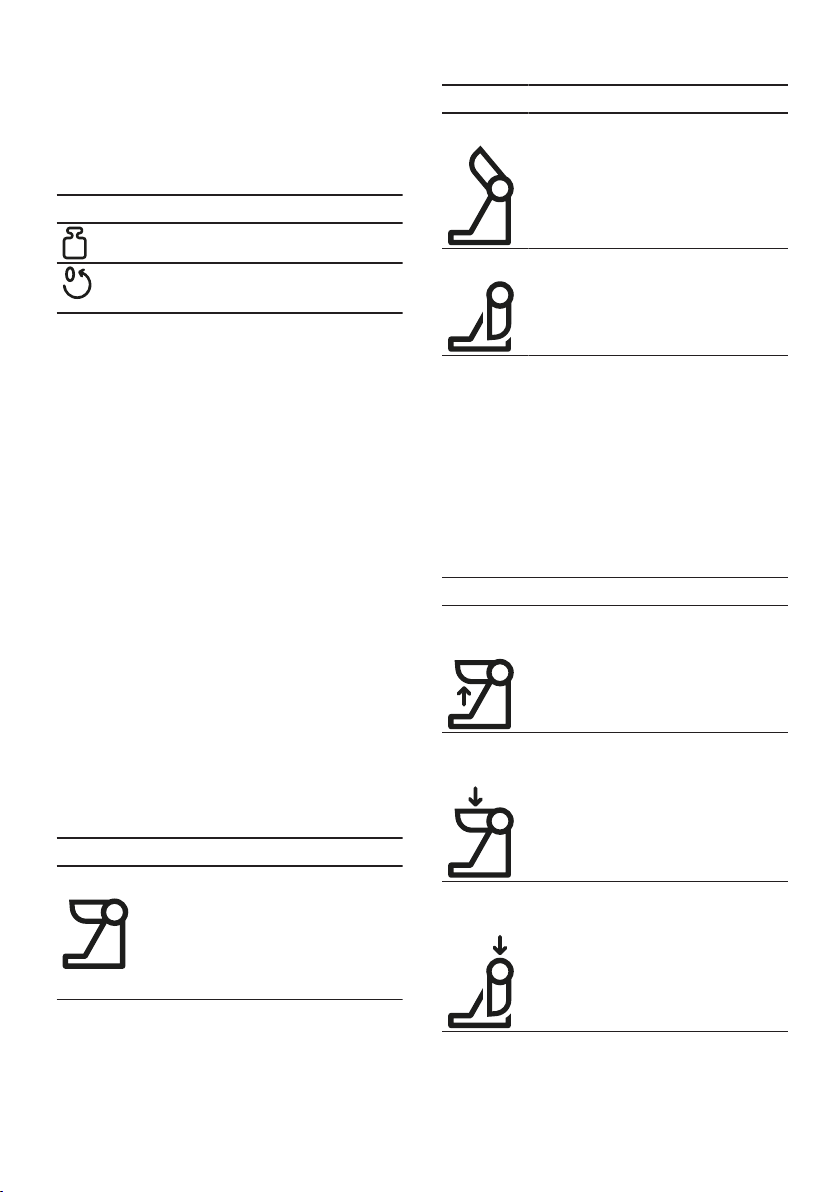
¡
¡
→
¡
¡
¡
¡
¡
¡
¡
¡
→
¡
¡
¡
¡
¡
¡
¡
¡
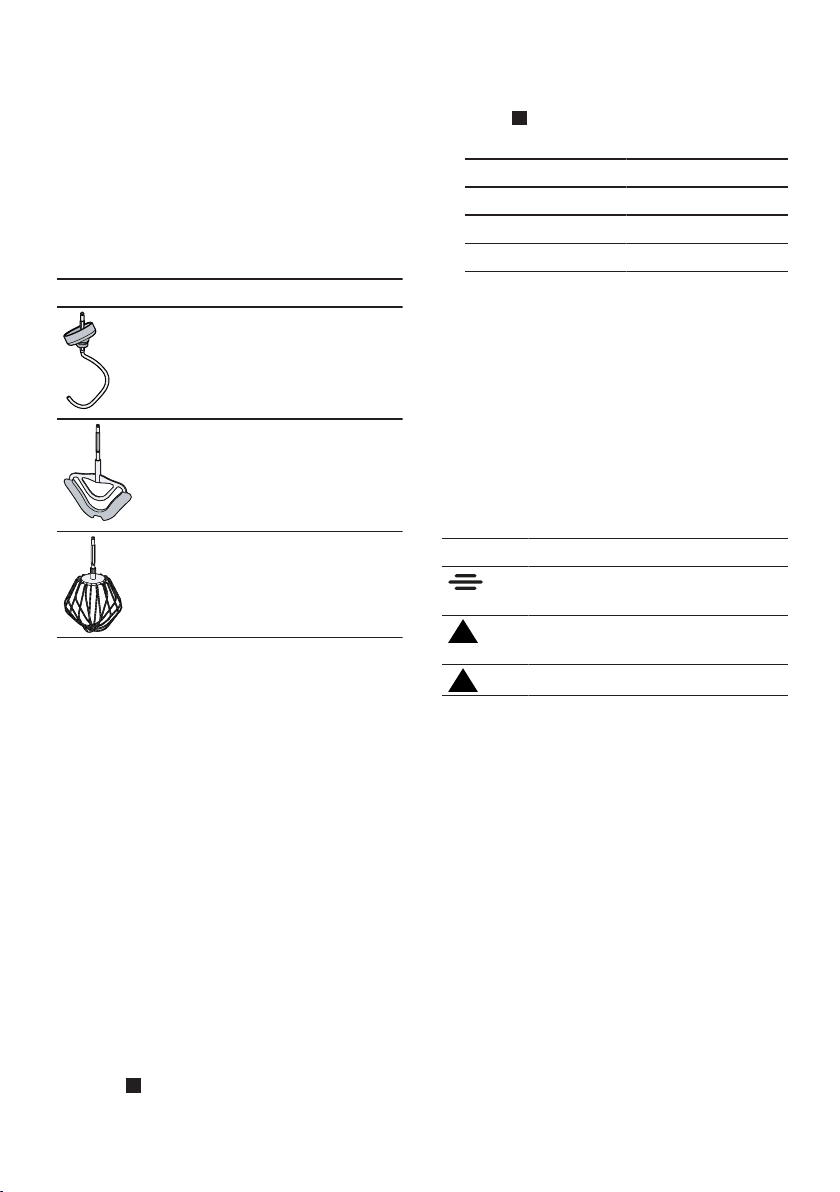
¡
¡
¡
¡
¡
¡
¡
¡
¡
¡
1.
→
4
2.
→
5
3.
4.
5.
6.
¡
¡
¡
→
¡
¡
¡
¡
1.
→
2.
→
3.
→
4.
1.
2.
‒
‒
‒
1.
→
6
a
2.
→
7
a
1.
→
8
2.
→
9
→
10
1.
→
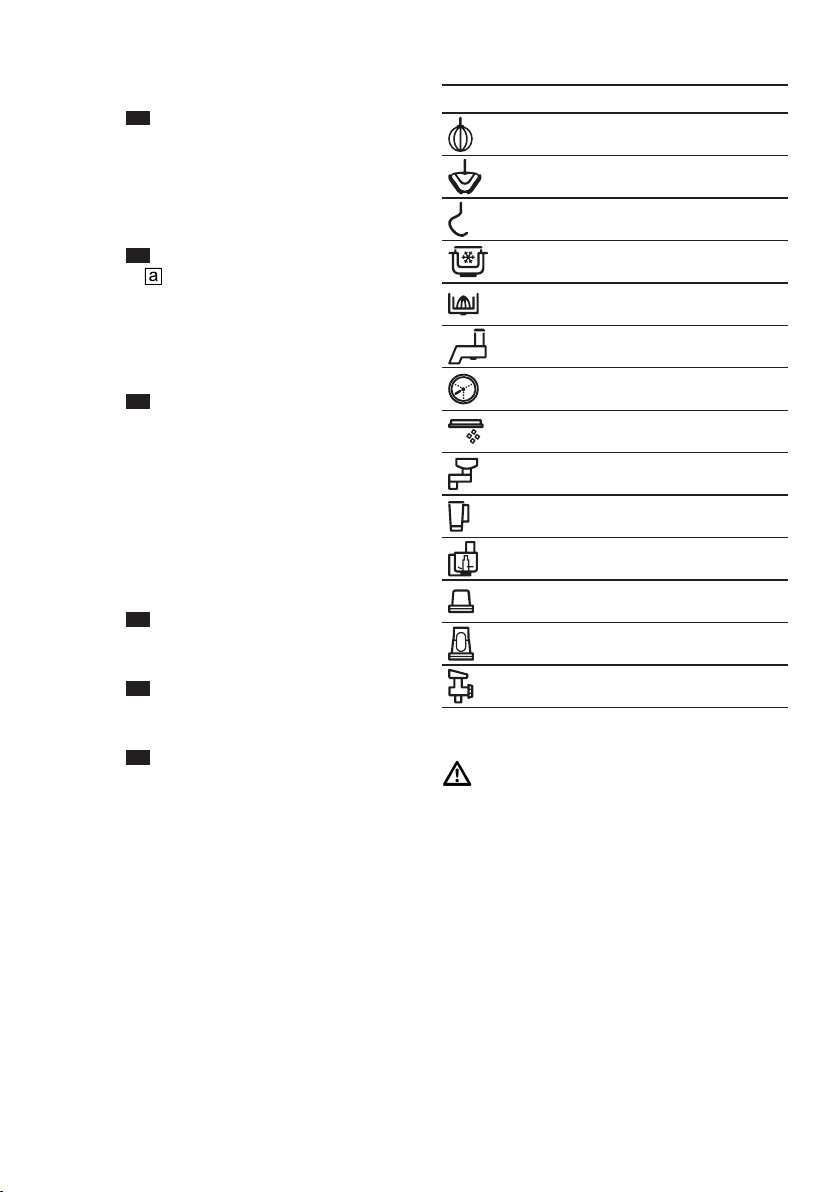
2.
→
11
3.
‒
‒
→
12
→
13
¡
¡
¡
1.
→
14
2.
→
15
3.
→
16
1.
2.
3.
¡
¡
1.
2.
3.
→
4.
5.
→
17
6.
7.
→
18
8.
¡
¡
1.
→
19
2.
3.
→
4.
5.
→
6.
1.
→
20
a
2.
→
21
a
a
¡
¡
¡
1.
→
22
2.
→
23
1.
→
24
2.
→
25
¡
¡
¡
¡
¡
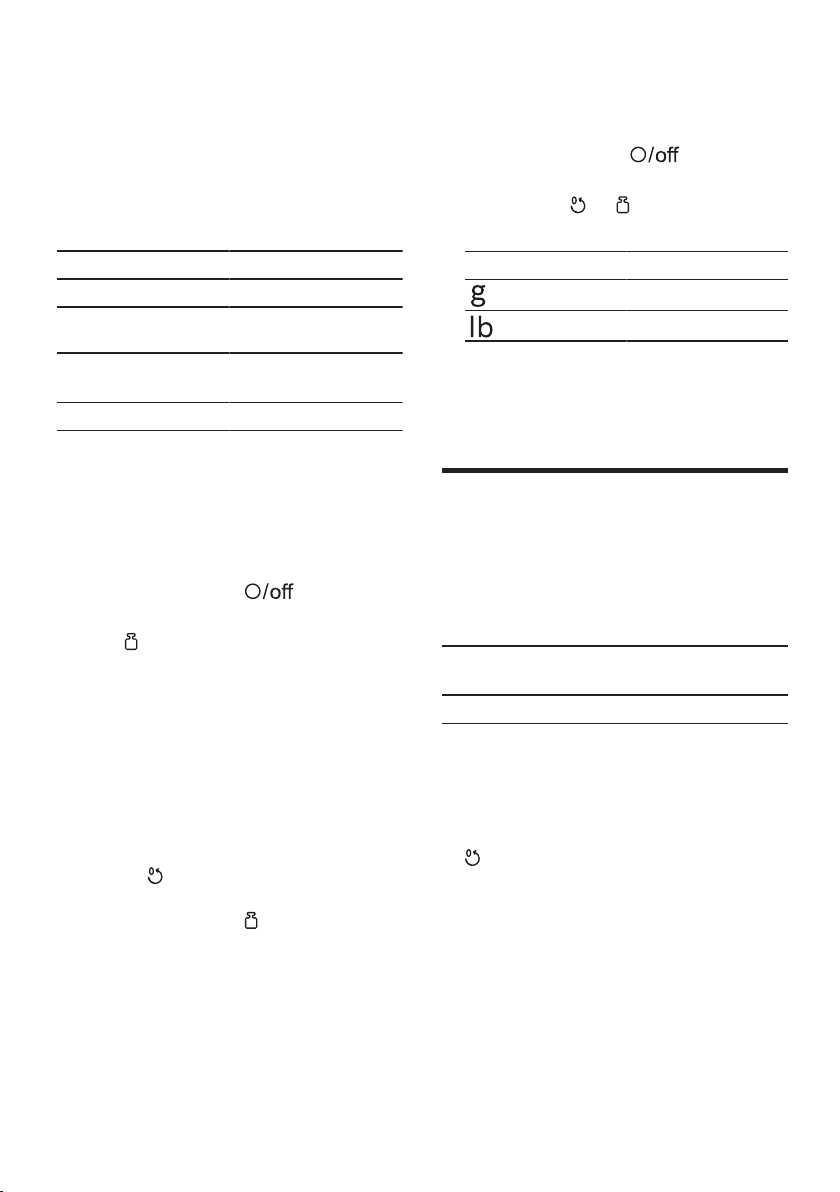
¡
¡
→
¡
¡
¡
1.
a
a
2.
a
3.
a
4.
‒
‒
5.
¡
¡
1.
2.
a
a
1.
a
2.
¡
¡

→
26
→
¡
¡
→
¡
→
¡
¡
¡
¡
¡
¡

¡
¡
¡
¡
¡
¡
¡
¡
¡
¡
¡
¡
¡
¡
¡
¡
¡
¡
¡
¡
¡
¡
¡
¡
¡
¡
¡
¡
¡
¡
¡
¡
¡
¡
¡
¡
¡
¡
¡
¡
¡
¡
¡
¡
¡
¡
¡
¡
¡
¡
¡
¡
¡
¡
¡
¡
¡
¡
¡
¡
¡
¡ ¡

¡
¡
¡
¡
¡
¡
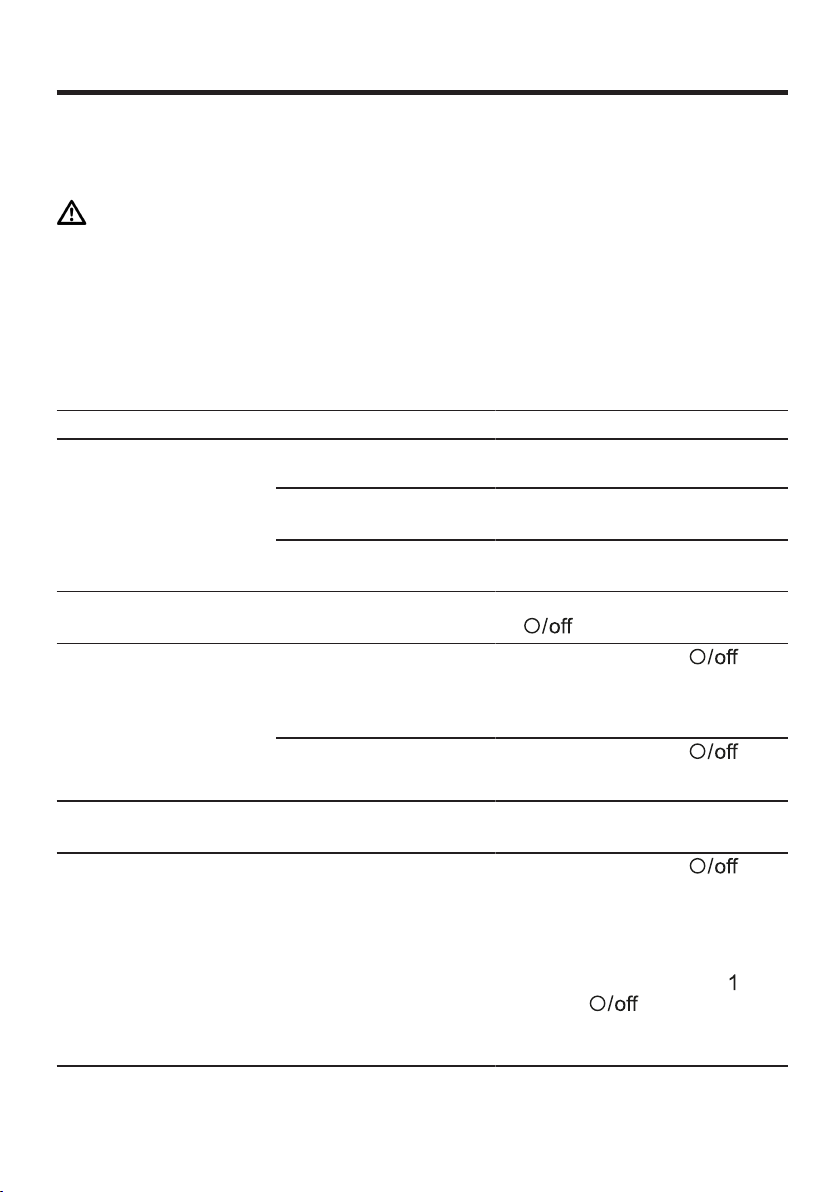
1.
2.
→
3.
4.
a
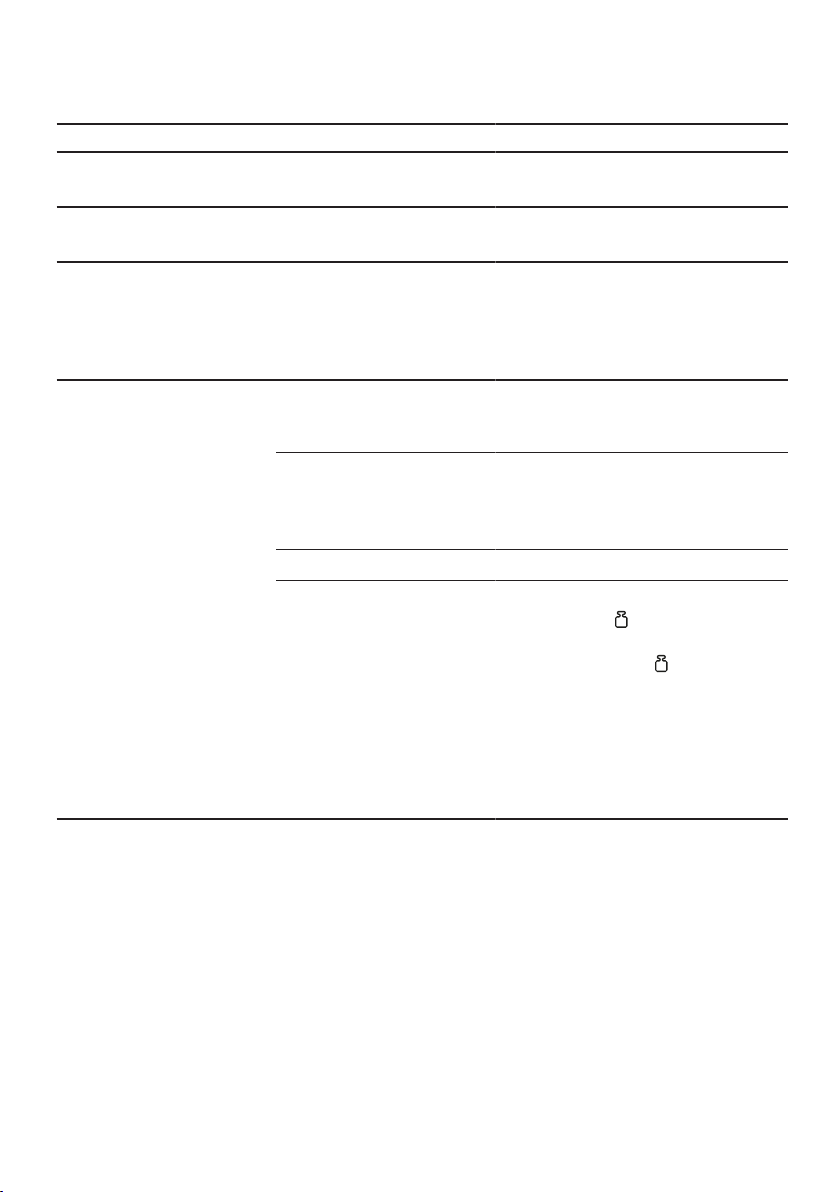
→
→
→
1.
2.
1.
‒
‒
‒
2.
1.
2.
3.

1


¡
¡
¡
¡
¡
¡
¡
¡
¡
¡
¡
¡
¡
¡
¡
¡
¡
¡
¡

¡
←
¡
¡

¡
¡
¡
¡

¡
¡
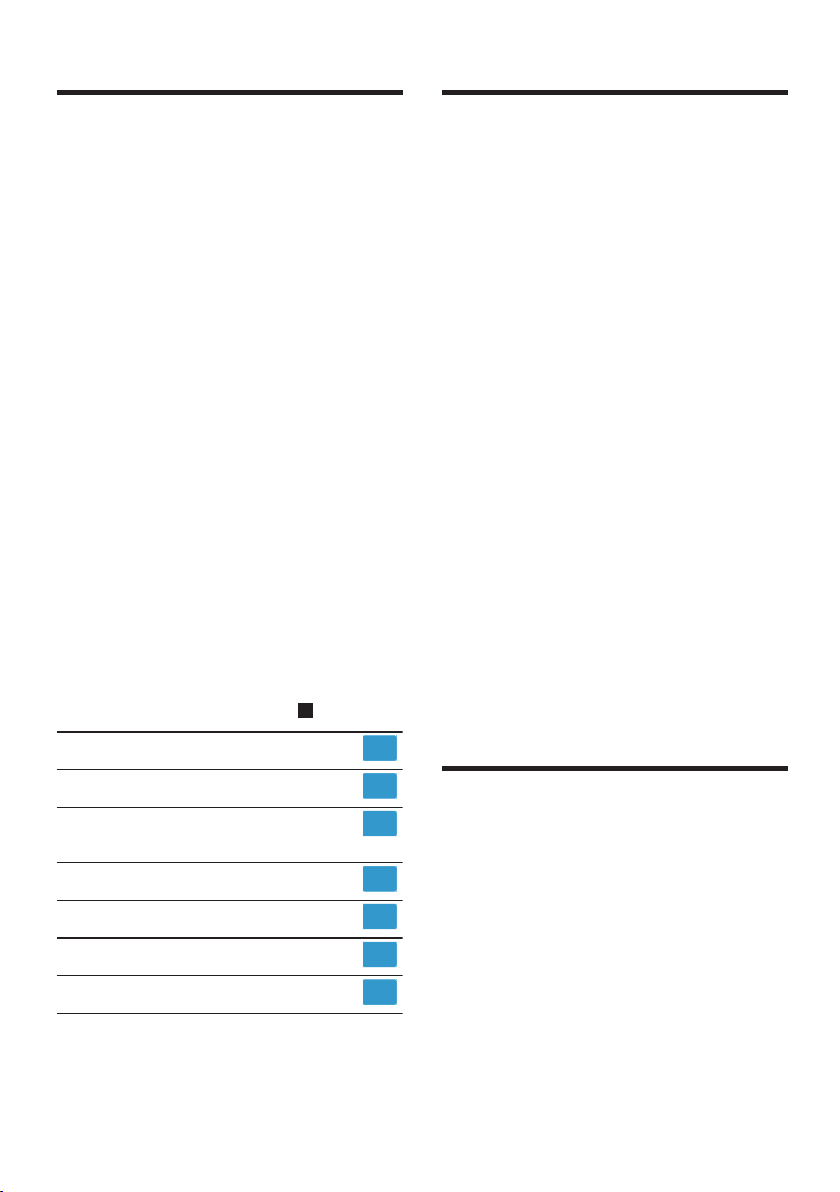
¡
¡
¡
1.
2.
3.
4.
←
1
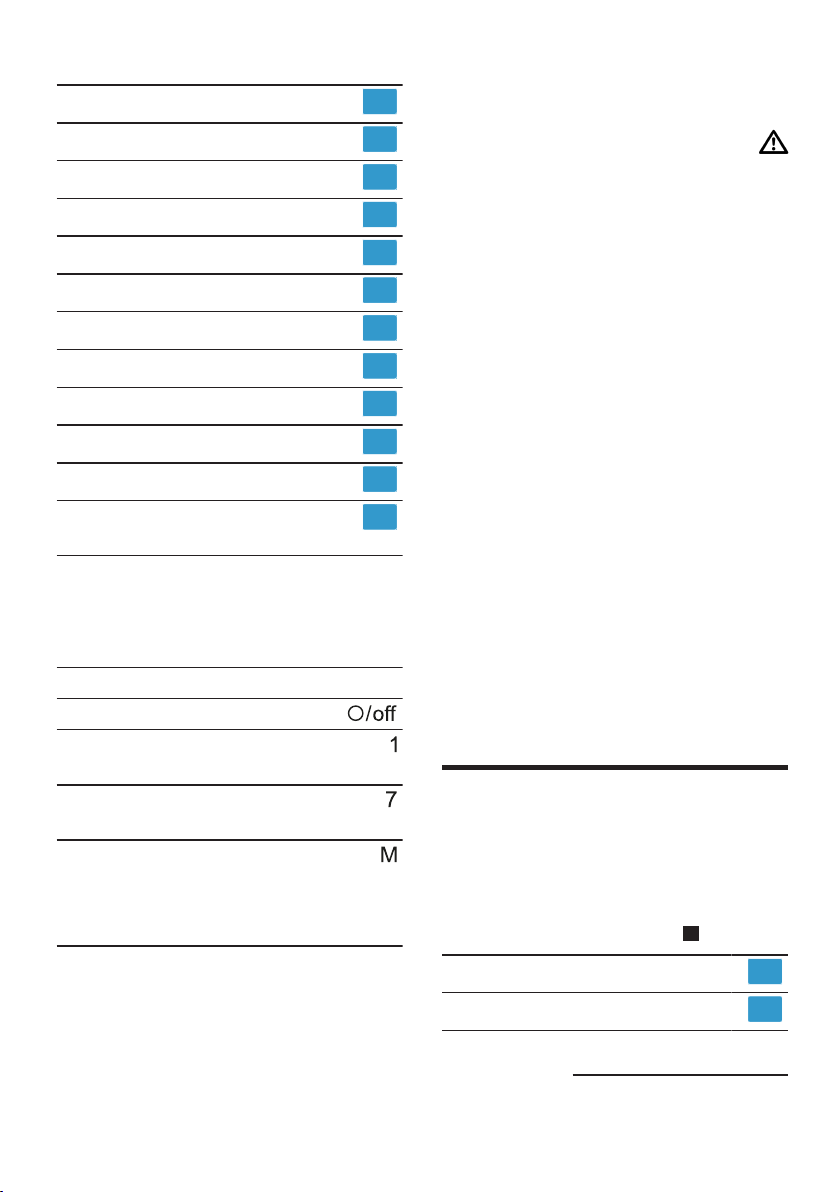
¡
¡
1.
2.
←
←
2
←
1
¡
¡
¡
¡
←
←
←
3
¡
¡
←
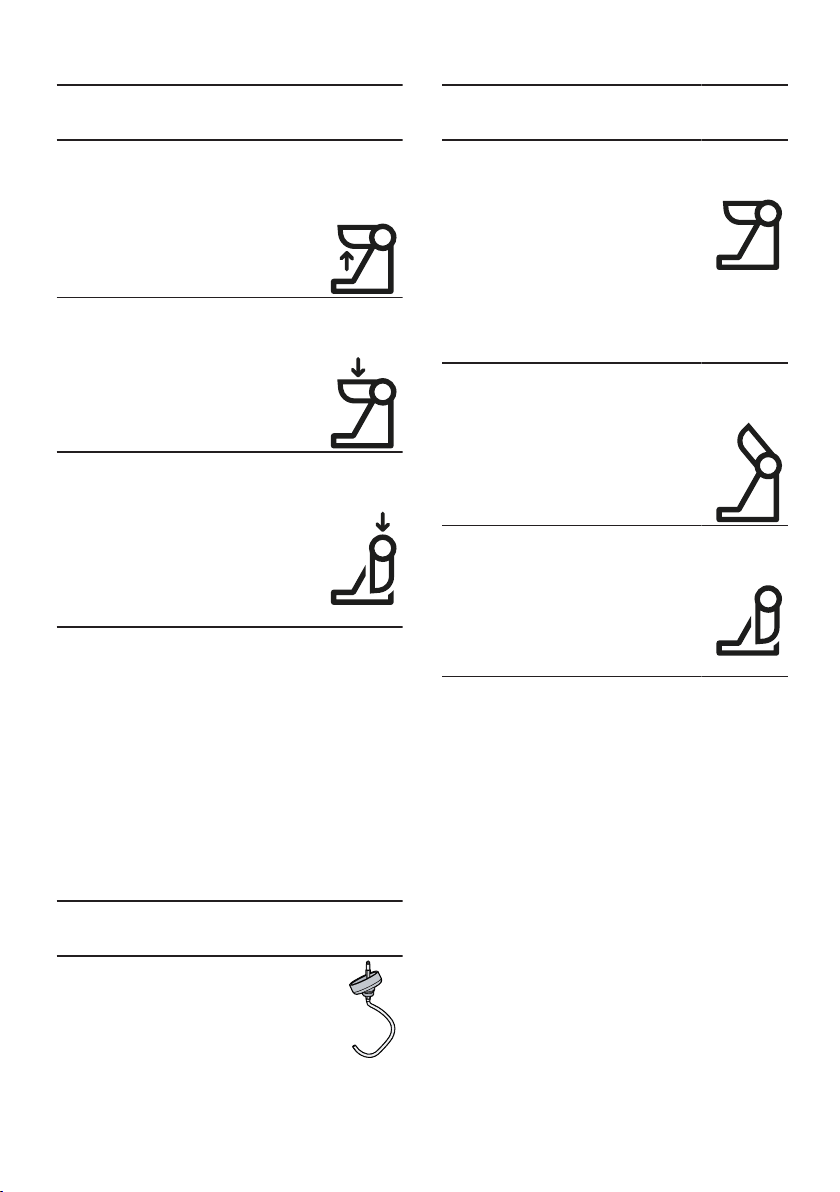
¡
¡
¡
¡
¡
¡
¡
¡
←
¡
¡
¡
¡
¡
¡
¡
¡
¡
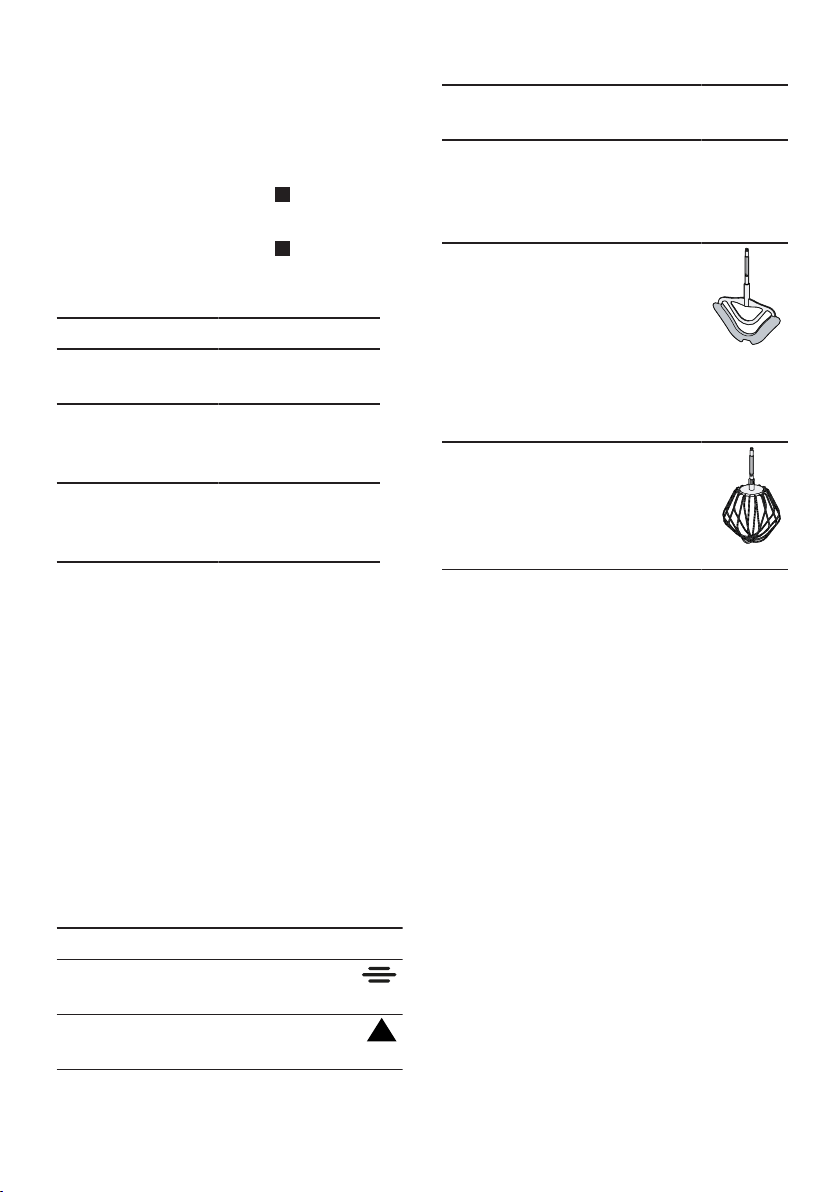
¡
¡
¡
¡
¡
¡
¡
¡
¡
1.
←
4
2.
←
5
3.
4.
5.
6.

¡
¡
¡
←
¡
¡
¡
¡
1.
←
2.
←
3.
←
4.

1.
2.
‒
‒
‒
1.
←
6
a
2.
←
7
a
1.
←
8
2.
←
9
←
10
1.
←
2.
←
11
3.
‒
‒
←
12
←
13
¡
¡
¡
1.
←
14
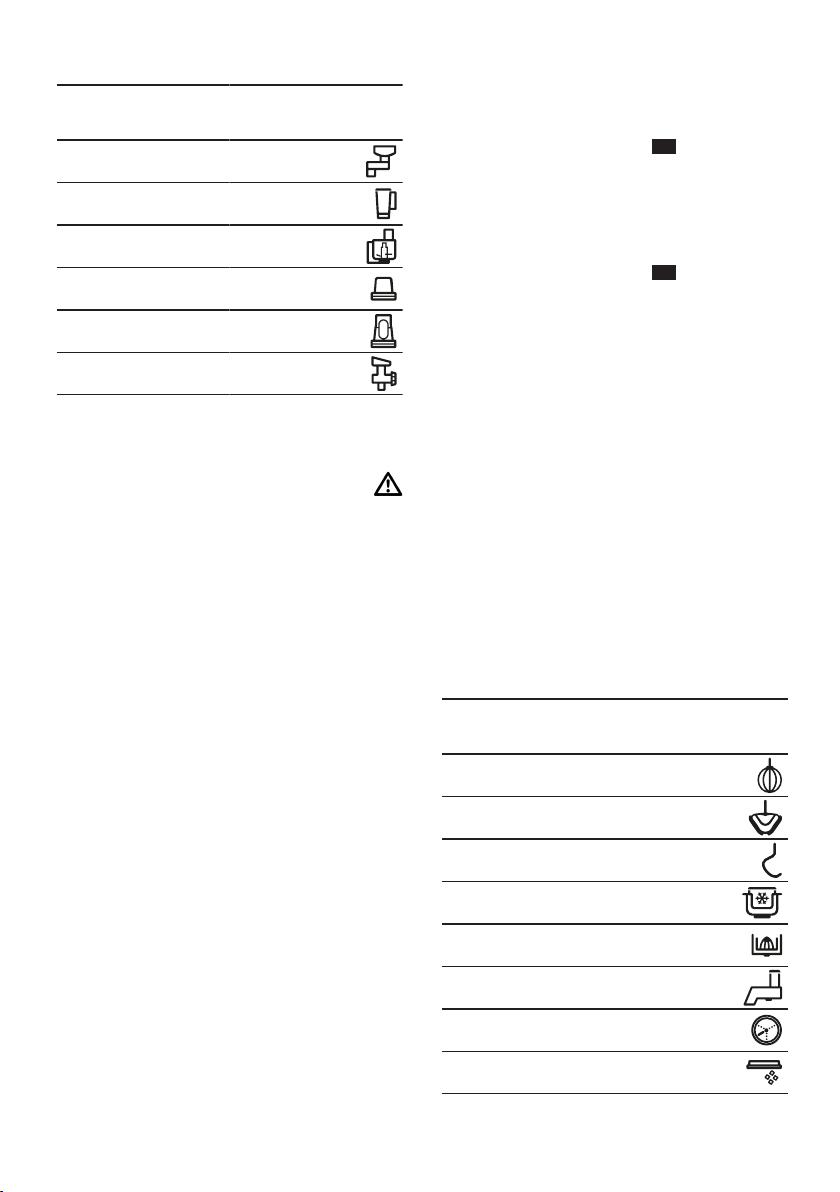
2.
←
15
3.
←
16
1.
2.
3.
¡
¡
1.
2.
3.
←
4.
5.
←
17
6.
7.
←
18
8.
¡
¡
1.
←
19
2.
3.
←
4.
5.
←
6.
1.
←
20
a
2.
←
21
a
a
¡
¡
¡
1.
←
22
2.
←
23
1.
←
24
2.
←
25
¡
¡
¡
¡
¡
¡
¡
←
¡
¡
¡
1.
a
a
2.
a
3.
a
4.
‒
‒
5.
¡
¡
1.
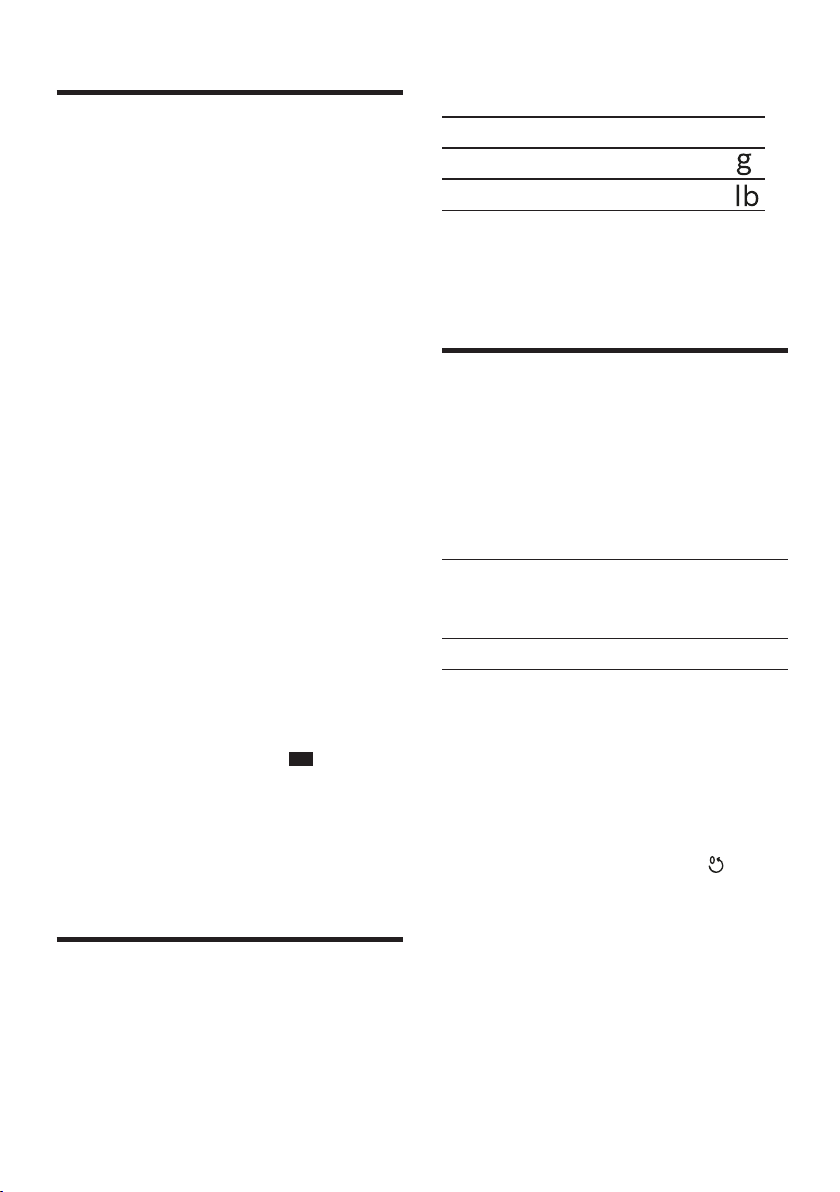
2.
a
a
1.
a
2.
¡
¡
←
26

←
¡
¡
←
¡
←
¡
¡
¡
¡
¡
¡
¡
¡
¡
¡
¡
¡
¡
¡
¡
¡
¡
¡

¡
¡
¡
¡
¡
¡
¡
¡
¡
¡
¡
¡
¡
¡
¡
¡
¡
¡
¡
¡
¡
¡
¡
¡
¡
¡
¡
¡
¡
¡
¡

¡
¡
¡
¡
¡
¡
¡
¡
¡
¡
¡
¡
¡
¡
¡
¡
¡
¡
¡
¡
¡
¡
¡
¡
¡
¡
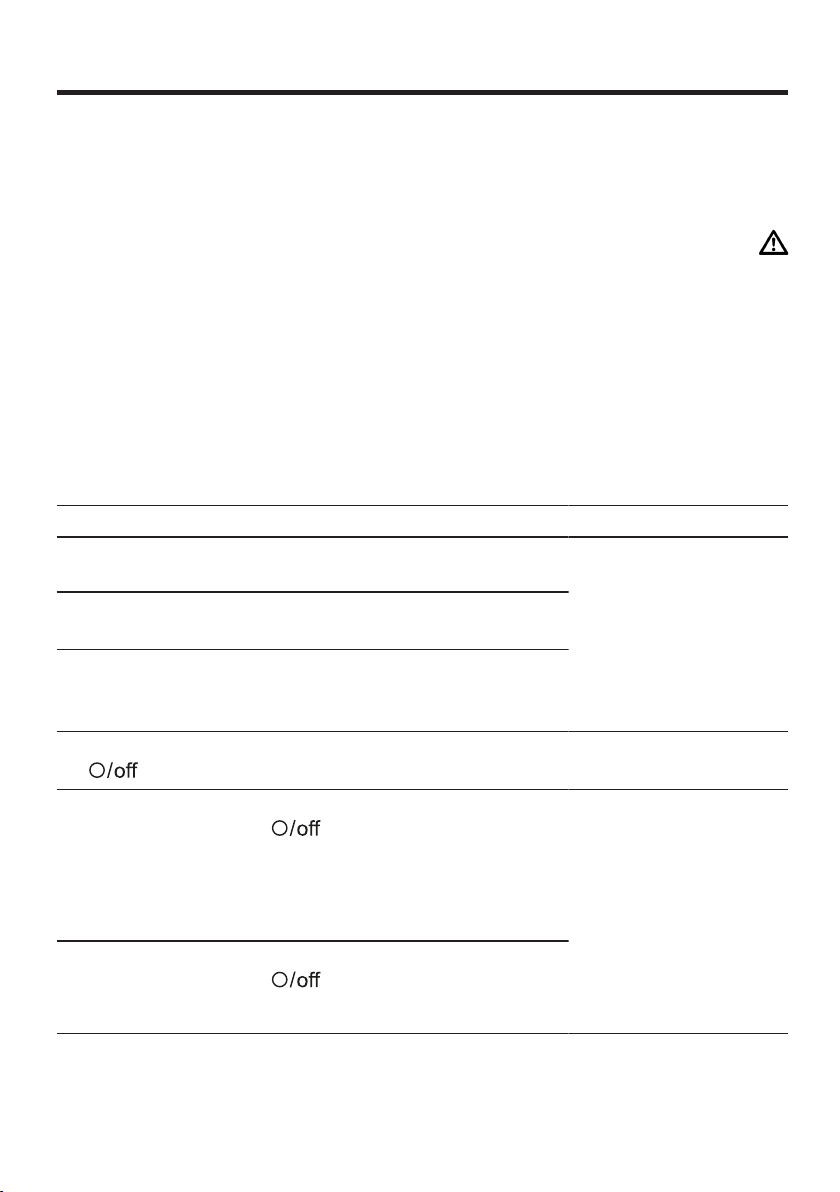
1.
2.
←
3.
4.
a
←
←
←
1.
2.
1.
‒
‒
‒
2.
1.
2.
3.


Service world-wide
111
Service world-wide
Service world-
wide
Service world-wide
Central Service Contacts
AE
United Arab Emirates,
BSH Home Appliances FZE
Round About 13, Plot Nr MO-0532A
Jebel Ali Free Zone - Dubai
Tel.: 04 881 4401*
mailto:[email protected]
www.bosch-home.com/ae
*Sun-Thu 8am to 5pm (exclude public
holidays)
AU
Australia
BSH Home Appliances Pty. Ltd.
Gate 1, 1555 Centre Road
Clayton, Victoria 3168
Tel.: 1300 369 744*
mailto:[email protected]
www.bosch-home.com.au
*Mon-Fri 24 hours
BH
Bahrain,
Khalaifat Est.
BLD 898, R 533, TASHAN 405
Manama
Tel.: 01 740 05 53*
mailto:[email protected]
*Sat-Thu 7am to 5pm (exclude public
holidays)
CN
China,
BSH Home Appliances Service Jiangsu
Co. Ltd.
19F, Jinling Asia Pacific Tower, No.2
Hanzhong Road, Gulou District
210005 Nanjing, Jiangsu Province
Service Tel.: 400 8855 888*
mailto:[email protected]
www.bosch-home.cn
*phone rate depends on the network
used
GB
Great Britain
BSH Home Appliances Ltd.
Grand Union House, Old Wolverton
Road, Wolverton
Milton Keynes MK12 5PT
To arrange an engineer visit, to order
spare parts and accessories or for
product advice please visit www.bosch-
home.co.uk Or call Tel.: 0344 892
8979*
*Calls are charged at the basic rate,
please check with your telephone ser-
vice provider for exact charges.
HK
Hong Kong,
BSH Home Appliances Limited
388
2307 Unit 07, 23/F, CDW
Building, 388 Castle Peak Road
Tsuen Wan, New Territories, Hong Kong
Tel.: 2626 9655 (HK)
Toll free 0800 863 (Macao)
mailto:[email protected]
www.bosch-home.com.hk
IE
Republic of Ireland
BSH Home Appliances Ltd.
M50 Business Park, Ballymount Road
Upper, Walkinstown
Dublin 12
To arrange an engineer visit, to order
spare parts and accessories or for
product advice please call Tel.: 01450
2655*
www.bosch-home.ie
*Calls are charged at the basic rate,
please check with your telephone ser-
vice provider for exact charges
JO
Jordan,
Diab Qawasmi & Sons Co.
Khaled Ben Al-Waleed Street, Jabal Al
Hussein (11121)
P.O. Box 212292, Amman
Tel.: 06 465 8505, -2650
Tel.: 79 110 3430
mailto:[email protected]
LB
Lebanon,
Teheni, Hana & Co.
Boulevard Dora 4043 Beyrouth, P.O. Box
90449
Jdeideh 1202 2040
Tel.: 01 255 211
mailto:[email protected]
MT
Malta
Oxford House Ltd.
Notabile Road
Mriehel BKR 14
Tel.: 021 442 334
www.oxfordhouse.com.mt
NZ
New Zealand
BSH Home Appliances Ltd.
Level 3, Air NZ Building, Smales Farm
Business Park, 74 Taharoto Road, Taka-
puna
Auckland 0622
Tel.: 0800 245 700*
mailto:[email protected]
www.bosch-home.co.nz
*Mon-Fri 8.30am to 5pm (exclude public
holidays)
SA
Kingdom Saudi Arabia,
Abdul Latif Jameel Electronics and Air-
conditioning Co. Ltd.
BOSCH Service centre, Kilo 5 Old
Makkah Road (Next to Toyota), Jamiah
Dist., P.O. Box 7997
Jeddah 21472
Tel.: 800 127 9999
mailto:[email protected]
www.aljelectronics.com.sa
*Sat-Thu 8am to 11pm (exclude public
holidays)
SG
Singapore,
BSH Home Appliances Pte. Ltd.
38C Jalan Pemimpin, #01-01
Singapore 577180
Tel.: 6751 5000*
mailto:[email protected]
www.bosch-home.com.sg
*Mon-Fri 9am to 6pm, Sat: 9am to 1pm
(exclude public holidays)
TW
Taiwan,
BSH Home Appliances Private Limited
8011
11F., No.80, Zhouzi St., Neihu Dist.
Taipei City 11493
Tel.: 0800 368 888
mailto:[email protected]
www.bosch-home.com.tw
ZA
South Africa
BSH Home Appliances (Pty) Ltd.
96 Fifteenth Road, Randjespark
1685 Midrand - Johannesburg
Tel.: 086 002 6724
mailto:[email protected]
mailto:[email protected]
www.bosch-home.com/za

Thank you for buying a
Bosch Home Appliance!
Register your new device on MyBosch now and profit directly from:
•Expert tips & tricks for your appliance
•Warranty extension options
•Discounts for accessories & spare-parts
•Digital manual and all appliance data at hand
•Easy access to Bosch Home Appliances Service
Free and easy registration – also on mobile phones:
www.bosch-home.com/welcome
Looking for help?
You'll find it here.
Expert advice for your Bosch home appliances, help with problems
or a repair from Bosch experts.
Find out everything about the many ways Bosch can support you:
www.bosch-home.com/service
Contact data of all countries are listed in the attached service direct-
ory.
*8001207893*
8001207893 (001211)
en, ms, zh-tw, zh, ar
Robert Bosch Hausgeräte GmbH
Carl-Wery-Straße 34
81739 München
GERMANY
www.bosch-home.com