
INSTRUCTION MANUAL
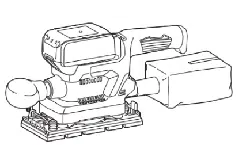
Finishing Sander
M9203
ENGLISH: Original instructions
DOUBLE INSULATION
Read before use.
2 ENGLISH
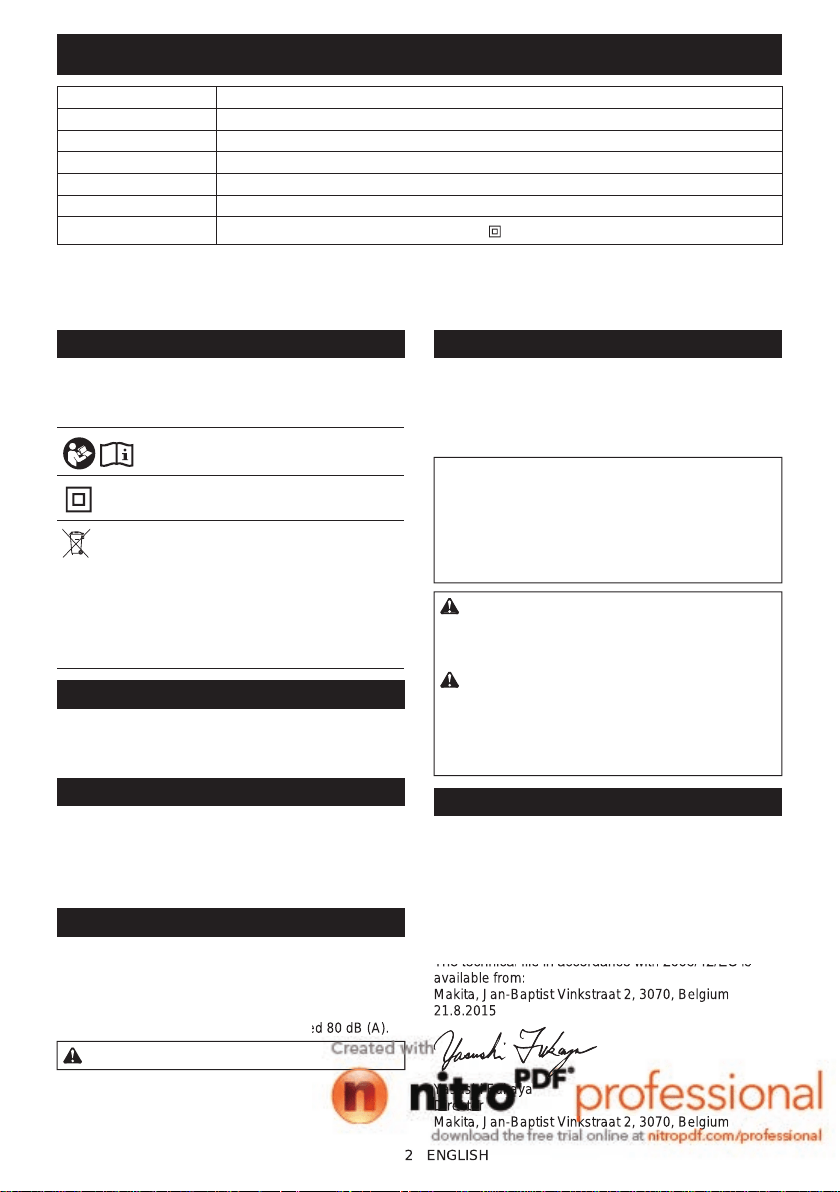
SPECIFICATIONS
Model: M9203
Pad size 92 mm x 185 mm
Abrasive paper size 93 mm x 228 mm
Orbits per minute 12,000 min
-1
Overall length 252 mm
Net weight 1.4 kg
Safety class
/II
• Duetoourcontinuingprogramofresearchanddevelopment,thespecicationshereinaresubjecttochange
without notice.
• Specicationsmaydifferfromcountrytocountry.
• Weight according to EPTA-Procedure 01/2003
Symbols
The following show the symbols used for the equip-
ment. Be sure that you understand their meaning before
use.
Read instruction manual.
DOUBLE INSULATION
Only for EU countries
Do not dispose of electric equipment
together with household waste material! In
observance of the European Directive, on
Waste Electric and Electronic Equipment
and its implementation in accordance with
national law, electric equipment that have
reached the end of their life must be col-
lected separately and returned to an envi-
ronmentally compatible recycling facility.
Intended use
The tool is intended for the sanding of large surface of
wood, plastic and metal materials as well as painted
surfaces.
Power supply
The tool should be connected only to a power supply of
the same voltage as indicated on the nameplate, and
can only be operated on single-phase AC supply. They
are double-insulated and can, therefore, also be used
from sockets without earth wire.
Noise
The typical A-weighted noise level determined accord-
ing to EN60745:
Sound pressure level (L
pA
) : 75 dB(A)
Uncertainty (K) : 3 dB(A)
The noise level under working may exceed 80 dB (A).
WARNING: Wear ear protection.
Vibration
The vibration total value (tri-axial vector sum) deter-
mined according to EN60745:
Work mode: sanding metal plate
Vibration emission (a
h
) : 5.0 m/s
2
Uncertainty (K) : 1.5 m/s
2
NOTE: The declared vibration emission value has
been measured in accordance with the standard test
method and may be used for comparing one tool with
another.
NOTE: The declared vibration emission value
may also be used in a preliminary assessment of
exposure.
WARNING: The vibration emission during actual
use of the power tool can differ from the declared
emission value depending on the ways in which the
tool is used.
WARNING: Be sure to identify safety measures
to protect the operator that are based on an estima-
tion of exposure in the actual conditions of use (taking
account of all parts of the operating cycle such as
the times when the tool is switched off and when it is
running idle in addition to the trigger time).
EC Declaration of Conformity
For European countries only
Makita declares that the following Machine(s):
Designation of Machine: Finishing Sander
Model No./ Type: M9203
Conforms to the following European Directives:
2006/42/EC
They are manufactured in accordance with the following
standard or standardized documents: EN60745
Thetechnicalleinaccordancewith2006/42/ECis
available from:
Makita, Jan-Baptist Vinkstraat 2, 3070, Belgium
21.8.2015
Yasushi Fukaya
Director
Makita, Jan-Baptist Vinkstraat 2, 3070, Belgium
2
ENGLISH
The noise level under working may exceed 80 dB (A).
The
technical
le
in
accordance
with
2006/42/EC
is
available from:
Makita, Jan-Baptist Vinkstraat 2, 3070, Belgium
21.8.2015
Yasushi Fukaya
Director
Makita, Jan-Baptist Vinkstraat 2, 3070, Belgium
3 ENGLISH
General power tool safety warnings
WARNING: Read all safety warnings and
all instructions. Failure to follow the warnings and
instructionsmayresultinelectricshock,reand/or
seriousinjury.
Save all warnings and instruc-
tions for future reference.
The term "power tool" in the warnings refers to your
mains-operated (corded) power tool or battery-operated
(cordless) power tool.
Work area safety
1. Keep work area clean and well lit. Cluttered or
dark areas invite accidents.
2. Do not operate power tools in explosive atmo-
spheres, such as in the presence of ammable
liquids, gases or dust. Power tools create sparks
which may ignite the dust or fumes.
3. Keep children and bystanders away while
operating a power tool. Distractions can cause
you to lose control.
Electrical Safety
1. Power tool plugs must match the outlet. Never
modify the plug in any way. Do not use any
adapter plugs with earthed (grounded) power
tools. Unmodiedplugsandmatchingoutletswill
reduce risk of electric shock.
2. Avoid body contact with earthed or grounded
surfaces such as pipes, radiators, ranges and
refrigerators. There is an increased risk of elec-
tric shock if your body is earthed or grounded.
3. Do not expose power tools to rain or wet con-
ditions. Water entering a power tool will increase
the risk of electric shock.
4. Do not abuse the cord. Never use the cord for
carrying, pulling or unplugging the power tool.
Keep cord away from heat, oil, sharp edges
or moving parts. Damaged or entangled cords
increase the risk of electric shock.
5. When operating a power tool outdoors, use an
extension cord suitable for outdoor use. Use of
a cord suitable for outdoor use reduces the risk of
electric shock.
6. If operating a power tool in a damp location
is unavoidable, use a residual current device
(RCD) protected supply. Use of an RCD reduces
the risk of electric shock.
7. Use of power supply via an RCD with a rated
residual current of 30 mA or less is always
recommended.
Personal Safety
1. Stay alert, watch what you are doing and use
common sense when operating a power tool.
Do not use a power tool while you are tired or
under the inuence of drugs, alcohol or med-
ication. A moment of inattention while operating
powertoolsmayresultinseriouspersonalinjury.
2. Use personal protective equipment. Always
wear eye protection. Protective equipment such
as dust mask, non-skid safety shoes, hard hat, or
hearing protection used for appropriate conditions
willreducepersonalinjuries.
3. Prevent unintentional starting. Ensure the
switch is in the off-position before connecting
to power source and/or battery pack, picking
up or carrying the tool. Carrying power tools with
yourngerontheswitchorenergisingpowertools
that have the switch on invites accidents.
4. Remove any adjusting key or wrench before
turning the power tool on. A wrench or a key left
attached to a rotating part of the power tool may
resultinpersonalinjury.
5. Do not overreach. Keep proper footing and
balance at all times. This enables better control
of the power tool in unexpected situations.
6. Dress properly. Do not wear loose clothing or
jewellery. Keep your hair, clothing, and gloves
away from moving parts.Looseclothes,jewel-
lery or long hair can be caught in moving parts.
7. If devices are provided for the connection of
dust extraction and collection facilities, ensure
these are connected and properly used. Use of
dust collection can reduce dust-related hazards.
Power tool use and care
1. Do not force the power tool. Use the correct
power tool for your application. The correct
powertoolwilldothejobbetterandsaferatthe
rate for which it was designed.
2. Do not use the power tool if the switch does
not turn it on and off. Any power tool that cannot
be controlled with the switch is dangerous and
must be repaired.
3. Disconnect the plug from the power source
and/or the battery pack from the power tool
before making any adjustments, changing
accessories, or storing power tools. Such pre-
ventive safety measures reduce the risk of starting
the power tool accidentally.
4. Store idle power tools out of the reach of chil-
dren and do not allow persons unfamiliar with
the power tool or these instructions to operate
the power tool. Power tools are dangerous in the
hands of untrained users.
5. Maintain power tools. Check for misalignment
or binding of moving parts, breakage of parts
and any other condition that may affect the
power tool’s operation. If damaged, have the
power tool repaired before use. Many accidents
are caused by poorly maintained power tools.
6. Keep cutting tools sharp and clean. Properly
maintained cutting tools with sharp cutting edges
are less likely to bind and are easier to control.
7. Use the power tool, accessories and tool bits
etc. in accordance with these instructions, tak-
ing into account the working conditions and
the work to be performed. Use of the power tool
for operations different from those intended could
result in a hazardous situation.
3
ENGLISH
Stay alert, watch what you are doing and use
common sense when operating a power tool.
Do not use a power tool while you are tired or
under the inuence of drugs, alcohol or med
-
A moment of inattention while operating
personal
injury.
are less likely to bind and are easier to control.
7.
Use the power tool, accessories and tool bits
etc. in accordance with these instructions, tak
-
ing into account the working conditions and
the work to be performed.
Use of the power tool
for operations different from those intended could
result in a hazardous situation.
4 ENGLISH
Service
1. Have your power tool serviced by a qualied
repair person using only identical replacement
parts. This will ensure that the safety of the power
tool is maintained.
2. Follow instruction for lubricating and chang-
ing accessories.
3. Keep handles dry, clean and free from oil and
grease.
Sander safety warnings
1. Always use safety glasses or goggles.
Ordinary eye or sun glasses are NOT safety
glasses.
2. Hold the tool rmly.
3. Do not leave the tool running. Operate the tool
only when hand-held.
4. This tool has not been waterproofed, so do not
use water on the workpiece surface.
5. Ventilate your work area adequately when you
perform sanding operations.
6. Some material contains chemicals which may
be toxic. Take caution to prevent dust inhala-
tion and skin contact. Follow material supplier
safety data.
7. Use of this tool to sand some products, paints
and wood could expose user to dust contain-
ing hazardous substances. Use appropriate
respiratory protection.
8. Be sure that there are no cracks or breakage
on the pad before use. Cracks or breakage
may cause a personal injury.
SAVE THESE INSTRUCTIONS.
WARNING: DO NOT let comfort or familiarity
with product (gained from repeated use) replace
strict adherence to safety rules for the subject
product. MISUSE or failure to follow the safety
rules stated in this instruction manual may cause
serious personal injury.
FUNCTIONAL
DESCRIPTION
CAUTION: Always be sure that the tool is
switched off and unplugged before adjusting or
checking function on the tool.
Switch action
CAUTION: Before plugging in the tool, always
be sure that the tool is switched off.
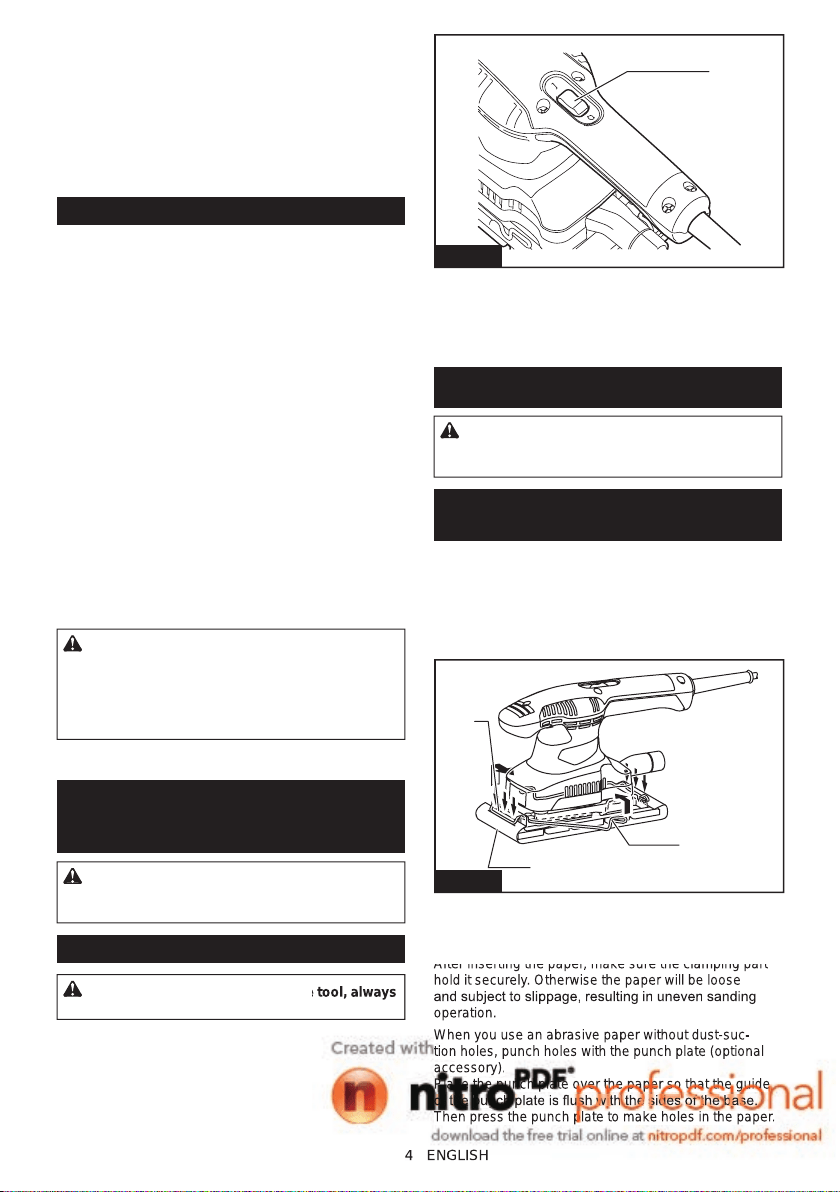
1
Fig.1
►1. Switch
To start the tool, press the “I (ON)” side of the switch. To
stop the tool, press the “O (OFF)” side of the switch.
ASSEMBLY
CAUTION: Always be sure that the tool is
switched off and unplugged before carrying out
any work on the tool.
Installing or removing abrasive
paper
Open the paper clamp by raising on the lever to release
from the locking port and then Insert the paper end into
the clamping part, aligning the paper edges even and
parallel with the sides of the base. (Bending the paper
beforehand makes attachment easier). Once the paper
is in place, return the lever to its original position.
1
2
3
Fig.2
►1. Clamping part 2. Abrasive paper 3. Clamp lever
Repeat the same process for the other end of the base,
maintaining the proper paper tension.
After inserting the paper, make sure the clamping part
hold it securely. Otherwise the paper will be loose
andsubjecttoslippage,resultinginunevensanding
operation.
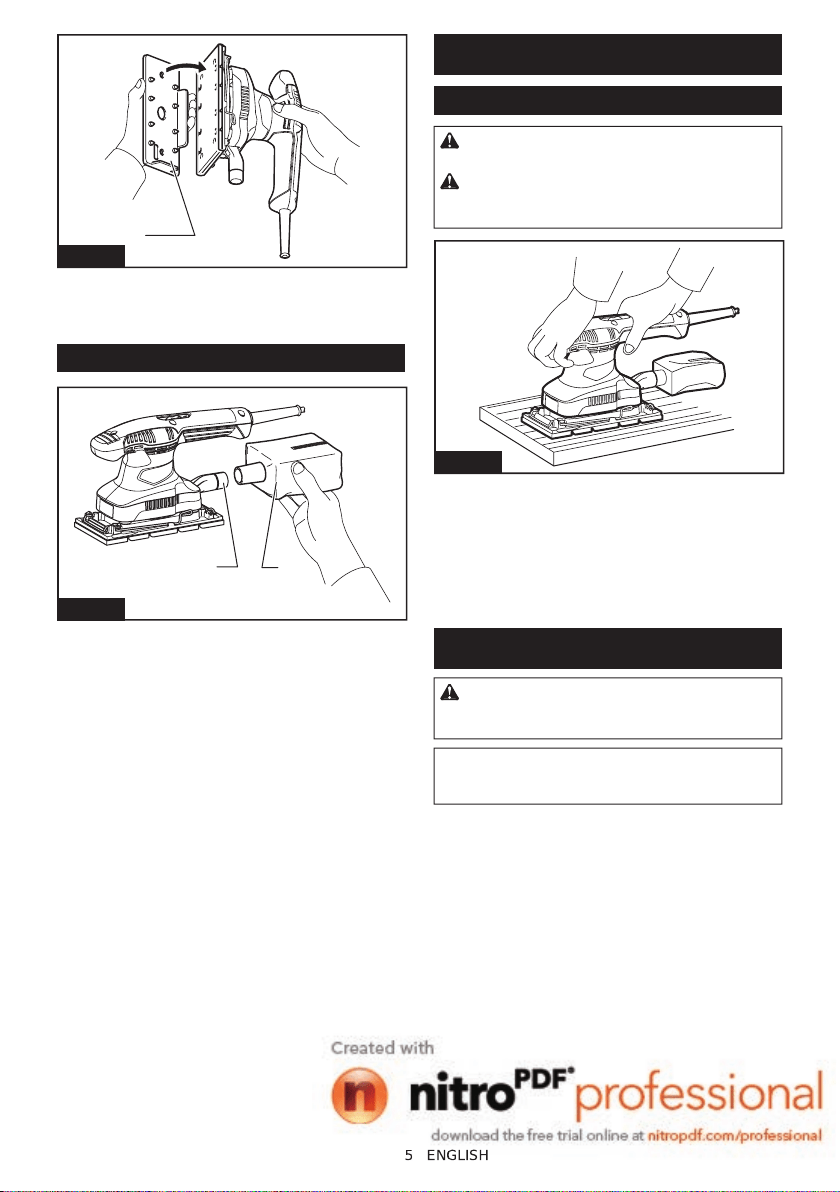
When you use an abrasive paper without dust-suc-
tion holes, punch holes with the punch plate (optional
accessory).
Place the punch plate over the paper so that the guide
ofthepunchplateisushwiththesidesofthebase.
Then press the punch plate to make holes in the paper.
4
ENGLISH
Before plugging in the tool, always
After inserting the paper, make sure the clamping part
hold it securely. Otherwise the paper will be loose
and
subject
to
slippage,
resulting
in
uneven
sanding
operation.
When you use an abrasive paper without dust-suc
-
tion holes, punch holes with the punch plate (optional
accessory).
Place the punch plate over the paper so that the guide
of
the
punch
plate
is
ush
with
the
sides
of
the
base.
Then press the punch plate to make holes in the paper.
5 ENGLISH
1
Fig.3
►1. Punch plate
To remove the paper, release the paper clamp as stated
above.
Dust bag
1
2
Fig.4
►1. Dust spout 2. Dust bag
Attach the dust bag onto the dust spout. The dust spout
is tapered. When attaching the dust bag, push it onto
thedustspoutrmlyasfarasitwillgotopreventitfrom
coming off during operation.
For the best results, empty the dust bag when it
becomes approximately half full, tapping it lightly to
remove as much dust as possible.
OPERATION
Sanding operation
CAUTION: Never run the tool without the
abrasive paper. You may seriously damage the pad.
CAUTION: Never force the tool. Excessive
pressuremaydecreasethesandingefciency,dam-
age the abrasive paper and/or shorten tool life.
Fig.5
Holdthetoolrmly.Turnthetoolonandwaituntilit
attains full speed. Then gently place the tool on the
workpiecesurface.Anishingsanderisgenerallyused
to remove only a small amount of material at a time.
Since the quality of the surface is more important than
the amount of stock removed, do not bear down on the
tool.Keepthebaseushwiththeworkpieceatalltimes.
MAINTENANCE
CAUTION: Always be sure that the tool is
switched off and unplugged before attempting to
perform inspection or maintenance.
NOTICE: Never use gasoline, benzine, thinner,
alcohol or the like. Discoloration, deformation or
cracks may result.
To maintain product SAFETY and RELIABILITY, repairs,
carbon brush inspection and replacement, any other
maintenanceoradjustmentshouldbeperformedby
Makita Authorized or Factory Service Centers, always
using Makita replacement parts.
5
ENGLISH

6
6

7
7

www.makita.com
Makita
Jan-Baptist Vinkstraat 2, 3070, Belgium
Makita Corporation Anjo, Aichi, Japan
885481-223
EN
20151002
www
.makita.com
J
an-Baptist V
inkstraat 2, 3070, Belgium
Makita Corporation
Anjo,
Aichi, Japan
885481-223
EN
20151002