From the world’s premier movie houses, concert stages and recording studios
to a PC near you – legendary, high-performance
JBL sound that audio professionals have relied on for more than fifty years.
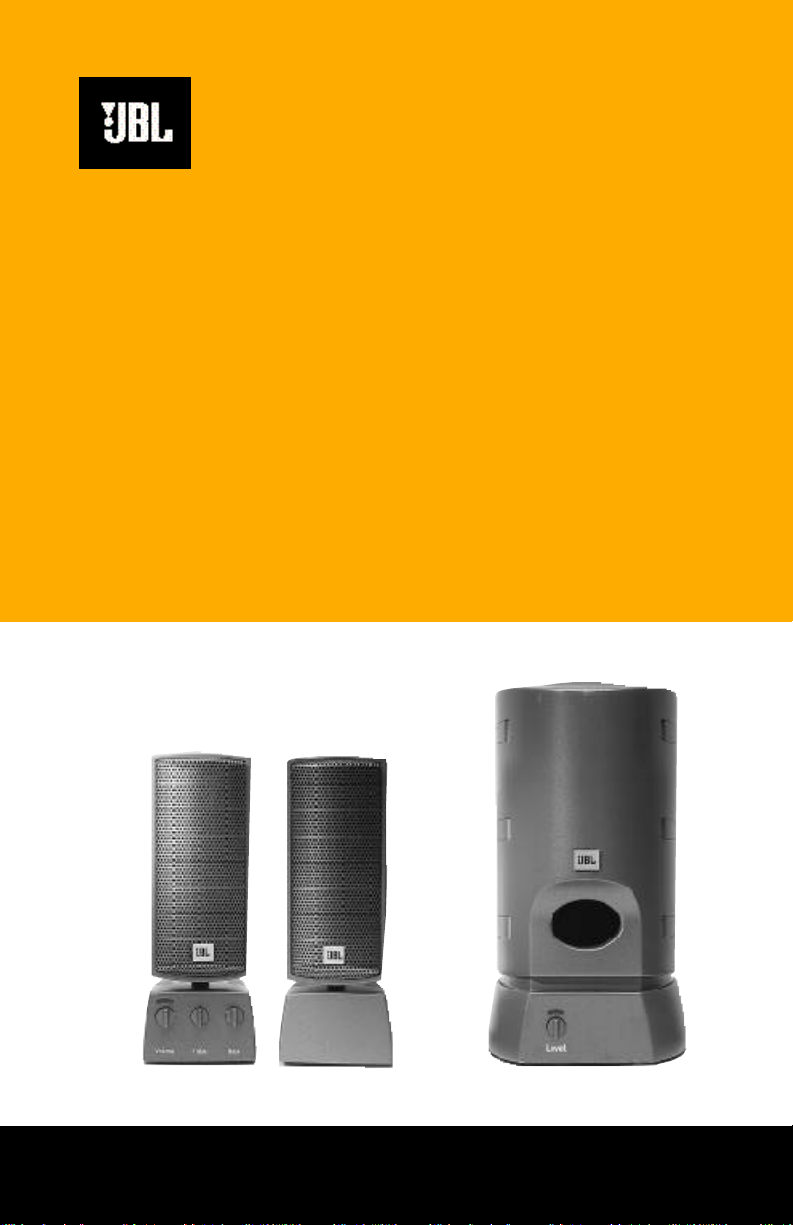
Media 2000
M e d i a Sub2000
MultiMedia Series Loudspeakers
(230V)
Media2000 OM (230V) 7/23/98 9:26 AM Page 1

thank you for choosing JBL. For over 50 years, JBL has
been involved in every aspect of musical and film recording and
reproduction, from live performances to monitoring the recordings
you play in your home, car or office.
We’re confident that the JBL loudspeaker you have
chosen will provide every note of enjoyment that you expected –
and that when you think about purchasing additional audio equip-
ment for your home, car or office, you will once again choose JBL.
Please take a moment to complete the enclosed profile card. It
enables us to keep you posted on our latest advancements, and
helps us to better understand our customers and build products that
meet their needs and expectations.
JBL Consumer Products
Media2000 OM (230V) 7/23/98 9:26 AM Page 2

Media2000 OM (230V) 7/23/98 9:26 AM Page 3
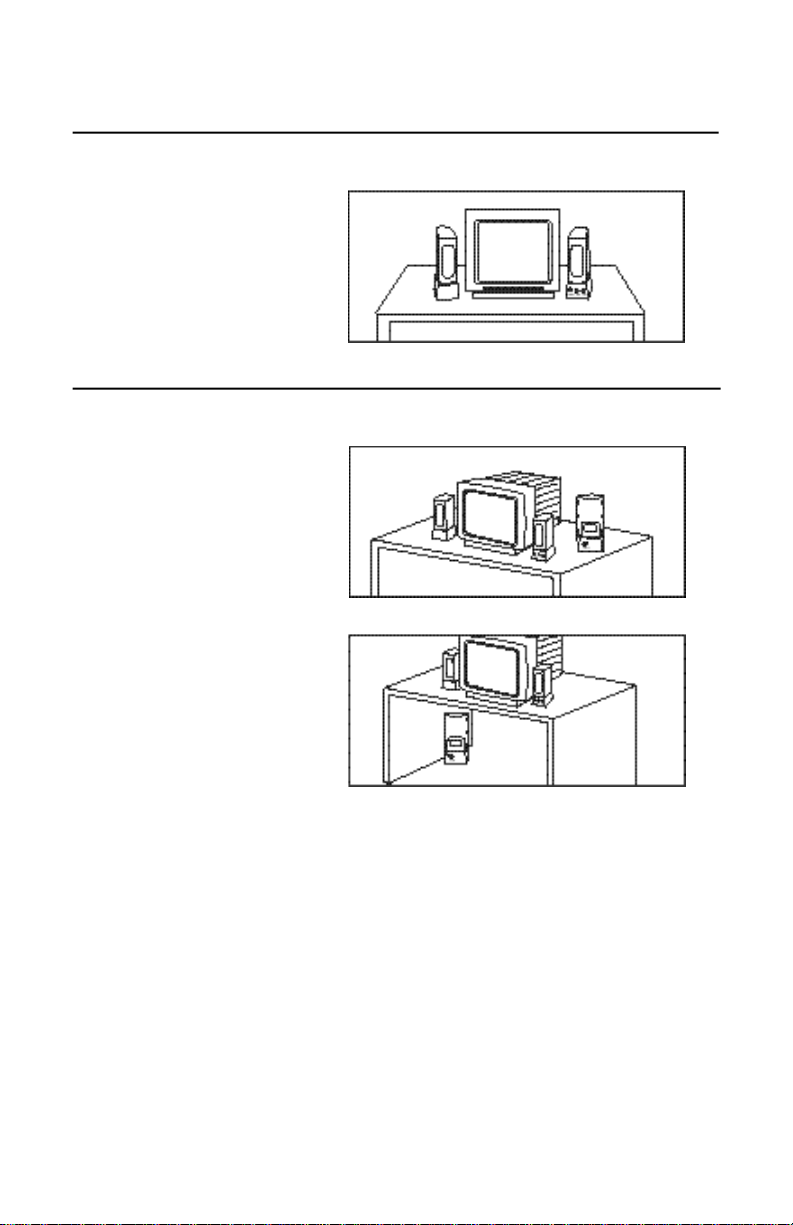
1. Placement
Media 2000
Media Sub2000
For optimum performance
and stereo imaging, slightly
angle the speakers toward
the listening position.
The Media Sub2000 can
be placed on the desktop
or
the floor.
Media2000 OM (230V) 7/23/98 9:26 AM Page 4
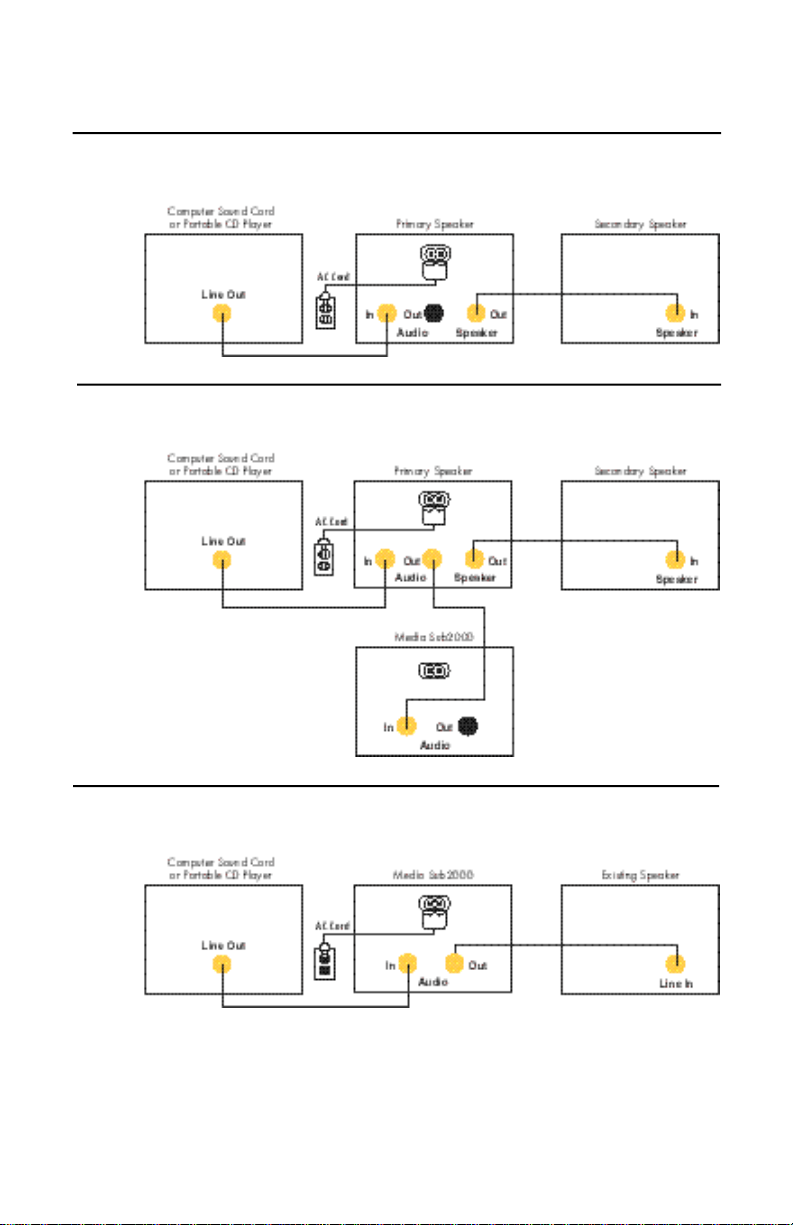
2. Connections
Media 2000 without subwoofer
Media 2000 with Media Sub2000 subwoofer
Media Sub2000 with existing satellite speakers
2. Connections
Media2000 OM (230V) 7/23/98 9:26 AM Page 5
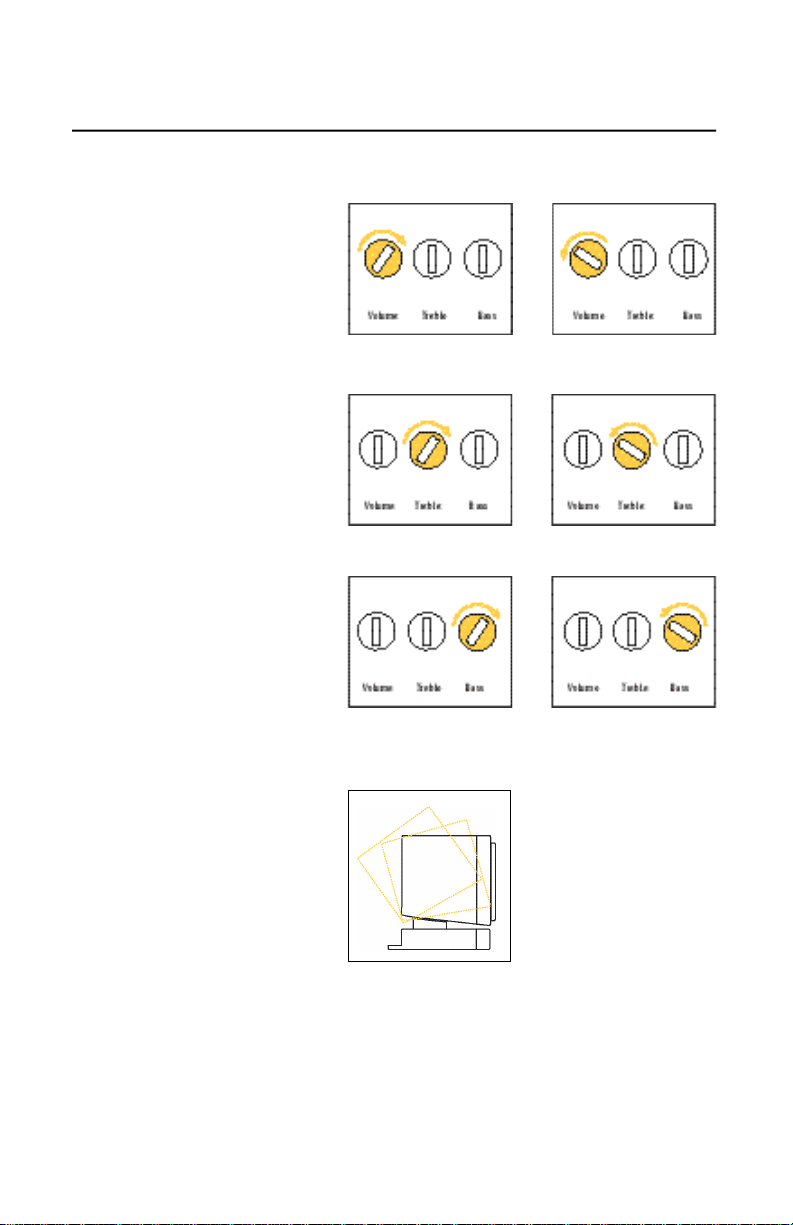
3. Operation
Media 2000
Volume:
To raise the volume level,
rotate the volume knob
clockwise.
To lower the volume level,
rotate the volume knob
counterclockwise.
Treble:
To raise the treble level,
rotate the treble knob
clockwise.
To lower the treble level,
rotate the treble knob
counterclockwise.
Bass:
To raise the bass level,
rotate the bass knob
clockwise.
To lower the bass level,
rotate the bass knob
counterclockwise.
Multiposition directional
adjustment
The Media 2000 speakers
incorporate a multiposition
directional adjustment that
allows you to tilt the speak-
ers toward the listening
area. This allows you to
position the speakers for
ideal sound reproduction
and imaging.
Media2000 OM (230V) 7/23/98 9:26 AM Page 6

Media Sub2000
Level:
To raise the output level,
rotate the level knob
clockwise.
To lower the output level,
rotate the level knob
counterclockwise.
4. Specifications
Maximum Amplifier Output:
15 watts/channel @ 1% THD
Frequency Response:
70Hz – 20kHz
Input Sensitivity: 3V maximum
Input Impedance: 10k ohms
Signal Input Jack:
Stereo mini-connector (1/8")
Subwoofer Output Jack:
Stereo mini-connector (1/8")
Dimensions (H x W x D):
7-5/8 x 3 x 7-7/8"
194 x 76 x 200mm
Weight:
2 lbs/0.9 kg – main
1.5 lbs./0.7 kg – secondary
Maximum Amplifier Output:
35 watts @ 1% THD
Frequency Response:
50Hz – 120Hz
Input Sensitivity: 3V maximum
Input Impedance: 10k ohms
Signal Input Jack:
Stereo mini-connector (1/8")
Subwoofer Output Jack:
Stereo mini-connector (1/8")
Dimensions (H x W x D):
9-5/8 x 5-1/4 x 10-3/4"
244 x 133 x 273mm
Weight:
7 lbs/3.2 kg
Media 2000
Media Sub2000
Auto turn-on/turn-off
The Media 2000 and
Media Sub2000 feature an
automatic turn-on/turn-off
feature. They will turn off
when the source equipment
(computer or CDplayer)
has no sound output for
approximately fifteen
minutes and immediately
turn back on when
a signal
is present.
Media2000 OM (230V) 7/23/98 9:26 AM Page 7

JBL Consumer Products
80 Crossways Park West, Wo o d b u ry, NY 11797
8500 Balboa Boulevard, No r thridge, CA 91329
©
1997 JBL, Incorporated. JBL is a registered trademark of JBL, Incorporated.
Printed 10/97 P a rt No. MED/MEDSUB2000OM230V
Media2000 OM (230V) 7/23/98 9:26 AM Page 8