
R
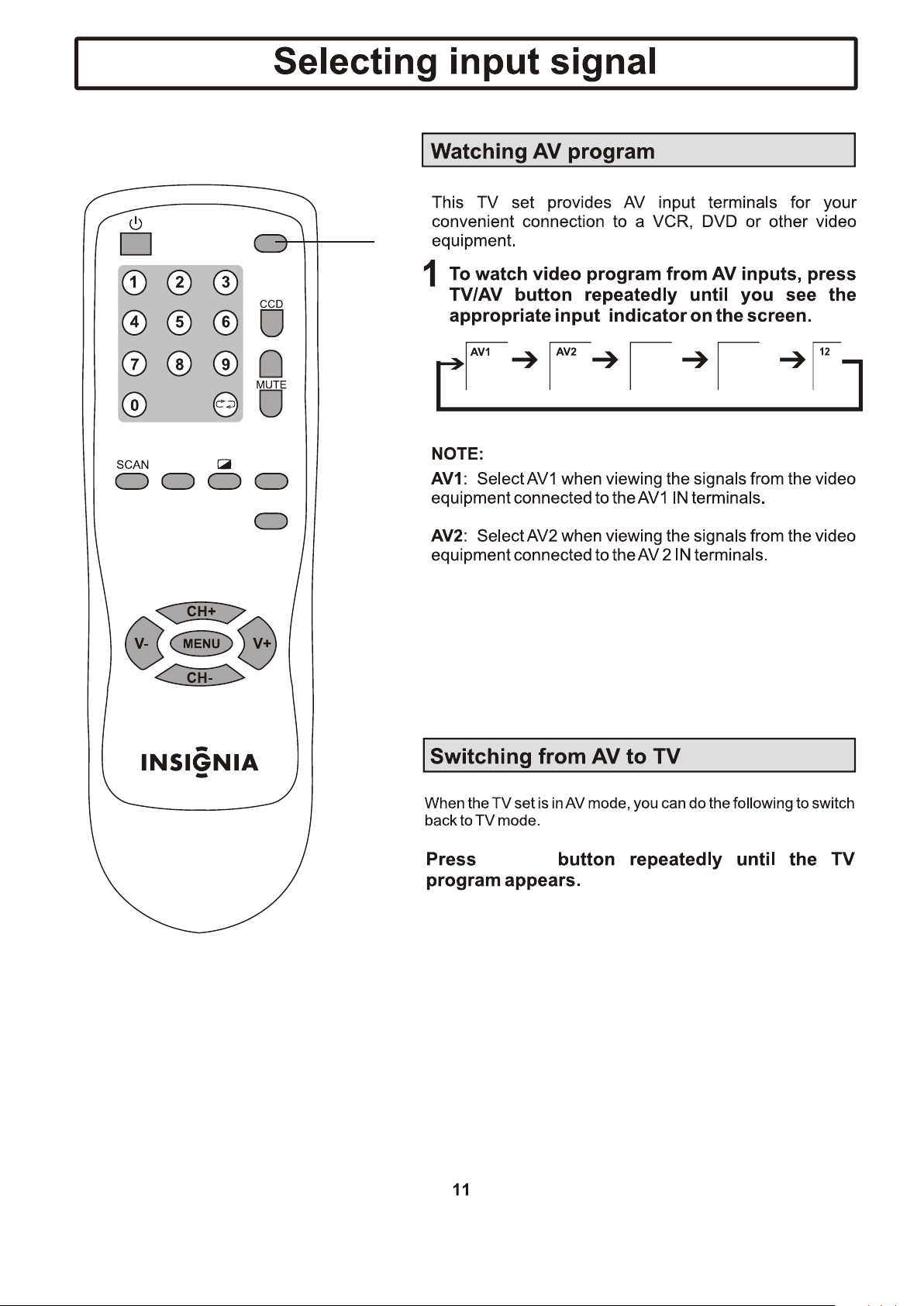
L/MONO
VIDEO
AV2 input
(VIDEO, AUDIO: L/MONO,R)
( )
2
Headphone jack
Component
Component
S-Video
S-Video
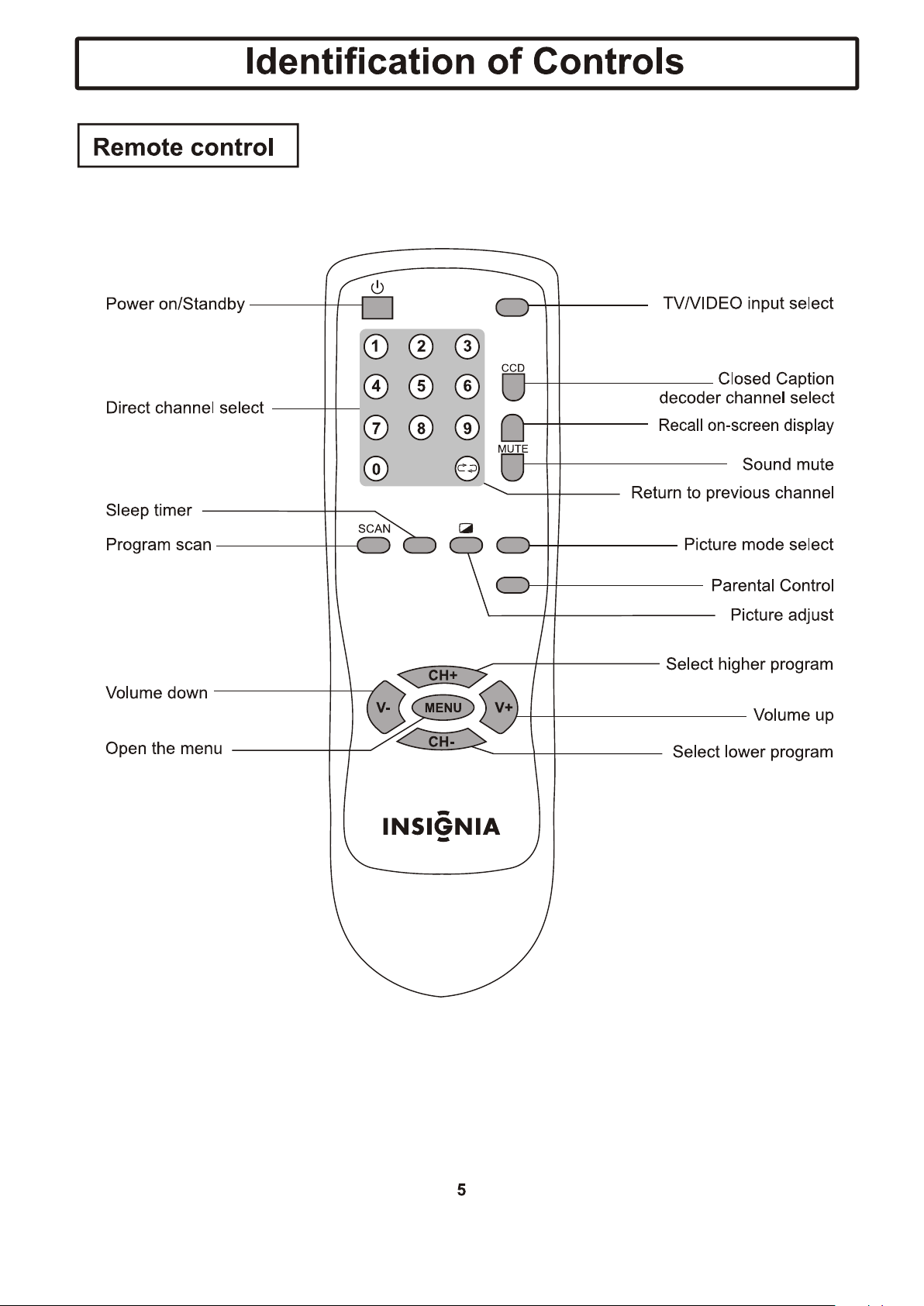
INPUT
DISPLAY
SLEEP
PICTURE
P-LOCK

WW
YY
RR
TV SET SIDE
R
L/MONO
VIDEO
( )
2
To headphone jack
F
F
O
O
N
S-Video S-Video
S-Video
S-Video
S-Video
S-Video
S-Video
Component
S-Video
Component
S-Video
Component
S-Video
Component
Component
Component
Component
INPUT
DISPLAY
SLEEP
PICTURE
P-LOCK
S-Video
Component
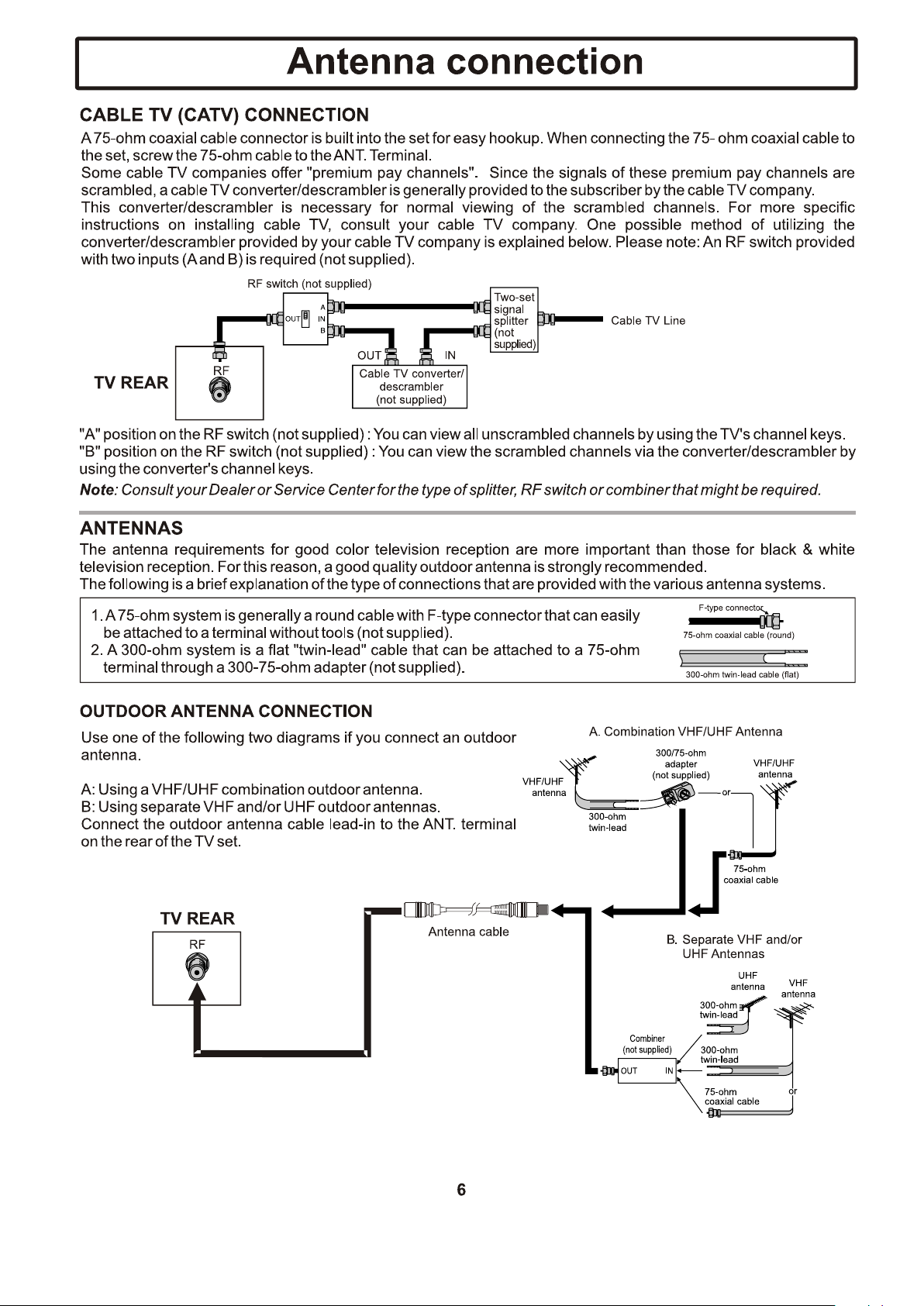
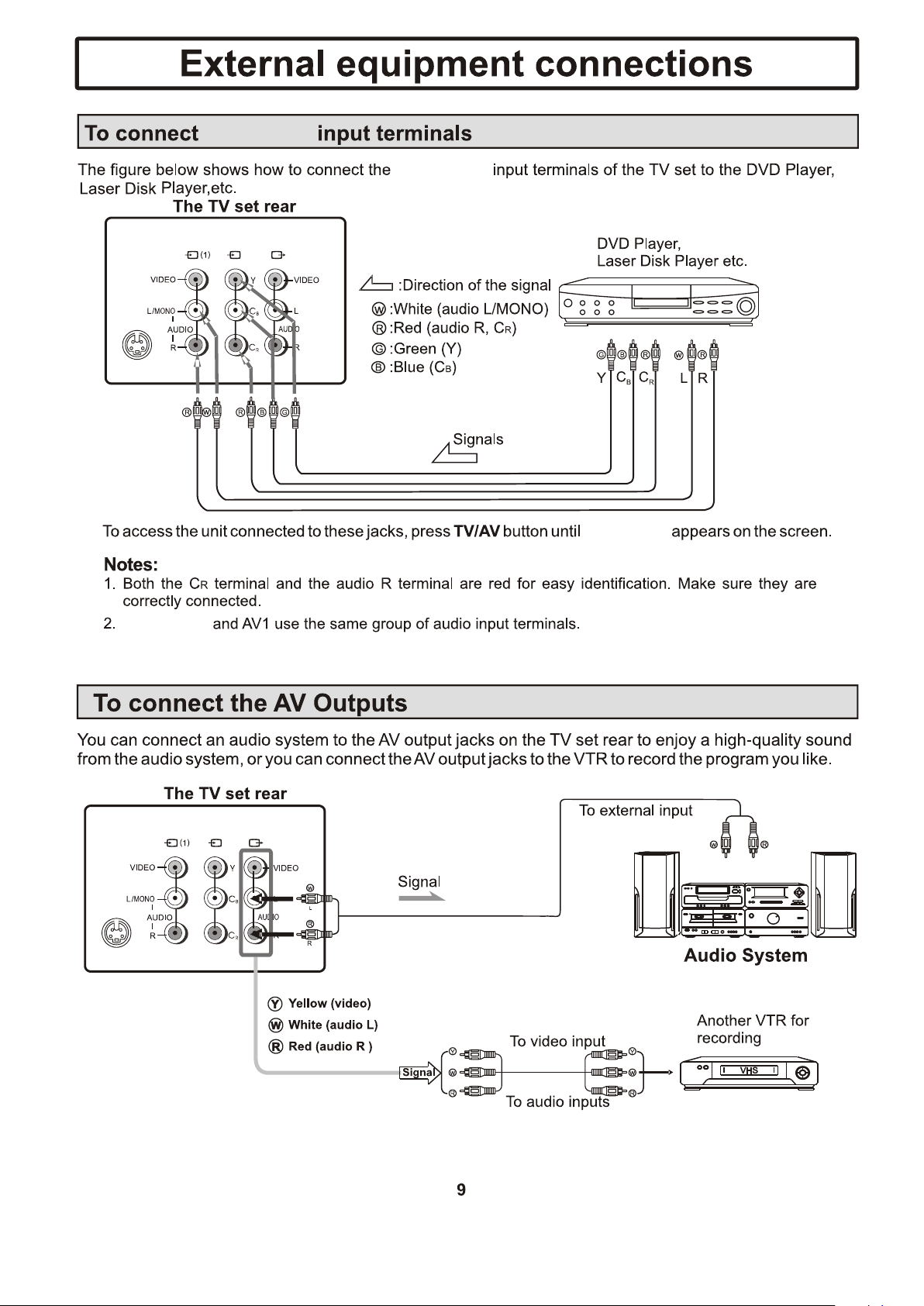
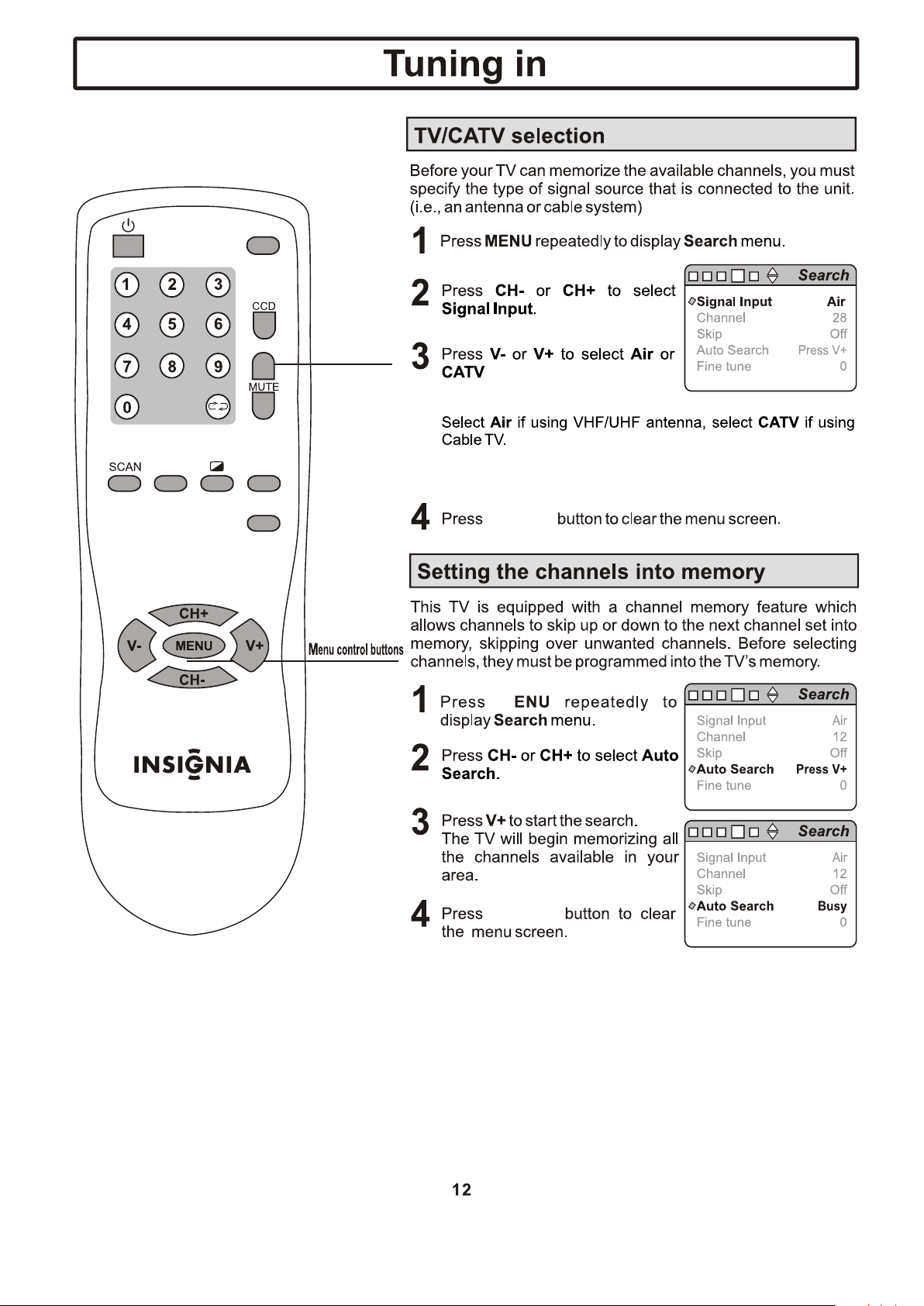
Component: Select Component when viewing the signals
from the video equipment connected to the Component IN
terminals.
INPUT
DISPLAY
SLEEP
PICTURE
P-LOCK
INPUT
INPUT
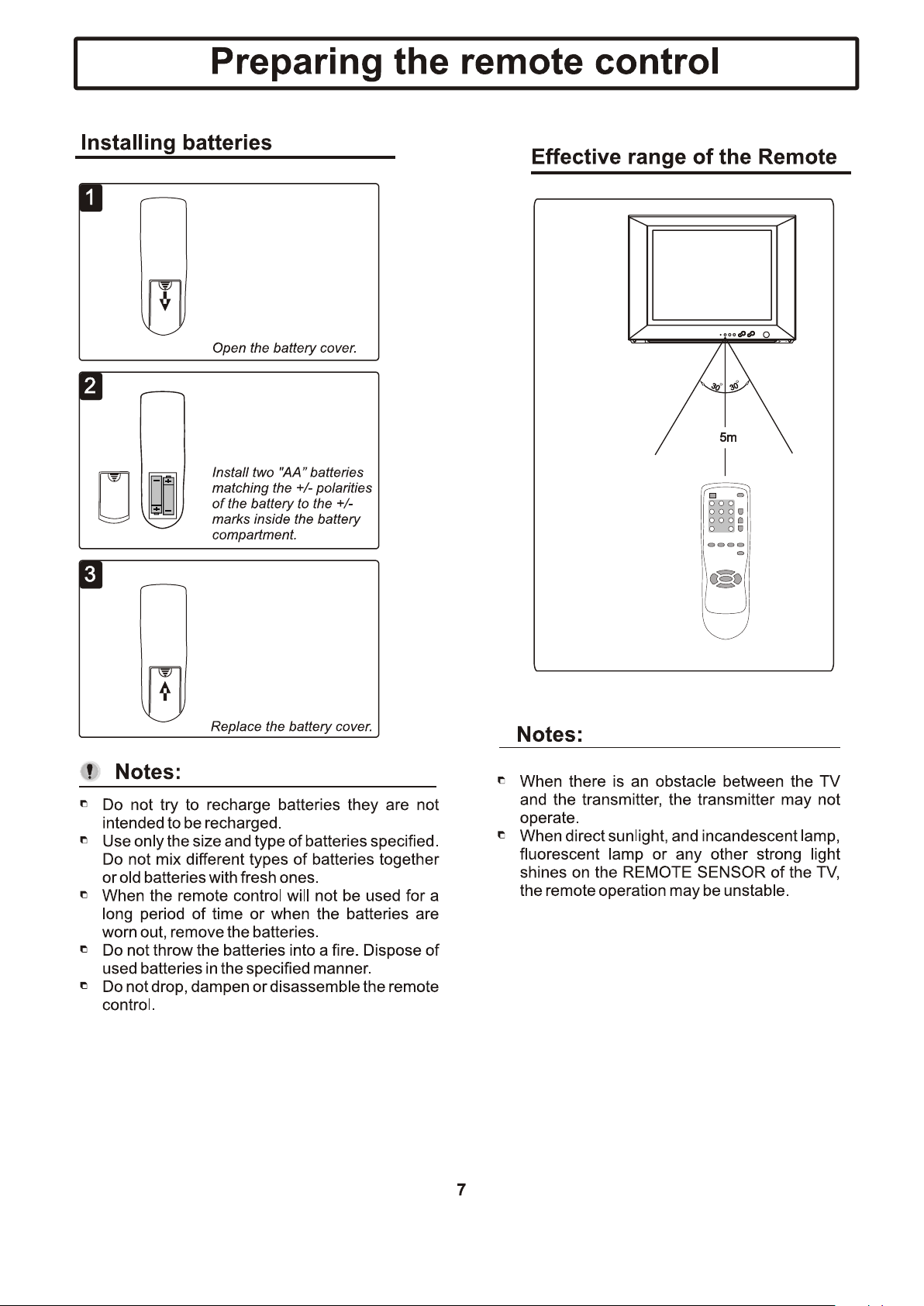
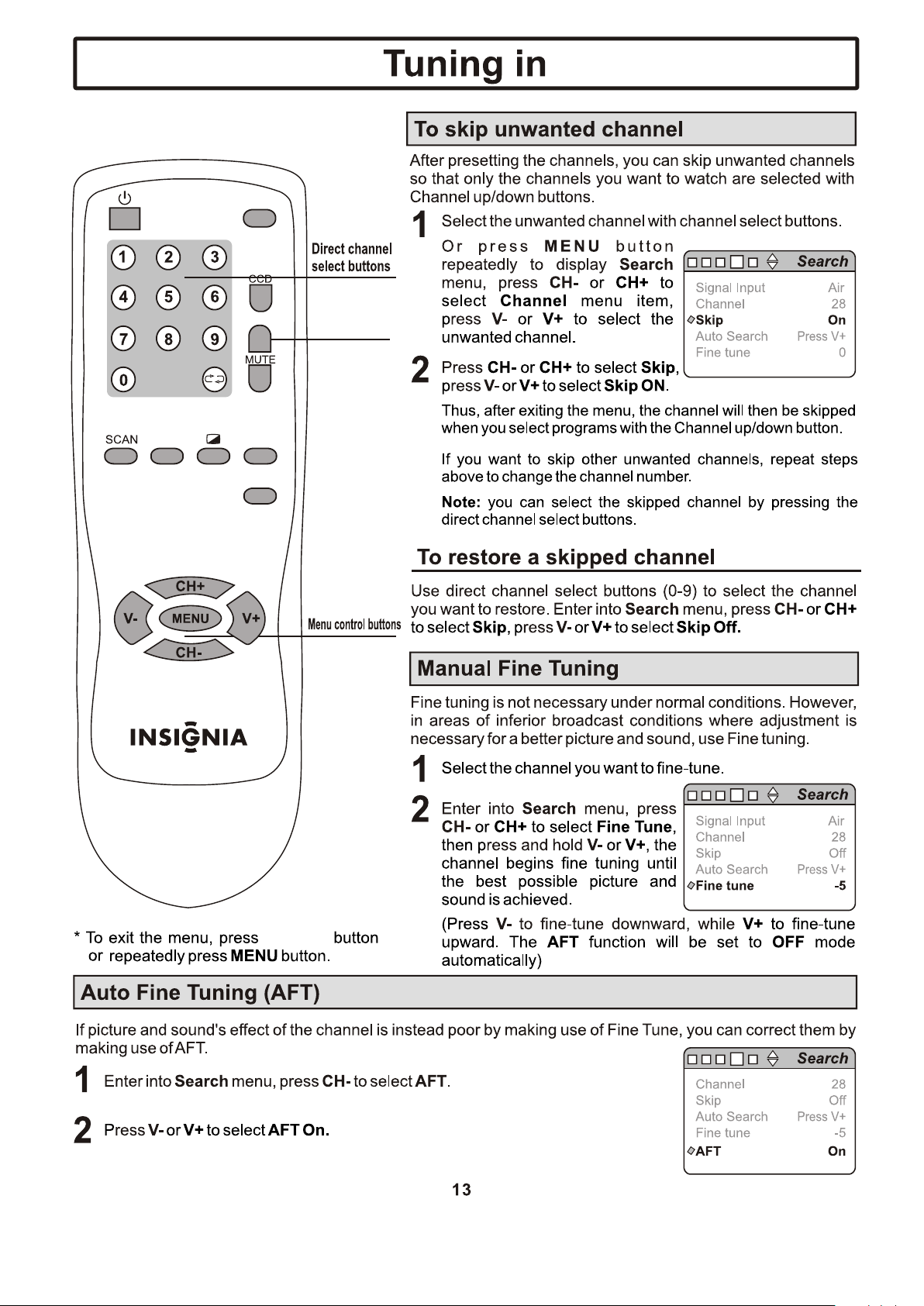
S-Video: Select S-Video when viewing the signals from
the video equipment connected to the S-Video IN terminals.
.
INPUT
DISPLAY
SLEEP
PICTURE
P-LOCK
DISPLAY
DISPLAY
DISPLAY
INPUT
DISPLAY
SLEEP
PICTURE
P-LOCK
DISPLAY
DISPLAY
INPUT
DISPLAY
SLEEP
PICTURE
P-LOCK
DISPLAY
DISPLAY
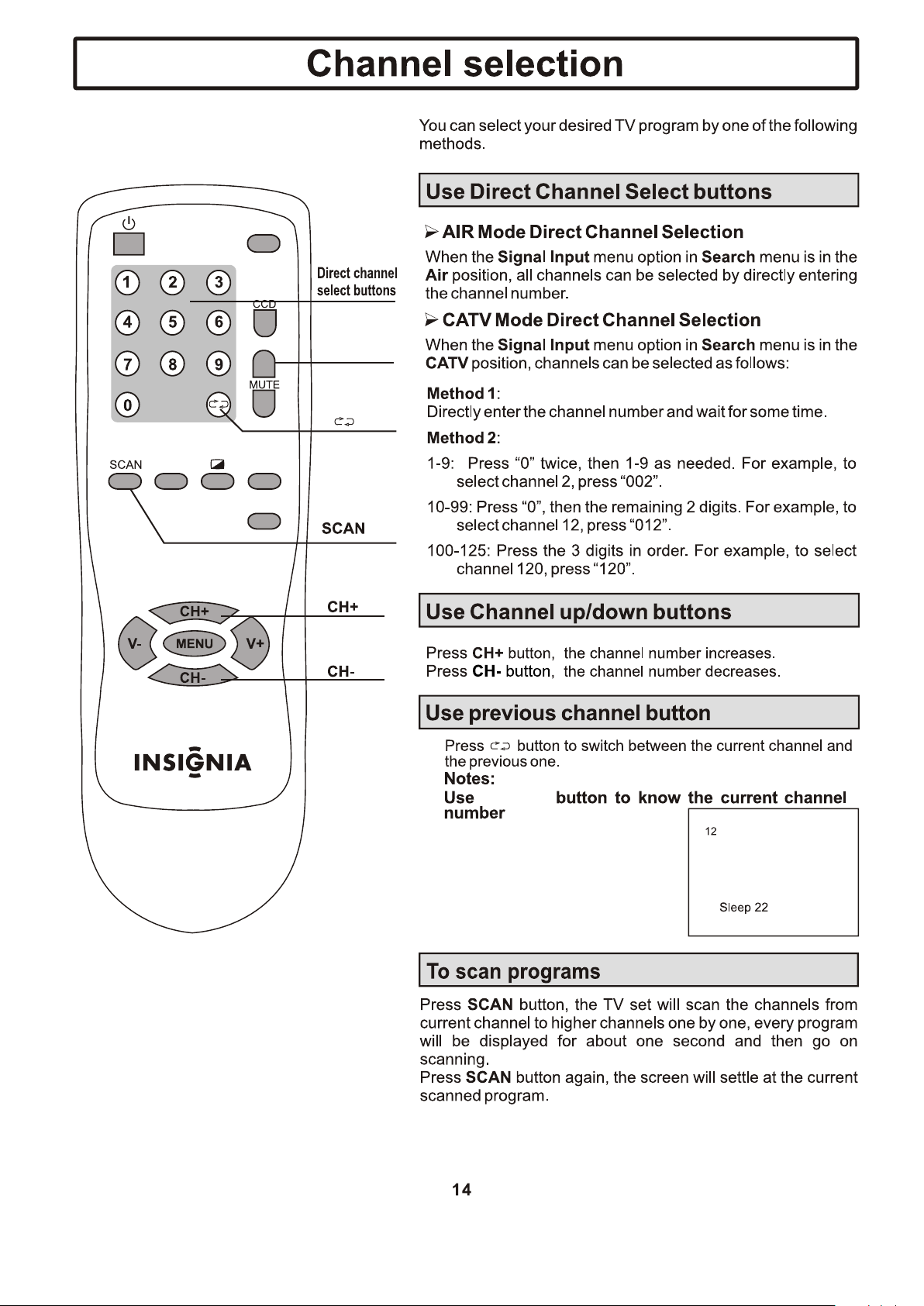
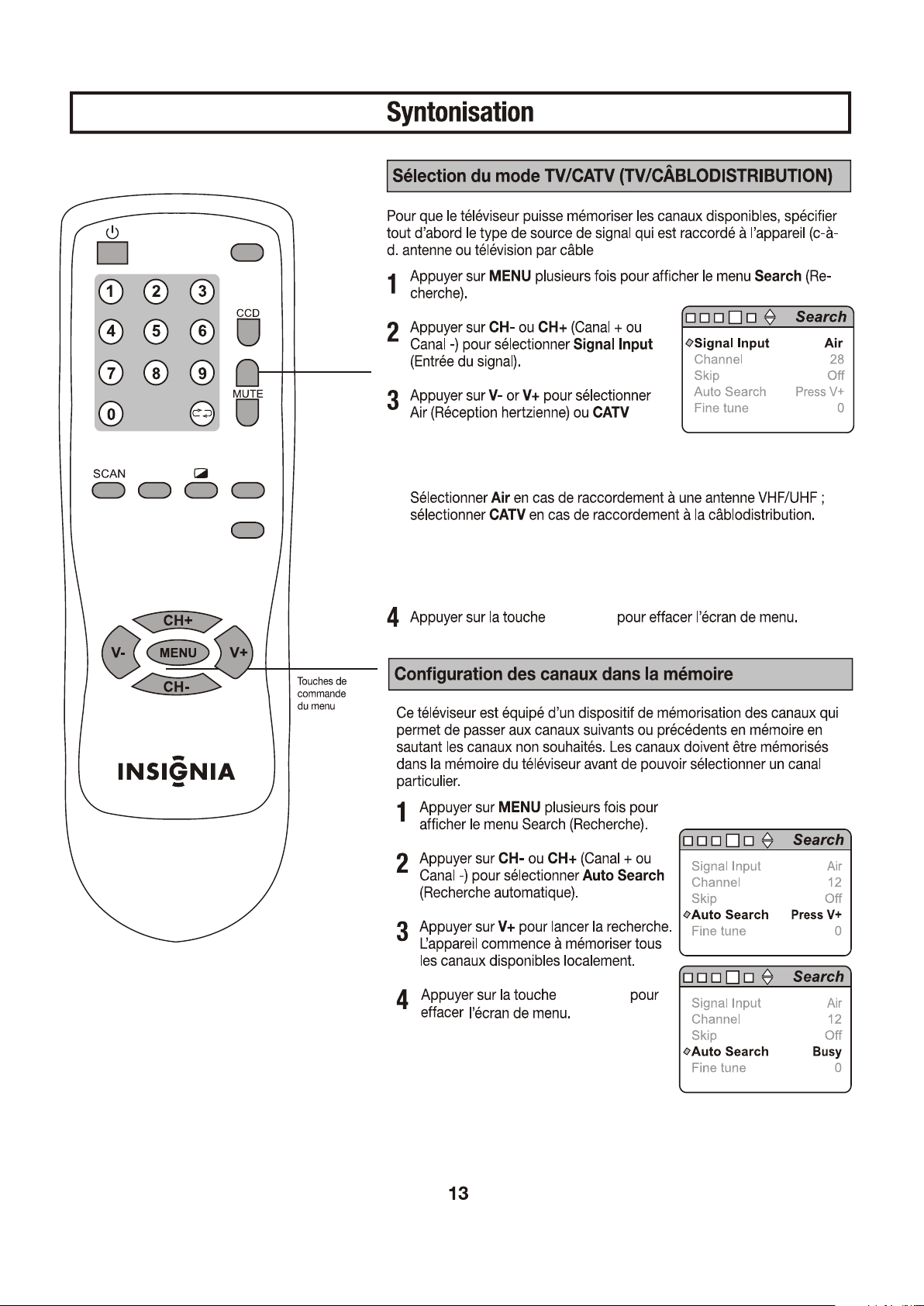
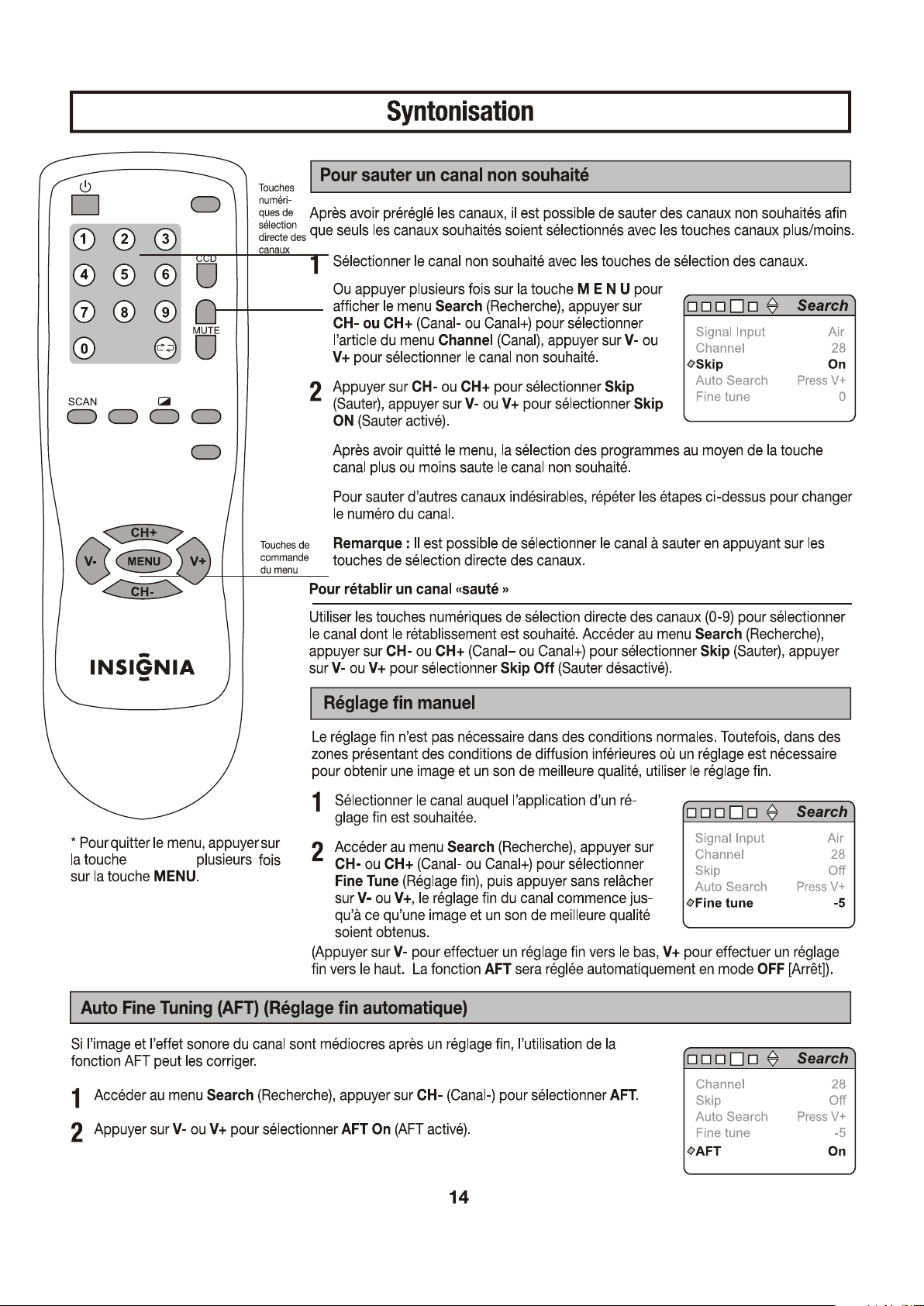
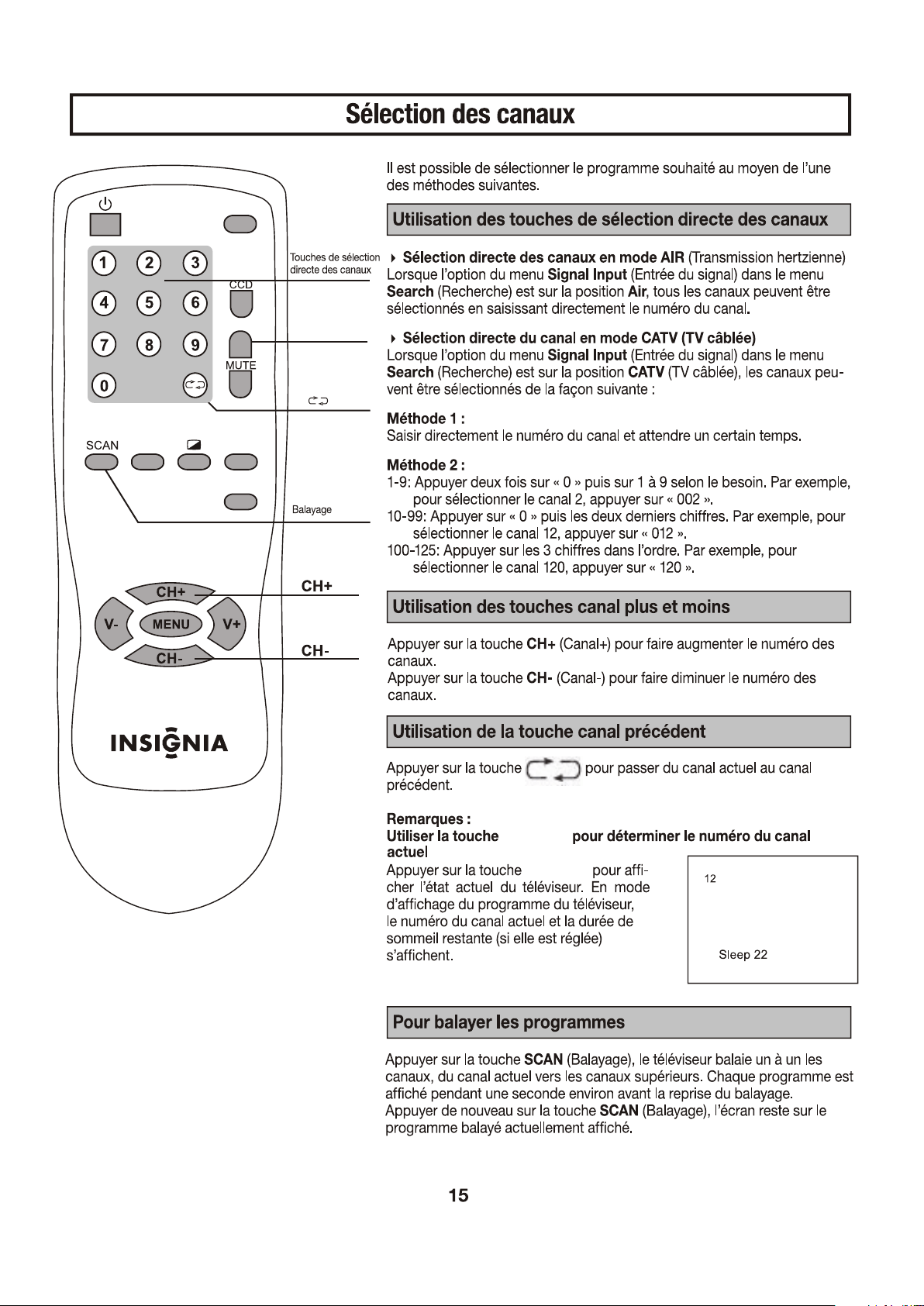
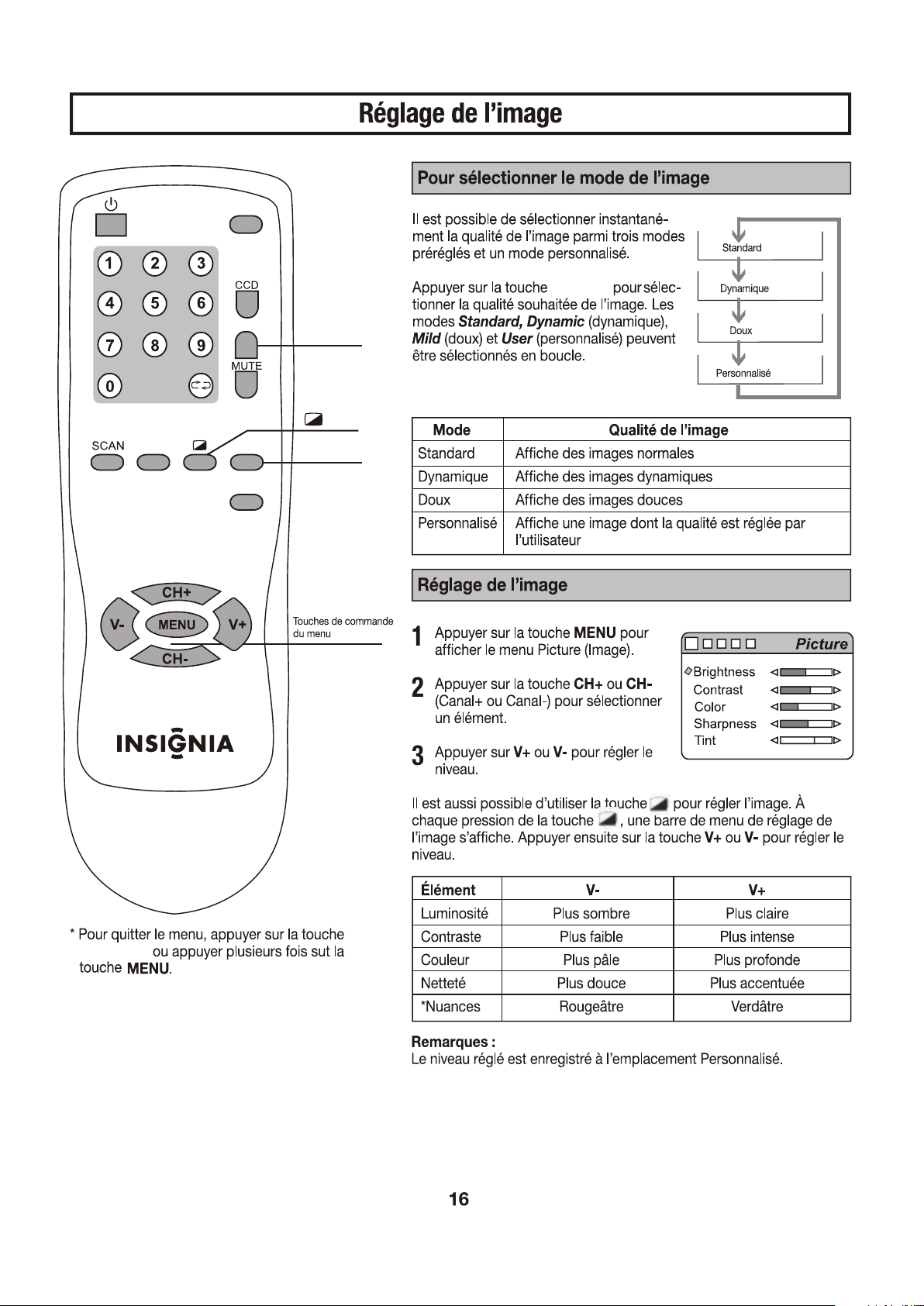
Press DISPLAY button to display
the current TV state.If in TV
program viewing, then it will display
the current channel number and
remaining sleep time(if set).
INPUT
DISPLAY
SLEEP
PICTURE
P-LOCK
DISPLAY
DISPLAY
PICTURE
PICTURE
INPUT
DISPLAY
SLEEP
PICTURE
P-LOCK
12
12
06
06
06
AM
AM
PM
AM
PM
AM
PM
INPUT
DISPLAY
SLEEP
PICTURE
P-LOCK
DISPLAY
06
12
AM
PM
PM
01
INPUT
DISPLAY
SLEEP
PICTURE
P-LOCK
SLEEP
DISPLAY
DISPLAY
SLEEP
SLEEP
SLEEP
INPUT
DISPLAY
SLEEP
PICTURE
P-LOCK
DISPLAY
DISPLAY
INPUT
DISPLAY
SLEEP
PICTURE
P-LOCK
DISPLAY
P-LOCK
To clear the menu screen,press
DISPLAY button.
P-LOCK
INPUT
DISPLAY
SLEEP
PICTURE
P-LOCK
DISPLAY
P-LOCK
P-LOCK
DISPLAY
P-LOCK
INPUT
DISPLAY
SLEEP
PICTURE
P-LOCK
DISPLAY
P-LOCK
INPUT
DISPLAY
SLEEP
PICTURE
P-LOCK
DISPLAY
DISPLAY
P-LOCK
P-LOCK
P-LOCK
INPUT
DISPLAY
SLEEP
PICTURE
P-LOCK
DISPLAY
DISPLAY
P-LOCK
P-LOCK
If discoloration is noticed it may be improved by reducing the brightness and
contrast settings.


VOL+
CH-
CH+
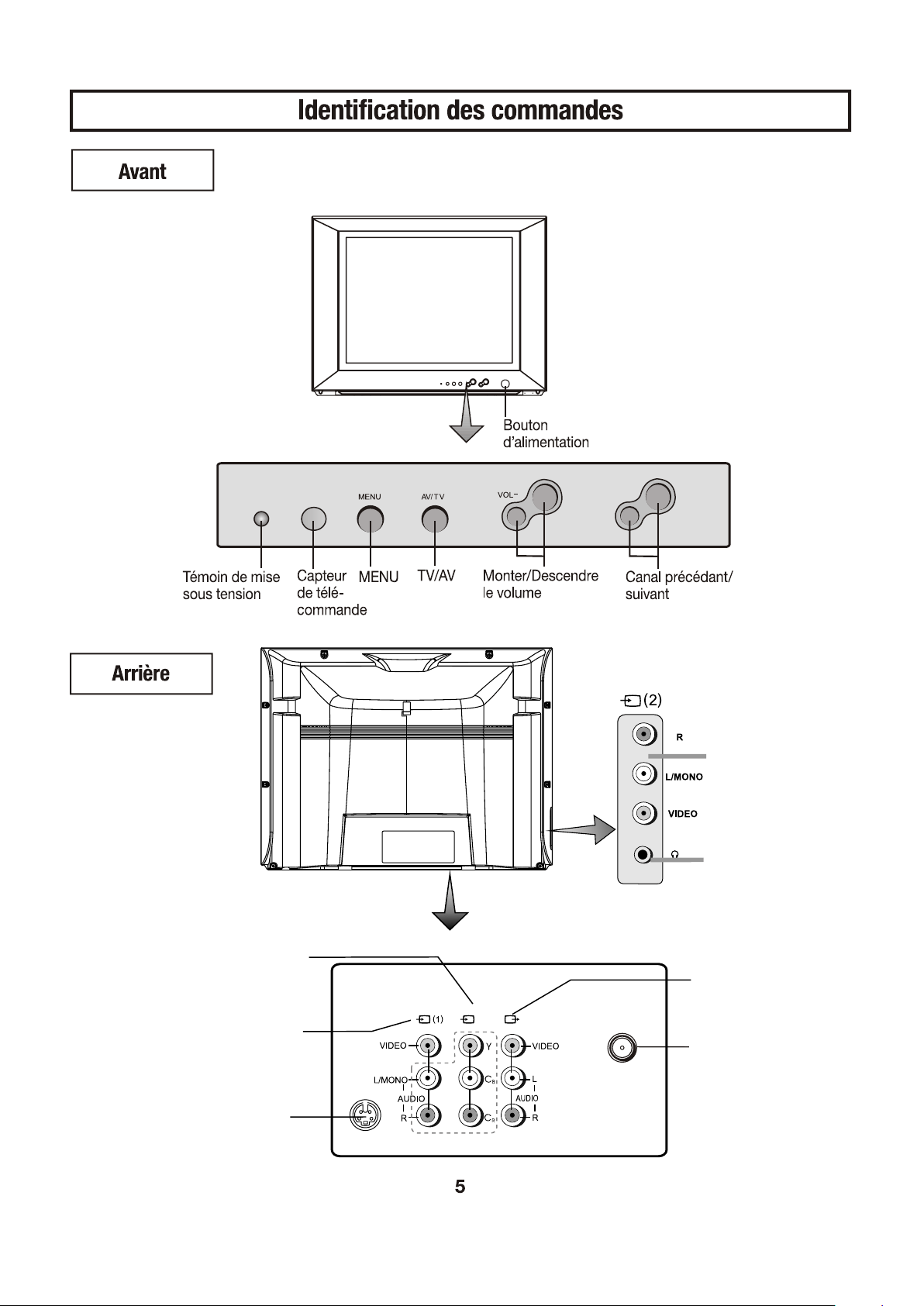
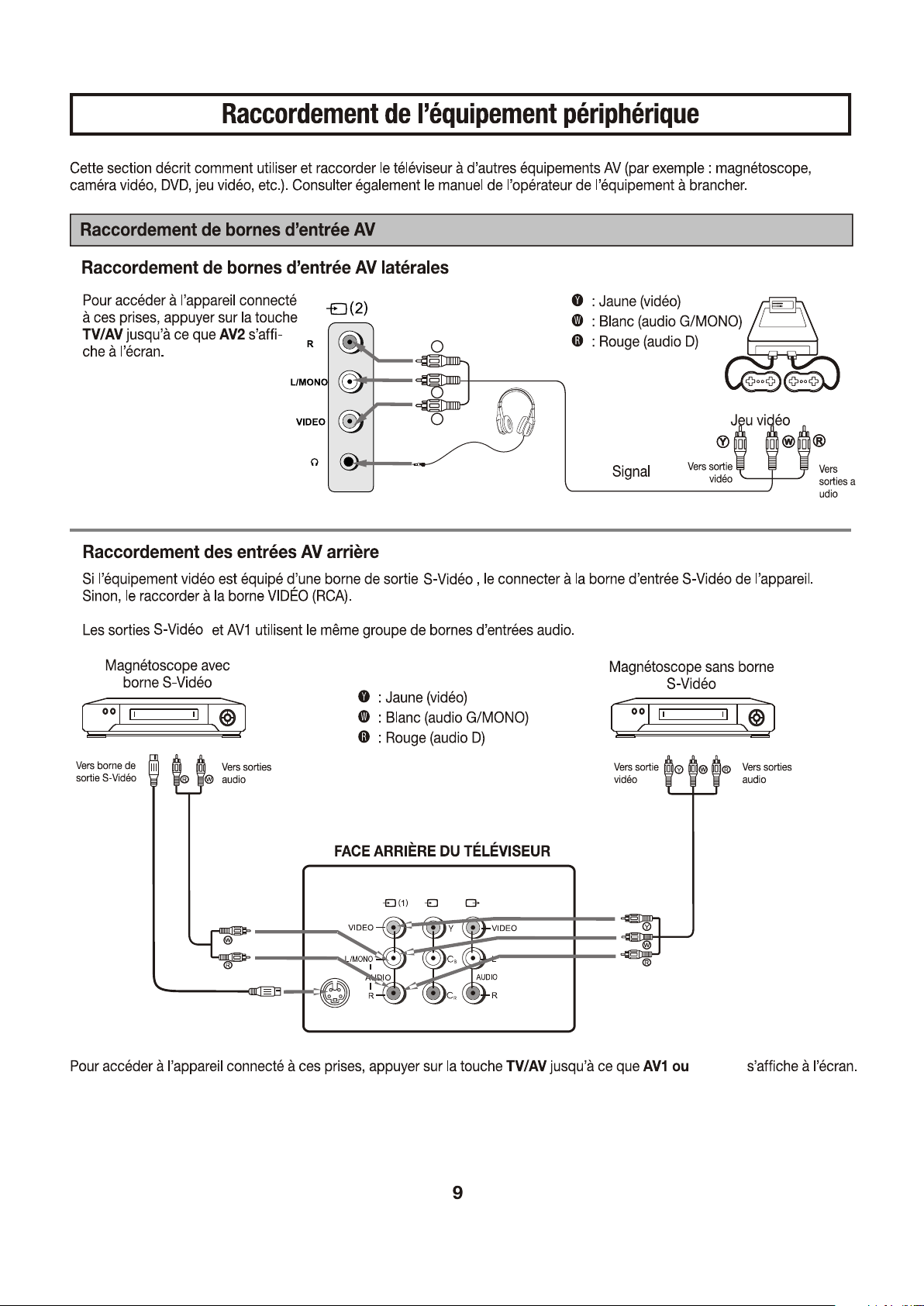
AV2 données
(VIDEO, AUDIO: L/MONO,R)
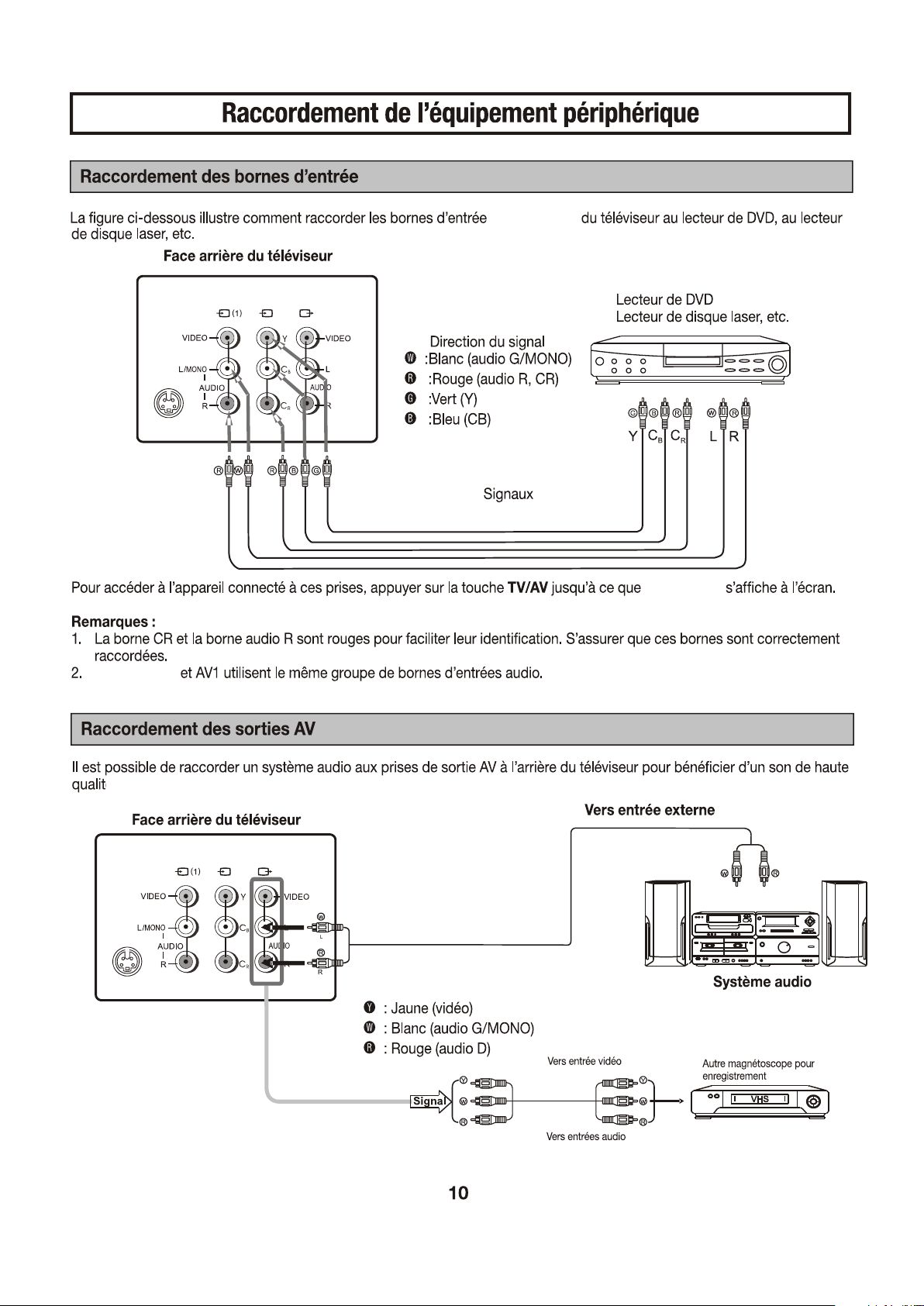
les données Component
(VIDEO: Y,C ,C,
B R
AUDIO:L/MONO,R)
les données AV1(VIDEO,
AUDIO: L/MONO,R)
les données S-Video
les données d'Antenne
la production AV
(VIDEO, AUDIO: L,R)
RF
Prise d'écouteur
Component
S-Video
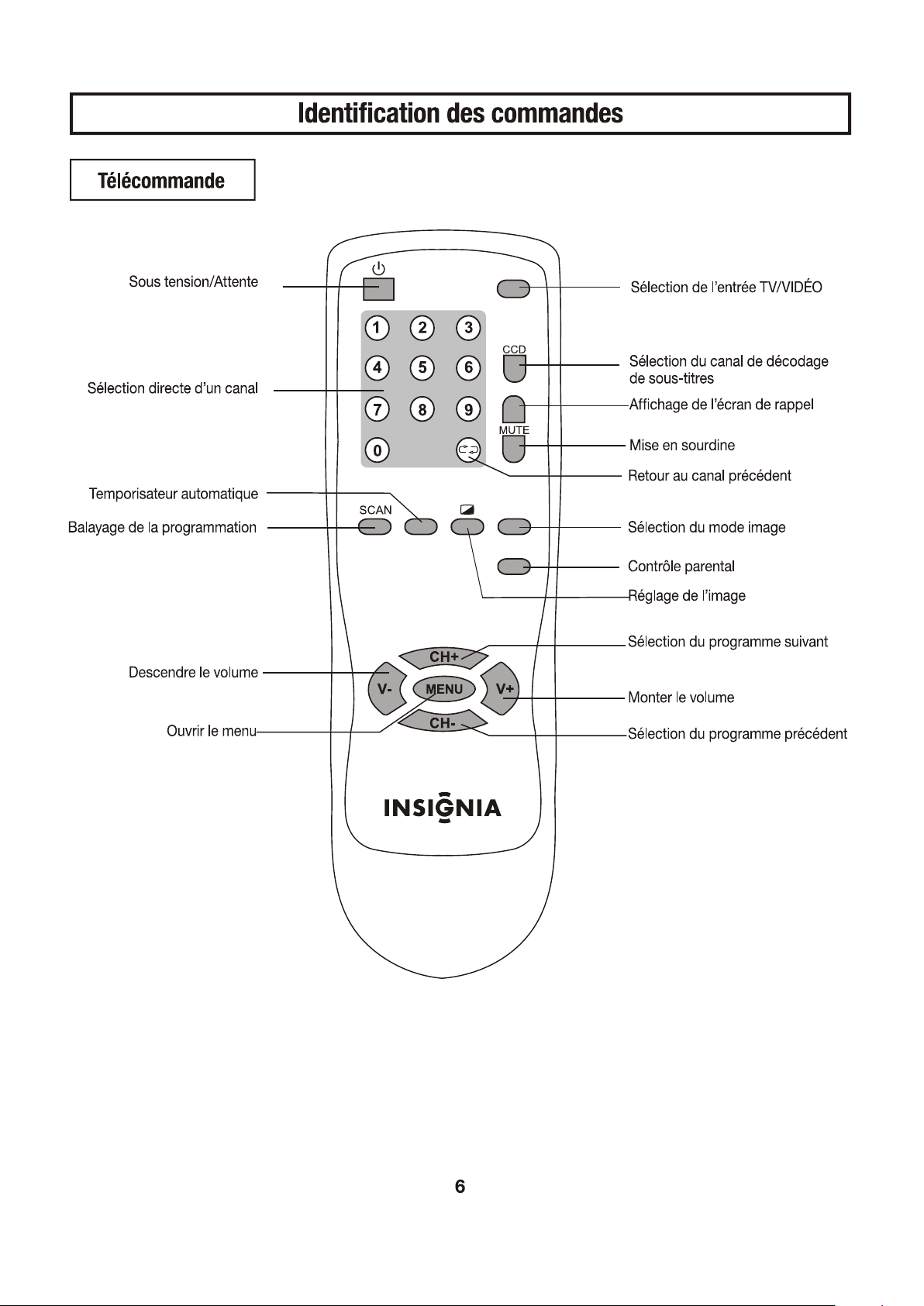
INPUT
DISPLAY
SLEEP
PICTURE
P-LOCK
WW
YY
RR
le COTE DE téléviseur
Prise d'écouteur
F
F
O
O
N
Component
S-Video
S-Video
Component
S-Video
Component
Component
S-Video
Component
Component
Component
INPUT
DISPLAY
SLEEP
PICTURE
P-LOCK
Component
S-Video
S-Video
S-Video
S-Video
Component
Component
Component
Component
S-Video
INPUT
INPUT
INPUT
DISPLAY
SLEEP
PICTURE
P-LOCK
.
INPUT
DISPLAY
SLEEP
PICTURE
P-LOCK
DISPLAY
DISPLAY
DISPLAY
INPUT
DISPLAY
SLEEP
PICTURE
P-LOCK
DISPLAY
DISPLAY
INPUT
DISPLAY
SLEEP
PICTURE
P-LOCK
DISPLAY
DISPLAY
DISPLAY
DISPLAY
INPUT
DISPLAY
SLEEP
PICTURE
P-LOCK
DISPLAY
PICTURE
PICTURE
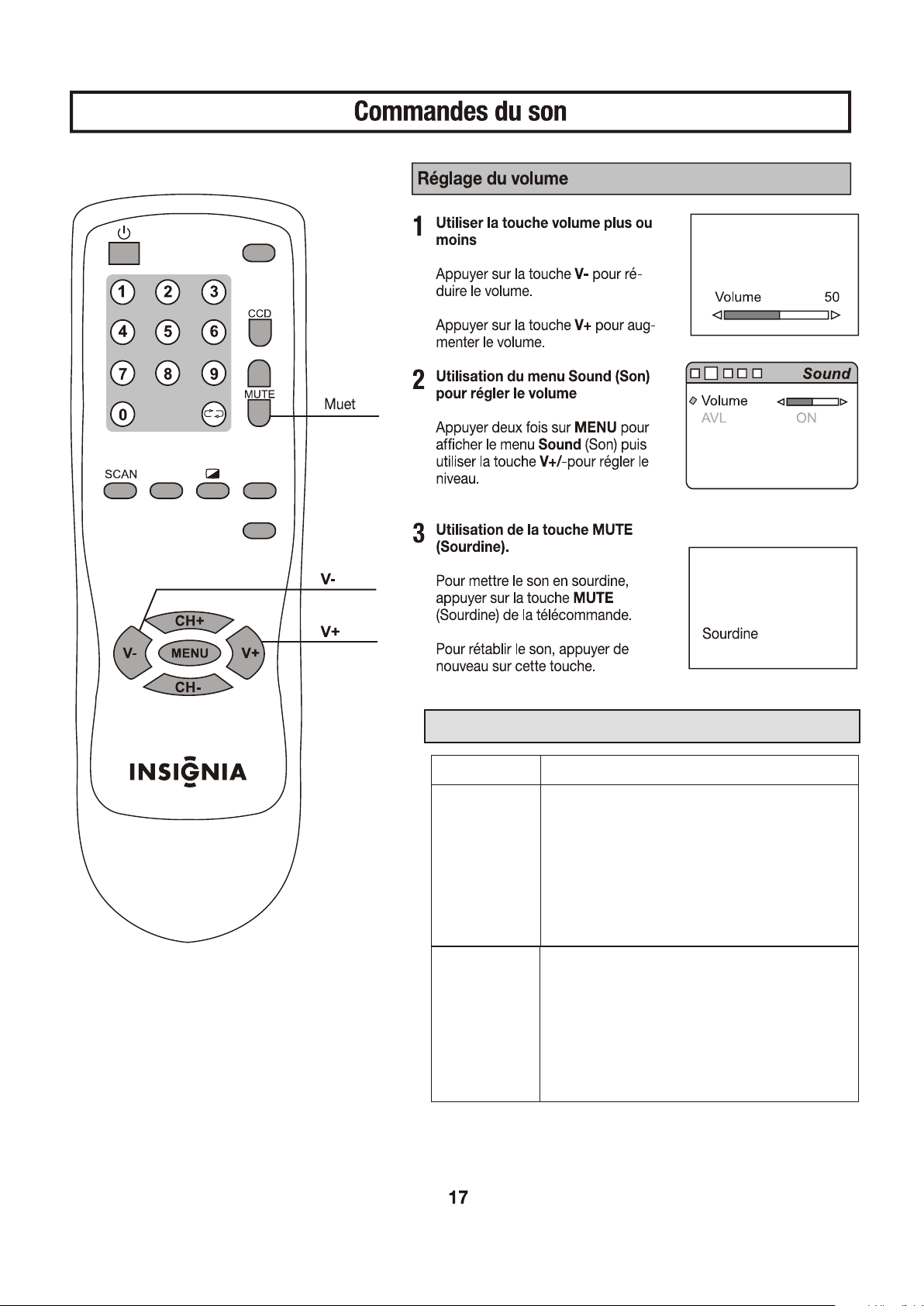
La Description de AVL et MUSIQUE TV
l'option
Description
AVL
Chaque station de diffusion a leures propres
conditions de signal, qui peut le faire nécessaire
d'ajuster le volume chaque fois la chaîne est
changée. "AVL" vous permet d'ajuster
automatiquement le volume de la chaîne désirée
en baissant le output du son quand le signal de
modulation est haut ou en élevant le output du
son quand le signal de modulation est bas.
CD PLAY
Cet article n'est pas disponible dans le mode de
TV.
Cette fonction vous permet d'écouter la
musique d'un lecteur de CD quand vous ne
connectez que les audios terminaux entre la
poste téléviseur et le lecteur de CD.
INPUT
DISPLAY
SLEEP
PICTURE
P-LOCK
06
06
06
12
12
AM
AM
PM
AM
PM
AM
PM
INPUT
DISPLAY
SLEEP
PICTURE
P-LOCK
DISPLAY
SLEEP

06
12
AM
PM
PM
01
INPUT
DISPLAY
SLEEP
PICTURE
P-LOCK
DISPLAY
SLEEP
SLEEP
DISPLAY
SLEEP
SLEEP
INPUT
DISPLAY
SLEEP
PICTURE
P-LOCK
DISPLAY
DISPLAY

INPUT
DISPLAY
SLEEP
PICTURE
P-LOCK
DISPLAY
INPUT
DISPLAY
SLEEP
PICTURE
P-LOCK
DISPLAY
P-LOCK
P-LOCK
P-LOCK
DISPLAY
INPUT
DISPLAY
SLEEP
PICTURE
P-LOCK
DISPLAY
P-LOCK
P-LOCK
DISPLAY
P-LOCK
DISPLAY
P-LOCK
INPUT
DISPLAY
SLEEP
PICTURE
P-LOCK
DISPLAY
P-LOCK
P-LOCK
DISPLAY
P-LOCK
INPUT
DISPLAY
SLEEP
PICTURE
P-LOCK
DISPLAY
P-LOCK
En cas de dégradation de la couleur, une amélioration peut être obtenue par une réduction de la
luminosité et du contraste.

28
26
22
18
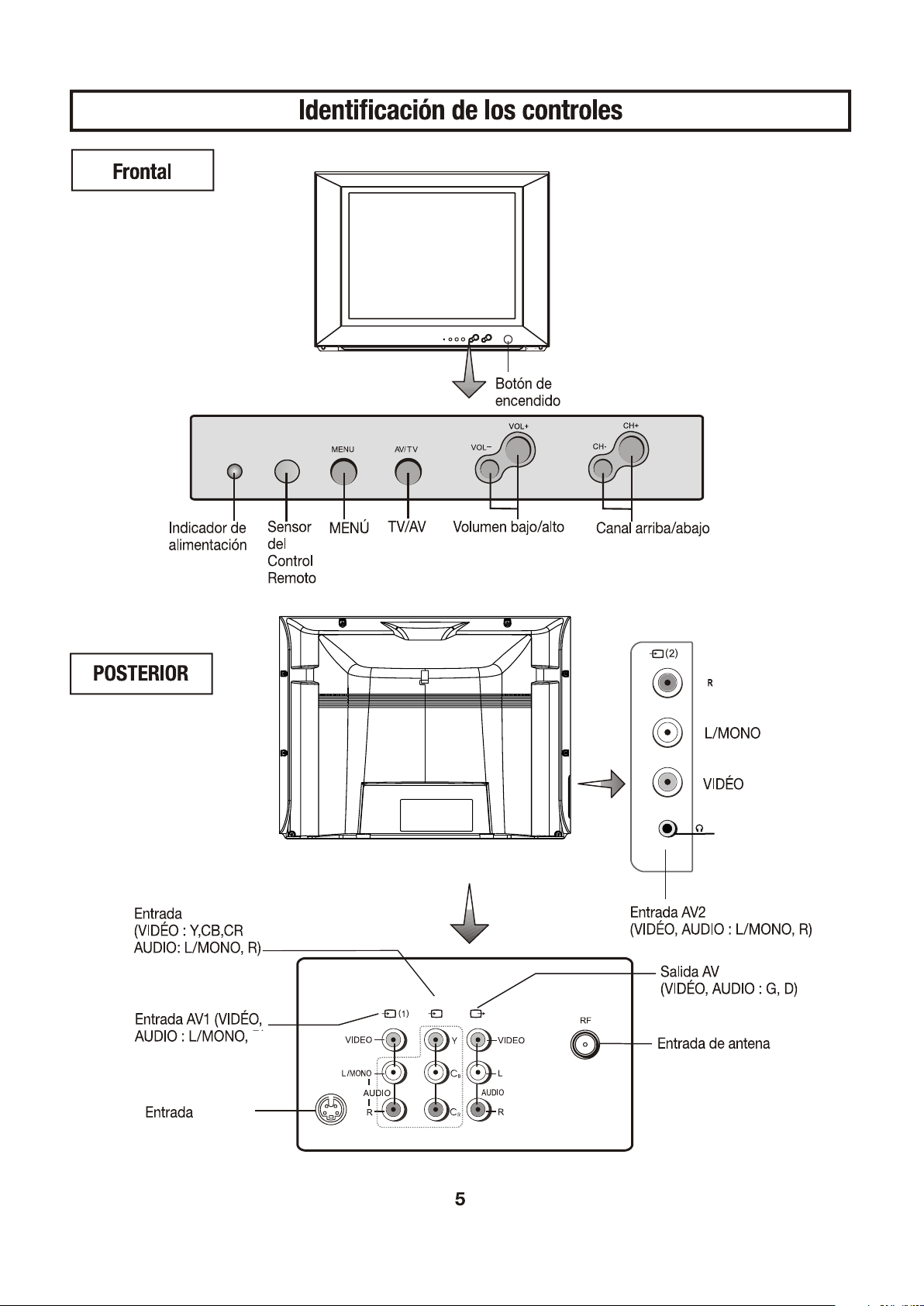
Auriculares
Component
S-Video
S-Video
Component
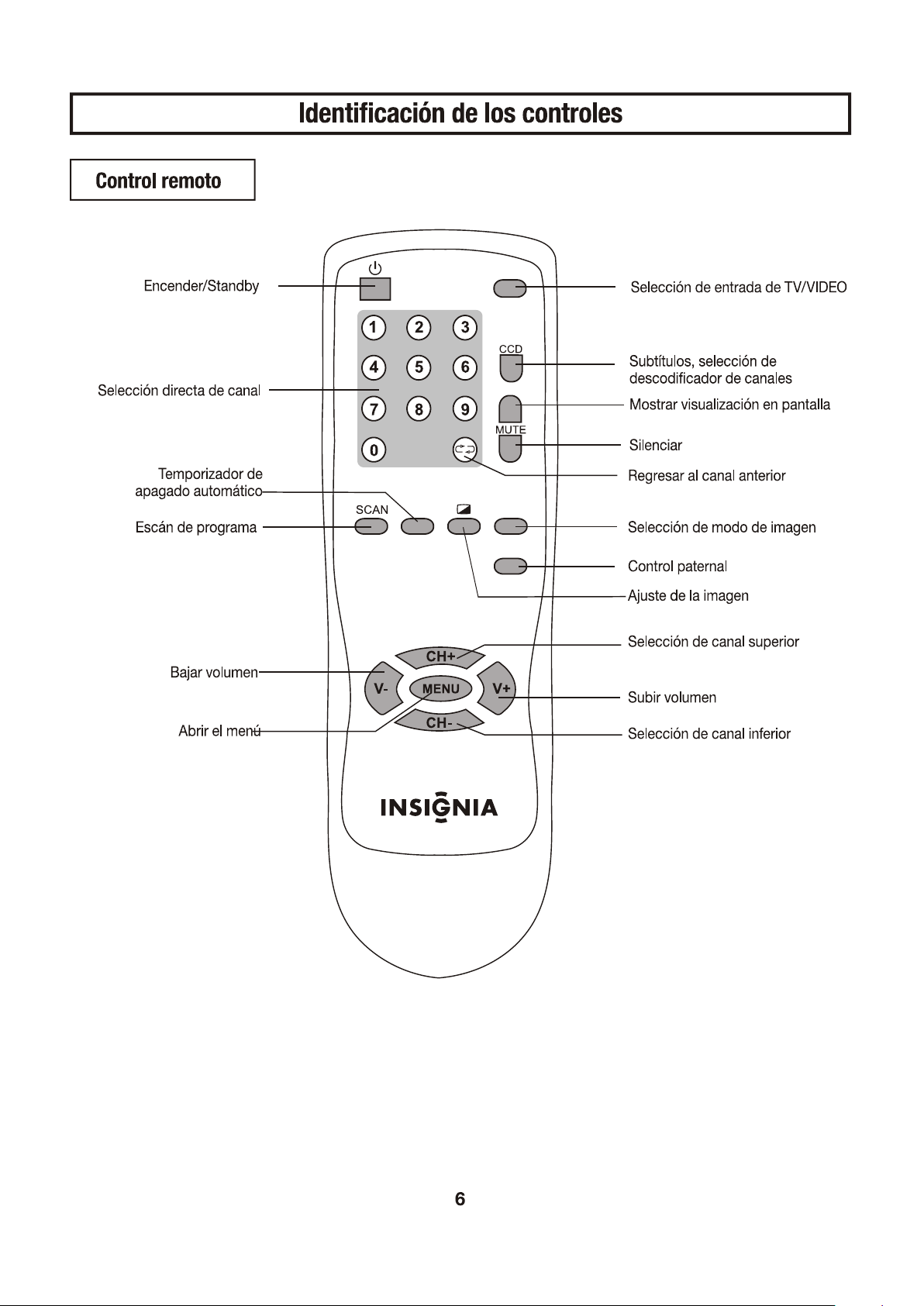
INPUT
DISPLAY
SLEEP
PICTURE
P-LOCK

S-Video S-Video
S-Video
S-Video
S-Video
S-Video
S-Video
S-Video
Component
Component
Component
S-Video
Component
S-Video
Component
Component
Component
INPUT
DISPLAY
SLEEP
PICTURE
P-LOCK
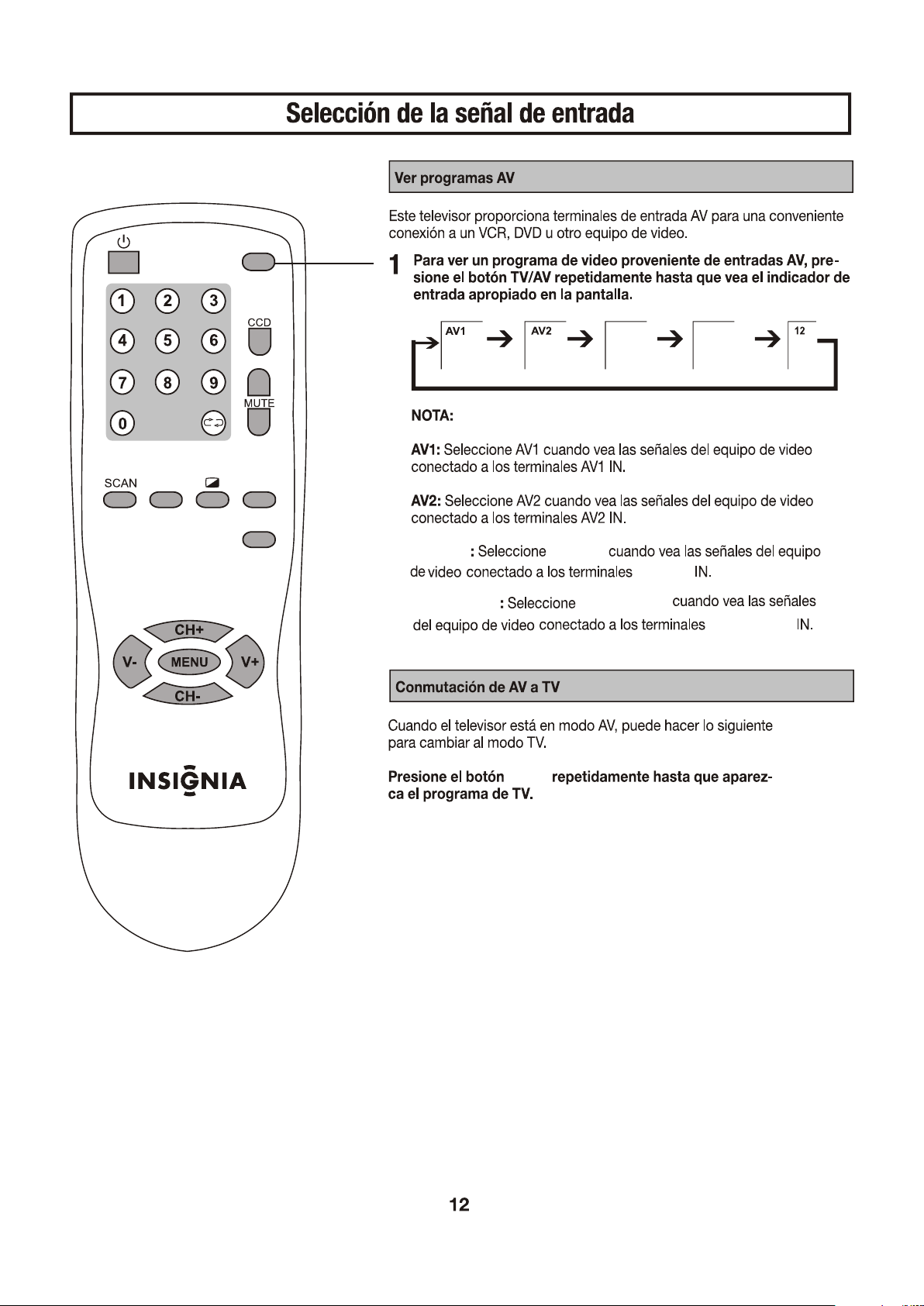
S-Video
Component
S-Video
S-Video
Component
Component
Component
S-Video
INPUT
INPUT
INPUT
DISPLAY
SLEEP
PICTURE
P-LOCK
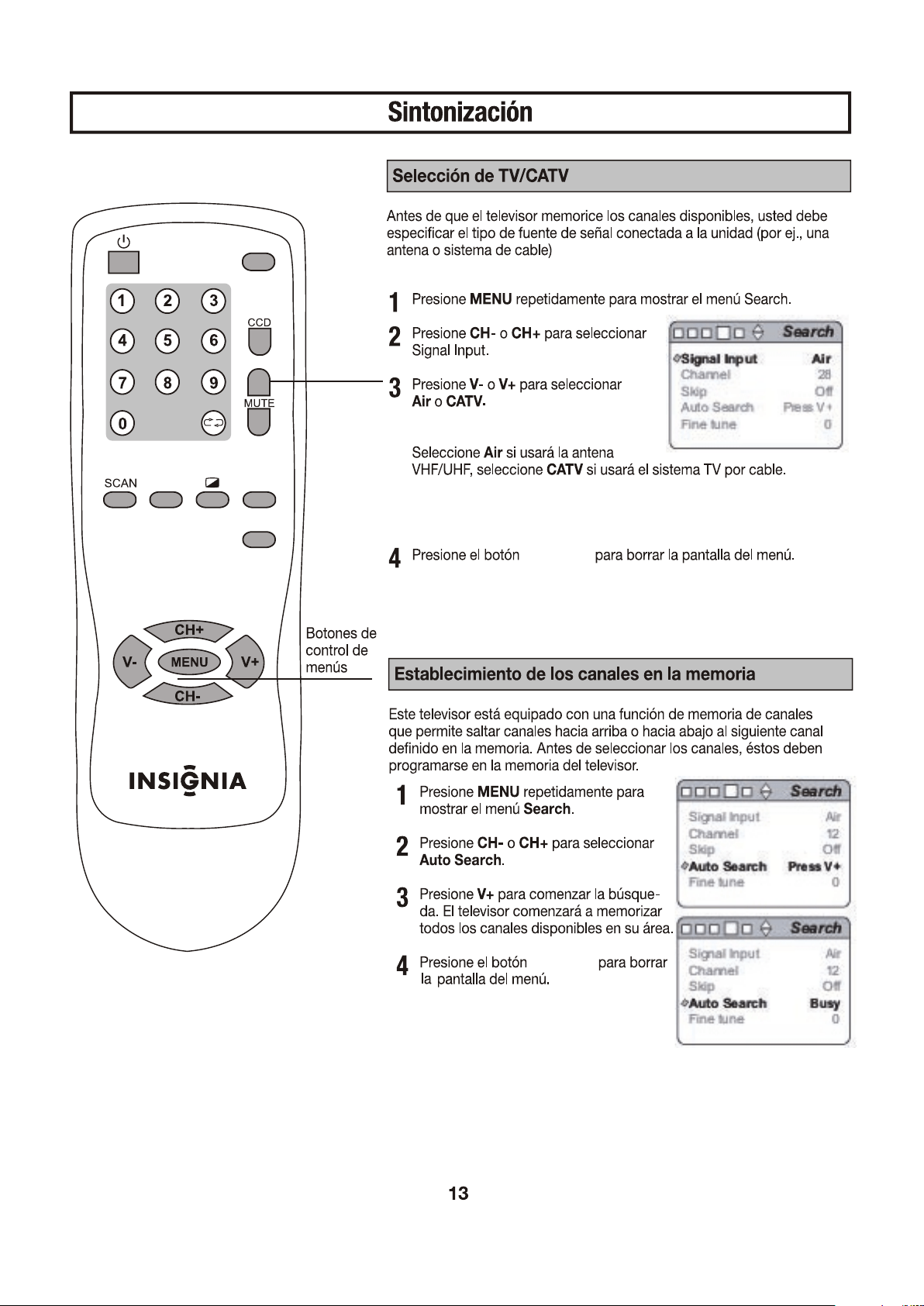
INPUT
DISPLAY
SLEEP
PICTURE
P-LOCK
DISPLAY
DISPLAY
DISPLAY
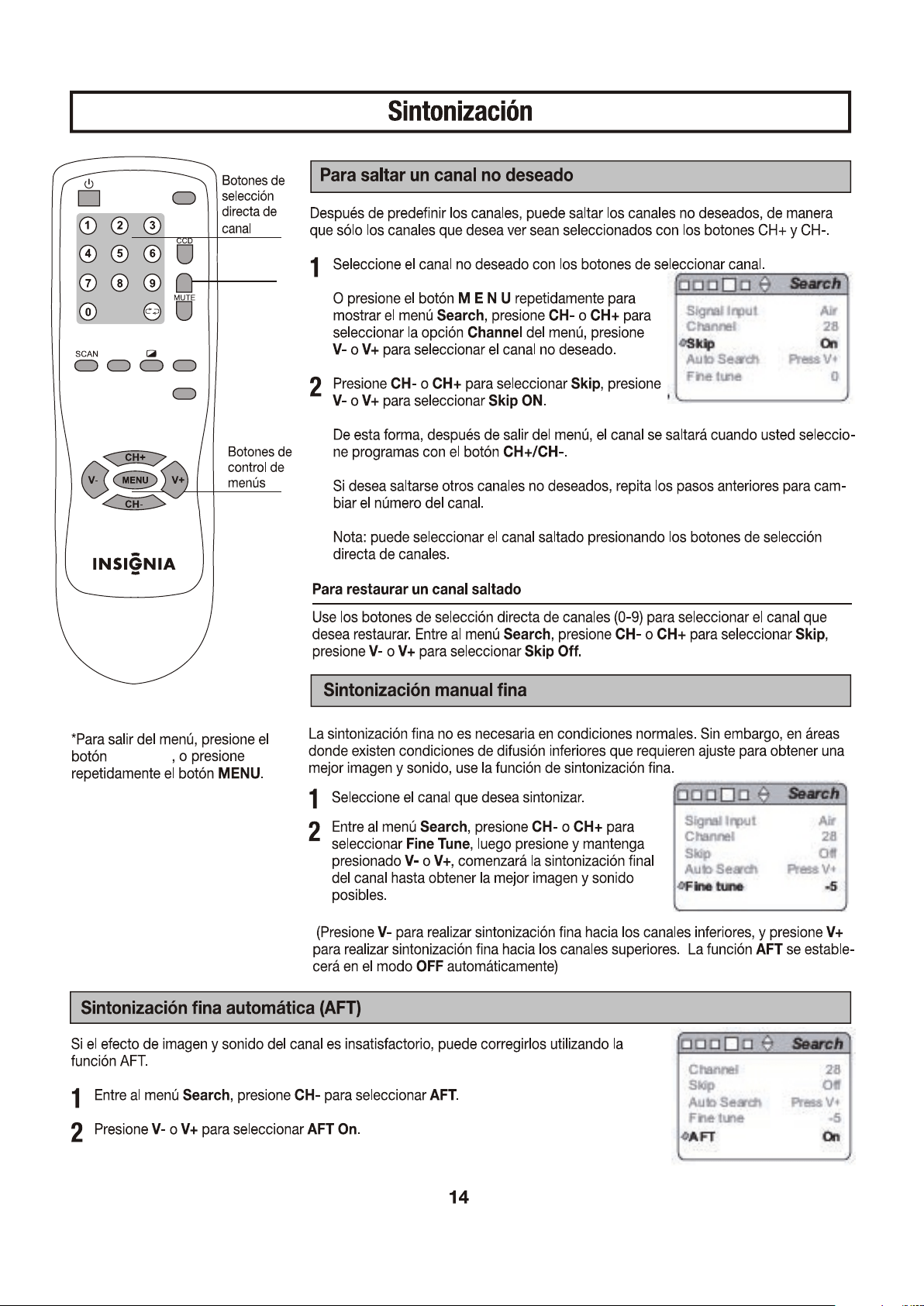
INPUT
DISPLAY
SLEEP
PICTURE
P-LOCK
DISPLAY
DISPLAY
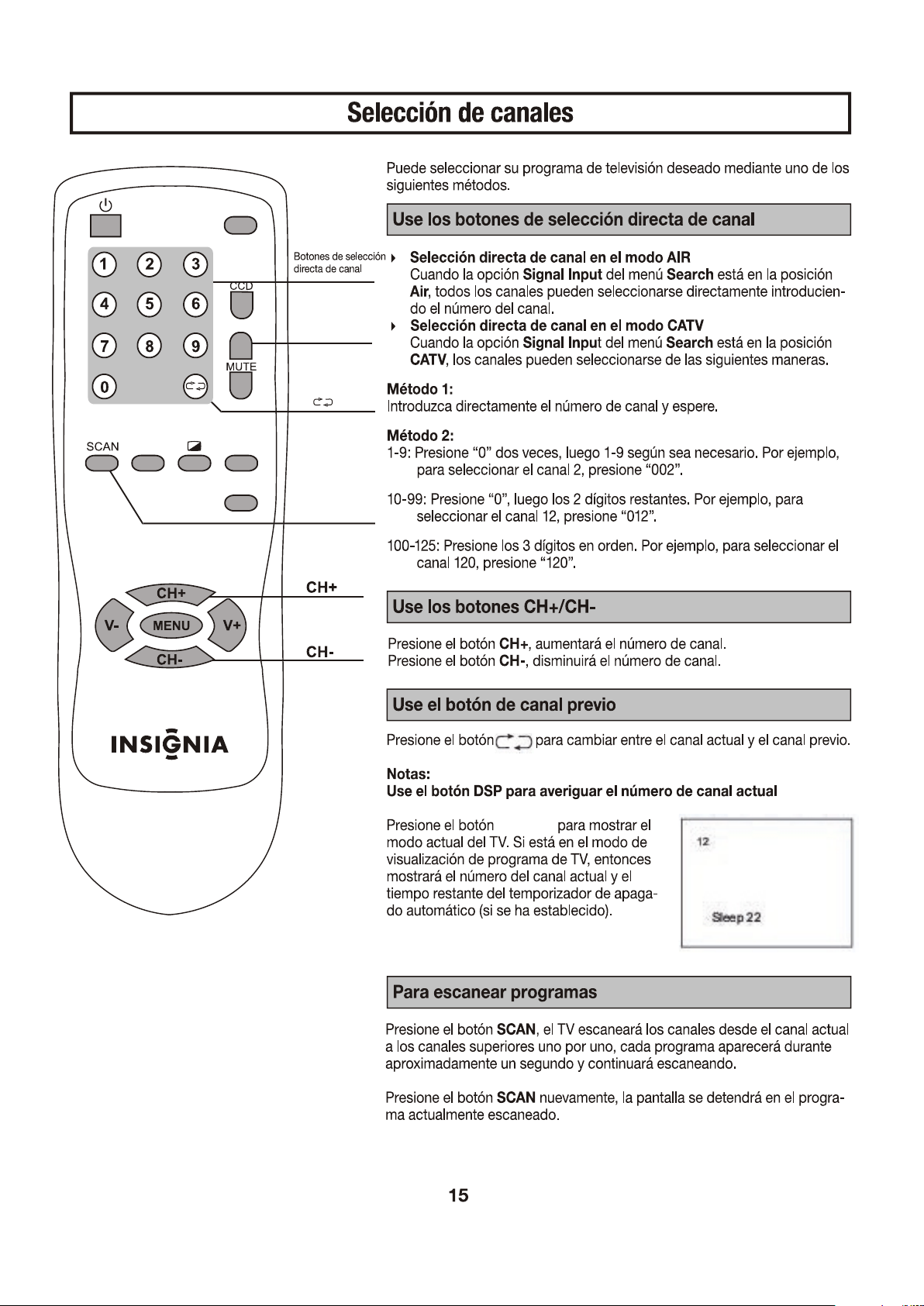
SCAN
INPUT
DISPLAY
SLEEP
PICTURE
P-LOCK
DISPLAY
DISPLAY
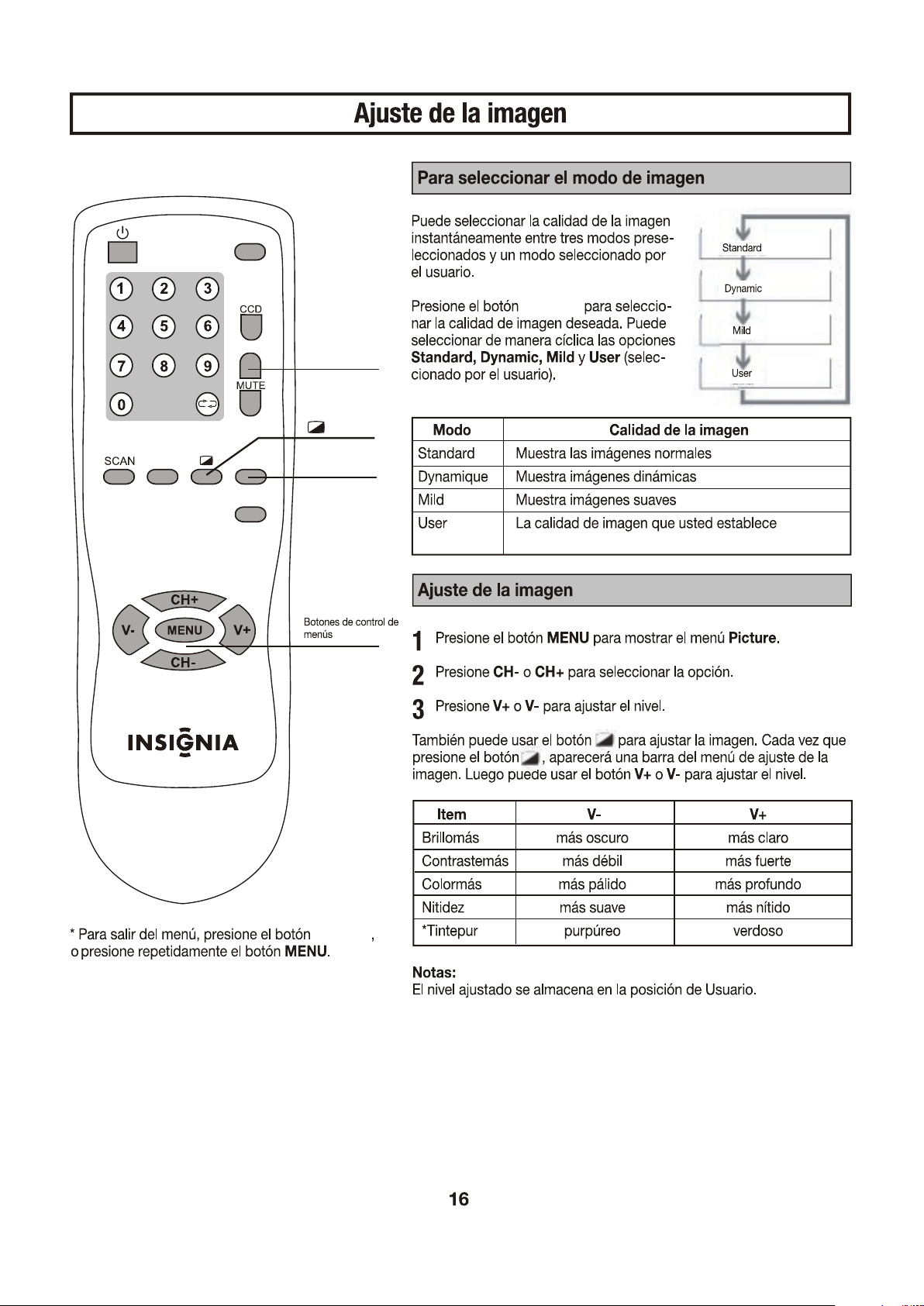
DISPLAY
INPUT
DISPLAY
SLEEP
PICTURE
P-LOCK
PICTURE
DISPLAY
PICTURE
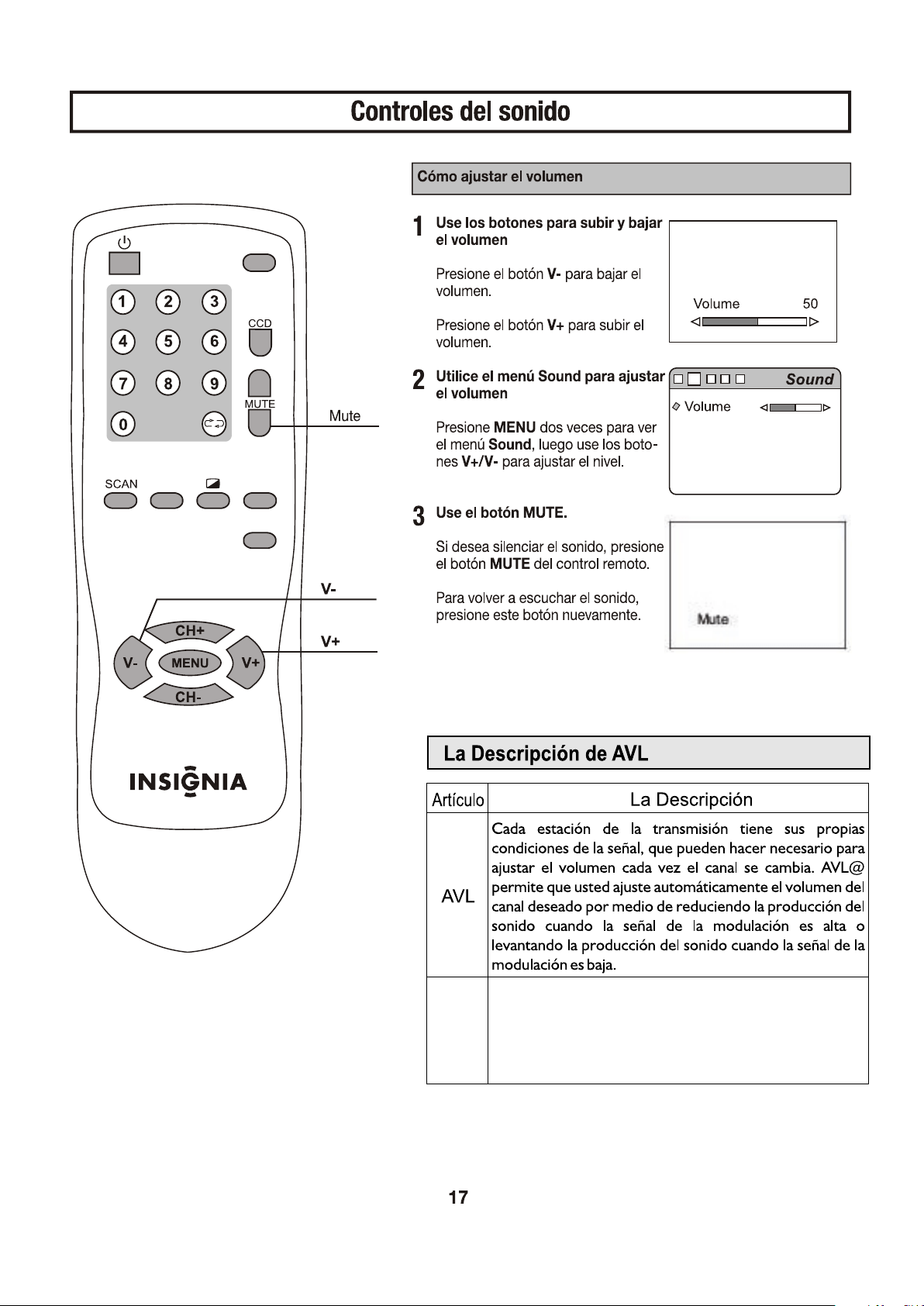
El JUEGO
del CD
Este artículo no está disponible en el modo de la televisión.
Esta función le permite a escuchar la música de un
reproductor de compact-disc (CD) cuando usted sólo
conecta terminales de audiofrecuencia entre el
televisor(TV) y el reproductor de compact-disc (CD
player).
AVL
ON
INPUT
DISPLAY
SLEEP
PICTURE
P-LOCK
12
12
INPUT
DISPLAY
SLEEP
PICTURE
P-LOCK
DISPLAY
SLEEP
12
-
-
INPUT
DISPLAY
SLEEP
PICTURE
P-LOCK
DISPLAY
SLEEP
SLEEP
SLEEP
SLEEP
DISPLAY
DISPLAY
INPUT
DISPLAY
SLEEP
PICTURE
P-LOCK
DISPLAY
Picture Enhance On
DISPLAY
INPUT
DISPLAY
SLEEP
PICTURE
P-LOCK
INPUT
DISPLAY
SLEEP
PICTURE
P-LOCK
DISPLAY
P-LOCK
P-LOCK
P-LOCK
DISPLAY
DISPLAY
P-LOCK
INPUT
DISPLAY
SLEEP
PICTURE
P-LOCK
DISPLAY
P-LOCK
P-LOCK
INPUT
DISPLAY
SLEEP
PICTURE
P-LOCK
DISPLAY
P-LOCK
DISPLAY
P-LOCK
P-LOCK
DISPLAY
P-LOCK
INPUT
DISPLAY
SLEEP
PICTURE
P-LOCK
DISPLAY
P-LOCK
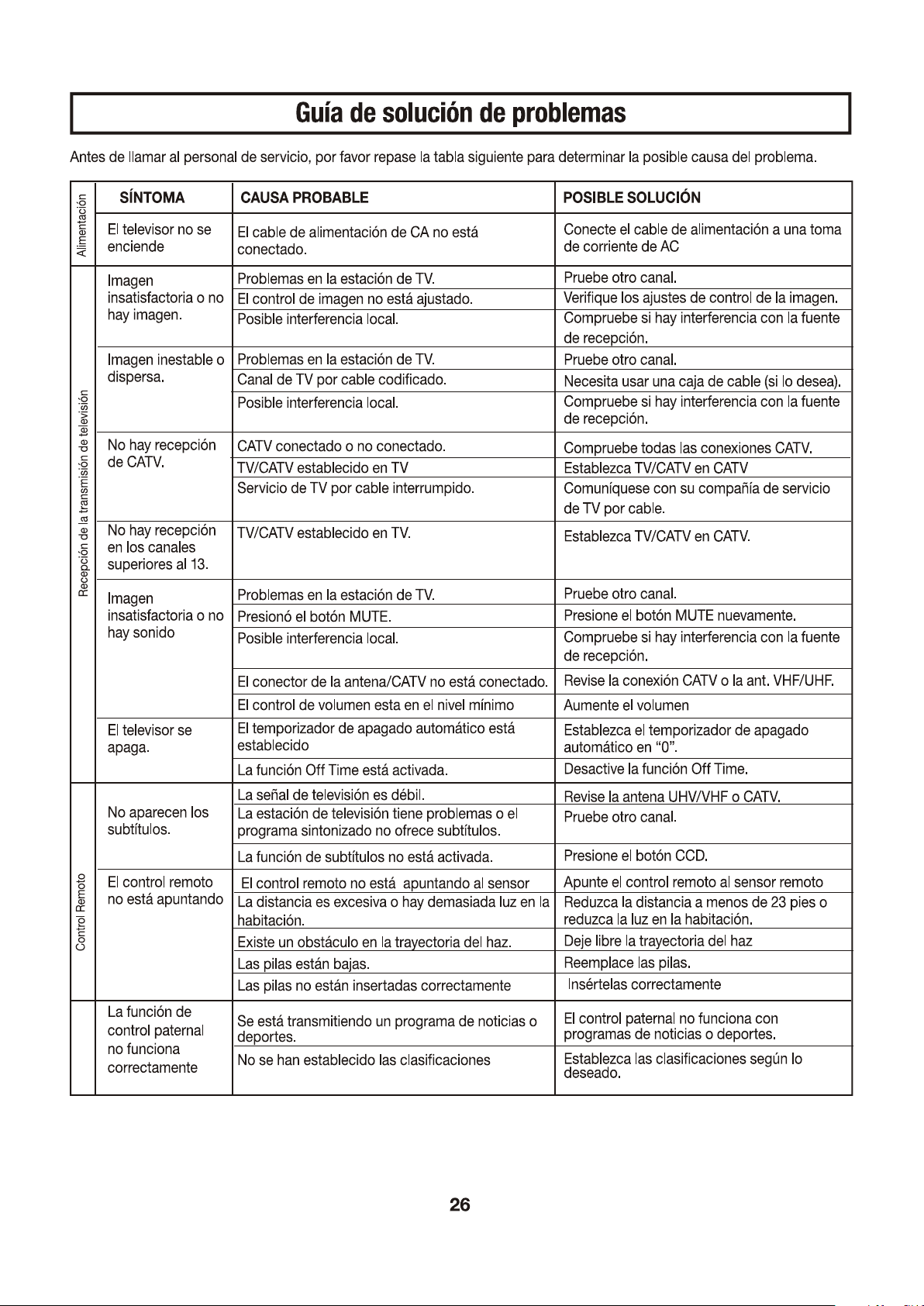
control paternal
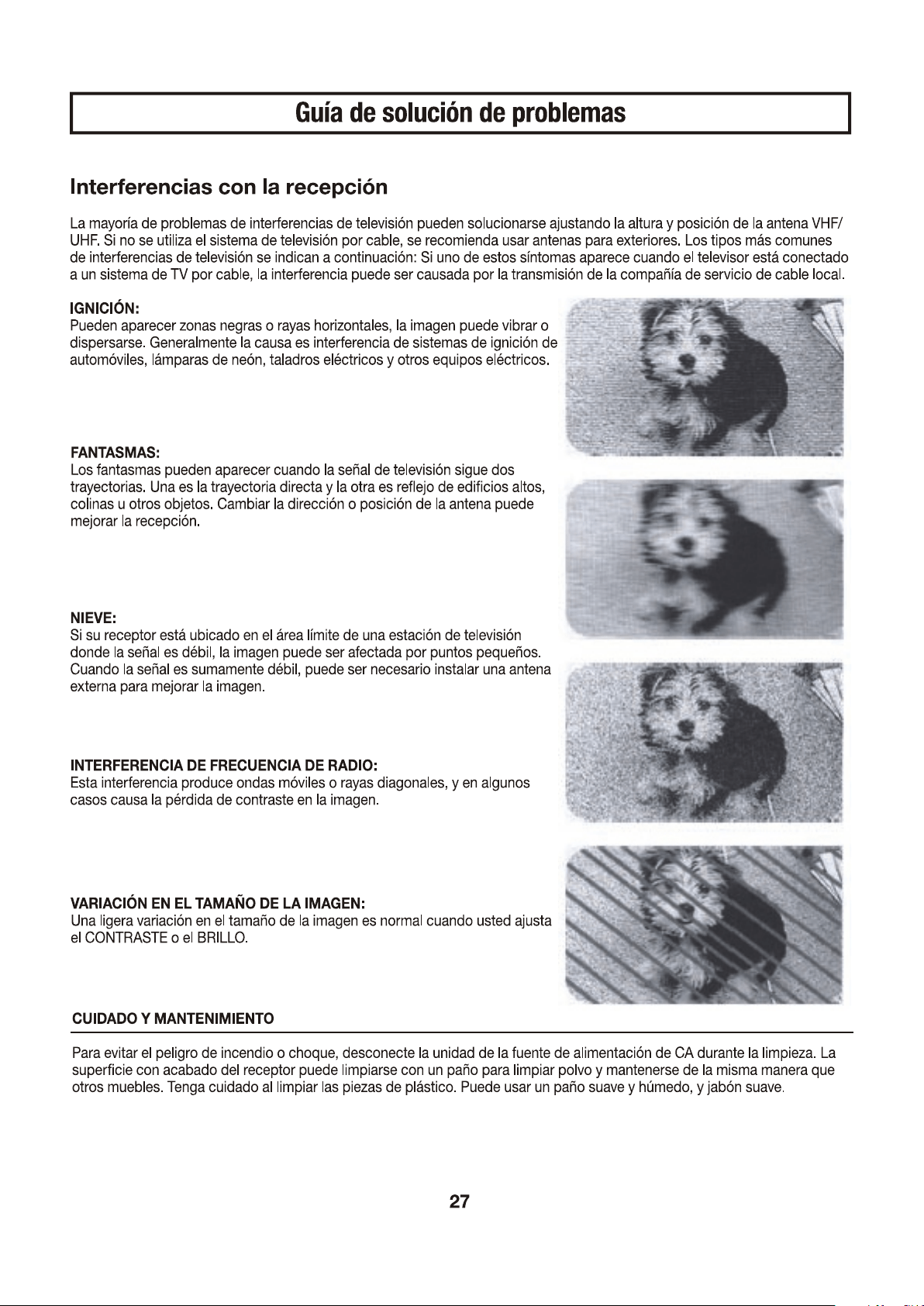
Si se nota una decoloración, esto se puede mejorar reduciendo el ajuste del brillo y del
contraste.


604-TK20265-02
PRINTED IN
RECYCLED PAPER
Ver. 1.0