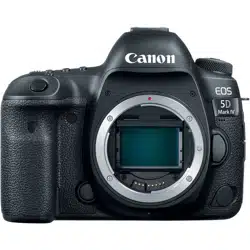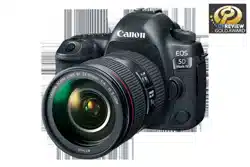

EOS 5D Mark IV (WG)
© CANON INC. 2017
Canon Log
Instruction Manual
●● This●manual●assumes●that●the●EOS●5D●Mark●IV’s●rmware●has●been●upgraded●for●
compatibility●with●Canon●Log.
●● This●manual●explains●only●the●features●relevant●to●Canon●Log.●For●other●features,●refer●
to●the●EOS●5D●Mark●IV●Instruction●Manual.
●● When●using●an●HDMI●cable●(sold●separately),●using●a●cable●protector●is●recommended.
E
INSTRUCTION MANUAL
CPX-E504-000

Setting the Canon Log
Canon●Log●is●a●gamma●characteristics●for●post-production.●It●maximize●the●image●sensor’s●
characteristics●and●attains●a●wide●dynamic●range●for●movie●shooting.●It●reduces●loss●of●
shadow●and●highlight●detail,●and●the●tonal●information●from●the●shadows●to●highlights●can●
be●incorporated●in●the●movie.
During●post-production,●a●lookup●table●(LUT)●can●be●applied●to●movies●shot●with●Canon●
Log.●Download●the●LUT●data●from●the●Canon●Web●site.
1
Set the Mode Dial to <a>.
●● If● the● shooting● mode● is● <A>● <d>● <s>● <f>●
<F>,●Canon●Log●setting●discribed●in●step●3●cannot●be●
performed.
2
Set the Live View shooting/Movie shooting
switch to <k>.
●► The●Live●View●image●will●appear●on●the●LCD●monitor.
3
Select [Canon Log settings].
●● Press●the●<M>●button.
●● Under● the● [z5]● tab,● select● [Canon Log settings],●
then●press●<0>.
4
Select [Canon Log].
●● Press●<0>.
5
Select [On].
●● Turn●the●<5>●dial●to●select●[On],●then●press●<0>.
●► Canon●Log●will●be●set.
2

Setting●the●Canon●Log
6
Set the shooting function.
●● Set●the●ISO●speed●manually.
●● Set●the●shutter●speed●and●aperture.
Shooting Function Settings
●● Shooting●with●ISO●Auto●is●not●possible.●(When●Canon●log●is●set●with●ISO●Auto●setting,●
ISO●400●will●apply.)
●● If●the●ISO●speed●is●manually●set●to●ISO●100●–●ISO●320,●the●dynamic●range●will●become●
narrower.
●● When●Canon●Log●is●set,●dynamic●range●will●be●approx.●800%●at●ISO●400●or●higher.
●● AF●shooting●is●possible●even●when●Canon●Log●is●set.●However,●when●shooting●with●
Canon●Log,●achieving●focus●with●AF●on●a●subject●under●low-light●or●with●low●contrast●
may●become●more●difcult●than●in●normal●shooting.
●● When●shooting●4K●movies●with●Canon●Log●setting,●[Peripheral illumin.]●under●[z1:
Lens aberration correction]●cannot●be●set●(does●not●function).
●● Canon●Log●can●also●be●set●for●high●frame●rate●movie●shooting.
●● Canon●Log●settings●can●be●registered●under●Custom●Shooting●Modes●(C1/C2/C3).
3

Setting●the●Canon●Log
7
Adjust the Canon Log movie characteristics.
●● Adjust●as●necessary.
●● Turn●the●<5>●dial●to●select●a●parameter●([Sharpness:
Strength],●[Saturation],●[Hue]),●then●press●<0>.
●● Turn● the● <5>● dial● to● set● the● parameter,● then● press●
<0>.
Sharpness: Strength 0:●Outline●sharpening:●Weak 7:●Outline●sharpening:●Strong
Saturation -4:●Low +4:●High
Hue
*
Red -4:●Magenta-biased +4:●Yellow-biased
Green -4:●Yellow-biased +4:●Cyan-biased
Blue -4:●Cyan-biased +4:●Magenta-biased
*●Red,●green,●and●blue●cannot●be●adjusted●individually.
Image Quality with Canon Log
●● When●Canon●Log●is●set,●horizontal●noise●stripes●may●appear●in●movies●depending●
on● subject● or● shooting● conditions.● It● is● recommended● to● shoot● a● few● test● movies●
and●check●before●the●actual●shooting.●Note●that●noise●may●become●more●noticeable●
especially●when●you●apply●strong●contrast●during●color●grading●of●the●shot●movie.
●● When● Canon● Log● is● set,●the● color● gradation● of● the●sky● or● white● walls● may●not● be●
reproduced●correctly.●Irregular●colors,●irregular●exposure●or●noise●may●appear.
●● When●the●noise●is●noticeable,●it●is●recommended●to●set●[Peripheral illumin.]●under●
[z1: Lens aberration correction]● to● [Disable],● shoot● in● brighter● exposure,● and●
perform●brightness●adjustment●during●color●grading.
4

Setting●the●Canon●Log
8
Set the View Assist.
●● Set●it●as●necessary.
●● Turn●the●<5>●dial●to●select●[View Assist.],●then●press●
<0>.
●● Turn●the●<5>●dial●to●select●[On],●then●press●<0>.
●► The● image● is● displayed● with● View● Assist● when● you●
shoot●a●movie.
View Assist
●● Canon●Log●is●a●movie●characteristic●to●attain●wide●dynamic●range.●As●a●result,●the●
image●displayed●on●the●LCD●monitor●has●low●contrast●and●is●somewhat●dark●compared●
to●when●a●Picture●Style●is●set.
●● With●[View Assist.]●set●to●[On],●the●movie●image●will●be●displayed●on●the●LCD●monitor●
with●a●clear-viewing●characteristic.●This●makes●it●easier●to●check●the●image●details,●
etc.
●● Note●that●even●if●[View Assist.]●is●set●to●[On],●it●will●not●affect●the●movie●recorded●to●
the●card.●(The●movie●will●be●recorded●to●the●card●with●Canon●Log●characteristics.)
●● With●[View Assist.]●set●to●[Off],●the● movie●image●is●displayed●with●the●Canon●Log●
characteristic●on●the●camera’s●LCD●monitor●or●also●in●EOS●Utility●(EOS●software).
●● Even●if●[View Assist.]●is●set●to●[On],●the●HDMI●output●movie●image●will●be●output●with●
the●Canon●Log●characteristic.
●● If●[View Assist.]●is●set●to●[On],●a●magnied●display●will●also●be●displayed●with●the●View●
Assist.
9
Shoot the movie.
●● In●the●EOS●5D●Mark●IV●Instruction●Manual,●refer●to●
pages●334–343●before●shooting●a●movie.
5

Setting●the●Canon●Log
Movie Shooting Information Display
When● [Peripheral illumin.]● under● [z1: Lens aberration correction]● is● set● to● [Enable],●
“C.LOG”●icon●on●the●information● display● screen●blinks●since●noise●may●appear● in●the●movie●
image●periphery.●(However,●since●[Peripheral illumin.]●cannot●be●set●(does●not●function)●during●
4K●movie●shooting,●“C.LOG”●icon●will●not●blink.)
●● Canon● Log● gamma● (Sharpness:● Strength,● Saturation,● and● Hue)● is● reected● in● the● Final●
image●simulation●during●movie●shooting●(with●View●Assist●not●applied).
●● When●the●LCD●monitor●displays●the●image●with●View●Assist,●[
]●will●appear●on●the●movie●
shooting●information●display●screen.●However,●[
]●is●displayed●in●grey●under●the●shooting●
conditions●where●the●images●are●not●displayed●with●the●View●Assist.
General Cautions for Canon Log Shooting
●● If● you● set● Canon● Log,● the● following● cannot● be● set● (will● not● function)● for● movie● shooting:●
Picture●Style,●Auto● Lighting● Optimizer,● highlight●tone● priority,● time-lapse●movie,● and● HDR●
movie.
●● Not●compatible●with●Canon●Log●2●and●Canon●Log●3.
●● Executing●[55: Clear all camera settings]●will●set●[z5: Canon Log settings]●to●[Off].
Canon●Log View●Assist
6

Setting●the●Canon●Log
Information Display During Playback
●● If●you● play● back● a●movie● shot●with● Canon●Log●and● “Detailed● information”● (refer●to●
page 398●in●the●EOS●5D●Mark●IV●Instruction●Manual)●is●displayed,●the●following●will●
be●displayed:
●● The● Picture● Style● information●1● and●Picture●Style● information● 2● screens●shown●on●
page●399●in●the●EOS●5D●Mark●IV●Instruction●Manual●will●change●as●follows:
• Canon Log information 1 • Canon Log information 2
Canon●Log Settings●
(Sharpness:●Strength,●Saturation,●Hue)
7

Setting●the●Canon●Log
Playing Back a Movie Shot with Canon Log
●● View●Assist●is●not●applied●during●movie●playback.
●● A●movie●shot●with●Canon●Log●cannot●be●played●back●by●an●EOS●camera●Canon●Log●
not●incorporated●or●by●an●EOS●5D●Mark●IV●whose●rmware●has●not●been●upgraded●to●
the●version●compatible●with●Canon●Log.
Using EOS Software/Applications
●● Movies●can●be●shot●with●a●computer●installed●with●EOS●Utility.●However,●EOS●Utility●
cannot●be●used●to●set●Canon●Log.●Use●the●camera●to●set●Canon●Log.
●● Although●this●camera●is●compatible●with●the●Canon●Log●features●of●the●EOS●software●
EOS● Utility● and● EOS● MOVIE● Utility,● there● are● no● descriptions● on● the● Canon● Log●
features●in●either●the●EOS●Utility●or●EOS●MOVIE●Utility●Instruction●Manuals.●Refer●to●
the●descriptions●for●the●Canon●Log●features●on●the●“EOS-1D●C”●in●the●EOS●Utility●and●
EOS●MOVIE●Utility●Instruction●Manuals●before●using●the●Canon●Log.
●● To● use● the● Canon● Log● features● of● the● EOS● Utility● or● EOS● MOVIE● Utility● with● this●
camera,●rst●download●the●latest●versions●of●the●software●from●the●Canon●Web●site,●
then●install●them●on●your●computer.
Note●that●the●EOS●Utility●installed●in●the●EOS●DIGITAL●Solution●Disk●(CD-ROM)●is●not●
compatible●with●this●camera’s●function●that●supports●the●Canon●Log●features.
●● EOS● MOVIE● Utility● supports● the● MOV● movies● shot● with● the● compatible● camera●
models.●(MP4●movies●are●not●supported.)
8