Before driving
Introduction 2
Instrumentation 4
Controls and features 15
Seating and safety restraints 79
Starting and driving
Starting 106
Driving 111
Roadside emergencies 145
Servicing
Maintenance and care 165
Capacities and specifications 211
Customer assistance 222
Reporting safety defects 234
Index 235
All rights reserved. Reproduction by any means, electronic or mechanical
including photocopying, recording or by any information storage and retrieval
system or translation in whole or part is not permitted without written
authorization from Ford Motor Company.
Copyright
r
1998 Ford Motor Company
Contents
1
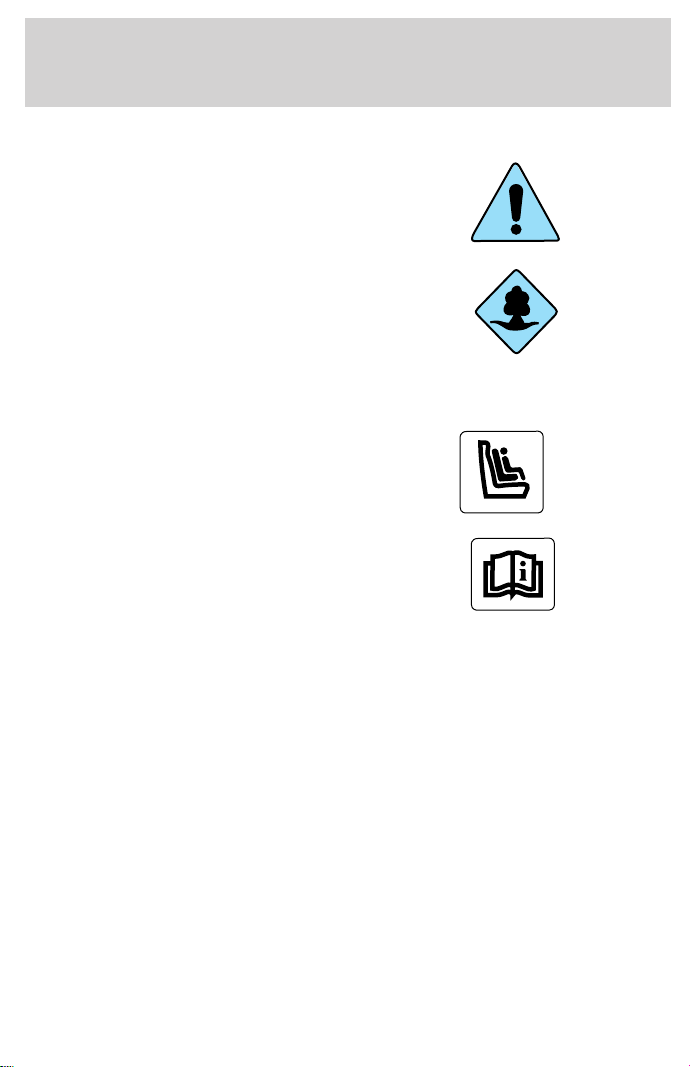
ICONS
Indicates a safety alert. Read the
following section on Warnings.
Indicates vehicle information related
to recycling and other
environmental concerns will follow.
Correct vehicle usage and the
authorized disposal of waste
cleaning and lubrication materials are significant steps towards
protecting the environment.
Indicates a message regarding child
safety restraints. Refer to Seating
and safety restraints for more
information.
Indicates that this Owner Guide
contains information on this subject.
Please refer to the Index to locate
the appropriate section which will
provide you more information.
WARNINGS
Warnings provide information which may reduce the risk of personal
injury and prevent possible damage to others, your vehicle and its
equipment.
BREAKING-IN YOUR VEHICLE
There are no particular breaking-in rules for your vehicle. During the
first 1 600 km (1 000 miles) of driving, vary speeds frequently. This is
necessary to give the moving parts a chance to break in.
INFORMATION ABOUT THIS GUIDE
The information found in this guide was in effect at the time of printing.
Ford may change the contents without notice and without incurring
obligation.
Introduction
2

SPECIAL NOTICES
Using your vehicle with a snowplow
For more information and guidelines for using your vehicle with a
snowplow, refer to the Driving chapter.
Using your vehicle as an ambulance
Do not use this vehicle as an ambulance.
Your vehicle is not equipped with the Ford Ambulance Preparation
package.
Notice to owners of utility type vehicles
Before you drive your vehicle, please read this Owner’s Guide carefully.
Your vehicle is not a passenger car. As with other vehicles of this type,
failure to operate this vehicle correctly may result in loss of control or an
accident.
Be sure to read Driving off road in the Driving chapter as well as the
“Four Wheeling” supplement included with 4WD and utility type vehicles.
Notice to owners of F150 5.4L Supercharged “Lightning” vehicles
Before you drive your vehicle, be sure to read the “SVT Lightning Truck
Owner’s Guide Supplement.” This book contains important operation and
maintenance information.
Notice to owners of natural gas fueled vehicles
Before you drive your vehicle, be sure to read the “Natural Gas Vehicle
Owner’s Guide Supplement.” This book contains important operation and
maintenance information.
Introduction
3
P
ON
OFF
RES
SET
ACCEL
COAST
E
L
L
H
H
F
C
H
BRAKE
PRN
D
2
FUEL
RESET
SELECT
RESET
THEFT
0
20
40
60
80
00
20
40
60
MPH
km/h
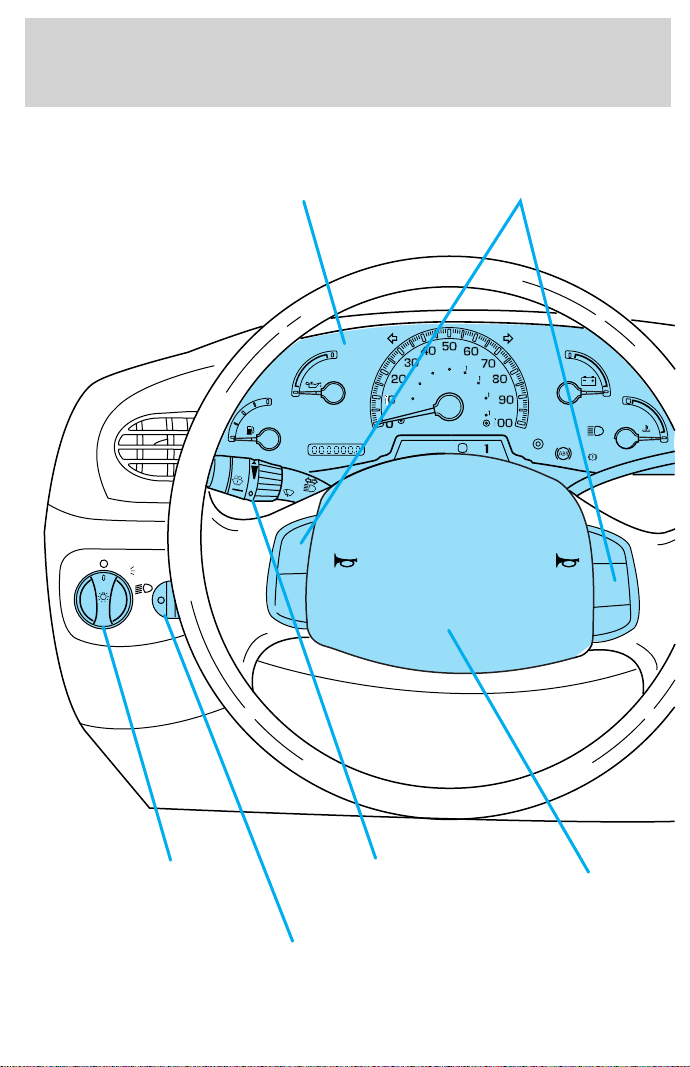
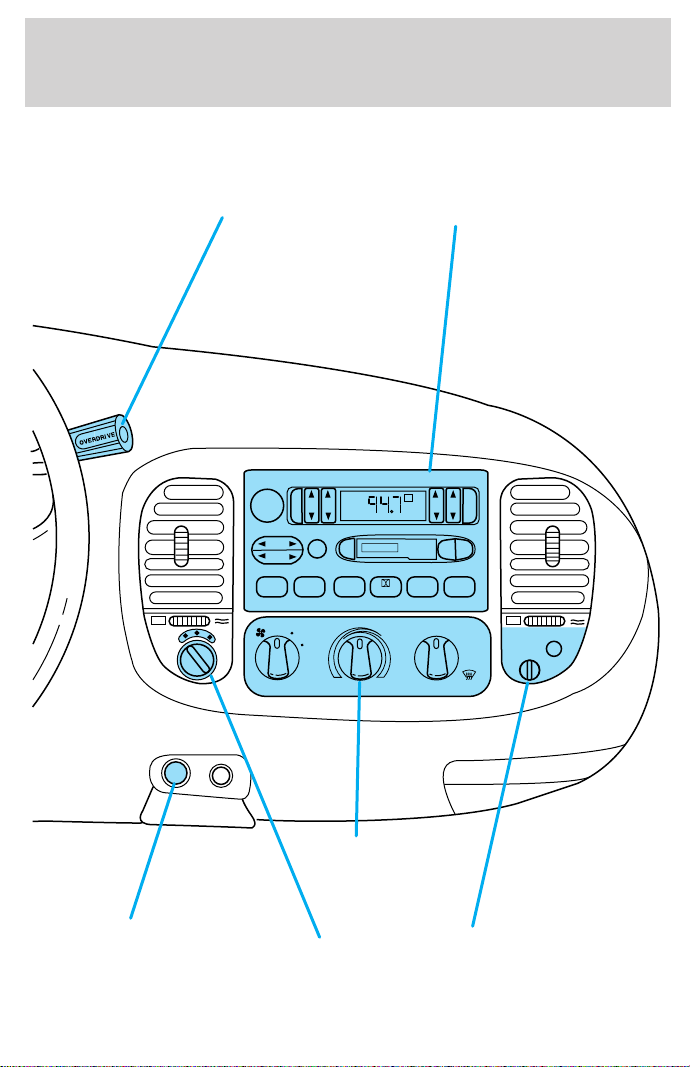
Headlamp control
(pg. 16)
Instrument panel
dimmer switch
(pg. 17)
Turn signal and
wiper/washer control
(pg. 67)
Instrument cluster
(pg. 6)
Speed control*
(pg. 62)
Driver side air bag
(pg. 95)
* if equipped
Instrumentation
4
VOL-PUSH ON
AM
FM
BASS
TREB
BAL FADE
AUTO
SET
SEEK
TUNE
DISCS
SCAN EJ
TAPE
CD
DOLBY 8 NR
REW
1
FF
2
SIDE 1-2
3
4
COMP
5
SHUFFLE
6
ST
FM 1
FLOOR
PANEL
LO
HI
COOL WARM
DEF
FLR&
DEF
PANEL &
FLOOR
OFF
PASSENGER AIRBAG
OFF
OFF
ON
Passenger air bag
deactivate switch
(pg. 99)
Climate control
systems
(pg. 56)
Gearshift (includes
overdrive button)
(pg. 122)
Auxiliary
power point
(pg. 18)
4WD Control*
(pg. 130)
Electronic sound system
(pg. 19)
Instrumentation
5
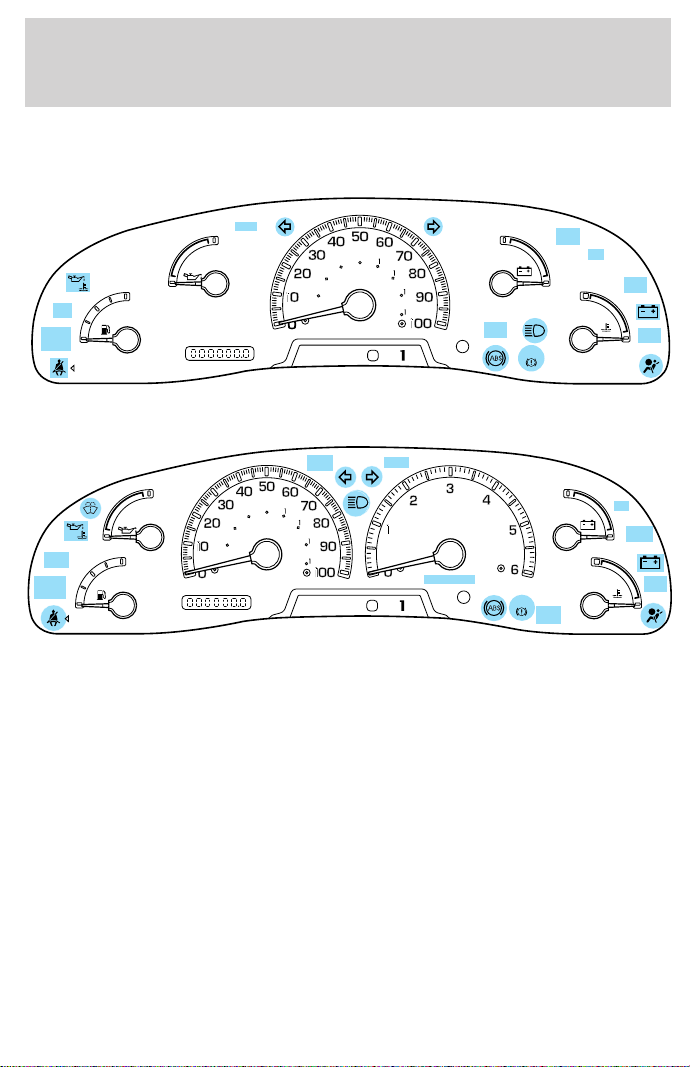
WARNING LIGHTS AND CHIMES
Standard instrument cluster
Optional instrument cluster
Low fuel
Illuminates as an early reminder of a
low fuel condition indicated on the
fuel gauge. The light comes on when
there is approximately 1/16th of a
tank indicated on the fuel gauge
(refer to Fuel Gauge in this chapter for more information). The ignition
must be in the ON position for this lamp to illuminate. The lamp will also
illuminate for several seconds after the ignition is turned to the ON
position regardless of the fuel level.
0
E
L
L
H
H
F
C
H
D
PRN
D
2
FUEL
RESET
DOOR
AJAR
SELECT
RESET
4X4
LOW
RANGE
CK
SUSP
THEFT
FUEL DOOR
SERVICE
ENGINE
SOON
LOW
FUEL
20
40
60
80
00
20
40
60
BRAKE
MPH
km/h
D
L
H
L
H
E
F
C
H
BRAKE
PRN
D
2
FUEL
RESET
DOOR
AJAR
SELECT/RESET
4X4
LOW
RANGE
CK
SUSP
THEFT
FUEL DOOR
SERVICE
ENGINE
SOON
LOW
FUEL
0
MPH
RPMX1000
km/h
20
40
60
80
00
20
40
60
LOW
FUEL
Instrumentation
6

Service engine soon
Your vehicle is equipped with a
computer that monitors the engine’s
emission control system. This
system is commonly known as the
On Board Diagnostics System (OBD
II). The OBD II system protects the
environment by ensuring that your vehicle continues to meet
government emission standards. The OBD II system also assists the
service technician in properly servicing your vehicle.
The Service Engine Soon indicator light illuminates when the ignition is
first turned to the ON position to check the bulb. If it comes on after the
engine is started, one of the engine’s emission control systems may be
malfunctioning. The light may illuminate without a driveability concern
being noted. The vehicle will usually be drivable and will not require
towing.
What you should do if the Service Engine Soon light illuminates
Light turns on solid:
This means that the OBD II system has detected a malfunction.
Temporary malfunctions may cause your Service Engine Soon light to
illuminate. Examples are:
1. The vehicle has run out of fuel. (The engine may misfire or run
poorly.)
2. Poor fuel quality or water in the fuel.
3. The fuel cap may not have been properly installed and securely
tightened.
These temporary malfunctions can be corrected by filling the fuel tank
with good quality fuel and/or properly installing and securely tightening
the gas cap. After three driving cycles without these or any other
temporary malfunctions present, the Service Engine Soon light should
turn off. (A driving cycle consists of a cold engine startup followed by
mixed city/highway driving.) No additional vehicle service is required.
If the Service Engine Soon light remains on, have your vehicle serviced
at the first available opportunity.
SERVICE
ENGINE
SOON
Instrumentation
7
Light is blinking:
Engine misfire is occurring which could damage your catalytic converter.
You should drive in a moderate fashion (avoid heavy acceleration and
deceleration) and have your vehicle serviced at the first available
opportunity.
Under engine misfire conditions, excessive exhaust temperatures
could damage the catalytic converter, the fuel system, interior
floor coverings or other vehicle components, possibly causing a fire.
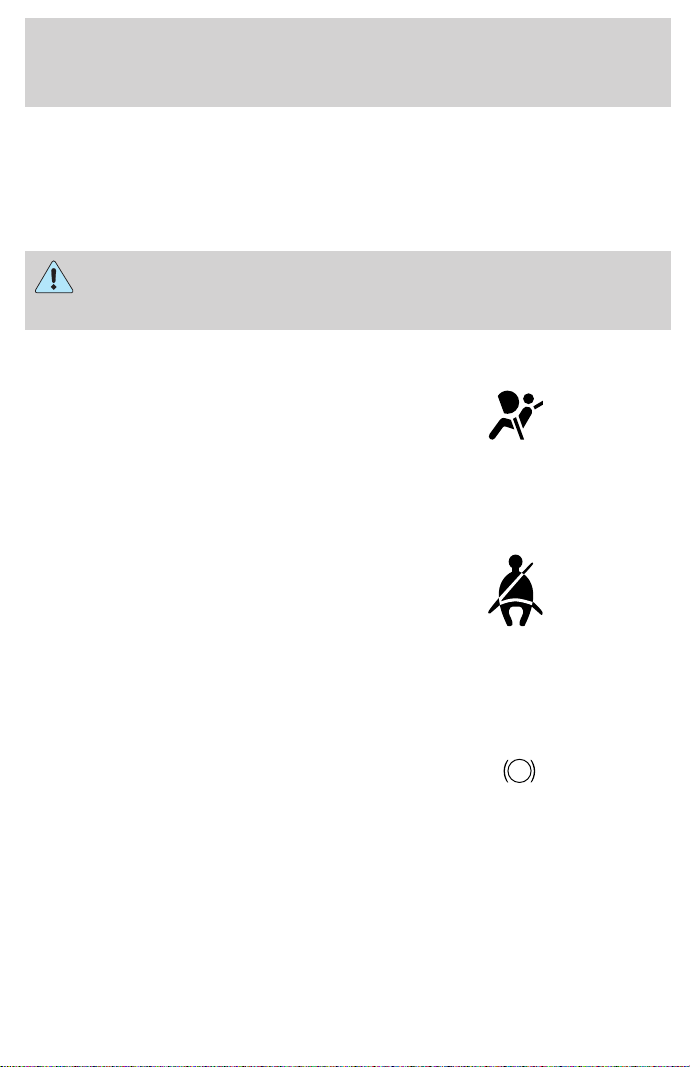
Air bag readiness
Momentarily illuminates when the
ignition is turned ON. If the light
fails to illuminate, continues to flash
or remains on, have the system
serviced immediately.
Safety belt
Momentarily illuminates when the
ignition is turned to the ON position
to remind you to fasten your safety
belts. For more information, refer to
the Seating and safety restraints
chapter.
Brake system warning
Momentarily illuminates when the
ignition is turned to the ON
position, the engine is off and the
parking brake is engaged. If the
brake warning lamp does not
illuminate at this time, seek service immediately. Illumination after
releasing the parking brake indicates low brake fluid level and the brake
system should be inspected immediately.
!
BRAKE
Instrumentation
8
Anti-lock brake system (ABS)
Momentarily illuminates when the
ignition is turned to the ON position
and the engine is off. If the light
remains on, continues to flash or
fails to illuminate, have the system
serviced immediately. With the ABS light on, the anti-lock brake system
is disabled and normal braking is still effective unless the brake warning
light also remains illuminated with parking brake released.
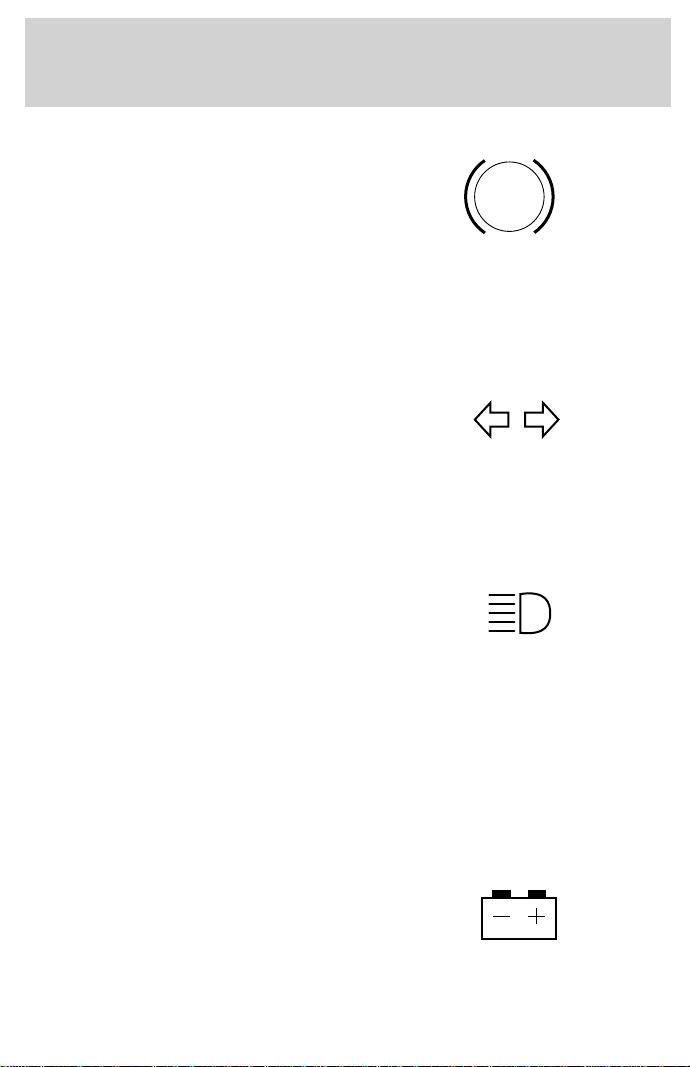
Turn signal
Illuminates when the left or right
turn signal or the hazard lights are
turned on. If one or both of the
indicators stay on continuously or
flash faster, check for a burned-out
turn signal bulb. Refer to Exterior bulbs in the Maintenance and care
chapter.
High beams
Illuminates when the high beam
headlamps are turned on.
Anti-theft system (if equipped)
Refer to SecuriLocky passive
anti-theft system in the Controls
and features chapter.
Charging system
Illuminates when the ignition is
turned to the ON position and the
engine is off. The light also
illuminates when the battery is not
charging properly, requiring
electrical system service.
ABS
THEFT
Instrumentation
9
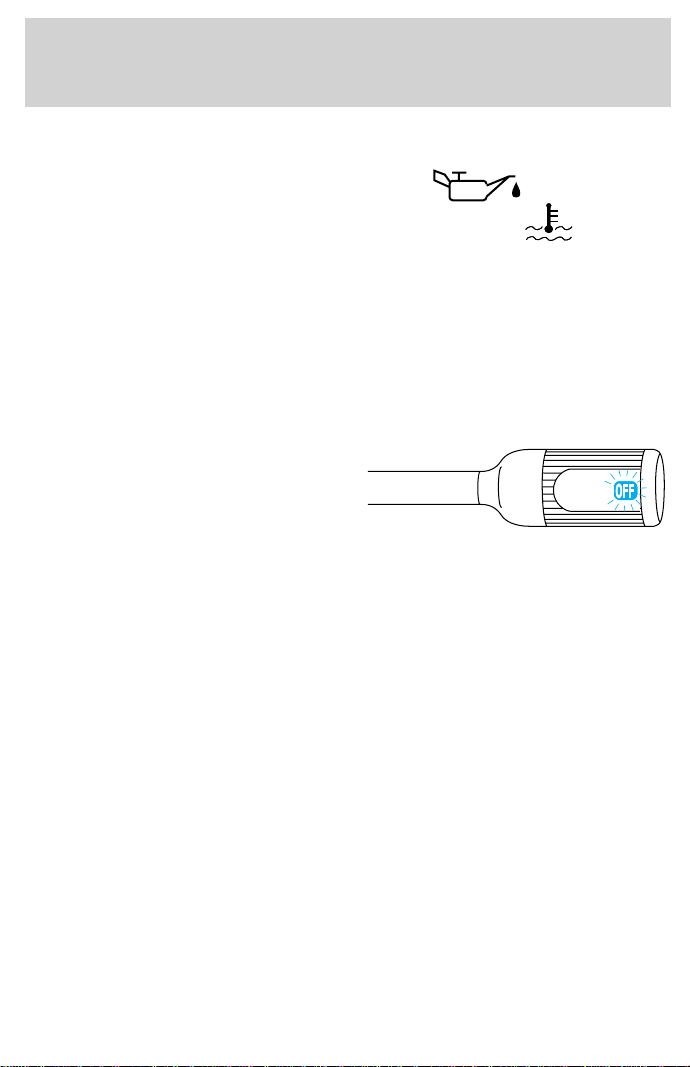
Oil pressure/Engine coolant
This light will come on when the
key is in the ON position and the:
• engine coolant temperature is
very high
• engine oil pressure is low
The light serves as a notice that a system needs your attention and to
check the engine coolant temperature gauge and the engine oil pressure
gauge.
Refer to Engine coolant temperature gauge and Engine oil pressure
gauge in this chapter for more information.
Transmission control indicator light (TCIL) (if equipped)
The word OFF located on the end
of the gearshift lever is the
transmission control indicator light
(TCIL).
The TCIL may flash steadily if a
malfunction is detected. If the TCIL is flashing, contact your Ford dealer
as soon as possible. If this condition persists, damage to the transmission
could occur.
Four wheel drive low (if equipped)
This light momentarily illuminates
when the ignition is turned to ON.
Illuminates when four-wheel drive
low is engaged. If the light continues
to flash have the system serviced.
Four wheel drive indicator (if equipped)
This light momentarily illuminates
when the ignition is turned to ON.
Illuminates when 4x4 range is
engaged.
OVERDRIVE
LOW
RANGE
4x4
Instrumentation
10

Check air suspension (if equipped)
Illuminates momentarily when the
ignition is turned to the ON position
and the engine is OFF. The light also
illuminates when the air suspension
system requires servicing.
For information, refer to Air suspension system in the Driving chapter.
Door ajar
Illuminates when the ignition is in
the ON or START position and any
door is open.
Fuel reset
Illuminates when the ignition is
turned to the ON position and the
fuel pump shut-off switch has been
triggered. For more information,
refer to Fuel pump shut-off switch
in the Roadside emergencies chapter.
Safety belt warning chime
Chimes to remind you to fasten your safety belts.
For information on the safety belt warning chime, refer to the Seating
and safety restraints chapter.
Supplemental restraint system (SRS) warning chime
For information on the SRS warning chime, refer to the Seating and
safety restraints chapter.
Key-in-ignition warning chime
Sounds when the key is left in the ignition in the OFF/LOCK or ACC
position and the driver’s door is opened.
Headlamps on warning chime
Sounds when the headlamps or parking lamps are on, the ignition is off
(and the key is not in the ignition) and the driver’s door is opened.
CK
SUSP
DOOR
AJAR
FUEL
RESET
Instrumentation
11
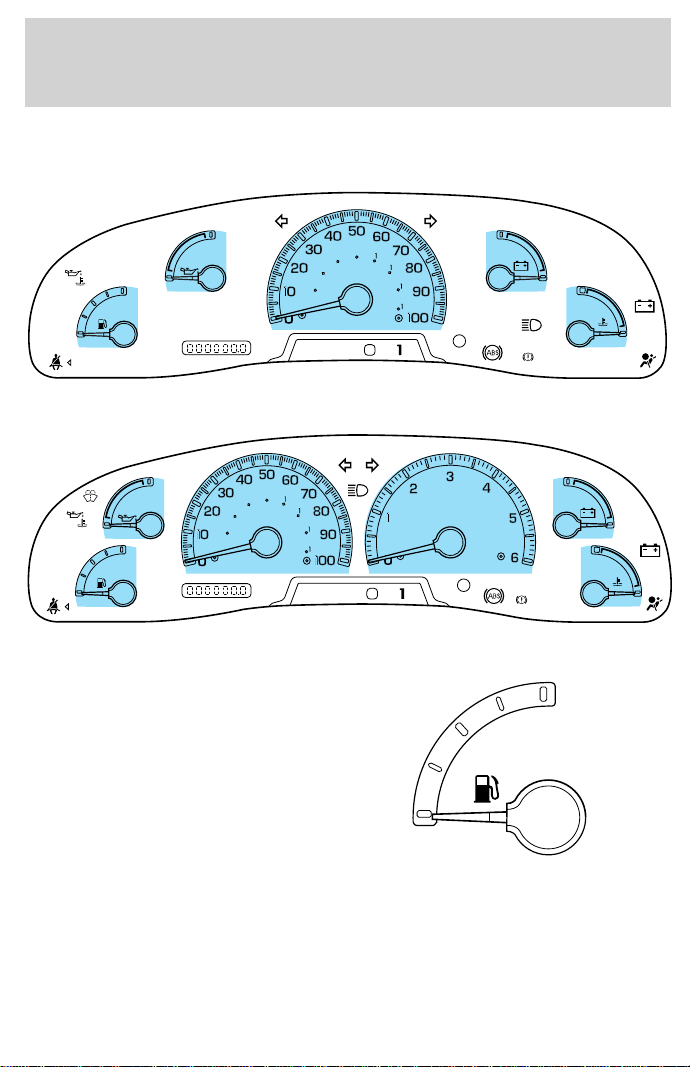
GAUGES
Standard instrument cluster gauges
Optional instrument cluster gauges
Fuel gauge
Displays approximately how much
fuel is in the fuel tank (when the
key is in the ON position). The fuel
gauge may vary slightly when the
vehicle is in motion. The ignition
should be in the OFF position while
the vehicle is being refueled. When
the gauge first indicates empty,
there is a small amount of reserve
fuel in the tank. When refueling the
vehicle from empty indication, the amount of fuel that can be added will
be less than the advertised capacity due to the reserve fuel.
A minimum of six gallons must be added or removed from the fuel tank
in order for the gauge to instantaneously update. If less than six gallons
is the change, the gauge will take between five to ten minutes to update.
0
E
L
L
H
H
F
C
H
D
BRAKE
MPH
km/h
PRN
D
2
FUEL
RESET
DOOR
AJAR
SELECT
RESET
4X4
LOW
RANGE
CK
SUSP
THEFT
FUEL DOOR
SERVICE
ENGINE
SOON
LOW
FUEL
20
40
60
80
00
20
40
60
D
L
H
L
H
E
F
C
H
BRAKE
PRN
D
2
FUEL
RESET
DOOR
AJAR
SELECT/RESET
4X4
LOW
RANGE
CK
SUSP
THEFT
FUEL DOOR
SERVICE
ENGINE
SOON
LOW
FUEL
0
MPH
RPMX1000
km/h
20
40
60
80
00
20
40
60
E
F
Instrumentation
12
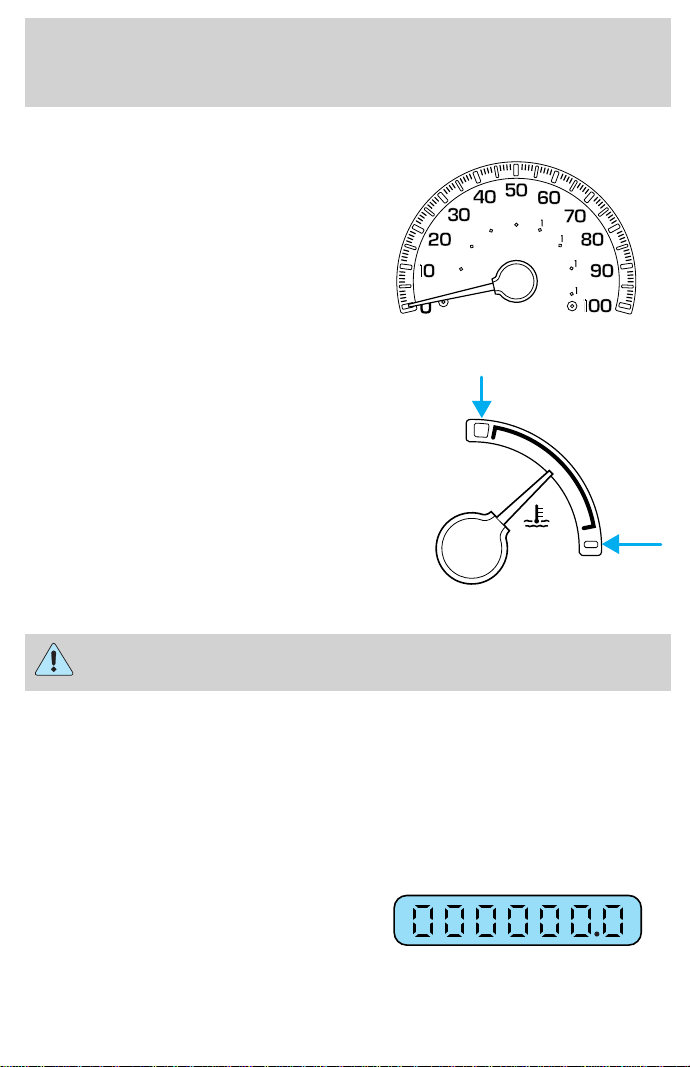
Speedometer
Indicates the current vehicle speed.
Engine coolant temperature gauge
Indicates the temperature of the
engine coolant. At normal operating
temperature, the needle remains
within the normal area (the area
between the “H” and “C”). If it
enters the red section, the engine is
overheating. Stop the vehicle as
soon as safely possible, switch off
the engine immediately and let the
engine cool. Refer to Engine
coolant in the Maintenance and
care chapter.
Never remove the coolant reservoir cap while the engine is
running or hot.
This gauge indicates the temperature of the engine coolant, not the
coolant level. If the coolant is not at its proper level the gauge indication
will not be accurate. If the gauge enters the red section, the oil
pressure/engine coolant and Check Engine/Service Engine Soon
indicators illuminate, refer to What you should know about fail-safe
cooling in the Maintenance and care chapter.
Odometer
Registers the total kilometers
(miles) of the vehicle.
0
MPH
km/h
20
40
60
80
00
20
40
60
C
H
Instrumentation
13
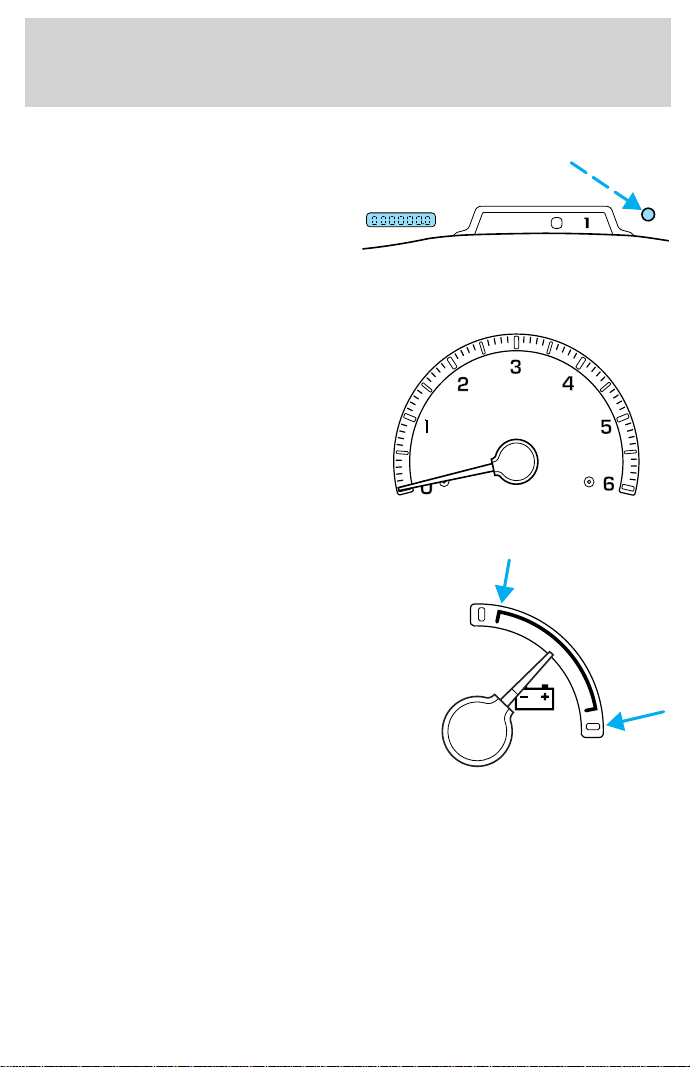
Trip odometer
Registers the kilometers (miles) of
individual journeys. Press and
release the reset button until a “T”
appears in the display (this
represents the trip mode). Press
and hold the button for 2.5 seconds to reset.
Tachometer
Indicates the engine speed in
revolutions per minute.
Driving with your tachometer
pointer continuously at the top of
the scale may damage the engine.
Battery voltage gauge
This gauge shows the battery
voltage when the ignition is in the
ON position. If the pointer moves
and stays outside the normal
operating range (as indicated), have
the vehicle’s electrical system
checked as soon as possible.
D
PRN
D
2
RPMX1000
L
H
Instrumentation
14
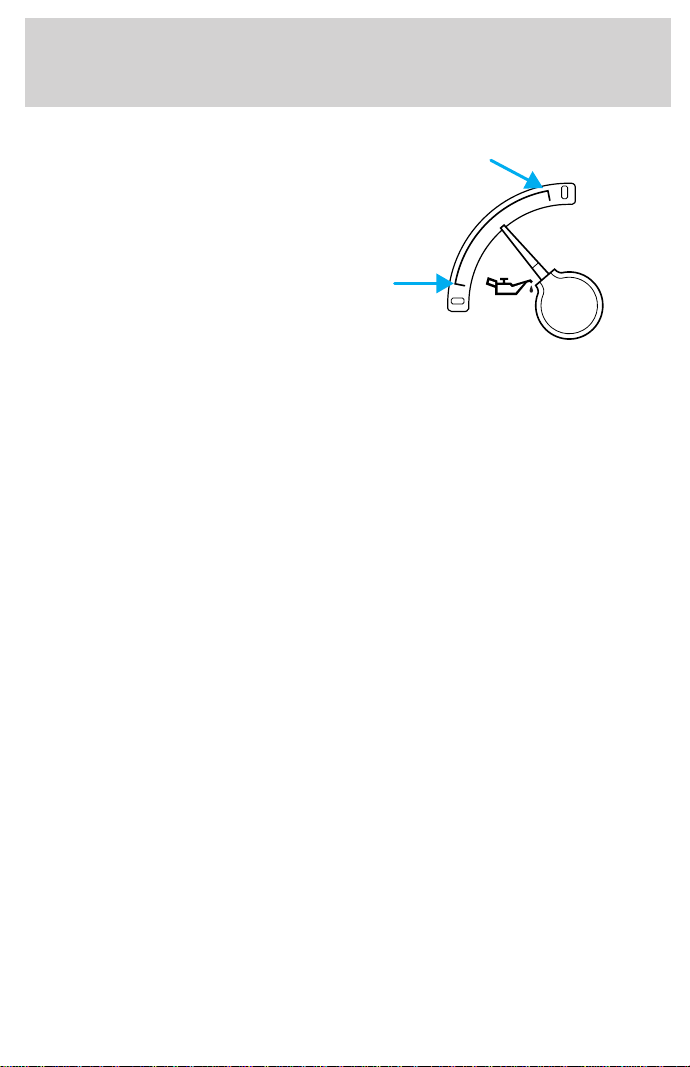
Engine oil pressure gauge
This shows the engine oil pressure
in the system. Sufficient pressure
exists as long as the needle remains
in the normal range (the area
between the “L” and “H”).
If the gauge indicates low pressure,
stop the vehicle as soon as safely
possible and switch off the engine
immediately. Check the oil level.
Add oil if needed (refer to Engine oil in the Maintenance and care
chapter). If the oil level is correct, have your vehicle checked at your
dealership or by a qualified technician.
L
H
Instrumentation
15
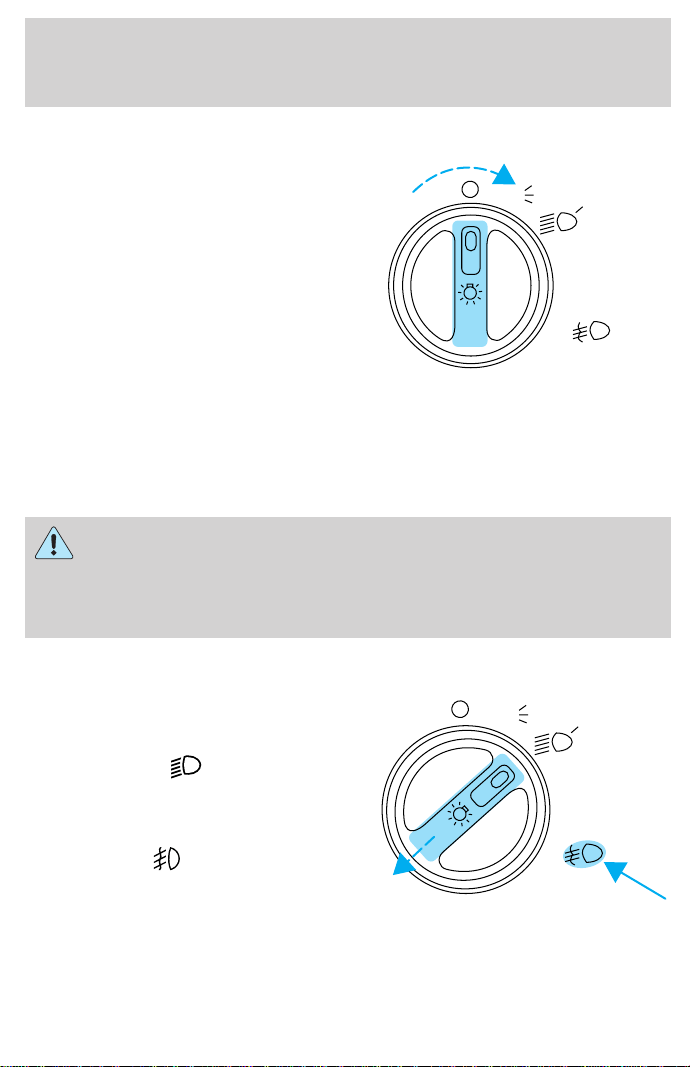
HEADLAMP CONTROL
Rotate the headlamp control to the
first position to turn on the parking
lamps. Rotate to the second position
to also turn on the headlamps.
Daytime running lamps (DRL) (if equipped)
Turns the headlamps on with a reduced output. To activate:
• the engine must be running and
• the headlamp control is in the OFF or Parking lamps position.
Always remember to turn on your headlamps at dusk or during
inclement weather. The Daytime Running Light (DRL) System
does not activate your tail lamps and generally may not provide
adequate lighting during these conditions. Failure to activate your
headlamps under these conditions may result in a collision.
Foglamp control (if equipped)
The headlamp control also operates
the foglamps. The foglamps can be
turned on only when the headlamp
control is in the
position and
the high beams are not turned on.
Pull headlamp control towards you
to turn foglamps on. The foglamp
indicator light
will illuminate.
PULL
FOR
FOG
P
PULL
FOR
FOG
P
Controls and features
16
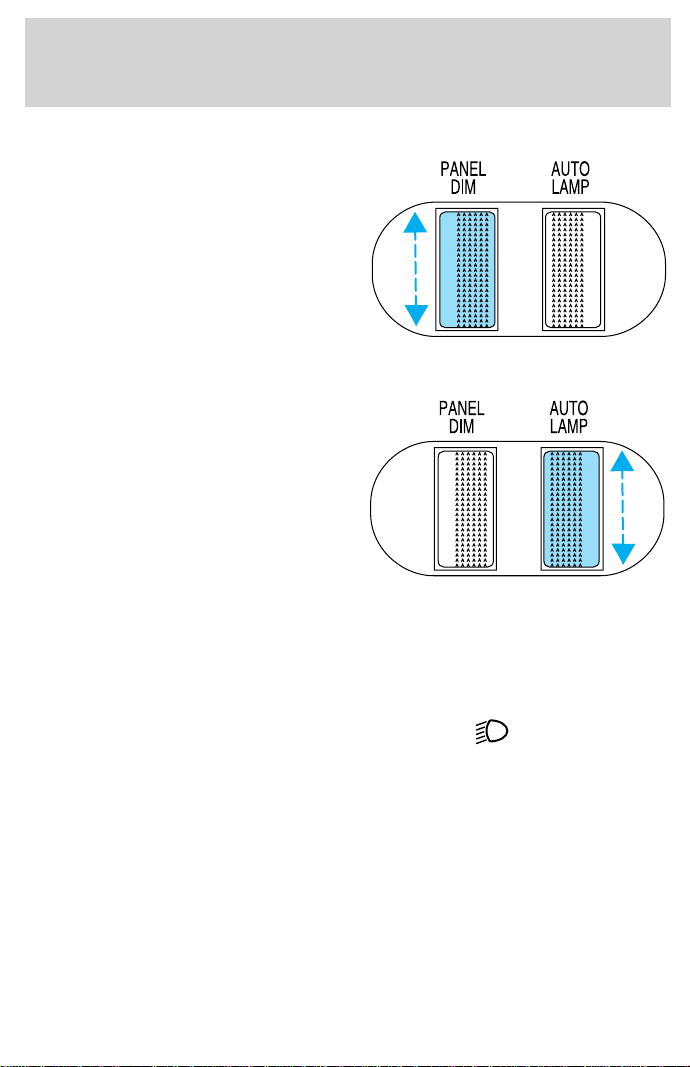
PANEL DIMMER CONTROL
Use to adjust the brightness of the
instrument panel during headlamp
and parklamp operation.
• Rotate up to brighten.
• Rotate down to dim.
• Rotate to full down position to
turn off.
AUTOLAMP CONTROL (IF EQUIPPED)
The autolamp system provides light
sensitive automatic on-off control of
the exterior lights normally
controlled by the headlamp control.
The autolamp system also keeps the
lights on for a preselected period of
time after the ignition switch is
turned to OFF.
• To turn autolamps on, rotate the
control up. The preselected time lapse is adjustable up to
approximately three minutes by continuing to rotate the control
upward.
• To turn autolamps off, rotate the control down until it clicks.
• Foglamps are not controlled by the autolamps. In order to turn on the
foglamps, you must turn the lamp switch to the
position and pull
toward you for fog.
Controls and features
17
4WD CONTROL (IF EQUIPPED)
This control operates the 4WD.
Refer to the Driving chapter for
more information.
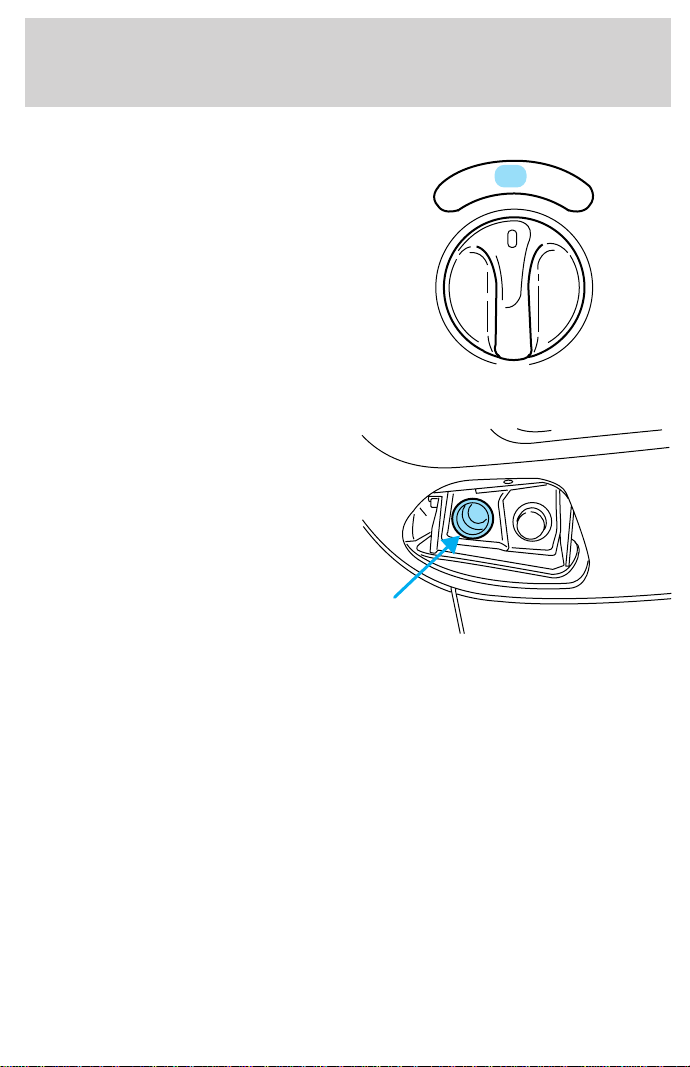
AUXILIARY POWER POINT
The auxiliary power point is located
on the instrument panel.
Do not plug optional electrical
accessories into the cigarette lighter.
Use the power point.
4H
2H
4L
Controls and features
18
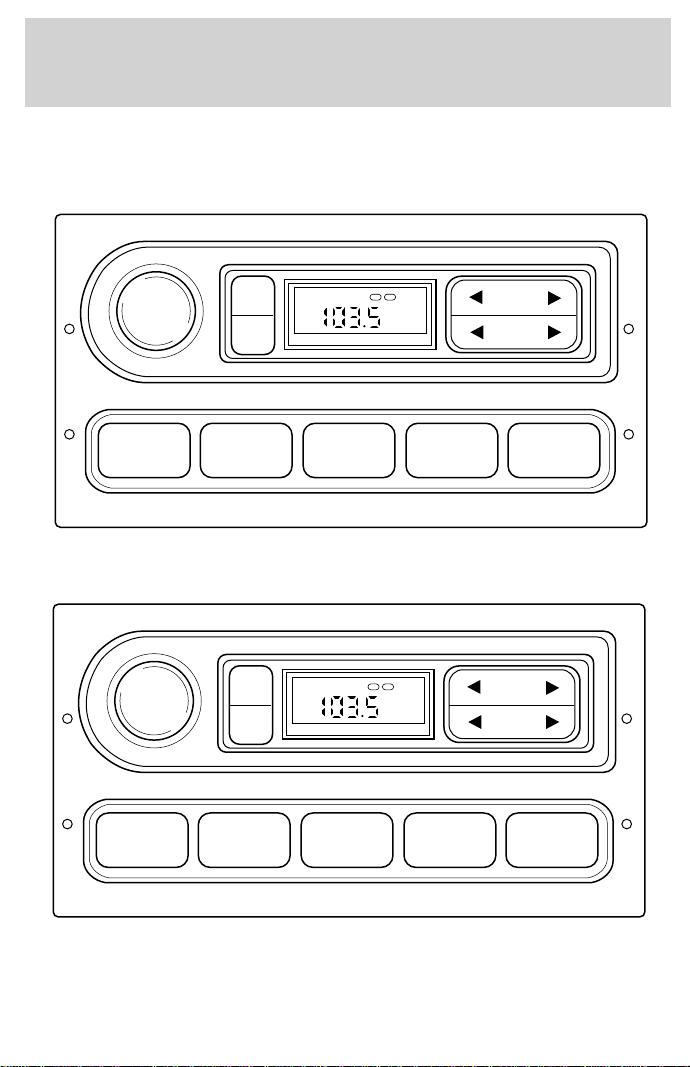
USING YOUR AUDIO SYSTEM
AM/FM Stereo
AM/FM Stereo
Your vehicle is equipped with a delayed accessory feature. This feature
enables the audio playing media to continue playing up to 10 minutes
after the ignition has been turned off, or until a door is opened.
1 2 3 4 AM/FM
SEEK
TONE
CLK
TUNE
TONE VOL
12
FM
ST DX
VOL
PUSH
ON
1 2 3 4 AM/FM
SEEK
TONE
CLK
TUNE
TONE VOL
12
FM
ST DX
VOL
PUSH
ON
AM / FM STEREO
Controls and features
19
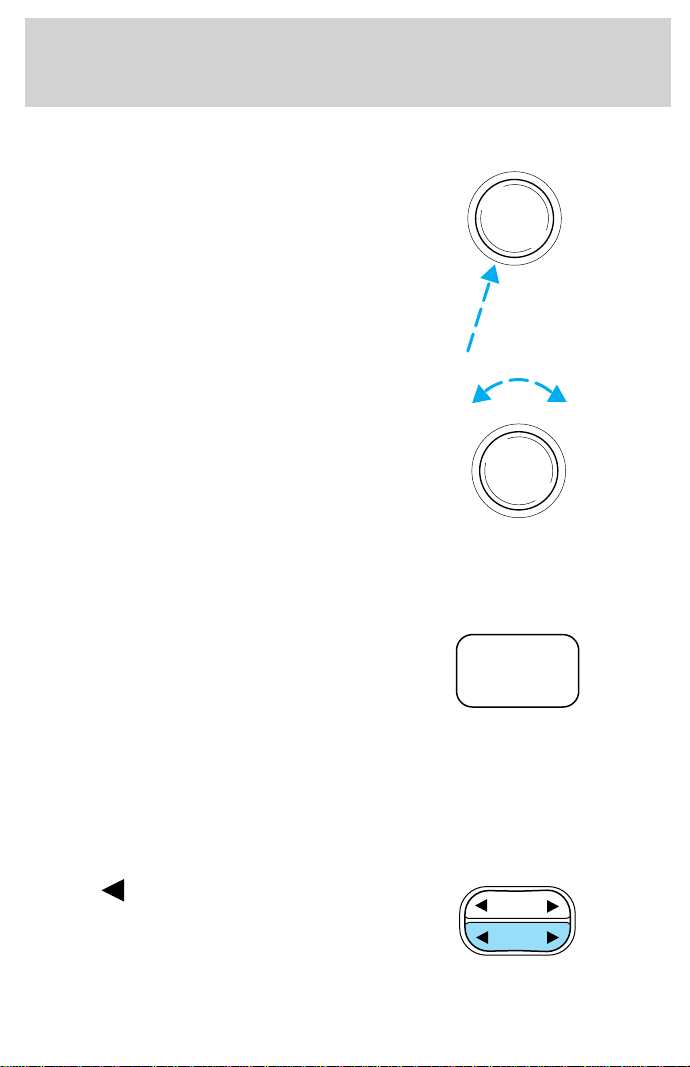
Volume/power control
Press the control to turn the audio
system on or off.
Turn the control to raise or lower
volume.
If the volume is set above a certain level and the ignition is turned off,
the volume will come back on at a “nominal” listening level when the
ignition switch is turned back on.
AM/FM select
The AM/FM select control works in
radio mode.
AM/FM select in radio mode
This control allows you to select AM or FM frequency bands. Press the
control to switch between AM, FM1 or FM2 memory preset stations.
Tune adjust
The tune control works in radio mode.
Tune adjust in radio mode
• Press to move to the next
frequency down the band
(whether or not a listenable
station is located there). Hold the
control to move through the
frequencies quickly.
VOL
PUSH
ON
VOL
PUSH
ON
AM/FM
SEEK
TUNE
Controls and features
20
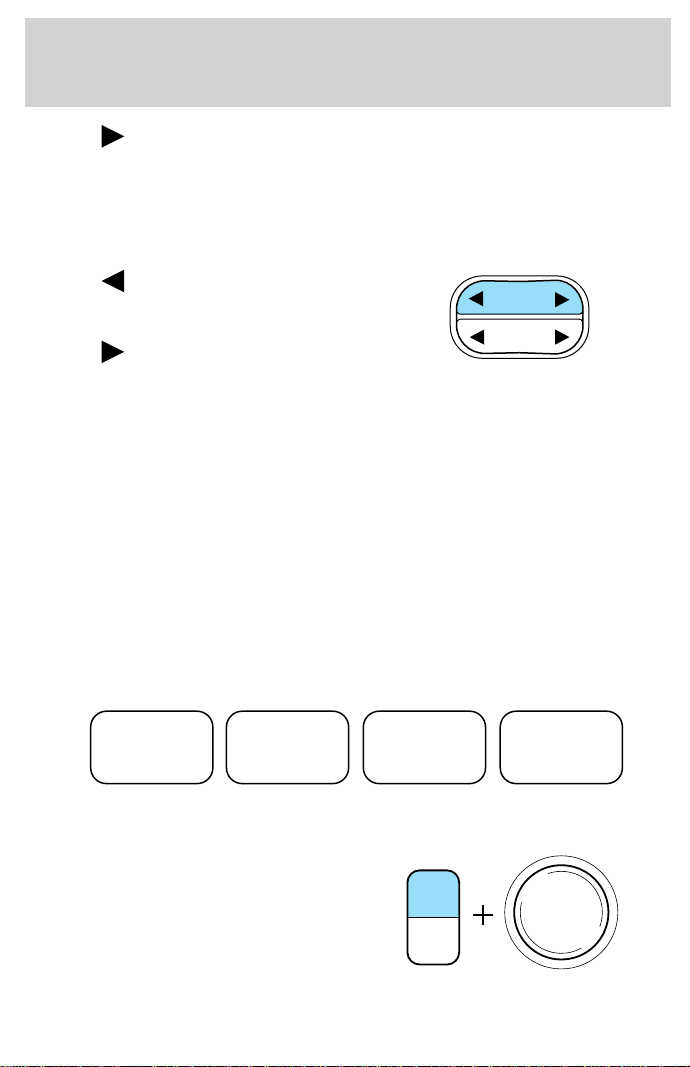
• Press to move to the next frequency up the band (whether or not
a listenable station is located there). Hold for quick movement.
Seek function
The seek function control works in radio mode.
Seek function in radio mode
• Press to find the next
listenable station down the
frequency band.
• Press
to find the next
listenable station up the
frequency band.
Radio station memory preset
The radio is equipped with four station memory preset controls. These
controls can be used to select up to four preset AM stations and eight
FM stations (four in FM1 and four in FM2).
Setting memory preset stations
1. Select the frequency band with the AM/FM select control.
2. Select a station. Refer to Tune adjust or Seek function for more
information on selecting a station.
3. Press and hold a memory preset control until the sound returns,
indicating the station is held in memory on the control you selected.
Bass adjust
The bass adjust control allows you
to increase or decrease the audio
system’s bass output.
With the electronic AM/FM stereo,
press the TONE control once, then
use the volume knob to adjust the
level.
SEEK
TUNE
1 2 3 4
TONE
CLK
VOL
PUSH
ON
Controls and features
21
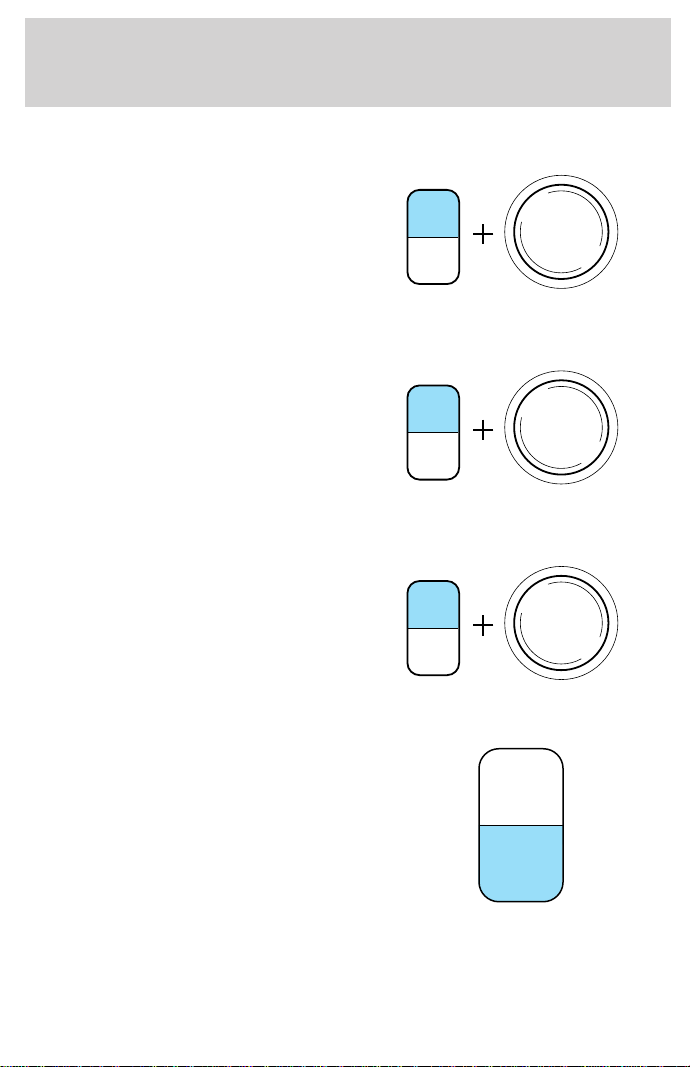
Treble adjust
The treble adjust control allows you
to increase or decrease the audio
system’s treble output.
With the electronic AM/FM stereo,
press the TONE control twice, then
use the volume knob to adjust the
level.
Speaker balance adjust
Speaker sound distribution can be
adjusted between the right and left
speakers.
With the electronic AM/FM stereo,
press the TONE control three times,
then use the volume knob to adjust
the level.
Speaker fade adjust (if equipped)
Speaker sound can be adjusted
between the front and rear
speakers.
With the electronic AM/FM stereo,
press the TONE control four times,
then use the volume knob to adjust
the level.
Setting the clock
Press CLK to toggle between
listening frequencies and clock
mode.
To set the hour, press and hold the
CLK control and press:
TONE
CLK
VOL
PUSH
ON
TONE
CLK
VOL
PUSH
ON
TONE
CLK
VOL
PUSH
ON
TONE
CLK
Controls and features
22
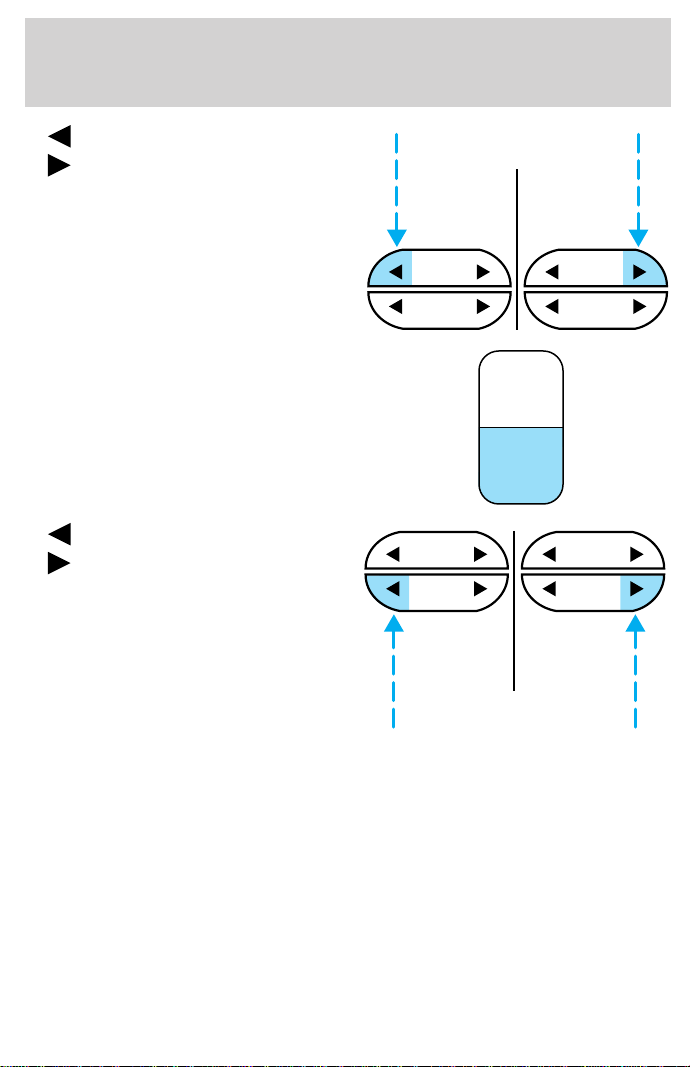
• to decrease hours and
•
to increase hours.
To set the minute, press and hold
the CLK control and press:
•
to decrease minutes and
•
to increase minutes.
The CLK control will allow you to
switch between media display mode
(radio station, stereo information,
etc.) and clock display mode (time).
When in clock mode, the media
information will display for ten
seconds, when the radio is turned
on, and then revert to clock
information. Anytime that the media is changed, (new radio station,
etc.), the media information will again display for ten seconds before
reverting back to the clock. In media mode, the media information will
always be displayed.
SEEK SEEK
TUNE TUNE
TONE
CLK
SEEK
TUNE
SEEK
TUNE
Controls and features
23
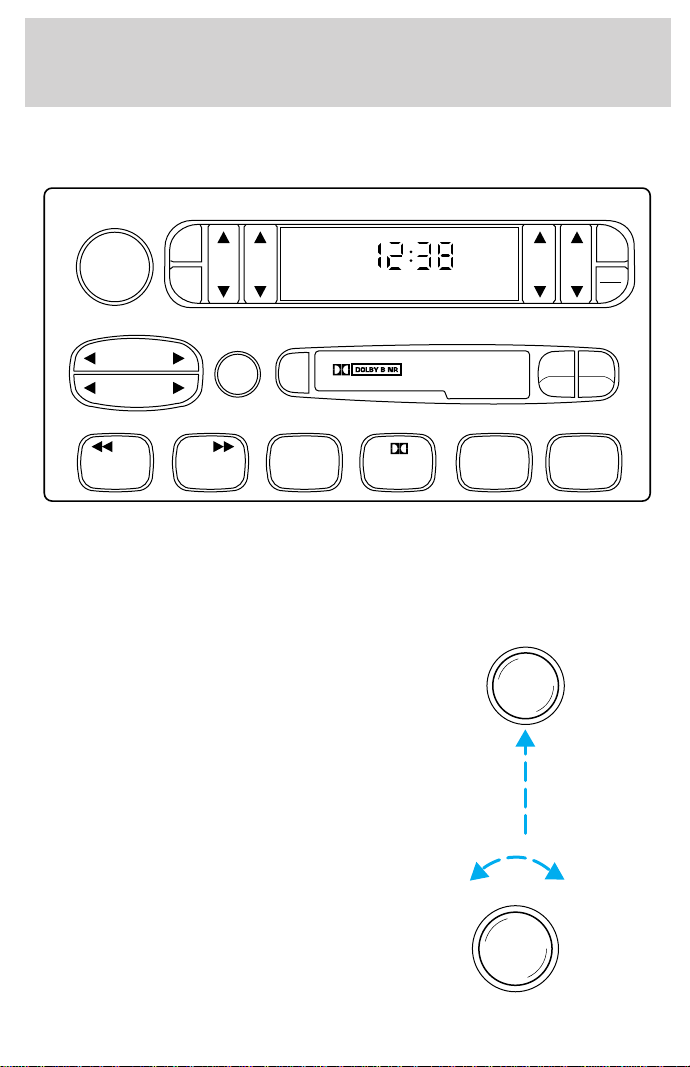
AM/FM Stereo/Cassette (CD changer compatible)
Your vehicle is equipped with a delayed accessory feature. This feature
enables the audio playing media to continue playing up to 10 minutes
after the ignition has been turned off, or until a door is opened.
Volume/power control
Press the control to turn the audio
system on or off.
Turn the control to raise or lower
volume.
FF
REW
SIDE
1 - 2
BASS TREB BAL FADE
TAPE
AMS
AM
FM
CD
CLK
VOL - PUSH ON
SHUFFLECOMPCD
EJ
CD
SCAN
DISCS
TUNE
SEEK
321456
VOL - PUSH ON
VOL - PUSH ON
Controls and features
24
If the volume is set above a certain level and the ignition is turned off,
the volume will come back on at a “nominal” listening level when the
ignition switch is turned back on.
AM/FM select
The AM/FM select control works in
radio, tape and CD changer modes
(if equipped).
AM/FM select in radio mode
This control allows you to select AM or FM frequency bands. Press the
control to switch between AM, FM1 or FM2 memory preset stations.
AM/FM select in tape mode
Press this control to stop tape play and begin radio play.
AM/FM select in CD changer mode (if equipped)
Press this control to stop CD play and begin radio play.
Tune adjust
The tune control works in radio and CD changer modes (if equipped).
Tune adjust in radio mode
• Press to move to the next
frequency down the band
(whether or not a listenable
station is located there). Hold the
control to move through the
frequencies quickly.
• Press
to move to the next frequency up the band (whether or not
a listenable station is located there). Hold for quick movement.
CD
AM
FM
SEEK
TUNE
DISCS
Controls and features
25
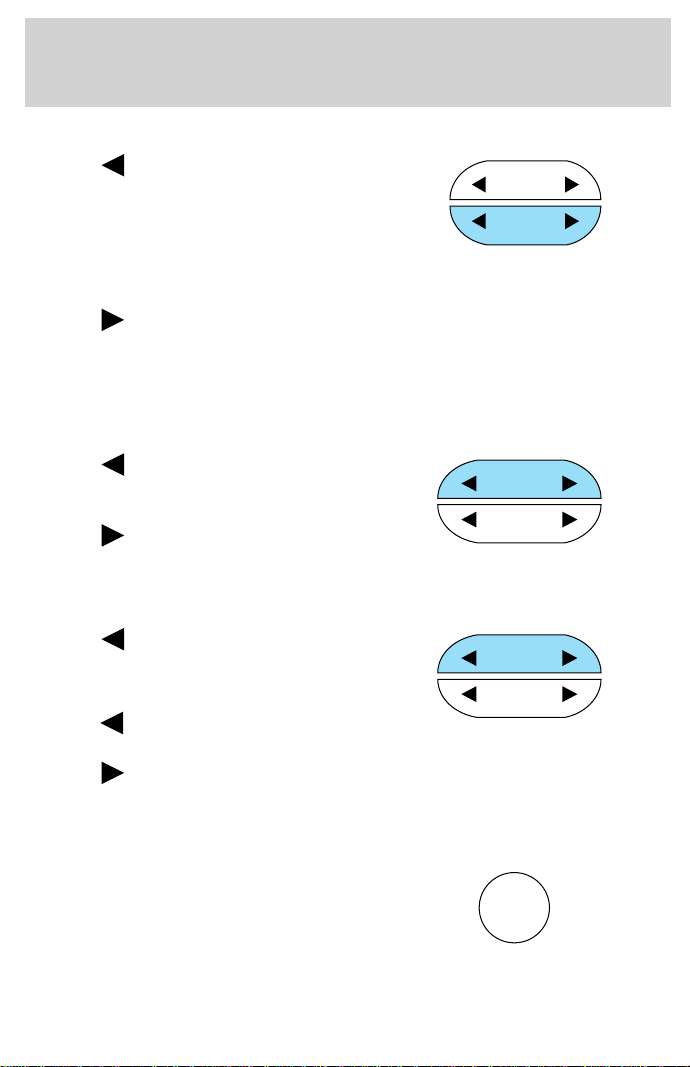
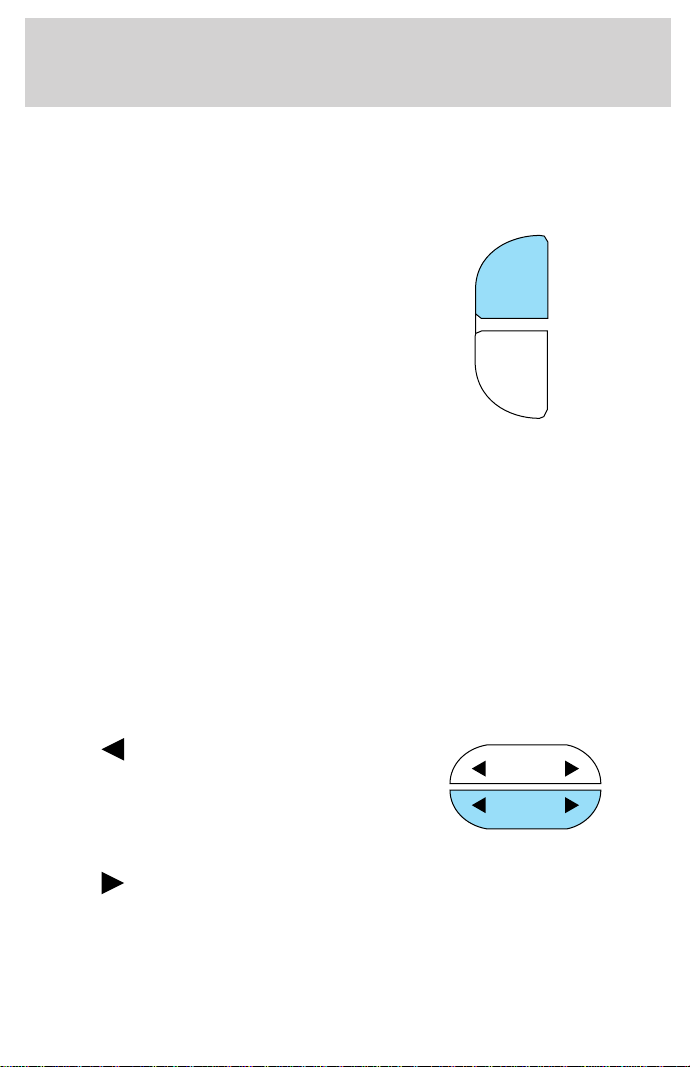
Tune adjust for CD changer (if equipped)
• Press to select the previous
disc in the CD changer. (Play will
begin on the first track of the
disc unless the CD changer is in
shuffle mode. Refer to Shuffle
feature for more information. Hold the control to continue reversing
through the disc.
• Press
to select the next disc in the CD changer. Hold the control
to fast-forward through the remaining discs.
Seek function
The seek function control works in radio or CD changer mode.
Seek function in radio mode
• Press to find the next
listenable station down the
frequency band.
• Press
to find the next
listenable station up the
frequency band.
Seek function for CD changer (if equipped)
• Press to seek to the previous
track of the current disc. If a
selection has been playing for
three seconds or more and you
press
, the CD changer will
replay that selection from the beginning.
• Press to seek forward to the next track of the current disc. After
the last track has been completed, the first track of the current disc
will automatically replay.
Scan function
The scan function works in radio or
CD changer mode (if equipped).
SEEK
TUNE
DISCS
SEEK
TUNE
DISCS
SEEK
TUNE
DISCS
SCAN
Controls and features
26
Scan function in radio mode
Press the SCAN control to hear a brief sampling of all listenable stations
on the frequency band. Press the SCAN control again to stop the scan
mode.
Scan function in CD changer mode (if equipped)
Press the SCAN control to hear a brief sampling of all selections on the
CD. (The CD scans in a forward direction, wrapping back to the first
track at the end of the CD.) To stop on a particular selection, press the
SCAN control again.
Radio station memory preset
The radio is equipped with six station memory preset controls. These
controls can be used to select up to six preset AM stations and twelve
FM stations ( six in FM1 and six in FM2).
Setting memory preset stations
1. Select the frequency band with the AM/FM select control.
2. Select a station. Refer to Tune adjust or Seek function for more
information on selecting a station.
3. Press and hold a memory preset control until the sound returns,
indicating the station is held in memory on the control you selected.
Bass adjust
The bass adjust control allows you
to increase or decrease the audio
system’s bass output.
SHUFFLECOMPCDCD
321456
BASS
Controls and features
27
Treble adjust
The treble adjust control allows you
to increase or decrease the audio
system’s treble output.
Speaker balance adjust
Speaker sound distribution can be
adjusted between the right and left
speakers.
Speaker fade adjust
Speaker sound can be adjusted
between the front and rear
speakers.
Tape select
• To enter tape mode while in radio
or CD changer mode, press the
TAPE control.
• If no tape is found, NO TAPE
appears in the display.
TREB
BAL
FADE
TAPE
AMS
CLK
Controls and features
28
Automatic Music Search
The Automatic Music Search feature
allows you to quickly locate the
beginning of the tape selection
being played or to skip to the next
selection.
To activate the feature, momentarily
depress the TAPE AMS button.
Then, press either REW (for the beginning of the current selection) or
FF (to advance to the next selection). The tape deck stops and returns
to play mode when the AMS circuit senses a blank section on the tape.
In order to ensure proper operation of the AMS feature, the tape MUST
have a blank section of at least 4 seconds duration between programs.
CD changer select (if equipped)
• To enter CD changer mode while
in radio or tape mode, press the
CD control.
Rewind
The rewind control works in tape and CD changer (if equipped) modes.
To rewind in tape mode, press the
SIDE/REW control.
Press the 1–2/FF control to stop
rewinding the tape.
To rewind in CD changer mode,
press the CD control (preset 1).
Press the control again to deactivate
rewind mode.
TAPE
AMS
CLK
AM
FM
CD
SIDE
REW FF
1 - 2
SIDE
REW FF
1 - 2
CD
1
Controls and features
29
Fast forward
The fast forward control works in tape and CD changer modes.
To fast forward in tape mode, press
the 1–2/FF control.
Tape direction will automatically
reverse when the end of the tape is
reached.
Press the SIDE/REW control to stop
the fast forward of the tape.
To fast forward in CD changer mode,
press the CD control (preset 2).
Press the control again to deactivate
fast forward mode.
Compression feature (if equipped)
Compression adjust brings soft and
loud CD passages together for a
more consistent listening level.
Press the COMP control to activate
and deactivate compression adjust.
Shuffle feature (if equipped)
The shuffle feature operates in CD
changer mode and plays all tracks
on the current disc in random order.
The shuffle feature continues to the
next disc after all tracks are played.
Press the SHUFFLE control to start this feature. Random order play will
continue until the SHUFFLE control is pressed again.
Tape direction select
Press SIDE and 1–2 at the same
time to play the alternate side of a
tape.
SIDE
REW FF
1 - 2
SIDE
REW FF
1 - 2
CD
2
COMP
5
SHUFFLE
6
SIDE
REW FF
1 - 2
Controls and features
30
Eject function
Press the control to stop and eject a
tape.
Dolby
T
noise reduction
Dolbyt noise reduction operates
only in tape mode. Dolbyt reduces
the amount of hiss and static during
tape playback.
Press the
control to activate (and deactivate) Dolbyt noise reduction.
The noise reduction system is manufactured under license from Dolby
Laboratories Licensing Corporation.
Setting the clock
Press CLK to toggle between
listening frequencies and clock
mode while in radio mode.
To set the hour, press and hold the
CLK control and press:
•
to decrease hours and
•
to increase hours.
EJ
4
TAPE
AMS
CLK
SEEK SEEK
TUNE TUNE
Controls and features
31
To set the minute, press and hold
the CLK control and press:
•
to decrease minutes and
•
to increase minutes.
The CLK control will allow you to switch between media display mode
(radio station, stereo information, etc.) and clock display mode (time).
When in clock mode, the media information will display for ten seconds,
when the radio is turned on, and then revert to clock information.
Anytime that the media is changed, (new radio station, etc.), the media
information will again display for ten seconds before reverting back to
the clock. In media mode, the media information will always be
displayed.
TAPE
AMS
CLK
SEEK
TUNE
SEEK
TUNE
Controls and features
32
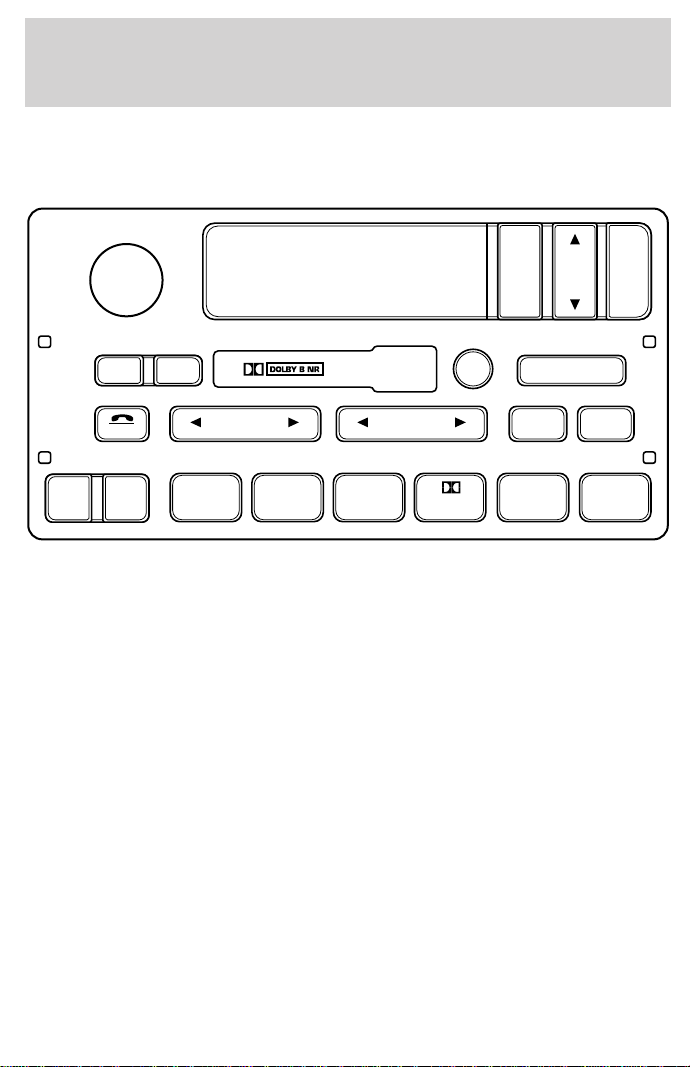
Premium AM/FM Stereo/Cassette/Premium Sound
(CD Changer Compatible)
Your audio system is equipped with selective lighting, a unique lighting
strategy. This lighting feature is operable when the headlamps are
illuminated. During the operation of any selected mode, lighting for the
individual function controls will either illuminate or turn off. Those
controls which have a function for the specific mode of operation
selected will be lit, while the controls which have no function for that
mode will be turned off.
Your vehicle is equipped with a delayed accessory feature. This feature
enables the audio playing media to continue playing up to 10 minutes
after the ignition has been turned off, or until a door is opened.
SCAN
VOL
PUSH ON
REW
1
FF
2
SIDE 1
.
2
3 4
COMP
5
SHUFF
6
AUTO
TUNE
SEEK
SEL
BAL
FADE
MUTE
FMAM
EJ
BASS
TREB
CD TAPE
RDS
Controls and features
33
Volume/power control
Press the control to turn the audio
system on or off.
Turn the control to raise or lower
volume.
If the volume is set above a certain level and the ignition is turned off,
the volume will come back on at a “nominal” listening level when the
ignition switch is turned back on.
Speed sensitive volume (if equipped)
With this feature, radio volume changes automatically and slightly with
vehicle speed to compensate for road and wind noise.
The recommended level for speed sensitive volume is from level 1
through level 3. Level 0 turns the speed sensitive volume off and level 7
is the maximum setting.
With the radio on, press and hold
the volume control for five seconds,
until the display reads SPEED
VOL#, then press:
VOL
PUSH ON
VOL
PUSH ON
VOL
PUSH ON
Controls and features
34
• to increase volume
compensation
• to decrease or shut off the
volume compensation
AM/FM select
The AM/FM select control works in
radio, tape and CD modes (if
equipped).
AM/FM select in radio mode
This control allows you to select AM or FM frequency bands. Press the
control to switch between AM, FM1 or FM2 memory preset stations.
AM/FM select in tape mode
Press this control to stop tape play and begin radio play.
AM/FM select in CD mode
Press this control to stop CD play and begin radio play.
Tune adjust
The tune control works in radio or CD mode (if equipped).
Tune adjust in radio mode
• Press to move to the next
frequency down the band
(whether or not a listenable
station is located there). Hold the
control to move through the frequencies quickly.
• Press
to move to the next frequency up the band (whether or not
a listenable station is located there). Hold for quick movement.
SEL
FMAM
TUNE
Controls and features
35
Tune adjust for CD changer
• Press to select the previous
disc in the CD changer. (Play will
begin on the first track of the
disc unless the CD changer is in
shuffle mode.) Refer to Shuffle feature for more information. Hold the
control to continue reversing through the discs.
• Press
to select the next disc in the CD changer. Hold the control
to fast-forward through the remaining discs.
Seek function
The seek function control works in radio, tape or CD mode (if
equipped).
Seek function in radio mode
• Press to find the next
listenable station down the
frequency band.
• Press
to find the next
listenable station up the frequency band.
Seek function in tape mode
• Press to listen to the previous selection on the tape or return to
the beginning of the current selection.
• Press to listen to the next selection on the tape.
Seek function for CD changer
• Press to seek to the previous
track of the current disc. If a
selection has been playing for
three seconds or more and you
press
, the CD changer will replay that selection from the
beginning.
• Press to seek forward to the next track of the current disc. After
the last track has been completed, the first track of the current disc
will automatically replay.
TUNE
SEEK
SEEK
Controls and features
36
Scan function
The scan function works in radio,
tape or CD mode (if equipped).
Scan function in radio mode
Press the SCAN control to hear a brief sampling of all listenable stations
on the frequency band. Press the SCAN control again to stop the scan
mode.
Scan function in tape mode
Press the SCAN control to hear a short sampling of all selections on the
tape. (The tape scans in a forward direction. At the end of the tape’s
first side, direction automatically reverses to the opposite side of the
tape.) To stop on a particular selection, press the control again.
Scan function in CD mode
Press the SCAN control to hear a short sampling of all selections on the
CD. (The CD scans in a forward direction, wrapping back to the first
track at the end of the CD.) To stop on a particular selection, press the
control again.
Radio station memory preset
The radio is equipped with six station memory preset controls. These
controls can be used to select up to six preset AM stations and twelve
FM stations (six in FM1 and six in FM2).
Setting memory preset stations
1. Select the frequency band with the AM/FM select control.
2. Select a station. Refer to Tune adjust or Seek function for more
information on selecting a station.
3. Press and hold a memory preset control until the sound returns,
indicating the station is held in memory on the control you selected.
SCAN
REW
1
FF
2
SIDE 1
.
2
3 4
COMP
5
SHUFF
6
Controls and features
37
Autoset memory preset
Autoset allows you to set strong radio stations without losing your
original manually set preset stations. This feature is helpful on trips
when you travel between cities with different radio stations.
Starting autoset memory preset
1. Select a frequency using the AM/FM select controls.
2. Press the AUTO control.
3. When the first six strong stations
are filled, the station stored in
memory preset control 1 will start
playing.
If there are less than six strong stations available on the frequency band,
the remaining memory preset controls will all store the last strong
station available.
To deactivate autoset and return to your audio system’s manually set
memory stations, press the control again.
Bass adjust
The bass adjust control allows you
to increase or decrease the audio
system’s bass output.
Press the BASS control. Use the
SEL control to increase or decrease
the amount of bass.
Treble adjust
The treble adjust control allows you
to increase or decrease the audio
system’s treble output.
Press the TREB control. Use the
SEL control to increase or decrease
the amount of treble.
AUTO
SEL
BASS
TREB
SEL
BASS
TREB
Controls and features
38
Speaker balance adjust
Speaker sound distribution can be
adjusted between the right and left
speakers.
Press the BAL control. Use the SEL
control to adjust the sound between
the speakers.
Speaker fade adjust
Speaker sound can be adjusted
between the front and rear
speakers.
Press the FADE control. Use the
SEL control to adjust the sound
between the front and rear
speakers.
Tape/CD select
• To begin tape play (with a tape
loaded into the audio system)
while in the radio or CD mode,
press the TAPE control. Press the
button during rewind or fast forward to stop the rewind or fast
forward function.
• To begin CD play (if equipped
with CD DJ), ensure that the CDs
are loaded. Press the CD control.
The first track of the disc will
begin playing. After that, CD play will begin where it stopped last.
Rewind
The rewind control works in tape
and CD modes.
• In tape mode, radio play will
continue until rewind is stopped
(with the TAPE control) or the
beginning of the tape is reached.
SEL
BAL
FADE
SEL
BAL
FADE
CD TAPE
CD TAPE
REW
1
Controls and features
39
• In CD mode, pressing the REW control for less than three seconds
results in slow rewind. Pressing the control for more than three
seconds results in fast rewind.
Fast forward
The fast forward control works in
tape and CD modes (if equipped).
• In the tape mode, tape direction
will automatically reverse when
the end of the tape is reached.
• In CD mode, pressing the control for less than three seconds results in
slow forward action. Pressing the control for more than three seconds
results in fast forward action.
Tape direction select
Press SIDE 1–2 to play the alternate
side of a tape.
Eject function
Press the control to stop and eject a
tape.
Dolby
T
noise reduction
Dolbyt noise reduction operates
only in tape mode. Dolbyt reduces
the amount of hiss and static during
tape playback.
Press the
control to activate
(and deactivate) Dolbyt noise reduction.
The noise reduction system is manufactured under license from Dolby
Laboratories Licensing Corporation.
FF
2
SIDE 1-2
3
EJ
4
Controls and features
40
Compression feature
Compression adjust brings soft and
loud CD passages together for a
more consistent listening level.
Press the COMP control to activate
and deactivate compression adjust.
The effect of the feature varies with the music content.
Shuffle feature
The shuffle feature operates in CD
mode and plays all tracks on the
current disc in random order. If
equipped with the CD changer, the
shuffle feature continues to the next
disc after all tracks are played.
Press the SHUFFLE control to start this feature. Random order play will
continue until the SHUFFLE control is pressed again.
Radio data system (RDS) feature
This feature allows your audio
system to receive station
identification or program type from
RDS-equipped FM radio stations.
The Federal Communications Commission (FCC) and the Canadian Radio
and Telecommunications Commission (CRTC) recommend FM radio
broadcasters to use RDS technology to transmit information. FM radio
stations are independently operated and individually elect to use RDS
technology to transmit station ID and program type as desired.
Press and hold the control for five seconds to turn the feature on or off.
Press the control to scroll through the following selections:
Traffic
• Press the RDS control until
TRAFFIC is displayed.
COMP
5
SHUFF
6
RDS
RDS
Controls and features
41
• Use the SEL control to select ON
or OFF. With the feature on, use
the SEEK or SCAN control to
find a radio station broadcasting a
traffic report (if it is broadcasting
RDS data).
Program type
• Press the RDS control until the
FIND program type is displayed.
• Use the SEL control to select the
program type. With the feature
on, use the SEEK or SCAN
control to find the desired
program type from the following
selections:
• Classic
• Country
• Info
• Jazz
• Oldies
• R&B
• Religious
• Rock
• Soft
• Top 40
Show
• With RDS activated, press the
RDS control until SHOW is
displayed.
SEL
RDS
SEL
RDS
Controls and features
42
• Use the SEL control to select
TYPE, NAME or NONE.
RDS clock feature
Refer to Setting the clock for information.
Mute mode
Press the control to mute the
playing media. Press the control
again to return to the playing media.
Setting the clock with radio data system (RDS) feature
Press the RDS control until CLOCK
HOUR or CLOCK MINUTE is
displayed.
Use the SEL control to manually set
the time.
• Press
to increase
hours/minutes.
• Press to decrease
hours/minutes.
SEL
MUTE
RDS
SEL
Controls and features
43
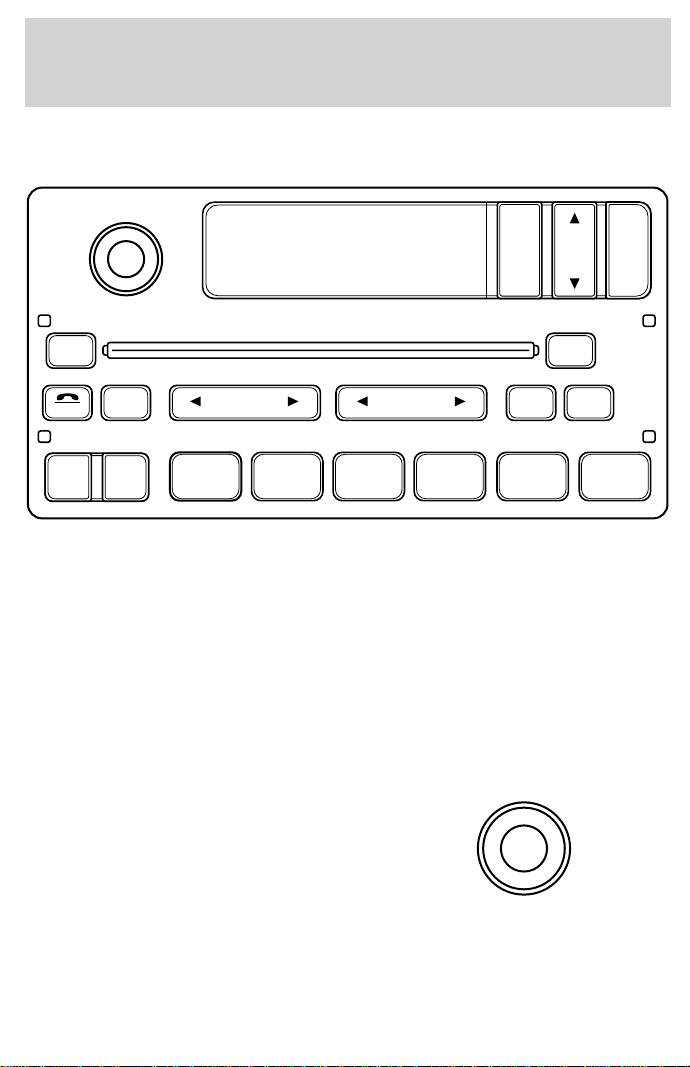
Premium AM/FM Stereo/Single CD Radio with Premium Sound
Your audio system is equipped with selective lighting, a unique lighting
strategy. This lighting feature is operable when the headlamps are
illuminated. During the operation of any selected mode, lighting for the
individual function controls will either illuminate or turn off. Those
controls which have a function for the specific mode of operation
selected will be lit, while the controls which have no function for that
mode will be turned off.
Your vehicle is equipped with a delayed accessory feature. This feature
enables the audio playing media to continue playing up to 10 minutes
after the ignition has been turned off, or until a door is opened.
Volume/power control
Press the control to turn the audio
system on or off.
CD
SCAN
VOL
PUSH ON
REW
1
FF
2 3 4
COMP
5
SHUFF
6
RDS
EJ
AUTO
TUNE
SEEK
SEL
BAL
FADE
MUTE
FMAM
BASS
TREB
VOL
PUSH ON
Controls and features
44
Turn the control to raise or lower
volume.
If the volume is set above a certain level and the ignition is turned off,
the volume will come back on at a “nominal” listening level when the
ignition switch is turned back on.
Speed sensitive volume (if equipped)
With this feature, radio volume changes automatically and slightly with
vehicle speed to compensate for road and wind noise.
The recommended level for speed sensitive volume is from level 1
through level 3. Level 0 turns the speed sensitive volume off and level 7
is the maximum setting.
With the radio on, press and hold
the volume control for five seconds,
then press:
•
to increase volume
compensation
• to decrease or shut off the
volume compensation
AM/FM select
The AM/FM select control works in
radio, tape and CD changer modes
(if equipped).
AM/FM select in radio mode
This control allows you to select AM or FM frequency bands. Press the
control to switch between AM, FM1 or FM2 memory preset stations.
VOL
PUSH ON
VOL
PUSH ON
SEL
AM
FM
Controls and features
45
AM/FM select in tape mode
Press this control to stop tape play and begin radio play.
AM/FM select in CD changer mode (if equipped)
Press this control to stop CD play and begin radio play.
Tune adjust
The tune control works in radio or CD changer mode.
Tune adjust in radio mode
• Press to move to the next
frequency down the band
(whether or not a listenable
station is located there). Hold the
control to move through the frequencies quickly.
• Press
to move to the next frequency up the band (whether or not
a listenable station is located there). Hold for quick movement.
Tune adjust for CD changer
• Press to select the previous
disc in the CD changer. (Play will
begin on the first track of the
disc unless the CD changer is in
shuffle mode.) Refer to Shuffle feature for more information. Hold the
control to continue reversing through the disc.
• Press
to select the next disc in the CD changer. Hold the control
to fast-forward through the remaining discs.
Seek function
The seek function control works in radio, CD and CD DJ mode (if
equipped).
Seek function in radio mode
• Press to find the next
listenable station down the
frequency band.
• Press
to find the next
listenable station up the frequency band.
TUNE
TUNE
SEEK
Controls and features
46
Seek function for CD or CD changer (if equipped)
•
Press to seek to the previous
track of the current disc. If a
selection has been playing for three
seconds or more and you press
, the CD changer will replay that selection from the beginning.
• Press to seek forward to the next track of the current disc. After
the last track has been completed, the first track of the current disc
will automatically replay.
Scan function
The scan function works in radio,
CD and CD DJ mode (if equipped).
Scan function in radio mode
Press the SCAN control to hear a brief sampling of all listenable stations on
the frequency band. Press the SCAN control again to stop the scan mode.
Scan function in CD mode
Press the SCAN control to hear a short sampling of all selections on the CD
(The CD scans in a forward direction, wrapping back to the first track at the
end of the CD.). To stop on a particular selection, press the control again.
Radio station memory preset
The radio is equipped with six station memory preset controls. These
controls can be used to select up to six preset AM stations and twelve
FM stations (six in FM1 and six in FM2).
Setting memory preset stations
1. Select the frequency band with the AM/FM select control.
2. Select a station. Refer to Tune adjust or Seek function for more
information on selecting a station.
3. Press and hold a memory preset control until the sound returns,
indicating the station is held in memory on the control you selected.
SCAN
SCAN
REW
1
FF
2 3 4
COMP
5
SHUFF
6
Controls and features
47
Autoset memory preset
Autoset allows you to set strong radio stations without losing your
original manually set preset stations. This feature is helpful on trips
when you travel between cities with different radio stations.
Starting autoset memory preset
1. Select a frequency using the AM/FM select controls.
2. Press the AUTO control.
3. When the first six strong stations
are filled, the station stored in
memory preset control 1 will start
playing.
If there are less than six strong stations available on the frequency band,
the remaining memory preset controls will all store the last strong
station available.
To deactivate autoset and return to your audio system’s manually set
memory stations, press the AUTO control again.
Bass adjust
The bass adjust control allows you
to increase or decrease the audio
system’s bass output.
Treble adjust
The treble adjust control allows you
to increase or decrease the audio
system’s treble output.
AUTO
SEL
BASS
TREB
SEL
BASS
TREB
Controls and features
48
Speaker balance adjust
Speaker sound distribution can be
adjusted between the right and left
speakers.
Speaker fade adjust
Speaker sound can be adjusted
between the front and rear
speakers.
CD select
To begin CD play (if CD[s] are loaded), press the CD control. The first
track of the disc will begin playing. After that, CD play will begin where
it stopped last.
Rewind
The rewind control works in CD
mode.
• In CD mode, pressing the REW
control for less than three
seconds results in slow rewind.
Pressing the control for more than three seconds results in fast
rewind.
Fast forward
The fast forward control works in
CD mode.
• In CD mode, pressing the control
for less than three seconds
results in slow forward action. Pressing the control for more than
three seconds results in fast forward action.
SEL
BAL
FADE
SEL
BAL
FADE
REW
1
FF
2
Controls and features
49
Eject function
Press the control to stop and eject a
tape or CD.
Compression feature (if equipped)
Compression adjust brings soft and
loud CD passages together for a
more consistent listening level.
Press the COMP control to activate
and deactivate compression adjust.
Shuffle feature (if equipped)
The shuffle feature operates in CD
changer mode and plays all tracks
on the current disc in random order.
The shuffle feature continues to the
next disc after all tracks are played.
Press the SHUFFLE control to start this feature. Random order play will
continue until the SHUFFLE control is pressed again.
Radio data system (RDS) feature
This feature allows your audio
system to receive station
identification or program type from
RDS-equipped FM radio station.
The Federal Communications Commission (FCC) and the Canadian Radio
and Telecommunications Commission (CRTC) recommend FM radio
broadcasters to use RDS technology to transmit information. FM radio
stations are independently operated and individually elect to use RDS
technology to transmit station ID and program type as desired.
Press and hold the control for five seconds to turn the feature on or off.
Press the control to scroll through the following sections:
Traffic
• Press the RDS control until
TRAFFIC is displayed.
EJ
COMP
5
SHUFF
6
RDS
RDS
Controls and features
50
• Use the SEL control to select ON
or OFF. With the feature on, use
the SEEK or SCAN control to
find a radio station broadcasting a
traffic report (if it is broadcasting
RDS data).
Program type
• Press the RDS control until FIND
program type is displayed.
• Use the SEL control to select the
program type. With the feature
on, use the SEEK or SCAN
control to find the desired
program type from the following
selections:
• Classic
• Country
• Info
• Jazz
• Oldies
• R&B
• Religious
• Rock
• Soft
• Top 40
Show
• With RDS activated, press the
RDS control until SHOW is
displayed.
SEL
RDS
SEL
RDS
Controls and features
51
• Use the SEL control to select
TYPE, NAME or NONE.
RDS clock feature
Refer to Setting the clock for information.
Mute mode
Press the control to mute the
playing media. Press the control
again to return to the playing media.
CD changer (if equipped)
The CD changer is either located behind the driver’s seat or in the center
console of your vehicle.
Slide the door to access the CD
changer magazine.
SEL
MUTE
Controls and features
52
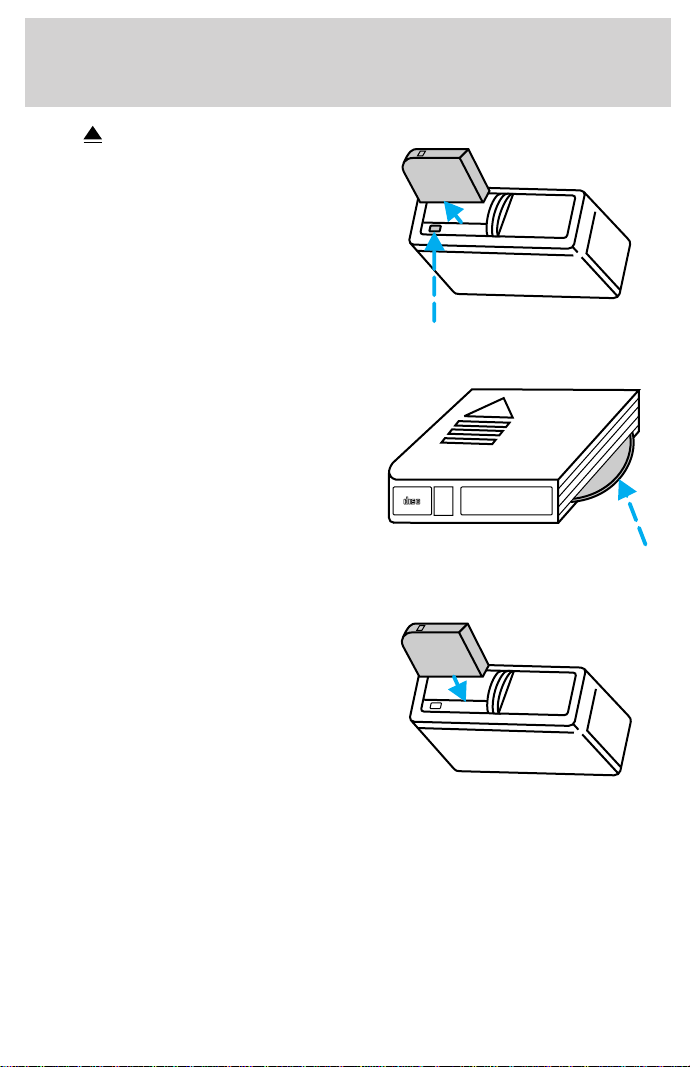
Press to eject the magazine.
Make sure only one disc is inserted
in each slot. Each disc must be
inserted with the label surface
upward. Depending on your system,
you may insert up to six or ten CDs.
The magazine does not need to be
full for the changer to operate.
Radio power must be turned on to play the CDs in the changer. The
magazine may be stored in the glove compartment when not being used.
The CD magazine may be inserted or ejected with the radio power off.
6
5
4
3
2
1
6 COMPACT DISC MAGAZINE
COMPACT
DIGITAL AUDIO
Controls and features
53

Troubleshooting the CD changer (if equipped)
The laser beam used in the compact disc player is harmful to the
eyes. Do not attempt to disassemble the case.
If sound skips:
• You may be traveling on a rough road, playing badly scratched discs or
the disc may be dirty. Skipping will not scratch the discs or damage
the player.
If your changer does not work, it may be that:
• A disc is already loaded where you want to insert a disc.
• The disc is inserted with the label surface downward.
• The disc is dusty or defective.
• The player’s internal temperature is above 60°C (140°F). Allow the
player to cool down before operating.
• A disc with format and dimensions not within industry standards is
inserted.
Cleaning compact discs
Inspect all discs for contamination before playing. If necessary, clean
discs only with an approved CD cleaner and wipe from the center out to
the edge. Do not use circular motion.
CD and CD changer care
• Handle discs by their edges only. Never touch the playing surface.
• Do not expose discs to direct sunlight or heat sources for extended
periods of time.
• Do not insert more than one disc into each slot of the CD changer
magazine.
Cleaning cassette player (if equipped)
Clean the tape player head with a cassette cleaning cartridge after ten to
twelve hours of play in order to maintain the best sound and operation.
Cassette and cassette player care
• Use only cassettes that are 90 minutes long or less.
Controls and features
54

• Do not expose tapes to direct sunlight, high humidity, extreme heat or
extreme cold. Allow tapes that may have been exposed to extreme
temperatures to reach a moderate temperature before playing.
• Tighten very loose tapes by inserting a finger or pencil into the hole
and turning the hub.
• Remove loose labels before inserting tapes.
• Do not leave tapes in the cassette player for a long time when not
being played.
Radio frequency information
The Federal Communications Commission (FCC) and the Canadian Radio
and Telecommunications Commission(CRTC) establish the frequencies
AM and FM stations may use for their broadcasts. Allowable frequencies
are:
AM 530, 540–1600, 1610 kHz
FM 87.9, 88.1–107.1, 107.9 MHz
Not all frequencies are used in a given area.
Radio reception factors
Three factors can affect radio reception:
• Distance/strength. The further an FM signal travels, the weaker it is.
The listenable range of the average FM station is approximately 40 km
(24 miles). This range can be affected by “signal modulation.” Signal
modulation is a process radio stations use to increase their
strength/volume relative to other stations.
• Terrain. Hills, mountains and tall buildings between your vehicle’s
antenna and the radio station signal can cause FM reception problems.
Static can be caused on AM stations by power lines, electric fences,
traffic lights and thunderstorms. Moving away from an interfering
structure (out of its “shadow”) returns your reception to normal.
• Station overload. Weak signals are sometimes captured by stronger
signals when you pass a broadcast tower. A stronger signal may
temporarily overtake a weaker signal and play while the weak station
frequency is displayed.
The audio system automatically switches to single channel reception if it
will improve the reception of a station normally received in stereo.
Controls and features
55
Audio system warranties and service
Refer to the “Warranty Guide” for audio system warranty information.
If service is necessary, see your dealer or a qualified technician.
CLIMATE CONTROL SYSTEM
Heater only system (if equipped)
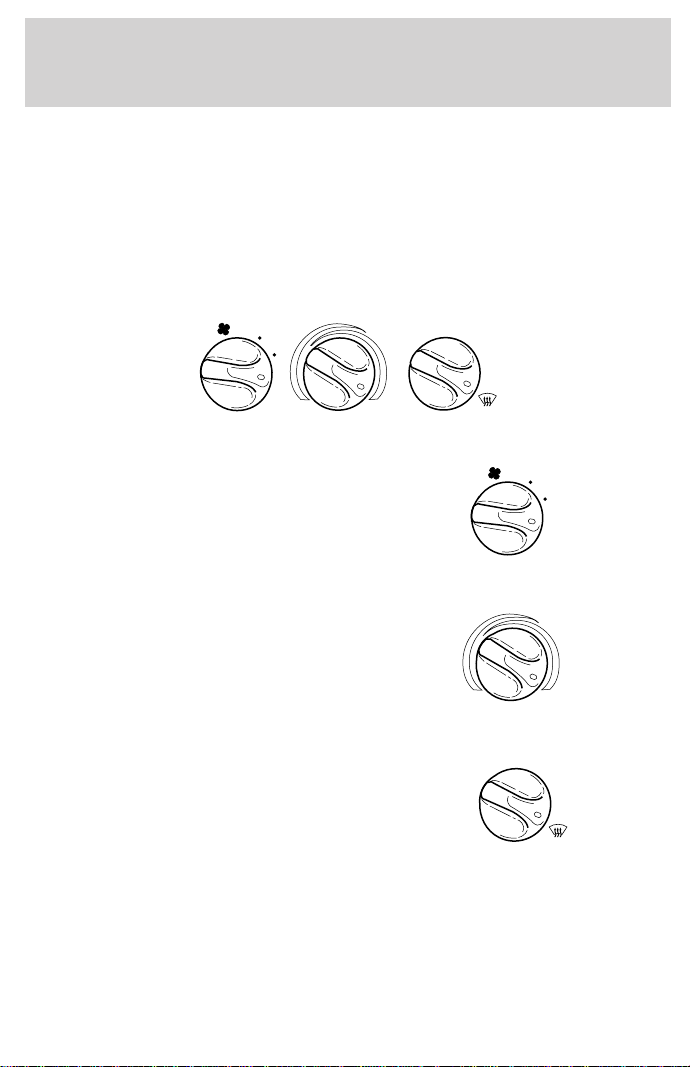
Fan speed control
Controls the volume of air circulated
in the vehicle.
Temperature control knob
Controls the temperature of the
airflow inside the vehicle. On
heater-only systems, the air cannot
be cooled below the outside
temperature.
Mode selector control
Controls the direction of the airflow
to the inside of the vehicle.
• PANEL-Distributes outside air through the instrument panel registers.
• OFF-Outside air is shut out and the fan will not operate.
• PANEL & FLOOR-Distributes outside air through the instrument panel
registers and the floor ducts.
HI
COOL WARM
OFF
PANEL
FLOOR
DEF
FLR
& DEF
PANEL &
FLOOR
LO
HI
LO
COOL WARM
OFF
PANEL
FLOOR
DEF
FLR
& DEF
PANEL &
FLOOR
Controls and features
56
• FLOOR-Allows for maximum heating. Distributes outside air through
the floor ducts.
• FLOOR & DEF-Distributes outside air through the floor ducts and the
windshield defroster ducts.
• DEF -Distributes outside air through the windshield defroster
ducts. It can be used to clear ice or fog from the windshield.
Operating tips
• In humid weather, select before driving. This will help to prevent
your windshield from fogging. After a few minutes, select any desired
position.
• To prevent humidity buildup inside the vehicle, don’t drive with the
climate control system in the OFF position.
• Don’t put objects under the front seat that will interfere with the
airflow to the back seats (if equipped).
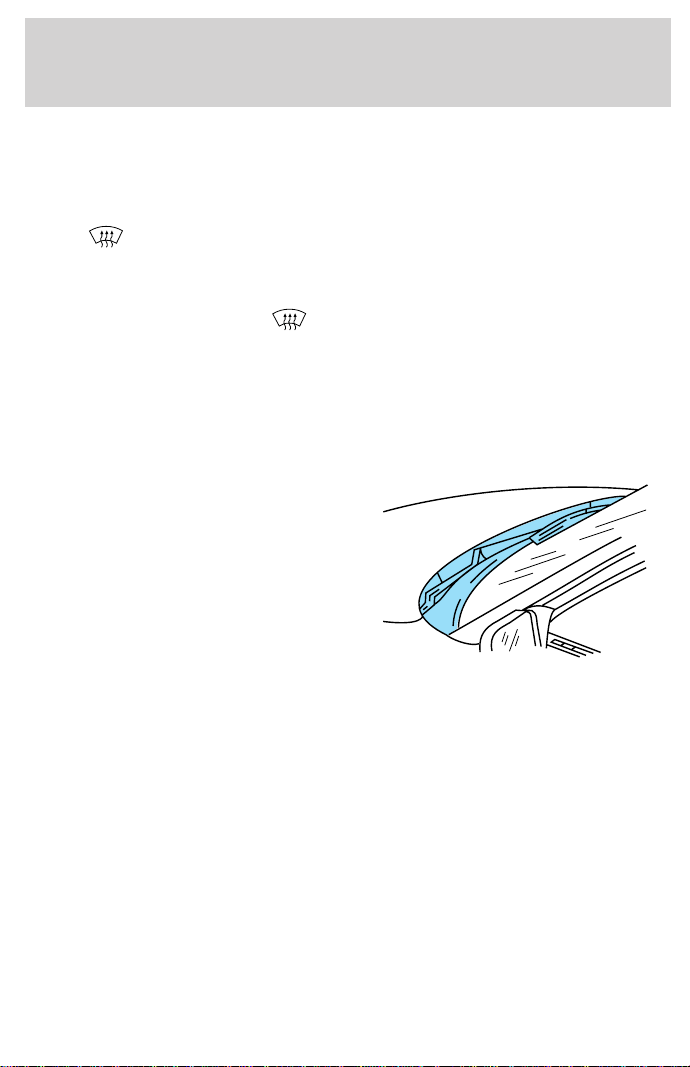
• Remove any snow, ice or leaves
from the air intake area (at the
bottom of the windshield under
the hood).
• When placing objects on top of your instrument panel, be careful to
not place them over the defroster outlets. These objects can block
airflow and reduce your ability to see through your windshield. Also,
avoid placing small objects on top of your instrument panel. These
objects can fall down into the defroster outlets and block airflow and
possibly damage your climate control system.
Controls and features
57
Manual heating and air conditioning system (if equipped)
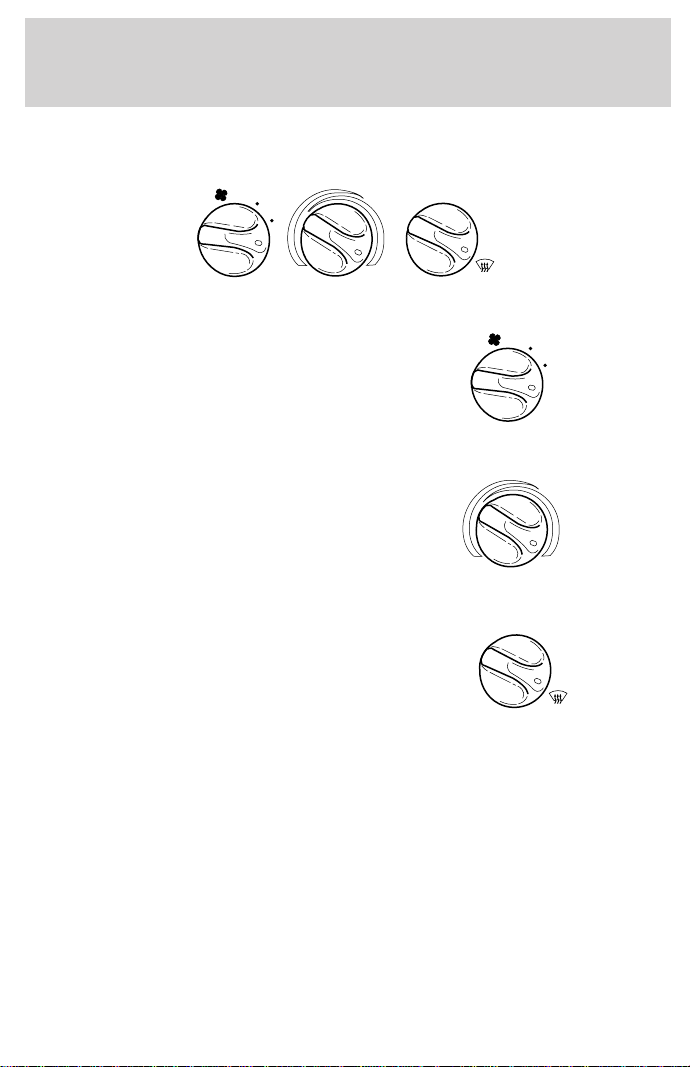
Fan speed control
Controls the volume of air circulated
in the vehicle.
Temperature control knob
Controls the temperature of the
airflow inside the vehicle.
Mode selector control
Controls the direction of the airflow
to the inside of the vehicle.
The air conditioning compressor will operate in all modes except PANEL
and FLOOR. However, the air conditioning will only function if the
outside temperature is about 10°C (50°F) or above.
Since the air conditioner removes considerable moisture from the air
during operation, it is normal if clear water drips on the ground under
the air conditioner drain while the system is working and even after you
have stopped the vehicle.
Under normal conditions, your vehicle’s climate control system should be
left in any position other than MAX A/C or OFF when the vehicle is
parked. This allows the vehicle to “breathe” through the outside air inlet
duct.
HI
COOL WARM
OFF
PANEL
A/C
FLOOR
DEF
FLR
& DEF
MAX
A/C
PANEL &
FLOOR
LO
HI
LO
COOL WARM
OFF
PANEL
A/C
FLOOR
DEF
FLR
& DEF
MAX
A/C
PANEL &
FLOOR
Controls and features
58

• MAX A/C-Uses recirculated air to cool the vehicle. MAX A/C is noisier
than A/C but more economical and will cool the inside of the vehicle
faster. Airflow will be from the instrument panel registers. This mode
can also be used to prevent undesirable odors from entering the
vehicle.
• A/C-Uses outside air to cool the vehicle. It is quieter than MAX A/C
but not as economical. Airflow will be from the instrument panel
registers.
• PANEL-Distributes outside air through the instrument panel registers.
However, the air will not be cooled below the outside temperature
because the air conditioning does not operate in this mode.
• OFF-Outside air is shut out and the fan will not operate. For short
periods of time only, use this mode to prevent undesirable odors from
entering the vehicle.
• PANEL & FLOOR-Distributes outside air through the instrument panel
registers and the floor ducts. Heating and air conditioning capabilities
are provided in this mode. For added customer comfort, when the
temperature control knob is anywhere in between the full hot and full
cold positions, the air distributed through the floor ducts will be
slightly warmer than the air sent to the instrument panel registers.
• FLOOR-Allows for maximum heating by distributing outside air
through the floor ducts. However, the air will not be cooled below the
outside temperature because the air conditioning does not operate in
this mode.
• FLR & DEF-Distributes outside air through the windshield defroster
ducts and the floor ducts. Heating and air conditioning capabilities are
provided in this mode. For added customer comfort, the air
distributed through the floor ducts will be slightly warmer than the air
sent to the windshield defroster ducts. If the temperature is about
10°C (50°F) or higher, the air conditioner will automatically
dehumidify the air to prevent fogging.
• DEF
-Distributes outside air through the windshield defroster
ducts. It can be used to clear ice or fog from the windshield. If the
temperature is about 10°C (50°F) or higher, the air conditioner will
automatically dehumidify the air to prevent fogging.
Controls and features
59
Operating tips
• In humid weather, select DEF before driving. This will prevent
your windshield from fogging. After a few minutes, select any desired
position.
• To prevent humidity buildup inside the vehicle, don’t drive with the
climate control system in the OFF position.
• Don’t put objects under the front seat that will interfere with the
airflow to the back seats (if equipped).
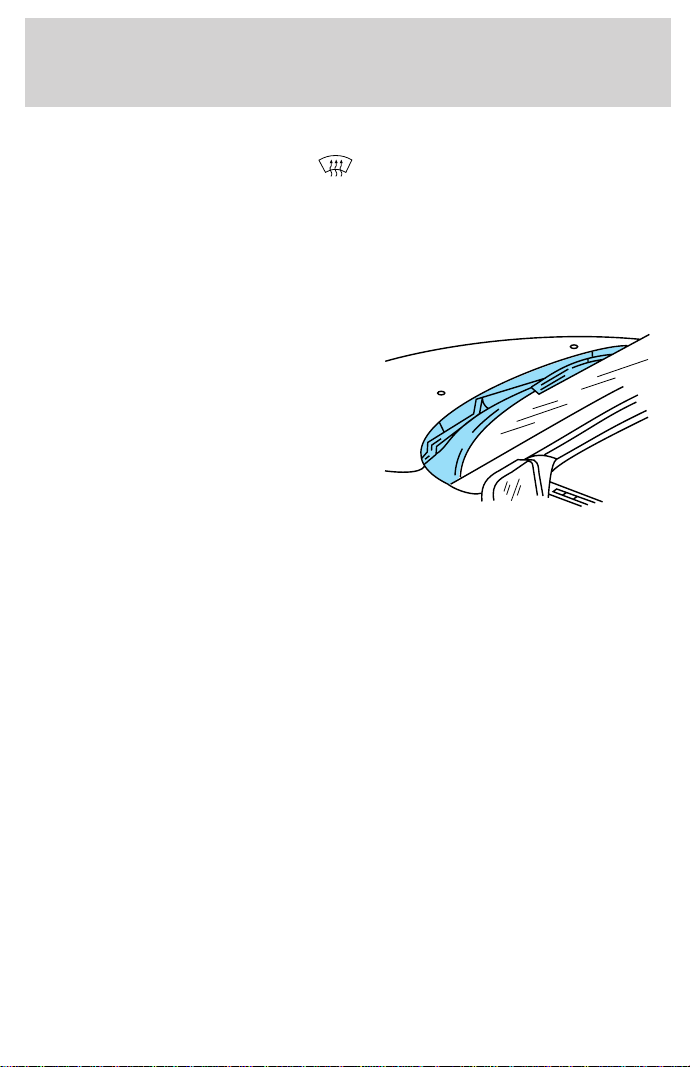
• Remove any snow, ice or leaves
from the air intake area (at the
bottom of the windshield under
the hood).
• If your vehicle has been parked with the windows closed during hot
weather, the air conditioner will do a much faster job of cooling if you
drive for two or three minutes with the windows open. This will force
most of the hot, stale air out of the vehicle. Then operate your air
conditioner as you would normally.
• When placing objects on top of your instrument panel, be careful to
not place them over the defroster outlets. These objects can block
airflow and reduce your ability to see through your windshield. Also,
avoid placing small objects on top of your instrument panel. These
objects can fall down into the defroster outlets and block airflow and
possibly damage your climate control system.
Controls and features
60
PASSENGER AIR BAG ON/OFF SWITCH
This switch must be used to
deactivate the passenger air bag
whenever a child seat is used in the
right front or center front passenger
seat position. Refer to Passenger
air bag ON/OFF switch in the
Seating and safety restraints
chapter.
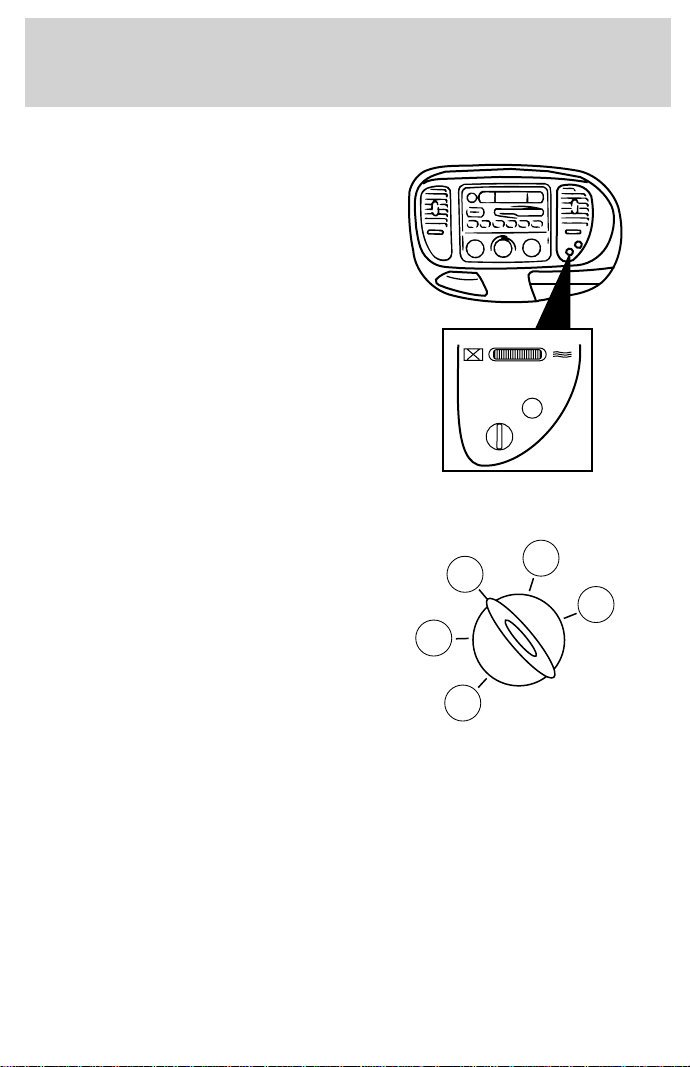
POSITIONS OF THE IGNITION
1. ACCESSORY, allows the electrical
accessories such as the radio to
operate while the engine is not
running.
2. LOCK, locks the steering wheel,
automatic transmission gearshift
lever and allows key removal.
3. OFF, shuts off the engine and all
accessories without locking the
steering wheel.
4. ON, all electrical circuits operational. Warning lights illuminated. Key
position when driving.
5. START, cranks the engine. Release the key as soon as the engine
starts.
PASSENGER AIRBAG
ON
OFF
OFF
3
1
2
5
4
Controls and features
61
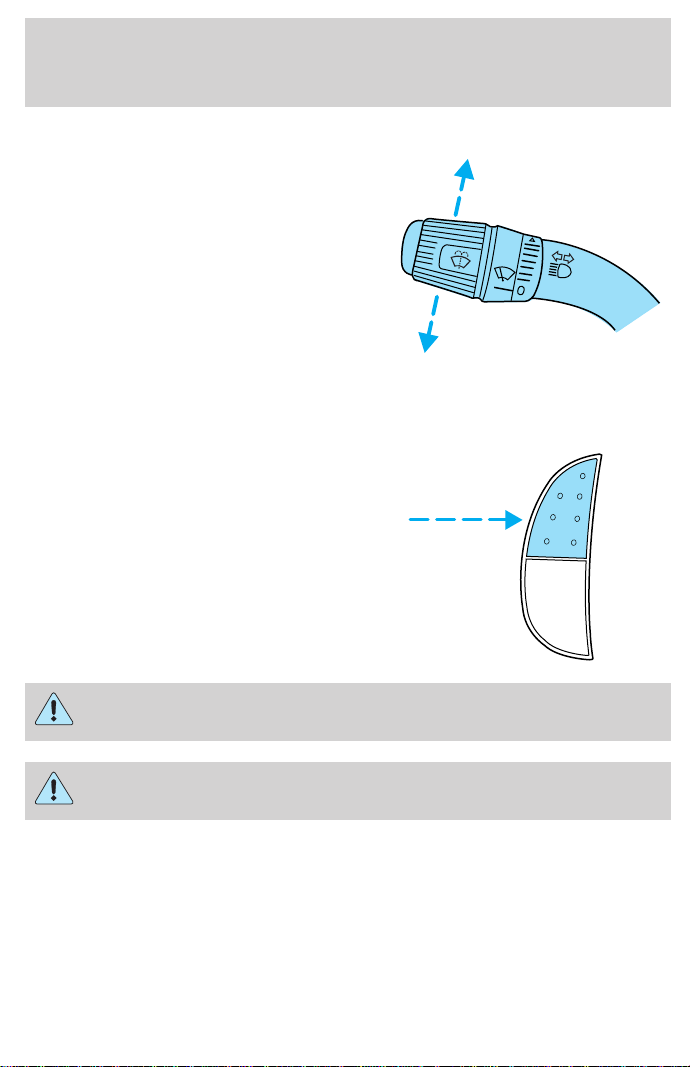
TURN SIGNAL CONTROL
• Push down to activate the left
turn signal.
• Push up to activate the right turn
signal.
SPEED CONTROL (IF EQUIPPED)
To turn speed control on
• Press ON.
Vehicle speed cannot be controlled
until the vehicle is traveling at or
above 48 km/h (30 mph).
Do not use the speed control in heavy traffic or on roads that
are winding, slippery, or unpaved.
Do not shift the gearshift lever into N (Neutral) with the speed
control on.
ON
OFF
Controls and features
62
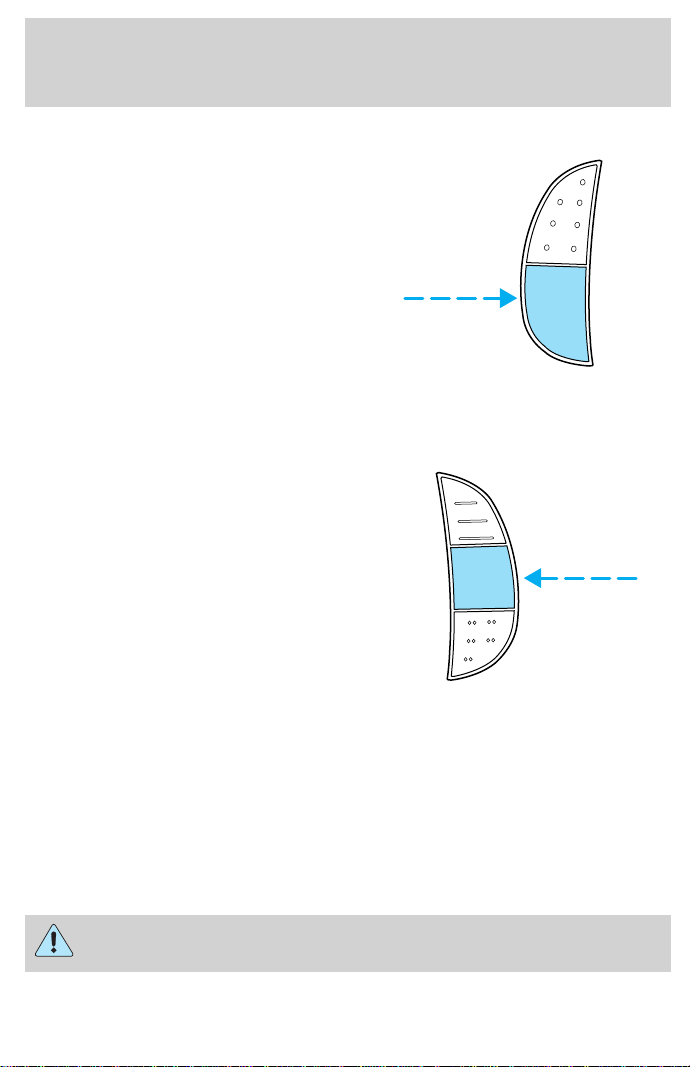
To turn speed control off
• Press OFF or
• Turn off the vehicle ignition.
Once speed control is switched off, the previously programmed set speed
will be erased.
To set a speed
• Press SET/SET ACC/SET ACCEL.
For speed control to operate, the
speed control must be ON and
the vehicle speed must be greater
than 48 km/h (30 mph).
If you drive up or down a steep hill, your vehicle speed may vary
momentarily slower or faster than the set speed. This is normal.
Speed control cannot reduce the vehicle speed if it increases above the
set speed on a downhill. If your vehicle speed is faster than the set
speed while driving on a downhill, you may want to shift to the next
lower gear or apply the brakes to reduce your vehicle speed.
If your vehicle slows down more than 16 km/h (10 mph) below your set
speed on an uphill, your speed control will disengage. This is normal.
Pressing RES/RSM/RESUME will re-engage it.
Do not use the speed control in heavy traffic or on roads that
are winding, slippery, or unpaved.
ON
OFF
RES
SET
ACCEL
COAST
Controls and features
63
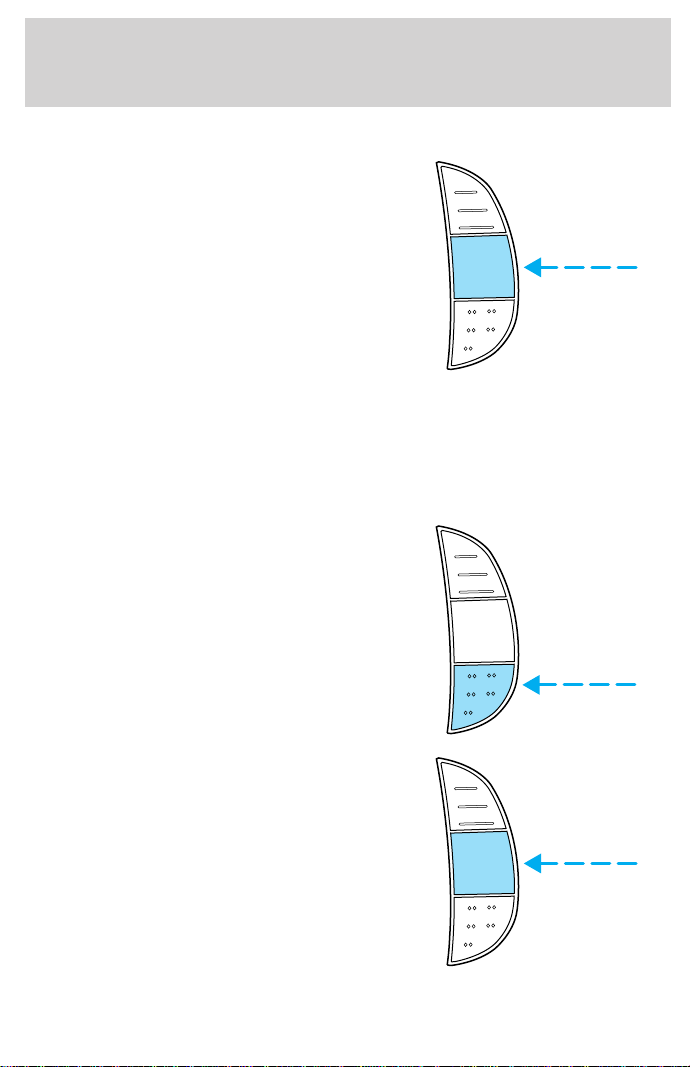
To set a higher set speed
• Press and hold SET/SET ACC/
SET ACCEL. Release the control
when the desired vehicle speed is
reached or
• Press and release SET/SET ACC/
SET ACCEL. Each press will
increase the set speed by
1.6 km/h (1 mph) or
• Accelerate with your accelerator
pedal. When the desired vehicle
speed is reached, press and release SET/SET ACC/SET ACCEL.
You can accelerate with the accelerator pedal at any time during speed
control usage. Releasing the accelerator pedal will return your vehicle to
the previously programmed set speed.
To set a lower set speed
• Press and hold CST/COAST.
Release the control when the
desired speed is reached or
• Press and release CST/COAST.
Each press will decrease the set
speed by 1.6 km/h (1 mph) or
• Depress the brake pedal. When
the desired vehicle speed is
reached, press SET/SET ACC/
SET ACCEL.
RES
SET
ACCEL
COAST
RES
SET
ACCEL
COAST
RES
SET
ACCEL
COAST
Controls and features
64
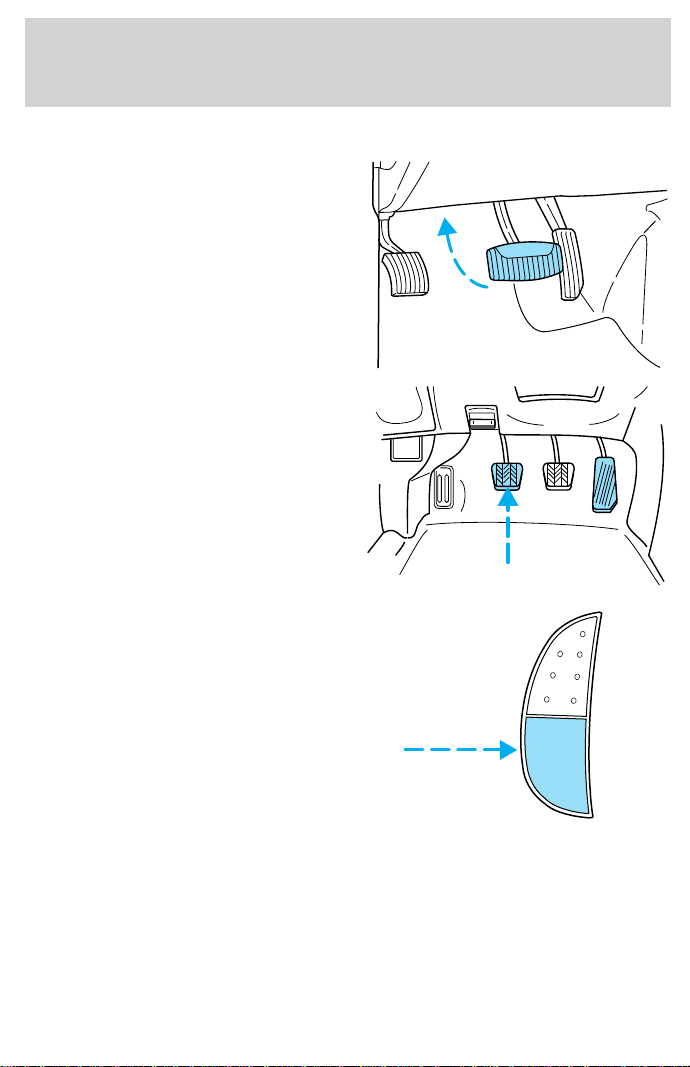
To disengage speed control
• Depress the brake pedal or
• Depress the clutch pedal (if
equipped)
Disengaging the speed control will
not erase the previously
programmed set speed.
Pressing OFF will erase the
previously programmed set speed.
ON
OFF
Controls and features
65
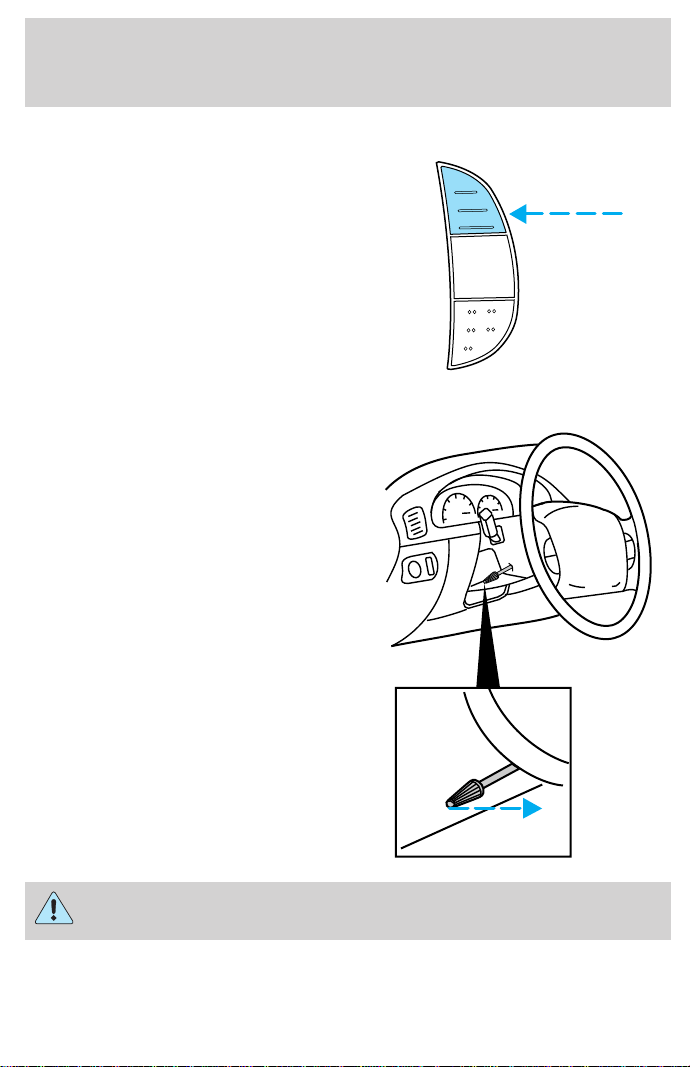
To return to a previously set speed
• Press RES/RSM/RESUME. For
RES/RSM/RESUME to operate,
the vehicle speed must be faster
than 48 km/h (30 mph).
TILT STEERING WHEEL (IF EQUIPPED)
Pull the tilt steering control toward
you to move the steering wheel up
or down. Hold the control while
adjusting the wheel to the desired
position, then release the control to
lock the steering wheel in position.
Never adjust the steering wheel when the vehicle is moving.
RES
SET
ACCEL
COAST
Controls and features
66
HAZARD FLASHER
For information on the hazard flasher control, refer to Hazard flasher in
the Roadside emergencies chapter.
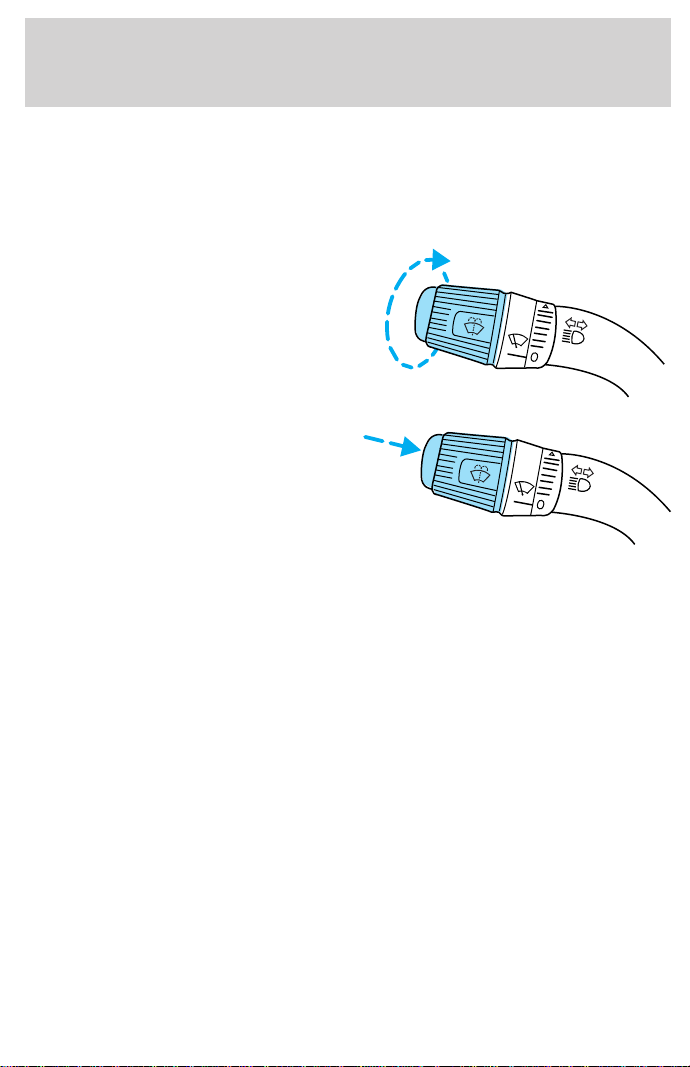
WINDSHIELD WIPER/WASHER CONTROLS
Rotate the windshield wiper control
to the desired interval, low or high
speed position.
The bars of varying length are for
intermittent wipers. When in this
position rotate the control upward
for fast intervals and downward for
slow intervals.
Push the control on the end of the
stalk to activate washer. Push and
hold for a longer wash cycle. The
washer will automatically shut off
after ten seconds of continuous use.
Speed dependent wipers (if equipped)
When the windshield wiper control is set on the intermittent settings,
speed-sensitive front wipers automatically adjust as the vehicle’s speed
increases.
To activate or deactivate this feature do the following:
1. Both front doors must be securely closed.
2. Turn the ignition key to the ON position and then back to the OFF
position.
3. Remove the key from the ignition and, within 30 seconds, press and
hold the washer control at the end of the stem.
4. Within two seconds of pressing the washer control, put the key in the
ignition.
5. Continue to press the washer control until a tone is heard, and releas
the washer control while the tone is sounding.
A confirmation sequence of tones will sound. One beep indicates that the
feature is inactive, two beeps indicate that the feature is active.
Controls and features
67
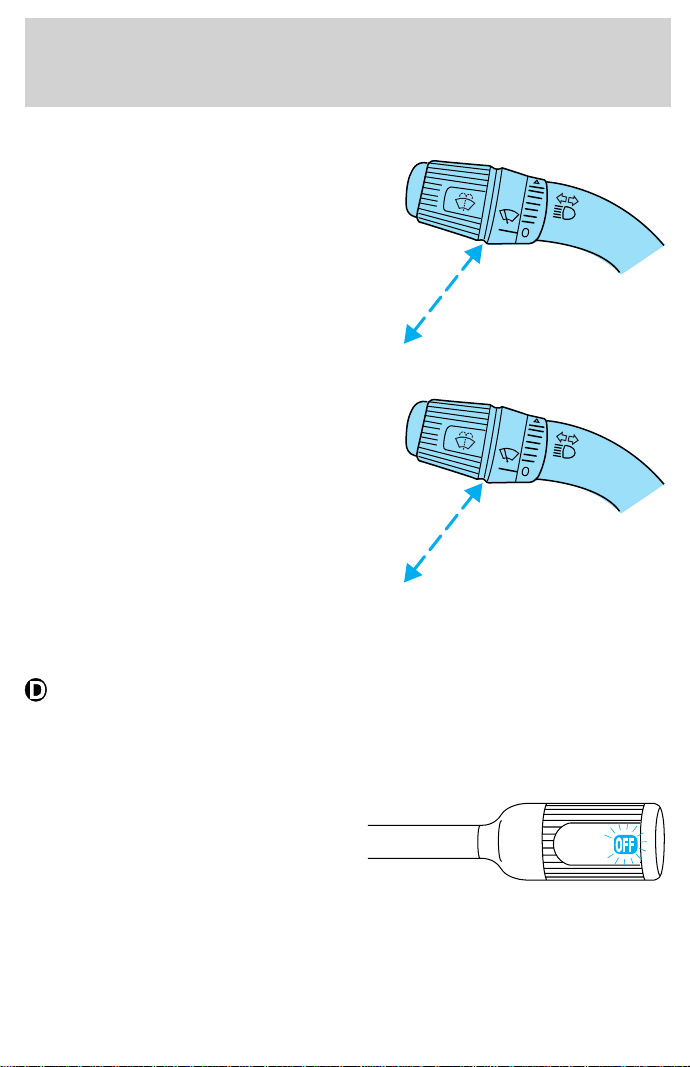
HIGH BEAMS
Push forward to activate.
FLASH TO PASS
Pull toward you to activate and
release to deactivate.
OVERDRIVE CONTROL
Activating overdrive
(Overdrive) is the normal drive position for the best fuel economy.
The overdrive function allows automatic upshifts to second, third and
fourth gear.
Deactivating overdrive
Press the Transmission Control Switch
(TCS) located on the end of the
gearshift lever. The Transmission
Control Indicator Light (TCIL) (the
word OFF) will illuminate on the end
of the gearshift lever.
OVERDRIVE
Controls and features
68
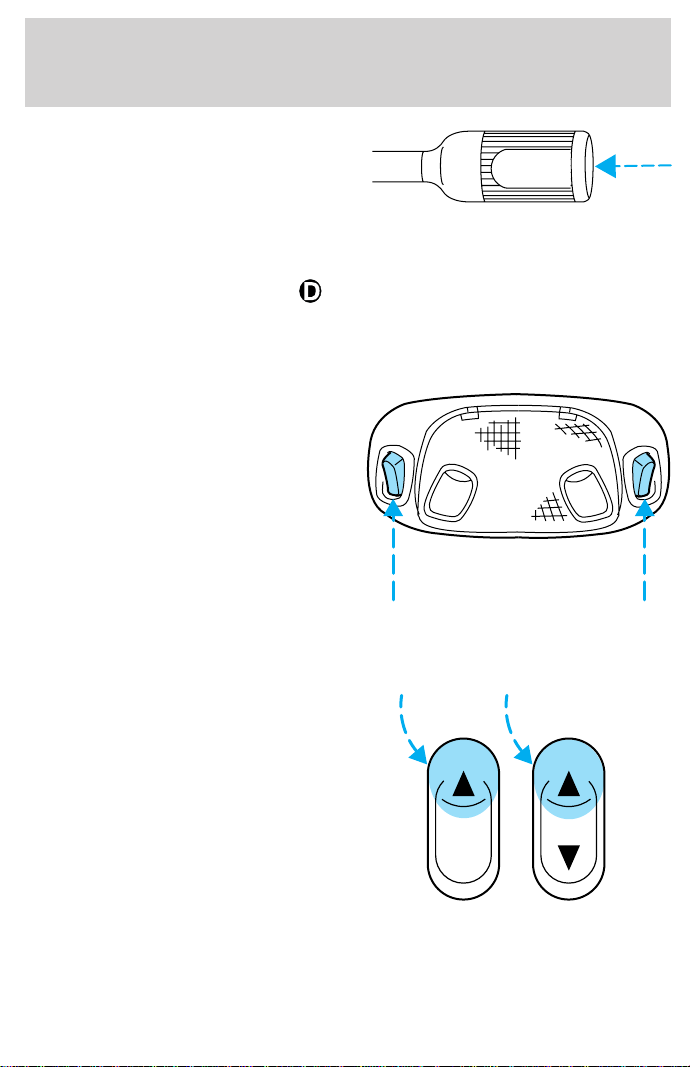
The transmission will operate in
gears one through three. To return
to normal overdrive mode, press the
Transmission Control Switch again.
The TCIL (the word OFF) will no
longer be illuminated.
When you shut off and re-start your vehicle, the transmission will
automatically return to normal
(Overdrive) mode.
INTERIOR LAMPS
Map lamps (if equipped)
The map lamps and controls are
located on the dome lamp. Press the
controls on either side of each map
lamp to activate the lamps.
POWER WINDOWS (IF EQUIPPED)
Press and hold the rocker switches to open and close windows.
• Press the top portion of the
rocker switch to close.
OVERDRIVE OFF
AUTO
Controls and features
69
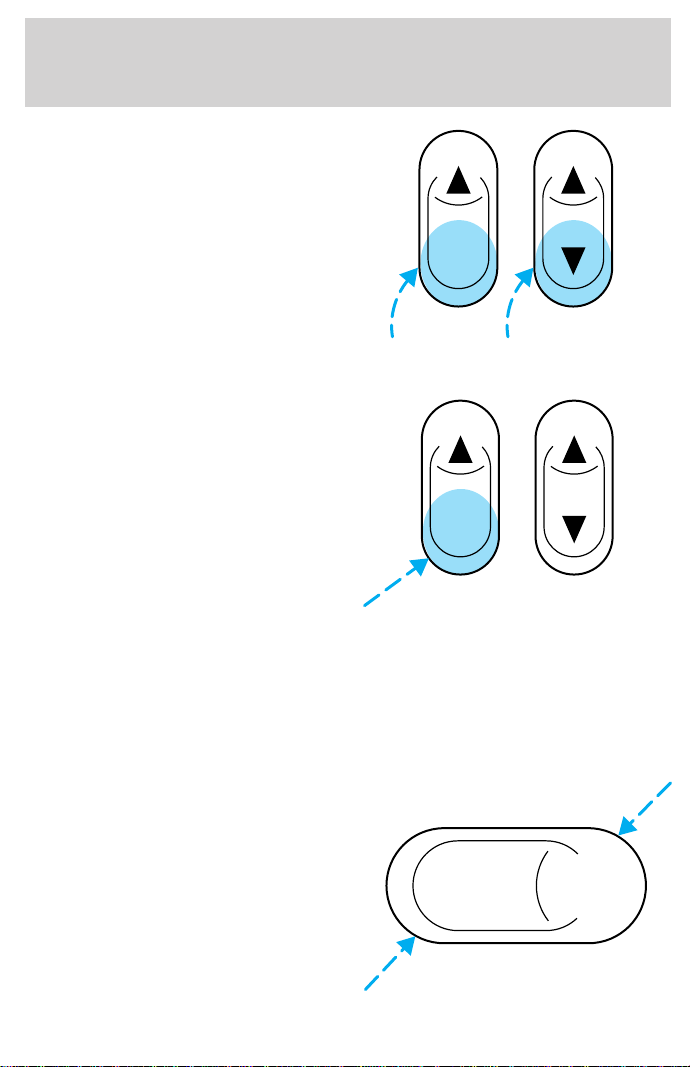
• Press the bottom portion of the
rocker switch to open.
One touch down
• Press AUTO completely down and
release quickly. The driver’s
window will open fully. Depress
again to stop window operation.
Accessory delay (if equipped)
With accessory delay, the window switches may be used for up to ten
minutes after the ignition switch is turned to the OFF position or until
any door is opened.
POWER DOOR LOCKS (IF EQUIPPED)
Press U to unlock all doors and L to
lock all doors.
AUTO
AUTO
UL
Controls and features
70
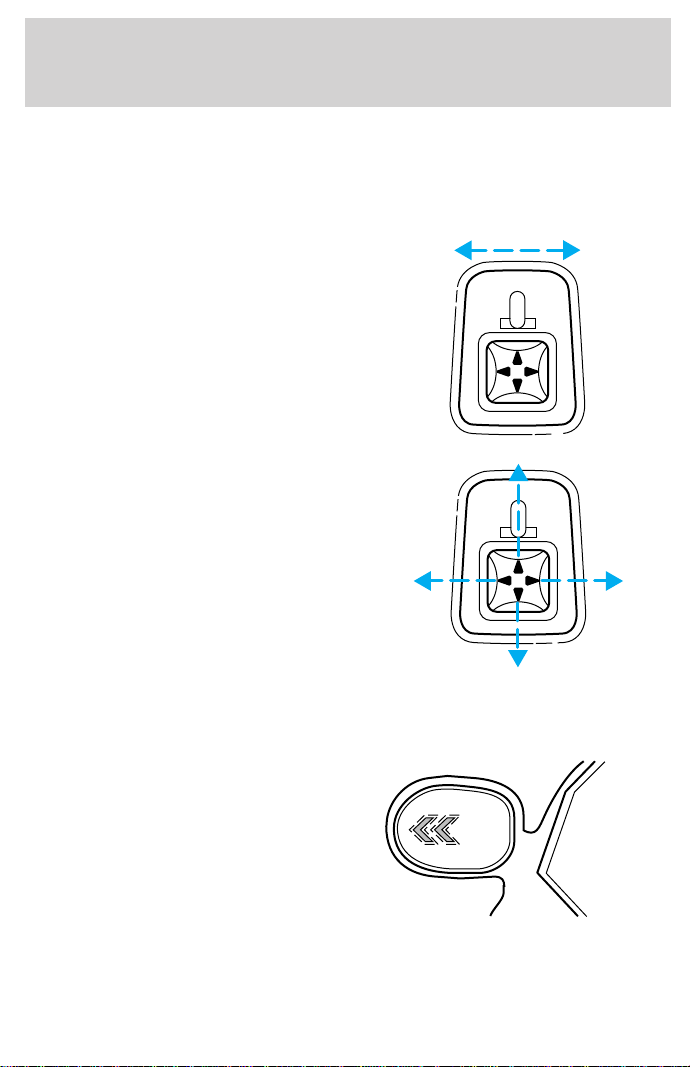
POWER SIDE VIEW MIRRORS (IF EQUIPPED)
The ignition must be in ACC or ON position to adjust the power side
view mirrors.
To adjust your mirrors:
1. Select L to adjust the left mirror
or R to adjust the right mirror.
2. Move the control in the direction
you wish to tilt the mirror.
3. Return to the center position to lock mirrors in place.
Signal mirrors (if equipped)
If your vehicle is equipped with
signal mirrors, the word “signal” is
located at the top of the right and
left side view mirrors.
When the turn signal is activated,
the appropriate mirror will show a
blinking red arrow.
The arrow provides an additional
warning to other drivers that your
vehicle is about to turn. Driver and passengers seated inside the vehicle
cannot see the arrow.
MIRRORS
L R
MIRRORS
L R
Signal
Controls and features
71
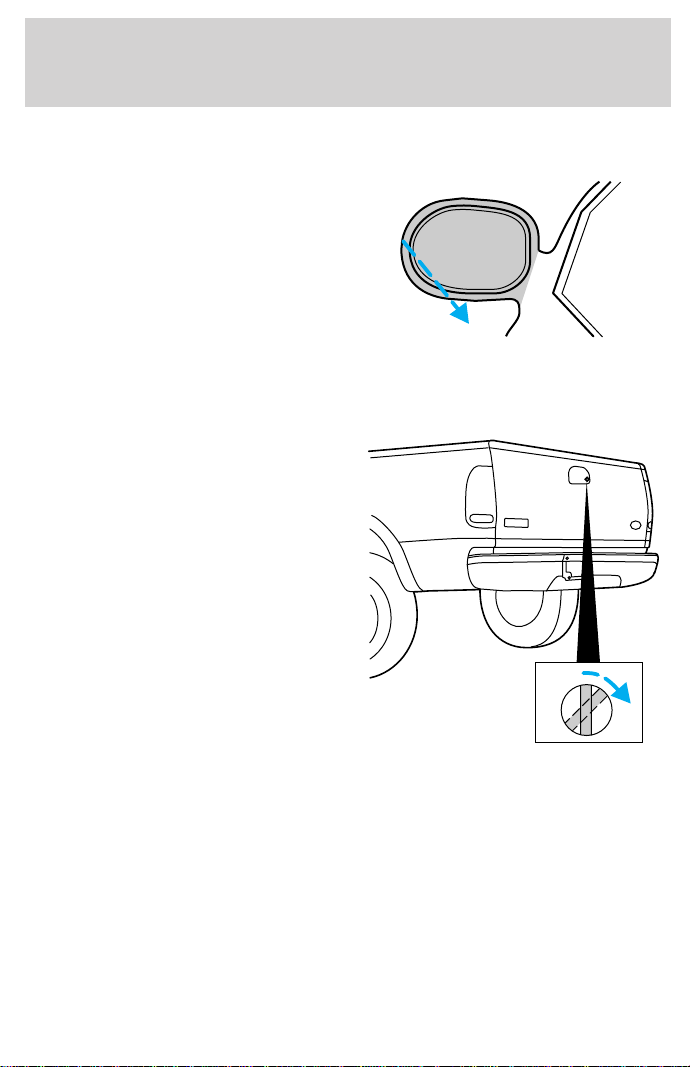
Fold-away mirrors
Pull the side mirrors in carefully
when driving through a narrow
space, like an automatic car wash.
TAILGATE LOCK (IF EQUIPPED)
Your vehicle is equipped with a
tailgate lock designed to prevent
theft of the tailgate.
• Insert ignition key and turn to the
right to engage lock.
• Turn ignition key to the left to
unlock.
Controls and features
72
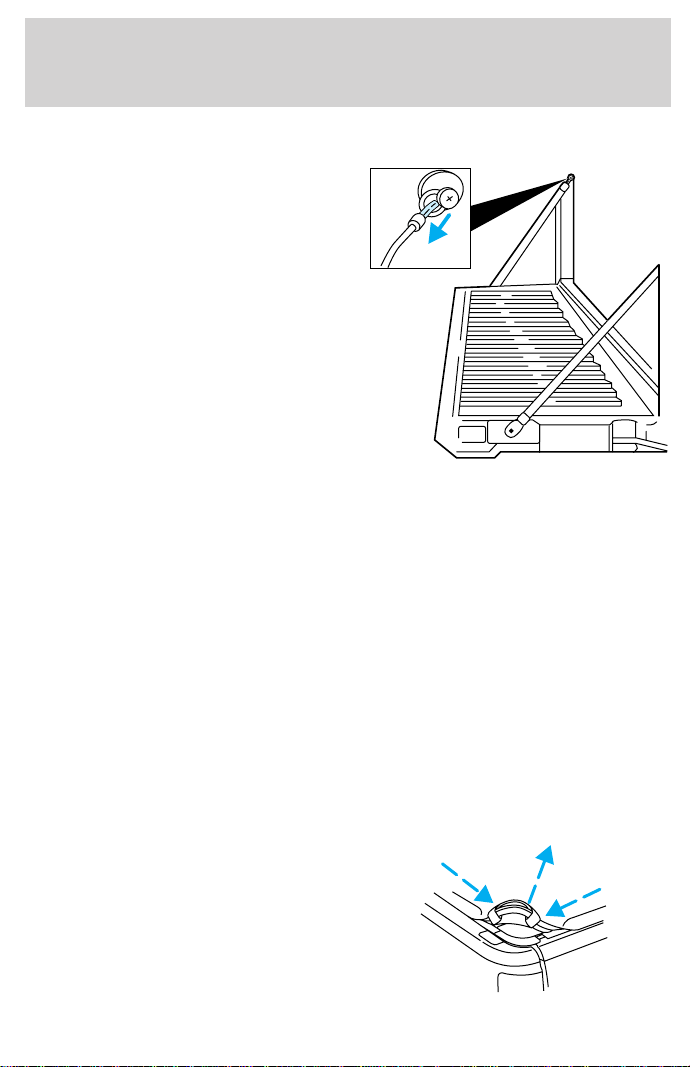
TAILGATE REMOVAL
Your tailgate is removable to allow
more room for loading.
1. Lower the tailgate.
2. Use a screwdriver to pry the
spring clip (on each connector) past
the head of the support screw.
Disconnect cable.
3. Disconnect the other cable.
4. Lift tailgate to a 45 degree angle.
5. Lift right side off of its hinge.
6. Lift left side off of its hinge.
To install, follow the removal
procedures in reverse order.
TONNEAU COVER (IF EQUIPPED)
The tonneau cover has been designed to maximize fuel economy and
should be fully installed whenever possible.
The cover can be rolled up and stowed behind the cab, or removed
completely from the vehicle.
• To avoid damage to the cover, do not operate the vehicle unless the
cover is fully installed, or securely stowed.
Refer to Tonneau cover care in the Maintenance and care chapter.
The removal and stowage for styleside and flareside vehicles are basically
the same except where noted.
To remove or stow the cover:
1. Styleside only: In cold weather lower tailgate and release the levers
on each side of the rear rail to release tension on the cover.
2. Pull the rear corner assist loops
of the cover, outward, then upward
to release the tension. Lift up on the
rear edge of the cover to remove it
from the rear rail.
Controls and features
73
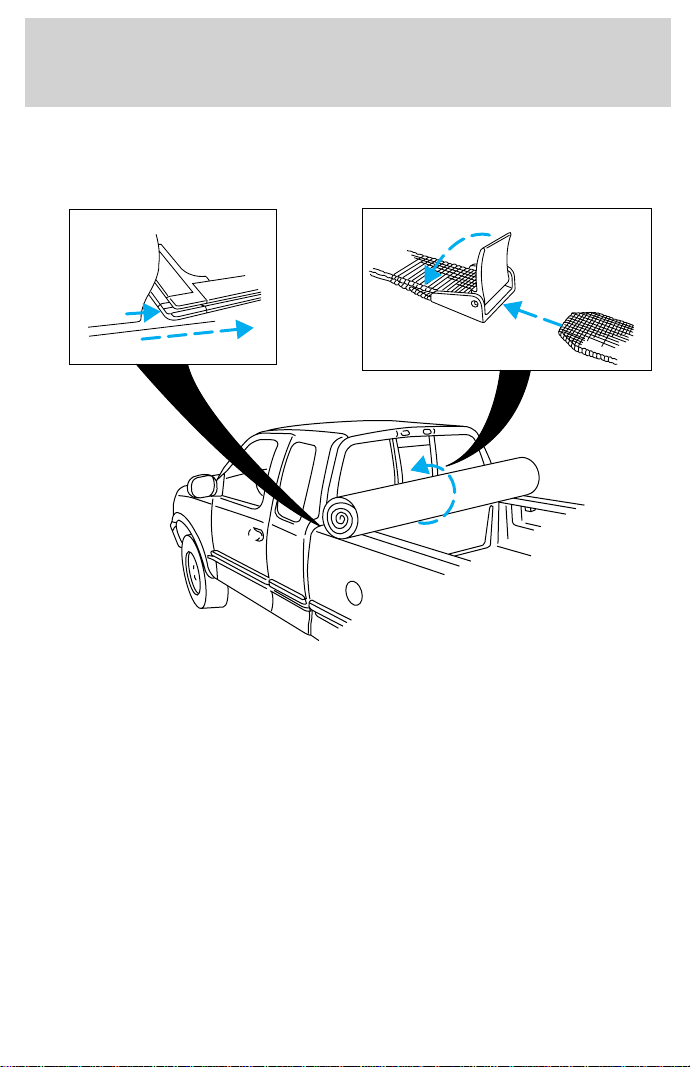
3. Pull one side of the cover outward and upward away from the side rail
working from the rear to the front.
4. Starting from the opposite side of the vehicle, pull cover away from
the side rail and roll the cover from rear to front.
5. Secure the cover behind the cab with two straps.
The cover may be removed from the vehicle by sliding it sideways out of
the front rail.
Controls and features
74
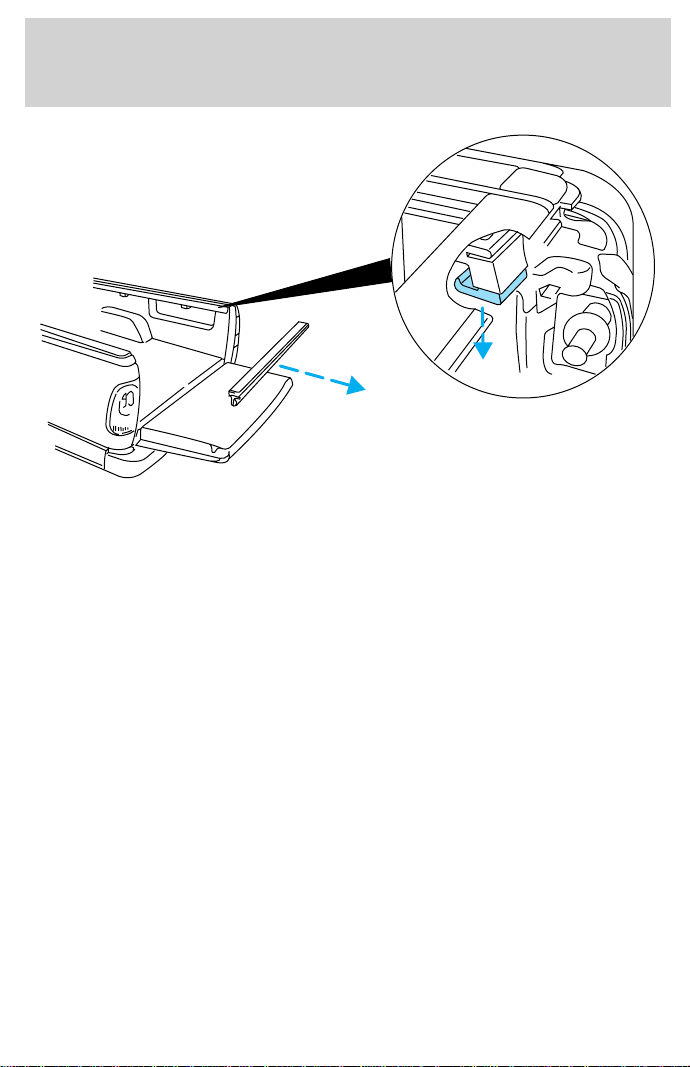
Flareside only:
• Remove two cross bars from pickup box by pushing towards either
side to release tension.
• Lower tailgate, depress the levers on each side of the rear rail and
remove rear rail from pickup box.
Controls and features
75
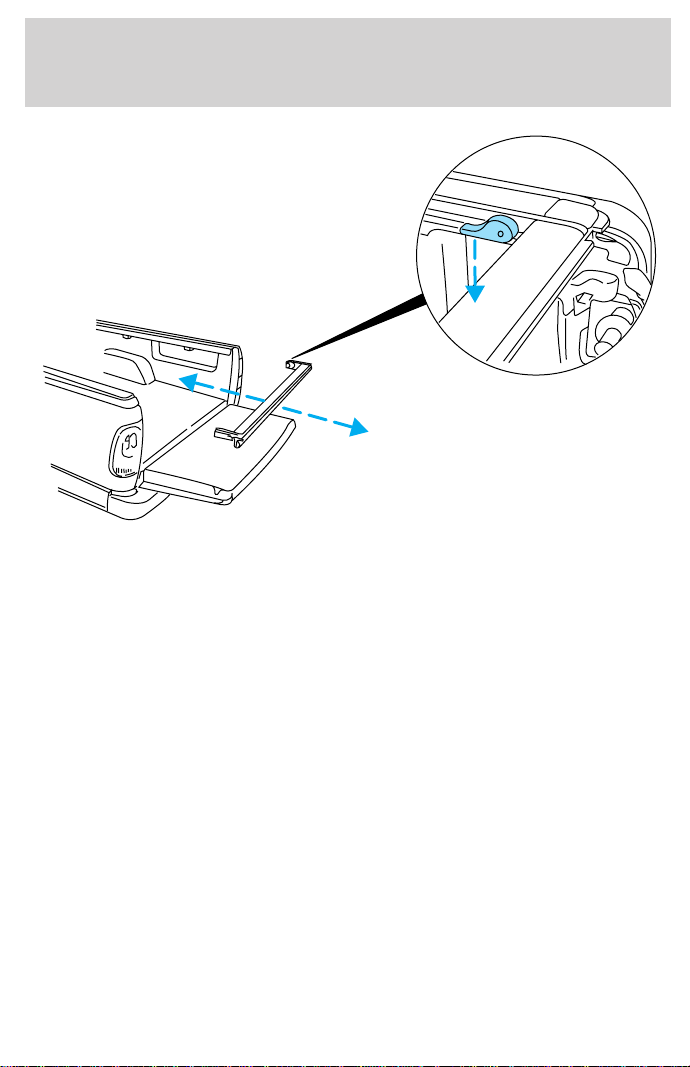
Styleside only:
• Remove three cross bars from pickup box by pushing towards either
side to release tension. Stow the cross bars in the notches behind the
rolled cover in the pickup box.
• Lower tailgate, depress the levers on each side of the rear rail and
push rear rail towards the front of the pickup box securing it behind
the cross bars and cover.
For installation of the cover, follow the removal procedure in reverse
order.
Make sure the crossbows are locked in the notches in the side rails and
the rear rails are locked in position prior to cover installation.
SECURILOCKY PASSIVE ANTI-THEFT SYSTEM
Your vehicle is equipped with a coded-key anti-theft system. Only the
correct key will be able to start your vehicle. If your keys are lost or
stolen, you must take your vehicle to your dealership for key
reprogramming.
The SecuriLocky passive anti-theft system provides an advanced level of
vehicle theft protection. Your vehicle’s engine can only be started with
the two special SecuriLocky electronically coded keys provided with
Controls and features
76

your vehicle. Each time you start your vehicle, the SecuriLocky key is
read by the SecuriLocky passive anti-theft system. If the SecuriLocky
key identification code matches the code stored in the SecuriLocky
passive anti-theft system, the vehicle’s engine is allowed to start. If the
SecuriLocky key identification code does not match the code stored in
the system or if a SecuriLocky key is not detected (vehicle theft
situation), the vehicle’s engine will not operate.
The SecuriLocky passive anti-theft system is not compatible with
aftermarket remote start systems. Use of these systems may result in
vehicle starting problems and a loss of security protection. Large metallic
objects or devices such as the Mobil Speedpassy on the same key ring
as your SecuriLocky key may cause vehicle starting problems. These
objects and devices cannot damage the SecuriLocky key, but can cause
a momentary problem if they are too close to the key when starting the
engine. If a problem occurs. turn ignition off and restart the engine with
all other objects on the key ring held away from the SecuriLocky
ignition key.
Spare SecuriLocky keys can be purchased from your dealership and
programmed to your SecuriLocky passive anti-theft system. Refer to
Programming spare SecuriLocky keys for more information.
If one or both of your SecuriLocky keys are lost or stolen and you want
to ensure the lost or stolen key will not operate your vehicle, bring your
vehicle and all available SecuriLocky keys to your dealership for
reinitialization.
Theft indicator
The theft indicator on top of the instrument panel will operate as
follows:
• When the ignition is OFF, the theft indicator will flash briefly every 2
seconds to indicate the SecuriLocky system is protecting your
vehicle.
• When the ignition is turned to ON or START, the theft indicator will
light for 3 seconds and then go out. If the theft indicator stays on for
an extended period of time or flashes rapidly, have the system
serviced by your dealership or a qualified technician.
Programming spare SecuriLockY keys
Spare SecuriLocky keys can be purchased from your dealership and
programmed to your SecuriLocky anti-theft system (up to a total of 8
Controls and features
77

keys). Your dealership can program your new SecuriLocky key(s) to
your vehicle or you can do it yourself using the following simple
procedure. To program a new SecuriLocky key yourself, you will need
two previously programmed SecuriLocky keys (keys that already
operate your vehicle’s engine). If two previously programmed
SecuriLocky keys are not available (one or both of your original keys
were lost or stolen), you must bring your vehicle to your dealership to
have the spare SecuriLocky key(s) programmed.
Procedure to program spare SecuriLockY keys to your vehicle
New SecuriLocky keys must have the correct mechanical key cut for
your vehicle.
Conventional (non-SecuriLocky) keys cannot be programmed to your
vehicle.
You will need to have two previously programmed SecuriLocky keys and
the new unprogrammed SecuriLocky key readily accessible for timely
implementation of each step in the procedure. Please read and
understand the entire procedure before you begin.
1. Insert the first previously programmed SecuriLocky key into the
ignition and turn the ignition from OFF to RUN (maintain ignition in
RUN for at least one second).
2. Turn ignition to OFF and remove the first SecuriLocky key from the
ignition.
3. Within five seconds of turning the ignition to OFF, insert the second
previously programmed SecuriLocky key into the ignition and turn the
ignition from OFF to RUN (maintain ignition in RUN for at least one
second but no more than 5 seconds).
4. Turn the ignition to OFF and remove the second SecuriLocky key
from the ignition.
5. Within 10 seconds of turning the ignition to OFF, insert the
unprogrammed SecuriLocky key (new key/valet key) into the ignition
and turn the ignition from OFF to RUN (maintain ignition in RUN for at
least one second). This step will program your new SecuriLocky key.
6. To program additional SecuriLocky key(s), repeat this procedure from
step 1.
If the programming procedure was successful, the new SecuriLocky
key(s) will start the vehicle’s engine. The theft indicator (located on the
instrument panel) will light for three seconds and then go out.
Controls and features
78
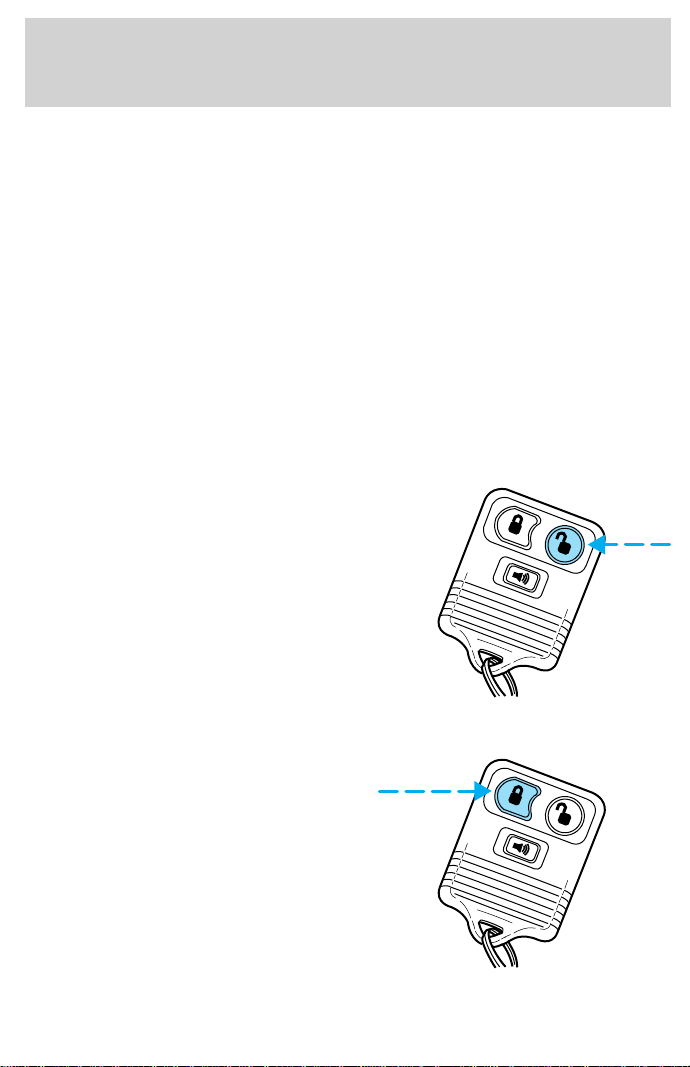
If the programming procedure was not successful, the new SecuriLocky
key(s) will not operate the vehicle’s engine. The theft indicator will flash
on and off. Wait at least one minute and then repeat the procedure from
step 1. If failure repeats, bring your vehicle to your dealership to have
the spare SecuriLocky key(s) programmed.
REMOTE ENTRY SYSTEM
Your vehicle is equipped with a remote entry system which allows you to:
• unlock the vehicle doors without a key.
• lock all the vehicle doors without a key
• activate the personal alarm.
The remote entry features only operate with the ignition in the OFF
position.
Unlocking the doors
Press this control to unlock the
driver’s door. The interior lamps will
illuminate.
Press the control a second time
within five seconds to unlock all
doors.
Locking the doors
Press this control to lock all doors
or the driver’s door.
To confirm doors are closed and
locked, press this control a second
time within five seconds. The
door(s) will lock again, the horn will
chirp once and the lamps will flash.
If any of the doors are open or ajar,
the horn will make two quick chirps,
reminding you to properly close the
doors.
Controls and features
79
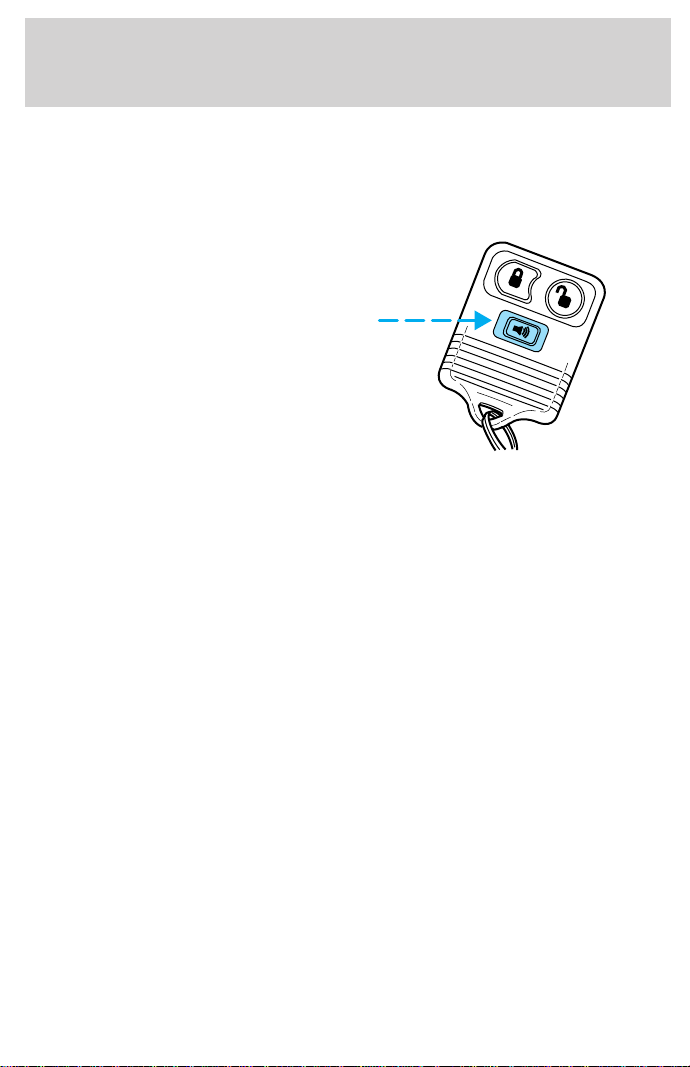
This process will also arm your anti-theft system (if equipped). For more
information on arming the anti-theft system, refer to Anti-theft system in
this chapter.
Sounding a panic alarm
Press this control to activate the
alarm.
To deactivate the alarm, press the
control again or turn the ignition to
ACC or RUN.
This device complies with part 15 of
the FCC rules and with RS-210 of
Industry Canada. Operation is
subject to the following two
conditions: (1) This device may not
cause harmful interference, and (2) This device must accept any
interference received, including interference that may cause undesired
operation.
Changes or modifications not expressly approved by the party
responsible for compliance could void the user’s authority to
operate the equipment.
Autolock (if equipped)
This feature automatically locks all doors when:
• all vehicle doors are closed
• the ignition is in the RUN position
• you shift into or through R (Reverse)
• the brake pedal is released
Relock
The autolock feature repeats when:
• any door is opened and closed
• the ignition switch is in the RUN position, and
• the brake pedal is released
Controls and features
80

Deactivating/activating the autolock feature
Before following the procedure, make sure that the ignition is OFF and
all vehicle doors and the liftgate window are closed.
You must complete steps 1-7 within 30 seconds or the procedure will
have to be repeated. If the procedure needs to be repeated, you must
wait 30 seconds.
1. Turn the ignition key to RUN.
2. Press the power door unlock control three times.
3. Turn the ignition key from RUN to OFF.
4. Press the power door unlock control three times.
5. Turn the ignition back to RUN. The horn will chirp.
6. Press the unlock control, then press the lock control. The horn will
chirp once if autolock was deactivated or twice (one short and one long
chirp) if autolock was activated.
7. Turn the ignition to OFF. The horn will chirp once to confirm the
procedure is complete.
Replacing the battery
The transmitter is powered by one coin type three-volt lithium battery
CR2032 or equivalent. Typical operating range will allow you to be up to
10 meters (33 feet) away from your vehicle. A decrease in operating
range can be caused by:
• weather conditions
• nearby radio towers
• structures around the vehicle
• other vehicles parked next to the vehicle
Controls and features
81
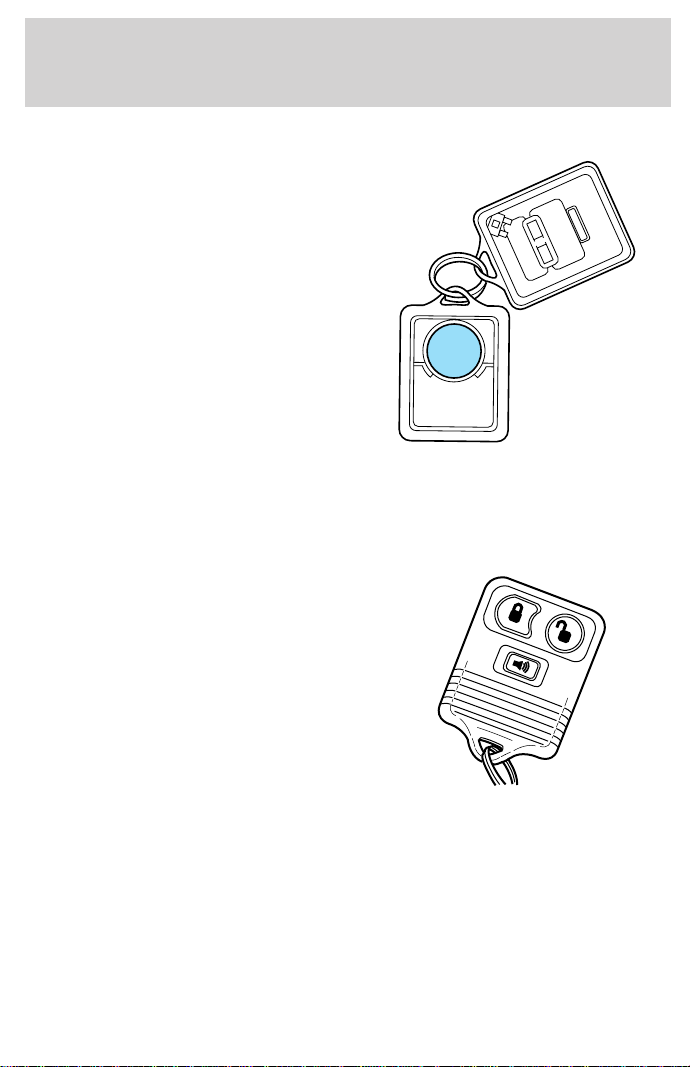
To replace the battery:
1. Twist a thin coin between the two
halves of the transmitter near the
key ring. DO NOT TAKE THE
FRONT PART OF THE
TRANSMITTER APART.
2. Place the positive (+) side of new
battery in the same orientation.
Refer to the diagram inside the
transmitter unit.
3. Snap the two halves back
together.
Replacement of the battery will not cause the remote transmitter to
become deprogrammed from your vehicle. The remote transmitter should
operate normally after battery replacement.
Replacing lost transmitters
If a remote transmitter has been lost
or you would like to purchase
additional transmitters for your
vehicle (up to four may be
programmed), take all your vehicle’s
transmitters to your dealer for
reprogramming. It will be necessary
for your dealer to reprogram all the
remote transmitters to your vehicle
while performing this service.
Reprogramming transmitters
Your dealer will be able to reprogram remote transmitter(s) to your
vehicle. Installation of a new battery to your remote transmitter does not
cause the remote transmitter to become deprogrammed.
Controls and features
82

Illuminated entry
The illuminated entry system will turn on the interior lights when the
remote transmitter unlock control is pressed.
The illuminated entry system will turn off the interior lights if the
ignition switch is turned to the RUN position, or if the remote
transmitter lock control is pressed, or after 25 seconds of illumination.
The inside lights will not turn off if:
• they have been turned on with the dimmer control or
• any door is open.
The battery save feature will turn off the interior lights 45 minutes after
the last door is closed, even if the dimmer control is on.
Controls and features
83
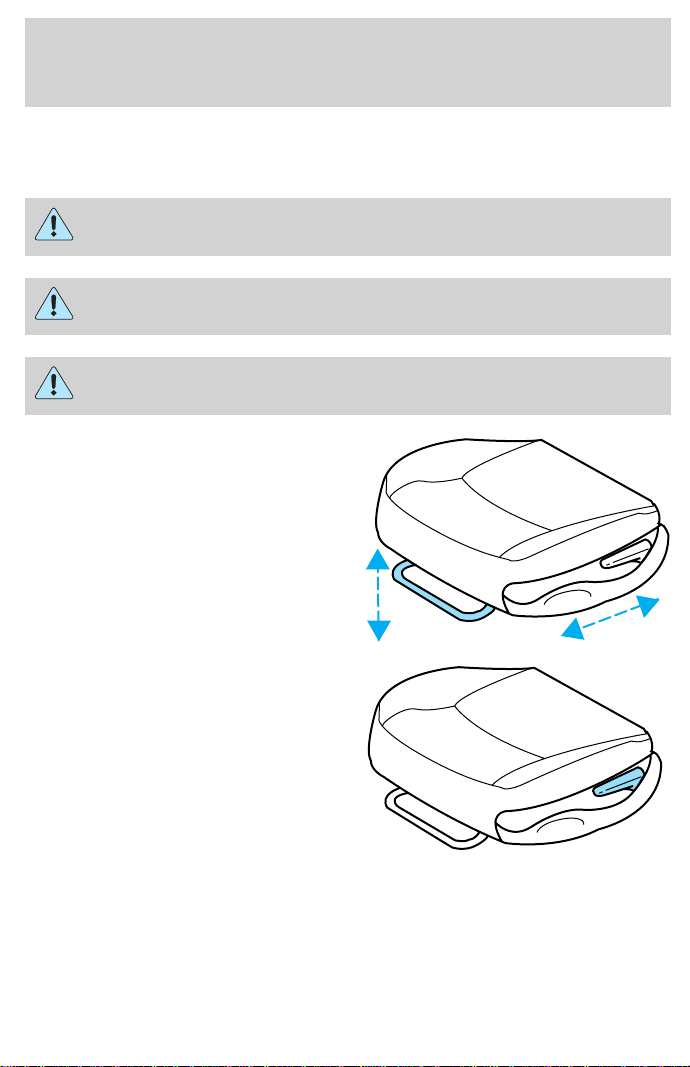
SEATING
Adjusting the front manual seat
Never adjust the driver’s seat or seatback when the vehicle is
moving.
Do not pile cargo higher than the seatbacks to avoid injuring
people in a collision or sudden stop.
Always drive and ride with your seatback upright and the lap
belt snug and low across the hips.
Lift handle to move seat forward or
backward.
Pull lever up to adjust seatback.
Seating and safety restraints
84
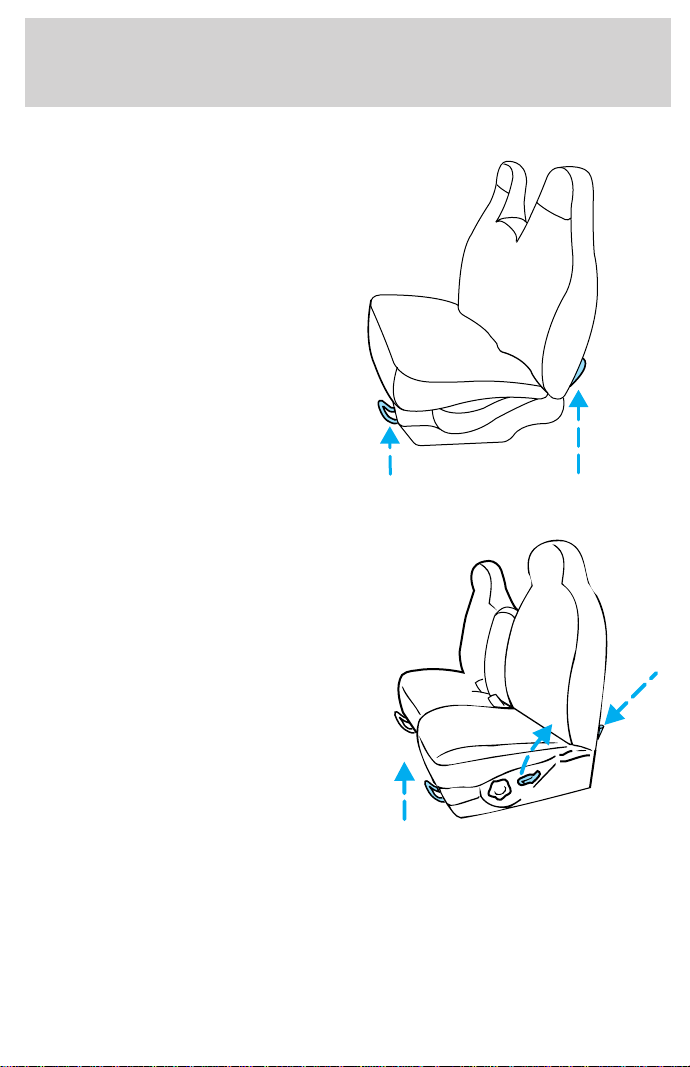
Full bench seat (if equipped)
• Lift the release bar to move the
seat forward or backward. Ensure
that the seat is relatched into
place.
• Pull up on the release lever to
quickly fold the seatback forward.
60/40 split bench seat (if equipped)
• Lift the release bar to move the
seat forward or backward. Ensure
the seat is relatched into place.
• Pull the seatback handle up to
recline the seat.
• Push down the release lever
located on the back of the seat to
quickly fold the seatback forward.
Seating and safety restraints
85
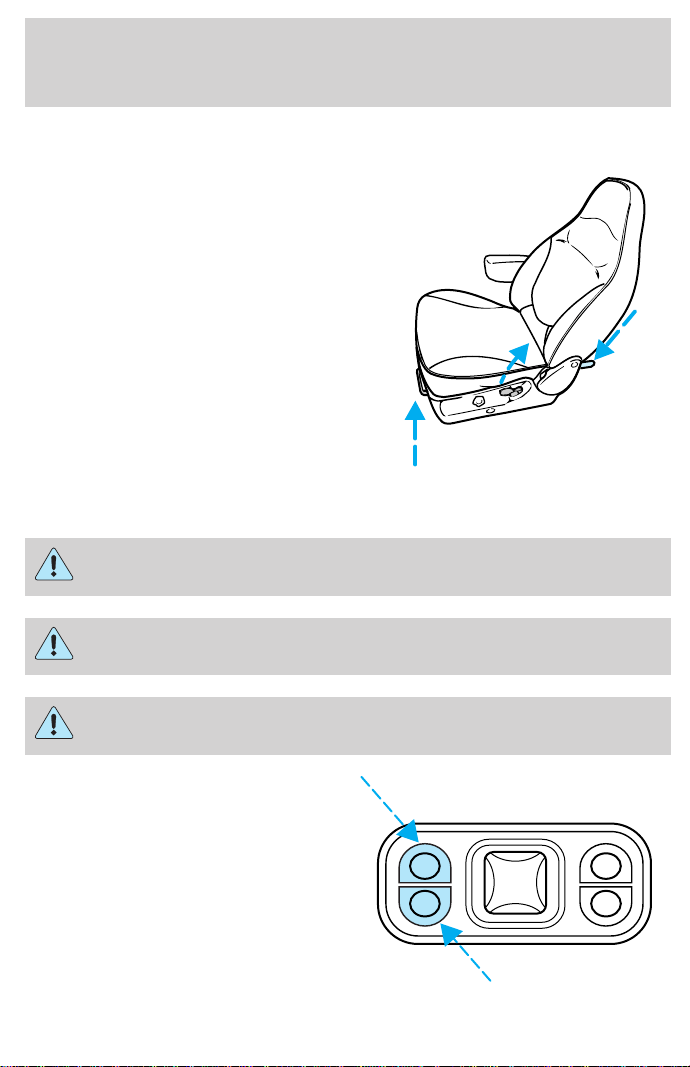
Captain’s chair (if equipped)
• Lift the release bar to move the
seat forward or rearward. Make
sure that the seat is relatched
into place.
• Pull the seatback handle up to
recline the seat.
• Push the release lever down to
quickly fold the seatback forward.
Adjusting the front power seat (if equipped)
Never adjust the driver’s seat or seatback when the vehicle is
moving.
Do not pile cargo higher than the seatbacks to avoid injuring
people in a collision or sudden stop.
Always drive and ride with your seatback upright and the lap
belt snug and low across the hips.
Press to raise or lower the front
portion of the seat cushion.
Seating and safety restraints
86
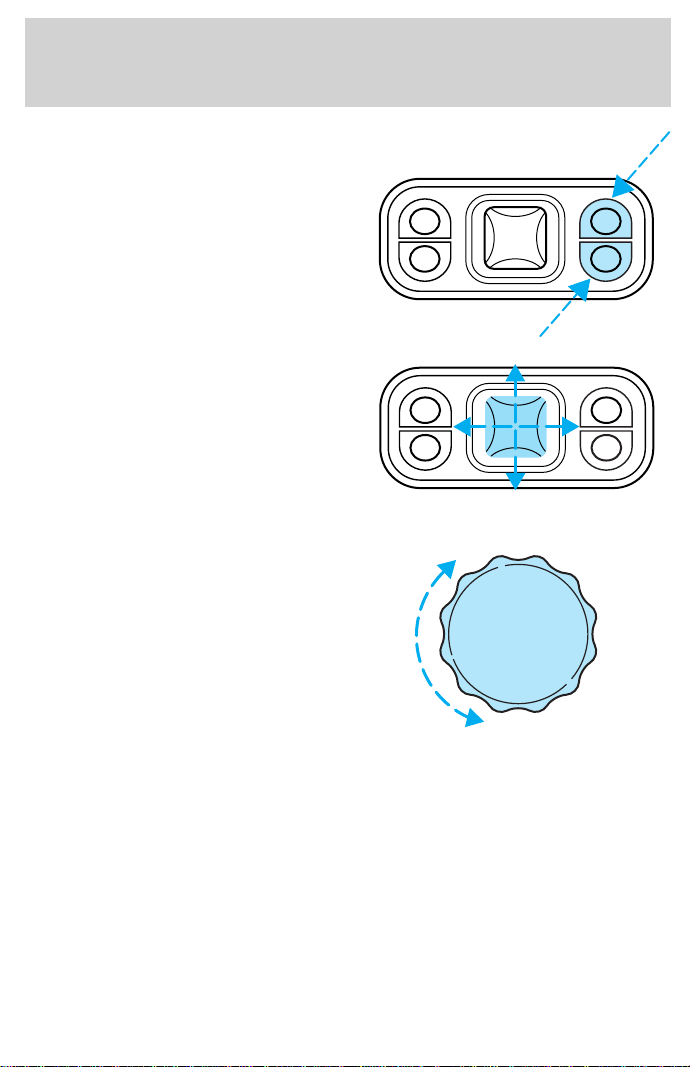
Press to raise or lower the rear
portion of the seat cushion.
Press the control to move the seat
forward, backward, up or down.
Using the manual lumbar support
Turn the lumbar support control
toward the front of vehicle to
increase firmness.
Turn the lumbar support control
toward the rear of vehicle to
increase softness.
Seating and safety restraints
87
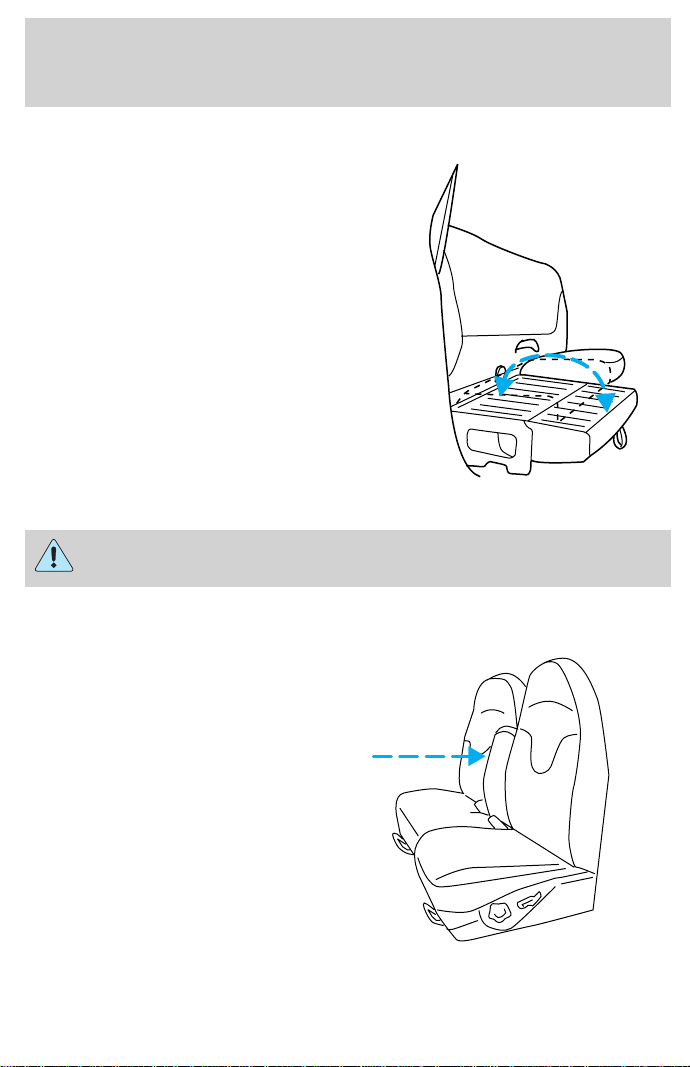
60/40 Split Rear Seat (if equipped)
When folded down, the rear seats
provide a “load floor” for additional
storage space. To fold down the rear
seats:
• Pull the straps to lower the seat
cushions.
• Store the center safety belt in the
opening on the seat back.
When returning the seats to their
normal position:
• Clear the load floor before folding
the seat up.
• Make sure the seat cushion is
latched into place.
• Remove the center safety belt from its stowed position.
Check to assure that 60/40 Split rear seat cushion is latched by
pulling up and forward on lap belt buckles.
Using the armrest (if equipped)
Push the release control to move
the armrest up or down.
Seating and safety restraints
88
SAFETY RESTRAINTS
Safety restraints precautions
Always drive and ride with your seatback upright and the lap
belt snug and low across the hips.
To prevent the risk of injury, make sure children sit where they
can be properly restrained.
Never let a passenger hold a child on his or her lap while the
vehicle is moving. The passenger cannot protect the child from
injury in a collision.
All occupants of the vehicle, including the driver, should always
properly wear their safety belts, even when an air bag SRS is
provided.
It is extremely dangerous to ride in a cargo area, inside or
outside of a vehicle. In a collision, people riding in these areas
are more likely to be seriously injured or killed. Do not allow people to
ride in any area of your vehicle that is not equipped with seats and
safety belts. Be sure everyone in your vehicle is in a seat and using a
safety belt properly.
Each seating position in your vehicle has a specific safety belt
assembly which is made up of one buckle and one tongue that
are designed to be used as a pair. 1) Use the shoulder belt on the
outside shoulder only. Never wear the shoulder belt under the arm. 2)
Never swing the safety belt around your neck over the inside shoulder.
3) Never use a single belt for more than one person.
Seating and safety restraints
89
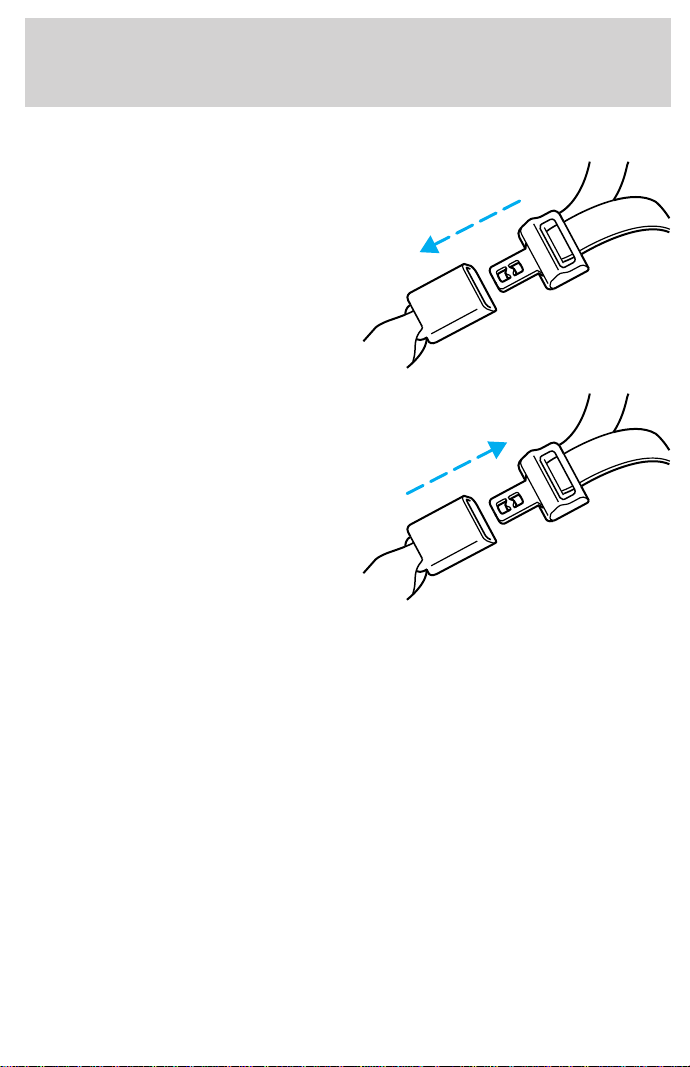
Combination lap and shoulder belts
1. Insert the belt tongue into the
proper buckle (the buckle closest to
the direction the tongue is coming
from) until you hear a snap and feel
it latch. Make sure the tongue is
securely fastened in the buckle.
2. To unfasten, push the release
button and remove the tongue from
the buckle.
The front and rear outboard safety restraints in the vehicle are
combination lap and shoulder belts. The front and rear seat passenger
outboard safety belts have two types of locking modes described below:
Vehicle sensitive mode
The vehicle sensitive mode is the normal retractor mode, allowing free
shoulder belt length adjustment to your movements and locking in
response to vehicle movement. For example, if the driver brakes
suddenly or turns a corner sharply, or the vehicle receives an impact of 8
km/h (5 mph) or more, the combination safety belts will lock to help
reduce forward movement of the driver and passengers.
The front seat belt system can also be made to lock manually by quickly
pulling on the shoulder belt. Rear seat belts (if equipped) cannot be
made to lock up by pulling quickly on the belt.
Seating and safety restraints
90
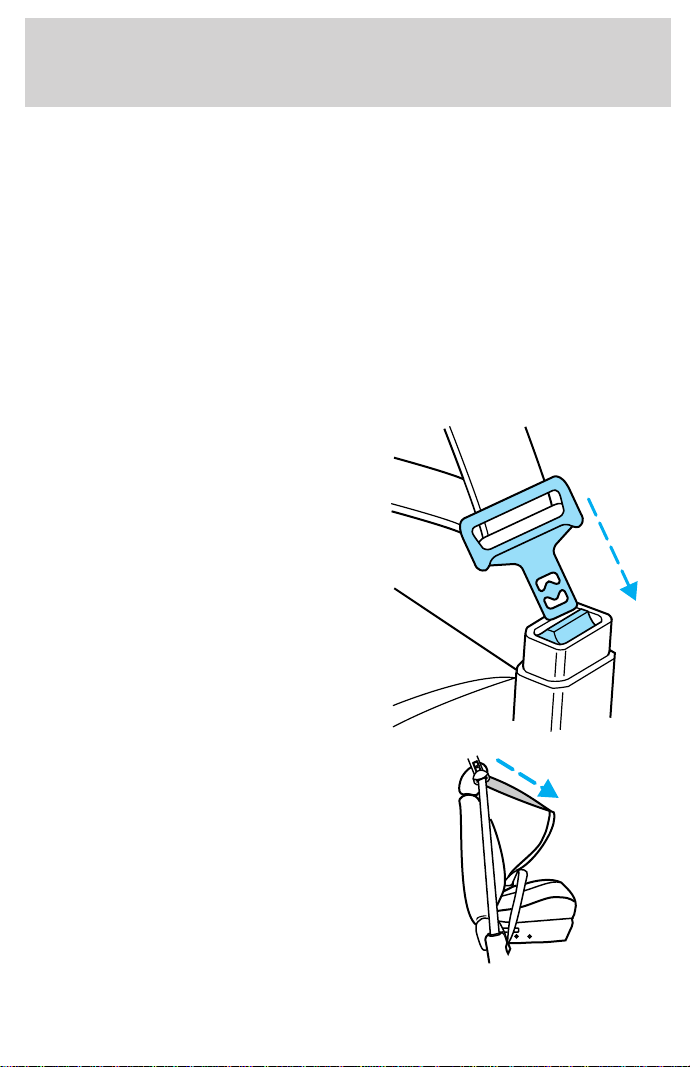
Automatic locking mode
In this mode, the shoulder belt is automatically pre-locked. The belt will
still retract to remove any slack in the shoulder belt.
The automatic locking mode is not available on the driver safety belt.
When to use the automatic locking mode
• When a tight lap/shoulder fit is desired.
• Anytime a child safety seat is installed in a passenger front or
outboard rear seating position (if equipped). Refer to Safety
Restraints for Children or Safety Seats for Children later in this
chapter.
How to use the automatic locking mode
• Buckle the combination lap and
shoulder belt.
• Grasp the shoulder portion and
pull downward until the entire
belt is extracted.
Seating and safety restraints
91
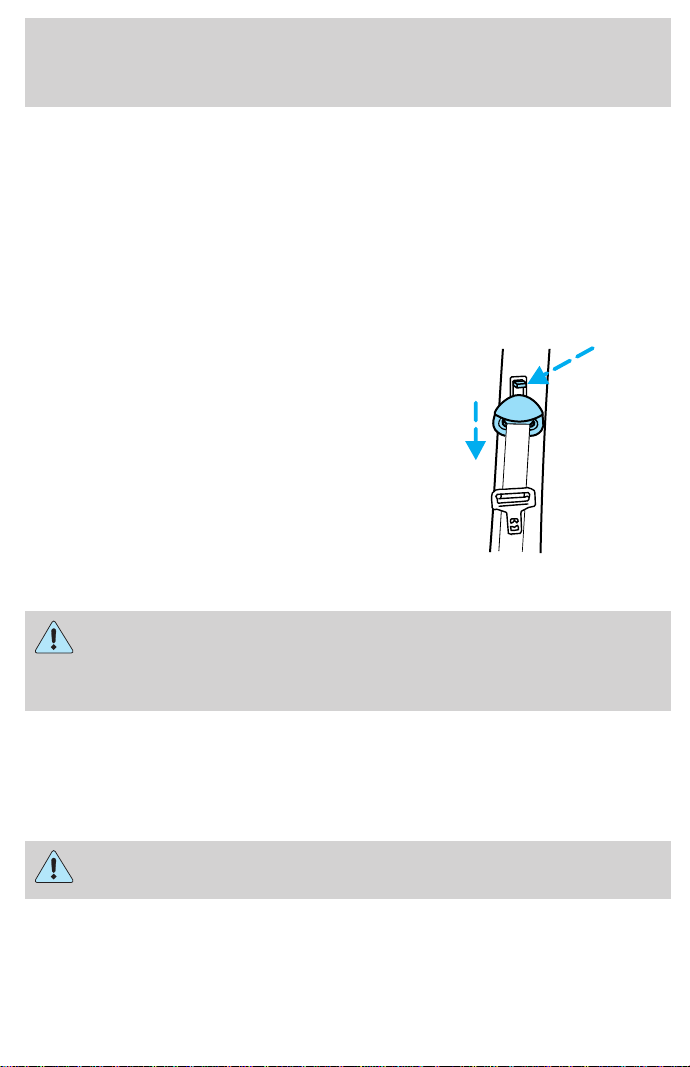
• Allow the belt to retract. As the belt retracts, you will hear a clicking
sound. This indicates the safety belt is now in the automatic locking
mode.
How to disengage the automatic locking mode
Disconnect the combination lap/shoulder belt and allow it to retract
completely to disengage the automatic locking mode and activate the
vehicle sensitive (emergency) locking mode.
Front safety belt height adjustment
Your vehicle has safety belt height
adjustments for the driver and front
passenger. Adjust the height of the
shoulder belt so the belt rests
across the middle of your shoulder.
To lower the shoulder belt height,
push the button and slide the height
control down. To raise the height of
the shoulder belt, slide the height
adjuster up. Pull down on the height
adjustment assembly to make sure it
is locked in place.
Position the shoulder belt height adjuster so that the belt rests
across the middle of your shoulder. Failure to adjust the safety
belt properly could reduce the effectiveness of the safety belt and
increase the risk of injury in a collision.
Lap belts
Adjusting the lap belt
The lap belt does not adjust automatically.
The lap belts should fit snugly and as low as possible around the
hips, not around the waist.
Seating and safety restraints
92
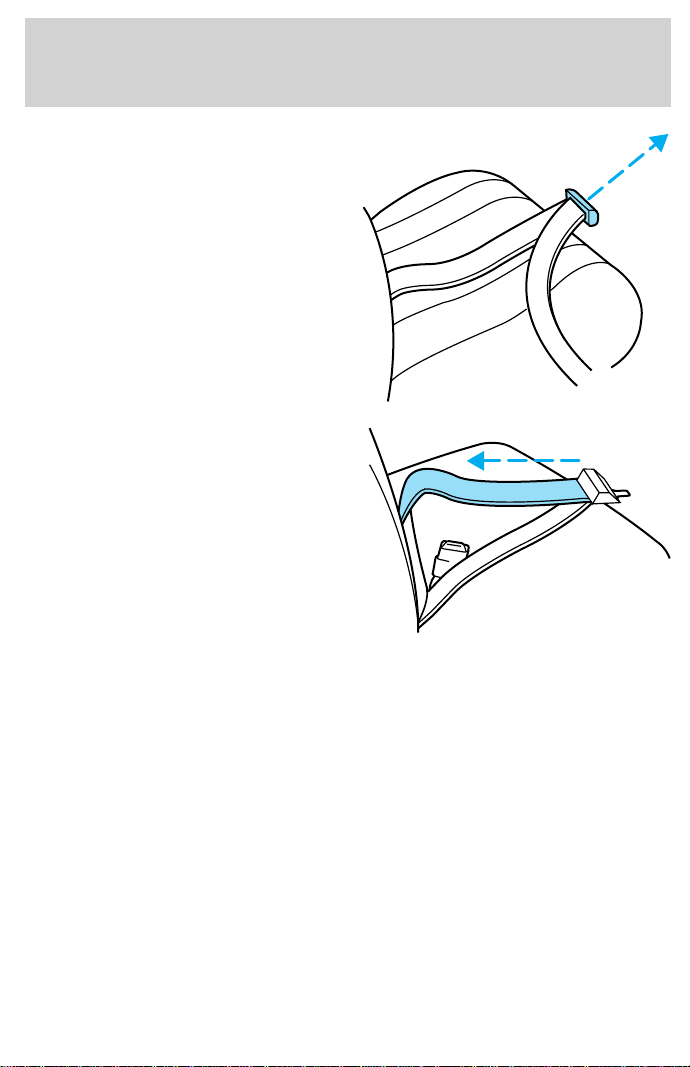
Insert the tongue into the correct
buckle (the buckle closest to the
direction the tongue is coming
from). To lengthen the belt, turn the
tongue at a right angle to the belt
and pull across your lap until it
reaches the buckle. To tighten the
belt, pull the loose end of the belt
through the tongue until it fits
snugly across the hips.
Shorten and fasten the belt when
not in use.
Safety belt extension assembly
If the safety belt assembly is too short, even when fully extended, 20 cm
(8 inches) can be added to the safety belt assembly by adding a safety
belt extension assembly (part number 611C22). Safety belt extension
assemblies can be obtained from your dealer at no cost.
Use only extensions manufactured by the same supplier as the safety
belt. Manufacturer identification is located at the end of the webbing on
the label. Also, use the safety belt extension only if the safety belt is too
short for you when fully extended. Do not use extensions to change the
fit of the shoulder belt across the torso.
Safety belt warning light and indicator chime
The seat belt warning light illuminates in the instrument cluster and a
chime sounds to remind the occupants to fasten their safety belts.
Seating and safety restraints
93
Conditions of operation
If... Then...
The driver’s safety belt is not
buckled before the ignition switch
is turned to the ON position...
The safety belt warning light
illuminates for one to two minutes
and the warning chime sounds for
four to eight seconds.
The driver’s safety belt is buckled
while the indicator light is
illuminated and the warning chime
is sounding...
The safety belt warning light and
warning chime turn off.
The driver’s safety belt is buckled
before the ignition switch is turned
to the ON position...
The safety belt warning light and
indicator chime remain off.
Safety belt maintenance
Inspect the safety belt systems periodically to make sure they work
properly and are not damaged. Inspect the safety belts to make sure
there are no nicks, wears or cuts, replacing if necessary. All safety belt
assemblies, including retractors, buckles, front seat belt buckle
assemblies (slide bar)(if equipped), shoulder belt height adjusters (if
equipped), child safety seat tether bracket assemblies (if equipped), and
attaching hardware, should be inspected after a collision. Ford
recommends that all safety belt assemblies used in vehicles involved in a
collision be replaced. However, if the collision was minor and a qualified
technician finds that the belts do not show damage and continue to
operate properly, they do not need to be replaced. Safety belt assemblies
not in use during a collision should also be inspected and replaced if
either damage or improper operation is noted.
Failure to inspect and if necessary replace the safety belt
assembly under the above conditions could result in severe
personal injuries in the event of a collision.
Refer to Cleaning and maintaining the safety belts in the
Maintenance and care section.
Seating and safety restraints
94
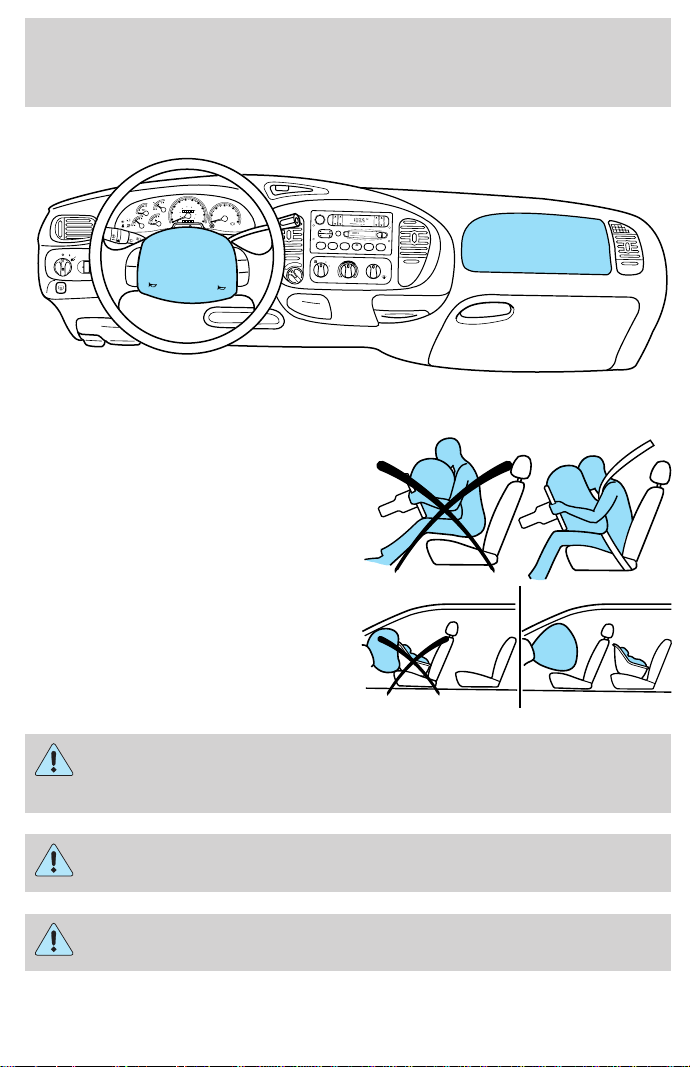
AIR BAG SUPPLEMENTAL RESTRAINT SYSTEM (SRS)
Important supplemental restraint system (SRS) precautions
The supplemental restraint system
is designed to work with the safety
belt to help protect the driver and
right front passenger from certain
upper body injuries.
Air bags DO NOT inflate slowly or
gently and the risk of injury from a
deploying air bag is greatest close to
the trim covering the air bag
module.
All occupants of the vehicle including the driver should always
properly wear their safety belts even when air bag SRS is
provided.
Always transport children 12 years old and under in the back
seat and always use appropriate child restraints.
NHTSA recommends a minimum distance of at least 25 cm (ten [10]
inches) between an occupant’s chest and the air bag module.
FOR
SCAN
EJ
REW FF SIDE 1-2 COMP
SHUFFLE
TAPE CD
DISCS
BASS TREB BAL FADE
AUTO
SET
VOL - PUSH ON
SEEK
TUNE
AM
FM
123456
f
w
DOLBY B NR
FM1
ST
DOOR
AJAR
BRAKE
F
E
H
H
18
8
20
10
30
40
50
60
70
80
90
100
20
40
60
80
100
120
140
160
MPH km/h
00
000000
0
1
2
PRN 21
RPMx1000
CHECK
ENGINE
THEFT
3
4
5
6
CHECK
SUSP
LOW
FUEL
ABS
P
PULL
FOG
PANEL
DIM
4H
A4WD
4L
OVERDRIVE
SRS
ON
OFF
RES
SET
ACCEL
COAST
FLOOR
PANEL
LO
HI
COOL WARM
DEF
FLR&
DEF
PANEL &
FLOOR
OFF
Seating and safety restraints
95
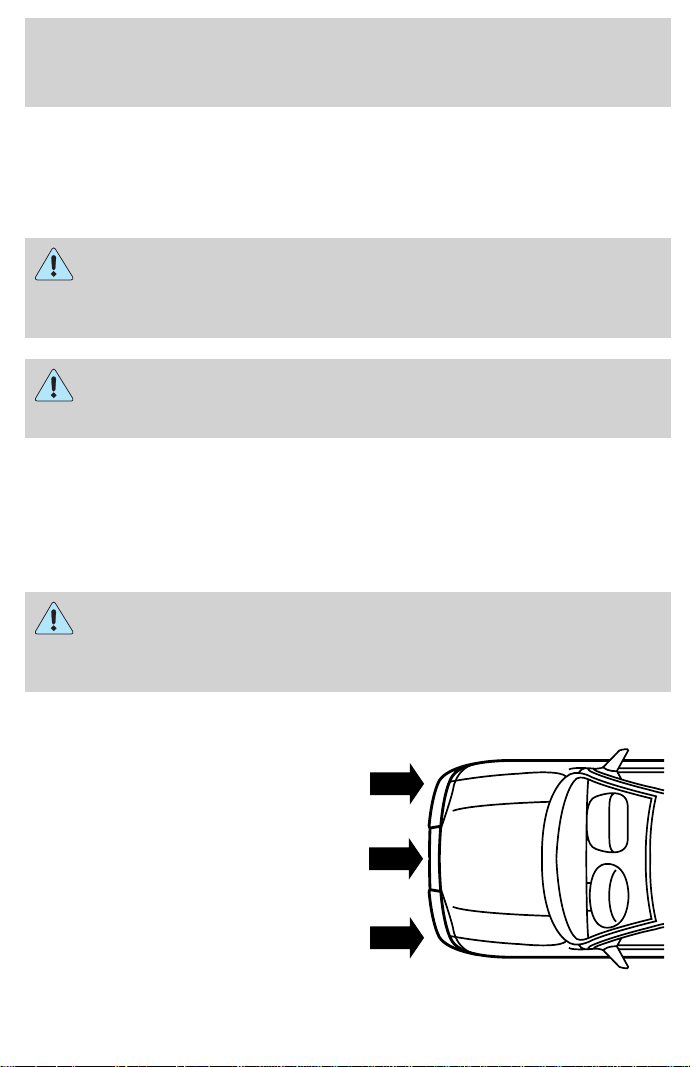
Steps you can take to properly position yourself away from the airbag:
• Move your seat to the rear as far as you can while still reaching the
pedals comfortably.
•
Recline the seat slightly (one or two degrees) from the upright position.
Do not put anything on or over the air bag module. Placing
objects on or over the air bag inflation area may cause those
objects to be propelled by the air bag into your face and torso causing
serious injury.
Do not attempt to service, repair, or modify the Air Bag
Supplemental Restraint System or its fuses. See your Ford or
Lincoln-Mercury dealer.
Children and air bags
For additional important safety information, read all information on
safety restraints in this guide.
Children must always be properly restrained. Failure to follow these
instructions may increase the risk of injury in a collision.
An infant in a rear-facing seat faces a high risk of serious or fatal
injuries from a deploying passenger air bag. Rear facing infant
seats should NEVER be placed in the front seats, unless the passenger
air bag is turned off. See Passenger air bag ON/OFF switch.
How does the air bag supplemental restraint system work?
The air bag SRS is designed to
activate when the vehicle sustains
sufficient longitudinal deceleration.
The fact that the air bags did not
inflate in a collision does not mean
that something is wrong with the
system. Rather, it means the forces
were not of the type sufficient to
cause activation. Air bags are
designed to inflate in frontal and
near-frontal collisions, not rollover,
side-impact, or rear-impacts.
Seating and safety restraints
96
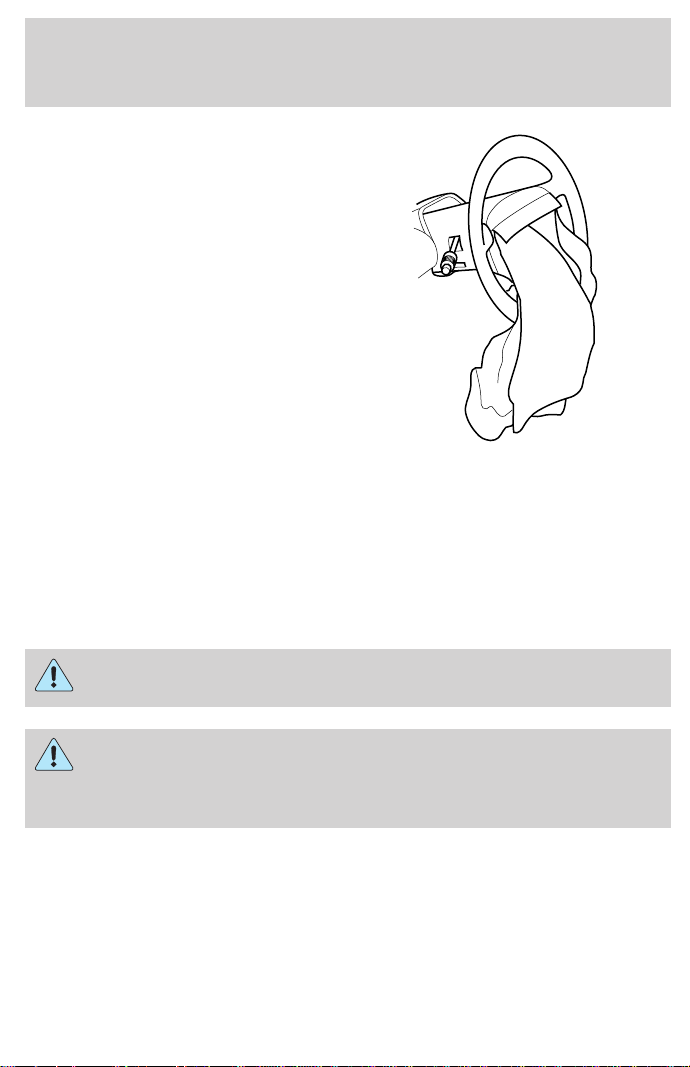
The air bags inflate and deflate
rapidly upon activation. After air bag
deployment, it is normal to notice a
smoke-like, powdery residue or
smell the burnt propellant. This may
consist of cornstarch, talcum
powder (to lubricate the bag) or
sodium compounds (e.g., baking
soda) that result from the
combustion process that inflates the
air bag. Small amounts of sodium
hydroxide may be present which
may irritate the skin and eyes, but
none of the residue is toxic.
While the system is designed to help
reduce serious injuries, it may also
cause minor burns, abrasions, swelling or temporary hearing loss.
Because air bags must inflate rapidly and with considerable force, there
is the risk of death or serious injuries such as fractures, facial and eye
injuries or internal injuries, particularly to occupants who are not
properly restrained or are otherwise out of position at the time of air bag
deployment. Thus, it is extremely important that occupants be properly
restrained as far away from the air bag module as possible while
maintaining vehicle control.
Several air bag system components get hot after inflation. Do not
touch them after inflation.
If the air bag is inflated, the air bag will not function again
and must be replaced immediately. If the air bag is not
replaced, the unrepaired area will increase the risk of injury in a
collision.
The SRS consists of:
• driver and passenger air bag modules (which include the inflators and
air bags),
• one or more impact and safing sensors, passenger air bag deactivation
switch and diagnostic monitor (RCM)
• a readiness light and tone
Seating and safety restraints
97
• and the electrical wiring which connects the components.
The RCM (restraints control module) monitors its own internal circuits
and the supplemental air bag electrical system warning (including the
passenger air bag deactivation switch, the impact sensors, the system
wiring, the air bag system readiness light, the air bag back up power and
the air bag ignitors).
Determining if the system is operational
The SRS uses readiness lights in the instrument cluster and the
passenger air bag deactivate switch or a tone to indicate the condition of
the system. Refer to the Air bag readiness section in the
Instrumentation chapter or Passenger air bag deactivate switch
section in this chapter. Routine maintenance of the air bag is not
required.
A difficulty with the system is indicated by one or more of the following:
• The readiness lights will either
flash or stay lit.
• The readiness lights will not
illuminate immediately after
ignition is turned on.
• A series of five beeps will be heard. The tone pattern will repeat
periodically until the problem and light are repaired.
If any of these things happen, even intermittently, have the SRS serviced
at your dealership or by a qualified technician immediately. Unless
serviced, the system may not function properly in the event of a
collision.
Disposal of air bags and air bag equipped vehicles
For disposal of air bags or air bag equipped vehicles, see your local
dealership or qualified technician. Air bags MUST BE disposed of by
qualified personnel.
Seating and safety restraints
98
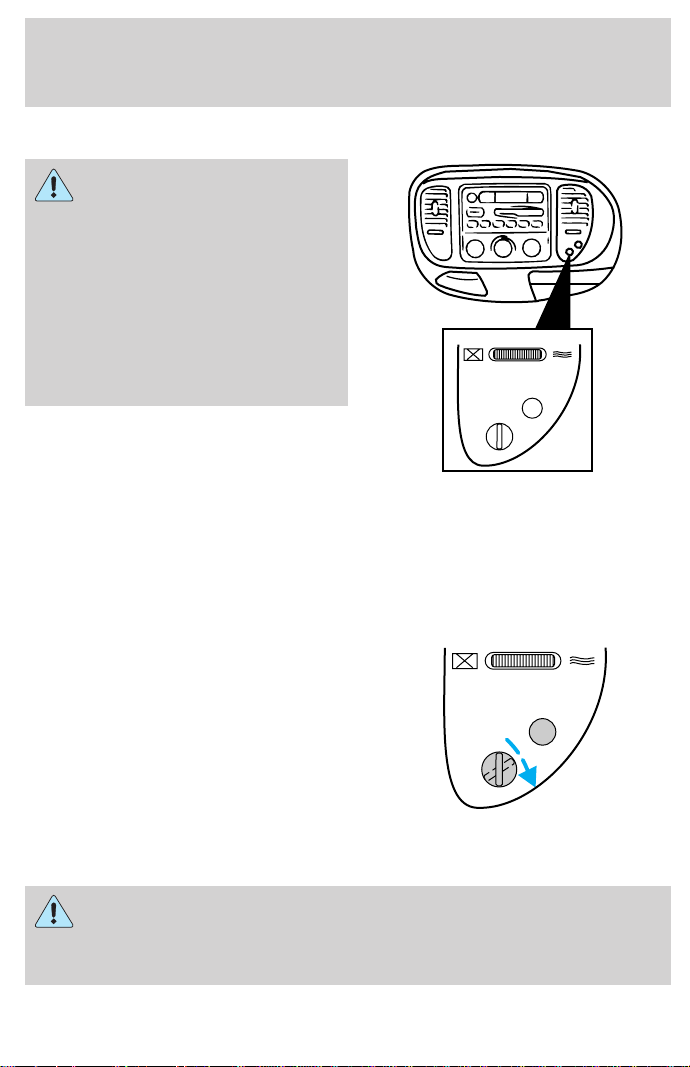
Passenger air bag ON/OFF switch
An air bag ON/OFF switch
has been installed in this
vehicle. Before driving, always
look at the face of the switch to
be sure the switch is in the proper
position in accordance with these
instructions and warnings. Failure
to put the switch in a proper
position can increase the risk of
serious injury or death in a
collision.
Turning the passenger air bag off
1. Insert the ignition key, turn the
switch to OFF and remove the key.
2. When the ignition is turned to the
ON position the OFF light
illuminates briefly, momentarily
shuts off and then turns back on.
This indicates that the passenger air
bag is deactivated.
If the light fails to illuminate when the passenger air bag switch
is in the OFF position and the ignition switch is in ON, have the
passenger air bag switch serviced at your Ford or Lincoln-Mercury
dealer immediately.
PASSENGER AIRBAG
ON
OFF
OFF
PASSENGER AIRBAG
ON
OFF
OFF
Seating and safety restraints
99
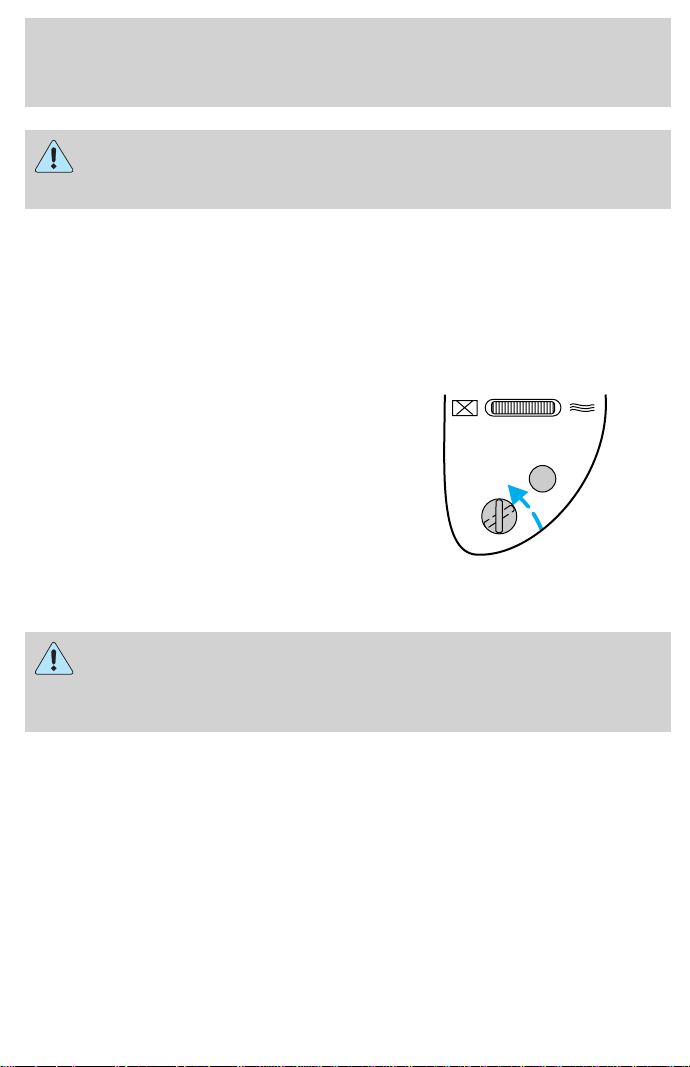
In order to avoid inadvertent deployment of the passenger air
bag, always remove the ignition key from the passenger air bag
ON/OFF switch.
Turning the passenger air bag back on
The passenger air bag remains OFF until you turn it back ON.
1. Insert the ignition key and turn
the switch to ON.
2. The OFF light will briefly
illuminate when the ignition is
turned to ON. This indicates that
the passenger air bag is operational.
If the light is illuminated when the passenger air bag switch is in
the ON position and the ignition switch is in ON, have the
passenger air bag switch serviced at your Ford or Lincoln-Mercury
dealer immediately.
The passenger side air bag should always be ON (the air bag OFF light
should not be illuminated) unless the passenger is a person who meets
the requirements stated either in Category 1, 2 or 3 of the
NHTSA/Transport Canada deactivation criteria which follows.
PASSENGER AIRBAG
ON
OFF
OFF
Seating and safety restraints
100

The safety belts for the driver and right front passenger seating
positions have been specifically designed to function together with
the air bags in certain types of crashes. When you turn OFF your air bag,
you not only lose the protection of the air bag, you also may reduce the
effectiveness of your safety belt system, which was designed to work with
the air bag. If you are not a person who meets the requirements stated in
the NHTSA/Transport Canada deactivation criteria turning OFF the air bag
can increase the risk of serious injury or death in a collision.
Always transport children who are 12 and younger in the rear
seat. Always use safety belts and child restraints properly. If a
child in a rear facing infant seat must be transported in front, the
passenger air bag must be turned OFF. This is because the back of the
infant seat is too close to the inflating air bag and the risk of a fatal
injury to the infant when the air bag inflates is substantial.
The vast majority of drivers and passengers are much safer with an air
bag than without. To do their job and reduce the risk of life threatening
injuries, air bags must open with great force, and this force can pose a
potentially deadly risk in some situations, particularly when a front seat
occupant is not properly buckled up. The most effective way to reduce
the risk of unnecessary air bag injuries without reducing the overall
safety of the vehicle is to make sure all occupants are properly
restrained in the vehicle, especially in the front seat. This provides the
protection of safety belts and permits the air bags to provide the
additional protection they were designed to provide. If you choose to
deactivate your air bag, you are losing the very significant risk reducing
benefits of the air bag and you are also reducing the effectiveness of the
safety belts, because safety belts in modern vehicles are designed to
work as a safety system with the air bags.
Read all air bag Warning labels in the vehicle as well as the other
important air bag instructions and Warnings in this Owner’s Guide.
NHTSA deactivation criteria (excluding Canada)
1. Infant. An infant (less than 1 year old) must ride in the front seat
because:
• the vehicle has no rear seat;
• the vehicle has a rear seat too small to accommodate a rear-facing
infant seat; or
Seating and safety restraints
101

• the infant has a medical condition which, according to the infant’s
physician, makes it necessary for the infant to ride in the front so that
the driver can constantly monitor the child’s condition.
2. Child age 1 to 12. A child age 1 to 12 must ride in the front seat
because:
• the vehicle has no rear seat;
• although children ages 1 to 12 ride in the rear seat(s) whenever
possible, children ages 1 to 12 sometimes must ride in the front
because no space is available in the rear seat(s) of the vehicle; or
• the child has a medical condition which, according to the child’s
physician, makes it necessary for the child to ride in the front seat so
that the driver can constantly monitor the child’s condition.
3. Medical condition. A passenger has a medical condition which,
according to his or her physician:
• causes the passenger air bag to pose a special risk for the passenger;
and
• makes the potential harm from the passenger air bag in a crash
greater than the potential harm from turning OFF the air bag and
allowing the passenger, even if belted, to hit the dashboard or
windshield in a crash.
Transport Canada deactivation criteria (Canada Only)
1. Infant: An infant (less than 1 year old) must ride in the front seat
because:
• my vehicle has no rear seat;
• the rear seat in my vehicle cannot accommodate a rear-facing infant
seat; or
• the infant has a medical condition which, according to the infant’s
physician, makes it necessary for the infant to ride in the front seat so
that the driver can monitor the infant’s condition.
2. Child age 12 or under: A child age 12 or under must ride in the
front seat because:
• my vehicle has no rear seat;
• although children age 12 and under ride in the rear seat whenever
possible, children age 12 and under have no option but to sometimes
ride in the front seat because rear seat space is insufficient; or
Seating and safety restraints
102

• the child has a medical condition that, according to the child’s
physician, makes it necessary for the child to ride in the front seat so
that the driver can monitor the child’s condition.
3. Medical condition: A passenger has a medical condition that,
according to his or her physician:
• poses a special risk for the passenger if the air bag deploys; and
• makes the potential harm from the passenger air bag deployment
greater than the potential harm from turning OFF the air bag and
experiencing a crash without the protection offered by the air bag
SAFETY RESTRAINTS FOR CHILDREN
See the following sections for directions on how to properly use safety
restraints for children. Also see Air Bag Supplemental Restraint System
(SRS) in this chapter for special instructions about using air bags.
Important child restraint precautions
You are required by law to use safety restraints for children in the U.S.
and Canada. If small children ride in your vehicle (generally children who
are four years old or younger and who weigh 18 kg [40 lbs] or less), you
must put them in safety seats made especially for children. Check your
local and state or provincial laws for specific requirements regarding the
safety of children in your vehicle.
Never let a passenger hold a child on his or her lap while the
vehicle is moving. The passenger cannot protect the child from
injury in a collision.
Always follow the instructions and warnings that come with any infant or
child restraint you might use.
When possible, place children in the rear seat of your vehicle. Accident
statistics suggest that children are safer when properly restrained in the
rear seating positions than in the front seating position.
Children and safety belts
If the child is the proper size, restrain the child in a safety seat.
Children who are too large for child safety seats (as specified by your
child safety seat manufacturer) should always wear safety belts.
Seating and safety restraints
103
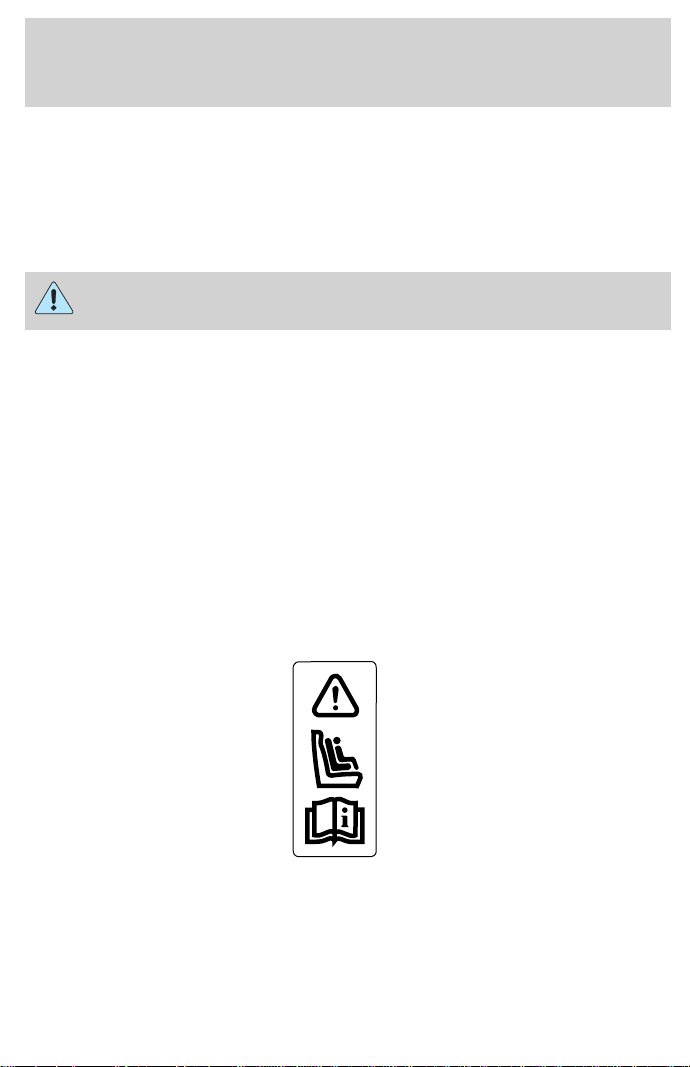
Follow all the important safety restraint and air bag precautions that
apply to adult passengers in your vehicle.
If the shoulder belt portion of a combination lap and shoulder belt can be
positioned so it does not cross or rest in front of the child’s face or neck,
the child should wear the lap and shoulder belt. Moving the child closer to
the center of the vehicle may help provide a good shoulder belt fit.
Do not leave children, unreliable adults, or pets unattended in
your vehicle.
To improve the fit of lap and shoulder belts on children who have
outgrown child safety seats, Ford recommends use of a belt-positioning
booster seat that is labelled as conforming to all Federal motor vehicle
safety standards. Belt-positioning booster seats raise the child and
provide a shorter, firmer seating cushion that encourages safer seating
posture and better fit of lap and shoulder belts on the child.
A belt-positioning booster should be used if the shoulder belt rests in
front of the child’s face or neck, or if the lap belt does not fit snugly on
both thighs, or if the thighs are too short to let the child sit all the way
back on the seat cushion when the lower legs hang over the edge of the
seat cushion. You may wish to discuss the special needs of your child
with your pediatrician.
SAFETY SEATS FOR CHILDREN
Child and infant or child safety seats
Use a safety seat that is recommended for the size and weight of the child.
Carefully follow all of the manufacturer’s instructions with the safety seat
you put in your vehicle. If you do not install and use the safety seat properly,
the child may be injured in a sudden stop or collision.
Seating and safety restraints
104
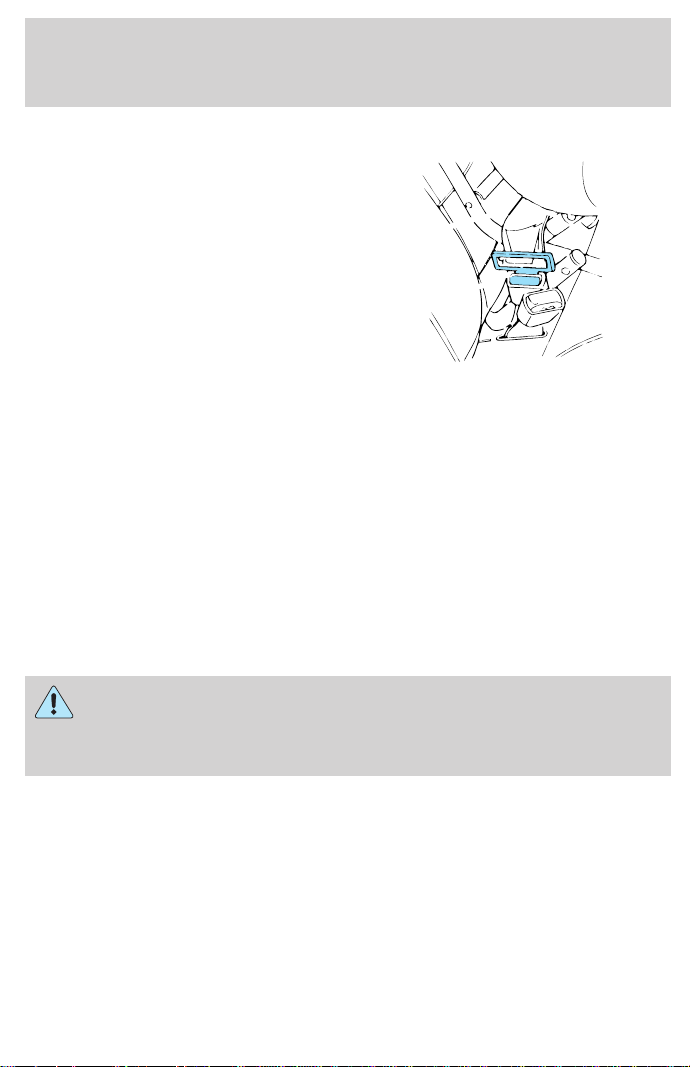
When installing a child safety seat:
• Review and follow the information
presented in the Air Bag
Supplemental Restraint System
section in this chapter.
• Use the correct safety belt buckle
for that seating position.
• Insert the belt tongue into the
proper buckle until you hear a
snap and feel it latch. Make sure
the tongue is securely fastened in
the buckle.
• Keep the buckle release button pointing up and away from the safety
seat, with the tongue between the child seat and the release button,
to prevent accidental unbuckling.
• Place seat back in upright position.
• Put the safety belt in the automatic locking mode. Refer to Automatic
locking mode (passenger side front and outboard rear seating
positions)(if equipped).
Ford recommends the use of a child safety seat having a top tether
strap. Install the child safety seat in a seating position which is capable
of providing a tether anchorage. For more information on top tether
straps, refer to Attaching safety seats with tether straps.
Carefully follow all of the manufacturer’s instructions included
with the safety seat you put in your vehicle. If you do not install
and use the safety seat properly, the child may be injured in a sudden
stop or collision.
Seating and safety restraints
105
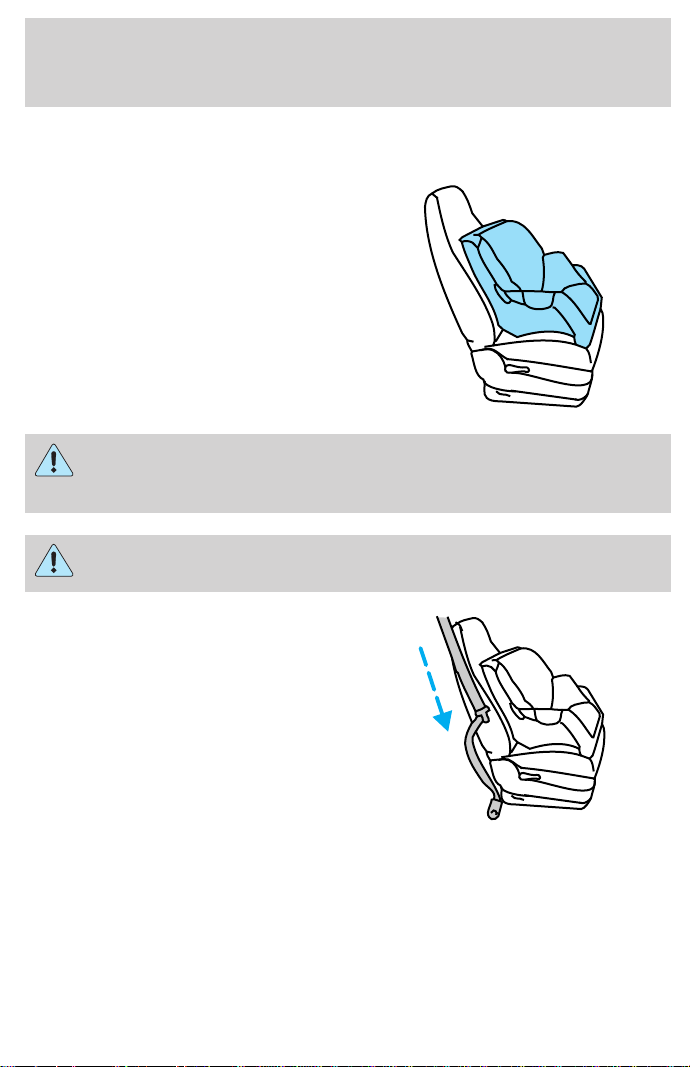
Installing child safety seats in combination lap and shoulder belt
seating positions
1. Position the child safety seat in a
seat with a combination lap and
shoulder belt.
An air bag can kill or injure a child in a child seat. If you must
use a forward-facing child seat in the front seat, move seat all
the way back.
Children 12 and under should be properly restrained in the rear
seat whenever possible.
2. Pull down on the shoulder belt
and then grasp the shoulder belt
and lap belt together.
Seating and safety restraints
106
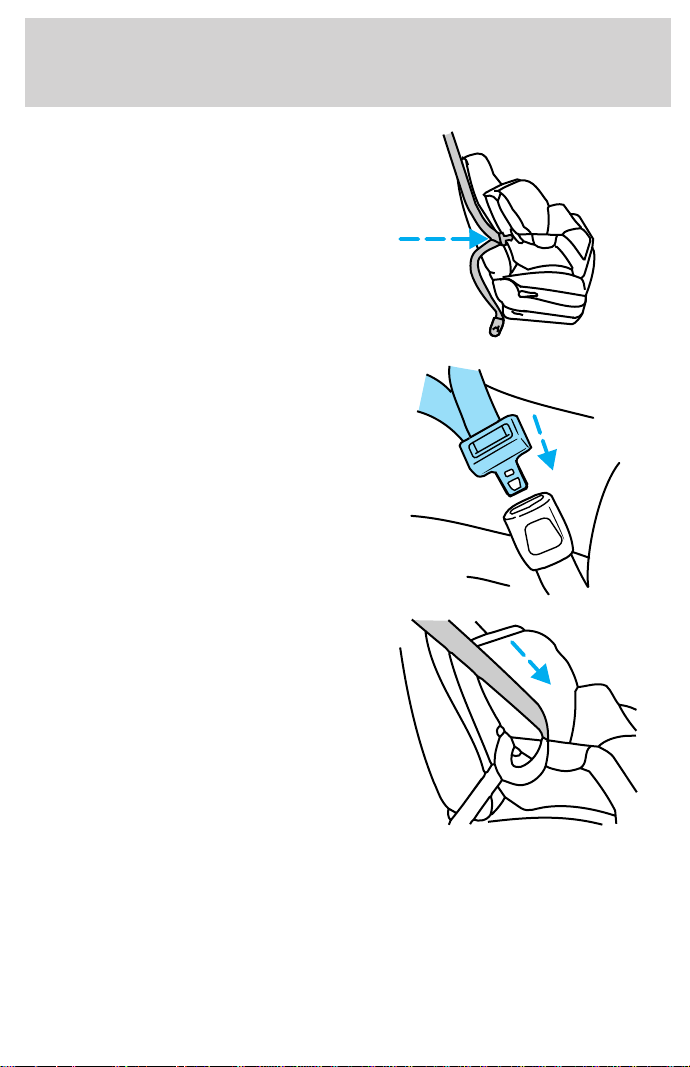
3. While holding the shoulder and
lap belt portions together, route the
tongue through the child seat
according to the child seat
manufacturer’s instructions. Be sure
the belt webbing is not twisted.
4. Insert the belt tongue into the
proper buckle (the buckle closest to
the direction the tongue is coming
from) for that seating position until
you hear a snap and feel the latch
engage. Make sure the tongue is
latched securely by pulling on it.
5. To put the retractor in the
automatic locking mode, grasp the
shoulder portion of the belt and pull
downward until all of the belt is
extracted and a click is heard.
6. Allow the belt to retract. The belt will click as it retracts to indicate it
is in the automatic locking mode.
Seating and safety restraints
107
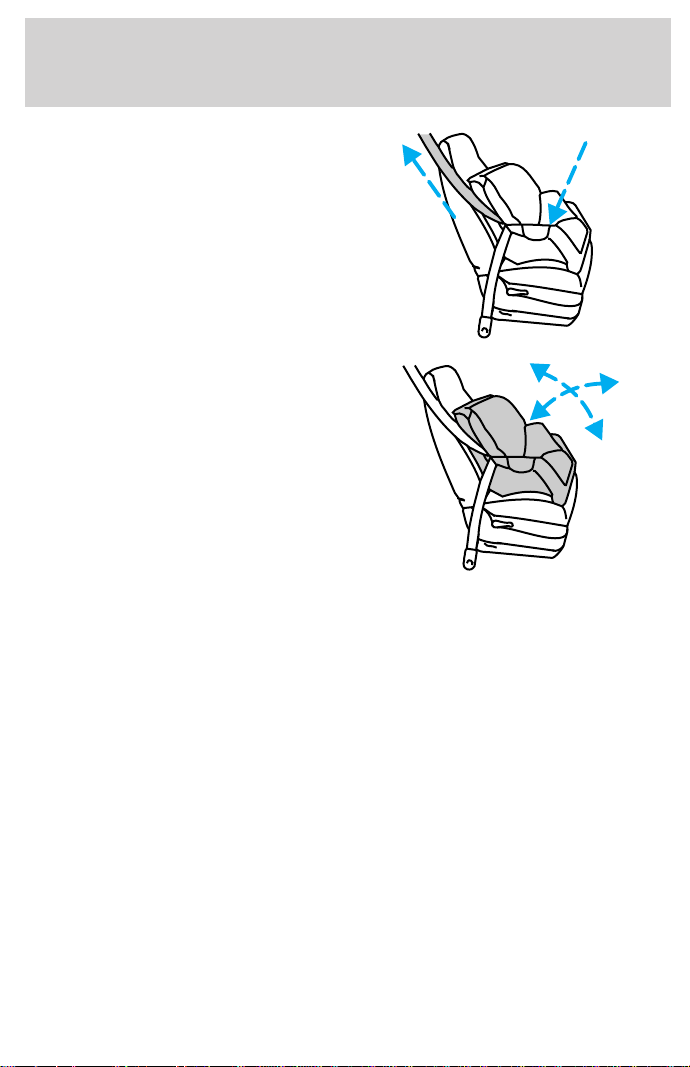
7. Pull the lap belt portion across
the child seat toward the buckle and
pull up on the shoulder belt while
pushing down with your knee on the
child seat.
8. Allow the safety belt to retract to
remove any slack in the belt.
9. Before placing the child in the
seat, forcibly tilt the seat forward
and back to make sure the seat is
securely held in place.
10. Try to pull the belt out of the retractor to make sure the retractor is
in the automatic locking mode (you should not be able to pull more belt
out). If the retractor is not locked, unbuckle the belt and repeat steps
two through nine.
Check to make sure the child seat is properly secured before each use.
Installing child safety seats in the lap belt seating positions
1. Lengthen the lap belt. To lengthen the belt, hold the tongue so that its
bottom is perpendicular to the direction of webbing while sliding the
tongue up the webbing.
2. Place the child safety seat in the center seating position.
3. Route the tongue and webbing through the child seat according to the
child seat manufacturer’s instructions.
4. Insert the belt tongue into the proper buckle for the center seating
position until you hear a snap and feel it latch. Make sure the tongue is
securely fastened to the buckle by pulling on tongue.
Seating and safety restraints
108

5. Push down on the child seat while pulling on the loose end of the lap
belt webbing to tighten the belt.
6. Before placing the child into the child seat, forcibly tilt the child seat
from side to side and in forward direction to make sure that the seat is
held securely in place. If the child seat moves excessively, repeat steps 5
through 6, or properly install the child seat in a different position.
Attaching safety seats with tether straps
Some manufacturers make safety seats that include a tether strap that
goes over the back of the vehicle seat and attaches to an anchoring
point. Other manufacturers offer the tether strap as an accessory.
Contact the manufacturer of your child safety seat for information about
ordering a tether strap.
Tether anchorage hardware
A tethered seat can be installed in the front passenger seat. Put the
tether strap over the seatback and attach it to an anchor bracket.
An anchor bracket can be installed on the rear edge of the front
passenger seat cushion.
The provision (attaching hole) is provided in the rear edge of the front
passenger seat cushion frame. The anchor bracket must be installed
using the instructions provided with the kit.
Tether anchorage hardware kits (part number 613D74) including
instructions, may be obtained at no charge from any Ford or
Lincoln-Mercury dealer.
If you have a SuperCab, attach the bracket to the inside of the back
panel of your vehicle. Carefully follow the instructions provided with the
kit.
If you have a SuperCab, Ford recommends you attach tether safety seats
in the rear seating position (if possible) with the tether strap attached to
the tether anchorage bracket as shown in the instructions provided with
the tether anchor kit.
Tighten the anchor according to specifications. Otherwise, the
safety seat may not be properly secured and the child may be
injured in a sudden stop or collision.
Seating and safety restraints
109
PREPARING TO START YOUR VEHICLE
Engine starting is controlled by the ignition system. This system meets
all Canadian Interference-Causing Equipment standard requirements
regulating the impulse electrical field strength of radio noise.
When starting a fuel-injected engine, avoid pressing the accelerator
before or during starting. Only use the accelerator when you have
difficulty starting the engine. For more information on starting the
vehicle, refer to Starting the engine in this chapter.
Extended idling at high engine speeds can produce very high
temperatures in the engine and exhaust system, creating the risk
of fire or other damage.
Do not park, idle, or drive your vehicle in dry grass or other dry
ground cover. The emission system heats up the engine
compartment and exhaust system, which can start a fire.
Do not start your vehicle in a closed garage or in other enclosed
areas. Exhaust fumes can be toxic. Always open the garage door
before you start the engine. See Guarding against exhaust fumes in
this chapter for more instructions.
If you smell exhaust fumes inside your vehicle, have your dealer
inspect your vehicle immediately. Do not drive if you smell
exhaust fumes.
Important safety precautions
A computer system controls the engine’s idle revolutions per minute
(RPM). When the engine starts, the idle RPM runs faster to warm the
engine. If the engine idle speed does not slow down automatically, have
the vehicle checked. Do not allow the vehicle to idle for more than ten
minutes at high engine RPM.
Before starting the vehicle:
1. Make sure all vehicle occupants have buckled their safety belts. For
more information on safety belts and their proper usage, refer to the
Seating and safety restraints chapter.
Starting
110
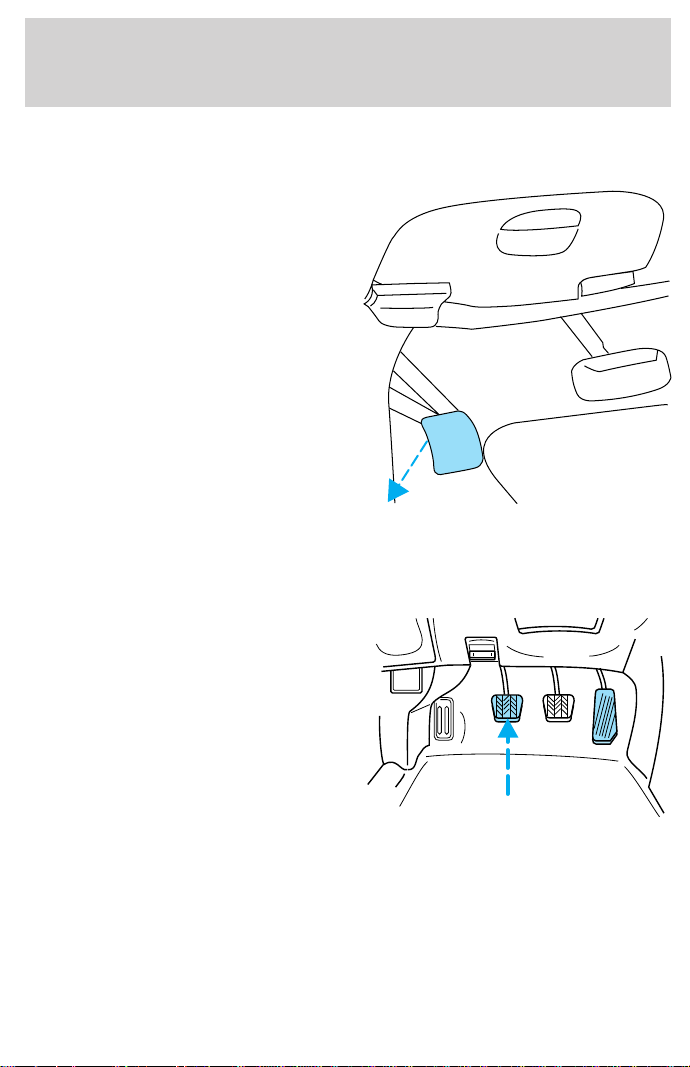
2. Make sure the headlamps and vehicle accessories are off.
If starting a vehicle with an automatic transmission:
• Make sure the parking brake is
set.
• Make sure the gearshift is in P (Park).
If starting a vehicle with a manual transmission:
• Make sure the parking brake is set.
• Push the clutch pedal to the
floor.
BRAKE
HOOD
Starting
111
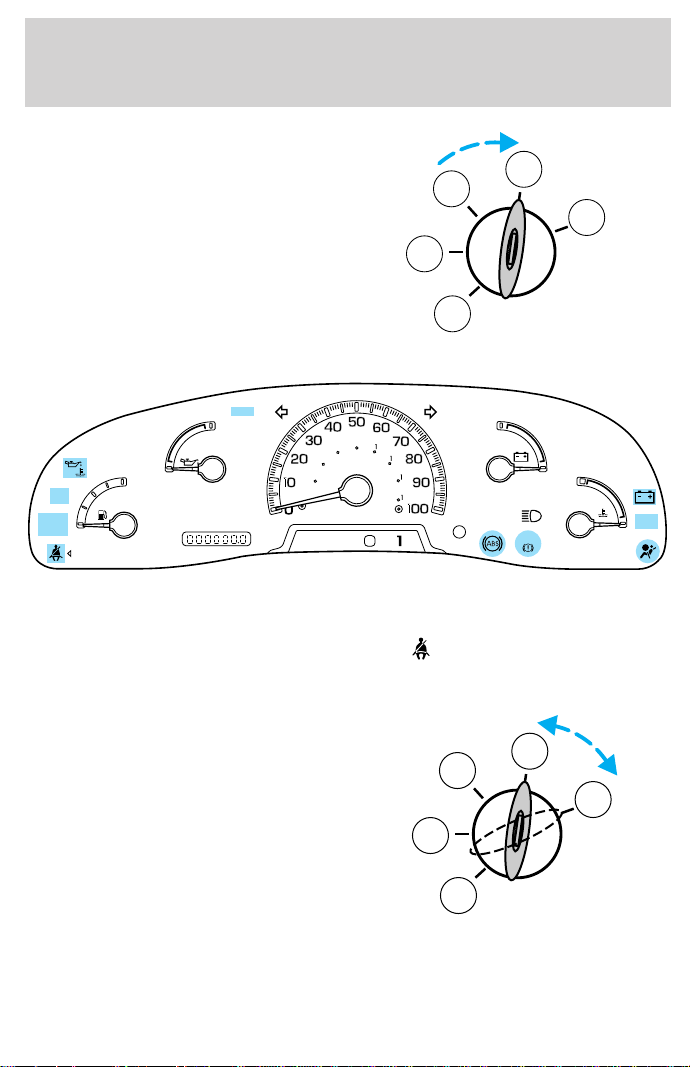
3. Turn the key to 4 (ON) without
turning the key to 5 (START).
Make sure the corresponding lights illuminate briefly. If a light fails to
illuminate, have the vehicle serviced.
• If the driver’s safety belt is fastened, the
light may not illuminate.
STARTING THE ENGINE
1. Turn the key to 5 (START)
without pressing the accelerator
pedal and release as soon as the
engine starts. The key will return to
4 (ON).
2. If the temperature is above –12°C (10°F) and the engine does not
start within five seconds on the first try, turn the key to OFF, wait ten
seconds and try again.
1
2
3
4
5
0
E
L
L
H
H
F
C
H
D
PRN
D
2
FUEL
RESET
DOOR
AJAR
SELECT
RESET
4X4
LOW
RANGE
CK
SUSP
THEFT
FUEL DOOR
20
40
60
80
00
20
40
60
BRAKE
MPH
km/h
SERVICE
ENGINE
SOON
LOW
FUEL
3
2
1
5
4
Starting
112

3. If the temperature is below -12°C (10°F) and the engine does not
start in fifteen seconds on the first try, turn the key OFF and wait ten
seconds and try again. If the engine does not start in two attempts,
depress the accelerator and start the engine while holding the
accelerator down to the floor. Release the accelerator when the engine
starts.
4. After idling for a few seconds, apply the brake and release the parking
brake.
Using the engine block heater (if equipped)
An engine block heater warms the engine coolant, which improves
starting, warms up the engine faster and allows the heater-defroster
system to respond quickly. Use of an engine block heater is strongly
recommended if you live in a region where temperatures reach -23°C
(-10°F) or below.
For best results, plug the heater in at least three hours before starting
the vehicle. Using the heater for longer than three hours will not harm
the engine, so the heater can be plugged in the night before starting the
vehicle.
To prevent electrical shock, do not use your heater with
ungrounded electrical systems or two-pronged (cheater)
adapters.
Guarding against exhaust fumes
Although odorless and colorless, carbon monoxide is present in exhaust
fumes. Take precautions to avoid its dangerous effects.
If you ever smell exhaust fumes of any kind inside your vehicle,
have your dealer inspect and fix your vehicle immediately. Do
not drive if you smell exhaust fumes. These fumes are harmful and
could kill you.
Have the exhaust and body ventilation systems checked whenever:
• the vehicle is raised for service.
• the sound of the exhaust system changes.
• the vehicle has been damaged in a collision.
Starting
113
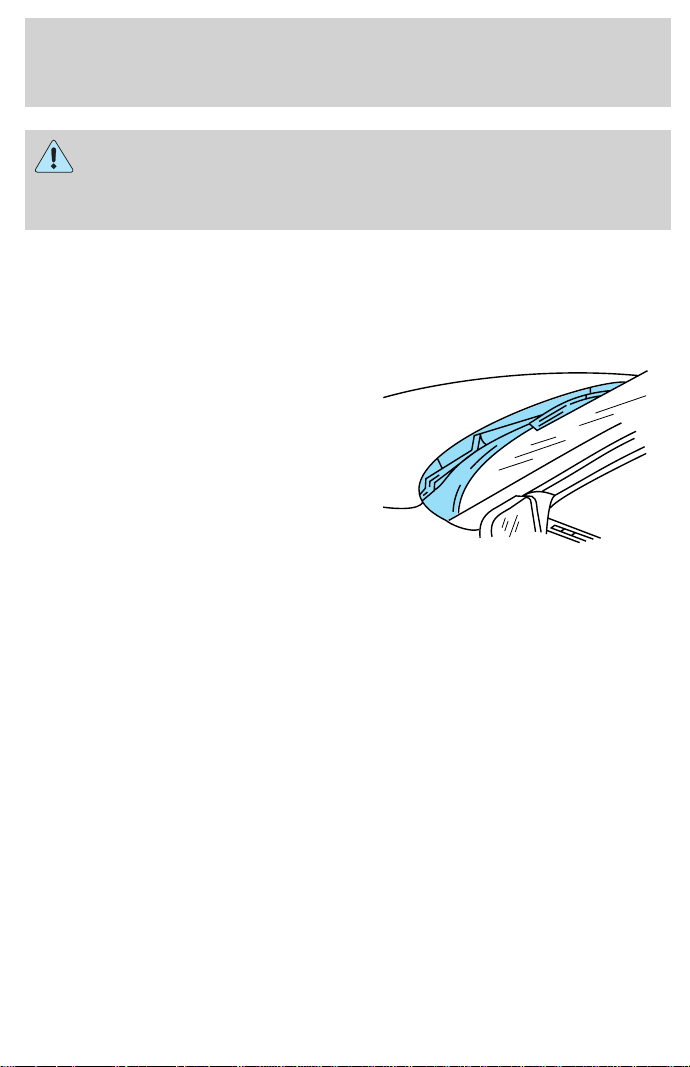
Engine exhaust, some of its constituents, and certain vehicle
components contain or emit chemicals known to the State of
California to cause cancer, and birth defects or other reproductive
harm.
Important ventilating information
If the engine is idling while the vehicle is stopped in an open area for
long periods of time, open the windows at least 2.5 cm (one inch).
Adjust the heating or air conditioning (if equipped) to bring in fresh air.
Improve vehicle ventilation by
keeping all air inlet vents clear of
snow, leaves and other debris.
Starting
114

BRAKES
Your service brakes are self-adjusting. Refer to the scheduled
maintenance guide for scheduled maintenance.
Occasional brake noise is normal and often does not indicate a
performance concern with the vehicle’s brake system. In normal
operation, automotive brake systems may emit occasional or intermittent
squeal or groan noises when the brakes are applied. Such noises are
usually heard during the first few brake applications in the morning;
however, they may be heard at any time while braking and can be
aggravated by environmental conditions such as cold, heat, moisture,
road dust, salt or mud. If a “metal-to-metal,” “continuous grinding” or
“continuous squeal” sound is present while braking, the brake linings
may be worn-out and should be inspected by a qualified service
technician.
Anti-lock brake system (ABS) (if equipped)
On vehicles equipped with an anti-lock braking system (ABS), a noise
from the hydraulic pump motor and pulsation in the pedal may be
observed during ABS braking events. Pedal pulsation coupled with noise
while braking under panic conditions or on loose gravel, bumps, wet or
snowy roads is normal and indicates proper functioning of the vehicle’s
anti-lock brake system. The ABS performs a self-check at 17 km/h (10
mph) after you start the engine and begin to drive away. A brief
mechanical noise may be heard during this test. This is normal. If a
malfunction is found, the ABS warning light will come on. If the vehicle
has continuous vibration or shudder in the steering wheel while braking,
the vehicle should be inspected by a qualified service technician.
The ABS operates by detecting the
onset of wheel lockup during brake
applications and compensating for
this tendency. The wheels are
prevented from locking even when
the brakes are firmly applied. The
accompanying illustration depicts
the advantage of an ABS equipped
vehicle (on bottom) to a non-ABS
equipped vehicle (on top) during
hard braking with loss of front braking traction.
Driving
115

ABS warning lamp
The
ABS
warning lamp in the instrument cluster momentarily illuminates
when the ignition is turned on and the engine is off. If the light does not
illuminate momentarily at start up, remains on or continues to flash, the
ABS needs to be serviced.
With the ABS light on, the anti-lock
brake system is disabled and normal
braking is still effective unless the
brake warning light also remains
illuminated with parking brake
released. (If your brake warning lamp illuminates, have your vehicle
serviced immediately).
Using ABS
• In an emergency or when maximum efficiency from the ABS is
required, apply continuous full force on the brake. The ABS will be
activated immediately, thus allowing you to retain full steering control
of your vehicle and, providing there is sufficient space, will enable you
to avoid obstacles and bring the vehicle to a controlled stop.
• The Anti-Lock system does not decrease the time necessary to apply
the brakes or always reduce stopping distance. Always leave enough
room between your vehicle and the vehicle in front of you to stop.
• We recommend that you familiarize yourself with this braking
technique. However, avoid taking any unnecessary risks.
!
BRAKE
Driving
116
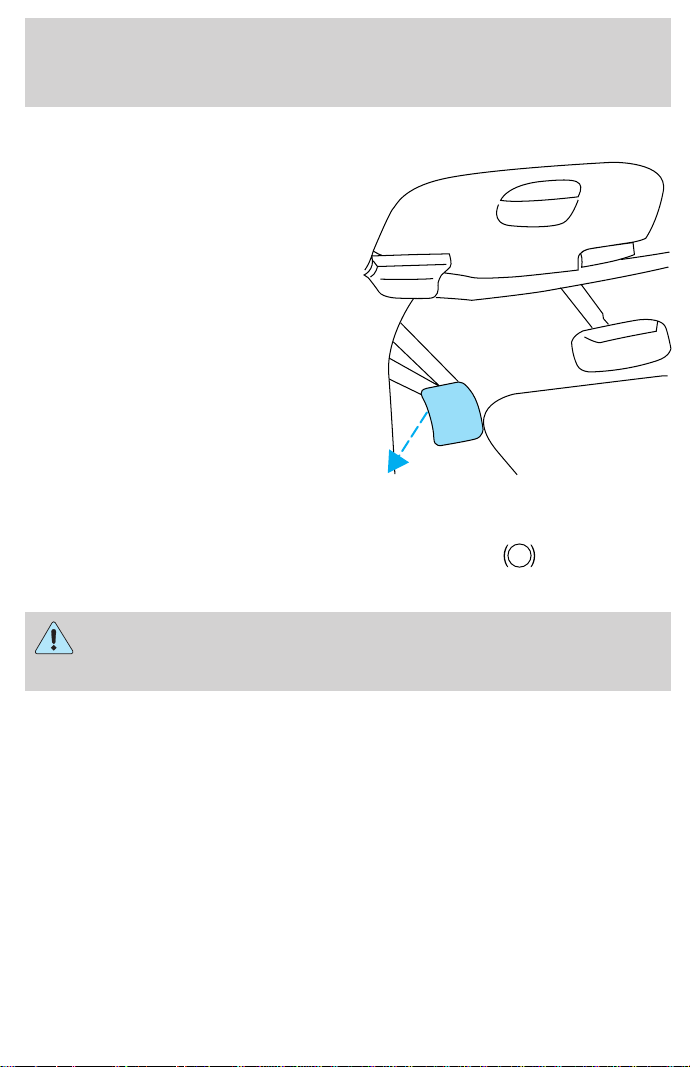
Parking brake
Apply the parking brake whenever
the vehicle is parked. To set the
parking brake, press the parking
brake pedal down until the pedal
stops.
The BRAKE warning lamp in the
instrument cluster illuminates and
remains illuminated (when the
ignition is turned ON) until the
parking brake is released.
Always set the parking brake fully and make sure that the
gearshift is securely latched in P (Park) (automatic
transmission) or in 1 (First) (manual transmission).
The parking brake is not recommended to stop a moving vehicle.
However, if the normal brakes fail, the parking brake can be used to stop
your vehicle in an emergency. Since the parking brake applies only the
rear brakes, the vehicle’s stopping distance will increase greatly and the
handling of your vehicle will be adversely affected.
BRAKE
HOOD
!
BRAKE
Driving
117
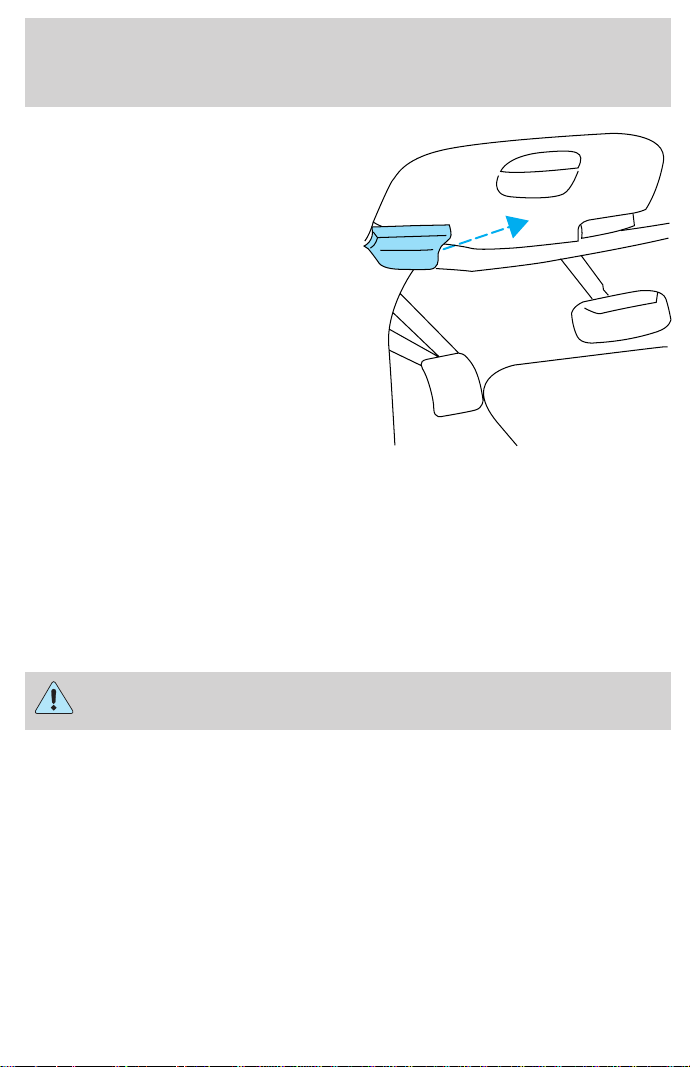
Pull the release lever to release the
brake. Driving with the parking
brake on will cause the brakes to
wear out quickly and reduce fuel
economy.
TRACTION-LOK AXLE (IF EQUIPPED)
This axle provides added traction on slippery surfaces, particularly when
one wheel is on a poor traction surface. Under normal conditions, the
Traction-Lok axle functions like a standard rear axle.
Extended use of other than the manufacturer’s specified size tires on a
Traction-Lok rear axle could result in a permanent reduction in
effectiveness. This loss of effectiveness does not affect normal driving
and should not be noticeable to the driver.
To avoid injury, never run the engine with one wheel off the
ground, such as when changing a tire.
STEERING
Your vehicle is equipped with power steering. Power steering uses energy
from the engine to help steer the vehicle.
To prevent damage to the power steering pump:
• Never hold the steering wheel to the extreme right or the extreme left
for more than a few seconds when the engine is running.
• Do not operate the vehicle with a low power steering pump fluid level.
If the power steering system breaks down (or if the engine is turned
off), you can steer the vehicle manually, but it takes more effort.
BRAKE
HOOD
Driving
118
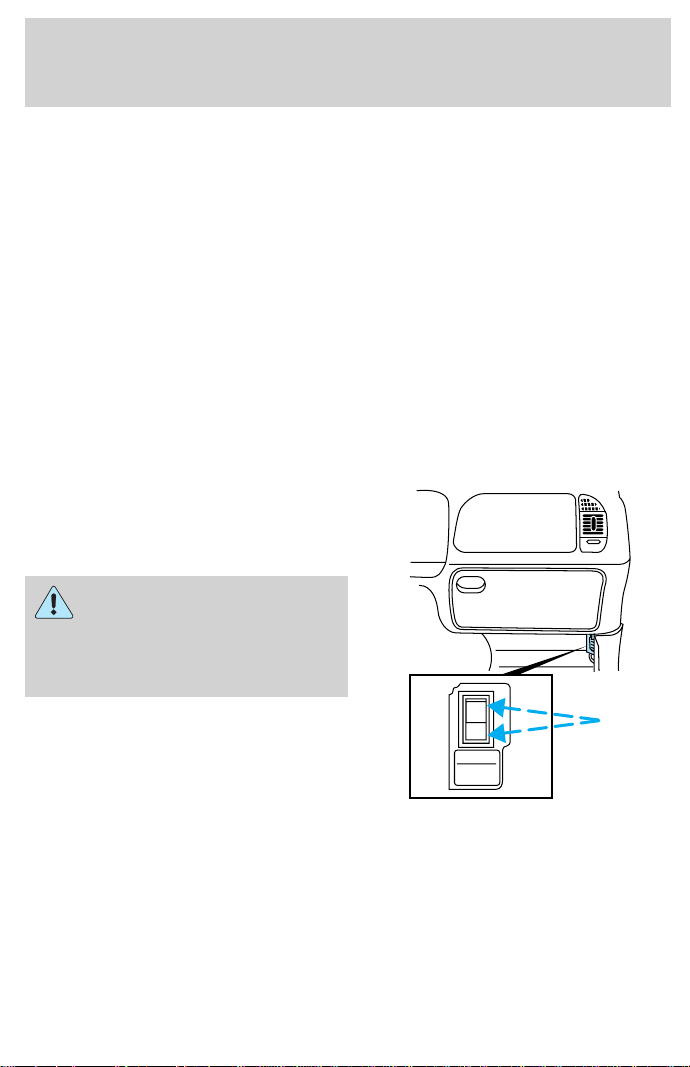
If the steering wanders or pulls, the condition could be caused by any of
the following:
• underinflated tire(s) on any wheel(s)
• high crown in center of road
• high crosswinds
• wheels out of alignment
• loose or worn components in steering linkage
AIR SUSPENSION SYSTEM (IF EQUIPPED)
The air suspension system is designed to improve ride, handling and
general vehicle performance for static, on and off-road driving conditions.
• The load leveling feature of the air suspension automatically keeps the
vehicle at a constant level if a load is added or removed from the
vehicle.
The air suspension shut-off switch is
located behind an access panel
underneath the passenger side
instrument panel.
On vehicles equipped with
Air Suspension, turn OFF
the Air Suspension switch prior to
jacking, hoisting or towing your
vehicle.
Normal vehicle operation does not
require any action by the driver.
Check air suspension light
The warning and indicator light CK SUSP illuminates when the air
suspension switch is turned off or an air suspension system fault has
been detected.
If the light is displayed while driving and the air suspension system
switch is not turned off, safely pull off the road at your earliest
convenience. Turn the ignition switch from 4 (On) to 3 (Off) and 4 (On)
AIR SUSPENSION
SWITCH
INTERRUPTEUR DE
LA SUSPENSION
PNEUMATIQUE
OFF
Driving
119

again. If the warning light reappears, turn the air suspension switch off
and have the vehicle serviced by a dealer or qualified service technician.
If the vehicle is loaded beyond the recommended maximum payload, the
CK SUSP light may illuminate. To correct this condition, remove or
redistribute the payload according to the recommended requirements
and follow the procedure outlined above.
AUTOMATIC TRANSMISSION OPERATION (IF EQUIPPED)
Brake-shift interlock
This vehicle is equipped with a brake-shift interlock feature that prevents
the gearshift from being moved from P (Park) unless the brake pedal is
depressed.
If you cannot move the gearshift out of P (Park) with the brake pedal
depressed:
1. Apply the parking brake, turn ignition key to LOCK, then remove the
key.
2. Insert the key and turn it to OFF. Apply the brake pedal and shift to N
(Neutral).
3. Start the vehicle.
If it is necessary to use the above procedure to move the gearshift, it is
possible that a fuse has blown or the vehicle’s brakelamps are not
operating properly. Refer to Fuses and relays in the Roadside
emergencies chapter.
Do not drive your vehicle until you verify that the brakelamps
are working.
If your vehicle gets stuck in mud or snow it may be rocked out by
shifting from forward and reverse gears, stopping between shifts, in a
steady pattern. Press lightly on the accelerator in each gear.
Do not rock the vehicle for more than a few minutes. The
transmission and tires may be damaged or the engine may
overheat.
Always set the parking brake fully and make sure the gearshift is
latched in P (Park). Turn off the ignition whenever you leave
your vehicle.
Driving
120
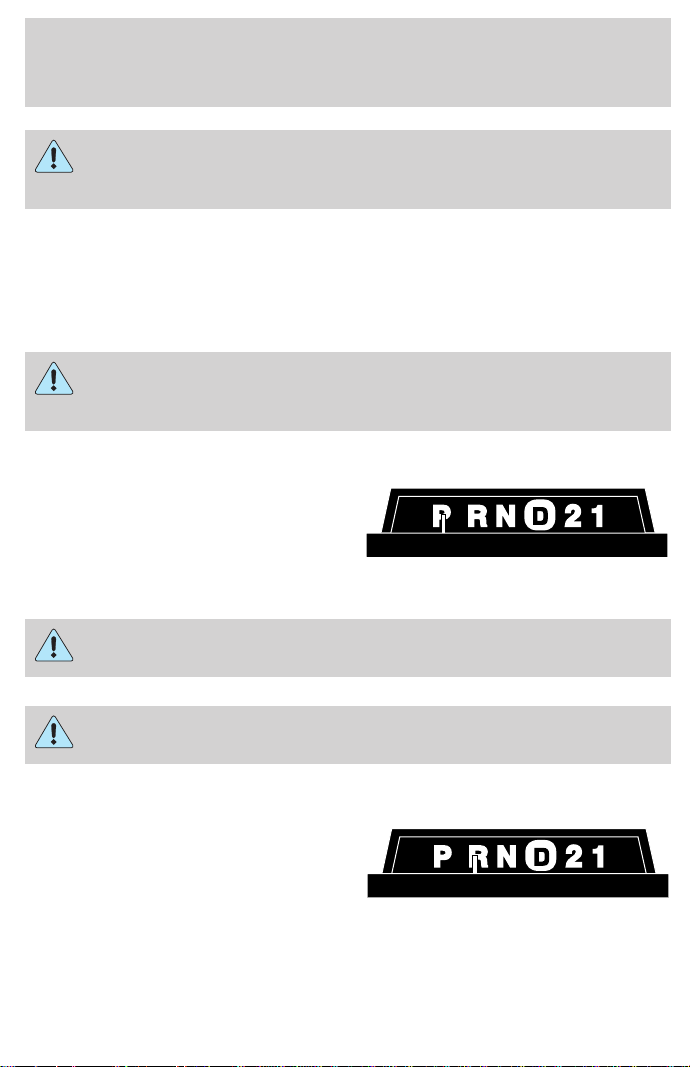
If the parking brake is fully released, but the brake warning lamp
remains illuminated, the brakes may not be working properly.
See your dealer or a qualified service technician.
Driving with a 4–speed automatic transmission
Understanding gearshift positions
Pull the gearshift lever towards you and downward to move the
automatic gearshift.
Hold the brake pedal down while you move the gearshift lever
from P (Park) to another position. If you do not hold the brake
pedal down, your vehicle may move unexpectedly and injure someone.
P (Park)
Always come to a complete stop
before shifting into P (Park). Make
sure the gearshift is securely latched
in P (Park). This position locks the
transmission and prevents the rear
wheels from turning.
Always set the parking brake fully and make sure the gearshift is
securely latched in P (Park).
Never leave your vehicle unattended while it is running.
R (Reverse)
With the gearshift in R (Reverse),
the vehicle will move backward.
Always come to a complete stop
before shifting into and out of R
(Reverse).
Driving
121
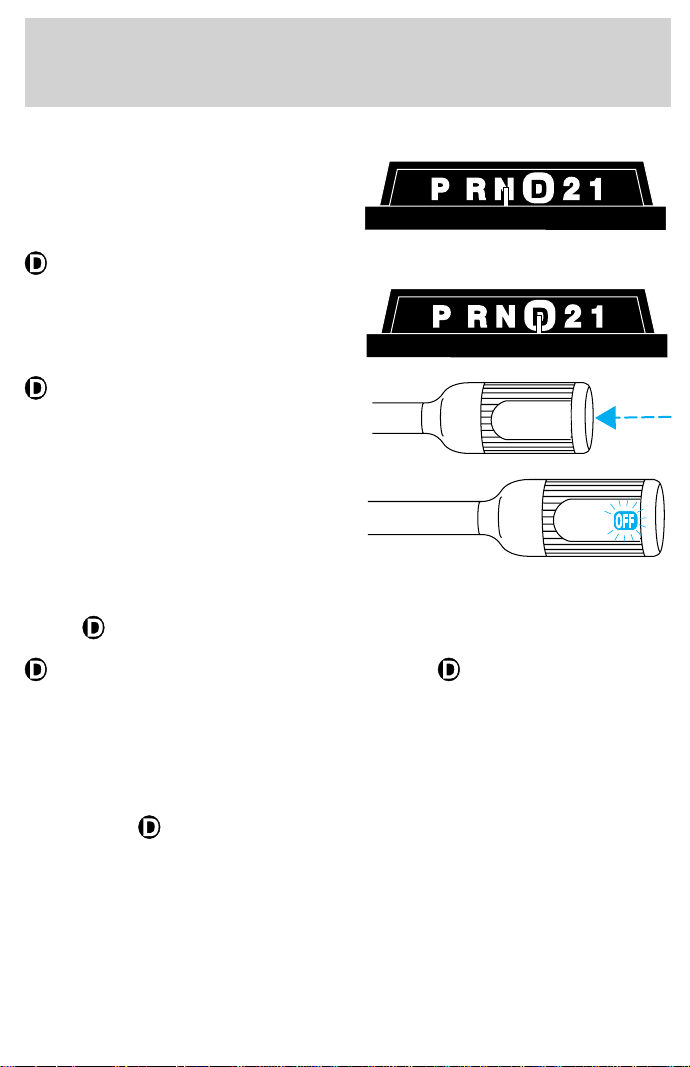
N (Neutral)
With the gearshift in N (Neutral),
the vehicle can be started and is
free to roll. Hold the brake pedal
down while in this gear.
(Overdrive)
The normal driving position for the
best fuel economy. Transmission
operates in gears one through four.
(Overdrive) can be deactivated
by pressing the Transmission
Control Switch (TCS) on the end of
the gearshift lever.
The transmission control indicator
light (TCIL) (the word OFF) on the
end of the gearshift lever will
illuminate.
Drive – Not shown on the display. Activate by pressing the Transmission
Control Switch (TCS) on the end of the gearshift lever with the gearshift
in the
position. The TCIL (the word OFF) will illuminate on the
gearshift lever. Transmission operates in gears one through three.
(Drive) provides more engine braking than (Overdrive) and is
useful when:
• driving with a heavy load.
• towing a trailer up or down steep hills.
• additional engine downhill braking is desired. If towing a trailer, refer
to Driving while you tow in the Trailer towing section.
To return to
(Overdrive) mode, press the Transmission Control
Switch (TCS). The TCIL (the word OFF) will no longer be illuminated.
Each time the vehicle is started, the transmission will automatically
return to normal overdrive mode.
Every time the vehicle is shut off and restarted, you must press the
transmission control switch to cancel overdrive operation if driving in
overdrive is not desired.
OVERDRIVE OFF
OVERDRIVE
Driving
122
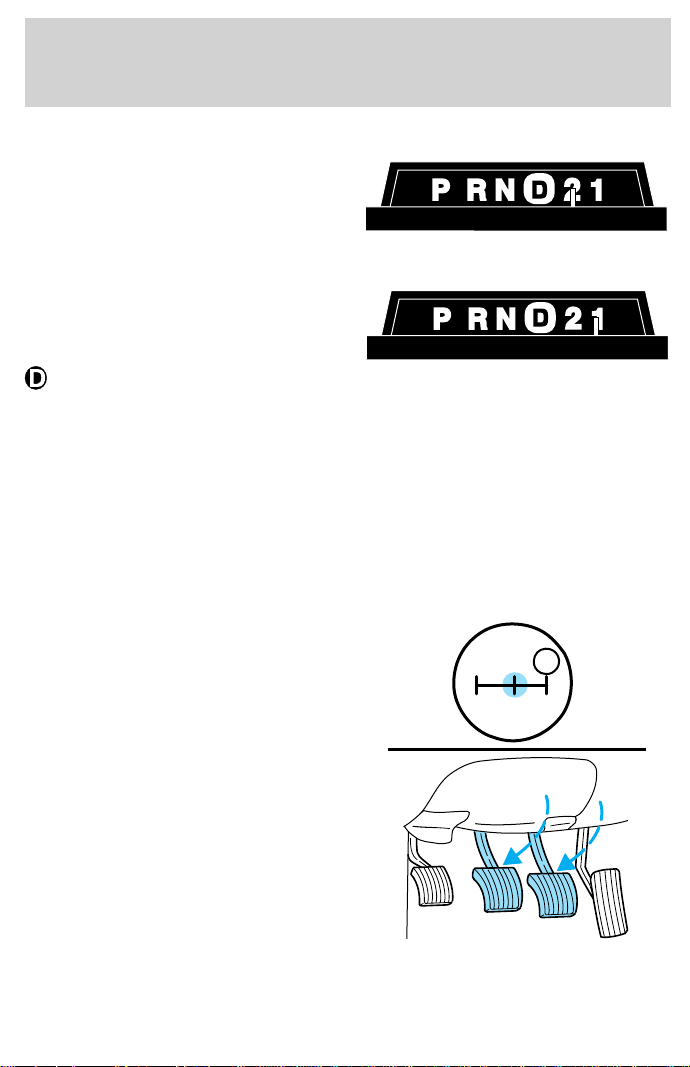
2 (Second)
Use 2 (Second) to start-up on
slippery roads or to provide
additional engine braking on
downgrades.
1 (First)
Use 1 (Low) to provide maximum
engine braking on steep
downgrades. Upshifts can be made
by shifting to 2 (Second) or to
(Overdrive). Selecting 1 (Low)
at higher speeds causes the transmission to shift to a lower gear, and will
shift to 1 (Low) after vehicle decelerates to the proper speed.
MANUAL TRANSMISSION OPERATION (IF EQUIPPED)
Using the clutch
Vehicles equipped with a manual transmission have a starter interlock
that prevents cranking the engine unless the clutch pedal is fully
depressed.
When starting a vehicle with a manual transmission, you must:
1. Put gearshift in N (Neutral).
2. Hold down brake pedal.
3. Depress clutch pedal.
1
24R
3
D
Driving
123
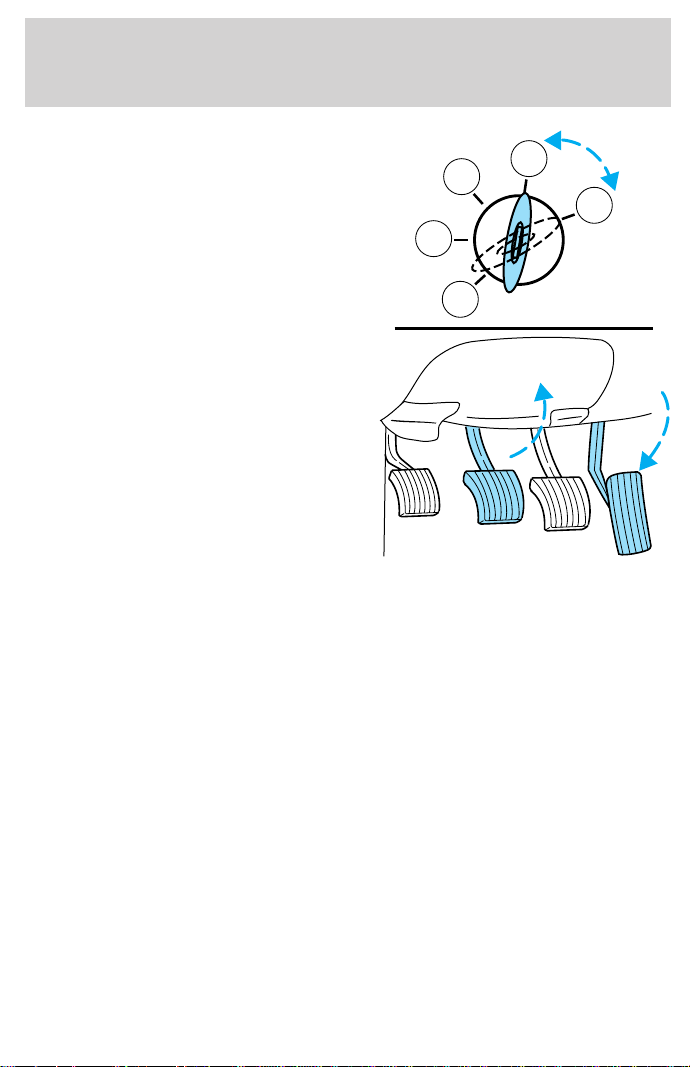
4. Turn ignition to position 5
(START) to start the engine, let the
engine idle for a few seconds, then
shift into gear.
5. Release the brake pedal.
6. Release clutch slowly while
pressing down slowly on the
accelerator pedal.
• Do not drive with your foot resting on the clutch pedal and do not use
the clutch to hold your vehicle at a standstill while waiting on a hill.
These actions will seriously reduce clutch life.
5
4
3
2
1
Driving
124
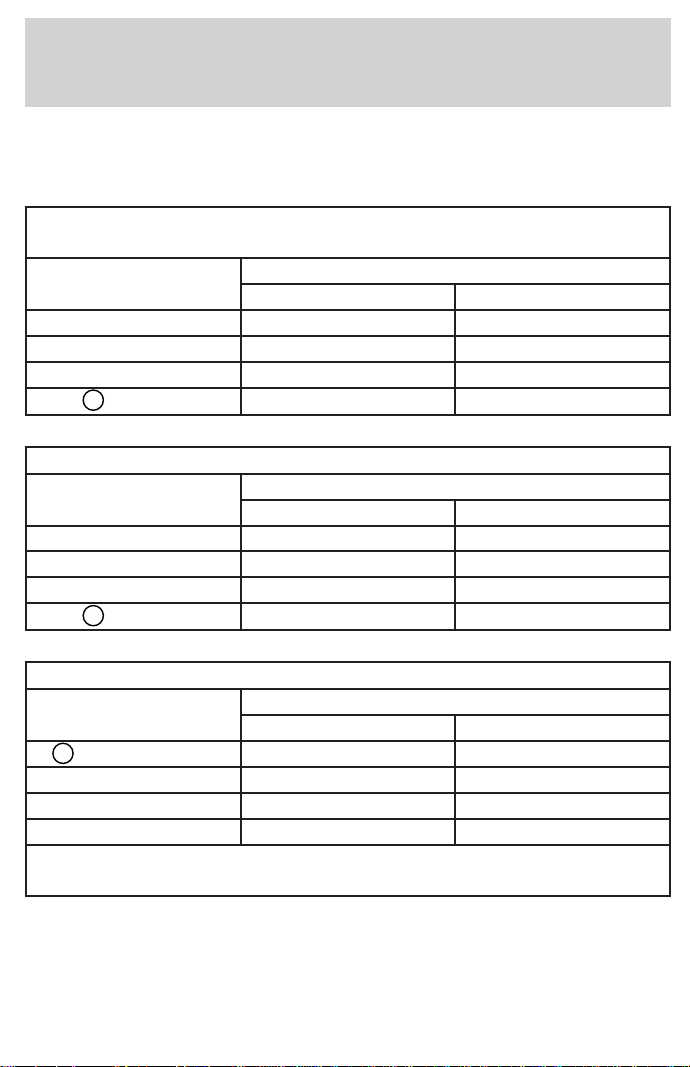
Recommended shift speeds
Upshift and downshift according to the following charts for your specific
engine/drivetrain combination:
Upshifts when accelerating
(recommended for best fuel economy)
Shift from: Transfer case position
1
(if equipped)
2H or 4H 4L
1 - 2 14 km/h (9 mph) 5 km/h (3 mph)
2 - 3 32 km/h (20 mph) 11 km/h (7 mph)
3 - 4 50 km/h (31 mph) 19 km/h (12 mph)
4-
D
(Overdrive) 71 km/h (44 mph) 27 km/h (17 mph)
Upshifts when cruising (recommended for best fuel economy)
Shift from: Transfer case position
1
(if equipped)
2H or 4H 4L
1 - 2 16 km/h (10 mph) 6 km/h (4 mph)
2 - 3 26 km/h (16 mph) 10 km/h (6 mph)
3 - 4 43 km/h (27 mph) 16 km/h (10 mph)
4-
D
(Overdrive) 68 km/h (42 mph) 26 km/h (16 mph)
Maximum downshift speeds
2
Shift from: Transfer case position (if equipped)
1
2H or 4H 4L
D
(Overdrive) - 4 88 km/h (55 mph) 34 km/h (21 mph)
4 - 3 72 km/h (45 mph) 27 km/h (17 mph)
3 - 2 56 km/h (35 mph) 21 km/h (13 mph)
2 - 1 32 km/h (20 mph) 11 km/h (7 mph)
1
Use 2H or 4H for 4WD equipped vehicles.
2
Downshift at lower speeds
when driving on slippery surfaces.
Driving
125
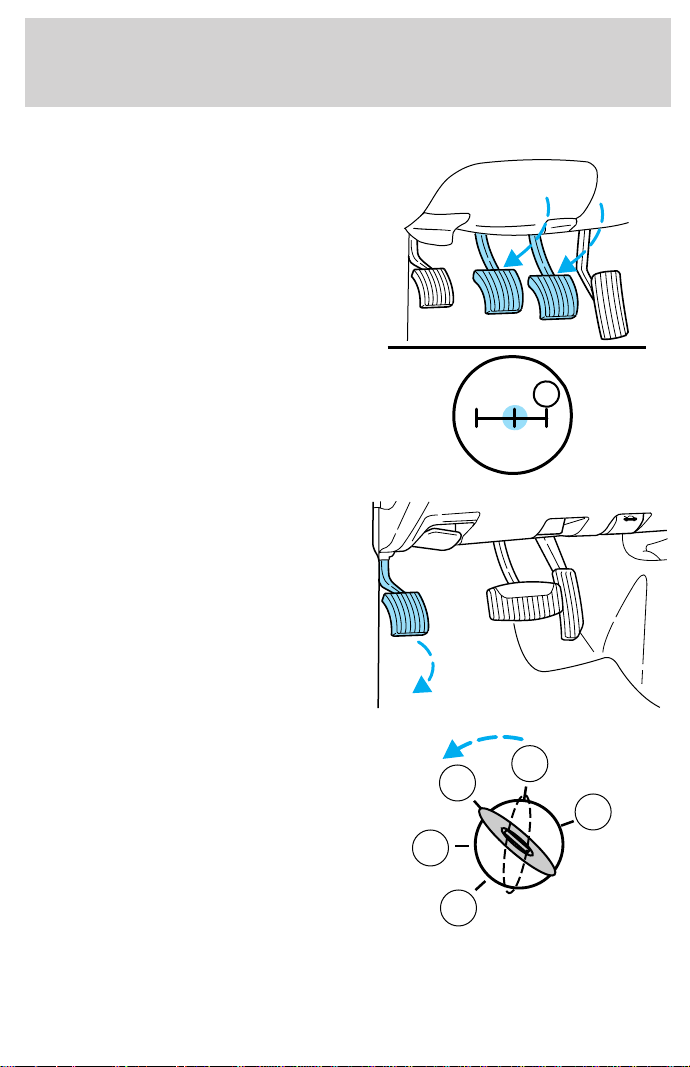
Parking your vehicle
1. Disengage the clutch, apply brake
and shift into N (Neutral).
2. Set parking brake.
3. Shift into 1 (First).
4. Turn the ignition key to position
3 (OFF).
1
24R
3
D
3
2
1
5
4
Driving
126
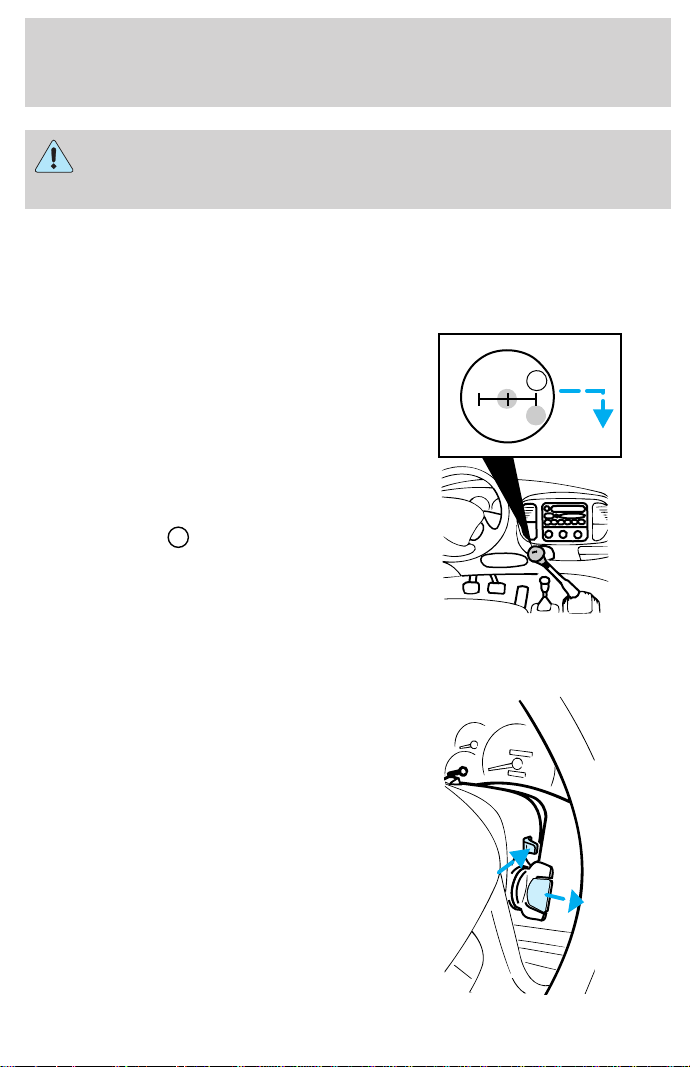
Do not park your vehicle in Neutral, it may move unexpectedly
and injure someone. Use 1 (First) gear and set the parking brake
fully.
Reverse
Make sure that your vehicle is at a complete stop before you shift into
R (Reverse). Failure to do so may damage the transmission.
Put the gearshift in N (Neutral) and
wait at least three seconds before
shifting into R (Reverse).
You can shift into R (Reverse) only
by moving the gearshift from left of
3 (Third) and 4 (Fourth) gears
before you shift into R (Reverse).
This is a special lockout feature that
protects you from accidentally
shifting into R (Reverse) when you
downshift from
D
(Overdrive).
Removing key from ignition
• Turn the ignition key to
position 2.
• Push the release lever forward
and rotate the key towards you
and remove.
13
24R
D
Driving
127

FOUR-WHEEL DRIVE (4WD) OPERATION (IF EQUIPPED)
When Four–wheel drive (4WD) is engaged, power is supplied to all four
wheels through a transfer case. 4WD power can be selected when
additional driving power is desired.
If equipped with the Electronic Shift 4WD System, and the
instrument panel control is moved to 4WD Low while the vehicle
is moving, the system will not engage and no damage will occur to
the 4WD system.
All utility-type vehicles and 4WD vehicles have special design and
equipment features to make them capable of performing in a wide
variety of off-road applications. Specific design characteristics give them
higher centers of gravity than ordinary passenger cars.
Utility and four-wheel drive vehicles are not designed for
cornering at speeds as high as passenger cars any more than
low-slung sports cars are designed to perform satisfactorily under
off-road conditions. Avoid sharp turns or abrupt maneuvers in these
vehicles.
4WD operation is not recommended on dry pavement. Doing so could
result in difficult disengagement of the transfer case, increased tire wear
and decreased fuel economy.
4WD system indicator lights
The 4WD system indicator lights illuminate only under the following
conditions. If these lights illuminate during normal driving, have your
vehicle serviced.
• 4X4 —illuminates when the
ignition is turned on or when 4H
(4WD High) is selected.
• LOW RANGE —illuminates
when the ignition is turned on or
when 4L (4WD Low) is selected.
Using lever-operated 4WD system (if equipped)
2H (2WD High) – Power to rear axle only.
4H (4WD High) – Power to front and rear axles.
4x4
LOW
RANGE
Driving
128
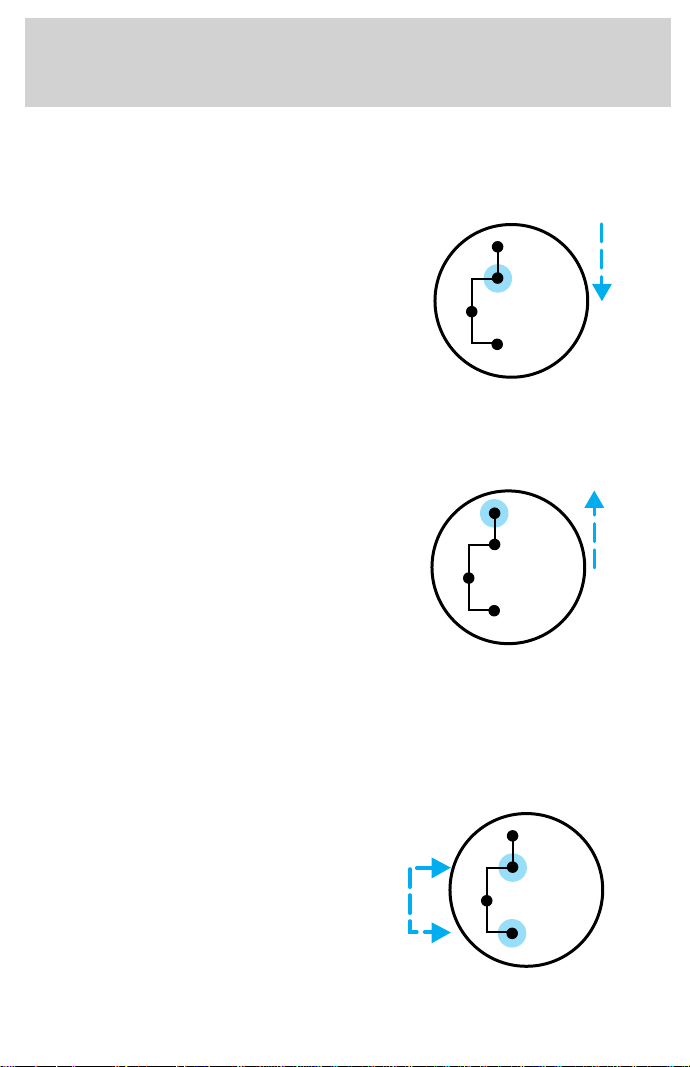
N (Neutral) – No power to either axle.
4L (4WD Low) – Power to front and rear axles at reduced speed.
Shifting from 2H (2WD high) to 4H (4WD high)
Move the transfer case lever to 4H
(4WD High) at a stop or any
forward speed up to 88 km/h
(55 mph).
• At temperatures below 0°C
(32°F), shifts from 2H (2WD
High) to 4H (4WD High) should
not be performed above 72 km/h
(45 mph).
• Do not shift into 4H (4WD High) with the rear wheels slipping.
Shifting from 4H (4WD high) to 2H (2WD high)
Move the transfer case lever to 2H
(2WD High) at a stop or any
forward speed up to 88 km/h
(55 mph).
Shifting from 4H (4WD high) to 4L (4WD low)
1. Bring the vehicle to a complete stop.
2. Depress the brake.
3. Place the gearshift lever in N (Neutral) (automatic transmission) or
depress the clutch (manual transmission).
4. Move the transfer case shift lever
through N (Neutral) directly to 4L
(4WD Low).
2H
4H
4L
N
2H
4H
4L
N
2H
4H
4L
N
Driving
129
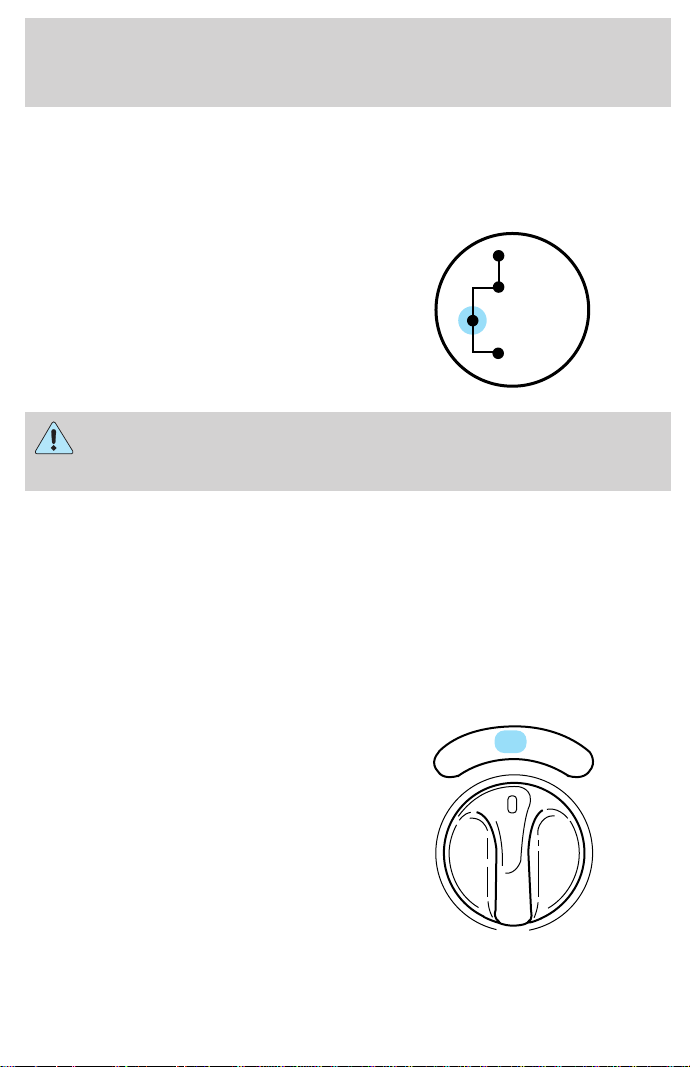
Using the N (Neutral) position
The transfer case neutral position overrides the transmission and
puts the vehicle in neutral regardless of transmission gearshift
lever position. The vehicle can move forward or backwards.
This position should only be used
when towing the vehicle. Refer to
Wrecker towing in the Roadside
emergencies chapter.
Do not leave the vehicle unattended with the transfer case in the
N (Neutral) position. Always set the parking brake fully and turn
off the ignition when leaving the vehicle.
Using the electronic shift 4WD system (if equipped)
Positions of the electronic shift system
2H (2WD High) – Power to rear axle only.
4H (4WD High) – Power delivered to front and rear axles for increased
traction.
4L (4WD Low) – Power to front and rear axles at low speeds.
Shifting from 2H (2WD high) to 4H (4WD high)
Move the 4WD control to the 4H at
a stop or up to 88 km/h (55 mph).
At temperatures below 0°C (32°F),
shifts from 2H to 4H should not be
performed above 72 km/h (45 mph).
• Do not shift into 4H with the rear
wheels slipping.
2H
4H
4L
N
4H
2H
4L
Driving
130
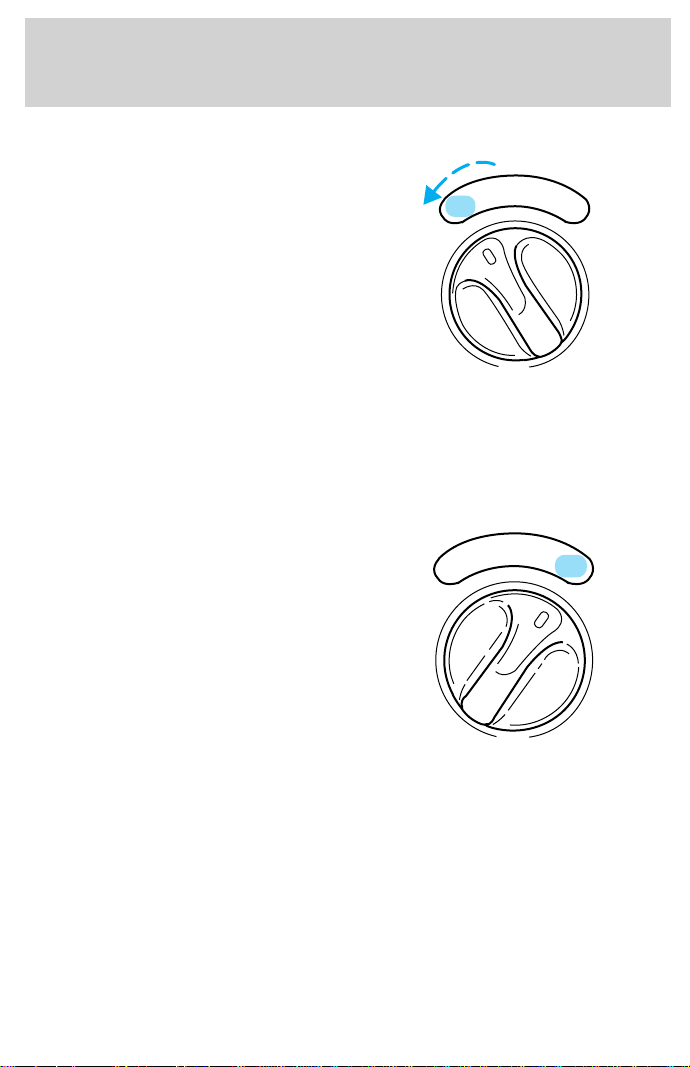
Shifting from 4H (4WD high) to 2H (2WD high)
Move the 4WD control to 2H at any
forward speed.
Shifting between 4H (4WD high) and 4L (4WD low)
1. Bring the vehicle to a stop.
2. Depress the brake.
3. Place the gearshift in N (Neutral) (automatic transmission) or depress
the clutch (manual transmission).
4. Move the 4WD control to the 4H
or 4L position.
Driving off-road with 4WD
Your vehicle is specially equipped for driving on sand, snow, mud and
rough terrain and has operating characteristics that are somewhat
different from conventional vehicles, both on and off the road.
Maintain steering wheel control at all times, especially in rough terrain.
Since sudden changes in terrain can result in abrupt steering wheel
motion, make sure you grip the steering wheel from the outside. Do not
grip the spokes.
Drive cautiously to avoid vehicle damage from concealed objects such as
rocks and stumps.
4H
2H
4L
4H
2H
4L
Driving
131

You should either know the terrain or examine maps of the area before
driving. Map out your route before driving in the area. For more
information on driving off-road, read the “Four Wheeling” supplement in
your owner’s portfolio.
If your vehicle gets stuck
If the vehicle is stuck it may be rocked out by shifting from forward and
reverse gears, stopping between shifts, in a steady pattern. Press lightly
on the accelerator in each gear.
Do not rock the vehicle for more than a few minutes. The
transmission and tires may be damaged or the engine can
overheat.
Do not spin the wheels at over 56 km/h (35 mph). The tires may
fail and injure a passenger or bystander.
Sand
When driving over sand, try to keep all four wheels on the most solid
area of the trail. Do not reduce the tire pressures but shift to a lower
gear and drive steadily through the terrain. Apply the accelerator slowly
and avoid spinning the wheels.
Mud and water
If you must drive through high water, drive slowly. Traction or brake
capability may be limited.
When driving through water, determine the depth; avoid water higher
than the bottom of the hubs (if possible) and proceed slowly. If the
ignition system gets wet, the vehicle may stall.
Once through water, always try the brakes. Wet brakes do not stop the
vehicle as effectively as dry brakes. Drying can be improved by moving
your vehicle slowly while applying light pressure on the brake pedal.
After driving through mud, clean off residue stuck to rotating driveshafts,
halfshafts and tires. Excess mud stuck on tires and rotating driveshafts
causes an imbalance that could damage drive components.
If the transmission, transfer case or front axle are submerged in water,
their fluids should be checked and changed, if necessary.
Water intrusion into the transmission may damage the
transmission.
Driving
132

Replace rear axle lubricant any time the axle has been submerged in
water. The rear axle does not normally require a lubricant change for the
life of the vehicle. Rear axle lubricant quantities are not to be checked or
changed unless a leak is suspected or repair is required.
Driving on hilly or sloping terrain
When driving on a hill, avoid driving crosswise or turning on steep
slopes. You could lose traction and slip sideways. Drive straight up,
straight down or avoid the hill completely. Know the conditions on the
other side of a hill before driving over the crest.
When climbing a steep hill, start in a lower gear rather than downshifting
to a lower gear from a higher gear once the ascent has started. This
reduces strain on the engine and the possibility of stalling.
When descending a steep hill, avoid sudden braking. Shift to a lower gear
when added engine braking is desired.
When speed control is on and you are driving uphill, your vehicle speed
may drop considerably, especially if you are carrying a heavy load.
If vehicle speed drops more than 16 km/h (10 mph), the speed control
will cancel automatically. Resume speed with accelerator pedal.
If speed control cancels after climbing the hill, reset speed by pressing
and holding the SET ACCEL button to resume speeds over 50 km/h
(30 mph).
Automatic transmissions may shift frequently while driving up steep
grades. Eliminate frequent shifting by shifting out of
(Overdrive) into
a lower gear.
Driving on snow and ice
A 4WD vehicle has advantages over 2WD vehicles in snow and ice but
can skid like any other vehicle.
Avoid sudden applications of power and quick changes of direction on
snow and ice. Apply the accelerator slowly and steadily when starting
from a full stop.
When braking, apply the brakes as you normally would. In order to allow
the anti-lock brake system (ABS) to operate properly, keep steady
pressure on the brake pedal.
Allow more stopping distance and drive slower than usual. Consider
using one of the lower gears.
Driving
133

VEHICLE LOADING
Before loading a vehicle, familiarize yourself with the following terms:
• Base Curb Weight : Weight of the vehicle including any standard
equipment, fluids, lubricants, etc. It does not include passengers or
aftermarket equipment.
• Payload : Combined maximum allowable weight of cargo, passengers
and optional equipment. The payload equals the gross vehicle weight
rating minus base curb weight.
• GVW (Gross Vehicle Weight) : Base curb weight plus payload
weight. The GVW is not a limit or a specification.
• GVWR (Gross Vehicle Weight Rating) : Maximum total weight of
the base vehicle, passengers, optional equipment and cargo. The
GVWR is specific to each vehicle and is listed on the Safety
Compliance Label on the driver’s door pillar.
• GAWR (Gross Axle Weight Rating) : Carrying capacity for each
axle system. The GAWR is specific to each vehicle and is listed on the
Safety Compliance Label on the driver’s door pillar.
• GCW (Gross Combined Weight) : The combined weight of the
towing vehicle (including passengers and cargo) and the trailer.
• GCWR (Gross Combined Weight Rating) : Maximum combined
weight of towing vehicle (including passengers and cargo) and the
trailer. The GCWR indicates the maximum loaded weight that the
vehicle is designed to tow.
• Maximum Trailer Weight Rating : Maximum weight of a trailer the
vehicle is permitted to tow. The maximum trailer weight rating is
determined by subtracting the vehicle curb weight for each
engine/transmission combination, any required option weight for trailer
towing and the weight of the driver from the GCWR for the towing
vehicle.
• Maximum Trailer Weight : maximum weight of a trailer the loaded
vehicle (including passengers and cargo) is permitted to tow. It is
determined by subtracting the weight of the loaded trailer towing
vehicle from the GCWR for the towing vehicle.
• Trailer Weight Range : Specified weight range that the trailer must
fall within that ranges from zero to the maximum trailer weight rating.
Remember to figure in the tongue load of your loaded trailer when
figuring the total weight.
Driving
134

Do not exceed the GVWR or the GAWR specified on the Safety
Compliance Certification Label.
Do not use replacement tires with lower load carrying capacities than the
originals because they may lower the vehicle’s GVWR and GAWR
limitations. Replacement tires with a higher limit than the originals do
not increase the GVWR and GAWR limitations.
The Certification Label, found on the inside pillar of the driver’s door,
lists several important vehicle weight rating limitations. Before adding
any additional equipment, refer to these limitations. If you are adding
weight to the front of your vehicle, (potentially including weight added
to the cab), the weight added should not exceed the Front Axle Reserve
Capacity (FARC). Additional frontal weight may be added to the front
axle reserve capacity provided you limit your payload in other ways (i.e.
restrict the number of passengers or amount of cargo carried).
You may add equipment throughout your vehicle if the total weight
added is equal to or less than the Total Axle Reserve Capacity (TARC)
weight. You should NEVER exceed the Total Axle Reserve Capacity.
Always ensure that the weight of passengers, cargo and equipment being
carried is within the weight limitations that have been established for
your vehicle including both Gross Vehicle Weight and Front and Rear
Gross Axle Weight Rating limits. Under no circumstance should these
limitations be exceeded. Exceeding any vehicle weight rating limitation
could result in serious damage to the vehicle and/or personal injury.
Calculating the load your vehicle can carry/tow
1. Use the appropriate maximum gross combined weight rating (GCWR)
chart to find the maximum GCWR for your type engine and rear axle
ratio.
2. Weigh your vehicle as you customarily operate the vehicle without
cargo. To obtain correct weights, try taking your vehicle to a shipping
company or an inspection station for trucks.
3. Subtract your loaded vehicle weight from the maximum GCWR on the
following charts. This is the maximum trailer weight your vehicle can tow
and must fall below the maximum shown under maximum trailer weight
on the chart.
Driving
135
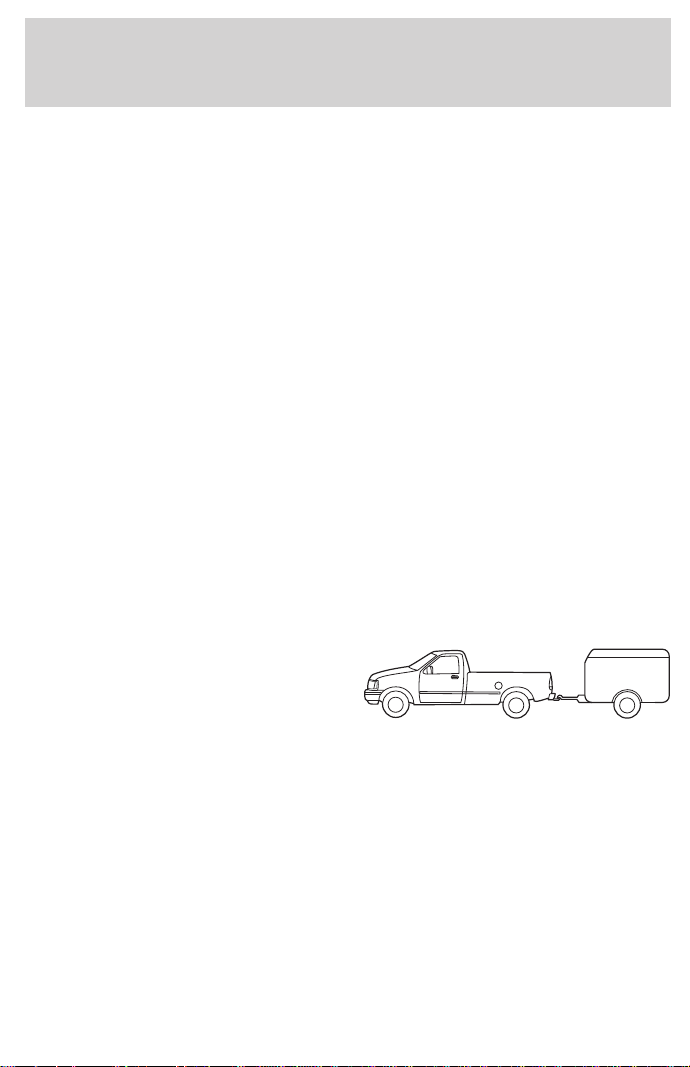
DRIVING THROUGH WATER
Do not drive quickly through standing water, especially if the depth is
unknown. Traction or brake capability may be limited and if the ignition
system gets wet, your engine may stall. Water may also enter your
engine’s air intake and severely damage your engine.
If driving through deep or standing water is unavoidable, proceed very
slowly. Never drive through water that is higher than the bottom of the
hubs.
Once through the water, always try the brakes. Wet brakes do not stop
the vehicle as effectively as dry brakes. Drying can be improved by
moving your vehicle slowly while applying light pressure on the brake
pedal.
Driving through deep water where the transmission is submerged
may allow water into the transmission and cause internal
transmission damage.
TOWING A TRAILER
Your vehicle may tow a class I, II or
III trailer provided the maximum
trailer weight is less than or equal to
the maximum trailer weight listed
for your engine and rear axle ratio
on the following charts.
Your vehicle’s load capacity is designated by weight, not by volume, so
you cannot necessarily use all available space when loading a vehicle.
Towing a trailer places an additional load on your vehicle’s engine,
transmission, axle, brakes, tires and suspension. Inspect these
components carefully after any towing operation.
Driving
136
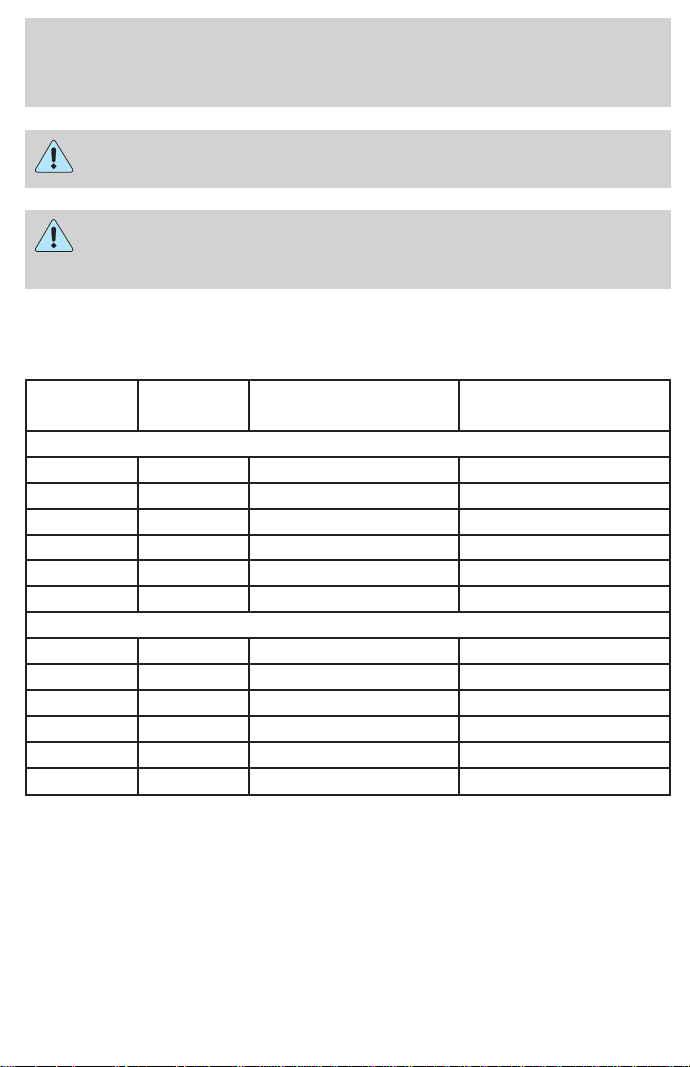
Do not exceed the GVWR or the GAWR specified on the Safety
Compliance Certification Label.
Towing trailers beyond the maximum recommended gross trailer
weight could result in engine damage, transmission/axle damage,
structural damage, loss of control, and personal injury.
Trailer towing tables
F-150 4x2 with automatic transmission
Engine Rear axle
ratio
Maximum GCWR-
kg (lbs.)
Maximum trailer
weight-kg (lbs.)
Regular Cab
4.2L 3.31 4 077 (9 000) 2 177 (4 800)
4.2L 3.55 4 530 (10 000) 2 582 (5 800)
4.6L 3.08 4 530 (10 000) 2 535 (5 600)
4.6L 3.55 5 209 (11 500) 3 261 (7 200)
5.4L 3.08 4 983 (11 000) 2 988 (6 600)
5.4L 3.55 5 753 (12 700) 3 757 (8 300)
SuperCab
4.2L 3.31 4 077 (9 000) 2 086 (4 600)
4.2L 3.55 4 530 (10 000) 2 540 (5 600)
4.6L 3.08 4 530 (10 000) 2 491 (5 500)
4.6L 3.55 5 209 (11 500) 3 171 (7 000)
5.4L 3.08 4 983 (11 000) 2 857 (6 300)
5.4L 3.55 4 983 (12 700) 3 628 (8 000)
Driving
137
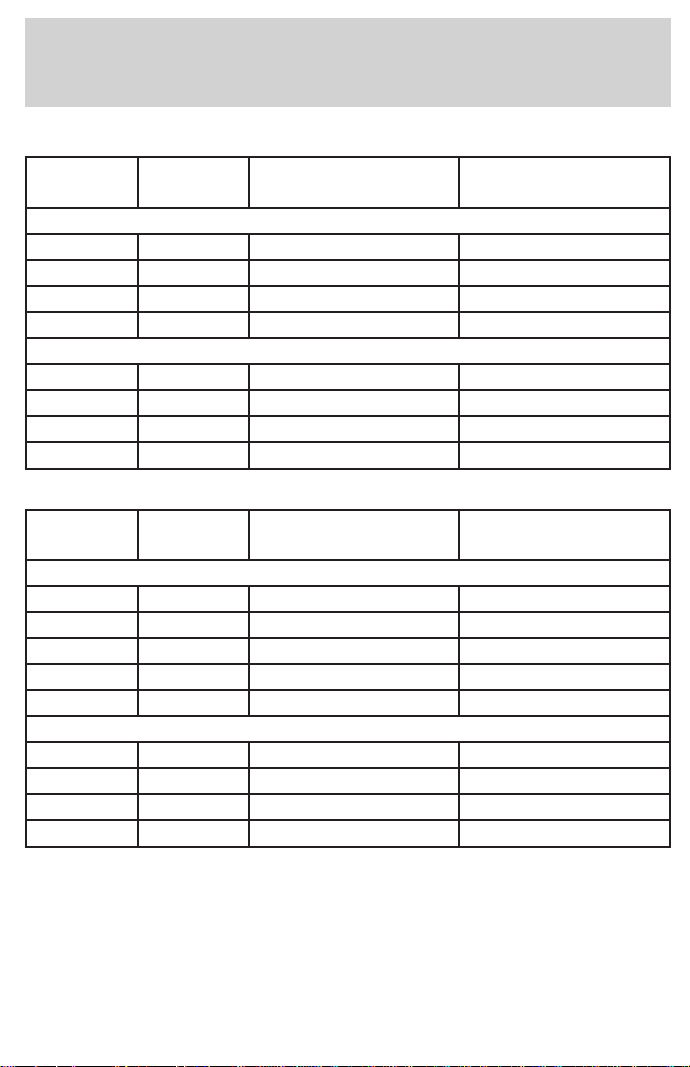
F-150 4x2 manual transmission
Engine Rear axle
ratio
Maximum GCWR-
kg (lbs.)
Maximum trailer
weight-kg (lbs.)
Regular Cab F-150
4.2L 3.08 2 944 (6 500) 1 132 (2 500)
4.2L 3.55 3 533 (7 800) 1 630 (3 600)
4.6L 3.08 2 944 (6 500) 1 041 (2 300)
4.6L 3.55 3 533 (7 800) 1 587 (3 500)
SuperCab F-150
4.2L 3.08 2 944 (6 500) 951 (2 100)
4.2L 3.55 3 533 (7 800) 1 540 (3 400)
4.6L 3.08 2 944 (6 500) 907 (2 000)
4.6L 3.55 3 533 (7 800) 1496 (3 300)
F-150 4x4 automatic transmission
Engine Rear axle
ratio
Maximum GCWR-
kg (lbs.)
Maximum trailer
weight-kg (lbs.)
Regular Cab F-150
4.2L 3.55 4 530 (10 000) 2 449 (5 400)
4.6L 3.55/16 in 5 209 (11 500) 3 084 (6 800)
4.6L 3.55/17 in 4 983 (11 000) 2 852 (6 300)
5.4L 3.55/16 in 5 753 (12 700) 3 576 (7 900)
5.4L 3.55/17 in 5 753 (12 700) 3 531 (7 800)
SuperCab F-150
4.6L 3.55/16 in 5 209 (11 500) 2 993 (6 600)
4.6L 3.55/17 in 4 983 (11 000) 2 761 (6 100)
5.4L 3.55/16 in 5 753 (12 700) 3 492 (7 700)
5.4L 3.73/17 in 5 753 (12 700) 3 492 (7 700)
Driving
138
F-150 4x4 manual transmission
Trailer towing table (F-150 4x4 manual transmission)
Engine Rear axle
ratio
Maximum GCWR-
kg (lbs.)
Maximum trailer
weight-kg (lbs.)
Regular Cab F-150
4.2L 3.31 2 944 (6 500) 861 (1 900)
4.2L 3.55 3 533 (7 800) 1 451 (3 200)
4.6L 3.08 2 944 (6 500) 816 (1 800)
4.6L 3.55 3 533 (7 800) 1 406 (3 100)
SuperCab F-150
4.6L 3.08 2 944 (6 500) 771 (1 700)
4.6L 3.55 3 533 (7 800) 1 360 (3 000)
F-250 4x2 automatic transmission
Engine Rear axle
ratio
Maximum GCWR-
kg (lbs.)
Maximum trailer
weight-kg (lbs.)
Regular Cab F-250
4.6L 3.31 4 756 (10 500) 2 671 (5 900)
4.6L 3.73 5 436 (12 000) 3 350 (7 400)
5.4L 3.31 5 436 (12 000) 3 305 (7 300)
5.4L 3.73 6 115 (13 500) 3 938 (8 700)
SuperCab F-250
4.6L 3.31 4 756 (10 500) 2 625 (5 800)
4.6L 3.73 5 436 (12 000) 3 305 (7 300)
5.4L 3.31 5 436 (12 000) 3 259 (7 200)
5.4L 3.73 6 115 (13 500) 3 938 (8 700)
Driving
139

F-250 4x2 manual transmission
Engine Rear axle
ratio
Maximum GCWR-
kg (lbs.)
Maximum trailer
weight-kg (lbs.)
Regular Cab F-250
4.6L 3.31 3 261 (7 200) 1 179 (2 600)
4.6L 3.73 3 533 (7 800) 1 451 (3 200)
SuperCab F-250
4.6L 3.31 3 261 (7 200) 1 133 (2 500)
4.6L 3.73 3 533 (7 800) 1 406 (3 100)
F-250 4x4 automatic transmission
Engine Rear axle
ratio
Maximum GCWR-
kg (lbs.)
Maximum trailer
weight-kg (lbs.)
Regular Cab F-250
4.6L 3.31 4 756 (10 500) 2 490 (5 500)
4.6L 3.73 5 436 (12 000) 3 169 (7 000)
5.4L 3.31 5 436 (12 000) 3 124 (6 900)
5.4L 3.73 6 115 (13 500) 3 803 (8 400)
SuperCab F-250
4.6L 3.31 4 756 (10 500) 2 449 (5 400)
4.6L 3.73 5 436 (12 000) 3 129 (6 900)
5.4L 3.31 5 436 (12 000) 3 084 (6 800)
5.4L 3.73 6 115 (13 500) 3 764 (8 300)
F-250 4x4 manual transmission
Engine Rear axle
ratio
Maximum GCWR-
kg (lbs.)
Maximum trailer
weight-kg (lbs.)
Regular Cab F-250
4.6L 3.31 3 261 (7 200) 996 (2 200)
4.6L 3.73 3 533 (7 800) 1 224 (2 700)
SuperCab F-250
4.6L 3.31 3 261 (7 200) 952 (2 100)
4.6L 3.73 3 533 (7 800) 1 224 (2 700)
Driving
140

Trailer frontal area considerations:
• Not to exceed towing vehicle front area without Class III trailer towing
package
• Not to exceed 5.52 square meters (60 square feet) with Class III
trailer towing package
Preparing to tow
Use the proper equipment for towing a trailer, and make sure it is
properly attached to your vehicle. See your dealer or a reliable trailer
dealer if you require assistance.
Hitches
Do not use hitches that clamp onto the vehicle’s bumper or attach to the
axle. You must distribute the load in your trailer so that 10% of the total
weight of the trailer is on the tongue.
Load equalizing hitch
When hooking up a trailer using a load equalizing hitch, always use the
following procedure:
1. Park the unloaded vehicle on a level surface. With the ignition on and
all doors closed, allow the vehicle to stand for several minutes so that it
can level.
2. Turn the air suspension (if equipped) control to OFF.
3. Measure the height of a reference point on the front and rear bumpers
at the center of the vehicle.
4. Attach the trailer to the vehicle and adjust the hitch equalizers so that
the front bumper height is within 0–13 mm (0.5 in) of the reference
point. After proper adjustment, the rear bumper should be no higher
than in Step 3.
5. Turn the air suspension (if equipped) control to ON.
Adjusting an equalizing hitch so the rear bumper of the vehicle
is lower or higher than it was unloaded will defeat the function
of the load equalizing hitch and may cause unpredictable handling.
Driving
141

Safety chains
Always connect the trailer’s safety chains to the vehicle. To connect the
trailer’s safety chains, cross the chains under the trailer tongue and allow
slack for turning corners.
If you use a rental trailer, follow the instructions that the rental agency
gives to you.
Do not attach safety chains to the bumper.
Trailer brakes
Electric brakes and manual, automatic or surge-type brakes are safe if
installed properly and adjusted to the manufacturer’s specifications. The
trailer brakes must meet local and Federal regulations.
Do not connect a trailer’s hydraulic brake system directly to your
vehicle’s brake system. Your vehicle may not have enough
braking power and your chances of having a collision greatly increase.
The braking system of the tow vehicle is rated for operation at the
GVWR not GCWR.
Trailer lamps
Trailer lamps are required on most towed vehicles. Make sure your
trailer lamps conform to local and Federal regulations. See your dealer or
trailer rental agency for proper instructions and equipment for hooking
up trailer lamps.
Using a step bumper
The rear bumper is equipped with an integral hitch and requires only a
ball with a 25.4 mm (one inch) shank diameter. The bumper hasa2270
kg (5 000 lb.) trailer weight and 227 kg (500 lb.) tongue weight
capability.
If it is necessary to relocate the trailer hitch ball position, a
frame-mounted trailer hitch must be installed.
Driving while you tow
Do not drive faster than 88 km/h (55 mph) when towing a trailer.
Speed control may shut off if you are towing on long, steep grades.
Driving
142

When towing a trailer:
• Use a lower gear when towing up or down steep hills. This will
eliminate excessive downshifting and upshifting for optimum fuel
economy and transmission cooling.
• Anticipate stops and brake gradually.
Exceeding the GCWR rating may cause internal transmission
damage and void your warranty coverage.
Servicing after towing
If you tow a trailer for long distances, your vehicle will require more
frequent service intervals. Refer to your Scheduled Maintenance guide
for more information.
Trailer towing tips
• Practice turning, stopping and backing up in an area before starting on
a trip to get the feel of the vehicle trailer combination. When turning,
make wider turns so the trailer wheels will clear curbs and other
obstacles.
• Allow more distance for stopping with a trailer attached.
• The trailer tongue weight should be 10–15% of the loaded trailer
weight.
• After you have traveled 80 km (50 miles), thoroughly check your
hitch, electrical connections and trailer wheel lug nuts.
• When stopped in traffic for long periods of time in hot weather, place
the gearshift in P (Park) (automatic transmissions) or N (Neutral)
(manual transmissions). This aids engine cooling and air conditioner
efficiency.
• Vehicles with trailers should not be parked on a grade. If you must
park on a grade, place wheel chocks under the trailer’s wheels.
Launching or retrieving a boat
When backing down a ramp during boat launching or retrieval,
• Do not allow the static water level to rise above the bottom edge of
the rear bumper and
• Do not allow waves to break higher than 15 cm (six inches) above the
bottom edge of the rear bumper.
Driving
143

Exceeding these limits may allow water to enter critical vehicle
components, adversely affecting driveability, emissions, reliability and
causing internal transmission damage.
Replace the rear axle lubricant anytime the axle has been submerged in
water. Rear axle lubricant quantities are not to be checked or changed
unless a leak is suspected or repair required.
Disconnect the wiring to the trailer before backing the trailer into the
water. Reconnect the wiring to the trailer after the trailer is removed
from the water.
Recreational towing (all wheels on the ground)
Follow these guidelines for your specific powertrain combination to tow
your vehicle with all four wheels on the ground (such as behind a
recreational vehicle).
These guidelines are designed to ensure that your transmission is not
damaged due to insufficient lubrication.
2WD (manual and automatic transmissions)
1. Place transmission in N (Neutral).
2. Maximum speed is 56 km/h (35 mph).
3. Maximum distance is 80 km (50 miles).
If a distance of 80 km (50 miles) or a speed of 56 km/h (35 mph) must
be exceeded, you must disconnect the rear driveshaft. With the rear
driveshaft disconnected, the maximum speed is 88 km/h (55 mph) and
there are no mileage restrictions.
See your dealer for help with disconnecting the driveshaft.
4WD – Lever operated transfer case
(manual and automatic transmissions)
1. Place transmission in P (Park) (automatic transmission), or R
(Reverse) (manual transmission). Engage the parking brake.
2. Shift the transfer case to N (Neutral).
3. Lockout the center disconnect by capping off one of the front axle
vacuum motor lines. See your Ford dealer for assistance.
4. Vehicle speed should not exceed 88 km/h (55 mph) and there are no
mileage restrictions.
Driving
144

4WD – Electronic shift transfer case
1. Place transmission in N (Neutral).
2. Shift the transfer case to 2H (2WD high).
3. Lockout the center disconnect by capping off one of the front axle
vacuum motor lines. See your dealer for assistance.
4. Maximum speed is 56 km/h (35 mph).
5. Maximum distance is 80 km (50 miles).
If a distance of 80 km (50 miles) or a speed of 56 km/h (35 mph) must
be exceeded, you must disconnect the rear driveshaft. With the rear
driveshaft disconnected, the maximum speed is 88 km/h (55 mph) and
there are no mileage restrictions.
See your dealer for help with disconnecting the driveshaft.
SNOWPLOWING
Ford recommends the following specifications for low speed, personal
use snow removal:
• F-150/F–250 4WD Regular Cab long wheelbase
• 4.6L or 5.4L engine
• Heavy duty service package
• Super engine cooling
• Heavy duty front suspension package
• Automatic transmission with auxiliary automatic transmission fluid
cooling
• All-terrain tires
Do not install a snowplow and plow with your vehicle until it has been
driven at least 800 km (500 miles).
Installing snowplow
Read the following instructions before installing a snowplow:
• Front GAWR must not exceed 63% of the GVW. Add ballast weight to
the back of the vehicle, if necessary. Refer to the Safety Compliance
Certification Label to find Front GAWR.
Driving
145

• The Front Axle Accessory Reserve Capacity and the Total Accessory
Reserve Capacity listed on the bottom right of the Safety Compliance
Certification Label will determine whether or not the addition of a
snowplow will overload your vehicle.
• The weight of the snowplow and supporting components distributed to
the front axle must not exceed the front accessory reserve capacity.
• The total weight of the snowplow and aftermarket equipment must
not exceed the Total Accessory Reserve Capacity.
• The weight of the installed snowplow and aftermarket equipment must
not load the vehicle beyond the GAWR (front/rear) and GVWR listed
on the Safety Compliance Certification Label.
• The total weight of the snowplow and aftermarket equipment must be
considered part of the payload and must not exceed the Gross
Combined Weight Rating (GCWR) for towing.
• Federal and most local regulations require additional exterior lamps
for snowplow-equipped vehicles. Consult your dealer for additional
information.
• After installing a snowplow to the vehicle, ensure the vehicle’s front
toe alignment and front ride height are within specification (reset if
required). These specifications are located in the vehicle’s Workshop
Manual. Adherence to the toe, tire pressures and ride height
specification is important for proper tire wear, ride, handling and
headlight aim. Also, maintain the engine oil and transmission fluid
change intervals following the severe duty schedule.
Do not exceed the GVWR or the GAWR specified on the Safety
Compliance Certification Label.
Removing snowplow
Read the following instructions before removing a snowplow:
• After removing a snowplow from the vehicle, ensure the vehicle’s front
toe alignment and front ride height are within specification (reset if
required). These specifications are located in the vehicle’s Workshop
Manual. Adherence to the toe and ride height specification is
important for proper tire wear, ride, handling and headlight aim.
Driving
146
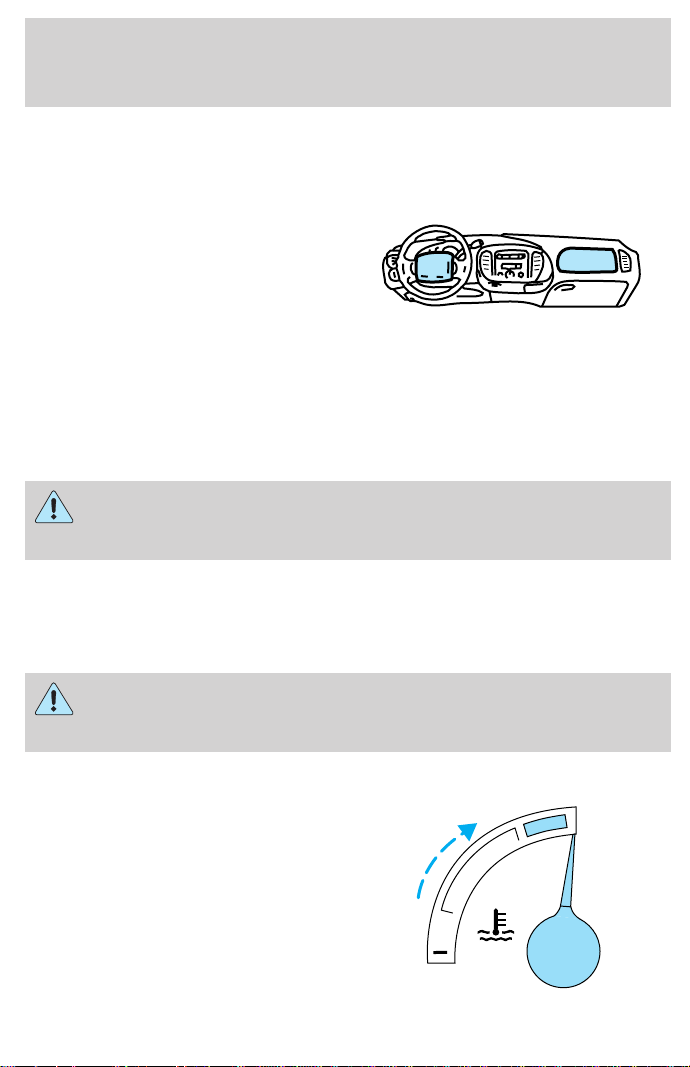
Snowplowing with your air bag equipped vehicle
Your vehicle is equipped with driver
and passenger air bags. The air bags
are designed to deploy in a collision
with a solid barrier at a range of
13 to 23 km/h (8 to 14 mph) or a
parked car at a range of 25 to
45 km/h (16 to 28 mph).
Careless or high speed driving while plowing snow which results in
vehicle decelerations equivalent to or greater than the air bag
deployment impact speeds listed above can deploy the air bag. Such
driving also increases the risk of accidents.
All occupants of the vehicle, including the driver, should always
properly wear their safety belts, even when an air bag SRS is
provided.
Never remove or defeat the “tripping mechanisms” designed into the
snow removal equipment by its manufacturer. Doing so may cause
damage to the vehicle and the snow removal equipment as well as
possible air bag deployment.
Do not attempt to service, repair, or modify the Air Bag
Supplemental Restraint System or its fuses. See your Ford or
Lincoln-Mercury dealer.
Engine temperature while plowing
When driving with a plow, your
engine may run at a higher
temperature than normal because
the attached snowplow blade will
restrict airflow to the radiator.
H
C
Driving
147

If you are driving more than 24 km (15 miles) at temperatures above
freezing, angle the plow blade either full left or full right to provide
maximum airflow to the radiator.
If you are driving less than 24 km (15 miles) at speeds up to 64 km/h
(40 mph) in cold weather, you will not need to worry about blade
position to provide maximum airflow.
Transmission operation while plowing
• Shift transfer case to 4L (4WD Low) when plowing in small areas at
speeds below 8 km/h (5 mph).
• Shift transfer case to 4H (4WD High) when plowing larger areas or
light snow at higher speeds. Do not exceed 24 km/h (15 mph).
• Do not shift the transmission from a forward gear to R (Reverse) until
the engine is at idle and the wheels are stopped.
• If the vehicle is stuck, shift the transmission in a steady motion
between forward and reverse gears. Do not rock the vehicle for more
than a few minutes. The transmission and tires may be damaged or
the engine can overheat.
Do not spin the wheels at over 35 mph (55 km/h). The tires may
fail and injure a passenger or bystander.
Driving
148
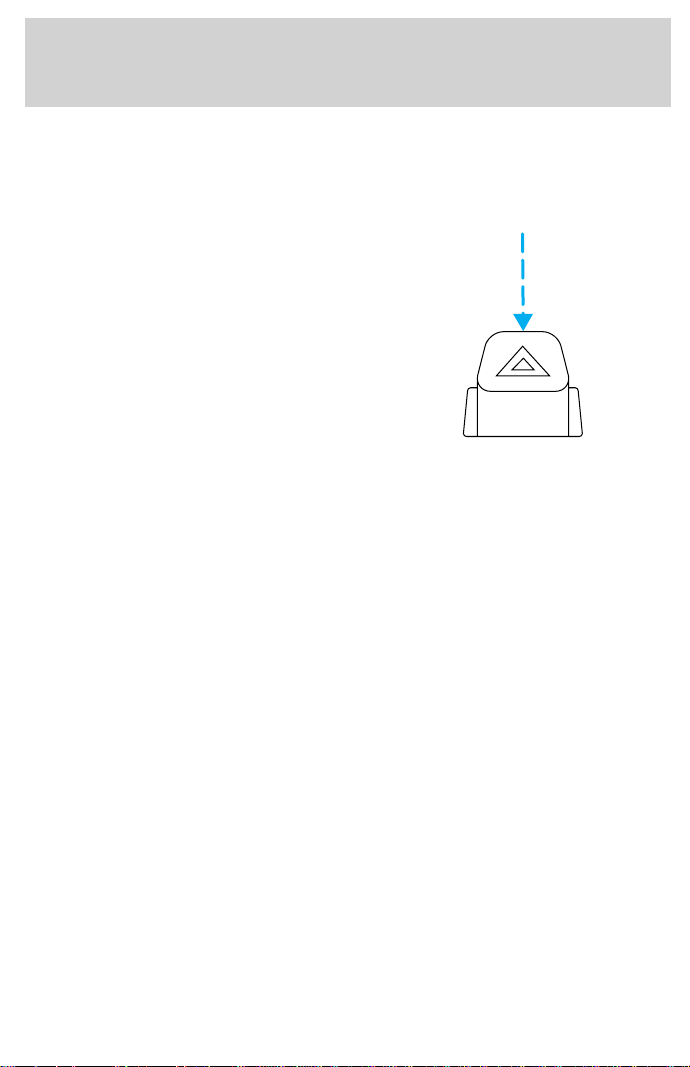
HAZARD FLASHER
Use only in an emergency to warn traffic of vehicle breakdown,
approaching danger, etc. The hazard flashers can be operated when the
ignition is off.
• The hazard lights control is
located on top of the steering
column.
• Depress hazard lights control to
activate all hazard flashers
simultaneously.
• Depress control again to turn the
flashers off.
FUEL PUMP SHUT-OFF SWITCH
After a collision, if the engine cranks but does not start, the fuel pump
shut-off switch may have been activated. The “Fuel Reset” indicator light
will illuminate in the instrument cluster. The shut-off switch is a device
intended to stop the electric fuel pump when your vehicle has been
involved in a substantial jolt.
1. Turn the ignition to the OFF position.
2. Check the fuel system for leaks.
3. If no fuel leak is apparent, reset the fuel pump shut-off switch by
pushing in the reset button.
4. Turn the ignition to the ON position. Pause for a few seconds and
return the key to the OFF position.
5. Make a further check for leaks in the fuel system.
Roadside emergencies
149
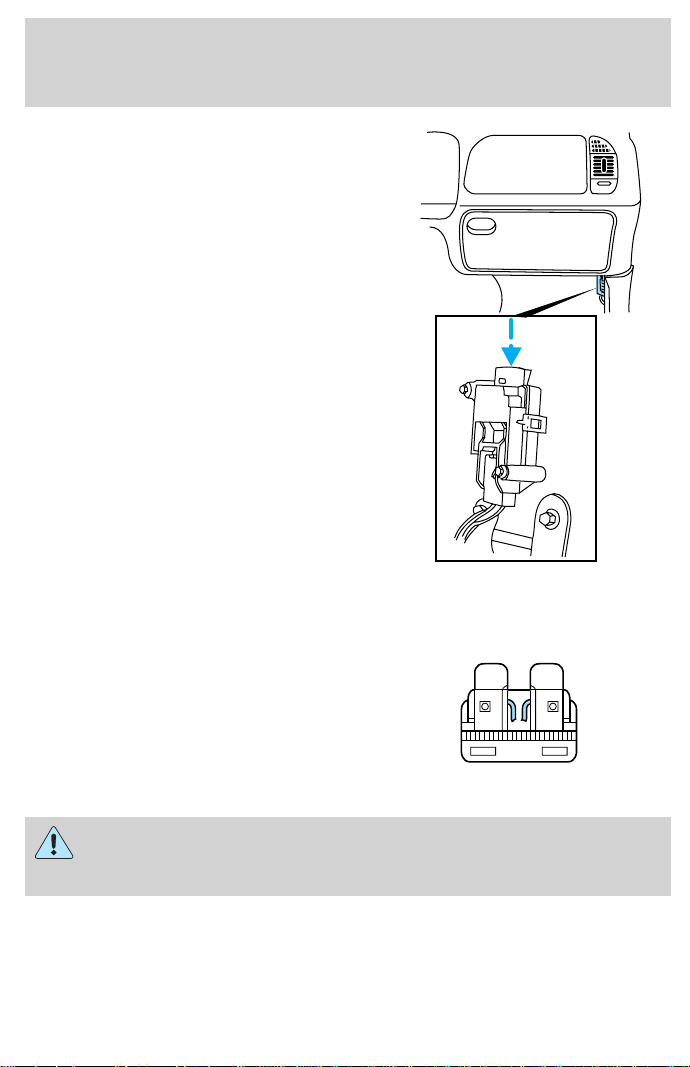
The fuel pump shut-off switch is
located in the passenger’s foot well,
behind the kick panel.
FUSES AND RELAYS
Fuses
If electrical components in the
vehicle are not working, a fuse may
have blown. Blown fuses are
identified by a broken wire within
the fuse. Check the appropriate
fuses before replacing any electrical
components.
Always replace a fuse with one that has the specified amperage
rating. Using a fuse with a higher amperage rating can cause
severe wire damage and could start a fire.
15
Roadside emergencies
150
Standard fuse amperage rating and color
COLOR
Fuse
Rating
Mini
Fuses
Standard
Fuses
Maxi
Fuses
Cartridge
Maxi
Fuses
Fuse Link
Cartridge
2A Grey Grey — — —
3A Violet Violet — — —
4A Pink Pink — — —
5A Tan Tan — — —
7.5A Brown Brown — — —
10A Red Red — — —
15A Blue Blue — — —
20A Yellow Yellow Yellow Blue Blue
25A Natural Natural — — —
30A Green Green Green Pink Pink
40A — — Orange Green Green
50A — — Red Red Red
60A — — Blue — Yellow
70A — — Tan — Brown
80A — — Natural — Black
Passenger compartment fuse panel
The fuse panel is located below and to the left of the steering wheel by
the brake pedal. Remove the panel cover to access the fuses.
To remove a fuse use the fuse puller tool provided on the fuse panel
cover.
Roadside emergencies
151
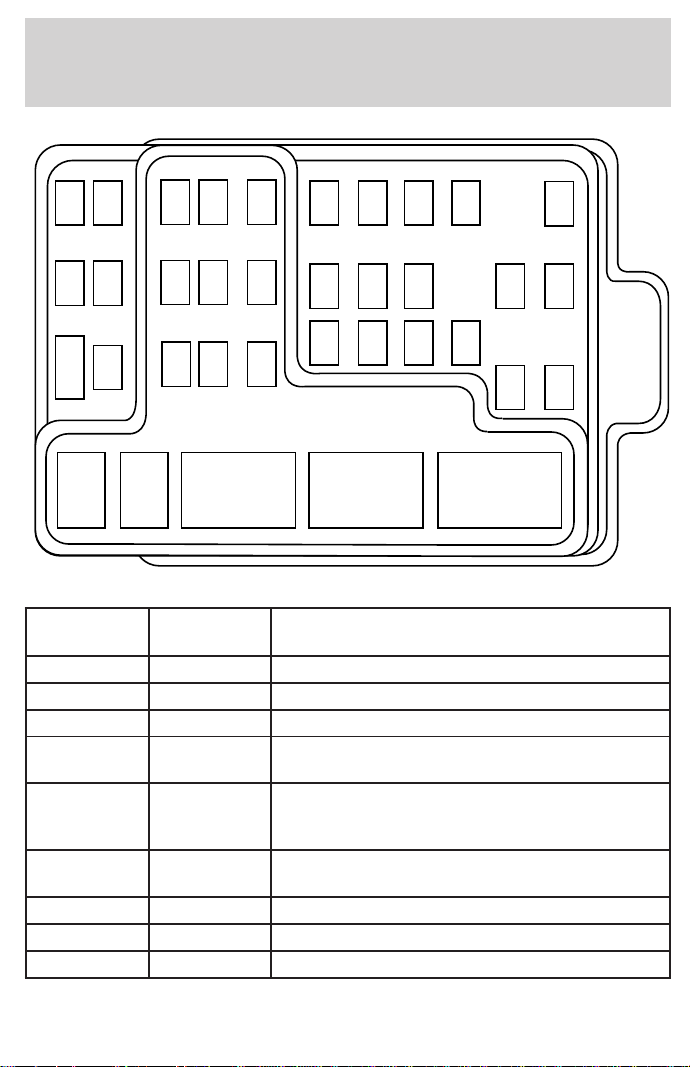
The fuses are coded as follows.
Fuse/Relay
Location
Fuse Amp
Rating
Description
1 15A Audio
2 5A Powertrain Control Module (PCM), Cluster
3 20A Cigar Lighter, OBD-II Scan Tool Connector
4 15A Autolamp Module, Remote Entry Module,
Mirrors
5 15A AC Clutch Relay, Speed Control Module,
Reverse Lamp, Climate Mode Switch,
Daytime Running Lamp Relay
6 5A Cluster, Brake Shift Interlock Solenoid,
Rear Air Suspension Module, GEM Module
7 — Not Used
8 5A Radio, Remote Entry Module, GEM Module
9 — Not Used
FUSE1 12 22
21323
617 27
718 28
819 29
930
20
312111
10
RELAY
5
RELAY
4
RELAY
3
RELAY
2
RELAY
1
31424
41525
51626
Roadside emergencies
152
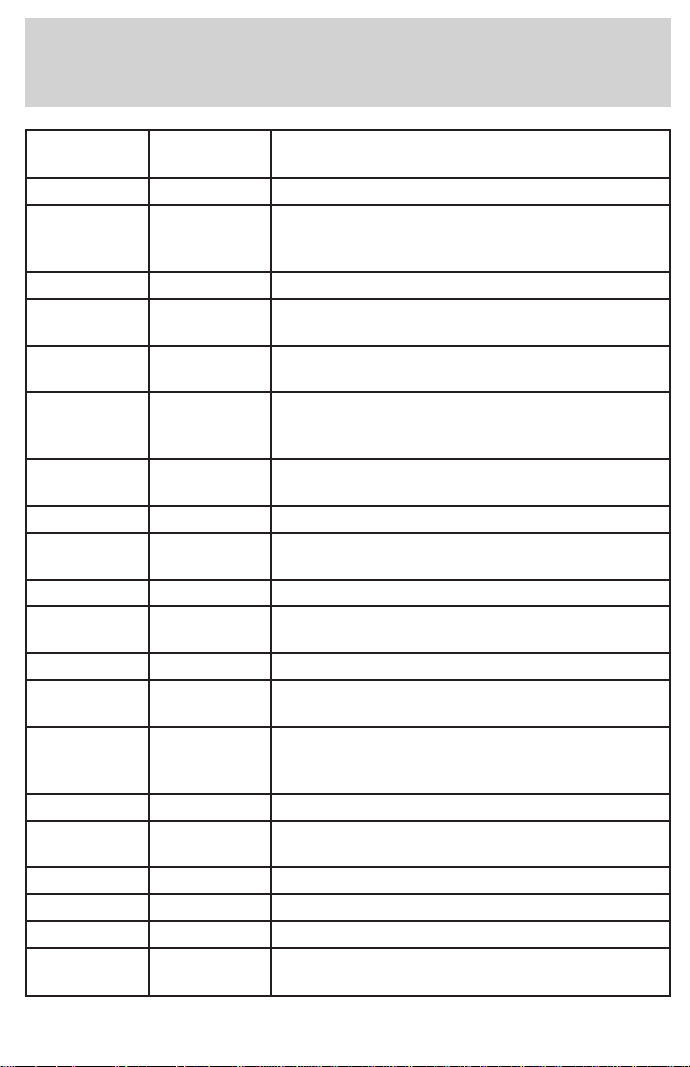
Fuse/Relay
Location
Fuse Amp
Rating
Description
10 — Not Used
11 30A Front Washer Pump Relay, Wiper Run/Park
Relay, Wiper Hi/LO Relay, Windshield Wiper
Motor
12 — Not Used
13 20A Stop Lamp Switch (Lamps), Turn/Hazard
Flasher, Speed Control Module
14 15A Battery Saver Relay, Interior Lamp Relay,
Accessory Delay Relay (Power Windows)
15 5A Stop Lamp Switch, (Speed Control, Brake
Shift Interlock, ABS, PCM Module Inputs),
GEM Module, RABS Test Connector
16 20A Headlamps (Hi Beams), Cluster (Hi Beam
Indicator)
17 — Not Used
18 5A Instrument Illumination (Dimmer Switch
Power)
19 — Not Used
20 5A Audio, GEM Module, Powertrain Control
Module (PCM),
21 15A Starter Relay, Clutch Switch, Fuse 20
22 10A Air Bag Module, Passenger Airbag
Deactivation Module
23 10A Trailer Tow Battery Charge Relay,
Turn/Hazard Flasher, 4x4 Solenoids, 4x4
Relays
24 10A Climate Mode Switch (Blower Relay)
25 5A 4 Wheel Anti-Lock Brake System (4WABS)
Module
26 10A Right Side Low Beam Headlamp
27 5A Foglamp Relay and Foglamp Indicator
28 10A Left Side Low Beam Headlamp
29 5A Autolamp Module, Transmission Overdrive
Control Switch
Roadside emergencies
153
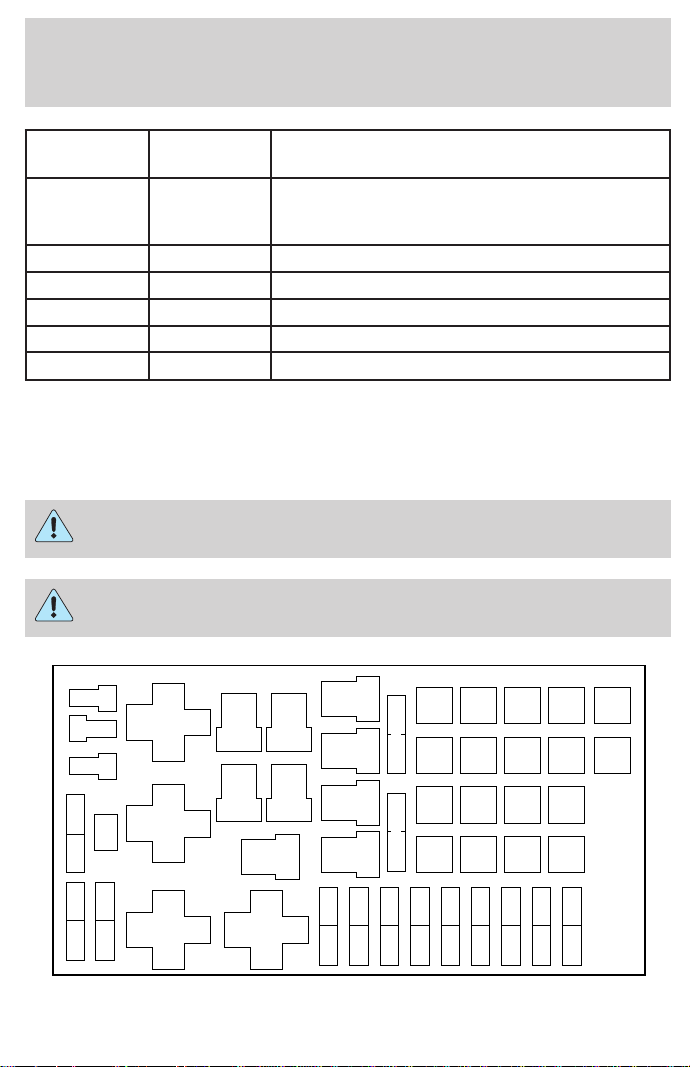
Fuse/Relay
Location
Fuse Amp
Rating
Description
30 30A Passive Anti Theft Transceiver, Cluster,
Ignition Coils, Powertrain Control Module
Relay
31 — Not Used
Relay 1 — Interior Lamp Relay
Relay 2 — Battery Saver Relay
Relay 4 — One Touch Down Window Relay
Relay 5 — ACC Delay Relay
Power distribution box
The power distribution box is located in the engine compartment. The
power distribution box contains high-current fuses that protect your
vehicle’s main electrical systems from overloads.
Always disconnect the battery before servicing high current
fuses.
Always replace the cover to the Power Distribution Box before
reconnecting the battery or refilling fluid reservoirs.
MAXI
FUSE
115
MAXI
FUSE
116
MAXI
FUSE
117
MAXI
FUSE
118
MAXI
FUSE
111
MAXI
FUSE
112
MAXI
FUSE
113
MAXI
FUSE
114
MAXI
FUSE
107
MAXI
FUSE
108
MAXI
FUSE
109
MAXI
FUSE
110
MAXI
FUSE
103
MAXI
FUSE
104
MAXI
FUSE
105
MAXI
FUSE
106
MAXI
FUSE
101
MAXI
FUSE
102
CB601 CB602
FUSE 17 FUSE 18
FUSE 21 FUSE 22
FUSE 19 FUSE 20
FUSE 23
FULL
RELAY 302
R 401
D 501
FUSE 24
FUSE 15 FUSE 16
FUSE 13 FUSE 14
FUSE 11 FUSE 12
FUSE 9 FUSE 10
FUSE 7 FUSE 8
FUSE 5 FUSE 6
FUSE 3 FUSE 4
FUSE 1 FUSE 2
D 503
D 502
FULL
RELAY 301
HALF
RELAY
207
FULL
RELAY 303
FULL
RELAY 304
HALF
RELAY
201
HALF
RELAY
202
HALF
RELAY 208
HALF
RELAY 209
HALF
RELAY 205
HALF
RELAY 206
HALF
RELAY
203
HALF
RELAY
204
Roadside emergencies
154
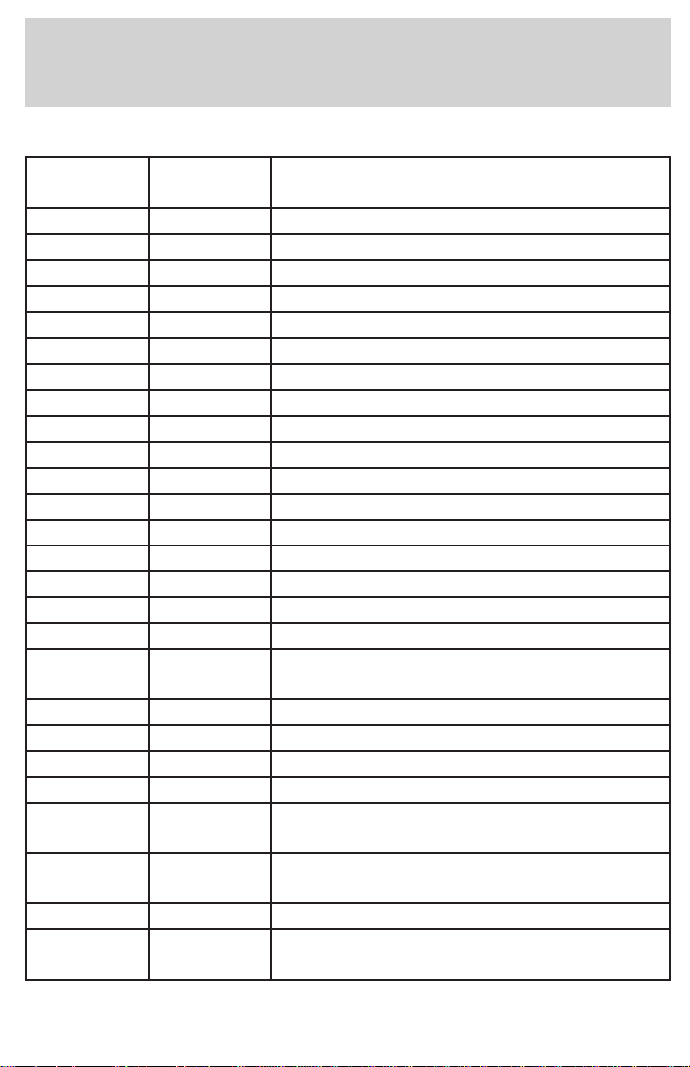
The high-current fuses are coded as follows.
Fuse/Relay
Location
Fuse Amp
Rating
Description
1 25A * Power Point
2 30A* Powertrain Control Module
3 30A* Headlamps/Autolamps
4 15A* Air Suspension
5 20A* Trailer Tow Backup/Park Lamps
6 15A* Parklamps/Autolamps
7 20A* Horn
8 15A* Power Door Locks
9 15A* Daytime Running Lamps (DRL), Fog Lamps
10 20A* Fuel Pump
11 20A* Alternator Field
12 — Not Used
13 — Not Used
14 — Not Used
15 — Not Used
16 — Not Used
17 — Not Used
18 15A* Powertrain Control Module, Fuel Injectors,
Fuel Pump, Mass Air Flow Sensor
19 10A* Trailer Tow Stop and Right Turn Lamp
20 10A* Trailer Tow Stop and Left Turn Lamp
21 — Not Used
22 — Not Used
23 15A* Powertrain Control Module, HEGO Sensor,
Canister Vent
24 15A* Powertrain C ontrol Module, Automatic
Transmission, CMS Sensor
101 30A** Trailer Tow Battery Charge
102 50/20A** Four Wheel Antilock Brake Module/Rear
Wheel Antilock Brake Module
Roadside emergencies
155
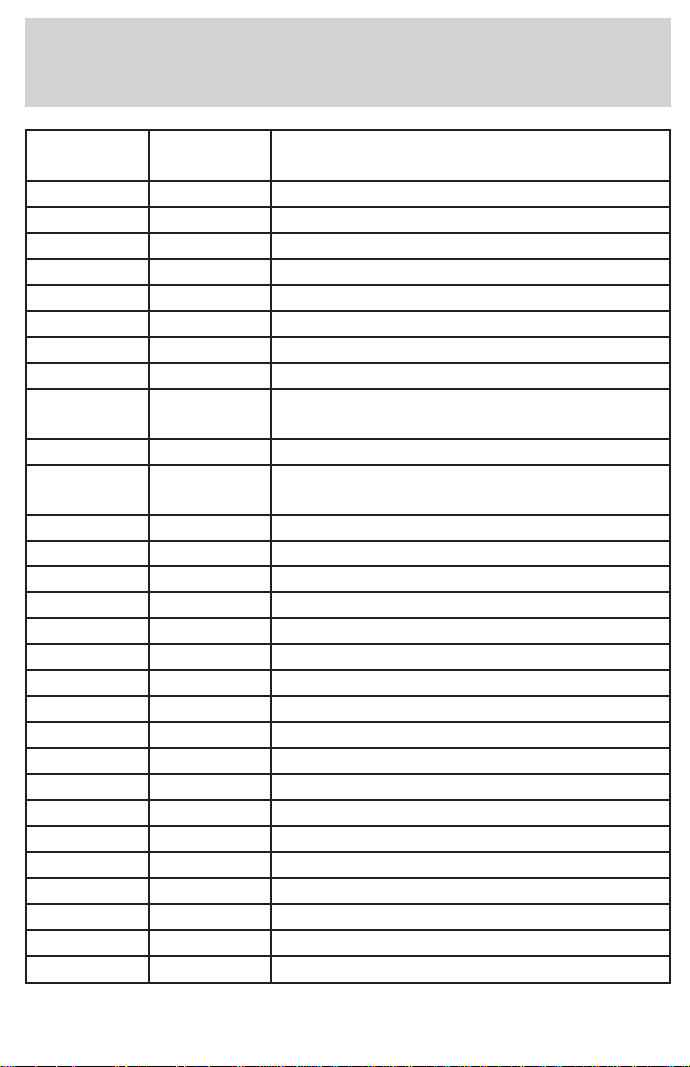
Fuse/Relay
Location
Fuse Amp
Rating
Description
103 50A* Junction Block Battery Feed
104 30A** 4x4 Shift Motor & Clutch
105 40A** Climate Control Front Blower
106 — Not Used
107 — Not Used
108 30A** Trailer Tow Electric Brake
109 50A** Air Suspension Compressor
110 30A** Power Windows
111 50A** Ignition Switch Battery Feed (Start and
Run Circuits)
112 30A** Drivers Power Seat
113 50A** Ignition Switch Battery Feed (Run and
Accessory Circuits)
114 — Not Used
115 — Not Used
116 — Not Used
117 — Not Used
118 — Not Used
201 — Trailer Tow Park Lamp Relay
202 — Front Wiper Run/Park Relay
203 — Trailer Tow Backup Lamp Relay
204 — A/C Clutch Relay
205 — Horn Relay
206 — Fog Lamp Relay
207 — Front Washer Pump Relay
208 — Not Used
209 — Front Wiper Hi/Lo Relay
301 — Fuel Pump Relay
302 — Trailer Tow Battery Charge Relay
303 — Rear Air Suspension Relay
304 — Powertrain Control Module Relay
Roadside emergencies
156
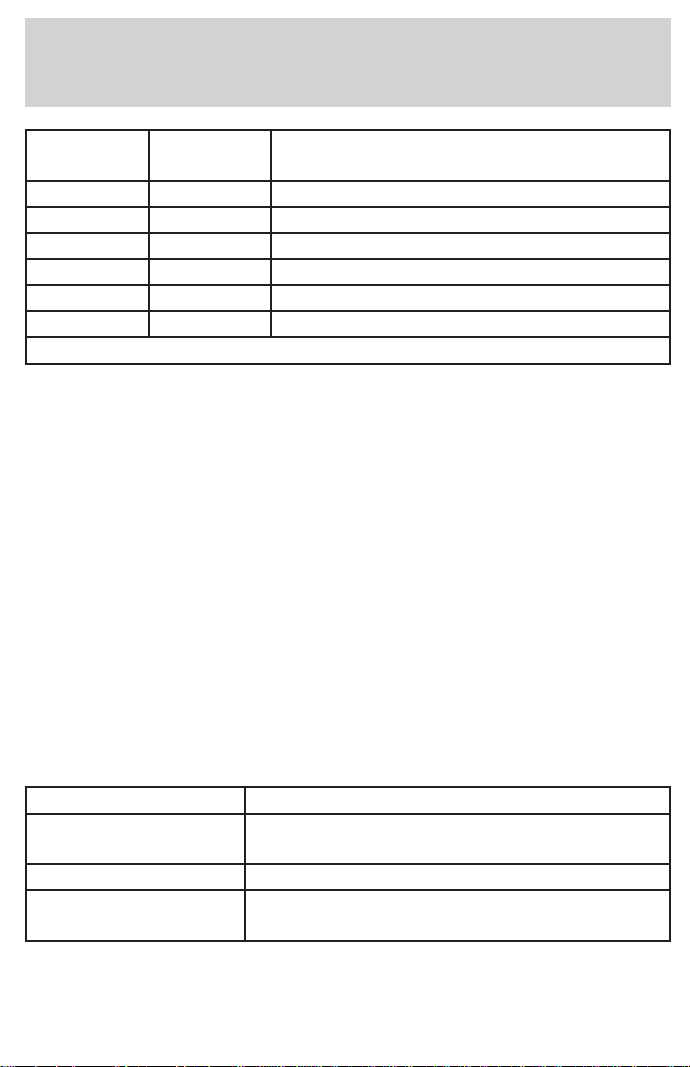
Fuse/Relay
Location
Fuse Amp
Rating
Description
401 — Not Used
501 — Powertrain Control Module Diode
502 — A/C Clutch Diode
503 — Not Used
601 — Not Used
602 — Not Used
*Mini fuses **Maxi fuses
CHANGING THE TIRES
If you get a flat tire while driving, do not apply the brake heavily.
Instead, gradually decrease your speed. Hold the steering wheel firmly
and slowly move to a safe place on the side of the road.
Spare tire information
Your vehicle is equipped with a spare tire that may be used as a spare or
a regular tire. The spare tire wheel may not match the road wheel, and is
not equipped with wheel trim. The wheel trim from the wheel/tire may
be used on the spare if the wheels match.
If your vehicle is equipped with 4WD, a spare tire of a different
size than the road tires should not be used. Such a tire could
result in damage to driveline components and make the vehicle
difficult to control.
Location of the spare tire and tools
The spare tire and tools for your vehicle are stowed in the following
locations:
Tool Location
Spare tire Under the vehicle, just forward of the rear
bumper
Jack, lug nut wrench Under the seat
Jack handle On top of the radiator support at the front of
the engine compartment
Roadside emergencies
157
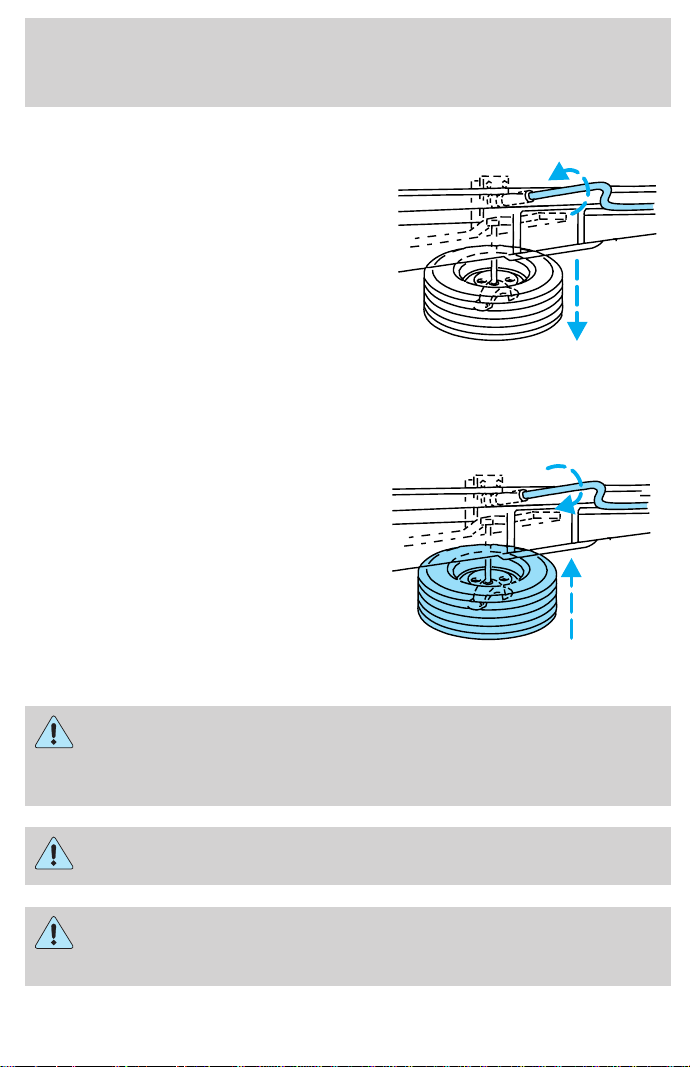
Removing the spare tire
1. Insert the jack handle into the
rear bumper opening.
The handle will stop moving and
forward resistance to turning will be
felt when properly engaged.
2. Turn the handle counterclockwise
until tire is lowered to the ground,
the tire can be slid rearward and the
cable is slightly slack.
3. Remove the retainer from the spare tire.
Stowing the spare
1. Lay the tire on the ground with the valve stem facing up.
2. Slide the wheel under the vehicle
and install the retainer through the
wheel center.
3. Turn the jack handle clockwise
until the tire is raised to its original
position underneath the vehicle. The
jack handle ratchets when the tire is
raised to the stowed position. It will
not allow you to overtighten.
Tire change procedure
To prevent the vehicle from moving when you change a tire, be
sure the parking brake is set, then block (in both directions) the
wheel that is diagonally opposite (other side and end of the vehicle) to
the tire being changed.
If the vehicle slips off the jack, you or someone else could be
seriously injured.
On vehicles equipped with Air Suspension, turn OFF the Air
Suspension switch prior to jacking, hoisting or towing your
vehicle.
Roadside emergencies
158
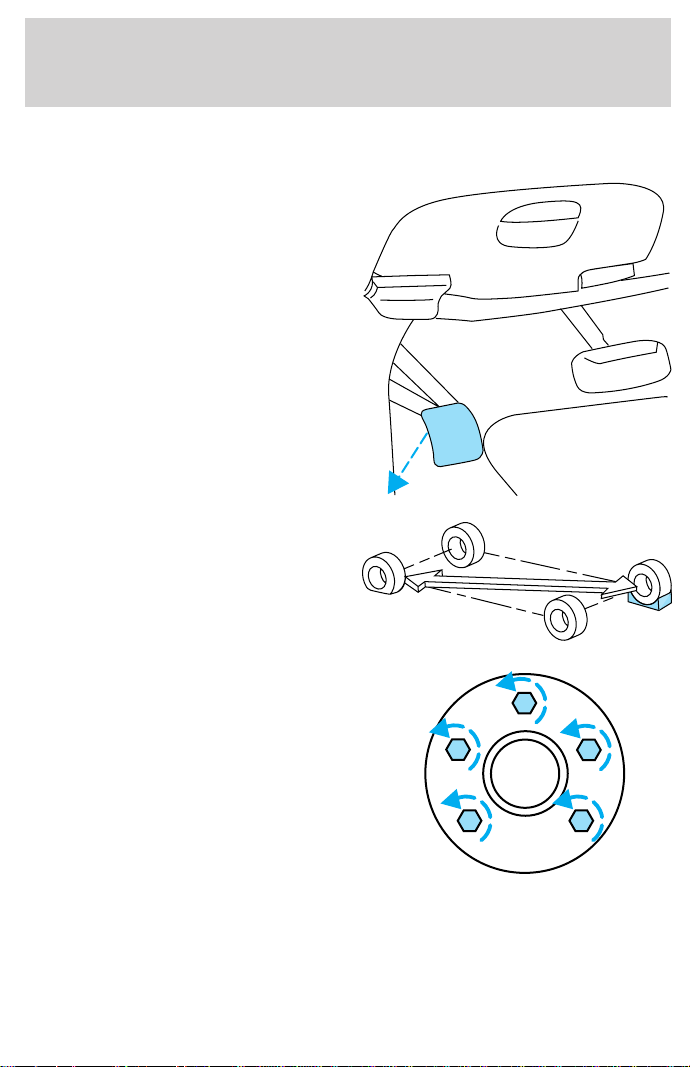
Refer to the instruction sheet (located under the passenger front seat
with the jack) for detailed tire change instructions.
1. Park on a level surface, activate
hazard flashers and set the parking
brake.
2. Place gearshift lever in P (Park)
(automatic transmission) or in the
reverse gear (manual transmission)
and turn engine OFF.
3. Block the diagonally opposite
wheel.
4. Obtain the spare tire and jack
from their storage locations.
5. Use the tip of the lug wrench to
remove any wheel trim.
6. Loosen each wheel lug nut
one-half turn counterclockwise but
do not remove them until the wheel
is raised off the ground.
BRAKE
HOOD
Roadside emergencies
159
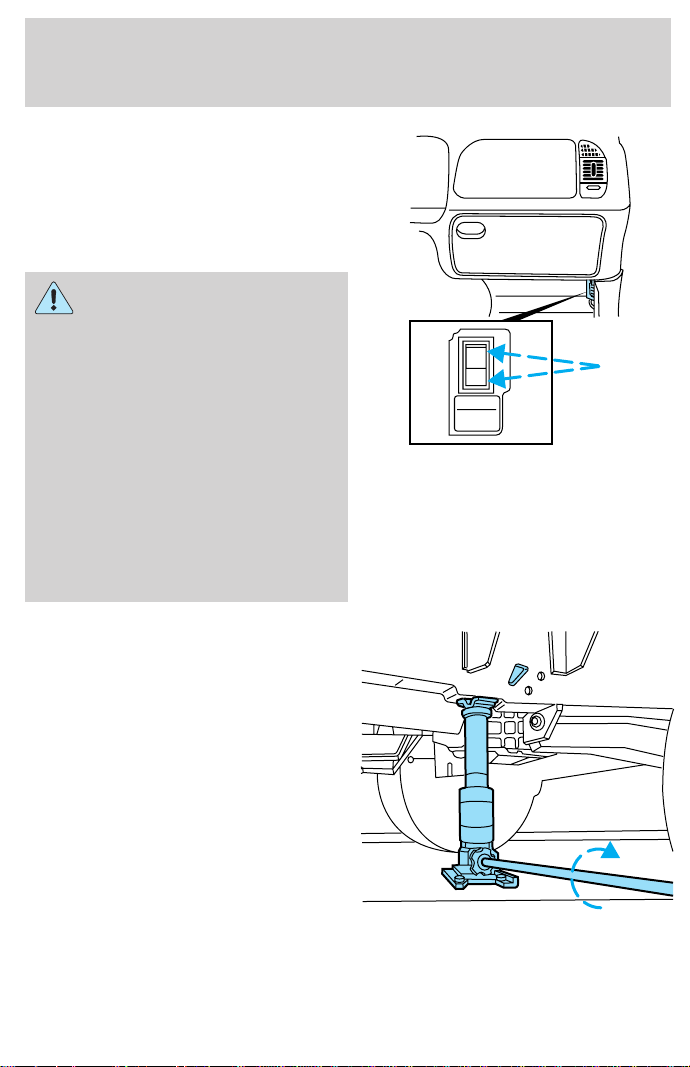
7. Turn OFF the air suspension
switch (if equipped).
8. Position the jack according to the
following guides and turn the jack
handle clockwise until the wheel is
completely off the ground.
When one of the rear
wheels is off the ground,
the transmission alone will not
prevent the vehicle from moving
or slipping off the jack, even if the
transmission is in P (Park) or in
the reverse gear (manual
transmission). To prevent the
vehicle from moving when you
change the tire, be sure that the
parking brake is set and the
diagonally opposite wheel is
blocked. If the vehicle slips off the
jack, someone could be seriously
injured.
• Front (4x2)
AIR SUSPENSION
SWITCH
INTERRUPTEUR DE
LA SUSPENSION
PNEUMATIQUE
OFF
Roadside emergencies
160
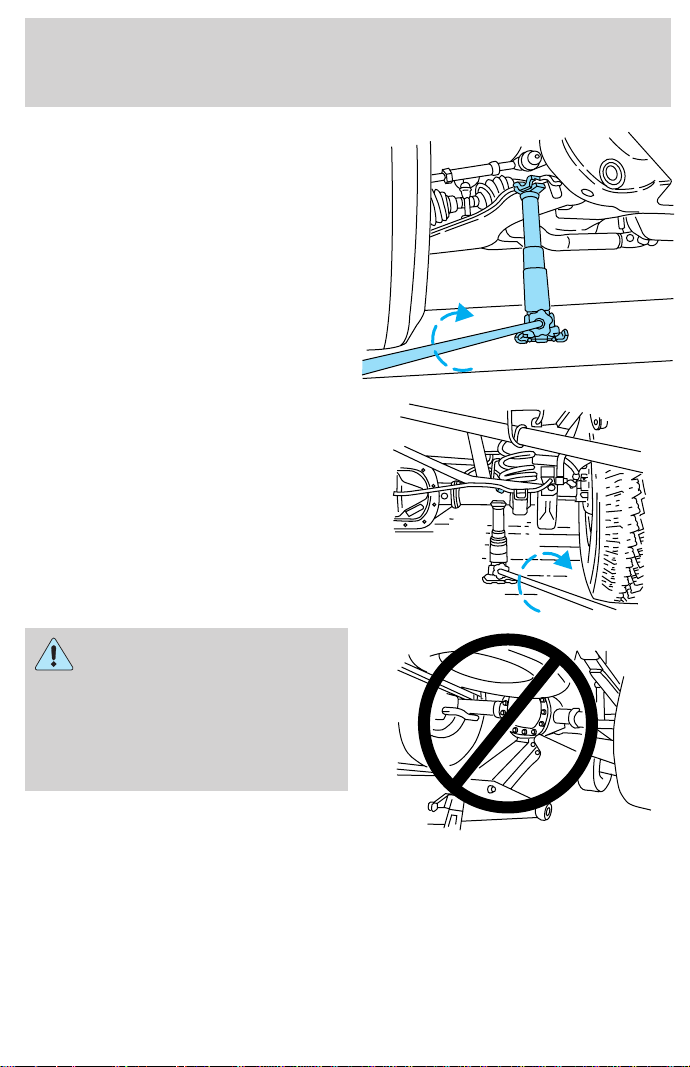
• Front (4x4)
• Rear
To lessen the risk of
personal injury, do not put
any part of your body under the
vehicle while changing a tire. Do
not start the engine when your
vehicle is on the jack. The jack is
only meant for changing the tire.
• Never use the front or rear
differential as a jacking point.
9. Remove the lug nuts with the lug wrench.
10. Replace the flat tire with the spare tire, making sure the valve stem
is facing outward. Reinstall the lug nuts until the wheel is snug against
the hub. Do not fully tighten the lug nuts until the wheel has been
lowered.
11. Lower the wheel by turning the jack handle counterclockwise.
Roadside emergencies
161
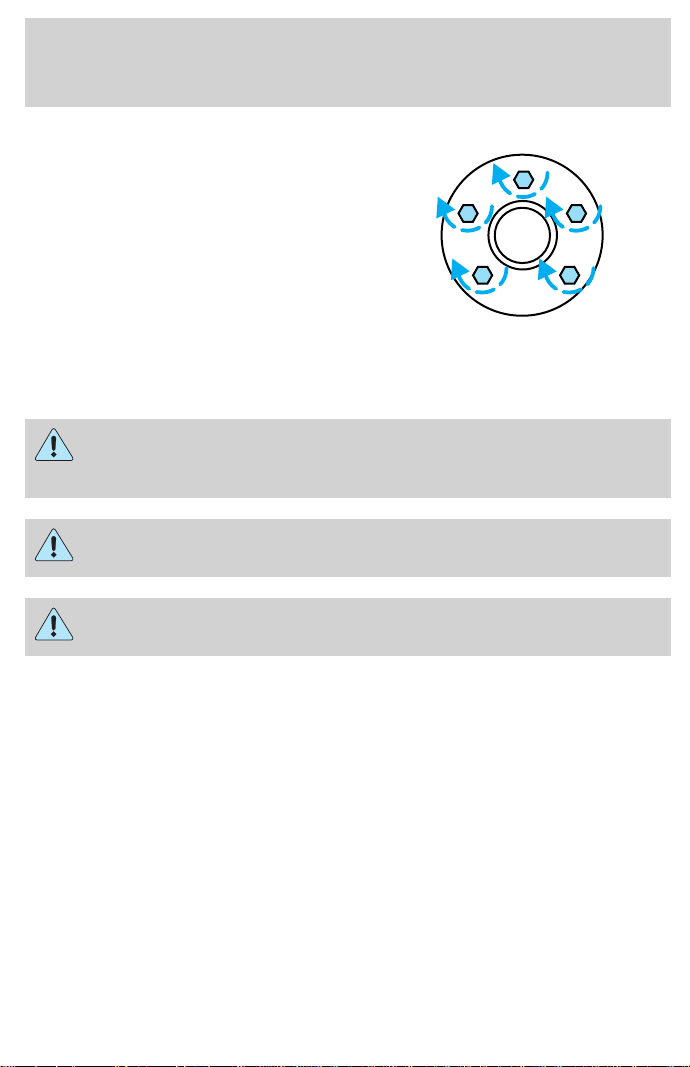
12. Remove the jack and fully
tighten the lug nuts in the order
shown.
13. Stow the flat tire. Refer to
Stowing the spare .
14. Stow the jack and lug wrench.
Make sure the jack is fastened so it
does not rattle when you drive.
15. Unblock the wheels.
16. Turn on the air suspension switch (if equipped).
JUMP STARTING YOUR VEHICLE
The gases around the battery can explode if exposed to flames,
sparks, or lit cigarettes. An explosion could result in injury or
vehicle damage.
Do not push start your vehicle. You could damage the catalytic
converter.
Batteries contain sulfuric acid which can burn skin, eyes, and
clothing, if contacted.
Do not attempt to push start your vehicle. Automatic
transmissions do not have push-start capability.
Preparing your vehicle
1. Use only a 12–volt supply to start your vehicle.
2. Do not disconnect the battery of the disabled vehicle as this could
damage the vehicle’s electrical system.
3. Park the booster vehicle close to the hood of the disabled vehicle
making sure the two vehicles do not touch. Set the parking brake on
both vehicles and stay clear of the engine cooling fan and other moving
parts.
4. Check all battery terminals and remove any excessive corrosion before
you attach the battery cables. Ensure that vent caps are tight and level.
1
43
52
Roadside emergencies
162
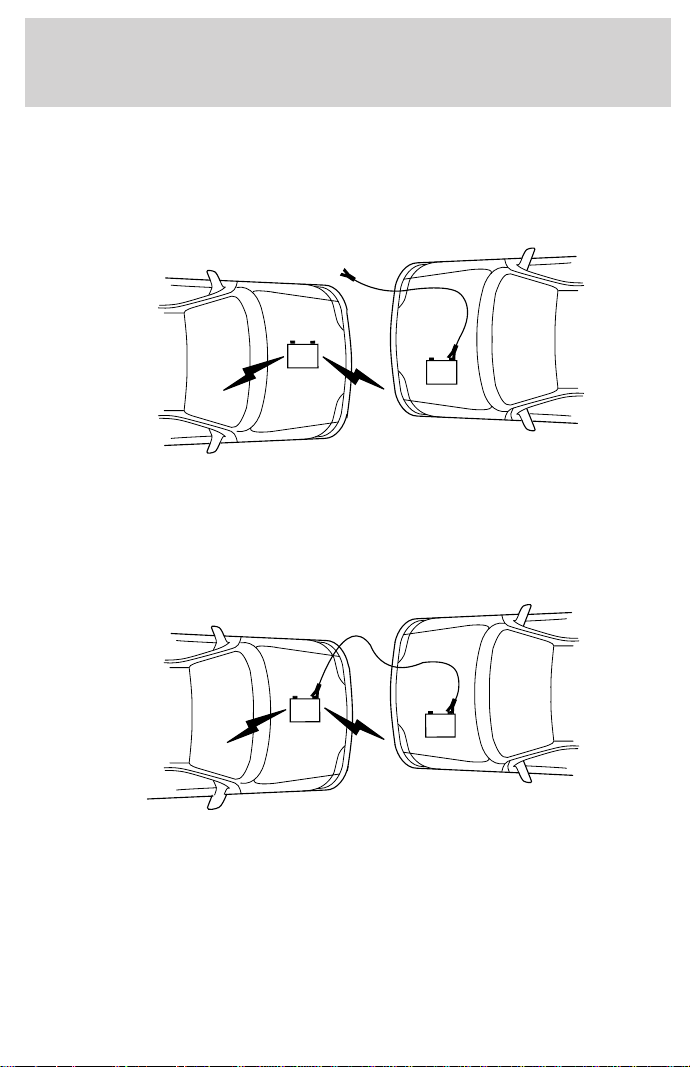
5. Turn the heater fan on in both vehicles to protect any electrical
surges. Turn all other accessories off.
Connecting the jumper cables
1. Connect the positive (+) booster cable to the positive (+) terminal of
the discharged battery.
Note: In the illustrations, lightning bolts are used to designate the
assisting (boosting) battery.
2. Connect the other end of the positive (+) cable to the positive (+)
terminal of the assisting battery.
+
–
+
–
+
–
+
–
Roadside emergencies
163
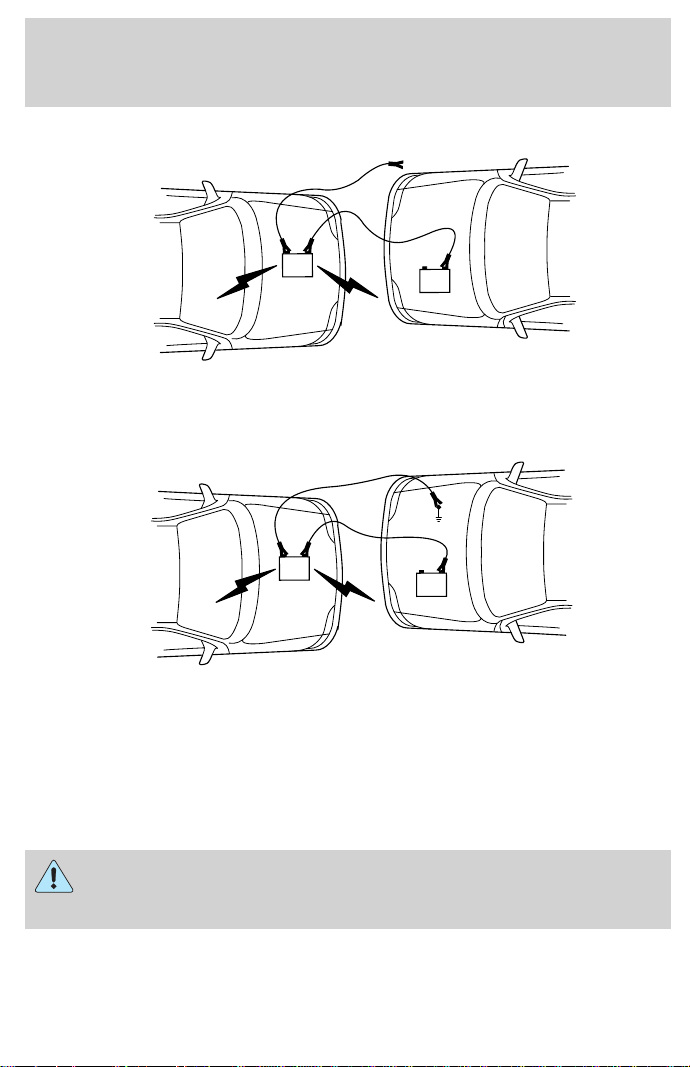
3. Connect the negative (-) cable to the negative (-) terminal of the
assisting battery.
4. Make the final connection of the negative (-) cable to an exposed
metal part of the stalled vehicle’s engine, away from the battery and the
carburetor.
The preferred locations of an exposed metal part (to ground the circuit)
are the alternator mounting brackets or an engine lifting eye. Do not
use fuel lines, engine rocker covers or the intake manifold as grounding
points.
Do not connect the end of the second cable to the negative (-)
terminal of the battery to be jumped. A spark may cause an
explosion of the gases that surround the battery.
5. Be sure that the cables are clear of fan blades, belts and other moving
parts of both engines.
+
–
+
–
+
–
+
–
Roadside emergencies
164
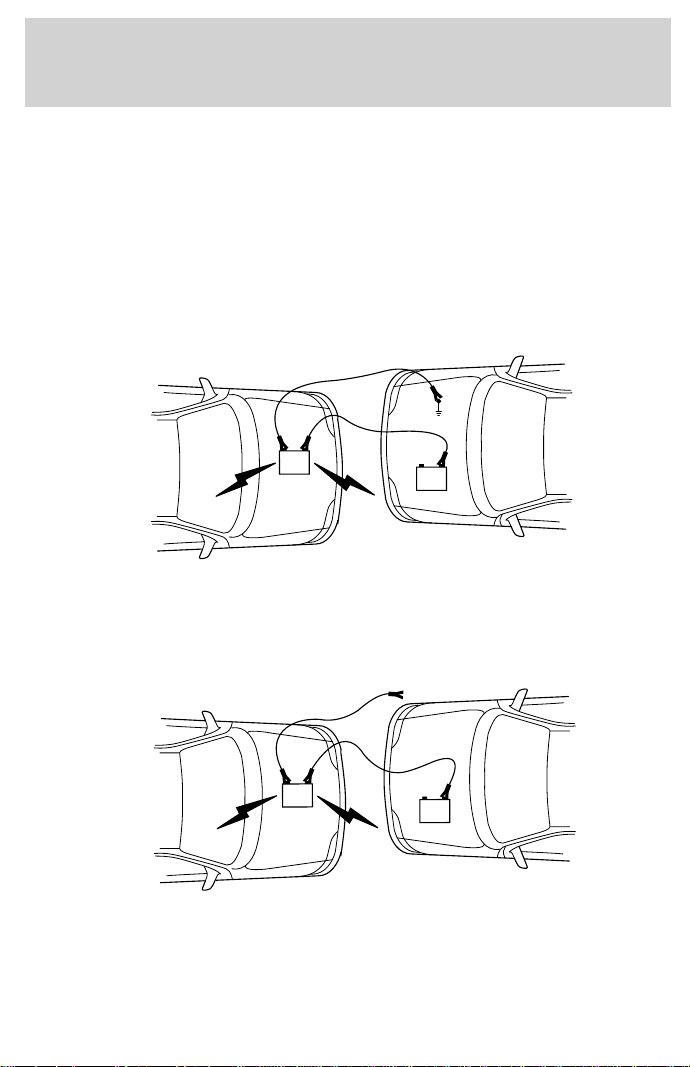
Jump starting
1. Start the engine of the booster vehicle and run the engine at
moderately increased speed.
2. Start the engine of the disabled vehicle.
3. Once the disabled vehicle has been started, run both engines for a
further three minutes before disconnecting the jumper cables.
Removing the jumper cables
Remove the jumper cables in the reverse order that they were
connected.
1. Remove the jumper cable from the ground metal surface.
2. Remove the jumper cable on the negative (-) connection of the
booster vehicle’s battery.
+
–
+
–
+
–
+
–
Roadside emergencies
165
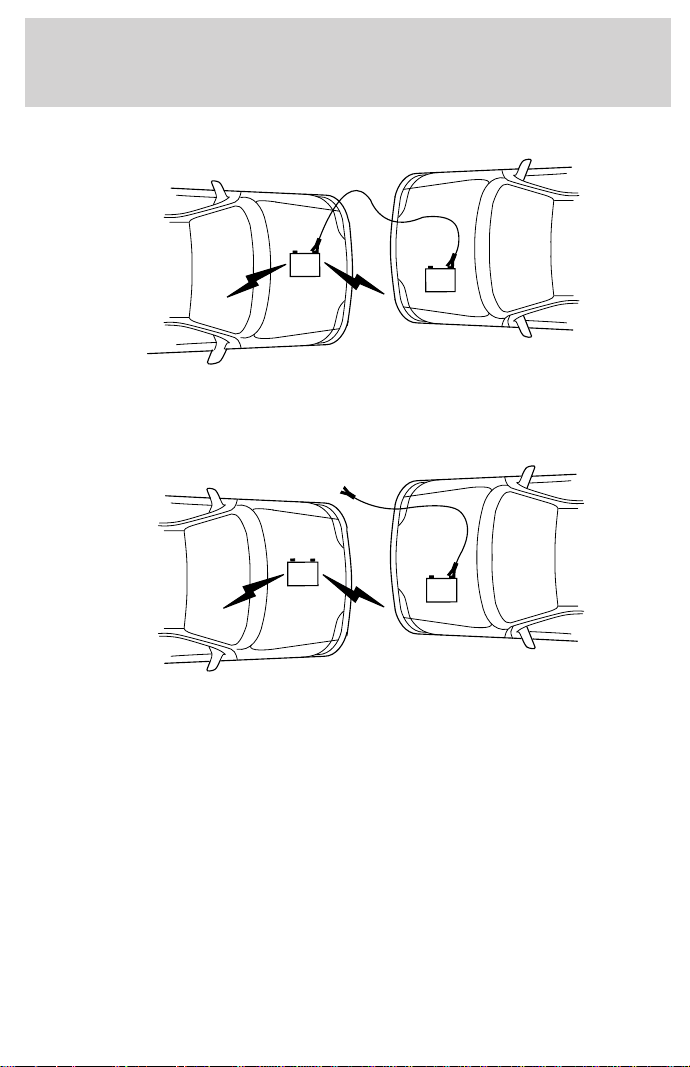
3. Remove the jumper cable from the positive (+) terminal of the booster
vehicle’s battery.
4. Remove the jumper cable from the positive (+) terminal of the
disabled vehicle’s battery.
After the disabled vehicle has been started and the jumper cables
removed, allow it to idle for several minutes so the engine computer can
relearn its idle conditions.
+
–
+
–
+
–
+
–
Roadside emergencies
166
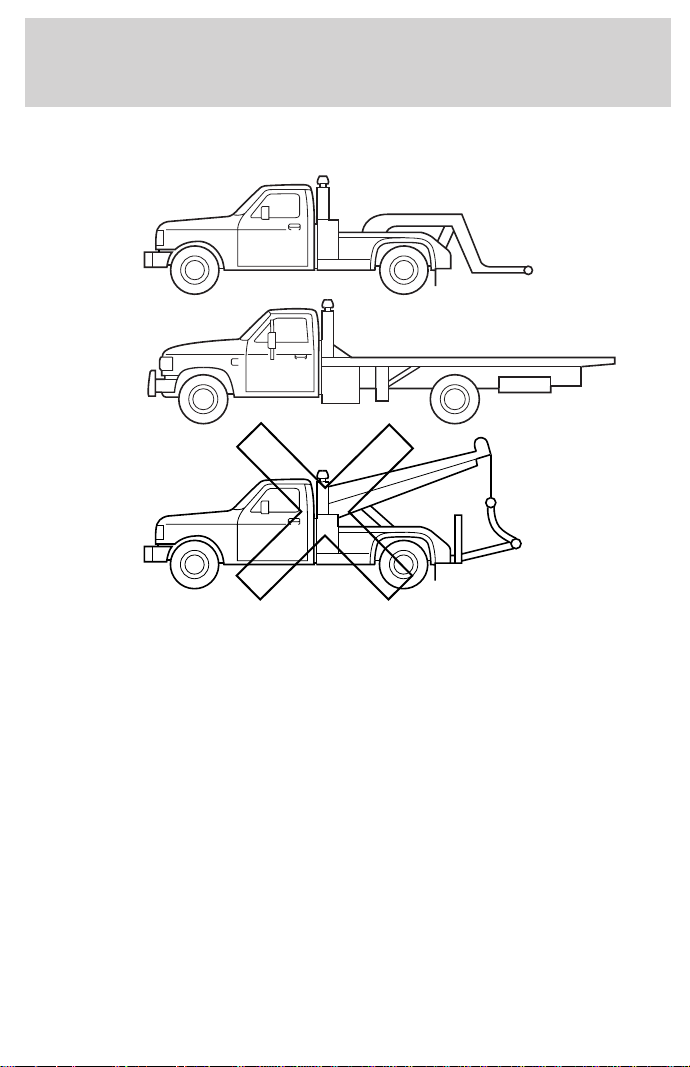
WRECKER TOWING
If you need to have your vehicle towed, contact a professional towing
service or, if you are a member, your roadside assistance center.
It is recommended that your vehicle be towed with a wheel lift or flatbed
equipment. Do not tow with a slingbelt. Ford Motor Company has not
approved a slingbelt towing procedure.
If equipped with air suspension, the air suspension control must be
turned to the OFF position.
On 4x2 vehicles, it is acceptable to tow the vehicle with the front wheels
on the ground (without dollies) and the rear wheels off the ground.
On 4x4 vehicles, it is recommended that your vehicle be towed with a wheel
lift and dollies or flatbed equipment with all the wheels off the ground.
If the vehicle is towed by other means or incorrectly, vehicle
damage may occur.
Ford Motor Company provides a towing manual for all authorized tow
truck operators. Have your tow truck operator refer to this manual for
proper hook-up and towing procedures for your vehicle.
Roadside emergencies
167

SERVICE RECOMMENDATIONS
To help you service your vehicle:
• We highlight do-it-yourself items in the engine compartment for easy
location.
• We provide a Scheduled Maintenance Guide which makes tracking
routine service easy.
If your vehicle requires professional service, your dealership can provide
necessary parts and service. Check your “Warranty Guide” to find out
which parts and services are covered.
Use only recommended fuels, lubricants, fluids and service parts
conforming to specifications. Motorcraft parts are designed and built to
provide the best performance in your vehicle.
PRECAUTIONS WHEN SERVICING YOUR VEHICLE
Be especially careful when inspecting or servicing your vehicle.
• Do not work on a hot engine.
• When the engine is running, keep loose clothing, jewelry or long hair
away from moving parts.
• Do not work on a vehicle with the engine running in an enclosed
space, unless you are sure you have enough ventilation.
• Keep all lit cigarettes, open flames and other lit material away from
the battery and all fuel related parts.
If you disconnect the battery, the engine must “relearn” its idle
conditions before your vehicle will drive properly, as explained in the
Battery section in this chapter.
Working with the engine off
• Automatic transmission:
1. Set the parking brake and ensure the gearshift is securely latched in P
(Park).
2. Turn off the engine and remove the key.
3. Block the wheels to prevent the vehicle from moving unexpectedly.
• Manual transmission:
1. Set the parking brake.
2. Depress the clutch and place the gearshift in 1 (First).
Maintenance and care
168
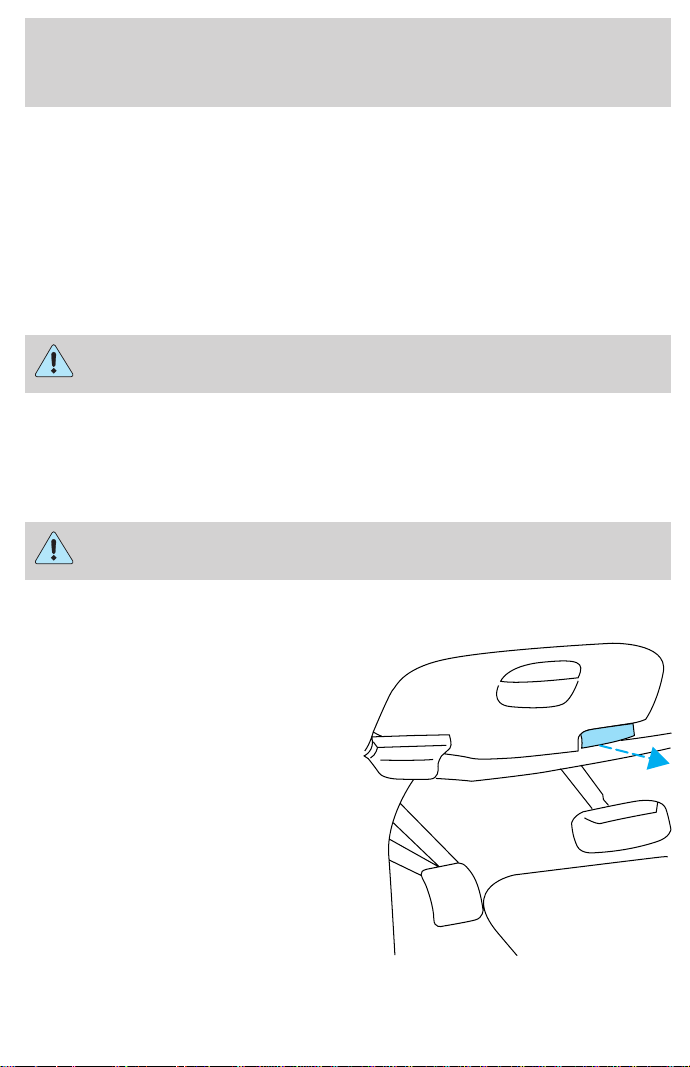
3. Turn off the engine and remove the key.
4. Block the wheels to prevent the vehicle from moving unexpectedly.
Working with the engine on
• Automatic transmission:
1. Set the parking brake and ensure the gearshift is securely latched in P
(Park).
2. Block the wheels to prevent the vehicle from moving unexpectedly.
Do not start your engine with the air cleaner removed and do
not remove it while the engine is running.
• Manual transmission:
1. Set the parking brake, depress the clutch and place the gearshift in N
(Neutral).
2. Block the wheels to prevent the vehicle from moving unexpectedly.
Do not start your engine with the air cleaner removed and do
not remove it while the engine is running.
OPENING THE HOOD
1. Inside the vehicle, pull the hood
release handle located under the
bottom of the instrument panel.
2. Go to the front of the vehicle and
release the auxiliary latch that is
located under the front center of
the hood.
3. Lift the hood until the lift
cylinders hold it open.
BRAKE
HOOD
Maintenance and care
169
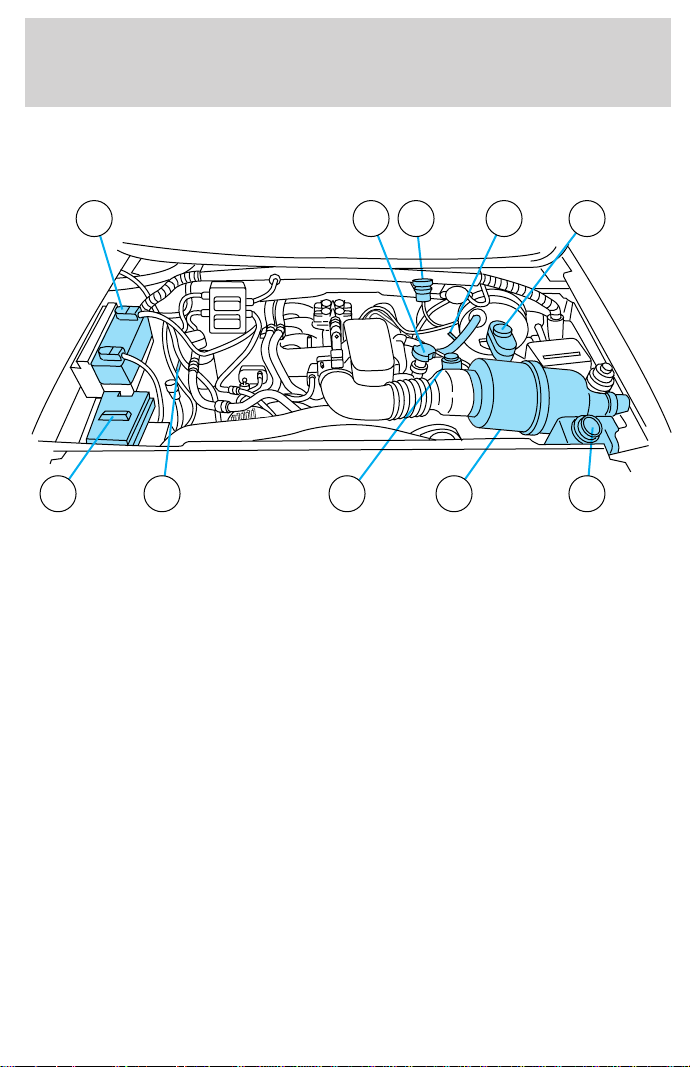
IDENTIFYING COMPONENTS IN THE ENGINE COMPARTMENT
4.2L V6 engine
1. Battery
2. Engine oil filler cap
3. Engine oil dipstick
4. Clutch fluid reservoir (manual transmission)
5. Brake fluid reservoir
6. Engine coolant reservoir
7. Air filter assembly
8. Power steering fluid reservoir
9. Transmission fluid dipstick (automatic transmission)
10. Windshield washer fluid reservoir
67
1 2 4 5
8910
3
Maintenance and care
170
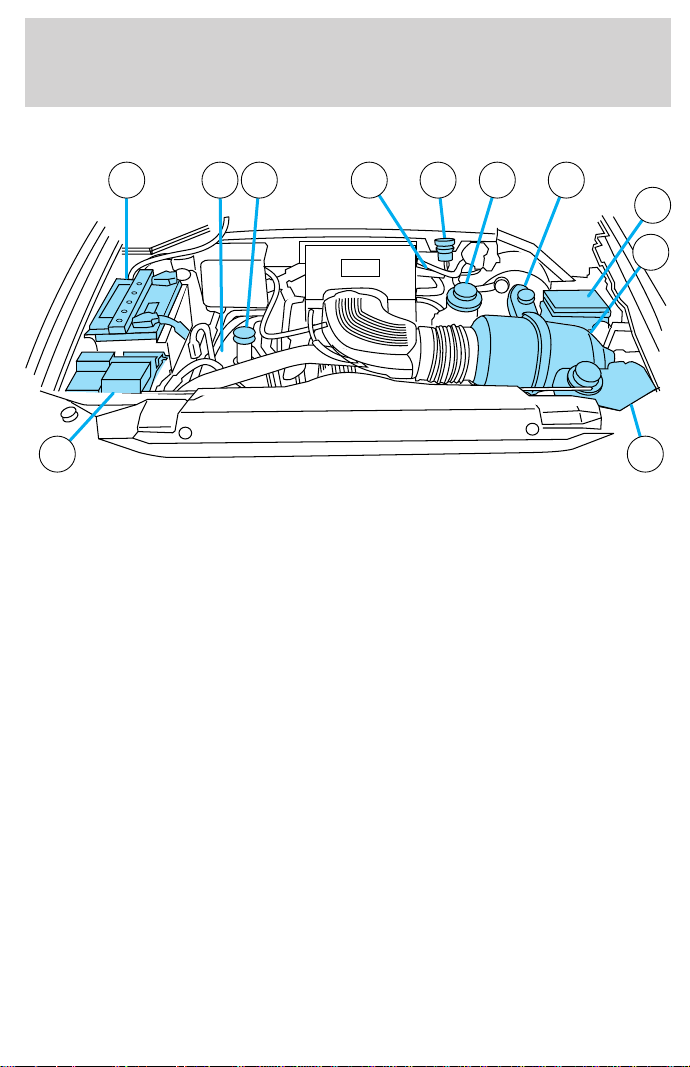
4.6L V8/5.4L V8 engines
1. Engine oil dipstick
2. Clutch fluid reservoir (manual transmission)
3. Power steering fluid reservoir
4. Brake fluid reservoir
5. Power distribution box
6. Air filter assembly
7. Engine coolant reservoir
8. Windshield washer fluid reservoir
9. Battery
10. Transmission fluid dipstick (automatic transmission)
11. Engine oil filler cap
8 7
9 10 11 1 32 4
6
5
Maintenance and care
171
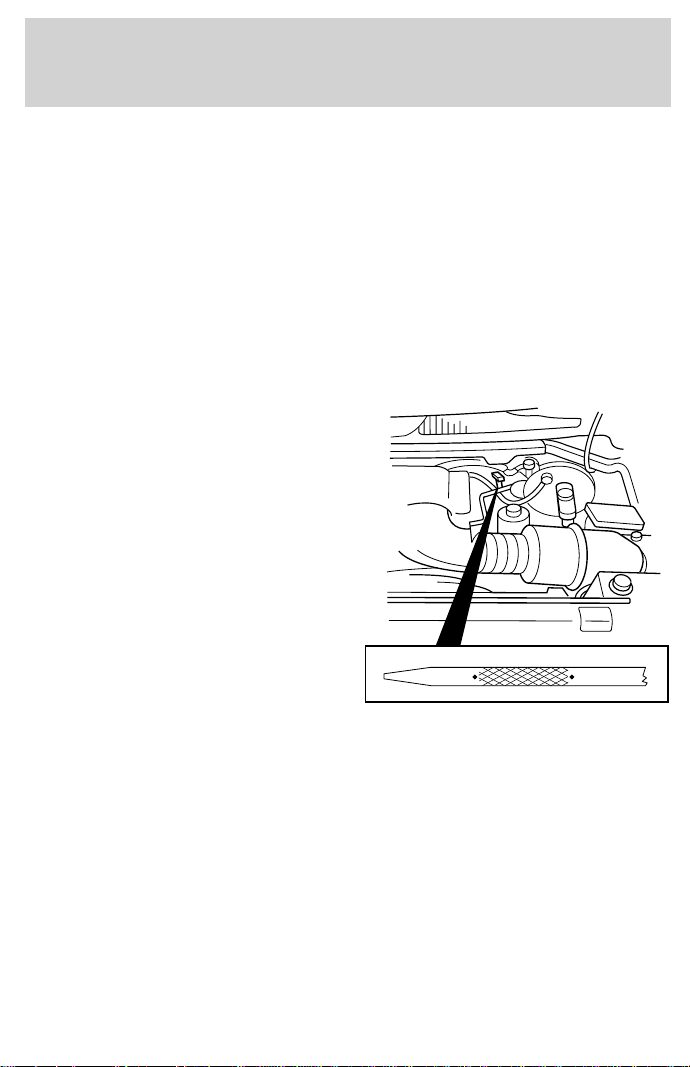
ENGINE OIL
Checking the engine oil
Refer to the Scheduled Maintenance Guide for the appropriate intervals
for checking the engine oil.
1. Make sure the vehicle is on level ground.
2. Turn the engine off and wait a few minutes for the oil to drain into the
oil pan.
3. Set the parking brake and ensure the gearshift is securely latched in P
(Park) (automatic transmission) or 1 (First) (manual transmission).
4. Open the hood. Protect yourself from engine heat.
5. Locate and carefully remove the
engine oil level indicator (dipstick).
6. Wipe the indicator clean. Insert the indicator fully, then remove it
again.
• If the oil level is between the MIN and MAX marks, the oil level is
acceptable. DO NOT ADD OIL.
MAXMIN
Maintenance and care
172
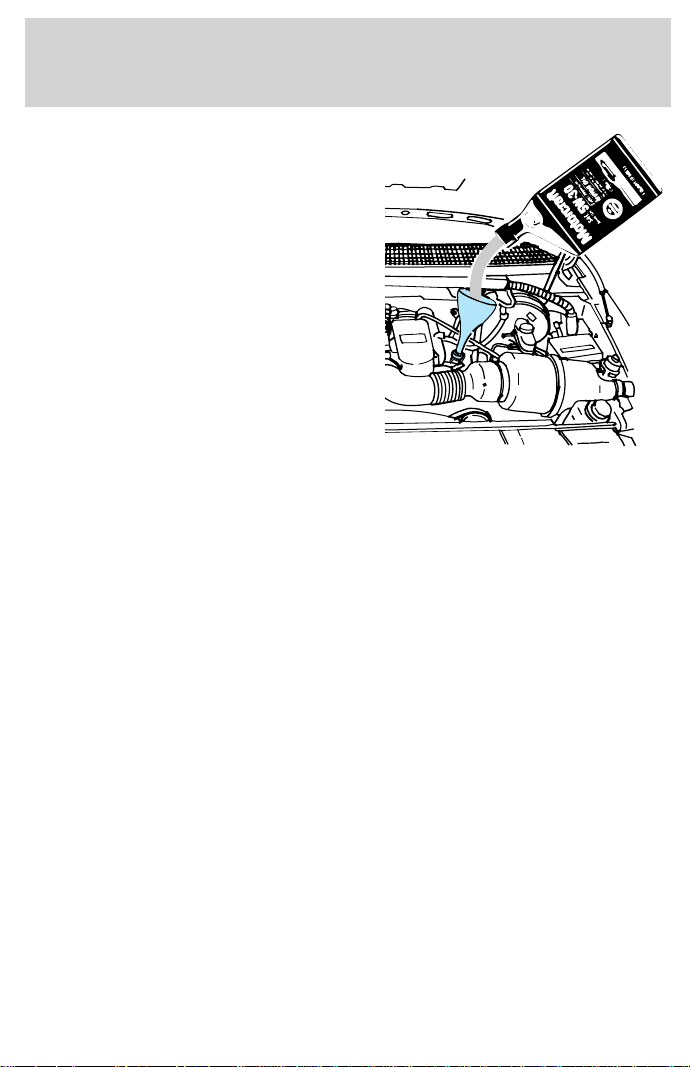
• If the oil level is below the MIN
mark, add enough oil to raise the
level within the MIN-MAX range.
• Oil levels above the MAX mark may cause engine damage. Some oil
must be removed from the engine by a service technician.
7. Put the indicator back in and ensure it is fully seated.
Adding engine oil
1. Check the engine oil. For instructions, refer to Checking the engine
oil in this chapter.
2. If the engine oil level is not within the MIN and MAX ranges, add only
certified engine oil of the recommended viscosity. Remove the engine oil
filler cap and use a funnel to pour the engine oil into the opening.
3. Recheck the engine oil level. Make sure the oil level is not above the
MAX mark on the dipstick.
Maintenance and care
173
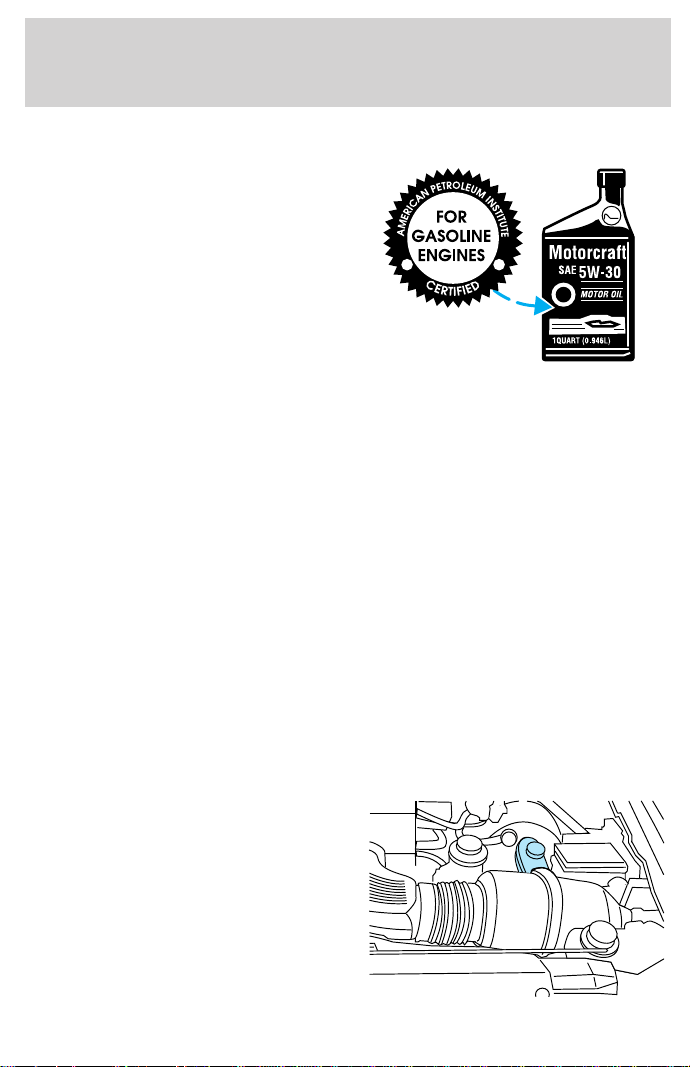
Engine oil and filter recommendations
Look for this certification mark.
Ford oil specification is WSS-M2C153-G.
Use SAE 5W-30 motor oil certified for gasoline engines by the American
Petroleum Institute.
Do not use supplemental engine oil additives, oil treatments or engine
treatments. They are unnecessary and could, under certain conditions,
lead to engine damage which is not covered by your warranty.
Change your engine oil and filter according to the appropriate schedule
listed in the Scheduled Maintenance Guide.
Ford production and aftermarket (Motorcraft) oil filters are designed for
added engine protection and long life. If a replacement oil filter is used
that does not meet Ford material and design specifications, startup
engine noises or knock may be experienced.
It is recommended you use the appropriate Motorcraft oil filter (or
another brand meeting Ford specifications) for your engine application.
BRAKE FLUID
Checking and adding brake fluid
Brake fluid should be checked and
refilled as needed. Refer to the
Scheduled Maintenance Guide for
the service interval schedules:
1. Clean the reservoir cap before
removal to prevent dirt or water
from entering the reservoir.
Maintenance and care
174
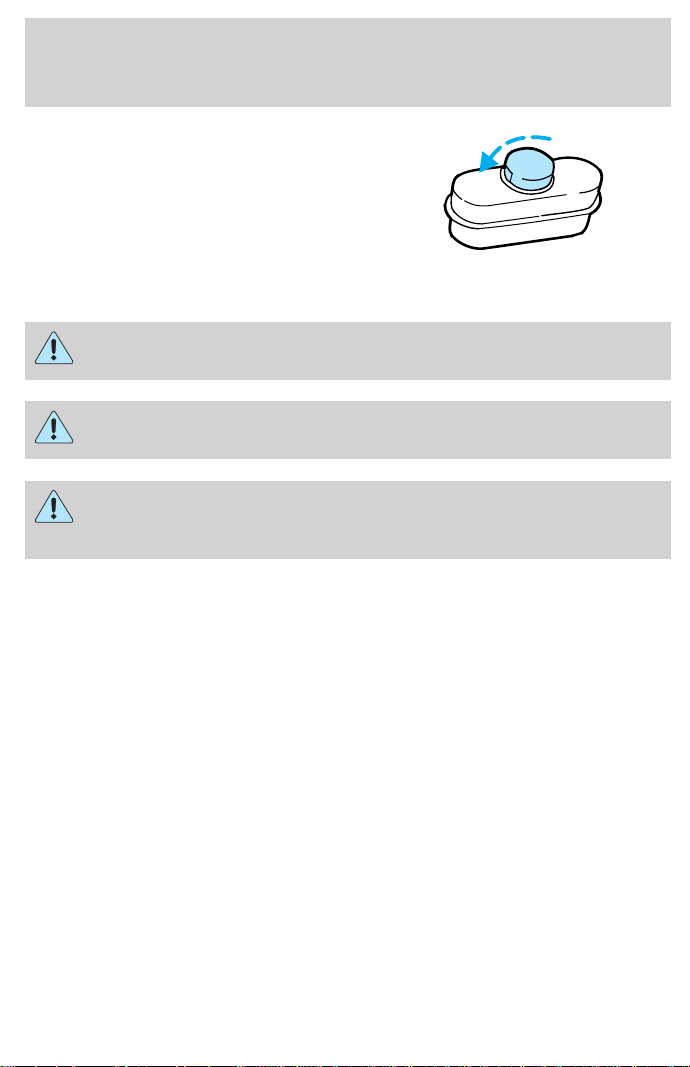
2. Visually inspect the fluid level.
3. If necessary, add brake fluid until
the level reaches MAX. Do not fill
above this line.
4. Use only a DOT 3 brake fluid
certified to meet Ford specifications.
Refer to Lubricant specifications in the Capacities and specifications
chapter.
Brake fluid is toxic.
If you use a brake fluid that is not DOT 3, you will cause
permanent damage to your brakes.
Do not let the fluid level in the reservoir for the master cylinder
fall below the MIN mark. If master cylinder runs dry, this may
cause the brakes to fail.
CLUTCH FLUID (IF EQUIPPED)
Check the clutch fluid level. Refer to the Scheduled Maintenance Guide
for the service interval schedules.
During normal operation, the fluid level in the clutch reservoir should
remain constant. If the fluid level drops, maintain the fluid level at the
step in the reservoir.
Use only a DOT 3 brake fluid designed to meet Ford specifications. Refer
to Capacities and specifications.
MAX
MIN
Maintenance and care
175
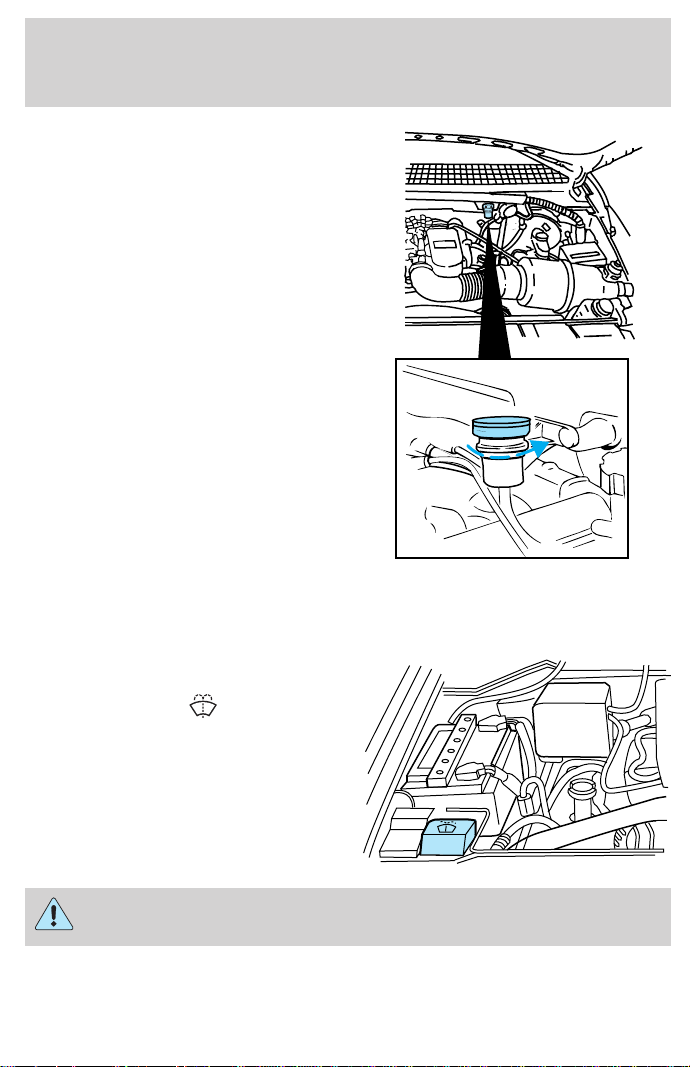
1. Clean the reservoir cap before
removal to prevent dirt and water
from entering the reservoir.
2. Remove cap and rubber
diaphragm from reservoir.
3. Add fluid until the level reaches
the step in the reservoir.
4. Reinstall rubber diaphragm and
cap onto reservoir.
WINDSHIELD WASHER FLUID
Checking and adding washer fluid
Check the washer fluid whenever
you stop for fuel. The reservoir is
highlighted with a
symbol.
If the level is low, add enough fluid
to fill the reservoir. In very cold
weather, do not fill the reservoir all
the way.
Do not put engine coolant in the container for the windshield
washer fluid.
Maintenance and care
176
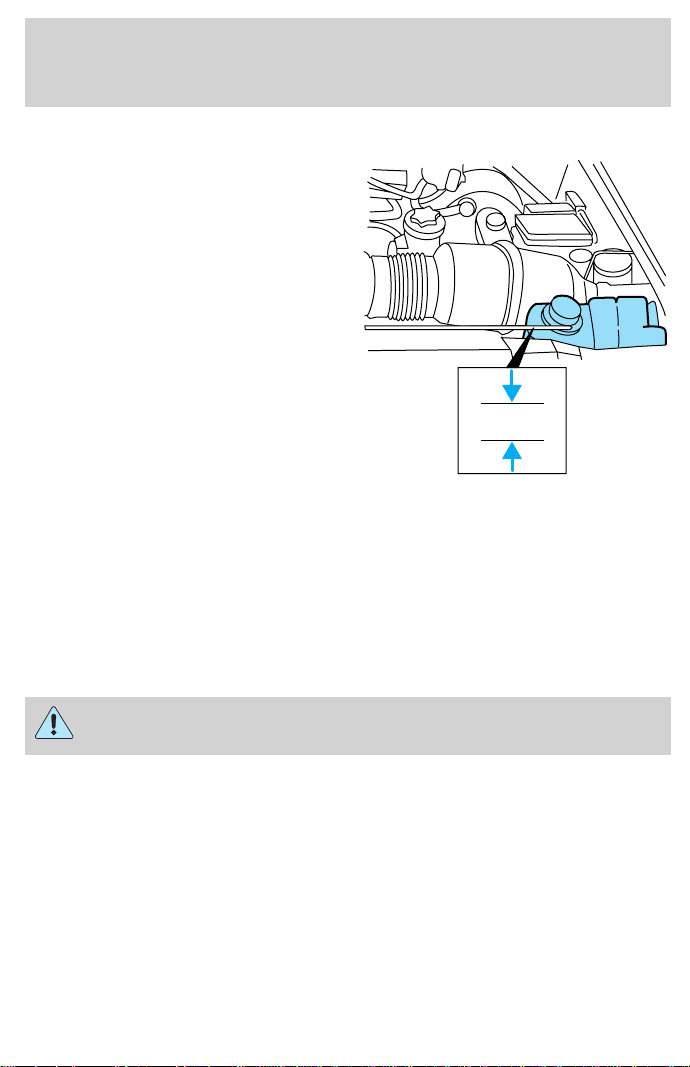
ENGINE COOLANT
Check the level of the engine
coolant in the reservoir. Refer to the
Scheduled Maintenance Guide for
service interval schedules. Be sure
to read and understand Precautions
when servicing your vehicle in
this chapter.
If the engine coolant has not been checked at the recommended interval,
the engine coolant reservoir may become empty. If this occurs, add
engine coolant to the reservoir. For more information on engine coolant
maintenance, refer to Adding engine coolant in this chapter.
Automotive fluids are not interchangeable; do not use engine coolant,
antifreeze or windshield washer fluid outside of its specified function and
vehicle location.
Adding engine coolant
Do not put engine coolant in the reservoir for the windshield
washer fluid.
Do not mix conventional green coolant, orange coolant or
recycled coolants together in your vehicle. Use only the type of
coolant with which your vehicle was originally equipped. If you
are unsure which type of coolant your vehicle requires, contact
your local dealer.
If sprayed on the windshield, engine coolant could make it difficult to see
through the windshield.
When the engine is cool, add a 50/50 mixture of engine coolant and
water to the engine coolant reservoir. Add straight water only in an
COLD FILL
RANGE
Maintenance and care
177

emergency, but you should replace it with a 50/50 mixture of coolant and
distilled water as soon as possible.
Check the coolant level in the coolant reservoir the next few times you
drive the vehicle. If necessary, add enough of a 50/50 mixture of coolant
and water to bring the liquid level into the cold fill range on the
reservoir.
Never remove the coolant reservoir cap while the engine is
running or hot.
If you must remove the coolant reservoir cap, follow these steps to avoid
personal injury:
1. Before you remove the cap, turn the engine off and let it cool.
2. When the engine is cool, wrap a thick cloth around the cap. Slowly
turn cap counterclockwise until pressure begins to release.
3. Step back while the pressure releases.
4. When you are sure that all the pressure has been released, use the
cloth to turn it counterclockwise and remove the cap.
Change your engine coolant according to the appropriate schedule listed
in the Scheduled Maintenance Guide.
Use Ford Premium Engine Coolant E2FZ-19549–AA (in Oregon,
F5FZ-19549–CC, in Canada, Motorcraft CXC-10) or an equivalent
premium engine coolant that meets Ford specification ESE-M97B44–A.
DO NOT USE Ford Extended Life Engine Coolant
F6AZ-19544–AA, meeting Ford specification WSS-M97B44–D
(orange in color). Do not add recycled coolant to your vehicle.
Do not use alcohol or methanol antifreeze or any engine coolants mixed
with alcohol or methanol antifreeze. Do not use supplemental coolant
additives in your vehicle. These additives may harm your engine cooling
system. The use of an improper coolant may void your warranty of your
vehicle’s engine cooling system.
Recycled engine coolant
Ford Motor Company recommends that Ford and Lincoln-Mercury
dealers use recycled engine coolant produced by Ford-approved
processes.
Maintenance and care
178
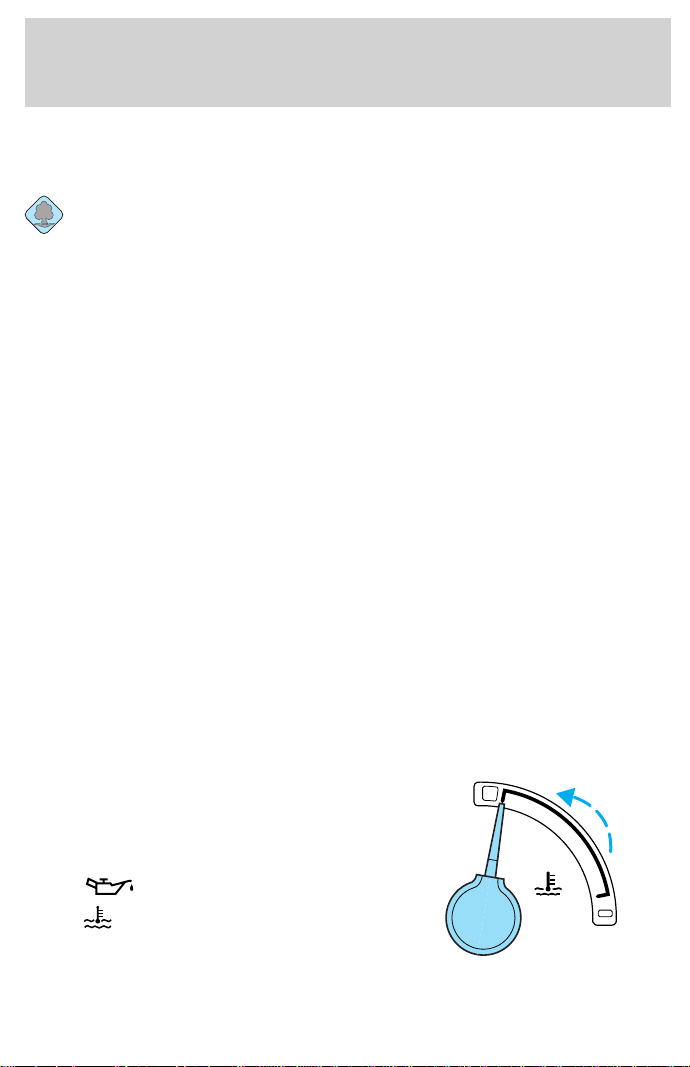
Not all coolant recycling processes produce coolant which meets Ford
specification ESE-M97B44–A, and use of such coolant may harm engine
and cooling system components.
Always dispose of used automotive fluids in a responsible manner.
Follow your community’s regulations and standards for recycling and
disposing of automotive fluids.
Coolant refill capacity
To find out how much fluid your vehicle’s cooling system can hold, refer
to Refill capacities in the Capacities and specifications chapter.
Have your dealer check the engine cooling system for leaks if you have
to add more than 1.0 liter (1.0 quart) of engine coolant per month.
Severe winter climate
If you drive in extremely cold climates (less than –36°C [–34°F]), it may
be necessary to increase the coolant concentration above 50%. Refer to
the chart on the coolant container to ensure the coolant concentration in
your vehicle is such that the coolant will not freeze at the temperature
level in which you drive during winter months. Never increase the engine
coolant concentration above 60%. Leave a 50/50 mixture of engine
coolant and water in your vehicle year-round in non-extreme climates.
What you should know about fail-safe cooling (if equipped)
If the engine coolant supply is depleted, this feature allows the vehicle to
be driven temporarily before incremental component damage is incurred.
The “fail-safe” distance depends on ambient temperatures, vehicle load
and terrain.
How fail-safe cooling works
If the engine begins to overheat:
• the engine coolant temperature
gauge will move to the red (hot)
area.
• the
symbol will illuminate.
• the
symbol will illuminate.
• the Service Engine Soon
indicator light will illuminate.
C
H
Maintenance and care
179

If the engine reaches a preset over-temperature condition, the engine
will automatically switch to alternating cylinder operation. Each disabled
cylinder acts as an air pump and cools the engine.
When this occurs the vehicle will still operate, however:
• the engine power will be limited.
• the air conditioning system will be disabled.
Continued operation will increase the engine temperature:
• the engine will completely shut down.
• steering and braking effort will increase.
Once the engine temperature cools, the engine can be re-started. Take
your vehicle to a service facility as soon as possible to minimize engine
damage.
When fail-safe mode is activated
You have limited engine power when in the fail-safe mode, so drive the
vehicle with caution. The vehicle will not be able to maintain high speed
operation and the engine will run rough. Remember that the engine is
capable of completely shutting down automatically to prevent engine
damage, therefore:
1. Pull off the road as soon as safely possible and turn off the engine.
2. Arrange for the vehicle to be taken to a service facility.
3. If this is not possible, wait a short period for the engine to cool.
4. Check the coolant level and replenish if low.
Never remove the coolant reservoir cap while the engine is
running or hot.
5. Re start the engine and take your vehicle to a service facility.
Driving the vehicle without repairing the engine problem
increases the chance of engine damage. Take your vehicle to a
service facility as soon as possible.
Maintenance and care
180
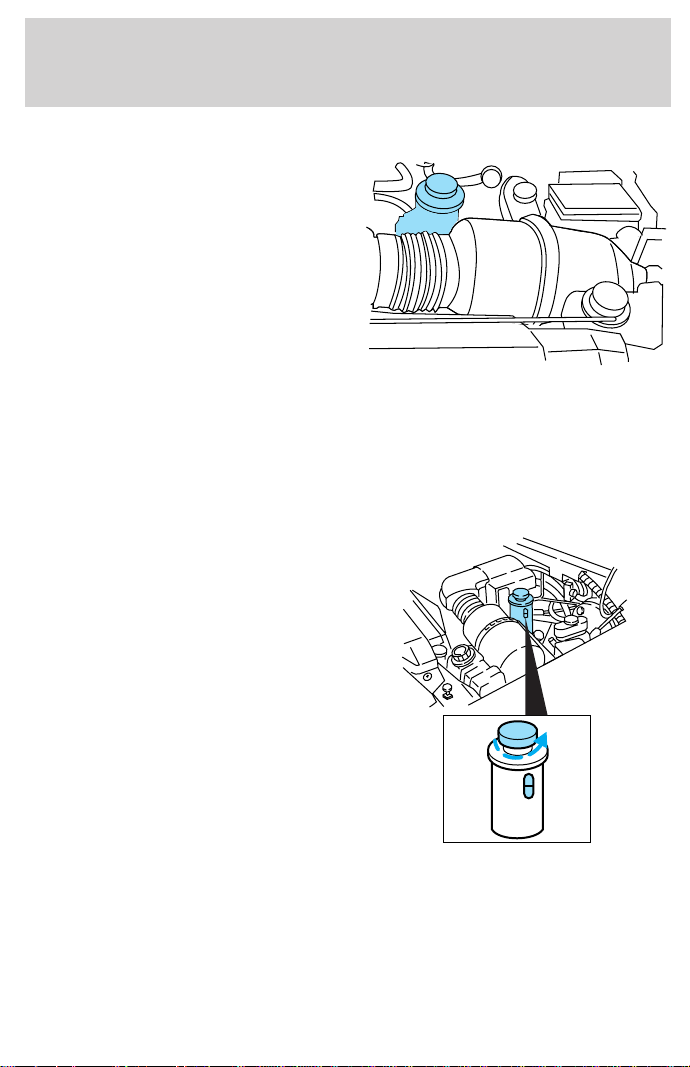
CHECKING AND ADDING POWER STEERING FLUID
Check the power steering fluid.
Refer to the Scheduled Maintenance
Guide for the service interval
schedules. If adding fluid is
necessary, use only MERCONt ATF.
1. Start the engine and let it run until it reaches normal operating
temperature (the engine coolant temperature gauge indicator will be
near the center of the normal area between H and C).
2. While the engine idles, turn the steering wheel left and right several
times.
3. Turn the engine off.
4. Check the fluid level in the
reservoir. It should be between the
MIN and MAX lines. Do not add
fluid if the level is in this range.
5. If the fluid is low, add fluid in small amounts, continuously checking
the level until it reaches the range between the MIN and MAX lines. Be
sure to put the cap back on the reservoir.
MAX
MIN
MAX
MIN
Maintenance and care
181
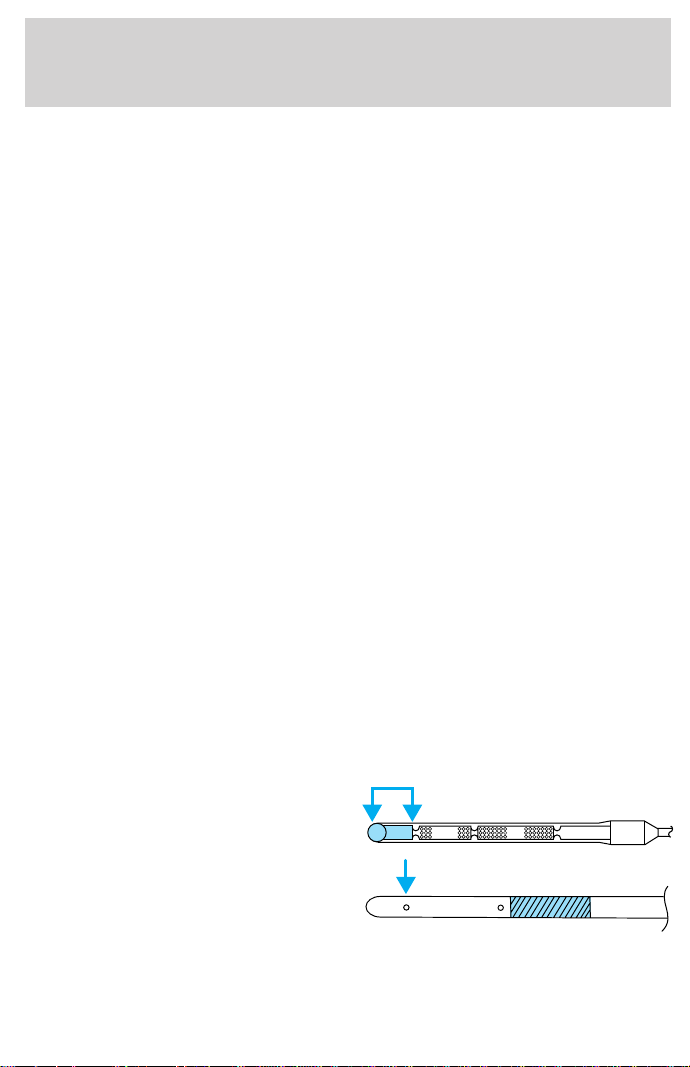
TRANSMISSION FLUID
Checking automatic transmission fluid
Refer to your Scheduled Maintenance Guide for scheduled intervals for
fluid checks and changes. Your transmission does not consume fluid.
However, the fluid level should be checked if the transmission is not
working properly, i.e., if the transmission slips or shifts slowly or if you
notice some sign of fluid leakage.
Automatic transmission fluid expands when warmed. To obtain an
accurate fluid check, drive the vehicle until it is at normal operating
temperature (approximately 30 km [20 miles]). If your vehicle has been
operated for an extended period at high speeds, in city traffic during hot
weather or pulling a trailer, the vehicle should be turned off for about
30 minutes to allow fluid to cool before checking.
1. Drive the vehicle 30 km (20 miles) or until it reaches normal operating
temperature.
2. Park the vehicle on a level surface and engage the parking brake.
3. With the parking brake engaged and your foot on the brake pedal,
start the engine and move the gearshift lever through all of the gear
ranges. Allow sufficient time for each gear to engage.
4. Latch the gearshift lever in P (Park) and leave the engine running.
5. Remove the dipstick, wiping it clean with a clean, dry lint free rag.
6. Install the dipstick making sure it is fully seated in the filler tube.
7. Remove the dipstick and inspect the fluid level. The fluid should be in
the designated area for normal operating temperature (H) or ambient
temperature (C).
Low fluid level
Do not drive the vehicle if the fluid
level is at the bottom of the dipstick
and the ambient temperature is
above 10°C (50°F).
ADD COLD HOT DO NOT ADD
DON’T ADD
Maintenance and care
182
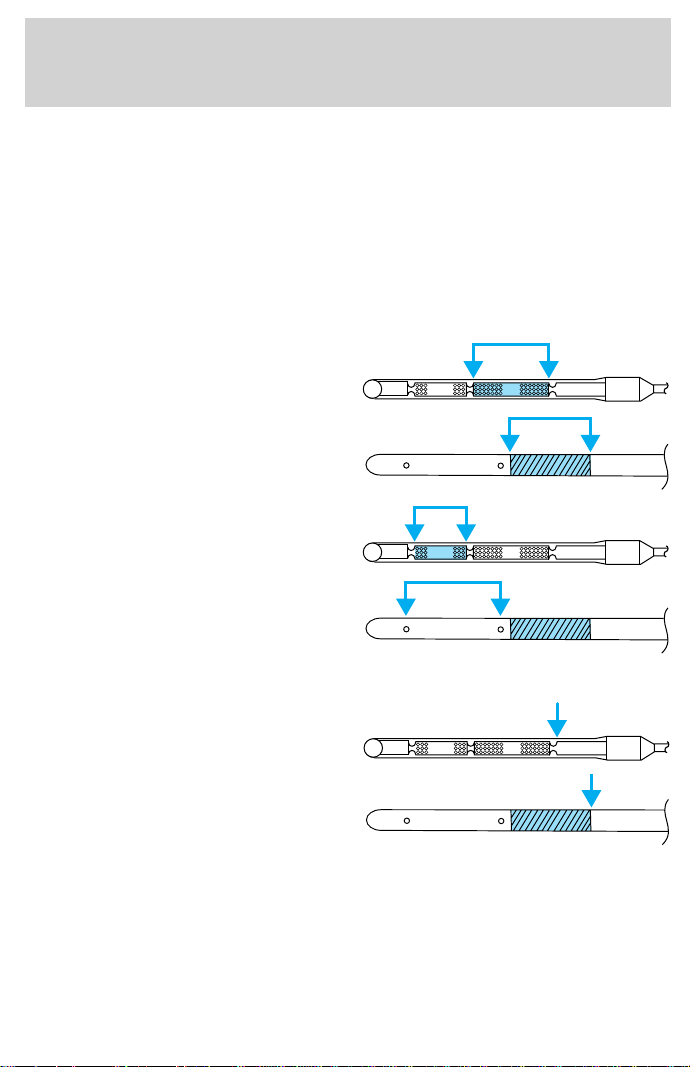
Correct fluid level
The transmission fluid should be checked at normal operating
temperature 66°C-77°C (150°F-170°F) on a level surface. The normal
operating temperature can be reached after approximately 30 km (20
miles) of driving.
You can check the fluid without driving if the ambient temperature is
above 10°C (50°F). However, if fluid is added at this time, an overfill
condition could result when the vehicle reaches normal operating
temperature.
The transmission fluid should be in
this range if at normal operating
temperature (66°C-77°C
[150°F-170°F]).
The transmission fluid should be in
this range if at ambient temperature
(10°C-35°C [50°F-95°F]).
High fluid level
Fluid levels above the safe range
may result in transmission failure.
An overfill condition of transmission
fluid may cause shift and/or
engagement concerns and/or
possible damage.
High fluid levels can be caused by
an overheating condition.
ADD COLD HOT DO NOT ADD
DON’T ADD
ADD COLD HOT DO NOT ADD
DON’T ADD
ADD COLD HOT DO NOT ADD
DON’T ADD
Maintenance and care
183
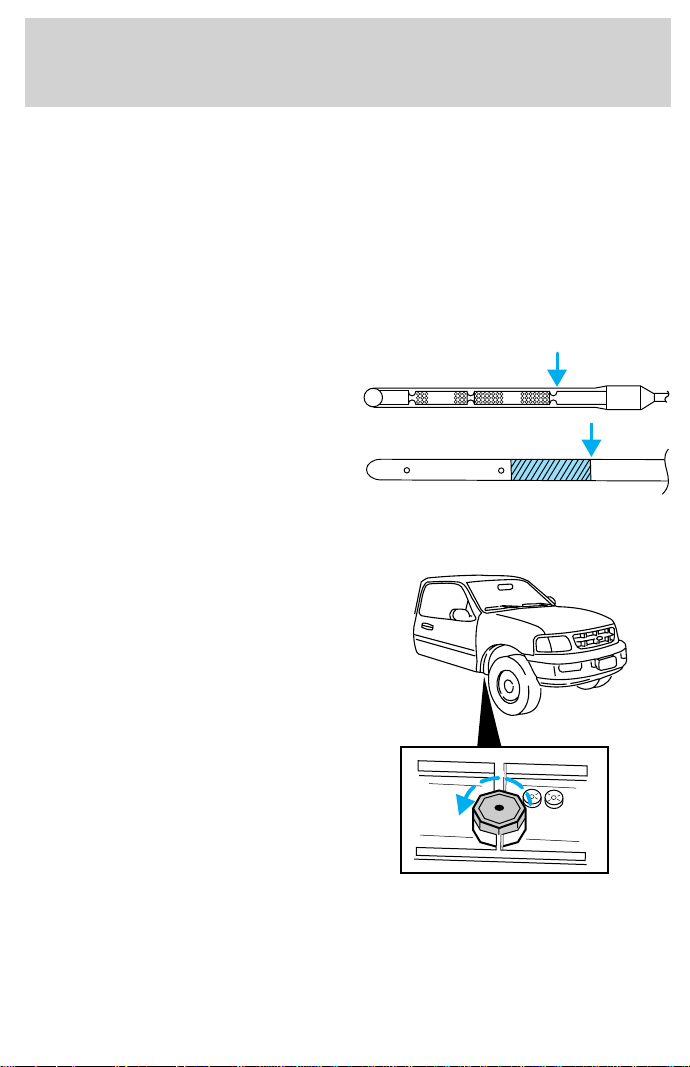
Adjusting automatic transmission fluid levels
Before adding any fluid, make sure the correct type is used. The type of
fluid used is normally indicated on the dipstick and/or dipstick handle
and also in the Lubricant specifications section in the Capacities and
specifications chapter.
Use of a non-approved automatic transmission fluid may cause
internal transmission component damage.
If necessary, add fluid in 250 mL (1/2 pint) increments through the filler
tube until the level is correct.
If an overfill occurs, excess fluid
should be removed by a qualified
technician.
An overfill condition of
transmission fluid may cause
shift and/or engagement
concerns and/or possible
damage.
Checking and adding manual transmission fluid
1. Clean the filler plug.
2. Remove the filler plug and
inspect the fluid level.
ADD COLD HOT DO NOT ADD
DON’T ADD
Maintenance and care
184
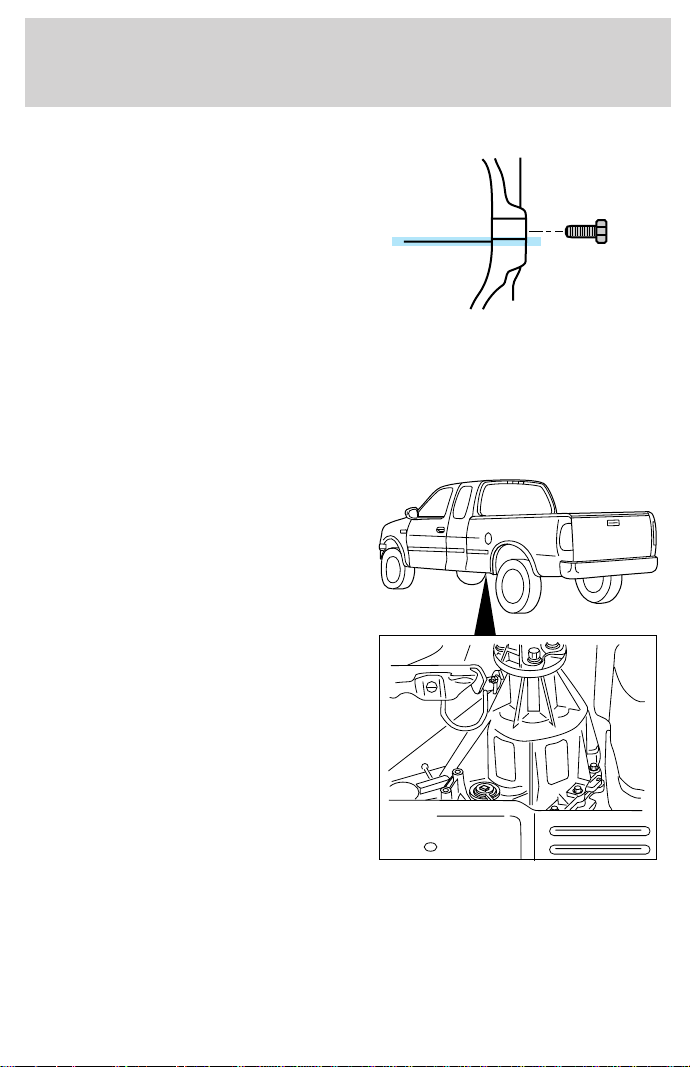
3. Fluid level should be at bottom of
the opening.
4. Add enough fluid through the
filler opening so that the fluid level
is at the bottom of the opening.
5. Install and tighten the fill plug
securely.
Use only fluid that meets Ford specifications. Refer to the Capacities
and specifications chapter.
Checking and adding transfer case fluid
1. Clean the filler plug.
2. Remove the filler plug and
inspect the fluid level.
Maintenance and care
185
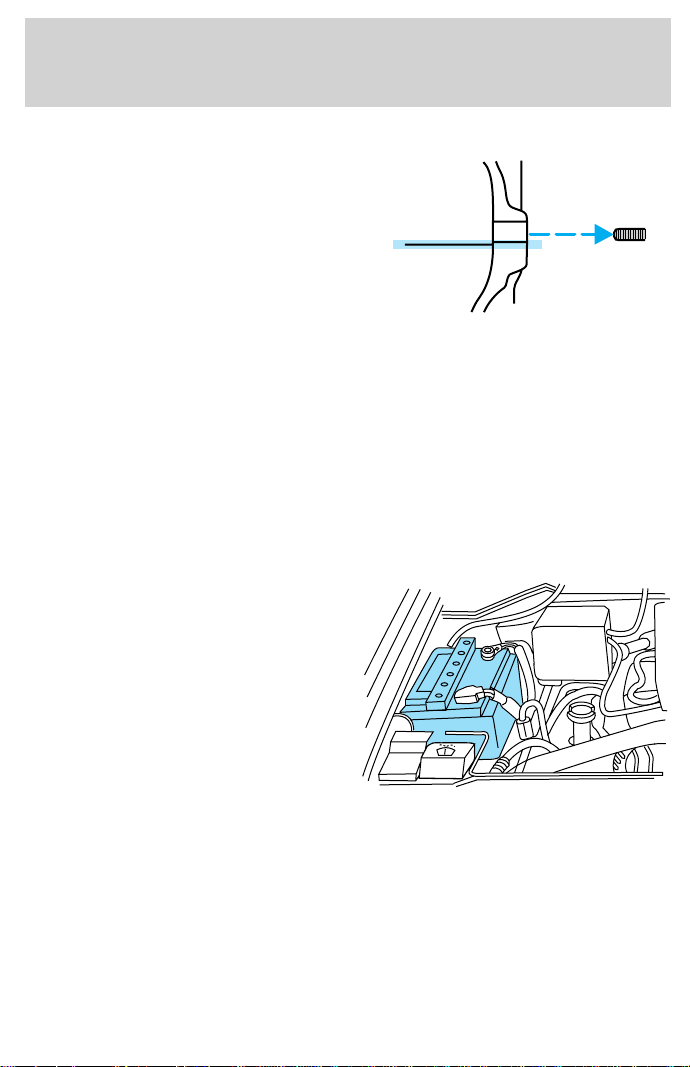
3. Add only enough fluid through
the filler opening so that the fluid
level is at the bottom of the
opening.
Use only fluid that meets Ford specifications. Refer to the Capacities
and specifications chapter.
DRIVELINE UNIVERSAL JOINT AND SLIP YOKE
Your vehicle may be equipped with universal joints that require
lubrication. Refer to the Scheduled Maintenance Guide for maintenance
intervals. If the original universal joints are replaced with universal joints
equipped with grease fittings, lubrication will also be necessary.
BATTERY
Your vehicle is equipped with a
Motorcraft maintenance-free battery
which normally does not require
additional water during its life of
service.
However, for severe usage or in high temperature climates, check the
battery electrolyte level. Refer to the Scheduled Maintenance Guide for
the service interval schedules.
Keep the electrolyte level in each cell up to the “level indicator”.
Do not overfill the battery cells.
If the electrolyte level in the battery is low, you can add plain tap water
to the battery, as long as you do not use hard water (water with a high
mineral or alkali content). If possible, however, try to only fill the battery
Maintenance and care
186
cells with distilled water. If the battery needs water often, have the
charging system checked.
If your battery has a cover/shield, make sure it is reinstalled
after the battery has been cleaned or replaced.
For longer, trouble-free operation, keep the top of the battery clean and
dry. Also, make certain the battery cables are always tightly fastened to
the battery terminals.
If you see any corrosion on the battery or terminals, remove the cables
from the terminals and clean with a wire brush. You can neutralize the
acid with a solution of baking soda and water.
Batteries normally produce explosive gases which can cause
personal injury. Therefore, do not allow flames, sparks or lighted
substances to come near the battery. When working near the battery,
always shield your face and protect your eyes. Always provide proper
ventilation.
When lifting a plastic-cased battery, excessive pressure on the
end walls could cause acid to flow through the vent caps,
resulting in personal injury and/or damage to the vehicle or battery.
Lift the battery with a battery carrier or with your hands on opposite
corners.
Keep batteries out of reach of children. Batteries contain sulfuric
acid. Avoid contact with skin, eyes or clothing. Shield your eyes
when working near the battery to protect against possible splashing of
acid solution. In case of acid contact with skin or eyes, flush
immediately with water for a minimum of 15 minutes and get prompt
medical attention. If acid is swallowed, call a physician immediately.
Because your vehicle’s engine is also electronically controlled by a
computer, some control conditions are maintained by power from the
battery. When the battery is disconnected or a new battery is installed,
the engine must relearn its idle and fuel trim strategy for optimum
driveability and performance. To begin this process:
1. Set your parking brake.
Maintenance and care
187
2. Put the gearshift in P (Park) (automatic transmission) or the neutral
position (manual transmission), turn off all accessories and start the
engine.
3. Let the engine idle for at least one minute.
4. The relearning process will automatically complete as you drive the
vehicle.
• The vehicle may need to be driven 16 km (10 miles) or more to
relearn the idle and fuel trim strategy.
• If you do not allow the engine to relearn its idle trim, the idle quality
of your vehicle may be adversely affected until the idle trim is
eventually relearned.
If the battery has been disconnected or a new battery has been installed,
the clock and the preset radio stations must be reset once the battery is
reconnected.
• Always dispose of automotive
batteries in a responsible manner.
Follow your local authorized
standards for disposal. Call your
local authorized recycling center
to find out more about recycling
automotive batteries.
AIR FILTER MAINTENANCE
Refer to the Scheduled Maintenance Guide for the appropriate intervals
for changing the air filter element.
For information on replacement air filter elements, refer to Motorcraft
Part Numbers in the Capacities and specifications chapter.
Do not start your engine with the air cleaner removed and do
not remove it while the engine is running.
LEAD
RETURN
RECYCLE
Maintenance and care
188
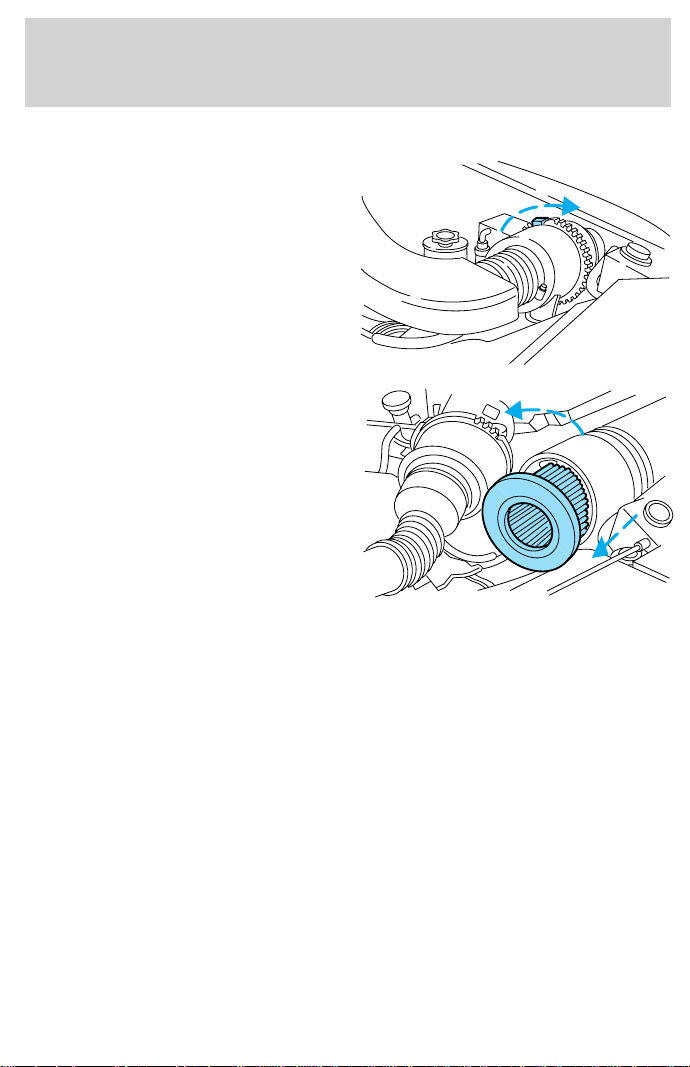
Changing the air filter element
1. Loosen the clamp that secures
the air filter element in place.
2. Carefully separate the two halves
of the air filter housing.
3. Remove the air filter element
from the open end of the air filter
housing.
4. Install a new air filter element. Be
careful not to crimp the filter
element edges between the air filter
housing. This could cause filter
damage and allow unmetered air to
enter the engine if not properly seated.
5. Replace the two halves of the air filter housing and secure the clamp.
WINDSHIELD WIPER BLADES
Check the wiper blades at least twice a year or when they seem less
effective. Substances such as tree sap and some hot wax treatments used
by commercial car washes reduce the effectiveness of wiper blades.
Checking the wiper blades
If the wiper blades do not wipe properly, clean both the windshield and
wiper blades using undiluted windshield wiper solution or a mild
detergent. Rinse thoroughly with clean water. To avoid damaging the
blades, do not use fuel, kerosene, paint thinner or other solvents.
Maintenance and care
189
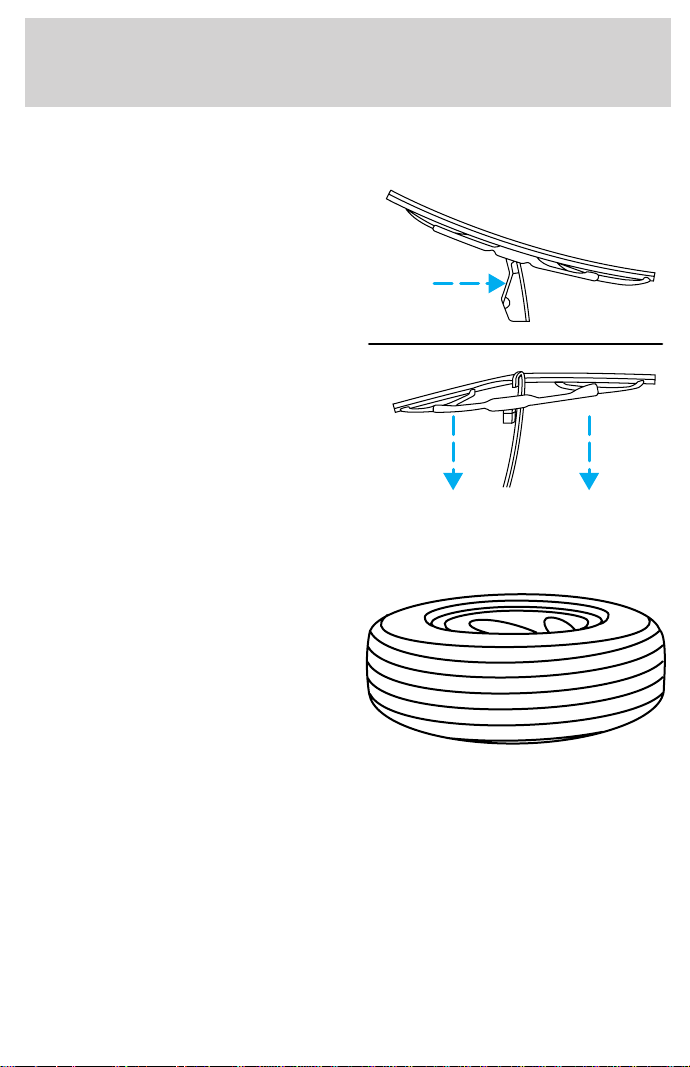
Changing the wiper blades
To replace the wiper blades:
1. Pull the wiper arm away from the
windshield and lock into the service
position.
2. Turn the blade at an angle from
the wiper arm. Push the lock pin
manually to release the blade and
pull the wiper blade down toward
the windshield to remove it from the
arm.
3. Attach the new wiper to the
wiper arm and press it into place
until a click is heard.
INFORMATION ABOUT TIRE QUALITY GRADES
New vehicles are fitted with tires
that have their Tire Quality Grade
(described below) molded into the
tire’s sidewall. These Tire Quality
Grades are determined by standards
that the United States Department
of Transportation has set.
Tire Quality Grades apply to new
pneumatic tires for use on
passenger cars. They do not apply
to deep tread, winter-type snow
tires, space-saver or temporary use spare tires, tires with nominal rim
diameters of 10 to 12 inches or limited production tires as defined in
Title 49 Code of Federal Regulations Part 575.104(c)(2).
U.S. Department of Transportation-Tire quality grades: The U.S.
Department of Transportation requires Ford to give you the following
information about tire grades exactly as the government has written it.
Maintenance and care
190

Treadwear
The treadwear grade is a comparative rating based on the wear rate of
the tire when tested under controlled conditions on a specified
government test course. For example, a tire graded 150 would wear one
and one-half (1 1/2) times as well on the government course as a tire
graded 100. The relative performance of tires depends upon the actual
conditions of their use, however, and may depart significantly from the
norm due to variations in driving habits, service practices, and
differences in road characteristics and climate.
Traction AA A B C
The traction grades, from highest to lowest are AA, A, B, and C. Those
grades represent the tire’s ability to stop on wet pavement as measured
under controlled conditions on specified government test surfaces of
asphalt and concrete. A tire marked C may have poor traction
performance.
The traction grade assigned to this tire is based on
straight-ahead braking traction tests, and does not include
acceleration, cornering, hydroplaning or peak traction characteristics.
Temperature A B C
The temperature grades are A (the highest), B, and C, representing the
tire’s resistance to the generation of heat and its ability to dissipate heat
when tested under controlled conditions on a specified indoor laboratory
test wheel. Sustained high temperature can cause the material of the tire
to degenerate and reduce tire life, and excessive temperature can lead to
sudden tire failure. The grade C corresponds to a level of performance
which all passenger car tires must meet under the Federal Motor Vehicle
Safety Standard No. 109. Grades B and A represent higher levels of
performance on the laboratory test wheel than the minimum required by
law.
The temperature grade for this tire is established for a tire that
is properly inflated and not overloaded. Excessive speed,
underinflation, or excessive loading, either separately or in
combination, can cause heat buildup and possible tire failure.
Maintenance and care
191
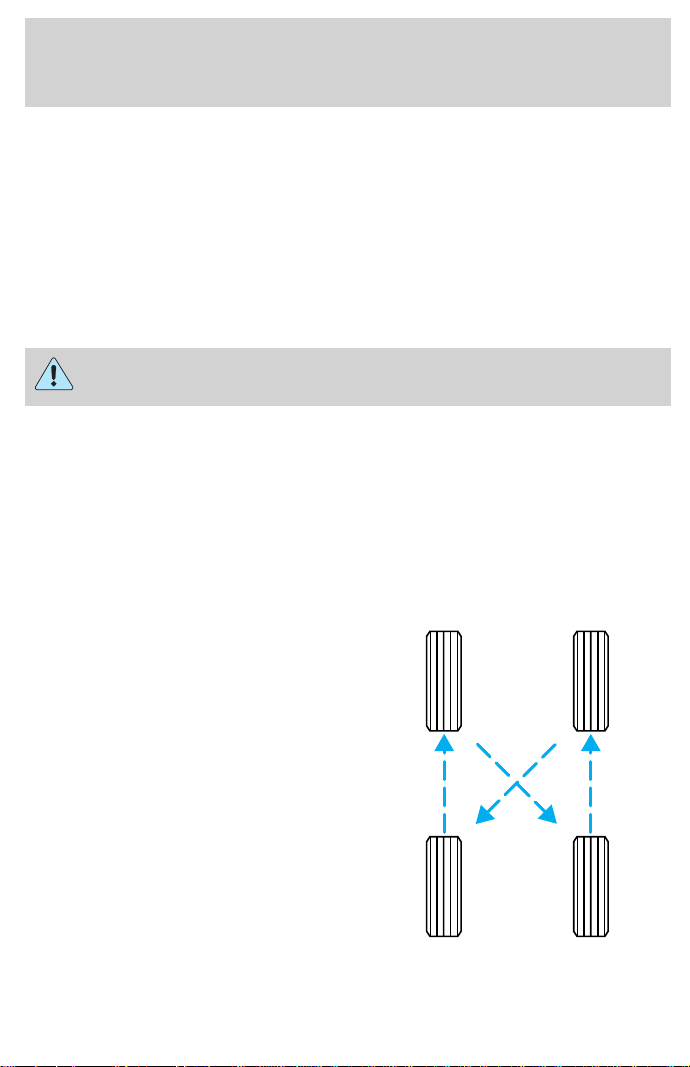
SERVICING YOUR TIRES
Checking the tire pressure
• Use an accurate tire pressure gauge.
• Check the tire pressure when tires are cold, after the vehicle has been
parked for at least one hour or has been driven less than 5 km (3
miles).
• Adjust tire pressure to recommended specifications found on the label
located on the passenger door panel.
Improperly inflated tires can affect vehicle handling and can fail
suddenly, possibly resulting in loss of vehicle control.
Tire rotation
Because your vehicle’s tires perform different jobs, they often wear
differently. To make sure your tires wear evenly and last longer, rotate
them as indicated in the Scheduled Maintenance Guide. If you notice
that the tires wear unevenly, have them checked.
The following procedure applies to vehicles equipped with single rear
wheels, if your vehicle is equipped with dual rear wheels it is
recommended that only the front wheels be rotated (side to side).
• Four tire rotation
Maintenance and care
192
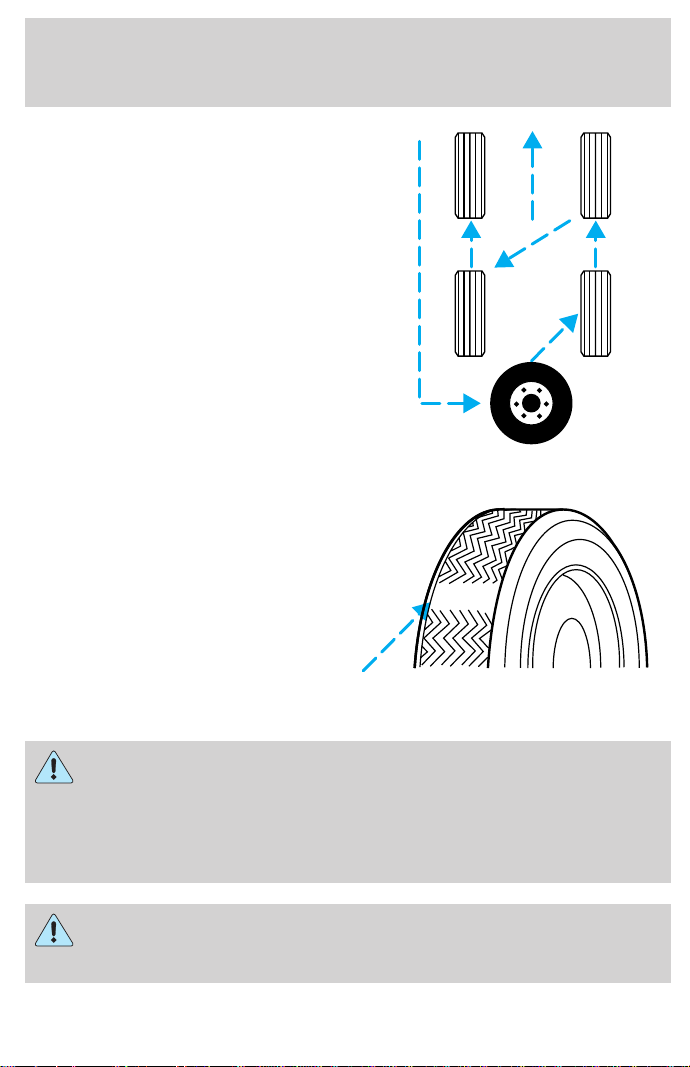
• Five tire rotation
Replacing the tires
Replace the tires when the wear
band is visible through the tire
treads.
When replacing full size tires, never mix radial, bias-belted, or
bias-type tires. Use only the tire sizes that are listed on the tire
pressure decal. Make sure that all tires are the same size, speed rating,
and load-carrying capacity. Use only the tire combinations
recommended on the decal. If you do not follow these precautions,
your vehicle may not drive properly and safely.
Make sure that all replacement tires are of the same size, type,
load-carrying capacity and tread design (e.g., “All Terrain”, etc.),
as originally offered by Ford.
Maintenance and care
193

Do not replace your tires with “high performance” tires or larger
size tires.
Failure to follow these precautions may adversely affect the
handling of the vehicle and make it easier for the driver to lose
control and roll over.
Tires that are larger or smaller than your vehicle’s original tires may also
affect the accuracy of your speedometer.
SNOW TIRES AND CHAINS
Snow tires must be the same size and grade as the tires you
currently have on your vehicle.
The tires on your vehicle have all weather treads to provide traction in
rain and snow. However, in some climates, you may need to use snow
tires and chains. If you need to use chains, it is recommended that steel
wheels (of the same size and specifications) be used as chains may chip
aluminum wheels.
Follow these guidelines when using snow tires and chains:
• Use only SAE Class S chains.
• Install chains securely, verifying that the chains do not touch any
wiring, brake lines or fuel lines.
• Drive cautiously. If you hear the chains rub or bang against your
vehicle, stop and re-tighten the chains. If this does not work, remove
the chains to prevent damage to your vehicle.
• If possible, avoid fully loading your vehicle.
• Remove the tire chains when they are no longer needed. Do not use
tire chains on dry roads.
• The suspension insulation and bumpers will help prevent vehicle
damage. Do not remove these components from your vehicle when
using snow tires and chains.
Maintenance and care
194
WHAT YOU SHOULD KNOW ABOUT AUTOMOTIVE FUELS
Important safety precautions
Do not overfill the fuel tank. The pressure in an overfilled tank
may cause leakage and lead to fuel spray and fire.
If you do not use the proper fuel cap, the pressure in the fuel
tank can damage the fuel system or cause it to work improperly
in a collision.
The fuel system may be under pressure. If the fuel cap is venting
vapor or if you hear a hissing sound, wait until it stops before
completely removing the cap.
Automotive fuels can cause serious injury or death if misused or
mishandled.
Observe the following guidelines when handling automotive fuel:
• Extinguish all smoking materials
and any open flames before
fueling your vehicle.
• Always turn off the vehicle before
fueling.
• Automotive fuels can be harmful
or fatal if swallowed. Fuel such as
gasoline is highly toxic and if
swallowed can cause death or
permanent injury. If fuel is
swallowed, call a physician immediately, even if no symptoms are
immediately apparent. The toxic effects of fuel may not be visible for
hours.
• Avoid inhaling fuel vapors. Inhaling too much fuel vapor of any kind
can lead to eye and respiratory tract irritation. In severe cases,
excessive or prolonged breathing of fuel vapor can cause serious
illness and permanent injury.
Maintenance and care
195

• Avoid getting fuel liquid in your eyes. If fuel is splashed in the eyes,
remove contact lenses (if worn), flush with water for 15 minutes and
seek medical attention. Failure to seek proper medical attention could
lead to permanent injury.
• Fuels can also be harmful if absorbed through the skin. If fuel is
splashed on the skin and/or clothing, promptly remove contaminated
clothing and wash skin thoroughly with soap and water. Repeated or
prolonged skin contact with fuel liquid or vapor causes skin irritation.
• Be particularly careful if you are taking “Antabuse” or other forms of
disulfiram for the treatment of alcoholism. Breathing gasoline vapors,
or skin contact could cause an adverse reaction. In sensitive
individuals, serious personal injury or sickness may result. If fuel is
splashed on the skin, promptly wash skin thoroughly with soap and
water. Consult a physician immediately if you experience an adverse
reaction.
Choosing the right fuel
Use only UNLEADED FUEL. The use of leaded fuel is prohibited by law
and could damage your vehicle.
Do not use gasolines containing methanol. It can damage critical fuel
systems components.
Vehicles certified to meet California emission standards (indicated on the
underhood Vehicle Emissions Control Information label) are designed to
operate on California cleaner-burning, low-sulfur gasolines. If you have a
California-certified vehicle and California cleaner-burning gasoline is not
available when you refuel, your engine should perform adequately.
However, the performance of the emission control devices and systems
may be adversely affected. In New York and Massachusetts, which have
adopted California’s emission standards without requiring the sale of
California cleaner-burning gasoline, repairs to correct the effects of using
non-California fuel may not be covered by the emissions warranty.
Your vehicle was not designed to use fuel or fuel additives with metallic
compounds, including manganese-based compounds containing (MMT).
Repairs to correct the effects of using a fuel for which your vehicle was
not designed may not be covered by your warranty.
Maintenance and care
196
Octane recommendations
Your vehicle is designed to use
“Regular” unleaded gasoline with an
(R+M)/2 octane rating of 87. We do
not recommend the use of gasolines
labeled as “Regular” that are sold
with octane ratings of 86 or lower in high altitude areas.
Do not be concerned if your engine sometimes knocks lightly. However, if
it knocks heavily under most driving conditions while you are using fuel
with the recommended octane rating, see your dealer or a qualified
service technician to prevent any engine damage.
Fuel quality
If you are experiencing starting, rough idle or hesitation driveability
problems during a cold start, try a different brand of “Regular” unleaded
gasoline. “Premium” unleaded gasoline is not recommended (particularly
in the United States) because it may cause these problems to become
more pronounced. If the problems persist, see your dealer or a qualified
service technician.
The American Automobile Manufacturers Association (AAMA) issued a
fuel specification to provide information on high quality fuels that
optimize the performance of your vehicle. We recommend the use of
fuels that meet the AAMA specification if they are available.
It should not be necessary to add any aftermarket products to your fuel
tank if you continue to use a high-quality fuel.
Cleaner air
Ford approves the use of gasolines to improve air quality, including
reformulated gasolines that contain oxygenates up to 10% ethanol or
15% MTBE.
Running out of fuel
Avoid running out fuel because this situation may have an adverse affect
on modern powertrain components.
If you have run out of fuel:
• You may need to crank the engine several times before the system
starts to pump fuel from the tank to the engine.
87
(R+M)/2 METHOD
Maintenance and care
197

• Your “Service Engine Soon” light may come on. For more information
on the “Service Engine Soon” light, refer to the Instrumentation
chapter.
Fuel Filler Cap
Your fuel tank filler cap has an indexed design with a one-eighth turn
on/off feature.
When fueling your vehicle:
1. Turn the engine off.
2. Carefully turn the filler cap counterclockwise 1/8 of a turn until it
stops.
3. Pull to remove the cap from the fuel filler pipe.
4. To install the cap, align the tabs on the cap with the notches on the
filler pipe.
5. Turn the filler cap clockwise 1/8 of a turn until it stops.
If the “Service Engine Soon/Check Engine” indicator comes on and stays
on when you start the engine, the fuel filler cap may not be properly
installed. Turn off the engine, remove the fuel filler cap and reinstall it
being careful to align the cap properly.
If you must replace the fuel filler cap, replace it with a genuine
Ford or Motorcraft part. The customer warranty may be void for
any damage to the fuel tank or fuel system if a genuine Ford or
Motorcraft fuel filler cap is not used.
The fuel system may be under pressure. If the fuel filler cap is
venting vapor or if you hear a hissing sound, wait until it stops
before completely removing the fuel filler cap. Otherwise, fuel may
spray out and injure you or others.
If you do not use the proper fuel filler cap, the pressure in the
fuel tank can damage the fuel system or cause it to work
improperly in a collision.
Fuel Filter
Your vehicle is equipped with a fuel filter that is mounted on the
underbody.
Maintenance and care
198

For fuel filter replacement, see your dealer or a qualified service
technician. Refer to the Scheduled Maintenance Guide for the
appropriate intervals for changing the fuel filter.
If you replace the fuel filter, replace it with an authorized
Motorcraft part. The customer warranty may be void for any
damage to the fuel system if an authorized Motorcraft fuel filter
is not used.
ESSENTIALS OF GOOD FUEL ECONOMY
Measuring techniques
Your best source of information about actual fuel economy is you, the
driver. You must gather information as accurately and consistently as
possible. Fuel expense, frequency of fillups or fuel gauge readings are
NOT accurate as a measure of fuel economy. We do not recommend
taking fuel economy measurements during the first 1 600 km (1 000
miles) of driving (engine break-in period). You will get a more accurate
measurement after 3 000 km–5 000 km (2 000 miles-3 000 miles).
The advertised fuel capacity of the fuel tank on your vehicle is equal to
the rated refill capacity of the fuel tank as listed in the Refill Capacities
chart in this “Owner Guide.” The advertised capacity is the amount of
the Indicated Capacity and the Empty Reserve combined. Indicated
Capacity is the difference in the amount of fuel in a full tank and a tank
when the fuel gauge indicates empty. Empty Reserve is the small amount
of usable fuel remaining in the fuel tank after the fuel gauge indicates
empty.
The amount of Empty Reserve varies and should not be relied
upon to increase driving range. When refueling your vehicle after
the fuel gauge indicates empty, you might not be able to refuel
the full amount of the advertised capacity of the fuel tank due to
the empty reserve still present in the tank.
Filling the tank
For consistent results:
• Use the same filling rate setting (low — medium — high) each time
the tank is filled.
• Allow three automatic click-offs when filling.
• Always use the recommended octane rating of a known quality
gasoline, preferably a national brand.
Maintenance and care
199

• Use the same side of the same pump and have the vehicle facing the
same direction each time you fill up.
• Have the vehicle loading and distribution the same every time.
Your results will be most accurate if your filling method is consistent.
Calculating fuel economy
1. Fill the fuel tank completely and record the initial odometer reading.
2. Each time you fill the tank, record the amount of fuel added (in liters
or gallons).
3. After at least three to five tank fill-ups, fill the fuel tank and record
the current kilometer (mileage) reading.
4. Follow one of the simple calculations in order to determine fuel
economy:
Multiply liters used by 100, then divide by total kilometers
traveled.
Divide total miles traveled by total gallons used.
Keep a record for at least one month and record the type of driving (city
or highway). This will provide an accurate estimate of the vehicle’s fuel
economy. Additionally, keeping records during summer and winter will
show how temperature impacts fuel economy. In general, lower
temperatures give lower fuel economy.
Driving style — good driving and fuel economy habits
Give consideration to the lists that follow and you may be able to change
a number of variables and improve your fuel economy.
Habits
• Smooth, moderate operation can yield up to 10% savings in fuel.
• Steady speeds without stopping will usually give the best fuel
economy.
• Idling for long periods of time (greater than one minute) may waste
fuel.
• Anticipate stopping; slowing down may eliminate the need to stop.
• Sudden or hard accelerations may reduce fuel economy.
• Slow down gradually.
Maintenance and care
200

• Drive at reasonable speeds (traveling at 105 km /h [65 mph] uses 15%
more fuel than traveling at 88 km/h [55 mph]).
• Revving the engine before turning it off may reduce fuel economy.
• Use of the air conditioner or defroster may reduce fuel economy.
• Use of speed control (if equipped) may improve fuel economy. Speed
control can help maintain a constant speed and reduce speed changes.
You may want to turn off the speed control in hilly terrain as
unnecessary shifting between third and fourth gears may occur and
could result in reduced fuel economy.
• Warming up a vehicle on cold mornings is not required and may
reduce fuel economy.
• Resting your foot on the brake pedal while driving may reduce fuel
economy.
• Combine errands and minimize stop-and-go driving.
Maintenance
• Keep tires properly inflated and use only recommended size.
• Operating a vehicle with the wheels out of alignment will reduce fuel
economy.
• Use recommended engine oil. Refer to Lubricant Specifications.
• Perform all regularly scheduled maintenance items. Follow the
recommended maintenance schedule and owner maintenance checks
found in your vehicle Scheduled Maintenance Guide.
Conditions
• Heavily loading a vehicle or towing a trailer may reduce fuel economy
at any speed.
• Carrying unnecessary weight may reduce fuel economy (approximately
2 km/h [1 mpg] is lost for every 180 kg [400 lb] of weight carried).
• Adding certain accessories to your vehicle (for example bug
deflectors, rollover/light bars, running boards, ski/luggage racks) may
reduce fuel economy.
• To maximize the fuel economy, drive with the tonneau cover installed
(if equipped).
• Use of fuel blended with alcohol may lower fuel economy.
Maintenance and care
201

• Fuel economy may decrease with lower temperatures during the first
12–16 km (8–10 miles) of driving.
• Flat terrain driving improves fuel economy over hilly roads.
• Transmissions give their best fuel economy when operated in the top
cruise gear and with steady pressure on the gas pedal.
• Four-wheel-drive operation (if equipped) is less fuel efficient than
two-wheel-drive operation.
• Close windows for high speed driving.
EPA window sticker
Every new vehicle should have the EPA window sticker. Contact your
dealer if the window sticker is not supplied with your vehicle. The EPA
window sticker should be your guide for the fuel economy comparisons
with other vehicles.
It is important to note the box in the lower left corner of the window sticker.
These numbers represent the Range of Km/L (MPG) expected on the
vehicle, depending upon the driver’s method of operation and conditions.
EMISSION CONTROL SYSTEM
Your vehicle is equipped with various emission control components and a
catalytic converter which will enable your vehicle to comply with
applicable exhaust emission standards. To make sure that the catalytic
converter and other emission control components continue to work
properly:
• Use only unleaded fuel.
• Avoid running out of fuel.
• Do not turn off the ignition while your vehicle is moving, especially at
high speeds.
• Have the items listed in your Scheduled Maintenance Guide performed
according to the specified schedule.
The scheduled maintenance items listed in the Scheduled Maintenance
Guide are essential to the life and performance of your vehicle and to its
emissions system.
If other than Ford, Motorcraft or Ford-authorized parts are used for
maintenance replacements or for service of components affecting
emission control, such non-Ford parts should be equivalent to genuine
Ford Motor Company parts in performance and durability.
Maintenance and care
202

Do not park, idle, or drive your vehicle in dry grass or other dry
ground cover. The emission system heats up the engine
compartment and exhaust system, which can start a fire.
Illumination of the charging system warning light, Check Engine
indicator light or the temperature warning light, fluid leaks, strange
odors, smoke or loss of oil pressure, could indicate that the emission
control system is not working properly.
Exhaust leaks may result in entry of harmful and potentially
lethal fumes into the passenger compartment.
Do not make any unauthorized changes to your vehicle or engine. By law,
vehicle owners and anyone who manufactures, repairs, services, sells, leases,
trades vehicles, or supervises a fleet of vehicles are not permitted to
intentionally remove an emission control device or prevent it from working.
Information about your vehicle’s emission system is on the Vehicle Emission
Control Information Decal located on or near the engine. This decal
identifies engine displacement and gives some tune up specifications.
Please consult your “Warranty Guide” for complete emission warranty
information.
Readiness for Inspection/Maintenance (I/M) testing
In some localities, it may be a legal requirement to pass an I/M test of the
on-board diagnostic (OBD-II) system. If your “Check Engine/Service Engine
Soon” light is on, refer to the description in the Warning Lights and
Chimes section of the Instrumentation chapter. Your vehicle may not pass
the I/M test with the “Check Engine/Service Engine Soon” light on.
If the vehicle’s powertrain system or its battery has just been serviced,
the OBD-II system is reset to a “not ready for I/M test” condition. To
ready the OBD-II system for I/M testing, a minimum of 30 minutes of city
and highway driving is necessary as described below:
• First, at least 10 minutes of driving on an expressway or highway.
• Next, at least 20 minutes driving in stop-and-go, city-type traffic with
at least four idle periods.
Allow the vehicle to sit for at least eight hours without starting the
engine. Then, start the engine and complete the above driving cycle. The
engine must warm up to its normal operating temperature. Once started,
do not turn off the engine until the above driving cycle is complete.
Maintenance and care
203
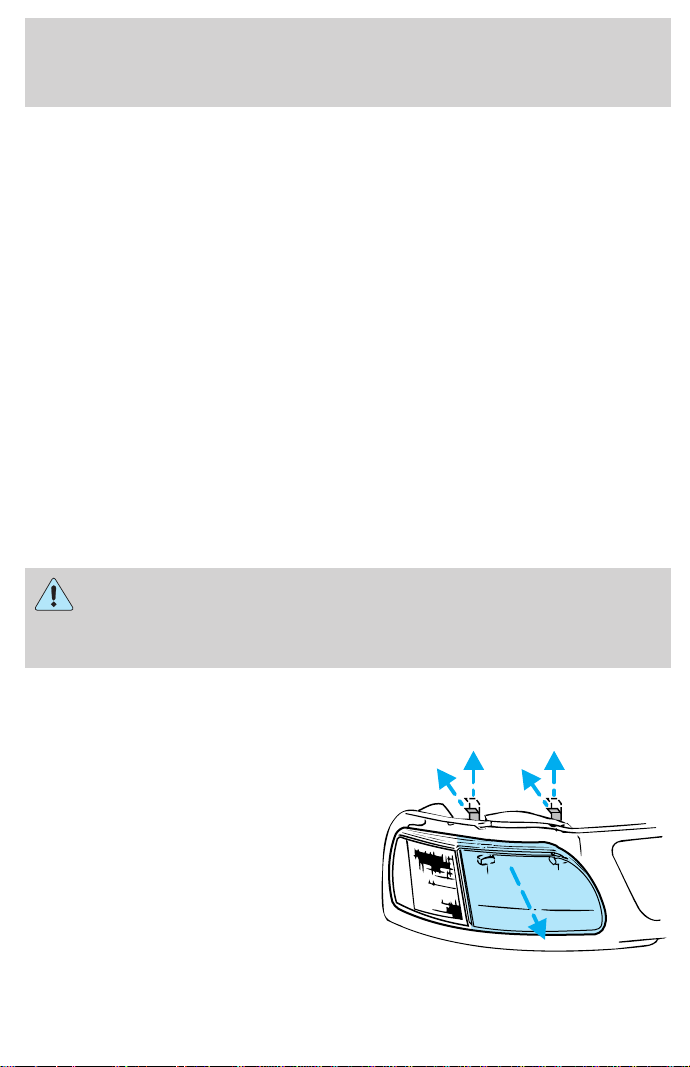
EXTERIOR BULBS
Replacing exterior bulbs
Check the operation of the following lamps frequently:
• Headlamps
• Foglamps (if equipped)
• High-mount brakelamp
• Brakelamps
• Turn signals
• License plate lamp
• Tail lamps
• Back-up lamps
Do not remove lamp bulbs unless they can be replaced immediately with
new ones. If a bulb is removed for an extended period of time,
contaminants may enter the lamp housings and affect lamp performance.
Replacing headlamp bulbs
Handle a halogen headlamp bulb carefully and keep out of
children’s reach. Grasp the bulb only by its plastic base and do
not touch the glass. The oil from your hand could cause the bulb to
break the next time the headlamps are operated.
1. Make sure that the headlamp control is in the OFF position.
2. Open the hood.
3. At the back of the headlamp, pull
clips rearward and up (about
3
⁄
4
inch) to release the headlamp
assembly.
4. Slide headlamp assembly forward
and off of guide ribs to expose the
back of the bulb and wiring
connector.
Maintenance and care
204
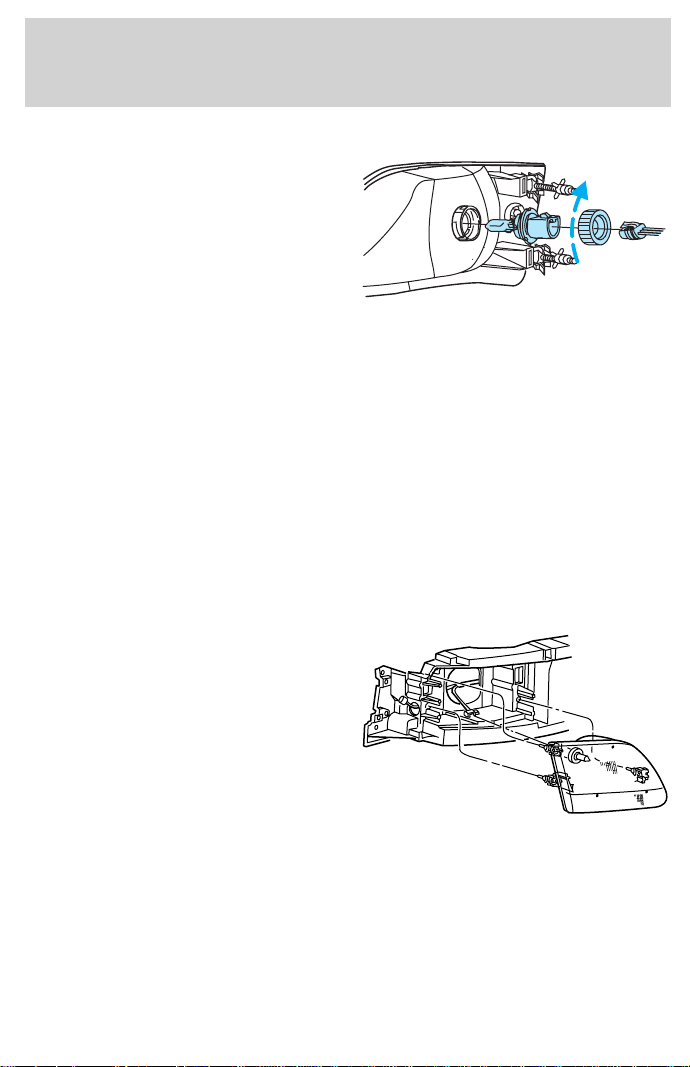
5. Release clip and disconnect the
electrical connector from the bulb.
6. Remove bulb retainer ring by
turning it counterclockwise about
1
⁄
4
turn, then slide the ring off the
plastic base.
7. Without turning, carefully pull bulb assembly out of headlamp
assembly and replace.
8. Insert the glass end of the new bulb into the headlamp assembly.
When the grooves in the plastic base are aligned, push the bulb into the
lamp assembly until the plastic base contacts the rear of the lamp
assembly.
9. Install bulb retaining ring over the plastic base and lock the ring into
the socket by turning it clockwise until you feel a “stop.”
10. Connect the electrical connector into the plastic base until it “snaps.”
11. Straighten alignment pins, making them parallel with the outer edges
of the attachment standoff.
12. Carefully insert the headlamp
assembly into the vehicle making
sure the alignment pins are inserted
into the proper holes and into the
guide ribs.
13. Hold the headlamp assembly
snugly against the vehicle and push
down on the clips to lock the lamp
into place.
Maintenance and care
205
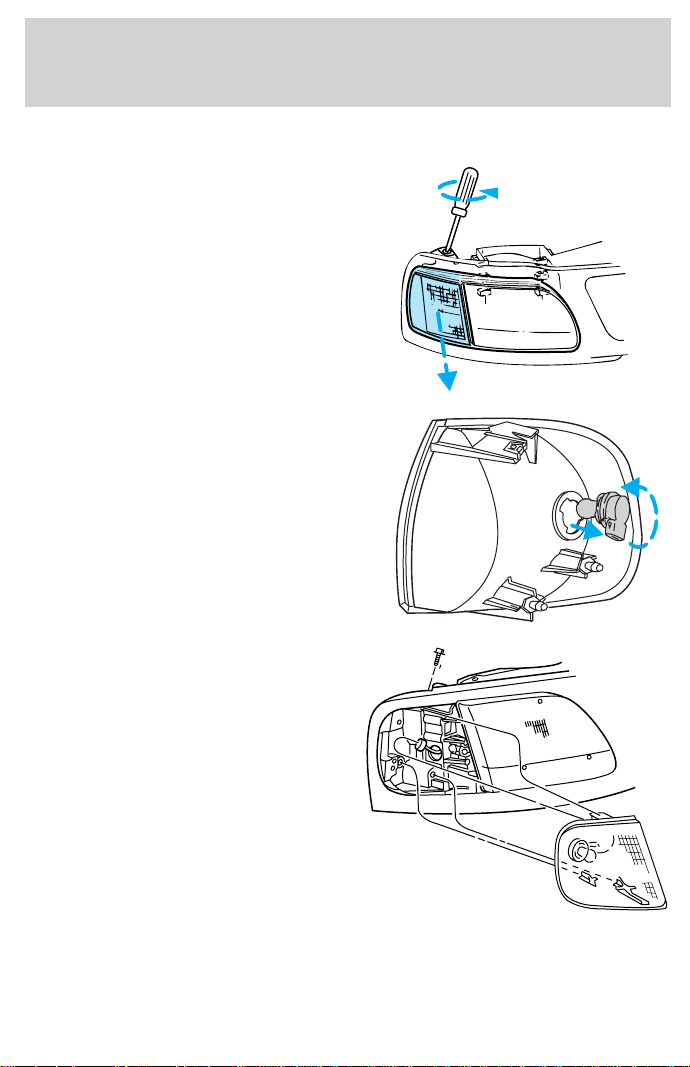
Replacing front parking lamp/turn signal bulbs
1. Remove screw from the lamp
assembly.
2. Disengage lamp assembly (it has
a snap fit).
3. Remove bulb socket from the
parking lamp assembly by turning it
counterclockwise about
1
⁄
4
turn.
4. Pull bulb straight out of socket
and press in the new bulb.
5. Install the bulb socket into the
lamp assembly by turning clockwise.
6. Align top and bottom ribs of
parking lamp assembly with
corresponding slots on front of
vehicle.
7. Push gently until parking lamp
assembly seats (you will hear a
snap).
8. Install screw on lamp assembly.
Maintenance and care
206
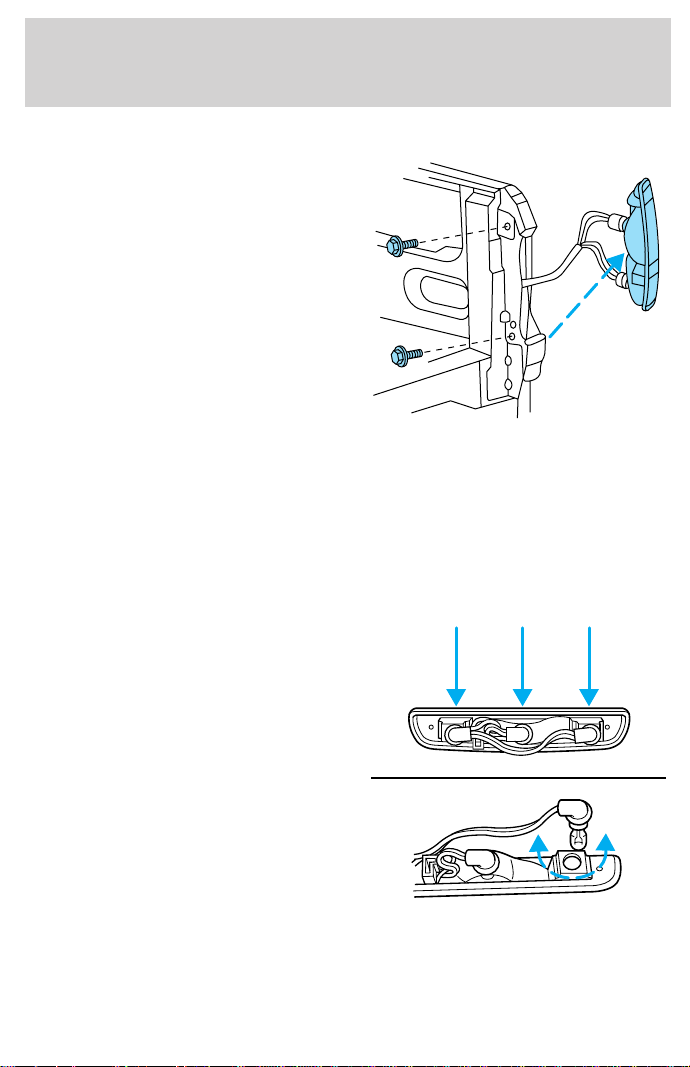
Replacing tail lamp/backup lamp bulbs
The tail lamp/backup lamp bulbs are
located in the same portion of the
tail lamp assembly, one just below
the other. Follow the same steps to
replace either bulb:
1. Open the liftgate to expose the
lamp assemblies.
2. Remove the two screws from the
tail lamp assembly.
3. Carefully pull the lamp assembly
from the tailgate pillar by releasing
the two retaining tabs. (Flare side
tail lamps are not equipped with retaining tabs.)
4. Pull bulb straight out of socket and press in the new bulb.
5. Carefully install the tail lamp assembly on tailgate pillar snapping the
two retaining tabs into place. (Flare side tail lamps do not snap into
place.)
6. Secure the tail lamp with two screws.
High-mount brakelamp bulbs
To remove the brakelamp assembly:
1. Remove the two screws and lamp
assembly from vehicle as wiring
permits.
2. Remove the bulb socket by
rotating counterclockwise and
pulling it out of the lamp assembly.
3. Pull the bulb straight out of the
socket and push in the new bulb.
To install the brakelamp assembly:
1. Install the bulb into the lamp assembly and rotate clockwise.
2. Install the lamp assembly on the vehicle with two screws.
Maintenance and care
207
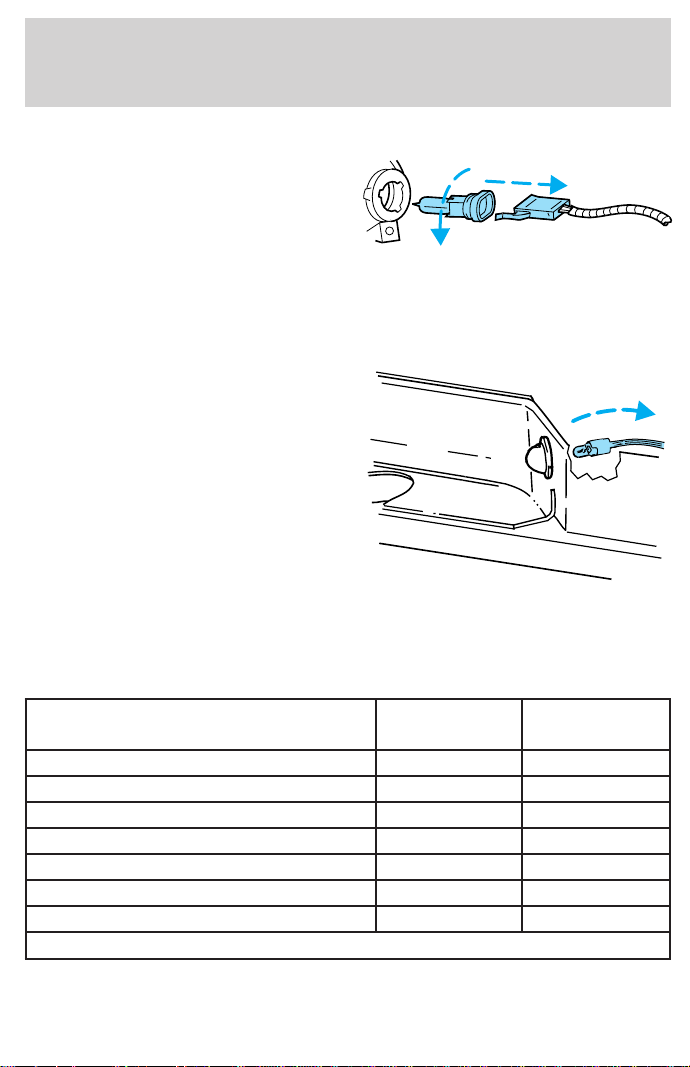
Replacing foglamp bulbs
1. Remove the bulb socket from the
foglamp by turning
counterclockwise.
2. Disconnect the electrical
connector from the foglamp bulb.
3. Connect the electrical connector to the new foglamp bulb.
4. Install the bulb socket in the foglamp turning clockwise.
Replacing license plate lamp bulbs
The license plate bulbs are located
behind the rear bumper. To change
the license plate lamp bulbs:
1. Reach behind the rear bumper to
locate the bulb.
2. Twist the bulb socket
counterclockwise
1
⁄
4
turn and
carefully pull to remove it from the
lamp assembly.
3. Pull out the old bulb from the
socket and push in the new bulb.
4. Install the bulb socket in lamp assembly by turning it clockwise.
Using the right bulbs
Function Number of
bulbs
Trade
number
Front park/turn lamps 2 3157 NAK
Foglamps 2 9145
Headlamps 2 9007
Backup lamp 2 3156K
Rear stop/turn/sidemarker/tail lamp 2 3157 NAK
High-mount brakelamp 2 912
License plate lamp 2 3156K
To replace all instrument panel lights - see your dealer
Maintenance and care
208
AIMING THE HEADLAMPS
The alignment of your headlamps should be checked by a qualified
service technician if:
• Oncoming motorists frequently signal you to deactivate your high
beams, and your high beams are not activated.
• The headlamps do not seem to provide enough light for clear night
vision.
• The headlamp beams are pointed substantially away from a slightly
down and to the right position.
CLEANING AND CARING FOR YOUR VEHICLE
Refer to the “Customer Assistance Guide” for a list of Ford-approved
cleaners, polishes and waxes.
Washing your vehicle
Wash your vehicle regularly with
cold or lukewarm water. Never use
strong detergents or soap. If your
vehicle is particularly dirty, use a
quality car wash detergent. Always
use a clean sponge, washing glove
or similar device and plenty of water
for best results. To avoid spots,
avoid washing when the hood is still
warm, immediately after or during
exposure to strong sunlight.
During winter months, it is especially important to wash the vehicle on a
regular basis. Large quantities of dirt and road salt are difficult to
remove and also cause damage to the vehicle.
Remove any exterior accessories, such as antennas, before entering a car
wash. If you have wax applied to the vehicle at a commercial car wash, it
is recommended that you clean the wiper blades and windshield as
described in Cleaning the wiper blades and windshield.
After washing, apply the brakes several times to dry them.
Maintenance and care
209

Waxing your vehicle
Wax when water stops beading on the surface. This could be every three
or four months, depending on operating conditions.
Use only carnauba or synthetic-based waxes. Use cleaning fluid or
alcohol with a clean cloth to remove any bugs and tar before waxing
vehicle. Use tar remover to remove any tar spots.
Avoid getting wax on the windshield. If you have wax applied at a
commercial car wash, it is recommended that you clean the wiper blades
and windshield as described in Cleaning the wiper blades and
windshield.
Repairing paint chips
Minor scratches or paint damage from road debris may be repaired with
touch-up paint, repair foil or aerosol paint spray from the Ford accessory
line. Observe the application instructions on the products.
Remove particles such as bird droppings, tree sap, insect remains, tar
spots, road salt and industrial fallout immediately.
Cleaning the wheels
Wash with the same detergent as the body of your vehicle. Do not use
acid-based or alcohol-based wheel cleaners, steel wool, fuel or strong
detergents. Never use abrasives that will damage the finish of special
wheel surfaces. Use a tar remover to remove grease and tar.
Maintenance and care
210
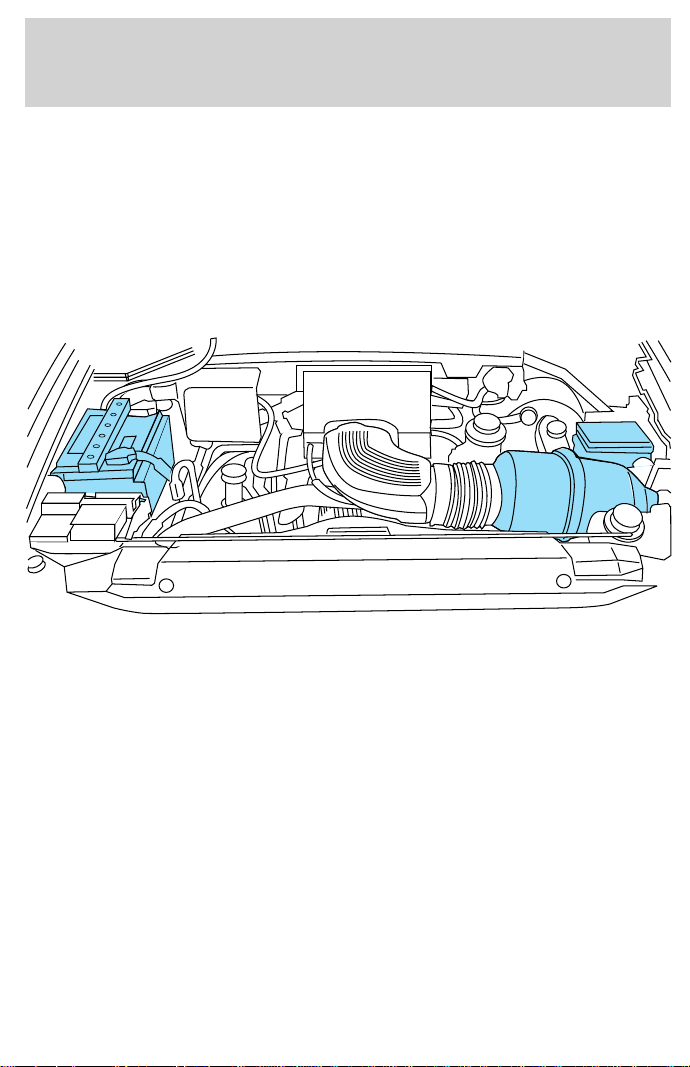
Cleaning the engine
Engines are more efficient when they are clean because grease and dirt
buildup keep the engine warmer than normal. When washing:
• Take care when using a power washer to clean the engine. The high
pressure fluid could penetrate the sealed parts and cause damage.
• Do not spray with cold water to avoid cracking the engine block or
other engine components.
• Cover the highlighted areas to prevent water damage when cleaning
the engine.
• Never wash or rinse the engine while it is running; water in the
running engine may cause internal damage.
Cleaning plastic exterior parts
Use vinyl cleaner for routine cleaning. Clean with a tar remover if
necessary. Do not clean plastic parts with thinners, solvents or
petroleum-based cleaners.
Cleaning the exterior lamps
Wash with the same detergent as the exterior of your vehicle. Use glass
cleaner or tar remover if necessary.
To avoid scratching the lamps, do not use a dry paper towel, chemical
solvents or abrasive cleaners.
Maintenance and care
211

Cleaning the wiper blades and windshield
If the wiper blades do not wipe properly, clean the wiper blade rubber
element with undiluted windshield washer solution or a mild detergent.
To avoid damaging the blades, do not use fuel, kerosene, paint thinner or
other solvents.
If the wiper still does not wipe properly, this could be caused by
substances on the windshield such as tree sap and some hot wax
treatments used by commercial car washes. Clean the outside of the
windshield with a non-abrasive cleanser such as the non-abrasive
Bon-Amit powder. Rinse thoroughly with clean water. Do not use
abrasive cleansers on glass as they may cause scratches. The windshield
is clean if beads do not form when you rinse it with water. The
windshield and wiper blades should be cleaned on a regular basis, and
blades or rubber elements replaced when worn.
Cleaning the instrument panel
Clean with a damp cloth, then dry with a dry cloth.
Avoid cleaner or polish that increases the gloss of the upper portion of
the instrument panel. The dull finish in this area helps protect the driver
from undesirable windshield reflection.
Cleaning the interior fabric
Remove dust and loose dirt with a whisk broom or a vacuum cleaner.
Remove fresh spots immediately. Do not use household or glass cleaners.
These agents can stain and discolor the fabric. Use a mild soap and
water solution if necessary.
Maintenance and care
212

Cleaning and maintaining the safety belts
Clean the safety belts with a mild soap solution recommended for
cleaning upholstery or carpets. Do not bleach or dye the belts, because
these actions may weaken the belt webbing.
Check the safety belt system periodically to make sure there are no
nicks, wear or cuts. If your vehicle has been involved in an accident,
refer to the Safety belt maintenance section in the Seating and safety
restraints chapter.
Cleaning leather seats (if equipped)
To clean, simply use a soft cloth dampened with water and a mild soap.
Wipe the leather again with a damp cloth to remove soap residue. Dry
with a soft cloth. For tougher soiling concerns, Ford recommends using
the leather cleaning kit F8AJ-19G253–AA, which is available from your
Ford Dealer. This mild cleaner and special pad, cleans the leather and
maintains its natural beauty. Follow the instructions on the cleaner label.
Regular cleaning of your leather upholstery helps maintain its resiliency
and color.
Do not use household cleaning products, alcohol solutions,
solvents or cleaners intended for rubber, vinyl or plastics.
Tonneau cover care
To avoid damage to the vinyl tonneau cover, do not use any silicone
based cleaner or conditioner. Do not use stiff bristle brushes or abrasive
materials or cleaners.
Hot waxes applied by commercial car washes can affect the cleanability
of vinyl material.
Using high water pressure or wand-type car washes against the vinyl
cover and tonneau frame rails may cause water leaks and possible seal
damage.
Maintenance and care
213
MOTORCRAFT PART NUMBERS
Component 4.2L V6 engine 4.6L V8 engine 5.4L V8 engine
Air filter
element
FA-1634 FA-1634
FA-1634
Fuel filter FG-986B FG-986B FG-986B
Oil filter FL-400-S FL-820-S FL-820-S
PCV valve EV-152 EV-233 EV-233
Battery
(standard)
BXT-59 BXT-59
BXT-59
Battery
(heavy duty)
BXT-65-650 BXT-65-650
BXT-65-650
Spark
plugs-platinum*
AGSF-34EE ** AWSF-32PP ***
AWSF-22E
* Refer to Vehicle Emissions Control Information (VECI) decal for spark
plug gap information.
** If a spark plug is removed for inspection, it must be reinstalled in the
same cylinder. Cylinders No. 1, 2, and 3 have a 9EG9 suffix. Cylinders No.
4, 5, and 6 have a 9E9 suffix. If a spark plug needs to be replaced, use
only spark plugs with the service number suffix letter 9EE9 as shown on
the engine decal.
*** If a spark plug is removed for inspection, it must be reinstalled in the
same cylinder. Cylinders No. 1, 2, 3 and 4 have a 9PG9 suffix. Cylinders
No. 5, 6, 7 and 8 have a 9P9 suffix. If a spark plug needs to be replaced,
use only spark plugs with the service number suffix letter as shown on
the engine decal.
Capacities and specifications
214
REFILL CAPACITIES
Fluid
Ford Part
Name
Application Capacity
Brake fluid
High
Performance
DOT 3
Motor
Vehicle
Brake Fluid
All Fill to line on
reservoir
Engine
coolant
1
Premium
Engine
Coolant
4.2L V6 engine with
1 row radiator
19.0L (20.1 quarts)
4.2L V6 engine with
2 row radiator
20.4L (21.6 quarts)
4.6L V8 engine with
1 row radiator
19.5L (20.6 quarts)
4.6L V8 engine with
2 row radiator
21.9L (23.1 quarts)
5.4L V8 engine with
1 row radiator
22.6L (23.9 quarts)
5.4L V8 engine with
2 row radiator
24.1L (25.5 quarts)
Engine oil
(includes
filter
change)
Motorcraft
5W30 Super
Premium
Motor Oil
All 5.7L (6.0 quarts)
Fuel tank N/A
4x4 Reg. Cab short
wheelbase
92.7L (24.5 gallons)
4x2 Regular Cab
and all SuperCab
short wheelbase
94.6L (25.0 gallons)
Long Wheelbase 113.6L (30.0 gallons)
Power
steering
fluid
Motorcraft
MERCONt
ATF
All Fill to line on
reservoir
Transfer
case fluid
2
Motorcraft
MERCONt
ATF
4x4 vehicles 1.9L (2.0 quarts)
Capacities and specifications
215
Fluid
Ford Part
Name
Application Capacity
Transmission
fluid
Motorcraft
MERCONt
ATF
5-speed manual
3
3.5L (3.75 quarts)
Automatic- 4R100
(4x2)
4
15.0L (15.9 quarts)
5
Automatic- 4R100
(4x4)
4
15.5L (16.4 quarts)
5
Motorcraft
MERCONtV
ATF
Automatic- 4R70W 13.1L (13.9 quarts)
Front axle
Motorcraft
SAE 75W90
Axle
Lubricant
4x4 vehicles 1.8-2.0L
(3.5-3.7 pints)
Rear axle
3,6
Motorcraft
SAE
75W140
Synthetic
Rear Axle
Lubricant
F-150 2.6-2.7L
(5.5-5.8 pints)
Rear axle
3,7
Motorcraft
SAE
75W140
Synthetic
Rear Axle
Lubricant
F-250 3.3-3.5L
(7.0-7.5 pints)
8
Windshield
washer fluid
Ultra-Clear
Windshield
Washer
Concentrate
All 4.0L (4.25 quarts)
1
Use Ford Premium Engine Coolant (green in color). DO NOT USE Ford
Extended Life Engine Coolant (orange in color). Refer to Adding engine
coolant, in the Maintenance and Care chapter.
2
Fill to bottom of filler hole.
3
Your vehicle’s rear axle is filled with a synthetic rear axle lubricant and
is considered lubricated for life. These lubricants do not need to be
checked or changed unless a leak is suspected, service is required or the
axle assembly has been submerged in water. The axle lubricant should
be changed any time the rear axle has been submerged in water.
Capacities and specifications
216

Fill to 6–14 mm (1/4–9/16 inch) below bottom of filler hole.
4
Ensure the correct automatic transmission fluid is used for a specific
application. Check the container to verify the fluid is MERCONt
approved. Transmission fluid requirements are indicated on the dipstick
handle. Refer to the Scheduled Maintenance Guide.
Do NOT use any non-approved automatic transmission fluid for an
application specifying MERCONt. Use of a non-approved fluid may cause
internal transmission component damage.
5
Indicates only approximate dry-fill capacity. Some applications may
vary based on cooler size and if equipped with an in-tank cooler. The
amount of transmission fluid and fluid level should be set by the
indication on the dipstick’s normal operating range.
6
Add 118 ml (4 oz.) of additive friction modifier C8AZ-19B546-A, Ford
specification EST-M2C118–A, for complete fill of 8.8 inch and 9.75 inch
Traction-Lok axles.
7
Add 236 ml (8 oz.) of additive Friction Modifier C8AZ-19B546-A, Ford
Specification EST-M2C118-A, for complete fill of 10.25 inch Traction-Lok
axles.
8
In-vehicle refill: approximately 3.1L (6.5 pints).
LUBRICANT SPECIFICATIONS
Item
Ford part
name or
equivalent
Ford part
number
Ford
specification
Front axle
(4X4)
Motorcraft SAE
75W90 Axle
Lubricant
XY-75W90-QL WSP-M2C201-A
Rear axle
Motorcraft SAE
75W140 High
Performance
Synthetic Rear
Axle Lube
1
F1TZ-19580-B WSL-M2C192-A
Brake fluid and
clutch fluid
High
Performance
DOT 3 Motor
Vehicle Brake
Fluid
C6AZ-19542-AB ESA-M6C25-A
and DOT 3
Capacities and specifications
217
Item
Ford part
name or
equivalent
Ford part
number
Ford
specification
Engine coolant Ford Premium
Engine Coolant
E2FZ-19549-AA
(in Oregon,
F5FZ-19549-CC,
in Canada,
Motorcraft
CXC-10)
ESE-M97B44-A
Engine oil
Motorcraft 5W30
Super Premium
Motor Oil
XO-5W30-QSP WSS-M2C153-G
and API
Certification
Mark
Hinges, latches,
striker plates,
fuel filler door
hinge and seat
tracks.
Multi-Purpose
Grease
DOAZ-19584-AA
or
F5AZ-19G209-AA
ESB-M1C93-B or
ESB-M1C159-A
Transmission
/steering/parking
brake linkages
and pivots,
brake and clutch
pedal shaft (if
equipped)
Premium
Long-Life Grease
XG-1-C ESA-M1C75-B
Power steering
fluid, transfer
case fluid (4X4)
and transmission
fluid (manual)
Motorcraft
MERCONt ATF
XT-2-BDX or
QDX
MERCONt
Automatic
transmission
(4R100)
2
Motorcraft
MERCONt ATF
XT-2-BDX or
QDX
MERCONt
Automatic
transmission
(4R70W)
Motorcraft
MERCONtV
ATF
XT-5-QM
MERCONtV
Windshield
washer fluid
Ultra-clear
windshield
washer
concentrate
C9AZ-19550-AC ESR-M17P5-A
Capacities and specifications
218
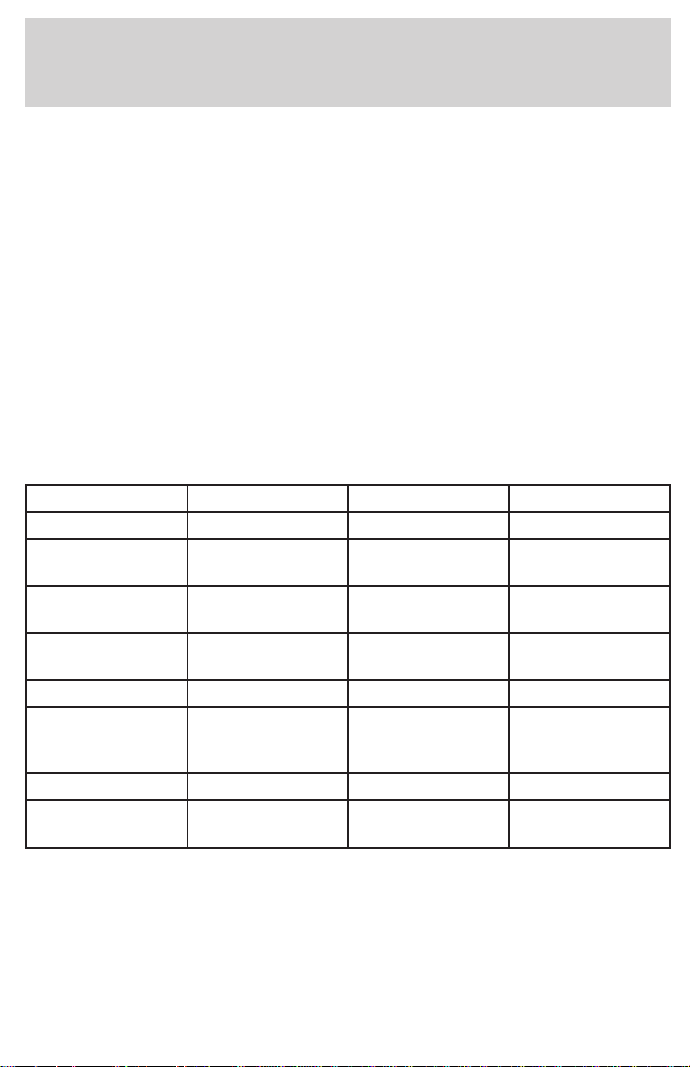
1
Add 118 ml (4 oz.) of additive friction modifier C8AZ-19B546–A, Ford
specification EST-M2C118–A for complete refill of 8.8 inch and 9.75 inch
Traction-Lok axles. Add 236 ml (8 oz.) of additive friction modifier
C8AZ-19B546–A, Ford specification EST-M2C118–A for complete refill of
10.25 and 10.5 inch Traction-Lok axles.
2
Refer to the dipstick for the type of transmission fluid required. Some
fluid labels may indicate dual usage such as MERCONt and MERCON
Vt. These dual usage fluids are not to be used in transmissions that use
only the MERCONt type fluid. These dual usage fluids may be used in
transmissions that require MERCONt V use.
Using a transmission fluid that indicates a dual usage (MERCONt and
MERCON Vt) in a transmission application requiring MERCONt may
cause transmission damage. Use of any fluid other than the
recommended fluid may cause transmission damage.
ENGINE DATA
Engine 4.2L V6 engine 4.6L V8 engine 5.4L V8 engine
Cubic inches 256 281 330
Horsepower
205 @ 4750 rpm 220 @ 4500
rpm
1
250 @ 4500 rpm
Torque
250 lb.-ft. @
3000 rpm
290 lb.-ft. @
3250 rpm
345 lb.-ft. @
2250 rpm
Recommended
fuel
87 octane 87 octane 87 octane
Firing order 1-4-2-5-3-6 1-3-7-2-6-5-4-8 1-3-7-2-6-5-4-8
Spark plug gap
1.3-1.4 mm
(0.052-0.056
inch)
1.3-1.4 mm
(0.052-0.056
inch)
1.3-1.4 mm
(0.052-0.056
inch)
Ignition system EDIS EDIS Coil on plug
Compression
ratio
9.3:1 9.0:1 9.0:1
1
All F150 vehicles and F250 with manual transmission. F250 with
automatic transmission is 235 hp @ 4400 rpm.
Capacities and specifications
219
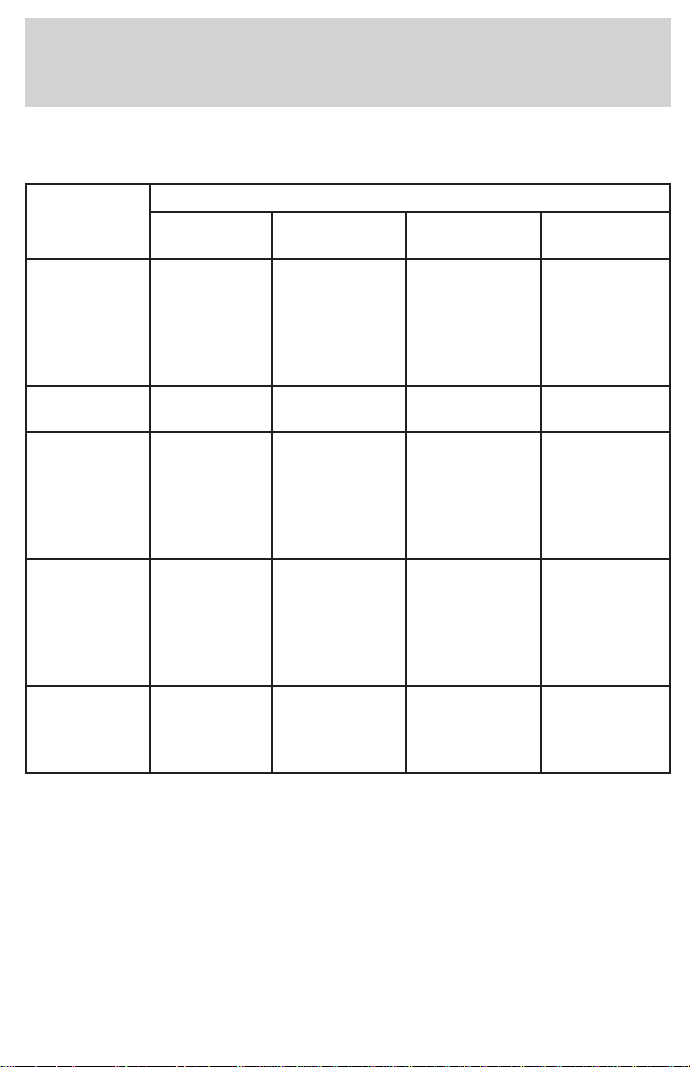
VEHICLE DIMENSIONS
Styleside
Dimension
Body Style
Regular
Cab 4x2
Regular Cab
4x4
Super Cab
4x2
Super Cab
4x4
(1) Overall
length
5 205 mm
(204.9 in)
(SWB)
5 678 mm
(223.5 in)
(LWB)
5 250 mm
(206.7 in)
(SWB)
5 716 mm
(225.0 in)
(LWB)
5 607 mm
(220.7 in)
(SWB)
6 150 mm
(242.1 in)
(LWB)
5 722 mm
(225.3 in)
(SWB)
6 188 mm
(243.6 in)
(LWB)
(2) Overall
width
2 019 mm
(79.5 in)
1
2 019 mm
(79.5 in)
1
1 989 mm
(78.3 in)
1
2 019 mm
(79.5 in)
1
(3) Overall
height
1 846 mm
(72.7 in)
(SWB)
1 838 mm
(72.4 in)
(LWB)
1 917 mm
(75.5 in)
(SWB)
1 907 mm
(75.1 in)
(LWB)
1 846 mm
(72.7 in)
(SWB)
1 838 mm
(72.4 in)
(LWB)
1 917 mm
(75.5 in)
(SWB)
1 907 mm
(75.1 in)
(LWB)
(4) Wheel
base
3 045 mm
(119.9 in)
(SWB)
3 518 mm
(138.5 in)
(LWB)
3 053 mm
(120.2 in)
(SWB)
3 526 mm
(138.8 in)
(LWB)
3 518 mm
(138.5 in)
(SWB)
3 990 mm
(157.1 in)
(LWB)
3 526 mm
(138.8 in)
(SWB)
3 998 mm
(157.4 in)
(LWB)
(5)Track
front/rear
1 661 mm
(65.4 in)
1 661 mm
(65.4 in)
1 661 mm
(65.4 in)
1 661 mm
(65.4 in)
1 661 mm
(65.4 in)
1 661 mm
(65.4 in)
1 661 mm
(65.4 in)
1 661 mm
(65.4 in)
1
Vehicle width, including mirrors: 2 279 mm (89.7 in)
Capacities and specifications
220
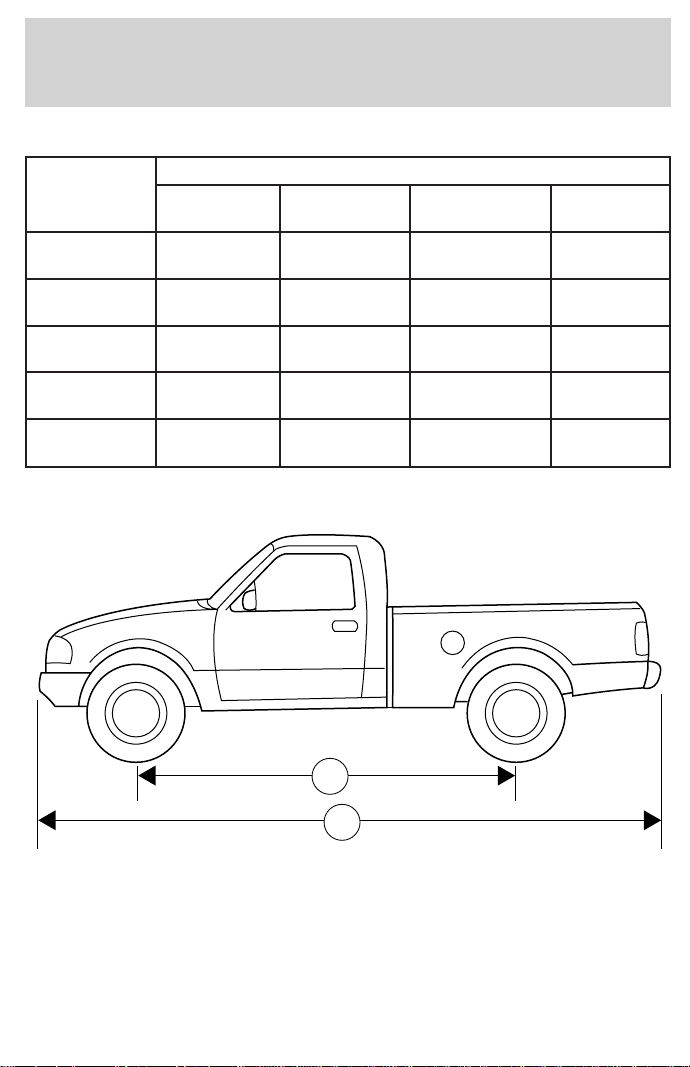
Flareside
Dimension
Body Style
Regular
Cab 4x2
Regular
Cab 4x4
Super Cab
4x2
Super Cab
4x4
(1) Overall
length
5 212 mm
(205.2 in)
5 250 mm
(206.7 in)
5 684 mm
(223.8 in)
5 722 mm
(225.3 in)
(2) Overall
width
2 014 mm
(79.3 in)
1
2 028 mm
(79.8 in)
1
1 989 mm
(78.3 in)
1
2 019 mm
(79.5 in)
1
(3) Overall
height
1 846 mm
(72.7 in)
1 917 mm
(75.5 in)
1 846 mm
(72.7 in)
1 917 mm
(75.5 in)
(4) Wheel
base
3 046 mm
(119.9 in)
3 053 mm
(120.2 in)
3 518 mm
(138.5 in)
3 526 mm
(138.8 in)
(5) Track
front/rear
1 661 mm
(65.4 in)
1 661 mm
(65.4 in)
1 661 mm
(65.4 in)
1 661 mm
(65.4 in)
1
Vehicle width, including mirrors: 2 279 mm (89.7 in)
1
4
Capacities and specifications
221
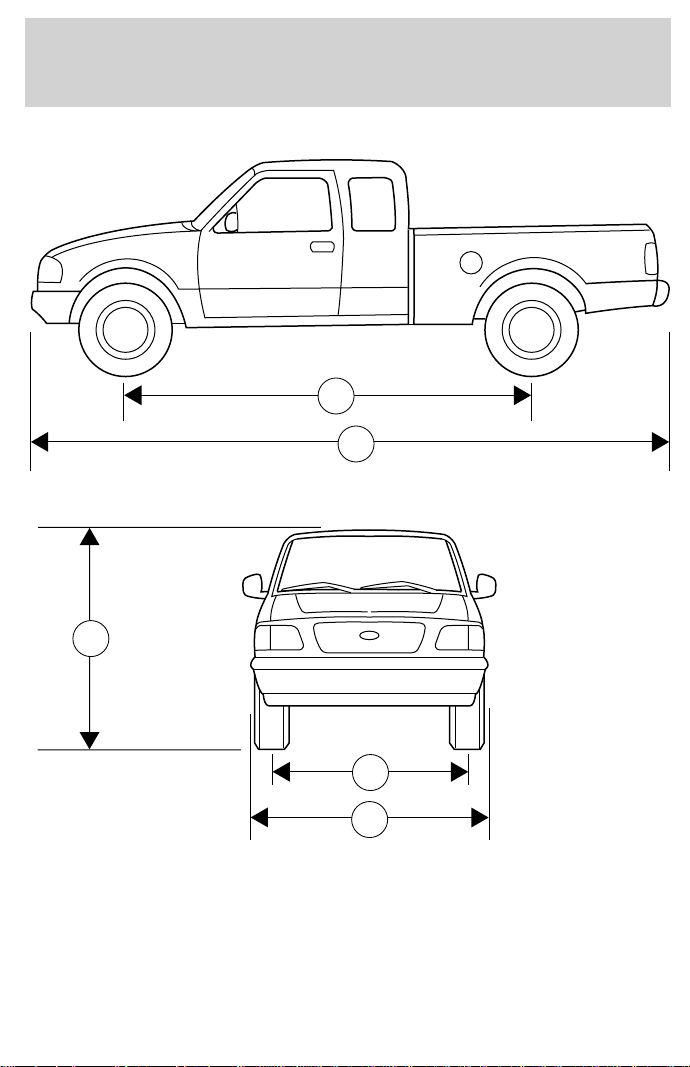
1
4
2
5
3
Capacities and specifications
222
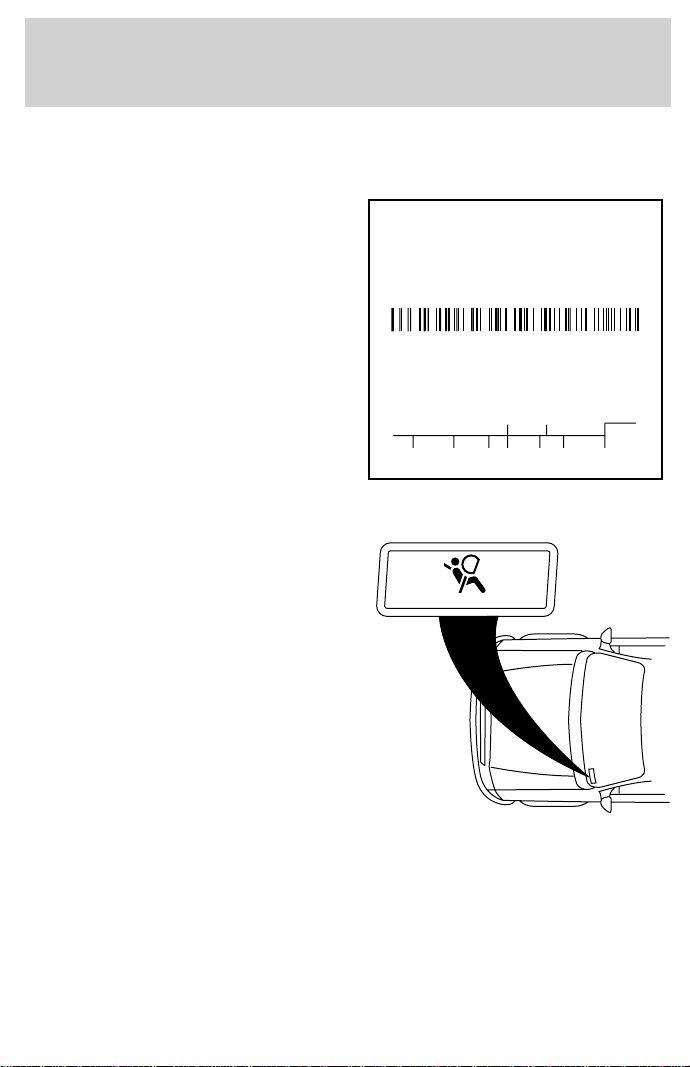
IDENTIFYING YOUR VEHICLE
Safety compliance label
The National Highway Traffic Safety
Administration Regulations require
that a Safety Compliance
Certification Label be affixed to a
vehicle and prescribe where the
Safety Compliance Certification
Label may be located. The Safety
Compliance Certification Label is
located on the front door latch pillar
on the driver’s side.
Vehicle identification number
The vehicle identification number is
attached to a metal tag and is
located on the driver side
instrument panel.
Engine number
The engine number (the last eight numbers of the vehicle identification
number) is stamped on the engine block and transmission.
MFD. BY FORD MOTOR CO. IN U.S.A.
EXT PNT: XXXXXX XXXXXX RC: XX DSO: XXXX F0000
BAR INT TR TP/PS R AXLE TR SPR T0000
X XX XXX X XX X XXXX
UTC
∇FOHT-15294A10-GA
MAXIMUM LOAD=OCCUPANTS + LUGGAGE=XXXKG/XXXXLB
OCCUPANTS: X TOTAL X FR X 2ND X RR OCCUPANTS LUGGAGE
XX XXXKG/XXXXLB
TIRE: XXXX/XXXXX XXX X XXXKG/XXXXLB
PRESSURE (FR) XXX kPa/33 PSI COLD
PRESSURE (RR) XXX kPa/33 PSI COLD
TRAILER TOWING - SEE OWNER GUIDE
DATE: XXXXX GVWR:XXXXX LB/ XXXXX KG
VIN: XXXXXXXXXXXXXXXXX TYPE: XXXXXXXXXXXXXXX
FGAWR: XXXXXX/XXXXXXX RGAWR: XXXXXXX/XXXXXXX
THIS VEHICLE CONFORMS TO ALL APPLICABLE FEDERAL
MOTOR VEHICLE SAFETY STANDARDS IN EFFECT ON THE
DATE OF MANUFACTURE SHOWN ABOVE.
XXXXXXXXXXXXXXXXX
AIR BAG
Capacities and specifications
223

REPORTING SAFETY DEFECTS (U.S. ONLY)
If you believe that your vehicle has
a defect that could cause a crash, or
could cause injury or death, you
should immediately inform the
National Highway Traffic Safety
Administration (NHTSA) in addition
to notifying Ford Motor Company.
If NHTSA receives similar complaints, it may open an investigation, and
if it finds that a safety defect exists in a group of vehicles, it may order a
recall and remedy campaign. However, NHTSA cannot become involved
in individual problems between you, your dealer or Ford Motor Company.
To contact NHTSA, you may either call the Auto Safety Hotline toll-free
at 1–800–424–9393 (202–366–0123 in the Washington D.C. area) or write
to:
NHTSA
U.S. Department of Transportation
400 Seventh Street
Washington D.C. 20590
You can also obtain other information about motor vehicle safety from
the Hotline.
Reporting safety defects
224

Accessory delay ..........................70
Air bag supplemental restraint
system ..........................................95
and child safety seats ..............96
description ................................95
disposal ......................................98
indicator light ...........................98
passenger air bag .....................96
passenger deactivation
switch ..............61,99,100,101,102
Air cleaner filter ................188,189
Air suspension ...........................119
warning light .............................11
Anti-theft system ..............76,77,78
Armrests ......................................88
Automatic transmission
driving an automatic
overdrive ...................121,122,123
Axle
refill capacities ........................215
Battery
voltage gauge ............................14
Brakes ........................................115
anti-lock ............................115,116
anti-lock brake system
(ABS) warning light ...............116
fluid, checking and adding ....174
shift interlock ..........................120
Break-in period .............................2
CD player .....................52,54,55,56
Child safety seats
attaching with tether straps ..109
in rear seat .......................106,108
tether anchorage hardware ...109
Cleaning your vehicle ...............209
engine compartment ..............211
exterior .............................210,213
exterior lamps .........................211
interior .....................................212
plastic parts ............................211
washing ....................................209
waxing .....................................210
wheels ......................................210
wiper blades ............................212
Clutch
fluid ..........................................175
operation while driving ..........123
recommended
shift speeds ......................125,126
Controls
power seat .................................86
Coolant ...............................178,179
checking and adding ..............177
refill capacities ........................179
Driveline universal joint and
slip yoke ....................................186
Driving under special
conditions ...........................132,133
sand .........................................132
snow and ice ...........................133
through water .........................132
Emission control system ..........202
Engine
coolant .....................................177
idle speed control ...................186
service points ...................170,171
starting after a collision .........149
Engine block heater .................113
Engine oil
checking and adding ..............173
dipstick ....................................172
specifications ...................172,174
Exhaust fumes ..........................113
Fail safe cooling .................179,180
Four-Wheel Drive vehicles ..10,128
description .......................130,131
driving off road .......................131
electronic shift ...................18,130
indicator light ....................10,128
lever operated shift ..128,129,130
Fuel
choosing the right fuel ...........196
comparisons with EPA fuel
economy estimates .................202
Index
225

detergent in fuel .....................197
filling your vehicle
with fuel ...........................195,198
quality ......................................197
running out of fuel .................197
safety information relating to
automotive fuels .....................195
Fuses ...................................150,151
Gas mileage
(see Fuel economy) ...199,200,201
Gauges .........................................12
engine coolant temperature
gauge .........................................13
engine oil pressure gauge ........15
fuel gauge ..................................12
GVWR
(Gross Vehicle Weight Rating)
calculating ...............................135
Hazard flashers .........................149
Headlamps
aiming ......................................209
bulb specifications ..................208
high beam ..............................9,68
warning chime ..........................11
Heating ........................................56
heater only system ..............56,57
heating and air
conditioning system ............58,60
Hood ..........................................169
Ignition .......................................219
Inspection/maintenance
(I/M) testing ..............................203
Instrument panel ..........................6
cleaning ...................................212
Keys
key in ignition chime ...............11
positions of the ignition ...........61
removing from the ignition ....127
Lamps
autolamp system .......................17
daytime running light ...............16
fog lamps ...................................16
headlamps .................................16
headlamps, flash to pass ..........68
instrument panel, dimming .....17
interior lamps ...........................69
replacing bulbs ..204,206,207,208
Lane change indicator
(see Turn signal) ........................62
Lights, warning and indicator
air bag ..........................................8
air suspension .........................119
anti-lock brakes (ABS) ..............9
anti-theft .....................................9
brake ............................................8
charging system ..........................9
door ajar ....................................11
engine oil pressure ...................10
fuel reset ...................................11
low fuel ........................................6
safety belt ...................................8
service engine soon ....................7
turn signal indicator ...................9
Lumbar support, seats ..........87,88
Manual transmission
reverse .....................................127
Mirrors
fold away ...................................72
side view mirrors (power) .......71
Motorcraft parts ........................198
Octane rating ............................197
Odometer .....................................13
Overdrive .....................................68
Parking brake ............................117
Power distribution box
(see Fuses) ...............................154
Power door locks ..............70,80,81
Power steering ..........................118
fluid,
checking and adding .......181,182
Radio ....19,20,21,22,24,25,26,27,28
29,30,31,33,34,35,36
Relays ........................................150
Remote entry system ............79,80
Index
226

illuminated entry ......................83
locking/unlocking doors ...........79
replacement/additional
transmitters ...............................82
replacing the batteries .............81
Safety belts (see Safety
restraints) ....................................11
Safety Compliance
Certification Label ....................223
Safety defects, reporting ..........224
Safety restraints
cleaning the safety belts ...94,213
extension assembly ..................93
for children .............................103
lap belt ......................................92
warning light and chime .....93,94
Seat belts (see Safety
restraints) .....................89,90,91,92
Seats ..................................84,85,86
child safety seats ....................104
cleaning ...................................213
Servicing your vehicle .......168,169
Snowplowing ............3,145,146,147
Spark plugs, specifications .......214
Special notice ................................3
ambulance conversions ..............3
four-wheel drive
vehicles .............................147,148
utility-type vehicles ....................3
Specification chart,
lubricants ...................................217
Speed control ..............................62
Speedometer ...............................13
Starting your vehicle .........110,112
jump starting ............162,163,165
Steering wheel
tilting .........................................66
Tachometer .................................14
Tailgate ...................................72,73
Tires .............................190,191,192
changing ...........................157,158
checking the pressure ............192
replacing ..................................193
rotating ....................................192
snow tires and chains ............194
tire grades ...............................191
treadwear ................................191
Towing
recreational towing ..........144,145
wrecker ....................................167
Traction-lok rear axle ...............118
Transfer case
fluid checking .........................185
Transmission
automatic operation ...............120
fluid, checking and adding
(automatic) ...............182,183,184
fluid, checking and adding
(manual) .................................184
manual operation ....................123
Transmission control
indictor light ................................10
Trip odometer .............................14
Vehicle dimensions ...................220
Vehicle Identification Number
(VIN) ..........................................223
Vehicle loading ..........................134
Ventilating your vehicle ...........114
Warning chimes ........................6,11
Washer fluid ..............................176
Water,
Driving through ....136,137,138,139
140,141,142,143
Windows .................................69,70
Windshield washer fluid
and wipers
checking and cleaning ............189
operation ...................................67
replacing wiper blades ...........190
Index
227

228

229

230

231
Item Information
Recommended fuel Unleaded fuel only - 87 octane
Fuel tank capacity-4 x 4 Regular
cab with short wheelbase
92.7L (24.5 gallons)
Fuel tank capacity-4 x 2 Regular
cab and all SuperCab with short
wheelbase
94.6L (25.0 gallons)
Fuel tank capacity-Long wheelbase 113.6L (30.0 gallons)
Engine oil (includes filter change) 5.7L (6.0 quarts). Use Motorcraft
5W30 Super Premium Motor Oil,
Ford specification WSS-M2C153-G.
Tire size and pressure Refer to the Safety Certification
Label inside of drivers’s door.
Hood release Pull handle under the left side of
the instrument panel.
Coolant capacity
1
Refer to Refill capacities in the
Capacities and specifications
chapter.
Power steering fluid capacity Fill to line on reservoir. Use
Motorcraft MERCONt ATF.
Transmission fluid capacity
2
Refer to Refill capacities in the
Capacities and specifications
chapter.
1
Use Ford Premium Cooling System Fluid (green in color). DO NOT
USE Ford Extended Life Engine Coolant (orange in color). Refer to
Adding engine coolant, in the Maintenance and Care chapter.
2
Ensure correct automatic transmission fluid is used for a specific
application. Check the container to verify the fluid is MERCONt and/or
MERCONt V approved. Some fluids have been approved as meeting both
MERCONt and MERCONt V requirements and will be labeled as such.
Fluids labeled as meeting only MERCONt or only MERCONt V
requirements must not be used interchangeably. DO NOT mix MERCONt
and MERCONt V. Transmission fluid requirements are indicated on the
dipstick or on the dipstick handle. Refer to your Scheduled Maintenance
Guide to determine the correct service interval.
Filling station information
232