English
885-S08
XC5252-021
Printed in China
S3_BrotherE_cover
DIC181p
K
Cover A
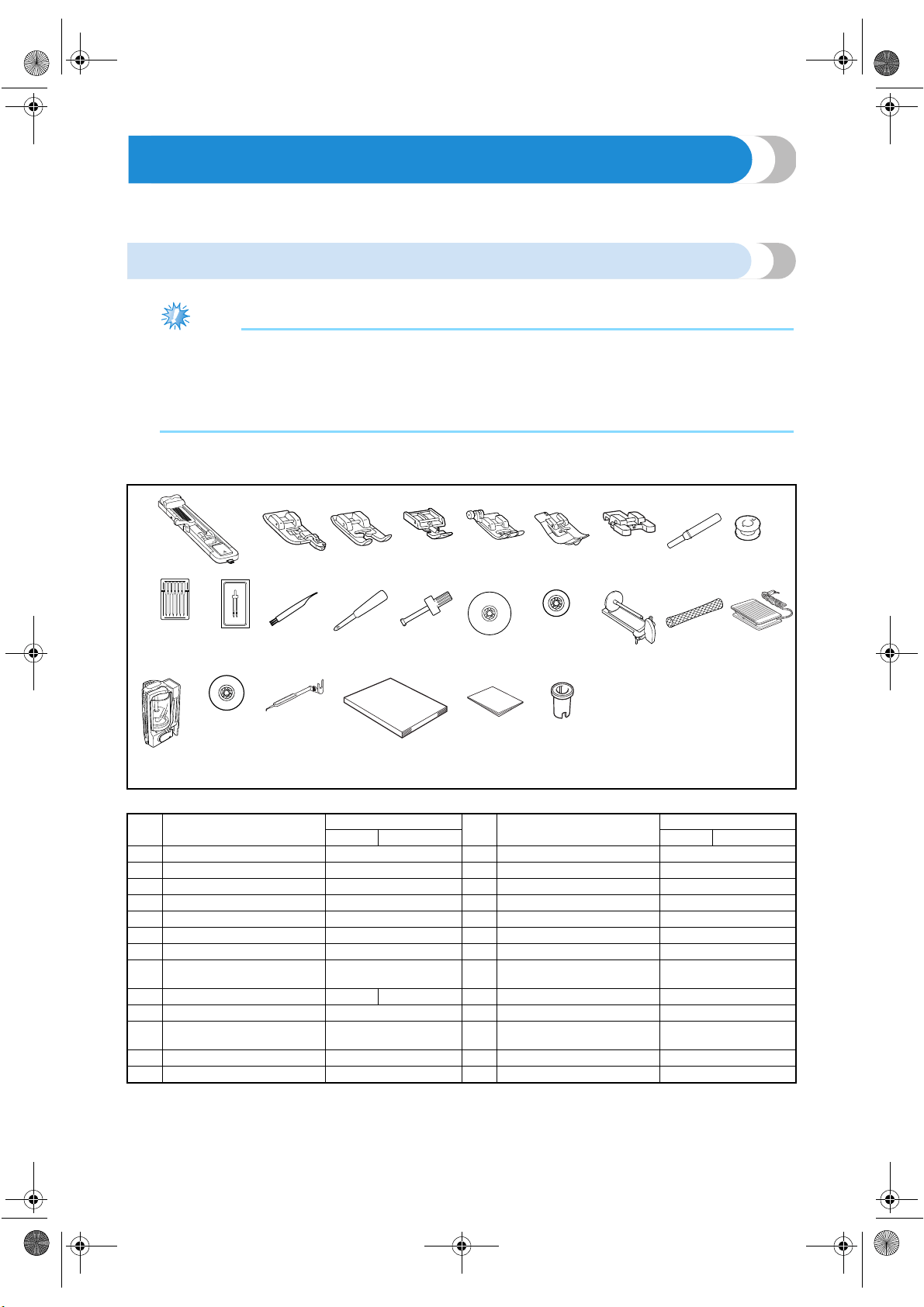
Enclosed Accessories
After opening the box, check that the following accessories are enclosed. If any item is missing or damaged,
contact your retailer.
Accessories
1. 2. 3. 4. 5. 6. 7. 8. 9.
10.* 11. 12. 13. 14. 15. 16. 17. 18. 19.
20. 21. 22. 23. 24. 25.
* 75/11 2 needles
90/14 2 needles
90/14 2 needles: Ball point needle (gold colored)
No. Part Name
Part Code
No. Part Name
Part Code
U.S.A. Others U.S.A. Others
1 Buttonhole foot “A” XC2691-051 14 Screwdriver XC4237-021
2 Overcasting foot “G” XC3098-051 15 Spool cap (large) 130012-054
3 Monogramming foot “N” X53840-351 16 Spool cap (small) 130013-154
4 Zipper foot “I” X59370-051 17 Extra spool pin XC3834-021
5 Zigzag foot “J” (on machine) XC3021-051 18 Spool net XA5523-050
6 Blind stitch foot “R” XC4051-051 19 Foot controller XC1154-021
7 Button fitting foot “M” X59375-151 20 Thread cassette (on machine) XC3664-021
8 Seam ripper X54243-001 21
Spool cap (orange)
(on machine)
XC3673-021
9 Bobbin (4) SA156 XA5539-151 22 Needle-changing tool XC4551-021
10 Needle set X58358-051 23 Operation manual XC5252-021
11 Twin needle X59296-051 24 Quick reference guide
XC5256-021,
XC5257-021
12 Cleaning brush X59476-051 25 Spool cap (special) XA5752-021
13 Eyelet punch 135793-051
Note
(For U.S.A. only)
● Foot controller: Model N5V
This foot controller can be used on this machine model CS-8150.
● The screw of the presser foot holder is available through your authorized dealer.
(Part code: XA4813-051)
S3_brotherE.book Page A Wednesday, February 12, 2003 11:49 AM
Cover B
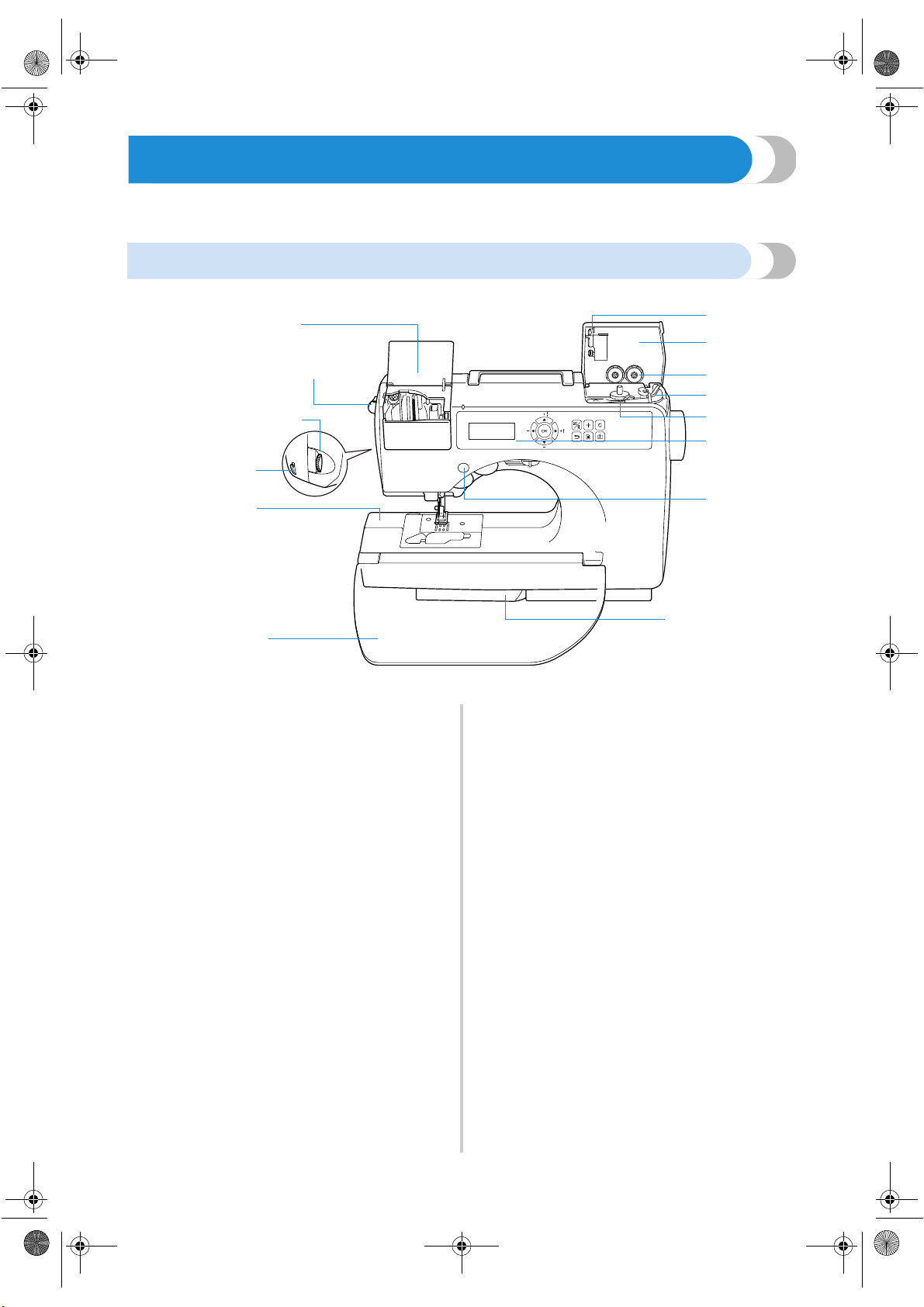
Names of Machine Parts and Their Functions
The names of the various parts of the sewing machine and their functions are described below. Before using the
sewing machine, carefully read these descriptions to learn the names of the machine parts.
Front view
1 Thread cassette compartment cover
2 Thread cassette compartment
Insert a thread cassette into the thread cassette
compartment.
3 Thread cassette eject lever
Press this lever to eject the installed thread cassette.
4 Thread tension dial
Use the thread tension dial to adjust the tension of the
upper thread.
5 Thread cutter
Pass the threads through the thread cutter to cut them.
6 Arm
7 Flap
Use the flap to create a table. When the sewing
machine is not being used, store the machine with the
flap folded up. Remove the flap to sew cylindrical
pieces such as sleeve cuffs.
8 Sliding leg
Pull out the sliding leg during free-arm sewing.
9 Operation buttons
Use the operation buttons to start the sewing machine
and raise and lower the needle. (page Cover D)
0 Operation panel
Select a stitch from those that appear in the operation
panel. (page Cover E)
A Bobbin winder
Use the bobbin winder when winding the bobbin.
B Bobbin thread spool pin
Place the spool of thread for the bobbin onto this spool
pin in order to wind the bobbin.
C Bobbin storage compartment
Store the bobbins designed specifically for this sewing
machine in this compartment.
D Bobbin winder cover
Open this cover when winding the bobbin.
E Thread guide for bobbin winding
Pass the thread around this thread guide when winding
the bobbin thread.
1
2
3
4
5
6
7
E
D
B
C
A
?
9
8
S3_brotherE.book Page B Wednesday, February 12, 2003 11:49 AM
———————————————————————————————————————— Names of Machine Parts and Their Functions
Cover C
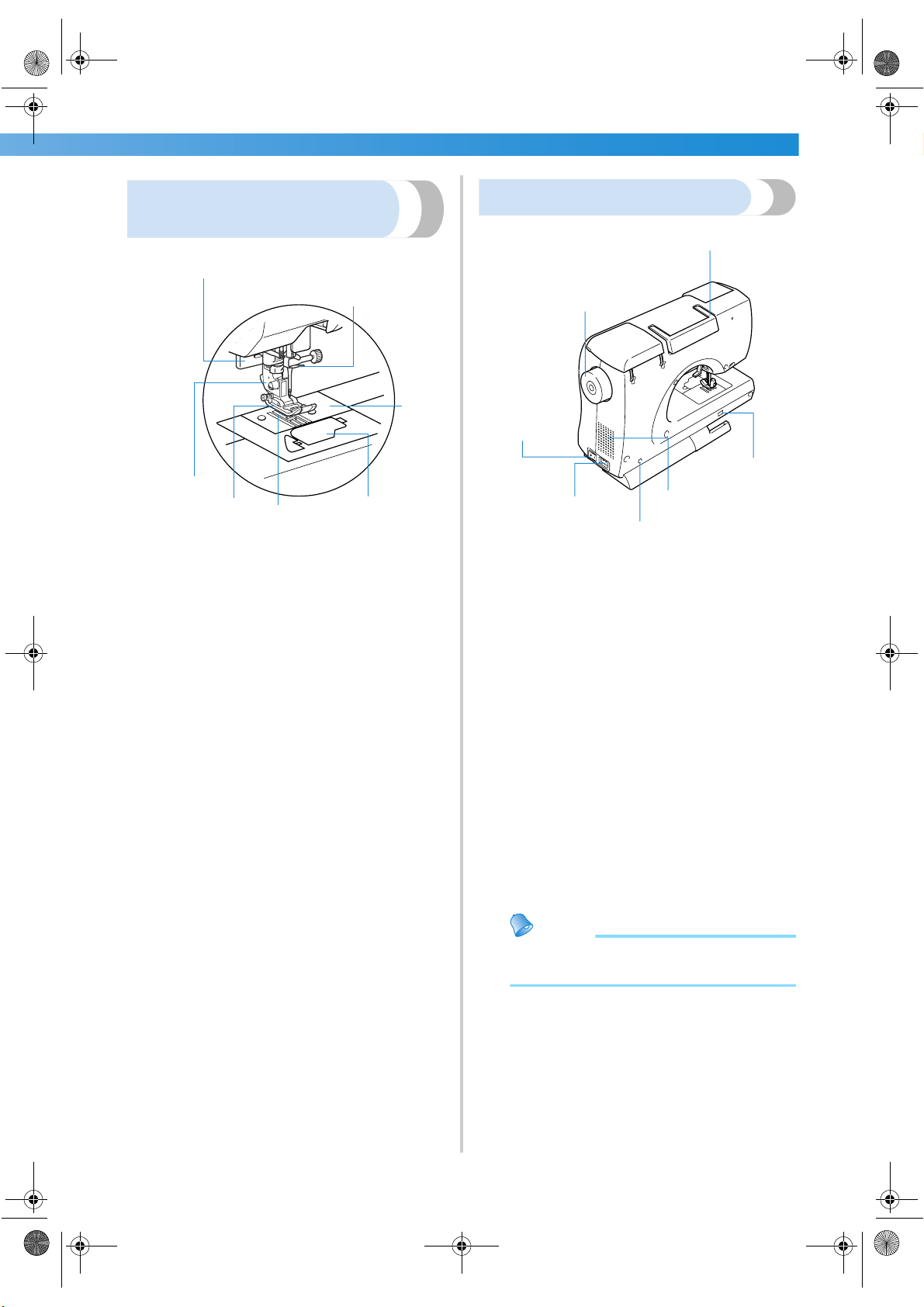
Needle and presser foot
section
1 Buttonhole lever
Lower the buttonhole lever when sewing buttonholes
and bar tacks.
2 Needle bar thread hook
Pass the upper thread through the needle bar thread
hook.
3 Needle plate
The needle plate is marked with guides for sewing
straight seams.
4 Bobbin cover/shuttle
Remove the bobbin cover, and then insert the bobbin
into the shuttle.
5 Feed dogs
The feed dogs feed the fabric in the sewing direction.
6 Presser foot
The presser foot applies pressure consistently on the
fabric as the sewing takes place. Attach the appropriate
presser foot for the selected stitching.
7 Presser foot holder
The presser foot is installed onto the presser foot holder.
Right-side/rear view
1 Handle
Carry the sewing machine by its handle when
transporting the machine.
2 Balance wheel
Turn the balance wheel toward you to raise and lower
the needle to sew one stitch.
3 Main power switch
Use the main power switch to turn the sewing machine
on and off.
4 Power supply jack
Insert the plug on the power supply cord into the power
supply jack.
5 Foot controller jack
Insert the plug on the end of the foot controller cable
into the foot controller jack.
6 Air vent
The air vent allows the air surrounding the motor to be
exchanged. Do not cover the air vent while the sewing
machine is being used.
7 Feed dog position switch
Use the feed dog position switch to lower the feed dogs.
Memo
● Refer to Cover B, D or E pages while you
are learning to use your machine.
1
2
3
4
5
6
7
1
2
5
3
4
6
7
S3_brotherE.book Page C Wednesday, February 12, 2003 11:49 AM
Cover D
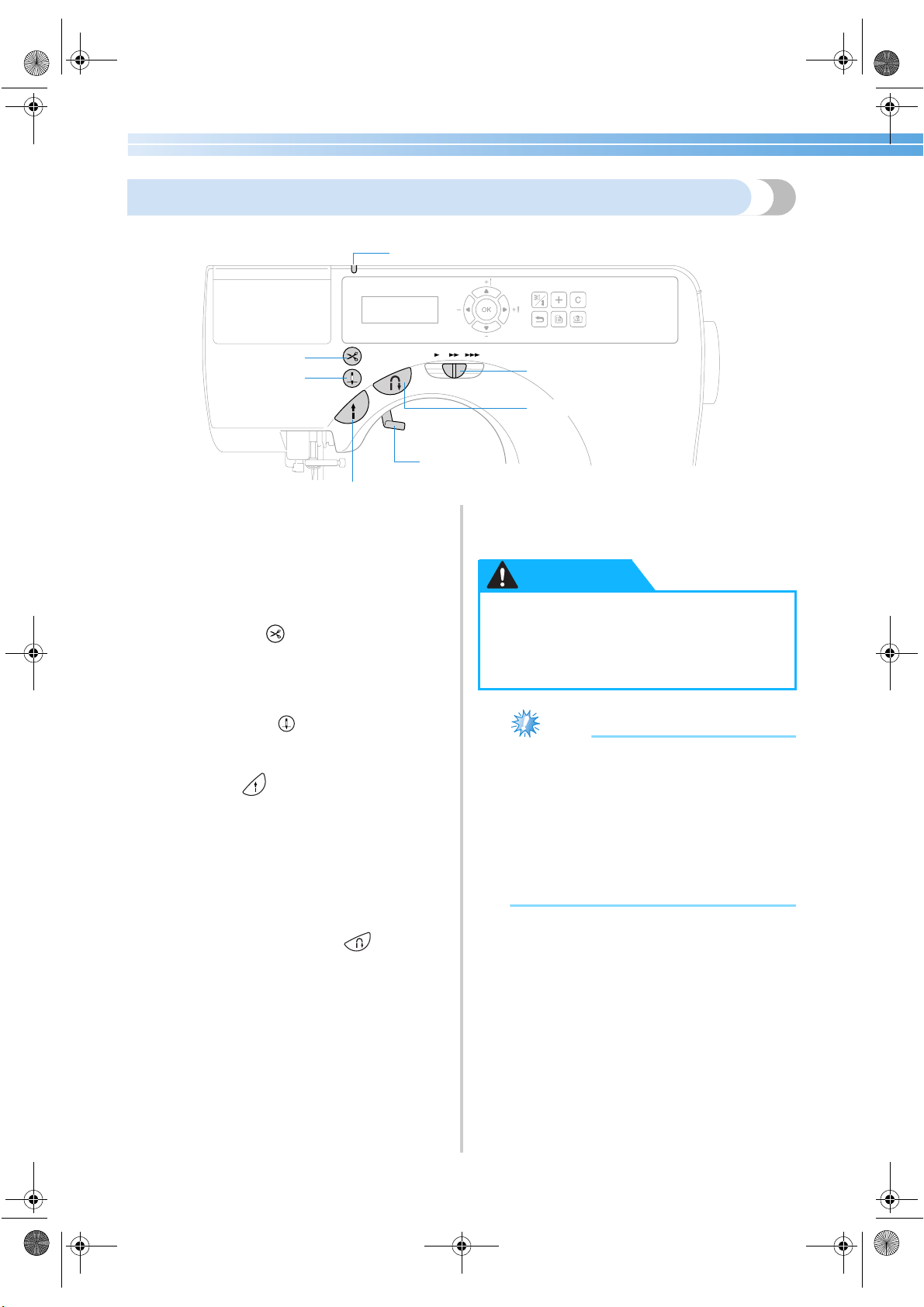
Operation buttons
The operation buttons help you to easily perform various basic sewing machine operations.
1 Thread cassette indicator
The indicator lights up or goes off depending on the
condition of the sewing machine.
Green: A thread cassette can be inserted.
Red: A thread cassette cannot be inserted.
Off: The sewing machine has been turned off
or a thread cassette is already inserted.
2 Thread cutter button (Only for models equipped
with the thread cutter button)
Press the thread cutter button after stopping sewing to
cut both the upper and the bobbin threads. For details,
refer to “Cutting the thread” (page 55).
3 Needle position button
Press the needle position button to raise or lower the
needle. Pressing the button twice sews one stitch.
4 Start/stop button
Press the start/stop button to start or stop sewing. The
machine sews at a slow speed at the beginning of
sewing while the button is depressed. When sewing is
stopped, the needle is lowered in the fabric. For details,
refer to “Starting to sew” (page 51).
5 Presser foot lever
Raise and lower the presser foot lever to raise and lower
the presser foot.
6 Reverse/reinforcement stitch button
Press the reverse/reinforcement stitch button to sew
reverse stitches or reinforcement stitches. Reverse
stitches are sewn by keeping the button pressed down to
sew in the opposite direction. Reinforcement stitches
are sewn by sewing 3 to 5 stitches on top of each other.
For details, refer to “Securing the stitching” (page 53).
7 Sewing speed controller
Slide the sewing speed controller to adjust the sewing
speed.
Note
● Do not press the thread cutter button if there
is no fabric under the presser foot or while
the machine is sewing, otherwise damage to
the machine may occur.
● When cutting thread thicker than #30,
nylon thread or other special threads, use
the thread cutter on the side of the machine.
For details, refer to “Cutting the thread”
(page 55).
1
2
3
4
5
6
7
● Do not press the thread cutter button after
the threads have already been cut, otherwise
the needle may break, the threads may
become tangled or damage to the machine
may occur.
CAUTION
S3_brotherE.book Page D Wednesday, February 12, 2003 11:49 AM
Cover E
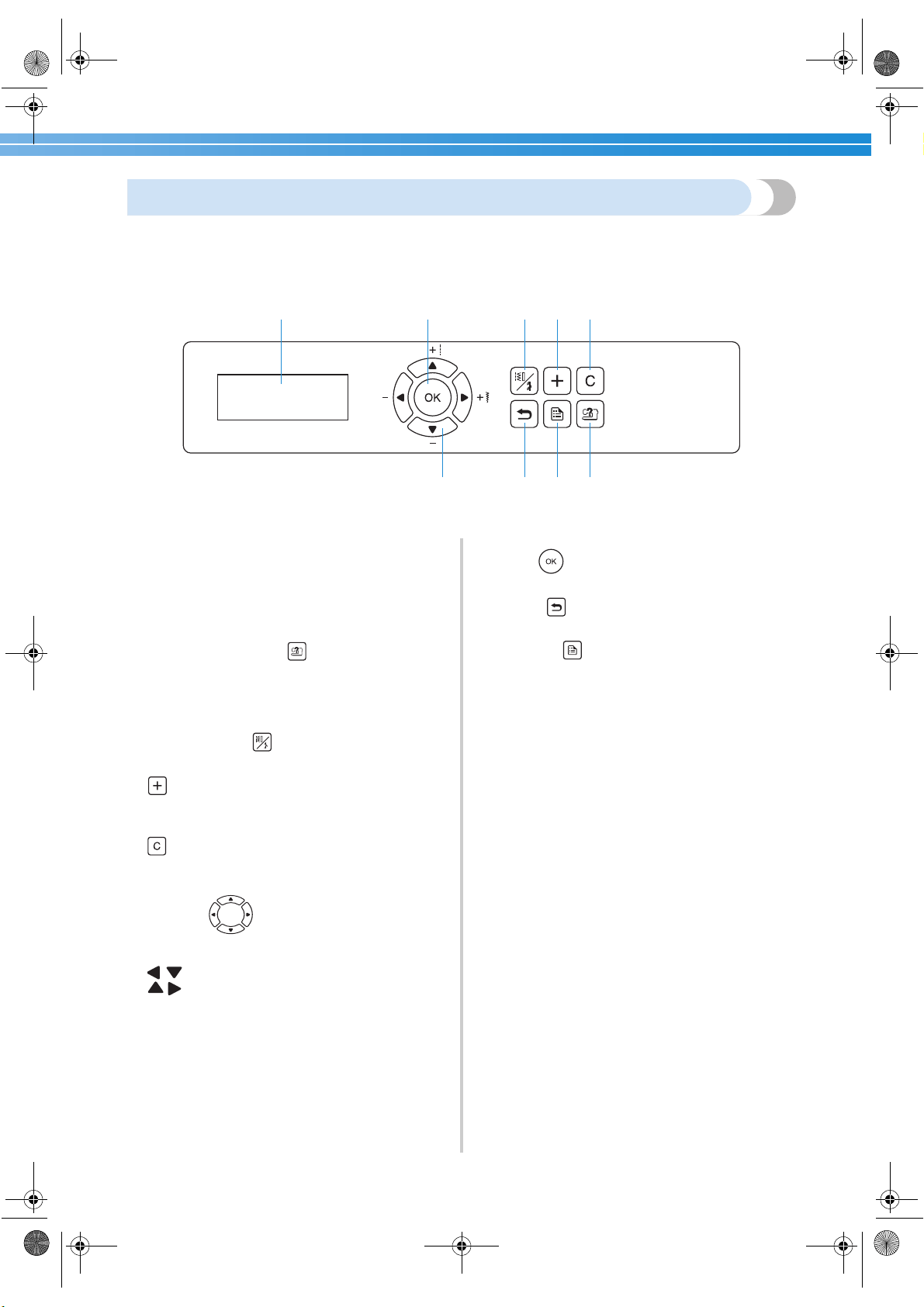
Operation panel
The operation panel, located on the front of the sewing machine, consists of the LCD (liquid crystal display) and
keys for specifying various sewing settings.
1 LCD (liquid crystal display)
Settings for the selected stitch and error messages for
incorrect operations appear in the LCD. Use keys 2
through 9, described below, to display various items
and select the settings. For details, refer to
“Understanding the LCD Screens” (page 12).
2 Sewing machine help key
Press this key to display operation information. Simple
descriptions on threading the upper thread, installing
the bobbin, winding the bobbin and replacing the
presser foot can be displayed.
3 Stitch selection key
Press this key to select the desired type of stitch.
4 key
Press this key to add a pattern when sewing
combinations of decorative stitches.
5 key
Press this key to remove an added pattern when sewing
combinations of decorative stitches.
6 Arrow keys
Use these keys to move in the indicated direction when
selecting an item displayed on the screen. In addition,
can be pressed to select a lower setting and
can be pressed to select a higher setting.
7 OK key
Press this key to apply the selected item.
8 Back key
Press this key to return to the previous screen.
9 Settings key
Press this key to select sewing settings, such as for
automatic reverse/reinforcement stitching, or other
settings such as the operation beep.
17345
6892
S3_brotherE.book Page E Wednesday, February 12, 2003 11:49 AM
1
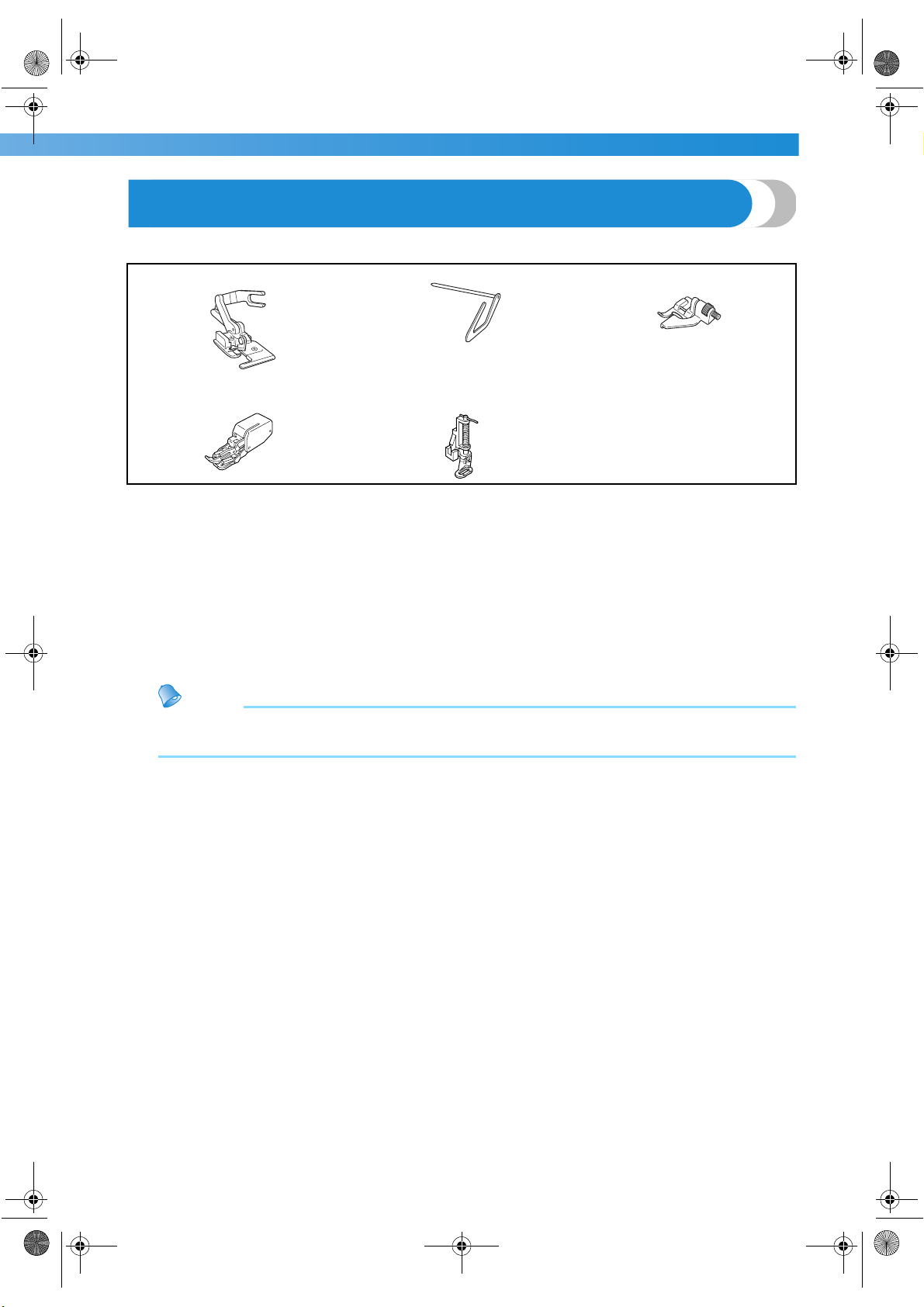
Optional Accessories
The following are available as optional accessories.
1. Side cutter
Part code: SA177, XC3879-002
2. Quilting guide
Part code: SA132, XC2215-002
3. Guide foot
Part code: SA133, XC1957-002
4. Walking foot
Part code: SA140, XC2214-002
5. Quilting foot
Part code: SA129, XC1948-002
Memo
● To obtain optional accessories or parts, contact your sales representative or the nearest authorized
service center.
1. 2. 3.
4. 5.
———————————————————————————————————————————————————Enclosed Accessories
S3_brotherE.book Page 1 Wednesday, February 12, 2003 11:49 AM
2
Introduction
Thank you for purchasing this sewing machine.
Before using this sewing machine, carefully read the “Important Safety Instructions” (page 6), and then study this
manual for the correct operation of the various functions.
In addition, after you have finished reading this manual, store it where it can quickly be accessed for future
reference.
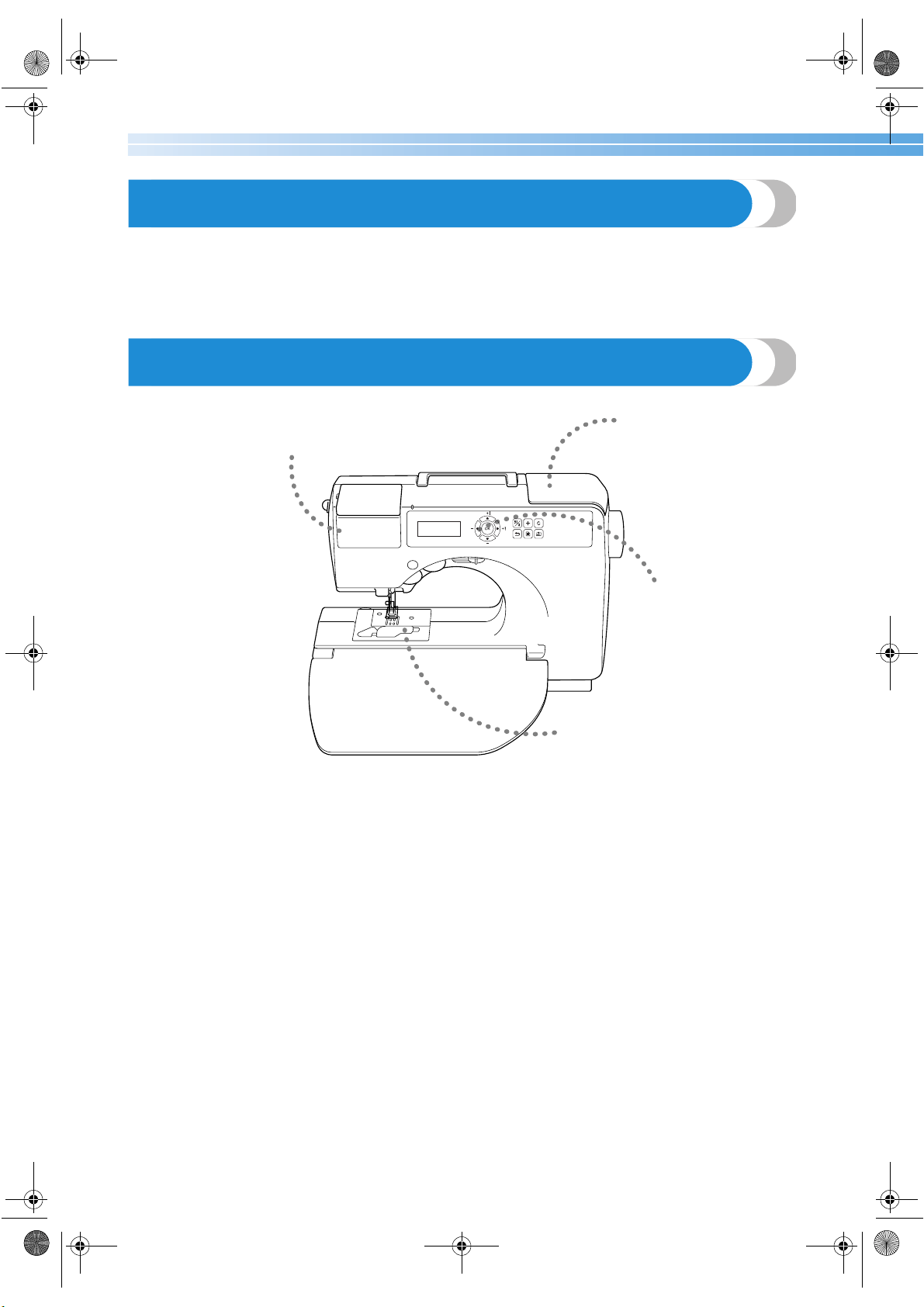
Sewing Machine Features
1 Thread cassette
Easily thread the upper thread by loading a spool of thread into the thread cassette. In addition, simply insert the thread
cassette into the compartment to thread the needle. (page 25)
2 Simple bobbin-winding
The bobbin can quickly and easily be wound with thread. (page 18)
3 Built-in stitches
You can select from the built-in stitches available, including utility stitches and decorative stitches. (page 66)
4 One-touch lower threading
You can start sewing without pulling up the bobbin thread. (page 22)
2
4
3
1
S3_brotherE.book Page 2 Wednesday, February 12, 2003 11:49 AM
3
Contents
Enclosed Accessories ................................................................................................ Cover A
Accessories .............................................................................................................................................Cover A
Names of Machine Parts and Their Functions .......................................................... Cover B
Front view ...............................................................................................................................................Cover B
Needle and presser foot section ..............................................................................................................Cover C
Right-side/rear view ................................................................................................................................Cover C
Operation buttons .................................................................................................................................. Cover D
Operation panel ...................................................................................................................................... Cover E
Optional Accessories ...........................................................................................................1
Introduction ........................................................................................................................2
Sewing Machine Features ....................................................................................................2
Contents ..............................................................................................................................3
Important Safety Instructions ..............................................................................................6
GETTING READY ..............................................................................................9
Turning the Machine On/Off .............................................................................................10
Power supply precautions ............................................................................................................................... 10
Turning on the machine .................................................................................................................................. 11
Turning off the machine .................................................................................................................................. 11
Understanding the LCD Screens ........................................................................................12
Checking machine operating procedures ........................................................................................................ 13
Changing the Machine Settings .........................................................................................14
Changing the settings ...................................................................................................................................... 14
Changing the needle stop position .................................................................................................................. 16
Adjusting the brightness of the LCD ................................................................................................................ 16
Changing the screen language ......................................................................................................................... 17
Winding/Installing the Bobbin ...........................................................................................18
Bobbin precautions ......................................................................................................................................... 18
Winding the bobbin ........................................................................................................................................ 18
Installing the bobbin ....................................................................................................................................... 22
Upper Threading ...............................................................................................................24
About the spool of thread ................................................................................................................................ 24
Loading the spool into the thread cassette ....................................................................................................... 25
Threading the needle ...................................................................................................................................... 28
Using the extra spool pin ................................................................................................................................ 30
Thread the needle manually (without using the needle threader) ..................................................................... 31
Using the twin needle ..................................................................................................................................... 32
Pulling up the bobbin thread ........................................................................................................................... 35
Replacing the Needle ........................................................................................................36
Needle precautions ......................................................................................................................................... 36
Needle types and their uses ............................................................................................................................. 36
Checking the needle ....................................................................................................................................... 37
Replacing the needle ....................................................................................................................................... 38
Replacing the Presser Foot ................................................................................................41
Presser foot precautions .................................................................................................................................. 41
Replacing the presser foot ............................................................................................................................... 41
Removing the presser foot holder .................................................................................................................... 43
Using the optional walking foot ...................................................................................................................... 44
Sewing Cylindrical Pieces ..................................................................................................46
Free-arm sewing .............................................................................................................................................. 46
S3_brotherE.book Page 3 Wednesday, February 12, 2003 11:49 AM
——————————————————————————————————————————————————————————————
—
4
SEWING BASICS .............................................................................................47
Sewing ............................................................................................................................... 48
General sewing procedure .............................................................................................................................. 49
Positioning the fabric ...................................................................................................................................... 50
Starting to sew ................................................................................................................................................. 51
Securing the stitching ...................................................................................................................................... 53
Cutting the thread ........................................................................................................................................... 55
Adjusting the Thread Tension ............................................................................................56
Changing the tension of the upper thread ........................................................................................................ 56
Adjusting the Stitch Width and Length ..............................................................................57
Adjusting the stitch width ................................................................................................................................ 57
Adjusting the stitch length ............................................................................................................................... 58
Useful Functions ................................................................................................................59
Automatically sewing reverse/reinforcement stitches ....................................................................................... 59
Useful Sewing Tips ............................................................................................................61
Trial sewing .................................................................................................................................................... 61
Changing the sewing direction ........................................................................................................................ 61
Sewing curves ................................................................................................................................................. 61
Sewing thick fabrics ........................................................................................................................................ 62
Sewing thin fabrics .......................................................................................................................................... 63
Sewing stretch fabrics ...................................................................................................................................... 63
Sewing an even seam allowance ..................................................................................................................... 63
UTILITY STITCHES ..........................................................................................65
Selecting Stitching .............................................................................................................66
Stitch types ...................................................................................................................................................... 66
Selecting stitching ........................................................................................................................................... 66
Overcasting Stitches ..........................................................................................................68
Sewing overcasting stitches using overcasting foot “G” ................................................................................... 68
Sewing overcasting stitches using zigzag foot “J” ............................................................................................. 69
Sewing overcasting stitches using the optional side cutter ............................................................................... 70
Basic Stitching ...................................................................................................................72
Basting ............................................................................................................................................................ 72
Basic stitching ................................................................................................................................................. 72
Blind Hem Stitching ..........................................................................................................74
Buttonhole Stitching ..........................................................................................................76
Buttonhole sewing .......................................................................................................................................... 77
Button sewing ................................................................................................................................................. 80
Zipper Insertion .................................................................................................................82
Inserting a centered zipper .............................................................................................................................. 82
Inserting a side zipper ..................................................................................................................................... 83
Sewing Stretch Fabrics and Elastic Tape ............................................................................86
Stretch stitching ............................................................................................................................................... 86
Elastic attaching .............................................................................................................................................. 86
Appliqué, Patchwork and Quilt Stitching ..........................................................................88
Appliqué stitching ........................................................................................................................................... 89
Patchwork (crazy quilt) stitching ..................................................................................................................... 90
Piecing ............................................................................................................................................................ 90
Quilting .......................................................................................................................................................... 91
Free-motion quilting ........................................................................................................................................ 92
Satin stitching .................................................................................................................................................. 94
Reinforcement Stitching .................................................................................................... 95
Triple stretch stitching ..................................................................................................................................... 95
Bar tack stitching ............................................................................................................................................. 95
Darning ........................................................................................................................................................... 97
Eyelet Stitching ..................................................................................................................99
S3_brotherE.book Page 4 Wednesday, February 12, 2003 11:49 AM
5
Decorative Stitching ........................................................................................................100
Fagoting ........................................................................................................................................................ 101
Scallop stitching ............................................................................................................................................ 102
Smocking ...................................................................................................................................................... 102
Shell tuck stitching ........................................................................................................................................ 103
Joining .......................................................................................................................................................... 104
Heirloom stitching ........................................................................................................................................ 105
Sewing the Various Built-In Decorative Patterns .............................................................108
Sewing beautiful patterns .............................................................................................................................. 108
Sewing patterns ............................................................................................................................................. 108
Combining patterns ....................................................................................................................................... 109
Repeat sewing patterns .................................................................................................................................. 110
Checking the selected pattern ....................................................................................................................... 111
Changing the pattern length .......................................................................................................................... 111
Mirror imaging the pattern ............................................................................................................................ 112
Storing a pattern ............................................................................................................................................ 113
Realigning the pattern ................................................................................................................................... 114
APPENDIX .....................................................................................................117
Stitch Settings ..................................................................................................................118
Utility stitches ............................................................................................................................................... 118
Other stitches ................................................................................................................................................ 123
Maintenance ....................................................................................................................124
Cleaning the machine surface ....................................................................................................................... 124
Cleaning the shuttle ...................................................................................................................................... 124
Troubleshooting ..............................................................................................................126
Error messages .............................................................................................................................................. 130
Nothing appears in the LCD .......................................................................................................................... 131
Operation beep ............................................................................................................................................. 131
Cancelling the operation beep ...................................................................................................................... 132
Index ...............................................................................................................................133
S3_brotherE.book Page 5 Wednesday, February 12, 2003 11:49 AM
6
Important Safety Instructions
When using this machine, basic safety precautions should always be taken, including the following:
Read all instructions before using.
DANGER - To reduce the risk of electric shock:
1. The machine should never be left unattended while plugged in. Always unplug the machine
from the electrical outlet immediately after using and before cleaning.
WARNING - To reduce the risk of burns, fire, electric shock, or injury to persons:
1. Do not allow this machine to be used as a toy. Close attention is necessary when the machine is
used by or near children.
2. Use this machine only for its intended use as described in this manual. Use only accessories
recommended by the manufacturer as contained in this manual.
3. Never operate this machine if it has a damaged cord or plug, if it is not working properly, if it has
been dropped or damaged, or dropped into water. Return the machine to the nearest authorized
dealer or service center for examination, repair, electrical or mechanical adjustment.
4. Never operate the machine with any air openings blocked. Keep ventilation openings of the
machine and foot control free from the accumulation of lint, dust, and loose cloth.
5. Never drop or insert any object into any opening.
6. Do not use outdoors.
7. Do not operate where aerosol (spray) products are being used or where oxygen is being
administered.
8. To disconnect, turn the main switch to the symbol “{” position which represents off, then
remove plug from outlet.
9. Do not unplug by pulling on cord. To unplug, grasp the plug, not the cord.
10. Keep fingers away from all moving parts. Special care is required around the machine needle.
11. Always use the proper needle plate. The wrong plate can cause the needle to break.
12. Do not use bent needles.
13. Do not pull or push fabric while stitching. It may deflect the needle causing it to break.
14. Switch the machine to the symbol “{” position when making any adjustments in the needle
area, such as threading needle, changing needle, threading bobbin, or changing presser foot, and
the like.
15. Always unplug the machine from the electrical outlet when removing covers, lubricating, or
when making any other user servicing adjustments mentioned in the instruction manual.
16. This sewing machine is not intended for use by young children or infirm persons without
supervision.
17. Young children should be supervised to ensure that they do not play with this machine.
18. If the Light unit is damaged, it must be replaced by authorized dealer.
SAVE THESE INSTRUCTIONS
This machine is intended for household use.
S3_brotherE.book Page 6 Wednesday, February 12, 2003 11:49 AM
7
FOR USERS IN THE UK, EIRE, MALTA AND CYPRUS ONLY
If this machine is fitted with a three-pin non-rewireable BS plug then please read the following.
IMPORTANT
If the available socket outlet is not suitable for the plug supplied with this equipment, it should be cut
off and an appropriate three-pin plug fitted. With alternative plugs an approved fuse must be fitted in
the plug.
NOTE
The plug served from the main lead must be destroyed as a plug with bared flexible cords is
hazardous if engaged in a live socket outlet. In the event of replacing the plug fuse, use a fuse
approved by ASTA to BS 1362, i.e. carrying the mark, rating as marked on plug.
Always replace the fuse cover, never use plugs with the fuse cover omitted.
WARNING
DO NOT CONNECT EITHER WIRE TO THE EARTH TERMINAL WHICH IS MARKED WITH THE
LETTER ‘E’, BY THE EARTH SYMBOL OR COLOURED GREEN OR GREEN AND YELLOW.
The wires in this main lead are colored in accordance with the following code:
Blue Neutral
Brown Live
As the colors of the wiring in the main lead of this appliance may not correspond with the colored
markings identifying the terminals in your plug, proceed as follows.
The wire which is colored blue must be connected to the terminal which is marked with the letter
‘N’ or colored black or blue.
The wire which is colored brown must be connected to the terminal which is marked with the letter
‘L’ or colored red or brown.
S3_brotherE.book Page 7 Wednesday, February 12, 2003 11:49 AM
8
CONGRATULATIONS ON CHOOSING OUR MACHINE
Your machine is one of the most advanced computerized household sewing machines. To fully
enjoy all the features, we suggest that you study the manual before using the machine.
PLEASE READ BEFORE USING THIS MACHINE
For safe operation
1. Be sure to keep your eye on the needle while sewing. Do not touch the hand wheel, thread take-
up lever, needle, or other moving parts.
2. Remember to turn off the power switch and unplug the cord when:
• Operation is completed
• Replacing or removing the needle or any other parts
• A power failure occurs during use
• Maintaining the machine
• Leaving the machine unattended
3. Do not store anything on the foot controller.
4. Plug the machine directly into the wall. Do not use extension cords.
For a longer service life
1. When storing this machine, avoid direct sunlight and high humidity locations. Do not use or
store the machine near a space heater, iron, halogen lamp, or other hot objects.
2. Use only neutral soaps or detergents to clean the case. Benzene, thinner, and scouring powders
can damage the case and machine, and should never be used.
3. Do not drop or hit the machine.
4. Always consult the operation manual when replacing or installing any assemblies, the presser
feet, needle, or other parts to assure correct installation.
For repair or adjustment
In the event a malfunction occurs or adjustment is required, first follow the troubleshooting table in
the back of the operation manual to inspect and adjust the machine yourself. If the problem persists,
please consult your local authorized Brother dealer.
For additional product information and updates, visit our web site at www.brother.com
S3_brotherE.book Page 8 Wednesday, February 12, 2003 11:49 AM

1 GETTING READY
The various preparations required before starting to sew are described in this chapter.
Turning the Machine On/Off .................................................................................10
Understanding the LCD Screens .............................................................................12
Changing the Machine Settings ..............................................................................14
Winding/Installing the Bobbin ...............................................................................18
Upper Threading ....................................................................................................24
Replacing the Needle .............................................................................................36
Replacing the Presser Foot .....................................................................................41
Sewing Cylindrical Pieces....................................................................................... 46
S3_brotherE.book Page 9 Wednesday, February 12, 2003 11:49 AM
GETTING READY ———————————————————————————————————————————————————————
—
10
Turning the Machine On/Off
This section explains how to turn the sewing machine on and off.
Power supply precautions
Be sure to observe the following precautions concerning the power supply.
●
Use only regular household electricity for the power source. Using other power sources may
result in fire, electric shock, or damage to the machine.
● Turn off the main power and remove the plug in the following circumstances:
• When you are away from the machine
• After using the machine
• When the power fails during use
• When the machine does not operate correctly due to a bad connection or a disconnection
• During electrical storms
● Do not use extension cords or multi-plug adapters with many other appliances plugged in to
them. Fire or electric shock may result.
● Do not touch the plug with wet hands. Electric shock may result.
● When unplugging the machine, always turn off the main power first. Always grasp the plug to
remove it from the outlet. Pulling on the cord may damage the cord, or lead to fire or electric
shock.
● Do not allow the power cord to be cut, damaged, modified, forcefully bent, pulled, twisted,
or bundled. Do not place heavy objects on the cord. Do not subject the cord to heat. These
things may damage the cord and cause fire or electric shock. If the cord or plug is damaged,
take the machine to your authorized dealer for repairs before continuing use.
● Unplug the power cord if the machine is not to be used for a long period of time. Otherwise a
fire may result.
WARNING
CAUTION
S3_brotherE.book Page 10 Wednesday, February 12, 2003 11:49 AM
Turning the Machine On/Off 11
1
Turning on the machine
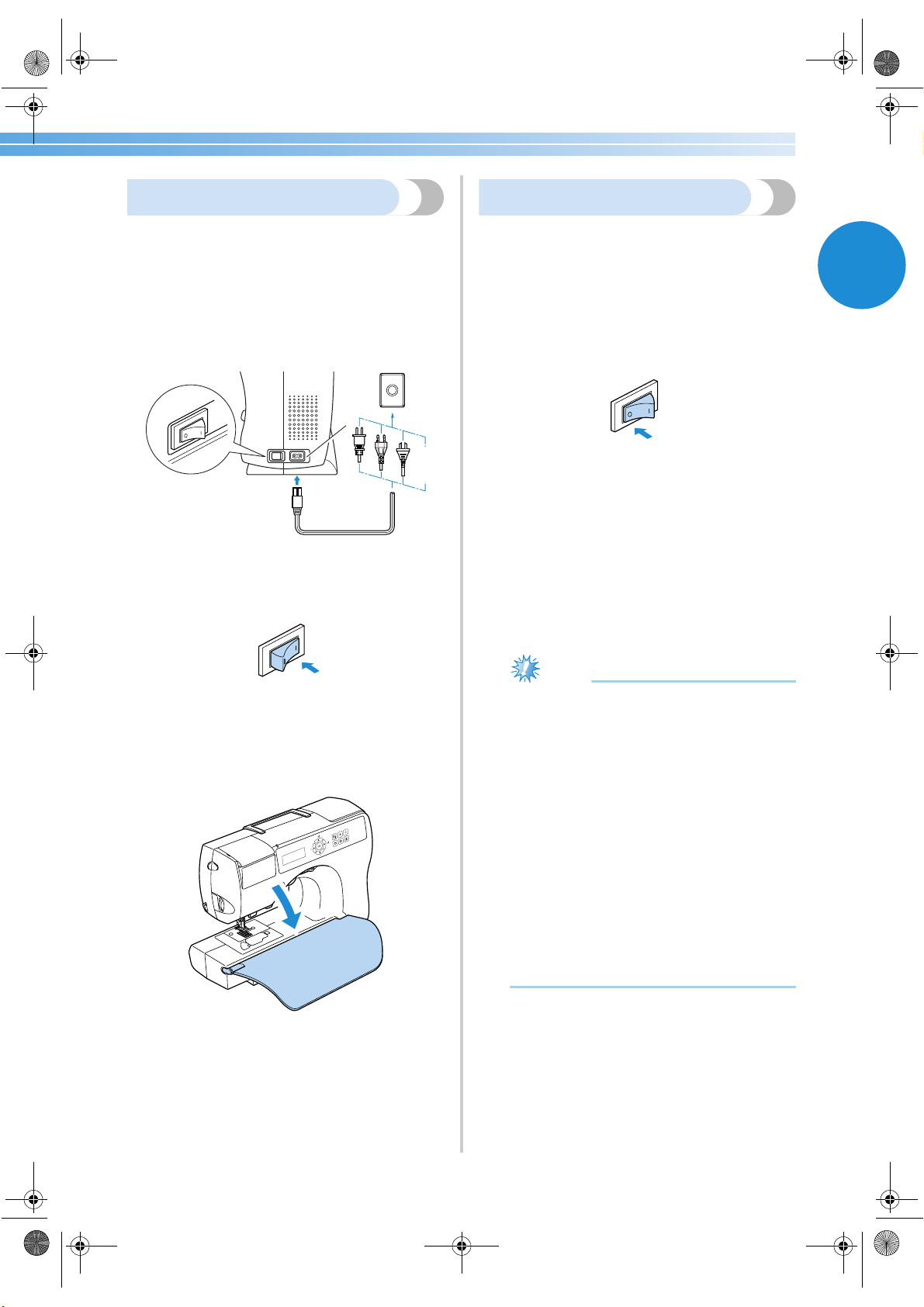
1
Make sure that the sewing machine is turned
off (the main power switch is set to “O”), and
then plug the power supply cord into the
power supply jack on the right side of the
machine.
2
Insert the plug of the power supply cord into a
household electrical outlet.
1 Power supply jack
3
Press the right side of the main power switch
on the right side of the machine (set it to “|”).
X The sewing lamp comes on when the
machine is turned on.
4
Fold the flap at the front of the sewing
machine down toward you.
Turning off the machine
When you are finished using the sewing machine,
turn it off. In addition, before transporting the sewing
machine to another location, be sure to turn it off.
1
Make sure that the machine is not sewing.
2
Press the left side of the main power switch on
the right side of the machine (set it to “{”).
X The sewing lamp goes off when the
machine is turned off.
3
Unplug the power supply cord from the
electrical outlet.
Grasp the plug when unplugging the power
supply cord.
4
Unplug the power supply cord from the
power supply jack.
Note
● If a power outage occurs while the sewing
machine is being operated, turn off the
sewing machine and unplug the power
supply cord. When restarting the sewing
machine, follow the necessary procedure to
correctly operate the machine.
(For U.S.A only)
● This appliance has a polarized plug (one
blade wider than the other). To reduce the
risk of electrical shock, this plug is intended
to fit in a polarized outlet only one way. If
the plug does not fit fully in the outlet,
reverse the plug. If it still does not fit,
contact a qualified electrician to install the
proper outlet. Do not modify the plug in any
way.
1
S3_brotherE.book Page 11 Wednesday, February 12, 2003 11:49 AM
GETTING READY ———————————————————————————————————————————————————————
—
12
Understanding the LCD Screens
The LCD screen, located on the front of the sewing machine, displays the settings for the selected stitch and
error messages if operations are performed incorrectly.
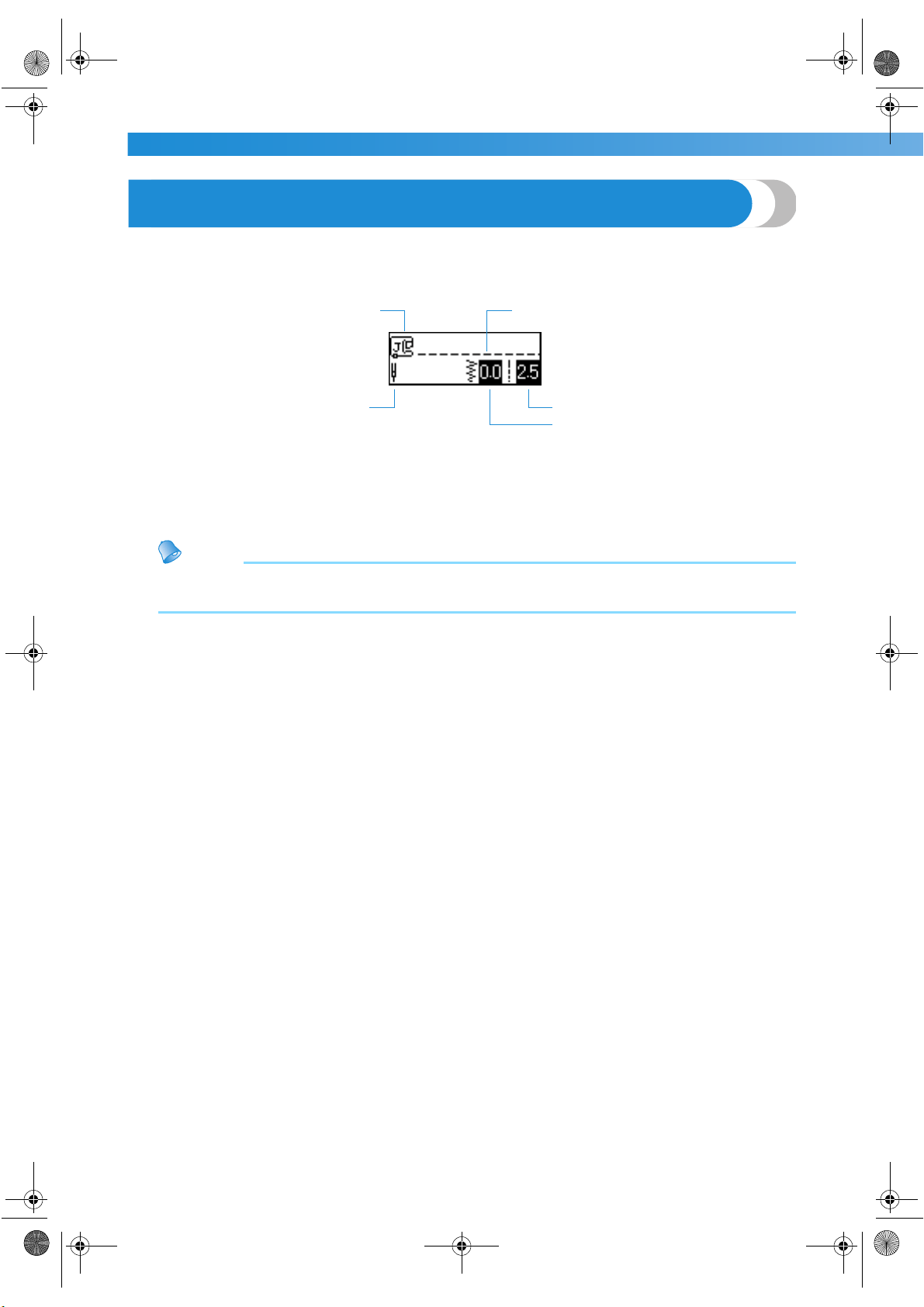
When the sewing machine is turned on, the LCD comes on and the following screen appears.
1 Presser foot that should be used
2 Single or twin needle
3 Selected stitch
4 Stitch length (mm)
5 Stitch width (mm)
Memo
● For details on the error messages that appear when an operation is performed incorrectly, refer to “Error
messages” (page 130).
1
2
5
4
3
S3_brotherE.book Page 12 Wednesday, February 12, 2003 11:49 AM
Understanding the LCD Screens 13
1
Checking machine operating
procedures
Simple descriptions on replacing the presser foot,
threading the upper thread, winding the bobbin and
installing the bobbin can be displayed in the LCD.
1
Turn on the sewing machine.
X The LCD comes on.
2
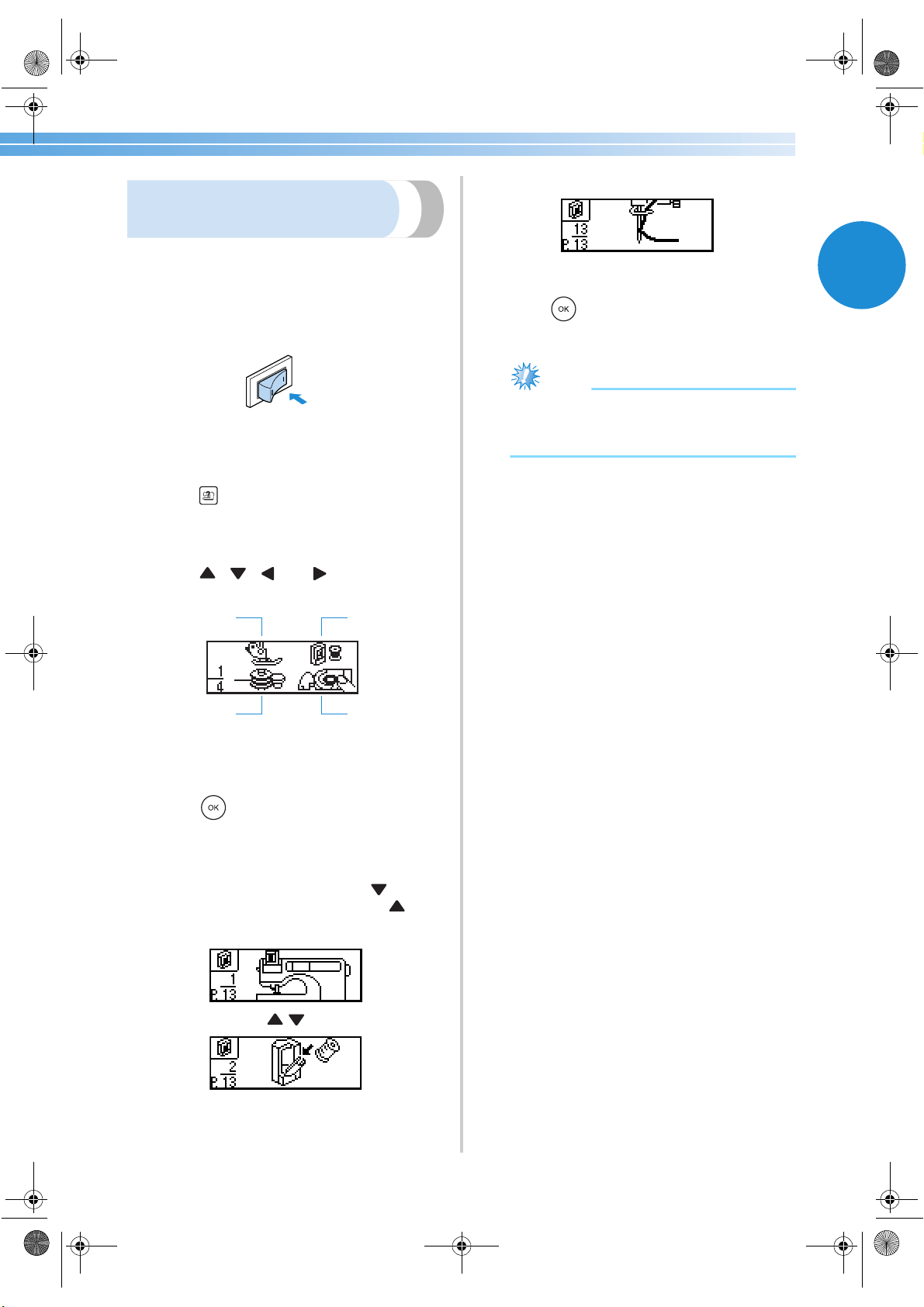
Press (sewing machine help key) in the
operation panel.
X The sewing machine help screen appears.
3
Press , , and (arrow keys) until
the image illustrating desired topic is selected.
1 Replacing the presser foot
2 Threading the upper thread
3 Winding the bobbin
4 Installing the bobbin
4
Press (OK key).
X The first screen describing the procedure for
the selected topic appears.
5
To display the next screen, press . To
return to the previous screen, press .
Example: Upper threading
6
When you are finished with the help screen,
press (OK key).
X The initial stitch screen appears again.
Note
● For details on each topic, refer to the
corresponding page in this Operation
Manual.
1
3
4
2
S3_brotherE.book Page 13 Wednesday, February 12, 2003 11:49 AM
GETTING READY ———————————————————————————————————————————————————————
—
14
Changing the Machine Settings
Various sewing machine operations and sewing settings can be changed.
Changing the settings
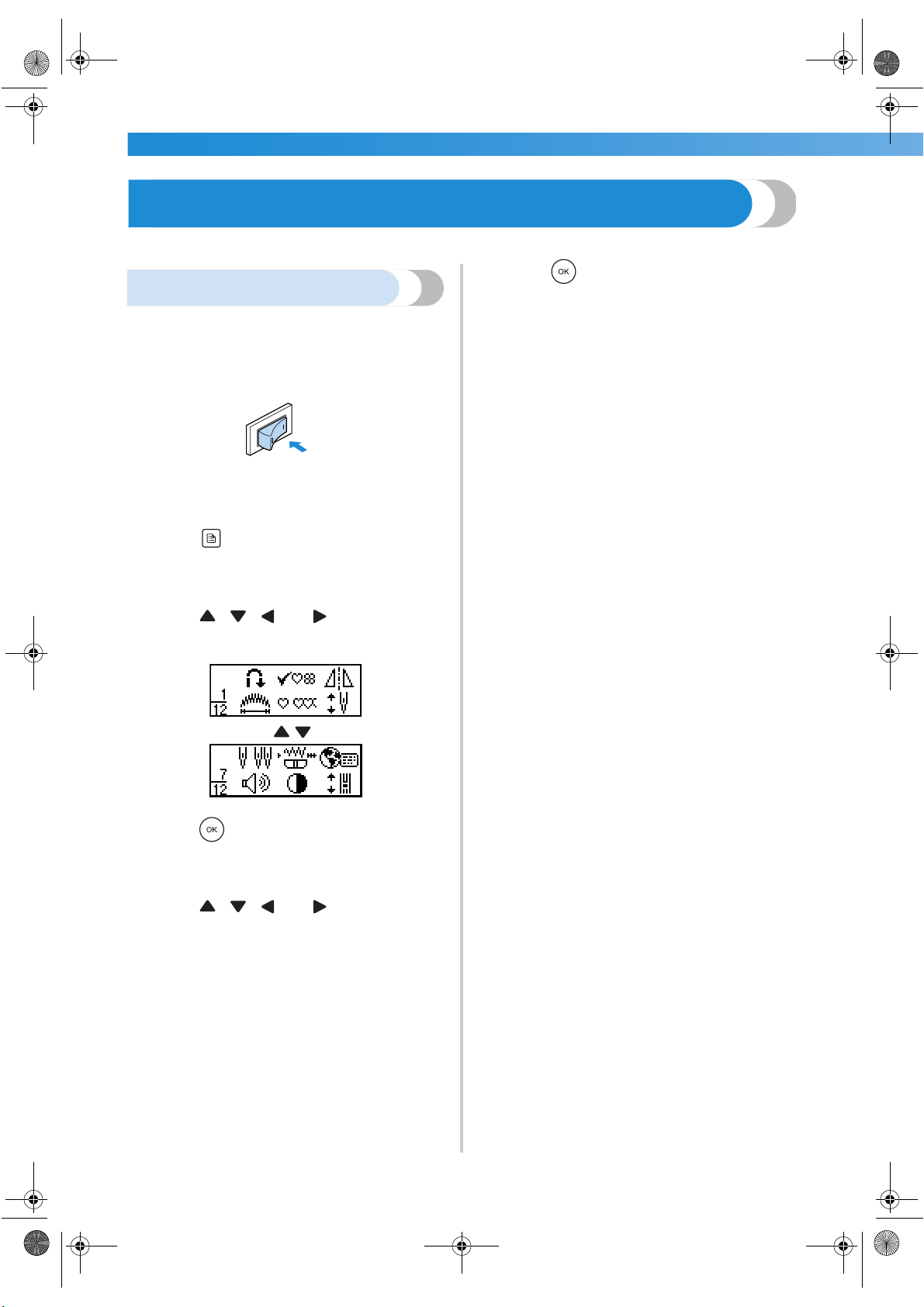
The general procedure for changing machine settings
is described below.
1
Turn on the sewing machine.
X The LCD comes on.
2
Press (settings key) in the operation
panel.
X The settings screen appears.
3
Press , , and (arrow keys) until
the stitch or machine attribute that you wish
to set is selected.
4
Press (OK key).
X A screen containing settings for the selected
attribute appears.
5
Press , , and (arrow keys) until
the desired setting is selected.
X The setting is changed.
6
Press (OK key).
X The initial stitch screen appears again.
S3_brotherE.book Page 14 Wednesday, February 12, 2003 11:49 AM
Changing the Machine Settings 15
1
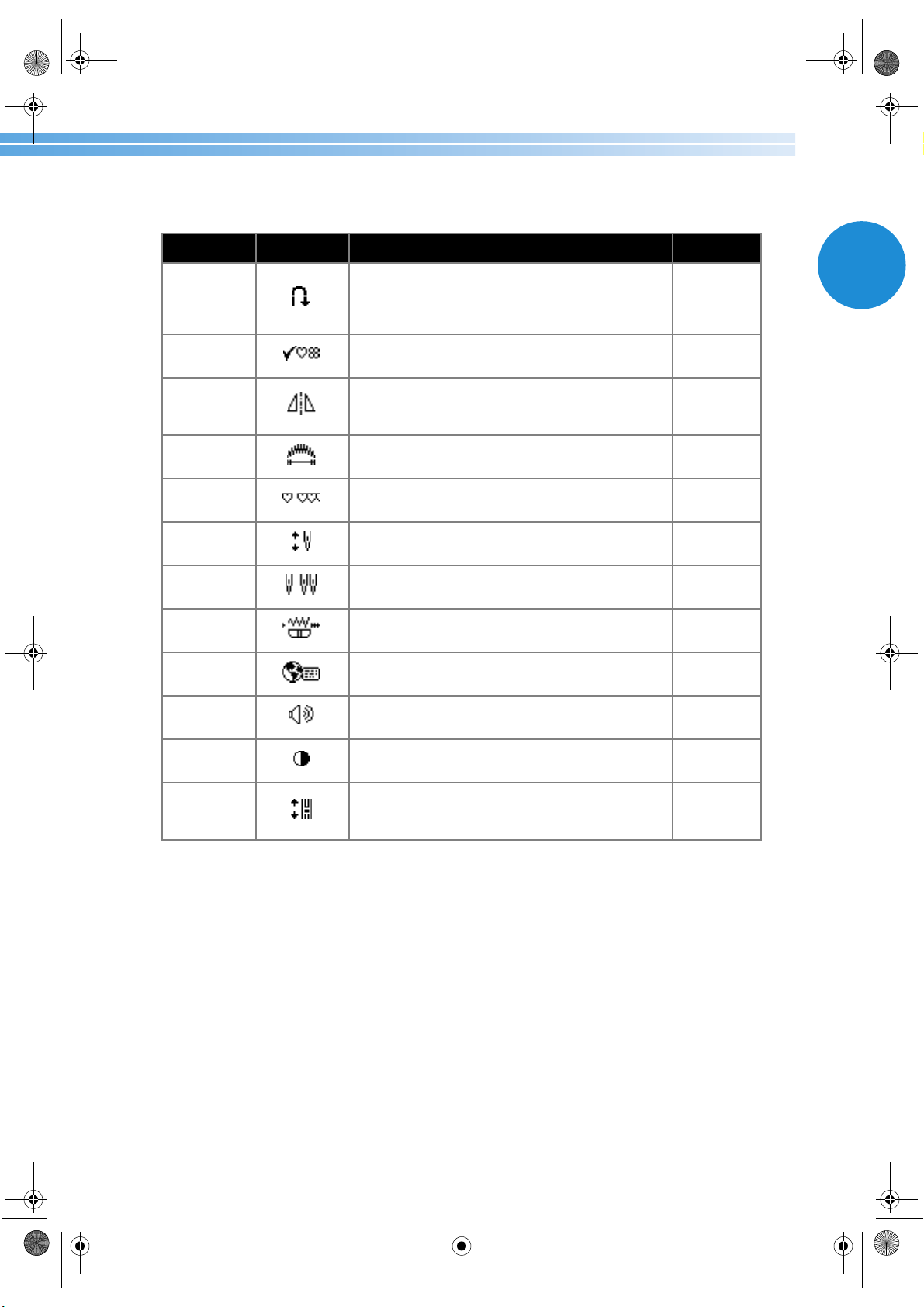
■ List of stitch or machine attributes
The stitch or machine attributes that can be set are listed below. For details on each attribute, refer to the
corresponding reference page.
Attribute Icon Details Reference
Automatic
reverse/
reinforcement
stitching
Specifies automatic reverse/reinforcement stitching. page 59
Check
pattern
Allows combined patterns to be checked. page 109
Left/right
mirror
imaging
Mirror images patterns along a vertical axis. page 112
Pattern
length
Adjusts the length of satin stitches. page 111
Repeated/
single sewing
Specifies whether the pattern will be sewn once or
repeatedly.
page 110
Needle
position
Specifies where the needle is positioned when the
sewing machine is stopped.
page 16
Twin needle
sewing
Specifies the twin needle. page 32
Stitch width
control
Allows the stitch width to be adjusted with the
sewing speed controller.
page 94
Language
Allows the language used in the screens to be
changed.
page 17
Buzzer
Specifies whether or not a beep is sounded with
each operation.
page 130
LCD
brightness
Adjusts the brightness of the LCD. page 16
Vertical
pattern
adjustment
Adjusts the up and down position of the pattern. page 114
S3_brotherE.book Page 15 Wednesday, February 12, 2003 11:49 AM
GETTING READY ———————————————————————————————————————————————————————
—
16
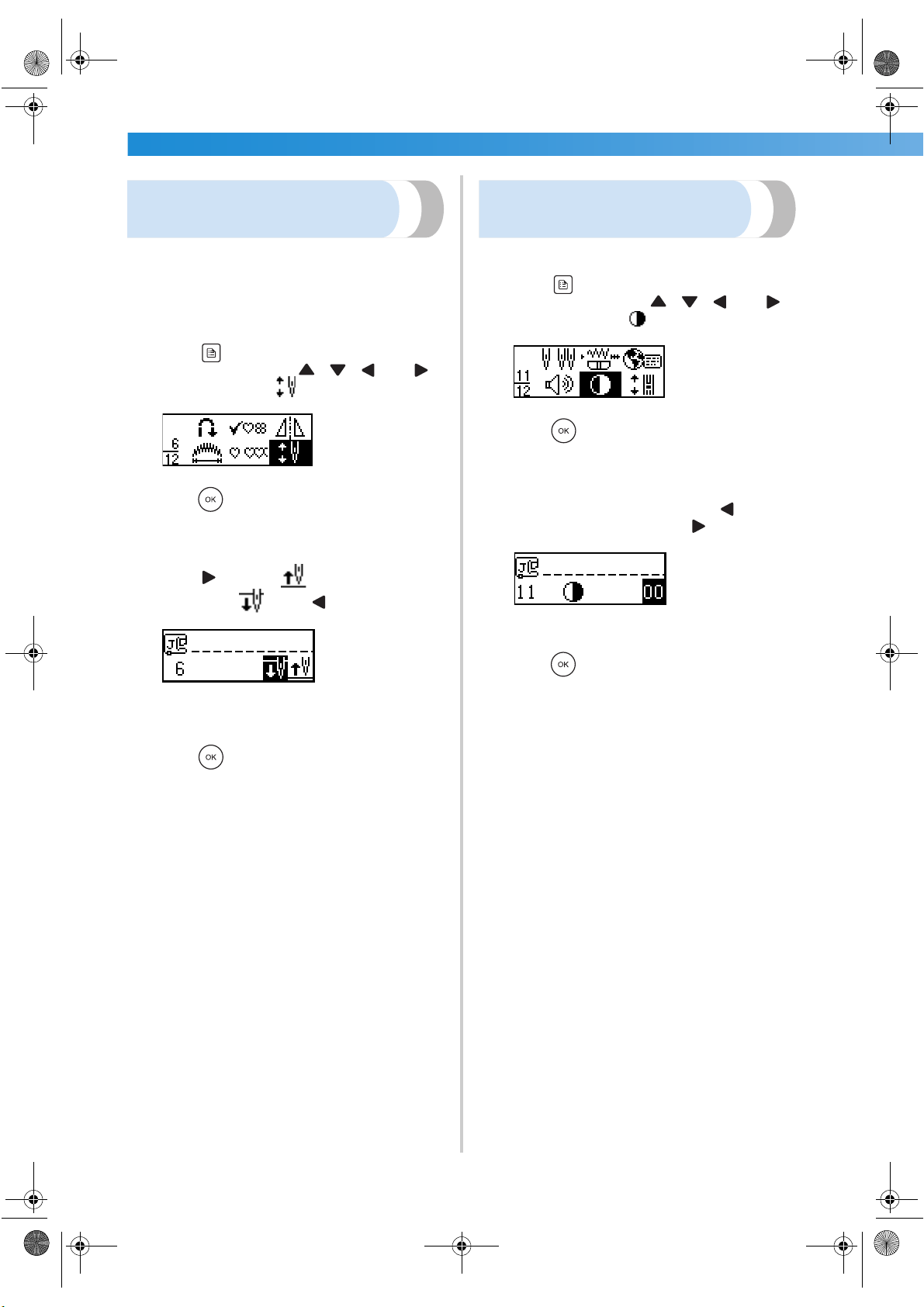
Changing the needle stop
position
When the sewing machine is purchased, it is set to
leave the needle lowered in the fabric when sewing
is stopped. However, the machine can be set to
instead leave the needle raised when sewing is
stopped.
1
Press (settings key) in the operation
panel, and then press , , and
(arrow keys) until is selected.
2
Press (OK key).
X The screen for changing the needle stop
position appears.
3
Press to select .
To return to , press .
X The machine is now set to stop with the
needle in the raised position.
4
Press (OK key).
X The initial stitch screen appears again.
Adjusting the brightness of
the LCD
The brightness of the LCD can be adjusted.
1
Press (settings key) in the operation
panel, and then press , , and
(arrow keys) until is selected.
2
Press (OK key).
X The screen for changing the brightness of
the LCD appears.
3
To make the LCD brighter, press (–). To
make the LCD darker, press (+).
X The brightness of the LCD is changed.
4
Press (OK key).
X The initial stitch screen appears again.
S3_brotherE.book Page 16 Wednesday, February 12, 2003 11:49 AM
Changing the Machine Settings 17
1
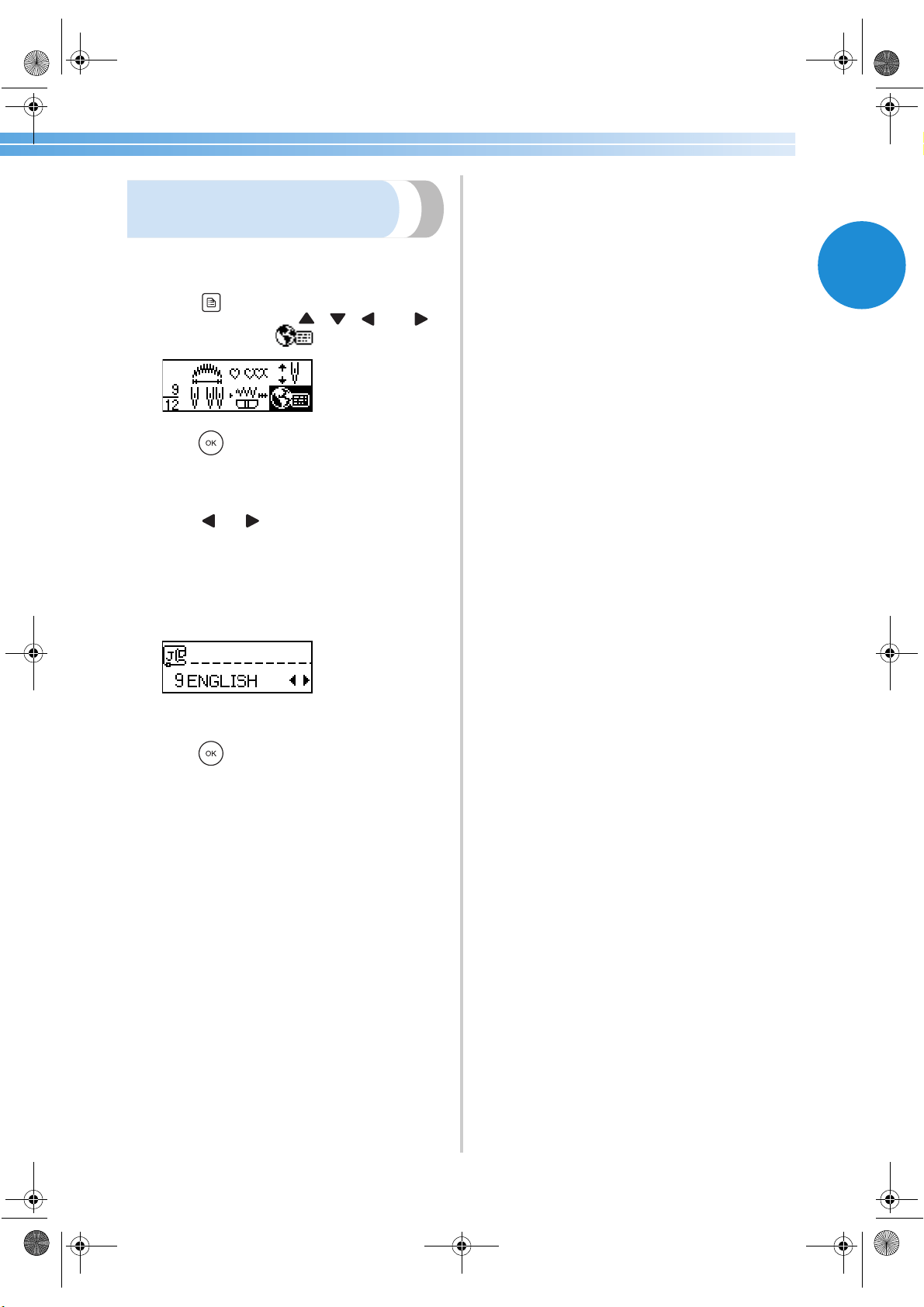
Changing the screen
language
The language used in the screens that are displayed
can be changed to one of the many available.
1
Press (settings key) in the operation
panel, and then press , , and
(arrow keys) until is selected.
2
Press (OK key).
X The screen for changing the language of the
screens appears.
3
Press or until the desired language is
selected.
The language can be changed to one of the
available: English, French, German, Dutch,
Spanish, Italian, Danish, Norwegian, Finnish,
Swedish, Portuguese, Russian, Japanese,
Korean or others.
X The language of the screens is changed.
4
Press (OK key).
X The initial stitch screen appears again.
S3_brotherE.book Page 17 Wednesday, February 12, 2003 11:49 AM
GETTING READY ———————————————————————————————————————————————————————
—
18
Winding/Installing the Bobbin
This section describes how to wind the thread onto the bobbin, and then insert the bobbin thread.
Bobbin precautions
Be sure to observe the following precautions concerning the bobbin.
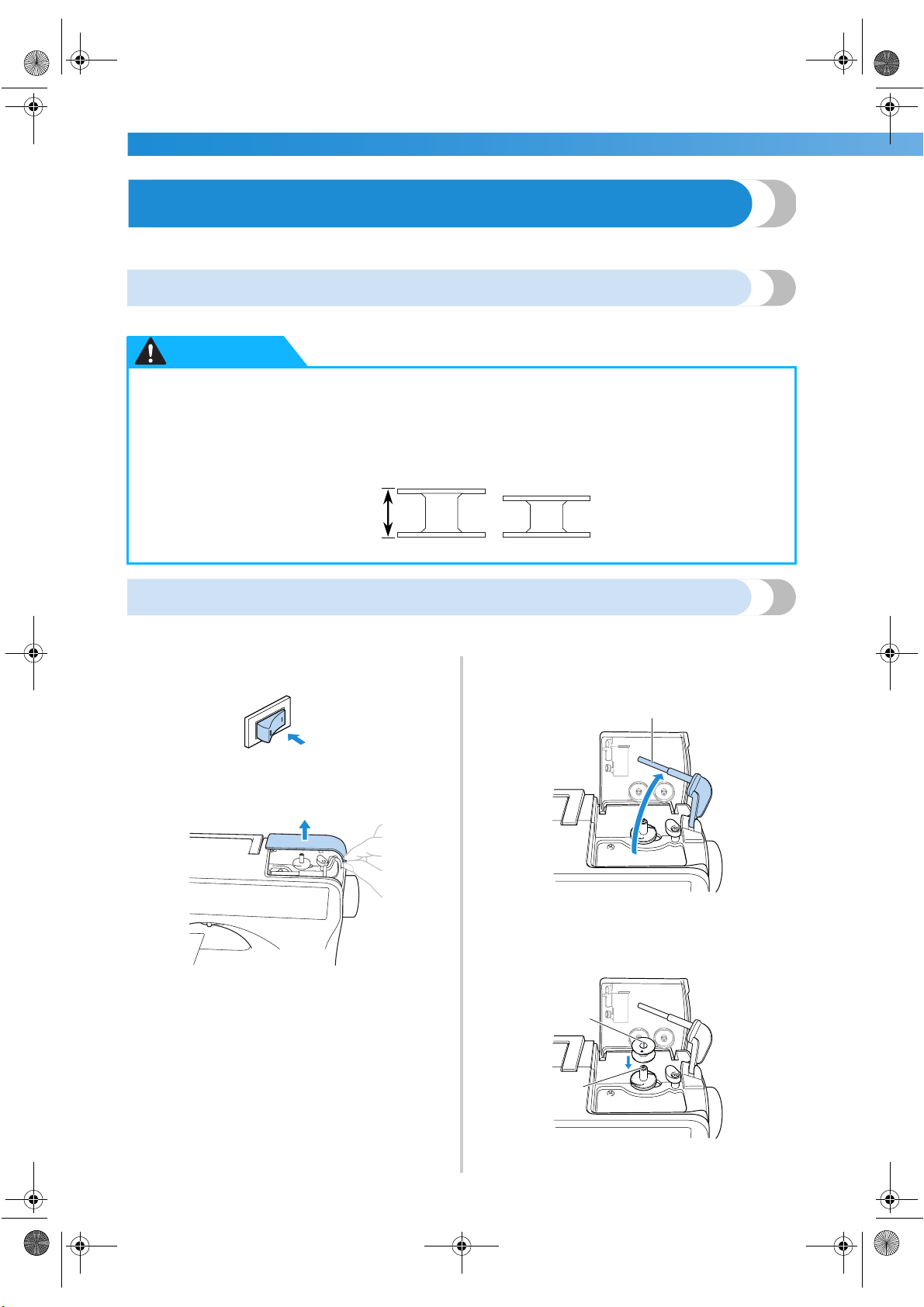
Winding the bobbin
Wind the thread around the bobbin to prepare the bobbin thread.
1
Turn on the sewing machine.
2
Open the bobbin winder cover at the top on
the right side of the sewing machine.
3
Swing up the bobbin thread spool pin.
Move the bobbin thread spool pin up as far as
possible.
1 Bobbin thread spool pin
4
Place the bobbin on the bobbin winder shaft
so that the spring on the shaft fits into the
notch in the bobbin.
1 Notch
2 Bobbin winder shaft spring
● Only use the bobbin (part code: SA156, XA5539-151) designed specifically for this sewing
machine. Use of any other bobbin may result in injuries or damage to the machine.
● The enclosed bobbin was designed specifically for this sewing machine. If bobbins from older
models are used, the machine will not operate correctly. Use only the enclosed bobbin or
bobbins of the same type (part code: SA156, XA5539-151).
CAUTION
Actual size
This model Older model
11.5 mm
(7/16 inch)
1
1
2
S3_brotherE.book Page 18 Wednesday, February 12, 2003 11:49 AM
Winding/Installing the Bobbin 19
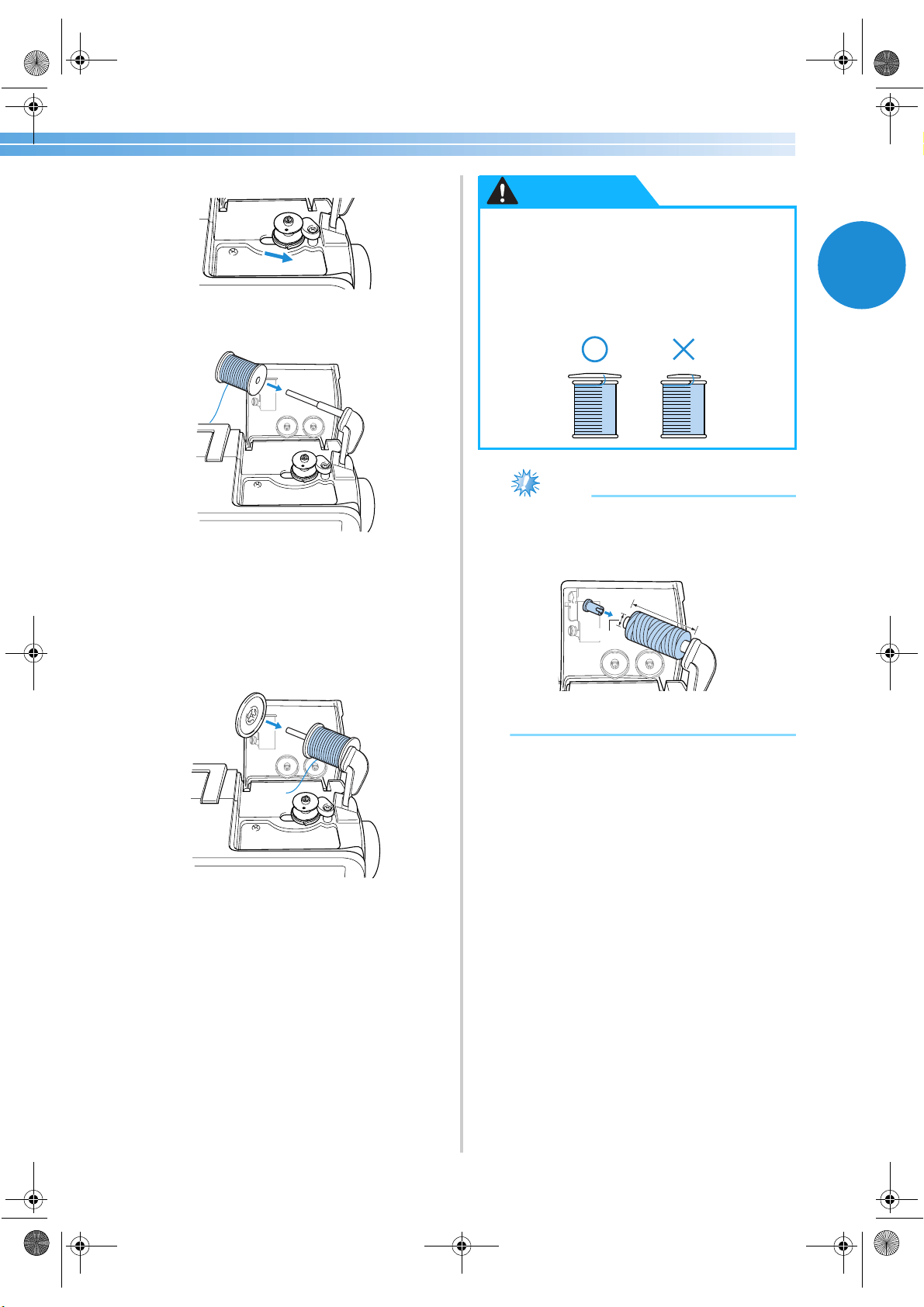
1
5
Slide the bobbin winder shaft to the right.
6
Place the spool of thread for the bobbin onto
the bobbin thread spool pin.
7
Slide the spool cap onto the bobbin thread
spool pin.
With the rounded side of the spool cap
positioned toward the left, slide the spool cap
onto the bobbin thread spool pin as far as
possible until the right side of the spool
touches the right end of the bobbin thread
spool pin.
Note
● If a spool of thread 12 mm (1/2 inch) in
diameter and 75 mm (3 inch) high is
inserted onto the bobbin thread spool pin,
use the special spool cap.
1 12 mm (1/2 inch)
2 75 mm (3 inch)
● Two spool cap sizes are available,
allowing you to choose a spool cap that
best fits the size of spool being used. If
the spool cap is too small for the spool
being used, the thread may catch on the
slit in the spool or the needle may break.
CAUTION
1
2
S3_brotherE.book Page 19 Wednesday, February 12, 2003 11:49 AM
GETTING READY ———————————————————————————————————————————————————————
—
20
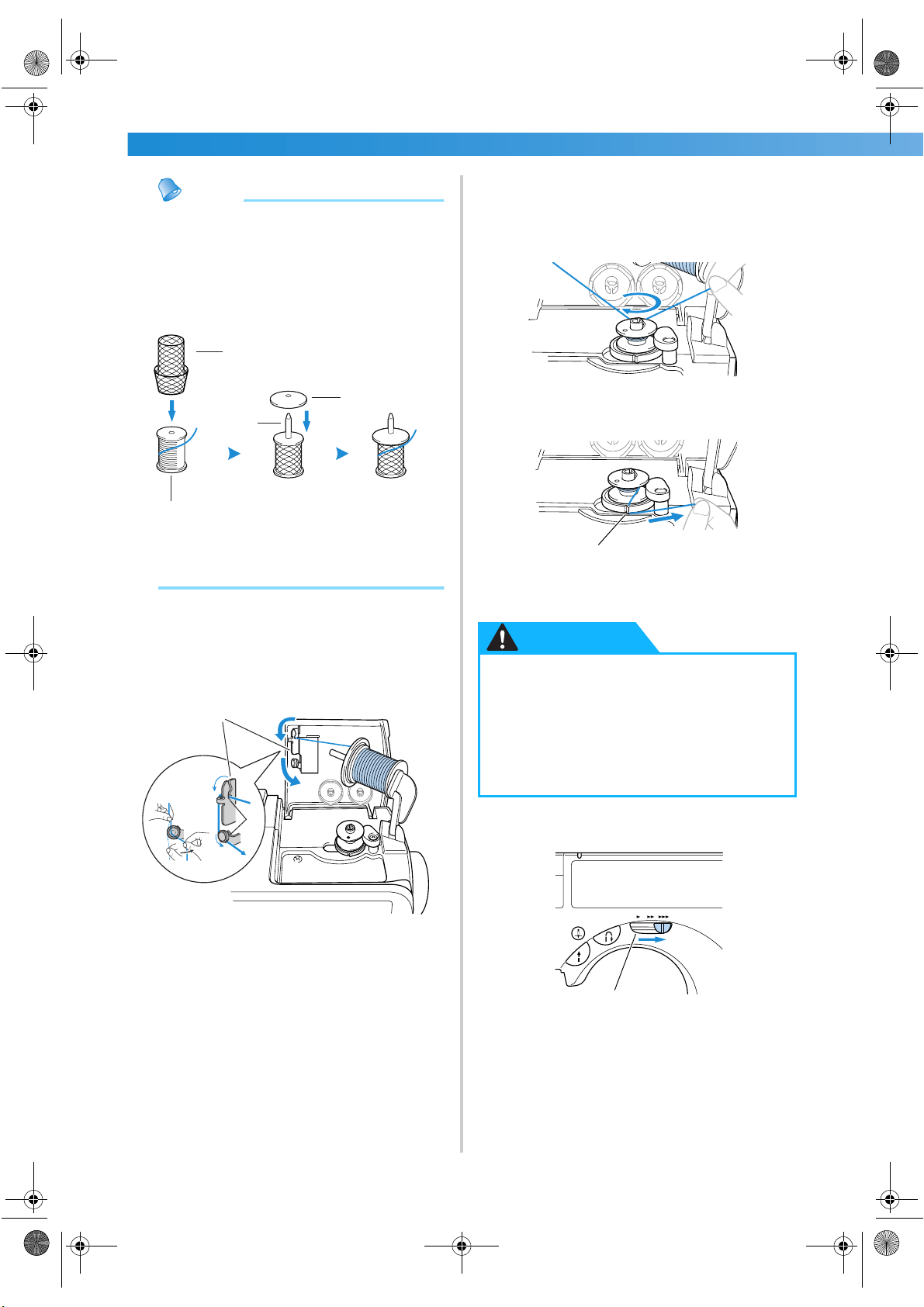
Memo
● When using thread that winds off quickly,
such as transparent nylon thread or metallic
thread, place the enclosed spool net over
the spool before placing the spool of thread
onto the spool pin.
If the spool net is too long, fold it to fit the
size of the spool.
1 Spool net
2 Spool
3 Spool pin
4 Spool cap
8
Pull out some thread, and then thread the
thread guide for bobbin winding.
Hold the thread with both hands, and then
securely pass the thread as far as possible into
the two slits in the thread guide.
1 Thread guide for bobbin winding
2 Two slits
9
While using your left hand to hold the end of
the thread that wraps around the thread guide
for bobbin winding, use your right hand to
wind the free end of the thread clockwise
around the bobbin five or six times.
0
Pull the thread to the right and pass it through
the slit in the bobbin winder seat.
1 Slit in bobbin winder seat (with built-in cutter)
X The thread is cut to a suitable length.
a
Slide the sewing speed controller to the right
(so that the speed will be fast).
1 Sewing speed controller
1
2
3
4
1
2
● Be sure to cut the thread as described. If
the bobbin is wound without cutting the
thread using the cutter built into the slit
in the bobbin winder seat, the thread
may become tangled in the bobbin or the
needle may bend or break when the
bobbin thread starts to run out.
1
CAUTION
1
S3_brotherE.book Page 20 Wednesday, February 12, 2003 11:49 AM
Winding/Installing the Bobbin 21
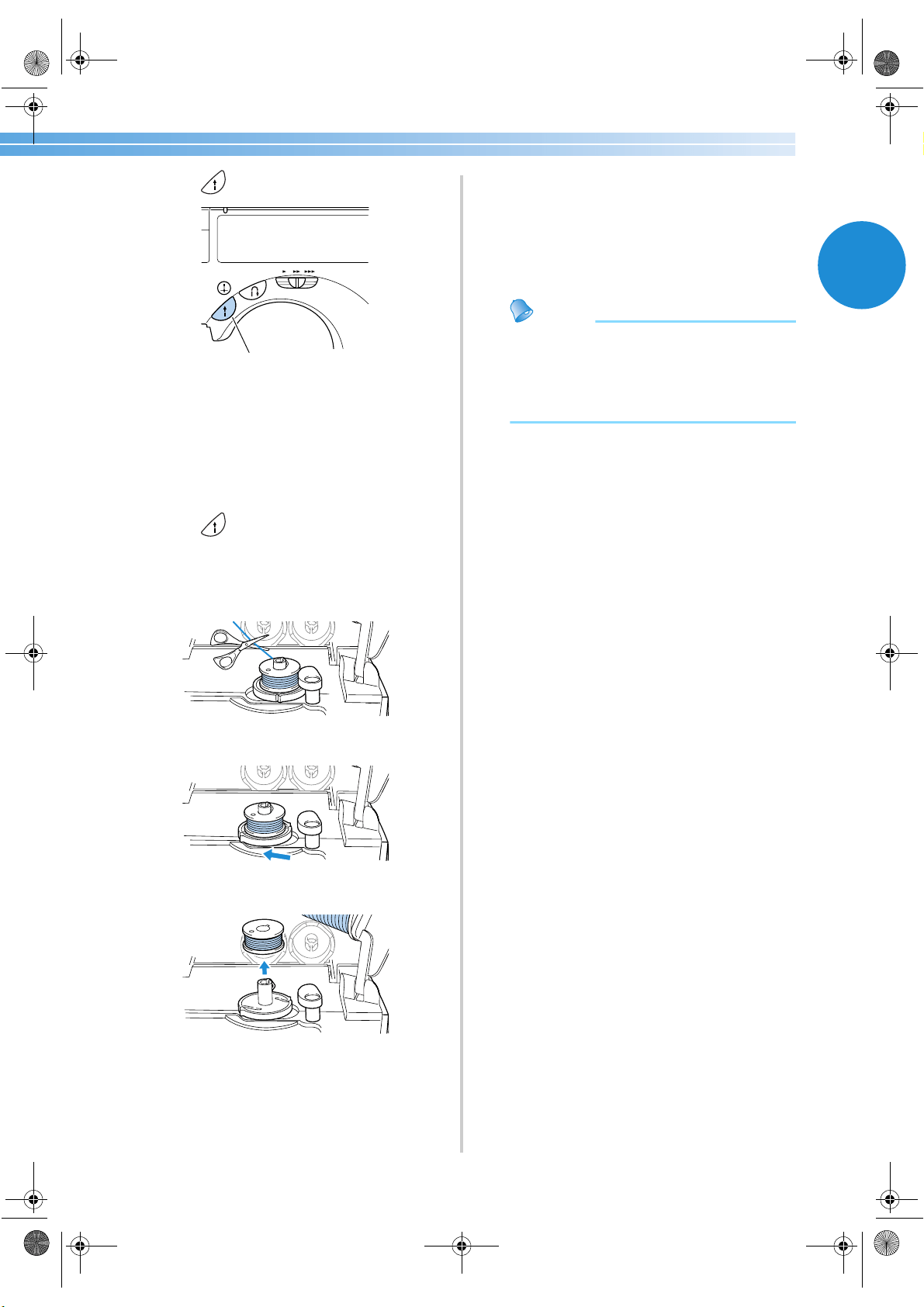
1
b
Press (start/stop button) once.
1 Start/stop button
X The bobbin starts spinning and the thread is
wound around the bobbin.
X The bobbin spins slowly when it is full.
c
When the bobbin begins spinning slowly,
Press (start/stop button) once.
X The sewing machine stops.
d
Use scissors to cut the end of the thread
wound around the bobbin.
e
Slide the bobbin winder shaft to the left.
f
Remove the bobbin from the shaft.
g
Remove the spool cap and spool.
h
Swing down the bobbin thread spool pin,
close the bobbin winder cover, and then slide
the sewing speed controller back to its
original position.
Memo
● When the sewing machine is started or the
balance wheel is turned after winding the
thread around the bobbin, the machine will
make a clicking sound; this is not a
malfunction.
1
S3_brotherE.book Page 21 Wednesday, February 12, 2003 11:49 AM
GETTING READY ———————————————————————————————————————————————————————
—
22
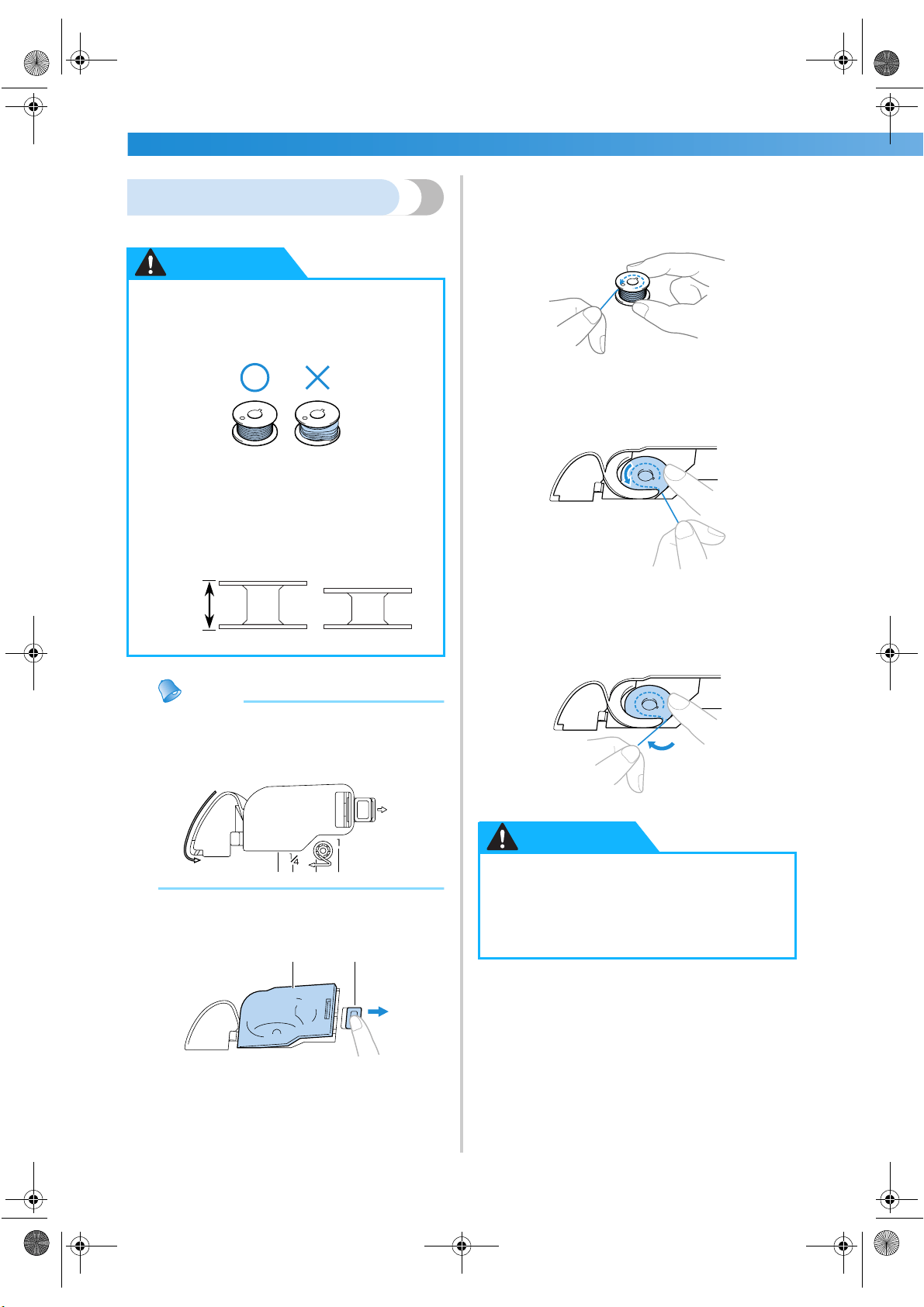
Installing the bobbin
Install the bobbin wound with thread.
Memo
● The order that the bobbin thread should be
passed through the needle plate is indicated
by marks around the shuttle. Be sure to
thread the machine as indicated.
1
Slide the bobbin cover latch to the right.
1 Bobbin cover
2 Latch
X The bobbin cover opens.
2
Remove the bobbin cover.
3
Hold the bobbin with your right hand and
hold the end of the thread with your left.
• Be careful not to drop the bobbin.
4
Insert the bobbin into the shuttle so that the
thread unrolls to the left.
• Be sure to insert the bobbin correctly.
5
Lightly hold down the bobbin with your right
hand, and then guide the thread as shown
with your left hand.
●
Use a bobbin thread that has been
correctly wound, otherwise the needle
may break or the thread tension will be
incorrect.
● The bobbin was designed specifically for
this sewing machine. If bobbins from
older models are used, the machine will
not operate correctly. Use only the
enclosed bobbin or bobbins of the same
type (part code: SA156, XA5539-151).
CAUTION
Actual size
This model Older model
11.5 mm
(7/16 inch)
1
2
● Be sure to hold down the bobbin with
your finger and unroll the bobbin thread
correctly, otherwise the thread may
break or the thread tension will be
incorrect.
CAUTION
S3_brotherE.book Page 22 Wednesday, February 12, 2003 11:49 AM
Winding/Installing the Bobbin 23
1
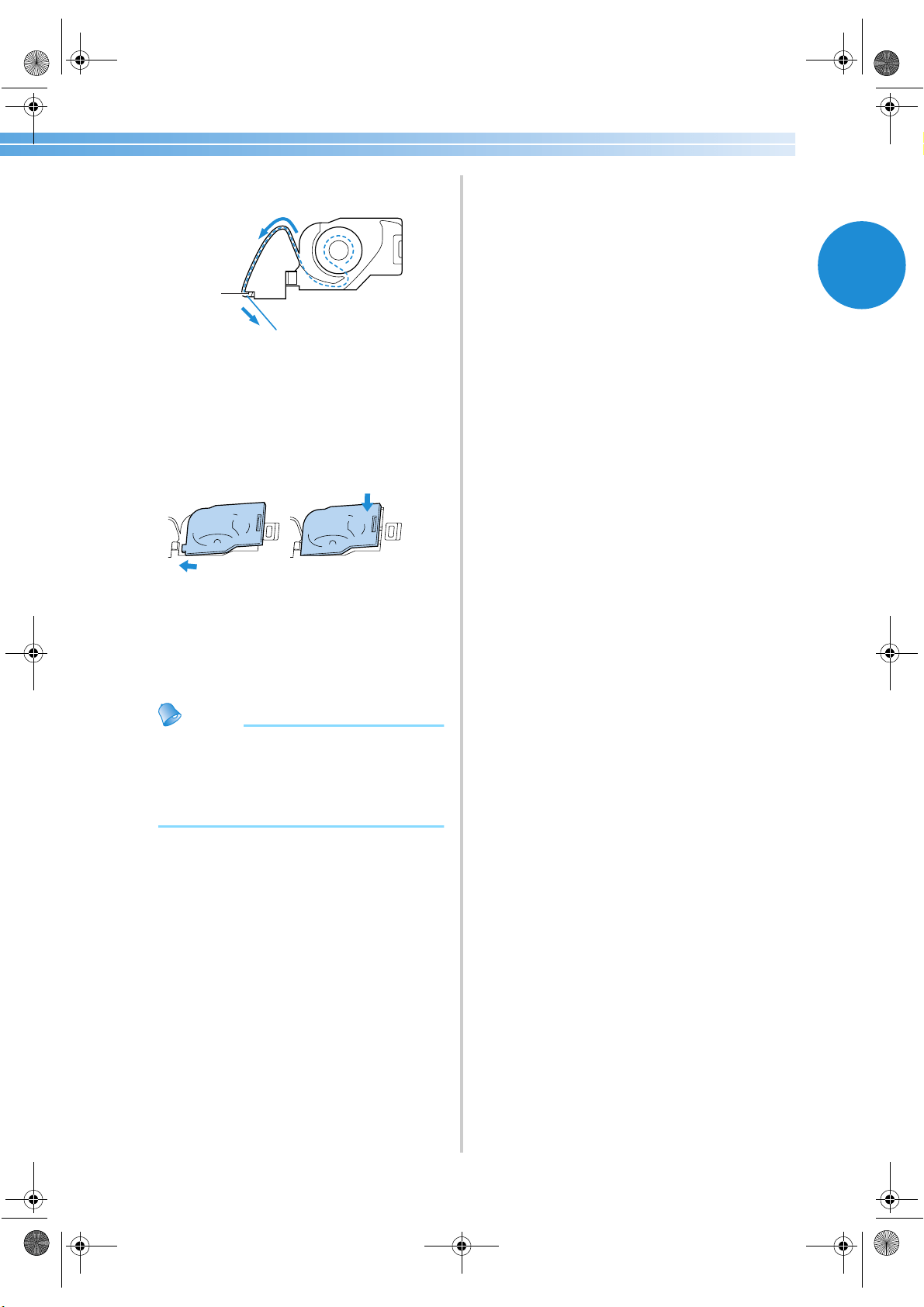
6
Pass the thread through the slot as shown, and
then pull the thread out toward the front.
1 Cutter
X The cutter cuts the thread.
7
Reattach the bobbin cover.
Insert the tab in the lower-left corner of the
bobbin cover, and then lightly press down on
the right side.
X The lower threading is finished.
Next, thread the upper thread. Continue with
the procedure in “Upper Threading” (on the
next page).
Memo
● You can begin sewing without pulling up
the bobbin thread. If you wish to pull up the
bobbin thread before starting to sew, pull
up the thread according to the procedure in
“Pulling up the bobbin thread” (page 35).
1
2
1
S3_brotherE.book Page 23 Wednesday, February 12, 2003 11:49 AM
GETTING READY ———————————————————————————————————————————————————————
—
24
Upper Threading
In this section, the procedures for positioning the spool for the upper thread and threading the needle are
described.
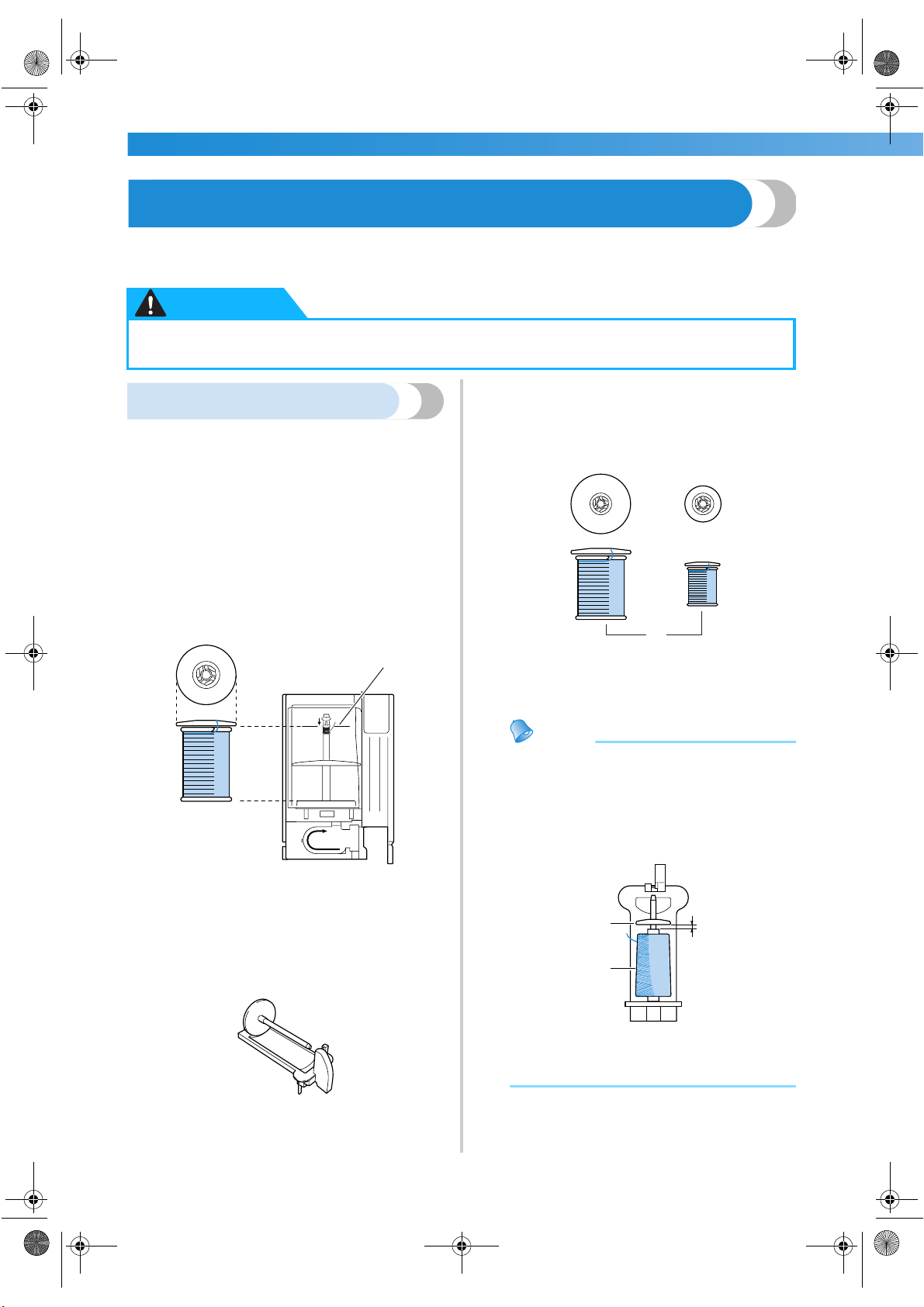
About the spool of thread
With this sewing machine, a spool of thread can be
loaded into the enclosed thread cassette, and then
the thread cassette can be threaded. Information
about the spools of thread is described below.
■ Spools that can be loaded into the thread
cassette
Normally, a spool of thread is loaded into the
thread cassette and used. The spools that can be
loaded must have a diameter smaller than the
orange spool cap and a height shorter than the
mark on the cover of the thread cassette.
1 Spool cap (orange)
2 Spool
3 Mark on thread cassette compartment cover
■ Spools that cannot be loaded into the thread
cassette
When using spools that cannot be loaded into the
thread cassette, use the enclosed extra spool pin.
When using the extra spool pin, attach either the
large or small white spool cap, depending on the
size of the spool. Use the spool cap with a diameter
that is slightly larger than the diameter of the spool.
1 Spool cap (large)
2 Spool cap (small)
3 Spool
Memo
● For details on using the extra spool pin,
refer to “Using the extra spool pin”
(page 30).
● When using a spool of cross-wound thread,
install the small white spool cap with some
space between the cap and the spool.
1 Spool cap (small)
2 Gap
3 Spool
● When threading the upper thread, carefully follow the instructions. If the upper threading is
not correct, the thread may become tangled or the needle may bend or break.
CAUTION
11
1
2
3
1
2
3
1
3
2
S3_brotherE.book Page 24 Wednesday, February 12, 2003 11:49 AM
Upper Threading 25
1
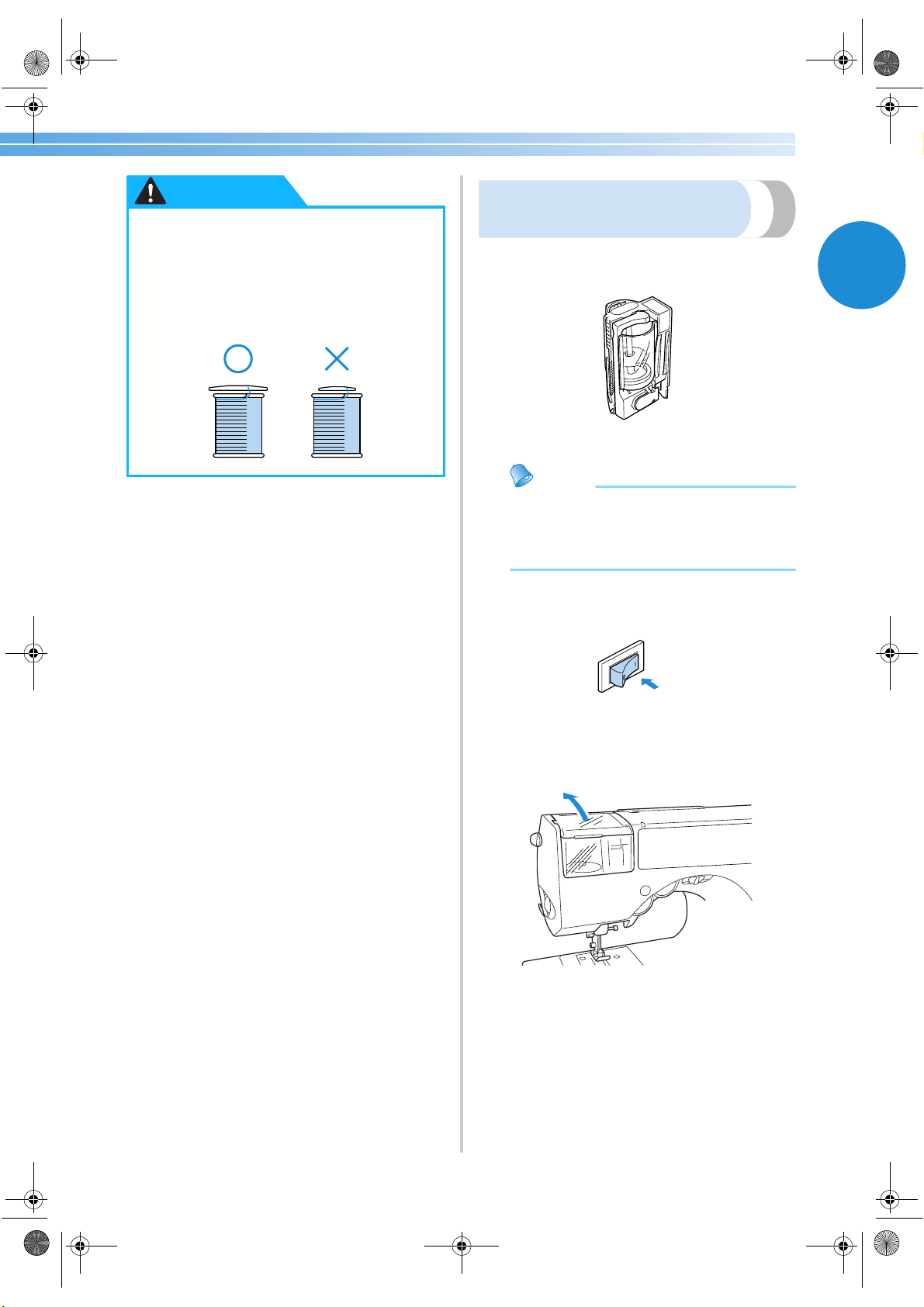
Loading the spool into the
thread cassette
Load the spool of thread into the enclosed thread
cassette to prepare the upper thread.
Memo
● The order for threading the thread cassette is
indicated on the thread cassette. Also check
the markings on the thread cassette while
threading it.
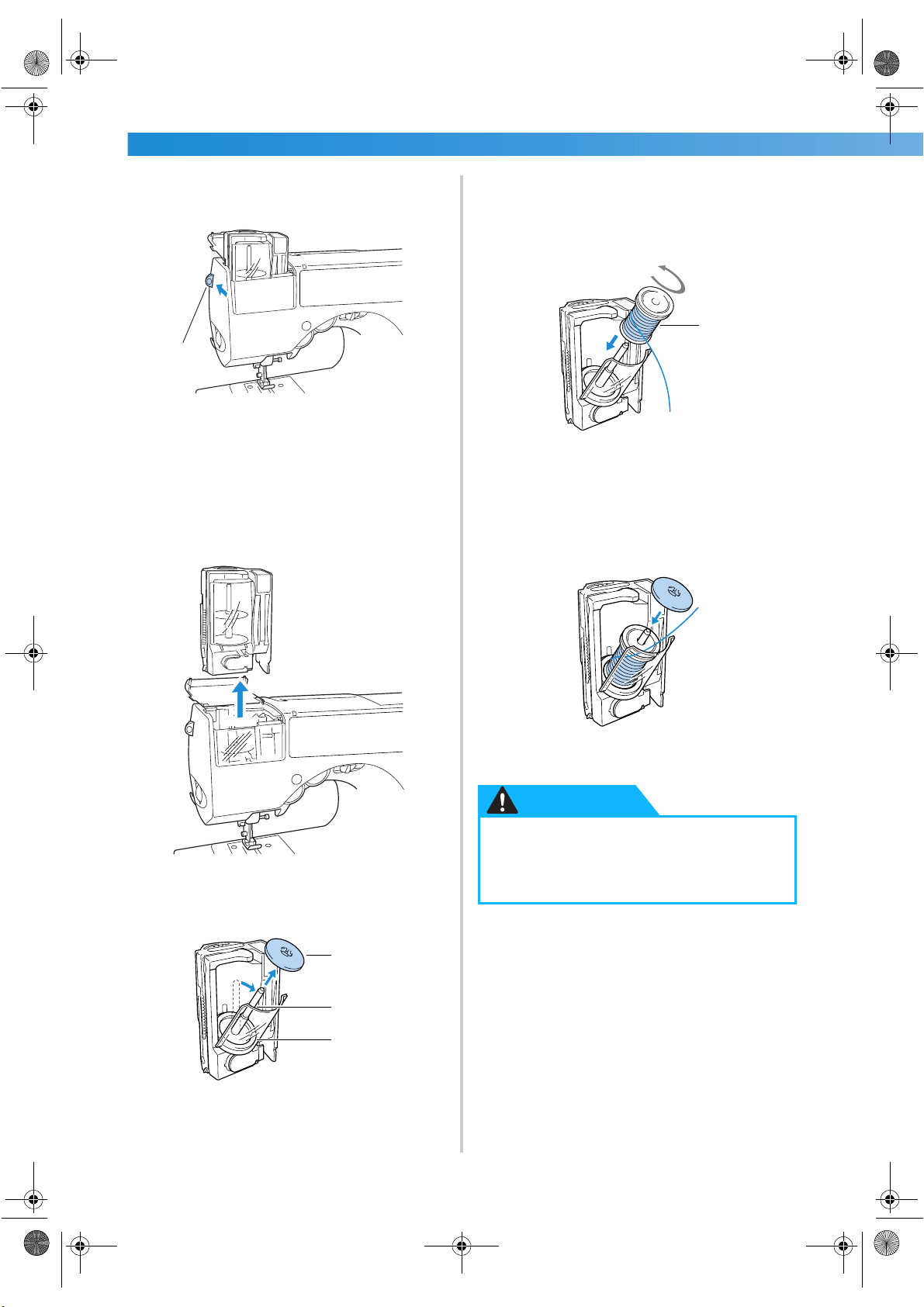
1
Turn on the sewing machine.
2
Open the thread cassette compartment cover
at the top on the left side of the machine.
●
Two spool cap sizes are available,
allowing you to choose a spool cap that
best fits the size of spool being used. If
the spool cap is too small for the spool
being used, the thread may catch on the
slit in the spool or the needle may break.
CAUTION
S3_brotherE.book Page 25 Wednesday, February 12, 2003 11:49 AM
GETTING READY ———————————————————————————————————————————————————————
—
26
3
Push the thread cassette eject lever on the left
side of the machine toward the back.
1 Thread cassette eject lever
X The thread cassette is raised.
• If the sewing machine is turned off, the
thread cassette will not be ejected
correctly.
4
Remove the thread cassette.
5
Pull the cover of the thread cassette out
toward you, and then pull off the spool cap
that is inserted onto the spool pin.
1 Spool cap (orange)
2 Spool pin
3 Cover
6
Place the spool for the upper thread onto the
spool pin.
Slide the spool onto the spool pin so that the
thread unwinds from the left, as seen from the
top.
1 Spool
7
Slide the spool cap onto the spool pin.
With the rounded side of the spool cap
positioned toward the top, slide the spool cap
onto the spool pin as far as possible until the
down side of the spool touches the down end
of the spool pin.
• Only the orange spool cap should be placed
on the spool pin in the thread cassette.
1
3
2
1
● If the spool or the spool cap is not
positioned correctly, the thread may
become tangled around the spool pin or
the needle may break.
1
CAUTION
S3_brotherE.book Page 26 Wednesday, February 12, 2003 11:49 AM
Upper Threading 27
1
8
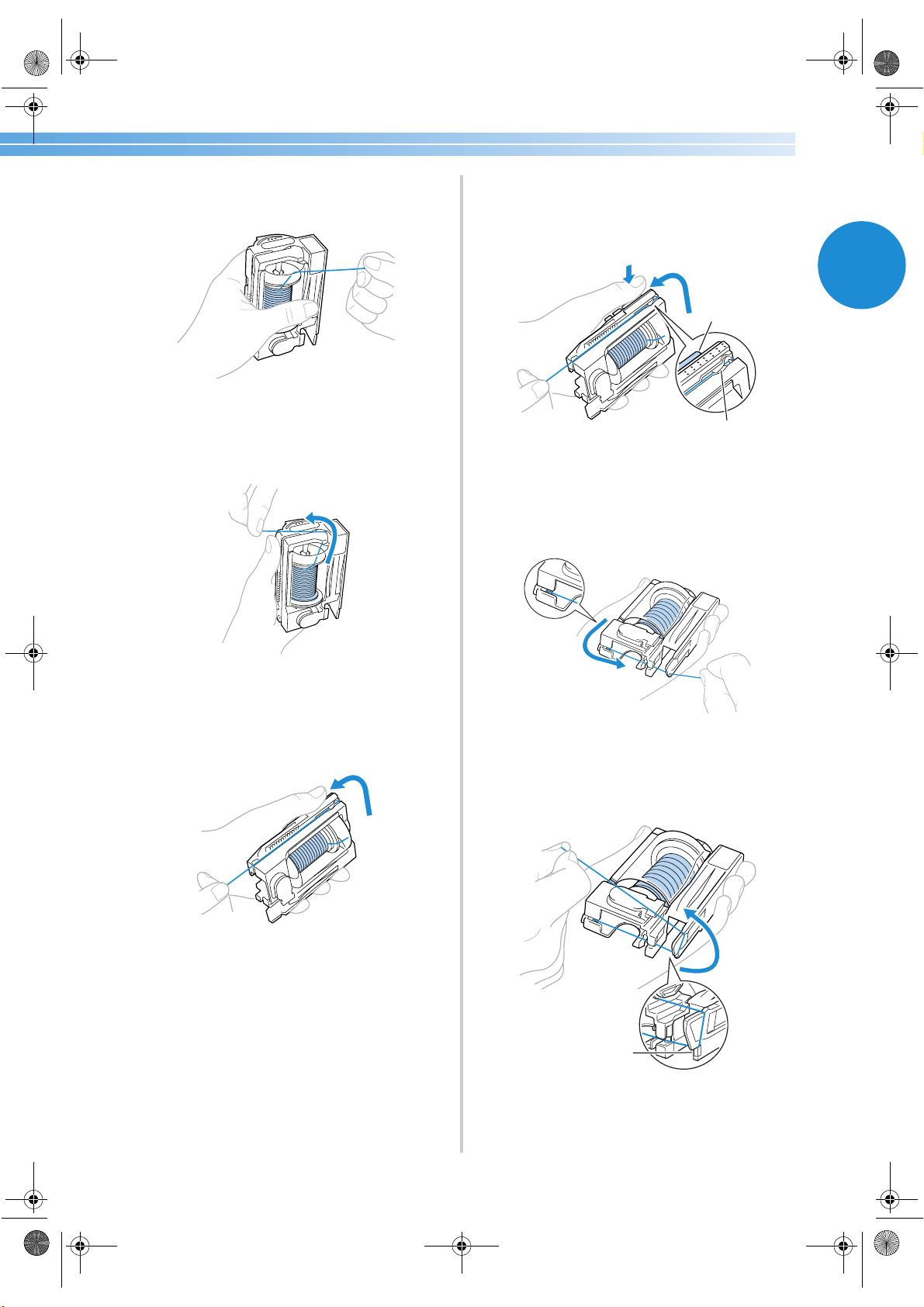
While holding the end of the thread with your
right hand and the thread cassette with your
left hand, close the cover.
9
Pass the thread through the slit in the top of
the thread cassette.
Follow arrow 2 indicated on the thread
cassette.
0
Pull the thread to the left and pass it through
the slit along the left side of the thread
cassette.
Follow arrow 3 indicated on the thread
cassette.
• When using special thread such as metallic
thread, use the thumb of your left hand to
press down on the area indicated in the
illustration to create an opening that allows
for easier threading.
1 Push
2 Gap
a
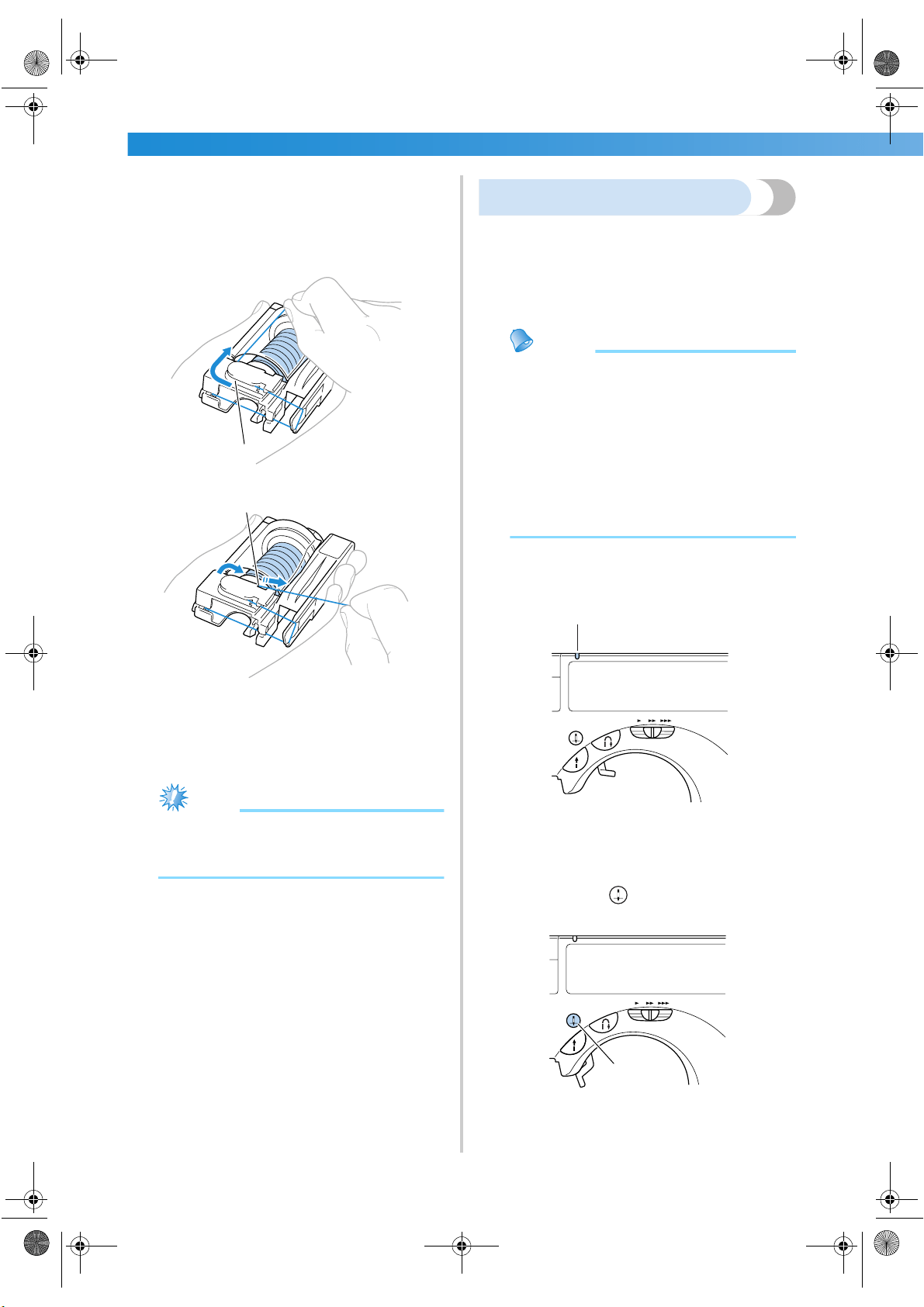
Pass the thread along the bottom of the thread
cassette.
Follow arrow 4 indicated on the thread
cassette.
b
Pass the thread through the notch in the
lower-right corner of the thread cassette, and
then pull the thread to the left.
Follow arrow 5 indicated on the thread
cassette.
1 Notch
2
1
1
S3_brotherE.book Page 27 Wednesday, February 12, 2003 11:49 AM
GETTING READY ———————————————————————————————————————————————————————
—
28
c
Pull the thread under the disc at the front in
the lower-left corner and around to the right,
and then cut the thread with the cutter.
Follow arrow 6 indicated on the thread
cassette.
1 Disc
2 Cutter
X The spool of thread is now loaded in the
thread cassette.
Note
● Be sure to cut the thread as described
above, otherwise the needle threader
cannot be used to thread the needle.
Threading the needle
In this section, the procedures for installing the
thread cassette and threading the needle are
described. The needle threader is used to thread the
needle at the same time that the thread cassette is
inserted.
Memo
● The needle threader can be used with
sewing machine needles 75/11 through
100/16.
● Thread with a thickness of 130/20 or less
cannot be used with the needle threader.
● The needle threader cannot be used with
the wing needle or the twin needle.
● If the needle threader cannot be used, refer
to “Threading the needle manually”
(page 31).
1
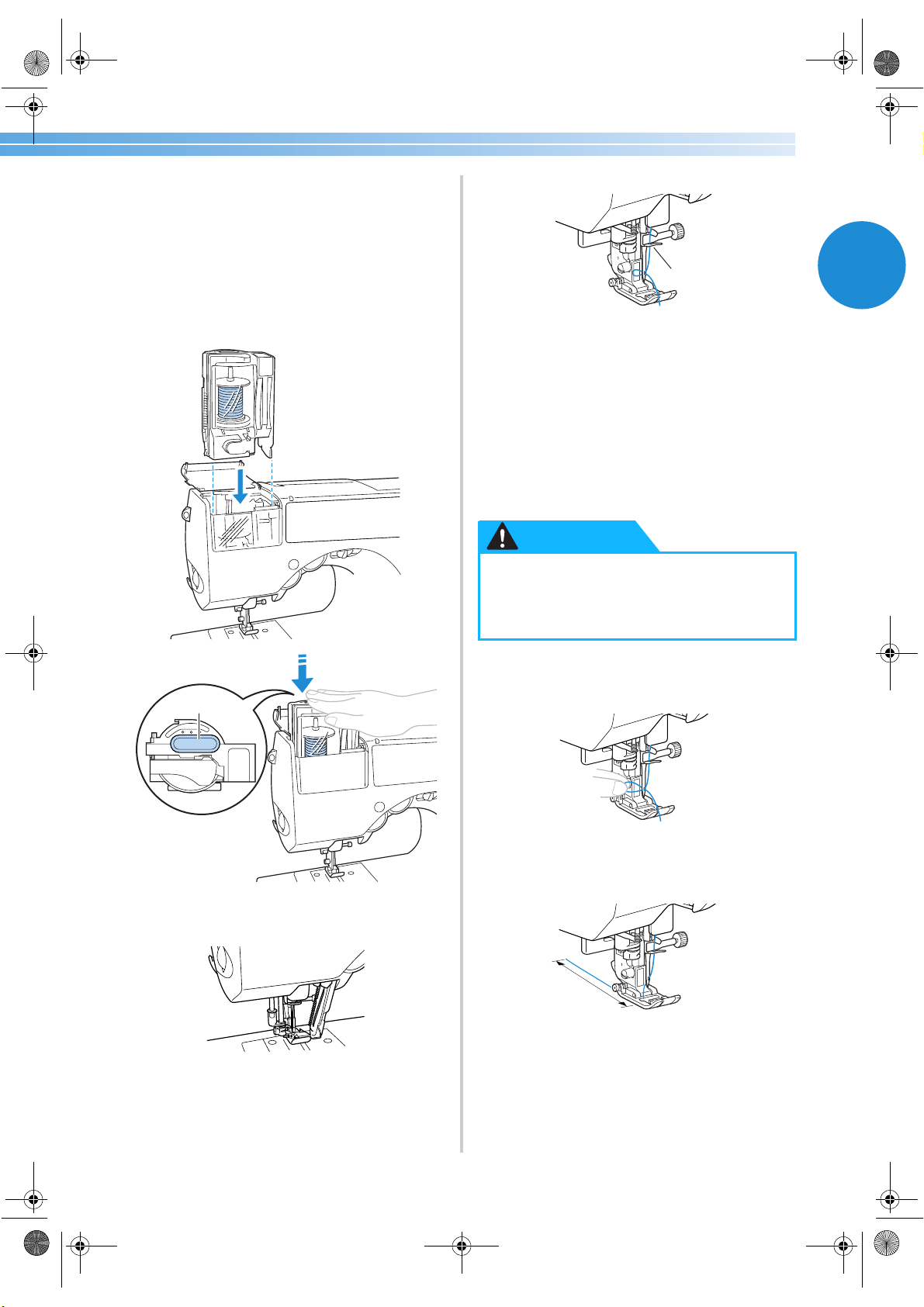
Check that the thread cassette indicator is lit
up in green.
1 Thread cassette indicator
If the thread cassette indicator is lit up in red,
the needle has not been raised to the correct
position. Press (needle position button)
once to raise the needle.
1 Needle position button
1
2
1
1
S3_brotherE.book Page 28 Wednesday, February 12, 2003 11:49 AM
Upper Threading 29
1
• If the needle is not raised to the correct
position, the needle cannot be threaded with
the needle threader. Be sure to check that
the thread cassette indicator is lit up in green
before inserting the thread cassette.
2
Insert the thread cassette into the thread
cassette compartment.
Slowly press down on the thread cassette until
it clicks into place.
1 Needle bar thread hook
X At the same time that the thread cassette is
inserted, the needle is threaded.
X The thread cassette indicator goes off.
• If the needle could not be threaded or the
thread was not passed through the needle
bar thread hook, refer to “Loading the spool
into the thread cassette” (page 25) and
perform the procedure again starting from
step
2.
3
Raise the presser foot lever, carefully pull on
the loop of thread passed through the eye of
the needle to pull out the end of the thread.
4
Pass the thread through the presser foot, and
then pull out about 10-15 cm (3/8-5/8 inch)
of thread toward the rear of the machine.
1 10-15 cm (3/8-5/8 inch)
X The upper threading is finished.
1
● The needle threader is operated when the
needle is threaded. Be sure to keep your
hands and other items away from the
needle, otherwise injuries may occur.
1
CAUTION
1
1 Push here
S3_brotherE_chapt1.fm Page 29 Thursday, February 13, 2003 3:25 PM
GETTING READY ———————————————————————————————————————————————————————
—
30
5
Close the thread cassette compartment cover.
X Now that the upper threading and the lower
threading are finished, you are ready to
begin sewing.
Note
● When inserting the thread cassette into its
compartment, slowly press it down.
● If the sewing machine could not be
threaded, try performing the procedure
again starting from loading the spool of
thread into the thread cassette.
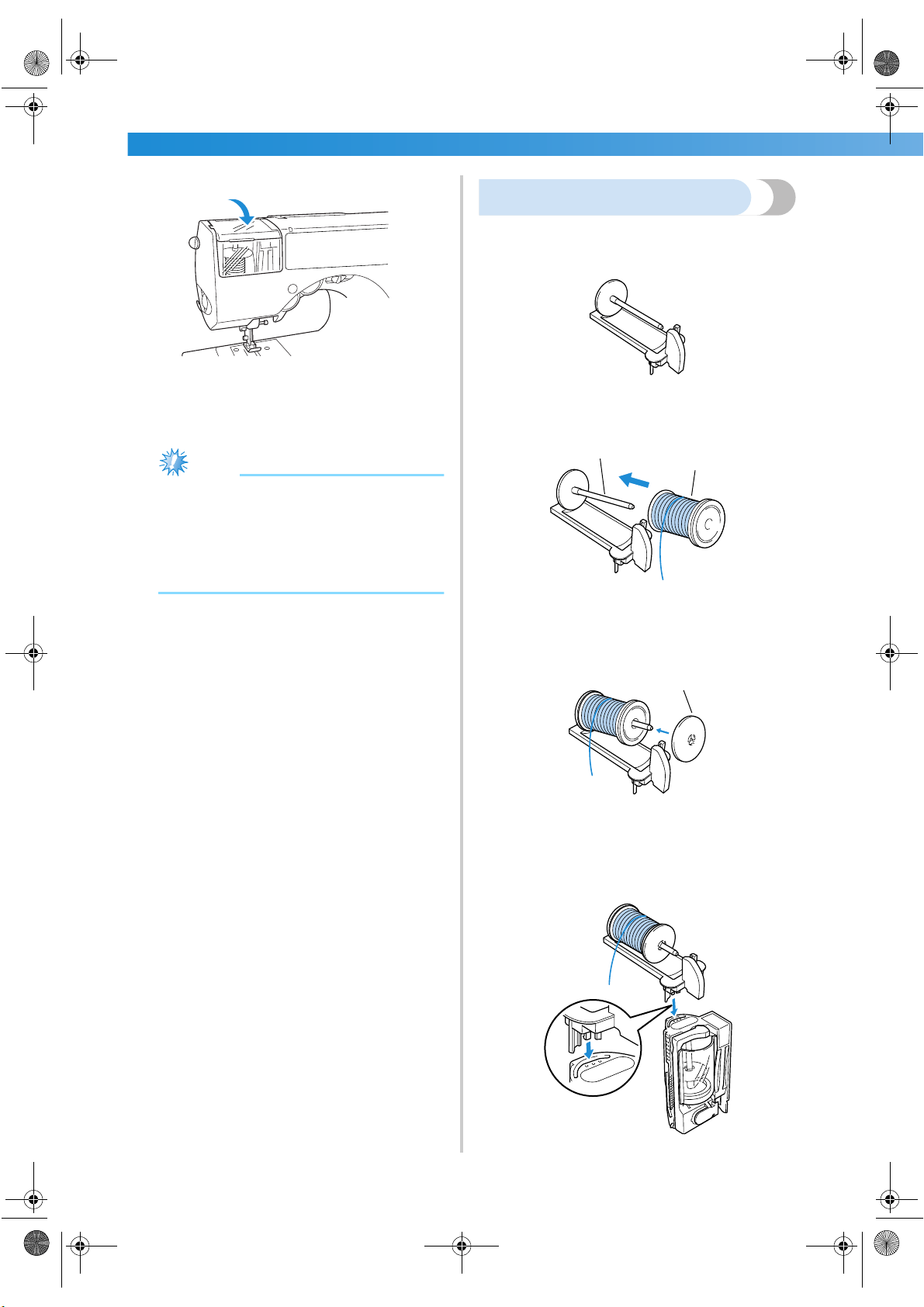
Using the extra spool pin
When using spools with a size that cannot be loaded
into the thread cassette, use the enclosed extra spool
pin.
1
Place the spool of thread onto the extra spool
pin.
1 Extra spod pin
2 Spool
2
Slide the spool cap for the size of the spool
onto the spool pin.
1 Spool cap
• For more details, refer to “About the spool of
thread” (page 24).
3
Insert the tabs on the extra spool pin into the
holes on the top of the thread cassette.
1
2
1
S3_brotherE.book Page 30 Wednesday, February 12, 2003 11:49 AM
Upper Threading 31
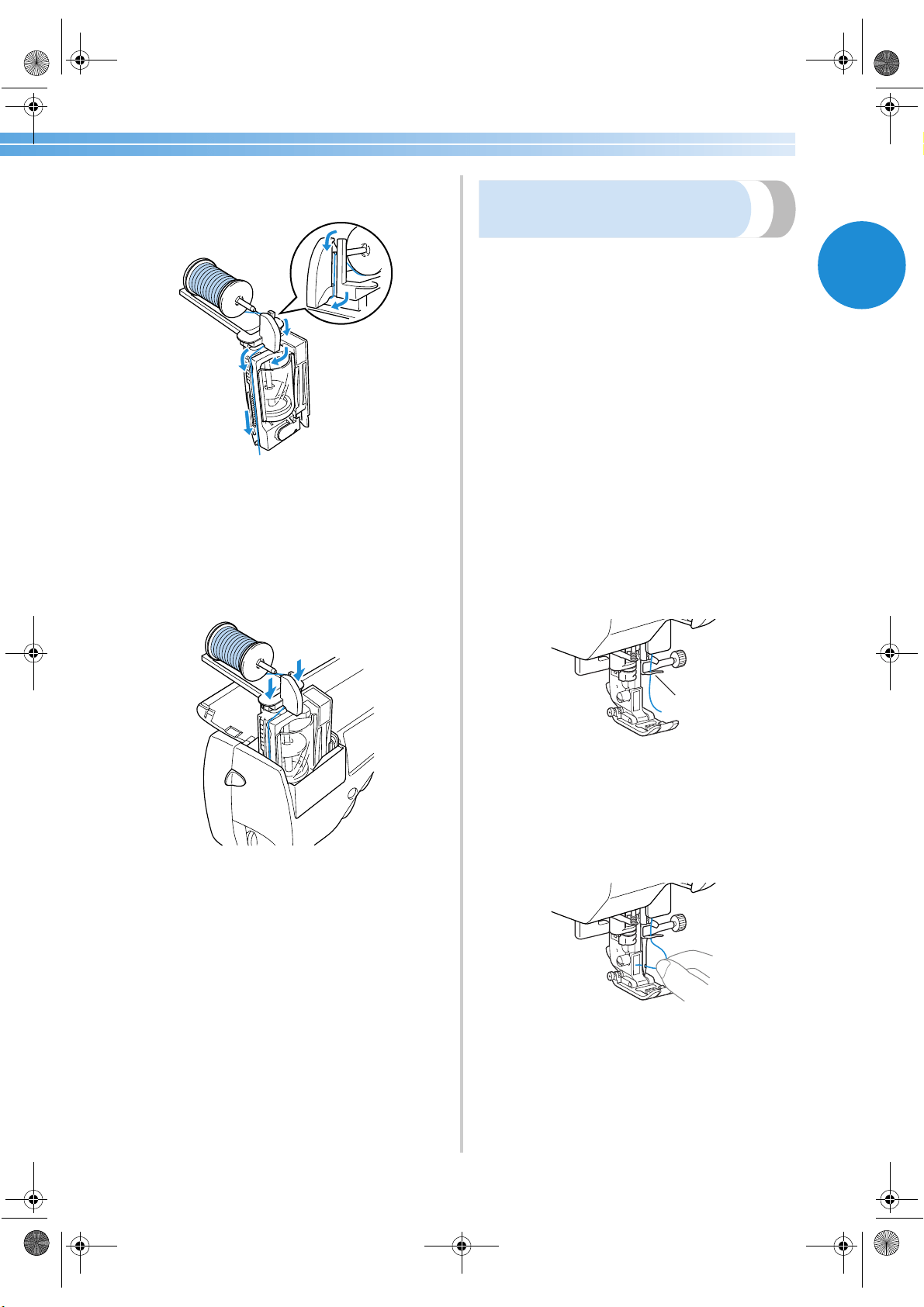
1
4
Thread the thread cassette with the thread
from the spool on the extra spool pin.
• For more details, refer to “Loading the spool
into the thread cassette” (page 25).
5
Insert the thread cassette (with the extra spool
pin attached) into the thread cassette
compartment.
Use both hands to press down on both sides of
the extra spool pin.
X At the same time that the thread cassette is
inserted, the needle is threaded.
X The extra spool pin is now installed.
Thread the needle manually
(without using the needle threader)
When using special thread, thread with a thickness
of 130/20 or less, the wing needle or the twin needle
which cannot be used with the needle threader,
thread the needle as described below.
1
Remove the needle.
• Refer to “Replacing the needle” (page 38).
• When using the wing needle, the twin
needle or thread that cannot be used with
the needle threader, be sure to remove the
needle, otherwise the machine may be
damaged.
2
Check that the thread cassette indicator is lit
up in green, and then insert the thread
cassette into the thread cassette
compartment.
• For details, refer to
1 through 2
(page 28).
X Pass the thread through the needle bar
thread hook.
1 Needle bar thread hook
3
Install a needle.
• Refer to “Replacing the needle” (page 38).
4
Pass the thread through the eye of the needle
from front to back.
1
S3_brotherE.book Page 31 Wednesday, February 12, 2003 11:49 AM
GETTING READY ———————————————————————————————————————————————————————
—
32
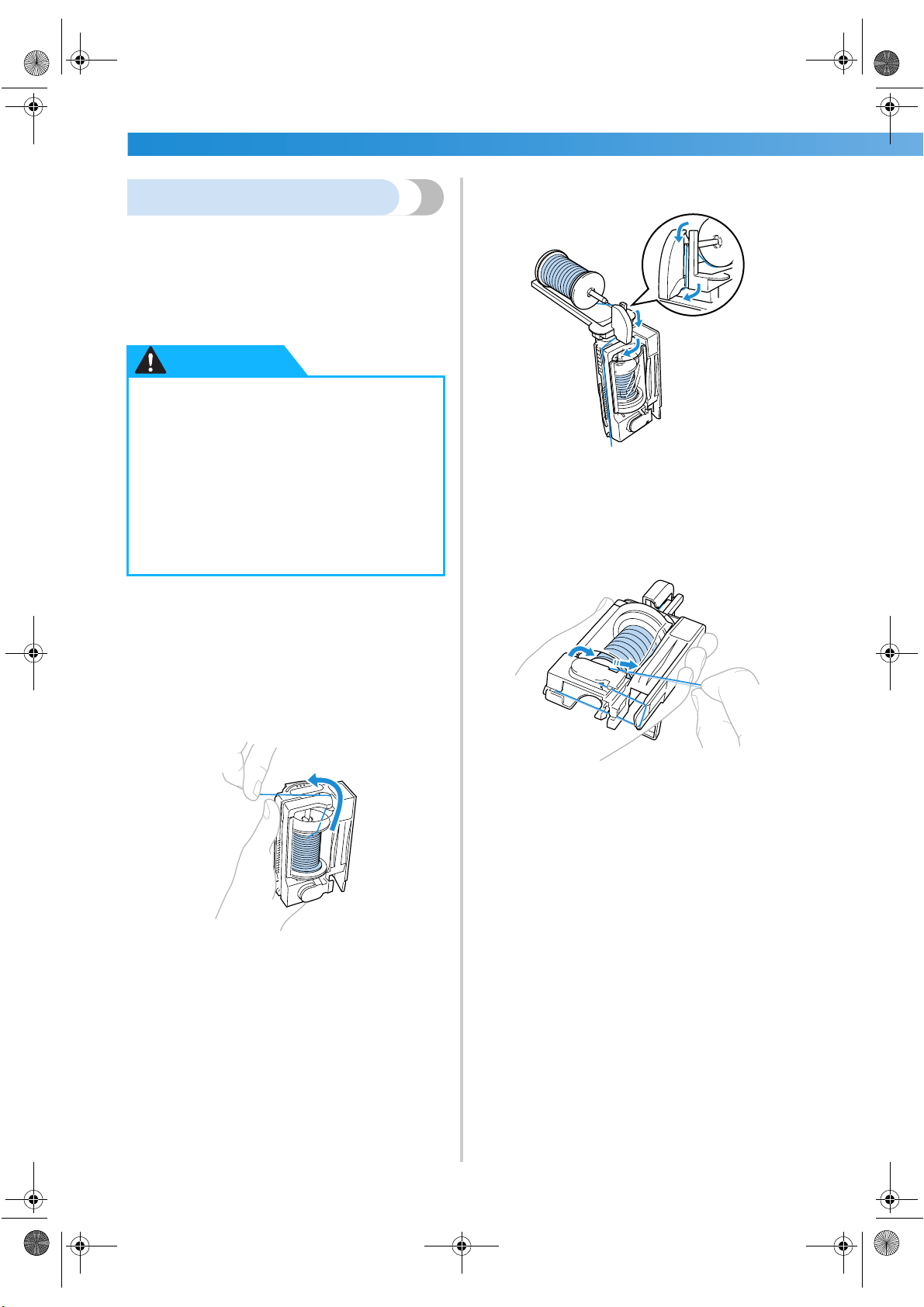
Using the twin needle
Using the twin needle, you can sew two parallel
lines of the same stitch with two different colors.
Both upper threads should have the same thickness
and quality. Be sure to use the enclosed twin needle
and the extra spool pin.
For details on the stitches that can be sewn with the
twin needle, refer to “Stitch Settings” (page 118).
1
Remove the needle.
• For details, refer to “Replacing the Needle”
(page 36).
2
Load the spool for the first thread color into
the thread cassette.
Thread the thread cassette up to arrow 2,
indicated on the thread cassette.
• For more details, refer to steps
1 through 9
in “Loading the spool into the thread
cassette” (page 25).
3
Load the spool for the second thread color
onto the extra spool pin.
• For more details, refer to steps
1 through 4
in “Using the extra spool pin” (page 30).
4
Use the two threads to thread the thread
cassette, and then cut the threads.
Thread the thread cassette along arrows 3
through 6, indicated on the thread cassette.
• For more details, refer to steps
0 through c
in “Loading the spool into the thread
cassette” (page 25).
●
Only use the twin needle (Part code :
X59296-051).
Use of any other needle may bend the
needle or damage the machine.
● Never use bent needles. Bent needles can
easily break, possibly resulting in injuries.
● Do not try installing the twin needle
while the thread cassette is not installed,
otherwise the needle may break or
damage to the machine may result.
CAUTION
S3_brotherE.book Page 32 Wednesday, February 12, 2003 11:49 AM
Upper Threading 33
1
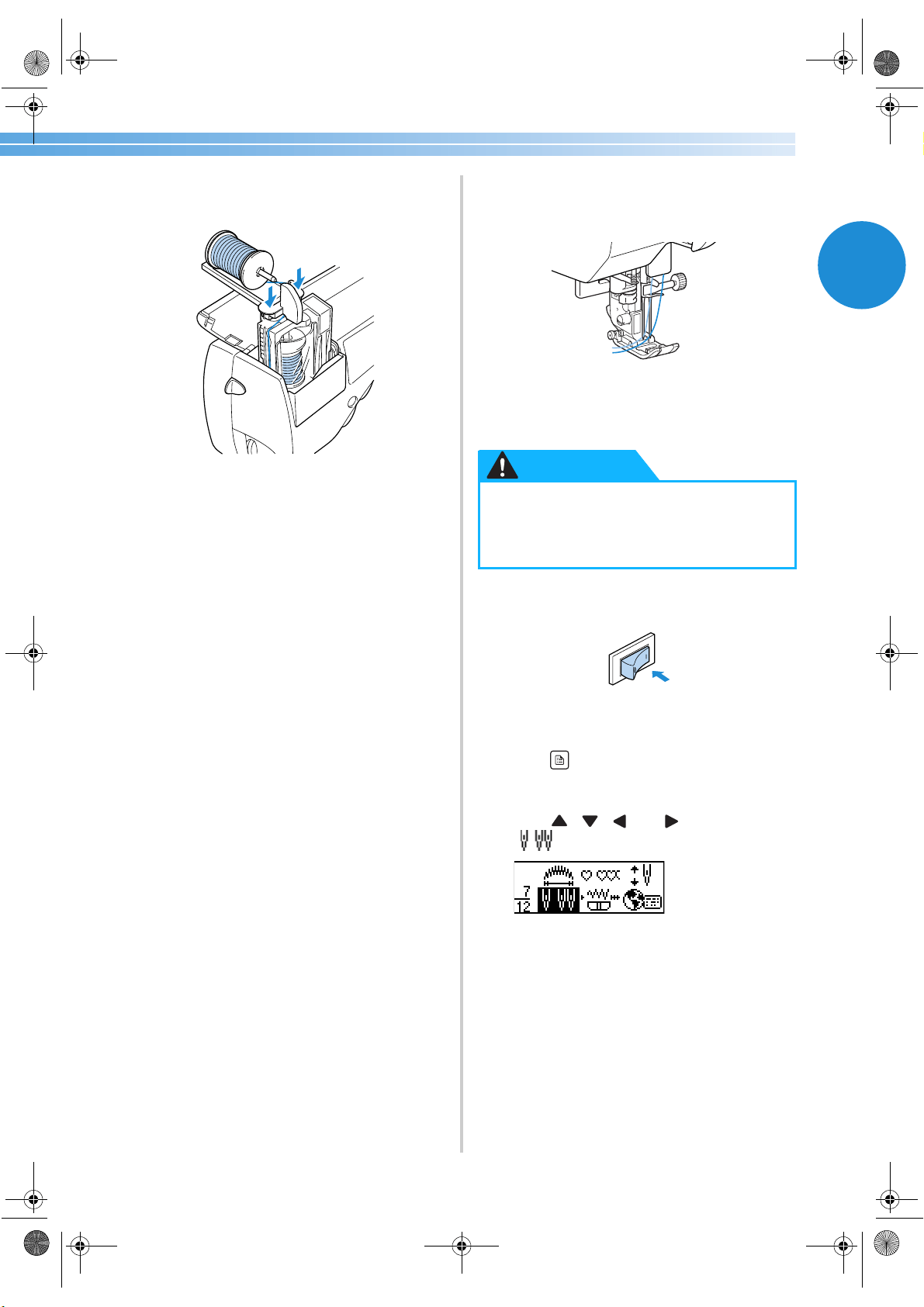
5
Insert the thread cartridge (with the extra
spool pin attached) into the thread cassette
compartment.
• For more details, refer to step
5 in “Using
the extra spool pin” (page 30).
X Pass both threads through the needle bar
thread hook.
• The needle threader cannot be used. If the
needle threader is used with the twin needle,
the sewing machine may be damaged.
6
Install the twin needle.
• For details, refer to “Replacing the needle”
(page 36).
7
Manually thread the left needle with the
thread for the left side of the stitch.
• For details, refer to “Thread the needle
manually” (page 31).
8
Remove the thread for the right side of the
stitch from the needle bar thread hook, and
then use it to thread the right needle.
9
Attach zigzag foot “J”.
• For details on changing the presser foot, refer
to “Replacing the presser foot” (page 41).
0
Turn on the sewing machine.
X The LCD comes on.
a
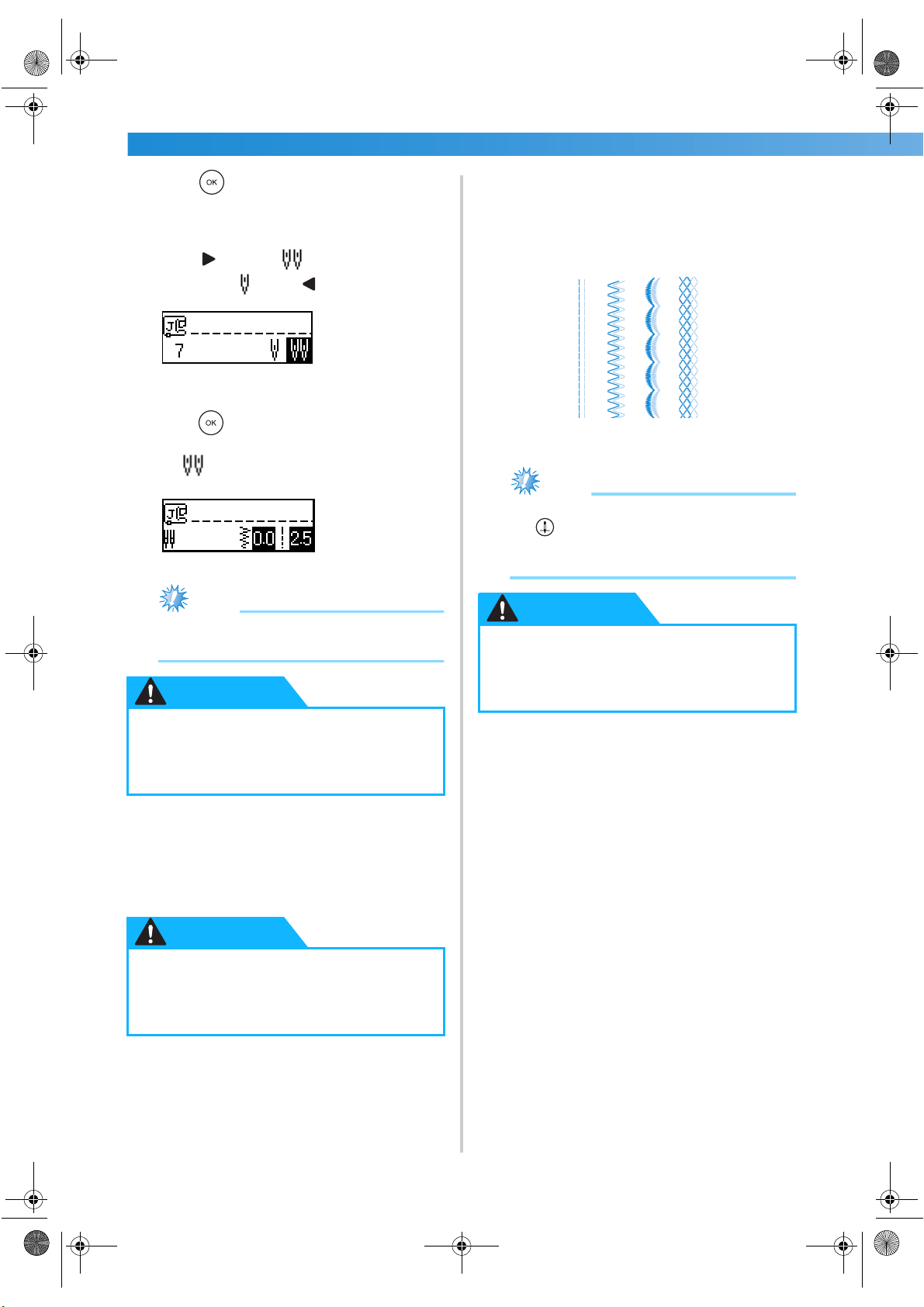
Press (settings key) in the operation panel.
X The settings screen appears.
b
Press , , and (arrow keys) until
is selected.
● When using the twin needle, be sure to
attach zigzag foot “J”, otherwise the
needle may break or the machine may be
damaged.
CAUTION
S3_brotherE.book Page 33 Wednesday, February 19, 2003 1:26 PM
GETTING READY ———————————————————————————————————————————————————————
—
34
c
Press (OK key).
X The screen for selecting the twin needle
appears.
d
Press to select .
To return to , press .
X The twin needle can now be used.
e
Press (OK key).
X The initial stitch screen appears again, and
appears in the lower-left corner of the
screen.
Note
● Even after the sewing machine is turned off,
the twin needle setting is not cancelled.
f
Select a stitch.
• For details on selecting a stitch, refer to
“Selecting stitching” (page 66).
• For details on the stitches that can be sewn
with the twin needle, refer to “Stitch
Settings” (page 118).
g
Start sewing.
• For details on starting to sew, refer to
“Starting to sew” (page 51).
X Two lines of stitching are sewn parallel to
each other.
Note
● When changing the sewing direction, press
(needle position button) to raise the
needle from the fabric, and then raise the
presser foot lever and turn the fabric.
● When using the twin needle, be sure to
select the twin needle setting, otherwise
the needle may break or the machine
may be damaged.
● When using the twin needle, be sure to
select an appropriate stitch, otherwise
the needle may break or the machine
may be damaged.
CAUTION
CAUTION
● Do not try turning the fabric with the
twin needle left in the fabric, otherwise
the needle may break or the machine
may be damaged.
CAUTION
S3_brotherE.book Page 34 Wednesday, February 12, 2003 11:49 AM
Upper Threading 35
1
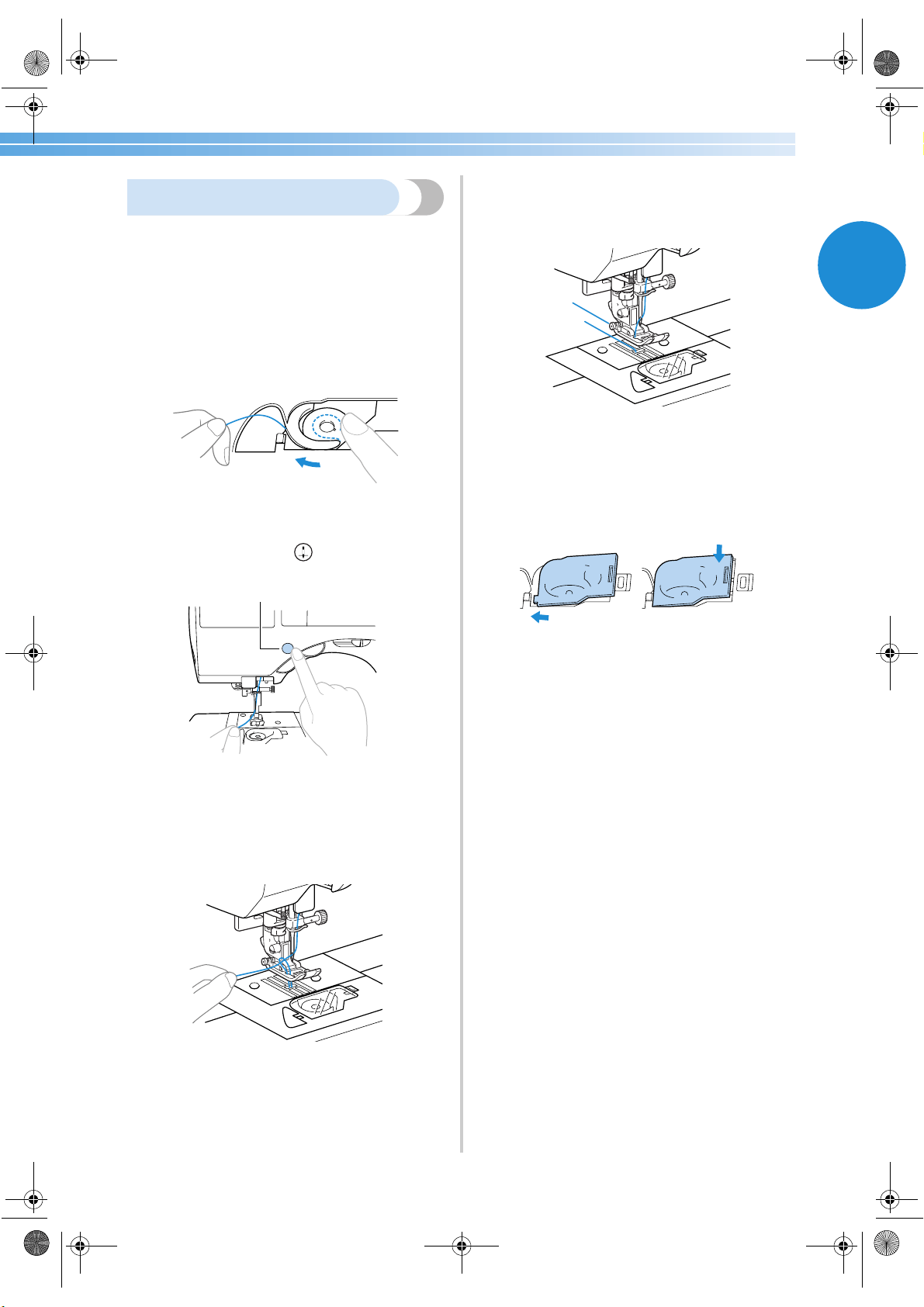
Pulling up the bobbin thread
When making gathers or before free-motion quilting,
first pull up the bobbin thread as described below.
1
Insert the bobbin into the shuttle.
• Refer to steps
1 through 5 of “Installing the
bobbin” (page 22).
2
Pass the bobbin thread through the slot.
Do not cut the thread with the cutter.
3
While lightly holding the upper thread with
your left hand, press (needle position
button) twice to raise the needle.
1 Needle position button
X The bobbin thread is looped around the
upper thread and can be pulled up.
4
Carefully pull the upper thread upward to pull
out the end of the bobbin thread.
5
Pull out about 10-15 cm (3/8-5/8 inch) of the
bobbin thread under the presser foot toward
the rear of the machine.
6
Reattach the bobbin cover.
Insert the tab in the lower-left corner of the
bobbin cover, and then lightly press down on
the right side.
1
2
1
S3_brotherE.book Page 35 Wednesday, February 12, 2003 11:49 AM
GETTING READY ———————————————————————————————————————————————————————
—
36
Replacing the Needle
This section provides information on sewing machine needles.
Needle precautions
Be sure to observe the following precautions concerning the handling of the needle. Failure to observe these
precautions is extremely dangerous, for example, if the needle breaks and fragments are dispersed. Be sure to
read and carefully follow the instructions below.
Needle types and their uses
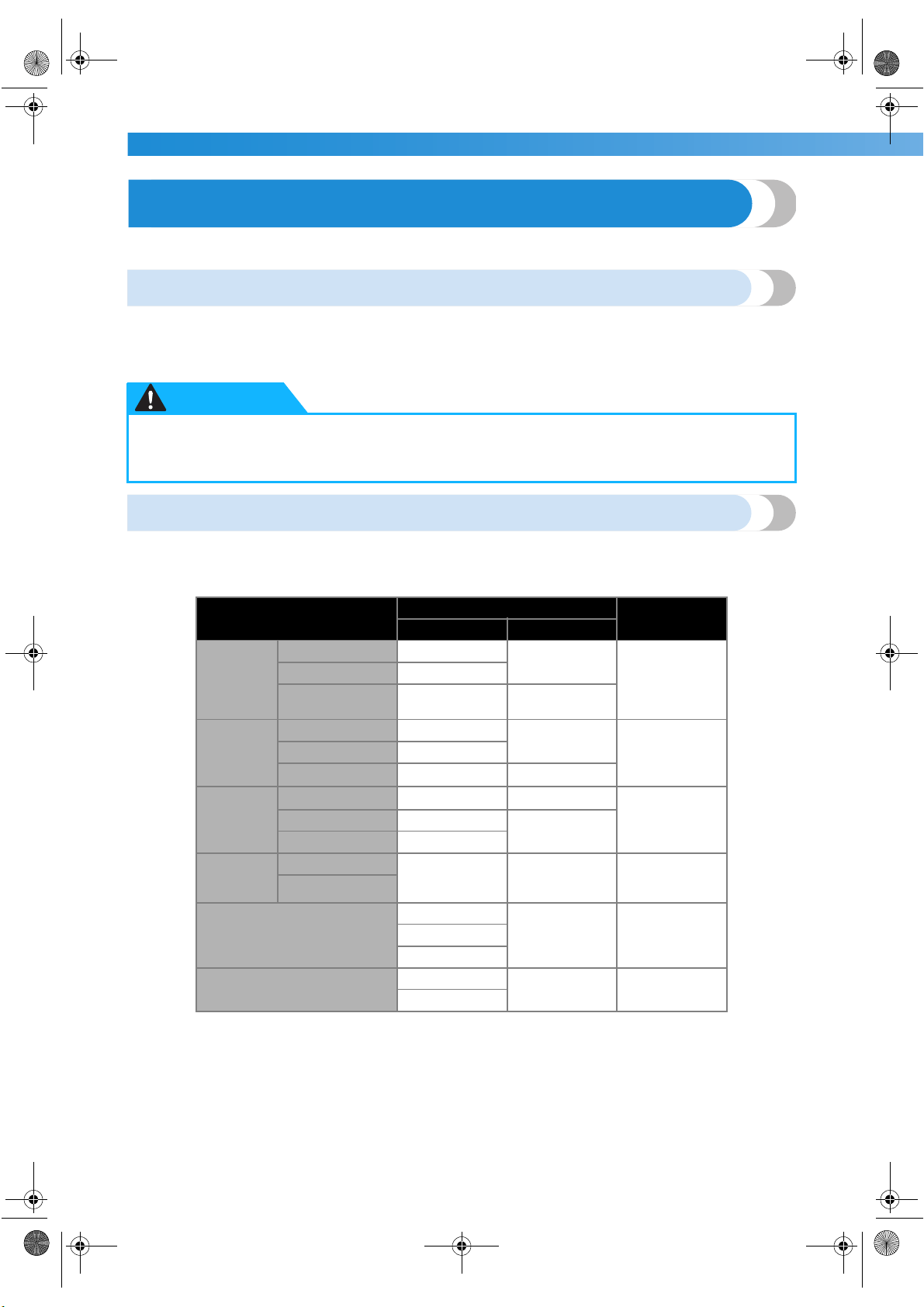
The sewing machine needle that should be used depends on the fabric and thread thickness. Refer to the
following table when choosing the thread and needle appropriate for the fabric that you wish to sew.
●
Only use home sewing machine needles. Use of any other needle may bend the needle or
damage the machine.
● Never use bent needles. Bent needles can easily break, possibly resulting in injuries.
CAUTION
Fabric Type/Application
Thread
Size of Needle
Type Size
Medium
weight
fabrics
Broadcloth Cotton thread
60
–80
75/11–90/14
Taffeta Synthetic thread
Flannel,
Gabardine
Silk thread
50
–80
Thin
fabrics
Lawn Cotton thread
60
–80
65/9–75/11
Georgette Synthetic thread
Challis, Satin Silk thread
50
–80
Thick
fabrics
Denim Cotton thread
30
–50
90/14–100/16
Corduroy Synthetic thread
50
Tweed Silk thread
Stretch
fabrics
Jersey
Thread for knits
50
–60
Ball point needle
(golden colored)
75/11–90/14
Tricot
Easily frayed fabrics
Cotton thread
50
–80
65/9–90/14Synthetic thread
Silk thread
For top-stitching
Synthetic thread
30 90/14–100/16
Silk thread
S3_brotherE.book Page 36 Wednesday, February 12, 2003 11:49 AM
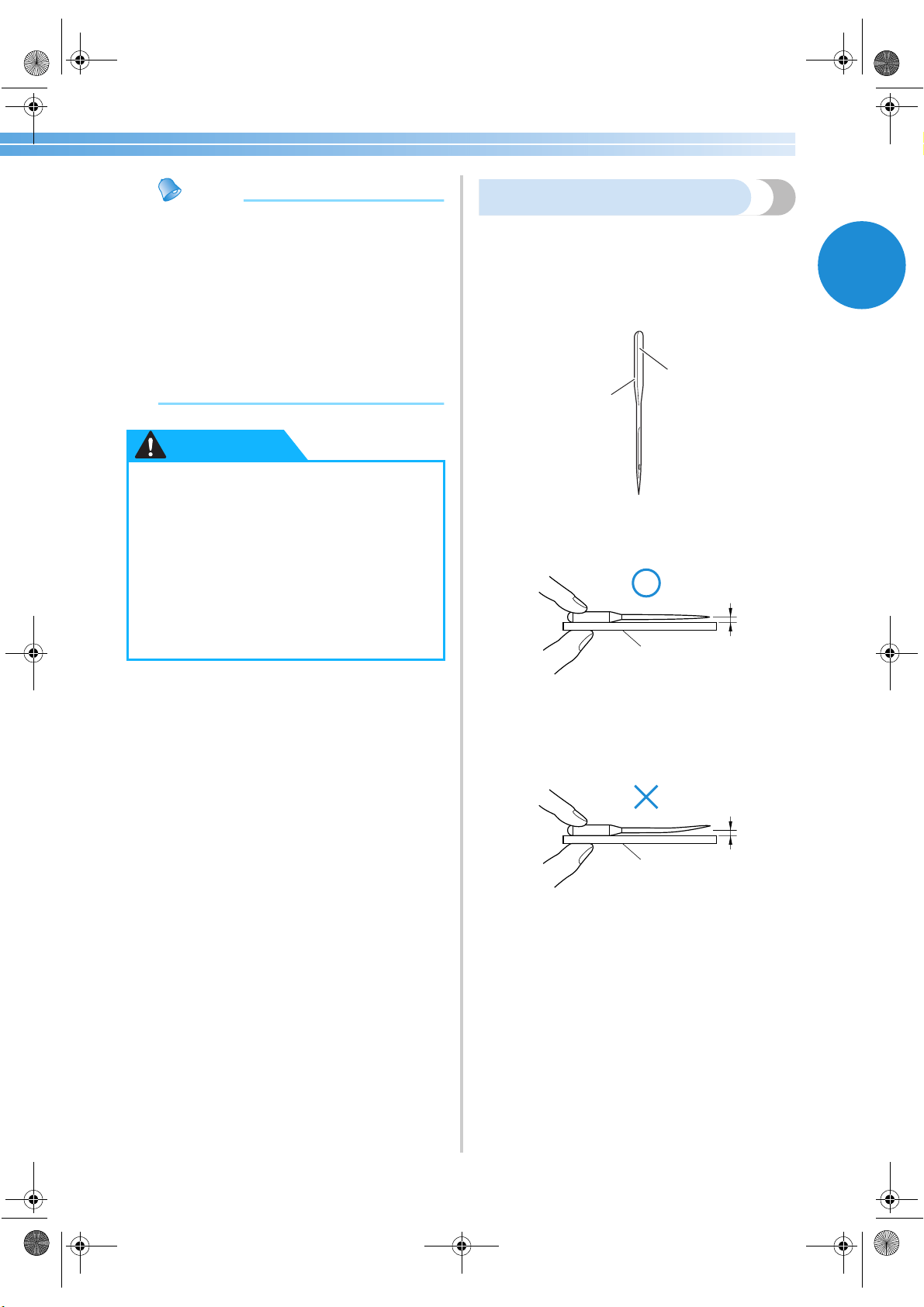
Replacing the Needle 37
1
Memo
● The smaller the thread number, the thicker
the thread, and the larger the needle
number, the thicker the needle.
● Use the ball point needle when sewing on
stretch fabrics or fabrics where skipped
stitches easily occur.
● Use a 90/14 to 100/16 needle with
transparent nylon threads, regardless of the
fabric being sewn.
● A 75/11 needle is already installed when
the sewing machine is purchased.
Checking the needle
Sewing with a bent needle is extremely dangerous
since the needle may break while the machine is
being operated.
Before using the needle, place the flat side of the
needle on a flat surface and check that the distance
between the needle and the flat surface is even.
1 Flat side
2 Needle type marking
■ Correct needle
1 Flat surface
■ Incorrect needle
If the distance between the needle and the flat
surface is not even, the needle is bent. Do not use
a bent needle.
1 Flat surface
● The appropriate fabric, thread and
needle combinations are shown in the
table on the previous page. If the
combination of the fabric, thread and
needle is not correct, particularly when
sewing thick fabrics (such as denim) with
thin needles (such as 65/9 to 75/11), the
needle may bend or break. In addition,
the stitching may be uneven or puckered
or there may be skipped stitches.
CAUTION
1
2
1
1
S3_brotherE.book Page 37 Wednesday, February 12, 2003 11:49 AM
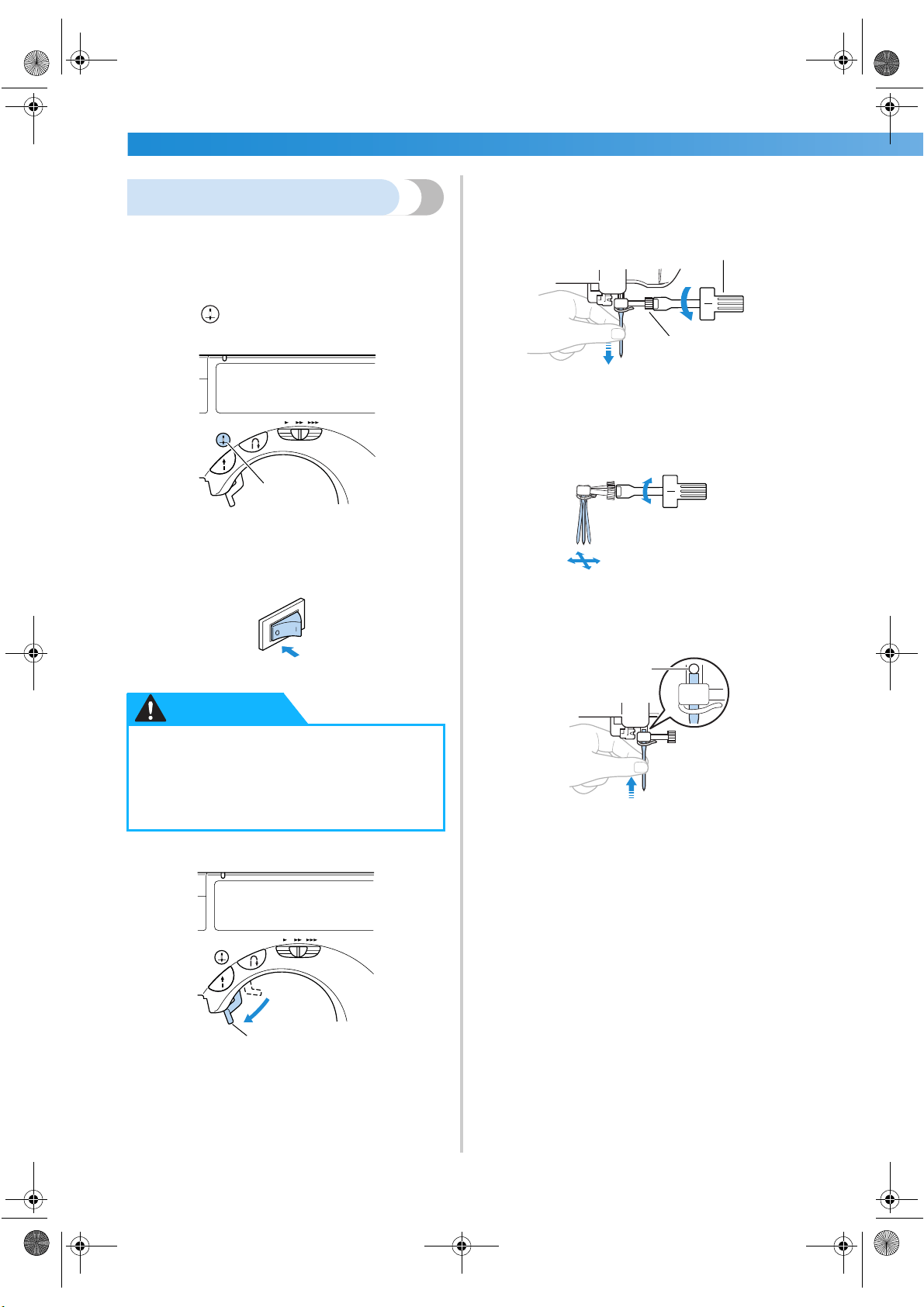
GETTING READY ———————————————————————————————————————————————————————
—
38
Replacing the needle
Replace the needle as described below. Use the
screwdriver and a needle that has been determined
to be straight according to the instructions in
“Checking the needle”.
1
Press (needle position button) once or
twice to raise the needle.
1 Needle position button
2
Turn off the sewing machine.
3
Lower the presser foot lever.
1 Presser foot lever
4
Hold the needle with your left hand, and then
use a screwdriver to turn the needle clamp
screw counterclockwise to remove the
needle.
1 Screwdriver
2 Needle clamp screw
• Do not apply a strong force when loosening
or tightening the needle clamp screw,
otherwise certain parts of the sewing
machine may be damaged.
5
With the flat side of the needle toward the
rear of the machine, insert the needle until it
touches the needle stopper.
1 Needle stopper
● Before replacing the needle, be sure to
turn off the sewing machine, otherwise
injuries may occur if the start/stop
button is accidentally pressed and the
machine starts sewing.
1
CAUTION
1
2
1
1
S3_brotherE.book Page 38 Wednesday, February 12, 2003 11:49 AM
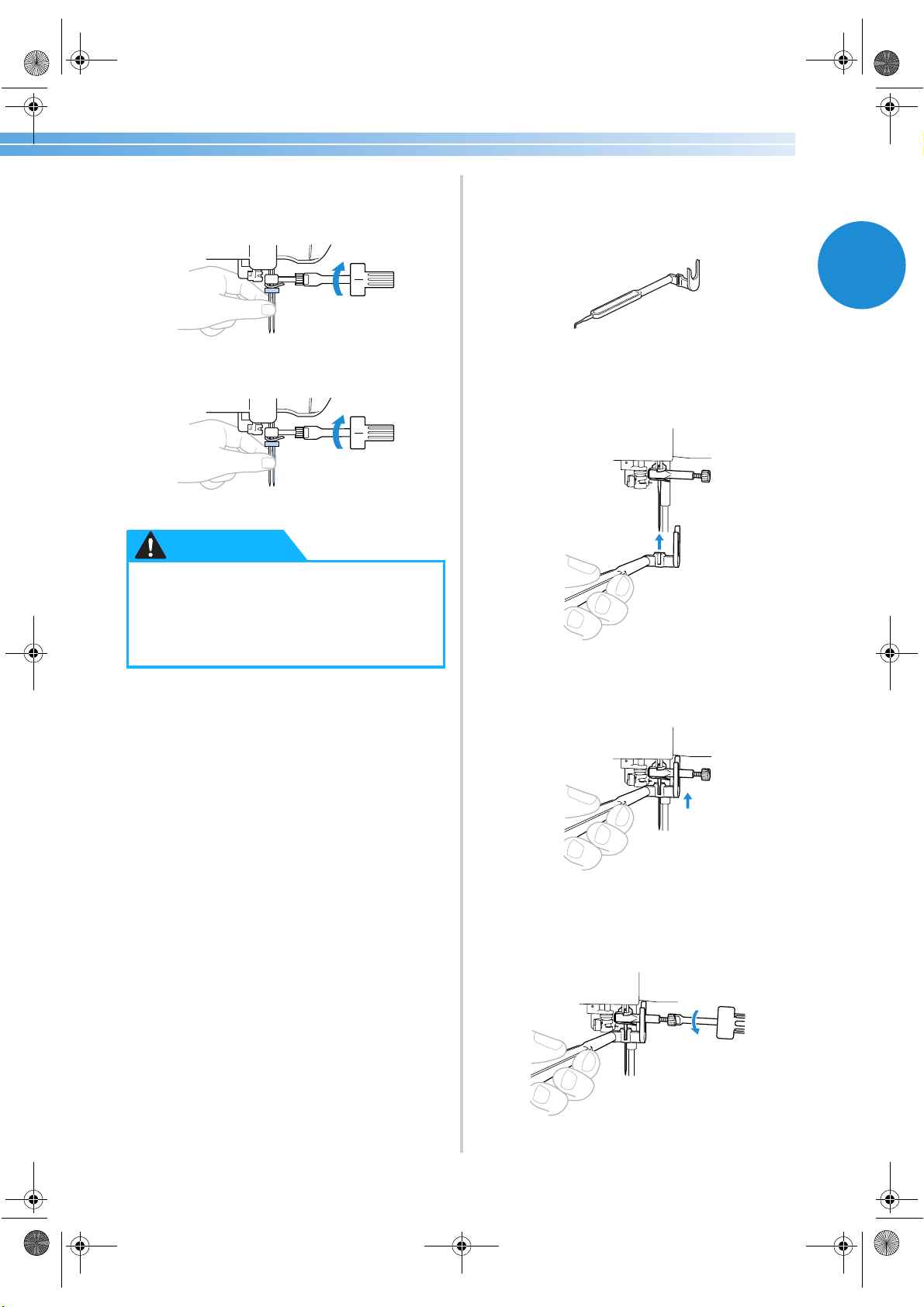
Replacing the Needle 39
1
6
While holding the needle with your left hand,
use the screwdriver to tighten the needle
clamp screw.
Install the twin needle in the same way.
■ Using the needle-changing tool
Use the enclosed needle-changing tool to replace
the needle as described below.
1
Pass the needle through the hole in the
needle-changing tool.
2
Lift up the needle-changing tool so that the
fork hooks onto the needle clamp screw.
3
Using the screwdriver, loosen the needle
clamp screw.
●
Be sure to insert the needle until it
touches the needle stopper and securely
tighten the needle clamp screw with the
screwdriver, otherwise the needle may
break or damage may result.
CAUTION
S3_brotherE.book Page 39 Wednesday, February 12, 2003 11:49 AM
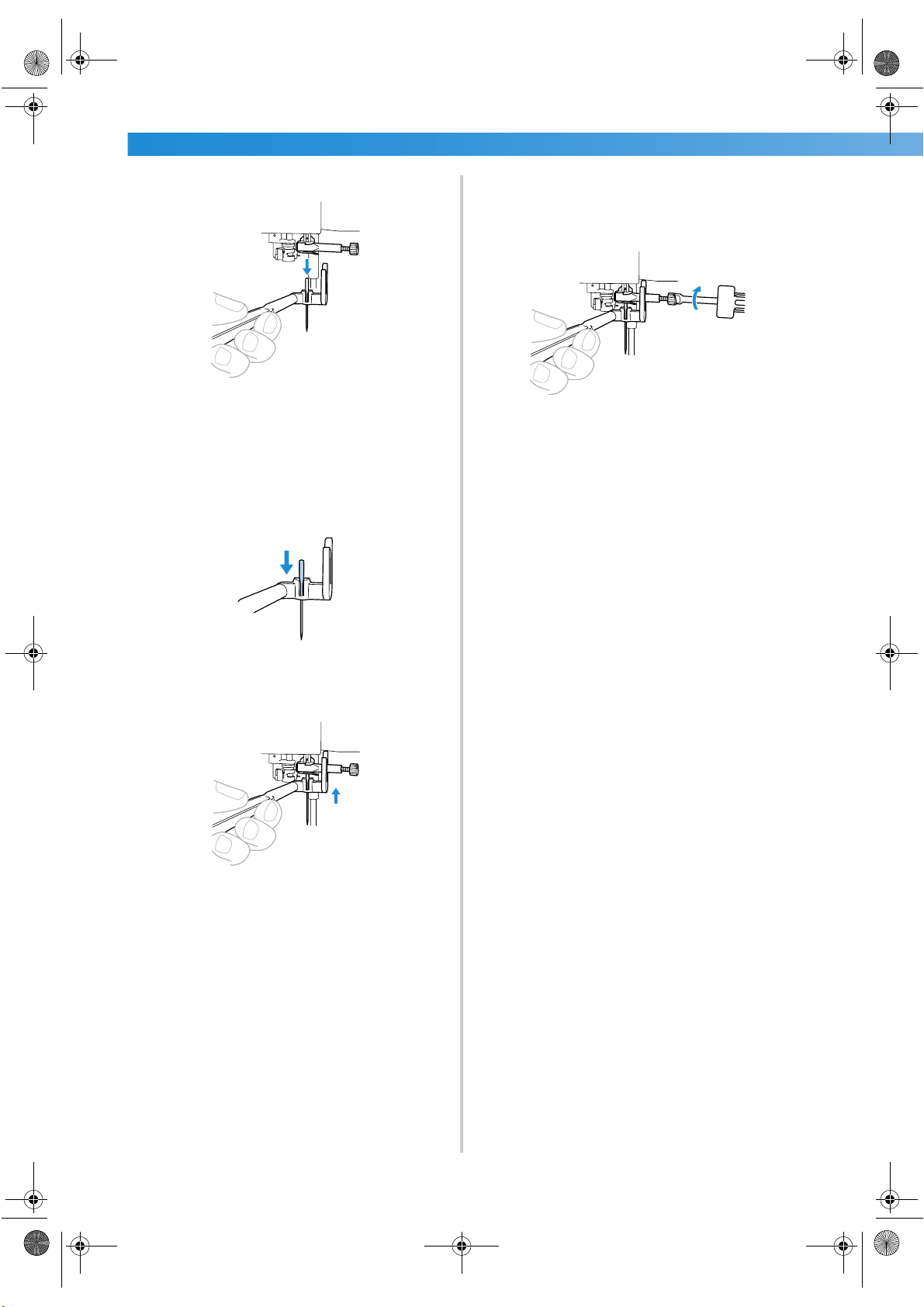
GETTING READY ———————————————————————————————————————————————————————
—
40
4
Lower the needle-changing tool.
X The needle can be removed from the needle
bar.
5
Insert the new needle into the hole in the
needle-changing tool.
Insert the needle with the flat side of the needle
toward the rear of the machine.
6
Lift up the needle-changing tool so that the
fork hooks onto the needle clamp screw.
7
Insert the needle until it touches the needle
stopper, and then use the screwdriver to
tighten the needle clamp screw.
X The needle is installed.
8
Lower the needle-changing tool off of the
needle.
S3_brotherE.book Page 40 Wednesday, February 12, 2003 11:49 AM
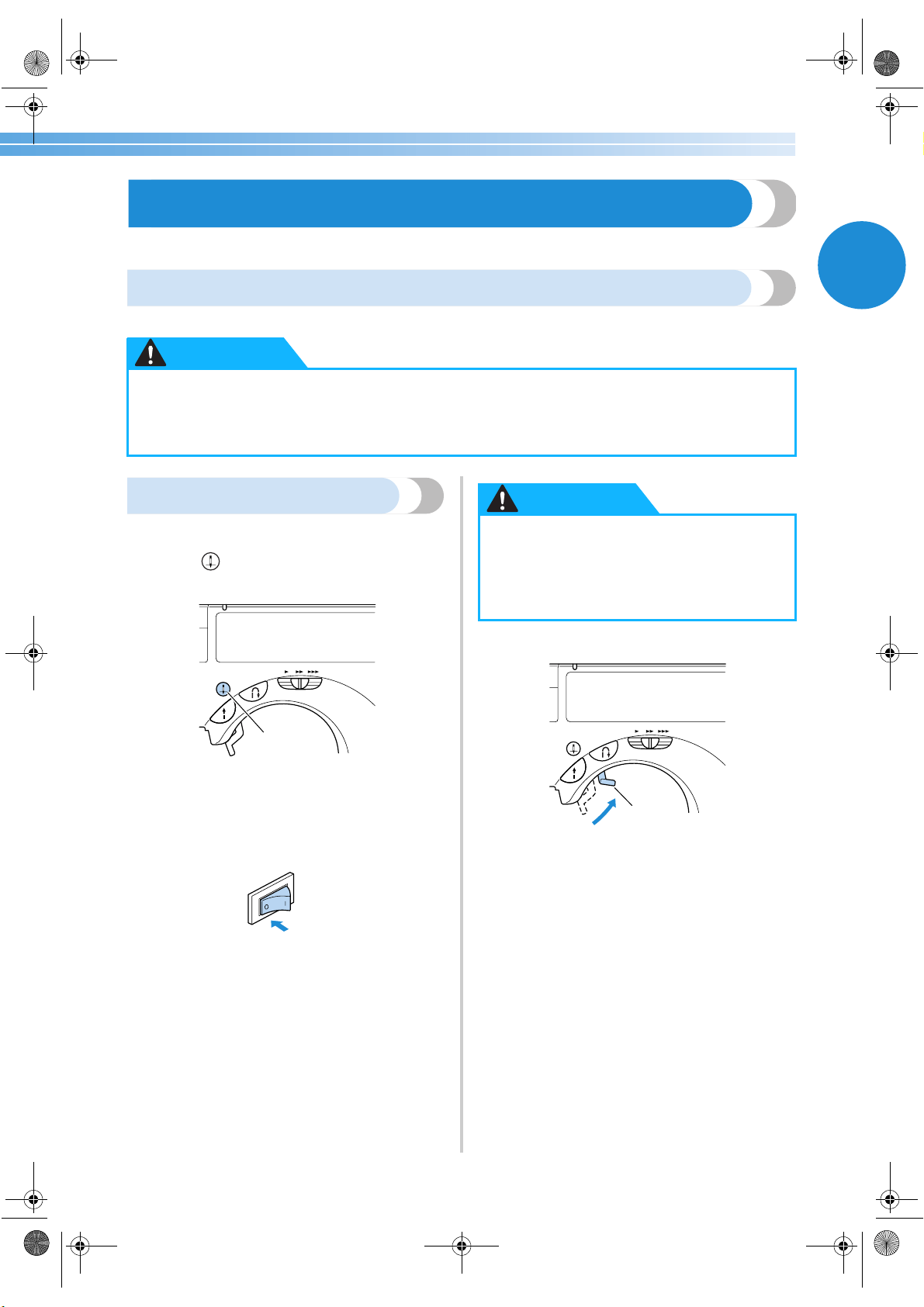
Replacing the Presser Foot 41
1
Replacing the Presser Foot
The presser foot presses down on the fabric.
Presser foot precautions
Be sure to observe the following precautions concerning the presser feet.
Replacing the presser foot
Replace the presser foot as described below.
1
Press (needle position button) once or
twice to raise the needle.
1 Needle position button
X The needle is raised.
2
Turn off the sewing machine.
3
Raise the presser foot lever.
1 Presser foot lever
X The presser foot is raised.
●
Use the presser foot appropriate for the type of stitch that you wish to sew, otherwise the
needle may hit the presser foot, causing the needle to bend or break.
● Only use presser feet designed specifically for this sewing machine. Use of any other presser
foot may result in injuries or damage to the machine.
CAUTION
1
● Before replacing the presser foot, be sure
to turn off the sewing machine, otherwise
injuries may occur if the start/stop
button is accidentally pressed and the
machine starts sewing.
CAUTION
1
S3_brotherE.book Page 41 Wednesday, February 12, 2003 11:49 AM
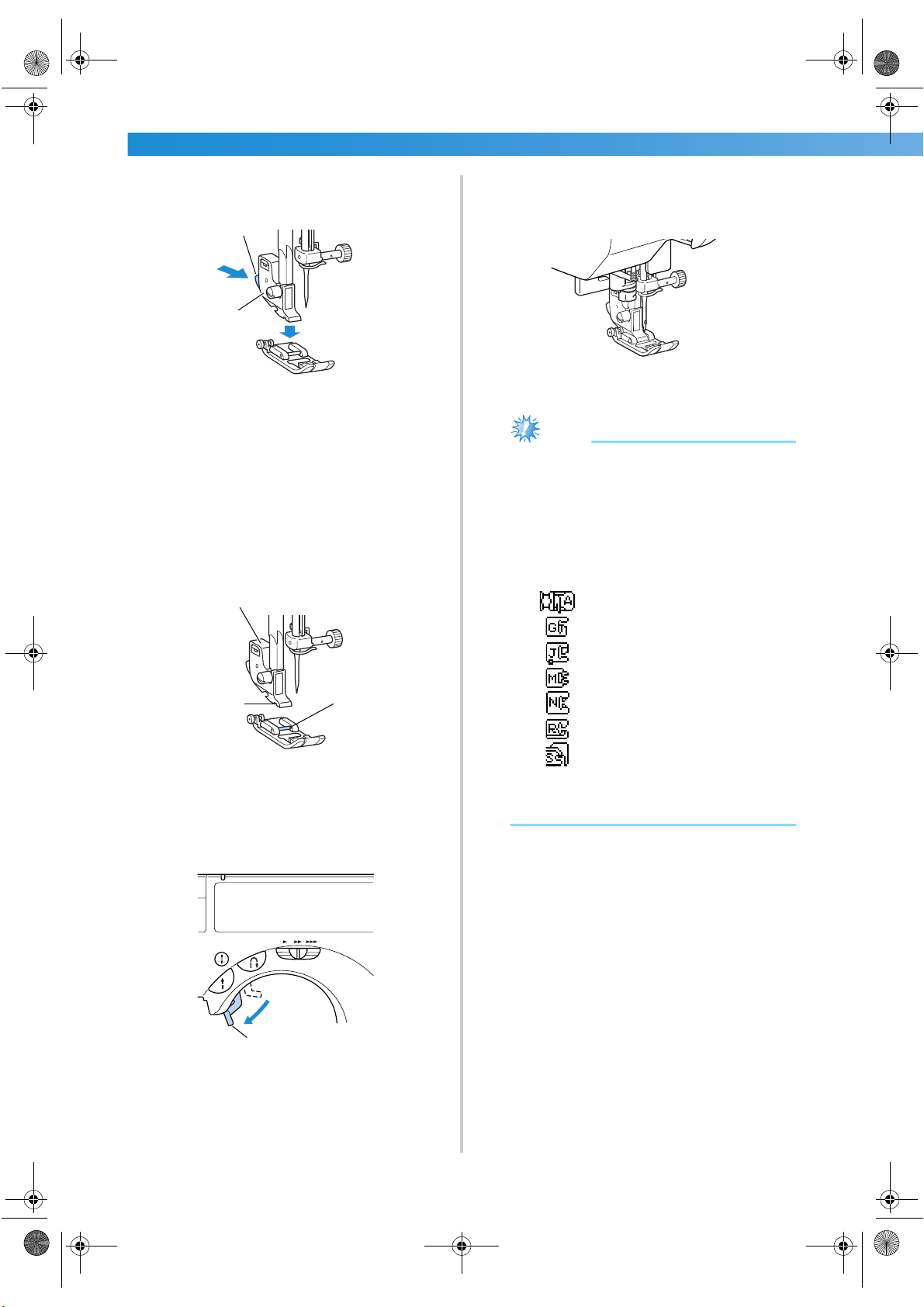
GETTING READY ———————————————————————————————————————————————————————
—
42
4
Press the black button at the back of the
presser foot holder.
1 Black button
2 Presser foot holder
X The presser foot holder releases the presser
foot.
5
Place a different presser foot below the holder
so that the presser foot pin is aligned with the
notch in the holder.
Position the presser foot so the letter indicating
the presser foot type (A, G, I, J, M, N or R) is
positioned to be read.
1 Presser foot holder
2 Notch
3 Pin
6
Slowly lower the presser foot lever so that the
presser foot pin snaps into the notch in the
presser foot holder.
1 Presser foot lever
X The presser foot is attached.
7
Raise the presser foot lever to check that the
presser foot is securely attached.
Note
● When a stitch is selected, the icon for the
presser foot that should be used appears in
the screen. Check that the correct presser
foot is attached before starting to sew. If the
wrong presser foot is installed, turn off the
sewing machine, attach the correct presser
foot, and then select the desired stitch
again.
Buttonhole foot “A”
Overcasting foot “G”
Zigzag foot “J”
Button fitting foot “M”
Monogramming foot “N”
Blind stitch foot “R”
Side cutter “S”
● For details on the presser foot that should be
used with the selected stitch, refer to “Stitch
Settings” (page 118).
1
2
1
2
3
1
S3_brotherE.book Page 42 Wednesday, February 12, 2003 11:49 AM
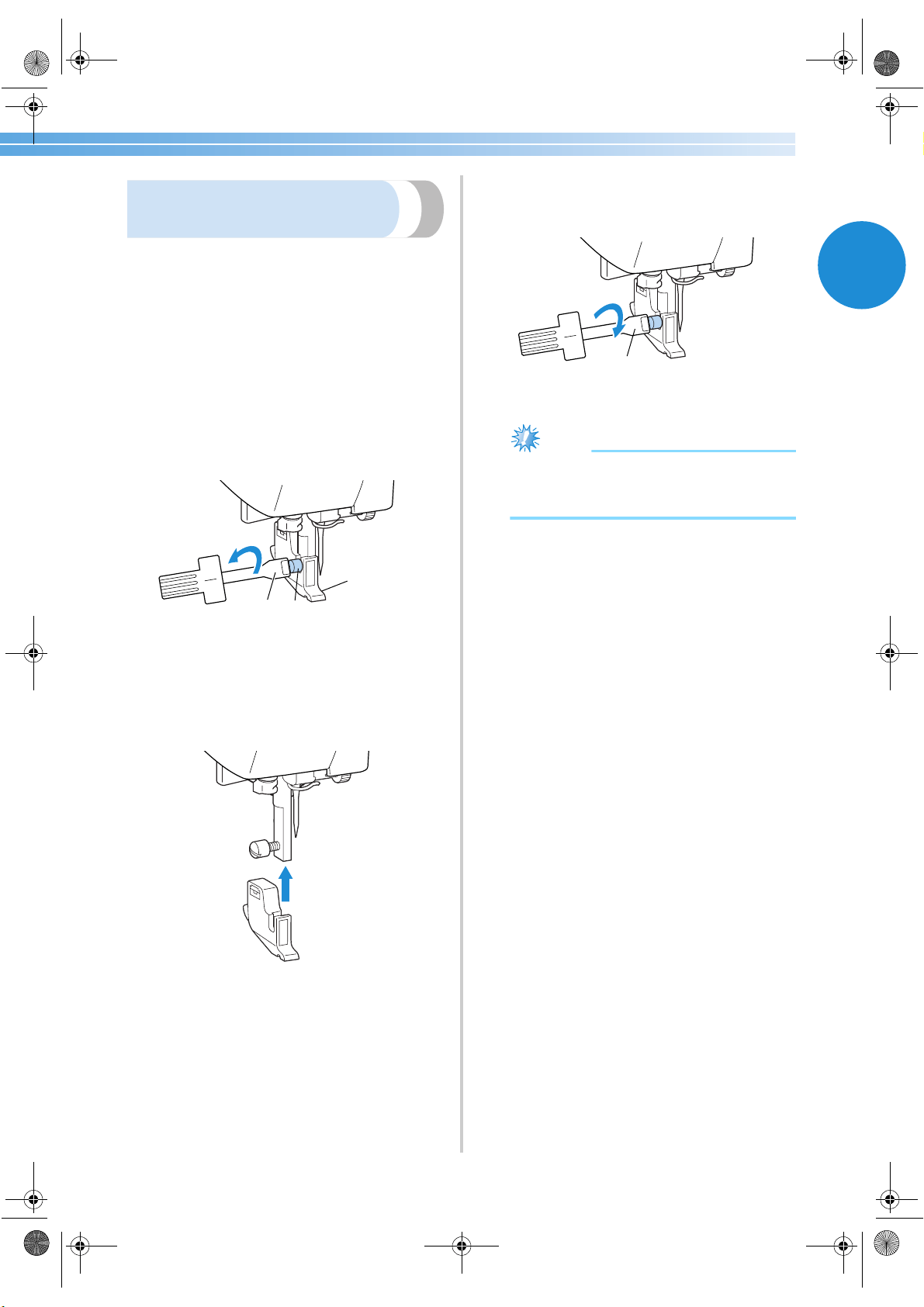
Replacing the Presser Foot 43
1
Removing the presser foot
holder
Remove the presser foot holder when cleaning the
sewing machine or when installing a presser foot that
does not use the presser foot holder, such as the
quilting foot. Use the screwdriver to remove the
presser foot holder.
■ Removing the presser foot holder
1
Remove the presser foot.
• For details, refer to “Replacing the presser
foot” (page 41).
2
Use the screwdriver to loosen the presser foot
holder screw.
1 Screwdriver
2 Presser foot holder
3 Presser foot holder screw
■ Attaching the presser foot holder
1
Align the presser foot holder with the lower-
left side of the presser bar.
2
Hold the presser foot holder in place with
your right hand, and then tighten the screw
using the screwdriver in your left hand.
1 Screwdriver
Note
● If the presser foot holder is not correctly
installed, the thread tension will be
incorrect.
1
2
3
1
S3_brotherE.book Page 43 Wednesday, February 12, 2003 11:49 AM
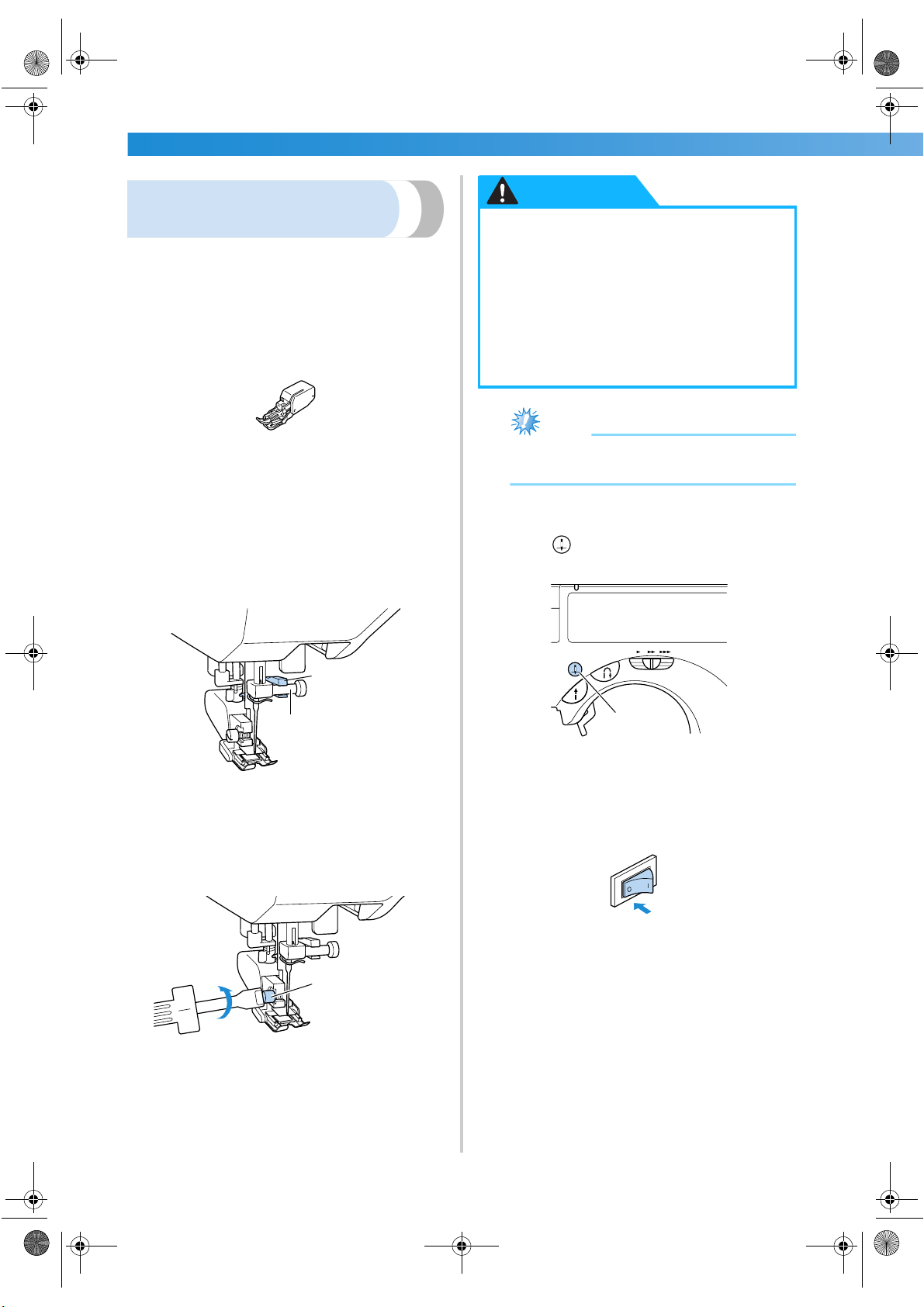
GETTING READY ———————————————————————————————————————————————————————
—
44
Using the optional walking
foot
With the walking foot, both pieces of fabric are fed
evenly by the feed dogs and the teeth on the presser
foot. This is useful when sewing fabrics that are hard
to feed such as vinyl and leather and when sewing
fabrics that easily slip such as velvets or when
quilting.
Use the screwdriver to attach the walking foot.
■ Attaching the walking foot
1
Remove the presser foot holder.
• For details, refer to “Removing the presser
foot holder” (on the previous page).
2
Hook the connecting fork of the walking foot
onto the needle clamp screw.
1 Connecting fork
2 Needle clamp screw
3
Lower the presser foot lever, insert the presser
foot holder screw, and then tighten the screw
with the screwdriver.
1 Presser foot holder screw
Note
● When sewing with the walking foot, sew at
a speed between slow and medium.
■ Removing the walking foot
1
Press (needle position button) once or
twice to raise the needle.
1 Needle position button
X The needle is raised.
2
Turn off the sewing machine.
1
2
1
● Be sure to securely tighten the screw
with the screwdriver, otherwise the
needle may touch the presser foot,
causing it to bend or break.
● Before starting to sew, slowly turn the
balance wheel toward you and check
that the needle does not touch the
presser foot. If the needle hits the presser
foot, the needle may bend or break.
CAUTION
1
S3_brotherE.book Page 44 Wednesday, February 12, 2003 11:49 AM
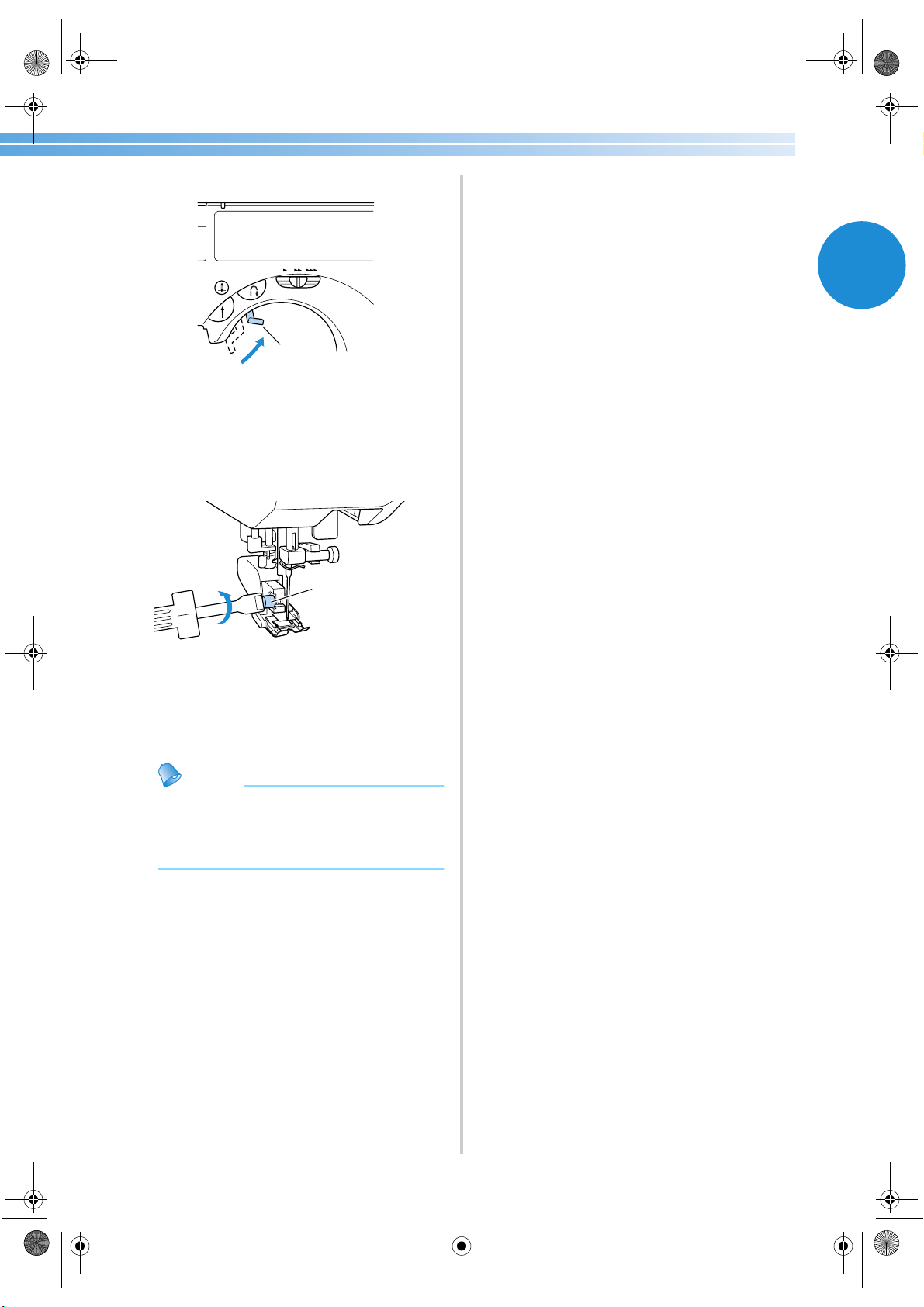
Replacing the Presser Foot 45
1
3
Raise the presser foot lever.
1 Presser foot lever
X The presser foot is raised.
4
With a screwdriver, loosen the presser foot
holder screw, and then remove the walking
foot.
1 Presser foot holder screw
5
Attach the presser foot holder.
• For details, refer to “Removing the presser
foot holder” (page 43).
Memo
● Only the straight stitch (with reinforcement
stitching) and the zigzag stitch can be used
with the walking foot. For details on the
stitches, refer to “Stitch Settings” (page 118).
1
1
S3_brotherE.book Page 45 Wednesday, February 12, 2003 11:49 AM
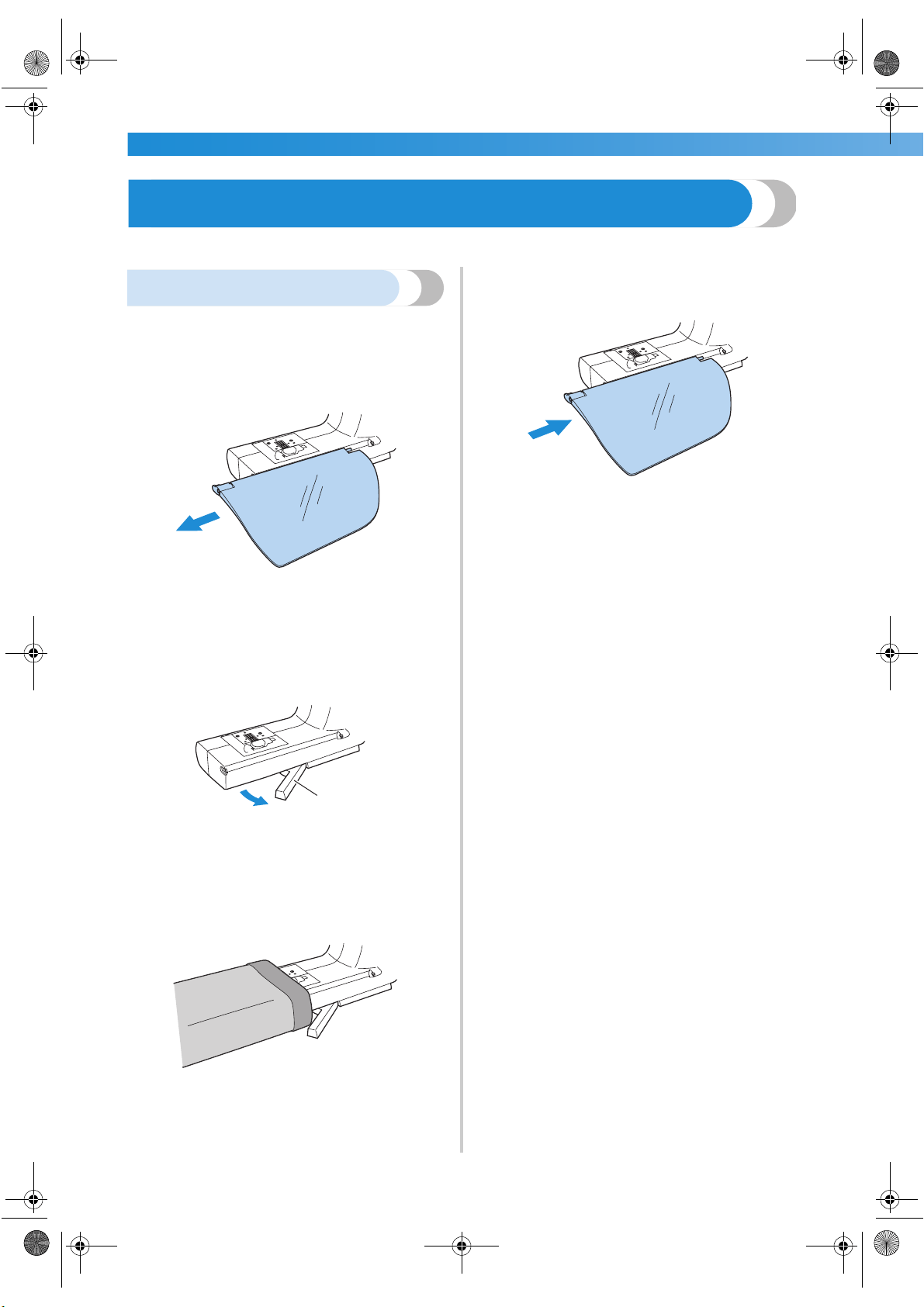
GETTING READY ———————————————————————————————————————————————————————
—
46
Sewing Cylindrical Pieces
Free-arm sewing makes sewing cylindrical pieces easy.
Free-arm sewing
Removing the flap allows for free-arm sewing,
making it easier to sew cylindrical pieces such as
sleeve cuffs and pant legs.
1
Slide the flap off to the left.
X With the flap removed, free-arm sewing is
possible.
2
Pull the sliding leg (at the bottom of the
machine) out toward you.
1 Sliding leg
• During free-arm sewing, be sure to pull out
the sliding leg.
3
Slide the part that you wish to sew onto the
arm, and then sew from the top.
4
When you are finished with free-arm sewing,
push the sliding leg back into position.
5
Then, install the flap back to its original
position.
1
S3_brotherE.book Page 46 Wednesday, February 12, 2003 11:49 AM

2 SEWING BASICS
The necessary preparations for sewing are described in this chapter.
Sewing ....................................................................................................................48
Adjusting the Thread Tension .................................................................................56
Adjusting the Stitch Width and Length ...................................................................57
Useful Functions ....................................................................................................59
Useful Sewing Tips .................................................................................................61
S3_brotherE.book Page 47 Wednesday, February 12, 2003 11:49 AM
SEWING BASICS ———————————————————————————————————————————————————————
—
48
Sewing
Basic sewing operations are described below.
Before operating the sewing machine, read the following precautions.
● While the machine is in operation, pay special attention to the needle location. In addition,
keep your hands away from all moving parts such as the needle and balance wheel, otherwise
injuries may occur.
● Do not pull or push the fabric too hard while sewing, otherwise injuries may occur or the
needle may break.
● Never use bent needles. Bent needles can easily break, possibly resulting in injuries.
● Make sure that the needle does not strike basting pins, otherwise the needle may break or
bend.
CAUTION
S3_brotherE.book Page 48 Wednesday, February 12, 2003 11:49 AM
Sewing 49
2
General sewing procedure
Follow the basic procedures below to sew.
1
Turn on the
machine.
Turn on the sewing machine.
For details on turning on the machine, refer to “Turning on the machine”
(page 11).
↓
2 Select the stitch.
Select the stitch appropriate for the area to be sewn.
For details on selecting a stitch, refer to “Selecting stitching” (page 66).
↓
3
Attach the presser
foot.
Attach the presser foot appropriate for the stitch.
For details on replacing the presser foot, refer to “Replacing the presser
foot” (page 41).
↓
4 Position the fabric.
Place the area to be sewn under the presser foot. Be sure that the fabric
pieces are sewn in the correct order and that the right and wrong sides of
the fabric are aligned correctly.
For details on positioning the fabric, refer to “Positioning the fabric”
(page 50).
↓
5 Start sewing.
Start sewing.
For details on starting to sew, refer to “Starting to sew” (page 51).
↓
6 Cut the thread.
Cut the thread at the end of sewing.
For details on cutting the thread, refer to “Cutting the thread” (page 55).
S3_brotherE.book Page 49 Wednesday, February 12, 2003 11:49 AM
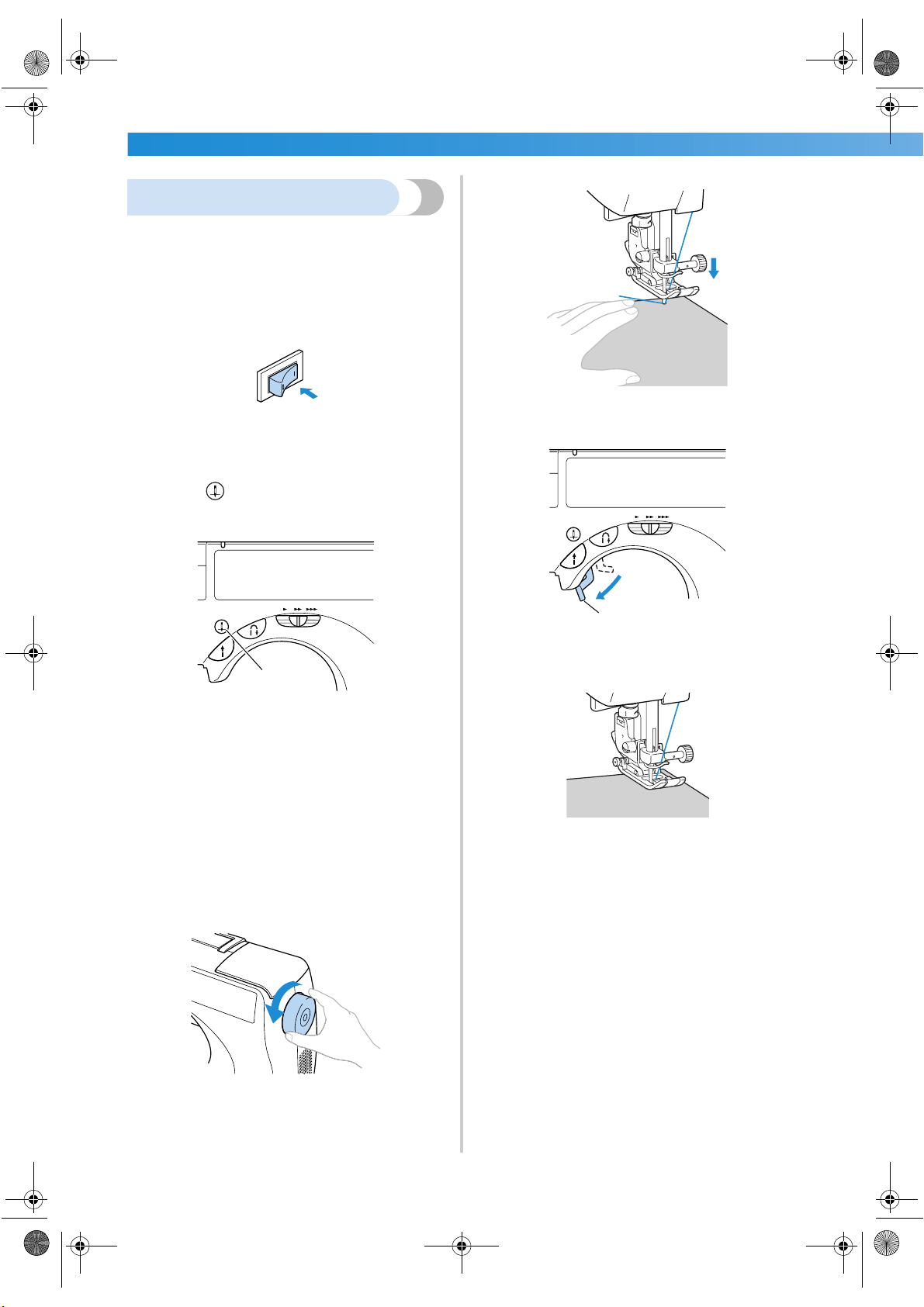
SEWING BASICS ———————————————————————————————————————————————————————
—
50
Positioning the fabric
Be sure that the fabric pieces are sewn in the correct
order and that the right and wrong sides of the fabric
are aligned correctly.
1
Turn on the sewing machine.
The straight stitch (left needle position) is
automatically selected.
2
Press (needle position button) once or
twice to raise the needle.
1 Needle position button
3
Place the fabric under the presser foot.
• If the seam allowance is positioned on the
right side, sewing in a straight line is easier
and the extra fabric does not get in the way.
4
While holding the end of the thread and the
fabric with your left hand, turn the balance
wheel toward you with your right hand to
lower the needle to the starting point of the
stitching.
5
Lower the presser foot lever.
1 Presser foot lever
X The fabric is now positioned to be sewn.
1
1
S3_brotherE.book Page 50 Wednesday, February 12, 2003 11:49 AM
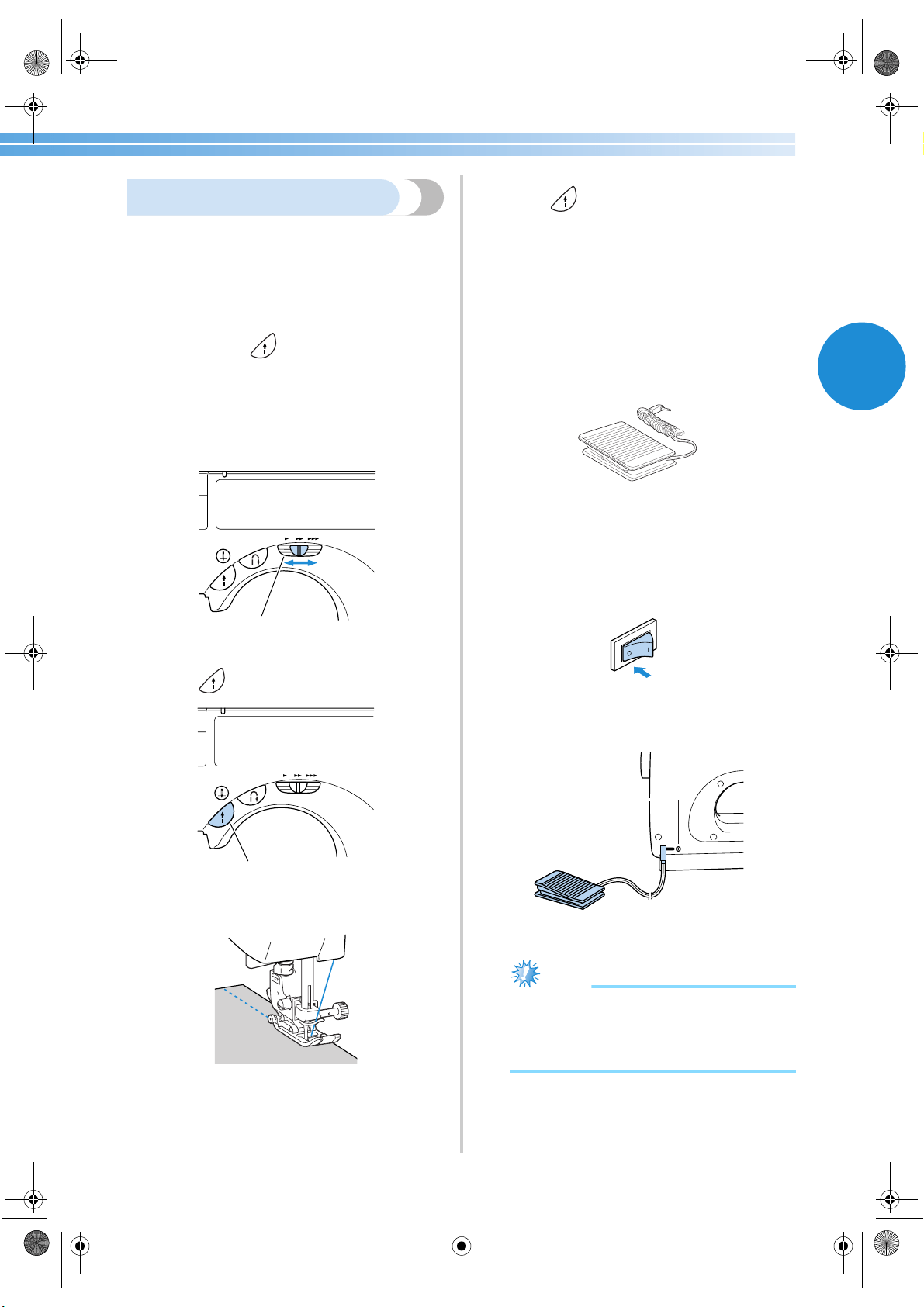
Sewing 51
2
Starting to sew
Once you are ready to start sewing, you can start the
sewing machine. The sewing speed can be adjusted
using either the operation buttons or the foot
controller.
■ Using the operation buttons
Sewing can be started and stopped using the
operation button (start/stop button).
1
Slide the sewing speed controller to the left or
right to select the desired sewing speed.
Slide the sewing speed controller to the left to
sew at a slower speed, or slide the speed
controller to the right to sew at a faster speed.
1 Sewing speed controller
2
Press (start/stop button) once.
1 Start/stop button
X The machine starts sewing.
• If you continue to hold the start/stop button
pressed immediately after the sewing starts,
the machine will sew at a slow speed.
3
When the end of the stitching is reached,
press (start/stop button) once.
X The machine stops sewing with the needle
down (in the fabric).
4
When you are finished sewing, raise the
needle, and then cut the threads.
• For details, refer to “Cutting the thread”
(page 55).
■ Using the foot controller
Sewing can be started and stopped using the foot
controller.
1
Turn off the sewing machine.
When connecting the foot controller, be sure
to turn off the sewing machine in order to
prevent the machine from accidentally being
started.
2
Insert the foot controller plug into its jack on
the side of the sewing machine.
1 Foot controller jack
Note
(For U.S.A. only)
● Foot controller: Model N5V
This foot controller can be used on this
machine model CS-8150.
1
1
1
S3_brotherE.book Page 51 Wednesday, February 12, 2003 11:49 AM
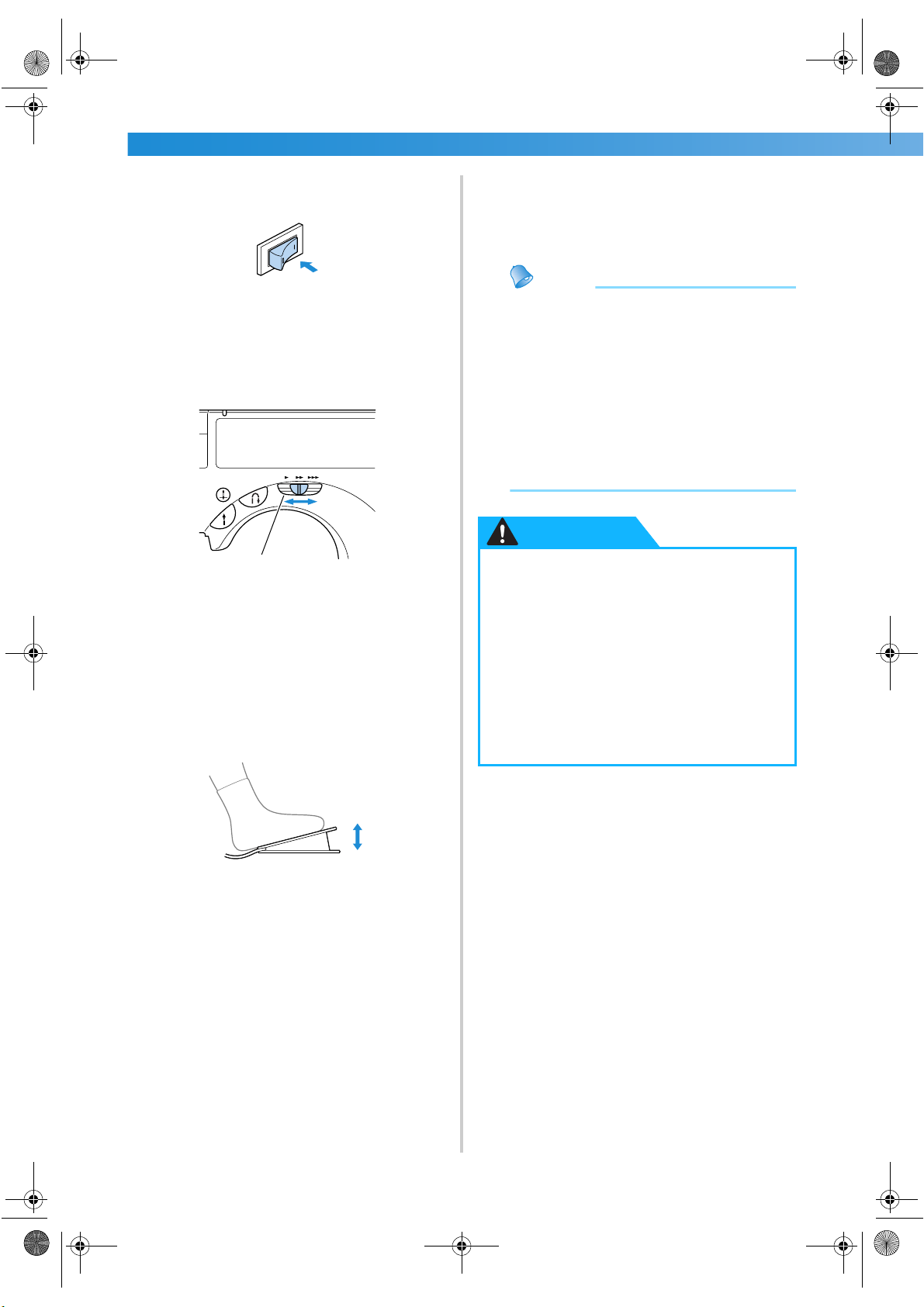
SEWING BASICS ———————————————————————————————————————————————————————
—
52
3
Turn on the sewing machine.
4
Slide the sewing speed controller to the left or
right to select the desired sewing speed.
Slide the sewing speed controller to the left to
sew at a slower speed, or slide the speed
controller to the right to sew at a faster speed.
1 Sewing speed controller
• The speed set using the sewing speed
controller is the foot controller’s maximum
sewing speed.
5
Once you are ready to start sewing, slowly
press down on the foot controller.
Pressing down on the foot controller increases
the sewing speed; releasing the pressure on the
foot controller decreases the sewing speed.
• Slowly press down on the foot controller.
Pressing it down hard starts sewing too
quickly.
X The machine starts sewing.
6
When the end of the stitching is reached,
completely release the foot controller.
X The machine stops sewing with the needle
lowered (in the fabric).
7
When you are finished sewing, raise the
needle, and then cut the threads.
• For details, refer to “Cutting the thread”
(page 55).
Memo
● When the foot controller is plugged in, the
start/stop button cannot be used to start or
stop sewing.
● When sewing is stopped, the needle
remains lowered (in the fabric). The
machine can be set so that the needle will
stay up when sewing is stopped. For details
on setting the machine so that the needle
stays up when sewing is stopped, refer to
“Changing the needle stop position”
(page 16).
1
Slower
Faster
● Do not allow thread or dust to
accumulate in the foot controller,
otherwise a fire or an electric shock may
occur.
● Do not place objects on the foot
controller, otherwise damage to the
machine or injuries may occur.
● If the machine is not to be used for a long
period of time, unplug the foot
controller, otherwise a fire or an electric
shock may occur.
CAUTION
S3_brotherE.book Page 52 Wednesday, February 12, 2003 11:49 AM
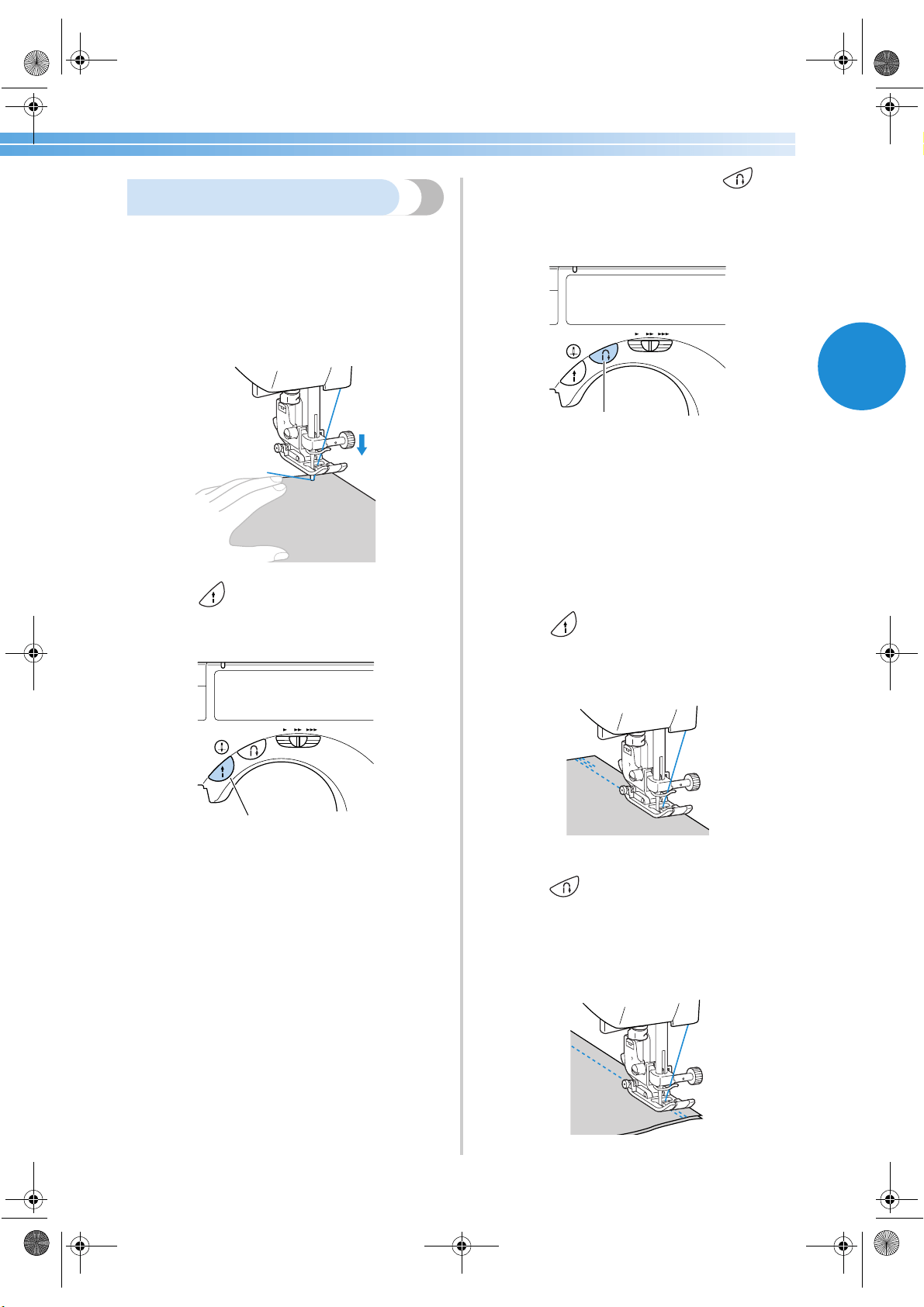
Sewing 53
2
Securing the stitching
When sewing with the straight stitch, for example, at
the end of an opening or where seams do not
overlap, use reverse stitching or reinforcement
stitching to secure the end of the thread.
1
Lower the needle into the fabric at the
beginning of the stitching, and then lower the
presser foot lever.
2
Press (start/stop button) or press down
on the foot controller.
At this time, if the start/stop button is held
pressed, the machine sews at a low speed.
1 Start/stop button
• For details, refer to “Starting to sew”
(page 51).
X The machine starts sewing.
3
After sewing 3 to 5 stitches, press
(reverse/reinforcement stitch button).
Keep the reverse/reinforcement stitch button
held down until you reach the beginning of the
stitching.
1 Reverse/reinforcement stitch button
X While the reverse/reinforcement stitch
button is held pressed, reverse stitches are
sewn.
4
After sewing back to the beginning of the
stitching, release the reverse/reinforcement
stitch button.
X The machine stops sewing.
5
Press (start/stop button), or press down
on the foot controller.
X The machine starts sewing in the normal
sewing direction.
6
When the end of the stitching is reached,
press (reverse/reinforcement stitch
button).
Keep the reverse/reinforcement stitch button
held down until 3 to 5 reverse stitches are sewn.
X
While the reverse/reinforcement stitch button
is depressed, reverse stitches are sewn.
1
1
S3_brotherE.book Page 53 Wednesday, February 12, 2003 11:49 AM
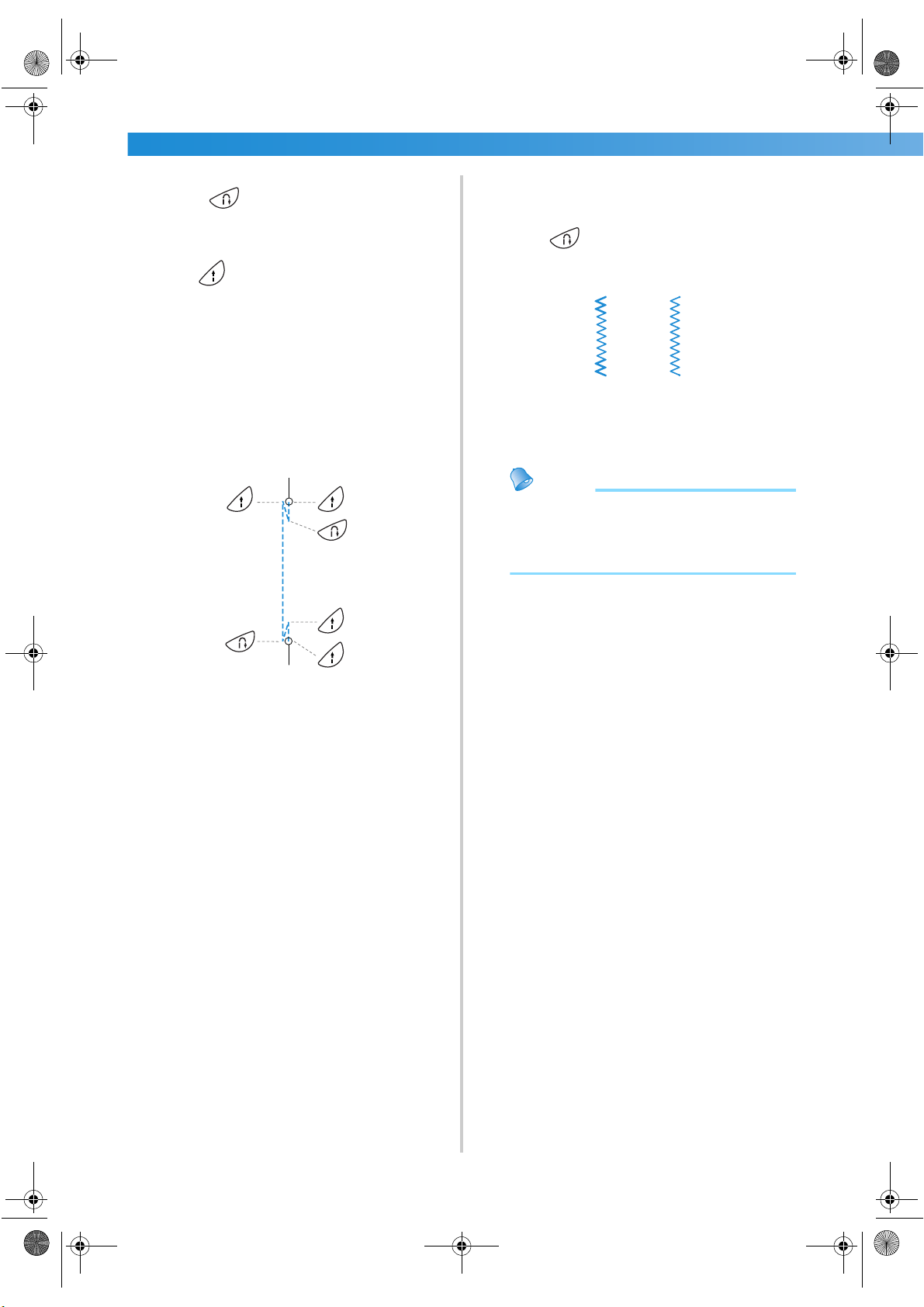
SEWING BASICS ———————————————————————————————————————————————————————
—
54
7
After 3 to 5 reverse stitches have been sewn,
release (reverse/reinforcement stitch
button).
X The machine stops sewing.
8
Press (start/stop button), or press down
on the foot controller.
At this time, if the start/stop button is held
pressed, the machine sews at a low speed.
X The machine starts sewing in the normal
sewing direction.
9
After sewing to the end of the stitching, the
sewing machine stops.
Release the start/stop button or foot controller.
1 Beginning of stitching
2 End of stitching
■ Sewing reinforcement stitches
When sewing stitches other than straight or zigzag
stitches that are secured with reverse stitching,
pressing (reverse/reinforcement stitch
button) sews reinforcement stitches, 3 to 5 stitches
on top of each other.
1 Reverse stitching
2 Reinforcement stitching
Memo
● Whether reverse stitches or reinforcement
stitches are sewn depends on the stitch that
is selected. For details, refer to “Stitch
Settings” (page 118).
1
2
5
6
4
3
1
2
1
2
S3_brotherE.book Page 54 Wednesday, February 12, 2003 11:49 AM
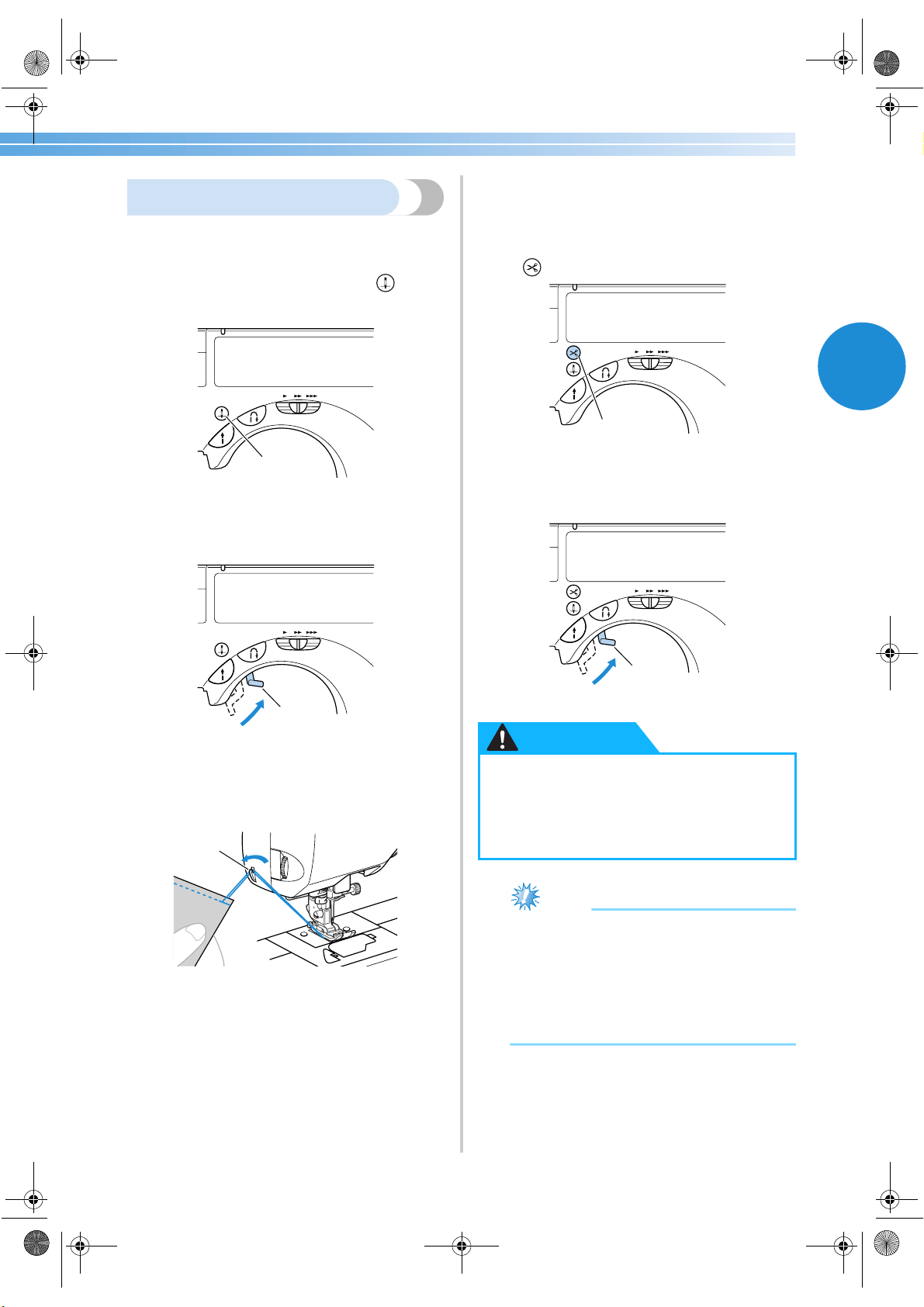
Sewing 55
2
Cutting the thread
When you have finished sewing, cut the threads.
1
When you wish to finish the stitching and the
sewing machine is stopped, press
(needle position button) once to raise the
needle.
1 Needle position button
X The needle is raised.
2
Raise the presser foot lever.
1 Presser foot lever
3
Pull the fabric to the left side of the machine,
and then pass the threads through the thread
cutter to cut them.
1 Thread cutter
■ Using the thread cutter button
(Only for models equipped with the thread
cutter button)
1
When you wish to finish the stitching, press
(thread cutter button) once.
1 Thread cutter button
X The threads are cut and the needle is raised.
2
Raise the presser foot lever.
1 Presser foot lever
Note
● Do not press the thread cutter button if there
is no fabric under the presser foot or while
the machine is sewing, otherwise damage to
the machine may occur.
● When cutting thread thicker than #30,
nylon thread or other special thread, use the
thread cutter on the side of the machine.
1
1
1
● Do not press the thread cutter button
after the threads have already been cut,
otherwise the needle may break, the
threads may become tangled or damage
to the machine may occur.
1
1
CAUTION
S3_brotherE.book Page 55 Wednesday, February 12, 2003 11:49 AM
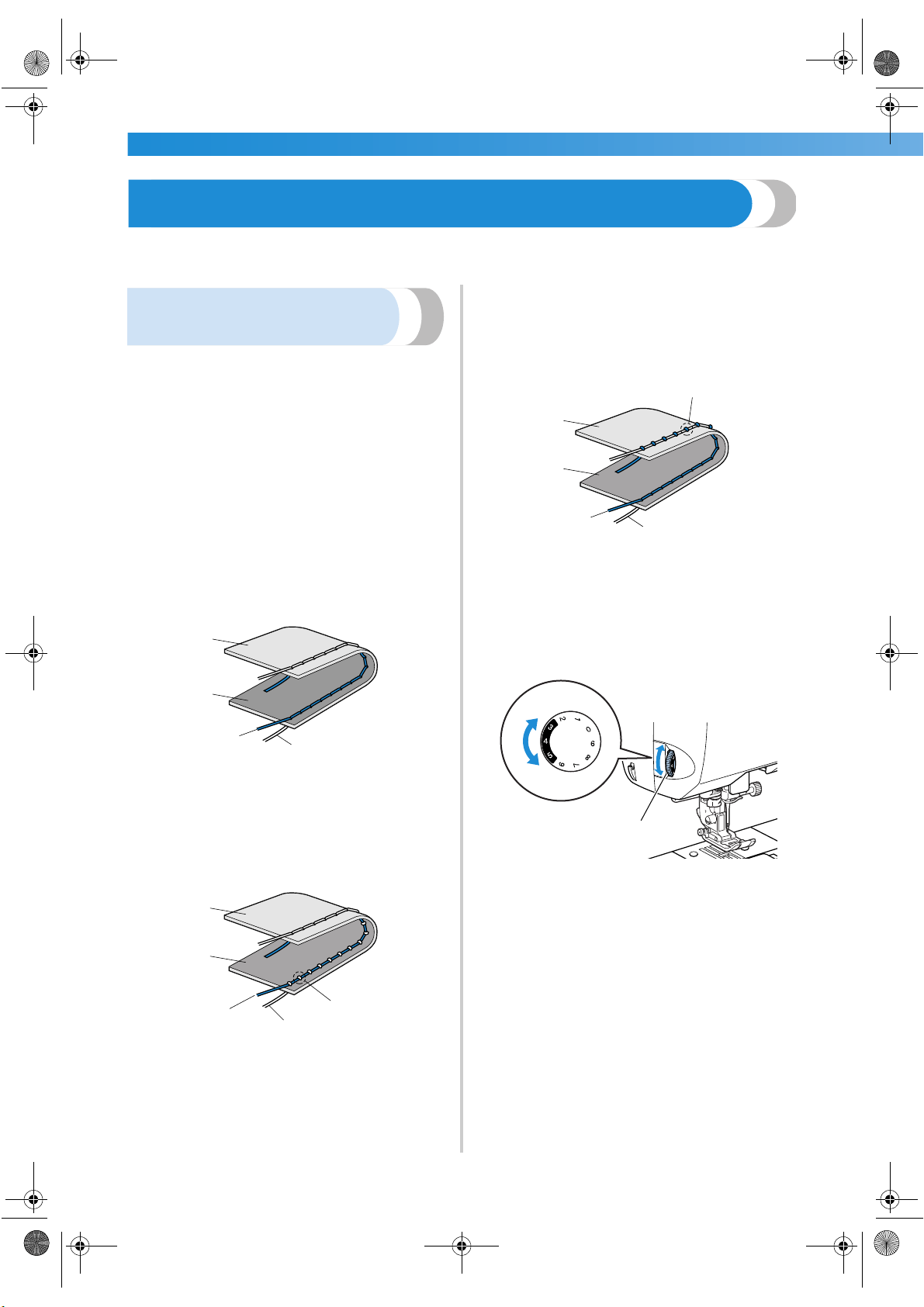
SEWING BASICS ———————————————————————————————————————————————————————
—
56
Adjusting the Thread Tension
The tensions of the upper thread and of the bobbin thread (thread tension) should be adjusted so that they are
equal.
Changing the tension of the
upper thread
If the thread and needle combination is correct for
the type of fabric being sewn (according to “Needle
types and their uses” on page 36), the thread tension
will automatically be adjusted to the appropriate
setting. However, if the preset thread tension does
not give the desired result or if you are sewing with
special thread or on special fabric, use the thread
tension dial on the left side of the machine to adjust
the tension of the upper thread.
■ Correct thread tension
The upper thread and the bobbin thread should
cross near the center of the fabric. Only the upper
thread should be visible from the right side of the
fabric, and only the bobbin thread should be
visible from the wrong side of the fabric.
1 Wrong side of fabric
2 Right side of fabric
3 Upper thread
4 Bobbin thread
■ Upper thread is too tight
If the bobbin thread is visible from the right side
of the fabric, the upper thread is too tight.
1 Wrong side of fabric
2 Right side of fabric
3 Upper thread
4 Bobbin thread
5 The bobbin thread is visible from the right side of
the fabric.
Turn the thread tension dial downward to loosen
the upper thread.
■ Upper thread is too loose
If the upper thread is visible from the wrong side
of the fabric, the upper thread is too loose.
1 Wrong side of fabric
2 Right side of fabric
3 Upper thread
4 Bobbin thread
5 The upper thread is visible from the wrong side of
the fabric.
Turn the thread tension dial upward to tighten the
upper thread.
1 Thread tension dial
1
2
3
4
1
2
3
4
5
5
1
2
3
4
Loose
Tight
S3_brotherE.book Page 56 Wednesday, February 12, 2003 11:49 AM
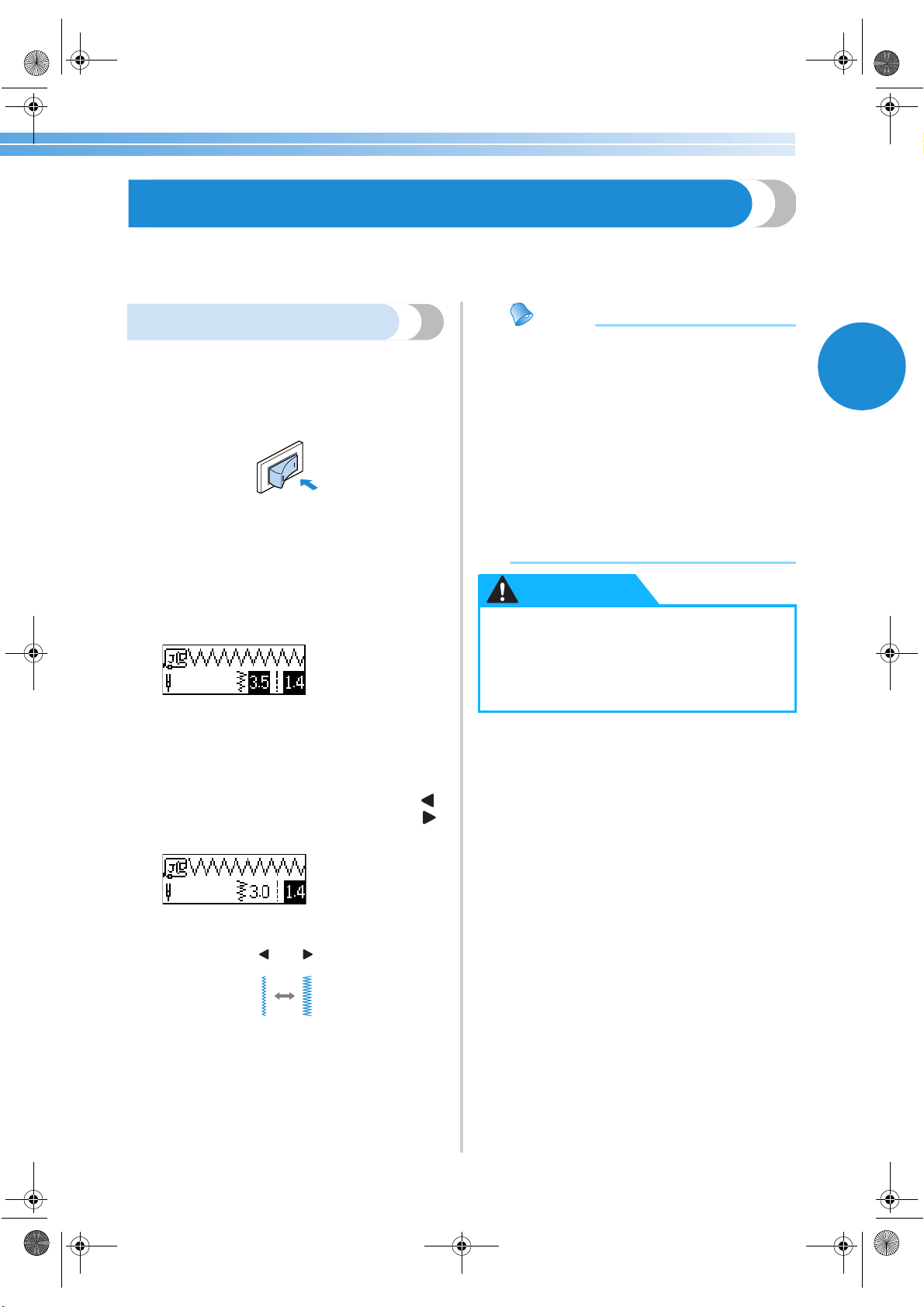
2
57
Adjusting the Stitch Width and Length
The zigzag width (pattern width) and stitch length of utility stitches can be adjusted. Normally, when a stitch is
selected, the appropriate width and length are automatically selected. For details on the range of values within
which the width and length can be set, refer to “Stitch Settings” (page 118).
Adjusting the stitch width
The stitch width can be adjusted with the arrow keys.
1
Turn on the sewing machine.
X The LCD comes on.
2
Select a stitch.
X A screen containing settings for the selected
stitch appears.
• For details on selecting a stitch, refer to
“Selecting stitching” (page 66).
• Immediately after the stitch is selected, the
standard settings (highlighted) appear.
3
To make the stitch width narrower, press
(–). To make the stitch width wider, press
(+).
X The stitch width is changed.
• If the setting is changed, the highlighted
value is erased.
Memo
● To reset the stitch width to its standard
setting, select the same stitch again or
change the setting to the highlighted value.
● If the straight stitch (left needle position or
triple stretch stitch) was selected, changing
the stitch width changes the needle
position. Increasing the width moves the
needle to the right; reducing the width
moves the needle to the left.
● The sewing machine can be set so that the
stitch width can easily be changed with the
sewing speed controller. For details, refer to
“Satin stitching” (page 94).
–
+
● After adjusting the stitch width, slowly
turn the balance wheel toward you and
check that the needle does not touch the
presser foot. If the needle hits the presser
foot, the needle may bend or break.
CAUTION
Adjusting the Thread Tension/Adjusting the Stitch Width and Length
S3_brotherE.book Page 57 Wednesday, February 12, 2003 11:49 AM
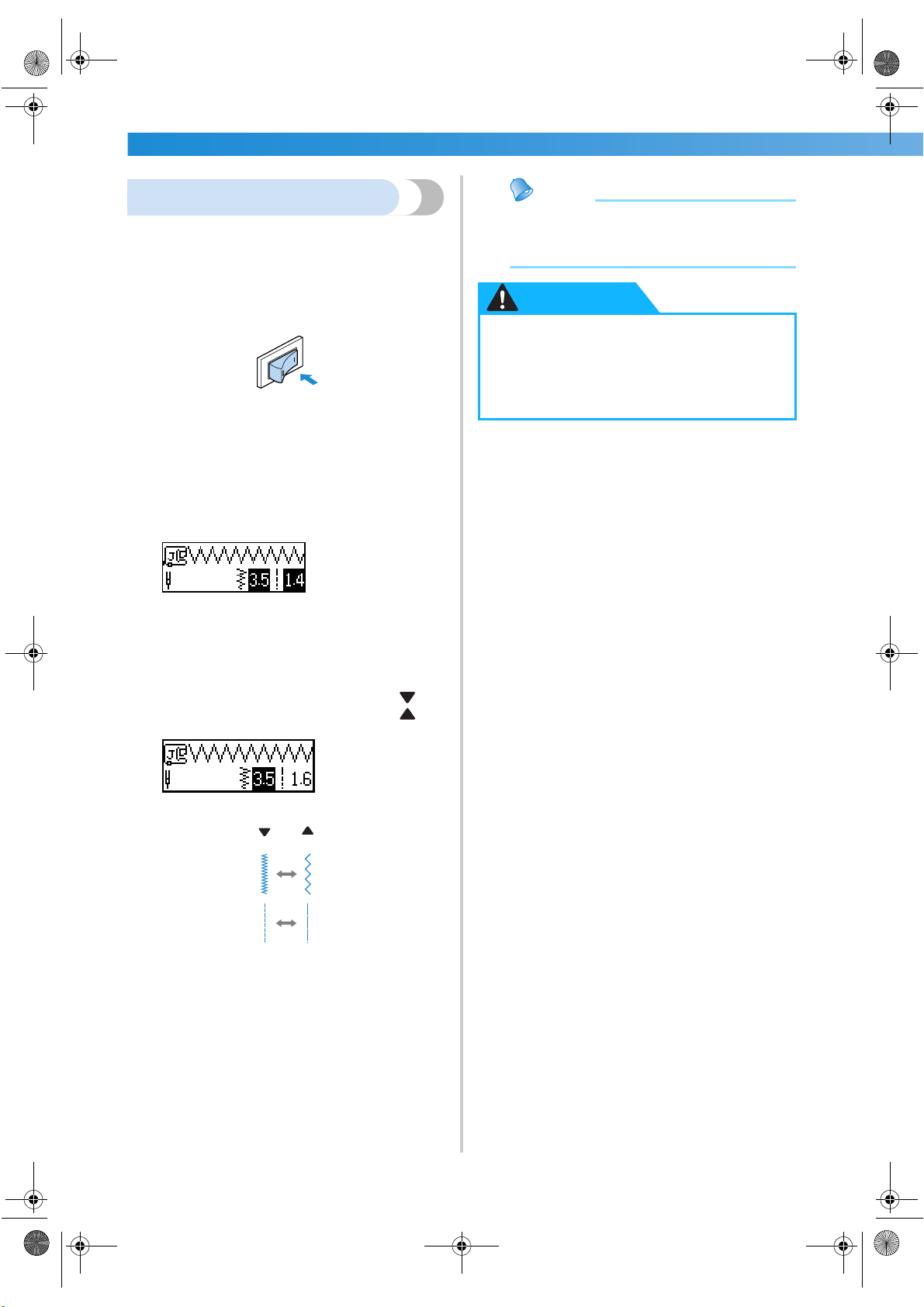
SEWING BASICS ———————————————————————————————————————————————————————
—
58
Adjusting the stitch length
The stitch length can be adjusted with the arrow
keys.
1
Turn on the sewing machine.
X The LCD comes on.
2
Select a stitch.
X A screen containing settings for the selected
stitch appears.
• For details on selecting a stitch, refer to
“Selecting stitching” (page 66).
• Immediately after the stitch is selected, the
standard settings (highlighted) appear.
3
To make the stitch length shorter, press (–).
To make the stitch length longer, press (+).
X The stitch length is changed.
• If the setting is changed, the highlighted
value is erased.
Memo
● To reset the stitch length to its standard
setting, select the same stitch again or
change the setting to the highlighted value.
–
+
● If the stitches are bunched together,
increase the stitch length. Continuing to
sew with the stitches bunched together
may result in the needle bending or
breaking.
CAUTION
S3_brotherE.book Page 58 Wednesday, February 12, 2003 11:49 AM
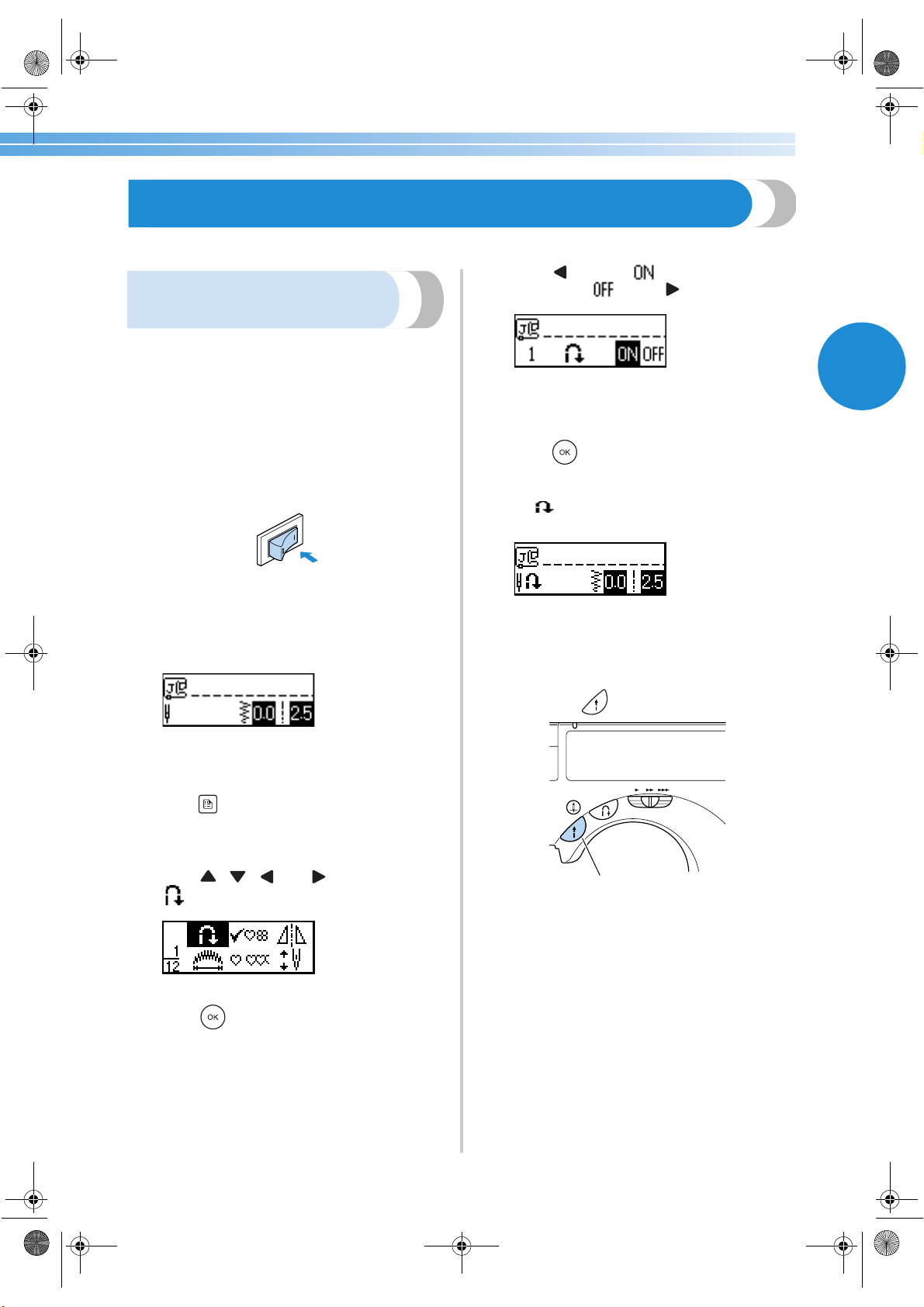
Useful Functions 59
2
Useful Functions
Functions useful in improving sewing efficiency are described below.
Automatically sewing reverse/
reinforcement stitches
The sewing machine can be set to automatically sew
reverse or reinforcement stitches at the beginning
and end of the stitching.
Whether reverse stitches or reinforcement stitches
are sewn depends on the stitch that is selected. For
details, refer to “Stitch Settings” (page 118).
1
Turn on the sewing machine.
X The LCD comes on.
2
Select a stitch.
• For details on selecting a stitch, refer to
“Selecting stitching” (page 66).
3
Press (settings key) in the operation panel.
X The settings screen appears.
4
Press , , and (arrow keys) until
is selected.
5
Press (OK key).
X The screen for specifying automatic reverse/
reinforcement stitching appears.
6
Press to select .
To return to , press .
X The machine is now set to automatically
sew reverse/reinforcement stitches.
7
Press (OK key).
X The initial stitch screen appears again, and
appears in the lower-left corner of the
screen.
• When the sewing machine is turned off, the
automatic reverse/reinforcement stitching
setting is cancelled.
8
Position the fabric under the presser foot, and
then press (start/stop button) once.
1 Start/stop button
X After reverse/reinforcement stitches are
sewn, the machine starts sewing.
1
S3_brotherE.book Page 59 Wednesday, February 12, 2003 11:49 AM
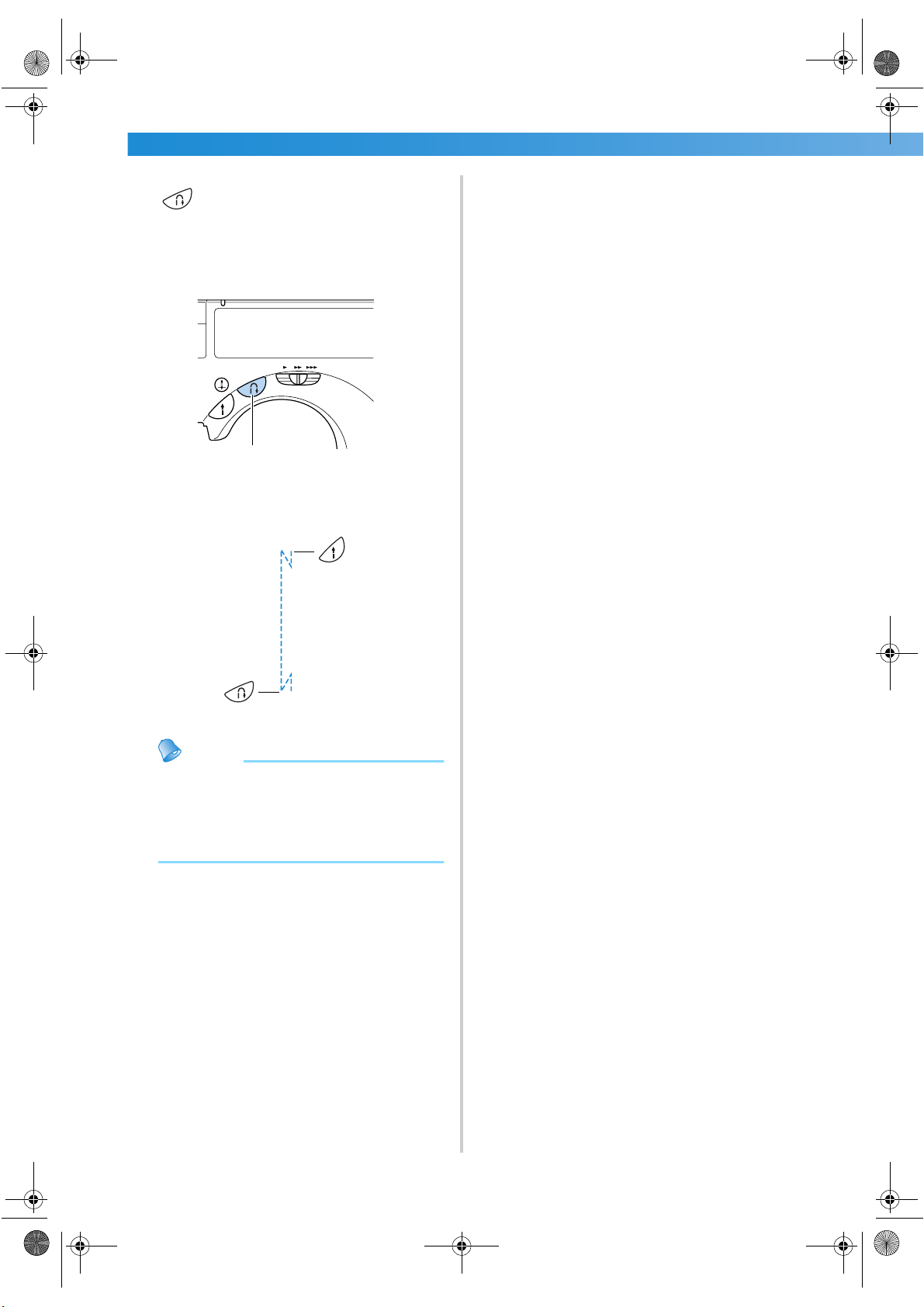
SEWING BASICS ———————————————————————————————————————————————————————
—
60
9
After reaching the end of the stitching, press
(reverse/reinforcement stitch button)
once.
This step is not necessary if a stitch such as
those for sewing buttonholes and bar tacks is
selected where reinforcement stitches are
automatically sewn.
1 Reverse/reinforcement stitch button
X After reverse/reinforcement stitches are
sewn, the sewing machine stops.
Memo
● Reverse/reinforcement stitches will not be
sewn if the start/stop button is pressed at the
end of the stitching. Be sure to press the
reverse/reinforcement stitch button at the
end of the stitching.
1
S3_brotherE.book Page 60 Wednesday, February 12, 2003 11:49 AM
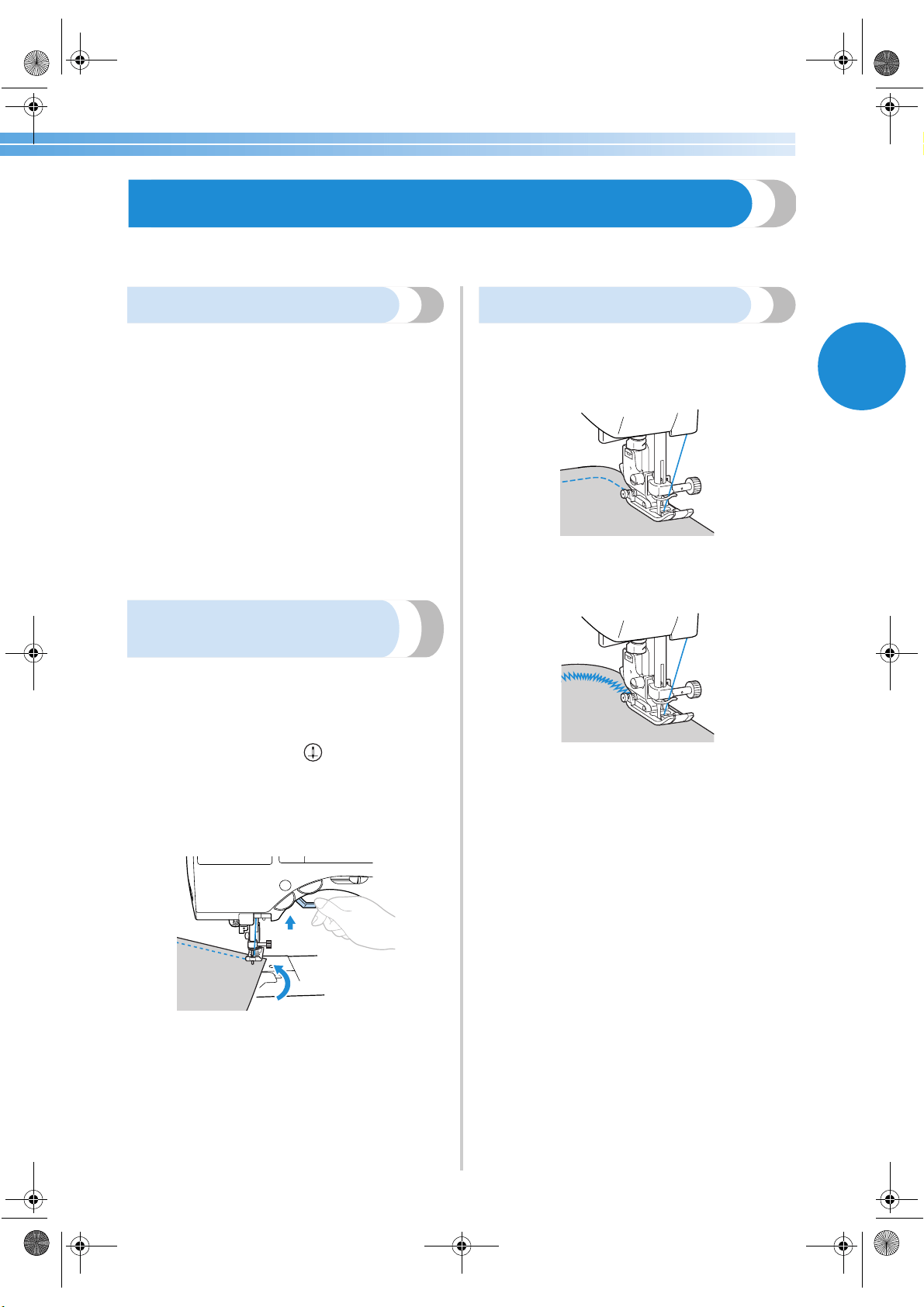
Useful Sewing Tips 61
2
Useful Sewing Tips
Various ways to achieve better results for your sewing projects are described below. Refer to these tips when
sewing your project.
Trial sewing
After you have set up the machine with the thread
and needle appropriate for the type of fabric being
sewn, the machine automatically sets the thread
tension and stitch length and width for the stitch that
is selected. However, a trial piece of fabric should be
sewn since, depending on the type of fabric and
stitching being sewn, the desired results may not be
achieved.
For the trial sewing, use a piece of fabric and thread
that are the same as those used for your project, and
check the thread tension and stitch length and width.
Since the results differ depending on the type of
stitching and the number of layers of fabric sewn,
perform the trial sewing under the same conditions
that will be used with your project.
Changing the sewing
direction
1
When the stitching reaches a corner, stop the
sewing machine.
Leave the needle lowered (in the fabric). If the
needle remained up when the machine
stopped sewing, press (needle position
button) to lower the needle.
2
Raise the presser foot lever, and then turn the
fabric.
Turn the fabric using the needle as a pivot.
3
Lower the presser foot lever and continue
sewing.
Sewing curves
Stop sewing, and then slightly change the sewing
direction to sew around the curve. For details on
sewing with an even seam allowance, refer to
“Sewing an even seam allowance” (page 63).
When sewing along a curve while using a zigzag
stitch, select a shorter stitch length in order to obtain
a finer stitch.
S3_brotherE.book Page 61 Wednesday, February 12, 2003 11:49 AM
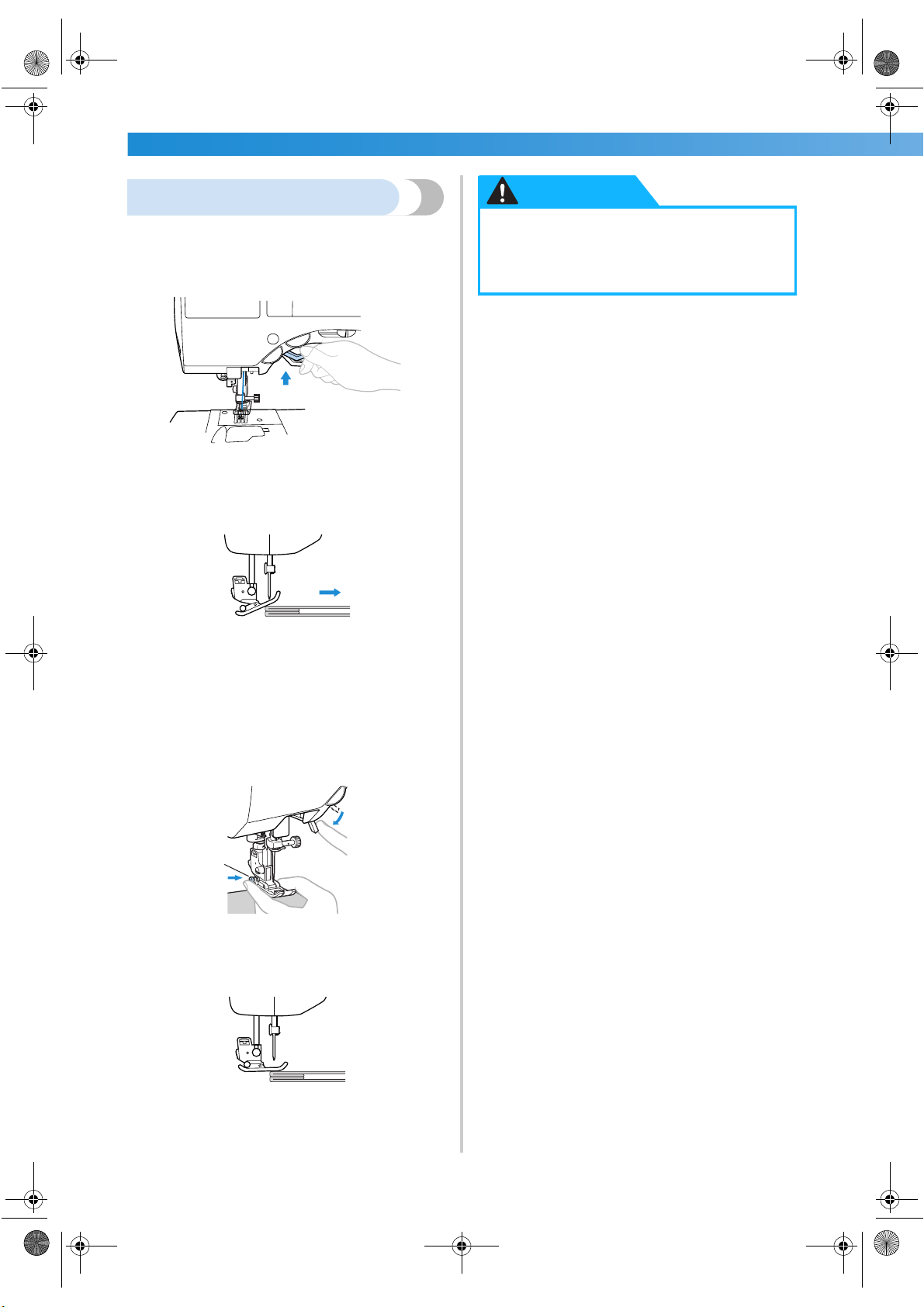
SEWING BASICS ———————————————————————————————————————————————————————
—
62
Sewing thick fabrics
■ If the fabric does not fit under the presser foot
If the fabric does not fit easily under the presser
foot, raise the presser foot lever even higher to
bring the presser foot to its highest position.
■ If thick seams are being sewn and the fabric does
not feed at the beginning of stitching
Zigzag foot “J” is equipped with a feature that
keeps the presser foot level.
1 Sewing direction
1
When you encounter a seam that is too thick
to feed under the foot, raise the presser foot
lever.
2
Press the black button on the left side of the
foot. Keep the button held in and lower the
presser foot.
3
Release the button. The foot will lock in place
level with the seam, allowing the fabric to
feed.
X Once the trouble spot has been passed, the
foot will return to its normal position.
1
● If fabric more than 6 mm (15/64 inch)
thick is sewn or if the fabric is pushed
with too much force, the needle may
bend or break.
CAUTION
S3_brotherE.book Page 62 Wednesday, February 12, 2003 11:49 AM
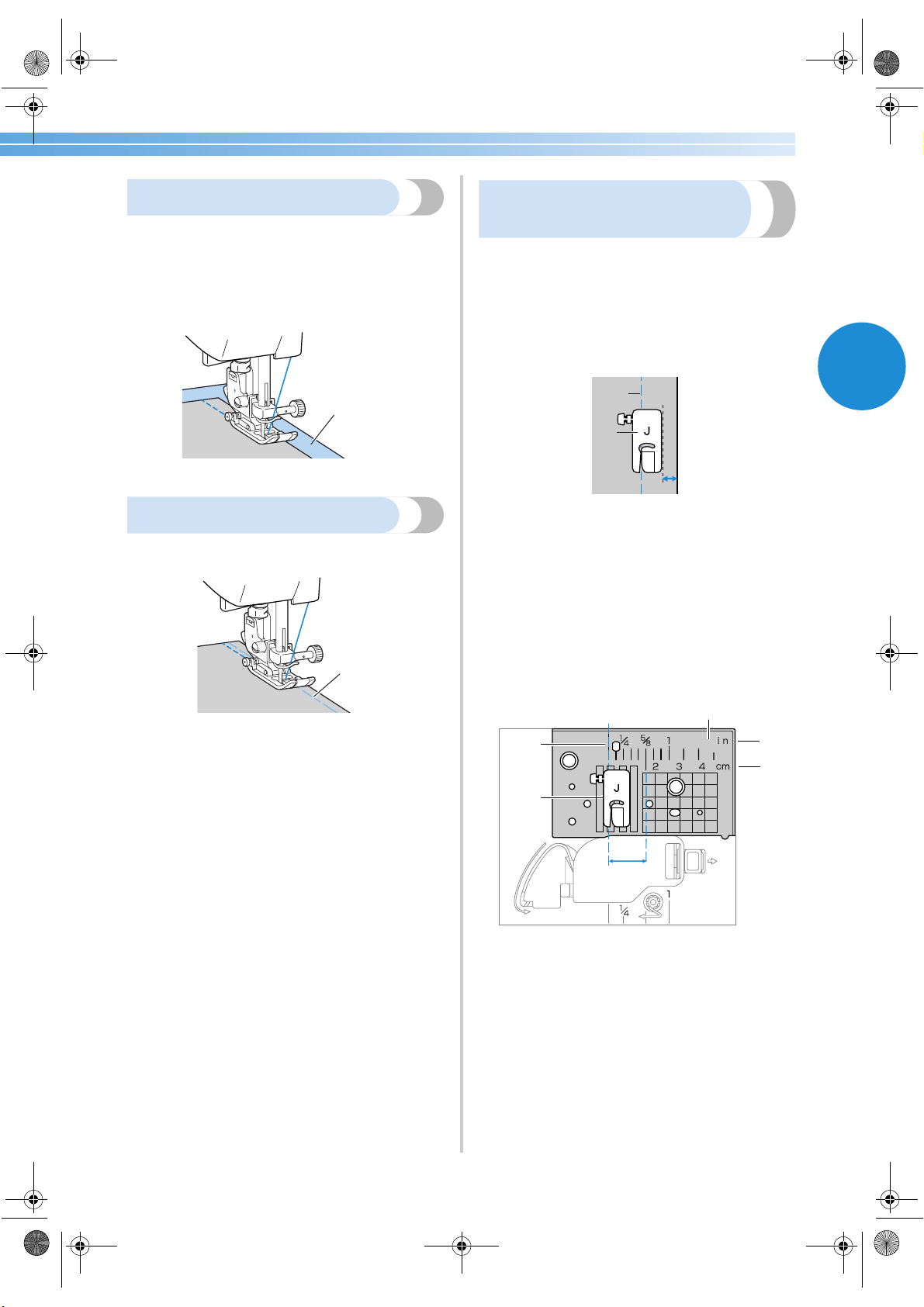
Useful Sewing Tips 63
2
Sewing thin fabrics
When sewing thin fabrics, the stitching may become
misaligned or the fabric may not feed correctly. If
this occurs, place thin paper or stabilizer material
under the fabric and sew it together with the fabric.
When you have finished sewing, tear off any excess
paper.
1 Stabilizer material or paper
Sewing stretch fabrics
First, baste the pieces of fabric together, and then
sew without stretching the fabric.
1 Basting
Sewing an even seam
allowance
To sew an even seam, start sewing so that the seam
allowance is to the right of the presser foot, and the
edge of the fabric is aligned with either the right edge
of the presser foot or a marking on the needle plate.
■ Aligning the fabric with the presser foot
Sew while keeping the right edge of the presser
foot a fixed distance from the edge of the fabric.
1 Seam
2 Presser foot
■ Aligning the fabric with a needle plate marking
The markings on the needle plate show the
distance from the needle position of a seam sewn
with the straight stitch (left needle position). Sew
while keeping the edge of the fabric aligned with
a marking in the needle plate. The distance
between the markings in the upper scale is
1/8 inch (3 mm) and the distance between the
markings in the grid is 5 mm (3/16 inch).
1 Seam
2 Presser foot
3 Centimeters
4 Inches
5 Needle plate
6 16 mm (5/8 inch)
1
1
1
2
6
1
2
5
4
3
S3_brotherE.book Page 63 Wednesday, February 12, 2003 11:49 AM
SEWING BASICS ———————————————————————————————————————————————————————
—
64
S3_brotherE.book Page 64 Wednesday, February 12, 2003 11:49 AM

3 UTILITY STITCHES
The various stitches and their applications are described in this chapter.
Selecting Stitching ..................................................................................................66
Overcasting Stitches ...............................................................................................68
Basic Stitching ........................................................................................................72
Blind Hem Stitching ...............................................................................................74
Buttonhole Stitching ...............................................................................................76
Zipper Insertion .....................................................................................................82
Sewing Stretch Fabrics and Elastic Tape .................................................................86
Appliqué, Patchwork and Quilt Stitching ...............................................................88
Reinforcement Stitching .........................................................................................95
Eyelet Stitching .......................................................................................................99
Decorative Stitching .............................................................................................100
Sewing the Various Built-In Decorative Patterns ..................................................108
S3_brotherE.book Page 65 Wednesday, February 12, 2003 11:49 AM
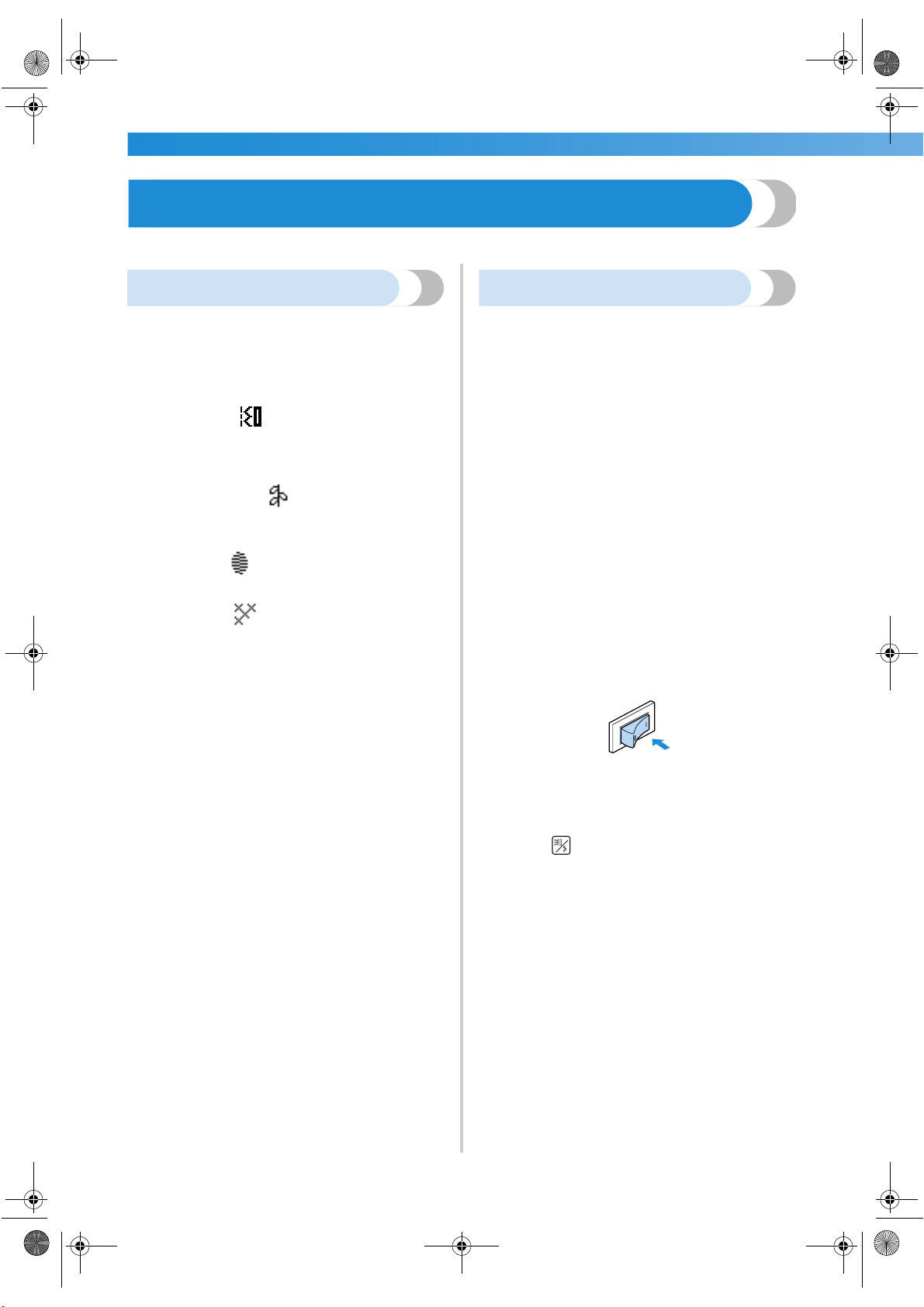
UTILITY STITCHES ——————————————————————————————————————————————————————
—
66
Selecting Stitching
You can select any of the various types of stitching available.
Stitch types
A total of 4 groups of stitch types (utility stitches,
decorative stitches, satin stitches and cross-stitches )
are available.
For details on the types of stitches available, refer to
“Stitch Settings” (page 118).
■ Utility stitches
There are 67 utility stitches, including straight
stitches, overcasting stitches and buttonhole
stitches.
■ Decorative stitches
There are 31 decorative stitches, including hearts,
leaves and flowers.
■ Satin stitches
There are 16 satin stitches.
■ Cross-stitches
There are 5 types of cross-stitches.
Selecting stitching
Using the operation panel keys, select the desired
stitch from those shown in the LCD.
When the sewing machine is turned on, the straight
stitch (left needle position) is selected.
1
Determine the stitch that you wish to use.
• Refer to “Stitch types” (at the left).
2
Determine which presser foot should be used
with the selected stitch.
The presser feet are stored in the accessory
compartment.
• For details on the stitches that can be sewn
with the twin needle, refer to “Stitch
Settings” (page 118).
3
Attach the presser foot.
• For details, refer to “Replacing the presser
foot” (page 41).
4
Turn on the sewing machine.
X The straight stitch (left needle position) is
shown selected in the LCD.
5
Press (stitch selection key) in the
operation panel.
X The screen containing the various types of
stitches appears.
S3_brotherE.book Page 66 Wednesday, February 12, 2003 11:49 AM
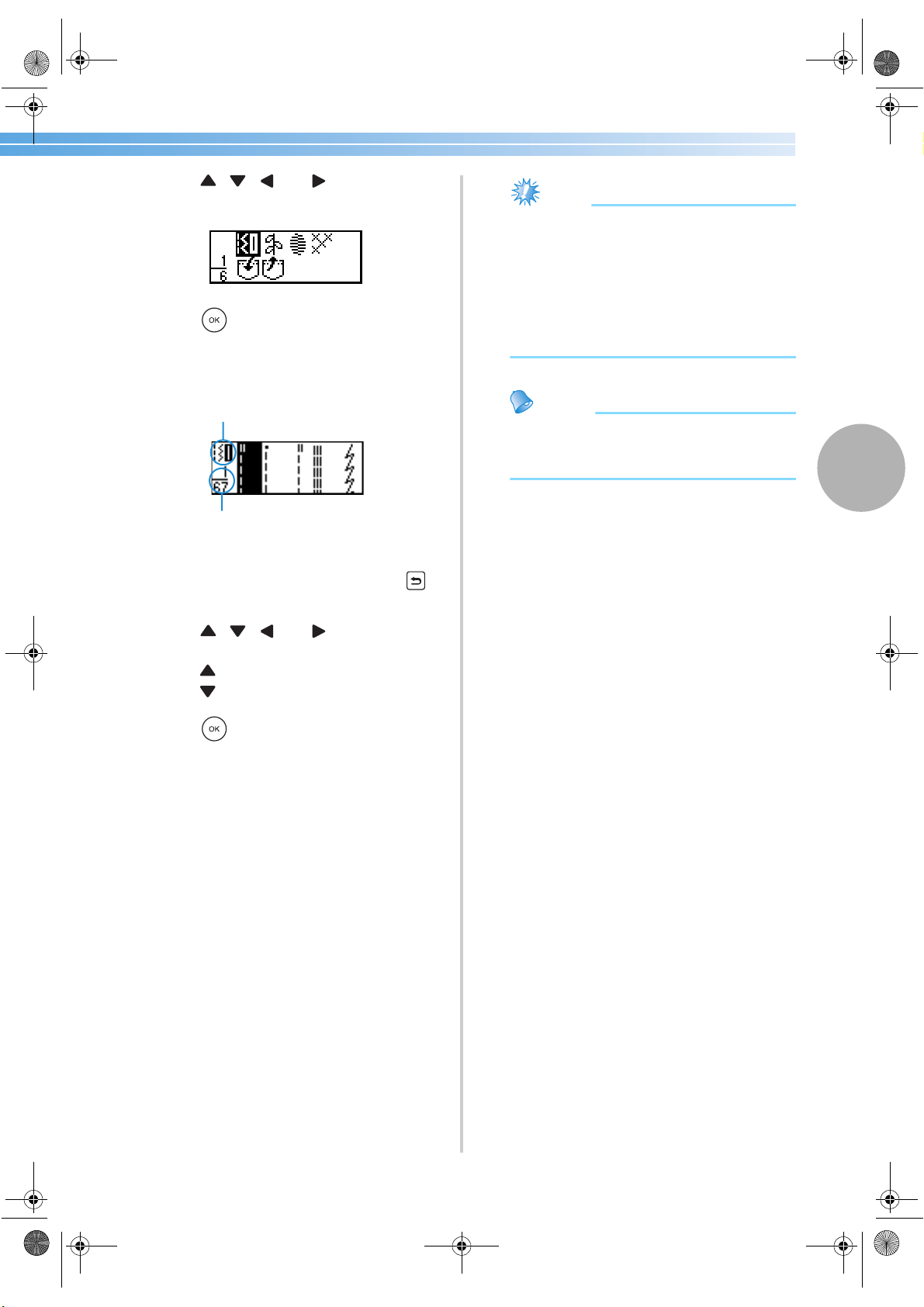
Selecting Stitching 67
3
6
Press , , and (arrow keys) until
the type of stitch that you wish to use is
selected.
7
Press (OK key).
X The screen containing the various stitches in
the selected stitch type appears.
■ Understanding the screen
1 Selected stitch type
2 Number of stitches in the selected stitch type
• To select a different stitch type, press
(back key).
8
Press , , and (arrow keys) until
the stitch that you wish to use is selected.
Press to return to the previous screen.
Press to display the next screen.
9
Press (OK key).
X The stitch is selected.
0
If necessary, specify the setting for automatic
reverse/reinforcement stitching and adjust the
stitch length, etc.
• For details on sewing with each of the utility
stitches, refer to the following pages.
Note
● When a stitch is selected, the icon for the
presser foot that should be used appears in
the screen. Check that the correct presser
foot is attached before starting to sew. If the
wrong presser foot is installed, turn off the
sewing machine, attach the correct presser
foot, and then select the desired stitch
again.
Memo
● For details on adjusting the stitch width and
length, refer to “Adjusting the Stitch Width
and Length” (page 57).
1
2
S3_brotherE.book Page 67 Wednesday, February 12, 2003 11:49 AM
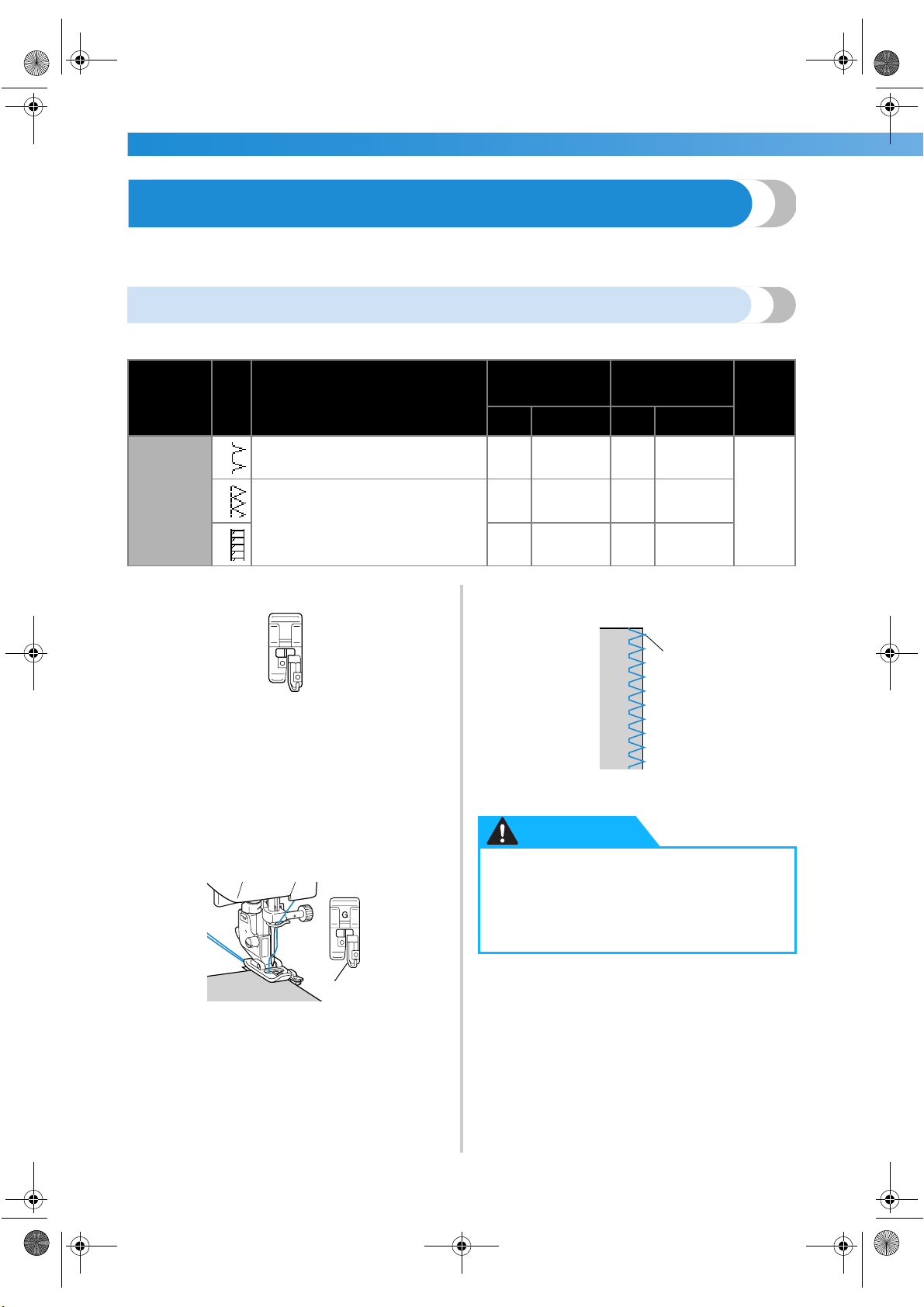
UTILITY STITCHES ——————————————————————————————————————————————————————
—
68
Overcasting Stitches
Sew overcasting stitches along the edges of cut fabric to prevent them from fraying. Fifteen stitches are available for
overcasting. The procedure for sewing overcasting stitch is explained according to the presser foot that is used.
Sewing overcasting stitches using overcasting foot “G”
Three stitches can be used to sew overcasting with overcasting foot “G”.
1
Attach overcasting foot “G”.
• For details, refer to “Replacing the presser
foot” (page 41).
2
Select a stitch.
• For details, refer to “Selecting stitching”
(page 66).
3
Position the fabric with the edge of the fabric
against the guide of the presser foot, and then
lower the presser foot lever.
1 Guide
4
Sew with the edge of the fabric against the
presser foot guide.
1 Needle drop point
Stitch Name
Pattern
Application
Stitch Width
[mm (inch.)]
Stitch Length
[mm (inch.)]
Presser
Foot
Auto Manual Auto Manual
Overcasting
stitch
11
Preventing fraying in medium weight
and thin fabrics
3.5
(1/8)
2.5–5.0
(3/32–3/16)
2.0
(1/16)
1.0–4.0
(1/16–3/16)
G
12
Preventing fraying in thick fabrics and
fabrics that fray easily
5.0
(3/16)
2.5–5.0
(3/32–3/16)
2.5
(3/32)
1.0–4.0
(1/16–3/16)
13
5.0
(3/16)
3.5–5.0
(1/8–3/16)
2.5
(3/32)
1.0–4.0
(1/16–3/16)
G
1
● After adjusting the stitch width, slowly
turn the balance wheel toward you and
check that the needle does not touch the
presser foot. If the needle hits the presser
foot, the needle may bend or break.
1
CAUTION
S3_brotherE.book Page 68 Wednesday, February 12, 2003 11:49 AM
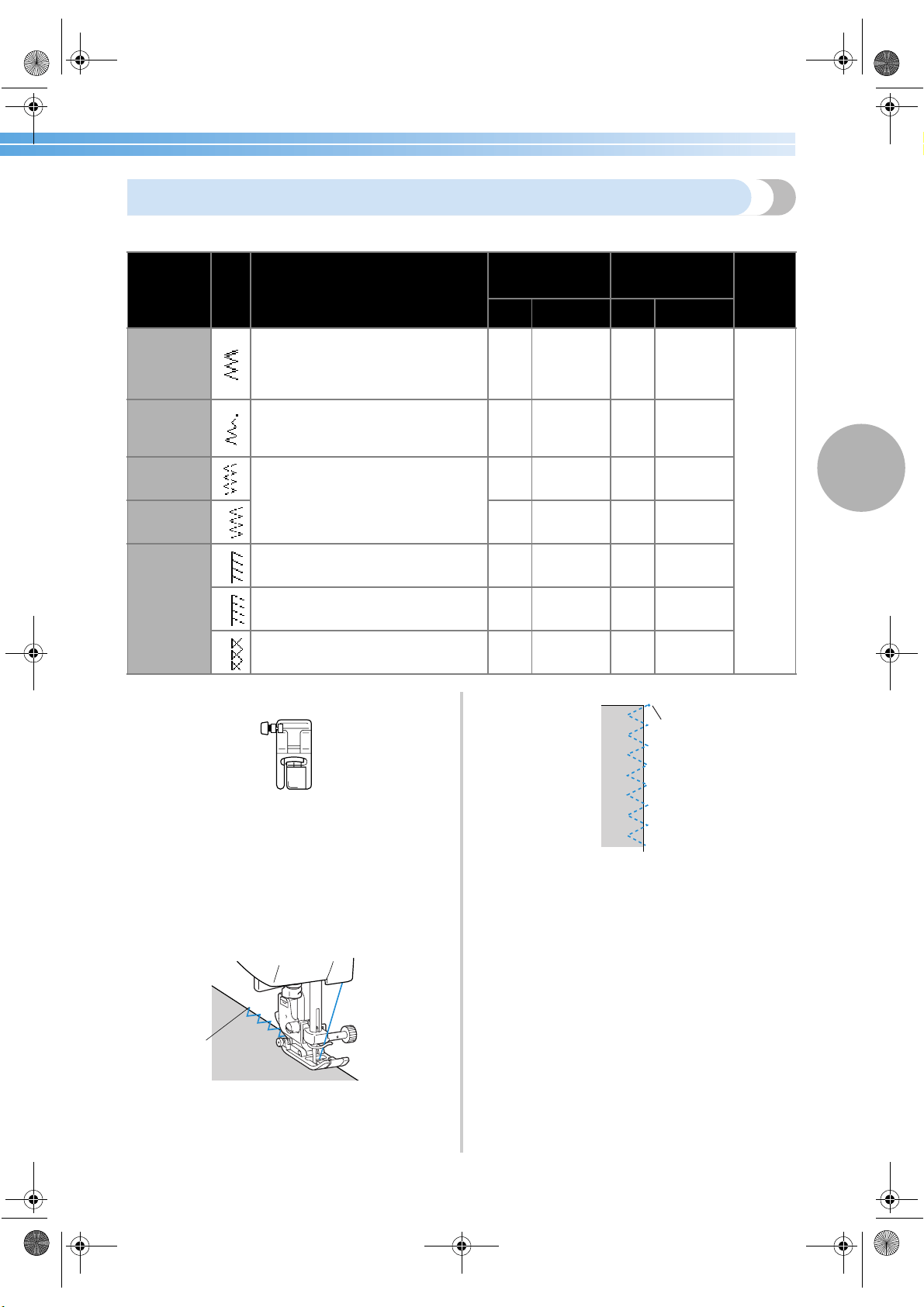
Overcasting Stitches 69
3
Sewing overcasting stitches using zigzag foot “J”
Seven stitches can be used to sew overcasting stitches with zigzag foot “J”.
1
Attach zigzag foot “J”.
• For details, refer to “Replacing the presser
foot” (page 41).
2
Select a stitch.
• For details, refer to “Selecting stitching”
(page 66).
3
Sew along the edge of the fabric with the
needle dropping off the edge at the right.
1 Needle drop point
1 Needle drop point
Stitch Name
Pattern
Application
Stitch Width
[mm (inch.)]
Stitch Length
[mm (inch.)]
Presser
Foot
Auto Manual Auto Manual
Zigzag stitch
(center
needle
position)
7
Preventing fraying (center baseline/
reverse stitching)
3.5
(1/8)
0.0–7.0
(0–1/4)
1.4
(1/16)
0.0–4.0
(0–3/16)
J
Zigzag stitch
(right needle
position)
8
Preventing fraying (right baseline/
reinforcement stitching)
3.5
(1/8)
2.5–5.0
(3/32–3/16)
1.4
(1/16)
0.3–4.0
(1/64–3/16)
2-point
zigzag stitch
9
Preventing fraying in thick fabrics and
stretch fabrics
5.0
(3/16)
1.5–7.0
(1/16–1/4)
1.0
(1/16)
0.2–4.0
(1/64–3/16)
3-point
zigzag stitch
10
5.0
(3/16)
1.5–7.0
(1/16–1/4)
1.0
(1/16)
0.2–4.0
(1/64–3/16)
Overcasting
stitch
14
Preventing fraying in stretch fabrics
5.0
(3/16)
0.0–7.0
(0–1/4)
2.5
(3/32)
0.5–4.0
(1/32–3/16)
15
Preventing fraying in thick fabrics and
stretch fabrics
5.0
(3/16)
0.0–7.0
(0–1/4)
2.5
(3/32)
0.5–4.0
(1/32–3/16)
16
Preventing fraying in stretch fabrics
4.0
(3/16)
0.0–7.0
(0–1/4)
4.0
(3/16)
1.0–4.0
(1/16–3/16)
J
1
1
S3_brotherE.book Page 69 Wednesday, February 12, 2003 11:49 AM
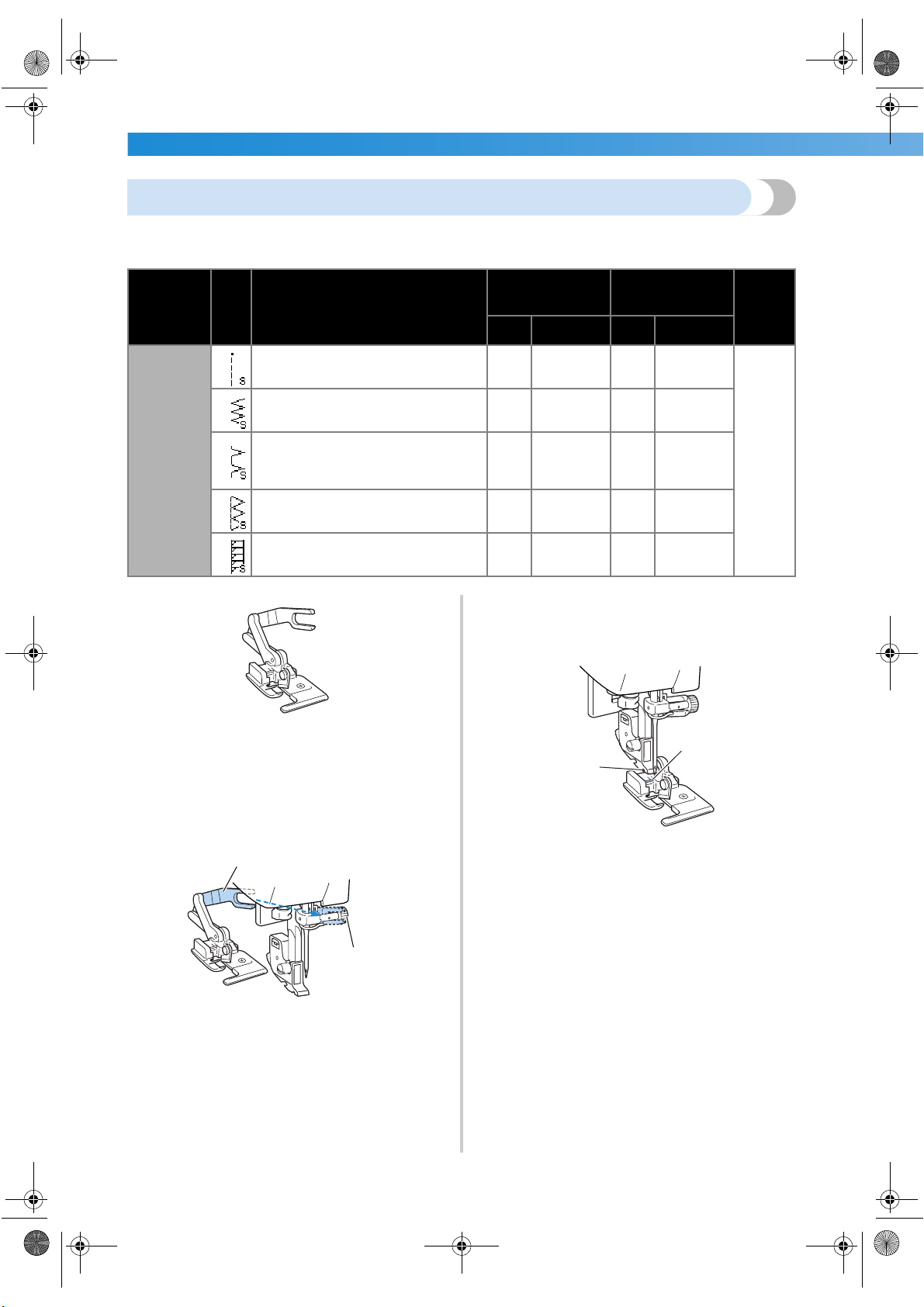
UTILITY STITCHES ——————————————————————————————————————————————————————
—
70
Sewing overcasting stitches using the optional side cutter
Using the side cutter, seam allowances can be finished while the edge of the fabric is cut off. Five stitches can be
used to sew overcasting stitches with the side cutter.
1
Remove the presser foot.
• For details, refer to “Replacing the presser
foot” (page 41).
2
Hook the connecting fork of the side cutter
onto the needle clamp screw.
1 Connecting fork
2 Needle clamp screw
3
Position the side cutter so that side cutter pin
is aligned with the notch in the presser foot
holder, and then slowly lower the presser foot
lever.
1 Notch in presser foot holder
2 Pin
X The side cutter is attached.
Stitch Name
Pattern
Application
Stitch Width
[mm (inch.)]
Stitch Length
[mm (inch.)]
Presser
Foot
Auto Manual Auto Manual
Overcasting
stitch
63
Sewing straight stitches while cutting
the fabric
0.0
(0)
0.0–2.5
(0–3/32)
2.5
(3/32)
0.2–5.0
(1/64–3/16)
S
64
Sewing zigzag stitches while cutting
the fabric
3.5
(1/8)
3.5–5.0
(1/8–3/16)
1.4
(1/16)
0.0–4.0
(0–3/16)
65
Preventing fraying in thin and
mediumweight fabrics while cutting
the fabric
3.5
(1/8)
3.5–5.0
(1/8–3/16)
2.0
(1/16)
1.0–4.0
(1/16–3/16)
66
Preventing fraying in thick fabrics
while cutting the fabric
5.0
(3/16)
3.5–5.0
(1/8–3/16)
2.5
(3/32)
1.0–4.0
(1/16–3/16)
67
Preventing fraying in thick fabrics
while cutting the fabric
5.0
(3/16)
3.5–5.0
(1/8–3/16)
2.5
(3/32)
1.0–4.0
(1/16–3/16)
1
2
1
2
S3_brotherE.book Page 70 Wednesday, February 12, 2003 11:49 AM
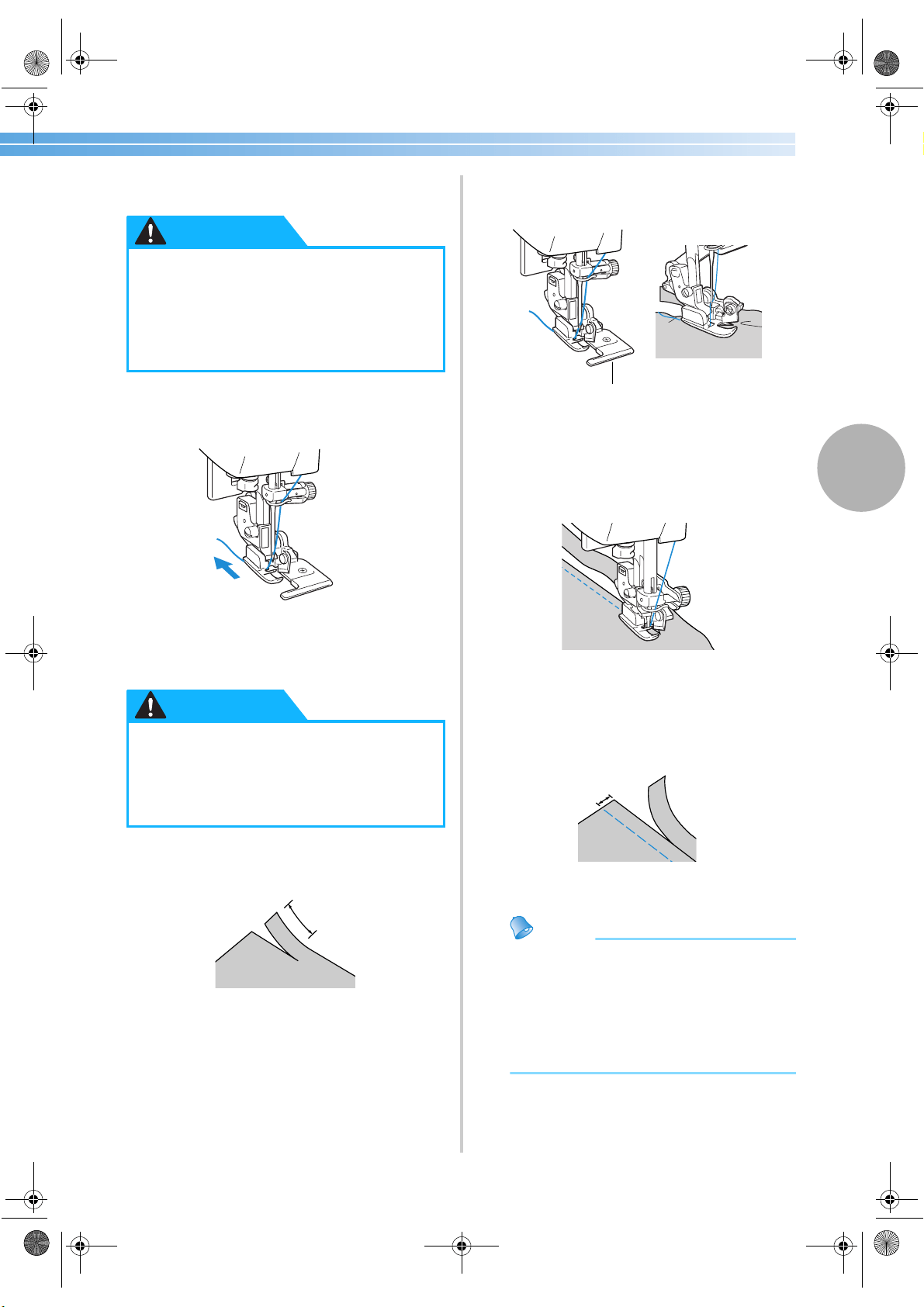
Overcasting Stitches 71
3
4
Raise the presser foot lever to check that the
side cutter is securely attached.
5
Pass the upper thread under the side cutter,
and then pull it out toward the rear of the
sewing machine.
6
Select a stitch.
• For details, refer to “Selecting stitching”
(page 66).
7
Make a cut of about 2 cm (1/16 inch) long in
the fabric at the beginning of the stitching.
1 2 cm (1/16 inch)
8
Position the fabric in the side cutter.
The cut in the fabric should be positioned over
the guide plate of the side cutter.
1 Guide plate
• If the fabric is not positioned correctly, the
fabric will not be cut.
9
Lower the presser foot lever, and then start
sewing.
X A seam allowance is cut while the stitching
is sewn.
• If the stitching is sewn in a straight line, the
seam allowance will be about 5 mm
(3/16 inch).
1 5 mm (3/16 inch)
Memo
● The side cutter can cut as much as one layer
of 13-oz. denim.
● After using the side cutter, clean it by
removing any lint or dust.
● If the side cutter can no longer cut fabric,
use a rag to apply a small amount of oil to
the cutting edge of the cutter.
● If the thread cassette is to be installed
with the side cutter attached, be sure to
lower the presser foot lever. If the
presser foot lever remains raised, the
needle threader will hit the presser foot,
which may result in damages.
● After adjusting the stitch width, slowly
turn the balance wheel toward you and
check that the needle does not touch the
presser foot. If the needle hits the presser
foot, the needle may bend or break.
CAUTION
CAUTION
1
1
1
S3_brotherE.book Page 71 Wednesday, February 12, 2003 11:49 AM
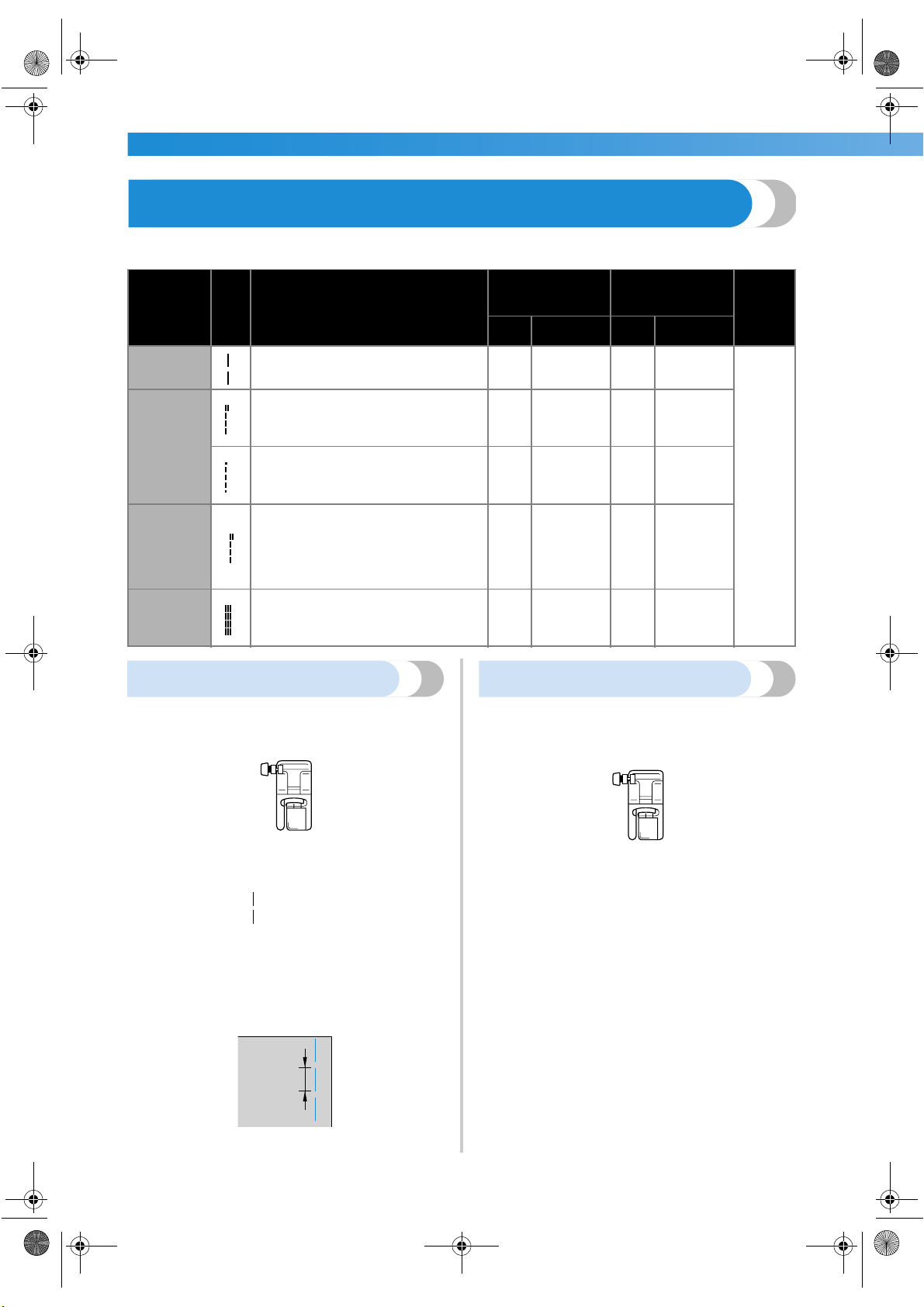
UTILITY STITCHES ——————————————————————————————————————————————————————
—
72
Basic Stitching
Straight stitches are used for sewing plain seams. Five stitches are available for basic stitching.
Basting
Sew basting with a stitch length of 5 mm (3/16 inch).
1
Attach zigzag foot “J”.
• For details, refer to “Replacing the presser
foot” (page 41).
2
Select stitch
6
.
• For details, refer to “Selecting stitching”
(page 66).
3
Start sewing.
• For details, refer to “Starting to sew”
(page 51).
1 5 mm (3/16 inch)
Basic stitching
1
Baste or pin together the fabric pieces.
2
Attach zigzag foot “J”.
• For details, refer to “Replacing the presser
foot” (page 41).
3
Select a stitch.
• For details, refer to “Selecting stitching”
(page 66).
4
Lower the needle into the fabric at the
beginning of the stitching.
Stitch Name
Pattern
Application
Stitch Width
[mm (inch.)]
Stitch Length
[mm (inch.)]
Presser
Foot
Auto Manual Auto Manual
Basting
stitch
6
Temporarily securing
0.0
(0)
0.0–7.0
(0–1/4)
––
J
Straight
stitch (left
needle
position)
1
Basic stitching and sewing gathers or
pintucks (left baseline/reverse
stitching)
0.0
(0)
0.0–7.0
(0–1/4)
2.5
(3/32)
0.2–5.0
(1/64–3/16)
2
Basic stitching and sewing gathers or
pintucks (left baseline/reinforcement
stitching)
0.0
(0)
0.0–7.0
(0–1/4)
2.5
(3/32)
0.2–5.0
(1/64–3/16)
Straight
stitch
(center
needle
position)
3
Basic stitching and sewing gathers or
pintucks (center baseline/reverse
stitching)
––
2.5
(3/32)
0.2–5.0
(1/64–3/16)
Triple
stretch
stitch
4
Reinforcing seams and sewing stretch
fabrics
0.0
(0)
0.0–7.0
(0–1/4)
2.5
(3/32)
1.5–4.0
(1/16–3/16)
J
1
J
S3_brotherE.book Page 72 Wednesday, February 12, 2003 11:49 AM
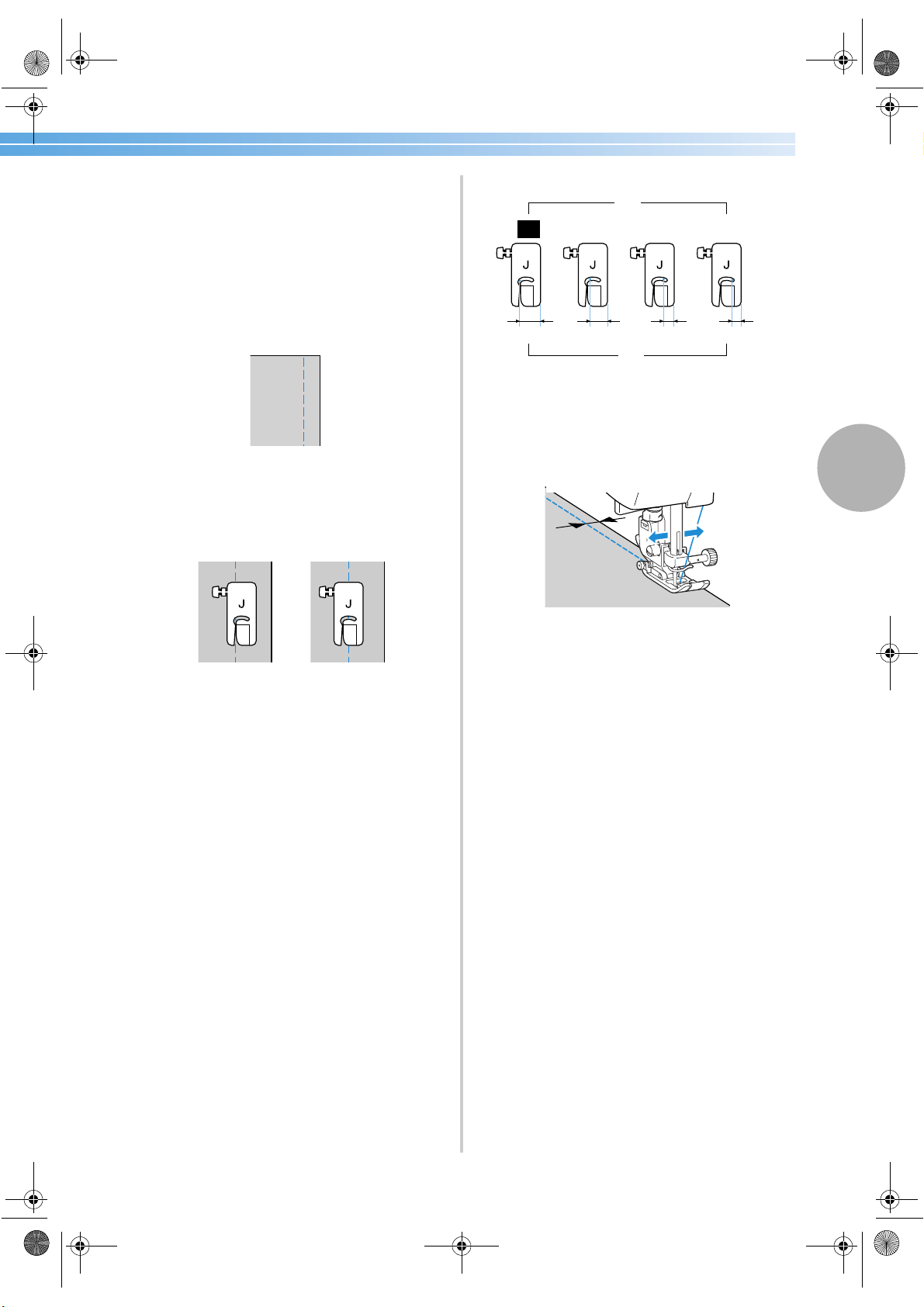
Basic Stitching 73
3
5
Start sewing.
• For details, refer to “Starting to sew”
(page 51).
• For details on sewing reverse/reinforcement
stitches, refer to “Securing the stitching”
(page 53).
6
When sewing is finished, cut the thread.
• For details, refer to “Cutting the thread”
(page 55).
■ Changing the needle position
The needle position used as the baseline is
different for the straight stitch (left needle position)
and the straight stitch (center needle position).
1 Straight stitch (left needle position)
2 Straight stitch (center needle position)
When the stitch width of the straight stitch (left
needle position) is set to its standard setting
(0.0 mm), the distance from the needle position to
the right side of the presser foot is 12 mm
(1/2 inch). If the stitch width is changed (between
0 and 7 mm (1/4 inch)), the needle position will
also change. By changing the stitch width and
sewing with the right side of the presser foot
aligned with the edge of the fabric, a seam
allowance can be sewn with a fixed width.
1 Stitch width
2 Distance from the needle position to the right
side of the presser foot
3 12.0 mm (1/2 inch)
4 10.0 mm (3/8 inch)
5 6.5 mm (1/4 inch)
6 5.0 mm (3/16 inch)
• For details, refer to “Adjusting the stitch
width” (page 57).
1
2
0.0 2.0 5.5 7.0
1
6
543
2
S3_brotherE.book Page 73 Wednesday, February 12, 2003 11:49 AM
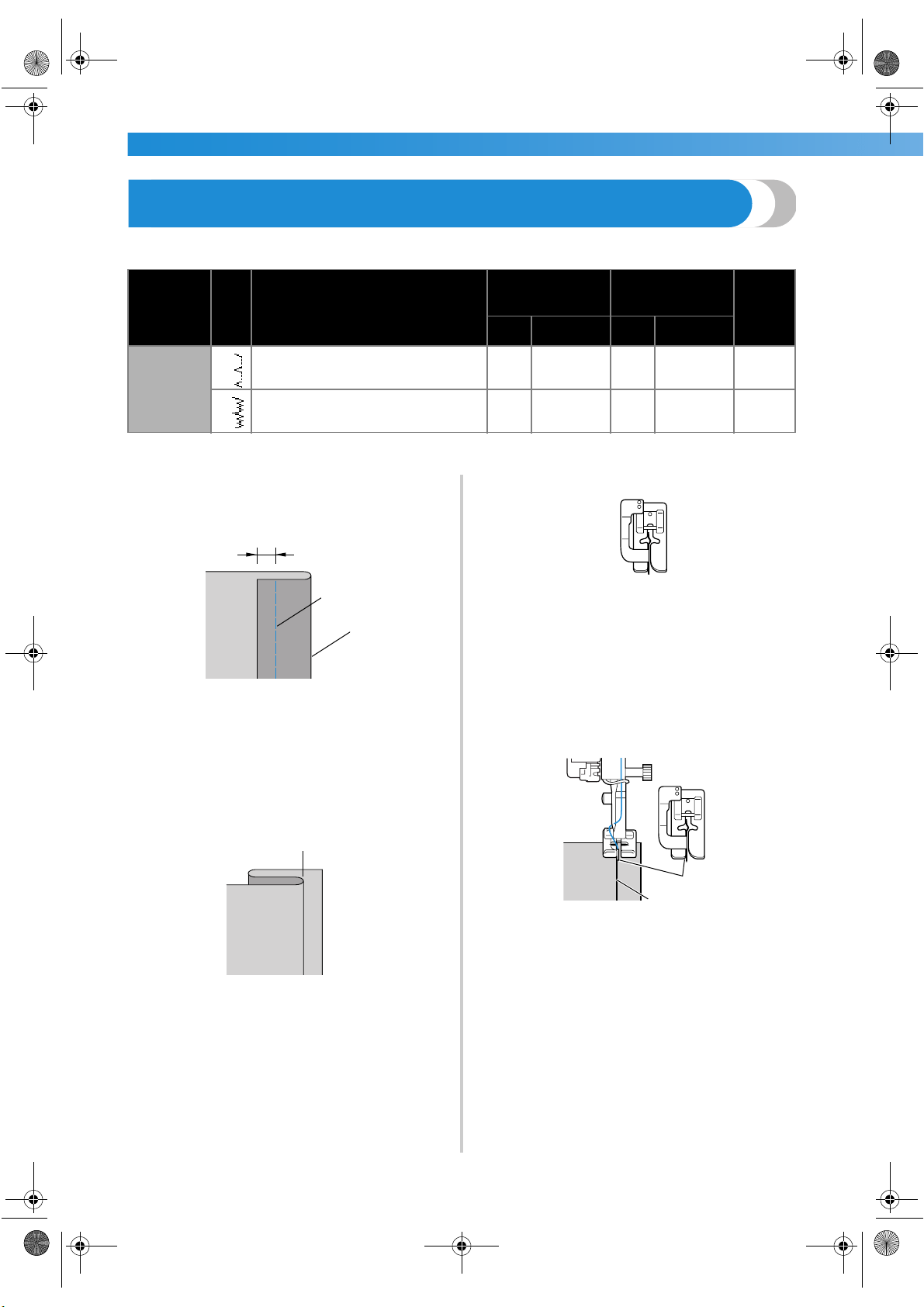
UTILITY STITCHES ——————————————————————————————————————————————————————
—
74
Blind Hem Stitching
Secure the bottoms of skirts and pants with a blind hem. Two stitches are available for blind hem stitching.
Sew a blind hem according to the following procedure.
1
Fold the fabric along the desired edge of the
hem, and then baste it about 5 mm
(3/16 inch) from the edge of the fabric.
1 Wrong side of fabric
2 Basting stitching
3 Desired edge of hem
4 5 mm (3/16 inch)
2
Fold back the fabric along the basting, and
then position the fabric with the wrong side
facing up.
1 Wrong side of fabric
2 Basting
3
Attach blind hem foot “R”.
• For details, refer to “Replacing the presser
foot” (page 41).
4
Select a stitch.
• For details, refer to “Selecting stitching”
(page 66).
5
Position the fabric with the edge of the folded
hem against the guide of the presser foot, and
then lower the presser foot lever.
1 Wrong side of fabric
2 Fold of hem
3 Guide
Stitch Name
Pattern
Application
Stitch Width
[mm (inch.)]
Stitch Length
[mm (inch.)]
Presser
Foot
Auto Manual Auto Manual
Blind hem
stitch
17
Blind hem stitching on mediumweight
fabrics
0.0
(0)
3← – 3→
2.0
(1/16)
1.0–3.5
(1/16–1/8)
R
18
Blind hem stitching on stretch fabrics
0.0
(0)
3← – 3→
2.0
(1/16)
1.0–3.5
(1/16–1/8)
R
2
1
3
4
2
1
R
1
2
R
3
S3_brotherE.book Page 74 Wednesday, February 12, 2003 11:49 AM
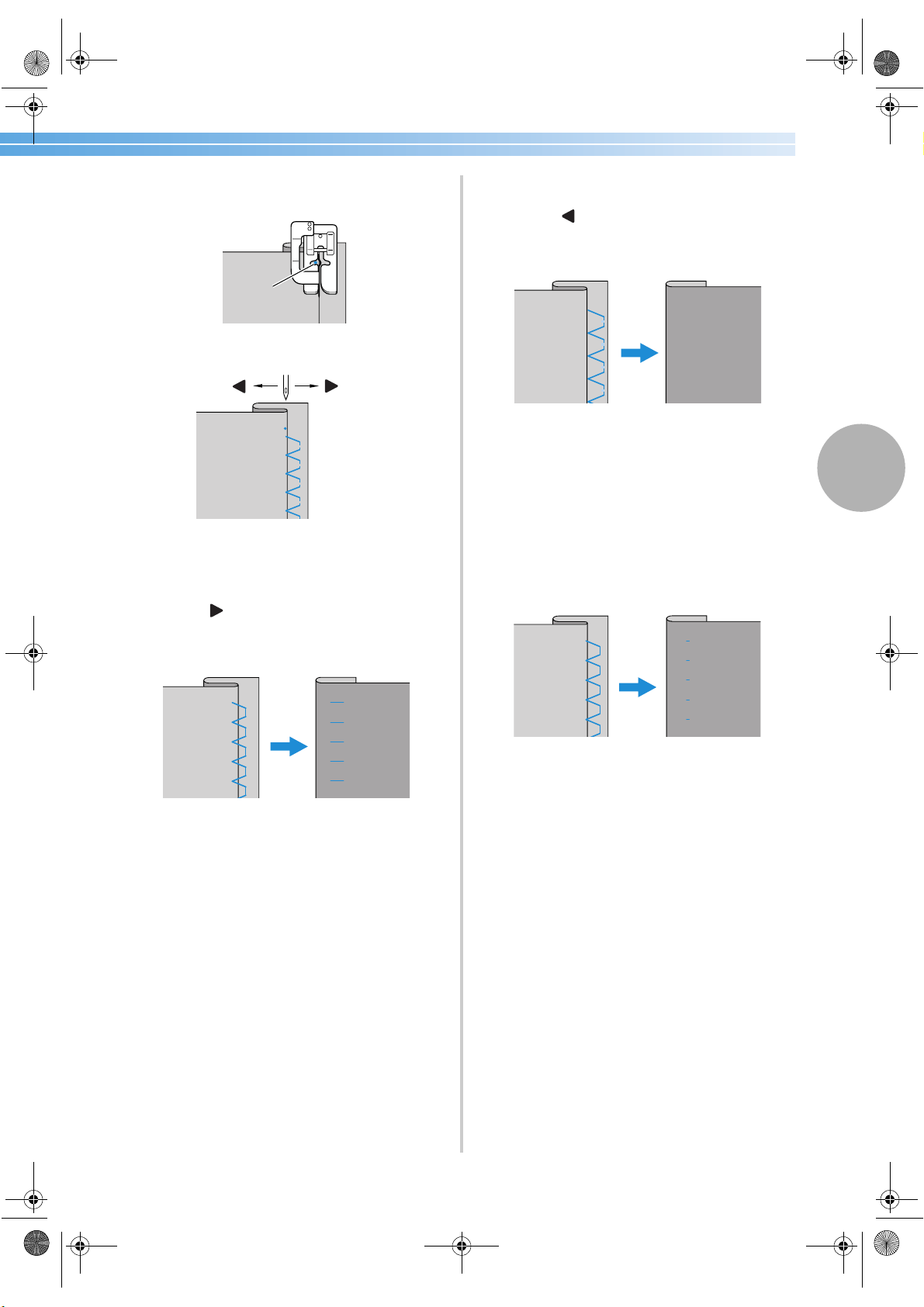
Blind Hem Stitching 75
3
6
Adjust the stitch width until the needle
slightly catches the fold of the hem.
1 Needle drop point
1 Stitch width
■ If the needle catches too much of the hem
fold
The needle is too far to the left.
Press (of the arrow keys) to decrease the
stitch width so that the needle slightly catches
the fold of the hem.
1 Wrong side of fabric
2 Right side of fabric
■ If the needle does not catch the hem fold
The needle is too far to the right.
Press (of the arrow keys) to increase the
stitch width so that the needle slightly catches
the fold of the hem.
1 Wrong side of fabric
2 Right side of fabric
• For details on changing the stitch width,
refer to “Adjusting the Stitch Width and
Length” (page 57).
7
Sew with the fold of the hem against the
presser foot guide.
8
Remove the basting stitching.
1 Wrong side of fabric
2 Right side of fabric
R
1
1
–
+
1
2
1
2
1
2
S3_brotherE.book Page 75 Wednesday, February 12, 2003 11:49 AM
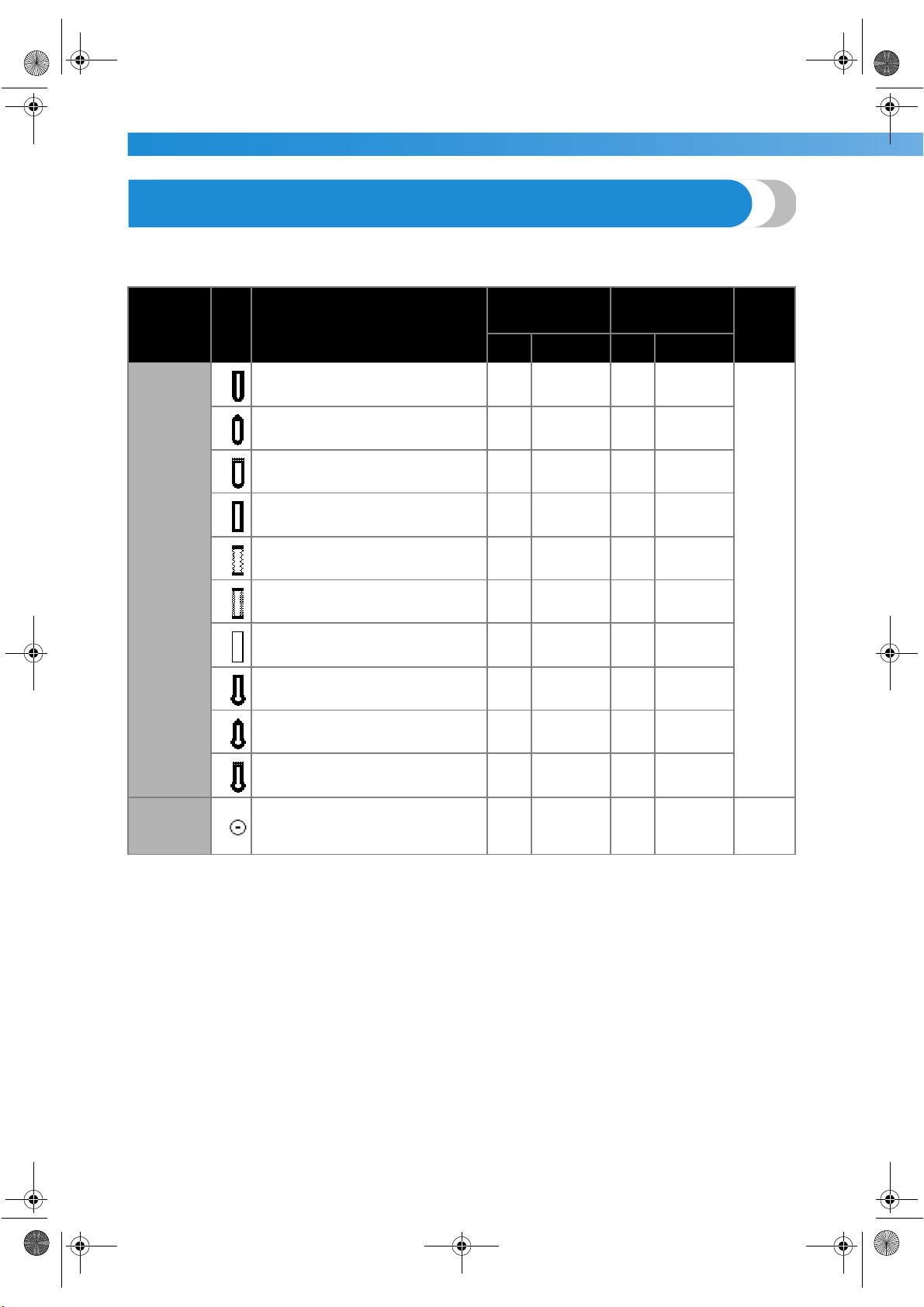
UTILITY STITCHES ——————————————————————————————————————————————————————
—
76
Buttonhole Stitching
Buttonholes can be sewn and buttons can be sewn on. Eleven stitches are available for sewing on buttons and
one-step buttonholes.
Stitch Name
Pattern
Application
Stitch Width
[mm (inch.)]
Stitch Length
[mm (inch.)]
Presser
Foot
Auto Manual Auto Manual
Buttonhole
stitch
42
Horizontal buttonholes on thin and
mediumweight fabrics
5.0
(3/16)
3.0–5.0
(1/8–3/16)
0.4
(1/64)
0.2–1.0
(1/64–1/16)
A
43
Horizontal buttonholes on areas that
are subject to strain
5.0
(3/16)
3.0–5.0
(1/8–3/16)
0.4
(1/64)
0.2–1.0
(1/64–1/16)
44
Horizontal buttonholes on thick
fabrics
5.0
(3/16)
3.0–5.0
(1/8–3/16)
0.4
(1/64)
0.2–1.0
(1/64–1/16)
45
Buttonholes with bar tacks on both
ends for stabilized fabrics
5.0
(3/16)
3.0–5.0
(1/8–3/16)
0.4
(1/64)
0.2–1.0
(1/64–1/16)
46
Buttonholes for stretch or knit fabrics
6.0
(15/64)
3.0–6.0
(1/8–15/64)
1.0
(1/16)
0.5–2.0
(1/32–1/16)
47
Buttonholes for stretch fabrics
6.0
(15/64)
3.0–6.0
(1/8–15/64)
1.5
(1/16)
1.0–3.0
(1/16–1/8)
48
Bound buttonholes
5.0
(3/16)
0.0–6.0
(0–15/64)
2.0
(1/16)
0.2–4.0
(1/64–3/16)
49
Keyhole buttonholes for thick or plush
fabrics
7.0
(1/4)
3.0–7.0
(1/8–1/4)
0.5
(1/32)
0.3–1.0
(1/64–1/16)
50
Keyhole buttonholes for
mediumweight and thick fabrics
7.0
(1/4)
3.0–7.0
(1/8–1/4)
0.5
(1/32)
0.3–1.0
(1/64–1/16)
51
Horizontal buttonhole for thick or
plush fabrics
7.0
(1/4)
3.0–7.0
(1/8–1/4)
0.5
(1/32)
0.3–1.0
(1/64–1/16)
Button-
sewing
stitch
55
Button sewing
3.5
(1/8)
2.5–4.5
(3/32–3/16)
–– M
S3_brotherE.book Page 76 Wednesday, February 12, 2003 11:49 AM
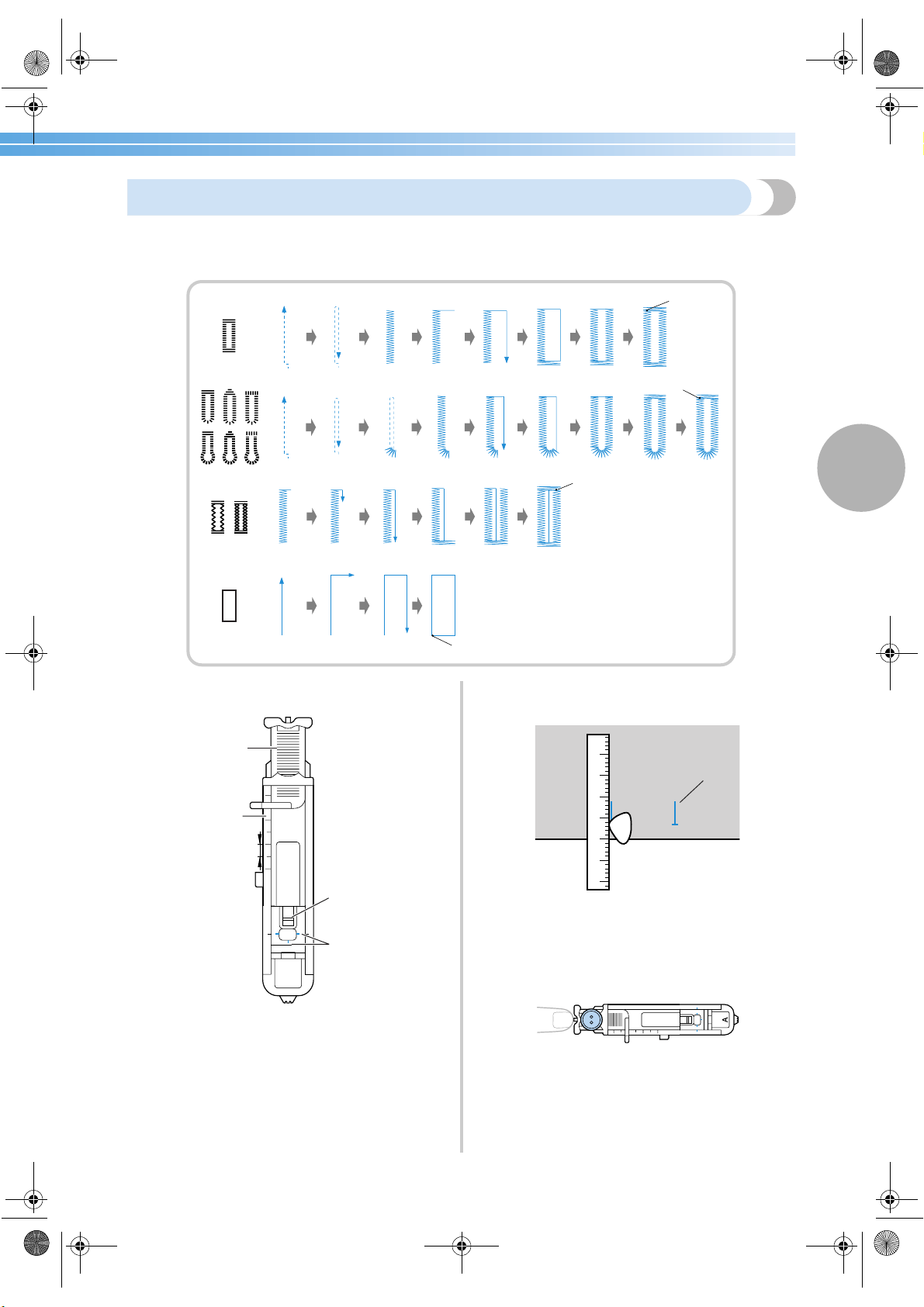
Buttonhole Stitching 77
3
Buttonhole sewing
The maximum buttonhole length is about 28 mm (1-1/8 inch) (diameter + thickness of the button).
Buttonholes are sewn from the front of the presser foot to the back, as shown below.
The names of parts of buttonhole foot “A”, which is
used for sewing buttonholes, are indicated below.
1 Button guide plate
2 Presser foot scale
3 Pin
4 Marks on buttonhole foot
5 5 mm (3/16 inch)
1
Use chalk to mark on the fabric the position
and length of the buttonhole.
1 Marks on fabric
2
Pull out the button guide plate of buttonhole
foot “A”, and then insert the button that will
be put through the buttonhole.
1
1
1
1
1 Reinforcement stitching
A
1
2
5
3
4
1
S3_brotherE.book Page 77 Wednesday, February 12, 2003 11:49 AM
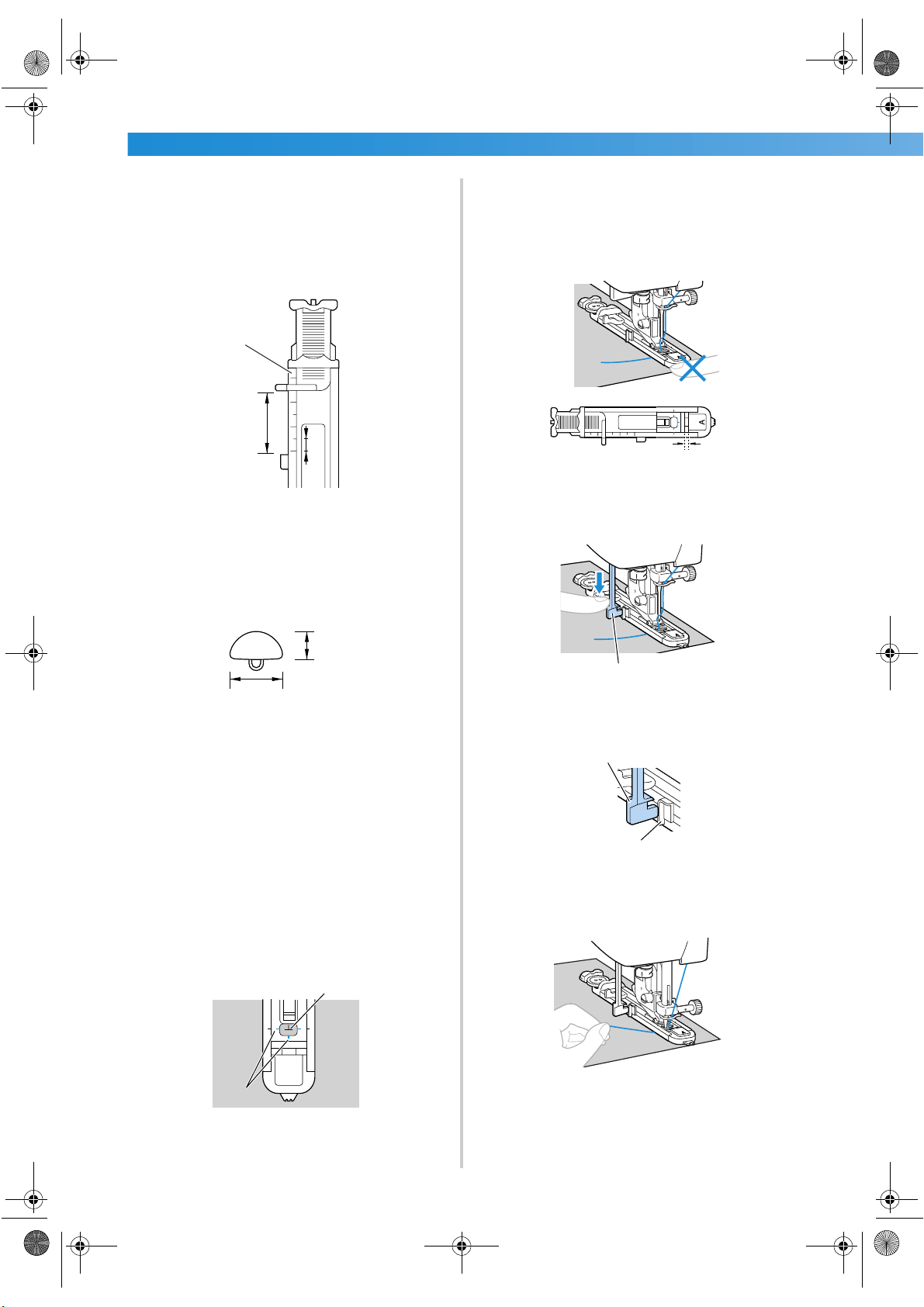
UTILITY STITCHES ——————————————————————————————————————————————————————
—
78
■ If the button does not fit in the button guide
plate
Add together the diameter and thickness of
the button, and then set the button guide
plate to the calculated length. (The distance
between the markings on the presser foot
scale is 5 mm (3/16 inch).)
1 Presser foot scale
2 Length of buttonhole
(Diameter + thickness of button)
3 5 mm (3/16 inch)
Example: For a button with a diameter of 15 mm
(9/16 inch) and a thickness of 10 mm (3/8 inch),
the button guide plate should be set to 25 mm
(1 inch) on the scale.
1 10 mm (3/8 inch)
2 15 mm (9/16 inch)
X The size of the buttonhole is set.
3
Attach buttonhole foot “A”.
• For details, refer to “Replacing the presser
foot” (page 41).
4
Select a stitch.
• For details, refer to “Selecting stitching”
(page 66).
5
Position the fabric with the front end of the
buttonhole mark aligned with the red marks
on the sides of the buttonhole foot, and then
lower the presser foot lever.
1 Mark on fabric
2 Red marks on buttonhole foot
Pass the upper thread down through the hole
in the presser foot.
• When lowering the presser foot, do not push
in the front of the presser foot, otherwise the
buttonhole will not be sewn with the correct
size.
1 Do not reduce the gap.
6
Pull down the buttonhole lever as far as
possible.
1 Buttonhole lever
The buttonhole lever is positioned behind the
bracket on the buttonhole foot.
1 Buttonhole lever
2 Bracket
7
Gently hold the end of the upper thread in
your left hand, and then start sewing.
X Once sewing is completed, the machine
automatically sews reinforcement stitches,
then stops
1
3
2
1
2
A
1
2
1
1
1
2
S3_brotherE.book Page 78 Wednesday, February 12, 2003 11:49 AM
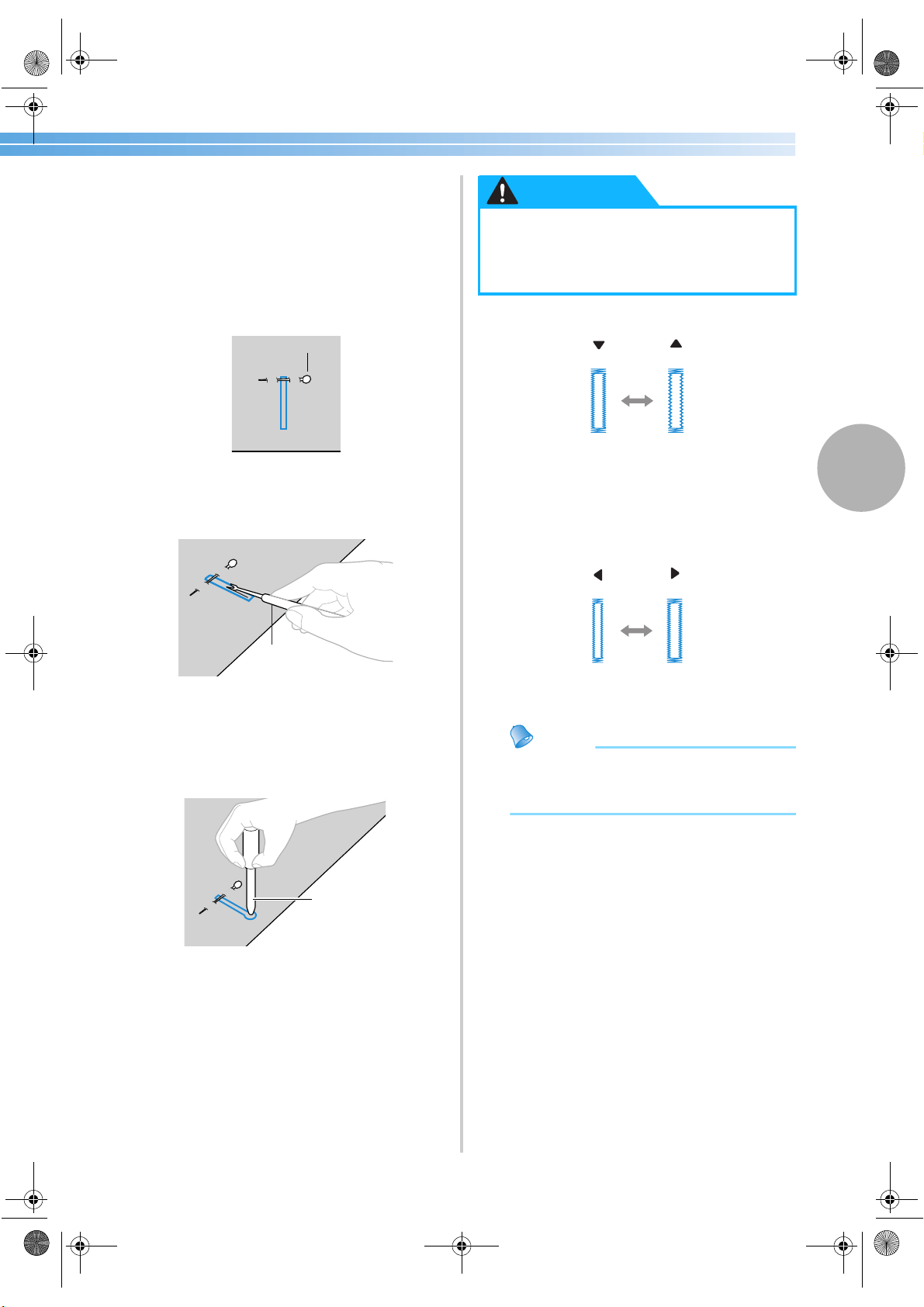
Buttonhole Stitching 79
3
8
Raise the presser foot lever, remove the
fabric, and then cut the thread.
9
Raise the buttonhole lever to its original
position.
0
Insert a pin along the inside of one bar tack at
the end of the buttonhole stitching to prevent
the stitching from being cut.
1 Pin
a
Use the seam ripper to cut towards the pin
and open the buttonhole.
1 Seam ripper
For keyhole buttonholes, use the eyelet punch
to make a hole in the rounded end of the
buttonhole, and then use the seam ripper to cut
open the buttonhole.
1 Eyelet punch
• When using the eyelet punch, place thick
paper or some other protective sheet under
the fabric before punching the hole in the
fabric.
■ Changing the density of the stitching
Adjust the stitch length.
• For details, refer to “Adjusting the stitch
length” (page 58).
• If the fabric does not feed (for example, if it is
too thick), decrease the density of the
stitching.
■ Changing the stitch width
Adjust the stitch width.
• For details, refer to “Adjusting the stitch
width” (page 57).
Memo
● Before sewing buttonholes, check the stitch
length and width by sewing a trial
buttonhole on a scrap piece of fabric.
1
1
1
● When opening the buttonhole with the
seam ripper, do not place your hands in
the cutting direction, otherwise injuries
may result if the seam ripper slips.
CAUTION
–
+
–
+
S3_brotherE.book Page 79 Wednesday, February 12, 2003 11:49 AM
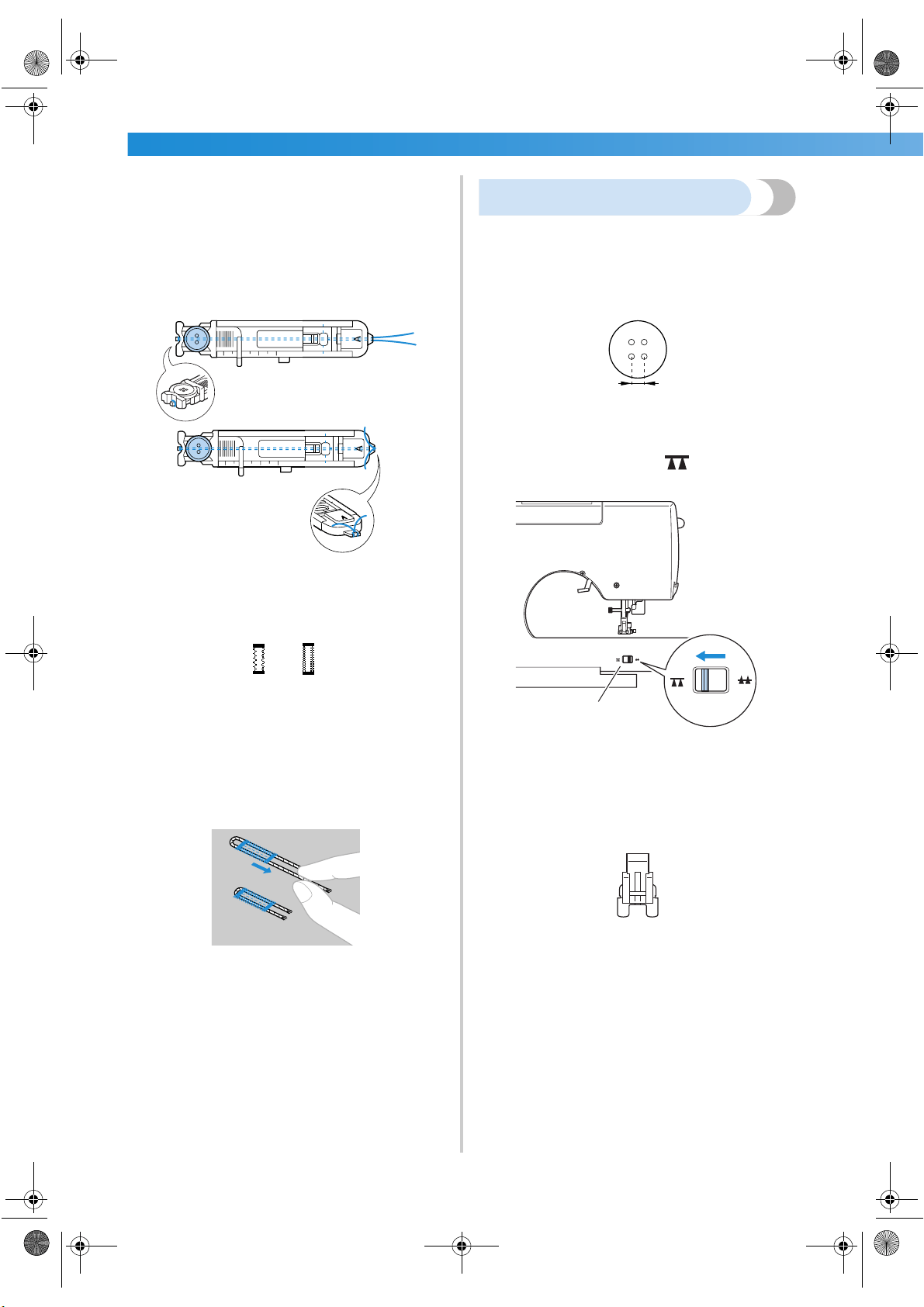
UTILITY STITCHES ——————————————————————————————————————————————————————
—
80
■ Sewing buttonholes on stretch fabrics
When sewing buttonholes on stretch fabrics, use a
gimp thread.
1
Hook the gimp thread onto the part of
buttonhole foot “A” shown in the illustration
so that it fits into the grooves, and then
loosely tie it.
2
Attach buttonhole foot “A”.
• For details, refer to “Replacing the presser
foot” (page 41).
3
Select stitch
46
or
47
.
4
Adjust the stitch width to the thickness of the
gimp thread.
5
Lower the presser foot lever and the
buttonhole lever, and then start sewing.
6
When sewing is finished, gently pull the gimp
thread to remove any slack.
7
Use a handsewing needle to pull the gimp
thread to the wrong side of the fabric, and
then tie it.
8
With a seam ripper, cut the middle part of the
gimp thread remaining at the top end of the
buttonhole.
Trim off any excess of the gimp thread.
Button sewing
Buttons can be sewn on with the sewing machine.
Buttons with 2 or with 4 holes can be attached.
1
Measure the distance between the holes in the
button to be attached.
2
Raise the presser foot lever, and then slide the
drop feed lever, located at the rear of the
machine on the base, to (to the right as
seen from the front of the machine).
1 Drop feed lever
(as seen from the rear of the machine)
X The feed dogs are lowered.
3
Attach button-sewing foot “M”.
• For details, refer to “Replacing the presser
foot” (page 41).
1
S3_brotherE.book Page 80 Wednesday, February 12, 2003 11:49 AM
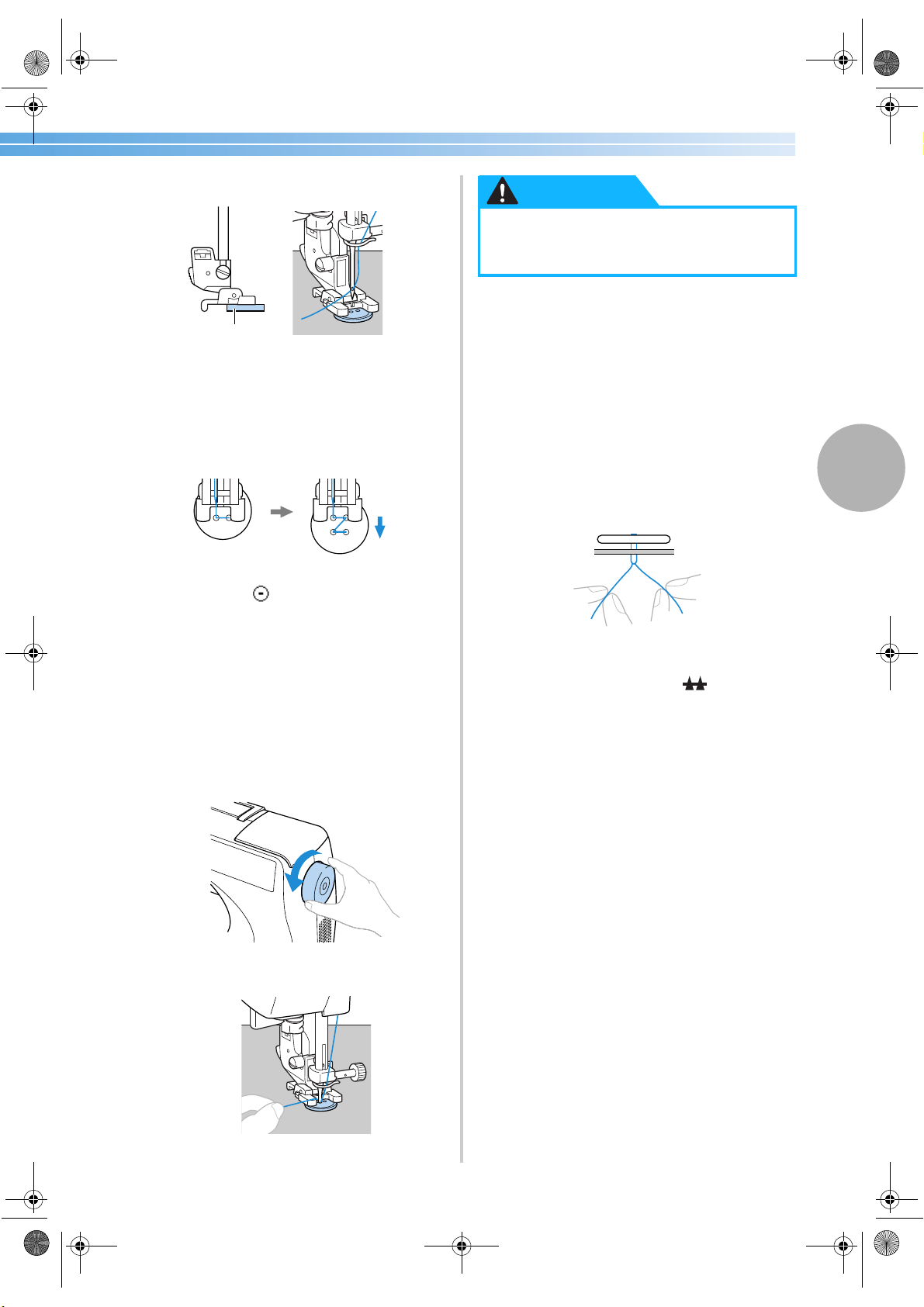
Buttonhole Stitching 81
3
4
Place the button into button-sewing foot “M”.
1 Button
• When attaching four-hole buttons, first sew
the two holes closest to you. Then, slide the
button so that the needle goes into the two
holes toward the rear of the sewing machine,
and then sew them in the same way.
5
Select stitch
55
.
• For details, refer to “Selecting stitching”
(page 66).
6
Adjust the stitch width so that it is the same as
the distance between the holes in the button.
7
Turn the balance wheel toward you to check
that the needle correctly goes into the two
holes of the button.
Adjust the stitch width to the distance between
the button holes.
8
Start sewing.
X The sewing machine automatically stops
after sewing reinforcement stitches.
• If additional strength is needed to secure the
button, perform the button-sewing operation
twice.
• Do not press the thread cutter button.
9
Pull the upper thread at the end of the
stitching to the wrong side of the fabric, and
then tie it with the bobbin thread.
Use scissors to cut the upper thread and the
bobbin thread at the beginning of the stitching.
0
When you are finished attaching the button,
slide the drop feed lever to (to the left as
seen from the front of the machine) to raise
the feed dogs.
1
● When sewing, be sure that the needle
does not touch the button, otherwise the
needle may bend or break.
CAUTION
S3_brotherE.book Page 81 Wednesday, February 12, 2003 11:49 AM
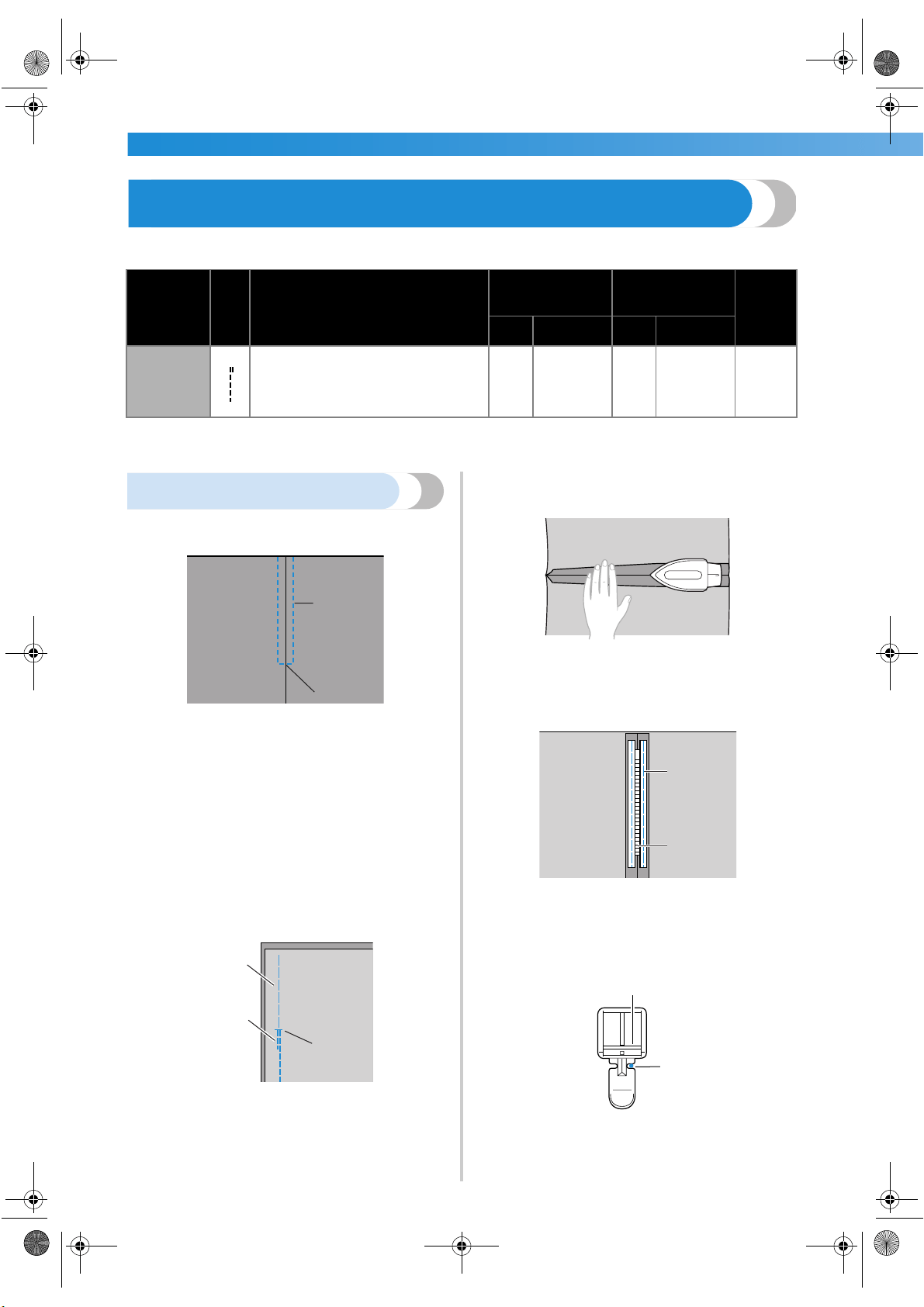
UTILITY STITCHES ——————————————————————————————————————————————————————
—
82
Zipper Insertion
A zipper can be sewn in place.
There are many methods for inserting zippers. The procedures for inserting a centered zipper and a side zipper
are described below.
Inserting a centered zipper
Stitching is sewn on both pieces of fabric butted
against each other.
1 Right side of fabric
2 Stitching
3 End of zipper opening
1
Attach zigzag foot “J” and sew straight
stitches up to the zipper opening.
With the right sides of the fabric facing each
other, sew reverse stitches after reaching the
zipper opening.
• For details, refer to “Basic Stitching”
(page 72).
2
Using a basting stitch, continue sewing to the
edge of the fabric.
1 Basting stitching
2 Reverse stitches
3 Wrong side of fabric
4 End of zipper opening
3
Press open the seam allowance from the
wrong side of the fabric.
1 Wrong side of fabric
4
Align the seam with the center of the zipper,
and then baste the zipper in place.
1 Basting stitching
2 Wrong side of fabric
3 Zipper
5
Attach the presser foot holder to the right pin
of zipper foot “I”.
1 Pin on the right side
2 Needle drop point
• For details, refer to “Replacing the presser
foot” (page 41).
Stitch Name
Pattern
Application
Stitch Width
[mm (inch.)]
Stitch Length
[mm (inch.)]
Presser
Foot
Auto Manual Auto Manual
Straight
stitch (center
needle
position)
3
Attaching zippers
Sewing concealed seams and pintucks
––
2.5
(3/32)
0.2–5.0
(1/64–3/16)
I
2
1
3
1
2
4
3
1
1
2
3
I
1
2
S3_brotherE.book Page 82 Wednesday, February 12, 2003 11:49 AM
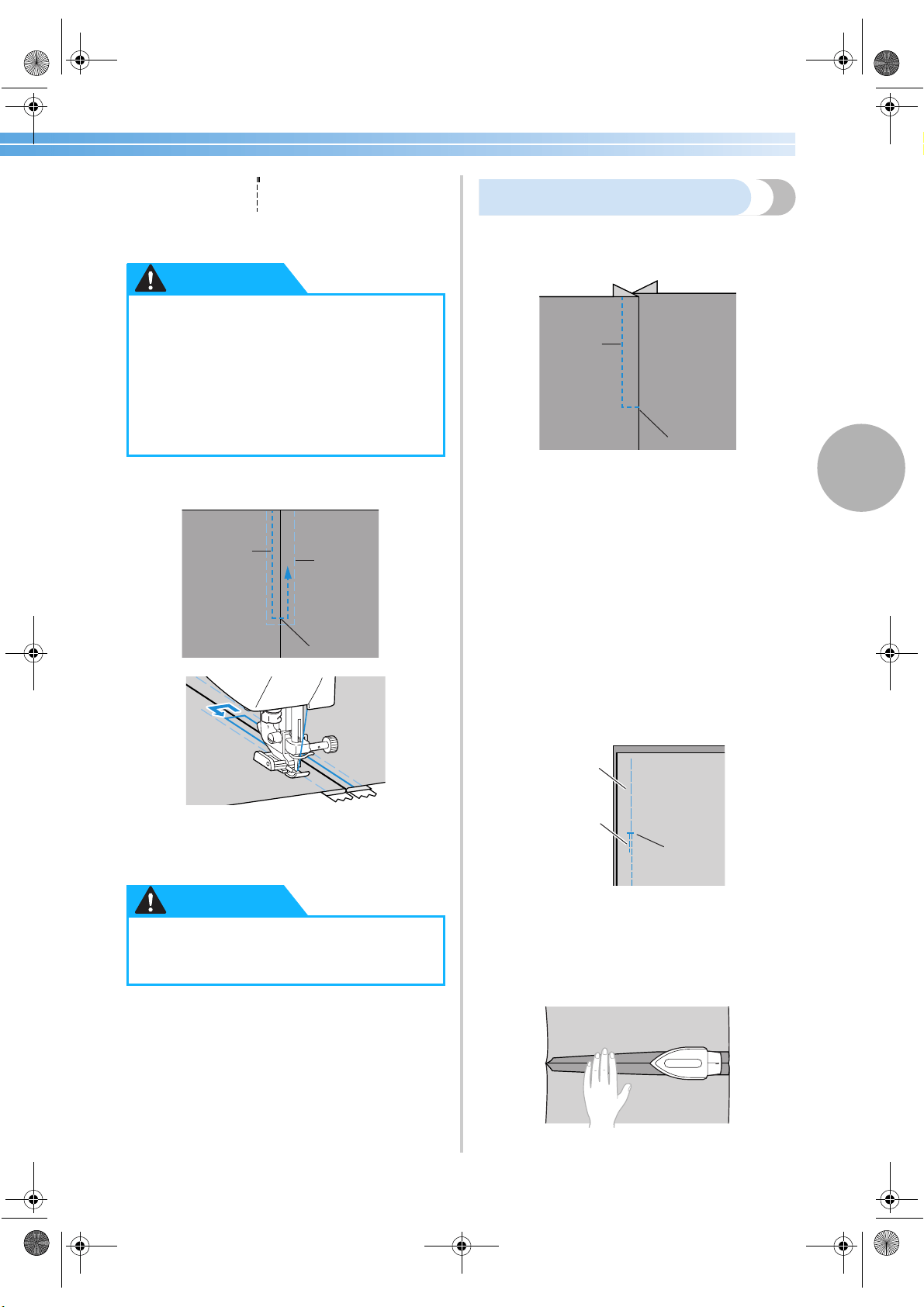
Zipper Insertion 83
3
6
Select stitch
3
.
• For details, refer to “Selecting stitching”
(page 66).
7
Topstitch around the zipper.
1 Stitching
2 Right side of fabric
3 Basting stitching
4 End of zipper opening
8
Remove the basting stitching.
Inserting a side zipper
Stitching is sewn on only one piece of fabric. Use
this type of zipper for side openings and back
openings.
1 Stitching
2 Right side of fabric
3 End of zipper opening
The following procedure will describe how to stitch
on the left side, as shown in the illustration.
1
Attach zigzag foot “J” and sew straight
stitches up to the zipper opening.
With the right sides of the fabric facing each
other, sew reverse stitches after reaching the
zipper opening.
• For details, refer to “Basic Stitching”
(page 72).
2
Using a basting stitch, continue sewing to the
edge of the fabric.
1 Basting stitching
2 Reverse stitches
3 Wrong side of fabric
4 End of zipper opening
3
Press open the seam allowance from the
wrong side of the fabric.
1 Wrong side of fabric
● When using zipper foot “I”, be sure to
select the straight stitch (center needle
position), and slowly turn the balance
wheel toward you to check that the
needle does not touch the presser foot. If
a different stitch is selected or the needle
hits the presser foot, the needle may
bend or break.
● When sewing, be sure that the needle
does not touch the zipper, otherwise the
needle may bend or break.
CAUTION
1
3
2
4
CAUTION
1
3
2
1
2
4
3
1
S3_brotherE.book Page 83 Wednesday, February 12, 2003 11:49 AM
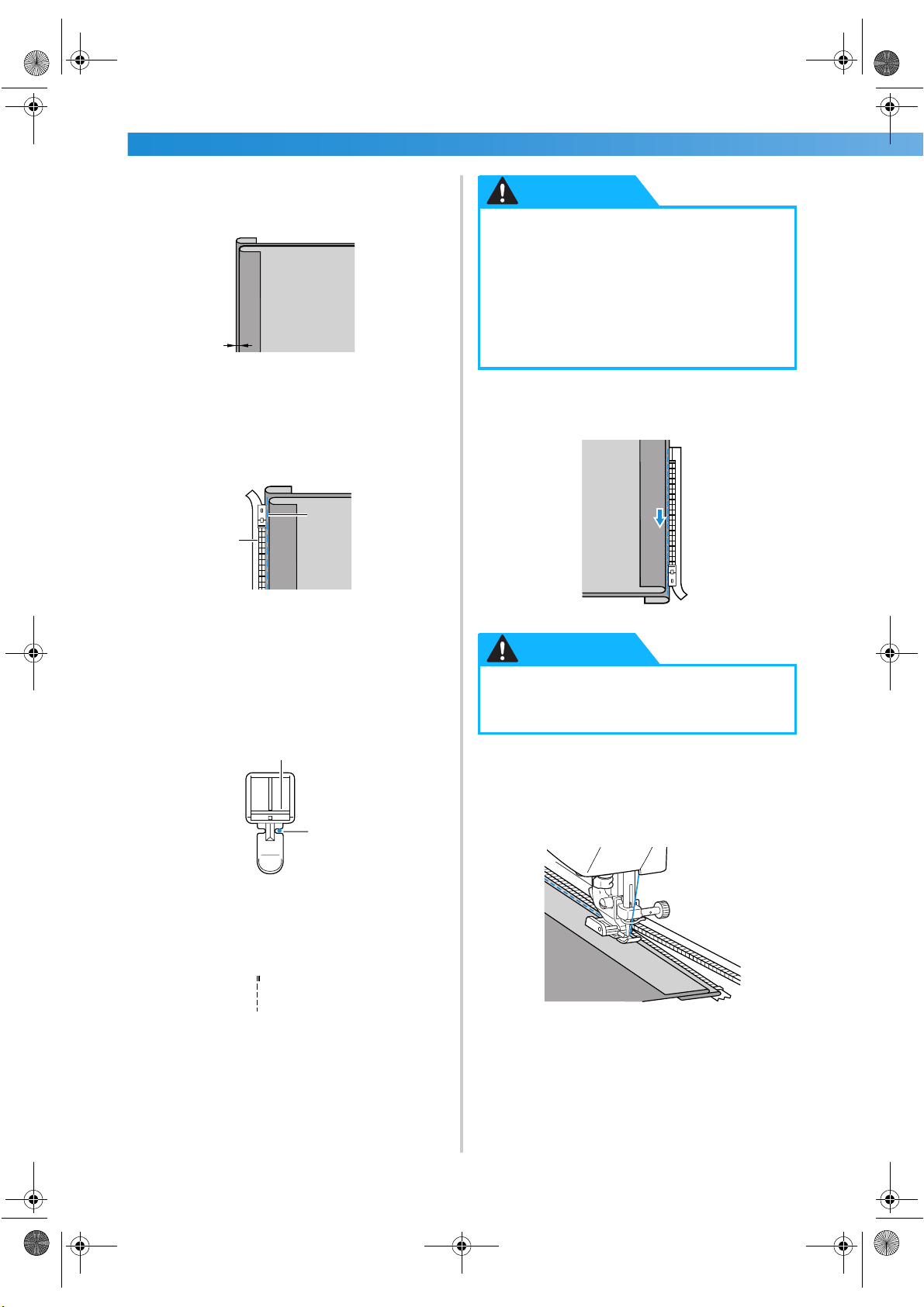
UTILITY STITCHES ——————————————————————————————————————————————————————
—
84
4
Press the seam allowance so that the right side
(the side that will not be stitched) has an extra
3 mm (1/8 inch).
1 Wrong side of fabric
2 3 mm (1/8 inch)
5
Align the zipper teeth with the pressed edge
of the fabric having the extra 3 mm (1/8 inch),
and then baste or pin the zipper in place.
1 Zipper teeth
2 Basting stitching
6
Attach the presser foot holder to the right pin
of zipper foot “I”.
If the stitching will be sewn on the right side,
attach the presser foot holder to the left pin of
the zipper foot.
1 Pin on the right side
2 Needle drop point
• For details, refer to “Replacing the presser
foot” (page 41).
7
Select stitch
3
.
• For details, refer to “Selecting stitching”
(page 66).
8
Sew the zipper to the piece of fabric with the
extra 3 mm (1/8 inch), starting from the base
of the zipper.
9
When you are about 5 cm (2 inch) from the
end of the zipper, stop the sewing machine
with the needle lowered (in the fabric), raise
the presser foot lever, and then open the
zipper and continue sewing.
1
2
1
2
I
1
2
● When using zipper foot “I”, be sure to
select the straight stitch (center needle
position), and slowly turn the balance
wheel toward you to check that the
needle does not touch the presser foot. If
a different stitch is selected or the needle
hits the presser foot, the needle may
bend or break.
● When sewing, be sure that the needle
does not touch the zipper, otherwise the
needle may bend or break.
CAUTION
CAUTION
S3_brotherE.book Page 84 Wednesday, February 12, 2003 11:49 AM
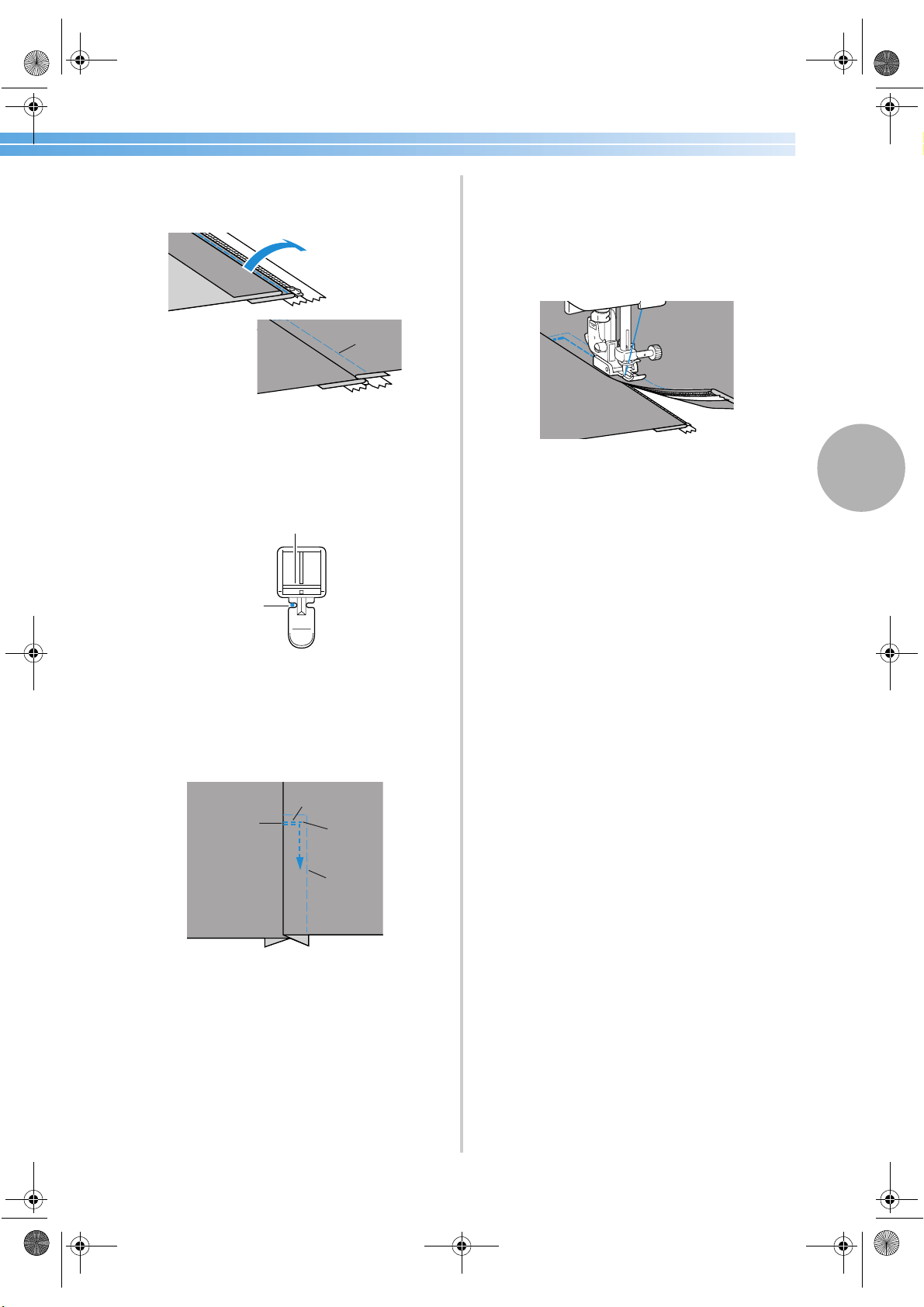
Zipper Insertion 85
3
0
Close the zipper, turn over the fabric, and
then baste the other side of the zipper to the
fabric.
1 Basting stitching
a
Attach the presser foot holder to the other pin
of zipper foot “I”.
If the presser foot holder was attached to the
right pin in step
6, change it to the left pin.
1 Pin on the left side
2 Needle drop point
b
Topstitch around the zipper.
Sew reverse stitches at the end of the zipper
opening and align the zipper teeth with the
side of the presser foot.
1 Right side of fabric
2 End of zipper opening
3 Reverse stitches
4 Beginning of stitching
5 Basting stitching
c
When you are about 5 cm (2 inch) from the
end of the zipper, stop the sewing machine
with the needle lowered (in the fabric), and
then raise the presser foot lever.
d
Remove the basting stitching, open the zipper,
and then continue sewing.
1
I
2
1
2
1
3
4
5
S3_brotherE.book Page 85 Wednesday, February 12, 2003 11:49 AM
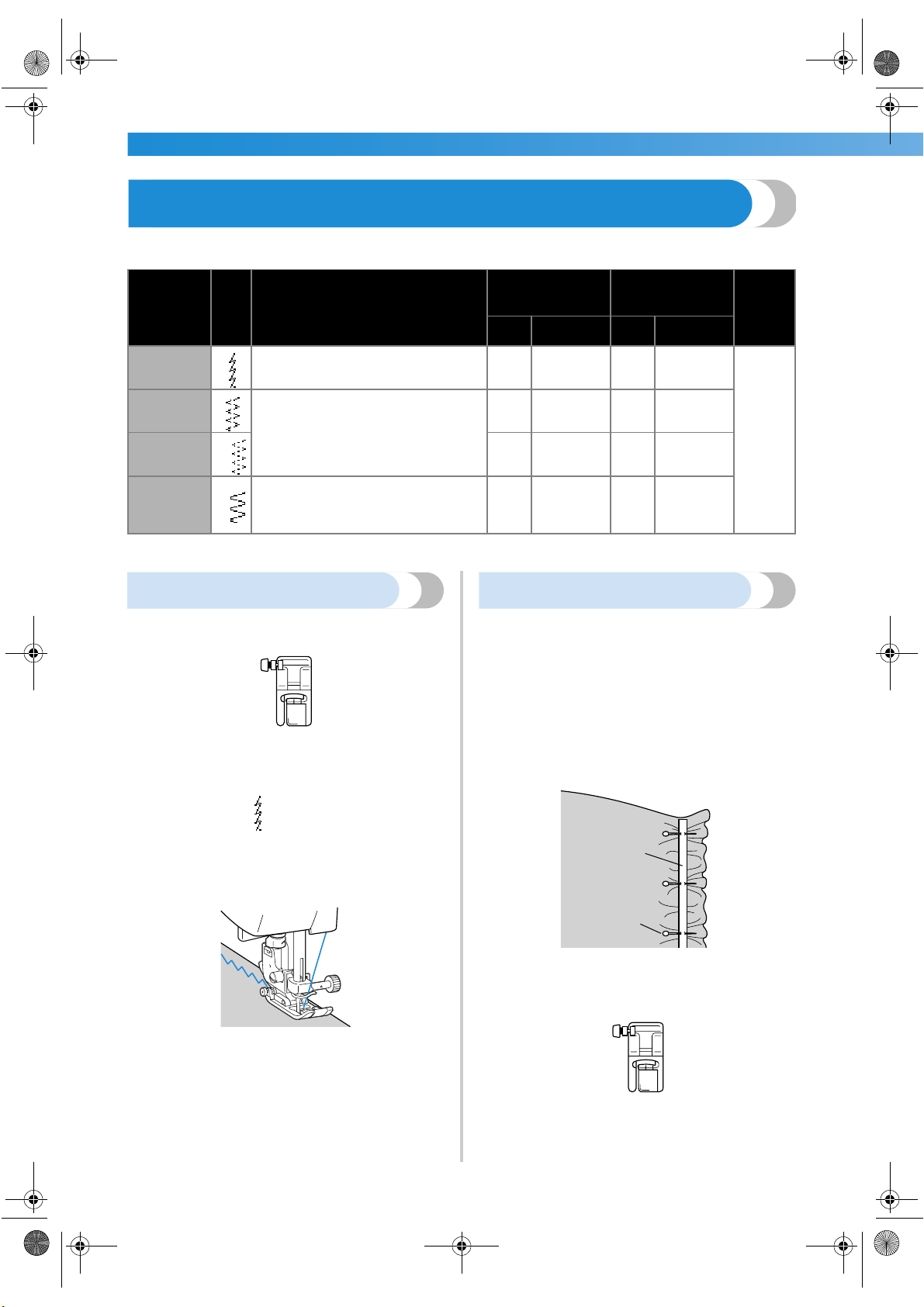
UTILITY STITCHES ——————————————————————————————————————————————————————
—
86
Sewing Stretch Fabrics and Elastic Tape
Stretch fabrics can be sewn and elastic tape can be attached.
Observe the corresponding precautions when performing each of the following stitching operations.
Stretch stitching
1
Attach zigzag foot “J”.
• For details, refer to “Replacing the presser
foot” (page 41).
2
Select stitch
5
.
• For details, refer to “Selecting stitching”
(page 66).
3
Sew the fabric without stretching it.
Elastic attaching
When elastic tape is attached to the cuff or waist of a
piece of clothing, the finished dimensions will be that
of the stretched elastic tape. Therefore, it is necessary
that a suitable length of the elastic tape be used.
1
Pin the elastic tape to the wrong side of the
fabric.
Pin the elastic tape to the fabric at a few points
to make sure that the tape is uniformly
positioned on the fabric.
1 Elastic tape
2 Pin
2
Attach zigzag foot “J”.
• For details, refer to “Replacing the presser
foot” (page 41).
Stitch Name
Pattern
Application
Stitch Width
[mm (inch.)]
Stitch Length
[mm (inch.)]
Presser
Foot
Auto Manual Auto Manual
Stretch
stitch
5
Stretch fabrics
1.0
(1/16)
1.0–3.0
(1/16–1/8)
2.5
(3/32)
1.0–4.0
(1/16–3/16)
J
2-point
zigzag stitch
9
Attaching elastic
5.0
(3/16)
1.5–7.0
(1/16–1/4)
1.0
(1/16)
0.2–4.0
(1/64–3/16)
3-point
zigzag stitch
10
5.0
(3/16)
1.5–7.0
(1/16–1/4)
1.0
(1/16)
0.2–4.0
(1/64–3/16)
Elastic-
attaching
stitch
28
Attaching elastic to stretch fabrics
4.0
(3/16)
0.0–7.0
(0–1/4)
1.0
(1/16)
0.2–4.0
(1/64–3/16)
J
1
2
J
S3_brotherE.book Page 86 Wednesday, February 12, 2003 11:49 AM
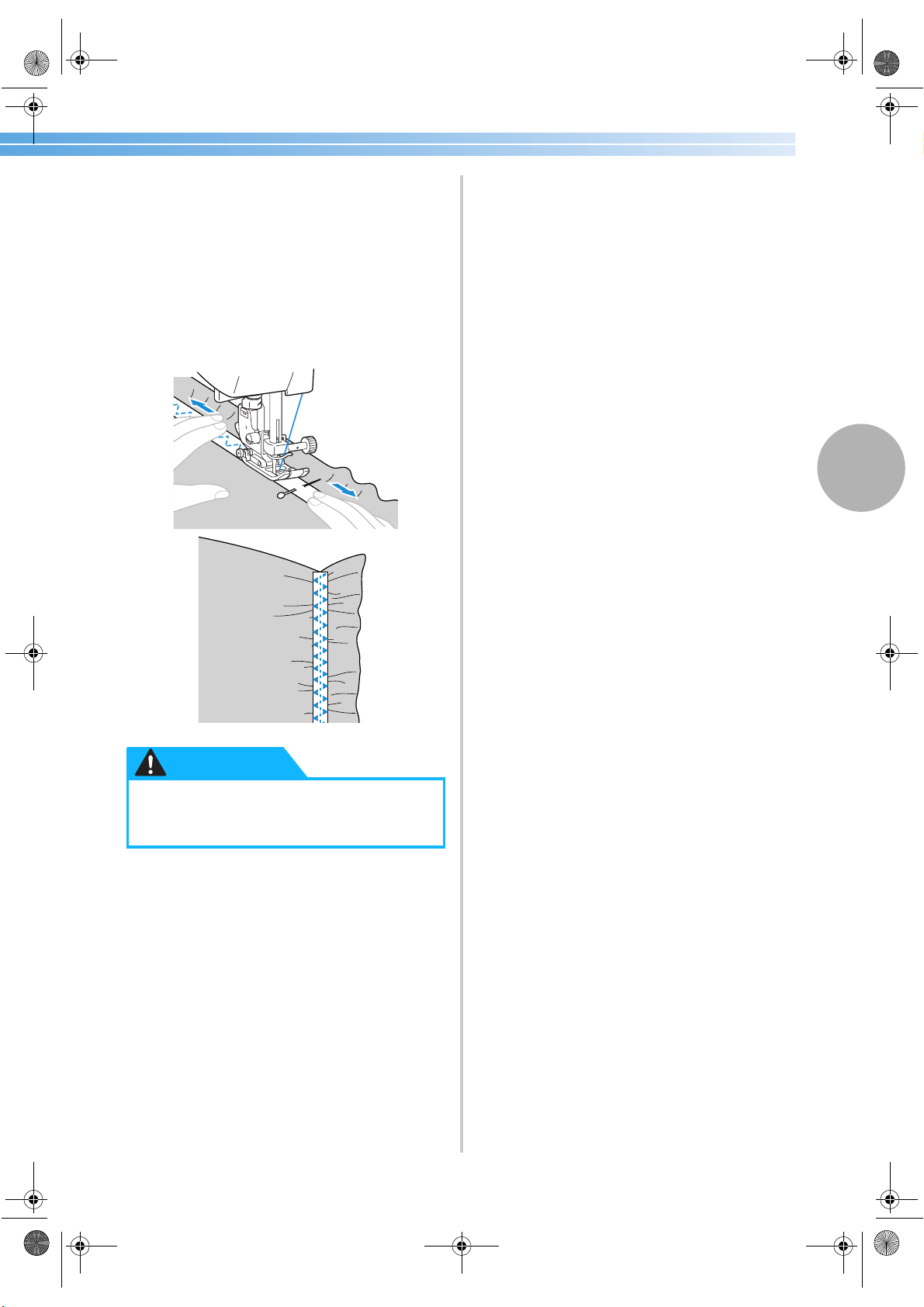
Sewing Stretch Fabrics and Elastic Tape 87
3
3
Select a stitch.
• For details, refer to “Selecting stitching”
(page 66).
4
Sew the elastic tape to the fabric while
stretching the tape so that it is the same length
as the fabric.
While pulling the fabric behind the presser foot
with your left hand, pull the fabric at the pin
nearest the front of the presser foot with your
right hand.
●
When sewing, be sure that the needle
does not touch any pins, otherwise the
needle may bend or break.
CAUTION
S3_brotherE.book Page 87 Wednesday, February 12, 2003 11:49 AM
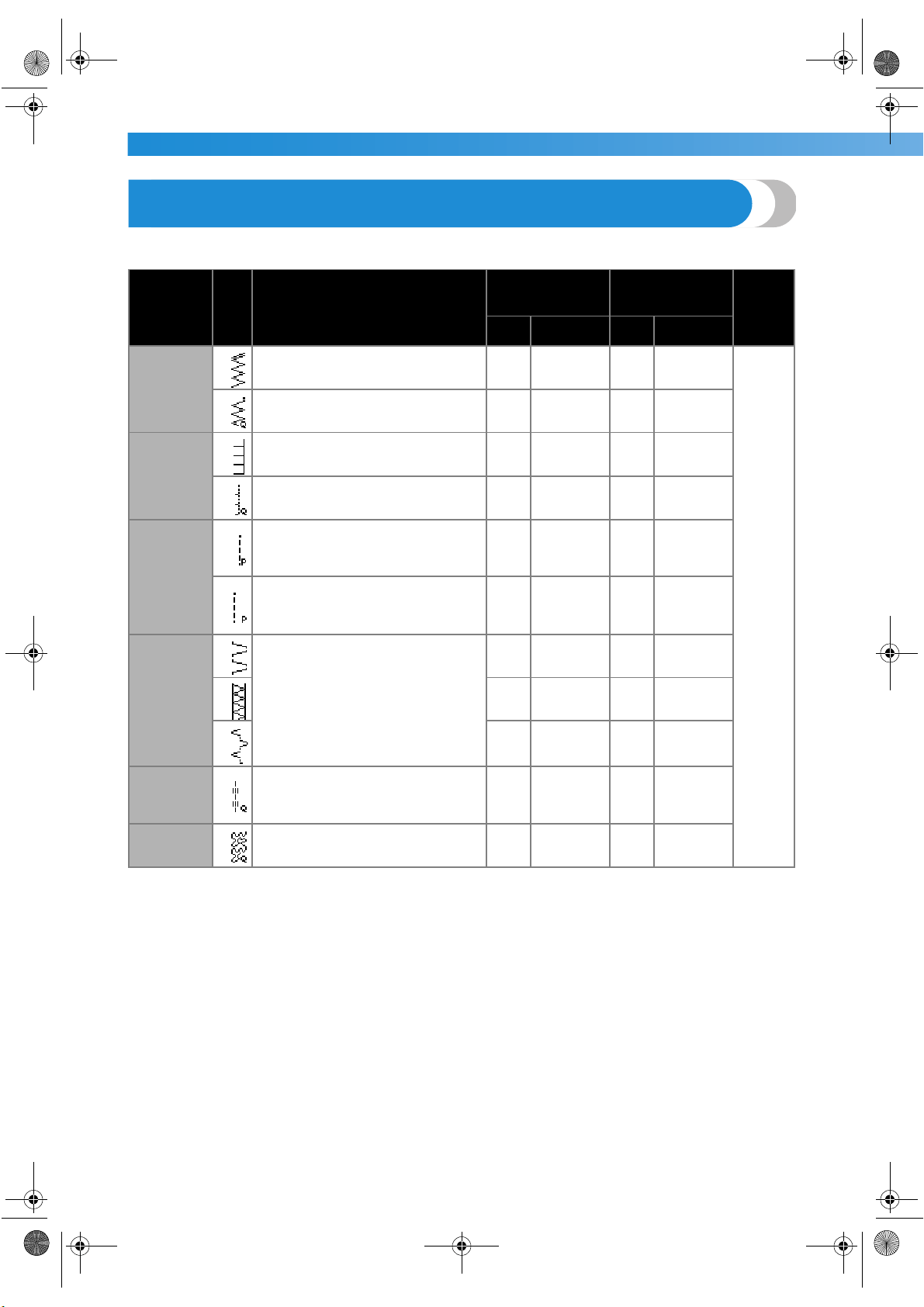
UTILITY STITCHES ——————————————————————————————————————————————————————
—
88
Appliqué, Patchwork and Quilt Stitching
The stitches that can be used for sewing appliqués, patchwork and quilts are described below.
Stitch Name
Pattern
Application
Stitch Width
[mm (inch.)]
Stitch Length
[mm (inch.)]
Presser
Foot
Auto Manual Auto Manual
Zigzag stitch
7
Attaching appliqués (center baseline/
reverse stitching)
3.5
(1/8)
0.0–7.0
(0–1/4)
1.4
(1/16)
0.0–4.0
(0–3/16)
J
60
Appliqué quilting, free-motion
quilting, satin stitching
3.5
(1/8)
0.0–7.0
(0–1/4)
1.4
(1/16)
0.0–4.0
(0–3/16)
Appliqué
stitch
19
Attaching appliqués
3.5
(1/8)
2.5–5.0
(3/32–3/16)
2.5
(3/32)
1.6–4.0
(1/16–3/16)
61
Attaching appliqués and binding
1.5
(1/16)
0.5–5.0
(1/32–3/16)
1.2
(1/16)
1.0–4.0
(1/16–3/16)
Piecing
straight
stitch
57
Piecing straight stitching (with a seam
allowance of 6.5 mm from the right edge
of the presser foot)
5.5
(7/32)
0.0–7.0
(0–1/4)
1.6
(1/16)
0.2–5.0
(1/64–3/16)
58
Piecing straight stitching (with a seam
allowance of 6.5 mm from the left edge
of the presser foot)
1.5
(1/16)
0.0–7.0
(0–1/4)
1.6
(1/16)
0.2–5.0
(1/64–3/16)
Joining
stitch
22
Patchwork stitching
4.0
(3/16)
0.0–7.0
(0–1/4)
1.2
(1/16)
0.2–4.0
(1/64–3/16)
23
5.0
(3/16)
2.5–7.0
(3/32–1/4)
2.5
(3/32)
1.0–4.0
(1/16–3/16)
24
5.0
(3/16)
0.0–7.0
(0–1/4)
1.2
(1/16)
0.2–4.0
(1/64–3/16)
Mock hand
quilting
stitch
59
Straight stitch quilting that looks hand
quilting
0.0
(0)
0.0–7.0
(0–1/4)
2.5
(3/32)
1.0–4.0
(1/16–3/16)
Quilting
stippling
62
Stippling
7.0
(1/4)
1.0–7.0
(1/16–1/4)
1.6
(1/16)
1.0–4.0
(1/16–3/16)
S3_brotherE.book Page 88 Wednesday, February 12, 2003 11:49 AM
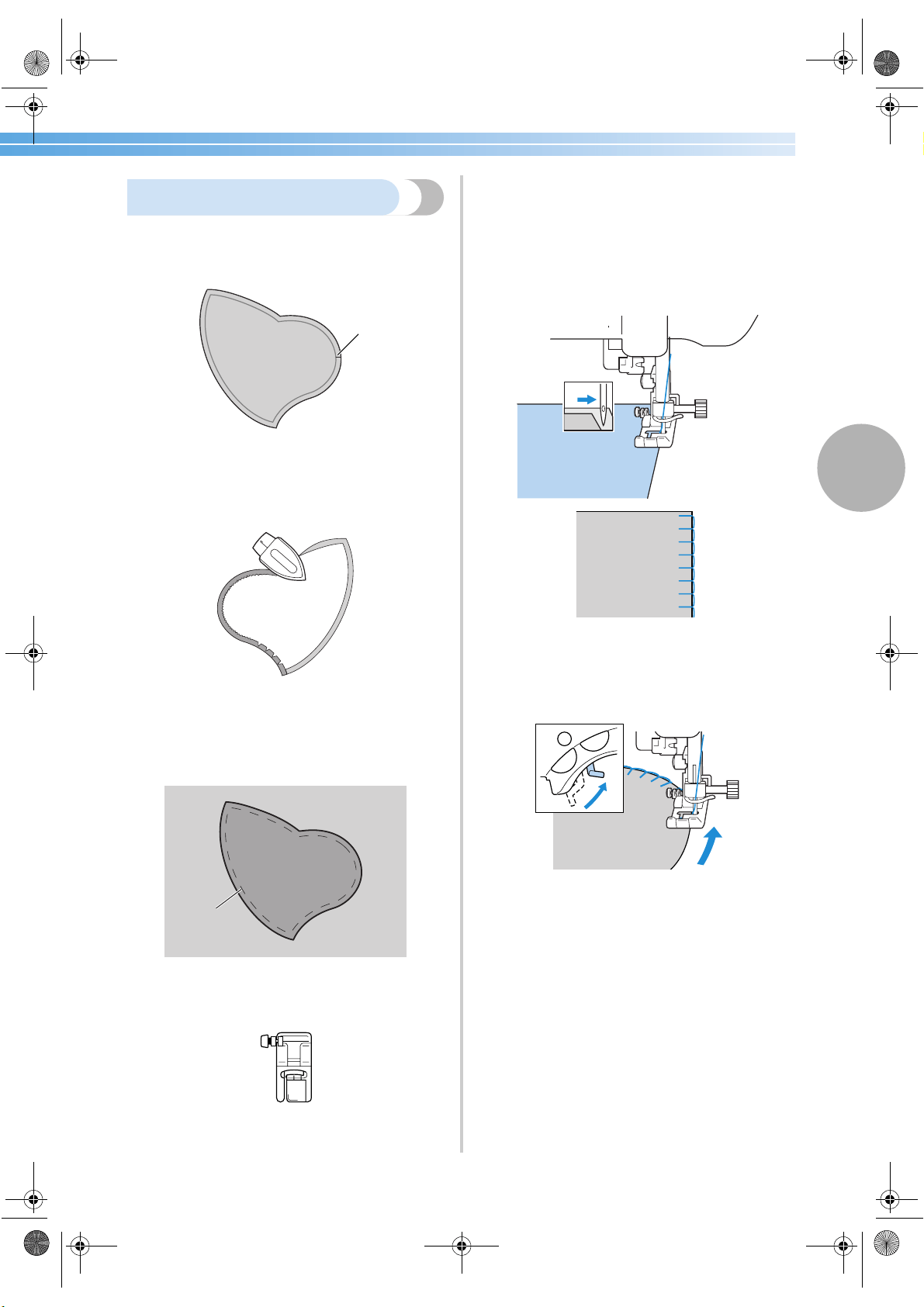
Appliqué, Patchwork and Quilt Stitching 89
3
Appliqué stitching
1
Cut out the appliqué, leaving a seam
allowance of between 3 and 5 mm
(1/8 and 3/16 inch).
1 Seam allowance
2
Place a pattern made of thick paper on the
back of the appliqué, and then fold over the
seam allowance using an iron.
• Remove the thick paper after pressing the
seam allowance.
3
Turn the fabric over, and then baste or pin it
onto the fabric that it will be attached to.
1 Basting stitching
4
Attach zigzag foot “J”.
• For details, refer to “Replacing the presser
foot” (page 41).
5
Select a stitch.
• For details, refer to “Selecting stitching”
(page 66).
6
Turn the balance wheel toward you, and then
begin sewing around the edge of the appliqué,
making sure that the needle drops just outside
of the appliqué.
When sewing around corners, stop the
machine with the needle in the fabric just
outside of the appliqué, raise the presser foot
lever, and then turn the fabric as needed to
change the sewing direction.
1
1
J
S3_brotherE.book Page 89 Wednesday, February 12, 2003 11:49 AM
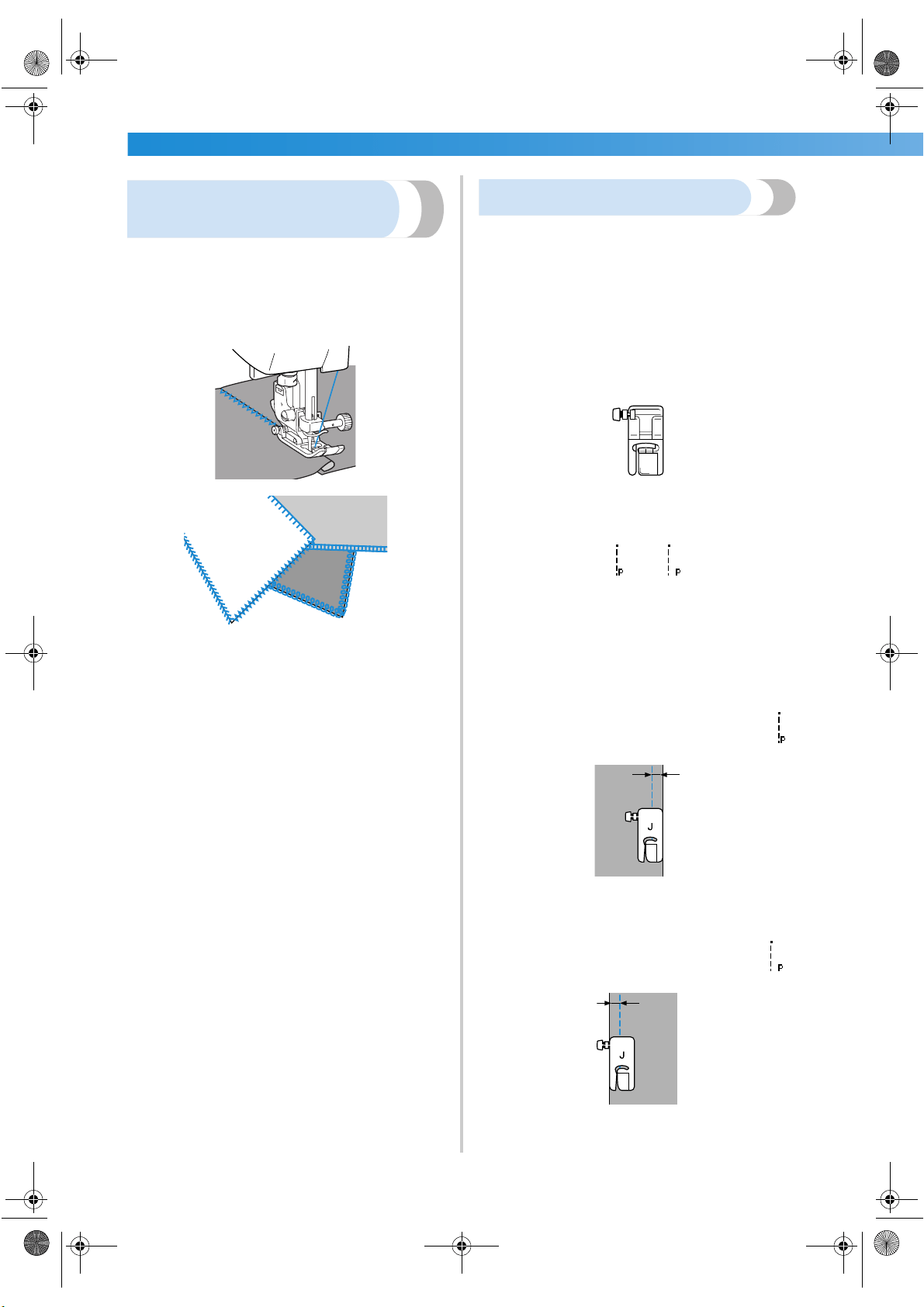
UTILITY STITCHES ——————————————————————————————————————————————————————
—
90
Patchwork (crazy quilt)
stitching
1
Fold the edge of the top piece of fabric and
place it over the lower piece.
2
Sew the two pieces of fabric together so the
pattern spans over both pieces.
Piecing
Sewing together two pieces of fabric is called
“piecing”. The fabric pieces should be cut with a
6.5 mm (1/4 inch) seam allowance.
Sew a piecing straight stitch 6.5 mm (1/4 inch) from
either the right side or the left side of the presser foot.
1
Baste or pin along the seam allowance of the
fabric that you wish to piece together.
2
Attach zigzag foot “J”.
• For details, refer to “Replacing the presser
foot” (page 41).
3
Select stitch
57
or
58
.
• For details, refer to “Selecting stitching”
(page 66).
4
Sew with the side of the presser foot aligned
with the edge of the fabric.
■ For a seam allowance on the right side
Align the right side of the presser foot with the
edge of the fabric, and sew using stitch
57
.
1 6.5 mm (1/4 inch)
■ For a seam allowance on the left side
Align the left side of the presser foot with the
edge of the fabric, and sew using stitch
58
.
1 6.5 mm (1/4 inch)
J
1
1
S3_brotherE.book Page 90 Wednesday, February 12, 2003 11:49 AM
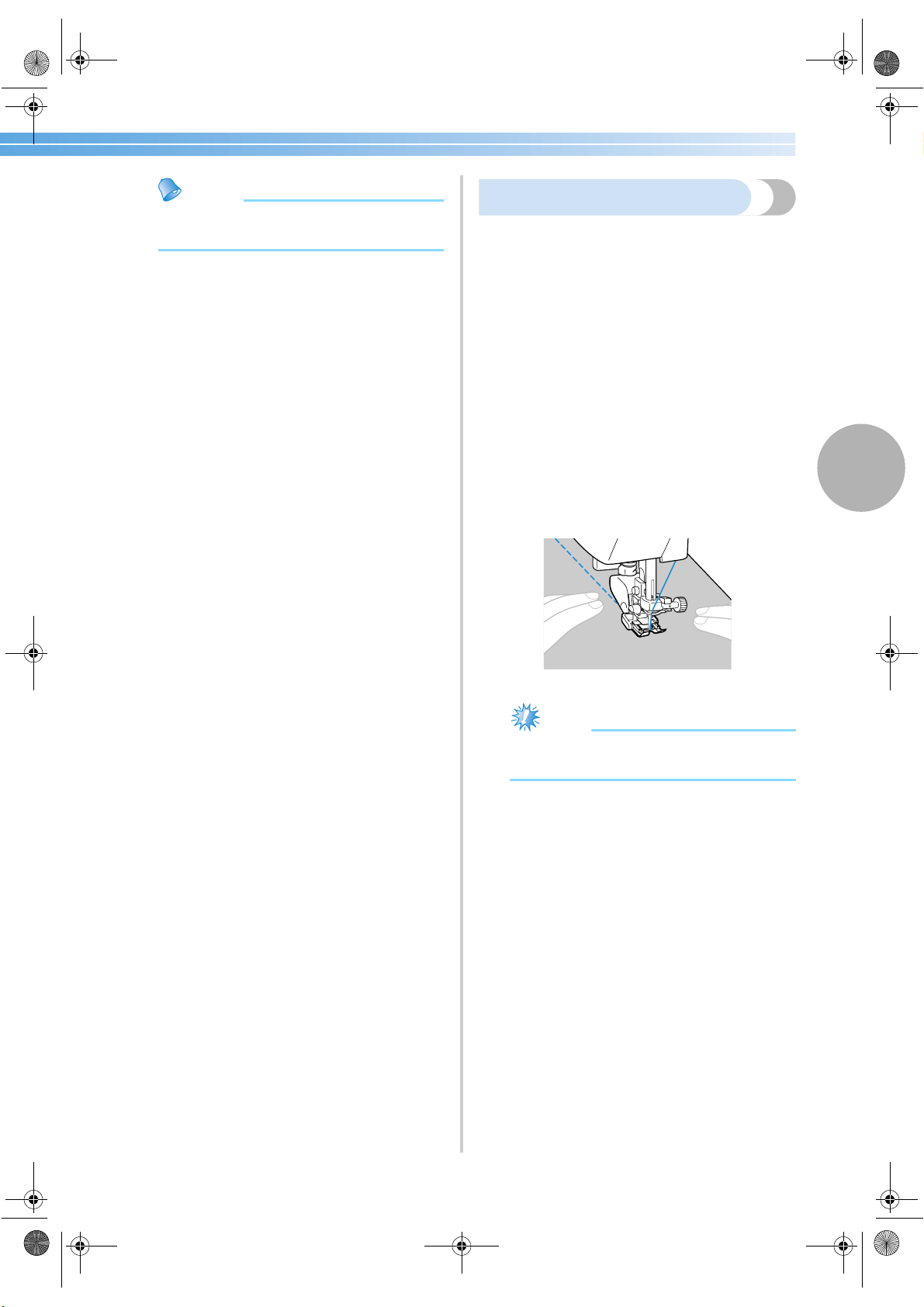
Appliqué, Patchwork and Quilt Stitching 91
3
Memo
● To change the width of the seam allowance
(the needle position), adjust the stitch width.
Quilting
Sandwiching batting between the top and bottom
layers of fabric is called “quilting”. Quilts can easily
be sewn using the optional walking foot and the
optional quilting guide.
1
Baste the fabric to be quilted.
2
Attach the walking foot.
• For details, refer to “Using the optional
walking foot” (page 44).
3
Select a stitch.
• For details, refer to “Selecting stitching”
(page 66).
4
Place one hand on each side of the presser
foot, and then evenly stretch the fabric while
sewing.
Note
● When sewing with the walking foot, sew at
a speed between slow and medium.
S3_brotherE.book Page 91 Wednesday, February 12, 2003 11:49 AM
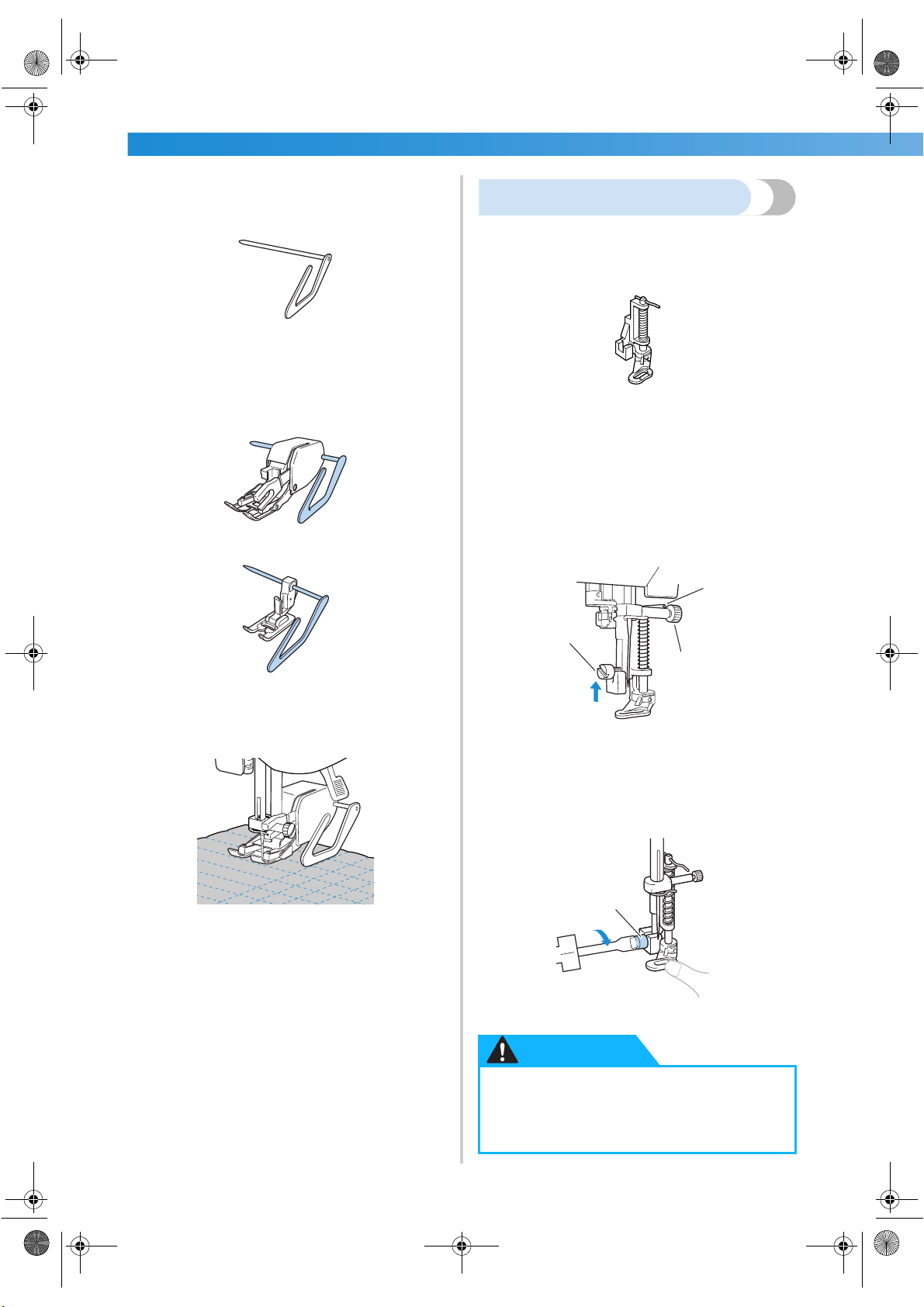
UTILITY STITCHES ——————————————————————————————————————————————————————
—
92
■ Using the optional quilting guide
Use the quilting guide to sew parallel stitches that
are equally spaced.
1
Insert the stem of the quilter into the hole at
the rear of the walking foot or presser foot
holder.
Walking foot
Presser foot holder
2
Adjust the stem of the quilter so that the quilt
guide aligns with the seam that has already
been sewn.
Free-motion quilting
With free-motion quilting, the feed dogs can be
lowered (using the drop feed lever) so that the fabric
can be moved freely in any direction.
The optional quilting foot is needed for free-motion quilting.
1
Remove the presser foot and the presser foot
holder.
• Refer to “Removing the presser foot holder”
(page 43).
2
Align the quilting foot with the lower-left side
of the presser bar.
The pin on the quilting foot should be
positioned over the needle clamp screw.
1 Pin on quilting foot
2 Presser foot holder screw
3 Needle clamp screw
3
Hold the quilting foot in place with your right
hand, and then tighten the presser foot holder
screw using the screwdriver in your left hand.
1 Presser foot holder screw
● Be sure to securely tighten the screws
with the screwdriver, otherwise the
needle may touch the presser foot,
causing it to bend or break.
2
3
1
1
CAUTION
S3_brotherE.book Page 92 Wednesday, February 12, 2003 11:49 AM
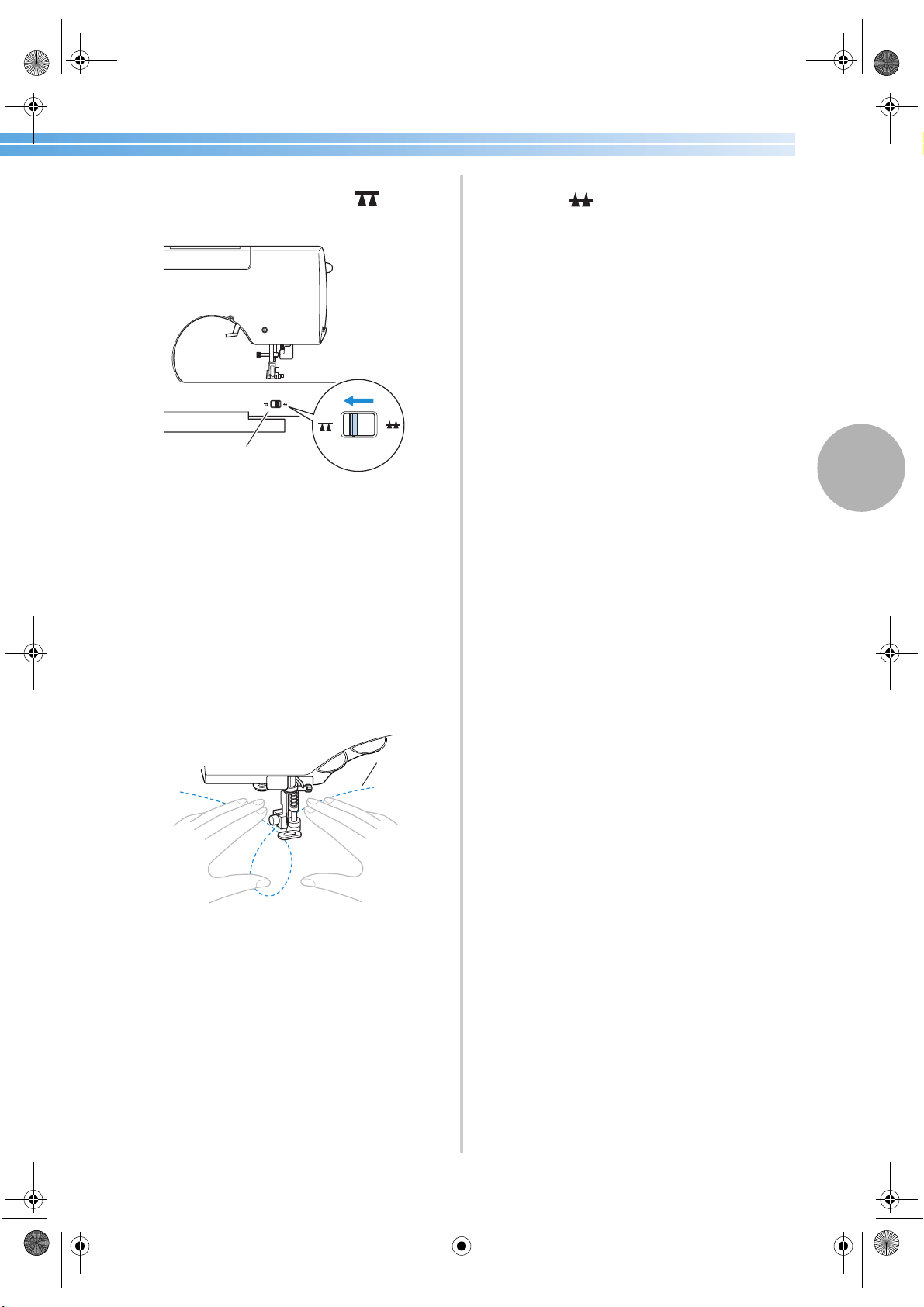
Appliqué, Patchwork and Quilt Stitching 93
3
4
Slide the drop feed lever, located at the rear
of the machine on the base, to (to the
right as seen from the front of the machine).
1 Feed dog position switch
(as seen from the rear of the machine)
X The feed dogs are lowered.
5
Turn on the sewing machine, and then select a
stitch.
• For details, refer to “Selecting stitching”
(page 66).
6
Use both hands to stretch the fabric taut, and
then move the fabric to follow the pattern.
Reinforcement stitches are sewn at the
beginning and end of sewing.
1 Pattern
7
After sewing is finished, slide the drop feed
lever to (to the left as seen from the
front of the machine) to raise the feed dogs.
• Normally, the drop feed lever is positioned
at the left.
1
1
S3_brotherE.book Page 93 Wednesday, February 12, 2003 11:49 AM
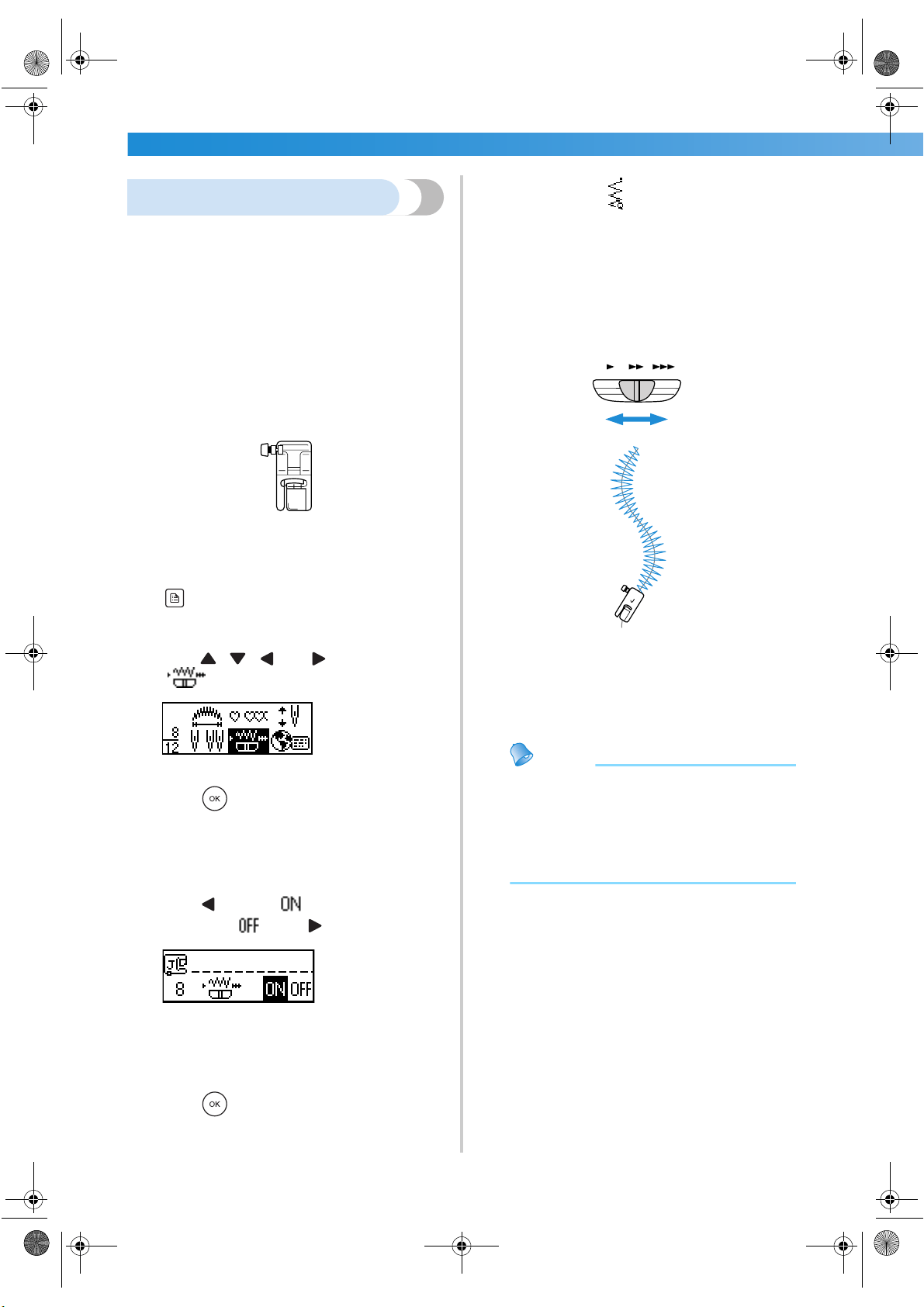
UTILITY STITCHES ——————————————————————————————————————————————————————
—
94
Satin stitching
A decorative stitch can be sewn by changing the
stitch width of a satin stitch. If the sewing machine is
set so that the stitch width can be adjusted using the
sewing speed controller, the stitch width can quickly
and easily be adjusted. In this case, the sewing speed
is adjusted with the foot controller.
1
Connect the foot controller.
• For details, refer to “Starting to sew”
(page 51).
2
Attach zigzag foot “J”.
• For details, refer to “Replacing the presser
foot” (page 41).
3
Turn on the sewing machine, and then press
(settings key) in the operation panel.
X The settings screen appears.
4
Press , , and (arrow keys) until
is selected.
5
Press (OK key).
X The screen for specifying that the stitch
width can be controlled with the sewing
speed controller appears.
6
Press to select .
To return to , press .
X The machine is now set so that the stitch
width can be controlled with the sewing
speed controller.
7
Press (OK key).
X The initial stitch screen appears again.
8
Select stitch
60
.
• For details, refer to “Selecting stitching”
(page 66).
9
While sewing, slide the sewing speed
controller to adjust the stitch width.
Slide the controller to the left to make the
width narrower. Slide the controller to the right
to make the width wider.
• Adjust the sewing speed with the foot
controller.
0
When you are finished sewing, set the stitch
width control setting back to OFF.
Memo
● Although the stitching result differs
depending on the type of fabric being sewn
and the thickness of the thread being used,
for best results, adjust the stitch length to
between 0.3 and 0.5 mm (1/64 and
1/32 inch).
J
Narrower
Wider
S3_brotherE.book Page 94 Wednesday, February 12, 2003 11:49 AM
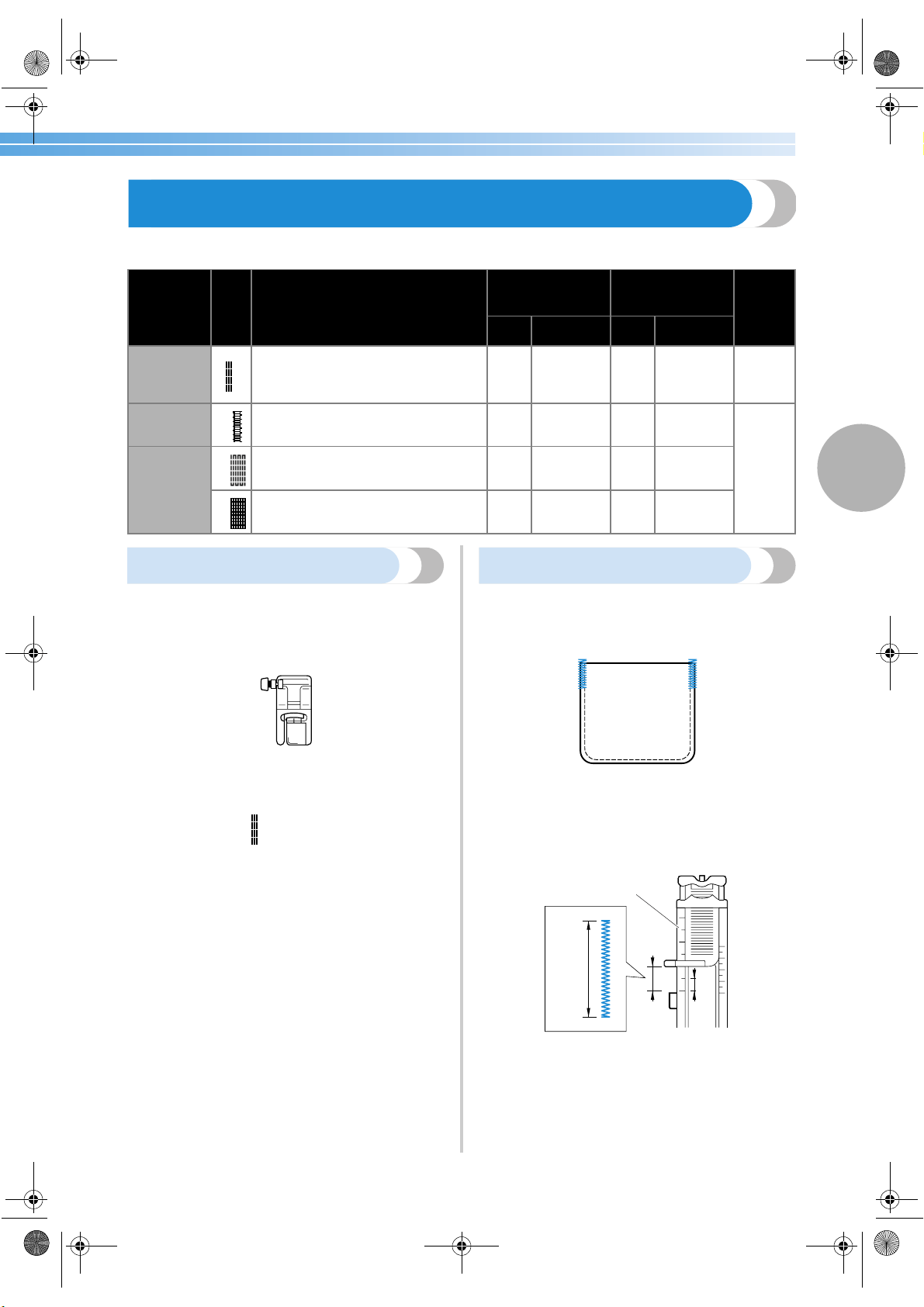
Reinforcement Stitching 95
3
Reinforcement Stitching
Reinforce points that will be subject to strain, such as sleeve holes, inseams and pocket corners.
Triple stretch stitching
Use triple stretch stitching to reinforce sleeve holes
and inseams.
1
Attach zigzag foot “J”.
• For details, refer to “Replacing the presser
foot” (page 41).
2
Select stitch
4
.
• For details, refer to “Selecting stitching”
(page 66).
3
Start sewing.
• For details, refer to “Starting to sew”
(page 51).
Bar tack stitching
Bar tacks are used to reinforce points subject to
strain, such as pocket corners and openings.
As an example, the procedure for sewing bar tacks at
pocket corners is described below.
1
Determine the desired length of the bar tack.
Set the button guide plate on buttonhole foot
“A” to the desired length. (The distance
between the markings on the presser foot scale
is 5 mm (3/16 inch).)
1 Presser foot scale
2 Length of bar tack
3 5 mm (3/16 inch)
• A bar tack with a maximum length of about
28 mm (1-1/8 inch) can be sewn.
Stitch Name
Pattern
Application
Stitch Width
[mm (inch.)]
Stitch Length
[mm (inch.)]
Presser
Foot
Auto Manual Auto Manual
Triple
stretch
stitch
4
Reinforcing the seams of sleeves and
inseams
0.0
(0)
0.0–7.0
(0–1/4)
2.5
(3/32)
1.5–4.0
(1/16–3/16)
J
Bar tack
stitch
54
Reinforcing the ends of openings,
such as the corners of pockets
2.0
(1/16)
1.0–3.0
(1/16–1/8)
0.4
(1/64)
0.3–1.0
(1/64–1/16)
A
Darning
stitch
52
Darning mediumweight fabrics
7.0
(1/4)
2.5–7.0
(3/32–1/4)
2.0
(1/16)
0.4–2.5
(1/64–3/32)
53
Darning thick fabrics
7.0
(1/4)
2.5–7.0
(3/32–1/4)
2.0
(1/16)
0.4–2.5
(1/64–3/32)
J
1
2
3
S3_brotherE.book Page 95 Wednesday, February 12, 2003 11:49 AM
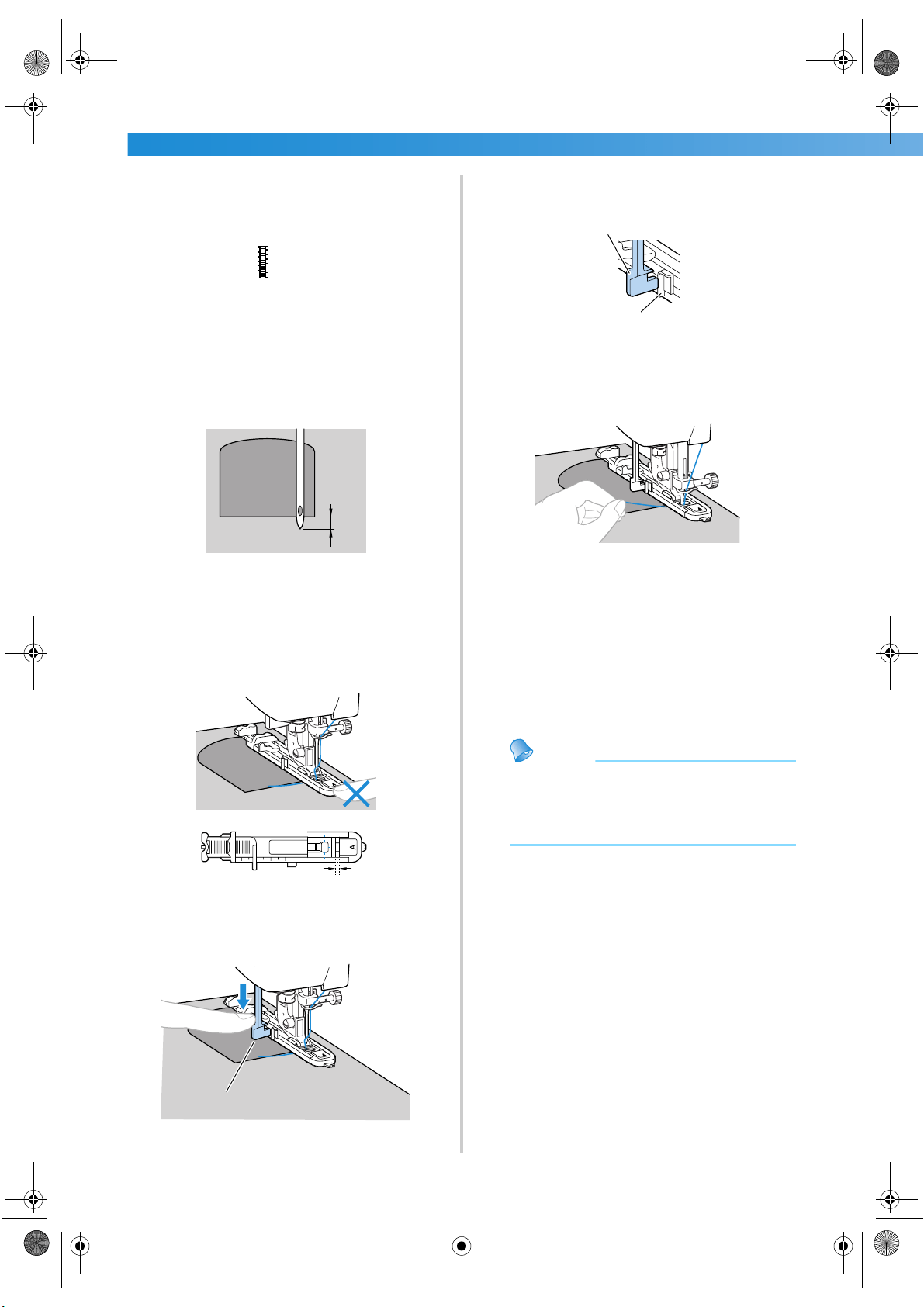
UTILITY STITCHES ——————————————————————————————————————————————————————
—
96
2
Attach buttonhole foot “A”.
• For details, refer to “Replacing the presser
foot” (page 41).
3
Select stitch
54
.
• For details, refer to “Selecting stitching”
(page 66).
4
Position the fabric so that the opening of the
pocket faces toward you, and then lower the
presser foot lever so that the needle drops
2 mm (1/16 inch) in front of the pocket
opening.
1 2 mm (1/16 inch)
Pass the upper thread down through the hole
in the presser foot.
• When lowering the presser foot, do not push
in the front of the presser foot, otherwise the
bar tack will not be sewn with the correct
size.
1 Do not reduce the gap.
5
Pull down the buttonhole lever as far as
possible.
1 Buttonhole lever
The buttonhole lever is positioned behind the
bracket on the buttonhole foot.
1 Buttonhole lever
2 Bracket
6
Gently hold the end of the upper thread in
your left hand, and then start sewing.
X Once sewing is completed, the machine
automatically sews reinforcement stitches,
then stops
7
Raise the presser foot lever, remove the
fabric, and then cut the threads.
8
Raise the buttonhole lever to its original
position.
Memo
● If the fabric does not feed, for example,
because it is too thick, increase the stitch
length. For details, refer to “Adjusting the
stitch length” (page 58).
1
1
1
1
2
S3_brotherE.book Page 96 Wednesday, February 12, 2003 11:49 AM
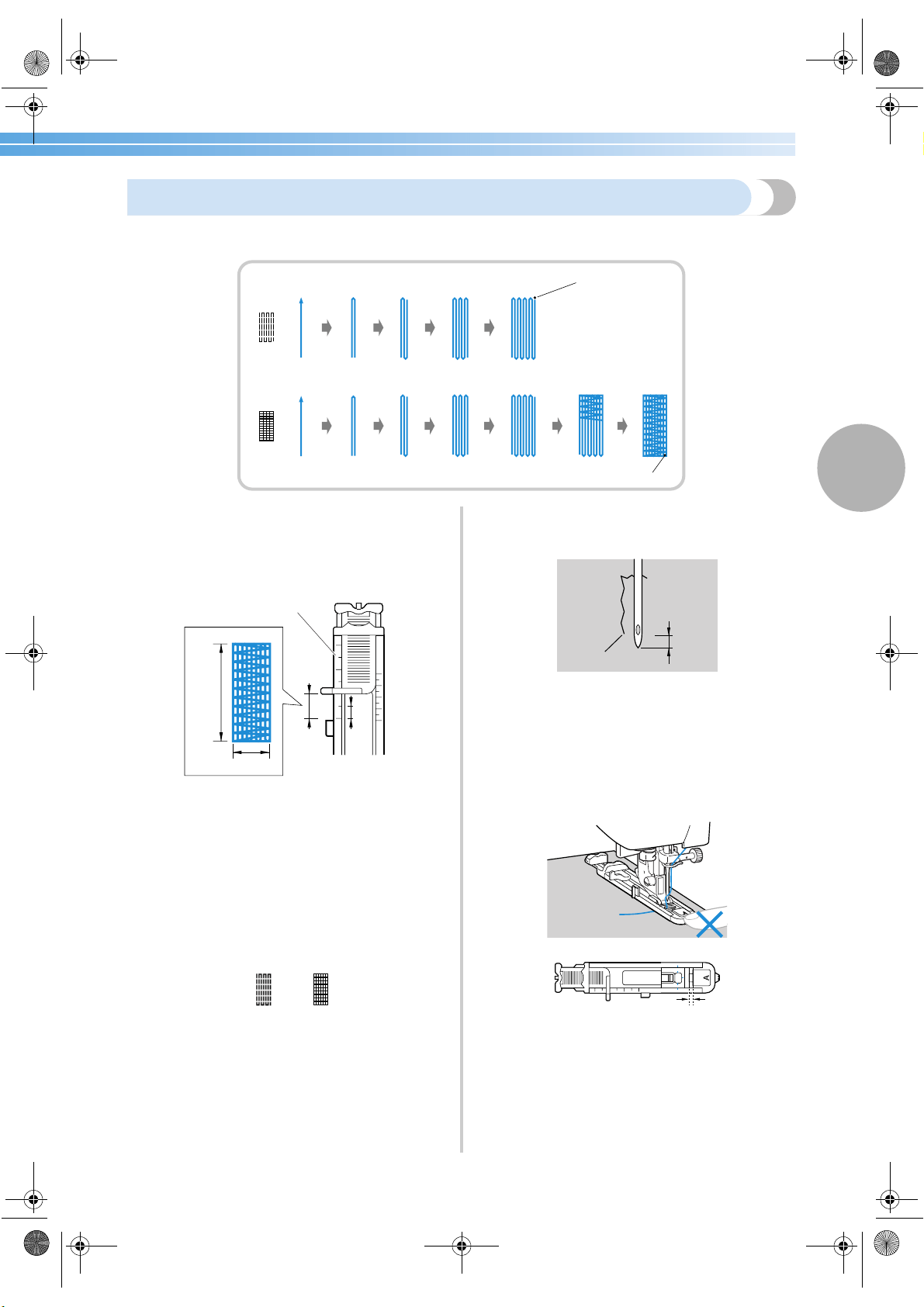
Reinforcement Stitching 97
3
Darning
Fabric that has been torn can be darned.
Darning is sewn as shown below.
1
Determine the desired length of the darning.
Set the button guide plate on buttonhole foot
“A” to the desired length. (The distance
between the markings on the presser foot scale
is 5 mm (3/16 inch).)
1 Presser foot scale
2 Length of darning
3 5 mm (3/16 inch)
4 7 mm (1/4 inch)
• A bar tack with a maximum length of about
28 mm (1-1/8 inch) can be sewn.
2
Attach buttonhole foot “A”.
• For details, refer to “Replacing the presser
foot” (page 41).
3
Select stitch
52
or
53
.
• For details, refer to “Selecting stitching”
(page 66).
4
Position the fabric so that the needle is 2 mm
(1/16 inch) in front of the area to be darned,
and then lower the presser foot lever.
1 Tear
2 2 mm (1/16 inch)
Pass the upper thread down through the hole
in the presser foot.
• When lowering the presser foot, do not push
in the front of the presser foot, otherwise the
darning will not be sewn with the correct
size.
1 Do not reduce the gap.
1
1
1 Reinforcement stitching
1
2
3
4
1
2
1
S3_brotherE.book Page 97 Wednesday, February 12, 2003 11:49 AM
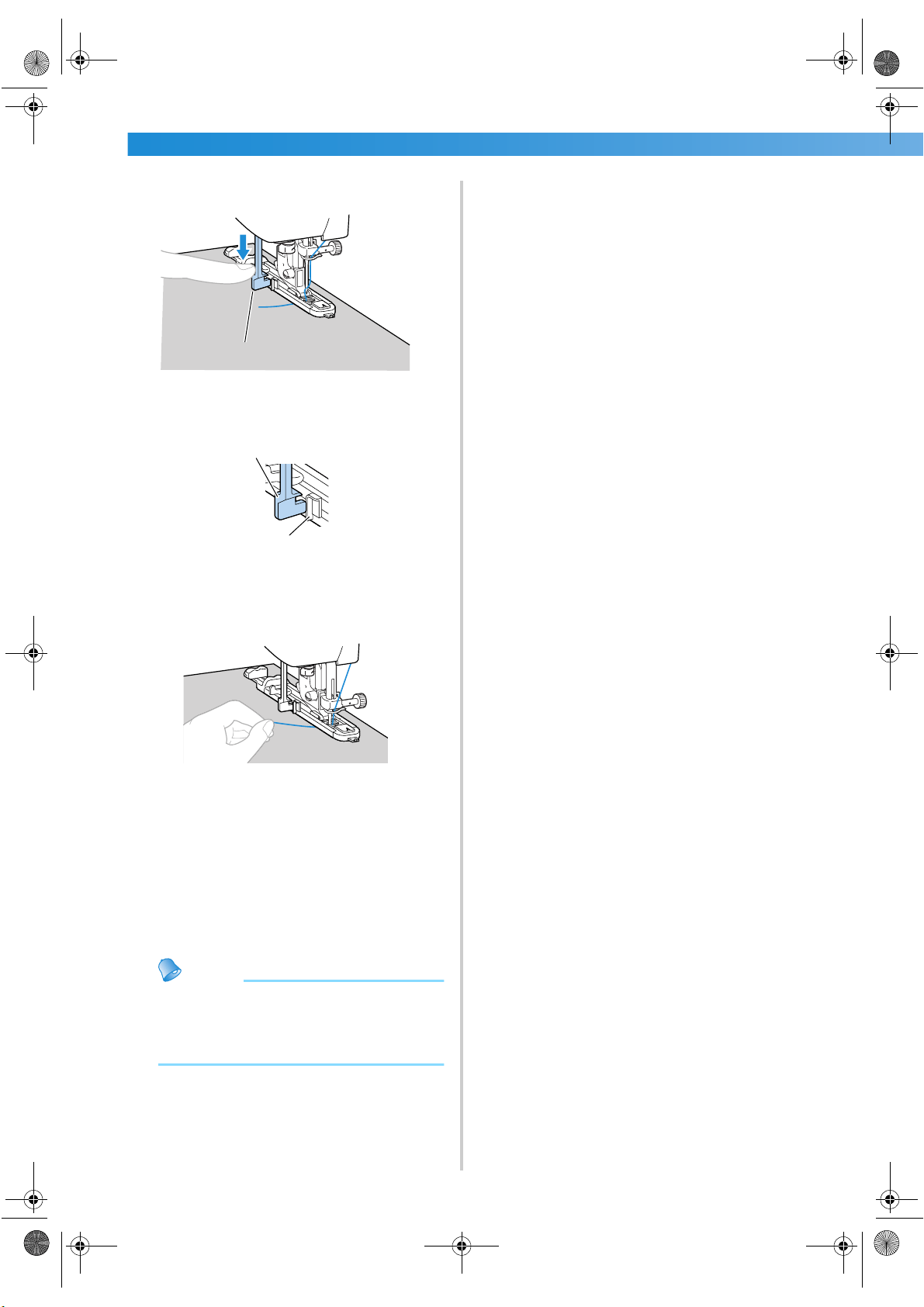
UTILITY STITCHES ——————————————————————————————————————————————————————
—
98
5
Pull down the buttonhole lever as far as
possible.
1 Buttonhole lever
The buttonhole lever is positioned behind the
bracket on the buttonhole foot.
1 Buttonhole lever
2 Bracket
6
Gently hold the end of the upper thread in
your left hand, and then start sewing.
X Once sewing is completed, the machine
automatically sews reinforcement stitches,
then stops
7
Raise the presser foot lever, remove the
fabric, and then cut the threads.
8
Raise the buttonhole lever to its original
position.
Memo
● If the fabric does not feed, for example,
because it is too thick, increase the stitch
length. For details, refer to “Adjusting the
stitch length” (page 58).
1
1
2
S3_brotherE.book Page 98 Wednesday, February 12, 2003 11:49 AM
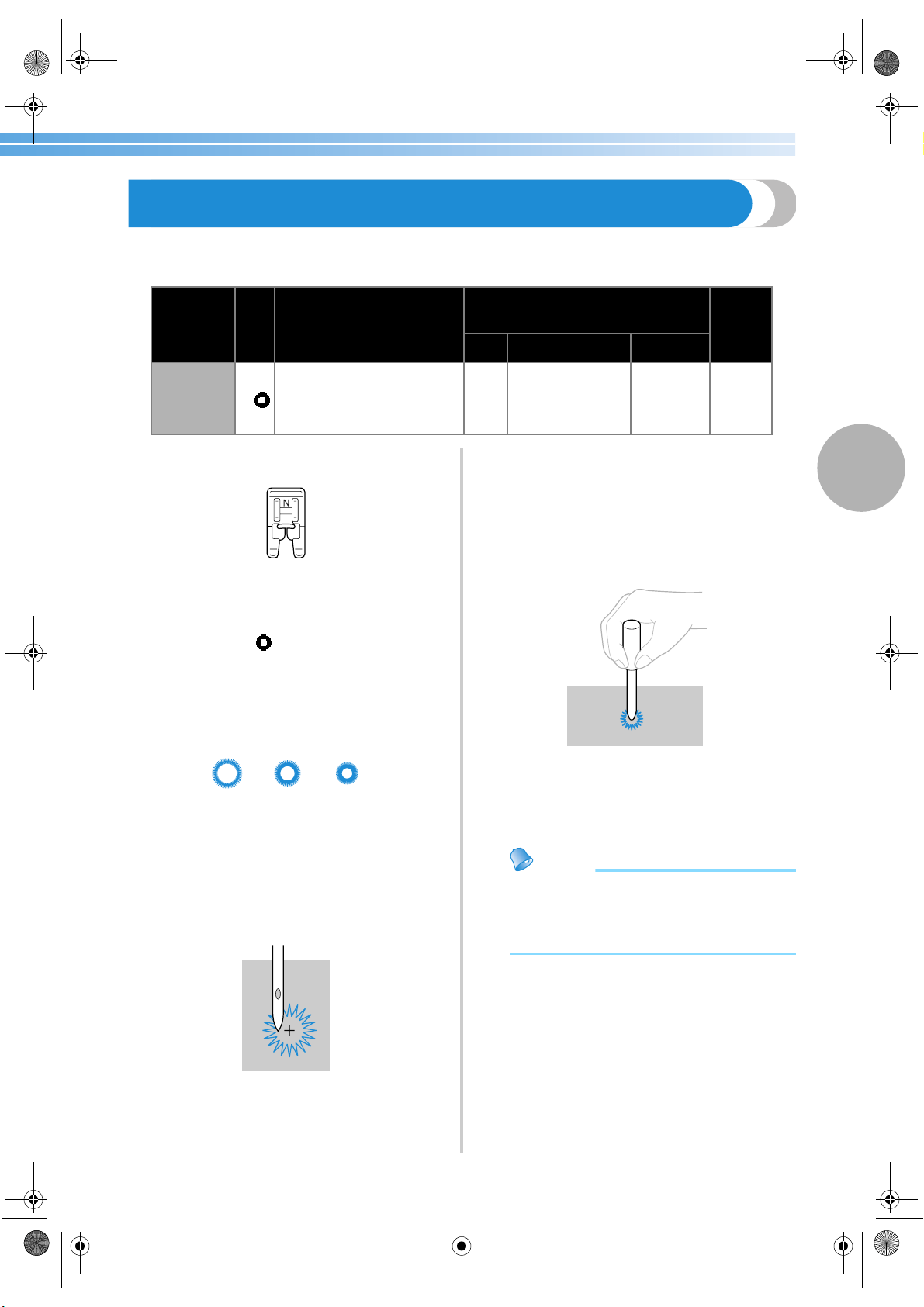
Eyelet Stitching 99
3
Eyelet Stitching
Eyelets, such as those on belts, can be sewn. Three sizes of eyelets are possible: 7 mm, 6 mm and 5 mm (1/4,
15/64 and 3/16 inch).
1
Attach monogramming foot “N”.
• For details, refer to “Replacing the presser
foot” (page 41).
2
Select stitch
56
.
• For details, refer to “Selecting stitching”
(page 66).
3
Adjust either the stitch width or the stitch
length to select the desired eyelet size.
• For details, refer to “Adjusting the Stitch
Width and Length” (page 57).
4
Lower the needle into the fabric at the
beginning of the stitching, and then lower the
presser foot lever.
5
Start sewing.
X Once sewing is completed, the machine
automatically sews reinforcement stitches,
then stops
6
Use the eyelet punch to cut a hole in the
center of the eyelet.
• When using the eyelet punch, place thick
paper or some other protective sheet under
the fabric before punching the hole in the
fabric.
Memo
● If thin thread is used, the stitching may be
coarse. If this occurs, sew the eyelet twice
before remove the fabric, one on top of the
other.
Stitch Name
Pattern
Application
Stitch Width
[mm (inch.)]
Stitch Length
[mm (inch.)]
Presser
Foot
Auto Manual Auto Manual
Eyelet stitch
56
Sewing eyelets, for example,
on belts
7.0
(1/4)
7.0, 6.0 or
5.0 (1/4,
15/64 or
3/16)
7.0
(1/4)
7.0, 6.0 or
5.0 (1/4,
15/64 or
3/16)
N
7 mm
(1/4 inch)
6 mm
(15/64 inch)
5 mm
(3/16 inch)
S3_brotherE.book Page 99 Wednesday, February 12, 2003 11:49 AM
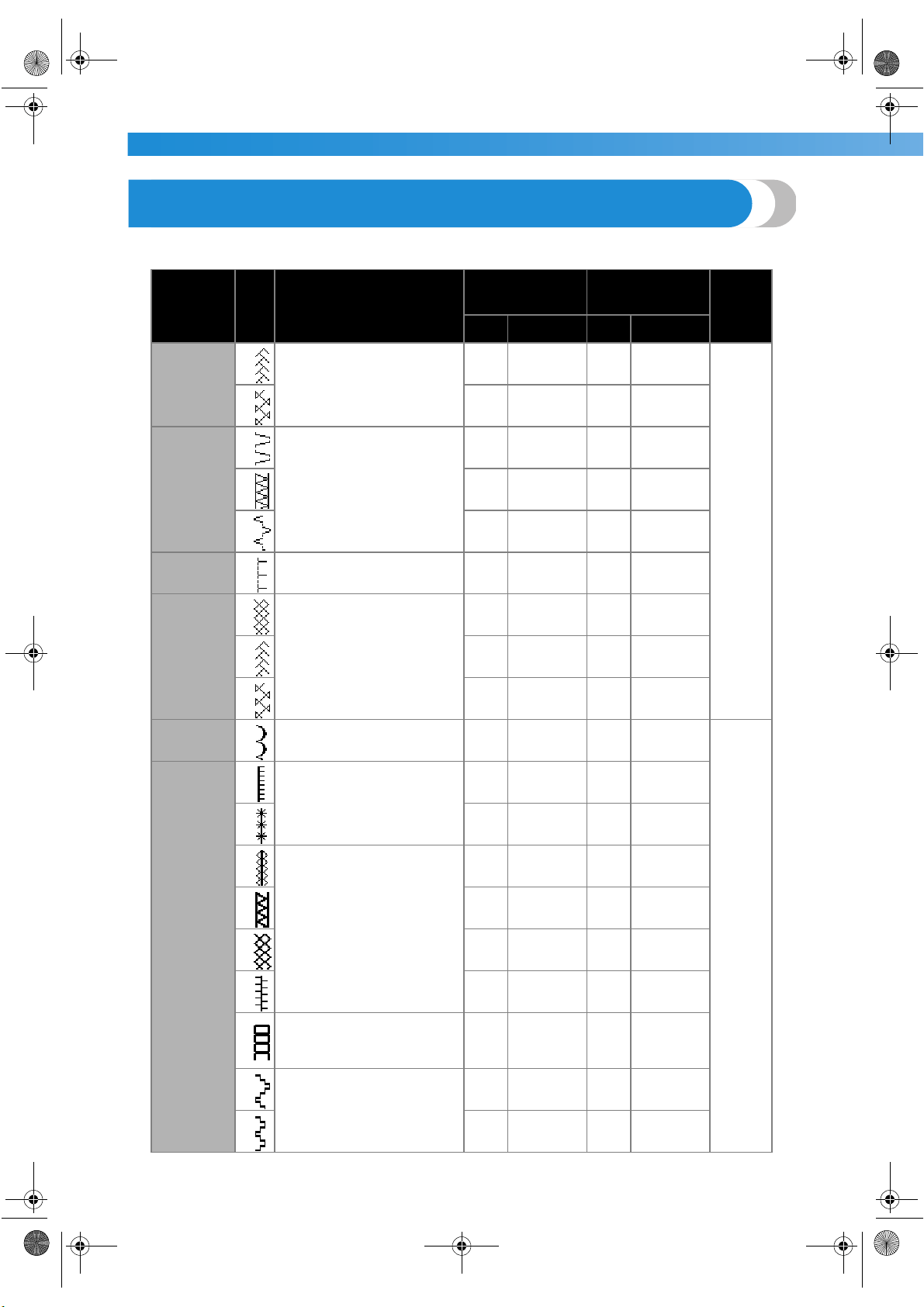
UTILITY STITCHES ——————————————————————————————————————————————————————
—
100
Decorative Stitching
Various decorative stitches can be sewn with this sewing machine.
Stitch Name
Pattern
Application
Stitch Width
[mm (inch.)]
Stitch Length
[mm (inch.)]
Presser
Foot
Auto Manual Auto Manual
Fagoting
stitch
26
Sewing two pieces of fabric
together across an open seam
5.0
(3/16)
0.0–7.0
(0–1/4)
2.5
(3/32)
1.0–4.0
(1/16–3/16)
J
27
5.0
(3/16)
2.5–7.0
(3/25–1/4)
2.5
(3/32)
1.0–4.0
(1/16–3/16)
Joining
stitch
22
Decorative bridging stitches
4.0
(3/16)
0.0–7.0
(0–1/4)
1.2
(1/16)
0.2–4.0
(1/64–3/16)
23
5.0
(3/16)
2.5–7.0
(3/32–1/4)
2.5
(3/32)
1.0–4.0
(1/16–3/16)
24
5.0
(3/16)
0.0–7.0
(0–1/4)
1.2
(1/16)
0.2–4.0
(1/64–3/16)
Shell tuck
stitch
20
Shell tuck stitching on collars
and curves
4.0
(3/16)
0.0–7.0
(0–1/4)
2.5
(3/32)
0.2–4.0
(1/64–3/16)
Smocking
stitch
25
Smocking fabrics to add
texture and elasticity
5.0
(3/16)
0.0–7.0
(0–1/4)
1.6
(1/16)
1.0–4.0
(1/16–3/16)
26
5.0
(3/16)
0.0–7.0
(0–1/4)
2.5
(3/32)
1.0–4.0
(1/16–3/16)
27
5.0
(3/16)
2.5–7.0
(3/32–1/4)
2.5
(3/32)
1.0–4.0
(1/16–3/16)
Scallop
stitch
21
Satin scallop stitching
5.0
(3/16)
2.5–7.0
(3/32–1/4)
0.5
(1/32)
0.1–1.0
(1/64–1/16)
N
Decorative
stitch
33
Lace sewing, decorative
hemming, heirloom stitching,
etc.
3.5
(1/8)
1.5–7.0
(1/16–1/4)
2.5
(3/32)
1.6–4.0
(1/16–3/16)
34
6.0
(15/64)
1.5–7.0
(1/16–1/4)
3.0
(1/8)
1.5–4.0
(1/16–3/16)
35
Decorative hemming and
heirloom stitching, etc. on
thin, mediumweight and plain
weave fabrics
5.0
(3/16)
1.5–7.0
(1/16–1/4)
3.5
(1/8)
1.5–4.0
(1/16–3/16)
36
5.0
(3/16)
1.5–7.0
(1/16–1/4)
4.0
(3/16)
1.5–4.0
(1/16–3/16)
37
5.0
(3/16)
1.5–7.0
(1/16–1/4)
2.5
(3/32)
1.5–4.0
(1/16–3/16)
38
5.0
(3/16)
1.5–7.0
(1/16–1/4)
2.0
(1/16)
1.5–4.0
(1/16–3/16)
39
Decorative hemming, ribbon
threading, heirloom stitching,
etc.
5.0
(3/16)
1.5–7.0
(1/16–1/4)
3.0
(1/8)
1.5–4.0
(1/16–3/16)
40
Heirloom stitching, etc.
6.0
(15/64)
1.5–7.0
(1/16–1/4)
1.6
(1/16)
1.0–4.0
(1/16–3/16)
41
5.0
(3/16)
1.5–7.0
(1/16–1/4)
1.6
(1/16)
1.0–4.0
(1/16–3/16)
S3_brotherE.book Page 100 Wednesday, February 12, 2003 11:49 AM
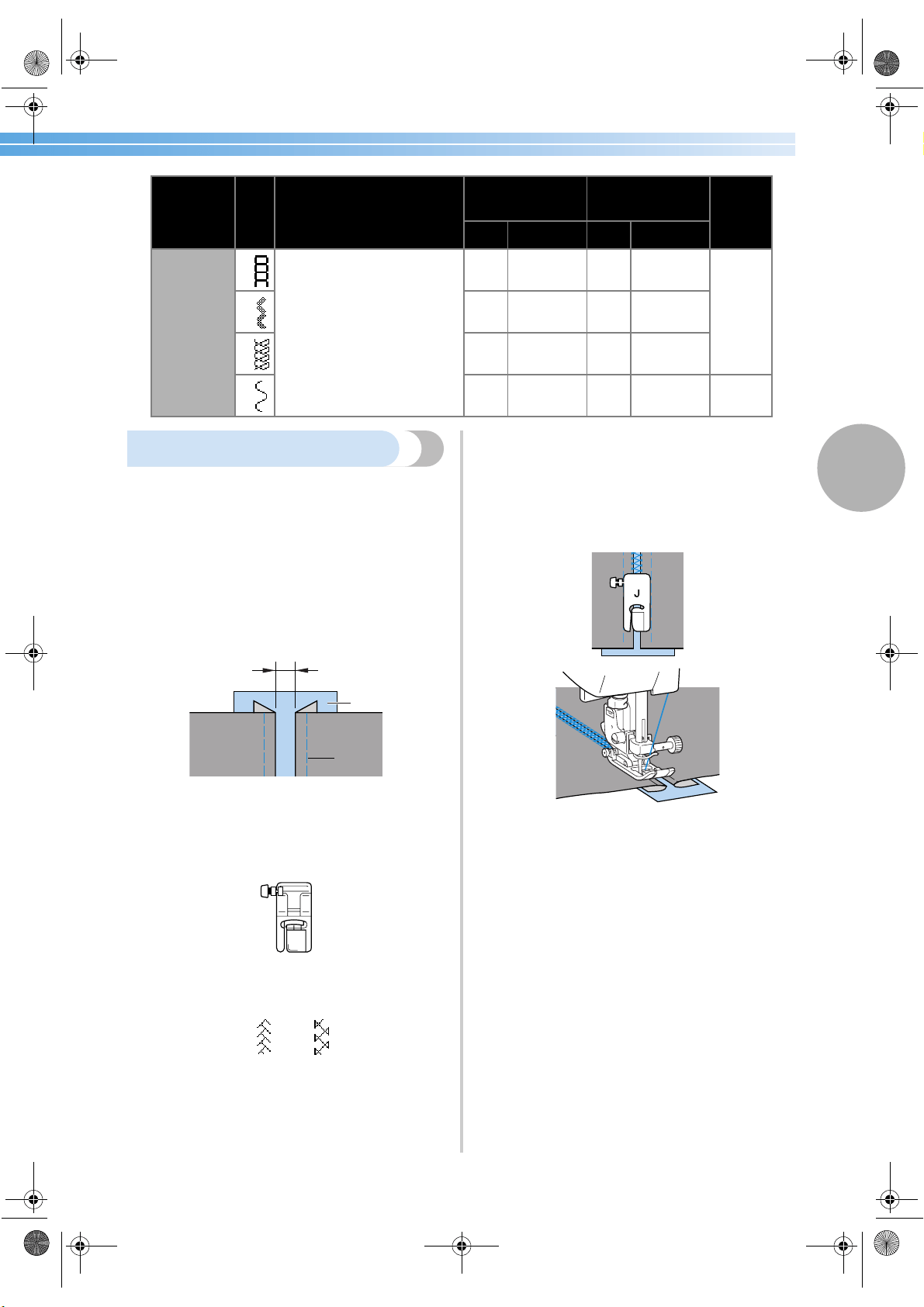
Decorative Stitching 101
3
Fagoting
Stitching across an open seam is called “fagoting”. It
is used on blouses and children's clothing. This stitch
is more decorative when thicker thread is used.
1
Use an iron to fold the two pieces of fabric
along their seams.
2
Baste the two pieces of fabric, separated by
about 4 mm (3/16 inch), onto thin paper or a
sheet of water-soluble stabilizer.
1 Thin paper or water soluble stabilizer
2 Basting stitching
3 4 mm (3/16 inch)
3
Attach zigzag foot “J”.
• For details, refer to “Replacing the presser
foot” (page 41).
4
Select stitch
26
or
27
.
• For details, refer to “Selecting stitching”
(page 66).
5
Set the stitch width to 7.0 mm (1/4 inch).
• For details, refer to “Adjusting the stitch
width” (page 57).
6
Sew with the center of the presser foot
aligned along the center of the two pieces of
fabric.
7
After sewing is finished, remove the paper.
Decorative
stitch
29
Decorative stitching
4.0
(3/16)
0.0–7.0
(0–1/4)
3.0
(1/8)
2.0–4.0
(1/16–3/16)
J
30
4.0
(3/16)
0.0–7.0
(0–1/4)
2.5
(3/32)
1.0–4.0
(1/16–3/16)
31
5.5
(7/32)
0.0–7.0
(0–1/4)
1.6
(1/16)
1.0–4.0
(1/16–3/16)
32
5.0
(3/16)
1.5–7.0
(1/16–1/4)
1.0
(1/16)
0.2–4.0
(1/64–3/16)
N
Stitch Name
Pattern
Application
Stitch Width
[mm (inch.)]
Stitch Length
[mm (inch.)]
Presser
Foot
Auto Manual Auto Manual
1
2
3
J
S3_brotherE.book Page 101 Wednesday, February 12, 2003 11:49 AM
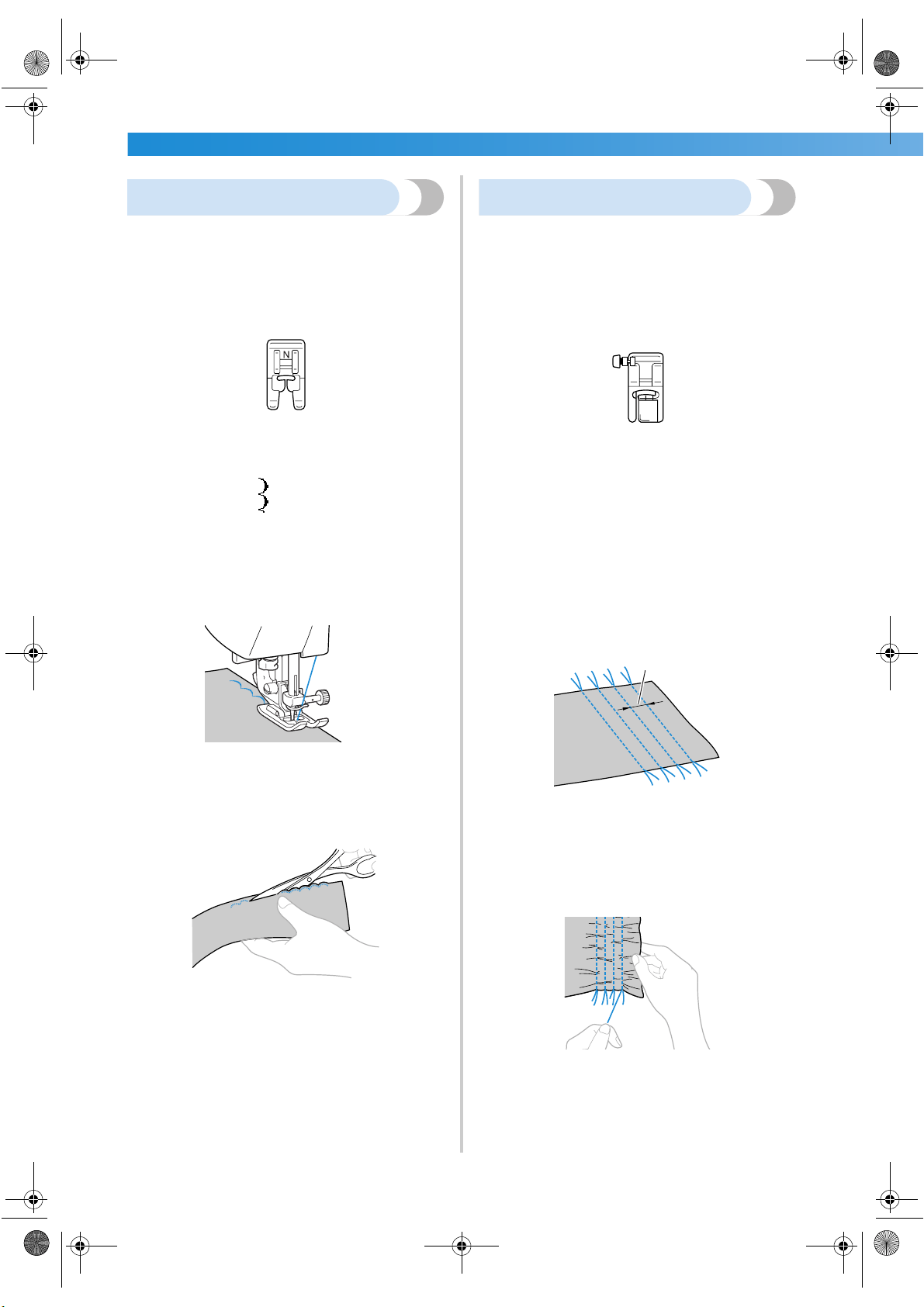
UTILITY STITCHES ——————————————————————————————————————————————————————
—
102
Scallop stitching
The wave-shaped repeating pattern that looks like
shells is called “scalloping”. It is used on the collars
of blouses and to decorate the edges of
handkerchiefs.
1
Attach monogramming foot “N”.
• For details, refer to “Replacing the presser
foot” (page 41).
2
Select stitch
21
.
• For details, refer to “Selecting stitching”
(page 66).
3
Stitch along the edge of the fabric, making
sure not to sew directly on the edge of the
fabric.
• For better results, apply spray starch onto the
fabric and press with a hot iron before it is
sewn.
4
Trim along the stitches.
• Be careful not to cut the stitches.
Smocking
The decorative stitch created by stitching or
embroidering over gathers is called “smocking”. It is
used to decorate the front of blouses or cuffs.
The smocking stitch adds texture and elasticity to
fabric.
1
Attach zigzag foot “J”.
• For details, refer to “Replacing the presser
foot” (page 41).
2
Select the straight stitch, and then adjust the
stitch length to 4.0 mm (3/16 inch) and loosen
the thread tension.
• For details, refer to “Adjusting the stitch
length” (page 58) and “Changing the tension
of the upper thread” (page 56).
3
Sew parallel stitching at intervals of 1 cm
(3/8 inch).
1 1 cm (3/8 inch)
• It is not necessary to sew reverse/
reinforcement stitches or cut the thread.
4
Pull the bobbin threads to create gathers.
Smooth the gathers by ironing them.
J
1
S3_brotherE.book Page 102 Wednesday, February 12, 2003 11:49 AM
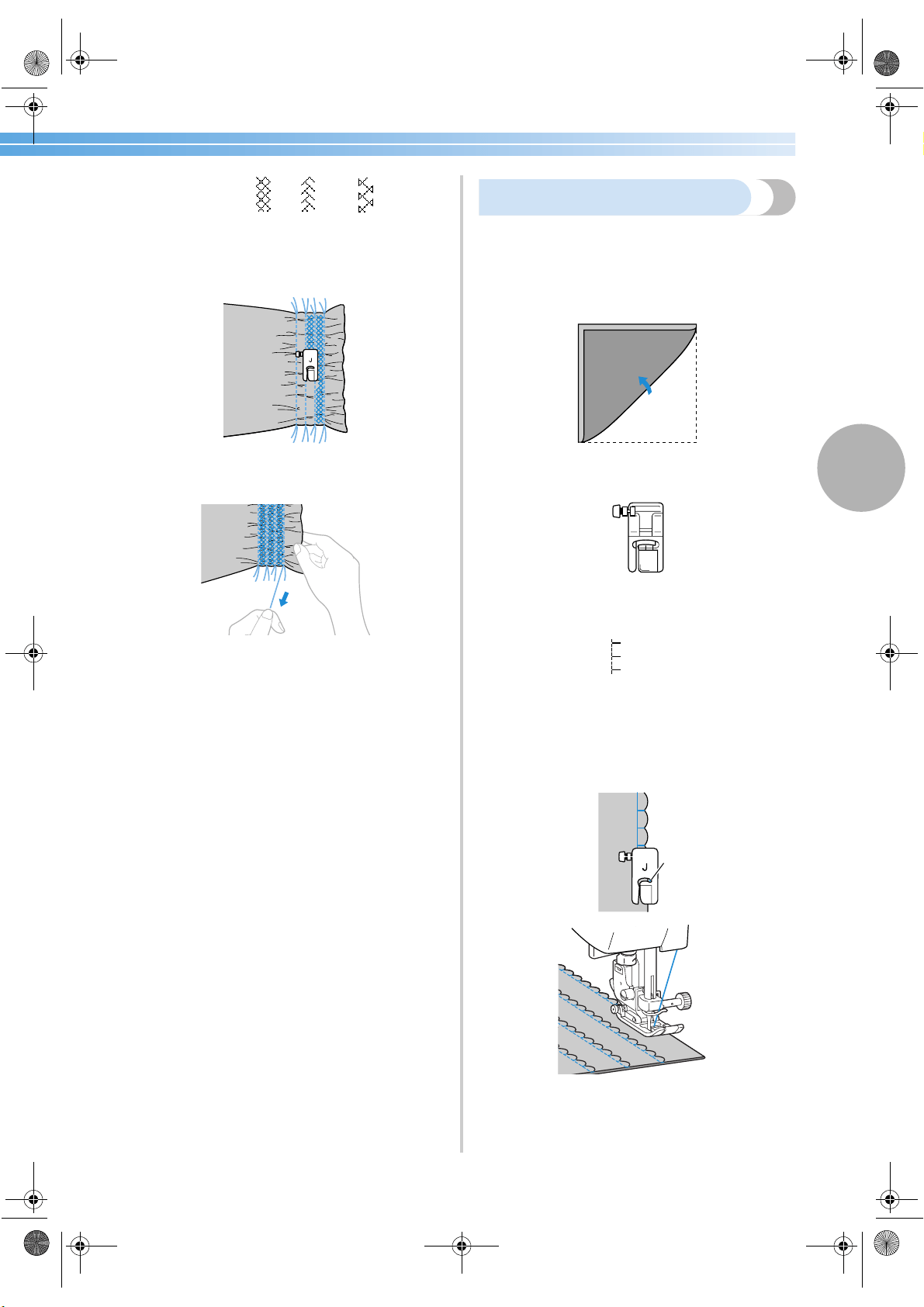
Decorative Stitching 103
3
5
Select stitch
25
,
26
or
27
.
• For details, refer to “Selecting stitching”
(page 66).
6
Stitch between the straight stitches.
7
Pull out the threads for the straight stitches.
Shell tuck stitching
The gathers that look like shells are called “shell
tucks”. They are used to decorate trims, the front of
blouses or cuffs made of thin fabrics.
1
Fold the fabric along the bias.
2
Attach zigzag foot “J”.
• For details, refer to “Replacing the presser
foot” (page 41).
3
Select stitch
20
, and then increase the
thread tension.
• For details, refer to “Selecting stitching”
(page 66).
4
Sew while making sure that the needle drops
slightly off the edge of the fabric.
1 Needle drop point
J
1
S3_brotherE.book Page 103 Wednesday, February 12, 2003 11:49 AM
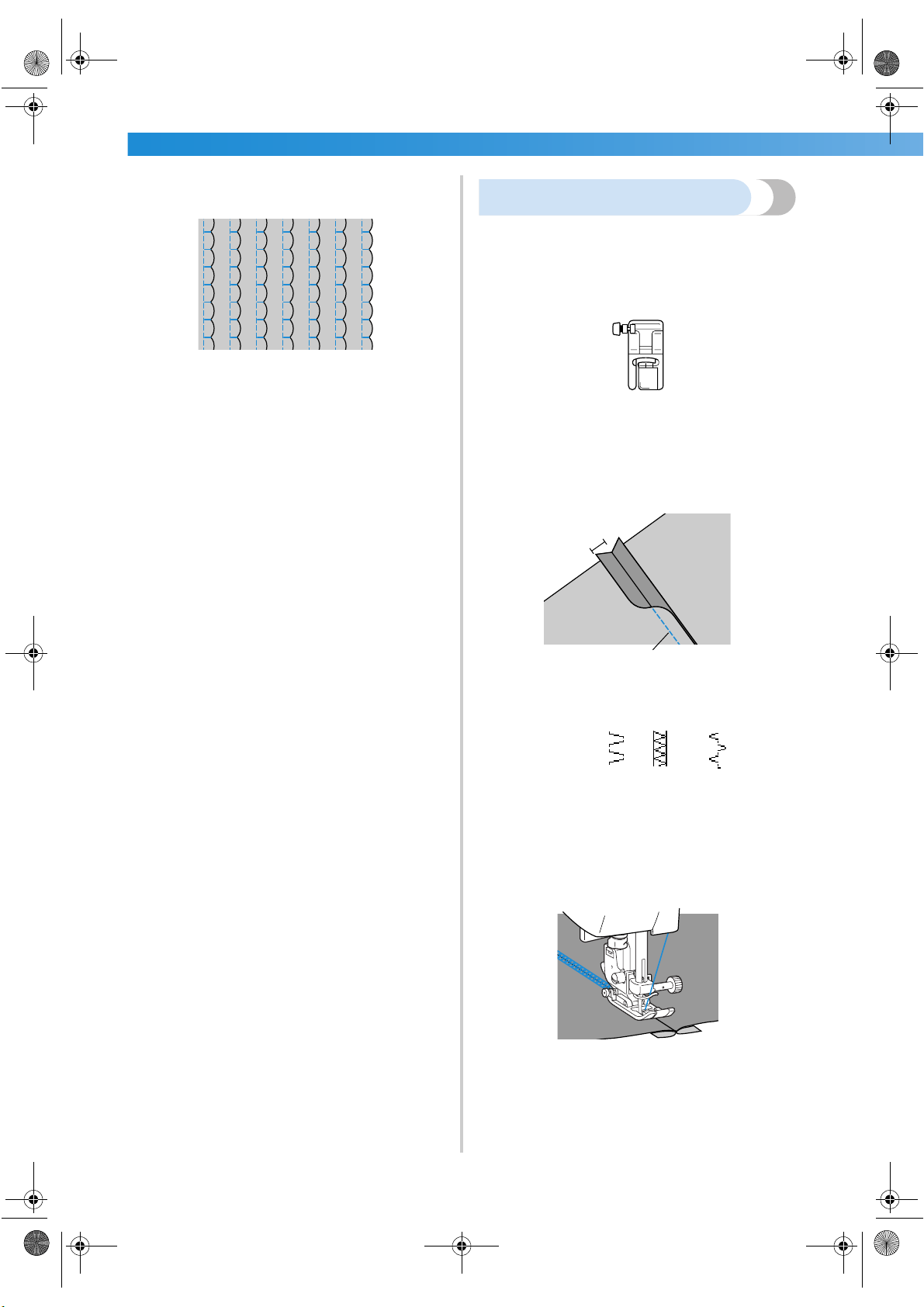
UTILITY STITCHES ——————————————————————————————————————————————————————
—
104
5
Unfold the fabric, and then iron the tucks
down to one side.
Joining
Decorative bridging stitches can be sewn over the
seam allowance of joined fabrics. This is used when
making a crazy quilt.
1
Attach zigzag foot “J”.
• For details, refer to “Replacing the presser
foot” (page 41).
2
Sew together the right sides of the two pieces
of fabric, and then open up the seam
allowances.
1 Wrong side of fabric
2 6.5 mm (1/4 inch) seam allowance
3 Straight stitch
3
Select stitch
22
,
23
or
24
.
• For details, refer to “Selecting stitching”
(page 66).
4
Turn the fabric over so that the right side
faces up, and then sew over the seam with the
center of the presser foot aligned with the
seam.
1 Right side of fabric
J
1
1
2
3
1
S3_brotherE.book Page 104 Wednesday, February 12, 2003 11:49 AM
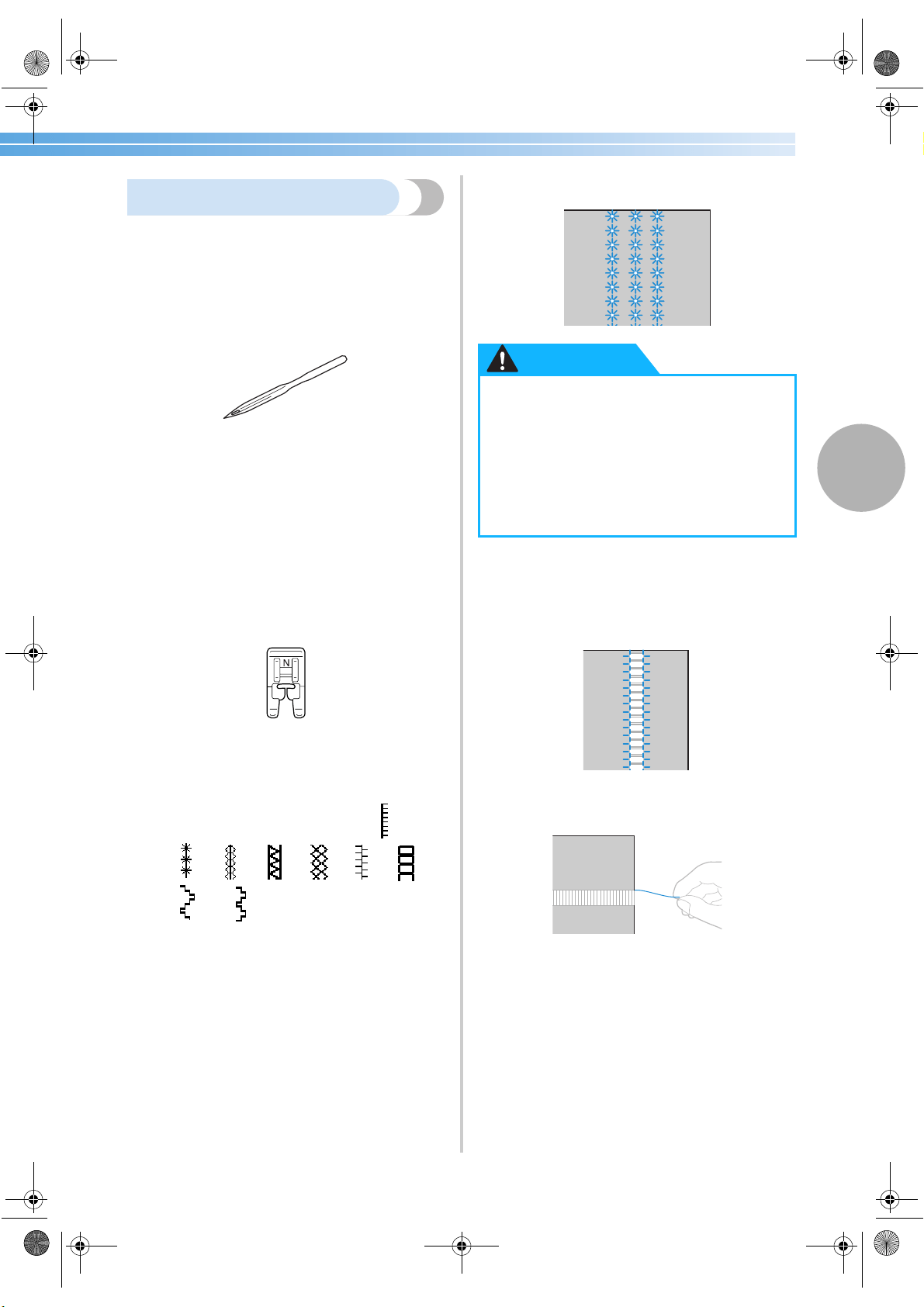
Decorative Stitching 105
3
Heirloom stitching
When sewing with the wing needle, the needle holes
are enlarged, creating a lace-like decorative stitch.
This is used to decorate hems and tablecloths on thin
or mediumweight fabrics in addition to plain weave
fabrics.
1
Install the wing needle.
• Use a 130/705H 100/16 wing needle.
• For details on installing a needle, refer to
“Replacing the needle” (page 38).
• The needle threader cannot be used with the
wing needle, otherwise the sewing machine
may be damaged. Manually pass the thread
through the eye of the needle from the front
to the back.
For details, refer to “Thread the needle
manually” (page 31)
2
Attach monogramming foot “N”.
• For details, refer to “Replacing the presser
foot” (page 41).
3
Select a stitch.
The stitches that can be used are
33
,
34
,
35
,
36
,
37
,
38
,
39
,
40
or
41
.
• For details, refer to “Selecting stitching”
(page 66).
• Select a stitch width of 6.0 mm (15/64 inch)
or less.
4
Start sewing.
Partially removing threads is called “drawnwork”.
This gives a beautiful result with fabrics that have a
loose weave.
Two ways to create drawnwork are described below.
■ Drawnwork (Example 1)
1
Pull out several threads from the fabric.
● Select a stitch width of 6.0 mm (15/64
inch) or less, otherwise the needle may
bend or break.
● After adjusting the stitch width, slowly
turn the balance wheel toward you and
check that the needle does not touch the
presser foot. If the needle hits the presser
foot, the needle may bend or break.
CAUTION
S3_brotherE.book Page 105 Wednesday, February 12, 2003 11:49 AM
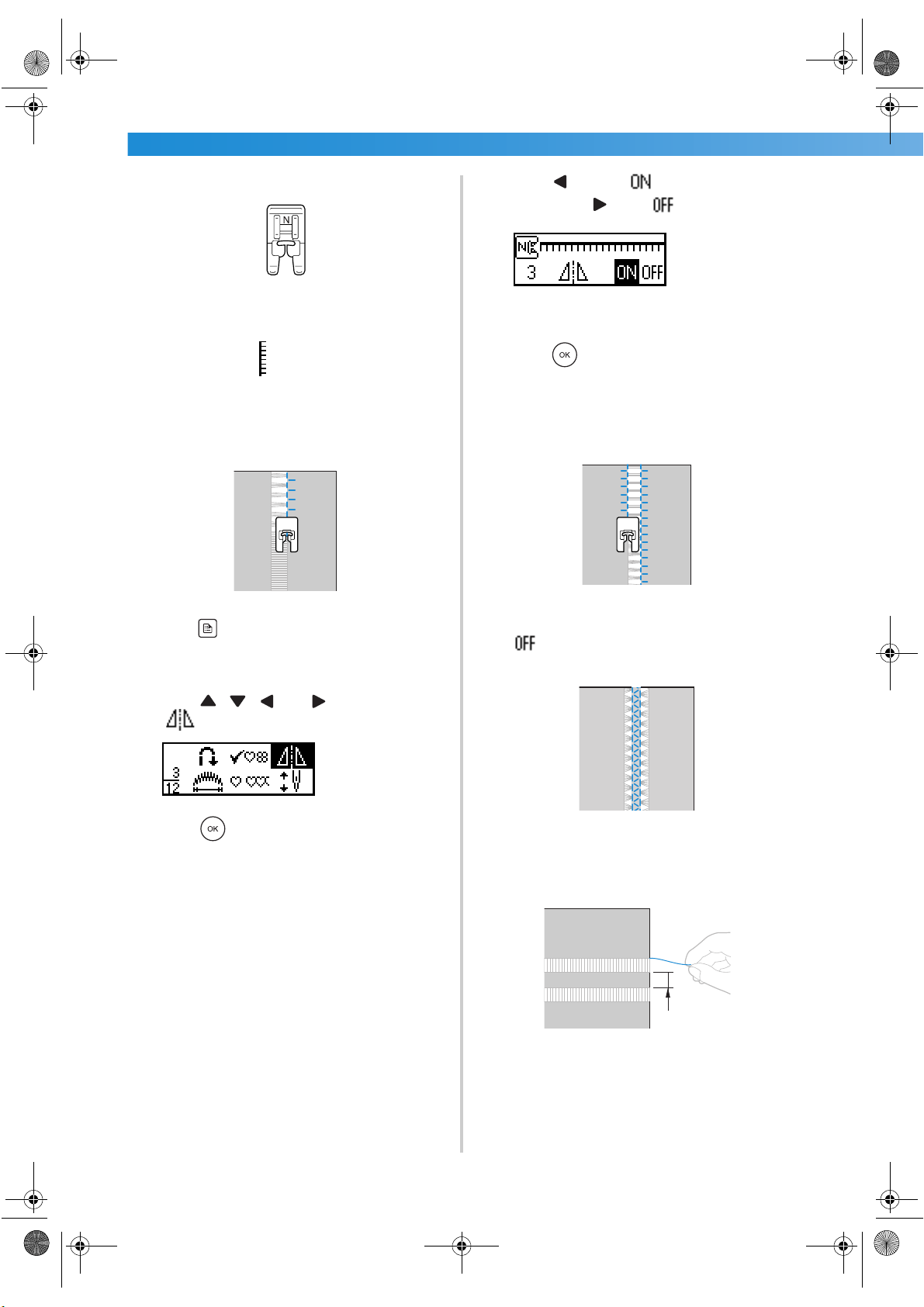
UTILITY STITCHES ——————————————————————————————————————————————————————
—
106
2
Attach monogramming foot “N”.
• For details, refer to “Replacing the presser
foot” (page 41).
3
Select stitch
33
.
• For details, refer to “Selecting stitching”
(page 66).
4
With the right side of the fabric facing up, sew
along the right edge of the frayed section.
5
Press (settings key) in the operation panel.
X The settings screen appears.
6
Press , , and (arrow keys) until
is selected.
7
Press (OK key).
X The screen for mirror imaging the pattern
appears.
8
Press to select .
To return to , press .
X The pattern is flipped.
9
Press (OK key).
X The initial stitch screen appears again.
0
Sew along the other edge of the frayed section
so that it looks like the previous stitching.
a
Set the mirror image pattern setting back to
.
■ Drawnwork (Example 2)
1
Pull out several threads from two sections of
the fabric, separated by an unfrayed section of
about 4 mm (3/16 inch).
1 4 mm (3/16 inch)
N
N
1
S3_brotherE.book Page 106 Wednesday, February 12, 2003 11:49 AM
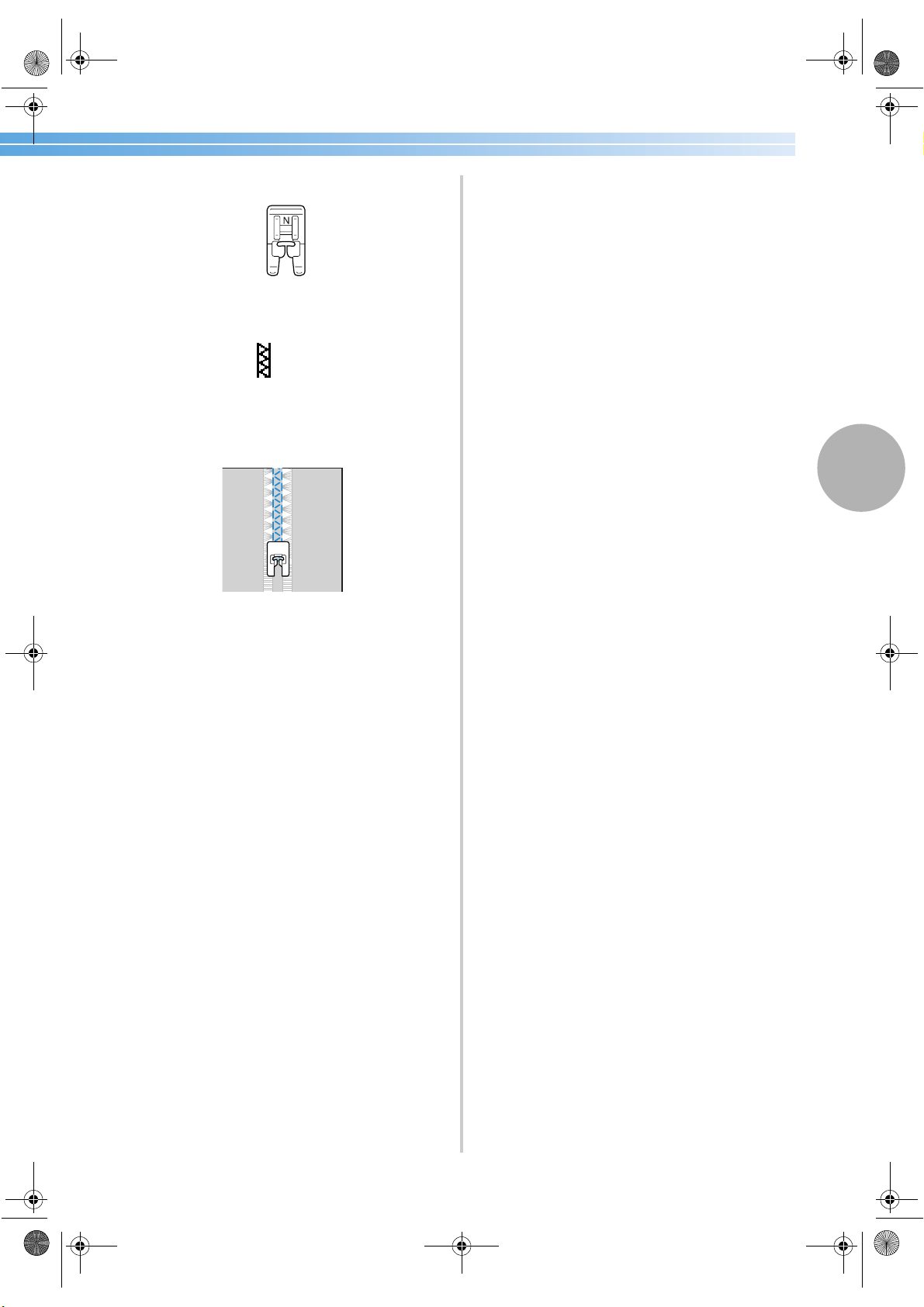
Decorative Stitching 107
3
2
Attach monogramming foot “N”.
• For details, refer to “Replacing the presser
foot” (page 41).
3
Select stitch
36
.
• For details, refer to “Selecting stitching”
(page 66).
4
Sew along the center of the unfrayed section.
N
S3_brotherE.book Page 107 Wednesday, February 12, 2003 11:49 AM
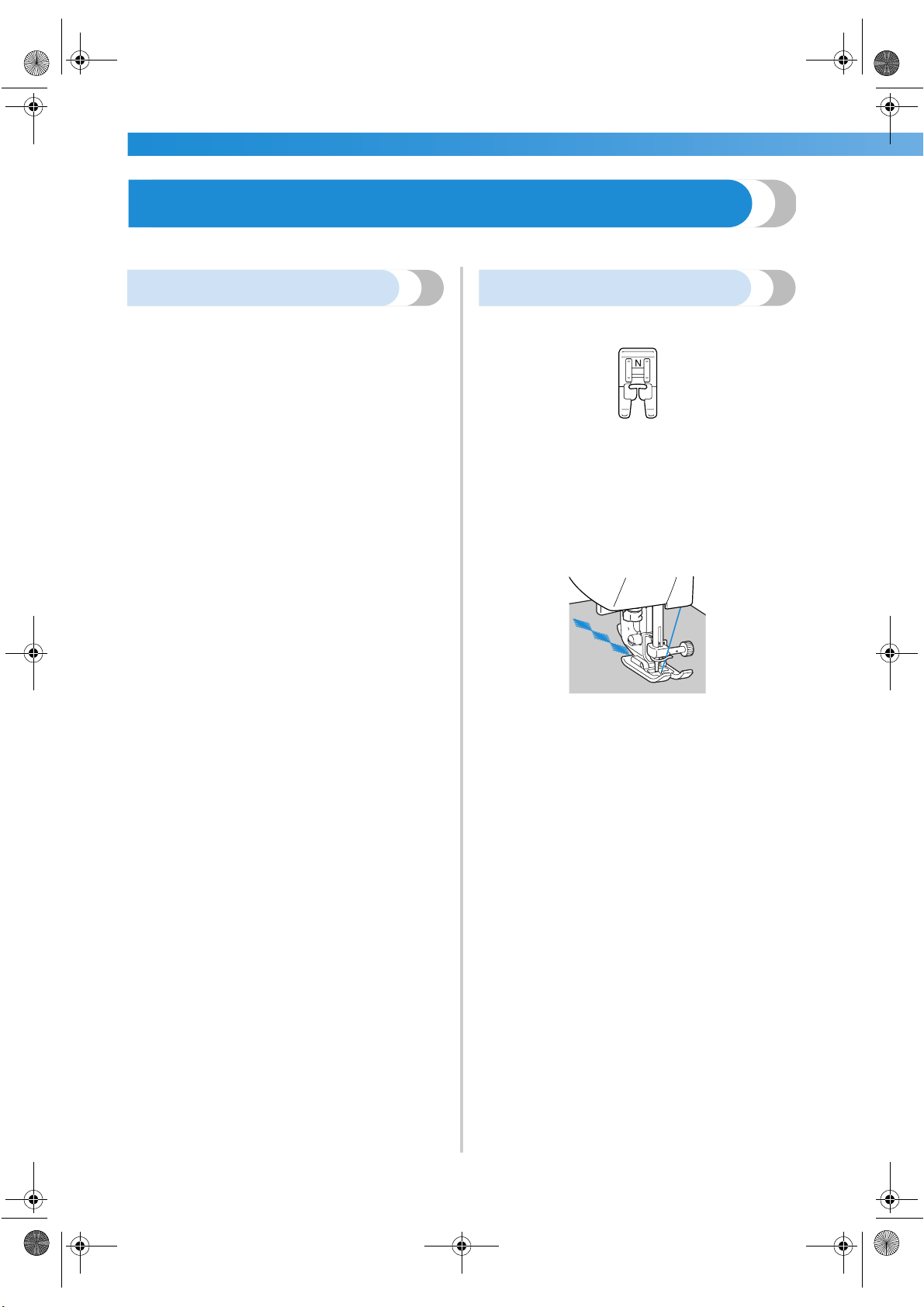
UTILITY STITCHES ——————————————————————————————————————————————————————
—
108
Sewing the Various Built-In Decorative Patterns
Decorative stitches, satin stitches and cross-stitches can be sewn. All are sewn with monogramming foot “N”.
Sewing beautiful patterns
In order to sew the patterns correctly, the following
must be considered.
■ Fabric
Before sewing stretch or thin fabrics or fabrics
with a coarse weave, affix the optional stabilizer
material to the wrong side of the fabric or place a
thin sheet of paper, such as tracing paper, under
the fabric. Since material puckering or bunched
stitches may occur when satin stitches are sewn,
be sure to affix stabilizer material to the fabric.
■ Needles and threads
When sewing thin, mediumweight or stretch
fabrics, use the ball point needle. When sewing
thick fabrics, use a 90/14 home sewing machine
needle. In addition, 75/11 to 90/14 thread should
be used.
■ Trial sewing
Depending on the type and thickness of the fabric
being sewn and whether or not stabilizer material
is used, the desired result may not be achieved.
Be sure to sew a trial piece of fabric before sewing
your project. In addition, while sewing, be sure to
guide the fabric with your hands in order to
prevent the fabric from slipping.
Sewing patterns
1
Attach monogramming foot “N”.
• For details, refer to “Replacing the presser
foot” (page 41).
2
Select a stitch.
• For details, refer to steps
4 through 9 of
“Selecting stitching” (page 66).
3
Start sewing.
• The stitching is sewn in the direction
indicated by the arrow.
4
Sew reinforcement stitches.
• When sewing a pattern, it is useful to first set
the automatic reverse/reinforcement
stitching setting. For details, refer to
“Automatically sewing reverse/
reinforcement stitches” (page 59).
5
When you are finished sewing, use scissors to
trim off any excess threads at the beginning of
the stitching and between the patterns.
S3_brotherE.book Page 108 Wednesday, February 12, 2003 11:49 AM
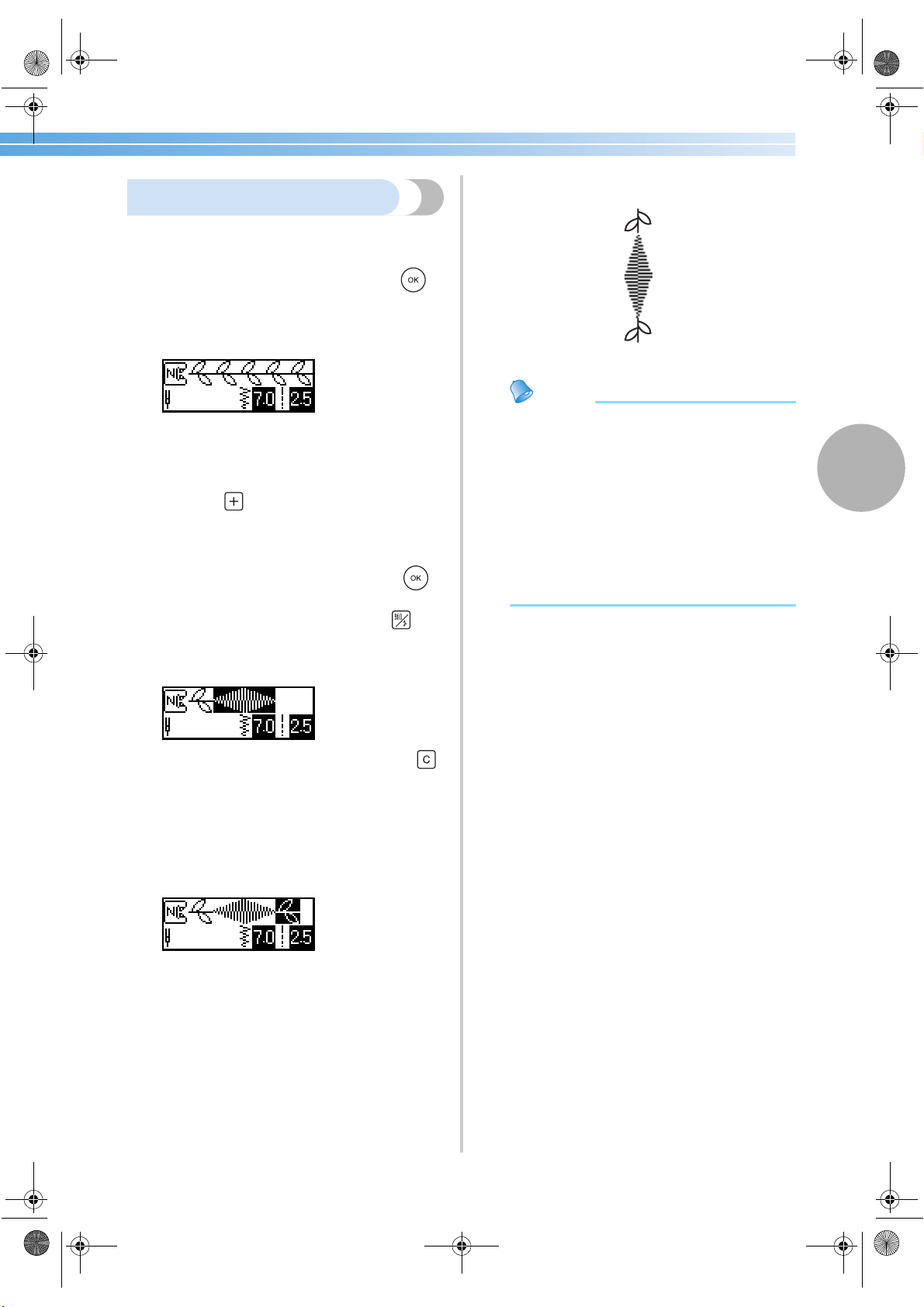
Sewing the Various Built-In Decorative Patterns 109
3
Combining patterns
Multiple patterns can be combined and sewn
together.
1
Select the first pattern, and then press
(OK key).
X The first pattern is selected and appears in
the LCD.
• When the sewing is started, the selected
pattern is sewn repeatedly until the sewing
machine is stopped.
2
Press the key in the operation panel.
X The screen for selecting a pattern appears
again.
3
Select the next pattern, and then press
(OK key).
To select a different stitch type, press
(stitch selection key).
X The combined patterns appear in the LCD.
• To remove a selected pattern, press the
key in the operation panel. The pattern that
was selected last is removed.
4
Repeat steps 2 and 3.
5
After all of the desired patterns are selected,
start sewing.
1 Sewing direction
X The order that the patterns appear in the
LCD is the order that they will be sewn.
Memo
● Up to 70 patterns can be combined.
● Some utility stitches cannot be combined.
● If multiple patterns have been combined,
the sewing machine stops once all the
selected patterns displayed in the LCD have
been sewn. To repeatedly sew the
combined pattern, refer to “Repeat sewing
patterns”.
● The combined pattern can be stored for
later use. For details, refer to “Storing a
pattern” (page 113).
S3_brotherE.book Page 109 Wednesday, February 12, 2003 11:49 AM
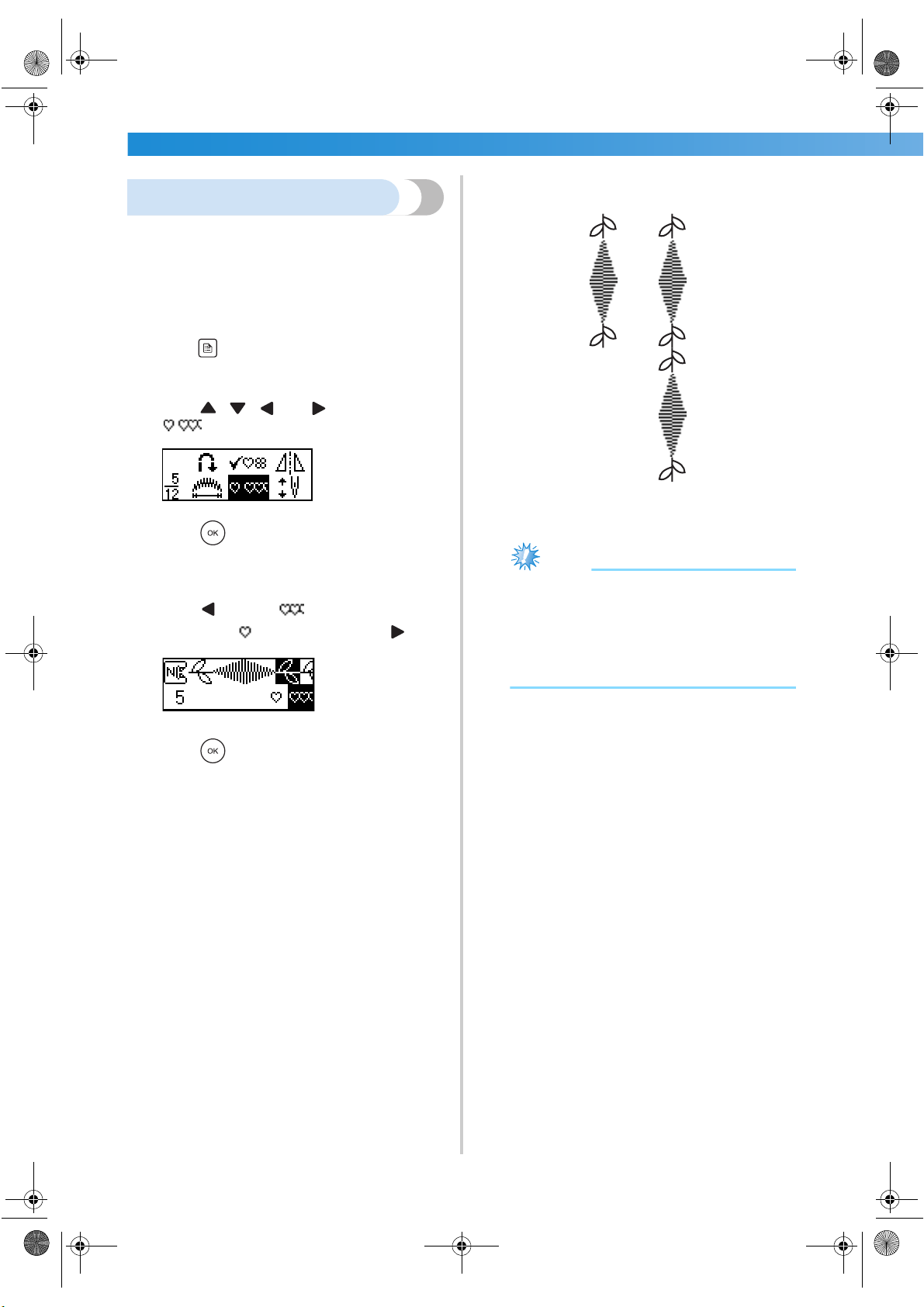
UTILITY STITCHES ——————————————————————————————————————————————————————
—
110
Repeat sewing patterns
To repeatedly sew the combined pattern, follow the
procedure described below.
1
Select the pattern.
• For details, refer to “Combining patterns” (on
the previous page).
2
Press (settings key) in the operation panel.
X The settings screen appears.
3
Press , , and (arrow keys) until
is selected.
4
Press (OK key).
X The screen for specifying repeat sewing
appears.
5
Press to select (repeat sewing).
To return to (single sewing), press .
6
Press (OK key).
X The initial stitch screen appears again, and
the machine is set to repeatedly sew the
selected pattern.
1 Single
2 Repeated
Note
● If repeated sewing is set, the pattern is
repeatedly sewn until the sewing machine is
stopped.
● If the sewing machine is turned off, the
repeated/single sewing setting returns to its
default setting.
12
S3_brotherE.book Page 110 Wednesday, February 12, 2003 11:49 AM
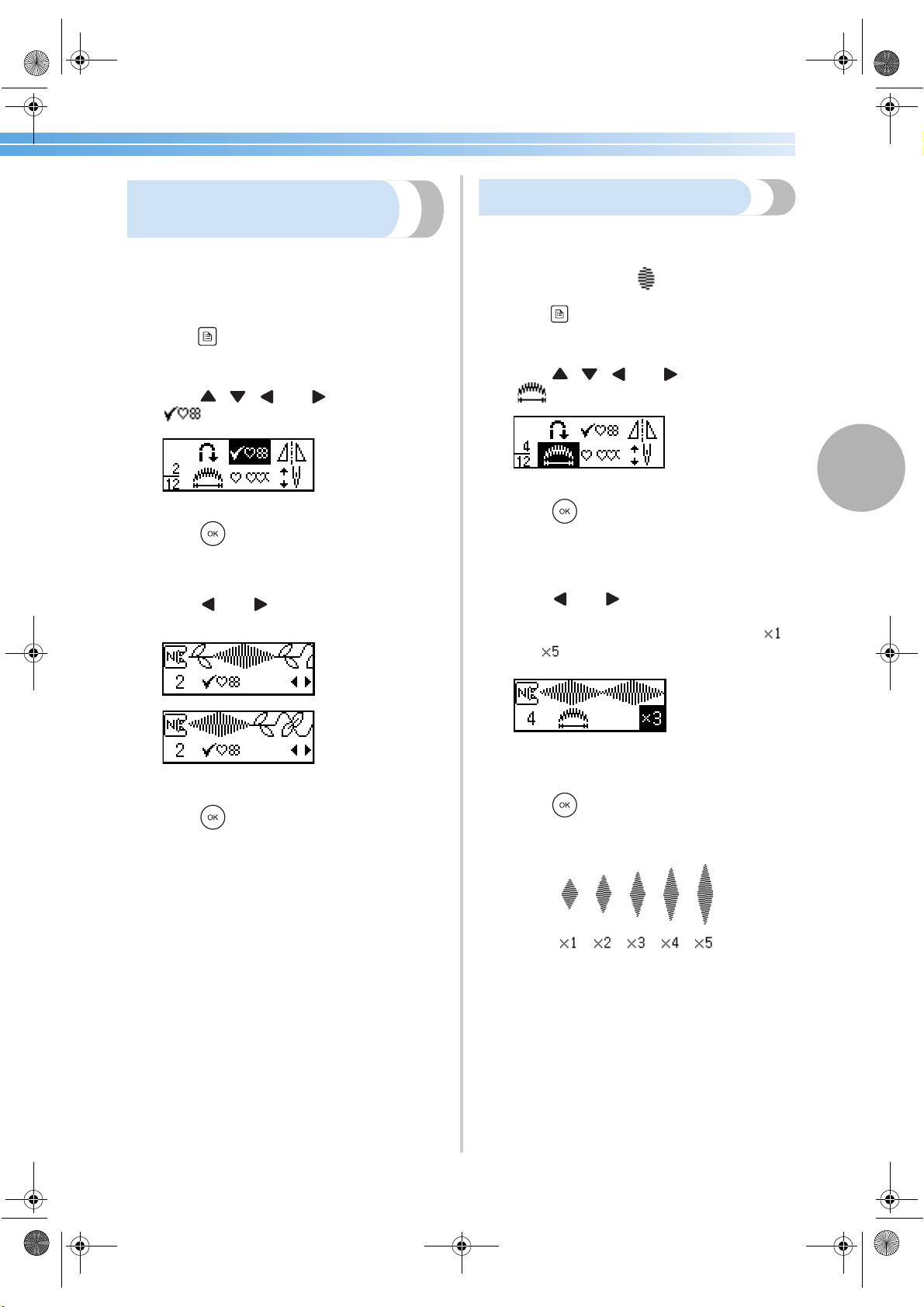
Sewing the Various Built-In Decorative Patterns 111
3
Checking the selected
pattern
Up to 70 patterns can be combined. If all of the
selected patterns cannot be displayed in the LCD at
the same time, the pattern can be checked according
to the following procedure.
1
Press (settings key) in the operation panel.
X The settings screen appears.
2
Press , , and (arrow keys) until
is selected.
3
Press (OK key).
X The screen for checking the pattern appears.
4
Press and to scroll through the
pattern and check it.
5
Press (OK key).
X The initial stitch screen appears again.
Changing the pattern length
The length of one part of a satin stitch can be set to
one of five sizes.
1
Select a satin stitch .
2
Press (settings key) in the operation panel.
X The settings screen appears.
3
Press , , and (arrow keys) until
is selected.
4
Press (OK key).
X The screen for changing the length of a satin
stitch appears.
5
Press and until the desired ratio is
selected.
The length can be set within the range of
and .
X The satin stitch length is changed.
6
Press (OK key).
X The initial stitch screen appears again.
S3_brotherE.book Page 111 Wednesday, February 12, 2003 11:49 AM
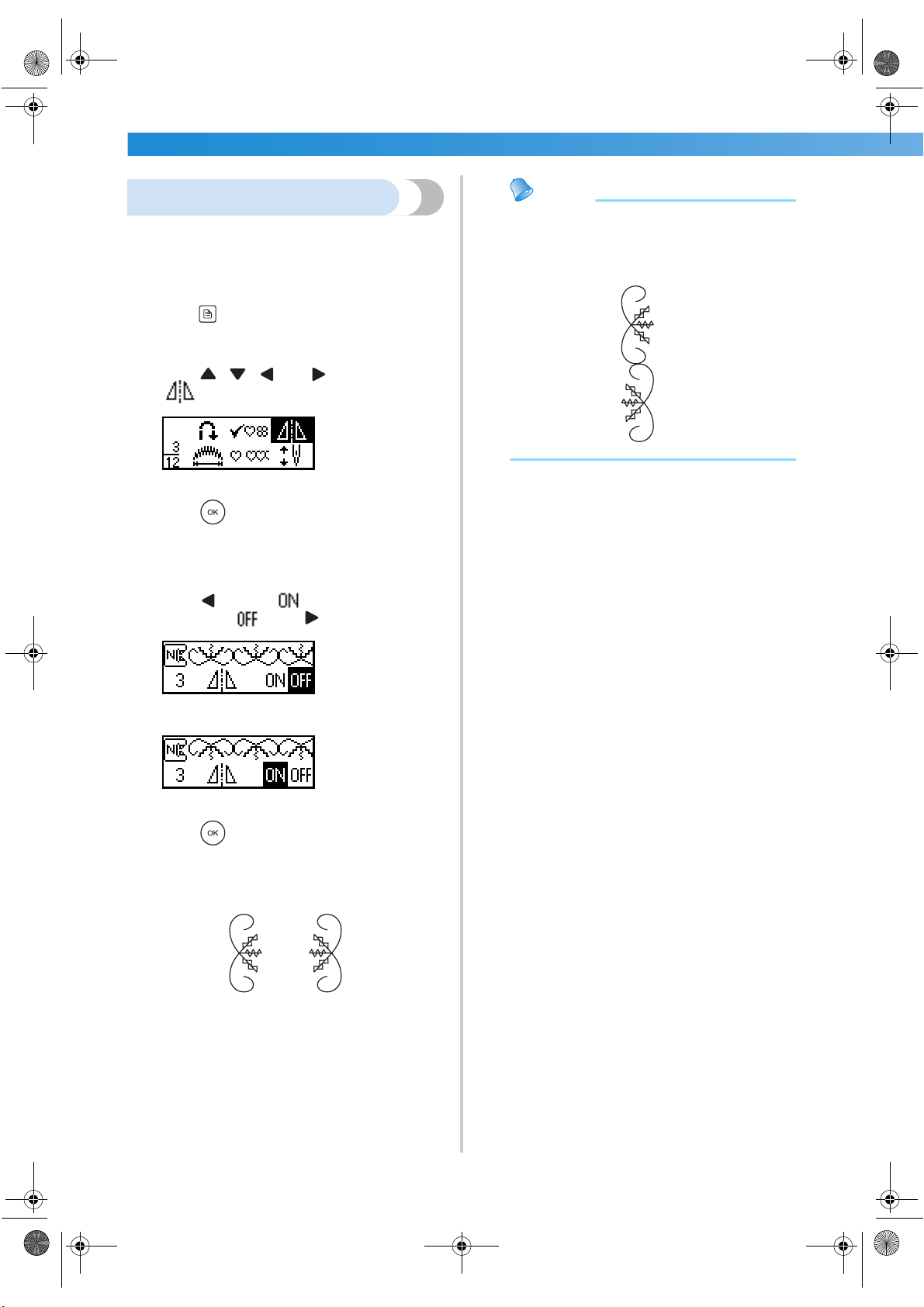
UTILITY STITCHES ——————————————————————————————————————————————————————
—
112
Mirror imaging the pattern
The pattern can be mirror imaged along a vertical
axis.
1
Select a stitch.
2
Press (settings key) in the operation panel.
X The settings screen appears.
3
Press , , and (arrow keys) until
is selected.
4
Press (OK key).
X The screen for mirror imaging the pattern
appears.
5
Press to select .
To return to , press .
X The pattern is mirror imaged.
6
Press (OK key).
X The initial stitch screen appears again.
1 Normal
2 Mirror-imaged
Memo
● Some of the utility and decorative patterns
can be mirror imaged.
● Mirror imaged patterns can also be
combined with other patterns.
1
2
S3_brotherE.book Page 112 Wednesday, February 12, 2003 11:49 AM
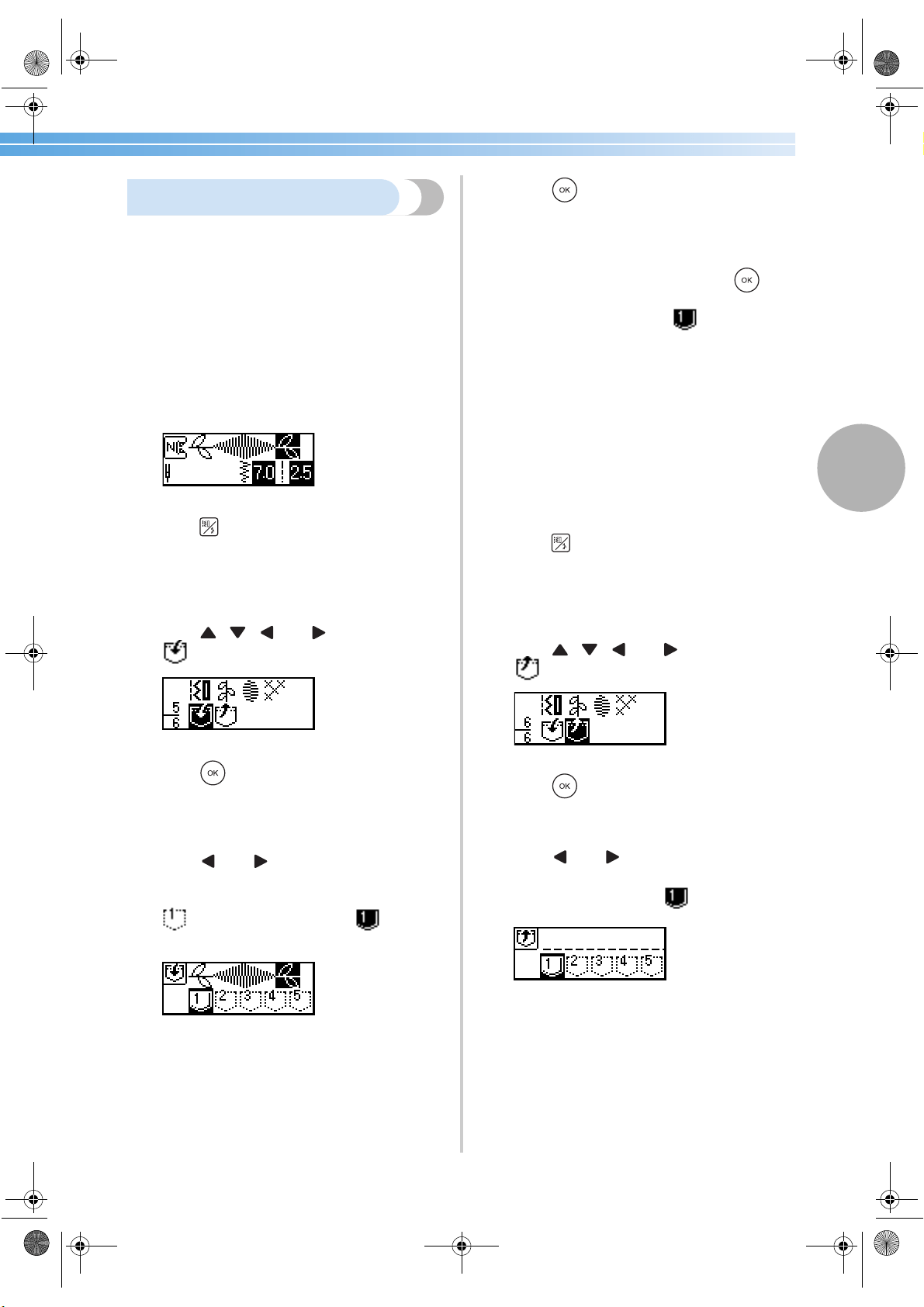
Sewing the Various Built-In Decorative Patterns 113
3
Storing a pattern
Combined patterns can be stored for later use. Since
stored patterns are not lost after the sewing machine
is turned off, they can be recalled at any time. This is
convenient for patterns, such as names, that will be
used often. Up to five patterns can be stored.
■ Storing a pattern
1
Create the combined pattern that you wish to
store.
• For details, refer to “Combining patterns”
(page 109).
2
Press (stitch selection key) in the
operation panel.
X The screen containing the various types of
stitches appears.
3
Press , , and (arrow keys) until
is selected.
4
Press (OK key).
X The screen for selecting the storage location
(pocket) appears.
5
Press and until the pocket (1 through
5) where you wish to store the pattern is
selected.
indicates an empty pocket. indicates
a pocket where a pattern is already stored.
6
Press (OK key).
X The contents of the selected pocket are
displayed.
7
Check the contents, and then press (OK
key).
The contents stored in the pocket are
overwritten.
X “Saving...” appears while the pattern is
being stored in the pocket.
• Do not turn off the sewing machine while a
pattern is being stored, otherwise the pattern
data may be lost.
X After the pattern is stored, the initial stitch
screen appears again.
■ Recalling a pattern
1
Press (stitch selection key) in the
operation panel.
X The screen containing the various types of
stitches appears.
2
Press , , and (arrow keys) until
is selected.
3
Press (OK key).
X The screen for selecting a pocket appears.
4
Press and until the pocket containing
the pattern that you wish to recall is selected.
A pattern is stored in the pocket.
S3_brotherE.book Page 113 Wednesday, February 12, 2003 11:49 AM
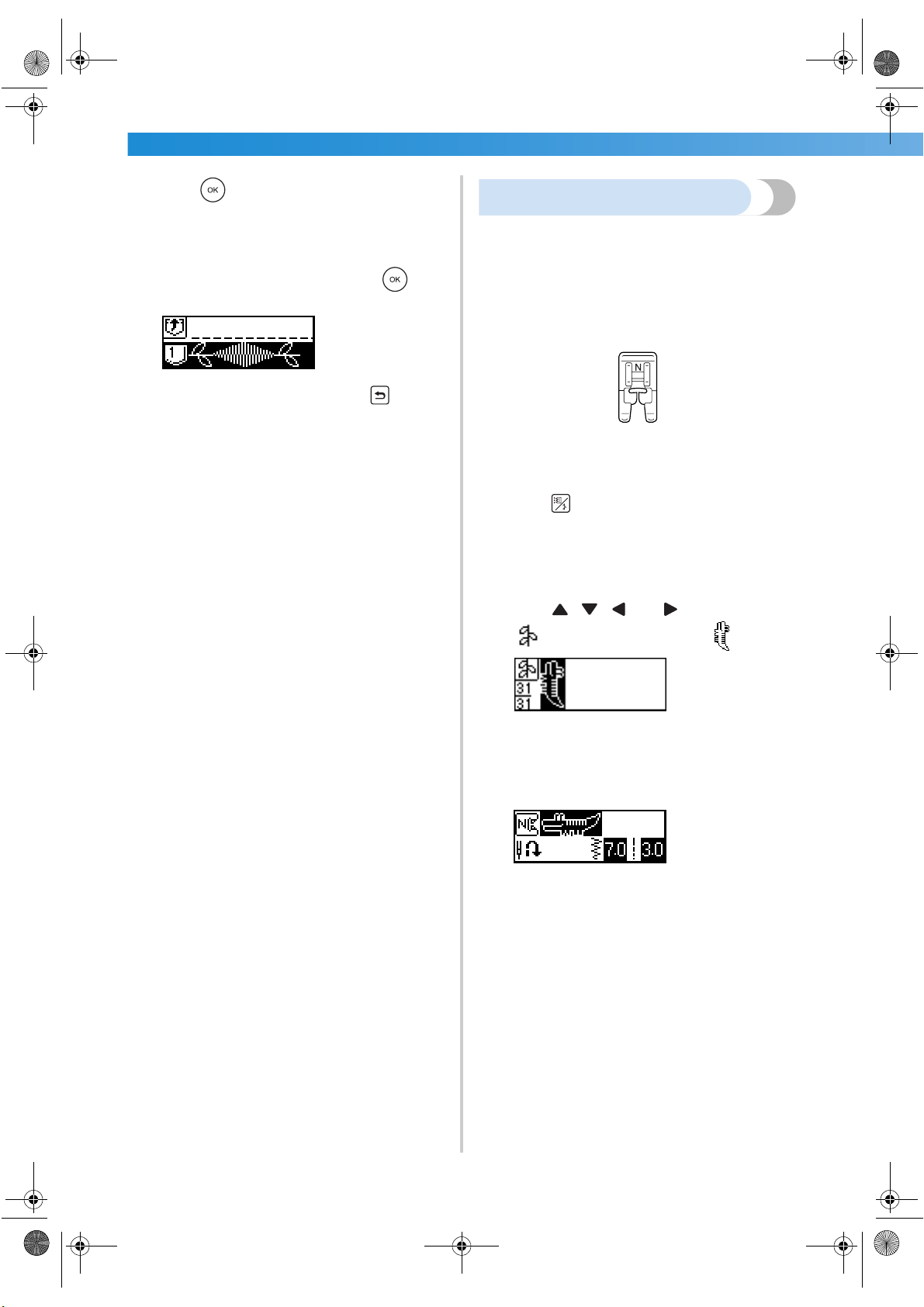
UTILITY STITCHES ——————————————————————————————————————————————————————
—
114
5
Press (OK key).
X The contents of the selected pocket are
displayed.
6
Check the contents, and then press (OK
key).
To select a different pocket, press (back
key).
X The initial stitch screen appears again, and
the pattern from the selected pocket is
recalled.
Realigning the pattern
The pattern may not be sewn correctly, depending
on the type of fabric being sewn or the sewing speed.
If this occurs, adjust the pattern while sewing on a
piece of scrap fabric that is the same as that used for
your project.
1
Attach monogramming foot “N”.
• For details, refer to “Replacing the presser
foot” (page 41).
2
Press (stitch selection key) in the
operation panel.
X The screen containing the various types of
stitches appears.
3
Press , , and (arrow keys) until
is selected, and then select .
X The pattern alignment stitch is selected.
4
Start sewing.
X The pattern for making the adjustment is
sewn.
X The sewing machine stops after it has
finished sewing the pattern.
S3_brotherE.book Page 114 Wednesday, February 12, 2003 11:49 AM
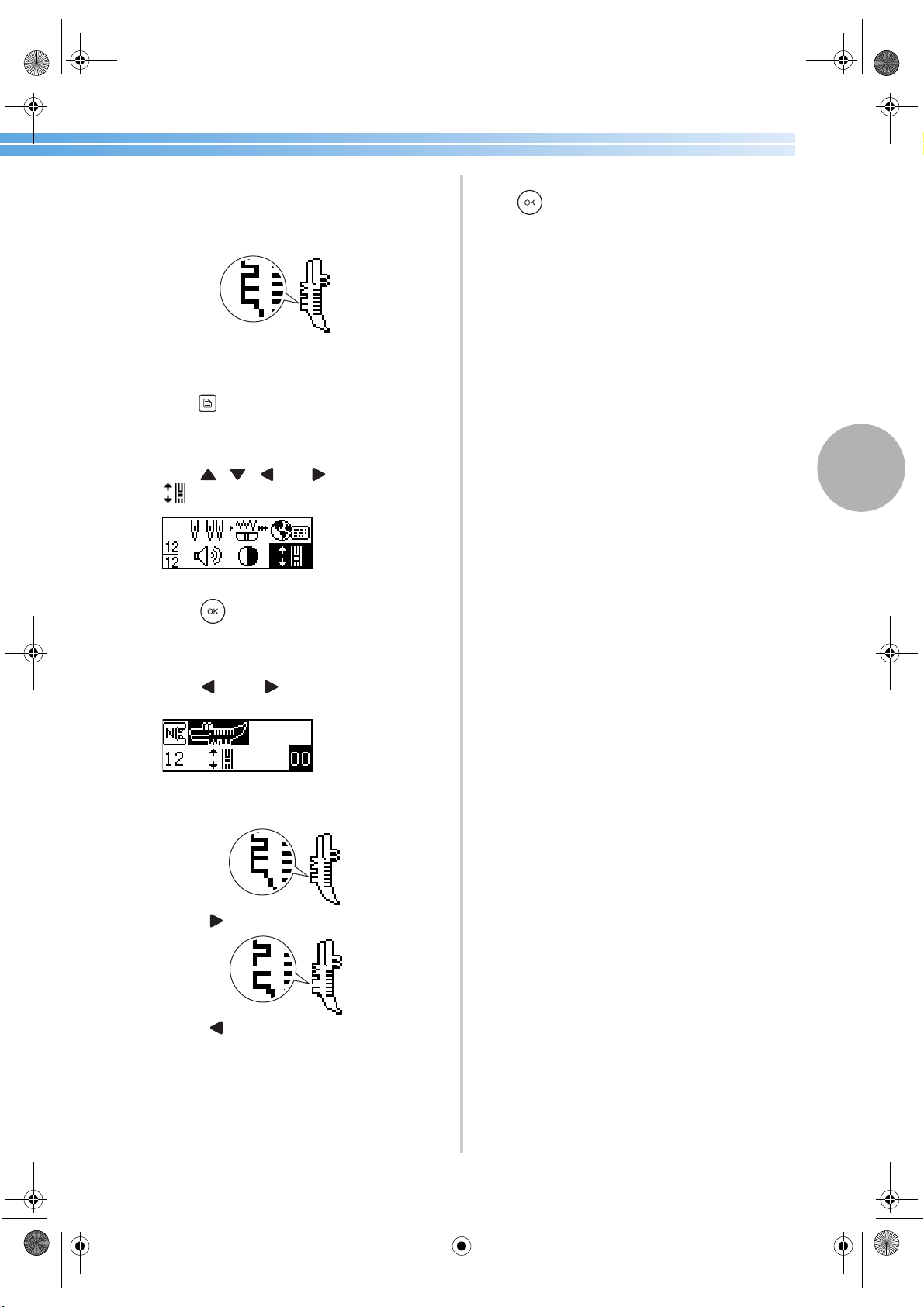
Sewing the Various Built-In Decorative Patterns 115
3
5
Check the sewn pattern.
If the part of the pattern indicated in the
illustration is sewn uniformly, the pattern is
correctly aligned.
If the pattern is not sewn correctly, following
the steps below to adjust the sewing.
6
Press (settings key) in the operation panel.
X The settings screen appears.
7
Press , , and (arrow keys) until
is selected.
8
Press (OK key).
X The screen for adjusting the pattern appears.
9
Press (–) or (+).
X Make the necessary adjustments according
to how the pattern is sewn.
Press to increase the adjustment setting.
Press to decrease the adjustment setting.
0
Start sewing again, and then check the
pattern.
Continue adjusting the pattern until it is sewn
correctly.
a
When the pattern is sewn correctly, press
(OK key).
X The initial stitch screen appears again.
S3_brotherE.book Page 115 Wednesday, February 12, 2003 11:49 AM
UTILITY STITCHES ——————————————————————————————————————————————————————
—
116
S3_brotherE.book Page 116 Wednesday, February 12, 2003 11:49 AM

4 APPENDIX
The various maintenance and troubleshooting procedures are described in this
chapter.
Stitch Settings .......................................................................................................118
Maintenance ........................................................................................................124
Troubleshooting ...................................................................................................126
Index ....................................................................................................................133
S3_brotherE.book Page 117 Wednesday, February 12, 2003 11:49 AM
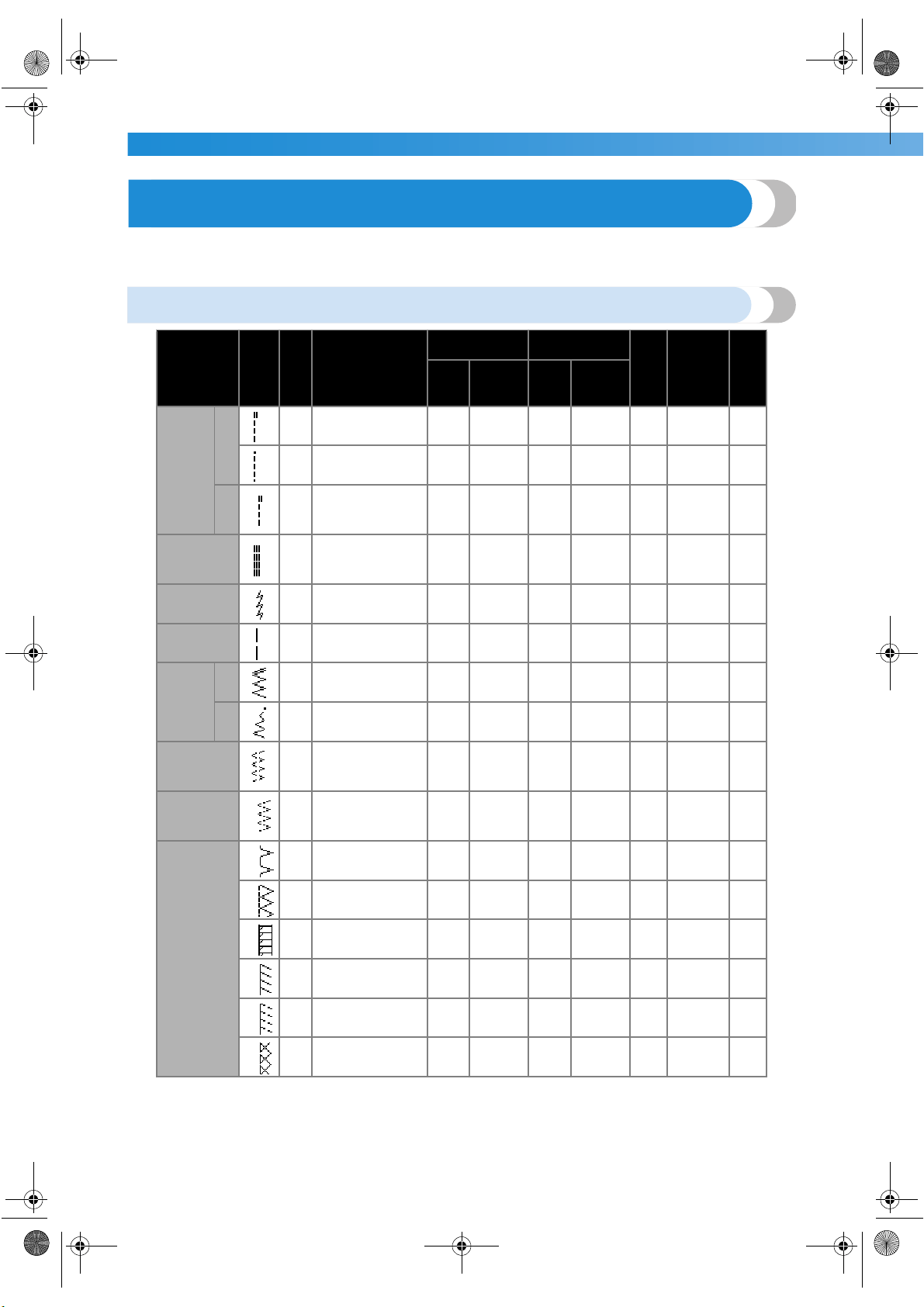
APPENDIX —————————————————————————————————————————————————————————
—
118
Stitch Settings
Applications, stitch lengths and widths and whether the twin needle can be used are listed for utility stitches in
the following table.
Utility stitches
Stitch Name Pattern
Presser Foot
Application
Stitch Width
[mm (inch.)]
Stitch Length
[mm (inch.)]
Twin Needle
Reverse/
Reinforcement
Stitching
Walking Foot
Auto Manual Auto Manual
Straight
stitch
Left
1
J
Basic stitching, sewing
gathers or pintucks,
etc.
0.0
(0)
0.0–7.0
(0–1/4)
2.5
(3/32)
0.2–5.0
(1/64–3/16)
Yes Reverse No
2
J
Basic stitching and
sewing gathers or pin-
tucks
0.0
(0)
0.0–7.0
(0–1/4)
2.5
(3/32)
0.2–5.0
(1/64–3/16)
Yes
Reinforce-
ment
Yes
Center
3
J/I
Attaching zippers,
basic stitching, sewing
gathers or pintucks,
etc.
––
2.5
(3/32)
0.2–5.0
(1/64–3/16)
Yes Reverse No
Triple stretch
stitch
4
J
Attaching sleeves, sew-
ing inseams, sewing
stretch fabrics and dec-
orative stitching
0.0
(0)
0.0–7.0
(0–1/4)
2.5
(3/32)
1.5–4.0
(1/16–3/16)
Yes
Reinforce-
ment
No
Stretch stitch
5
J
Sewing stretch fabrics
and decorative stitch-
ing
1.0
(1/16)
1.0–3.0
(1/16–1/8)
2.5
(3/32)
1.0–4.0
(1/16–3/16)
Yes
Reinforce-
ment
No
Basting stitch
6
J Temporarily securing
0.0
(0)
0.0–7.0
(0–1/4)
––No
Reinforce-
ment
No
Zigzag
stitch
Center
7
J
Overcasting and
attaching appliqués
3.5
(1/8)
0.0–7.0
(0–1/4)
1.4
(1/16)
0.0–4.0
(0–3/16)
Yes Reverse No
Right
8
J
Beginning sewing from
the right needle posi-
tion
3.5
(1/8)
2.5–5.0
(3/32–3/16)
1.4
(1/16)
0.3–4.0
(1/64–3/16)
Yes
Reinforce-
ment
Yes
2-point zigzag
stitch
9
J
Overcasting on medi-
umweight or stretch
fabrics, attaching elas-
tic, darning, etc.
5.0
(3/16)
1.5–7.0
(1/16–1/4)
1.0
(1/16)
0.2–4.0
(1/64–3/16)
Yes
Reinforce-
ment
Yes
3-point zigzag
stitch
10
J
Overcasting on medi-
umweight or stretch
fabrics, attaching elas-
tic, darning, etc.
5.0
(3/16)
1.5–7.0
(1/16–1/4)
1.0
(1/16)
0.2–4.0
(1/64–3/16)
Yes
Reinforce-
ment
No
Overcasting
stitch
11
G
Overcasting on thin or
mediumweight fabrics
3.5
(1/8)
2.5–5.0
(3/32–3/16)
2.0
(1/16)
1.0–4.0
(1/16–3/16)
No
Reinforce-
ment
No
12
G
Overcasting on thick
fabrics
5.0
(3/16)
2.5–5.0
(3/32–3/16)
2.5
(3/32)
1.0–4.0
(1/16–3/16)
No
Reinforce-
ment
No
13
G
Overcasting on thick
fabrics and decorative
stitching
5.0
(3/16)
3.5–5.0
(1/8–3/16)
2.5
(3/32)
1.0–4.0
(1/16–3/16)
No
Reinforce-
ment
No
14
J
Overcasting on stretch
fabrics
5.0
(3/16)
0.0–7.0
(0–1/4)
2.5
(3/32)
0.5–4.0
(1/32–3/16)
Yes
Reinforce-
ment
No
15
J
Overcasting on thick or
stretch fabrics
5.0
(3/16)
0.0–7.0
(0–1/4)
2.5
(3/32)
0.5–4.0
(1/32–3/16)
Yes
Reinforce-
ment
No
16
J
Overcasting on stretch
fabrics and decorative
stitching
4.0
(3/16)
0.0–7.0
(0–1/4)
4.0
(3/16)
1.0–4.0
(1/16–3/16)
Yes
Reinforce-
ment
No
S3_brotherE.book Page 118 Wednesday, February 12, 2003 11:49 AM
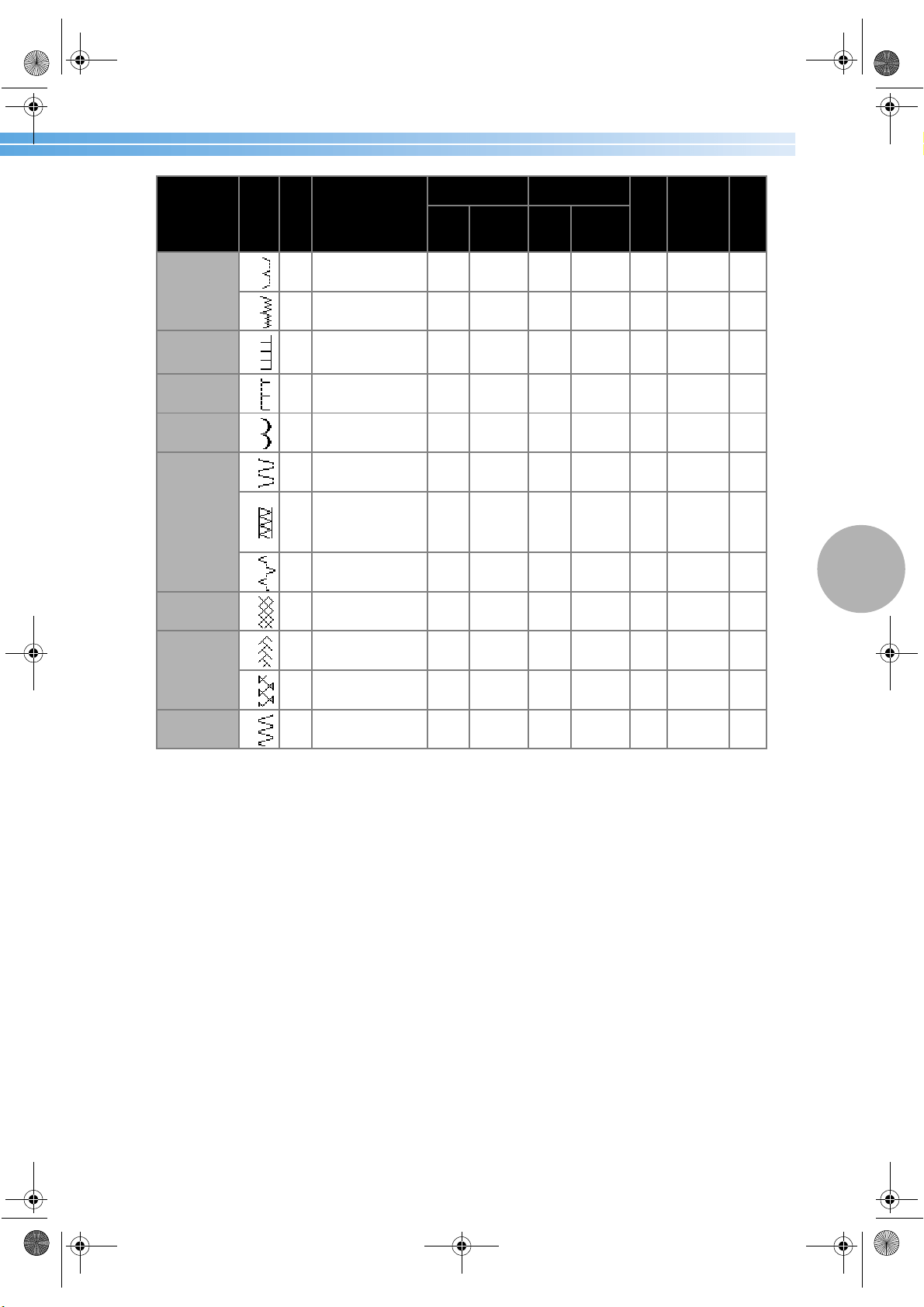
Stitch Settings 119
4
Blind hem
stitch
17
R
Blind hem stitching on
mediumweight fabrics
0.0
(0)
3← – 3→
2.0
(1/16)
1.0–3.5
(1/16–1/8)
No
Reinforce-
ment
No
18
R
Blind hem stitching on
stretch fabrics
0.0
(0)
3← – 3→
2.0
(1/16)
1.0–3.5
(1/16–1/8)
No
Reinforce-
ment
No
Appliqué stitch
19
J Appliqué stitching
3.5
(1/8)
2.5–5.0
(3/32–3/16)
2.5
(3/32)
1.6–4.0
(1/16–3/16)
Yes
Reinforce-
ment
No
Shell tuck stitch
20
J Shell tuck stitching
4.0
(3/16)
0.0–7.0
(0–1/4)
2.5
(3/32)
0.2–4.0
(1/64–3/16)
Yes
Reinforce-
ment
No
Satin scallop
stitch
21
N Scallop stitching
5.0
(3/16)
2.5–7.0
(3/32–1/4)
0.5
(1/32)
0.1–1.0
(1/64–1/16)
Yes
Reinforce-
ment
No
Joining stitch
22
J
Patchwork stitching
and decorative stitch-
ing
4.0
(3/16)
0.0–7.0
(0–1/4)
1.2
(1/16)
0.2–4.0
(1/64–3/16)
Yes
Reinforce-
ment
No
23
J
Patchwork stitching,
decorative stitching
and sewing overcasting
on both pieces of fab-
ric, such as with tricot
5.0
(3/16)
2.5–7.0
(3/32–1/4)
2.5
(3/32)
1.0–4.0
(1/16–3/16)
Yes
Reinforce-
ment
No
24
J
Patchwork stitching
and decorative stitch-
ing
5.0
(3/16)
0.0–7.0
(0–1/4)
1.2
(1/16)
0.2–4.0
(1/64–3/16)
Yes
Reinforce-
ment
No
Smocking stitch
25
J
Smocking stitching and
decorative stitching
5.0
(3/16)
0.0–7.0
(0–1/4)
1.6
(1/16)
1.0–4.0
(1/16–3/16)
Yes
Reinforce-
ment
No
Fagoting stitch
26
J
Fagoting and decora-
tive stitching
5.0
(3/16)
0.0–7.0
(0–1/4)
2.5
(3/32)
1.0–4.0
(1/16–3/16)
Yes
Reinforce-
ment
No
27
J
Fagoting and decora-
tive stitching
5.0
(3/16)
2.5–7.0
(3/32–1/4)
2.5
(3/32)
1.0–4.0
(1/16–3/16)
Yes
Reinforce-
ment
No
Elastic-attach-
ing stitch
28
J
Attaching elastic to
stretch fabrics
4.0
(3/16)
0.0–7.0
(0–1/4)
1.0
(1/16)
0.2–4.0
(1/64–3/16)
Yes
Reinforce-
ment
No
Stitch Name Pattern
Presser Foot
Application
Stitch Width
[mm (inch.)]
Stitch Length
[mm (inch.)]
Twin Needle
Reverse/
Reinforcement
Stitching
Walking Foot
Auto Manual Auto Manual
S3_brotherE.book Page 119 Wednesday, February 12, 2003 11:49 AM
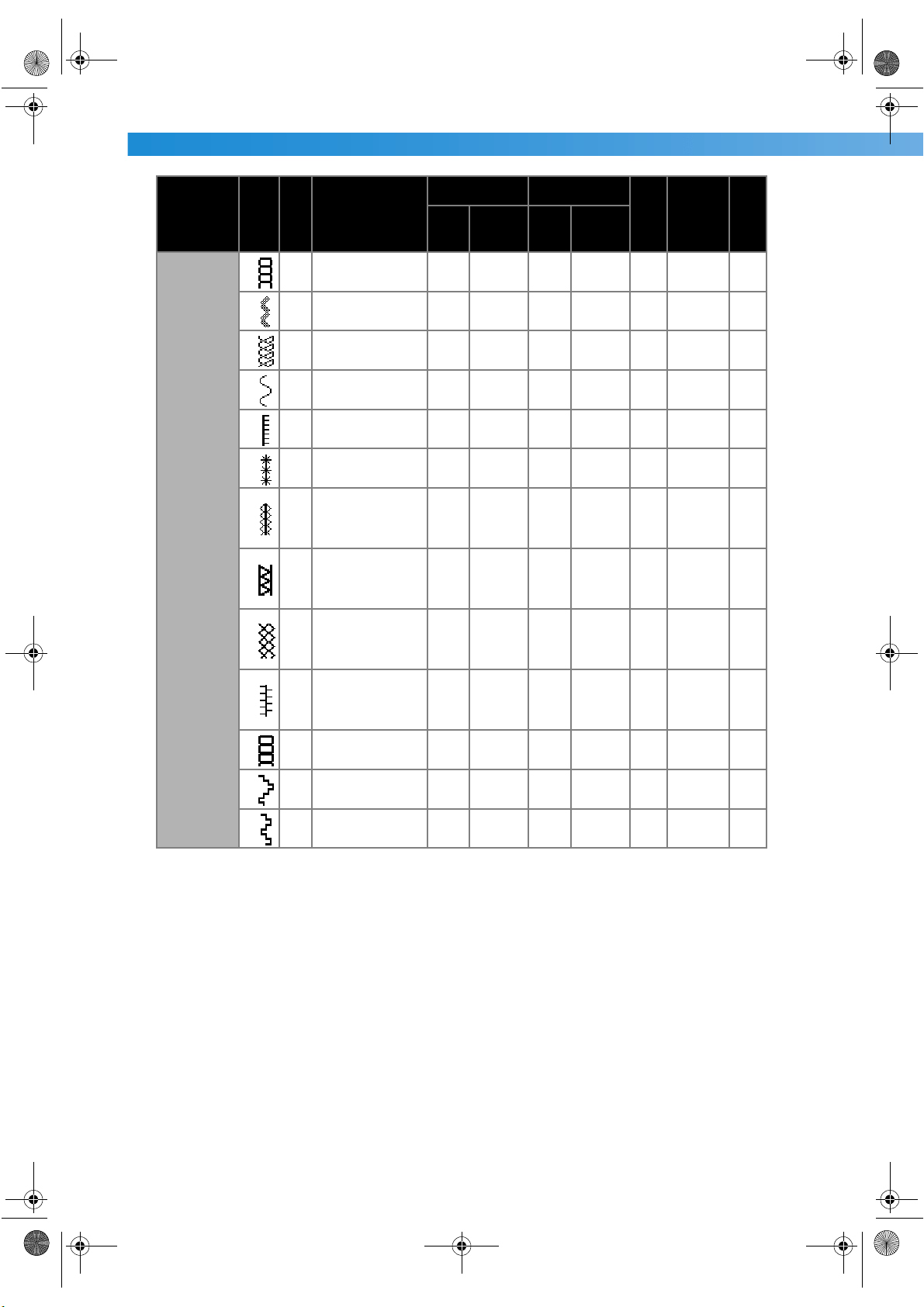
APPENDIX —————————————————————————————————————————————————————————
—
120
Decorative
stitch
29
J Decorative stitching
4.0
(3/16)
0.0–7.0
(0–1/4)
3.0
(1/8)
2.0–4.0
(1/16–3/16)
No
Reinforce-
ment
No
30
J Decorative stitching
4.0
(3/16)
0.0–7.0
(0–1/4)
2.5
(3/32)
1.0–4.0
(1/16–3/16)
Yes
Reinforce-
ment
No
31
J Decorative stitching
5.5
(7/32)
0.0–7.0
(0–1/4)
1.6
(1/16)
1.0–4.0
(1/16–3/16)
Yes
Reinforce-
ment
No
32
N
Decorative stitching
and elastic-attaching
5.0
(3/16)
1.5–7.0
(1/16–1/4)
1.0
(1/16)
0.2–4.0
(1/64–3/16)
Yes
Reinforce-
ment
No
33
N
Lace sewing, decora-
tive hemming, heir-
loom stitching, etc.
3.5
(1/8)
1.5–7.0
(1/16–1/4)
2.5
(3/32)
1.6–4.0
(1/16–3/16)
No
Reinforce-
ment
No
34
N
Decorative hemming,
heirloom stitching, etc.
6.0
(15/64)
1.5–7.0
(1/16–1/4)
3.0
(1/8)
1.5–4.0
(1/16–3/16)
No
Reinforce-
ment
No
35
N
Decorative hemming
on thin, mediumweight
and plain weave fab-
rics, heirloom stitch-
ing, etc.
5.0
(3/16)
1.5–7.0
(1/16–1/4)
3.5
(1/8)
1.5–4.0
(1/16–3/16)
No
Reinforce-
ment
No
36
N
Decorative hemming
on thin, mediumweight
and plain weave fab-
rics, heirloom stitch-
ing, etc.
5.0
(3/16)
1.5–7.0
(1/16–1/4)
4.0
(3/16)
1.5–4.0
(1/16–3/16)
Yes
Reinforce-
ment
No
37
N
Decorative hemming
on thin, mediumweight
and plain weave fab-
rics, heirloom stitch-
ing, etc.
5.0
(3/16)
1.5–7.0
(1/16–1/4)
2.5
(3/32)
1.5–4.0
(1/16–3/16)
Yes
Reinforce-
ment
No
38
N
Decorative hemming
on thin, mediumweight
and plain weave fab-
rics, heirloom stitch-
ing, etc.
5.0
(3/16)
1.5–7.0
(1/16–1/4)
2.0
(1/16)
1.5–4.0
(1/16–3/16)
Yes
Reinforce-
ment
No
39
N
Decorative hemming,
ribbon threading, heir-
loom stitching, etc.
5.0
(3/16)
1.5–7.0
(1/16–1/4)
3.0
(1/8)
1.5–4.0
(1/16–3/16)
Yes
Reinforce-
ment
No
40
N
Decorative stitching,
smocking stitching,
heirloom stitching, etc.
6.0
(15/64)
1.5–7.0
(1/16–1/4)
1.6
(1/16)
1.0–4.0
(1/16–3/16)
No
Reinforce-
ment
No
41
N
Decorative stitching,
smocking stitching,
heirloom stitching, etc.
5.0
(3/16)
1.5–7.0
(1/16–1/4)
1.6
(1/16)
1.0–4.0
(1/16–3/16)
No
Reinforce-
ment
No
Stitch Name Pattern
Presser Foot
Application
Stitch Width
[mm (inch.)]
Stitch Length
[mm (inch.)]
Twin Needle
Reverse/
Reinforcement
Stitching
Walking Foot
Auto Manual Auto Manual
S3_brotherE.book Page 120 Wednesday, February 12, 2003 11:49 AM
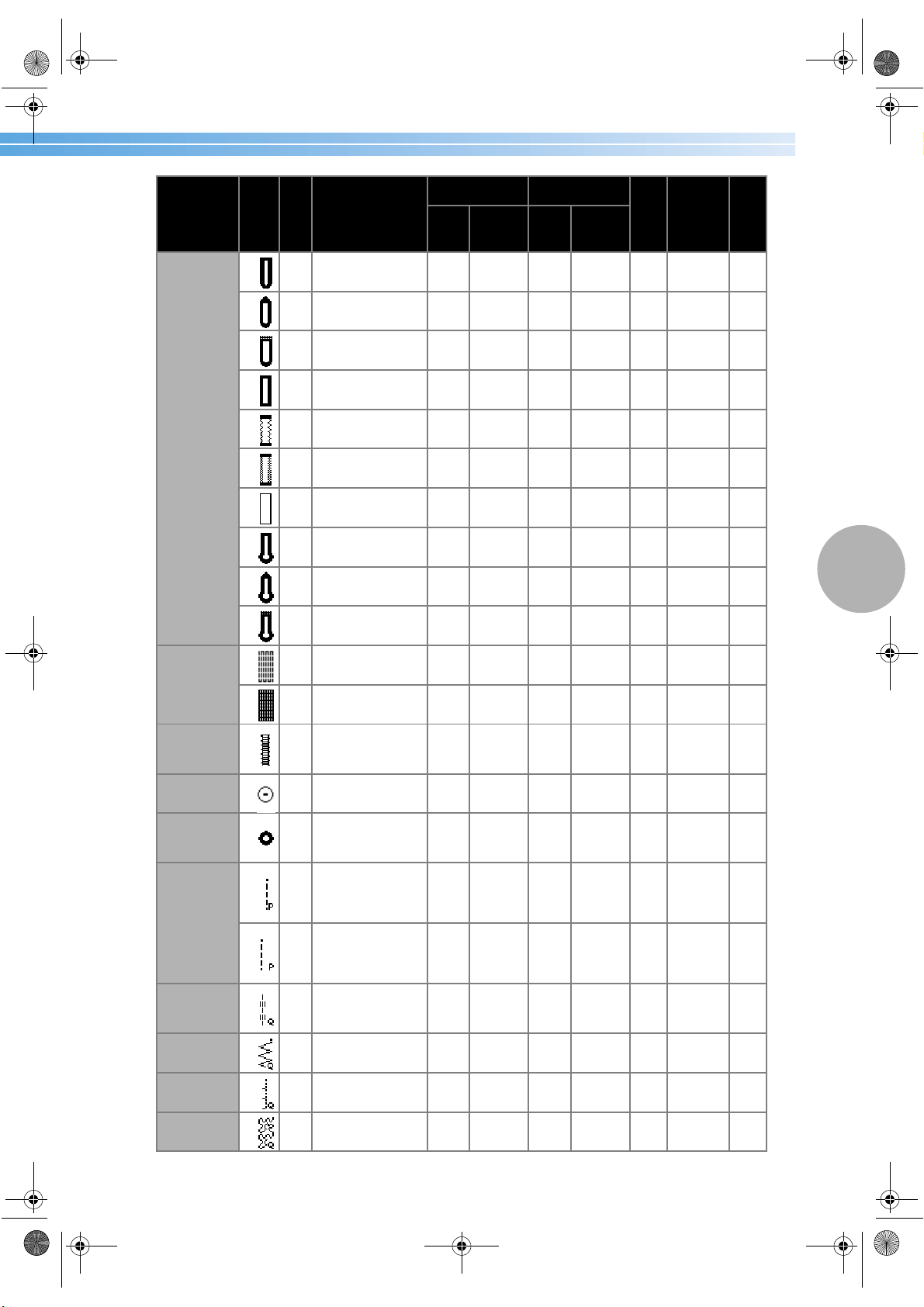
Stitch Settings 121
4
Buttonhole
stitch
42
A
Horizontal button-
holes on thin and
mediumweight fabrics
5.0
(3/16)
3.0–5.0
(1/8–3/16)
0.4
(1/64)
0.2–1.0
(1/64–1/16)
No
Automatic
reinforce-
ment
No
43
A
Horizontal button-
holes on areas that are
subject to strain
5.0
(3/16)
3.0–5.0
(1/8–3/16)
0.4
(1/64)
0.2–1.0
(1/64–1/16)
No
Automatic
reinforce-
ment
No
44
A
Horizontal button-
holes on thick fabrics
5.0
(3/16)
3.0–5.0
(1/8–3/16)
0.4
(1/64)
0.2–1.0
(1/64–1/16)
No
Automatic
reinforce-
ment
No
45
A
Secured buttonholes
for fabrics that have
backings
5.0
(3/16)
3.0–5.0
(1/8–3/16)
0.4
(1/64)
0.2–1.0
(1/64–1/16)
No
Automatic
reinforce-
ment
No
46
A
Buttonholes for stretch
or knit fabrics
6.0
(15/54)
3.0–6.0
(1/8–15/64)
1.0
(1/16)
0.5–2.0
(1/32–1/16)
No
Automatic
reinforce-
ment
No
47
A
Buttonholes for stretch
fabrics
6.0
(15/54)
3.0–6.0
(1/8–15/64)
1.5
(1/16)
1.0–3.0
(1/16–1/8)
No
Automatic
reinforce-
ment
No
48
A Bound buttonholes
5.0
(3/16)
0.0–6.0
(0–15/64)
2.0
(1/16)
0.2–4.0
(1/64–3/16)
No
Automatic
reinforce-
ment
No
49
A
Keyhole buttonholes
for thick or furry fabrics
7.0
(1/4)
3.0–7.0
(1/8–1/4)
0.5
(1/32)
0.3–1.0
(1/64–1/16)
No
Automatic
reinforce-
ment
No
50
A
Keyhole buttonholes
for mediumweight and
thick fabrics
7.0
(1/4)
3.0–7.0
(1/8–1/4)
0.5
(1/32)
0.3–1.0
(1/64–1/16)
No
Automatic
reinforce-
ment
No
51
A
Horizontal button-
holes for thick or furry
fabrics
7.0
(1/4)
3.0–7.0
(1/8–1/4)
0.5
(1/32)
0.3–1.0
(1/64–1/16)
No
Automatic
reinforce-
ment
No
Darning stitch
52
A
Darning medium-
weight fabrics
7.0
(1/4)
2.5–7.0
(3/32–1/4)
2.0
(1/16)
0.4–2.5
(1/64–3/32)
No
Automatic
reinforce-
ment
No
53
A Darning thick fabrics
7.0
(1/4)
2.5–7.0
(3/32–1/4)
2.0
(1/16)
0.4–2.5
(1/64–3/32)
No
Automatic
reinforce-
ment
No
Bar tack stitch
54
A
Reinforcing openings
and areas where the
seam easily comes
loose
2.0
(1/16)
1.0–3.0
(1/16–1/8)
0.4
(1/64)
0.3–1.0
(1/64–1/16)
No
Automatic
reinforce-
ment
No
Button-sewing
stitch
55
M Button sewing
3.5
(1/8)
2.5–4.5
(3/32–3/16)
––No
Reinforce-
ment
No
Eyelet stitch
56
N
Sewing eyelets, for
example, on belts
7.0
(1/4)
7.0, 6.0,
5.0 (1/4,
15/64,
3/16)
7.0
(1/4)
7.0, 6.0,
5.0 (1/4,
15/64,
3/16)
No
Automatic
reinforce-
ment
No
Piecing straight
stitch
57
J
Piecing straight stitch-
ing (with a seam allow-
ance of 6.5 mm from
the right edge of the
presser foot)
5.5
(7/32)
0.0–7.0
(0–1/4)
1.6
(1/16)
0.2–5.0
(1/64–3/16)
No
Reinforce-
ment
No
58
J
Piecing straight stitch-
ing (with a seam allow-
ance of 6.5 mm from
the left edge of the
presser foot)
1.5
(1/16)
0.0–7.0
(0–1/4)
1.6
(1/16)
0.2–5.0
(1/64–3/16)
No
Reinforce-
ment
Yes
Straight stitch
that looks hand-
sewn (for quilt-
ing)
59
J
Straight stitch quilting
that looks hand-sewn
0.0
(0)
0.0–7.0
(0–1/4)
2.5
(3/32)
1.0–4.0
(1/16–3/16)
No
Reinforce-
ment
No
Zigzag stitch
(for quilting)
60
J
Appliqué quilting, free-
motion quilting, satin
stitching
3.5
(1/8)
0.0–7.0
(0–1/4)
1.4
(1/16)
0.0–4.0
(0–3/16)
No
Reinforce-
ment
Yes
Appliqué stitch
(for quilting)
61
J
Attaching appliqués
and binding
1.5
(1/16)
0.5–5.0
(1/32–3/16)
1.2
(1/16)
1.0–4.0
(1/16–3/16)
No
Reinforce-
ment
No
Quilting stitch
(for stippling)
62
J
Quilting background
stitching (stippling)
7.0
(1/4)
1.0–-7.0
(1/16–1/4)
1.6
(1/16)
1.0–4.0
(1/16–3/16)
No
Reinforce-
ment
No
Stitch Name Pattern
Presser Foot
Application
Stitch Width
[mm (inch.)]
Stitch Length
[mm (inch.)]
Twin Needle
Reverse/
Reinforcement
Stitching
Walking Foot
Auto Manual Auto Manual
S3_brotherE.book Page 121 Wednesday, February 12, 2003 11:49 AM
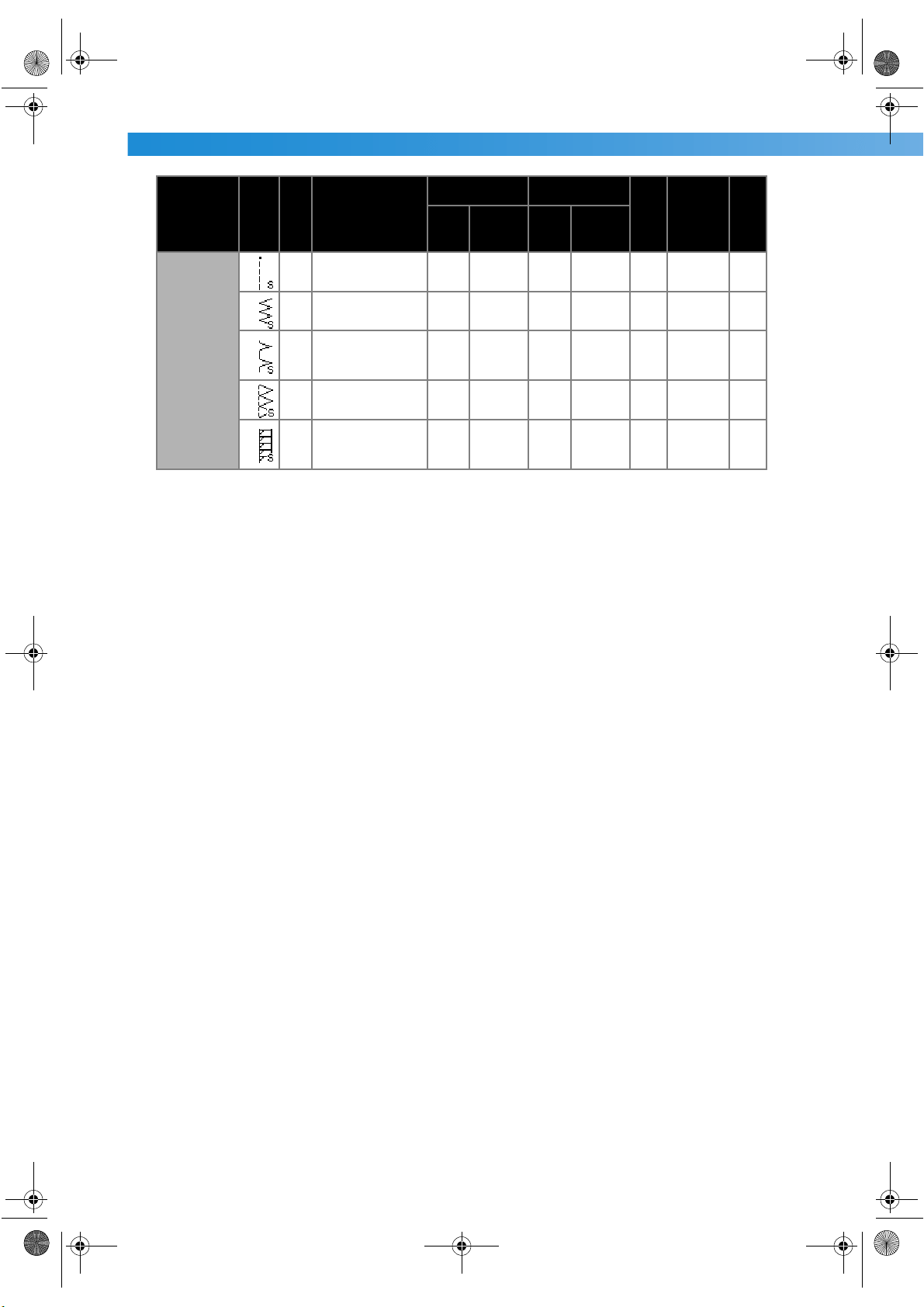
APPENDIX —————————————————————————————————————————————————————————
—
122
Side cutter
63
S
Sewing straight stitches
while cutting the fabric
0.0
(0)
0.0–2.5
(0–3/32)
2.5
(3/32)
0.2–5.0
(1/64–3/16)
No
Reinforce-
ment
No
64
S
Sewing zigzag stitches
while cutting the fabric
3.5
(1/8)
3.5–5.0
(1/8–3/16)
1.4
(1/16)
0.0–4.0
(0–3/16)
No
Reinforce-
ment
No
65
S
Overcasting on thin
and mediumweight
fabrics while cutting
the fabric
3.5
(1/8)
3.5–5.0
(1/8–3/16)
2.0
(1/16)
1.0–4.0
(1/16–3/16)
No
Reinforce-
ment
No
66
S
Overcasting on thick
fabrics while cutting
the fabric
5.0
(3/16)
3.5–5.0
(1/8–3/16)
2.5
(3/32)
1.0–4.0
(1/16–3/16)
No
Reinforce-
ment
No
67
S
Overcasting on medi-
umweight and thick
fabrics while cutting
the fabric
5.0
(3/16)
3.5–5.0
(1/8–3/16)
2.5
(3/32)
1.0–4.0
(1/16–3/16)
No
Reinforce-
ment
No
Stitch Name Pattern
Presser Foot
Application
Stitch Width
[mm (inch.)]
Stitch Length
[mm (inch.)]
Twin Needle
Reverse/
Reinforcement
Stitching
Walking Foot
Auto Manual Auto Manual
S3_brotherE.book Page 122 Wednesday, February 12, 2003 11:49 AM
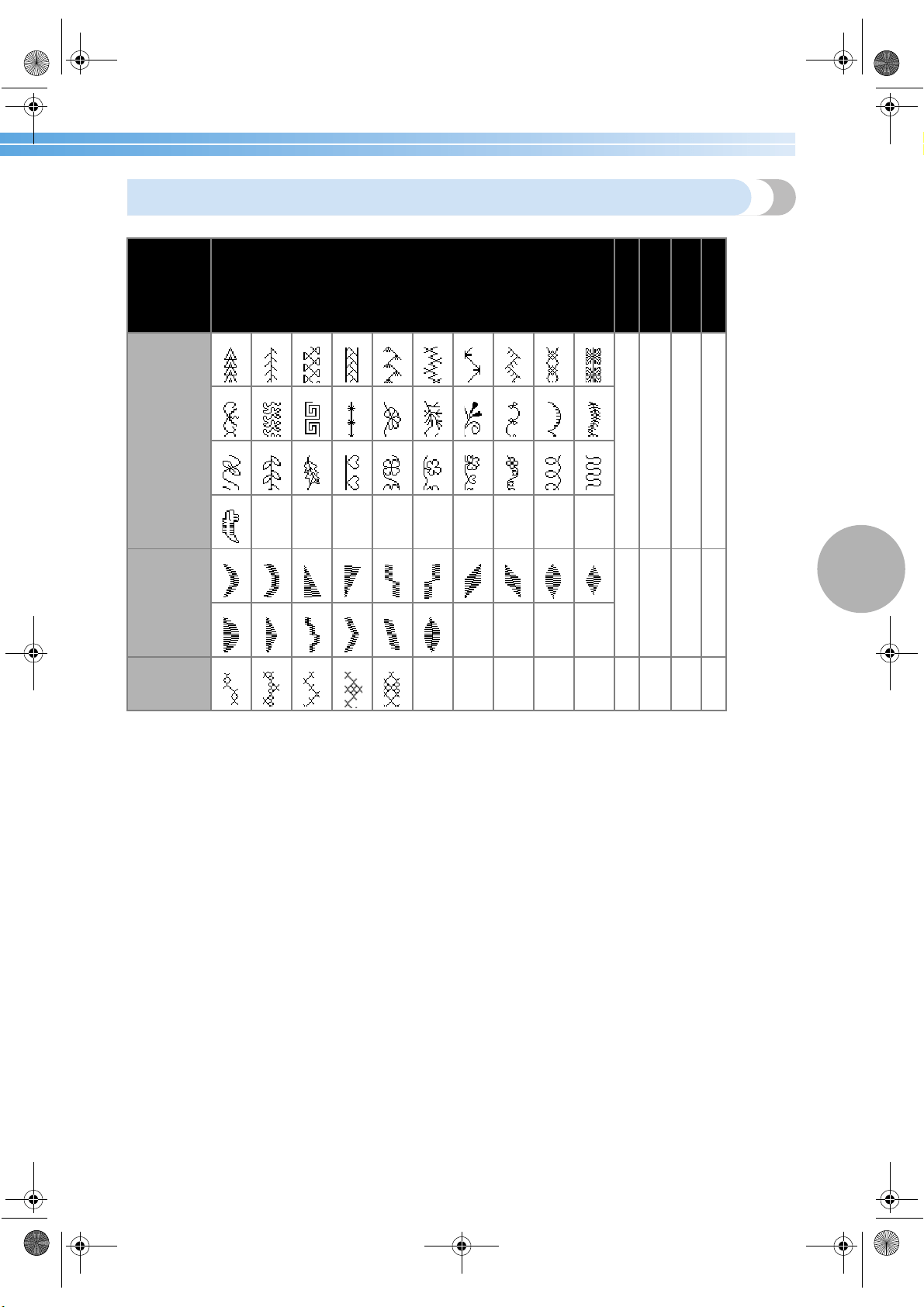
Stitch Settings 123
4
Other stitches
Stitch Type Pattern
Presser Foot
Twin Needle
Adjustable Pattern
Length/width
Left/Right Flipping
Decorative
stitches
12345678910
N No Yes Yes
11 12 13 14 15 16 17 18 19 20
21 22 23 24 25 26 27 28 29 30
31 *
Satin stitches
12345678910
N Yes Yes Yes
11 12 13 14 15 16
Cross-stitches
12345
N No Yes Yes
*Pattern for making adjustment
S3_brotherE.book Page 123 Wednesday, February 12, 2003 11:49 AM
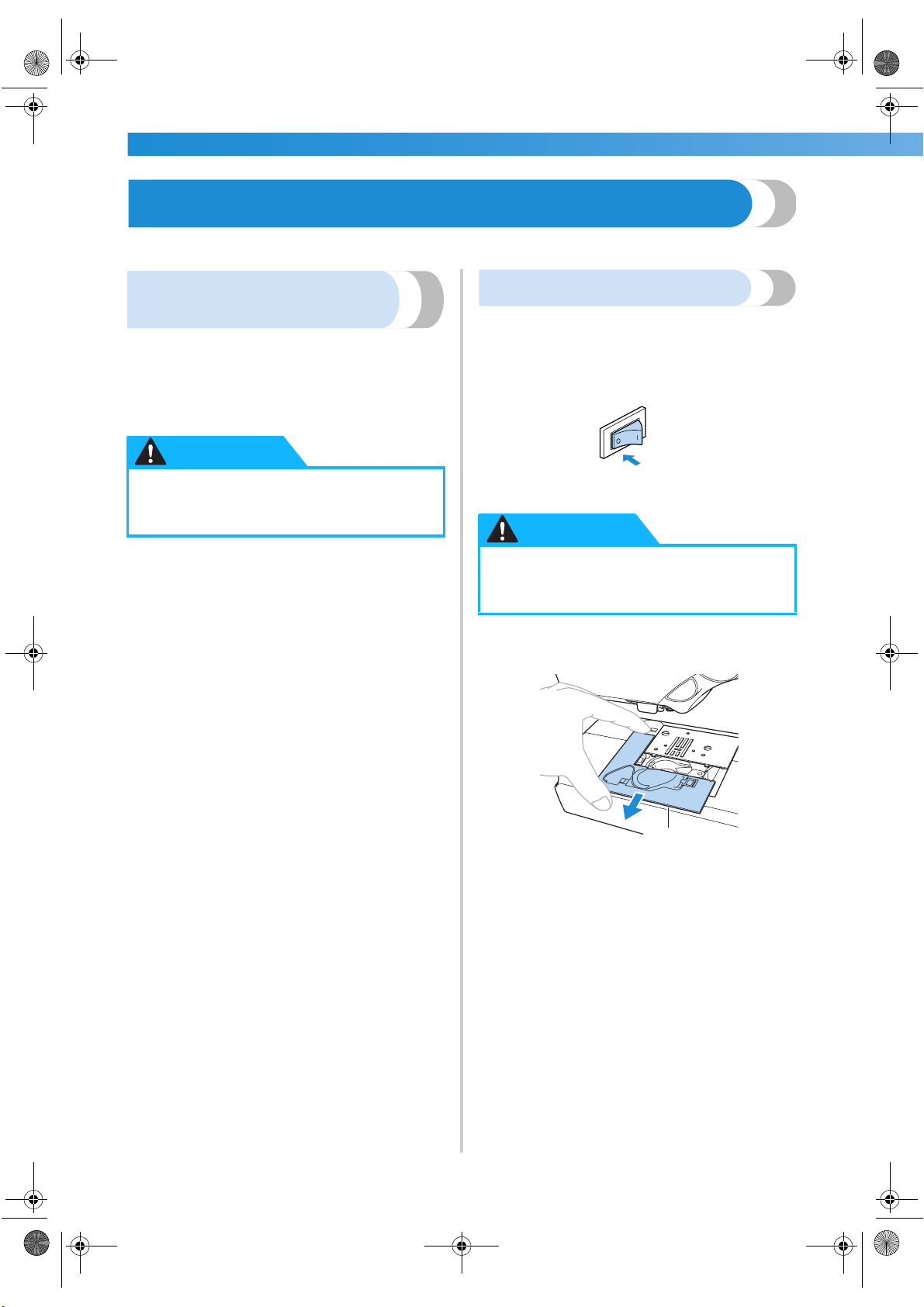
APPENDIX —————————————————————————————————————————————————————————
—
124
Maintenance
Simple sewing machine maintenance operations are described below.
Cleaning the machine
surface
If the surface of the machine is dirty, lightly soak a
cloth in neutral detergent, squeeze it out firmly, and
then wipe the surface of the machine. After cleaning
it once with a wet cloth, wipe it again with a dry
cloth.
Cleaning the shuttle
Sewing performance will suffer if dust collects in the
shuttle; therefore, it should be cleaned periodically.
1
Turn off the sewing machine.
2
Grasp both sides of the needle plate cover,
and then slide it toward you.
1 Needle plate cover
X The needle plate cover is removed.
●
Unplug the power supply cord before
cleaning the machine, otherwise injuries
or an electric shock may occur.
CAUTION
● Unplug the power supply cord before
cleaning the machine, otherwise injuries
or an electric shock may occur.
CAUTION
1
S3_brotherE.book Page 124 Wednesday, February 12, 2003 11:49 AM
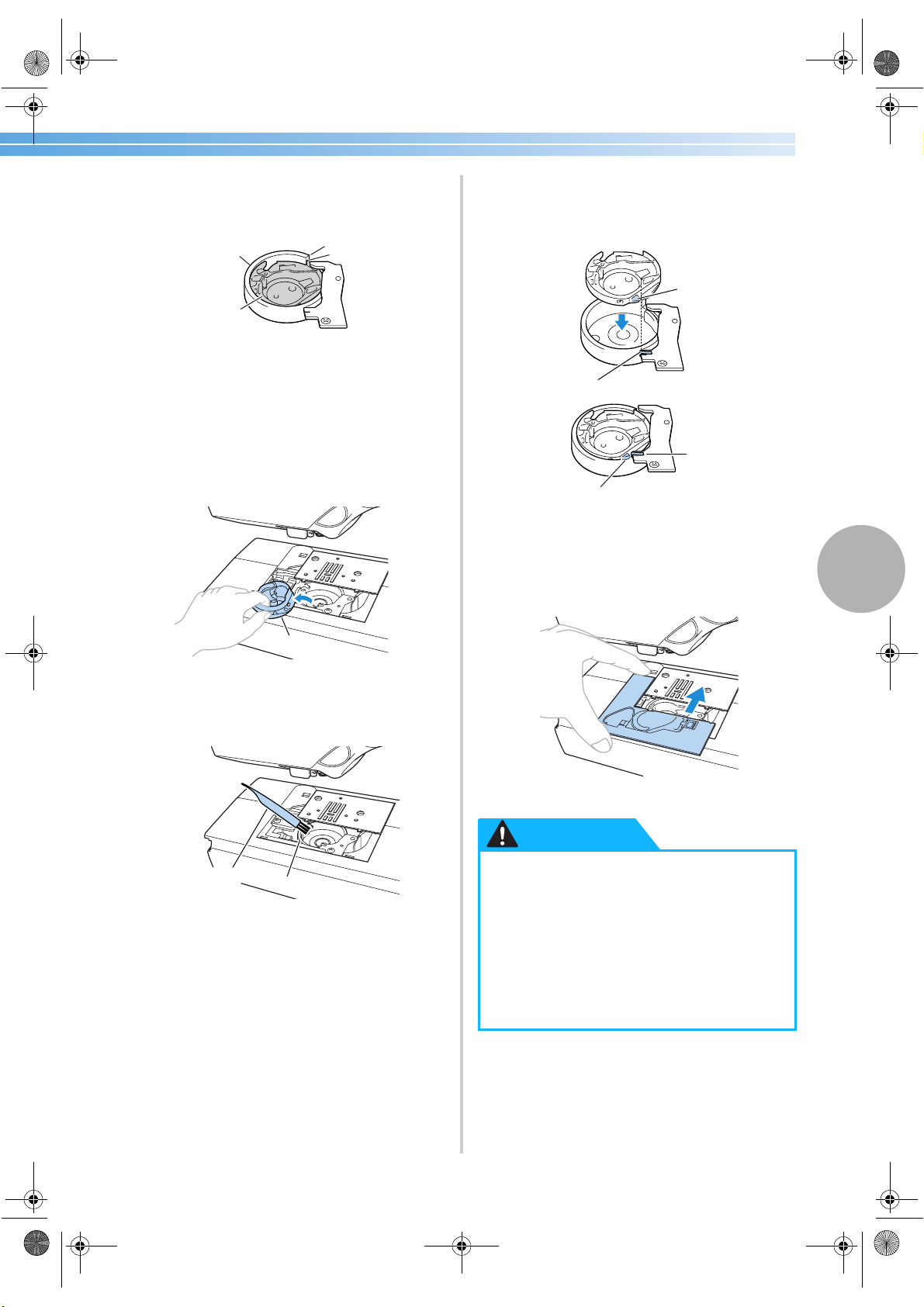
Maintenance 125
4
3
Turn the balance wheel toward you until the
tip of the shuttle hook aligns with the edge of
the race shelf.
1 Shuttle race
2 Shuttle
3 Edge of the shuttle race
4 Tip of the shuttle hook
• Be sure to turn the balance wheel toward
you. Turning the balance wheel away from
you may damage the machine.
4
Remove the shuttle.
Grasp the shuttle, and then pull it out.
1 Shuttle
5
Use the cleaning brush or a vacuum cleaner to
remove any lint and dust from the race and its
surrounding area.
1 Cleaning brush
2 Shuttle race
• Do not apply oil to the shuttle.
6
Check that the edge of the race shelf is
positioned as in step
3, and then insert the
shuttle so that the projection on the shuttle
aligns with the spring.
1 Projection
2 Spring
7
Insert the tabs on the needle plate cover into
the needle plate, and then slide the cover back
on.
3
1
2
4
1
1
2
● Never use a shuttle that is scratched,
otherwise the upper thread may become
tangled, the needle may break or sewing
performance may suffer. For a new
shuttle (part code: XC3153-051), contact
your nearest authorized service center.
● Be sure that the shuttle is correctly
installed, otherwise the needle may
break.
1
2
2
1
CAUTION
S3_brotherE.book Page 125 Wednesday, February 12, 2003 11:49 AM
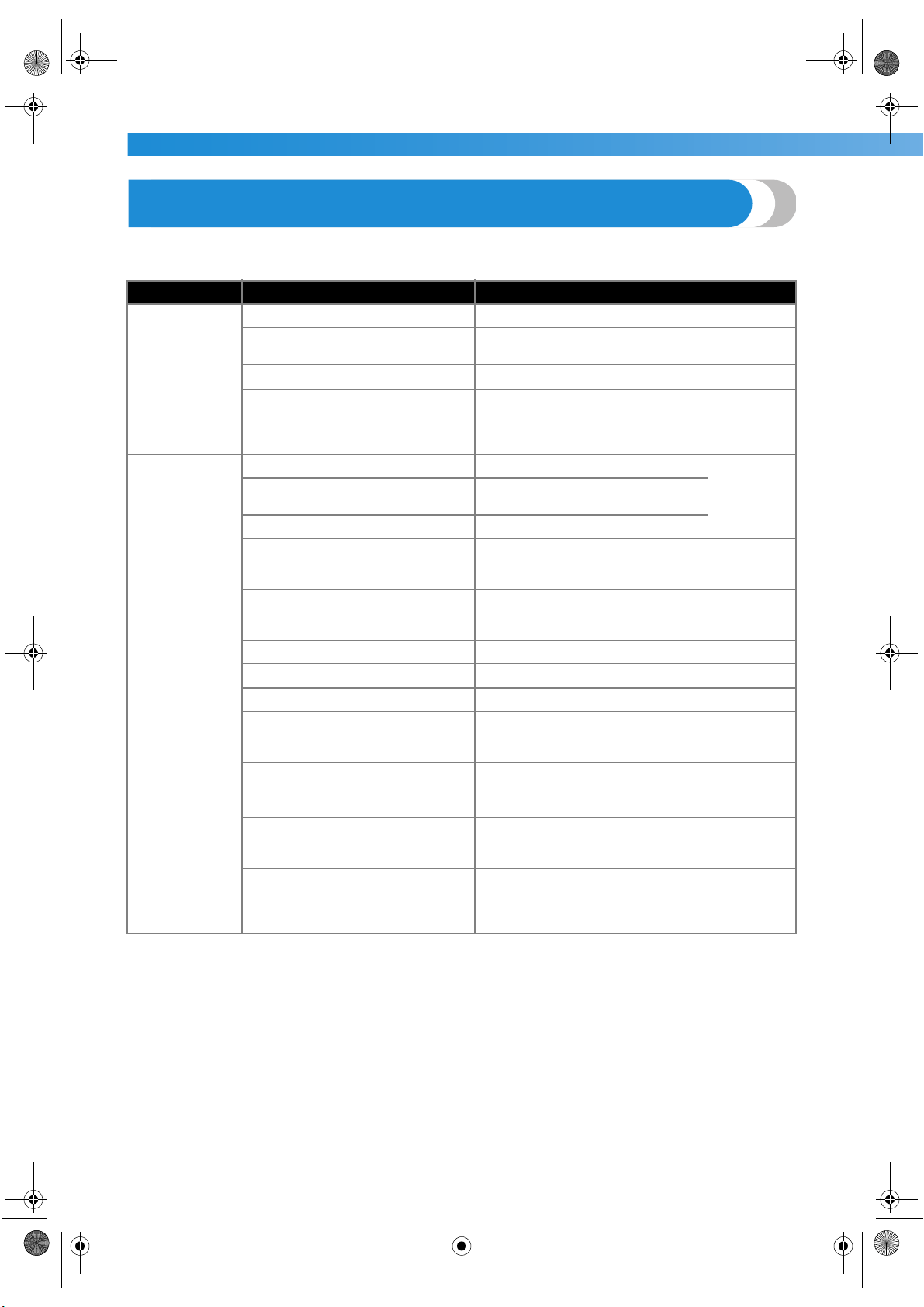
APPENDIX —————————————————————————————————————————————————————————
—
126
Troubleshooting
If the machine stops operating correctly, check the following possible problems before requesting service.
If the problem persists, contact your retailer or the nearest authorized service center.
Symptom Probable Cause Remedy Reference
The sewing
machine does
not operate.
The machine is not turned on. Turn on the machine. page 11
The start/stop button was not
pressed.
Press the start/stop button. page 51
The presser foot lever is raised. Lower the presser foot lever.
page 50
The start/stop button was pressed,
even though the foot controller is
connected.
Do not use the start/stop button
when the foot controller is con-
nected. To use the start/stop button,
disconnect the foot controller.
page 51
The needle
breaks.
The needle is incorrectly installed. Correctly install the needle.
page 38The needle clamp screw is loose.
Use the screwdriver to firmly tighten
the screw.
The needle is bent or blunt. Replace the needle.
The combination of fabric, thread
and needle is not correct.
Select a thread and needle that are
appropriate for the type of fabric
being sewn.
page 36
The presser foot that is used is not
appropriate for the type of stitch that
you wish to sew.
Attach the presser foot that is appro-
priate for the type of stitch that you
wish to sew.
page 118
The upper thread tension is too tight. Loosen the upper thread tension. page 56
The fabric is pulled too much. Lightly guide the fabric.
–
The spool is incorrectly installed. Correctly install the spool. page 24
The area around the hole in the nee-
dle plate is scratched, or has a burr
on it.
Replace the needle plate.
Contact your retailer or the nearest
authorized service center.
–
The area around the hole in the
presser foot is scratched, or has a
burr on it.
Replace the presser foot.
Contact your retailer or the nearest
authorized service center.
–
The shuttle is scratched, or has a
burr on it.
Replace the shuttle.
Contact your retailer or the nearest
authorized service center.
–
A bobbin designed specifically for
this machine is not used.
Incorrect bobbins will not work
properly. Only use a bobbin
designed specifically for this
machine.
page 18
S3_brotherE.book Page 126 Wednesday, February 12, 2003 11:49 AM
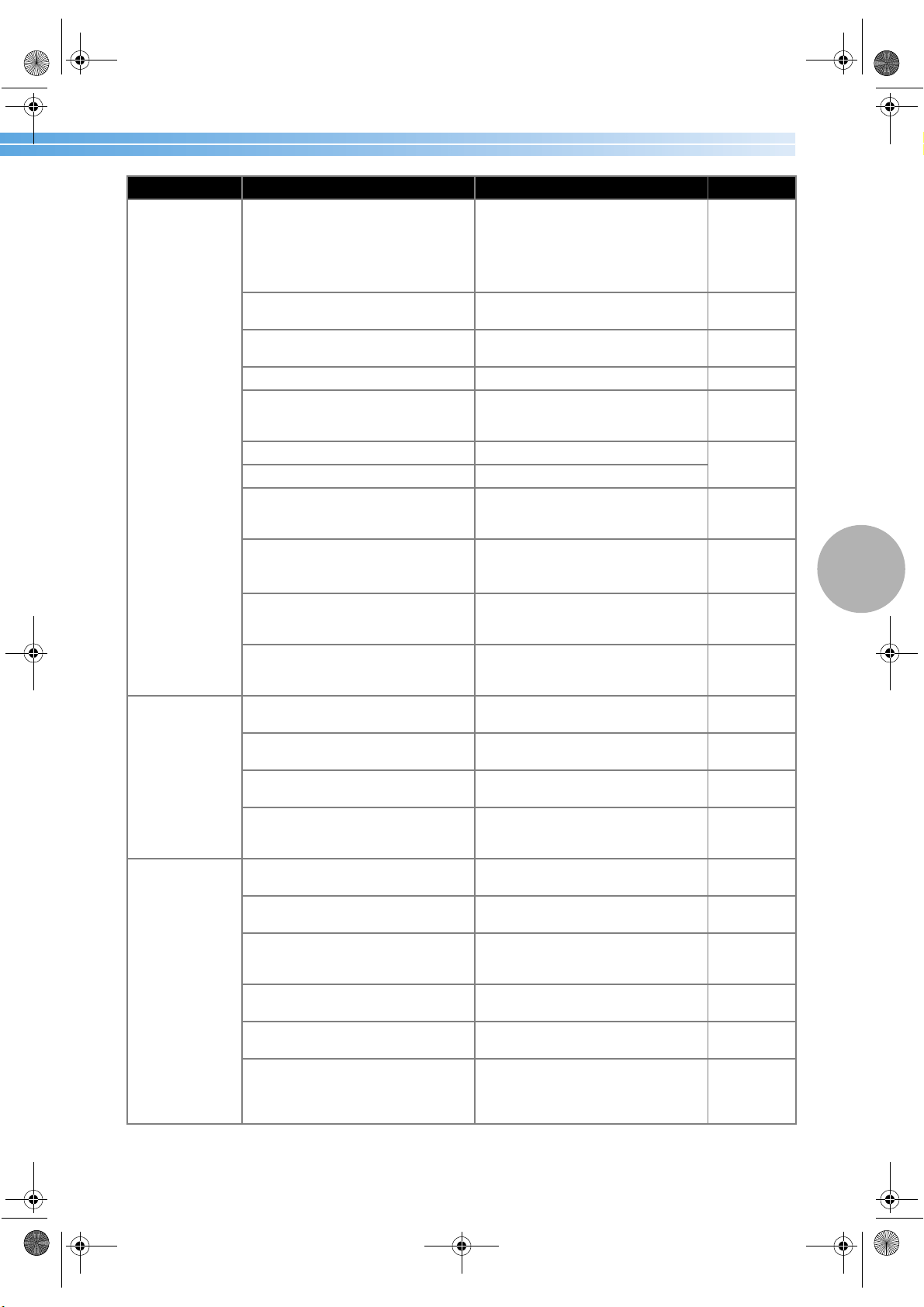
Troubleshooting 127
4
The upper
thread breaks.
The upper thread was not threaded
correctly (for example, the spool is
not installed correctly, the spool cap
is too big for the spool being used, or
the thread has come out of the nee-
dle bar thread hook).
Correct the upper threading. page 24
There are knots or tangles in the
thread.
Remove any knots or tangles.
–
The selected needle is not appropri-
ate for the thread being used.
Select a needle that is appropriate
for the type of stitch being used.
page 36
The upper thread tension is too tight. Loosen the upper thread tension. page 56
The thread is tangled, for example,
in the shuttle.
Remove the tangle thread. If the
thread is tangled in the shuttle, clean
the shuttle.
page 124
The needle is bent or blunt. Replace the needle.
page 38
The needle is incorrectly installed. Correctly install the needle.
The area around the hole in the nee-
dle plate is scratched, or has a burr
on it.
Replace the needle plate.
Contact your retailer or the nearest
authorized service center.
–
The area around the hole in the
presser foot is scratched, or has a
burr on it.
Replace the presser foot.
Contact your retailer or the nearest
authorized service center.
–
The shuttle is scratched, or has a
burr on it.
Replace the shuttle.
Contact your retailer or the nearest
authorized service center.
–
A bobbin designed specifically for
this machine is not used.
Incorrect bobbins will not work prop-
erly. Only use a bobbin designed spe-
cifically for this machine.
page 18
The lower
thread is tangled
or breaks.
The bobbin thread is incorrectly
installed.
Correctly install the bobbin thread. page 22
The bobbin is scratched or does not
rotate smoothly, or has a burr on it.
Replace the bobbin.
–
The thread is tangled.
Remove the tangled thread and
clean the shuttle.
page 124
A bobbin designed specifically for
this machine is not used.
Incorrect bobbins will not work prop-
erly. Only use a bobbin designed spe-
cifically for this machine.
page 18
The thread ten-
sion is incorrect.
The upper thread was not threaded
correctly.
Correct the upper threading. page 24
The bobbin thread is incorrectly
installed.
Correctly install the bobbin thread. page 22
The combination of fabric, thread
and needle is not correct.
Select a thread and needle that are
appropriate for the type of fabric
being sewn.
page 36
The presser foot holder is incorrectly
installed.
Correctly install the presser foot
holder.
page 41
The thread tension is incorrect.
Adjust the tension of the upper
thread.
page 56
A bobbin designed specifically for
this machine is not used.
Incorrect bobbins will not work
properly. Only use a bobbin
designed specifically for this
machine.
page 18
Symptom Probable Cause Remedy Reference
S3_brotherE.book Page 127 Wednesday, February 12, 2003 11:49 AM
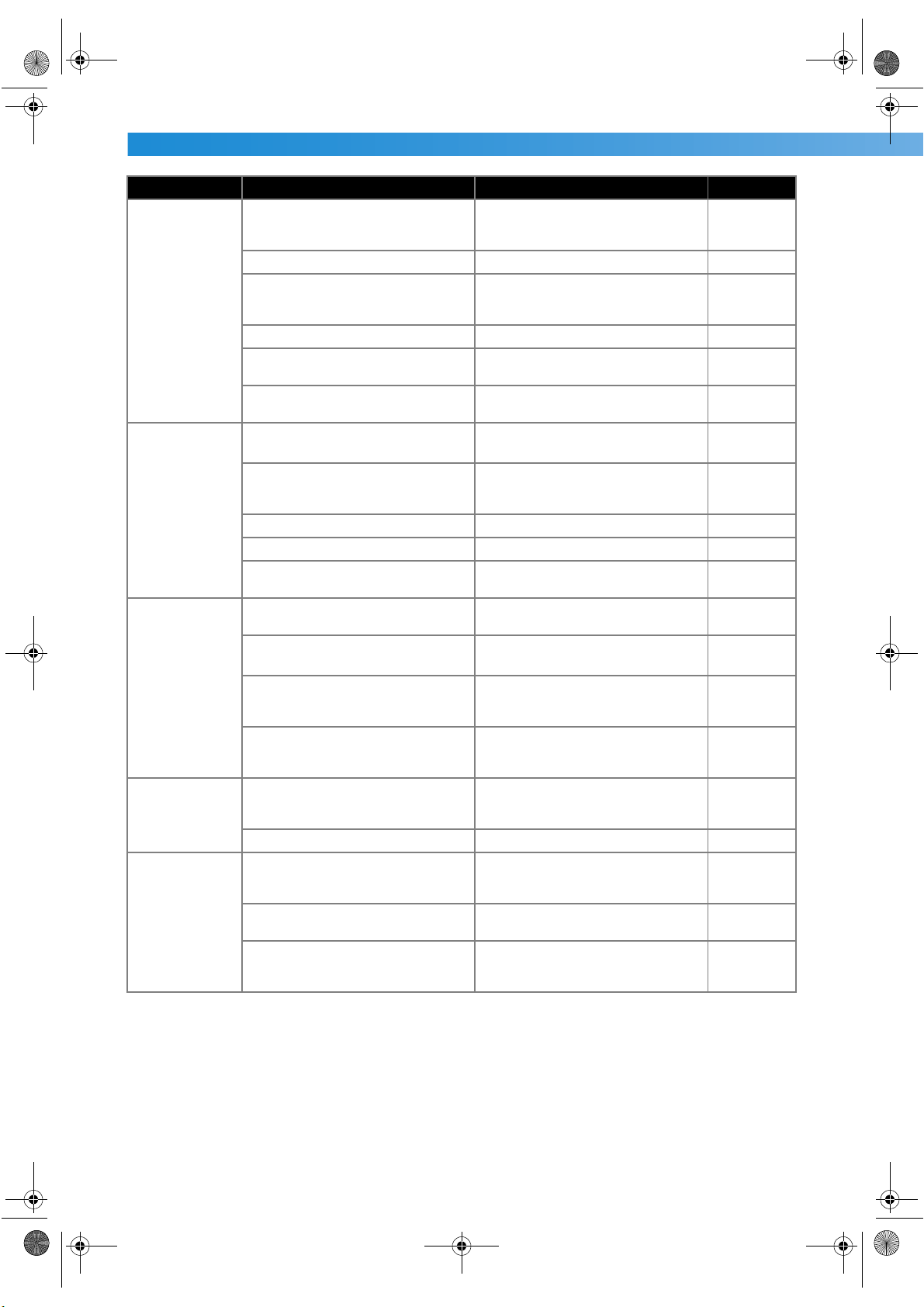
APPENDIX —————————————————————————————————————————————————————————
—
128
The fabric is
wrinkled.
The upper thread was not threaded
correctly, or the bobbin is incor-
rectly installed.
Correctly thread the upper thread
and correctly install the bobbin
thread.
page 22, 24
The spool is incorrectly installed. Correctly install the spool. page 24
The combination of fabric, thread
and needle is not correct.
Select a thread and needle that are
appropriate for the type of fabric
being sewn.
page 36
The needle is bent or blunt. Replace the needle. page 38
If thin fabrics are being sewn, the
stitch is too coarse.
Shorten the stitch length or sew with
stabilizer material under the fabric.
page 58
The thread tension is incorrect.
Adjust the tension of the upper
thread.
page 56
Stitches are
skipped.
The upper thread was not threaded
correctly.
Correct the upper threading. page 24
The combination of fabric, thread
and needle is not correct.
Select a thread and needle that are
appropriate for the type of fabric
being sewn.
page 36
The needle is bent or blunt. Replace the needle. page 38
The needle is incorrectly installed. Correctly install the needle. page 38
Dust has accumulated under the
needle plate or in the shuttle.
Remove the needle plate cover and
clean the shuttle.
page 124
A high-pitched
noise is made
while sewing.
Dust has accumulated in the feed
dogs or in the shuttle.
Clean the shuttle. page 124
The upper thread was not threaded
correctly.
Correct the upper threading. page 24
The shuttle is scratched, or has a
burr on it.
Replace the shuttle.
Contact your retailer or the nearest
authorized service center.
–
A bobbin designed specifically for
this machine is not used.
Incorrect bobbins will not work prop-
erly. Only use a bobbin designed spe-
cifically for this machine.
page 18
The thread does
not pass through
the eye of the
needle.
The needle was not raised.The
thread cassette indicator is lit in red.
Press the needle position button. The
thread cassette indicator lights up in
green.
page 28
The needle is incorrectly installed. Correctly install the needle. page 38
The stitch is not
sewn correctly.
The presser foot that is used is not
appropriate for the type of stitch that
you wish to sew.
Attach the presser foot that is appro-
priate for the type of stitch that you
wish to sew.
page 118
The thread tension is incorrect.
Adjust the tension of the upper
thread.
page 56
The thread is tangled, for example,
in the shuttle.
Remove the tangle thread. If the
thread is tangled in the shuttle, clean
the shuttle.
page 124
Symptom Probable Cause Remedy Reference
S3_brotherE.book Page 128 Wednesday, February 12, 2003 11:49 AM
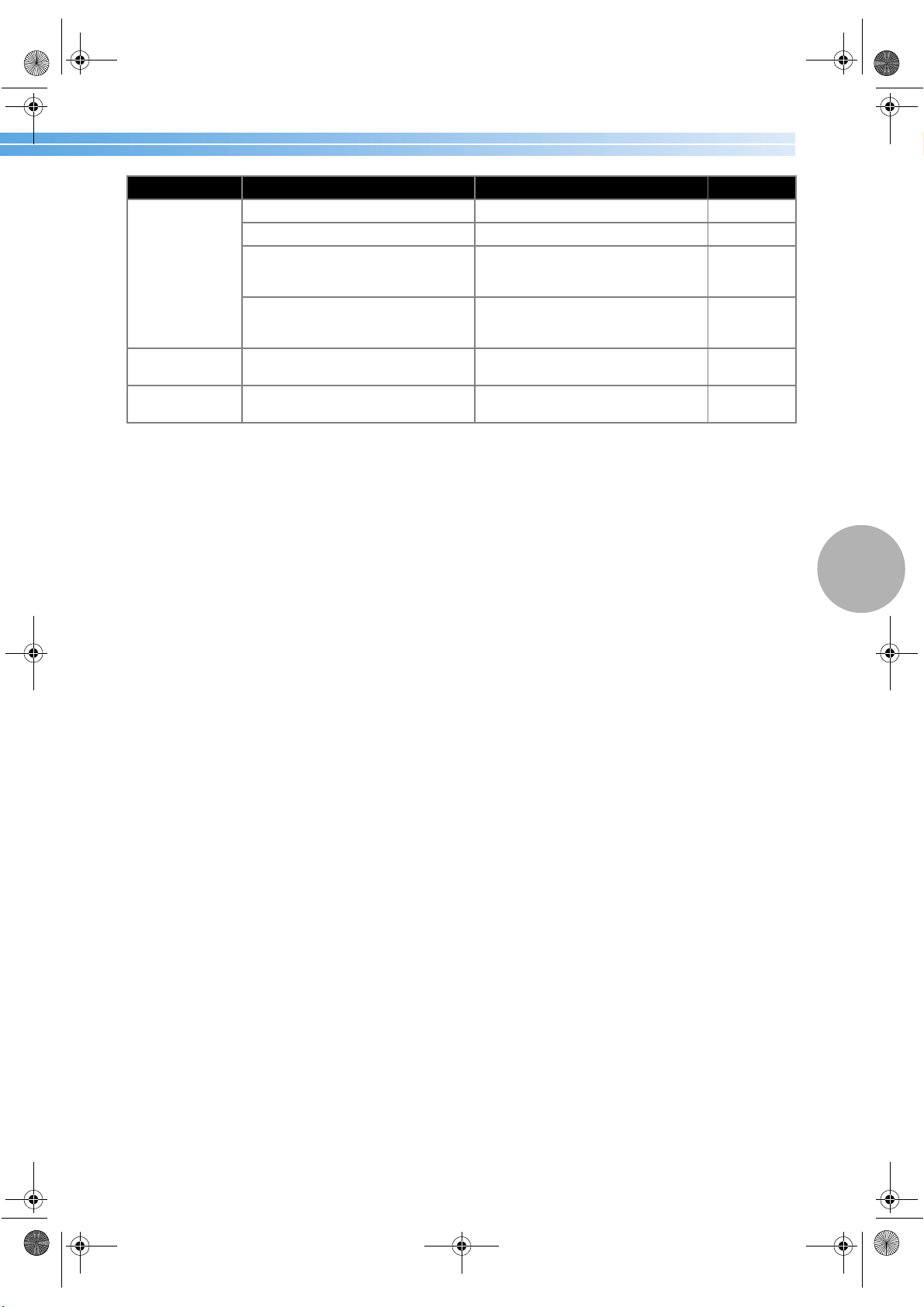
Troubleshooting 129
4
The fabric does
not feed.
The feed dogs are lowered. Slide the drop feed lever to the left. page 92
The stitch is too fine. Lengthen the stitch length. page 58
The presser foot that is used is not
appropriate for the type of stitch that
you wish to sew.
Attach the presser foot that is appro-
priate for the type of stitch that you
wish to sew.
page 118
The thread is tangled, for example,
in the shuttle.
Remove the tangle thread. If the
thread is tangled in the shuttle, clean
the shuttle.
page 124
The sewing lamp
does not come on.
The sewing lamp is damaged.
Contact your retailer or the nearest
authorized service center.
–
Nothing appears
in the LCD.
The brightness of the LCD is either
too light or too dark.
Adjust the brightness of the LCD. page 131
Symptom Probable Cause Remedy Reference
S3_brotherE.book Page 129 Wednesday, February 12, 2003 11:49 AM
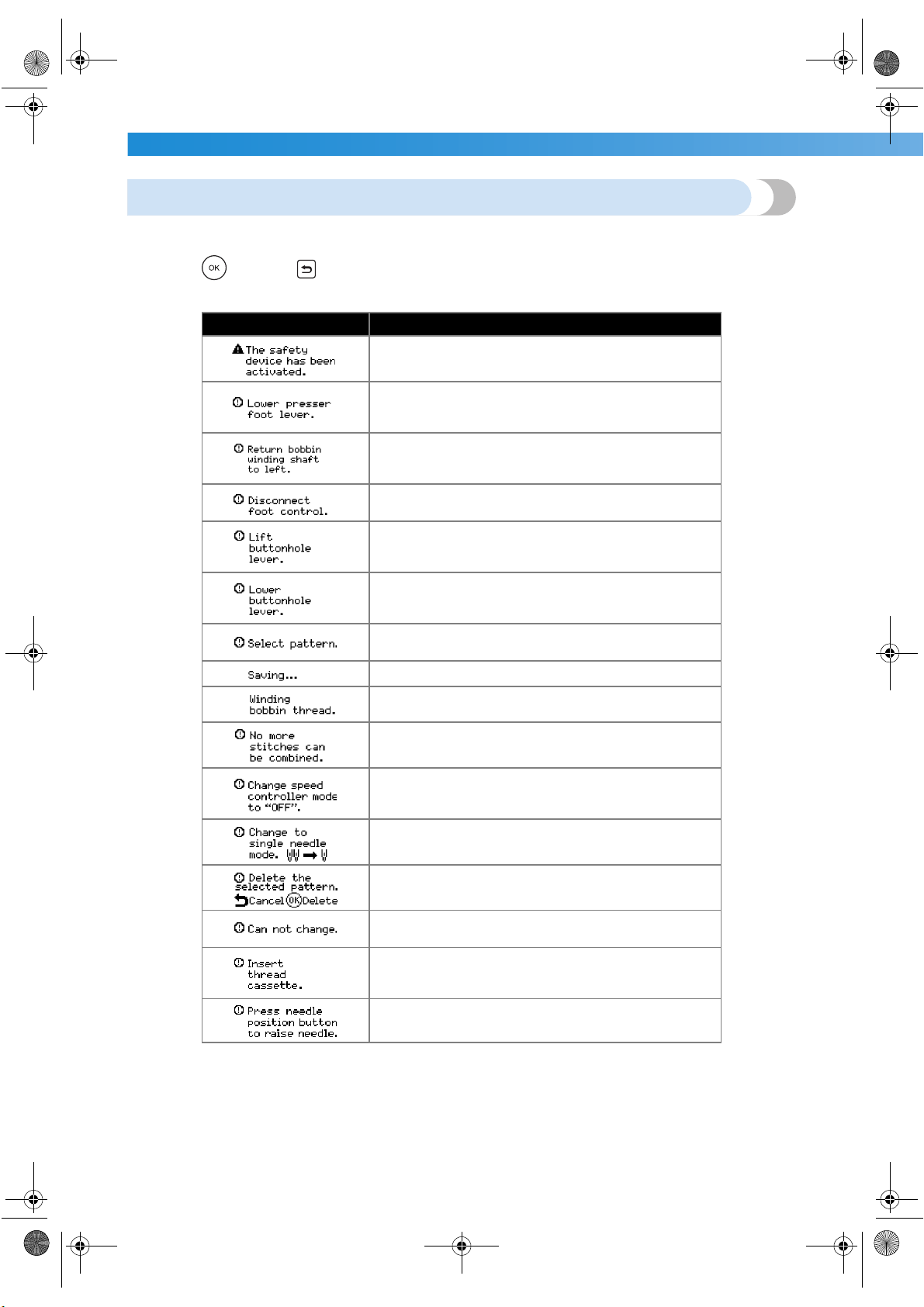
APPENDIX —————————————————————————————————————————————————————————
—
130
Error messages
If the start/stop button is pressed before the sewing machine is correctly set up or if an operation is performed
incorrectly, an error message appears in the LCD. Follow the instructions that appear.
If you press (OK key), (back key) or do the operation correctly while the error message is displayed,
the message disappears.
Error Message Probable Cause
The motor locked up because the thread is tangled.
The start/stop button, reverse/reinforcement stitch button
or thread cutter button was pressed while the presser
foot was raised.
The reverse/reinforcement stitch button, needle position
button or thread cutter button was pressed while the
bobbin winder shaft is moved to the right.
The start/stop button was pressed while the foot control-
ler was connected.
A stitch other than the buttonhole, bar tack or darning
stitch was selected and the start/stop button was pressed
while the buttonhole lever is lowered.
The buttonhole, bar tack or darning stitch was selected
and the start/stop button was pressed while the button-
hole lever is raised.
The start/stop button or reverse/reinforcement stitch but-
ton was pressed after a stitch has been deleted.
A pattern is being stored.
The bobbin winder is winding the bobbin.
More than 71 patterns are being combined.
The start/stop button was pressed without connecting the
foot controller while the setting for adjusting the stitch
width using the sewing speed controller is set to [ON].
The twin needle setting is selected while a pattern that
cannot be sewn with the twin needle is selected.
The first pattern was selected while two or more patterns
are combined.
The selected setting cannot be changed with the selected
pattern.
The start/stop button, reverse/reinforcement stitch button
or the thread cutter button was pressed while no thread
cassette was installed.
You tried to start sewing while the needle is lowered.
S3_brotherE.book Page 130 Wednesday, February 12, 2003 11:49 AM
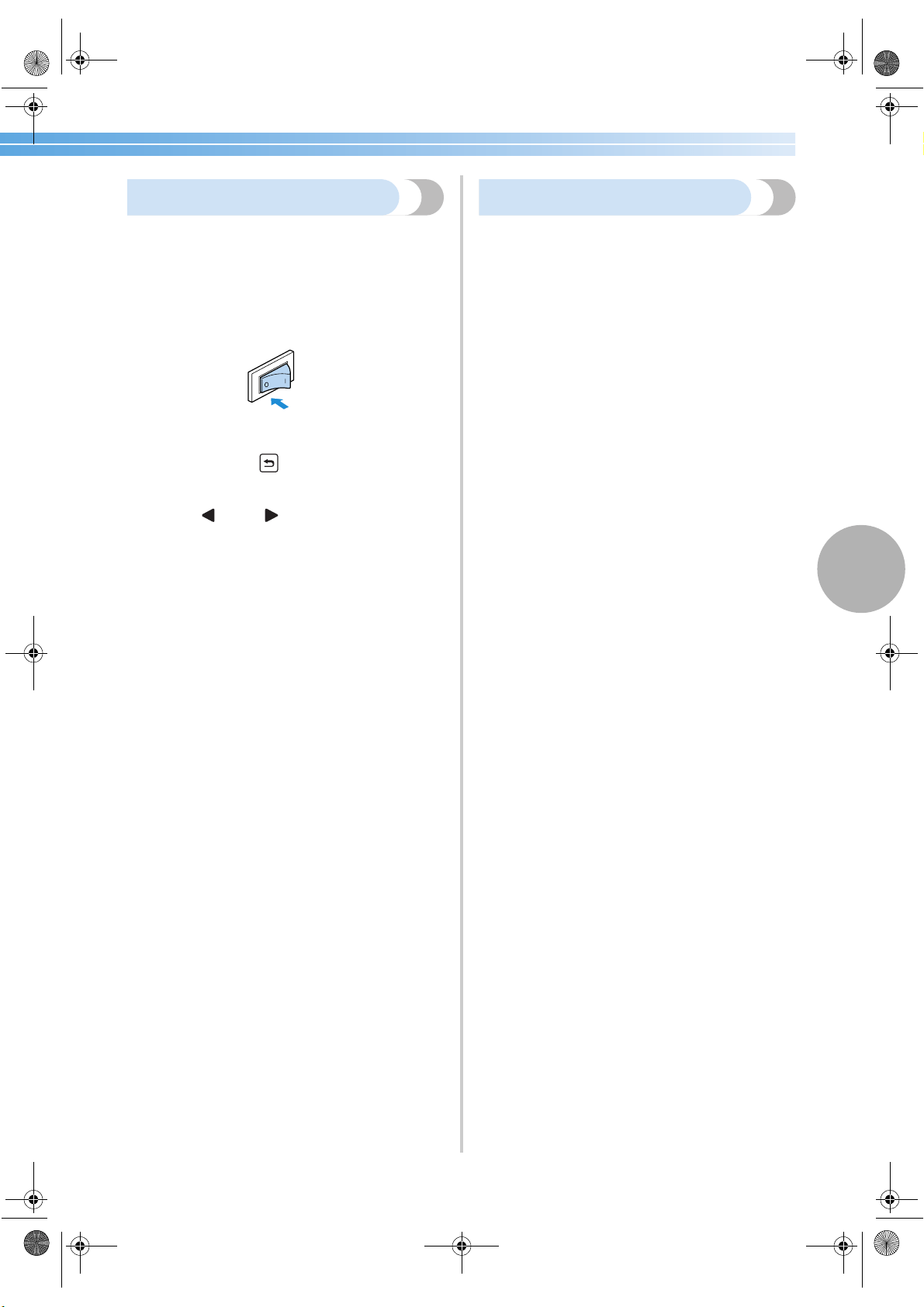
Troubleshooting 131
4
Nothing appears in the LCD
If nothing appears in the LCD when the sewing
machine is turned on, the brightness of the LCD is
either too light or too dark. If this is the case, perform
the following operation.
1
Turn off the sewing machine.
2
While pressing (back key) in the
operation panel, turn on the sewing machine.
3
Press (–) or (+).
Adjust the brightness of the LCD so that the
screens can be seen.
4
Turn off the sewing machine, then turn it on
again.
Operation beep
Each time a key is pressed or an incorrect operation
is performed, a beep is sounded.
■ For a correct operation
One beep is sounded.
■ If an incorrect operation is performed
Two or four beeps are sounded.
■ If the machine locks up, for example, because
the thread is tangled
The sewing machine continues to beep for four
seconds. The machine automatically stops.
Be sure to check for the cause of the error, and
correct it before continuing to sew.
S3_brotherE.book Page 131 Wednesday, February 12, 2003 11:49 AM
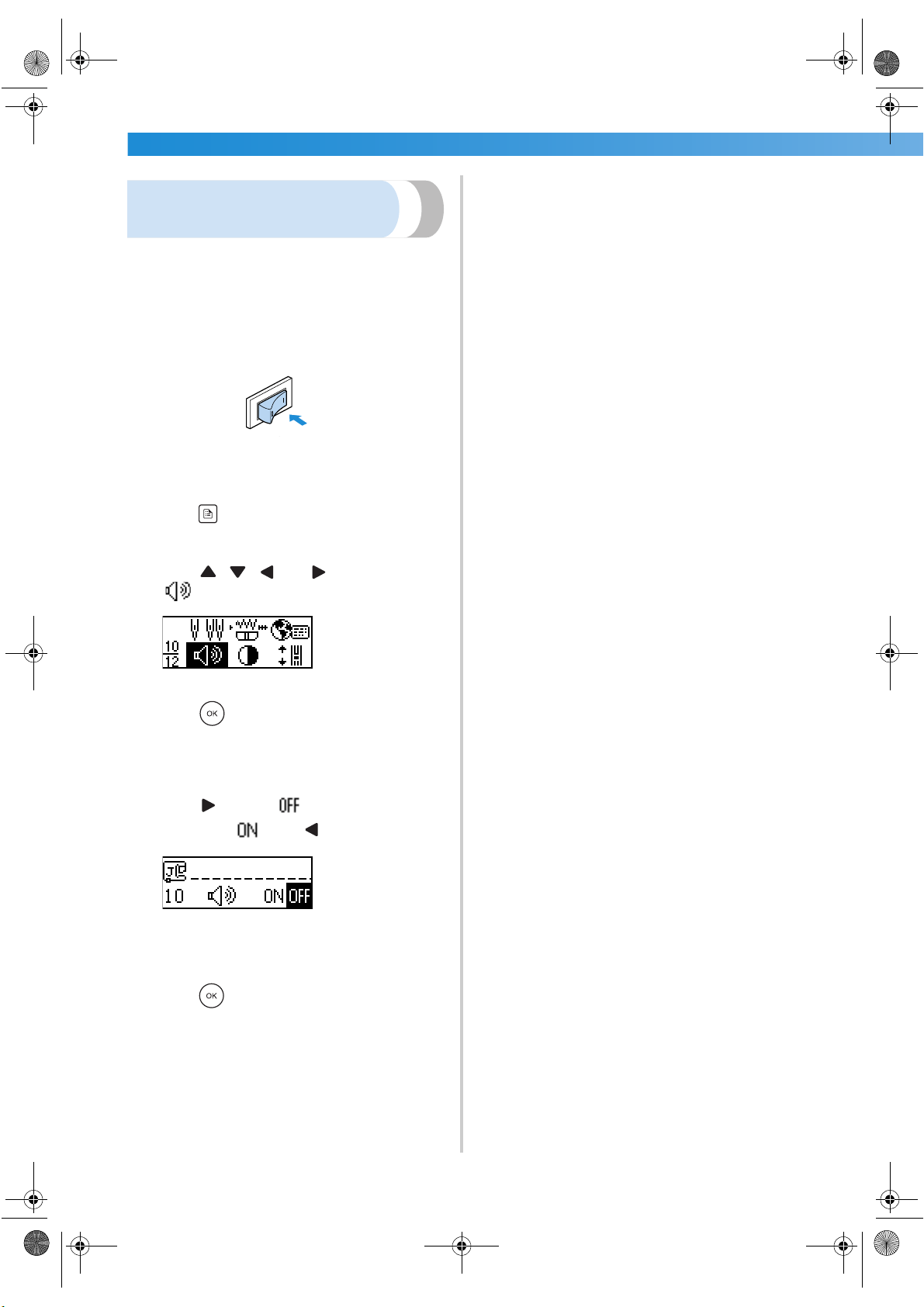
APPENDIX —————————————————————————————————————————————————————————
—
132
Cancelling the operation
beep
When the sewing machine is purchased, it is set to
beep each time an operation panel key is pressed.
This setting can be changed so that the machine does
not beep.
1
Turn on the sewing machine.
X The LCD comes on.
2
Press (settings key) in the operation panel.
X The settings screen appears.
3
Press , , and (arrow keys) until
is selected.
4
Press (OK key).
X The screen for changing the beep setting
appears.
5
Press to select .
To return to , press .
X The machine is now set so that it will not
beep.
6
Press (OK key).
X The initial stitch screen appears again.
S3_brotherE.book Page 132 Wednesday, February 12, 2003 11:49 AM
Index 133
4
Index
Symbols
+ key ....................................................................Cover E
Numerics
2-point zigzag stitch ......................................................69
3-point zigzag stitch
......................................................69
A
accessories ........................................................... Cover A
air vent
................................................................ Cover C
appliques
......................................................................89
arrow keys
............................................................Cover E
automatic reinforcement stitching
.................................59
automatic reverse stitching
............................................59
B
back key ...............................................................Cover E
balance wheel
...............................................Cover C, 50
bar tack
.........................................................................95
baseline
........................................................................73
basic stitching
...............................................................72
blind hem stitch
............................................................74
bobbin
...........................................................Cover A, 22
bobbin cover
.................................................Cover C, 22
bobbin thread
...............................................................22
pulling up
...............................................................35
bobbin winder
...............................................Cover B, 19
bobbin winder seat
.......................................................20
bobbin winder shaft spring
............................................18
bobbin-winding
............................................................18
button sewing
...............................................................80
buttonhole foot
.............................................................78
buttonhole lever
............................... Cover C, 78, 96, 98
buttonhole stitching
......................................................76
C
C key ....................................................................Cover E
changing sewing direction
............................................61
changing the needle
......................................................38
checking patterns
........................................................111
cleaning
......................................................................124
cleaning brush
.............................................Cover A, 125
combining patterns
.....................................................109
crazy quilt stitching
.......................................................90
cross-stitch
..................................................................108
cross-wound thread
......................................................24
curves
...........................................................................61
cylindrical pieces
..........................................................46
D
darning .........................................................................97
E
elastic tape ....................................................................86
electrical outlet
.............................................................11
error messages
............................................................130
even seam allowance
....................................................63
eyelet
............................................................................99
eyelet punch
...........................................Cover A, 79, 99
F
fagoting .......................................................................101
features
...........................................................................2
feed dog position switch
................................Cover C, 93
feed dogs
.......................................................Cover C, 92
flipping
.......................................................................112
foot controller
................................................Cover A, 51
foot controller jack
............................................... Cover C
free-motion quilting
......................................................92
front view
............................................................ Cover B
H
handle ................................................................. Cover C
hard case
............................................................. Cover A
heirloom stitching
.......................................................105
J
joining ........................................................................104
joining stitch
.................................................................88
L
language .......................................................................17
LCD
...................................................... Cover E, 12, 131
brightness
...................................................... 16, 131
lower threading
.............................................................22
M
main power switch ........................................Cover C, 11
maintenance
...............................................................124
N
needle ...........................................................................36
needle bar thread hook
........................................ Cover C
needle clamp screw
......................................................38
needle plate
...................................................Cover C, 63
needle plate cover
......................................................124
needle position
...................................................... 57, 73
needle position button
.........................................Cover D
needle set
............................................................ Cover A
needle stop position
......................................................16
S3_brotherE.book Page 133 Wednesday, February 12, 2003 11:49 AM
APPENDIX —————————————————————————————————————————————————————————
—
134
O
OK key .................................................................Cover E
openings
.......................................................................95
operating procedures
....................................................13
operation beep
............................................................131
operation buttons
..................................Cover B, Cover D
operation manual
................................................. Cover A
operation panel
......................................Cover B, Cover E
optional accessories
........................................................1
overcasting stitches
.......................................................68
P
patchwork stitching .......................................................90
patterns
.......................................................................108
piecing
..........................................................................90
pocket corners
..............................................................95
positioning fabric
..........................................................50
presser foot
....................................................Cover C, 41
presser foot holder
.........................................Cover C, 43
presser foot lever
..................................................Cover D
Q
quick reference guide .......................................... Cover A
quilting
.........................................................................91
quilting foot
..................................................................92
quilting guide
.................................................... 1, 91, 92
R
realigning ....................................................................114
rear view
.............................................................. Cover C
recalling a pattern
.......................................................113
reinforcement stitching
.......................................... 53, 95
repeat sewing
..............................................................110
reverse/reinforcement stitch button
......................Cover D
S
satin stitch ...................................................................108
satin stitching
................................................................94
saving patterns
............................................................113
scallop stitching
..........................................................102
screen language
............................................................17
screwdriver
...................................................................38
seam ripper
....................................................Cover A, 79
selecting stitching
.........................................................66
settings
..........................................................................14
settings key
....................................................Cover E, 14
sewing machine help key
...............................Cover E, 13
sewing machine needles
...............................................36
sewing speed
................................................................51
sewing speed controller
................................ Cover D, 94
shell tuck stitch
...........................................................103
shuttle
.................................................................. 22, 124
shuttle hook
................................................................125
side cutter
................................................................ 1, 70
side view
............................................................. Cover C
sleeves
..........................................................................95
smocking
....................................................................102
spool cap
................................................Cover A, 19, 26
spool net
........................................................Cover A, 20
spool pin
........................................................Cover B, 19
start/stop button
............................................ Cover D, 51
starting sewing
..............................................................51
stitch length
..................................................................58
stitch selection key
................................................Cover E
stitch settings
..............................................................118
stitch width
...................................................................57
controlling
..............................................................94
storing patterns
...........................................................113
straight stitch
.................................................................72
stretch fabrics
................................................................63
T
thick fabrics ..................................................................62
thin fabrics
....................................................................63
thread cutter
........................................................ Cover B
thread cutter button
...................................... Cover D, 55
thread guide cover
............................................... Cover B
thread guide for bobbin winding
.......................... Cover B
thread guide plate
................................................ Cover B
thread tension
...............................................................56
thread tension dial
.........................................Cover B, 56
trial sewing
...................................................................61
triple stretch stitch
.........................................................95
troubleshooting
...........................................................126
twin needle
.............................................Cover A, 32, 39
U
upper thread .................................................................24
upper thread tension
.....................................................56
V
vertical spool pin ................................................. Cover A
W
walking foot ........................................................... 44, 91
wide table
.......................................................................1
wing needle
................................................................105
Z
zipper stitching .............................................................82
S3_brotherE.book Page 134 Wednesday, February 12, 2003 11:49 AM