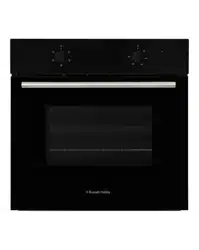
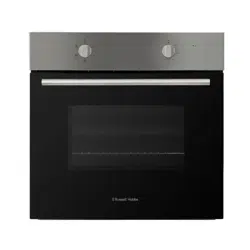
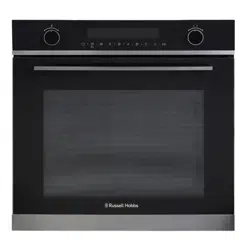
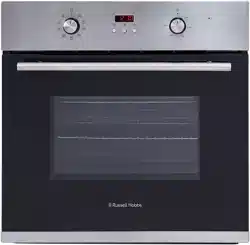
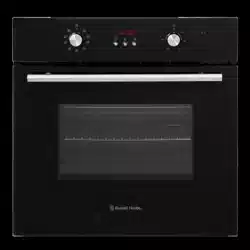
This appliance is to be installed under a counter top or in cabinets. Avoid damaging the product during installation.
The appliance can only be used safely if it is correctly installed according to the safety instructions. The installer is responsible for ensuring that the appliance works correct when installed.
Electric ovens and hobs must be hard-wired to a suitably rated electrical cooker power point – it is recommended that you consult a qualified electrician. Failure to do so will invalidate your guarantee, liability claims and could lead to criminal prosecution.
The aperture size has to be (H)600 x (W)560 x (D)570mm (please note that the depth size is a minimum measure, the oven can be installed in an aperture that has a bigger depth).
Note:
Select heat-resistant work surface material to avoid larger deformation caused by the heat radiation from the appliance.
This oven has forced air ventilation.
Installation
Preparation & installation
Ensure that there are no electric wires, gas or water pipes in the area where holes are to be made.
Components of the appliance may have sharp edges. Wear protective gloves.
1. Ensure that there is an electrical power point within adequate distance of the oven after it has been installed.
2. Ensure the aperture measures (H)600 x (W)560 x (D)570mm, in accordance with the positioning instructions detailed on the previous page.
3. Carefully and gently put the oven into the aperture recess, making sure that power cable can still be accessed.
4. Connect the oven to the electrical power point before pushing the oven into the aperture fully.
5. Once this is done open the oven door and secure the oven to the kitchen cabinet with two distance holding screws which fit the holes in the oven frame.
Electrical connection
WARNING- THIS APPLIANCE MUST BE EARTHED
This appliance is designed to be connected to a 220-240V~50Hz AC electricity supply.
Before proceeding with the electrical connection, verify that the current carrying capacity of the system and the isolator / main switch is adequate for the maximum power rating of the oven.
Electrical installation of the residence and of the appliance’s isolator must be earthed and conform with the required safety regulations.
If there is no suitable circuit and a fused switch, they must be installed by a qualified electrician before the hob is connected.
An isolator switch must be easily accessible once the oven has been installed. Do not use adaptors, multiple sockets and/or extension leads. A circuit breaker with a contact opening of at least 3 mm, rated 32A and
delayed functioning type must be installed inside the supply circuit. During installation, please ensure that insulated cables are used. An incorrect connection might damage your appliance and will void the manufacturer’s guarantee.
All repairs must be carried out by an authorised service personal or a qualified electrician.
Switch off/isolate your appliance before each maintenance. The GREEN/YELLOW wire is the EARTH and must be connected to the terminal which is marked with the letter E or by the earth symbol or coloured GREEN or GREEN/YELLOW.
The BLUE wire is the NEUTRAL and must be connected to the terminal marked with the letter N or coloured BLACK.
The BROWN wire is the LIVE wire and must be connected to the terminal marked with the letter L or coloured RED.
Usage
Control panel
The appliance has an oven function dial and a temperature dial, these are explained below:
Oven function dial
The oven function dial allows you to set the oven function mode for the oven. The dial has to be rotated clockwise or anti-clockwise to set the required oven function.
When the required type of function is set, the oven light that is inside the oven lights up. The temperature dial will also need to be adjusted when using any of the oven functions except the oven lamp and defrost functions.
Note: The dial must be put in the off position after each use.
Note: Always pre-heat the oven to the required temperature before cooking.
Symbol
Function
Oven Lamp: Turns on the oven lamp.
Defrost: Circulates air in the oven at room temperature (without the use of any heat) enabling quicker thawing of frozen food.
Use to defrost food only.
Convection heating: A fan with a ring heating element on the back of the oven ensures that the heated air is distributed evenly.
You can bake cakes, pizza, biscuits, small cakes and puff pastry on two levels at the same time.
Eco: Energy-saving cooking mode where the fan distributes the heated air around the food that is emitted from the top and rear heating elements.
Note: The oven light will not operate when this function is selected. Best suited for bakes, cakes and vegetables.
Single grill with fan: The fan distributes the heated air around the food.
Hot air grilling is particularly suitable for grilling fish, poultry and larger pieces of meat.
Single grill: Part of the area below the grill heating element becomes hot. The inner grill element is on.
Can be used to grill a small number of burgers, sausages fish or bread.
Temperature dial
Use the temperature dial to set the required temperature for the oven. The dial has to be rotated clockwise to set the required temperature.
The temperature can set between 50ºC and 250ºC.
The small light next to the temperature dial will be lit when the oven is heating. It goes out during pauses in the heating or when the oven reaches the required temperature.
The oven function dial will also need to be adjusted; turning the temperature dial alone will not make the oven heat up.
Note: The dial must be put in the off position after each use.
The oven cavity
The oven light is located in the cooking compartment. During oven operation, the oven light is on. By turning the function selector to any position, the oven light can also be switched on without the oven heating up.
A cooling fan protects the oven from overheating.
The cooling fan switches on and off as required. The hot air escapes above the door.
So that the cooking compartment cools down more quickly after operation, the cooling fan continues to run for a certain period afterwards.
There are supports either side of the compartment that accessories such as the wire shelf baking tray, etc. can be inserted in to.
The coating of the oven cavity is enamel.
Before you use the accessories for the first time, clean them with hot soapy water and a soft dish cloth.
Clean all accessories by hand, do not clean in the dishwasher.
Warnings:
When it is first used, it is normal for the oven to give off odours; this does not pose any risk and does not indicate a malfunction; they will disappear in time.
Energy saving
The following advice is to help you save energy:
Only preheat the oven if this is specified in the recipe
Open the oven door as infrequently as possible
Use black enamelled baking trays, tins, etc. as they absorb the heat well. If you need to cook, bake or roast a number of different foods then it is best to do this one after the other. The oven will be at temperature, reducing the need to pre-heat the oven again.
Cook more than 1 item at a time using the different accessories provided.
Accessories
Warning:
Correct placement of the shelves between the side supports is imperative. This will ensure that food does not fall off or slide out when in the oven or being carefully removed from the oven.
Ensure that you always insert the accessories into the cooking compartment the right way round.
Shelves and the universal tray only must be placed and used between the 5 side supports.
The universal tray or any other kind of baking tray should not be placed on the bottom of the oven cavity
The accessories can be inserted in the oven at 5 different levels. Always insert the accessories as far as they can go to ensure that they do not touch the door glass.
Wire shelf - for ovenware, cake tins, roasts, grilling and frozen meals. Slide the wire rack into the oven with the raised part at the back and at the top.
Universal tray - for cooking large quantities of food such as cakes, pastries, frozen food, etc. Can also be used under the wire rack to catch fat when grilling. Slide the baking tray into the oven with the sloping edge facing towards the oven door.
Wire rack - for grilling and roasting. Place the wire insert in the universal tray with the legs facing downwards. This ensures that dripping fat and meat juices are collected.
Cleaning and Maintenance:
Important notes:
The appliance will become hot during operation, allow the appliance to cool down before cleaning.
Do not use any high-pressure cleaners or steam cleaners.
Wash new sponge cloths thoroughly before use.
Do not leave acidic substances (lemon juice, vinegar) on stainless steel parts. Follow all instructions and warnings included with the cleaning agents.
How to clean
Observe the information in the table below to ensure that the different surfaces are not damaged by using the wrong type of cleaning agent. Do not use:
Harsh or abrasive cleaning agents,
Cleaning agents with a high concentration of alcohol,
Hard scouring pads or sponges,
High-pressure cleaners or steam cleaners.
Clean all accessories by hand, do not clean in the dishwasher.
Surface type
How to clean
Stainless Steel
Hot soapy water: Clean with a dish cloth and dry with a soft cloth. Clean stainless steel surfaces in the direction of the grain only.
Special stainless steel cleaning products are available from specialist retailers. Apply a very thin layer of the cleaning product with a soft cloth.
Painted surfaces
Hot soapy water: Clean using a damp dish cloth and dry with a soft cloth/towel. Do not use any stainless steel cleaners.
Aluminium and plastic
Glass cleaner: Clean with a soft cloth.
Glass
Glass cleaner: Clean with a soft cloth. Do not use a glass scraper.
Enamel
Clean with some washing-up liquid and a damp cloth. Dry with a soft cloth.
How to clean:
After each use, clean all surfaces once they have cooled down. If any residue is left (baked-on food, drops of grease etc.), however little, will become stuck to the surface and more difficult to remove later.
Always clean off any liquid as soon as it is spilt: you will save yourself any unnecessary effort.
Where possible, do not allow salt to come into contact with the surfaces of the appliance.
Causes of damage:
Accessories, foil, greaseproof paper or ovenware on the cooking compartment floor: Do not place accessories on the cooking compartment floor. Do not cover the cooking compartment floor with any sort of foil or greaseproof paper. Do not place ovenware on the cooking compartment floor if a temperature of over 50ºC has been set. This will cause heat to accumulate. The baking and roasting times will no longer be correct and the enamel will be damaged.
Water in a hot cooking compartment: Do not pour water into the cooking compartment when it is hot. This will cause steam. The temperature change can cause damage to the enamel.
Moist food: Do not store moist food in the cooking compartment when it is closed for prolonged periods. This will damage the enamel.
Fruit juice: When baking particularly juicy fruit pies, do not pack the baking tray too generously. Fruit juice dripping from the baking tray leaves stains that cannot be removed. If possible, use the deeper universal pan.
Cooling with the appliance door open: Only allow the cooking compartment to cool when it is closed. Even if the appliance door is only open a little, front panels of adjacent units could be damaged over time.
Very dirty door seal: If the door seal is very dirty, the appliance door will no longer close properly when the appliance is in use. The fronts of adjacent units could be damaged. Always keep the door seal clean.
Never use the appliance door as a seat, shelf or worktop: Do not sit on the appliance door, or place or hang anything on it. Do not place any cookware or accessories on the appliance door.
Inserting accessories: accessories can scratch the door panel when closing the appliance door. Always insert the accessories into the cooking compartment as far as they will go.
Changing the bulb
If the bulb in the oven light fails, it must be replaced with a heat resistant 25 watt bulbs only. To replace the bulb follow the below steps:
Note: the oven lamp is located at the top right on the back of the oven.
1. Switch off the circuit breaker of the unit's mains outlet or fuse box.
2. Place a tea towel in the oven when it is cold to prevent damage.
3. Unscrew the glass cover by turning it anti-clockwise.
4. Replace the bulb with one of the same type.
5. Screw the glass cover back in.
6. Remove the tea towel and switch on the circuit breaker.
Trouble Shooting:
Problem
Solution
No power
The circuit break is defective or turned off
check circuit breaker is in working order and that it is not switched off
Power cut or faulty fuse
Check whether other kitchen appliances are working or check in the fuse box to make sure that the fuse for the appliance is working
Functions are none responsive when turning the dials
The oven doesn’t heat up
Check the oven function and temperature dials have both been set
The oven doesn’t heat up
Turn the control dials several times, as there may be dust between the connections
Food is being burnt
Location of the shelves are incorrect or the cooking function that has been selected is incorrect
Adjust the shelf locations and/or the cooking function that is being used