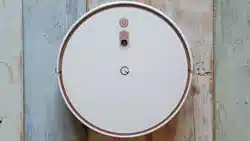
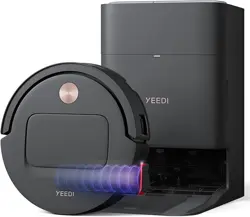
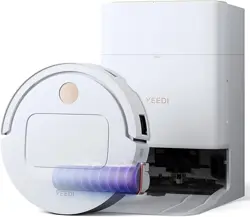
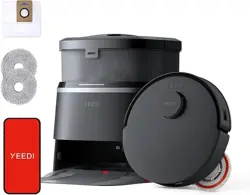
Model: YEEDI S20 Infinity | Color: Dune Brown
Overview
The Yeedi S20 Infinity is a robotic vacuum and mop designed for hard floors and carpets. It features a bagless OmniCyclone Station that automatically empties dust, washes the mop with hot water, and dries it with hot air. The robot uses AIVI 3D Navigation for intelligent mapping and obstacle avoidance.

What's in the Box
- Robot Vacuum (1)
- OMNI Station (1)
- Power Cord (Black) (1)
- User Manual (1)
- Quick Guide (1)
- Ordinary New Roller Cloth Roller (1)
- Side Brush (1)
- Main Brush & Main Brush Cover (1)
- Filter (1)
- Auxiliary Compartment Auto-Fill Module (1)
- Clean Water Tank (1)
- Dirty Water Tank (1)
Features
PowerBoost Charging
The robot restores 6% battery in approximately 3 minutes during mop washing, allowing it to resume cleaning without interruption.
OZMO Roller 2.0 Self-Washing Mop
The roller mop self-washes in real time during cleaning. Its extendable design covers wider areas and cleans along edges.
BLAST Suction (19,500 Pa)
Delivers 38 CFM airflow and 19,500 Pa suction for deep cleaning on carpets and hard floors. Paired with ZeroTangle 3.0 technology on main and side brushes to reduce hair tangles.
Bagless OmniCyclone Station
Empties dust using cyclone suction without requiring bags. Features 167°F (75°C) hot water soak washing, dual-solution cleaning, and 145°F (63°C) hot-air drying for the mop.
Smart Triple Lift System
Automatically lifts the mop on carpets, raises side brushes for large debris, and adjusts the main brush to prevent spills. The TruePass 4-Wheel climbing system handles thresholds up to 0.9 inches high and 1.6 inches wide.
AIVI 3D Navigation & AI Agent
Uses AIVI 3D Navigation for mapping and obstacle avoidance. The AI Agent Smart Hosting learns the home layout, supports zone cleaning, and can automatically trigger cleaning upon mess detection.
Smart Control
Compatible with Amazon Alexa and Google Assistant for voice commands. Remote management is available via the Yeedi app.
Note: Compatible with 2.4 GHz Wi-Fi networks only. 5 GHz Wi-Fi is not supported.
Product Specifications
| Brand | Yeedi |
|---|---|
| Model Name | YEEDI S20 Infinity |
| Surface Recommendation | Hard Floor & Carpet |
| Special Feature | AI Agent, BLAST Suction, Bagless Station, Fast Charging, OZMO ROLLER 2.0 |
| Color | Dune Brown |
| Controller Type | App Control, Remote Control |
| Filter Type | Cartridge, Foam |
| Battery Life | 254 minutes |
| Cleaning Path Width | 6.89 Inches |
| Battery Type | Lithium Ion |
| Voltage | 110 Volts |
| Capacity | 1.6 Liters |
| Power Source | Corded Electric & Battery Powered |
| Control Method | App, Touch |
| Compatible Devices | Amazon Echo, Google Home, Smartphones |
| Form Factor | Robotic |
| Item Dimensions L x W x H | 14.96" x 19.41" x 18.31" |
| Noise Level | 61.8 Decibels |
Use Guide
Setting Up the Station
- Place the OmniCyclone Station on a hard, level surface against a wall.
- Connect the power cord to the station and plug it into a 110V outlet.
- Install the clean water tank and dirty water tank into the station.
- Attach the auxiliary compartment auto-fill module if desired.
Preparing the Robot
- Remove all packaging materials from the robot.
- Install the side brush by pressing it onto the designated peg on the bottom.
- Insert the main brush and secure it with the main brush cover.
- Insert the filter into the dust compartment.
- Attach the roller cloth to the mop module.
Connecting to Wi-Fi and the App
- Download the Yeedi app from your device's app store.
- Ensure your mobile device is connected to a 2.4 GHz Wi-Fi network.
- Open the app and create an account or sign in.
- Press and hold the robot's power button until the Wi-Fi indicator blinks.
- Follow the in-app instructions to complete the connection.
Starting a Cleaning Cycle
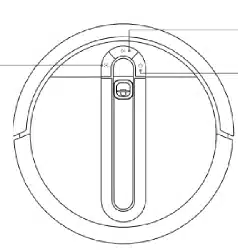
- Press the power button on the robot to turn it on.
- Press the clean button to start an automatic cleaning cycle.
- The robot will map the area and begin vacuuming and mopping.
- To pause, press the clean button again. Press it once more to resume.
- To send the robot back to the station, press the home button.
Using the App
- View the cleaning map and monitor progress in real time.
- Schedule cleaning sessions for specific days and times.
- Select zone cleaning to target specific rooms or areas.
- Adjust suction power and water level for mopping.
- Enable or disable the AI Agent for automatic cleaning based on mess detection.
Voice Control
After connecting the robot to Alexa or Google Assistant, use commands such as:
- "Alexa, ask Yeedi to start cleaning."
- "Hey Google, tell Yeedi to clean the kitchen."
- "Alexa, ask Yeedi to return to the station."
Maintenance
Cleaning the Filter
- Remove the filter from the dust compartment.
- Tap it gently to remove loose dust. For deeper cleaning, rinse with water and let it air dry completely before reinserting.
- Replace the filter every 2-3 months.
Cleaning the Brushes
- Remove the main brush and side brush.
- Remove any hair or debris wrapped around them using the cleaning tool.
- Rinse the brushes if necessary and let them dry before reinstalling.
Maintaining the OmniCyclone Station
- Empty the dirty water tank after each cleaning cycle or when prompted by the app.
- Refill the clean water tank as needed.
- Wipe the station's charging contacts and the robot's charging contacts with a dry cloth.
- Periodically check the station's dust collection area for clogs.
Replacing the Roller Cloth
Replace the roller cloth every 3-6 months, or sooner if it shows signs of wear. A spare roller cloth is included in the box.
Troubleshooting
| Issue | Solution |
|---|---|
| Robot does not start | Ensure the robot is charged. Press and hold the power button for 3 seconds to turn it on. |
| Robot cannot connect to Wi-Fi | Verify your network is 2.4 GHz. Restart the router and the robot, then try connecting again. |
| Poor cleaning performance | Check and clean the filter, main brush, and side brush. Ensure the dust compartment is not full. |
| Mop is not washing properly | Ensure the clean water tank is filled. Check that the dirty water tank is not full. Verify the roller cloth is installed correctly. |
| Robot is stuck or lost | Clear obstacles from the floor. Use the app to locate the robot or manually place it back at the station. |
Safety Information
- Use only the provided power cord and adapter.
- Do not operate the robot in areas with exposed electrical outlets or cords.
- Keep the robot away from water sources other than its designated cleaning station.
- Do not use the robot on wet surfaces or to clean liquids.
- Keep hair, loose clothing, and fingers away from brushes and moving parts.
- Store the robot and station in a dry, temperature-controlled environment.