Overview
The PANSEBA AK-69 is a portable mini projector designed for home cinema use. It features a short throw design, built-in WiFi 6 and Bluetooth 5.2, auto keystone correction, and supports screen sizes from 40 to 260 inches. This manual provides instructions for setup, operation, and troubleshooting.

Features
Physical Features & Adjustability
- 270° Rotatable Design: The projector body can be tilted up to 270 degrees, allowing for projection onto walls, ceilings, or other surfaces from various angles.
- Portable Form Factor: Compact dimensions (6.7"L x 4.2"W x 5.6"H) for easy transport and use in different locations.
Projection & Image Quality
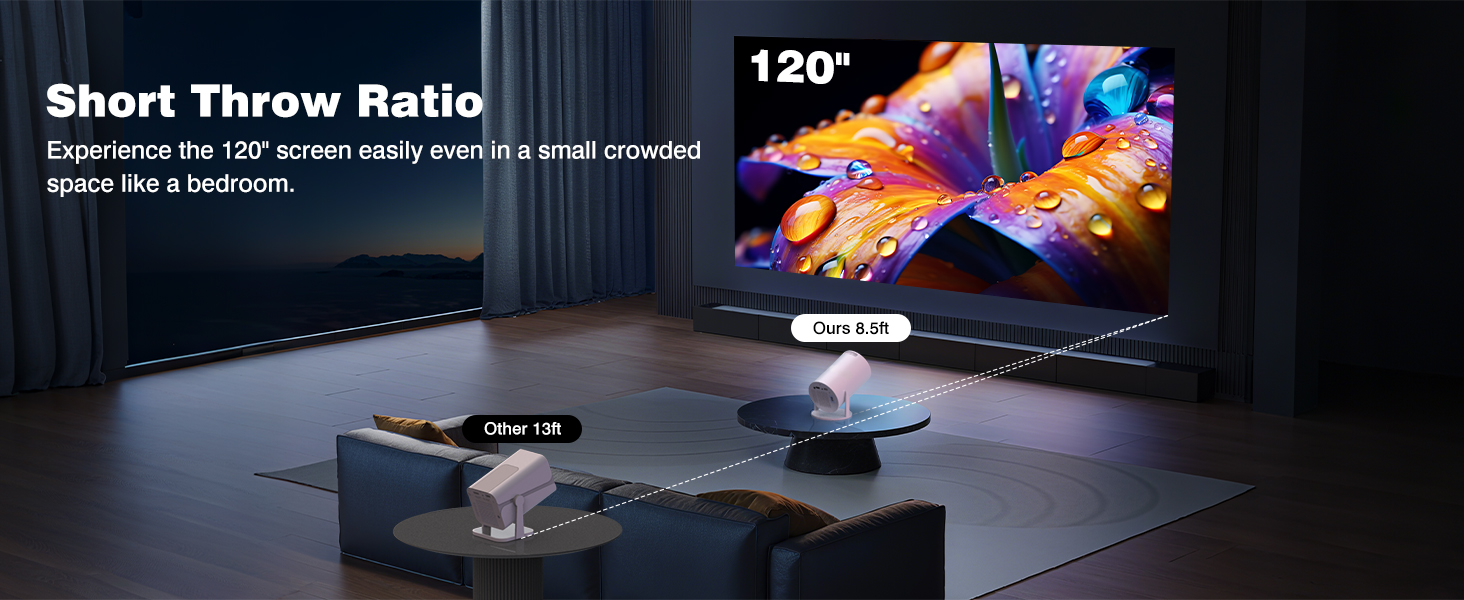
- Short Throw Projection (1.26:1 Ratio): Can project a 40" to 260" image from a distance of 3.6 feet to 18.7 feet.
- Native Resolution: 1280 x 720 (HD). Supports input resolution up to 1920 x 1080 (Full HD).
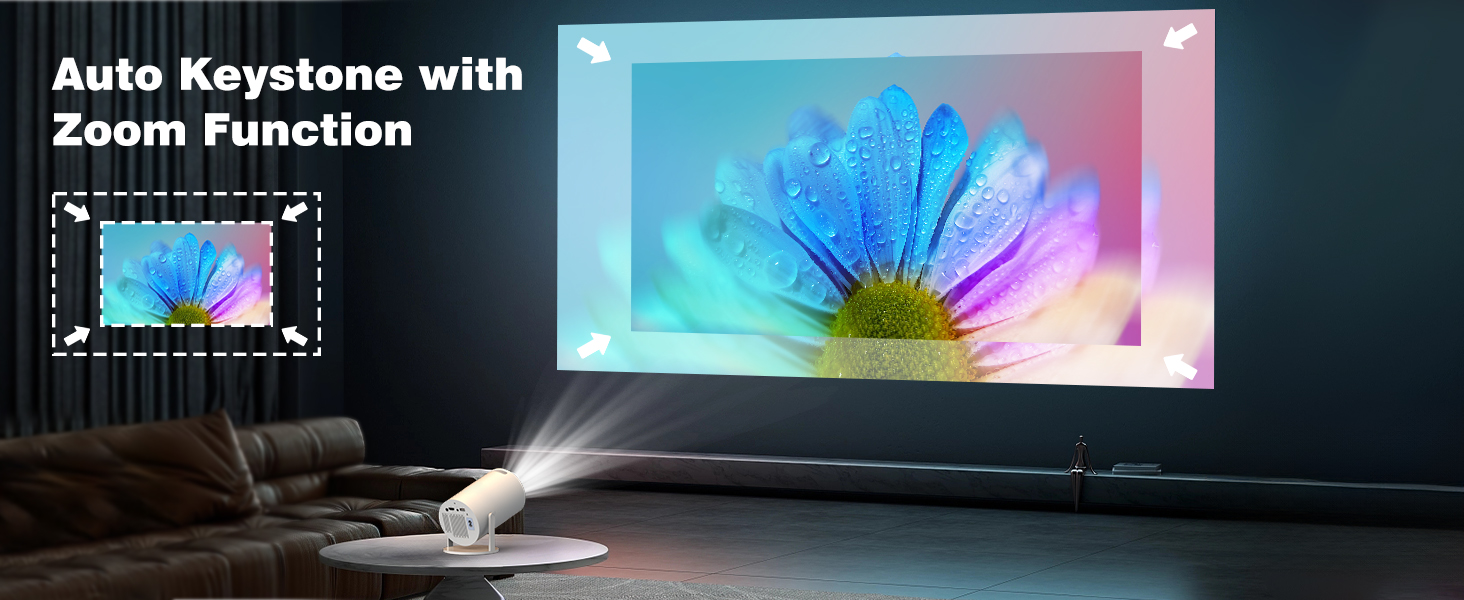
- Auto Keystone Correction: Automatically corrects image distortion to present a rectangular picture.
- Manual Focus: A focus ring allows for fine-tuning image clarity.
- Contrast Ratio: 10000:1.
Connectivity
- Built-in WiFi 6: Dual-band (5GHz + 2.4GHz) for fast, stable wireless connections for screen mirroring and streaming.
- Bluetooth 5.2: Connect wireless speakers, headphones, or soundbars for enhanced audio.
- Input Ports:
- HDMI: For connecting laptops, TV sticks, gaming consoles, etc.
- USB: For playing media files from storage devices.
- 3.5mm Audio Jack: For wired audio output.
- Compatible Devices: Smartphones, tablets, laptops, PCs, TV sticks (e.g., Fire Stick, Roku), and gaming consoles.

Audio
- Built-in Hi-Fi Speaker: Provides integrated sound.
- Bluetooth Audio Output: Stream audio to external Bluetooth speakers.
- 3.5mm Audio Output: Connect to external speakers or a sound system via cable.
What's in the Box
- PANSEBA AK-69 Mini Projector
- Remote Control
- Power Cord
- HDMI Cable
- User Manual
Use Guide
Initial Setup
- Placement: Position the projector on a stable, flat surface. Ensure there is adequate ventilation around the device.
- Power On: Connect the power cord to the projector and a wall outlet. Press the power button.
- Projection Surface: Point the projector towards a clean, flat wall or projection screen.
- Basic Image Adjustment:
- Use the adjustable feet or the 270° tilt function to position the projected image.
- The auto keystone function will activate. Wait for it to correct the image into a rectangle.
- Manually rotate the focus ring on the lens until the image is sharp.
Connecting Source Devices
Wired Connection (HDMI/USB)
- Connect your device (laptop, TV stick, game console) to the projector using an HDMI cable.
- Use the remote control or the projector's menu to select the HDMI input source.
- For USB media playback, insert a USB drive into the projector's USB port and select the USB source.
Wireless Connection (WiFi Screen Mirroring)
- On the projector, navigate to the WiFi or Screen Mirroring setting in the menu.
- On your smartphone, tablet, or laptop, go to your device's screen mirroring/cast settings (e.g., Miracast, AirPlay, Smart View).
- Select the projector's network name from the list of available devices to connect.
- The connection may require a one-time pairing code displayed on the projector screen.
Bluetooth Audio
- On the projector, enter the Bluetooth settings menu and set it to pairing mode.
- On your Bluetooth speaker or headphones, enable pairing mode.
- Select the projector's name from your audio device's list of available Bluetooth devices.
Using the Remote Control
- Point the remote directly at the back of the projector for reliable operation.
- The remote controls power, input source selection, volume, playback, and menu navigation.
Specifications
| Specification | Detail |
|---|---|
| Brand / Model | PANSEBA AK-69 |
| Native Resolution | 1280 x 720 |
| Supported Resolution | Up to 1920 x 1080 |
| Display Technology | LCD |
| Contrast Ratio | 10000:1 |
| Projection Size | 40" - 260" |
| Throw Ratio | 1.26:1 (Short Throw) |
| Projection Distance | 3.6 ft - 18.7 ft |
| Keystone Correction | Auto |
| Focus | Manual |
| WiFi | WiFi 6 (Dual-band 5GHz/2.4GHz) |
| Bluetooth | Version 5.2 |
| Ports | HDMI, USB, 3.5mm Audio |
| Speaker | Built-in Hi-Fi |
| Power Supply | AC Power Cord |
| Dimensions (LxWxH) | 6.7" x 4.2" x 5.6" |
Troubleshooting
Common Issues and Solutions
- Remote does not work: Ensure you are pointing the remote at the back of the projector. Check the remote's batteries.
- Image is blurry: Manually adjust the focus ring on the projector lens. Ensure the auto keystone has finished correcting the image.
- Projector turns off unexpectedly: The projector has an overheating protection feature. If it turns off after prolonged use, allow it to cool down for at least one hour in a well-ventilated area before restarting.
- No signal from source device: Verify the correct input source is selected on the projector. Ensure all cables are securely connected. Try a different HDMI cable or port.
- WiFi connection issues: Ensure the projector is within range of your WiFi router. Verify you are connecting to the correct network and have entered the correct password.
Note on Overheating: To ensure optimal performance and longevity, do not block the projector's ventilation grilles. Allow sufficient space around the unit for air circulation.
Warranty and Support
PANSEBA offers a 12-month replacement policy and a 3-year maintenance policy for this projector. If you encounter any issues, contact PANSEBA customer support through the Amazon store where the product was purchased.