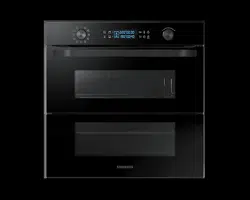
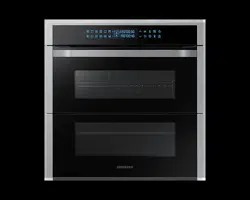
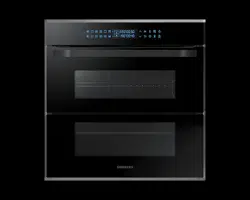
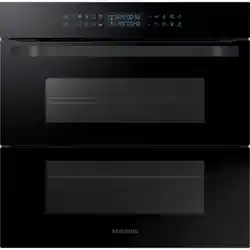
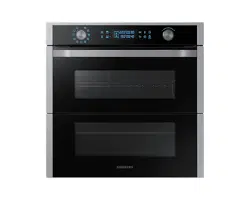
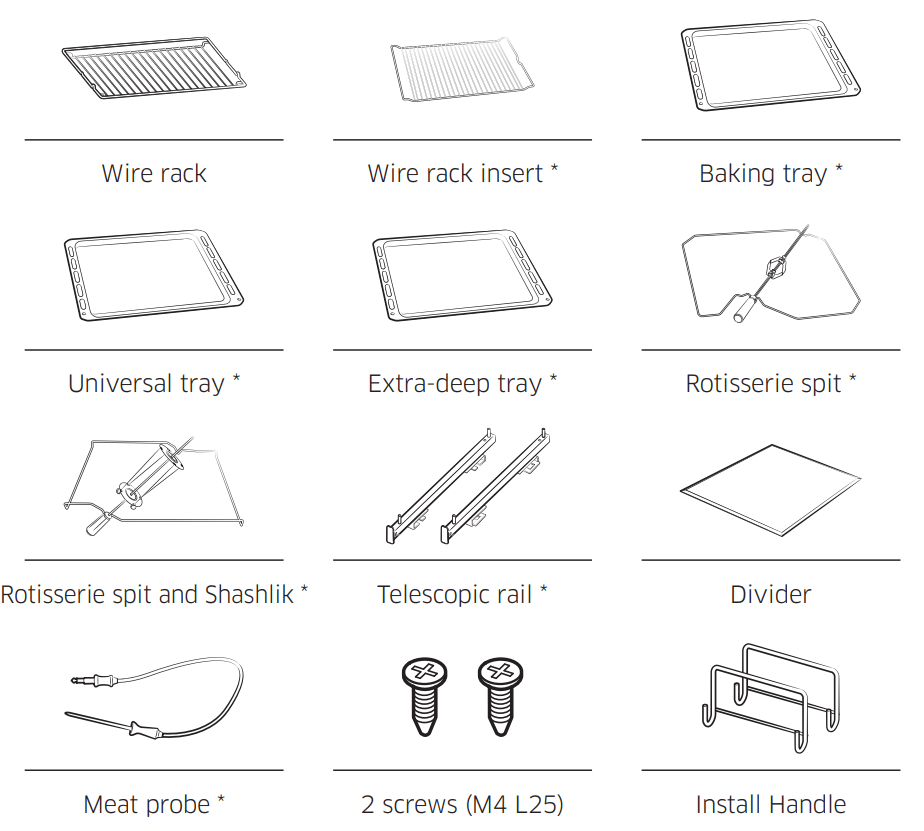
The oven comes with different accessories that help you prepare different types of food.
NOTE Availability of accessories with an asterisk (*) depends on the oven model.
Before you start
Initial settings
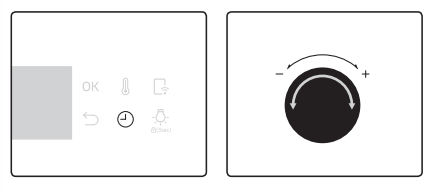
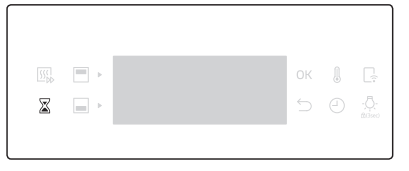
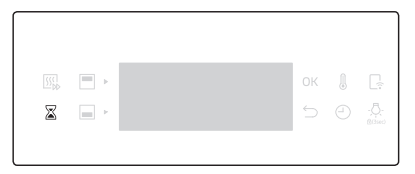
When you power on the oven for the first time, the default time of “12:00” appears on the display where the hour element (“12”) blinks. Follow the steps below to set the current time.
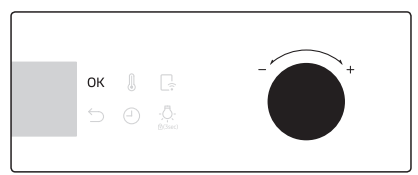
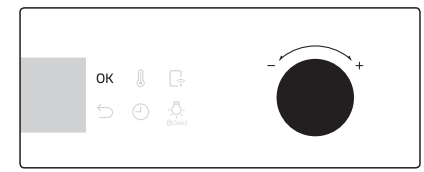
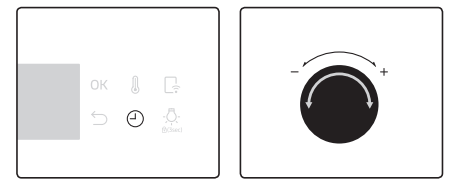
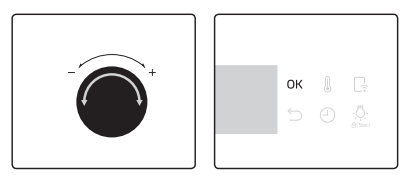
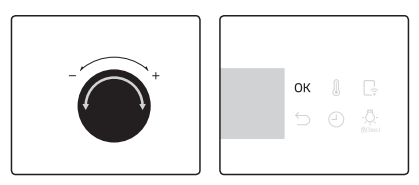
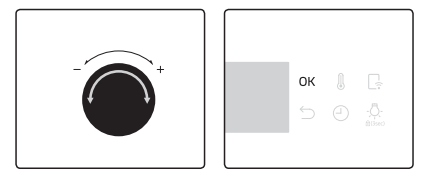
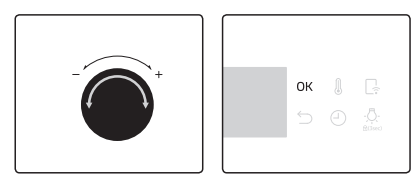
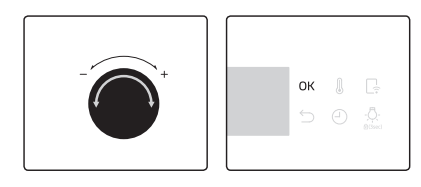
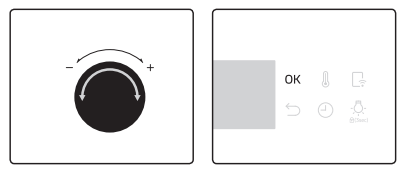
With the hour element blinking, turn the value dial (right-sided dial) to set the hour, and then press OK to move to the minute element.
With the minute element blinking, turn the value dial to set the minute, and then press OK.
To change the current time after this initial setting, hold down the button for 3 seconds and follow the above steps.
New oven smell
Before using the oven for the first time, clean inside the oven to remove the new oven smell.
Remove all accessories from inside the oven.
Run the oven with Convection 200 °C or Conventional 200 °C for an hour. This will burn any remaining production substances in the oven.
When complete, turn off the oven.
Smart safety mechanism
If you open the door while the oven is operating, the oven light turns on and both the fan and the heating elements stop operation. This is to prevent physical injuries such as burns as well as to prevent unnecessary energy loss. When this happens, simply close the door and the oven continues to operate normally because this is not a system failure.
Accessories
For first time use, clean the accessories thoroughly with warm water, detergent and a soft clean cloth.
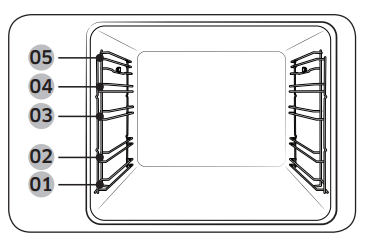
Level 1
Level 2
Level 3
Level 4
Level 5
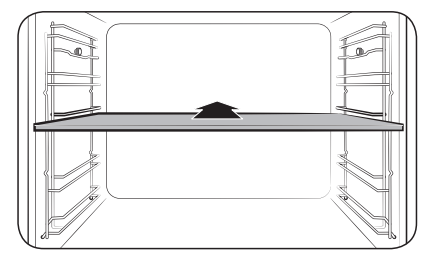
Insert the accessory to the correct position inside of the oven.
Allow at least a 1 cm space from the accessory and the bottom of the oven, and from any other accessory.
Take caution in removing cookware and/or accessories out of the oven. Hot meals or accessories can cause burns.
The accessories may be deformed while they are gaining heat. Once they have cooled down, they will recover their original appearance and performance.
Basic use
For better cooking experience, familiarise yourself with how to use each accessory
Wire rack
The wire rack is designed for grilling and roasting. Insert the wire rack into position with the protruding parts (stoppers on both sides) towards the front.
Wire rack insert *
The wire rack insert is used with the tray, and prevents liquid from dropping onto the bottom of the oven.
Baking tray *
The baking tray (depth: 20 mm) is used to bake cakes, cookies, and other pastries. Put the slanted side to the front.
Universal tray *
The universal tray (depth : 30 mm) is used for cooking and roasting. Use the wire-tray insert to prevent liquid from dropping onto the bottom of the oven.
Put the slanted side to the front.
Extra-deep tray *
The extra-deep tray (depth: 50 mm) is used for roasting with or without the wire-tray insert. Put the slanted side to the front.
Rotisserie spit *
The rotisserie spit is used for grilling food such as chicken. Use the rotisserie spit only in Single mode at level 4 where the spit adapter is available. Unscrew the spit handle to remove while grilling.
Rotisserie spit and Shashlik *
Put the tray at rack position 1 to collect cooking juices, or on the bottom of the oven for a large serving of meat. It is recommended to use the spit accessories for meat under 1.5 kg.
1. Insert the spit into the meat. To help insert the spit, screw the spit handle toward the blunt end.
2. Put parboiled potatoes and vegetables around the meat.
3. Put the cradle at the middle tray position with the “V” shape to the front. Rest the spit onto the cradle with the pointed end backward and gently push until the tip of the spit enters the turning mechanism at the back of the oven. The blunt end of the spit must rest on the “V” shape. (The spit has two lugs which should be nearest to the oven door so to stop the spit going forward, the lugs also act as a grip for the handle.)
4. Unscrew the handle before cooking.
5. After cooking, screw the handle back to help remove the spit from the cradle.
Telescopic rails *
Use the telescopic rail plate to insert the tray as follows:
1. Stretch the rail plate out from the oven.
2. Put the tray on the rail plate and slide the rail plate into the oven.
3. Close the oven door.
Divider
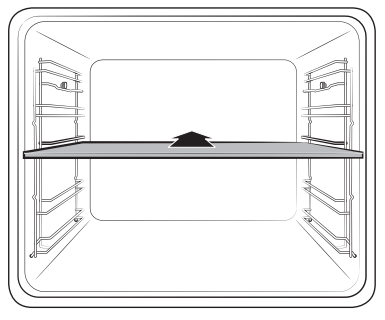
The divider is designed to separate the oven in two compartments. Use the divider with Dual cook mode.
Meat probe *
The meat probe measures the internal temperature of the meat to cook. Use only the meat probe that comes with your oven.
WARNING
Make sure that the rotisserie handle is seated properly.
Be careful when using the rotisserie. The forks and pins are pointed and sharp, which can cause physical injury!
To prevent burns, use gloves to remove the rotisserie because it is very hot.
NOTE Availability of accessories with an asterisk (*) depends on the oven model.
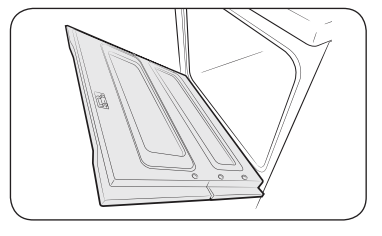
Flexible Door
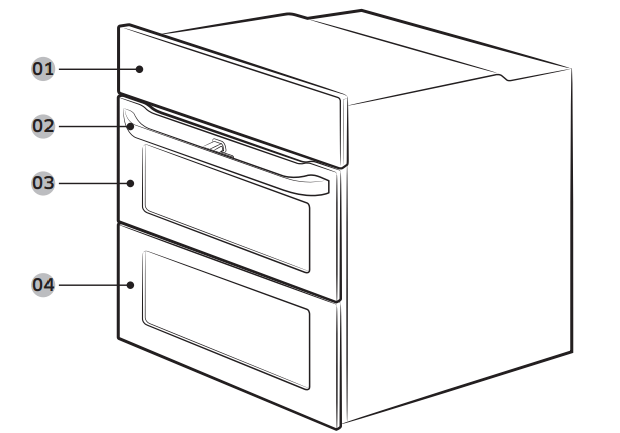
This oven has a unique Flexible Door that is hinged in the middle, so you only need to open the top half to access the upper cavity. When you’re using the Dual Cook capability, you can access the top oven space much more easily and with greater energy efficiency.
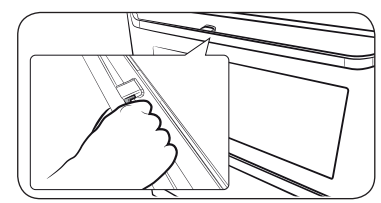
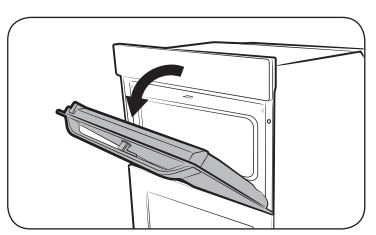
How to use the upper door
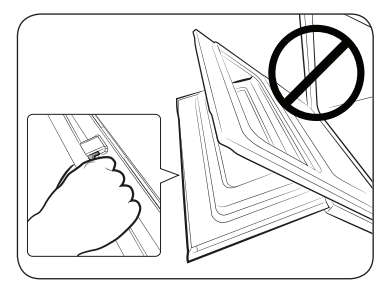
Completely press the handle lever.
Pull the handle.
This will open only the upper door as shown.
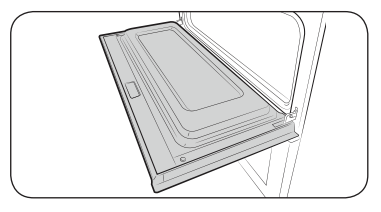
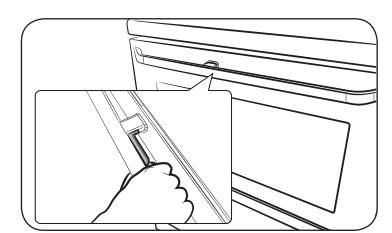
How to use the full door
Hold the lever-less area of the handle, and then pull.
This will open the whole door as shown.
CAUTION
When opening the whole door, make sure to grasp the handle by the lever-less portion.
If the lever is pressed halfway through opening the door, the upper door may open, causing physical injury.
NOTE
Do not put heavy objects on, or apply excessive force, to the upper door.
Do not let children play with or on the upper door.
Dual cook mode
You can use both the upper and lower compartments to cook two different recipes, or simply choose one compartment to cook with.
Insert the divider in level 3 to separate the cooking chamber in two compartments. The oven senses the divider and activates the upper compartment by default.
NOTE Availability of Dual cook mode depends on the recipe. For more information, see the Cooking smart section in this manual.
Operations
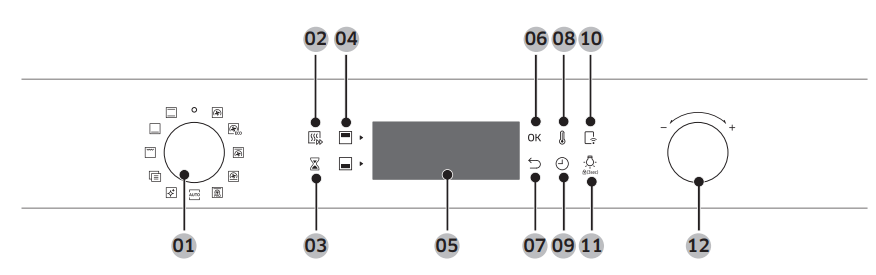
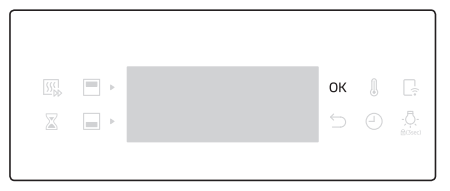
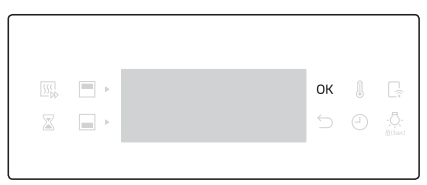
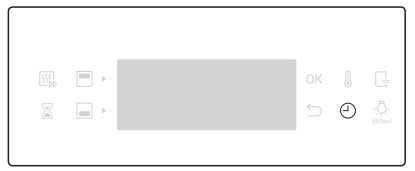
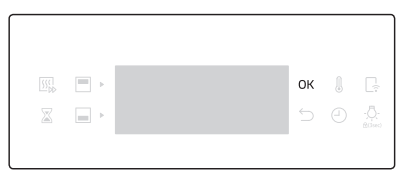
Control panel
The front panel comes in a wide range of materials and colours. For improved quality, the actual appearance of the oven is subject to change without notice.
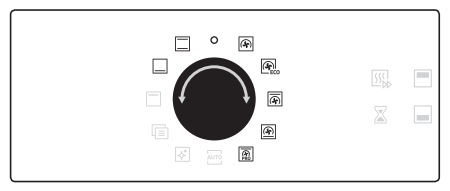
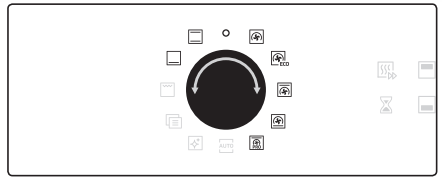
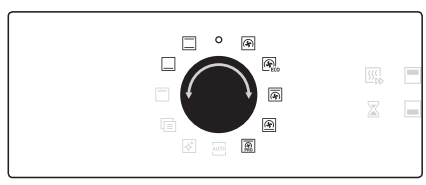
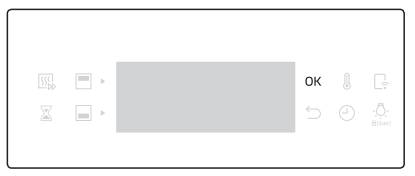
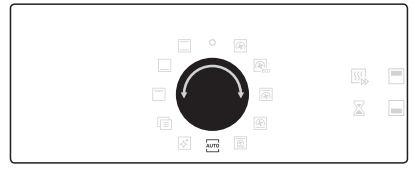
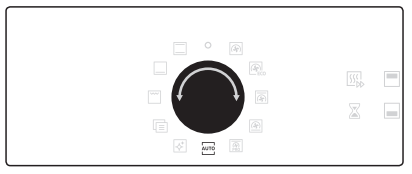
01 Mode selector
Turn to select a cooking mode or function.
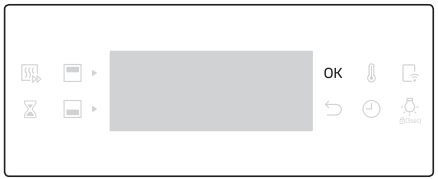
02 Fast preheat (applicable models only)
Fast Preheat heats the oven fast to a set temperature.
Press to toggle on or off the Fast Preheat option.
Available only with Single mode.
Disabled for temperatures set at less than 100 °C.
03 Timer
Timer helps you check the time or operating duration while cooking.
04 Upper/Lower compartment
The indicators turn on when the divider is inserted. You can choose Upper or Lower for your recipe.
05 Display
Shows necessary information of selected modes or settings.
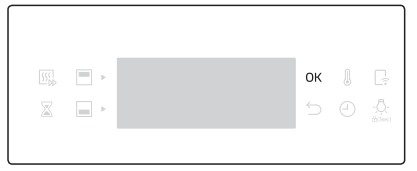
06 OK
Press to confirm your settings.
07 Back
Cancel current settings, and return to the main screen.
08 Temperature
Use to set the temperature.
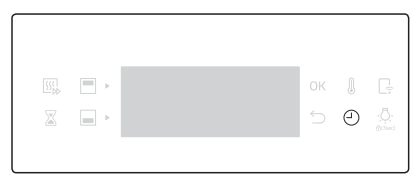
09 Cooking time
Press to set the cooking time.
10 Smart Control
Use to select the smart control feature.
11 Oven light / Child Lock
Press to turn the internal light on or off. Hold down for 3 seconds to activate Child lock, or hold down for 3 seconds again to deactivate the lock on the control panel.
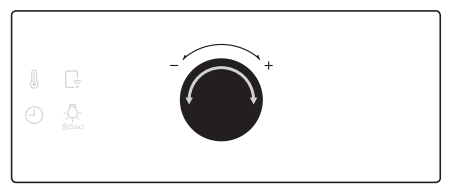
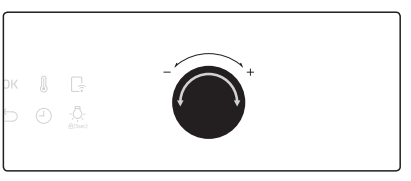
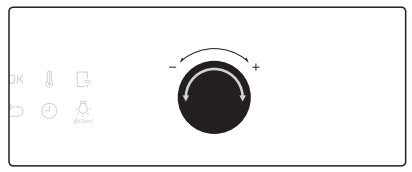
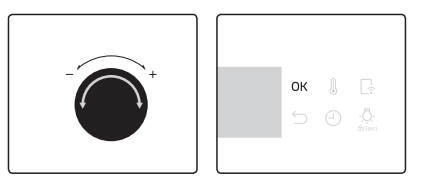
12 Value dial
Use the value dial to:
Set the cooking time or temperature.
Choose a sub item of top-level menus: Cleaning, Auto cook, Special function, or Grill.
Choose a serving size for Auto Cook programmes.
NOTE Tapping on the display while wearing plastic or oven gloves may not operate properly.
Common settings
It is common to change the default temperature and/or cooking time across all cooking modes. Follow the steps below to adjust the temperature and/or cooking time for the selected cooking mode
Temperature
Turn the mode selector to choose a mode or function. The default temperature of each selection appears.
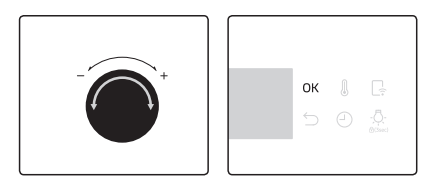
Turn the value dial to set a desired temperature.
Press OK to confirm your changes.
NOTE
If you do not make any further settings within a few seconds, the oven starts cooking automatically with the default settings.
To change the set temperature, press the button and follow the above steps.
The exact temperature inside the oven can be measured with authorized thermometer and method defined by an authorized institution. Using other thermometers may cause a measuring error.
Cooking time
Turn the mode selector to choose a mode or function.
Press the button, and then turn the value dial to set a desired time up to hours 59 minutes.
Optionally, you can delay the end time of your cooking to a desired point. Press the button, and use the value dial to set an end point. See Delay End for more information.
Press OK to confirm your changes.
NOTE
You can cook without setting the cooking time if you want to. In this case, the oven starts cooking at set temperatures without time information, and you must stop the oven manually when cooking is complete.
To change the set cooking time, press button and follow the above steps.
End time
Turn the mode selector to choose a mode or function.
Press twice, and turn the value dial to set a desired end time.
Press OK to confirm your changes.
NOTE
You can cook without setting the end time if you want to. In this case, the oven starts cooking at set temperatures without time information, and you must stop the oven manually when cooking is complete.
To change the end time, press twice, and follow the above steps
To clear the cooking time
You can clear the cooking time. This is useful if you want to stop the oven manually at any time during the process.
While the oven is cooking, press the button to display the default cooking time.
Turn the value dial to set the cooking time to “00:00”. Alternatively, simply press .
Press OK.
NOTE In Dual cook mode, you must first select the upper or lower compartment that you want to clear the cooking time for.
To clear the end time
You can clear the end time. This is useful if you want to stop the oven manually at any time during the process.
While the oven is cooking, press twice to display the set end time.
Turn the value dial to set the end time to the current time. Alternatively, simply press .
Press OK.
NOTE In Dual cook mode, you must first select the upper or lower compartment that you want to clear the end time for.
Dual cook mode temperature setting range
You can use both the upper and lower compartments simultaneously for different cooking operations.
In Dual Cook mode, the temperature range of one compartment is affected by the temperature settings of the other compartment. For instance, broiling in the upper compartment will be limited by the operation in the lower compartment in terms of cooking temperatures. However, either compartment limits its temperature settings between minimum 40 and maximum 250.
If Upper is set to (°C)
Lower compartment is limited to (°C)
Minimum
Maximum
40
40
45
60
50
75
80
65
105
100
80
135
120
90
160
140
105
190
160
120
220
180
135
250
200
145
250
220
160
250
250
170
250
If Lower is set to (°C)
Upper compartment is limited to (°C)
Minimum
Maximum
40
40
45
60
50
75
80
65
105
100
80
135
120
90
160
140
105
190
160
120
220
180
135
250
200
145
250
220
160
250
250
170
250
To stop cooking
Oven light
The oven light turns on automatically when the oven starts operation.
While cooking is in process, turn the mode selector to “ ”. The oven turns off in a few seconds. This is because, to avoid accepting incorrect commands by users, the oven waits a few seconds so that they can correct their selection.
To stop cooking for an individual compartment
Follow these instructions to stop cooking in Dual cook mode.
Press to select the upper compartment, or press to select the lower compartment.
Press , and then press OK. The oven stops cooking with the selected compartment.
Special function
Add special or additional functions to improve your cooking experience. Special functions are not enabled in Dual cook mode.
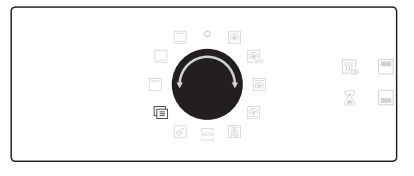
Turn the mode selector to select .
Turn the value dial to select a function, and then press OK. The default temperature appears.
Set the cooking time and/or temperature if necessary. See the Common settings section for details.
Press OK to start the function.
Mode
Temperature range (°C)
Suggested temperature (°C)
Instructions
F 1
Keep warm
40-100
80
Use this only for keeping foods warm that have just been cooked.
F 2
Plate warm
30-80
60
Use this for warming dishes or ovenware.
Auto cook
For inexperienced cooks, the oven offers a total of 50 auto cooking recipes. Take advantage of this feature to save you time or shorten your learning curve. The cooking time and temperature will be adjusted according to the selected recipe.
Turn the mode selector to select .
Turn the value dial to select a programme, and then press OK.
Turn the value dial to select a serving size. The weight range depends on the programme.
Press OK to start cooking.
NOTE
Some of the items in the Auto cook programmes include preheating. For those items the preheating progress is displayed. Please put the food in the oven after preheating beep. Then, press Cooking time to start Auto Cook.
For more information, see the Auto cook programmes section in this manual.
Dual cook mode
Insert the divider in level 3 to activate Dual cook mode.
Turn the mode selector to select .
Press to select the upper compartment, or press to select the lower compartment. An indicator appears next to the selected compartment.
Turn the value dial to select a programme for the upper compartment, and press OK.
Turn the value dial to select a serving size. The weight range depends on the programme.
Press OK to start cooking.
Steam cleaning
This is useful for cleaning light soiling with steaming. This function saves you time by removing the need for regular manual cleaning.
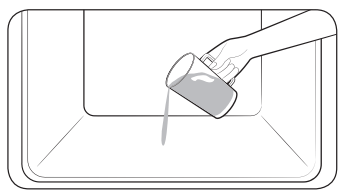
Pour 400 ml (3/4 pint) of water onto the bottom of the oven and close the oven door.
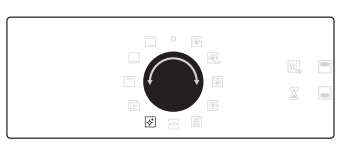
Turn the mode selector to select.
Press OK to start cleaning. Steam cleaning runs for 26 minutes.
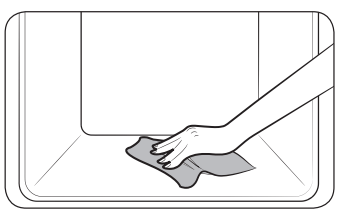
Use a dry cloth to clean inside the oven.
Timer
Timer helps you check the time or operating duration while cooking.
Press .
Turn the value dial to set the time, and then press OK.
NOTE
When the time has elapsed, the oven beeps with a blinking message of “00:00” on the display.
You can change the timer settings at any time.
Sound on/off
Press for 3 seconds.
Turn the value dial to select “1”, and then press OK.
Turn the value dial to select on or off, and then press OK. The selected option will blink.
Wi-Fi on/off
Press for 3 seconds.
Turn the value dial to select “2”, and then press OK.
Turn the value dial to select on or off, and then press OK.
The selected option will blink.
Using the smart control feature
The SmartThings app lets you operate a number of the oven’s functions remotely from your smart phone. The table below lists the main functions that can be operated from the app.
Download and open the SmartThings app on your smart device.
Follow the app onscreen instruction to connect your oven.
Once the process is complete, the connected icon located on your oven appears in the display and the app will confirm you are connected.
If the connection icon does not appear, follow the instruction in the app to reconnect.
To control the oven remotely
Press Smart Control. The Smart Control icon appears in the display. The oven can now be controlled remotely with a connected smart device.
Select the oven icon on the SmartThings app to open the Oven Control app.
When the app is connected to the oven, you can perform the following functions through the application:
Set the cooking mode, the cooking time, or the temperature of the oven.
Start the oven remotely.
Turn off the oven remotely.
Once cooking starts, change the cooking time and temperature remotely.
Maintenance
Cleaning
For easier cleaning, regularly clean the oven.
WARNING
Make sure the oven and accessories are cool before cleaning.
Do not use abrasive cleaning agents, hard brushes, scouring pads or cloths, steel wool, knives or any other abrasive materials.
Oven interior
For cleaning the interior of the oven, use a clean cloth and a mild cleaning agent or warm soapy water.
Do not hand-clean the door seal.
To avoid damaging the enamelled oven surfaces, only use standard oven cleaners.
To remove stubborn soils, use a special oven cleaner.
Oven exterior
For cleaning the exterior of the oven such as the oven door, handle, and display, use a clean cloth and a mild cleaning detergent or warm soapy water, and dry with a kitchen roll or dry towel.
Grease and dirt can remain, especially around the handle because of the hot air coming from inside. It is recommended to clean the handle after each use.
Accessories
Wash the accessories after every use, and dry it with a tea towel. To remove stubborn impurities, soak the used accessories in warm soapy water for about 30 minutes before washing.
Catalytic enamel surface (applicable models only)
The removable parts are coated with dark grey catalytic enamel. They can be soiled with oil and fat spattered by the circulating air during convection heating.
However, these impurities burn off at oven temperatures of 200 °C or above.
Remove all accessories from the oven.
Clean the interior of the oven.
Select Convection mode with max temperature, and run the cycle for an hour.
Door
Tie the wet tissue to stick.
Put on the towel below door.
Clean the door.
Apply detergent to tissue and clean again.
Wipe the dry tissue to the moisture and bubble.
CAUTION Do not detach the door for cleaning
Ceiling (applicable models only)
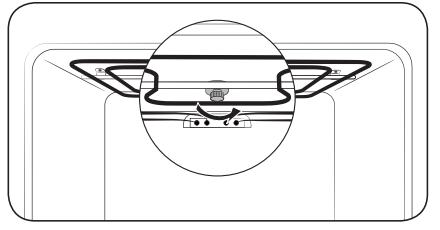
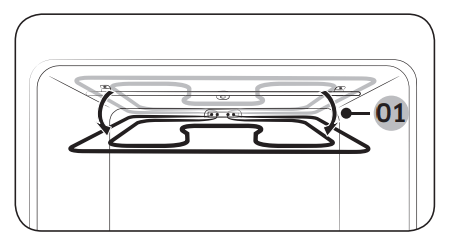
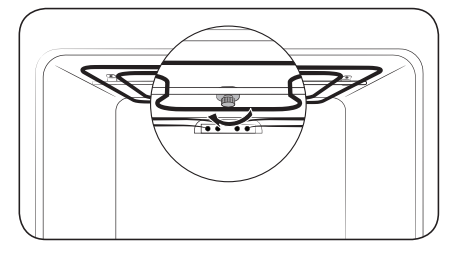
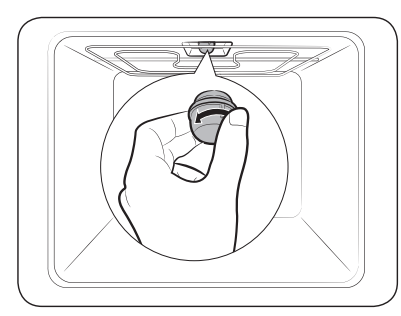
Put down the grill heater. For this, turn the circular nut anticlockwise while holding the grill heater. The grill heater is not a removable part. Do not force the grill heater down.
Clean the ceiling of the oven with soapy water and a clean cloth.
Approx. 12°
When done, put the grill heater back and turn the circular nut clockwise.
Side racks (applicable models only)
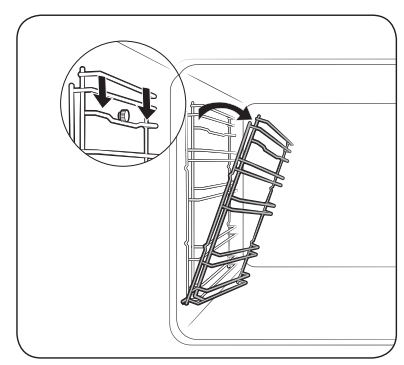
Press the top line of the left side rack, and lower by approximately 45°.
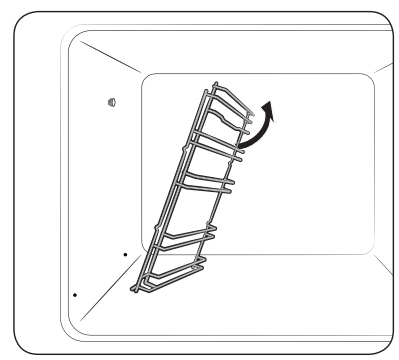
Pull and remove the bottom line of the left side rack.
Remove the right side rack in the same way.
Clean both side racks.
When done, follow steps 1 to 2 above in the reverse order to reinsert the side racks.
NOTE The oven operates without the side racks and racks in position.
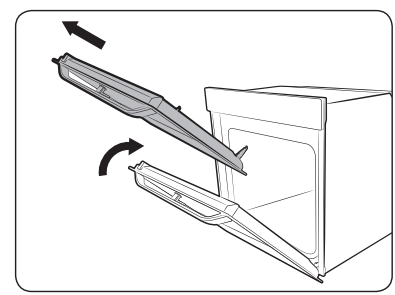
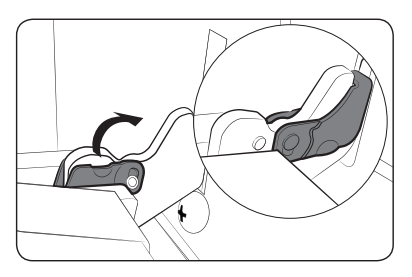
Detaching the door
WARNING The oven door is heavy.
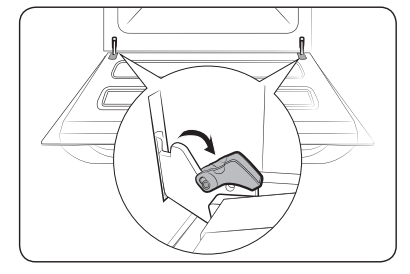
Open the door and flip open the clips at both hinges.
Close the door approximately 70°. Hold the oven door by the sides using both hands, and lift and pull upwards until the hinges are removed.
When done, follow steps 1 to 2 in the reverse order to reinstall the door. Make sure the clips are hinged on both sides.
Replacement
Bulbs
Remove the glass cap by turning anticlockwise.
Replace the oven light.
Clean the glass cap.
When done, follow step 1 above in the reverse order to reinsert the glass cap.
WARNING
Before replacing a bulb, turn off the oven and unplug the power cord.
Use only 25-40 W / 220-240 V, 300 °C heat-resistant bulbs. You can purchase approved bulbs at a local Samsung service center.
Always use a dry cloth when handling a halogen bulb. This is to prevent the bulb from being tampered with fingerprints or sweat, resulting in a shortened lifecycle.
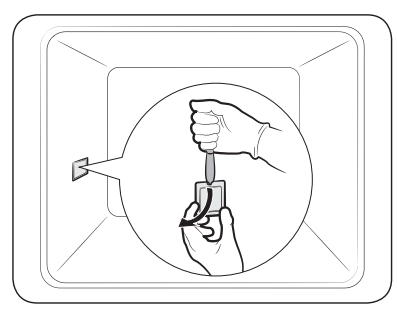
Side oven light
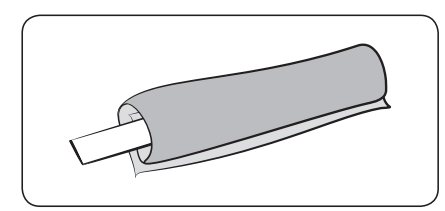
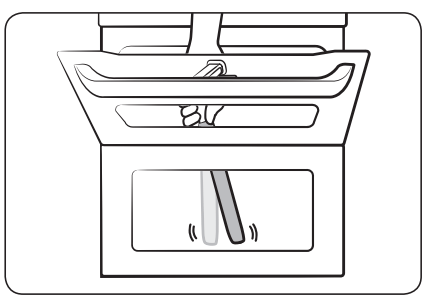
Hold the lower end of the cover of the side oven light with one hand, and use a flat-sharp tool such as a table knife to remove the cover as shown.
Replace the side oven light.
Reinsert the light cover.
Troubleshooting
Checkpoints
If you encounter a problem with the oven, first check the table below and try the suggestions. If the problem continues, contact a local Samsung service centre.
Problem
Cause
Action
The buttons cannot be pressed properly.
If there is foreign matter caught between the buttons.
Touch model: if there is moisture on the exterior.
If the lock function is set.
Remove the foreign matter and try again.
Remove the moisture and try again.
Check whether the lock function is set.
The time is not displayed.
If there is no power supplied.
Check whether there is power supplied.
The oven does not work.
If there is no power supplied.
Check whether there is power supplied.
The oven stops while in operation.
If it is unplugged from the power socket.
Reconnect the power.
The power turns off during operation.
If continuous cooking takes a long time.
If the cooling fan does not work.
If the oven is installed in a place without good ventilation.
When using several power plugs in the same socket.
After cooking for a long time, let the oven cool.
Listen for the sound of the cooling fan.
Keep the gaps specified in the product installation guide.
Use a single plug.
There is no power to the oven.
If there is no power supplied.
Check whether there is power supplied.
The oven exterior is too hot during operation.
If the oven is installed in a place without good ventilation.
Keep the gaps specified in the product installation guide.
The door cannot be opened properly.
If there is food
residue stuck between the door and product interior.
Clean the oven well and then open the door again.
The interior light is dim or does not turn on.
If the lamp turns on and then off.
If the lamp is covered by foreign matter during cooking.
The lamp automatically turns off after a certain amount of time to save power. You can turn it on again by pressing the oven light button.
Clean the inside of the oven and then check.
Electric shock occurs on the oven.
If the power is not properly grounded.
If you are using a socket without grounding.
Check whether the power supply is properly grounded.
There is water dripping.
There may be water or steam in some cases depending on the food. This is not a product malfunction.
Let the oven cool and then wipe with a dry dish towel.
There is steam through a crack in the door.
There is water remaining in the oven.
The brightness inside the oven varies.
The brightness changes depending on power output changes.
Power output changes during cooking are not malfunctions, so there is no need to worry.
Cooking is finished, but the cooling fan is still running.
The fan automatically runs for a certain amount of time to ventilate inside the oven.
This is not a product malfunction, so there is no need to worry.
The oven does not heat.
If the door is open.
If oven controls are not correctly set.
If the household fuse has been blown or the circuit breaker has been tripped.
Close the door and restart.
Refer to the chapter on oven operation and reset the oven.
Replace the fuse or reset the circuit. If it happens repeatedly, call an electrician.
Smoke comes out during operation.
During initial operation.
If there is food on the heater.
Smoke may come from the heater when you first use the oven. This is not a malfunction, and if you run the oven 2-3 times, it should stop happening.
Let the oven cool sufficiently and remove the food from the heater.
There is a burning or plastic smell when using the oven.
If using plastic or other containers that are not heat-resistant.
Use glass containers suitable for hot temperatures.
The oven does not cook properly.
If the door is often opened during cooking.
Do not frequently open the door unless you are cooking things that need to be turned. If you frequently open the door, the interior temperature will be lower and this may affect the results of your cooking.
Steam cleaning does not work.
This is because the temperature is too high.
Let the oven cool and then use.
Dual cook mode does not work.
If the divider is not properly assembled.
Insert the divider correctly and use.
Single cook mode does not work.
If the divider is inserted in the oven.
Take out the divider and use.
The fan of the cavity, that is not being used in Dual cook, is operating (or the temperature of the cavity is hot).
For the best cooking performance and results, fan and the heater of the cavity that is not being used may operate.
This is not a product malfunction, so there is no need to worry.
Information codes
If the oven fails to operate, you may see an information code on the display. Check the table below and try the suggestions.
Code
Meaning
Action
C-d1
Door lock malfunctions.
Turn off the oven and then restart. If the problem continues, turn off all power for 30 seconds or more and then reconnect. If the problem is not fixed, please contact a service centre.
C-20
Sensor malfunctions.
C-21
C-22
C-F1
Only occurs during EEPROM Read/ Write.
C-F0
If there is no communication between the main PCB and sub PCB.
C-F2
Occurs when a communication problem is maintained between the Touch IC <-> Main or Sub micom.
Turn off the oven and then restart. If the problem continues, turn off all power for 30 seconds or more and then reconnect. If the problem is not fixed, please contact a service centre.
C-d0
Button problem
Occurs when a button is pressed and held for a period of time.
Clean the buttons and make sure there is no water on/ around them. Turn off the oven and try again. If the problem continues, contact a local Samsung service centre.
-dC-
If the divider is removed during cooking in Dual cook mode.
If the divider is inserted during cooking in Single cook mode.
The divider must not be removed during cooking in Dual cook mode.
Turn off the oven and then restart. If the problem continues, turn off all power for 30 seconds or more and then reconnect.
If the problem is not fixed, please contact a service centre.
S-01
Safety shutoff
Oven has continued operating at a set temperature for an extended time.
Under 105 °C - 16 hours
From 105 °C to 240 °C - 8 hours
From 245 °C to Max - 4 hours
This is not system failure. Turn off the oven and remove food. Thenm try again normally.
 button for 3 seconds and follow the above steps.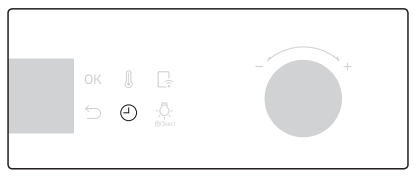
 button, and then turn the value dial to set a desired time up to hours 59 minutes.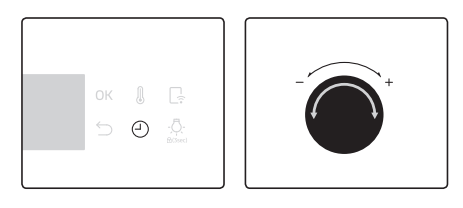
 .
.
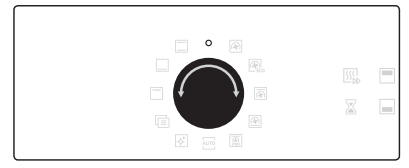
 ”. The oven turns off in a few seconds. This is because, to avoid accepting incorrect commands by users, the oven waits a few seconds so that they can correct their selection.
 to select the upper compartment, or press
 to select the lower compartment.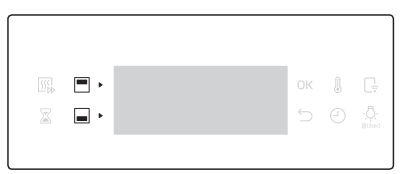
 , and then press OK. The oven stops cooking with the selected compartment.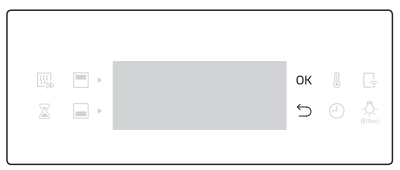
 .
.
 .
.
 indicator appears next to the selected compartment.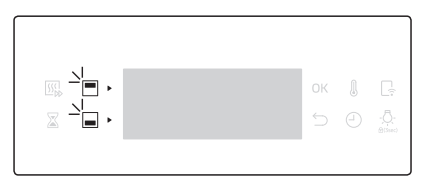
 .
.
 .
.
 icon located on your oven appears in the display and the app will confirm you are connected.