
Brother PT-H110 Portable Label Maker, Lightweight, Qwerty Keyboard, One-Touch Keys

Product's Documents

Below are documents related to this product, you can read online or download:
User Manual Installation Instruction Other Documents
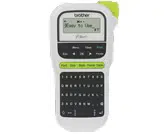
PT-H110 photo

User's Guide

This is the main product document for model PT-H110.

The file format is pdf, 17 pages, you can download this manual here .

background
ELECTRONIC LABELING SYSTEM
(QJOLVK
8VHU·V*XLGH
H11
0
background
ELECTRONIC LABELING SYSTEM
GETTING STARTED
Power Supply and Tape Cassette
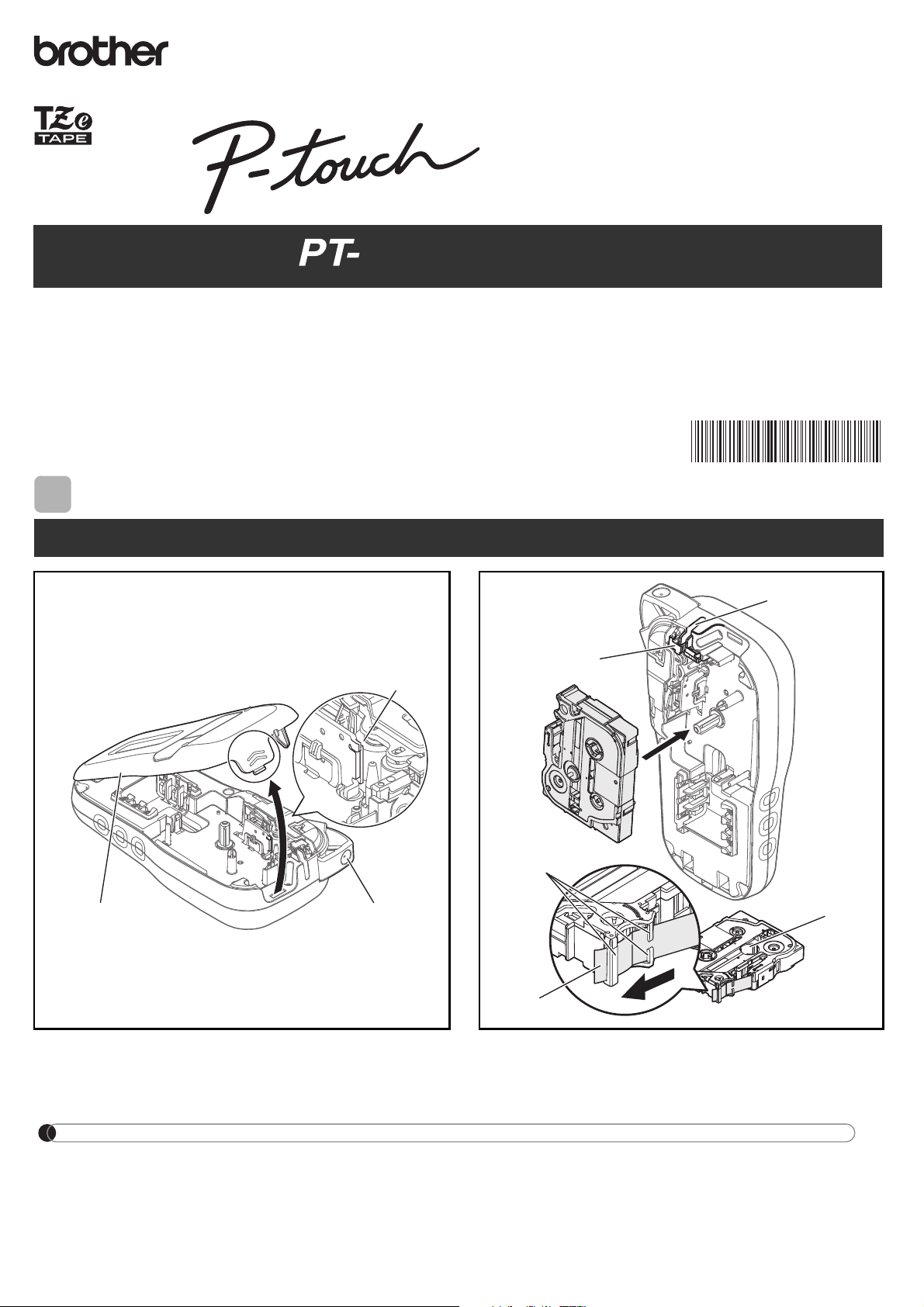
Open the cassette cover by pressing the above
indicated area at the top end of the label maker.


Insert a tape cassette, making sure it snaps
into place.


1
Print head
Tape cutter leve
r
Cassette cover
1
Tape exit slot
Toothed Wheel
Cutter's edge
End of tape
Tape guides
2



www.brother.com



(QJOLVK
8VHU·V*XLGH
H11
0
NOTE
When using optional AC adapter
1.

2.



background
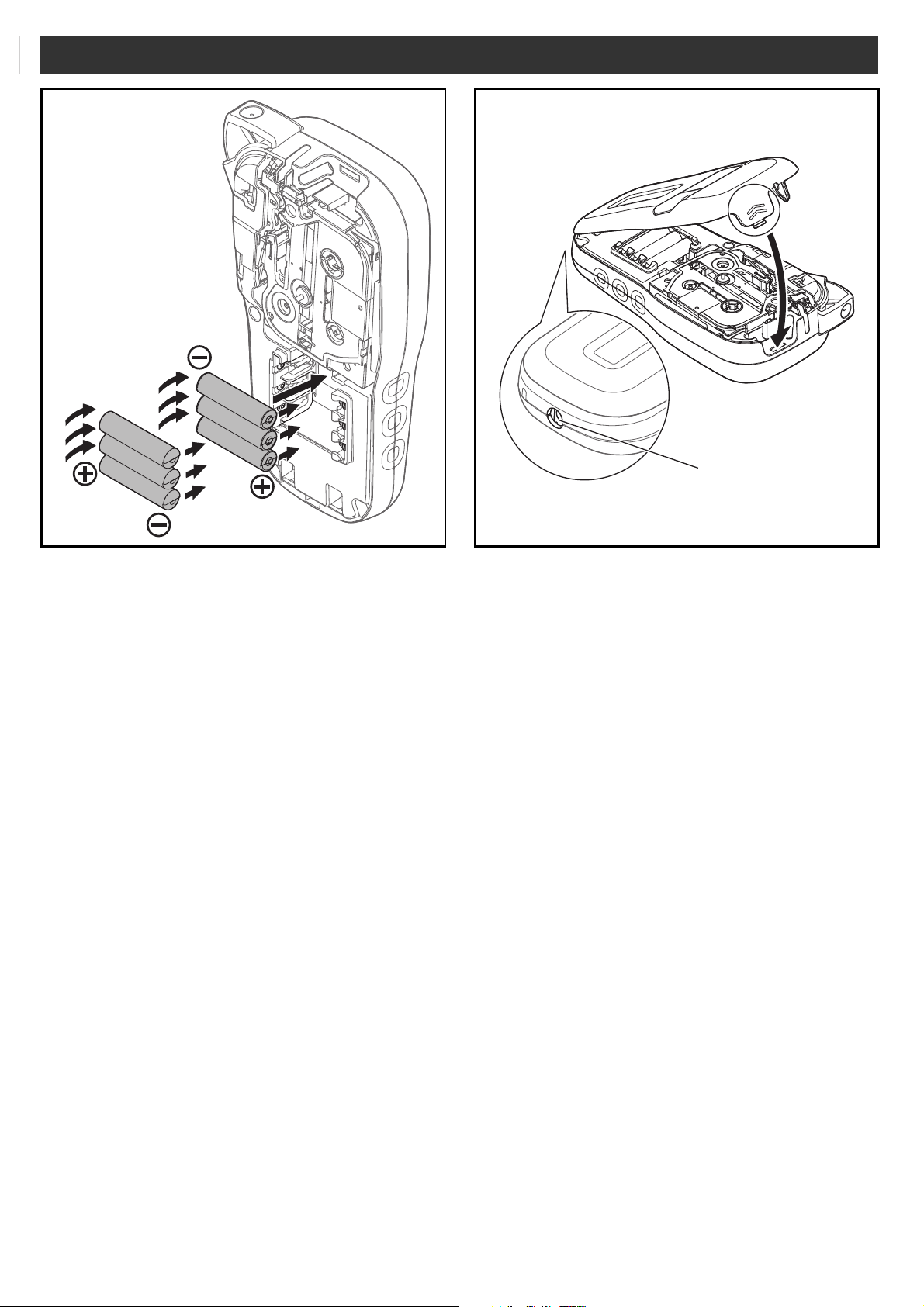
Insert six new AAA alkaline batteries (LR03) or
fully charged Ni-MH batteries (HR03), making
sure their poles point in the correct directions.
Users of alkaline batteries:
Always replace all six batteries at the same
time with brand new ones.
Users of Ni-MH batteries:
Always replace all six batteries at the same
time with fully charged ones.
1
Insert the two hooks at the bottom of the
cassette cover into the slots on the label
maker.
2
Securely close the cassette cover
making sure it snaps into place.
3
AC adapter jack
4
background
NOTE


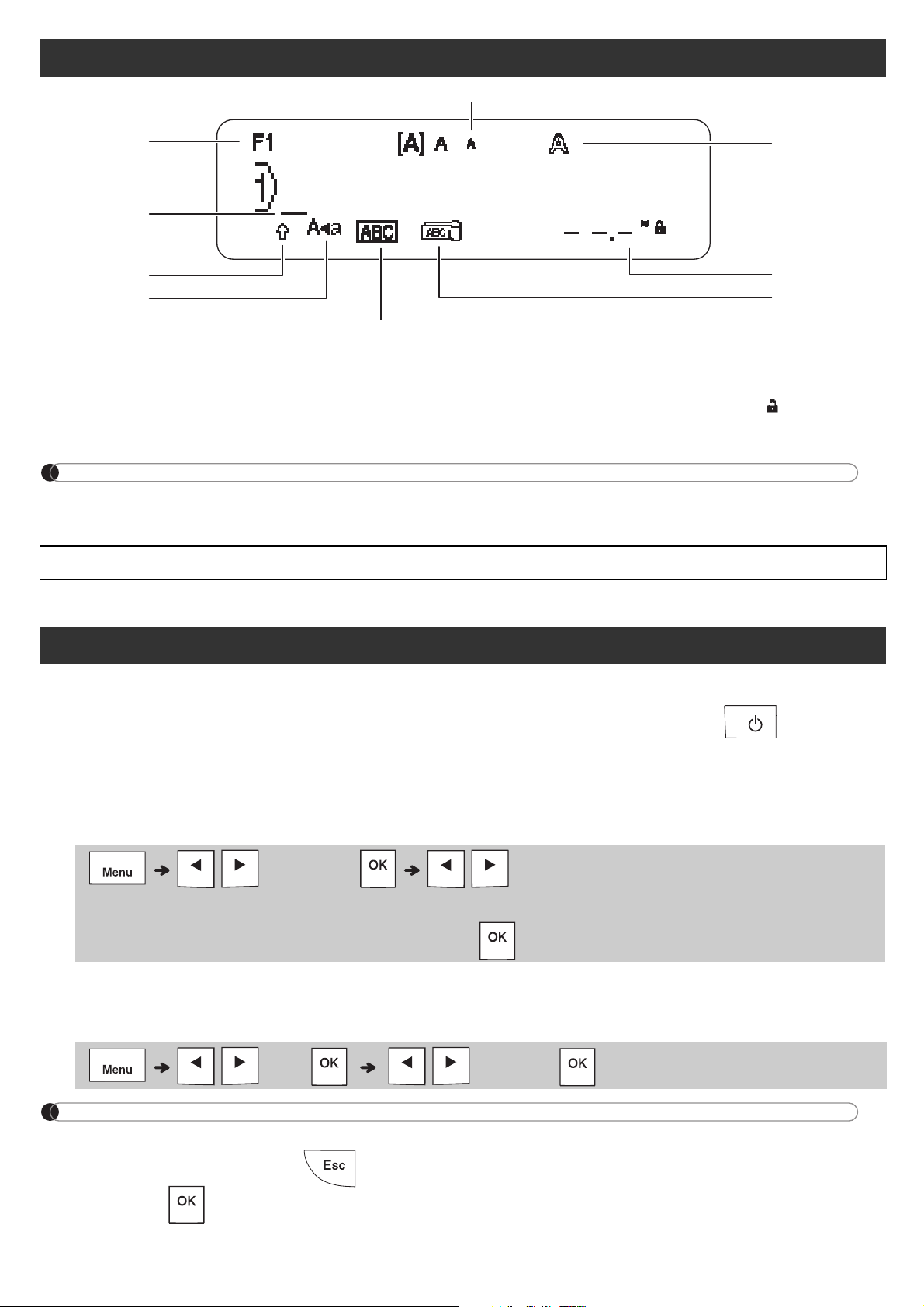
LCD
1. 
2. 
3. 
4. 
5. 
6. 
7. 
8. 

 
9. 

1
2
3
8
6
7
5
4
9
1
Turn on your label maker.
 

2
Set the language.

3
Set the unit of measurement.

NOTE


 
Initial Settings
  


    
background
NOTE

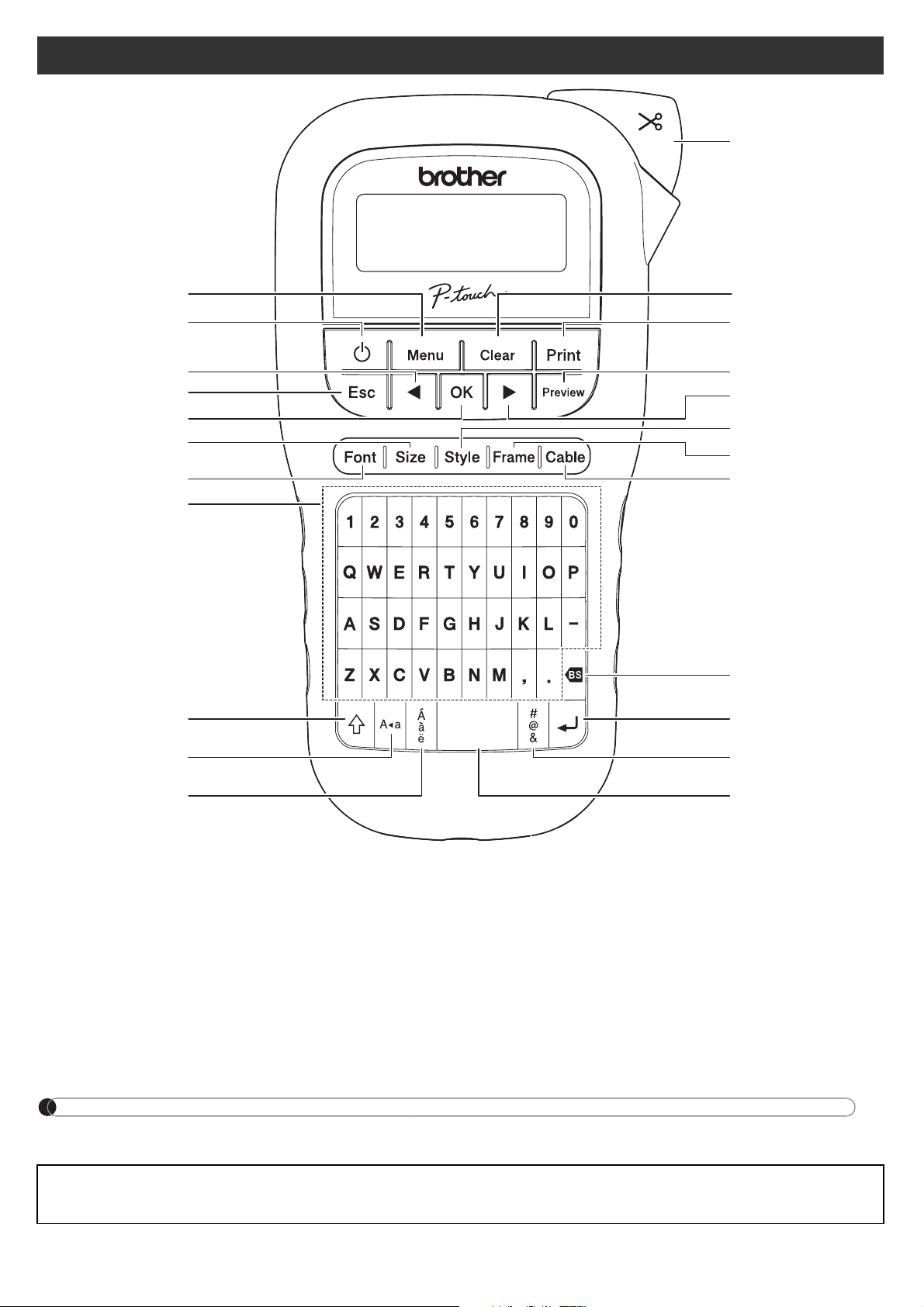
Keyboard
1. 
2. 
3.


4. 
5. 
6. 
7. 
8. 
9. 
10. 
11. 
12. 
13. 
14. 
15. 
16.


17. 
18. 
19. 
20. 
21. 
22. 
23. 
















background
GETTING STARTED (Continued)






 



BASIC USAGE
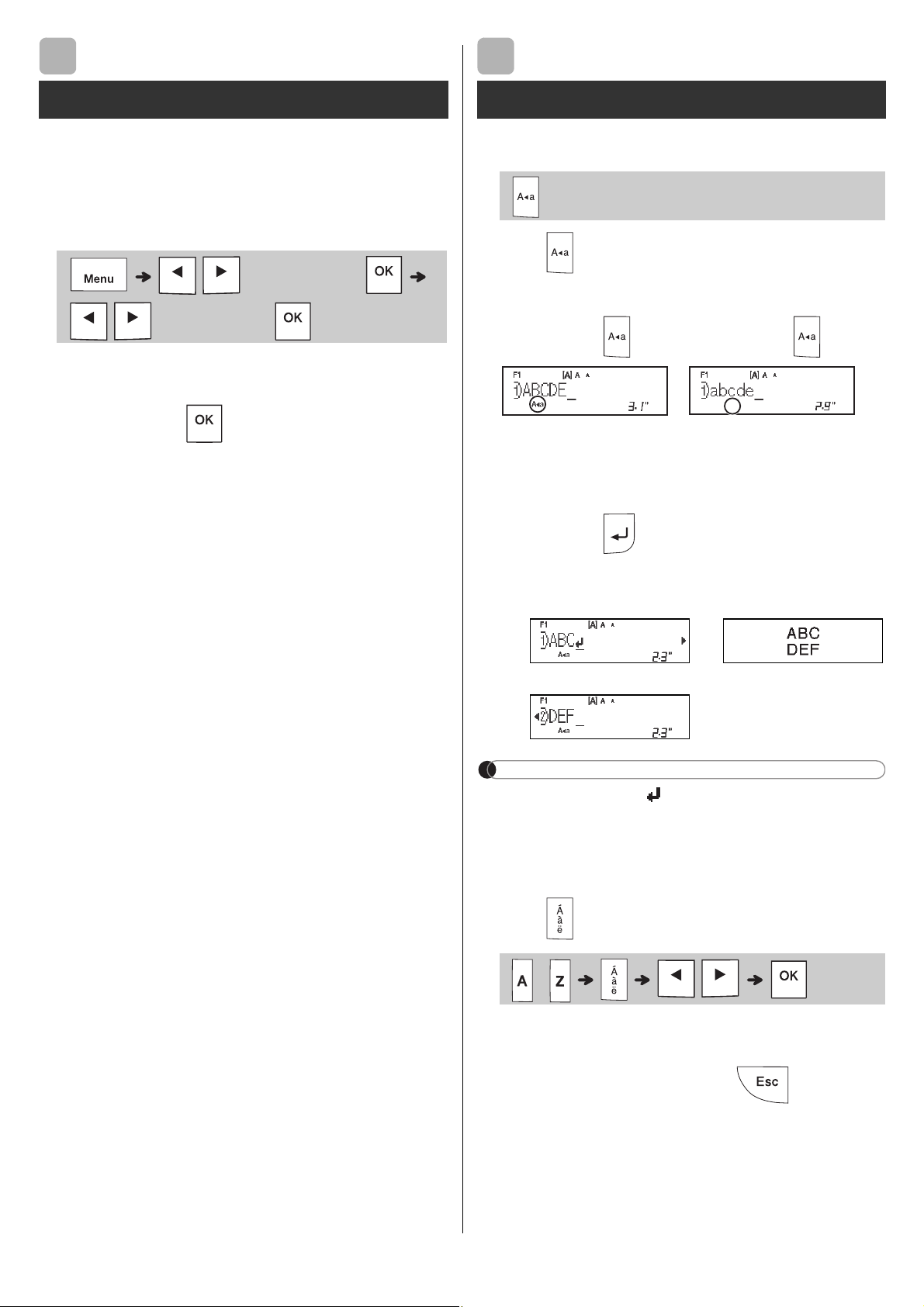
X Switching Upper Case/Lower Case
 

   
X Creating Two-Line Labels

 

NOTE
 




X Entering Accented Characters
 





Contrast
 

1
Entering Text
 

   
2


background
X Changing Label Width
X Changing Label Length
NOTE









 

X To Clear
NOTE



X Preview





 

  

X Feeding (Tape Feed)


X Printing
















Entering Text (continued)
 

 


 

 



 

Printing Labels
 
 
background
BASIC USAGE (Continued)
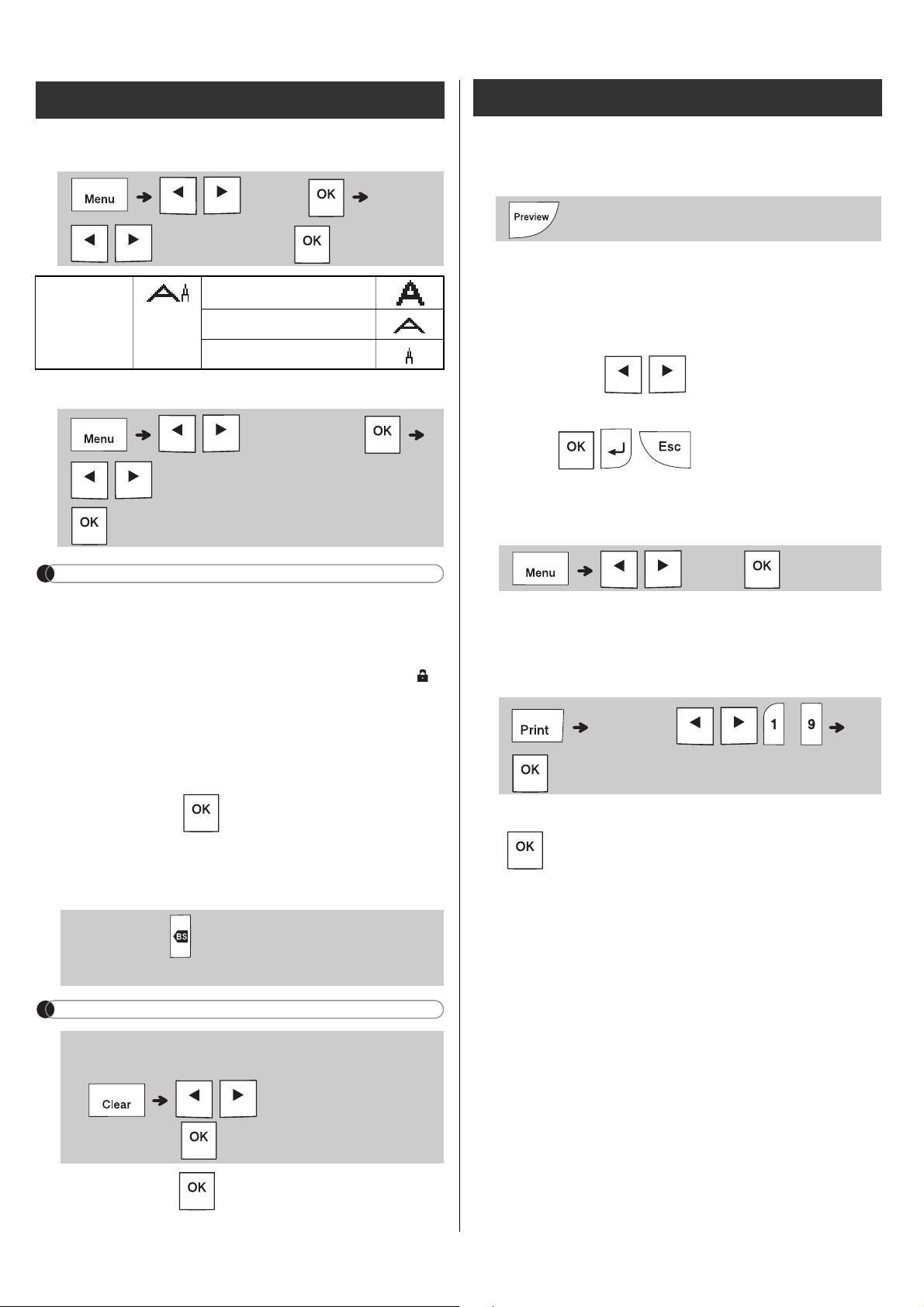
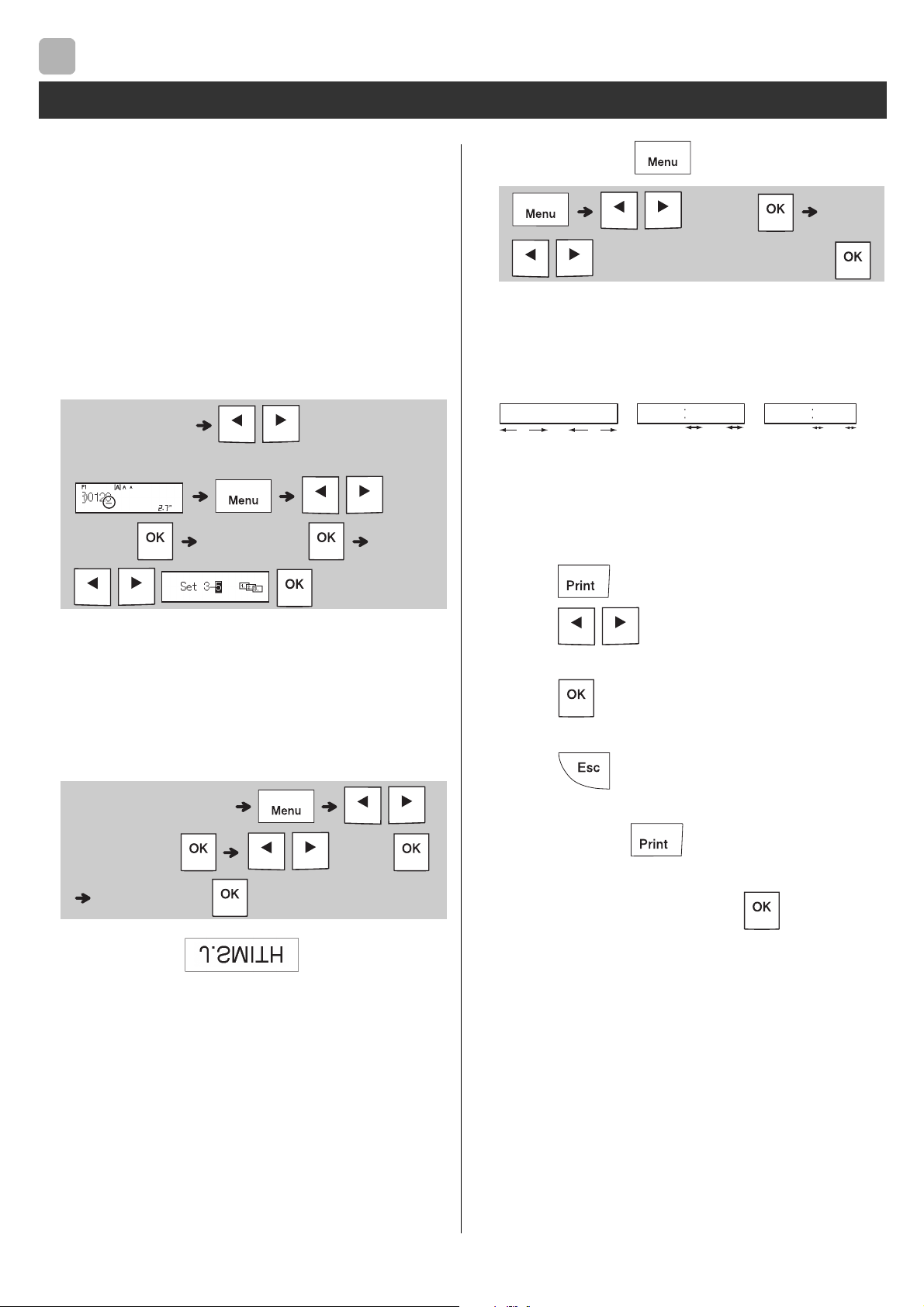
X Using Print Options
[Numbering]






Example: 



[Mirror]
Example: 






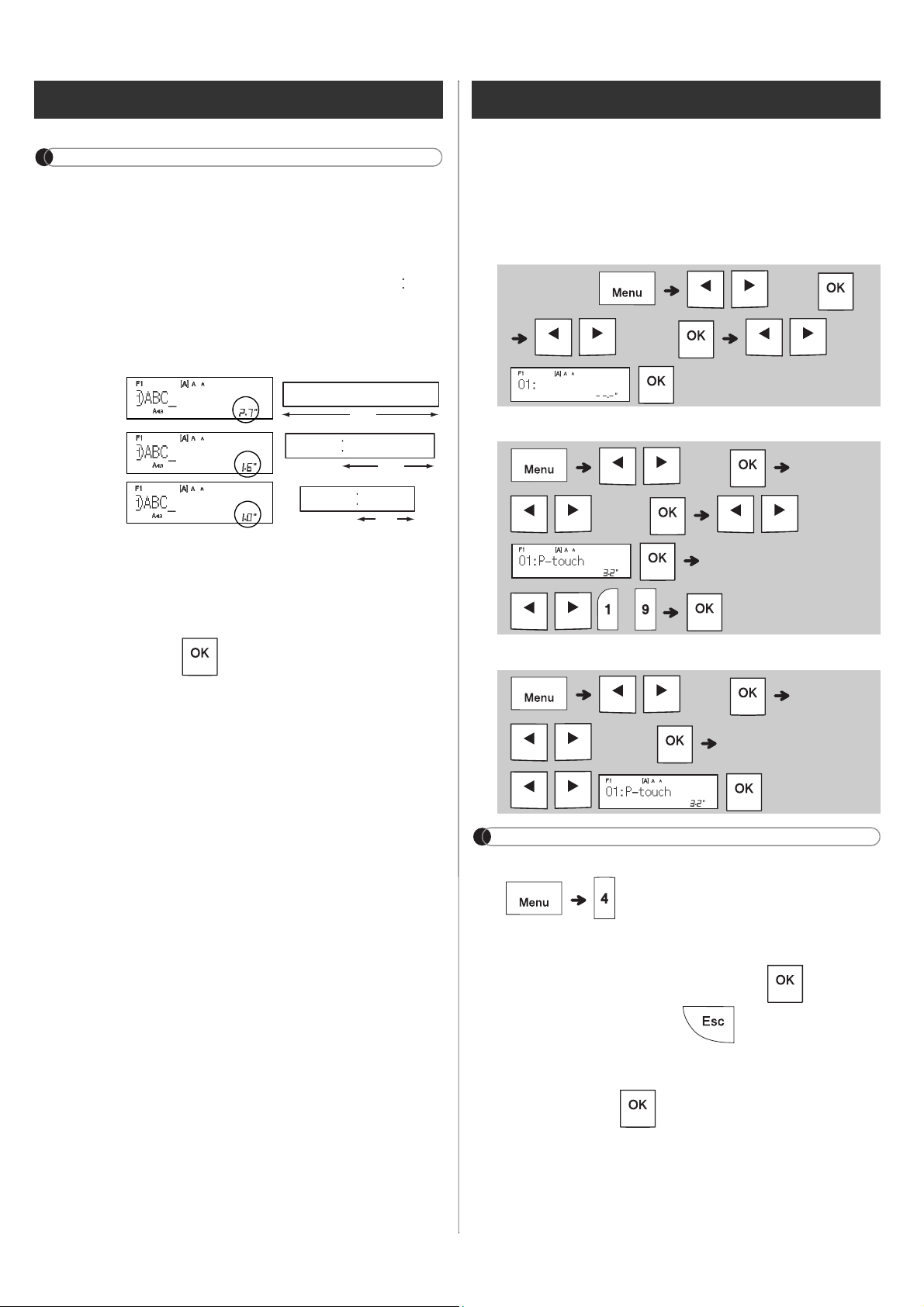
X Setting Margin ( )
[Full]/[Half]/[Narrow]


[Chain Print]


1.

2.
 
3.
 

4.
 

5.
 
6.


7.


8.


Printing Labels (continued)
2
 

  
 


 
 

 

1"
0.16"0.16"
1"
ABC ABC
0.47" 0.47"
ABC



background
NOTE




 






 






X Save
X Print
X Open
NOTE




 
 


 

Printing Labels (continued)
 
Full
Half
Narrow
2.7"
ABC
1.6"
ABC
1.0"
ABC
Saving Label Files
  

 



 


background
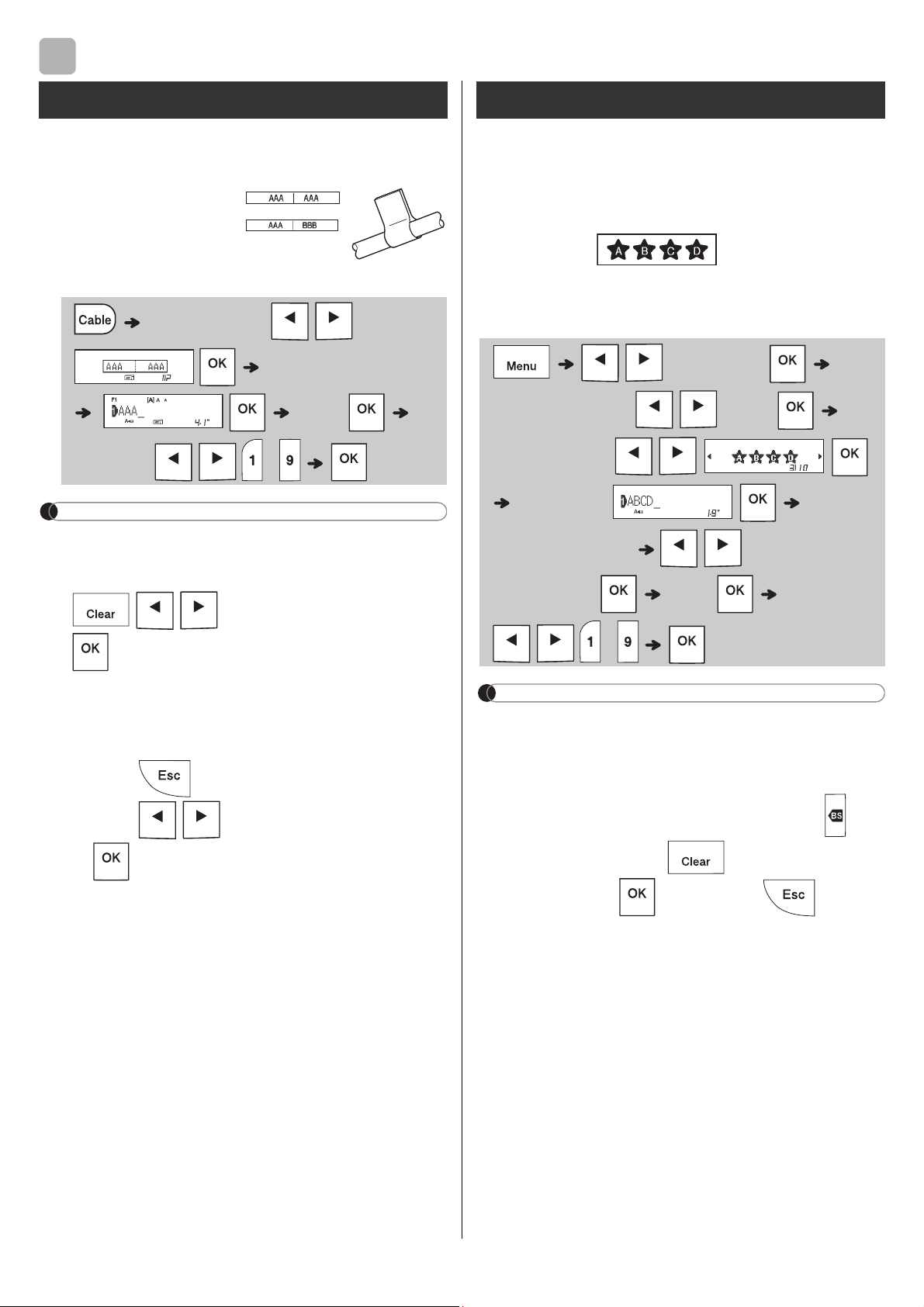
USING TEMPLATES
This function allows you to create two types of
cable labels.
Example: Cable Label 1
NOTE

Labels.


.




a) Press .
b) Press

when "Print" appears.







X


NOTE





 
appears. Press to clear. Press to cancel.











3
Cable Label




 
 
Text Label

 





 

background


a) Press .
b) Press

when "Print" appears.








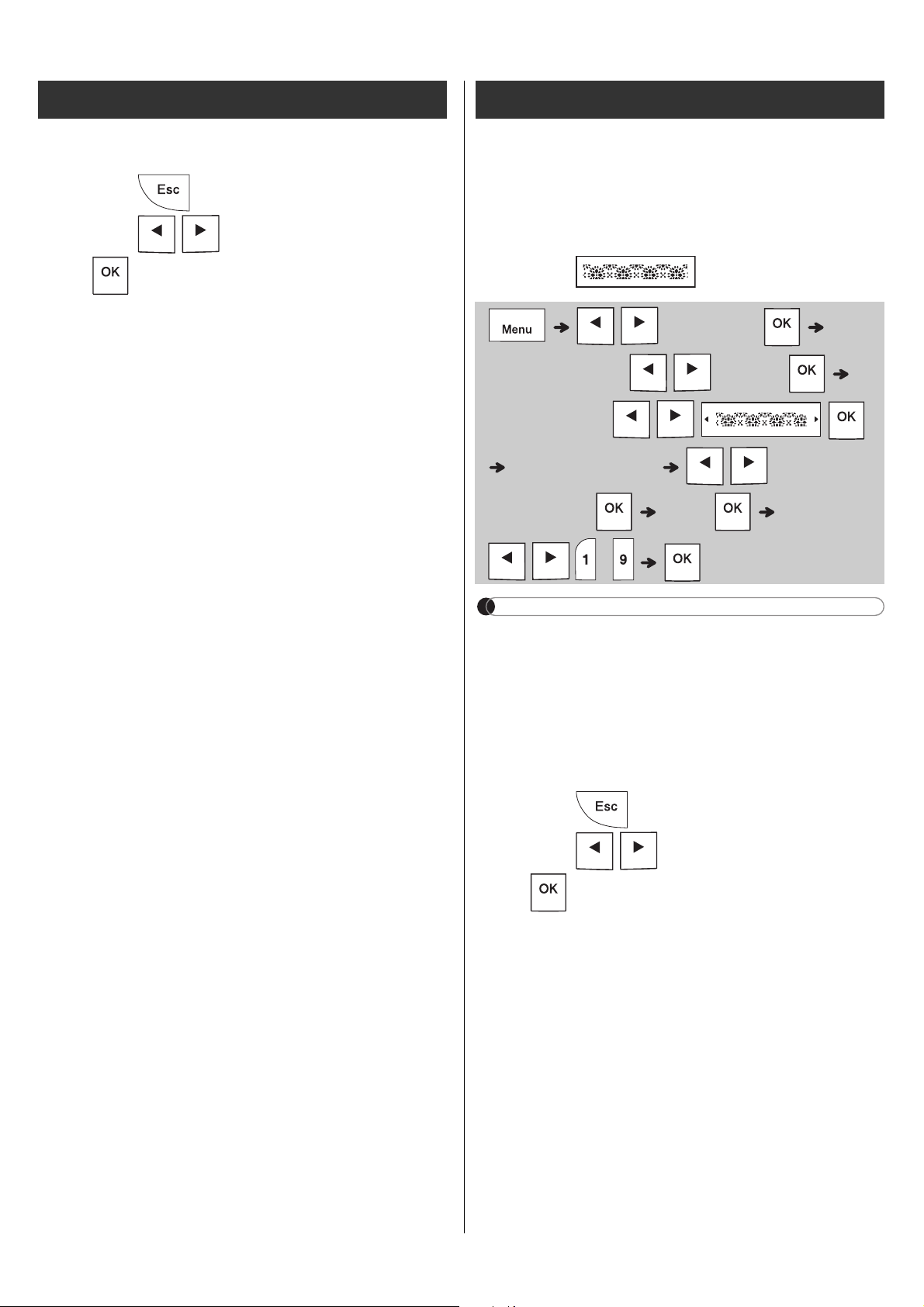
This function allows you to create unique labels





NOTE


to return to the initial







a) Press .
b) Press

when "Print" appears.








Text Label (continued) Pattern Label










4 / 5
background
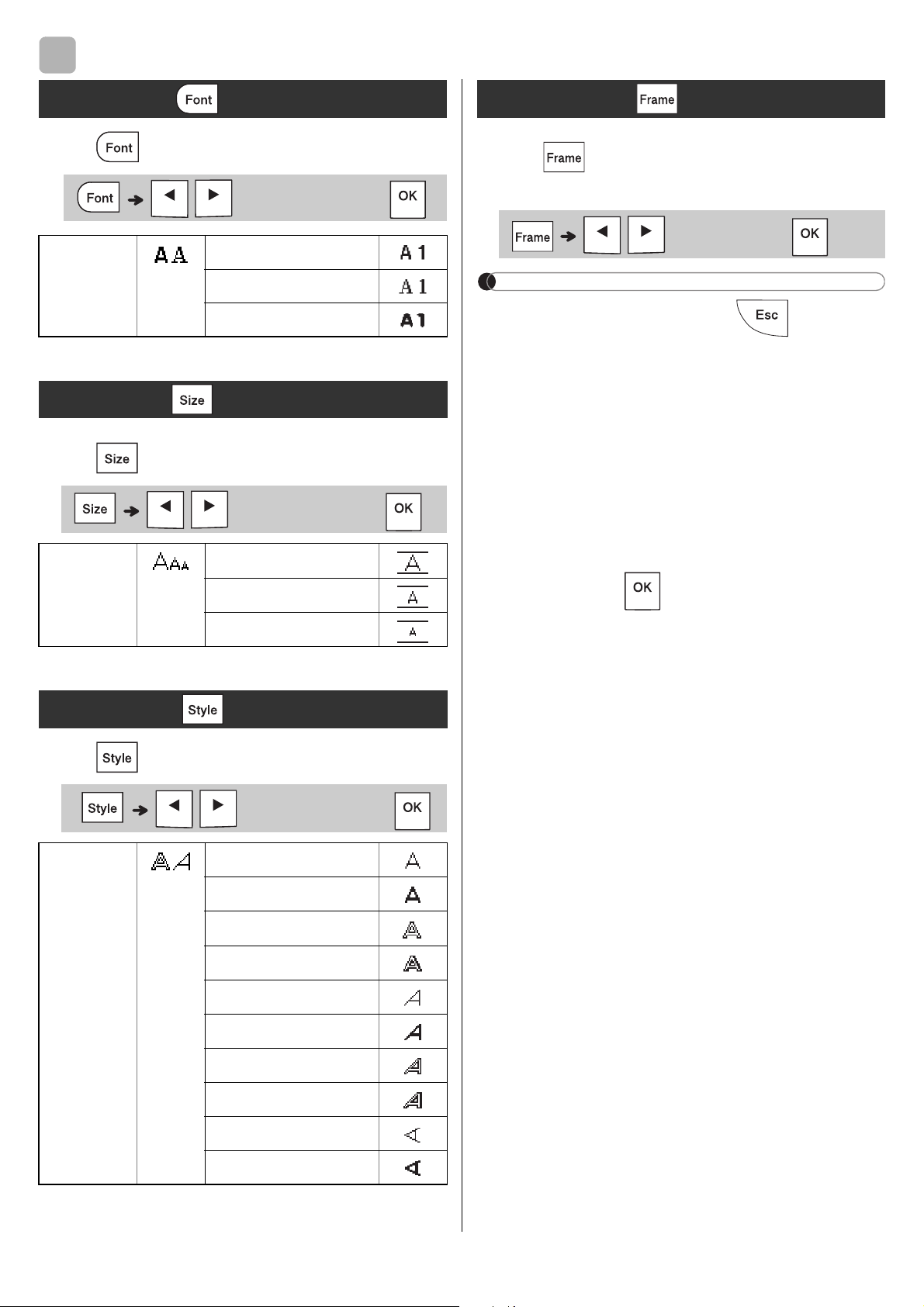
FORMATTING KEYS
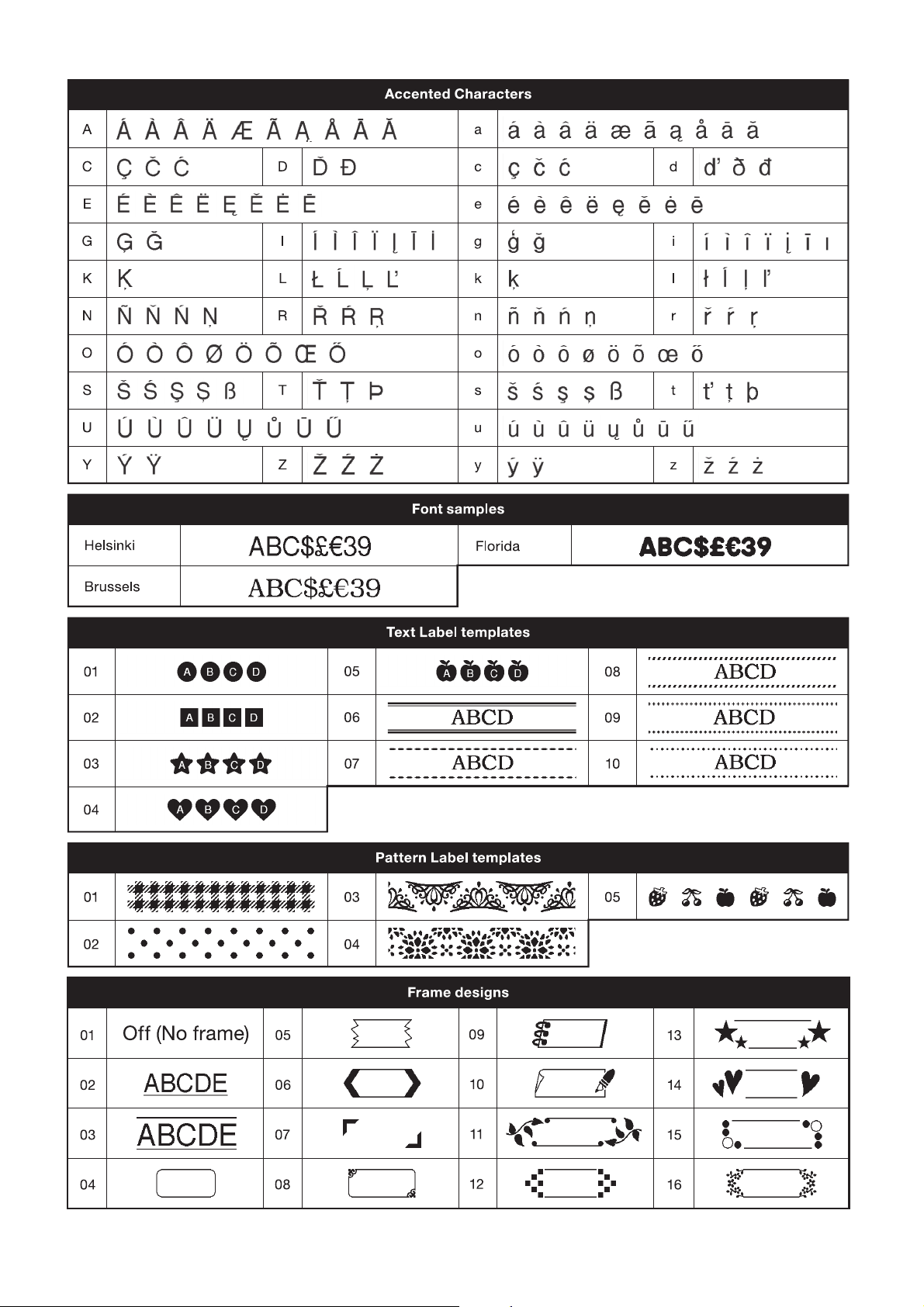
Press to change the font settings.
Press
to change the size settings.
Press
to change the style settings.
 

NOTE


insertion sheet.







 

4
Font Key

 
Brussels

Size Key

 


Style Key

 

Outline





Vertical

Frame Key

background
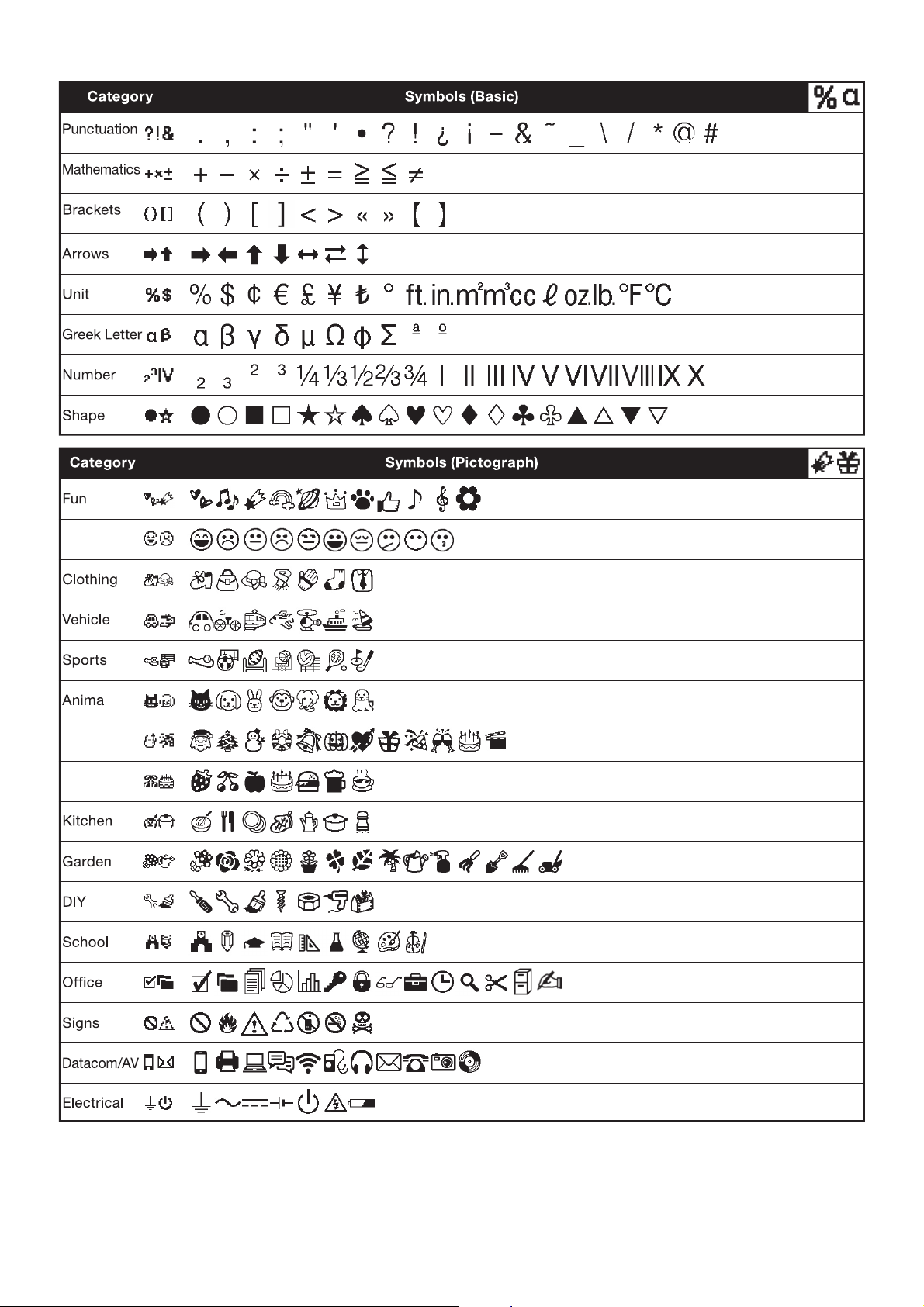
X Entering Symbols

insertion sheet.







X Basic
X Pictograph
OTHER




1.



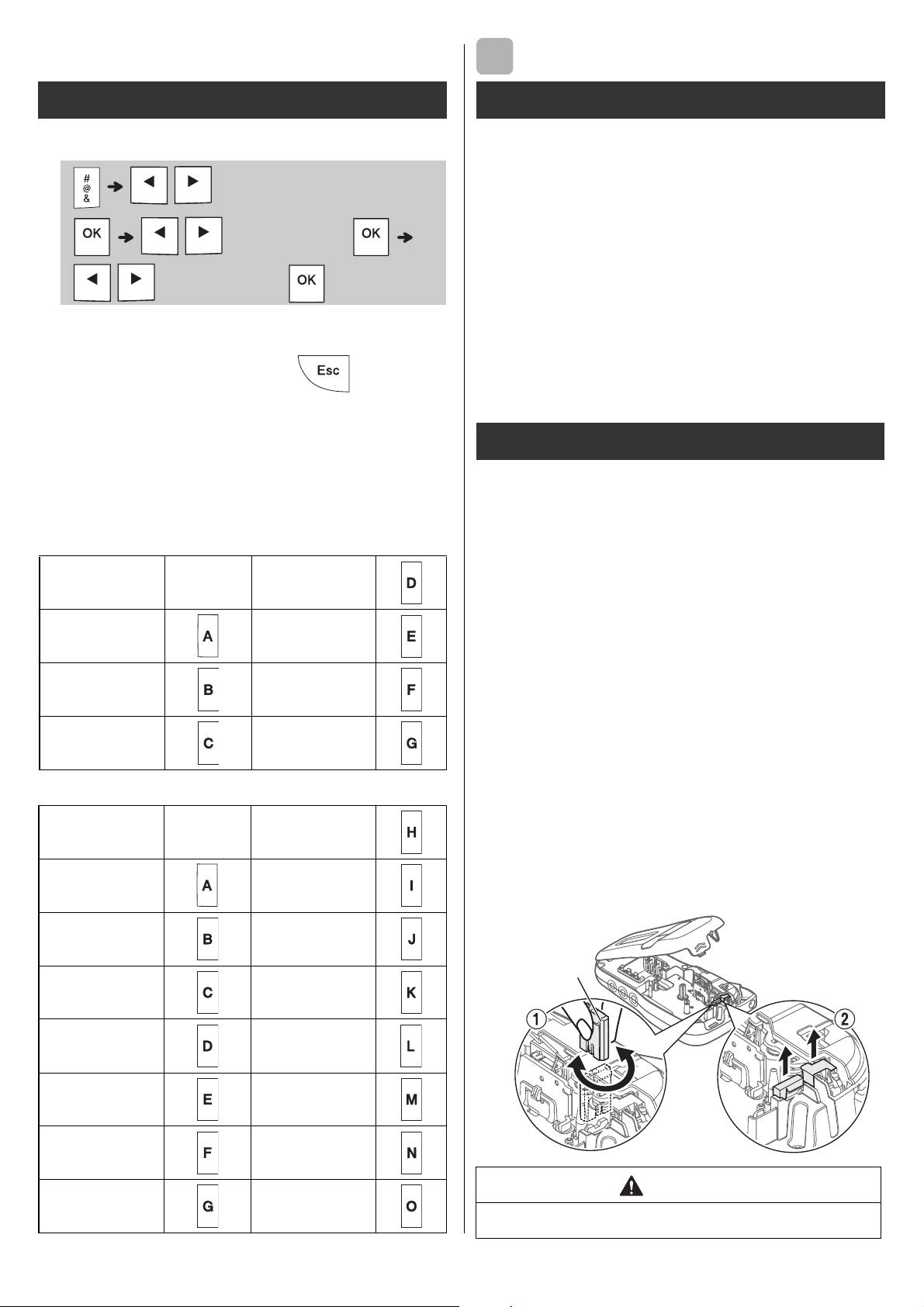
X Replacing the Cutter Unit
1.
Pull out the two sections of the cutter unit

the illustration 2.
2.

into place.
Symbol key





Punctuation


Unit
 
 
 



Kitchen
 
 
 
 
 
 
 
Specifications
Dimensions:
(W x D x H)


Weight: 

Power supply: 

1


Tape cassette: 


Accessories
Tape
Cassettes:


AC Adapter: 


Cutter Unit: 
WARNING

5
cutter board
background
HELPFUL HINTS
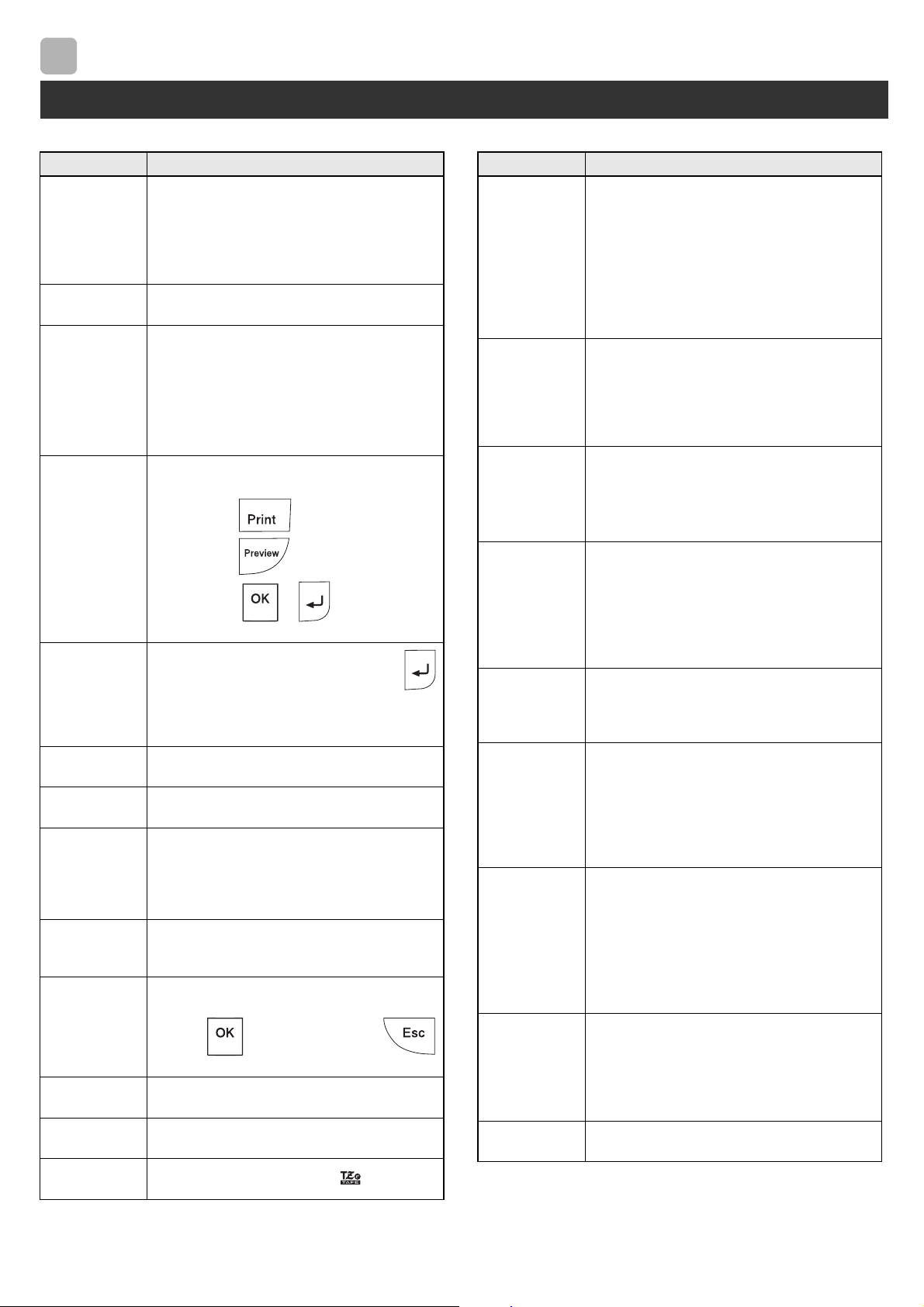
X Error message X What to do when...
Troubleshooting
6
Message Cause/Remedy
 



batteries with other battery types.

 

 






 

 
 
  







 

 

 









 

 
to cancel.)
 

 



 
Problem Solution







in the correct position.



batteries with other battery types.

correctly.


there is too

(space) on both







characters are not


cassette correctly.


correctly.
The label



own.






are lost.

line appears









happens when a




The power
turns off when
you try to print.










correctly or the










background
HELPFUL HINTS (continued)




1
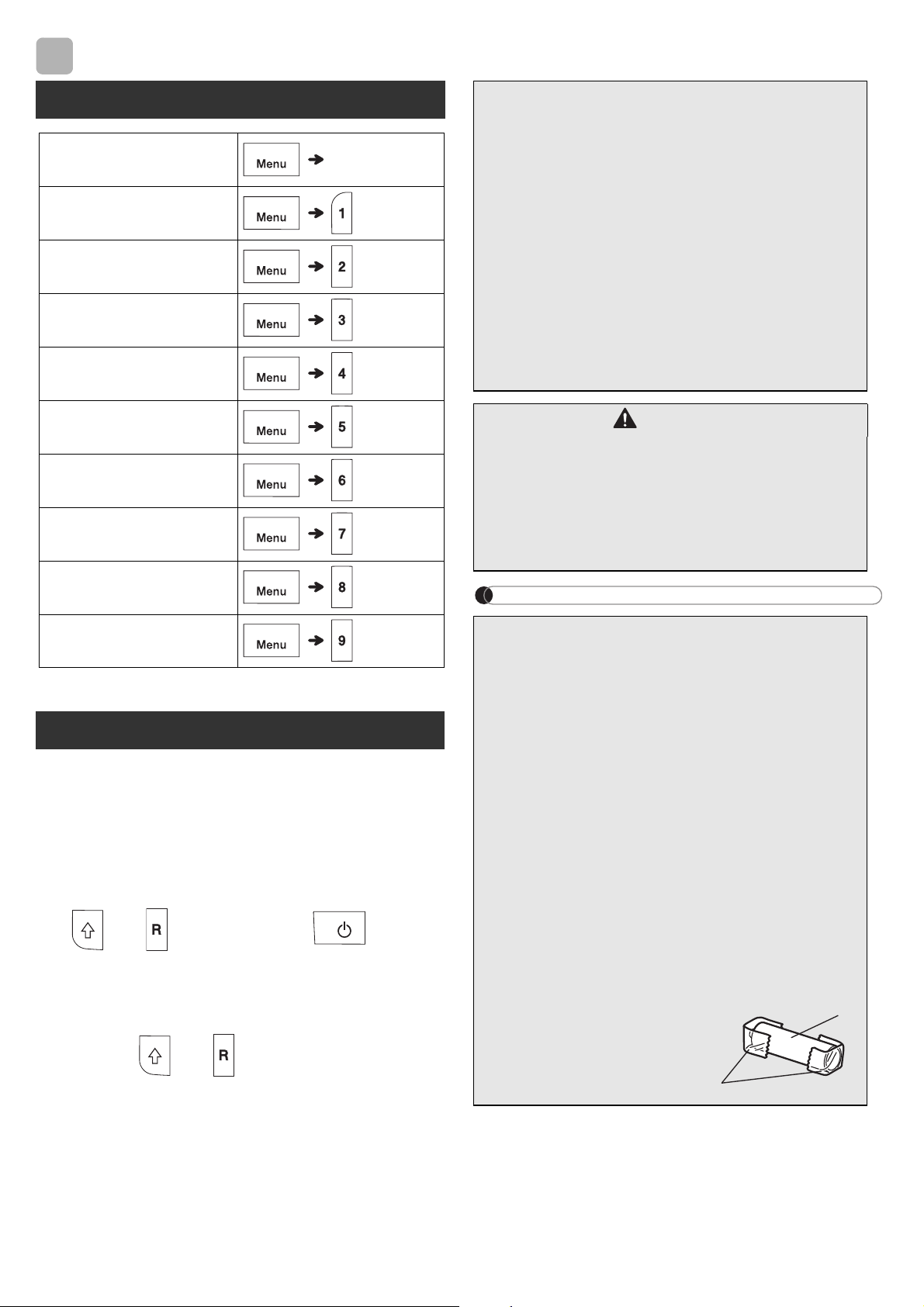
Turn off the label maker, hold down
and , and then press to turn
the label maker back on.
2
First release the power button, and then
release and .


NOTE
6
Short Cuts
 





Print Option

Unit

Resetting the label maker












CAUTION





Battery Recommendations













1. Cellophane tape
 
battery
2
1
background
Smiley
Holiday
Food/Drink
background


Specifications

Brother PT-H110 Questions and Answers