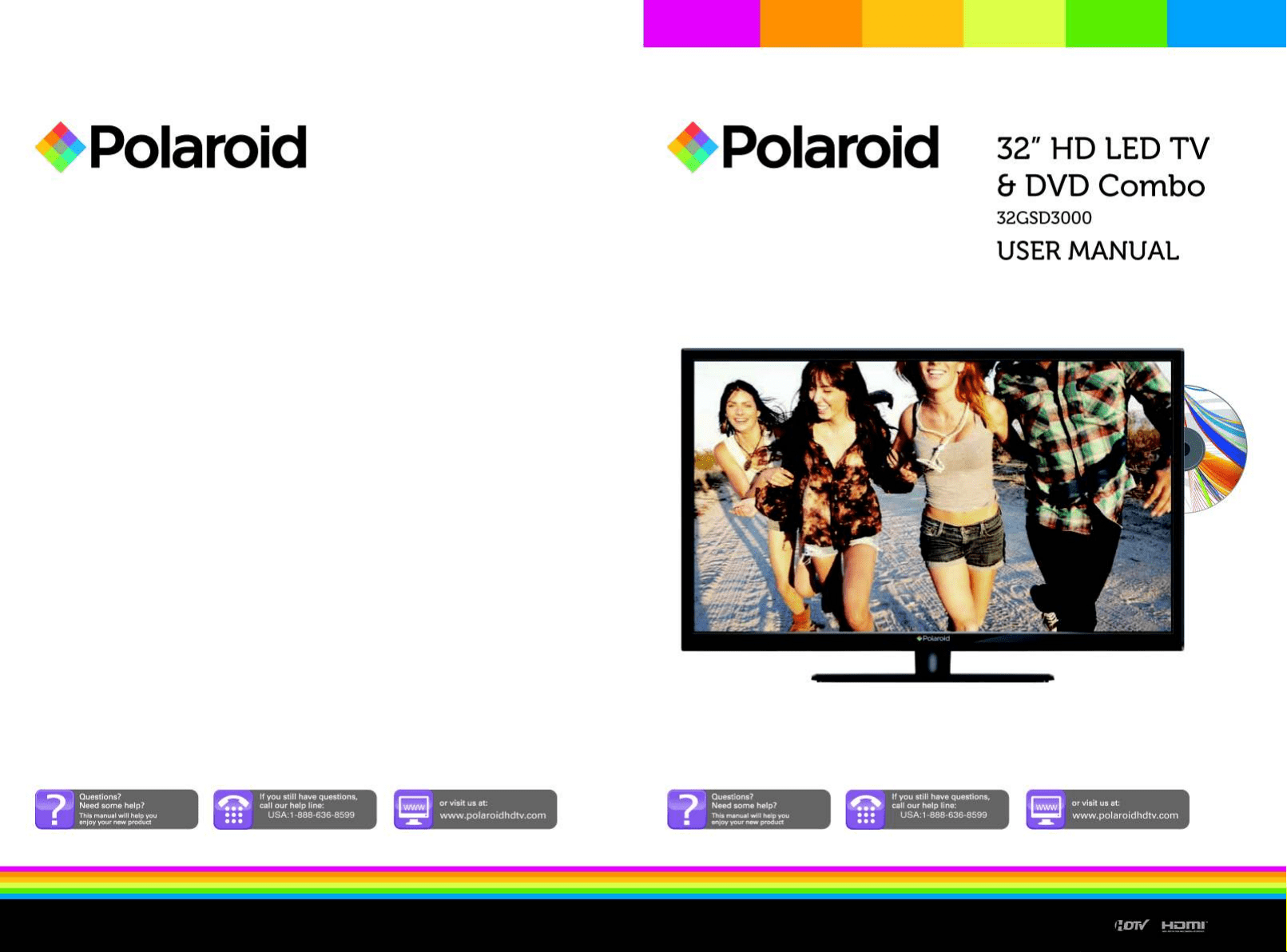
32GSD3000
Empire Electronic Corporation.
2013
www.polaroidhdtv.com
www.polaroidhdtv.com
32GSD3000
User
Warranty Sheet
QSG
Installation Sheet
Package Saver Insert
32GSD3000
DVD MENU........................................................................................................
34
35
36
36
36
36
36
26
32GSD3000
32GSD3000
32GSD3000
32GSD3000
32GSD3000
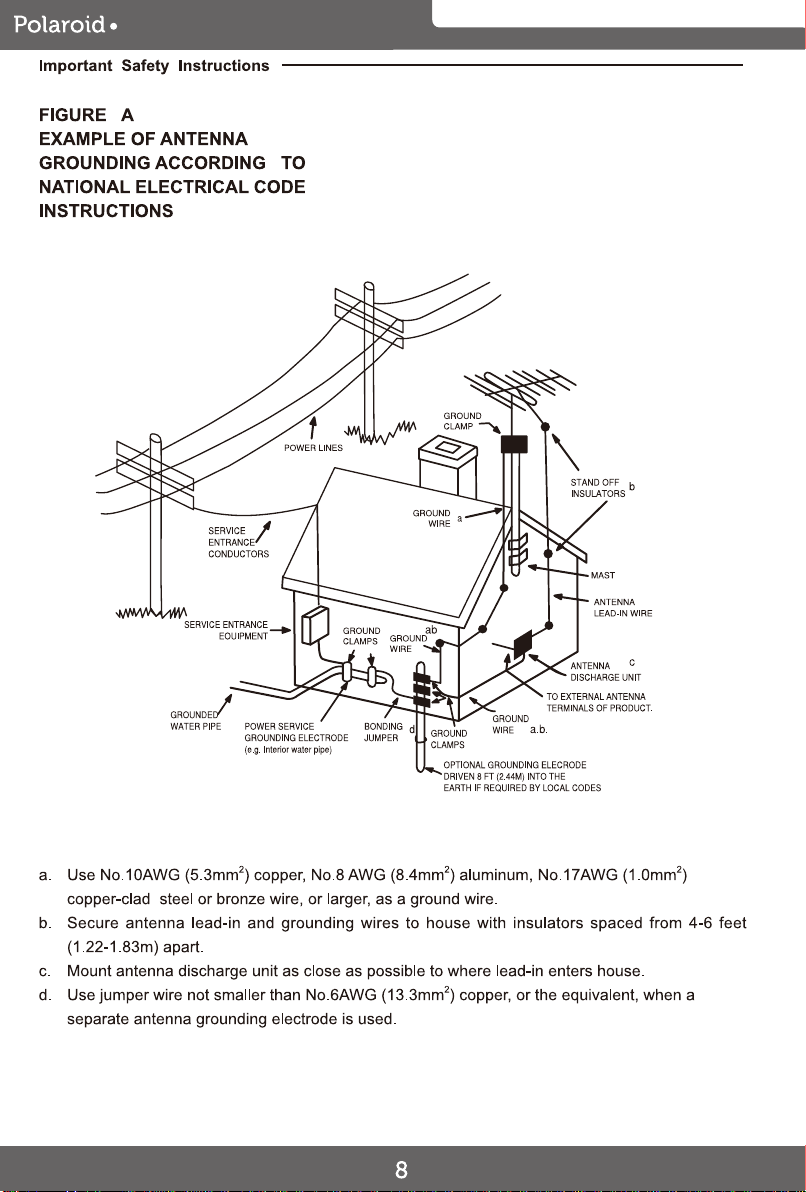
32GSD3000
32GSD3000
32GSD3000
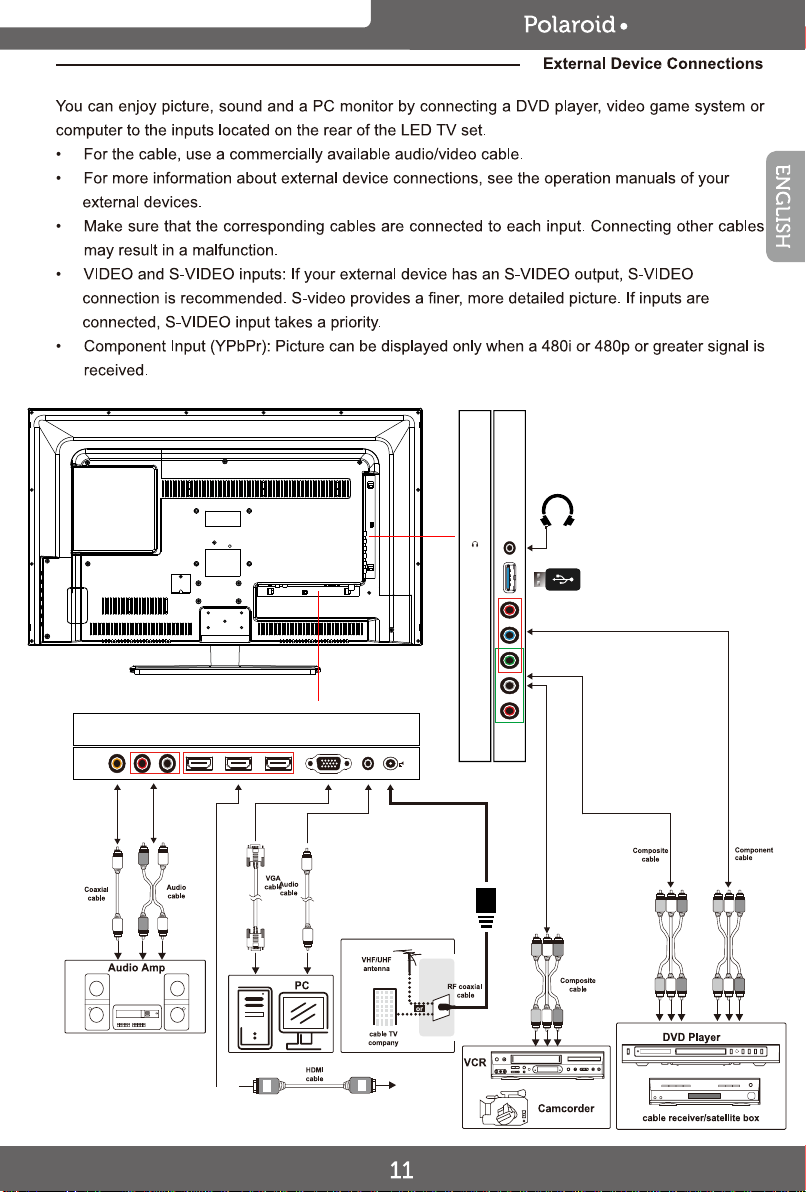
10. USB
(For Service)
7. Rear AV Input
9. Component Input
8. VIDEO Jack2. Rear AV Output
1. COAXIAL Output
11. Headphone Jack
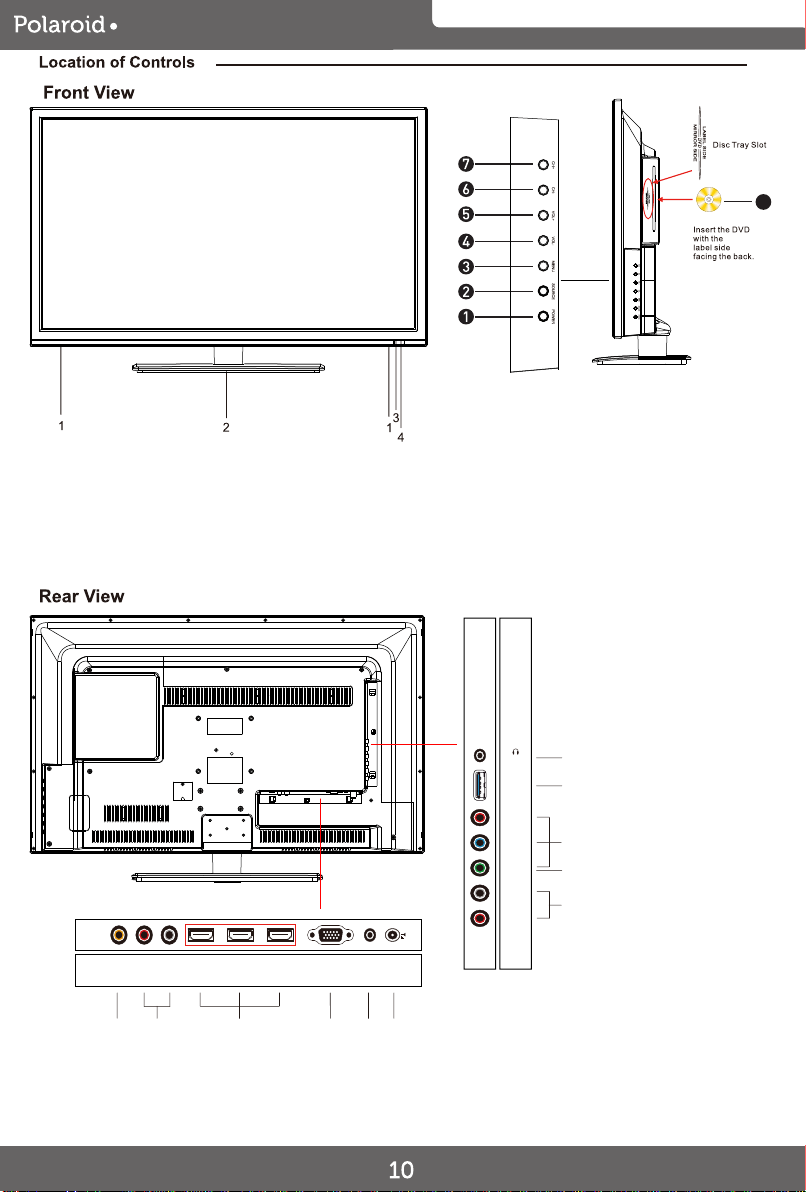
2. Stand base
3. Power indicator
4. Remote Sensor
1. Speaker 1. POWER button
2. SOURCE button
3. MENU button
4. VOL- button
5. VOL+ button
6. CH- button
7. CH+ button
8. DVD
5. PC Input
4. VGA Input
6. 75 ohm Antenna Socket3. HDMI Input
8
1 4 62 53
8
10
11
7
9
VIDEO / Y
Pb
Pr
R
AUDIO
L
Headphone
USB
(For Service)
LR
AUDIO
OUT
VGA RFPC AUDIO COAXIAL HDMI1 HDMI2 HDMI3
32GSD3000
VIDEO / Y
Pb
Pr
R
AUDIO
L
Headphone
USB
(For Service)
LR
AUDIO
OUT
VGA RFPC AUDIO COAXIAL HDMI1 HDMI2 HDMI3
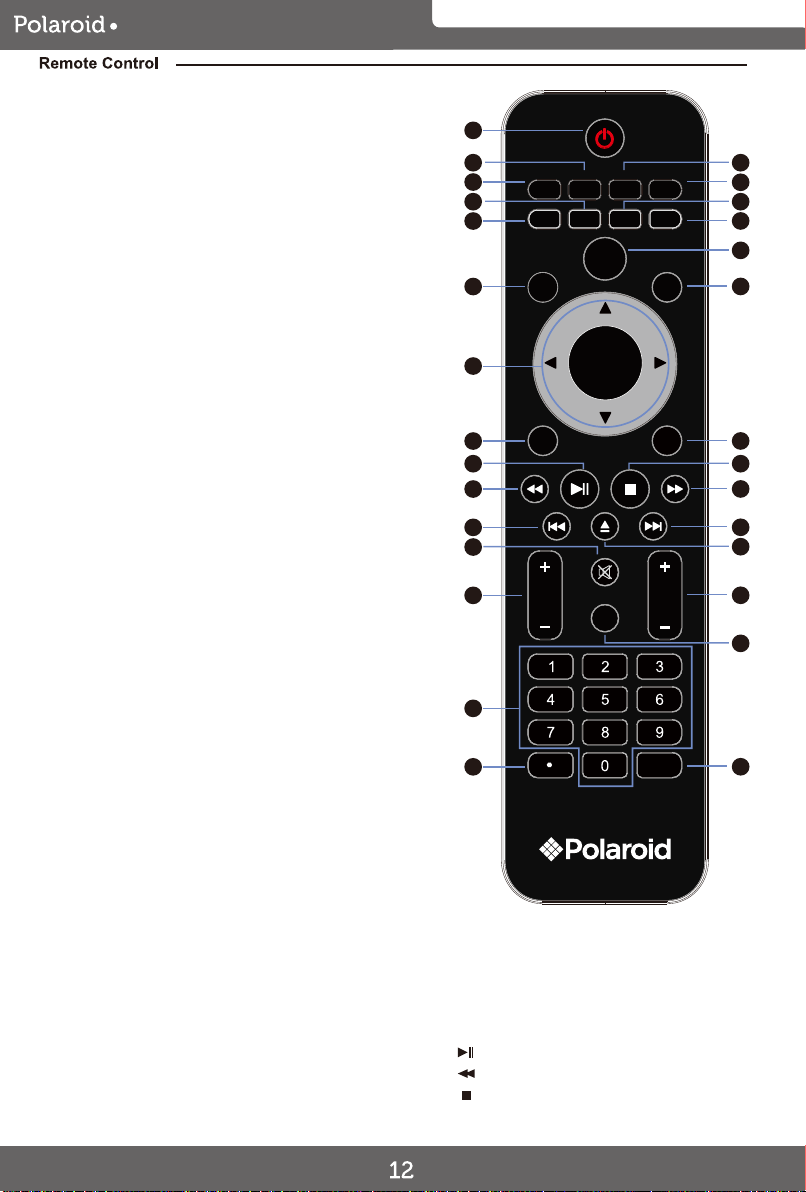
32GSD3000
P.MODE S.MODE SLEEP ASPECT
CC MTS
ADD/ERASE
FAV.
EPG DISPLAY
MENU
VOL CH
EXIT
ENTER
SOURCE
SWAP
SUBT. AUDIO
GOTO
D.SETUP
D.MENU
A-B
REPEAT
TITLE ANGLE
1
3
13
2
7
6
4
10
5
8
18
22
26
9
11
12
14
16
23
15
17
27
19
24
25
20
21
28
29
12.DISPLAY
1. POWER Turns the LED TV on and off (standby
mode).
Press to display the information;
settings and the status of current mode/station
on the screen
10. SOURCE Press to display the source menu
on the screen. Using the Navigator or
buttons to select the source as desire then
press (ENTER) button to confirm your selection.
Picture Mode, press repeatedly to
select the preset picture modes.
3. P.MODE
select the presetting sound effect modes.
Sound Mode, press repeatedly to2. S.MODE
set the sleep timer.
Press repeatedly to activate and/or 4. SLEEP
In FAV display mode, press
to increase or delete the highlighted channel.
8. ADD/ERASE
Show the list of favorite channels9. FAV.
aspect ratio of screen as desired.
Press repeatedly to select the
5. ASPECT
13. ENTER
14. MENU Displays the setting menu on the screen.
/ Press to move the cursor
within the setting menu.
ENTER
Press the ENTER button to confirm the selection.
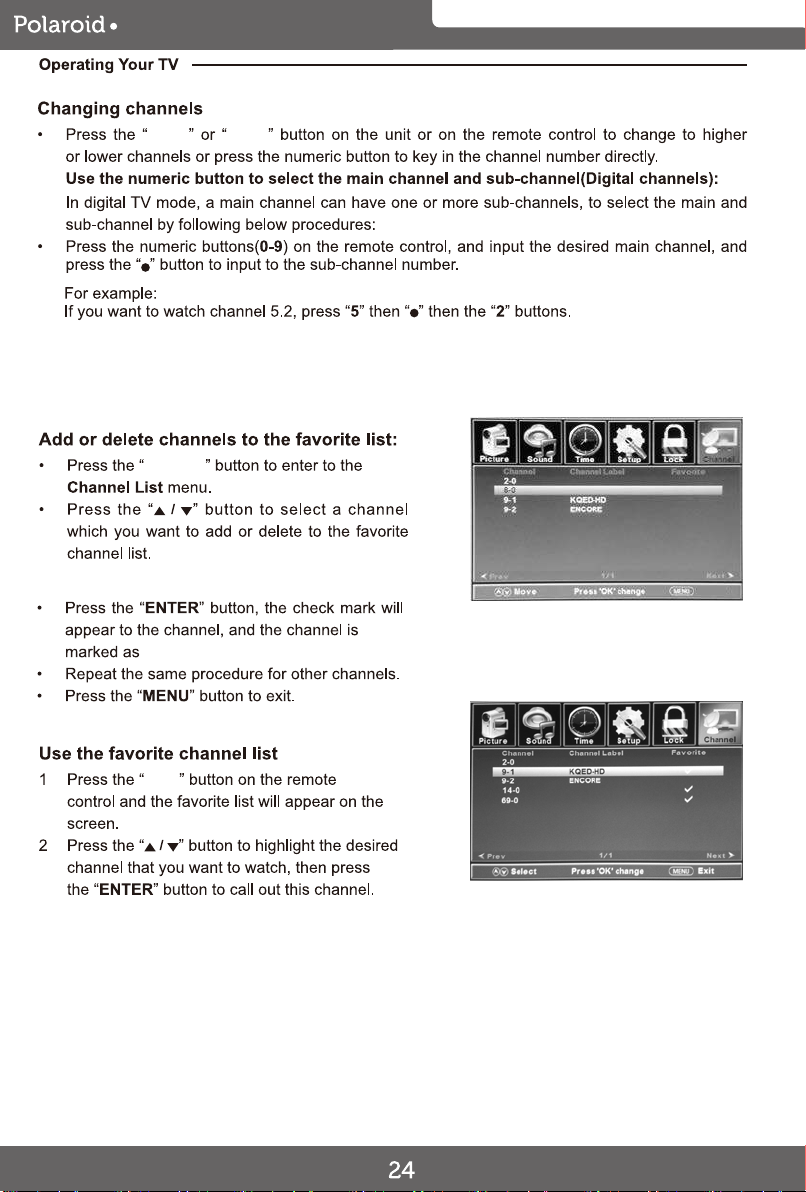
Press the "ENTER" button, the check mark will appear to
the channel , and the channel is marked as channel list.
6. MTS In NTSC receiving mode, press to select.
the audio modes to Mono, Stereo or SAP.
In ATSC Digital receiving mode, press to display
the audio selection menu on the screen. Using
the Navigator,button to select the desire
audio mode.
Switch the audio channel when DVD or
multimedia playing.
AUDIO
Press repeatedly to activate and/or set
the CC (Closed Caption Display) modes.
7. CC
Select subtitle of DVD of media video
file (needs the support of disk or file)
SUBT.
Select DVD playing angle (needs
support of DVD disk)
ANGLE
Repeat play point A and BA-B
15. EXIT
16.
Press to exit from the setting menu.
In DVD mode, press to enter/
Play/Pause picture.
exit DVD setting menu.
D.SETUP
Go to the title page of DVD disk. TITLE
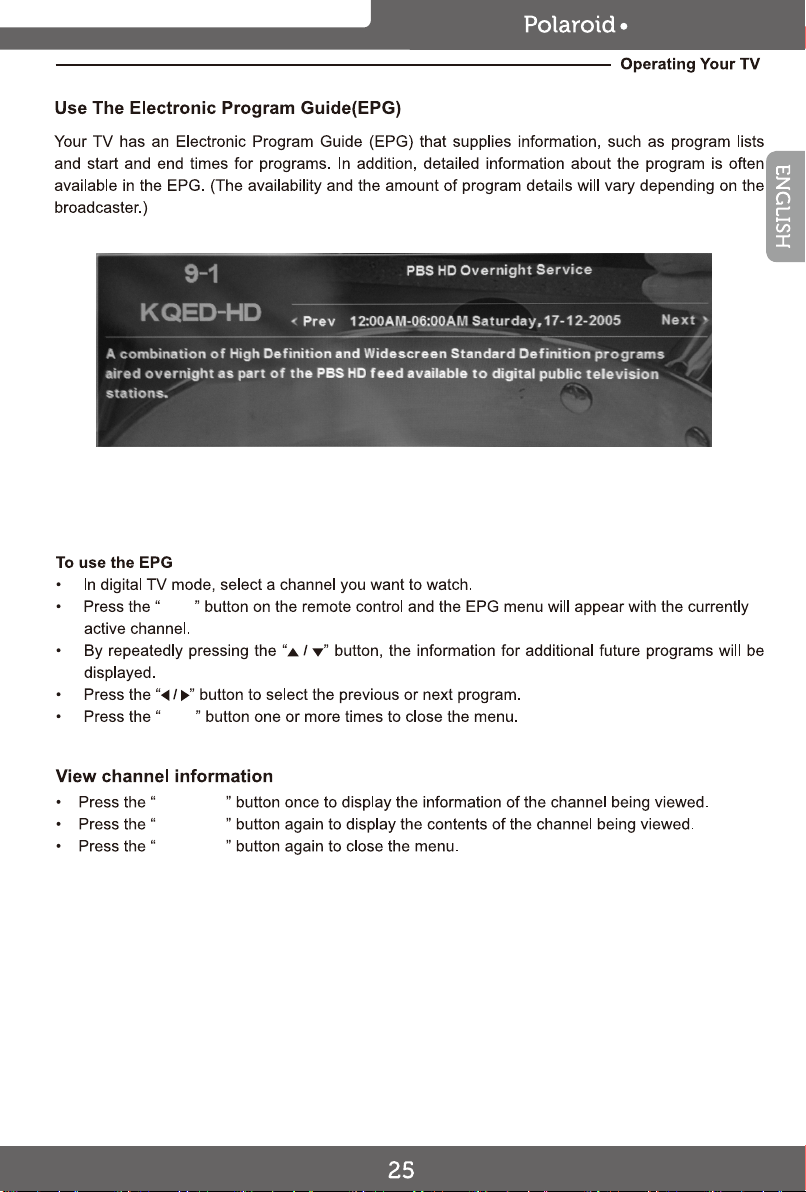
Press to display the Electronic Program
Guide in digital TV channels(Operation in
ATSC mode only functions on signals emitting
from TV station)
11. EPG
17.
Fast rewind playback.
18.
Stop playback.
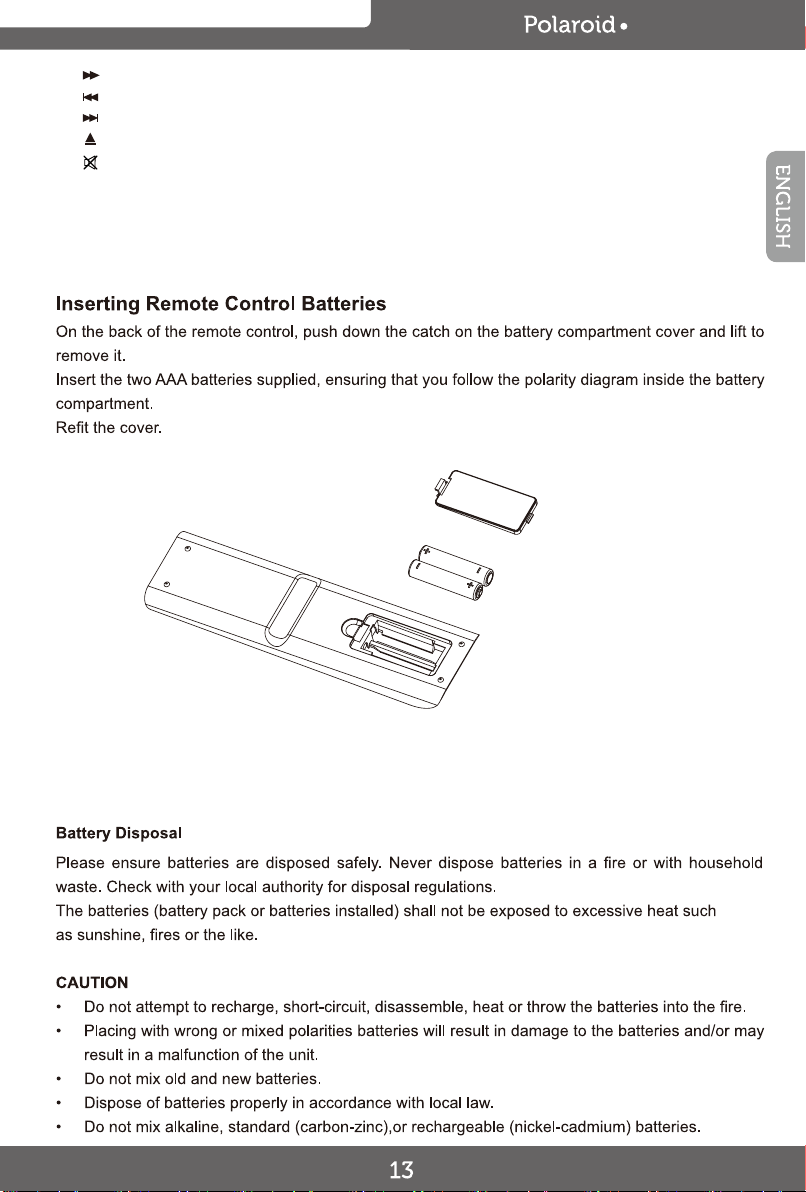
32GSD3000
19.
Fast forward playback.
20.
Previous file or chapter
21.
Next file or chapter
22.
Eject disc
23.
Turn off the sound temporary.
Press again to turn the sound back.
26. GOTO Go to a specific point in the playback.
27. 0-9 Numeric buttons.
29. SWAP Return to previous channel.
D,MENU Display the menu of the DVD.
REPEAT Set a repeating mode.
28.
For direct access a digital TV channel.
(For an example, when access a digital TV
channel number 5-1, press button
"5" + "-" + "1")
24. VOL+/VOL-
25. CH+/CH-
Press to increase or decrease
Press to increase or decrease
the volume level.
the channel number.
32GSD3000
CH + / -
ENTER
FAV.
MTS
DISPLAY
EPG
ASPECT
P.MODE
32GSD3000
32GSD3000
6
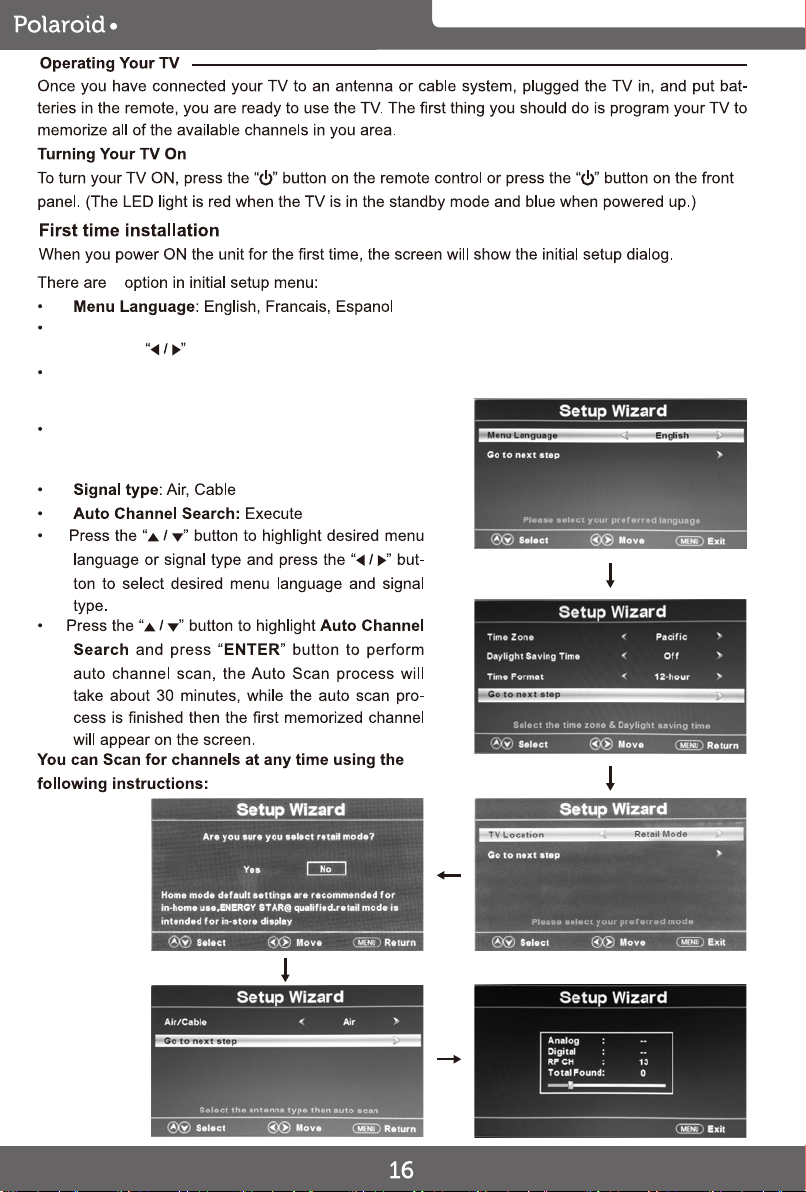
Time Zone, Daylight Saving Time, Time Format:
Press the button to select.
In Retail Mode , the television provides a more
dynamic picture that will increase power
consumption beyond Energy Star standards.
In Home Mode, the television display meets
Energy Star standards to reduce power
consumption.
Exit
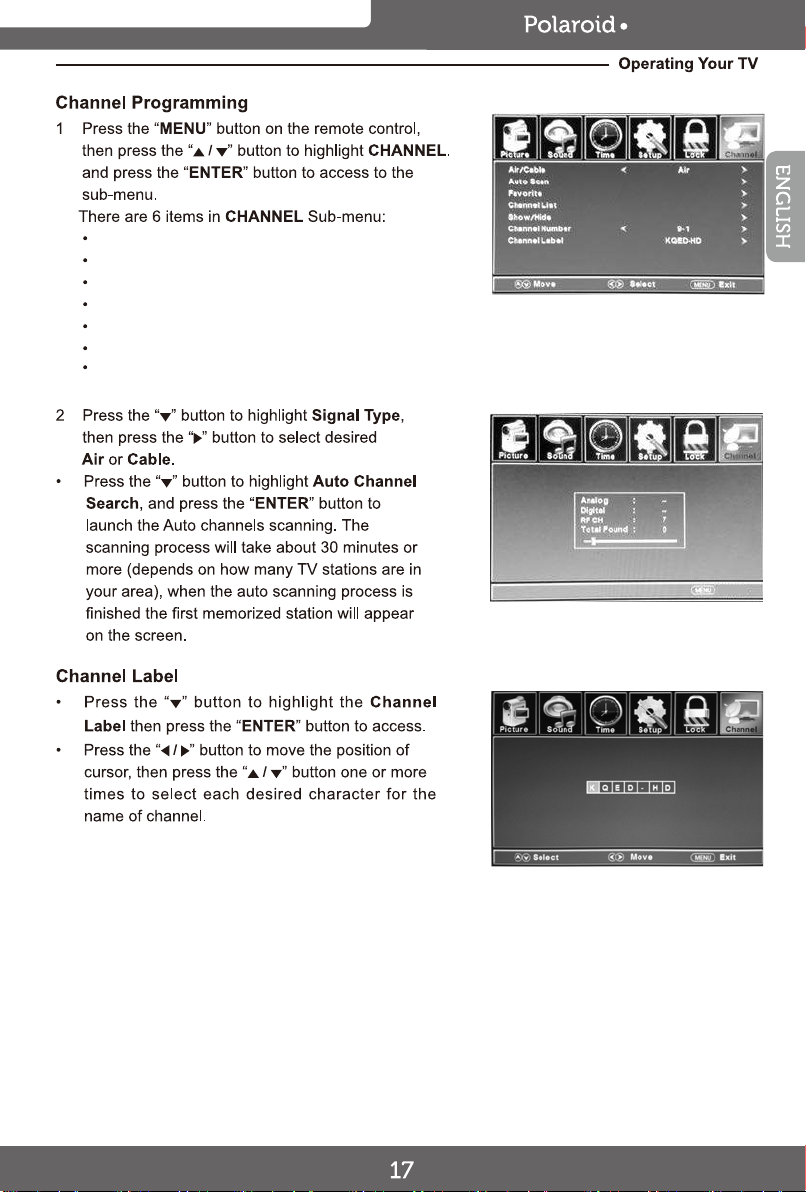
Air/Cable
Auto Scan
Favorite
Channel List
Show/Hide
Channel Number
Channel Label
32GSD3000
32GSD3000
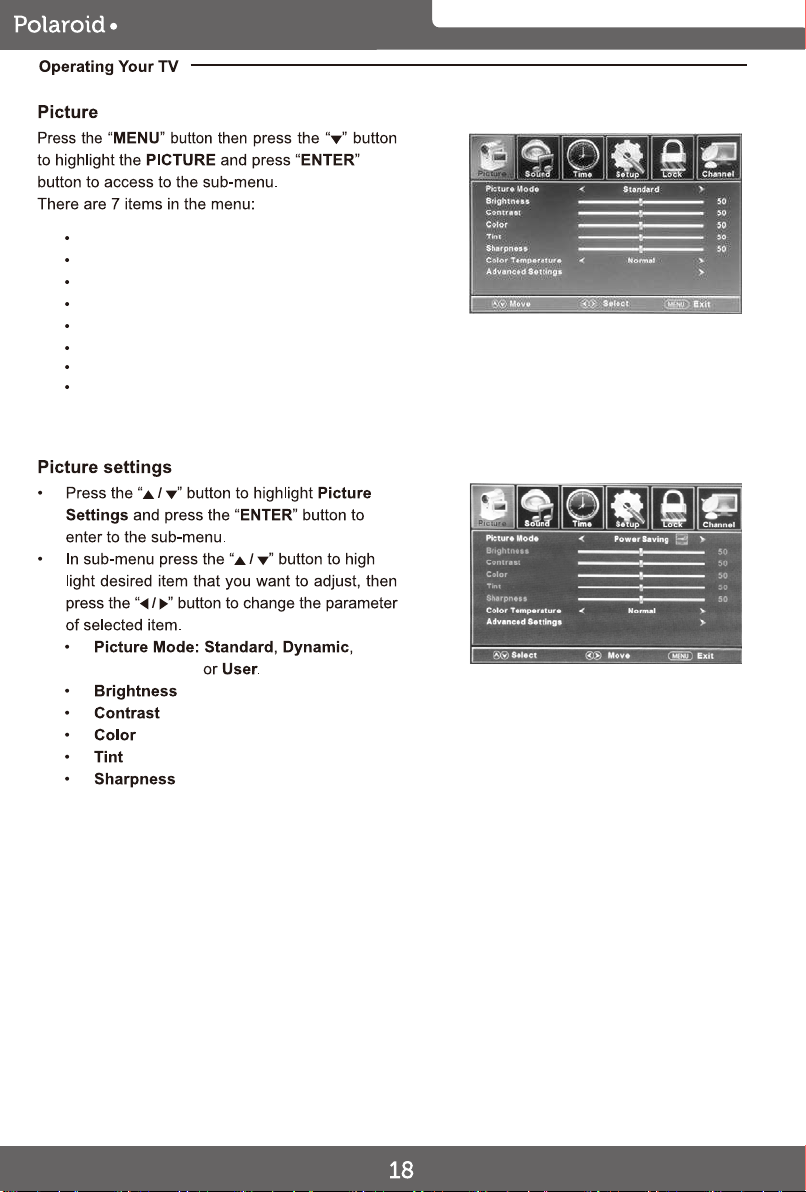
Picture Mode
Brightness
Contrast
Color
Tint
Sharpness
Color Temparature
Advanced Settings
Soft,
Power Saving
Exit
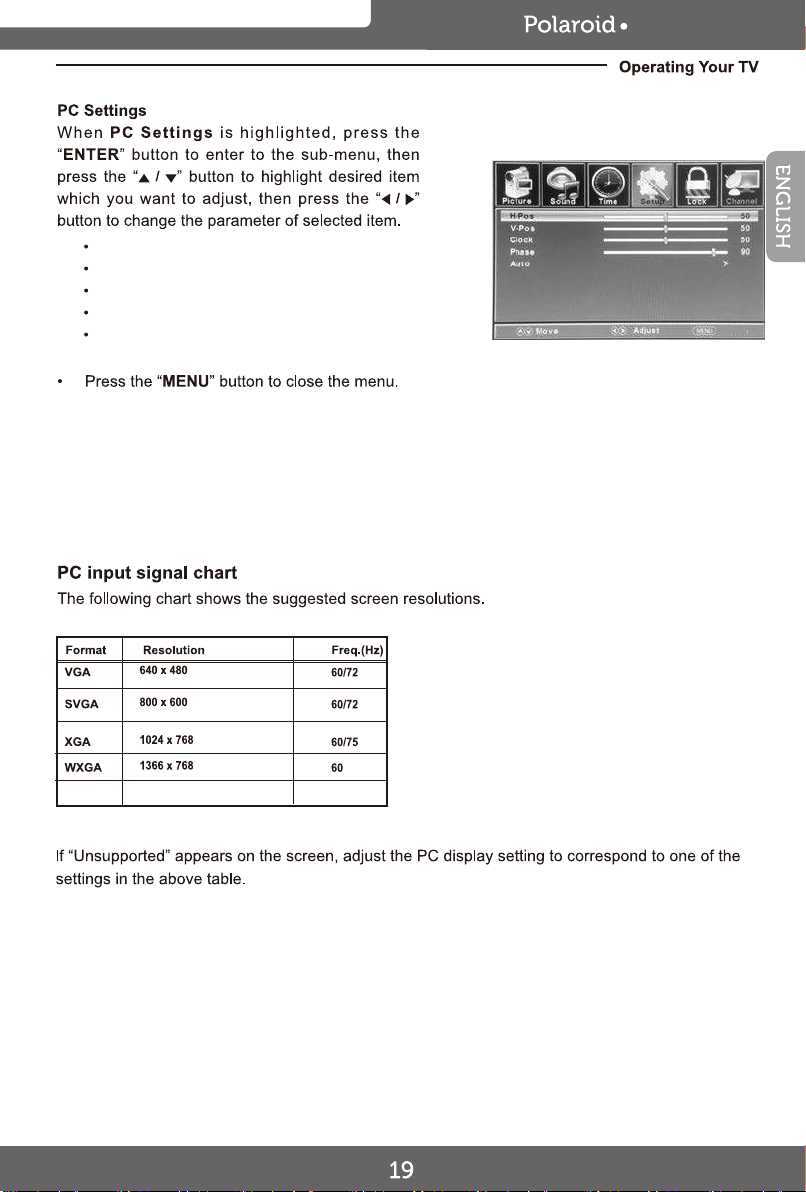
H-Pos
V-Pos
Clock
Phase
Auto
32GSD3000
32GSD3000
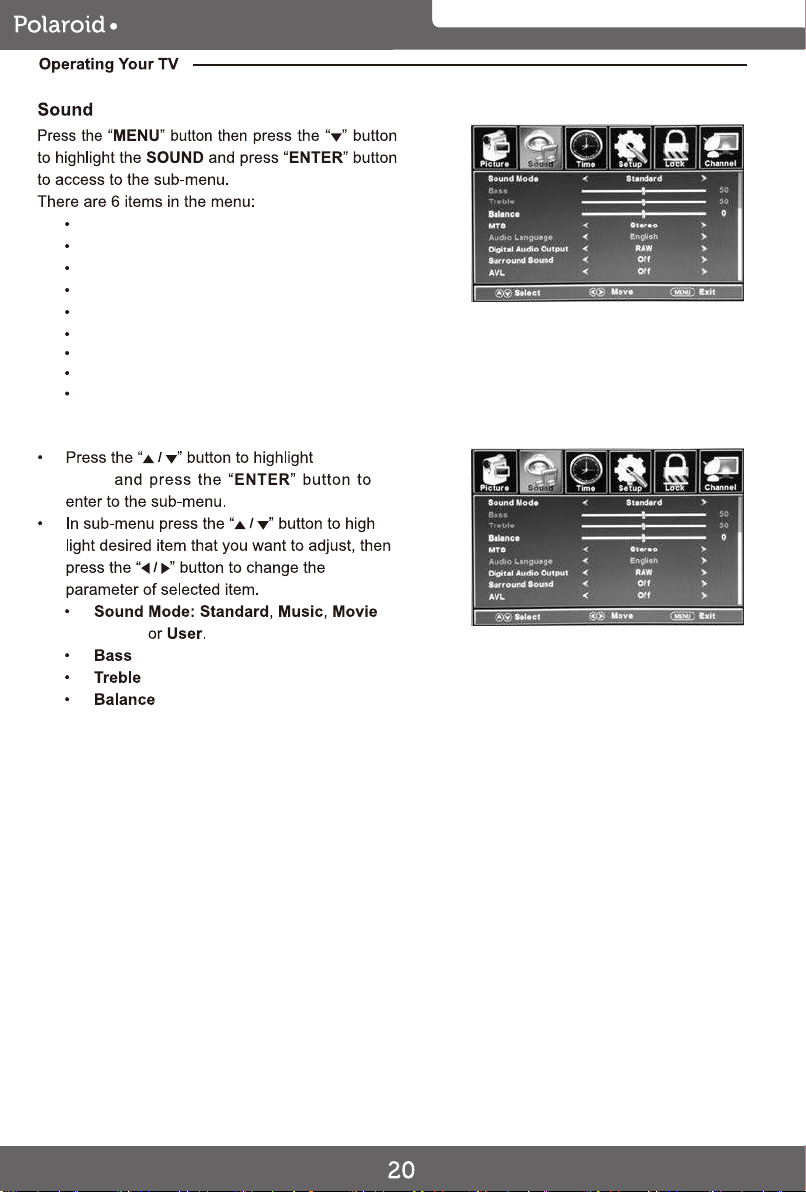
Sound Mode
Sound Mode
Sound
Sports
Mode
Bass
Treble
Balance
MTS
Audio Language
Digital Audio Output
Surround Sound
AVL
Exit
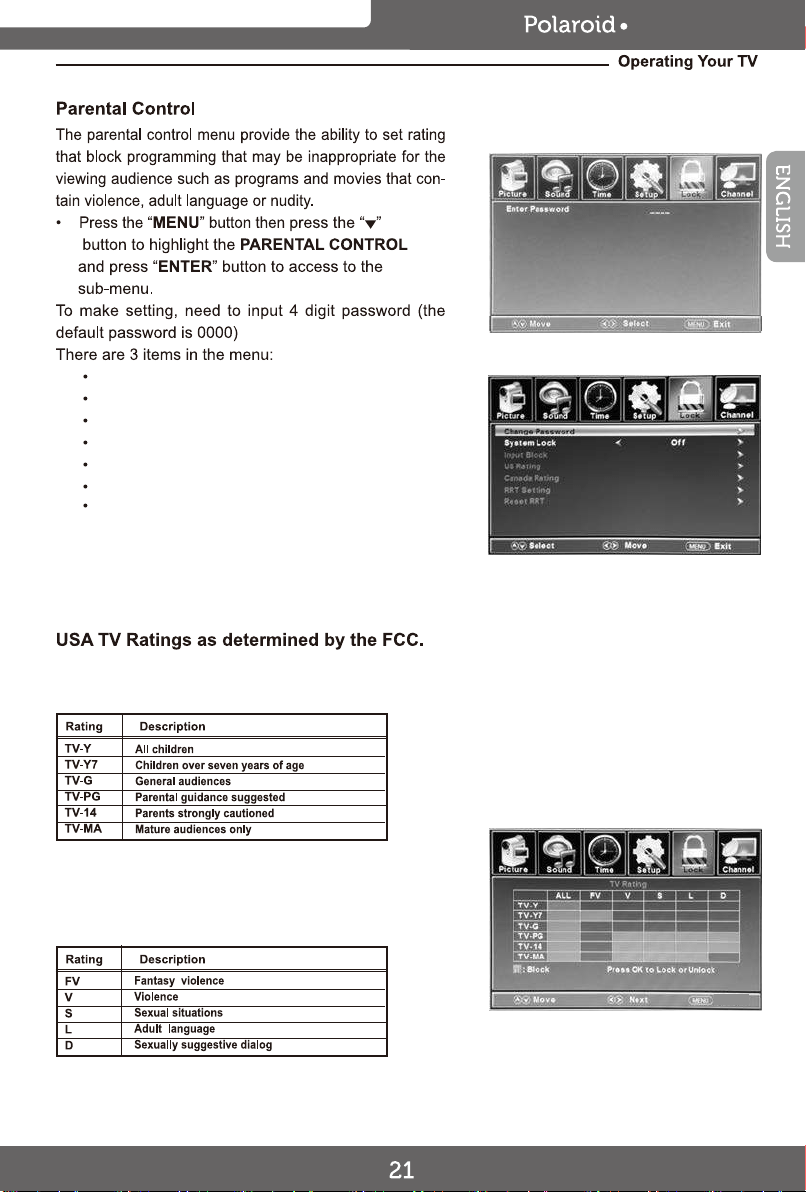
Change Password
System Lock
Input Block
US Rating
Canada Rating
RRT Setting
Reset RRT
32GSD3000
Exit
32GSD3000
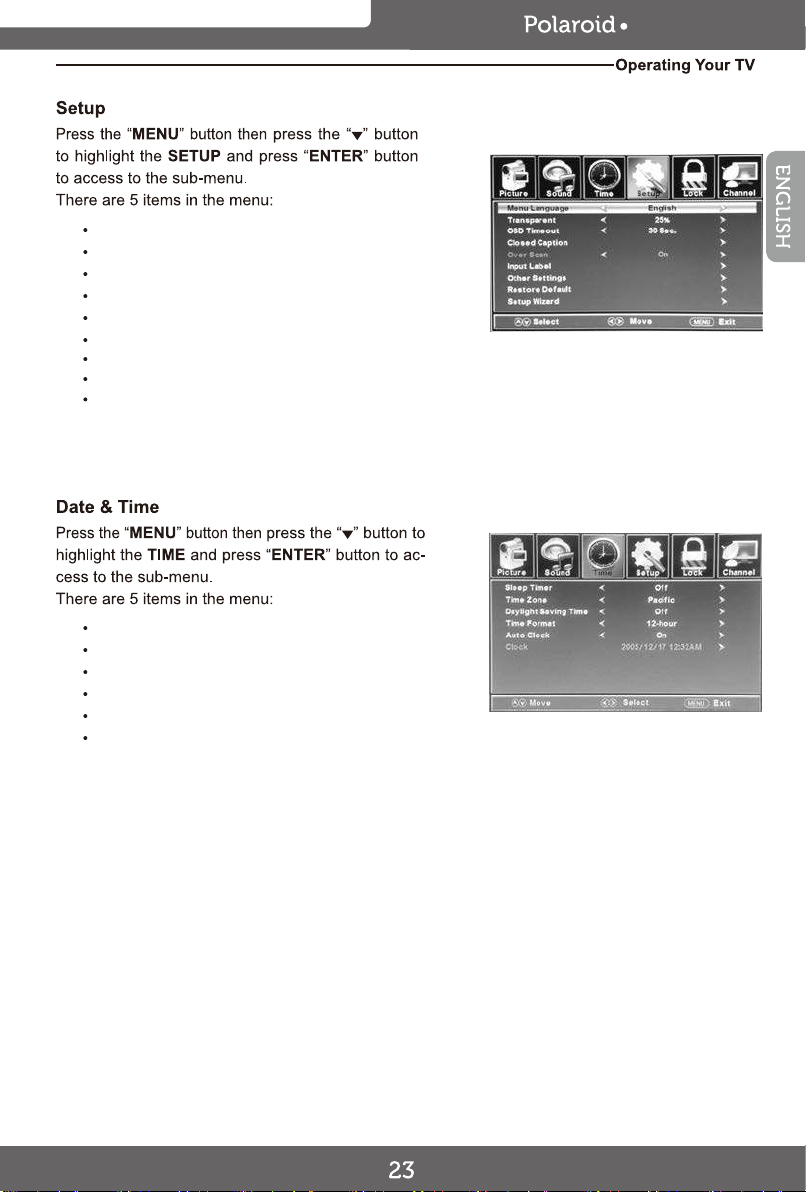
Menu Language
Transparent
OSD Timeout
Closed Caption
Over Scan
Input Label
Other Settings
Restore Default
Setup Wizard
Sleep Timer
Time Zone
Daylight Saving Time
Time Format
Auto Clock
Clock
32GSD3000
Exit
32GSD3000
CH+
ENTER
FAV.
channel list.
CH-
DISPLAY
EPG
EPG
DISPLAY
DISPLAY
32GSD3000
32GSD3000
DVD MENU
32GSD3000
DVD MENU
32GSD3000
28
DVD MENU
32GSD3000
DVD MENU
29
32GSD3000
30
DVD MENU
32GSD3000
DVD MENU
31
32GSD3000
32
DVD MENU
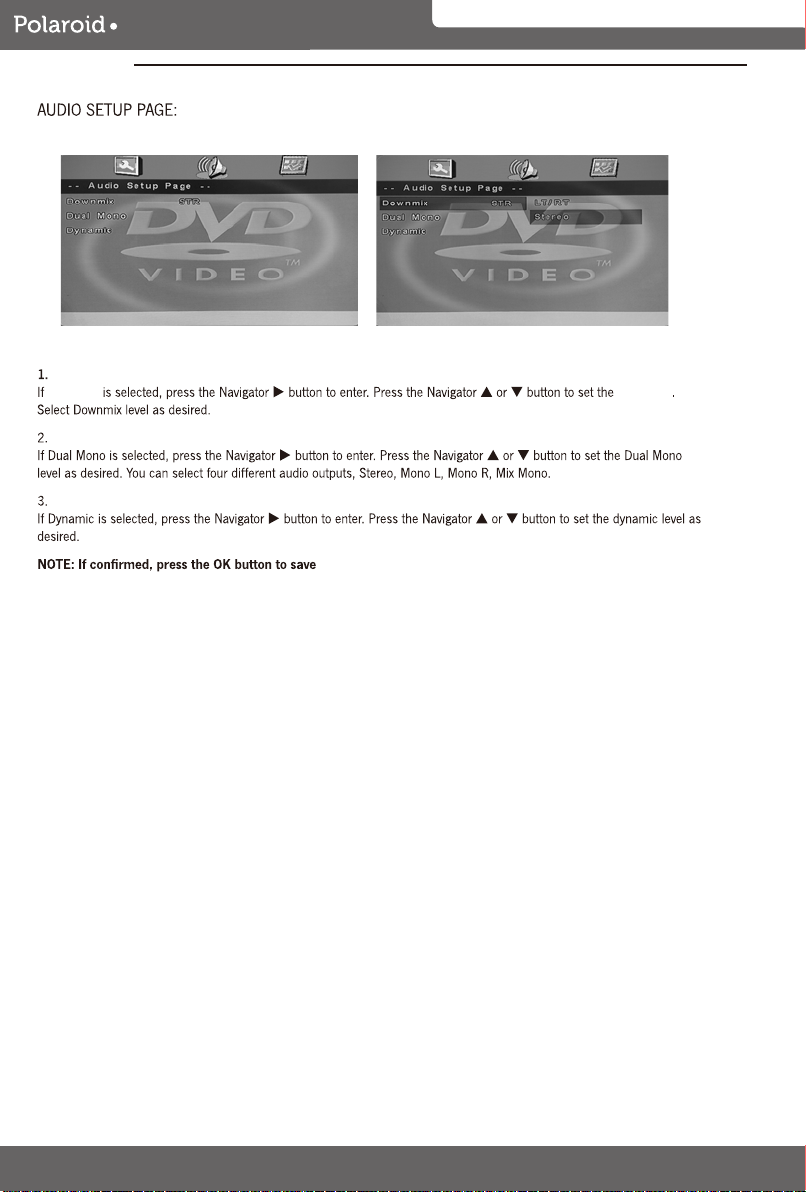
Downmix Downmix
32GSD3000
DVD MENU
33
32GSD3000
34
32GSD3000
35
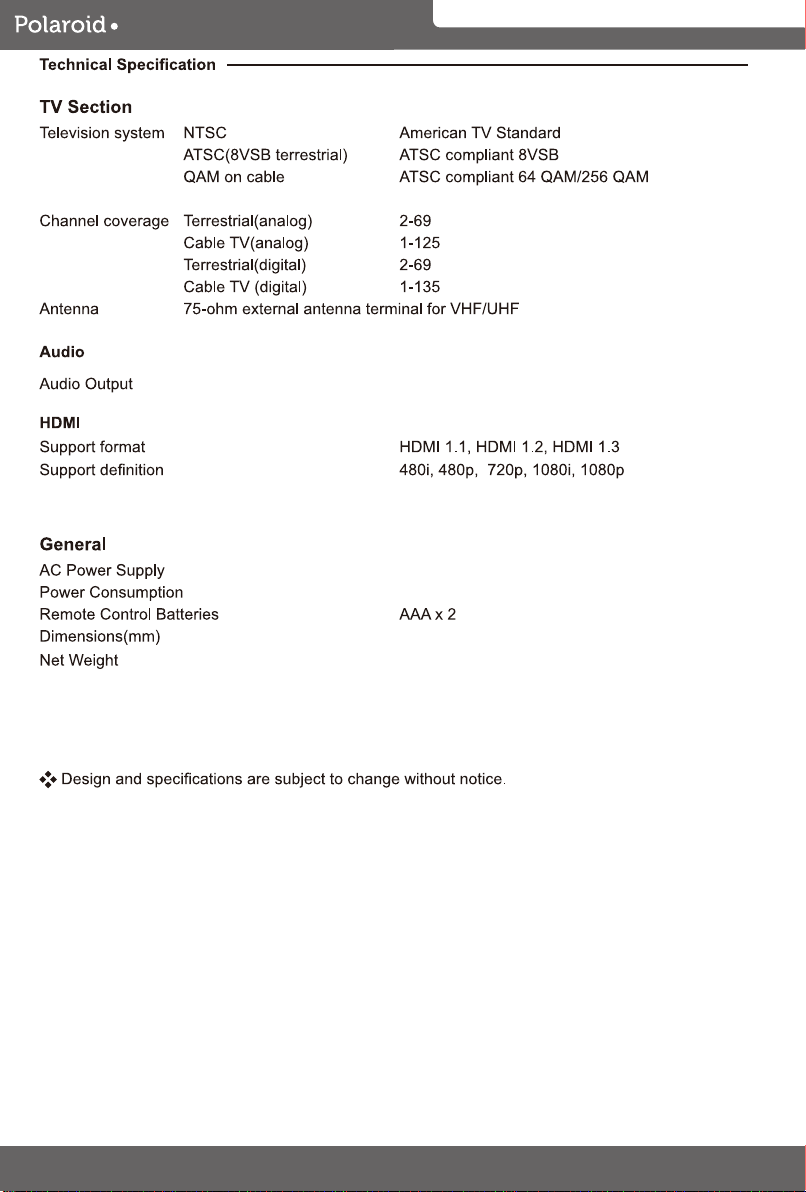
8.0 W + 8.0 W
65 W
AC 100-240V~ 50/60Hz
D88 x W745 x H498 (mm)
8.44 kg
32GSD3000
36