www.lg.com
OWNER’S MANUAL
Please read this manual carefully before operating
your set and retain it for future reference.
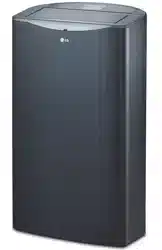
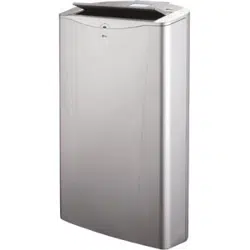
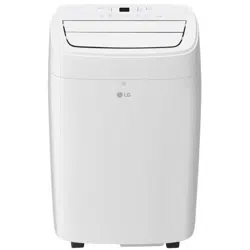
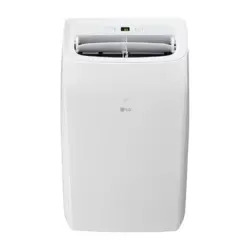
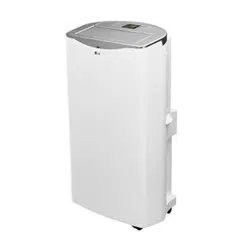
TYPE : PORTABLE AIR CONDITIONER
MODEL : LP1415WXRSM
AIR
CONDITIONER
ENGLISH
ESPAÑOL
LG Smart AC (WI-FI) 15
16
17
18
19, 20
21, 22
23
23
24, 25
26
27, 28
29
2
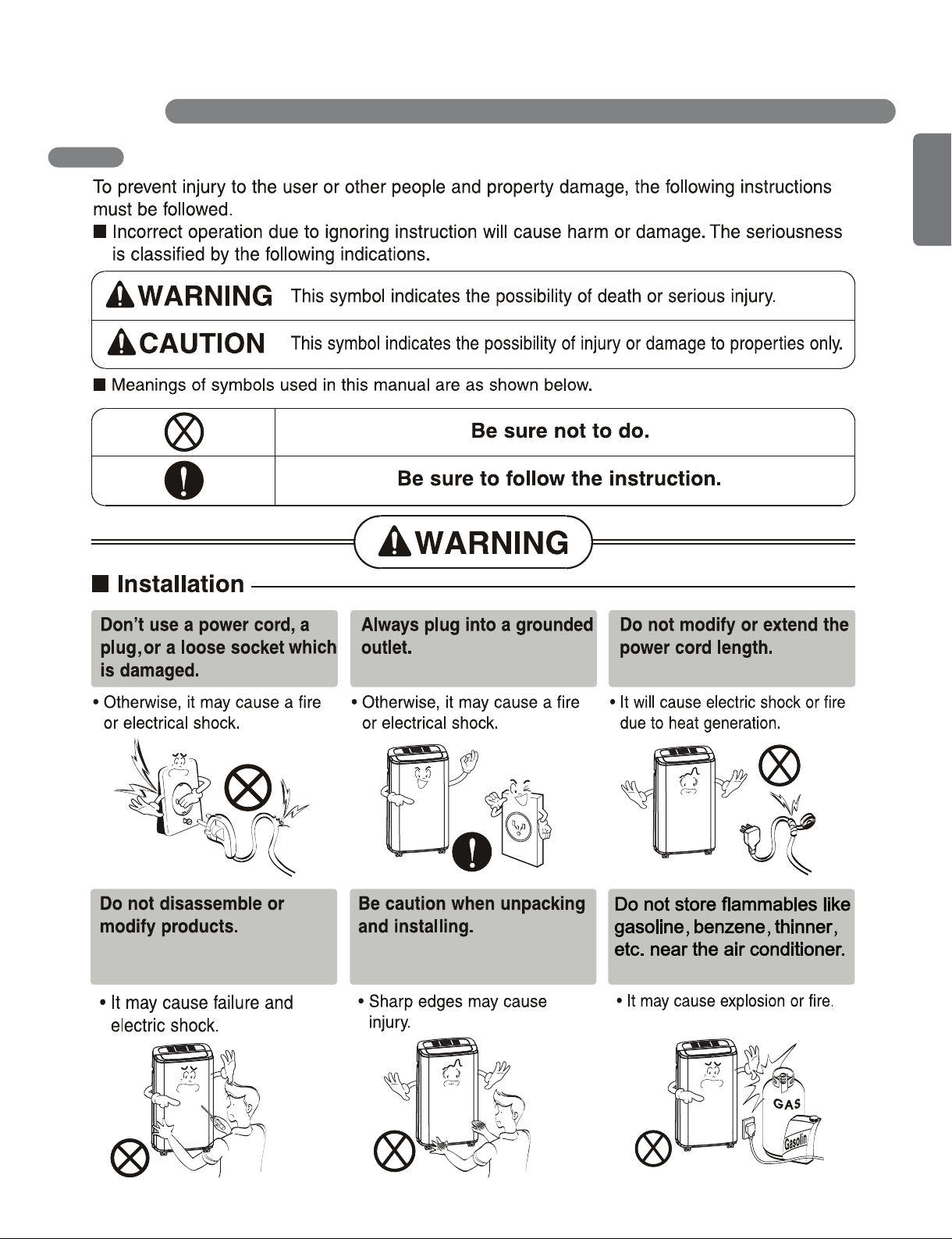
BASIC SAFETY PRECAUTIONS
IMPORTANT SAFETY INSTRUCTIONS
3
ENGLISH
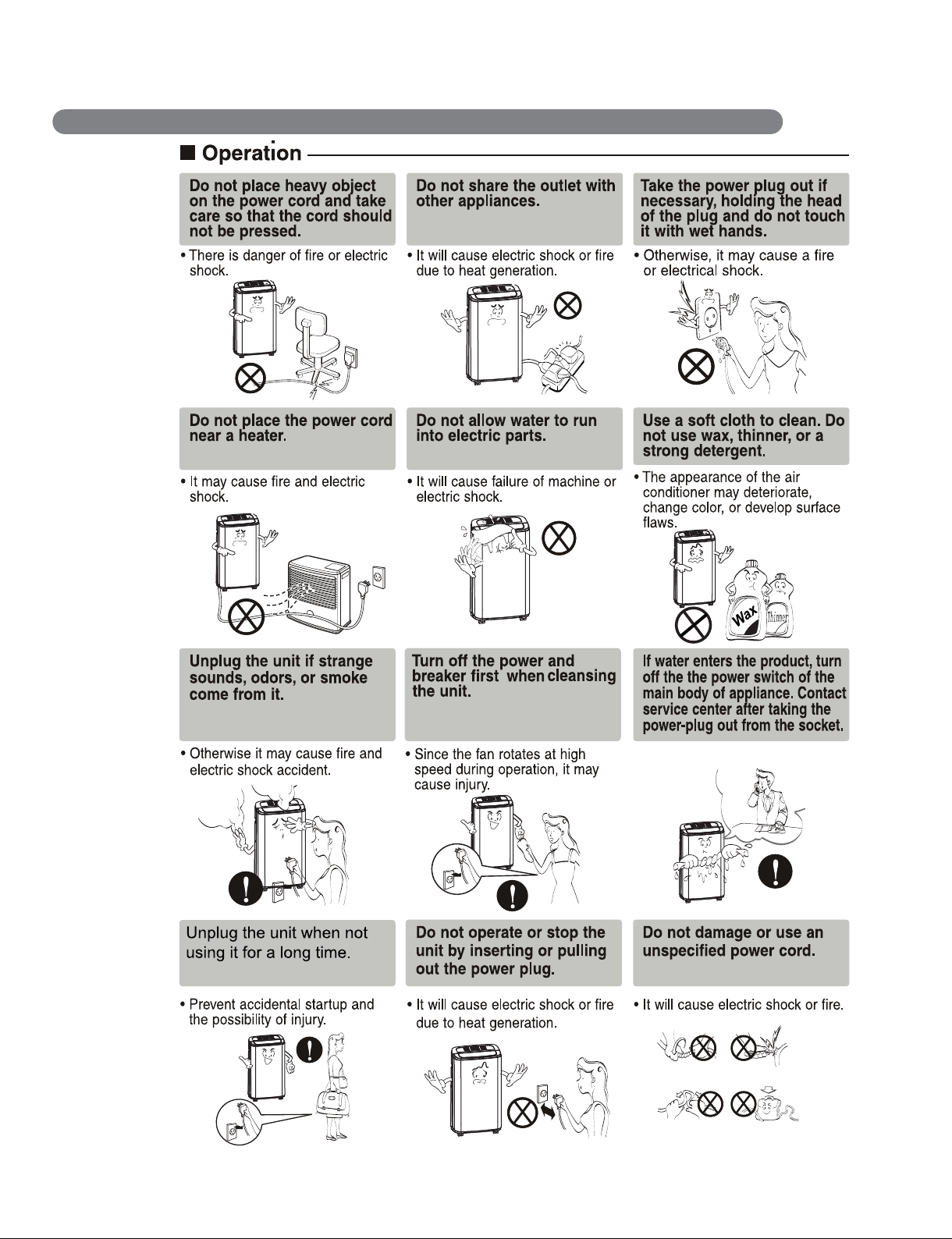
4
IMPORTANT SAFETY INSTRUCTIONS
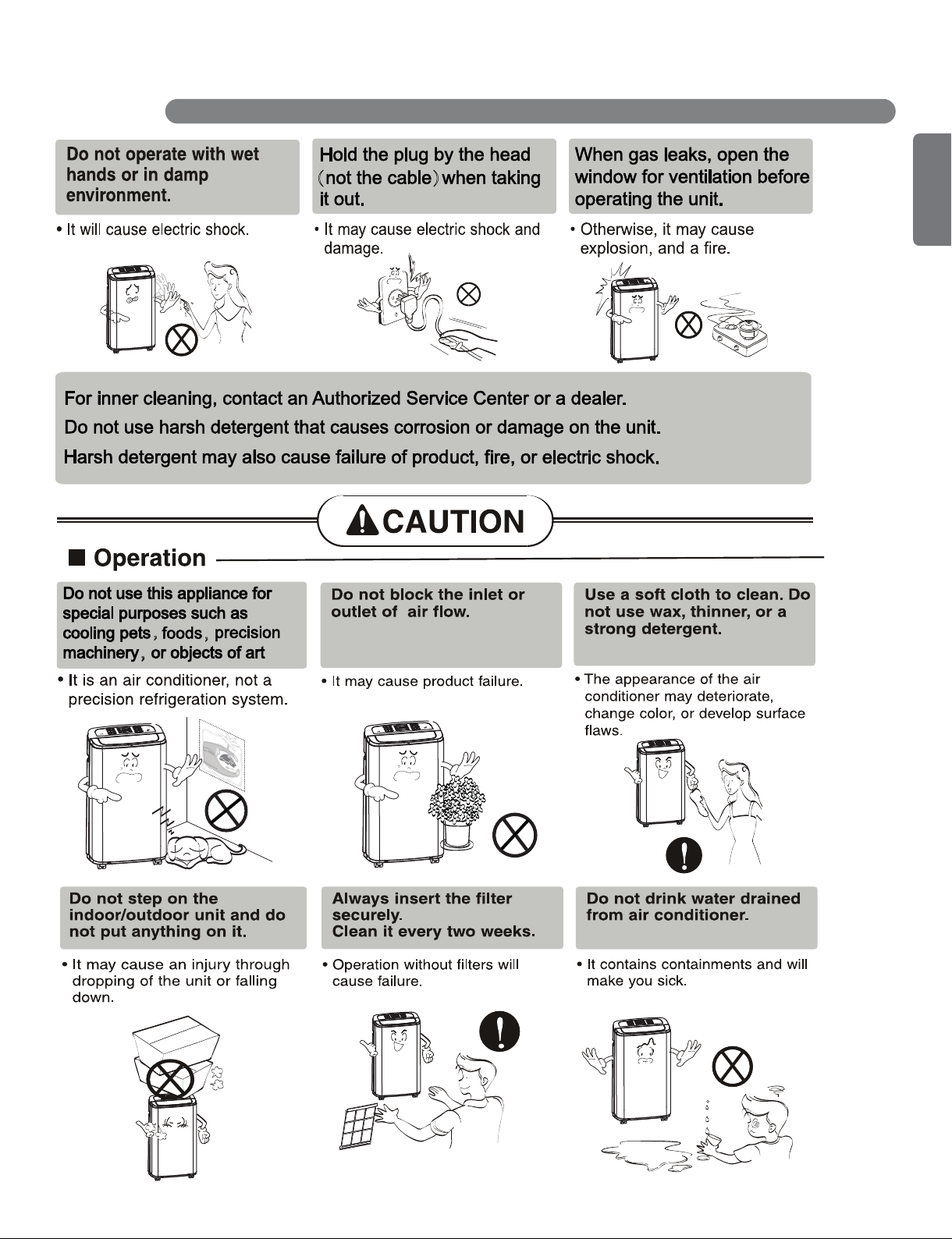
5
ENGLISH
IMPORTANT SAFETY INSTRUCTIONS
( )
,
,
,
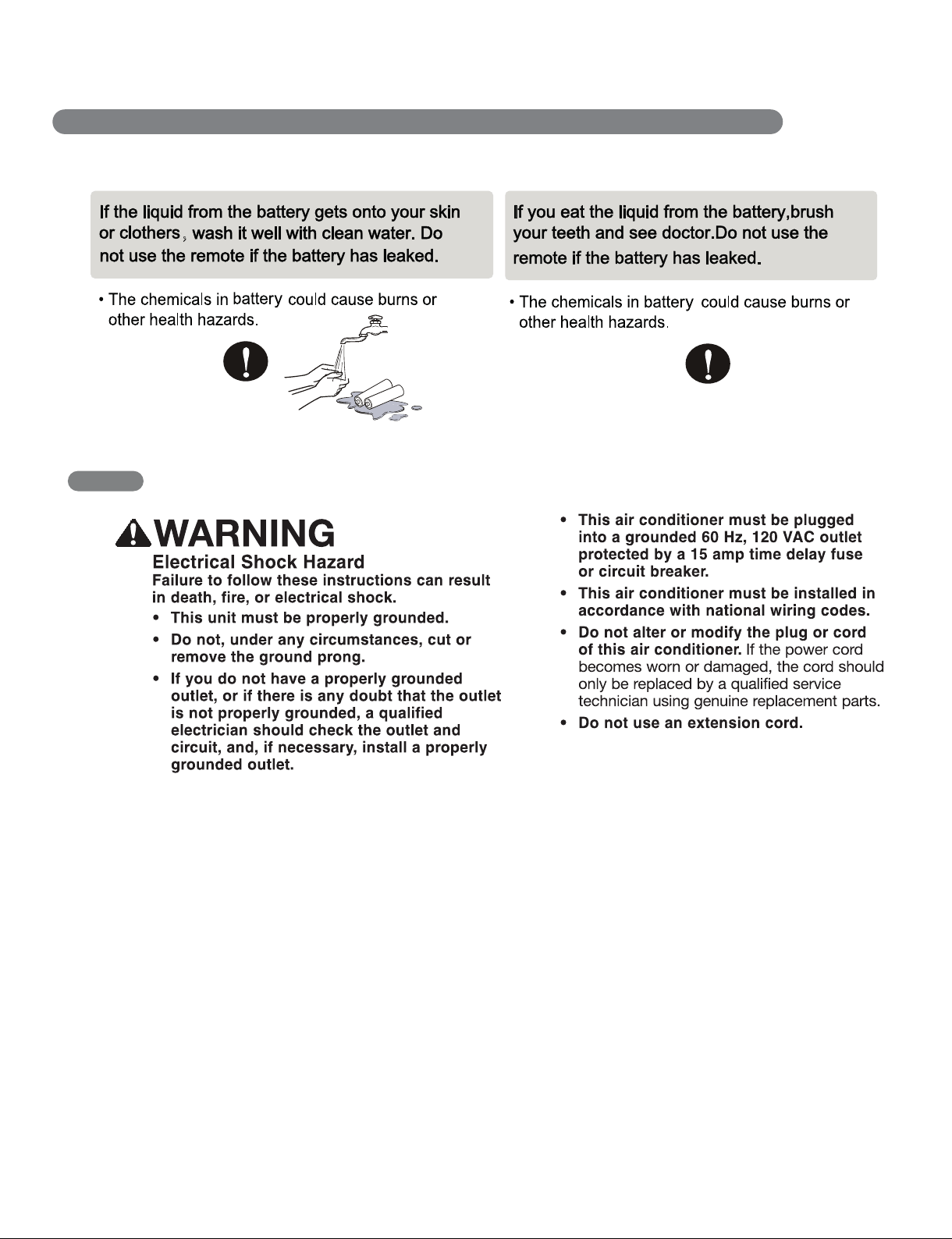
6
,
ELECTRICAL SAFETY
IMPORTANT SAFETY INSTRUCTIONS

7
ENGLISH
READ ALL INSTRUCTIONS BEFORE USE
ELECTRICAL SAFETY
Due to potential safety hazards, the use of
an adapter plug is str ongly discouraged.
For temporary connections, use only a
UL-listed adapter. Ensure that the large slot
in the adapter is aligned with the large slot
in the outlet.
To prevent damage to the adapter’s ground
terminal, hold the adapter in place while
plugging in or unplugging the air conditioner.
• Attaching the adapter ground terminal to
the wall receptacle cover scr ew does not
ground the appliance unless the cover
scr ew is metal and not insulated, and the
wall receptacle is grounded thr ough the
house wiring.
• Frequent connection and disconnection
can damage the ground terminal on the
adapter . Never use a broken or damaged
adapter .
IMPORTANT SAFETY INSTRUCTIONS
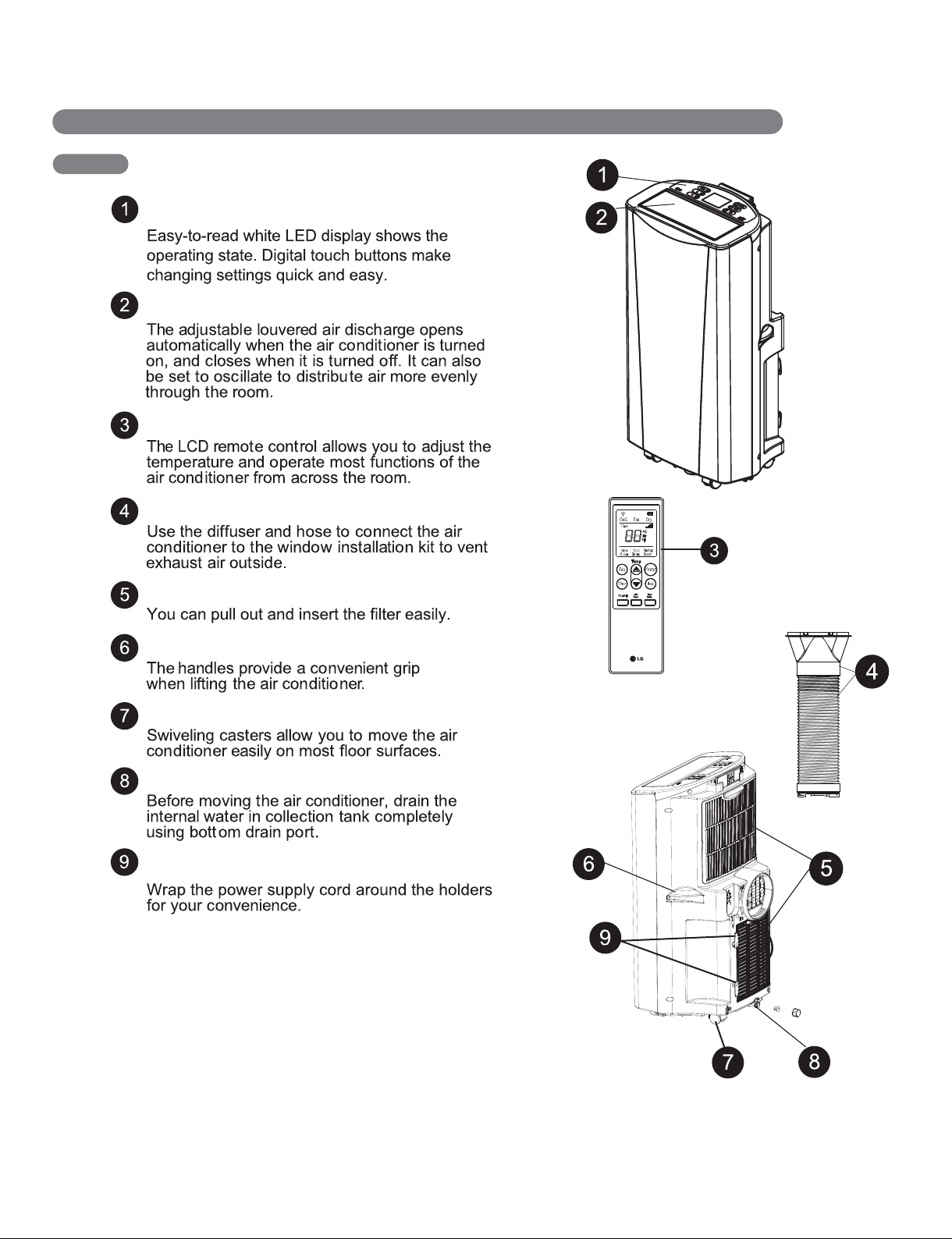
8
KEY PARTS AND COMPONENTS
CONTROL PANEL AND DISPLAY
MOTORIZED AIR DISCHARGE
INFRARED REMOTE CONTROL
HOSE AND DIFFUSER
FILTER
HANDLES
SWIVELING CASTERS
BOTTOM DRAIN PORT
POWER SUPPLY CORD HOLDER
PARTS AND FEATURES
9
ENGLISH
LED
PARTS AND FEATURES
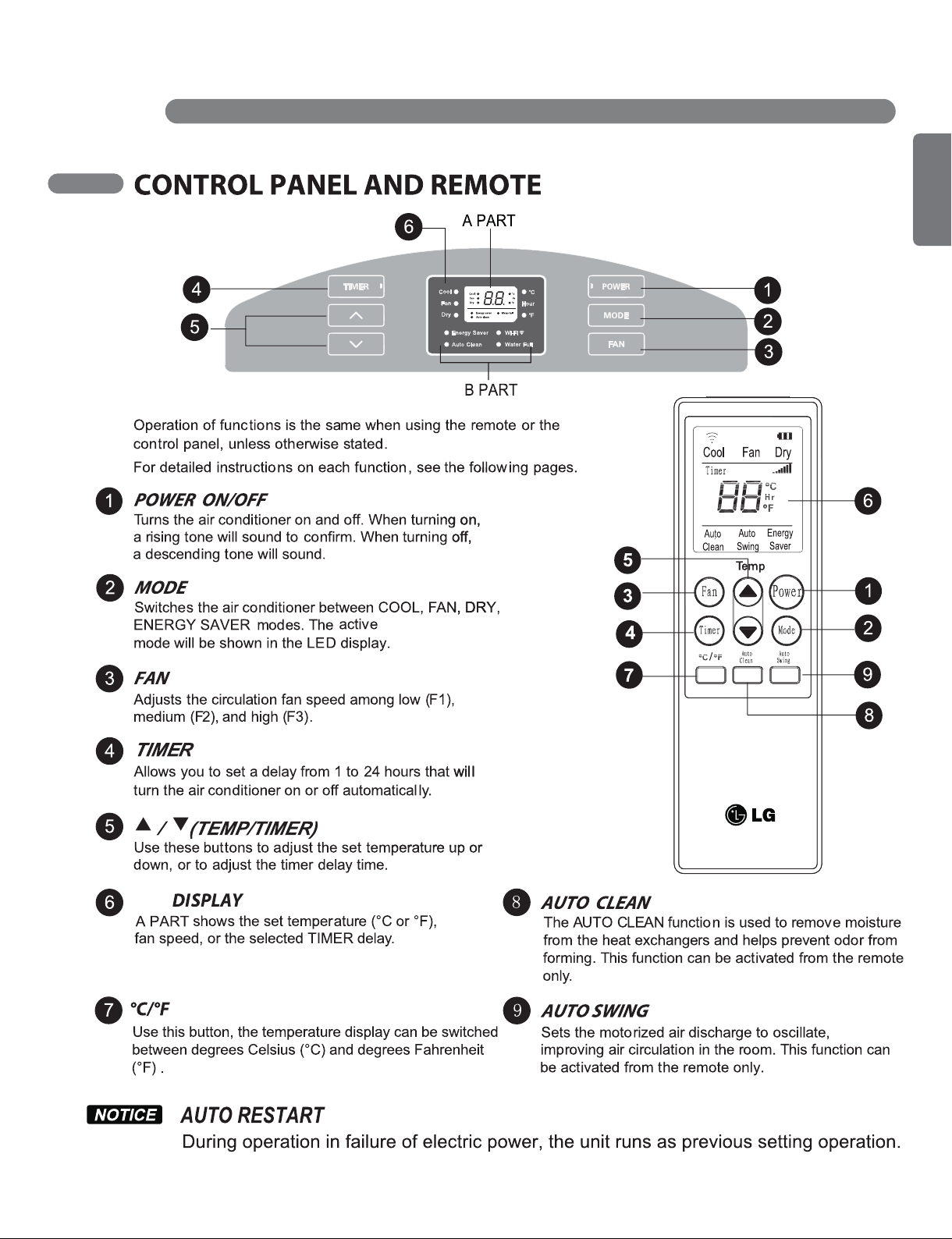
B PART shows the active mode (Cool, Fan, Dry
Energy Saver), Auto clean, Water Full, WI-FI.
10
BEFORE USING YOUR AIR CONDITIONER
HOW TO USE
11
ENGLISH
BEFORE USING YOUR AIR CONDITIONER
HOW TO USE
12
USING THE CONTROLS
HOW TO USE
→
→
→
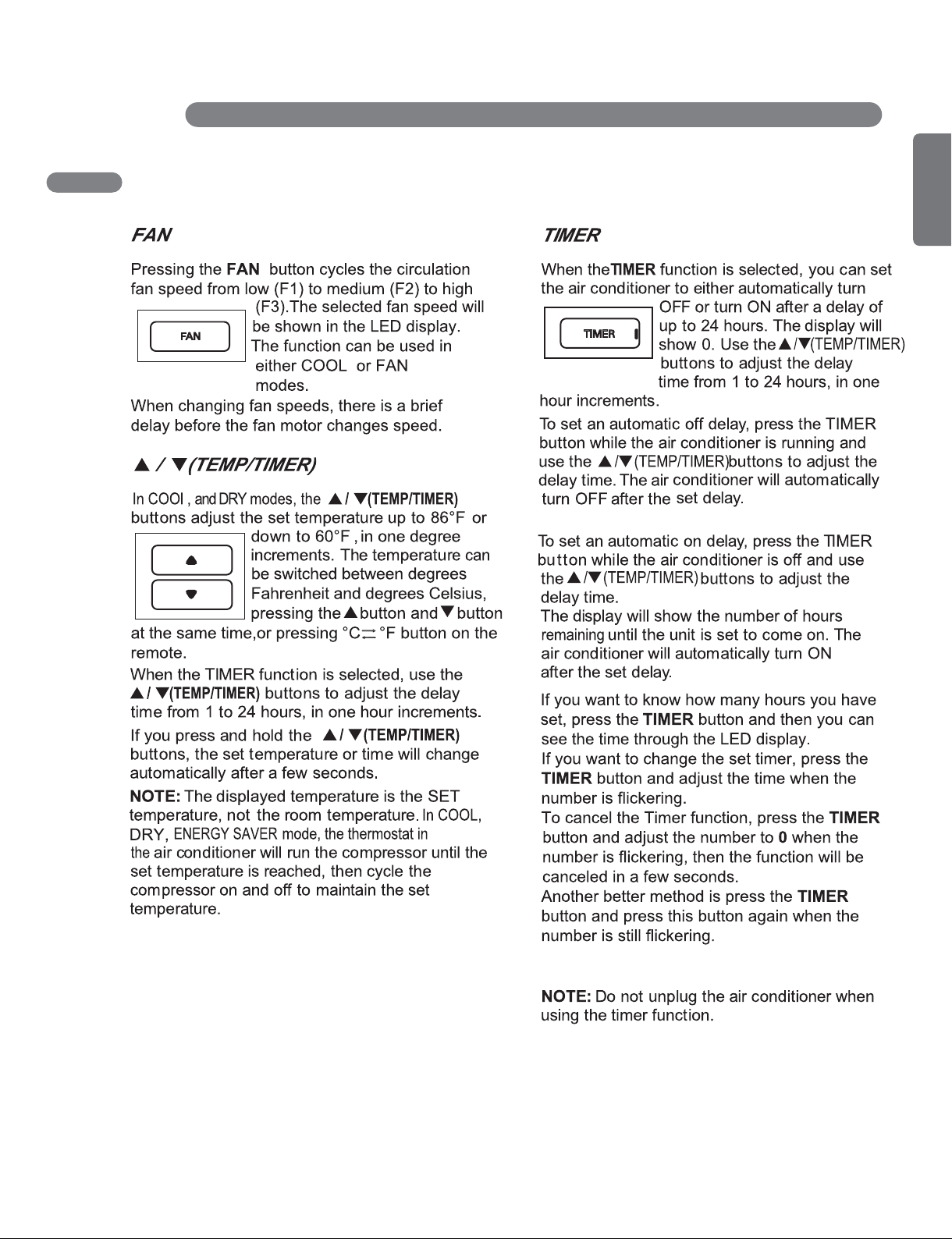
13
ENGLISH
USING THE CONTROLS
HOW TO USE
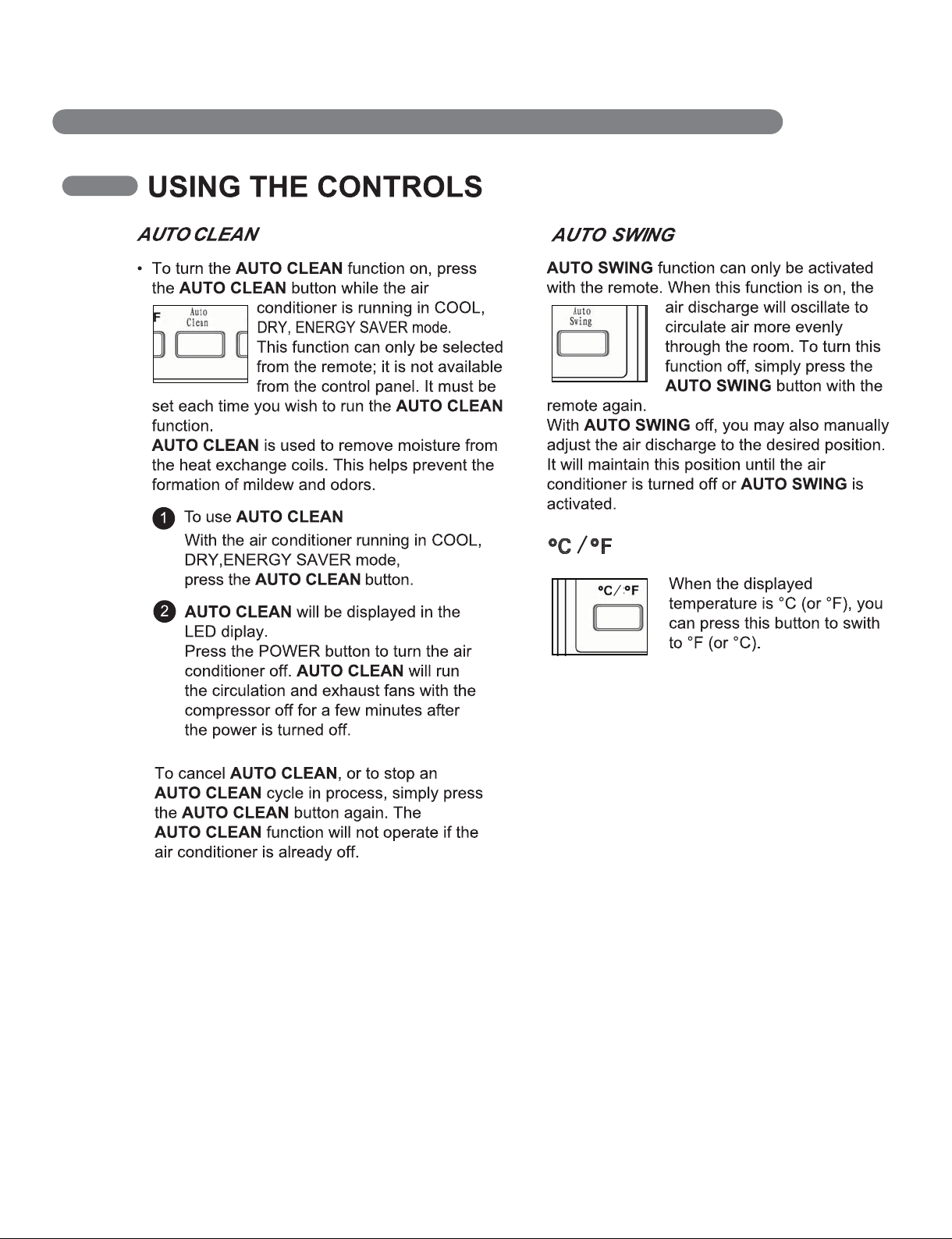
14
HOW TO USE

15
ENGLISH
LG Smart AC (WI-FI)
LG Smart AC uses WI-FI that allows the user to control the unit with the LG mobile app.
Minimal Specifications
- Android OS 4.0 or higher at 320 x 480 or higher screen resolution.
- iOS 6 or higher at 960 x 640 or higher screen resolution.
Some phones meeting the above criteria may not operate every function of the unit, but phones
below this minimum specification cannot operate the unit.
Supported wireless routers
CISCO, APPLE, ASUS, D-LINK, TP LINK, TRENDNET, ACTIONTEC, NETGEAR, 2WIRE
Other routers are not supported for the Wi-Fi application.
The above models are optimized for the Wi-Fi service, but any device that does not meet the
minimum system requirements will not be able to run the program.
NOTE : The Wi-Fi app is only compatible with smart phones and is not available for laptops or tablets.
User Guide
• The mobile App will continue to be updated with design and content improvements. Check for
updates at the Play Store or the App Store.
• Some models of Wi-Fi-capable units will not have every function available through the mobile
App remote control.
• You can check Wi-Fi connection on your app or module after finish the registration.
Setting the Environment
1. Search and download ‘LG Smart AC’ in Google play or App store.
2. Become a member in LG Smart AC app or web site.
- North America : http://us.smartthinq.com
- Canada : http://ca.smartthinq.com
3. Please log in and register the product.
- For detail usage guide, refer to the LG Smart AC manual.
NOTE : For details, refer to the following web site.
- North America : http://us.smartthinq.com
- Canada : http://ca.smartthinq.com
HOW TO USE
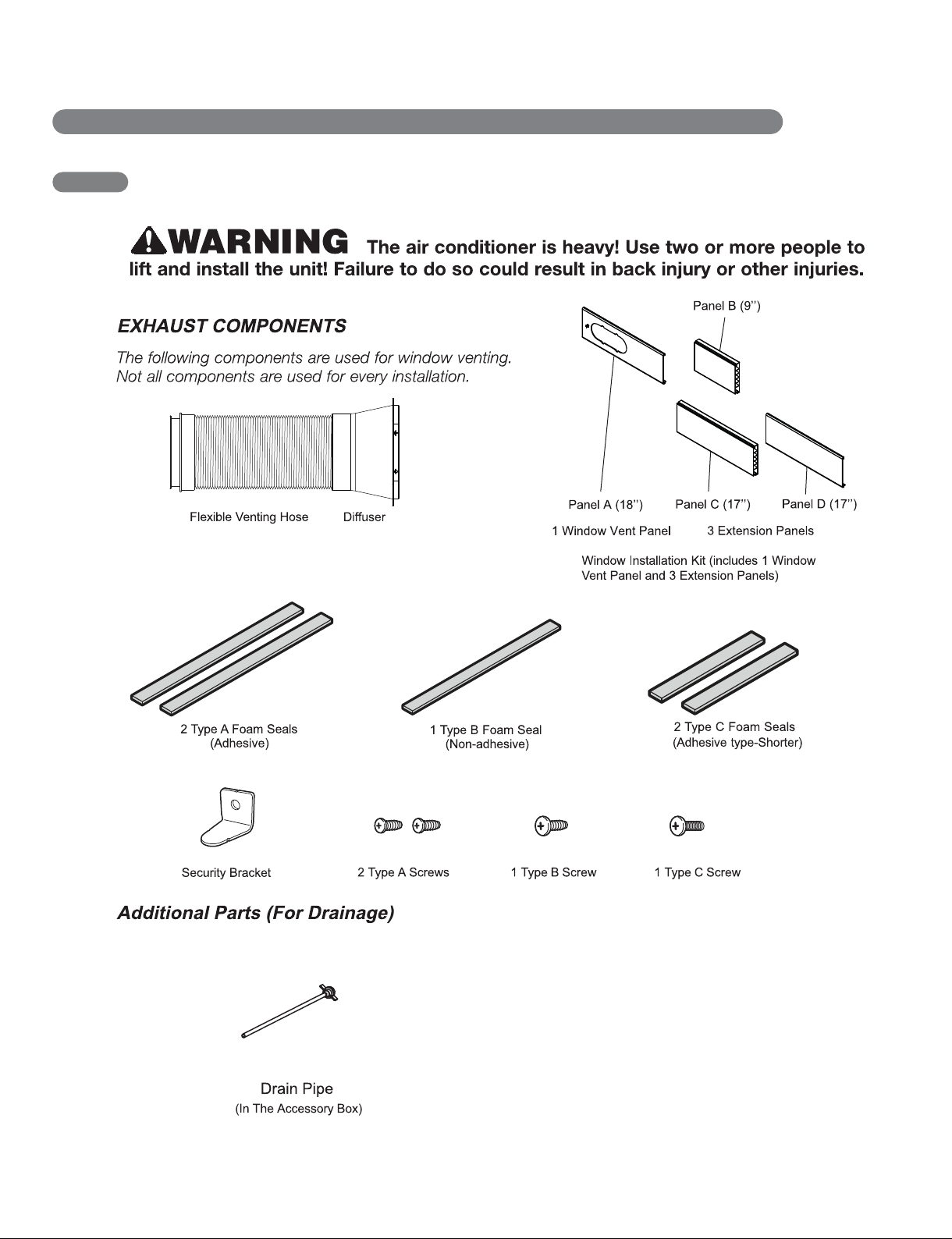
16
INSTALLATION INSTRUCTIONS
PREPARING FOR INSTALLATION
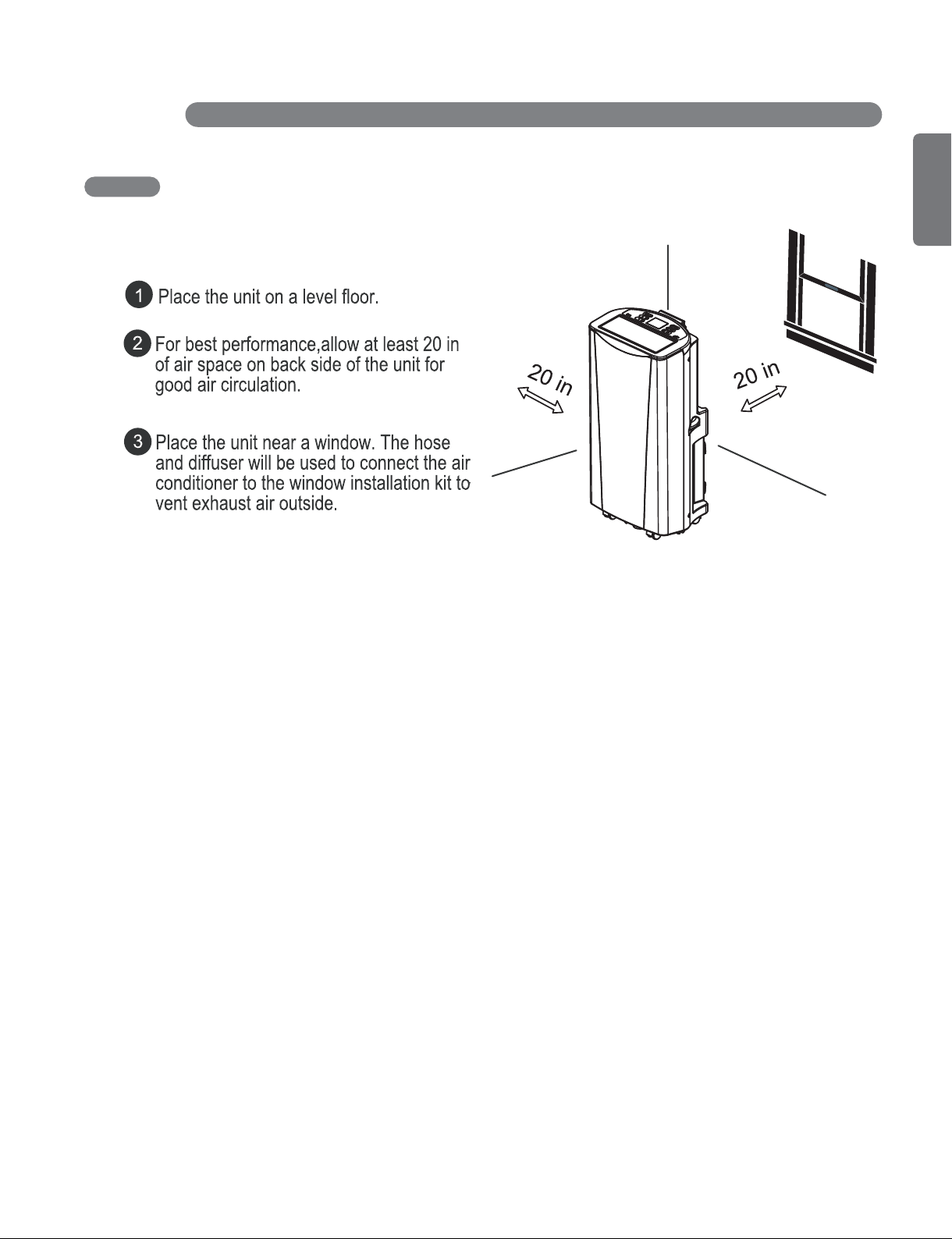
17
ENGLISH
INSTALLATION INSTRUCTIONS
SELECTION OF INSTALLATION LOCATION
18
INSTALLATION INSTRUCTIONS
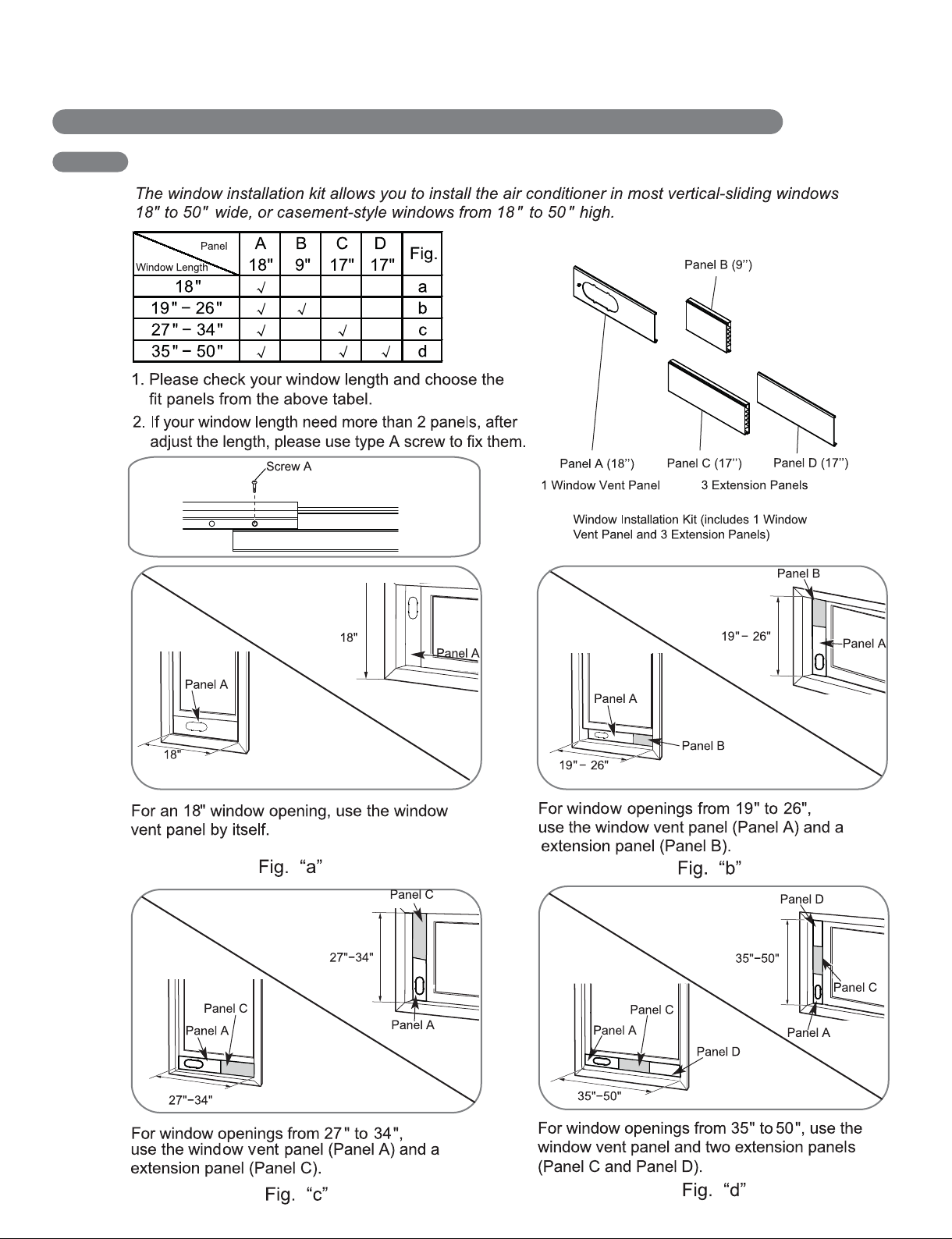
WINDOW VENT PANEL AND EXTENSIONS
19
ENGLISH
INSTALLATION INSTRUCTIONS
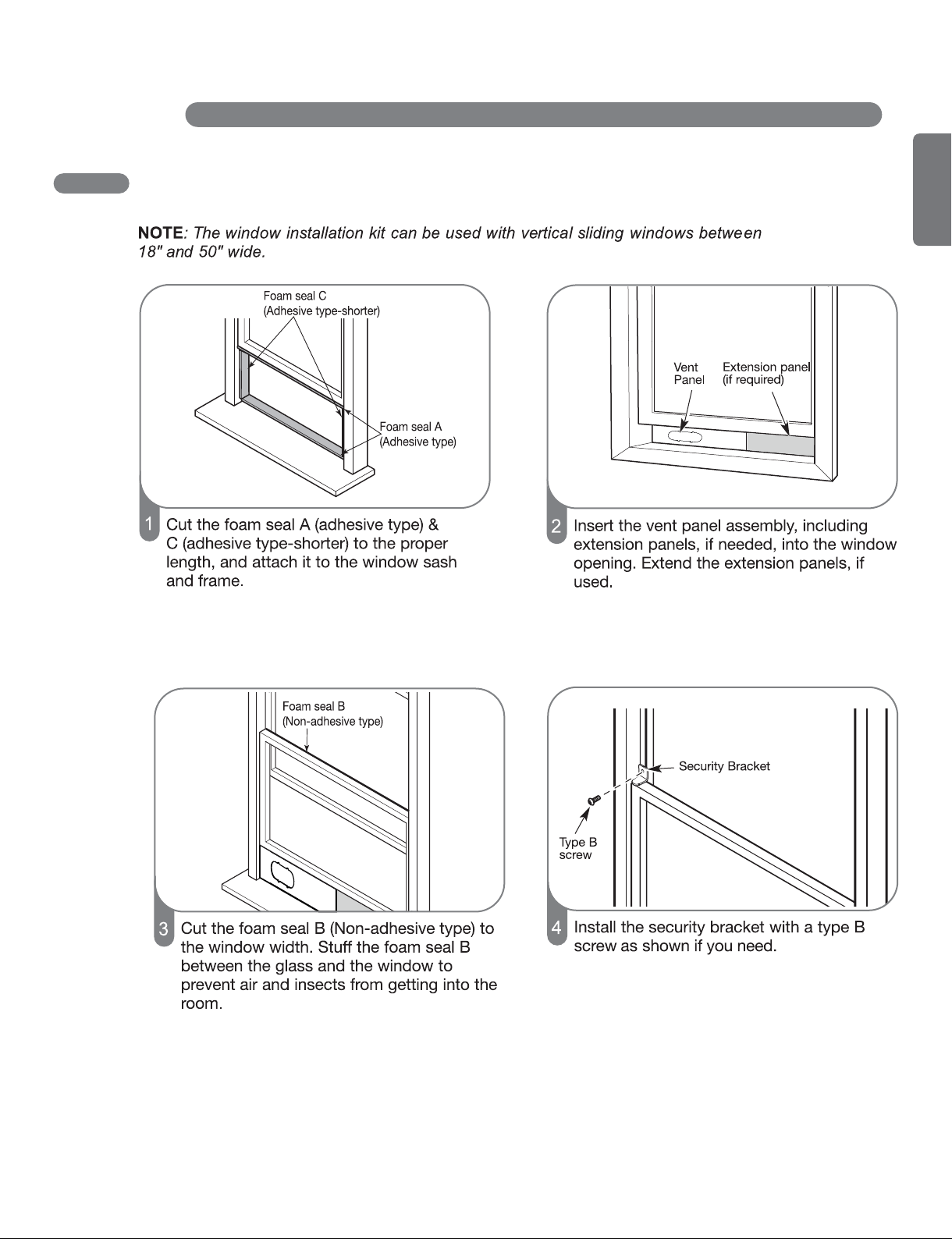
INSTALLATION IN VERTICAL SLIDING WINDOWS
20
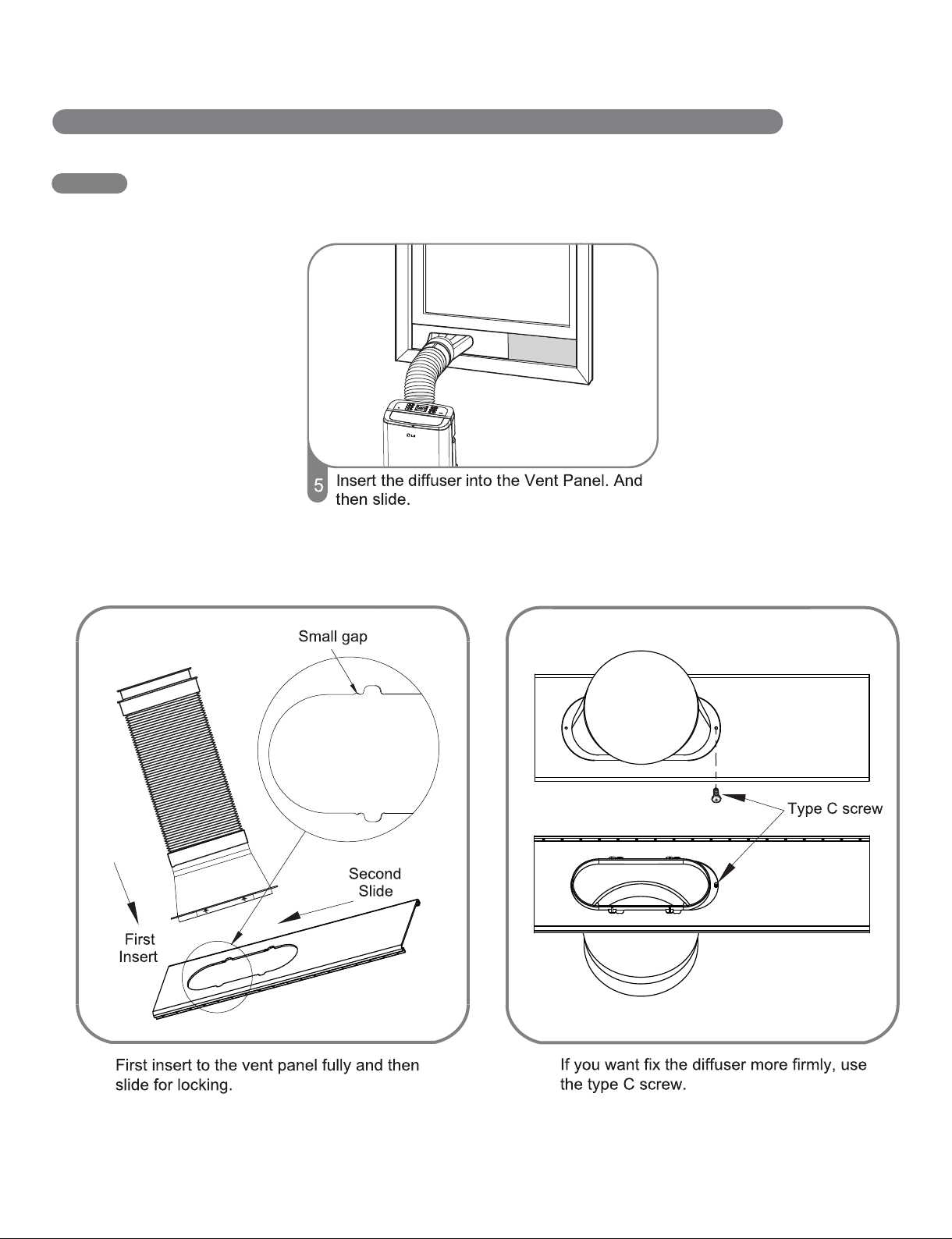
INSTALLATION IN VERTICAL SLIDING WINDOWS
INSTALLATION INSTRUCTIONS
21
ENGLISH
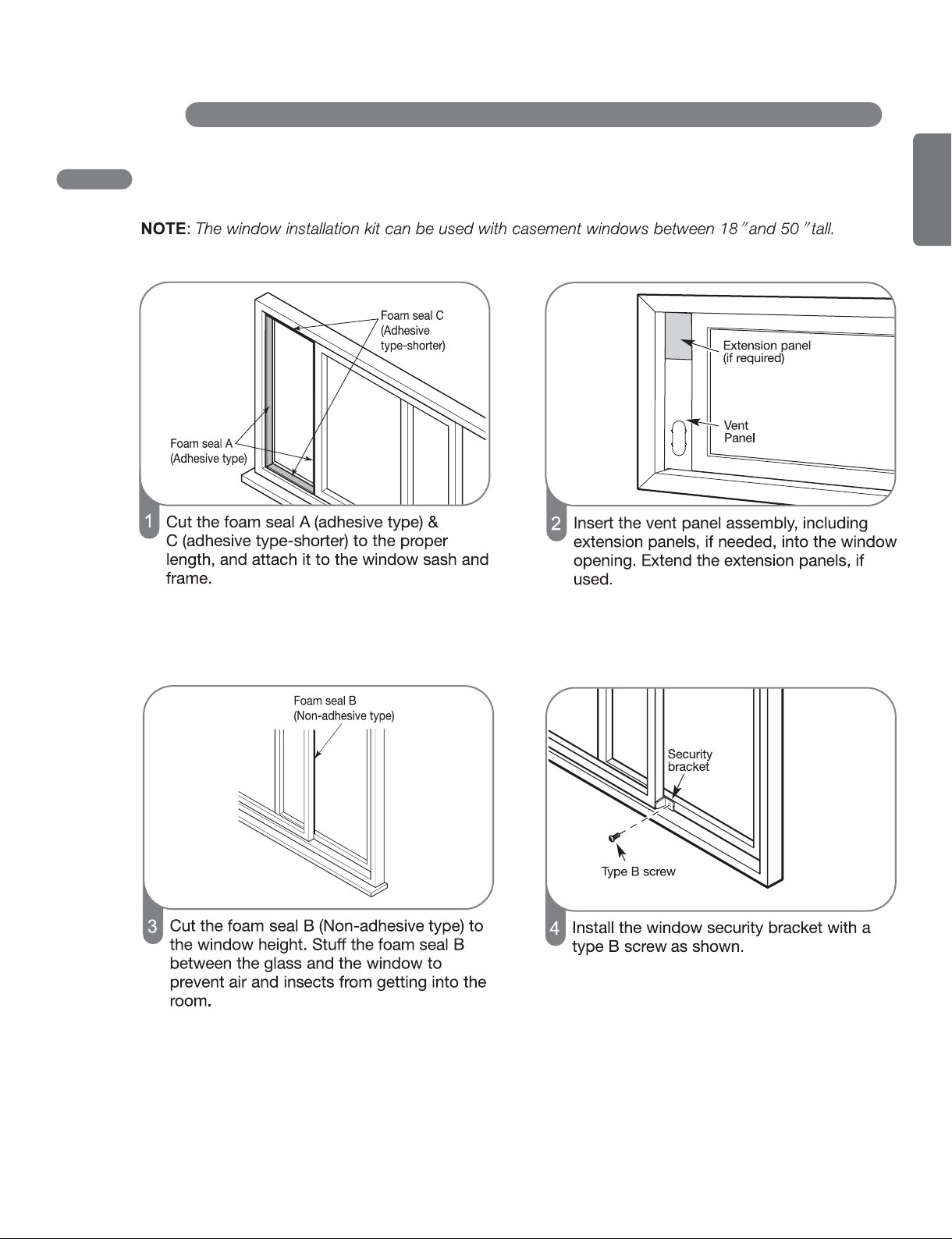
INSTALLATION IN CASEMENT STYLE WINDOWS
INSTALLATION INSTRUCTIONS
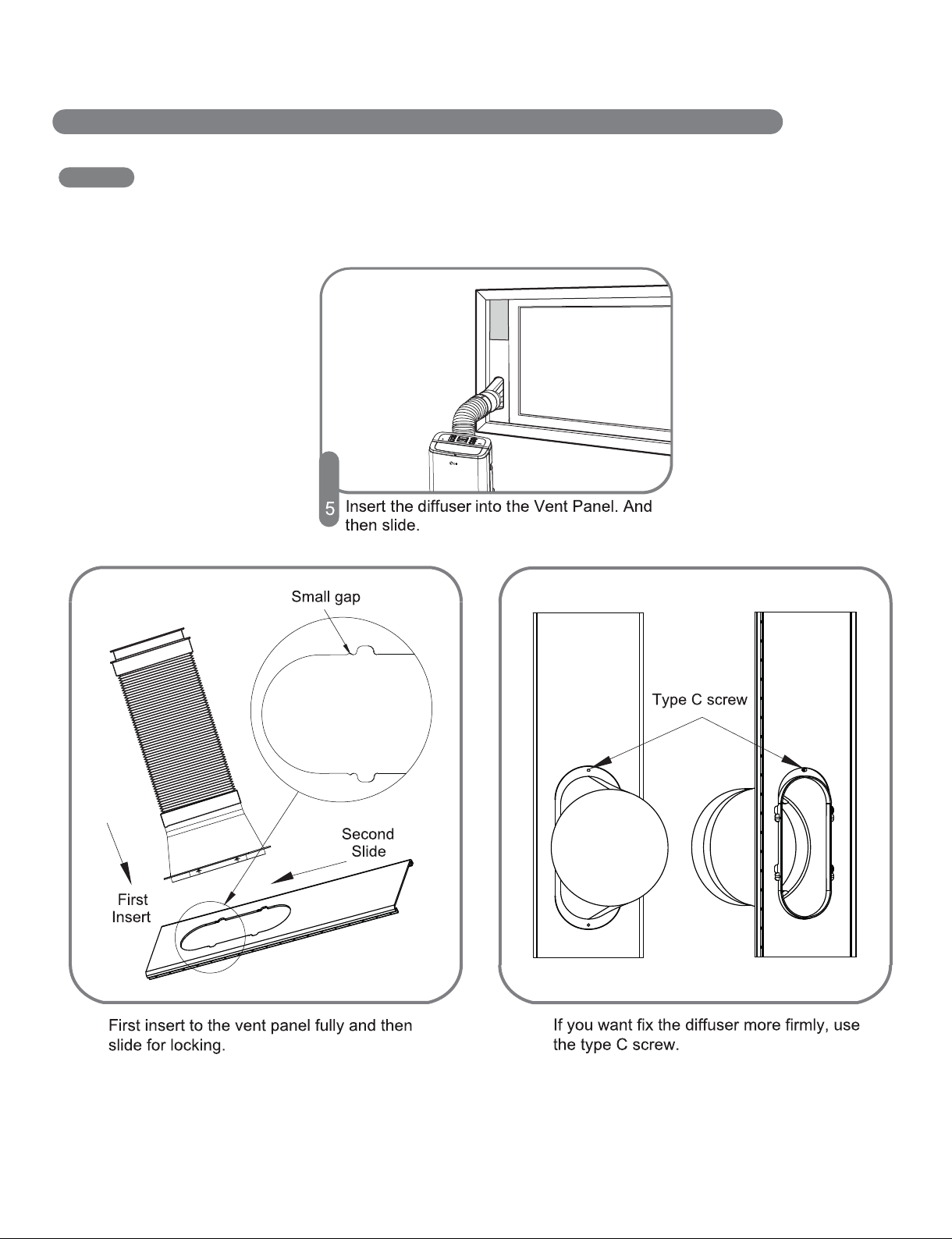
22
INSTALLATION IN CASEMENT STYLE WINDOWS
INSTALLATION INSTRUCTIONS
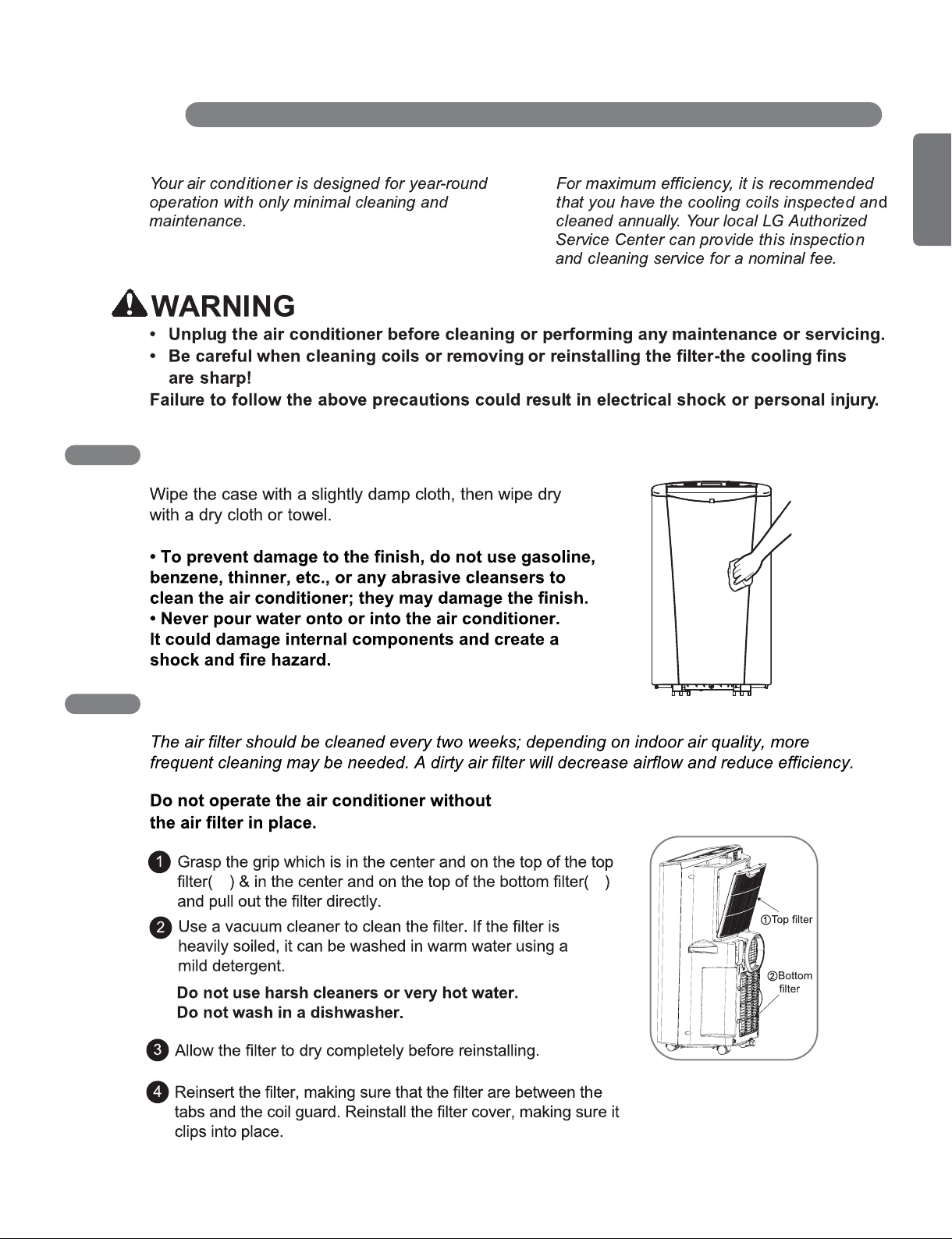
23
ENGLISH
CARE AND CLEANING
CLEANING THE CASE
CLEANING THE AIR FILTER
① ②
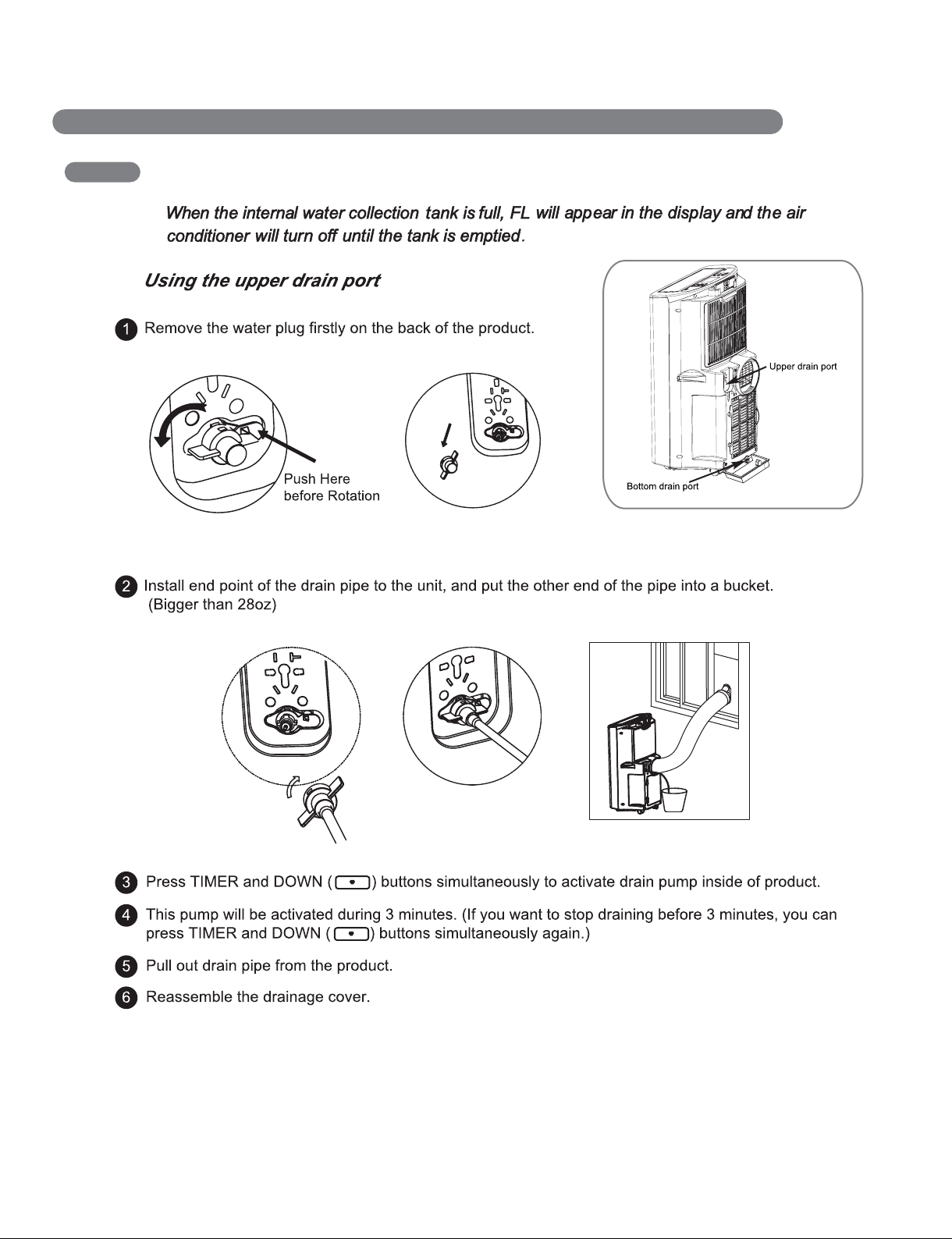
24
CARE AND CLEANING
EMPTYING THE WATER COLLECTION TANK
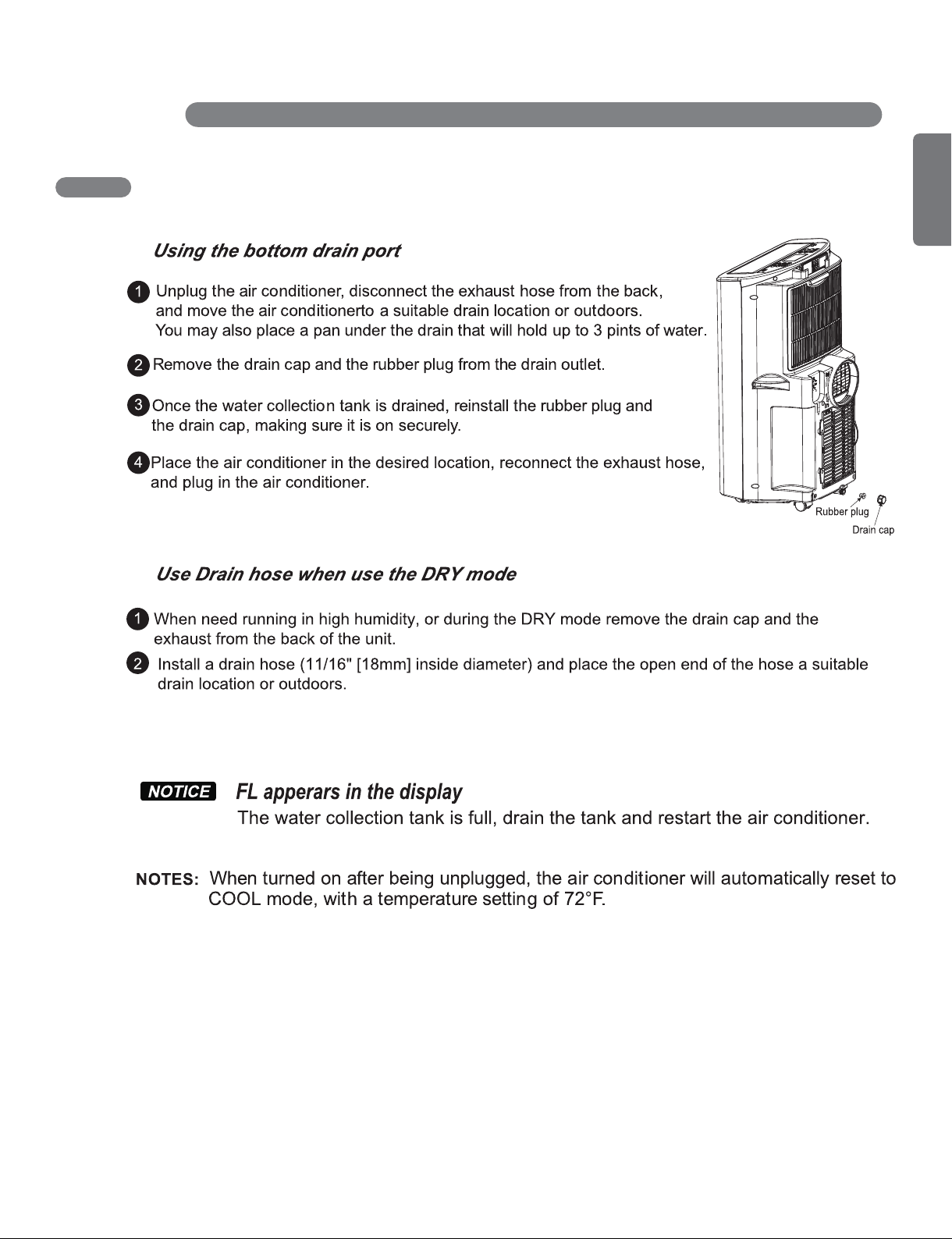
25
ENGLISH
CARE AND CLEANING
EMPTYING THE WATER COLLECTION TANK
26
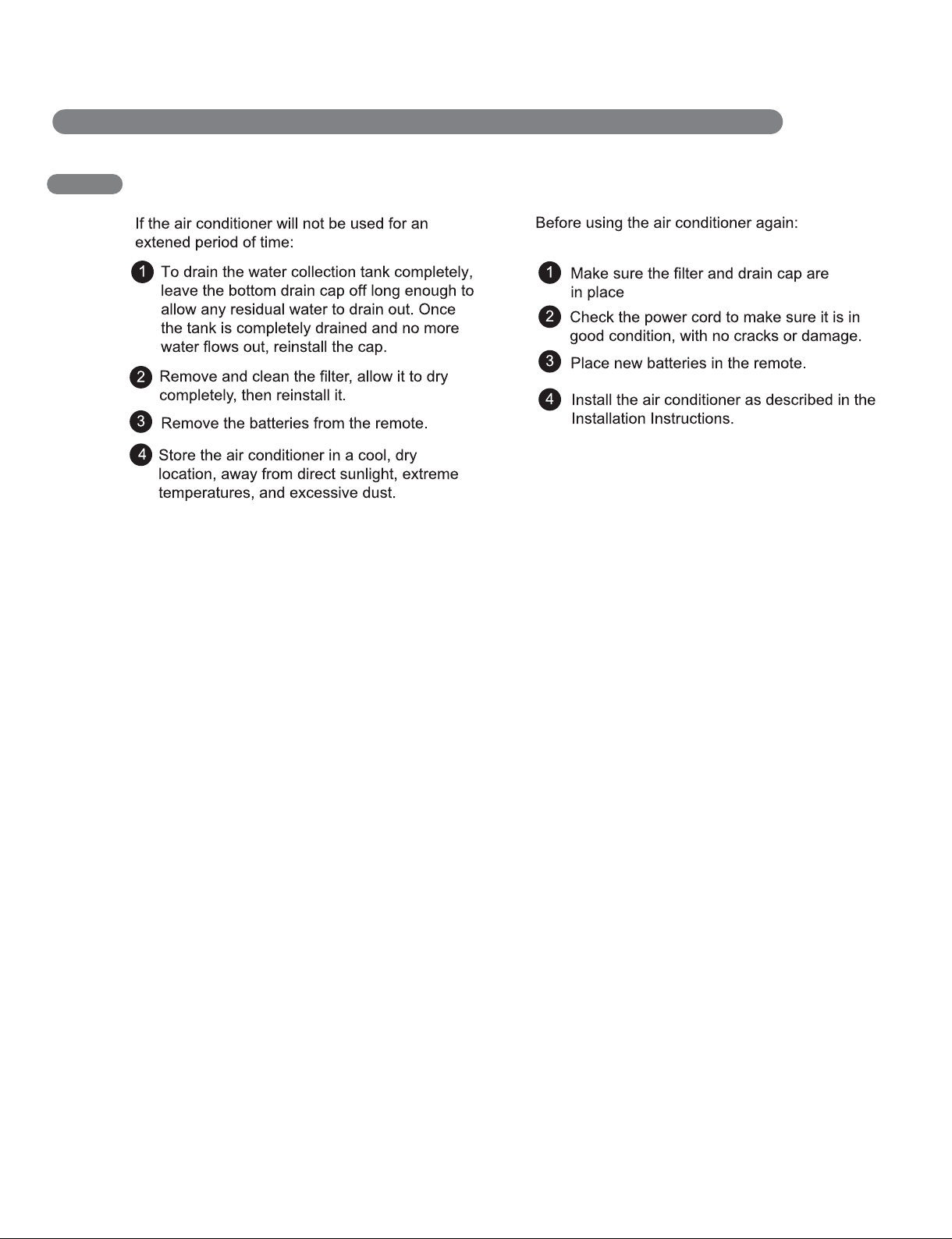
STORING THE AIR CONDITIONER
CARE AND CLEANING
27
ENGLISH
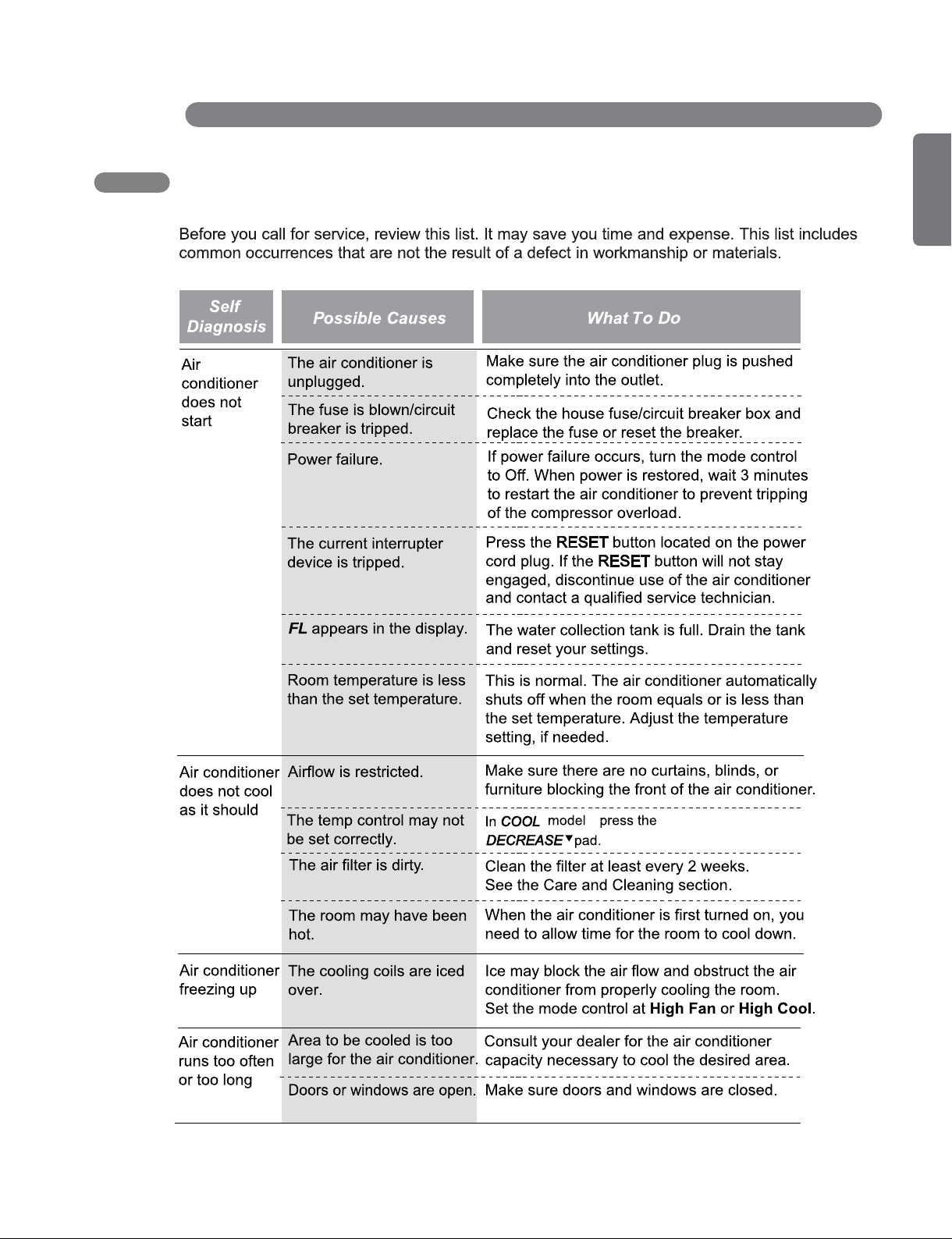
BEFORE CALLING FOR SERVICE
TROUBLESHOOTING
,
28
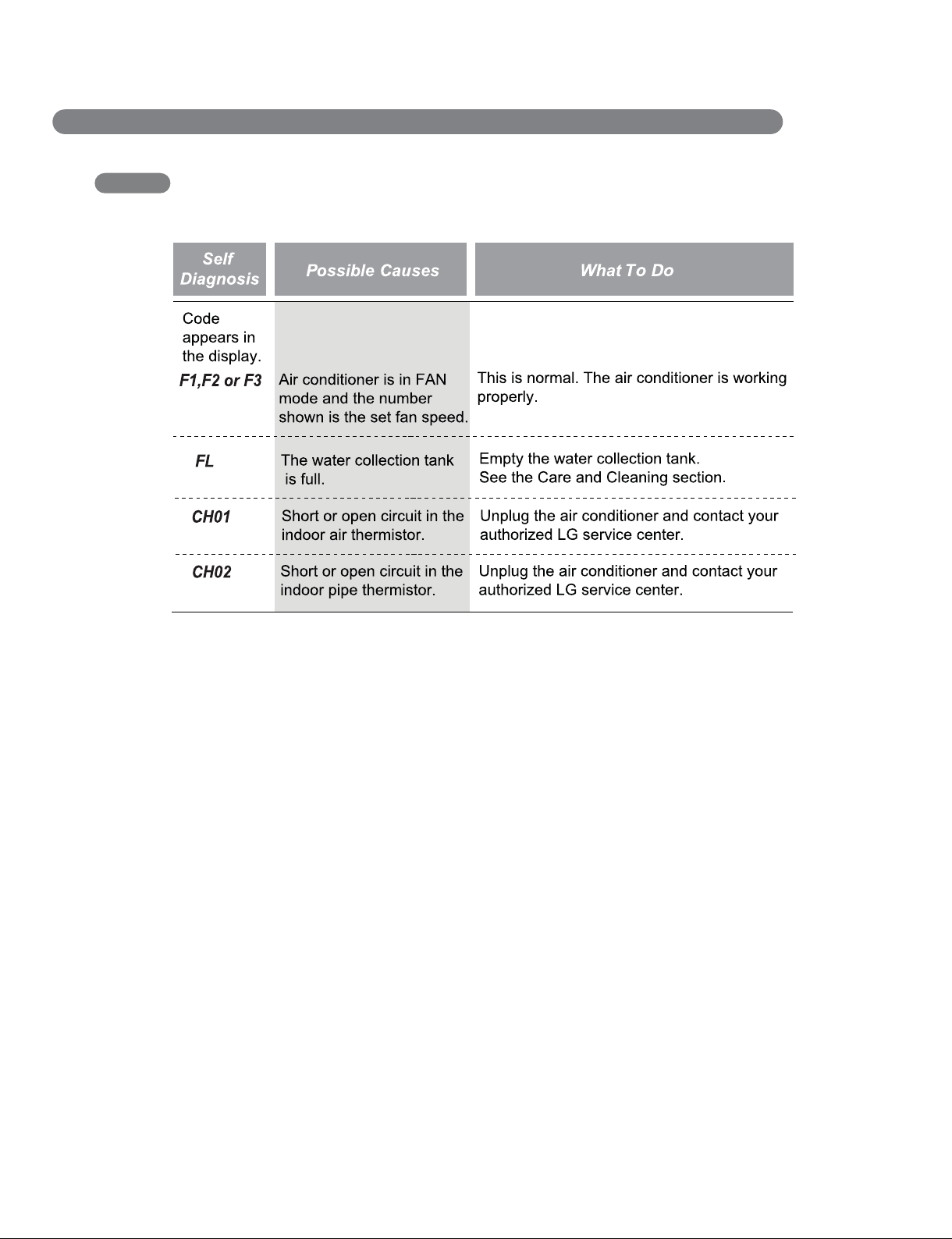
TROUBLESHOOTING
BEFORE CALLING FOR SERVICE
29
ENGLISH
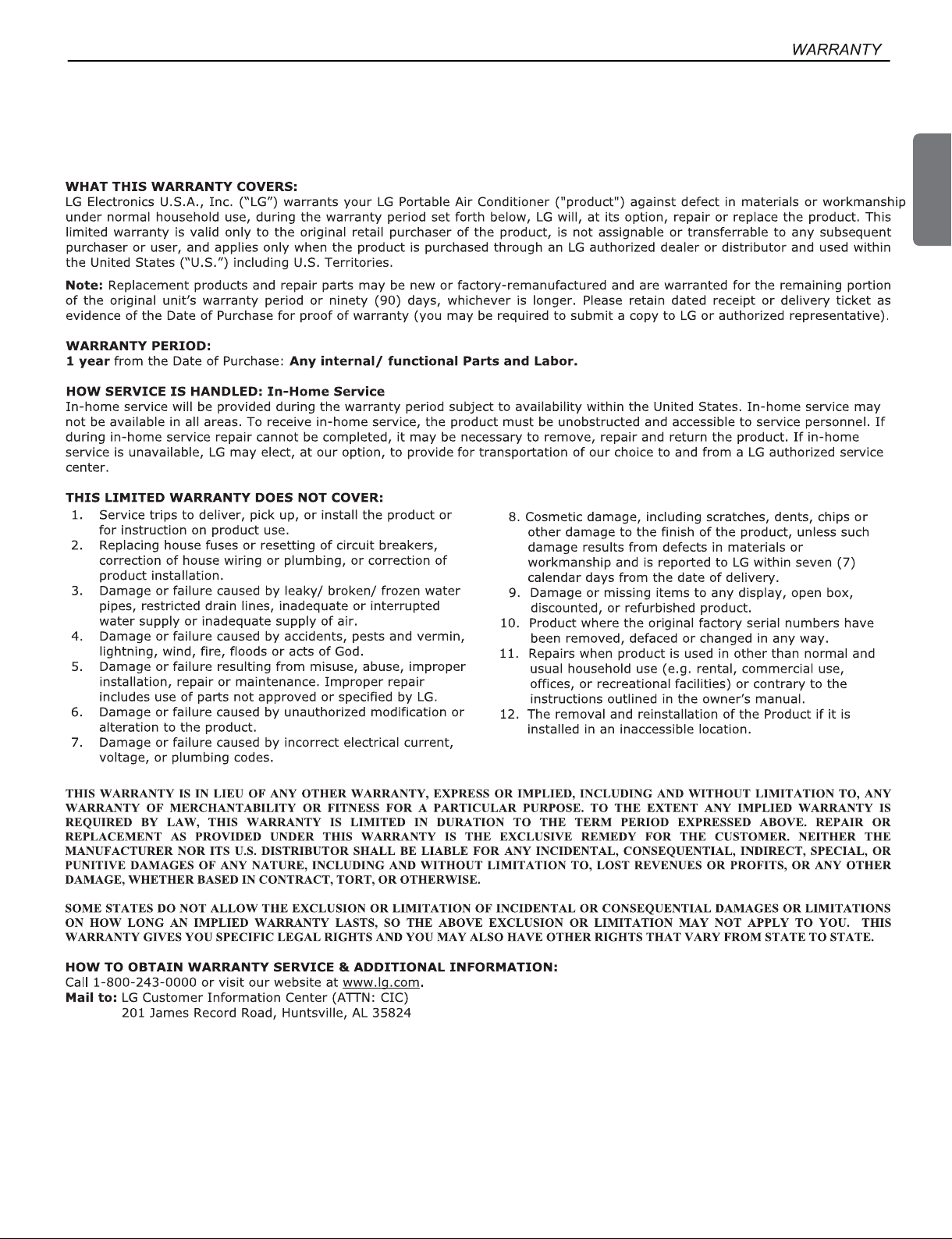
LG PORTABLE AIR CONDITIONER LIMITED WARRANTY - USA
1-800-243-0000
LG Customer Information Center
Register your product Online!
LG ELECTRONICS,INC.
1000 Sylvan Ave.,Englewood Cliffs,NJ 07632
www.lg.com