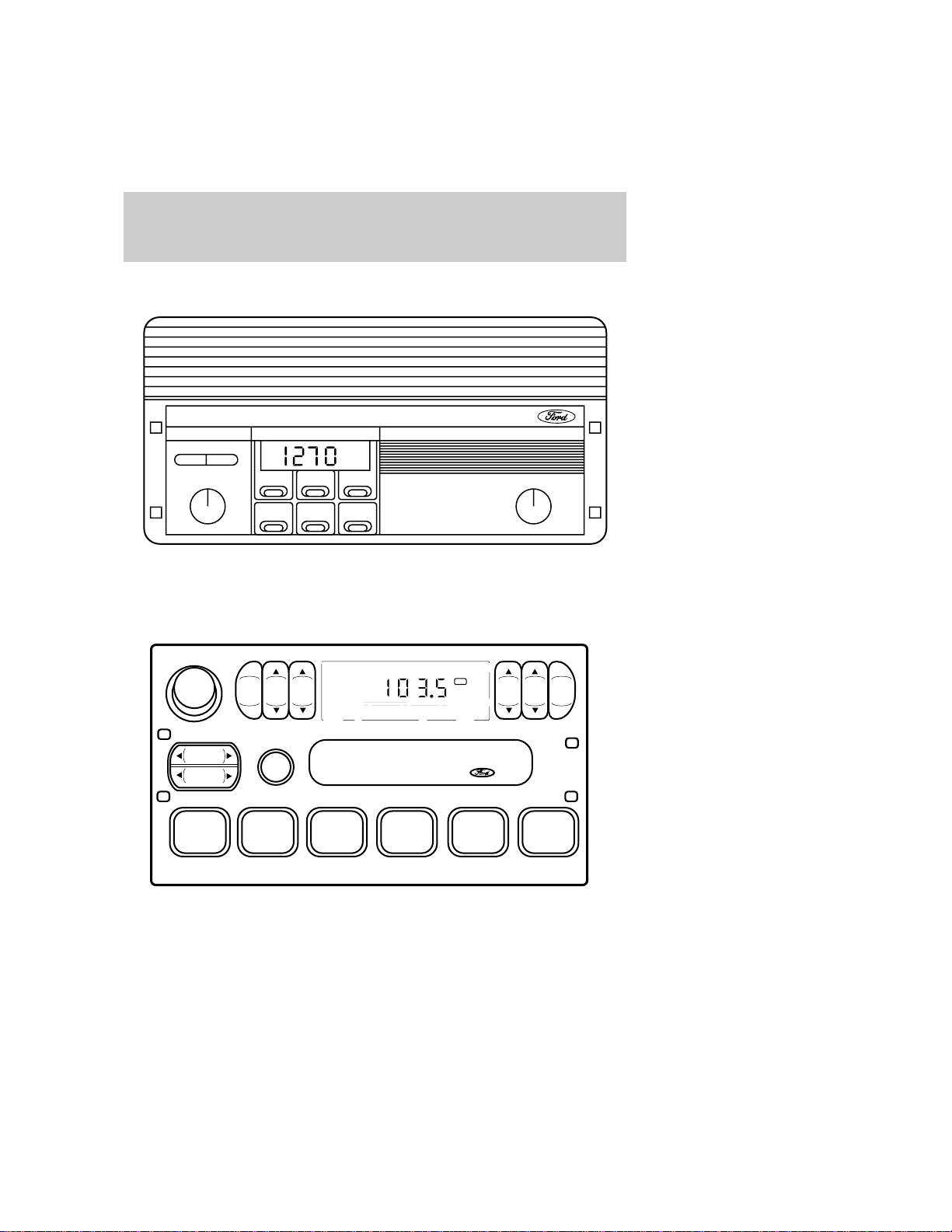
ELECTRONICAMRADIO(IF
EQUIPPED)
ELECTRONICSTEREORADIO
(IFEQUIPPED)
- TUNE +
ON VOL
TONE
123
45
6
FM 1
ST
VOL – PUSH ON
AM
FM
BAS STREB
BA LFAD E
CLK
SEEK
TUNE
SCAN
12 34 5 6
Audiosystems
2
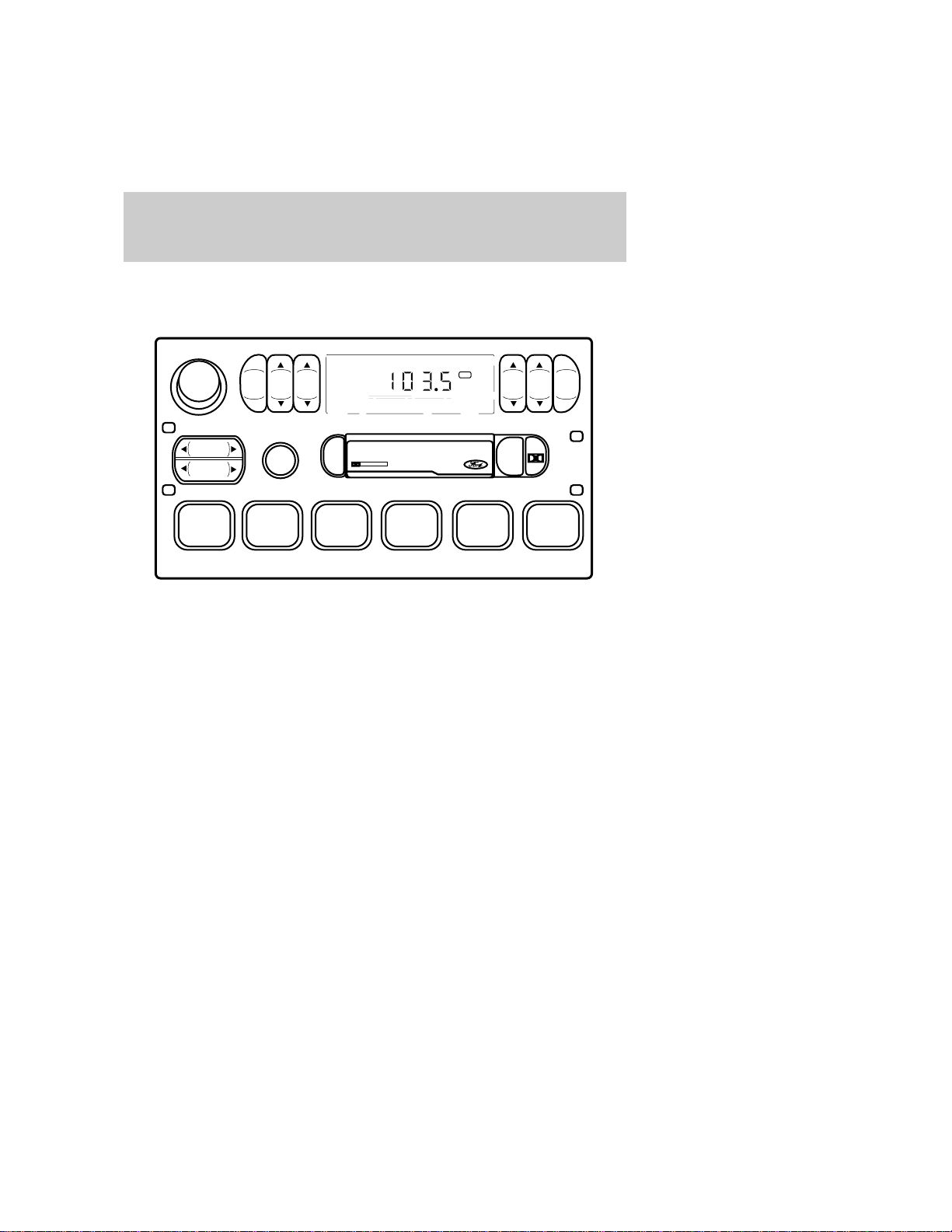
ELECTRONIC STEREO RADIO
WITH CASSETTE (IF
EQUIPPED)
REW
1
FF
2
SIDE 1-2
3
FM 1
ST
VOL – PUSH ON
AM
FM
BASSTREB
BAL FADE
CLK
SEEK
TUNE
SCAN
456
DOLBY SYSTEM
EJ
TAPE
Audio systems
3
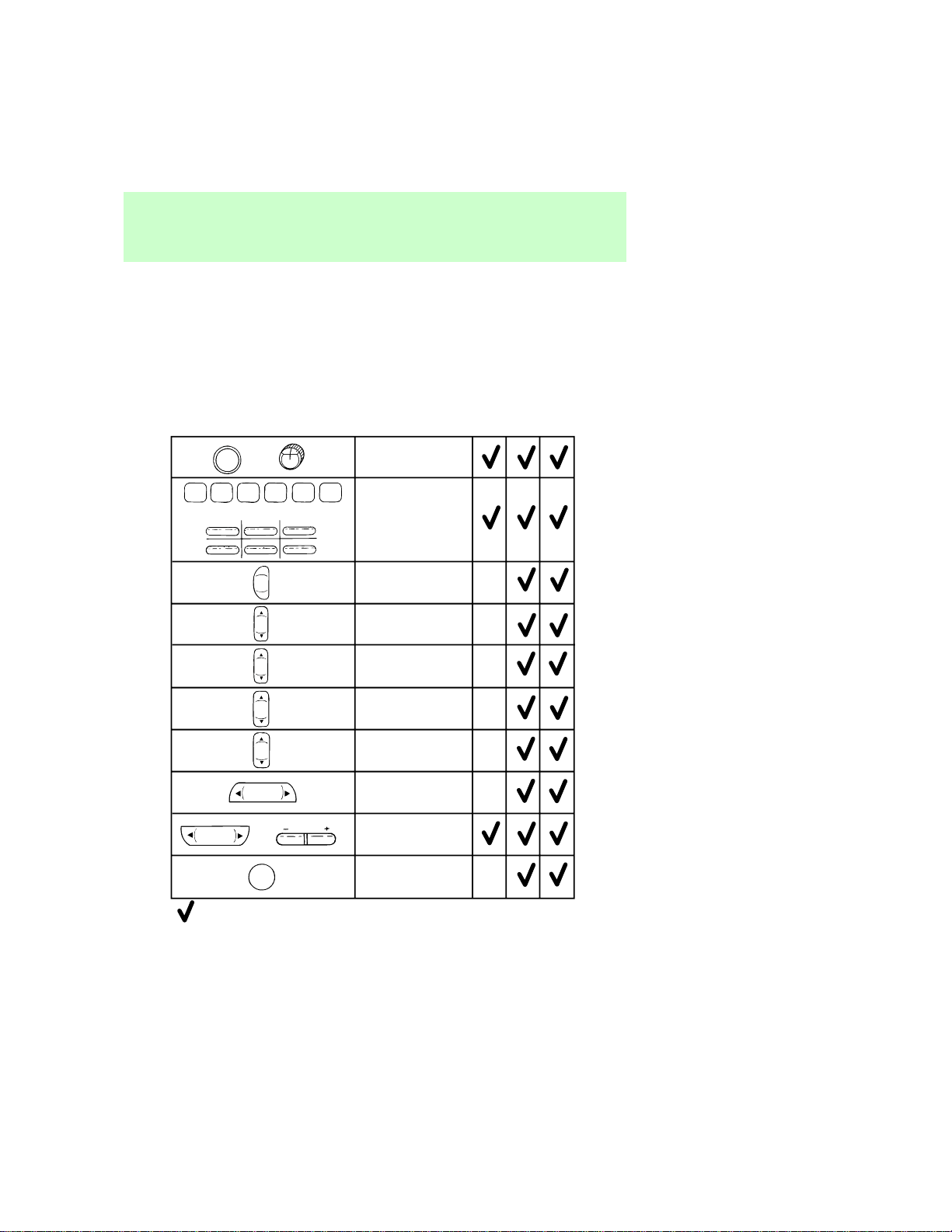
Volume/Power
Control
Radio Station
Memory Preset
Electronic
AM Radio
Electronic Search
Radio (ESR)
Electronic Search
Radio with
Casette (ESC)
Name
Audio System Feature
Audio System
= Feature included on audio system
AM/FM Select
Bass Adjust
Treble Adjust
Speaker
Balance Adjust
Speaker
Fade Adjust
Seek Function
Tune Adjust
Scan Function
VOL - PUSH ON
234561
AM
FM
BASS
TREB
BAL
FADE
SEEK
TUNE
SCAN
or
1
2
3
456
TUNE
or
ON VOL
PUSH CLOCK
or
Controlsandfeatures
4
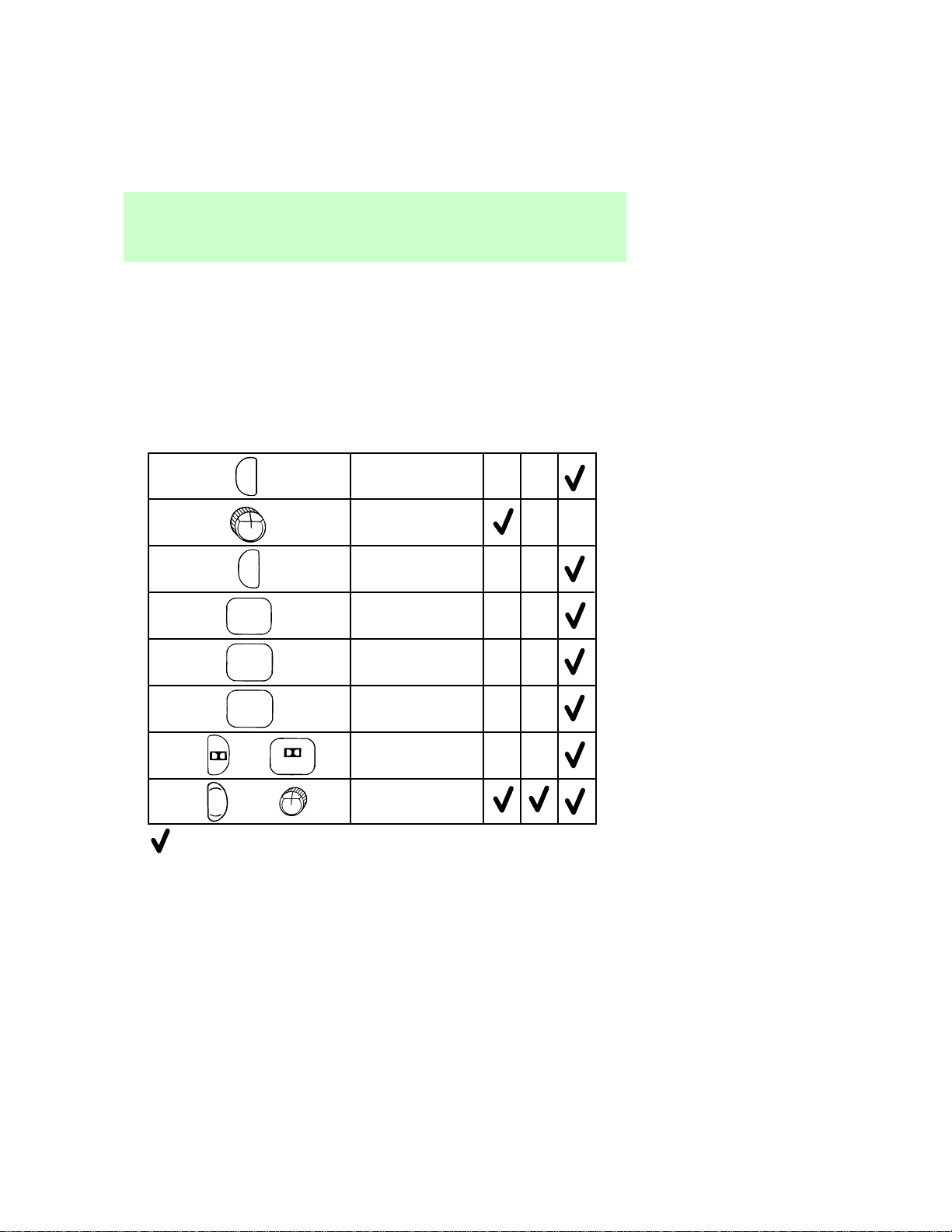
Tape Eject
Tone Adjust
Electronic
AM Radio
Electronic Search
Radio (ESR)
Electronic Search
Radio with
Casette (ESC)
Name
Audio System Feature
Audio System
= Feature included on audio system
Tape Play Select
Rewind Function
Fast Forward
Function
Tape Direction
Select
Dolby® Noise
Reduction
Clock
TAPE
REW
1
4
SIDE 1-2
3
or
TONE
CLK
EJ
FF
2
ON VOL
PUSH CLOCK
or
Controlsandfeatures
5
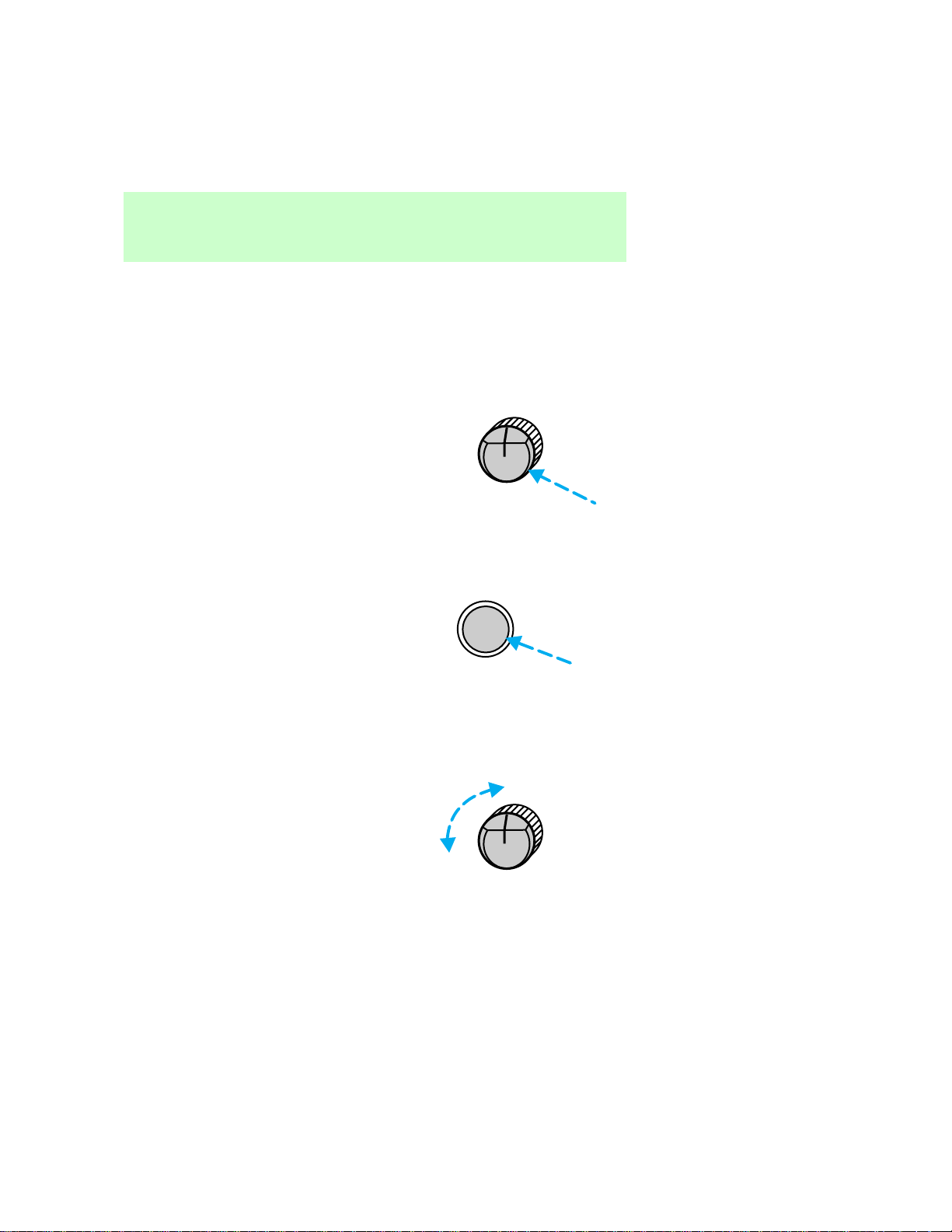
USINGRADIOCONTROLS
Volume/powercontrol
Pressthecontroltoturntheaudio
systemonoroff.
•AMradio
•AM/FMorAM/FMcassetteradio
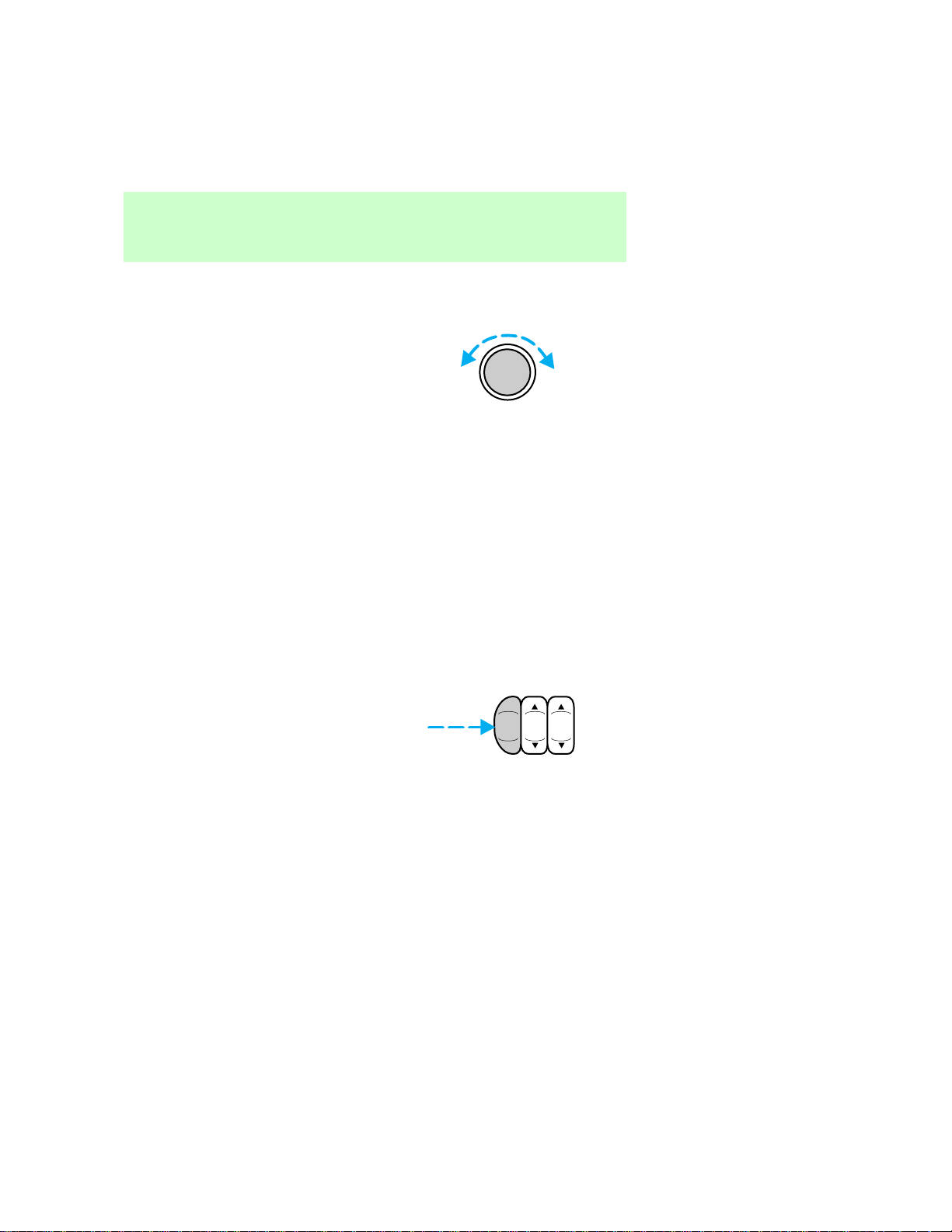
Turncontroltoraiseorlower
volume.
•AMradio
PUSH CLOCK
VOLON
VOL – PUSH ON
PUSH CLOCK
VOLON
Controlsandfeatures
6
•AM/FMorAM/FMcassetteradio
Ifthevolumeissetaboveacertain
levelandtheignitionisturnedoff,
thevolumewillcomebackonata
“nominal”listeninglevelwhenthe
ignitionisturnedbackon.Ifyou
wishtomaintainyourpreset
volumelevel,turntheaudio
systemoffwiththepowercontrol
beforeswitchingofftheignition.
AM/FMselect
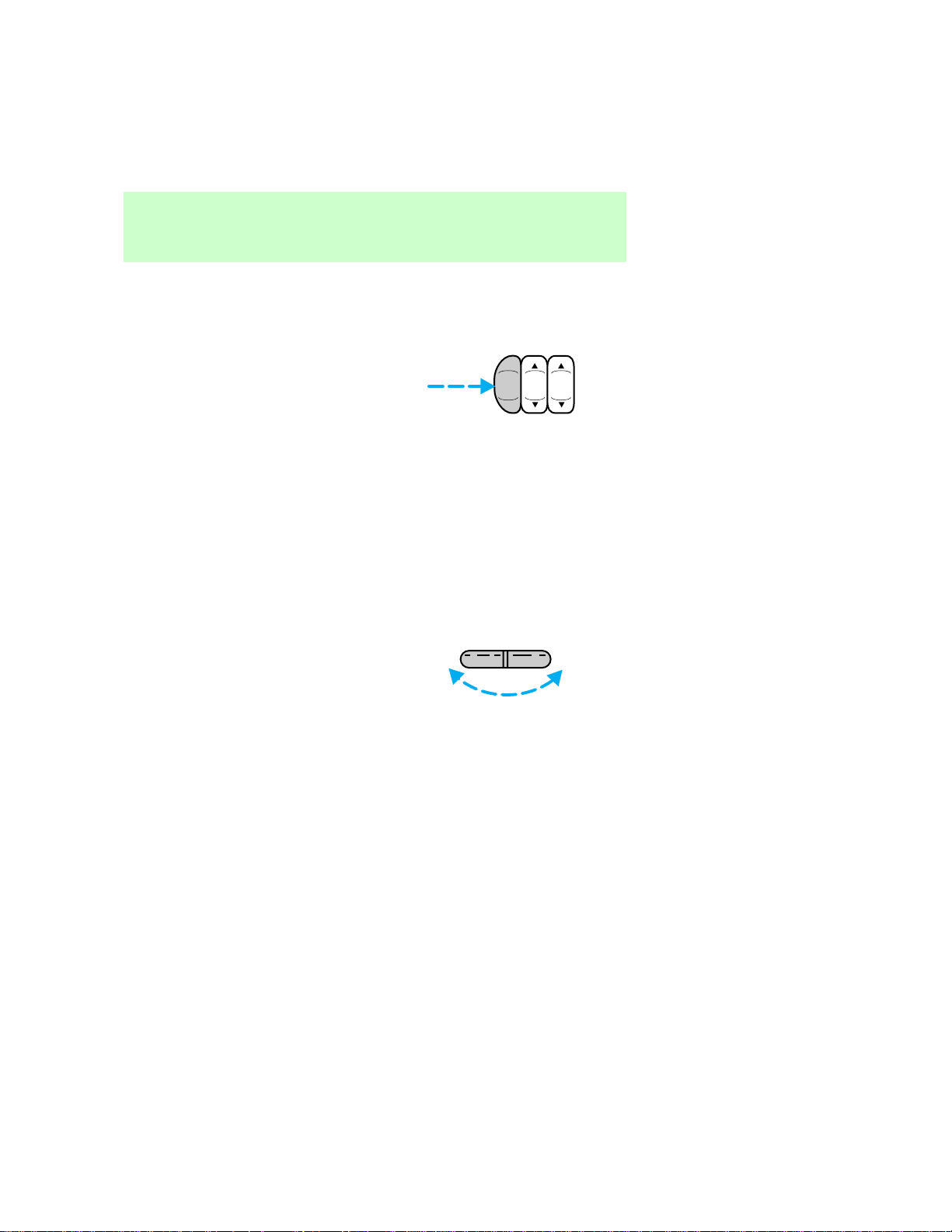
TheAM/FMselectcontrolworksin
radioandtapemodes(if
equipped).
VOL – PUSH ON
AM
FM
BAS STREB
Controlsandfeatures
7
AM/FM select in radio mode
Thiscontrolallowsyoutoselect
AMorFMfrequencybands.Press
thecontroltoswitchbetweenAM,
FM1orFM2memorypreset
stations.
AM/FM select in tape mode
Pressthiscontroltostoptapeplay
andbeginradioplay.
Tuneadjust
AMradio:
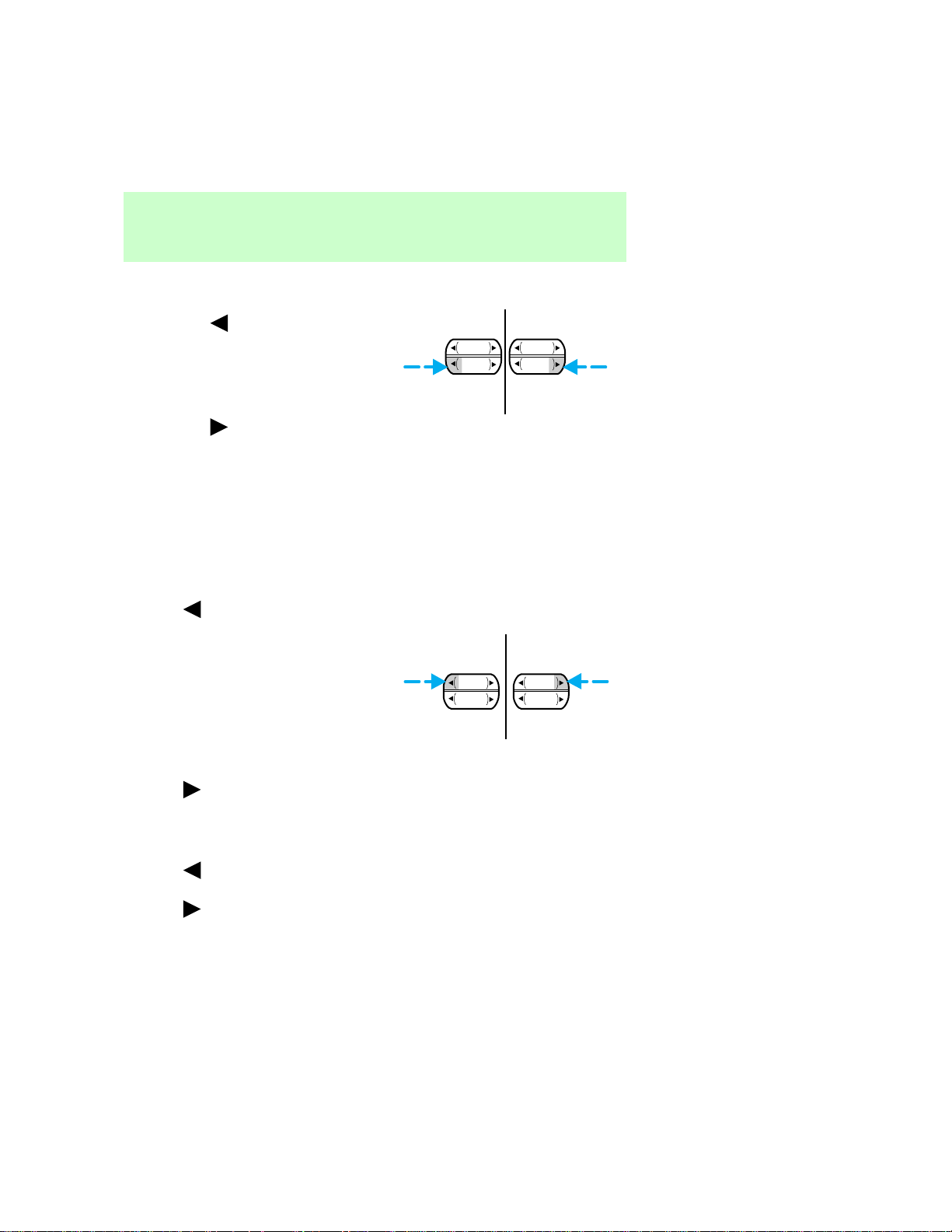
•Presstheleftsideofthecontrol
tomovetothenextfrequency
downtheband(whetherornot
alistenablestationislocated
there).Holdthecontroltomove
throughthefrequenciesquickly.
•Presstherightsideofthe
controltomovetothenext
frequencyuptheband(whether
ornotalistenablestationis
locatedthere).Holdforquick
movement.
AM
FM
BASSTREB
TUNE
+
—
Controlsandfeatures
8
AM/FMorAM/FMcassette
radio:
•Pressthe tomovetothe
nextfrequencydowntheband
(whetherornotalistenable
stationislocatedthere).Hold
thecontroltomovethroughthe
frequenciesquickly.
•Pressthe
tomovetothe
nextfrequencyuptheband
(whetherornotalistenable
stationislocatedthere).Hold
forquickmovement.
Seekfunction
Theseekfunctioncontrolworksin
radioandtapemode(ifequipped).
Seek function in radio mode
•Press tofindthenext
listenablestationdownthe
frequencyband.
•Press
tofindthenext
listenablestationupthe
frequencyband.
Seek function in tape mode
•Press tolistentothe
previousselectiononthetape.
•Press
tolistentothenext
selectiononthetape.
SEEK
TUNE TUNE
SEEK
SEEK
TUNE TUNE
SEEK
Controlsandfeatures
9

Scanfunction
Thescanfunctionworksinradio
andtapemode(ifequipped).
Scan function in radio mode
PresstheSCANcontroltoheara
briefsamplingofalllistenable
stationsonthefrequencyband.
Pressthecontrolagaintostopthe
scanmode.
Scan function in tape mode
PresstheSCANcontroltoheara
shortsamplingofallselectionson
thetape.(Thetapescansina
forwarddirection.Attheendof
thetape’sfirstside,direction
automaticallyreversestothe
oppositesideofthetape.)Tostop
onaparticularselection,pressthe
controlagain.
Radiostationmemorypreset
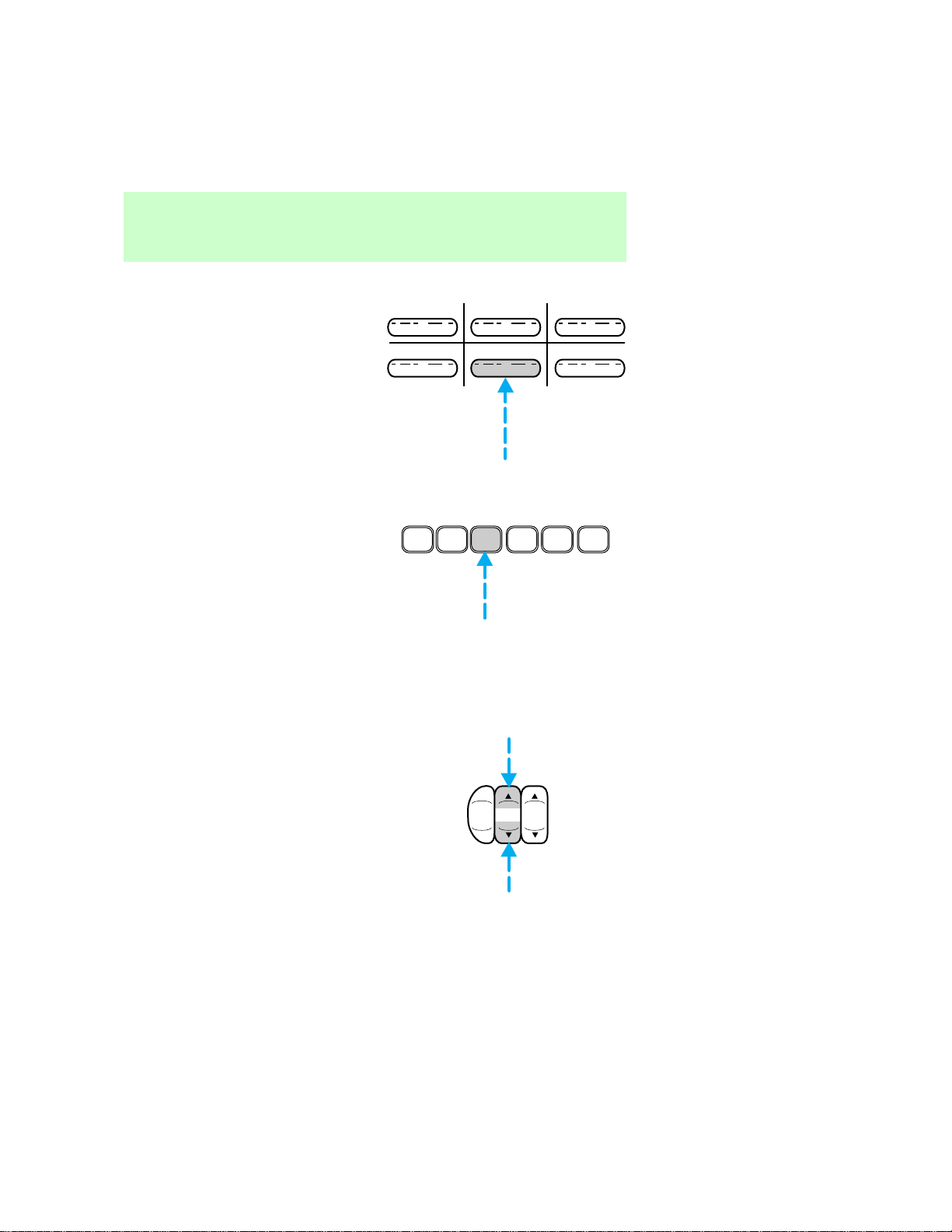
Theradioisequippedwithsix
stationmemorypresetcontrols.
AMradio:
Thesecontrolscanbeusedto
selectuptosixpresetAMstations.
AM/FMorAM/FMcassette
radio:
Thesecontrolscanbeusedto
selectuptosixpresetAMstations
andtwelveFMstations(sixinFM1
andsixinFM2).
SCAN
SEEK
TUNE
Controlsandfeatures
10
Setting memory preset stations
AMRadio:
1.Selectastation.RefertoTune
adjustformoreinformationon
selectingastation.
2.Pressandholdamemorypreset
controluntilthesoundreturns,
indicatingthestationisheldin
memoryonthecontrolyou
selected.
AM/FMorAM/FMcassette
radio:
1.Selectthefrequencybandwith
theAM/FMselectcontrol.
2.Selectastation.RefertoTune
adjustorSeekfunctionformore
informationonselectingastation.
3.Pressandholdamemorypreset
controluntilthesoundreturns,
indicatingthestationisheldin
memoryonthecontrolyou
selected.
Bassadjust
Thebassadjustcontrolallowsyou
toincreaseordecreasetheaudio
system’sbassoutput.
1 2 3
4 5 6
1
2
3 4
5
6
AM
FM
BASSTREB
Controlsandfeatures
11
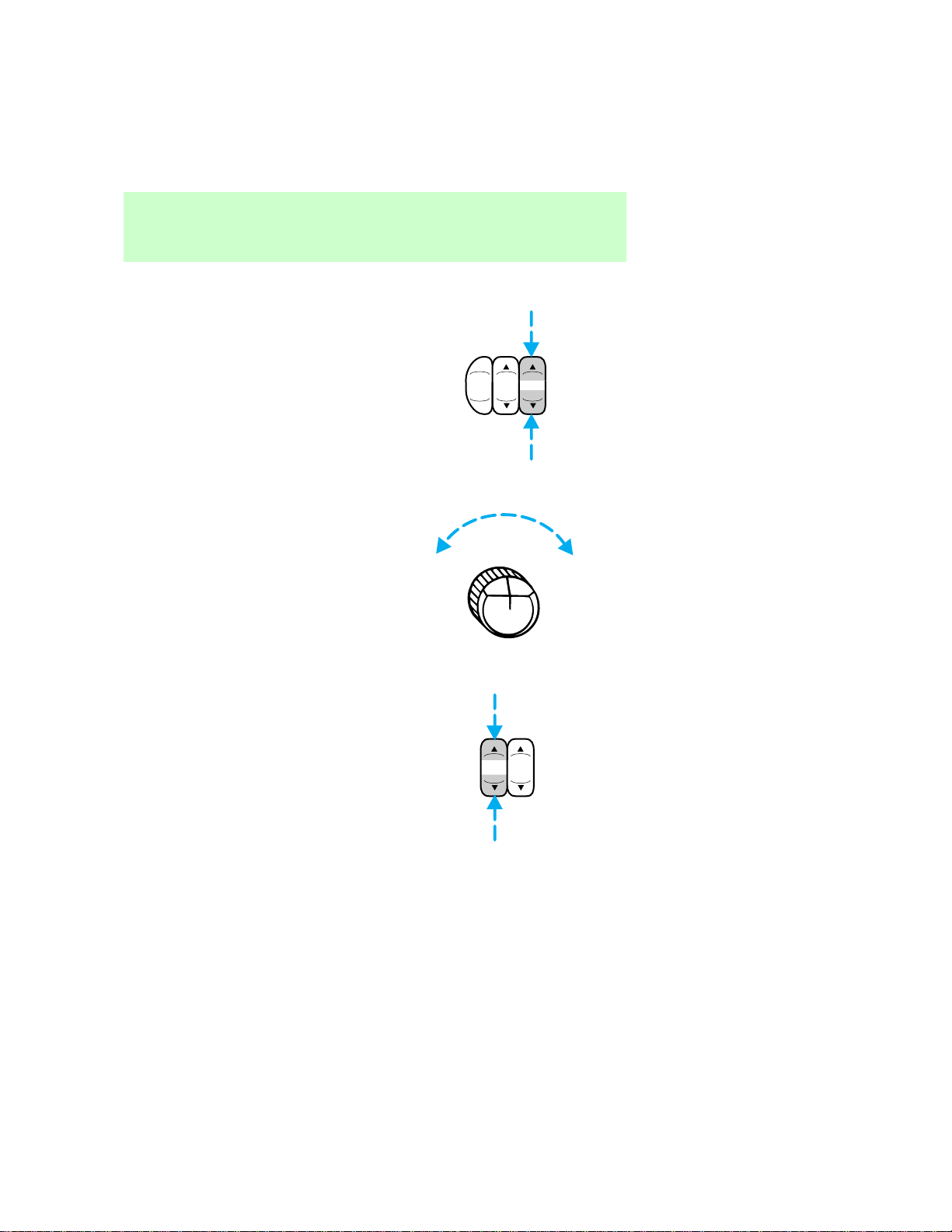
Trebleadjust
Thetrebleadjustcontrolallows
youtoincreaseordecreasethe
audiosystem’strebleoutput.
Toneadjust
Thetonecontroladjuststhebass
andtreblebalance.Rotatethe
controlclockwisetoincreasethe
trebleresponseand
counterclockwisetoincreasethe
bassresponse.
Speakerbalanceadjust
Speakersounddistributioncanbe
adjustedbetweentherightandleft
speakers.
AM
FM
BASSTREB
TONE
BALFADE
Controlsandfeatures
12
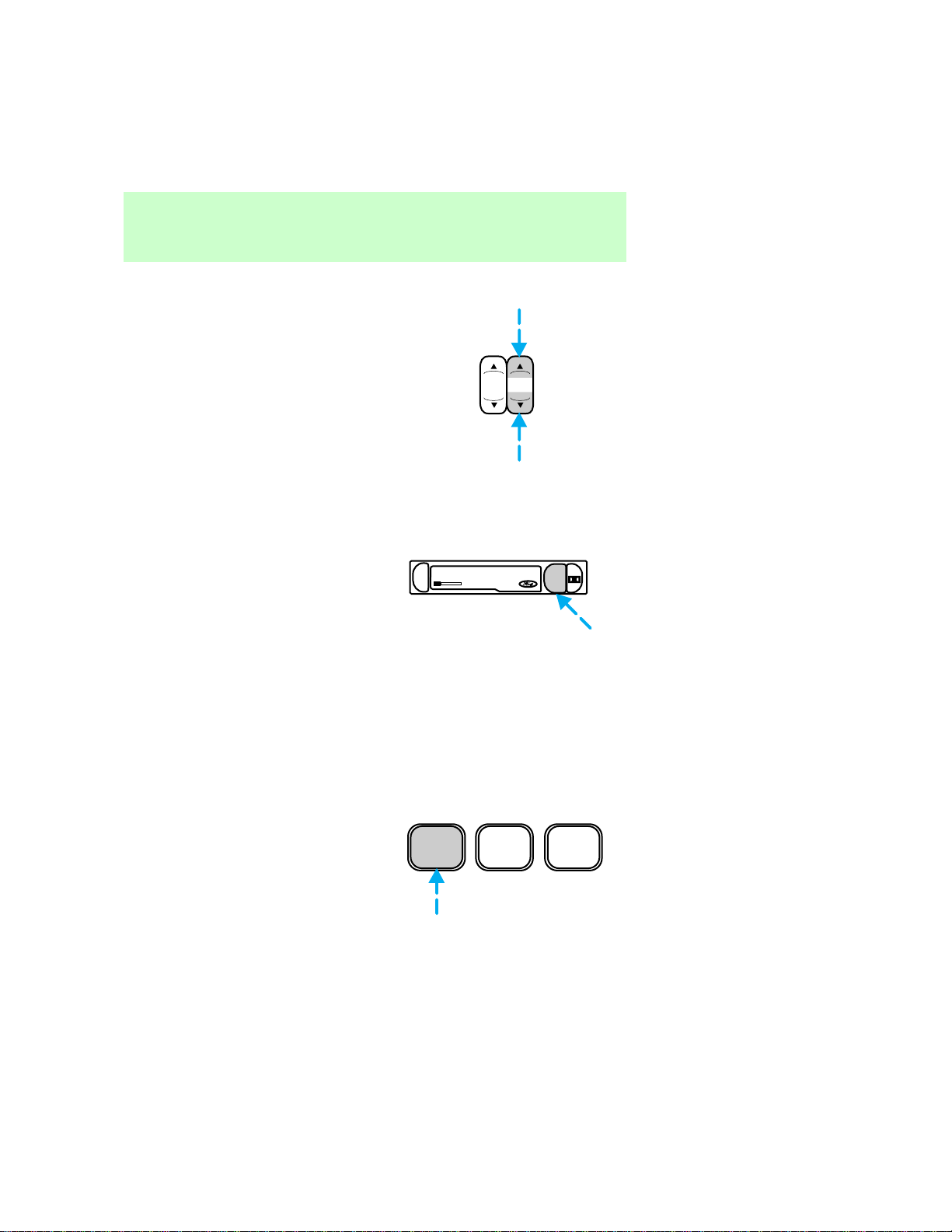
Speakerfadeadjust
Speakersounddistributioncanbe
adjustedbetweenthefrontand
rearspeakers.
Tapeplayselect
PresstheTAPEcontroltobegin
tapeplay(withatapeloadedin
theaudiosystemwhileinradio
mode).
Pressingthecontrolduring
rewindingandfast-forwarding
stopstherewindorfast-forward
function.
Rewind
Therewindcontrol(REW)works
intapemodes(ifequipped).
Rewind function in tape mode
AfterpressingREW,theradio
playsuntilrewindisstopped(with
thetapecontrol)orthebeginning
ofthetapeisreached.
BALFADE
DOLBY SYSTEM
EJ
TAPE
REW
1
FF
2
SIDE 1-2
3
Controlsandfeatures
13
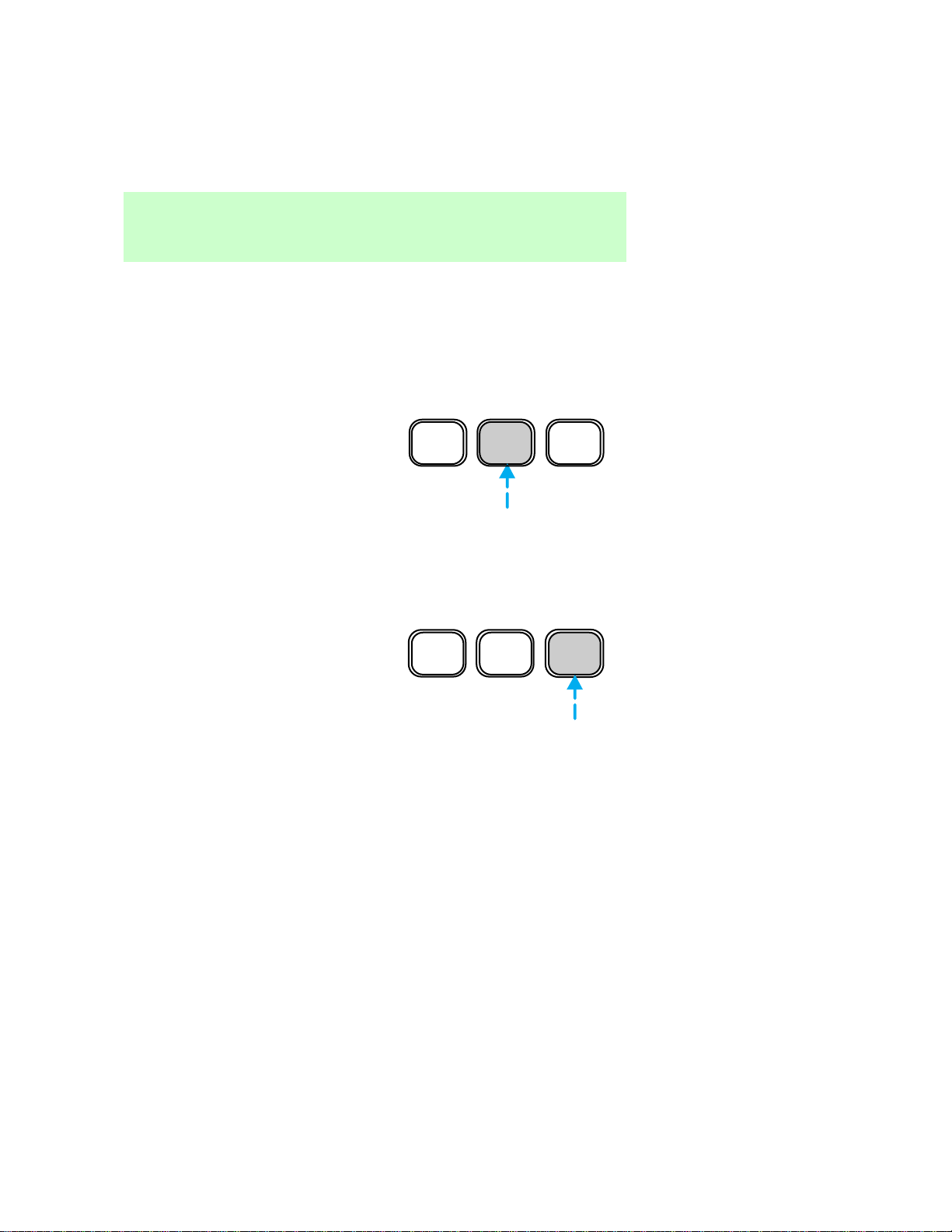
Fastforward
Thefastforwardcontrol(FF)
worksintapemode(ifequipped).
Fast forward function in tape
mode
AfterpressingFF,theradioplays
untilthefastforwardfunctionis
stopped(withthetapeplayselect
controlorthefastforwardcontrol)
ortheendofthetapeisreached.
Attheendofthefirstsideofthe
tape,directionautomatically
reversesandtheoppositesideof
thetapeplays.
Tapedirectionselect
PressSIDE1–2toplaythe
alternatesideofatape.
REW
1
FF
2
SIDE 1-2
3
REW
1
FF
2
SIDE 1-2
3
Controlsandfeatures
14
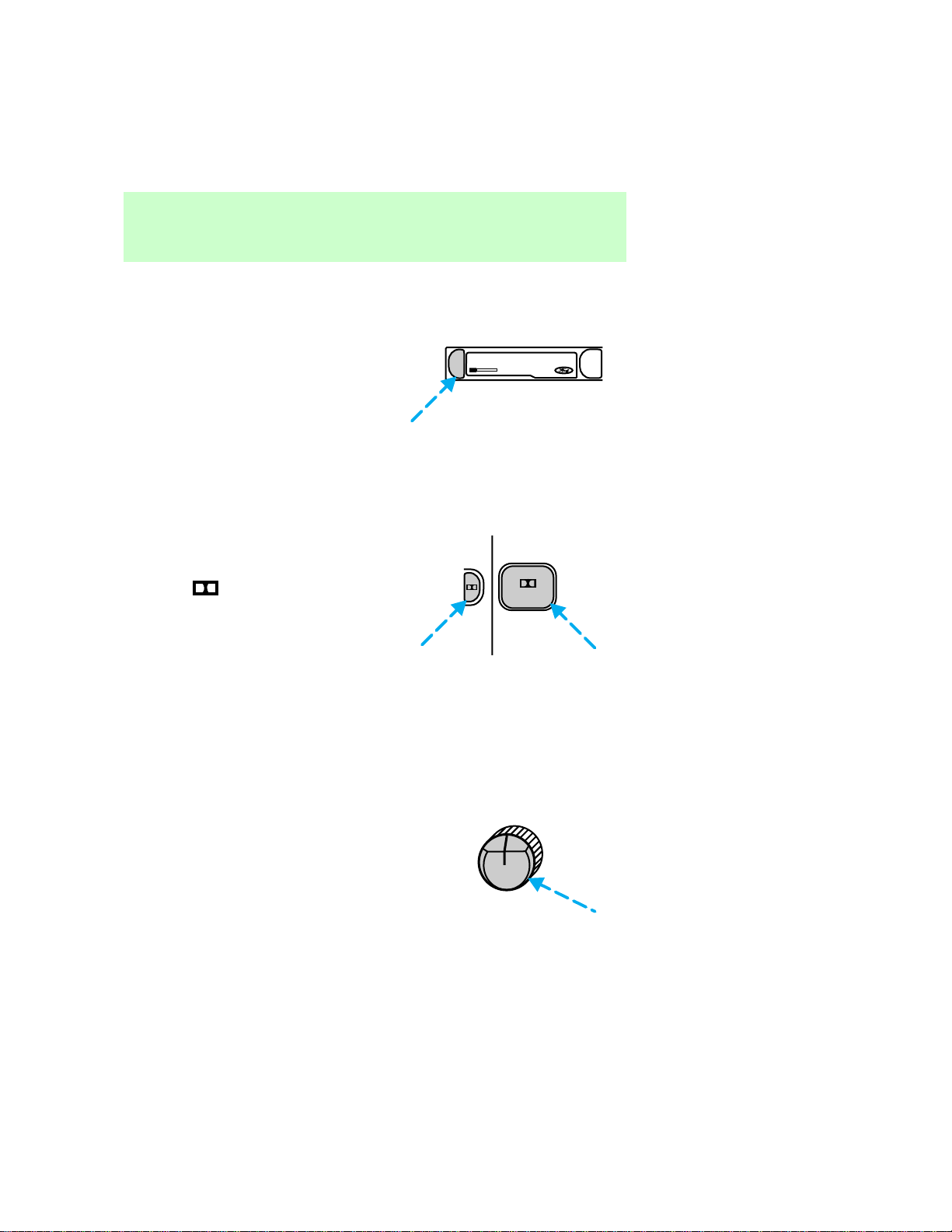
Tapeeject
PressEJtostopandejecta
cassettetape.
DolbyTnoisereduction
Dolbytnoisereductionoperates
onlyintapemode.Dolbytreduces
theamountofhissandstatic
duringtapeplayback.
Pressthe
buttontoactivate
(anddeactivate)Dolbytnoise
reduction.
Thenoisereductionsystemis
manufacturedunderlicensefrom
DolbyLaboratoriesLicensing
Corporation.
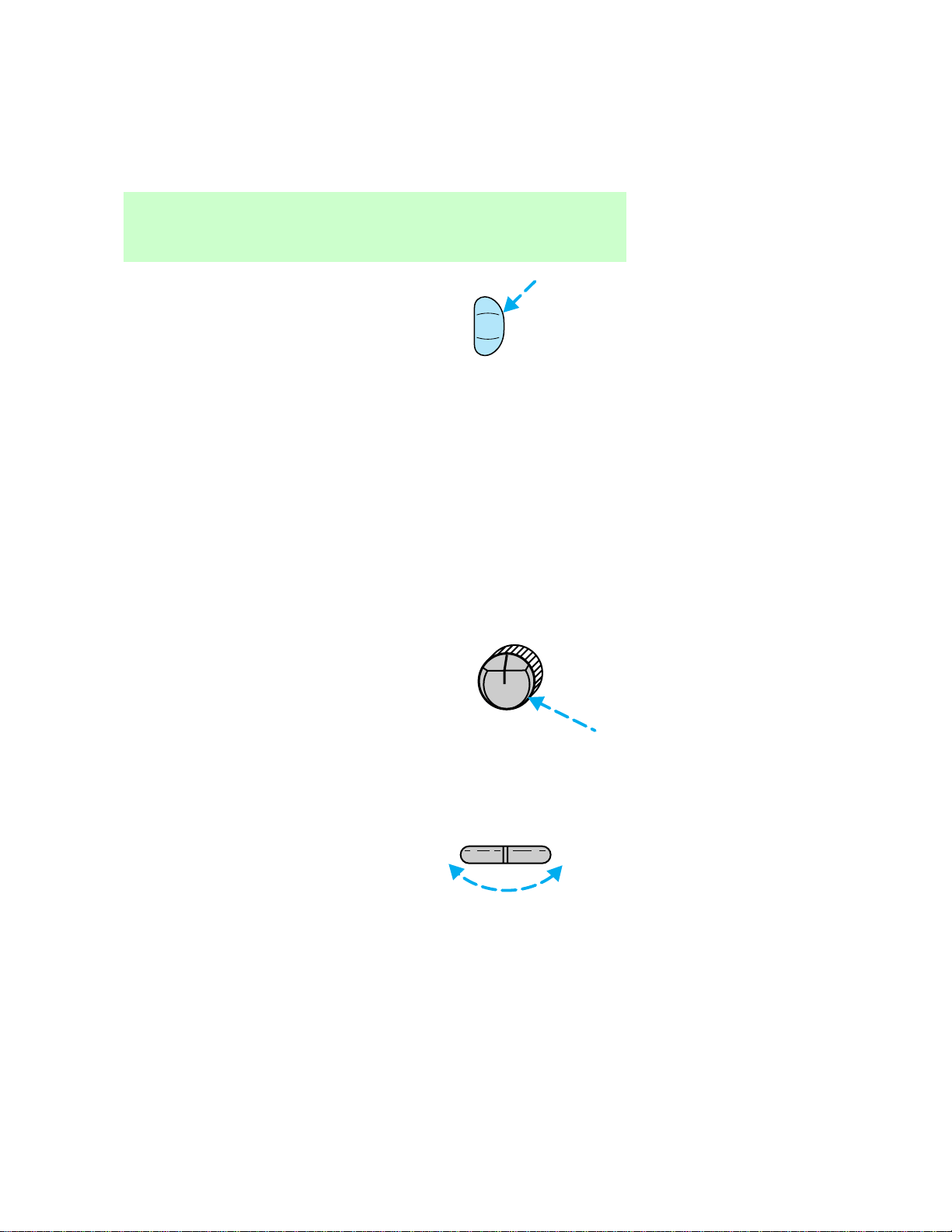
Clock
Pressthecontroltodisplaythe
timeontheaudiosystemdisplay.
•AMradio
DOLBY SYSTEM
EJ
TAPE
4
PUSH CLOCK
VOLON
Controlsandfeatures
15
•AM/FMorAM/FMcassetteradio
Timeisdisplayed:
•untilanaudiofunctioncontrolis
pressed.
•approximatelytensecondsafter
eachaudiosystemchange.
•whentheaudiosystemisoff
andtheignitionisON.
Toremovetheclockdisplay,press
thecontrolagain.
Setting the clock
AMradio:
Holdthecontrolandpress:
•theleftsideofTUNEcontrolto
increasehour.
•therightsideofTUNEcontrol
toincreaseminutes.
CLK
PUSH CLOCK
VOLON
TUNE
+
—
Controlsandfeatures
16

AM/FMorAM/FMcassette
radio:
Tosetthehour,holdtheCLK
controlandpress:
toincreasehourand
todecreasehours.
Tosettheminute,holdtheCLK
controlandpress:
toincreaseminutesand
todecreaseminutes.
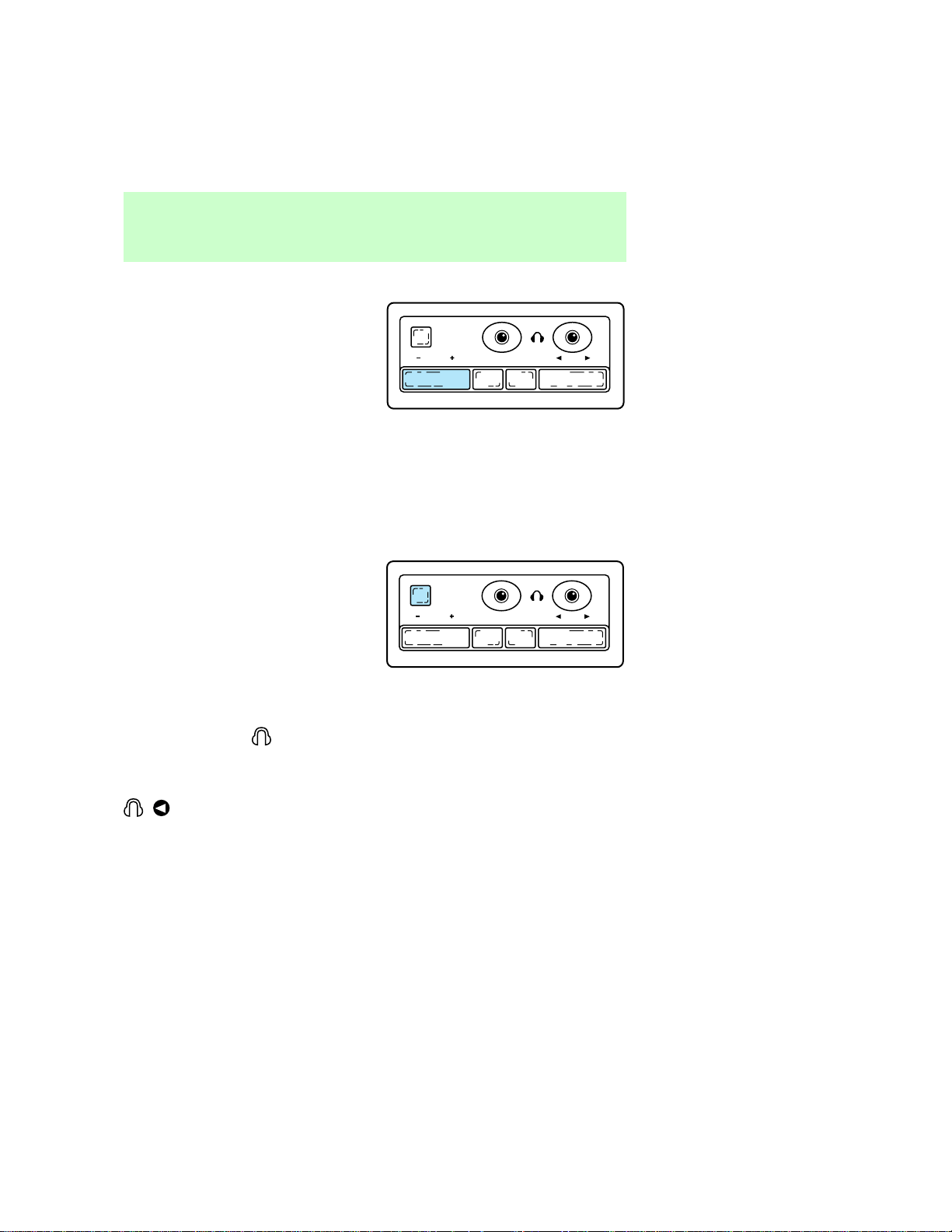
REARSEATCONTROLS(IF
EQUIPPED)
Therearseatcontrolsallowthe
rearseatpassengerstooperatethe
radioanduseheadphones.
Toturnontherearseatcontrols,
pressthememorypresetcontrols
1and3atthesametime.The
willappearinthedisplay.
Pressing1and3atthesametime
againwillturntherearseat
controlsoff.
SEEK
TUNE
CLK
SEEK
TUNE
CLK
SPEAKERS
ON/OFF
VOLUME BAND MEMORY SEEK
1 2 3 5 64
Controlsandfeatures
17
Adjustingvolume
Pressthe+controltoincrease
volume.
Pressthe—controltodecrease
volume.
Fromtherearseatcontrols,
volumecontrolcanbesetno
higherthanthecurrentradio
settingunlessthespeakersare
turnedoff.RefertoTurning
speakersonandoff.
Turningthespeakersonandoff
Presstoturnthespeakersonor
off.
Usingheadphones
Pluga3.5mmheadphone(not
included)intothe
jackto
operateheadphoneswithspeakers
turnedoff.
Plugheadphonejackintothe
jacktooperate
headphoneswiththespeakers
turnedon.
SPEAKERS
ON/OFF
VOLUME BAND MEMORY SEEK
SPEAKERS
ON/OFF
VOLUME BAND MEMORY SEEK
Controlsandfeatures
18
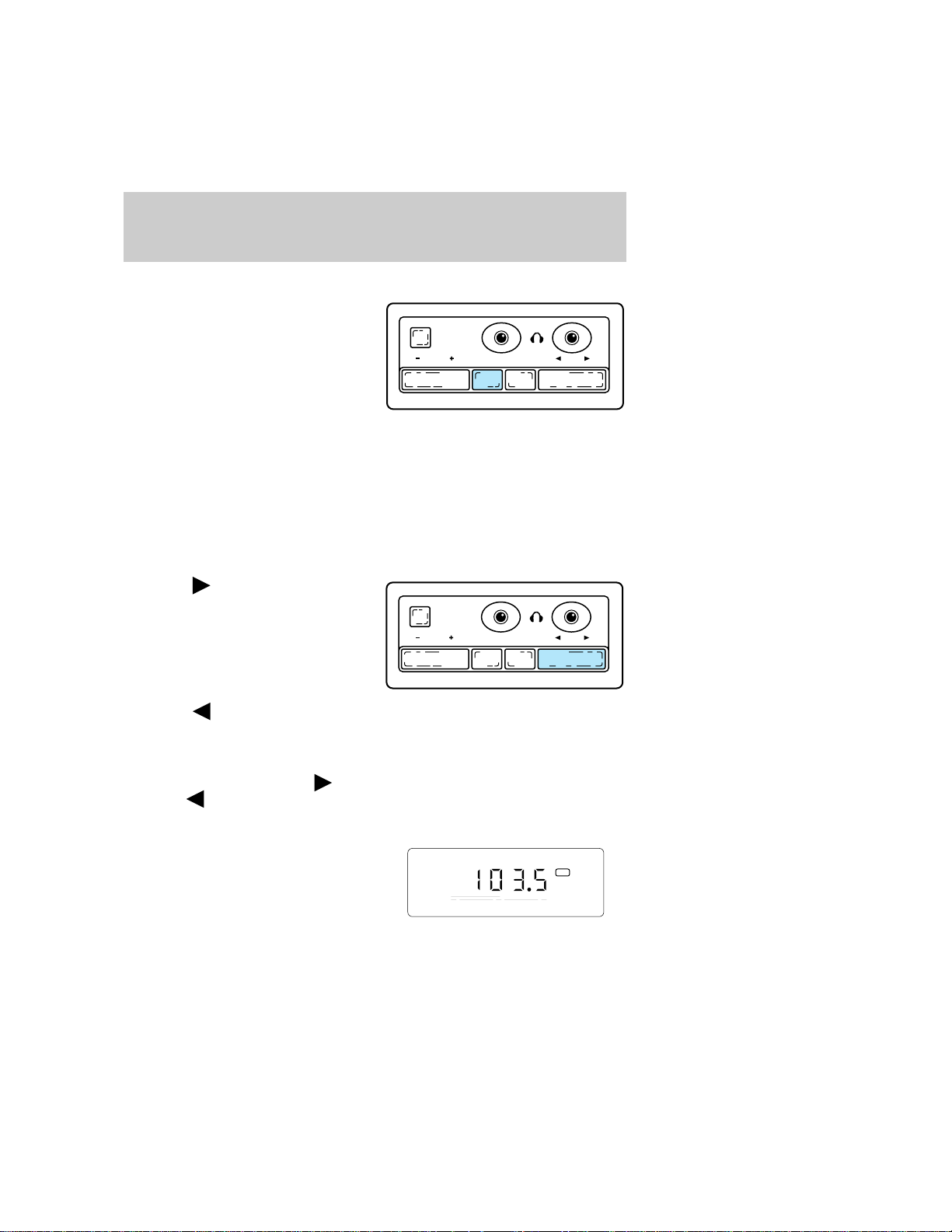
AMorFMselect
PushtheBANDcontroltochange
thefrequencybandbetweenAM,
FM1andFM2.
Memorypresetbutton
PushtheMEMORYcontrolto
accessthestationyouhaveset
intomemorypreset1.
PushtheMEMORYcontrol
successivelytoaccessstations1–6.
Seekfunction
Pressthe
sideoftheSEEK
controltoseekthenexthighest
radiostation.
Pressthe
sideoftheSEEK
controlthenextlowerradio
station.
Intapemode,usetheSEEK
functiontoaccessthenext
or
previous
selection.
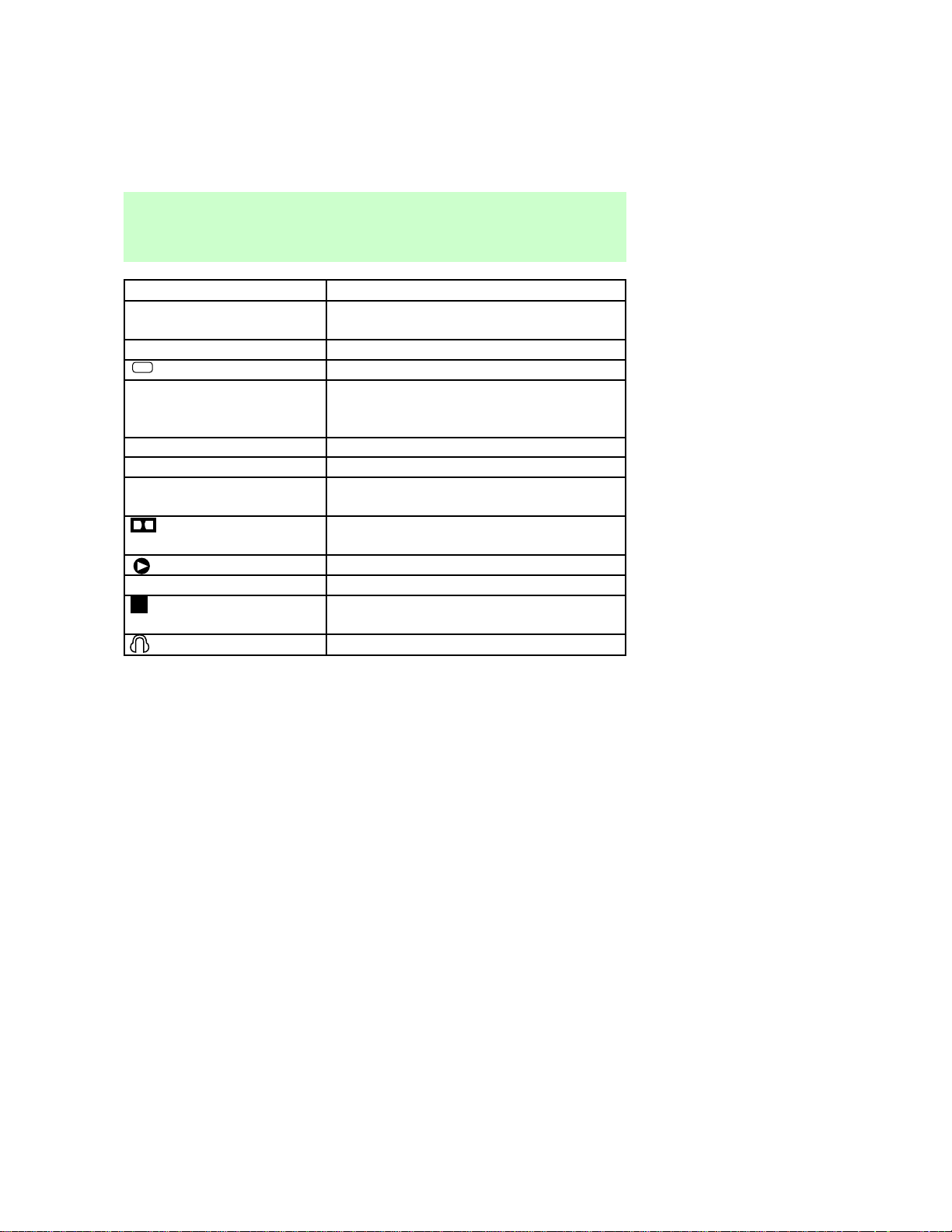
DISPLAY
Thedisplayscreengives
informationonthestatusofthe
audiosystem.
SPEAKERS
ON/OFF
VOLUME BAND MEMORY SEEK
SPEAKERS
ON/OFF
VOLUME BAND MEMORY SEEK
FM 1
ST
Display
19
Display¬ Information
AM,FM1,FM2¬ Indicatesfrequencybandaudiosystemis
in.
87.9to107.9/530to1610¬ Indicatescurrentlyplayingradiostation
ST
Indicatesstereooperation
Illuminatedbars¬ Indicatesvolume,relativelevelofbass
andtrebleandrelativelevelsofspeaker
balanceandfade.
TAPE¬ Indicatestapeisplaying
SC¬ Indicatestapeisscanning
NOTAPE¬ Indicatesnotapeinplayerwhentape
selectbuttonispushed.
Indicates¬ DolbyT¬ Noise¬ Reduction
activation
Indicatestapeplay
1or2¬ Indicatessideoftapeplaying
Indicates¬ tape¬ is¬ rewinding¬ or¬ fast
forwarding
Indicatesrearseatcontrolison.
CLEANINGCASSETTEPLAYER
Cleanthetapeplayerheadwitha
cassettecleaningcartridgeafter
tentotwelvehoursofplayto
maintainthebestsoundand
operation.
CASSETTEANDCASSETTE
PLAYERCARE
•Useonlycassettesthatare90
minuteslongorless.
•Donotexposetapestodirect
sunlight,highhumidity,extreme
heatorextremecold.Allow
tapesthatmayhavebeen
exposedtoextreme
Careandcleaning
20

temperaturestoreacha
moderatetemperaturebefore
playing.
•Tightenveryloosetapesby
insertingafingerorpencilinto
theholeandturningthehub.
•Removelooselabelsbefore
insertingtapes.
•Donotleavetapesinthe
cassetteplayerforalongtime
whennotbeingplayed.
RADIOFREQUENCY
INFORMATION
TheFederalCommunications
Commission(FCC)andthe
CanadianRadioand
Telecommunications
Communications(CRTC)establish
thefrequenciesAMandFM
stationsmayusefortheir
broadcasts.Allowablefrequencies
are:
AM530,540–1600,1610kHzsteps
FM87.9,88.1–107.1,107.9Mhz
steps
Notallfrequenciesareusedina
givenarea.
RADIORECEPTIONFACTORS
Threefactorscanaffectradio
reception:
•Distance/strength.Thefurther
anFMstationtravels,the
weakeritis.Thelistenable
rangeoftheaverageFMstation
isapproximately40km(24
miles).Thisrangecanbe
Radiofrequencyinformation
21

affectedby“signalmodulation.”
Signalmodulationisaprocess
radiostationsusetoincrease
theirstrength/volumerelativeto
otherstations.
•Terrain.Hills,mountainsandtall
buildingsbetweenyourvehicle’s
antennaandtheradiostation
signalcancauseFMreception
problems.Staticcanbecaused
onAMstationsbypowerlines,
electricfences,trafficlightsand
thunderstorms.Movingaway
fromaninterferingstructure
(outofits“shadow”)returns
yourreceptiontonormal.
•Stationoverload.Weakstations
aresometimescapturedby
strongerstationswhenyoupass
abroadcasttower.Astronger
stationmaytemporarily
overtakeaweakerstationand
playwhiletheweakstation
frequencyisdisplayed.
Theaudiosystemautomatically
switchestosinglechannel
receptionifitwillimprovethe
receptionofastationnormally
receivedinstereo.
WARRANTIESANDSERVICE
Refertothe“WarrantyGuide”for
audiosystemwarrantyinformation.
Ifserviceisnecessary,seeyour
dealeroraqualifiedtechnician.
Warrantiesandservice
22

AM/FM select ................................7
Audio power ..................................6
Bass adjust ..................................11
Clock ............................................15
Display .........................................19
Dolby
Pr noise reduction ....................15
Fast forward function .................14
Radio frequency
information ................................21
reception ...................................21
Rewind function ..........................13
Scan function ..............................10
Seek function ................................9
Speaker balance adjust ..............12
Stations
selecting ....................................10
Tape direction select ..................14
Tape select ..................................13
Treble adjust ...............................12
Warranties
radio ...........................................22
Index
23