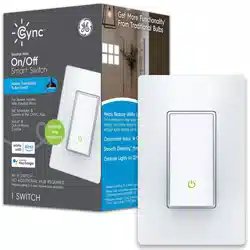

Let’s illuminate what your
Smart Switch can do:
Create the perfect lighting scene
for every scenario.
Go to C by GE app and preset
the optimal light levels under
create a scene.
1
Automate your lights to turn on
when you come home.
Go to C by GE app and schedule
times to turn lights on and off under
create an automation.
2
Control other C by GE bulbs in
the room with your switch.
Go to C by GE app. Add bulbs
and switches to a room under
create a room.
(sold separately)
3
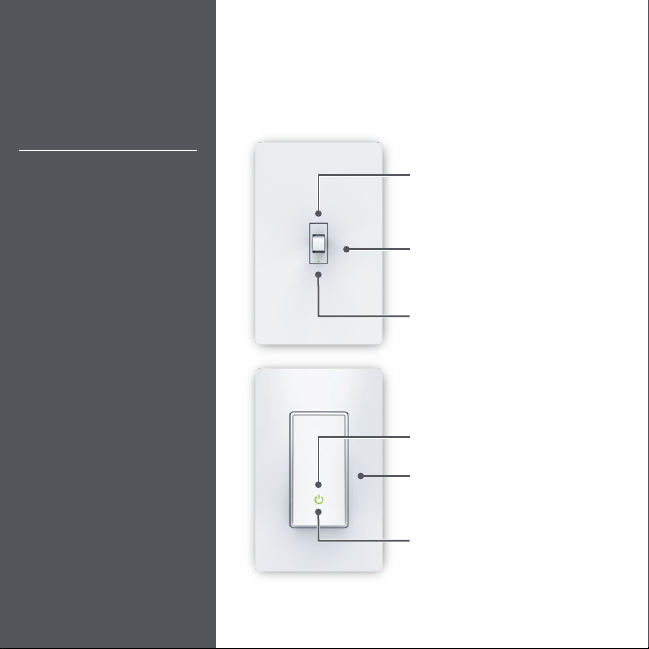
Touch Controls
Connect to your Alexa
or Google Assistant
device to control your
lights with your voice.
Try these voice
commands:
Amazon Alexa
Alexa, turn off the
living room.
Alexa, good morning.
Google Assistant
Hey Google, turn on
the lights.
Hey Google, I’m leaving.
LED Indicator Light
Reset Button
Remove wall plate,
use pin to press reset button
On/Off
Toggling up or down
turns lights on or off
On/Off
Pressing the bottom of the
paddle turns lights on or off
Reset Button
Remove wall plate,
use pin to press reset button
LED Indicator Light

