4
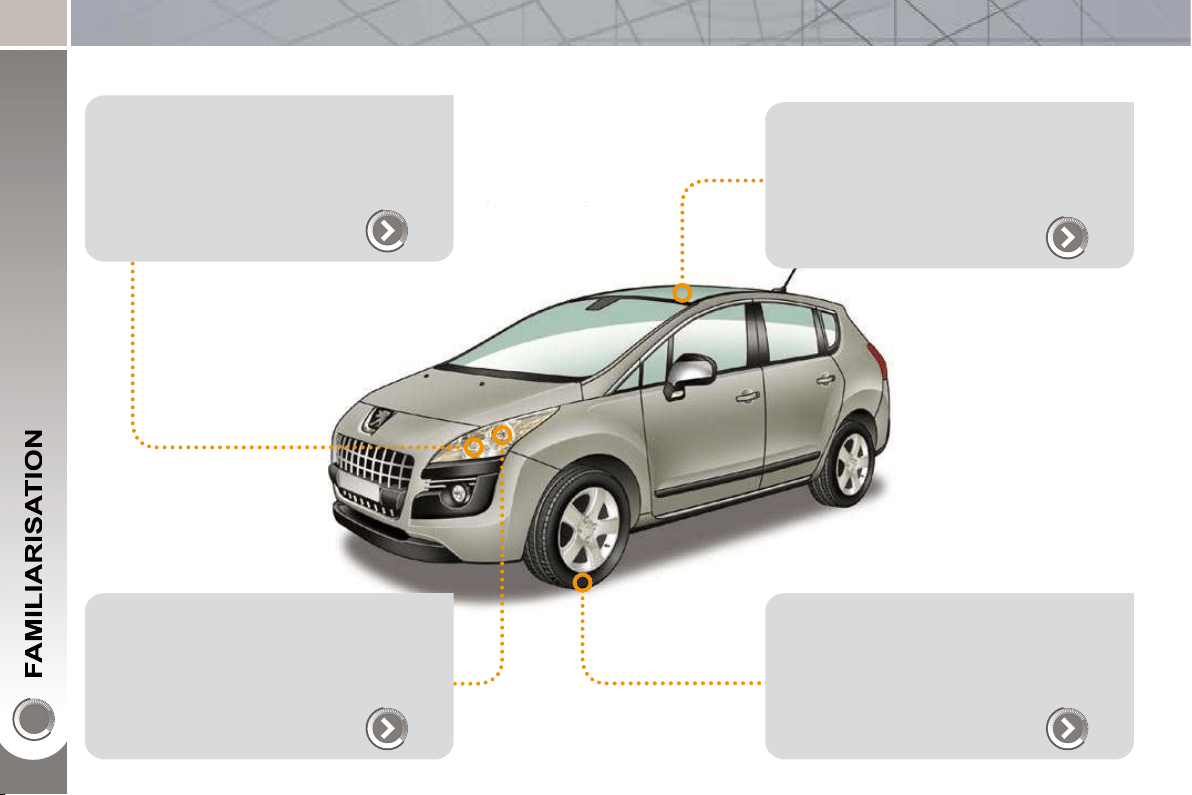
EXTERIOR
Welcome lighting
This additional exterior and interior light-
ing, controlled remotely, makes your ap-
proach to the vehicle easier when the
light is poor.
88
Directional lighting
This lighting automatically provides addi-
tional visibility when cornering.
90
Panoramic sunroof
This roof provides incomparable visibility
and light in the passenger compartment.
103
Grip control
This special traction control system im-
proves the traction of 2 wheel drive
vehicles in snow, mud and sand.
122

5
EXTERIOR
Temporary tyre repair kit
This kit is a complete system, consisting
of a compressor and an integrated seal-
ant, for the temporary repair of a tyre.
165
Lower tailgate
This lower tailgate permits remarkable
accessibility and makes the loading of
bulky objects easier.
83
Visual and audible front and/or rear
parking sensors
This system warns you if an obstacle is
detected behind or in front of the vehicle
in reverse or forward gear.
155
When using an automatic car wash:
- unscrew the aerial,
- fold back the mirrors.
6
OPEN
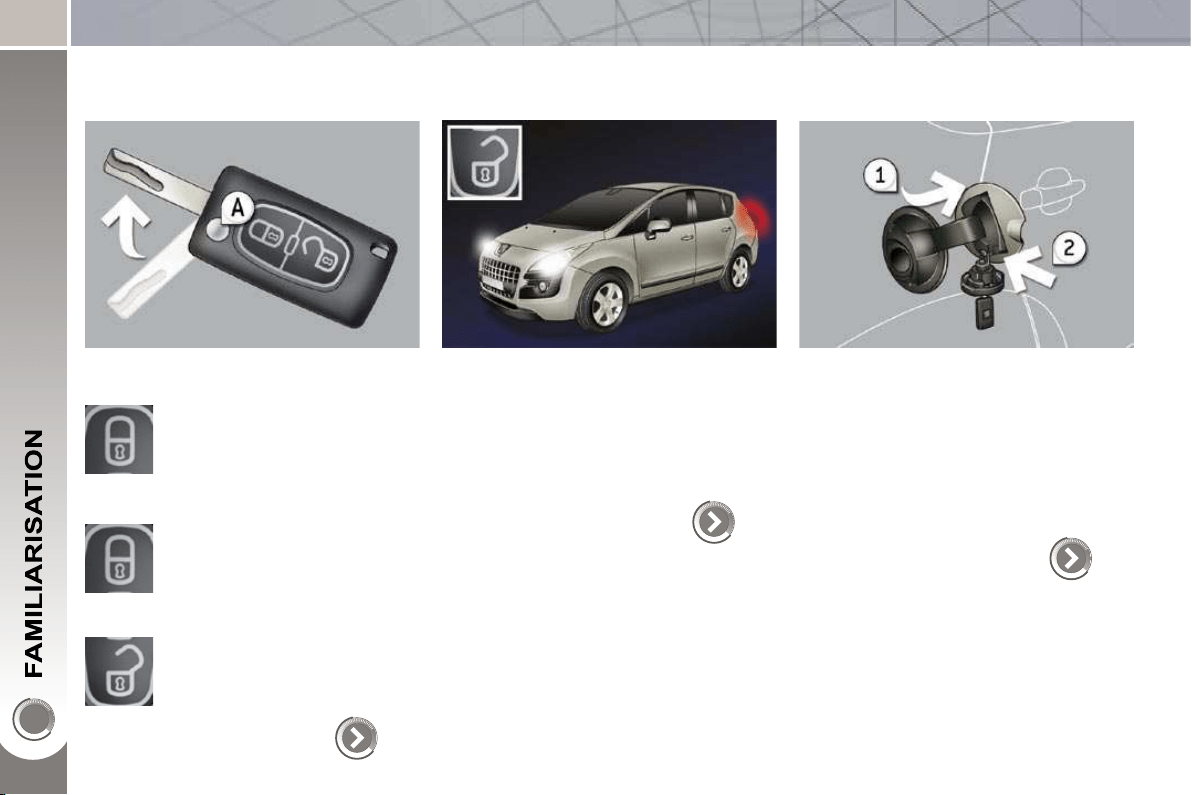
Remote control key
A. Unfolding/Folding of the key.
Normal locking
(press once; fi xed lighting of
the direction indicators).
Deadlocking of the vehicle
(press twice in succession;
fi xed lighting of the direction
indicators).
Complete or selective unlock-
ing of the vehicle
(rapid fl ashing of the direction
indicators).
or
71
When the light is poor, detected by
a sensor, the remote switching on of
the dipped headlamps and sidelamps
makes your approach to the vehicle
easier.
This function can be programmed via
the confi guration menu.
88
84
Fuel tank
1. Opening the fuel fi ller fl ap.
2. Opening and hooking the fuel fi ller
cap.
The type of fuel to be used is indicated
on the inner face of the fuel fi ller fl ap.
Capacity of the tank: approximately
60 litres.
Welcome lighting
7
OPEN
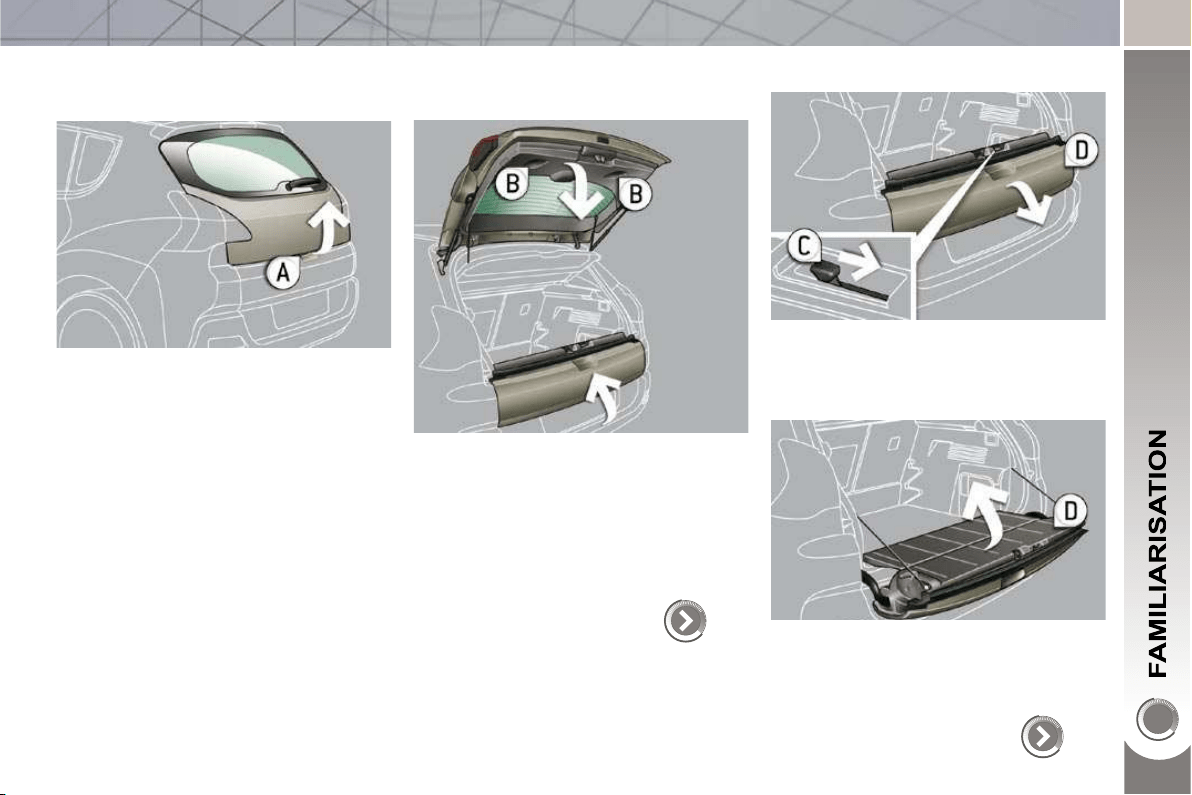
Boot
Opening
After unlocking the vehicle using the
remote control or the key, press the
handle A and lift the tailgate.
Closing
After closing the lower tailgate, pull
the handle B downwards to guide
the tailgate.
Lower tailgate
82
Opening
Push the handle C to the right and
tilt the tailgate D .
Closing
Raise the tailgate D , push it fully to
close it, check that it is locked cor-
rectly.
83
8
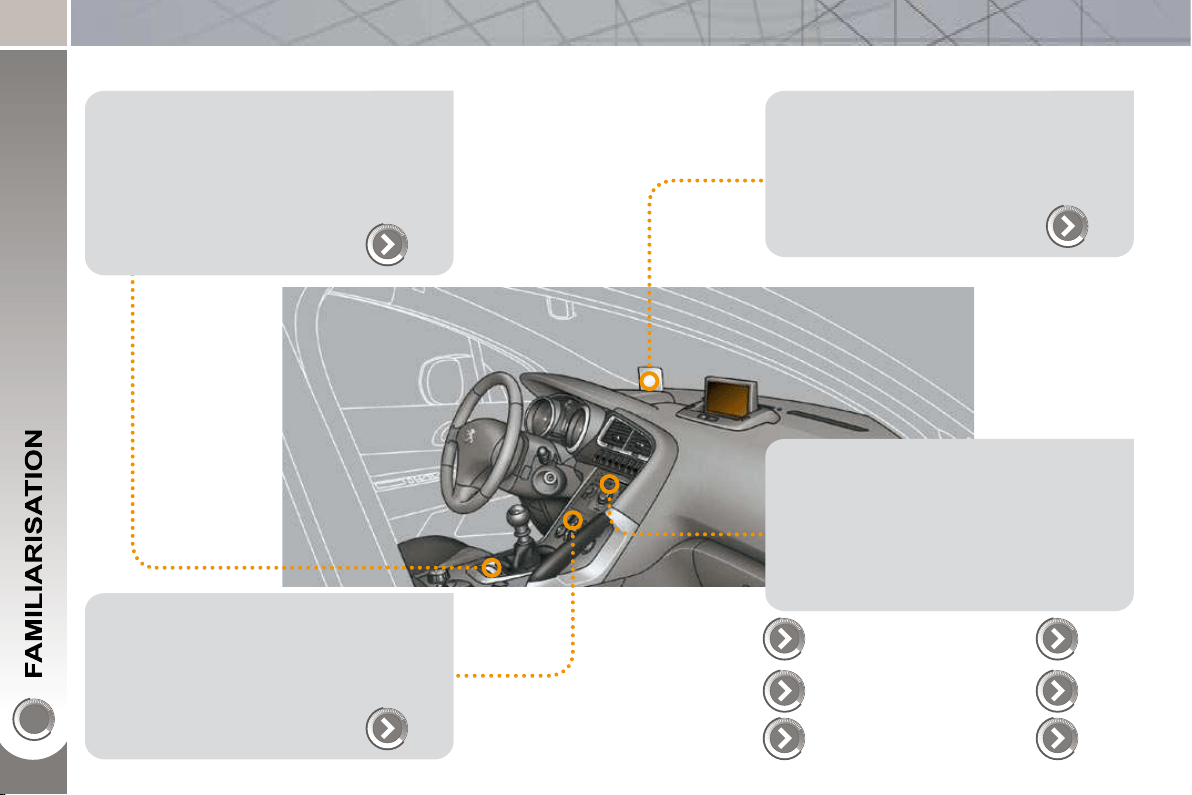
INTERIOR
Electric parking brake
This combines the functions of auto-
matic application on switching off the
engine and automatic release on accel-
eration.
Manual application/release is possible.
131
Audio and communication systems
These systems benefi t from the latest
technology: MP3 compatible Peugeot
Connect Sound, Peugeot Connect USB,
Bluetooth, Peugeot Connect Navigation
or Peugeot Connect Media with 16/9 re-
tractable colour screen, JBL audio sys-
tem, auxiliary sockets.
203
Head-up display
This system projects certain information
into the fi eld of vision of the driver: speed,
cruise control/speed limiter and Distance
alert.
139
Dual-zone digital air conditioning
This systems allows different levels of
comfort to be set for the driver and front
passenger. It then controls these level
automatically according to the ambient
conditions.
59
Peugeot Connect
Navigation
243
273 Peugeot Connect
Sound
Peugeot Connect
Media
Peugeot Connect
USB
224,
280
Bluetooth
229,
261,
283
201
PEUGEOT
Assistance
9
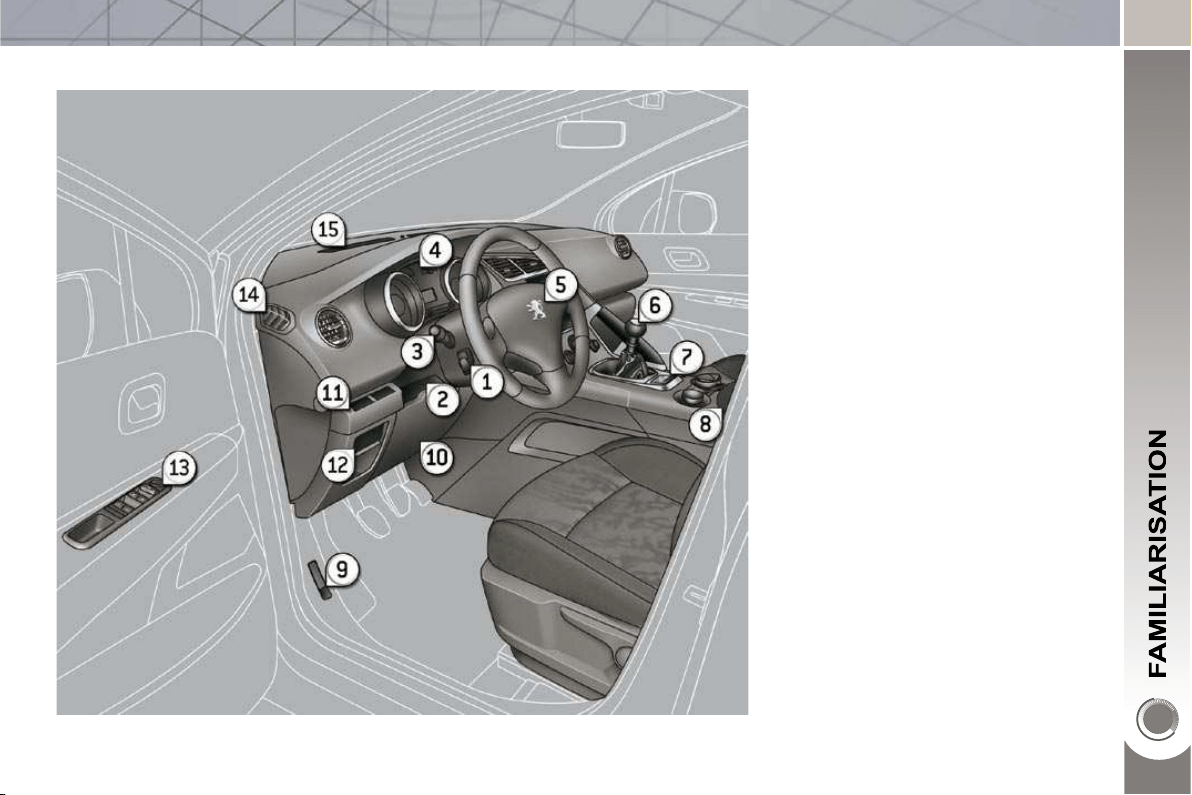
INSTRUMENTS AND CONTROLS
1. Cruise control/speed limiter
switches.
2. Steering wheel adjustment control.
3. Lighting and direction indicator
control stalk.
4. Instrument panel.
5. Driver's airbag.
Horn.
6. Gear lever.
7. Electric parking brake.
8. Front armrest - Peugeot Connect
USB and/or auxiliary socket.
9. Bonnet release.
10. Driver's storage compartment
(Handbook).
11. Alarm button.
Parking sensors button.
Dynamic stability control button
(ESP/ASR).
12. Manual headlamp adjustment.
Instrument panel navigator
associated with the Peugeot
Connect Media.
13. Door mirror controls.
Electric window controls.
Child lock.
14. Front side window demisting vent.
15. Windscreen demisting vent.
10
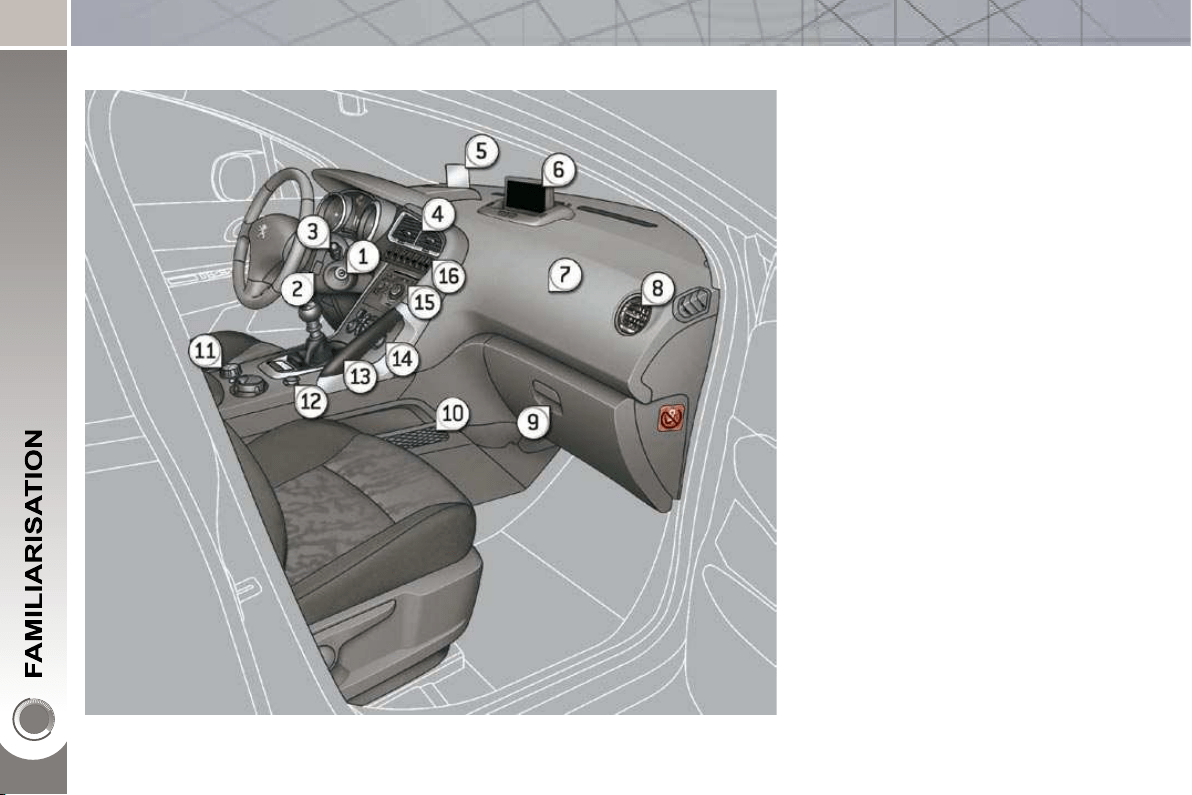
INSTRUMENTS AND CONTROLS
1. Steering lock and ignition.
2. Audio and telematics system
steering mounted control.
3. Wipers/wash-wipe/trip computer
control stalk.
4. Central adjustable air vents.
5. Head-up display.
6. Multifunction screen.
7. Passenger's airbag.
8. Side adjustable air vent.
9. Glove box - Audio/video sockets -
Passenger's airbag deactivation.
10. Storage compartment with net.
11. Grip control switch.
12. 12 V accessories socket.
13. Grab handle.
14. Heating/air conditioning controls.
15. Audio and telematics system.
16. Buttons:
- head-up display,
- hazard warning lamps,
- Distance alert,
- central locking.
11
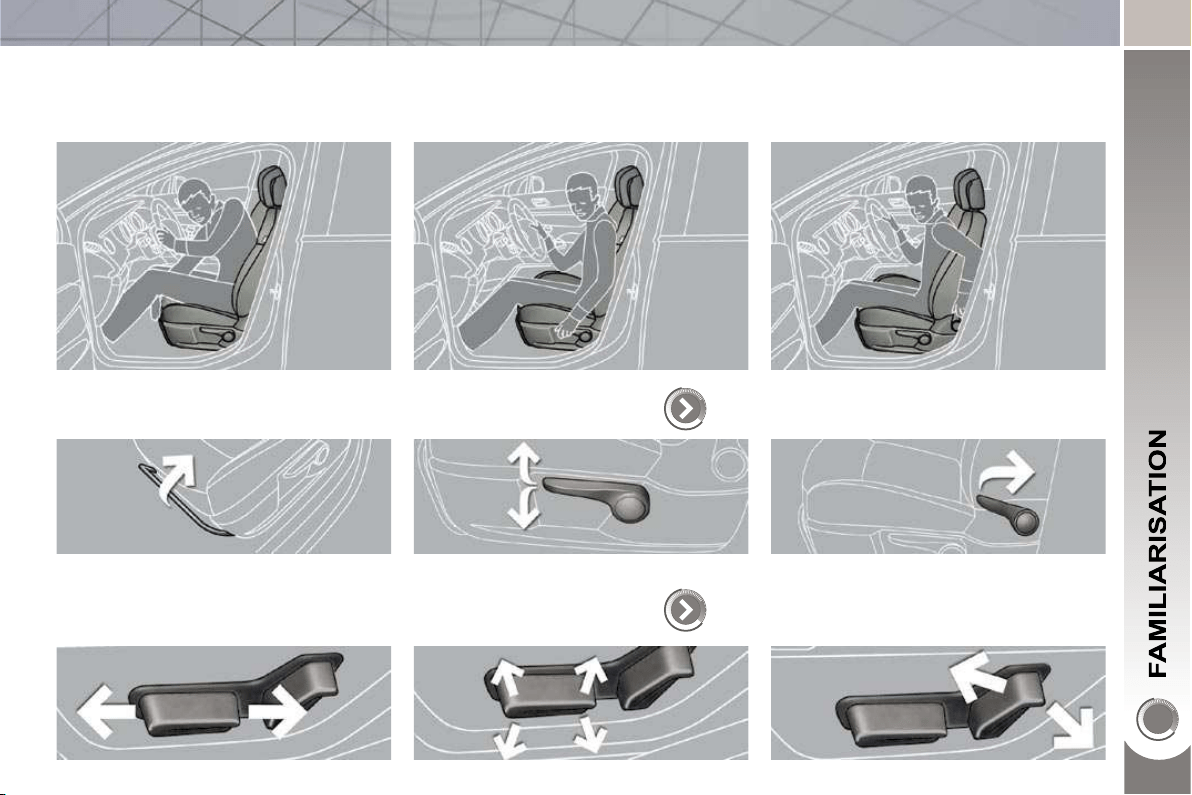
SITTING COMFORTABLY
Driver's seat
Forwards-backwards Height
Manual adjustment
62
Electric adjustment
63
Seat back angle
12
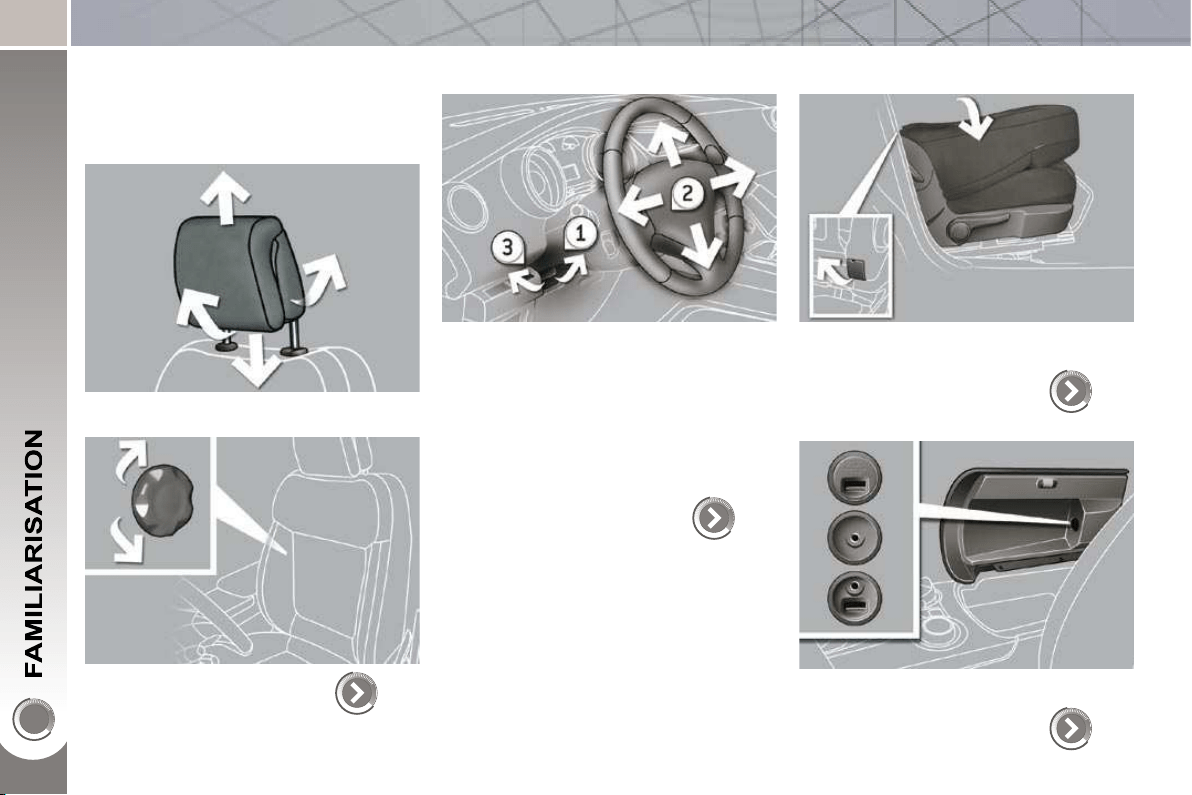
SITTING COMFORTABLY
Front seats
Head restraint height and angle
Lumbar
64
Steering wheel adjustment
1. Unlock the control.
2. Adjust for height and reach.
3. Lock the control.
As a safety precaution, these opera-
tions must only be carried out when
stationary.
70
Table position
(front passenger seat)
To place objects on the table or to make
the loading of long objects in the vehicle
easier.
65
Front armrest
This incorporates the Peugeot Connect
USB and/or a JACK auxiliary socket.
99
13
SITTING COMFORTABLY
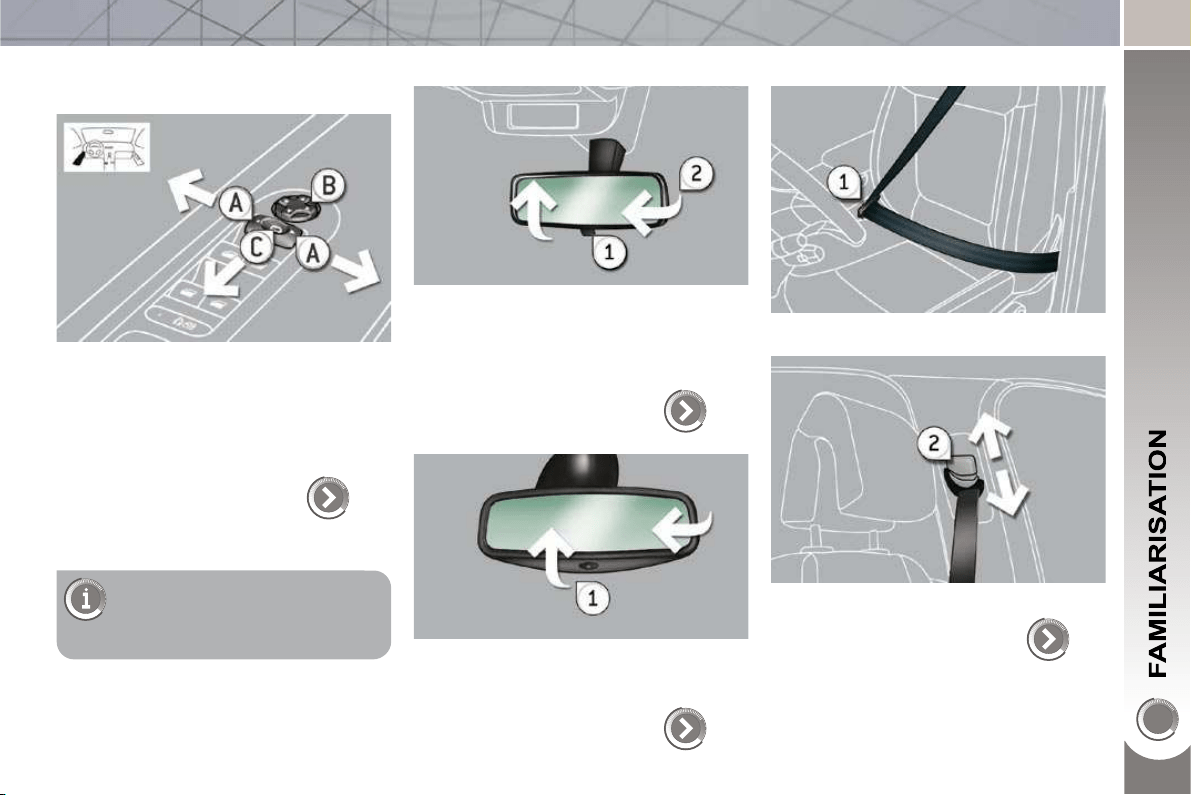
Door mirrors
Adjustment
A. Selection of the mirror to be adjusted.
B. Adjustment of the position of the
mirror in the four directions.
68
Rear view mirror
Manual model
1. Selection of the "day" position of the
mirror.
2. Adjustment of the mirror.
69
Automatic day/night model
1. Adjustment of the mirror.
69
Front seat belts
1. Fastening of the buckle.
124
2. Height adjustment.
Also...
C. Folding/Unfolding.
14
SEEING CLEARLY
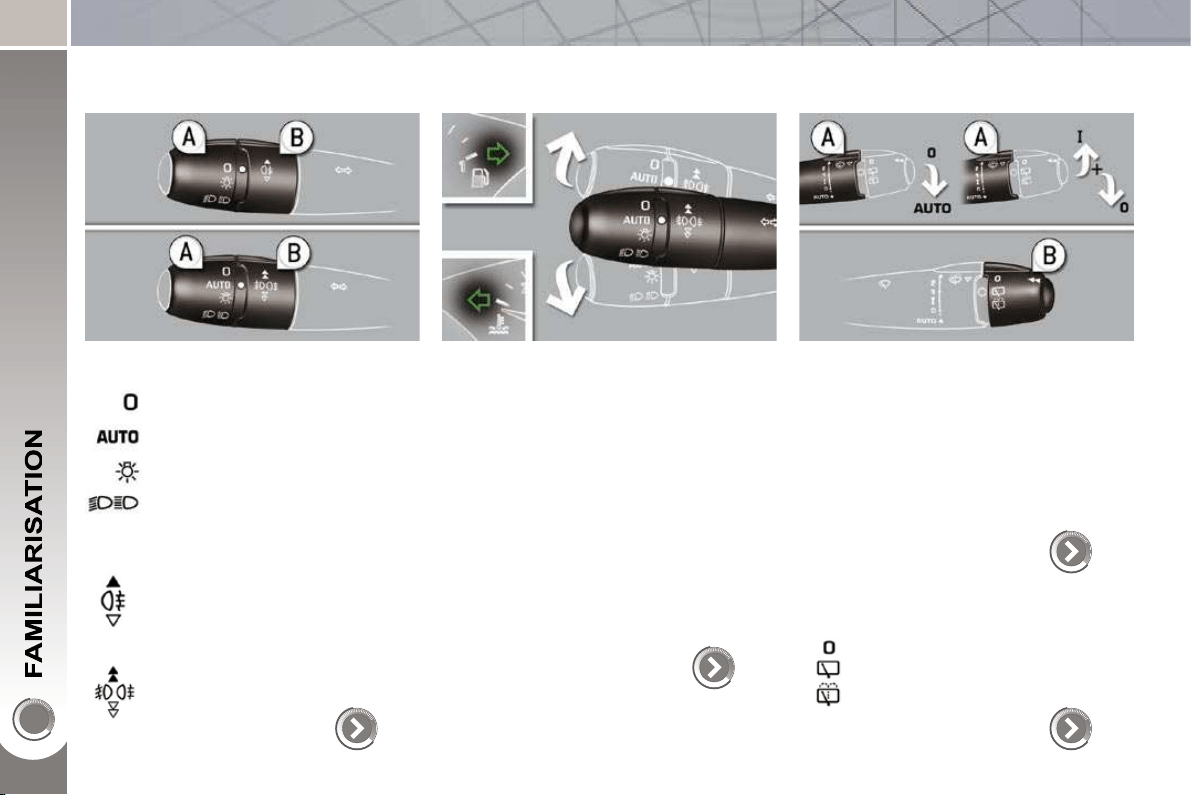
Lighting
Ring A
Lighting off.
Ring B
Sidelamps.
Dipped/main beam headlamps.
Rear foglamp.
or
Front and rear foglamps.
Automatic illumination of head-
lamps.
87
Direction indicators
Raise or lower the lighting stalk passing
the point of resistance; the correspond-
ing direction indicators will fl ash for as
long as the stalk remains in this posi-
tion.
"Motorway" function
Press the lighting stalk up or down once,
without passing the point of resistance;
the corresponding direction indicators
will fl ash three times.
This function can be used at any speed,
but it is particularly useful when chang-
ing lane on high-speed roads.
118
Wipers
Stalk A: windscreen wipers
Switching on "AUTO"
Press the stalk down and release it.
Switching off "AUTO"
Push the stalk up and return it to
position "0" .
91
Ring B: rear wiper
Park.
Intermittent wipe.
Wash-wipe.
92
VENTILATION
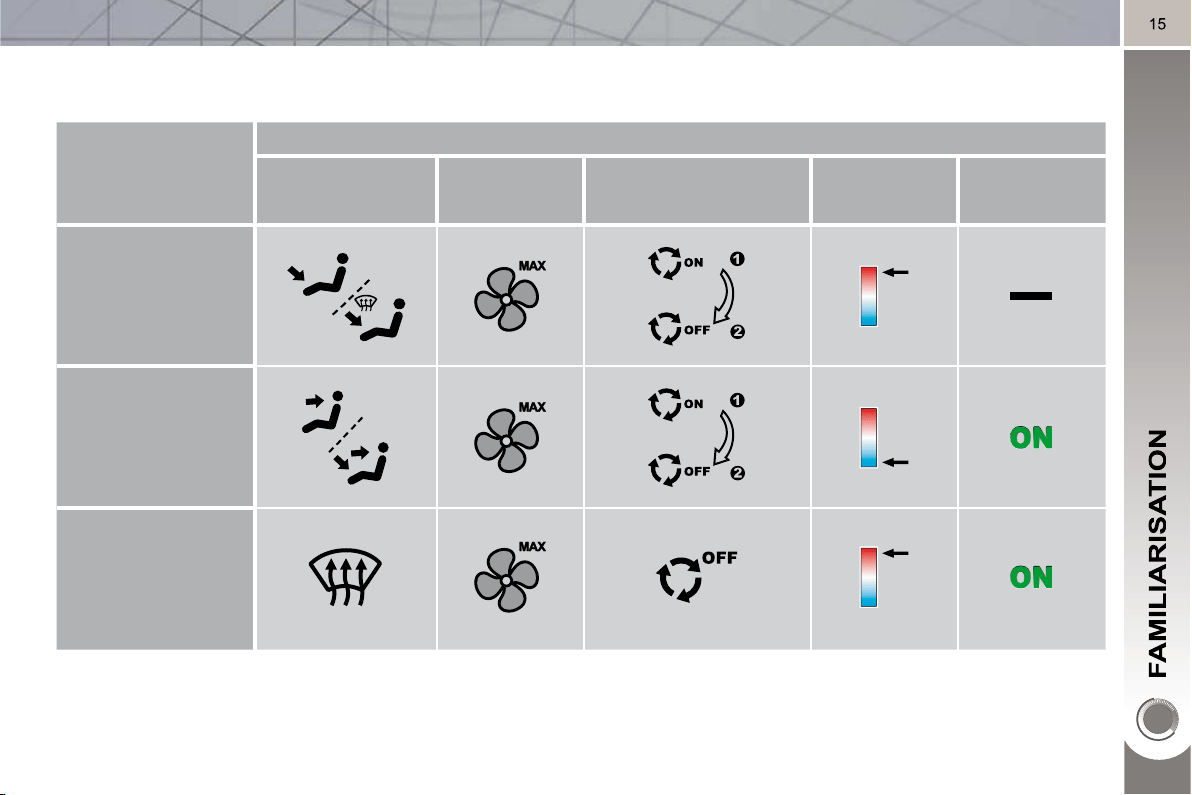
Digital air conditioning: we recommend use of the fully automatic mode by pressing the "AUTO" button.
Recommended interior settings
I require...
Heating or Manual Air Conditioning
Air distribution Air fl ow
Air recirculation/
Intake of outside air
Temperature Manual A/C
HOT
COLD
DEMISTING
DEFROSTING
MONITORING
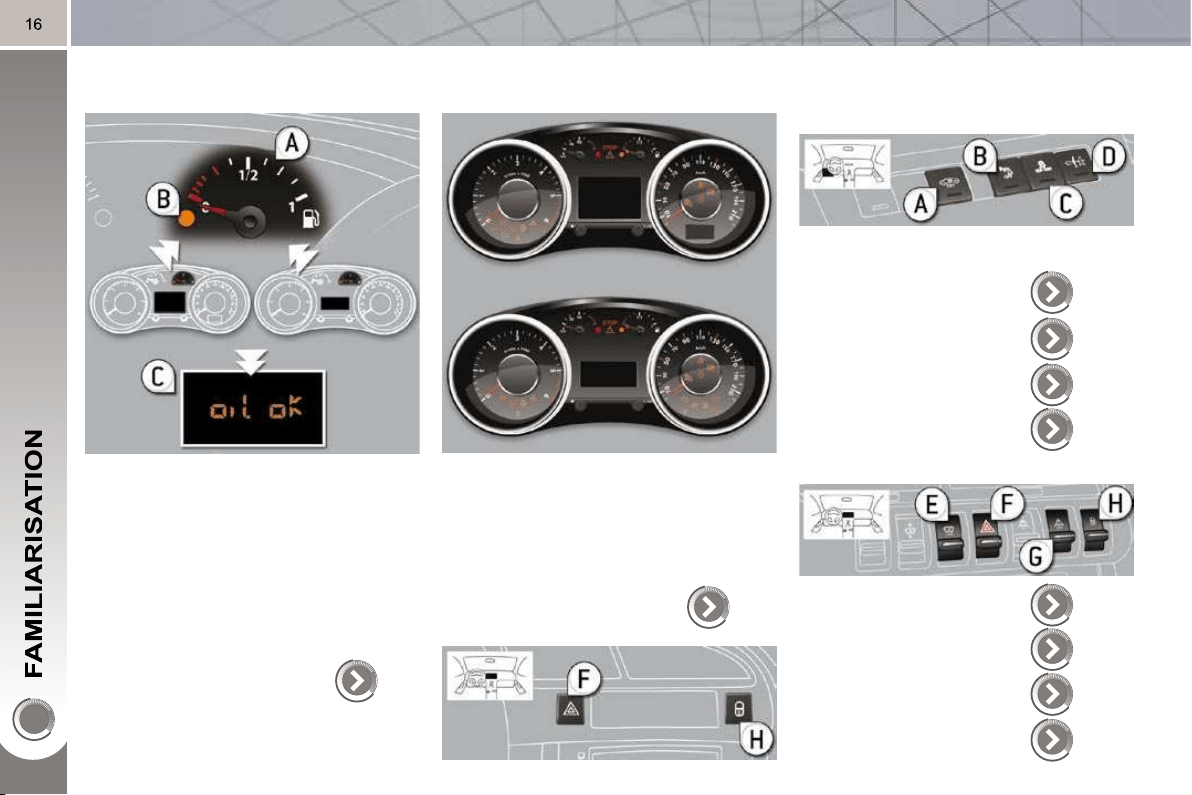
Instrument panel
A. With the ignition on, the needle
should indicate the level of fuel re-
maining.
B. With the engine running, its associ-
ated low level warning light should
switch off.
C. With the ignition on, the oil level in-
dicator should display "OIL OK" for
a few seconds.
If the levels are not correct, top up the
levels which are low.
24
Warning lamps
1. With the ignition on, the orange and
red warning lamps come on.
2. With the engine running, these
warning lamps should switch off.
If warning lamps remain on, refer to the
page concerned.
26
Switch panels
Lighting of the indicator lamp indicates
the status of the corresponding function.
A. Interior volumetric
protection alarm.
76
155
120
79, 117
139
118
141
72
B. Visual and audible
parking sensors.
C. ESP OFF (without
Grip control).
D. Child lock
E. Head-up display.
F. Hazard warning
lamps.
G. Distance alert.
H. Central locking.
Lower
Central
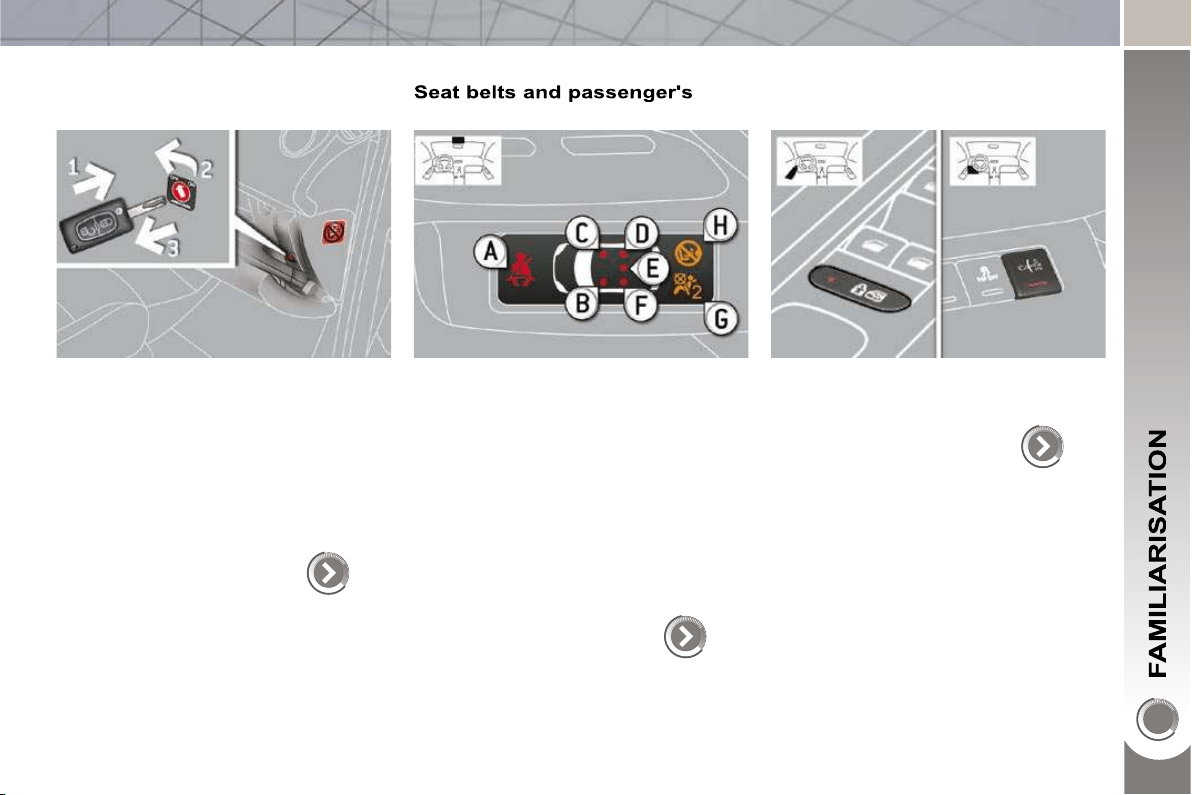
17
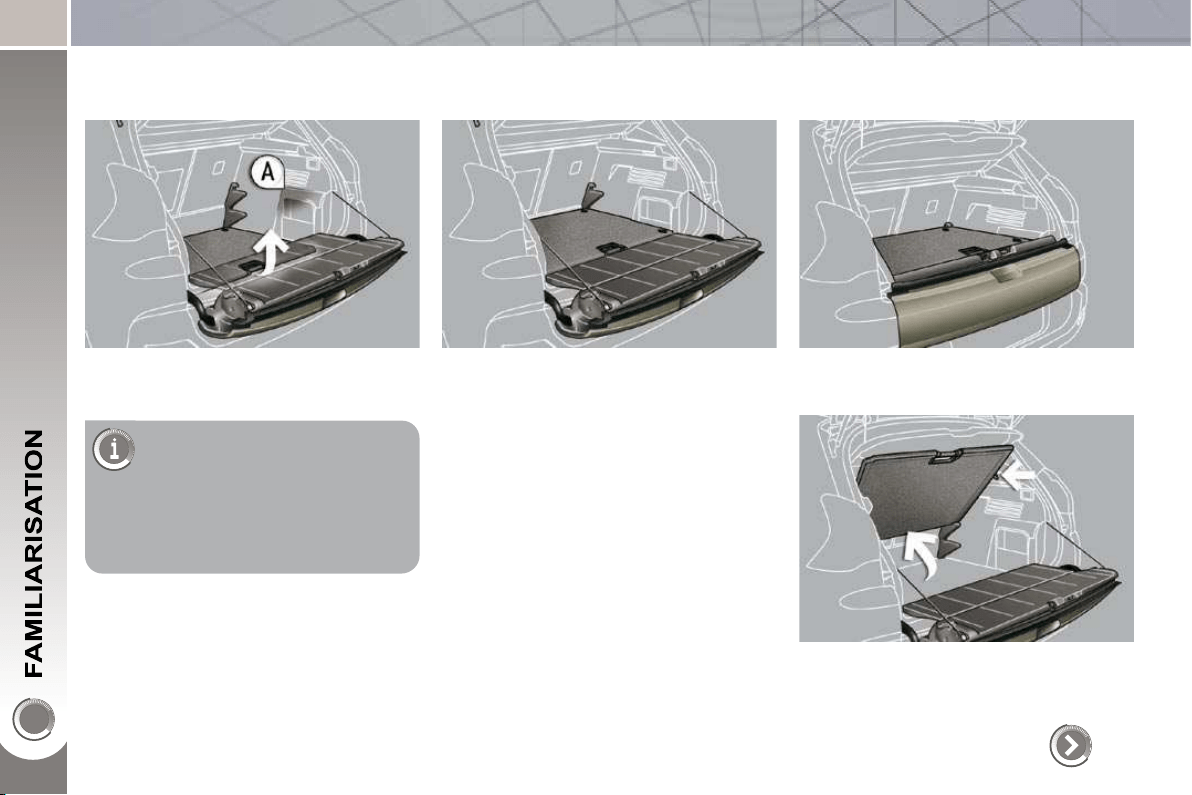
PASSENGER SAFETY
Passenger's front airbag
1. Insert the key.
2. Select the position:
"OFF" (deactivation), with "rear fac-
ing" child seat,
"ON" (activation), with front passen-
ger or "forwards facing" child seat.
3. Remove the key keeping the switch
in the new position.
128
front airbag
A. Front and/or rear seat belts not fas-
tened/unfastened warning lamp.
B. Front left seat belt warning lamp.
C. Front right seat belt warning lamp.
D. Rear right seat belt warning lamp.
E. Rear centre seat belt warning lamp.
F. Rear left seat belt warning lamp.
G. Passenger's front airbag deactivat-
ed warning lamp.
H. Passenger's front airbag activated
warning lamp.
125
Child lock
(locking of the rear doors)
Lighting of the indicator lamp indicates
the status of the corresponding function.
117
18
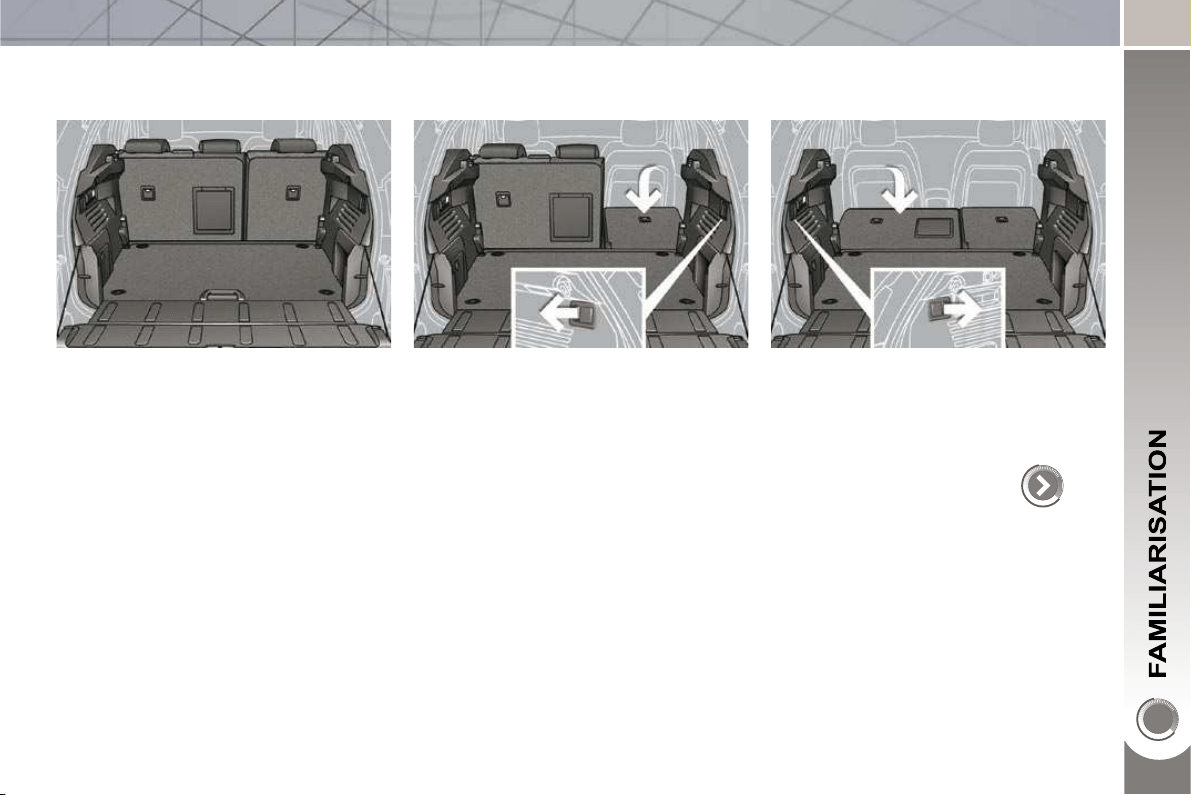
ARRANGE YOUR BOOT
3 position adjustable boot
Low position (150 kg max).
108
To release the fl oor, push
slightly forwards then
raise.
Use the stops A , placed on each
side of the boot to change the
height of the fl oor more easily.
Intermediate position (100 kg max). High position (50 kg max) with the lower
tailgate closed to isolate the lower part
of the boot.
From the high position, place the fl oor
in this position (at an angle), two stops
support it to allow access underneath it
or to the spare wheel.
19
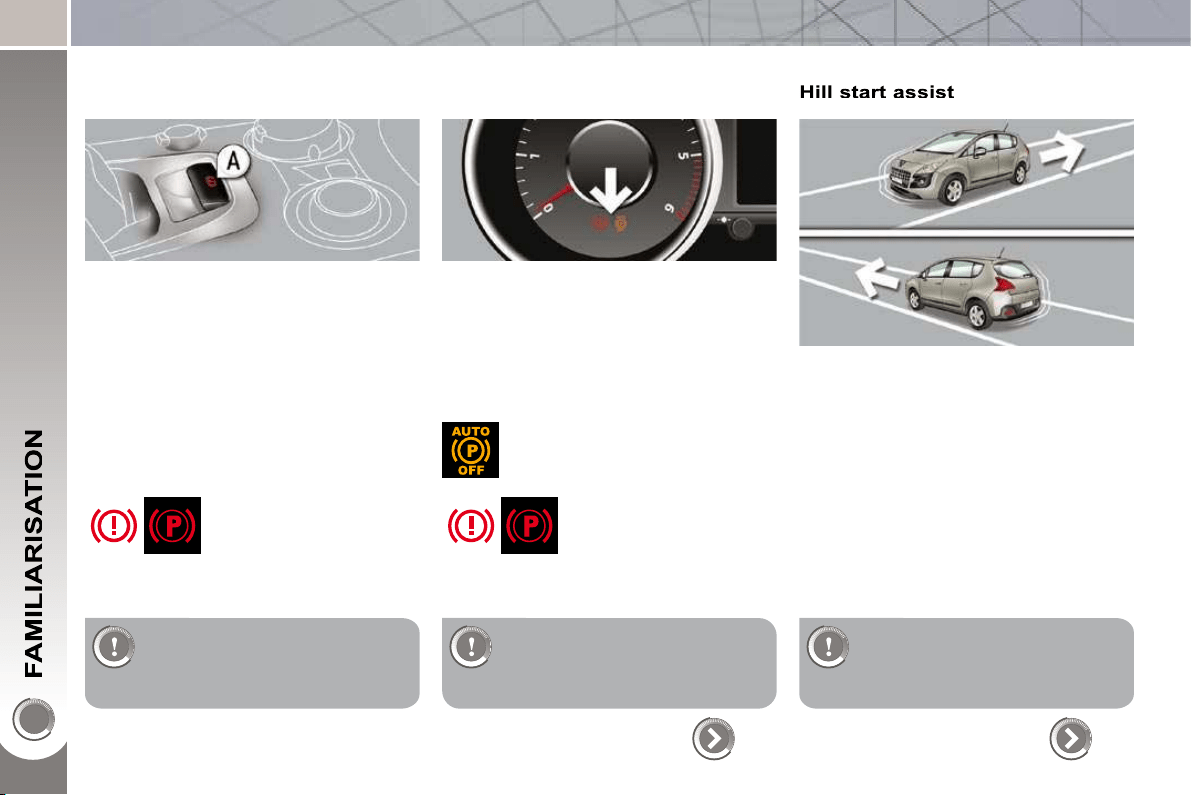
ARRANGE YOUR BOOT
Rear seats
Place the movable fl oor in the inter-
mediate position .
Check that nothing is preventing
the seat backs from folding (front
seats suffi ciently advanced, head
restraints, seat belts, ...).
Check also that no object on or
under the seat could hinder its
movement.
66
Pull the control of the 1/3 section,
from the boot.
Pull the control of the 2/3 section,
from the boot.
The seats are aligned with the movable
fl oor and the lower tailgate.
20
DRIVING SAFELY
Electric parking brake
Manual application/release
The parking brake can be applied man-
ually by pulling the control A .
When the ignition is on, the parking
brake can be released manually by
pressing the brake pedal and pulling
then releasing the control A .
Automatic application/release
Press the accelerator and release the
clutch, the parking brake is released
automatically and progressively on ac-
celeration.
When the engine is switched off , the
parking brake is applied automatically.
Before getting out of the
vehicle, check that the
braking warning lamp
( red ! ) and the warning
lamp P on the control A , are on (not
fl ashing).
If you get out of your vehicle
with the engine running, apply
the parking brake manually.
Before getting out of the
vehicle, check that the
braking warning lamp
( red ! ) and the warning
lamp P on the control A are on (not
fl ashing).
Do not leave a child alone in
the vehicle with the ignition on;
they could release the parking
brake.
131
Your vehicle is equipped with a system
which keeps it immobile for a short time
(approximately 2 seconds) to assist you
when starting on a hill, the time required
for you to move your foot from the brake
pedal to the accelerator pedal.
This function is only active:
- when the vehicle has been immobil-
ised completely with your foot on the
brake pedal,
- on certain gradients,
- when the driver's door is closed.
Do not get out of the vehicle
during the hill start assist tem-
porary hold phase.
136
If this warning lamp is lit on the
instrument panel, the automatic
application/release are deacti-
vated .
21
DRIVING SAFELY
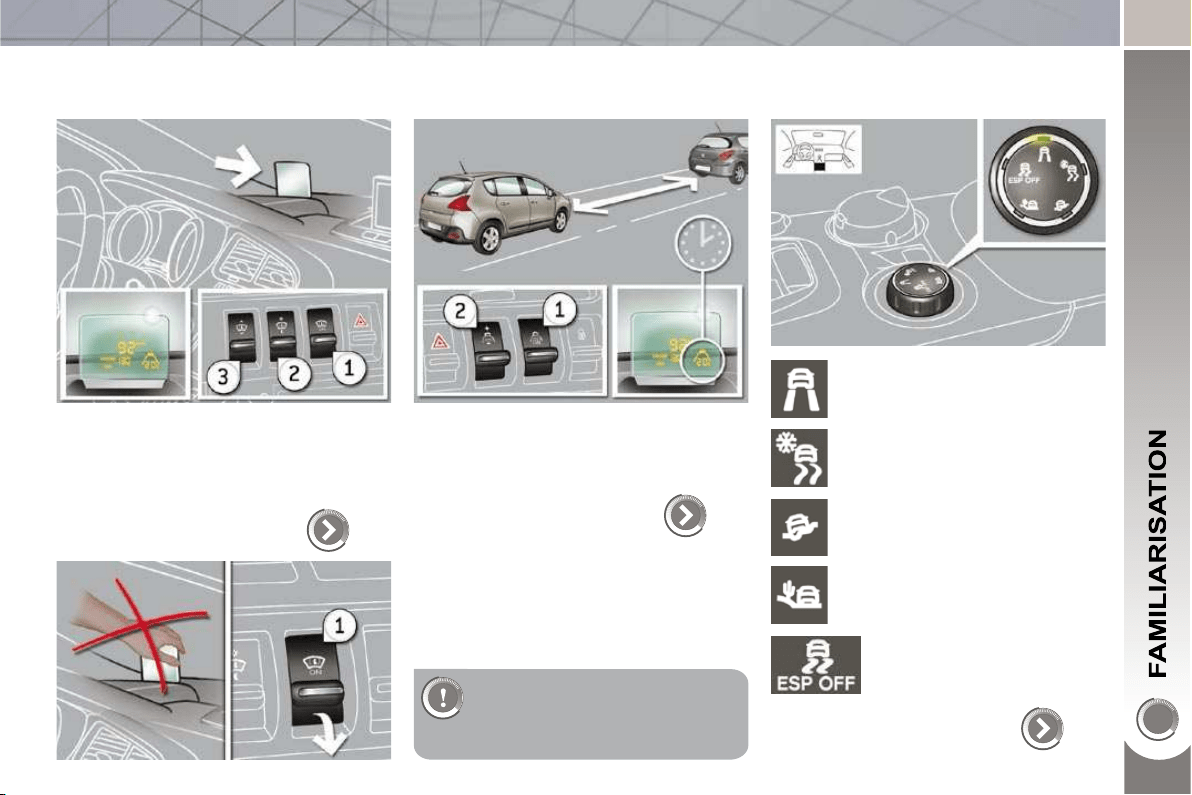
Head-up display
1. Head-up display on/off.
2. Brightness adjustment.
3. Display height adjustment.
The adjustments must be
made with the engine running
and the vehicle stationary.
139
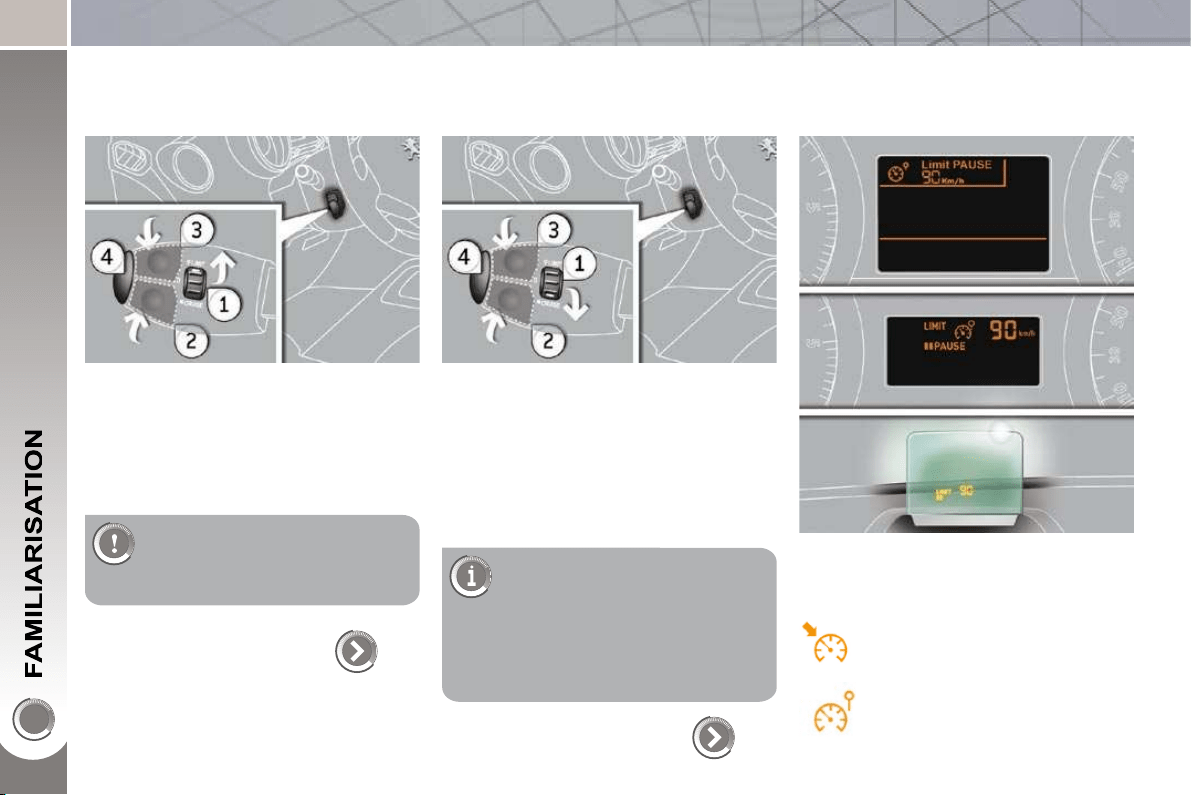
Distance alert
1. Distance alert on /off.
2. Alert value increase/decrease.
141
Grip control
ESP (normal mode).
122
Snow.
All terrain.
Sand.
ESP OFF.
22
DRIVING SAFELY
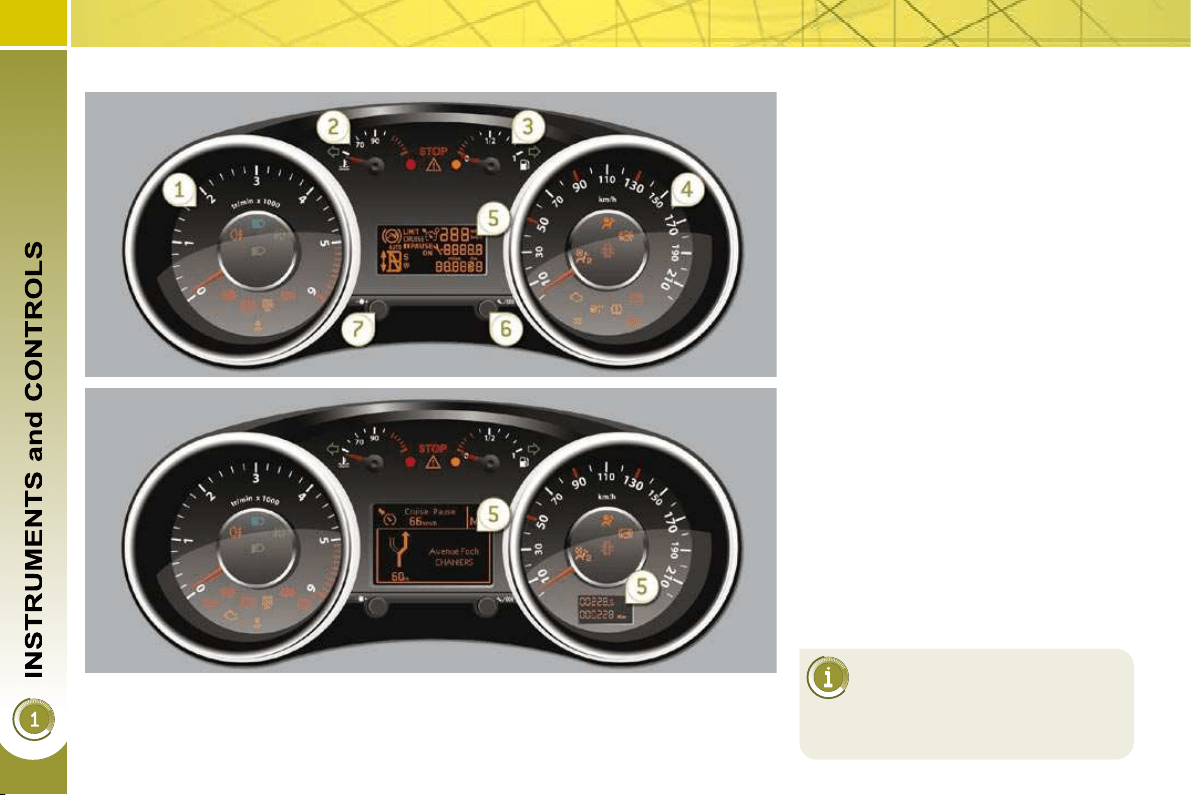
Speed limiter "LIMIT"
1. Limiter mode Selection/Off.
2. Decreasing the programmed value.
3. Increasing the programmed value.
4. Speed limiter On/Off.
The values must be set with
the engine running.
143
Cruise control "CRUISE"
1. Cruise control mode Selection/Off.
2. Programming a speed/Decreasing
the programmed value.
3. Programming a speed/Increasing
the programmed value.
4. Cruise control Off/Resume.
In order to be programmed or
activated, the vehicle speed
must be higher than 25 mph
(40 km/h), with at least fourth gear
engaged on the manual gearbox
(second gear for the 6-speed elec-
tronic gear control gearbox or auto-
matic gearbox).
145
Display on the instrument panel
The cruise control or speed limiter mode
appears on the instrument panel when
it is selected.
Cruise control
Speed limiter

23
148
DRIVING SAFELY
6-speed electronic
gear control gearbox
This 6-speed gearbox offers a choice
between the comfort of fully automatic
operation or the pleasure of manual
gear changing.
1. Gear lever.
2. Button "S" (sport) .
"Tiptronic - Porsche system"
gearbox
This six-speed gearbox offers a choice
between the comfort of fully automatic
operation or the pleasure of manual
gear changing.
1. Gear lever.
2. Button "S" (sport) .
3. Button " " (snow) .
Moving off
Select position N and press the
brake pedal fi rmly while starting the
engine.
Engage fi rst gear (position A or M )
or reverse (position R ) using the
gear lever 1 .
Take your foot off the brake pedal
then accelerate.
Select position P or N and press the
brake pedal fi rmly while starting the
engine.
Select position R , D or M .
Take your foot off the brake pedal,
then accelerate.
3. Steering mounted "-" paddle.
4. Steering mounted "+" paddle.
152
Moving off
24
INSTRUMENT PANELS
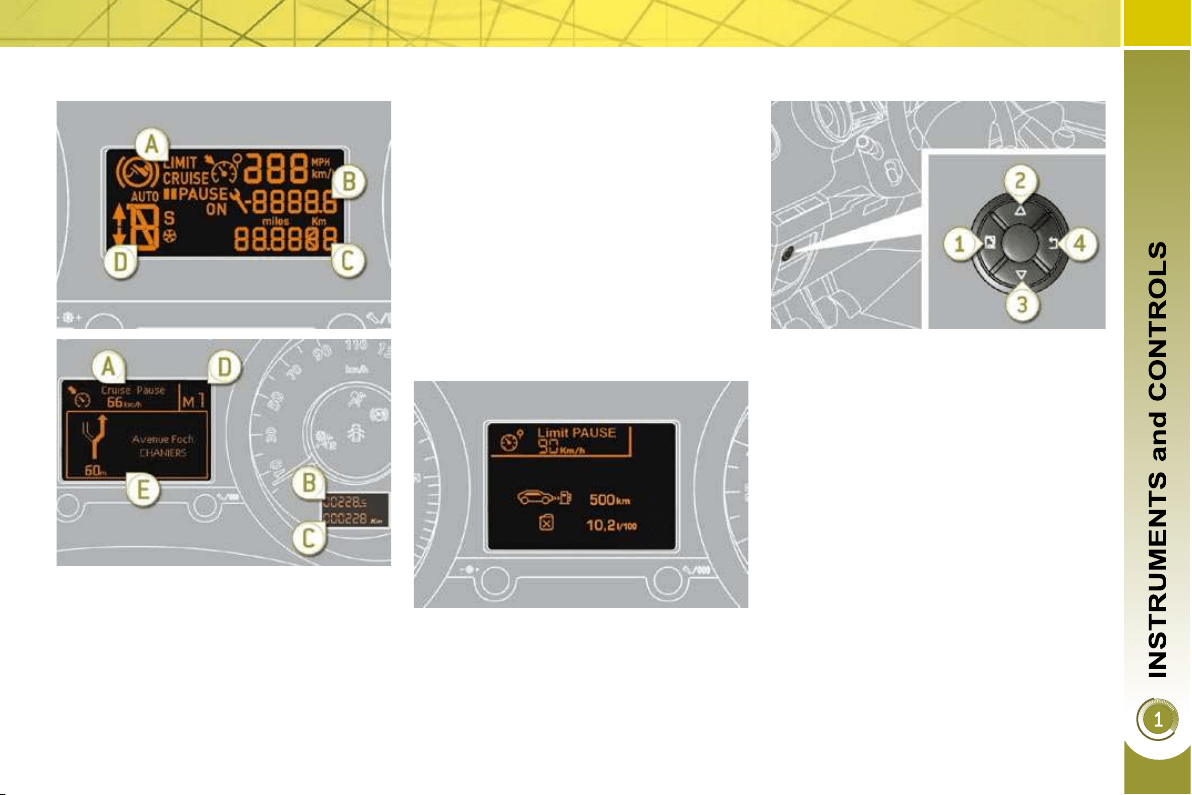
Panel grouping together the vehicle operation indication dials and warning lamps.
Dials
1. Rev counter.
Indicates the engine speed (x 1 000 rpm).
2. Coolant temperature.
Indicates the temperature of the en-
gine coolant (° Celsius).
3. Fuel level.
Indicates the quantity of fuel remain-
ing in the tank.
4. Speedometer.
Indicates the current speed of the
moving vehicle (mph or km/h).
5. Screen.
6. Display zero reset or service indi-
cator re-display button.
Resets the selected function to zero
(trip distance recorder or service in-
dicator) or displays the service indi-
cator again.
7. Instrument panel lighting rheostat.
Adjusts the brightness of the light-
ing of the instruments and controls,
if the vehicle lighting is on.
For more information, refer to
the paragraph relating to the
button or function and its as-
sociated display.
25
Screen(s)
Instrument panel navigator associated
with the PEUGEOT Connect Media
This group of buttons permits:
- when stationary , confi guration of
the vehicle's equipment and the
screen settings (languages, units...),
- while driving , scrolling of the active
functions (trip computer, navigation...).
Controls
There are four buttons to control the
large 16/9 screen in the instrument
panel:
1. access the general menu, confi rm
the selection,
2. move up through the menu,
3. move down through the menu,
4. return to the previous display, exit
from the menu.
A. Speed limiter
or
Cruise control.
(mph or km/h)
B. Trip distance recorder.
(miles or km)
C. Service indicator.
(miles or km) or,
Engine oil level indicator.
or
distance recorder.
(miles or km)
D. 6-speed electronic gear control
or automatic gearbox.
E. Warning messages and function
status messages, trip computer,
GPS navigation information, menus
(with PEUGEOT Connect Media ).
26
Vehicle parameters
This menu allows you to activate or
deactivate certain driving and comfort
equipment (according to country):
- wiper linked with reverse gear (refer
to the "Visibility" section),
- selective unlocking (refer to the
"Access" section),
- guide-me-home and welcome light-
ing (refer to the "Visibility" section),
- interior mood lighting (refer to the
"Visibility" section),
- daytime running lamps (refer to the
"Visibility" section),
- directional headlamps (refer to the
"Visibility" section),
- automatic or manual parking brake
(refer to the "Driving" section).
Choice of units
This menu allows you to select the
units: temperature (°Celsius or °Fahr-
enheit) and fuel consumption (l/100 km,
mpg or km/l).
Choice of language
This menu allows you to select the
display language: Deutsch, English,
Espanol, Français, Italiano, Nederlands,
Portugues, Türkçe * .
The main menu and its asso-
ciated functions can only be
accessed when stationary, via
buttons 1 to 4 .
A message appears on the screen,
above a certain speed threshold, in-
dicating that the main menu cannot
be displayed.
The trip computer displays can only
be accessed while driving, via but-
tons 2 and 3 (refer to the "Trip com-
puter" paragraph).
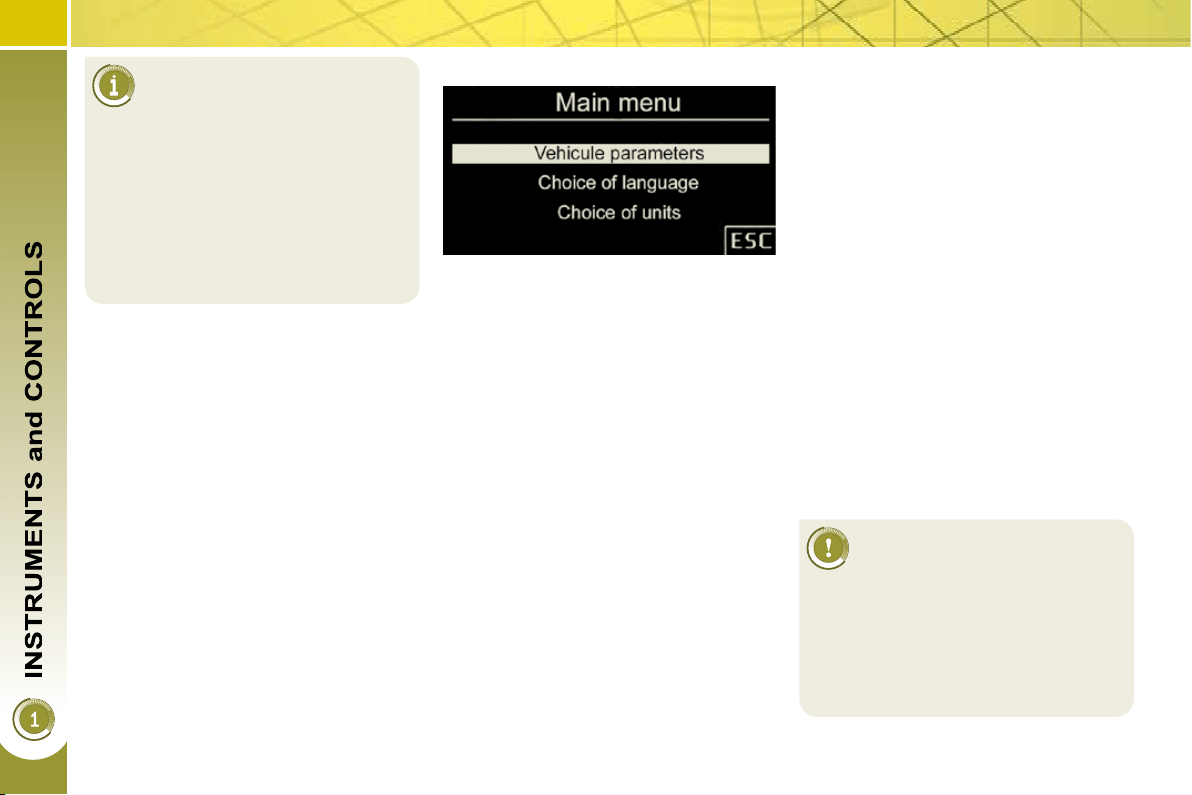
Main menu
Press button 1 for access to the
main menu and select one of the fol-
lowing functions:
- "Vehicle parameters",
- "Choice of language",
- "Choice of units".
Press button 2 or 3 to move in the
screen.
Press button 1 again to confi rm the
selection.
* According to country.
Indicator and warning lamps
Visual indicators informing the driver
that a system is in operation (operation
or deactivation indicator lamps) or of the
occurrence of a fault (warning lamp).
When the ignition is switched on
Certain warning lamps come on for a
few seconds when the vehicle's ignition
is switched on.
When the engine is started, these same
warning lamps should switch off.
If they remain on, before moving off,
refer to the information on the warning
lamp concerned.
Associated warnings
The switching on of certain warning
lamps may be accompanied by an au-
dible signal and a message on the mul-
tifunction screen.
The warning lamps may come
on continuously (fi xed) or
fl ash.
Certain warning lamps may come on
in two different modes. Only by relat-
ing the type of lighting to the oper-
ating status of the vehicle can it be
ascertained whether the situation is
normal or whether a fault has oc-
curred.
26
Vehicle parameters
This menu allows you to activate or
deactivate certain driving and comfort
equipment (according to country):
- wiper linked with reverse gear (refer
to the "Visibility" section),
- selective unlocking (refer to the
"Access" section),
- guide-me-home and welcome light-
ing (refer to the "Visibility" section),
- interior mood lighting (refer to the
"Visibility" section),
- daytime running lamps (refer to the
"Visibility" section),
- directional headlamps (refer to the
"Visibility" section),
- automatic or manual parking brake
(refer to the "Driving" section).
Choice of units
This menu allows you to select the
units: temperature (°Celsius or °Fahr-
enheit) and fuel consumption (l/100 km,
mpg or km/l).
Choice of language
This menu allows you to select the
display language: Deutsch, English,
Espanol, Français, Italiano, Nederlands,
Portugues, Türkçe * .
The main menu and its asso-
ciated functions can only be
accessed when stationary, via
buttons 1 to 4 .
A message appears on the screen,
above a certain speed threshold, in-
dicating that the main menu cannot
be displayed.
The trip computer displays can only
be accessed while driving, via but-
tons 2 and 3 (refer to the "Trip com-
puter" paragraph).
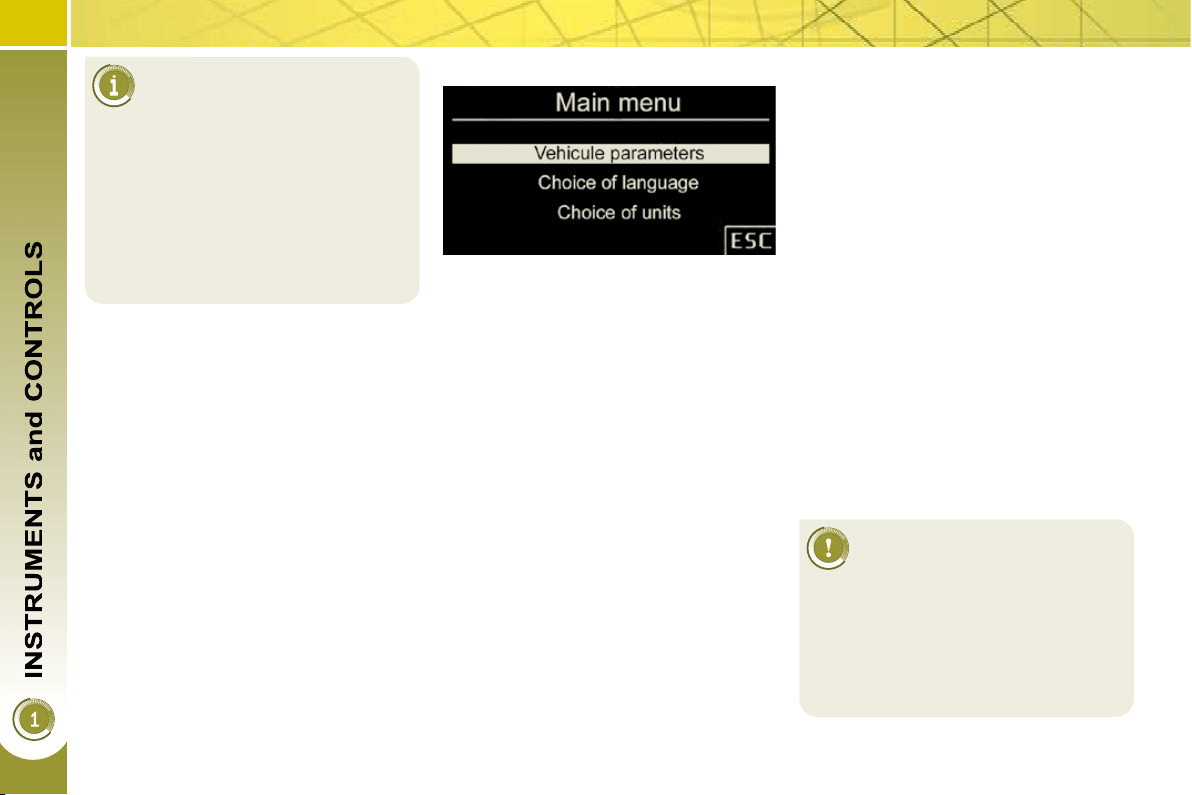
Main menu
Press button 1 for access to the
main menu and select one of the fol-
lowing functions:
- "Vehicle parameters",
- "Choice of language",
- "Choice of units".
Press button 2 or 3 to move in the
screen.
Press button 1 again to confi rm the
selection.
* According to country.
Indicator and warning lamps
Visual indicators informing the driver
that a system is in operation (operation
or deactivation indicator lamps) or of the
occurrence of a fault (warning lamp).
When the ignition is switched on
Certain warning lamps come on for a
few seconds when the vehicle's ignition
is switched on.
When the engine is started, these same
warning lamps should switch off.
If they remain on, before moving off,
refer to the information on the warning
lamp concerned.
Associated warnings
The switching on of certain warning
lamps may be accompanied by an au-
dible signal and a message on the mul-
tifunction screen.
The warning lamps may come
on continuously (fi xed) or
fl ash.
Certain warning lamps may come on
in two different modes. Only by relat-
ing the type of lighting to the oper-
ating status of the vehicle can it be
ascertained whether the situation is
normal or whether a fault has oc-
curred.
27
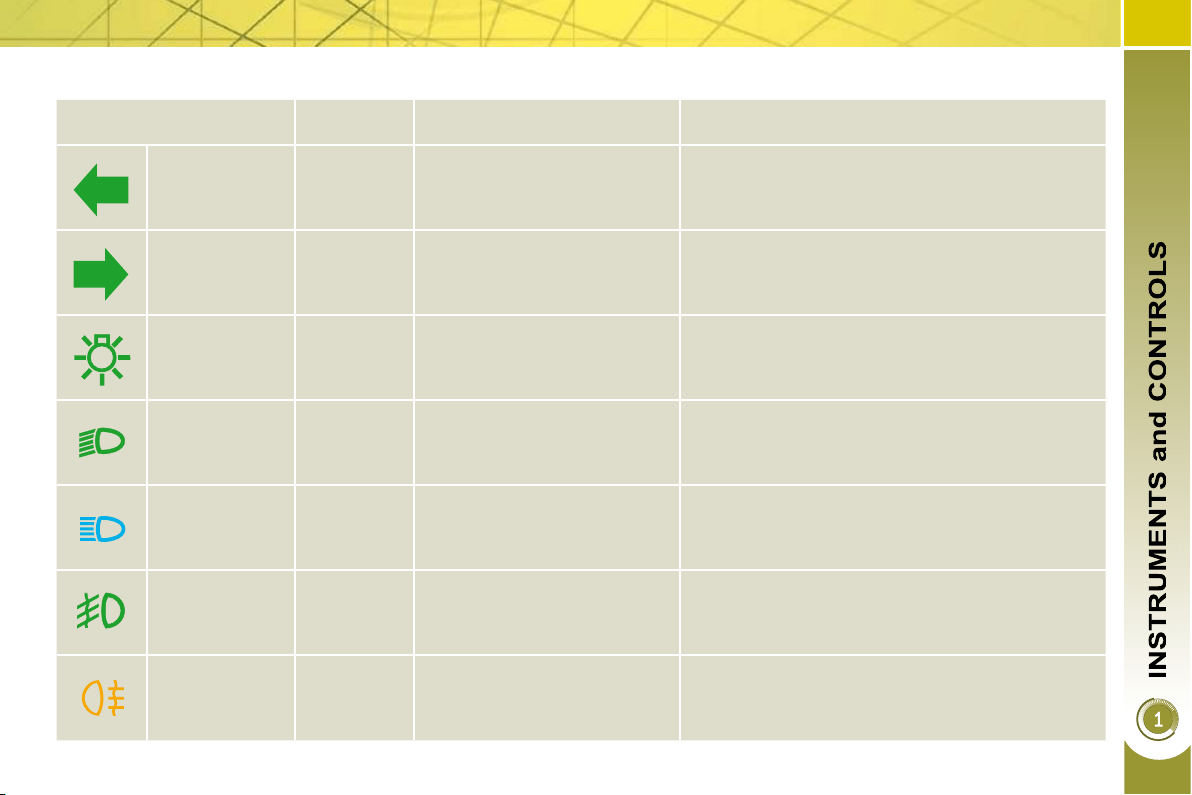
Operation indicator lamps
If one of the following indicator lamps comes on, this confi rms that the corresponding system has come into operation.
Warning lamp is on Cause Action/Observations
Left-hand
direction
indicato r
fl ashing
with buzzer.
The lighting stalk is pushed
down.
Right-hand
direction
indicator
fl ashing
with buzzer.
The lighting stalk is pushed
up.
Sidelamps fi xed.
The lighting stalk is in the
"Sidelamps" position.
Turn the control to the desired position.
Dipped beam
headlamps
fi xed.
The lighting stalk is in the
"Dipped beam headlamps"
position.
Turn the control to the desired position
Main beam
headlamps
fi xed.
The lighting stalk is pulled
towards you.
Pull the stalk to return to dipped beam
headlamps.
Front
foglamps
fi xed.
The front foglamps are
switched on.
Turn the ring on the stalk rearwards twice to
switch off the front foglamps.
Rear
foglamps
fi xed.
The rear foglamps are
switched on.
Turn the ring on the stalk rearwards to switch off
the rear foglamps.

28
Warning lamp is on Cause Action/Observations
Diesel engine
pre-heating
fi xed.
The ignition switch is at the
2nd position (ignition on).
Wait until the warning lamp has switched off
before starting.
The duration for which the warning lamp is on is
determined by the climatic conditions.
Electric
parking brake
fi xed.
The electric parking brake is
applied.
Release the electric parking brake to switch off
the warning lamp: with your foot on the brake
pedal, pull the electric brake control.
Observe the safety recommendations.
For further information about the electric parking
brake, refer to the "Driving" section.
Deactivation
of the
automatic
functions of
the electric
parking brake
fi xed.
The "automatic application"
(on switching off the engine)
and "automatic release"
functions are deactivated or
faulty.
Activate the function (according to country) via
the vehicle confi guration menu or contact a
PEUGEOT dealer.
Foot on the
brake pedal
fi xed.
The brake pedal must be
pressed.
Press the brake pedal to start the engine with
the 6-speed electronic gear control gearbox
(lever in position N ) or automatic gearbox
(lever in position P ).
If you wish to release the parking brake without
pressing the brake pedal, this warning lamp will
remain on.
fl ashing.
In the case of an electronic
gear control gearbox, if you
hold the vehicle on an incline
using the accelerator for too
long, the clutch overheats.
Use the brake pedal and/or the electric parking
brake.
29
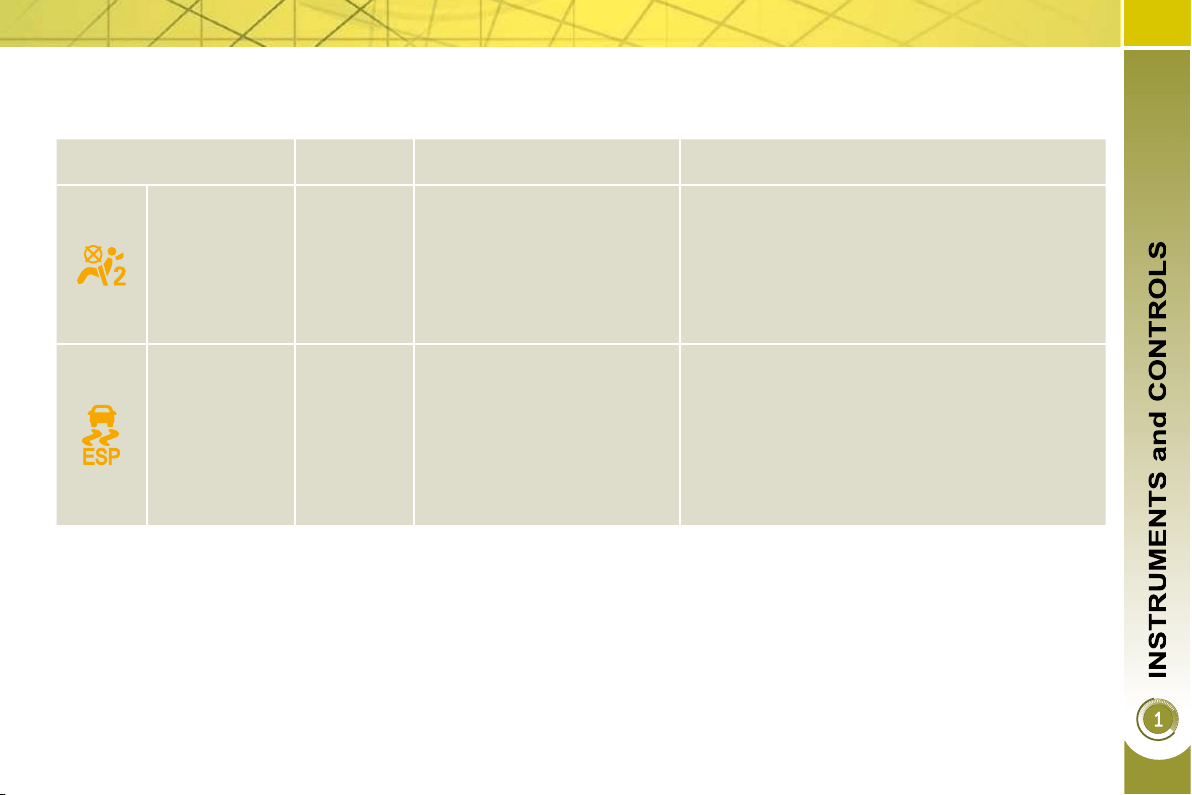
Deactivation indicator lamps
If one of the following indicator lamps comes on, this confi rms that the corresponding system has been switched off intentionally.
This is accompanied by an audible signal and a message on the multifunction screen.
Warning lamp is on Cause Action/Observations
Passenger's
airbag system
fi xed.
The control, located in the
glove box, is set to the OFF
position.
The passenger's front airbag
is deactivated.
In this case you can install a
"rear facing" child seat.
Set the control to the ON position to activate the
passenger's front airbag. In this case, do not fi t
a child seat in the rear-facing position.
The passenger's airbag system is put into
service automatically when the vehicle is started
( ON position).
ESP/ASR fi xed.
The button (located at the
bottom left of the dashboard)
or the Grip control dial is
operated. Its indicator lamp
comes on.
ESP/ASR is deactivated.
ESP: electronic stability
programme.
ASR: anti-skid regulation.
Press the button to activate the ESP/ASR or
turn the Grip control dial to ESP. Its indicator
lamp switches off.
From approximately 30 mph (50 km/h), the
system is reactivated automatically.
The ESP/ASR system is activated automatically
when the vehicle is started.
30
Warning lamps
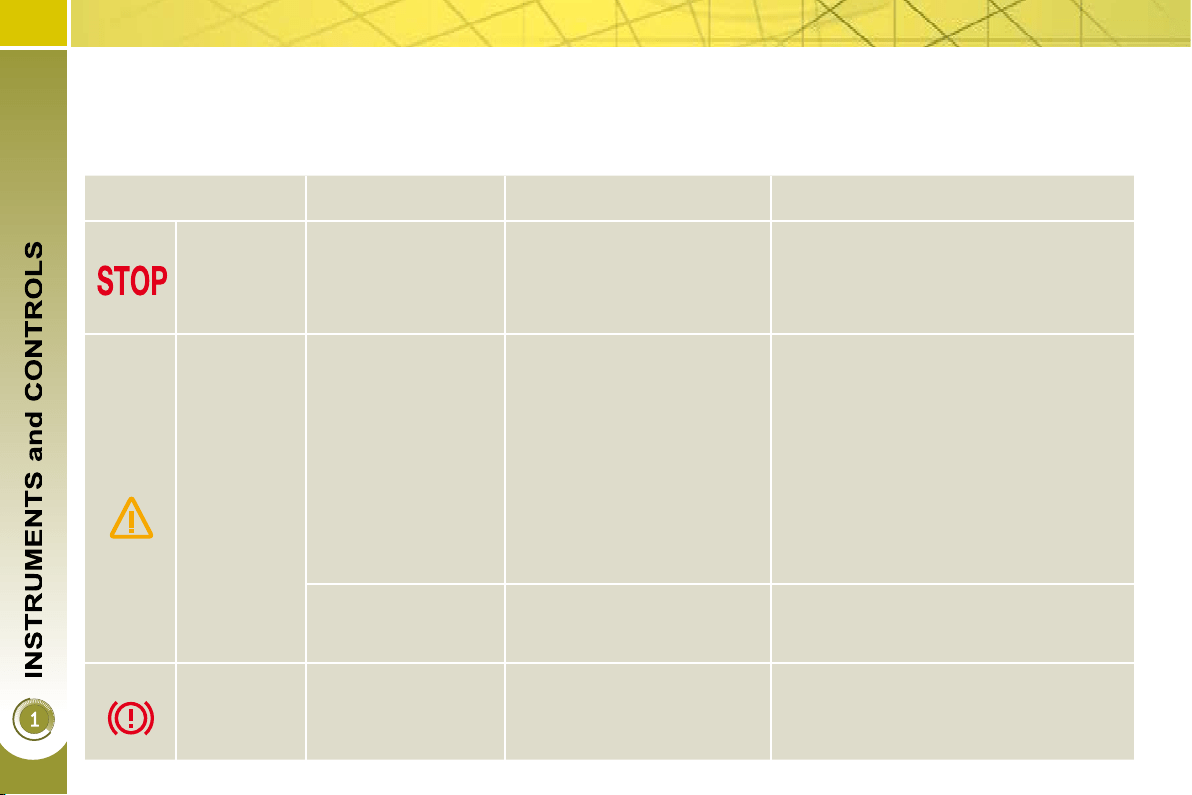
When the engine is running or the vehicle is being driven, the switching on of one of the following warning lamps indicates
a fault which requires action on the part of the driver.
Any fault resulting in the switching on of a warning lamp must be investigated further by reading the associated message on
the multifunction screen.
If you encounter any problems, do not hesitate to contact a PEUGEOT dealer.
Warning lamp is on Cause Action/Observations
STOP
fi xed, associated
with another warning
lamp, accompanied
by an audible signal
and a message on
the screen.
It is associated with a
punctured wheel, the braking
system, the power steering,
the engine oil pressure or the
engine coolant temperature.
Stop as soon as it is safe to do so.
Park, switch off the ignition and call a
PEUGEOT dealer.
Service
temporarily.
A minor fault has occurred
for which there is no specifi c
warning lamp.
Identify the fault by reading the message
shown on the screen, such as, for
example:
- the closing of the doors, boot or
bonnet,
- the engine oil level,
- the screenwash level,
- the remote control battery,
- the tyre pressures,
- saturation of the particle emission
fi lter (Diesel).
For any other faults, contact a
PEUGEOT dealer.
fi xed.
A major fault has occurred
for which there is no specifi c
warning lamp.
Identify the fault by reading the message
shown on the screen and contact a
PEUGEOT dealer.
Electric
parking
brake
fl ashing.
The electric parking brake is
not applied automatically.
You must stop immediately where it is
safe to do so.
Park on level ground, switch off the
ignition and contact a PEUGEOT dealer.
31
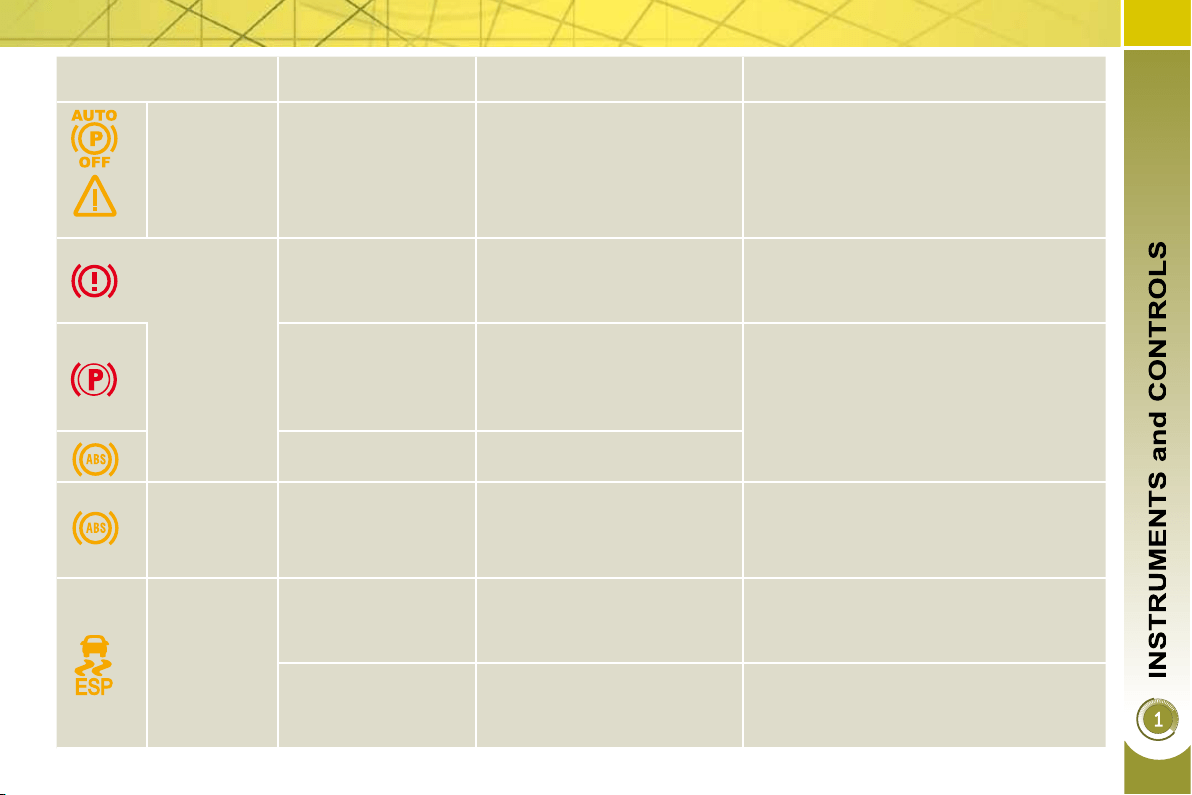
Warning lamp is on Cause Action/Observations
+
Electric
parking
brake fault
fi xed.
The electric parking brake is
faulty.
Contact a PEUGEOT dealer without
delay.
The parking brake can be released
manually.
For further information about the electric
parking brake, refer to the "Driving"
section.
Braking
fi xed.
The braking system
fl uid level has dropped
signifi cantly.
Top up with brake fl uid recommended by
PEUGEOT.
If the problem persists, have the system
checked by a PEUGEOT dealer.
+
fi xed, associated with
the electric parking
brake fault warning
lamp, if the parking
brake is released.
The braking circuit is faulty.
Stop as soon as it is safe to do so.
Park, switch off the ignition and contact
a PEUGEOT dealer.
+
fi xed, associated with
the ABS warning lamp.
The electronic brake force distribution
(EBFD) system has a fault.
Have it checked by a PEUGEOT dealer.
Anti-lock
Braking
System
(ABS)
fi xed.
The anti-lock braking system
has a fault.
The vehicle retains conventional
braking.
Drive carefully at reduced speed and
contact a PEUGEOT dealer without
delay.
Dynamic
stability
control
(ESP/ASR)
fl ashing.
The ESP/ASR regulation is
active.
The system optimises traction and
improves the directional stability of
the vehicle.
fi xed.
Unless it has been
deactivated with the indicator
lamp on the button on, the
ESP/ASR system is faulty.
Have it checked by a PEUGEOT dealer.
32
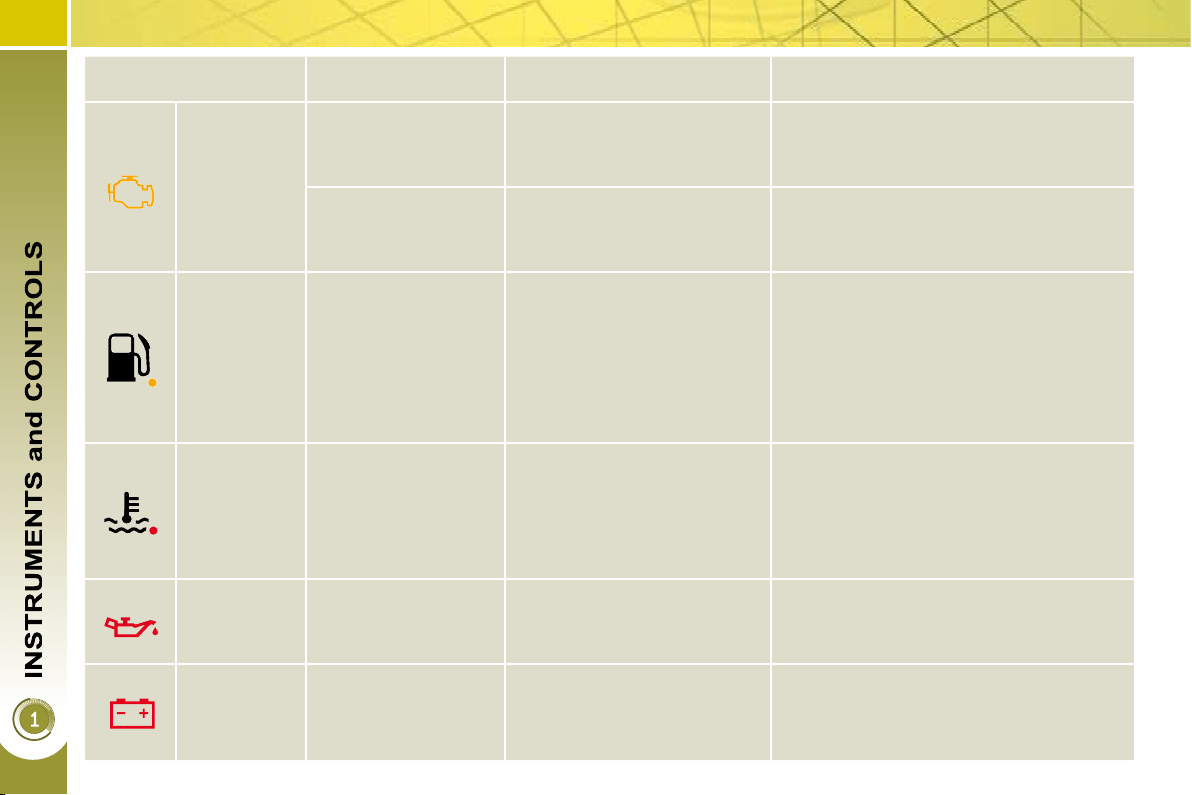
Warning lamp is on Cause Action/Observations
Engine
autodiagnosis
system
fi xed.
The emission control system
has a fault.
This lamp should switch off when the
engine is started.
If it does not switch off, contact a
PEUGEOT dealer urgently.
fl ashing.
The engine management
system has a fault.
Risk of destruction of the catalytic
convertor.
Have it checked by a PEUGEOT dealer.
Low fuel
level
fi xed with the needle
in the red zone.
When it fi rst comes on there
remains approximately
6 litres of fuel in the tank.
At this point, you begin to
use the fuel reserve.
Refuel as soon as possible to avoid
running out of fuel.
This warning lamp will come on every
time the ignition is switched on, until a
suffi cient addition of fuel is made.
Fuel tank capacity: approximately 60 litres .
Never continue to drive until you run
out of fuel, as this could damage the
emission control and injection systems.
Maximum
coolant
temperature
fi xed with the needle
in the red zone.
The temperature of the
cooling system is too high.
Stop as soon as it is safe to do so.
Wait until the engine has cooled down
before topping up the level, if necessary.
If the problem persists, contact a
PEUGEOT dealer.
Engine oil
pressure
fi xed.
There is a fault with the
engine lubrication system.
Stop as soon it is safe to do so.
Park, switch off the ignition and contact
a PEUGEOT dealer.
Battery
charge
fi xed.
The battery charging circuit
has a fault (dirty or loose
terminals, slack or cut
alternator belt, ...).
This lamp should switch off when the
engine is started.
If it does not switch off, contact a
PEUGEOT dealer.
33
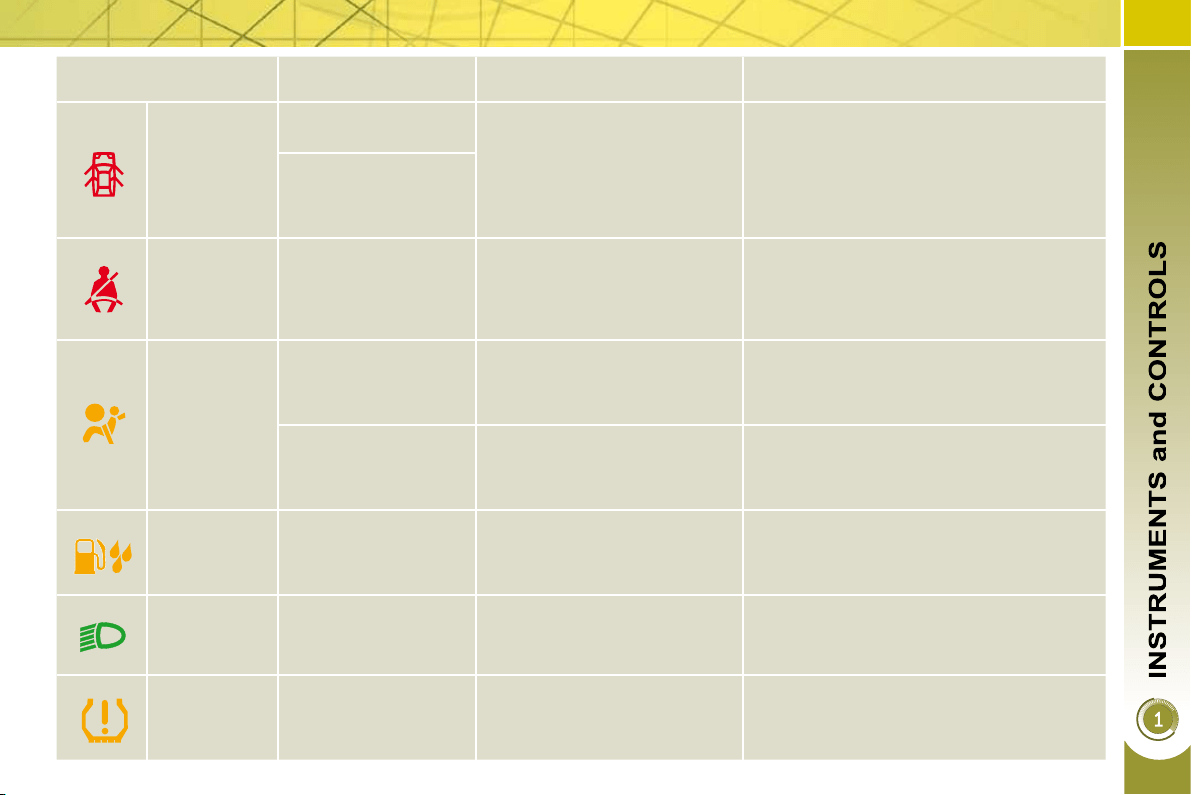
Warning lamp is on Cause Action/Observations
Door(s)
open
fi xed if the speed is
below 6 mph (10 km/h).
A door, the boot, the lower
tailgate or the bonnet (with
alarm only) is still open.
Close the door or boot.
fi xed and accompanied
by an audible signal if
the speed is above
6 mph (10 km/h).
Seat belt not
fastened/
unfastened
fi xed then fl ashing
accompanied by an
increasing audible
signal.
The driver and/or the front
passenger has not fastened
or has unfastened their seat
belt.
Pull the strap then insert the tongue in
the buckle.
Airbags
temporarily.
This lamp comes on for a
few seconds when you turn
on the ignition, then switches
off.
This lamp should switch off when the
engine is started.
If it does not switch off, contact a
PEUGEOT dealer.
fi xed.
One of the airbag or seat belt
pretensioner systems has a
fault.
Have it checked by a PEUGEOT dealer.
Water in
Diesel
fi xed.
The diesel fi lter contains
water.
Risk of damage to the injection system
on Diesel engines.
Contact a PEUGEOT dealer without
delay.
Directional
headlamps
fl ashing.
The directional headlamps
system is faulty.
Have it checked by a PEUGEOT dealer.
Defl ated
wheel
fi xed.
The pressure in one or more
wheels is too low.
Check the pressure of the tyres as soon
as possible.
This check should preferably be carried
out when the tyres are cold.
34
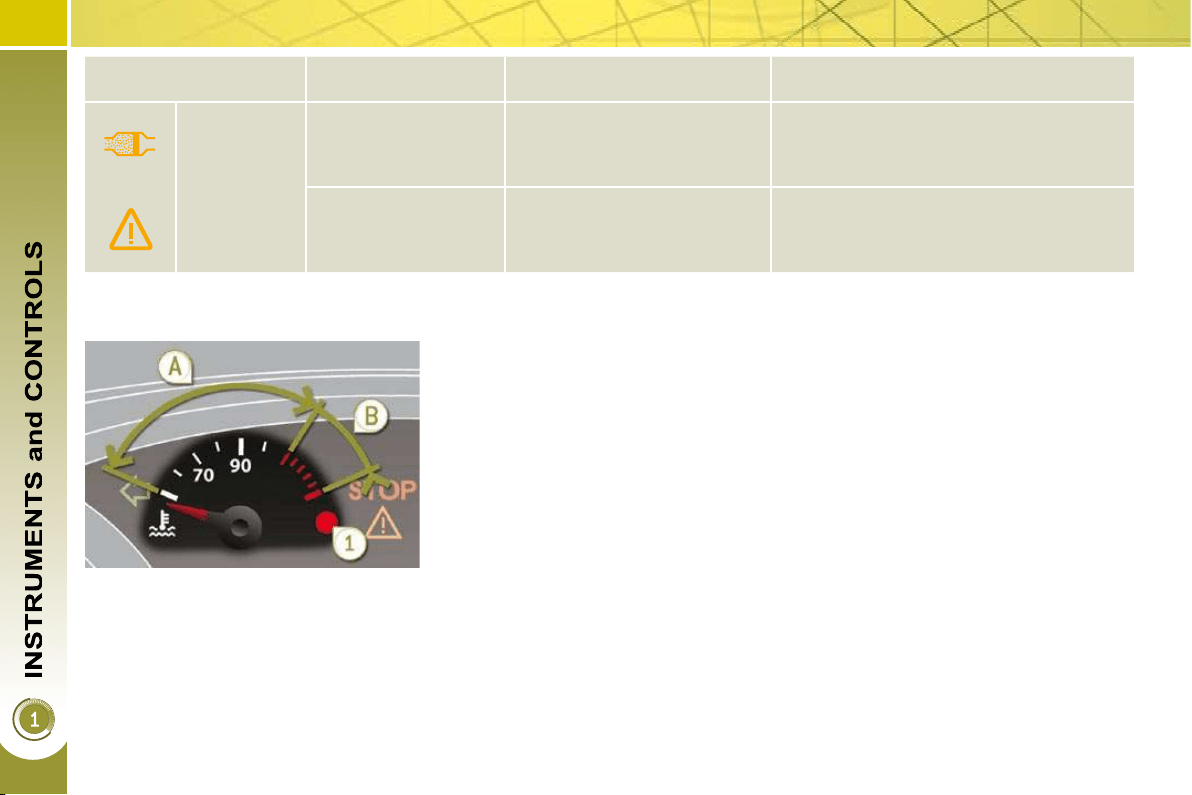
Coolant temperature
indicator
With the engine running, when the nee-
dle is:
- in zone A , the temperature is correct,
- in zone B , the temperature is too
high; the max temperature warning
lamp 1 and the central STOP warn-
ing lamp come on, accompanied by
an audible signal and a message on
the multifunction screen.
After driving for a few minutes, the tem-
perature and pressure in the cooling
system increase.
To top up the level:
wait for the engine to cool,
unscrew the cap by two turns to
allow the pressure to drop,
when the pressure has dropped,
remove the cap,
top up the level to the "MAX" mark.
You MUST stop as soon as it is safe
to do so.
Wait a few minutes before switching off
the engine.
Consult a PEUGEOT dealer.
Warning lamp is on Cause Action/Observations
+
Particle
emissions
fi lter
(Diesel)
fi xed, associated
temporarily with
lighting of the service
warning lamp.
This indicates that the
particle emissions fi lter is
starting to become saturated.
As soon as driving conditions allow,
regenerate the fi lter by driving at a
speed of at least 35 mph (60 km/h) until
the service warning lamp switches off.
fi xed, associated
temporarily with
lighting of the service
warning lamp.
This indicates the minimum
level for the Diesel fuel
additive reservoir.
Have the reservoir topped up as soon as
possible by a PEUGEOT dealer.
34
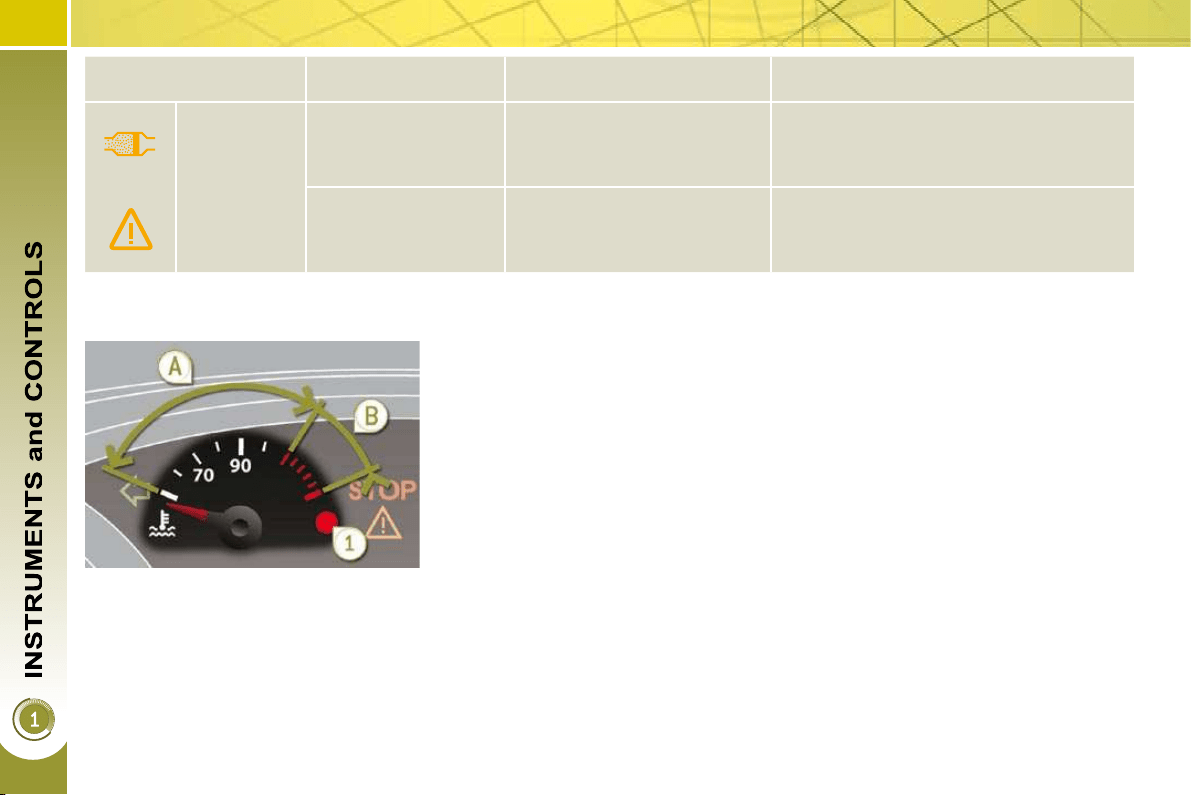
Coolant temperature
indicator
With the engine running, when the nee-
dle is:
- in zone A , the temperature is correct,
- in zone B , the temperature is too
high; the max temperature warning
lamp 1 and the central STOP warn-
ing lamp come on, accompanied by
an audible signal and a message on
the multifunction screen.
After driving for a few minutes, the tem-
perature and pressure in the cooling
system increase.
To top up the level:
wait for the engine to cool,
unscrew the cap by two turns to
allow the pressure to drop,
when the pressure has dropped,
remove the cap,
top up the level to the "MAX" mark.
You MUST stop as soon as it is safe
to do so.
Wait a few minutes before switching off
the engine.
Consult a PEUGEOT dealer.
Warning lamp is on Cause Action/Observations
+
Particle
emissions
fi lter
(Diesel)
fi xed, associated
temporarily with
lighting of the service
warning lamp.
This indicates that the
particle emissions fi lter is
starting to become saturated.
As soon as driving conditions allow,
regenerate the fi lter by driving at a
speed of at least 35 mph (60 km/h) until
the service warning lamp switches off.
fi xed, associated
temporarily with
lighting of the service
warning lamp.
This indicates the minimum
level for the Diesel fuel
additive reservoir.
Have the reservoir topped up as soon as
possible by a PEUGEOT dealer.
Service indicator
System which informs the driver when
the next service is due, in accord-
ance with the manufacturer's servicing
schedule.
The point at which the service is due is
calculated from the last indicator zero
reset. It is determined by two param-
eters:
- the distance travelled,
- the time elapsed since the last service.
Between 600 miles (1 000 km) and
1 800 miles (3 000 km) remain before
the next service is due
For 5 seconds after the ignition is switched
on, the spanner symbolising the service
operations comes on. The distance re-
corder display line indicates the distance
remaining before the next service is due.
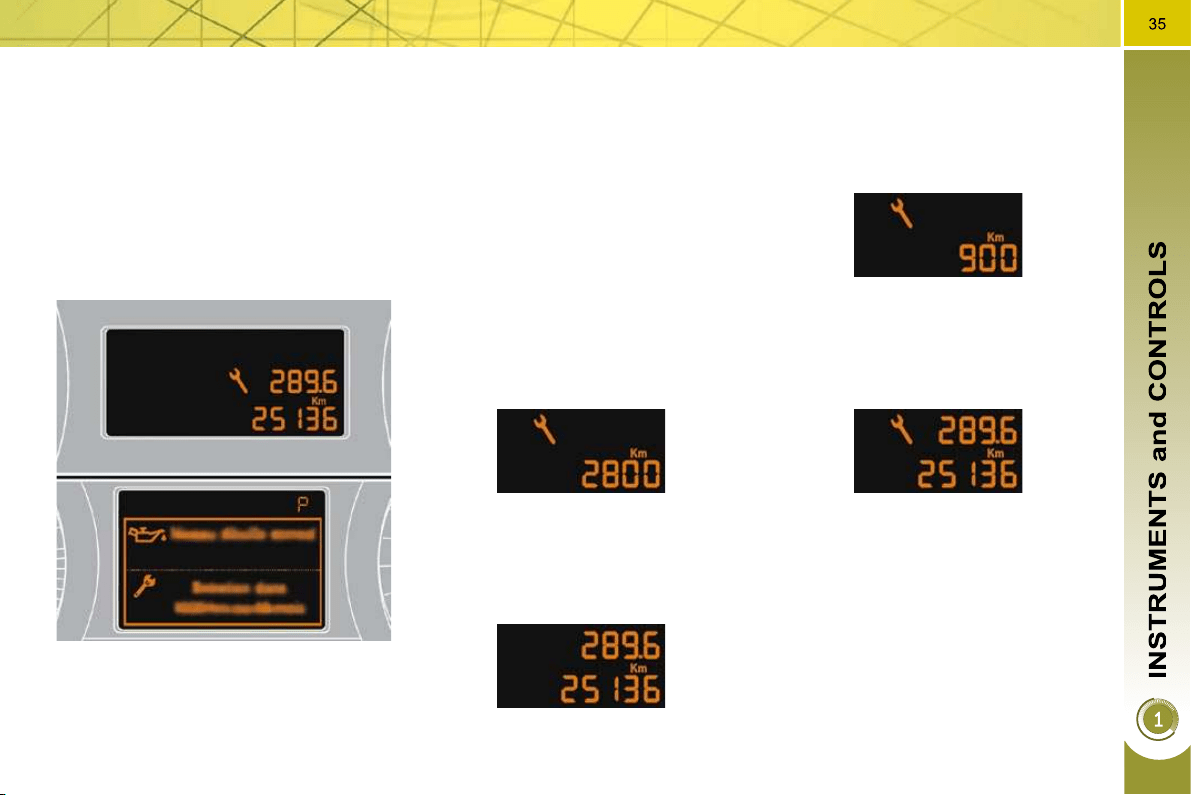
Example: 2 800 km remain before the
next service is due.
For 5 seconds after the ignition is
switched on, the display indicates:
5 seconds after the ignition is switched
on, the spanner is switched off ; the
distance recorder resumes its normal
operation. The display then indicates
the total and trip distances.
Less than 600 miles (1 000 km) remain
before the next service is due
Example: 900 km remain before the
next service is due.
For 5 seconds after the ignition is
switched on, the display indicates:
5 seconds after the ignition is switched on,
the distance recorder resumes its normal
operation. The spanner remains on to
indicate that a service must be carried out
soon.
More than 1 800 miles (3 000 km)
remain before the next service is due
When the ignition is switched on, no
service information appears on the dis-
play.
36
Following this operation, if you
wish to disconnect the battery,
lock the vehicle and wait at
least fi ve minutes for the zero reset
to be taken into account.
Service indicator zero reset
After each service, the service indicator
must be reset to zero.
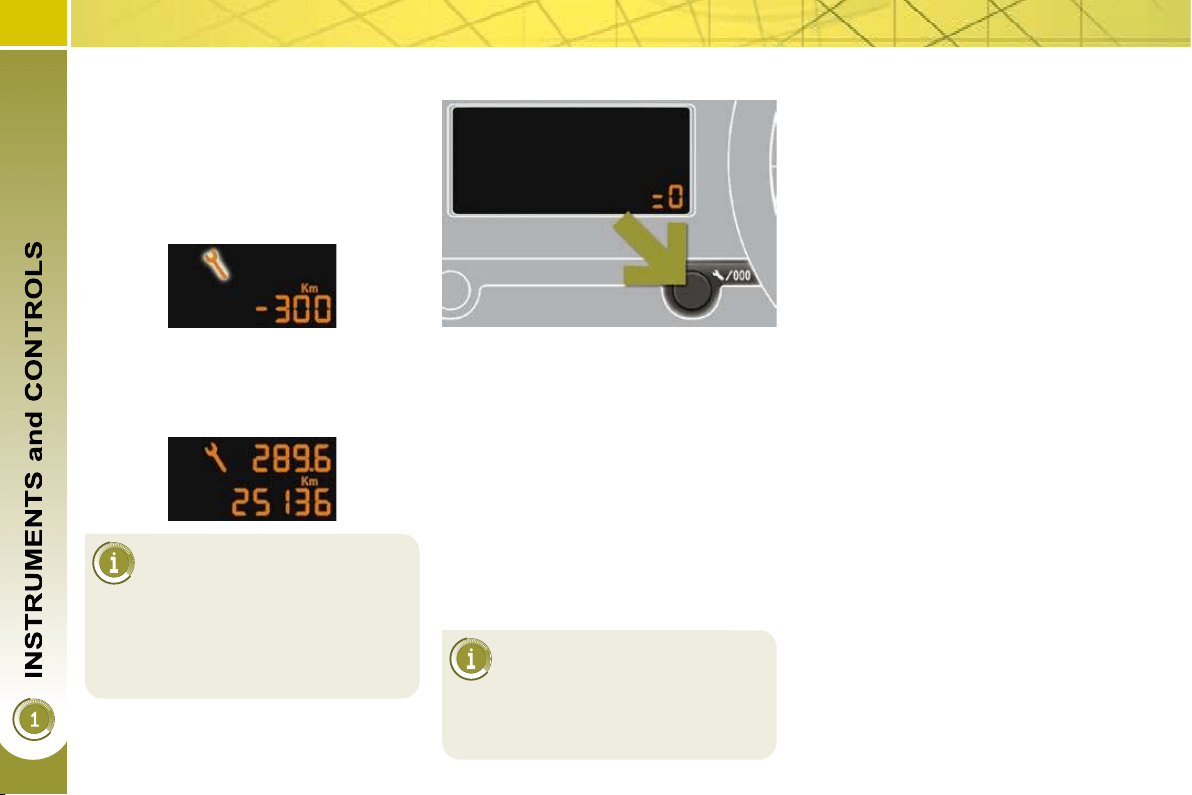
The procedure for resetting to zero is as
follows:
switch off the ignition,
press and hold the trip distance re-
corder zero reset button,
switch on the ignition; the distance
recorder display begins a count-
down,
when the display indicates "=0" ,
release the button; the spanner
disappears.
The distance remaining may
be weighted by the time fac-
tor, depending on the driver's
driving habits.
Therefore, the spanner may also
come on if you have exceeded the
two year service interval.
Service overdue
For 5 seconds after the ignition is
switched on, the spanner fl ashes to
indicate that the service must be carried
out as soon as possible.
Example: the service is overdue by
300 miles (km).
For 5 seconds after the ignition is
switched on, the display indicates:
5 seconds after the ignition is switched
on, the distance recorder resumes its
normal operation.
The spanner remains lit
.
Retrieving the service information
You can access the service information
at any time.
Press the trip distance recorder zero
reset button.
The service information is displayed
for a few seconds, then disappears.
37
The level read will only be cor-
rect if the vehicle is on level
ground and the engine has been
off for more than 15 minutes.
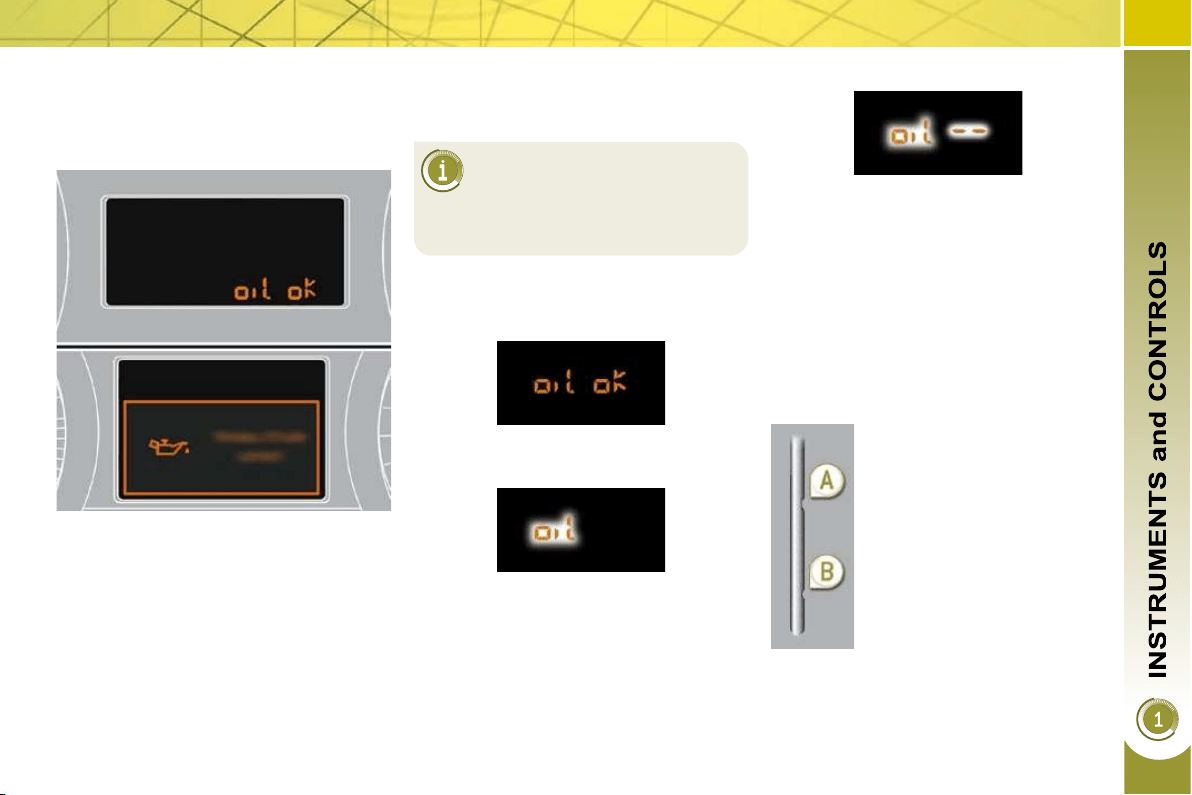
Engine oil level indicator
System which informs the driver wheth-
er the engine oil level is correct or not.
This information is indicated for a few
seconds when the ignition is switched
on, after the service information.
Oil level correct
Lack of oil
Oil level indicator fault
Dipstick
This is indicated by the fl ashing of
"OIL" , linked with the service warning
lamp, accompanied by an audible sig-
nal and a message on the multifunction
screen.
If the lack of oil is confi rmed by a check
using the dipstick, it is essential that the
level is topped up to prevent damage to
the engine.
This is indicated by the fl ashing of
"OIL --" . Consult a PEUGEOT dealer.
Refer to the "Checks" section to locate
the dipstick and the oil fi ller cap on your
engine.
There are 2 marks on the
dipstick:
- A = max; never exceed
this level (risk of dama-
ge to the engine),
- B = min; top up the level
via the oil fi ller cap, using
the grade of oil suited to
your engine.
38
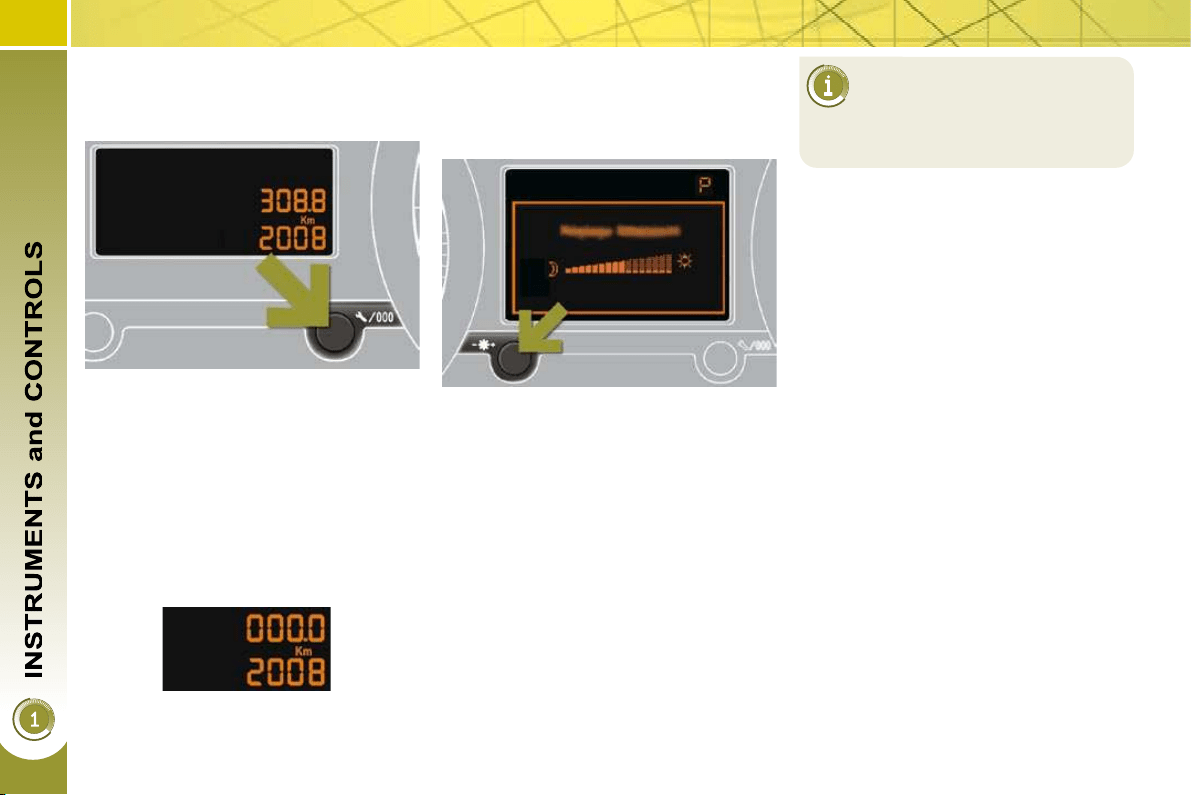
Total distance recorder
System which measures the total dis-
tance travelled by the vehicle during its
life.
Lighting rheostat
System for manual adjustment of the
brightness of the instrument panel in re-
lation to the exterior brightness.
The total and trip distances are dis-
played for thirty seconds when the ig-
nition is switched off, when the driver's
door is opened and when the vehicle is
locked or unlocked.
Trip distance recorder
System which measures a distance
travelled during a day or other period
since it was reset to zero by the driver.
With the ignition on, press the but-
ton until zeros appear.
Activation
When the vehicle lighting is on:
press the button to change the
brightness of the instrument panel,
when the lighting reaches the mini-
mum setting, release the button,
then press again to increase it,
or
when the lighting reaches the maxi-
mum setting, release the button,
then press again to reduce it,
when the lighting reaches the level
of brightness required, release the
button.
When the vehicle lighting is
on, you cannot switch the in-
strument panel lighting off but
you can adjust it to minimum.
Deactivation
When the lighting is off, or in day mode
on vehicles fi tted with daytime running
lamps, pressing the button does not
have any effect.
39
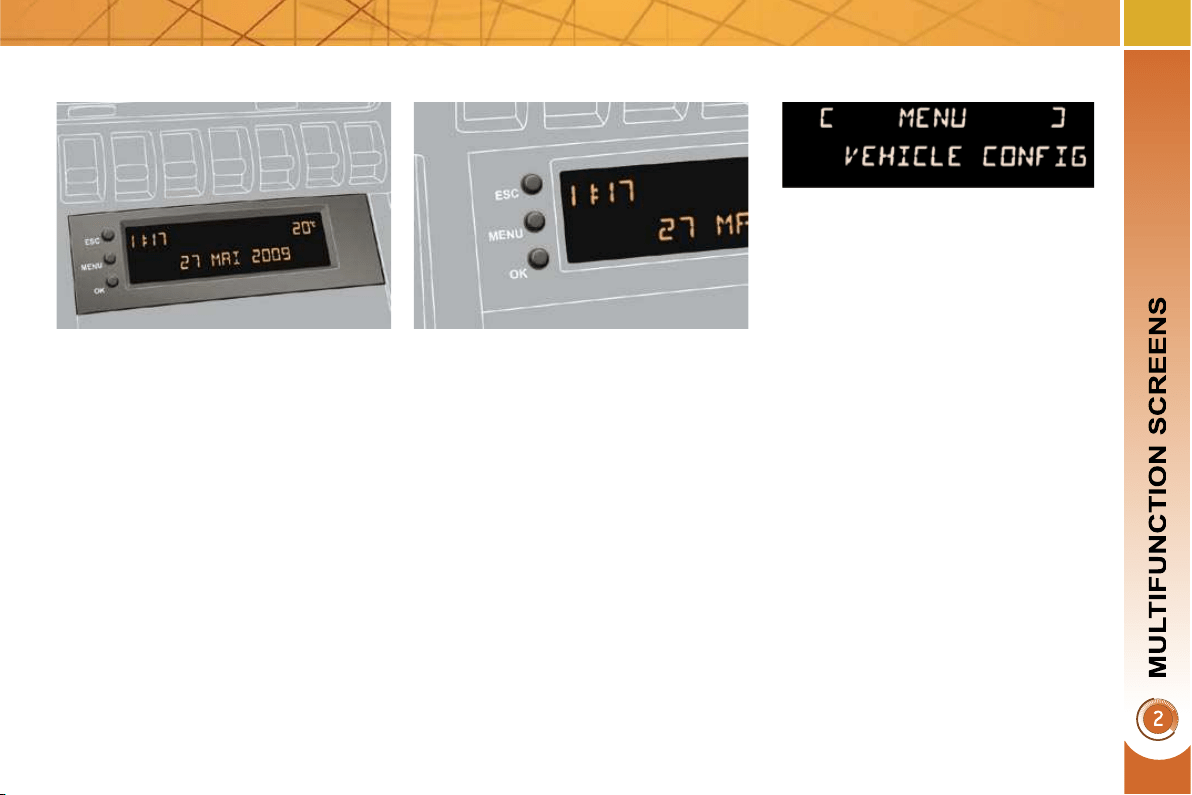
Displays on the screen
This displays the following information:
- time,
- date,
- ambient temperature * (this fl ashes if
there is a risk of ice),
-
status of the openings (doors, boot, ...),
- trip computer (refer to the end of the
section).
Warning messages (e.g.: "Emission
control system faulty") or information
messages (e.g.: "Boot open") may ap-
pear temporarily. Some can be cleared
by pressing the "ESC" button.
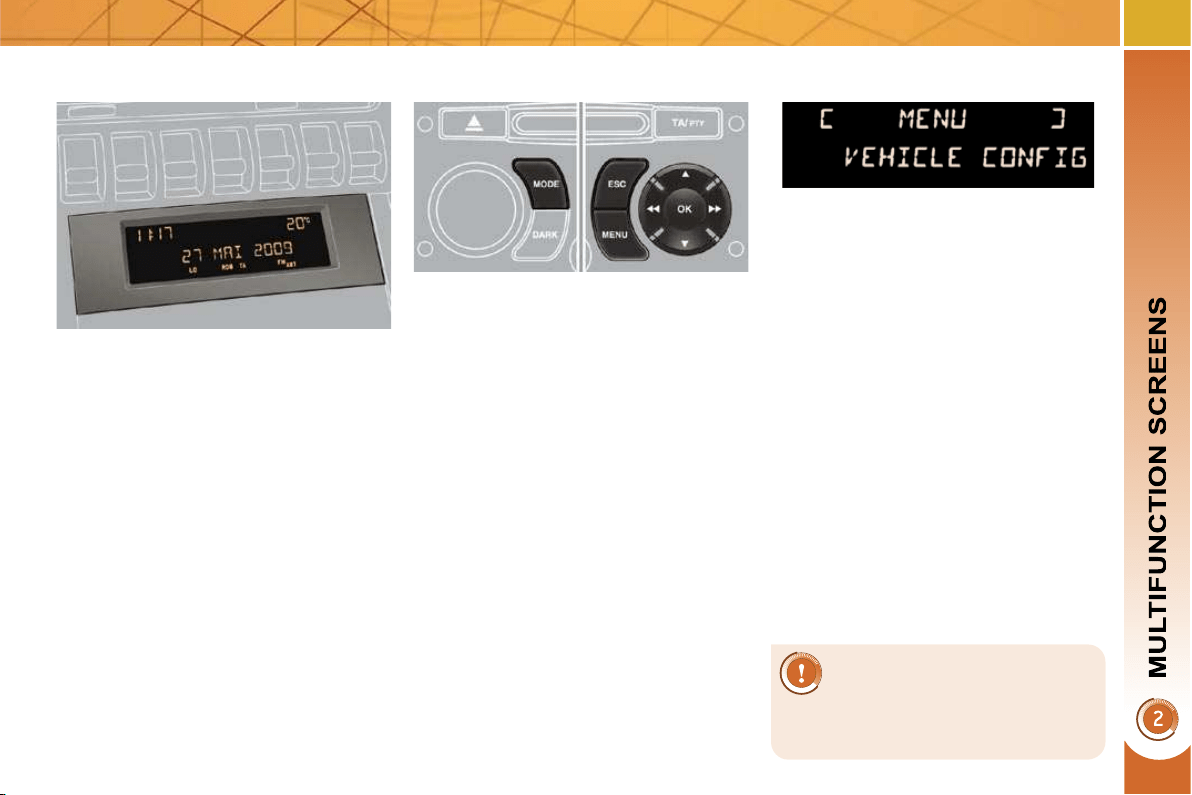
MONOCHROME SCREEN A
(WITHOUT AUDIO EQUIPMENT)
Controls
Main menu
There are three display control buttons:
- "ESC" to abandon the operation in
progress,
- "MENU" to scroll through the menus
or sub-menus,
- "OK" to select the menu or sub-
menu required.
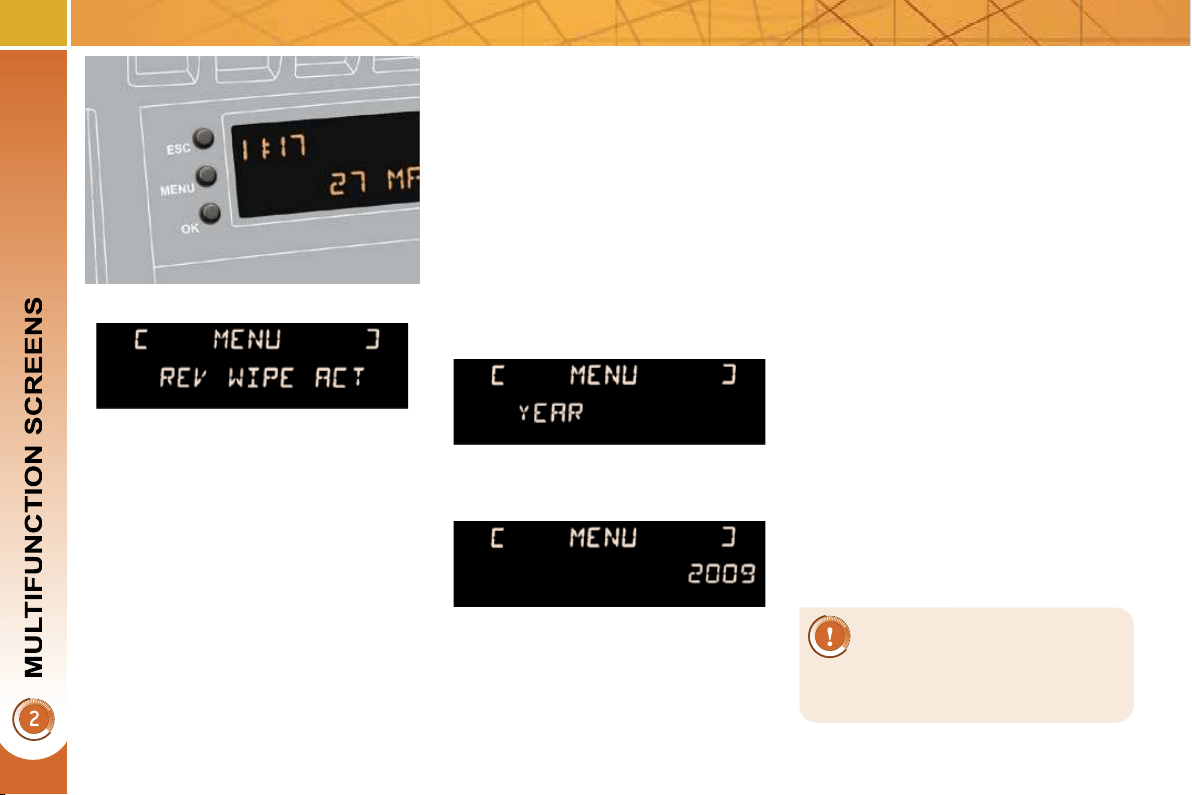
Press the "MENU" button to scroll
through the various menus of the
main menu :
- vehicle confi guration,
- options,
- display settings,
- languages,
- units.
Press the "OK" button to select the
menu required.
* With air conditioning only.
40
Vehicle confi guration
Options
Once the "Options" menu has been se-
lected, you can start diagnostics of the
status of the equipment (active, not ac-
tive, faulty).
Languages
Once the "Languages" menu has been
selected, you can change the language
used by the display (Français, Italiano,
Nederlands, Portugues, Portugues-Brasil,
Türkçe, Deutsch, English, Espanol).
Display settings
Once the "Display settings" menu has
been selected, you can gain access to
the following settings:
- year,
- month,
- day,
- hour,
- minutes,
- 12 or 24 hour mode.
Units
Once the "Units" menu has been select-
ed, you can change the units for:
- temperature (°C or °F),
- fuel consumption (l/100 km, mpg or
km/l).
Once you have selected a setting,
press the "OK" button to change its
value.
Wait for approximately ten sec-
onds without any action to allow
the changed data to be recorded or
press the "ESC" button to cancel.
The screen then returns to the normal
display.
Once the "Vehicle confi guration" menu
has been selected, you can activate or
deactivate the following equipment (ac-
cording to country):
- wiper linked with reverse gear (refer
to the "Visibility" section),
- selective unlocking (refer to the
"Access" section),
- "guide-me-home" and welcome light-
ing (refer to the "Visibility" section),
- interior mood lighting (refer to the
"Visibility" section),
- daytime running lamps (refer to the
"Visibility" section),
- directional headlamps (refer to the
"Visibility" section),
- automatic or manual parking brake
(refer to the "Driving" section),
- ...
For safety reasons, confi gu-
ration of the multifunction
screen by the driver must only
be done when stationary.
41
MONOCHROME SCREEN A
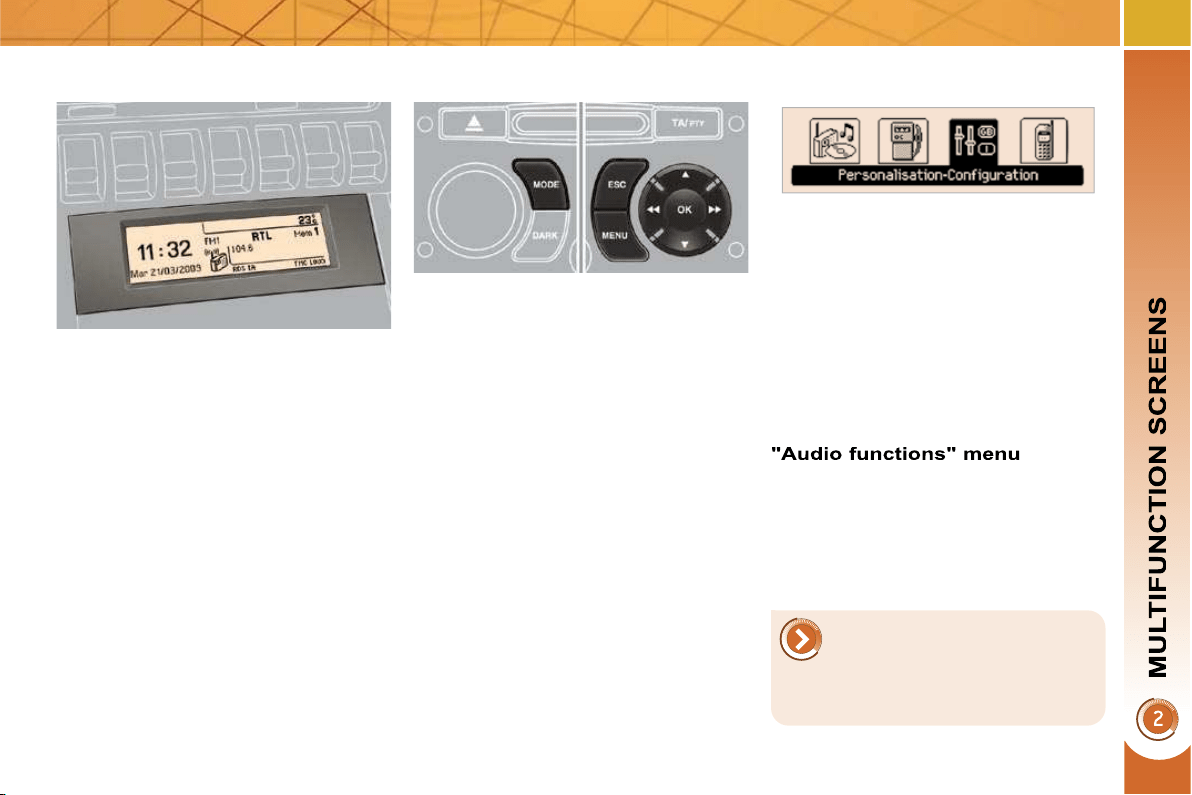
(WITH AUDIO EQUIPMENT)
Controls
Displays on the screen
This displays the following information:
- time,
- date,
- ambient temperature * (this fl ashes if
there is a risk of ice),
-
status of the openings (doors, boot, ...),
- audio sources (radio, CD, ...),
- trip computer (refer to the end of the
section).
Warning messages (e.g.: "Emission
control system faulty") or information
messages (e.g.: "Boot open") may ap-
pear temporarily. Some can be cleared
by pressing the "ESC" button.
Main menu
Press the "MENU" button for access
to the main menu , then press the
" " or " " buttons to scroll through
the various menus:
- radio-CD,
- vehicle confi guration,
- options,
- display settings,
- languages,
- units.
Press the "OK" button to select the
menu required.
From the audio equipment control pan-
el, you can:
press the "MENU" button to gain
access to the main menu ,
press the " " or " " buttons to scroll
through the items on the screen,
press the "MODE" button to change
the permanent application (trip com-
puter, audio source, ...),
press the " " or " " buttons to
change a setting value,
press the "OK" button to confi rm,
or
press the "ESC" button to abandon
the operation in progress.
Radio-CD
With the audio equipment switched on,
once the "Radio-CD" menu has been
selected you can activate or deactivate
the functions linked with use of the radio
(RDS, REG), the CD or the CD changer
(introscan, shuffl e, CD repeat).
* With air conditioning only.
For more information on the
"Radio-CD" application, refer
to the "Audio and Telematics"
section.

42
For safety reasons, confi gu-
ration of the multifunction
screen by the driver must only
be done when stationary.
Display settings
Once the "Display settings" menu has
been selected, you can gain access to
the following settings:
- year,
- month,
- day,
- hour,
- minutes,
- 12 or 24 hour mode.
Languages
Once the "Languages" menu has been
selected, you can change the language
used by the display (Français, Italiano,
Nederlands, Portugues, Portugues-Brasil,
Türkçe, Deutsch, English, Espanol).
Units
Once the "Units" menu has been se-
lected, you can change the units of the
following parameters:
- temperature (°C or °F),
- fuel consumption (l/100 km, mpg or
km/l).
Once you have selected a setting,
press the " " or " " buttons to
change its value.
Press the " " or " " buttons to
switch respectively to the previous
or next setting.
Press the "OK" button to record
the change and return to the normal
display or press the "ESC" button to
cancel.
Vehicle confi guration
Once the "Vehicle Confi guration" menu has
been selected, you can activate or deactivate
the following equipment (according to country):
- wiper linked with reverse gear (refer
to the "Visibility" section),
- selective unlocking (refer to the
"Accesses" section),
- guide-me-home and welcome light-
ing (refer to the "Visibility" section),
- interior mood lighting (refer to the
"Visibility" section),
- daytime running lamps (refer to the
"Visibility" section),
- directional headlamps (refer to the
"Visibility" section),
- automatic or manual parking brake
(refer to the "Driving" section),
- ...
Options
Once the "Options" menu has been se-
lected, you can start diagnostics of the
status of the equipment (active, not ac-
tive, faulty).
43
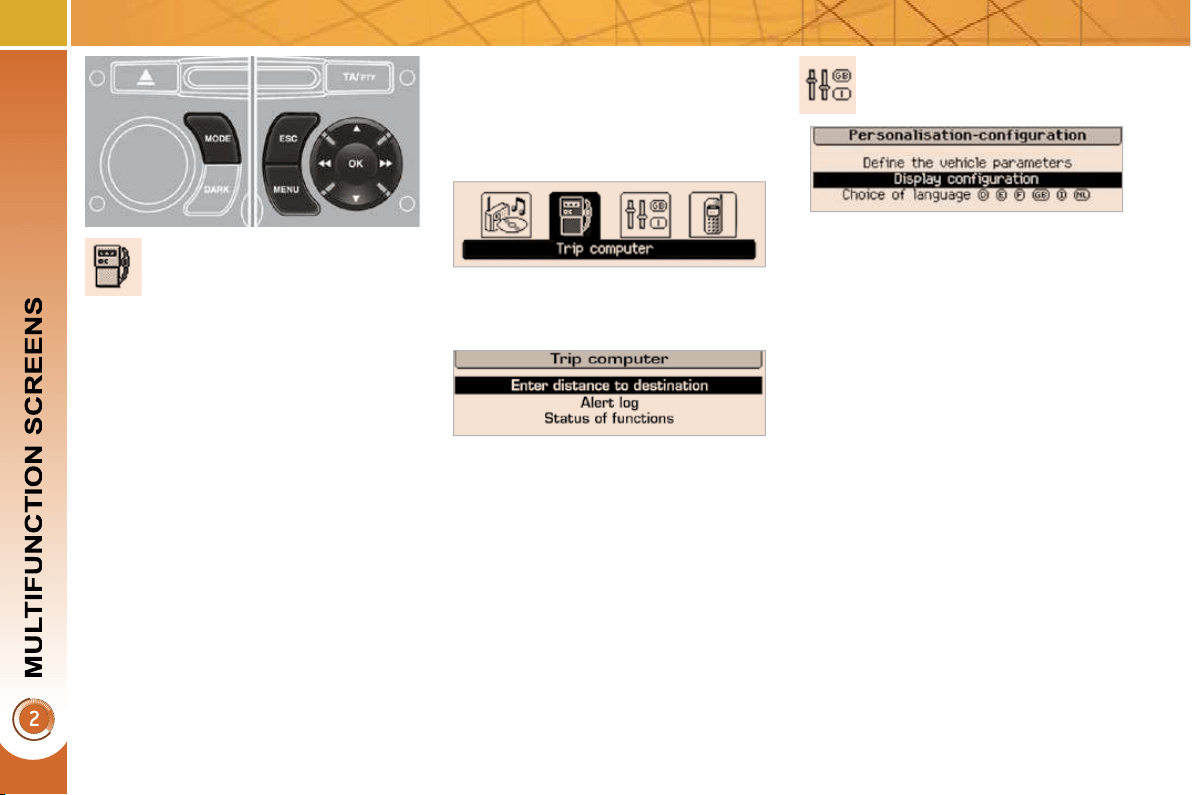
MONOCHROME SCREEN C (WITH
PEUGEOT CONNECT SOUND)
Main menu
Displays on the screen
This displays the following information:
- time,
- date,
- ambient temperature * (this fl ashes if
there is a risk of ice),
- status of the openings (doors,
boot...),
- audio sources (radio, CD...),
- trip computer (refer to the end of the
section).
Warning messages (e.g.: "Emission
control system faulty") or information
messages (e.g.: "Automatic headlamp
lighting activated") may appear tempo-
rarily. These can be cleared by pressing
the " ESC " button.
With the audio equipment switched on,
once this menu has been selected you
can activate or deactivate the functions
linked with use of the radio (RDS, REG,
RadioText) or the CD or CD changer
(introscan, shuffl e, CD repeat).
Controls
From the audio equipment control pan-
el, you can:
press the " MENU " button to gain ac-
cess to the main menu ,
press the " " or " " buttons to scroll
through the items on the screen,
press the " MODE " button to change
the permanent application (trip com-
puter, audio source...),
press the " " or " " buttons to
change a setting value,
press the " OK " button to confi rm,
or
press the " ESC " button to abandon
the operation in progress.
Press the "MENU" button for ac-
cess to the main menu :
- audio functions,
- trip computer (refer to the end of
the section),
- personalisation-confi guration,
- telephone (Bluetooth system).
Press the" " or " " button to select
the menu required, then confi rm by
pressing the " OK " button.
* With air conditioning only.
For more information on the
"Audio functions" application,
refer to the PEUGEOT Con-
nect Sound part of the "Audio
and Telematics" section.
44
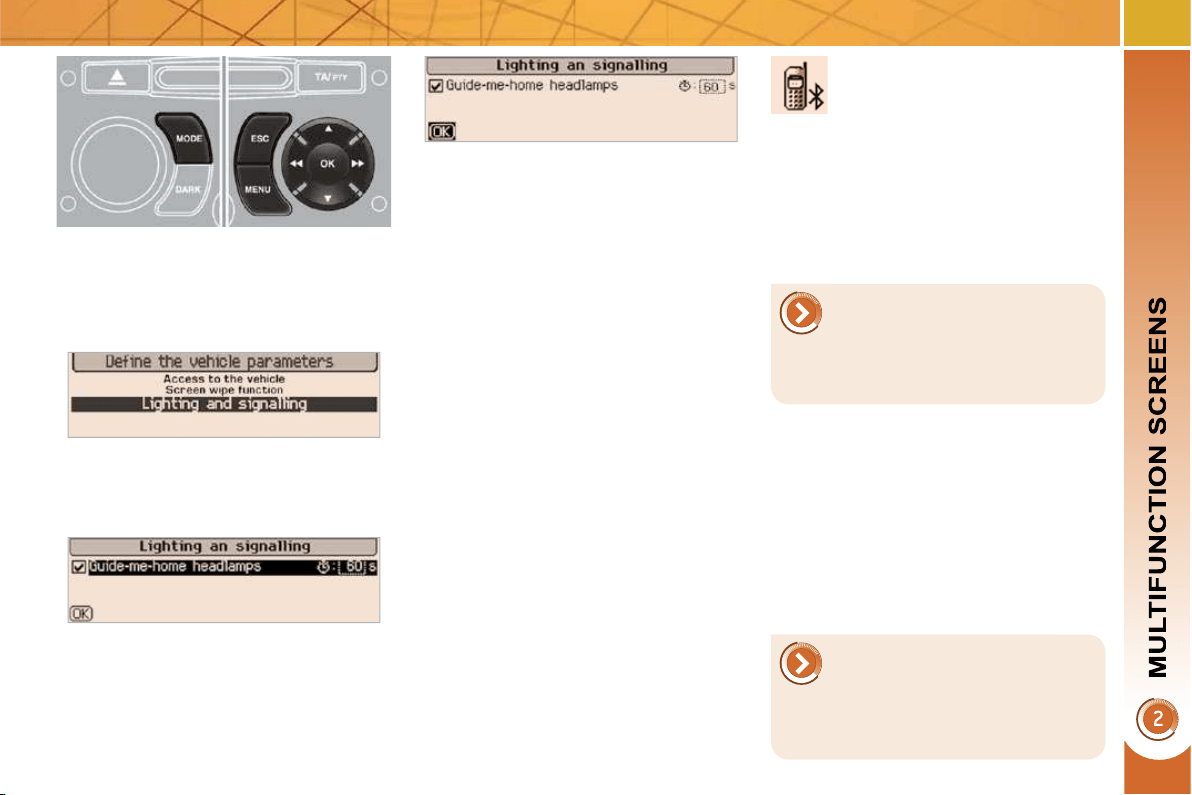
"Trip computer" menu
Press the "MENU" button to gain
access to the general menu.
Press the arrows, then the "OK"
button to select the "Trip computer"
menu.
On the "Trip computer" menu,
select one of the following applica-
tions:
Alert log
This summarises the active warning
messages, displaying them in succes-
sion on the multifunction screen
Once this menu has been selected, you
can consult information concerning the
status of the vehicle (alert log, status of
the functions...).
Defi ne the vehicle parameters
Once this menu has been selected, you
can activate or deactivate the following
equipment (according to country):
- wiper linked with reverse gear (refer
to the "Visibility" section),
- selective unlocking (refer to the
"Access" section),
- "guide-me-home" lighting (refer to
the "Visibility" section).
- interior mood lighting (refer to the
"Visibility" section),
- daytime running lamps (refer to the
"Visibility" section),
- directional headlamps (refer to the
"Visibility" section),
- automatic or manual parking brake
(refer to the "Driving" section),
- ...
"Personalisation-
Configuration" menu
Once this menu has been selected, you
can gain access to the following func-
tions:
- defi ne the vehicle parameters,
- display confi guration,
- choice of language.
Status of functions
This summarises the active or inactive
status of the functions present on the
vehicle.
Enter the distance to the destination
This allows you to enter an approximate
value for the distance to the fi nal desti-
nation.
45
Display confi guration
Once this menu has been selected, you
can gain access to the following set-
tings:
- brightness-video setting,
- date and time setting,
- selection of the units.
Choice of language
Once this menu has been selected,
you can change the screen display
language (Deutsch, English, Espanol,
Français, Italiano, Nederlands, Portugues,
Portugues-Brasil, Türkçe * ).
Example: setting of the duration of the
"guide-me-home" lighting
Press the " " or " " buttons, then
the " OK " button to select the menu
required.
Press the " " or " " buttons, then
the " OK " button to select the "Guide-
me-home headlamps" line.
Press the " " or " " buttons to set
the value required (15, 30 or 60 sec-
onds), then press the " OK " button to
confi rm.
Press the " " or " " buttons, then
the " OK " button to select the " OK "
box and confi rm or press the " ESC "
button to cancel.
"Telephone" menu
With the audio equipment switched on,
once this menu has been selected you
can confi gure your Bluetooth hands-
free kit (pairing), consult the various
telephone directories (calls log, ser-
vices...) and manage your communi-
cations (pick up, hang up, call waiting,
secret mode...).
* According to country.
For safety reasons, confi gu-
ration of the multifunction
screen by the driver must only
be done when stationary.
For more information on the
"Telephone" application, re-
fer to the PEUGEOT Connect
Sound part of the "Audio and
Telematics" section.
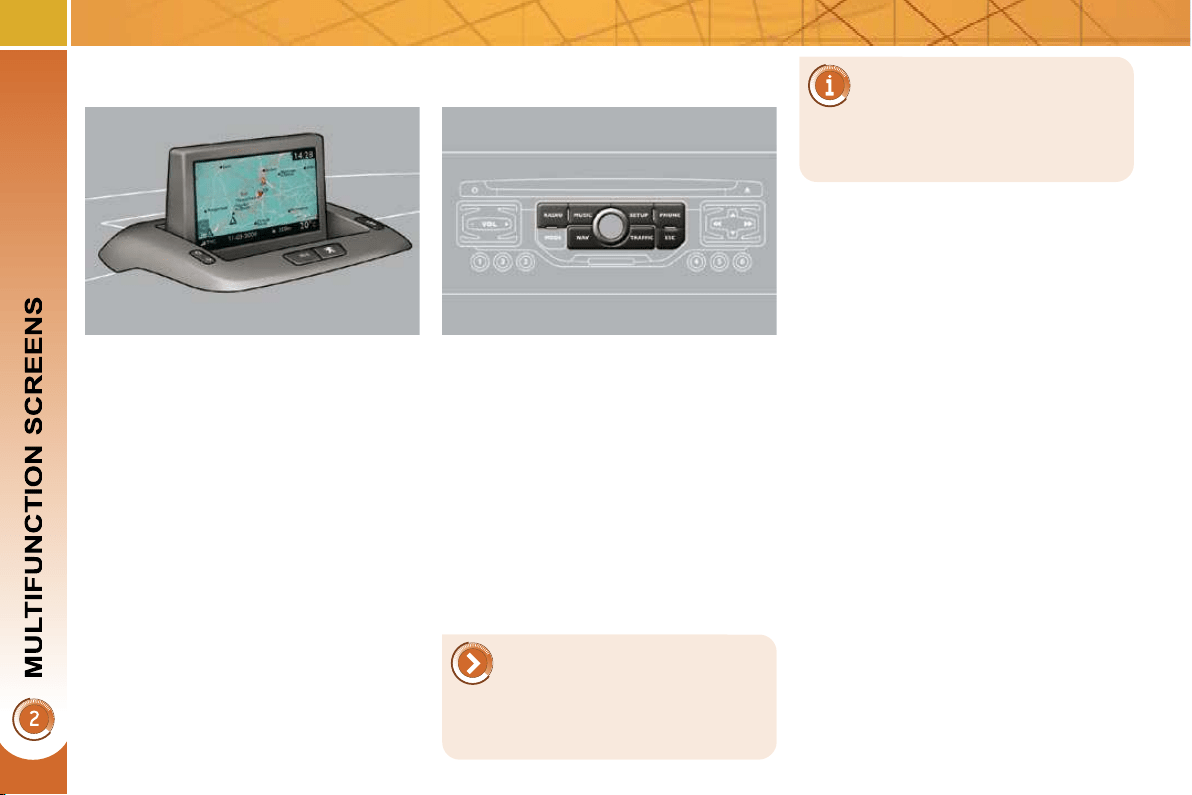
46
Displays on the screen
When the screen is unfolded, it displays
the following information automatically
and directly:
- time,
- date,
- altitude,
- ambient temperature (the value dis-
played fl ashes if there is a risk of
ice),
- doors check,
- warning and vehicle function status
messages, displayed temporarily,
- audio functions,
- trip computer information,
- satellite navigation system informa-
tion.
From the PEUGEOT Connect Naviga-
tion control panel, to select one of the
applications:
press the dedicated "RADIO" ,
"MUSIC" , "NAV" , "TRAFFIC" ,
"SETUP" or "PHONE" button for
access to the corresponding menu,
turn the navigator to move the se-
lection,
press the navigator to confi rm the
selection,
or
press the "ESC" button to abandon
the current operation and return to
the previous display.
16/9 RETRACTABLE COLOUR SCREEN
(WITH PEUGEOT CONNECT NAVIGATION)
Controls
For operation of the retractable
screen (opening, closing, ad-
justment of the position, etc.),
refer to the paragraph "Access to the
retractable screen".
For more information on
these applications, refer to the
"Audio and Telematics" section.
47
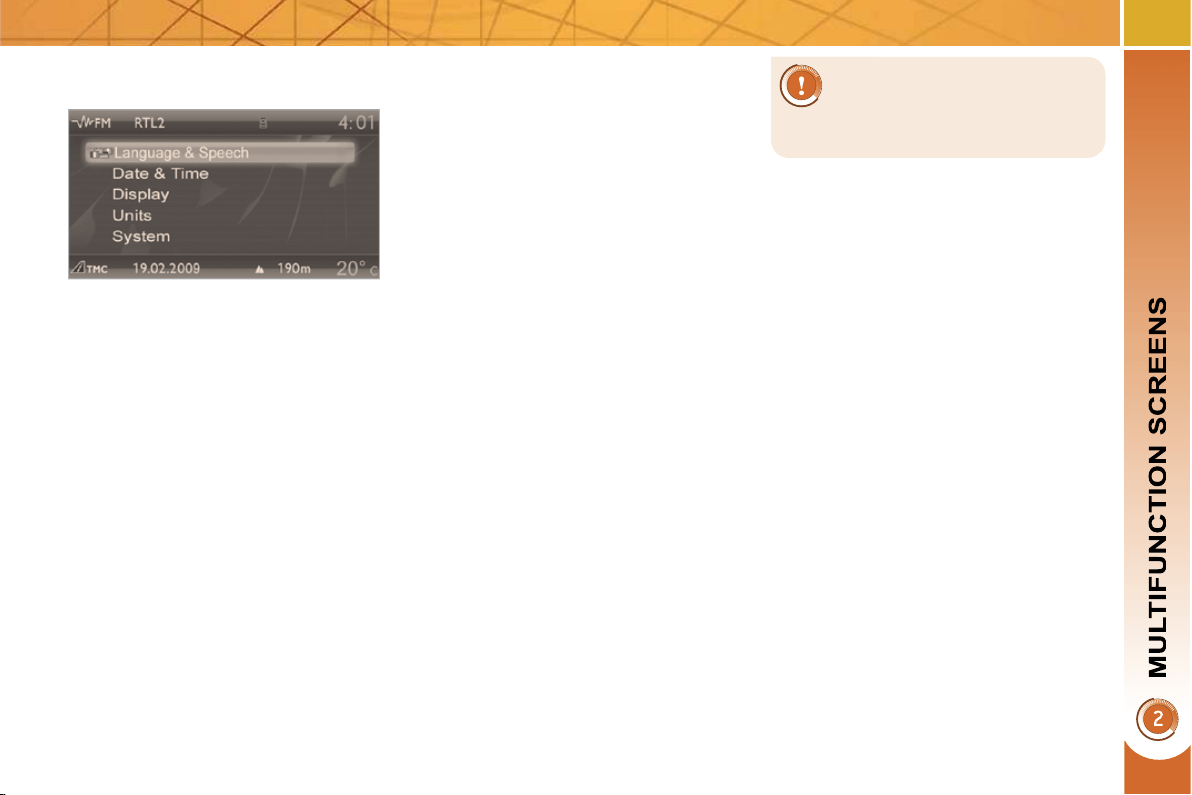
"SETUP" menu
Press the "SETUP" button for ac-
cess to the "SETUP" menu. This al-
lows you to select from the following
functions:
- "Languages",
- "Date and time",
- "Display",
- "Vehicle parameters",
- "Units",
- "System".
Languages
This menu allows you to select the lan-
guage used by the display: Deutsch,
English, Espanol, Français, Italiano,
Nederlands, Polski, Portugues, Türkçe * .
Date and time
This menu allows you to set the date
and time, the format of the date and the
format of the time (refer to the "Audio
and Telematics" section or to the specif-
ic user guide given to you with the other
owner's documents).
* According to country.
Display
This menu allows you to set the bright-
ness of the screen, the screen colour
scheme and the colour of the map (day/
night or auto mode).
Vehicle parameters
This menu allows you to activate or
deactivate certain driving and comfort
equipment (according to country):
- wiper linked with reverse gear (refer
to the "Visibility" section),
- selective unlocking (refer to the
"Access" section),
- guide-me-home and welcome light-
ing (refer to the "Visibility" section),
- interior mood lighting (refer to the
"Visibility" section),
- daytime running lamps (refer to the
"Visibility" section),
- directional headlamps (refer to the
"Visibility" section),
- automatic or manual parking brake
(refer to the "Driving" section),
- ...
Units
This menu allows you to select the
units: temperature (°C or °F) and fuel
consumption (km/l, l/100 or mpg).
For safety reasons, confi gu-
ration of the multifunction
screen by the driver must only
be done when stationary.
System
This menu allows you to restore the fac-
tory confi guration, display the software
version and activate scrolling text.
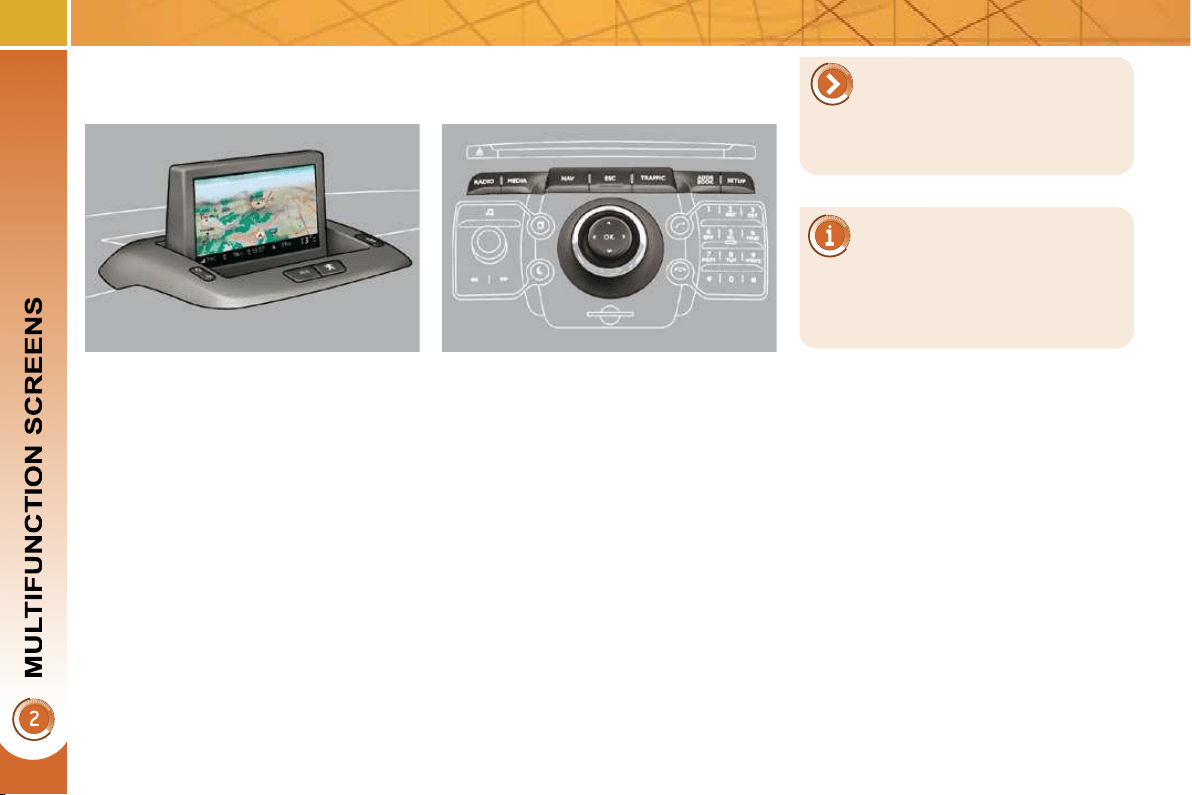
48
16/9 HIGH DEFINITION
RETRACTABLE COLOUR SCREEN
(WITH PEUGEOT CONNECT MEDIA)
Displays on the screen
When the screen is unfolded, it displays
the following information automatically
and directly:
- time,
- date,
- altitude,
- ambient temperature (the value dis-
played fl ashes if there is a risk of
ice),
- audio functions,
- telephone and address book infor-
mation,
- satellite navigation system informa-
tion.
Controls
From the PEUGEOT Connect Media
control panel, to select one of the ap-
plications:
press the dedicated "RADIO" ,
"MEDIA" , "NAV" , "TRAFFIC" , "ADDR
BOOK" or "SETUP" button for access
to the corresponding menu,
turn the navigator to move the se-
lection,
press the navigator to confi rm the
selection,
or
press the "ESC" button to abandon
the current operation and return to
the previous display.
For more information on these
applications, refer to the "Au-
dio and Telematics" section or
to the specifi c user guide given to you
with the other owner's documents.
For operation of the retractable
screen (opening, closing, ad-
justment of the position, etc.),
refer to the paragraph "Access to the
retractable screen".
49
* According to country.
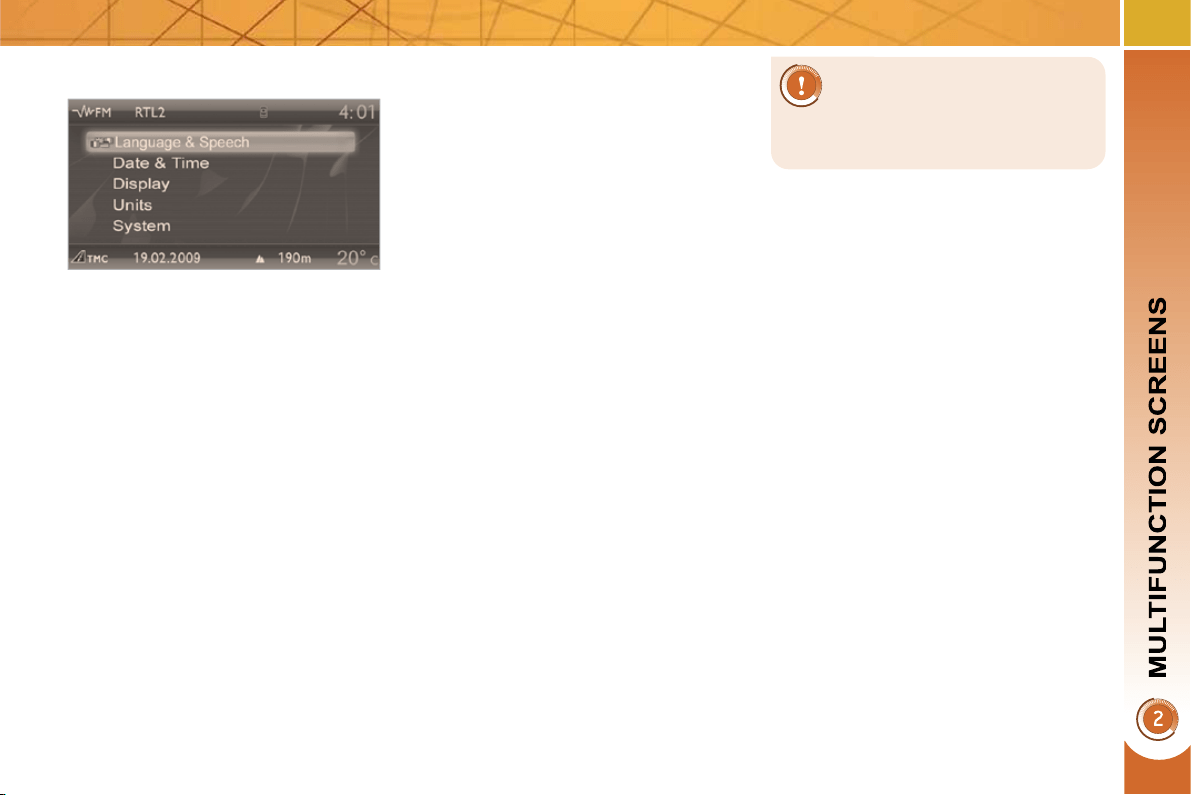
"SETUP" menu
Press the "SETUP" button for ac-
cess to the "SETUP" menu. This al-
lows you to select from the following
functions:
- "Languages and voice functions",
- "Date and time",
- "Display",
- "Units",
- "System".
Language and voice functions
This menu allows you to:
- select the language used by the
screen (Deutsch, English, Espanol,
Français, Italiano, Nederlands,
Polski, Portugues, Türkçe * ),
- select the voice recognition parame-
ters (activation/deactivation, advice
on use, personal voice program-
ming, etc.),
- set the volume of the voice synthe-
siser.
Date and time
This menu allows you to set the date
and time, the format of the date and the
format of the time (refer to the "Audio
and Telematics" section or to the specif-
ic user guide given to you with the other
owner's documents).
Display
This menu allows you to set the bright-
ness of the screen, the screen colour
scheme and the colour of the map (day/
night or auto mode).
Units
This menu allows you to select the
units: temperature (°C or °F) and dis-
tance (miles or km).
System parameters
This menu allows you to restore the fac-
tory confi guration, display the software
version and activate scrolling text.
For safety reasons, confi gu-
ration of the multifunction
screen by the driver must only
be done when stationary.
50
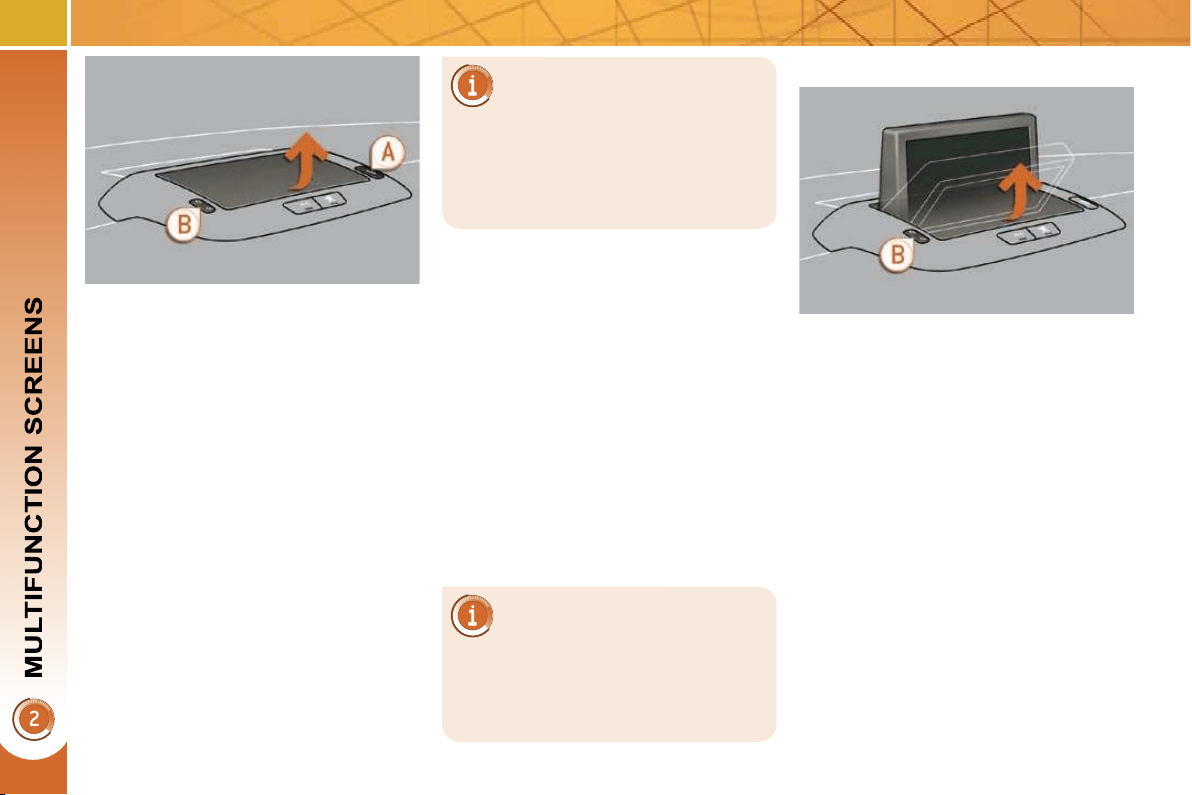
Access to the retractable screen
This screen is opened and stored auto-
matically.
However, you can also open it, store it
and adjust it using the various manual
controls:
- opening or storing by means of con-
trol A ,
- angle adjustments by means of con-
trol B .
It is also fi tted with safety auto-reverse
protection.
Opening the screen
With the screen stored, press con-
trol A to open it.
The screen opens automatically when
the ignition is switched on, when the
audio and telematics system is switched
on, when an outgoing telephone call is
made, when a voice command is given
and when a warning message linked
with the STOP warning lamp is re-
ceived.
Closing the screen
With the screen open, press control A
to store it.
The screen is stored automatically
when the ignition is switched off, after
approximately three seconds, if the au-
dio and telematics system is off.
If you wish the screen to open
or close automatically when
the audio and telematics sys-
tem is switched on or off, the screen
must not be closed when the audio
and telematics system is operating.
When the screen is open, you can ad-
just it precisely in different ways:
press the corresponding part of con-
trol B to move the screen towards
you or towards the windscreen,
or
push or pull the screen gently by
hand.
Adjusting the position of the screen
Safety auto-reverse
If the screen meets an obstacle as it
opens or closes, the movement stops
immediately and is reversed by a few
millimetres.
After clearing the obstacle, issue the
command required again.
Storing the position of the screen
The system has four pre-set positions
in its memory.
Each time the screen is closed, the
system stores the last position of the
screen.
Each time the screen is re-opened, the
system returns the screen to the pre-set
position closest to that stored.
If you close the screen dur-
ing operation of the audio and
telematics system, it will re-
open automatically when an outgoing
telephone call is made, when a voice
command is given or when a warning
message linked with the STOP warn-
ing lamp is received.
51
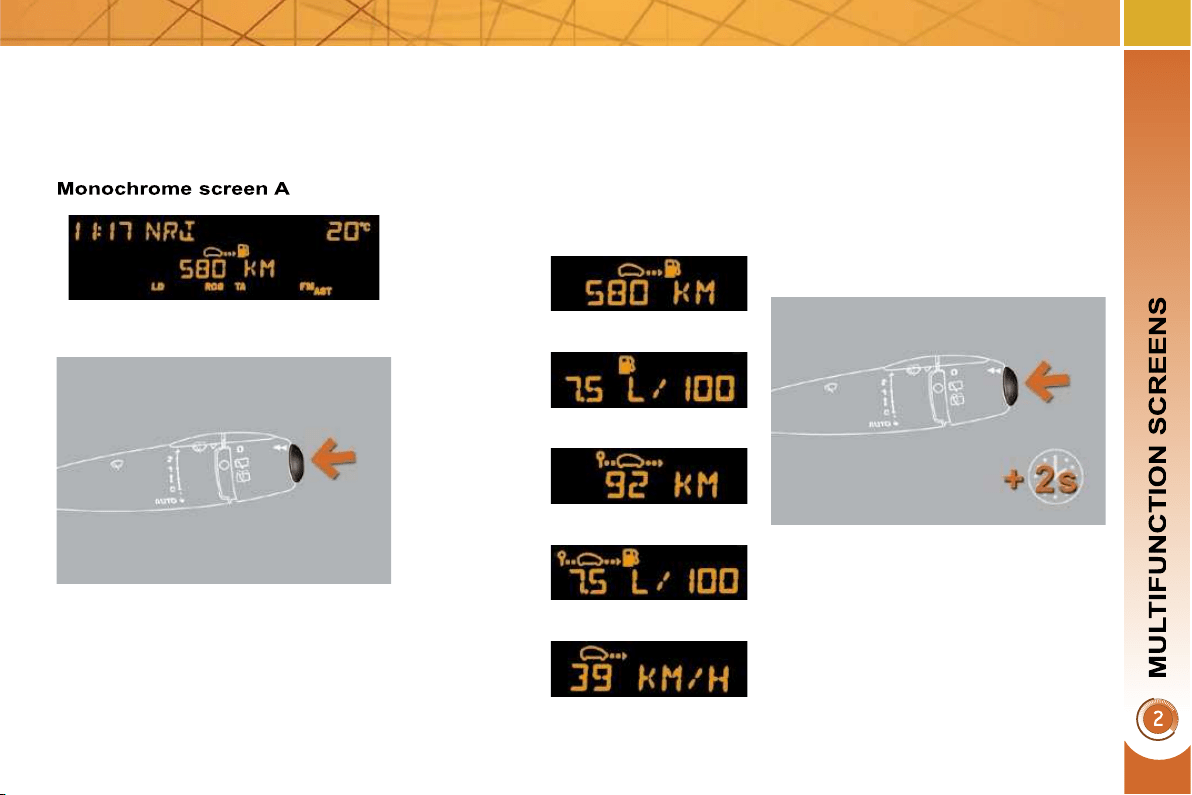
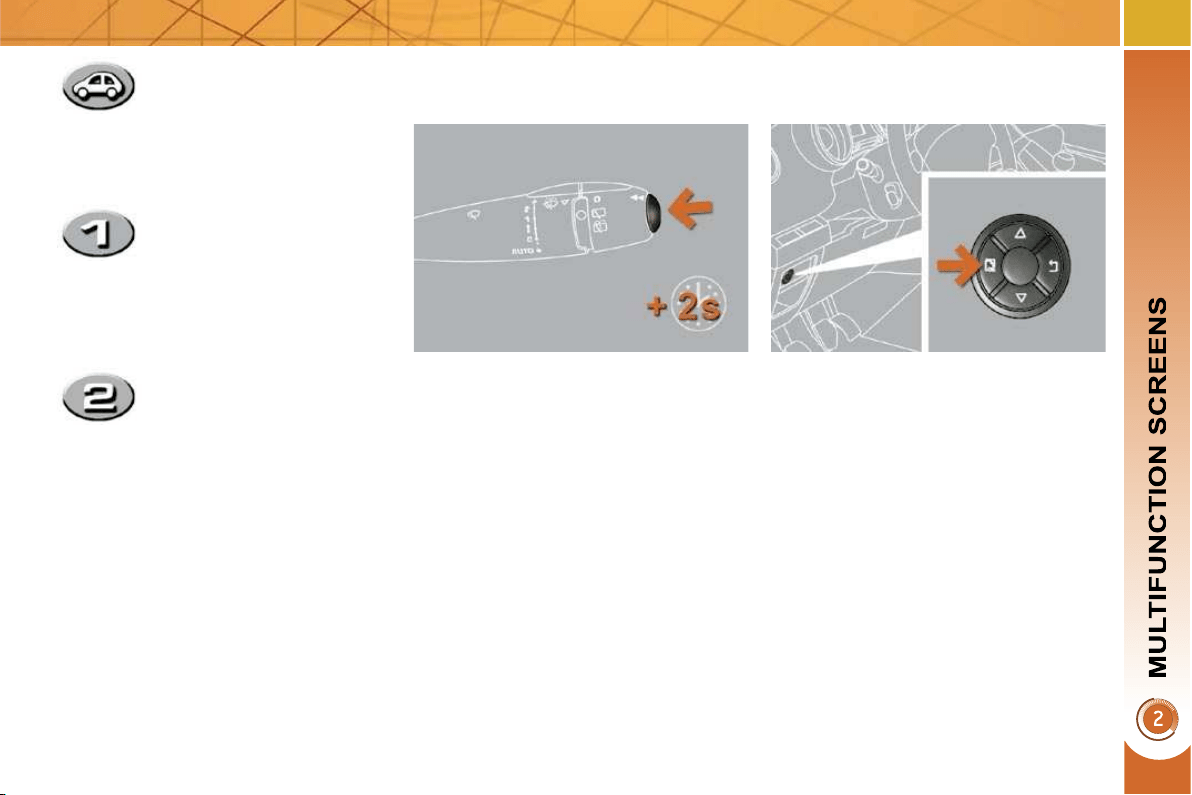
TRIP COMPUTER
Press the button, located at the end
of the wiper stalk , to display the
various items of trip computer data
in succession.
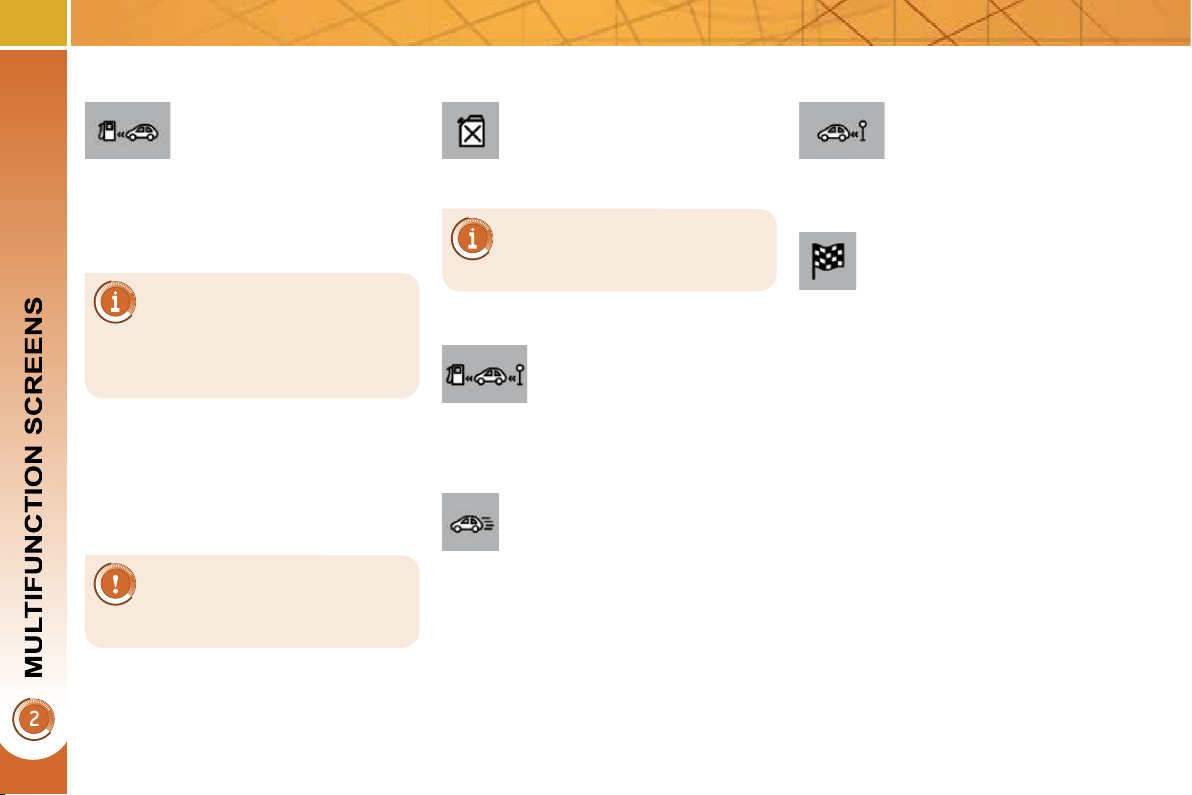
The trip computer provides the follow-
ing information:
System which provides current informa-
tion concerning the trip travelled (range,
fuel consumption...).
Press the control for more than two
seconds to reset to zero the distance
travelled, the average fuel consump-
tion and the average speed.
Zero reset
Data displays
- range,
- current fuel consumption,
- distance travelled,
- average fuel consumption,
- average speed.
The next press then returns you to
the normal display.
54
A few definitions…
When the range falls below 20 miles
(30 km), dashes are displayed. After fi ll-
ing with at least 5 litres of fuel, the range
is recalculated and is displayed when it
exceeds 60 miles (100 km).
If dashes are displayed
continuously while driving in
place of the digits, contact a
PEUGEOT dealer.
This function is only displayed
from 20 mph (30 km/h).
This value may vary following
a change in the style of driv-
ing or the relief, resulting in a
signifi cant change in the current fuel
consumption.
Range
(miles or km)
This indicates the distance
which can still be travelled
with the fuel remaining in the tank in
relation to the average fuel consump-
tion over the last few miles (kilometres)
travelled.
Current fuel consumption
(mpg or l/100 km or km/l)
This is the average fuel con-
sumption during the last few
seconds.
Average fuel
consumption
(mpg or l/100 km or km/l)
This is the average fuel con-
sumption since the last trip
computer zero reset.
Average speed
(mph or km/h)
This is the average speed
calculated since the last trip
computer zero reset (igni-
tion on).
Distance travelled
(miles or km)
This indicates the distance trav-
elled since the last trip comput-
er zero reset.
Distance remaining to
destination
(miles or km)
This is the distance remaining
to be travelled to the fi nal destination. It
is either calculated instantly by the navi-
gation system, if guidance is activated,
or entered by the user.
If the distance is not entered, dashes
are displayed in place of the digits.
52
Monochrome screen C
Instrument panel screen -
PEUGEOT Connect Media
16/9 colour screen - PEUGEOT Connect Navigation
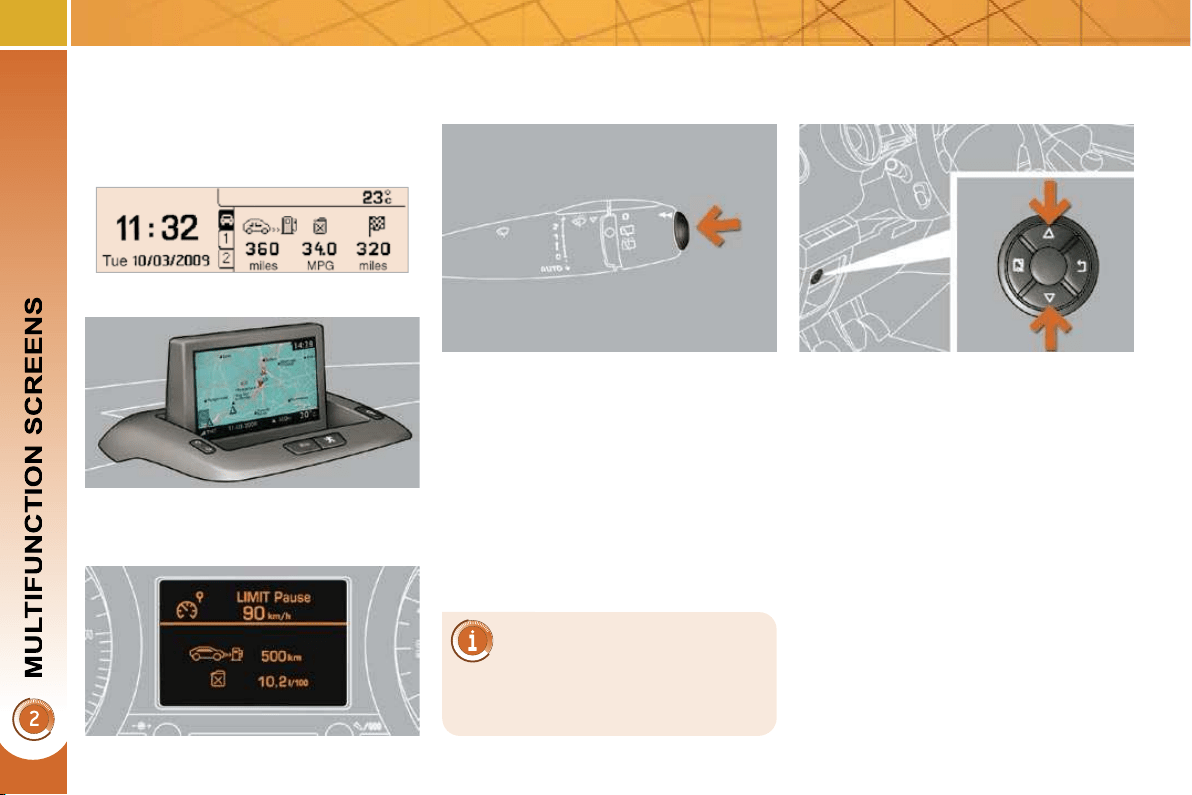
TRIP COMPUTER
System which provides current infor-
mation concerning the trip (range, con-
sumption…).
Depending on your vehicle's
equipment, the trip computer
information appears on the
multifunction screen or on the instru-
ment panel screen.
Data displays
Press the button, located at the end
of the wiper stalk , to display the
various trip computer tabs in suc-
cession.
With the instrument panel screen
( PEUGEOT Connect Media )
Press the up and down arrows on
the navigator, associated with the
PEUGEOT Connect Media, to dis-
play the various trip computer tabs
in succession.
With the screen C or the colour screen
( PEUGEOT Connect Navigation )
53
Trip zero reset
With the screen C or the colour screen
( PEUGEOT Connect Navigation )
When the trip required is displayed,
press the control for more than
two seconds.
With the instrument panel screen
( PEUGEOT Connect Media )
When the required trip is displayed,
press the "OK" button on the naviga-
tor, associated with the PEUGEOT
Connect Media, for more than two
seconds.
Trips "1" and "2" are independent but
their use is identical.
Trip "1" permits, for example, daily
calculations, and trip "2" monthly calcu-
lations.
- The current information
tab with:
the range,
the current fuel
consumption,
the distance remaining
to be travelled.
- The trip "1" tab with:
the distance travelled,
the average fuel
consumption,
the average speed,
for the fi rst route.
- The trip "2" tab with:
the distance travelled,
the average fuel
consumption,
the average speed,
for the second trip.
Pressing the button again takes you
to a black screen.
A further press returns you to the
normal display.
54
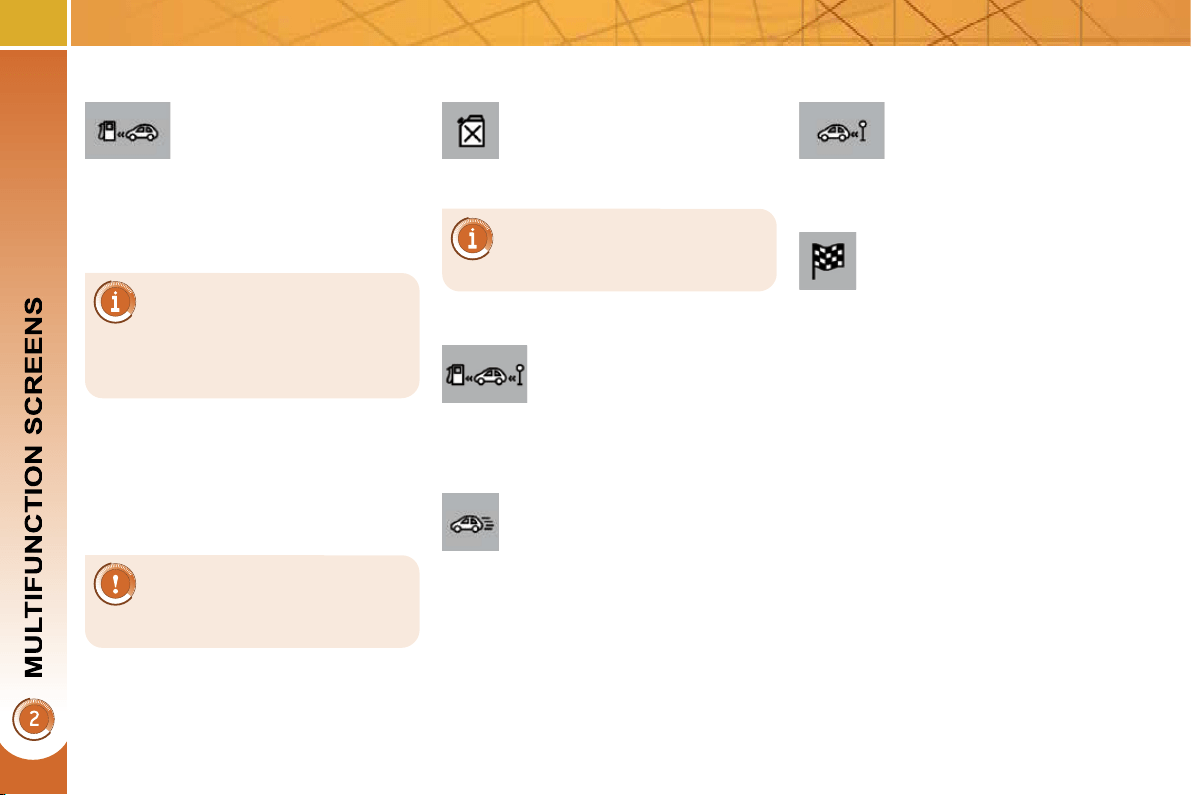
A few definitions…
When the range falls below 20 miles
(30 km), dashes are displayed. After fi ll-
ing with at least 5 litres of fuel, the range
is recalculated and is displayed when it
exceeds 60 miles (100 km).
If dashes are displayed
continuously while driving in
place of the digits, contact a
PEUGEOT dealer.
This function is only displayed
from 20 mph (30 km/h).
This value may vary following
a change in the style of driv-
ing or the relief, resulting in a
signifi cant change in the current fuel
consumption.
Range
(miles or km)
This indicates the distance
which can still be travelled
with the fuel remaining in the tank in
relation to the average fuel consump-
tion over the last few miles (kilometres)
travelled.
Current fuel consumption
(mpg or l/100 km or km/l)
This is the average fuel con-
sumption during the last few
seconds.
Average fuel
consumption
(mpg or l/100 km or km/l)
This is the average fuel con-
sumption since the last trip
computer zero reset.
Average speed
(mph or km/h)
This is the average speed
calculated since the last trip
computer zero reset (igni-
tion on).
Distance travelled
(miles or km)
This indicates the distance trav-
elled since the last trip comput-
er zero reset.
Distance remaining to
destination
(miles or km)
This is the distance remaining
to be travelled to the fi nal destination. It
is either calculated instantly by the navi-
gation system, if guidance is activated,
or entered by the user.
If the distance is not entered, dashes
are displayed in place of the digits.
55
VENTILATION
System which creates and maintains
good conditions of comfort and visibility in
the vehicle's passenger compartment.
Controls
The incoming air follows various routes
depending on the controls selected by
the driver.
The temperature control enables you to
obtain the level of comfort required by
mixing the air of the various circuits.
The air distribution control enables you
to diffuse the air making use of several
air vents.
The air fl ow control enables you to in-
crease or reduce the speed of the ven-
tilation blower.
These controls are grouped together on
control panel A on the centre console.
Depending on the model, the functions
offered are:
- the level of thermal comfort re-
quired,
- air fl ow,
- air distribution,
- demisting/defrosting,
- manual or digital air conditioning
controls.
Air intake
The air circulating in the passenger com-
partment is fi ltered and originates either
from the outside via the grille located at
the base of the windscreen or from the
inside in air recirculation mode.
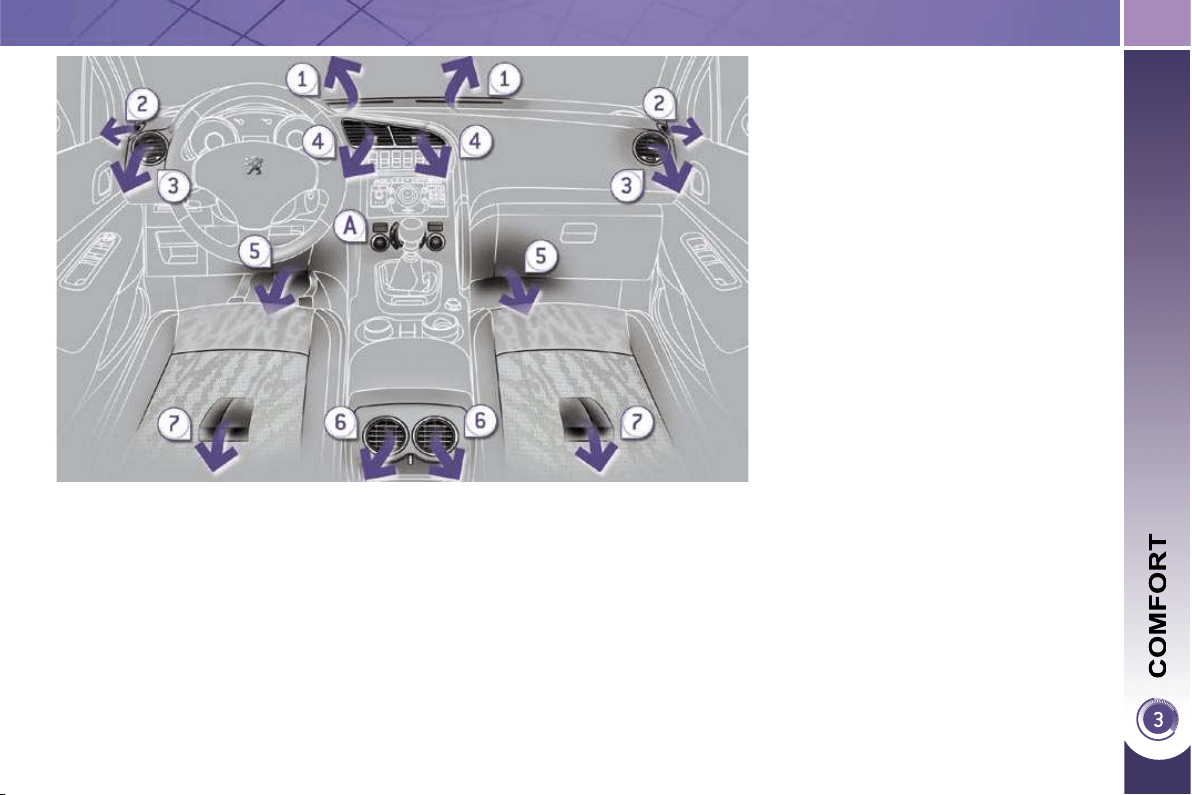
Air distribution
1.
Windscreen demisting/defrosting vents.
2. Front side window demisting/de-
frosting vents.
3. Side adjustable air vents.
4. Central adjustable air vents.
5. Air outlets to the front footwells.
6. Adjustable air vents for the rear pas-
sengers.
7. Air outlets to the rear footwells.
56
The air conditioning system
does not contain chlorine and
does not present any danger
to the ozone layer.
RECOMMENDATIONS FOR VENTILATION AND AIR CONDITIONING
In order for these systems to be fully effective, follow the operation and
maintenance guidelines below:
If the interior temperature remains very high after the vehicle has been parked
in the sun for a considerable time, fi rst ventilate the passenger compartment
for a few minutes.
Place the air fl ow control at a suffi cient level to provide an adequate renewal
of air in the passenger compartment.
To obtain an even air distribution, take care not to obstruct the exterior air
intake grilles located at the base of the windscreen, the nozzles, the vents
and the air outlets, as well as the air extractor located in the boot.
Use in preference the intake of exterior air as prolonged use of the air
recirculation may cause misting of the windows and side windows.
Do not cover the sunshine sensor, located on the dashboard; this is used for
regulation of the automatic air conditioning system.
Operate the air conditioning system for 5 to 10 minutes, once or twice a
month to keep it in perfect working order.
Ensure that the passenger compartment fi lter is in good condition and have
the fi lter elements replaced regularly (refer to the "Checks" section).
We recommend the use of a combined passenger compartment fi lter.
Thanks to its second special active fi lter, it contributes to the purifi cation
of the air breathed by the occupants and the cleanliness of the passenger
compartment (reduction of allergic symptoms, bad odours and greasy
deposits).
To ensure correct operation of the air conditioning system, you are also
advised to have it checked regularly.
If the system does not produce cold air, do not use it and contact a PEUGEOT
dealer.
When towing the maximum load on a steep gradient in high temperatures,
switching off the air conditioning saves engine power and improves towing
capacity.
The condensation created by the air conditioning results in a discharge of water
under the vehicle which is perfectly normal.
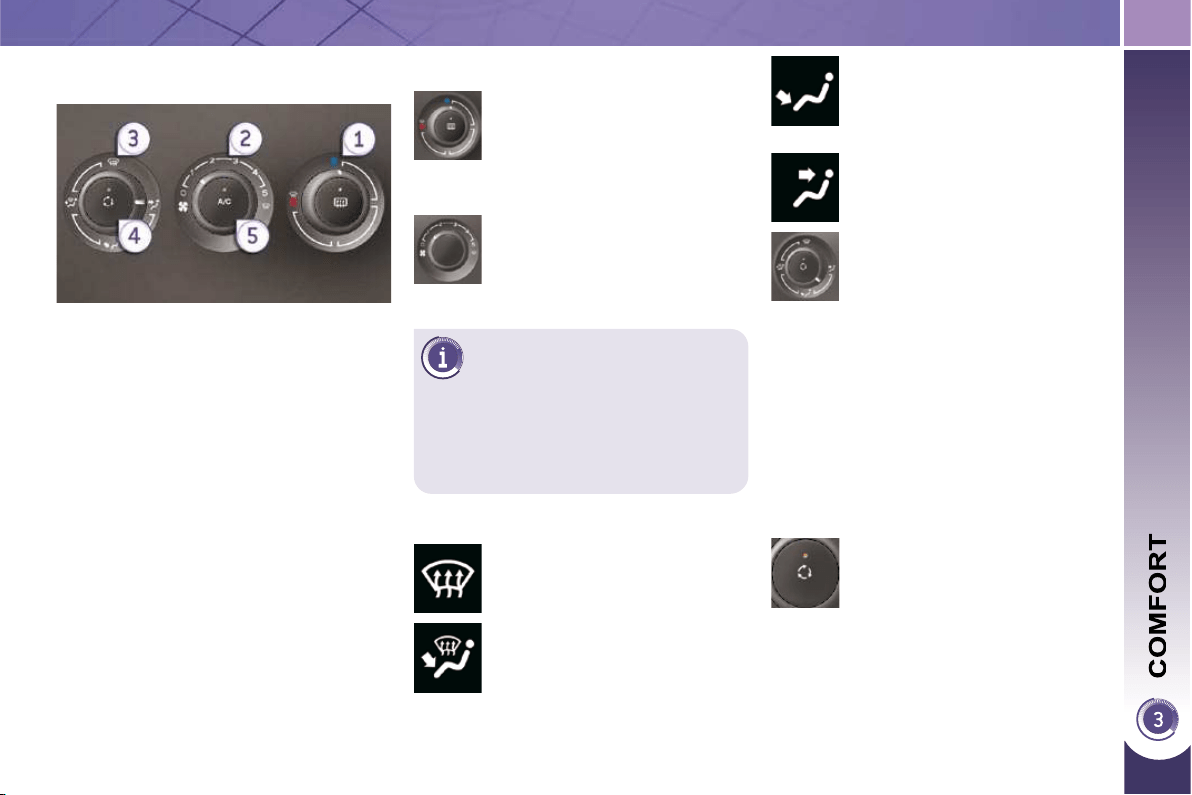
57
2. Air fl ow adjustment
Turn the dial from position 1
to position 5 to obtain a
comfortable air fl ow.
Windscreen, side windows
and front-rear footwells.
Footwells, front-rear
(closing the vents increases
the fl ow to the footwells).
Central, side and rear vents.
Turn the dial from blue
(cold) to red (hot) to adjust
the temperature to your re-
quirements.
Windscreen and side windows.
1. Temperature adjustment
The air distribution can be
adapted by placing the dial in
an intermediate position.
The air conditioning can only operate
with the engine running.
4. Air intake/Air recirculation
The intake of exterior air limits misting
of the windscreen and side windows.
The recirculation of interior air insulates
the passenger compartment from exte-
rior odours and smoke.
Return to exterior air intake as soon as
possible to prevent deterioration of the
air quality and demisting performance.
If you place the air fl ow
control in position 0 (de-
activation of the system),
the temperature is no lon-
ger maintained at a com-
fortable level. However, a
slight fl ow of air, due to the
movement of the vehicle,
can still be felt.
3. Air distribution adjustment
Press the button to recir-
culate the interior air. The
indicator lamp comes on to
confi rm this.
Press the button again to permit the
intake of exterior air. The indicator
lamp switches off to confi rm this.
MANUAL AIR CONDITIONING
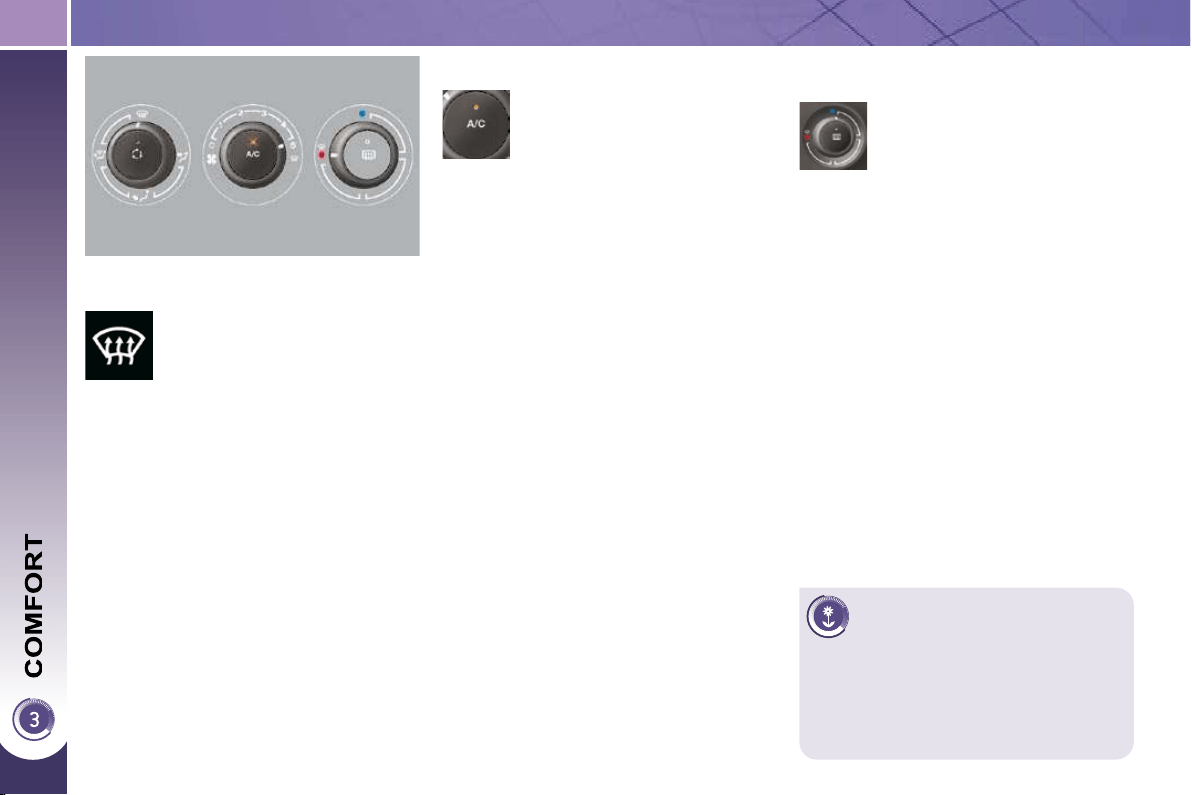
58
Demisting/defrosting
The control button is located
on the air conditioning system
control panel.
REAR SCREEN DEMIST/
DEFROST
Switch off the demist/de-
frost of the rear screen and
door mirrors as soon as it
is no longer necessary as
lower current consump-
tion results in reduced fuel
consumption.
Switching on
The rear screen demist/defrost can only
operate when the engine is running.
Press this button to demist/defrost
the rear screen and the door mir-
rors. The indicator lamp associated
with the button comes on.
Switching off
The demist/defrost switches off auto-
matically to prevent an excessive con-
sumption of current.
It is possible to stop the demist/de-
frost operation before it is switched
off automatically by pressing the but-
ton again. The indicator lamp associ-
ated with the button switches off.
5. Air conditioning On/Off
The air conditioning is de-
signed to operate effectively in
all seasons, with the windows
closed.
It enables you to:
- lower the temperature, in summer,
- increase the effectiveness of the
demisting in winter, above 0 °C.
Switching on
Press the "A/C" button, the associ-
ated indicator lamp comes on.
The air conditioning does not op-
erate when the air fl ow adjustment
control 2 is in position "0".
Switching off
Press the "A/C" button again, the
associated indicator lamp switches
off.
switch on the air conditioning by
pressing the "A/C" button.
The marking on the control
panel indicates the position of
the controls to quickly demist
or defrost the windscreen and
side windows:
place the air intake control 4 in the
"Exterior air intake" position (indica-
tor lamp off),
place the air distribution dial 3 in the
"Windscreen position",
place the air fl ow dial 2 in position 5
(maximum),
place the temperature dial 1 in the
red position (hot),
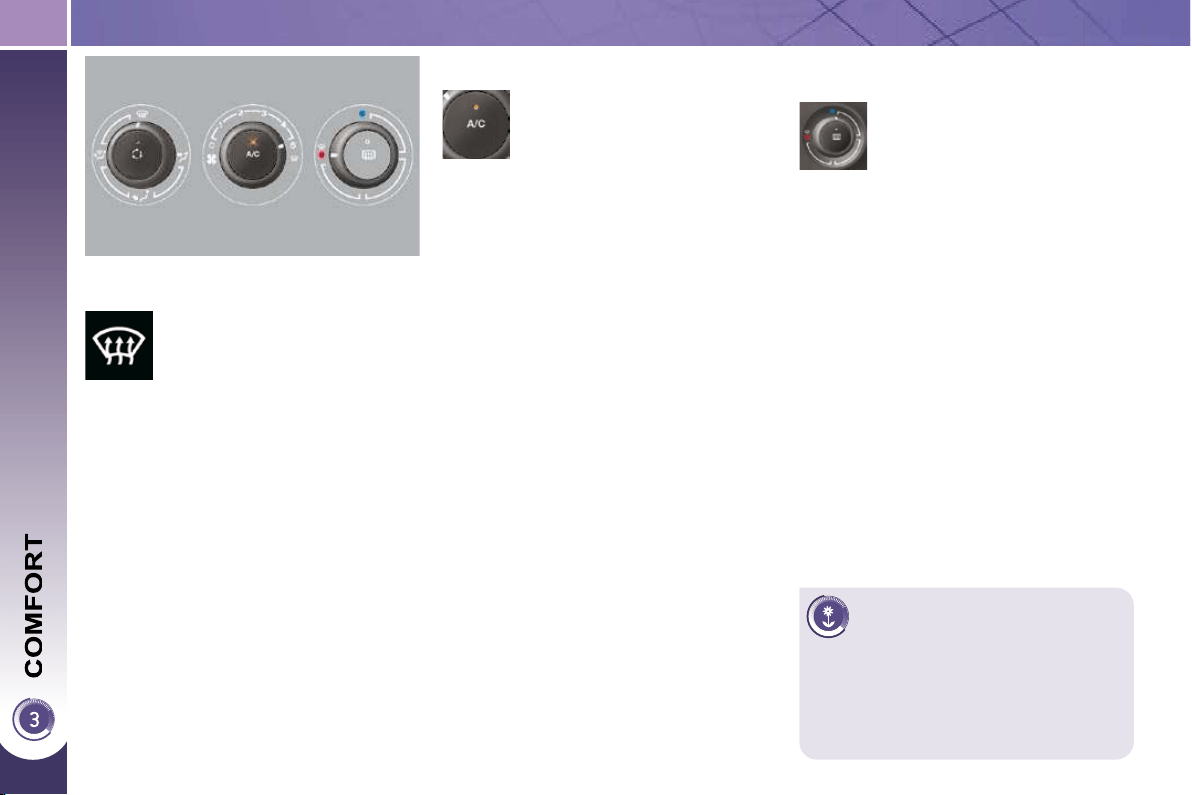
58
Demisting/defrosting
The control button is located
on the air conditioning system
control panel.
REAR SCREEN DEMIST/
DEFROST
Switch off the demist/de-
frost of the rear screen and
door mirrors as soon as it
is no longer necessary as
lower current consump-
tion results in reduced fuel
consumption.
Switching on
The rear screen demist/defrost can only
operate when the engine is running.
Press this button to demist/defrost
the rear screen and the door mir-
rors. The indicator lamp associated
with the button comes on.
Switching off
The demist/defrost switches off auto-
matically to prevent an excessive con-
sumption of current.
It is possible to stop the demist/de-
frost operation before it is switched
off automatically by pressing the but-
ton again. The indicator lamp associ-
ated with the button switches off.
5. Air conditioning On/Off
The air conditioning is de-
signed to operate effectively in
all seasons, with the windows
closed.
It enables you to:
- lower the temperature, in summer,
- increase the effectiveness of the
demisting in winter, above 0 °C.
Switching on
Press the "A/C" button, the associ-
ated indicator lamp comes on.
The air conditioning does not op-
erate when the air fl ow adjustment
control 2 is in position "0".
Switching off
Press the "A/C" button again, the
associated indicator lamp switches
off.
switch on the air conditioning by
pressing the "A/C" button.
The marking on the control
panel indicates the position of
the controls to quickly demist
or defrost the windscreen and
side windows:
place the air intake control 4 in the
"Exterior air intake" position (indica-
tor lamp off),
place the air distribution dial 3 in the
"Windscreen position",
place the air fl ow dial 2 in position 5
(maximum),
place the temperature dial 1 in the
red position (hot),
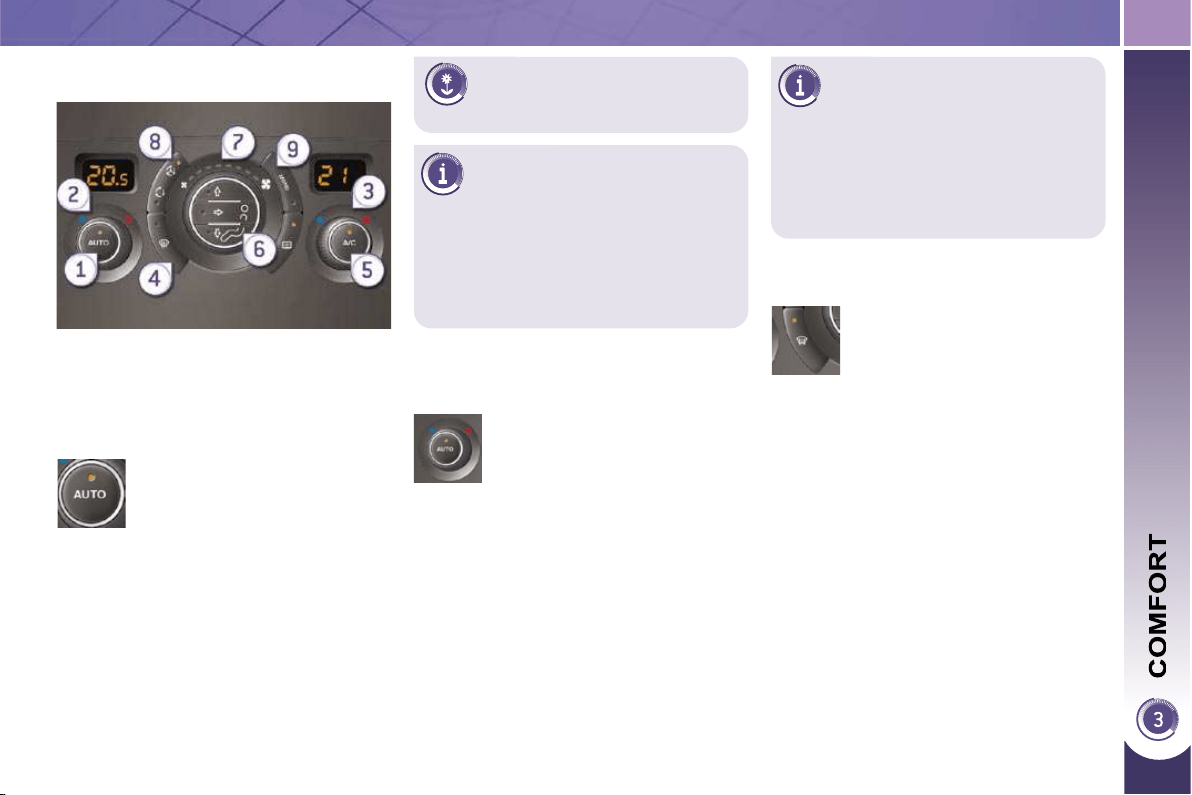
59
By means of the air quality
sensor, the system also opti-
mises the air quality.
On entering the vehicle, if the
interior temperature is much
colder or warmer than the
comfort value, there is no need to
change the value displayed in order
to obtain the comfort required more
quickly. The system corrects the dif-
ference in temperature automatically
and as quickly as possible.
The air conditioning only operates when
the engine is running.
The driver and front passenger
can each adjust the tempera-
ture to their requirements.
Turn control 2 or 3 to the left or to
the right respectively to decrease or
increase this value.
A setting around the value 21 provides
optimum comfort. However, depend-
ing on your requirements, a setting be-
tween 18 and 24 is normal.
You are advised to avoid a left/right set-
ting difference of more than 3.
4. Automatic visibility programme
The automatic comfort pro-
gramme may not be suffi cient
to quickly demist or defrost
the windscreen and side win-
dows (humidity, several pas-
sengers, ice, etc.).
In this case, select the automatic
visibility programme.
The system automatically controls the
air conditioning, the air fl ow and the air
intake and provides optimum distribu-
tion of the ventilation to the windscreen
and side windows.
Automatic operation
Press the "AUTO" button.
The indicator lamp on the
button comes on.
2-3. Driver-passenger side
adjustment
DUAL-ZONE DIGITAL AIR
CONDITIONING
We recommend the use of this mode:
it permits automatic and optimised ad-
justment of all of the functions, passen-
ger compartment temperature, air fl ow,
air distribution and air recirculation, in
accordance with the comfort value that
you have chosen.
This system is designed to operate ef-
fectively in all seasons, with the win-
dows closed.
The value indicated on the display cor-
responds to a level of comfort and not
to a temperature in degrees Celsius or
Fahrenheit.
To switch it off, press the "visibility"
button again or press the "AUTO"
button, the indicator lamp on the but-
ton switches off or the indicator lamp
on the "AUTO" button comes on.
1. Automatic comfort programme
To prevent too great a dis-
tribution of cold air when the
engine is cold, the air fl ow will
reach its optimum level gradually.
In cold weather, it favours the distri-
bution of warm air to the windscreen,
side windows and footwells only.
60
Manual operation
If you wish, you can make a different
choice from that offered by the system
by changing a setting. The other func-
tions will still be controlled automati-
cally.
Pressing the "AUTO" button returns
the system to completely automatic
operation.
Press this button to switch
off the air conditioning.
6. Air distribution adjustment
Press one or more but-
tons to direct the air fl ow
towards:
7. Air fl ow adjustment
Turn this control to the left
to decrease the air fl ow or
to the right to increase the
air fl ow.
5. Air conditioning On/Off
- the windscreen and side windows
(demisting or defrosting),
- the windscreen, the side windows
and the vents,
- the windscreen, the side windows,
the vents and the footwells,
- the vents and the footwells,
- the vents,
- the footwells,
- the windscreen, the side windows
and the footwells.
The air fl ow indicator lamps, between
the two fans, come on progressively in
relation to the value requested.
For maximum cooling or heat-
ing of the passenger compart-
ment, it is possible to exceed
the minimum value 14 or the maxi-
mum value 28.
Turn control 2 or 3 to the left un-
til "LO" (low) is displayed or to
the right until "HI" (high) is dis-
played.
Switching the system off could result in
some discomfort (humidity, condensa-
tion).
Press this button again to return to
automatic operation of the air con-
ditioning. The indicator lamp on the
"A/C" button comes on.
61
9. Mono-zone/Dual-zone
Press this button to equalise
the comfort value on the
passenger side with that
on the driver's side (mono-
zone). The indicator lamp
on the button comes on.
8. Air recirculation
This button activates the recir-
culation of air in the passenger
compartment and can permit
automatic operation.
Avoid prolonged recirculation
of interior air (risk of conden-
sation and deterioration of the
air quality).
Shutting off/Intake of air (automatic
mode)
Shutting off the intake of air (manual
mode)
Intake of air (manual mode)
Press this button to recir-
culate the interior air, the
indicator lamp comes on.
Air recirculation enables the passenger
compartment to be isolated from exte-
rior odours and smoke.
Press this button, the indi-
cator lamp comes on.
The automatic mode has an
exterior air quality sensor. It
analyses the air and isolates
the passenger compartment from the
outside when it detects the presence
of pollutants (e.g. in a tunnel). In this
case, it activates the air recirculation
automatically.
Press this button to permit
the intake of outside air
and prevent condensation,
the indicator lamp switch-
es off.
The air quality sensor is
not active.
Switching the system off
Turn the air fl ow control to the left until
all of the indicator lamps switch off.
This action switches off all of the func-
tions of the system.
Temperature related comfort is no lon-
ger guaranteed but a slight fl ow of air,
due to the movement of the vehicle, can
still be felt.
Turn the air fl ow dial to the right or
press the "AUTO" button to reacti-
vate the system with the values set
before it was switched off.
Avoid driving for prolonged
periods with the system off.

62
FRONT SEATS
Seat consisting of a seat cushion, a seat
back and a head restraint which can all
be adjusted to adapt your position for
ease of driving and comfort.
Forwards-backwards adjustment
Raise the control and slide the seat
forwards or backwards.
Driver's or passenger's seat height
adjustment
Pull the control upwards to raise
or push it downwards to lower, as
many times as necessary, to obtain
the position required.
Seat back angle adjustment
Push the control rearwards.
Manual adjustments
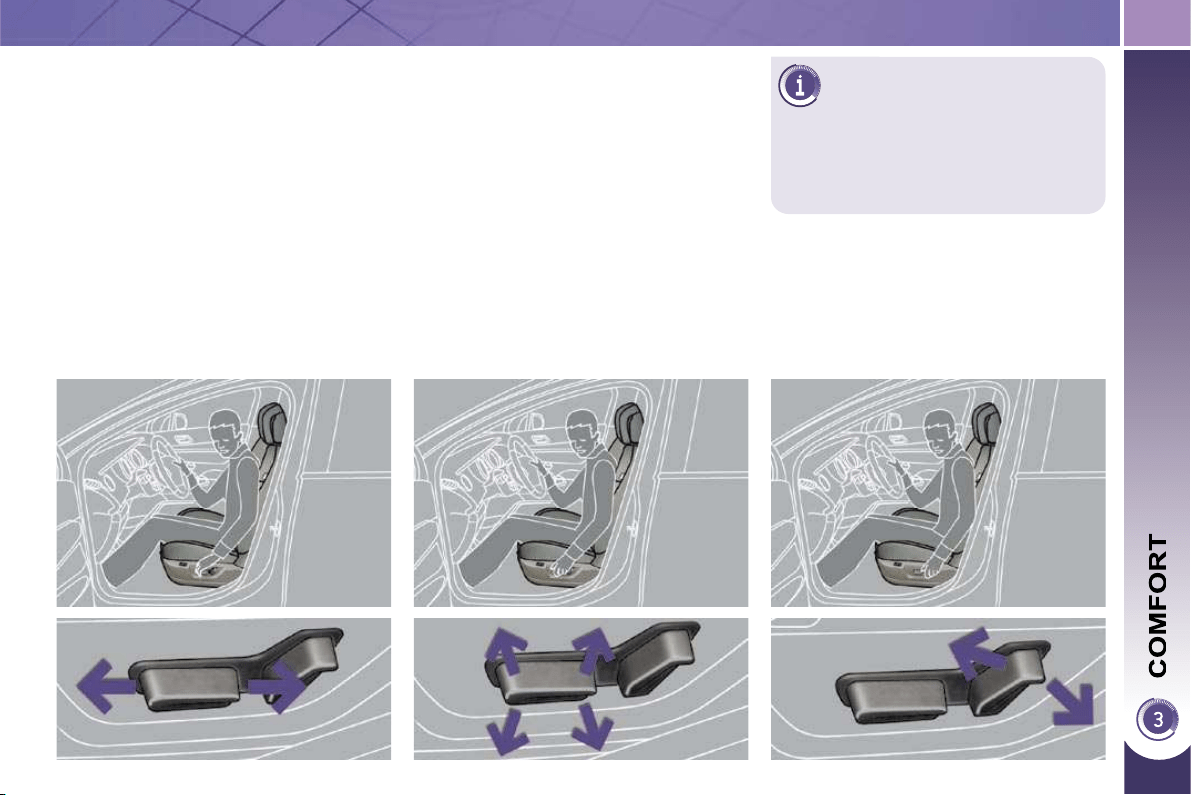
63
DRIVER'S ELECTRIC SEAT
Seat consisting of a seat cushion, a seat
back and a head restraint which can all
be adjusted to adapt your position for
ease of driving and comfort.
Forwards-backwards adjustment
Push the control forwards or rear-
wards to slide the seat.
Seat cushion height and angle
adjustment
Tilt the rear part of the control up-
wards or downwards to obtain the
required height.
Tilt the front part of the control up-
wards or downwards to obtain the
required angle.
Seat back angle adjustment
Tilt the control forwards or rearwards
to adjust the angle of the seat back.
The electrical functions of the
driver's seat are active approxi-
mately one minute after opening
the front door. They are deactivated ap-
proximately one minute after the ignition
is switched off and in economy mode.
To reactivate them, switch on the
ignition.
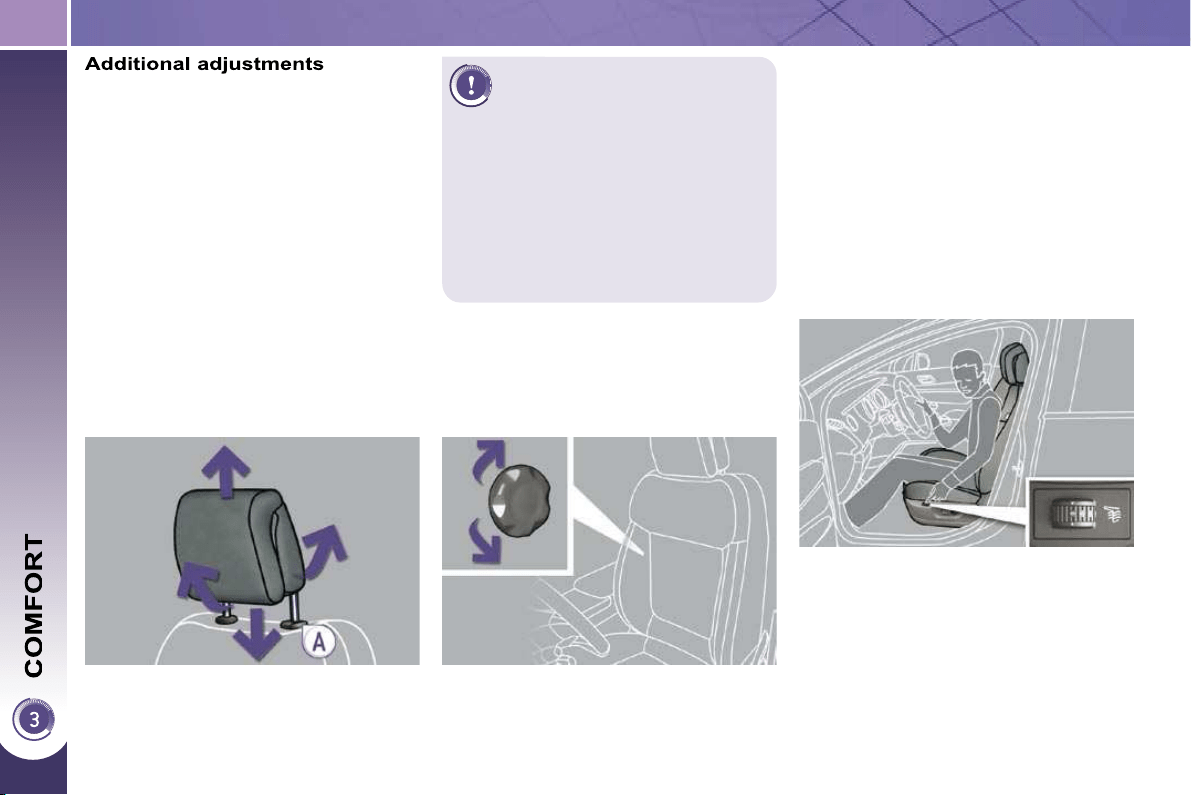
64
Heated seats control
With the engine running, the front seats
can be heated separately.
Use the adjustment dial, placed on
the side of each front seat, to switch
on and select the level of heating re-
quired:
0 : Off.
1 : Low.
2 : Medium.
3 : High.
Head restraint height and angle
adjustment
To raise the head restraint, pull it for-
wards and upwards at the same time.
To remove the head restraint, press
the lug A and pull the head restraint
upwards.
To put the head restraint back in
place, engage the head restraint
stems in the openings keeping them
in line with the seat back.
To lower the head restraint, press
the lug A and the head restraint at
the same time.
To adjust the angle of the head re-
straint, tilt its lower part forwards or
rearwards.
The head restraint is fi tted with
a frame with notches which
prevents it from lowering; this
is a safety device in case of
impact.
The adjustment is correct when the
upper edge of the head restraint is
level with the top of the head.
Never drive with the head restraints
removed; they must be in place and
adjusted correctly.
Lumbar adjustment
Turn the dial to obtain the correct
lumbar position.
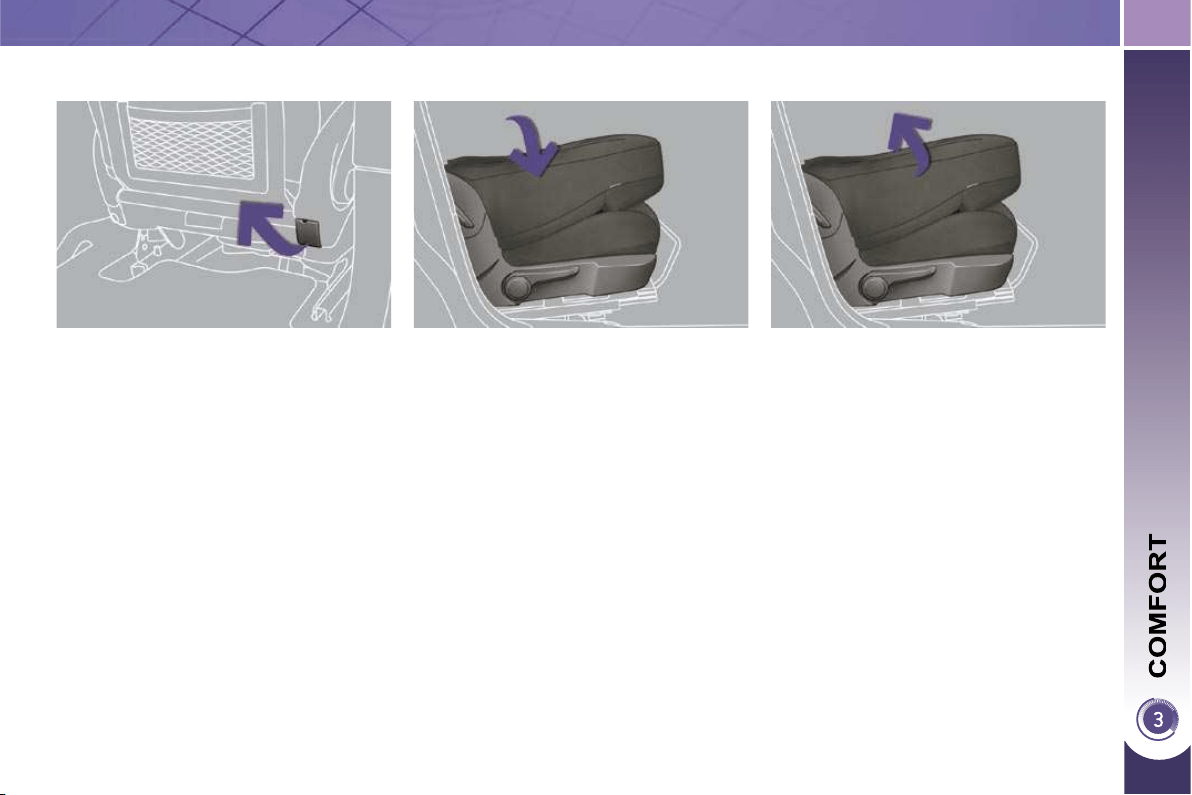
65
Folding the seat back
Check that no object, either on or
underneath the seat, could hinder
its movement.
To make the operation easier, place
the head restraint in the low position
or remove it (if the seat is in the fully
forward position).
Lift the control, located behind the
seat, then guide the seat back for-
wards.
When the seat back is in this position,
the seat behind it and the centre rear
seat must not be occupied.
This position, associated with that of the
rear seats, allows you to transport long
objects inside the vehicle.
The maximum weight on the seat is
30 kg.
Table position, front passenger
seat
Returning the seat to the normal
position
Lift the control, located behind the
seat, then guide the seat back rear-
wards until it locks.
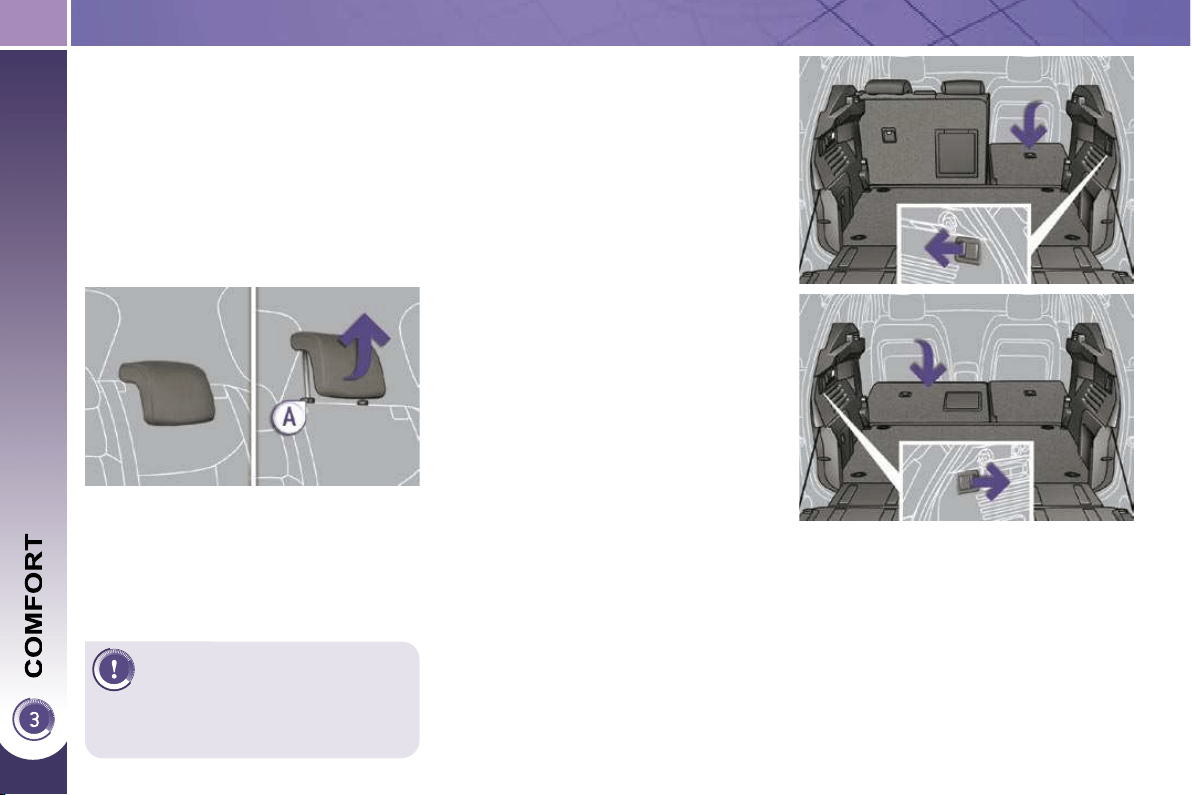
66
Folding the seat from the boot
Each section of the bench seat (1/3 or
2/3) has its own control to release the
seat back and its seat cushion from the
boot.
Check that nothing is preventing
the seat back from folding (head re-
straint, seat belts, ...),
check also that no object on or un-
der the seat could hinder its move-
ment,
pull the control from the boot.
REAR SEATS
Never drive with rear passen-
gers when the head restraints
are removed; the head re-
straints must be in place and in the
high position.
Rear head restraints
These have a high position (comfort
and safety) and a low position (rear vis-
ibility).
They can also be removed.
To remove a head restraint:
pull the head restraint fully upwards,
then, press the lug A .
Bench seat the left-hand (2/3) or right-
hand (1/3) section of which can be fold-
ed to adapt the boot load space.
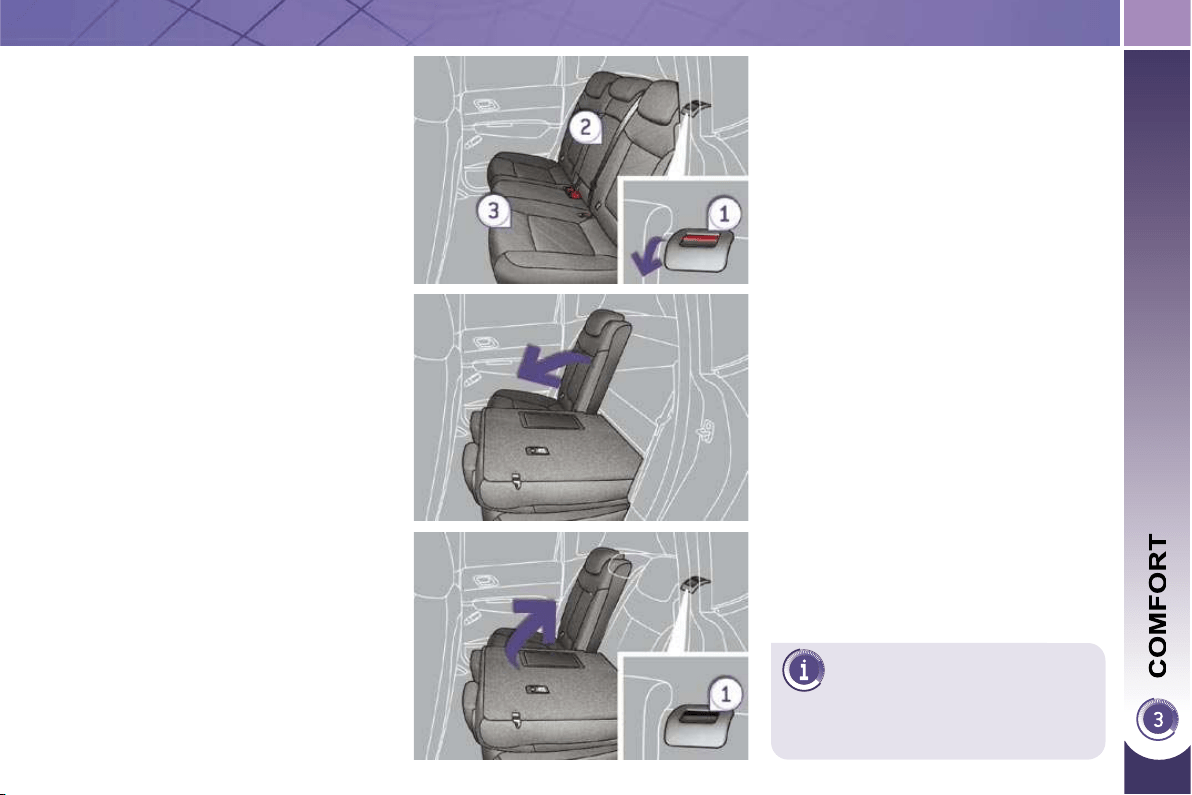
67
The seat cushion lowers to be
covered by the seat back; this
leaves a fl at boot fl oor, if the
movable fl oor is in the intermediate
position.
Folding the seat from the rear
Check that no object, either on or un-
derneath the seat, could hinder its
movement.
Move the corresponding front seat
forwards if necessary,
check that the seat belt is positioned
correctly on the side of the seat
back,
place the head restraints in the low
position or remove them if neces-
sary,
pull the control 1 forwards to release
the seat back 2 which tilts easily
onto the seat cushion 3 .
Returning the seat back to its
original position
Put the seat back in the upright posi-
tion and secure it, the seat cushion
also returns to its original position,
check that the red indicator, located
at the control 1 , is no longer visible,
refi t the head restraints or put them
back in place.
When returning the rear seat back to
its original position, take care not to
trap the seat belts and ensure that their
buckles are positioned correctly.
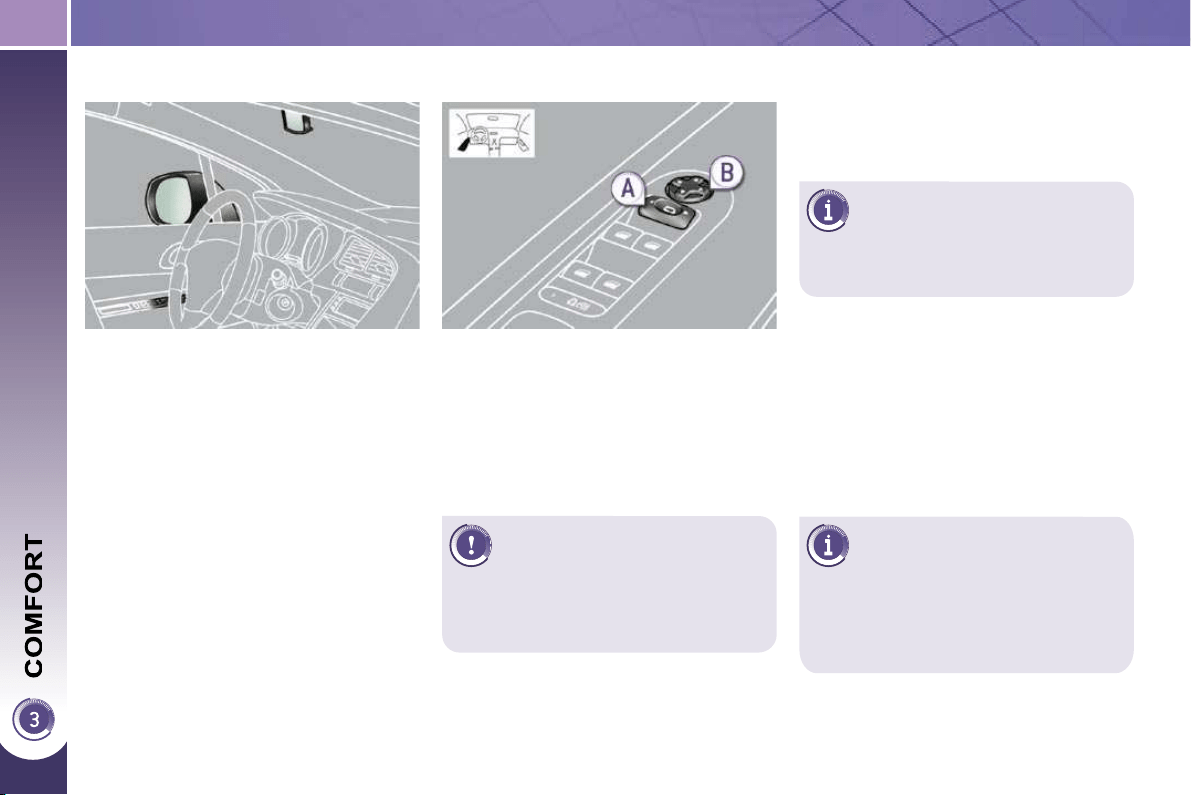
68
The objects observed are, in
reality, closer than they ap-
pear.
Take this into account in order to cor-
rectly judge the distance of vehicles
approaching from behind.
MIRRORS
Door mirrors
Each fi tted with an adjustable mirror
glass permitting the lateral rearward vi-
sion necessary for overtaking or park-
ing. They can also be folded for parking
in confi ned spaces.
Folding
- Automatic: lock the vehicle using
the remote control or the key.
- Manual: with the ignition on, pull
control A rearwards.
The folding and unfolding of
the door mirrors using the
remote control can be deacti-
vated by a PEUGEOT dealer.
Fold the mirrors when putting your
vehicle through an automatic car
wash.
Adjustment
Unfolding
- Automatic: unlock the vehicle using
the remote control or the key.
- Manual: with the ignition on, pull
control A rearwards.
If the mirrors are folded using
control A , they will not unfold
when the vehicle is unlocked.
Pull again on control A .
Move control A to the right or to
the left to select the corresponding
mirror.
Move control B in all four directions
to adjust.
Return control A to the central
position.
Demisting - Defrosting
If your vehicle is fi tted with heated mir-
rors, the demisting-defrosting operates
with the engine running, by switching
on the heated rear screen (refer to the
"Rear screen demist-defrost" page).
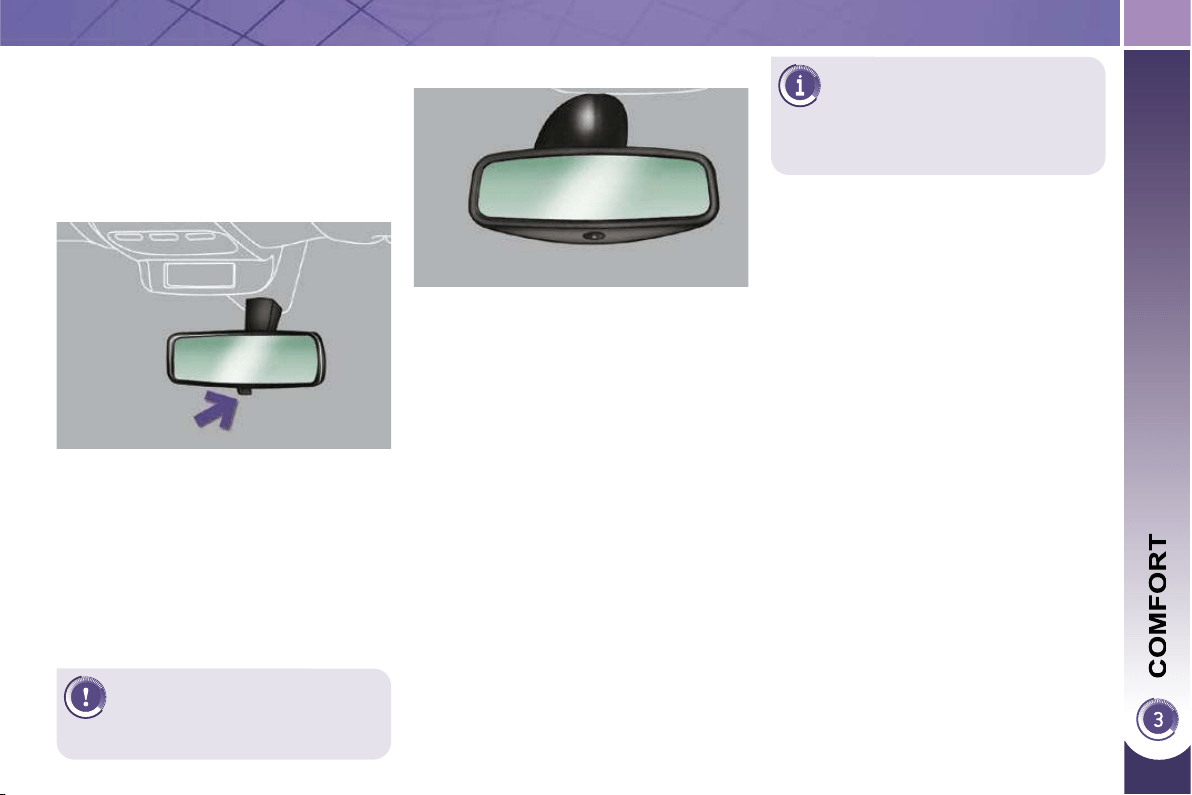
69
Adjustment
Adjust the mirror so that the glass
is directed correctly in the "day"
position.
As a safety precaution, the
mirrors must be adjusted to
reduce the "blind spot".
Manual day/night model
Day/night position
Pull the lever to change to the "night"
anti-dazzle position.
Push the lever to change to the nor-
mal "day" position.
Rear view mirror
Adjustable mirror providing a central
rearward view.
Equipped with an anti-dazzle system,
useful in poor light.
In order to guarantee opti-
mum visibility during your ma-
noeuvres, the mirror lightens
automatically when reverse gear is
engaged.
Automatic day/night model
By means of a sensor, which measures
the light from the rear of the vehicle, this
system automatically and progressively
changes between the day and night
uses.
It has an anti-dazzle system which dark-
ens the mirror glass: this reduces any
driver discomfort caused by the light
beam of following vehicles, the sun...
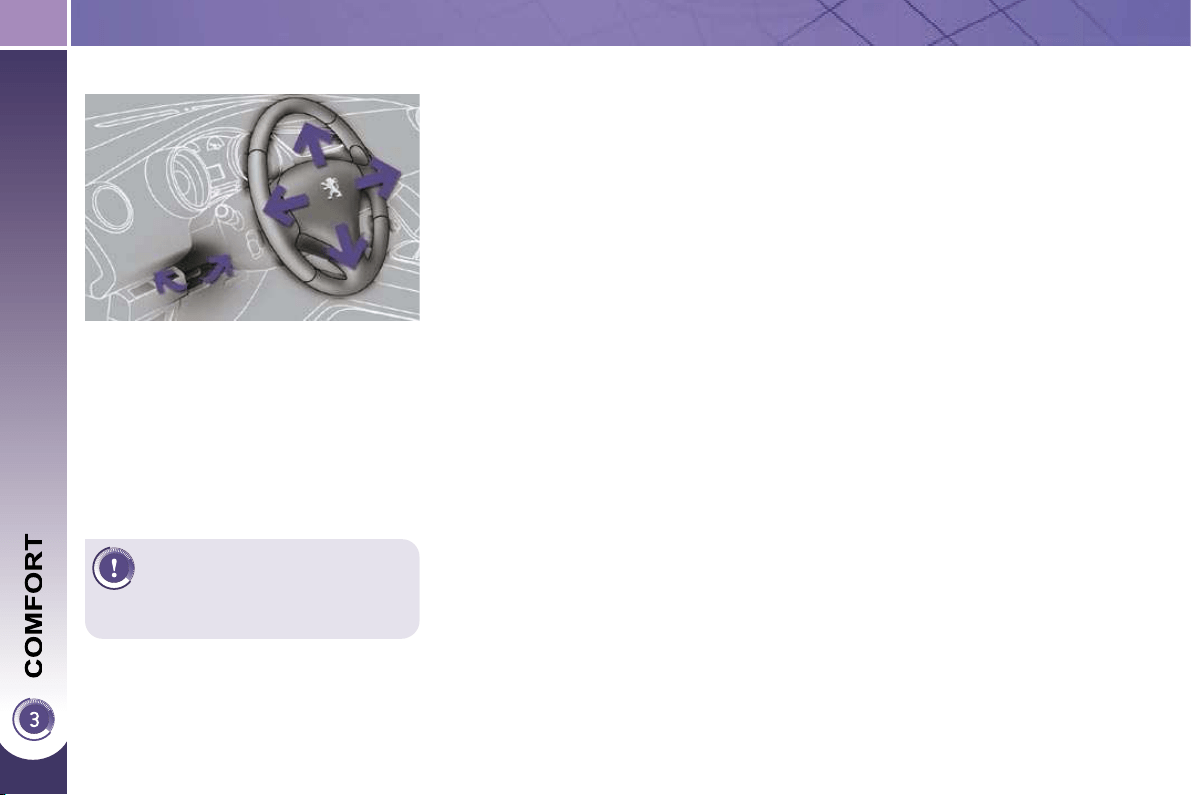
70
STEERING WHEEL ADJUSTMENT
When stationary , pull the control
lever to release the steering wheel.
Adjust the height and reach to suit
your driving position.
Push the control lever to lock the
steering wheel.
As a safety precaution, these
operations should only be car-
ried out while the vehicle is
stationary.
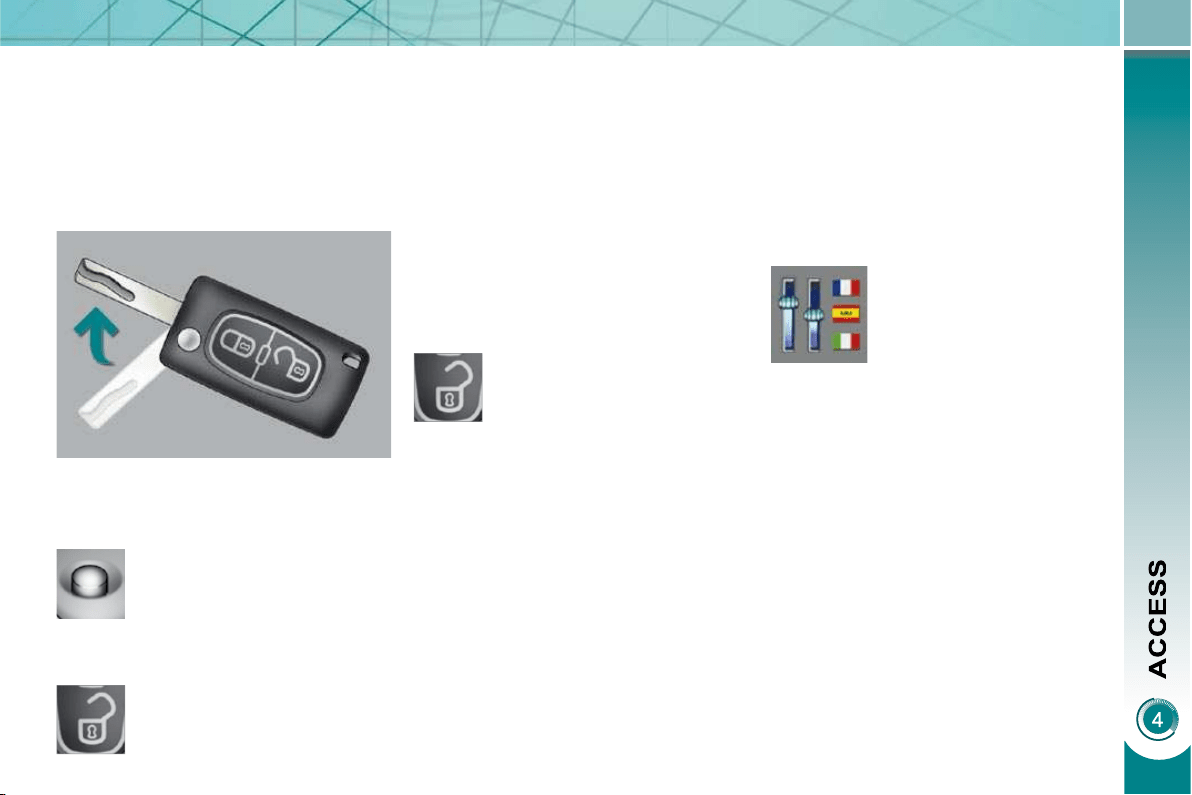
71
Unfolding the key
Unlocking the vehicle
Press the open padlock to
unlock the vehicle.
Complete unlocking using the
remote control
REMOTE CONTROL KEY
System which permits central unlock-
ing or locking of the vehicle using the
lock or from a distance. It is also used to
locate and start the vehicle, as well as
providing protection against theft.
Complete unlocking using the key
Turn the key to the left in the driver's
door lock to unlock the vehicle.
Unlocking is confi rmed by rapid fl ashing
of the direction indicators for approxi-
mately two seconds.
According to version, the door mirrors
unfold at the same time.
Selective unlocking using the
remote control
Selective unlocking using the key
Turn the key to the left in the driver's
door lock once to unlock the driver's
door only.
Turn the key to the left in the driver's
door lock again to unlock the other
doors and the boot.
Press the open padlock
once to unlock the driver's
door only.
Press the open padlock again to un-
lock the other doors and the boot.
Each unlocking is confi rmed by rapid
fl ashing of the direction indicators for
approximately two seconds.
According to version, the door mirrors
unfold at the same time as the fi rst
unlocking action.
The selective unlocking is only available
on versions fi tted with deadlocking.
The complete or selective
unlocking parameter is set
via the multifunction screen
confi guration menu.
Complete unlocking is activated by de-
fault.
First press this button to
unfold the key.
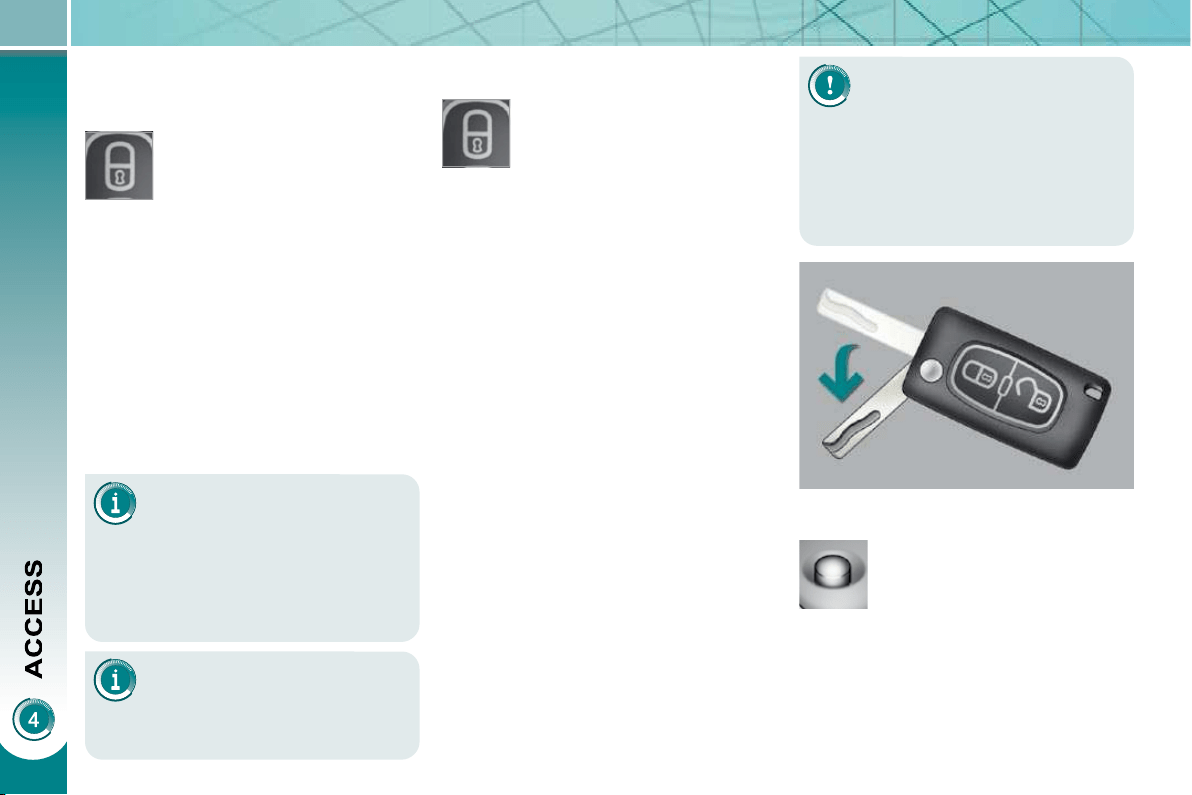
72
Locating your vehicle
Press the closed padlock to locate
your locked vehicle in a car park.
This is indicated by lighting of the direc-
tion indicators for a few seconds.
Deadlocking renders the exte-
rior and interior door controls
inoperative.
It also deactivates the manual central
control button.
Therefore, never leave anyone inside
the vehicle when it is deadlocked.
Deadlocking using the remote
control
Deadlocking using the key
Folding the key
Press the closed padlock
to lock the vehicle com-
pletely or press the closed
padlock for more than two
seconds to close the win-
dows automatically in ad-
dition to locking (according
to version).
Press the closed padlock again
within fi ve seconds to deadlock the
vehicle.
If one of the doors or the boot
is still open, the central locking
does not take place.
When the vehicle is locked, if it is
unlocked inadvertently, it will relock
automatically after thirty seconds un-
less a door is opened.
Normal locking using the key
Turn the key to the right in the driver's
door lock to lock the vehicle completely.
Locking is confi rmed by fi xed lighting of
the direction indicators for approximately
two seconds.
According to version, the door mirrors
fold at the same time.
The folding and unfolding of
the door mirrors using the
remote control can be deacti-
vated by a PEUGEOT dealer.
Locking the vehicle
Press the closed padlock
to lock the vehicle com-
pletely.
Press the closed padlock for more
than two seconds to close the win-
dows automatically in addition to
locking (according to version).
Normal locking using the remote
control
Turn the key to the right in the
driver's door lock to lock the vehicle
completely and hold it in this posi-
tion for more than two seconds to
close the windows automatically in
addition to locking (according to ver-
sion).
Turn the key to the right again within
fi ve seconds to deadlock the vehicle.
Deadlocking is confi rmed by fi xed light-
ing of the direction indicators for ap-
proximately two seconds.
According to version, the door mirrors
fold at the same time.
First press this button to
fold the key.
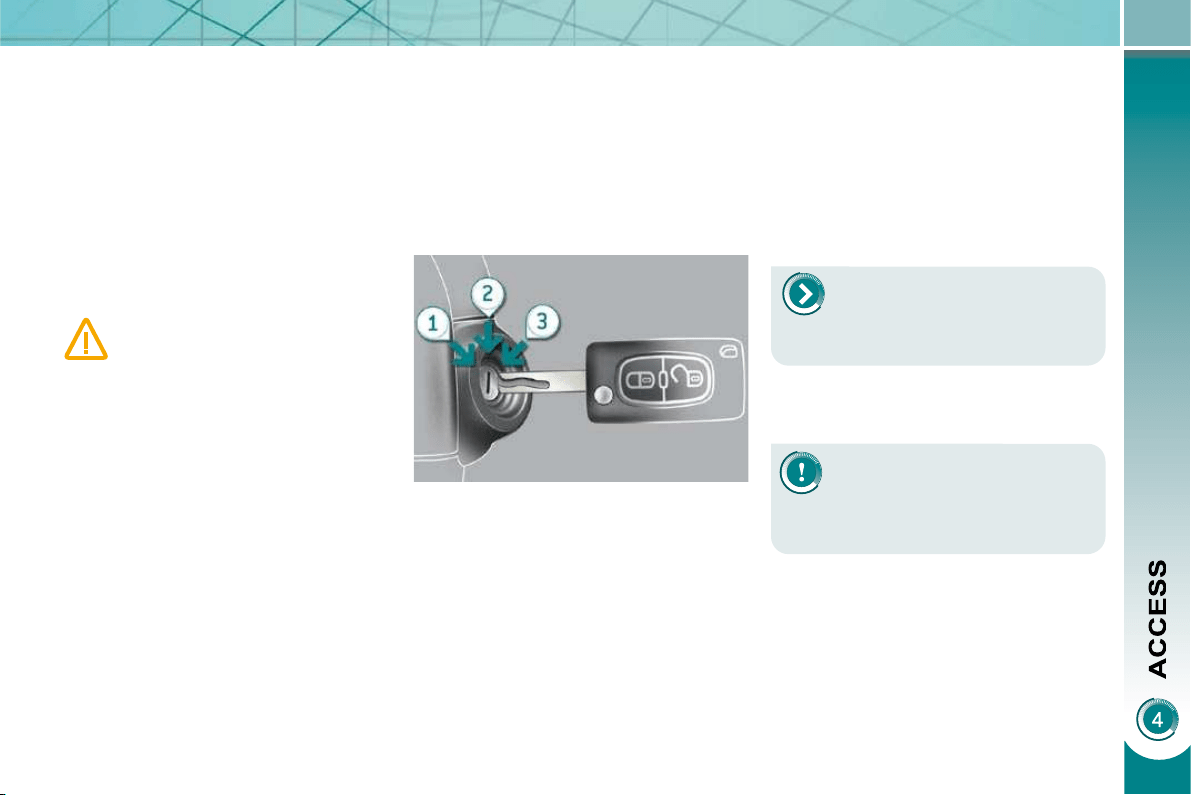
73
Electronic engine immobiliser
The key contains an electronic chip
which has a special code. When the
ignition is switched on, this code must
be recognised in order for starting to be
possible.
This electronic engine immobiliser locks
the engine management system a few
minutes after the ignition is switched off
and prevents starting of the engine by
anyone who does not have the key.
Anti-theft protection
In the event of a malfunction,
you are informed by lighting of
this warning lamp, an audible
signal and a message on the
multifunction screen.
In this case, your vehicle does not start;
contact a PEUGEOT dealer as soon as
possible.
For further details, refer to the
"Practical information - § Energy
economy mode" section.
Starting the vehicle
Insert the key in the ignition switch.
The system recognises the starting
code.
Turn the key fully towards the dash-
board to position 3 (Starting) .
When the engine starts, release the
key.
Switching the vehicle off
Immobilise the vehicle.
Turn the key fully towards you to po-
sition 1 (Stop) .
Remove the key from the ignition
switch.
Energy economy mode
After switching off the engine (posi-
tion 1-Stop ), you can still use functions
such as the audio and telematics sys-
tem, the wipers, the dipped headlamps,
the courtesy lamps, etc. for a maximum
combined duration of thirty minutes.
A heavy object (key fob...), at-
tached to the key and weigh-
ing down on its shaft in the
ignition switch, could cause a
malfunction.
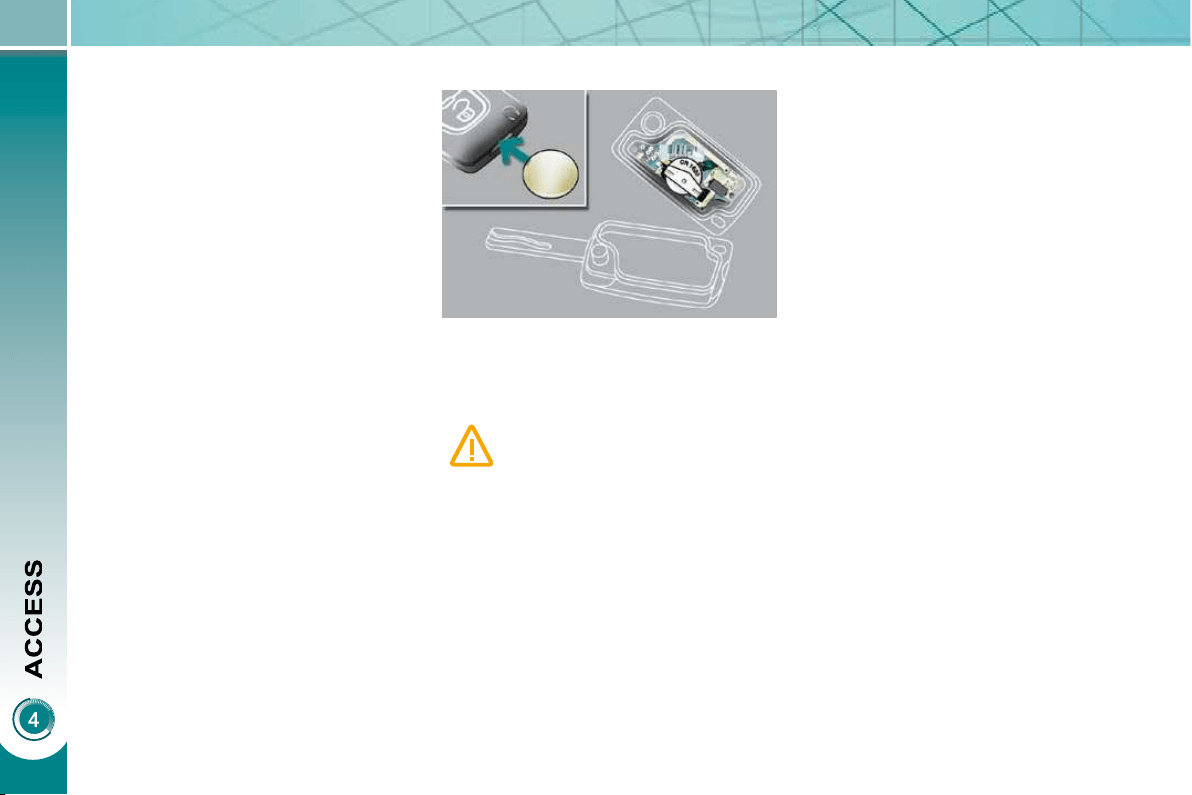
74
Remote control problem
Following disconnection of the vehicle
battery, replacement of the remote con-
trol battery or in the event of a remote
control malfunction, you can no longer
unlock, lock or locate your vehicle.
First of all, use the key in the lock to
unlock or lock your vehicle.
Then, reinitialise the remote control.
If the problem persists, contact a
PEUGEOT dealer as soon as possible.
Changing the battery
Battery ref.: CR1620/3 volts. Reinitialisation
Switch off the ignition.
Turn the key to position 2 (Ignition) .
Press the closed padlock immedi-
ately for a few seconds.
Switch off the ignition and remove
the key from the ignition switch.
The remote control is fully operational
again.
If the battery is fl at, you are in-
formed by lighting of this warn-
ing lamp, an audible signal and
a message on the multifunction
screen.
Unclip the casing using a coin at the
notch.
Slide the fl at battery out of its loca-
tion.
Slide the new battery into its loca-
tion observing the original direction.
Clip the casing.
Reinitialise the remote control.
This replacement battery is available
from PEUGEOT dealers.
75
Lost keys
Visit a PEUGEOT dealer with the vehicle's V5 registration document and
your personal identifi cation documents.
The PEUGEOT dealer will be able to retrieve the key code and the transponder
code required to order a replacement key.
Do not throw the remote con-
trol batteries away, they contain
metals which are harmful to the
environment.
Take them to an approved collection
point.
Remote control
The high frequency remote control is a sensitive system; do not operate it while
it is in your pocket as there is a possibility that it may unlock the vehicle, without
you being aware of it.
Do not repeatedly press the buttons of your remote control out of range and
out of sight of your vehicle. You run the risk of stopping it from working and the
remote control would have to be reinitialised.
The remote control does not operate when the key is in the ignition, even when
the ignition is switched off, except for reinitialisation.
Locking the vehicle
Driving with the doors locked may make access to the passenger compartment
by the emergency services more diffi cult in an emergency.
As a safety precaution (with children on board), remove the key from the ignition
when you leave the vehicle, even for a short time.
Anti-theft protection
Do not make any modifi cations to the electronic engine immobiliser system; this
could cause malfunctions.
When purchasing a second-hand vehicle
Have the key codes memorised by a PEUGEOT dealer, to ensure that the keys
in your possession are the only ones which can start the vehicle.
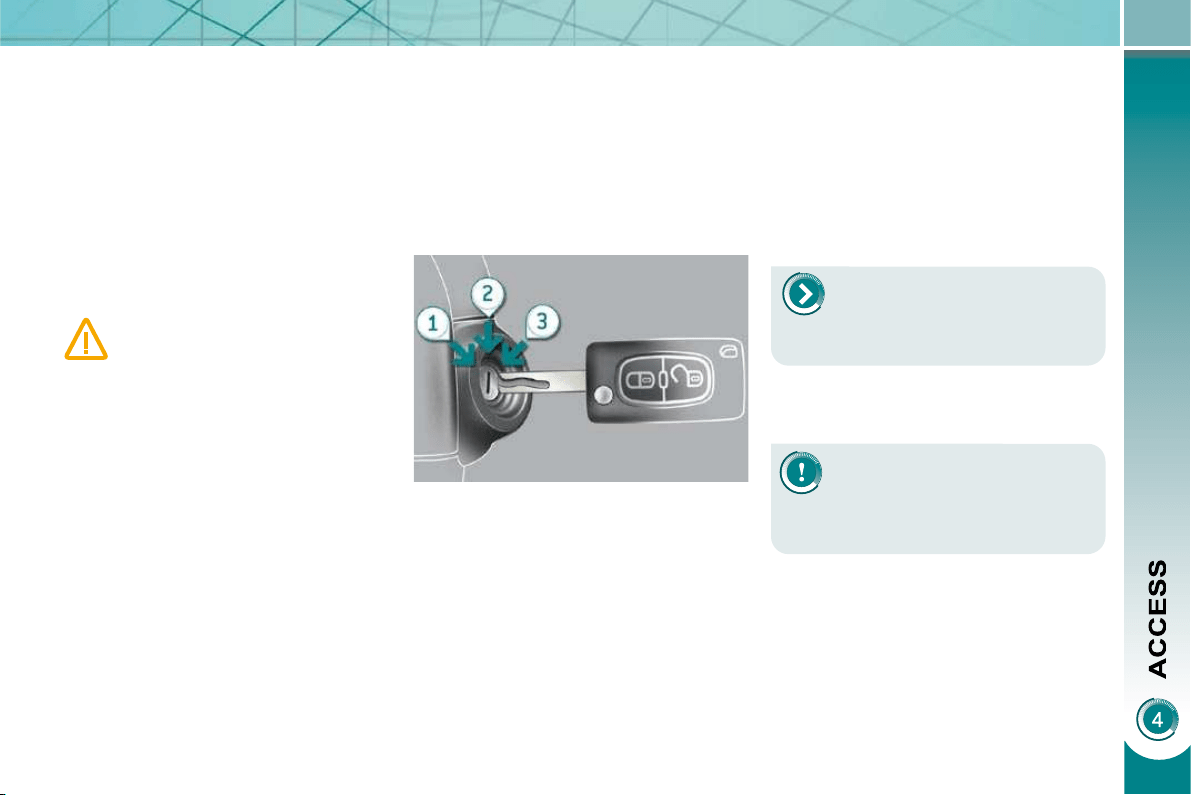
73
Electronic engine immobiliser
The key contains an electronic chip
which has a special code. When the
ignition is switched on, this code must
be recognised in order for starting to be
possible.
This electronic engine immobiliser locks
the engine management system a few
minutes after the ignition is switched off
and prevents starting of the engine by
anyone who does not have the key.
Anti-theft protection
In the event of a malfunction,
you are informed by lighting of
this warning lamp, an audible
signal and a message on the
multifunction screen.
In this case, your vehicle does not start;
contact a PEUGEOT dealer as soon as
possible.
For further details, refer to the
"Practical information - § Energy
economy mode" section.
Starting the vehicle
Insert the key in the ignition switch.
The system recognises the starting
code.
Turn the key fully towards the dash-
board to position 3 (Starting) .
When the engine starts, release the
key.
Switching the vehicle off
Immobilise the vehicle.
Turn the key fully towards you to po-
sition 1 (Stop) .
Remove the key from the ignition
switch.
Energy economy mode
After switching off the engine (posi-
tion 1-Stop ), you can still use functions
such as the audio and telematics sys-
tem, the wipers, the dipped headlamps,
the courtesy lamps, etc. for a maximum
combined duration of thirty minutes.
A heavy object (key fob...), at-
tached to the key and weigh-
ing down on its shaft in the
ignition switch, could cause a
malfunction.
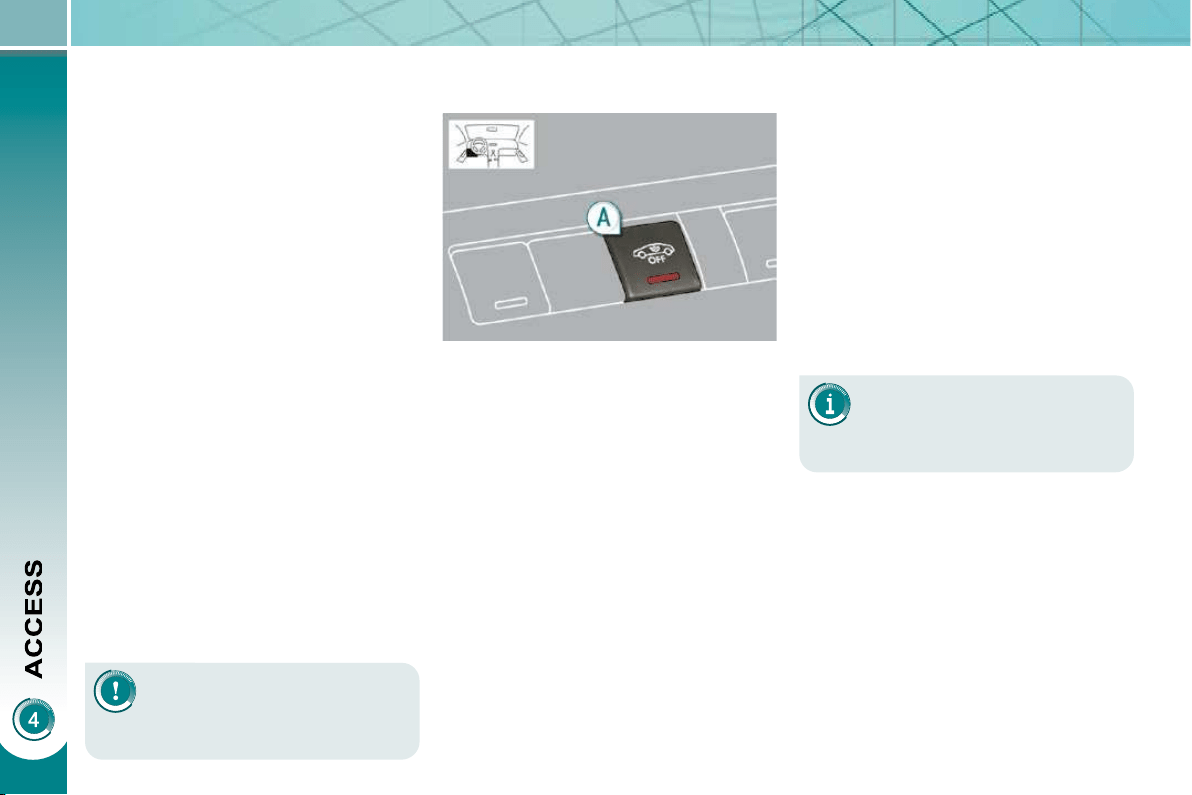
76
ALARM
System which protects and provides a
deterrent against the theft of your vehi-
cle. It provides two types of protection,
exterior and interior, as well as an anti-
tamper function.
Locking the vehicle with full
alarm
Do not make any modifi ca-
tions to the alarm system, this
could cause malfunctions.
To be effective, this deactivation
must be carried out each time
the ignition is switched off.
Reactivation of the interior
volumetric protection
Unlock the vehicle using the unlock-
ing button on the remote control.
Relock the vehicle using the remote
control.
The alarm is activated again with both
types of protection; the indicator lamp
on button A switches off.
Locking the vehicle with
exterior protection alarm only
Activation
Switch off the ignition and get out of
the vehicle.
Lock or deadlock the vehicle using
the locking button on the remote
control.
The alarm is activated; the indicator lamp
on button A fl ashes once per second.
Exterior perimiter protection
The system detects opening of the
vehicle.
The alarm is triggered if anyone tries to
enter the vehicle by forcing a door, the
boot or the bonnet.
Interior volumetric protection
The system detects any variation in the
volume in the passenger compartment.
The alarm is triggered if anyone breaks
a window or moves inside the vehicle.
If you wish to leave a pet in the vehicle
or a window partially open, deactivate
the interior volumetric protection.
Anti-tamper function
The system detects the putting out of
service of its components.
The alarm is triggered if anyone tries
to put the wires of the siren, the central
control or the battery out of service.
Deactivation
Unlock the vehicle using the unlock-
ing button on the remote control.
The alarm is deactivated; the indicator
lamp on button A switches off.
Deactivation of the interior
volumetric protection
Switch off the ignition.
Within ten seconds, press button A
until the indicator lamp is lit continu-
ously.
Get out of the vehicle.
Lock or deadlock the vehicle using
the locking button on the remote
control.
The exterior protection alarm alone re-
mains activated; the indicator lamp on
button A fl ashes once per second.

77
Triggering
This is indicated by sounding of the siren
and fl ashing of the direction indicators
for approximately thirty seconds.
After it has been triggered, the alarm is
again operational.
If the alarm is triggered ten
times in succession, the elev-
enth time will result in it be-
coming inactive.
If the indicator lamp on button A
fl ashes rapidly, this indicates that the
alarm was triggered during your ab-
sence. When the ignition is switched
on, this fl ashing stops immediately.
To avoid triggering the alarm when
washing your vehicle, lock it using
the key in the driver's door lock.
Do not activate the alarm before dis-
connecting the battery, otherwise the
siren will sound.
Failure of the remote control
Unlock the vehicle using the key in
the driver's door lock.
Open the door; the alarm is trig-
gered.
Switch on the ignition; the alarm
stops.
Malfunction
When the ignition is switched on, light-
ing of the indicator lamp on button A for
ten seconds indicates a siren fault.
Have it checked by a PEUGEOT dealer.
Locking the vehicle without
activating the alarm
Lock or deadlock the vehicle using
the key in the driver's door lock.
Automatic operation *
Depending on the legislation in force in
your country, one of these cases may
occur:
- 45 seconds after the vehicle is
locked using the remote control, the
alarm is activated, regardless of the
status of the doors and boot.
- 2 minutes after the last door or the
boot is closed, the alarm is activated.
To avoid triggering the alarm on
entering the vehicle, fi rst press
the unlocking button on the re-
mote control.
* According to country.
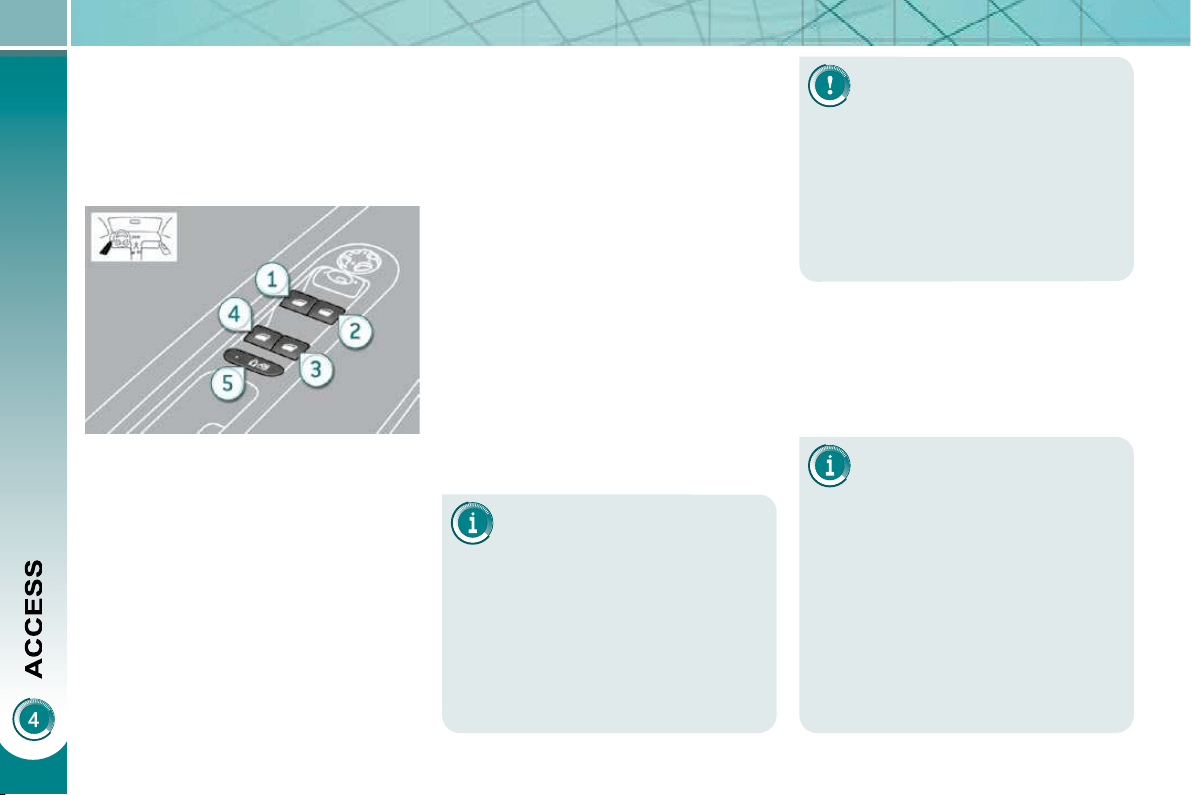
78
The electric window controls
remain operational for ap-
proximately 45 seconds after
the ignition is switched off or until the
vehicle is locked after a front door is
opened.
If one of the passenger windows can-
not be operated from the driver's door
control pad, carry out the operation
from the control pad of the passen-
ger door concerned, and vice versa.
ELECTRIC WINDOWS
System intended to open or close a
window manually or automatically. Fit-
ted with a safety anti-pinch system and
a system for deactivation in the event of
misuse of the rear controls.
1. Driver's electric window control.
2. Passenger's electric window
control.
3. Rear right electric window
control.
4. Rear left electric window control.
5. Deactivation of the rear electric
window and door controls.
If the window cannot be closed
(for example, in the presence
of ice), immediately after the
movement is reversed:
press and hold the control until
the window opens fully,
then pull the control immediately
and hold it until the window closes,
continue to hold the control for
approximately one second after
the window has closed.
The safety anti-pinch function is not
operational during these operations.
Safety anti-pinch
When the window rises and meets an
obstacle, it stops and partially lowers
again.
- automatic mode
Press or pull the control fi rmly.
The window opens or closes fully
when the control is released.
Pressing the control again stops
the movement of the window.
One-touch electric windows
There are two options:
- manual mode
Press or pull the control gently.
The window stops when the con-
trol is released.
After approximately ten con-
secutive complete opening/
closing movements of the win-
dow, a protection function is activated
to prevent damage to the electric win-
dow motor.
After this, you have approximately
one minute within which to close the
window.
Once the window is closed, the con-
trols will become available again af-
ter approximately 40 minutes.
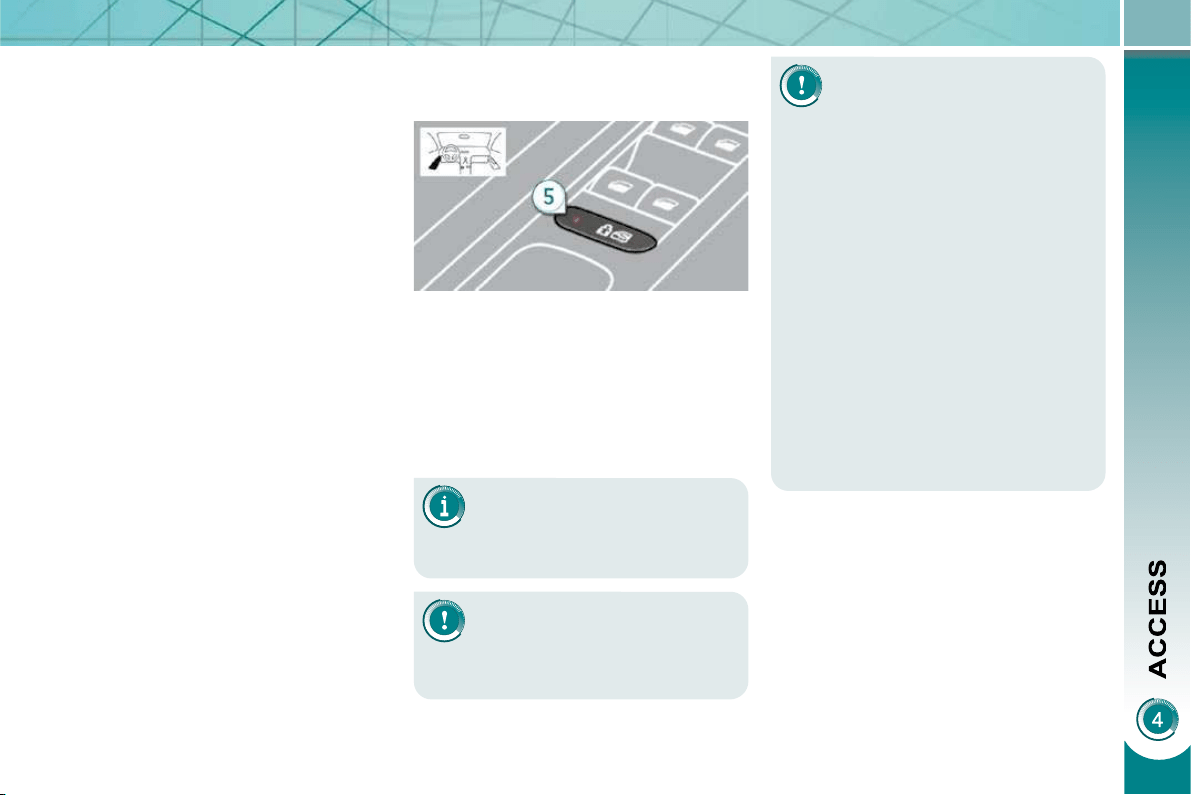
79
Indicator lamp on, the rear
controls are deactivated.
Indicator lamp off, the rear
controls are activated.
This control also deactivates
the interior controls for the
rear doors (refer to the section
"Child safety - § Electric child
lock").
Reinitialisation
If a window does not rise automatically,
its operation must be reinitialised:
pull the control until the window
stops,
release the control and pull it again,
repeat these operations until the
window closes fully,
continue to hold the control for ap-
proximately one second after the
window has closed,
press the control to lower the window
automatically to the low position,
when the window has reached the
low position, press the control again
for approximately one second.
Any other status of the indica-
tor lamp indicates a malfunc-
tion of the electric child lock.
Have it checked by a PEUGEOT
dealer.
Always remove the key from the igni-
tion when leaving the vehicle, even
for a short time.
If an obstacle is encountered during
operation of the electric windows,
you must reverse the movement of
the window. To do this, press the
control concerned.
When the driver operates the controls
for the passengers' electric windows,
they must ensure that no one is pre-
venting correct closing of the windows.
The driver must ensure that the pas-
sengers use the electric windows
correctly.
Be aware of children when operating
the windows.
Deactivation of the rear electric
window and door controls
For the safety of your children, with
the ignition on, press control 5 to
deactivate the rear electric window
controls regardless of their position.
It is still possible to open the doors from
the outside and operate the rear electric
windows from the driver's control pad.
The safety anti-pinch function is not
operational during these operations.
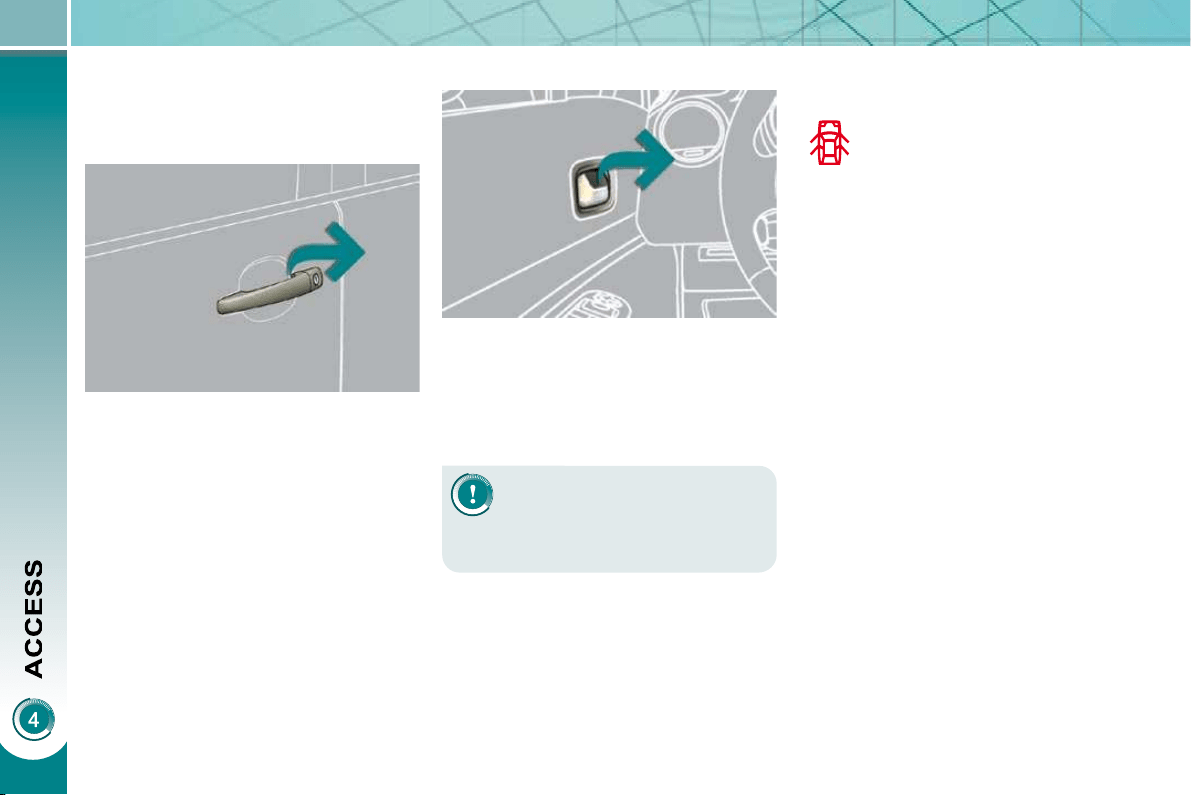
80
DOORS
After unlocking the vehicle com-
pletely using the remote control or
the key, pull the door handle.
From inside
Pull the door control (front or rear)
to open the door; this unlocks this
vehicle completely.
The interior door controls do
not operate when the vehicle
is deadlocked.
Closing
When a door is not closed correctly:
- when the engine is run-
ning , this warning lamp
comes on, accompanied
by a message on the mul-
tifunction screen for a few
seconds,
- when the vehicle is moving (speed
higher than 6 mph (10 km/h)), this
warning lamp comes on, accompa-
nied by an audible signal and a mes-
sage on the multifunction screen for
a few seconds.
Opening
From outside
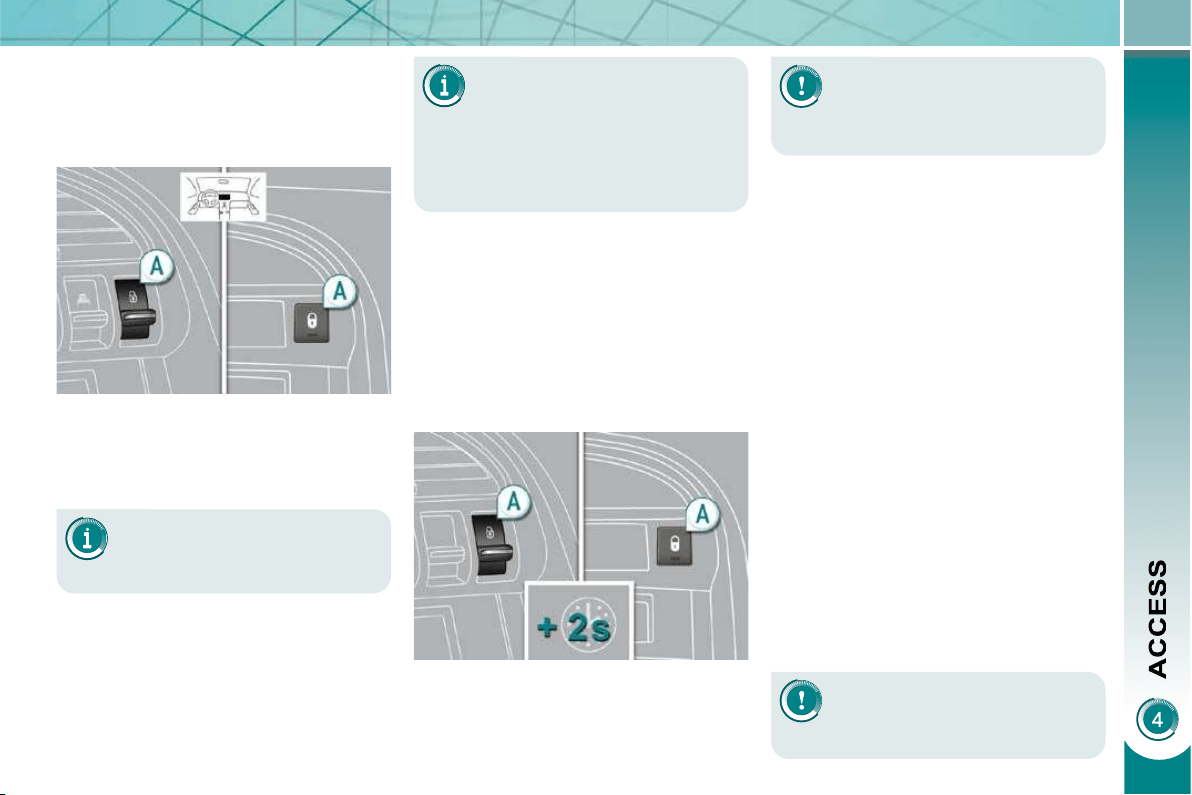
81
If the vehicle is locked or
deadlocked from the outside,
the red indicator lamp fl ashes
and button A is inactive.
In this case, use the remote control
or the key to unlock the vehicle.
A confi rmation message ap-
pears on the multifunction
screen, accompanied by an
audible signal.
Manual centralised control
System which provides full manual
locking or unlocking of the doors from
the inside.
Locking
Press button A to lock the vehicle.
The red indicator lamp on the button
comes on.
Automatic centralised control
System which provides full automatic
locking or unlocking of the doors and
boot while driving, if they are closed
correctly.
You can activate or deactivate this function.
Locking
When the speed exceeds 6 mph
(10 km/h), the doors and boot lock au-
tomatically.
If one of the doors is open, the automat-
ic central locking does not take place.
If the boot is open, the automatic cen-
tral locking of the doors is active.
Deactivation
Press button A again for more than
two seconds.
A confi rmation message appears on the
multifunction screen, accompanied by
an audible signal.
If one of the doors is open, the
central locking from the inside
does not take place.
Unlocking
Press button A again to unlock the
vehicle.
The red indicator lamp on the button
switches off.
Activation
In the event of an impact, the
doors unlock automatically.
Unlocking
Above 6 mph (10 km/h), press but-
ton A to unlock the doors and boot
temporarily.
Press button A for more than two
seconds.
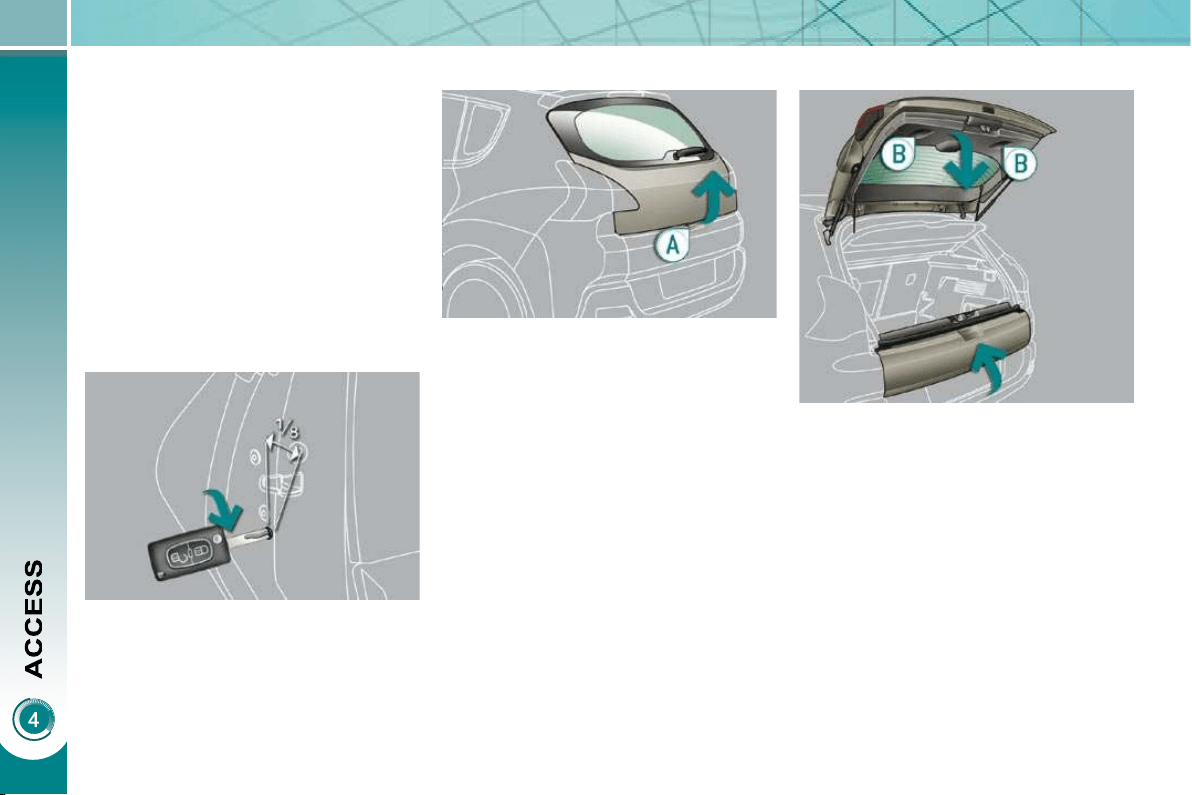
82
Emergency control
System which locks or unlocks the
doors mechanically in the event of a
malfunction of the battery or of the cen-
tral locking.
Insert the key in the lock, located on
the edge of the door, then turn it one
eighth of a turn .
Locking the driver's door
Insert the key in the lock, then turn it
to the right.
Unlocking the driver's door
Insert the key in the lock, then turn it
to the left.
Locking the front and rear
passenger doors
Unlocking the front and rear
passenger doors
Pull the interior door opening control.
Opening
After unlocking the vehicle using the
remote control or the key, press the
handle A and raise the tailgate.
BOOT
Closing
Close the lower tailgate.
Pull the handle B downwards to
guide the tailgate.
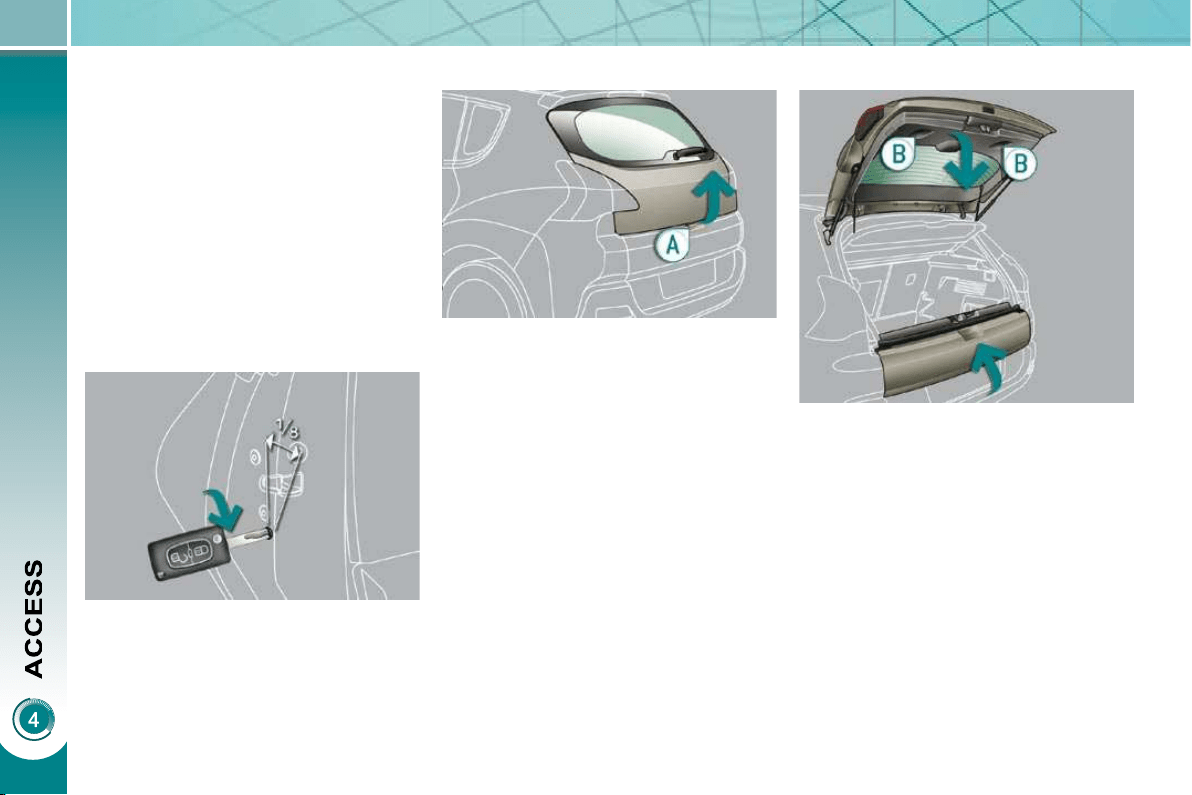
82
Emergency control
System which locks or unlocks the
doors mechanically in the event of a
malfunction of the battery or of the cen-
tral locking.
Insert the key in the lock, located on
the edge of the door, then turn it one
eighth of a turn .
Locking the driver's door
Insert the key in the lock, then turn it
to the right.
Unlocking the driver's door
Insert the key in the lock, then turn it
to the left.
Locking the front and rear
passenger doors
Unlocking the front and rear
passenger doors
Pull the interior door opening control.
Opening
After unlocking the vehicle using the
remote control or the key, press the
handle A and raise the tailgate.
BOOT
Closing
Close the lower tailgate.
Pull the handle B downwards to
guide the tailgate.
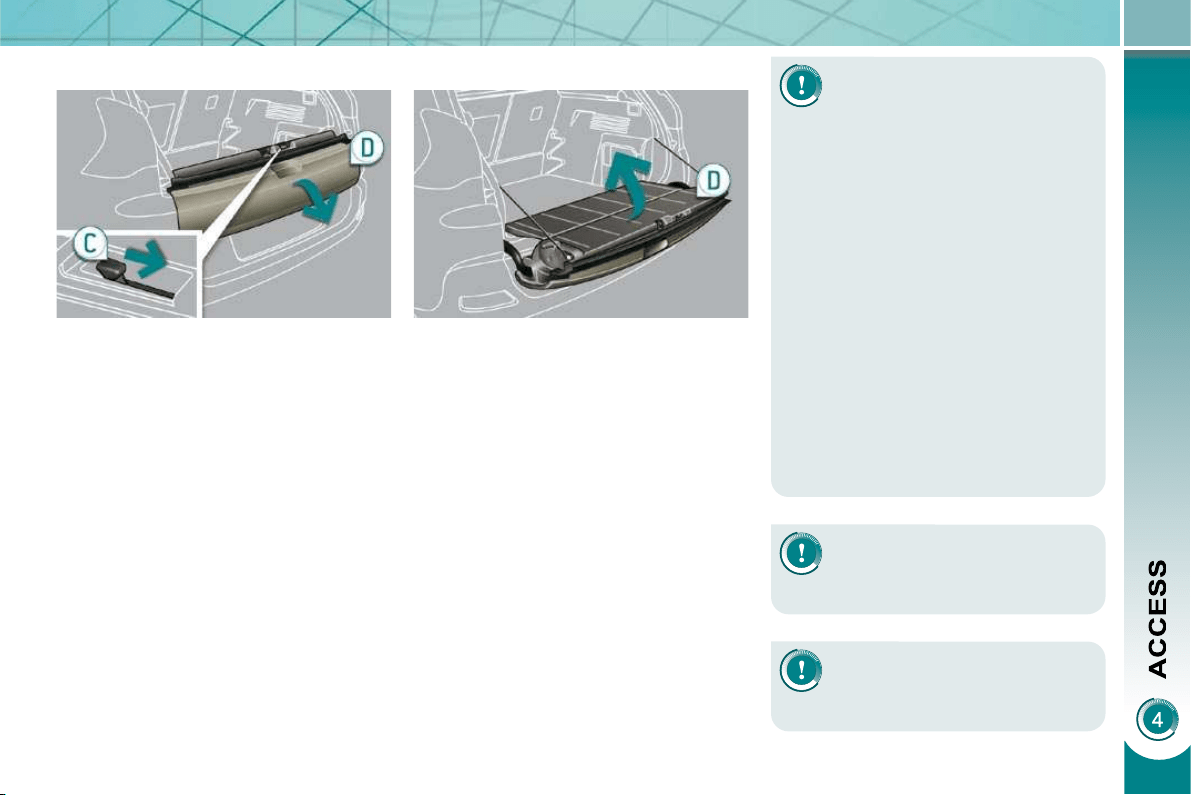
83
LOWER TAILGATE
Opening
Push the handle C to the right and
tilt the tailgate D gently.
Closing
Raise the tailgate D , push it fully to
close it, check that it is secured cor-
rectly.
Before opening the boot, en-
sure that no one is within the
radius of opening.
For reasons of safety, correct opera-
tion and compliance with regulations,
do not drive with the boot and the
lower tailgate open.
If the battery is disconnected, the
boot cannot be opened.
Do not climb onto the lower tailgate
and do not subject it to heavy knocks,
it may be damaged.
Always close the lower tailgate and
check that it is secured correctly be-
fore closing the boot.
When closing the lower tailgate, en-
sure that no person or object is in the
proximity of the moving parts to avoid
any risk of injury or damage.
Do not open the lower tailgate
when a towbar is fi tted.
Maximum authorised weight
on the lower tailgate when
open: 200 kg .
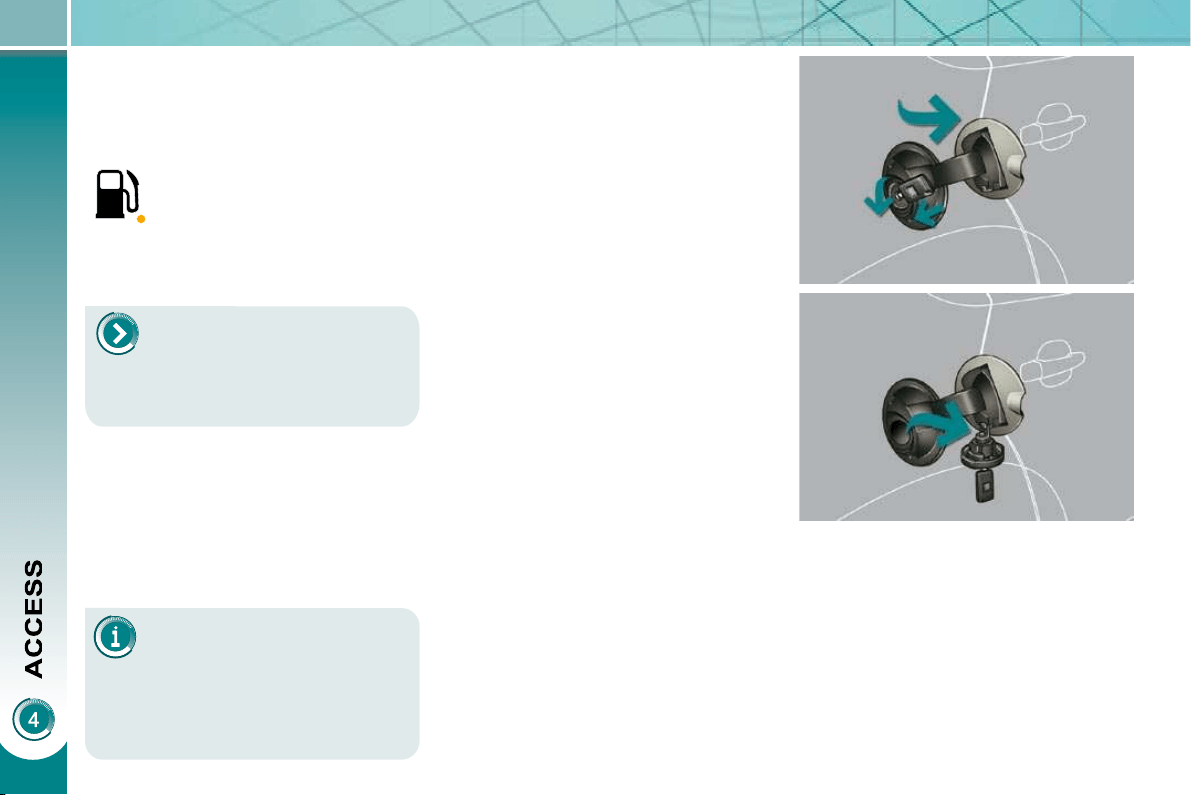
84
The key cannot be removed
from the lock until the cap is
put back on the tank.
Opening the cap may trigger an in-
rush of air. This vacuum, which is
completely normal, is caused by the
sealing of the fuel system.
FUEL TANK
Capacity of the tank: approximately
60 litres.
To fi ll the tank safely:
it is essential that the engine is
switched off,
open the fuel fi ller fl ap,
insert the key in the cap, then turn it
to the left,
When refueling is complete:
put the cap back in place,
turn the key to the right, then remove
it from the cap,
close the fi ller fl ap.
remove the cap and secure it on the
hook, located on the inside of the
fl ap,
fi ll the tank, but do not continue af-
ter the 3rd cut-off of the nozzle ;
this could cause malfunctions.
Low fuel level
Operating fault
A malfunction of the fuel gauge is indi-
cated by the return to zero of the fuel
level indicator needle.
Have it checked by a PEUGEOT dealer.
Refueling
A label affi xed to the inside of the fi ller
fl ap reminds you of the type of fuel to be
used according to your engine.
More than 5 litres of fuel must be add-
ed in order to be registered by the fuel
gauge.
When the fuel tank minimum
level is reached, this warning
lamp comes on on the instru-
ment panel, accompanied by an
audible signal and a message
on the multifunction screen.
When the lamp fi rst comes on, you have
approximately 6 litres of fuel remaining.
You must refuel to avoid run-
ning out of fuel.
If you run out of fuel (Diesel), re-
fer also to the "Checks" section.
DIESEL
85
Quality of the fuel used for
petrol engines
The petrol engines are perfectly com-
patible with E10 type petrol biofuels
(containing 10 % ethanol), conforming
to European standards EN 228 and
EN 15376.
E85 type fuels (containing up to 85 %
ethanol) are reserved exclusively for ve-
hicles marketed for the use of this type
of fuel (BioFlex vehicles). The quality of
the ethanol must comply with European
standard EN 15293.
For Brazil only, special vehicles are
marketed to run on fuels containing up
to 100 % ethanol (E100 type).
Quality of the fuel used for
Diesel engines
The Diesel engines are perfectly com-
patible with biofuels which conform to
current and future European standards
(Diesel fuel which complies with stand-
ard EN 590 mixed with a biofuel which
complies with standard EN 14214)
available at the pumps (containing up
to 7 % Fatty Acid Methyl Ester).
The B30 biofuel can be used in cer-
tain Diesel engines; however, this use
is subject to strict application of the
special servicing conditions. Consult a
PEUGEOT dealer.
The use of any other type of (bio)fuel
(vegetable or animal oils, pure or dilut-
ed, domestic fuel...) is strictly prohibited
(risk of damage to the engine and fuel
system).
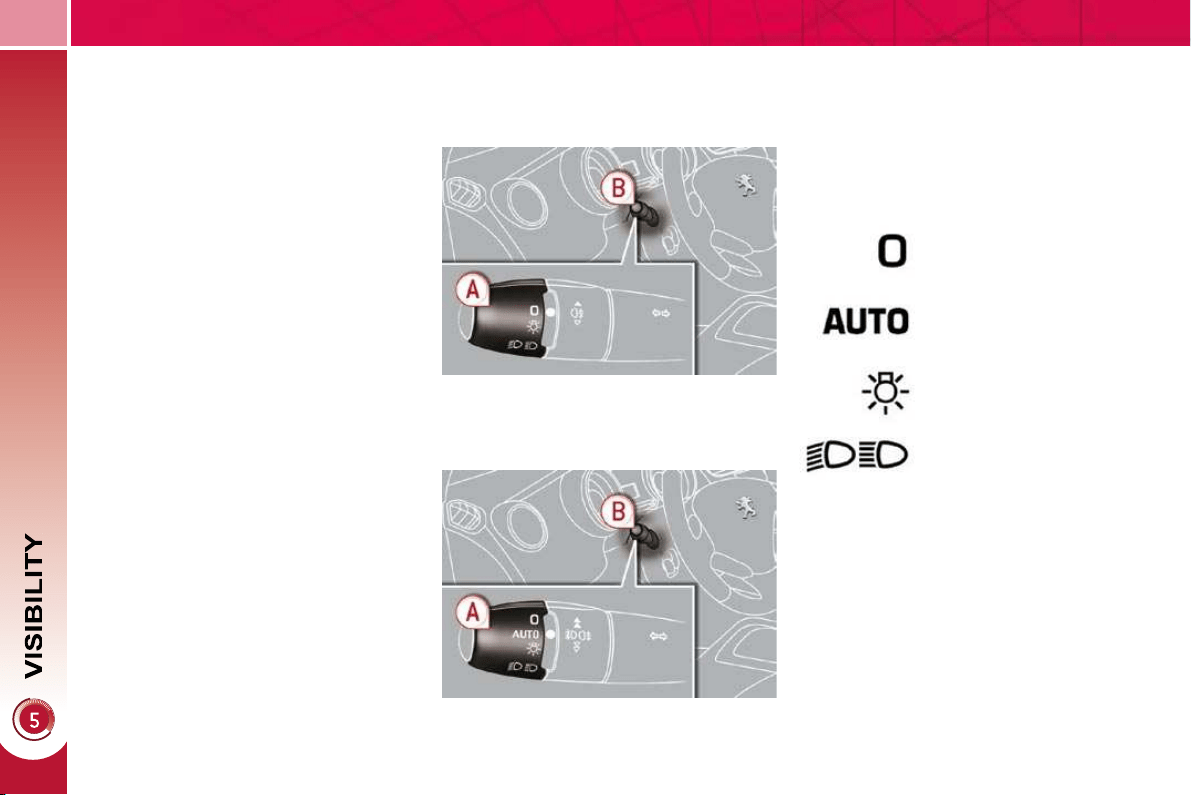
86
LIGHTING CONTROLS
System for selection and control of the
various front and rear lamps providing
the vehicle's lighting.
Main lighting
The various front and rear lamps of
the vehicle are designed to adapt the
lighting progressively in relation to the
climatic conditions and so improve the
driver's visibility:
- sidelamps, to be seen,
- dipped beam headlamps to see
without dazzling other drivers,
- main beam headlamps to see clearly
when the road is clear,
- directional headlamps for improved
visibility when cornering.
Additional lighting
Other lamps are installed to fulfi l
the requirements of particular driving
conditions:
- a rear foglamp to be seen from a
distance,
- front foglamps for even better visibility,
- daytime running lamps to be seen
during the day.
Programming
Various automatic lighting control
modes are also available according to
the following options:
- guide-me-home lighting,
- automatic lighting,
- directional headlamps.
Model without AUTO lighting
Model with AUTO lighting
Automatic illumination of
headlamps.
Manual controls
The lighting commands are issued di-
rectly by the driver by means of the ring A
and the stalk B .
A. Main lighting mode selection ring:
turn it to position the symbol re-
quired facing the mark.
Lamps off.
Sidelamps only.
B. Stalk for switching headlamps: pull
to switch the lighting between dipped
headlamps/main beam headlamps.
In the lamps off and sidelamps modes,
the driver can switch on the main beam
headlamps temporarily ("headlamp
fl ash") by maintaining a pull on the stalk.
Dipped headlamps or main
beam headlamps.
Displays
Lighting of the corresponding indicator
lamp on the instrument panel confi rms
the switching on of the lighting selected.
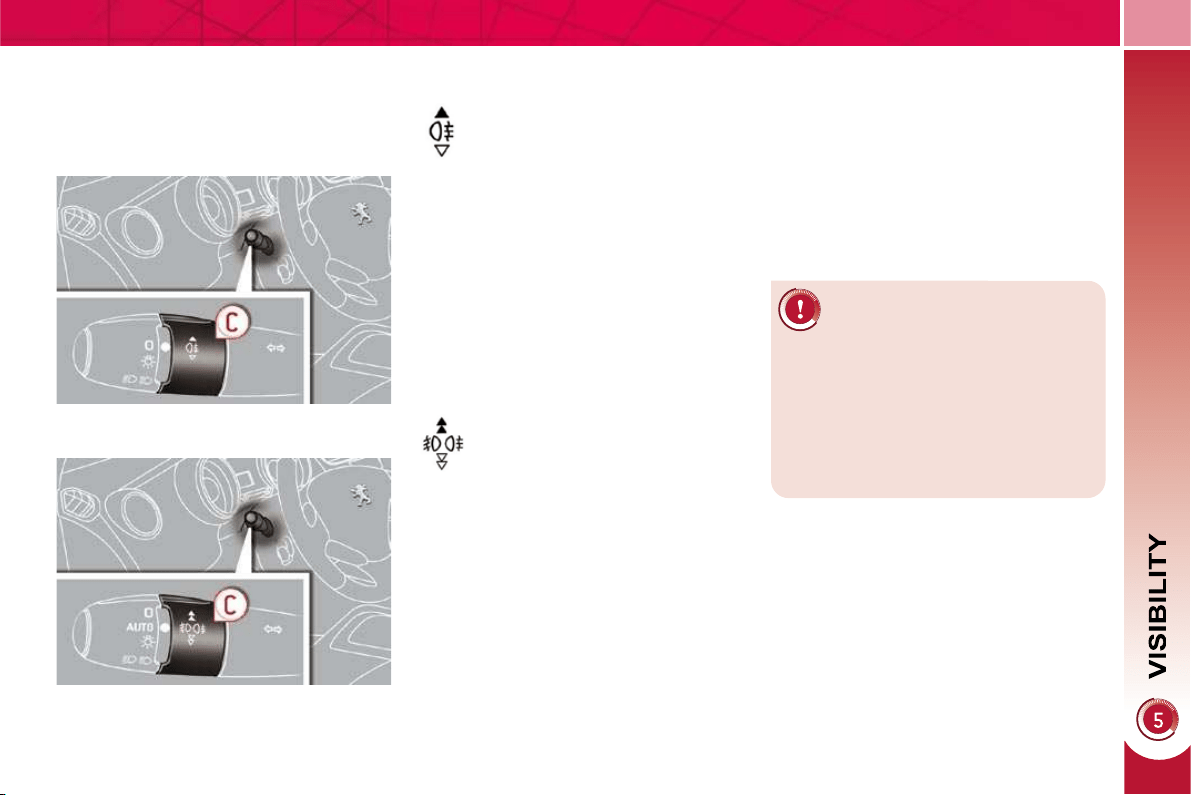
87
Model with rear foglamp only
rear foglamp
This operates with the dipped beam
headlamps and main beam headlamps.
To switch on the foglamp, turn the
ring C forwards.
To switch off the foglamp, turn the
ring C rearwards.
When the lighting is switched on auto-
matically (with AUTO model), the dipped
headlamps and sidelamps remain on
until the rear foglamp is switched off.
In good or rainy weather, by
both day and night, the front
foglamps and the rear foglamp
are prohibited. In these situations,
the power of their beams may dazzle
other drivers.
Do not forget to switch off the front
foglamps and the rear foglamp when
they are no longer necessary.
Model with front and rear foglamps
front and rear foglamps
The rear foglamp operates with the
dipped beam and main beam head-
lamps.
The front foglamps also operate with
the sidelamps.
To switch on the rear foglamp, turn
the ring C forwards.
To switch on the front foglamps, turn
the ring C forwards again.
To switch off the rear foglamp, turn
the ring C rearwards.
To switch off the front foglamps, turn
the ring C rearwards again.
C.
Fog lamps selection ring.
Lighting on buzzer
When the ignition is switched off, all of
the lamps switch off automatically, unless
"guide-me-home lighting" is activated.
If the lighting is switched on manually
after switching off the ignition, there
is an audible signal when a front door
is opened to warn the driver that they
have forgotten to switch off the vehicle's
lighting, with the ignition off.
When the lighting is switched on auto-
matically (with AUTO model), the dipped
headlamps and sidelamps remain on
until the rear foglamp is switched off.
When the lighting is switched off auto-
matically (with AUTO model) or when
the dipped headlamps are switched off
manually, the foglamps and the side-
lamps will remain on.
88
Manual guide-me-home lighting
Temporarily keeping the dipped beam
headlamps on after the vehicle's igni-
tion has been switched off makes the
driver's exit easier when the light is
poor.
Switching on
With the ignition off, "fl ash" the
headlamps using the lighting stalk.
A further "headlamp fl ash" switches
the function off.
Switching off
The manual guide-me-home lighting
switches off automatically after a set
time.
System which permits switching on of the
special lamps at the front (low power), so
that you can be seen during the daytime.
The daytime running lamps come on
automatically when the vehicle is start-
ed, if fi tted * .
The instruments and controls (multi-
function screen, air conditioning control
panel, ...) are not lit, except when the
lighting is switched on manually or auto-
matically.
* According to country.
EXTERIOR WELCOME
LIGHTING
The remote switching on of the light-
ing makes your approach to the vehicle
easier in poor light. It is activated ac-
cording to the level of light detected by
the brightness sensor.
Switching on
Switching off
Programming
In countries in which this
function is not imposed by
regulations, you can acti-
vate or deactivate it via the
multifunction screen confi g-
uration menu.
Programming
The lighting duration is se-
lected via the multifunction
screen confi guration menu.
The duration of the welcome
lighting is associated with and
identical to that of the automatic
guide-me-home lighting.
In countries in which it is imposed by
regulations:
- by default, this function is activated,
- the sidelamps and the number plate
lamps are also switched on * .
Press the open padlock on
the remote control.
The dipped beam headlamps and the
sidelamps come on; your vehicle is also
unlocked.
In some climatic conditions
(e.g. low temperature or hu-
midity), the presence of mist-
ing on the internal surface of
the glass of the headlamps and rear
lamps is normal; it disappears after
the lamps have been on for a few
minutes.
The exterior welcome lighting switches
off automatically after a set time, when
the ignition is switched on or on locking
the vehicle.
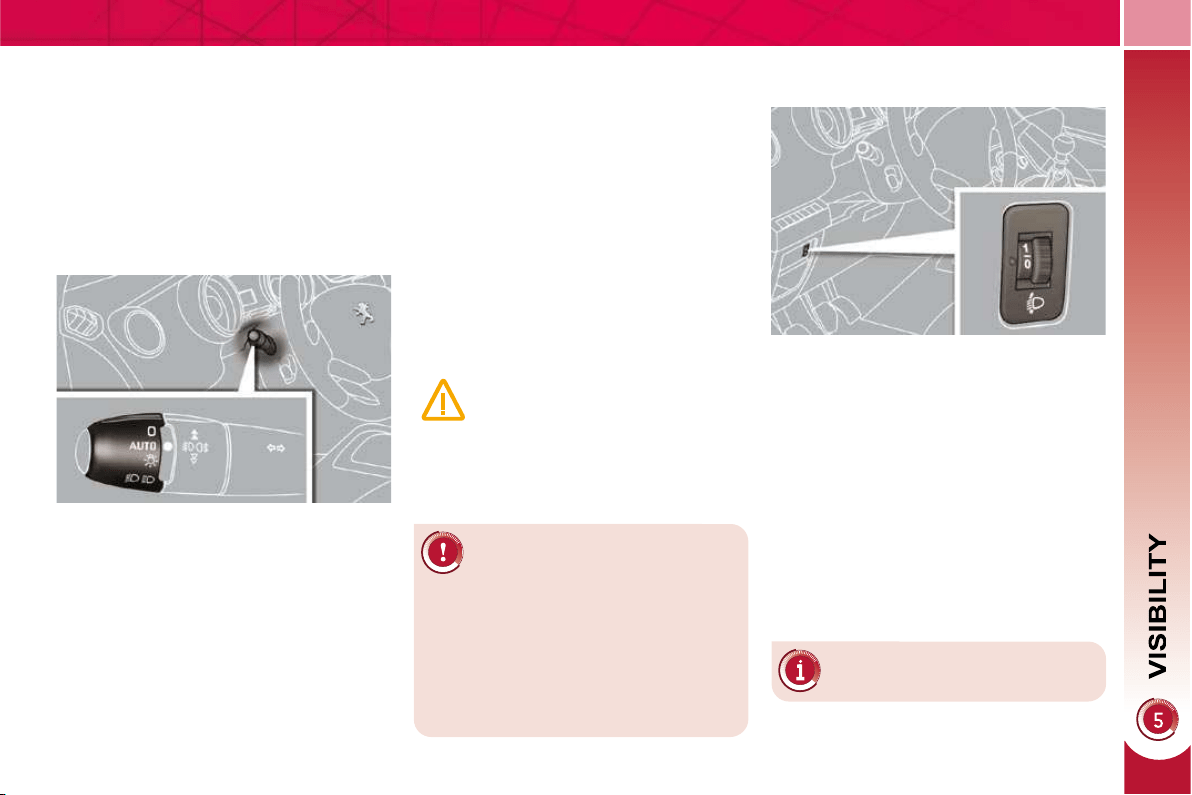
89
In fog or snow, the brightness
sensor may detect suffi cient
light. Therefore, the lighting
will not come on automatically.
Do not cover the brightness sensor,
coupled with the rain sensor and lo-
cated in the centre of the windscreen
behind the rear view mirror; the as-
sociated functions would no longer
be controlled.
Associated with the automatic
"Guide-me-home" lighting
Association with the automatic lighting
provides the "guide-me-home" lighting
with the following additional options:
- selection of the lighting duration of
15, 30 or 60 seconds in the vehicle
parameters on the multifunction
screen confi guration menu,
- automatic activation of "guide-me-
home" lighting when automatic light-
ing is in operation.
Automatic illumination of
headlamps
The sidelamps and dipped beam head-
lamps are switched on automatically,
without any action on the part of the
driver, when a low level of external light
is detected or in certain cases of activa-
tion of the windscreen wipers.
As soon as the brightness returns to a
suffi cient level or after the windscreen
wipers are switched off, the lamps are
switched off automatically.
Activation
Turn the ring to the "AUTO" position.
The automatic illumination of head-
lamps is accompanied by a mes-
sage on the multifunction screen.
Deactivation
Turn the ring to another position.
Deactivation is accompanied by a
message on the multifunction screen.
Operating fault
In the event of a malfunction
of the brightness sensor, the
lighting comes on, this warning
lamp is displayed on the instru-
ment panel and/or a message appears
on the multifunction screen, accompa-
nied by an audible signal.
Consult a PEUGEOT dealer.
MANUAL ADJUSTMENT OF
HALOGEN HEADLAMPS
The initial setting is position "0" .
To avoid causing a nuisance to other
road users, the height of the halogen
headlamps should be adjusted in rela-
tion to the load in the vehicle.
0. 1 or 2 people in the front seats.
-. 3 people.
1. 5 people.
-. Intermediate setting.
2. 5 people + maximum authorised load.
-. Intermediate setting.
3. Driver + maximum authorised load.
88
Manual guide-me-home lighting
Temporarily keeping the dipped beam
headlamps on after the vehicle's igni-
tion has been switched off makes the
driver's exit easier when the light is
poor.
Switching on
With the ignition off, "fl ash" the
headlamps using the lighting stalk.
A further "headlamp fl ash" switches
the function off.
Switching off
The manual guide-me-home lighting
switches off automatically after a set
time.
System which permits switching on of the
special lamps at the front (low power), so
that you can be seen during the daytime.
The daytime running lamps come on
automatically when the vehicle is start-
ed, if fi tted * .
The instruments and controls (multi-
function screen, air conditioning control
panel, ...) are not lit, except when the
lighting is switched on manually or auto-
matically.
* According to country.
EXTERIOR WELCOME
LIGHTING
The remote switching on of the light-
ing makes your approach to the vehicle
easier in poor light. It is activated ac-
cording to the level of light detected by
the brightness sensor.
Switching on
Switching off
Programming
In countries in which this
function is not imposed by
regulations, you can acti-
vate or deactivate it via the
multifunction screen confi g-
uration menu.
Programming
The lighting duration is se-
lected via the multifunction
screen confi guration menu.
The duration of the welcome
lighting is associated with and
identical to that of the automatic
guide-me-home lighting.
In countries in which it is imposed by
regulations:
- by default, this function is activated,
- the sidelamps and the number plate
lamps are also switched on * .
Press the open padlock on
the remote control.
The dipped beam headlamps and the
sidelamps come on; your vehicle is also
unlocked.
In some climatic conditions
(e.g. low temperature or hu-
midity), the presence of mist-
ing on the internal surface of
the glass of the headlamps and rear
lamps is normal; it disappears after
the lamps have been on for a few
minutes.
The exterior welcome lighting switches
off automatically after a set time, when
the ignition is switched on or on locking
the vehicle.
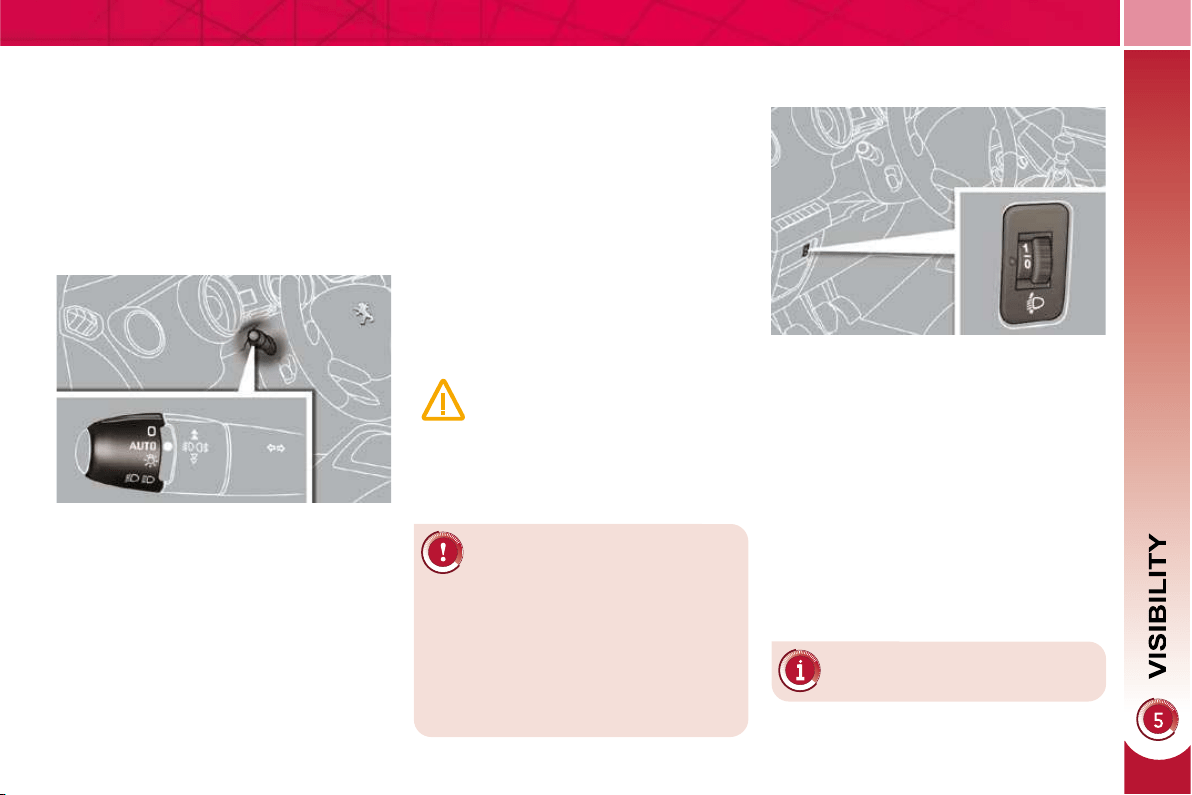
89
In fog or snow, the brightness
sensor may detect suffi cient
light. Therefore, the lighting
will not come on automatically.
Do not cover the brightness sensor,
coupled with the rain sensor and lo-
cated in the centre of the windscreen
behind the rear view mirror; the as-
sociated functions would no longer
be controlled.
Associated with the automatic
"Guide-me-home" lighting
Association with the automatic lighting
provides the "guide-me-home" lighting
with the following additional options:
- selection of the lighting duration of
15, 30 or 60 seconds in the vehicle
parameters on the multifunction
screen confi guration menu,
- automatic activation of "guide-me-
home" lighting when automatic light-
ing is in operation.
Automatic illumination of
headlamps
The sidelamps and dipped beam head-
lamps are switched on automatically,
without any action on the part of the
driver, when a low level of external light
is detected or in certain cases of activa-
tion of the windscreen wipers.
As soon as the brightness returns to a
suffi cient level or after the windscreen
wipers are switched off, the lamps are
switched off automatically.
Activation
Turn the ring to the "AUTO" position.
The automatic illumination of head-
lamps is accompanied by a mes-
sage on the multifunction screen.
Deactivation
Turn the ring to another position.
Deactivation is accompanied by a
message on the multifunction screen.
Operating fault
In the event of a malfunction
of the brightness sensor, the
lighting comes on, this warning
lamp is displayed on the instru-
ment panel and/or a message appears
on the multifunction screen, accompa-
nied by an audible signal.
Consult a PEUGEOT dealer.
MANUAL ADJUSTMENT OF
HALOGEN HEADLAMPS
The initial setting is position "0" .
To avoid causing a nuisance to other
road users, the height of the halogen
headlamps should be adjusted in rela-
tion to the load in the vehicle.
0. 1 or 2 people in the front seats.
-. 3 people.
1. 5 people.
-. Intermediate setting.
2. 5 people + maximum authorised load.
-. Intermediate setting.
3. Driver + maximum authorised load.
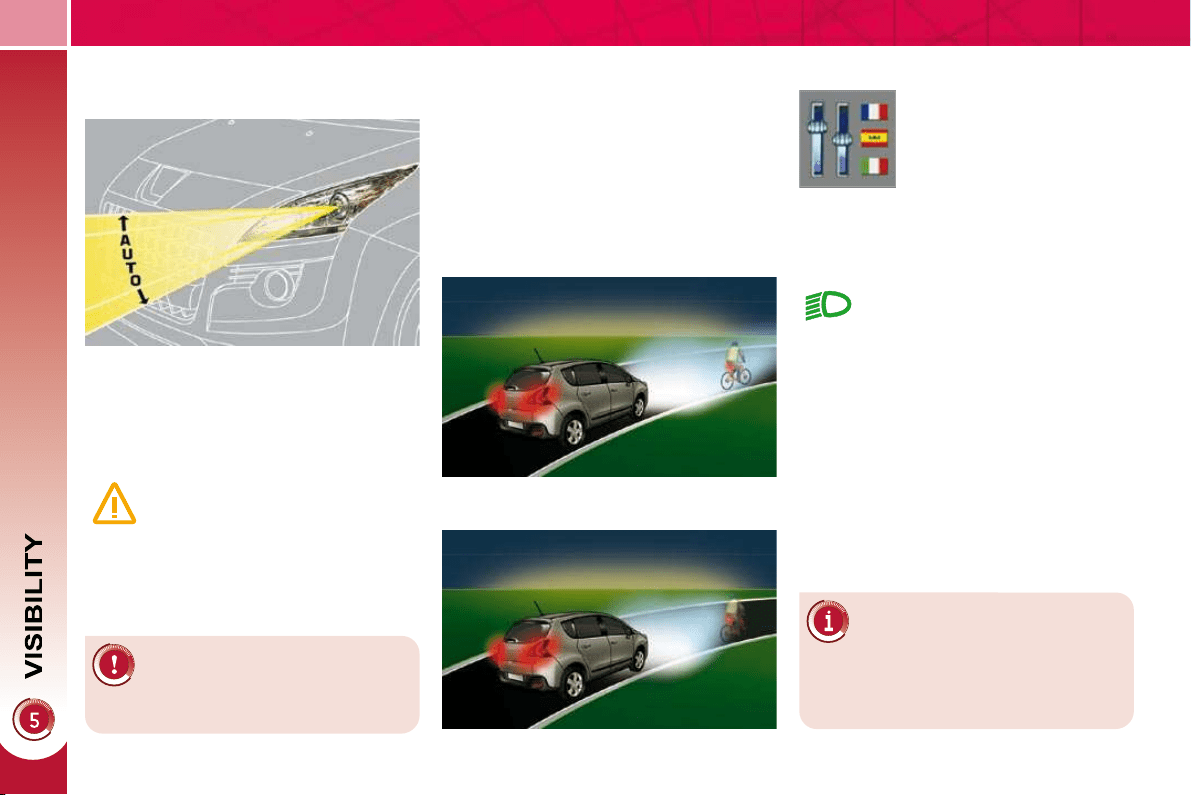
90
DIRECTIONAL LIGHTING
When the dipped or main beam head-
lamps are on, this function enables the
light beams to provide improved lighting
of the side of the road when cornering.
The use of this function, from approxi-
mately 12 mph (20 km/h) and associ-
ated with the xenon headlamps only,
considerably improves the quality of
your lighting when cornering.
with directional lighting
without directional lighting
Programming
Operating fault
The function is activated or
deactivated via the multi-
function screen confi gura-
tion menu.
If a malfunction occurs, this
warning lamp fl ashes on the in-
strument panel, accompanied
by a message on the multifunc-
tion screen.
Consult a PEUGEOT dealer.
AUTOMATIC ADJUSTMENT OF
THE XENON HEADLAMPS
If a malfunction occurs, do not
touch the xenon bulbs. Consult
a PEUGEOT dealer.
In order to avoid causing a nuisance to
other road users, this system corrects
the height of the xenon headlamps beam
automatically and when stationary, in re-
lation to the load in the vehicle.
If a malfunction occurs, this
warning lamp is displayed on
the instrument panel, accom-
panied by an audible signal and
a message on the multifunction
screen.
The system then places your headlamps
in the lowest position.
When stationary or moving
at very low speed or when
reverse gear is engaged, the
function is inactive.
The status of the function remains
in the memory when the ignition is
switched off.
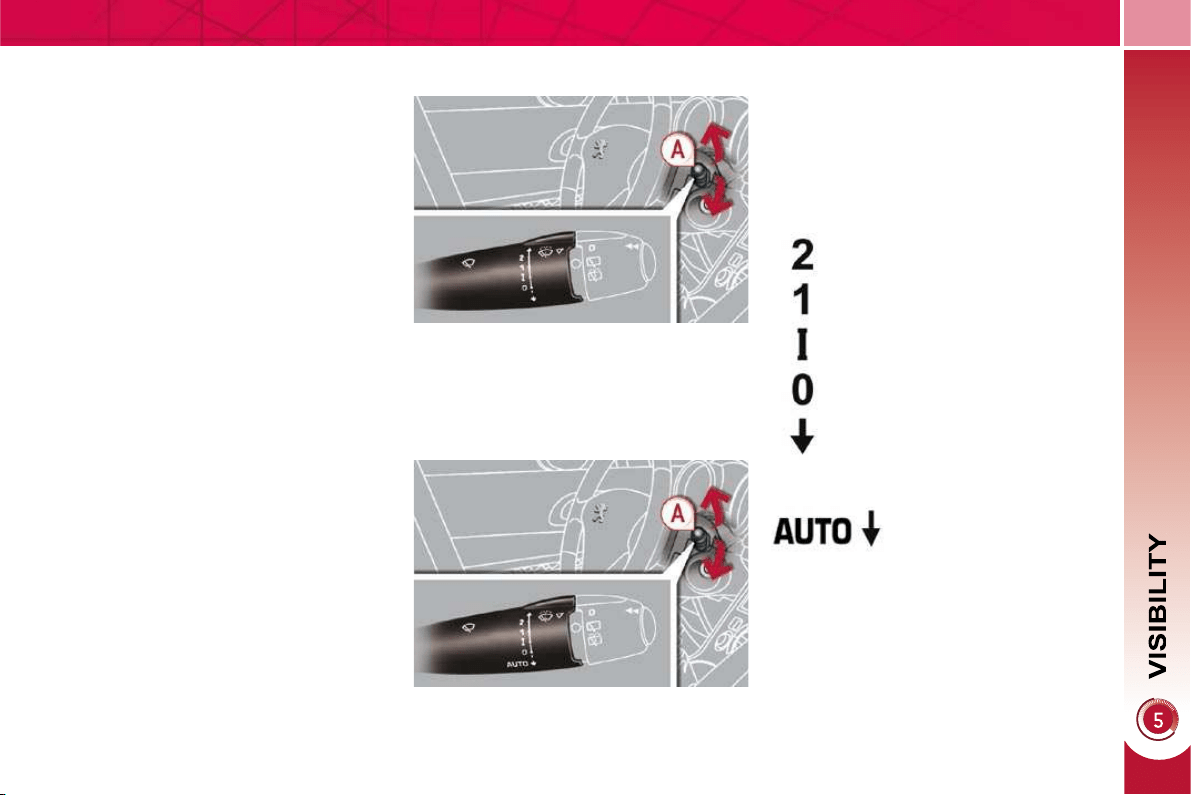
91
WIPER CONTROLS
System for selection and control of the
various front and rear wiping modes for
the elimination of rain and cleaning.
The vehicle's front and rear wipers are
designed to improve the driver's visibility
progressively according to the climatic
conditions.
Manual controls
The wiper commands are issued directly
by the driver by means of the stalk A and
the ring B .
Model with intermittent wiping
Model with AUTO wiping
fast (heavy rain),
normal (moderate rain),
intermittent (proportional to
the speed of the vehicle),
automatic, then single wipe
(see following page).
park,
single wipe (press downwards),
Windscreen wipers
A. wiping speed selection stalk:
or
Programming
Various automatic wiper control modes
are also available according to the fol-
lowing options:
- automatic rain sensitive windscreen
wipers,
- rear wiping on engaging reverse
gear.
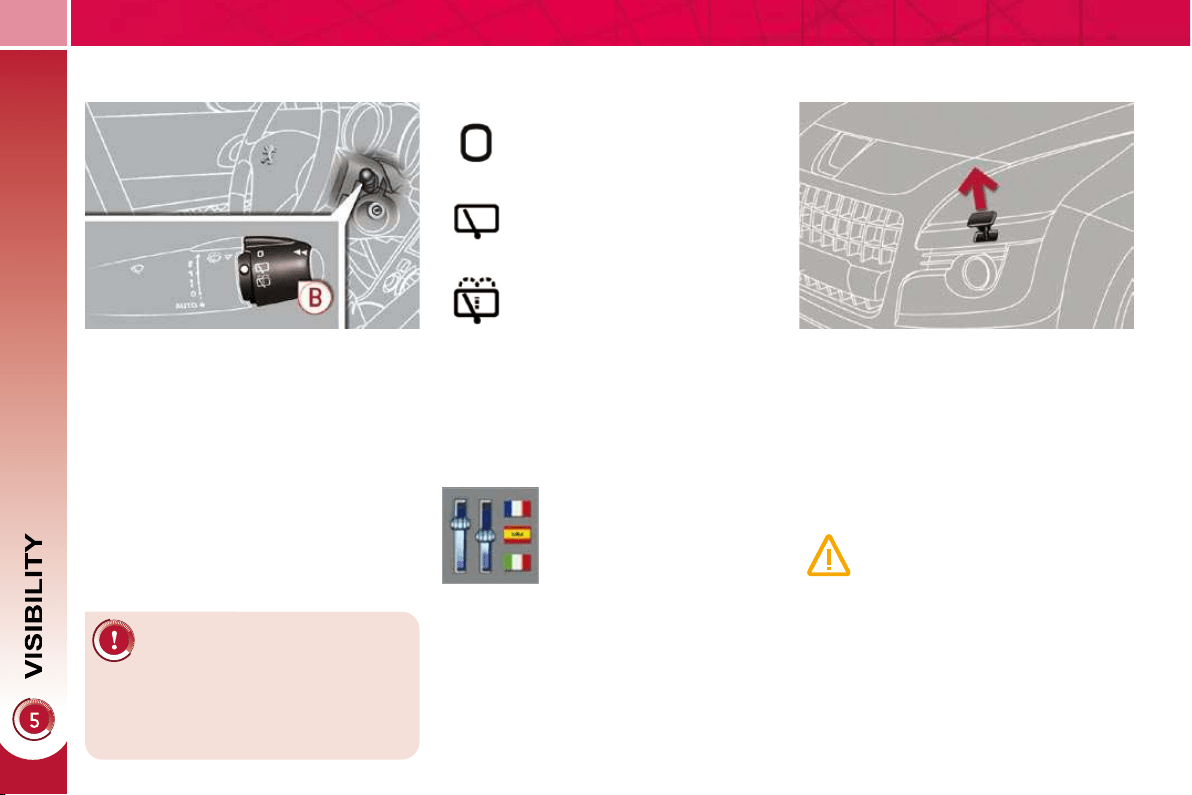
92
Windscreen and headlamp
wash
B. rear wiper selection ring:
park,
intermittent wipe,
wash-wipe (set duration).
Reverse gear
When reverse gear is engaged, the
rear wiper will come into operation if the
windscreen wipers are operating.
Programming
Pull the windscreen wiper stalk to-
wards you. The windscreen wash
then the windscreen wipers operate
for a fi xed period.
The headlamp washers only operate
when the dipped beam headlamps
are on .
Rear wiper
If a signifi cant accumulation
of snow or ice is present, or
when using a bicycle carrier
on the boot, deactivate the auto-
matic rear wiper via the multifunction
screen confi guration menu.
The function is activated or
deactivated via the multi-
function screen confi gura-
tion menu.
This function is activated
by default.
Screenwash/headlamp wash low
In the case of vehicles fi tted with
headlamp washers, when the
minimum level of the reservoir
is reached, this warning lamp is
displayed on the instrument panel, ac-
companied by an audible signal and a
message on the multifunction screen.
Next time you stop, fi ll the screenwash/
headlamp wash reservoir.
The warning lamp is displayed when
the ignition is switched on, or every time
the stalk is operated, until the reservoir
is fi lled.
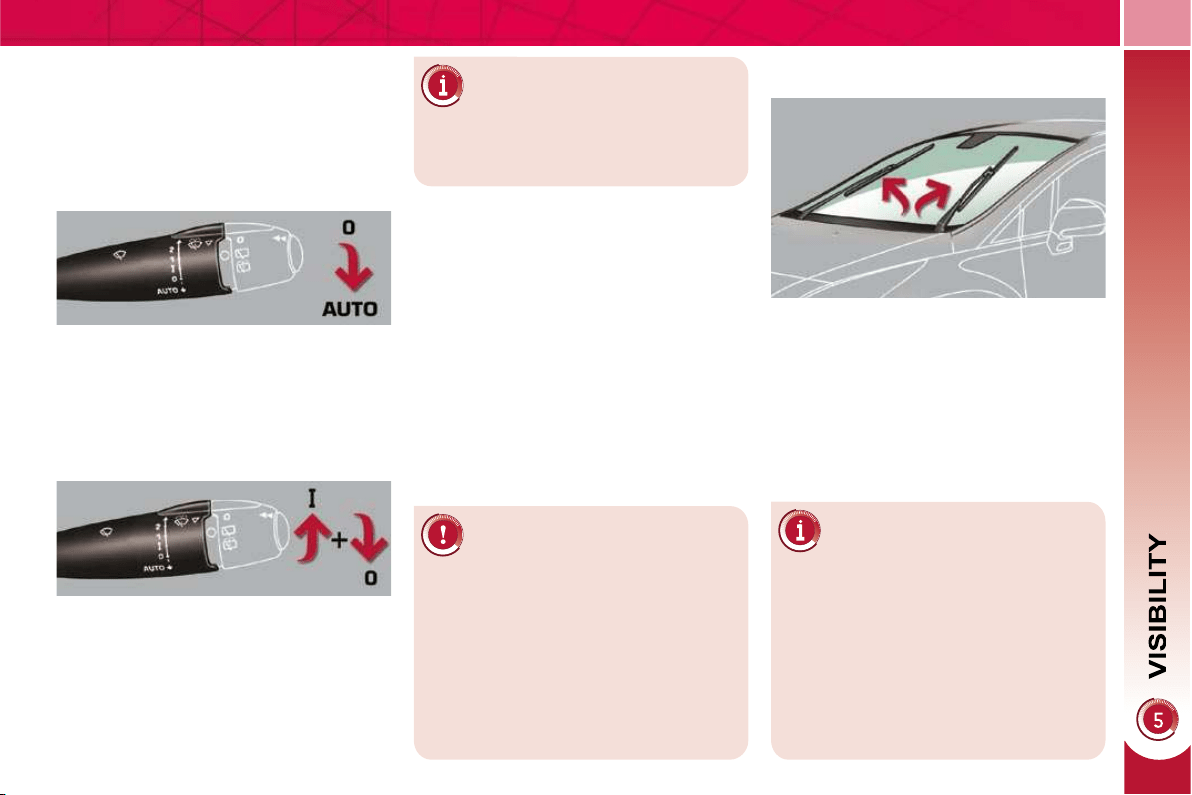
93
Special position of the
windscreen wipers
Automatic rain sensitive
windscreen wipers
The windscreen wipers operate auto-
matically, without any action on the part
of the driver, if rain is detected (sensor
behind the rear view mirror), adapting
their speed to the intensity of the rain-
fall.
Activation
This is controlled manually by the driver
by pushing the stalk downwards to the
"AUTO" position.
It is accompanied by a message on the
multifunction screen.
This position permits release of the
windscreen wiper blades.
It is used for cleaning or replacement
of the blades. It can also be useful, in
winter, to detach the blades from the
windscreen.
In the moment following switching off of
the ignition, any action on the stalk posi-
tions the wipers vertically on the wind-
screen.
Do not cover the rain sensor,
linked with the brightness sen-
sor and located in the centre
of the windscreen behind the rear
view mirror.
Switch off the automatic rain sensi-
tive wipers when using an automatic
car wash.
In winter, to avoid damaging the wiper
blades, it is advisable to wait until the
windscreen is completely clear of ice
before activating the automatic rain
sensitive wipers.
The automatic rain sensitive
wipers must be reactivated if
the ignition has been off for
more than one minute, by pushing
the stalk downwards.
Switching off
This is controlled manually by the driver
by moving the stalk upwards then re-
turning it to position "0" .
It is accompanied by a message on the
multifunction screen.
Operating fault
If an automatic wiping malfunction oc-
curs, the wipers will operate in intermit-
tent mode.
Have it checked by a PEUGEOT dealer.
To park the wipers after this
has been done, switch on the
ignition and operate the stalk.
For maintain the effectiveness of the
"fl at-blade" wiper blades, it is advis-
able to:
- handle them with care,
- clean them regularly using soapy
water,
- avoid using them to retain card-
board on the windscreen.
- replace them at the fi rst signs of
wear.
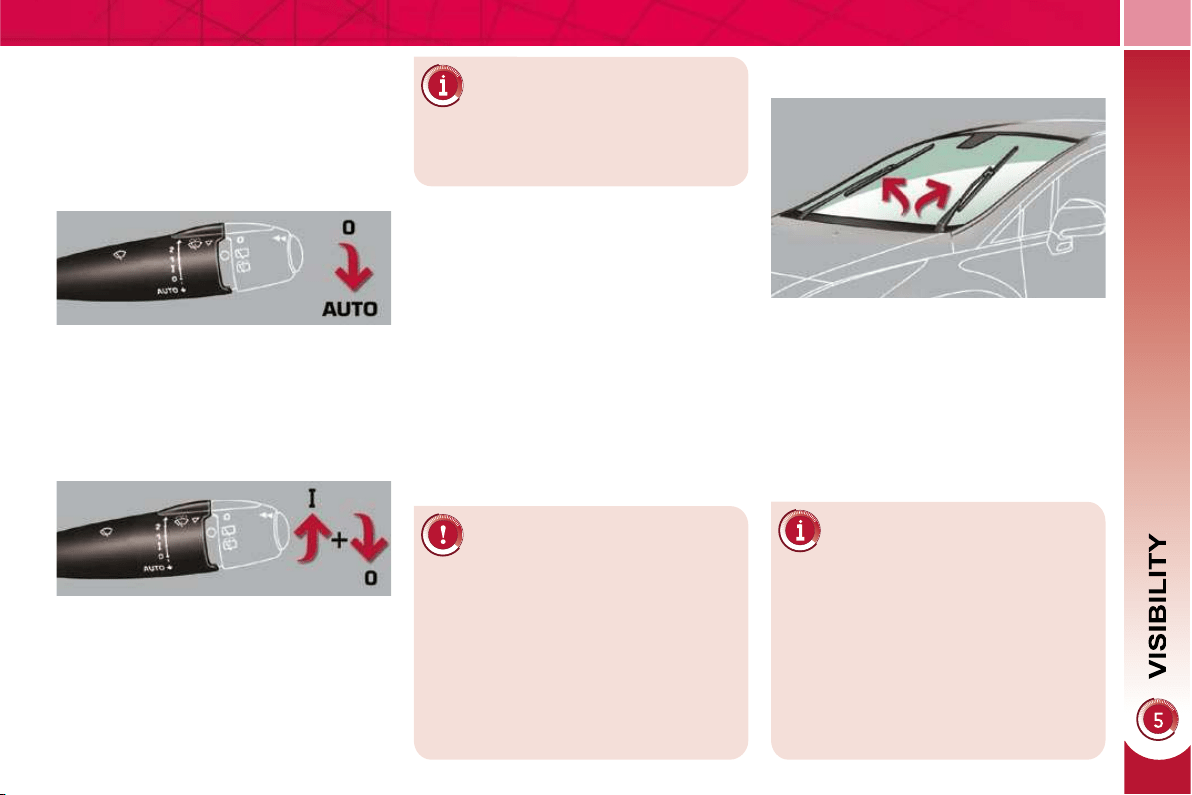
93
Special position of the
windscreen wipers
Automatic rain sensitive
windscreen wipers
The windscreen wipers operate auto-
matically, without any action on the part
of the driver, if rain is detected (sensor
behind the rear view mirror), adapting
their speed to the intensity of the rain-
fall.
Activation
This is controlled manually by the driver
by pushing the stalk downwards to the
"AUTO" position.
It is accompanied by a message on the
multifunction screen.
This position permits release of the
windscreen wiper blades.
It is used for cleaning or replacement
of the blades. It can also be useful, in
winter, to detach the blades from the
windscreen.
In the moment following switching off of
the ignition, any action on the stalk posi-
tions the wipers vertically on the wind-
screen.
Do not cover the rain sensor,
linked with the brightness sen-
sor and located in the centre
of the windscreen behind the rear
view mirror.
Switch off the automatic rain sensi-
tive wipers when using an automatic
car wash.
In winter, to avoid damaging the wiper
blades, it is advisable to wait until the
windscreen is completely clear of ice
before activating the automatic rain
sensitive wipers.
The automatic rain sensitive
wipers must be reactivated if
the ignition has been off for
more than one minute, by pushing
the stalk downwards.
Switching off
This is controlled manually by the driver
by moving the stalk upwards then re-
turning it to position "0" .
It is accompanied by a message on the
multifunction screen.
Operating fault
If an automatic wiping malfunction oc-
curs, the wipers will operate in intermit-
tent mode.
Have it checked by a PEUGEOT dealer.
To park the wipers after this
has been done, switch on the
ignition and operate the stalk.
For maintain the effectiveness of the
"fl at-blade" wiper blades, it is advis-
able to:
- handle them with care,
- clean them regularly using soapy
water,
- avoid using them to retain card-
board on the windscreen.
- replace them at the fi rst signs of
wear.
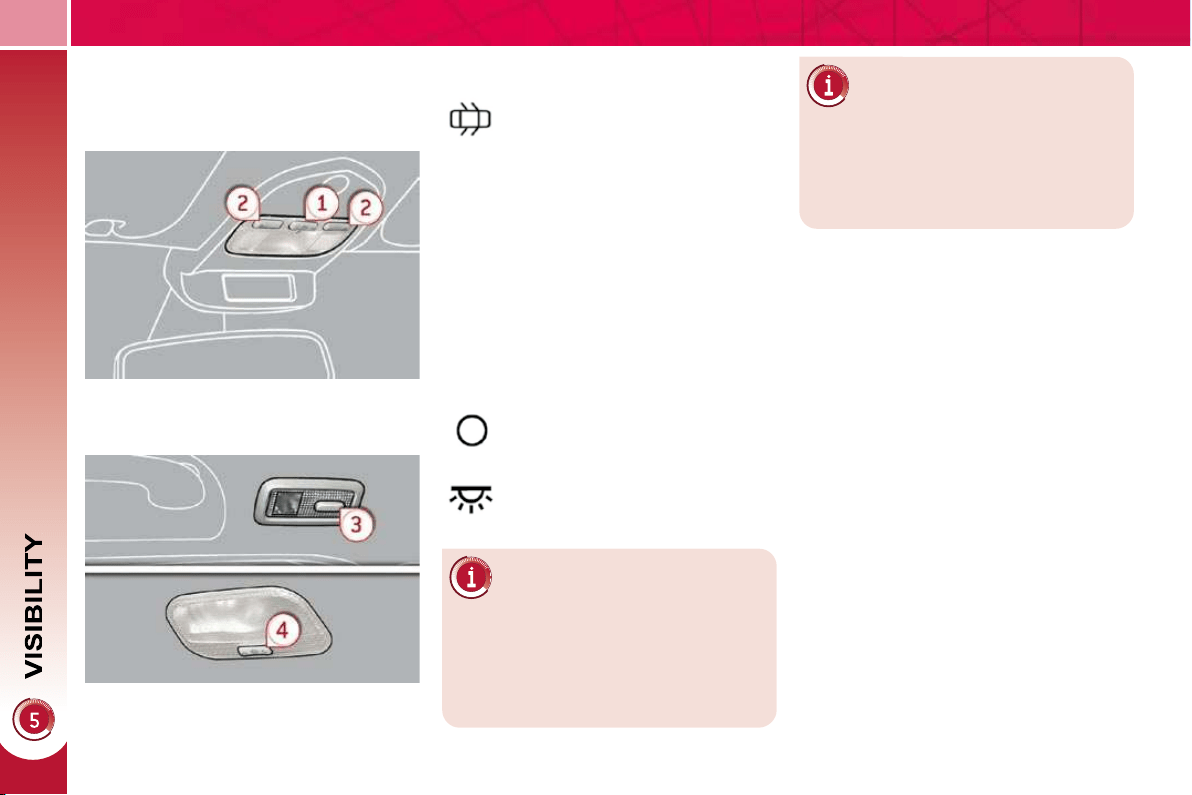
94
COURTESY LAMPS
1. Front courtesy lamp
2. Map reading lamps
3. Rear side reading lamps
4. Rear courtesy lamp
Front and rear courtesy lamps
In this position, the courtesy
lamp comes on gradually:
Map reading lamps
With the ignition on, press the cor-
responding switch.
With the "permanent lighting"
mode, the duration of lighting
varies depending on the context:
- with the ignition off, approximate-
ly ten minutes,
- in energy economy mode, ap-
proximately thirty seconds,
- with the engine running, unlimited.
- when the vehicle is unlocked,
- when the key is removed from the
ignition,
- when a door is opened,
- when the remote control locking but-
ton is activated, in order to locate
your vehicle.
Permanently off.
Permanent lighting.
When the front courtesy lamp
is in the "permanent lighting"
position, the rear courtesy
lamp will also come on, unless it is in
the "permanently off" position.
To switch off the rear courtesy lamp,
place it in the "permanently off" posi-
tion.
Rear side reading lamps
With the ignition on, the fi rst press
of the reading lamp switch switches
on the reading lamp in "permanent
lighting" mode.
Following a second press, it comes
on:
- when the vehicle is unlocked,
- when the key is removed from the
ignition,
- when a door is opened,
- when the remote control locking
button is pressed, in order to
locate your vehicle.
It switches off gradually:
- when the vehicle is locked,
- when the ignition is switched on,
- 30 seconds after the last door is
closed.
It switches off gradually:
- when the vehicle is locked,
- when the ignition is switched on,
- 30 seconds after the last door is
closed.
Take care not to place anything in contact
with the courtesy lamps.
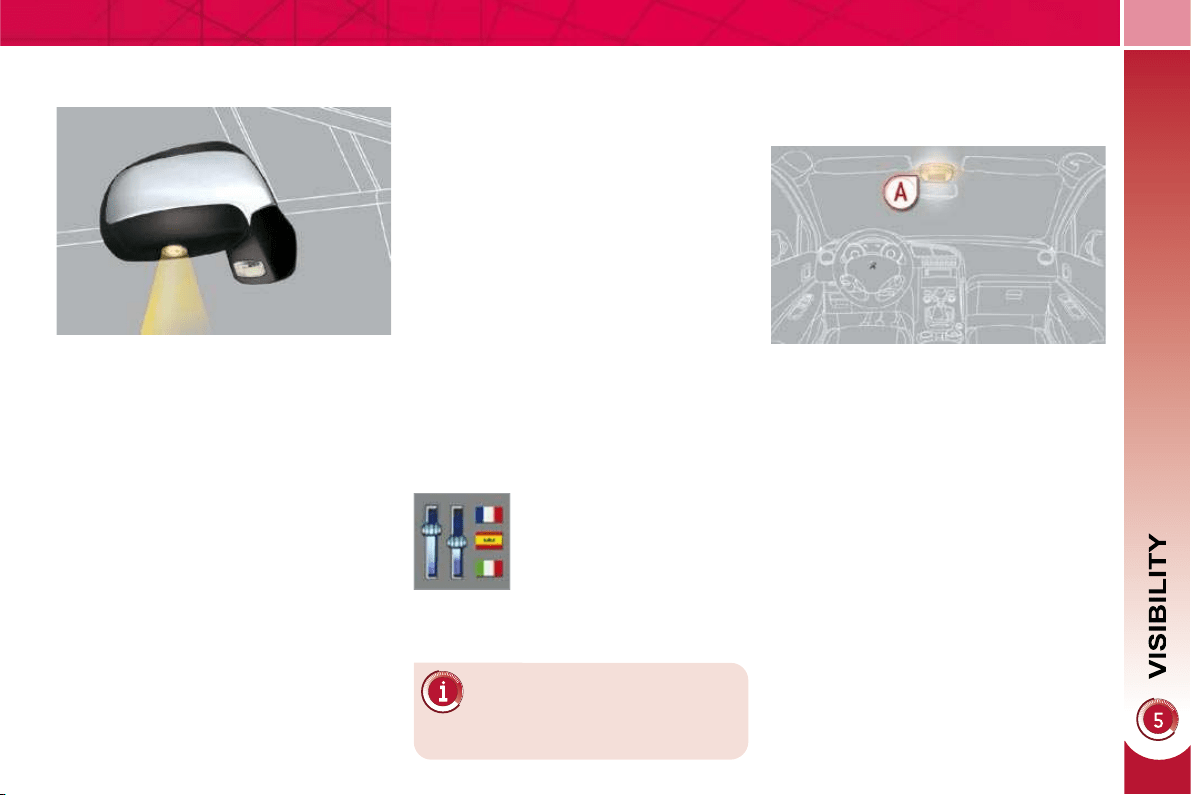
95
INTERIOR MOOD LIGHTING
The dimmed passenger compartment
lighting improves visibility in the vehicle
when the light is poor.
INTERIOR WELCOME LIGHTING
The remote switching on of the pas-
senger compartment lighting makes
your approach to the vehicle easier in
poor light. It operates with the automatic
lighting.
Switching on
Press the open padlock on the re-
mote control.
The courtesy lamps come on; your ve-
hicle is also unlocked.
Switching off
The interior welcome lighting switch-
es off automatically after a set time or
when one of the doors is opened.
Programming
Switching on
At night, the front courtesy lamp mood
lamp A comes on automatically when
the sidelamps are switched on.
Switching off
The interior mood lighting switches off
automatically when the sidelamps are
switched off.
The duration of the welcome
lighting is associated with and
identical to that of the automatic
guide-me-home lighting.
The function is activated or
deactivated via the multi-
function screen confi gura-
tion menu.
EXTERIOR MIRROR
SPOTLAMPS
To make your approach to the vehicle
easier, these illuminate:
- the zones facing the driver’s and
passenger’s doors,
- the zones forward of the door mirrors
and rearward of the front doors.
Switching on
The spotlamps come on:
- when you unlock the vehicle,
- when you remove the key from the
ignition,
- when you open a door,
- when you use the remote control.
Switching off
They are timed to go out automatically.
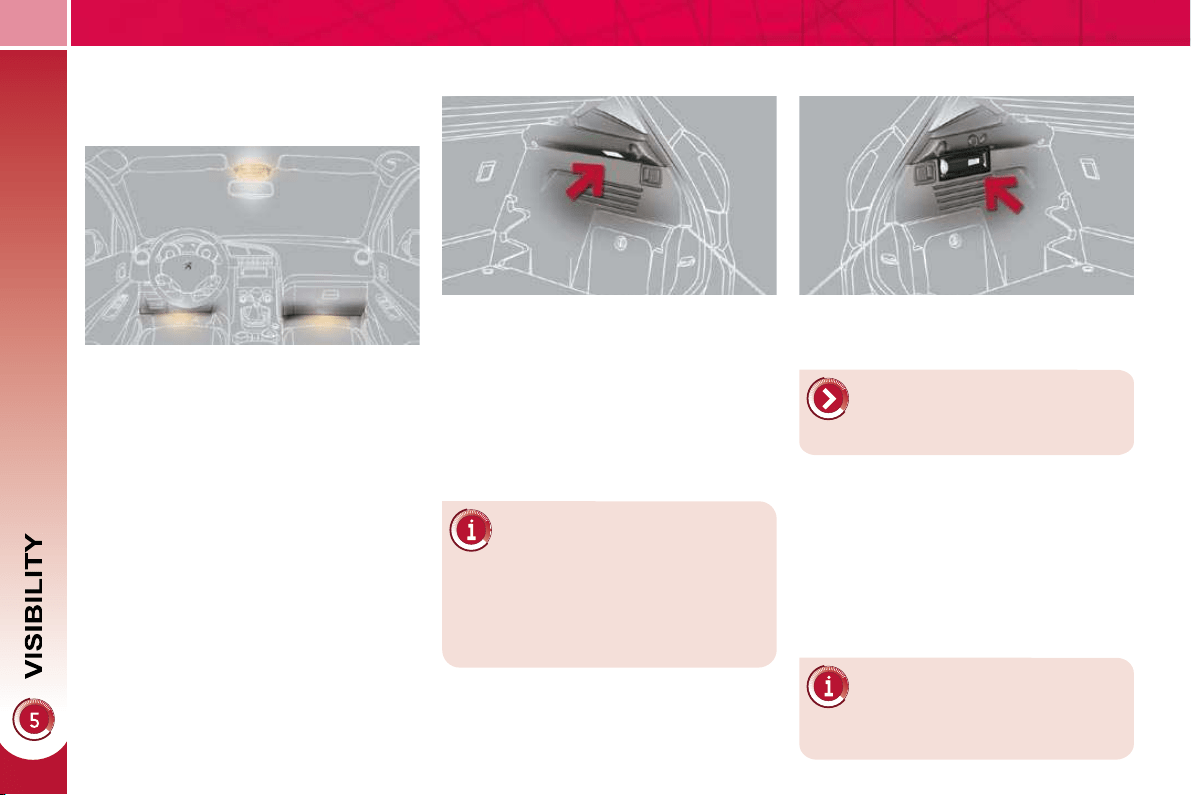
96
Different lighting times are
available:
This comes on automatically when the
boot is opened and switches off auto-
matically when the boot is closed.
BOOT LAMP
TORCH
Portable lamp, fi tted in the boot wall,
which can be used to light the boot or
as a torch.
Operation
Once engaged fi rmly in its location, it
comes on automatically when the boot
is opened and switches off automati-
cally when the boot is closed.
It operates with NiMH type recharge-
able batteries.
It has a battery life of approximately
45 minutes and recharges while you
are driving.
Observe the polarities when fi t-
ting the rechargeable batteries.
Never replace the recharge-
able batteries with normal single-use
batteries.
For the torch function, refer to
the "Fittings - § Torch" section.
FOOTWELL LIGHTING
The soft lighting provided by the foot-
well lamps improves visibility in the ve-
hicle when the light is poor.
Activation
Its operation is identical to that of the
courtesy lamps. The lighting comes on
when one of the doors is opened.
- when the ignition is off, approxi-
mately ten minutes,
- in energy economy mode, approxi-
mately thirty seconds,
- when the engine is running, no
limit.
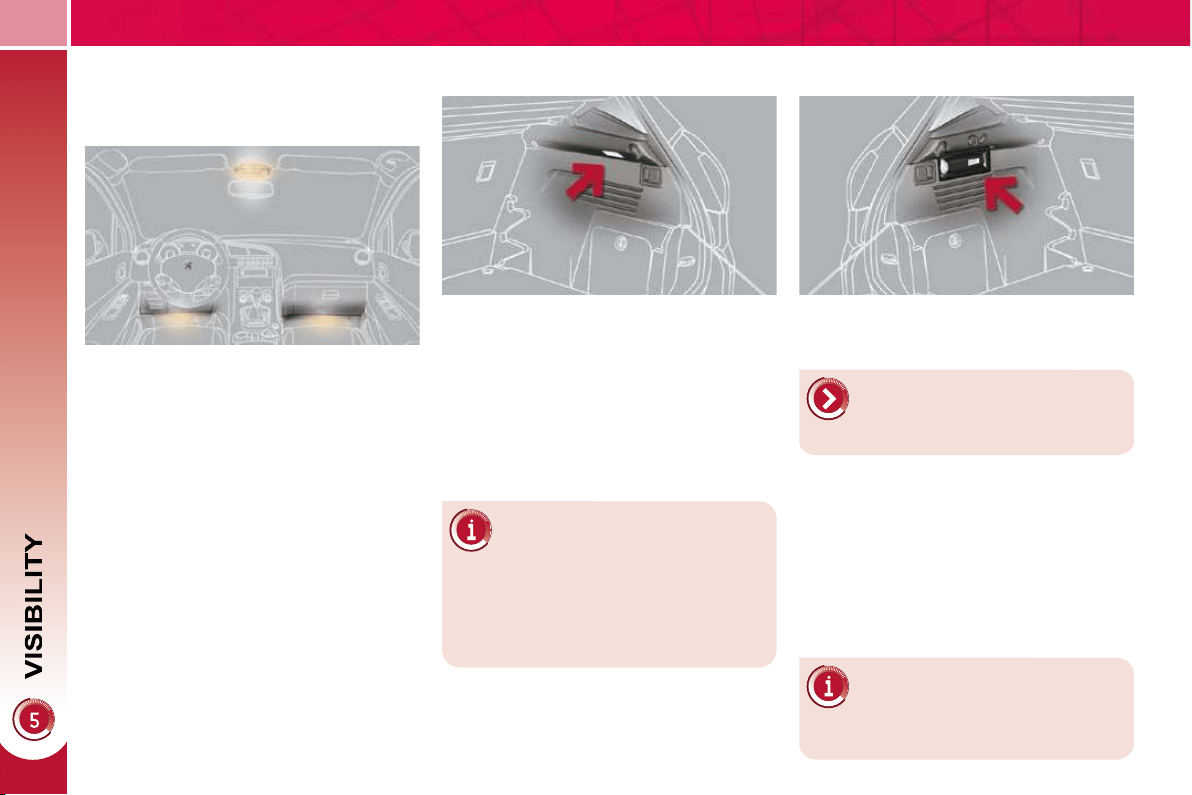
96
Different lighting times are
available:
This comes on automatically when the
boot is opened and switches off auto-
matically when the boot is closed.
BOOT LAMP
TORCH
Portable lamp, fi tted in the boot wall,
which can be used to light the boot or
as a torch.
Operation
Once engaged fi rmly in its location, it
comes on automatically when the boot
is opened and switches off automati-
cally when the boot is closed.
It operates with NiMH type recharge-
able batteries.
It has a battery life of approximately
45 minutes and recharges while you
are driving.
Observe the polarities when fi t-
ting the rechargeable batteries.
Never replace the recharge-
able batteries with normal single-use
batteries.
For the torch function, refer to
the "Fittings - § Torch" section.
FOOTWELL LIGHTING
The soft lighting provided by the foot-
well lamps improves visibility in the ve-
hicle when the light is poor.
Activation
Its operation is identical to that of the
courtesy lamps. The lighting comes on
when one of the doors is opened.
- when the ignition is off, approxi-
mately ten minutes,
- in energy economy mode, approxi-
mately thirty seconds,
- when the engine is running, no
limit.
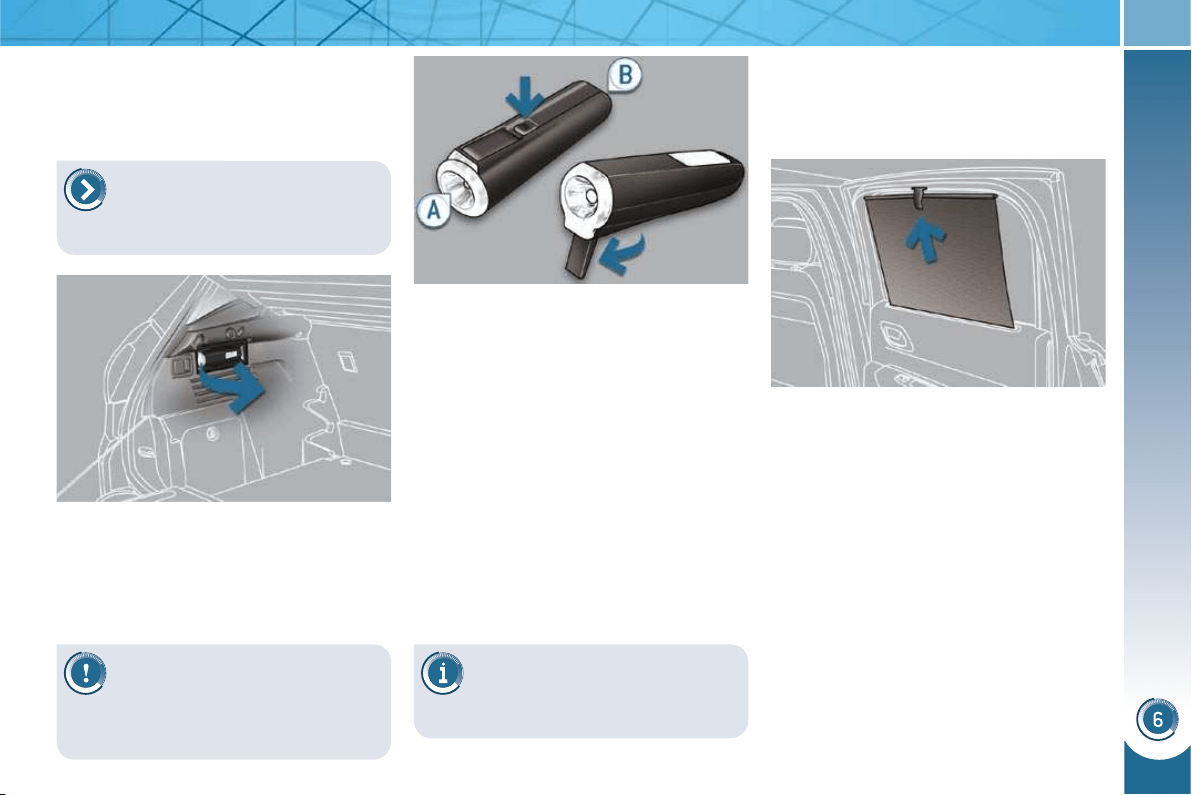
FITTINGS
109
Torch
This is a removable lamp, incorporated
in the boot wall, which can be used to
light the boot or as a torch.
Operation
This torch operates with NiMH type re-
chargeable batteries.
It has a battery life of approximately
45 minutes and charges while you are
driving.
Use
Extract the torch from its location
pulling the side of the torch A .
Press the switch, located on the
back, to switch the torch on or off.
Unfold the support, located on the
back, to set down and raise the
torch; for example, when changing
a wheel.
Storing
Put the torch back in place in its loca-
tion starting with the narrow part B .
If you have forgotten to switch off
the torch, this switches it off auto-
matically.
Rear side blinds
Fitted on the rear windows, these protect
your young children from the sun.
Pull the blind by the central tab.
Position the blind attachment on the
hook.
Observe the polarities when
fi tting the batteries.
Never replace the rechargeable batteries
with normal single-use batteries.
It the torch is not engaged cor-
rectly, it may not charge and
may not come on when the
boot is opened.
For the boot lighting function,
refer to the "Visibility - § Boot
lighting" section.
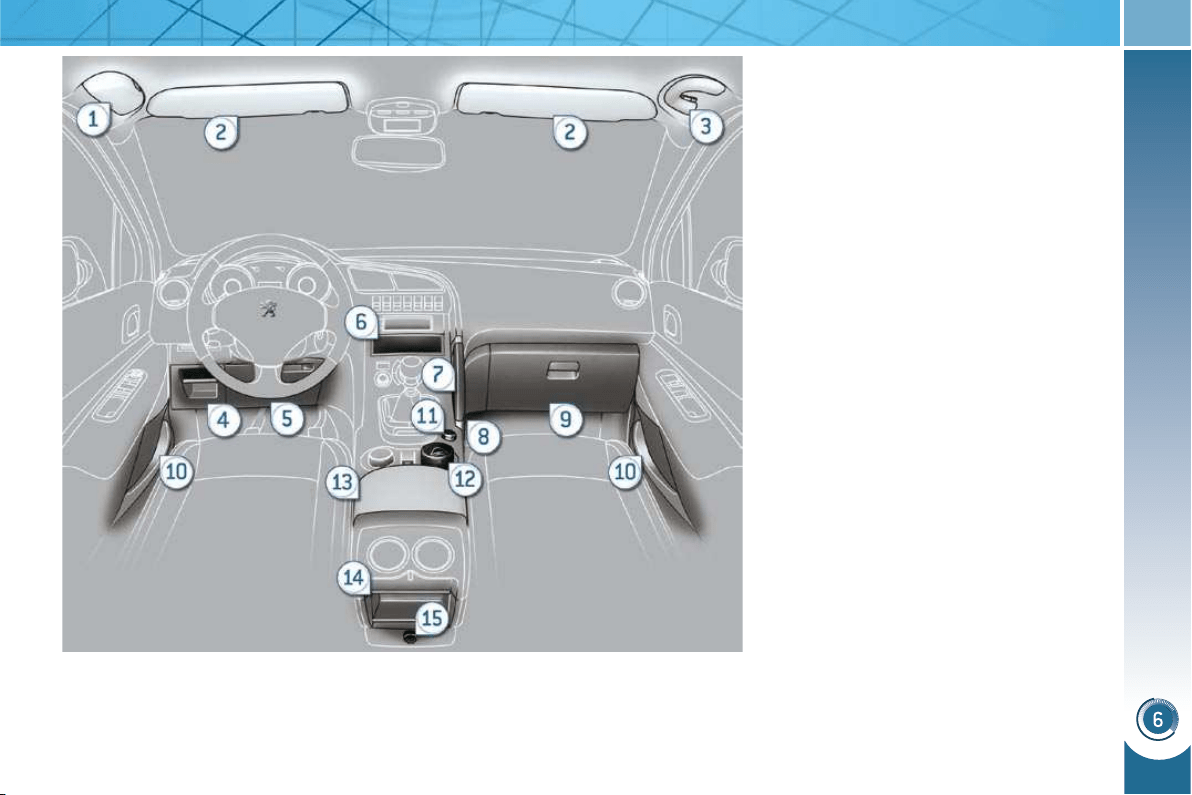
FITTINGS
97
INTERIOR FITTINGS
1. Spectacles storage
2. Sun visor
3. Grab handle with coat hook
4. Storage compartment
5. Storage compartment under the
steering wheel
6. Storage compartment
7. Console handle
8. Storage compartment with net
9. Illuminated glove box
10. Door trays
11. Front 12 V accessories socket
(120 W)
12. Cup holder, portable ashtray
13. Front armrest with storage
compartment
14. Storage compartment
15. Rear 12 V accessories socket
(120 W)
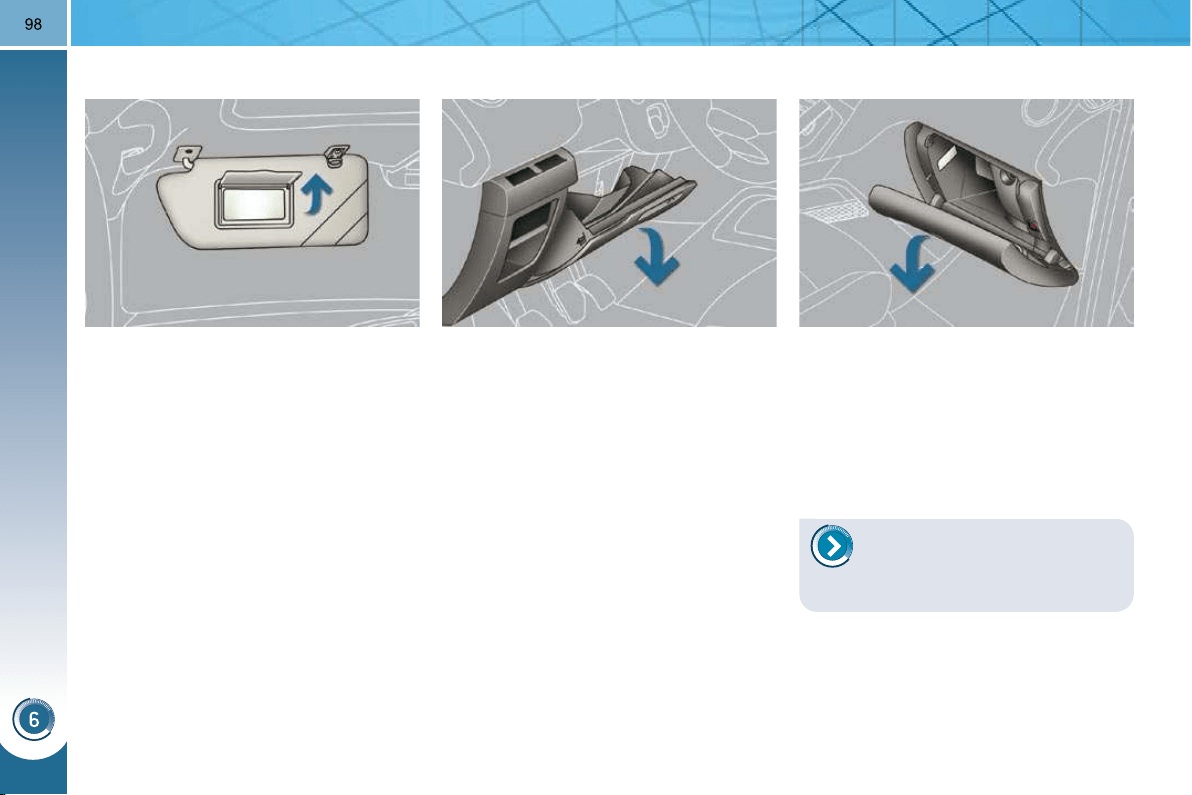
FITTINGS
DRIVER'S STORAGE
COMPARTMENTS
Storage box
This has storage areas dedicated to the
handbook pack, ...
To open, pull the handle then tilt the
box.
ILLUMINATED GLOVE BOX
This has storage areas, audio sockets
for a portable player and a location
for the SIM card (only with Peugeot
Connect Media), ...
To open the glove box, raise the
handle.
The lamp comes on when the lid is
opened.
SUN VISOR
Component which protects against
sunlight from the front or the side, also
equipped with an illuminated courtesy
mirror.
With the ignition on, raise the con-
cealing fl ap; the mirror is lit automat-
ically.
This sun visor is also equipped with a
ticket holder.
Card holder
This can be used for a toll payment tick-
et or parking card, for example.
Coin storage
Storage
To connect a portable player or
a SIM card, refer to the "Audio
and telematics" section.
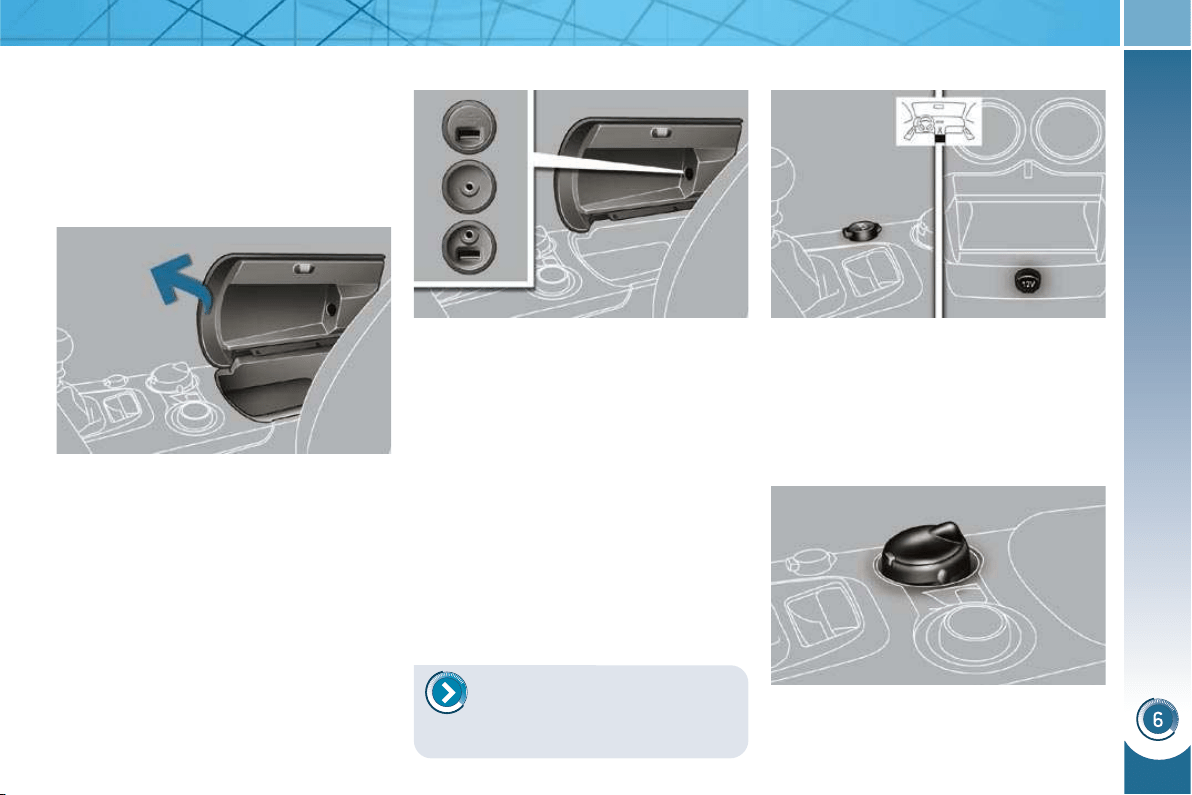
FITTINGS
99
12 V ACCESSORIES SOCKETS
To connect a 12 V accessory (max
power: 120 Watts), remove the cov-
er and connect a suitable adaptor.
Exceeding the maximum power could
result in damage to your accessory.
FRONT ARMREST
Comfort and storage device for the driver
and front passenger.
Raise the cover on the left.
Storage
A ventilation outlet distributes cooled air.
PORTABLE ASHTRAY
Pull the cover to open the ashtray.
To empty it, remove the ashtray by
pulling it upwards.
PEUGEOT CONNECT USB
This connection box, consisting of an
auxiliary socket and/or USB port, is
located in the front armrest (under the
cover).
It permits the connection of portable
equipment, such as a digital audio player
of the iPod
®
type or a USB memory stick.
It reads the audio fi le formats (MP3,
OGG, WMA, WAV, ...) which are trans-
mitted to your audio equipment and
played via the vehicle's speakers.
You can manage these fi les using the
steering mounted controls or the audio
equipment control panel and display
them on the multifunction screen.
When the USB port is used, the porta-
ble equipment charges automatically.
For more information on the
use of this equipment, refer
to the "Audio and Telematics"
section.
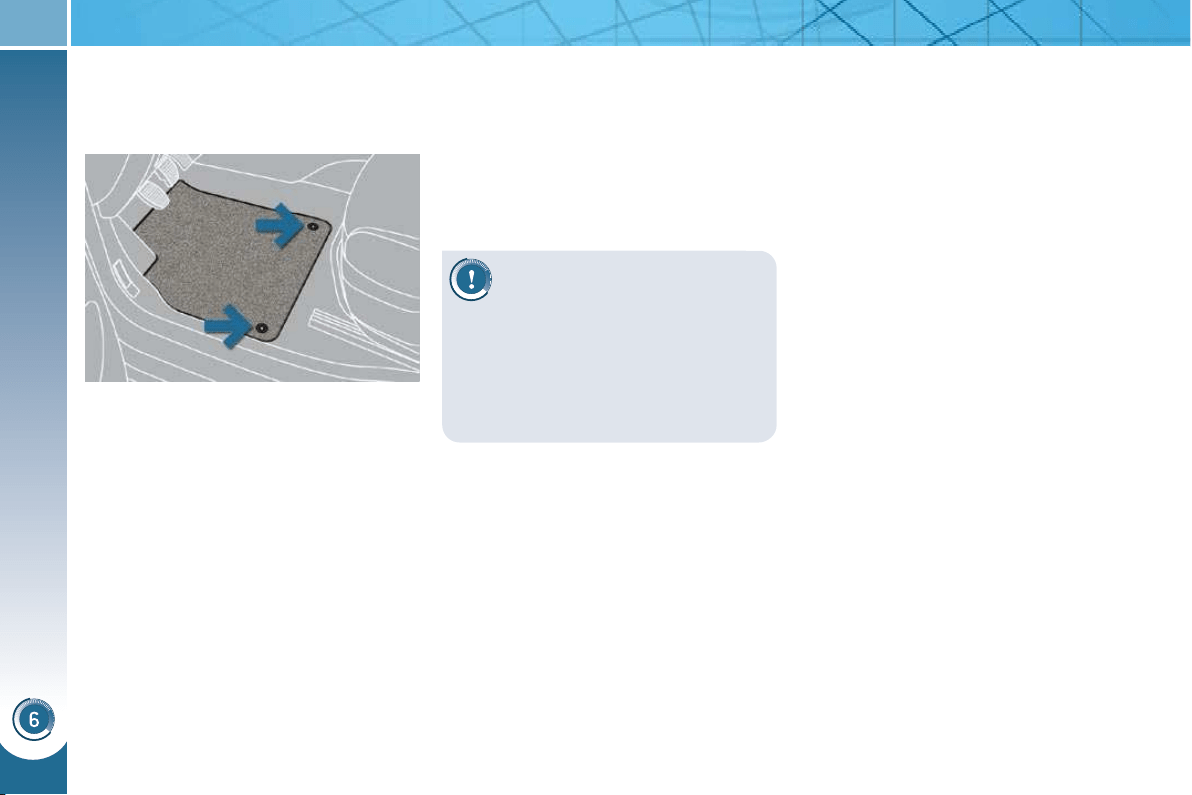
FITTINGS
100
To avoid any risk of jamming
of the pedals:
MATS
Removable carpet protection.
Refitting
To refi t the mat on the driver's side:
position the mat correctly,
refi t the fi xings by pressing,
check that the mat is secured cor-
rectly.
Fitting
When fi tting the mat for the fi rst time,
on the driver's side use only the fi xings
provided in the wallet attached.
The other mats are simply placed on
the carpet.
Removal
To remove the mat on the driver's side:
move the seat as far back as pos-
sible,
unclip the fi xings,
remove the mat.
- only use mats which are suited to
the fi xings already present in the
vehicle; it is imperative that these
are used,
-
never fi t one mat on top of another
.
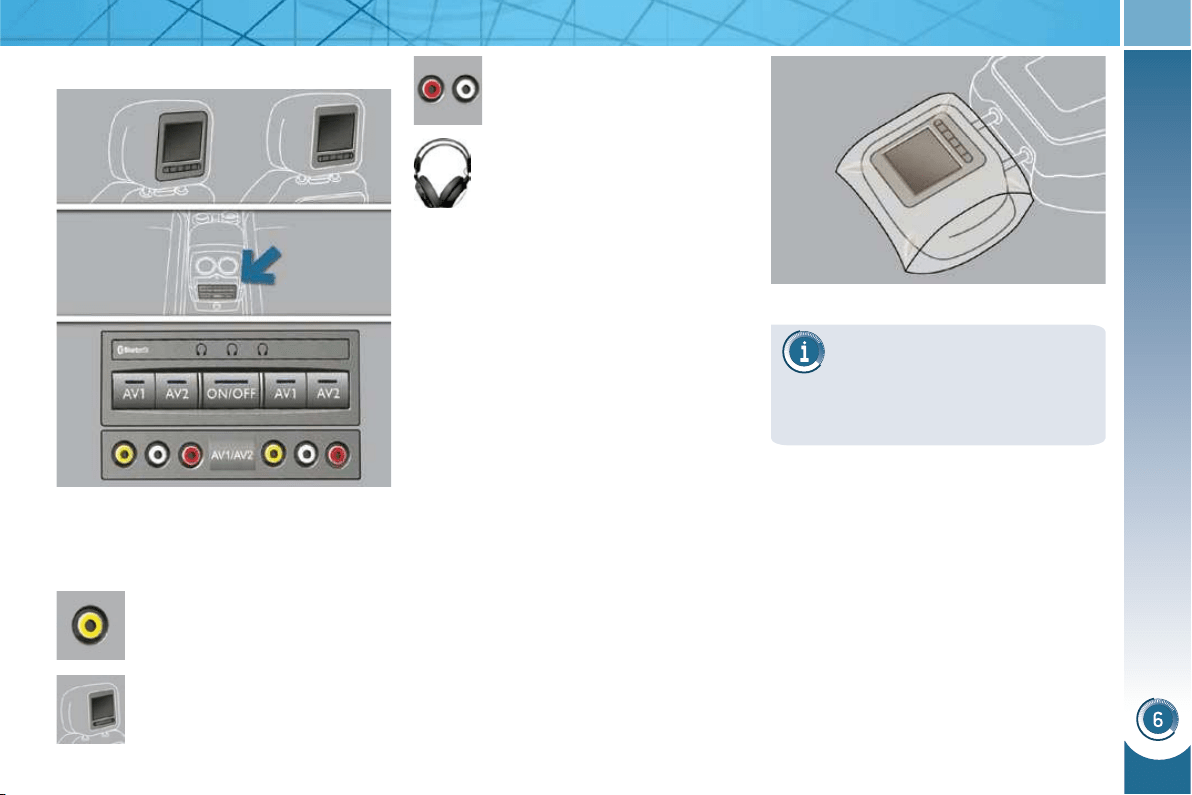
FITTINGS
101
REAR MULTIMEDIA
Multimedia system permitting the con-
nection of any external portable sys-
tem: Ipod Video, games consoles, DVD
player, …
Two separate video sources
can be connected via the RCA
connectors (yellow).
The video is displayed on two
7’’ screens, integrated in the
head restraints.
Two separate audio sources
can be connected via the RCA
connectors (red and white).
The audio is heard through two
wireless headphones with Blue-
tooth technology which operate
with rechargeable batteries.
The A/B button allows you to
pair the headphones with the screen:
A left-hand side, B right-hand side.
You have a 12 V charger with two out-
puts permitting simultaneous charging
of both headphones.
It is also possible to connect a 3
rd
set of
Bluetooth headphones.
Set-up
With the engine running, connect
your portable system to the RCA con-
nectors (e.g. with AV1 on the left).
Press the system's ON/OFF button,
the indicator lamp comes on and the
AV1 indicator lamps come on.
Press and hold the ON/OFF button on
the headphones, the indicator lamp
on the headphones fl ashes in blue.
Press and hold the system's ON/OFF
button, the pairing with the head-
phones is complete when the blue
indicator lamps on the headphones
and on the system (in the shape of
headphones) are lit continuously.
Press the ON/OFF buttons on the
screens if you have a video source.
Start playing your portable system.
If your seat is in the table posi-
tion, position a cover to avoid
damaging the screen.
These covers also conceal each
screen.
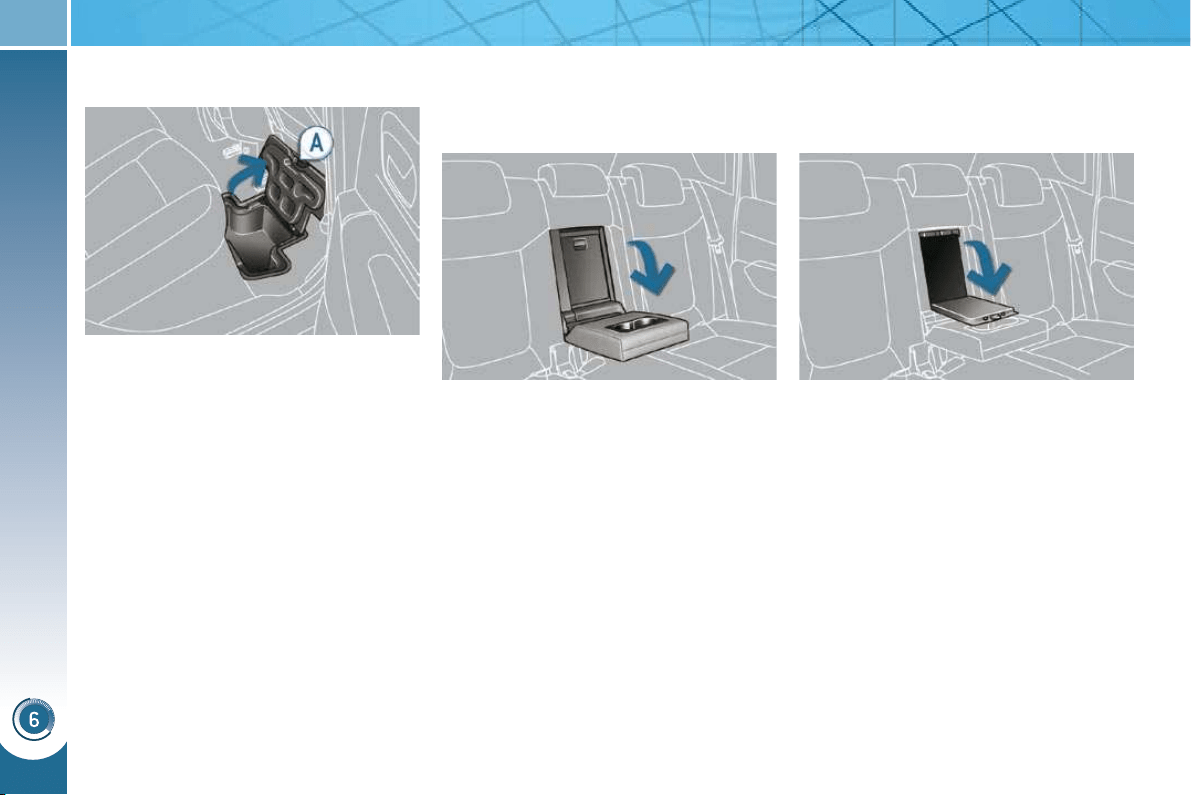
FITTINGS
102
REAR ARMREST
SKI FLAP
Opening
Lower the rear armrest.
Pull the fl ap handle downwards.
Lower the fl ap.
Load the objects from inside the
boot.
Lower the rear armrest for a more
comfortable position.
The armrest incorporates two cup holders.
Comfort and storage device for the rear
passengers.
Device for storing and transporting long
objects.
STORAGE UNDER THE REAR
FOOTWELL
Depending on the confi guration, the
vehicle has storage compartments un-
der the footwell, located in front of the
rear seats. They can be accessed via
clipped fl aps with a handle A .

FITTINGS
DRIVER'S STORAGE
COMPARTMENTS
Storage box
This has storage areas dedicated to the
handbook pack, ...
To open, pull the handle then tilt the
box.
ILLUMINATED GLOVE BOX
This has storage areas, audio sockets
for a portable player and a location
for the SIM card (only with Peugeot
Connect Media), ...
To open the glove box, raise the
handle.
The lamp comes on when the lid is
opened.
SUN VISOR
Component which protects against
sunlight from the front or the side, also
equipped with an illuminated courtesy
mirror.
With the ignition on, raise the con-
cealing fl ap; the mirror is lit automat-
ically.
This sun visor is also equipped with a
ticket holder.
Card holder
This can be used for a toll payment tick-
et or parking card, for example.
Coin storage
Storage
To connect a portable player or
a SIM card, refer to the "Audio
and telematics" section.
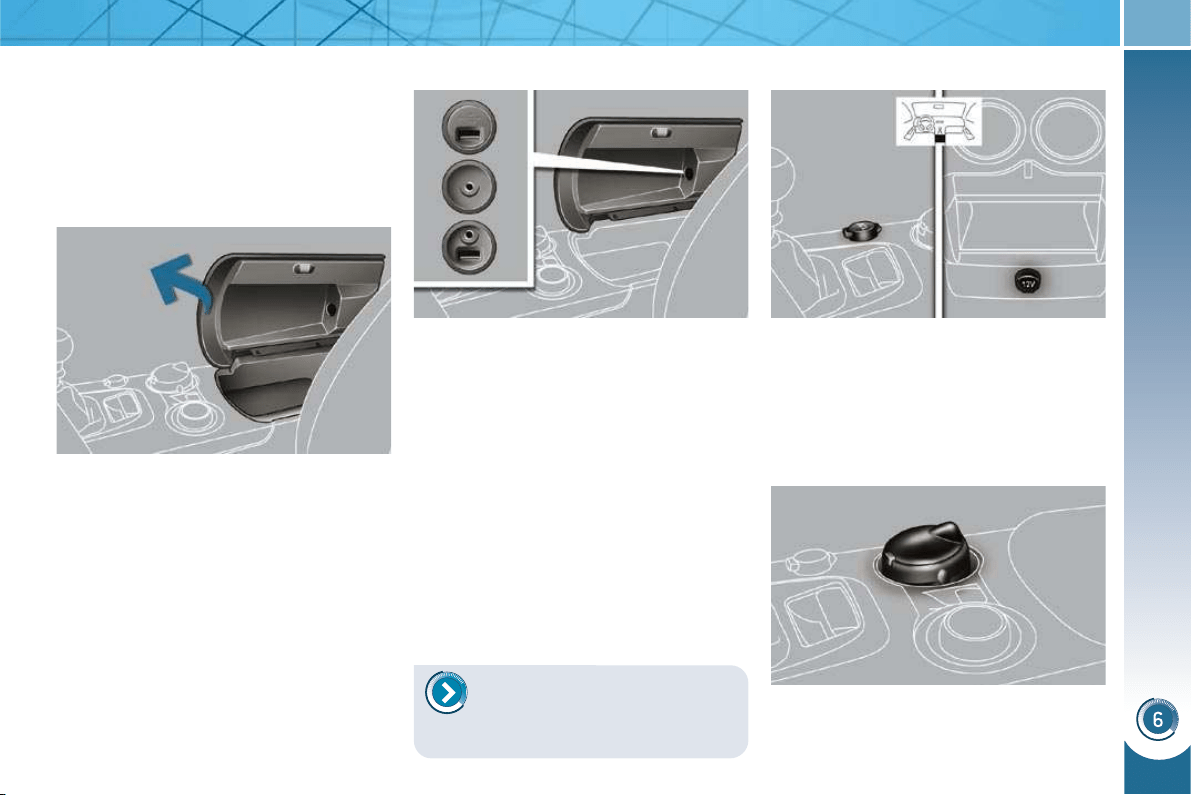
FITTINGS
99
12 V ACCESSORIES SOCKETS
To connect a 12 V accessory (max
power: 120 Watts), remove the cov-
er and connect a suitable adaptor.
Exceeding the maximum power could
result in damage to your accessory.
FRONT ARMREST
Comfort and storage device for the driver
and front passenger.
Raise the cover on the left.
Storage
A ventilation outlet distributes cooled air.
PORTABLE ASHTRAY
Pull the cover to open the ashtray.
To empty it, remove the ashtray by
pulling it upwards.
PEUGEOT CONNECT USB
This connection box, consisting of an
auxiliary socket and/or USB port, is
located in the front armrest (under the
cover).
It permits the connection of portable
equipment, such as a digital audio player
of the iPod
®
type or a USB memory stick.
It reads the audio fi le formats (MP3,
OGG, WMA, WAV, ...) which are trans-
mitted to your audio equipment and
played via the vehicle's speakers.
You can manage these fi les using the
steering mounted controls or the audio
equipment control panel and display
them on the multifunction screen.
When the USB port is used, the porta-
ble equipment charges automatically.
For more information on the
use of this equipment, refer
to the "Audio and Telematics"
section.
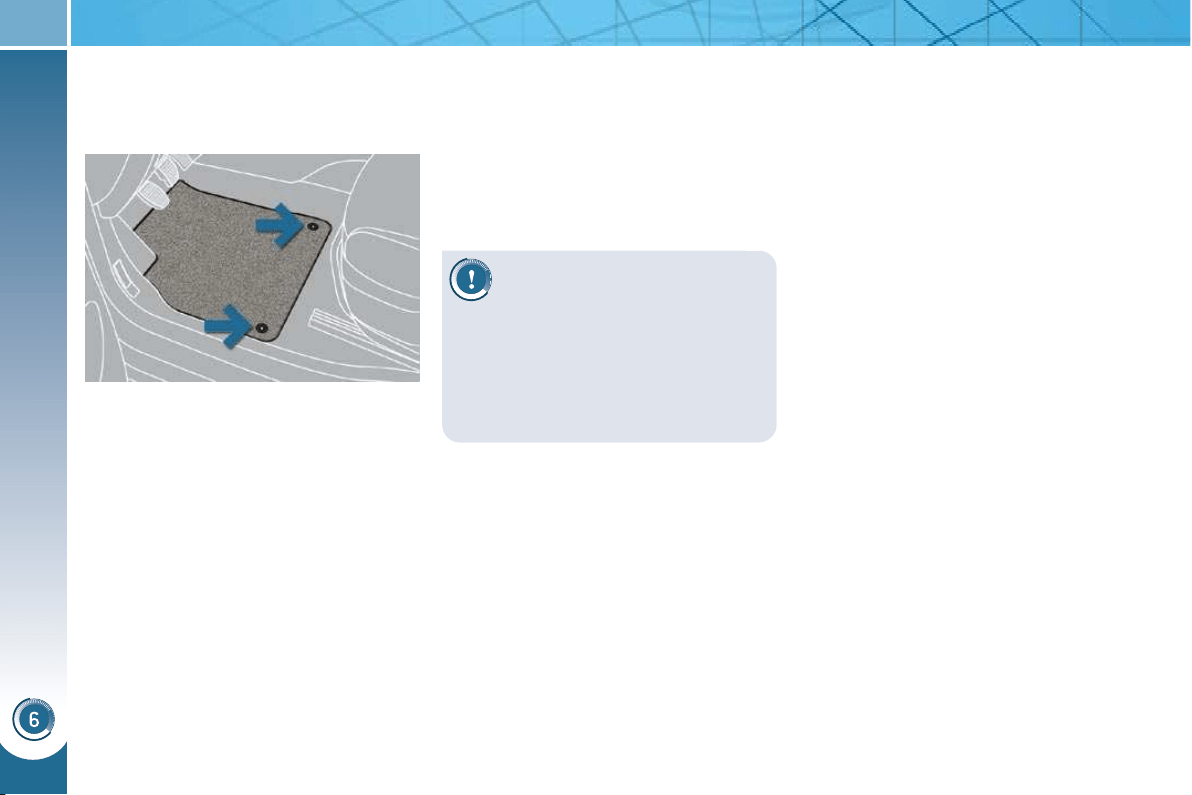
FITTINGS
100
To avoid any risk of jamming
of the pedals:
MATS
Removable carpet protection.
Refitting
To refi t the mat on the driver's side:
position the mat correctly,
refi t the fi xings by pressing,
check that the mat is secured cor-
rectly.
Fitting
When fi tting the mat for the fi rst time,
on the driver's side use only the fi xings
provided in the wallet attached.
The other mats are simply placed on
the carpet.
Removal
To remove the mat on the driver's side:
move the seat as far back as pos-
sible,
unclip the fi xings,
remove the mat.
- only use mats which are suited to
the fi xings already present in the
vehicle; it is imperative that these
are used,
-
never fi t one mat on top of another
.
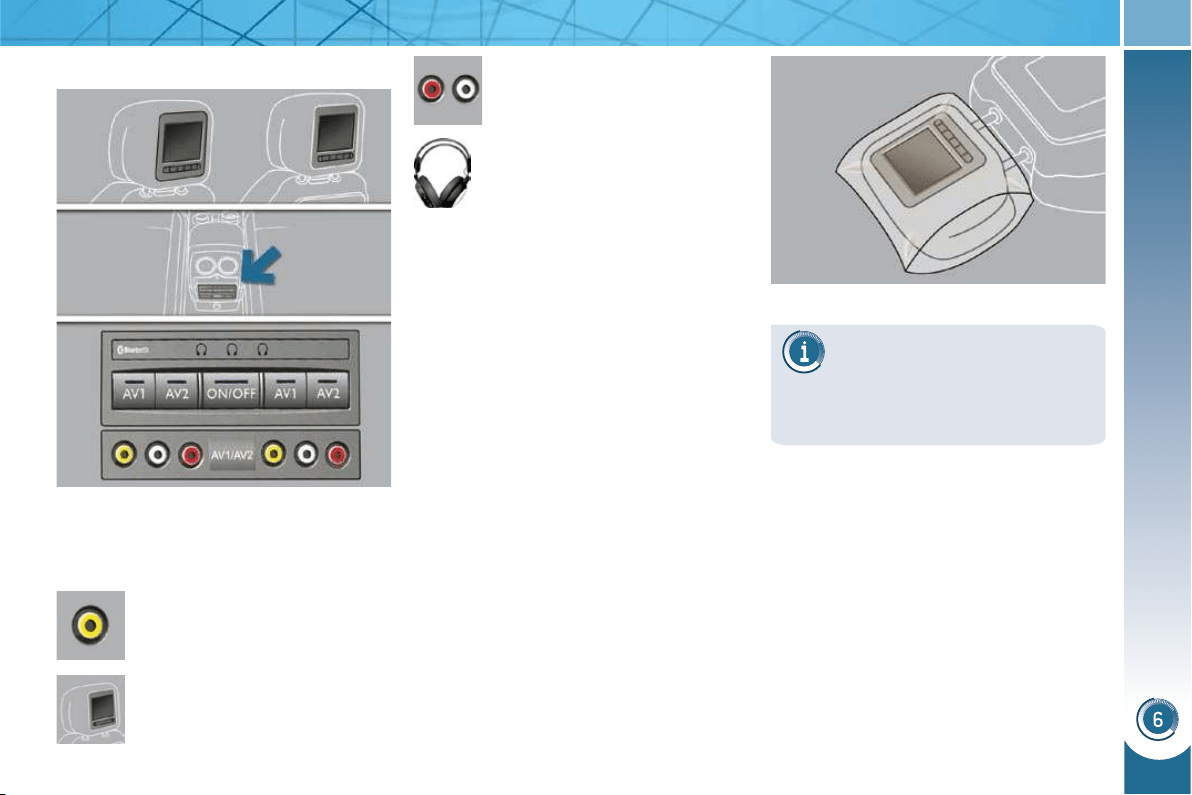
FITTINGS
101
REAR MULTIMEDIA
Multimedia system permitting the con-
nection of any external portable sys-
tem: Ipod Video, games consoles, DVD
player, …
Two separate video sources
can be connected via the RCA
connectors (yellow).
The video is displayed on two
7’’ screens, integrated in the
head restraints.
Two separate audio sources
can be connected via the RCA
connectors (red and white).
The audio is heard through two
wireless headphones with Blue-
tooth technology which operate
with rechargeable batteries.
The A/B button allows you to
pair the headphones with the screen:
A left-hand side, B right-hand side.
You have a 12 V charger with two out-
puts permitting simultaneous charging
of both headphones.
It is also possible to connect a 3
rd
set of
Bluetooth headphones.
Set-up
With the engine running, connect
your portable system to the RCA con-
nectors (e.g. with AV1 on the left).
Press the system's ON/OFF button,
the indicator lamp comes on and the
AV1 indicator lamps come on.
Press and hold the ON/OFF button on
the headphones, the indicator lamp
on the headphones fl ashes in blue.
Press and hold the system's ON/OFF
button, the pairing with the head-
phones is complete when the blue
indicator lamps on the headphones
and on the system (in the shape of
headphones) are lit continuously.
Press the ON/OFF buttons on the
screens if you have a video source.
Start playing your portable system.
If your seat is in the table posi-
tion, position a cover to avoid
damaging the screen.
These covers also conceal each
screen.
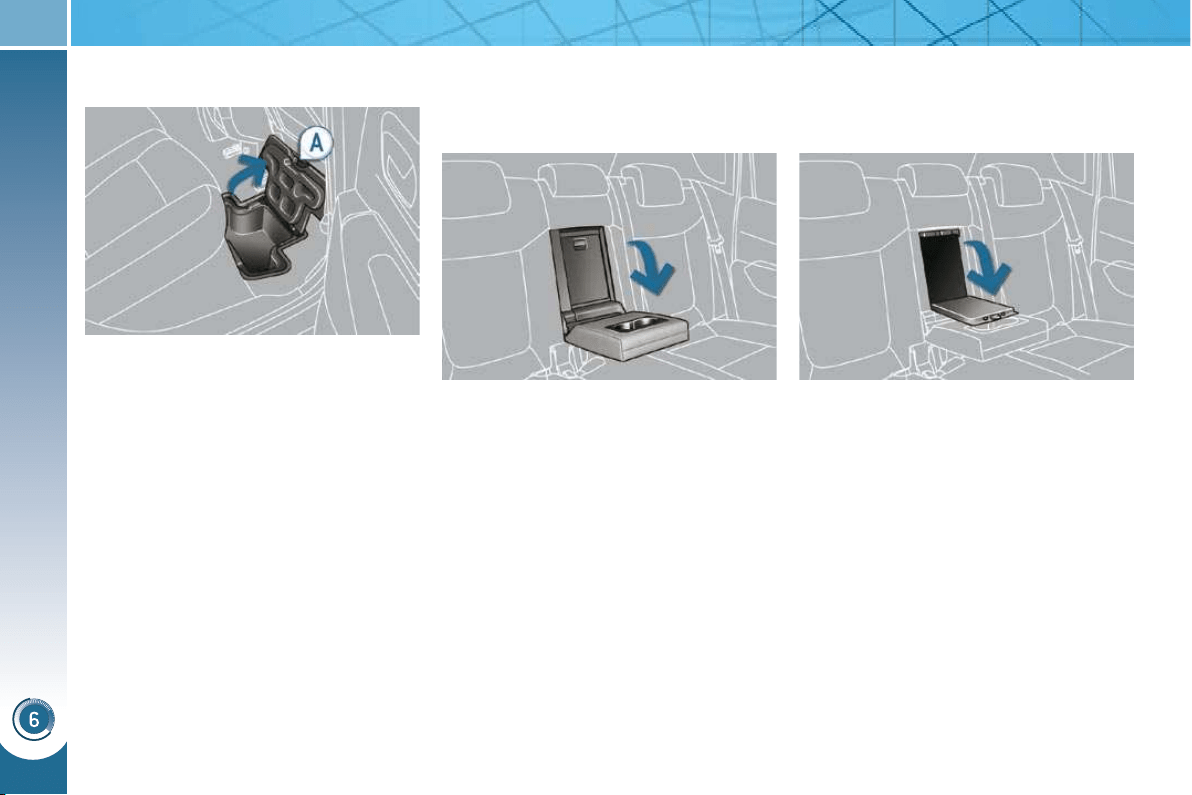
FITTINGS
102
REAR ARMREST
SKI FLAP
Opening
Lower the rear armrest.
Pull the fl ap handle downwards.
Lower the fl ap.
Load the objects from inside the
boot.
Lower the rear armrest for a more
comfortable position.
The armrest incorporates two cup holders.
Comfort and storage device for the rear
passengers.
Device for storing and transporting long
objects.
STORAGE UNDER THE REAR
FOOTWELL
Depending on the confi guration, the
vehicle has storage compartments un-
der the footwell, located in front of the
rear seats. They can be accessed via
clipped fl aps with a handle A .
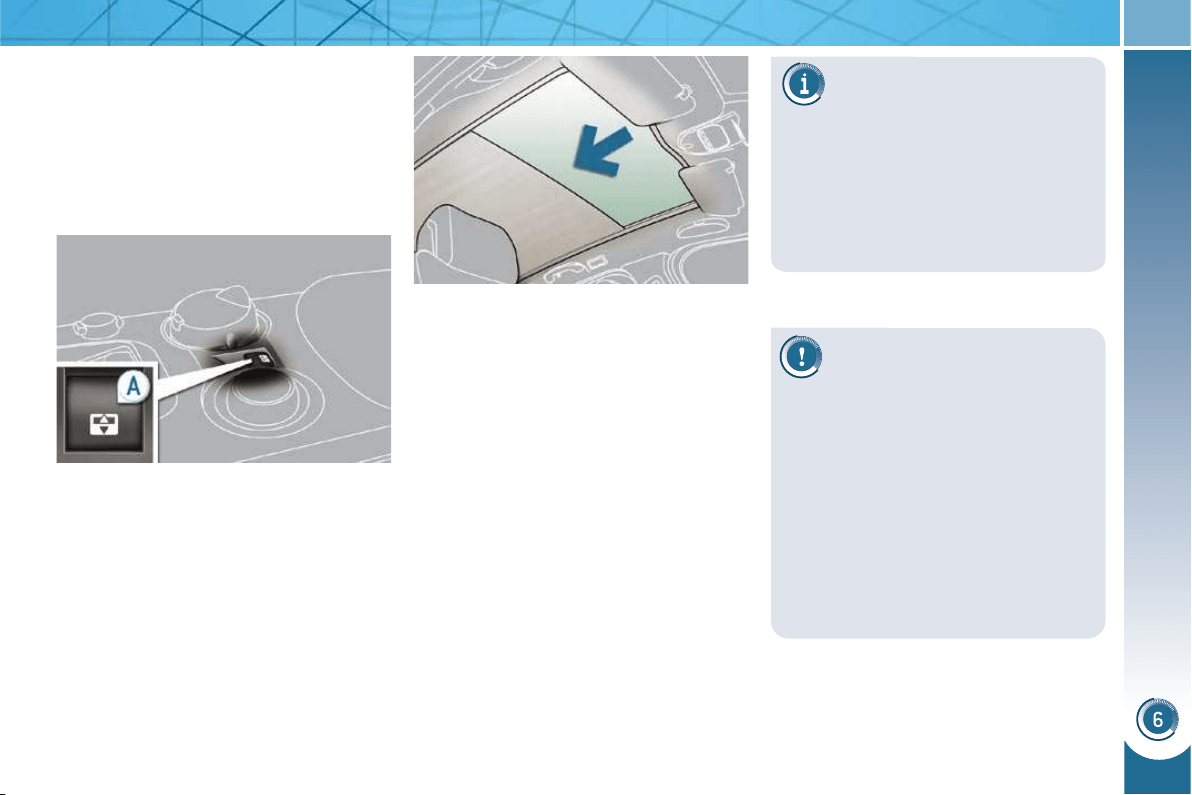
FITTINGS
103
PANORAMIC SUNROOF
Component which has a tinted glass
panoramic surface to increase the light
and visibility in the passenger compart-
ment.
Fitted with an electric blind in several
sections to improve temperature and
noise related comfort.
If the blind meets an obstacle
during operation, you must
reverse the movement of the
blind. To do this, press the control
concerned.
When the driver operates the blind
control, he must ensure that no one
is preventing correct closing of the
blind.
The driver must ensure that passen-
gers use the blind correctly.
Be aware of children when operating
the blind.
- manual mode
Pull or press control A gently.
The blind stops when you release
the control.
- automatic mode
Pull or press control A fi rmly.
One press opens or closes the
blind completely.
Pressing the control again stops
the blind.
Safety anti-pinch
In automatic mode and at the end of
its travel, if the blind meets an obstacle
while closing it stops and moves back
slightly.
One-touch electric blind
There are two options for opening and
closing:
If the blind re-opens during a
closing manoeuvre, and im-
mediately after it stops:
pull the control until the blind is
fully open,
press the control until the blind is
fully closed.
The safety anti-pinch function is
not operational during these opera-
tions.
Reinitialisation: if the blind's supply is
cut off while it is moving, the safety anti-
pinch must be reinitialised:
press the control until the blind is
fully closed,
continue to press for at least 3 seconds.
A slight movement of the blind will then
be noticeable, confi rming the reinitiali-
sation.
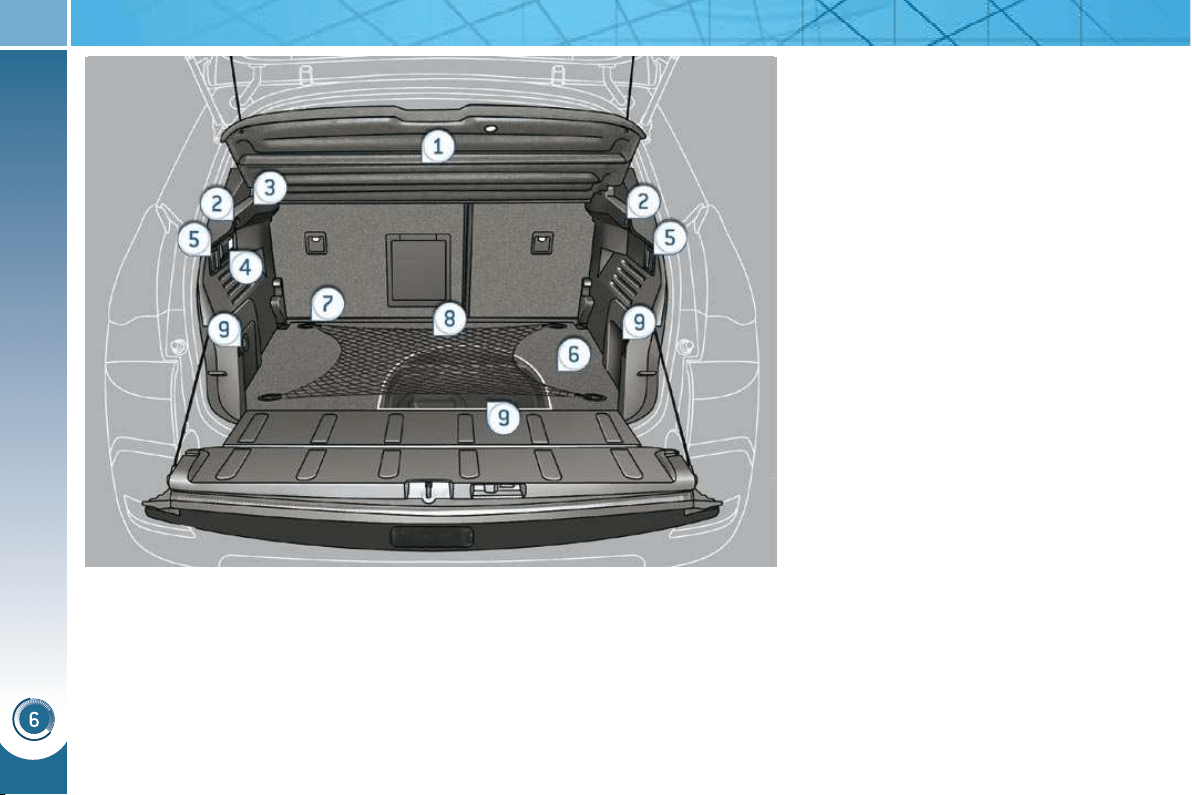
FITTINGS
104
BOOT FITTINGS
1. Load space cover
2. Hooks
3. 12 V accessories socket (120 W)
4. Torch
5. Rear seats folding controls
6. Adjustable boot
(3 position fl oor )
7. Stowing rings on the fl oor
8. Luggage retaining net
9. Storage trays
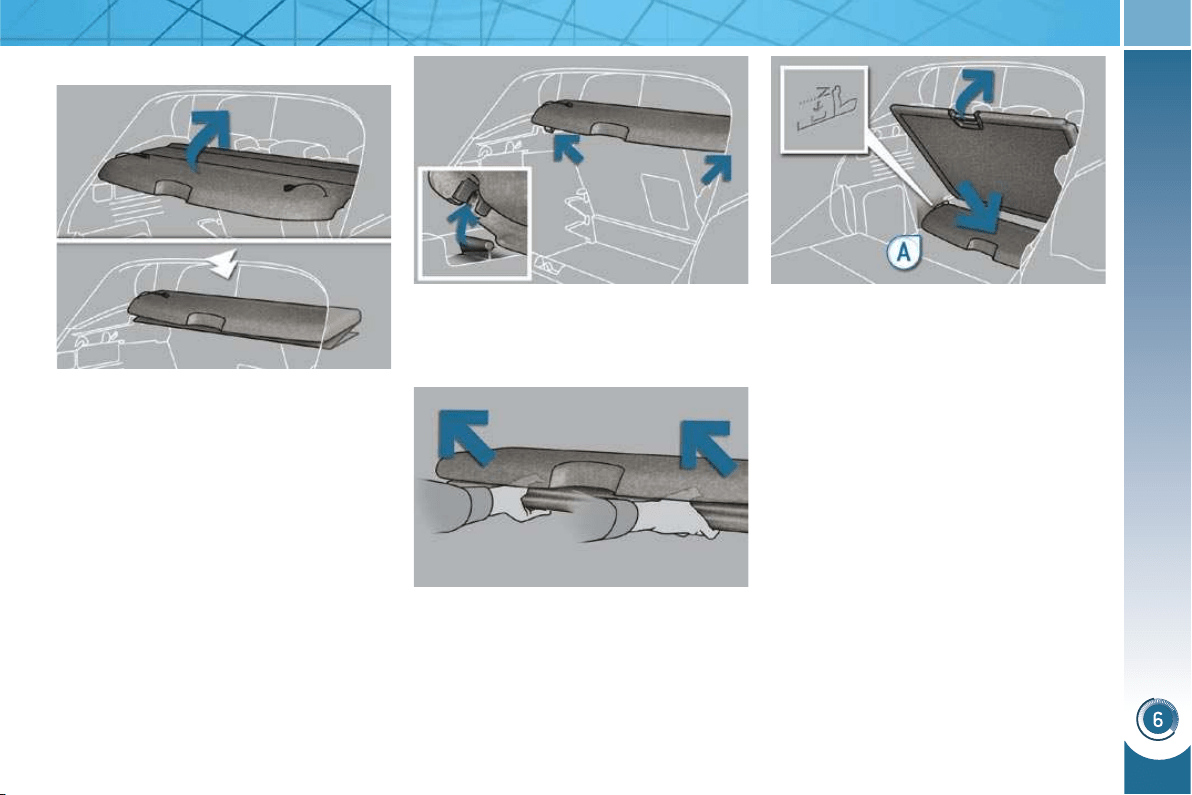
FITTINGS
105
Rear parcel shelf
To fold it:
unhook the two cords,
fold it concertina-style to the rear
seats.
To remove it:
fold the rear parcel shelf as de-
scribed above,
unclip the fi xings on the left and on
the right by pushing gently,
place your hands as shown on the
illustration then pull the assembly
towards you,
To store it at the bottom of the boot:
remove the rear parcel shelf as de-
scribed above,
place the fl oor at an angle,
place the rear parcel shelf in its lo-
cation (recess marked A ), at bottom
of the boot,
the rear parcel shelf will be protect-
ed if you place the fl oor in the inter-
mediate position.
This consists of three sections which
can be folded back on each other.
To put it back in place:
take hold of the rear parcel shelf
with both hands then place it on its
support,
unfold it to the boot pillars,
hook the two cords,
if necessary, press on the top of the
rear parcel shelf, on the left and on
the right, to engage the fi xings.
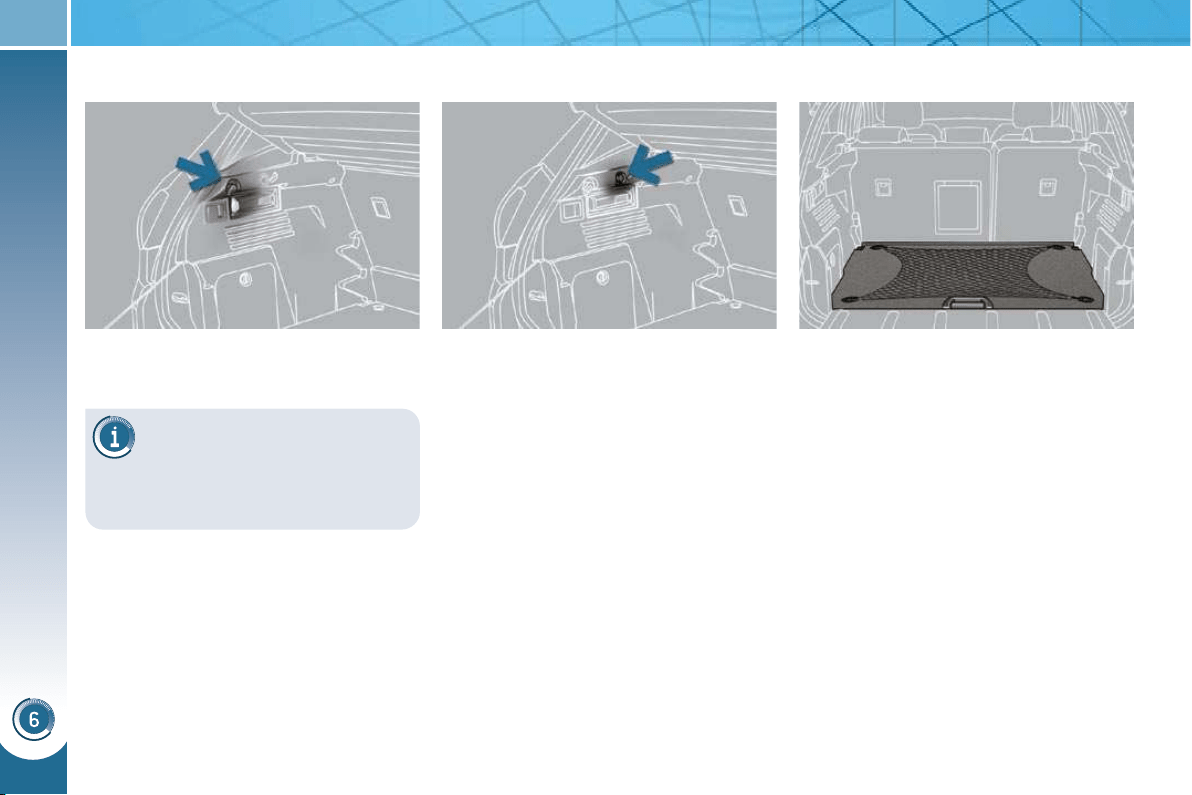
FITTINGS
106
When changing a wheel
The hooks permit easy access
to the spare wheel by retain-
ing the boot carpet by means of the
two cords.
The hooks permit the securing of
shopping bags.
Hooks
In order to connect a 12 V accessory
(max power: 120 Watts), remove
the cap and connect the appropriate
adaptor.
Turn the key to the ignition position.
12 V accessories socket Luggage retaining net
Hooked onto the stowing rings on the
movable boot fl oor, this enables you to
secure your luggage.
Observe the loads indicated on the side
of the boot, in accordance with the posi-
tion of the movable fl oor.
For safety reasons in case of sharp
braking, we recommend that heavy ob-
jects are placed on the fl oor as close as
possible to the back of the rear seats.
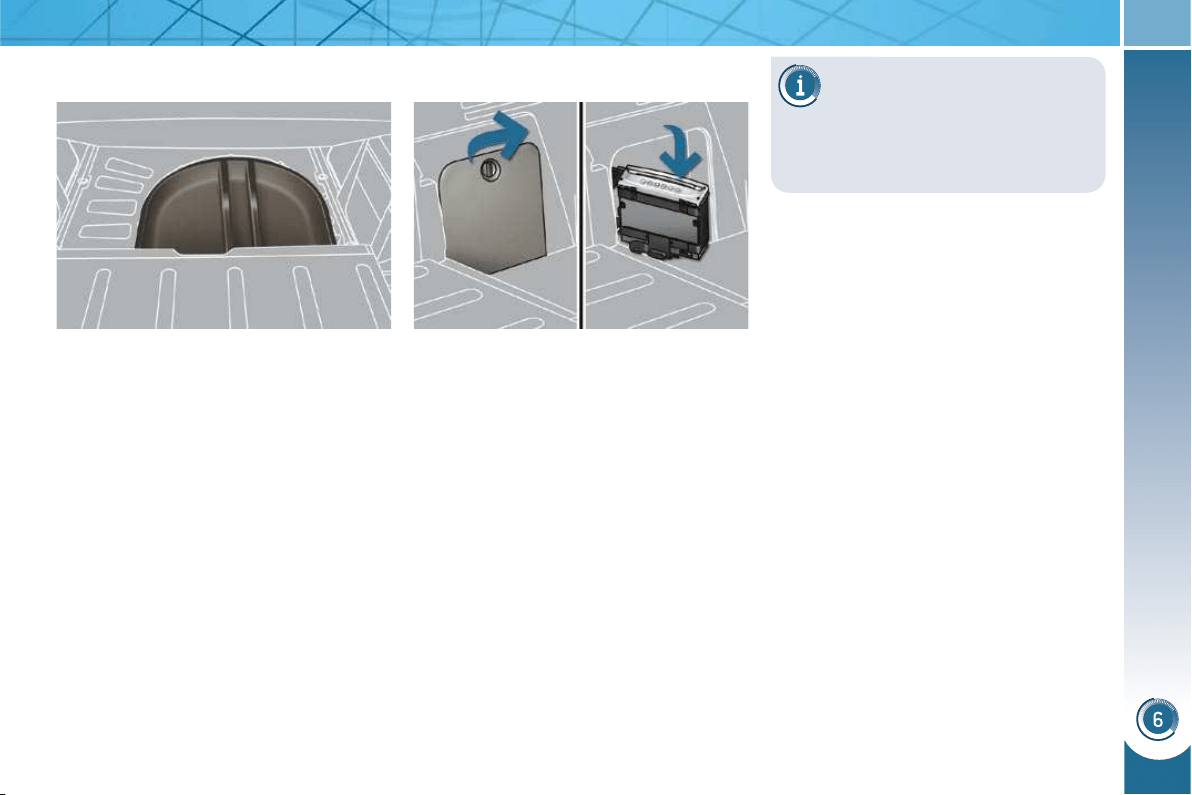
FITTINGS
107
Raise the boot carpet, hooking the
two cords on the hooks, then gain
access to the storage box.
Depending on the confi guration, this
has areas for storing:
- a box of spare bulbs,
- a fi rst aid kit,
- a tyre repair kit,
- two warning triangles,
- ...
Storage box CD changer
This holds up to 6 discs.
Access
- Place the fl oor in the low position.
- Remove the fl ap by turning its button.
- Pivot the changer towards you then
change the discs, one by one.
- Put the changer back in its location.
- Close the fl ap correctly to prevent
the changer from coming out of its
location while driving.
The use of copied compact
discs may cause faults.
Insert circular compact discs only.
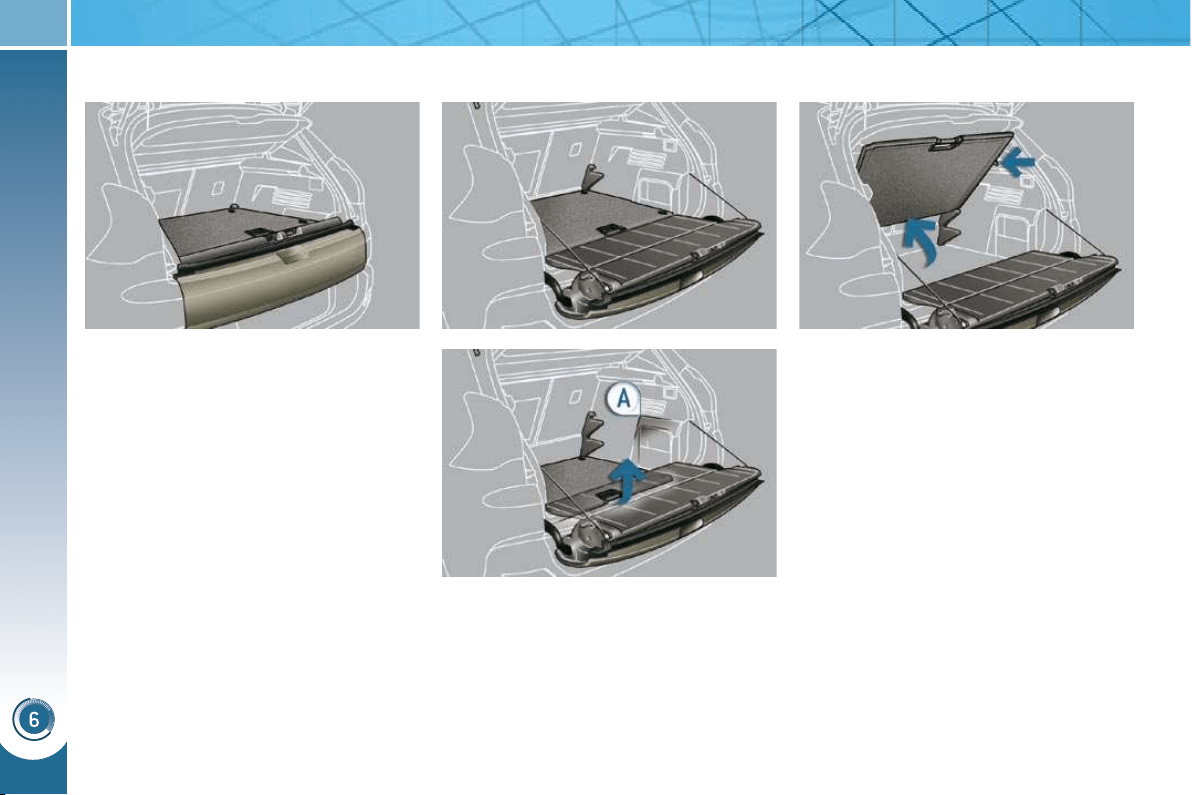
FITTINGS
108
Adjustable boot floor
This three position fl oor allows you to op-
timise the volume of the boot by means
of the guides placed on the sides:
- High position (50 kg max): the fl oor
is level with the closed lower tail-
gate.
You can load objects while keeping
an area protected and isolated.
- Intermediate position (100 kg max):
the fl oor is level with the open lower
tailgate.
You obtain a fl at fl oor to the front
seats when the rear seats are in the
retracted position.
- Low position (150 kg max): maxi-
mum boot volume.
To place and support the fl oor at an angle:
From the high position, raise the
fl oor towards the load space cover.
Do not hesitate to pass the two re-
tractable stops then place the fl oor
back on these two stops.
To change the height of the fl oor:
Push the fl oor fully forwards then, with
the help of the support stops A , move
the fl oor to the position required.
The fl oor is equipped with four stowing
rings to secure your luggage, observing
the loads indicated (in the boot).
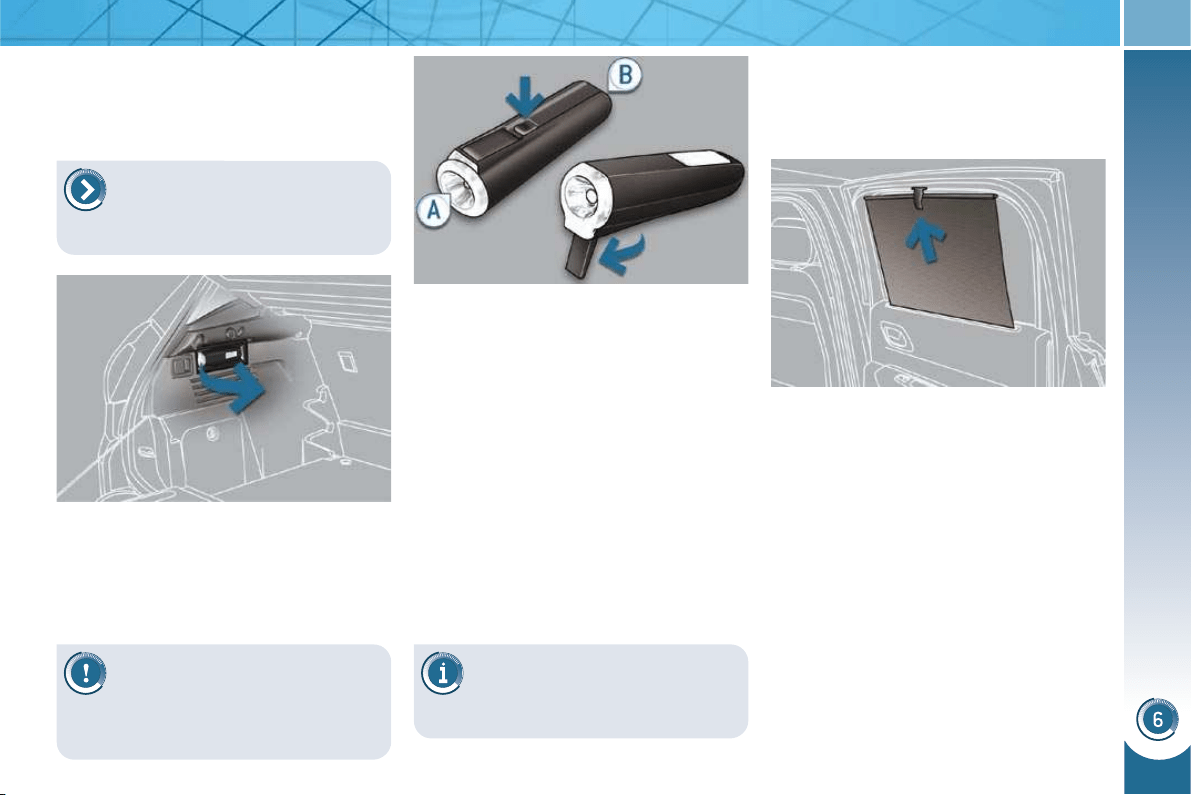
FITTINGS
109
Torch
This is a removable lamp, incorporated
in the boot wall, which can be used to
light the boot or as a torch.
Operation
This torch operates with NiMH type re-
chargeable batteries.
It has a battery life of approximately
45 minutes and charges while you are
driving.
Use
Extract the torch from its location
pulling the side of the torch A .
Press the switch, located on the
back, to switch the torch on or off.
Unfold the support, located on the
back, to set down and raise the
torch; for example, when changing
a wheel.
Storing
Put the torch back in place in its loca-
tion starting with the narrow part B .
If you have forgotten to switch off
the torch, this switches it off auto-
matically.
Rear side blinds
Fitted on the rear windows, these protect
your young children from the sun.
Pull the blind by the central tab.
Position the blind attachment on the
hook.
Observe the polarities when
fi tting the batteries.
Never replace the rechargeable batteries
with normal single-use batteries.
It the torch is not engaged cor-
rectly, it may not charge and
may not come on when the
boot is opened.
For the boot lighting function,
refer to the "Visibility - § Boot
lighting" section.
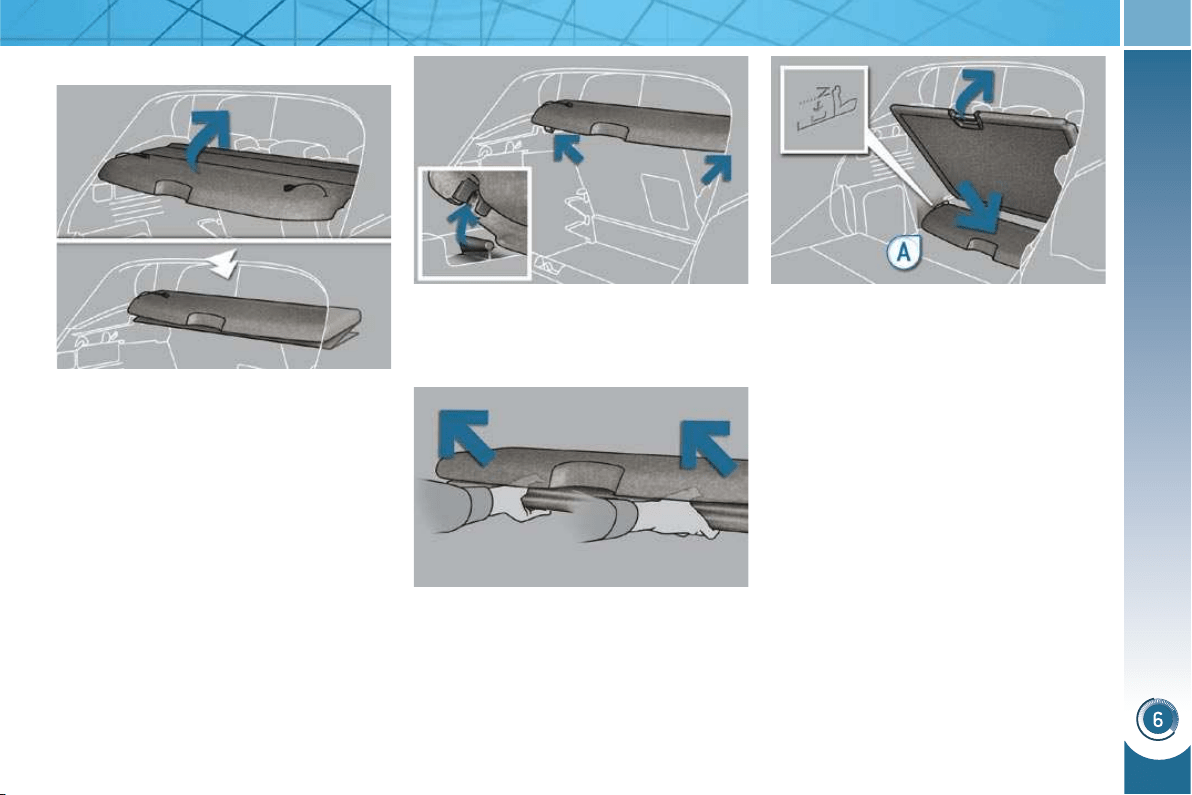
FITTINGS
105
Rear parcel shelf
To fold it:
unhook the two cords,
fold it concertina-style to the rear
seats.
To remove it:
fold the rear parcel shelf as de-
scribed above,
unclip the fi xings on the left and on
the right by pushing gently,
place your hands as shown on the
illustration then pull the assembly
towards you,
To store it at the bottom of the boot:
remove the rear parcel shelf as de-
scribed above,
place the fl oor at an angle,
place the rear parcel shelf in its lo-
cation (recess marked A ), at bottom
of the boot,
the rear parcel shelf will be protect-
ed if you place the fl oor in the inter-
mediate position.
This consists of three sections which
can be folded back on each other.
To put it back in place:
take hold of the rear parcel shelf
with both hands then place it on its
support,
unfold it to the boot pillars,
hook the two cords,
if necessary, press on the top of the
rear parcel shelf, on the left and on
the right, to engage the fi xings.
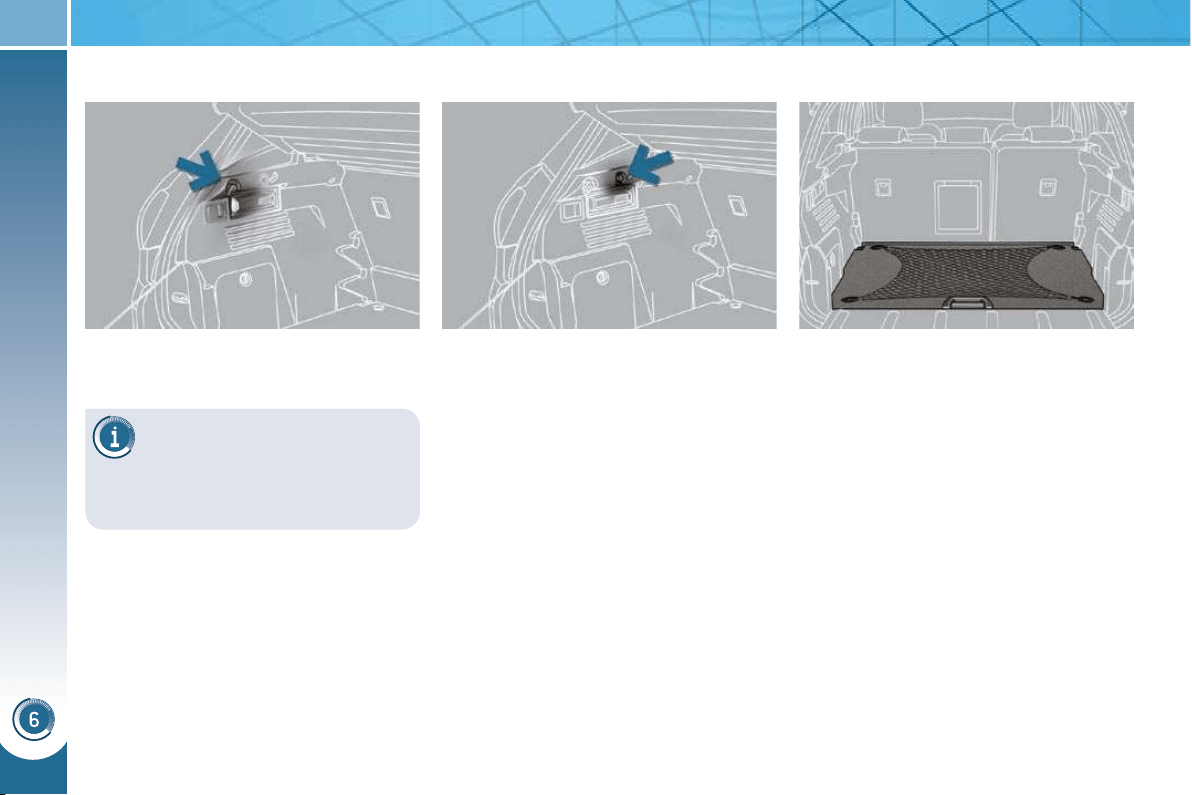
FITTINGS
106
When changing a wheel
The hooks permit easy access
to the spare wheel by retain-
ing the boot carpet by means of the
two cords.
The hooks permit the securing of
shopping bags.
Hooks
In order to connect a 12 V accessory
(max power: 120 Watts), remove
the cap and connect the appropriate
adaptor.
Turn the key to the ignition position.
12 V accessories socket Luggage retaining net
Hooked onto the stowing rings on the
movable boot fl oor, this enables you to
secure your luggage.
Observe the loads indicated on the side
of the boot, in accordance with the posi-
tion of the movable fl oor.
For safety reasons in case of sharp
braking, we recommend that heavy ob-
jects are placed on the fl oor as close as
possible to the back of the rear seats.
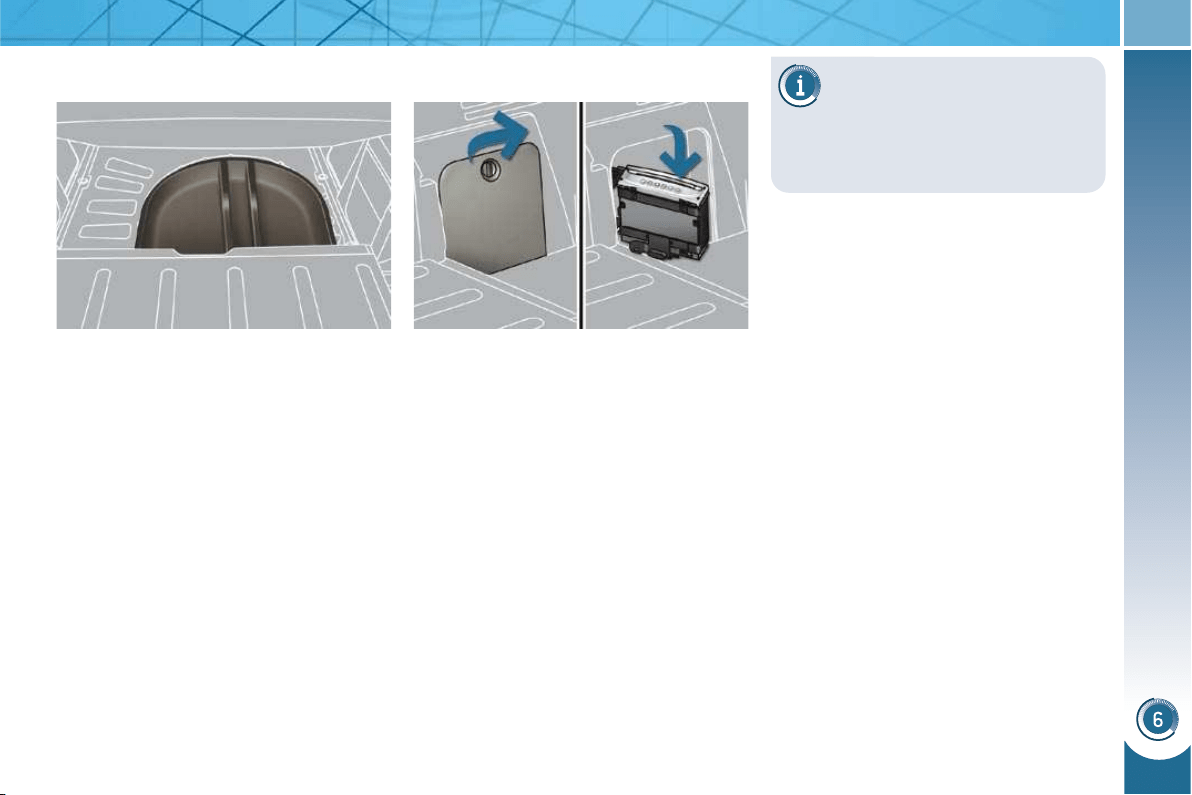
FITTINGS
107
Raise the boot carpet, hooking the
two cords on the hooks, then gain
access to the storage box.
Depending on the confi guration, this
has areas for storing:
- a box of spare bulbs,
- a fi rst aid kit,
- a tyre repair kit,
- two warning triangles,
- ...
Storage box CD changer
This holds up to 6 discs.
Access
- Place the fl oor in the low position.
- Remove the fl ap by turning its button.
- Pivot the changer towards you then
change the discs, one by one.
- Put the changer back in its location.
- Close the fl ap correctly to prevent
the changer from coming out of its
location while driving.
The use of copied compact
discs may cause faults.
Insert circular compact discs only.
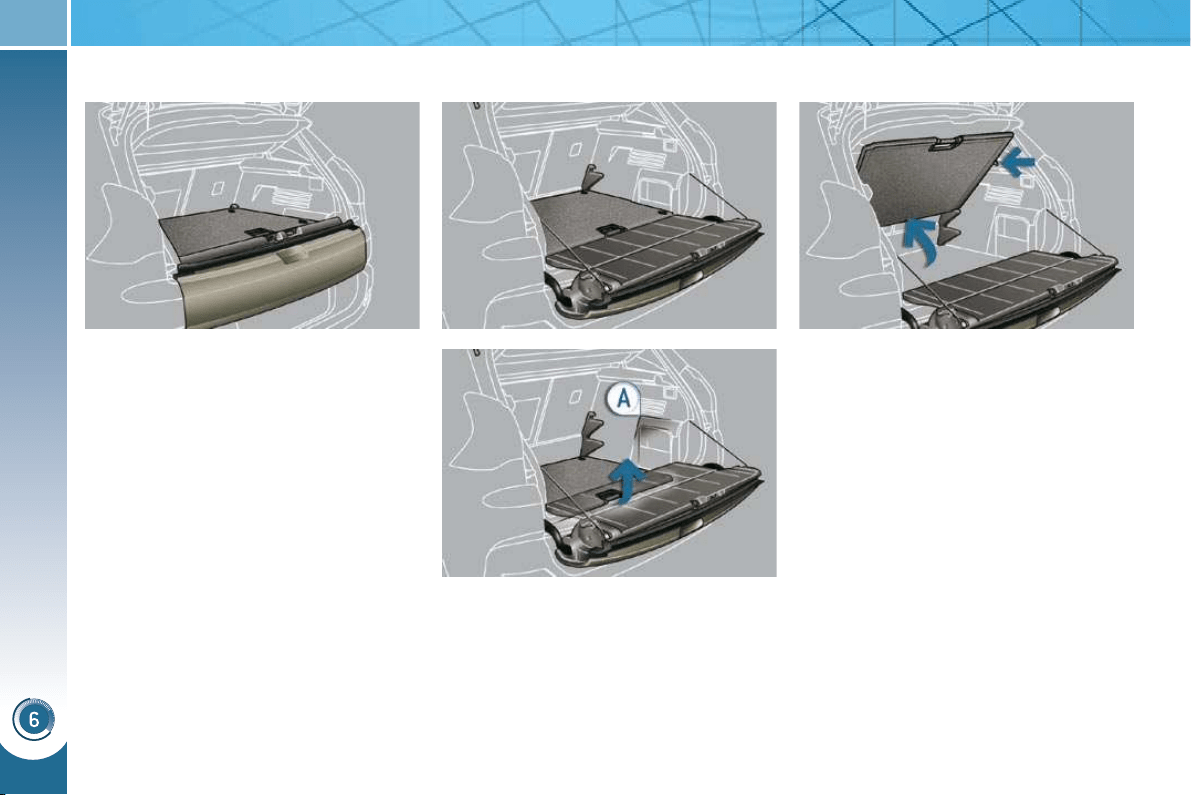
FITTINGS
108
Adjustable boot floor
This three position fl oor allows you to op-
timise the volume of the boot by means
of the guides placed on the sides:
- High position (50 kg max): the fl oor
is level with the closed lower tail-
gate.
You can load objects while keeping
an area protected and isolated.
- Intermediate position (100 kg max):
the fl oor is level with the open lower
tailgate.
You obtain a fl at fl oor to the front
seats when the rear seats are in the
retracted position.
- Low position (150 kg max): maxi-
mum boot volume.
To place and support the fl oor at an angle:
From the high position, raise the
fl oor towards the load space cover.
Do not hesitate to pass the two re-
tractable stops then place the fl oor
back on these two stops.
To change the height of the fl oor:
Push the fl oor fully forwards then, with
the help of the support stops A , move
the fl oor to the position required.
The fl oor is equipped with four stowing
rings to secure your luggage, observing
the loads indicated (in the boot).
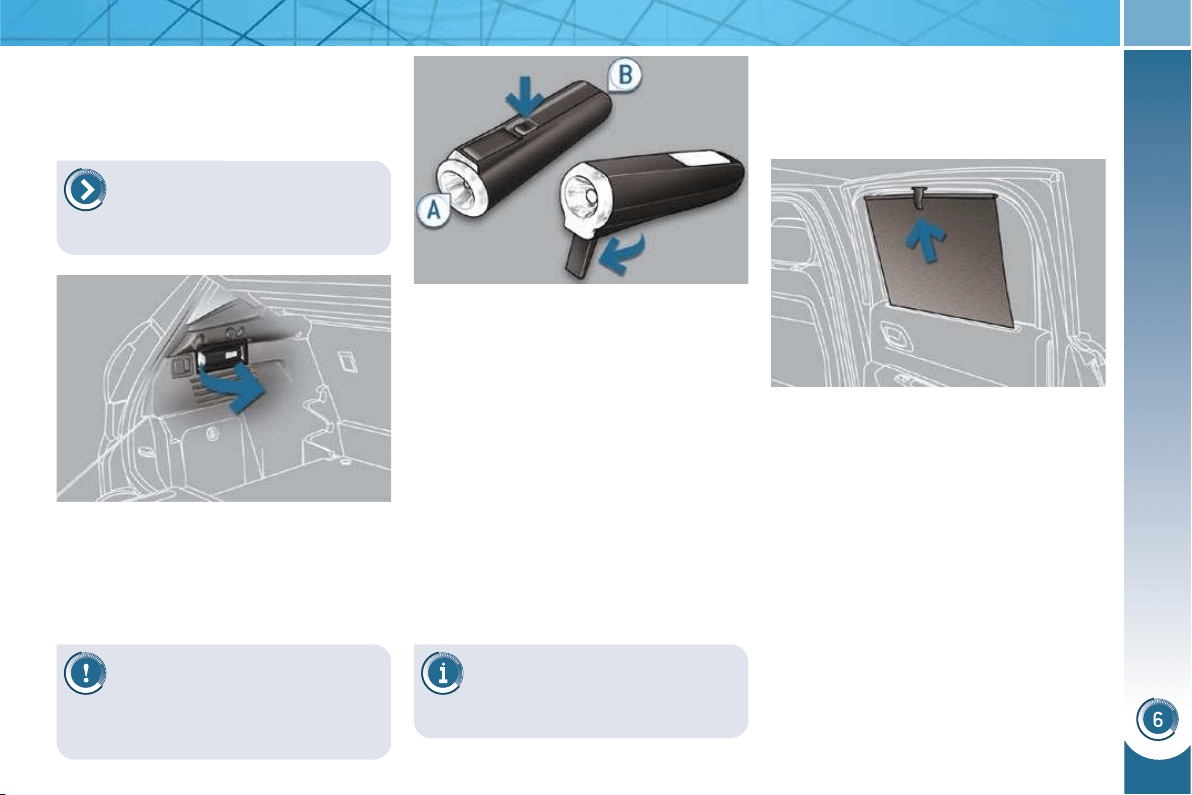
FITTINGS
109
Torch
This is a removable lamp, incorporated
in the boot wall, which can be used to
light the boot or as a torch.
Operation
This torch operates with NiMH type re-
chargeable batteries.
It has a battery life of approximately
45 minutes and charges while you are
driving.
Use
Extract the torch from its location
pulling the side of the torch A .
Press the switch, located on the
back, to switch the torch on or off.
Unfold the support, located on the
back, to set down and raise the
torch; for example, when changing
a wheel.
Storing
Put the torch back in place in its loca-
tion starting with the narrow part B .
If you have forgotten to switch off
the torch, this switches it off auto-
matically.
Rear side blinds
Fitted on the rear windows, these protect
your young children from the sun.
Pull the blind by the central tab.
Position the blind attachment on the
hook.
Observe the polarities when
fi tting the batteries.
Never replace the rechargeable batteries
with normal single-use batteries.
It the torch is not engaged cor-
rectly, it may not charge and
may not come on when the
boot is opened.
For the boot lighting function,
refer to the "Visibility - § Boot
lighting" section.
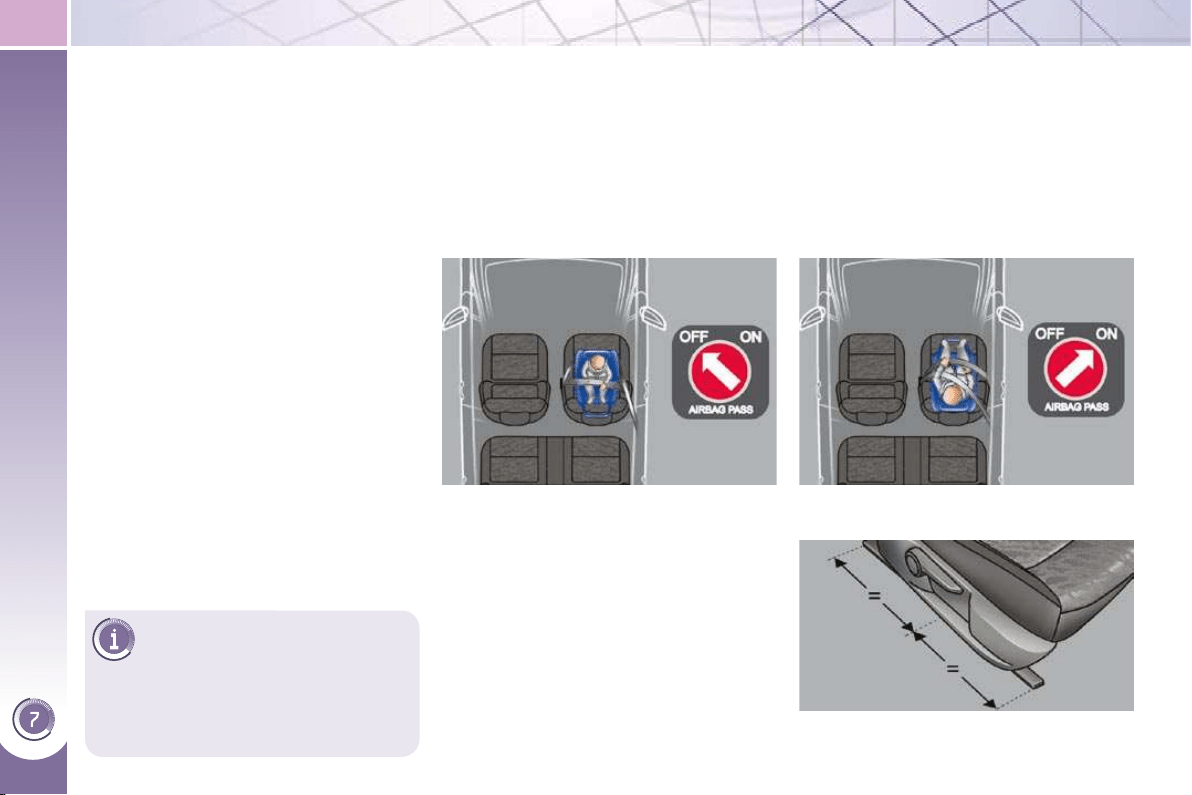
CHILD SAFETY
110
PEUGEOT recommends that
children should travel in the
rear seats of your vehicle:
- "rearwards-facing" up to the
age of 2,
-
"forwards-facing" over the age of 2.
GENERAL POINTS RELATING
TO CHILD SEATS
"Forwards-facing"
When a "forwards-facing" child seat is
installed on the front passenger seat ,
adjust the vehicle's seat to the interme-
diate longitudinal position with the seat
back upright and leave the passenger
airbag activated.
Intermediate longitudinal position
* The rules for carrying children are
specifi c to each country. Refer to the
current legislation in your country.
"Rearwards-facing"
When a "rearwards-facing" child seat is
installed on the front passenger seat ,
it is essential that the passenger airbag
is deactivated. Otherwise, the child
would risk being seriously injured or
killed if the airbag were to infl ate .
Although one of PEUGEOT's main cri-
teria when designing your vehicle, the
safety of your children also depends on
you.
For maximum safety, please observe
the following recommendations:
- in accordance with European reg-
ulations, all children under the
age of 12 or less than one and a
half metres tall must travel in ap-
proved child seats suited to their
weight , on seats fi tted with a seat
belt or ISOFIX mountings * ,
- statistically, the safest seats in
your vehicle for carrying children
are the rear seats,
-
a child weighing less than 9 kg must
travel in the "rearwards-facing" posi-
tion both in the front and in the rear.
CHILD SEAT IN THE FRONT
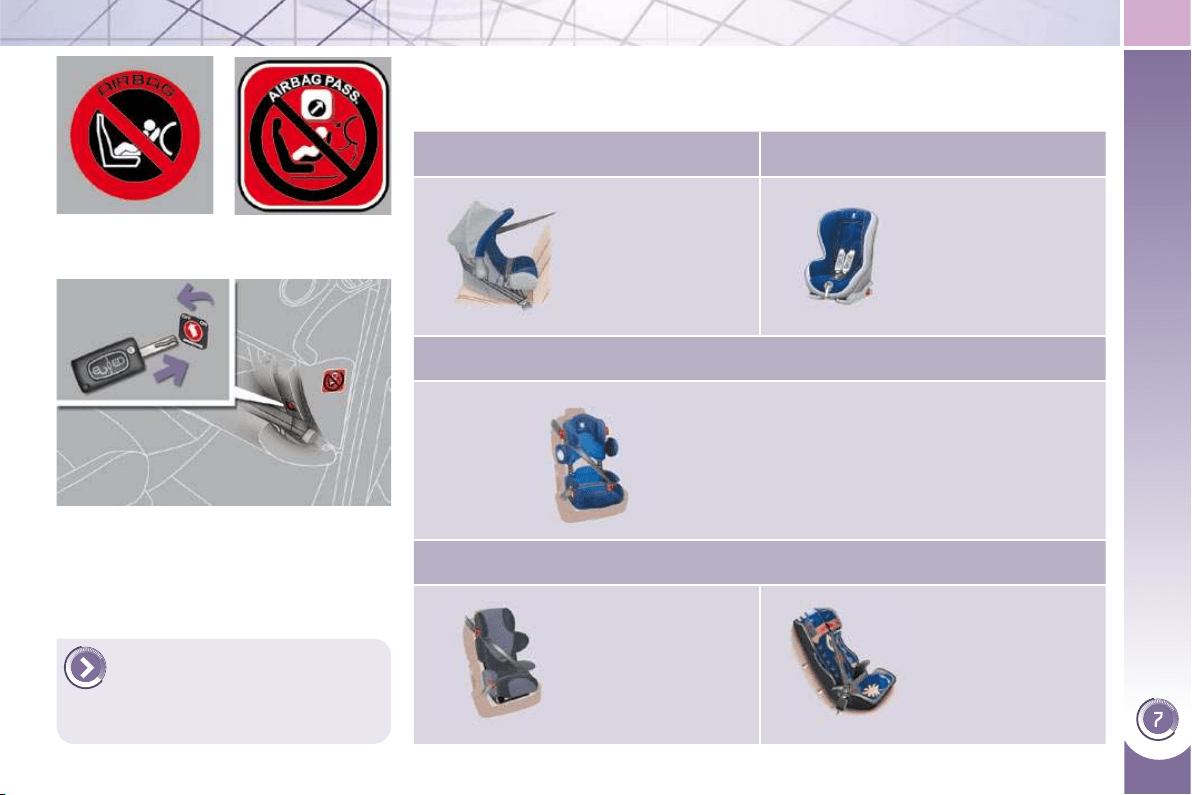
CHILD SAFETY
111
Passenger air bag OFF
CHILD SEATS RECOMMENDED BY PEUGEOT
PEUGEOT offers a complete range of recommended child seats which are secured
using a three point seat belt :
Group 0+: from birth to 13 kg Group 1: from 9 to 18 kg
L1
"RÖMER/BRITAX
Baby-Safe Plus".
Installed in the
rearwards-facing
position.
L2
"RÖMER Duo Plus
ISOFIX".
Groups 1, 2 and 3: from 9 to 36 kg
L3
"KIDDY Life".
The use of the restraining cushion is
compulsory for the transportation of
young children (from 9 to 18 kg).
Groups 2 and 3: from 15 to 36 kg
L4
"RECARO Start''.
L5
"KLIPPAN Optima".
From the age
of 6 years
(approximately 22 kg),
the booster is used
on its own.
For more information on de-
activating the airbag, refer
to the "Safety" section then
"Airbags".
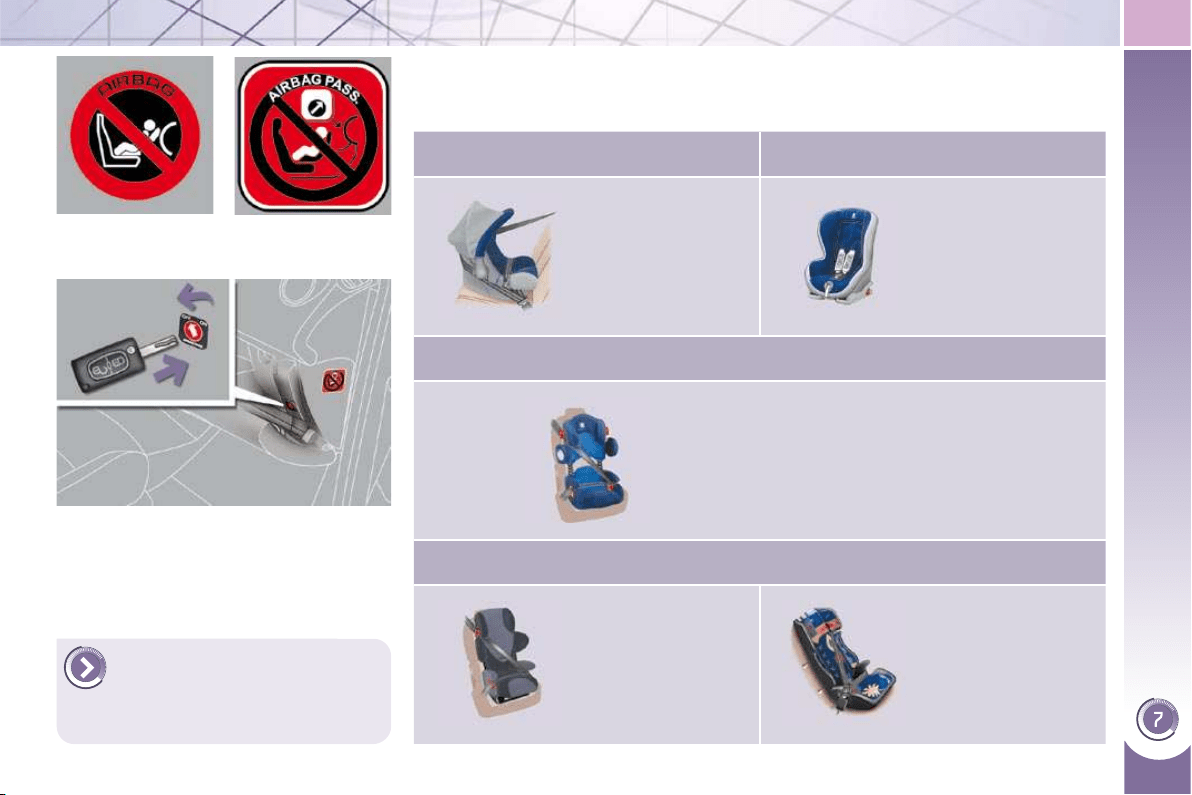
CHILD SAFETY
111
Passenger air bag OFF
CHILD SEATS RECOMMENDED BY PEUGEOT
PEUGEOT offers a complete range of recommended child seats which are secured
using a three point seat belt :
Group 0+: from birth to 13 kg Group 1: from 9 to 18 kg
L1
"RÖMER/BRITAX
Baby-Safe Plus".
Installed in the
rearwards-facing
position.
L2
"RÖMER Duo Plus
ISOFIX".
Groups 1, 2 and 3: from 9 to 36 kg
L3
"KIDDY Life".
The use of the restraining cushion is
compulsory for the transportation of
young children (from 9 to 18 kg).
Groups 2 and 3: from 15 to 36 kg
L4
"RECARO Start''.
L5
"KLIPPAN Optima".
From the age
of 6 years
(approximately 22 kg),
the booster is used
on its own.
For more information on de-
activating the airbag, refer
to the "Safety" section then
"Airbags".
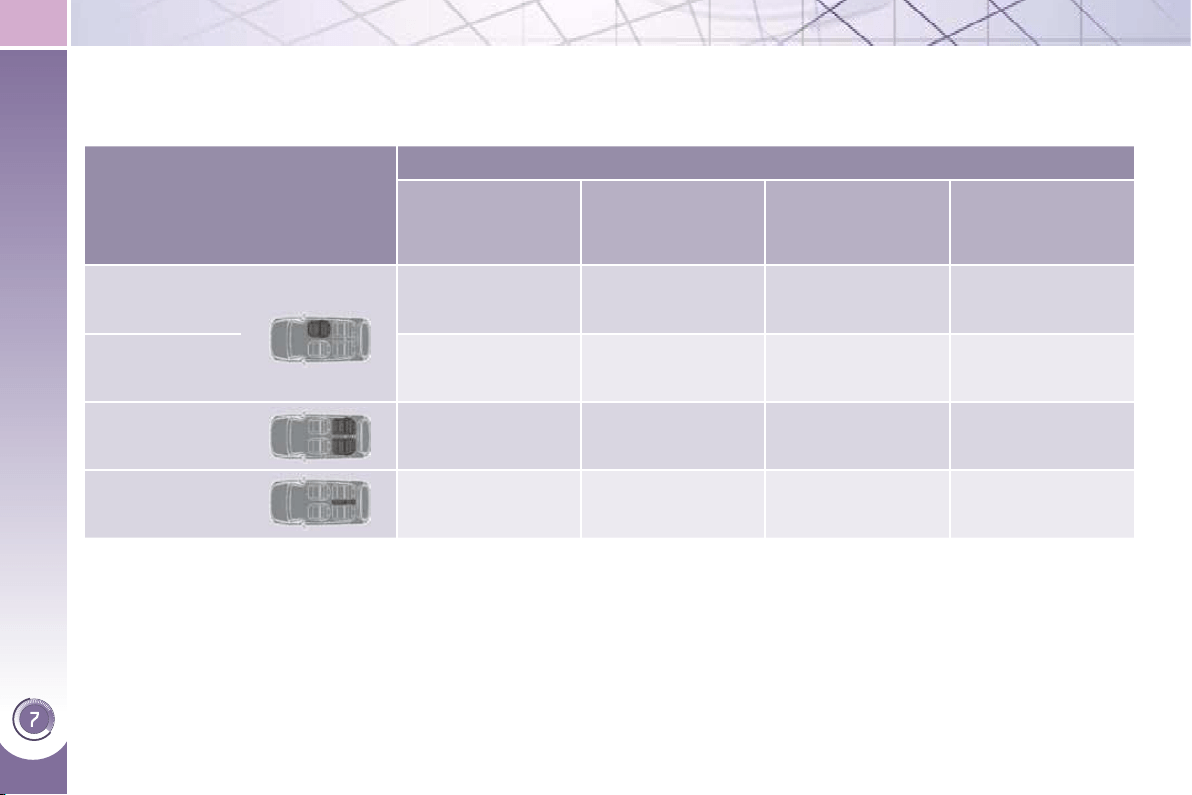
CHILD SAFETY
112
INSTALLING CHILD SEATS ATTACHED USING THE SEAT BELT
In accordance with European regulations, this table indicates the options for installing child seats secured using a seat belt
and universally approved (a) in accordance with the weight of the child and the seat in the vehicle:
a: universal child seat, child seat that can be installed in all vehicles using a seat belt.
b: group 0, from birth to 10 kg. Shells seats and baby carriers cannot be installed in the front passenger seat.
c: consult the legislation in force in your country before installing your child on this seat.
U: seat suitable for the installation of a child seat secured using a seat belt and universally approved, "rearwards-facing"
and/or "forwards-facing".
U (R): idem U , with the vehicle's seat adjusted to the highest position and as far back as possible.
L: only the child seats indicated can be installed on the seat concerned (according to country).
X: seat position not suitable for installation of a child seat for the weight class indicated.
Weight of the child and indicative age
Seat
Under 13 kg
(groups 0 ( b )
and 0+)
Up to approx 1 year
From 9 to 18 kg
(group 1)
1 to 3 years approx
From 15 to 25 kg
(group 2)
3 to 6 years approx
From 22 to 36 kg
(group 3)
6 to 10 years
approx
Front passenger
seat ( c ) with
height adjuster
U (R) U (R) U (R) U (R)
Front passenger
seat (c) without
height adjuster
X X X X
Outer rear seats
U * U * U * U *
Centre rear seat L1 L2, L3, L4 L3, L4, L5 L3, L4, L5
* Do not install a child seat with a stay if your vehicle is fi tted with storage compartment fl aps under the footwells.

CHILD SAFETY
113
ADVICE ON CHILD
SEATS
The incorrect installation of a child
seat in a vehicle compromises the
child's protection in the event of an
accident.
Remember to fasten the seat belts or
the child seat harnesses keeping the
slack relative to the child's body to a
minimum, even for short journeys.
When installing a child seat using the
seat belt, ensure that the seat belt is
tightened correctly on the child seat
and that it secures the child seat fi rm-
ly on the seat of your vehicle.
For optimum installation of the "for-
wards-facing" child seat, ensure that
the back of the child seat is in contact
with the back of the vehicle's seat
and that the head restraint does not
cause any discomfort.
If the head restraint has to be re-
moved, ensure that it is stored or
attached securely to prevent it from
being thrown around the vehicle in
the event of sharp braking.
Installing a booster seat
The chest part of the seat belt must
be positioned on the child's shoulder
without touching the neck.
Ensure that the lap part of the seat
belt passes correctly over the child's
thighs.
PEUGEOT recommends the use of
a booster seat which has a back, fi t-
ted with a seat belt guide at shoulder
level.
As a safety precaution, do not leave:
- a child or children alone and un-
supervised in a vehicle,
- a child or an animal in a vehicle
which is exposed to the sun, with
the windows closed,
- the keys within reach of children
inside the vehicle.
To prevent accidental opening of
the doors and rear windows, use
the "Child lock".
Take care not to open the rear win-
dows by more than one third.
To protect young children from the
rays of the sun, fi t side blinds on the
rear windows.
Children under the age of 10 must
not travel in the "forwards-facing"
position on the front passenger seat,
unless the rear seats are already oc-
cupied by other children, cannot be
used or are absent.
Deactivate the passenger airbag
when a "rearwards-facing" child seat
is installed on the front seat.
Otherwise, the child would risk being
seriously injured or killed if the airbag
were to infl ate.
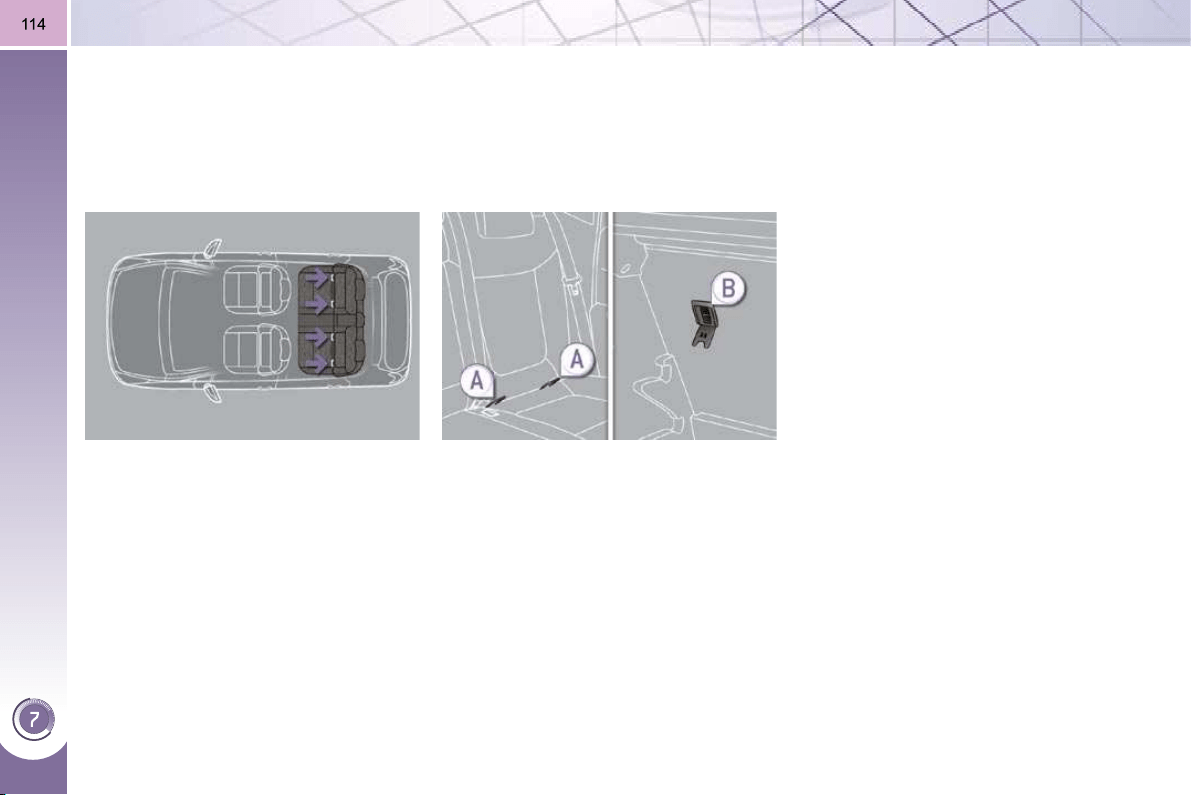
CHILD SAFETY
"ISOFIX" MOUNTINGS
Your vehicle has been approved in
accordance with the new ISOFIX regu-
lation .
The seats, represented below, are fi tted
with regulation ISOFIX mountings:
There are three rings for each seat:
- two rings A , located between the
vehicle seat back and cushion, indi-
cated by a label,
- a ring B , behind the seat, referred to
as the TOP TETHER for fi xing the
upper strap.
This ISOFIX mounting system guaran-
tees you fast, reliable and safe fi tting of
the child seat in your vehicle.
The ISOFIX child seats are fi tted with
two locks which are secured easily on
the two rings A .
Some also have an upper strap which
is attached to ring B .
To attach this strap, raise the vehicle
seat's head restraint then pass the hook
between its rods. Then fi x the hook on
ring B and tighten the upper strap.
The incorrect installation of a child seat
in a vehicle compromises the child's
protection in the event of an accident.
For information regarding the ISOFIX
child seats which can be installed in
your vehicle, consult the summary ta-
ble for the location of the ISOFIX child
seats.
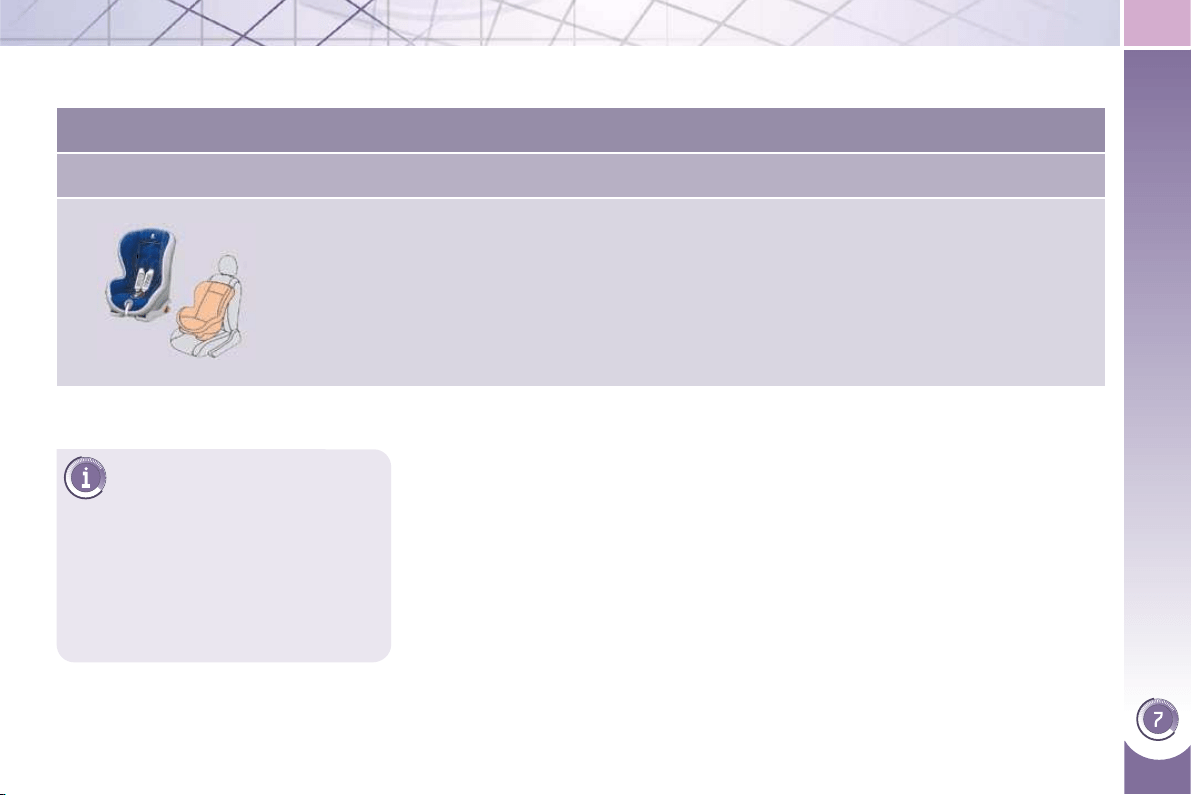
CHILD SAFETY
115
This child seat can also be
used on seats which are not
fi tted with ISOFIX mountings.
In this case, it must be attached to
the vehicle seat using the three point
seat belt.
Follow the instructions for fi tting
the child seat given in the seat
manufacturer's installation guide.
ISOFIX CHILD SEAT RECOMMENDED BY PEUGEOT AND
APPROVED FOR YOUR VEHICLE
RÖMER Duo Plus ISOFIX (size category B1 )
Group 1: from 9 to 18 kg
Installed in the forwards-facing position.
Fitted with an upper strap to be secured on the upper ring B ,
referred to as the TOP TETHER.
Three seat body angles: sitting, reclining, lying.
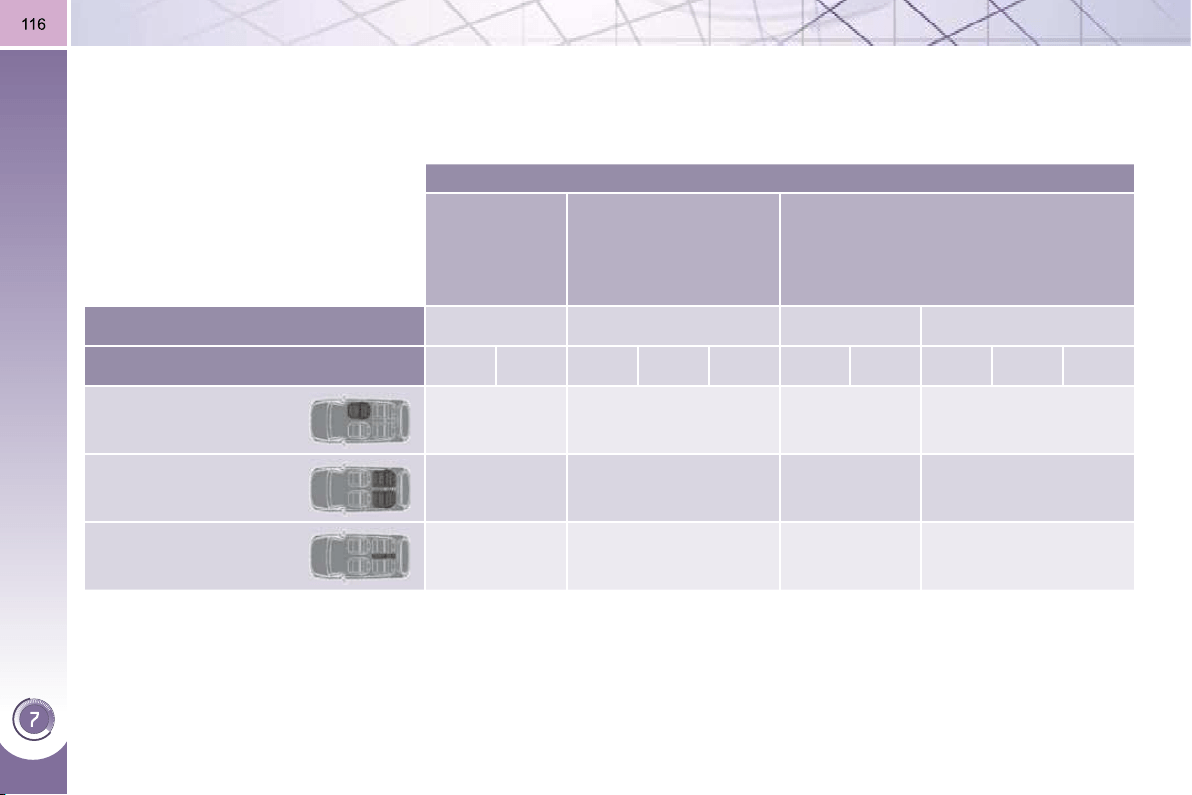
CHILD SAFETY
LOCATIONS FOR INSTALLING ISOFIX CHILD SEATS
In accordance with European Regulations, this table indicates the options for installing ISOFIX child seats on seats in the
vehicle fi tted with ISOFIX mountings.
In the case of universal and semi-universal ISOFIX child seats, the ISOFIX size category, determined by a letter from A to G ,
is indicated on the child seat next to the ISOFIX logo.
IUF: seat suitable for the installation of an I sofi x U niversal seat, " F orwards-facing" secured using the top belt.
IL-SU: seat suitable for the installation of an I sofi x S emi- U niversal seat either:
- "rearwards-facing" fi tted with a top belt or a support,
- "forwards-facing" fi tted with a stay,
- a shell seat fi tted with an upper strap or a stay.
For advice on securing of the top belt, refer to the paragraph "Isofi x mountings".
X: seat not suitable for the installation of a child seat or shell for the weight group indicated.
Weight of the child /indicative age
Less than
10 kg
(group 0)
Up to approx.
6 months
Less than 10 kg
(group 0)
Less than 13 kg
(group 0+)
Up to approx. 1 year
From 9 to 18 kg (group 1)
From approx. 1 to 3 years
Type of ISOFIX child seat Shell "rearwards-facing"
"rearwards-facing"
"forwards-facing"
ISOFIX size category F G C D E C D A B B1
Front passenger seat
X X X X
Outer rear seats
X IL-SU * IL-SU *
IUF *
IL-SU *
Centre rear seat
X X X X
* Do not install a child seat with a stay if your vehicle is fi tted with storage compartment fl aps under the footwells.
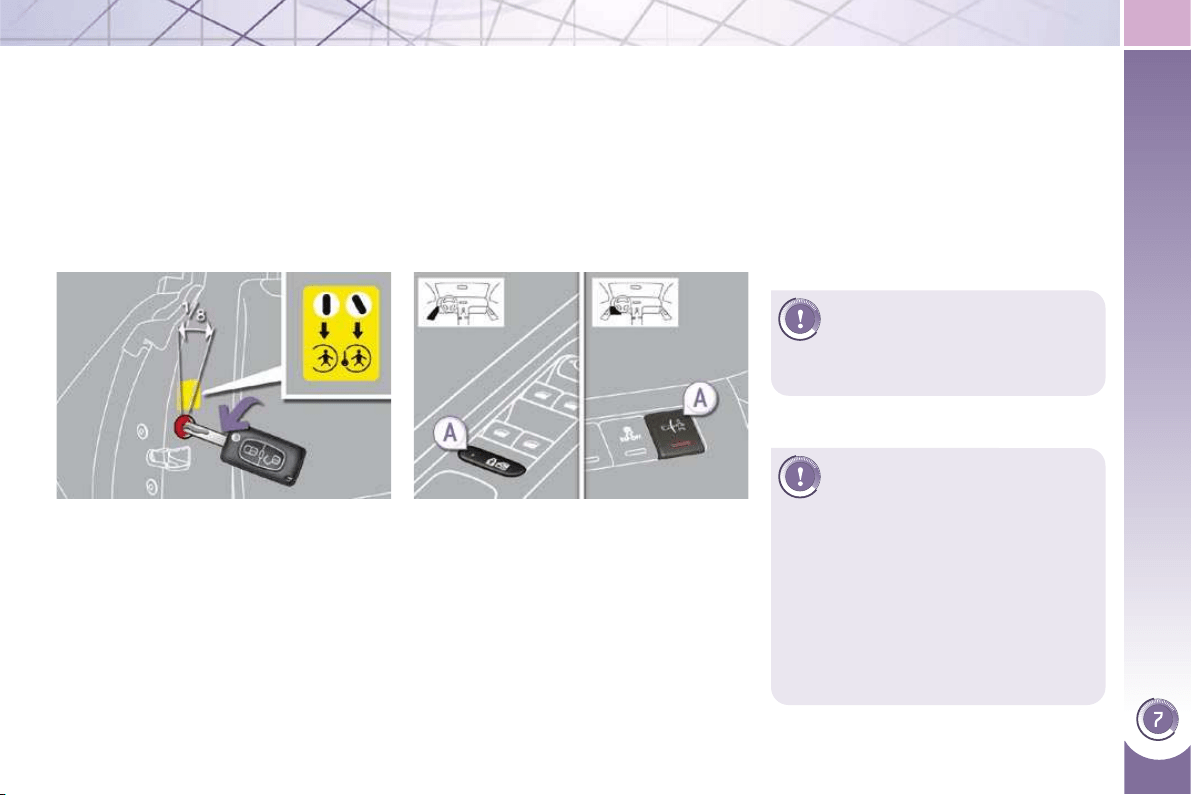
CHILD SAFETY
117
This system is independent
and in no circumstances does
it take the place of the central
locking control.
Check the status of the child lock
each time you switch on the ignition.
Always remove the key from the igni-
tion when leaving the vehicle, even
for a short time.
In the event of a serious impact, the
electric child lock is deactivated auto-
matically to permit the exit of the rear
passengers.
MANUAL CHILD LOCK
Mechanical system to prevent opening
of the rear door using its interior control.
The control is located on the edge of
each rear door.
Turn the red control one eighth of
a turn to the left using the ignition
key.
ELECTRIC CHILD LOCK
Remote control system to prevent opening
of the rear doors using their interior con-
trols and use of the rear electric windows.
With the ignition on, press button A .
The indicator lamp on button A comes
on.
This indicator lamp remains on until the
child lock is deactivated.
It is still possible to open the doors from
the outside and operate the rear electric
windows from the driver's control pad.
Locking
Unlocking
Turn the red control one eighth of
a turn to the right using the ignition
key.
Activation
Deactivation
With the ignition on, press button A
again.
The indicator lamp on button A switches
off.
This indicator lamp remains off until the
child lock is activated.
Any other status of the indica-
tor lamp indicates a malfunction
of the electric child lock. Have
it checked by a PEUGEOT
dealer.
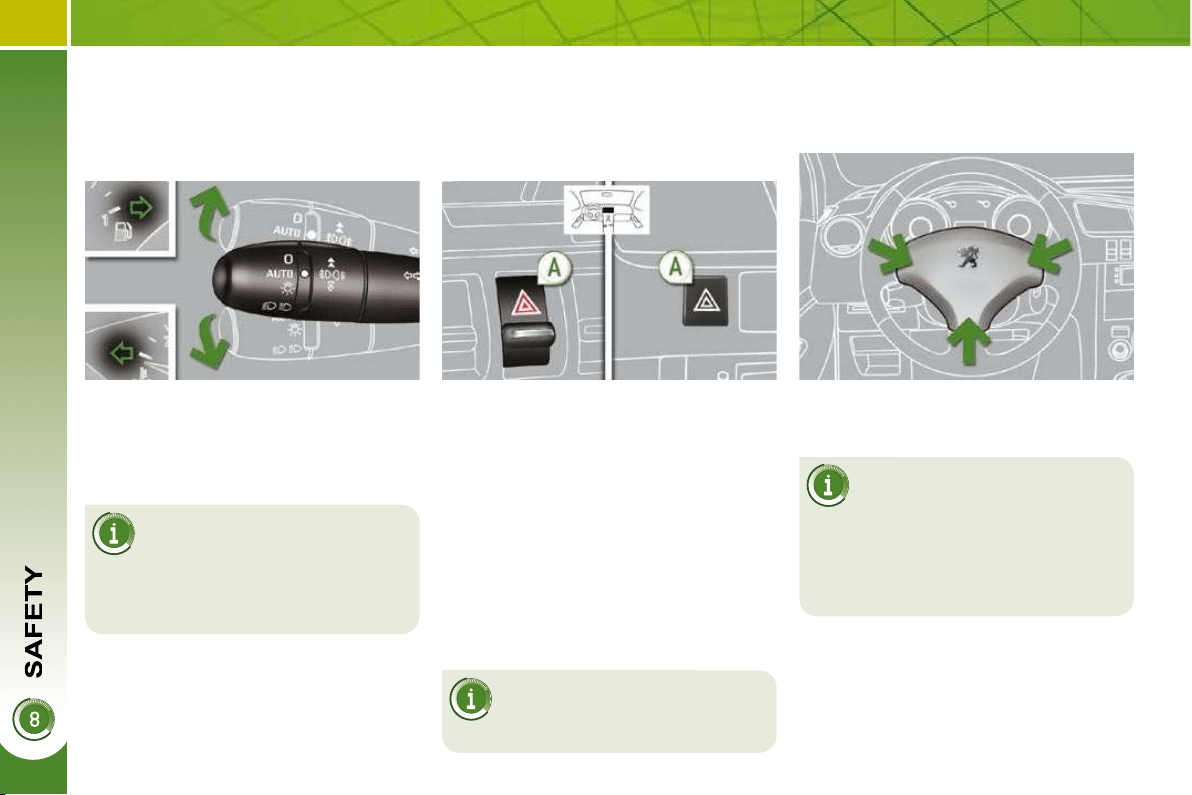
118
DIRECTION INDICATORS
Selection of the left or right direction
indicators to signal a change of direc-
tion of the vehicle.
If you forget to cancel the di-
rection indicators for more
than twenty seconds, the
volume of the audible signal will in-
crease if the speed is above 40 mph
(60 km/h).
Lower the lighting control stalk fully
when moving to the left.
Raise the lighting control stalk fully
when moving to the right.
HAZARD WARNING LAMPS
A visual warning by means of the direc-
tion indicators to alert other road us-
ers to a vehicle breakdown, towing or
accident.
As a safety precaution in a
traffi c jam, switch on the haz-
ard warning lamps if you are
the last in the queue.
Tilt or press button A , the direction
indicators fl ash.
They can operate with the ignition off.
Automatic lighting of hazard
warning lamps
When braking in an emergency, de-
pending on the deceleration, the hazard
warning lamps come on.
They will switch off automatically the
fi rst time you accelerate.
If they do not, press button A to
switch the direction indicators off.
HORN
Press one of the spokes of the steer-
ing wheel.
Use the horn moderately and
only in the following cases:
- immediate danger,
- overtaking a cyclist or pedestrian
- when approaching an area where
there is no visibility.
Audible warning to alert other road
users to an imminent danger.
"Motorway" function
Move the stalk briefl y upwards or down-
wards, without going beyond the point
of resistance; the corresponding direc-
tion indicators will fl ash 3 times.
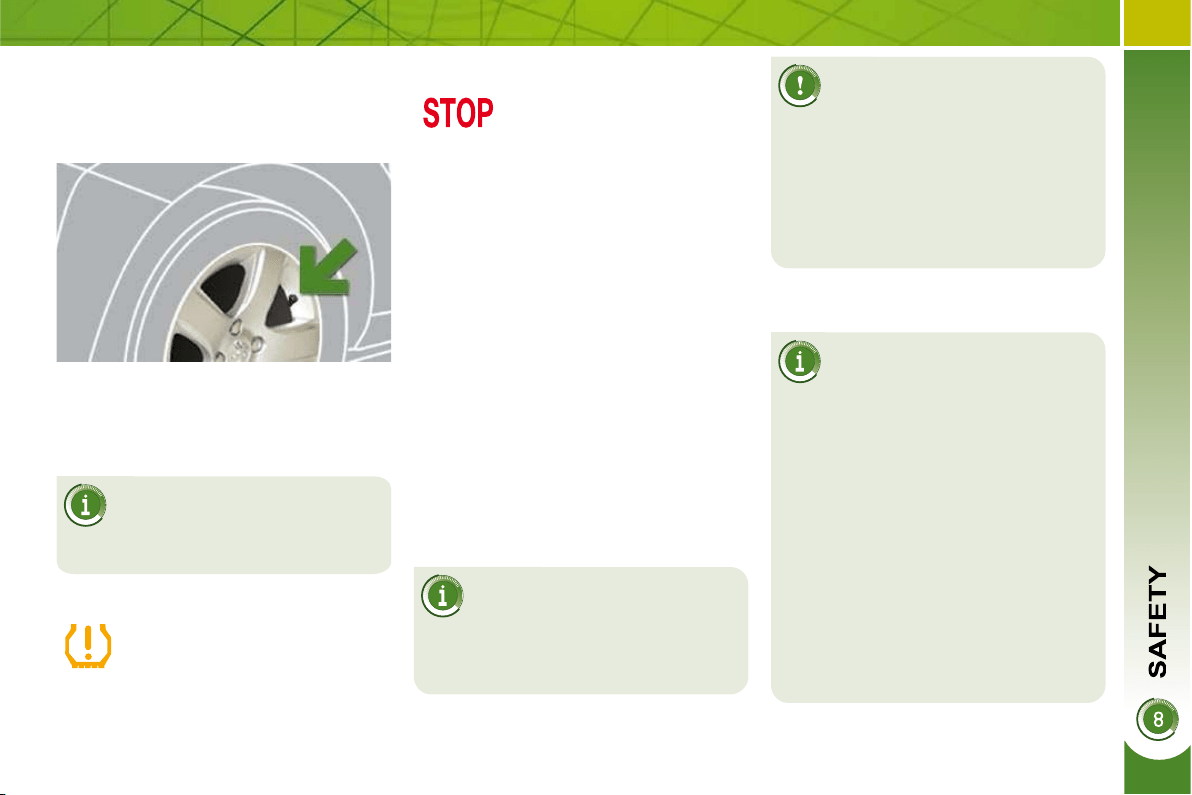
119
TYRE UNDER-INFLATION
DETECTION
System which automatically checks the
pressure of the tyres while driving.
All repairs and changing of
tyres on a wheel fi tted with this
system must be carried out by
a PEUGEOT dealer.
If, when changing a tyre, you install
a wheel which is not detected by
your vehicle (example: fi tting of snow
tyres), you must have the system re-
initialised by a PEUGEOT dealer.
This system does not eliminate
the need to have the tyre pres-
sure checked regularly (refer
to the "Identifi cation markings" para-
graph) to ensure that the optimum
dynamic performance of the vehicle
is maintained and prevent premature
wear of the tyres, particularly in ardu-
ous driving conditions (heavy load,
high speed).
The tyre pressures must be checked
cold, at least once a month. Re-
member to check the pressure of the
spare wheel.
The tyre under-infl ation detection
system may experience temporary
interference due to radioelectric
emissions on a frequency close to
that used by the system.
Sensors fi tted in each valve trigger a
warning in the event of malfunction
(speed above 12 mph (20 km/h)).
The spare wheel is not fi tted with a sensor.
This warning lamp is displayed on the
instrument panel and/or a message ap-
pears on the multifunction screen, ac-
companied by an audible signal, to locate
the wheel concerned.
Check the tyre pressures as soon as possible.
This check must be carried out when the tyres are
cold.
Flat tyre
The STOP warning lamp
comes on, accompanied by
an audible signal and a mes-
sage on the multifunction
screen locating the wheel
concerned.
Stop immediately, avoiding any sud-
den movement of the steering wheel
and the brakes.
Change the damaged wheel (punc-
tured or very defl ated tyre), and
have the tyre pressure checked as
soon as possible.
Puncture
The tyre under-infl ation detec-
tion system is an aid to driv-
ing which does not replace the
need for the driver to be vigilant or to
drive responsibly.
Sensor(s) not detected or faulty
A message appears on the multifunc-
tion screen, accompanied by an audible
signal, to locate the wheel or wheels
which are not detected or to indicate a
fault in the system.
Contact a PEUGEOT dealer to replace
the faulty sensor(s).
This message is also dis-
played when one of the wheels
is away from the vehicle (be-
ing repaired) or when one or more
wheels without a sensor are fi tted.
120
ELECTRONIC STABILITY
PROGRAMME (ESP)
Electronic stability programme (ESP)
incorporating the following systems:
- the anti-lock braking system (ABS)
and the electronic brake force distri-
bution system (EBFD),
- the emergency braking assistance,
- the traction control (ASR),
- the dynamic stability control (DSC).
Definitions
Anti-skid regulation (ASR)
The ASR system (also known as Trac-
tion Control) optimises traction in order
to avoid wheel slip by acting on the
brakes of the driving wheels and on the
engine. It also improves the directional
stability of the vehicle on acceleration.
Dynamic stability control (DSC)
If there is a difference between the path
followed by the vehicle and that re-
quired by the driver, the DSC monitors
each wheel and automatically acts on
the brake of one or more wheels and
on the engine to return the vehicle to
the required path, within the limits of the
laws of physics.
Emergency braking assistance
In an emergency, this system enables
you to reach the optimum braking pres-
sure more quickly and therefore reduce
the stopping distance.
It is triggered in relation to the speed at
which the brake pedal is pressed. This
is felt by a reduction in the resistance of
the pedal and an increase in the effec-
tiveness of the braking.
Anti-lock braking system (ABS) and
electronic brake force distribution
system (EBFD)
This system improves the stability and ma-
noeuvrability of your vehicle when braking
and offers improved control, in particular
on poor or slippery road surfaces.
The ABS prevents wheel lock in the
event of emergency braking.
The electronic brake force distribution
system manages the braking pressure
wheel by wheel.
Operation
When this warning lamp
comes on, accompanied by a
buzzer and a message, it indi-
cates that there is a malfunc-
tion of the ABS, which can cause a loss
of control of the vehicle when braking.
When this warning lamp comes
on, connected to the STOP
warning lamp, accompanied
by a buzzer and a message,
it indicates that there is a malfunction
of the electronic brake force distribu-
tion (EBFD), which can cause a loss of
control of the vehicle when braking.
Stop immediately.
In both cases, consult a PEUGEOT
dealer.
When changing wheels (tyres
and rims), make sure that
these are approved.
Normal operation of the ABS may
make itself felt by slight vibrations of
the brake pedal.
In emergency braking, press
very fi rmly without releas-
ing the pressure.
Anti-lock braking system (ABS) and
braking system (EBFD)
120
ELECTRONIC STABILITY
PROGRAMME (ESP)
Electronic stability programme (ESP)
incorporating the following systems:
- the anti-lock braking system (ABS)
and the electronic brake force distri-
bution system (EBFD),
- the emergency braking assistance,
- the traction control (ASR),
- the dynamic stability control (DSC).
Definitions
Anti-skid regulation (ASR)
The ASR system (also known as Trac-
tion Control) optimises traction in order
to avoid wheel slip by acting on the
brakes of the driving wheels and on the
engine. It also improves the directional
stability of the vehicle on acceleration.
Dynamic stability control (DSC)
If there is a difference between the path
followed by the vehicle and that re-
quired by the driver, the DSC monitors
each wheel and automatically acts on
the brake of one or more wheels and
on the engine to return the vehicle to
the required path, within the limits of the
laws of physics.
Emergency braking assistance
In an emergency, this system enables
you to reach the optimum braking pres-
sure more quickly and therefore reduce
the stopping distance.
It is triggered in relation to the speed at
which the brake pedal is pressed. This
is felt by a reduction in the resistance of
the pedal and an increase in the effec-
tiveness of the braking.
Anti-lock braking system (ABS) and
electronic brake force distribution
system (EBFD)
This system improves the stability and ma-
noeuvrability of your vehicle when braking
and offers improved control, in particular
on poor or slippery road surfaces.
The ABS prevents wheel lock in the
event of emergency braking.
The electronic brake force distribution
system manages the braking pressure
wheel by wheel.
Operation
When this warning lamp
comes on, accompanied by a
buzzer and a message, it indi-
cates that there is a malfunc-
tion of the ABS, which can cause a loss
of control of the vehicle when braking.
When this warning lamp comes
on, connected to the STOP
warning lamp, accompanied
by a buzzer and a message,
it indicates that there is a malfunction
of the electronic brake force distribu-
tion (EBFD), which can cause a loss of
control of the vehicle when braking.
Stop immediately.
In both cases, consult a PEUGEOT
dealer.
When changing wheels (tyres
and rims), make sure that
these are approved.
Normal operation of the ABS may
make itself felt by slight vibrations of
the brake pedal.
In emergency braking, press
very fi rmly without releas-
ing the pressure.
Anti-lock braking system (ABS) and
braking system (EBFD)
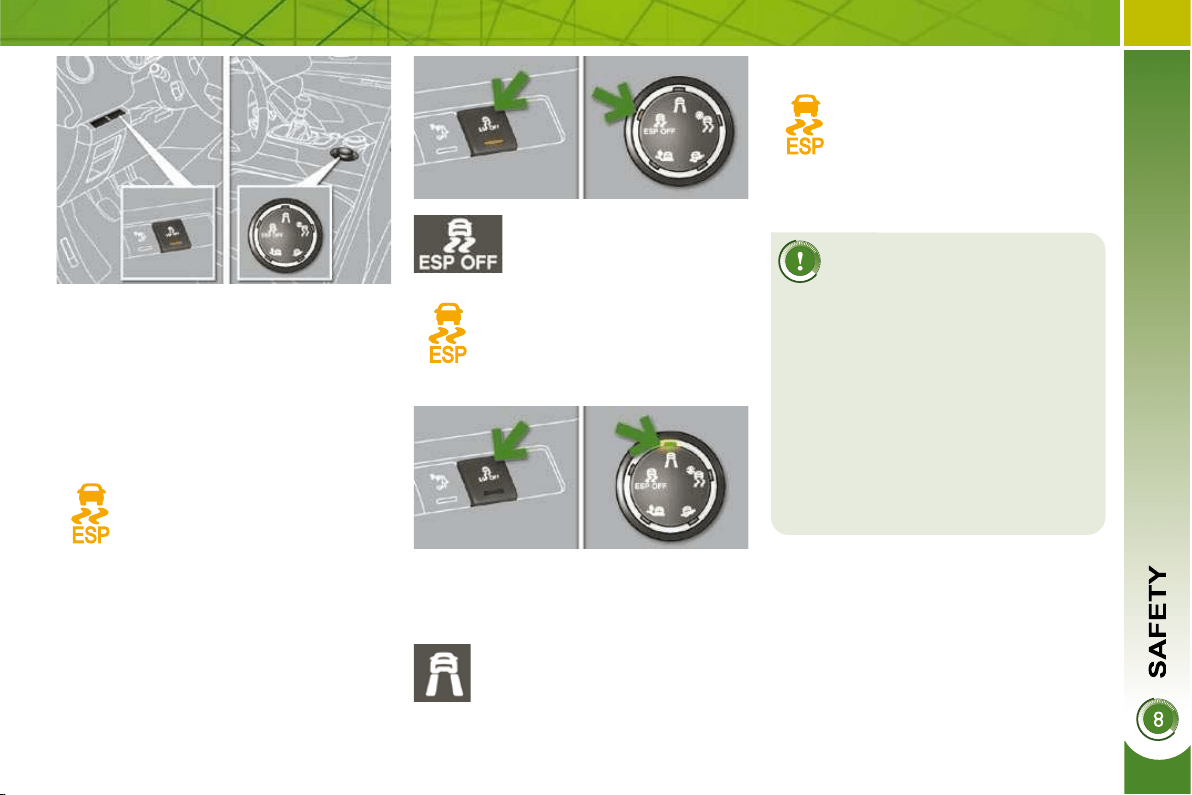
121
Dynamic stability control (DSC)
The DSC system offers excep-
tional safety in normal driving,
but this should not encourage
the driver to take extra risks or drive
at high speed.
The correct functioning of the system
depends on observation of the ma-
nufacturer's recommendations re-
garding the wheels (tyres and rims),
the braking components, the electron-
ic components and the assembly and
repair procedures used by PEUGEOT
dealers.
After an impact, have the system
checked by a PEUGEOT dealer.
Deactivation
In exceptional conditions (starting a ve-
hicle which is bogged down, stuck in
snow, on soft ground...), it may be ad-
visable to deactivate the DSC system,
so that the wheels can move freely and
regain grip.
Press the "ESP OFF"
button or, according to
version, turn the dial to
this position.
This warning lamp and the in-
dicator lamp on the button or
on the dial come on: the DSC
system no longer acts on the
operation of the engine.
Reactivation
The system is reactivated automatically
each time the ignition is switched back
on or from 30 mph (50 km/h).
Operating fault
If this warning lamp comes on,
accompanied by an audible sig-
nal and a message on the mul-
tifunction screen, this indicates
a malfunction of the system.
Contact a PEUGEOT dealer to have the
system checked.
This is indicated by fl ashing
of this warning lamp on the in-
strument panel.
Activation
This system is activated automatically
each time the vehicle is started.
It comes into operation in the event of a
grip or trajectory problem.
Press the "ESP OFF" but-
ton again or, according to
version, turn the dial to this
position, to reactivate it
manually.
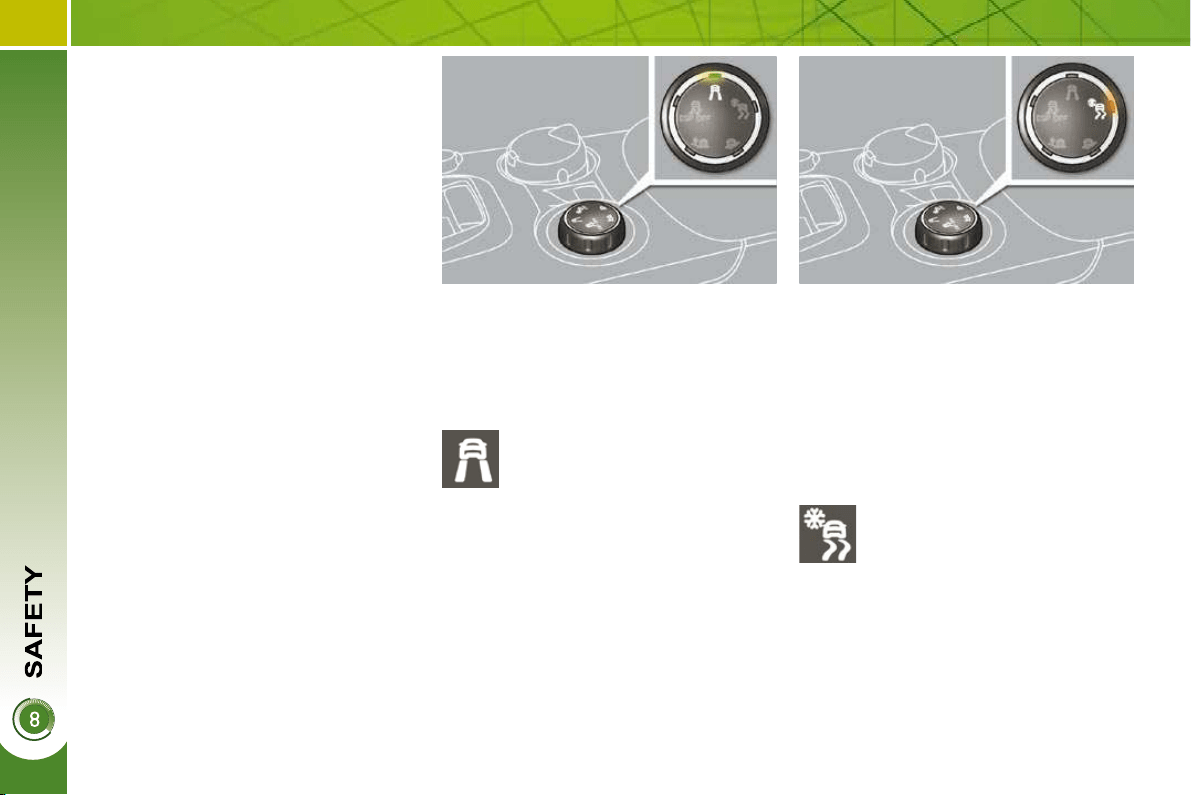
122
GRIP CONTROL
ESP mode
Place the dial in this position.
Snow mode
Special patented traction control sys-
tem which improves traction on snow,
mud and sand.
This system is combined with all-sea-
son M+S (Mud and Snow: 215/60 R16)
tyres which offer an excellent compro-
mise between safety, grip and traction.
This system, the operation of which has
been optimised for each situation, al-
lows you to manoeuvre in most condi-
tions of poor grip (encountered during
touring use).
The accelerator pedal should be pressed
suffi ciently to allow the system to use
the power of the engine. The electronics
will ensure optimum management of the
various parameters. Operation at high
engine speeds is completely normal.
Each time the ignition is switched off,
the system returns to standard mode
(ESP).
Standard mode which is calibrated for
a low level of wheel spin, based on the
different levels of grip normally encoun-
tered on the road.
Mode which adapts its strategy to the
conditions of grip encountered for each
of the two front wheels on moving off.
When moving, the system optimises
wheel spin to provide the best accelera-
tion possible for the grip available.
Place the dial in this position.
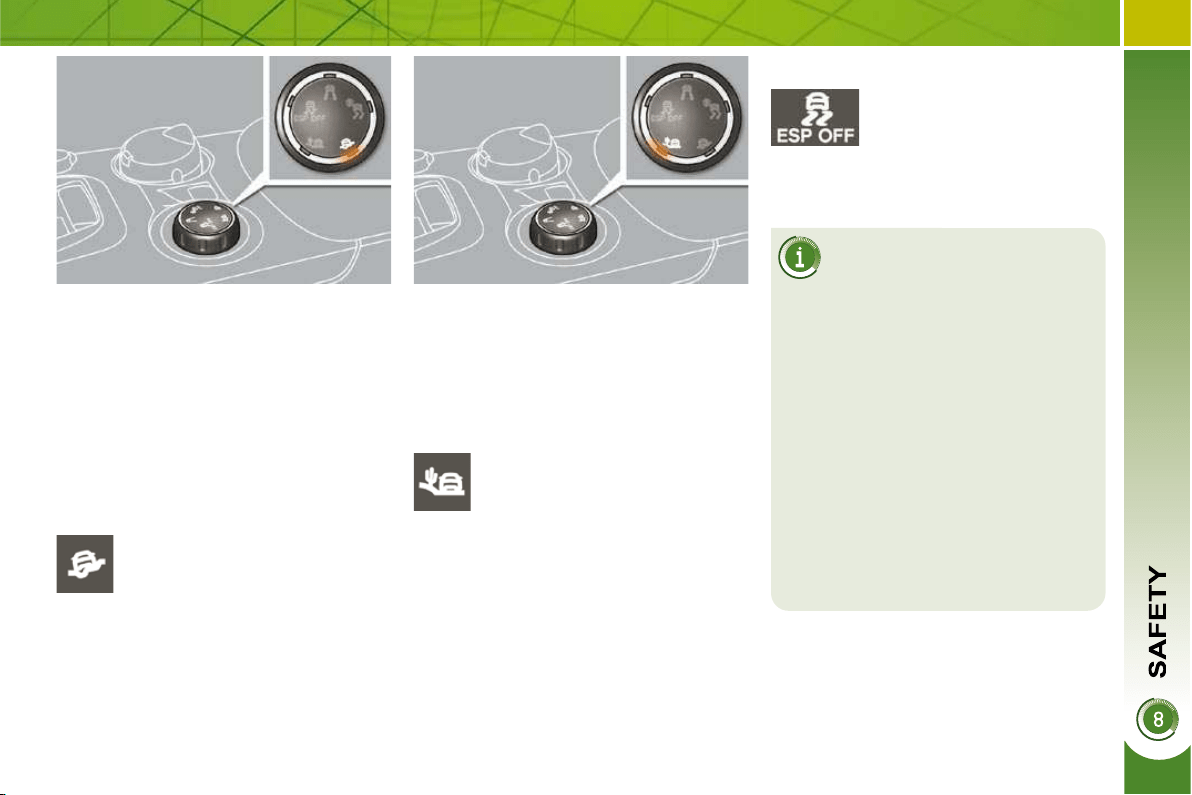
123
All-terrain mode (mud, wet grass, ...)
Mode which, when moving off allows
considerable spin on the wheel with the
least grip to optimise clearing of the mud
and regain grip. At the same time, the
wheel with the most grip is controlled in
such a way as to pass as much torque
as possible.
When moving, the system optimises
wheel spin to respond to the driver's re-
quirements as fully as possible.
Sand mode
Mode which allows little spin on the two
driving wheels at the same time to allow
the vehicle to move forward and limit
the risks of getting stuck in the sand.
Driving advice
Your vehicle is designed princi-
pally to drive on tarmac roads
but it allows you to drive on other less
passable terrain occasionally.
However, it does not permit all-
terrain activities such as:
- crossing and driving on terrain
which could damage the under-
frame or strip away components
(fuel pipe, fuel cooler, ...) due to
obstacles or stones in particular,
- driving on terrain with steep gra-
dients and poor grip,
- crossing a stream.
Place the dial in this position.
Place the dial in this position.
ESP OFF mode
Place the dial in this po-
sition.
Do not use the other modes on sand as
the vehicle may become stuck.
This mode is active up to 30 mph (50 km/h).

124
Height adjustment
Front seat belt not fastened/
unfastened warning lamp
Fastening
Pull the strap, then insert the tongue
in the buckle.
Check that the seat belt is fastened
correctly by pulling the strap.
To fi nd the anchorage point, squeeze
the control A and slide it until you
fi nd a notch.
When the ignition is switched
on, this warning lamp comes
on on the seat belt and pas-
senger's front air bag warning
lamps display, if the driver and/or the
front passenger has not fastened their
seat belt.
From approximately 12 mph (20 km/h)
this warning lamp fl ashes for two min-
utes accompanied by an audible signal.
Once these two minutes have elapsed,
this warning lamp remains on until the
driver and/or the front passenger fas-
tens their seat belt.
Unfastening
Press the red button on the buckle.
Guide the seat belt as it reels in.
SEAT BELTS
Front seat belts
The front seat belts are fi tted with a pre-
tensioning and force limiting system.
This system improves safety in the front
seats in the event of a front impact. De-
pending on the severity of the impact,
the pretensioning system instantly tight-
ens the seat belts against the body of
the occupants.
The pretensioning seat belts are active
when the ignition is on.
The force limiter reduces the pressure
of the seat belt on the chest of the occu-
pant, so improving their protection.
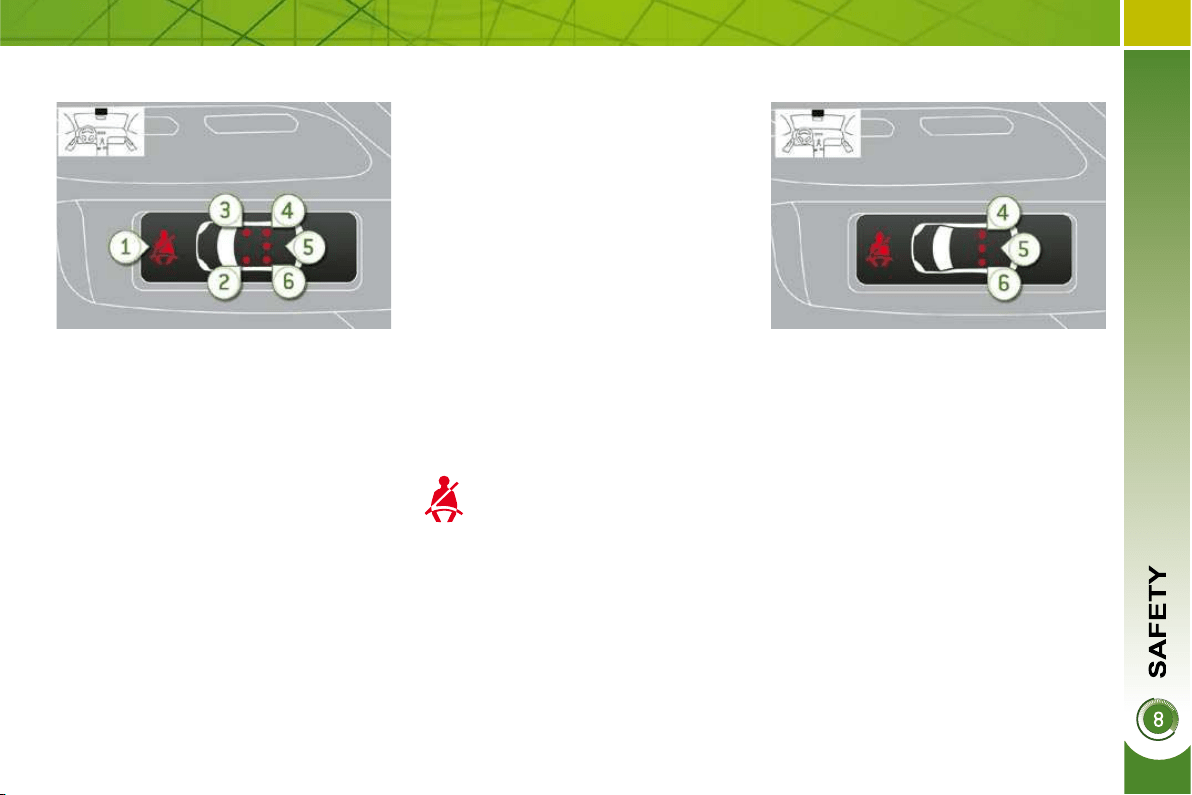
125
1. Front and/or rear seat belts not fas-
tened/unfastened warning lamp.
2. Front left seat belt warning lamp.
3. Front right seat belt warning lamp.
4. Rear right seat belt warning lamp.
5. Rear centre seat belt warning lamp.
6. Rear left seat belt warning lamp.
Seat belt not fastened/unfastened
warning lamps display
Rear seat belts
The rear seats are each fi tted with a
three-point inertia reel seat belt with
force limiter (with the exception of the
rear centre seat).
Seat belt unfastened warning lamp
This warning lamp comes on on
the seat belt and passenger's
front airbag warning lamps dis-
play, when one or more rear pas-
sengers unfasten their seat belt.
From approximately 12 mph (20 km/h),
this warning lamp fl ashes for two minutes
accompanied by an audible signal. Once
these two minutes have elapsed, this war-
ning lamp remains on until the one or more
rear passengers fasten their seat belt.
Fastening
Pull the strap, then insert the tongue
in the buckle.
Check that the seat belt is fastened
correctly by pulling the strap.
Unfastening
Press the red button on the buckle.
Guide the seat belt as it reels in.
The corresponding warning lamp 2 or 3
comes on in red on the seat belt and
passenger's front air bag warning lamps
display if the seat belt is not fastened or
is unfastened.
When the ignition is switched on, with
the engine running or when the vehicle
is moving at less than 12 mph (20 km/h),
the corresponding warning lamps 4 , 5
and 6 come on in red for approximately
30 seconds, if the seat belt is not fas-
tened.
When the vehicle is moving at more than
12 mph (20 km/h), the corresponding
warning lamp 4 , 5 or 6 comes on in red,
accompanied by an audible signal and
a message on the multifunction screen,
if a rear passenger has unfastened their
seat belt.
Seat belt unfastened warning lamps
display
126
The driver must ensure that
passengers use the seat belts
correctly and that they are all
restrained securely before setting off.
Wherever you are seated in the ve-
hicle, always fasten your seat belt,
even for short journeys.
Do not invert the seat belt buckles as
they will not fulfi l their role fully.
The seat belts are fi tted with an in-
ertia reel permitting automatic adjust-
ment of the length of the strap to your
size. The seat belt is stored automat-
ically when not in use.
Before and after use, ensure that the
seat belt is reeled in correctly.
The lower part of the strap must be
positioned as low as possible on the
pelvis.
The upper part must be positioned in
the hollow of the shoulder.
The inertia reels are fi tted with an au-
tomatic locking device which comes
into operation in the event of a colli-
sion, emergency braking or if the ve-
hicle rolls over. You can release the
device by pulling fi rmly on the strap
and releasing it so that it re-winds
slightly.
In order to be effective, a seat belt
must:
- be tightened as close to the body
as possible,
- be pulled in front of you with a
smooth movement, checking that
it does not twist,
-
be used to restrain only one person,
-
not bear any trace of cuts or fraying,
- not be converted or modifi ed to
avoid affecting its performance.
In accordance with current safety
regulations, all repairs and checks
must be carried out by a PEUGEOT
dealer who guarantees that the work
is carried out correctly.
Have your seat belts checked regu-
larly by a PEUGEOT dealer and par-
ticularly if the straps show signs of
damage.
Clean the seat belt straps with soapy
water or a textile cleaning product,
sold by PEUGEOT dealers.
After folding or moving a seat or rear
bench seat, ensure that the seat belt
is positioned and reeled in correctly.
Recommendations for children
Use a suitable child seat if the pas-
senger is less than 12 years old or
shorter than one and a half metres.
Never use the same seat belt to se-
cure more than one person.
Never allow a child to travel on your lap.
In the event of an impact
Depending on the nature and se-
riousness of the impacts , the pre-
tensioning device may be triggered
before and independently of the air-
bags. Triggering of the pre-tensioners
is accompanied by a slight discharge
of harmless smoke and a noise, due
to the activation of the pyrotechnic
cartridge incorporated in the system.
In all cases, the airbag warning lamp
comes on.
Following an impact, have the seat
belts system checked, and if neces-
sary replaced, by a PEUGEOT dealer.
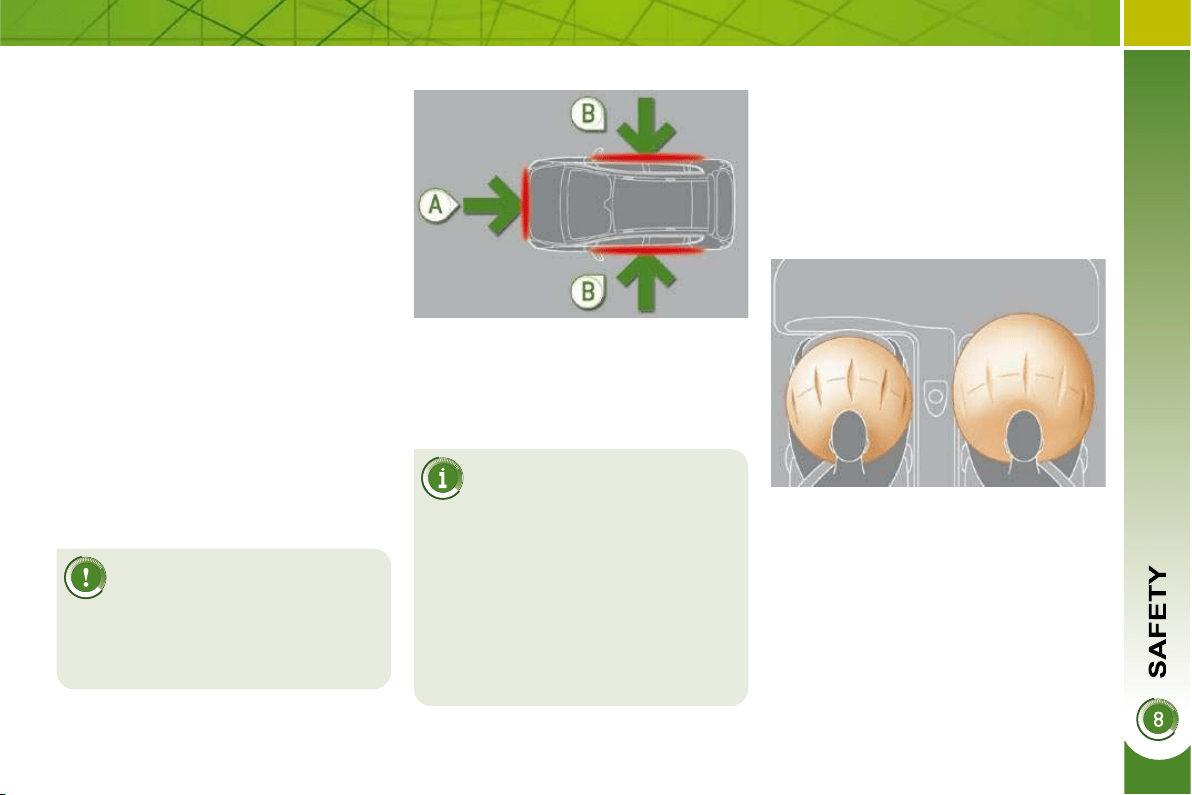
127
AIRBAGS
Triggering of the airbag(s) is
accompanied by a slight emis-
sion of harmless smoke and
a noise, due to the activation of the
pyrotechnic cartridge incorporated in
the system.
This smoke is not harmful, but sensi-
tive individuals may experience slight
irritation.
The noise of the detonation may re-
sult in a slight loss of hearing for a
short time.
Front airbags
System which protects the driver and
front passenger in the event of a seri-
ous front impact in order to limit the risk
of injury to the head and chest.
The driver's airbag is incorporated in
the centre of the steering wheel; the
front passenger's airbag is incorporated
in the dashboard above the glove box.
Activation
The airbags are triggered simultane-
ously, unless the passenger's front
airbag is deactivated, in the event of a
serious front impact to all or part of the
front impact zone A , in the longitudinal
centreline of the vehicle on a horizontal
plane and directed from the front to the
rear of the vehicle.
The front airbag infl ates between the
front occupant of the vehicle and the
dashboard to cushion his forward move-
ment.
Impact detection zones
A. Front impact zone.
B. Side impact zone.
The airbags do not oper-
ate when the ignition is
switched off.
This equipment will only deploy once.
If a second impact occurs (during the
same or a subsequent accident), the
airbag will not be triggered again.
System designed to maximise the safety
of the occupants (with the exception of
the rear centre passenger) in the event
of violent collisions. It supplements the
action of the force-limiting seat belts
(with the exception of the rear centre
passenger).
If a collision occurs, the electronic de-
tectors record and analyse the front and
side impacts sustained in the impact
detection zones:
- in the case of a serious impact, the
airbags are triggered instantly and
protect the occupants of the vehicle
(with the exception of the rear centre
passenger); immediately after the
impact, the airbags defl ate rapidly
so that they do not hinder visibility
or the exit of the occupants,
- in the case of a minor or rear impact
or in certain roll-over conditions, the
airbags will not be triggered; the
seat belt alone is suffi cient to pro-
vide optimum protection in these
situations.
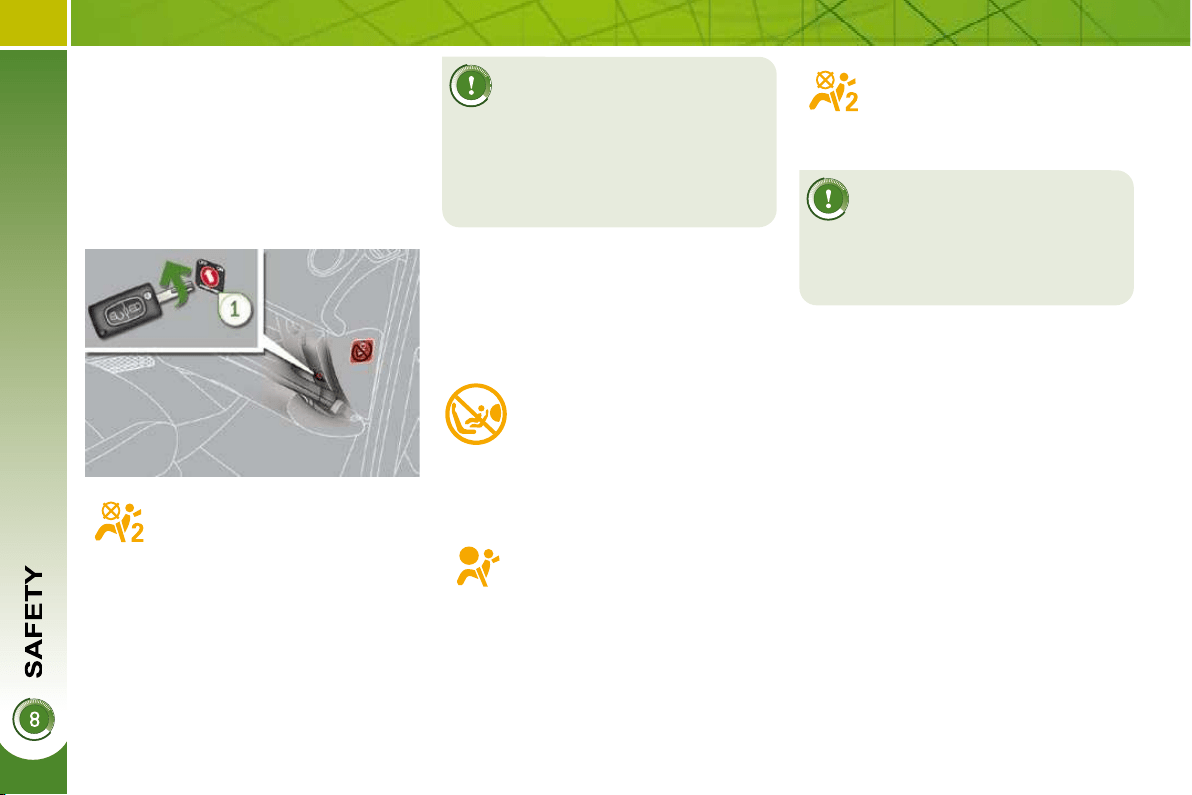
128
If at least one of the two air-
bag warning lamps come on
continuously, do not install
a child seat on the front passenger
seat.
Have the system checked by a
PEUGEOT dealer.
Operating fault
If this warning lamp comes
on on the instrument panel,
accompanied by an audible
warning and a message on
the multifunction screen,
contact a PEUGEOT dealer to have the
system checked. The airbags may no
longer be triggered in the event of a se-
rious impact.
Reactivation
When you remove the child seat, turn
the switch to the "ON" position to re-
activate the airbag and so assure the
safety of your front passenger in the
event of an impact.
With the ignition on, this war-
ning lamp comes on on the
seat belt and passenger's front
airbag warning lamps display
for approximately one minute,
if the passenger's front airbag
is activated.
To assure the safety of your
child, it is imperative that the
passenger's front airbag is
deactivated when you install a "rear
facing" child seat on the front pas-
senger seat.
Otherwise, the child would risk being
seriously injured or killed if the airbag
were triggered.
According to version, this
warning lamp comes on either
on the instrument panel or on
the seat belt and passenger's
front airbag warning lamps
display when the ignition is on and until
the airbag is reactivated.
If this warning lamp fl ashes,
contact a PEUGEOT dealer.
The passenger's front airbag
may no longer be triggered in
the event of a serious impact.
Deactivation
Only the passenger's front airbag can
be deactivated:
with the ignition off , insert the key
in the passenger airbag deactivation
switch,
turn it to the "OFF" position,
then, remove the key keeping the
switch in the new position.

130
For the airbags to be fully
effective, observe the
following safety rules:
Sit in a normal upright position.
Wear a correctly adjusted seat belt.
Do not leave anything between the
occupants and the airbags (a child,
pet, object...). This could hamper the
operation of the airbags or injure the
occupants.
After an accident or if the vehicle has
been stolen or broken into, have the
airbag systems checked.
All work on the airbag system is strict-
ly forbidden unless it is carried out by
qualifi ed personnel of the PEUGEOT
dealer network.
Even if all of the precautions men-
tioned are observed, a risk of injury
or of minor burns to the head, chest
or arms when an airbag is triggered
cannot be ruled out. The bag infl ates
almost instantly (within a few mil-
liseconds) then defl ates within the
same time discharging the hot gas
via openings provided for this pur-
pose.
Front airbags
Do not drive holding the steering
wheel by its spokes or resting your
hands on the centre part of the
wheel.
Passengers must not place their feet
on the dashboard.
If possible, do not smoke as deploy-
ment of the airbags can cause burns
or the risk of injury from a cigarette
or pipe.
Never remove or pierce the steering
wheel or hit it violently.
Lateral airbags
Use only approved covers on the seats.
These will not hinder infl ation of the
lateral airbags. Consult a PEUGEOT
dealer.
Do not fi x or attach anything to the
seat backs (clothing...). This could
cause injury to the chest or arms if
the lateral airbag is triggered.
Do not sit with the upper part of the
body any nearer to the door than
necessary.
Curtain airbags
Do not fi x or attach anything to the
roof. This could cause injury to the
head if the curtain airbag is trig-
gered.
Do not remove the grab handles in-
stalled on the roof, they play a part in
securing the curtain airbags.
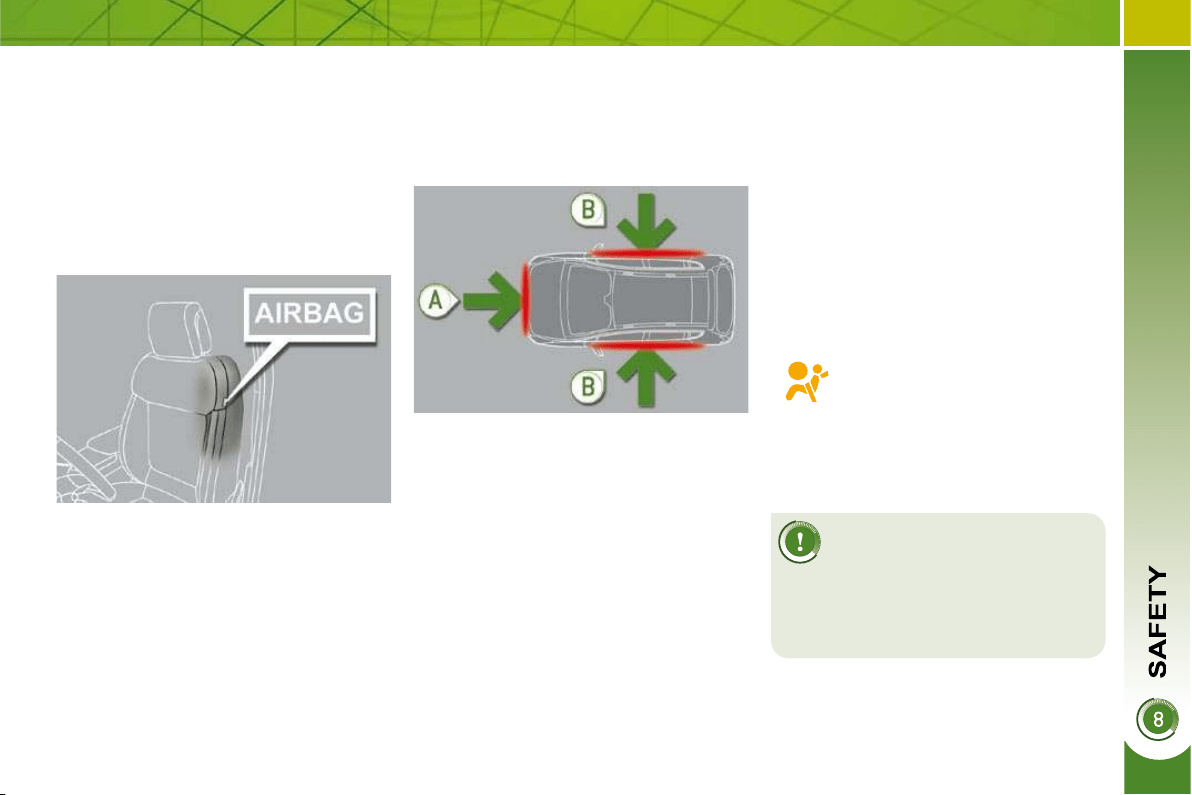
129
Lateral airbags
System which protects the driver and
front passenger in the event of a seri-
ous side impact in order to limit the risk
of injury to the chest.
Each lateral airbag is fi tted in the front, in
the outer side of the seat back frame.
Activation
The lateral airbags are triggered uni-
laterally in the event of a serious side
impact applied to all or part of the side
impact zone B , perpendicular to the lon-
gitudinal centreline of the vehicle on a
horizontal plane and directed from the
outside towards the inside of the ve-
hicle.
Curtain airbags
System which protects the driver and
passengers (with the exception of the
rear centre passenger) in the event of a
serious side impact in order to limit the
risk of injury to the side of the head.
Each curtain airbag is built into the pil-
lars and the upper passenger compart-
ment area.
Operating fault
Activation
The curtain airbag is triggered at the same
time as the corresponding lateral airbag in
the event of a serious side impact applied
to all or part of the side impact zone B ,
perpendicular to the longitudinal cen-
treline of the vehicle on a horizontal plane
and directed from the outside towards the
inside of the vehicle.
The curtain airbag infl ates between the
front or rear occupant of the vehicle and
the windows.
In the event of a minor impact
or bump on the side of the
vehicle or if the vehicle rolls
over, the airbag may not be
triggered.
In the event of a rear or front colli-
sion, the airbag is not triggered.
Impact detection zones
A. Front impact zone.
B. Side impact zone.
If this warning lamp comes on
on the instrument panel, accom-
panied by an audible signal and
a message on the multifunction
screen, contact a PEUGEOT
dealer to have the system checked. The
airbags may no longer be triggered in the
event of a serious impact.
The lateral airbag infl ates between the
front occupant of the vehicle and the
corresponding door panel.
130
For the airbags to be fully
effective, observe the
following safety rules:
Sit in a normal upright position.
Wear a correctly adjusted seat belt.
Do not leave anything between the
occupants and the airbags (a child,
pet, object...). This could hamper the
operation of the airbags or injure the
occupants.
After an accident or if the vehicle has
been stolen or broken into, have the
airbag systems checked.
All work on the airbag system is strict-
ly forbidden unless it is carried out by
qualifi ed personnel of the PEUGEOT
dealer network.
Even if all of the precautions men-
tioned are observed, a risk of injury
or of minor burns to the head, chest
or arms when an airbag is triggered
cannot be ruled out. The bag infl ates
almost instantly (within a few mil-
liseconds) then defl ates within the
same time discharging the hot gas
via openings provided for this pur-
pose.
Front airbags
Do not drive holding the steering
wheel by its spokes or resting your
hands on the centre part of the
wheel.
Passengers must not place their feet
on the dashboard.
If possible, do not smoke as deploy-
ment of the airbags can cause burns
or the risk of injury from a cigarette
or pipe.
Never remove or pierce the steering
wheel or hit it violently.
Lateral airbags
Use only approved covers on the seats.
These will not hinder infl ation of the
lateral airbags. Consult a PEUGEOT
dealer.
Do not fi x or attach anything to the
seat backs (clothing...). This could
cause injury to the chest or arms if
the lateral airbag is triggered.
Do not sit with the upper part of the
body any nearer to the door than
necessary.
Curtain airbags
Do not fi x or attach anything to the
roof. This could cause injury to the
head if the curtain airbag is trig-
gered.
Do not remove the grab handles in-
stalled on the roof, they play a part in
securing the curtain airbags.
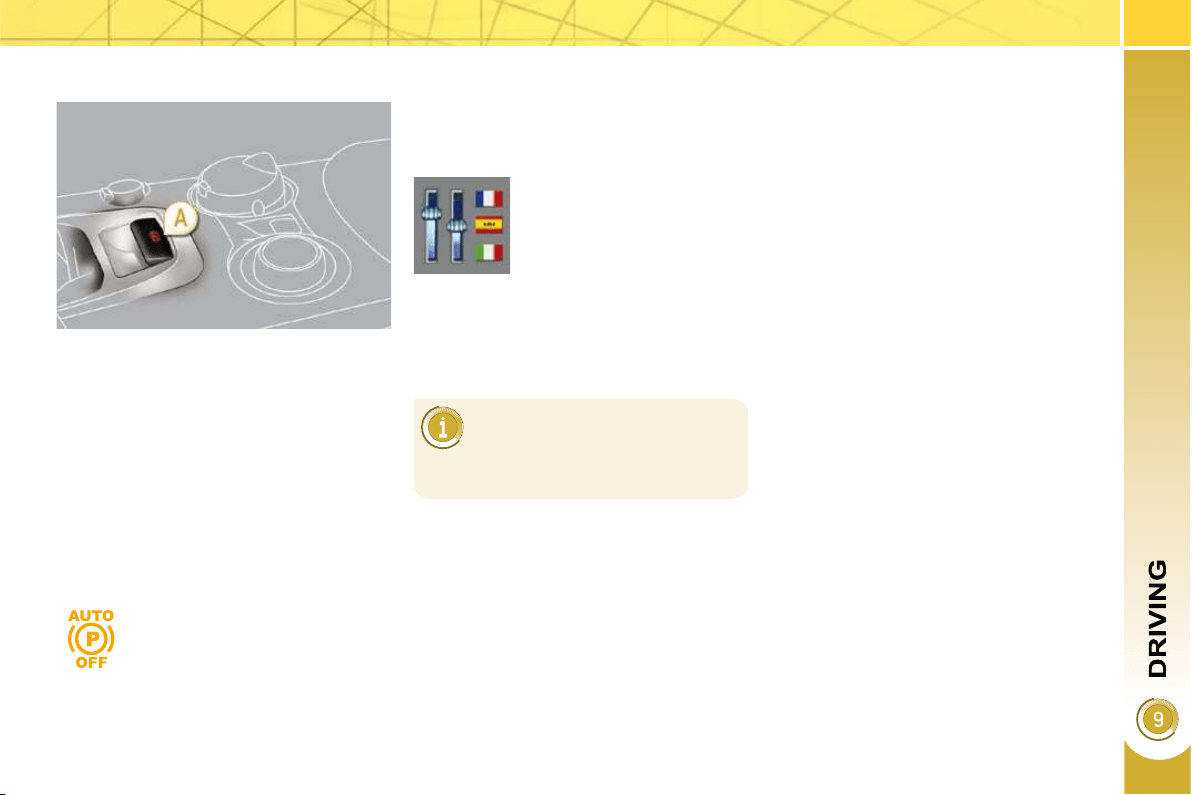
131
The electric parking brake combines
2 operational modes:
- Automatic application/release
Application is automatic when the
engine stops, release is automatic
on use of the accelerator (activated
by default),
- Manual application/release
The parking brake can be applied/re-
leased manually by pulling control A .
ELECTRIC PARKING BRAKE
Deactivation is recommended
in particularly cold conditions
(ice) and during towing (break-
down, caravan...)
Programming the mode
Depending on the country of registration
of the vehicle, the automatic application
when the engine is switched off and the
automatic release when you press the
accelerator can be deactivated.
If this warning lamp on the
instrument panel comes on,
the automatic mode is deac-
tivated.
Activation/deactivation is
performed using the con-
fi guration menu, refer to
the "Multifunction screens"
section.
The parking brake is then applied and
released manually. When the driver's
door is opened, a beep is heard and a
message is displayed if the brake is not
applied.
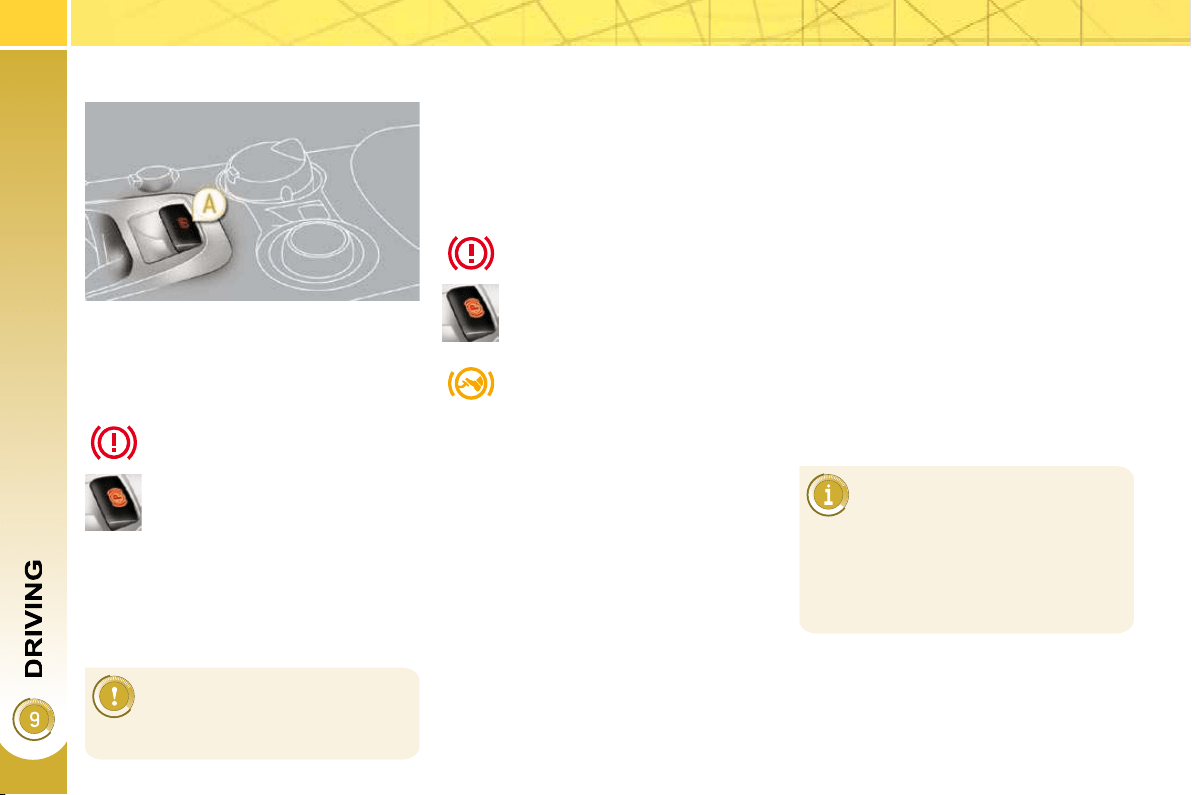
132
With the vehicle stationary, to apply the
parking brake whether the engine is
running or off, pull on control A .
The application of the parking brake is
confi rmed by:
- lighting of the braking warn-
ing lamp and of the warning
lamp P on the control A ,
When the driver’s door is opened with
the engine running, a beep is heard and
a message is displayed if the parking
brake has not been applied, unless the
selector lever is in position P (Park) in
the case of an automatic gearbox.
Manual release
With the ignition on or the engine run-
ning, to release the parking brake,
press on the brake pedal or the accel-
erator, pull then release control A .
The full application of the parking brake
is confi rmed by:
- extinction of the braking
warning lamp and of the
warning lamp P on control A ,
If you pull control A without
pressing the brake pedal, the
parking brake will not be re-
leased and a warning lamp will
light up on the instrument panel.
Manual application
Maximum application
If necessary, you can utilise maximum
application of the parking brake. It is
obtained by means of a long pull on
control A , until you see the message
"Handbrake on" and a beep is heard.
In the case of towing, a loaded
vehicle or parking on a gradi-
ent, make a maximum applica-
tion of the parking brake then turn the
front wheels towards the pavement
and engage a gear when you park.
After a maximum application, the re-
lease time will be longer.
Before leaving the vehicle,
check that parking brake
warning lamp on the instru-
ment panel is on, not fl ashing.
Maximum application is essential:
- in the case of a vehicle towing a
caravan or a trailer, if the automatic
functions are activated but you are
applying the parking brake manually,
- when the gradient you are parked
on is variable in its effect (e.g. on a
ferry, in a lorry, during towing),
- display of the message
"Handbrake on".
- display of the message
"Handbrake off".
133
Automatic application,
engine off
With the vehicle stationary, the parking
brake is automatically applied when
the engine is switched off.
- lighting of the braking warn-
ing lamp and of the warning
lamp P on control A ,
Automatic release
The electric parking brake releases au-
tomatically and progressively when
you press the accelerator:
Manual gearbox: press down
fully on the clutch pedal, engage
fi rst gear or reverse, press on the
accelerator pedal and move off.
Electronic gear control gearbox :
select position A , M or R then press
on the accelerator pedal.
Automatic gearbox: select posi-
tion D , M or R then press on the
accelerator pedal.
Before leaving the vehicle,
check that parking brake
warning lamp on the instru-
ment panel is permanently lit.
Never leave a child alone inside the
vehicle with the ignition on, as they
could release the parking brake.
- extinction of braking warn-
ing lamp and of the warning
lamp P on control A ,
An operation sound will confi rm to you
the application/release of your electric
parking brake.
Full release of the parking brake is con-
fi rmed by:
To immobilise the vehicle,
engine running
With the engine running and the vehicle
stationary, in order to immobilise the ve-
hicle it is essential to manually apply the
parking brake by pulling on control A .
The application of the parking brake is
confi rmed by:
- ighting of the braking warn-
ing lamp and of the warning
lamp P on control A ,
When the driver’s door is opened, a
beep is heard and a message is dis-
played if the parking brake has not been
applied, unless the selector lever is in
position P (Park) in the case of an auto-
matic gearbox.
Before leaving the vehicle,
check that parking brake
warning lamp on the instru-
ment panel is on, not fl ashing.
When stationary, with the en-
gine running, do not press the
accelerator pedal unneces-
sarily, as you may release the
parking brake.
The application of the parking brake is
confi rmed by:
- display of the message
"Handbrake on".
In the case of towing, a loaded vehi-
cle or parking on a gradient, turn the
front wheels towards the pavement
and engage a gear when you park.
- displaying of the message
"Handbrake off".
- display of the message
"Handbrake on".
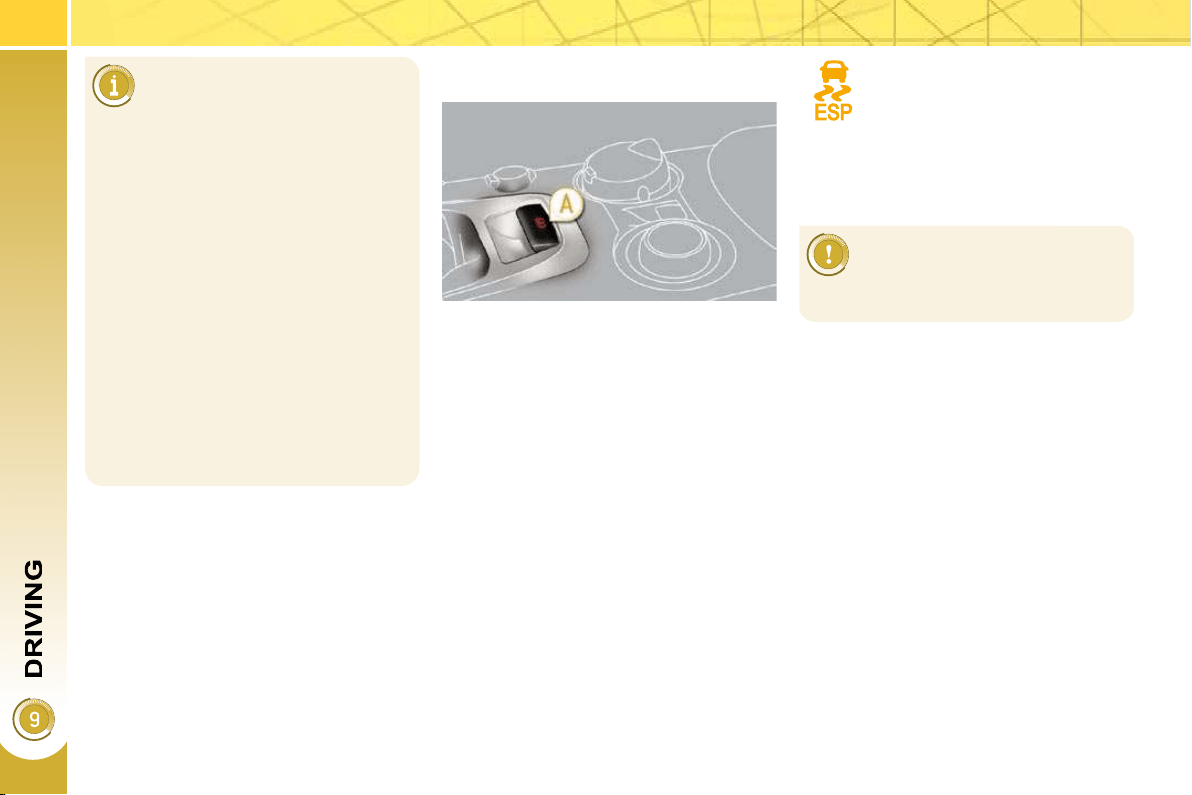
134
Particular situations
Emergency braking
In the event of a failure of the main ser-
vice brake or in an exceptional situation
(e.g. driver taken ill, under instruction,
etc) a continuous pull on control A will
stop the vehicle.
The electronic stability programme
(ESP) provides stability during emer-
gency braking.
If the emergency braking malfunctions,
one of the following messages will be
displayed:
- "Parking brake faulty".
- "Parking brake control faulty".
In certain situations (e.g.
starting the engine), the parking brake
can automatically alter its force. This
is normal operation.
To advance your vehicle a few cen-
timetres without starting the engine,
but with the ignition on, press on the
brake pedal and release the parking
brake by pulling then releasing con-
trol A . The full release of the parking
brake is confi rmed by the extinction
of warning lamp on control A and of
the warning lamp on the instrument
panel and the displaying of the mes-
sage "Handbrake off".
If the parking brake malfunctions
while applied or if the battery runs
fl at, an emergency release is always
possible.
If a failure of the ESP sys-
tem is signalled by the light-
ing of this warning lamp, then
braking stability is not guaranteed.
The emergency braking must
only be used in exceptional
circumstances.
In this event, stability must be assured
by the driver by repeating alternate "pull
release" actions on control A .
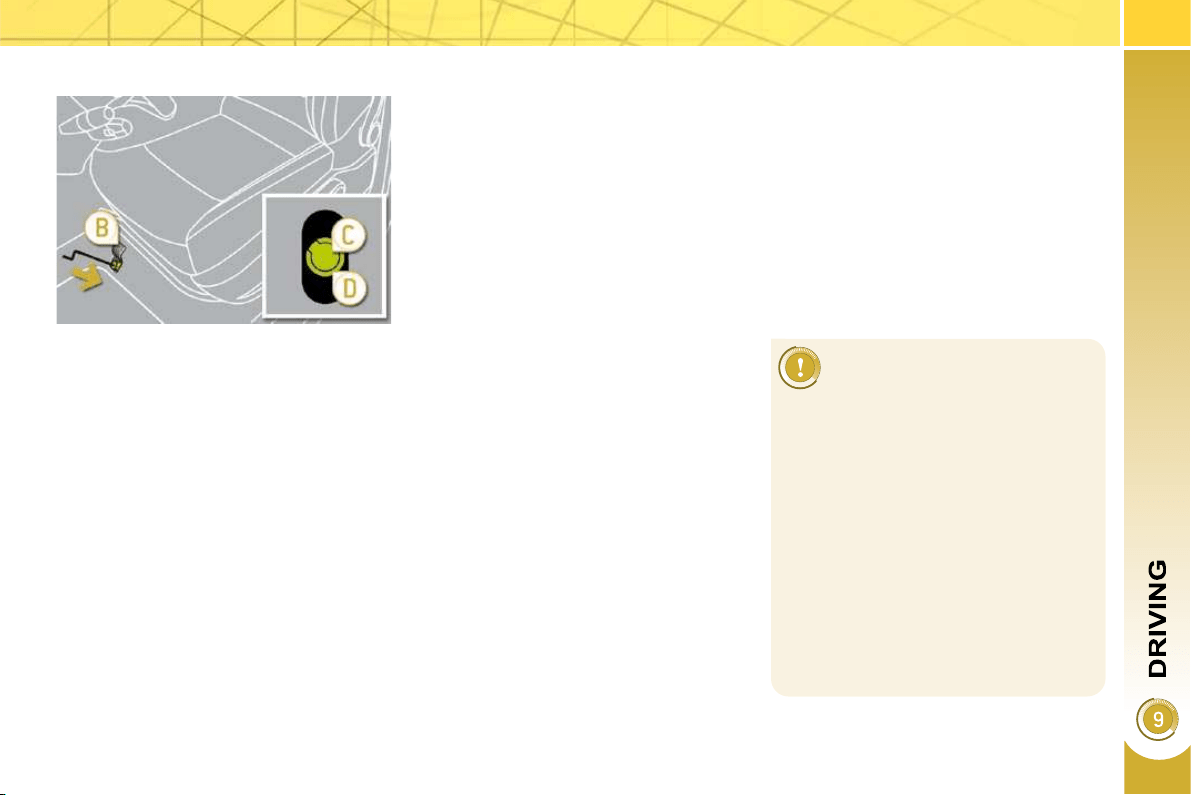
135
Emergency release
For safety reasons, after this
manoeuvre it is essential to
contact a PEUGEOT dealer
urgently to replace the protective
cover.
Following an emergency unlocking,
immobilisation of the vehicle is no
longer guaranteed once the manual
emergency release has been de-
ployed and the manual control does
not allow the re-application of your
parking brake.
Take no action, either on control A , or
stopping starting the engine while the
release device is engaged.
Take care not to allow moisture or
dust in the proximity of the protective
cover.
Immobilise the vehicle (or keep it sta-
tionary, if the brake pedal is pressed),
with the engine running, by engaging
fi rst gear (manual gearbox), posi-
tion P (automatic gearbox) or M or R
(6-speed piloted gearbox).
Switch off the engine but leave the
ignition on. If it is impossible to im-
mobilise the vehicle, do not action
the control and urgently contact a
PEUGEOT dealer.
Fetch the two vehicle blocks and
the release device, located under
the boot carpet (see "Changing a
wheel" in the "Practical information"
section).
Immobilise the vehicle by placing
blocks at the front and at the rear of
one of the rear wheels.
Slide the front left-hand seat back
as far as possible.
Lift up the fl oor plug B in the carpet
under the seat.
Pierce the protective cover C on the
tube D with the release device.
Place the release device in the tube D .
Turn the release device clockwise.
For safety reasons , it is essential
to continue turning the device as
far as it will go or until you hear a
knocking noise. The parking brake
is released.
Remove the release device and store
it with the blocks in the toolbox.
- The operation of the parking
brake reinitialises when the igni-
tion is switched off then on again.
If the reinitialisation of the parking
brake proves impossible, contact a
PEUGEOT dealer.
- The subsequent time required for
application may be longer than
during normal operation.
Front left seat moved back fully.
In the event of the electric parking brake
malfunctioning or the battery running
fl at, an emergency manual device can
release the parking brake.
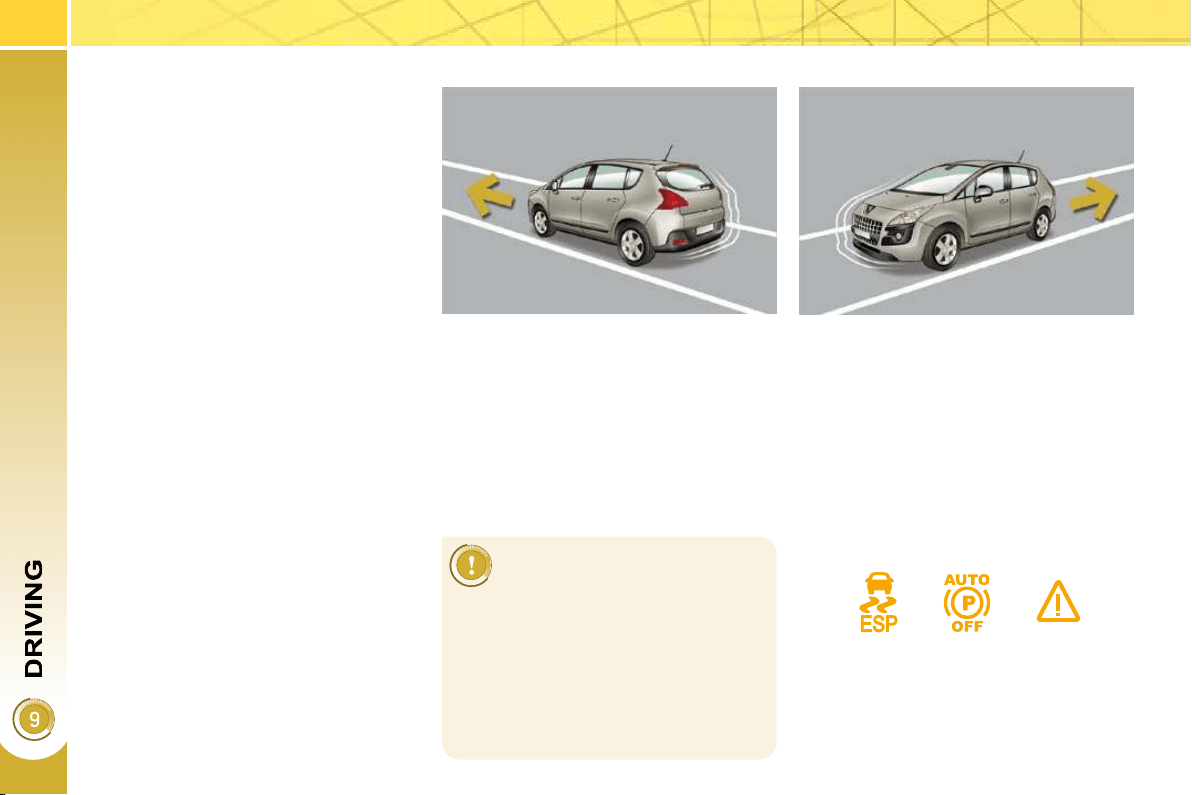
136
HILL START ASSIST
System which keeps your vehicle im-
mobilised temporarily (approximately
2 seconds) when starting on a gradi-
ent, the time it takes to move your foot
from the brake pedal to the accelerator
pedal.
This function is only active when:
- the vehicle is completely stationary,
with your foot on the brake pedal,
- in particular conditions on a slope,
- with the driver’s door closed.
The hill start assist function cannot be
deactivated.
Operation
On an ascending slope, with the ve-
hicle stationary, the vehicle is held
for a brief moment when you release
the brake pedal:
- provided you are in fi rst gear or neu-
tral on a manual gearbox,
- provided you are in A or M on an
electronic gear control gearbox,
- provided you are in D or M on an
automatic gearbox.
On a descending slope, with the
vehicle stationary and reverse gear
engaged, the vehicle is held for a
brief moment when you release the
brake pedal.
Do not exit the vehicle while
it is being held in the hill start
assist phase.
If you need to exit the vehicle with
the engine running, apply the parking
brake manually then ensure that the
parking brake warning lamp and the
warning lamp P on the lever (of the
electric brake) are permanently on.
Operating fault
If a malfunction of the system occurs,
these warning lamps come on. Contact
a PEUGEOT dealer to have the system
checked.
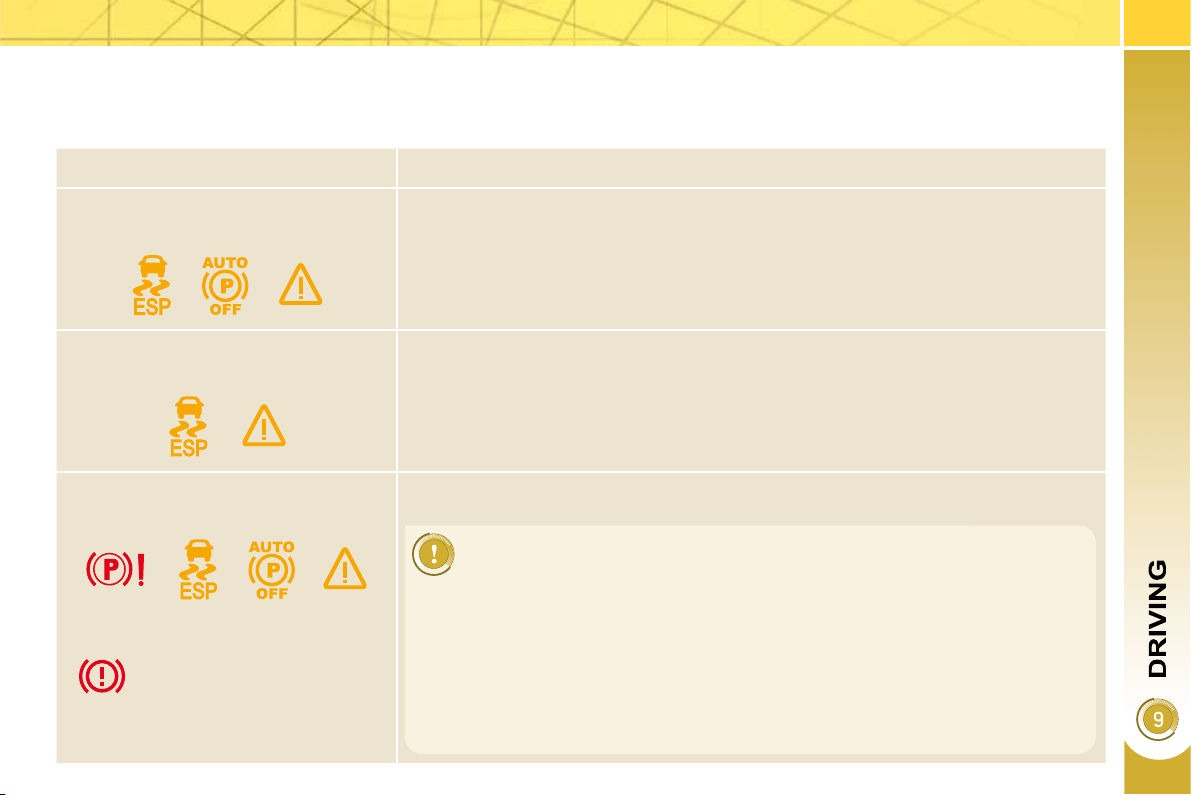
137
Operating faults
If the electric parking brake fault warning lamp comes on together with one or more of the warning lamps presented in these
tables, place the vehicle in a safe condition (on level ground, gear engaged) and contact a PEUGEOT dealer without delay.
Situations Consequences
Display of the message " Parking
brake fault " and of the following warn-
ing lamps:
- The automatic functions are deactivated.
- Hill start assist is not available.
- The electric parking brake can only be used manually.
Display of the message " Parking
brake fault " and of the following warn-
ing lamps:
- Manual release of the electric parking brake is only available by pressing the
accelerator pedal and releasing the control.
- Hill start assist is not available.
- The automatic functions and the manual application are still available.
Display of the message " Parking
brake fault " and of the following warn-
ing lamps:
- The automatic functions are deactivated.
- Hill start assist is not available.
To apply the electric parking brake:
Immobilise the vehicle and sw itch off the ignition.
Pull the control for at least 5 seconds or until application is complete.
Switch on the ignition and check the switching on of the electric parking brake
warning lamps.
The application is slower than during normal operation.
To release the electric parking brake:
Switch on the ignition.
Pull the control and hold it for approximately 3 seconds then release it.
If the braking warning lamp is fl ashing or if the warning lamps do not come on with the ignition
on, these procedures will not work. Place the vehicle on level ground and have it checked by a
PEUGEOT dealer.
and possibly
fl ashing
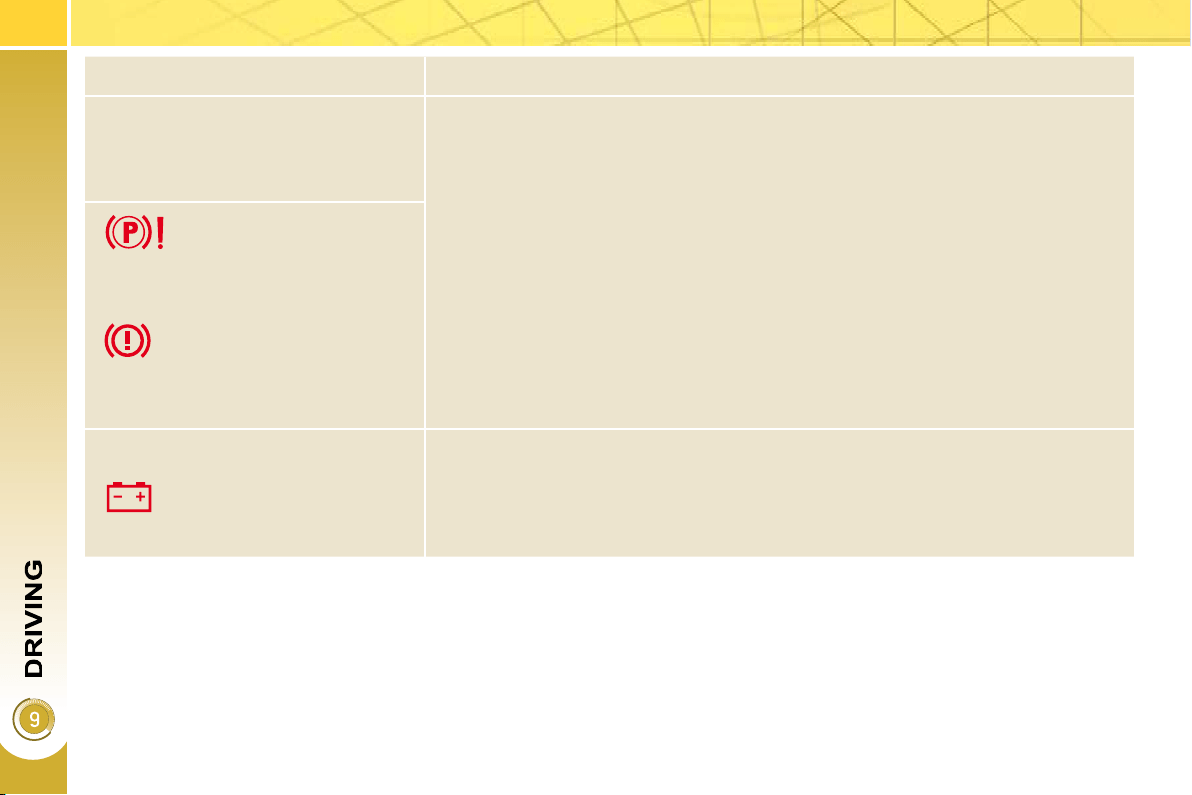
138
Situations Consequences
Display of the message " Parking
brake control fault - auto parking
brake activated " and of the following
warning lamps:
- Only the automatic application on switching off the engine and automatic
release on acceleration functions are available.
- The manual application/release of the electric parking brake and the emergency
braking are not available.
and possibly
fl ashing
Battery fault
- If the battery warning lamp comes on you must stop immediately as soon as
the traffi c allows. Stop and immobilise your vehicle (if necessary, place the
two chocks under the wheels).
- Apply the electric parking brake before switching off the engine.
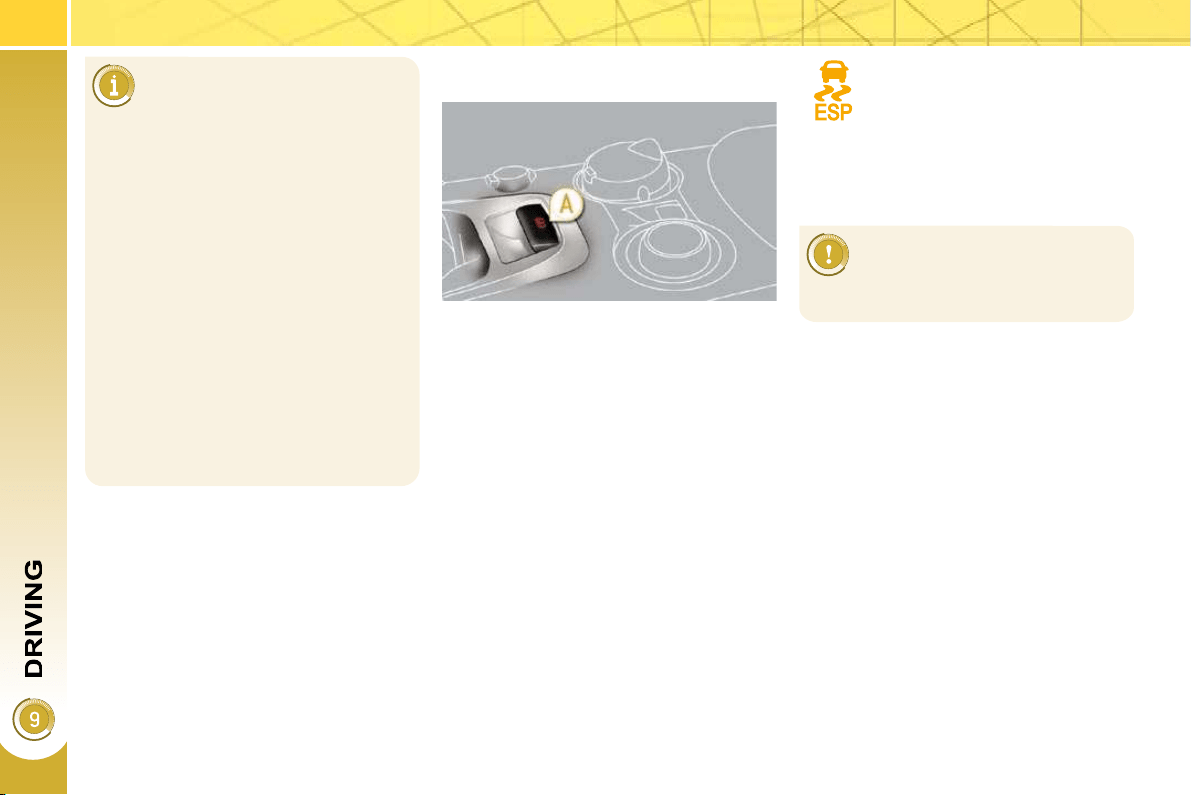
134
Particular situations
Emergency braking
In the event of a failure of the main ser-
vice brake or in an exceptional situation
(e.g. driver taken ill, under instruction,
etc) a continuous pull on control A will
stop the vehicle.
The electronic stability programme
(ESP) provides stability during emer-
gency braking.
If the emergency braking malfunctions,
one of the following messages will be
displayed:
- "Parking brake faulty".
- "Parking brake control faulty".
In certain situations (e.g.
starting the engine), the parking brake
can automatically alter its force. This
is normal operation.
To advance your vehicle a few cen-
timetres without starting the engine,
but with the ignition on, press on the
brake pedal and release the parking
brake by pulling then releasing con-
trol A . The full release of the parking
brake is confi rmed by the extinction
of warning lamp on control A and of
the warning lamp on the instrument
panel and the displaying of the mes-
sage "Handbrake off".
If the parking brake malfunctions
while applied or if the battery runs
fl at, an emergency release is always
possible.
If a failure of the ESP sys-
tem is signalled by the light-
ing of this warning lamp, then
braking stability is not guaranteed.
The emergency braking must
only be used in exceptional
circumstances.
In this event, stability must be assured
by the driver by repeating alternate "pull
release" actions on control A .
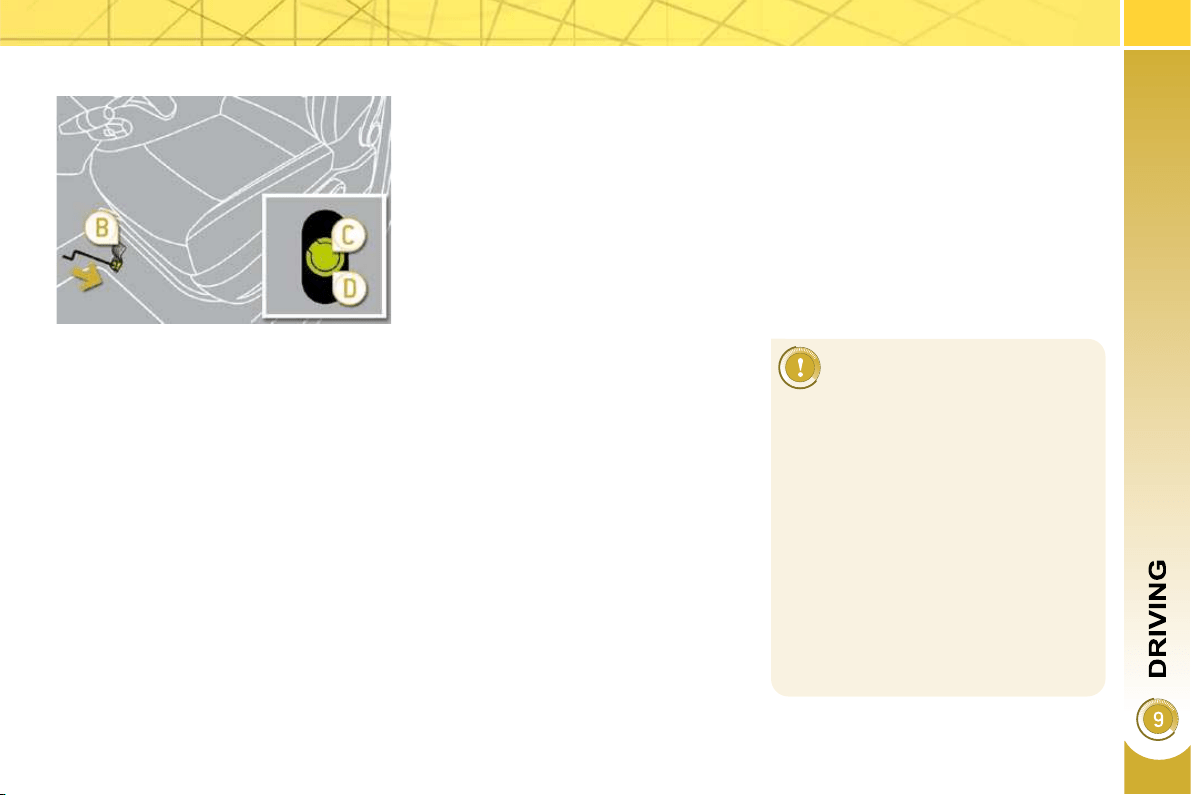
135
Emergency release
For safety reasons, after this
manoeuvre it is essential to
contact a PEUGEOT dealer
urgently to replace the protective
cover.
Following an emergency unlocking,
immobilisation of the vehicle is no
longer guaranteed once the manual
emergency release has been de-
ployed and the manual control does
not allow the re-application of your
parking brake.
Take no action, either on control A , or
stopping starting the engine while the
release device is engaged.
Take care not to allow moisture or
dust in the proximity of the protective
cover.
Immobilise the vehicle (or keep it sta-
tionary, if the brake pedal is pressed),
with the engine running, by engaging
fi rst gear (manual gearbox), posi-
tion P (automatic gearbox) or M or R
(6-speed piloted gearbox).
Switch off the engine but leave the
ignition on. If it is impossible to im-
mobilise the vehicle, do not action
the control and urgently contact a
PEUGEOT dealer.
Fetch the two vehicle blocks and
the release device, located under
the boot carpet (see "Changing a
wheel" in the "Practical information"
section).
Immobilise the vehicle by placing
blocks at the front and at the rear of
one of the rear wheels.
Slide the front left-hand seat back
as far as possible.
Lift up the fl oor plug B in the carpet
under the seat.
Pierce the protective cover C on the
tube D with the release device.
Place the release device in the tube D .
Turn the release device clockwise.
For safety reasons , it is essential
to continue turning the device as
far as it will go or until you hear a
knocking noise. The parking brake
is released.
Remove the release device and store
it with the blocks in the toolbox.
- The operation of the parking
brake reinitialises when the igni-
tion is switched off then on again.
If the reinitialisation of the parking
brake proves impossible, contact a
PEUGEOT dealer.
- The subsequent time required for
application may be longer than
during normal operation.
Front left seat moved back fully.
In the event of the electric parking brake
malfunctioning or the battery running
fl at, an emergency manual device can
release the parking brake.
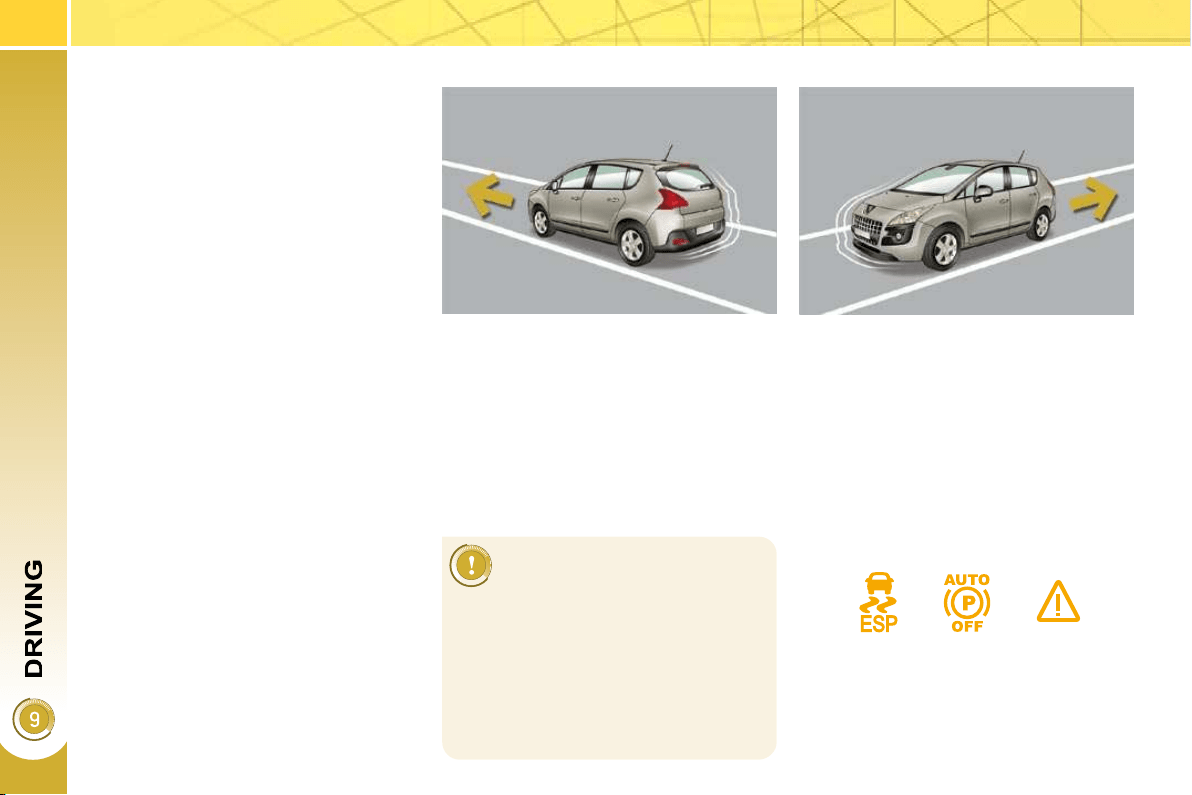
136
HILL START ASSIST
System which keeps your vehicle im-
mobilised temporarily (approximately
2 seconds) when starting on a gradi-
ent, the time it takes to move your foot
from the brake pedal to the accelerator
pedal.
This function is only active when:
- the vehicle is completely stationary,
with your foot on the brake pedal,
- in particular conditions on a slope,
- with the driver’s door closed.
The hill start assist function cannot be
deactivated.
Operation
On an ascending slope, with the ve-
hicle stationary, the vehicle is held
for a brief moment when you release
the brake pedal:
- provided you are in fi rst gear or neu-
tral on a manual gearbox,
- provided you are in A or M on an
electronic gear control gearbox,
- provided you are in D or M on an
automatic gearbox.
On a descending slope, with the
vehicle stationary and reverse gear
engaged, the vehicle is held for a
brief moment when you release the
brake pedal.
Do not exit the vehicle while
it is being held in the hill start
assist phase.
If you need to exit the vehicle with
the engine running, apply the parking
brake manually then ensure that the
parking brake warning lamp and the
warning lamp P on the lever (of the
electric brake) are permanently on.
Operating fault
If a malfunction of the system occurs,
these warning lamps come on. Contact
a PEUGEOT dealer to have the system
checked.
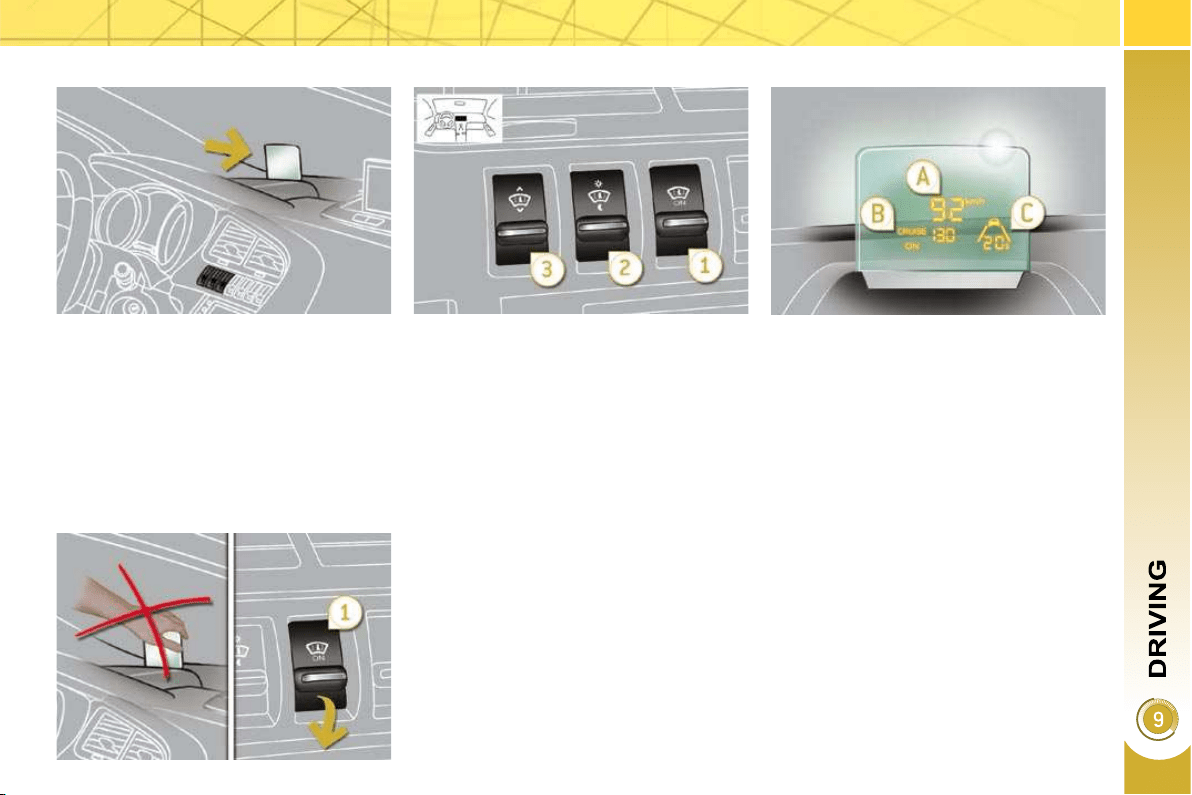
139
System which projects various informa-
tion onto a transparent strip in the fi eld
of vision of the driver so that they do not
have to take their eyes off the road.
This system operates when the engine
is running and the settings are stored
when the ignition is switched off.
HEAD-UP DISPLAY
1. Head-up display on/off.
2. Brightness adjustment.
3. Display height adjustment.
The strip is activated by pressing one of
the buttons.
Once the system has been activated,
the following information is grouped to-
gether on the head up display:
A. The speed of your vehicle.
B. Cruise control/speed limiter informa-
tion.
C. Distance alert information (accord-
ing to version).
Buttons
Displays during operation
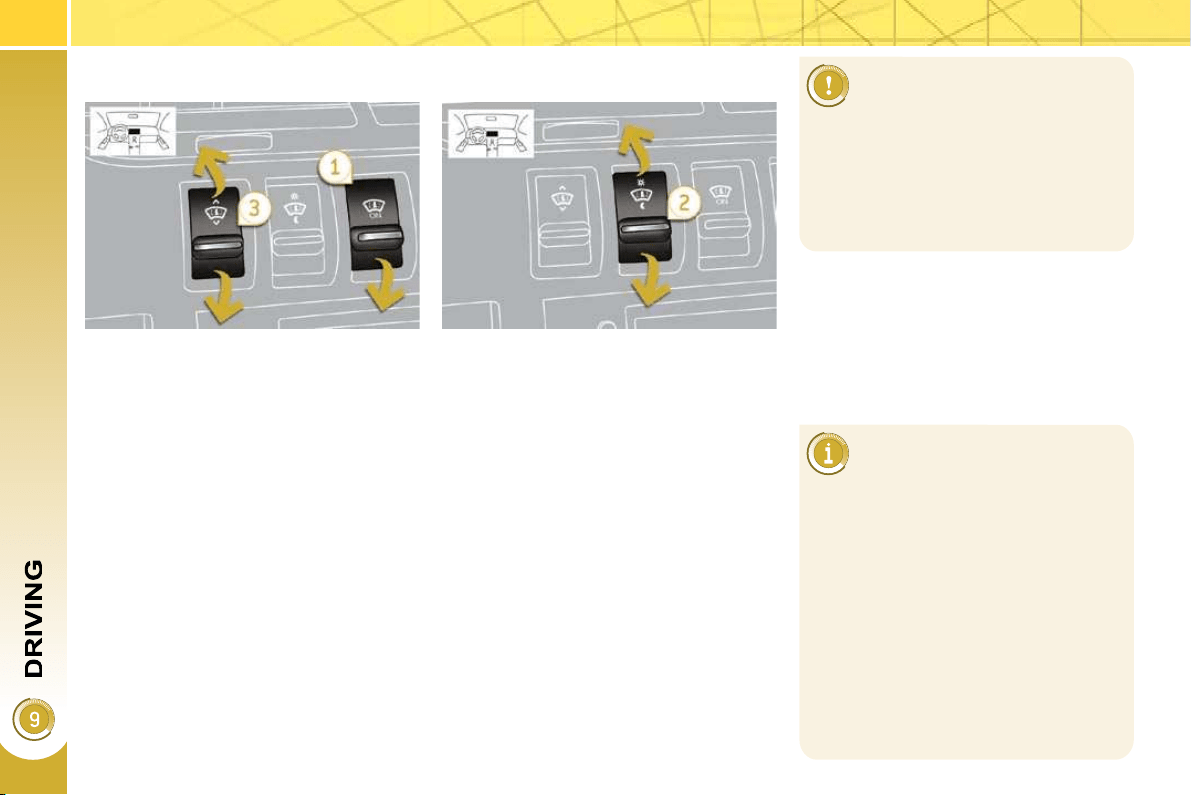
140
In certain extreme weather
conditions (rain and/or snow,
bright sunshine, ...) the head-
up display may not be legible or may
suffer temporary interference.
Certain glasses (sunglasses, specta-
cles or polarised lenses) may hamper
reading of the information.
To clean the transparent strip, which
is made of organic glass, use a clean,
soft cloth (such as a spectacles cloth
or microfi bre cloth). Do not use a dry
or abrasive cloth or detergent or sol-
vent products as these could scratch
the strip or damage the anti-refl ec-
tion coating.
We recommend that adjust-
ments are only made using
these buttons when the vehi-
cle is stationary.
When stationary or while driving, no
objects should be placed around the
transparent strip (or on its cover) to
avoid blocking the strip output and
preventing its correct operation.
With the engine running, press button 1 .
The activated/deactivated status when
the engine was switched off is retained
when the engine is switched on again.
Height adjustment
With the engine running, adjust the
display to the required height using
button 3 :
- up to move the display up,
- down to move the display down.
Activation/Deactivation
Brightness adjustment
With the engine running, adjust the
brightness of the information using
button 2 :
- up to increase the brightness,
- down to decrease the brightness.
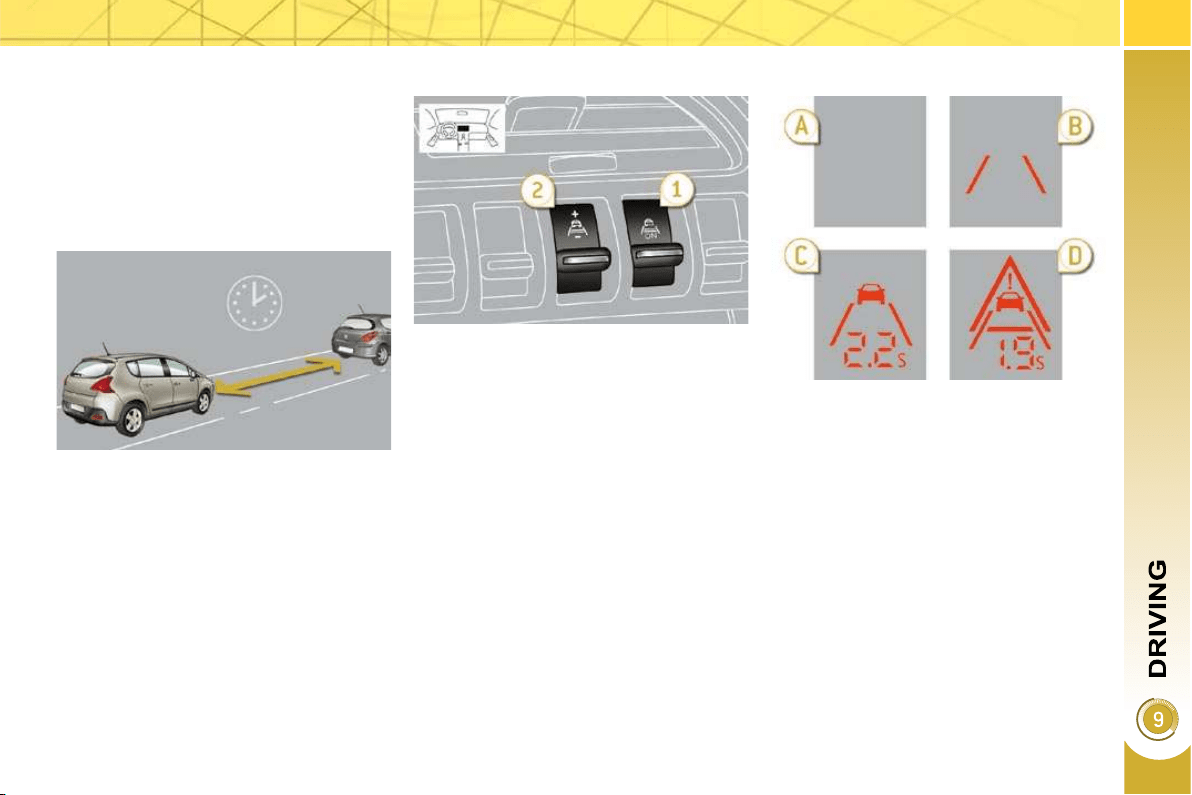
141
DISTANCE ALERT
For the safety time to be observed, re-
fer to the current legislation or highway
code recommendations in your country.
The system operates when the speed
of your vehicle is higher than 45 mph
(70 km/h) and below 90 mph (150 km/h).
It has a programmable visual alert
which remains in the memory when the
ignition is switched off.
This system is a driving aid and cannot,
in any circumstances, take the place of
the vigilance and responsibility of the
driver.
1. On/off.
2. Alert value increase (+)/decrease (-).
The information is grouped together on
the head-up display.
Once the system has been activated:
A. The speed of your vehicle is outside
the operating range.
B. Your vehicle is within the operating
range but no vehicle has been de-
tected.
C. The vehicle in front of you has been
detected.
The current time separating you
from this vehicle is displayed per-
manently.
D. The time between your vehicle and
the vehicle in front is less than the
programmed alert value (it fl ashes).
Buttons
Displays during operation
Driving aid which informs the driver of
the time interval (in seconds) separat-
ing then from the vehicle in front when
the driving conditions are stable.
It does not detect stationary vehicles
and does not carry out any action on
your vehicle.
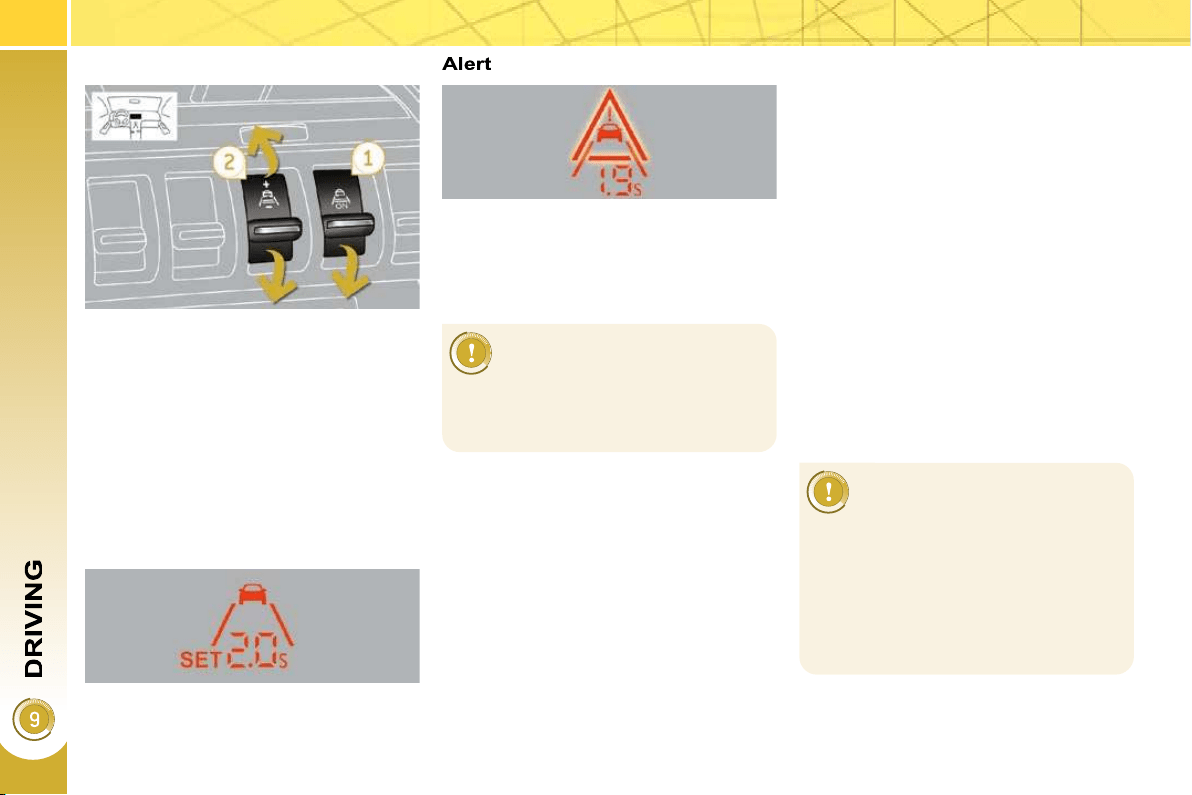
142
Activation
Deactivation
Press button 1 to deactivate the sys-
tem, the indicator lamp switches off.
Reactivation
Press button 1 again to reactivate
the system.
The last value programmed is retained
and the indicator lamp comes on.
Example with a value of 2 seconds:
Operating limits
The system switches to standby automati-
cally if the sensor does not detect the vehi-
cle in front correctly (very diffi cult weather
conditions, sensor misadjusted, ...). A
message is displayed on the multifunction
screen.
The vehicle being followed may not be
detected in certain conditions such as,
for example:
- when turning,
- when changing lane,
- when the vehicle in front is either
too far ahead (maximum range of
the sensor: 100 m) or stationary (in
a traffi c jam, ...),
When the vehicle being followed is
much too near (time between the two
vehicles less than 0.5 seconds), the dis-
play remains fi xed at 0.5 seconds.
Programming the alert value
Select the alert value required using
button 2 , in steps of 0.1 second:
- up to increase: "+",
- down to decrease: "-".
If the indicator lamp on but-
ton 1 fl ashes, have the sys-
tem checked by a PEUGEOT
dealer.
This system is not an anti-colli-
sion radar and it does not act of the
movement of your vehicle. It pro-
vides information but cannot, in any
circumstances, take the place of the
vigilance and responsibility of the
driver.
Press button 1 , the indicator lamp
comes on.
The system is activated but will only op-
erate from 45 mph (70 km/h).
The alert value can be programmed to
between 0.9 second and 2.5 seconds.
The visual alert can be deactivated by
programming a value of 0 second.
When the time (in seconds) between
your vehicle and the vehicle in front is
less than the programmed time (alert
value), a visual alert fl ashes.
A safety time of 2 seconds
is recommended in normal
driving conditions (correct
traction and speed) to avoid a
collision in the event of emer-
gency braking.

143
SPEED LIMITER
The controls of this system are grouped
together on stalk A .
1. Speed limiter mode selection dial
2. Programmed value decrease button
3. Programmed value increase button
4. Speed limiter on/off button
The programmed information is grouped
together on the instrument panel screen.
5. Speed limiter on/off indication
6.
Speed limiter mode selection indication
7. Programmed speed value
Steering wheel controls
Displays on the instrument panel
The speed limiter cannot, in
any circumstances, replace
the need to respect speed
limits, nor can it replace the need for
vigilance and responsibility on the
part of the driver.
The speed limiter is switched on man-
ually: it requires a programmed speed
of at least 20 mph (30 km/h).
The speed limiter is switched off by
manual operation of the control.
The programmed speed remains in the
memory when the ignition is switched
off.
This information also appears
in the head-up display.
For more information on the head-up
display, refer to this "Driving" section.
System which prevents the vehicle from
exceeding the speed programmed by
the driver.
When the programmed speed limit is
reached, pressing the accelerator ped-
al no longer has any effect unless it is
pressed fi rmly, which permits temporary
exceeding of the programmed speed.
To return to the programmed speed,
simply slow down to a speed below the
programmed speed by releasing the ac-
celerator.
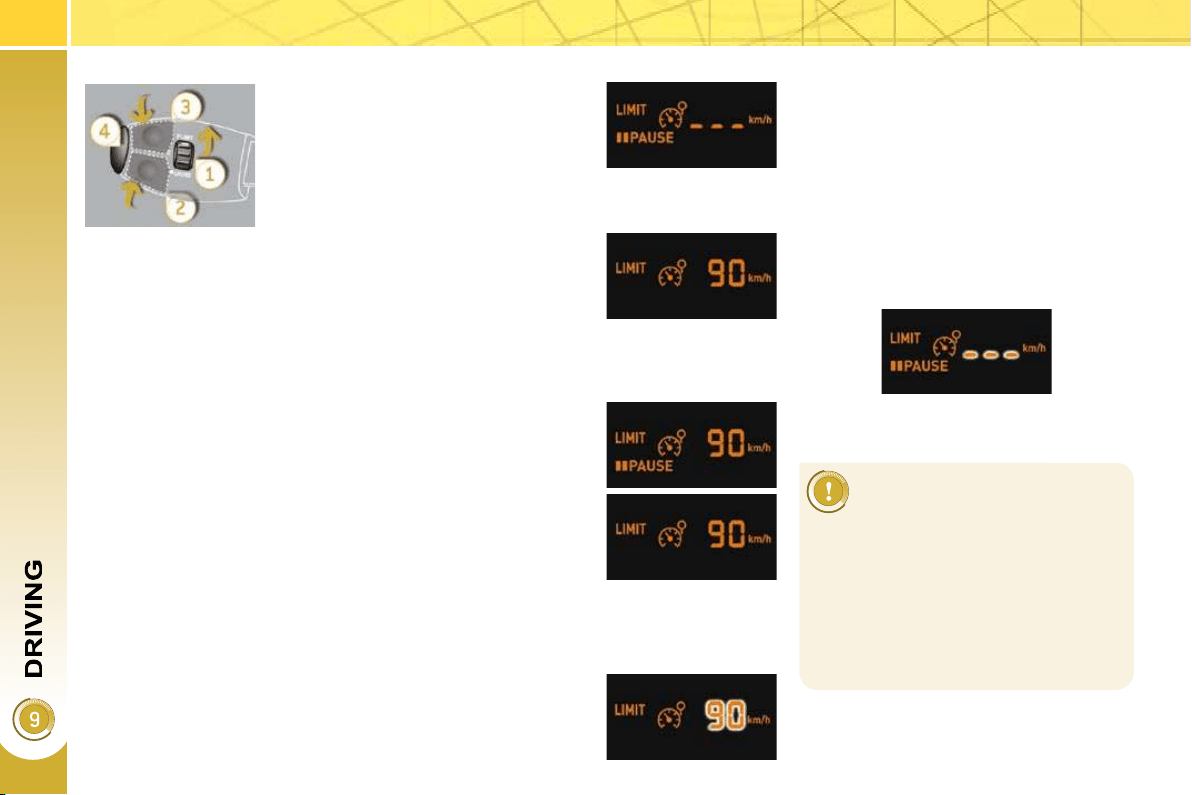
144
On a steep descent or in the
event of sharp acceleration,
the speed limiter will not be
able to prevent the vehicle from ex-
ceeding the programmed speed.
To avoid any risk of jamming of the
pedals:
- ensure that the mat is positioned
correctly,
- do not fi t one mat on top of an-
other.
Programming
Exceeding the programmed speed
Pressing the accelerator pedal to exceed the programmed
speed will not have any effect unless you press the pedal
fi rmly past the point of resistance .
The speed limiter is deactivated temporarily and the pro-
grammed speed, which is still displayed, fl ashes.
Returning to the programmed speed, by means of intention-
al or unintentional deceleration of the vehicle, automatically
cancels the fl ashing of the programmed speed.
Return to normal driving
Turn dial 1 to the "0" position: the
speed limiter mode is deselected.
The display returns to the distance
recorder.
Operating fault
In the event of a speed limiter malfunc-
tion, the speed is cleared resulting in
fl ashing of the dashes.
Have the system checked by a
PEUGEOT dealer.
Switch the speed limiter off by pressing button 4 : the
display confi rms that it has been switched off (OFF).
Switch the speed limiter back on by pressing button 4
again.
Set the speed value by pressing button 2 or 3 (e.g.:
55 mph (90 km/h)).
You can then change the programmed speed using buttons 2
and 3 :
- by + or - 1 mph (km/h) = short press,
- by + or - 5 mph (km/h) = long press,
- in steps of + or - 5 mph (km/h) = maintained press.
Switch the speed limiter on by pressing button 4 .
Turn dial 1 to the "LIMIT" position:
the speed limiter mode is selected
but is not switched on (OFF).
You do not have to switch the speed
limiter on in order to set the speed.
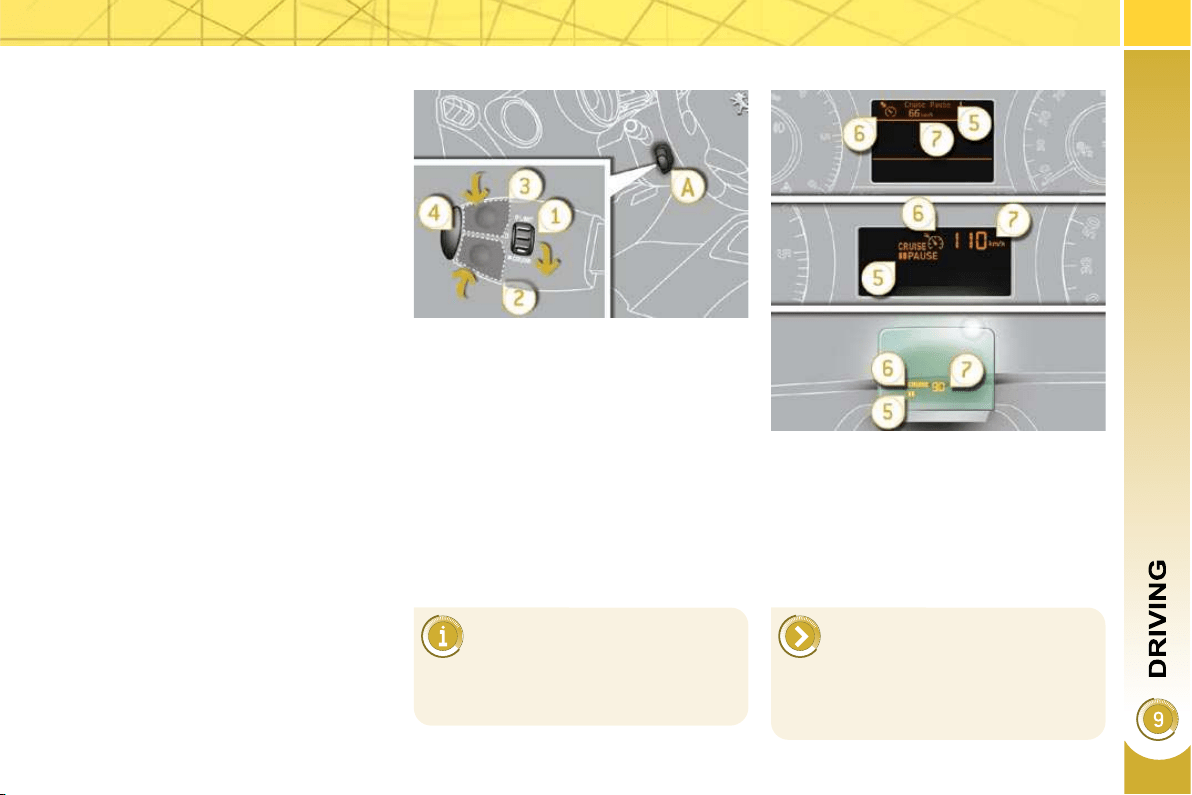
145
CRUISE CONTROL
System which automatically maintains
the speed of the vehicle at the value
programmed by the driver, without any
action on the accelerator pedal.
The cruise control is switched on
manually: it requires a minimum vehi-
cle speed of 25 mph (40 km/h) and the
engaging:
- of fourth gear on the manual gearbox,
- of second gear on the electronic gear
control gearbox or automatic gearbox,
in sequential driving mode,
- of position A on the electronic gear
control gearbox or D on the auto-
matic gearbox.
The controls of this system are grouped
together on lever A .
1. Cruise control mode selection dial
2. Speed programming/programmed
value decrease button
3. Speed programming/programmed
value increase button
4. Cruise control off/resume button
The programmed information is grouped
together on the instrument panel dis-
play.
5. Cruise control off/resume indication
6.
Cruise control mode selection indication
7. Programmed speed value
Steering mounted controls
Displays on the instrument panel
The cruise control cannot, in
any circumstances, replace
the need to respect speed
limits, nor can it replace the need for
vigilance and responsibility on the
part of the driver.
The cruise control is switched off man-
ually or by pressing the brake or clutch
pedal or on triggering of the ESP sys-
tem for safety reasons.
It is possible to exceed the programmed
speed temporarily by pressing the ac-
celerator pedal.
To return to the programmed speed,
simply release the accelerator pedal.
Switching off the ignition cancels any
programmed speed value.
This information is also dis-
played on the head up display.
For further details about the head up
display, refer to this "Driving" section.
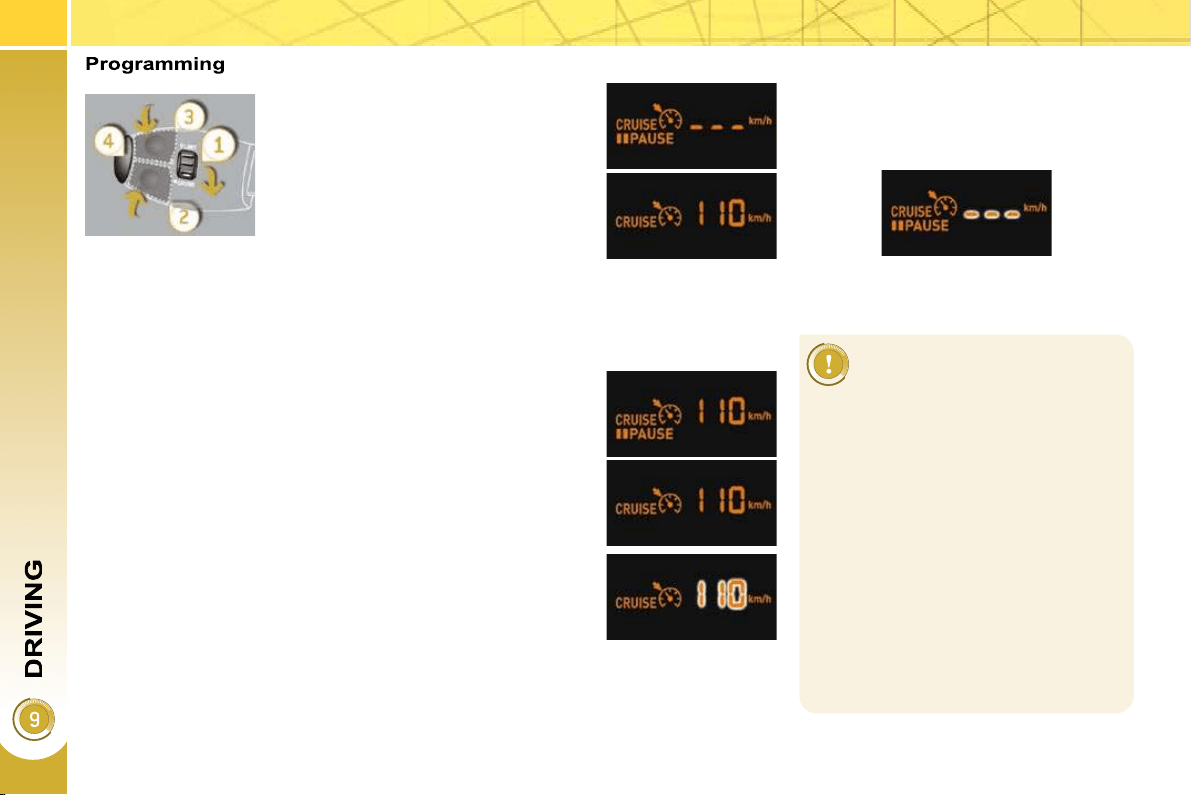
146
When the cruise control is
switched on, be careful if
you maintain the pressure
on one of the programmed speed
changing buttons: this may result in a
very rapid change in the speed of your
vehicle.
Do not use the cruise control on slip-
pery roads or in heavy traffi c.
On a steep descent, the cruise
control will not be able to prevent
the vehicle from exceeding the pro-
grammed speed.
To avoid any risk of jamming of the
pedals:
- ensure that the mat is positioned
correctly,
- never fi t one mat on top of another.
Exceeding the programmed speed
Intentional or unintentional exceeding of the programmed
speed results in fl ashing of this speed on the display.
Return to the programmed speed, by means of intentional
or unintentional deceleration of the vehicle, automatically
cancels the fl ashing of the speed.
Return to normal driving
Turn dial 1 to the "0" position: the cruise control mode is
deselected. The display returns to the distance recorder.
Operating fault
In the event of a cruise control malfunc-
tion, the speed is cleared resulting in
fl ashing of the dashes.
Have it checked by a PEUGEOT dealer.
Set the programmed speed by ac-
celerating to the required speed,
then press button 2 or 3 (e.g.:
70 mph (110 km/h)).
Switch off the cruise control by pressing button 4 : the
display confi rms that it has been switched off (OFF).
Switch the cruise control back on by pressing button 4
again.
You can then change the programmed speed using buttons 2
and 3 :
- by + or - 1 mph (km/h) = short press,
- by + or - 5 mph (km/h) = long press,
- in steps of + or - 5 mph (km/h) = maintained press.
Turn dial 1 to the "CRUISE" po-
sition: the cruise control mode is
selected but is not switched on
(OFF).
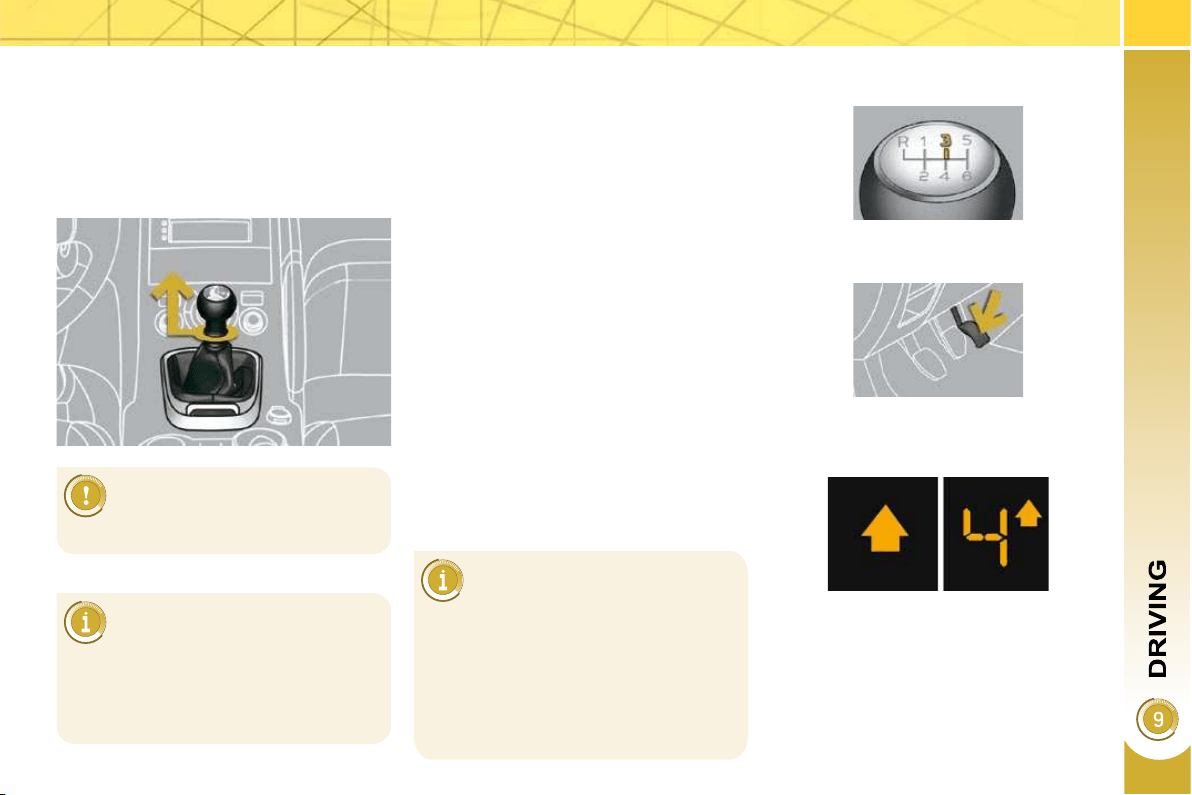
147
6-SPEED MANUAL GEARBOX
As a safety precaution and to fa-
cilitate starting of the engine:
Only engage reverse gear
when the vehicle is stationary
with the engine at idle.
Engaging reverse gear
Raise the ring under the knob and
push the gear lever to the left then
forwards.
* According to engine.
GEAR SHIFT INDICATOR *
System which reduces fuel consumption
by advising the driver to change up on
vehicles fi tted with a manual gearbox.
Operation
The system intervenes only when driv-
ing economically.
Depending on the driving situation and
your vehicle's equipment, the system
may advise you to skip one or more
gears. You can follow this instruc-
tion without engaging the intermediate
gears.
The gear engagement recommenda-
tions must not be considered compulso-
ry. In fact, the confi guration of the road,
the amount of traffi c and safety remain
determining factors when choosing the
best gear. Therefore, the driver remains
responsible for deciding whether or not to
follow the advice given by the system.
This function cannot be deactivated.
Example:
- You are in third gear.
In the case of driving which
makes particular demands on
the performance of the engine
(fi rm pressure on the accelerator
pedal, for example, when overtak-
ing...), the system will not recom-
mend a gear change.
The system never suggests:
- engaging fi rst gear,
- engaging reverse gear,
- engaging a lower gear.
- You press the accelerator pedal
moderately.
- The system may suggest that you
engage a higher gear, if appropriate.
The information appears in the form of
an arrow on the instrument panel dis-
play.
Depending on your vehicle's equipment,
this arrow may be accompanied by the
recommended gear.
This equipment will become available
during the year.
- always select neutral,
- press the clutch pedal.
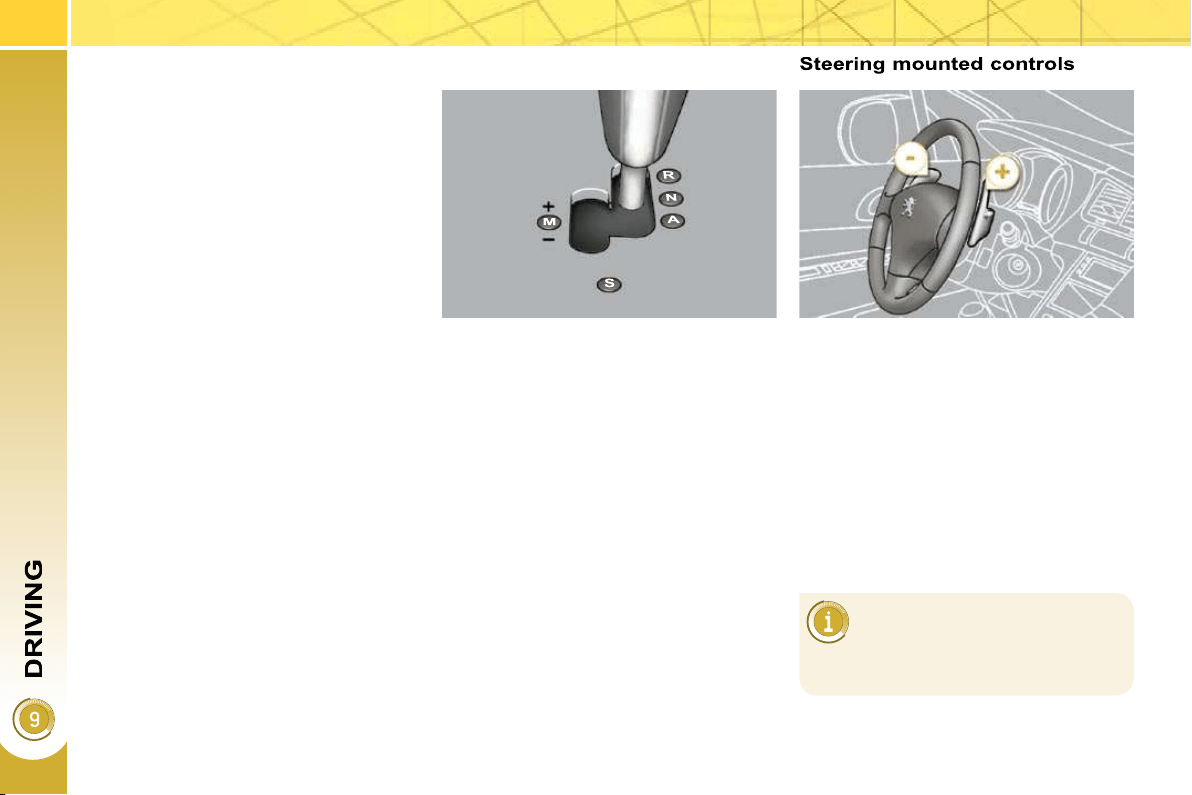
148
6-SPEED ELECTRONIC GEAR
CONTROL GEARBOX
Gear lever
R. Reverse.
With your foot on the brake, move the
lever upwards to select this position.
N. Neutral.
With your foot on the brake, select
this position to start.
A. Automatic mode.
Move the lever downwards to select
this mode.
M. +/- Sequential mode with manual
changing of the gears.
Move the lever downwards then to
the left to select this mode, then:
- push the lever forwards to change
up a gear,
- or pull the lever rearwards to
change down a gear.
S. Sport function.
Press this button to activate or
deactivate this function.
+. Change up paddle to the right of the
steering wheel.
Press the back of the "+" steering
mounted paddle to change up a
gear.
-. Change down paddle to the left of
the steering wheel.
Press the back of the "-" steering
mounted paddle to change down a
gear.
The steering mounted paddles
do not permit the selection of
neutral or the engaging or dis-
engaging of reverse gear.
Six-speed electronic gear control gear-
box which offers a choice between the
comfort of fully automatic operation or
the pleasure of manual gear changing.
Therefore, three driving modes are of-
fered:
- automatic mode for automatic con-
trol of the gears by the gearbox,
- sequential mode for manual chang-
ing of the gears by the driver,
- auto sequential mode to overtake,
for example, remaining in automatic
mode while using the functions of
the sequential mode.
A Sport function is available in auto-
matic or sequential mode for a more
dynamic style of driving.
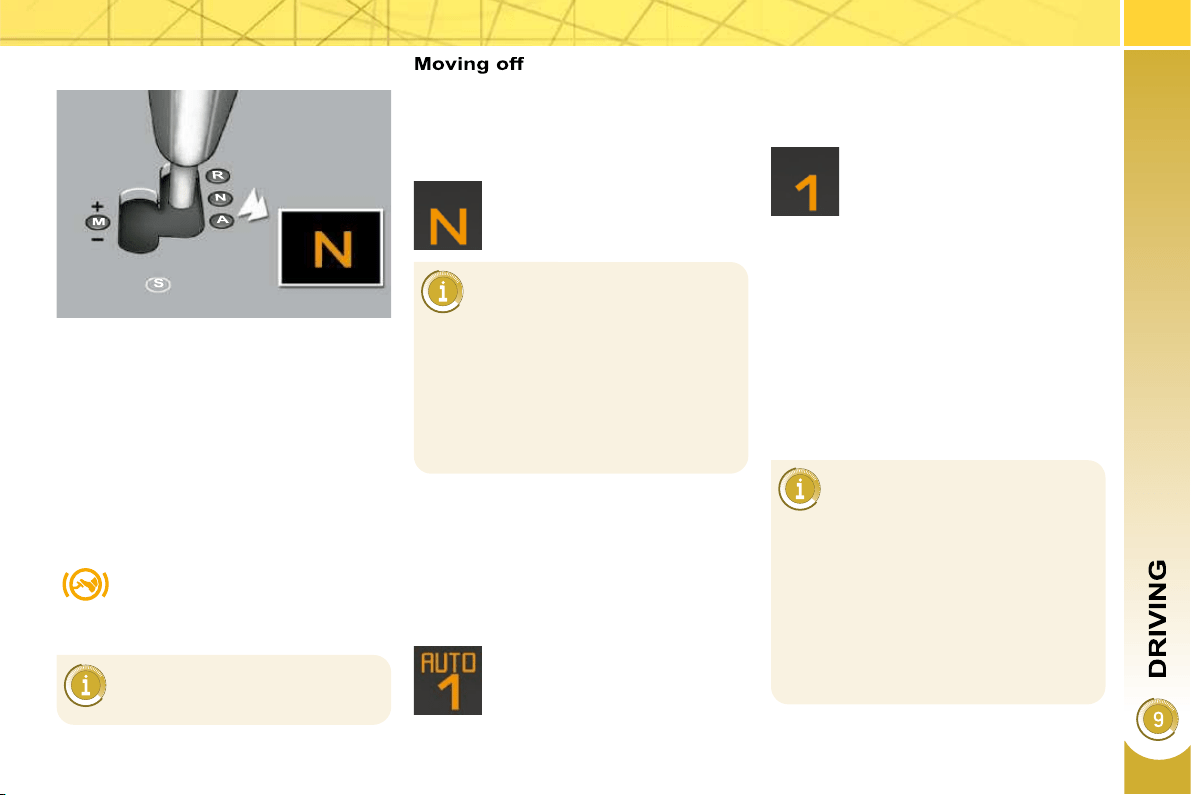
149
Displays on the instrument panel
Gear lever positions
N. Neutral
R. Reverse
1, 2, 3, 4, 5, 6. Gears in sequential mode
AUTO. This comes on when the au-
tomatic mode is selected. It
switches off on changing to se-
quential mode.
S. Sport (Sport function)
Place your foot on the
brake when this warning
lamp fl ashes (e.g.: when
starting the engine).
Select position N .
Press the brake pedal down fully.
Start the engine.
Select fi rst gear (position M or A ) or
reverse (position R ).
Release the parking brake unless it
is programmed to automatic mode.
Take your foot off the brake pedal,
then accelerate.
AUTO and 1 or R appear on
the instrument panel screen.
N fl ashes on the instrument
panel, accompanied by an au-
dible signal and a message on
the multifunction screen, if the gear
lever is not in position N on starting.
Foot on brake fl ashes on the instru-
ment panel, accompanied by an au-
dible signal and a message on the
multifunction screen, if the brake
pedal is not pressed on starting.
An audible signal is heard when
reverse gear is engaged.
N appears on the instrument
panel screen.
Sequential mode
When the vehicle has moved off, se-
lect position M to change to sequen-
tial mode.
AUTO disappears and the
gears engaged appear in suc-
cession on the instrument
panel screen.
The gear change requests are only car-
ried out if the engine speed permits.
It is not necessary to release the accel-
erator during gear changes.
When braking or slowing down, the
gearbox changes down automatically to
permit reacceleration of the vehicle in
the correct gear.
At very low speed, if reverse
gear is requested, this will only
be taken into account when
the vehicle is immobilised. The Foot
on brake warning lamp may fl ash on
the instrument panel to prompt you
to brake.
At high speed, if reverse gear is re-
quested, the N indicator lamp will
fl ash and the gearbox will change to
neutral automatically. To engage a
gear again, return the lever to posi-
tion A or M .
150
The gearbox is then operating in auto-
active mode, without any action on the
part of the driver. It continuously selects
the most suitable gear in relation to the
following parameters:
- style of driving,
- profi le of the road.
AUTO and the gear engaged
appear on the instrument pan-
el screen.
Automatic mode
Following use of the sequential
mode, select position A to return to
the automatic mode.
"Auto sequential mode"
This mode enables you to overtake, for
example, remaining in automatic mode
while using the functions of the sequen-
tial mode.
Operate the + or - steering mounted
paddle.
The gearbox engages the gear request-
ed if the engine speed permits. AUTO is
still displayed on the instrument panel.
After a few moments without any action
on the controls, the gearbox resumes
automatic control of the gears.
On sharp acceleration, the
gearbox will not change up
unless the driver acts on the
gear lever or the steering mounted
paddles.
Never select neutral N while the ve-
hicle is moving.
Only engage reverse gear R when
the vehicle is immobilised with the
brake pedal pressed.
For optimum acceleration, for
example when overtaking an-
other vehicle, press the accel-
erator pedal fi rmly past the point of
resistance.
151
Stopping the vehicle
Operating fault
With the ignition on, if this
warning lamp comes on and
AUTO fl ashes, accompanied
by an audible signal and a
message on the multifunction
screen, this indicates a malfunction of
the gearbox.
Have it checked by a PEUGEOT dealer.
It is essential to press the
brake pedal when starting the
engine.
When parking, is it essential to apply
the parking brake to immobilise the
vehicle, whatever the circumstances.
When immobilising the vehi-
cle, with the engine running, it
is essential to place the gear
lever in neutral N .
Before carrying out any work in the
engine compartment, check that the
gear lever is in neutral N and that
the parking brake is applied.
Sport function
Following selection of the sequential
mode or automatic mode, press but-
ton S to activate the Sport function
which offers you a more dynamic
style of driving.
S appears next to the gear en-
gaged on the instrument panel
screen.
Press button S again to deactivate
the function.
S is then cleared from the instrument
panel screen.
The gearbox returns to normal
mode automatically each time
the ignition is switched off.
Before switching off the engine, you can
choose to:
- move to position N to engage neutral,
- leave the gear engaged; in this
case, it will not be possible to move
the vehicle.
In both cases, it is essential that you ap-
ply the parking brake to immobilise the
vehicle.
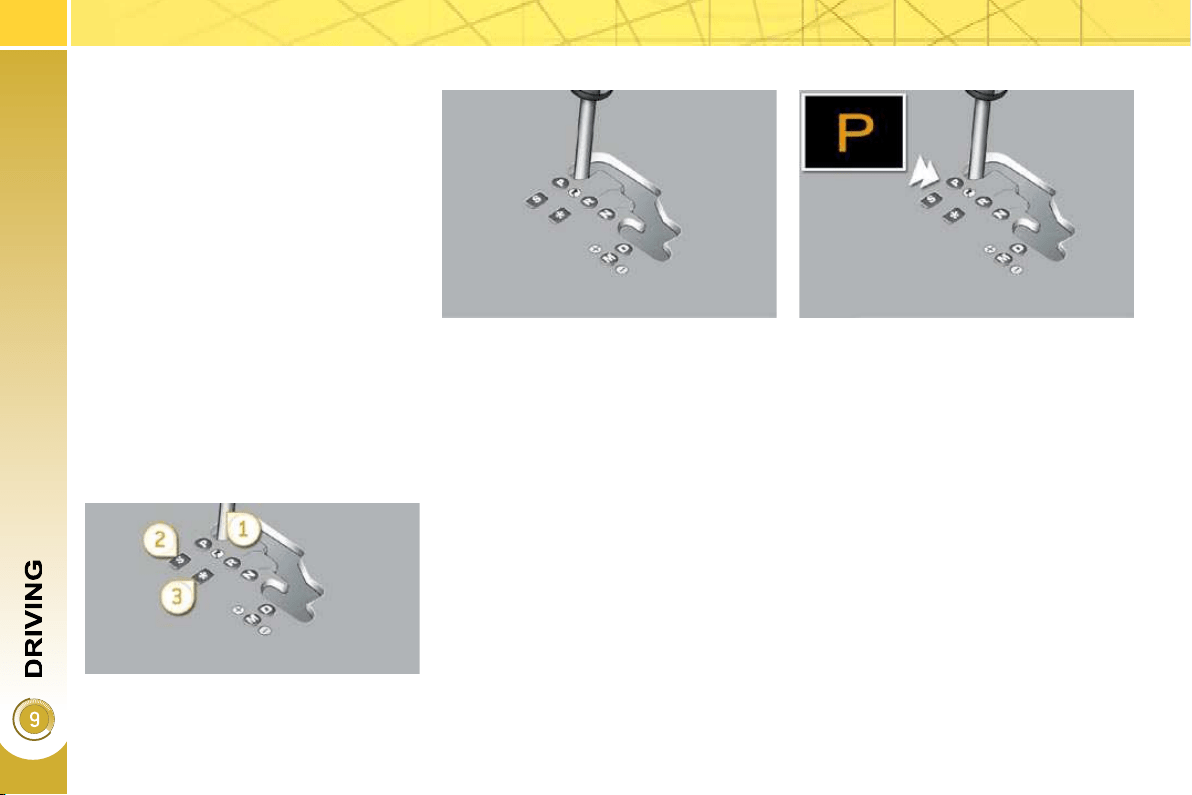
152
"PORSCHE TIPTRONIC
SYSTEM" AUTOMATIC
GEARBOX
Six speed automatic gearbox which of-
fers a choice between the comfort of
fully automatic operation, enhanced by
sport and snow programmes, or manual
gear changing.
Therefore, four driving modes are of-
fered:
- automatic operation for electronic
management of the gears by the
gearbox,
- sport programme for a more dy-
namic style of driving,
- snow programme to improve driv-
ing when traction is poor,
- manual operation for sequential
changing of the gears by the driver.
Gear lever
P. Park.
- Immobilisation of the vehicle, park-
ing brake on or off.
- Starting the engine.
R. Reverse.
- Reversing manoeuvres, vehicle sta-
tionary, engine at idle.
N. Neutral.
- Immobilisation of the vehicle, park-
ing brake on.
- Starting the engine.
D. Automatic operation.
M.+/- Manual operation with sequen-
tial changing of the six gears.
Press forwards to change up through
the gears.
or
Press rearwards to change down
through the gears.
Displays on the instrument panel
When you move the lever in the gate to
select a position, the corresponding in-
dicator lamp is displayed on the instru-
ment panel.
P. Park
R. Reverse
N. Neutral
D. Drive (Automatic driving)
S. Sport programme
. Snow programme
1 to 6. Gear engaged during manual
operation
-. Invalid value during manual operation
Gear selection gate
1. Gear lever.
2. Button "S" (sport) .
3. Button " " (snow) .
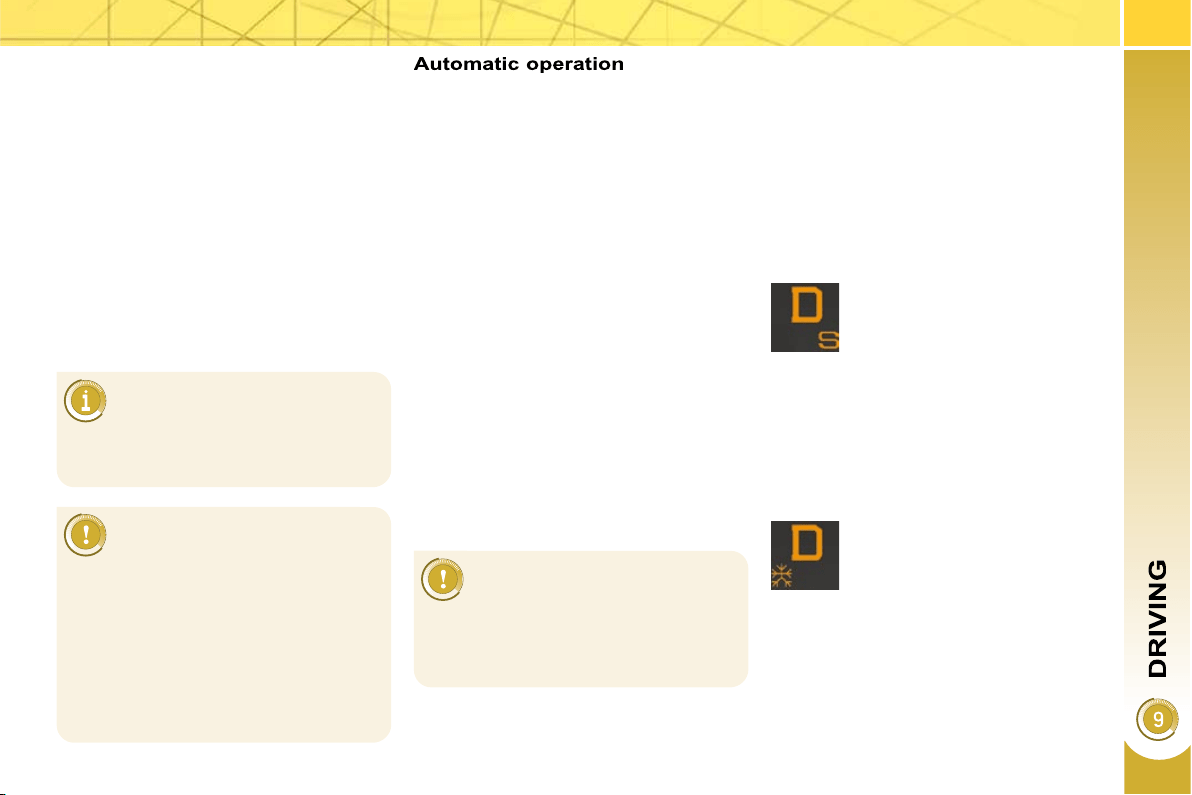
153
Moving off
With your foot on the brake, select
position P or N .
Start the engine.
If this procedure is not followed, an au-
dible signal is heard, accompanied by a
message on the multifunction screen.
With the engine running, press the
brake pedal.
Release the parking brake, unless it
is programmed to automatic mode.
Select position R , D or M ,
Gradually release the brake pedal.
The vehicle moves off immediately.
If position N is engaged inad-
vertently while driving, allow the
engine to return to idle then en-
gage position D to accelerate.
The gearbox then operates in auto-
adaptive mode, without any intervention
on the part of the driver. It continuously
selects the most suitable gear accord-
ing to the style of driving, the profi le of
the road and the load in the vehicle.
For maximum acceleration without
touching the lever, press the accelera-
tor pedal down fully (kick down). The
gearbox changes down automatically
or maintains the gear selected until the
maximum engine speed is reached.
On braking, the gearbox changes down
automatically to provide effi cient engine
braking.
If you release the accelerator sharply,
the gearbox will not change to a higher
gear for safety reasons.
Select position D for automatic
changing of the six gears.
appears on the instrument
panel.
Snow programme " "
Press button " ", after starting the
engine.
The gearbox adapts to driving on slip-
pery roads.
This programme improves starting and
drive when traction is poor.
S appears on the instrument
panel.
Sport programme "S"
Press button "S" , after starting the
engine.
The gearbox automatically favours a
dynamic style of driving.
Never select position N while
the vehicle is moving.
Never select positions P or R unless
the vehicle is completely stationary.
When the engine is running at
idle, with the brakes released,
if position R , D or M is select-
ed, the vehicle moves even without
the accelerator being pressed.
When the engine is running, never
leave children in the vehicle without
supervision.
When carrying out maintenance with
the engine running, apply the parking
brake and select position P .
Sport and snow programmes
These two special programmes supple-
ment the automatic operation in very
specifi c conditions of use.
Return to automatic operation
At any time, press the button se-
lected again to quit the programme
engaged and return to auto-adaptive
mode.
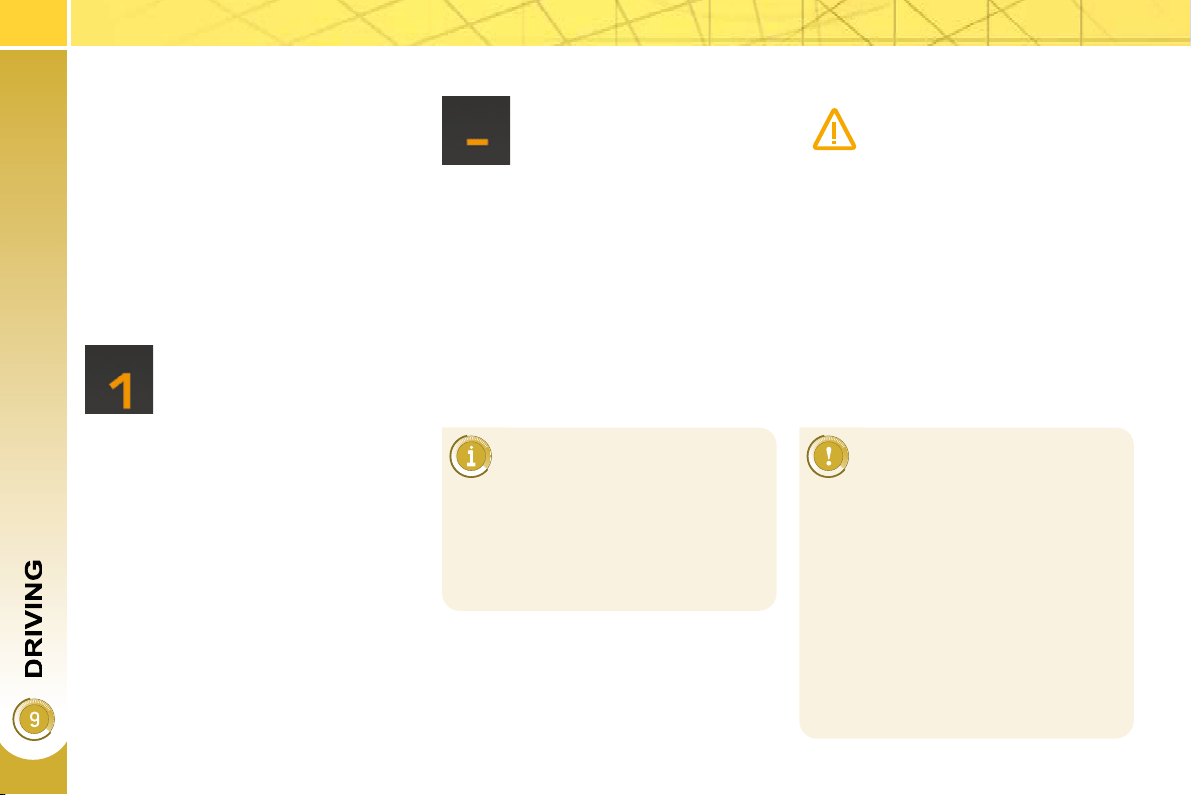
154
Stopping the vehicle
Before switching off the engine, you
can engage position P or N to place the
gearbox in neutral.
In both cases, apply the parking brake
to immobilise the vehicle, unless it is
programmed to automatic mode.
Operating fault
When the ignition is on, the
lighting of this warning lamp,
accompanied by an audible
signal and a message on the
multifunction screen, indicates
a gearbox malfunction.
In this case, the gearbox switches to
back-up mode and is locked in 3rd gear.
You may feel a substantial knock when
changing from P to R and from N to R .
This will not cause any damage to the
gearbox.
Do not exceed 60 mph (100 km/h), local
speed restrictions permitting.
Have it checked by a PEUGEOT dealer.
This warning lamp may also come on if
a door is opened.
You risk damaging the gearbox:
- if you press the accelerator and
brake pedals at the same time,
- if you force the lever from posi-
tion P to another position when
the battery is fl at.
To reduce fuel consumption when
stationary for long periods with the
engine running (traffi c jam...), posi-
tion the gear lever at N and apply
the parking brake, unless it is pro-
grammed in automatic mode.
Manual operation
Select position M for sequential
changing of the six gears.
Push the lever towards the + sign to
change up a gear.
Pull the lever towards the - sign to
change down a gear.
D disappears and the gears
engaged appear in succes-
sion on the instrument panel.
If the lever is not in position
P , when the driver's door
is opened or approximately
45 seconds after the ignition is
switched off, an audible signal is
heard and a message appears.
Return the lever to position P ; the
audible signal stops and the mes-
sage disappears.
It is only possible to change from one
gear to another if the vehicle speed and
engine speed permit; otherwise, the
gearbox will operate temporarily in au-
tomatic mode.
Invalid value during manual
operation
This symbol is displayed if a
gear is not engaged correctly
(selector between two posi-
tions).
It is possible to change from position D
(automatic) to position M (manual) at
any time.
When the vehicle is stationary or moving
very slowly, the gearbox selects gear M1
automatically.
The sport and snow programmes do not
operate in manual mode.
In the event of under-revving or over-
revving, the gear selected fl ashes for a
few seconds, then the actual gear en-
gaged is displayed.
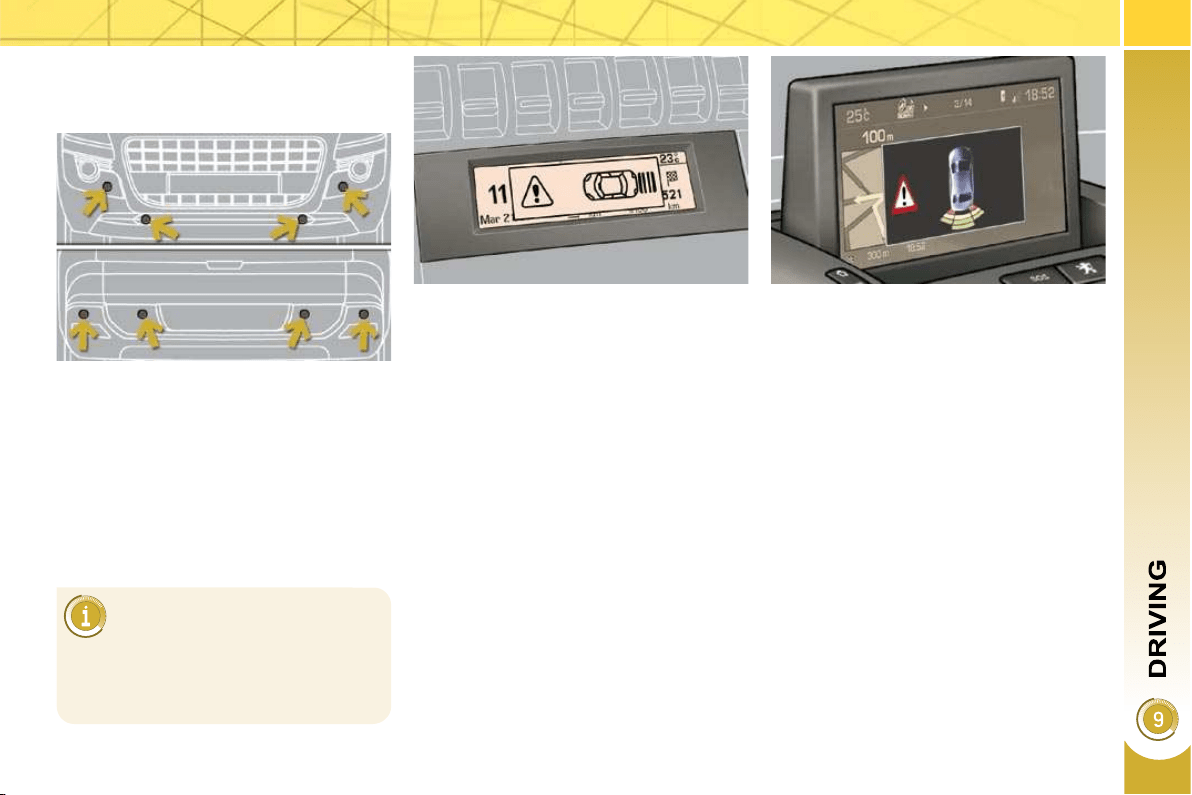
155
VISUAL AND AUDIBLE FRONT
AND/OR REAR PARKING
SENSORS
System consisting of four proximity sen-
sors, installed in the front and/or rear
bumper.
It detects any obstacle (person, vehicle,
tree, barrier...) located behind the vehi-
cle, however, it will not be able to detect
obstacles located immediately below
the bumper.
The parking sensors are switched on :
- by engaging reverse gear,
- at a speed below 6 mph (10 km/h) in
forward gear.
This is accompanied by an audible sig-
nal and display of the vehicle on the
multifunction screen.
An object, such as a stake, a
roadworks cone or any other
similar object may be detected
at the start of the manoeuvre but may
no longer be detected when the ve-
hicle moves nearer to it.
The proximity information is indicated by:
- an audible signal which becomes
more rapid as the vehicle approach-
es the obstacle,
- a diagram on the multifunction
screen, with blocks which move
closer to the vehicle.
The obstacle is located in relation to the
emission of the audible signal by the
speakers; front or rear and right or left.
When the distance between the vehicle
and the obstacle is less than approxi-
mately thirty centimetres, the audible
signal becomes continuous and/or the
"Danger" symbol appears, depending
on the multifunction screen version.
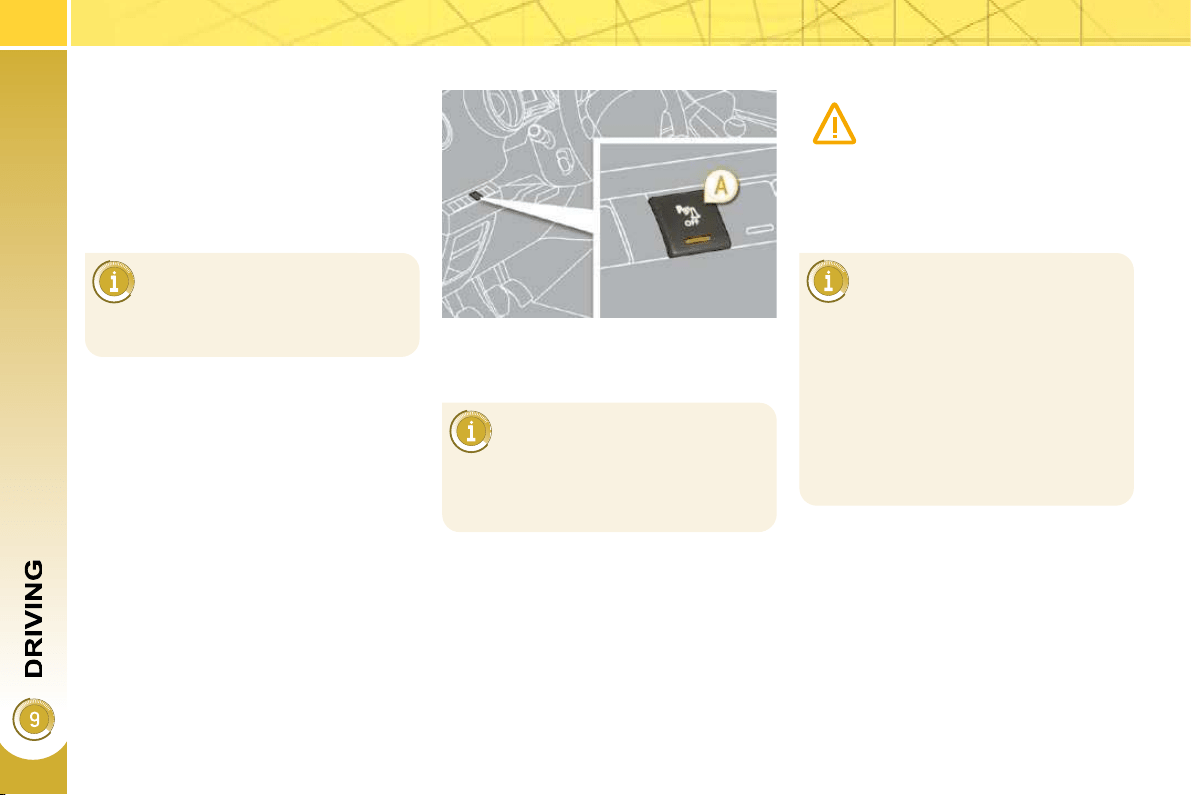
156
The parking sensor system
cannot, in any circumstances,
replace the need for vigilance
and responsibility on the part
of the driver.
The parking sensors are switched off :
- when you exit reverse gear,
- when the speed is higher than
6 mph (10 km/h) in forward gear,
- when the vehicle has been station-
ary for more than three seconds in
forward gear.
Deactivation Operating fault
The system will be deacti-
vated automatically when a
trailer is being towed or when
a bicycle carrier is fi tted (vehicle fi t-
ted with a towbar or bicycle carrier
recommended by PEUGEOT).
Reactivation
Press button A again, the warning
lamp switches off, the system is re-
activated.
Press button A , the warning lamp
comes on, the system is fully deacti-
vated.
In bad weather or in winter, en-
sure that the sensors are not
covered with mud, ice or snow.
When reverse gear is engaged, an
audible signal (long beep) indicates
that the sensors may be dirty.
When the vehicle is being driven at
a speed below approximately 6 mph
(10 km/h), certain sources of noise
(motorcycles, lorries, pneumatic
drills, ...) may trigger the parking sen-
sor audible signals.
If an operating fault occurs,
this warning lamp is displayed
on the instrument panel and/
or a message appears on
the multifunction screen, ac-
companied by an audible signal (short
beep), when reverse gear is engaged.
Consult a PEUGEOT dealer.
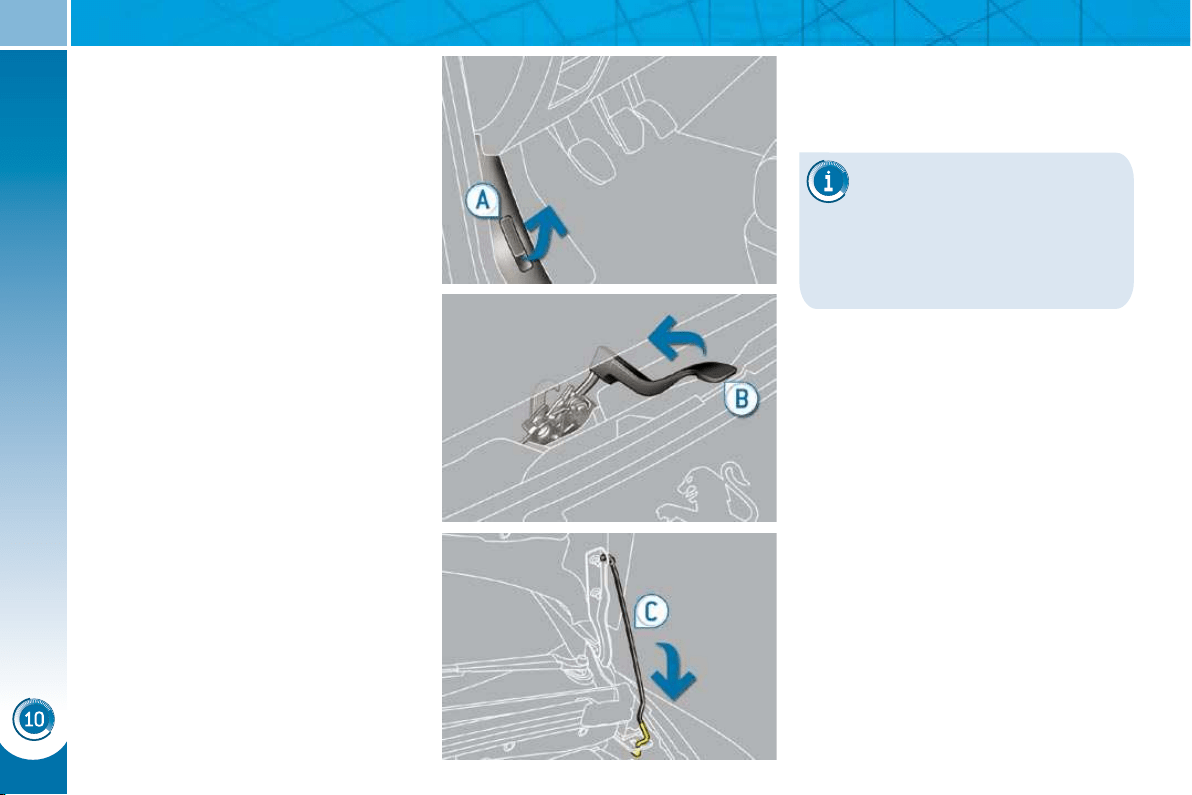
CHECKS
158
BONNET
Push the exterior safety catch B to
the left and raise the bonnet.
Unclip the stay C from its housing.
Fix the stay in the notch to hold the
bonnet open.
Closing
Take the stay out of the support
notch.
Clip the stay in its housing.
Lower the bonnet and release it at
the end of its travel.
Pull on the bonnet to check that it is
secured correctly.
Opening
Open the front left door.
Pull the interior bonnet release
lever A , located at the bottom of the
door frame.
The location of the interior
bonnet release lever prevents
opening of the bonnet while
the front left door is closed.
When the engine is hot, handle the
exterior safety catch and the bonnet
stay with care (risk of burns).
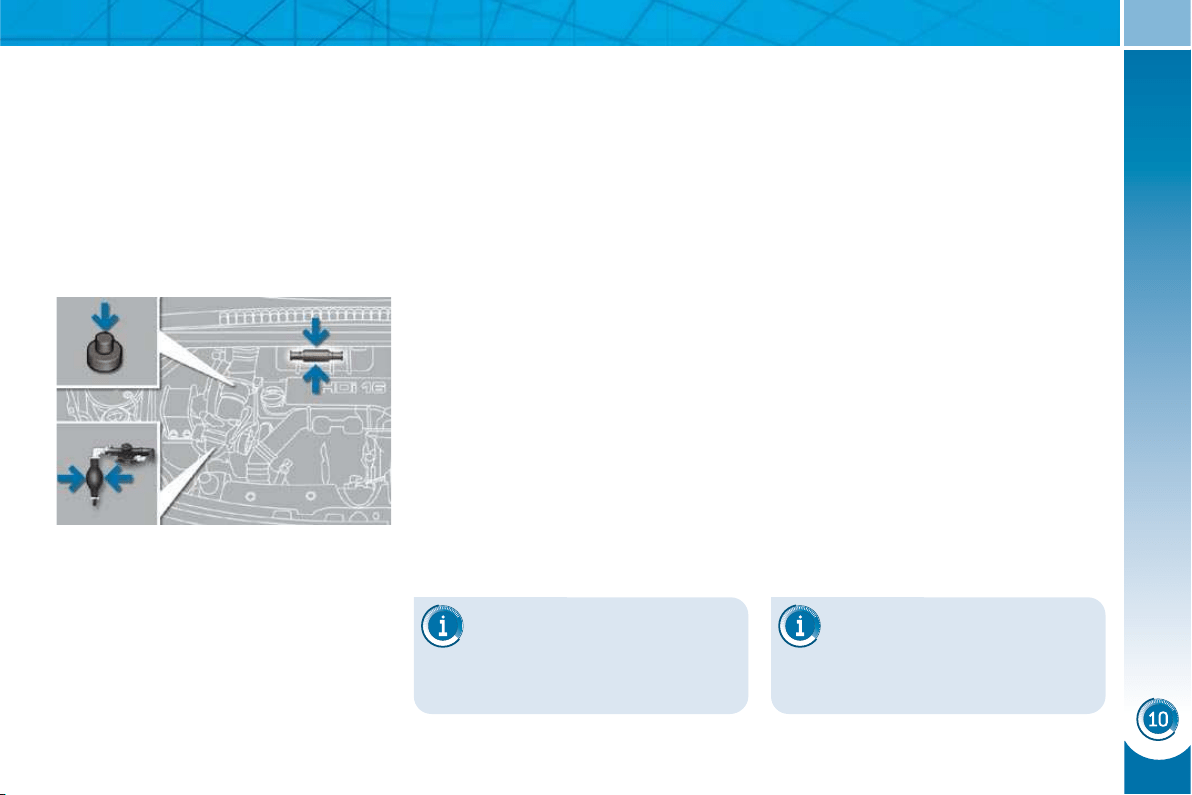
CHECKS
159
RUNNING OUT OF FUEL
(DIESEL)
If your vehicle is fi tted with an HDI en-
gine, the fuel system must be primed if
you run out of fuel.
This system consists of a priming pump
and, according to engine (see graphic
and explanations below), a transparent
pipe and a bleed screw under the bonnet
(refer to the corresponding graphic).
1.6 litre Turbo HDI 16V engine
Fill the fuel tank with at least fi ve litres
of diesel.
Open the bonnet.
Operate the priming pump until it
hardens.
Operate the starter until the engine
starts.
Close the bonnet.
2 litre Turbo HDI 16V engine
Fill the fuel tank with at least fi ve li-
tres of diesel.
Open the bonnet.
Unclip the style cover for access to
the priming pump.
Slacken the bleed screw.
Squeeze and release the priming
pump until fuel appears in the trans-
parent pipe with the green connector.
Retighten the bleed screw.
Operate the starter until the engine
starts.
Put the style cover back in position
and clip it in place.
Close the bonnet.
If the engine does not start
at the fi rst attempt, do not try
again.
Operate the priming pump again,
then the starter.
If the engine does not start
at the fi rst attempt, do not try
again.
Operate the priming pump again,
then the starter.
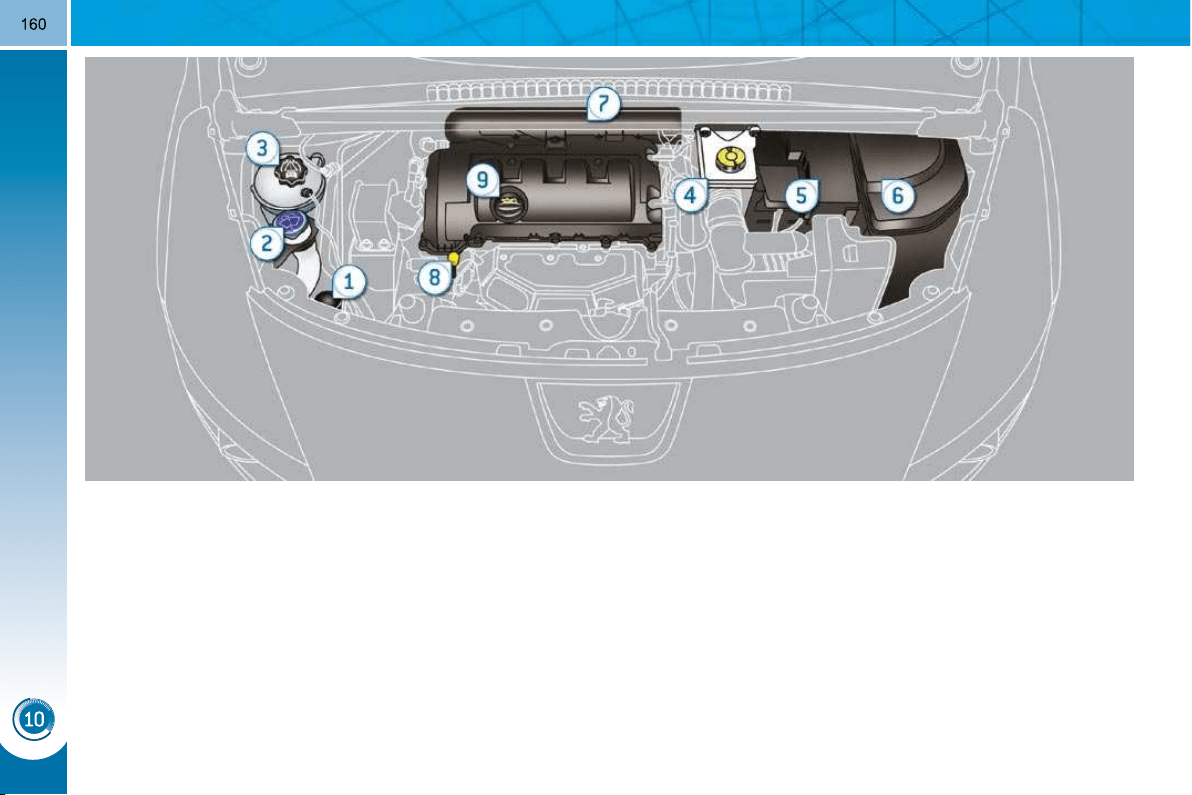
CHECKS
PETROL ENGINES
The various caps and covers allow access for checking the levels of the various fl uids and for replacing certain components.
1. Power steering reservoir.
2. Screenwash and headlamp wash
reservoir.
3. Coolant reservoir.
4. Brake fl uid reservoir.
5. Battery/Fuses.
6. Fusebox.
7. Air fi lter * .
8. Engine oil dipstick.
9. Engine oil fi ller cap.
* According to engine.
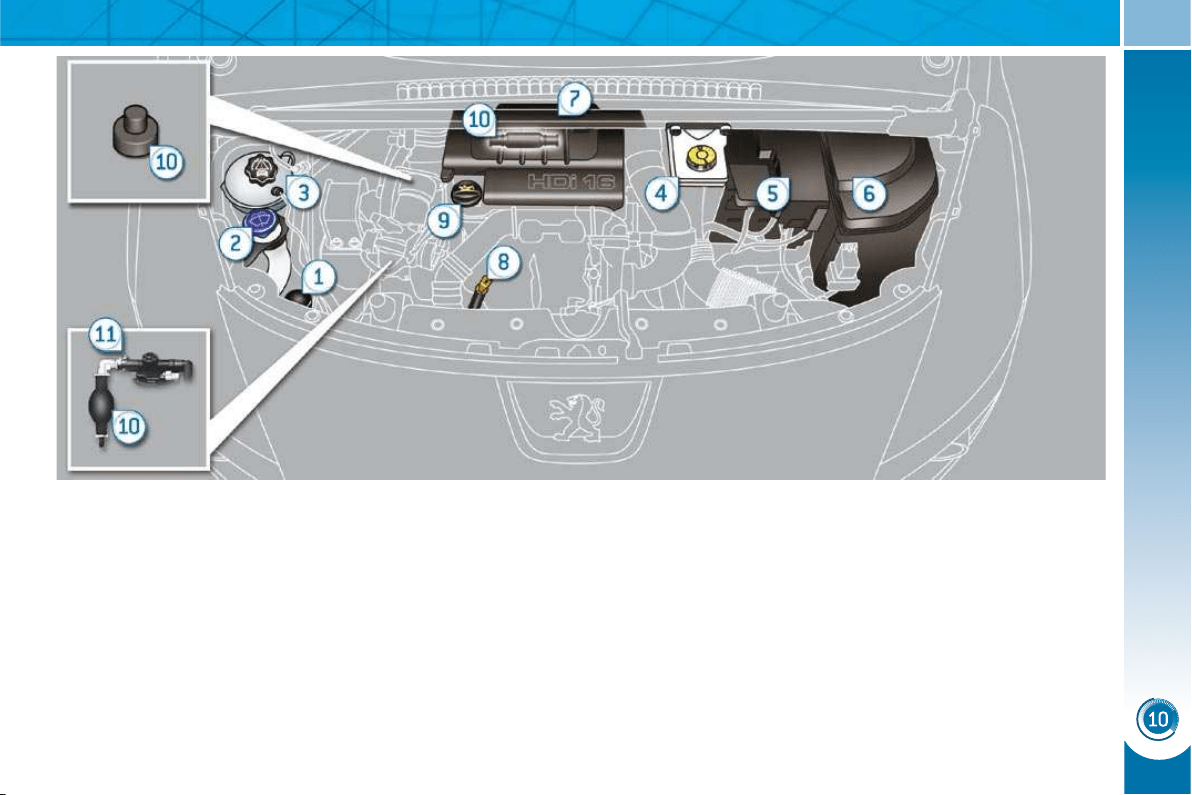
CHECKS
161
DIESEL ENGINES
The various caps and covers allow access for checking the levels of the various fl uids, for replacing certain components and
for priming the fuel system.
1. Power steering reservoir.
2. Screenwash and headlamp wash
reservoir.
3. Coolant reservoir.
4. Brake fl uid reservoir.
5. Battery/Fuses.
6. Fusebox.
7. Air fi lter * .
8. Engine oil dipstick.
9. Engine oil fi ller cap.
10. Priming pump * .
11. Bleed screw * .
* According to engine.
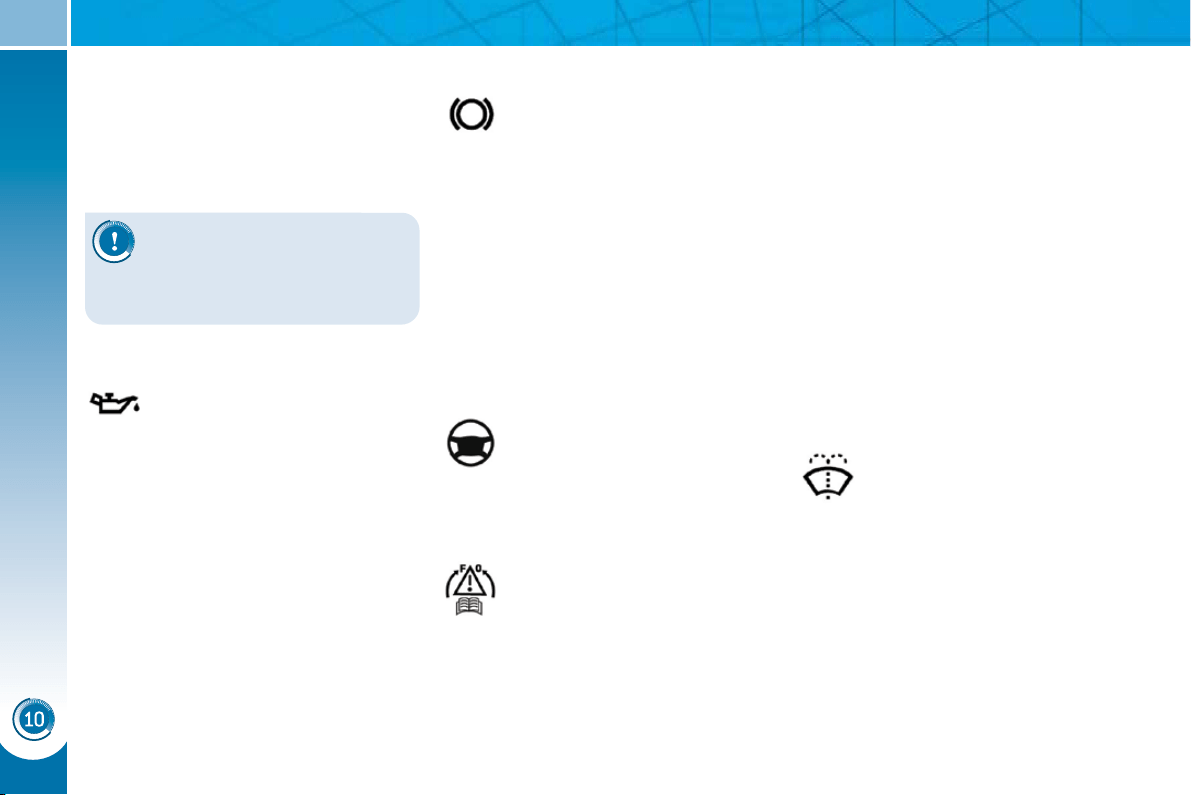
CHECKS
162
CHECKING LEVELS
Check all of these levels regularly and
top them up if necessary, unless other-
wise indicated.
If a level drops signifi cantly, have the
corresponding system checked by a
PEUGEOT dealer.
Brake fluid level
In addition, as the cooling system is
pressurised, wait at least one hour after
switching off the engine before carrying
out any work.
To avoid any risk of scalding, unscrew
the cap by two turns to allow the pres-
sure to drop. When the pressure has
dropped, remove the cap and top up
the level.
Oil level
The reading will only be correct
if the vehicle is on level ground
and the engine has been off for
more than 15 minutes.
The check is carried out either when the
ignition is switched on using the oil level
indicator on the instrument panel, or us-
ing the dipstick.
The brake fl uid level should be
close to the "MAX" mark. If it is
not, check the brake pad wear.
Changing the fl uid
Refer to the Warranty and Maintenance
Record for details of the interval for this
operation.
Power steering fluid level
The power steering fl uid level
should be close to the "MAX"
mark. Unscrew the cap, with
the engine cold, to check the
level.
Screenwash and headlamp
wash fluid
In the case of vehicles fi tted with
headlamp washers, the minimum
level of this fl uid is indicated by an
audible signal and a message on
the multifunction screen.
Top up the level when you stop the vehicle.
Engine oil change
Refer to the Warranty and Maintenance
Record for details of the interval for this
operation.
In order to maintain the reliability of the
engine and emission control system,
the use of additives in the engine oil is
prohibited.
Oil specifi cation
The oil must correspond to your engine
and conform to the manufacturer's recom-
mendations.
Fluid specifi cation
The brake fl uid must conform to the
manufacturer's recommendations and
fulfi l the DOT4 standards.
Changing the coolant
The coolant does not have to be
changed.
Fluid specifi cation
For optimum cleaning and to avoid
freezing, this fl uid must not be topped
up with or replaced with water.
Coolant level
The coolant level should be
close to the "MAX" mark but
should never exceed it.
When the engine is warm, the tempera-
ture of the coolant is regulated by the fan.
This can operate with the ignition off.
On vehicles which are fi tted with a
particle emission fi lter, the fan may
operate after the vehicle has been
switched off, even if the engine is
cold.
Fluid specifi cation
The coolant must conform to the manu-
facturer's recommendations.
When working under the bon-
net, take care, as certain areas
of the engine may be extremely
hot (risk of burns).
CHECKS
163
Avoid prolonged contact of
used oil or fl uids with the skin.
Most of these fl uids are harm-
ful to health or indeed very
corrosive.
Do not discard used oil or fl u-
ids into sewers or onto the
ground.
Take used oil to a PEUGEOT dealer
(France) or an authorised waste dis-
posal site.
Diesel additive level (Diesel
engine with particle emission
filter)
A low additive level is indicated by lighting
of the service warning lamp, accompanied
by an audible warning and a message on
the multifunction screen.
Used products
CHECKS
Battery
The battery does not require
any maintenance.
However, check that the ter-
minals are clean and correctly
tightened, particularly in sum-
mer and winter.
When carrying out work on the battery,
refer to the "Practical information" sec-
tion for details of the precautions to be
taken before disconnecting the battery
and following its reconnection.
Air filter
Refer to the Warranty and
Maintenance Record for de-
tails of the replacement inter-
vals for these components.
Depending on the environment
(e.g. dusty atmosphere) and the use of
the vehicle (e.g. city driving), replace
them twice as often if necessary (re-
fer to the "Engines" paragraph).
Particle emission filter (Diesel)
It is imperative that the maintenance of
the particle emission fi lter is carried out
by a PEUGEOT dealer.
Oil filter
Replace the oil fi lter each time
the engine oil is changed.
Refer to the Warranty and
Maintenance Record for details
of the replacement interval for
this component.
Following prolonged opera-
tion of the vehicle at very low
speed or at idle, you may, in
exceptional circumstances, notice the
emission of water vapour at the ex-
haust on acceleration. This does not
affect the behaviour of the vehicle or
the environment.
Topping up
This additive must be topped up by a
PEUGEOT dealer without delay.
Dust filter/Anti-odour filter
(activated carbon)
Your vehicle is fi tted with a fi lter which
traps certain dust and limits odours in
the ventilation and air conditioning.
Refer to the Warranty and Maintenance
Record for its replacement interval.
Do not hesitate to change it if you notice
unpleasant odours, contact a PEUGEOT
dealer.
A clogged passenger compartment fi lter
may reduce the performance of the air
conditioning system and produce un-
pleasant odours.
Unless otherwise indicated, check
these components in accordance with
the Warranty and Maintenance Record
and according to your engine.
Otherwise, have them checked by a
PEUGEOT dealer.
CHECKS
163
Avoid prolonged contact of
used oil or fl uids with the skin.
Most of these fl uids are harm-
ful to health or indeed very
corrosive.
Do not discard used oil or fl u-
ids into sewers or onto the
ground.
Take used oil to a PEUGEOT dealer
(France) or an authorised waste dis-
posal site.
Diesel additive level (Diesel
engine with particle emission
filter)
A low additive level is indicated by lighting
of the service warning lamp, accompanied
by an audible warning and a message on
the multifunction screen.
Used products
CHECKS
Battery
The battery does not require
any maintenance.
However, check that the ter-
minals are clean and correctly
tightened, particularly in sum-
mer and winter.
When carrying out work on the battery,
refer to the "Practical information" sec-
tion for details of the precautions to be
taken before disconnecting the battery
and following its reconnection.
Air filter
Refer to the Warranty and
Maintenance Record for de-
tails of the replacement inter-
vals for these components.
Depending on the environment
(e.g. dusty atmosphere) and the use of
the vehicle (e.g. city driving), replace
them twice as often if necessary (re-
fer to the "Engines" paragraph).
Particle emission filter (Diesel)
It is imperative that the maintenance of
the particle emission fi lter is carried out
by a PEUGEOT dealer.
Oil filter
Replace the oil fi lter each time
the engine oil is changed.
Refer to the Warranty and
Maintenance Record for details
of the replacement interval for
this component.
Following prolonged opera-
tion of the vehicle at very low
speed or at idle, you may, in
exceptional circumstances, notice the
emission of water vapour at the ex-
haust on acceleration. This does not
affect the behaviour of the vehicle or
the environment.
Topping up
This additive must be topped up by a
PEUGEOT dealer without delay.
Dust filter/Anti-odour filter
(activated carbon)
Your vehicle is fi tted with a fi lter which
traps certain dust and limits odours in
the ventilation and air conditioning.
Refer to the Warranty and Maintenance
Record for its replacement interval.
Do not hesitate to change it if you notice
unpleasant odours, contact a PEUGEOT
dealer.
A clogged passenger compartment fi lter
may reduce the performance of the air
conditioning system and produce un-
pleasant odours.
Unless otherwise indicated, check
these components in accordance with
the Warranty and Maintenance Record
and according to your engine.
Otherwise, have them checked by a
PEUGEOT dealer.
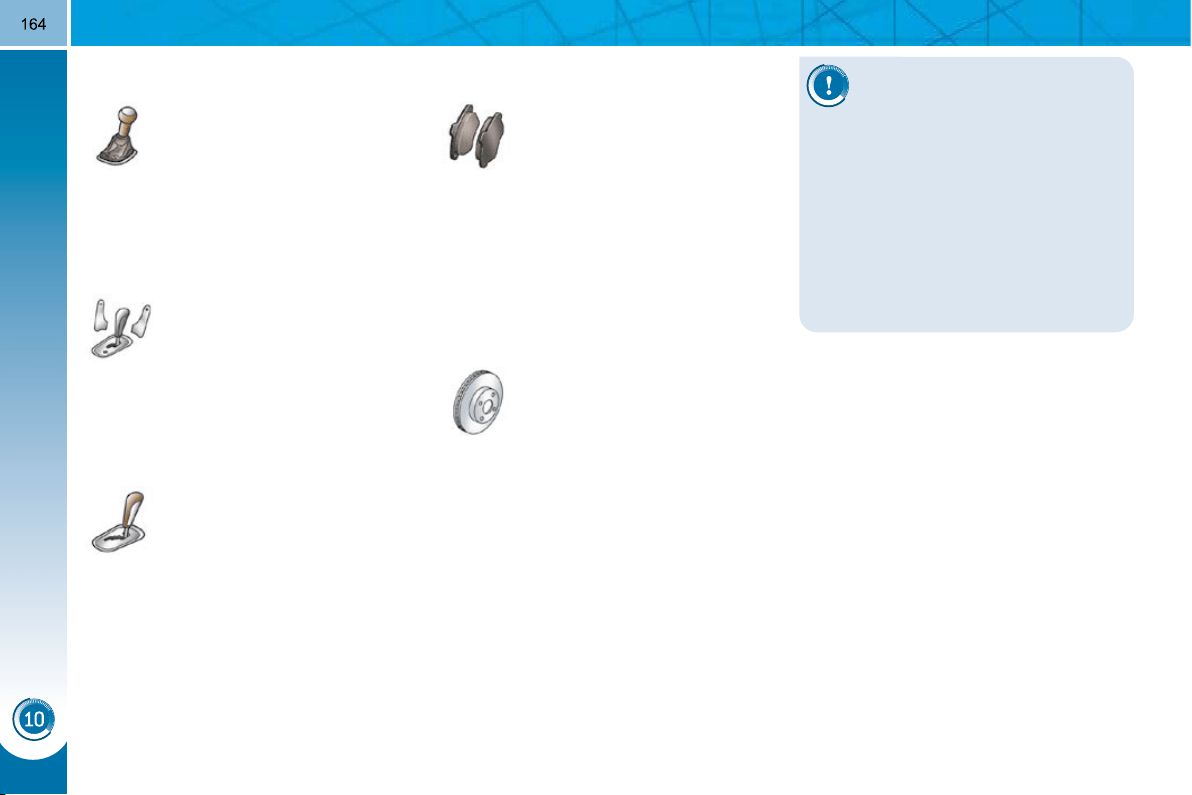
CHECKS
Only use products recom-
mended by PEUGEOT or
products of equivalent quality
and specifi cations.
In order to optimise the opera-
tion of units as important as the brak-
ing system, PEUGEOT selects and
offers very specifi c products.
To avoid damaging the electrical
units, the use of a high pressure
washer in the engine compartment is
strictly prohibited .
Brake disc wear status
Brake pads
Brake wear depends on the
style of driving, particularly in
the case of vehicles used in
town, over short distances. It
may be necessary to have the
condition of the brakes checked, even
between vehicle services.
Unless there is a leak in the circuit, a
drop in the brake fl uid level indicates
that the brake pads are worn.
For information relating to
checking the brake disc wear
status, contact a PEUGEOT
dealer.
Manual gearbox
The gearbox does not re-
quire any maintenance (no oil
change).
Refer to the Warranty and
Maintenance Record for the
details of the level checking
interval for this component.
6-speed electronic gear control
gearbox
The gearbox does not re-
quire any maintenance (no oil
change).
Refer to the Warranty and
Maintenance Record for de-
tails of the checking interval
for this component.
Automatic gearbox
The gearbox does not re-
quire any maintenance (no oil
change).
Refer to the Warranty and
Maintenance Record for details
of the level checking interval for
this component.
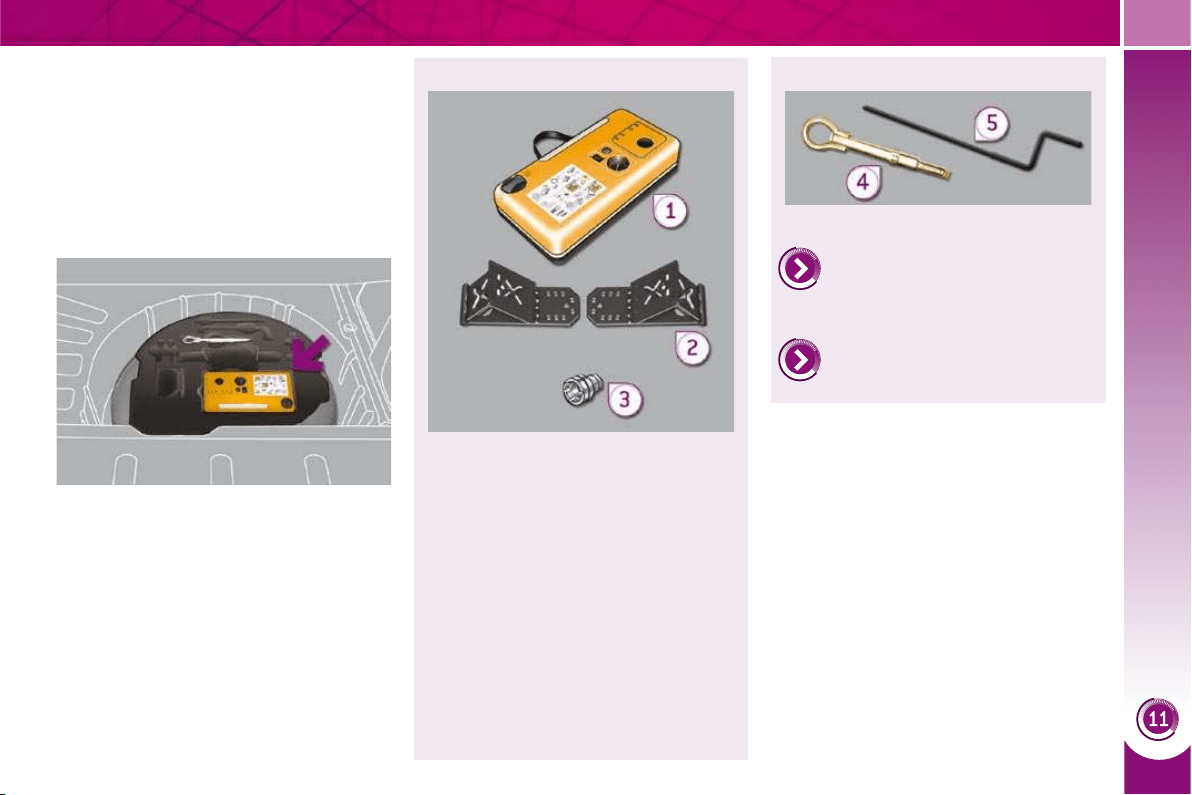
PRACTICAL INFORMATION
165
TEMPORARY PUNCTURE
REPAIR KIT
The kit is located in the boot under the
fl oor. It is installed in the tool box, lo-
cated under the storage box.
Complete system consisting of a com-
pressor and an incorporated sealant
cartridge which permits temporary
repair of the tyre so that you can drive
to the nearest garage.
All of these tools are specifi c to your
vehicle. Do not use them for other
purposes.
1. 12 V compressor.
Contains a sealant for temporary
repair of the tyre and permits ad-
justment of the tyre pressure.
2. Two chocks to chock the vehicle.
3. Socket for security bolts (located
in the glove compartment).
Permits adaptation to the special
security bolts.
List of tools
Other accessories
4. Removable towing eye.
Refer to "Electric parking
brake" in the "Driving" section.
Refer to the paragraph "Towing
the vehicle".
5. Electric parking brake emergency
release control.
Access to the kit
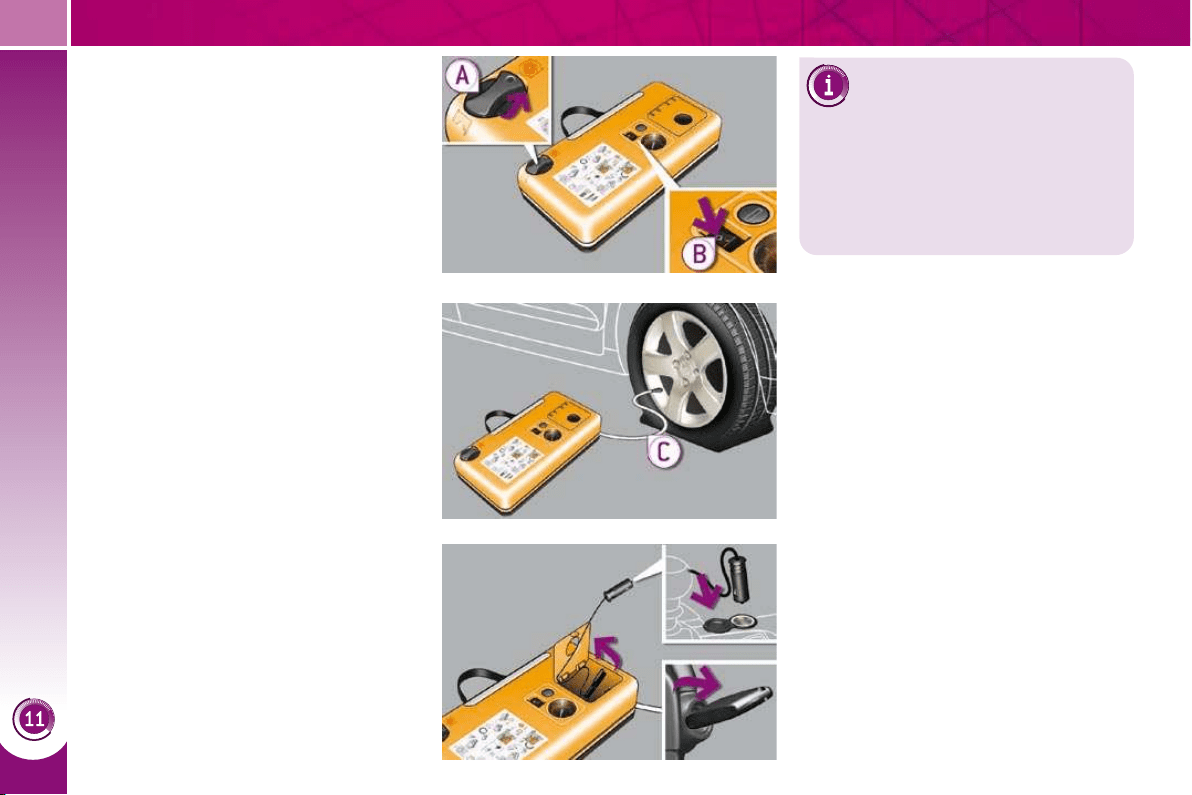
PRACTICAL INFORMATION
166
Using the kit
This procedure, comprising several
steps, must be carried out in full.
Switch off the ignition.
Turn the selector A to the "SEALANT"
position.
Check that the switch B is in posi-
tion "0" .
Connect the white pipe C to the
valve of the tyre to be repaired.
Connect the compressor's electric
plug to the vehicle's 12 V socket.
Affi x the speed limitation sticker to
the vehicle's steering wheel to re-
mind you that a wheel is in tempo-
rary use.
Start the vehicle and leave the en-
gine running.
This repair kit is available from
PEUGEOT dealers.
It is designed to repair most punc-
tures which could affect the tyre, lo-
cated on the tyre tread or shoulder.
Avoid removing any foreign bodies
which have penetrated the tyre.
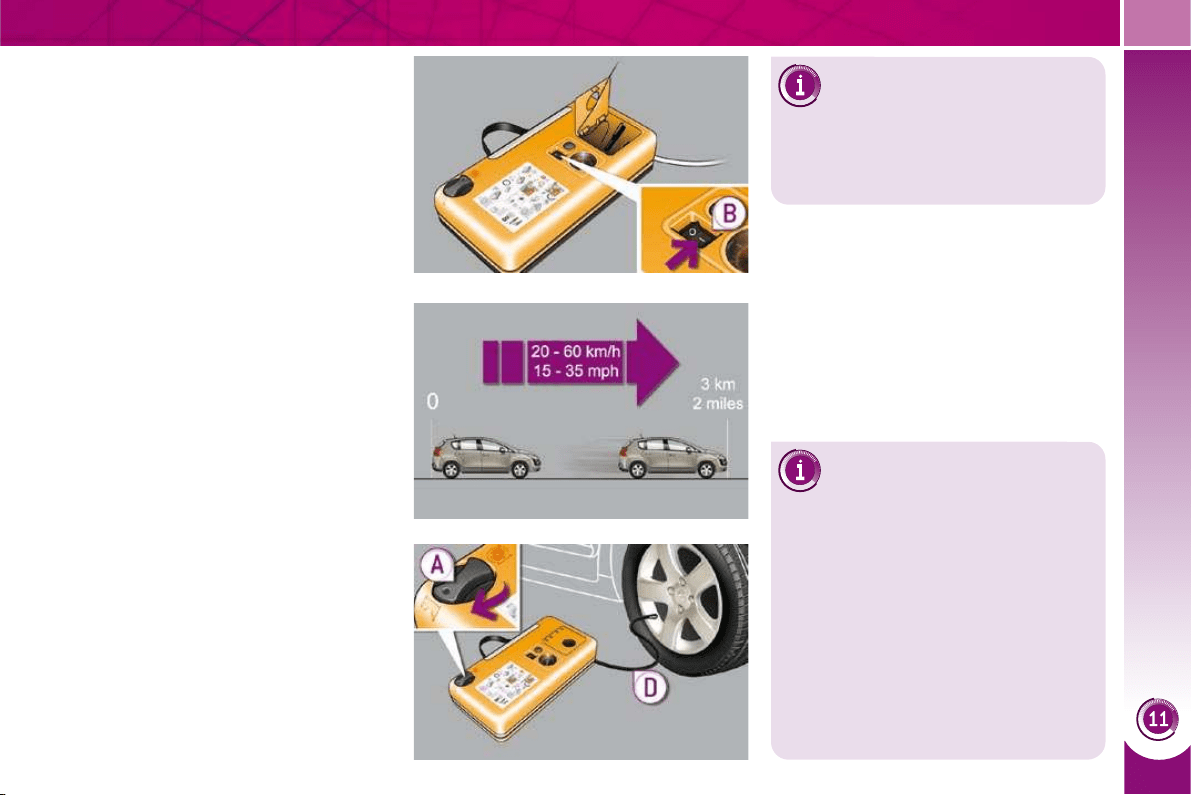
PRACTICAL INFORMATION
167
Drive immediately for approximate-
ly three miles (fi ve kilometres), at
reduced speed (between 15 and
35 mph [20 and 60 km/h]), to plug
the puncture.
Stop to check the repair and the tyre
pressure using the kit.
Turn the selector A to the AIR posi-
tion.
Connect the black pipe D to the
valve of the wheel.
Switch on the compressor by mov-
ing the switch B to position "1" until
the tyre pressure reaches 2.0 bars.
Remove the kit, taking care to avoid
staining your vehicle with traces of
fl uid. Keep the kit to hand.
If after around 5 to 7 minutes
the pressure is not attained,
this indicates that the tyre is
not repairable; contact a PEUGEOT
dealer for assistance.
Checking/Adjusting tyre
pressures
You can use this kit to infl ate
other accessories such as a ball or
bicycle tyres.
To do this, turn the selector to the
"Infl ation (AIR)" position, connect the
black pipe with the appropriate adap-
tor to the accessory to be infl ated,
then follow the rest of the procedure
below as far as removal of the kit.
You can also use this kit for routine
checking and adjustment of the tyre
pressures on your vehicle. For this,
carry out just the following 6 points.
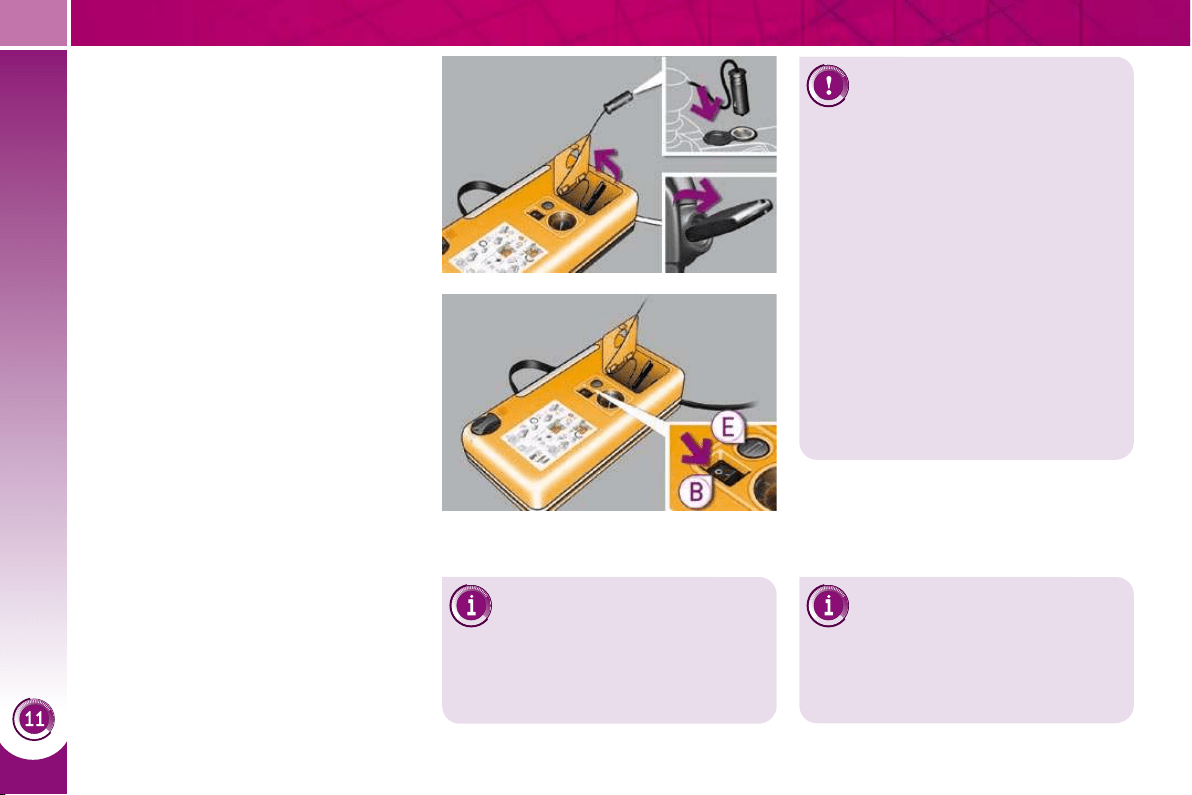
PRACTICAL INFORMATION
168
Take care, this product is
harmful (e.g. ethylene-glycol,
colophony, ethanediol...) if
swallowed and causes irritation to the
eyes. Keep it out of reach of children.
The expiry date of the fl uid is indicat-
ed on the cartridge
The sealant cartridge is designed for
single use; even if only partly used, it
must be replaced.
To remove the cartridge, unscrew it
completely at its cap and pull off.
After use, do not discard the car-
tridge into the environment, take it to
an authorised waste disposal site or
a PEUGEOT dealer.
Do not forget to obtain a new sealant
cartridge, available from PEUGEOT
dealers.
Connect the compressor's electric
plug to the vehicle's 12
V socket.
Start the vehicle again and leave the
engine running.
Adjust the pressure using the com-
pressor (to infl ate: switch B in
position "1" ; to defl ate: switch B in
position "0" and press button E ), in
accordance with the vehicle's tyre
pressure label (located on the left
hand door aperture).
A loss of pressure indicates that the
puncture has not been fully plugged;
contact a PEUGEOT dealer for as-
sistance.
Remove and stow the kit.
Tyre under-infl ation detection
If the vehicle is fi tted with tyre
under-infl ation detection, the
under-infl ation warning lamp will re-
main on after the wheel has been re-
paired until the system is reinitialised
by a PEUGEOT dealer.
Drive at reduced speed (50 mph
[80 km/h] max) limiting the distance
travelled to approximately 120 miles
(200 km).
Visit a PEUGEOT dealer as
soon as possible to have the
tyre repaired or replaced by
a technician
.
After inspection of the tyre, a technician
will be able to advise you whether the tyre
can be repaired or must be replaced.
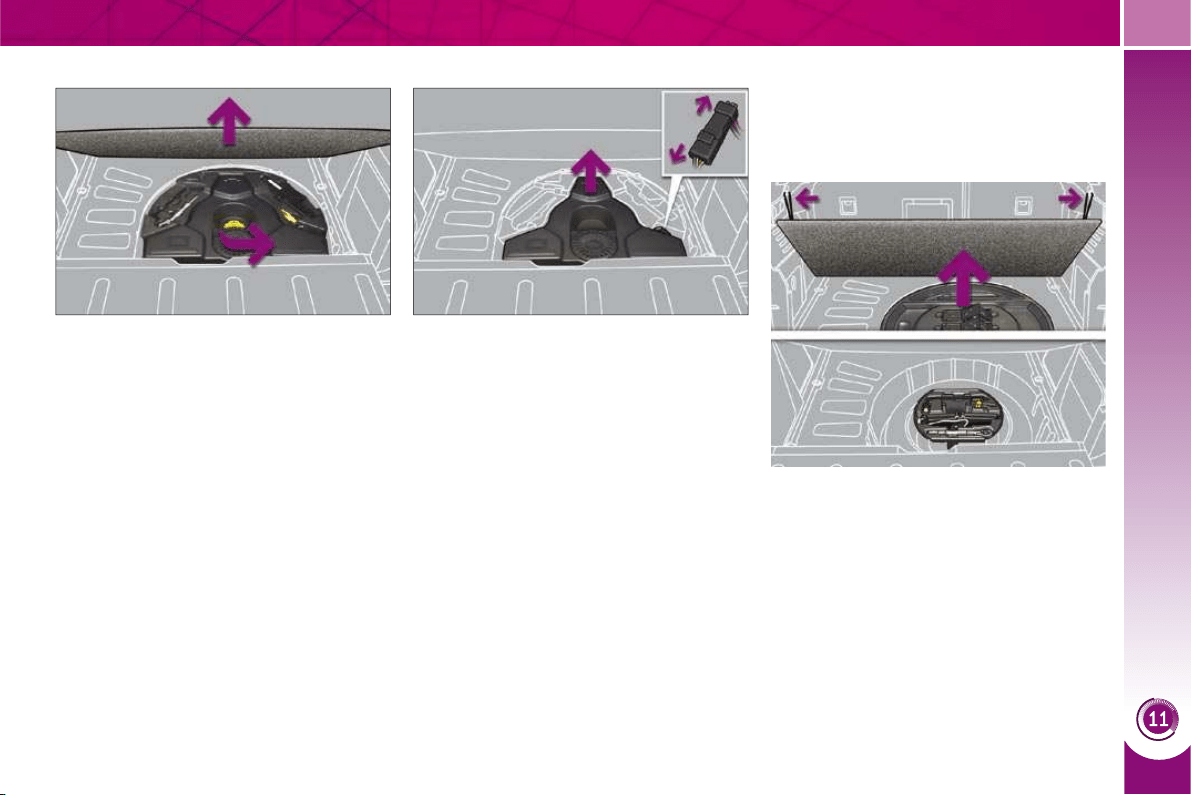
PRACTICAL INFORMATION
169
CHANGING A WHEEL
The tools are installed in the boot under
the fl oor.
To gain access to them:
open the boot,
place the adjustable boot fl oor at an
angle (refer to the "Fittings" section),
raise the fl oor,
secure it by hooking its cord on the
hook on the rear parcel shelf sup-
port,
remove the polystyrene storage box,
unclip by pulling upwards then
remove the box containing the
tools.
Access to the tools
Procedure for changing a faulty wheel
for the spare wheel using the tools pro-
vided with the vehicle.
To make the operation easier, re-
move the adjustable boot fl oor,
unscrew the yellow central bolt,
With the JBL bass unit
remove the bass unit disconnecting
the electrical harness,
remove the polystyrene storage box.
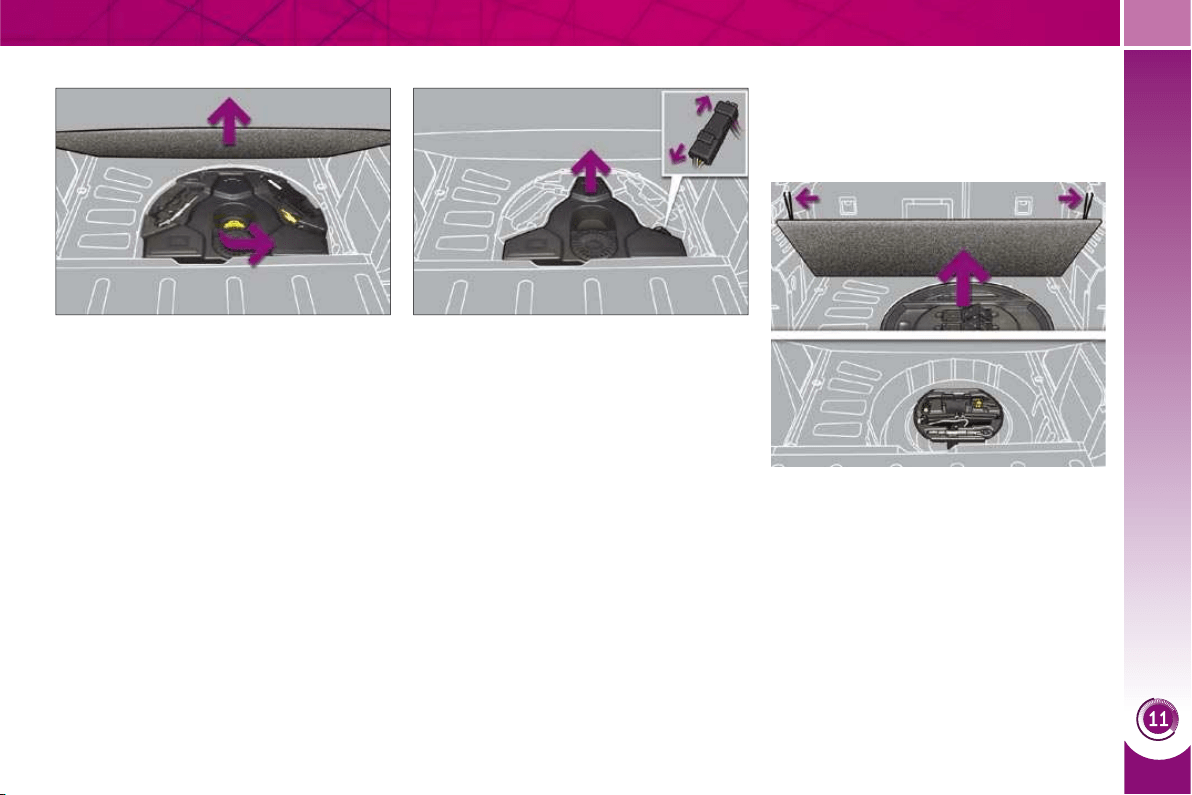
PRACTICAL INFORMATION
169
CHANGING A WHEEL
The tools are installed in the boot under
the fl oor.
To gain access to them:
open the boot,
place the adjustable boot fl oor at an
angle (refer to the "Fittings" section),
raise the fl oor,
secure it by hooking its cord on the
hook on the rear parcel shelf sup-
port,
remove the polystyrene storage box,
unclip by pulling upwards then
remove the box containing the
tools.
Access to the tools
Procedure for changing a faulty wheel
for the spare wheel using the tools pro-
vided with the vehicle.
To make the operation easier, re-
move the adjustable boot fl oor,
unscrew the yellow central bolt,
With the JBL bass unit
remove the bass unit disconnecting
the electrical harness,
remove the polystyrene storage box.
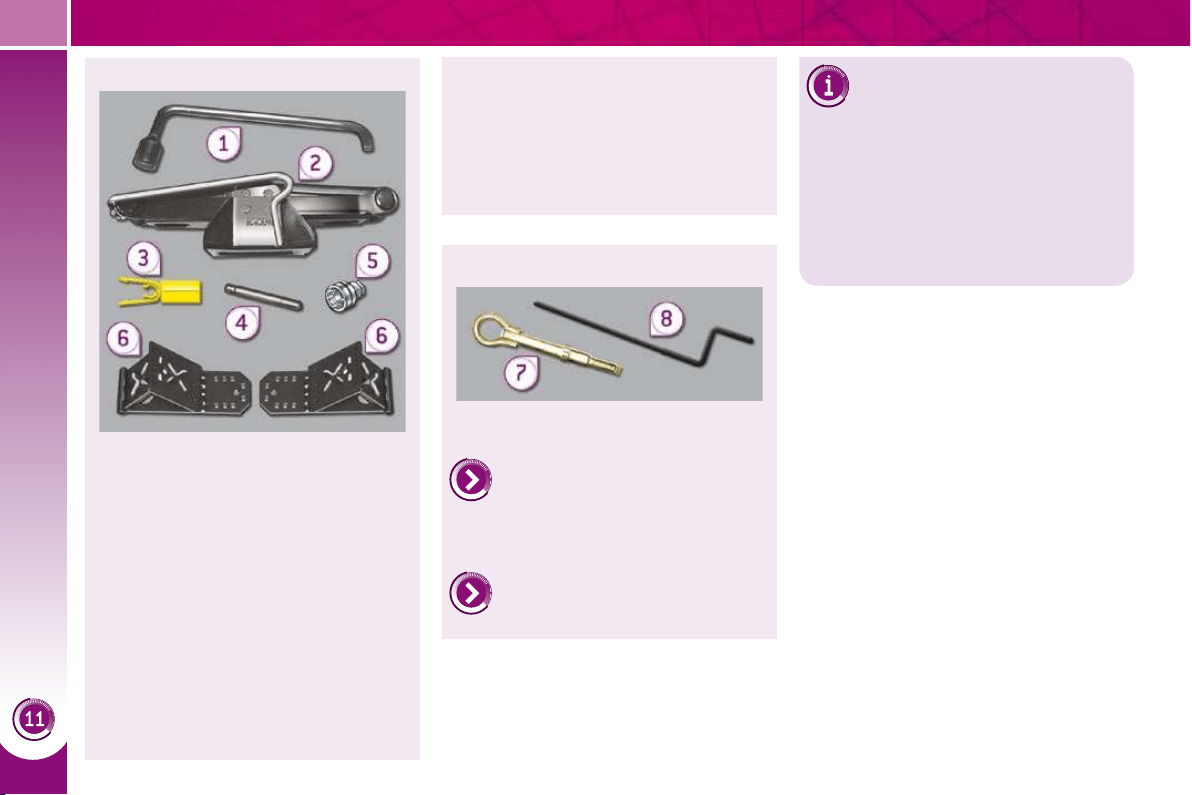
PRACTICAL INFORMATION
170
All of these tools are specifi c to your
vehicle. Do not use them for other
purposes.
1. Wheelbrace.
For removal of the wheel trim and
removal of the wheel fi xing bolts.
2. Jack with integral handle.
For raising of the vehicle.
3. "Bolt cover" tool (according to
equipment).
For removal of the bolt protectors
(covers) on alloy wheels.
4. Centring guide.
For refi tting an alloy wheel to the
hub.
List of tools
Other accessories
Wheel with trim
When removing the wheel ,
detach the trim fi rst using the
wheelbrace 1 pulling at the valve
passage hole.
When refi tting the wheel , refi t the
trim starting by placing its notch facing
the valve and press around its edge
with the palm of your hand.
5. Socket for the anti-theft bolts
(located in the glove box).
For adaptation of the wheelbrace
to the special "security" bolts.
6. Two chocks to immobilise the
vehicle.
7. Removable towing eye.
Refer to "Electric parking
brake" in the "Driving" section.
Refer to the paragraph "Towing
the vehicle".
8. Electric brake emergency re-
lease control.
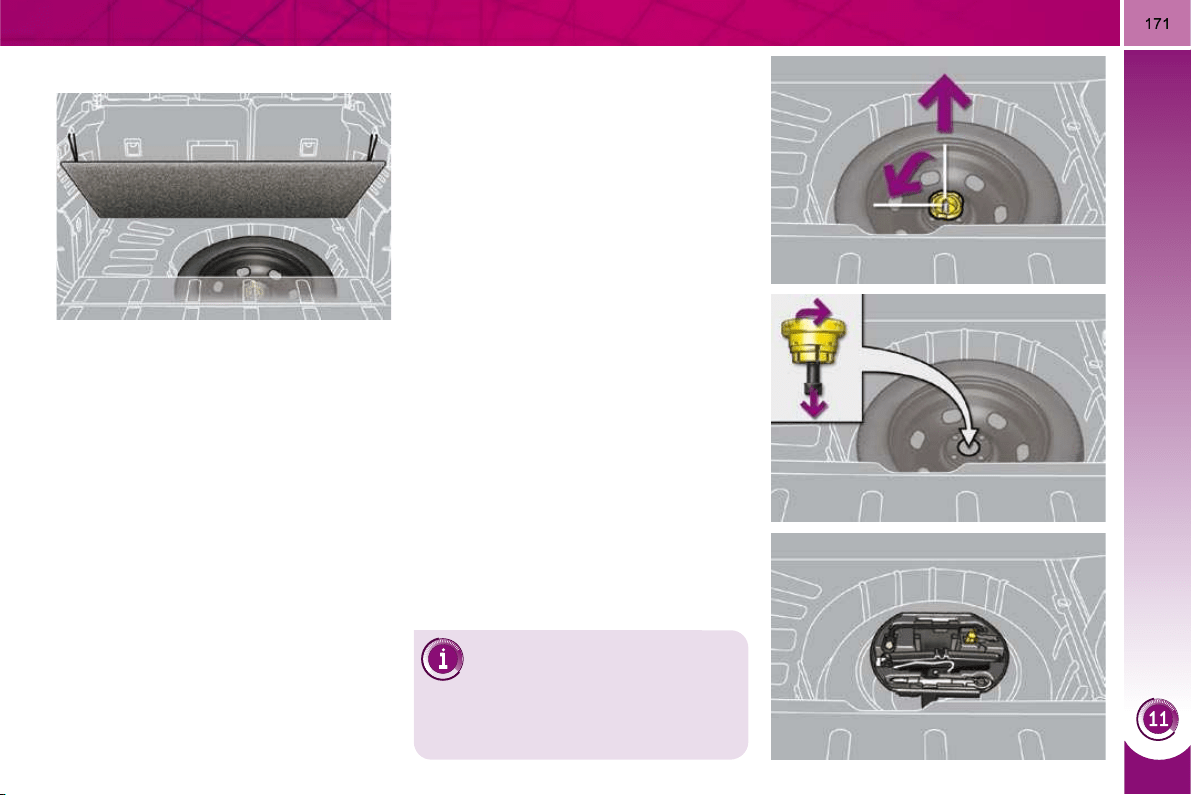
PRACTICAL INFORMATION
Access to the spare wheel
The spare wheel is installed in the boot
under the fl oor.
According to country, the spare wheel
may be steel, alloy or of the "space-
saver" type.
To gain access to it, refer to the para-
graph "Access to the tools" on the previ-
ous page.
Taking out the wheel
Unscrew the yellow central bolt.
Raise the spare wheel towards you
from the rear.
Take the wheel out of the boot.
Putting the wheel back in place
Put the wheel back in its housing.
Unscrew the yellow central bolt by a
few turns then put it in place in the
centre of the wheel.
Tighten fully until the central bolt
clicks to retain the wheel correctly.
Put the box back in place in the cen-
tre of the wheel and clip it.
Put the polystyrene storage box
back in place.
Tyre under-infl ation
detection
The spare wheel is not fi tted
with a sensor. The punctured wheel
must be repaired by a PEUGEOT
dealer.
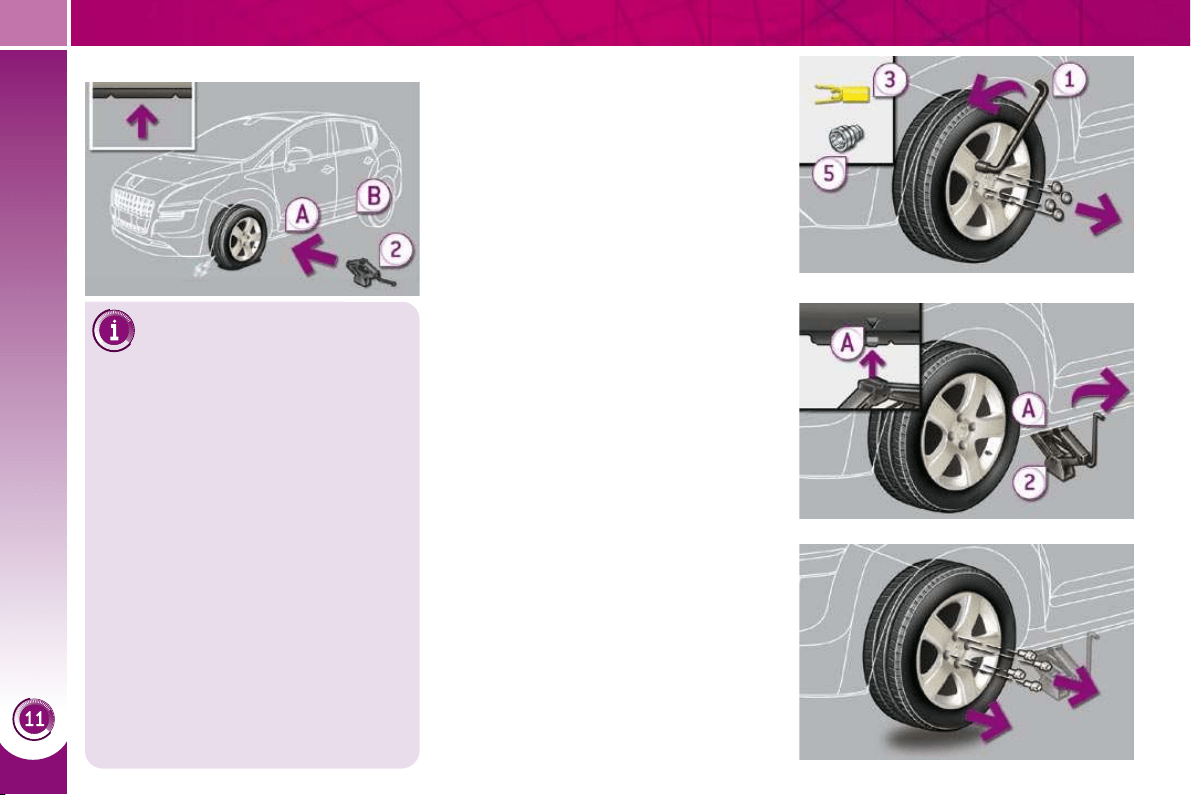
PRACTICAL INFORMATION
172
Parking the vehicle
Immobilise the vehicle where
it does not block traffi c: the
ground must be level, stable and
non-slippery ground.
Apply the parking brake unless it
has been programmed to automatic
mode, switch off the ignition and en-
gage fi rst gear * to lock the wheels.
Check that the braking warning lamp
and the P warning lamp on the park-
ing brake control come on.
If necessary, place a chock under the
wheel diagonally opposite the wheel
to be changed.
The occupants must get out of the
vehicle and wait where they are
safe.
Never go underneath a vehicle raised
using a jack; use an axle stand.
Removing a wheel
List of operations
Remove the chromed bolt cover
from each of the bolts using the
tool 3 (according to equipment).
Fit the security socket 5 on the
wheelbrace 1 to slacken the security
bolt.
Slacken the other bolts using the
wheelbrace 1 only.
Place the jack 2 in contact with one
of the two front A or rear B locations
provided on the underbody, which-
ever is closest to the wheel to be
changed.
Extend the jack 2 until its base plate
is in contact with the ground. Ensure
that the centreline of the jack base
plate is directly below the location A
or B used.
Raise the vehicle until there is suf-
fi cient space between the wheel and
the ground to admit the spare (not
punctured) wheel easily.
Remove the bolts and store them in
a clean place.
Remove the wheel.
* position R for the electronic gear
control manual gearbox; P for the
automatic gearbox.
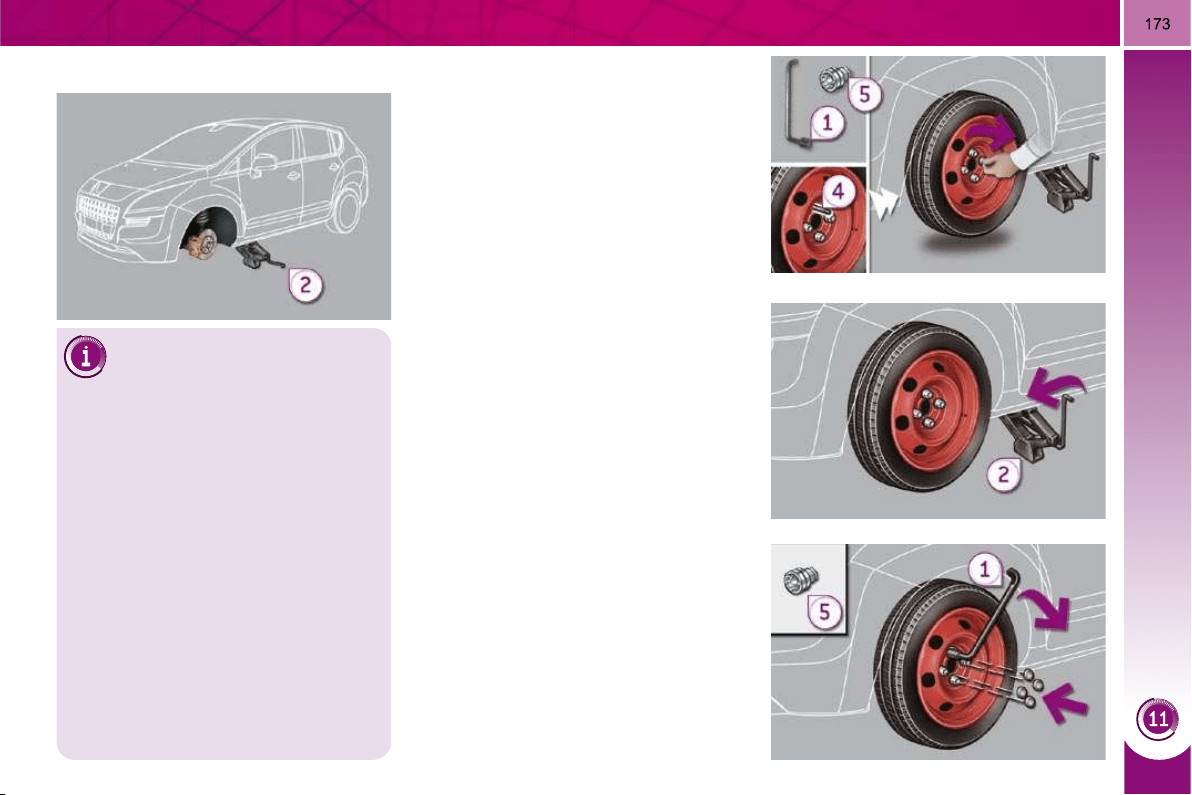
PRACTICAL INFORMATION
Fitting the "space-saver"
spare wheel
If your vehicle is fi tted with al-
loy wheels, when tightening the bolts
on fi tting it is normal to notice that the
washers do not come into contact
with the "space-saver" spare wheel.
The wheel is secured by the conical
contact of each bolt.
Fitting a wheel
List of operations
Put the wheel in place on the hub
using the centring guide 4 .
Screw in the bolts by hand to the
stop.
Pre-tighten the security bolt using
the wheelbrace 1 fi tted with the
security socket 5 .
Pre-tighten the other bolts using the
wheelbrace 1 only.
Lower the vehicle fully.
Fold the jack 2 and detach it.
Tighten the security bolt using the
wheelbrace 1 fi tted with the security
socket 5 .
Tighten the other bolts using the
wheelbrace 1 only.
Refi t the chromed bolt covers on
each of the bolts (according to
equipment).
Store the tools in the box.
After changing a wheel
To store the punctured wheel in the
boot correctly, fi rst remove the central
cover.
When using the "space-saver" type
spare wheel, do not exceed 50 mph
(80 km/h).
Have the tightening of the bolts and
the pressure of the spare wheel
checked by a PEUGEOT dealer with-
out delay.
Have the punctured wheel repaired
and replace it on the vehicle as soon
as possible.
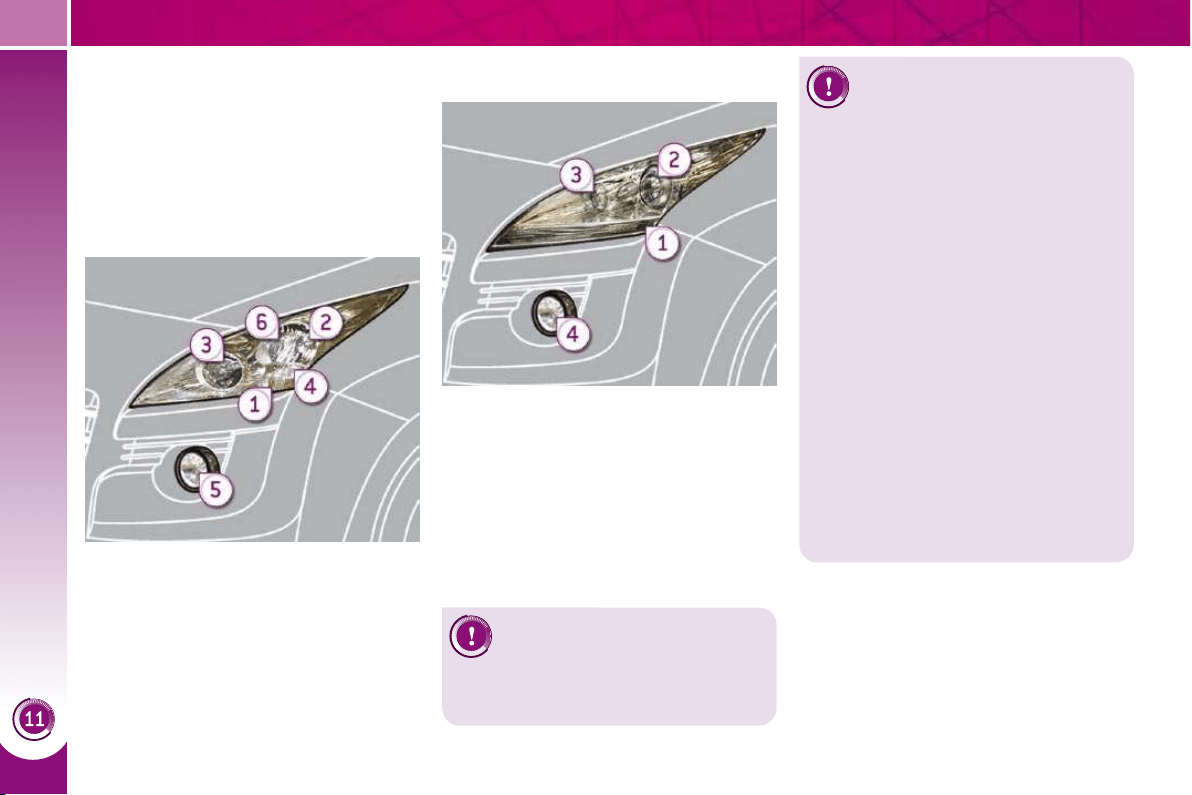
PRACTICAL INFORMATION
174
Risk of electrocution
Xenon bulbs (D1S-35W) must
be replaced by a PEUGEOT
dealer.
CHANGING A BULB
Procedure for replacing a faulty bulb
with a new bulb without the use of
tools.
Model with halogen headlamps
1. Direction indicators
(HP24-24W).
2. Dipped beam headlamps
(H7-55W).
3. Main beam headlamps (H7-55W).
4. Daytime running lamps
(HP24-24W).
5. Foglamps (PS24-24W).
6. Sidelamps (W5-5W).
1. Direction indicators
(HP24-24W).
2. Dipped/main beam headlamps
(D1S-35W).
3. Daytime running lamps/
sidelamps (P21/5W).
4. Foglamps (PS24-24W).
Model with xenon and directional
headlamps
The headlamps are fi tted with
polycarbonate glass with a
protective coating:
do not clean them using a dry
or abrasive cloth, nor with a
detergent or solvent product,
use a sponge and soapy water,
when using a high pressure
washer on persistent marks, do
not direct at the lamps or their
outlines for too long, so as not to
damage their protective coating
and seals.
Front lamps
Do not touch the bulb directly with
your fi ngers, use lint-free cloths.
Changing a halogen bulb should only
be done after the headlamp has been
switched off for a few minutes (risk of
serious burns).
It is imperative to use only anti-ultra-
violet (UV) type bulbs in order not to
damage the headlamp.
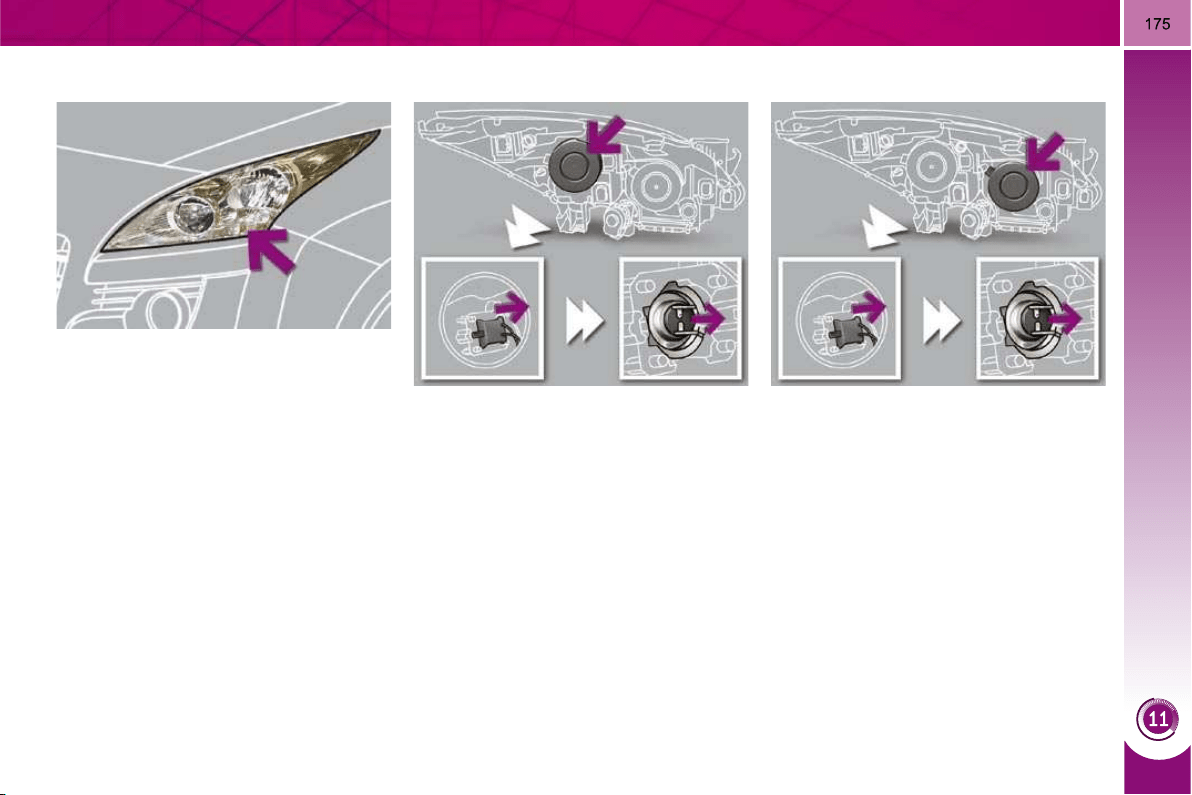
PRACTICAL INFORMATION
Changing main beam headlamp and
sidelamp bulbs
Changing dipped headlamp bulbs
Remove the protective plastic cover
by pulling on the tab.
Disconnect the bulb connector.
Extract the bulb by pulling and
change it.
To refi t, carry out these operations in
reverse order.
Remove the protective plastic cover
by pulling on the tab.
Disconnect the bulb connector.
Remove the bulb by pulling and
change it
To refi t, carry out these operations in
reverse order.
Changing direction indicator bulbs
Consult a PEUGEOT dealer.
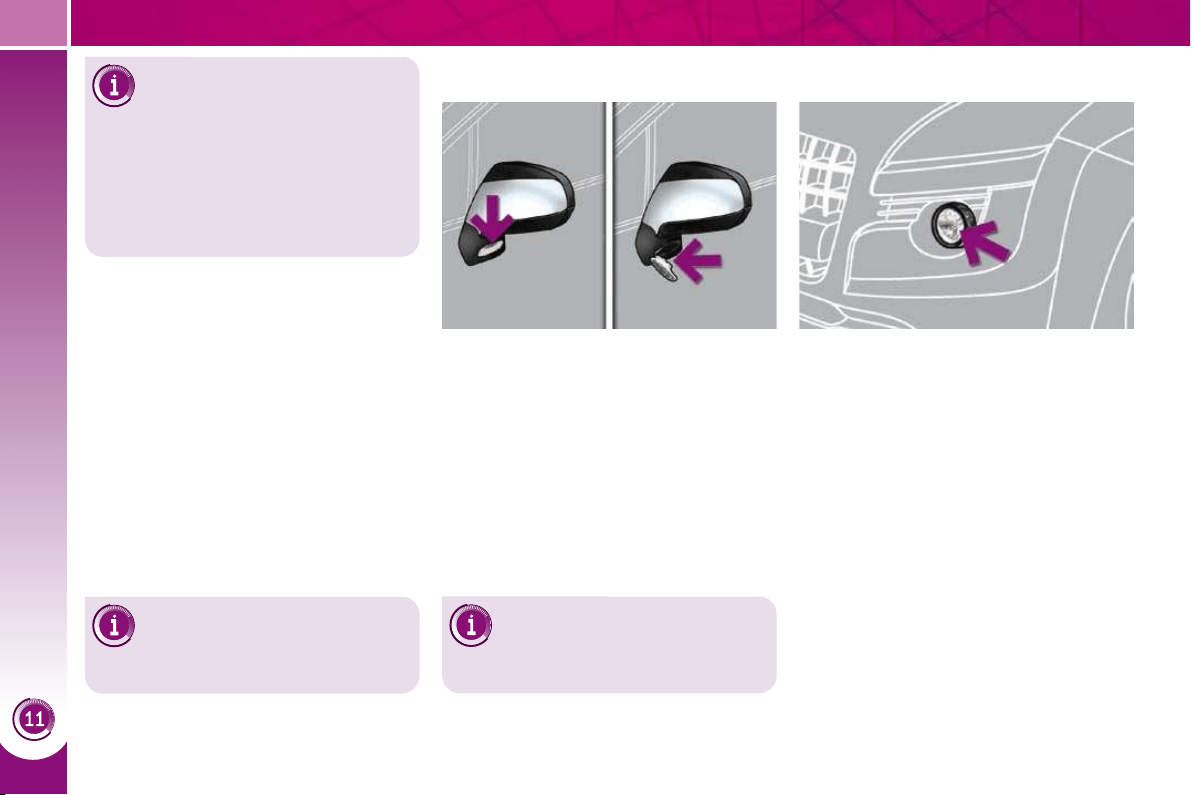
PRACTICAL INFORMATION
176
Changing sidelamp bulbs
(xenon model)
Remove the protective plastic cover
by pulling on the tab.
Disconnect the bulb connector.
Remove the bulb by pulling and
change it.
To refi t, carry out these operations in re-
verse order.
Changing foglamp bulbs
You can also contact a
PEUGEOT dealer to have
these bulbs changed.
Consult a PEUGEOT dealer.
Insert a screwdriver towards the
centre of the repeater between the
repeater and the base of the mirror.
Tilt the screwdriver to extract the re-
peater and remove it.
Disconnect the repeater connector.
To refi t, carry out these operations in re-
verse order.
Contact a PEUGEOT dealer to obtain
replacement repeaters.
Changing integrated direction
indicator side repeaters
Changing daytime running
lamp bulbs
Consult a PEUGEOT dealer.
Changing dipped beam and
main beam headlamp bulbs
(xenon model)
D1S xenon bulbs must be changed
by a PEUGEOT dealer as there is a
risk of electrocution.
It is recommended that the D1S bulbs
are changed at the same time when
one of them fails.
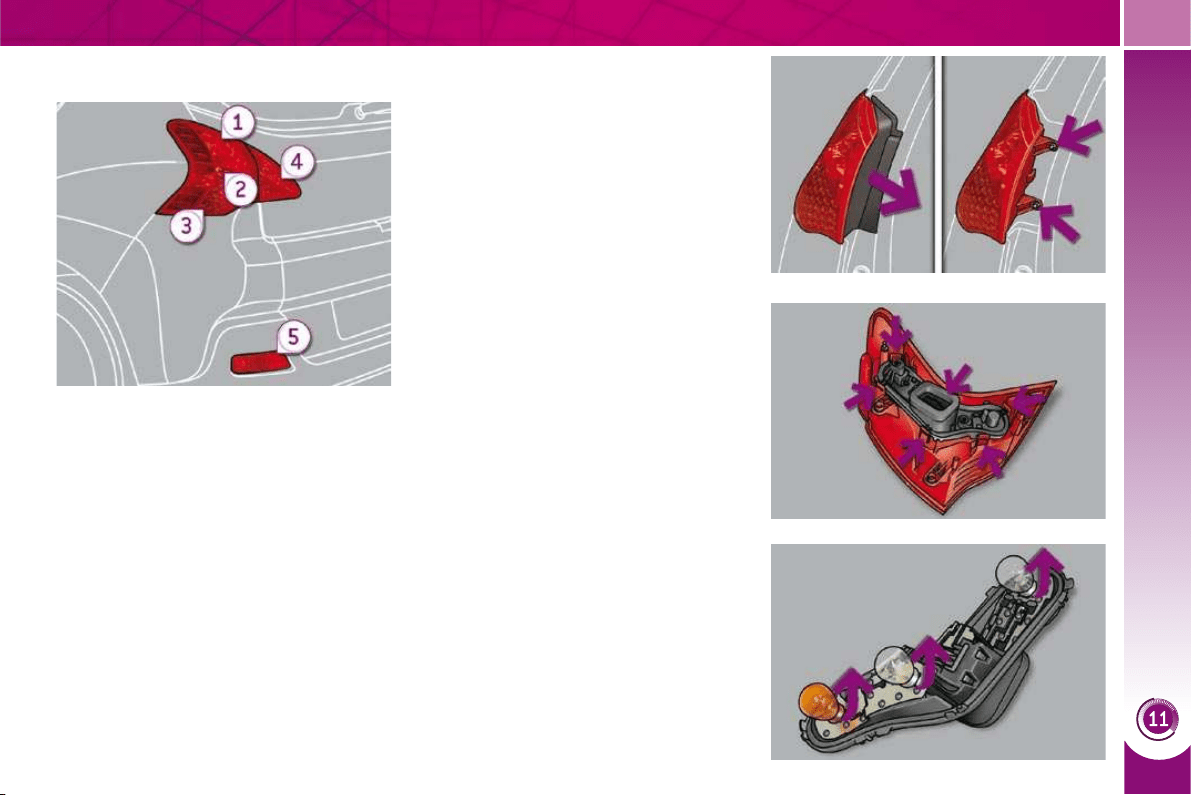
PRACTICAL INFORMATION
177
Rear lamps
1. Brake lamps/ sidelamps
(P21-5W).
2. Reversing lamps (P21W).
3. Direction indicators
(PY21W-21W).
4. Sidelamps (P5-5W).
5. Foglamps (P21W).
Changing brake lamp/sidelamp,
reversing lamp and direction
indicator bulbs
Press the six tabs and remove the
bulb holder.
Remove the plastic cover.
Remove the two lamp unit fi xing
nuts.
Extract the lamp unit carefully from
the outside.
Disconnect the electrical connector.
Turn the bulb a quarter of a turn and
change it.
To refi t, carry out these operations in re-
verse order.
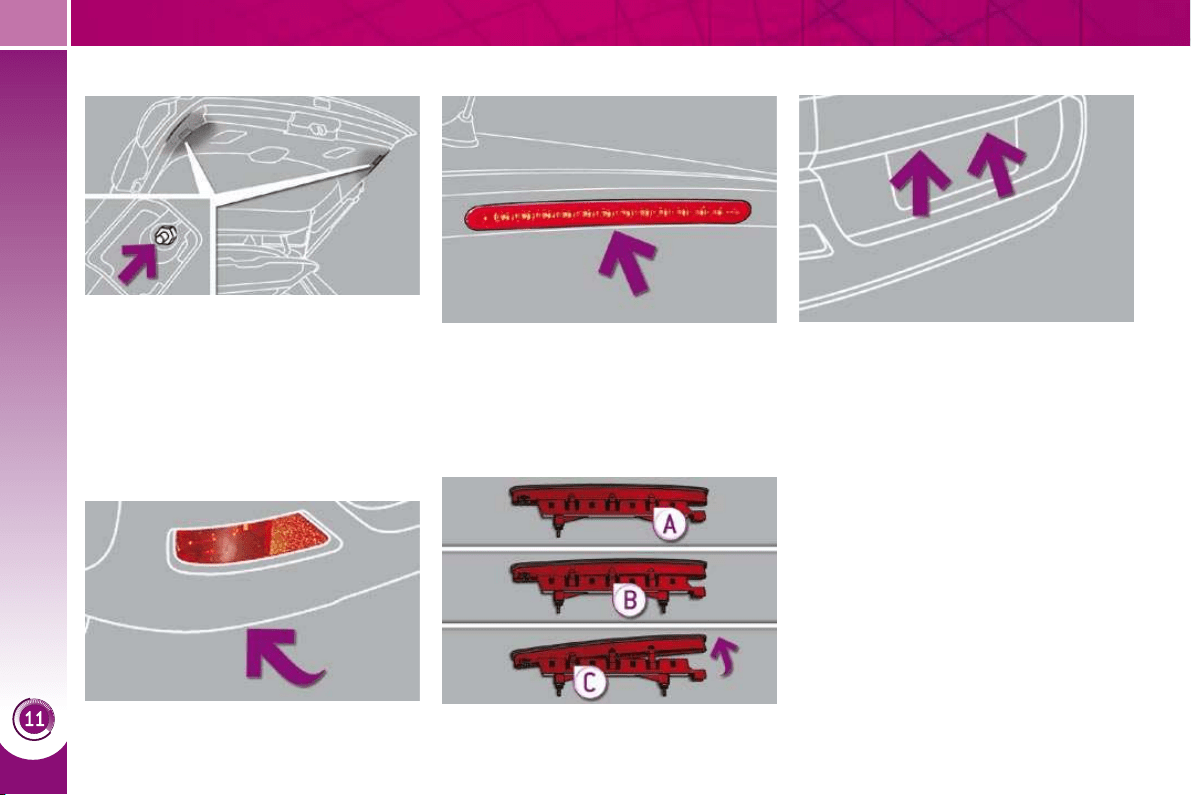
PRACTICAL INFORMATION
178
Changing the third brake lamp bulb Changing the number plate lamp
bulbs (W5-5W)
Insert a thin screwdriver into one of
the outer holes of the lens.
Push it outwards to unclip.
Remove the lens.
Pull the bulb and change it.
Changing sidelamp bulbs (boot)
Changing foglamp bulbs
Open the boot.
Remove the plastic fl ap using a
screwdriver.
Remove the lamp fi xing nut.
Turn the bulb a quarter of a turn and
change it.
To refi t, carry out these operations in
reverse order.
Reach under the bumper.
Turn the bulb a quarter of a turn and
change it.
Open the boot and remove the upper
seal.
Unscrew the two nuts.
Press the threaded pins while sup-
porting the lamp from the outside.
Disconnect the connector and re-
move the screenwash pipe.
Press the pairs of clips A then B
then C to detach and gain access to
the bulb holder.
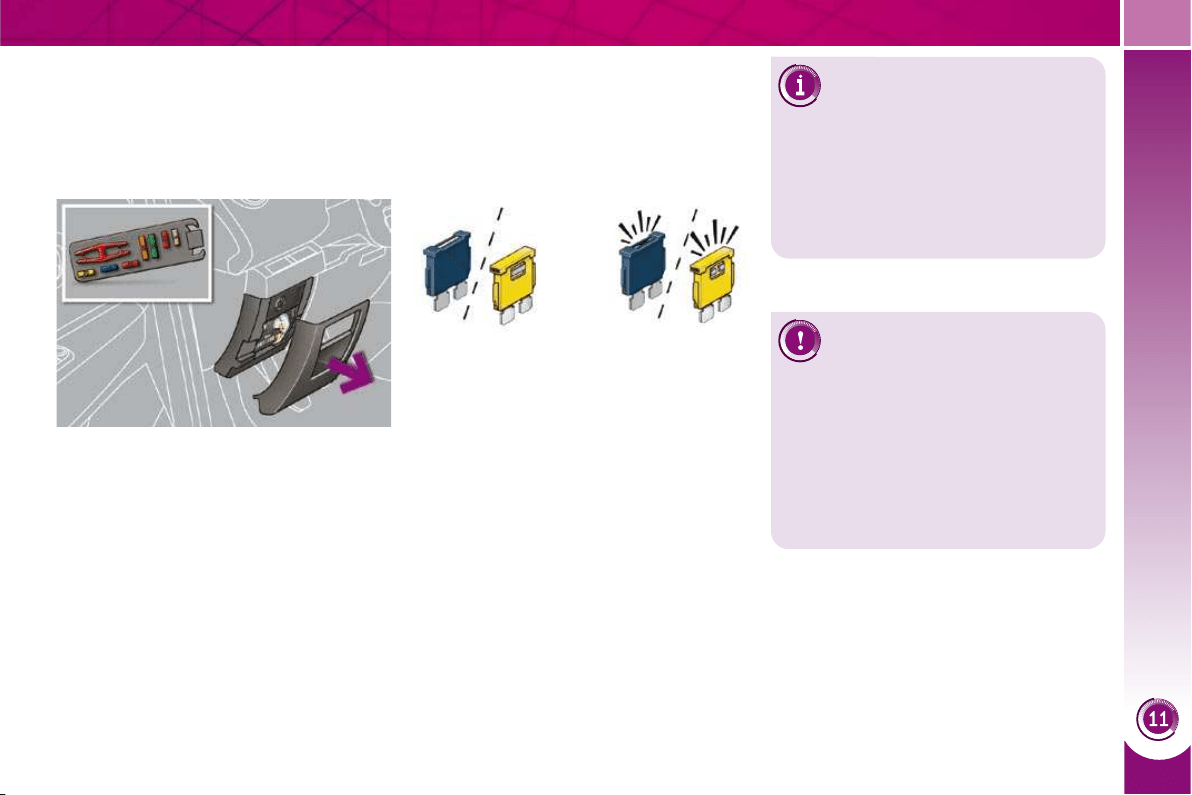
PRACTICAL INFORMATION
179
CHANGING A FUSE
Procedure for replacing a faulty fuse
with a new fuse to rectify a failure of the
corresponding function.
Access to the tools
The extraction pliers and the spare fus-
es are installed on the back of the dash-
board fusebox cover.
To gain access to them:
remove the cover completely,
remove the pliers.
Changing a fuse
Before changing a fuse, the cause of
the failure must be identifi ed and recti-
fi ed.
Identify the faulty fuse by checking
the condition of its fi lament.
Correct Incorrect
Use the special pliers to extract the
fuse from its housing.
Always replace the faulty fuse with a
fuse of the same rating.
Check the correspondence between
the number etched on the box, the
rating etched on the fuse and the
tables below.
Installing electrical
accessories
Your vehicle's electrical system
is designed to operate with standard
or optional equipment.
Before installing other electrical
equipment or accessories on your
vehicle, contact a PEUGEOT dealer.
PEUGEOT will not accept
responsibility for the cost
incurred in repairing your
vehicle or for rectifying mal-
functions resulting from the installa-
tion of accessories not supplied and
not recommended by PEUGEOT
and not installed in accordance with
its instructions, in particular when
the combined consumption of all of
the additional equipment connected
exceeds 10 milliamperes.
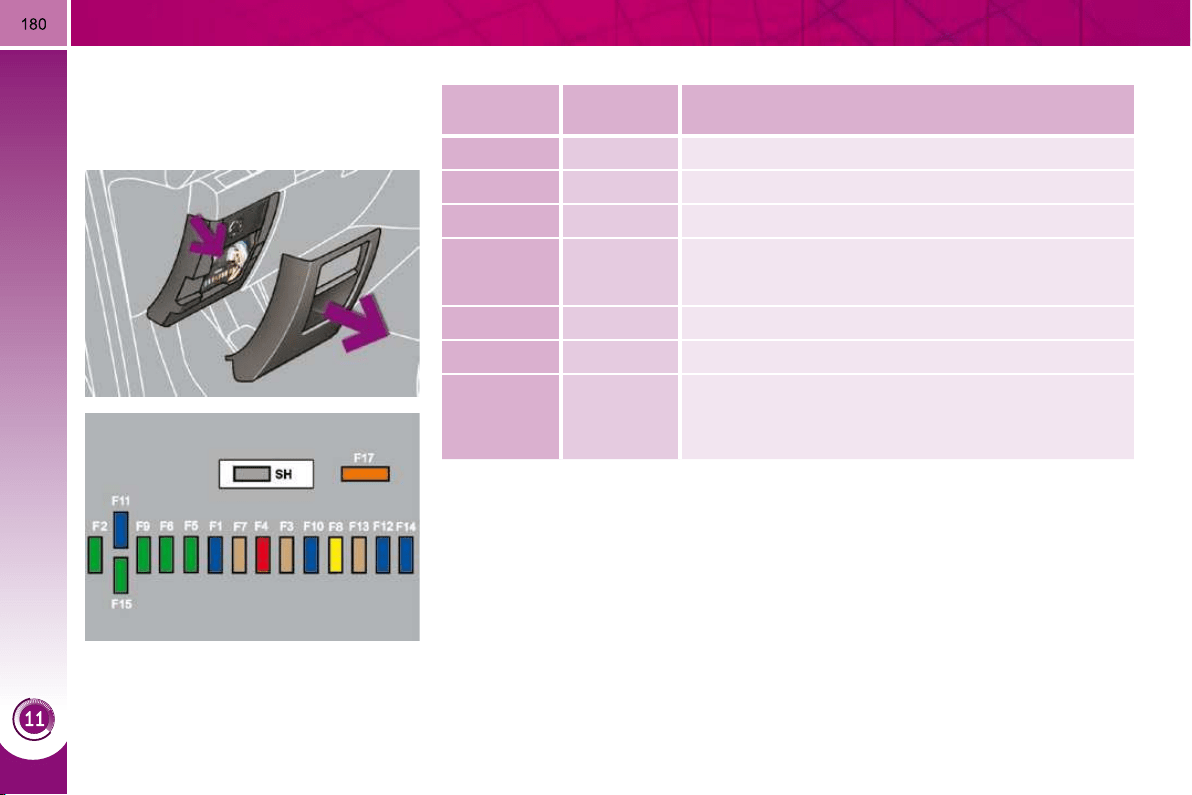
PRACTICAL INFORMATION
Dashboard fuses
The fusebox is placed in the lower dash-
board (left-hand side).
Fuse tables
Fuse
N°
Rating
(A)
Functions
F1 15 Rear wiper.
F2 - Not used.
F3 5 Airbag control unit.
F4 10
Electrochromatic rear view mirror, air conditioning,
switching and protection unit, rear multimedia.
F5 30 Front one-touch electric windows.
F6 30 Rear one-touch electric windows.
F7 5
Front and rear courtesy lamps, map reading lamps,
rear reading lamps, sun visor lighting, glove box
lighting, centre armrest lighting, boot 12 V relay
control.
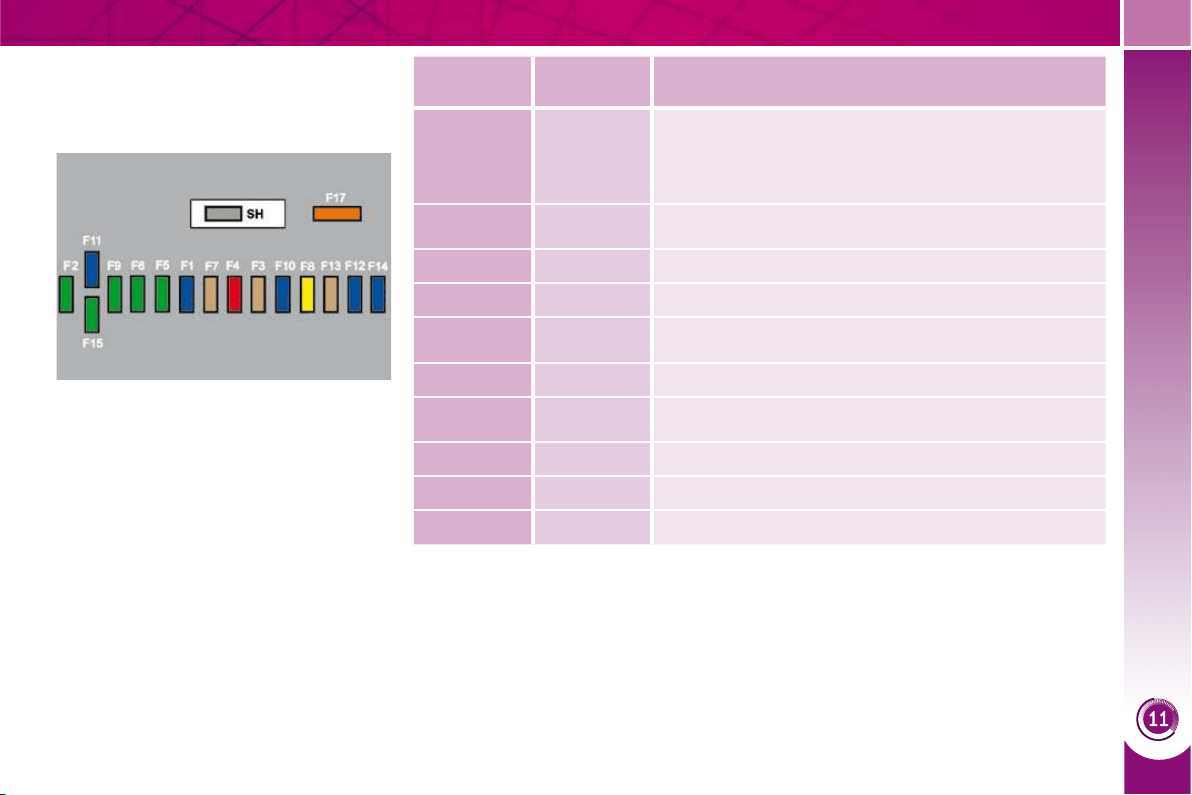
PRACTICAL INFORMATION
181
Access to the fuses
refer to the paragraph "Access to
the tools".
Fuse
N°
Rating
(A)
Functions
F8 20
Audio equipment, audio/telephone, CD changer,
multifunction scren, tyre under-infl ation detection,
alarm siren, alarm control unit, telematic unit,
service module (with Peugeot Connect Media).
F9 30 Front 12 V socket, cigar lighter, rear 12 V socket.
F10 15 Steering mounted controls.
F11 15 Low current ignition switch.
F12 15
Trailer presence, rain/brightness sensor, supply for
fuses F32, F34, F35.
F13 5 Engine fusebox, airbag control unit.
F14 15
Instrument panel, instrument panel screen, supply
for fuse F33.
F15 30 Locking and deadlocking.
F17 40 Heated rear screen, supply for fuse F30.
SH - PARC shunt.
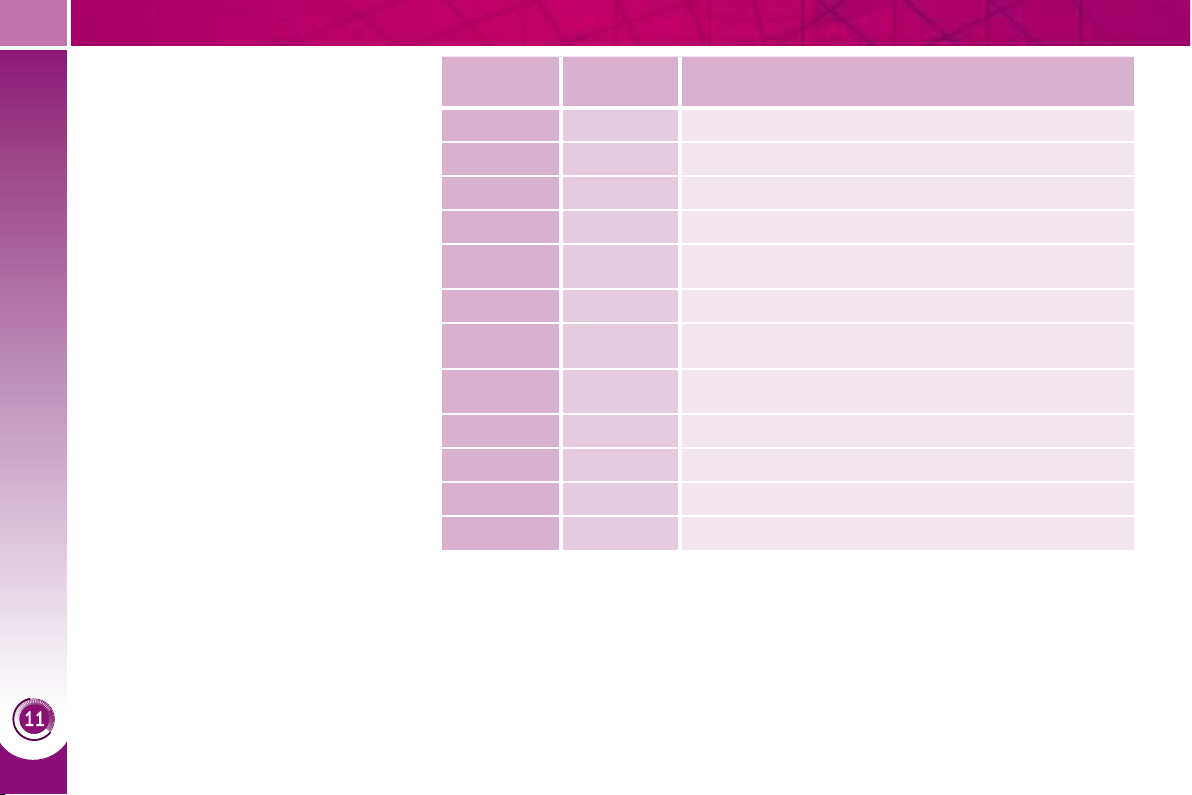
PRACTICAL INFORMATION
182
Fuse
N°
Rating
(A)
Functions
F29 30 Boot 12 V socket.
F30 5 Heated door mirrors.
F31 15 Refrigerator socket.
F32 5 Electronic gar control gearbox gear lever.
F33 10
Head-up display, Bluetooth system, air
conditioning.
F34 5 Seat belt warning lamps display.
F35 10 Parking sensors, Hi-Fi amplifi er authorisation.
F36 10
Trailer fusebox control unit, driver's door control
pad.
F37 20 Hi-Fi amplifi er.
F38 30 Driver's electric seat.
F39 20 Panoramic sunroof blind.
F40 - Not used.
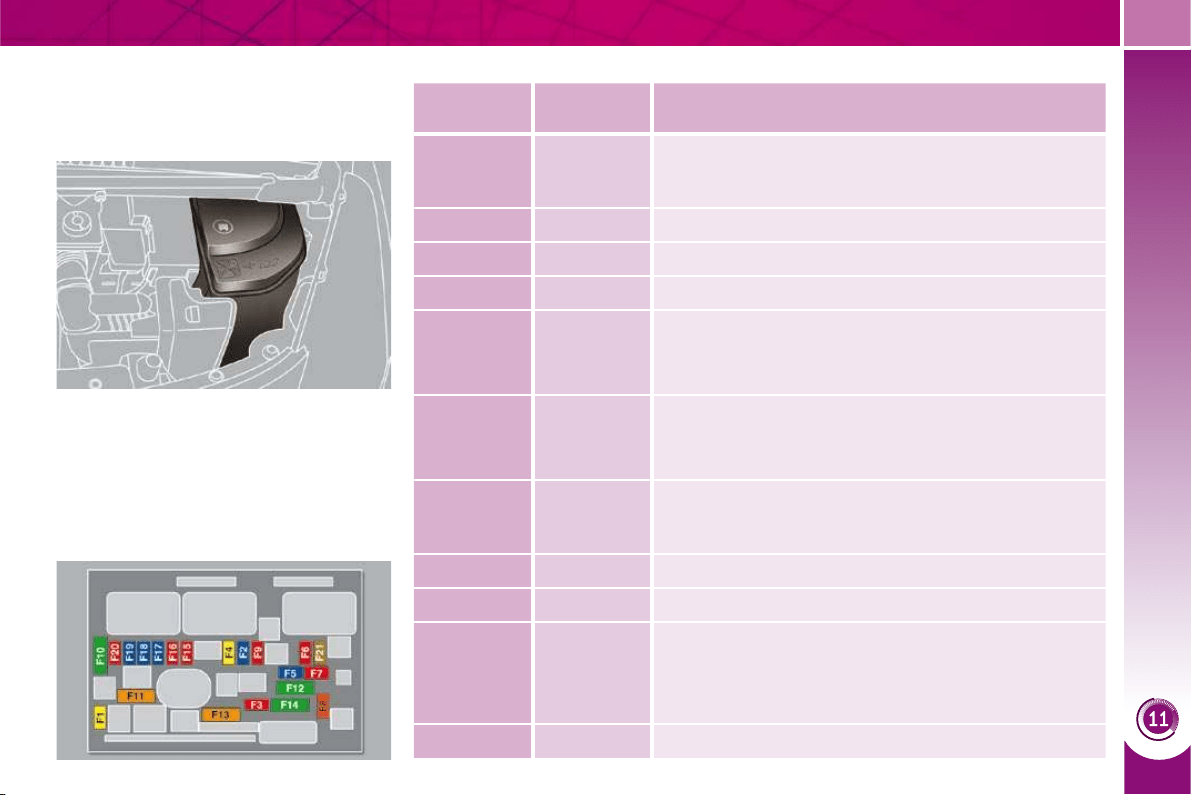
PRACTICAL INFORMATION
183
Engine compartment fuses
The fusebox is placed in the engine
compartment near the battery (left-hand
side).
Access to the fuses
Unclip the cover.
Change the fuse (see corresponding
paragraph).
When you have fi nished, close the
cover carefully to ensure correct
sealing of the fusebox.
Fuse table
Fuse
N°
Rating
(A)
Functions
F1 20
Engine control unit supply, injection pump and EGR
electrovalves (2 l HDI 16V), injectors (2 l HDI 16V).
F2 15 Horn.
F3 10 Front/rear wash-wipe.
F4 10 Daytime running lamps.
F5 15
Purge canister, turbine discharge and Turbo
pressure regulation electrovalves (1.6 l THP 16V),
oil vapour heater (1.6 l THP 16V), diesel heater
(1.6 l HDI 16V).
F6 10
Diagnostic socket, directional headlamps, particle
emission fi lter pump (Diesel), Distance alert,
engine coolant level detector, mirror adjustment
control.
F7 10
Power steering control unit, automatic gearbox,
directional headlamps height adjustment motor.
F8 20 Starter motor control.
F9 10 Clutch and brake pedal switches.
F10 30
Engine control unit actuators (petrol: ignition coils,
electrovalves, oxygen sensors, injectors, heaters,
fuel pump, electronic thermostat)
(Diesel: electrovalves, heaters).
F11 40 Air conditioning blower.
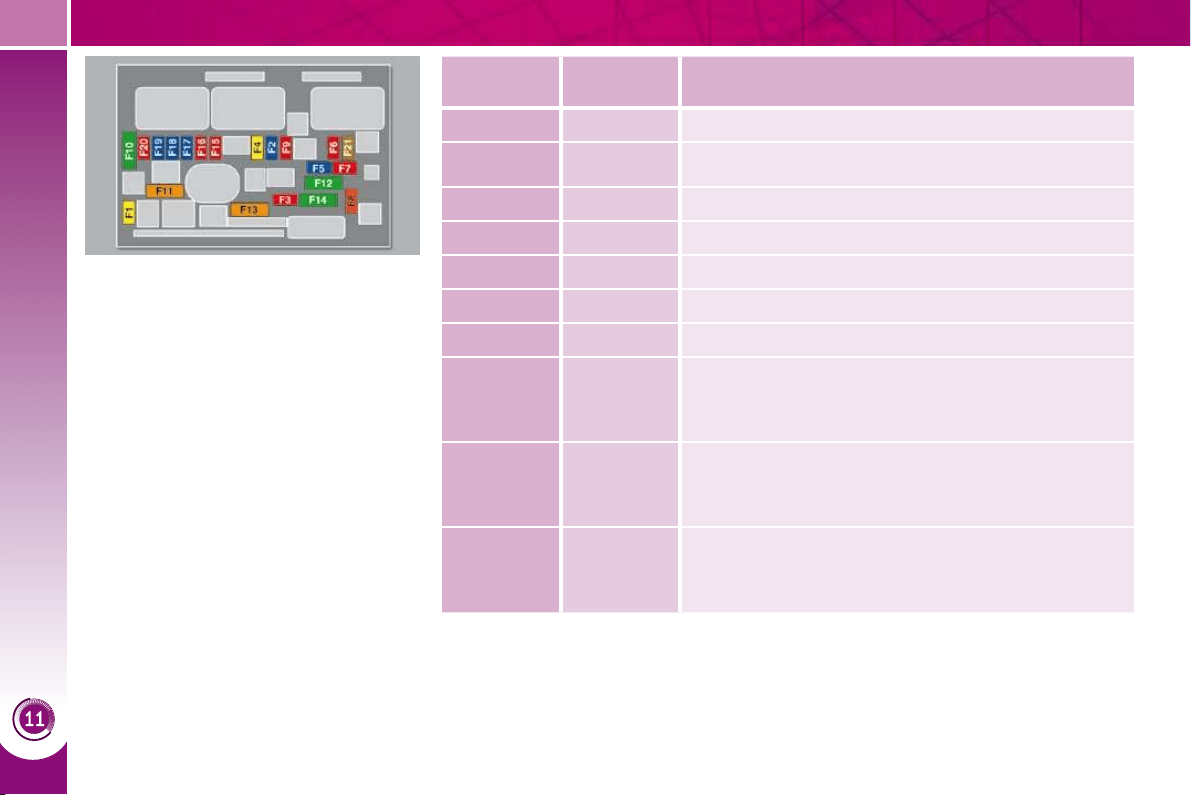
PRACTICAL INFORMATION
184
Fuse
N°
Rating
(A)
Functions
F12 30 Windscreen wipers slow/fast speed.
F13 40 Built-in systems interface supply (ignition positive).
F14 30 Air pump.
F15 10 Right-hand main beam headlamp.
F16 10 Left-hand main beam headlamp.
F17 15 Left-hand dipped headlamp.
F18 15 Right-hand dipped headlamp.
F19 15
Oil vapour heater (1.6 l VTi 16V), Turbo pressure
regulation electrovalve (Diesel), engine coolant
level detector (Diesel).
F20 10
Electronic thermostat, variable timing electrovalves,
Turbo pressure regulation electrovalve (Diesel),
engine coolant level detector (Diesel).
F21 5
Fan assembly relay supply, Valvetronic relay control
(1.6 l VTi 16V), Turbo cooling (1.6 l THP 16V), air
fl ow sensor (1.6 l HDI 16V).
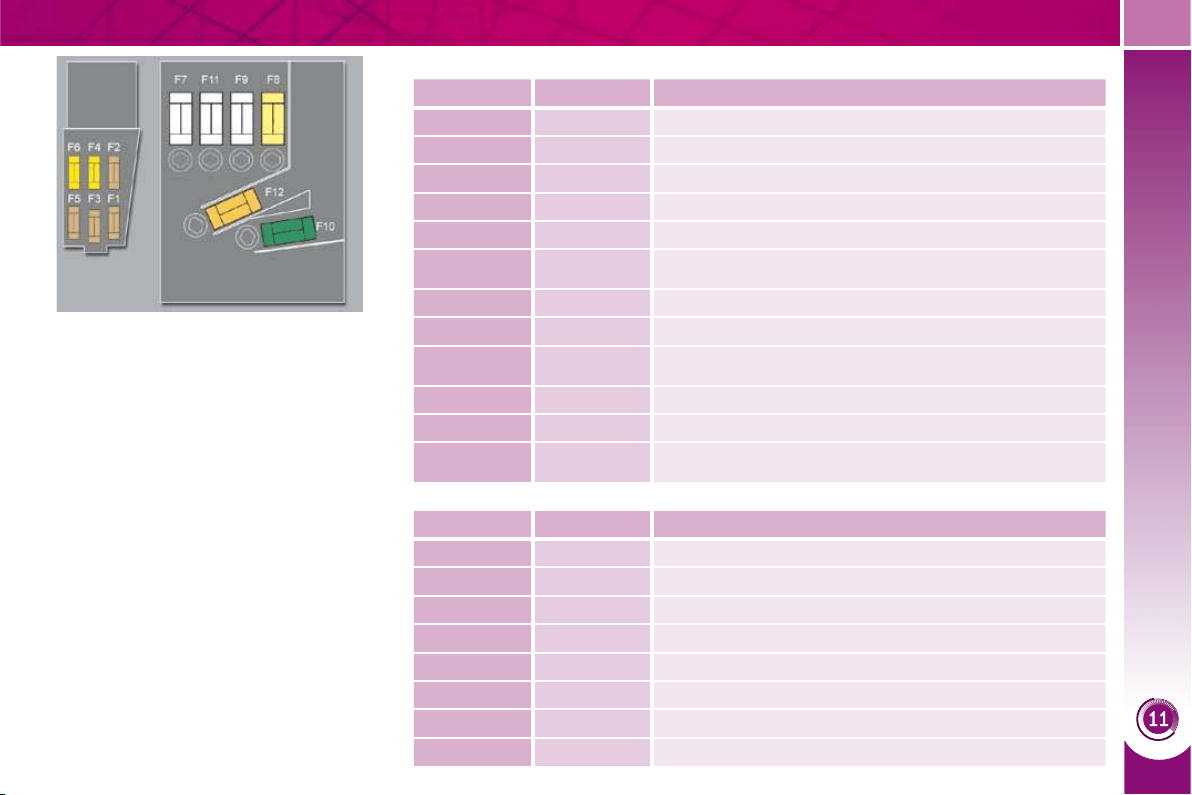
PRACTICAL INFORMATION
185
Table of mini and midi-fuses above the battery
Table of maxi-fuses
Fuse N° Rating (A) Functions
F1 - Not used.
F2 5 Dual function brake switch.
F3 5 Battery charge unit.
F4 25 ABS/ESP electrovalves.
F5 5 ABS/ESP control unit.
F6 15 Automatic gearbox, electronic gear control gearbox.
F7 * 80 Power steering electropump assembly.
F8 * 60 Fan assembly.
F9 * 70/30
Pre-heat unit (Diesel), Valvetronic electric motor
(1.6 l THP 16V).
F10 * 40 ABS/ESP electropump assembly.
F11 * 100 Switching and protection unit.
F12 * 30
Electronic gear control gearbox electropump
assembly.
Fuse N° Rating (A) Functions
MF1 * - Not used.
MF2 * 30 Trailer fusebox.
MF3 * 50 Passenger compartment fusebox.
MF4 * 80 Built-in systems interface.
MF5 * 80 Built-in systems interface.
MF6 * 30 Electric parking brake.
MF7 * 30 Heated front seats.
MF8 * 20 Headlamp wash.
* The maxi-fuses provide additional protec-
tion for the electrical systems. All work on
the maxi-fuses must be carried out by a
PEUGEOT dealer.
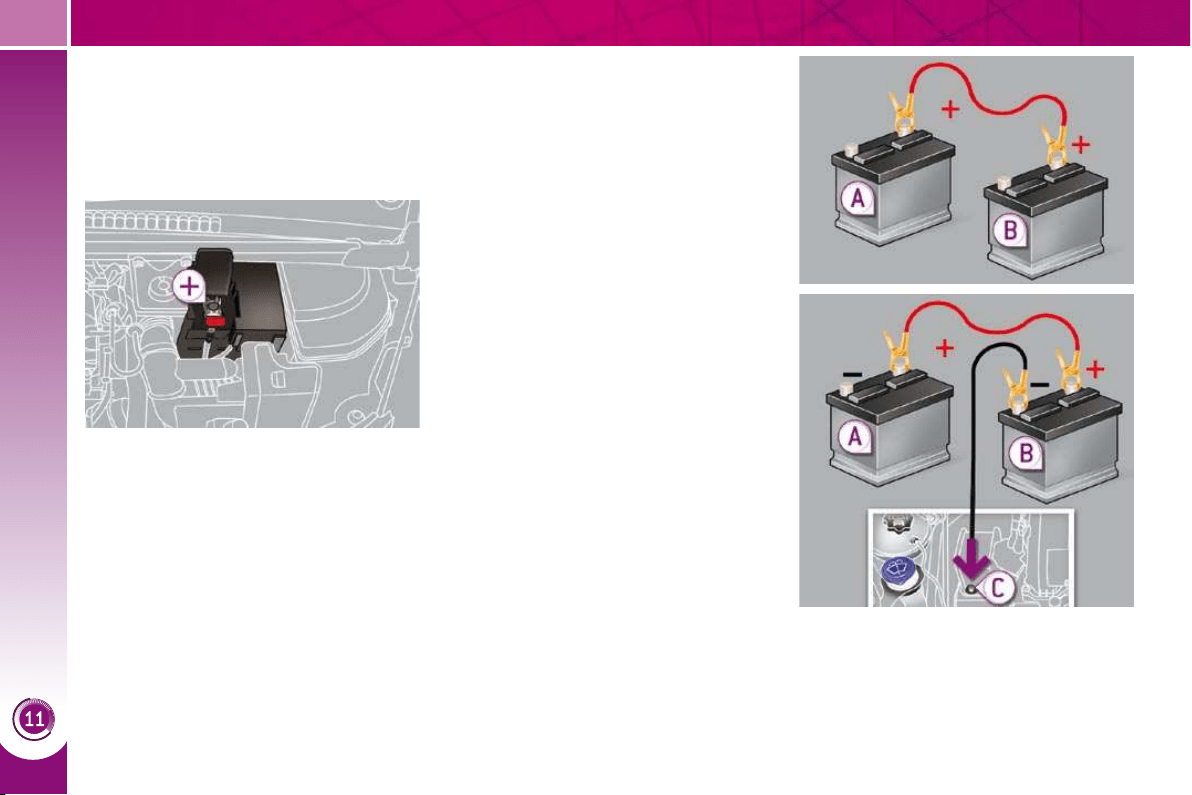
PRACTICAL INFORMATION
186
BATTERY
Procedure for charging your battery
when it is fl at or for starting the engine
using another battery.
Access to the battery
Starting using another battery
Connect the red cable to the posi-
tive terminal (+) of the fl at battery A ,
then to the positive terminal (+) of
the slave battery B .
Connect one end of the green or
black cable to the negative terminal
(-) of the slave battery B .
Connect the other end of the green
or black cable to the earth point C
on your vehicle (engine mounting).
Operate the starter, let the engine
run.
Wait until the engine returns to idle
and disconnect the cables.
The battery is located under the bonnet.
To gain access to it:
open the bonnet using the interior
release lever, then the exterior safe-
ty catch,
secure the bonnet stay,
remove the plastic cover to gain ac-
cess to the two terminals,
unclip the fusebox to remove the
battery, if necessary.
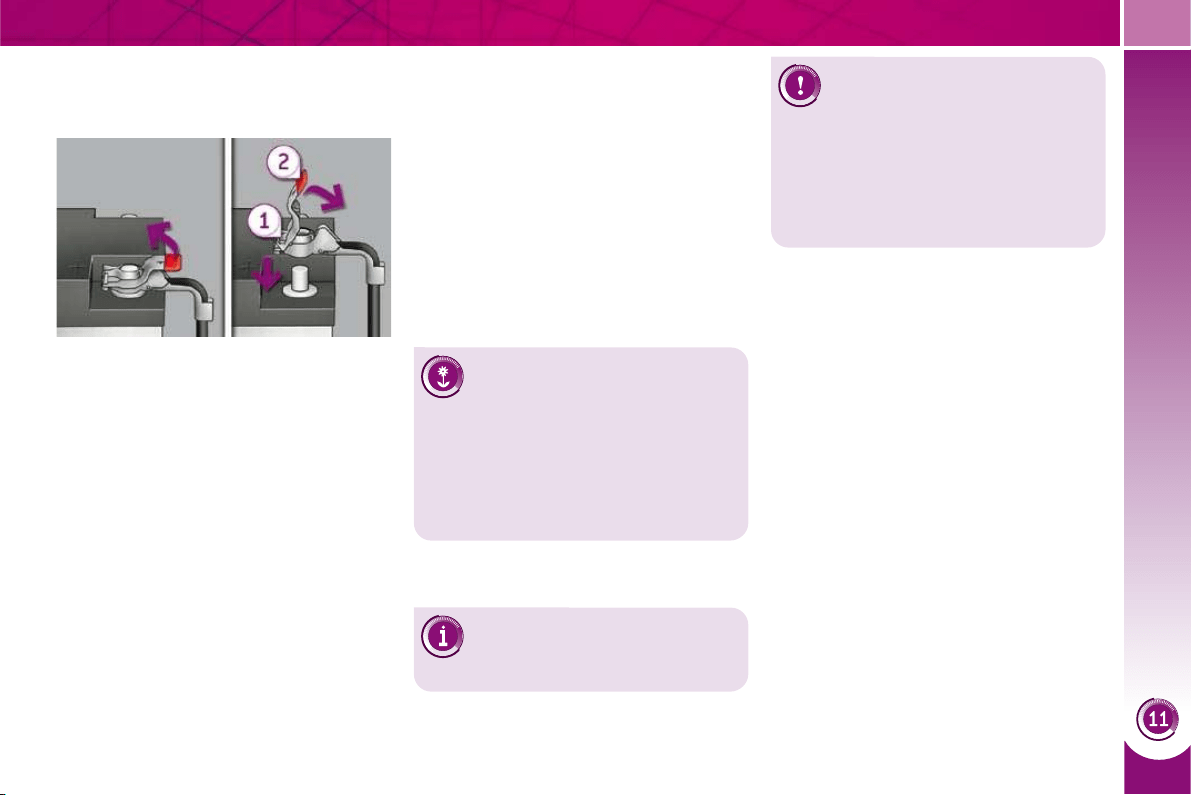
PRACTICAL INFORMATION
187
Disconnecting the cables
Raise the locking tab fully.
Reconnecting the cables
Position the open clip 1 of the cable
on the positive terminal (+) of the
battery.
Press vertically on the clip 1 to posi-
tion it correctly against the battery.
Lock the clip by lowering the tab 2 .
Do not force the tab as locking will not
be possible if the clip is not positioned
correctly; start the procedure again.
Do not disconnect the termi-
nals while the engine is run-
ning.
Do not charge the batteries
without disconnecting the ter-
minals fi rst.
Do not push the vehicle to start the
engine if it is fi tted with a 6-speed
electronic gear control gearbox or an
automatic gearbox.
The batteries contain harm-
ful substances such as sul-
phuric acid and lead. They
must be disposed of in accordance
with regulations and must not, in any
circumstances, be discarded with
household waste.
Take used remote control batteries
and vehicle batteries to a special col-
lection point.
Charging the battery using a
battery charger
Disconnect the battery from the ve-
hicle.
Follow the instructions for use pro-
vided by the manufacturer of the
charger.
Reconnect starting with the nega-
tive terminal (-).
Check that the terminals and con-
nectors are clean. If they are cov-
ered with sulphate (whitish or
greenish deposit), remove them and
clean them.
It is advisable to disconnect
the battery if the vehicle is to
be left unused for more than
one month.
Before disconnecting the battery
Wait 2 minutes after switching off the ig-
nition before disconnecting the battery.
Close the windows and the doors be-
fore disconnecting the battery.
Following reconnection of the
battery
Following reconnection of the battery,
switch on the ignition and wait 1 min-
ute before starting to permit initialisation
of the electronic systems. However, if
problems remain following this opera-
tion, contact a PEUGEOT dealer.
Referring to the corresponding section,
you must yourself reinitialise:
- the remote control key,
- the panoramic sunroof blind,
- the GPS satellite navigation system.

PRACTICAL INFORMATION
188
Let the engine run for the
duration specifi ed to ensure
that the battery charge is suf-
fi cient.
Do not repeatedly and continuously
restart the engine in order to charge
the battery.
A fl at battery prevents the engine
from starting (refer to the "Battery"
paragraph).
If the telephone is being used
at this time:
- it will be maintained for 5 minutes
with the hands-free kit of your
PC Sound or PC Nav,
- it will still be possible to fi nish the
call with the PC Com 3D.
Exiting economy mode
These functions are reactivated auto-
matically next time the vehicle is driven.
In order to resume the use of these
functions immediately, start the en-
gine and let it run:
- for less than ten minutes, to use
the equipment for approximately
fi ve minutes,
- for more than ten minutes, to use
the equipment for up to approxi-
mately thirty minutes.
LOAD REDUCTION MODE
System which manages the use of cer-
tain functions according to the level of
charge remaining in the battery.
When the vehicle is being driven, the load
reduction function temporarily deactivates
certain functions, such as the air condition-
ing, the heated rear screen...
The deactivated functions are reactivat-
ed automatically as soon as conditions
permit.
ENERGY ECONOMY MODE
System which manages the duration of
use of certain functions to conserve a
suffi cient level of charge in the battery.
After the engine has stopped, you can
still use functions such as the audio and
telematics system, windscreen wip-
ers, dipped beam headlamps, courtesy
lamps, etc. for a maximum combined
duration of thirty minutes.
Switching to economy mode
Once the thirty minutes are over, a
message appears on the multi-function
screen indicating that the vehicle has
switched to economy mode and the ac-
tive functions are put on standby.
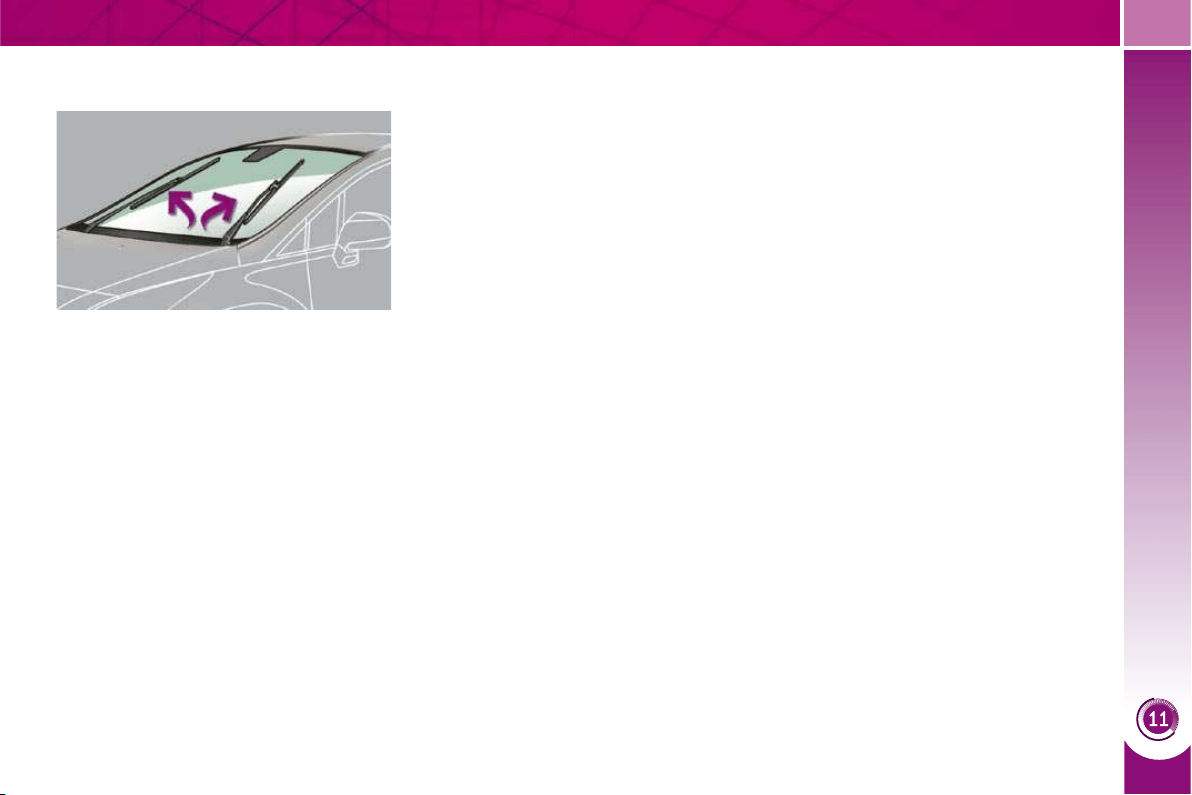
PRACTICAL INFORMATION
189
CHANGING A WIPER BLADE
Removing
Raise the corresponding wiper arm.
Unclip the wiper blade and remove it.
Fitting
Put the corresponding new wiper
blade in place and clip it.
Fold down the wiper arm carefully.
Before removing a front wiper
blade
Within one minute after switching off
the ignition, operate the wiper stalk
to position the wiper blades verti-
cally on the windscreen.
After fitting a front wiper blade
Switch on the ignition.
Operate the wiper stalk again to
park the wiper blades.
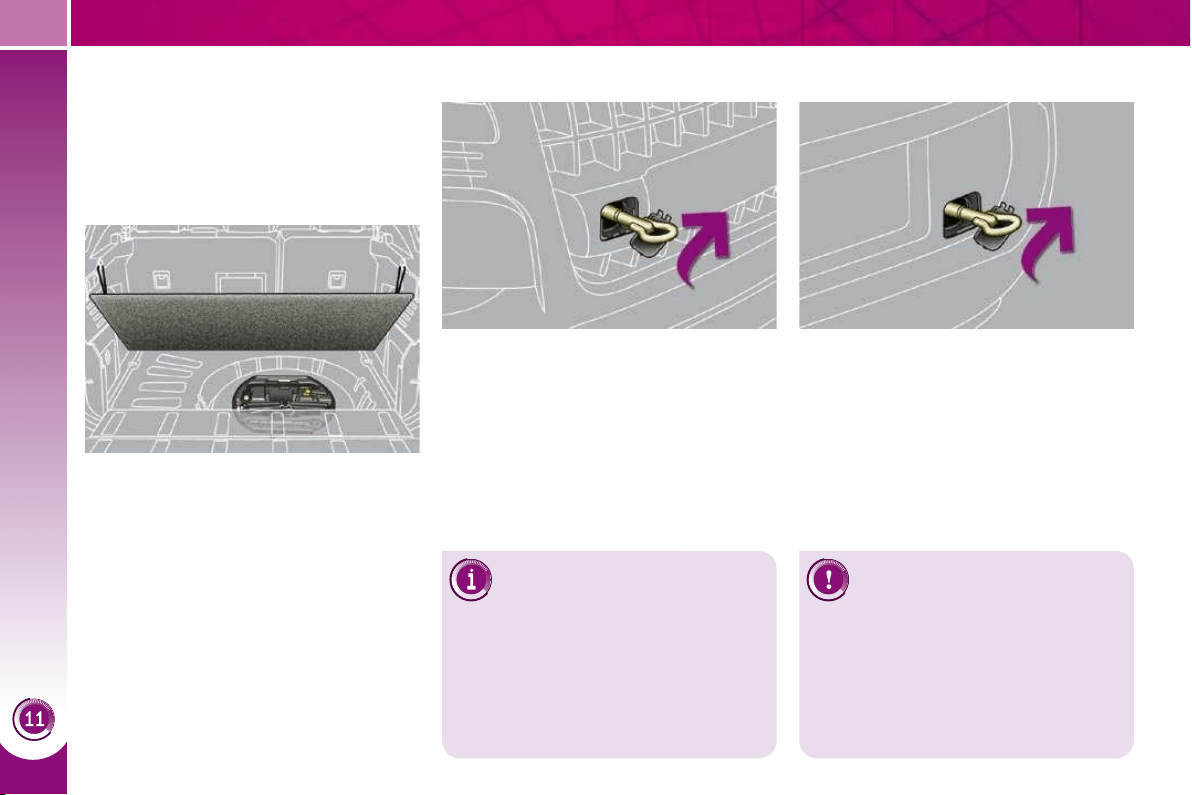
PRACTICAL INFORMATION
190
TOWING THE VEHICLE
Access to the tools
Towing your vehicle
On the front bumper, unclip the cov-
er by pressing at the bottom.
Screw the towing eye in fully.
Install the towing bar.
Switch on the hazard warning lamps
on the towed vehicle.
On the rear bumper, unclip the cov-
er by pressing at the bottom.
Screw the towing eye in fully.
Install the towing bar.
Switch on the hazard warning lamps
on the towed vehicle.
Towing another vehicle
The towing eye is installed in the boot
under the fl oor.
To gain access to it:
open the boot,
raise the fl oor,
secure it by hooking the cords on
the hooks on the rear parcel shelf
support,
remove the polystyrene box,
remove the towing eye from the
holder.
When towing with all four
wheels on the ground, always
use a towing bar.
When towing with only two wheels on
the ground, always use professional
lifting equipment.
When towing with the engine off,
there is no longer any braking or
steering assistance.
Place the gear lever in neu-
tral (position N on the elec-
tronic gear control gearbox
or automatic gearbox).
Failure to observe this
special condition could re-
sult in damage to certain
braking components and
the absence of braking as-
sistance the next time the
engine is started.
Procedure for having your vehicle towed
or for towing another vehicle using a
removable towing eye.
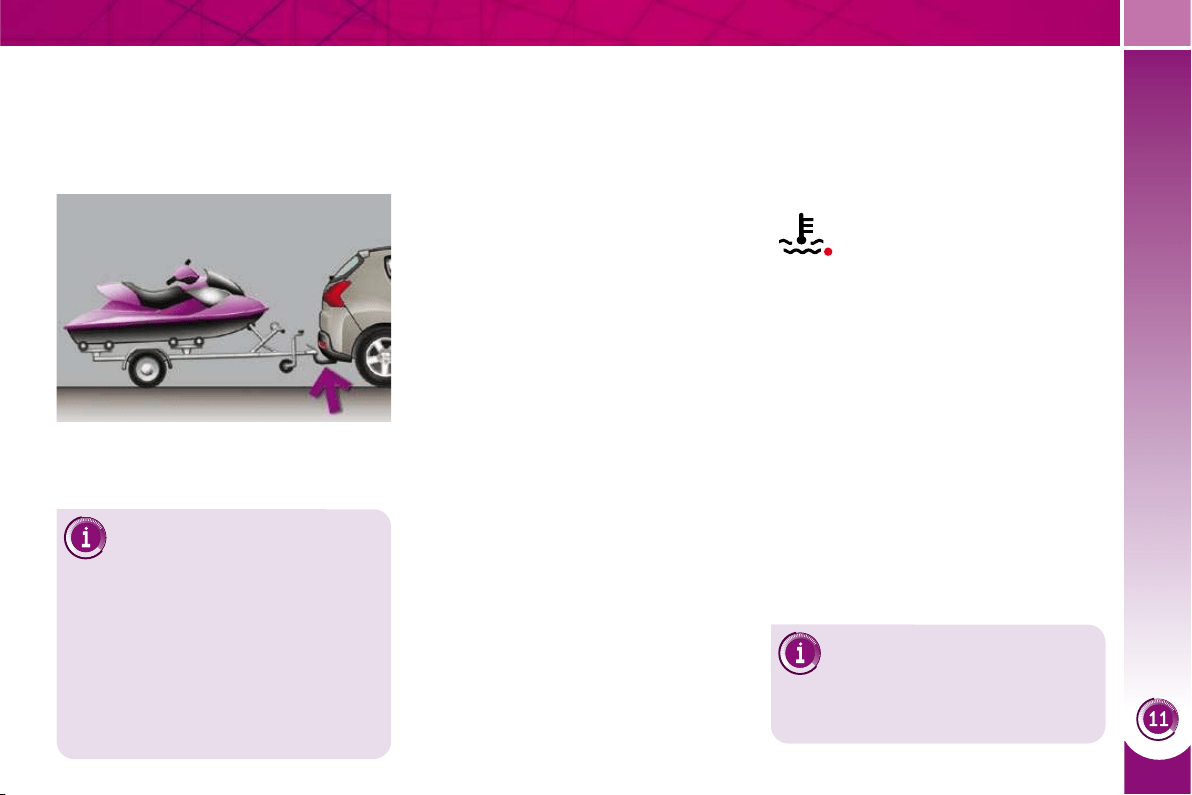
PRACTICAL INFORMATION
191
TOWING A TRAILER,
A CARAVAN, ETC.
Your vehicle is primarily designed for
transporting people and luggage, but it
may also be used for towing a trailer.
Driving advice
The maximum towing load on a long
slope depends on the gradient and the
ambient temperature.
In all cases, pay attention to the coolant
temperature.
Side wind
Take into account the increased
sensitivity to side wind.
Cooling
Towing a trailer on a slope increases
the temperature of the coolant.
As the fan is electrically controlled, its
cooling capacity is not dependent on
the engine speed.
To lower the engine speed, reduce
your speed.
Braking
Towing a trailer increases the braking
distance.
Tyres
Check the tyre pressures of the tow-
ing vehicle and of the trailer, observ-
ing the recommended pressures.
Lighting
Check the electrical lighting and sig-
nalling on the trailer.
The rear parking sensors will
be deactivated automatically if
a genuine PEUGEOT towbar
is used.
If the warning lamp and the
STOP warning lamp come
on, stop the vehicle and
switch off the engine as
soon as possible.
Towbar suitable for the attachment of a
trailer or caravan with additional lighting
and signalling.
Distribution of loads
Distribute the load in the trailer so
that the heaviest items are as close
as possible to the axle and the nose
weight approaches the maximum
permitted without exceeding it.
Air density decreases with altitude, thus
reducing engine performance. Above
1 000 metres, the maximum towing load
must be reduced by 10 % and so on for
every 1 000 metres of altitude.
Refer to the "Technical Data" section for
details of the weights and towing loads
which apply to your vehicle.
Driving with a trailer subjects the towing
vehicle to more signifi cant stress and its
driver must be particularly careful.
We recommend the use of
genuine PEUGEOT towbars
and their harnesses that have
been tested and approved from the
design stage of your vehicle, and that
the fi tting of the towbar is entrusted
to a PEUGEOT dealer.
If the trailer is not fi tted by a PEUGEOT
dealer, it is imperative that it is fi tted
using the electrical pre-equipment in-
stalled at the rear of the vehicle, in
accordance with the manufacturer's
instructions.
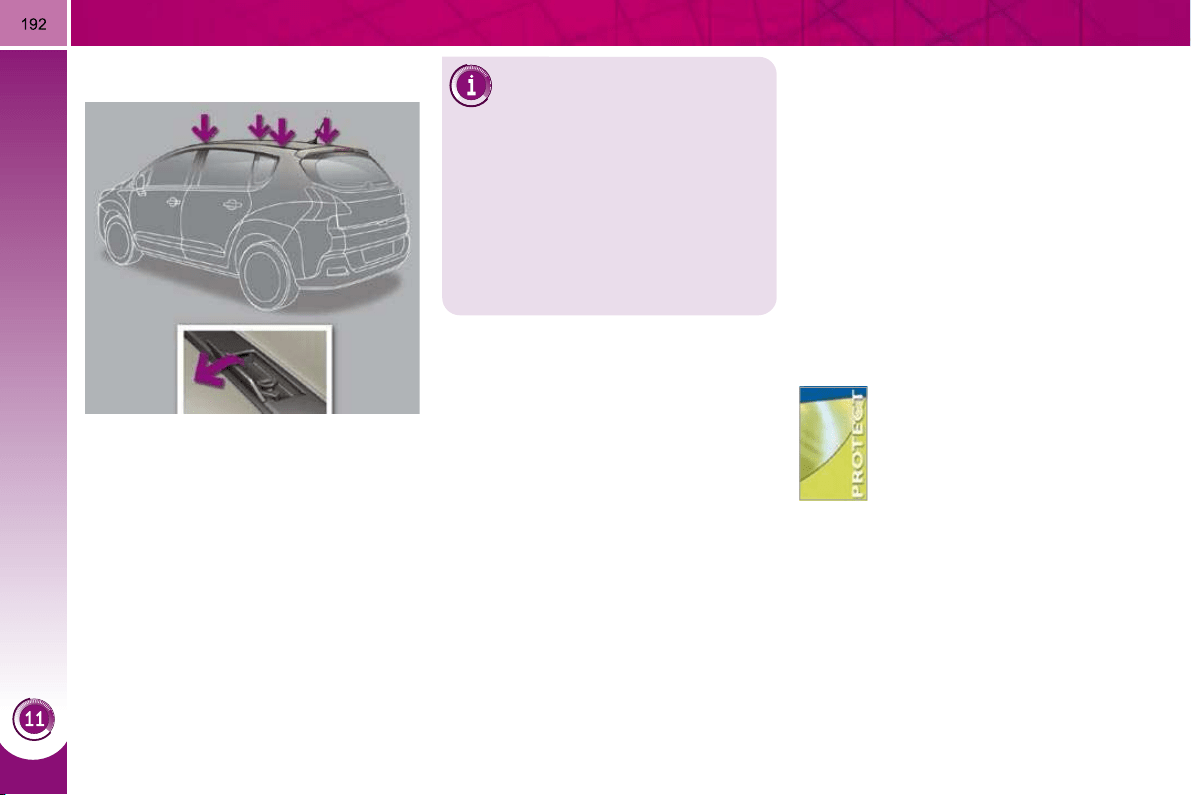
PRACTICAL INFORMATION
ACCESSORIES
"Protection":
anti-theft alarm, window etch-
ing, wheel locks, fi rst aid kit,
warning triangle, high visibility
jacket, stolen vehicle track-
ing system, dog guard, snow
chains.
FITTING ROOF BARS
Maximum authorised weight
on the roof rack, for a loading
height not exceeding 40 cm
(with the exception of bicycle
carriers): 65 kg.
If the height exceeds 40 cm, adapt
the speed of the vehicle to the pro-
fi le of the road to avoid damaging the
roof bars and the fi xings on the roof.
Be sure to refer to national legislation in
order to comply with the regulations for
transporting objects which are longer
than the vehicle.
When fi tting transverse roof bars, use
the four quick-fi t fi xings provided for this
purpose:
lift the concealing fl aps,
open the fi xing covers on each bar
using the spanner,
put each fi xing in place and lock
them on the roof one by one,
close the fi xing covers on each bar
using the key.
You can obtain a wide range of ac-
cessories and original parts from the
PEUGEOT network.
These accessories and parts have been
tested and approved for reliability and
safety.
They are all adapted to your vehicle and
benefi t from PEUGEOT's recommenda-
tion and warranty.
The product range offered by PEUGEOT
Accessories is structured around 5 cate-
gories: PROTECTION - TOURING - IN-CAR
TECHNOLOGY - STYLING - UNIVERSAL:
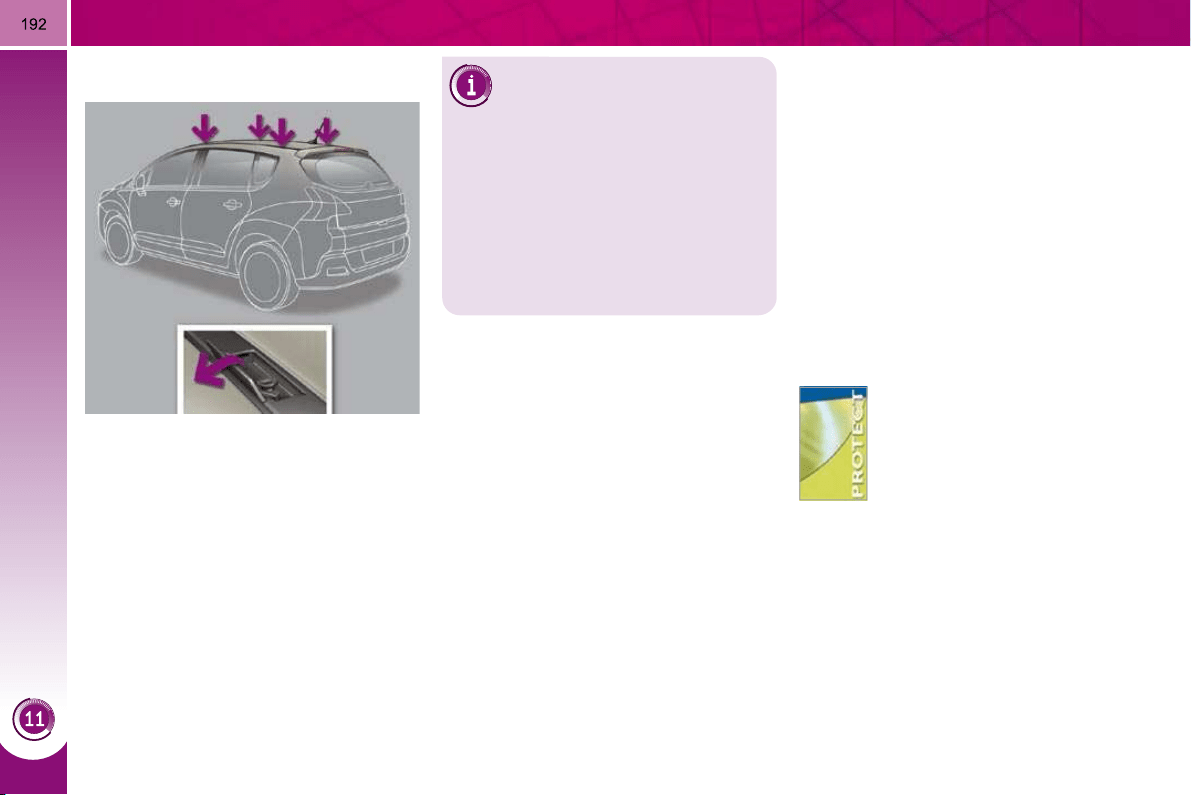
PRACTICAL INFORMATION
ACCESSORIES
"Protection":
anti-theft alarm, window etch-
ing, wheel locks, fi rst aid kit,
warning triangle, high visibility
jacket, stolen vehicle track-
ing system, dog guard, snow
chains.
FITTING ROOF BARS
Maximum authorised weight
on the roof rack, for a loading
height not exceeding 40 cm
(with the exception of bicycle
carriers): 65 kg.
If the height exceeds 40 cm, adapt
the speed of the vehicle to the pro-
fi le of the road to avoid damaging the
roof bars and the fi xings on the roof.
Be sure to refer to national legislation in
order to comply with the regulations for
transporting objects which are longer
than the vehicle.
When fi tting transverse roof bars, use
the four quick-fi t fi xings provided for this
purpose:
lift the concealing fl aps,
open the fi xing covers on each bar
using the spanner,
put each fi xing in place and lock
them on the roof one by one,
close the fi xing covers on each bar
using the key.
You can obtain a wide range of ac-
cessories and original parts from the
PEUGEOT network.
These accessories and parts have been
tested and approved for reliability and
safety.
They are all adapted to your vehicle and
benefi t from PEUGEOT's recommenda-
tion and warranty.
The product range offered by PEUGEOT
Accessories is structured around 5 cate-
gories: PROTECTION - TOURING - IN-CAR
TECHNOLOGY - STYLING - UNIVERSAL:
PRACTICAL INFORMATION
193
"Touring":
mats * , boot tray, luggage net,
fi xed coat hook on head re-
straint, stainless steel or car-
bon door sills.
For leisure pursuits: roof bars, bicycle
carrier on towbar, bicycle carrier on roof
bars, ski carrier, roof box, booster seats
and child seats, side blinds, under shelf
storage.
Trailer towbar which must be fi tted by
the PEUGEOT network.
"In-car technology":
audio systems, amplifi ers,
satellite navigation systems,
Bluetooth system, CD chang-
er, speakers, DVD player,
USB Box, front and rear park-
ing sensors, additional blue-
tooth wireless headphones,
bluetooth audio headphones
mains charger.
Installation of
radiocommunication
transmitters
It is advisable to contact a repre-
sentative of the PEUGEOT marque
before installing accessory radio-
communication transmitters with an
external aerial on your vehicle.
The PEUGEOT network will provide
you with the specifi cations (frequen-
cy band, maximum output power,
aerial position, special installation
conditions) of the transmitters which
can be fi tted, in accordance with the
Vehicle Electromagnetic Compatibility
Directive (2004/104/CE).
* To avoid any risk of jamming of the
pedals:
- ensure that the mat is positioned
and secured correctly,
- never fi t one mat on top of another.
The fi tting of electrical equip-
ment or accessories which
are not recommended by
PEUGEOT may result in a failure of
your vehicle's electronic system.
Please note this specifi c warning.
You are advised to contact a repre-
sentative of the Marque to be shown
the range of recommended equip-
ment and accessories.
Depending on the country in
which the vehicle is sold, it
is compulsory to have a high
visibility jacket, warning triangle and
spare bulbs available in the vehicle.
"Styling":
"Universal":
You can obtain "Van" conversion kits to
convert a private vehicle into a van.
seat covers compatible with
lateral airbags, leather gear
lever knob, foglamps, door de-
fl ectors, spoiler, styling strips,
alloy wheels, trims, chrome-
plated door handle shells.
screenwash, interior and exte-
rior maintenance and cleaning
products.
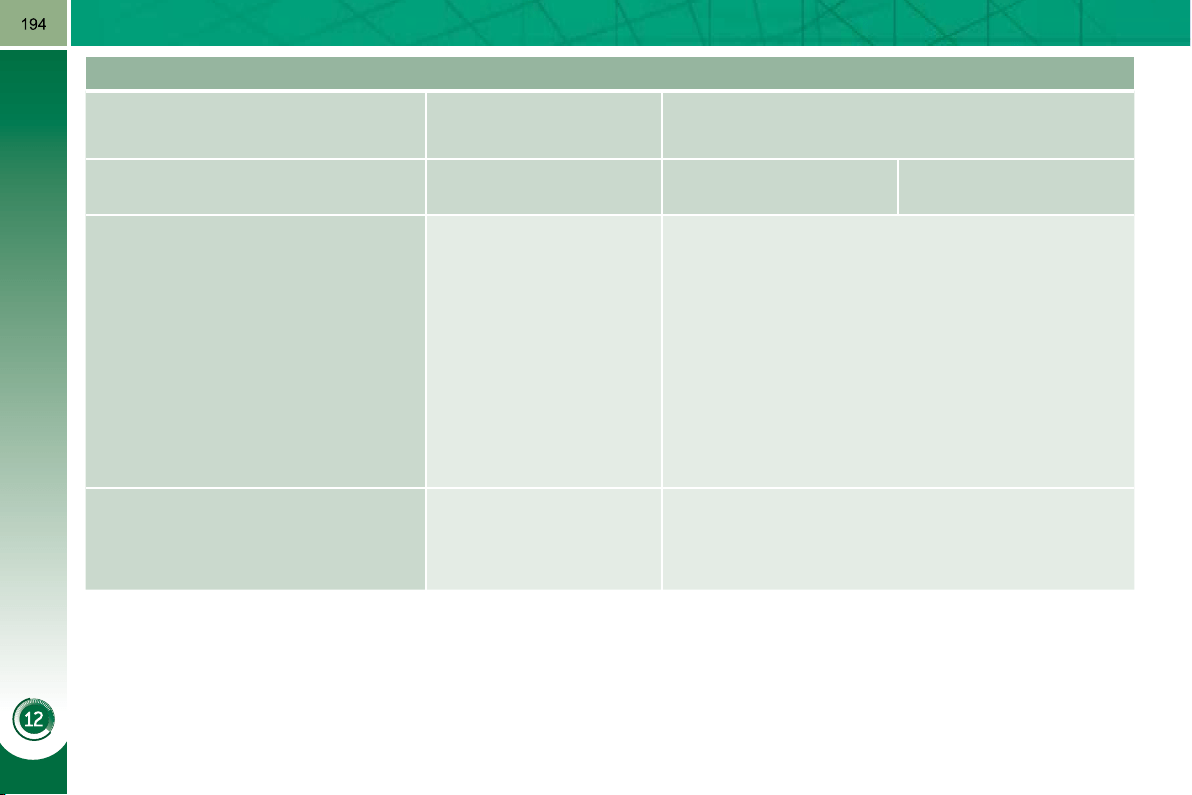
TECHNICAL DATA
ENGINES AND GEARBOXES
Petrol engines
1.6 litre 16V VTi
120 hp
1.6 litre 16V THP
156 hp
Gearbox
Manual
(5-speed)
Manual
(6-speed)
Automatic
(6-speed)
Cubic capacity (cc) 1 598 1 598
Bore x stroke (mm) 77 x 85.8 77 x 85.8
Max power: EU standard (kW) 88 115
Max power engine speed (rpm) 6 000 6 000
Max torque: EU standard (Nm) 160 240
Max torque engine speed (rpm) 4 250 1 400
Fuel Unleaded Unleaded
Catalytic converter yes yes
OIL CAPACITIES (in litres)
Engine (with fi lter replacement) 4.25 4.25
Gearbox - Final drive - -
TECHNICAL DATA
ENGINES AND GEARBOXES
Diesel engine
1.6 litre Turbo HDi
110 hp
2 litre Turbo HDi
150 hp
2 litre Turbo HDi
163 hp
Gearbox
Manual
(6-speed)
Electronic gear control
(6-speed)
Manual
(6-speed)
Automatic
(6-speed)
Cubic capacity (cc) 1 560 1 997
Bore x stroke (mm) 75 x 88.3 85 x 88
Max power: EU standard (kW) 82 110/120
Max power engine speed (rpm) 4 000 3 750
Max torque: EU standard (Nm) 270 320/340
Max torque engine speed (rpm) 1 750 2 000
Fuel Diesel Diesel
Catalytic converter yes yes
Particle emission fi lter yes yes
OIL CAPACITIES (in litres)
Engine (with fi lter replacement) 3.75 -
Gearbox - Final drive - -
TECHNICAL DATA
WEIGHTS AND TOWED LOADS (in kg)
Petrol engines
1.6 litre 16V VTi
120 hp
1.6 litre 16V THP
156 hp
Gearbox
Manual
(5-speed)
Manual
(6-speed)
Automatic
(6-speed)
- Unladen weight 1 399 1 459 1 480
- Kerb weight * 1 474 1 534 1 555
- Payload 621 561
- Gross vehicle weight (GVW) 2 020 2 020 2 030
- Gross train weight (GTW)
on a 12% gradient
3 220 3 426 3 530
- Braked trailer (within GTW limit)
on a 10% or 12% gradient
1 200 1 400
- Braked trailer ** (with load transfer
within the GTW limit)
1 500 1 500
- Unbraked trailer 735 750
- Recommended nose weight 70 70
The GTW and towed load values indicated are valid up to a maximum altitude of 1 000 metres; the towed load mentioned
must be reduced by 10 % for each additional 1 000 metres of altitude.
The speed of a towing vehicle must not exceed 60 mph (100 km/h) (comply with the legislation in force in your country).
High ambient temperatures may result in a reduction in the performance of the vehicle to protect the engine; if the ambient
temperature is above 37 °C, limit the towed load.
* The kerb weight is equal to the unladen weight + driver (75 kg).
** The weight of the braked trailer can be increased, within the GTW limit, if the GVW of the towing vehicle is reduced by an
equal amount; warning, towing using a lightly loaded towing vehicle may have an adverse effect on its road holding.

TECHNICAL DATA
197
WEIGHTS AND TOWED LOADS (in kg)
Diesel engines
1.6 litre Turbo HDi
110 hp
2 litre Turbo HDi
150 hp
2 litre Turbo HDi
163 hp
Gearbox
Manual
(6-speed)
Electronic gear control
(6-speed)
Manual
(6-speed)
Automatic
(6-speed)
- Unladen weight 1 425 1 529 1 539
- Kerb weight * 1 500 1 604 1 614
- Payload 595 551 561
- Gross vehicle weight (GVW) 2 026 2 086 2 105
- Gross train weight (GTW)
on a 12% gradient
3 120 3 480 3 500
- Braked trailer (within GTW limit)
on a 10% or 12% gradient
1 100 900 1 400
- Braked trailer ** (with load transfer
with the GTW limit)
1 300 1 100 1 500
- Unbraked trailer 750 750
- Recommended nose weight 70 70
The GTW and towed load values indicated are valid up to a maximum altitude of 1 000 metres; the towed load mentioned
must be reduced by 10 % for each additional 1 000 metres of altitude.
The speed of a towing vehicle must not exceed 60 mph (100 km/h) (comply with the legislation in force in your country).
High ambient temperatures may result in a reduction in the performance of the vehicle to protect the engine; if the ambient
temperature is above 37 °C, limit the towed load.
* The kerb weight is equal to the unladen weight + driver (75 kg).
** The weight of the braked trailer can be increased, within the GTW limit, if the GVW of the towing vehicle is reduced by an
equal amount; warning, towing using a lightly loaded towing vehicle may have an adverse effect on its road holding.
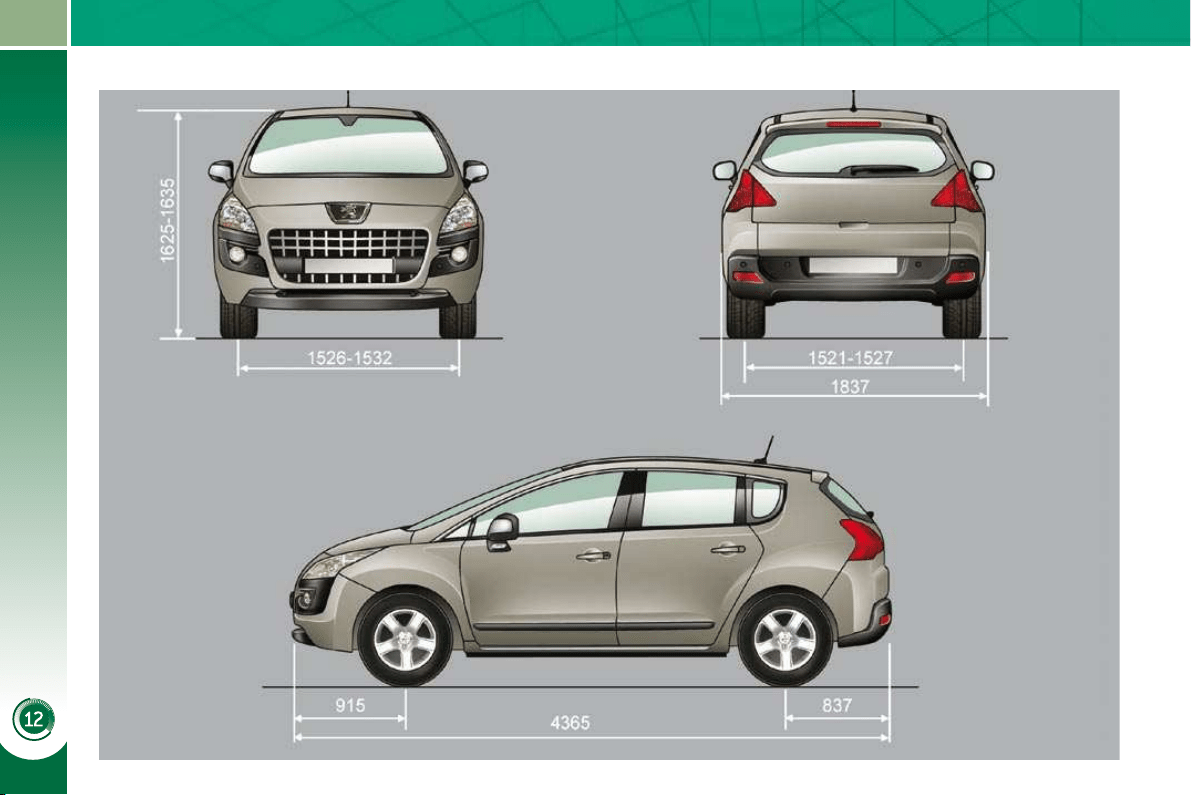
TECHNICAL DATA
198
DIMENSIONS (IN MM)
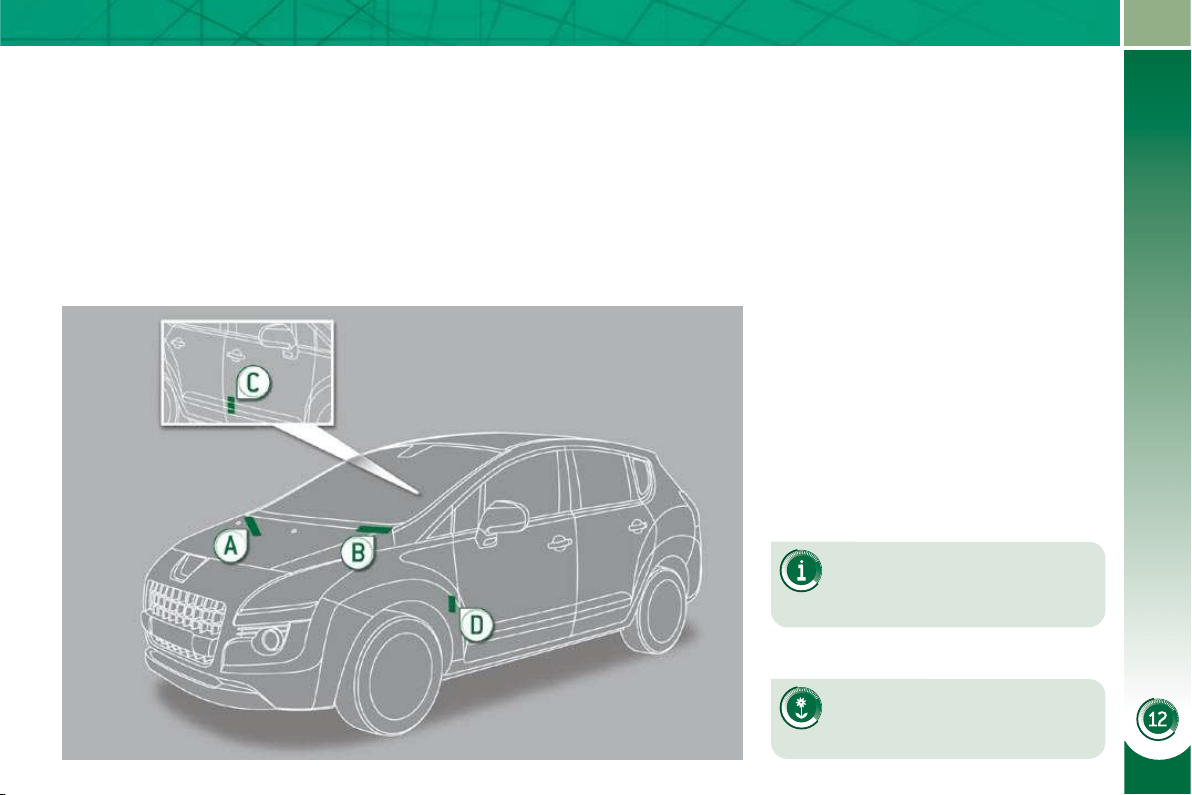
TECHNICAL DATA
199
IDENTIFICATION MARKINGS
Various visible markings for the identifi -
cation and tracking of your vehicle.
If the infl ation pressures are
too low, this increases fuel
consumption.
The infl ation pressures must
be checked when the tyres are
cold, at least once a month.
A. Vehicle Identifi cation Number
(VIN) under the bonnet.
This number is engraved on the
bodywork near the damper support.
B. Vehicle identifi cation Number
(VIN) on the windscreen lower
crossmember.
This number is indicated on a self-
adhesive label which is visible
through the windscreen.
C. Manufacturer's label.
The VIN is indicated on a self-de-
stroying label affi xed to the door ap-
erture, on the right-hand side.
D. Tyre/paint label.
This label is affi xed to the door aper-
ture, on the driver's side.
It bears the following information:
- the tyre infl ation pressures with and
without load,
- the wheel rim and tyre sizes,
- the brands of tyre recommended by
the manufacturer,
- the infl ation pressure of the spare
wheel,
- the paint colour code.
201
EMERGENCY OR ASSISTANCE CALL
EMERGENCY CALL
ASSISTANCE CALL
OPERATION OF THE SYSTEM
In an emergency, press this button for more than
2 seconds. Flashing of the green diode and a voice
message confi rm that the call has been made to the
PEUGEOT Emergency team * .
Pressing this button again immediately cancels the request. The green
diode switches off.
The green diode remains on (without fl ashing) when communication is
established. It switches off at the end of communication.
This call is dealt with by the PEUGEOT Emergency team which receives
locating information from the vehicle and can send a detailed alert to the
appropriate emergency services. In countries in which the team is not
operational, or when the locating service has been expressly refused,
the call is dealt with directly by the emergency services (112) without the
vehicle location.
If an impact is detected by the airbag ECU, and independently of any
triggering of the airbags, an emergency call is made automatically.
* This service is subject to conditions and availability.
Consult a PEUGEOT dealer.
Press this button for more than 2 seconds to request
assistance if the vehicle breaks down.
A voice message confi rms that the call has been made * .
Pressing this button again immediately cancels the request.
The cancellation is confi rmed by a voice message.
When the ignition is switched on, the green
indicator lamp comes on for 3 seconds
indicating that the system is operating
correctly.
If the orange indicator lamp fl ashes: there is
a system malfunction.
If the orange indicator lamp is lit continuously:
the backup battery must be replaced.
In both cases, consult a PEUGEOT dealer.
202
PEUGEOT ASSISTANCE
CUSTOMER CALL
Press this button for access to PEUGEOT services * .
Select "Customer call" to request
any information about the PEUGEOT
marque.
Select "PEUGEOT Assistance" to
make a breakdown assistance call.
* These services and options are subject to conditions and availability.
EMERGENCY CALL
EMERGENCY OR ASSISTANCE CALL using PEUGEOT Connect Media
ASSISTANCE CALL
In an emergency, press the SOS button until an audible
signal is heard and a "Confi rmation/Cancellation"
screen is displayed (if valid SIM card inserted).
A call is made * to the PEUGEOT Emergency team
which receives locating information from the
vehicle and can send a detailed alert to the relevant
emergency services.
In countries in which the team is not operational, or
when the locating service has been expressly rejected,
the call is sent to the emergency services (112).
* This service is subject to conditions and availability. Consult a PEUGEOT
dealer.
If an impact is detected by the airbag control unit, and in
and independently
of the triggering of any airbags, an emergency call is ma
l is made
automatically.
The message "Deteriorated emergency call" associated with fl ashing
The message "Deteriorated emergency call" associated with fl ashing
of the orange indicator lamp indicates a malfunction. Co
n. Consult a
PEUGEOT dealer.
Warning - the emergency call and the services are only a
only active
if the internal telephone is used with a valid SIM card. W
rd. With a
Bluetooth telephone and without a SIM card, these servi
services are not
operational.
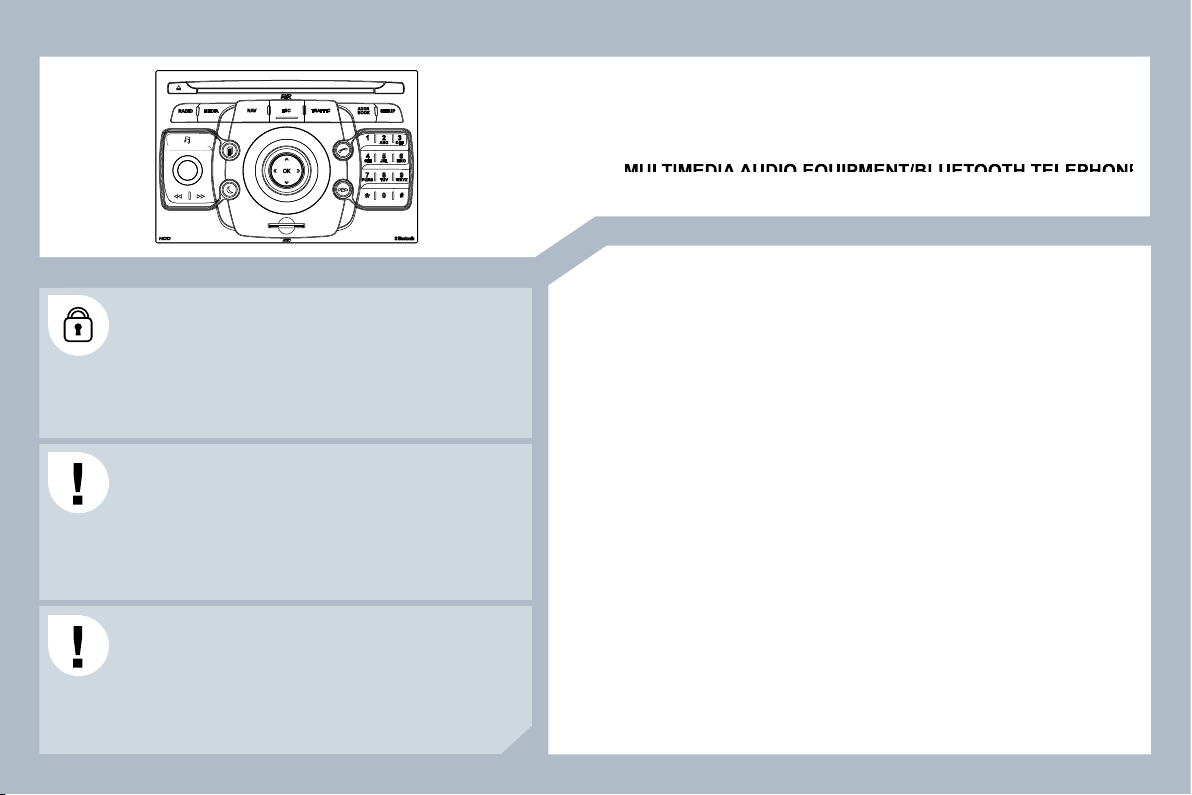
203
The PEUGEOT Connect Media is protected in such a
way that it will only operate in your vehicle. If it is to be
installed in another vehicle, contact a PEUGEOT dealer
for confi guration of the system.
Certain functions described in this handbook will become
available during the course of the year.
Peugeot Connect Media
MULTIMEDIA AUDIO EQUIPMENT/BLUETOOTH TELEPHONE
eugeot Connect Media
eugeot Connect Media
GPS EUROPE
CONTENTS
01 First steps p.
02 Voice commands and
steering mounted controls p.
03 General operation p.
04 Navigation - Guidance p.
05 Traffi c information p.
06 Radio p.
07 Music media players p.
08 Using the telephone p.
09 Confi guration p.
10 Screen menu map p.
Frequently asked questions p.
For safety reasons, it is imperative that the driver carries
out operations which require prolonged attention while
the vehicle is stationary.
When the engine is switched off and to prevent
discharging of the battery, the PEUGEOT Connect
Media switches off following the activation of the Energy
Economy mode.
204
206
209
213
221
223
224
229
233
234
238
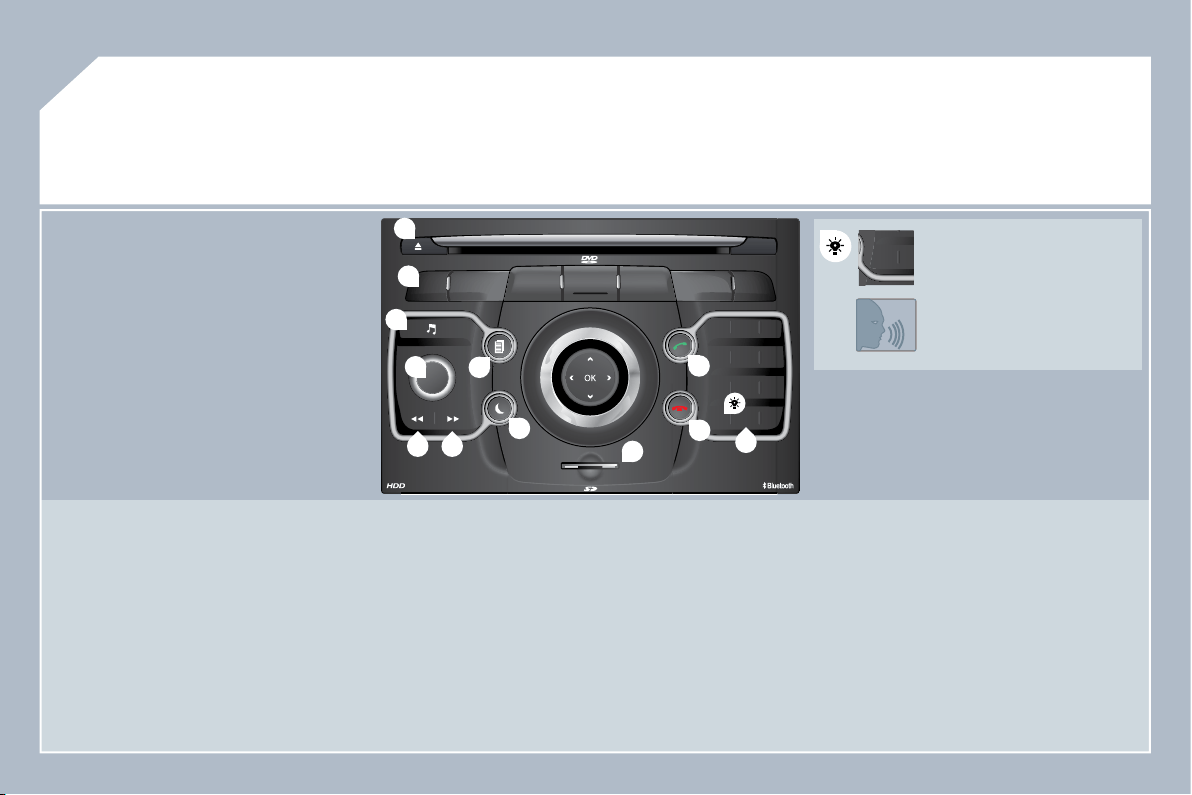
204
01
2
ABC
3
DEF
5
JKL
4
GHI
6
MNO
8
TUV
7
PQRS
9
WXYZ
0
*
#
1
RADIO MEDIA
NAV ESC TRAFFIC
SETUP
ADDR
BOOK
1
10
2
3
4
6
12
9
7
8
11
5
TUPQRS
0
*
1.
CD eject.
2.
RADIO: access to the "Radio" Menu.
Display the list of stations in alphabetical order
(FM waveband) or frequency order (AM waveband).
MEDIA: access to the "Media" Menu (Audio CD, Jukebox,
External Device).
Display the list of tracks. Change of source.
NAV: access to the "Navigation" Menu and display of the
last destinations.
ESC: abandon the operation in progress.
Long press: return to the main display.
TRAFFIC: access to the "Traffi c" Menu (function described
in detail in sections 02 and 10).
ADDR BOOK: access to the "Address book" Menu (function
described in detail in section 10).
SETUP: access to the "SETUP" Menu (confi guration) (function
described in detail in sections 02 and 10).
Long press: GPS coverage.
3.
Audio settings (Balance/Fader, Bass/Treble, Musical
Ambience...).
4. Volume adjustment (each source is independent, including
message and navigation alert)
Long press: reinitialisation of the system.
Short press: mute.
5.
Automatic search for a radio station on a lower frequency.
Selection of the previous CD or MP3 track.
FIRST STEPS
PEUGEOT Connect Media CONTROL PANEL
6.
Automatic search for a radio station on a higher frequency.
Selection of the next CD or MP3 track.
7.
Normal display or black screen.
8.
Selection of the successive display on the screen of "MAP"/
"NAV" (if navigation is in progress)/"TEL" (if a conversation is in
progress)/"RADIO" or "MEDIA" currently being played.
9.
PICK UP: access to the "Phone" menu.
With Bluetooth connection, accept an incoming call.
10.
HANG UP: access to the "Phone" menu.
Hang up the current call or refuse an incoming call,
with Bluetooth connection.
11.
Entering of numbers or letters on the alpha-numeric keypad,
pre-selection of 10 radio frequencies.
12.
SD card reader.
Short press: clears the last
character.
Long press: activates voice
recognition.
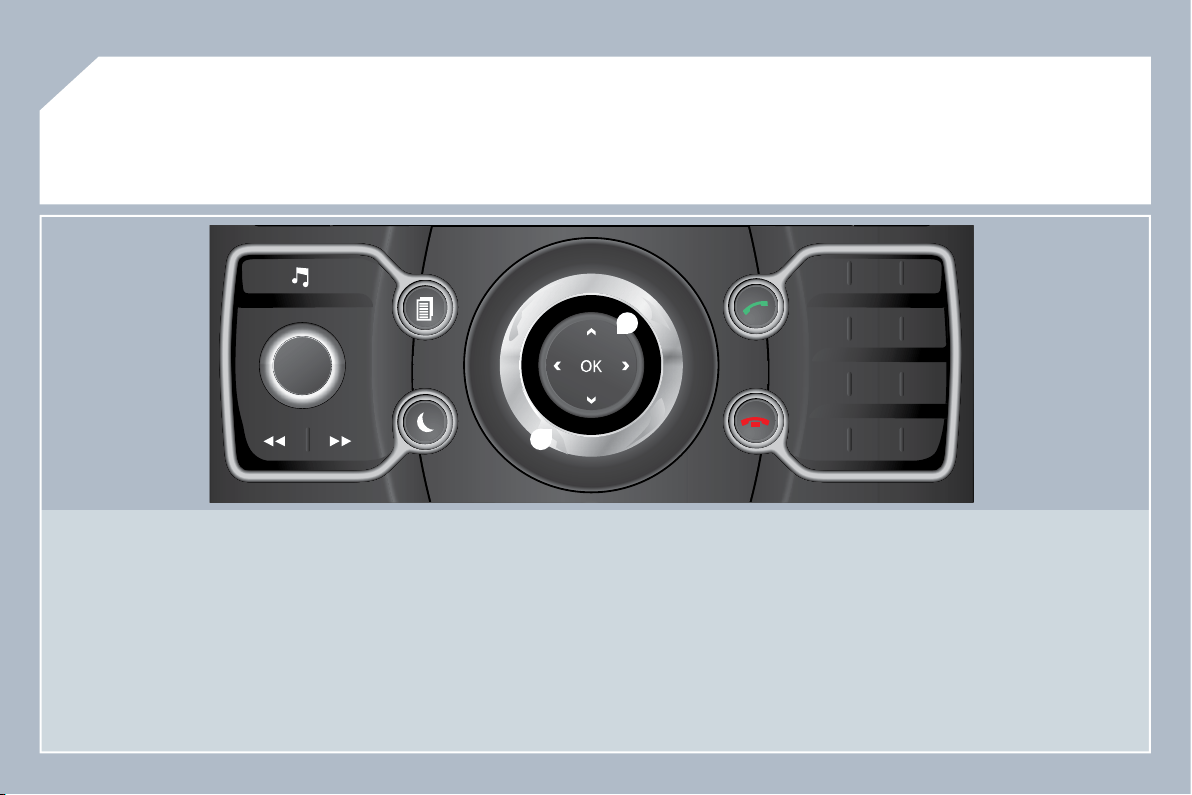
205
01
2
ABC
3
DEF
5
JKL
4
GHI
6
MNO
8
TUV
7
PQRS
9
WXYZ
0
*
#
1
13
14
13.
OK: confi rmation of the highlighted item on the screen.
- 4-direction navigator: press to the left/right.
When the "RADIO" screen is displayed: selection of the
previous/next frequency.
When "MEDIA" is displayed: selection of the previous/next
track.
When "MAP" or "NAV" is displayed: horizontal movement of
the map.
- 4-direction navigator: press up/down.
When "RADIO" is displayed: selection of the previous/next
radio station on the list.
When the "MEDIA" screen is displayed: selection of the MP3
directory.
When "MAP" or "NAV" is displayed: vertical movement of the
map.
Switch to the next or previous page of a menu.
Movement on the virtual keypad displayed.
FIRST STEPS
PEUGEOT Connect Media NAVIGATOR
14.
Rotation of the ring:
When the "RADIO" screen is displayed: selection of the
previous/next radio station on the list.
When the "MEDIA" screen is displayed: selection of the
previous/next CD or MP3 track.
When "MAP" or "NAV" is displayed: front/rear map zoom.
Movement of the menu selection curser.
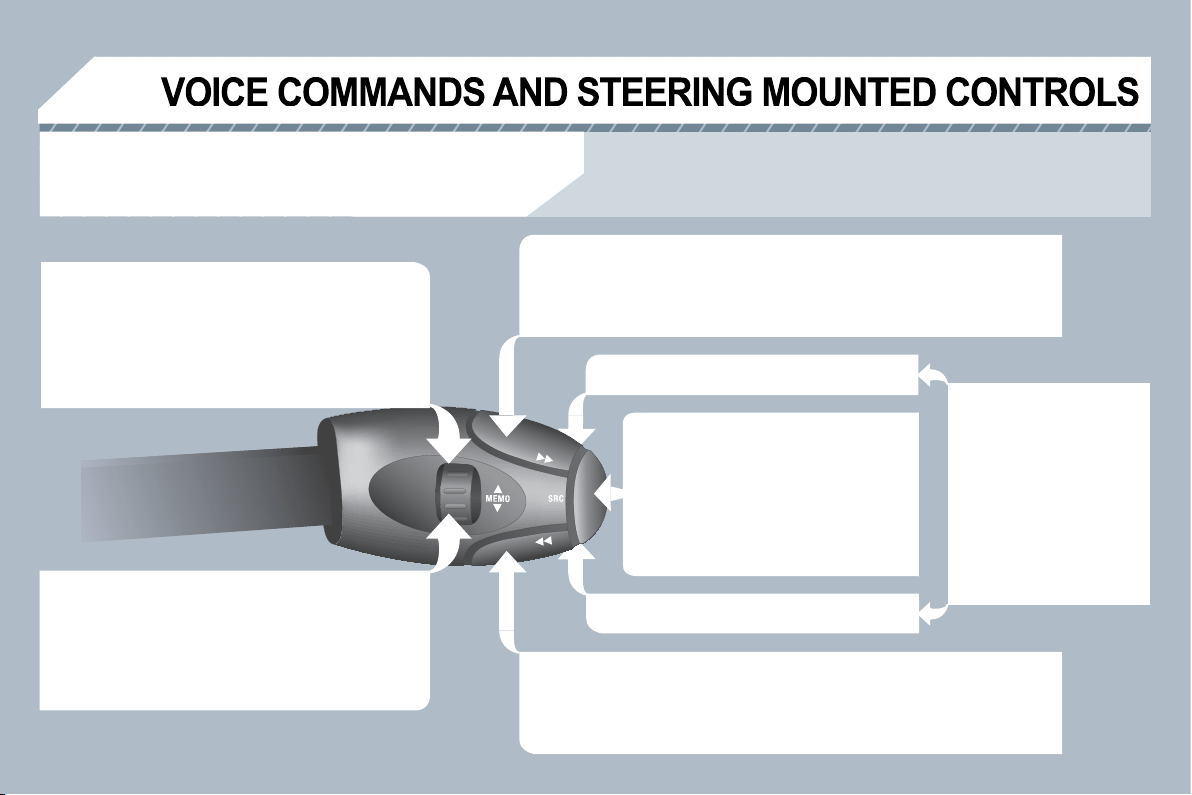
206
02
RADIO: selection of the previous stored station.
Audio CD: selection of the previous track.
If "MEDIA" is displayed on the screen:
MP3 CD/SD CARD/JUKEBOX: selection of the
previous directory.
Selection of the previous entry in the address book.
RADIO: selection of the next stored station.
Audio CD: selection of the next track.
If "MEDIA" is displayed on the screen:
MP3 CD/CARD/JUKEBOX: selection of the next
directory.
Selection of the next entry in the address book.
RADIO: automatic search for a higher frequency.
CD/SD CARD/JUKEBOX: selection of the next track.
CD/SD CARD/JUKEBOX: continuous press: fast forward play.
RADIO: automatic search for a lower frequency.
CD/SD CARD/JUKEBOX: selection of the previous track.
CD/SD CARD/JUKEBOX: continuous press: fast backward play.
- Change the sound source.
- Make a call from the address book.
- Pick up/Hang up the telephone.
- Press for more than 2 seconds:
access to the address book.
Volume increase.
Volume decrease.
STEERING MOUNTED CONTROLS
Mute: by pressing
the volume increase
and decrease buttons
simultaneously.
Restore the sound: by
pressing one of the two
volume buttons.
Wiper stalk: display of "RADIO" and "MEDIA".
Lighting stalk: activation of the voice command by means of a short press; indication of the current
navigation instruction by means of a long press.
207
TUPQRS
0
*
1
1
SETUP
2
2
02
Before using the system for the fi rst time, you are advised to
listen to, say and repeat the instructions for use.
Press the SETUP button and
select the "Language & Speech"
function. Turn the ring and select
"Voice control". Activate voice
recognition.
Select "Tutorial".
VOICE COMMANDS - VOICE
RECO. INITIATION
The phrases to be spoken according to the context are
indicated in the tables below.
Speak and Peugeot Connect Media acts.
A short press activates voice recognition.
A long press on this button activates voice
recognition.
CONTEXT
SAY
ACTION
GENERAL
Help address book
Help voice control
Help media
Help navigation
Help telephone
Help radio
Cancel
Correction
Access to the address book help
Access to the voice reco help
Access to the media management help
Access to the guidance, navigation help
Access to the telephone help
Access to the radio help
To cancel a voice command
which is in progress
Request to correct the last voice
recognition carried out
Clear
RADIO
Select station
Station <tts:stationName>
Read out station list
Enter frequency
Select wave band
AM
FM
TA on
TA off
Select a radio station
Select a radio station using its RDS
description <tts:station Name> from
the RADIO list
Listen to the list of stations available
Listen to the frequency of the current
radio station
Choose the frequency waveband
(AM or FM)
Change the frequency waveband to AM
Change the frequency waveband to FM
Activate the Traffi c Info (TA)
Deactivate the Traffi c Info
NAVIGATION
Destination input
Voice advice off
Voice advice on
Save address
Start guidance
Abort guidance
Navigate entry
POI Search
Command to enter a new destination
address
Deactivate the spoken guidance
instructions
Activate the spoken guidance instructions
Save an address in the address
book
Start guidance (once the address has
been entered)
Stop the guidance
Start guidance to a fi le in
the address book
Start guidance to a point of interest
VOICE COMMANDS AND STEERING MOUNTED CONTROLS
208
02
RECO. INITIATION
VOICE COMMANDS AND STEERING MOUNTED CONTROLS
CONTEXT
SAY
ACTION
MEDIA
Media
Select media
Single slot
Jukebox
USB
External device
SD-Card
Track <1 - 1 000>
Folder <1 - 1 000>
Select the MEDIA source
Choose a source
Select the CD player source
Select the Jukebox source
Select the USB reader source
Select the audio AUX input source
Select the SD card source
Select a specifi c track (number between 1
and 1 000) on the active MEDIUM
Select a Folder (number between 1 and 1 000)
on the active MEDIUM
TELEPHONE
Phone menu
Enter number
Phone book
Dial
Save number
Accept
Reject
Open the Telephone Menu
Enter a telephone number to be called
Open the phone book
Make a call
Save a number in the phone book
Accept an incoming call
Refuse an incoming call
ADDRESS BOOK
Address book menu
Call <entry>
Navigate <entry>
Open the address book
Call fi le using its description <fi le> as described
in the address book
Start guidance to an address in the address book
using its description <fi le>
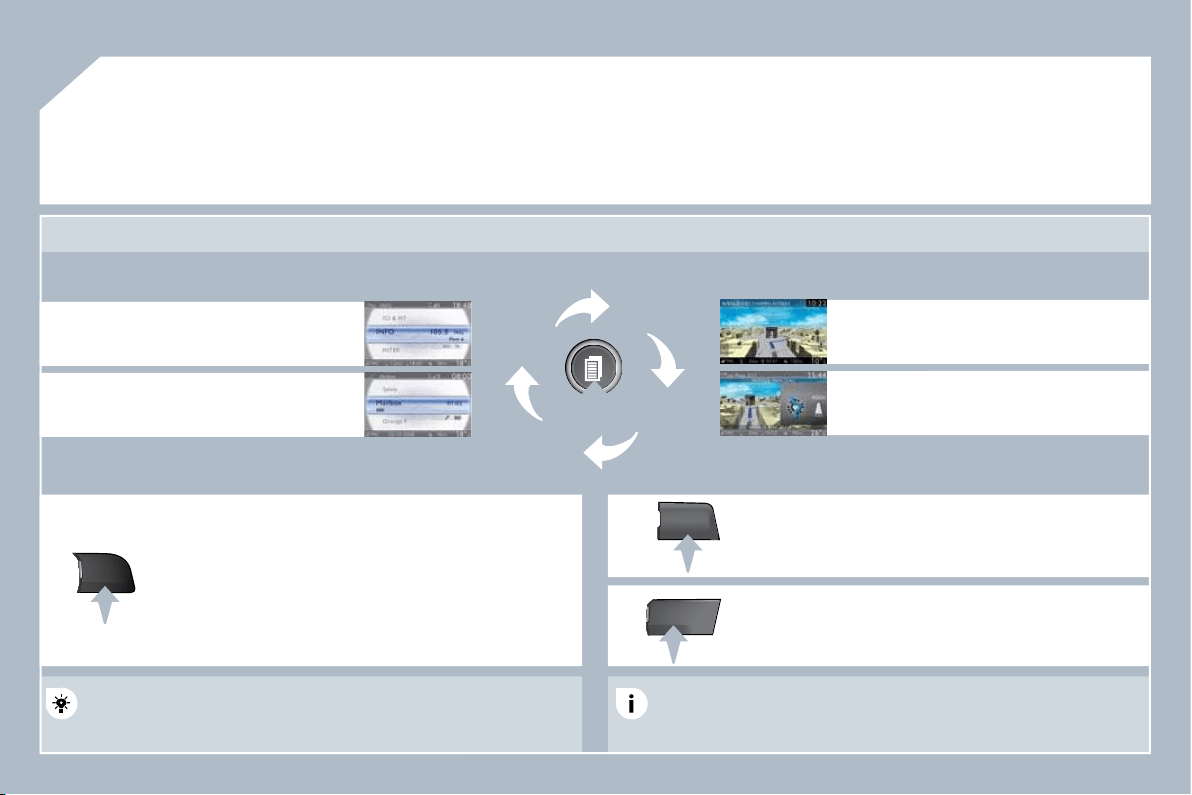
209
03
SETUP
MEDIA
TRAFFIC
GENERAL OPERATION
For a detailed global view of the menus available, refer to the
"Screen menu map" section of this handbook.
Press the MODE button several times in succession to gain access to the following displays:
Long press: access to the GPS coverage and to the demonstration
mode.
For maintenance of the screen, the use of a soft, non-abrasive cloth
(spectacles cloth) is recommended, without any additional product.
RADIO / MUSIC MEDIA/VIDEO
TELEPHONE
(If a conversation is in progress)
FULL SCREEN MAP
NAVIGATION
(If guidance is in progress)
SETUP:
access to the "SETUP" Menu: system language * and
voice functions * , voice initialisation (section 09), date
and time * , display, unit and system parameters.
TRAFFIC:
access to the Traffi c Menu: display of the current
traffi c alerts.
DISPLAY ACCORDING TO THE CONTEXT
MEDIA:
"DVD-audio" menu
"DVD-Video" menu
* Available according to model.
210
03
1
2
3
3
2
1
1
1
3
2
1
1
1
1
1
1
1
1
1
1
2
2
1
1
2
1
2
2
2
2
2
2
2
2
2
2
2
2
2
2
3
2
2
2
2
2
GENERAL OPERATION
Pressing OK gives access to short-cut
menus according to the display on the
screen.
MUSIC MEDIA PLAYERS:
TA
PLAY OPTIONS
NAVIGATION (IF GUIDANCE IS IN PROGRESS):
ABORT GUIDANCE
REPEAT ADVICE
BLOCK ROAD
UNBLOCK
MORE
LESS
CALCULATE
ZOOM/SCROLL
BROWSE ROUTE
ROUTE INFO
SHOW DESTINATION
TRIP INFO
Route type
RADIO:
IN FM MODE
TA
RDS
RADIOTEXT
REGIONAL PROG.
AM
IN AM MODE
TA
REFRESH AM LIST
FM
TELEPHONE:
END CALL
HOLD CALL
DIAL
DTMF-TONES
PRIVATE MODE
MICRO OFF
DISPLAY ACCORDING TO THE CONTEXT
Avoid
Satellites
Stopovers
BROWSE ROUTE
ZOOM/SCROLL
VOICE ADVICE
ROUTE OPTIONS
ROUTE TYPE
ROUTE DYNAMICS
AVOIDANCE CRITERIA
RECALCULATE
NORMAL ORDER
RANDOM TRACK
SCAN
SELECT MEDIA
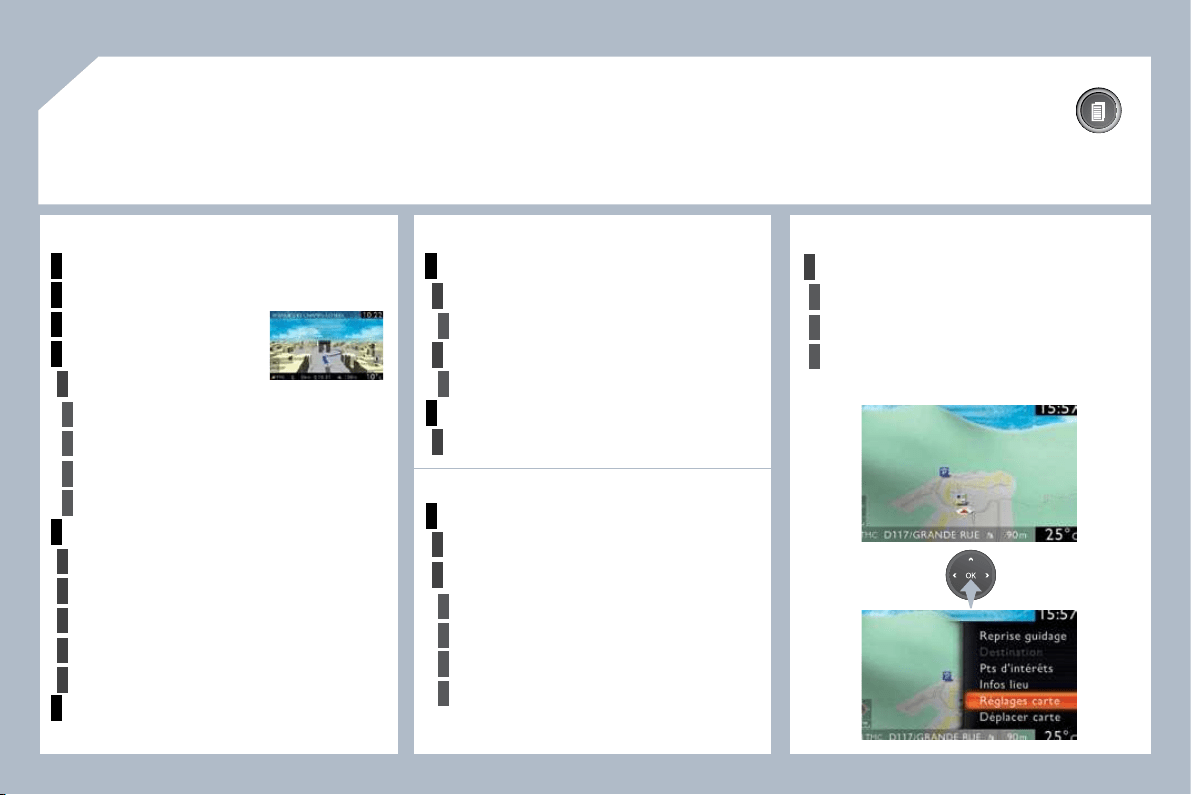
211
03
1
1
1
1
1
2
1
2
2
2
2
2
1
3
3
3
3
1
2
2
3
3
3
3
2
3
2
3
1
2
2
3
3
3
GENERAL OPERATION
DISPLAY ACCORDING TO THE CONTEXT
FULL SCREEN MAP:
ABORT GUIDANCE/RESUME GUIDANCE
SET DESTINATION/ADD STOPOVER
POIS NEARBY
POSITION INFO
OPTIONS
Navigate to
Dial
Save position
Zoom/Scroll
MAP SETTINGS
2D MAP
2.5D MAP
3D MAP
NORTH UP
HEADING UP
ZOOM/SCROLL
AUDIO DVD (LONG PRESS):
STOP
GROUP
Group 1 .2/n
PLAY OPTIONS
Normal order/Random track/Scan
TA
SELECT MEDIA
DVD OPTIONS
Audio
Subtitles
Angle
Examples:
VIDEO DVD (LONG PRESS):
PLAY
STOP
DVD MENUS
DVD menu
DVD top menu
List of titles
List of chapters
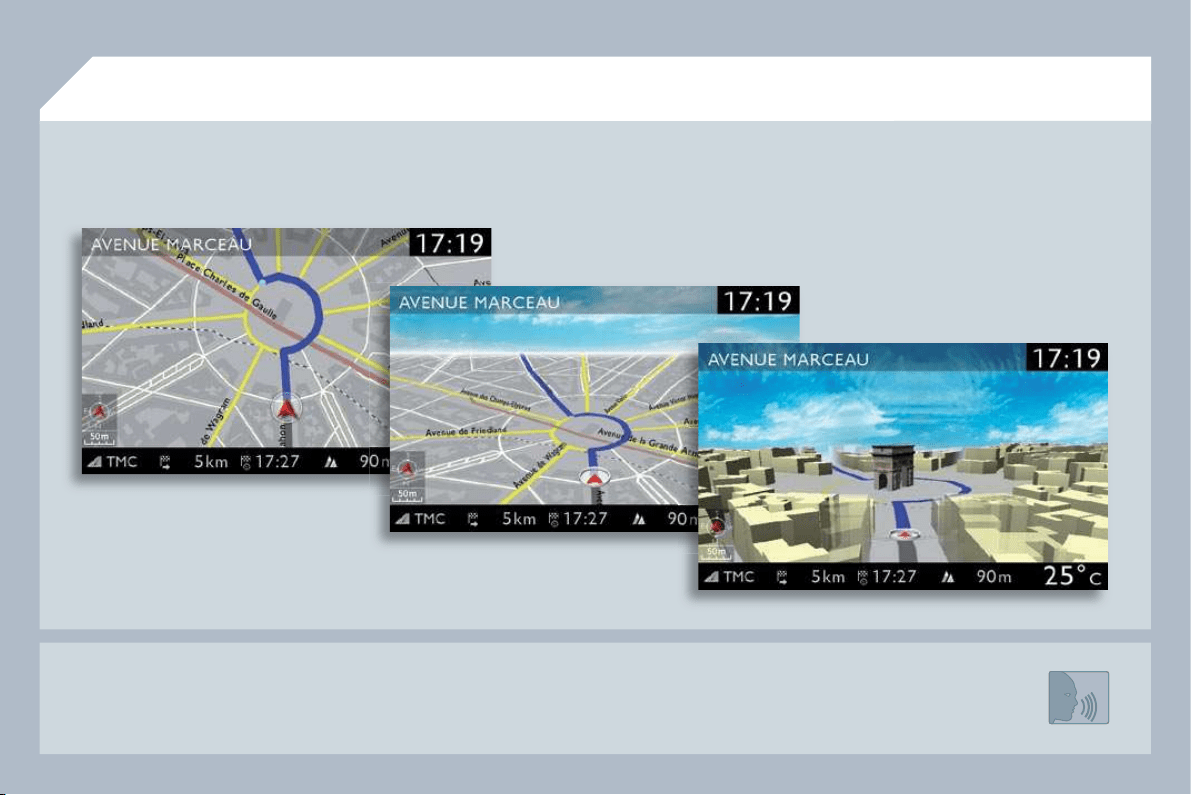
212
- the map setting which allows the map to be displayed fl at, in perspective or in 3D.
- confi guration of the system by means of voice commands.
Map in 3D
Flat map
Map in perspective
PEUGEOT Connect Media IS:
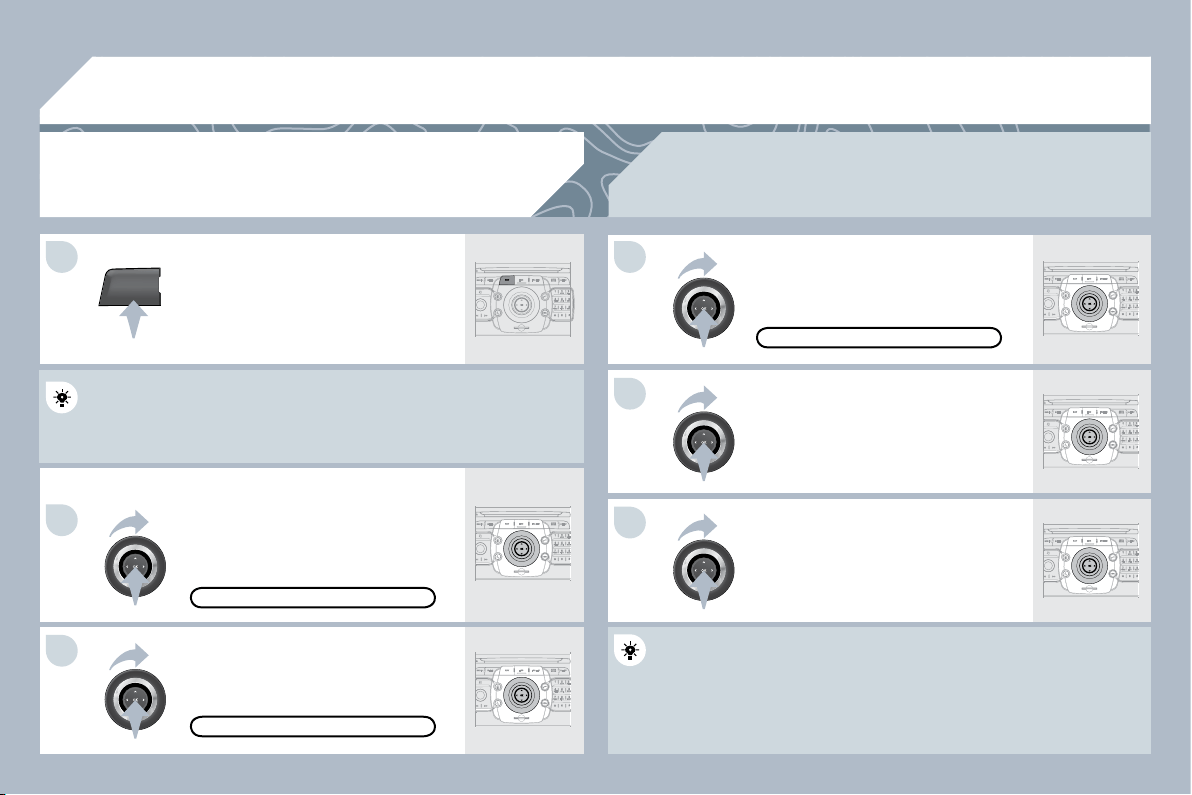
213
NAV
04
1
2
3
6
5
4
NAVIGATION - GUIDANCE
SELECTING A DESTINATION
Press the NAV button again or select
the Navigation Menu function and
press OK to confi rm.
Select the "Destination input" function
and press OK to confi rm.
Press the NAV button.
Select the letters of the town one by one
confi rming each time by pressing OK.
Once the country has been selected,
turn the ring and select the town
function. Press OK to confi rm.
NAVIGATION MENU
DESTINATION INPUT
A pre-set list (by entering the fi rst few letters) of the towns in the
A pre-set list (by entering the fi rst few letters) of the towns in the
country selected can be accessed via the LIST button on
tton on the virtual
keypad.
Select the "Address input" function
and press OK to confi rm.
ADDRESS INPUT
The list of the last 20 destinations appears under the Na
the Navigation
Menu function.
The "NAVIGATION" voice commands are listed in section 09.
During guidance, a long press on the end of the lighting stalk repeats the last guidance
instruction.
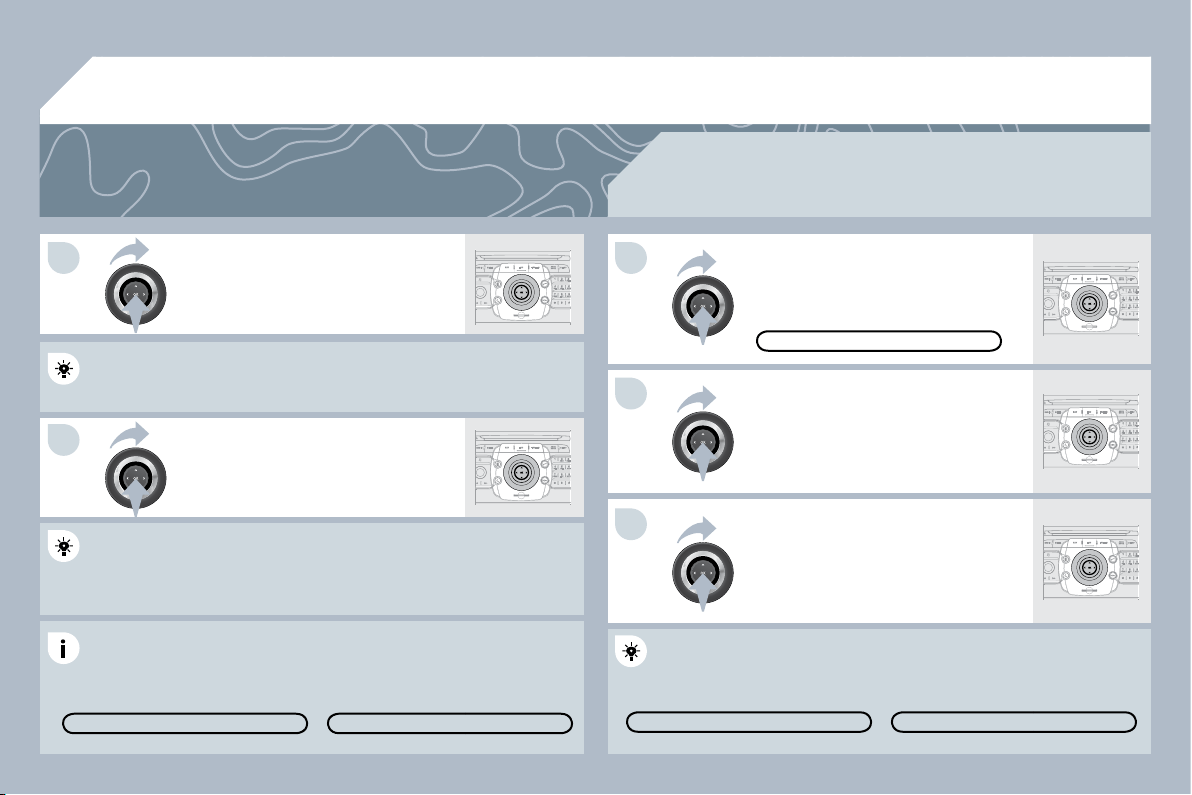
214
7
8
10
9
11
04
Repeat steps 5 to 7 for the "Street"
and "House number" functions.
To delete a destination; from steps 1 to 3, select "Choose from last
To delete a destination; from steps 1 to 3, select "Choose from last
destinations".
A long press on one of the destinations displays a list o
list of actions from
which you can select:
Select the "Save to address book" function to record th
ord the address
entered in a directory fi le. Press OK to confi rm the selection.
entered in a directory fi le. Press OK to confi rm the selection.
The PEUGEOT Connect Media permits the recording o
ding of more than
4 000 contact fi les.
To speed up the process, the post code can be entered
tered directly after
selecting the "Postal code" function.
Use the virtual keypad to enter the letters and digits.
Select the route type:
"Fast route", "Short route", or
"Optimized route" and press OK to
confi rm.
Then select "Start route guidance"
and the press OK to confi rm.
It is also possible to select a destination via "Choose fro
se from address
book" or "Choose from last destinations", by selecting a
ting a junction, a
town centre, geographic coordinates, or directly on the "
n the "Map".
CHOOSE FROM ADDRESS BOOK
CHOOSE FROM LAST D
ST DESTINATIONS
START ROUTE GUIDANCE
It is possible to scroll the map using the 4-direction navigator. It is possible to select its
orientation via the short-cut menu of the "Full screen map". Press OK then select
"Map Settings" and confi rm.
Select the road with the colour
corresponding to the route chosen
and press OK to confi rm and start
guidance.
Turn the ring and select OK.
Press OK to confi rm.
DELETE ENTRY
DELETE LIS
TE LIST
NAVIGATION - GUIDANCE
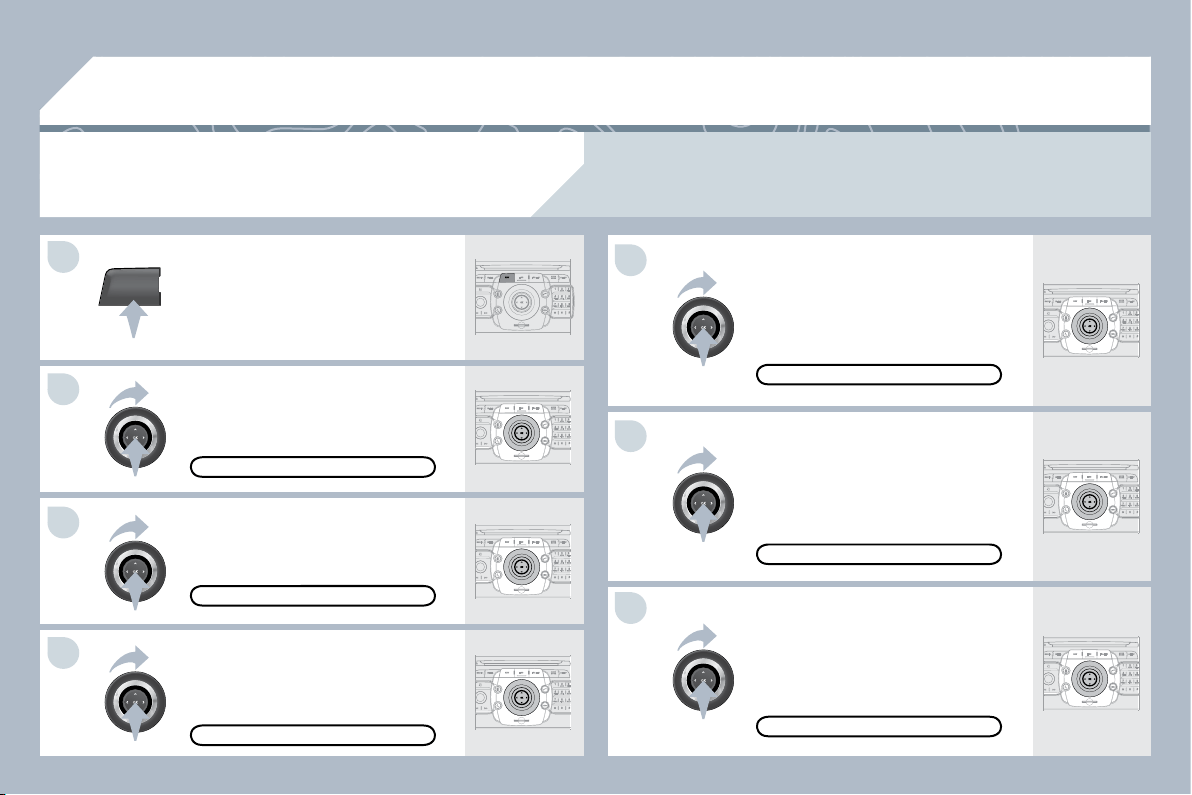
215
NAV
04
5
6
7
1
2
3
4
NAVIGATION - GUIDANCE
ROUTE OPTIONS
Select the "Route dynamics" function.
This function provides access to the
"Traffi c independent", "Semi-dynamic"
and "Dynamic" options.
Select the "Avoidance criteria"
function. This function provides
access to the "Avoid" options
(motorways, toll roads, ferries,
tunnels).
Turn the ring and select the
"Recalculate" function to take into
account the route options selected.
Press OK to confi rm.
Press the NAV button.
Press the NAV button again or select
the Navigation Menu function and
press OK to confi rm.
Select the "Route type" function and
press OK to confi rm. This function
allows you to change the route type.
Select the "Route options" function
and press OK to confi rm.
NAVIGATION MENU
ROUTE OPTIONS
ROUTE TYPE
ROUTE DYNAMICS
AVOIDANCE CRITERIA
RECALCULATE
When the map is displayed on the screen, you can select "Map Settings" then "2D Map/2.5D Map/
3D Map/North Up/Heading Up". The display of buildings in 3D mode depends on the progress in town
mapping.
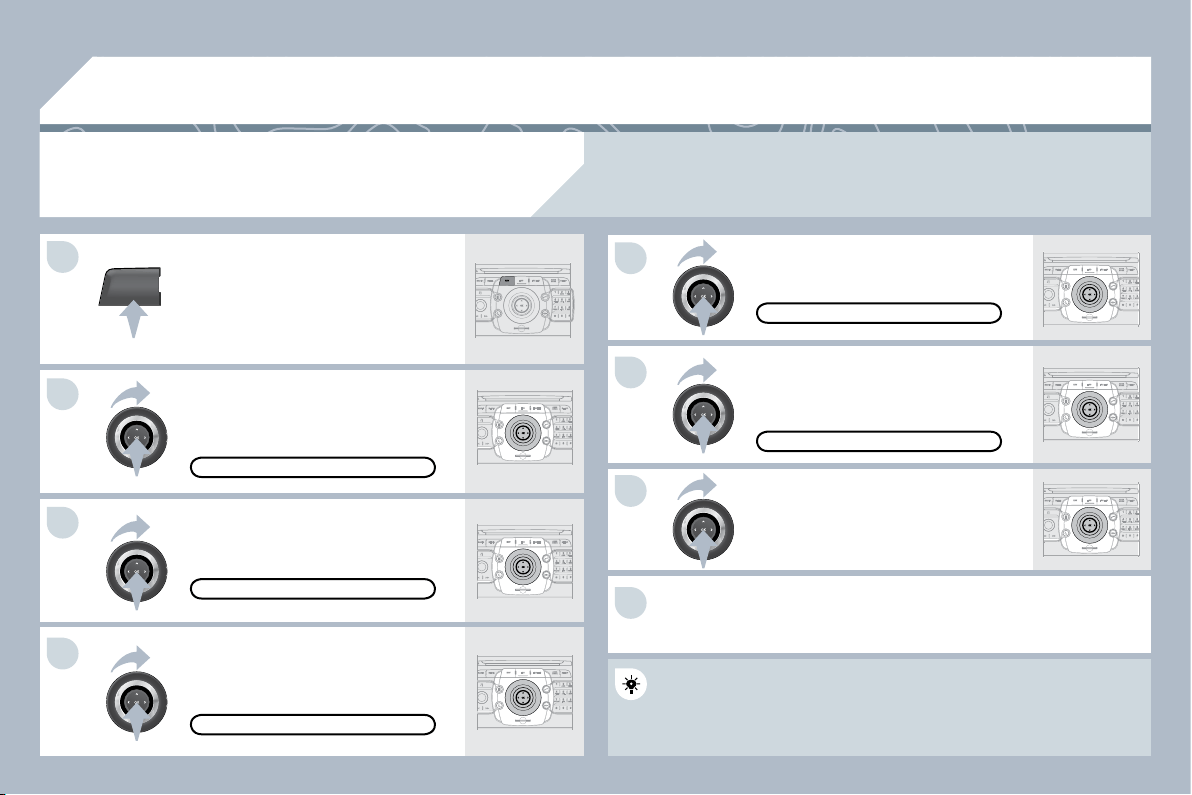
216
NAV
5
6
7
1
2
3
4
8
04
ADDING A STOPOVER
Enter a new address, for example.
Once the new address has been
entered, select "Start route guidance"
and press OK to confi rm.
Position the stopover on the list and
press OK to confi rm.
Press the NAV button.
Press the NAV button again or select
the "Navigation" Menu function and
press OK to confi rm.
Select the "Add stopover" function
(5 stopovers maximum) and press OK
to confi rm.
Select the "Stopovers" function and
press OK to confi rm.
ADDRESS INPUT
ADD STOPOVER
STOPOVERS
"NAVIGATION" MENU
START ROUTE GUIDANCE
To change the stopovers, repeat operations 1 to 3 and s
and select
"Rearrange route" (select a stopover, delete it or move i
ove it on the list
using the ring to change the order, confi rm its new position and fi nish
using the ring to change the order, confi rm its new position and fi nish
with "Recalculate").
Stopovers can be added to or deleted from the route once the destination has been selected.
Repeat operations 1 to 7 as many times as necessary then select
"Recalculate" and press OK to confi rm.
NAVIGATION - GUIDANCE
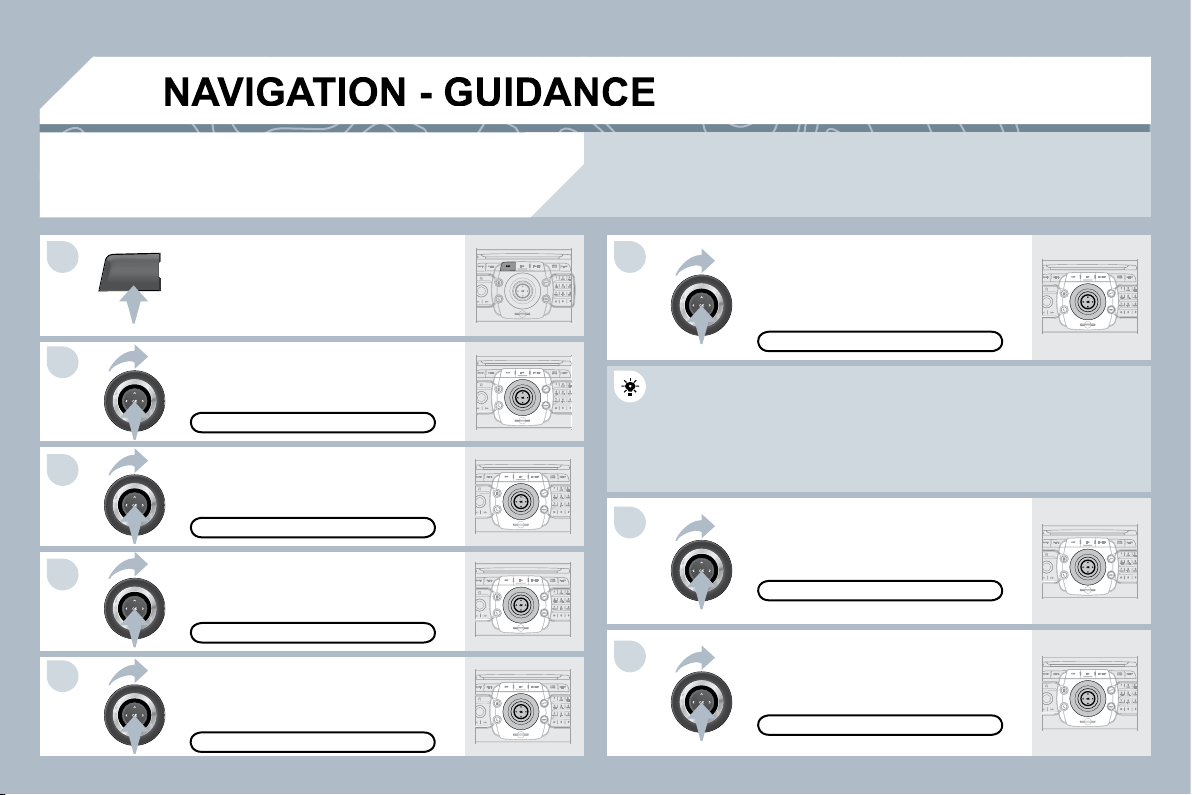
217
NAV
04
1
2
3
4
7
8
5
6
SEARCHING FOR POINTS OF INTEREST
(POI)
Press the NAV button.
Press the NAV button again or select
the Navigation Menu function and
press OK to confi rm.
Select the "POI nearby" function to
search for POIs around the vehicle.
Select the "POI search" function and
press OK to confi rm.
NAVIGATION MENU
POI SEARCH
POI NEARBY
Select the "POI in city" function to
search for POIs in the city required.
Select the country then enter the
name of the city using the virtual
keypad.
Select the "POI near route" function to
search for POIs near the route.
Select the "POI in country" function
to search for POIs in the country
required.
Select the "POI near destination"
function to search for POIs near the
point of arrival of the route.
POI NEAR DESTINATION
POI IN COUNTRY
POI NEAR ROUTE
A list of cities present in the country selected can be acc
be accessed via
the LIST button on the virtual keypad.
POI IN CITY
The points of interest (POIs) indicate all of the service locations in the vicinity (hotels, various
businesses, airports...).
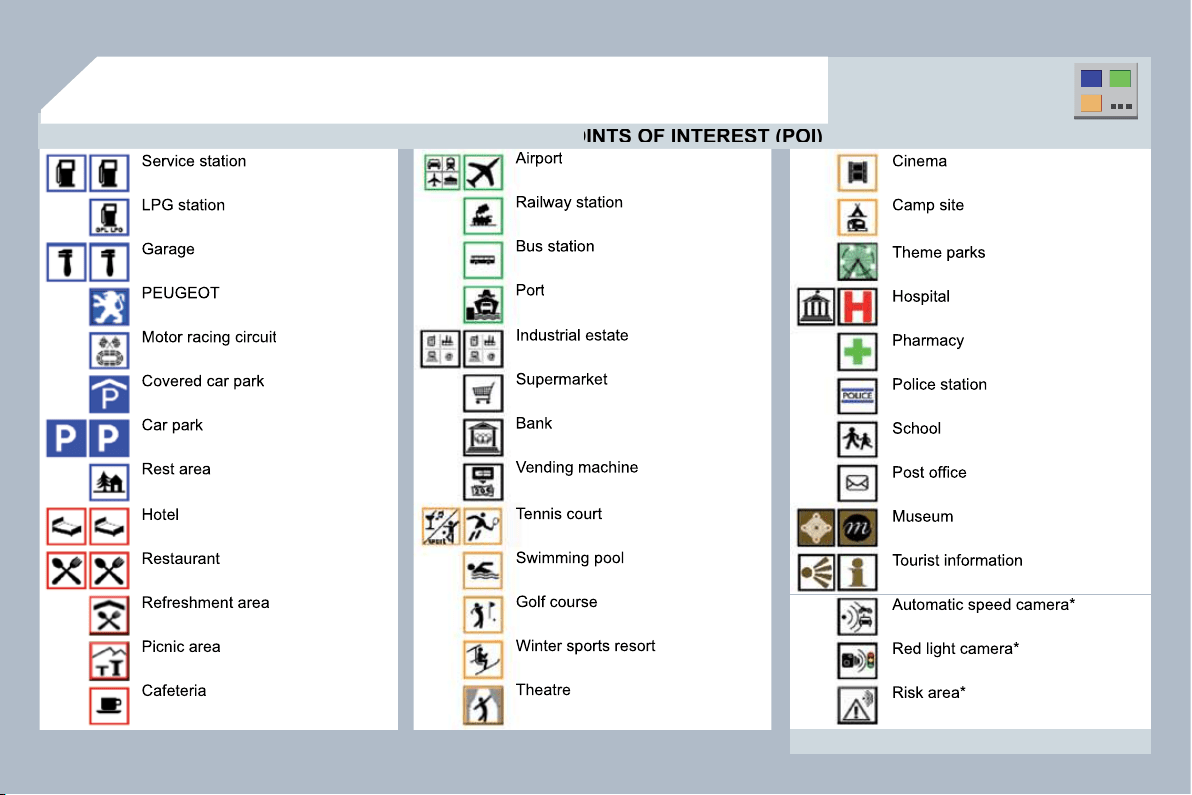
218
04
NAVIGATION - GUIDANCE
LIST OF PRINCIPAL POINTS OF INTEREST (POI)
LIST OF PRINCIPAL POINTS OF INTEREST (POI)
* According to availability in the country.
This icon appears when several POIs
are grouped together in the same area.
Zooming in on this icon shows details of
the POIs.
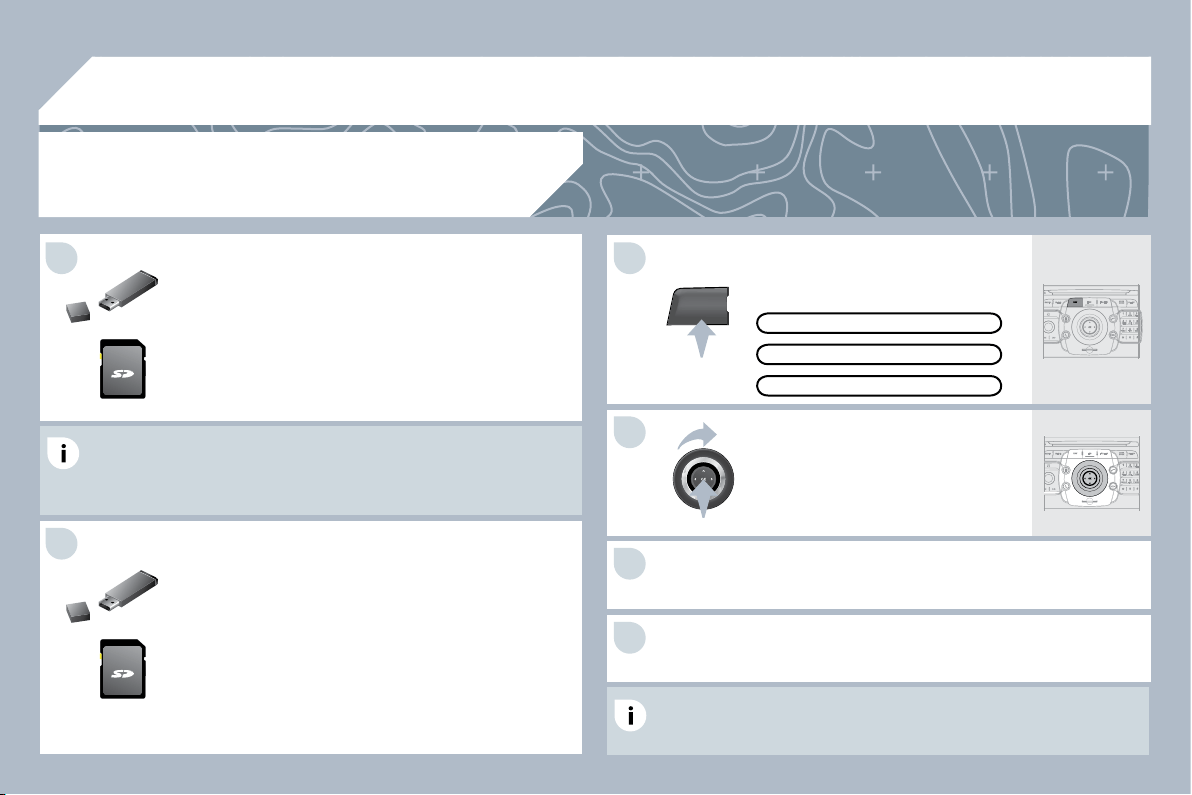
219
04
5
6
3
4
2
NAV
1
Download the "Risk areas POIs" update fi le onto an
SD card or USB stick from the Internet. This service is
available on www.peugeot.fr or www.peugeot.co.uk.
The fi les must be copied to the root on the chosen medium.
The fi les must be copied to the root on the chosen medium.
Insert the medium (SD card or USB stick) containing
the POI database into the system's SD card reader or
USB reader.
Successful downloading is confi rmed by a message.
The system restarts.
UPDATING THE RISK AREAS POIs
Select the medium ("USB" or
"SD-Card") used and press OK.
Press NAV, select Navigation Menu,
then "Settings", then "Update
personal POI".
SETTINGS
NAVIGATION MENU
NAVIGATION - GUIDANCE
The Risk Areas POIs version is available on the SETUP
ETUP\System
menu.
UPDATE PERSONAL POI
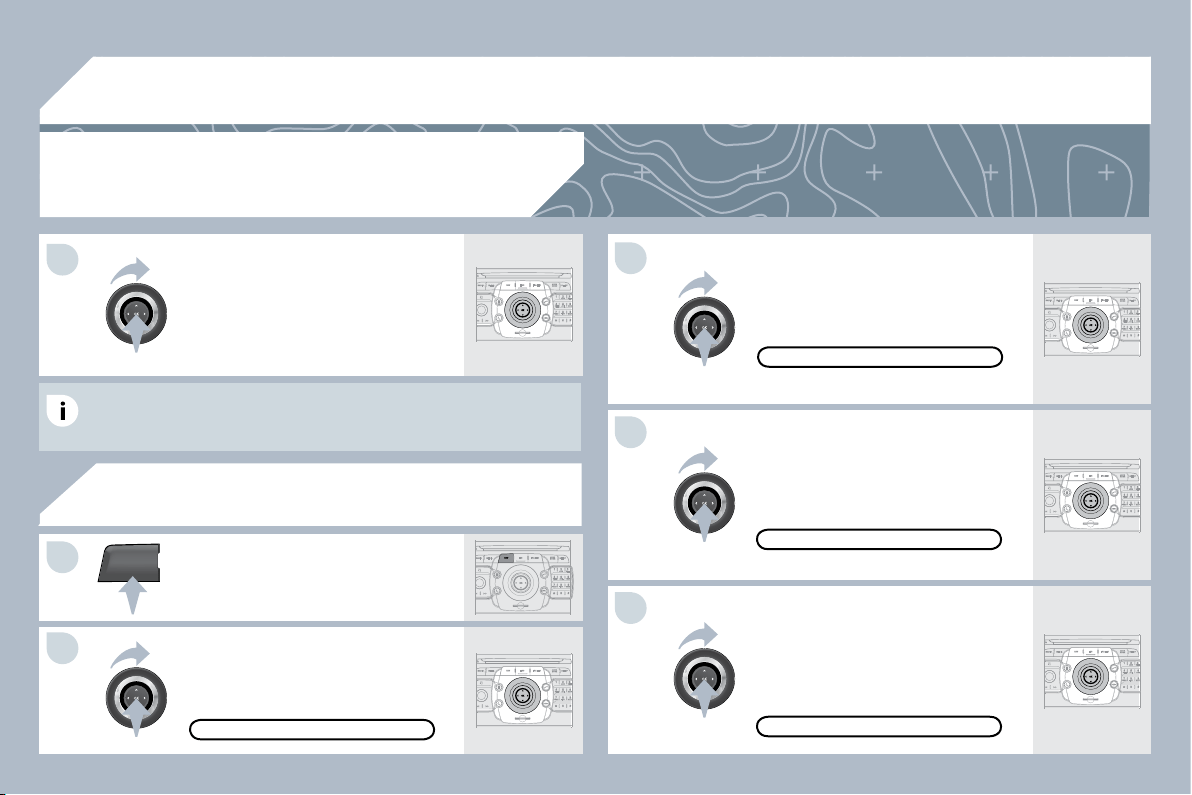
220
04
5
3
4
NAV
1
2
1
SPOKEN INSTRUCTION SETTINGS
Select "Set parameters for risk areas"
to gain access to the "Display on
map", "Visual alert" and "Sound alert"
functions.
Select the "POI categories on Map"
function to select the POIs to be
displayed on the map by default.
Press the NAV button.
Press the NAV button again or select
the Navigation Menu function and
press OK to confi rm.
Select the "Settings" function and
press OK to confi rm.
NAVIGATION MENU
SETTINGS
POI CATEGORIES ON MAP
SET PARAMETERS FOR RISK AREAS
NAVIGATION - GUIDANCE
When the navigation is displayed on
the screen, press OK then select or
deselect "Voice advice" to activate
or deactivate the spoken guidance
instructions.
Use the volume button to adjust the
volume.
POINTS OF INTEREST AND
RISK AREAS SETTINGS
The volume of the Risk Areas POIs alert can only be adj
be adjusted during
this type of alert.
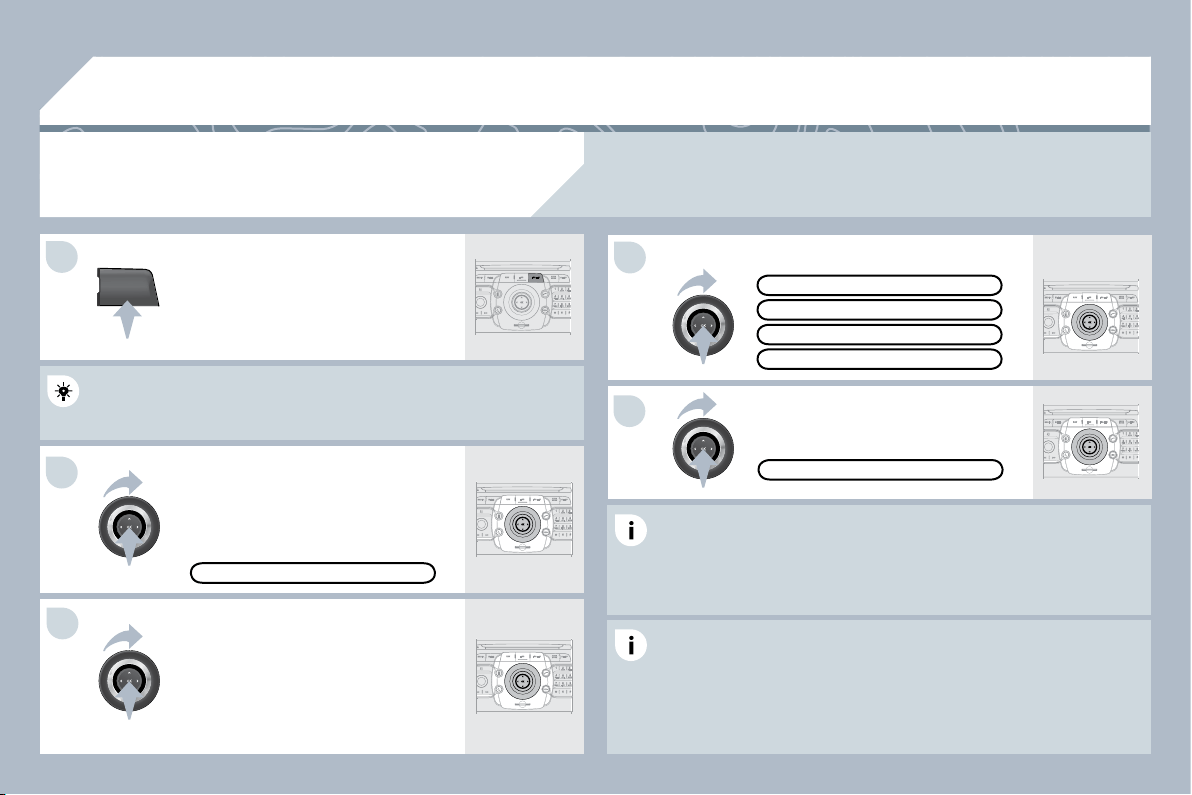
221
TRAFFIC
05
1
2
4
5
3
TRAFFIC INFORMATION
CONFIGURE THE FILTERING AND
DISPLAYING OF THE TMC MESSAGES
When all of the messages on the route are selected, the addition of
a geographic fi lter is recommended (within a radius of 3 miles
(5 km) for example) to reduce the number of messages displayed
on the map. The geographic fi lter follows the movement of the
vehicle.
The fi lters are independent and their results are concealed.
We recommend:
- a fi lter over 6 miles (10 km) around the vehicle in heavy traffi c,
- a fi lter over 30 miles (50 km) around the vehicle or a fi lter on the
route on motorway journeys.
Press the TRAFFIC button again or
select the Traffi c Menu function and
press OK to confi rm.
Select "Geo. Filter".
The list of TMC messages appears under the Traffi c Menu sorted in
The list of TMC messages appears under the Traffi c Menu sorted in
order of proximity.
Select the fi lter of your choice:
MESSAGES ON ROUTE
ALL WARNING MESSAGES
ONLY WARNINGS ON ROUTE
ALL MESSAGES
TRAFFIC MENU
Select "Select preferred list"
MESSAGE FILTERING and press OK
to confi rm.
The TMC (Traffi c Message Channel) messages provide information relating to traffi c and
weather conditions, received in real time and transmitted to the driver audibly and visually on
the navigation map.
The guidance system can then suggest an alternative route.
Press the TRAFFIC button.
GEO. FILTER

222
05
2
1
3
2
1
TRAFFIC INFORMATION
PRINCIPAL TMC SYMBOLS
Red and yellow triangle: traffi c information, par example:
Black and blue triangle: general information, for example:
With the current audio source
displayed on the screen, press the
dial.
The shortcut menu for the source appears and gives access to:
The shortcut menu for the source appears and gives access to:
Select Traffi c Announcements (TA)
and press the dial to confi rm and go
to the associated settings.
TA
The TA (Traffi c Announcement) function gives priority to TA alert
messages. To operate, this function needs good reception of a radio
station transmitting this type of message. When a traffi c report is
transmitted, the current audio source (Radio, CD, Jukebox, ...) is
interrupted automatically to play the TA message. Normal playback
of the audio source resumes at the end of the transmission of the
message.
RECEIVING TA MESSAGES
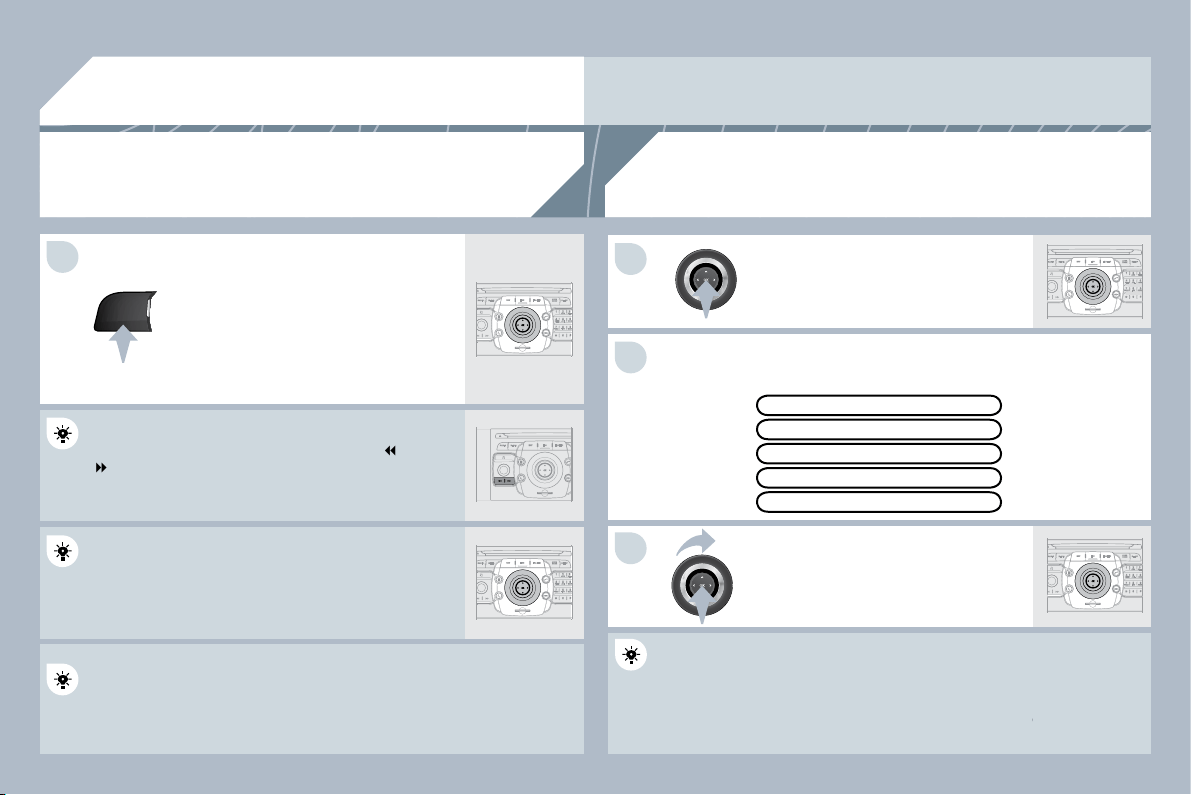
223
RADIO
1
1
2
3
06
SELECTING A STATION
When the current radio station is
displayed on the screen, press OK.
The radio source short-cuts menu appears and provides
ovides access to
the following short-cuts:
Select the function required and press
OK to confi rm to gain access to the
corresponding settings.
TA
The RDS, if displayed, allows you to continue listening t
ning to the same
station by automatic retuning to alternative frequencies.
ncies. However, in
certain conditions, coverage of an RDS station may not
y not be assured
throughout the country as radio stations do not cover 10
ver 100 % of the
territory. This explains the loss of reception of the station
station during a
journey.
The external environment (hill, building, tunnel, underground car park...) may interfere with
the reception, including in RDS following mode. This phenomenon is a normal result of the
way in which radio waves are transmitted and does not in any way indicate a failure of the
audio equipment.
RDS - REGIONAL MODE
REGIONAL PROG.
RADIOTEXT
RDS
Press the RADIO button to display
the list of stations received locally
sorted in alphabetical order.
Select the station required by turning
the ring and press to confi rm.
Press one of the buttons on the numeric keypad for mo
or more than
2 seconds to store the current station. A bleep confi rms that it has
2 seconds to store the current station. A bleep confi rms that it has
been stored.
Press the button on the numeric keypad to recall the sto
the stored radio
station.
AM
RADIO
When the "RADIO" screen is displayed, turn the
ring or use the 4-direction navigator to select the
previous or next station on the list.
While listening to the radio, press buttons
and
for the automatic search for a lower or higher
frequency.
224
07
MUSIC MEDIA PLAYERS
CD, MP3/WMA CD,
MP3/WMA SD CARD/USB READER
In order to be able to play a recorded CDR or CDRW, w
RW, when
recording it is preferable to select the ISO 9660 level 1, 2 or Joliet
recording it is preferable to select the ISO 9660 level 1, 2 or Joliet
standard.
If the disc is recorded in another format it may not be pla
t be played
correctly.
It is recommended that the same recording standard is
ard is always used
for an individual disc, with as low a speed as possible (4x maximum)
for an individual disc, with as low a speed as possible (4x maximum)
for optimum sound quality.
In the particular case of a multi-session CD, the Joliet standard is
In the particular case of a multi-session CD, the Joliet standard is
recommended.
The audio equipment will only play audio fi les with the extension
The audio equipment will only play audio fi les with the extension
".mp3" with a speed of between 8 Kbps and 320 Kbps a
bps and the
extension ".wma" with a speed of between 5 Kbps and 3
s and 384 Kbps.
It also supports the VBR (Variable Bit Rate) mode.
No other type of fi le (.mp4, .m3u...) can be played.
The MP3 format, an abbreviation of MPEG 1, 2 & 2.5 A
2.5 Audio Layer 3
and the WMA format, an abbreviation of Windows Medi
Media Audio and
the property of Microsoft, are audio compression standa
standards which
permit the recording of several tens of music fi les on a single disc.
permit the recording of several tens of music fi les on a single disc.
Connecting an IPod:
To play MP3 type fi les, connect the IPod using the USB port (limited
To play MP3 type fi les, connect the IPod using the USB port (limited
functions).
To play ITunes fi les, connect the IPod using the auxiliary socket (AUX).
To play ITunes fi les, connect the IPod using the auxiliary socket (AUX).
In order to be read, a USB memory stick must be formatted
matted to FAT 32.
It is advisable to restrict fi le names to 20 characters, without using of
It is advisable to restrict fi le names to 20 characters, without using of
special characters (e.g.: " " ? ; ù) to avoid any playing and displaying
special characters (e.g.: " " ? ; ù) to avoid any playing and displaying
problems.
During play, exit the "SD-Card" or "USB" source before
efore removing the
SD card or the USB memory stick from its reader.
To avoid any risk of theft, remove the SD card or the US
the USB memory
stick when you leave your vehicle with the roof open.
INFORMATION AND ADVICE
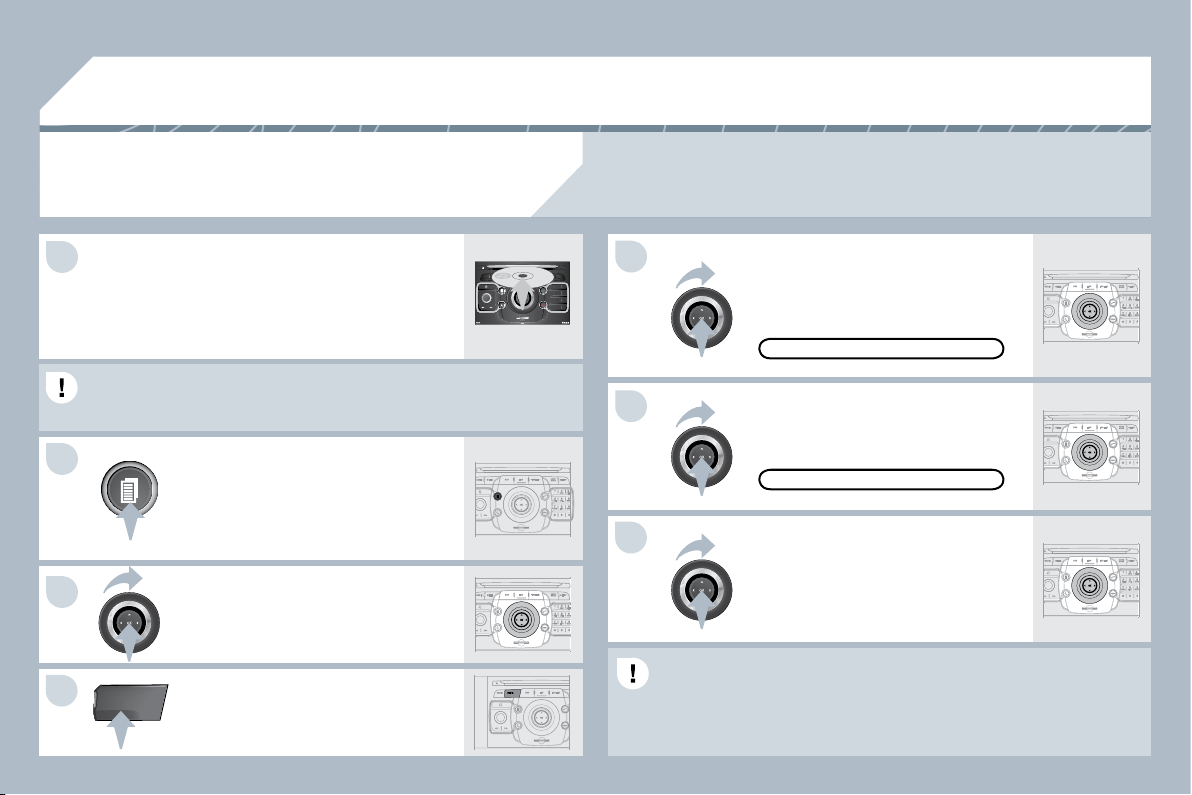
225
4
5
6
2
7
3
1
MEDIA
07
2
ABC
3
DEF
5
JKL
4
GHI
6
MNO
8
TUV
7
PQRS
9
WXYZ
0
*
#
1
RADIO MEDIA
NAV ESC TRAFFIC
SETUP
ADDR
BOOK
SELECTING/PLAYING
CD, MP3/WMA CD, MP3/WMA SD CARD/
USB READER
The playing and displaying of an MP3/WMA compilation may depend
The playing and displaying of an MP3/WMA compilation may depend
on the recording programme and/or the parameters used. We
on the recording programme and/or the parameters used. We
recommend the ISO 9660 recording standard.
Press the MEDIA button.
Select the "Select media" function
and press OK to confi rm.
Press this button.
Select the music source required.
Press OK to confi rm. Play begins.
SELECT MEDIA
Press the MEDIA button again or
select the "Media" Menu function and
press OK to confi rm.
When the "MEDIA" screen is
displayed, turn the ring up or down to
select the previous or next compatible
source.
"MEDIA" MENU
The list of tracks or MP3/WMA fi les appears under "Media" Menu.
The list of tracks or MP3/WMA fi les appears under "Media" Menu.
Insert the audio or MP3 CD in the player,
the SD card in the card reader or the USB
peripheral in the USB reader. Play begins
automatically.
MP3 CDs, SD cards or USB peripherals are the compatible sources.
MUSIC MEDIA PLAYERS
226
2
ABC
3
DEF
5
JKL
4
GHI
6
MNO
8
TUV
7
PQRS
9
WXYZ
0
*
#
1
RADIO MEDIA
NAV ESC TRAFFIC
SETUP
ADDR
BOOK
1
2
3
4
5
6
7
8
9
MEDIA
07
Select "Jukebox management" then
"Add fi les" and press OK at each step
to confi rm.
Press the MEDIA button. Press the
MEDIA button again or select Media
Menu and press OK to confi rm.
Insert an audio/MP3 CD, a USB
memory stick or an SD card.
JUKEBOX
ADD FILES
Check that the active MEDIA source is that of the mediu
medium used (CD,
USB or SD card).
Select "Add fi les from MP3-Disc" for
example and press OK to validate.
Select the tracks required then
"Rip selection" or select all of the
tracks using "Rip all".
Select "[New folder]" to create a new
folder or select an existing folder
(created previously).
ADD FILES FROM MP3-DISC
[NEW FOLDER]
"Do you want to change the names of
the tracks that will be ripped?": select
"Yes" to change them or "No".
To copy an MP3 CD, then select
"Real time ripping", "Fast ripping"/
"High quality (192 kbit/sec)" or
"Standard quality (128 kbit/sec)" then
select "Start ripping".
Confi rm the warning message by
pressing "OK" to start the copy.
OK
YES
NO
When copying is in progress, switching off the ignition will interrupt the process but it will resume
directly when the ignition is switched on again.
MUSIC MEDIA PLAYERS
COPYING A CD, A USB STICK OR
AN SD CARD ONTO THE HARD DISK
227
3
3
2
2
MEDIA
3
3
4
4
5
5
2
2
MEDIA
1
1
1
07
Press the MEDIA button.
Press the MEDIA button again or
select Media Menu and press OK to
confi rm.
Select "Jukebox management" and
press OK to confi rm.
Select "Play options" and press OK
to confi rm.
Select "Folders & Files" or "Playlists"
then press OK to confi rm.
Press the ESC button to return to the fi rst fi le level.
Playlists can be created in the Jukebox.
Media Menu> Jukebox management> Create new playlist. Add the
tracks required one by one then save the change. The "Playlists" play
mode must then be selected.
JUKEBOX
LISTENING TO THE JUKEBOX
JUKEBOX MANAGEMENT
MODIFY CONTENT
Press the MEDIA button.
Press the MEDIA button again or
select Media Menu and press OK to
confi rm.
Select "Jukebox management" and
press OK to confi rm.
Select "Modify content" and press OK
confi rm.
JUKEBOX
RENAMING OR DELETING AN ALBUM
Activate the playing of a source other than the Jukebox
(CD, radio, etc...).
Check that the active source is not the Jukebox in order to be able
Check that the active source is not the Jukebox in order to be able
to rename or delete a track/folder.
MUSIC MEDIA PLAYERS
228
1
3
4
2
2
3
MEDIA
1
MEDIA
07
2
ABC
3
DEF
5
JKL
4
GHI
6
MNO
8
TUV
7
PQRS
9
WXYZ
0
*
#
1
RADIO MEDIA
NAV ESC TRAFFIC
SETUP
ADDR
BOOK
Connect the portable equipment (MP3 player, camcorder, camera…)
to the RCA socket (white and red for audio; red and yellow for video)
to the RCA socket (white and red for audio; red and yellow for video)
in the glove box using a JACK/RCA audio cable.
Press the MEDIA button then press
it again or select the "Media" Menu
function and press OK to confi rm.
Select the AUX music source and
press OK to confi rm. Play begins
automatically.
Select "Select media" then "External
device (AV)" and press OK to activate it.
EXTERNAL DEVICE
The display and management of the controls is via the p
a the portable
equipment.
USING AN EXTERNAL DEVICE (AUX)
AUDIO/VIDEO/RCA CABLE NOT SUPPLIED
If the external device is not activated, select "Ext. Device (Aux)
If the external device is not activated, select "Ext. Device (Aux)
management" to activate it.
VIEWING A VIDEO DVD
Select the video source required ("DVD-Video", "Extern
xternal device
(AV)"). Press OK to confi rm. Play begins.
Press the MEDIA button to gain
access to the DVD menu at any time,
or to the functions of the Media Menu
which adjust the video (brightness/
contrast, image format...).
If the DVD does not appear on the
screen, press the MODE button to
gain access to the "MEDIA" screen
which displays the DVD screen.
Insert the DVD in the player. Play begins
automatically.
The 4-direction navigator and the chromed ring allow you to move
the DVD selection cursor. Change chapter by pressing the
or
button.
MUSIC MEDIA PLAYERS
229
08
1
2
CHOOSING BETWEEN THE BLUETOOTH
TELEPHONE/INTERNAL TELEPHONE
To activate the Bluetooth telephone
or the internal telephone, press PICK
UP TEL.
USING THE TELEPHONE
Select Phone menu, then "Select
phone" then choose between
"Telephone off", "Use Bluetooth
phone" or "Use internal phone".
Press OK at each step to confi rm.
The system can only be connected to one Bluetooth tele
th telephone and
one SIM card (Internal telephone) at the same time.
In this case, the phone book is synchronised with the Bl
the Bluetooth
telephone.

230
08
1
3
5
4
2
1
* The services available via the telephone depend on the network, the SIM card and the compatibility
of the Bluetooth equipment used. Refer to your telephone's manual and your operator to check which
services you have access to. A list of mobile telephones which offer the best range of services is
available from dealers.
USING THE TELEPHONE
CONNECTING A BLUETOOTH
TELEPHONE
For safety reasons and because they require prolonged
onged attention on
the part of the driver, the operations for pairing the Blue
Bluetooth mobile
telephone to the hands-free system of the PEUGEOT C
OT Connect Media
must be carried out with the vehicle stationary and the i
d the ignition on.
Activate the telephone's Bluetooth function.
The last telephone connected is reconnected
automatically.
If no telephone is connected, the
system prompts you to "Connect
phone". Select "Yes" and press OK to
confi rm.
Enter the authentication code on the
telephone. The code to be entered is
displayed on the screen.
To change the telephone connected,
press the TEL button, then select
Phone menu, then "Select phone"
then "Connect Bluetooth phone"
then select the telephone required or
"Search phone".
Press OK at each step to confi rm.
Once the telephone has been connected, the PEUGEO
GEOT Connect
Media can synchronise the address book and the call lis
call list. This
synchronisation may take a few minutes * .
The list of telephones connected previously (4 maximum) appears on
The list of telephones connected previously (4 maximum) appears on
the multifunction screen. Select the telephone required
uired then select
"Connect phone" for a new connection. Select "Delete p
elete pairing" to
cancel the connection to the telephone.
Press the TEL button.
For a fi rst connection, select
"Search phone" and press OK to
confi rm. Then select the name of the
telephone.
SEARCH PHONE
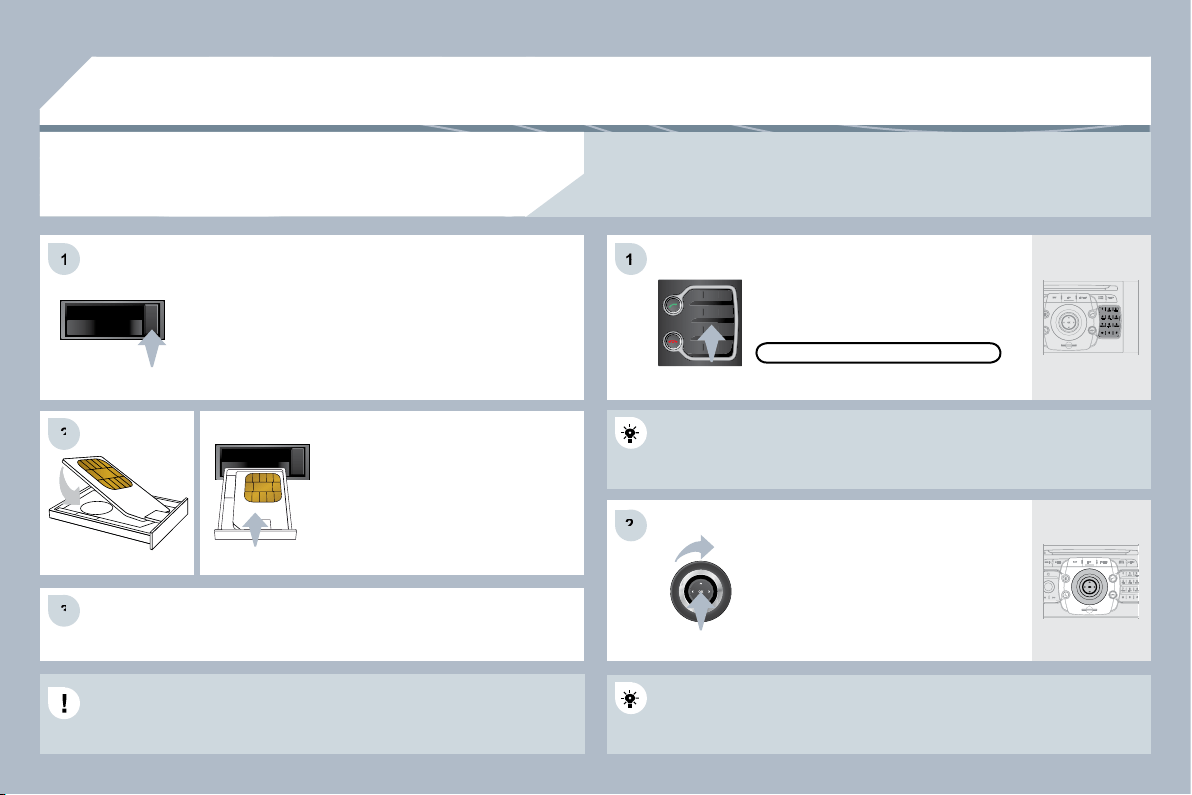
231
2
ABC
3
DEF
5
JKL
4
GHI
6
MNO
8
TUV
7
PQRS
9
WXYZ
0
*
#
1
08
1
2
2
3
3
1
1
2
2
Extract the holder by pressing the eject button.
Install the SIM card in the holder
and then insert it in the slot.
To remove the SIM card, repeat step 1.
For safety reasons and because they require prolonged attention
on the part of the driver, the SIM card installation operations must
be carried out when stationary.
Enter the PIN code on the keypad
then select OK and confi rm.
The system asks "Do you want
to switch to the internal phone?",
select "Yes" if you wish to use your
SIM card for your personal calls.
Otherwise, only the emergency call
and the services will use the SIM
card.
REMEMBER PIN
When entering your PIN code, tick the "Remember PIN" tab to allow
use of the telephone without having to enter this code when it is
used subsequently.
USING THE INTERNAL TELEPHONE WITH
SIM CARD
USING THE TELEPHONE
Once the SIM card has been installed, the system can synchronise
the address book and the call list.
This synchronisation may take a few minutes.
If you have declined to use the internal telephone for personal calls, you can still connect a Bluetooth
telephone to receive your calls on the vehicle's audio system.
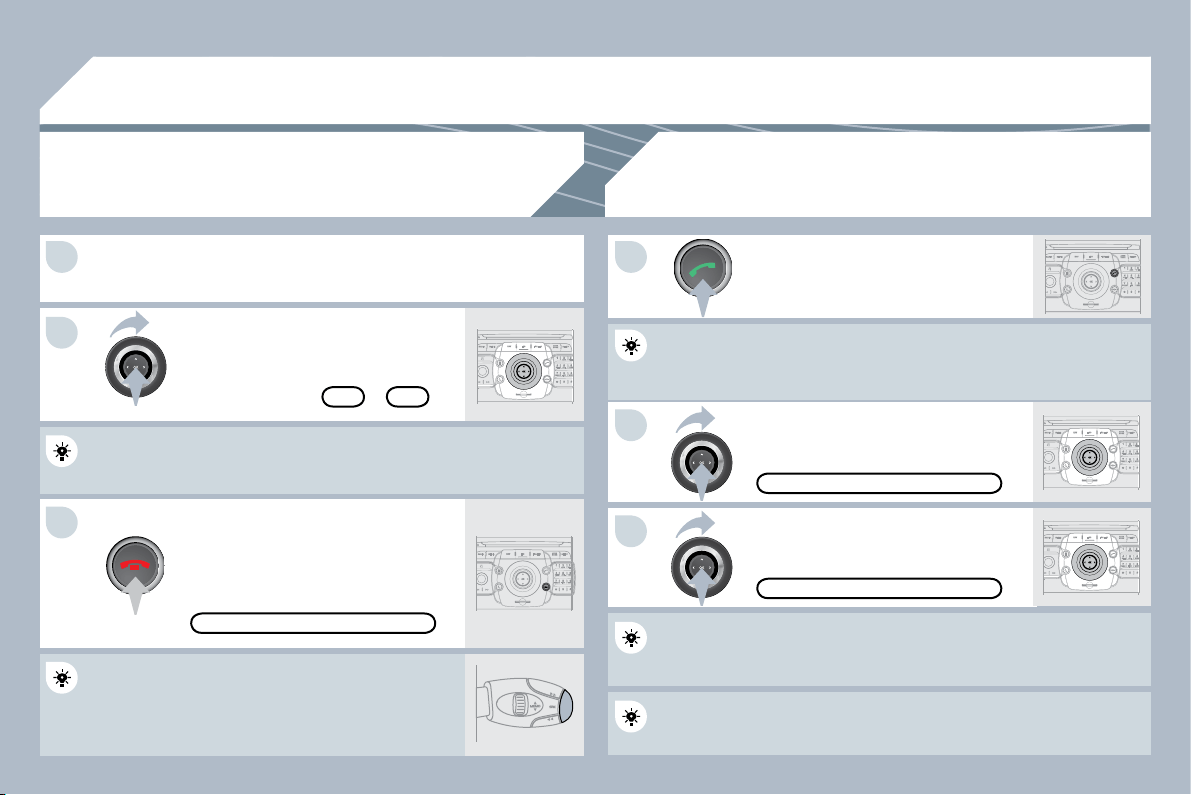
232
3
1 1
2
3
2
08
Press the end of the steering mounted control to
accept the call or end the call in progress.
Select the "Yes" tab to accept or "No"
to refuse and confi rm by pressing OK.
RECEIVING A CALL
MAKING A CALL
An incoming call is announced by a ring and a superimp
perimposed display
on the screen.
To hang up, press the HANG UP TEL
button or press OK and select
"End call" then confi rm by pressing OK.
END CALL
Press the PICK UP TEL button.
Press the end of the steering mounted control for more
more than two
seconds to open the address book.
It is also possible to select a number from the address b
ress book. You can
select "Dial from address book". The PEUGEOT Conne
onnect Media can
record up to 4096 entries.
DIAL NUMBER
Select "Dial number", then dial the
telephone number using the virtual
keypad.
YES
NO
"PHONE" MENU
Select the "Phone" menu function and
press OK to confi rm.
The list of the last 20 calls made and received in the veh
he vehicle appears
under "Phone" menu. You can select a number and pres
d press OK to
make the call.
The PICK UP TEL button accepts, the HANG UP TEL button refuses
the incoming call.
USING THE TELEPHONE
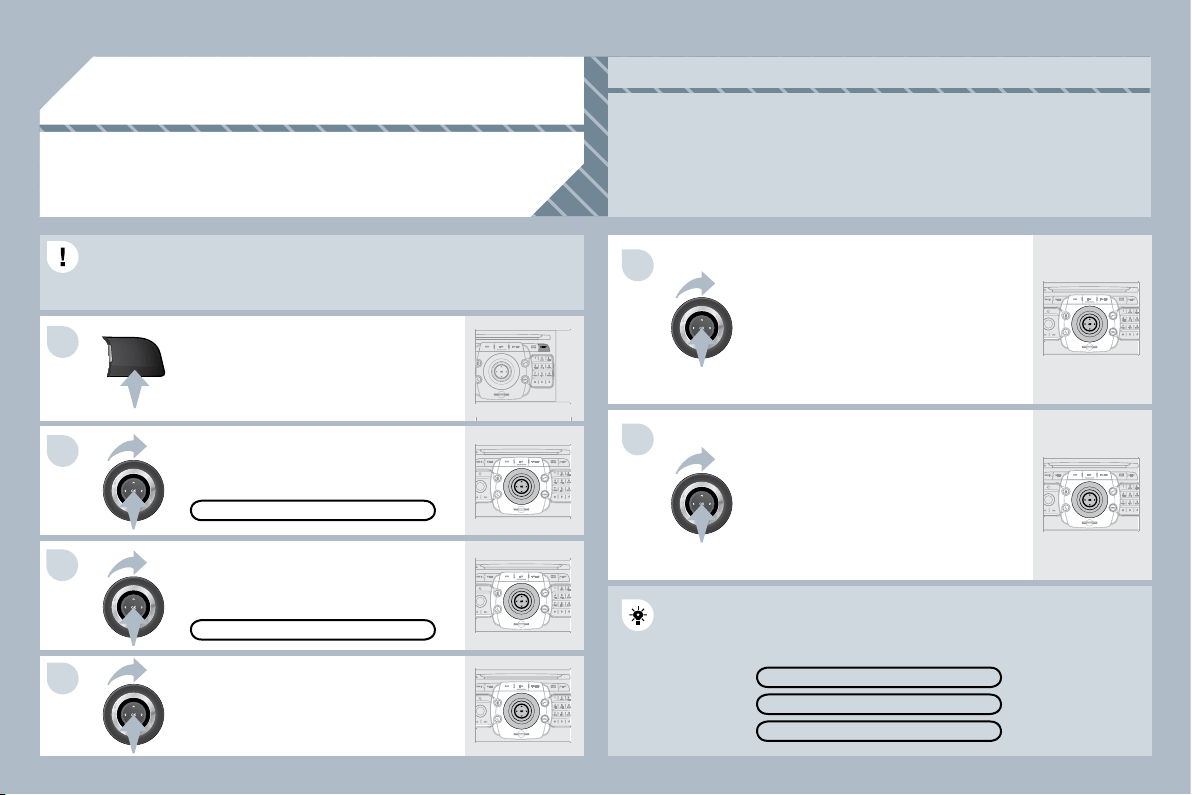
233
5
6
SETUP
1
2
3
4
09
CONFIGURATION
SETTING THE DATE AND TIME
Set the parameters using the ring
and move on to the next using the
4-direction navigator.
Press OK to confi rm.
Select the "Date format" function and
press OK to confi rm.
Select the format required using the
ring and press OK to confi rm.
Select the "Set date & time" function
and press OK to confi rm.
Pressing the SETUP button for more than 2 seconds pe
ds permits
access to:
This setting operation must be carried out if the battery h
ttery has been
disconnected.
Press the SETUP button.
Select the "Time format" function and
press OK to confi rm.
Select the format required using the
ring and press OK to confi rm.
SET DATE & TIME
Select the "Date & Time" function and
press OK to confi rm.
DESCRIPTION OF THE UNIT
GPS COVERAGE
DEMO MODE
DATE & TIME
Principle of the GPS synchro (GMT):
1. Confi rm the "Synchronise with GPS" selection, the time is then set to GMT universal time, the date
is also updated.
2. Using the 4-direction navigator, move the cursor to the time fi elds and press OK.
3. You can then use the ring to set the time to the time zone of your choice.
Take care when changing between summer/winter time, the time zone must be changed again
manually.
This function provides access to the options in the SETUP menu.
234
10
MEDIA
1
2
3
1
2
3
3
3
3
4
3
3
3
3
1
2
3
3
2
4
4
4
4
4
2
3
3
2
2
4
3
3
3
3
3
2
3
2
3
3
3
4
4
4
3
3
2
3
3
3
TRAFFIC
MAIN FUNCTION
CHOICE A
choice A1
choice A2
CHOICE B...
SCREEN MENU MAP
"MEDIA" MENU
"TRAFFIC" MENU
SELECT PREFERRED LIST
Messages on route
Only warnings on route
All warning messages
All messages
Geo. Filter
Deactivate PIN
Within 2 miles (3 km)
Within 3 miles (5 km)
Within 6 miles (10 km)
Within 30 miles (50 km)
SELECT MEDIA
Audio CD/MP3-Disc/ DVD-Audio /DVD-Video
Jukebox (Folders & Files)
SD-Card
USB
External device (audio/AV)
VIDEO SETTINGS
Aspect ratio
Menu language
Display
Brightness
Contrast
Colour
AUX standard
Reset video settings
READ OUT SETTINGS
On confi rmation
Incoming messages
TMC STATION INFORMATION
JUKEBOX MANAGEMENT
Add fi les
Create folder
Modify content
Edit playlist
Play options
Folders & Files
Playlists
Memory capacity
SOUND SETTINGS
Refer to the " Sound settings " menu details of which
are shown on the next page.
EXT. DEVICE (AUX) MANAGEMENT
Off/Audio/Audio and Video (AV)
235
1
2
3
3
3
2
RADIO
1
2
3
3
2
2
3
NAV
1
2
4
4
4
4
4
4
4
4
4
4
4
3
3
3
3
2
2
3
3
3
2
2
2
2
2
3
4
2
4
4
4
4
3
3
3
3
4
4
4
2
3
3
3
3
3
3
4
ROUTE OPTIONS
Route type
POI near destination
Short route
STOPOVERS
Add stopover
Address input
Navigate HOME
Choose from address book
Choose from last destinations
Rearrange route
Replace stopover
Delete stopover
Recalculate
Fast route
Short route
Optimized route
SOUND SETTINGS
Refer to the " Sound settings " menu below.
BALANCE/FADER
POI SEARCH
POI nearby
POI near destination
POI in city
POI in country
POI near route
"RADIO" MENU
WAVEBAND
FM
AM
MANUAL TUNE
"NAVIGATION" MENU
ABORT GUIDANCE/RESUME GUIDANCE
"SOUND SETTINGS" MENU
BASS/TREBLE
EQUALIZER
Linear
Classic
Jazz
Rock/Pop
Techno
Vocal
MUTE REAR SPEAKERS
LOUDNESS
SPEED DEPENDENT VOLUME
RESET SOUND SETTINGS
DESTINATION INPUT
Address input
Country
City
Street
House number
Start route guidance
Postal code
Save to address book
Intersection
City district
Geo position
MAP
Navigate HOME
Choose from last destinations
Choose from address book
236
3
3
2
4
4
4
4
4
ADDR
BOOK
4
3
4
4
4
1
2
2
2
2
2
2
1
2
3
4
2
2
2
3
2
5
3
3
5
5
5
5
3
2
3
3
3
3
3
3
3
3
3
3
3
3
3
3
3
3
3
3
3
3
3
3
4
4
SETTINGS
Route dynamics
Traffi c independent
Semi-dynamic
Dynamic
Avoidance criteria
Avoid motorways
Avoid toll roads
Avoid tunnels
Avoid ferries
Recalculate
"ADDRESS BOOK" MENU
Optimized route
Subscr. service
"PHONE" MENU
DIAL NUMBER
Automatically accept call
Signal waiting call (?)
Show status
Activate waiting call
Deactivate waiting call
Call forward (?)
Show status
Activate call forward
Deactivate call forward
Suppress own number
Select network
Set network automatically
Set network manually
Search for networks
PIN settings
Change PIN
Activate PIN
Deactivate PIN
Remember PIN
SIM-card memory status
CREATE NEW ENTRY
SHOW MEMORY STATUS
EXPORT ADDRESS BOOK
DELETE ALL VOICE ENTRIES
DELETE ALL ENTRIES
DELETE FOLDER "MY ADDRESSES"
DIAL FROM ADDRESS BOOK
CALL LISTS
MESSAGES
SELECT PHONE
Telephone off
Use Bluetooth phone
Use internal phone
Connect Bluetooth phone
search phone
Disconnect phone
Rename phone
Delete pairing
Delete all pairings
Show details
SETTINGS
Automatic answering system
Select ring tone
Phone/Ring tone volume
Enter mailbox number
Internal phone settings
237
SETUP
1
2
3
4
3
4
2
3
3
3
3
2
3
4
4
4
4
2
4
3
2
4
4
3
4
4
3
3
3
4
4
4
4
4
4
4
4
3
4
4
5
5
5
4
5
5
3
"SETUP" MENU
LANGUAGE & SPEECH
Menu language
Deutsch
English
Español
Français
Italiano
Nederlands
Polski
Portuguese
Voice control
Voice control active
Tutorial
Basics
Examples
Tips
Speaker adaptation
New speaker adaptation
Delete speaker adaptation
Voice output volume
DATE & TIME
Set date & time
Date format
Time format
DISPLAY
Brightness
Colour
Steel
Blue light (only in day mode)
Orange Ray
Blue Flame
MAP
colour
Day mode for
MAP
Night mode for
MAP
Auto. Day/Night for
MAP
UNITS
Temperature
Celsius
Fahrenheit
Metric/Imperial
km
Miles
SYSTEM
Factory reset
Software version
Automatic scrolling
238
sound quality between
the different audio
sources (radio, CD...).
Check that the audio settings (Volume, Bass,
Treble, Ambience, Loudness) are adapted to
the sources listened to. It is advisable to set
the AUDIO functions (Bass, Treble, Front-Rear
Balance, Left-Right Balance) to the middle
position, select the musical ambience "Linear"
and set the loudness correction to the "Active"
position in CD mode or to the "Inactive" position
in radio mode.
For optimum sound quality, the audio settings (Volume, Bass, Treble,
Ambience, Loudness) can be adapted to the different sound sources,
which may result in audible differences when changing source
(radio, CD...).
The CD is ejected
automatically or is not
played by the player.
- Check that the CD is inserted in the player the
right way up.
- Check the condition of the CD: the CD cannot
be played if it is too damaged.
- Check the content in the case of a recorded
CD: consult the advice in the "Audio" section.
- The audio equipment's CD player does not
play DVDs.
- Due to inadequate quality, certain recorded
CDs will not be played by the audio system.
The CD is inserted upside down, is unplayable, does not contain any audio
data or contains an audio format which the player cannot play.
The CD is protected by an anti-pirating protection system which is not
recognised by the audio equipment.
The CD player sound
is poor.
Insert good quality CDs and store them in
suitable conditions.
The CD used is scratched or of poor quality.
The audio equipment settings (bass, treble, ambiences) are unsuitable.
Set the treble or bass level to 0, without selecting
an ambience.
The table below groups together the answers to the most frequently asked questions concerning the PEUGEOT Connect Media.
QUESTION
SOLUTION
ANSWER
FREQUENTLY ASKED QUESTIONS
239
SOLUTION
ANSWER
The stored stations do
not function (no sound,
87.5 Mhz is displayed...)
An incorrect waveband is selected.
The quality of reception
of the radio station
listened to gradually
deteriorates or the
stored stations do
not function (no
sound, 87.5 Mhz is
displayed...).
Activate the "RDS" function by means of the
short-cut menu to enable the system to check
whether there is a more powerful transmitter in
the geographical area.
Press RADIO, select Radio Menu then
"Waveband" to return to the waveband on which
the stations are stored.
The vehicle is too far from the transmitter used by the station listened to or
there is no transmitter in the geographical area through which the vehicle
is travelling.
The environment (hills, buildings, tunnels, basement car parks...) block
reception, including in RDS mode.
Sound cut-outs of 1
to 2 seconds in radio
mode.
During this brief sound cut-out, the RDS searches for any frequency
permitting better reception of the station.
Deactivate the "RDS" function by means of the
short-cut menu if the phenomenon is too frequent
and always on the same route.
With the engine off, the
system switches off after
a few minutes of use.
When the engine is switched off, the system's operating time depends on
the battery charge.
The switch-off is normal: the system switches to economy mode and
switches off to prevent discharging of the vehicle's battery.
Start the vehicle's engine to increase the battery
charge.
This phenomenon is normal and does not indicate
a failure of the audio equipment.
Have the aerial checked by a PEUGEOT dealer.
The aerial is absent or has been damaged (for example when going through
a car wash or into an underground car park).
240
QUESTION
SOLUTION
ANSWER
The "TA" box is ticked.
However, certain traffi c
jams along the route
are not indicated in
real time.
On starting, it is several minutes before the system begins to receive the
traffi c information.
Wait until the traffi c information is being received
correctly (displaying of the traffi c information
symbols on the map).
In certain countries, only major routes (motorways...) are listed for the
traffi c information.
The time taken to
calculate a route
sometimes seems
longer than usual.
This phenomenon is normal. The system is
dependent on the traffi c information available.
The performance of the system may slow down temporarily if a CD/DVD
is being copied onto the Jukebox at the same time as a route is being
calculated.
Wait until the CD/DVD has been copied or stop
the copying before starting the guidance function.
Does the emergency call
function work without a
SIM card?
No, as certain national regulations impose the presence of a SIM card in
order to make an emergency call.
Insert a valid SIM card in the slot.
The altitude is not
displayed.
On starting, the initialisation of the GPS may take up to 3 minutes to
receive more than 4 satellites correctly.
Wait until the system has started up completely.
Check that there is a GPS coverage of at least
4 satellites (long press on the SETUP button,
then select "GPS coverage").
Depending on the geographical environment (tunnel...) or the weather, the
conditions of reception of the GPS signal may vary.
This phenomenon is normal. The system is
dependent on the conditions of reception of the
GPS signal.
I receive a speed
camera alert for a speed
camera which is not on
my route.
The speed camera
audible warning does
not work.
The system announces all speed cameras positioned in a cone located
in front of the vehicle. It may detect speed cameras located on nearby or
parallel roads.
The audible warning is not active.
The alert volume is set to minimum.
Zoom in on the map to view the exact position of
the speed camera.
Activate the audible warning on Navigation Menu,
Settings, Set parameters for risk areas.
Increase the volume of the alert when passing a
speed camera.
241
SOLUTION
There is a long waiting
period following the
insertion of a CD.
When a new medium is inserted, the system reads a certain amount of
data (directory, title, artist, etc.). This may take a few seconds.
This phenomenon is normal.
I cannot connect my
Bluetooth telephone.
The telephone's Bluetooth function may be switched off or the equipment
may not be visible.
- Check that your telephone's Bluetooth function
is switched on.
- Check that your telephone is visible.
QUESTION
ANSWER
The Bluetooth telephone is not compatible with the system.
A list of compatible Bluetooth mobile telephones
is available from the dealer network.
The system does not
play the DVD.
The region protection may not be compatible.
Insert DVDs which have compatible region
protection.
I cannot copy the CD to
the Jukebox.
The wrong source is selected.
Change the active source to CD.
The CD is copy-protected.
It is normal that a protected CD cannot be copied.
The route calculation is
not successful.
The exclusion criteria may confl ict with the current location (exclusion of
toll roads on a toll motorway).
Check the exclusion criteria on the Navigation
Menu ("Route options" - "Avoidance criteria").
The volume of the
telephone connected in
Bluetooth mode is inaudible
.
The volume depends both on the system and on the telephone.
Increase the volume of the PEUGEOT Connect
Media, to maximum if required, and increase the
volume of the telephone if necessary.
242
The system does not
receive SMS.
The Bluetooth mode does not permit sending of the SMS to the system.
Use your SIM card and the internal telephone.
The SIM card used is a twin card.
Use the original SIM card to receive the SMS.
I cannot update the
hazardous location
POIs.
The Navigation Menu - "Update personal POI" is not displayed.
Check that the medium used for the update
(SD card or USB stick) is inserted correctly.
An error message is displayed at the end of the procedure.
- Start the procedure again in full.
- Consult a PEUGEOT dealer if the problem
persists.
- Check that the data on the MEDIUM is
supplied by an offi cial partner of PEUGEOT.
QUESTION
SOLUTION
ANSWER
The voice frequencies
(DTMF) are not
active when I am
communicating and I
press numbers on the
keypad.
The numeric buttons on the keypad are only active for calls if the display is
in telephone mode.
To activate them, press the MODE button until
the telephone is displayed on the screen.
An accident area which
does not concern me is
displayed on the screen.
The accident areas are displayed near a point defi ned on the map and in
relation to a direction of travel.
The alert may be triggered when travelling under
a road or near a road which has a speed camera.
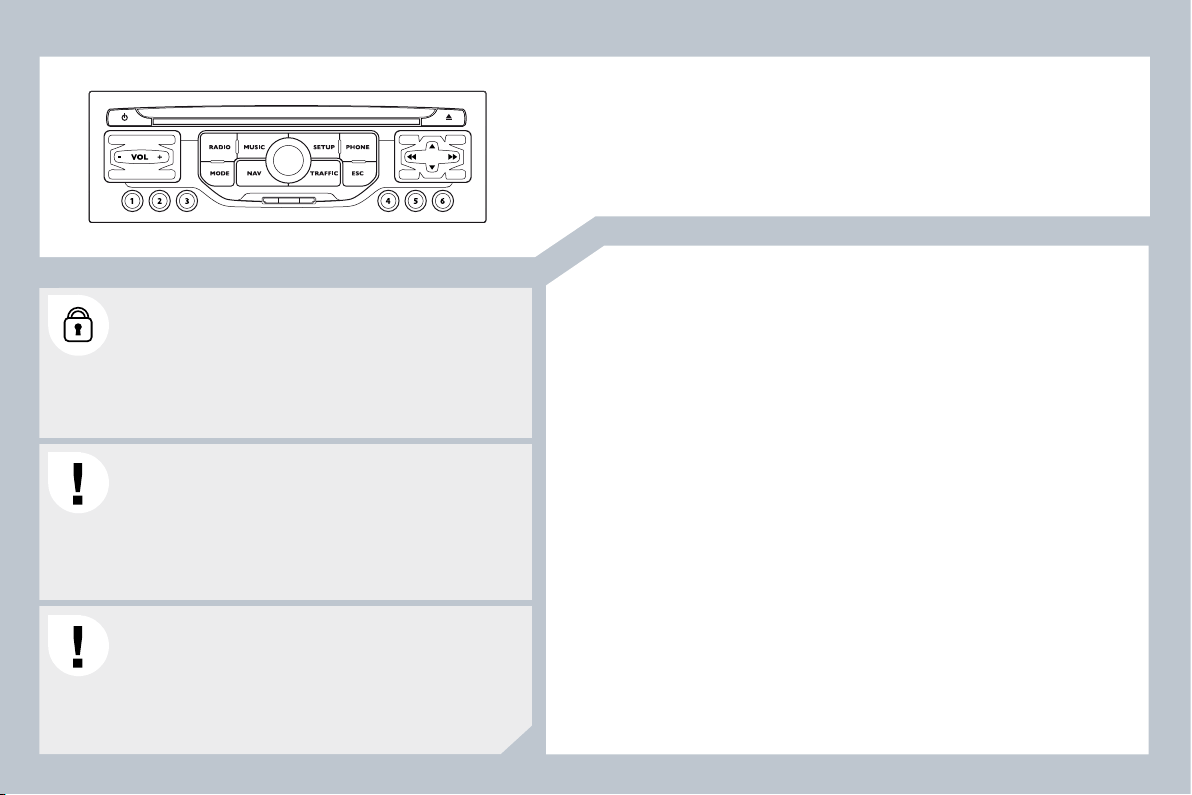
243
The PEUGEOT Connect Navigation is protected in such
a way that it will only operate in your vehicle. If it is to be
installed in another vehicle, contact a PEUGEOT dealer
for confi guration of the system.
Certain functions described in this handbook will become
available during the year.
PEUGEOT Connect Navigation
CONTENTS
01 First steps p .
02 Steering mounted controls p .
03 General operation p .
04 Navigation - Guidance p .
05 Traffi c information p .
06 Radio p .
07 Music media players p .
08 Bluetooth telephone p .
09 Confi guration p .
10 Trip computer /vehicle
parameters p .
11 Screen menu map p .
Frequently asked questions p .
For safety reasons, it is imperative that the driver carries
out operations which require prolonged attention while
the vehicle is stationary.
When the engine is switched off and to prevent
discharging of the battery, the PEUGEOT Connect
Navigation switches off following the activation of the
Energy Economy mode.
MULTIMEDIA AUDIO EQUIPMENT/BLUETOOTH TELEPHONE
GPS EUROPE BY SD CARD
244
245
246
248
255
257
258
261
263
264
265
268
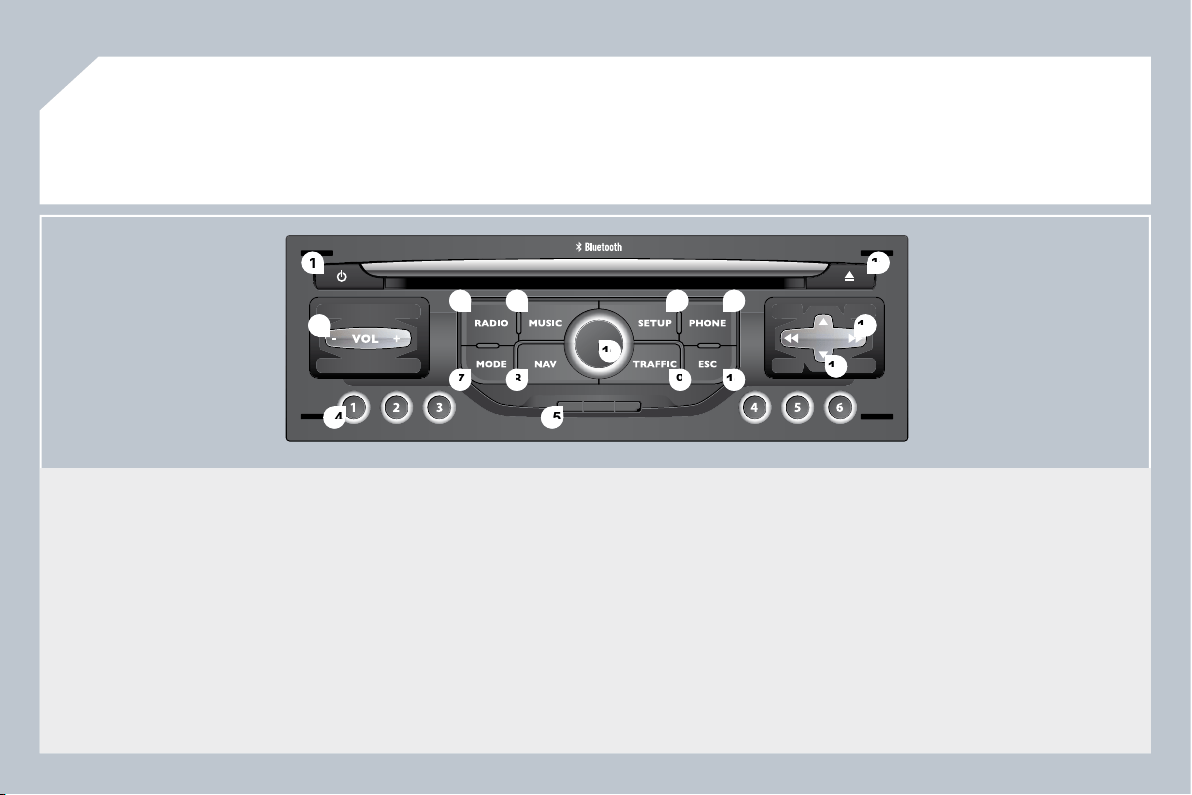
244
01
1
1
5
5
10
10
2
2
3
3
4
4
6
6
13
13
11
11
9
9
14
14
15
15
7
7
8
8
12
12
16
16
1.
Engine not running
- Short press: on/off.
- Long press: CD pause, mute for the radio.
Engine running
- Short press: CD pause, mute for the radio.
- Long press: reinitialisation of the system.
2.
Volume adjustment (each source is independent, including
navigation messages and alerts).
3.
Access to the "Radio" Menu. Display the list of stations.
4.
Access to the "Music" Menu. Display the tracks.
6.
Access to the "Phone" Menu. Display the call list.
7.
Access to the "MODE" Menu.
Selection of the successive display of:
Radio, Map, NAV (if navigation is in progress), Telephone
(if a conversation is in progress), Trip Computer.
Long press: display of a black screen (DARK).
8.
Access to the "Navigation" Menu. Display the last destinations.
9.
Access to the "Traffi c" Menu. Display the current traffi c alerts.
10.
ESC: abandon the operation in progress.
11.
CD eject.
12.
Selection of the previous/next radio station from the list.
Selection of the previous/next CD.
Selection of the previous/next MP3 directory.
Selection of the previous/next page of a list.
13.
Selection of the previous/next radio station.
Selection of the previous/next CD or MP3 track.
Selection of the previous/next line of a list.
14.
Buttons 1 to 6:
Selection of the stored radio station.
Selection of the CD in the CD changer.
Long press: store the current radio station.
15.
Reader for navigation SD card only.
16.
Dial for selection of the screen display and according to the
context of the menu.
Short press: contextual menu or confi rmation.
Long press: specifi c contextual menu of the list displayed.
FIRST STEPS
PEUGEOT Connect Navigation CONTROL PANEL
3 - 4.
Long press: access to the audio settings: front/rear and left/
right balance, bass/treble, equalizer, loudness, automatic
volume adjustment, initialise the settings.
5.
Access to the "SETUP" Menu.
Long press: access to the GPS coverage and the
demonstration mode.
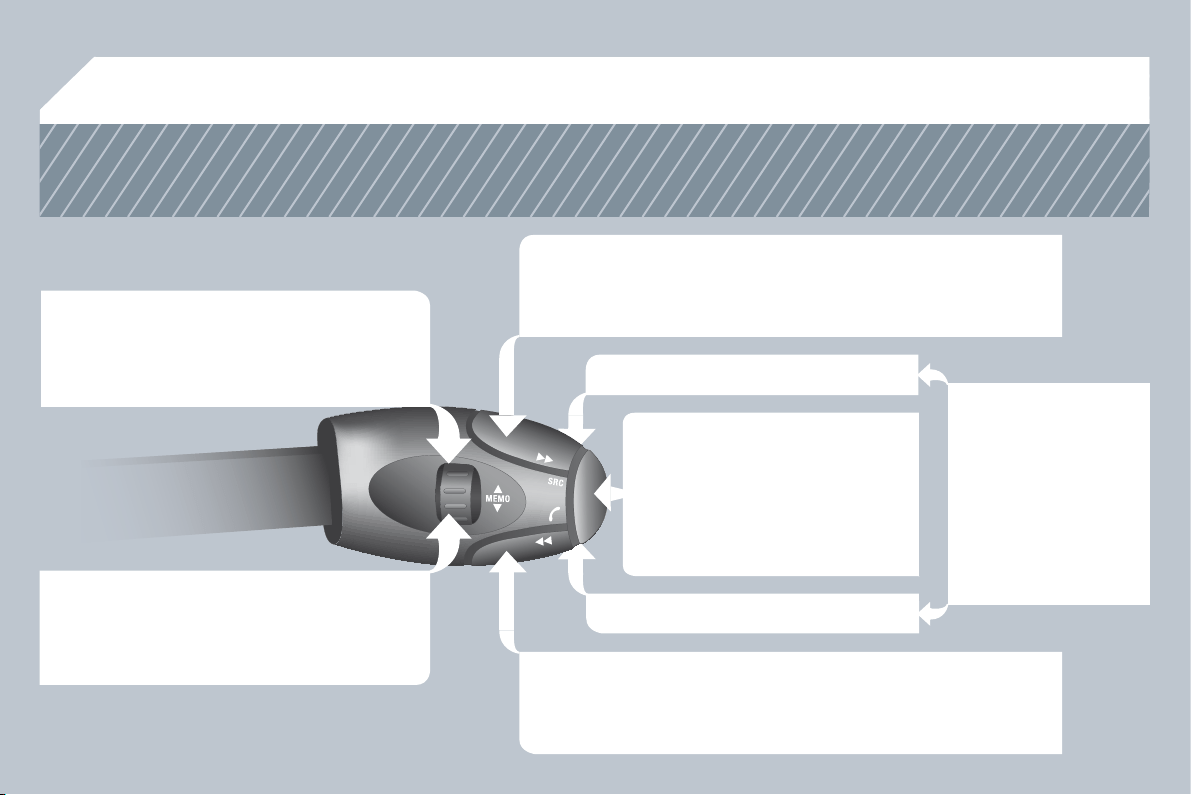
245
02
STEERING MOUNTED CONTROLS
RADIO: selection of the previous stored station.
CD CHANGER: selection of the previous CD.
Selection of the previous entry in the address book.
RADIO: selection of the next stored station.
CD CHANGER: selection of the next CD.
Selection of the next entry in the address book.
RADIO: change to the next radio station on the list.
Long press: automatic search for a higher frequency.
CD/CD CHANGER: selection of the next track.
CD/CD CHANGER: continuous press: fast forward play.
RADIO: change to the previous radio station on the list.
Long press: automatic search for a lower frequency.
CD/CD CHANGER: selection of the previous track.
CD/CD CHANGER: continuous press: fast backward play.
- Change the sound source.
- Make a call from the address book.
- Pick up/Hang up the telephone.
- Press for more than 2 seconds:
access to the address book.
Volume increase.
Volume decrease.
Mute: by pressing
the volume increase
and decrease buttons
simultaneously.
Restore the sound: by
pressing one of the two
volume buttons.

246
03
GENERAL OPERATION
For a detailed global view of the menus available, refer to the
"Screen menu map" section.
Press the MODE button several times in succession for access to the following menus:
For cleaning the screen, the use of a soft, non-abrasive cloth
(spectacles cloth) is recommended, with no additional product.
RADIO /MUSIC MEDIA PLAYERS
TELEPHONE
(If a conversation is in progress)
FULL SCREEN MAP
NAVIGATION
(If guidance is in progress)
SETUP:
system language * , date and time * , display,
vehicle settings * , unit and system settings,
"Demo mode".
TRAFFIC:
TMC information and messages.
* Available according to model.
TRIP COMPUTER
247
03
1
2
3
3
2
1
1
1
3
1
1
1
1
1
1
1
1
1
1
2
2
2
2
1
1
2
1
2
2
2
2
2
2
2
1
1
1
1
1
1
1
GENERAL OPERATION
A press on the OK dial gives access to
short-cut menus according to the display
on the screen.
MUSIC MEDIA PLAYERS:
NAVIGATION (IF GUIDANCE IS IN PROGRESS):
ABORT GUIDANCE
REPEAT ADVICE
BLOCK ROAD
ROUTE INFO
SHOW DESTINATION
TRIP INFO
Route type
Avoid
Satellites
ZOOM/SCROLL
VOICE ADVICE
ROUTE OPTIONS
RADIO:
IN FM MODE
TRAFFIC INFO (TA)
RDS
RADIOTEXT
REGIONAL PROG.
AM
IN AM MODE
TA
REFRESH AM LIST
FM
FULL SCREEN MAP:
DISPLAY ACCORDING TO THE CONTEXT
TRAFFIC INFO (TA)
PLAY OPTIONS
NORMAL ORDER
RANDOM TRACK
REPEAT FOLDER
SCAN
SELECT MUSIC
TELEPHONE:
END CALL
HOLD CALL
DIAL
DTMF-TONES
PRIVATE MODE
MICRO OFF
ABORT GUIDANCE /RESUME GUIDANCE
SET DESTINATION
POIS NEARBY
POSITION INFO
MAP SETTINGS
ZOOM/SCROLL
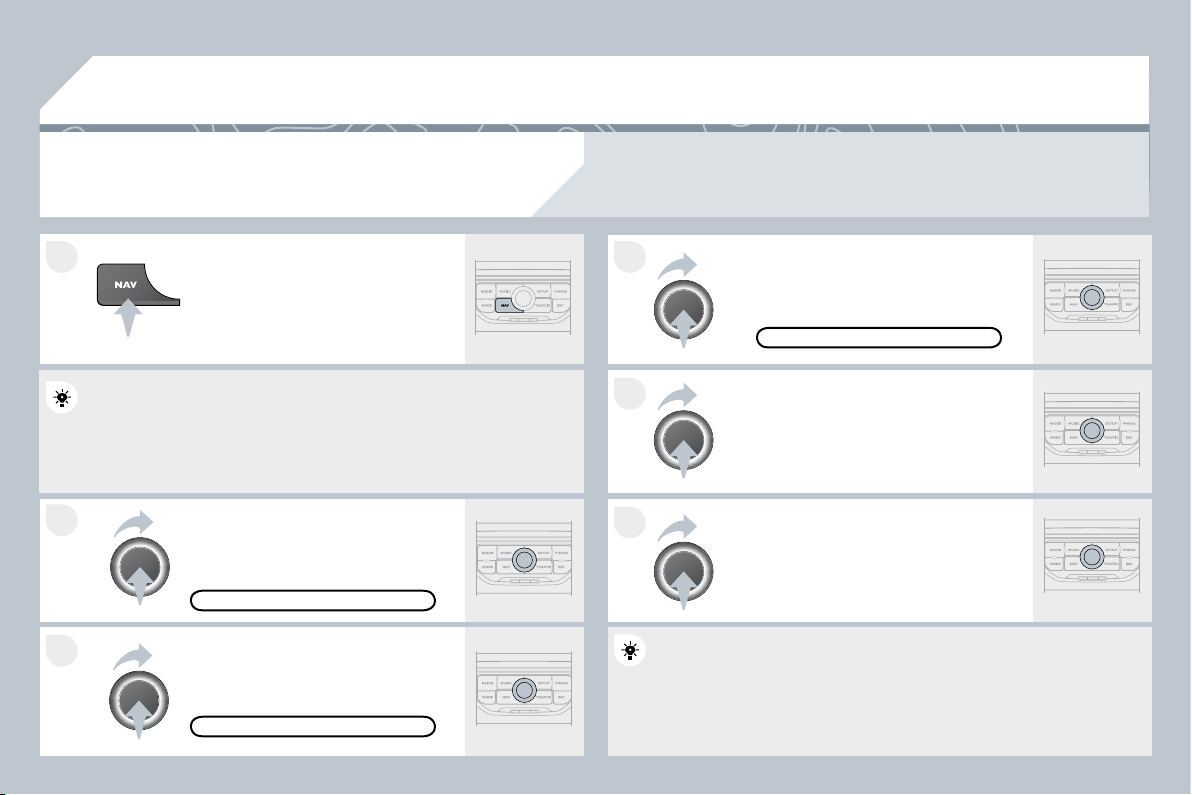
248
1
2
3
5
6
4
04
NAVIGATION - GUIDANCE
SELECTING A DESTINATION
Press the NAV button again or select
the Navigation Menu function and
press the dial to confi rm.
Select the "Destination input" function
and press the dial to confi rm.
Press the NAV button.
Select the letters of the town one by
one confi rming each time by pressing
the dial.
Once the country has been selected,
turn the dial and select the town
function. Press the dial to confi rm.
NAVIGATION MENU
DESTINATION INPUT
Insert the SD card in the front panel reader and leave it there to use the Navigation functions.
The navigation SD card data must not be modifi ed.
Map data updates are available from PEUGEOT dealers.
A pre-set list (by entering the fi rst few letters) of the towns in the
A pre-set list (by entering the fi rst few letters) of the towns in the
country selected can be accessed via the LIST button on
tton on the virtual
keypad.
Select the "Address input" function
and press the dial to confi rm.
ADDRESS INPUT
The list of the last 20 destinations appears under the Na
the Navigation
Menu function.
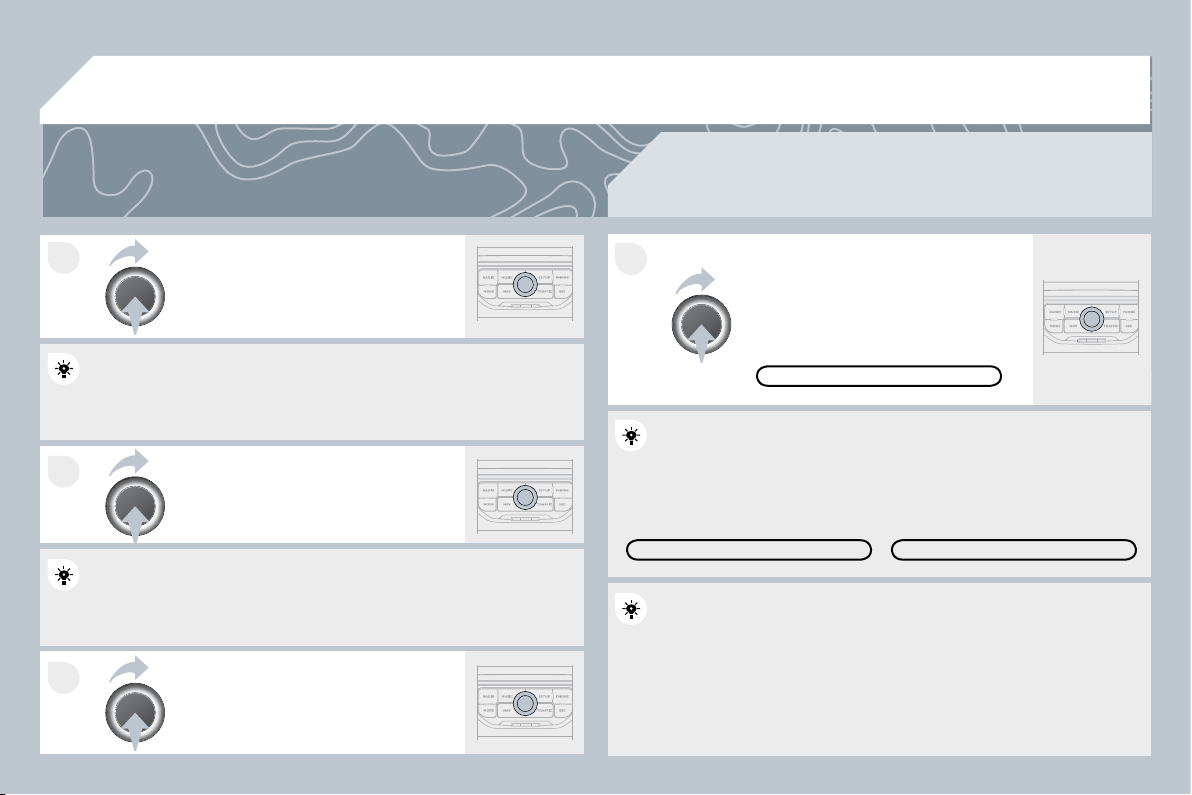
249
7
8
9
10
04
To clear a destination; from steps 1 to 3, select "Choose from last destinations". A long press
on one of the destinations displays a list of actions from which you can select:
Delete entry
Delete list
Repeat steps 5 to 7 for the "Street"
and "House number" functions.
Turn the dial and select OK.
Press the dial to confi rm.
Select the "Save to address book" function to record th
ord the address
entered in a directory fi le. Press the dial to confi rm the selection.
entered in a directory fi le. Press the dial to confi rm the selection.
PEUGEOT Connect Navigation allows up to 4 000 contact fi les to be
PEUGEOT Connect Navigation allows up to 4 000 contact fi les to be
recorded.
To speed up the process, the post code can be entered
tered directly
after selecting the "Postal code" function.
Use the virtual keypad to enter the letters and digits.
Then select "Start route guidance"
and the press the dial to confi rm.
During guidance, pressing the end
of the lighting stalk repeats the last
guidance instruction.
You can zoom in/zoom out on the map using the dial.
It is possible to scroll the map or select its orientation via the short-
It is possible to scroll the map or select its orientation via the short-
cut menu of the FULL SCREEN MAP. Press the dial then select
cut menu of the FULL SCREEN MAP. Press the dial then select
"Map settings".
Select the route type:
"Fast route", "Short route" or "Optimized route" and press the dial to
"Fast route", "Short route" or "Optimized route" and press the dial to
confi rm.
It is also possible to select a destination via "Choose from address
It is also possible to select a destination via "Choose from address
book" or "Choose from last destinations".
CHOOSE FROM LAST DESTINATIONS
CHOOSE FROM LAST DESTINATIONS
CHOOSE FROM ADDRESS BOOK
START ROUTE GUIDANCE
NAVIGATION - GUIDANCE
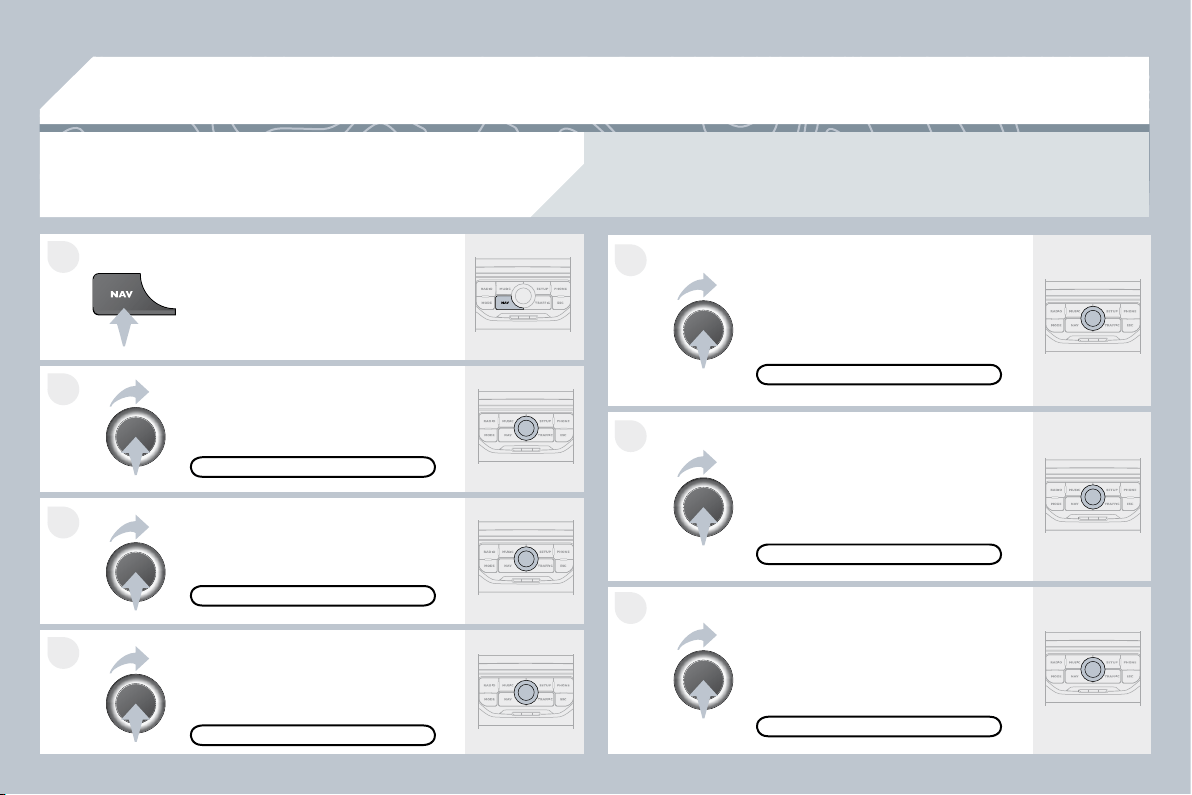
250
4
3
2
1
7
6
5
04
NAVIGATION - GUIDANCE
ROUTE OPTIONS
Select the "Route dynamics" function.
This function gives access to the
"Traffi c independent" or "Semi-
dynamic" options.
Select the "Avoidance criteria"
function. This function provides
access to the AVOID options
(motorways, toll roads, ferries).
Turn the dial and select the
"Recalculate" function to take into
account the route options selected.
Press the dial to confi rm.
Press the NAV button.
Press the NAV button again or select
the Navigation Menu function and
press the dial to confi rm.
Select the "Route type" function and
press the dial to confi rm. This function
allows you to change the route type.
Select the "Route options" function
and press the dial to confi rm.
RECALCULATE
AVOIDANCE CRITERIA
ROUTE DYNAMICS
ROUTE TYPE
ROUTE OPTIONS
NAVIGATION MENU
The route selected by the PEUGEOT Connect Navigation audio/telephone depends directly on the
route options.
Changing these options may change the route completely.
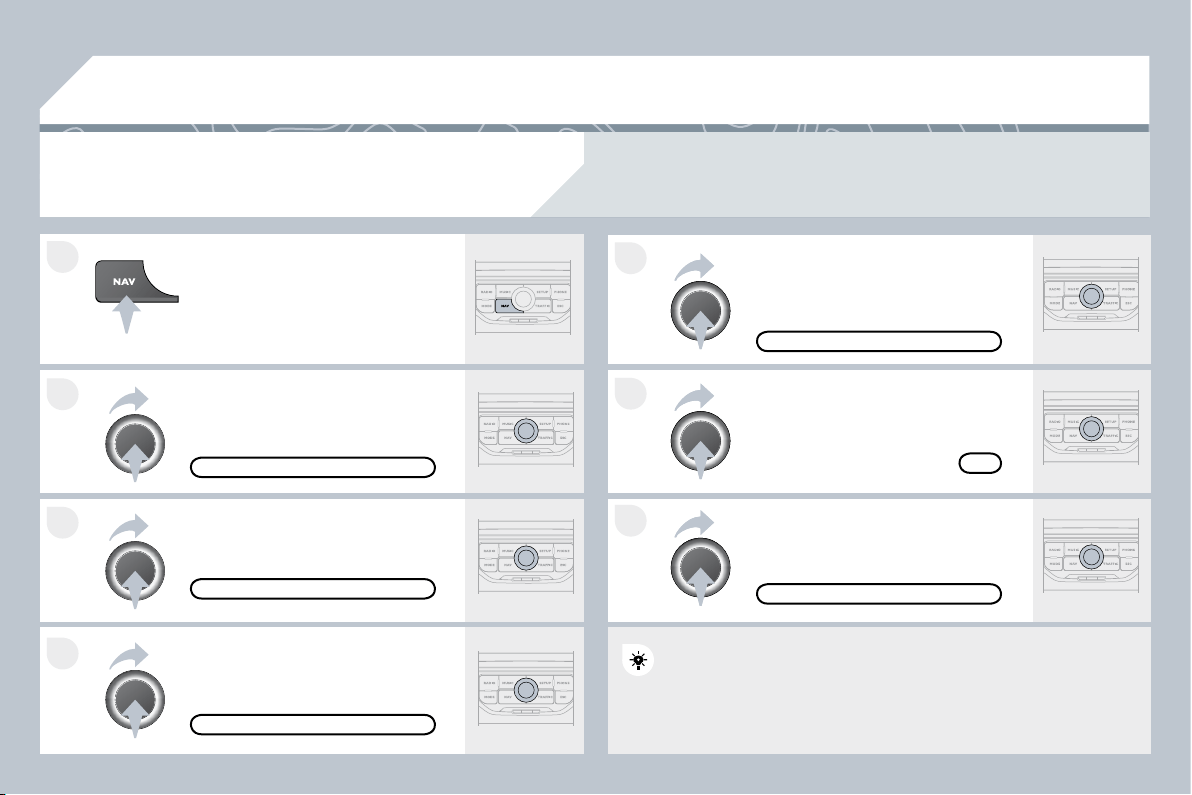
251
7
6
5
4
3
2
1
04
ADDING A STOPOVER
Enter a new address, for example.
Once the new address has been
entered, select OK and press the dial
to confi rm.
Select "Recalculate" and press the
dial to confi rm.
Press the NAV button.
Press the NAV button again or select
the "Navigation" Menu function and
press the dial to confi rm.
Select the "Add stopover" function
(5 stopovers maximum) and press the
dial to confi rm.
Select the "Stopovers" function and
press the dial to confi rm.
OK
ADDRESS INPUT
ADD STOPOVER
STOPOVERS
"NAVIGATION" MENU
RECALCULATE
The stopover must be completed or deleted in order for the guidance
The stopover must be completed or deleted in order for the guidance
to continue to the next destination. Otherwise, the PEUG
PEUGEOT
Connect Navigation will always return you to the previou
revious stopover.
Stopovers can be added to the route once the destination has been selected.
NAVIGATION - GUIDANCE
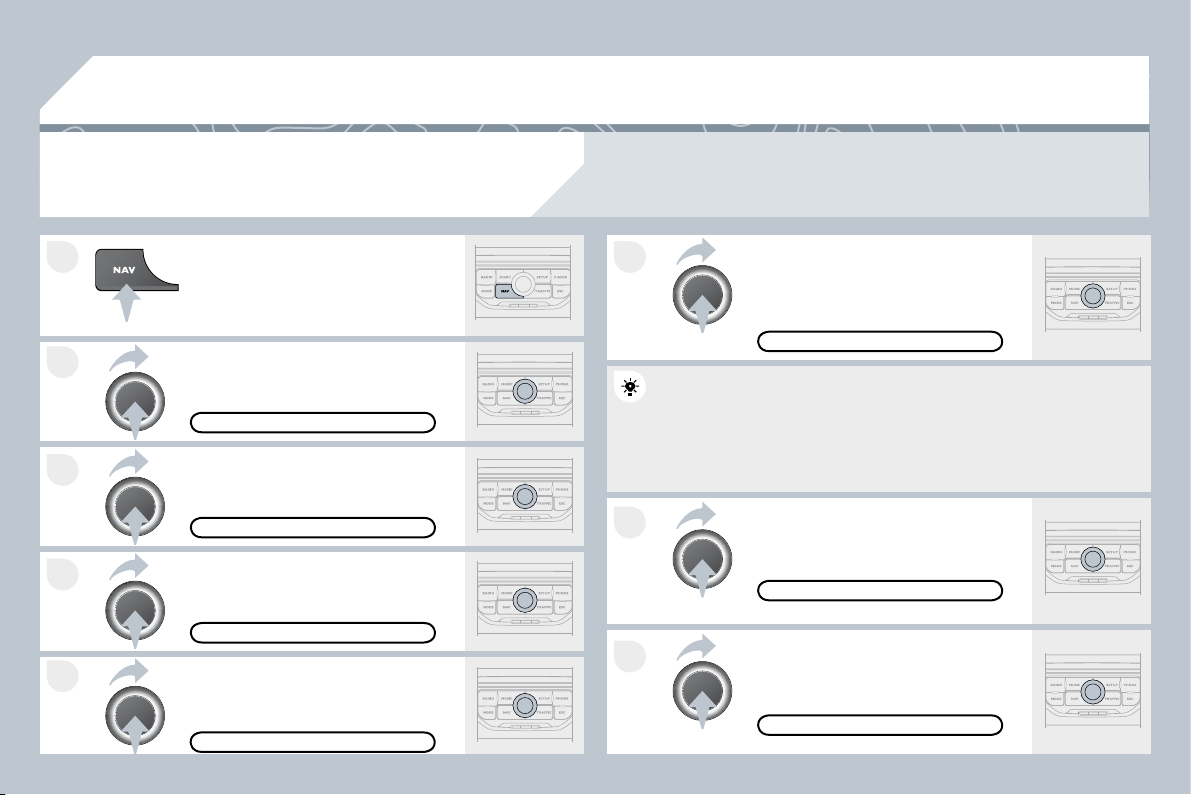
252
8
6
7
4
3
5
2
1
04
NAVIGATION - GUIDANCE
SEARCHING FOR POINTS OF INTEREST
(POI)
Press the NAV button.
Press the NAV button again or select
the Navigation Menu function and
press the dial to confi rm.
Select the "POI nearby" function to
search for POIs around the vehicle.
Select the "POI search" function and
press the dial to confi rm.
NAVIGATION MENU
POI SEARCH
POI NEARBY
Select the "POI in city" function to
search for POIs in the city required.
Select the country then enter the
name of the city using the virtual
keypad.
Select the "POI near route" function to
search for POIs near the route.
Select the "POI in country" function
to search for POIs in the country
required.
Select the "POI near destination"
function to search for POIs near the
point of arrival of the route.
POI NEAR DESTINATION
POI NEAR ROUTE
POI IN COUNTRY
POI IN CITY
A list of cities present in the country selected can be acc
be accessed via
the LIST button on the virtual keypad.
The points of interest (POI) indicate all of the service locations in the vicinity (hotels, various
businesses, airports...).
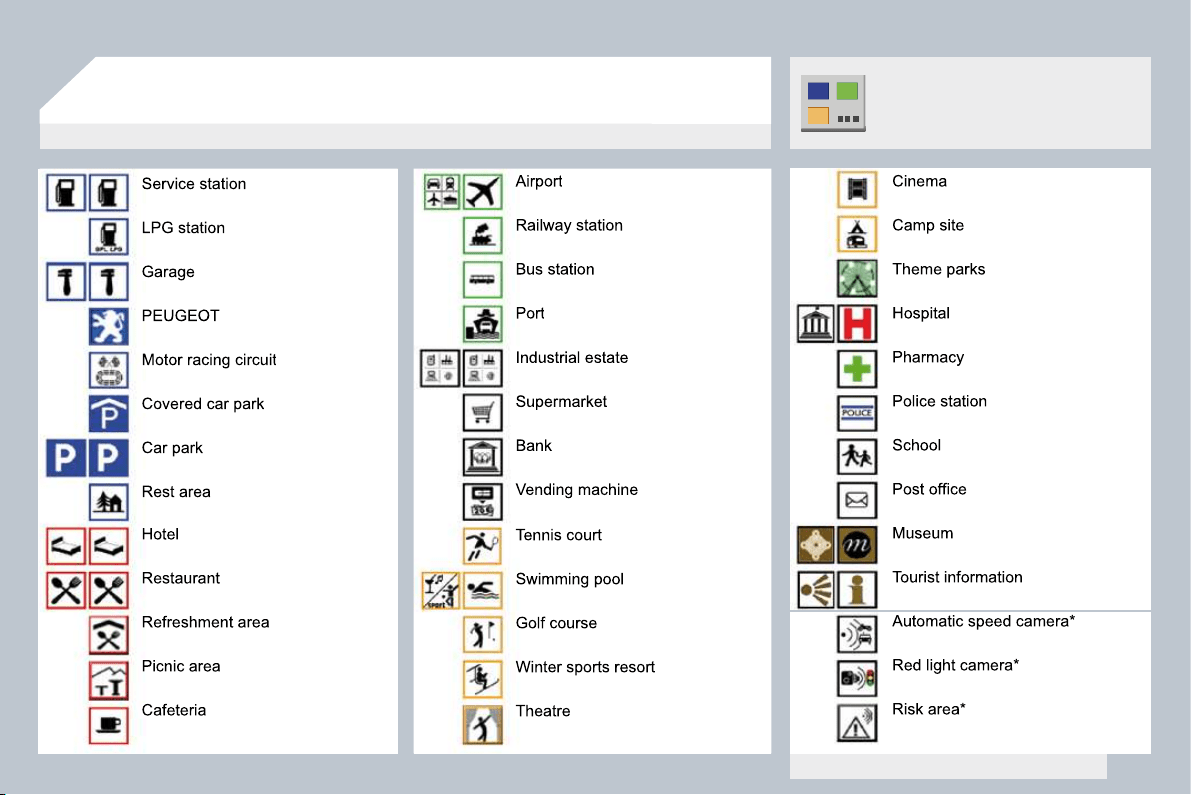
253
04
NAVIGATION - GUIDANCE
LIST OF PRINCIPAL POINTS OF INTEREST (POI)
* According to availability in the country.
This icon appears when several POIs are grouped
together in the same area. Zooming in on this icon
shows details of the POIs.
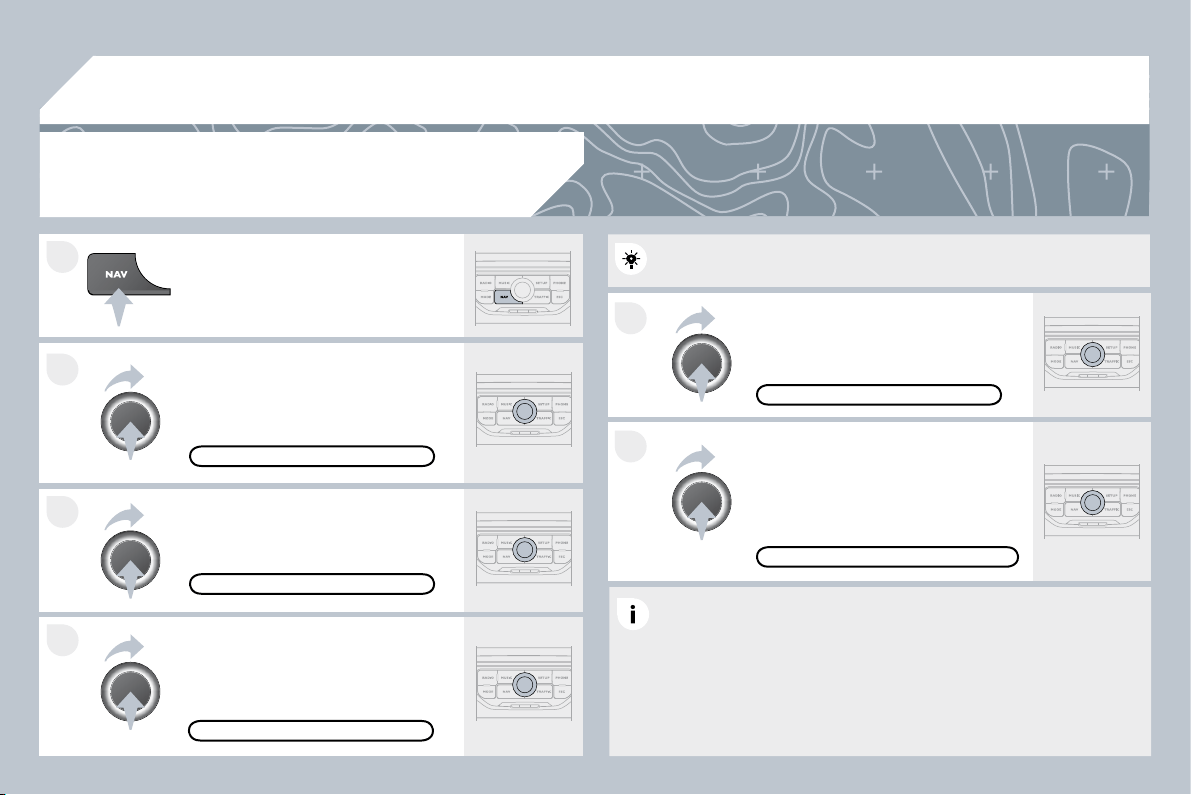
254
5
6
3
2
1
4
04
NAVIGATION SETTINGS
Select "Set parameters for risk areas"
to gain access to the "Display on
map", "Visual alert" and "Sound alert"
functions.
Select the "POI categories on Map"
function to select the POIs to be
displayed on the map by default.
Press the NAV button.
Press the NAV button again or select
the Navigation Menu function and
press the dial to confi rm.
Select the "Settings" function and
press the dial to confi rm.
POI CATEGORIES ON MAP
SETTINGS
SET PARAMETERS FOR RISK AREAS
NAVIGATION MENU
NAVIGATION - GUIDANCE
Select the "Navi volume" function and
turn the dial to set the volume of each
voice synthesiser (traffi c information,
alert messages…).
NAVI VOLUME
The volume of the Risk Areas POIs alert can only be adjusted
during this type of alert.
UPDATING THE RISK AREAS POIs
This requires an SDHC (High Capacity) compatible reader.
Download the update fi le from the Internet
(www.peugeot.fr or www.peugeot.co.uk).
Open this fi le and copy the extracted documents to the DATABASE
folder on the SD card, replacing the existing fi les.
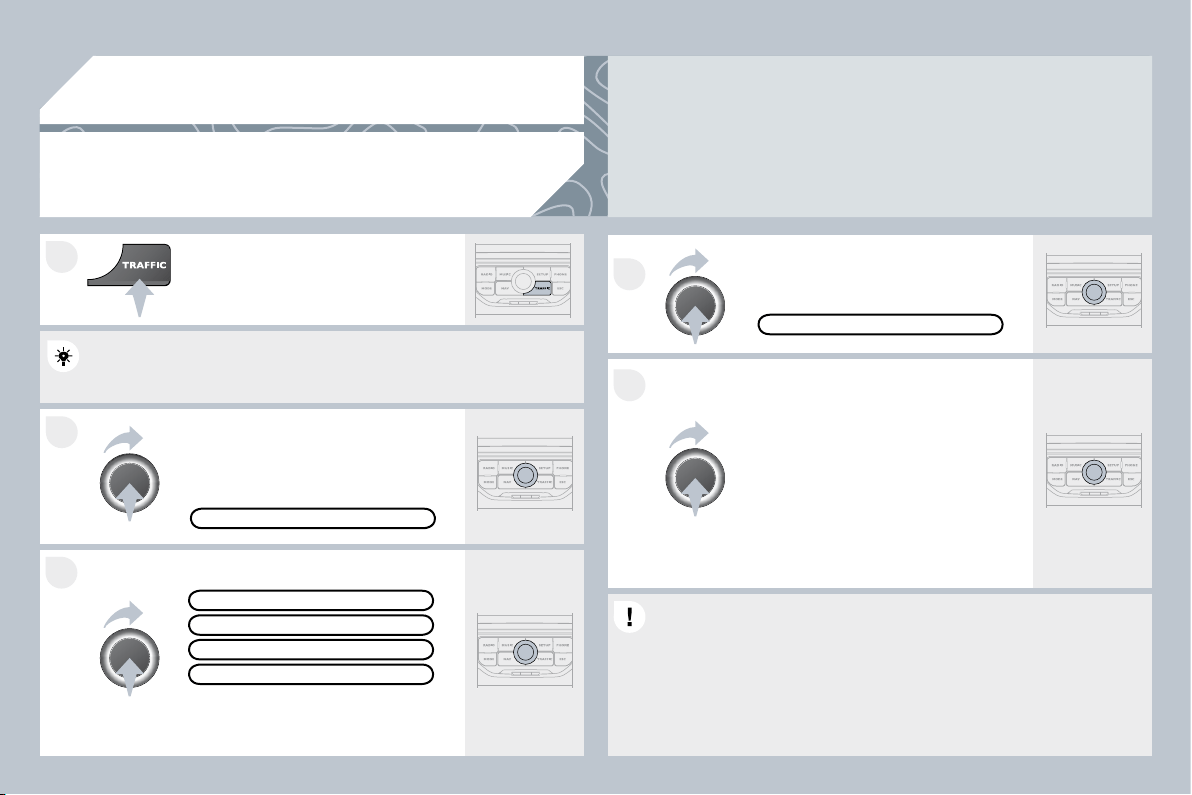
255
2
1
3
4
5
05
TRAFFIC INFORMATION
CONFIGURE THE FILTERING
AND DISPLAY OF TMC MESSAGES
Then select the radius of the fi lter in
miles (km) required in accordance
with the route, press the dial to
confi rm.
When all of the messages on the
route are selected, the addition of a
geographical fi lter is recommended
(within a radius of 3 miles (5 km) for
example) to reduce the number of
messages displayed on the map.
The geographical fi lter follows the
movement of the vehicle.
The fi lters are independent and their results are cumulative.
The fi lters are independent and their results are cumulative.
We recommend a fi lter on the route and a fi lter around the vehicle of:
We recommend a fi lter on the route and a fi lter around the vehicle of:
- 2 miles (3 km) or 3 miles (5 km) for a region with heavy traffi c,
- 2 miles (3 km) or 3 miles (5 km) for a region with heavy traffi c,
- 6 miles (10 km) for a region with normal traffi c,
- 30 miles (50 km) for long journeys (motorway).
Press the TRAFFIC button again or
select the Traffi c Menu function and
press the dial to confi rm.
Press the TRAFFIC button.
TMC (Traffi c Message Channel) messages contain information on traffi c and weather conditions,
received in real time and transmitted to the driver in the form of audible announcements and
symbols on the navigation map.
The navigation system can then suggest an alternative route to avoid a traffi c problem.
Select the "Geo. Filter" function and
press the dial to confi rm.
MESSAGES ON ROUTE
The list of TMC messages appears under the Traffi c Menu sorted in
The list of TMC messages appears under the Traffi c Menu sorted in
order of proximity.
ALL WARNING MESSAGES
TRAFFIC MENU
Select the fi lter of your choice:
ONLY WARNINGS ON ROUTE
ALL MESSAGES
The messages appear on the map
and on the list.
To exit, press ESC.
GEO. FILTER
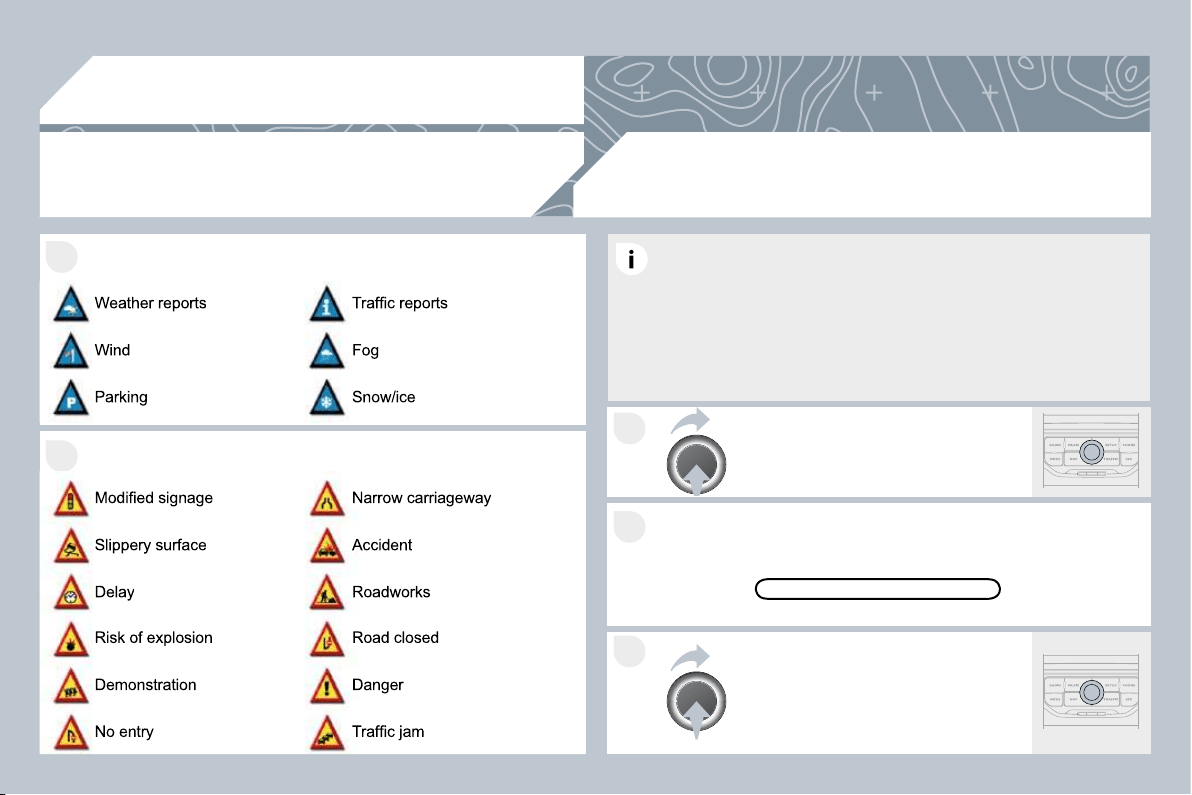
256
05
2
1
3
2
1
TRAFFIC INFORMATION
PRINCIPAL TMC SYMBOLS
Red and yellow triangle: traffi c information, par example:
Black and blue triangle: general information, for example:
With the current audio source
displayed on the screen, press
the dial.
The shortcut menu for the source appears and gives access to:
The shortcut menu for the source appears and gives access to:
Select Traffi c Announcements (TA)
and press the dial to confi rm and go
to the associated settings.
TA
The TA (Traffi c Announcement) function gives priority to TA alert
messages. To operate, this function needs good reception of a radio
station transmitting this type of message. When a traffi c report is
transmitted, the current audio source (Radio, CD, Jukebox, ...) is
interrupted automatically to play the TA message. Normal playback
of the audio source resumes at the end of the transmission of the
message.
RECEIVING TA MESSAGES
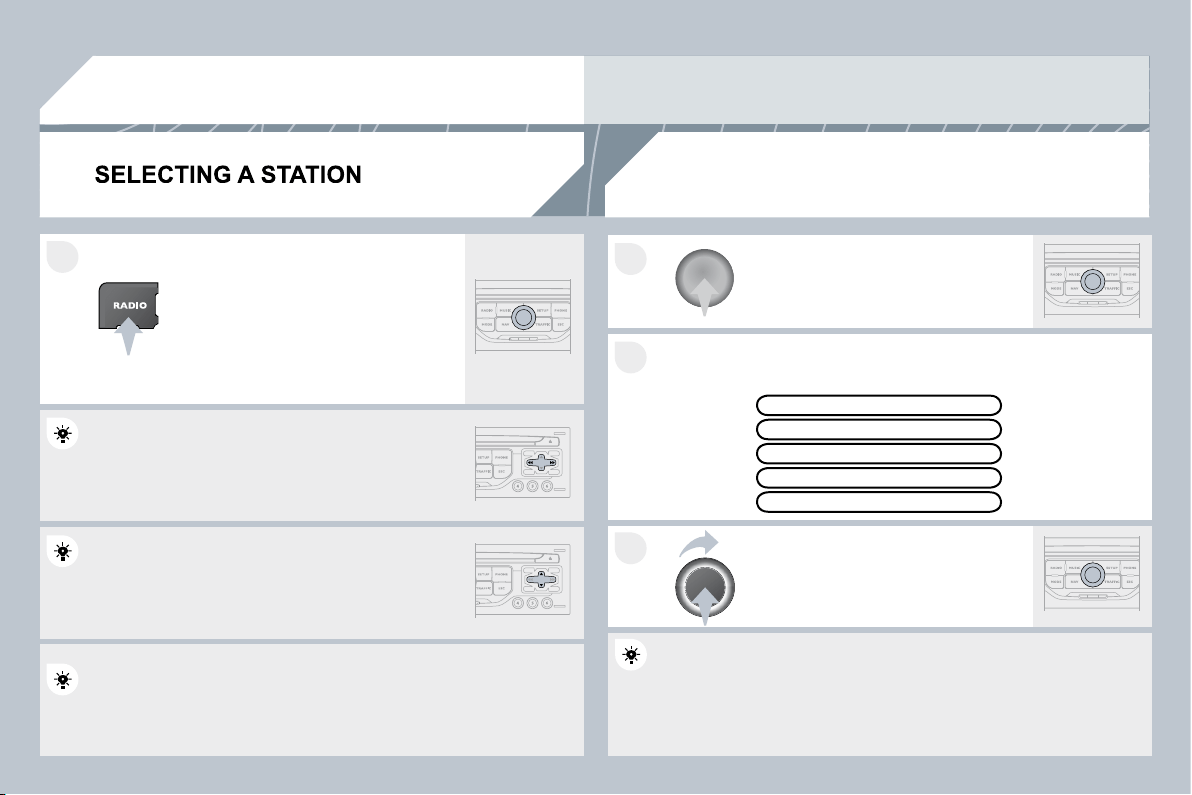
257
3
2
1
1
06
When the current radio station is
displayed on the screen, press the
dial.
The radio source short-cuts menu appears and provides access to
The radio source short-cuts menu appears and provides access to
the following short-cuts:
Select the function required and press
the dial to confi rm to gain access to
the corresponding settings.
TA
RDS, if displayed, allows you to continue listening to the same
RDS, if displayed, allows you to continue listening to the same
station by automatic retuning to alternative frequencies. However, in
station by automatic retuning to alternative frequencies. However, in
certain conditions, coverage of an RDS station may not be assured
certain conditions, coverage of an RDS station may not be assured
throughout the entire country as radio stations do not co
not cover 100 % of
the territory. This explains the loss of reception of the sta
the station during
a journey.
The external environment (hill, building, tunnel, underground car park...) may interfere with the
reception, including in RDS following mode. This phenomenon is a normal result of the way in which
radio waves are transmitted and does not in any way indicate a failure of the audio equipment.
RDS - REGIONAL MODE
Press the RADIO button to display
the list of stations received locally
sorted in alphabetical order.
Select the station required by turning
the dial and press to confi rm.
While listening to the radio, press one of the
buttons to select the previous or next station on
the list.
Press one of the buttons on the numeric keypad for more than
Press one of the buttons on the numeric keypad for more than
2 seconds to store the current station.
Press the button on the numeric keypad to recall the stored radio
Press the button on the numeric keypad to recall the stored radio
station.
RDS
RADIOTEXT
REGIONAL PROG.
AM
RADIO
A long press of one of the buttons starts the
automatic search for a station with a lower or
higher frequency.
258
07
MUSIC MEDIA PLAYERS
CD, MP3/WMA CD
INFORMATION AND ADVICE
In order to be able to play a recorded CDR or CDRW, w
RW, when
recording it is preferable to select the ISO 9660 level 1, 2 or Joliet
recording it is preferable to select the ISO 9660 level 1, 2 or Joliet
standard.
If the disc is recorded in another format it may not be played
If the disc is recorded in another format it may not be played
correctly.
It is recommended that the same recording standard is always used
It is recommended that the same recording standard is always used
for an individual disc, with as low a speed as possible (4x maximum)
for an individual disc, with as low a speed as possible (4x maximum)
for optimum sound quality.
In the particular case of a multi-session CD, the Joliet standard is
In the particular case of a multi-session CD, the Joliet standard is
recommended.
The PEUGEOT Connect Navigation will only play audio fi les with the
The PEUGEOT Connect Navigation will only play audio fi les with the
extension ".mp3" with a speed of between 8 Kbps and 320 Kbps and
extension ".mp3" with a speed of between 8 Kbps and 320 Kbps and
the extension ".wma" with a speed of between 5 Kbps and 384 Kbps.
the extension ".wma" with a speed of between 5 Kbps and 384 Kbps.
It also supports the VBR (Variable Bit Rate) mode.
No other type of fi le (.mp4, .m3u...) can be played.
The MP3 format, an abbreviation of MPEG 1, 2 & 2.5 Audio Layer 3
The MP3 format, an abbreviation of MPEG 1, 2 & 2.5 Audio Layer 3
and the WMA format, an abbreviation of Windows Media Audio and
and the WMA format, an abbreviation of Windows Media Audio and
the property of Microsoft, are audio compression standards which
the property of Microsoft, are audio compression standards which
permit the recording of several tens of music fi les on a single disc.
permit the recording of several tens of music fi les on a single disc.
It is advisable to restrict fi le names to 20 characters, without using
It is advisable to restrict fi le names to 20 characters, without using
special characters (e.g.: " " ? ; ù) to avoid any play or display
special characters (e.g.: " " ? ; ù) to avoid any play or display
problems.
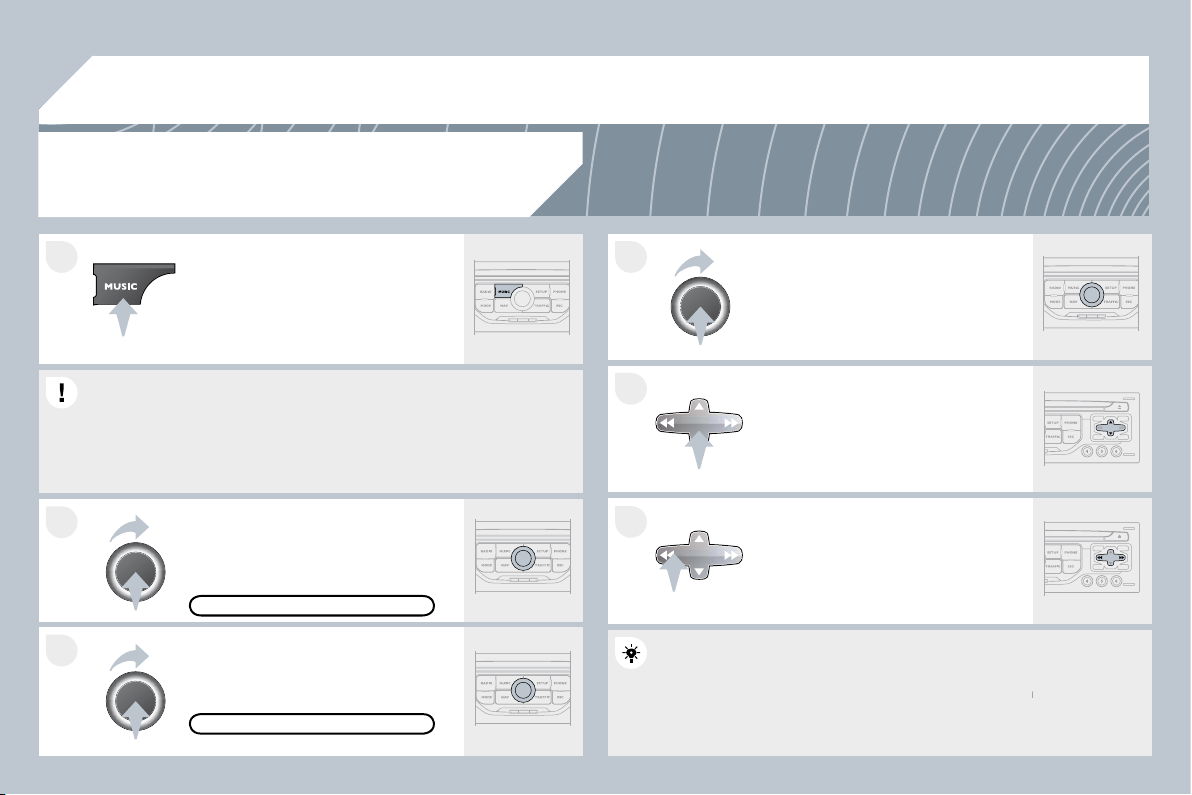
259
07
6
4
5
3
2
1
SELECTING/PLAYING MUSIC
CD, MP3/WMA CD
The playing and displaying of an MP3/WMA compilation may
The playing and displaying of an MP3/WMA compilation may
depend on the recording programme and/or the settings used. We
depend on the recording programme and/or the settings used. We
recommend the ISO 9660 fi le standard.
Press the MUSIC button.
Select the "Select music" function and
press the dial to confi rm.
Press the up or down button to select
the next/previous folder.
Select the music source required:
CD, MP3/WMA CD. Press the dial to
confi rm. Play begins.
SELECT MUSIC
Press the MUSIC button again or
select the "Music" Menu function and
press the dial to confi rm.
Press one of the buttons to select a
music track.
Press and hold one of the buttons for
fast forward or rewind play.
"MUSIC" MENU
The list of tracks or MP3/WMA fi les appears under "Music" Menu.
The list of tracks or MP3/WMA fi les appears under "Music" Menu.
MUSIC MEDIA PLAYERS
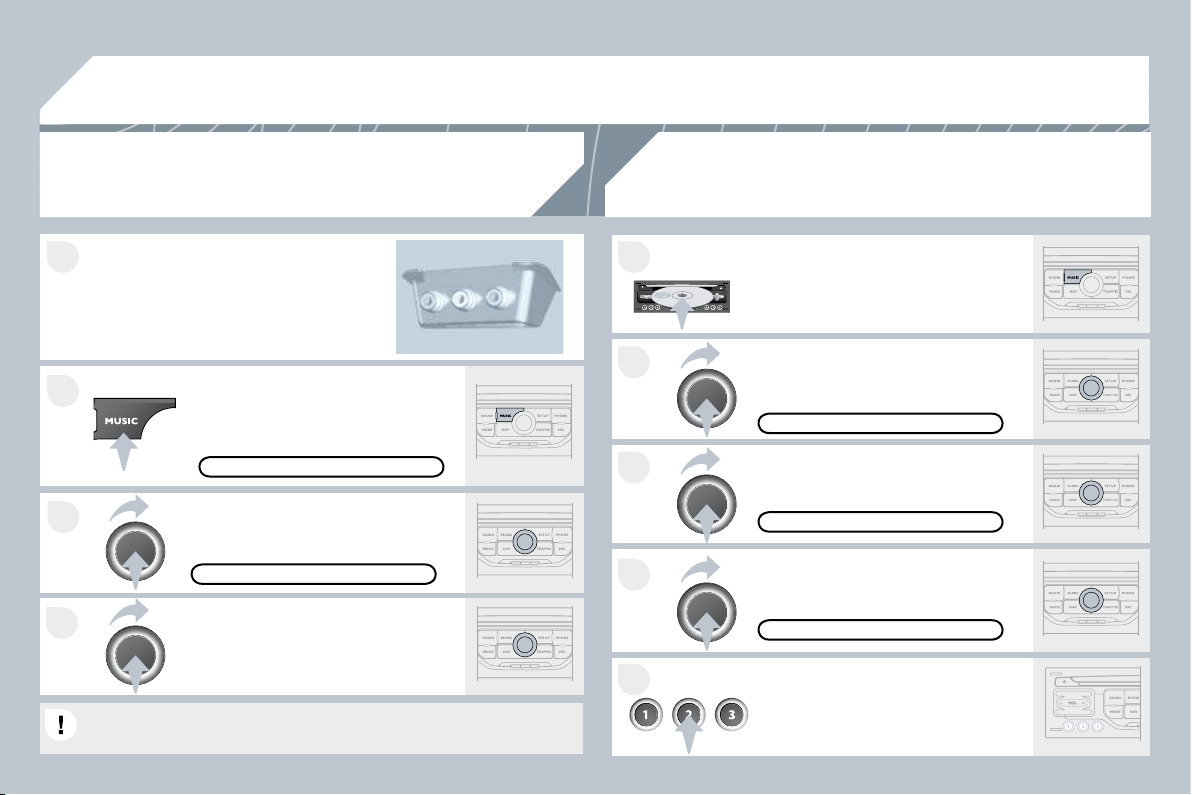
260
4
3
1
2
07
1
4
2
3
5
MUSIC MEDIA PLAYERS
Connect the portable equipment
(MP3/WMA player…) to the JACK
audio socket or to the USB port, using
a suitable audio cable.
Press the MUSIC button then press
it again or select the Music Menu
function and press the dial to confi rm.
Select the AUX music source and
press the dial to confi rm. Play begins
automatically.
Select the "External device" function
and press the dial to activate it.
EXTERNAL DEVICE
The display and management of the controls is via the portable
The display and management of the controls is via the portable
equipment.
USING THE EXTERNAL INPUT (AUX)
JACK/USB AUDIO CABLE NOT SUPPLIED
MUSIC MENU
CD CHANGER
SELECT MUSIC
MUSIC MENU
Insert one or more CDs in the
changer. Press the MUSIC button.
Press one of the buttons on the
numeric keypad to select the
corresponding CD.
Select the "CD Changer" music
source and press the dial to confi rm.
Select the "Select music" function and
press the dial to confi rm.
Press the MUSIC button again or
select the Music Menu function and
press the dial to confi rm.
CD CHANGER
PLAYING A CD (NOT MP3/WMA COMPATIBLE)
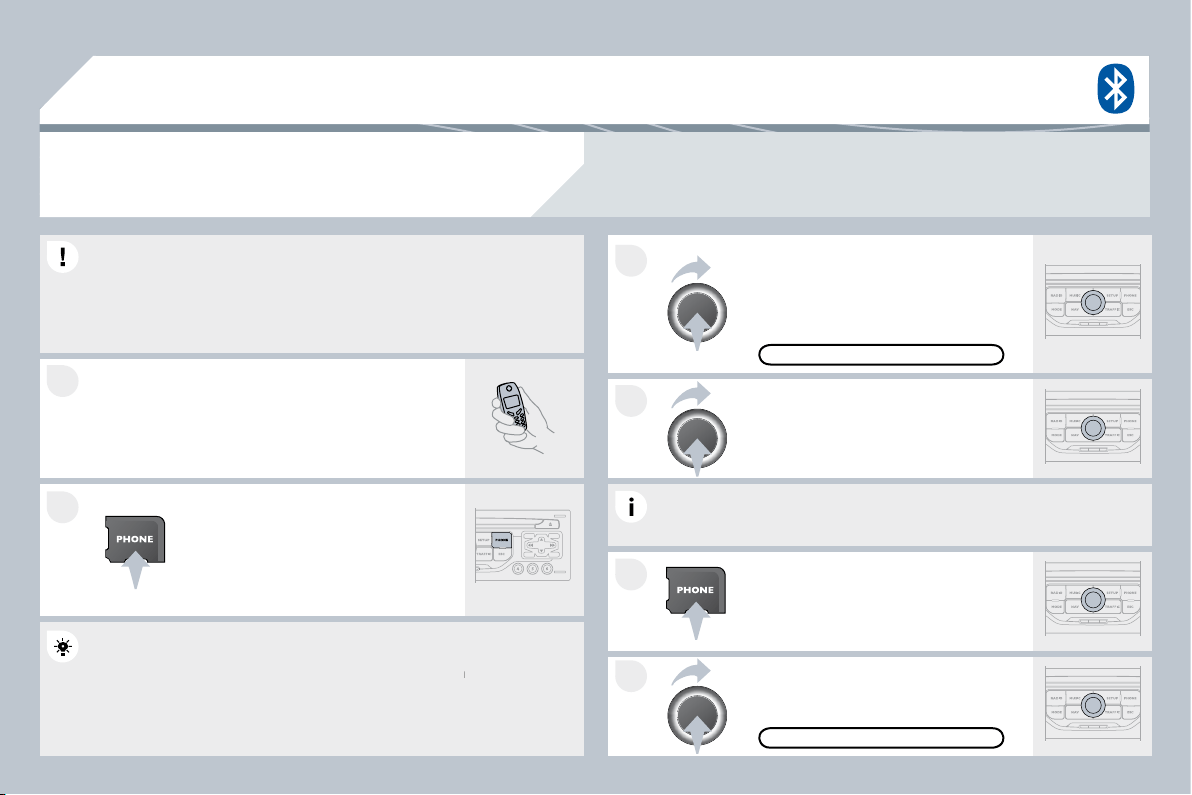
261
1
2
3
2
1
4
08
* The services available depend on the network, the SIM card and the compatibility of the Bluetooth
telephone used. Check the telephone manual and with your network provider for details of the
services available to you. A list of mobile telephones with the best level of compatibility is available
from the dealer network.
BLUETOOTH TELEPHONE
CONNECTING A TELEPHONE
For reasons of safety and because they require prolong
rolonged attention
on the part of the driver, the operations for pairing the B
the Bluetooth
mobile telephone to the hands-free system of the PEUGEOT
mobile telephone to the hands-free system of the PEUGEOT
Connect Navigation must be carried out with the vehicle stationary.
Connect Navigation must be carried out with the vehicle stationary.
The ignition must be on.
Activate the telephone's Bluetooth function.
The last telephone connected is reconnected
automatically.
Enter the authentication code on the
telephone. The code to be entered is
displayed on the screen.
To change the telephone connected,
press the PHONE button, then select
Phone Menu and press the dial to
confi rm.
Once the telephone has been connected, PEUGEOT C
OT Connect
Navigation can synchronise the address book and the c
the call list.
This synchronisation may take a few minutes * .
Select "Connect phone". Select the
telephone and press to confi rm.
The list of telephones connected previously (4 maximum) appears
The list of telephones connected previously (4 maximum) appears
on the multifunction screen. Select the telephone required for a new
on the multifunction screen. Select the telephone required for a new
connection.
Press the PHONE button.
For a fi rst connection, select
"Search phone" and press the dial to
confi rm. Then select the name of the
telephone.
SEARCH PHONE
CONNECT PHONE
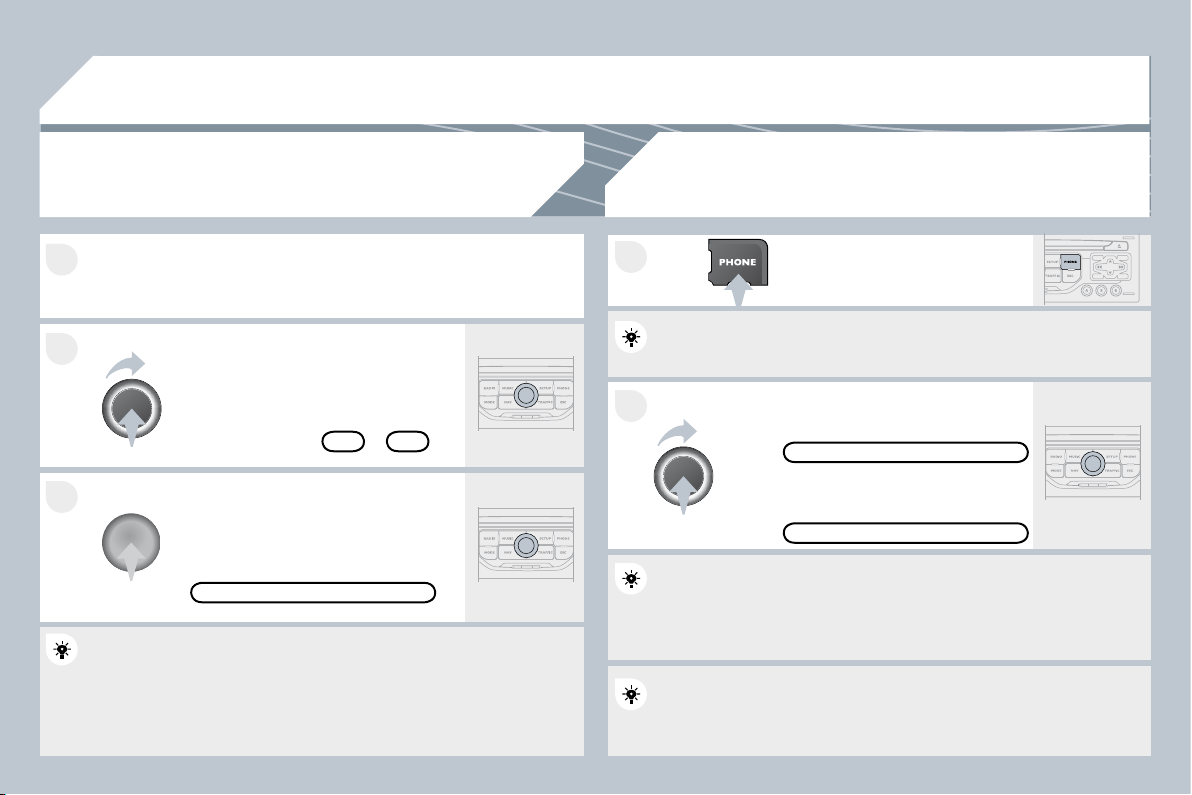
262
08
2
1
1
3
2
Press the end of the steering mounted control to accept the call or
end the call in progress.
Select the "Yes" tab to accept or "No"
to refuse and confi rm by pressing the
dial.
RECEIVING A CALL
MAKING A CALL
An incoming call is announced by a ring and a superimposed display
An incoming call is announced by a ring and a superimposed display
on the multifunction screen.
YES
To hang up, press the PHONE button
or press the dial and select "End call"
then confi rm by pressing the dial.
END CALL
Press the PHONE button.
Select "Dial number", then dial the
telephone number using the virtual
keypad.
Select the "Phone" Menu function and
press the dial to confi rm.
The list of the last 20 calls made and received in the vehicle appears
The list of the last 20 calls made and received in the vehicle appears
under "Phone" Menu. You can select a number and press the dial to
under "Phone" Menu. You can select a number and press the dial to
make the call.
NO
It is also possible to select a number from the address book. You can
It is also possible to select a number from the address book. You can
select "Dial from address book". The PEUGEOT Connect Navigation
select "Dial from address book". The PEUGEOT Connect Navigation
can record up to 4 000 entries.
Press the end of the steering mounted control for more than two
Press the end of the steering mounted control for more than two
seconds to gain access to the address book.
"PHONE" MENU
DIAL NUMBER
To delete a number, press the PHONE button then press and hold on
To delete a number, press the PHONE button then press and hold on
a call number to display a list of actions including:
Delete entry
Delete list
BLUETOOTH TELEPHONE
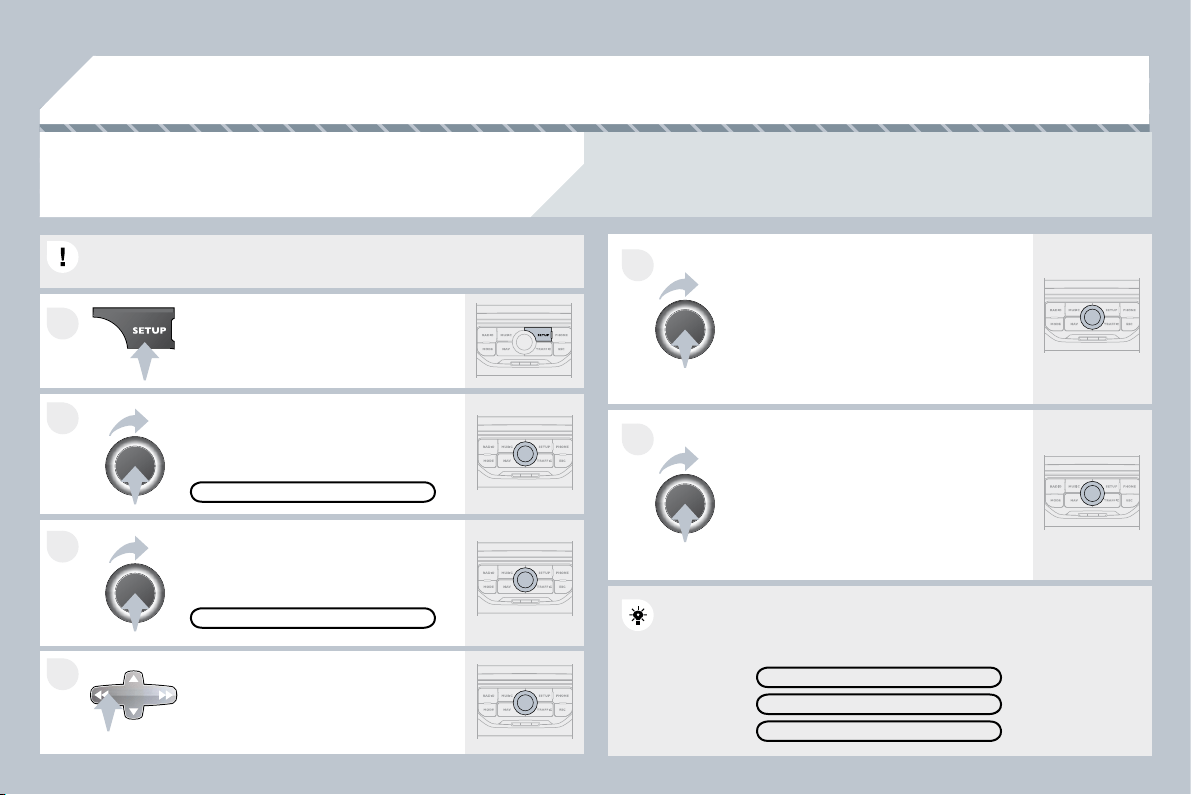
263
4
3
2
1
6
5
09
CONFIGURATION
SETTING THE DATE AND TIME
The SETUP function gives access to the following options: System language, Date & Time, Display
(Brightness, Colour, Map colour), Vehicle, Units, System.
Set the parameters one by one using
the direction arrows and confi rm by
means of the dial.
Select the "Date format" function and
press the dial to confi rm.
Select the "Set date & time" function
and press the dial to confi rm.
Confi rm the format required using the dial.
Pressing the SET UP button for more than 2 seconds gives access to:
Pressing the SET UP button for more than 2 seconds gives access to:
These settings must be re-entered if the battery has been
These settings must be re-entered if the battery has been
disconnected.
Press the SET UP button.
Confi rm the format required using
the dial.
Select the "Time format" function and
press the dial to confi rm.
SET DATE & TIME
Select the "Date & Time" function and
press the dial to confi rm.
DESCRIPTION OF THE UNIT
GPS COVERAGE
DEMO MODE
DATE & TIME
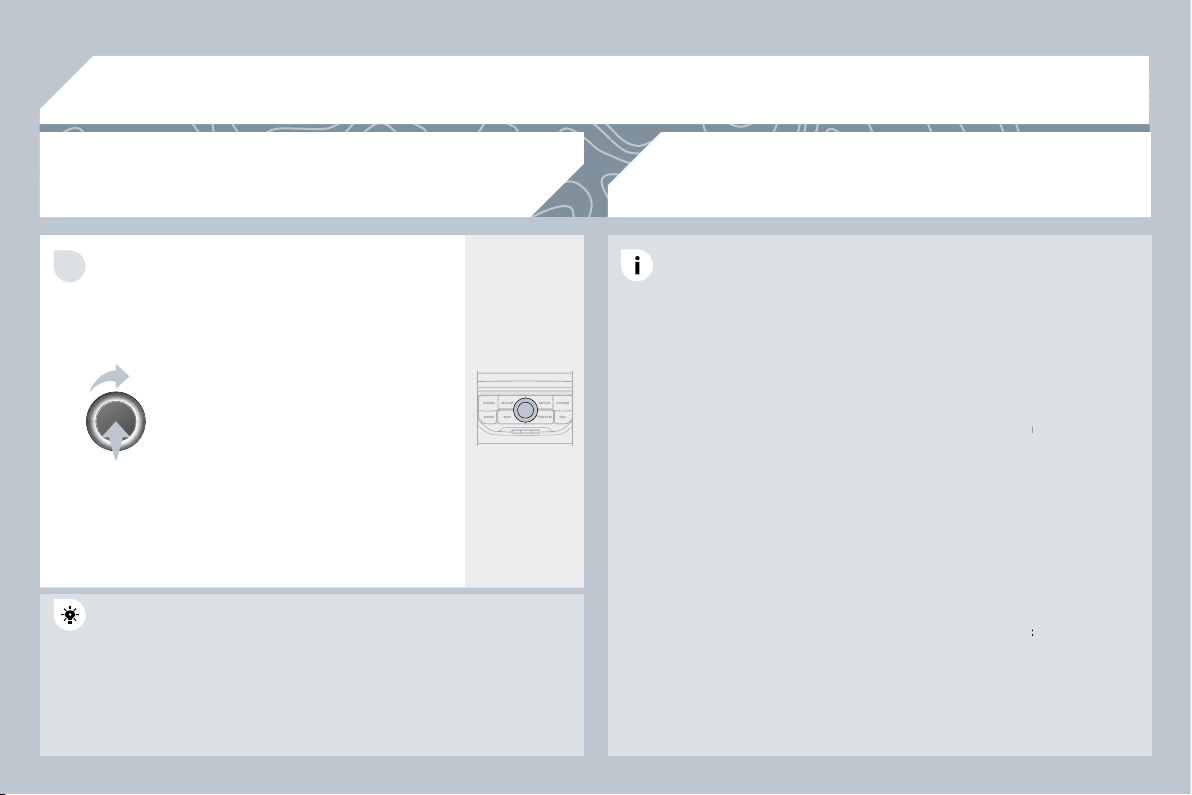
264
10
1
TRIP COMPUTER/VEHICLE PARAMETERS
TRIP COMPUTER
Press the MAIN button or press
the MODE button several times in
succession until the trip computer is
displayed.
- The "vehicle" tab:
The range, the current fuel
consumption and the distance
remaining.
- The "1" (trip 1) tab with:
The average speed, the average
fuel consumption and the distance
travelled calculated over route "1".
- The "2" (trip 2) tab with the same
functions for a second route.
Range:
displays the distance which can travelled with the remaining
displays the distance which can travelled with the remaining
fuel detected in the tank, basd on the average consumption over the
fuel detected in the tank, basd on the average consumption over the
last few miles (kilometres).
This displayed value may vary signifi cantly following a change in the
This displayed value may vary signifi cantly following a change in the
vehicle speed or the relief of the route.
When the range falls below 20 miles (30 km), dashes are displayed.
When the range falls below 20 miles (30 km), dashes are displayed.
After fi lling with at least 5 litres of fuel, the range is recalculated and
After fi lling with at least 5 litres of fuel, the range is recalculated and
is displayed when it exceeds 60 miles (100 km).
If, whilst driving, dashes are displayed continuously in p
ly in place of the
digits, contact a PEUGEOT dealer.
Current fuel consumption:
only calculated and display
displayed above
20 mph (30 km/h).
Average fuel consumption:
this is the average fuel consumption
this is the average fuel consumption
since the last trip computer zero reset.
Distance travelled:
calculated since the last trip computer zero reset.
calculated since the last trip computer zero reset.
Distance remaining to the destination:
calculated wit
ed with reference
to the fi nal destination, entered by the user. If guidance is activated,
to the fi nal destination, entered by the user. If guidance is activated,
the navigation system calculates it as a current value.
Average speed:
this is the average speed calculated s
ated since the last
trip computer zero reset (ignition on).
Each press of the button at the end of the wiper stalk di
talk displays the
different trip computer information in succession, according to the
different trip computer information in succession, according to the
screen.
A FEW DEFINITIONS
265
11
1
2
3
1
2
4
1
2
3
4
3
3
3
3
2
2
2
2
4
4
4
4
4
3
3
3
3
3
2
3
2
2
3
3
3
4
4
4
4
4
3
3
1
2
3
3
2
3
3
"RADIO" MENU
MAIN FUNCTION
CHOICE A
choice A1
choice A2
CHOICE B...
SCREEN MENU MAP
"MUSIC" MENU
"TRAFFIC" MENU
MESSAGES ON ROUTE
ONLY WARNINGS ON ROUTE
ALL WARNING MESSAGES
ALL MESSAGES
GEO. FILTER
Within 2 miles (3 km)
Within 3 miles (5 km)
Within 6 miles (10 km)
Within 30 miles (50 km)
Within 60 miles (100 km)
SELECT MUSIC
SOUND SETTINGS
Balance/Fader
Bass/Treble
Equalizer
Linear
Classic
Jazz
Rock/Pop
Techno
Vocal
Loudness
Speed dependent volume
Reset sound settings
WAVEBAND
FM
AM
MANUAL TUNE
SOUND SETTINGS
Balance/Fader
Bass/Treble
Equalizer
Linear
Classic
Jazz
Rock/Pop
Techno
Vocal
Loudness
Speed dependent volume
Reset sound settings
266
1
2
4
2
3
4
2
3
4
4
4
4
4
4
4
4
4
4
4
3
3
3
3
2
4
4
4
3
3
3
3
4
4
4
2
3
3
3
3
3
3
3
3
4
4
2
4
4
4
4
4
3
3
3
3
4
4
4
ROUTE OPTIONS
Route type
Fast route
Short route
Optimized route
Route dynamics
Traffi c independent
Semi-dynamic
Avoidance criteria
Avoid motorways
Avoid toll roads
Avoid ferries
Recalculate
STOPOVERS
Add stopover
Address input
Navigate HOME
Choose from address book
Choose from last destinations
Rearrange route
Replace stopover
Delete stopover
Recalculate
Fast route
Short route
Optimized route
"NAVIGATION" MENU
ABORT GUIDANCE/RESUME GUIDANCE
POI SEARCH
POI nearby
POI near destination
POI in city
POI in country
POI near route
SETTINGS
Navi volume
POI categories on MAP
Set parameters for risk areas
Display on MAP
Visual alert
Sound alert
DESTINATION INPUT
Address input
Country
City
Street
House number
Start route guidance
Postal code
Save to address book
Intersection
City district
Geo position
MAP
Navigate HOME
Choose from address book
Choose from last destinations
TMC station information
267
1
2
3
4
1
3
4
3
4
2
2
2
3
4
4
4
4
2
3
3
3
2
3
3
3
2
3
4
4
4
4
2
4
3
4
3
3
3
3
3
3
3
3
2
4
4
2
3
4
4
3
4
4
4
2
3
3
3
"PHONE" MENU
"SETUP" MENU
DIAL NUMBER
SETTINGS
Select ring tone
Phone/Ring tone volume
Enter mailbox number
SYSTEM LANGUAGE *
Deutsch
English
Español
Français
Italiano
Nederlands
Polski
Portuguese
DATE & TIME *
Set date & time
Date format
Time format
Dark blue
MAP colour
Day mode for MAP
Night mode for MAP
Auto. Day/Night for MAP
VEHICLE *
Vehicle information
Alert log
Status of functions
DISPLAY
Brightness
Colour
Pop titanium
Toffee
Blue steel
Technogrey
UNITS
Temperature
Celsius
Fahrenheit
Metric/Imperial
Kilometres (Consumption: l/100)
Kilometres (Consumption: km/l)
Miles (Consumption: MPG)
SYSTEM
Factory reset
Software version
Automatic scrolling
* Available according to model.
DIAL FROM ADDRESS BOOK
CALL LISTS
CONNECT PHONE
Search phone
Phones connected
Disconnect phone
Rename phone
Delete pairing
Delete all pairings
Show details
268
sound quality between
the different audio
sources (radio, CD...).
Check that the audio settings (Volume, Bass,
Treble, Ambience, Loudness) are adapted to
the sources listened to. It is advisable to set
the AUDIO functions (Bass, Treble, Front-Rear
Balance, Left-Right Balance) to the middle
position, select the Linear musical ambience
and set the loudness correction to the "Active"
position in CD mode or to the "Inactive" position
in radio mode.
For optimum sound quality, the audio settings (Volume, Bass, Treble,
Ambience, Loudness) can be adapted to the different sound sources,
which may result in audible differences when changing source
(radio, CD...).
The CD is ejected
automatically or is not
played by the player.
- Check that the CD is inserted in the player the
right way up.
- Check the condition of the CD: the CD cannot
be played if it is too damaged.
- Check the content in the case of a recorded
CD: consult the advice in the Audio section.
- The audio equipment's CD player does not
play DVDs.
- Because of their quality level, certain writeable
CDs will not be played by the audio system.
The CD is inserted upside down, is unplayable, does not contain any audio
data or contains an audio format which the player cannot play.
The CD is protected by an anti-pirating protection system which is not
recognised by the audio equipment.
The CD player sound
is poor.
Insert good quality CDs and store them in
suitable conditions.
The CD used is scratched or of poor quality.
The audio equipment settings (bass, treble, ambiences) are unsuitable.
Set the treble or bass level to 0, without selecting
an ambience.
QUESTION
SOLUTION
ANSWER
FREQUENTLY ASKED QUESTIONS
269
SOLUTION
ANSWER
The quality of reception
of the radio station
listened to gradually
deteriorates or the
stored stations do
not function (no
sound, 87.5 Mhz is
displayed...).
The vehicle is too far from the transmitter used by the station listened to or
there is no transmitter in the geographical area through which the vehicle
is travelling.
The environment (hills, buildings, tunnels, basement car parks...) block
reception, including in RDS mode.
The aerial is absent or has been damaged (for example when going
through a car wash or into an underground car park).
Activate the RDS function to enable the system
to check whether there is a more powerful
transmitter in the geographical area.
This phenomenon is normal and does not
indicate a failure of the audio equipment.
Have the aerial checked by a PEUGEOT dealer.
Sound cut-outs of 1
to 2 seconds in radio
mode.
During this brief sound cut-out, the RDS searches for any frequency
permitting better reception of the station.
Deactivate the RDS function if the phenomenon
is too frequent and always on the same route.
With the engine off,
the audio equipment
switches off after a few
minutes of use.
When the engine is switched off, the audio equipment operating time
depends on the battery charge.
The switch-off is normal: the audio equipment switches to economy mode
and switches off to prevent discharging of the vehicle's battery.
Start the vehicle's engine to increase the battery
charge.
The stored stations do
not function (no sound,
87.5 Mhz is displayed...)
An incorrect waveband is selected.
Press the BAND AST button to return to the
waveband (AM, FM1, FM2, FMAST) on which the
stations are stored.
270
QUESTION
SOLUTION
ANSWER
The TA box is ticked.
However, certain traffi c
jams along the route
are not indicated in real
time.
On starting, it is several minutes before the system begins to receive the
traffi c information.
Wait until the traffi c information is being received
correctly (displaying of the traffi c information
symbols on the map).
In certain countries, only major routes (motorways...) are listed for the
traffi c information.
The time taken to
calculate a route
sometimes seems
longer than usual.
This phenomenon is normal. The system is
dependent on the traffi c information available.
The performance of the system may slow down temporarily if a CD is
being copied onto the Jukebox at the same time as a route is being
calculated.
Wait until the CD has been copied or stop the
copying before starting the guidance function.
The altitude is not
displayed.
On starting, the initialisation of the GPS may take up to 3 minutes to
receive more than 3 satellites correctly.
Wait until the system has started up completely.
Check that there is a GPS coverage of at least
3 satellites (long press on the SETUP button,
then select GPS coverage).
Depending on the geographical environment (tunnel...) or the weather, the
conditions of reception of the GPS signal may vary.
This phenomenon is normal. The system is
dependent on the conditions of reception of the
GPS signal.
The route is not
calculated successfully.
The exclusion criteria may confl ict with the current location (exclusion of
toll roads on a motorway with tolls).
Check the exclusion criteria.
I receive a speed
camera alert for a
camera which is not on
my route.
The audible speed
camera alert is not
working.
The system announces all speed cameras located in a conical zone
forward of the vehicle. It may detect speed cameras on nearby or parallel
roads.
Audible alerts are not active.
The alert volume level is set to minimum.
Zoom the map to view the exact position of the
speed camera.
Activate audible alerts in Navigation Menu,
Settings, Set parameters for risk areas.
Increase the speed camera alert volume.
271
There is a long waiting
time after inserting a CD.
When a new medium is inserted, the system reads a certain amount of
data (directory, title, artist, etc.).
This may take a few seconds.
This phenomenon is normal.
I cannot connect my
Bluetooth telephone.
A telephone connected
by Bluetooth is
inaudible.
The telephone's Bluetooth function may be deactivated or the equipment
may not be visible.
The volume level depends on both the system and the telephone.
- Check that your telephone's Bluetooth function
is activated.
- Check that your telephone is visible.
Increase the PEUGEOT Connect Navigation
volume setting, possibly to maximum, and
increase the telephone volume level if necessary.
QUESTION
SOLUTION
ANSWER
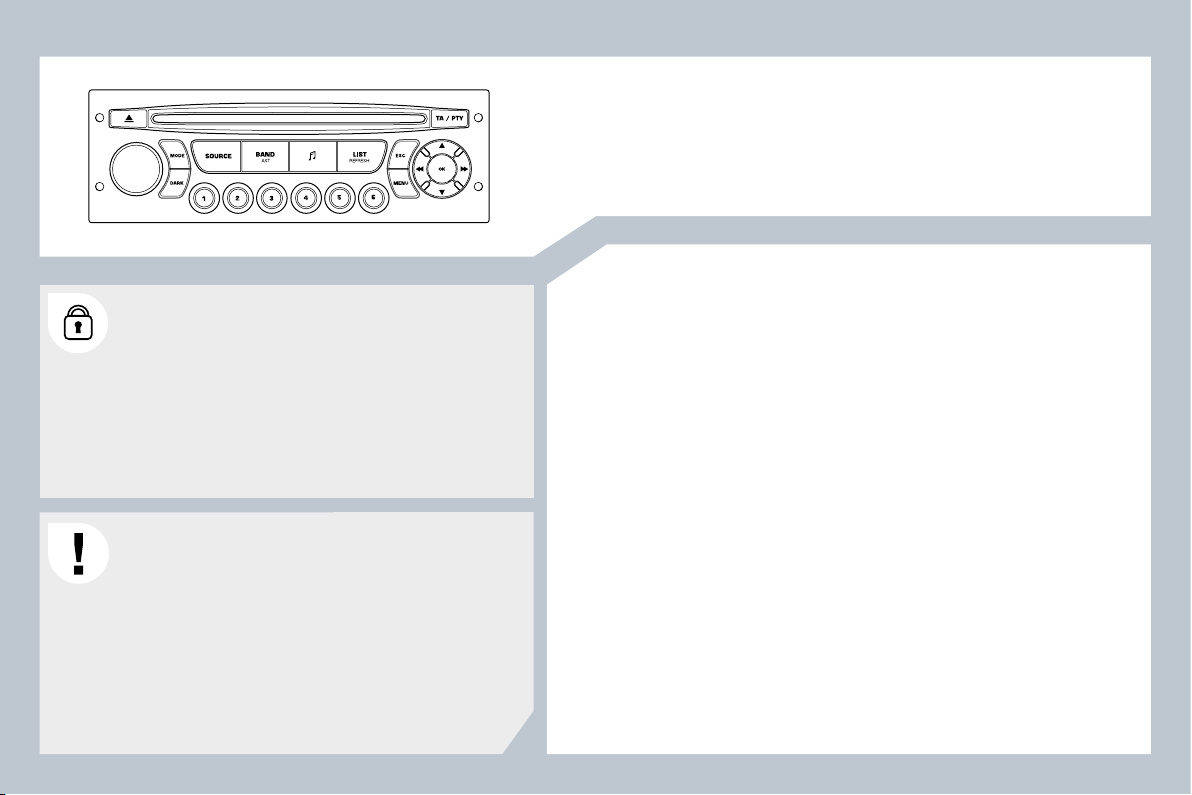
273
PEUGEOT Connect Sound
CONTENTS
01 First steps p .
02 Steering mounted controls p .
03 Main menu p .
04 Audio p .
05 Peugeot Connect USB p .
06 Bluetooth p .
07 Confi guration p .
08 Trip computer p .
09 Screen menu map p .
Frequently asked questions p .
Your Peugeot Connect Sound is coded in such a way that
it will only operate in your vehicle. If it is to be installed
in another vehicle, contact your PEUGEOT dealer for
confi guration of the system.
For safety reasons, the driver must carry out operations
which require prolonged attention while the vehicle is
stationary.
When the engine is switched off and to prevent
discharging of the battery, the audio equipment may
switch off after a few minutes.
AUDIO EQUIPMENT/BLUETOOTH
274
275
276
277
280
283
285
286
287
289
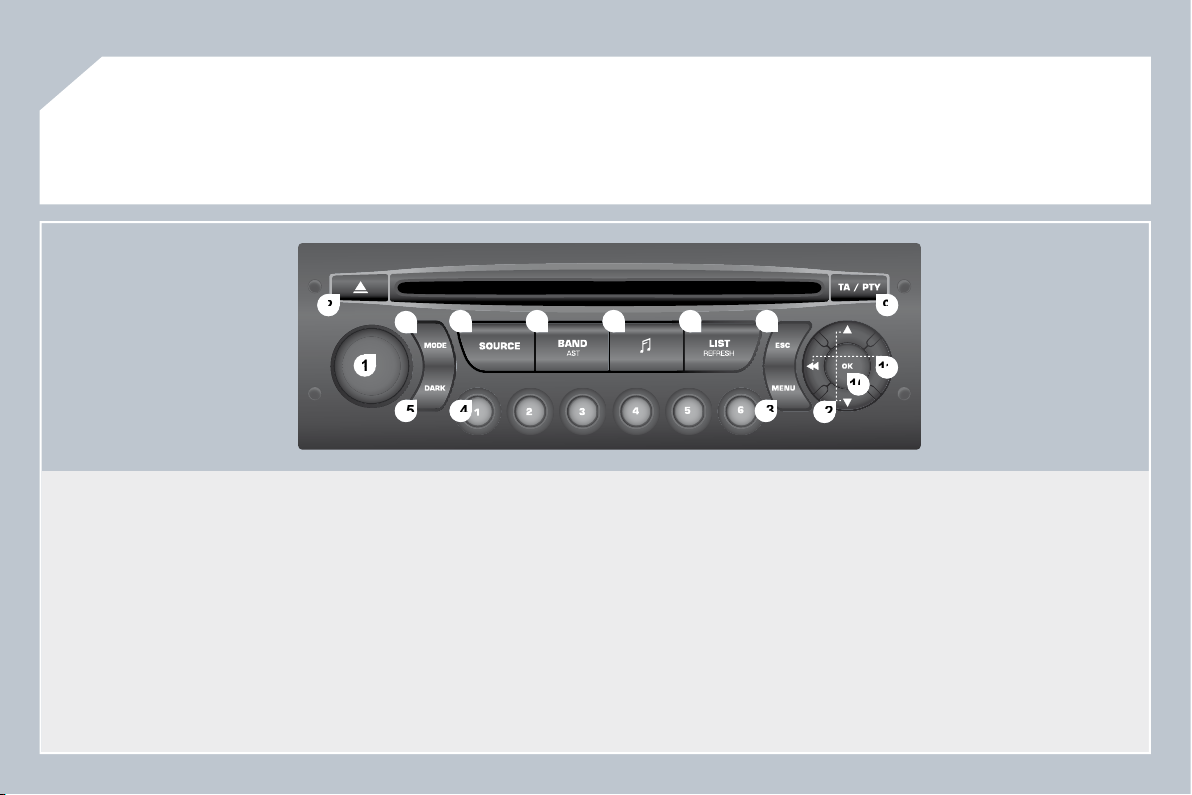
274
1
1
2
2
10
10
11
11
13
13
14
14
15
15
3
3
4
4
5
5
6
6
7
7
8
8
9
9
12
12
01
FIRST STEPS
1.
On/Off and volume adjustment.
2.
CD eject.
3.
Selection of the display on the screen from the following
modes:
Audio (AUDIO), Trip Computer (TRIP) and Telephone (TEL)
functions.
4.
Selection of source: radio, audio CD/MP3 CD, CD changer,
USB, auxiliaryJack connection, Streaming.
5.
Selection of FM1, FM2, FMast and AM wavebands.
6.
Setting audio options: front/rear balance, left/right balance,
loudness, sound ambience.
7.
Display the list of local stations, of the tracks on the CD or of
the MP3 folders.
8.
Abandon current operation.
9.
TA (Traffi c Announcement) function on/off.
Long press: access to the PTY
(Types of radio programme) mode.
10.
Confi rmation.
11.
Automatic search for a lower/higher frequency.
Selection of previous/next CD, MP3 or USB track.
12.
Selection of a lower/higher radio frequency.
Selection of the previous/next MP3 folder.
Selection of the previous/next USB equipment folder/genre/
artist/playlist.
13.
Display the general menu.
14.
Buttons 1 to 6:
Selection of a stored radio station.
Long press: store a station.
15.
The DARK button changes the display on the screen to
improve driving comfort at night.
1st press: lighting the upper band only.
2nd press: display of a black screen.
3rd press: return to the standard display.
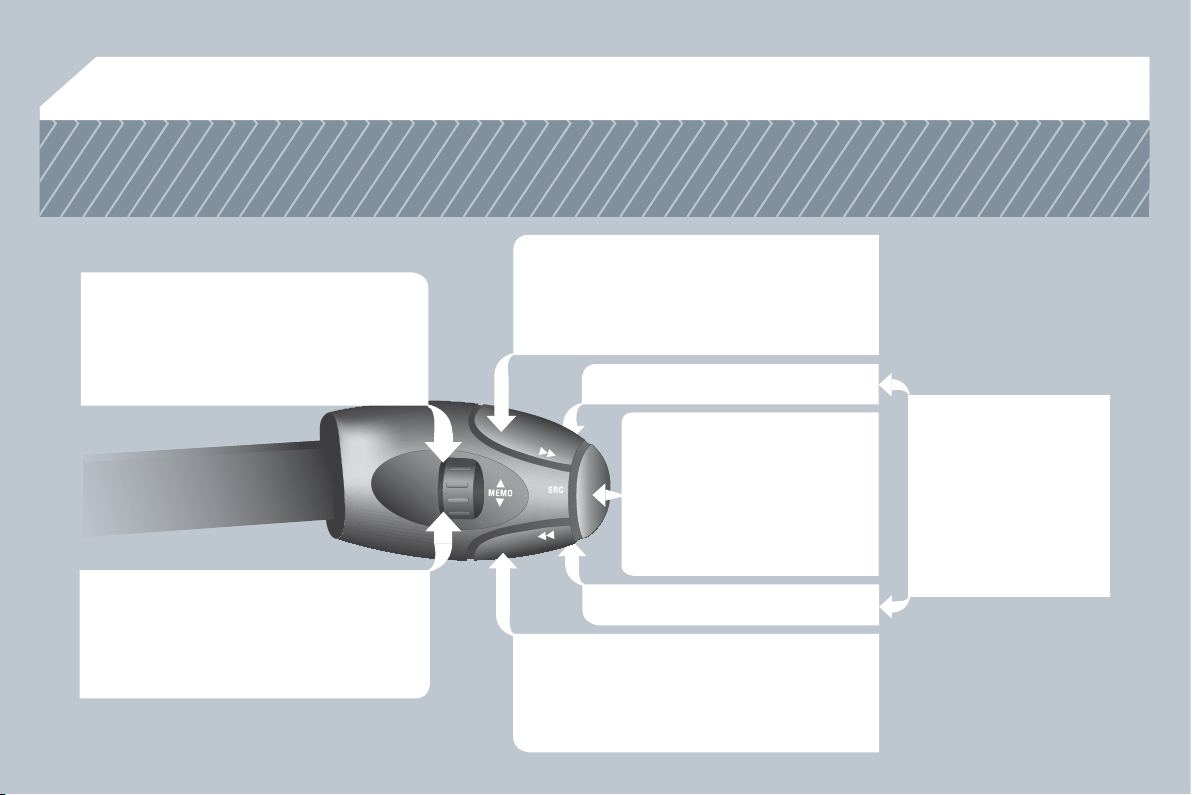
275
02
STEERING MOUNTED CONTROLS
RADIO: selection of the next stored station.
CD CHANGER: selection of the next CD.
USB: selection of the next genre/artist/
directory from the classifi cation list.
Selection of the next item on a menu.
RADIO: selection of the previous stored station.
CD CHANGER: selection of the previous CD.
USB: selection of the previous genre/artist/
directory from the classifi cation list.
Selection of the previous item on a menu.
RADIO: automatic search for a higher frequency.
CD/CD CHANGER/MP3/USB: selection of the
next track.
CD/CD CHANGER/USB: continuous press: fast
forwards play.
Selection of the previous item.
RADIO: automatic search for a lower frequency.
CD/CD CHANGER/MP3/USB: selection of the
previous track.
CD/CD CHANGER/USB: continuous press:
rewind play.
Selection of the next item.
Volume increase.
Volume decrease.
Mute: by pressing
the volume increase
and decrease buttons
simultaneously.
The sound is restored by
pressing one of the two
volume buttons.
- Change of sound source.
- Confi rmation of a selection.
- Pick up/Hang up the telephone.
- Press for more than 2 seconds:
access to the telephone menu.
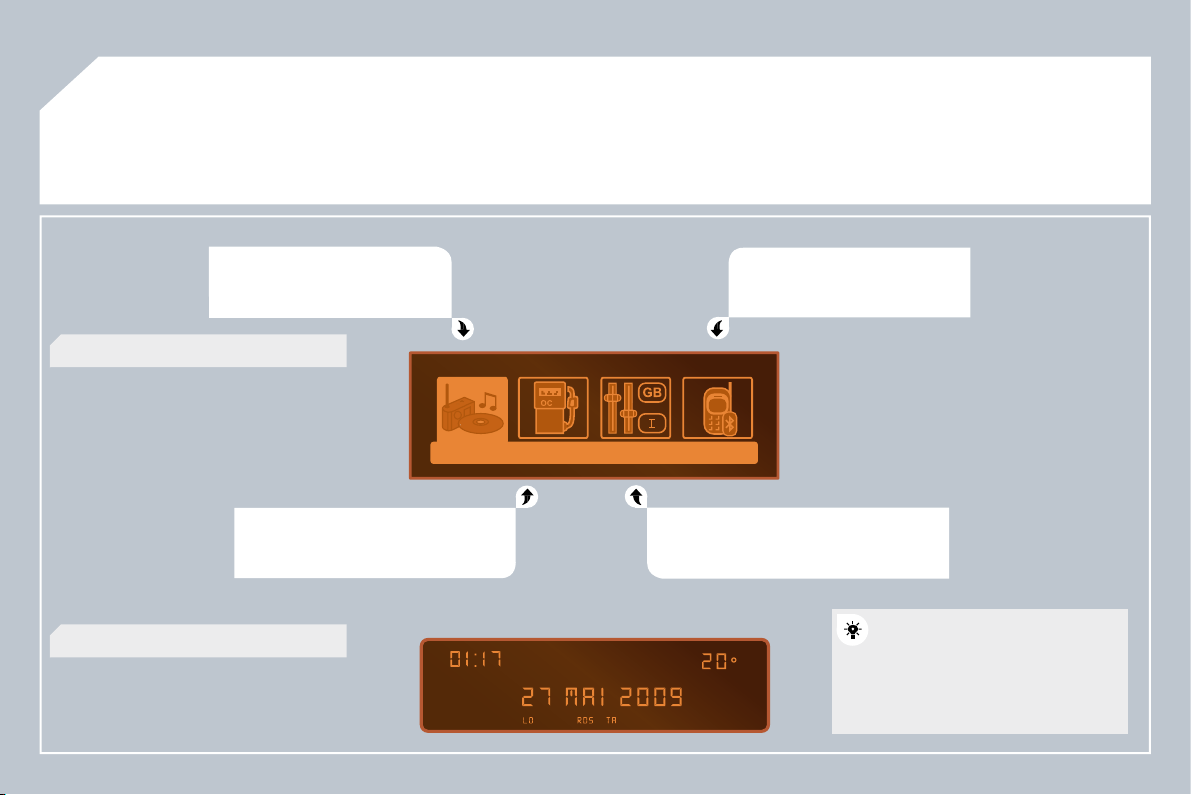
276
03
MAIN MENU
AUDIO FUNCTIONS :
radio,
CD, USB, options.
TRIP COMPUTER :
entering of
distances, alerts, status of functions.
TELEPHONE :
Bluetooth
hands-free, pairing,
management of a call.
PERSONALISATION-CONFIGURATION :
vehicle parameters, display, languages.
> MONOCHROME SCREEN C
> MONOCHROME SCREEN A
For a detailed global view of the
menus available, refer to the
"Screen menu map" section of
this chapter.
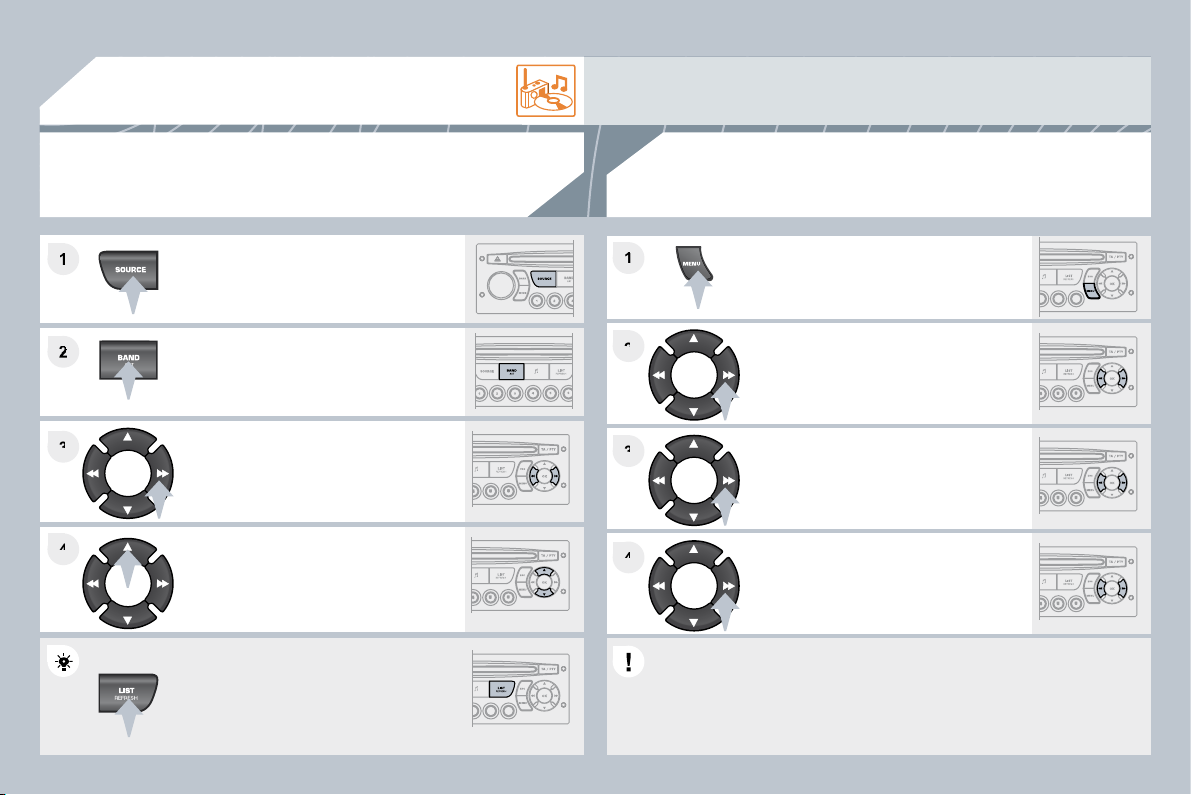
277
2
3
3
4
4
1
2
2
4
4
3
3
1
1
04
AUDIO
Press the SOURCE button several
times in succession and select the
radio.
Press the BAND AST button to select
a waveband: FM1, FM2, FMast, AM.
Briefl y press one of the buttons to
carry out an automatic search of the
radio stations.
Press one of the buttons to carry out a
manual search of the radio stations.
Press the LIST REFRESH button to
display the list of stations received
locally (30 stations maximum).
To update this list, press for more than
two seconds.
Select ACTIVATE FREQUENCY
FOLLOWING (RDS) then press OK.
RDS appears on the display.
Select the FM WAVEBAND
PREFERENCES function
then press OK.
Select AUDIO FUNCTIONS
then press OK.
Press the MENU button.
The external environment (hills, buildings, tunnels, basement car parks) may block reception, including
in RDS mode. This is a normal effect of the way in which radio waves are transmitted and does not
indicate any failure of the audio equipment.
RDS
The RDS, if displayed, enables you to continue listening to the same
station by automatic retuning to alternative frequencies. However, in
certain conditions, coverage of an RDS station may not be assured
throughout the country as radio stations do not cover 100 % of the
territory. This explains the loss of reception of the station during a journey.
RADIO
SELECTING A STATION
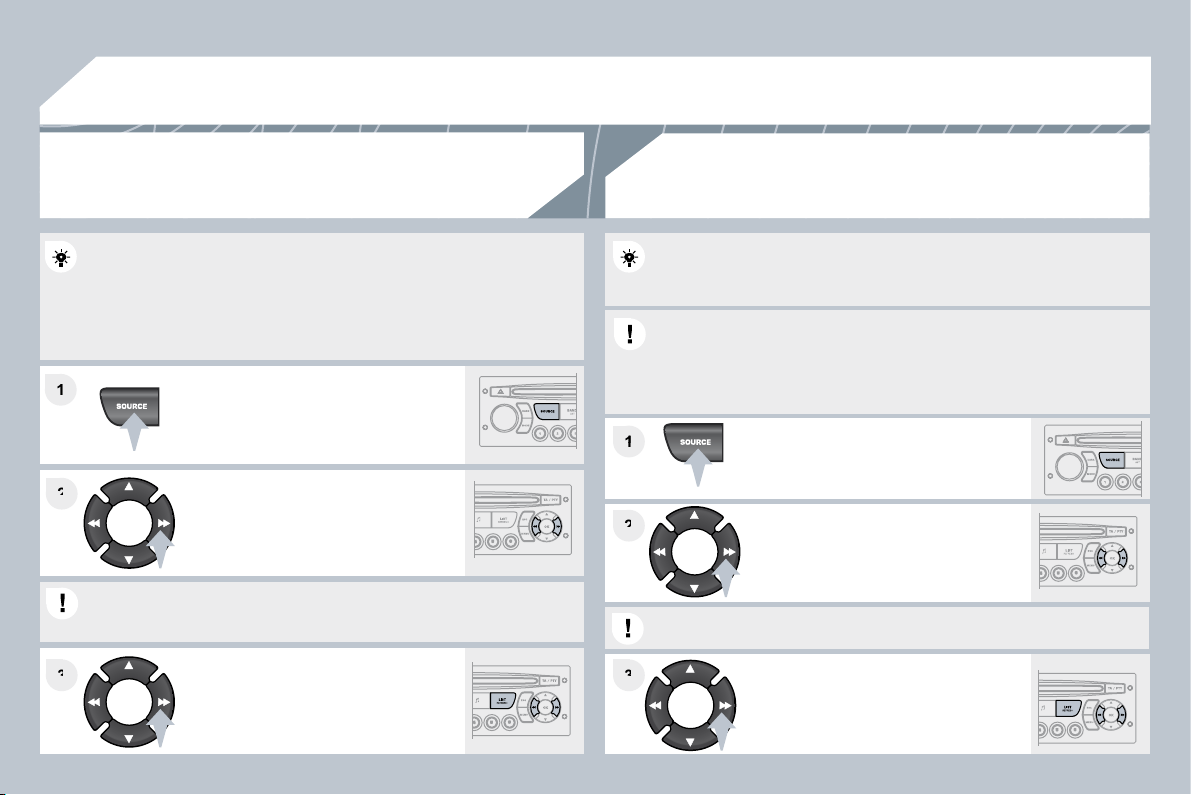
278
04
1
1
1
1
2
2
3
3
3
3
2
2
AUDIO
Insert circular compact discs only.
Some anti-pirating systems, on original discs or CDs copied using a
personal recorder, may cause faults which are no refl ection on the
quality of the original player.
Without pressing the EJECT button, insert a CD in the player, play
begins automatically.
To play a disc which has already
been inserted, press the SOURCE
button several times in succession
and select CD.
Press and hold one of the buttons for
fast forward or backward.
Insert an MP3 compilation in the player.
The audio equipment searches for all of the music tracks, which may
take anything between a few seconds and several tens of seconds,
before play begins.
On a single disc, the CD player can read up to 255 MP3 fi les spread
over 8 directory levels. However, it is advisable to keep to a limit of
two levels to reduce the access time before the CD is played.
While the CD is being played, the directory fl ow chart is not followed.
All of the fi les are displayed on a single level.
To play a disc which has already
been inserted, press the SOURCE
button several times in succession
and select CD.
Press and hold one of the buttons for
fast forward or backward play.
CD
PLAYING A CD
MP3 CD
PLAYING AN MP3 COMPILATION
Press one of the buttons to select
a track on the CD.
Press the LIST REFRESH button to display the list of tracks on the CD.
Press one of the buttons to select a
track on the CD.
Press the LIST REFRESH button to display the list of directories of
the MP3 compilation.
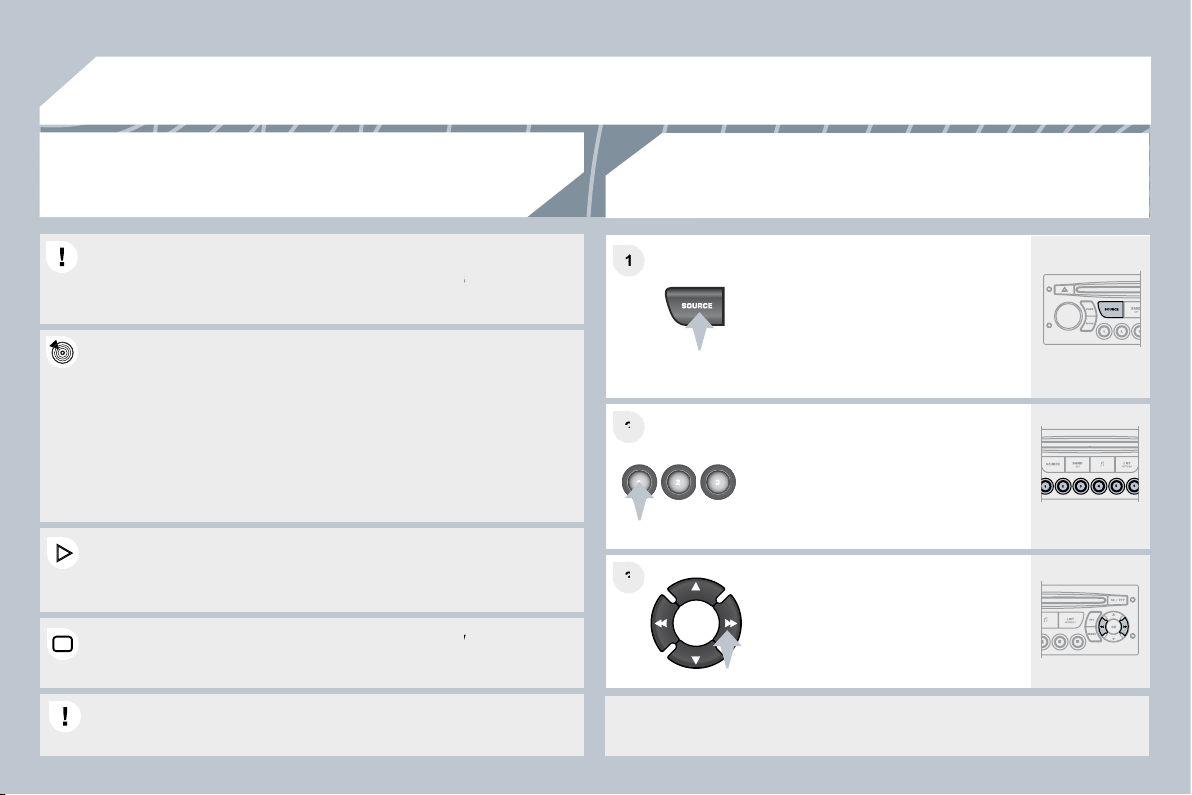
279
04
1
1
2
2
3
3
The MP3 format, an abbreviation of MPEG 1.2 & 2.5 Audio Layer 3,
The MP3 format, an abbreviation of MPEG 1.2 & 2.5 Audio Layer 3,
is an audio compression standard which permits the recording of
is an audio compression standard which permits the recording of
several tens of music fi les on a single disc.
In order to be able to play a recorded CDR or CDRW, when recording
In order to be able to play a recorded CDR or CDRW, when recording
it is preferable to select standards ISO 9660 level 1.2 or Joliet.
it is preferable to select standards ISO 9660 level 1.2 or Joliet.
If the disc is recorded in another format, it may not be played
If the disc is recorded in another format, it may not be played
correctly.
It is recommended that the same recording standard is always used
It is recommended that the same recording standard is always used
for an individual disc, with as low a speed as possible (4x maximum)
for an individual disc, with as low a speed as possible (4x maximum)
for optimum sound quality.
In the particular case of a multi-session CD, the Joliet standard is
In the particular case of a multi-session CD, the Joliet standard is
recommended.
The audio equipment will only play fi les with the extension ".mp3"
The audio equipment will only play fi les with the extension ".mp3"
with a sampling rate of 22.05 KHz or 44.1 KHz. No other type of fi le
with a sampling rate of 22.05 KHz or 44.1 KHz. No other type of fi le
(.wma, .mp4, .m3u...) can be played.
It is advisable to restrict fi le names to 20 characters without using
It is advisable to restrict fi le names to 20 characters without using
special characters (e.g. " ? ; ù) to avoid any playing or d
g or displaying
problems.
MP3 CD
INFORMATION AND ADVICE
AUDIO
Empty CDs are not recognised and may damage the system.
Empty CDs are not recognised and may damage the system.
PLAYING A CD
Insert the CDs in a multi-slot changer
one by one.
On a single slot changer, press
LOAD, select the number of the CD,
then insert the CD, or press and hold
LOAD and insert the CDs one by one.
Press the SOURCE button several
times in succession and select CD
CHANGER.
Press one of the buttons on the
numeric keypad to select the
corresponding CD.
Press one of the buttons to select a
track on the CD.
Press and hold one of the buttons for
fast forwards or rewind play.
AUDIO/MP3 CD CHANGER *
* According to availability on the vehicle.
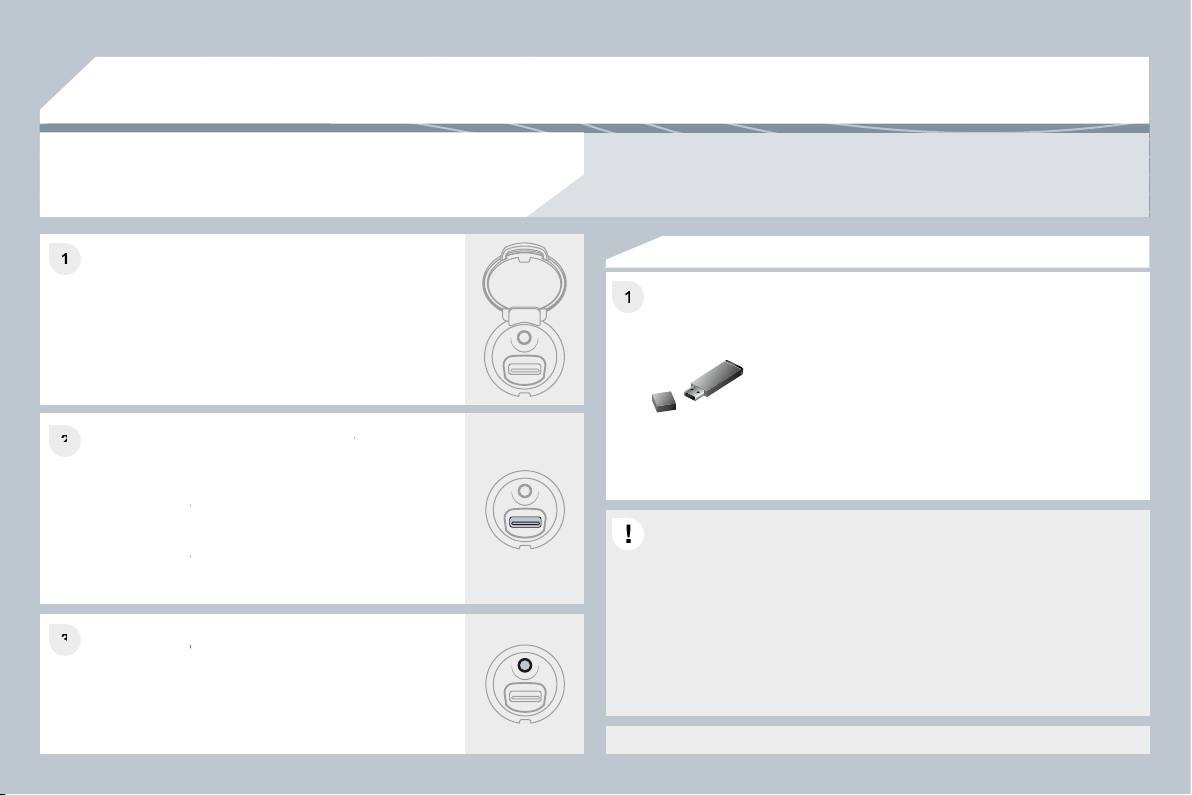
280
1
1
1
2
2
3
3
05
PEUGEOT CONNECT USB
The system puts together playlists (temporary memory) created over
a period which depends on the capacity of the USB equipment.
The other sources are available during this time.
The playlists are updated each time the ignition is switched off or
each time a USB memory stick is connected.
When connecting for the fi rst time, the classifi cation suggested is by
folder. When you reconnect, the classifi cation selected previously is
retained.
Connect the memory stick to the port, directly or
using a lead. If the audio equipment is switched
on, the USB source is detected as soon as it
is connected. Play begins automatically after a
delay which depends on the capacity of the USB
stick.
The fi le formats recognised are .mp3 (mpeg1
layer 3 only), .wma (standard 9 only, 128 kbits/sec
compression), .wav and .ogg.
The playlists types accepted are m3u, .pls, .wpl.
This unit consists of a USB port and a Jack
socket * . The audio fi les are transmitted from
portable equipment such as a digital player or
a USB memory stick to your Peugeot Connect
Sound to be listened to via the vehicle's speakers.
USB key (1.1, 1.2 and 2.0) or iPod
®
of
®
generation 5 or later:
- USB memory sticks should be formatted FAT
or FAT 32 (NTFS not supported),
- the iPod
®
lead is essential,
®
- navigation through the fi le database is by
means of the steering wheel controls,
- the iPod
®
software should be regularly updated
®
for the best connection.
Other iPod
®
players of earlier generations and
®
players using the MTP protocol * :
- play via Jack-Jack lead only (not supplied),
- navigation through the fi le database is from the
portable equipment.
The list of compatible equipment and the compression rates supported are available from
PEUGEOT dealers.
USING THE PEUGEOT CONNECT USB
CONNECTING A USB MEMORY STICK
* According to vehicle.
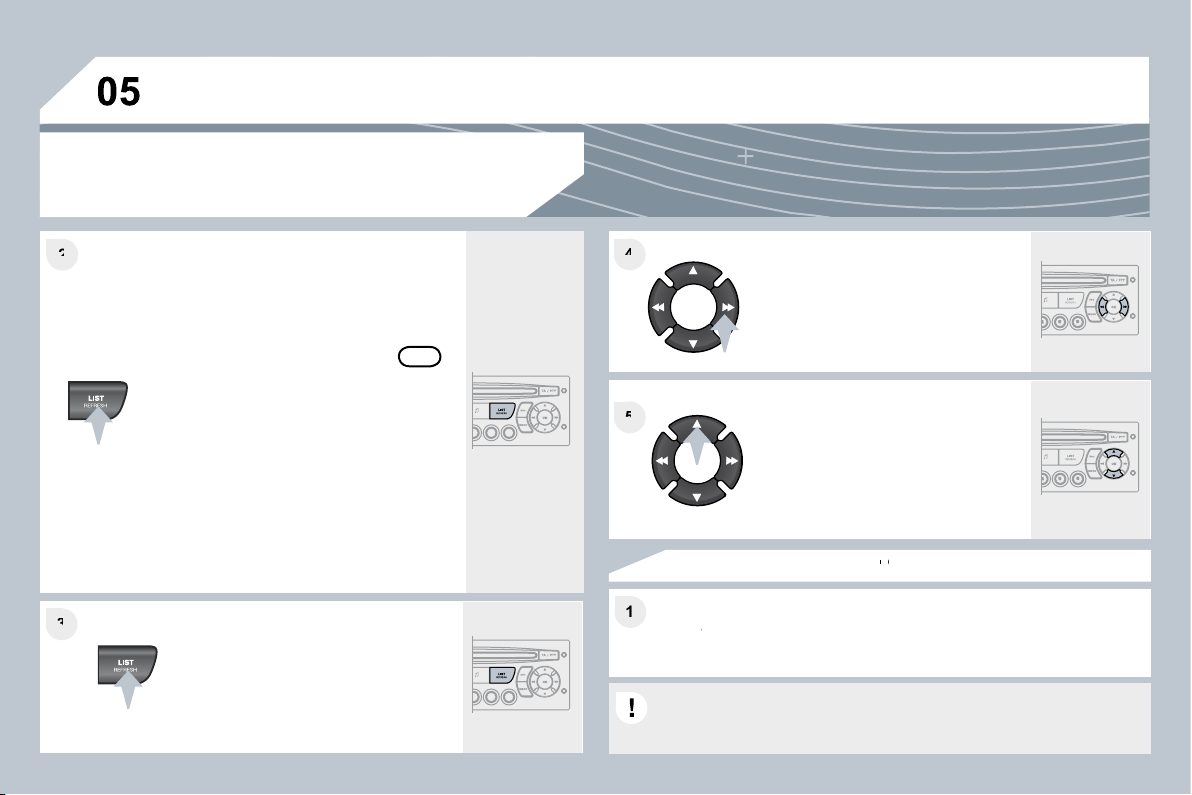
281
3
3
4
4
1
1
5
5
2
2
PEUGEOT CONNECT USB
USING THE PEUGEOT CONNECT USB
Press LIST briefl y to display the
previously selected classifi cation.
Navigate through the list using the
left/right and up/down buttons.
Confi rm the selection by pressing OK.
The lists available are Artist, Genre and Playlist (as defi ned on the
iPod
®
).
®
Selection and Navigation are described in steps 1 to 5 above.
Do not connect a hard disk or USB devices other than audio
equipment to the USB port. This could damage your installation.
CONNECTING AN iPod
®
CONNECTING AN iPod
CONNECTING AN iPod
VIA THE USB PORT
®
Press one of these buttons to gain
access to the previous/next track on
the classifi cation list currently being
played.
Press and hold one of the buttons for
fast forward or backward play.
Press one of these buttons to gain
access to the previous/next Genre,
Folder, Artist or Playlist on the
classifi cation list currently being
played.
Press and hold LIST to display
the different classifi cations.
Select by Folder/Artist/Genre/Playlist,
press OK to select the classifi cation
required, then press OK
again to confi rm.
- by Folder: all folders containing
audio fi les recognised on the peripheral
device, classifi ed in alphabetical order
without following the fl ow chart.
- by Artist: all of the artist names
defi ned in the ID3 Tags, classifi ed in
alphabetical order.
- by Genre: all of the genres defi ned in
the ID3 Tags.
- by Playlist: in accordance with the
playlists recorded on the USB device.
OK
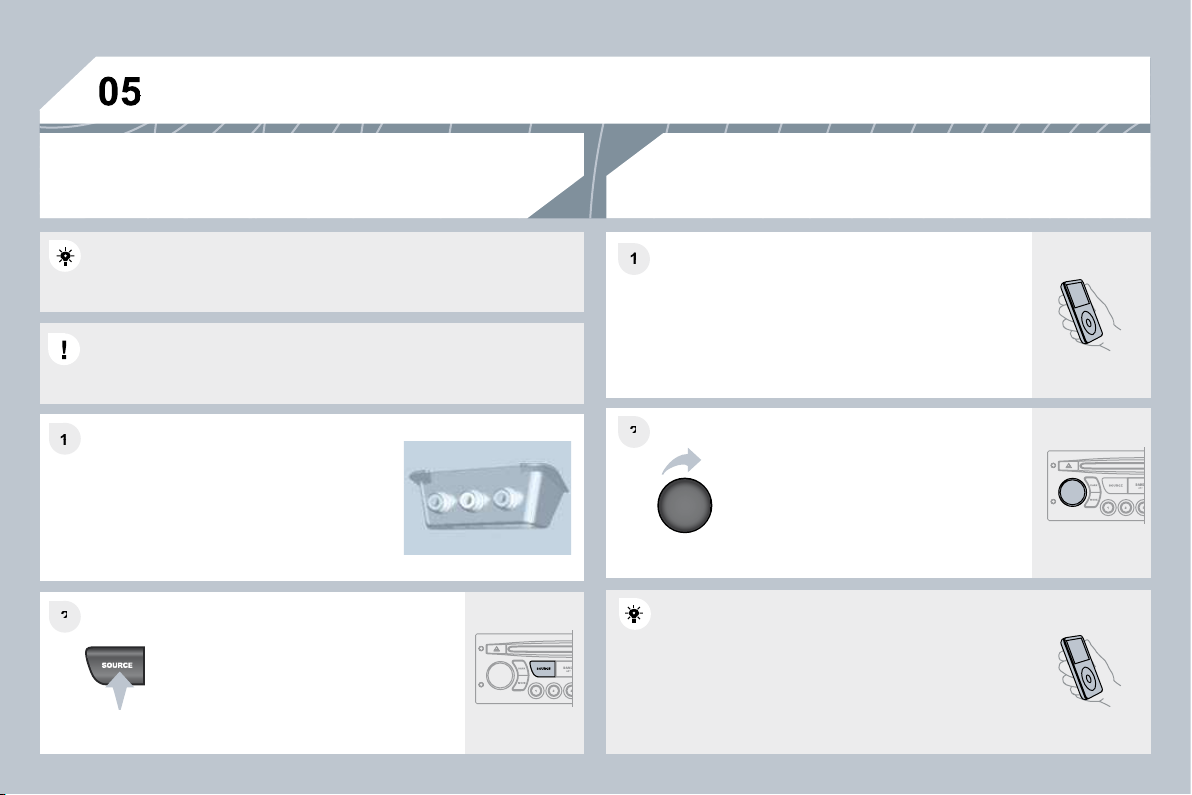
282
1
1
2
2
2
2
1
1
The controls are displayed and managed via the
portable equipment.
First adjust the volume of your portable equipment.
Then adjust the volume of your audio
equipment.
The auxiliary input, JACK or USB, allows the connection of portable
equipment (MP3 player...).
Connect the portable equipment
(MP3 player…) to the JACK socket or
to the USB port, using a suitable cable
(not supplied).
Press the SOURCE button several
times in succession and select AUX.
USING THE AUXILIARY INPUT (AUX)
JACK SOCKET OR USB PORT (according to vehicle)
ADJUSTING THE VOLUME OF
THE AUXILIARY SOURCE
Do not connect a single piece of equipment via the JACK socket and
the USB port at the same time.
PEUGEOT CONNECT USB
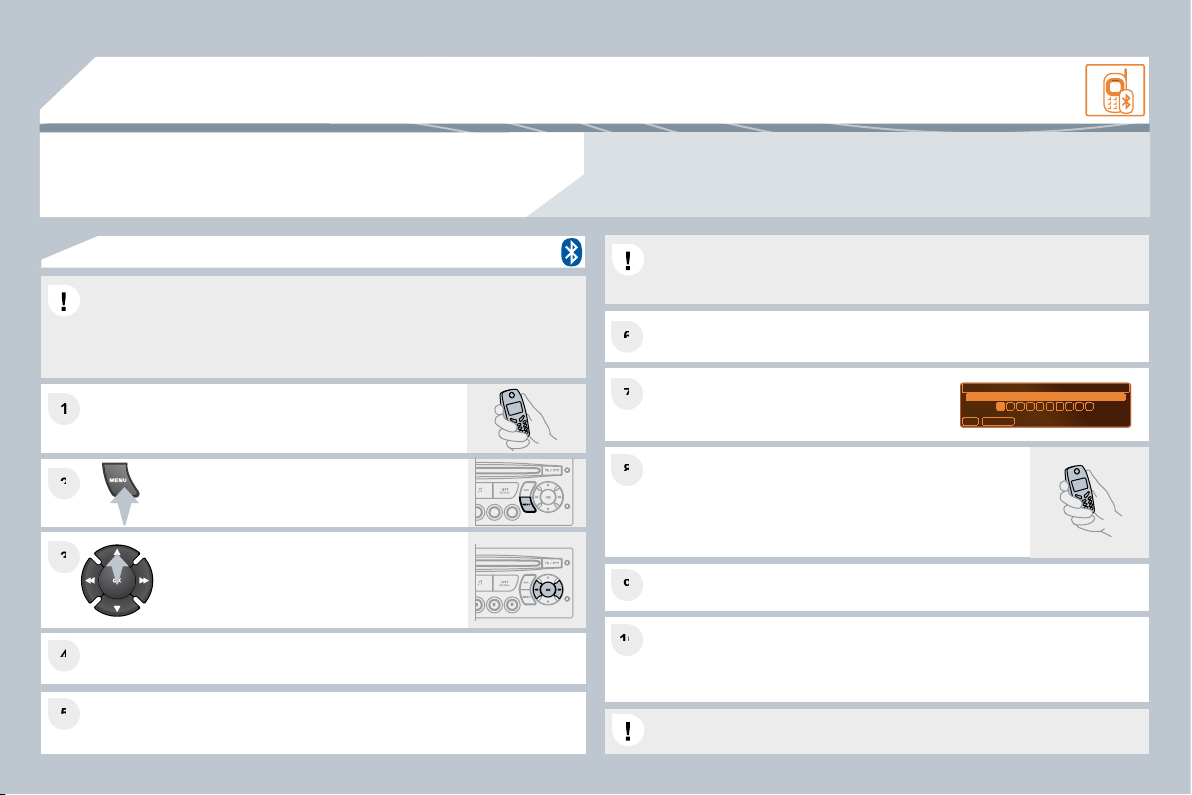
283
1
1
6
6
2
2
7
7
4
4
9
9
5
5
10
10
3
3
8
8
06
BLUETOOTH
For safety reasons and because they require prolonged attention
on the part of the driver, the operations for pairing of the Bluetooth
mobile telephone with the Bluetooth hands-free system of your audio
equipment must be carried out with the vehicle stationary and the
ignition on.
Press the MENU button.
A window is displayed with "Searching...".
Activate the telephone's Bluetooth function.
In the menu, select:
- Bluetooth telephone function - Audio
- Bluetooth confi guration
- Perform a Bluetooth search
The services offered depend on the network, the SIM card and the compatibility of the Bluetooth
equipment used.
Consult your telephone's manual and your operator to fi nd out which services are available to you.
A list of mobile telephones which offer the best range of services is available from the network.
Consult a PEUGEOT dealer.
BLUETOOTH TELEPHONE
SCREEN C
The TELEPHONE menu permits access to the following functions in
particular: Directory * , Call list, Pairing management.
The fi rst 4 telephones recognised are displayed in this window.
A virtual keypad is displayed on the screen:
enter a code with at least 4 digits.
Confi rm by pressing OK.
If pairing fails, the number of attempts is not limited.
Select the telephone to be connected from the list. Only one
telephone can be connected at a time.
A message is displayed on the screen of the
telephone chosen: to accept the pairing, enter
the same code on the telephone, then confi rm by
pressing OK.
"Pairing of Name_telephone successful" appears on the screen.
The automatic connection authorised is only active after the telephone
has been confi gured.
The directory and the call list can be accessed after the synchronisation period.
PAIRING A TELEPHONE
* If your telephone is fully compatible.
The pairing can also be initiated from the telephone.
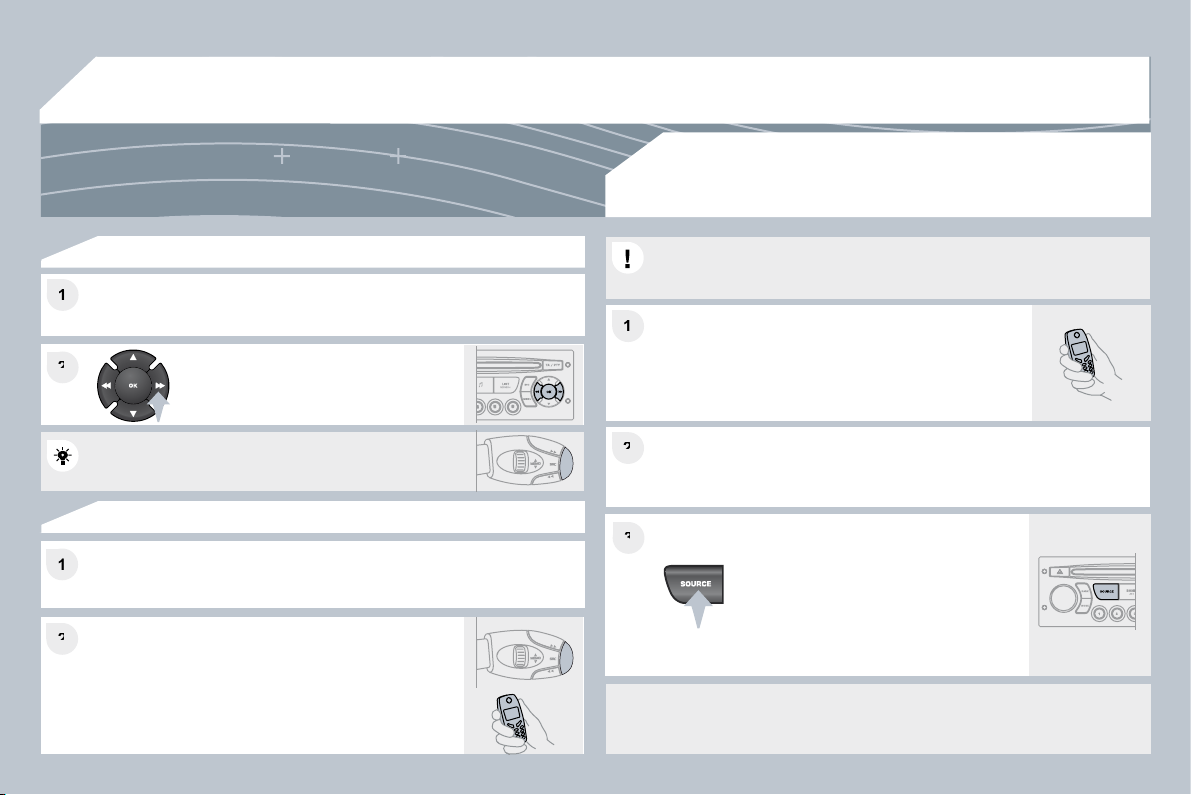
284
06
1
1
2
2
1
1
2
2
3
3
2
2
1
1
RECEIVING A CALL
An incoming call is announced by a ring and a superimposed display
on the multifunction screen.
Initiate the pairing between the telephone and
the vehicle. This pairing can be initiated from
the vehicle's telephone function menu or via the
telephone's keypad. See steps 1 to 10 on the
previous pages. During the pairing phase, the vehicle
must be stationary with the key in the ignition.
Select the telephone to be connected from the telephone function menu.
The audio system connects to a newly paired telephone automatically.
Select the YES tab on the display
using the buttons and confi rm by
pressing OK.
Press the steering mounted control OK to accept
the call.
From the Bluetooth telephone function Audio menu, select Manage
the telephone call then Call, Call list or Directory.
Press the end of the steering mounted control for
more than two seconds to gain access to your
directory.
Or
To dial a number, use your telephone's keypad, with
the vehicle stationary.
MAKING A CALL
BLUETOOTH AUDIO STREAMING
(AVAILABLE DURING THE YEAR)
Wireless transmission of the telephone's music fi les via the audio
equipment. The telephone must be able to manage the appropriate
bluetooth profi les (Profi les A2DP/AVRCP).
* In certain cases, playing of the Audio fi les must be initiated from the
keypad.
** If the telephone supports the function.
Activate the streaming source by
pressing the SOURCE button * . The
tracks to be played can be controlled
as usual via the buttons on the Radio
control panel and the steering wheel
controls ** . The contextual information
can be displayed on the screen.
BLUETOOTH
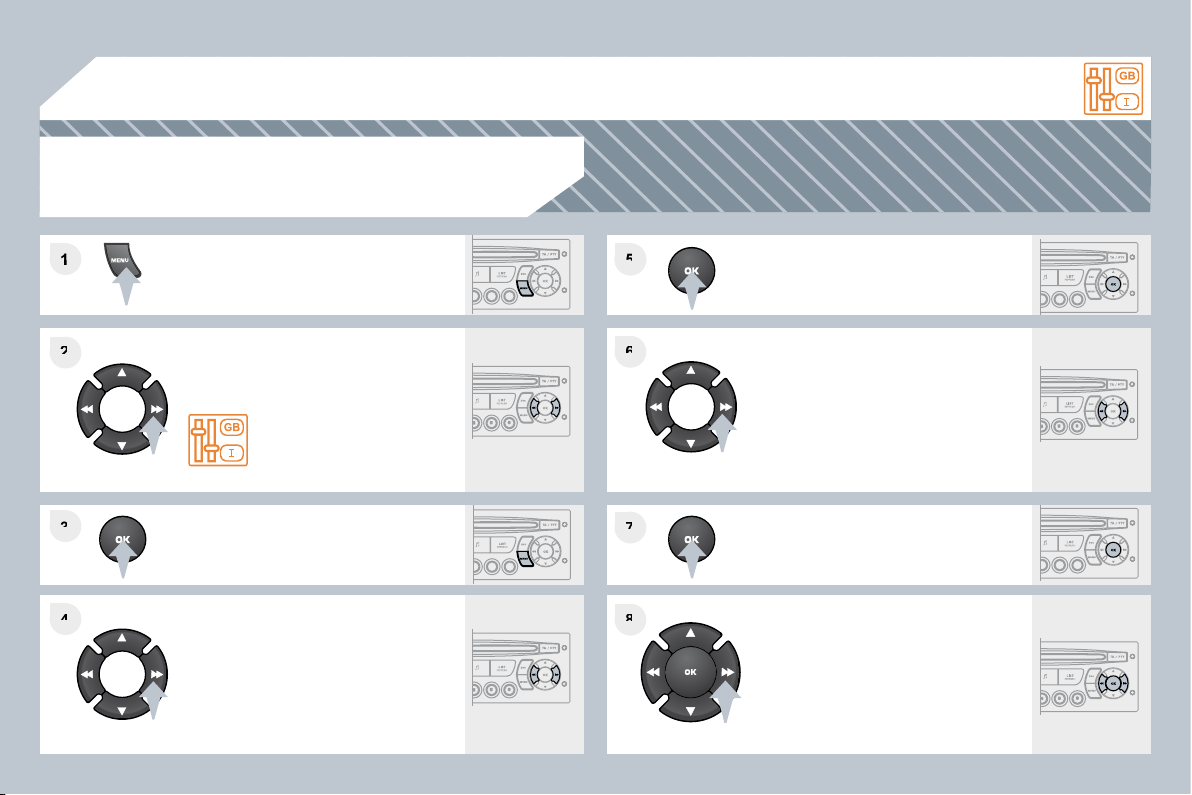
285
1
2
2
3
3
4
4
5
5
6
6
7
7
8
8
07
CONFIGURATION
Press the MENU button.
Using the arrows, select
PERSONALISATION
CONFIGURATION.
Press to confi rm the selection.
Using the arrows, select DISPLAY
CONFIGURATION.
Press to confi rm the selection.
Press to confi rm the selection.
Using the arrows, select ADJUST
DATE AND TIME.
Adjust the settings one by one
confi rming by pressing the OK button.
Next select the OK tab on the screen
then confi rm.
SETTING THE DATE AND TIME
SCREEN C
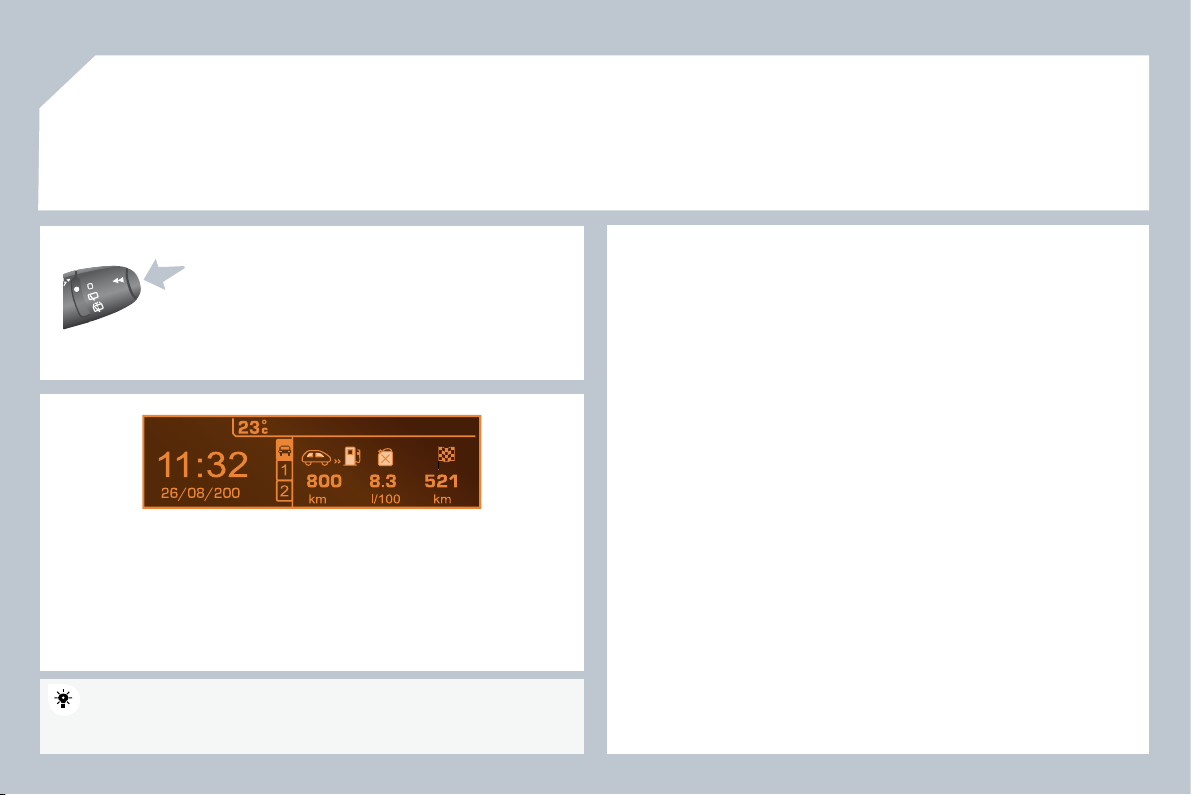
286
9
08
Each press of the button, located at the end of the
wiper stalk , displays the different trip computer
information in succession, depending on the screen.
- the "vehicle
" tab with:
the range, the current fuel consumption and the distance remaining to
the destination,
- the "1" tab (trip 1) with:
the average speed, the average consumption and the distance travelled
calculated over trip "1",
- the "2" tab (trip 2) with the same information for a second trip.
A FEW DEFINITIONS
Range:
displays the distance which can travelled with the remaining
fuel detected in the tank, basd on the average consumption over the last
few miles (kilometres).
This displayed value may vary signifi cantly following a change in the
vehicle speed or the relief of the route.
When the range falls below 20 miles (30 km), dashes are displayed. After
fi lling with at least 5 litres of fuel, the range is recalculated and is displayed
when it exceeds 60 miles (100 km).
If, whilst driving, dashes are displayed continuously in place of the digits,
contact a PEUGEOT dealer.
Current fuel consumption:
only calculated and displayed above 20 mph
(30 km/h).
Average fuel consumption:
this is the average fuel consumption since
the last trip computer zero reset.
Distance travelled:
calculated since the last trip computer zero reset.
Distance remaining to the destination:
calculated with reference to
the fi nal destination, entered by the user. If guidance is activated, the
navigation system calculates it as a current value.
Average speed:
this is the average speed calculated since the last trip
computer zero reset (ignition on).
Zero reset
When the required trip is displayed, press the control for more than
two seconds.
TRIP COMPUTER
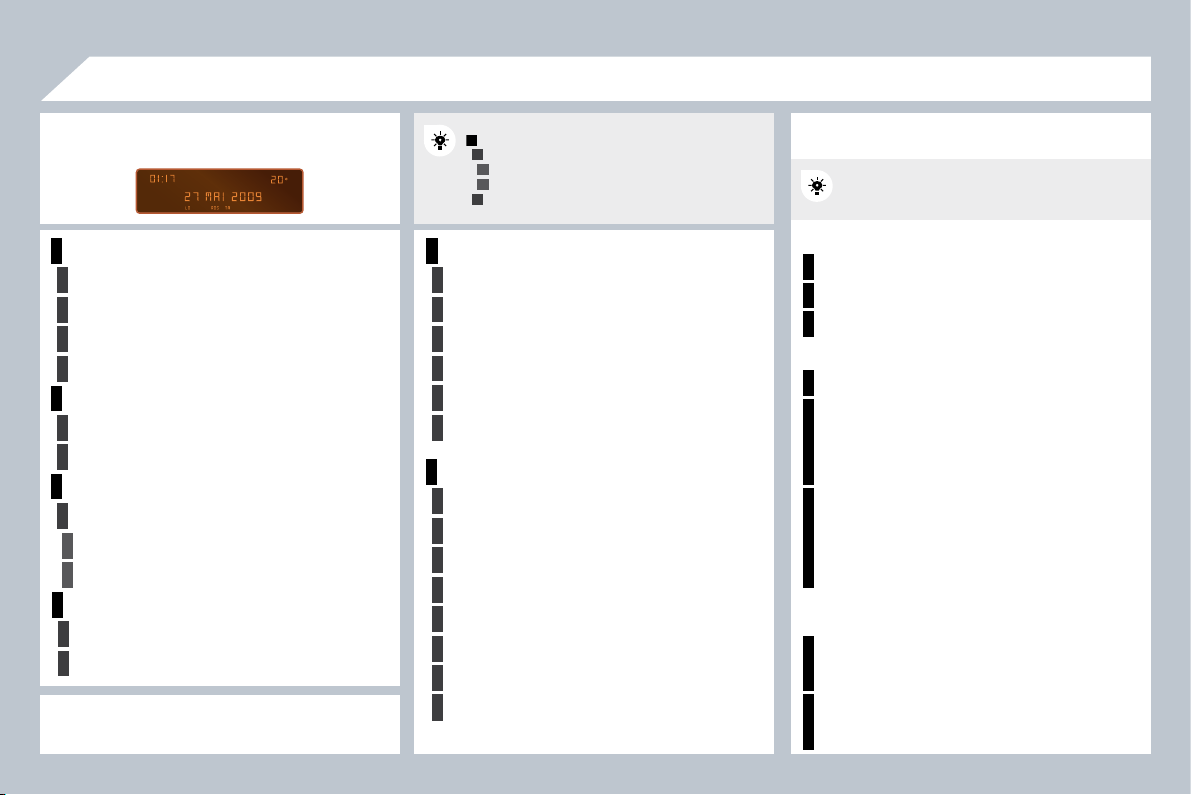
287
1
2
2
2
2
1
2
2
1
2
3
3
1
2
2
2
2
2
2
1
2
2
2
2
2
2
2
2
1
2
2
1
2
3
2
3
09
1
1
1
1
1
1
1
1
RADIO-CD
DISPLAY ADJUST
YEAR
MONTH
DAY
HOUR
MINUTES
12 H/24 H MODE
SCREEN MENU MAP
MAIN FUNCTION
* The parameters vary according to vehicle.
CHOICE A
Choice A1
Choice A2
CHOICE B...
LANGUAGE
FRANCAIS
ITALIANO
NEDERLANDS
PORTUGUES
PORTUGUES-BRASIL
DEUTSCH
ENGLISH
ESPANOL
monochrome A
RANDOM PLAY
RDS SEARCH
REG MODE
CD REPEAT
VEHICLE CONFIG *
REV WIPE ACT
GUIDE LAMPS
OPTIONS
DIAGNOSTICS
consult
abandon
UNITS
TEMPERATURE: °CELSIUS/°FAHRENHEIT
FUEL CONSUMPTION: KM/L - L/100 - MPG
RADIO
activate/deactivate RDS
activate/deactivate REG mode
activate/deactivate radiotext
CD/MP3 CD/CD CHANGER
activate/deactivate Intro
activate/deactivate track repeat (the entire current CD
for CD or CD Changer, the entire current folder for
MP3 CD or MP3 Changer)
activate/deactivate random play (the entire current
CD for CD or CD Changer, the entire current folder
for MP3 CD, all of the folders of the current CD for
MP3 Changer)
USB
activate/deactivate track repeat (of the current folder/
artist/genre/playlist)
activate/deactivate random play (of the current folder/
artist/genre/playlist)
Press the OK dial for access to short-cut
menus according to the display on the
screen:
monochrome C

287
1
2
2
2
2
1
2
2
1
2
3
3
1
2
2
2
2
2
2
1
2
2
2
2
2
2
2
2
1
2
2
1
2
3
2
3
09
1
1
1
1
1
1
1
1
RADIO-CD
DISPLAY ADJUST
YEAR
MONTH
DAY
HOUR
MINUTES
12 H/24 H MODE
SCREEN MENU MAP
MAIN FUNCTION
* The parameters vary according to vehicle.
CHOICE A
Choice A1
Choice A2
CHOICE B...
LANGUAGE
FRANCAIS
ITALIANO
NEDERLANDS
PORTUGUES
PORTUGUES-BRASIL
DEUTSCH
ENGLISH
ESPANOL
monochrome A
RANDOM PLAY
RDS SEARCH
REG MODE
CD REPEAT
VEHICLE CONFIG *
REV WIPE ACT
GUIDE LAMPS
OPTIONS
DIAGNOSTICS
consult
abandon
UNITS
TEMPERATURE: °CELSIUS/°FAHRENHEIT
FUEL CONSUMPTION: KM/L - L/100 - MPG
RADIO
activate/deactivate RDS
activate/deactivate REG mode
activate/deactivate radiotext
CD/MP3 CD/CD CHANGER
activate/deactivate Intro
activate/deactivate track repeat (the entire current CD
for CD or CD Changer, the entire current folder for
MP3 CD or MP3 Changer)
activate/deactivate random play (the entire current
CD for CD or CD Changer, the entire current folder
for MP3 CD, all of the folders of the current CD for
MP3 Changer)
USB
activate/deactivate track repeat (of the current folder/
artist/genre/playlist)
activate/deactivate random play (of the current folder/
artist/genre/playlist)
Press the OK dial for access to short-cut
menus according to the display on the
screen:
monochrome C
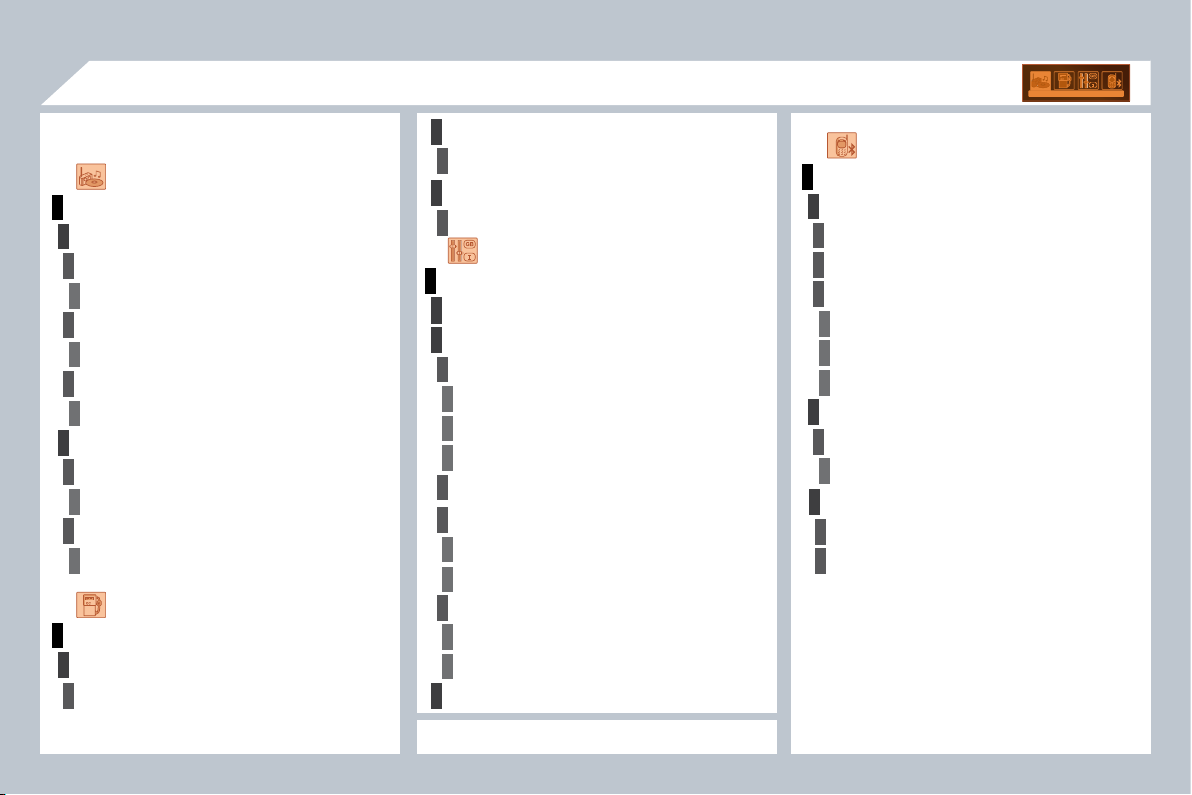
288
1
1
2
3
4
3
4
3
4
2
3
4
3
4
2
4
3
2
4
4
3
3
4
4
1
2
2
09
3
4
4
1
2
3
3
3
4
4
4
2
3
4
2
3
3
3
3
2
3
2
AUDIO FUNCTIONS
FM BAND PREFERENCES
alternative frequencies (RDS)
activate/deactivate
regional mode (REG)
activate/deactivate
radio-text information (RDTXT)
activate/deactivate
PLAY MODES
album repeat (RPT)
activate/deactivate
track random play (RDM)
activate/deactivate
ENTER DISTANCE TO DESTINATION
Distance: x miles
PERSONALISATION-CONFIGURATION
DEFINE THE VEHICLE PARAMETERS *
DISPLAY CONFIGURATION
video brightness adjustment
normal video
inverse video
brightness (- +) adjustment
date and time adjustment
day/month/year adjustment
hour/minute adjustment
choice of 12 h/24 h mode
choice of units
l/100 km - mpg - km/l
°Celsius/°Fahrenheit
* The parameters vary according to vehicle.
CHOICE OF LANGUAGE
BLUETOOTH TELEPHONE
MANAGE THE TELEPHONE CALL
Terminate the current call
Activate private mode
BLUETOOTH CONFIGURATION
Connect/Disconnect a device
Telephone function
Audio Streaming function
Consult the paired device
Delete a paired device
Perform a Bluetooth search
CALL
Calls list
Directory
SCREEN MENU MAP
TRIP COMPUTER
Pressing the MENU button displays:
monochrome C
ALERT LOG
Diagnostics
STATUS OF THE FUNCTIONS *
Functions activated or deactivated
289
There is a difference in
sound quality between
the different audio
sources (radio, CD...).
Check that the audio settings (Volume, Bass,
Treble, Ambience, Loudness) are adapted to
the sources listened to. It is advisable to set
the AUDIO functions (Bass, Treble, Front-Rear
Balance, Left-Right Balance) to the middle
position, select the musical ambience "None"
and set the loudness correction to the "Active"
position in CD mode or to the "Inactive" position
in radio mode.
For optimum sound quality, the audio settings (Volume, Bass, Treble,
Ambience, Loudness) can be adapted to the different sound sources,
which may result in audible differences when changing source
(radio, CD...).
The CD is ejected
automatically or is not
played by the player.
- Check that the CD is inserted in the player the
right way up.
- Check the condition of the CD: the CD cannot
be played if it is too damaged.
- Check the content in the case of a recorded
CD: consult the advice in the "Audio" section.
- The audio equipment's CD player does not
play DVDs.
- Due to their quality level, certain writeable CDs
will not be played by the audio system.
The CD is inserted upside down, is unplayable, does not contain any audio
data or contains an audio format which the player cannot play.
The CD is protected by an anti-pirating protection system which is not
recognised by the audio equipment.
The message "USB
peripheral error" is
displayed on the screen.
The battery of the peripheral may not be
suffi ciently charged.
The Bluetooth connection is cut.
Recharge the battery of the peripheral device.
The USB memory stick is not recognised.
The memory stick may be corrupt.
Reformat the memory stick.
QUESTION
SOLUTION
ANSWER
FREQUENTLY ASKED QUESTIONS
The CD player sound
is poor.
The CD used is scratched or of poor quality.
Insert good quality CDs and store them in
suitable conditions.
The audio equipment settings (bass, treble, ambiences) are unsuitable.
Set the treble or bass level to 0, without selecting
an ambience.
290
The traffi c announcement
(TA) is displayed. I do
not receive any traffi c
information.
Tune to a radio station which broadcasts traffi c
information.
The radio station is not part of the regional traffi c information network.
QUESTION
SOLUTION
ANSWER
The quality of reception
of the radio station
listened to gradually
deteriorates or the
stored stations do
not function (no
sound, 87.5 Mhz is
displayed...).
The vehicle is too far from the transmitter used by the station listened to or
there is no transmitter in the geographical area through which the vehicle
is travelling.
The environment (hills, buildings, tunnels, basement car parks...) block
reception, including in RDS mode.
The aerial is absent or has been damaged (for example when going
through a car wash or into an underground car park).
Activate the RDS function to enable the system
to check whether there is a more powerful
transmitter in the geographical area.
This phenomenon is normal and does not
indicate a failure of the audio equipment.
Have the aerial checked by a PEUGEOT dealer.
Sound cut-outs of 1
to 2 seconds in radio
mode.
During this brief sound cut-out, the RDS searches for any frequency
permitting better reception of the station.
Deactivate the RDS function if the phenomenon
is too frequent and always on the same route.
With the engine off,
the audio equipment
switches off after a few
minutes of use.
When the engine is switched off, the audio equipment operating time
depends on the battery charge.
The switch-off is normal: the audio equipment switches to economy mode
and switches off to prevent discharging of the vehicle's battery.
Start the vehicle's engine to increase the battery
charge.
The stored stations do
not function (no sound,
87.5 Mhz is displayed...).
An incorrect waveband is selected.
Press the BAND AST button to return to the
waveband (AM, FM1, FM2, FMAST) on which the
stations are stored.
The message "the audio
system is overheated"
appears on the display.
Switch the audio system off for a few minutes to
allow the system to cool.
In order to protect the installation if the surrounding temperature is too high,
the audio equipment switches to an automatic thermal protection mode
leading to a reduction of the volume or stopping of the playing of the CD.