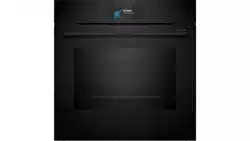
User Manual Hand oven
Getting to know your appliance
In this chapter, we will explain the indicators and controls. You will also find out about the various functions of your appliance.
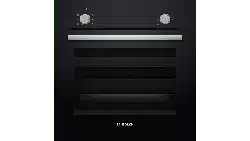
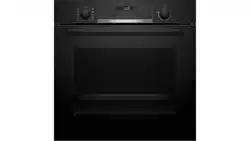
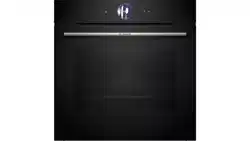
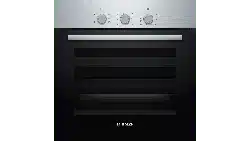
Note: . Depending on the appliance model, individual details and colours may differ.
Control panel
You can set your appliance's various functions on the control panel. Below, you will see an overview of the control panel and the layout of the controls.
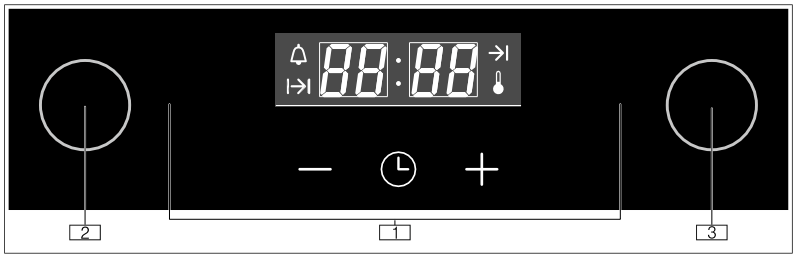
1. Buttons and display
The buttons are touch keys with sensors underneath. Simply touch a symbol to select the function it represents.
The display shows symbols for active functions and the time-setting options.
2. Function selector
Use the function selector to set the heating function or other functions.
You can turn the function selector clockwise or anti-clockwise from the "Off" position.
3. Temperature selector
Use the temperature selector to set the temperature for the heating function.
You can turn the temperature selector clockwise and anti-clockwise.
Buttons
You will find a brief explanation of the various buttons below.
If a button is not operational, an audible signal will sound.
|
Button
|
|
Explanation
|
|

|
Time-setting options
|
Set the timer and clock
|
|

|
Minus
|
Reduce the setting value
|
|

|
Plus
|
Increase the setting value
|
Display
The display is structured so that the information can be read at a glance.
The value that you can currently set is in focus. It is displayed in white lettering with a dark background.
|
Symbol
|
Explanation
|
|

|
Time
|
|

|
Timer
|
|

|
Duration
|
|

|
End time
|
|

|
Temperature indicator
|
Types of heating and functions
Use the function selector to set the types of heating and other functions.
To make sure you always use the right type of heating to cook your food, we have explained the differences and applications below.
|
Heating function
|
Temperature/setting Use
|
|

|
"Off" position
|
-
|
In this position, the oven is switched off.
|
|

|
Rapid heat-up
|
50-250 °C
|
For rapidly heating up the oven.
|
|

|
3D hot air
|
50-250 °C
|
For cooking food on one or two levels. The fans distribute the heat from the ringshaped heating elements in the back panel evenly around the cooking compartment.
|
|

|
Pizza setting
|
50-250 °C
|
For cooking fresh pizza and frozen products, e.g. chips or strudel.The heating elements and fans heat quickly and distribute the heat evenly around the cooking compartment.
|
|

|
Bottom heating
|
50-250 °C
|
Use when you want to cook the food for a little longer. Heat is emitted only from below.
|
|

|
Full-surface grill
|
50-250 °C
|
For grilling flat items, such as steaks or sausages, for making toast, and for browning food.
The whole area below the grill element becomes hot.
|
|

|
Circulated air grill
|
50-220 °C
|
For baking or roasting meat, poultry and whole fish. The fan circulates the hot air around the food.
When using the circulated air grill, set a temperature of no more than 220 °C.
|
|

|
Gentle top/bottom heating
|
50-250 °C
|
For gently cooking selected types of food (e.g. meat, vegetables) on one level. This heating function is unsuitable for food that rises as it bakes (e.g. bread).
|
|

|
Top/bottom heating
|
50-250 °C
|
For cakes, bakes and lean joints. Heat is emitted evenly from above and below.
|
Temperature selector
Use the temperature selector to set the temperature.
Temperature display
When the appliance is heating, the  symbol will be lit on the display. It goes out during pauses in the heating. When you are preheating the appliance, the optimal time to place your food in the cooking compartment is when the symbol first goes out.
Note: Due to thermal inertia, the temperature displayed may be slightly different to the actual temperature inside the oven.
Cooking compartment functions
Some functions make your appliance easier to use. This, for example, enables the cooking compartment to be well lit and a cooling fan to prevent the appliance from overheating.
Interior lighting
In most operating modes, the interior lighting will switch on as soon as the program is started. Once the program has finished, the lighting switches off.
To switch on the interior lighting when the appliance is not in operation, turn the function selector to any function except  . Make sure that the temperature selector is set to the "Off" position.
Cooling fan
The cooling fan switches on and off as required. The warm air escapes above the door.
Caution!
Do not cover the ventilation slots, otherwise the oven will overheat.
To cool the cooking compartment more quickly after operation, the cooling fan continues to run for a certain period afterwards.
Before using for the first
In this section, you can find out what you must do before using your oven to prepare food for the first time.
Remove the appliance packaging and dispose of it appropriately.
Setting the time on the clock
Once the appliance is connected to a power supply,  will flash on the display. Set the time.
- Use the - or + button to set the time.
- Press the
 button.
Note: Once the period allowed for setting the time on the clock has elapsed, the time will automatically be saved.
The time has now been set.
Baking out the oven
Precleaning the oven
- Remove the accessories and the shelf supports from the cooking compartment. ~ "Rails" on page 15
- Completely remove any leftover packaging, e.g. small pieces of polystyrene, from the cooking compartment.
- Some parts are covered with a protective film. Remove this scratch protection film.
- Clean the outside of the appliance with a soft, damp cloth.
- Clean the cooking compartment with hot soapy water.
Heating up the oven
To remove the new cooker smell, heat up the oven when it is empty and closed.
Note: Make sure that there is no leftover packaging, such as polystyrene pellets, in the cooking compartment. Before heating up the appliance, wipe the smooth surfaces in the cooking compartment with a soft, damp cloth.Keep the kitchen ventilated while the appliance is heating.
- Turn the function selector to .
- Turn the temperature selector to the maximum temperature.
- Switch the oven off after 1 hour.
Note: When the appliance is heating up for the first time, you may hear crackling noises coming from the oven.
Recleaning the oven
- Clean the cooking compartment with hot soapy water.
- Refit the hook-in racks.
- If necessary, clean the door panels. → "Appliance door" on page 16
Cleaning the accessories
Before using the accessories, clean them thoroughly using a cloth and warm soapy water.
Fitting the telescopic shelf set
Instructions on fitting the telescopic shelf set are enclosed with the set.
Operating the appliance
Switching on the oven
1. Use the function selector to set the heating function.
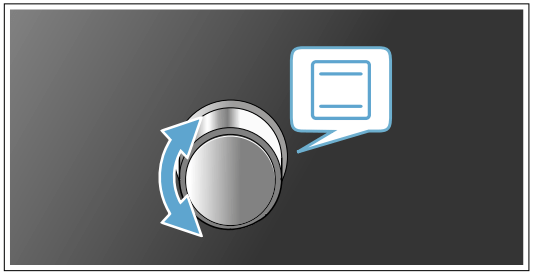
2. Use the temperature selector to set the temperature.
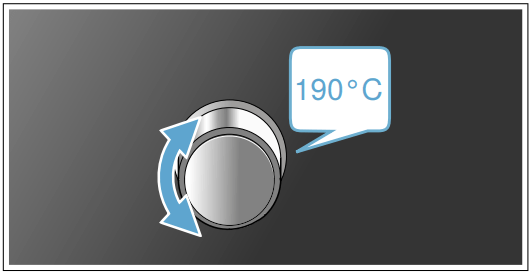
The oven will then begin to heat.
Note: The temperature indicator will show the current status of the heating-up phase.
Changing settings
The heating function and temperature or grill setting can be changed at any time using the relevant selector.
Switching off the oven
Turn the function selector to the "Off" position.
Time-setting options
Your appliance has different time-setting options.
Overview of the time-setting options
|
Time-setting option
|
Use
|
|

|
Timer
|
The timer functions like an egg timer. It runs independently of the appliance when it is heating and of other time-setting options, and does not affect the appliance.
|
|

|
Clock time
|
When no other function is running in the foreground, the appliance will show you the time of day on the display.
|
|

|
Cooking time
|
Once the set cooking time has elapsed, the appliance will automatically stop heating.
|
|

|
End time
|
Enter a cooking time and the required end time. The appliance will start up automatically so that it finishes cooking at the required time.
|
Operating the electronic clock
Setting the timer
The timer has no effect on how the oven works.The timer duration can be set to between 1 minute and 23 hours 59 minutes. The duration can be set in 30-second increments up to 10 minutes, in 1-minute increments from 10 minutes to 1 hour, and then in 5-minute increments.
- Press the button.
The  symbol will be lit.
- Use the + and - buttons to set the required duration.
An audible signal will sound once the time has elapsed.
Notes
■ To change the remaining time, press the button.Then change the remaining time with the - and + buttons.
■ To stop the timer counting down, set the remaining time to zero.
Switching off the signal tone
Press any button to switch off the audible signal.
Note: After a short time, the audible signal will stop automatically.
Setting the electronic clock
You can alter the clock if you need to (e.g. from summer to winter time).To do this, the oven must be switched off.
- Press and hold the button until the clock flashes.
- Use the - and + buttons to set the current time.
Setting the automatic timer
The electronic clock can be used to switch the oven on or off automatically.
Setting the cooking time
You can set the cooking time for your food on the appliance. This prevents the food from accidentally being cooked for too long, and means that you do not have to stop what you are doing to switch off the oven.
- Set the required heating function and temperature.
The oven will start.
- Press the button twice.
- Use the - and + buttons to set the required cooking time.
Note: The cooking time can be set to between 1 minute and 23 hours 59 minutes. The cooking time can be set in 1-minute increments up to 1 hour, and then in 5-minute increments. The  symbol will be lit.
The cooking time has elapsed
An audible signal will sound. The appliance will stop heating.
Press any button to switch off the audible signal.
Note: After a short time, the audible signal will stop automatically.
Turn the function selector to the "Off" position.
Setting the end time
Baking or roasting starts for the set duration at a later time which you chose.
- Set the required heating function and temperature.
The oven will start.
- Press the
 button twice.
- Use the - and + buttons to set the required cooking time.
Note: The cooking time can be set to between 1 minute and 23 hours 59 minutes. The cooking time can be set in 1-minute increments up to 1 hour, and then in 5-minute increments. The symbol will be lit.
- Press the button again.
- Use the - and + buttons to set the end time.
Note: When the button is first pressed, a value will be suggested on the display. This suggested value is calculated using the current time on the clock and the cooking time. This value can be changed using the - and + buttons.
The  symbol will be lit. The display will show the end time. The appliance will now switch to standby mode.
The cooking time has elapsed
An audible signal will sound. The appliance will stop heating.
- Press any button to switch off the audible signal.
Note: After a short time, the audible signal will stop automatically.
- Turn the function selector to the "Off" position.
Childproof lock
The oven has a childproof lock to prevent children from switching it on by accident.
Note: If the hob is being used, it will not be affected by the childproof lock on the oven.
Activating the childproof lock
No cooking time or end time should be set.
Press and hold the © button for approx. 4 seconds.
5RhL will appear on the display.The childproof lock has now been activated.
Deactivating the childproof lock
Press and hold the © button for approx. 4 seconds.
5RhL will disappear from the display.The childproof lock has now been deactivated.
Cleaning
With good care and cleaning, your appliance will retain its appearance and remain fully functioning for a long time to come. We will explain here how you should correctly care for and clean your appliance.
Warning - Risk of electric shock!
Do not use any high-pressure cleaners or steam cleaners, which can result in an electric shock.
Warning - Risk of burns!
The appliance becomes very hot. Never touch the interior surfaces of the cooking compartment or the heating elements. Always allow the appliance to cool down. Keep children at a safe distance.
Suitable cleaning agents
Observe the following information to ensure that the different surfaces are not damaged by using the wrong type of cleaning agent.
Do not use any of the following on the oven:
■ Any harsh or abrasive cleaning agents,
■ Cleaning agents with a high concentration of alcohol,
■ Hard scouring pads or sponges,
■ High-pressure cleaners or steam cleaners.
Wash new sponge cloths thoroughly before use.
|
Area
|
Cleaning
|
| Appliance exterior |
|
Stainless steel front
|
Hot soapy water:
Clean with a dish cloth and then dry with a soft cloth.
Remove flecks of limescale, grease, starch and albumin (e.g. egg white) immediately. Corrosion can form under such flecks.
Special stainless steel cleaning products suitable for hot surfaces are available from our after-sales service or from specialist retailers. Apply a very thin layer of the cleaning product with a soft cloth.
|
|
Control panel
|
Hot soapy water:
Clean with a dish cloth and then dry with a soft cloth.
Do not use glass cleaner or a glass scraper.
|
|
Door panels
|
Hot soapy water:
Clean with a dish cloth and then dry with a soft cloth.
Do not use a glass scraper or a stainless steel scouring pad.
|
|
Door handle
|
Hot soapy water:
Clean with a dish cloth and then dry with a soft cloth.
If descaler comes into contact with the door handle, wipe it off immediately. Otherwise, any stains will not be able to be removed.
|
| Appliance interior |
|
Enamel surfaces and self-cleaning surfaces
|
Observe the instructions for the surfaces of the cooking compartment that follow the table.
|
|
Glass cover for
the interior lighting
|
Hot soapy water:
Clean with a dish cloth and then dry with a soft cloth.
If the cooking compartment is heavily soiled, use oven cleaner.
|
|
Door panels
|
Hot soapy water:
Clean with a dish cloth and dry with a soft cloth. Do not use a glass scraper or a stainless steel scouring pad.
It is best to clean the door panels along with the rest of the cooking compartment. ~ "Cleaning the cooking compartment" on page 15
|
|
Door seal
Do not remove.
|
Hot soapy water:
Clean with a dish cloth.
Do not scour.
|
|
Door cover
|
made from stainless steel:
Use stainless steel cleaner. Follow the manufacturers' instructions. Do not use stainless steel care products. made from plastic:
Clean using hot soapy water and a dish cloth. Dry with a soft cloth. Do not use glass cleaner or a glass scraper.
Remove the door cover for cleaning.
|
|
Rails
|
Hot soapy water:
Soak and clean with a dish cloth or brush.
|
|
Pull-out system
|
Hot soapy water:
Clean with a dish cloth or a brush.
Do not remove the lubricant while the pull-out rails are pulled out – it is best to clean them when they are pushed in. Do not clean in the dishwasher.
|
|
Accessories
|
Hot soapy water:
Soak and clean with a dish cloth or brush.
If there are heavy deposits of dirt, use a stainless steel scouring pad.
|
Notes
- Slight differences in colour on the front of the appliance are caused by the use of different materials, such as glass, plastic and metal.
- Shadows on the door panels, which look like streaks, are caused by reflections made by the interior lighting.
- Enamel is baked on at very high temperatures.This can cause some slight colour variation. This is normal and does not affect operation. The edges of thin trays cannot be completely enamelled. As a result, these edges can be rough. This does not impair the anti-corrosion protection.
Surfaces in the cooking compartment
The back wall and side parts in the cooking compartment are self-cleaning. You can tell this from the rough surface.
The cooking compartment floor and ceiling are enamelled and have smooth surfaces.
Cleaning enamel surfaces
Clean the smooth enamel surfaces with a dish cloth and hot soapy water or a vinegar solution. Then dry them with a soft cloth.
Soften baked-on food remnants with a damp cloth and soapy water. Use stainless steel wire wool or oven cleaner to remove stubborn dirt.
Caution!
Never use oven cleaner in the cooking compartment when it is still warm. This may damage the enamel. Remove all food remnants from the cooking compartment and the appliance door before you next heat up the appliance.
Leave the cooking compartment open to dry after cleaning it.
Note: Food residues can cause white deposits to form. These are harmless and do not affect how the appliance works. You can remove these residues using lemon juice if required.
Self-cleaning surfaces
The self-cleaning surfaces are coated with a porous, matte ceramic layer. This coating absorbs and dispels splashes from baking and roasting while the appliance is in operation.
Caution!
Do not use oven cleaner on the self-cleaning surfaces. This will damage the surfaces.If oven cleaner does get onto these surfaces, dab it off immediately using water and a sponge cloth. Do not rub the surfaces or use abrasive cleaning aids.
Keeping the appliance clean
Always keep the appliance clean and remove dirt immediately so that stubborn deposits of dirt do not build up.
Warning – Risk of fire!
Loose food remnants, fat and meat juices may catch fire. Before using the appliance, remove the worst of the food remnants from the cooking compartment, heating elements and accessories.
Tips
- Clean the cooking compartment after each use. This will ensure that dirt cannot be baked on.
- Always remove flecks of limescale, grease, starch and albumin (e.g. egg white) immediately.
- Use the universal pan for baking very moist cakes.
- Use suitable ovenware for roasting, e.g. a roasting dish.
Cleaning the cooking compartment
- Pour 0.4 litres of water into the centre of the cooking compartment floor.
- Set the
 heating function.
- Use the temperature controller to set a temperature of 50 °C.
- Switch off the appliance after 18 minutes.
- Allow the appliance to cool down.
- Clean the cooking compartment with a cloth.
Warning – Risk of burns!
The appliance becomes very hot. Never touch the interior surfaces of the cooking compartment or the heating elements. Always allow the appliance to cool down. Keep children at a safe distance.
Trouble shooting
|
Fault
|
Possible cause
|
Notes/remedy
|
|
The appliance does not work
|
The plug is not plugged into the mains
|
Connect the appliance to the power supply
|
|
Power cut
|
Check whether other kitchen appliances are working
|
|
The circuit breaker is faulty
|
Check in the fuse box to make sure that the fuse for the appliance is OK
|
|
The appliance cannot be started
|
The appliance door is not fully closed
|
Close the appliance door
|
|
The appliance is not switched off
|
Switch the appliance off and back on again
|
|
is flashing on the display
|
Power failure
|
Reset the clock.
|
|
The interior lighting is not working
|
Gentle top/bottom heating mode is active
|
In gentle top/bottom heating mode, the interior lighting is not switched on.
|
|
The bulb is faulty
|
Replace the bulb.
|
|
All food that is cooked in the oven burns within an extremely short period of time.
|
Thermostat faulty.
|
Call the after-sales service.
|
|
Door panels are steamed up.
|
This is normal and results from differences in temperature.
|
Heat the appliance up to 100 °C and then switch it back off after 5 minutes.
|
Replacing the oven light bulb
If the oven light bulb fails, it must be replaced. Replacement heat-resistant bulbs can be obtained from the after-sales service or from specialist retailers. Please specify the E number and FD number of your appliance. Do not use any other type of bulb.
Warning – Risk of electric shock!
When replacing the cooking compartment bulb, the bulb socket contacts are live. Before replacing the bulb, unplug the appliance from the mains or switch off the circuit breaker in the fuse box.
- Allow the cooking compartment to cool down.
- Open the appliance door.
- Place a tea towel in the cooking compartment to prevent damage.
- Remove the shelf supports.
- Remove the glass cover.To do this, open the glass cover from the front with your hand. Should you experience difficulties removing the glass cover, use a spoon to help you.
- Remove the oven light bulb.
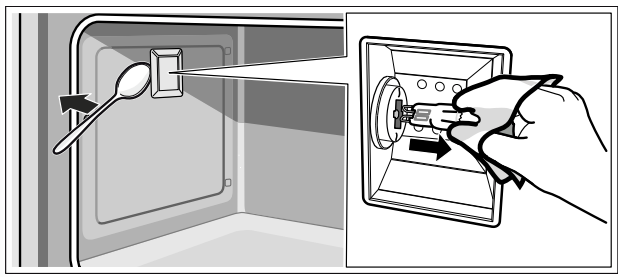
- Replace the oven light bulb with a bulb of the same type:
Voltage: 230 V;
Power: 40 W;
Fitting: G9;
Temperature resistance: 300 °C 8.
- Refit the glass cover for the oven light bulb.
- Refit the shelf supports.
- Remove the tea towel.
- Switch the circuit breaker back on.
- Check that the oven lighting is working again.