1
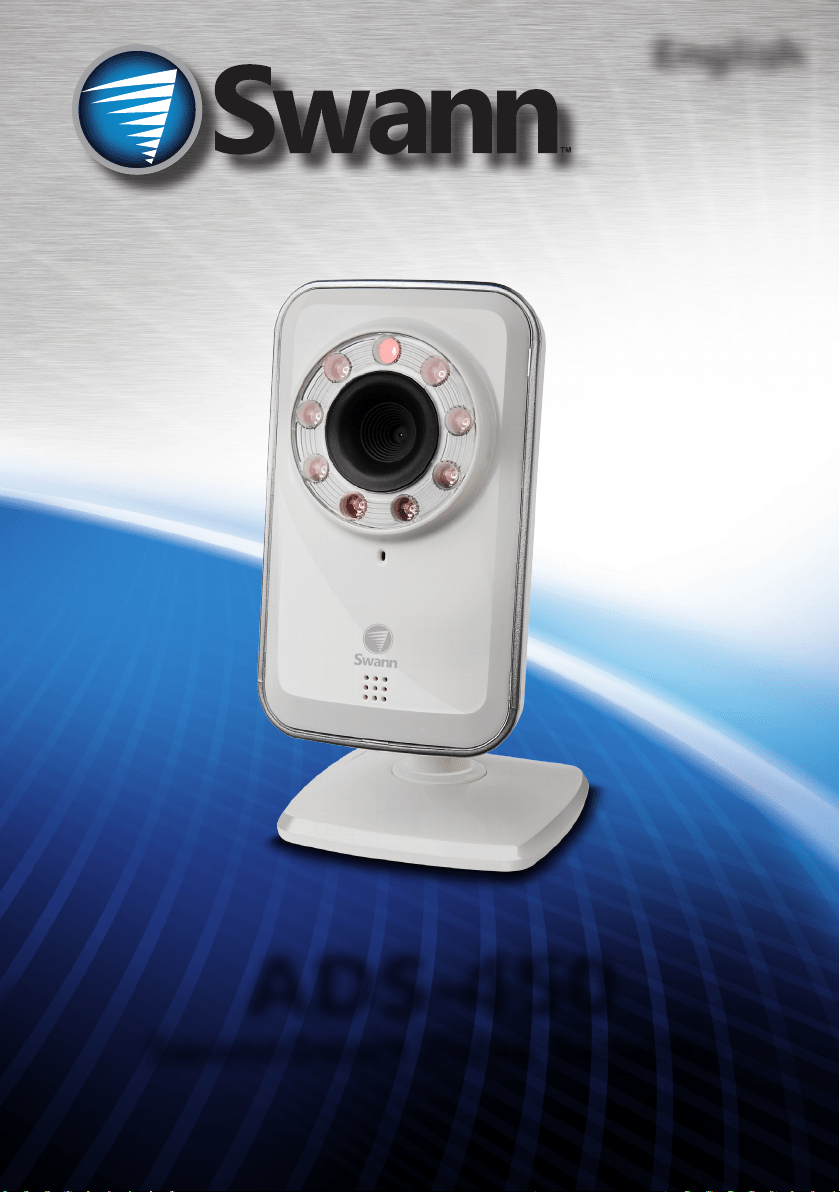
ADS-450
SwannSmart Video Security
English
M450IPC050411E

2
Before You Begin
FCC Verication
NOTE: This equipment has been tested and found to comply with the limits for Class B digital device,
pursuant to part 15 of the FCC Rules. These limits are designed to provide reasonable protection against
harmful interference in a residential installation. This equipment generates, uses and can radiate radio
frequency energy and, if not installed and used in accordance with the instructions, may cause harmful
interference to radio or television reception, which can be determined by turning the equipment o and
on, the user is encouraged to try to correct the interference by one or more of the following measures:
• Reorient or relocate the receiving antenna
• Increase the separation between the equipment and the receiver
• Connect the equipment into an outlet on a circuit dierent from that to which
the receiver is connected
• Consult the dealer or an experienced radio/TV technician for help
These devices comply with part 15 of the FCC Rules. Operation is subject to the following two conditions:
1. These devices may not cause harmful interference, and
2. These devices must accept any interference received, including interference
that may cause undesired operation.
IMPORTANT NOTE:
All jurisdictions have specic laws and regulations relating to the use of cameras. Before using any
camera for any purpose, it is the buyer’s responsibility to be aware of all applicable laws and regulations
that prohibit or limit the use of cameras and to comply with the applicable laws and regulations.
FCC Regulation (for USA): Prohibition against eavesdropping
Except for the operations of law enforcement ocers conducted under lawful authority, no person shall
use, either directly or indirectly, a device operated pursuant to the provisions of this Part for the purpose
of overhearing or recording the private conversations of others unless such use is authorized by all of the
parties engaging in the conversation.
WARNING
Modications not approved by the party responsible for compliance could void user’s authority to
operate the equipment.
IMPORTANT SAFETY INSTRUCTIONS
• Make sure product is xed correctly and stable if fastened in place
• Do not operate if wires and terminals are exposed
• Do not cover vents on the side or back of the camera and allow adequate space for ventilation
3
Contents
Before You Begin 2
Contents 3
Package Contents 3
Introduction 4
Layout 5
Local WIFI Conguration: Access 6
Local WIFI Conguration: Details 7
Local WIFI Conguration: Connecting to Internet 8
IMPORTANT: Turning o Local WIFI Conguration 8
Registering Your Account with SwannSmart 9
Interface: Login & Camera List 10
Navigating the Mobile Interface 11
Access via the SwannSmart Website 11
Interface: Live View 12
Interface: Events 13
Interface: Camera Settings 14
SwannSmart App Settings 16
Expanding Your Service 17
Technical Specications 18
Warranty Information 19
Helpdesk / Technical Support Details 20
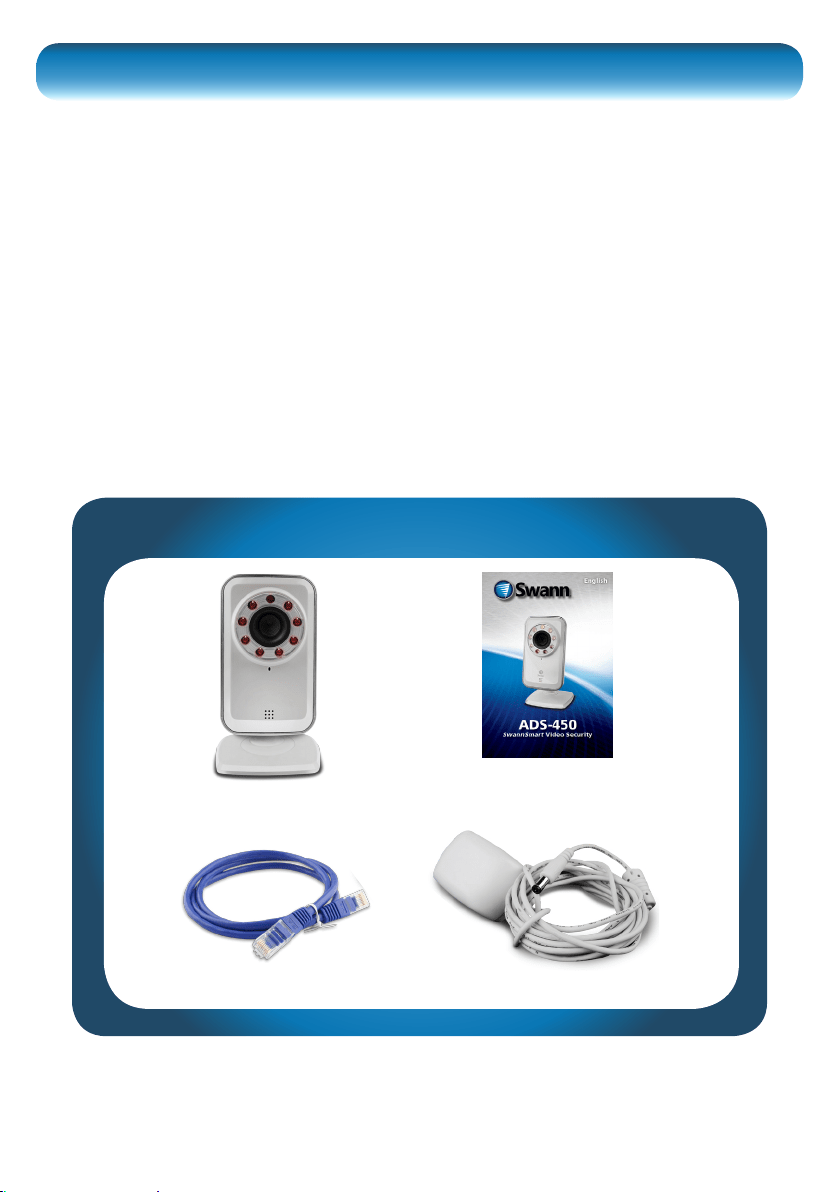
Package Contents
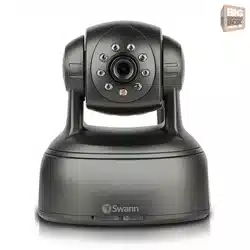
ADS-450 Camera
Ethernet Cable 5V 1.5A Power Adapter
Operating Instructions

9
To access your ADS-450 via the Internet, you’ll need to setup a SwannSmart account.
• Accounts are easy to setup, and it
only takes a moment.
• You can create an account during
the Local WIFI Conguration step,
or you can do it via the SwannSmart
website.
Register an Account during Local WIFI
Conguration
• You’ll automatically be taken to the
Connect to SwannSmart interface
once you’ve connected the camera
to the Internet.
• If you’ve already registered with
SwannSmart, choose Use Existing.
• If you need to make a new account,
enter a Username, Password (and
Conrm) and a valid Email address.
• Then choose Continue.
Note that you can only log into one device at a time.
Register an Account with SwannSmart via the Website
• Open a web browser and enter www.swannsmart.com in the address bar.
• On the SwannSmart website, click the button labelled “Register”.
• Enter your username and a valid email address, then choose a password and
conrm it.
Ensure that you use a valid email address:
If anything goes wrong with your account, or if you forget your password,
this is how we’ll verify that you’re really you.
Registering Your Account with SwannSmart

14
Interface: Camera Settings
General
Name: The title you’ve selected for
the camera during the Local WIFI
Conguration stage.
Share/Unshare: Whether you want to
share access to this camera with other
people using SwannSmart. There’s no
requirement to share, and - if you choose
to do so - you can be very specic about
who has access. All users/cameras
involved require properly congured
SwannSmart accounts to use this
feature.
Status: Whether the camera is currently
detected as being online or not.
Online: SwannSmart can detect your
camera over the Internet, and foresees
no problem with connecting to it and
streaming images.
Oine: The camera cannot be detected
by the SwannSmart server.
Video
Rotation: The orientation of the camera’s
images on your screen. If you’ve mounted
the camera on the ceiling or using the
mounting bracket (i.e. upside down) then
this option will ip the image “the right
way up”.
IR: The behavior of the infrared LEDs,
which are resposible for the ADS-450’s
night vision capabilities - you can think of
them like an invisible spotlight that only
the camera can see.

15
Regular Stream
The options listed under Regular Stream will aect the way that images are streamed
from the camera over the Internet. These settings will aect both the perceived
quality of your images, as well as the bandwidth required to send/receive them.
Frame Rate: The number of images per second the camera will send over the
Internet. The higher the frame rate, the “smoother” motion in your video will appear.
However, high framerates require much more bandwidth than low framerates.
Quality: Adjusts the bit-rate of the video being streamed. A high quality (bit-rate)
will feature crisp, sharp images but requires a lot of bandwidth. A low quality setting
requires much less bandwidth, but will look a little fuzzy.
Video Size: The resolution of the video being streamed. The higher the resolution,
the more data will be required to cleanly reproduce the image (and you’ll need a
corrospondingly higher Quality setting to maintain per-pixel sharpness).
Note: The three parameters above (Frame Rate, Quality and Video Size) are
inextricably linked to one another. For example, if you want the maximum clarity
in your images but want to reduce bandwidth, a high Video Size and a high Quality
setting with a low Frame Rate may be the best combination.
We suggest experimenting with these settings to gure out what works best for you.
Audio
Microphone: The internal microphone can be enabled or disabled here. When the
microphone is o, no sound will be sent from the camera or recorded.
iSecurity + Services
The advanced iSecurity + Services features are available only for registered
SwannSmart accounts which have additional services selected. See “Expanding Your
Service” on page 17 for more informaiton.
Motion Detection: Toggles motion detection on or o.
Sensitivity: How much motion must occur before the camera registers motion.
Email Notication: Turns email notications on or o. The conditions that generate
an email notication as well as the recipient’s email address must be correctly
congured for the email function to work - you can set this up form the SwannSmart
website.
Phone Notication: Enables or disables notications to be sent to your phone in
the form of push notications. You’ll need to properly upgrade and congure your
SwannSmart account (see the website for up-to-date details) for phone notications
to be an available option.

16
SwannSmart App Settings
General
Version: The version number of the mobile
app you’re running. You might need to know
this number if you’re in contact with Swann
Technical Support - however, if you’ve got
auto-updates enabled for your phone/tablet,
you should be using the most recent one by
default. (The “x”s will be numbers.)
About: The release notes and general
information for the app. Basically, it’s stu that
we didn’t write here because we didn’t think of
it or it hadn’t happened yet.
Sign In Automatically: When enabled,
SwannSmart will automatically login to your
account whenever the app is booted. When
disabled, the app will ask for your username and
password each time, although it will remember
them: you’ll need to conrm signing in.
Username: The username you used when you
registered with SwannSmart.
Password: The password you selected when
you registered with SwannSmart.
Re-Sign In: Whether you want the SwannSmart
app to automatically re-sign in when your
connection times-out.
Disable Auto-Lock: When auto-lock is disabled, your phone won’t automatically
lock after a period of inactivity. This can be useful if you’re watching images in real-
time and don’t want the screen to turn o. However, it can be troublesome if you
leave the app running and pocket the phone - you’ll probably wind up pocket dialing
someone.
Sound Eects: You can turn the application’s sounds on and o here. This won’t
aect the internal microphone in your camera, just the notication/warning sounds
that the SwannSmart app makes.
Connection
Server: The server you’re using to access images from your cameras. This should
be set to www.swannsmart.com (unless you’ve done something ultra-clever, like
creating your own server).
Connection: The type of connection that you want to use. By default - and unless
you’re some kind of evil networking genius - this should be TCP.

18
Technical Specications
Video
Resolution 640 x 480
Frames Per Second 30fps (max)
Audio Microphone 1-way (camera to mobile device)
Recording
Snap Shot Format JPEG
Video Record function MJPEG
Network
Connections Wireless / Wired
Access HTTP

19
Limited Warranty Terms & Conditions
Swann Communications warrants this product against defects in workmanship and
material for a period of one (1) year from its original purchase date. You must present
your receipt as proof of date of purchase for warranty validation. Any unit which
proves defective during the stated period will be repaired without charge for parts
or labor or replaced at the sole discretion of Swann. The end user is responsible for all
freight charges incurred to send the product to Swann’s repair centers. The end user
is responsible for all shipping costs incurred when shipping from and to any country
other than the country of origin.
The warranty does not cover any incidental, accidental or consequential damages
arising from the use of or the inability to use this product. Any costs associated with
the tting or removal of this product by a tradesman or other person or any other
costs associated with its use are the responsibility of the end user. This warranty
applies to the original purchaser of the product only and is not transferable to any
third party. Unauthorized end user or third party modications to any component or
evidence of misuse or abuse of the device will render all warranties void.
By law some countries do not allow limitations on certain exclusions in this warranty.
Where applicable by local laws, regulations and legal rights will take precedence.
For Australia: Our goods come with guarantees which cannot be excluded under
Australian Consumer Law. You are entitled to a replacement or refund for a major
failure and for compensation for any other reasonably foreseeable loss or damage.
You are also entitled to have the goods repaired or replaced if the goods fail to be of
acceptable quality and the failure does not amount to major failure.
Swann Communications USA Inc.
12636 Clark Street
Santa Fe Springs CA 90670
USA
Swann Communications
Unit 13, 331 Ingles Street,
Port Melbourne Vic 3207
Swann Communications LTD.
Stag Gates House
63/64 The Avenue
SO171XS
United Kingdom
Warranty Information

20
Swann Technical Support
All Countries E-mail: [email protected]
Telephone Helpdesk
Helpdesk / Technical Support Details
USA toll free
1-800-627-2799
(Su, 2pm-10pm US PT)
(M-Th, 6am-10pm US PT)
(F 6am-2pm US PT)
USA Exchange & Repairs
1-800-627-2799 (Option 1)
(M-F, 9am-5pm US PT)
AUSTRALIA toll free
1300 138 324
(M 9am-5pm AUS ET)
(Tu-F 1am-5pm AUS ET)
(Sa 1am-9am AUS ET)
NEW ZEALAND toll free
0800 479 266
UK
0203 027 0979
© Swann Communications 2012