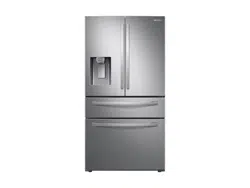
Samsung RF24R7201SR/AA Questions & Answers
You can find answers or submit your question.
In ManualsFile, you can ask and answer questions about your issues. We - volunteers - or other people who own the product will help you.
You should also read the documentation for your own answers. Download documentation for this product here.
How do you turn the ice maker back on?
Press Ice Maker to turn the ice maker on, when the ice maker operates, the corresponding indicator (Ice Maker ON) turns on. Please access the link and turn to the page 44 of the user manual link shared below. https://manualsfile.com/download/ynd7jmrid.html
when I opened the door filter light is flickering despite the new filter was recently submitted
Press and hold Ice Maker on the main panel for 3 seconds to reset the life cycle detector. The Filter Reset indicator turns off.
how it is better to control humidity to put on low or high in order to avoid a lot of humidity?
To control the humidity level in the refrigerator, you can adjust the slider on the vegetable crisper drawer, and move the slider left or right to the desired setting.
how to conrol humidity on low or high to avid a lot of moisture in refregirator?
To control the humidity level in the refrigerator, you can adjust the slider on the vegetable crisper drawer, and move the slider left or right to the desired setting.
I have a Model #RF24R7201SR/AA but do not have Autofill Pitcher. The manual says "Type A" has this feature. Am I missing something? Thanks
what filter is used for ice and water
This refrigerator uses water filter model HAF-QIN.
how do you adjust temperature
You can adjust the temperatures by tapping either the "Fridge" or "Freezer" button until the desired temperature is displayed.

Submit your question
If you have any questions about this product, please ask here.