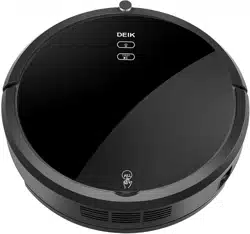
Deik MT820 Questions & Answers
You can find answers or submit your question.
In ManualsFile, you can ask and answer questions about your issues. We - volunteers - or other people who own the product will help you.
You should also read the documentation for your own answers. Download documentation for this product here.
Can I set it up to mop without the remote?
There are 2 buttons on the control panel of the unit:
- Automatic Cleaning: Press this button for DEIK to start. Press this button while in standby mode and the robot will begin to clean. Press this button while the robot is cleaning to stop the cleaning session.
- Return to Dock: This icon will light up on the panel when the corresponding button is pushed on the remote. The robot will stop cleaning and return to the charging dock.
See details at the link below: https://manualsfile.com/product/pvo4wsbx94.html#:~:text=Charging%20Dock-,Panel,-Automatic%20Cleaning%2D%20Press
Do you have to remove the battery on the remote to shut the remote off
Yes, you should always remove batteries if the device is not going to be used for a while. They will eventually deplete and leak acid, which will destroy the remote.
Mein Gerät steht auf der Ladestation und hat nur ein blaues Licht an. Er blinkt nicht und geht auch nicht an, was ist das? Während der Ladezeit ist der Roboter auf an geschaltet...
Can you add detergent water ?
Yes. But you should use the preferred cleaning solution to clean.
The produc will work for a short period of time and bleep, it then stops. If you press the clean button again it resumes. Any idea why it would suddenly do this
1 likeI've replaced battery and charging dock power cord. Vacuum will not charge; just a blinking red light and beeping
Please refer to the following solutions:
https://manualsfile.com/product/pvo4wsbx94.html#failures-and-troubleshooting
Why my vacumm always stop after few minutes.
Check the battery and make sure it is charging properly, clean the filter and brushes, and ensure that there are no obstacles blocking the vacuum's path.
how do I set it back to factory reset and how do I get it to stop beeping while it’s on the charger?
4 likesFirstly, you just need to confirm if you put it on the charging dock correctly, and check if you put it on the robot, you must keep it in "ON" status during charging, otherwise it will make constant beeping sound.
how do I rest the MT820 back to factory default? The manual does not seem to have this instruction.
1 likecan i use it with out a remote?

Submit your question
If you have any questions about this product, please ask here.