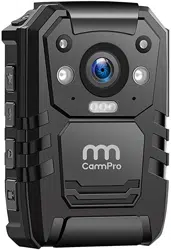
CammPro I826 Questions & Answers
You can find answers or submit your question.
In ManualsFile, you can ask and answer questions about your issues. We - volunteers - or other people who own the product will help you.
You should also read the documentation for your own answers. Download documentation for this product here.
How do I control the volume during video playback?
In the menu, there have the volume item to adjust the voice and turn on/off.
how can i focus closer to a subject
To adjust the focus, please read at: https://manualsfile.com/product/prlqv8t39u.html#:~:text=key%20video%20recording.-,Focus%20Adjustment,-%3A%20Long%20press%20key
can i turn off audio while video recording?
No, video and audio record together.
why does the white light start flashing seemingly for no reason?
how do you lock in new set time and date and return to main menu ?
Is there a way to unstar (*) a video file that you made important by accident?
Can you delete videos without a computer
You don't need to delete video, it just records over previous videos. Any video you want to save needs to be transferred to a computer.
Can you delete videos without plugging into computer
Yes, highlight the thumbnail you wish to delete using the ok button. Then quickly press the M button and a box will appear asking if you want to delete the file. Use the Play button to toggle from X to O. The press the Ok Button. That should delete the file..
Does this model have motion activation and how to turn it on
No, this camera does not have built-in motion detection.
how to set current date/time
To time the time, click "calibration time", camera time will be synced with computer.
I bought 2 CammPro I826 and the password don't work how do I reset and take back to factory
Please try to use a pin or pen to press the "reset" key on the right side of HDMI ports. And press M button to enter menu, choose the option to restore factory settings.
The record and photo button of my cam pro are not working. They don't record or take phone. Everything else is fine. I've tried resetting it by pressing the button inside the HDMI port and nothing.
just installed my cammpro 1826 and i must have accidentally changed my password when it kept repeating the log on step. i am trying all the choices i had but it wont een accept the default of 6 zero's
Please press reset key which near HDMI port, if it doesn’t help, please contact CammPro customer service.

Submit your question
If you have any questions about this product, please ask here.