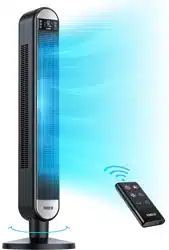
Dreo DR-HTF002 Questions & Answers
You can find answers or submit your question.
In ManualsFile, you can ask and answer questions about your issues. We - volunteers - or other people who own the product will help you.
You should also read the documentation for your own answers. Download documentation for this product here.
I cannot open the battery compartment. When you push the locking arrow nothing happens. How do I open this without breaking the remote?
You can see the "Battery Replacement" section at: https://manualsfile.com/product/pgwlwxzcld.html#battery-replacement:~:text=AC%20120V%2060HZ-,Battery%20Replacement,-Danger%20of%20explosion
My fan is less than a month old and it suddenly stopped working. The panel and remote will not turn it on. I tried replacing the fuse and it still doesn't work. Could there be another solution to fix this?
1 likeThe fan will not turn on and I don’t think it is the battery. Is
There a memory clear procedure?1 likehow to change battery?
Remove the battery holder by pressing the locking tab with your thumb and pulling it out. Replace the battery with the same type (CR2032 Type Lithium Battery), making sure the (+) side facing up. Gently push in the hloder until securely locked into place.
How do I remove the base? My child put half of the base on without me & it’s so hard to get the other half on without removing the base that he clipped on. Help! How do I remove the half that’s on already??
You can see details in the Assembly Instructions section at: https://manualsfile.com/product/pgwlwxzcld.html#google_vignette:~:text=Service%20for%20support.-,Assembly%20Instructions,-Step%201%3A
How do you change the fuse and what size is it
how to adjust the temp
No, changing the temperature is not an option.
How do you cut the panel lights off at night?You can hold the power button for 3 seconds and the light shuts off, so you can run the fan in complete darkness.
How do I get the LED screen to stay on? It was on and now I can’t figure out out how to get it to stay on.
There's a display light but it goes off when you place the fan setting in night mode. Press POWER for 3 seconds to turn the LED display on or off.
Want it to blow colder. Hoe
How do you cut the panel lights off at night?
Press the second right button on the remote twice until light on left side is at the bottom.
How do you change the temperature?
No, changing the temperature is not an option, it only reads the temperature of the room.
How can you increase the rotation angle?
You can long press the oscillation (OSC) button and then use the + or - to adjust it, by the way the numbers 1,2,3,4 are the angles of the fan like 30,60,90 and 120.

Submit your question
If you have any questions about this product, please ask here.