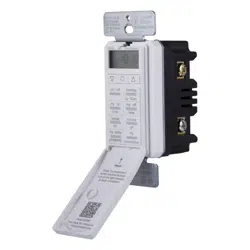
MyTouchSmart 33861 Questions & Answers
You can find answers or submit your question.
In ManualsFile, you can ask and answer questions about your issues. We - volunteers - or other people who own the product will help you.
You should also read the documentation for your own answers. Download documentation for this product here.
1 Questions
What are the instructions for setting up the on/off timer? Is their a booklet I can download for the instructions?
Use up and down arrows to set current time. Take note of the AM/PM setting.
- My On Time: Press “my on time” button and the clock will begin flashing. Use arrows to set the desired on time and press Set (O). (Default is 6PM for all days.) Days of the week will then flash on screen. Use arrows to select the day(s) you want the timer to be active and press Set (O).
- My Off Time: Press “my off time” button and the clock will begin flashing. Select desired off time and press Set (O). (Default is 10PM for all days.) Days of the week will then flash on screen. Use arrows to select the day(s) you want the timer to be active and press Set (O).
Please download the document at this link: https://manualsfile.com/download/pgdb695fo5.html

Submit your question
If you have any questions about this product, please ask here.