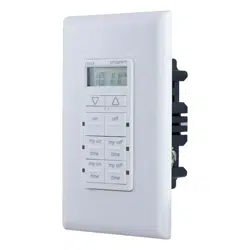
MyTouchSmart 26893 Questions & Answers
You can find answers or submit your question.
In ManualsFile, you can ask and answer questions about your issues. We - volunteers - or other people who own the product will help you.
You should also read the documentation for your own answers. Download documentation for this product here.
how do you shut off program # 2 if not used
You just have to push the My On Time and My Off Time buttons for the program 2. When the light is not lit for program 2 it will not operate.
https://manualsfile.com/product/pfdobd7abc.html#:~:text=3.%20Choose%20your%20custom%20on/off%20times
I want user instructions for this switch.
My existing switch has a black wire, white wire, and ground wire. How do I connect the black and white wires to MyTouchsmart 26893?
You can check out the Installation Instructions for additional information and diagram at: https://manualsfile.com/product/pfdobd7abc.html#installation-instructions
how do you program time on and off
Press “my on time,” then use up and down arrows to set on time. Press “my off time,” then use up and down arrows to set off time. If the blue LED is on the program is set. If the LED is off the program will not operate.
how to program time on and off
Press “my on time,” then use up and down arrows to set on time. Press “my off time,” then use up and down arrows to set off time. If the blue LED is on the program is set. If the LED is off the program will not operate.

Submit your question
If you have any questions about this product, please ask here.