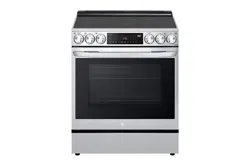
LG Electronics LSEL6335F Questions & Answers
You can find answers or submit your question.
In ManualsFile, you can ask and answer questions about your issues. We - volunteers - or other people who own the product will help you.
You should also read the documentation for your own answers. Download documentation for this product here.
Sabbath mode, code 5b, came on after a power failure. Power off/on did not clear it. Cannot use oven or stove. How do I turn this off?
When the Sabbath mode is activated, the oven does not turn off until the Sabbath mode is deactivated. In Sabbath mode, all oven function buttons and cooktop knobs are inactive. sb will appear in the display.
- Disconnect the probe. The probe function is not available in Sabbath mode.
- Turn the oven mode knob to select Bake.
- Set the desired temperature and cook time.
- Press START.
- Press and hold Settings for three seconds. sb appears in the display when the Sabbath mode is activated.
- To stop the Sabbath mode, press and hold Settings for three seconds. To cancel the Bake function, set the oven mode knob to the OFF position at any time.
See details on page 48 of the User Manual at this link below: https://manualsfile.com/download/p8nlt9snfy.html

Submit your question
If you have any questions about this product, please ask here.