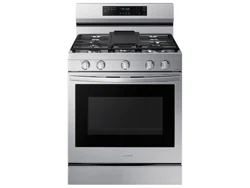
Samsung NX60A6711SS/AA Questions & Answers
You can find answers or submit your question.
In ManualsFile, you can ask and answer questions about your issues. We - volunteers - or other people who own the product will help you.
You should also read the documentation for your own answers. Download documentation for this product here.
connection in back of range has a small brass connection what size connection is needed to connect main gas cord
i recently purchased this gas range and the double burner flame is orange and is burning my pots
Flames can turn yellow (or appear orange) if there is less oxygen in the air. This can be caused by humidity (especially if there is a humidifier anywhere in the home), or if wind is blowing (such as from an air conditioner or hood).
dual fuel?
is this range dual fuel?
oven stuck in test mode
In this demo mode, the heating element does not operate: 1. Press and hold the Clock button for 3 seconds. 2. Press 0 to enter Demo mode. 3. Press 1 or 2 to turn Demo mode on or off (1 to on, 2 to off). 4. Press START/SET to save the change.
how do you use the air fryer on model nx60a6711ss/aa
tried using several times following directions in manual but it doesn't seem to work1. Place the tray on rack position 3. 2. Press Air Fry button. 3. Enter the suggested temperature for your food as recommended by its instructions using the number pad. 4. If necessary, set the Cook Time and Delay Start. 5. Press START/SET. 6. When cooking is complete, press OFF/CLEAR, and then take out the food.
How do I change the time on the stove? Model NX60A6711SS/AA
How do I turn off the oven timer before it expires
You can cancel the operation at any time by pressing OFF/CLEAR.
HOW DO YOU SET THE CLOCK?
To set the clock time: 1. Press the Clock button. 2. To select AM/PM, press the Clock again. 3. Enter the current time using the number pad. 4. Press START/SET to confirm the settings.
How do you set the clock

Submit your question
If you have any questions about this product, please ask here.