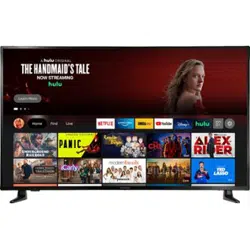
Insignia NS-55F301NA22 Questions & Answers
You can find answers or submit your question.
In ManualsFile, you can ask and answer questions about your issues. We - volunteers - or other people who own the product will help you.
You should also read the documentation for your own answers. Download documentation for this product here.
How do I get rid of the green screen?
CAN NOT GET SOUND TO WORK HELP
- Make sure that your TV isn't muted. Press the Volume Up button on your Fire TV remote to increase volume.
- Check to see if your TV speaker is turned off. Go to Home > Settings > Display & Sound.
How do I get sound; what do I select?
Make sure that your TV isn't muted. Press the Volume Up button on your Fire TV remote to increase volume. Check to see if your TV speaker is turned off. Go to Home > Settings > select Display & Sound.
How do get sound?
Make sure that your TV isn't muted. Press the Volume Up button on your Fire TV remote to increase volume. Check to see if your TV speaker is turned off. Go to Home > Settings > select Display & Sound.

Submit your question
If you have any questions about this product, please ask here.