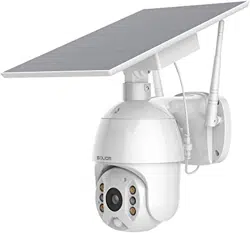
Soliom S600 Questions & Answers
You can find answers or submit your question.
In ManualsFile, you can ask and answer questions about your issues. We - volunteers - or other people who own the product will help you.
You should also read the documentation for your own answers. Download documentation for this product here.
How do I change the batteries and what batteries do I purchase for my s600.
The S600 camera support the type of 18650, 2600mah battery.
Removed solar panel to charge. What does green light blinking four times mean? It's been on charge for more than 12 hours.
Will snow stop the solar system from charging, or is there enough warming to melt it off?
Why am I only getting a blue screen on my android app. And how do I pair them
I have solid red LED. What should I do? My phone works so I know there is signal...
I want to schedule my camera alarm to start at 2200 hours end at 0700 hours. It will not let me. How do I do this?
How to a schedule the alarm?
I want to start at 2200 hours and end at 0700 hours. But it will not let meI have new phone
How to change picture from black and white to color
Why did my camera quit sending alerts when someone went by? I can see the video when I look but it no longer alerts me.
Use the gear icon at the top left of the app and scroll down to "device alarm." Select it, and then select "on." When activated, an alarm will trigger anytime the camera detects motion.
i have a s600 (V6) camera paired withan iphone 12 , i want to use the Push Mode as explained on p14 in the manual and it refers to page 27 which does not mention the Push Mode how do i use the push mode ?
How will I know when solar panel is fully charged
Fully charged, the battery will stay white.
How do I change the batteries and what batteries do I purchase for my s600.
How do you record and take pictures automatically at this

Submit your question
If you have any questions about this product, please ask here.