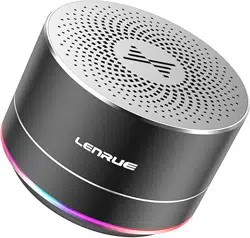
LENRUE A2 Questions & Answers
You can find answers or submit your question.
In ManualsFile, you can ask and answer questions about your issues. We - volunteers - or other people who own the product will help you.
You should also read the documentation for your own answers. Download documentation for this product here.
Unit doesn't seem to want to turn off. I keep getting a low beeping sound every few minutes. It hasn't done it in the past.
The speaker beeps when the battery is low, when it needs to be charged, or when the volume is at its lowest or loudest setting.
how do I turn microphone on?
Press and hold the power button till you hear a prompt sound, that means the speaker is turned on. If it shuts off in a few minute, maybe it should be recharge.
The A2 shows up on device but will not connect.
The bluetooth speaker can connect the device which has bluetooth function, and also connect to the device which has 3.5mm aux port with the cable.
I can no longer charge . Had no problem, but now, it does not turn red while charging. Can you help me, Please???
The owners manual states to contact them for any technical support (worry free per manual) problems or customer service... so why can I NOT find their contact information anywhere??? Not a phone number, nor email address.
My A2 bluetooth isnt working. It worked beautifully at first, but now only a blue light, no connection then it turns off. My Iphone cant recognize it and it works fine on all other devices. Love the unit , need help. I tried all of the helps on line.
when i insert the micro SD card (32GB) how do i get it to play music from there? i tried to switch the modes but i think it was only blue-tooth and AUX. what do i need to do?
To play music from the micro SD card, please ensure the audio format is MP3 and the capacity is less than 32GB. Press the "M" button to change the playing mode to SD card mode. You can short-press the +/- to change the song, longer press the +/- to change the volume.

Submit your question
If you have any questions about this product, please ask here.